Shared posts

10 Dec 14:10

tastefullyoffensive: Bill Nye explains why he always wears bow...


tastefullyoffensive:

Bill Nye explains why he always wears bow ties. [video/image via jakealc1]
10 Dec 14:08

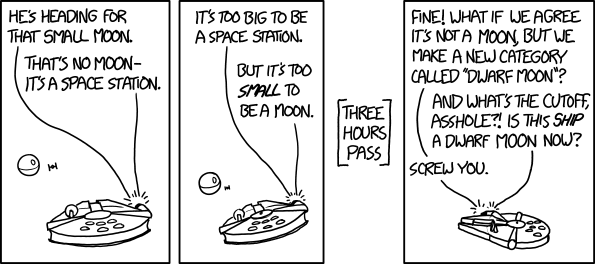
Small Moon

GENERAL JAN DODONNA: An analysis of the plans provided by Princess Leia has reinvigorated the arguments of the 'artificial moonlet' and 'rogue planet-station' camps. I fear this question is fracturing the Rebellion.
10 Dec 02:55

Understanding segregation with a simulation

by Nathan Yau

Segregation simulation

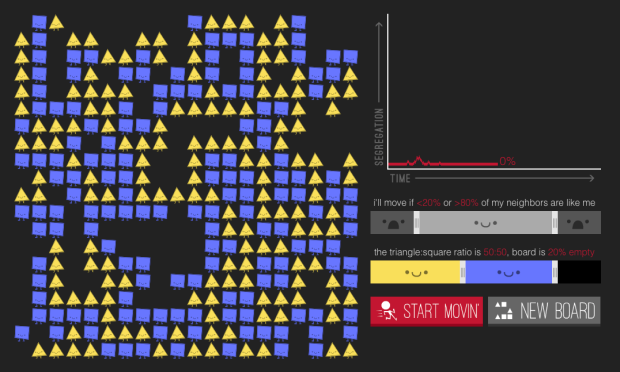
In 1971, Nobel laureate economist Thomas Schelling proposed that a desire to have neighbors of the same race — even a small percentage — can lead to segregation. The model has been simulated through a variety of interactives before, but in Parable of the Polygons, Vi Hart and Nicky Case put extra effort into teaching the model, bringing playfulness to an otherwise serious subject.

Two groups of people are encoded as shapes — squares and triangles — and they take you through each step of the model. Use the sliders to adjust thresholds and population distributions, and run the simulation. The shapes on the left move if they're looking for similarity, and the line chart on the right shows segregation over time.

You end up with an understanding of how segregation works (however simplified this model might be) and a glimmer of hope of how we might shift directions.

Worth a try.

Tags: segregation, simulation

10 Dec 02:46

Unlock your Chromebook with Android 5.0 Lollipop’s Smart Lock

by Derek Ross

Chromebook_Nexus_Smart_Lock_Easy_Unlock

Back at Google IO 2014, we learned that Google would be bringing Easy Unlock or Smart Lock to Chromebooks later on this year. The feature would allow Google’s two computing platforms to work together, forming a trust relationship, and use that relationship to sign into your Chromebook without the need to enter a password every single time. As long as your smartphone is nearby, running Android 5.0 Lollipop, and unlocked, you can sign into your Chromebook with just the click of a button.

The Smart Lock feature isn’t available on the stable channel of Chrome OS yet, but is readily available if you’re okay with getting your hands a little dirty with the developer channel of Chrome OS. You’ll need to hit up your device’s About page and change your Chromebook to the developer channel. Once you select the proper channel, your Chromebook will download the developer channel update and reboot. Once you’re rebooted and running the latest developer version of Chrome OS, you’ll need to make a few more changes under the hood to enable Smart Lock as these features are still disabled by default.

Open up a Chrome browser window and type in chrome://flags. Next, you’ll want to navigate your way to the Easy Unlock and Easy Sign-On experimental features. You can find them by hitting Control-F and searching for ‘easy’. Once you find them, enable the features and reboot your Chromebook once again. Now when you head into Settings on your Chromebook, you should see the new option appear as shown below.

Smart_Lock_Chromebooks


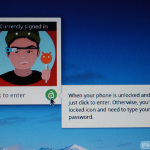
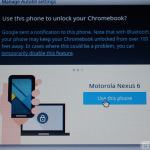
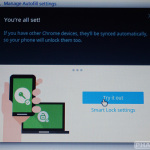
Once you enable Smart Lock, your Chromebook will run you through the setup process, which attempts to Bluetooth pair your Chromebook with a nearby device running Android 5.0 Lollipop. If you have other Chromebooks, they’ll be synced automatically to allow the same paired device to unlock them too (if they’re on the developer channel with Smart Lock enabled). Below your profile icon on your Chromebook, you’ll now see a new lock icon which displays as amber when either your Android phone or tablet is locked or out of range. When you see a green unlocked icon, you’ll know that signing into your Chromebook is just a click away thanks to your unlocked Android device. Additionally, you can enable ‘Smart Lock Proximity Detection’ from chrome://flags, which will keep your Chromebook unlocked if your device is only a few feet away and not the default 100 feet.
Chromebook_Easy_Unlock_Nexus_6_Bluetooth Chromebook_Easy_Unlock_Nexus_6 Chromebook_Easy_Unlock

If you haven’t figured it out yet, this feature goes hand in hand with Smart Lock on your Android device. Having to constantly enter your password, PIN, or pattern on your smartphone just to keep your Chromebook unlocked might seem a little redundant or annoying. You can easily get around that annoyance by enabling Smart Lock on your Android device too. For example, if an Android Wear device is connected to your smartphone as a trusted device, your lockscreen will be disabled on our Android device and your Chromebook will be unlocked as a result, if all devices are in range. If you don’t have a Bluetooth device to keep your Android phone or tablet unlocked, you can enable Trusted Places as well.

Don’t worry, your devices don’t have to be unlocked all of the time with these features enabled. If you go from a secure setting to a less secure one, you can simply tap the unlocked icon on your Android device’s lockscreen or click the green unlocked icon below your profile and either device will ask you for a password the next time you attempt to use it.

While Smart Lock is an extremely powerful combination, it’s also worth mentioning that any time you disable device security there’s always a risk. You don’t have to enable these features as they’re not for everyone in every situation. If you want to give them a try, they’re available.

Now, if we could only unlock our Chromebooks from our Android Wear smartwatches and cut out the middle man.

[via Computerworld]

07 Dec 14:48

Degrees Illustrated

by Bill Amend

ft141207degreesillustrated

06 Dec 02:27

Ridiculous: John Kerry Asks Dianne Feinstein Not To Release CIA Torture Report After Agreement Was Reached To Release On Monday

by Mike Masnick
Okay, this is just getting ridiculous. We've written plenty about the Senate Intelligence Committee's massive $40 million, 6,000 page torture report, detailing a variety of failures related to the CIA's torture program after 9/11. While the Committee voted (overwhelmingly) to release a redacted 480 page executive summary of the document, and the White House insisted it wanted to do so as well, since then it's become clear that the White House was going to do everything to block it from actually getting out.

Yesterday it came out that an agreement had finally been reached on the redactions and that it would finally be released on Monday. Apparently, the CIA/White House won the battle over the question of redacting pseudonyms -- which was a key fight. Basically, those who have seen the report say that if you redact the pseudonyms, important parts of what happened are greatly distorted (such as who is doing what). But apparently, that's what was agreed to anyway.

However, after everyone started gearing up for the release on Monday, Secretary of State John Kerry apparently called Senator Dianne Feinstein to argue that she should "delay" the release of the report, claiming that the timing is "sensitive" and that the US is worried it may mess up a variety of things:
“What he raised was timing of report release, because a lot is going on in the world -- including parts of the world particularly implicated -- and wanting to make sure foreign policy implications were being appropriately factored into timing,” an administration official told me. "He had a responsibility to do so because this isn’t just an intel issue -- it’s a foreign policy issue."
To put it simply, this is a complete bullshit argument. There's always going to be "a lot going on in the world" especially in areas who are going to be upset by the report. There's never going to be a "good" time to release a report that details just how screwed up the CIA's torture program is -- but it's the only way to actually start the process of making things right and making sure that we, as a country don't do that kind of thing again.

In fact, if the government is so damn concerned about the reaction to the release of the report, here's an idea: don't let the government do stuff that leads to a report that will create such a reaction!

Furthermore, the argument that a "delay" is necessary makes no sense either. Beyond the fact that there's always something going on in the world, in this case, they've known that this report was coming for months. To argue they haven't had enough time to prepare is clearly bogus. Back in April the State Department was whining about this as well, but now it's had months to prepare and it's still whining?

Finally, the claims by the State Department that it's just asking for a delay, rather than to shelve the whole report ring hollow. One of the reasons that it's coming out next week is because, after that, the Republicans are back in control, and they've indicated that they'll bury the report entirely. At this point, if Feinstein gives in to Kerry, it seems like the only viable option for getting the report out to the world is to have outgoing Senator Mark Udall release it himself on the floor of the Senate.

Permalink | Comments | Email This Story


03 Dec 15:06

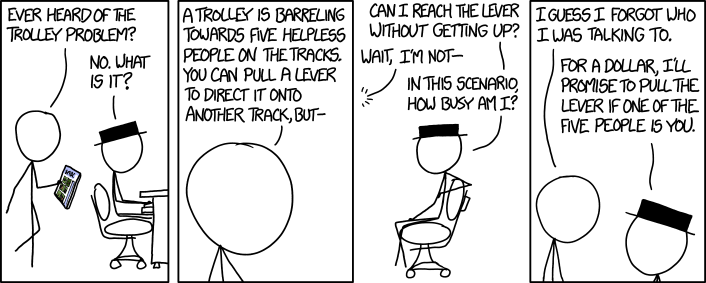
Trolley Problem

For $5 I promise not to orchestrate this situation, and for $25 I promise not to take further advantage of this ability to create incentives.
26 Nov 22:44

The ReBoot Reboot Has A Real Title And Teaser Image, Is Actually Going To Exist - Everything is alphanumeriiiic!

by Sam Maggs

reboo2

A little over a year ago, we told you that Rainmaker’s Mainframe television department had announced they were planning on rebooting the classic computer-animated series ReBoot. Just when you started thinking the project had been lost to the Nulls, they’ve released an official image from the new series!

Straight from the Net:

reboot

According to Rainmaker president Michael HeffronReBoot: The Guardian Code (!) will feature all the major characters from the original series in more than just cameo roles (though “some of the minor characters might be just cameos to deal with older tech-jargon”). The show will take the lighter tone of the first two seasons of the original series; geared towards kids, but still enjoyable for fans of ReBoot. They’re also going to attempt to resolve ReBoot‘s season four cliffhanger (thank the User).

For those of you unfamiliar with ReBoot, the show originally aired from 1994 to 2001, and was the world’s first-ever half-hour fully-CGI animated series. Set inside a computer, ReBoot followed the adventures of Bob (a Guardian), and siblings Enzo and Dot Matrix, as they attempt to both defeat games uploaded by the mysterious User, and fight off evil in the form of twin viruses Megabyte and Hexadecimal.

As time went on, the series got pretty intense, ultimately ending on a terrible cliffhanger where Megabyte had taken control of Mainframe. Obviously, ReBoot was incredibly important and groundbreaking for animated television – but it was also just a really good show.

Though the new series hasn’t been picked up by a network yet, Heffron says they’re hoping for a home on the show’s original Canadian network, YTV. Because this year also marks the 20th anniversary of the original series (cementing how disgustingly old we all are), Rainmaker has also opened a ReBoot store. I suggest heading thataway for holiday gifts for all the important sprites and binomes in your life.

Now I must go re-watch “Wizards, Warriors, and a Word from our Sponsor,” and re-learn all the words to this:

(via HuffPo Canada)

Are you following The Mary Sue on Twitter, Facebook, Tumblr, Pinterest, & Google +?

21 Nov 12:02

Shortpacked! - War on Christmas

by David Willis
New comic!
Today's News:
20 Nov 12:09

Middle School Principal Suspended Over Unannounced School Shooter Drill

by Timothy Geigner

Listen up, everyone, because I think this is important and I'm very serious about this. The Florida middle school we recently discussed that conducted an unannounced active school shooter drill with armed police bursting into darkened classrooms full of terrified students and teachers has taken action. That action has been suspending the school's principal pending an investigation to be conducted by the school district.

"I very much regret that this occurred," Superintendent of Schools Kathryn LeRoy said Tuesday evening during a School Board meeting. LeRoy said Jewett Principal Jacquelyn Moore was suspended Tuesday pending an internal investigation. In the past, the School District has not informed students, parents or staff members in advance about lockdown drills. But LeRoy specified some new rules for the future.
Let me be clear: this isn't enough. The issue of irrational overreaction to an exaggerated fear of school shootings runs far deeper than one principal, and her suspension should not be allowed to assuage the outrage and anger this story has generated. This cannot become a sweep-it-under-the-rug story. None of this has occurred in a vaccum, after all. We've seen examples of these kinds of insane drills in the past and we've recently covered stories about potential massive amounts of money going into systems designed for school shooting situations. And, damn it, I cannot repeat this enough: school shootings are incredibly rare, they are not increasing in frequency, and the average child is safer in their school than they are in most other places on Earth. In the face of the actual reality regarding school shootings and our reactions to them, a principal's suspension is not enough. It must only be the start. Because if it isn't, here's what you'll get from people like the aforementioned school Superintendent LeRoy.
From now on, she said, officers will not carry weapons during such practice; administrators should send a message to parents at the beginning of the drill and let students know a drill is taking place; and staff members should be on hand at the school entrance and answering phones to let callers know the lockdown is just a drill.
What the hell is the matter with you people? I realize that for a politician or government official, or even someone in law enforcement, standing in front of a public whose fear has been stoked by a sensationalist and lazy mass media, telling them all to calm the hell down because they're getting worried over nothing isn't the popular thing to do. It isn't the politically expediant thing to do. But it would be the right thing to do. When that happens, you'll know things are actually getting better, and not before.

Permalink | Comments | Email This Story


20 Nov 04:32

Equipment: The $29 Thermopop Digital Thermometer Measures Up

by J. Kenji López-Alt

The Splashproof Thermapen is an indispensible tool for anyone who roasts meat, cooks steaks or chicken, barbecues, makes candy, or deep fries, but at nearly $100, it ain't cheap. Enter the ThermoPop, the new, $29 digital thermometer from the makers of the Thermapen. Read More
16 Nov 22:44

Moisturizing

by Bill Amend

ft141116moisturizing

13 Nov 15:02

deucandelion: mrscalypsojackson: dancingloki: prochoicegener...


deucandelion:

mrscalypsojackson:

dancingloki:

prochoicegeneration:

Best post

Also, Lily Potter would have never wanted an abortion, because she was a financially well-off woman starting a family in a happy marriage with a secure place at the top of wizarding society.

The question you should be asking is what if Merope Gaunt, an impoverished and uneducated single woman who escaped from a severely abusive family only to become pregnant with the unwanted child of a man who wanted nothing to do with her, had had access to an abortion and not had immense social pressure brainwashing her into carrying to term?

it got better

It fucking got better.

12 Nov 18:26

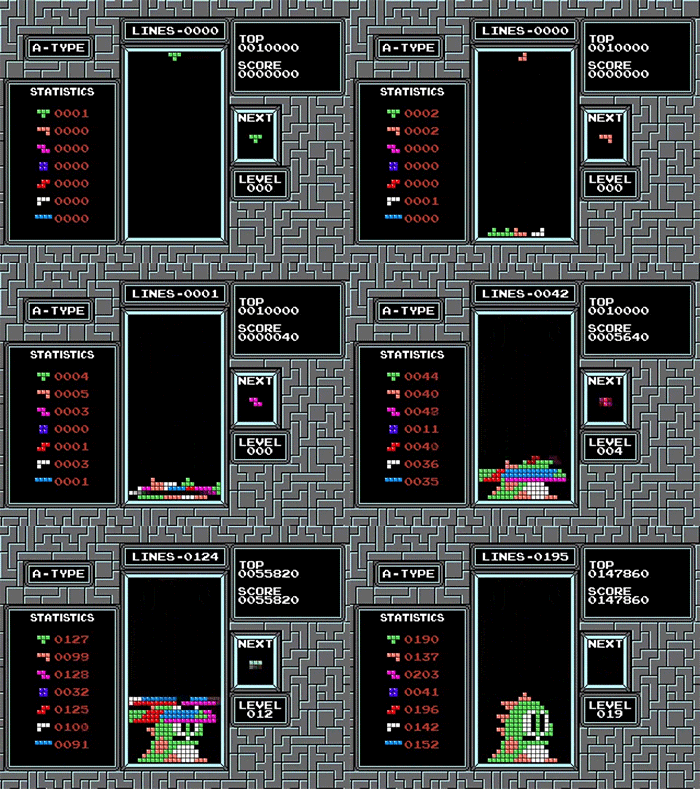
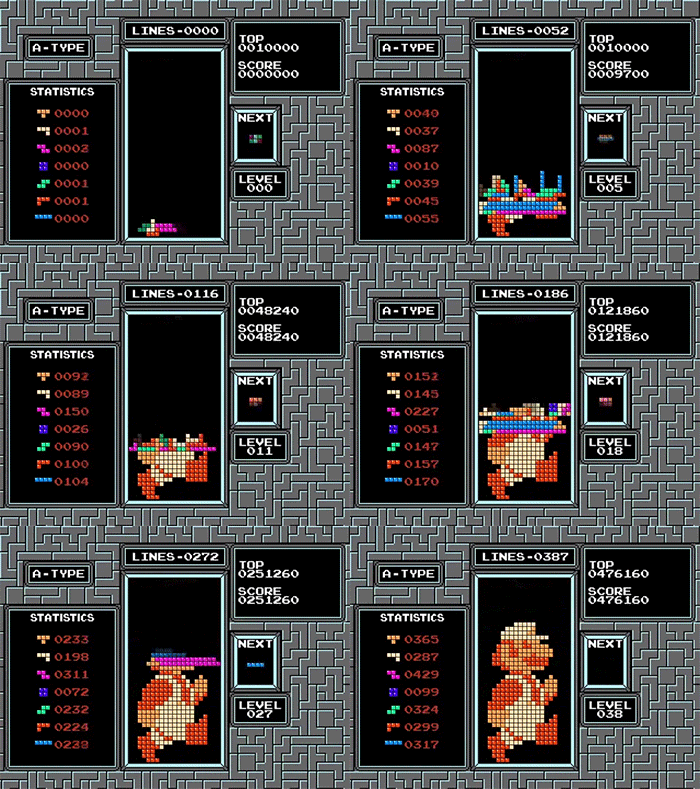
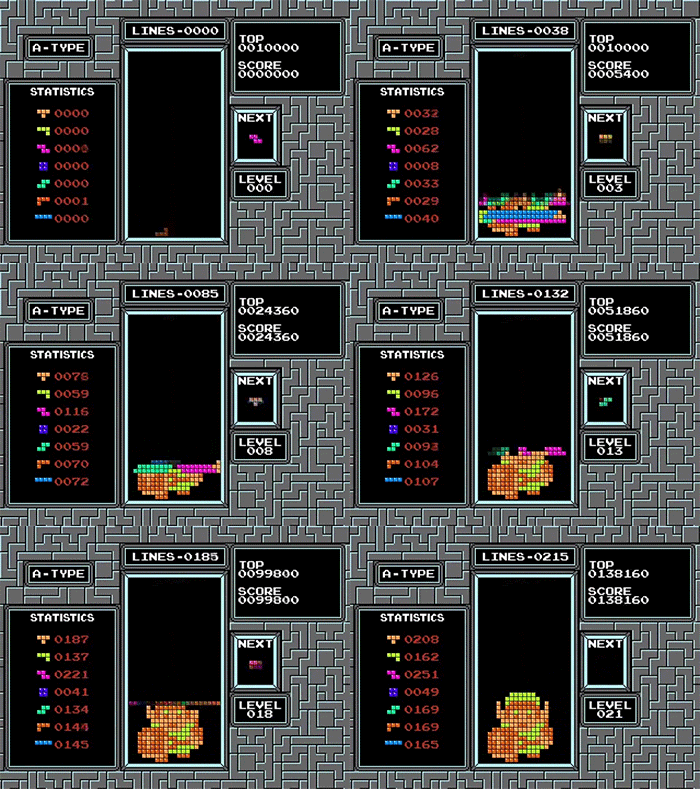
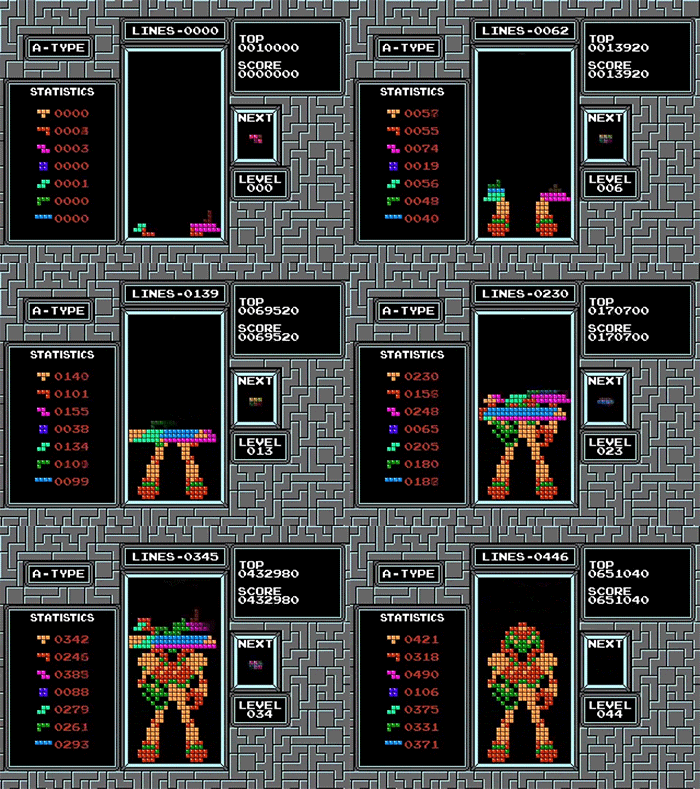
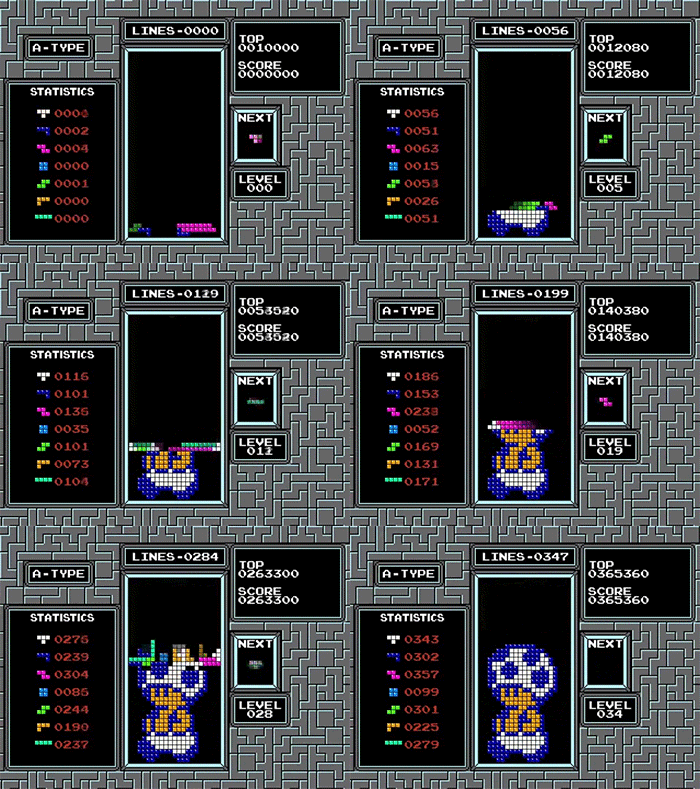
welele: Un algoritmo que crea personajes en 8 bits en el...


welele:

Un algoritmo que crea personajes en 8 bits en el Tetris

Mu jarcor nene

11 Nov 18:07

Dear Senator Ted Cruz, I'm going to explain to you how Net Neutrality ACTUALLY works

by Matthew Inman
07 Nov 13:05

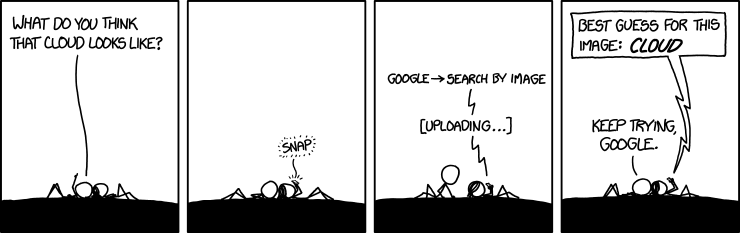
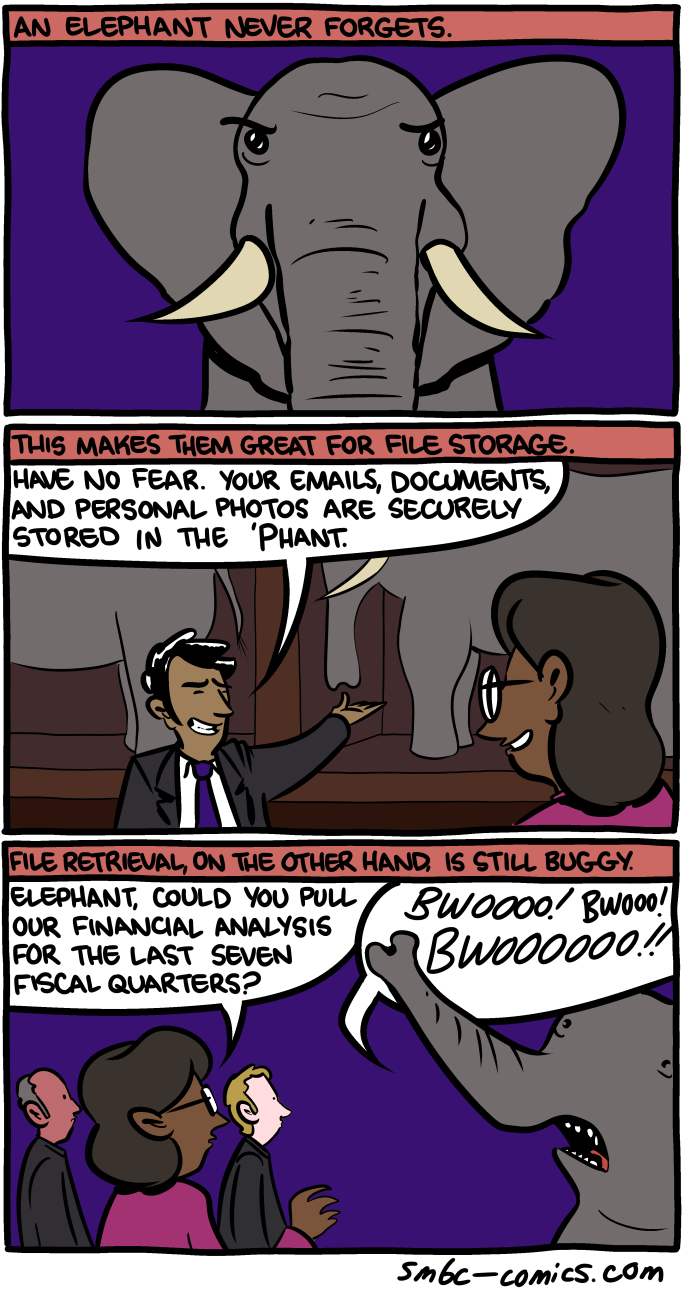
Cloud

Cloud computing has a ways to go.
03 Nov 13:00

[sgtscherer]

02 Nov 15:52

November 02, 2014


You suck, humans!
02 Nov 15:50

Worth a Shot

by Bill Amend

ft141102worthashot

30 Oct 00:34

15 Free Pumpkin Stencils for Halloween — Halloween

by Ariel Knutson
Pin it button big

Do you have any last-minute pumpkin carving that needs to get done before Halloween? Instead of hacking away aimlessly at a pumpkin trying to create that creepy grin, why not use a free stencil! From emoji stencils, to haunted house stencils, to the classic spooky faces – give one of these 15 templates a try on your Halloween pumpkin.

READ MORE »

30 Oct 00:34

October 29, 2014


GLlrhghghhhh
30 Oct 00:08

This Tea Kettle Boils Water Directly in Your Tea Cup — Fresh Design

by Kristin Appenbrink
Pin it button big

How much electricity do you think is wasted by people boiling more water than they need every day?

According to the U.K. Energy Trust if people in England only boiled the water they needed, the electricity saved in one year would power London's streetlights for a full two months. And there's a new "tea kettle" that is aiming to help people only heat up the amount of water they need.
READ MORE »

24 Oct 13:16

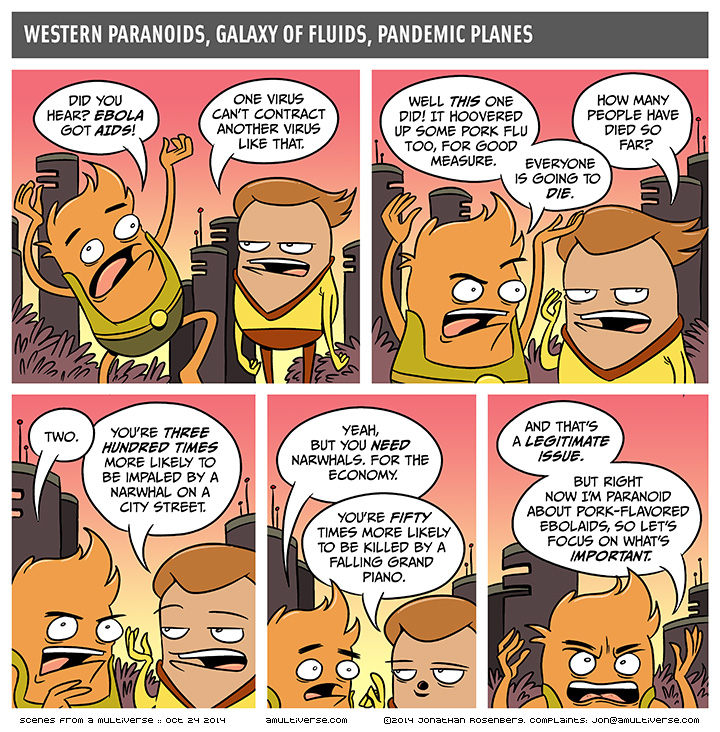
EbolAIDS

by jon

2014-10-24-EbolAIDS

It’s Friday! We made it. Death may be near, but so is the weekend.

See you on Monday, maybe!

becomepatron-300x132[1]

24 Oct 12:57

October 23, 2014


Music! Nerds! Me! Kelly! It's NERD NITE BLOCK PARTY tomorrow!
24 Oct 04:50

The Verge Takes John Oliver's 'Dog Supreme Court' And Remixes The Aereo Hearing

by Mike Masnick
Earlier this week, we wrote about how John Oliver had not only "solved" the problem of the Supreme Court not allowing cameras in the court (but releasing audio tape) by setting up a fake Supreme Court with dogs, but had also made the raw footage available and asked other news media to make use of them. I had wondered if anyone would actually take him up on it. There's at least one. The good folks over at The Verge have remixed the Supreme Court's hearings on Aereo, and it's pretty damn entertaining. They even make use of the shot of "Dog" Justice Alito humping "Dog" Justice Kagan. Nicely done.

Permalink | Comments | Email This Story


24 Oct 04:36

An inbox that works for you

by Emily Wood
Matthew

I got into this already. I'll let you know when I get invites.
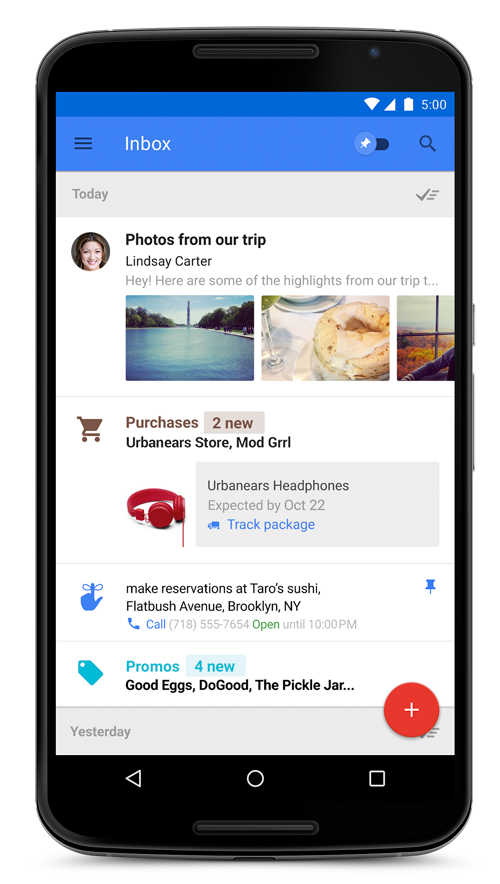
Today, we’re introducing something new. It’s called Inbox. Years in the making, Inbox is by the same people who brought you Gmail, but it’s not Gmail: it’s a completely different type of inbox, designed to focus on what really matters.

Email started simply as a way to send digital notes around the office. But fast-forward 30 years and with just the phone in your pocket, you can use email to contact virtually anyone in the world…from your best friend to the owner of that bagel shop you discovered last week.

With this evolution comes new challenges: we get more email now than ever, important information is buried inside messages, and our most important tasks can slip through the cracks—especially when we’re working on our phones. For many of us, dealing with email has become a daily chore that distracts from what we really need to do—rather than helping us get those things done.

If this all sounds familiar, then Inbox is for you. Or more accurately, Inbox works for you. Here are some of the ways Inbox is at your service:


Bundles: stay organized automatically
Inbox expands upon the categories we introduced in Gmail last year, making it easy to deal with similar types of mail all at once. For example, all your purchase receipts or bank statements are neatly grouped together so that you can quickly review and then swipe them out of the way. You can even teach Inbox to adapt to the way you work by choosing which emails you’d like to see grouped together.

Highlights: the important info at a glance
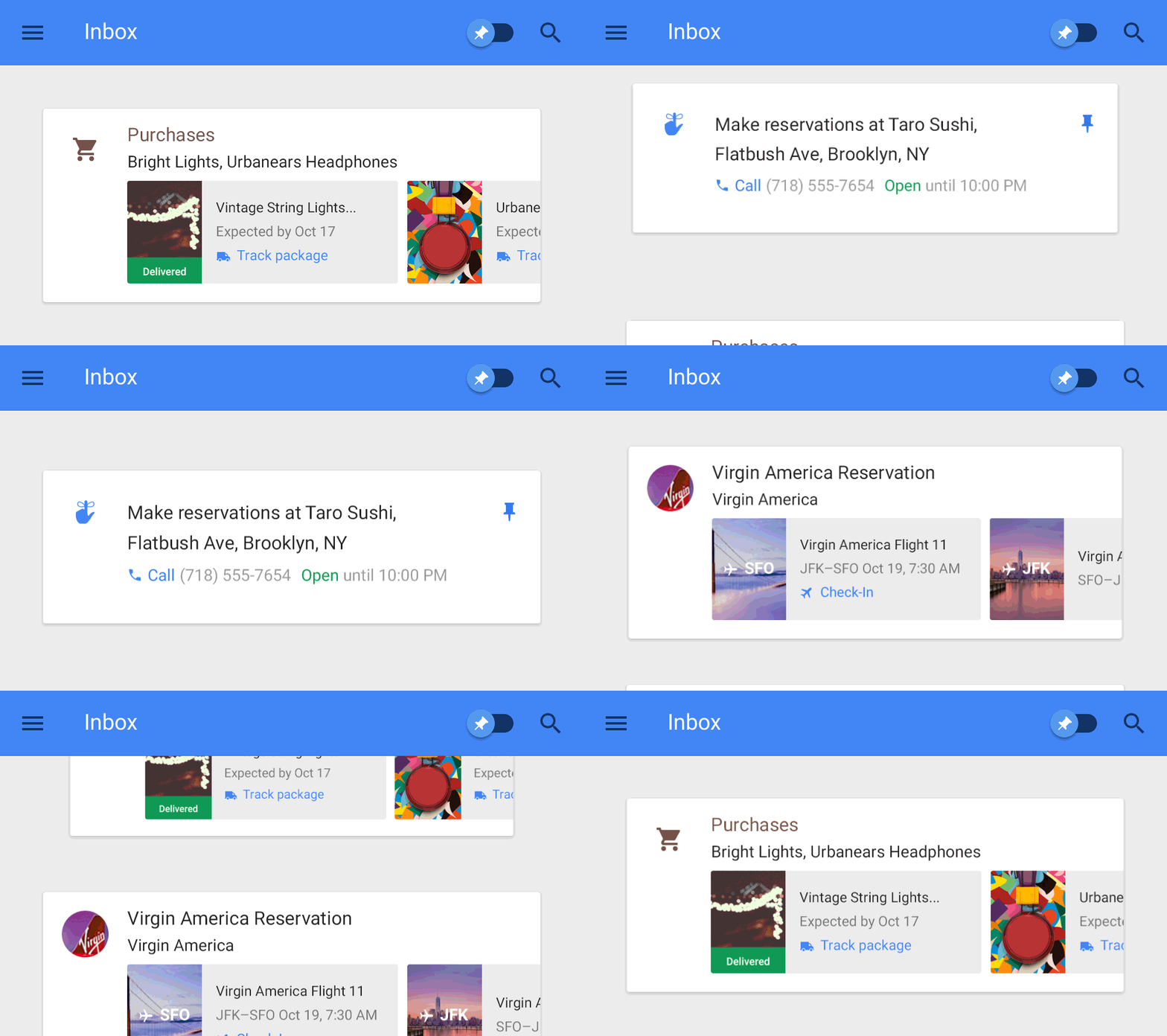
Inbox highlights the key information from important messages, such as flight itineraries, event information, and photos and documents emailed to you by friends and family. Inbox will even display useful information from the web that wasn’t in the original email, such as the real-time status of your flights and package deliveries. Highlights and Bundles work together to give you just the information you need at a glance.
Reminders, Assists, and Snooze: your to-do’s on your own terms
Inbox makes it easy to focus on your priorities by letting you add your own Reminders, from picking up the dry cleaning to giving your parents a call. No matter what you need to remember, your inbox becomes a centralized place to keep track of the things you need to get back to.
A sampling of Assists
And speaking of to-do’s, Inbox helps you cross those off your list by providing Assists—handy pieces of information you may need to get the job done. For example, if you write a Reminder to call the hardware store, Inbox will supply the store’s phone number and tell you if it's open. Assists work for your email, too. If you make a restaurant reservation online, Inbox adds a map to your confirmation email. Book a flight online, and Inbox gives a link to check-in.

Of course, not everything needs to be done right now. Whether you’re in an inconvenient place or simply need to focus on something else first, Inbox lets you Snooze away emails and Reminders. You can set them to come back at another time or when you get to a specific location, like your home or your office.

Get started with Inbox
Starting today, we’re sending out the first round of invitations to give Inbox a try, and each new user will be able to invite their friends. If Inbox can’t arrive soon enough for you, you can email us at inbox@google.com to get an invitation as soon as more become available.

When you start using Inbox, you’ll quickly see that it doesn’t feel the same as Gmail—and that’s the point. Gmail’s still there for you, but Inbox is something new. It’s a better way to get back to what matters, and we can’t wait to share it with you.

Posted by Sundar Pichai, SVP, Android, Chrome & Apps

Cross-posted from the Official Gmail Blog
24 Oct 04:20

October 22, 2014


Symmetry Magazine did a nice article about me and BAHFest.
22 Oct 17:49

An inbox that works for you

by Emily Wood
Today, we’re introducing something new. It’s called Inbox. Years in the making, Inbox is by the same people who brought you Gmail, but it’s not Gmail: it’s a completely different type of inbox, designed to focus on what really matters.

Email started simply as a way to send digital notes around the office. But fast-forward 30 years and with just the phone in your pocket, you can use email to contact virtually anyone in the world…from your best friend to the owner of that bagel shop you discovered last week.

With this evolution comes new challenges: we get more email now than ever, important information is buried inside messages, and our most important tasks can slip through the cracks—especially when we’re working on our phones. For many of us, dealing with email has become a daily chore that distracts from what we really need to do—rather than helping us get those things done.

If this all sounds familiar, then Inbox is for you. Or more accurately, Inbox works for you. Here are some of the ways Inbox is at your service:


Bundles: stay organized automatically
Inbox expands upon the categories we introduced in Gmail last year, making it easy to deal with similar types of mail all at once. For example, all your purchase receipts or bank statements are neatly grouped together so that you can quickly review and then swipe them out of the way. You can even teach Inbox to adapt to the way you work by choosing which emails you’d like to see grouped together.

Highlights: the important info at a glance
Inbox highlights the key information from important messages, such as flight itineraries, event information, and photos and documents emailed to you by friends and family. Inbox will even display useful information from the web that wasn’t in the original email, such as the real-time status of your flights and package deliveries. Highlights and Bundles work together to give you just the information you need at a glance.
Reminders, Assists, and Snooze: your to-do’s on your own terms
Inbox makes it easy to focus on your priorities by letting you add your own Reminders, from picking up the dry cleaning to giving your parents a call. No matter what you need to remember, your inbox becomes a centralized place to keep track of the things you need to get back to.
A sampling of Assists
And speaking of to-do’s, Inbox helps you cross those off your list by providing Assists—handy pieces of information you may need to get the job done. For example, if you write a Reminder to call the hardware store, Inbox will supply the store’s phone number and tell you if it's open. Assists work for your email, too. If you make a restaurant reservation online, Inbox adds a map to your confirmation email. Book a flight online, and Inbox gives a link to check-in.

Of course, not everything needs to be done right now. Whether you’re in an inconvenient place or simply need to focus on something else first, Inbox lets you Snooze away emails and Reminders. You can set them to come back at another time or when you get to a specific location, like your home or your office.

Get started with Inbox
Starting today, we’re sending out the first round of invitations to give Inbox a try, and each new user will be able to invite their friends. If Inbox can’t arrive soon enough for you, you can email us at inbox@google.com to get an invitation as soon as more become available.

When you start using Inbox, you’ll quickly see that it doesn’t feel the same as Gmail—and that’s the point. Gmail’s still there for you, but Inbox is something new. It’s a better way to get back to what matters, and we can’t wait to share it with you.

Posted by Sundar Pichai, SVP, Android, Chrome & Apps

Cross-posted from the Official Gmail Blog
22 Oct 13:31

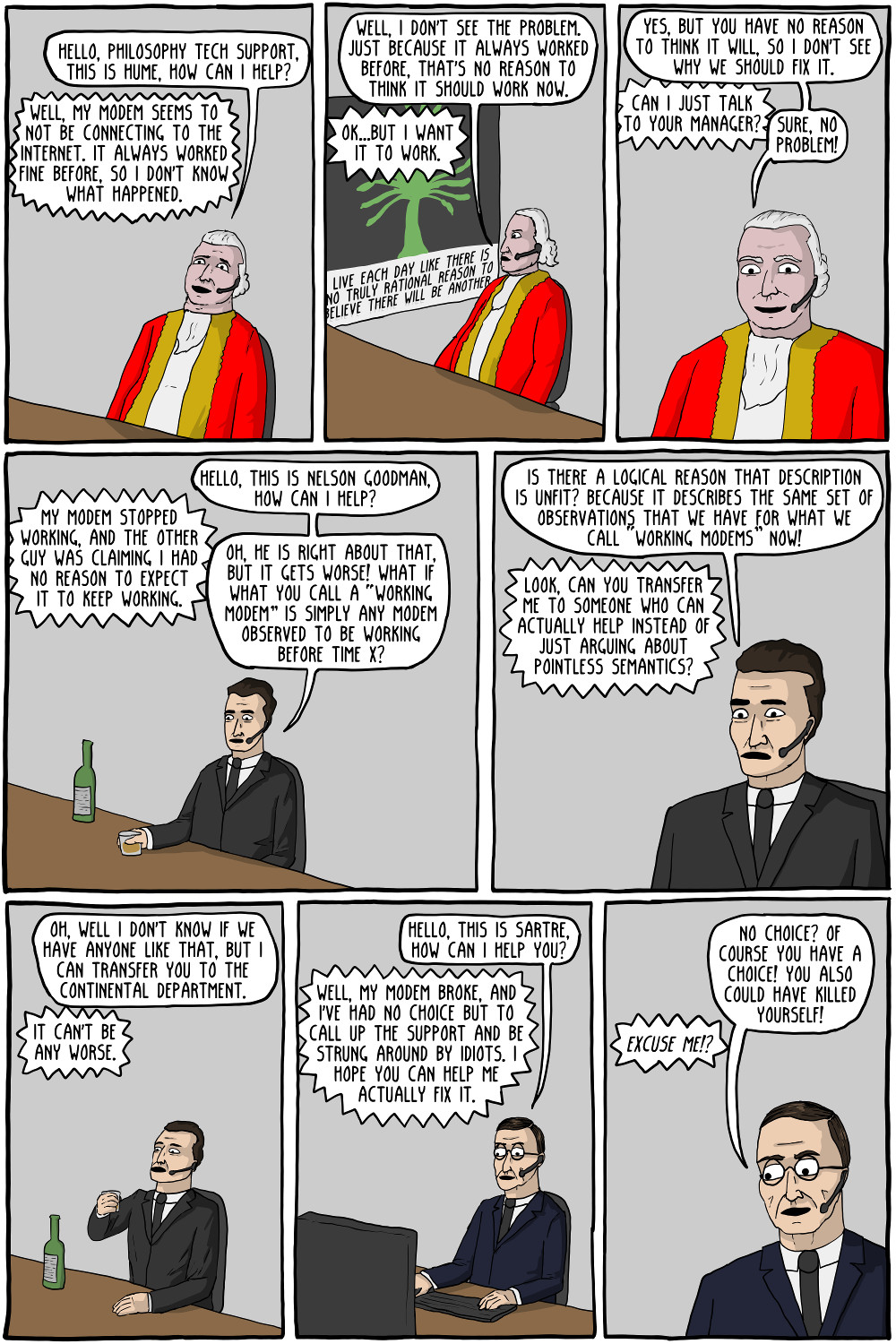
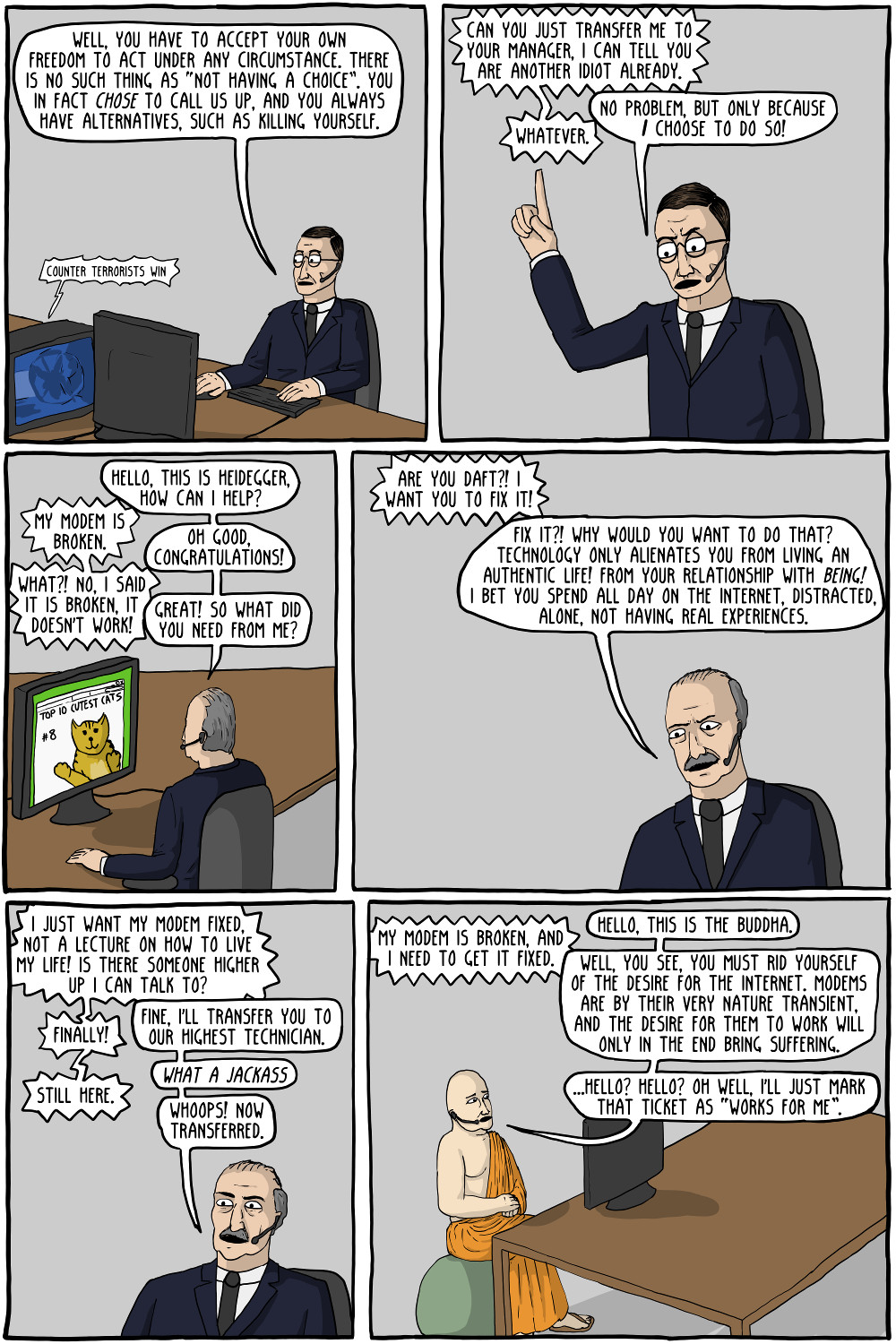
Philosophy Tech Support


Hello, customer complaints, this is Leibniz. Oh yeah? Well, this is the best of all possible customer support centers, so that can't be true
22 Oct 03:06

October 20, 2014


Thanks so much to LSC, and to everyone who came out for BAHFest. We hope you all had a grand time!