In the 8pm hour, ABC’s series debut of Marvel’s Agents of S.H.I.E.L.D opened a strong #1 in the time period
Shared posts
25 Sep 19:17
In the 8pm hour, ABC’s series debut of Marvel’s Agents of S.H.I.E.L.D opened a strong #1 in the time period


ABC's Opener of 'Marvel's Agents of S.H.I.E.L.D' is TV's #1 Drama Debut in 4 Years
by Amanda Kondolojy
ereedSweet.
In the 8pm hour, ABC’s series debut of Marvel’s Agents of S.H.I.E.L.D opened a strong #1 in the time period
25 Sep 19:15
This is How You Remind Me of Our Failed Relationship
ereedLadies, it's the practical side of working in (or at least knowing some) technology.
24 Sep 12:06


HOWTO make hydrophobic rain-only street art
by Cory Doctorow
NathanSharratt from Home Depot hit on the idea of stenciling street art with hydrophobic NeverWet stuff, producing designs that are only visible when it rains.
Step 1: You need a stencil. You can do something simple or use an image that includes a fair amount of detail. I created my own stencils from cardboard, but there's no reason you can't use a ready-made or store-bought stencil. Just know that NeverWet will get sprayed on that, too.
Step 2: Place stencil on concrete. I recommend that you only try this on light-colored concrete for best results. I also used a repositionable adhesive spray on the back of my stencils to keep them securely in place. Depending on the complexity and material of your stencil, you may be able to get away with just using tape to hold it down, or maybe using nothing at all. If your stencil is as complicated as mine pictured above, you'll definitely need to adhere it down.
Step 3: Spray the NeverWet into the cut-out areas of your stencil according to the manufacturer's instructions found on the label. I did two base coats and two top coats.
Step 4: After waiting for the recommended amount of time (see NeverWet instructions), remove your stencil. If you look closely, you will probably be able to see the light, translucent residue that the NeverWet leaves behind.
Make Rain Drawings with NeverWet! (Thanks, Bloo!) 
    
|
Aleispani and -1 others like this
24 Sep 11:15


Meet Lincoln, the Red Panda Cub
by Andrew Bleiman
A rare Red Panda cub was born in July at Lincoln Children's Zoo in Nebraska. Baby Lincoln, as zookeepers are calling him, is currently being hand-raised because his mother is unable to care for him. He is one of only four Red Panda cubs in the country being hand-raised. Lincoln spends his days in an incubator with around-the-clock care, and is growing stronger and healthier every day. Like his older brothers, Rusty and Wayne, he will eventually move to another zoo. Zookeepers named him Lincoln to represent the city of Lincoln and state of Nebraska when he moves to a new home in the future.
Photo credits: Lincoln Children's Zoo
See a video of the cub in his nursery:
See and read more after the fold.
Red Pandas are not closely related to Giant Pandas; rather, they belong in their own unique group that is more closely related to weasels. They are native to the eastern Himalayas and southwestern China. Fully grown, they are slightly larger than domestic cats. Red Pandas spend most of their time in trees, eating a variety of fruits, leaves and eggs. Their long bushy tails are excellent for balance, and also serve as a cozy wrap-around scarf for the Red Panda in cold weather.
Although protected throughout most of their range, Red Pandas are threatened by poaching and habitat loss. They have been classified as Vulnerable by the International Union for Conservation of Species; it is estimated that there are fewer than 10,000 adult Red Pandas. When he eventually moves to a new zoo, Lincoln will be a valuable addition to the coordinated breeding effort that aids Red Panda conservation.
Randy Laue, Tertiarymatt and 2 others like this
22 Sep 03:39



My First Month With The Pebble Smart Watch
by Joe White

The Pebble smart watch smashed its $100,000 Kickstarter campaign goal over a year ago, raising more than $10 million through the crowd-funding website, and the unofficial predecessor to Apple’s anticipated “iWatch” started reaching customers some months back.
In this article, AppAdvice goes hands-on with Pebble, and offers readers an insight into what life’s like with the popular smart watch at one’s side.
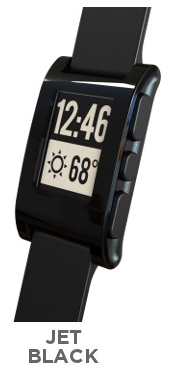
Pebble: Jet Black.
Background
It’s been over a month now since the Pebble smart watch – perhaps one of the most successful Kickstarter campaigns in the history of the website, and arguably one of this year’s most talked-about gadgets – reached my right wrist.
This might sound a lot like Apple blasphemy, but during those final days as my jet back Pebble peddled across the United States, paddled over the Atlantic, and cruised along the motorways of Britain towards my front door, it felt an awful lot like I was about to receive a next-generation iDevice.
This is because Pebble, much like Apple’s iPhone and iPad, is something of a game-changer, due largely to the fact that it’s what many have chosen to call a “real” smart watch.
Of course, we’ve seen similar products claiming that title in the past (there’s Cookoo, for example, and a number of Linux-powered wristwatches surfaced in the first decade of the new millennium), but Pebble’s impressive combination of competent hardware and well-attuned software made me and countless others shiver with anticipation back in April 2012, when its Kickstarter video first aired online.
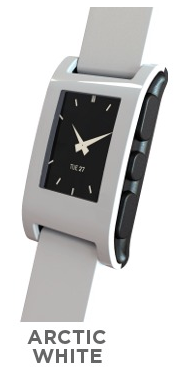
Pebble: Arctic White.
For those unfamiliar with this latest piece of gadget heaven, then, Pebble is an “e-paper”-style wristwatch that uses Bluetooth to wirelessly connect to an iPhone, or to an Android-powered smartphone, in order to deliver push notifications – such as those for phone calls, messages, and emails – “at the wrist.”
Using the smart watch, you can therefore check on incoming calls, read through texts and emails, and even receive social network notifications all without touching your smartphone, and thanks to Pebble’s impressive battery life this sci-fi-style kind of tech-glory can last for a full seven days without a recharge.
Though different prices were offered in the original Kickstarter campaign, iDevice owners can presently preorder Pebble online for $150, and it’s been said that a number of Best Buy locations across the United States are once again set to stock the smart watch in the near future (though we don’t know exactly where, or when).
However, one downside to preordering Pebble at this moment in time is the wait: from what we’ve been told, the Pebble team is still working on shipping orders placed towards the end of last year, meaning new preorders are likely to take a long, long time to fulfil.
But will the wait be worth it?
Pebble creator Eric Migicovsky.
Hardware
Let’s begin, then, by talking about Pebble’s hardware, starting firstly with the smart watch’s display. Pebble is advertised as an e-paper smart watch, however though the Kindle-esque term “e-paper” kicks up associations of Amazon’s e-reader devices, it’s worth noting that for all intents and purposes the product’s 1.26-inch screen is actually a liquid crystal display (LCD).
Naturally, this is conducive to everyday use for a number of reasons. First, the LCD (or, to be more specific, the Sharp-manufactured MemoryLCD) makes Pebble’s seven-day battery life possible: having no battery-hogging backlight-powered display built into the smart watch is a big, big power saver.
More importantly, though, this energy efficient black and white display can be viewed in direct sunlight. Unlike Apple’s iDevices, checking on Pebble in the great outdoors is no problem, in either rain or shine – because aside from the benefits of the smart watch’s LCD screen, Pebble is also entirely water resistant.
The illusion of screen size: Jet Black, Gray, and Arctic White Pebbles.
At the minute, there are five different colored Pebbles available to preorder online: Jet Black, Arctic White, Cherry Red, Orange, and Gray. However, if you’ve got the black model like me, you’ll also find that the smart watch’s screen cunningly looks larger than its 1.26 inches, since the display merges in with its black plastic surround (provided, of course, that you’re using a white-on-black watch face). This trick, however, doesn’t work on different colored Pebbles, whose screens may, for some, overtly seem to be a little on the small size (despite all Pebbles having the same 1.26-inch screen).
One downside to owning and using a smart watch is that while wearing it, it’s incredibly easy to scratch the product’s screen. Though the Pebble team asserts that the smart watch features a “scratch resistant” screen, early reports soon indicated that it was nevertheless easy to catch and scratch Pebble’s plastic screen while on the move.
Fortunately, this is something Pebble users can counter in advance through the use of a screen protector. For my Pebble, a screen protector from Gadget Wraps is being used: these retail online for $9 and are barely noticeable once applied.
Pebble from the left.
Surrounding Pebble’s watch-front are four buttons – one of the left, and three on the right – all of which are plastic, and come out to around 1-mm or so.
The left-hand button sits alongside Pebble’s charging port, and is simply a “back” button, while the three right-hand buttons are used to navigate through the smart watch’s various menus, apps, and watch faces (and correspond to “up,” “select,” and “down”).
Pressing buttons while on the go isn’t a problem: since Pebble is strapped to your wrist, there’s no danger of dropping and breaking the product, and bringing your free hand round to access all of the smart watch’s buttons is easy to do.
Pebble from the right.
That being said, for the most part, users will find that while on the go they’re only really interested in one button – the “back” button – since this allows users to dismiss notifications as they appear on-screen, and to activate the smart watch’s built-in backlight.
Talking of Pebble’s backlight, the smartwatch ships with an accelerometer built in, and this cleverly allows users to sort of “shake” this backlight into action. I’ve found that a simple flick of the wrist is good enough in this respect, allowing me to activate Pebble’s backlight while on the move, without having to press a single button. This is a great and largely under-discussed feature, and something Pebble users will undoubtedly appreciate.
Finally, all Pebbles ship with watch straps, which are rubber and don’t feel too bad against the skin. However, users have the option of switching these with their own 22-millimeter bands, which can be purchased online from the likes of Amazon or eBay.
All in all, my impressions of Pebble’s hardware are extremely positive. It’s a sturdy device that looks and feels great. Just remember to grab a screen protector before first wearing the smart watch, as unlike an iDevice, Pebble is always exposed to the elements and indeed benefits from a bit of extra protection in this respect.
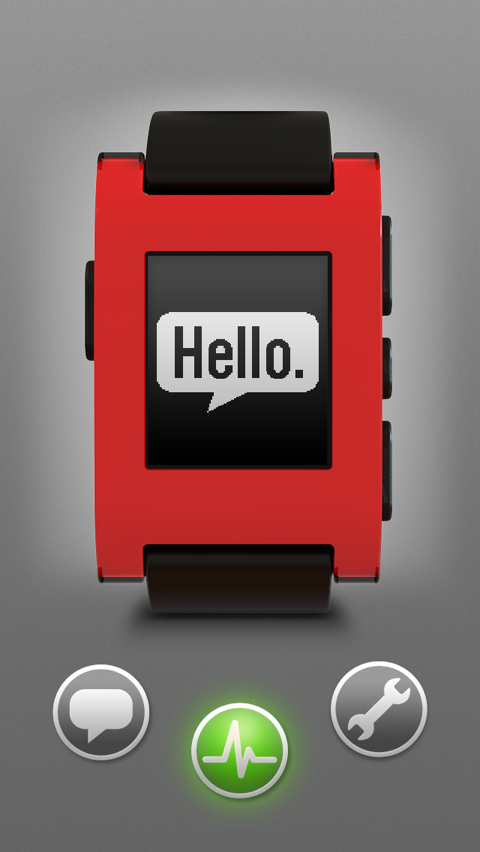
Pebble’s iOS app.
Software
Though Pebble’s hardware ticks all the boxes, what makes the smart watch truly shine is the operating system that powers it, and how this OS – called Pebble OS – talks and works with our iPhones.
Notifications are Pebble’s forte, and as a notification-receiver the smart watch works perfectly. In order to connect Pebble to an iPhone, a companion iOS application is required. This can be downloaded free from the App Store, and guides users through the process of connecting one’s Pebble to an iPhone using Bluetooth. You can even check on the connection using Pebble’s iOS app, and if the connection fails, reports can be sent directly to the Pebble team from within the application.
If you can’t see the above video, please click this link.
After users have configured Pebble with their iPhone, then, notifications are pushed over to the smart watch’s screen. For calls, Pebble OS displays the caller ID or number; for messages, both the sender and a large section of the message is displayed; and for emails, the sender, the subject line, and the content of the email appears on Pebble’s screen.

Messages.
You can use Pebble’s “up” and “down” buttons to scan through messages, and incoming notifications are also accompanied by a short (and largely silent) vibration. As such, Pebble users will find that audio tone alerts on their iPhone soon become entirely redundant: for the last month, I haven’t heard my smartphone cry out its “marimba” or “tri-tone” call, and this has been an entirely refreshing, almost therapeutic tonic.
It’s not possible to compose and send text messages from Pebble, however jailbroken iPhone users can download a jailbreak app called Smartwatch Pro, which makes it possible to send off precomposed response messages from the smart watch. The same goes for email, though users can dismiss incoming calls using one of Pebble’s buttons.
If you happen to be popular and receive more than one un-dismissed notification, then Pebble will stack up your messages, allowing users to browse through them one at a time (with the most recent appearing first). There’s no way to skip through messages, and so notifications must be scanned through entirely before moving onto the next. Though it would make more sense for a long-press of the “down” button to bypass a notification at once, this is only a minor qualm and something Pebble users won’t find too annoying.
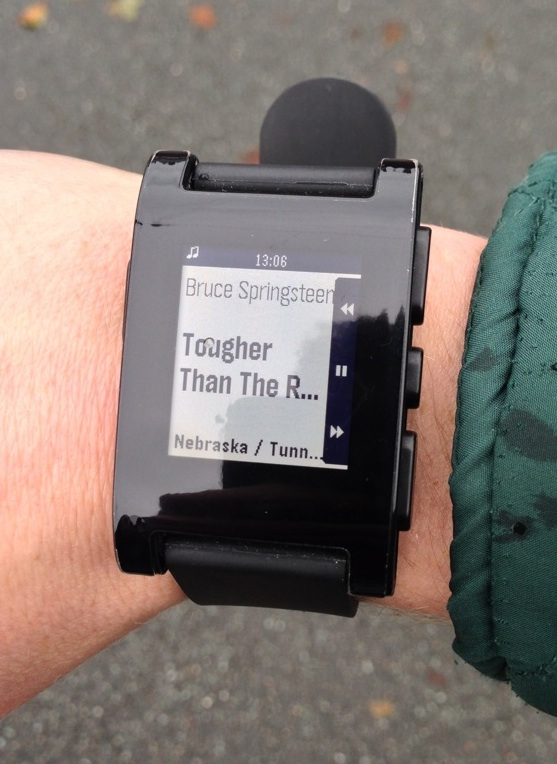
Pebble’s Music app.
Pebble OS has proved to be responsive throughout the course of my testing, and the software also features a number of built-in applications which can be accessed through the smart watch’s menu.
These apps include a Music application, which allows users to control the iOS Music app using Pebble, and a Set Alarm app. Both work well, with alarms waking users through short vibrations at the wrist (rather than an audible noise), which is definitely more of a relaxing and less intrusive way of waking up.
Further down the menu, the Watchfaces app allows users to select a watch face for their smart watch. Though Pebble comes with three different watch faces built in, using the iOS application it’s possible to install additional third-party watch faces on Pebble quickly and easily.
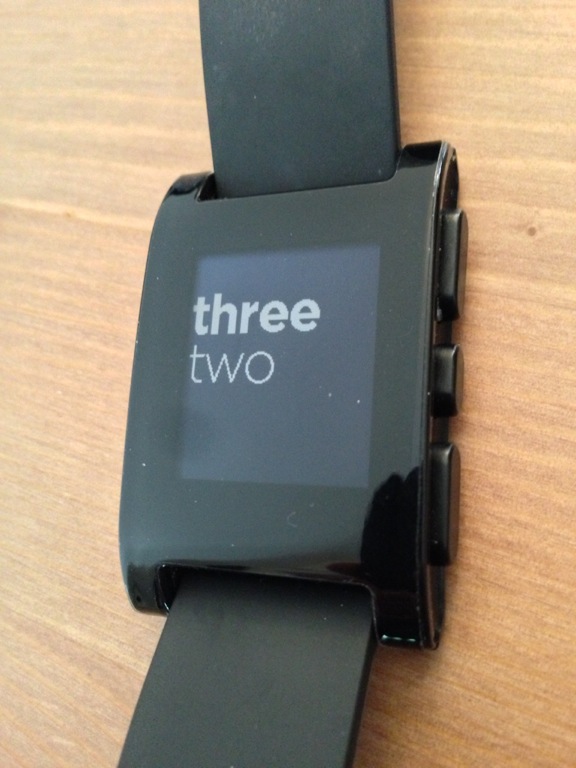
Another built-in watch face.
These can all be found online (the Pebble forumis a good place to start). You’ll need to be browsing using your iPhone, though, since linked watch face – and watch app – files must then be opened in the Pebble iOS app. However, most of the third-party software available for Pebble can be downloaded free of charge, which is great.
Finally, a Settings app allows users to adjust Pebble’s notification options, to connect or disconnect the smart watch, and to reset Pebble entirely.
Below this application, any additional third-party apps downloaded online will also be included. It should also be noted that users must uninstall iOS applications using the Pebble iOS app, rather than the smart watch itself.
Pebble OS works well and provides Pebble users (and developers) with a sound platform for the smart watch. Built in applications run entirely as advertised, and as mentioned, the Set Alarm app puts a refreshing spin on waking up in the morning.
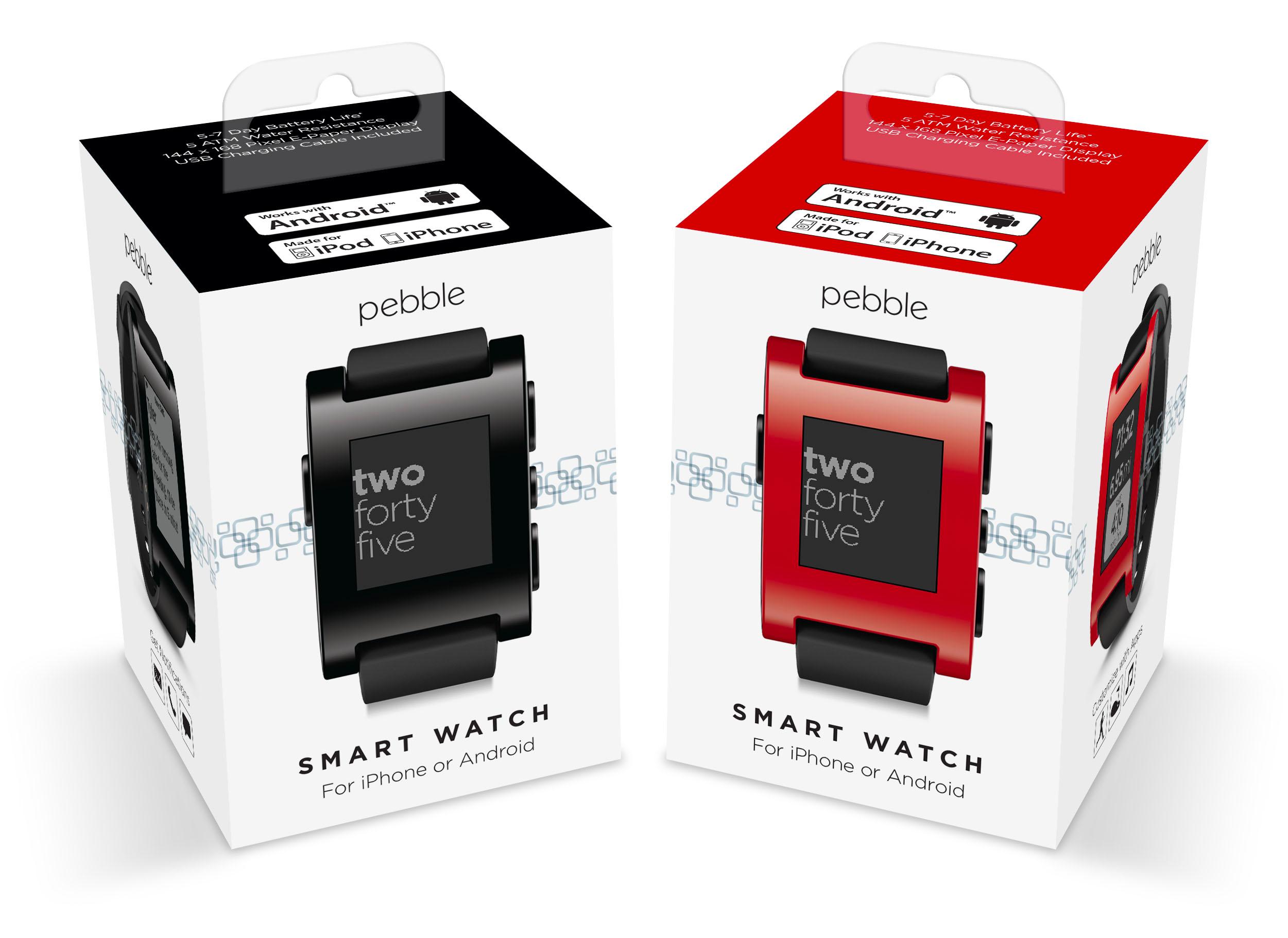
Pebble’s Best Buy packaging.
This combination of hardware and software results in Pebble’s impressive battery life, and my smart watch has indeed reached the seven-day milestone quoted by the Pebble team (online, there are reports of Pebbles lasting beyond this estimation, too, though one imagines that this depends on the number of notifications delivered to the smart watch each day).
Pebble maintains a good connection with its accompanying smartphone, and I’ve been able to leave my iPhone out of reach, and walk around the house (even venturing upstairs) without the Bluetooth connection dropping. Apple’s iOS 7 brings support for low-energy Bluetooth 4.0, which Pebble supports, and as such the smart watch is set to become even more efficient once its users have installed the seventh iteration of Apple’s mobile OS.
In addition, iOS 7 also addssupport for system-wide notifications to Pebble, allowing users to easily configure all manner of push notifications – regardless of the app – to work with the smart watch. For an idea of how this is going to work, take a look at the below video:
If you can’t see the above video, please click this link.
Recommended apps
There are a number of iOS apps Pebble users may be interested in. Below, we’ve provided a list of our previous coverage of such applications, for potential users and Pebble owners to check out:
- Pebble Hike Brings Mapping Information To The Wrist For Hikers, Runners And Bikers
- Oh, Snap! How To Shoot Images Using Your Pebble, Jailbreak-Free
- Pebble Users Can Enable Push Email Now Using eNotify For iOS
- Add Additional Features To Your Pebble Smart Watch With Smartwatch Pro
- Heartbeats Introduces Your Bluetooth Heart Monitor To A Pebble Smart Watch
- Cydia Tweak: PebbleActivator Enables Control Of Your iOS Device From A Pebble Watch
- RunKeeper Update Brings Integration With The Pebble Smartwatch
- Make The Most Of Your Pebble Smartwatch With Its Official iOS Companion App
In addition, I’ve complemented my Pebble with the following Pebble OS-only watch apps:
- Shoppin’ with Pebble
- Multi Timer
- Stopwatch
It’s also worth noting that the “Pebble Watchapp Directory” in the Pebble forums provides a space for developers to post their latest and greatest watch apps, along with their new Pebble-compatible iOS apps and app updates.
Final thoughts
After having worn Pebble for more than a month now, it’s a difficult and somewhat troubling thought to imagine life without it.

Pebble on a bike.
This is because the smart watch is an impressive and highly usable piece of wearable technology, which does precisely what it promises to do, perfectly.Both hardware and software are well designed, well matched, and as such the finished product is great. The Pebble team should therefore be commended for what they’ve achieved with their smart watch, and for $150 the price is more than right.
It’s difficult to comment on how Apple’s iWatch might affect Pebble’s future success, and the next year or so is undoubtedly going to be crucial for both companies. Pebble is above all a notification receiver with basic watch app functionality, and if Apple’s iWatch comes in offering more advanced, more intuitive, and – dare it be said – “smarter” technology, then Pebble’s right to even call itself a “smart watch” could be jeopardized.
Indeed, Apple’s M7 coprocessor, which is included on the iPhone 5s, gives us all an idea of exactly how smart the Cupertino, Calif. company’s anticipated iWatch could be.
In the meantime, we’ll just have to sit back and wait and see. Most iDevice users are purchasing Pebbles with the mindset that this time next year, a more impressive and more accessible Apple smart watch could at least be in the pipeline (if not on Apple Store shelves).
That being said, if you take a chance on Pebble now, we don’t think you’ll be disappointed.
See also:Leaner, Cleaner RunKeeper Crosses The Finish Line And Launches In The App Store,Popular Service IFTTT Updates Its iOS App With Refreshed Design, andHere’s When iOS 7 Is Set To Launch In Your Time Zone.
My First Month With The Pebble Smart Watch is a story by AppAdvice.com


27 Aug 20:24



Kale: The Miracle Vegetable
ereedTeehee
Submitted by: Unknown
Nylonthread, Bgarland and one other like this
26 Aug 10:45
 – Up in the sky. It’s a bird. It’s a plane. No, it’s a…shark! A super-sized storm sucks sharks from the ocean and hurls them onto land in the Syfy cult classic Sharknado, presented for one night in select movie theaters for a special Midnight showing


'Sharknado' to Screen in Movie Theaters at Midnight on Friday, August 2
by Sara Bibel
– Up in the sky. It’s a bird. It’s a plane. No, it’s a…shark! A super-sized storm sucks sharks from the ocean and hurls them onto land in the Syfy cult classic Sharknado, presented for one night in select movie theaters for a special Midnight showing
25 Aug 04:43
Motorized Cooler
by drew
ereedThe peeps at the KC Schlitterbahn water park didn't believe me when i said such a magical thing existed. I bet it is they who back ordered it.
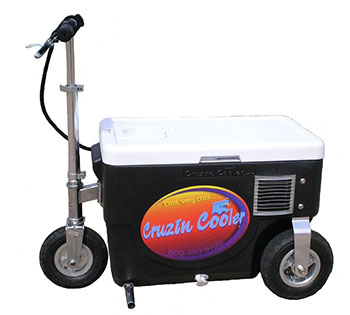
The “Cruzin Cooler” is an electric scooter mounted to a cooler that can travel at up to 13mph. It costs just shy of a thousand bucks. The worst part? It’s back-ordered due to demand.
21 Aug 20:27

GrandestMother
by admin
ereedYou go grandma!

Russian Sledges, firehose and 2 others like this

04 Aug 16:05
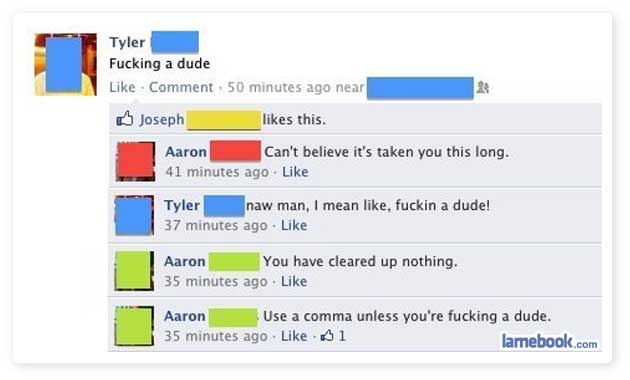
Zing!
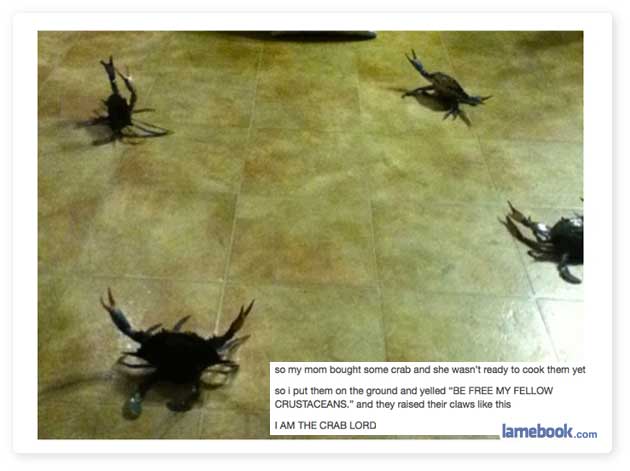
ereedI'm that friend who puts the Ramsay photo in, because before the scroll down, all I could think was "shoulda wiped the edge of the plate". Damn. I probably need medicine.
26 Jul 17:23
Arlington’s Role in ‘Sharknado’
by ARLnow.com
ereedOh yeah. SHARKNADO IN MAH HIZZLE!
 (Updated at 9:55 a.m.) Last night, the campy made-for-TV movie Sharknado took Twitter by storm.
The low-budget film, which aired on the SyFy network, stars Tara Reid (American Pie), Ian Ziering (Beverly Hills, 90210) and John Heard (Home Alone). It seems that Arlington also played a bit part.
In one portion of the film, a scene clearly shows an Arlington police cruiser and fire engine.
At publication time, an Arlington police spokesman couldn’t be reached to confirm whether the shot was filmed exclusively for the movie or if it was simply stock footage appropriated by the producers.
Several Arlington notables were active on Twitter during the film. Among them: NBC News correspondent and Arlington resident Chuck Todd, Del. Alfonso Lopez and Del. Rob Krupicka.
Photo courtesy @rickolivieri
17 Jul 14:36
The Cold Reality of True Love
ereedI wish all dumb posts could be dealt with this swiftly.
Solgoodguy likes this

04 Jul 14:26


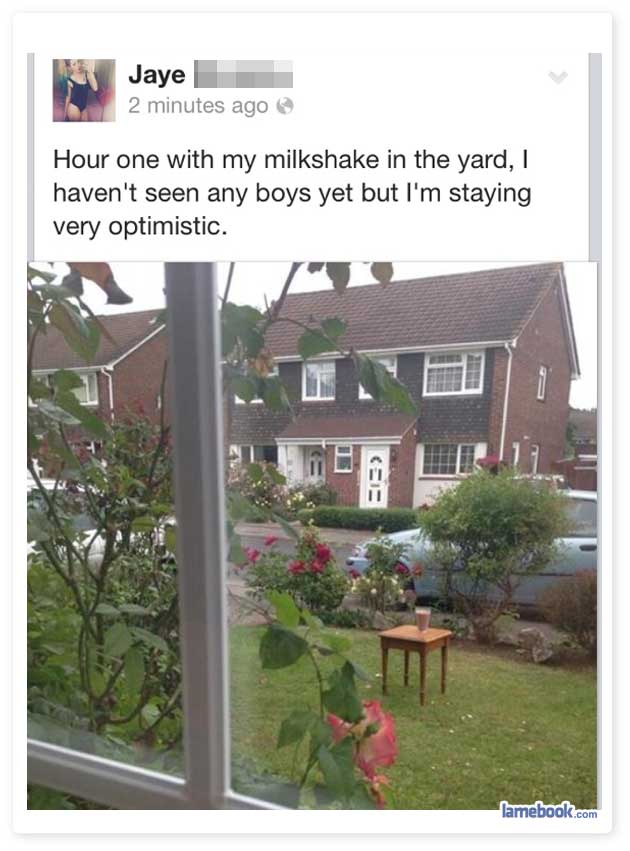
A Healthy Dose of Fitness Motivation (No Pun Intended)
ereedThis is oddly motivating. :)
Submitted by: Unknown
Tagged: motivation , inspiration , workout , fitness , exercise , health , faith in humanity restored , failbook
Greendinos, Jamesthollowell and one other like this
03 Jul 21:59
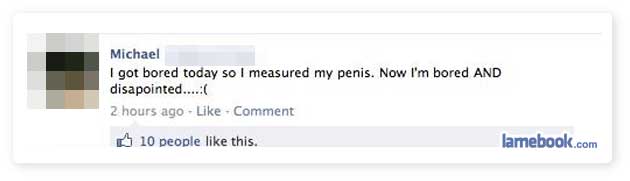
Their Videos Are in, Like, -240p Though
ereedRight? That's why is switched to FIOS, Comcast couldn't get a strong enough signal to my house.

27 Jun 13:31


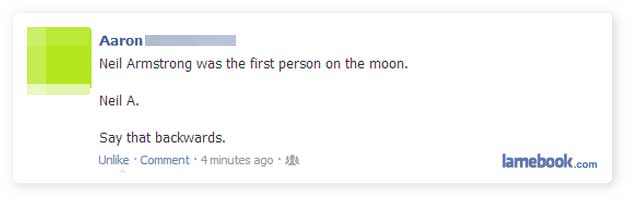
Let's Hope He's Cute
ereed:)
Submitted by: Unknown
Siwelnor, Greendinos and -1 others like this
21 Jun 00:11
 Bravo Media's "Inside the Actors Studio," hosted by James Lipton, commemorates the life and career of legendary actor James Gandolfini


Bravo Media Pays Tribute to the Late James Gandolfini With His Appearance on 'Inside the Actor's Studio' Airing Sunday June 23
by Amanda Kondolojy
ereedHe was notoriously private, so this is really a great show.
Bravo Media's "Inside the Actors Studio," hosted by James Lipton, commemorates the life and career of legendary actor James Gandolfini
Nylonthread likes this
13 Jun 02:39


Sesame Street's materials for kids with an incarcerated parent
by Cory Doctorow
ereedI can't wait to hear the backlash on this. Bravo Sesame Street!

As part of their "Little Children, Big Challenges" project, the Sesame Street people have produced an excellent module for helping kids cope with having a parent in jail (available in English and Spanish). The module includes some really good videos, a downloadable storybook, activities, and tips for caregivers and providers. The materials are beautifully and sensitively made, and Sesame Street deserves praise for taking on such a difficult and important subject.
Though the incarceration of a loved one brings about many challenges, it also provides an opportunity to show your child how much you love and care for him. Your love and support are the most important things to help him cope with this difficult change. Here are some tools to help you navigate some of the transitions and challenges that a parent's incarceration can bring.
Little Children, Big Challenges: Incarceration (via Super Punch) 
|
|
Kyra and -1 others like this
13 Jun 02:31


Sci-fi bread recipes: Sandworm loaf from Dune, and Alien xenomorph pretzel eggs
by Xeni Jardin
ereedI need to do the pretzel ones for Halloween!

Photo: kitchenoverlord.com
On Chris-Rachael Oseland's kitchenoverlord.com food blog, there are some wonderful geeky recipes. Two of the more recent posts are breads with science fiction themes, and both sound delicious/disgusting: A cinnamon-vanilla Sandworm bread, from a carb-y parallel version of Frank Herbert's Dune universe, and Alien Xenomorph Pretzel Bread Eggs.
It's not just the finished product that's nerdy, but the very recipe steps.

Photo: kitchenoverlord.com
From the Alien Xenomorph Pretzel Bread Eggs recipe:
Warm your milk up in a microwave until it’s the temperature of warm bathwater. Mine took about 20 seconds, but who knows what kind of crap equipment you have on your ship. Just test it with a finger. Not too hot, or else you’ll kill the yeast. You don’t want to do that. Those beasties are your only friends, now.Dump the yeast and milk into a bowl and halfheartedly mix them up. Go press your ear against the bulkheads or feel the floor for vibrations for the next 10 minutes. When you come back, the yeast will have bloomed into a healthy colony, unlike those poor bastards on LV-426.
And hey, if you can't deal with baked goods, there are low-carb, easy-assembly options: Alien facehugger eggs, below. Cucumbers, eggs, and some herbs and spices. The instructions crack me up:
Now gently slide your egg into the cucumber mount. Arrange these on a dark plate in order to create a diorama of the alien hatchery. Our still images from the Arcadia appeared to include coarse salt and sriratcha hot sauce, though one of our analysts jokingly suggested it looked more like the eggs were dressed in briny tears and fresh blood. There may have been some unexpected trauma when the eggs hatched.Share these alien eggs with your fellow crew members and the colonists of LV-426, which they have apparently decided to rename Acheron. Remember, if you see anything like this when scouting the best sites for the first colonial drop, do not approach. Summon one of the ship’s androids, as they can neither be infected nor spread disease to the innocent young of a new species.
(via the Boing Boing Facebook page)
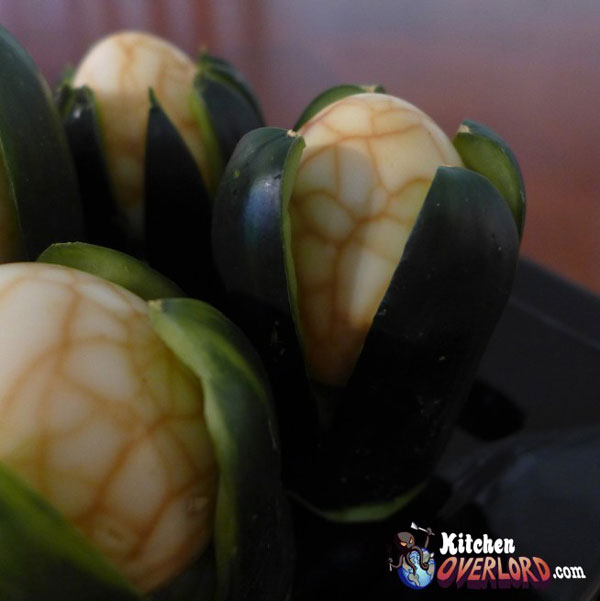
Photo: kitchenoverlord.com
|
|
Vvicked and -1 others like this
12 Jun 18:04

Trapping Trevor
by admin
ereedYes yes and yes.
This guy was using a dating app and decided to send a woman an unsolicited dick pic. The woman then found his mom on Facebook and sent it to her. (Entire text after the jump)


Andreidignart likes this
12 Jun 15:33

DISMISSED!
by admin
ereedHow one wishes to respond to FB feeds almost always. Ahhh, nice use of obtuse too.