Shared posts

15 Nov 11:55

Extracting RSAPrivateCrtKey and Certificates from an Android Process

by Gursev Singh Kalra
An Android application that I assessed recently had extensive cryptographic controls to protect client-server communication and to secure its local storage. To top that, its source code was completely obfuscated.
Combined, these two factors made the application a great candidate for reversing. In this blog I will detail the portion of work where I dumped X.509 certificates and constructed a RSA private key (RSAPrivateCrtKey) from the Android application memory using Eclipse Memory Analyzer Tool (MAT) and Java code.

Analyzing Android Memory with Eclipse MAT

Eclipse MAT is primarily a Java heap analyzer that has extensive usage beyond its primary purpose of identifying memory leaks. It can be used to identify and dump sensitive information in Android application memory, perform some memory forensics etc… If you are new to Android memory analysis, I recommend that you get intimate with this tool for its obvious benefits. The following articles can help you get started.
Okay, now back to our target application.

Locating the crypto material

As part of reversing process I used dex2jar to decompile the application apk to java files and started analyzing them. While following application logic and reviewing its obfuscated code, I stumbled upon a java file (com.pack.age.name.h.b.java) that contained instance variables of type SSLSocketFactory and X509TrustManager. Clearly, this class was performing important cryptographic operations with respect to client-server communication.
So I pivoted to this class to identify the source of its crypto material and all attempts led me from one rabbit hole to another. I then decided to directly look at application heap with Eclipse MAT. I launched the application and performed some operations to ensure that the application loads the required crypto material and then performed the following steps to create the HPROF file contain application heap dump.
  1. Select the application from the list of running apps
  2. Select the “Show heap updates” option for the target application
  3. Select “Dump HPROF file” for analysis.
  4. Since I had MAT plugin installed, ADT converted the Android memory dump to HPROF format and presented it for analysis. In case you do not have MAT plugin, you will need to convert the generated dump to MAT readable format with hprof-conv utility that comes with ADT.
After opening the heap dump, I clicked on the “Dominator Tree” to view the object graph. Supplying the name of the class which had SSLSocketFactory and X509TrustManager instance variables in the Regex area filtered out most of the unwanted stuff. I then navigated the object tree to identify the X.509 certificates and the RSAPrivateCrtKey is shown below.
Image shows two X.509 certificates and a RSAPrivateCrtKey in program heap

Dumping the certificates

The X.509 certificates were byte arrays of different lengths and extracting the certificates turned out to be quick. I right clicked on the byte array  navigated to Copy  Save Value to File  selected location to save the file and clicked Finish. MAT indicates that the copy functionality allows you to write char[], String, StringBuffer and StringBuilder to a text file but it handsomely handled the byte[] in the current context. Please note the extension of the exported file was set to .der on the windows system. The following screenshots will show you the steps followed and one extracted certificate.
Image shows selecting the “Save Value to File” functionality for the byte[]

Image shows file saved as certificate-1.der 


Image shows the extracted Root CA certificate from the Android application


Extracting the RSAPrivateCrtKey

The second important component was the RSAPrivateCrtKey and extracting it was a little more involved as we will see below. To summarize, the below provided steps were followed to retrieve the RSAPrivateKeyCrtKey:
  1. Locate components that make up the RSAPrivatecrtKeySpec
  2. Copy all the components and store them in file system
  3. Compute positive BigInteger values from these components
  4. Construct RSAPrivatecrtKeySpec from its components
  5. Use the RSAPrivatecrtKeySpec  object to construct RSAPrivatecrtKey
  6. Write the RSAPrivatecrtKey to the file system in PKCS8 format
  7. And optionally:
    1. Convert PKCS8 to PEM using OpenSSL
    2. Extract public key from the PEM file with OpenSSL
Let us now look at the involved details.
The third component from Figure 1 corresponds to an instance of RSAPrivatecrtKeySpec which was the starting point to construct the key. Selecting the com.android.org.bouncycastle.jcajce.provider.asymmetric.rsa.BCRSAPrivateCrtKey entry in the MAT’s Dominator Tree populated the Attributes tab with the information (type, instance name and object reference) pertaining to the several participating BigInteger instances that are required to build this RSAPrivateCrtKeySpec. The following are the participating BigInteger components that make up a RSAPrivateCrtKeySpec:
  1. modulus
  2. publicExponent
  3. privateExponent
  4. primeP
  5. primeQ
  6. primeExponentP
  7. primeExponentQ
  8. crtCoefficient


I used this information to segregate the BigInteger component values to different variables as their values were copied out to the file system (see figure below). For example, the crtCoefficient at @0x410b0080 in the Attributes tab (left) was mapped to an array of 32 integers (right).  The modulus at @0x410afde0 was 64 int’s long which indicated that the key size was 2048 bits. Since MAT does not know how to export BigInteger objects, I used the actual int[]  reference inside the corresponding BigInteger dropdown to copy out the binary content.
That is, I right clicked on the int[] dropdowns under the BigInteger while exporting their content. This process was repeated for all the BigInteger components to 8 local files and the files were named as per the Attribute names. The following two images show the Attributes pane and the corresponding int[] content dump.
Image shows the Atrributes and corresponding BigInteger objects in the heap


Image shows int[64] selected to export the binary representation of the array


The next step after extracting the BigInteger components was to check if I am able to use them to re-construct the RSAPrivateCrtKeySpec. So I decided to perform two basic tests before going forward.
  1. Read individual int values from the file where int[]was dumped and match them against values in the MAT
  2. Check that all BigInteger components are positive numbers
I wrote some Java code to help me test all the binary dumps against these two conditions. The results indicated that first condition was true for all BigInteger components, but the second condition was not met by 3 out of 8 BigInteger components that had negative values as shown below.

Image shows matching integers from the binary dump against MAT (Condition 1)
Image shows the negative value (Condition 2)
I searched around to identify the reason for the negative values and the comments in the OpenJDK code indicated that the negative values can be result of incorrect ASN.1 encoding. So I included the corresponding code to calculate and return 2’s complement for negative BigInteger values before supplying the values to RSAPrivateCrtKeySpec constructor.
The final Java code that reads the binary BigInteger (int[]) components from file system and creates RSAPrivateCrtKey in PKCS8 format is provided below.


import java.io.DataInputStream;
import java.io.EOFException;
import java.io.FileInputStream;
import java.io.FileNotFoundException;
import java.io.FileOutputStream;
import java.io.IOException;
import java.math.BigInteger;
import java.nio.ByteBuffer;
import java.nio.IntBuffer;
import java.security.KeyFactory;
import java.security.KeyStoreException;
import java.security.NoSuchAlgorithmException;
import java.security.NoSuchProviderException;
import java.security.PrivateKey;
import java.security.Security;
import java.security.spec.InvalidKeySpecException;
import java.security.spec.PKCS8EncodedKeySpec;
import java.security.spec.RSAPrivateCrtKeySpec;
import java.util.ArrayList;

import org.bouncycastle.jce.provider.BouncyCastleProvider;

public class GenerateKey {

 public static BigInteger bitIntFromByteArray(int[] byteArrayParam) {
     byte[] localByteArray = new byte[byteArrayParam.length * 4];
     ByteBuffer byteBuffer = ByteBuffer.wrap(localByteArray);
     IntBuffer intBuffer = byteBuffer.asIntBuffer();
     intBuffer.put(byteArrayParam);
     
     BigInteger bigInteger = new BigInteger(localByteArray);
     if(bigInteger.compareTo(BigInteger.ZERO) < 0)
      bigInteger = new BigInteger(1, bigInteger.toByteArray());
     return bigInteger;
 }
 
 public static BigInteger bigIntegerFromBinaryFile(String filename) throws IOException {
  ArrayList<Integer> intArrayList = new ArrayList<Integer>();
  DataInputStream inputStream = new DataInputStream(new FileInputStream(filename));
  try {
      while (true) 
          intArrayList.add(inputStream.readInt());
  } catch (EOFException ex) {
   
  } finally {
   inputStream.close();
  }
  
  int[] intArray = new int[intArrayList.size()];
  for(int i = 0; i < intArrayList.size(); i++) 
   intArray[i] = intArrayList.get(i);
  return bitIntFromByteArray(intArray);

 }
 
 public static void main(String[] args) throws KeyStoreException, NoSuchProviderException, NoSuchAlgorithmException, InvalidKeySpecException, FileNotFoundException, IOException, ClassNotFoundException {
  Security.addProvider(new BouncyCastleProvider());
  
  BigInteger crtCoefficient = bigIntegerFromBinaryFile("h:\\key-coeffs\\crtCoefficient");
  BigInteger modulus = bigIntegerFromBinaryFile("h:\\key-coeffs\\modulus");
  BigInteger primeExponentP = bigIntegerFromBinaryFile("h:\\key-coeffs\\primeExponentP");
  BigInteger primeExponentQ = bigIntegerFromBinaryFile("h:\\key-coeffs\\primeExponentQ");
  BigInteger primeP = bigIntegerFromBinaryFile("h:\\key-coeffs\\primeP");  
  BigInteger primeQ = bigIntegerFromBinaryFile("h:\\key-coeffs\\primeQ");
  BigInteger privateExponent = bigIntegerFromBinaryFile("h:\\key-coeffs\\privateExponent");
  BigInteger publicExponent = bigIntegerFromBinaryFile("h:\\key-coeffs\\publicExponent");
  
  System.out.println("crtCoefficient\t" + crtCoefficient);
  System.out.println("modulus\t" + modulus);
  System.out.println("primeExponentP\t" + primeExponentP);
  System.out.println("primeExponentQ\t" + primeExponentQ);
  System.out.println("primeP\t" + primeP);
  System.out.println("primeQ\t" + primeQ);
  System.out.println("privateExponent\t" + privateExponent);
  System.out.println("publicExponent\t" + publicExponent);

  
  RSAPrivateCrtKeySpec spec = new RSAPrivateCrtKeySpec(modulus, publicExponent, privateExponent, primeP, primeQ, primeExponentP, primeExponentQ, crtCoefficient);
  KeyFactory factory = KeyFactory.getInstance("RSA", "BC");
  PrivateKey privateKey = factory.generatePrivate(spec);
  System.out.println(privateKey);
  PKCS8EncodedKeySpec pkcs8EncodedKeySpec = new PKCS8EncodedKeySpec(privateKey.getEncoded());
  FileOutputStream fos = new FileOutputStream( "h:\\key-coeffs\\private-pkcs8.der");
  fos.write(pkcs8EncodedKeySpec.getEncoded());
  fos.close();
 } 
}


Converting PKCS8 to PEM

The next step of the process was to convert the private key from PKCS8 format to a PEM file and then to generate the public key from the private key with the following OpenSSL commands.
openssl pkcs8 –inform DER –nocrypt –in private-pkcs8.der –out privatePem.pem


openssl rsa –in privatePem.pem –pubout


Image shows OpenSSL converting the PKCS8
Image shows the RSA private key
Image shows OpenSSL extracting public key from the privatePem.pem file

Conclusion


Memory analysis is a powerful technique that can be used to identify and extract sensitive information from application runtime. In some scenarios, the extracted information can also be used to defeat client side security controls.

15 Nov 11:47

Patching an Android Application to Bypass Custom Certificate Validation

by Gursev Singh Kalra
Corey G

Nice.

One of the important tasks while performing mobile application security assessments is to be able to intercept the traffic (Man in The Middle, MiTM) between the mobile application and the server by a web proxy like Fiddler, Burp etc… This allows penetration tester to observe application behavior, modify the traffic and overcome the input restrictions enforced by application’s user interface to perform a holistic penetration test.
Mobile applications exchanging sensitive data typically use HTTPS protocol for data exchange as allows them to perform server authentication to ensure a secure communication channel. The client authenticates the server by verifying server’s certificate against its trusted root certificate authority (CA) store and also checks the certificate’s common name against the domain name of the server presenting the certificate. To perform MiTM on the HTTPS traffic for mobile application, web proxy’s certificate is imported to the trusted root CA store otherwise the application may not function due to certificate errors.
On a recent Android application assessment, I setup a web proxy to intercept mobile application’s SSL traffic by importing its certificate to device’s trusted root CA store. To ensure that the imported CA certificate works fine, I used Android’s browser to visit a couple of SSL based websites and the browser accepted the MiTM’ed traffic without complains. Typically, the native Android applications also use the common trusted root CA store to validate server certificates, so no extra work is required to intercept their traffic. However, the application I was testing was different as we will see below.


Analyzing the Unsuccessful MiTM
When I launched the application and attempted pass its traffic through the web proxy, it displayed an error screen indicating that it could not connect to the remote server because of no internet connection or it could not establish a connection for unknown reasons. Things were not adding up as this configuration has mostly worked in the past so I turned to analyzing systems logs and SSL cipher suite support.
Logcat
Logcat is Android’s logging mechanism that is used to view application debug messages and logs. I ran adb logcat to check if the application under test created any stack trace indicating the cause of the error but there was none. The application also did not leave any debug logs indicating that the developers did a good job with the error handling and did not write debug messages that could potentially expose application internal working to prying eyes.
Common SSL Cipher suites
When a web proxy acts as a MiTM between client and the server, it establishes two SSL communication channels. One channel is with the client to receive requests and return responses, the second channel is to forward application requests to the server and receive server responses. To establish these channels, the web proxy has to agree on common SSL cipher suits with both the client and the server and these cipher suites may not be the same as shown in the image below.


I have observed SSL proxying errors in the past to occur in one or both of the following scenarios which lead to failures while establishing a communication channel.
  1. Android application and the web proxy do not share any common SSL cipher suite.
  2. The web proxy and the server do not share any common SSL cipher suite.
In both scenarios, the communication channel cannot be established and the application does not work. To analyze the above mentioned scenarios, I fired up Wireshark to analyze SSL handshake between the application and the web proxy, and discovered that they shared common SSL cipher suites.
With the first scenario ruled out, I issued a HTTPS request to the server with the web proxy and that appeared to work without any errors indicating presence of common SSL ciphers between web proxy and the server.
So the web proxy was capable of performing MiTM for the test application and there was something else going under the hood.


Custom Certificate Validation
It was at this point that I started to look into the possibility of the application performing custom certificate validation to prevent the possibility of MiTM to monitor/modify its traffic flow. HTTPS clients can perform custom certificate validation by implementing the X509TrustManager interface and then using it for its HTTPS connections. The process of creating HTTPS connections with custom certificate validation is summarized below:
  1. Implement methods of the X509TrustManager interface as required. The server certificate validation code will live inside the checkServerTrusted method. This method will throw an exception if the certificate validation fails or will return void otherwise.
  2. Obtain a SSLContext instance.
  3. Create an instance of the X509TrustManager implementation and use it to initialize SSLContext.
  4. Obtain SSLSocketFactory from the SSLContext instance.
  5. Provide the SSLSocketFactory instance to setSSLSocketFactory method of the HttpsURLConnection.
  6. Instance of HttpsURLConnection class will then communicate with the server and will invoke checkServerTrusted method to perform custom server certificate validation.
Searching the decompiled code revealed X509TrustManager implementation in one of the core security classes of the application. The next step was to patch the code preventing the MiTM and deploy it for testing. The image two methods implemented for X509TrustManager.


Patching the checkServerTrusted Implementation
The image above shows implementation for two X509TrustManager methods, checkServerTrusted and checkClientTrusted. At this point it is important to point out that both the methods behave in a similar way except that the former is used by client side code and the latter is used by server side code. If the certificate validation fails, they would throw an exception, otherwise they return void.
The checkClientTrusted implementation allows the server side code to validate client certificate. Since this functionality is not required inside the mobile application, this method was empty and returned void for the test application; which is equivalent to successful validation. However, the checkServerTrusted contained significant chunk of code performing the custom certificate validation which I needed to bypass.
To bypass certificate validation code inside the checkServerTrusted method, I replaced its Dalvik code with the code from the checkClientTrusted method to return void, effectively bypassing the custom certificate check as shown in the image below.


Recompiling and Deploying the Modified Application
Confident that all checkServerTrusted invocations from this point onwards were going to be successful, I recompiled the application with ApkTool, signed it with SignApk and deployed it on the device. The web proxy MiTM worked like a charm and I was able view, modify and fuzz application traffic.
15 Nov 05:37

Facebook's Giant New Data Center Will Be Powered By Wind Alone

by Kelsey Campbell-Dollaghan

Facebook's Giant New Data Center Will Be Powered By Wind Alone

In a post today on Facebook, the company's Data Center Energy Manager Vincent Van Son announced that its new data center in Iowa will be powered solely by wind energy drawn from a nearby farm. That's right: Our insatiable hunger for online validation is indirectly helping to support sustainable energy.

Read more...


14 Nov 11:41

A secret room behind a bookshelf is cool until a stranger lives inside

by Casey Chan on Sploid, shared by Casey Chan to Gizmodo
Corey G

Doubt this is real, but still want one.

A secret room behind a bookshelf is cool until a stranger lives inside

This sounds like a start to a horror movie, an A-plus-plus-plus internet hoax or one of the scariest things you can find in your home. A user on Imgur was horsing around in one of the rooms in his house when his little brother ran into a bookshelf. Turns out, the bookshelf could open up. Turns out, the bookshelf hid a secret spiral staircase that led to a secret crawlspace where a stranger was apparently staying. Yikes... if it's even close to real.

Read more...


10 Nov 19:09

Android ART: Google finally moves to replace Dalvik, to boost performance and battery life

by Sebastian Anthony
Corey G

Wow. Turned this on on my Nexus 5. Seems faster but hard to tell. What I'm not clear on is does this mean that future APKs will keep the same classes.dex in them for legacy? Or is there a new classes.art or something planned?

KitKat
Dalvik, the virtual machine that runs almost every Android app, has remained virtually the same since day one -- and Dalvik is slow. Now, with Android 4.4, Google has revealed that a Dalvik replacement is in the works -- a replacement, called Android Runtime (ART), that should improve the performance of Android apps by a huge margin. The early version of ART in Android 4.4 already speeds up apps by around 100%, and the final version should be even better.
10 Nov 01:59

Chipotle's Mobile Ordering App For Android Is Now Available In All Locations, Lets You Pick Up Your Food Without Waiting In Line

by Bertel King, Jr.
Corey G

This took way too long, one of the last iPhone things I missed

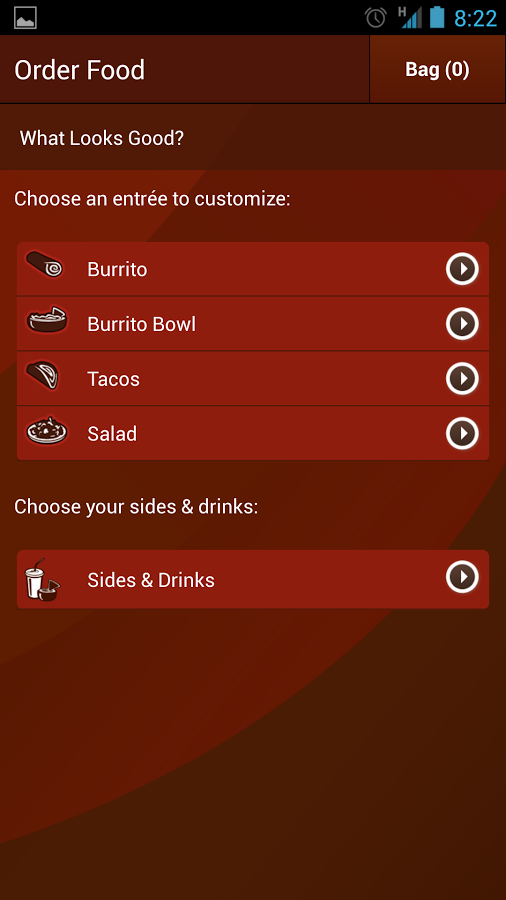
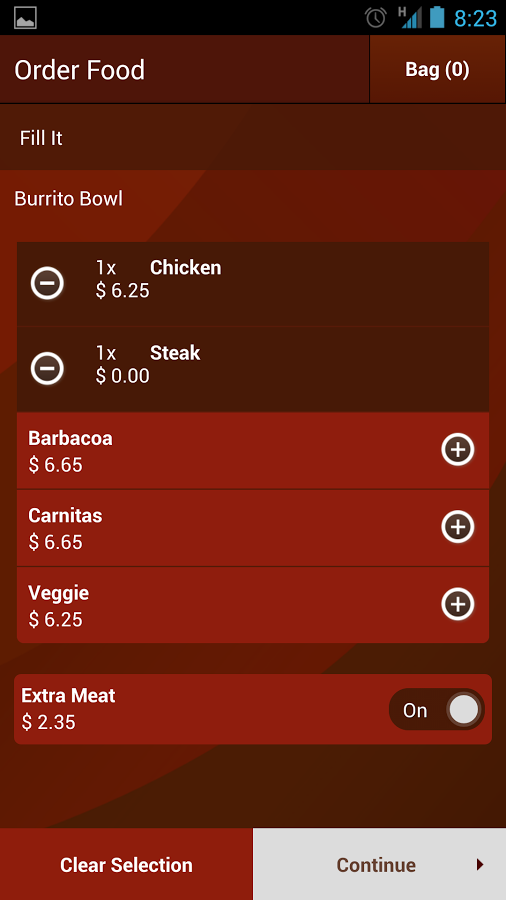
Chipotle-ThumbThere's an intense burrito-folding, salsa-serving war being waged out there between Chipotle, Moe's, Qdoba, and other purveyors of delicious tacos. Passions burn hotter than fresh chilies, and I'm not bold enough to throw my weight behind any of the involved establishments. But I will stick my neck out just enough to share that Chipotle's Mobile Ordering app is now open to all locations, and it's awesome.

Chipotle1 Chipotle5 Chipotle2

No, Chipotle doesn't deliver, but the company's app still saves you the effort of standing in line, shouting your order over the sound of hungry children, and asking the server what that goopy red stuff is next to other, slightly darker, goopy red stuff.

Done With This Post? You Might Also Like These:

Chipotle's Mobile Ordering App For Android Is Now Available In All Locations, Lets You Pick Up Your Food Without Waiting In Line was written by the awesome team at Android Police.


08 Nov 00:04

Healthcare.gov Denial-of-Service Tool Unlikely to Work

by Brian Donohue
Corey G

w-t-f ??

Arbor Networks’ Security Engineering and Response Team (ASERT) has discovered a denial-of-service tool specifically designed to target the U.S. government’s healthcare enrollment marketplace, Healthcare.gov.

Healthcare.gov is established by the Affordable Care Act (ACA) in the United States, perhaps better known by the neologism “Obamacare.” The ACA is considered by many to be U.S. President Barack Obama’s crown achievement, aiming to provide health insurance to millions of uninsured American citizens. The rollout of the website that supports the ACA has been marred by a seemingly endless and humiliating array of technical problems.

As of yet, ASERT has no information to indicate that any of the downtime experienced on Healthcare.gov is the result if a DoS or distributed denial of service (DDoS) attack.

However, the DoS tool, primarily written in the Delphi programming language, has emerged, and it’s singular purpose is to knock the healthcare exchange offline. The tool reportedly performs layer seven requests to get to the webpage, alternating between healthcare.gov and that same website’s “contact us” page.

ObamaCare_screenShot

Fortunately for many ACA proponents already embarrassed by the exchange’s problematic beginnings, ASERT claims the tool is unlikely to succeed in its attempts to make Healthcare.gov unreachable because of its non-distributed architecture and other limiting factors.

According to the report, the application is available for download from a number of sources and is being distributed on social media networks as well.

“ASERT has no information on the active use of this software,” Arbor Network’s Marc Eisenbarth wrote on the ASERT blog. “ASERT has seen site-specific denial of service tools in the past related to topics of social or political interest. This application continues a trend ASERT is seeing with denial of service attacks being used as a means of retaliation against a policy, legal rulings or government actions.”

06 Nov 16:11

Quickly Turns Any Widget Into a Floating App

by Eric Ravenscraft
Corey G

Interesting for a tablet.

Quickly Turns Any Widget Into a Floating App

Android: Previously featured Quickly Notification Shortcuts received an update this week that added the ability to launch any widget as a floating, windowed app over whatever you're doing.

Read more...

06 Nov 02:16

APK Downloader Pulls APK Files Directly From Google Play

by Eric Ravenscraft

APK Downloader Pulls APK Files Directly From Google Play

Being unable to install an app on your device from the Play Store is a pain. Fortunately, a developer has created a tool that lets you pull an APK directly from Google's servers and side load it yourself. Handy!

Read more...

05 Nov 21:23

This Kitchen Cheat Sheet Has Weights, Measures, Cuts of Meat, and More

by Alan Henry

This Kitchen Cheat Sheet Has Weights, Measures, Cuts of Meat, and More

Whether you need to know the part of the cow the brisket comes from, how many grams are in an ounce, how long to steam an artichoke, or how long fish keeps in the freezer, this graphic can tell you. Dubbed the "ultimate kitchen cheat sheet," it's packed with conversions, butcher's charts, food safety info, and more.

Read more...

05 Nov 02:23

This Group Wants to Build a Museum of Science Fiction in Washington DC

by Matt Novak on Paleofuture, shared by Charlie Jane Anders to io9

This Group Wants to Build a Museum of Science Fiction in Washington DC

Yesterday, a non-profit group in Washington, D.C. started a crowdfunding campaign on IndieGoGo with the hopes of building a new science fiction museum. Or at least a preview of one.

Read more...


01 Nov 02:33

KitKat Feature Spotlight: SELinux Defaults To Enforcing Rather Than Permissive, Other New Security Features

by Liam Spradlin
Corey G

Neat-o

icon

Yet another facet of KitKat worth pointing out today is the addition of new security enhancements to the OS. Security is one area that's frequently sensationalized with Android - it seems that every few days a scare story about Android malware creeps onto my Google News page. Google's eliminating security arguments (and possible arguments) one at a time, though, and has made a few key enhancements this time around.

First among them is a change to SELinux.

Done With This Post? You Might Also Like These:

KitKat Feature Spotlight: SELinux Defaults To Enforcing Rather Than Permissive, Other New Security Features was written by the awesome team at Android Police.


01 Nov 02:31

KitKat Feature Spotlight: Android Finally Supports Bluetooth MAP, Will Make Bluetooth Integration With Your Car Suck A Lot Less

by David Ruddock
Corey G

Fucking finally. No more CAF patch munging for me.

bluetooth-logo

If you've never heard of the Bluetooth MAP profile, I don't blame you. Bluetooth profiles are super, super boring stuff. But stay with me here, because you may be more interested in MAP than you thought.

Do you own a car that is "Bluetooth-enabled"? If your car's model year is somewhere in the neighborhood of the last 3 to 4 years and supports Bluetooth, it probably uses the MAP standard to communicate with your phone.

Done With This Post? You Might Also Like These:

KitKat Feature Spotlight: Android Finally Supports Bluetooth MAP, Will Make Bluetooth Integration With Your Car Suck A Lot Less was written by the awesome team at Android Police.


31 Oct 00:42

Man Forgets About Buying $27 of Bitcoin, Is Now Worth About $1 Million

by Ashley Feinberg

Man Forgets About Buying $27 of Bitcoin, Is Now Worth About $1 Million

Four years ago, Oslo-man Christopher Koch's girlfriend scoffed at his purchase of $27-worth of Bitcoin. Chances are she was singing a decidedly different tune last April, when Koch checked back in on his investment and found out it was worth $886,000. And over a cool million today.

Read more...


31 Oct 00:32

Network Connections Monitors and Logs Your Phone's Connections

by Eric Ravenscraft

Network Connections Monitors and Logs Your Phone's Connections

Android: Your mobile phone makes a lot of connections to tons of different servers. Network Connections allows you to keep a detailed eye on exactly who your phone is talking to.

Read more...

31 Oct 00:29

California Woman Gets Charged for Wearing Google Glass While Driving

by George Dvorsky

California Woman Gets Charged for Wearing Google Glass While Driving

Well, it was bound to happen. A Google Glass-wearer was ticketed in San Diego last night for "driving with a monitor visible" — the same law that prevents people from watching TV in their cars. But there are exceptions for GPS and satellite radio devices, so we can't help but wonder if the cop did the right thing.

Read more...


31 Oct 00:24

[Update: Images] Mad Catz Announces New NFC-Equipped Bluetooth Gaming Keyboard For Android

by Cameron Summerson
Corey G

Think this is neat, but struggling to find any Android games that natively support WASD controls.. short of ports like Q3A.

1[7]

Since the dawn of mobile gaming, there have been numerous requests from traditional PC gamers for gaming keyboard support in Android. After all, an FPS is just more fun when you use WASD, right? Alas, this just isn't a thing – we live in a land of touch controls and Bluetooth gaming controllers. And SHIELD.

Mad Catz, maker of all sorts of cheapish gaming accessories (and upcoming Android-powered gaming console M.O.J.O.

Done With This Post? You Might Also Like These:

[Update: Images] Mad Catz Announces New NFC-Equipped Bluetooth Gaming Keyboard For Android was written by the awesome team at Android Police.


31 Oct 00:21

Oculus Rift Virtual Reality Headset Is Coming To Android, But Not iOS

by Ryan Whitwam
Corey G

Put this on my face and do it now!

Oculus-Rift-1Virtual reality didn't die in the 90's, it just needed the right hardware to get going again. The Oculus Rift VR headset has developers and enthusiasts excited, but it's currently tethered to the PC. According to Oculus VR CEO Brendan Iribe, that's a temporary situation – the team is planning to bring the Oculus Rift to Android.

OculusRift1

The Oculus Rift – for the unaware – is a visor with a 7-inch screen with two lenses (one for each eye) that can produce a realistic 3D experience at 640×800 in each eye.

Done With This Post? You Might Also Like These:

Oculus Rift Virtual Reality Headset Is Coming To Android, But Not iOS was written by the awesome team at Android Police.


29 Oct 14:21

Is Google's Mysterious Barge Actually a Floating Glass Store?

by Adam Clark Estes
Corey G

What?

Is Google's Mysterious Barge Actually a Floating Glass Store?

After an odd but engrossing CNET story last week, everybody's wondering what the strange barge with ties to Google is doing docked near San Francisco. At first, it looked like the 25-foot-long structure was a next generation data center in-the-making, but CBS and CNET sources now say it's a floating Google Glass store. Weird huh?

Read more...


29 Oct 11:50

How to Break Into a Computer (and Prevent It from Happening to You)

by Whitson Gordon
Corey G

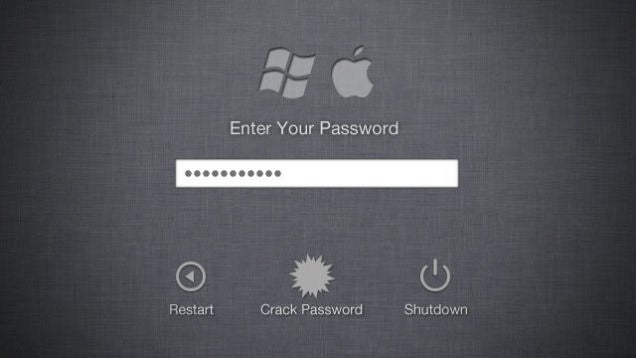
Didn't know about Ophcrack, pretty neat. Live disc that can get you passwords on an encrypted Win system out of RAM.

How to Break Into a Computer (and Prevent It from Happening to You)

Sometimes you need to get into a computer without knowing the password. Perhaps you've forgotten yours, or perhaps you're up to no good. Either way, it's actually pretty easy to do, provided your victim hasn't taken the necessary precautions. Click one of the links below to find out how to do it on either a Windows PC or a Mac , and how to prevent others from doing the same to you .

Read more...

28 Oct 00:13

The Color Blue Has Conquered the Internet

by Lily Hay Newman

The Color Blue Has Conquered the Internet

Shades of Gray. Orange Is The New Black. The Scarlet Letter. Colors are clearly important in marketing. We know. And you have also probably noticed that a lot of companies use blue in their logos. Plus Blue Is The Warmest Color. Sooooo yeah.

Read more...


27 Oct 12:56

The More You Know: Bourbon Vs Whisky

The More You Know: Bourbon Vs Whisky

Submitted by: Unknown

25 Oct 01:50

Comcast Plans to Offer the Closest Thing to an HBO Go Subscription

by Casey Chan
Corey G

Not ideal, but if this could evolve to being able to add HBO Go & StreamPix to my internet-only plan I'd consider it a major step forward.

Comcast Plans to Offer the Closest Thing to an HBO Go Subscription

The entire Internet would very much appreciate it if HBO offered an HBO Go subscription without the need to have cable. We want to pay for HBO Go like we pay for Netflix. But that hasn't happened... yet. But people are trying! Even cable companies.

Read more...


25 Oct 01:08

Unfuck your Habitat: the app

by Cory Doctorow


I blogged the site Unfuck Your Habitat, which offers timely, humane, simple advice for people who struggle with mess and disorganization . Today there's "MAKE YOUR BED: excuses are boring" and a brief post on getting sex stains off a comforter, though a more typical bedtime post reads:

Unfuck tomorrow morning

* Wash the dishes in your sink
*Get your outfit for tomorrow together, including accessories
*Set up coffee/tea/breakfast
*Make your lunch
*Put your keys somewhere obvious
*Wash your face and brush your teeth
*Charge your electronics
*Pour a little cleaner in the toilet bowl (if you don’t have pets or children or sleepwalking adults)
*Set your alarm
*Go to bed at a reasonable hour

All of this simple and useful stuff has been packaged into a new Android app that's simple and cute -- good advice, timers for short sprints of cleaning (along with suggestions, room by room, for said sprints), a wall commemorating your achievements, and the same friendly, understanding, compassionate approach to "terrifying motivation for lazy people with messy homes."


If traditional housekeeping isn’t really your style, but your living space needs a little attention, UfYH’s challenges and customizable features will help you get your place back in shape, a few minutes at a time. Rather than encourage marathon cleaning sessions, UfYH gives you the tools to clean up, a little at a time. Unfucking your habitat turns dreaded chores into easy-to-complete tasks, with a hefty dose of “filthy” language to motivate you to clean up.

Unfuck Your Habitat