via http://www.bonjourmadame.fr/post/49664598345/propose-par-jerome
Olá, amigos. Adivinha que dia é hoje? Nem precisa dizer que é o dia com as melhores bundas da semana do Uhull. Bora ver as belezuras que preparamos pra vocês hoje no Segunda Rima com Bunda!
Se gostou, pode ver outros S.R.B. que perdeu!



Pin-Digital, a Barcelona-based startup that created PinSex and PinGay, says that it has raised $800,000 in funding.
The names are pretty self-explanatory — they’re both Pinterest-style sites where users can save, share, and browse adult content.
It turns out that there are several Pinterest-inspired for porn sites, including sex.com and Snatchly. Pin-Digital founder and CEO Christian Thorn suggested that until now, there hasn’t been “real social media for adult content”.
The Pinterest model is one that makes sense for this kind of content, he added, because it’s “very visual” while also having an aspect of social following. As for what will set Thorn’s sites apart, he said he’s hoping to turn them into the place where porn stars can connect with their fans, and he has already signed one model, Vanilla DeVille.
He added that the funding includes his own money, along with undisclosed angel investors. He admitted that he has faced “resistance” from traditional investors, but he said the company is exploring other models, such as trading media (i.e., promotional ad space) for equity.
“I see it as any other business, but I definitely think there are many taboos to break,” Thorn said.
By the way, I checked out both the PinSex and PinGay sites, and I did it from the office. (Why? Something something research.) So if this turns out to be the last thing I write for TechCrunch, now you know why.
by Matthew Cobb
I have shamelessly copied all these gifs (yes, that’s “jiffs”, folks!) (and yes, some of them appear to be jpgs) and the titles from buzzfeed. I am lazy and Jerry is somewhere between Germany and Chicago, and presumably hellishly jet-lagged. The original title of this selection of gifs is “28 cats having a way worse day than you”.
h/t Vicky Thomson and Chris Strafford on FB.


 One of the very best things about the Web is the great tools that the community keeps on delivering. We love discovering new stuff almost as much as we love bringing it to you.
This great selection has over 50 free resources including coding tools for developers, icons sets, fonts, PSD and vector design sets, patterns and flat UI kits, and many more, meant to dazzle everyone with your next mobile projects, website or blog. Let’s get to work!
A toolkit for building your own Google Analytics dashboard.

Text based emoticons created with one div.

Massive collection of 300 metro-style icons in multiple file formats.

Icon set with 12 famous landmarks

Cool font that’s a little different.

Nice, simple and straight forward pricing tables in a PSD.

Set of 250 vector icons with monuments from around the world.

PSD pack with professional widgets.

100 fully editable and pixel perfect PSD shelves.

Nice contemporary font.

Subtle and modern effects for links and menu items

Nice set of 63 outlined icons in a PSD.

Mockup of Viber’s iOS7 app

Downloadable resource and tutorial

Arbitrary anchors for any element on your page.

Handwritten font face with 269 glyphs.

Nice and simple music player with glossy style.

Useful interface elements for every designer.

Useful vector line-icon font in several formats.

Convert mages from PNG to PNG-8 with transparencies and full browser compatibility.

Interesting concept mockup of the next iPhone.

A brush flavored script font.

Nice interface with strong colors and mainly dashboard elements.

Set of 42 outlined icons with source files

Nice weather animation made in CSS.

Effect for centering horizontally and vertically.

A good way to showcase color schemes to clients.

Set of 5 subtle patterns in light color tonalities.

50+ line-icons ready to use in iOS7.

Useful tool to keep HTML code semantic and clean.

Nice touch device jelly animation concept in CSS and JS.

Useful illustrator file with all of Google’s product logos.

Nice looking PHP debug bar for your data collection projects

Useful online tool to test fonts on any website.

Pack of fully editable SEO icons with source files.

Clean set of CSS buttons.

A slick drop-down menu.

Create beautiful labels and badges with these vector shapes.

Clean modern font.

A timely calendar PSD.

A free website template.

A great free resource with map icons.

Flat icons inspired by iOS7.

A great font for blogs and apps.

An open source scriptable browser for web developers.

Create responsive lists with a flip effect.

Awesome resource for textures.

A simple, clean and secure PHP & MySQL login script.

A simple toggle switch in CSS.

An awesome tool for designing forms.

A simple jQuery plugin for animating scrolling.

Have you used any of these resources? Have we missed any of your favorites? Let us know in the comments.
| 500 Stock Photos with No Background – only $29! |  |

    
|
Enable JavaScript to check out our fancy slideshow.


On sale in just a few hours is Black Milk’s long-awaited Harry Potter collection. I’ve been tempted in the past by their offerings, specifically the many geek licenses they’ve picked up recently but this is the first time I’ll be reaching in my wallet. Unlike most of their past collections, Black Milk’s Harry Potter line features more than just images from the films on leggings, swimsuits and more. Take a look at what they have to offer this time around.
(via Fashionably Geek)
Are you following The Mary Sue on Twitter, Facebook, Tumblr, Pinterest, & Google +?
Olá, amigos. Adivinha que dia é hoje? Nem precisa dizer que é o dia com as melhores bundas da semana do Uhull. Bora ver as belezuras que preparamos pra vocês hoje no Segunda Rima com Bunda!
Se gostou, pode ver outros S.R.B. que perdeu!


Actress and comedian Azie Mira Dungey used to work as a historical re-enactor at Mount Vernon. And 1- because George Washington's old stomping grounds are staffed with people acting out roles they might have had during the George Washington days and 2- Dungey is black, she played the role of a slave named Lizzy Mae. Now, she's made her experiences fielding actual stupid questions from actual stupid tourists into a video series that not only invites laughter, it encourages people to think a little harder about how we lionize the Founding Fathers as paragons of morality.

|
|
So you want to learn to code, do you? Well, you happen to be in luck, as it has never been easier or cheaper to learn that new skill, and there are plenty of websites that teach coding and more. They will help turn you from zero to hero, as long as you stick to it and practice, practice, practice!

Codeacademy leads you through the process of learning to program web-oriented languages. Here you can learn Javascript, Python and Ruby, etc. The free environment provides a safe place for experimentation, as you can try things out without needing a web server or any other hardware or software. If you are starting from scratch (or have limited experience) then Codeacademy is a brilliant starting point. Not only are you provided with access to the courseware, but having the ability to test things is incredibly useful for safe try out.

The online tutorials offered by Lynda.com are recognized as some of the best e-learning courses out there. You need to pay for a monthly subscription, but this will give you access to over 2,000 courses covering over 140 different skill areas. Lynda.com isn’t just for learning to code: you will also get access to courses covering areas as diverse as 3D animation, business, video editing, and design.

Udacity aims to be the future of online higher education. Courses are pitched at high schoolers who wish to get ahead, college students who want to broaden their understanding, and professionals needing to brush up their skills. There is a lot of excellent courseware that you can access once you’ve signed up, covering business, sciences and computer science.

Coursera provides you with course materials created by a number of reputable worldwide universities. The courses tend to be introductions to subject areas and lend themselves to those who wish to gain a general understanding before going further. This is great if you wish to study further and start on a new path. Coursera is one of the 10 websites that teach coding and more as it goes beyond learning to code, or, indeed, learning new technologies.

If you wish to learn the majority of the web-based languages, then W3Schools is an indispensable reference site. The site shows you how to code with and use HMTL, CSS, HTML5, Javascript, PHP and ASP, amongst others. What is great about the site is that if you search for a particular element of code it returns an example of how to use it practically. As a result you get something that you can adapt and put together to make a cohesive whole.

This is the place you start if you plan to develop apps for iOS and OSX. Whether you wish to develop apps for iPhone, iPad or Mac you should sign up for the Apple Developer Program. This allows you to get access to the latest documentation and code examples. Not only that, but it is the recommended way to get your apps and applications into app stores. There are many well-documented examples with code that you can run to get you started. You get shown how to use the XCode environment and start creating your first app. One prerequisite of developing for iOS is that XCode only runs within OSX, so you will need a Mac of some description.

For app developers wishing to learn how to code Android Java apps ready for the mobile platform, this is the place to start. Here you will be able to download an Android-infused version of Eclipse IDE. There are buckets of code examples, which will get you running apps in a virtual environment or on your device.

Learn how to expand some of the coding skills you’ve picked up along the way into extending Google products at developers.google.com. Whether it be Chrome extensions, interacting with Google Drive, or creating applications that utilize Google Maps, there are well documented APIs and lots of example material to get you going.

Microsoft provide lots of material on their developer network for the free and paid editions of their Visual Studio products. Learn how to master Visual Basic, C++ or C# for Windows environments using the .Net Framework. As with many of the others there are lots of tutorials and example code for you to build, run and play with. If you are wanting to develop apps for Windows, then this is a really great starting place and may well be the only stuff you ever need.

Instructables shows you how to get things done. This might involve getting an Arduino to communicate with the world, starting making use of a Raspberry Pi, or just generally hacking things together. There are many inspirational instructables, all created by the community. If you have a good set of instructions yourself, this is also something that you could contribute to. This finds its way into the 10 websites that teach coding and more as it does a lot more than just show you how to code.
If you want to learn some new skills, then spend some time looking through these websites that teach coding and more. You will no doubt find a mine of useful information and this can set you on a new path.
How a life hacker learnt to code in 8 weeks 10 Websites that Teach Coding and More
The post 10 Websites that Teach Coding and More appeared first on Lifehack.
Olá, amigos. Adivinha que dia é hoje? Nem precisa dizer que é o dia com as melhores bundas da semana do Uhull. Bora ver as belezuras que preparamos pra vocês hoje no Segunda Rima com Bunda!
Se gostou, pode ver outros S.R.B. que perdeu!



How Do Court Reporters Keep Straight Faces?
These are from a book called Disorder in the Courts and are things people actually said in court, word for word, taken down and published by court reporters that had the torment of staying calm while the exchanges were taking place.
ATTORNEY: What was the first thing your husband said to you that morning?
WITNESS: He said, ‘Where am I, Cathy?’
ATTORNEY: And why did that upset you?
WITNESS: My name is Susan!
_______________________________
ATTORNEY: What gear were you in at the moment of the impact?
WITNESS: Gucci sweats and Reeboks.
____________________________________________
ATTORNEY: Are you sexually active?
WITNESS: No, I just lie there.
____________________________________________
ATTORNEY: What is your date of birth?
WITNESS: July 18th.
ATTORNEY: What year?
WITNESS: Every year.
_____________________________________
ATTORNEY: How old is your son, the one living with you?
WITNESS: Thirty-eight or thirty-five, I can’t remember which.
ATTORNEY: How long has he lived with you?
WITNESS: Forty-five years.
_________________________________
ATTORNEY: This myasthenia gravis, does it affect your memory at all?
WITNESS: Yes.
ATTORNEY: And in what ways does it affect your memory?
WITNESS: I forget..
ATTORNEY: You forget? Can you give us an example of something you forgot?
___________________________________________
ATTORNEY: Now doctor, isn’t it true that when a person dies in his sleep, he doesn’t know about it until the next morning?
WITNESS: Did you actually pass the bar exam?
____________________________________
ATTORNEY: The youngest son, the 20-year-old, how old is he?
WITNESS: He’s 20, much like your IQ.
___________________________________________
ATTORNEY: Were you present when your picture was taken?
WITNESS: Are you shitting me?
_________________________________________
ATTORNEY: So the date of conception (of the baby) was August 8th?
WITNESS: Yes.
ATTORNEY: And what were you doing at that time?
WITNESS: Getting laid
____________________________________________
ATTORNEY: She had three children , right?
WITNESS: Yes.
ATTORNEY: How many were boys?
WITNESS: None.
ATTORNEY: Were there any girls?
WITNESS: Your Honor, I think I need a different attorney. Can I get a new attorney?
____________________________________________
ATTORNEY: How was your first marriage terminated?
WITNESS: By death..
ATTORNEY: And by whose death was it terminated?
WITNESS: Take a guess.
___________________________________________
ATTORNEY: Can you describe the individual?
WITNESS: He was about medium height and had a beard
ATTORNEY: Was this a male or a female?
WITNESS: Unless the Circus was in town I’m going with male.
_____________________________________
ATTORNEY: Is your appearance here this morning pursuant to a deposition notice which I sent to your attorney?
WITNESS: No, this is how I dress when I go to work.
______________________________________
ATTORNEY: Doctor , how many of your autopsies have you performed on dead people?
WITNESS: All of them. The live ones put up too much of a fight.
_________________________________________
ATTORNEY: ALL your responses MUST be oral, OK? What school did you go to?
WITNESS: Oral…
_________________________________________
ATTORNEY: Do you recall the time that you examined the body?
WITNESS: The autopsy started around 8:30 PM
ATTORNEY: And Mr. Denton was dead at the time?
WITNESS: If not, he was by the time I finished.
____________________________________________
ATTORNEY: Are you qualified to give a urine sample?
WITNESS: Are you qualified to ask that question?
______________________________________
And last:
ATTORNEY: Doctor, before you performed the autopsy, did you check for a pulse?
WITNESS: No.
ATTORNEY: Did you check for blood pressure?
WITNESS: No.
ATTORNEY: Did you check for breathing?
WITNESS: No..
ATTORNEY: So, then it is possible that the patient was alive when you began the autopsy?
WITNESS: No.
ATTORNEY: How can you be so sure, Doctor?
WITNESS: Because his brain was sitting on my desk in a jar.
ATTORNEY: I see, but could the patient have still been alive, nevertheless?
WITNESS: Yes, it is possible that he could have been alive and practicing law.
Want to go from a skinny guy to building muscle quickly? I got you.
I’ve spent my entire life trying to pack on muscle, and after years and years of trial and error, I finally cracked the code.
Today, I share that code with you! Up, up, down down, left, right…
Wait, wrong code.
This is a topic that is near and dear to me because I’ve spent my life devoted to this stuff:
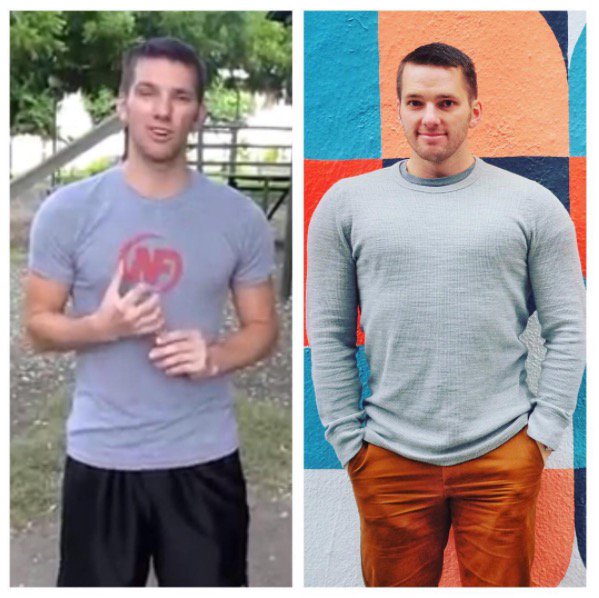
These are the exact tactics I’ve used and the same strategies we use with our Online Coaching Clients.
Our coaching program helps people bulk up quickly. Learn how:
This free guide is gonna get you started off on the right foot!
Here are the 4 parts we’ll cover in this ultimate guide:
#1) INTRO:
#2) NUTRITION:
#3) STRENGTH TRAINING:
#4) RECOVERY, TIPS AND TRICKS, NEXT STEP:
We also have nutrition guides, shopping lists, and workouts you can download for FREE when you sign up for our newsletter.
Alright, let’s get to it!

Growing up, I was always the scrawny, skinny weak kid.
There was a reason I dressed up like Superman every other day for the first six years of my life:
Superman was strong, big, and powerful…and I wasn’t.
To this day, it’s still a big challenge for me to gain weight or build muscle.
When I was cut from the high school basketball team (for being bad at basketball, mostly), I decided I needed to get bigger and stronger, so I signed up for a gym membership to get big and strong.
Within five minutes, I had almost killed myself when loading up way too much weight for a set of bench presses.
Fortunately, I survived and thus began my love affair with strength training.
I spent the next six years training in a gym, reading every muscle and fitness magazine I could find, drinking protein shakes religiously…and had about 3 pounds of muscle gain to show for it.
I just assumed “I’m one of those people who can’t gain weight.”
It turns out, I was doing it all wrong.

After graduating college, I moved to California, signed up for a gym membership, and received a few free personal trainer sessions.
Although I thought I had known it all (I had been training for 6 years in a gym! I read the muscle mags! I was in good shape already!), I still took the free sessions for the hell of it.
I’m so glad I did!
The trainer drastically simplified my workout and DOUBLED the amount of food I was eating.
I thought he was crazy at first, but I stuck with it.
In 30 days, I had put on 18 pounds (pictured below), increased the strength for ALL of my lifts, and felt more confident than I ever had before in my life.
That’s when the lightbulb went off in my head: turns out I had been telling myself a lie.
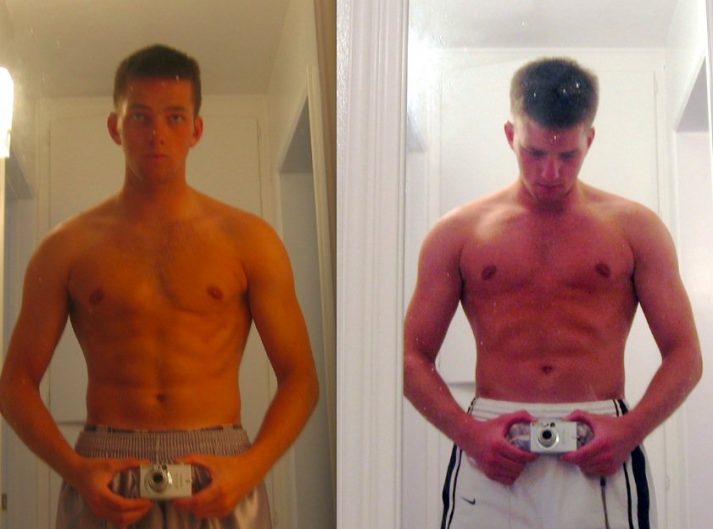
Thus began a radical redefinition of how I thought the human body worked, how muscle was built, and where I needed to put my priorities.
Since then, I’ve spent over 15 years learning everything I can about how muscle is built.
A few years back, I took an epic 35,000-mile trip around the world, and despite not having access to a gym for 6 months, I managed to pack on even more muscle and get myself in great shape without once picking up a weight (pictured below):
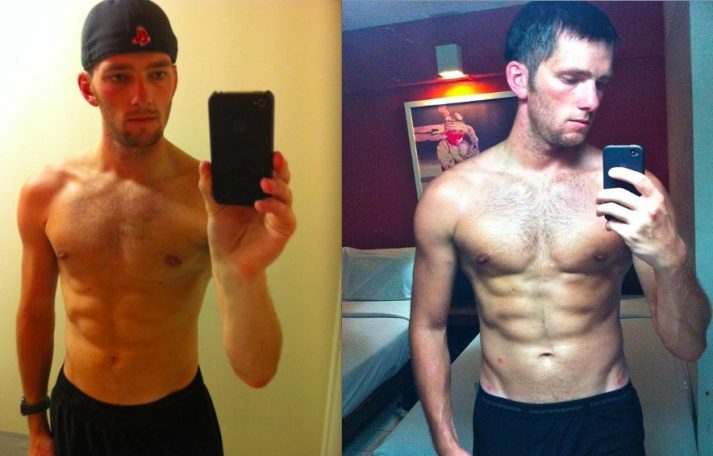
Again, my world was turned upside down.
I learned that gyms are not a requirement for building muscle and getting stronger, though a great gym workout can certainly speed up the process.
And after a few more years of up and down challenges, I had finally – jokingly – changed from Steve Rogers to Captain America (there’s a story behind this):
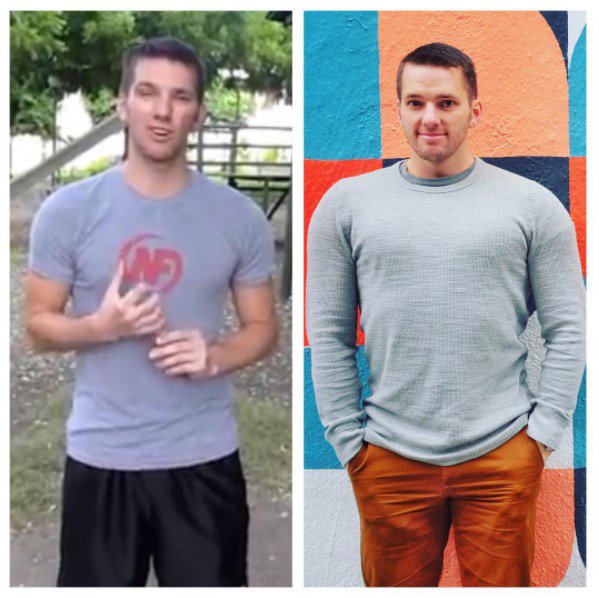
I’m still not the biggest guy in the world, nor will I ever be. I’m okay with that!
I’ve learned that anyone can pack on muscle, even skinny nerds like me.
If you’re skinny and want to get bigger, you’ll be fighting genetics the whole way, but do not let that deter you.
Today’s article outlines everything I’ve learned over the past 15+ years of mistakes, successes, failures, and adventures.

As they say, muscle isn’t made in the gym, but in the kitchen:
If you want to bulk up, you’d be better off working out twice a week for 30 minutes and eating enough calories/protein, than working out 6 days a week and not eating enough.
I learned this the hard way.
I spent four years of college working out five days a week for 90 minutes a day trying to get bigger.
I drank protein shakes like I thought I was supposed to. I got a little stronger but never bigger.
Why?
BECAUSE I DIDN’T EAT ENOUGH CALORIES.

When I get emails from people who lament the fact that they can’t gain weight, I always first ask about the person’s diet.
More often than not, that person thinks they are eating enough, but are definitely not.
Here’s the truth:
If you are not getting bigger, you are not eating enough.
Your body can burn 2000+ calories every day just existing (and then factor in exercise and, gulp, cardio – I’ll get to that in a minute), and you need to overload your system with calories in order for it to have enough fuel for the muscle-building process.
Want to know how many calories you burn every day just existing?
Plug your stats into our TDEE (Total daily energy expenditure) calculator:
Click right here for our Metric calculator.
Note: we have used The Mifflin-St Jeor Equation to create this calculator! [1]
For every person, the number of required calories for bulking up daily is different. You need to factor in your age, your height, your current weight, how much you move and fidget throughout the day, and how much weight you want to gain:
While calorie counting isn’t required to put on mass, I think for a newbie starting out tracking calories for a few days is a great place to begin. It gives you a snapshot of your current eating patterns and helps you avoid a lot of heartache later on. No one wants to spend months trying to gain muscle only to realize they vastly overestimated how much they were eating!
(Of course, this doesn’t mean you need to track calories forever. In our coaching program, we use a combination of calorie tracking and a “Balanced Plate” approach to find what works best for each client.)
So, track your calories using something like MyFitnessPal over a few days and get an average.
I bet you’ll discover you’re eating significantly less than you thought you were.
Once you’ve learned how many calories your body burns daily…
Eat MORE than that!

How much more, you may ask? Time to do a little math.
Step 1: Calculate your TDEE (total daily energy expenditure.)
Step 2: Calculate how many additional calories you need to eat to gain weight.
Step 3: Track your progress for 2-3 weeks and reassess.
Some people will bulk up much faster by overeating more calories than this, but we don’t recommend it. Your body has a limit to how much muscle it can naturally build each week.
Everybody’s results will vary (thanks genetics!):
When you exceed your muscle-building capacity, those extra calories are stored as body fat, not as muscle – which isn’t necessarily a bad thing. There will likely always be SOME fat put on while you bulk – it won’t be 100% muscle even for people like professional bodybuilders with great genetics.
Here are things to consider if you overeat WHILE strength training: extra glycogen, some fat, and water stored in your body can be a good thing for your confidence and get you headed down the right path.
So, don’t listen to the sites or programs that say “gain 40 pounds of muscle in two months!”
It’s going to be a slow, long process.
Yes, it is possible to have incredible transformations in a short amount of time, like when I gained 18 pounds (8.1kg) in 30 days
This was due to strength training, overeating, protein, and extra water weight (from supplementing with creatine):
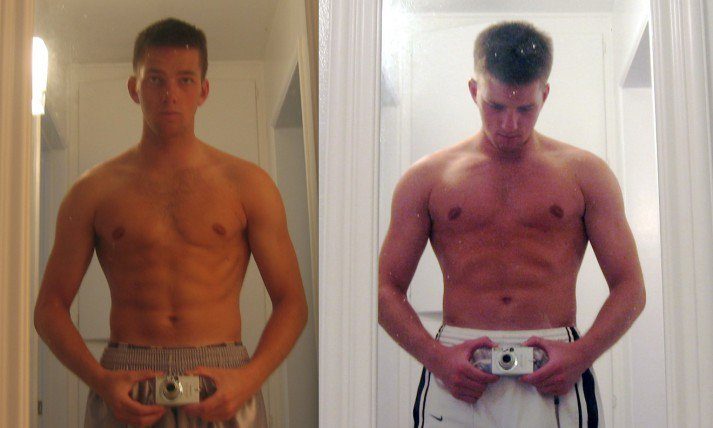
My advice: Rather than massive weight gain over a month, you’d be much better off gaining .5-1.5 lbs. (.25-.75 kg) a week, every week, for several months at a time…and keeping the weight on!
Now, I know this isn’t easy.
There’s nothing worse than spending 6+ months in a gym and doing what you think you SHOULD be doing, only to step on the scale and realize that you haven’t made any progress!
If you’re somebody who’s worried about wasting time, or you want to have an expert guide your nutrition based on your current situation, consider checking out our Online Training Program!
Learn to bulk up correctly with our Coaching Program!
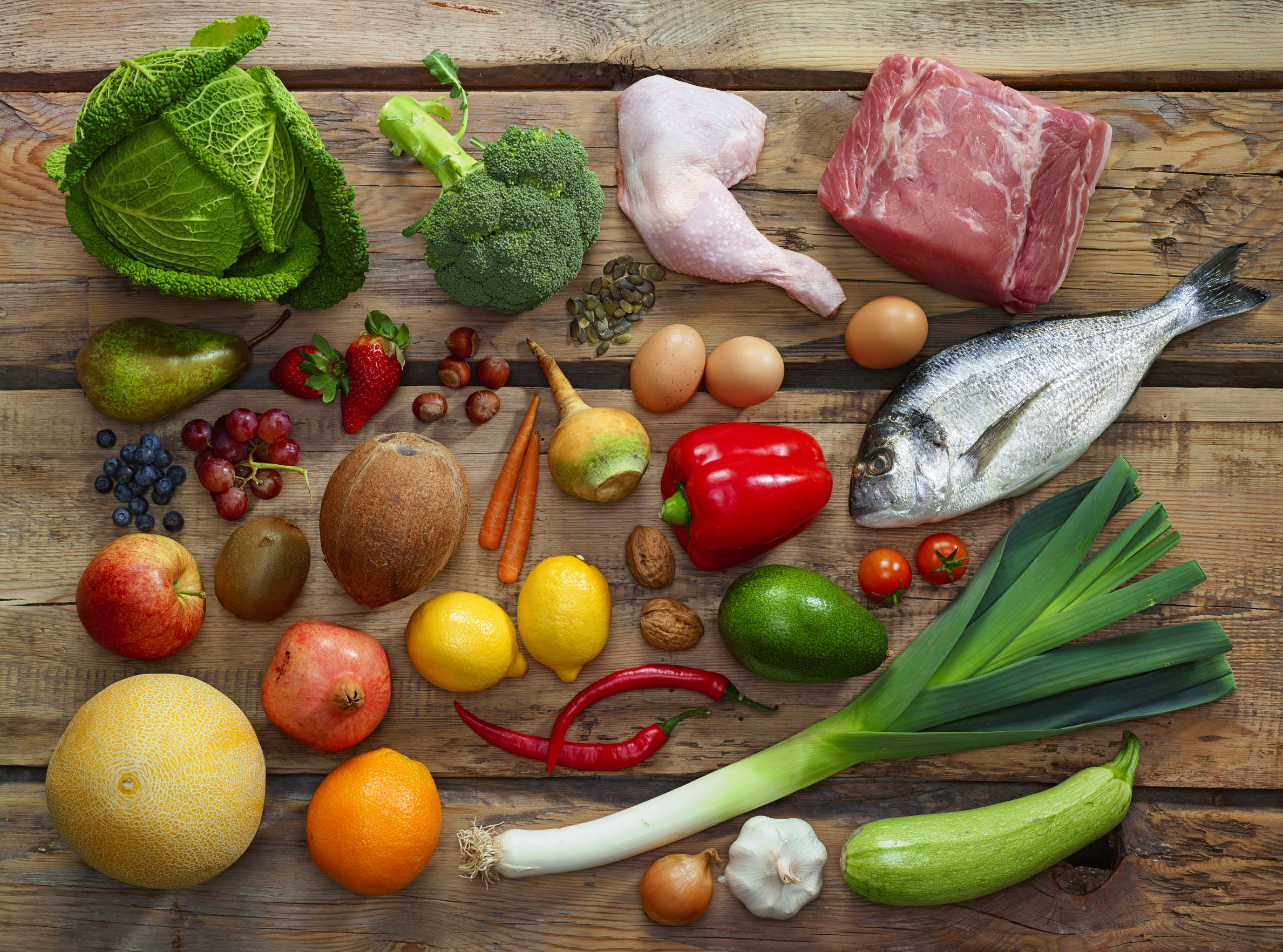
Let’s go through how you should be prioritizing your nutrition, nutrient by nutrient:
Let’s look at each of these individually:
PRIORITY #1: PROTEIN
Protein can come from any number of sources, including:
As we cover in our “How much Protein do I need?”, claims for the amount of protein needed vary wildly from source to source (and athlete to athlete).
Here is our recommendation for protein consumption:
If you’re of healthy weight, active, and wish to build muscle, aim for 0.8g/lb (1.6g/kg). [16]
If you get all of your protein from plant-based sources, you may want to aim slightly higher at around 1.0g/lb (2.2g/kg). This covers for plant-based sources that don’t have as complete an amino acid profile as meat and dairy.
If you want to keep it simple, target ~1 gram of protein per pound of body weight (2.2 grams per kg).
If you’re curious, this is what a portion of protein looks like from our healthy eating article:
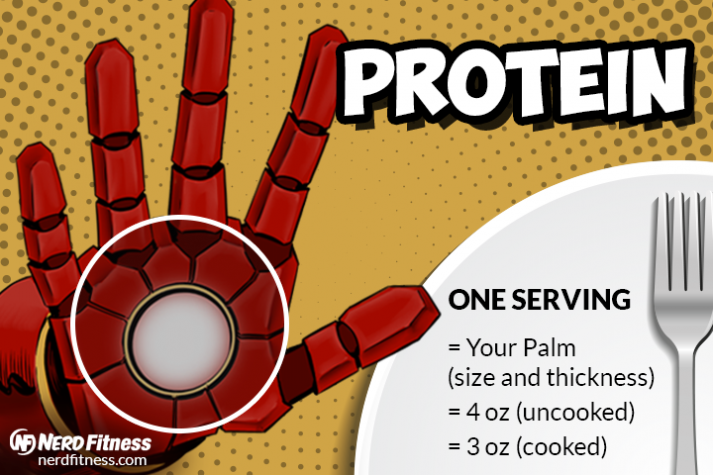
Also, here’s how much protein is in a serving of food:
Want to get more protein? Consider protein shakes, like so:
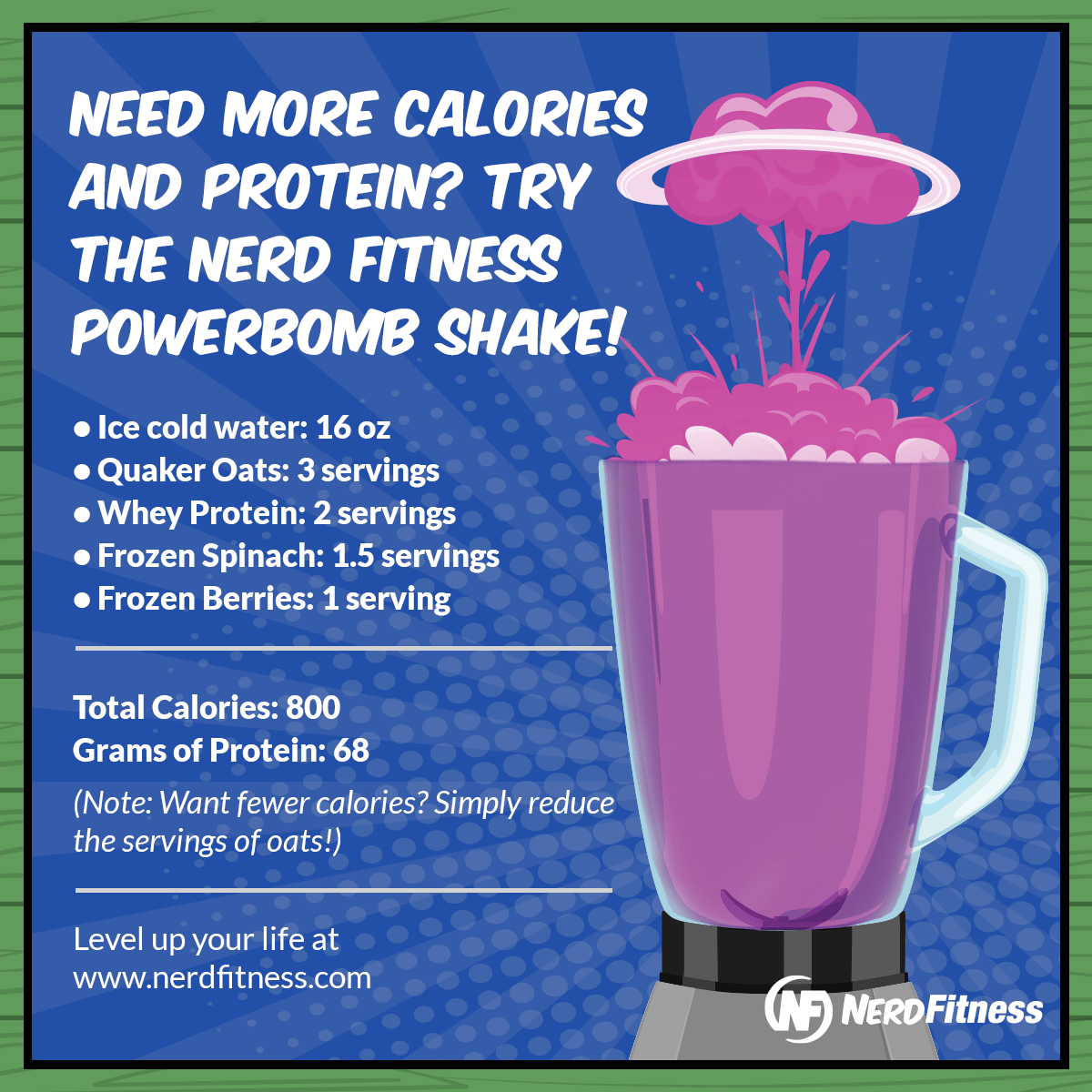
PRIORITY #2: CARBS
After protein, to get bigger, you need to eat enough calories, and those calories should come from sources composed of carbs and/or fats.
Making sure your muscle’s glycogen stores (which primarily comes from consuming carbohydrates) is full also helps prevent the breakdown of protein into energy (i.e. breaking down muscle tissue for energy!) That’s a pretty big deal when we are trying to bulk up!
Here are foods full of carbohydrates you can prioritize for bulking up:
To help you get better at eyeballing serving sizes:
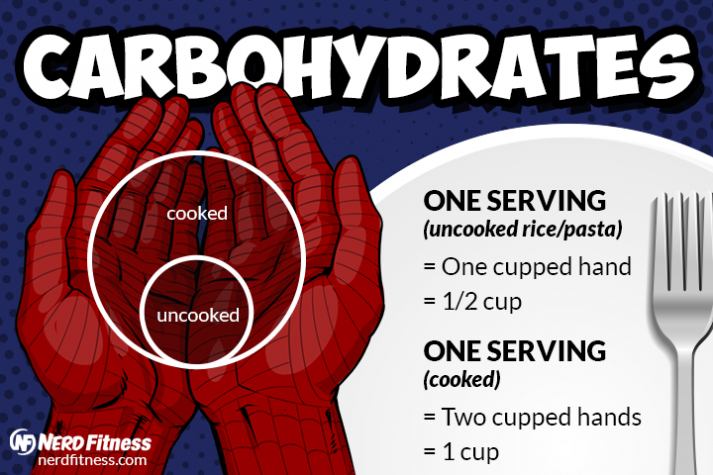
1 serving of a starchy carbohydrate is 1 cupped hand (uncooked), or your two hands forming a cup (cooked).
Here are some images to help you learn proper portion sizes (thanks to SafeFood):
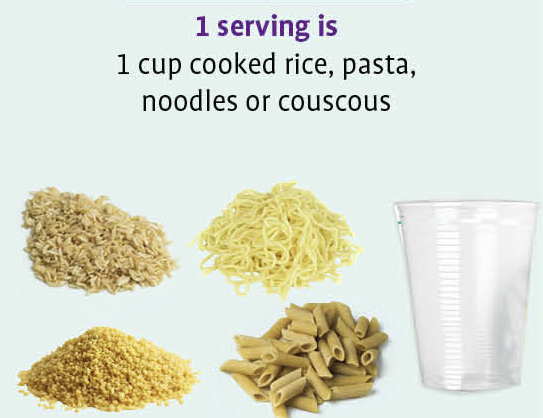
In addition to consuming carbohydrates from these sources, there are tons of other great options like fruit, starchy tubers like potatoes or yams, and more.
PRIORITY #3: FAT!
Fat is a macronutrient that can help you reach your goals in the right quantity. It’s higher in calories, so a little bit can go a long way. Especially if you struggle to eat enough calories, adding more fat to your diet can help you increase your calories without feeling too full.
Healthy fat can be found in foods like:
What about saturated fat? Is that OK to eat when I’m bulking up? In moderation, saturated fats can absolutely be a part of your diet! [4]. We recommend keeping saturated fats to 10-20% of your total fat intake.
Saturated fats can come from things like:
To help you gauge: a serving size of fat is roughly the size of your thumb!
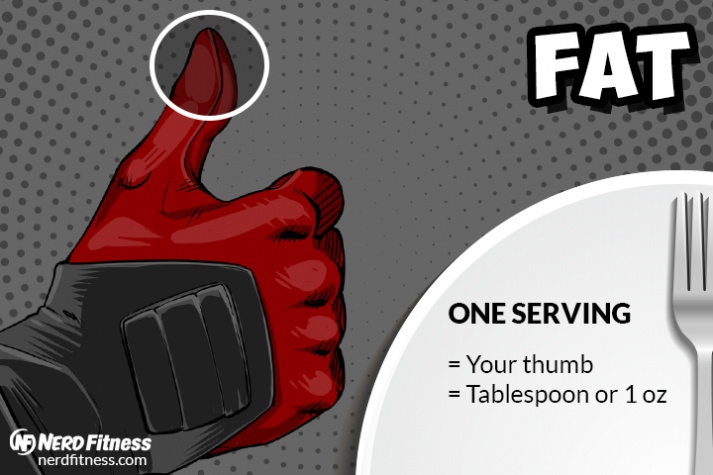
For reference, this is a single serving of almonds (162 calories):

THIS is a serving of olive oil (119 calories):
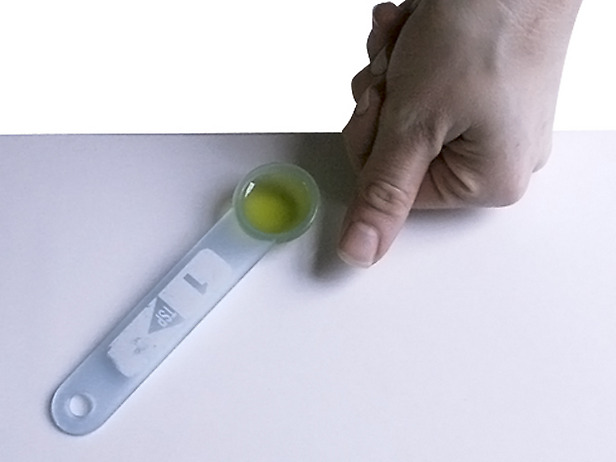
As you can see, you can eat an extra 500 calories of “healthy fats” by eating lots of “heart-healthy” fats like nuts or adding more olive oil to your meals.
PRIORITY #4: VEGETABLES!
Last but not least, fruit and vegetables.
If you start to eat a lot more food, your “indoor plumbing” is going to really benefit from eating some high-fiber veggies with each meal:
A serving of veggies is about the size of your fist.
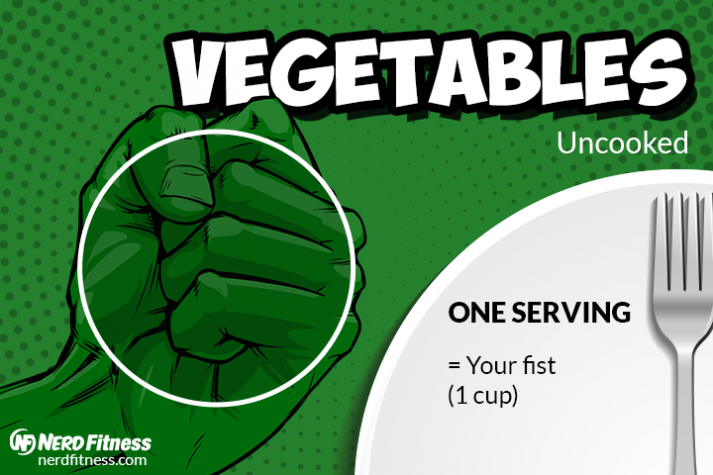
Here’s a quick, non-complete list of veggies that can fill your plate:
BRINGING IT ALL TOGETHER:
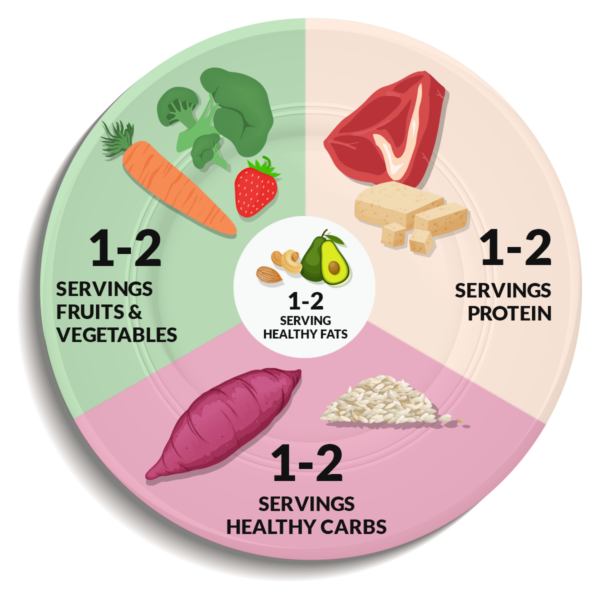
This plate and serving size stuff above is just to help you get started thinking about healthy food differently and in proper portion sizes.
To recap:
It really does come down to the following:
If you are not gaining weight fast enough, you are not eating enough. Increase your portions of carbohydrates and fats!
Whenever we work with coaching clients who struggle to bulk up, this is the area we target: adding more carbs and fats to each meal.
Need an expert to help you bulk up quickly and safely? Learn more:

If you are struggling to consume enough food every day, then here are some tips to help you reach your caloric goals to bulk up:
“WHAT SUPPLEMENTS SHOULD I TAKE TO BULK UP FAST?”
Most supplements are garbage.

HOWEVER, if you are interested in bulking quickly, there are two I would recommend:
Outside of these two supplements, you really don’t need to prioritize supplementation, despite what the muscle magazines tell you!

I’ll leave you with a couple more suggestions on how to bulk up in this section:
#1) Liquid calories are your friend. Liquid calories can give us lots of calories without ‘filling us up,’ which is an easier way to consume enough calories every day without feeling overly full.
I personally get a huge chunk of my calories every day from making my own ‘Powerbomb Shake – from our Protein Guide:
And here is the macronutrient breakdown:
If you need even more calories consider adding whole milk, coconut milk, or almond milk instead of water.
I like to buy Frozen berries and Frozen Spinach from Trader Joes, but you can buy in any grocery store!
You can also add a shot of olive oil to add calories/fats to a shake in the quest for MOAR MUSCLE!
#2) Keep your protein intake to the lower end of the 0.8-1g/lb range.
Wait, Steve, are you actually telling me to eat LESS protein? In this case, yes! If you’re struggling to get enough calories in, I recommend you keep protein at the optimal range of 0.8g/lb of body weight, and not any higher.
You’ve already maximized muscle synthesis, so any additional protein is just going to fill you up more (since protein is the most satiating macronutrient.)
#3) Use food palatability to your favor.
Highly palatable foods (like those containing lots of flavor, carbs, and fats) are less filling and tend to want to make you eat more of them. This is essentially the opposite advice of someone on a fat loss diet – but can be useful if you struggle to get enough calories to bulk!
#4) Continue to slowly increase your portion sizes or add more meals throughout the day
If you’re someone who’s struggled to put on weight your whole life, a lot of that could be due to the fact that you just don’t feel all that good when you try to eat more food!
There’s really no way around the fact that we’re going to have to increase the amount of food you eat, even if it’s not always the most comfortable.
If you are cooking rice, each week try adding in an extra quarter cup when you cook it.
You may have to eat at times when you don’t feel all that hungry.
This is not enjoyable. You can try to increase the number of times you eat throughout the day to help combat this a bit.
However, just like it’s necessary to force your muscles outside of your comfort zone to get bigger, you need to force your stomach outside of its comfort zone until it adapts to accepting more calories.

When you strength train, your muscles are broken down and then get rebuilt stronger to adapt to the stress you have applied to it.
So every time you pick up a slightly heavier weight, you are increasing the challenge and forcing your muscles to adapt and get more resilient.
Specifically, what I’m trying to say is:
If you want to get bigger, focus on getting stronger.

As long as you are continually increasing the weights or increasing the sets and reps you are lifting, your muscles will continually adapt to get stronger.
This is called “progressive overload” and it. is. everything.
NF Coach Jim walks you through the ins and outs of progressive overload in this video:
If you want to dive in more, check out our guide “What is Progressive Overload?“
Follow a progressive overload strategy and eat enough calories, and you will get bigger.
Let’s dive into more specifics with programming and exercises so you can maximize your muscle growth potential:
Volume refers to the total number of sets and reps you challenge your muscles with each week.
For most people, we recommend starting with 10-20 working sets per muscle group per week. Getting more volume (more sets of exercises) per week resulted in more mass compared to less volume (fewer sets of exercises), in this study[9]
That might look like:
How you break it up will really depend on your schedule (which we’ll get to in a minute.)
What about repetitions per set? While recent studies show that any rep range from 5-30 reps per set stimulates an equal amount of muscle growth as long as the set was brought close to failure, practically, we’ve found that most of our clients do really well in the 6-15 rep range, with 2-3 working sets per exercise. [17]
Remember when we talked about progressive overload? That comes into play right here.
You want to come within 1-3 reps of failure for your working sets. That means you pick a weight and do enough reps that you can only do 1 to 3 more before you can no longer perform the exercise with proper technique. [10][11]
Don’t risk an injury by trying to lift too much weight too soon, but make sure you regularly test whether you can lift a few more pounds in your lifts.
Maintaining tension in the muscle for longer helps stimulate muscle growth. Controlling an exercise’s eccentric phase (the lengthening portion) also helps reduce injury risk. (Though strength training is one of the safest sports in the world.)
Our recommended tempo for your lifts is this:
You want to train each major muscle group at least 2x/week. You can divide this up in several ways:
For most people, we recommend starting with a full-body program. It’s more efficient (only 2-4 days per week instead of 5-6), and your body doesn’t NEED more workouts at this point to grow plenty of muscle.
As you progress, you can experiment with upper/lower and push/pull/lower splits if they work for your schedule and you hit a plateau in your training – though before adding more days, we recommend you double-check that your volume, intensity, and tempo are all dialed in first.
You can use movements like these in your full-body workouts:
If you can focus on getting stronger with the above exercises and eat enough calories, you will also get bigger in all the right places.

Just. Keep. Eating. And. Lifting.

As we cover in our “How to build muscle” article, here’s a sample routine you can follow NOW to start bulking up.
After you do your dynamic warm-up, do the following workout:
MONDAY BULK-UP WORKOUT:
WEDNESDAY BULK-UP WORKOUT:
FRIDAY BULK-UP WORKOUT:
Get stronger, and the rest will take care of itself.

NERD FITNESS RECOMMENDATION: Feel free to pick WHATEVER workout program you want from wherever. If you don’t want to follow the workout above, consider these sources:
If you’re curious, here are some commonly accepted strategies based on your goals for how many sets and reps you should do:
As we pointed out above, as long as you get close to failure, recent research shows that anything between 5-30 reps is about equal for muscle growth. So don’t worry too much about which path is best.
Nutrition plays the most important role in bulking up, and any strength training plan will help you get bigger.
What this means: Don’t overthink it.
What’s important is that you pick a plan and follow through with it while focusing on eating enough.
After a few months, you can reevaluate and then adjust based on how your body has changed. [18]
And as we showed, feel free mix in bicep curls or tricep extensions or calf raises at the END of your workouts.
Focus on the big lifts first and get stronger with them.
How much weight should you lift? For every one of the barbell movements above, it’s okay tostart with just the bar, and then add weight in 5 lb (2.2kg) increments each week.
It’s important to get form right and get your body used to the movement for when you start to lift heavy weight.
How long should you wait between sets? Again, don’t overthink it.

Waiting 60-90 seconds puts more of an emphasis on muscular size and endurance (as you’re resting for a shorter period). Waiting 2-3 minutes allows you lift heavier weight, and thus can make you stronger.
..but don’t overthink it. Do the next set when you’re ready.
A piece of advice from 8-time Mr. Olympia, Lee Haney: “stimulate, don’t annihilate.”
Don’t destroy yourself for the sake of destroying yourself; stopping one or two reps short of maximum effort can save you from overtraining and potential injury – remember that muscles are built in the kitchen!

Yes, you can get bigger and stronger by doing exclusively bodyweight exercises.
Take a look at any Olympic gymnast: he is jacked, with giant muscles, all built with bodyweight exercises:

It all depends on the same rules we laid out above.
Can you target the muscle groups you are trying to grow with exercises that create a high amount of tension and take you close to failure after doing 6-15 reps?
If your answer is “yes”, then that bodyweight exercise is a great option for you! In fact, things like inverted rows, chin-ups, pull-ups, dips, push-ups, lunges, etc. are all fantastic exercises to help you put on muscle.
However, some people may find it difficult to get that right level of “challenge” with certain bodyweight movements.
Maybe you have a hard time finding upper body or bicep movements that feel good without using weights.
Maybe you can do countertop push-ups for more than 15 reps, but when you try to progress to a harder variation you don’t have any surface in your house that quite works so you feel stuck.
And that’s the crux of the issue:
Like with weight training above, you need to increase the difficulty in order to challenge your muscles to adapt.
Because it’s often more challenging to add a few pounds to a bodyweight exercise to make it tougher – compared to putting a weight on a bar, you need to increase the difficulty of the bodyweight movement itself.
You may need to experiment with higher rep ranges (15-30 reps) to push your muscles closer to failure.

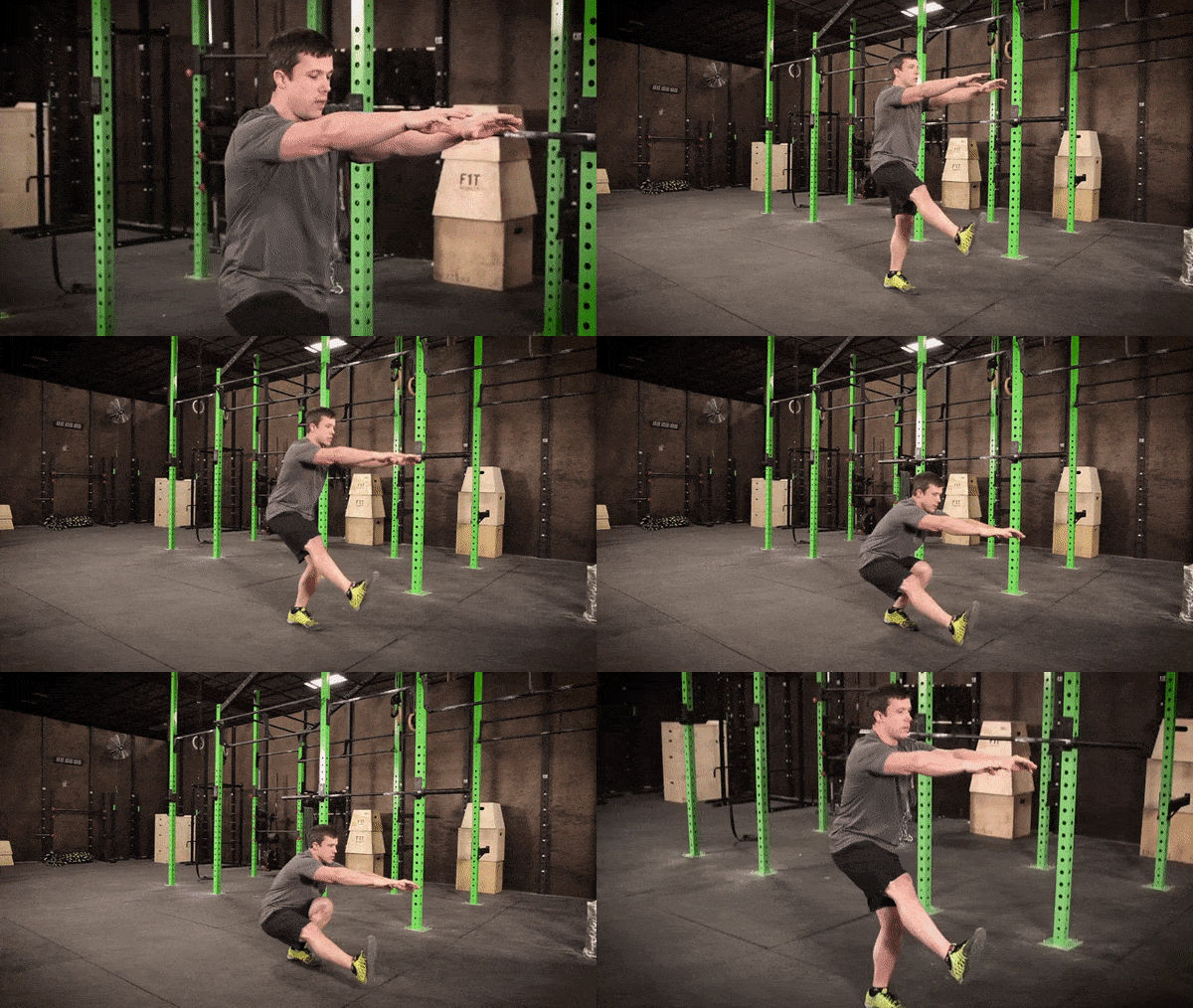
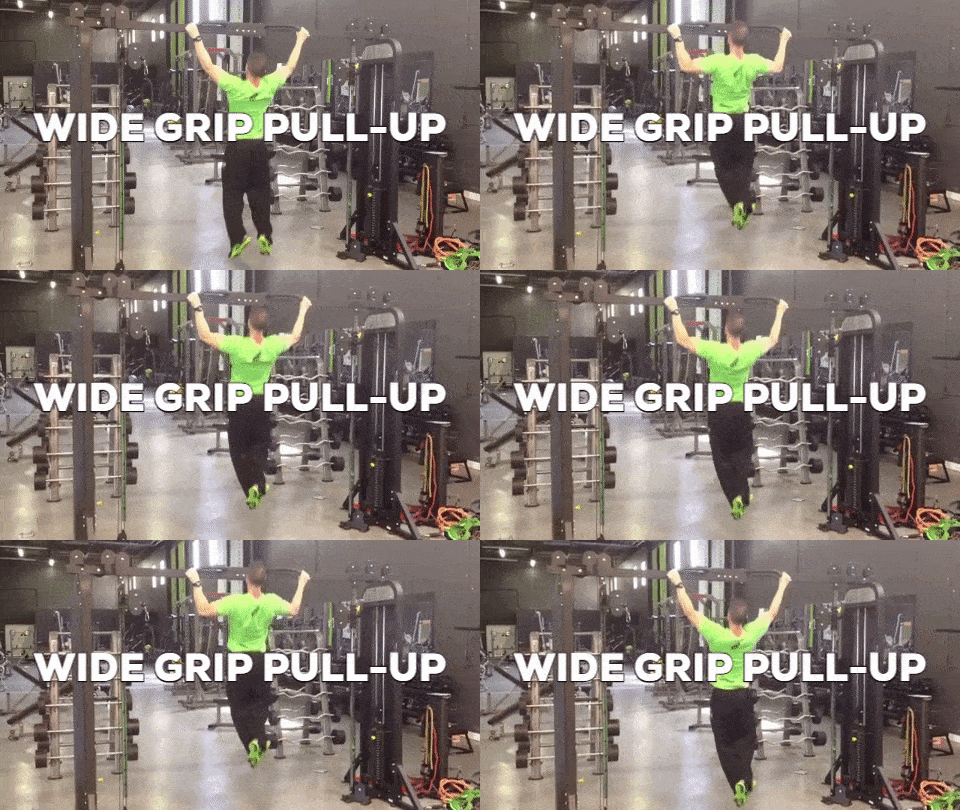
I highly recommend beginners take a serious look at strength training with free weights; it’s much easier to record one’s progress, easy to add more difficulty (just add more weight!), and very structured.
You can ALSO mix in bodyweight training! Really, it’s just about finding the group of exercises that works best for you, regardless of whether their bodyweight, barbell, dumbbell, machine, or anything else!
Here’s an example from my own training. I have been working with my online coach for 7+ years, and I’ve packed on size by following a barbell + bodyweight training routine.
Weight training for my lower body, advanced bodyweight movements for my upper body.
Every day starts with either a squat, front squat or deadlift.
Here I am pulling 420 pounds at a body weight of 172 pounds:
Each workout also contains a lot of Olympic/gymnastic-style movements to build upper body strength.
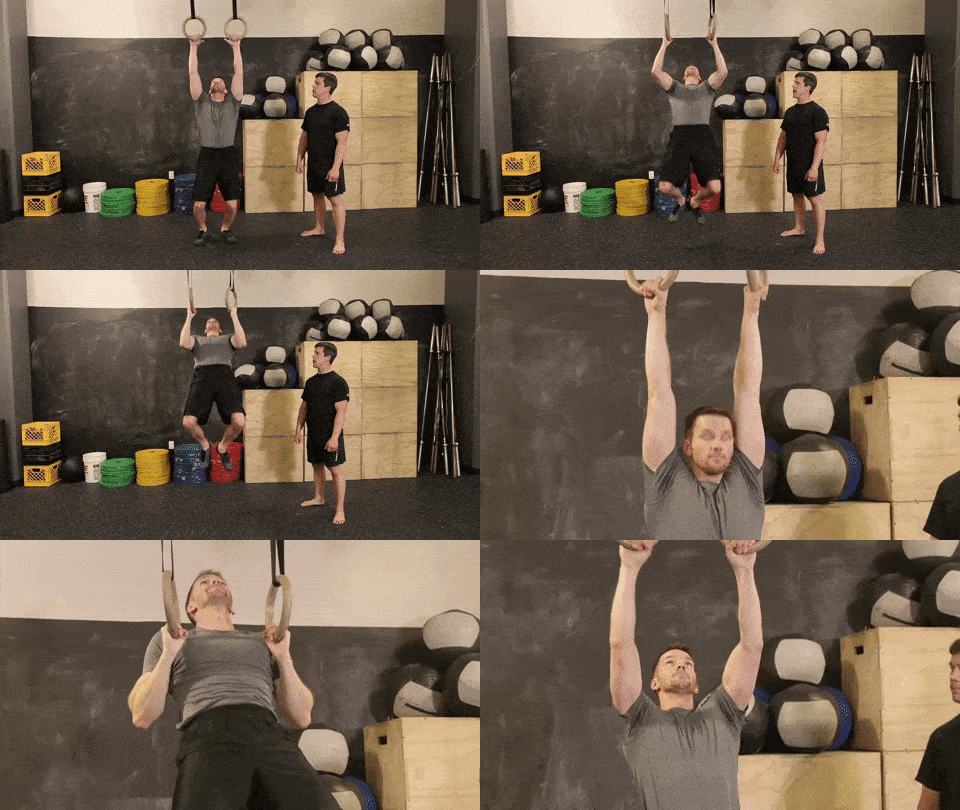
And I just try to get stronger.
What it really comes down to is this: no matter what you have access to (a gym, barbell, dumbbells, or just a pull-up bar), you can find a way to build strength and muscle if you follow a plan and eat enough calories.
If you’re trying to bulk with just bodyweight, it might be worth enlisting the help of a coach to help you scale your bodyweight exercises correctly and in the proper sequence!
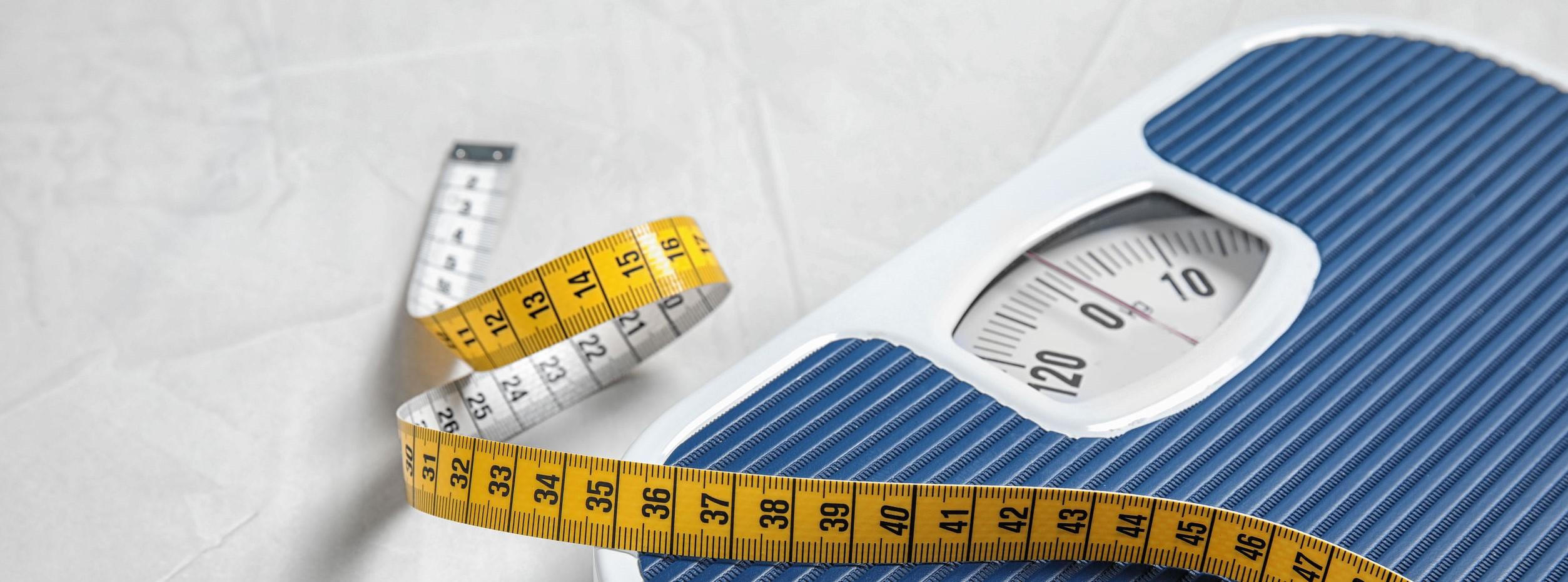
If you are skinny fat (you have skinny arms and legs but have a gut), there are three paths available to you:
We all want Door #3, right?
Here is how to accomplish both goals at the same:

We just got a look at the updates to Siri in iOS 7. There's now a sound wave on the bottom of the voice-control feature, and you'll have your choice of male or female versions -- and Siri will be available in French and German, with more languages to come. And, as the headline above indicates, Siri now features integration with Twitter, Wikipedia and -- get this -- Bing. Eddy Cue also teased the next frontier for Apple's voice control: iOS in the Car will integrate the latest mobile OS with an auto's infotainment system, and Siri will help drivers pull up directions and more. Don't get too excited, though, that feature isn't coming until 2014.
Follow all of our WWDC 2013 coverage at our event hub.
In May, Google unveiled Earth Engine, a set of technologies and services that combine Google's existing global mapping capabilities with decades of historical satellite data from both NASA and the US Geological Survey (USGS). One of the first products emerging from Earth Engine is Timelapse—a Web-based view of changes on the Earth's surface over the past three decades, published in collaboration with Time magazine.
The "Global Timelapse" images are also viewable through the Earth Engine site, which allows you to pan and zoom to any location on the planet and watch 30 years of change, thanks to 66 million streaming video tiles. The result is "an incontrovertible description of what's happened on our planet due to urban growth, climate change, et cetera," said Google Vice President of Research and Special Initiatives Alfred Spector.
But that's just the surface of what Google has created with Earth Engine. In an exclusive interview with Ars Technica, Spector and Google Visiting Scientist Randy Sargent drilled down on how Google, using software developed by Sargent's team at Carnegie Mellon University's CREATE Lab, has generated what amounts to an animated 108 terapixel time-lapse portrait of the planet. Here's how the company did it.

In the ever-raging Map War, Google seems to be not only a first mover, but the boldest mover.
According to the Globes, an Israel-based publication, Google is reportedly set to acquire the Israeli transit and navigation company Waze for $1.3 billion, making it one of the larger Google acquisitions in recent memory. This latest development comes amid swirling rumors that Waze would be bought up by one of the big guys, by Facebook for $1 billion, Apple for $500 million and now Google.
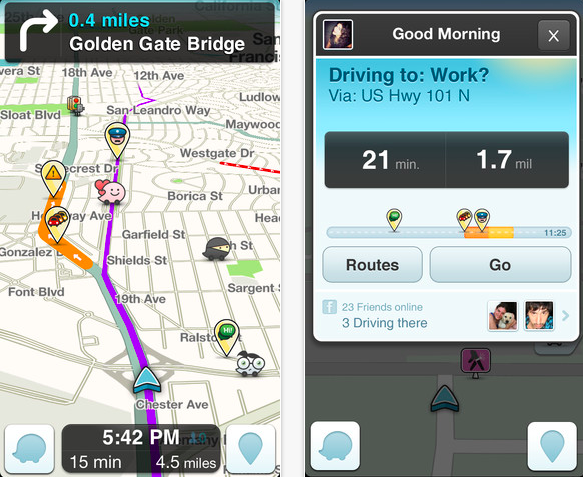
Waze provides information on traffic congestion, police presence, speed-sensing cameras, and other transportation-related information thanks to the crowdsourced information flowing in from its almost 50 million users.
According to a number of other Hebrew sources, the deal will be in all cash. Noam Bardin will reportedly remain as CEO and Waze will also continue as its own brand. Waze’s R&D facility, as well as their offices in Israel, will remain in place for at least three years.
We had heard originally that Apple was interested in Waze, which made perfect sense at the time considering Apple was building and releasing a buggy, inadequate Maps app. Waze probably could have helped out quite a bit.
However, those rumors died down to make room for new ones, namely that Facebook was considering buying the social satellite-navigation company.
In fact, Globes reports that Facebook executives went into negotiations with Waze right in Israel, but neither company could come to a comfortable resolution. But perhaps more interesting, Google moved in to have chats with Waze while Facebook was still in negotiations to buy, showing just how eager Google is to block out potential competitors in the mapping space.
Neither Google nor Waze is commenting on the acquisition at this moment, but this isn’t the first time that the search giant has been paired with Waze. Just last month, Bloomberg reported that the companies were in talks, and that Waze was seeking more than $1 billion.
The report says the deal has just entered due diligence, and details are subject to change.
Google’s long-term goal with Waze is somewhat unclear. It obviously increases its footprint in Israel, where it currently operates two offices, and there is a thriving startup scene, from which Google has already plucked Labpixies and Quicksee. But looking further, this is also a good way to keep competitors like Apple and Facebook away from such reliable and popular mapping software.
Remember, Google’s Maps application is already a world-class product, with nothing even remotely close following behind in terms of competition. But that’s not to say that folks aren’t trying. Apple booted Google Maps as the default mapping app on its iDevices with the launch of iOS 6 and the iPhone 5. Unfortunately for Apple, Apple Maps is abysmal.
By buying Waze, Google keeps competitors like Apple and others away from the easy out, which would be an acquisition of a company with already-working and reliable technology. With this deal, Google effectively blocks Apple and Facebook from even having a chance.
See, Facebook, Apple, Microsoft and any other big tech player will be focusing on location technology as a way to bolster other services. Maps is the spinal cord of the mobile ecosystem. It affects advertising, other social tools and apps, and e-commerce. Apple, Facebook and friends won’t give up on owning our location data anytime soon, but Google is doing a good job of blocking out the potential to buy technology instead of build it.
Waze was founded back in 2007, and has since raised a total of $67 million from investors like KPCB, Horizon Ventures, Blue Run Ventures, Magma Venture Partners, and Vertex Venture Capital.

While there are smartphones apps that take some of the hassle out of finding parking, Audi's bringing similar time- and frustration-saving features to a different screen in your ride, through its Audi Connect infotainment systems. Announced at the Telematics Detroit conference, Audi is tapping Inrix's parking spot data so you can find car-friendly floor space from within its dashboard navigation platform. After telling the car where you want to go, you'll have the option to see parking info at the journey's end, including the nearest locations, operating hours, prices and real-time space availability, depending on what data is available from each garage. The sat-nav will also direct you straight to the entrance of the lot, and should you want to know what that entrance looks like, Google Street View will show you. Audi's new parking feature should start hitting Connect-equipped cars from today via an OTA update, so the "finding a space was a nightmare" excuse won't fly next time you're late. But don't worry, we won't tell anyone.
Filed under: Transportation, Software
Source: CNET, Seattle Times


import googledatastore as datastore

def main()
  writeEntity()
  readEntity()
Next include writeEntity() and readEntity() functions:
def WriteEntity():
  req = datastore.BlindWriteRequest()
  entity = req.mutation.upsert.add()
  path = entity.key.path_element.add()
  path.kind = 'Greeting'
  path.name = 'foo'
  message = entity.property.add()
  message.name = 'message'
  value = message.value.add()
  value.string_value = 'to the cloud and beyond!'
  try:
    datastore.blind_write(req)
  except datastore.RPCError as e:
    # remember to do something useful with the exception pass

def ReadEntity():
  req = datastore.LookupRequest()
  key = req.key.add()
  path = key.path_element.add()
  path.kind = 'Greeting0'
  path.name = 'foo0'
  try:
    resp = datastore.lookup(req)
    return resp
  except datastore.RPCError as e:
    # remember to do something useful with the exception pass
First create a new file called “demo.py”. Inside demo.py, we’ll add code to write and then read an entity from the Cloud Datastore. Finally we can update main() to print out the property values within the fetched entity: def main()
writeEntity();
resp = readEntity();
entity = resp.found[0].entity
for p in entity.property:
print 'Entity property name: %s', p.name
v = p.value[0]
print 'Entity property value: %s', v.string_value
Before we can run this code we need to tell the SDK which Cloud Datastore instance we would like to use. This is done by exporting the following environment variable: ~$ export DATASTORE_DATASET cloud-datastore-demoFinally we’re able to run the application by simply issuing the following:
~$ python demo.pyBesides the output that we see in console window, we’re also able to monitor our interactions within the Cloud Console. By navigating back to Cloud Console, selecting our cloud-datastore-demo project, and then selecting the Cloud Datastore we’re taken to our instance’s dashboard page that includes number of entities, properties, and property types, as well as index management, ad-hoc query support and breakdown of stored data.

Google is holding its Google I/O day 1 keynote at 9am PT and you can watch it right here on BetaNews.
We will of course be bringing you stories covering all the big announcements as they happen.
Rumors of what to expect include a revamped Google Maps, Android 4.3, a new music service set to rival Spotify, and even a Google branded Galaxy S4. Let’s see which of those comes true.
Sit back and enjoy the fun.

Programmer and CMU PhD Tom Murphy created a function to “beat” NES games by watching the score. When the computer did things that raised the score it would learn how to reproduce them again and again, resulting, ultimately, in what amounts to a Super Mario Brothers-playing robot. The program, called a “technique for automating NES games,” can take on nearly every NES game, but it doesn’t always win.
You can read his full paper here but, as you can see from the above video (fast-forward to about six minutes to see Mario in action), the game does most of the things normal humans would do but consistently uses very difficult tricks to, say, attack two Goombas in rapid succession.
Murphy writes:
Bytes in memory (and sometimes 16- and 32-bit words) can contain interesting game facts like the player’s position in the level or score. The central idea of this paper is to use (only) the value of memory locations to deduce when the player is “winning”. The things that a human player perceives, like the video screen and sound effects, are completely ignored. As an additional simplification, we assume that winning always consists of a value going up—either the position in the level getting larger, the score getting larger, the number of lives, the world or level number getting bigger, and so on.By giving the program a little bit of training – how to jump, what to grab – the program becomes a coin-hungry juggernaut, stomping turtles and taking no mushroom prisoners. Murphy ran a few other games through it, including Tetris, and found that the program would eventually just pause itself rather than continue playing and lose, a tactic shared by annoying, over-competitive cousins around the world since 1985.
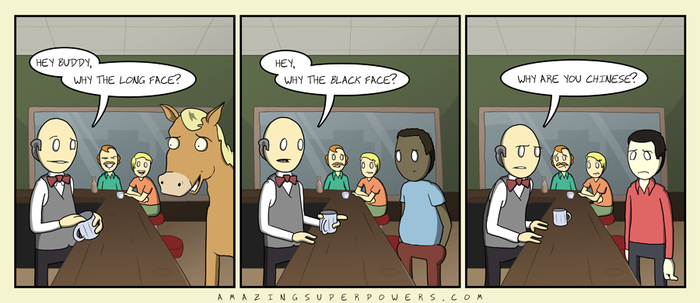
Welcome back to ASP, your source of comics for your brain that you read with your eyes.