Shared posts
30 Dec 23:14
Put Your New Leadership Knowledge Into Practice
by KKline
Have you ever tried to hit a golf ball toward the pin, toss a dart at the bull's-eye, or chuck a fly at a trout? If you're like most people, your first attempt didn't come anywhere close to hitting the mark. Your golf ball may have found the woods, your dart may have sunk into the wall, and your fly may have slapped the back of your head. These activities are skills that must be acquired through practice and discipline. You can read a book about all of them and you can study the mechanics of motion,...(read more)
30 Dec 23:13
Knee-Jerk Performance Tuning: Just Add an SSD
by Paul Randal
In this continuation of my ‘knee-jerk performance tuning’ series, I’d like to discuss Solid State Disks (SSDs) and some of the problems I see with their use in a SQL Server environment. For an in-depth description of SSDs, check out this Wikipedia article.
What Do SSDs do For SQL Server Performance?
SSDs don’t have any moving parts so when a read or write occurs, there’s almost no I/O latency. The latency in a spinning drive comes from two things:
- Moving the disk head to the right track on the disk surface (known as the seek time)
- Waiting for the disk to spin to the right point on the track (known as the rotational latency)
This means that SSDs provide a big performance boost when there’s an I/O bottleneck.
It’s that simple.
There’s a bit of complication that’s worth mentioning but beyond the scope of this article to go into in depth: SSD performance can start to degrade as the drive gets really full (investigated and explained in detail in this article from AnandTech). There may also be some system memory required for the SSD driver to help with wear leveling (prolonging the life of the NAND cells in the SSD), and that’s going to vary by vendor. Enough of that – back to the SQL Server stuff.
Avoid Bad Internet Advice
There are two bits of very poor advice I see on the Internet around SQL Server and SSDs.
The first is around what to put on the SSD, where the advice is to always put tempdb and your transaction logs on SSDs. At first glance that sounds like good advice, as transaction logs and tempdb are commonly bottlenecks in the system.
But what if they’re not?
Your workload may be read-mostly, in which case the transaction log likely won’t be a workload bottleneck and so putting it on an SSD may be a waste of an expensive SSD.
Your tempdb may not be used very much by your workload, so putting it on an SSD may be a waste of an expensive SSD.
When you’re considering which portion of the SQL Server environment to move to the SSD, you want to investigate where the I/O bottlenecks are. This can be done very easily using the code I posted last week that uses the sys.dm_io_virtual_file_stats DMV to provide a snapshot of the I/O latencies for all files in all databases on the instance. To make sense of your latency numbers, and compare them against good/bad values, read through this long post I did specifically around tempdb and transaction log I/O latencies.
And then even if you do have high latencies, don’t knee-jerk and think that the only solution is to move the poorly-performing file(s) to an SSD:
- For data file read latencies, investigate why there are so many reads occurring. I cover that here.
- For log file write latencies, consider all the ways to tune the performance of the log and what’s being logged. I cover that here, here, and here.
The worst possible case is where you’re given a bunch of SSDs, follow the Internet advice to move tempdb and your log files to them, and then there’s no workload performance gain. That’s not going to encourage your management to provide you with more expensive SSDs.
The second piece of poor advice is around index fragmentation, where the advice is that because SSDs are so fast, you don’t need to worry about index fragmentation when using SSDs.
What nonsense!
There are three ways I refute that bad advice:
- SSDs in no way stop the cause of index fragmentation: page splits from pages needing free space for a random insert or row size increase. A page split generates the same amount of transaction log, resource usage, and potential thread waits regardless of where the data/log files are stored.
- Index fragmentation includes having many data/index pages with low page density (i.e. lots of empty, free space). Do you really want your expensive SSDs storing lots of empty space? SSDs don’t help here at all.
- My colleague Jonathan Kehayias did an in-depth investigation, using Extended Events, of I/O patterns around index fragmentation specifically to address this bad advice and found that there is still a performance hit from having index fragmentation when using SSDs. You can read his long post here.
The only thing that SSDs do around index fragmentation is make the reads go faster, so there’s less of a performance penalty for index range scans when index fragmentation exists, but point 3 above shows that there’s still a penalty.
SSDs do not change how you deal with and/or prevent index fragmentation in your SQL Server environment.
Make Sure to Protect Your Data
One of the cardinal sins I see people committing around using SSDs is only using one of them. With only one drive, what RAID level are you using? Zero. RAID-0 provides no redundancy at all.
If you’re going to use an SSD, then you need to use at least two, in a RAID-1 (mirroring) configuration. There’s no point having a performance boost if you’re sacrificing the availability of the system as the trade-off.
One push back I sometimes get to using at least two SSDs is that the SSD card provides two drives to Windows, and so surely creating a Windows mirrored volume over the two drives is the same as RAID-1 across two physically separate SSDs?
No, it’s not. It’s still one physical SSD, with no redundancy. Have you ever seen half of an SSD card fail? No, neither have I. Do it right and use two of them and get real redundancy for your data.
The other push back I get is that they’re SSDs, not spinning drives, so aren’t going to fail. That’s wrong. SSDs can and do fail just like spinning drives. I’ve personally seen two enterprise-grade SSDs fail during testing in our lab environment. According to this article on StorageReview.com, consumer-grade SSDs have an MTBF of 2 million hours vs. 1.5 million hours for consumer-grade spinning drives, and I’d expect similar results for enterprise-grade drives, but SSDs do fail.
Summary
Don’t fall into the trap of thinking that whatever you put on the SSD means that you’ll get a boost in performance – you have to pick and choose carefully. And don’t believe the nonsense out there about ignoring index fragmentation when using SSDs either.
SSDs are a very useful way to increase performance, but for their cost, you want to make sure you’re maximizing the return on your company’s investment by using them correctly and only where appropriate.
In the next article in the series, I’ll discuss another common cause of knee-jerk performance tuning. Until then, happy troubleshooting!
The post Knee-Jerk Performance Tuning: Just Add an SSD appeared first on SQLPerformance.com.
30 Dec 23:13
Holiday Pairings with DBMSs & Datastores – Part I
by Karen Lopez
It’s the Wednesday before Thanksgiving weekend in the US and the rest of the world is thinking about how much MORE WORK we are going to accomplish while our American teammates are stuffing themselves with Tofurky and mashed potatoes….what?…hold on…. Oh, right. Turkey and a box of wine that someone’s sister got for a great deal at a Piggly Wiggly last June and has been saving it in the trunk of her car for her boozy in-laws (that would be YOU!).
This got me thinking about what sorts of holiday beverages the rest of us should be pairing with our database management systems and datastores. I have to say datastores because some pretentious people data professionals insist that database means relational database. Of course, those of us old experienced enough know that there were databases long before Ted Codd had that wild road trip with his friends Raoul and Dr. Gonzo and discovered developed the relational model for shared data banks.
So while the Yanks are dipping into their third helping of candied yams with marshmallows on top, we in the rest of the world can be productive. But since we aren’t in the US no one will think us odd for supplementing our work with appropriate hydration products. To help you out, I’m recommending holiday beverage pairings based on what data technology you are touching over the next four days. Four blissful days of the most productive work week of the year.
Comma Separated Values Files (CSV files)

CSVs were the original data hipster, before XML became cool. It was text. In a file. On a disk, with magnets, that spun around. Your data might be comma-delimited or length delimited…it doesn’t really matter. It’s text and anything you want to do with it you have to do by hand. So obviously, these data formats pair well with moonshine, the homemade booze of choice in most of the US. This data could also pair well with bathtub gin, but only if the bathtub is clean enough. Typically not an option, therefore, for DBAs and most of the rest of us in IT.
Excel
For Excel I’m going to split the pairings based on vintage year of release. Excel is the perfect candidate. Let’s not kid each other here: business are run on spreadsheets, not databases (Ed. – I don’t think you can say that Me: It’s my blog and besides that I’m drinking, I mean sampling, all these pairings. In other words, I may or may not be drunk already).
That means that Excel is everyone’s real data storage solution of choice, so it pairs well with the common denominator beer of choice, Budweiser. It’s cheap, there’s always some in the fridge, and it works, for the most part. So for Microsoft Excel 2003 and earlier, this Bud’s for you. The working man. The typing women. Yes, you.
Excel + Power BI

But with the release of Excel 2013 and self-serve BI via the Power…wait, hold on…. let me look up to see if it has a space or not…okay, there’s a space today….Power BI, Excel gets a bit more kick. Power Query, Power View, Power Pivot, Power Stuff, really. We’ll need the picante version of Budweiser Chelada. A chelada is beer plus Clamato. Clamato is tomato juice mixed with clam juice. The spicier version is Chelada Picante, so Budweiser + Tomato Juice + Clam Juice + salt + lime + chili peppers. Phew! I need an Excel slice and bad pie chart to show this. But I’m too busy drinking. This isn’t to say that Excel plus Power BI isn’t a great BI tool framework, but if it’s your datastore, you’ll need more booze in the morning. And like its primo the Bloody Mary, a Chelada makes for a great 7 AM meeting drink.
Oracle

Ah. Now we are on to the expensive stuff. Larry has to fund his yachts some way (Yes, that joke is getting old. But I’m drinking, so it’s okay. I mean sampling, so it’s okay.) Again, we need to factor in various versions of the Oracle suite (Presidential Suite, I should say) of products.
Exadata
For Exadata, I recommend Louis XIII Cognac. At up to 100 years old and about $3,000 a bottle, it’s older than Oracle, but the price point seems spot on for the work you’ll be doing and the rate you should be charging. You are charging Oracle rates, aren’t you?
Oracle Enterprise Edition
For Oracle Enterprise Edition, nothing beats a XO Cognac. With hints of rose petals, tobacco and leather, it’s going to feel just like it did when you signed that license agreement on your date with the Oracle sales guy. (Ed. – I don’t think you can say that. Me: I just did. And I’m drinking. You, editor, have never had to date an Oracle salespro as part of your assigned project duties and these pairing samples aren’t going to drink themselves.) The good news is that this comes with fine Baccarat Crystal glasses (aff link). They are free, until you use them. After you use them, of course you will have to pay for support on the glasses, at 23% of list price per annum.
Oracle Standard Edition

With Oracle Standard Edition, I recommend a pint of Hennessy with a silicone flask cover to ensure you have a good grip on your booze and yourself. Both the Hennessy and Standard Edition fit “affordable and full featured”, if by full featured they mean “keeps you warm in the data centre”. If you are using Standard Edition, you can’t afford those grown up bottles yet because they aren’t paying you Larry rates. Plus the silicone will remind you of… (Ed.- STOP. Right there. Just STOP. Me: Okay!!! {shhh…I may refactor this when my editor is sleeping off his turkey.})
Sybase

Oh, the father of SQL Server, sort of. At least they have a common ancestor in the evolution of databases. Do people use this DBMS anymore? I’m so old experienced that I can remember when Sybase was called SQL Server 6.5 (Ed. – I don’t think that’s true. Me: Shhh..don’t yell so loud. I’m sampling here. And I’ve lost my Glog. Mead…whatever.)
If you are supporting this DBMSs, I recommend mead. Because your Sybase DBA has been around so long it was probably his first drink. Don’t get me wrong: fruit, alcohol, honey – it’s all good stuff. If you use Sybase as a special one-off DBMS to support a vendor package, I recommend a can of Redbull and a shot of whatever you find under the sink in Executive washroom. Even if it’s a cleaning product. Maybe add a teaspoon of honey.
DB2

Ah, DB2. One of the first fully relational databases (Sorry, Ted) I ever worked with. I’d have to say that this classic DBMS, in mainframe, client server and whatever zombie hellspawn we classify AS/400 Power i as will always be close to my heart. I want to go old school here, but still classy, so I’m going to recommend a Manhattan. Who can’t love rye (“Canadian whisky”), sweet vermouth and a cherry? Really, this is the only “manly” drink that legitimately requires a cherry. For the Power i series, I’ll have to go a bit more retro and recommend that you just pick up some fallen fruit in your office parking lot. It’s probably well fermented at this time of year.
SQL Server

SQL Server 2008 R2D2 and earlier
I recommend here Tito’s Vodka in airline bottles. Prior to version 2012, SQL Server was primarily licensed with a server + CALS licensing scheme. You bought a server license, plus CALs for each user/device/whatever your salesperson said needed a license. I like Tito’s vodka. It’s good and affordable. Plus I can buy airline bottles of it on the plane which helps me with portion control, much like those 100 calorie snack packs of Oreos one eats to lose weight. So I’m told. FYI: a good flight attendant cuts you off after 6 of these little bottles. A bad one cuts you off after two. A fantastic flight attendant says "Oh, did I give you your 6 bottles already? No? Okay, have these." The same thing worked well with CALs – the more you had the happier everyone one was. It was easy to plan for new servers because this is the way it had always been done. But now….


Then along came SQL Server 2012 and a new licensing model. CALs were gone and core licensing came along. That means magnum 6+ litre-sized bottles of vodka for everyone! But not everyone can afford to fill those magnum bottles to the top with high-priced vodka. The good news is if you’ve already purchased giant bottles, you can pour out a few core’s worth of liquid to save money. Then cry about the room in the bottle that could be filled with vodka but isn’t. In the long run, the new licensing model is simpler. But for now, you might just have to live with less kick until you can right-size your servers.
Microsoft Windows Azure SQL Database Azure SQL DB

I’m not even sure what the brand name for cloud products are any more. It’s not just Microsoft, either. I figure since there are no boxes of DVDs to ship around, brand names change on a whim. Just like trends in database design. For Microsoft Azure cloud-based databases and datastores the good news is that you can just pay as you drink. Just like at your local bar. You don’t have to do much – most of the administration and maintenance is taken care of for you. At work home I recommend you purchase a Star Trek Replicator and order a Blue Cloud cocktail every time you create a database. The good news is you can also have them delivered. This is known as Cocktail as a Service (CaaS). You need to go put this into your cloud budget request now, before we hit year end. Do it now.
Finally…
These pairings are based on my experiences purchasing, renting, and borrowing these technologies. Your mileage may vary. If so, I’d love to hear about it below. And yes, I have more pairings coming soon about other data formats and databases (Ed. – Please promise me you aren’t going to write about NoSQL datab…datastores. Me: I promise {I will}).
Thanks to my co-samplers & writers Joey D’Antoni (blog | @jdanton ), Karen’s Whisky (@karens_whisky) and Thomas LaRock (blog | @sqlrockstar) You should follow them because they know booze and snark.
You might also like: 5 Things to Do to Help Your Family’s Tech Ecosystem Over the Holidays with Pairings
30 Dec 23:12
 These guys may look similar, but they're not quite identical.
Different Plans for "Identical" Servers
by Aaron Bertrand
In my last post, "Multiple Plans for an 'Identical' Query," I talked about the case where you are getting two different plans for what you think is the same query, as well as the case where you are getting two copies of the same plan (and might not even know it). As we examined there, "identical" can be a pretty strong word.
Another scenario that throws people for a loop is the case where they restore a database to a different server – say, restore a production database to an "identical" test server – and they get different performance characteristics or different plans for the same query (no quotes this time – I'm really talking about truly identical queries).
Are the servers truly "identical"?
These guys may look similar, but they're not quite identical.
If you come across this scenario, the first thing you need to ask yourself is whether these two servers really are identical. Some things to check:
-
Version – Many optimizer and query behavior changes are pushed through service packs and cumulative updates. Often I have seen people say, "Well, they're both 2008!" – when, in fact, one was 2008 and the other was 2008 R2, or they were at different service packs or even cumulative update levels. Since a lot of people reading @@VERSION mistake the operating system service pack information for the SQL Server service pack information, I would say the following is better:
SELECTSERVERPROPERTY(N'ProductVersion');I can't stress enough the importance of using the exact same version to perform true, apples-to-apples tests. If you're using SQL Server 2012 or better, you can check our build posts (SQL Server 2012 | SQL Server 2014) to determine the service pack or cumulative update required to make sure the versions match.
-
Edition – While hopefully you are using the same edition on both servers (or equivalent, since aside from licensing, Developer and Evaluation are the same as Enterprise), mismatches here can lead to very different behavior. For example, different editions have different compute capacities for various features, and then there are subtler things like the ability to use an indexed view without the NOEXPAND hint or perform schema changes or index maintenance online. You can compare editions using:
SELECTSERVERPROPERTY(N'Edition'); -
CPU count – SQL Server definitely uses the number of schedulers available during the process of producing an execution plan, and there is no denying that the number of cores can affect actual runtime performance (let's leave out clock speed, since that is rarely a significant factor in query performance). Don't just validate the number of cores physically installed in the underlying server, but also check SQL Server's error log for the number of CPUs SQL Server can actually use due to licensing. Even forgetting raw core count, on a NUMA system, artificial restrictions here can lead to very different performance profiles. For more information, see Brent Ozar's recent post, "Why Core-Based Licensing Matters for Performance Tuning." Edition ties in here as well, since in SQL Server 2012 and 2014, Standard Edition can only use 16 cores no matter what your settings or physical hardware might lead you to believe. Other settings that can influence CPU-based plan choice and performance differently include Resource Governor, server-wide MAXDOP, CPU affinity, and cost threshold for parallelism.
-
Amount of memory – Like CPUs, the optimizer makes plan choices based on the amount of memory available. And like CPUs, I'm not just talking about the amount of RAM installed in the system, but the amount of memory granted to SQL Server, and how much it is truly using. Check the max server memory settings, but also the performance counters for total and target memory, and even DBCC MEMORYSTATUS. Other things you may want to review include Resource Governor settings and Lock Pages in Memory. There is also a setting that, if different between two servers, can have a significant effect on how much of the plan cache is in use for the same set of queries: optimize for ad hoc workloads. Kimberly Tripp has a great post on this: Plan cache and optimizing for adhoc workloads. Finally, if the server is virtual, be aware that the environment can play a part here – especially when VM memory settings do not match production or are dynamic.
-
Buffer pool / plan cache – When you restore the database on the test server, there are a bunch of things that simply aren't ready for you right away. The buffer pool does not contain any of the data that may have existed in the source server – so there will be additional I/O required to prime the data into memory the first time it's queried. And if the buffer pool is restricted differently than production due to some of the factors above, it may not be possible to achieve the same performance patterns even after running the query multiple times – Paul White (@SQL_Kiwi) talks about this in his answer on Database Administrators. Also, the plan cache won't contain any of the plans that existed in production, so at the very least – even if the same plan ultimately gets compiled (which may not happen due to different parameters than when the plan was compiled on the original server) – you will have additional compilation costs. And those can change if you have any plan-affecting trace flags in place, too.
-
Disk subsystem – While the speed and size of the disk(s) being used won't directly affect plan choice, they certainly can influence observed performance, which can make you wonder why the same query, with the same plan, runs so much faster on one system than the other. I/O is typically SQL Server's biggest bottleneck, and it is quite rare that a test server really has the exact same underlying subsystem as its production equivalent. So, if you are seeing performance differences between the two systems, and the plans and other hardware elements are the same, this might be the next best place to check. And don't forget that, as of SQL Server 2014, Resource Governor may place constraints on your I/O performance.
-
Trace flags – Check the list of global trace flags set on both servers; there are several that can affect optimization, plan behavior, and perceived performance, even if all of the above settings are identical. Here are 10 common and notable ones (though this is absolutely not an endorsement to turn any of these on without thorough regression testing):
Flag Explanation 834 Enables large pages in the buffer pool. 2301 Coerces the optimizer to spend more time trying to find an optimal plan. 2312 Forces SQL Server 2014's new cardinality estimator. 2335 Causes more conservative memory grants. 2453 Forces OPTION (RECOMPILE) for queries referencing table variables. 2861 Allows SQL Server to cache trivial / zero-cost plans. 4136 Effectively, adds OPTIMIZE FOR UNKNOWN to all queries (to thwart parameter sniffing). 4199 An umbrella containing a whole slew of optimizer fixes. 8744 Disables pre-fetching for nested loops. 9481 Turns off SQL Server 2014's new cardinality estimator.
That list of trace flags is by no means exhaustive; there are many others, including undocumented ones I've been asked not to mention. If you are using others not listed above (and can't explain why), you might find clues in KB #920093, KB #2964518, Trace Flags (MSDN) or Trace Flags in SQL Server (TechNet). You will also find some valuable insight in various posts by Paul White, either here, or over on sqlblog.com. - Concurrency – Presumably the test system is used for things other than whatever you're currently testing. And unless you are performing a replay of some sort, it also likely has a very different workload profile. These differences in workload can obviously have a direct impact on the availability of resources to service the requests you're testing, and in turn the perceived performance of those requests. Don't forget to check for other services that may not exist in production, or exist but are used in different ways (such as Analysis Services, Reporting Services, Windows services, and even your own applications). Conversely there may be services like this in production that affect performance there, or additional overhead on the instance itself that isn't mimicked in test: aside from the actual production workload, think about things like tracing, extended events, high-impact monitoring, change tracking, change data capture, auditing, service broker, index maintenance, backup jobs, DBCC checks, mirroring, replication, availability groups, and the list goes on and on…
Are the databases still "identical"?
Assuming all of the hardware and workload variables match up well enough, it can still be challenging to ensure that the databases remain the same. If you are performing a backup / restore onto the test system, the new database starts out as identical to the source (except for physical location and security). But as soon as you start touching it in any way, it very quickly deviates from the production copy, since you could do any or all of the following:
- Change data, schema, or both.
- Inadvertently kick off an auto-update of statistics.
- Manually add, defragment or rebuild indexes, or create or update statistics.
- Change database settings like compatibility level, isolation level, forced parameterization, selective XML indexes, or any of the options named "Auto"-<anything>. (Heck, even data and log file locations and growth settings can affect query performance, and this includes tempdb.)
- Empty the plan cache, the buffer pool, or both, directly or as a side effect of other events (such as a RECONFIGURE or a service restart).
Also, once you start generating new query plans, even before any of the above changes take place, you have to remember that they may be based on data that is different than the data used to generate plans for the same queries in production. As an example, cardinality when the plan was compiled in production could have skewed significantly between that point and the time of the backup, meaning the new plan will be generated based on different statistics and histogram information.
These things diverge even further if this is not, in fact, a recent restore – but rather two schemas and data sets you're keeping synced in other ways (such as manual deployments of schema and/or data changes, or even replication). Due to disk space limitations, you may also have taken only a subset of production data, or even a stats-only clone – these differences in data will almost certainly lead to different performance characteristics for all but the simplest of queries, even if you do luck out and get the same plans for some.
Are the queries really "identical"?
Even if everything above checks out, there are still scenarios where you are getting a different plan because of session settings (you may be using a different copy of SSMS, with different settings, or a different client tool altogether), or different default schemas (you may be connecting to the test server as a different Windows or SQL auth login, for example). I talked a lot about these things in my previous post.
Conclusion
While there are ways to mitigate some differences (check out DBCC OPTIMIZER_WHATIF for fooling your test server into believing phenomenal things about the underlying hardware), the truth is that it is going to be very challenging to make two servers perform reliably and consistently identical, and that there are potentially dozens of reasons why you may get different plans or different performance on two similar (or even identical) servers.
Do you have any particular tricks? Do you have any excruciating pain points with the ideas above (or others I neglected to mention)? Please share in the comments below!
The post Different Plans for "Identical" Servers appeared first on SQLPerformance.com.
30 Dec 23:09

Minimising Data Movement in PDW Using Query Optimisation Techniques
by Rob Farley
This is a white paper that I put together recently about APS / PDW Query Optimisation. You may have seen it at http://blogs.technet.com/b/dataplatforminsider/archive/2014/11/14/aps-best-practice-how-to-optimize-query-performance-by-minimizing-data-movement.aspx as well, but in case you haven’t, read on!
I think the significance of this paper is big, because most people who deal with data warehouses (and PDW even more so) haven’t spent much time thinking about Query Optimisation techniques, and certainly not about how they can leverage features of SQL Server’s Query Optimizer to minimise data movement (which is probably the largest culprit for poor performance in a PDW environment).
Oh, and I have another one that I’m writing too...
The Analytics Platform System, with its MPP SQL Server engine (SQL Server Parallel Data Warehouse) can deliver performance and scalability for analytics workloads that you may not have expected from SQL Server. But there are key differences in working with SQL Server PDW and SQL Server Enterprise Edition that one should be aware of in order to take full advantage of the SQL Server PDW capabilities. One of the most important considerations when tuning queries in Microsoft SQL Server Parallel Data Warehouse is the minimisation of data movement. This post shows a useful technique regarding the identification of redundant joins through additional predicates that simulate check constraints.
Microsoft’s PDW, part of the Analytics Platform System (APS), offers scale-out technology for data warehouses. This involves spreading data across a number of SQL Server nodes and distributions, such that systems can host up to many petabytes of data. To achieve this, queries which use data from multiple distributions to satisfy joins must leverage the Data Movement Service (DMS) to relocate data during the execution of the query. This data movement is both a blessing and a curse; a blessing because it is the fundamental technology which allows the scale-out features to work, and a curse because it can be one of the most expensive parts of query execution. Furthermore, tuning to avoid data movement is something which many SQL Server query tuning experts have little experience, as it is unique to the Parallel Data Warehouse edition of SQL Server.
Regardless of whether data in PDW is stored in a column-store or row-store manner, or whether it is partitioned or not, there is a decision to be made as to whether a table is to be replicated or distributed. Replicated tables store a full copy of their data on each compute node of the system, while distributed tables distribute their data across distributions, of which there are eight on each compute node. In a system with six compute nodes, there would be forty-eight distributions, with an average of less than 2.1% (100% / 48) of the data in each distribution.
When deciding whether to distribute or replicate data, there are a number of considerations to bear in mind. Replicated data uses more storage and also has a larger management overhead, but can be more easily joined to data, as every SQL node has local access to replicated data. By distributing larger tables according to the hash of one of the table columns (known as the distribution key), the overhead of both reading and writing data is reduced – effectively reducing the size of databases by an order of magnitude.
Having decided to distribute data, choosing which column to use as the distribution key is driven by factors including the minimisation of data movement and the reduction of skew. Skew is important because if a distribution has much more than the average amount of data, this can affect query time. However, the minimisation of data movement is probably the most significant factor in distribution-key choice.
Joining two tables together involves identifying whether rows from each table match to according a number of predicates, but to do this, the two rows must be available on the same compute node. If one of the tables is replicated, this requirement is already satisfied (although it might need to be ‘trimmed’ to enable a left join), but if both tables are distributed, then the data is only known to be on the same node if one of the join predicates is an equality predicate between the distribution keys of the tables, and the data types of those keys are exactly identical (including nullability and length). More can be read about this in the excellent whitepaper about Query Execution in Parallel Data Warehouse at http://gsl.azurewebsites.net/Portals/0/Users/Projects/pdwau3/sigmod2012.pdf
To avoid data movement between commonly-performed joins, creativity is often needed by the data warehouse designers. This could involve the addition of extra columns to tables, such as adding the CustomerKey to many fact data tables (and using this as the distribution key), as joins between orders, items, payments, and other information required for a given report, as all these items are ultimately about a customer, and adding additional predicates to each join to alert the PDW Engine that only rows within the same distribution could possibly match. This is thinking that is alien for most data warehouse designers, who would typically feel that adding CustomerKey to a table not directly related to a Customer dimension is against best-practice advice.
Another technique commonly used by PDW data warehouse designers that is rarely seen in other SQL Server data warehouses is splitting tables up into two, either vertically or horizontally, whereas both are relatively common in PDW to avoid some of the problems that can often occur.
Splitting a table vertically is frequently done to reduce the impact of skew when the ideal distribution key for joins is not evenly distributed. Imagine the scenario of identifiable customers and unidentifiable customers, as increasingly the situation as stores have loyalty programs allowing them to identify a large portion (but not all) customers. For the analysis of shopping trends, it could be very useful to have data distributed by customer, but if half the customers are unknown, there will be a large amount of skew.
To solve this, sales could be split into two tables, such as Sales_KnownCustomer (distributed by CustomerKey) and Sales_UnknownCustomer (distributed by some other column). When analysing by customer, the table Sales_KnownCustomer could be used, including the CustomerKey as an additional (even if redundant) join predicate. A view performing a UNION ALL over the two tables could be used to allow reports that need to consider all Sales.
The query overhead of having the two tables is potentially high, especially if we consider tables for Sales, SaleItems, Deliveries, and more, which might all need to be split into two to avoid skew while minimising data movement, using CustomerKey as the distribution key when known to allow customer-based analysis, and SalesKey when the customer is unknown.
By distributing on a common key the impact is to effectively create mini-databases which are split out according to groups of customers, with all of the data about a particular customer residing in a single database. This is similar to the way that people scale out when doing so manually, rather than using a system such as PDW. Of course, there is a lot of additional overhead when trying to scale out manually, such as working out how to execute queries that do involve some amount of data movement.
By splitting up the tables into ones for known and unknown customers, queries that were looking something like the following:
SELECT …
FROM Sales AS s
JOIN SaleItems AS si
ON si.SalesKey = s.SalesKey
JOIN Delivery_SaleItems AS dsi
ON dsi.LineItemKey = si.LineItemKey
JOIN Deliveries AS d
ON d.DeliveryKey = dsi.DeliveryKey
…would become something like:
SELECT …
FROM Sales_KnownCustomer AS s
JOIN SaleItems_KnownCustomer AS si
ON si.SalesKey = s.SalesKey
AND si.CustomerKey = s.CustomerKey
JOIN Delivery_SaleItems_KnownCustomer AS dsi
ON dsi.LineItemKey = si.LineItemKey
AND dsi.CustomerKey = s.CustomerKey
JOIN Deliveries_KnownCustomer AS d
ON d.DeliveryKey = dsi.DeliveryKey
AND d.CustomerKey = s.CustomerKey
UNION ALL
SELECT …
FROM Sales_UnknownCustomer AS s
JOIN SaleItems_UnknownCustomer AS li
ON si.SalesKey = s.SalesKey
JOIN Delivery_SaleItems_UnknownCustomer AS dsi
ON dsi.LineItemKey = s.LineItemKey
AND dsi.SalesKey = s.SalesKey
JOIN Deliveries_UnknownCustomer AS d
ON d.DeliveryKey = s.DeliveryKey
AND d.SalesKey = s.SalesKey
I’m sure you can appreciate that this becomes a much larger effort for query writers, and the existence of views to simplify querying back to the earlier shape could be useful. If both CustomerKey and SalesKey were being used as distribution keys, then joins between the views would require both, but this can be incorporated into logical layers such as Data Source Views much more easily than using UNION ALL across the results of many joins. A DSV or Data Model could easily define relationships between tables using multiple columns so that self-serving reporting environments leverage the additional predicates.
The use of views should be considered very carefully, as it is easily possible to end up with views that nest views that nest view that nest views, and an environment that is very hard to troubleshoot and performs poorly. With sufficient care and expertise, however, there are some advantages to be had.
The resultant query would look something like:
SELECT …
FROM Sales AS s
JOIN SaleItems AS li
ON si.SalesKey = s.SalesKey
AND si.CustomerKey = s.CustomerKey
JOIN Delivery_SaleItems AS dsi
ON dsi.LineItemKey = si.LineItemKey
AND dsi.CustomerKey = s.CustomerKey
AND dsi.SalesKey = s.SalesKey
JOIN Deliveries AS d
ON d.DeliveryKey = dsi.DeliveryKey
AND d.CustomerKey = s.CustomerKey
AND d.SalesKey = s.SalesKey
Joining multiple sets of tables which have been combined using UNION ALL is not the same as performing a UNION ALL of sets of tables which have been joined. Much like any high school mathematics teacher will happily explain that (a*b)+(c*d) is not the same as (a+c)*(b+d), additional combinations need to be considered when the logical order of joins and UNION ALLs.

Notice that when we have (TableA1 UNION ALL TableA2) JOIN (TableB1 UNION ALL TableB2), we must perform joins not only between TableA1 and TableB1, and TableA2 and TableB2, but also TableA1 and TableB2, and TableB1 and TableA2. These last two combinations do not involve tables with common distribution keys, and therefore we would see data movement. This is despite the fact that we know that there can be no matching rows in those combinations, because some are for KnownCustomers and the others are for UnknownCustomers. Effectively, the relationships between the tables would be more like the following diagram:

There is an important stage of Query Optimization which must be considered here, and which can be leveraged to remove the need for data movement when this pattern is applied – that of Contradiction.
The contradiction algorithm is an incredibly useful but underappreciated stage of Query Optimization. Typically it is explained using an obvious contradiction such as WHERE 1=2. Notice the effect on the query plans of using this predicate.
 Because the Query Optimizer recognises that no rows can possibly satisfy the predicate WHERE 1=2, it does not access the data structures seen in the first query plan.
This is useful, but many readers may not consider queries that use such an obvious contradiction are going to appear in their code.
But suppose the views that perform a UNION ALL are expressed in this form:
CREATE VIEW dbo.Sales AS
SELECT *
FROM dbo.Sales_KnownCustomer
WHERE CustomerID > 0
UNION ALL
SELECT *
FROM dbo.Sales_UnknownCustomer
WHERE CustomerID = 0;
Now, we see a different kind of behaviour.
Before the predicates are used, the query on the views is rewritten as follows (with SELECT clauses replaced by ellipses).
SELECT …
FROM (SELECT …
FROM (SELECT ...
FROM [sample_vsplit].[dbo].[Sales_KnownCustomer] AS T4_1
UNION ALL
SELECT …
FROM [tempdb].[dbo].[TEMP_ID_4208] AS T4_1) AS T2_1
INNER JOIN
(SELECT …
FROM (SELECT …
FROM [sample_vsplit].[dbo].[SaleItems_KnownCustomer] AS T5_1
UNION ALL
SELECT …
FROM [tempdb].[dbo].[TEMP_ID_4209] AS T5_1) AS T3_1
INNER JOIN
(SELECT …
FROM (SELECT …
FROM [sample_vsplit].[dbo].[Delivery_SaleItems_KnownCustomer] AS T6_1
UNION ALL
SELECT …
FROM [tempdb].[dbo].[TEMP_ID_4210] AS T6_1) AS T4_1
INNER JOIN
(SELECT …
FROM [sample_vsplit].[dbo].[Deliveries_KnownCustomer] AS T6_1
UNION ALL
SELECT …
FROM [tempdb].[dbo].[TEMP_ID_4211] AS T6_1) AS T4_2
ON (([T4_2].[CustomerKey] = [T4_1].[CustomerKey])
AND ([T4_2].[SalesKey] = [T4_1].[SalesKey])
AND ([T4_2].[DeliveryKey] = [T4_1].[DeliveryKey]))) AS T3_2
ON (([T3_1].[CustomerKey] = [T3_2].[CustomerKey])
AND ([T3_1].[SalesKey] = [T3_2].[SalesKey])
AND ([T3_2].[SaleItemKey] = [T3_1].[SaleItemKey]))) AS T2_2
ON (([T2_2].[CustomerKey] = [T2_1].[CustomerKey])
AND ([T2_2].[SalesKey] = [T2_1].[SalesKey]))) AS T1_1
Whereas with the inclusion of the additional predicates, the query simplifies to:
SELECT …
FROM (SELECT …
FROM (SELECT …
FROM [sample_vsplit].[dbo].[Sales_KnownCustomer] AS T4_1
WHERE ([T4_1].[CustomerKey] > 0)) AS T3_1
INNER JOIN
(SELECT …
FROM (SELECT …
FROM [sample_vsplit].[dbo].[SaleItems_KnownCustomer] AS T5_1
WHERE ([T5_1].[CustomerKey] > 0)) AS T4_1
INNER JOIN
(SELECT …
FROM (SELECT …
FROM [sample_vsplit].[dbo].[Delivery_SaleItems_KnownCustomer] AS T6_1
WHERE ([T6_1].[CustomerKey] > 0)) AS T5_1
INNER JOIN
(SELECT …
FROM [sample_vsplit].[dbo].[Deliveries_KnownCustomer] AS T6_1
WHERE ([T6_1].[CustomerKey] > 0)) AS T5_2
ON (([T5_2].[CustomerKey] = [T5_1].[CustomerKey])
AND ([T5_2].[SalesKey] = [T5_1].[SalesKey])
AND ([T5_2].[DeliveryKey] = [T5_1].[DeliveryKey]))) AS T4_2
ON (([T4_1].[CustomerKey] = [T4_2].[CustomerKey])
AND ([T4_1].[SalesKey] = [T4_2].[SalesKey])
AND ([T4_2].[SaleItemKey] = [T4_1].[SaleItemKey]))) AS T3_2
ON (([T3_2].[CustomerKey] = [T3_1].[CustomerKey])
AND ([T3_2].[SalesKey] = [T3_1].[SalesKey]))
UNION ALL
SELECT …
FROM (SELECT …
FROM [sample_vsplit].[dbo].[Sales_UnknownCustomer] AS T4_1
WHERE ([T4_1].[CustomerKey] = 0)) AS T3_1
INNER JOIN
(SELECT …
FROM (SELECT …
FROM [sample_vsplit].[dbo].[SaleItems_UnknownCustomer] AS T5_1
WHERE ([T5_1].[CustomerKey] = 0)) AS T4_1
INNER JOIN
(SELECT …
FROM (SELECT …
FROM [sample_vsplit].[dbo].[Delivery_SaleItems_UnknownCustomer] AS T6_1
WHERE ([T6_1].[CustomerKey] = 0)) AS T5_1
INNER JOIN
(SELECT …
FROM [sample_vsplit].[dbo].[Deliveries_UnknownCustomer] AS T6_1
WHERE ([T6_1].[CustomerKey] = 0)) AS T5_2
ON (([T5_2].[CustomerKey] = [T5_1].[CustomerKey])
AND ([T5_2].[SalesKey] = [T5_1].[SalesKey])
AND ([T5_2].[DeliveryKey] = [T5_1].[DeliveryKey]))) AS T4_2
ON (([T4_1].[CustomerKey] = [T4_2].[CustomerKey])
AND ([T4_1].[SalesKey] = [T4_2].[SalesKey])
AND ([T4_2].[SaleItemKey] = [T4_1].[SaleItemKey]))) AS T3_2
ON (([T3_2].[CustomerKey] = [T3_1].[CustomerKey])
AND ([T3_2].[SalesKey] = [T3_1].[SalesKey]))) AS T1_1
This may seem more complex – it’s certainly longer – but this is the original, preferred version of the join. This is a powerful rewrite of the query.

Furthermore, the astute PDW-familiar reader will quickly realise that the UNION ALL of two local queries (queries that don’t require data movement) is also local, and that therefore, this query is completely local. The TEMP_ID_NNNNN tables in the first rewrite are more evidence that data movement has been required.
When the two plans are shown using PDW’s EXPLAIN keyword, the significance is shown even clearer.
The first plan appears as following, and it is obvious that there is a large amount of data movement involved.


The queries passed in are identical, but the altered definitions of the views have removed the need for any data movement at all. This should allow your query to run a little faster. Ok, a lot faster.
Summary
When splitting distributed tables vertically to avoid skew, views over those tables should include predicates which reiterate the conditions that cause the data to be populated into each table. This provides additional information to the PDW Engine that can remove unnecessary data movement, resulting in much-improved performance, both for standard reports using designed queries, and ad hoc reports that use a data model.
Check us out at www.lobsterpot.com.au or talk to me via Twitter at @rob_farley
30 Dec 23:09
Why Do People Leave a Good Company?
by kevin

When people join a company, it’s usually with a sense of anticipation, of excitement, and of enthusiasm. They are ready to get started and to make a difference. Whether they are an individual contributor or a mid-level manager, the first day at a new company brings with it a renewed sense of engagement and optimism.
Over time, that first-day-of-work feeling wanes a bit and they get into a routine. It may be a consistent work-a-day routine or it may be a fast-paced, got-to-get-it-done-yesterday routine, but there’s a routine nonetheless.
Read the rest of the article at ForITPros.com
The post Why Do People Leave a Good Company? appeared first on Kevin Kline.
30 Dec 23:09
It’s That Time of Year to Think About Your Career
by andyleonard
If you work with SQL Server (or want to work with SQL Server), this is a good time of the year to think about your career. Why? It’s the holiday season and you should have some time off… unless you have a Crappy Job . You can use some of this time to...(read more)
30 Dec 23:05
Running SQL Server 2014 on an Azure Virtual Machine
by Glenn Berry
Microsoft is making it increasingly easy to run SQL Server 2014 on an Azure virtual machine in one of Microsoft's seventeen Azure data centers. You can run a preconfigured virtual machine with a preconfigured SQL Server 2014 instance from the Azure gallery on your choice of any size Azure virtual machine. One of the choices from the gallery is "SQL Server 2014 Enterprise Optimized for Transactional Workloads" running on Windows Server 2012 R2. One nice thing about using a preconfigured gallery image is that you do not have to pay for any SQL Server 2014 licenses. You simply pay the hourly cost for the edition of SQL Server and virtual machine size that you choose.
SQL Server 2014 Configuration Options
Microsoft explains that "This Enterprise Edition image is optimized for OLTP workloads and is intended for VM sizes including A4, A7, A8 and A9. Once deployed, the VM comes with Windows Storage Spaces pre-configured." Microsoft also does some instance-level configuration work on SQL Server 2014, although they do not go far enough with what I would consider to be standard best practices.
They create eight tempdb data files that are all 25600MB in size, with an autogrow increment of 1024MB, which is a good default choice. They also enable TF1117 and TF1118 as start-up trace flags, which are also good choices for SQL Server. Finally, Microsoft also enables instant file initialization and lock pages in memory in the operating system, which I also agree with.
I would prefer that Microsoft also made some changes to these instance-level configuration options:
- backup compression default
- cost threshold for parallelism
- max degree of parallelism
- max server memory (MB)
- optimize for ad hoc workloads
Backup compression should be enabled by default in most cases. Cost threshold for parallelism often should be raised to a higher value than the default of 5, depending on your workload. Max degree of parallelism usually should be changed to a non-default value based on the number of cores in a NUMA node. This setting also depends on your workload. Max server memory should be set to a non-default value based on the amount of RAM in the virtual machine and what you are running (besides the SQL Server database engine) on the VM. Finally, I think optimize for ad hoc workloads should be enabled, pretty much in all cases.
In Microsoft's defense, it would be difficult to make a satisfactory configuration choice for some of these items without knowing (in advance) the details of your VM size and expected database server workload. That leaves the task up to you, just like with an on-premises SQL Server instance.
Azure Virtual Machine Sizing
Even though you can choose anything from an A0 Basic to an A9 Standard machine, Microsoft recommends that you choose either an A4 Standard, A7 Standard, A8 Standard, or A9 Standard size virtual machine for production usage. Pricing details for SQL Server virtual machines are listed here.
Looking at the comparative specifications for these recommendations in Table 1, it is hard to understand why you would want to choose an A4 Standard machine, since it costs the same amount per hour as the larger A7 or A8 Standard machines. Looking at the online documentation, it is not initially very clear what the actual difference is between an A7 and an A8 Standard machine. Digging a little deeper, the A8 Standard machine is considered a Compute Intensive instance, which is supposed to use a faster 2.6GHz Intel Xeon E5-2670 processor, along with two network adapters (one 10Gbps and one 32Gbps RDMA capable).
The A7 Standard virtual machine uses a somewhat slower 2.2GHz Intel Xeon E5-2660 processor, while the network connectivity appears to be standard 1Gbps Ethernet. While this sounds like a significant difference in processor and network performance, it is not really the main issue with the A-series virtual machines for SQL Server usage.
| VM Size | SQL Standard Rate | SQL Enterprise Rate | Core Count | RAM Amount |
|---|---|---|---|---|
| A4 Standard | $0.80/hr | $3.00/hr | 8 | 14GB |
| A7 Standard | $0.80/hr | $3.00/hr | 8 | 56GB |
| A8 Standard | $0.80/hr | $3.00/hr | 8 | 56GB |
| A9 Standard | $1.60/hr | $6.00/hr | 16 | 112GB |
Table 1: A-Series SQL Server Virtual Machine Information
The main problem with all of the A-series virtual machines is the pretty miserable I/O subsystem performance, even though Microsoft has pre-configured the disk subsystem with Windows Storage Spaces to get best performance possible given the inherent performance limitations of the A-series virtual machines and hosts. Figure 1 shows the CrystalDiskMark results for the E: drive from an A4 Standard machine from the East US Azure data center, which is meant for transaction log files.
 Figure 1: A4 Standard CrystalDiskMark Results
A much better alternative for SQL Server are the D-series virtual machines. These virtual machines cost the same per hour as the comparably sized A-series virtual machines, and they have local SSD storage that should only be used for tempdb and/or for buffer pool extensions (BPE) files, since they are not persistent. Some relevant specifications for D-series virtual machines are shown in Table 2.
| VM Size | SQL Standard Rate | SQL Enterprise Rate | Core Count | RAM Amount |
|---|---|---|---|---|
| D4 Standard | $0.80/hr | $3.00/hr | 8 | 28GB |
| D13 Standard | $0.80/hr | $3.00/hr | 8 | 56GB |
| D14 Standard | $1.60/hr | $6.00/hr | 16 | 112GB |
Table 2: D-Series SQL Server Virtual Machine Information
The D4 Standard machine costs the same as an A4 Standard machine, but it has twice the RAM and some local SSD storage. The D13 Standard machine costs the same as an A7 or A8 Standard machine, but with the benefit of local SDD storage. The D14 Standard machine costs the same as an A9 Standard machine, but also has the benefit of local SSD storage. Given this information, it makes little sense to use a A-series virtual machine for SQL Server.
Unfortunately, the permanent drives for your SQL Server data and log files also have pretty substandard I/O performance in CrystalDiskMark, as shown in Figures 2 and 3.
 Figure 2: D14 Standard CrystalDiskMark Results Figure 2: D14 Standard CrystalDiskMark Results
|
 Figure 3: D14 Standard CrystalDiskMark Results Figure 3: D14 Standard CrystalDiskMark Results
|
The local SSD performance is related to the size of the Azure virtual machine, with larger sizes getting better local SSD performance. The CrystalDiskMark performance results for a D14 Standard machine in the East US Azure data center are shown in Figure 4.
 Figure 4: D14 Standard CrystalDiskMark Results for Local SSD Storage
The F: drive (for SQL Server data files) has slightly better results than the E: drive, but both drives have a very low level of performance for SQL Server.
Conclusion
It seems pretty clear that the D-series machines are better for SQL Server usage than the A-series machines. It also makes sense to pay close attention to the sizing and pricing of the virtual machine you decide to provision for SQL Server, since you can get more RAM at the same hourly cost. The two best choices from a performance perspective are the D13 or D14 Standard virtual machines.
The preconfigured SQL Server 2014 instances from the Azure gallery can save you a lot of money in SQL Server licensing costs, and they have much of the necessary configuration work already complete in the base image. You should still go in and make a few final configuration changes based on your preference and workload. Finally, you should take the time to run some performance benchmarks on your virtual machine so that you understand the level of performance that it can deliver.
The post Running SQL Server 2014 on an Azure Virtual Machine appeared first on SQLPerformance.com.
30 Dec 23:05

Thoughts On Raising Funds and Spending Funds for PASS Chapters
by Andy Warren
Based on limited but practical experience I believe chapters typically work hardest to find speakers and sponsors, the latter being the main (often only) way that funds are raised for the chapter. Sometimes the sponsors give cash, sometimes they just provide the food. Many chapters have close to zero cash on hand, in part due to a reluctance to manage (or even have) a checking account or money at all and in part due to not seeing a need for cash. SQLSaturday was designed to be a membership drive and fund raiser, and some chapters do bank (figuratively at least) funds to support chapter operations, and we can think of that as a variation of meeting sponsors. Seminars (“Pre-cons”) that precede SQLSaturday can also be an effective fund raiser.
Do you need funds at all? That’s a good starting point. What are funds used for? Or what could they be used for?
- Providing food for attendees. Nice service, whether it’s pizza or home made tacos like they have at Magic PASS. It means attendees can go direct to the meeting and not have to rush through a meal beforehand (or eat when they get home, 9 pm or later)
- Facility fee. Most chapters find a free place, but sometimes there’s a fee.
- SWAG. Ideally it’s from sponsors, but it’s also nice to have chapter branded items to give away, or at least one prize if nothing showed up from a sponsor
- Speaker gifts. Chapters can’t typically afford to reimburse for expenses, but it’s nice to offer a gas or coffee card, or a chapter polo.
- SQLFamily events. Maybe it’s a death in their family, or even the death of a member, or maybe a wedding or something similar. It’s nice to be able to send a small gift or just a card.
- Support items. Many chapters need a projector and screen, plus signs, a “chapter kit” of stuff for the meeting that includes extension cords, extra mouse and presentation remote, etc
- Banking/accounting fees. If you’re organized enough to have cash there is a cost that goes with keeping track of it
- Deposits/liquidity towards the next SQLSaturday. Not all events get free space and if it’s not free, it may require a deposit. Even without a deposit it requires a personal commitment, it’s nice to have that amount of cash on hand to remove the stress (not everyone is able to guarantee a $1000+ commitment personally)
- Guarantee speaker travel costs for a seminar. Here in Orlando we guarantee travel/hotel costs, then we take all the costs off the top and split with the speaker. We typically plan for about $800 in travel expenses. It’s nice to have that on hand (and ideally more because there is almost always a facility cost)
There are probably more than that, but you get the idea.
There are typically two funding models. Many chapters use a hybrid
- Funds for each meeting come from a sponsor in cash or equivalent.
- Funds raised once a year at SQLSaturday (and seminars)
It’s worth noting that it’s not uncommon for the chapter leader/team to pay out of pocket for food/expenses because they didn’t have time to find a sponsor.
It’s entirely possible to run a chapter without ever touching cash or having a sponsor. I think it’s limiting, but it’s possible. If that’s your choice, I’m good with that. The goal is, after all, to connect/share/learn. However you get there! If you’ve decided to solicit funds in some way, it makes sense to think about what services you want to provide and how much of a cushion you need beyond that. Having three to six months operating expenses on hand reduces the stress (for a 10 attendee chapter, that’s perhaps $600 – $800). You can lower that number, or raise it, depending on what you want to do. Maybe you’re trying to save enough money to cover your seminar expenses at the next SQLSaturday. Maybe you need a new projector. Make the list, check it twice, and then match that against your ability to raise funds!
I like that most chapters provide food at no cost, but I also think that most of us would pay a $7.50 to $10 fee for a simple meal (Jason’s Deli, Boston Market, something easy to procure and manage). It’s worked at SQLSaturday. Most pay, some bring their own, it works. I’m not at all suggesting a fee for attending. The meeting itself should be free. It’s a model I haven’t used much, but one worth trying if you’re struggling.
It’s all too easy (we’ve done it here in Orlando a time or two) to spend more than is really needed on SQLSaturday because we had a really good fund raising effort. The best way to avoid that is to figure out what you want to raise for your chapter and get that number into the budget, and then think about what to do if you exceed that goal plus what you need for your core SQLSaturday services. Maybe it’s a 50/50 split between SQLSaturday extra’s and adding more to the chapter fund, maybe something different.
Here’s a different example that came up this week. Both Orlando chapters have some funds in the bank from the most recent SQLSaturday. Should they use those funds for a holiday party? I like holiday parties. Free is always nice. Is it the best way to use those funds? It’s far from the worst! Somewhere between excess (not common) and penny pinching (more common due to the lack of pennies) there is a balance. I’m disinclined to argue about a free holiday party as long as other needs are being met.
Here’s a different idea. If we had, say, $2000 in the bank, we could pay a “big name” speaker $1000 plus expenses to do an all day presentation for our members, for free. Could we charge for it? Sure. Or would we do more good by giving it away, or only charging a lunch fee ala SQLSaturday? Could we get sponsor to pay $2000 to be the sole sponsor for the one day event? Could we do that 4 times a year? What would that do for the local community?
My goal in all of this is not to tell you that you’re doing it wrong. Chapters should be fun, because they are certainly a lot of work. Just think about what you spend and how you raise funds, and decide if you could/should/want to do more, or less, and why. Think about the benefit of “just” doing the once a year fund raiser vs struggling for pizza money every month. What could you do if you had more cash on hand?
30 Dec 23:03

Thoughts on Speakers and Topics for PASS Chapters
by Andy Warren
After wrapping up my part of SQLSaturday Orlando this year I’ve been thinking on what if anything we might do to increase attendance at oPASS & MagicPASS. Attendance at both is reasonable right now, this is just me looking and thinking about what we could add to what we have now. Is more better? I’ll argue to a point it is. I’ve always thought that meetings with 30 or more just had a different feel. Lots of people to network with, a sense of “stuff is going on here”. Thirty attendees is a tough get here in Orlando, and I suspect in most cities of the same size or smaller. My first thought was to work on the marketing angle. We saw for SQLSat Orlando that “more” marketing made a difference even though the event is well known locally, held on about the same date and at the same location each year. I think more marketing can help some (and we’ll come back to that in a later post), but I don’t think it’s the thing that moves the needle the most. What does? Speakers and topics.
The value of speakers you probably get. The bigger the name, the more likely attendance goes up with no extra effort, though I suspect big names get a little extra effort because the chapter volunteers are excited. Think about that. With basically no change in marketing approach the big(ger) name speakers equate to higher attendance. Clearly one strategy might be “just get all big name speakers”! Unrealistic of course, when few if any of them live locally. We get them if they happen to visit our city, otherwise we may get them for virtual presentations (rarely is that perceived to be as valuable as in-person delivery).
Experience with the topic matters, as does speaking experience. The more cred the speaker has, the more we can use that to sell the presentation. It’s also important to remember that our members don’t have the same knowledge, relationship, or interest in big names. We had what I consider a “big name” speak in Orlando this year, but I can tell you that the attendance was based on the topic. Now it’s fair to say that the topic was interesting and credible because of the speaker, but few of our attendees would have attended based on the speaker name alone.
Topics matter, maybe more than you think. A good title and abstract can drive attendance even if by a relatively unknown speaker. A niche topic, or one with a name that seems too cute or too simple, will not. The strategy here could be “only accept great topics and abstracts”, but in practice most chapters are close to desperate for speakers each month and they take what they can get. Where I think we sometimes fail our members and the speakers is by not engaging with the speaker early to ask for changes to the topic that will help us drive attendance. It might just be a change to the name of the presentation, it might go far deeper – asking for more demos, or making it more relevant to the members. Here’s an example. Let’s say that a local person offered to speak on the spatial features of SQL Server and submitted the title “Developing Apps Using SQL Server Geo-Spatial Features”. That’s a great topic, but is it the right one? You have to think about your members and decide. Could you leverage the speakers knowledge and tweak it for your members? How about?
- Why You Need to Learn Write Spatial Queries
- Master Spatial Features in 60 Minutes
- Practical Uses of Spatial Features for DBA’s
Here in Orlando any one of those three might draw more attendees than the original title. Might. That’s also assuming the speaker is ok with the change and is willing to invest more time to tailor it to your request.
Let me pause here and talk about attendance again. While attendance isn’t everything, every speaker I know would prefer to talk to 20 attendees instead of 10. At the same time Chapters are the grass roots of PASS and are one of the places where new speakers and new presentations get tested and honed, which means that sometimes we may have to settle for lower attendance in order to get a new speaker started. We can’t make decisions solely based on driving attendance –it’s not a business. We can’t even always make decisions based on quality, we may simply have to hope that our new speaker does ok.
How do chapters find speakers? Sometimes the speaker finds them (hey, I’m town next month), but more often the chapter leader is working their network hoping someone will hear the request and accept. The bigger and better your network the easier it is, but it’s never easy.
Can we change the game? What if you looked at the list of all the session from the Summit? Or even all the sessions from every SQLSaturday in the past 12 months. What topics do you want to deliver to your members? Do you know? Have you asked? Which topics resonated in the past year? What sessions were popular at your local SQLSaturday? What big names haven’t been to your group? What speakers scored really well at your SQLSaturday? Now imagine taking that list and launching personal invitations. Dear Larry (or Moe), we’re writing to invite you to speak to our group next year on topic X. We’re back to marketing, because we’re decided to stop selling whatever comes along and start trying to get what we think our members want most and selling that. Same good or bad marketing process, just a deliberately selected product.
Just because we email someone doesn’t mean they’ll fly in to speak. Some will though, because people like to be asked. Even if they can only do the virtual presentation, you’ve got one that is better aligned with your local members and more likely (in theory!) to draw more attendees.
Let me add a couple more thoughts related to this. One is that we’ve standardized on 60 minute presentations and I think that’s been a mistake at chapter meetings. I think the reward for time equation is just a tough one for many people. Why not move to 90 minutes and invite deeper presentations? Or even a full 2 hours in part one/part two format? The other item that I haven’t thought enough about yet is finding and growing local speakers. Nationally/globally the speaker pool has grown a lot, but locally, here in Orlando, we haven’t been very successful. We’ve tried in various ways, but none that seem to work consistently (or at all!). If we could figure that out, that might really make a difference in how our groups work.
I know that’s not a formula, but I can see the beginnings of one. It makes me wish all the more for PASS to field the speaker bureau because then we could easily search by topic, read eval results, and easily contact people we won’t know. That wouldn’t make finding speakers easy, just easier.
30 Dec 23:03

SQLFamily.Org
by Andy Warren
Back in March 2013 I wrote We Need A Place For SQLFamily News after the death of the spouse of a local chapter member. In April 2014 we had a former chapter member die and last week I ran across a post from a speaker I know about recovering from a stroke. That reminded me of the we need a place post, so on a whim I did a domain search and found that sqlfamily.org was available, so I acquired it. Now though, what to do with it, if anything? My thought was to do something simple:
- Once a week post of any news that week. No post if no news. Find news via #sqlfamily tag on Twitter, or that is sent to webmaster, or ?
- Enable email subscriptions
What counts as news? I don’t see this as high volume, so maybe its:
- Serious illness
- Death
- Marriage
- Birth of a child
- Birthday
Worth doing? Worth doing more? What would more look like? More than that, who should do it? I’m up for starting it to see if it works, but long term it should be a family thing, or a PASS thing perhaps. I’d appreciate any thoughts you have on any of that, here, on Twitter, or via email (andy@thisdomain.com).
30 Dec 23:01

Will 2015 be a big year for the SQL community?
by Rob Farley
In Australia, almost certainly yes.
Australia recently saw two Azure data centres open, meaning that customers can now consider hosting data in Azure without worrying about it going overseas. Whether you’re considering SQL Database or having an Azure VM with SQL on it, the story has vastly improved here in Australia, and conversations will go further.
The impact of this will definitely reach the community…
…a community which is moving from strength to strength in itself.
I say that because in 2014 we have seen new PASS Chapters pop up in Melbourne and Sydney (user groups that have existed for some time but have now been aligned with PASS); many of the prominent Australian partner organisations have MVPs on staff now, which was mentioned a few times at the Australian Partner Conference in September; and SQL Saturdays have come along way since the first ones were run around the country in 2012. February will see SQL Saturday 365 in Melbourne host around 30 sessions, and build on its 2013 effort of becoming one of the largest ten SQL Saturday events in the world. Microsoft Australia seems more receptive than ever to the SQL Server community, and I’m seeing individuals pushing into the community as well.
From a personal perspective, I think 2015 will be an interesting year. As well as being a chapter leader and regional mentor, I know that I need to develop some new talks, after getting rejected to speak at the PASS Summit, but I also want to take the time to develop other speakers, as I have done in recent years.
 I also want to write more – both blogs and white papers. I’ve blogged every month for at least five years, but many months that’s just the T-SQL Tuesday post. (Oh yeah – this post is for one of those two, hosted by Wayne Sheffield (@DBAWayne) on the topic of ‘Giving Back’.) So I want to be able to write a lot more than 12 posts in the year, and take the opportunity to get deeper in the content. I know I have a lot to talk about, whether it be in the BI space, or about query plans, or PDW, or security – there really are a lot of topics I could cover – I just need to reserve the time to get my content out there.
So challenge me. If you want help with an abstract, or a talk outline (which I know is very different to an abstract), or you want me to blog on a particular topic, then let me know and I’ll see what I can do. I want to give even more to the community, and if you’re in the community, that should include you!
30 Dec 23:00

TSQL Tuesday #61: How I plan on Giving Back
by Wayne Sheffield
 A little over 5 years ago, Adam Machanic (B|T) had this great idea of getting everyone in the SQL Community to all blog about a specific topic on the second Tuesday of the month. This monthly “blogging party” has a host, aka party organizer, that decides the theme. It has evolved: it goes by the name “T-SQL Tuesday”, it has its own Twitter hashtag (#TSQL2sDay), and monthly we are seeing more and more people joining in. For some people, this has become what draws them out of their shell to write something on their blog at all. This month starts the 6th year, and I want to thank Adam for giving this to our community.
This month, I’m the party organizer, and the theme that I had selected was Giving Back. Specifically, I asked:
In “The Spirit of Giving”, I want to know how you plan on Giving Back to the SQL Community during the coming year. Are you going to start speaking at your local user group? Speak at your local SQL Saturday? Perhaps step up and help run your local user group? Do you want to start becoming an active blogger – or increase your blogging? Do you plan on volunteering your time with larger organizations (such as PASS), so that SQL Training can occur at a larger level?
In order to decide how you want to improve, you need to take stock of what you’re currently doing. During 2014, I have (or will have) spoken at 12 SQL Saturdays across the United States (mostly in the East), where I’ve presented 16 sessions and I’ve co-presented 6 workshops (aka precons). Additionally, I’ve presented to three SQL User groups. Locally, I arrange the speakers for my local user group in Richmond, VA and I was a co-organizer for our SQL Saturday in March. For the PASS Summit, I served on the PowerPoint review committee. As far as writing goes, I’ve only blogged 16 posts on my blog, with 5 more on my work blog and 2 articles published at SQLServerCentral. And I just haven’t had the time to help out with online forums.
I’m happy with an average of 1 SQL Saturday per month. However, I really enjoy presenting, and I want to do more. What is missing here is presenting outside of PASS. Furthermore, I’d like to present internationally, though this does need to be at an English speaking location. I have plans for participating in SQL Summer Camp in June in Nova Scotia. And I’d like to present again at the PASS Summit.
Another area that is missing is giving back to user groups – I was shocked to see that I only presented at 3 during this year. I want to do better in this area during the upcoming year.
So, how I plan to Give Back to the SQL community during the coming year are:
Present to at least 1 SQL Saturday per month (average).
Post at least 1 blog post per month (outside of T-SQL Tuesday blog posts or my work blog).
Present at one non-PASS conference.
Submit to present to international conferences (SQL Bits, SQL Rally, etc.).
Present to at least 6 user groups. (Hey user group leaders – contact me!)
Submit four articles for submission at SQLServerCentral.
Participate more in online forums for SQL help.
I hope to be selected to be a volunteer with the PASS Summit again in some capacity.
And I’ll be the heading up our SQL Saturday event on March 21, 2015 (though we all know that this is a team operation).
And now I’ll ask everyone reading this to help hold me to these goals.
30 Dec 22:59

SQLskills holiday gift to you: all 2013 Insider videos
by Paul Randal
As we all wind down for the 2014 holiday season, we want to give the SQL Server community a holiday gift to say ‘thank you’ for all your support during 2014, and what better gift than more free content?!
As many of you know, I publish a bi-weekly newsletter to more than 11,500 subscribers that contains an editorial on a SQL Server topic, a demo video, and a book review of my most recently completed book. We’re making all the 2013 demo videos available so everyone can watch them - 24 videos in all, WMV format only. I did the same thing the last few years for the 2012 videos and 2011 videos.
Here are the details:
- January 2013: Recreating missing log files on attach (from Pluralsight) (video | demo code)
- January 2013: Using the sys.dm_db_stats_properties DMV (video | demo code)
- February 2013: Using Microsoft Data Link (video)
- February 2013: Linked servers and statistics (video | demo code)
- March 2013: Using the system_health Extended Event session (video | demo code)
- March 2013: Moving from SQL Trace to Extended Events (video | demo code)
- April 2013: Color coding and other SSMS features (video)
- April 2013: DISTINCT aggregate improvements (video | demo code)
- May 2013: Using the tsql_stack Extended Event action (from Pluralsight) (video | demo code)
- May 2013: Deferred drop behavior (from Pluralsight) (video | demo code)
- June 2013: Finding duplicate statistics (video | demo code)
- June 2013: Using data compression (video | demo code)
- July 2013: Undetectable performance problems (video | demo code)
- July 2013: SSMS Object Explorer features (video)
- August 2013: Parallel crash recovery (from Pluralsight) (video | demo code)
- August 2013: Tracking tempdb space usage (video | demo code)
- September 2013: Enabling instant file initialization (video | demo code)
- September 2013: Using query hashes (video | demo code)
- September 2013: Recovering from data purity corruptions (from Pluralsight) (video | demo code)
- October 2013: Implicit conversions (from Pluralsight) (video | demo code)
- October 2013: Extended Events templates (video | demo code)
- November 2013: Using the missing index DMVs (video | demo code)
- November 2013: Using older backups to retrieve data after corruption (from Pluralsight) (video | demo code)
- December 2013: Enabling database mail (video)
If you want to see the 2014 videos before next December, get all the newsletter back-issues, and follow along as the newsletters come out, just sign-up at http://www.SQLskills.com/Insider. No strings attached, no marketing or advertising, just free content.
Happy Holidays and enjoy the videos!
The post SQLskills holiday gift to you: all 2013 Insider videos appeared first on Paul S. Randal.
30 Dec 22:58

Should there be code differences between Azure SQL Database editions?
by Greg Low
I spend a lot of time working with software houses, helping them to make their applications work well with SQL Server. One thing that I’ve heard loud and clear over the years is that most software houses won’t write a single line of code that will only run on the enterprise edition of SQL Server, because they are not prepared to limit their potential pool of customers to those running enterprise edition.
This is completely at odds with the discussions that I’ve had with the SQL Server marketing team members who think that having feature differences will cause people to purchase enterprise edition instead. I’m sure that’s true for customers who write their own applications in-house and is also why at promotional events, the customers that you see mentioned are often those types of customers. However, most SQL Server customers run 3rd party applications written by other companies. The customers will often ask the software houses what software is required to run their applications and they then purchase what they need, unless they have some other pre-existing form of relationship with Microsoft.
So this means that having a difference in features can actually cost Microsoft money as the customers will often purchase standard edition because that’s all the software that they will be running requires.
Worse, when software houses are comparing SQL Server to other database engines, they compare SQL Server standard edition to the other engines, not the enterprise edition. This makes SQL Server compare badly for marketing reasons instead of technical reasons. For example, I saw a software house the other day comparing SQL Server with PostgreSQL. Their contention was that PostgreSQL (a free database engine) had a good high availability story and that SQL Server did not. Their logic was that SQL Server only had mirroring (and log shipping) and Microsoft had announced the deprecation of mirroring. So their contention was that SQL Server did not have a good availability story. The fact that enterprise edition had a really good story was irrelevant as they don’t consider anything in that version.
A further issue appears with coding. There is no developer edition of SQL Server that is limited to standard edition features. Software houses want to write code once and have it work across all target editions.
Another core issue is that this focus on enterprise edition has removed the upgrade reasons for standard edition customers. I think that every edition should have a compelling upgrade story, for every version. As an example, in SQL Server 2014, the reasons to upgrade for standard edition customers are the ability to use 128GB of memory and to have backup encryption. I’ll leave it to the reader to decide if that’s a strong story. I don’t think it is.
The final issue with the existing situation is that the product is moving into areas that need support from software houses. SQL Server 2014 introduced a range of in-memory options. For any customer that can’t change the code (ie: most customers), this is irrelevant. Again you’ll see the same large customers who write their own apps being mentioned in the launch events. I this case, I think the marketing team really have made a mistake. While new HA features, etc. can be retrofitted by a DBA to an existing database, the new in-memory options really need to be architected into the design of the applications. And that’s where it’s a real problem that it’s in enterprise edition only. The software houses are unlikely to use it, and yet they are exactly the same people that we need to embrace it.
So what does this have to do with Azure?
Bob Beauchemin wrote a great blog post today about how Azure SQL Database is moving to a SQL Server 2014 code base. That’s a great thing but one aspect that caught my eye was the mention that this is the first version of Azure SQL Database where features like columnstore indexes, etc. will only appear in the premium editions of Azure SQL Database.
While I’ve had concerns about how the licensing has been handled in the on-premises versions of SQL Server, in Azure SQL Database this concerns me even more. I really think that Azure SQL Database should offer the same code surface no matter which edition you are using. It makes sense to have performance and availability (including HA) options differ between Basic, Standard, and Premium but I really don’t like the idea of coding/feature differences. First up, it will again see software houses ignoring useful features. But worse, in the Azure SQL Database arena, customers are much more likely to use a mix of database editions than they currently do on-premises.
For example, if I am offering an application as a service, I want to be able to have different databases for different tenant customers. I really want to be able to choose the performance, reliability, availability options, etc. on a tenant by tenant basis, not across all tenants that are using my application. Having coding differences across the editions would make this a mess, or at least I think so.
I’d love to hear your thoughts.
30 Dec 09:07
Should there be code differences between Azure SQL Database editions?
by Greg Low
I spend a lot of time working with software houses, helping them to make their applications work well with SQL Server. One thing that I’ve heard loud and clear over the years is that most software houses won’t write a single line of code that will only run on the enterprise edition of SQL Server, because they are not prepared to limit their potential pool of customers to those running enterprise edition.
This is completely at odds with the discussions that I’ve had with the SQL Server marketing team members who think that having feature differences will cause people to purchase enterprise edition instead. I’m sure that’s true for customers who write their own applications in-house and is also why at promotional events, the customers that you see mentioned are often those types of customers. However, most SQL Server customers run 3rd party applications written by other companies. The customers will often ask the software houses what software is required to run their applications and they then purchase what they need, unless they have some other pre-existing form of relationship with Microsoft.
So this means that having a difference in features can actually cost Microsoft money as the customers will often purchase standard edition because that’s all the software that they will be running requires.
Worse, when software houses are comparing SQL Server to other database engines, they compare SQL Server standard edition to the other engines, not the enterprise edition. This makes SQL Server compare badly for marketing reasons instead of technical reasons. For example, I saw a software house the other day comparing SQL Server with PostgreSQL. Their contention was that PostgreSQL (a free database engine) had a good high availability story and that SQL Server did not. Their logic was that SQL Server only had mirroring (and log shipping) and Microsoft had announced the deprecation of mirroring. So their contention was that SQL Server did not have a good availability story. The fact that enterprise edition had a really good story was irrelevant as they don’t consider anything in that version.
A further issue appears with coding. There is no developer edition of SQL Server that is limited to standard edition features. Software houses want to write code once and have it work across all target editions.
Another core issue is that this focus on enterprise edition has removed the upgrade reasons for standard edition customers. I think that every edition should have a compelling upgrade story, for every version. As an example, in SQL Server 2014, the reasons to upgrade for standard edition customers are the ability to use 128GB of memory and to have backup encryption. I’ll leave it to the reader to decide if that’s a strong story. I don’t think it is.
The final issue with the existing situation is that the product is moving into areas that need support from software houses. SQL Server 2014 introduced a range of in-memory options. For any customer that can’t change the code (ie: most customers), this is irrelevant. Again you’ll see the same large customers who write their own apps being mentioned in the launch events. I this case, I think the marketing team really have made a mistake. While new HA features, etc. can be retrofitted by a DBA to an existing database, the new in-memory options really need to be architected into the design of the applications. And that’s where it’s a real problem that it’s in enterprise edition only. The software houses are unlikely to use it, and yet they are exactly the same people that we need to embrace it.
So what does this have to do with Azure?
Bob Beauchemin wrote a great blog post today about how Azure SQL Database is moving to a SQL Server 2014 code base. That’s a great thing but one aspect that caught my eye was the mention that this is the first version of Azure SQL Database where features like columnstore indexes, etc. will only appear in the premium editions of Azure SQL Database.
While I’ve had concerns about how the licensing has been handled in the on-premises versions of SQL Server, in Azure SQL Database this concerns me even more. I really think that Azure SQL Database should offer the same code surface no matter which edition you are using. It makes sense to have performance and availability (including HA) options differ between Basic, Standard, and Premium but I really don’t like the idea of coding/feature differences. First up, it will again see software houses ignoring useful features. But worse, in the Azure SQL Database arena, customers are much more likely to use a mix of database editions than they currently do on-premises.
For example, if I am offering an application as a service, I want to be able to have different databases for different tenant customers. I really want to be able to choose the performance, reliability, availability options, etc. on a tenant by tenant basis, not across all tenants that are using my application. Having coding differences across the editions would make this a mess, or at least I think so.
I’d love to hear your thoughts.
30 Dec 09:07

How It Works: sp_server_diagnostics – spinlock backoffs
by psssql
There are numerous articles outlining how spinlocks work so I won’t cover the details in this post. Instead, I want to focus on the spinlockbackoffs value recorded in the sp_server_diagnostics output.
Component = System
<system spinlockBackoffs="0" sickSpinlockType="none" sickSpinlockTypeAfterAv="none" …
Querying select * from sys.dm_os_spinlock_stats the backoffs column is presented. This is NOT the same as the spinlockBackoffs presented in the sp_server_diagnostics output.
A spinlock backoff is only counted in sp_server_diagnostics when the spinlock has been declared SICK. Sick is the term used to indicate that the code has attempted to acquire the spinlock ownership but after 10,000s of spins and lightweight backoffs, for approx. 5 seconds, ownership could not be acquired. At the ~5 second point the code performs a more agressive sleep operation because the spinlock appears to be damaged or hung up in some way, or is sick, if you will.
The XEvent spinlock_backoff maps to the dm_os_spinlock_stats, backoff column.
The XEvent spinlock_backoff_warning maps to the sp_server_diagnostics output and is produced when the spinlock is declared sick.
The System component can report ERROR state once the spinlockBackoffs reach a count of 2 or greater for the same sickSpinlockType. This indicates that for approx., 10 or 15 seconds the spinlock could not acquire ownership, signaling a larger issue on the system. (Orphaned spinlock, CPU problems, etc…)
Bob Dorr - Principal SQL Server Escalation Engineer
30 Dec 09:07

PASS SQL Saturday #356 Slovenia Recapitulation
by Dejan Sarka
So the event is over. I think I can say for all three organizers, Mladen Prajdić, Matija Lah, and me, that we are tired now. However, we are extremely satisfied. It was a great event. First few numbers and comparison with SQL Saturday #274, the first SQL Saturday Slovenia event that took place last year.
| SQL Saturday #274 | SQL Saturday #356 | |
| People | 135 | 220 |
| Show rate | ~87% | ~95% |
| Proposed sessions | 40 | 82 |
| Selected sessions | 15 | 24 |
| Selected speakers | 14 | 23 |
| Countries | 12 | 16 |
The numbers nearly doubled. We are especially proud of the show rate; with 95%, this is much better than average for a free event, and probably the highest so far for a SQL Saturday. We asked registered attendees to be fair and to unregister if they know they can’t attend the event in order to make room for those from the waiting list. An old Slovenian proverb says “A nice word finds a nice place”, and it works. 36 registered attendees unregistered. Therefore, we have to thank to both, the attendees of the event and those who unregistered.
Of course, as always, we also need to thank to all of the speakers, sponsors and volunteers. All volunteers were very helpful; however, I would like to especially point out Saša Mašič. Her work goes well beyond simple volunteering. I must mention also the FRI, the Faculty of Computer and Information Science, where the event was hosted for free. It is also worth mentioning that we are lucky to live in Ljubljana, such a beautiful city with extremely nice inhabitants who like to enjoy good food, hanging around and mingling, and long parties. Because of that we could be sure in advance that both speakers and attendees from other countries would enjoy spending time here also outside the event, that they would feel safe, and get help whenever they would need it.
From the organizational perspective, we tried to do our best, and we hope that everything was OK for speakers, sponsors, volunteers, and attendees. Thank you all!
30 Dec 09:06

Now Available: Updated SQL Server PHP and JDBC Drivers
by SQL Server Team
As part of SQL Server’s ongoing interoperability program, we are pleased to announce the general availability of two SQL Server drivers: the Microsoft JDBC Driver for SQL Server and the SQL Server Driver for PHP are now available!
Both drivers provide that robust data access to Microsoft SQL Server and Microsoft Azure SQL Database. The JDBC Driver for SQL Server is a Java Database Connectivity (JDBC) type 4 driver supporting Java Development Kit (JDK) version 1.7. The PHP driver will allow developers who use the PHP scripting language version 5.5 to access Microsoft SQL Server and Microsoft Azure SQL Database, and to take advantage of new features implemented in ODBC.
You can download the JDBC driver here, and download the PHP driver here. We invite you to explore the latest the Microsoft Data Platform has to offer via a trial evaluation of Microsoft SQL Server 2014, or by trying the new preview of Microsoft Azure SQL Database.
30 Dec 09:06
Proactive SQL Server Health Checks, Part 1 : Disk Space
by Erin Stellato
As 2014 winds down, I’m kicking off a series of posts on proactive SQL Server health checks, based on one I wrote back at the beginning of this year – Performance Issues: The First Encounter. In that post, I discussed what I look for first when troubleshooting a performance issue in an unfamiliar environment. In this series of posts, I want to talk about what I look for when I check in with my long-term customers. We provide a Remote DBA service, and one of our regular tasks is a monthly “mini” health audit of their environment. We have monitoring in place and, typically, I’m working on projects, so I’m in the environment regularly. But as an additional step to make sure we’re not missing anything, once a month we go through the same data we collect in our standard health audit and look for anything out of the ordinary. That could be many things, right? Yes! So, let’s start with space.
Whoa, space? Yes, space. Don’t worry, I’ll get to other topics. ☺
What to check
Why would I start with space? Because it’s something I often see neglected, and if you run out of disk space for your database files, you become extremely limited in what you can do in your database. Need to add data but can’t grow the file because the disk is full? Sorry, now users can’t add data. Not taking log backups for some reason, so the transaction log fills up the drive? Sorry, now you can’t modify any data. Space is critical. We have jobs that monitor free space on disk and in the files, but I still verify the following for every audit, and compare the values to those from the previous month:
- Size of each log file
- Size of each data file
- Free space in each data file
- Free space on each drive with database files
- Free space on each drive with backup files
Log File Growth
The majority of issues I see related to disk space are because of log file growth. The growth typically occurs for one of two reasons:
- The database is in FULL recovery and transaction log backups aren’t being taken for some reason
- Someone runs a single, very large transaction which consumes all existing log space, forcing the file to grow
I’ve also seen the log file grow as part of index maintenance. For rebuilds, every allocation is logged and for large indexes, that can generate a significant amount of log. Even with regular transaction log backups, the log can still grow faster than the backups can occur. To manage the log you need to adjust backup frequency, or modify your index maintenance methodology.
You need to determine why the log file grew, which can be tricky unless you’re tracking it. I have a job that runs every hour to snapshot log file size and usage:
USE [Baselines];
GO

IF (NOT EXISTS (SELECT *
                 FROM INFORMATION_SCHEMA.TABLES
                 WHERE TABLE_SCHEMA = 'dbo'
                 AND  TABLE_NAME = 'SQLskills_TrackLogSpace'))

BEGIN
	CREATE TABLE [dbo].[SQLskills_TrackLogSpace](
		[DatabaseName] [VARCHAR](250) NULL,
		[LogSizeMB] [DECIMAL](38, 0) NULL,
		[LogSpaceUsed] [DECIMAL](38, 0) NULL,
		[LogStatus] [TINYINT] NULL,
		[CaptureDate] [DATETIME2](7) NULL
	) ON [PRIMARY];

	ALTER TABLE [dbo].[SQLskills_TrackLogSpace] ADD  DEFAULT (SYSDATETIME()) FOR [CaptureDate];

END

CREATE TABLE #LogSpace_Temp (
	DatabaseName VARCHAR(100),
	LogSizeMB DECIMAL(10,2),
	LogSpaceUsed DECIMAL(10,2),
	LogStatus VARCHAR(1)
	);

INSERT INTO #LogSpace_Temp EXEC('dbcc sqlperf(logspace)');

INSERT INTO Baselines.dbo.SQLskills_TrackLogSpace
	(DatabaseName, LogSizeMB, LogSpaceUsed, LogStatus)
	SELECT DatabaseName, LogSizeMB, LogSpaceUsed, LogStatus
	FROM #LogSpace_Temp;

DROP TABLE #LogSpace_Temp;
I use this information to determine when the log file started to grow, and I start looking through the logs and job history to see what additional information I can find. Log growth should be static – the log should be appropriately sized and managed through backups (if running in FULL recovery), and if the file needs to be larger, I need to understand why, and re-size it accordingly.
If you’re dealing with this issue, and you weren’t already proactively tracking file growth events, you may still be able to figure out what happened. Auto-growth events are captured by SQL Server; SQL Sentry's Aaron Bertrand blogged about this back in 2007, where he shows how to discover when these events happened (as long as they were recent enough to still exist in the default trace).
Size and Free Space in Data Files
You have probably already heard that your data files should be pre-sized so they do not have to grow automatically. If you follow this guidance, you probably haven’t experienced the event where the data file grows unexpectedly. But if you’re not managing your data files, then you probably have growth occurring regularly – whether you realize it or not (especially with the default growth settings of 10% and 1 MB).
There’s a trick to pre-sizing data files – you don’t want to size a database too large, because remember, if you to restore to, say, a dev or QA environment, the files are sized the same, even if they’re not full of data. But you still want to manually manage growth. I find that DBAs have the hardest time with new databases. The business users have no idea about growth rates and how much data is being added, and that database is a bit of a loose cannon in your environment. You need to pay close attention to these files until you have a handle on size and expected growth. I use a query that gives information about the size and free space:
SELECT
    [file_id] AS [File ID],
    [type] AS [File Type],
    substring([physical_name],1,1) AS [Drive],
    [name] AS [Logical Name],
    [physical_name] AS [Physical Name],
    CAST([size] as DECIMAL(38,0))/128. AS [File Size MB],
    CAST(FILEPROPERTY([name],'SpaceUsed') AS DECIMAL(38,0))/128. AS [Space Used MB],
    (CAST([size] AS DECIMAL(38,0))/128) - (CAST(FILEPROPERTY([name],'SpaceUsed') AS DECIMAL(38,0))/128.) AS [Free Space],
    [max_size] AS [Max Size],
    [is_percent_growth] AS [Percent Growth Enabled],
    [growth] AS [Growth Rate],
    SYSDATETIME() AS [Current Date]
FROM sys.database_files;
Every month, I check the size of the data files and the space used, then decide whether the size needs to be increased. I also monitor the default trace for growth events, as this tells me exactly when growth occurs. With the exception of new databases, I can always stay ahead of automatic file growth and handle it manually. Ok, almost always. Right before the holidays last year, I was notified by a customer’s IT department about low free space on a drive (hold that thought for the next section). Now, the notification is based on a threshold of less than 20% free. This drive was over 1TB, so there was about 150GB free when I checked the drive. It wasn’t an emergency, yet, but I needed to understand where the space had gone.
In checking the database files for one database, I could see that they were full – and the previous month each file had over 50GB free. I then dug into table sizes, and found that in one table, over 270 million rows had been added in the past 16 days – totaling over 100GB of data. Turns out there had been a code modification and the new code was logging more information than intended. We quickly set up a job to purge the rows and recover the free space in the files (and they fixed the code). However, I couldn’t recover disk space – I would have to shrink the files, and that wasn’t an option. I then had to determine how much space was left on disk and decide if it was an amount I was comfortable with or not. My comfort level is dependent upon knowing how much data is being added per month – the typical growth rate. And I only know how much data is being added because I monitor file use and can estimate how much space will be needed for this month, for this year, and for the next two years.
Drive Space
I mentioned earlier that we have jobs to monitor free space on disk. This is based on a percentage, not a fixed amount. My general rule of thumb has been to send notifications when less than 10% of the disk is free, but for some drives, you may need to set that higher. For example, with a 1 TB drive, I get notified when there is less than 100GB free. With a 100GB drive, I get notified when there is less than 10GB free. With a 20GB drive… well, you see where I’m going with this. That threshold needs to alert you before there’s a problem. If I only have 10GB free on a drive that hosts a log file, I might not have enough time to react before it shows up as a problem for the users – depending on how often I’m checking the free size space and what the problem is.
It’s very easy to use xp_fixeddrives to check free space, but I wouldn’t recommend this as it is undocumented and the use of extended stored procedures in general has been deprecated. It also doesn’t report the total size of each drive, and may not report on all drive types that your databases may be using. As long as you’re running SQL Server 2008R2 SP1 or higher, you can use the much more convenient sys.dm_os_volume_stats to get the information you need, at least about the drives where database files exist:
SELECT DISTINCT
  vs.volume_mount_point AS [Drive],
  vs.logical_volume_name AS [Drive Name],
  vs.total_bytes/1024/1024 AS [Drive Size MB],
  vs.available_bytes/1024/1024 AS [Drive Free Space MB]
FROM sys.master_files AS f
CROSS APPLY sys.dm_os_volume_stats(f.database_id, f.file_id) AS vs
ORDER BY vs.volume_mount_point;
I often see a problem with drive space on volumes that host tempdb. I’ve lost count of the times I’ve had clients with unexplained tempdb growth. Sometimes it’s just a few GB; most recently it was 200GB. Tempdb is a tricky beast – there’s no formula to follow when sizing it, and too often it’s placed on a drive with little free space that can’t handle the crazy event caused by the rookie developer or DBA. Sizing the tempdb data files requires you to run your workload for a “normal” business cycle to determine how much it uses tempdb, and then size it accordingly.
I recently heard a suggestion for a way to avoid running out of space on a drive: create a database with no data, and size the files so they consume however much space you want to “set aside.” Then, if you run into an issue, just drop the database and viola, you have free space again. Personally, I think this creates all kind of other issues and wouldn’t recommend it. But if you have storage administrators who don’t like seeing hundreds of unused GBs on a drive, this would be one way to make a drive “look” full. It reminds me of something I’ve heard a good friend of mine say: “If I can’t work with you, I’ll work around you.”
Backups
One of the primary tasks of a DBA is to protect the data. Backups are one method used to protect it, and as such, the drives that hold those backups are an integral part of a DBA’s life. Presumably you’re keeping one or more backups online, to restore immediately if needed. Your SLA and DR run book help dictate how many backups you keep online, and you must ensure you have that space available. I advocate that you also don’t delete old backups until the current backup has completed successfully. It’s way too easy to fall into the trap of deleting old backups, then running the current backup. But what happens if the current backup fails? And, what happens if you’re using compression? Wait a second… compressed backups are smaller right? They are smaller, in the end. But did you know the .bak file size usually starts out larger than the end size? You can use trace flag 3042 to change this behavior, but you should be thinking that with backups, you need plenty of space. If your backup is 100GB, and you’re keeping 3 days’ worth online, you need 300GB for the 3 days of backups, and then probably a healthy amount (2X current database size) free for the next backup. Yes, this means that at any given time you will have plenty more than 100GB free on this drive. That’s ok. It’s better than having the delete job succeed, and the backup job fail, and find out three days later you have no backups at all (I had that happen to a customer at my previous job).
Most databases just get larger over time, which means that backups get larger as well. Don’t forget to regularly check the size of the backup files and allocate additional space as needed – having a “200GB free” policy for a database that has grown to 350GB will not be very helpful. If the space requirements change, be sure to change any associated alerts, too.
Using Performance Advisor
There are several queries included in this post that you can use for monitoring space, if you need to roll your own process. But if you happen to have SQL Sentry Performance Advisor in your environment, this gets a lot easier with Custom Conditions. There are several stock conditions included by default, but you can also create your own.
Within the SQL Sentry client, open the Navigator, right-click Shared Groups (Global), and select Add Custom Condition → SQL Sentry. Provide a name and description for the condition, then add a numeric comparison, and change the type to Repository Query. Enter the query:
SELECT MIN(FreeSpace*100.0/Size)
  FROM SQLSentry.dbo.PerformanceAnalysisDeviceLogicalDisk;
Change Equals to Is less than, and set an Explicit Value of 10. Finally, change the Default Evaluation Frequency to something less frequent than every 10 seconds. Once a day or once every 12 hours is probably a good value – you should not need to check free space more often than once a day, but you can check it as often as you like. The screen shot below shows the final configuration:

Once you click save for the condition, you will be asked if you want to assign actions for the custom condition. The option to Send to Alerting Channels is selected by default, but you may want to perform other tasks, such as Execute a Job – say, to copy old backups off to another location (if that’s the drive with low space).
As I mentioned previously, a default of 10% free space for all drives probably isn’t appropriate for every drive in your environment. You can customize the query for different instances and drives, for example:
SELECT Alert = MAX(CASE
  WHEN Name = N'C:' AND [FreeSpace%] < 10 THEN 1
  WHEN Name = N'S:' AND [FreeSpace%] < 25 THEN 1
  WHEN Name = N'T:' AND [FreeSpace%] < 20 THEN 1
  ELSE 0 END)
FROM
(
  SELECT
	d.Name,
	d.FreeSpace * 100.0/d.Size AS [FreeSpace%]
  FROM SQLSentry.dbo.PerformanceAnalysisDeviceLogicalDisk AS d
  INNER JOIN SQLSentry.dbo.EventSourceConnection AS c
  ON d.DeviceID = c.DeviceID
  WHERE c.ObjectName = N'HANK\SQL2012' -- replace with your server/instance
) AS s;
You can alter and expand this query as necessary for your environment, and then change the comparison in the condition accordingly (basically evaluating to true if the outcome is ever 1):

If you want to see Performance Advisor in action, feel free to download a trial.
Note that for both of these conditions, you will only be alerted once, even if multiple drives fall below your threshold. In complex environments you may want to lean toward a larger number of more specific conditions to provide more flexible and customized alerting, rather than fewer “catch-all” conditions.
Summary
There are many critical components in a SQL Server environment, and disk space is one that needs to be proactively monitored and maintained. With just a little bit of planning, this is simple to do, and it alleviates many unknowns and reactive problem solving. Whether you use your own scripts or a third-party tool, making sure there is plenty of free space for database files and backups is a problem that’s easily solvable, and well worth the effort.
The post Proactive SQL Server Health Checks, Part 1 : Disk Space appeared first on SQLPerformance.com.
30 Dec 09:06

Six Benefits to Planning for SQL Server 2005 and Windows Server 2003 End of Support Now
by SQL Server Team
As the end of 2014 nears, now is the perfect time to review IT infrastructure plans for the coming year. If you haven’t made supportability a key initiative for 2015, there are some important dates that you should know about:
- Windows Server 2003 extended support ends on July 14, 2015.
- Extended support for SQL Server 2005 will end just a few months later on April 12, 2016.
After the end of extended support security updates will no longer be available for these products. Staying ahead of these support dates will help achieve regulatory compliance and mitigate potential future security risks. That means SQL Server 2005 users, especially those running databases on Windows Server 2003, should make upgrading the data platform an IT priority.
Security isn’t the only reason to think about upgrading. Here are six benefits to upgrading and migrating your SQL Server 2005 databases before the end of extended support:
- Maintain compliance – It will become harder to prove compliance with the latest regulations such as the upcoming PCI DSS 3.0. Protect your data and stay on top of regulatory compliance and internal security audits by running an upgraded version of SQL Server.
- Achieve breakthrough performance – Per industry benchmarks, SQL Server 2014 delivers 13x performance gains relative to SQL Server 2005 and 5.5x performance gains over SQL Server 2008. Customers using SQL Server 2014 can further accelerate mission critical applications with up to 30x transaction performance gains with our new in-memory OLTP engine and accelerate queries up to 100x with our in-memory columnstore.
- Virtualize and consolidate with Windows Server – Scale up on-premises or scale-out via private cloud with Windows Server 2012 R2. Reduce costs by consolidating more database workloads on fewer servers, and increase agility using the same virtualization platform on-premises and in the cloud.
- Reduce TCO and increase availability with Microsoft Azure– Azure Virtual Machines can help you reduce the total cost of ownership of deployment, management, and maintenance of your enterprise database applications. And, it’s easier than ever to upgrade your applications and achieve high availability in the cloud using pre-configured templates in Azure.
- Use our easy on-ramp to cloud for web applications – The new preview of Microsoft Azure SQL Database announced last week has enhanced compatibility with SQL Server that makes it easier than ever to migrate from SQL Server 2005 to Microsoft Azure SQL Database. Microsoft’s enterprise-strength cloud brings global scale and near zero maintenance to database-as-a-service, and enables you to scale out your application on demand.
- Get more from your data platform investments - Upgrading and migrating your databases doesn’t have to be painful or expensive. A Forrester Total Economic ImpactTM of Microsoft SQL Server study found a payback period of just 9.5 months for moving to SQL Server 2012 or 2014.
Here are some additional resources to help with your upgrade or migration:
- Understand the upgrade process and plan your migration using the SQL Server 2014 Upgrade Guide.
- Flag potential compatibility issues for your move from SQL Server 2005 to SQL Server 2014 using the SQL Server 2014 Upgrade Advisor.
- Migrate SQL Server 2005 databases to Azure SQL Database using the Import and Export Service in Azure SQL Database and save on administration and operating costs.
- Read more about the Windows Server 2003 End of Support.
30 Dec 09:05

Adding SSL to SQLAndy.com
by Andy Warren
I’ve had this task on the list for a while. I wanted to do a refresh on the basics of SSL and certs, plus I’m in favor of using SSL everywhere, even personal blogs. I ended up using The complete guide to loading a free SSL certificate into an Azure website by Troy Hunt as a guide, one that worked really well. Less than an hour to get the cert, download OpenSSL, create the the PFX, upload it, and set the bindings. It’s not a hard task, but it does have a non-obvious step about loading the intermediate certificate that made me glad I used the guide.
It’s a really good task to have documented because it’s finicky and one that most of us will do rarely. Microsoft also has an article about SSL on Azure you might find helpful.
I’m not requiring SSL yet. I need to see how/if that works and what it will break, if anything. I’ll add that back to the list and get to it sooner, or later.
30 Dec 07:42


CodeSOD: Classic WTF - Yes, The Table is Still There
by Mark Bowytz
Our Discourse forum has received a mixed approval rating. Many folks like it, but others still find it lacking in areas in certain clients. Well, no matter your opinion, I can guarantee that, as it was true when the article first ran, our forum doesn't have the same problem mentioned below.
"Having recently upgraded my forum software," Kinta wrote, "I noticed that my site had been running incredibly slow."
"Upon further investigation, I found that that the following code was being run once for each and every comment on a page, whenever ever a forum thread was opened.
function ItemCache($bNewConnection = false)
{
   $this->sql = new SqlHelper(dbhost, dbname, dbuser, dbpass, $bNewConnection);
   $this->connected = $this->sql->connected;

   $query = "SELECT item_id FROM item_cache";
   $returnValue = $this->sql->query($query);

   if ($returnValue == false)
   {
      $query = "ALTER TABLE item_cache ADD `item_id`
                VARCHAR(100) DEFAULT '0' AFTER `item_name`";
      $returnValue = $this->sql->query($query);

      $query = "ALTER TABLE item_cache ADD `item_lang`
                VARCHAR(2) DEFAULT '' AFTER `item_id`";
      $returnValue2 = $this->sql->query($query);

      if ($returnValue == false || $returnValue2 == false)
      {
        // Create the item cache table.
        $query = "CREATE TABLE IF NOT EXISTS `item_cache` (
                  ### snip ###
        $this->sql->query($query);
      }
   }
}
"It's fetching data from all rows from the entire item_cache table (currently several thousand), twenty-five times for every page load... just to check if the table exists and has the right columns.
30 Dec 07:32

The Robot Guys
by Charles Robinson
Business was booming during the formative years of SuperbServices, Inc. It was a blessing and a curse; like any startup, there was more work to do than people to do it. Telling the sales team to be less successful wasn’t an option, so the tech team had to adapt.
The CEO of SuperbServices tasked Roland with a major initiative that would save the company, or at least their sanity. “We need to automate all of this processing work, so we can focus on service delivery!”, the CEO said. “Our value proposition is our services, and everything else is busy work. We need to automate that, and that’s where you come in. I need you to engage the Robot Guys to work on automating everything: operations approvals, purchasing, money transfers, client emails, everything!”
“The… Robot Guys?”
Roland found a new level of dread. Their server team was unusually colorful, even by the standards of the industry. Only a handful of people had ever seen them, and Roland had only heard strange rumors.
When Roland knocked on the door to the server room, an overhead security camera blinked to life and a robotic voice rumbled, “WHAT DO YOU SEEK?”
“Uh, hi. This is Roland, a project manager. I’m supposed to work with you guys, or whatever you are, on automating some tasks?”
“WHAT DO YOU OFFER US?” the ominous metallic voice shot back.
“Ummm… do robots like donuts? I brought some. It’s all I have.”
“PROCEED.” The electronic lock released the door with a thunk. Roland pulled the door open, and arctic air hissed out. Inside, were thousands of blinking lights and rack mounts, and a small table. A light flicked on above the small table. “PLACE THE OFFERING THERE,” the automaton said from the shadows.
Roland placed the box of donuts on the table and backed away slowly. “THANK YOU!” the voice shouted from behind him. Roland jumped. A scrawny man with a voice modulator giggled and helped himself to a donut.
“Hey, Roland, I’m Roy,” he said, setting the voice modulator aside. “We don’t get many visitors, so we like to mess with them when we do. You’re looking for some automation, eh?”
Roland was surprised by how normal Roy was, now that he had revealed himself as an actual human being. “Yes, well, the CEO was saying you do a lot of work with robotics, and that we should use those robots to automate as many tasks as we can.” Roland laid out the objectives and specifications.
Roy sighed. “I hate to disappoint you, but we don’t actually do anything with robots, despite what the CEO thinks. He insists that Ruby is the name of a robot, but it’s just a programming language. But we can automate most of this. Give us two weeks, all the donuts and energy drinks we can handle, and it’ll be done before you know it.”
For the next two weeks, Roland dropped off the required offerings in exchange for status updates and feature demos. Roy and his other Robot Guys hacked away, and soon the pile of paperwork that kept everyone busy upstairs had migrated down to a handful of servers in the basement. Roland made sure the Robot Guys got most of the credit, but the CEO gave him high acclaim.
“Roland, masterful job getting those machines to manipulate the pulleys and levers that make our business work.” The CEO slapped him on the back. “Your reward is a new project- another top-priority project. Our finance team can’t handle the transaction volume. I’ve talked to the CFO and she wants you and the Robot Guys to build automation around a new product we’ve purchased, MoneyWorx. Don’t let me down!”
Roland went back to the server room. Given how easy the last automation project was, this should be the same, right? He showed Roy the requirements.
Roy’s monitor-tanned skin turned even paler than Roland thought humanly possible. “This is bad, very bad! Danger!” Roy shouted. He waved his arms in consternation. “It’s not MoneyWorx, it’s MoneyDoesntWorx. Even when the services are working, they require RSA-SecurID tokens- someone has to manually enter a code.”
“Manual? So someone has to be on call to make this work?”
“Yeah. We have three SecurID tokens, so normally, when MoneyWorx wants a new code, we’d have three people ‘on call’.”
“That’s really not going to work. If people have to be getting late night phone calls to keep financials happening, the CEO is going to be pissed. And the CEO’s already signed the contract- we have to make this work without anybody being on call.”
Roy cracked open an energy drink and shuddered. “Give me the weekend to think about it. And I’m going to need more of these.” He shook the can. “And more of those.” He pointed at the donut box.
Roland popped by on the weekend to drop off his offerings. Roy accepted them, but said nothing. The Robot Guys were too busy to talk. When Monday rolled around, Roland arrived with extra donuts and energy drinks. “Eureka!” Roy exclaimed as soon as Roland entered. “Let me show you our masterpiece!”
The “master-piece” was an empty donut box, stood on end. The RSA-SecurID tokens were taped to the box. The entire arrangement was set in front of a cheap webcam. “When MoneyJerks demands a fresh two-factor token, somebody can remote into this machine, check the tokens, and enter the correct code.”

“Don’t you think we should password protect this box?” Roland suggested.
“Do you think the users are going to remember how to log in?” Roy countered.
It was possibly the dumbest idea that Roland had ever heard, but he ran it upstairs. In the CEO’s office, Roland demoed the solution. After he logged off of the web-cam machine, he cringed, expecting a fit.
“This is brilliant! They’ve set their robot’s eyes on these doohickeys, and now anybody in the company can tell MoneyWorx what to do! Top-notch work, Roland. Congratulate the robot guys for me. Their robot is amazing.”
Roland was happy the job was done, but he couldn’t shake the feeling that he’d made a terrible mistake. The company’s financial security rested in the hands of a cheap web-cam with absolutely no protection besides not having a public IP.
When disaster finally did strike, it didn’t come in the form of fraudulent transaction. The donut box fell over, late on Friday night. Roland had to call Roy, who had to commute into the office to stand the box back up. After doing some root cause analysis, Roy also taped the box to a server rack, thus guaranteeing continual uptime.
30 Dec 07:27
 [Advertisement] Release!
is a light card game about software and the people who make it. Order the massive, 338-card Kickstarter Edition (which includes The Daily Wtf Anti-patterns expansion) for only $27, shipped!
[Advertisement] Release!
is a light card game about software and the people who make it. Order the massive, 338-card Kickstarter Edition (which includes The Daily Wtf Anti-patterns expansion) for only $27, shipped!

CodeSOD: Is Something Happening Right Now?
by Maciej Stachowski
 Most programmers are familiar with a notion of technical debt. Sometimes all it takes to make or break a project is a single bad decision, questionable design solution, or even a plain old bug that doesn't get fixed early on. The hacks and workarounds keep piling up, slowly turning the project into an unmaintainable mess.
In this regard, David was already off to a head start. He has recently been assigned to maintain a meeting tracking system with – to put it lightly - a bit of history. A year before, the marketing department of his company received the first version from a subcontractor and promptly implemented it – only to find out that the data gathered were a little off. According to the reports, every single meeting lasted exactly 24 hours – from midnight to midnight.
The heads of Marketing found the sudden love for meetings hard to believe. David’s team took a quick look at the code and found out that the original developers used a date type for the columns representing the meeting’s beginning and end in the database – never bothering to store the actual time. David was a little stumped – how did this manage to pass even the most basic tests? – but sent it back for a fix and called it a day.
Fast forward a year later. The subcontracting company delivered a fixed version and promptly went belly-up, so it was up to David’s team to maintain the codebase. But while the original issue was fixed now, looking at the code made David wish it had never been the case…
Instead of converting the startTime and endTime columns to a proper type, the developer had a better idea – he added a startHour and endHour to the table. And just in case David’s office suddenly moves a few millions of timezones away, or makes contact with an alien civilization, they made the column a varchar2(64).
This odd design decision, however, had very interesting effects on other parts of the code. For example, this (single) line determines whether the meeting is happening now:
elseif(($this->meetings[0]['startDate']meetings[0]['endDate']>date('Y-m-d') || ($this->meetings[0]['endDate']==date('Y-m-d') && $this->meetings[0]['endTime']>date('H:i')))) || (($this->meetings[0]['startDate']==date('Y-m-d') && ($this->meetings[0]['startTime']meetings[0]['endDate']>date('Y-m-d') || ($this->meetings[0]['endDate']==date('Y-m-d') && $this->meetings[0]['endTime']>date('H:i'))))))) { //…
And this (again, single-line) query, aside from introducing a nice SQL injection vector, allegedly checks whether there’s an overlapping meeting:
'SELECT * FROM meetings WHERE id!='.$id.' AND (((startDate \''.$end_date.'\' OR (endDate =\''.$end_date.'\' AND endHour >= \''.$end_hour.'\'))) OR (((startDate > \''.$start_date.'\' OR (startDate =\''.$start_date.'\' AND startHour >= \''.$start_hour.'\'))) AND (endDate \''.$start_date.'\' OR (endDate =\''.$start_date.'\' AND endHour > \''.$start_hour.'\')) AND (endDate \''.$start_date.'\' OR (startDate = \''.$start_date.'\' AND startHour > \''.$start_hour.'\')) AND ((startDate \''.$end_date.'\' OR (endDate = \''.$end_date.'\' AND endHour > \''.$end_hour.'\')))))';
"All I could do," says David, "was to replace the concatenation with placeholders. I still don’t know what exactly it does, other than making me tremble."
Photo credit: stockerre / Foter / CC BY
[Advertisement] Release!
is a light card game about software and the people who make it. Order the massive, 338-card Kickstarter Edition (which includes The Daily Wtf Anti-patterns expansion) for only $27, shipped!
30 Dec 07:24
[Advertisement] Release!
is a light card game about software and the people who make it. Order the massive, 338-card Kickstarter Edition (which includes The Daily Wtf Anti-patterns expansion) for only $27, shipped!

Woulda...Coulda...Shoulda
by snoofle
 Have you ever done something that seemed like a good idea at the time? Then looked back upon it much later and had second and third thoughts about the wisdom of what you had done?
A long time ago, Jack worked for a company that had built a goods-declarations system for freight-forwarders so that they could get the blessing of the government to import/export their goods.
Those were the days when DOS was the latest and greatest thing available for anyone who wanted quick development turnaround time. No big-iron, with all their rules, regulations and procedures for these guys. They needed their software written to their specifications to solve their problem in short order.
To this end, they had built a framework around the features available in DOS. One particular item in their framework was a "text box" into which one could type, ahem, text. Of course, like everything else in computer science, there was a practical limit on how big things could be. Since the screen was pretty full, the biggest number you could enter into this particular field was 99,999.99 (mostly as a limit of the maximum number of characters you could fit on a monitor).
Now this may have been fine and dandy for schooners and other such sailing ships. But, as ships got bigger, they could carry far more freight. The shippers made repeated requests to enlarge the input-field to enable them to enter bigger numbers.
Of course, this would involve several significant efforts:
- Make the text box scroll so that bigger numbers could be entered
- Change the size of the quantity field in the data file(s) to handle bigger numbers
The initial response back to the shippers was No; you can split that shipment of goods into multiple lots, and do separate customs-clearances for each lot.
After a while, the shippers got tired of doing multiple copies of the all of the customs paperwork for every shipment and insisted demanded that they be allowed to enter bigger numbers.
Rather than just do the work to allow bigger numbers to be entered, the managers came up with a scheme to enable bigger numbers to be represented in the same number of digits; they would create new units of measurement:
   1000 KGM = 1KK (Kilograms)
   1000 LTR = 1KL (Liters)
   1000 MTR = 1KM (Meters)
   1000 UNT = 1KU (Units)
   1000 PKG = 1KP (Packages)
   ...and so on
A convenient side effect of this was that since the names of all of the new units were exactly 3 characters long, they fit into the existing database units column.
The management proudly displayed their new capability to their customers, who promptly inquired WTF?!, which led to all sorts of time-consuming training to get them used to the new home-grown unit systems.
Once the shippers got used to it, things settled down. Until...
By multiplying everything by 1,000, some accuracy was lost as the numbers got bigger. For example, for a client to enter 12,345,675 litres of fuel, they had to enter 12,345.68 and change the units to 1KL. Naturally, the shippers were concerned about the extra 5 litres of fuel that were just added. It's a big ship; no one will worry about it! But then we'll need to pay duty on those extra 5 litres. In that case, do two customs entries, one for 12,345.67 x 1KL and one for 5 x LTR.
Again, the customers groaned about having to do multiple sets of paperwork.
But the customers didn't have the worst of it. The developers needed to write routines to convert those new units back to the real numbers before displaying them in reports.
Thus, after the countless hours wasted writing thousands of lines of code to handle custom units and convert back to normal units for reports, it would have been far more efficient time-wise, and substantially less effort to just make the original text box scroll and enlarge the field in the data files.
But it seemed like a good idea at the time.
Photo credit: trekkyandy / Foter / CC BY-SA
[Advertisement] Release!
is a light card game about software and the people who make it. Order the massive, 338-card Kickstarter Edition (which includes The Daily Wtf Anti-patterns expansion) for only $27, shipped!
30 Dec 07:22
 [Advertisement] BuildMaster is more than just an automation tool: it brings together the people, process, and practices that allow teams to deliver software rapidly, reliably, and responsibly. And it's incredibly easy to get started; download now and use the built-in tutorials and wizards to get your builds and/or deploys automated!

CodeSOD: JSON at Crystal Lake
by Remy Porter
Trevor found an unusual bug. Every customer had a GUID, but for some reason, their JSON API failed if there were ever more that 75 results.
He checked the web layer, only to find that it didn’t actually build the JSON- it just returned a string. The string itself came from their Oracle database. That’s where this procedure came from:
create or replace PROCEDURE GET_CUSTOMERS
(
  InCustomerGuid IN VARCHAR2,
  OutCustomerGuidArray OUT VARCHAR2,
  OutResult OUT NUMBER,
  OutResultMessage OUT VARCHAR2
) AS
  vCustomerGuidArray VARCHAR2(4000);
  vCustomerGuid VARCHAR2(40);
BEGIN
  OutResult := 0;
  OutResultMessage := NULL;

  vCustomerGuid := UPPER(RTRIM(LTRIM(InCustomerGuid, '{'), '}'));

  IF( InCustomerGuid IS NOT NULL )
  THEN
    SELECT '{"keys":[{"key":"' || Customer_Guid || '","type":"CUSTOMER"}]}'
    INTO vCustomerGuidArray
    FROM Customers
    WHERE Customer_Guid = vCustomerGuid;
  ELSE
    vCustomerGuidArray := '{"keys":[';

    FOR Customer_Item IN (SELECT Customer_Guid FROM Customers) LOOP
      vCustomerGuidArray := vCustomerGuidArray || '{"key":"' || Customer_Item.Customer_Guid || '","type":"CUSTOMER"},';
    END LOOP;

    vCustomerGuidArray := RTRIM(vCustomerGuidArray, ',');
    vCustomerGuidArray := vCustomerGuidArray || ']}';
  END IF;

  OutCustomerGuidArray := vCustomerGuidArray;

  EXCEPTION
    WHEN NO_DATA_FOUND THEN
      OutCustomerGuidArray := NULL;

    WHEN OTHERS THEN
    OutResult := 20000;
    OutResultMessage := 'too many customer guids to send back to caller';
    RETURN;

  COMMIT;

END GET_CUSTOMERS;

Like the Nintendo game, somebody’s missing the point of JSON
Pick your WTF: generating JSON in the database, generating JSON by string concatenation
, not being more careful about sizing a VARCHAR2 variable, or using Oracle.
[Advertisement] BuildMaster is more than just an automation tool: it brings together the people, process, and practices that allow teams to deliver software rapidly, reliably, and responsibly. And it's incredibly easy to get started; download now and use the built-in tutorials and wizards to get your builds and/or deploys automated!
30 Dec 03:39


Don’t you Usually Have to Pay for an Education?
by Mark B Schramm (MVP)
Dreams
I have always wanted to be a software developer. Well, at least from the first time I saw a computer and learned that I could tell it what to do and it would do it (most of the time). As soon as I knew that, I thought about what I needed to learn. First on the list was learn. If you are lucky, you figured it out in high school or even elementary school. The opportunities to learn are enormous. Every year schools even have the opportunity to have volunteers come in an teach an Hour of Code. If you want to learn more about what you can do to help, check out my previous blog. So back to education. I followed the traditional path for quite a while. I learned in high school. Went to college. Studied traditional big shop big metal data processing with “classic” languages like RPGII, COBOL, and others. I don’t regret that for one moment. My grounding in structured programming pays off constantly. But, my point here is that all along the way I paid for that education with little reward (at the time) to show other than personal satisfaction, good grades and a hearty pat on the pack for a job well done. The feedback came better with a career, but in a world of instant gratification it was hard sometimes. For a student at the time, it was pretty good. Learning that structured methodology was great and as I have said before, a proper education knows no substitute. However, that’s not where I’m going today. You want to be a developer, great! You can learn and be rewarded for learning on top of any formal education you may acquire. If somebody wants to reward you for learning, why on earth would you decline?
Knowledge
If you should choose, as I did, to go down the path of writing for the largest single platform in the world, Windows, you have options available. As I have mentioned before, there is more information publicly available for you than ever before in history. While I have been writing this, a bunch of stuff has been added to the collected knowledge. So, on the theme of paying for education, lets start with the pay part. Microsoft Virtual Academy (MVA) continues to grow in content and breadth of coverage. No matter what your interest in software is, there is something there for you. Many people don’t realize that computers are now part of almost every aspect of our lives and have a basic understanding of them should almost be required learning. Code.org figures that by 2020 there will 1.4 million coding positions with only about 400K students available to fill those positions. With MVA you can learn how to write mobile apps, or Excel scripts or TransactSQL just plain old Windows applications along with many other topics. The training even goes to areas of design and “how to” for end users. Whatever you want, it’s there. MVA even operates a bit like an educational institution in many ways. As you take courses (did I mention they don’t charge for courses?) it keeps track of your progress so you can learn at your own pace. Start a course, go back to it later, it doesn’t matter, they remember. As you pass courses you collect points. Those points allow you to gage your progress in learning.
Rewards
So we have established that much of the training you would like to do is available free. That education can stand on it’s own or supplement traditional educational options. But wait, there is more, if you order now, you will receive, absolutely free, stuff. Stuff that includes electronics, gift cards, software, promotional opportunities, consultations and much more.
Let’s start off with the fact that we, in Canada, are spoiled rotten with the Developer Movement. You can find rewards like the Microsoft Surface Pro 3 or Phone Devices or even Monitors and XBoxes. Basically you get rewarded for learning. The challenges are geared towards progressive learning. You can collect points just for learning how to develop software for the Windows Phone and Windows stores. Moreover, the way the challenges are structured to introduce you to a concept and then it layers on additional features to gain additional points. Those points are then exchanged for great rewards.
There’s also the Windows Dev Center where there is a rewards program available regardless of where you live in the world (rewards are by country, your mileage may vary). Dev Center Benefits is a recent innovation from the Dev Center. There are multiple levels of participation and each level provides unique rewards to you as you grow your knowledge and abilities in Windows Platform Development. Even at the introductory “Explorer” level you can get free membership in the Dev Center, Gift Cards, design and architectural guidance along with discounts for services like localization. By the time you work your way up to the top level of “Master” you will have assistance with marketing, early access to Windows SDKs and many other rewards.
It Pays to Learn
So basically what it comes down to is that it not only is free to learn but it pays to learn. Of course, the big gain is your ability to build a career that can carry you through life doing something you love. A career that is interesting, exciting and is not going to be replace by computers. If you are looking to develop for Microsoft Platforms, start at the Microsoft Virtual Academy, then once you have a handle on things, float over to the Dev Center where you can get all the tools you need to practice your new skills (again for free).
30 Dec 03:35
The Evolution of eInk
by Jeff Atwood
Sure, smartphones and tablets get all the press, and deservedly so. But if you place the original mainstream eInk device from 2007, the Amazon Kindle, side by side with today's model, the evolution of eInk devices is just as striking.

Each of these devices has a 6 inch eInk screen. Beyond that they're worlds apart.
|
8" × 5.3" × 0.8" 10.2 oz |
6.4" × 4.5" × 0.3" 6.3 oz |
| 6" eInk display 167 PPI 4 level greyscale |
6" eInk display 300 PPI 16 level greyscale backlight |
| 256 MB | 4 GB |
| 400 Mhz CPU | 1 GHz CPU |
| $399 | $199 |
| 7 days battery life USB |
6 weeks battery life WiFi / Cellular |
They may seem awfully primitive compared to smartphones, but that's part of their charm – they are the scooter to the motorcycle of the smartphone. Nowhere near as versatile, but as a form of basic transportation, radically simpler, radically cheaper, and more durable. There's an object lesson here in stripping things away to get to the core.
eInk devices are also pleasant in a paradoxical way because they basically suck at everything that isn't reading. That doesn't sound like something you'd want, except when you notice you spend every fifth page switching back to Twitter or Facebook or Tinder or Snapchat or whatever. eInk devices let you tune out the world and truly immerse yourself in reading.

I believe in the broadest sense, bits > atoms. Sure, we'll always read on whatever device we happen to hold in our hands that can display words and paragraphs. And the advent of retina class devices sure made reading a heck of a lot more pleasant on tablets and smartphones.
But this idea of ultra-cheap, pervasive eInk reading devices eventually replacing those ultra-cheap, pervasive paperbacks I used to devour as a kid has great appeal to me. I can't let it go. Reading is Fundamental, man!

That's why I'm in this weird place where I will buy, sight unseen, every new Kindle eInk device. I wasn't quite crazy enough to buy the original Kindle (I mean, look at that thing) but I've owned every model since the third generation Kindle was introduced in 2010.
I've also been tracking the Kindle prices to see when they can get them down to $49 or lower. We're not quite there yet – the basic Kindle eInk reader, which by the way is still pretty darn amazing compared to that original 2007 model pictured above – is currently on sale for $59.
But this is mostly about their new flagship eInk device, the Kindle Voyage. Instead of being cheap, it's trying to be upscale. The absolute first thing you need to know is this is the first 300 PPI (aka "retina") eInk reader from Amazon. If you're familiar with the smartphone world before and after the iPhone 4, then you should already be lining up to own one of these.
When you experience 300 PPI in eInk, you really feel like you're looking at a high quality printed page rather than an array of RGB pixels. Yeah, it's still grayscale, but it is glorious. Here are some uncompressed screenshots I made from mine at native resolution.


Note that the real device is eInk, so there's a natural paper-like fuzziness that makes it seem even more high resolution than these raw bitmaps would indicate.

I finally have enough resolution to pick a thinner font than fat, sassy old Caecilia.
The backlight was new to the original Paperwhite, and it definitely had some teething pains. The third time's the charm; they've nailed the backlight aspect for improved overall contrast and night reading. The Voyage also adds an ambient light sensor so it automatically scales the backlight to anything from bright outdoors to a pitch-dark bedroom. It's like automatic night time headlights on a car – one less manual setting I have to deal with before I sit down and get to my reading. It's nice.
The Voyage also adds page turn buttons back into the mix, via pressure sensing zones on the left and right bezel. I'll admit I had some difficulty adjusting to these buttons, to the point that I wasn't sure I would, but I eventually did – and now I'm a convert. Not having to move your finger into the visible text on the page to advance, and being able to advance without moving your finger at all, just pushing it down slightly (which provides a little haptic buzz as a reward), does make for a more pleasant and efficient reading experience. But it is kind of subtle and it took me a fair number of page turns to get it down.

In my experience eInk devices are a bit more fragile than tablets and smartphones. So you'll want a case for automatic on/off and basic "throw it in my bag however" paperback book level protection. Unfortunately, the official Kindle Voyage case is a disaster. Don't buy it.
Previous Kindle cases were expensive, but they were actually very well designed. The Voyage case is expensive and just plain bad. Whoever came up with the idea of a weirdly foldable, floppy origami top opening case on a thing you expect to work like a typical side-opening book should be fired. I recommend something like this basic $14.99 case which works fine to trigger on/off and opens in the expected way.
It's not all sweetness and light, though. The typography issues that have plagued the Kindle are still present in full force. It doesn't personally bother me that much, but it is reasonable to expect more by now from a big company that ostensibly cares about reading. And has a giant budget with lots of smart people on its payroll.
This is what text
looks like on
a kindle.
— Justin Van Slembrou… (@jvanslem) February 6, 2014
If you've dabbled in the world of eInk, or you were just waiting for a best of breed device to jump in, the Kindle Voyage is easy to recommend. It's probably peak mainstream eInk. Would recommend, would buy again, will probably buy all future eInk models because I have an addiction. A reading addiction. Reading is fundamental. Oh, hey, $2.99 Kindle editions of The Rise and Fall of the Third Reich? Yes, please.
(At the risk of coming across as a total Amazon shill, I'll also mention that the new Amazon Family Sharing program is amazing and lets me and my wife finally share books made of bits in a sane way, the way we used to share regular books: by throwing them at each other in anger.)
| [advertisement] What's your next career move? Stack Overflow Careers has the best job listings from great companies, whether you're looking for opportunities at a startup or Fortune 500. You can search our job listings or create a profile and let employers find you. |
30 Dec 03:31
© 2014 Scott Hanselman. All rights reserved.


The real and complete story - Does Windows defragment your SSD?
by Scott Hanselman
There has been a LOT of confusion around Windows, SSDs (hard drives), and whether or not they are getting automatically defragmented by automatic maintenance tasks in Windows.
There's a general rule of thumb or statement that "defragging an SSD is always a bad idea." I think we can agree we've all heard this before. We've all been told that SSDs don't last forever and when they die, they just poof and die. SSDs can only handle a finite number of writes before things start going bad. This is of course true of regular spinning rust hard drives, but the conventional wisdom around SSDs is to avoid writes that are perceived as unnecessary.
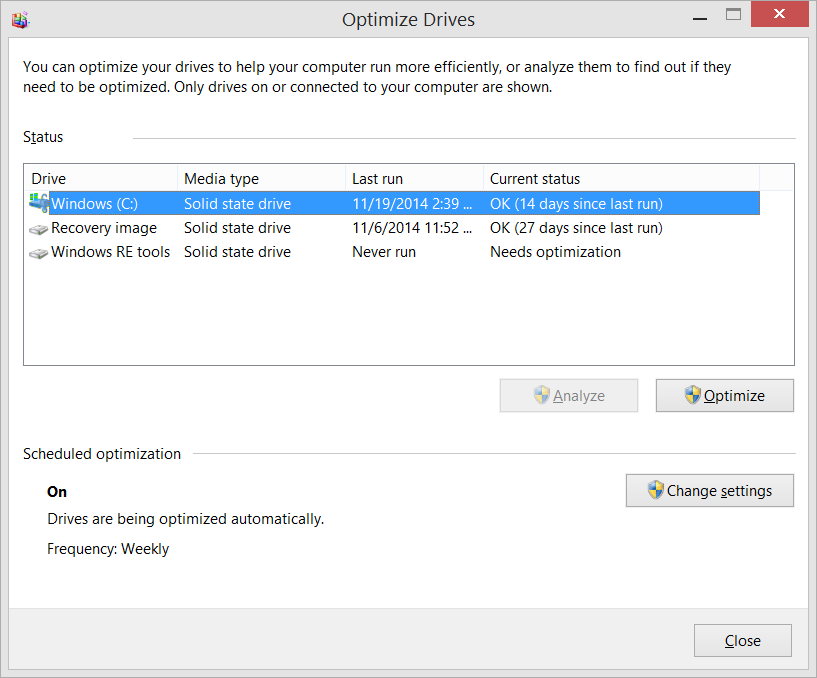
I've seen statements around the web like this:
I just noticed that the defragsvc is hammering the internal disk on my machine. To my understanding defrag provides no value add on an SSD and so is disabled by default when the installer determines the disk is SSD. I was thinking it could be TRIM working, but I thought that was internal to the SSD and so the OS wouldn’t even see the IO.
One of the most popular blog posts on the topic of defrag and SSDs under Windows is by Vadim Sterkin. Vadim's analysis has a lot going on. He can see that defrag is doing something, but it's not clear why, how, or for how long. What's the real story? Something is clearly running, but what is it doing and why?
I made some inquiries internally, got what I thought was a definitive answer and waded in with a comment. However, my comment, while declarative, was wrong.
Windows doesn’t defrag SSDs. Full stop. If it reports as an SSD it doesn’t get defraged, no matter what. This is just a no-op message. There’s no bug here, sorry. - Me in the Past
I dug deeper and talked to developers on the Windows storage team and this post is written in conjunction with them to answer the question, once and for all
"What's the deal with SSDs, Windows and Defrag, and more importantly, is Windows doing the RIGHT THING?"
It turns out that the answer is more nuanced than just yes or no, as is common with technical questions.
The short answer is, yes, Windows does sometimes defragment SSDs, yes, it's important to intelligently and appropriately defrag SSDs, and yes, Windows is smart about how it treats your SSD.
The long answer is this.
Actually Scott and Vadim are both wrong. Storage Optimizer will defrag an SSD once a month if volume snapshots are enabled. This is by design and necessary due to slow volsnap copy on write performance on fragmented SSD volumes. It’s also somewhat of a misconception that fragmentation is not a problem on SSDs. If an SSD gets too fragmented you can hit maximum file fragmentation (when the metadata can’t represent any more file fragments) which will result in errors when you try to write/extend a file. Furthermore, more file fragments means more metadata to process while reading/writing a file, which can lead to slower performance.
As far as Retrim is concerned, this command should run on the schedule specified in the dfrgui UI. Retrim is necessary because of the way TRIM is processed in the file systems. Due to the varying performance of hardware responding to TRIM, TRIM is processed asynchronously by the file system. When a file is deleted or space is otherwise freed, the file system queues the trim request to be processed. To limit the peek resource usage this queue may only grow to a maximum number of trim requests. If the queue is of max size, incoming TRIM requests may be dropped. This is okay because we will periodically come through and do a Retrim with Storage Optimizer. The Retrim is done at a granularity that should avoid hitting the maximum TRIM request queue size where TRIMs are dropped.
Wow, that's awesome and dense. Let's tease it apart a little.
When he says volume snapshots or "volsnap" he means the Volume Shadow Copy system in Windows. This is used and enabled by Windows System Restore when it takes a snapshot of your system and saves it so you can rollback to a previous system state. I used this just yesterday when I install a bad driver. A bit of advanced info here - Defrag will only run on your SSD if volsnap is turned on, and volsnap is turned on by System Restore as one needs the other. You could turn off System Restore if you want, but that turns off a pretty important safety net for Windows.
One developer added this comment, which I think is right on.
I think the major misconception is that most people have a very outdated model of disk\file layout, and how SSDs work.
First, yes, your SSD will get intelligently defragmented once a month. Fragmentation, while less of a performance problem on SSDs vs traditional hard drives is still a problem. SSDS *do* get fragmented.
It's also worth pointing out that what we (old-timers) think about as "defrag.exe" as a UI is really "optimize your storage" now. It was defrag in the past and now it's a larger disk health automated system.
 Additionally, there is a maximum level of fragmentation that the file system can handle. Fragmentation has long been considered as primarily a performance issue with traditional hard drives. When a disk gets fragmented, a singular file can exist in pieces in different locations on a physical drive. That physical drive then needs to seek around collecting pieces of the file and that takes extra time.
This kind of fragmentation still happens on SSDs, even though their performance characteristics are very different. The file systems metadata keeps track of fragments and can only keep track of so many. Defragmentation in cases like this is not only useful, but absolutely needed.
SSDs also have the concept of TRIM. While TRIM (retrim) is a separate concept from fragmentation, it is still handled by the Windows Storage Optimizer subsystem and the schedule is managed by the same UI from the User's perspective. TRIM is a way for SSDs to mark data blocks as being not in use. Writing to empty blocks on an SSD is faster that writing to blocks in use as those need to be erased before writing to them again. SSDs internally work very differently from traditional hard drives and don't usually know what sectors are in use and what is free space. Deleting something means marking it as not in use. TRIM lets the operating system notify the SSD that a page is no longer in use and this hint gives the SSD more information which results in fewer writes, and theoretically longer operating life.
In the old days, you would sometimes be told by power users to run this at the command line to see if TRIM was enabled for your SSD. A zero result indicates it is.
fsutil behavior query DisableDeleteNotify
However, this stuff is handled by Windows today in 2014, and you can trust that it's "doing the right thing." Windows 7, along with 8 and 8.1 come with appropriate and intelligent defaults and you don't need to change them for optimal disk performance. This is also true with Server SKUs like Windows Server 2008R2 and later.
Conclusion
No, Windows is not foolishly or blindly running a defrag on your SSD every night, and no, Windows defrag isn't shortening the life of your SSD unnecessarily. Modern SSDs don't work the same way that we are used to with traditional hard drives.
Yes, your SSD's file system sometimes needs a kind of defragmentation and that's handled by Windows, monthly by default, when appropriate. The intent is to maximize performance and a long life. If you disable defragmentation completely, you are taking a risk that your filesystem metadata could reach maximum fragmentation and get you potentially in trouble.
Related Links
* photo by Simon Wüllhorst, used under CC BY 2.0.
© 2014 Scott Hanselman. All rights reserved.
Rschuler, Ronald.phillips likes this