
    
|

Hyon Song-wol in the video for her 2005 North Korean pop music hit, 'A Girl In The Saddle Of A Steed.'
She and 12 others were reportedly machine-gunned three days later, "with other members of North Korea's most famous pop groups and their immediate families forced to watch. The onlookers were then sent to prison camps, victims of the regime's assumption of guilt by association, the reports stated."
|
|

YouTube has surreptitiously unveiled a striking new logo that does away with the plump, simplistic lettering that it's used for years now. In its place, the new logo features a two-tone red and white design that largely focuses on a flattened play icon, with thin lettering below it for the website's name. The logo first appeared in the redesign of YouTube's Android and iOS apps last week, and it's since shown up on its Facebook page and Twitter profile — though notably, not on YouTube's own website. We've reached out to confirm whether this is a true redesign in the works or just an alternate logo.
Welcome back to Android Gaming Weekly, our weekly recap on new game releases. We still plan to cover upcoming releases and games we’re playing, but this column is dedicated to new games you can install and start playing right now. Check out our top picks and let us know if you have any suggestions for next week in the comments below.
Description: There are some things that kids just shouldn’t have to put up with. Being transported to some weird dimension full of goblins, dwarves, swamplings, stupid wizards and sleeping giants is definitely one of them. After escaping a “welcoming party,” Simon discovers that he has been brought on a quest to rescue the wizard Calypso from the evil sorcerer Sordid.
Description: Build your own castle defense and protect the Knights from the evil Lizardmen! It’s Siegecraft built from the ground up for tower defense fans!
Description: Step aboard the 1914 Orient Express in this award-winning mystery adventure from Prince of Persia creator Jordan Mechner, now for the first time on Android! JULY, 1914. With Europe on the brink of war, the luxurious Orient Express departs Paris for Constantinople, plunging American doctor Robert Cath into a maelstrom of treachery, romance and international intrigue.
Description: A minesweeping game with the same rules as MS Mine Sweeper. Avoid the mines! Play against your friends, with the two-player alternative. Design the game including the number of mines, place them out and then swap. Let’s see if they can find out your tricks.
Description: Play as He-Man, the man so manly they had to name him twice! Defend the secrets of Castle Grayskull against the evil forces of Skeletor! Featuring epic battles, awesome attacks and all your favorite heroic Masters of the Universe, He-Man: The Most Powerful Game in the Universe™ brings He-Man, the Most Powerful Man in the Universe from planet Eternia, to Android. Finally, By the Power of Grayskull, I have the Power!
Description: Quiz RPG: The World of Mystic Wiz is a quiz/trivia card battle RPG, where you will answer questions while taking on quests. The game takes place in a magical fantasy world known as Ques=Arias. You assume the role of a wizard, completing tasks and investigating incidents while competing with other wizards in a bid to become a Master Wizard.
Description: Sharpen your claws and equip your best gear for a dungeon crawl with cute kittens! Cats vs Dragons melds classic RPG elements and strategy mechanics in an arcade fantasy game about magic, adorable kitties and evil dragons who want to steal a magic crystal and conquer the world.
Description: TANK WAR 2013 is a spectacular war-themed game. The developer wanted to revive the heroic war scenes and the realistic effects. The game has smooth control and wonderful graphics. It is one of the top tank games of android!
Description: A Premium Mahjong for everyone. Whether you play Mahjong everyday or want to learn how to master this game, Mahjong 2 was made for you! Based on an old Chinese solitaire game, Mahjong is a free solitaire matching game which uses a set of Mahjong tiles. The goal of this pyramid game is to match open pairs of identical tiles and remove them from the board, exposing the tiles under them for play. You will be challenged to eliminate all pieces from the board.
Description: Defend your castle from the evils that lurk below in this unique strategy game! You will need to dig deep into the earth to uncover treasures and destroy the enemies threatening your castle.
 Do you remember when Google and Yahoo! were similar brands? Both had search, mail, news, and instant messaging services. Sure, there were technical reasons to prefer one platform over the other, but it was all predominantly a matter of preference. Now, that difference could hardly be starker. One now manages not one but two operating systems, challenging the dominance of the likes of Microsoft and Apple, and has even planted the seeds for a gaming ecosystem that could someday challenge both handheld and tabletop consoles.

Yahoo Modernizes Mobile UI Across Many Of Its Properties, Including Mail, Messenger, News, And More was written by the awesome team at Android Police.

|
|

We still don't have BBM for Android, but we now have a landing page that talks a little bit about BBM for Android. Let's hope that design isn't quite finished yet either — white text on gray is kinda hard to read, but what it says is "BBM is the best way to connect and share instant messages, pictures and more for free, in real time."
Kinda like every other messaging app available.
Source: BBM for Android; via CrackBerry

|
|

Mountain View, Calif.–based Authentise claims to have devised a way to prevent piracy of 3D printing blueprints. The company's software allows the designs to print, but they disappear once the job is complete. "You don't receive the raw design file,” cofounder and CEO Andre Wegner told Technology Review, “so you can’t copy and share it.”
The technology, which is designed to protect the interests of creators, could nip a potentially large problem in the bud—or it may just create a frustrating hurdle similar to DRM protection for music and movies.

An ambitious project means anyone can now track the movements of almost 50 sharks in realtime. Some 47 sharks have been tagged with an array of sensors that allow scientists to accurately plot their position. The data is then fed into the OCEARCH Global Tracker, which updates the sharks' location as a dot on a map. You can click on any of the dots to find a picture of the shark along with its size and "name," and look through where it's been since being tagged. Talking to Computer World, marine biologist Nick Whitney says the program collected around 100 data points every second — 8.5 million per day. "It's just phenomenal," says Whitney, "second by second, we can pick up every tail beat and change in posture."
Take Mary Lee, a...

Skype is working on a technology that will no doubt be impressive, when used once and then promptly ignored for the rest of time – 3D video calls. The project was revealed in an interview with the BBC to commemorate Skype’s 10th anniversary (which makes me feel old), but it could be another decade before we see that project bear fruit.
Microsoft’s Corporate VP for Skype Mark Gillett told BBC that Skype’s labs has been doing work on both 3D capture and 3D display of video calls, and while it’s impressed with the progress made in monitors and TVs that can produce a 3D image, the company still believes there’s a lot of work needed to be done before the 3D capture technology is where it needs to be. That’s because there’s too much tuning required to get the multiple cameras you need for producing 3D images angled as you need them for live video calls.
Gillett said in the BBC interview that Skype has the tech working in the lab, but needs the hardware ecosystem to be able to support it before it’s introduced. But he also said that 3D video chat would take longer to catch on with consumers than other 3D video tech in all likelihood, which begs the question of whether it ever really will.
3D movies and broadcast television efforts have been seen by many industry watchers as something of a flop, after all. The BBC abandoned plans to use 3DTV tech for its programming, citing weak demand and the need for glasses as part of the problem, neither of which helps encourage the massive cost related to filming and airing 3D content. Sony also seems pretty much to have discontinued (though no official proclamation has been made) its dedicated 3D display for PlayStation gaming, despite 3D gaming being one of the best use-case scenarios for the tech.
In the BBC article, Gillett says that Skype is looking in the near-term at more practical improvements, like bringing 1080p video calls to hardware beyond the upcoming Xbox One console. Building 3D calling capabilities in the unlikely event that the tech takes off in a big way may turn out to be a prescient move, but for now it seems like a case of building something no one likely wants. Maybe fix the way Skype syncs up IM conversations across platforms instead? Please?

Hugo Barra has just confirmed the surprising news that he is leaving his role as VP in charge of Android product management to take a job with Chinese manufacturer Xiaomi. In his post, Barra says that he will be "vice president, Xiaomi global" and will "help them expand their incredible product portfolio and business globally." He wishes the current Android team the best, specifically calling out Andy Rubin, Hiroshi Lockheimer, Sundar Pichai, and Vic Gundotra.
If there's a hint as to how Google will distribute Barra's duties at Android in that list, we can't say, but obviously Andy Rubin isn't likely to come back to the division and Sundar Pichai oversees both Android and several other products within Google. Pichai, in a Google+...

One of the biggest reasons Google has taken apps like its keyboard and moved them into the Play Store is for updates independent of the OS, and we're getting one of those today to add a feature for tablet users. The main user-facing change in this update is the addition of a long-press action for numbers in the top row of the keyboard on tablets, something that was available on the phones but oddly missing on larger-screen devices.
Additionally, the update is improving keyboard layouts for some languages, fixes various bugs and makes stability improvements across both phones and tablets. You can grab a download of the latest version of Google Keyboard from the Play Store link above, no matter what device you're on.

|
|

As British operators O2 and Vodafone enter the 4G fray, Three UK has confirmed that it'll launch its 4G network this December. The smallest major carrier also reaffirmed its commitment not to charge a premium for LTE connectivity when it launches, and said it'll continue to offer "All You Can Eat" unlimited data packages when it lights up 4G. Unless any of Three's rivals drastically change their 4G pricing structure, this would make Three the lowest-cost option for 4G as well as the only operator with unlimited LTE data plans.
Three's 4G network will launch in London, Manchester and Birmingham in December, before arriving in a further fifty markets by the end of 2014 and aiming to achieve 98 percent UK population coverage by the end of 2015. By comparison, EE yesterday announced it'd reached 105 4G markets and hit 60 percent population coverage some ten months after its 4G launch.
Three says all its customers with a 4G-capable device will be upgraded for free, and that only a software update will be required to turn on 4G on these devices, and customers will not require new SIMs.
UK readers, will you be switching networks to take advantage of 4G? Let us know in the comments.
Source: Three

|
|

As planned, British carriers O2 and Vodafone have today launched their 4G LTE services, bringing to an end EE's effective monopoly over 4G in the UK. From today, O2 4G is available in London, Leeds and Bradford, while Vodafone LTE launch is limited to the British capital.
O2 offers data in 1GB, 3GB and 5GB bundles, starting at £26 per month on a SIM-only deal, and as part of a 4G launch promotion customers signing up for 3GB and 5GB will be upgraded to 5GB and 8GB respectively until Oct 31.
Vodafone, meanwhile, has 2GB, 4GB and 8GB 4G data bundles, with the option to get a temporary boost to unlimited data for three months through its "data test drive" program. 4G contracts with a device attached will start at £34 per month for 2GB and run as high as £57 for 8GB, depending on the device. Both operators are offering unlimited calls and texts on 4G plans.
Anyone jumping on the O2/Vodafone 4G bandwagon today?

|
|

O2 has announced that it'll offer the LTE-capable version of the new Nexus 7 on its newly-launched 4G network, with a release scheduled for Sept. 13. The tablet will cost £319.99, and is available for pre-order now on "Pay As You Go" 4G plans, which come with 2GB of data to get you started. Pre-order customers will also get the official premium case, worth £29.99.
"O2 will be the only place to sell the 4G-Ready Nexus 7 at launch," the carrier says, suggesting some kind of timed exclusivity deal is in place. It's unclear whether this means Brits will be unable to get hold of an unlocked 4G Nexus 7 from the Google Play Store on the same day; at the very least it means rivals Vodafone and EE won't be selling the tablet at launch.
O2 is also selling the Wifi-only Nexus 7 with 32GB of storage, priced at £249.99. Elsewhere, there's still no firm date set for the launch of the 4G Nexus 7 in the U.S. or other territories.
More: O2 announcement; Pre-order details

|
|

Why restrict your desktop to the realms of reality? This week we're diving into worlds of fantasy with several great, imaginative wallpapers.

Download this wallpaper | The Paper Wall 1600x1200

Download this wallpaper | The Paper Wall 1920x1200

Download this wallpaper | The Paper Wall 1920x1200

Download this wallpaper | The Paper Wall 1920x1080

Download this wallpaper | The Paper Wall 1920x1080

Download this wallpaper | The Paper Wall 1920x1200

Download this wallpaper | The Paper Wall 1920x1080

Download this wallpaper | The Paper Wall 1920x1080

Download this wallpaper | The Paper Wall 1600x1200

Download this wallpaper | The Paper Wall 1920x1080
For more great wallpapers, check out our previous Wallpaper Wednesdays. Got any great wallpapers you'd like to share? Email me a link with "Wallpaper Wednesday" in the subject line. Submitting your own work is highly encouraged!

If the front of your entertainment system looks sharp but the back is a mess of cables, wires, and ports that are all full, you're not alone. Whether you're just interested in cleaning it all up so it's easier to move around back there, or you want to hook up something new (maybe a new game console, perhaps?) but don't have the space, here are some ways to get things organized so you know what you have and can make room for more.

Part of the reason why your cables may all be a mess behind your TV or TV cabinet may be because you're using all the wrong types of cables. It's okay—years of buying the cheapest but most functional you can afford will likely lead you to cables of different thicknesses, materials, lengths, and colors. You don't have to run out and buy all new cables (but when they're all sup cheap from Monoprice and Amazon, it's probably worth it and won't cost much at all), but you can make a few simple upgrades:
Making sure you have the right types of cables and the right cables for your space is important. Take a look behind your entertainment center now and see if you're inadvertently bending your HDMI cables at a strange angle, putting stress on optical, component, or composite connectors by pressing them against the wall or the back of your home theater, or worse, stressing the ports in the back of your TV, receiver, or game console because the cables are at strange angles. If you are, it's time to fix that before you do damage that can't be easily repaired.

It doesn't take much to be out of ports on the back of your TV. A couple of game consoles, a Blu-ray player, maybe an Apple TV or HTPC, and suddenly a TV that shipped with three or four ports is all full, and suddenly your new DVR or newest console addition has nowhere to go. Sometimes it's not a matter of just switching port types either—after all, who wants to downgrade from HDMI to component if you have the choice?
If you have a good AV receiver (and we hope you do), you should have tons of additional ports for all sorts of devices. Many people make the mistake of using their receiver just for audio, or adding it to their home theater setup without rewiring everything to pass through it. If you can route HDMI or other connectors through your receiver, do it. You'll free up ports on the back of your TV for other devices, use fewer cable, keep the clutter down, and you may have more ports on the back of your receiver than you have on the back of your TV anyway.
If the back of your TV is just too cluttered anyway, we've shown you how to make the most of any spare ports you have. If you need more expansion options, buy a an HDMI switch. They're not all alike, so do your homework before you drop your cash. You can find cheap ones that require you manually toggle inputs every time you want to switch devices, or you can drop some cash and get ones that will auto-switch based on which device connected to it is active, work with your universal remote, and come with other useful features. The HDMI cables and switches forum at AVForums is a great place to do some research, and if you want some reliable suggestions, check out this episode of HD Nation for a few good models.

When I rewired my home theater cabinet, the first thing I made a point to do was separate out power from everything else. I wanted all of my power cables going in one direction and all of my audio and video cables going in another direction. It helped with cable management, but it also decreased the sheer bulk of cables I had to get my hands around if I needed to swap something out or test a connection.
Grab yourself a few sturdy, plug-rich surge protectors (I'm a fan of the Belkin Pivot Plug—it's heavy, heavy duty, has more plugs than you'll probably need at once, and has a nice, long cable) or a few pass-throughs like these Power Strip Liberators, and separate out all of the things you need to be on all the time from the things that can be easily powered off. That way even if you have a device that prefers to stay on standby and never really powers off, you can save energy by flipping the switch on the surge protector.

You might think that is common practice, but the fact is most people just don't label the cables connected to their TV, receiver, consoles, and other gear. Grab a cheap, personal label maker (mine is an old DYMO model I picked up after GIna inspired me to get organized in this 2006 post, but its spiritual successor is available at Amazon for less than $20 The Brother Model she suggested is no longer available, but if you liked that one, its successor is available for just over $20 at Amazon) and label both ends of your cables with the cable type and the device it's connected to. "XBox HDMI," for example, on both sides. That way you don't even have to look at the connector, and you'll always know which end to disconnect to pull out a cable you need to test or replace. Do the same with your power cables.

Once you have the right cables, have your cables labeled, and have the right gear to make the most of your home entertainment center, the last step is to set it all back up as cleanly as possible. We have a whole guide to this step that walks you through laying out your cables by their endpoint so you'll make sure they always reach, using binder clips and other cable management tools to make sure your cables are hidden from view, coiling and zip-tieing slack when you need to, and some gadget suggestions that can help conceal your cable clutter.
For example, you can buy surge protector "boxes" that have space for coiled cables and plenty of ventilation, or you can make your own. You could also hang pegboard on the back of your entertainment center to give your cables a place to mount, invest in some velcro strips, or you can just give it all up and mount your TV to the wall and run everything inside the wall if that's an option where you live. I rent, so wall-mounting my gear isn't a great solution, but if you can hide your cables in the wall, that'll definitely keep them out of sight. That's still no reason not to label them and make sure they're not bent at odd angles, though.
Mix and match these as you see fit. None of them require a ton of effort, but you can, for example, disconnect and label everything without buying new color coded cables, and you can isolate power from everything else without buying an HDMI switch. Sure, it's easiest if you're starting from scratch and connecting everything at once, but you don't have to. Still, it's a good idea to take a little time to organize that mess behind your TV before you buy something you want to connect next, so you don't have to wait until you've organized everything just to plug in your shiny new PlayStation 4 or Xbox One.
Photos by flavio, alexis, Vladru (Shutterstock), rodtuk, Sean Lucas, Mike McCune, and Ryan Finnie.
The streaming music service Grooveshark has been a legal punching bag for almost the entire music industry, but the company has announced an agreement that will address at least one subset of its legal concerns. Grooveshark has signed a settlement and licensing deal with Sony / ATV Music Publishing that will put the legal battle between the two companies to rest, and will also see Sony / ATV's catalog added to Grooveshark's offerings. In a statement, Grooveshark CEO Sam Tarantino said that "We are excited to add Sony / ATV Music's impressive array of songwriters to our catalog further advancing our mission to empower creators with the best audio platform in the world."
Despite the lofty rhetoric, it's the second such deal that...

EE continues to expand the reach of its 4G network, and on the eve of O2 and Vodafone's 4G switch-ons, the British operator has announced that it's brought LTE to more than 100 markets. Accrington in Lancashire was named as the hundredth EE 4G town, prompting a tenuous endorsement deal from tangentially-related football personality Ian Rush.
EE also sends word that a further nine towns have been activated for 4G this month in addition to Accrington — Ashford, Bicester, Colchester, Guildford, Milton Keynes, Redhill, Sevenoaks, Tunbridge Wells and Woking, bringing the total to 105. In addition, EE claims 60 percent UK population coverage for its 4G network, and says it's switched on "double speed" 4G LTE in Sunderland, Sutton Coldfield, Walsall, West Bromwich and Wolverhampton, enabling more spectrum for high-speed data.
Tomorrow rival operators O2 and Vodafone will launch their 4G networks. O2 will go live in London, Leeds and Bradford, while Vodafone will launch in London only.
Source: EE

|
|
 7-inch tablet with gamepad controls to sell for £249.99
Wikipad has announced that its 7-inch gaming tablet will go on sale in the UK from Sept. 27, priced at £249.99, following the U.S. launch a couple of months back.
The much-delayed tablet with gamepad controls will be sold via "from a number of well-known retailers at launch," through distribution partner MSE.
The Wikipad features a 1280x800, 7-inch display and is powered by an NVIDIA Tegra 3 processor with 1GB of RAM and 16GB of internal storage. When it arrives in the UK next month it'll come up against strong competition in the small tablet space, not least from Google's cheaper and more powerful second-gen Nexus 7.
via Engadget

|
|

Kobo, the e-reader and tablet company owned by Rakuten (aka Japan’s answer to Amazon), is today taking the covers off four new devices — three new Android-based Arc tablets and a new Aura e-reader. And it is using the occasion to kick off a redoubled effort to focus on a specific segment in the market — die-hard bookworms — to help itself gain an edge over Amazon and differentiate itself better in the market. Now, in addition to its catalogue of 4 million books, Kobo has built in integrations with Pocket, new reading-focused storefronts (starting with a store for children’s books and one for magazines), and two new Android feautures, a launcher Kobo calls “Reading Life” and a new Reading Mode, both designed to put reading front and center on tablets more than it has ever been done on tablets before.
“As Netflix is to video and Starbucks is to coffee, we want Kobo to be the name people think of for reading,” CEO Michael Serbinis said in an interview.
Aura E-Reader. Despite analyst speculation that e-readers are dying, they continue to be an important route to tapping dedicated customers, Serbinis tells me. “In the U.S. specifically there has been a slowdown in e-reader sales but for those who buy them we see very high purchase intent.”
And Serbinis notes that even if it sounds limiting to focus only on a small and shrinking segment of the market that are avid readers, so far this has actually paid off well in its e-reader lineup. When the company launched its limited edition, power-reader-friendly Aura HD e-reader earlier this year, sales expectations were not very high. “We thought that they would be one to four percent of sales,” he said. “The quickly became a quarter.”
If the existing Aura HD was an attempt to recreate some of the aesthetics of a hardback book experience, the new 6″ Aura launching today, Serbinis says, takes its cues from the world of tablets, with an edge-to-edge display, and at a thickness of 8mm and weight of 174g, a thinner and lighter body. Like the HD it is front-lit but without as high-resolution a screen.
New Arc tablets. Sebinis says that the three new tablets — 7″, 7″HD and 10″HD models, going on sale in October — are all multipurpose Android devices, running Jelly Bean and full of all the specs you would expect in devices like this. But like the Aura e-readers, they are built with a very specific intention in mind: targeting those who buy these devices to consume books, magazines and other reading materials. “We think there is a space for us. No tablet has really been designed for readers,” he notes.
Kobo came to this conclusion, he says, by canvassing users. “We have a lot of data from users around the world and those who download apps on our tablets read for minutes, not hours. They read once a week versus daily.” So Kobo asked its top 10,000 customers, why don’t the read on tablets? The answer, he says, was that it was too distracting. Too many alerts and other things happening on the screen, and “also they are generally too hard on the eyes, and weight is a problem. Basically, it’s pretty obvious tablets up to now have been multipurpose first and reading second.”
So Kobo decided to concentrate on these points. The screens on the HD devices, he says, are “better than Apple’s Retina display,” at up to 2560×1600 on the 10HD model. And on top of this, Kobo has developed a launcher that it calls “Reading Life.” This is essentially a user interface that sits on top of Android, that tracks what you’ve been reading, and offers recommendations for new titles to read, presented in a “Pinterest-style” scroll, he says. (It’s not an integration with Pinterest, although he doesn’t rule that out for the future. More on that below.) It’s in Reading Life that Kobo is also integrating Pocket, the app that lets users tag something online and save it to a list to read later. Swiping to the right takes you back to a “standard Android experience.”
On top of Reading Life, there is another reader-friendly service that Kobo is incorporating, which it is calling Reading Mode — essentially this is like an automatic airplane mode that you can turn on to cut off alerts from other applications, and at the same time it uses sensors on the device to optimise lighting on the screen. The third thing it does is automatically turn off all other processing functions on the device that is not needed for reading mode, also to help extend battery life. Serbinis says that Kobo has patents filed for this, and “We will be building this out as a feature on our devices” in the future.
Content. In addition to the new devices and the new reading applications, Kobo is kicking off its new strategy to present storefronts for specific reading categories. The first two coming out are for children’s literature, with 100,000 titles at launch, and magazines.
The magazine storefront, starting with “hundreds” of magazines from Hearst, Conde Nast and other top publishers, signals some other interesting developments for Kobo. It has been developed with technology from Aquafadas, a French startup it acquired last year that offers a technology for “guided” reading on magazines — essentially more tablet friendly than straight PDF renders but at the same time preserving the layout of the original magazines and therefore less like apps, Serbinis says.
I also asked Serbinis about a number of other topics, which give a bit more insight into how Rakuten, and Kobo, see their business developing in the future:
On forking. Absolutely no plans to follow Amazon and Barnes & Noble down this road, he says. “What we’ve found is that the customers looking for a device and everything that it can do. They don’t want to be shorthanded on all the things that their $199 or $299 will buy them. Theyt want access to gmail, YouTube and importantly Google Play apps. With the very first Kobo Arc we were pretty set on offering that and have not deviated. We see ourselves as a Google partner. Yes, we’ve provided Reading Life to make it great for reading but it’s open Android and upgradeable. We never went down that road on purpose.”
On Pinterest and other Rakuten holdings. This, of course, is one of Rakuten’s key, strategic investments, and Serbinis says that there are discussions with Pinterest already, but nothing concrete yet. “What makes Rakuten successful is that they’ve built an amazing ecosystem in Japan and they’re building that around the world. It’s a direction that we will support as Rakuten continues to expand, including preloaded shopping apps. It’s part of our future. When we think of some of these experiences, I’ve always thought that reading is an entry point, it’s how someone tells us, I’m interested in something. You can see the bridge from from content to commerce in that. One place you may see it first is in magazines. When you see an ad for a tennis racket in a paper magazine, you are at a dead end, but now all these tools are tappable. It’s a tap through to make a purchase or set up a demo or whatever. That kind of deeper integration is definitely in our sights.”
He notes that there are a couple of reasons why this is not there yet. “Part of this is technology and part of this is the industry catching up with tech and retooling. I suspect it’s within the next six months because the tools are now available with this launch the initial hurdle of getting that content. Now we’re through that it’s time to educate and help publishers leverage these tools to do the more fun and imaginative things.”
Wifi versus cellular? These tablets and the new e-reader remain Wifi only, he says. “We’ve talked to carriers pretty extensively and the price points are important. Offering 3g devices take you well beyond that price point and adding extra cost is not something that makes sense for us. But it’s not out of the question.” He says cellular connectivity will be important to crack certain markets. “In India you just don’t see the same kind of Wifi penetration that you do in the UK, U.S., and other countries. So 3G becomes more of an important feature to support so it’s something that we’re strongly looking at.”
Distribution. How best to battle Amazon on the retail front? Serbinis describes this task as “David battling Goliath,” and he says that the solution is “you have to leverage a bunch of friends.”
“While we don’t have the massive direct channel, we have partners that have the best book-buying and book-loving customers. For our competitor they are running out of direct channels as they expand internationally that means it’s more expensive for them.”
All the same, Kobo will be going “beyond booksellers” in the future. “We are looking to different kinds of partners, educational institutions, government and telcos. There are ways we can partner with them and being a neutral content provider is a pretty attractive thing.”
In the UK, the Kobo Aura is selling for £119.99, the Kobo Arc 10HD for £299.99, the Kobo Arc 7HD £159.99 with 16GB and £189.99 with 32GB and the Kobo Arc 7 for£119.99. Prices in the U.S. start at $150 for the 7″, non-HD tablet.
"[Video Link] University of Washington researchers have performed what they believe is the first noninvasive human-to-human brain interface, with one researcher able to send a brain signal via the Internet to control the hand motions of a fellow researcher."

|
|

Auto Awesome — the photo enhancer built in to Google+ — just got a little more awesome. Now, whenever Auto Awesome does its thing, you'll get a notification telling you so. That saves you from having to dive into your photos and figure it out on your own. This works on the app as well as the web, of course.
A bugfix update reported is coming down for the Google+ app as well, so be on the lookout for that.
Source: +Virgil Dobjanschi

|
|
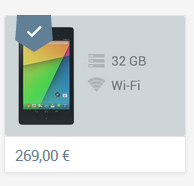 The recently refreshed ASUS Nexus 7 is now available directly from Google's Play Store in Europe in France, Germany, Japan, Spain, and UK as well as in Asia in Japan. Both 16GB and 32GB Wi-Fi-only variants are being offered - we're still counting down days till the launch of the LTE version.
The 5 new countries join the 2 existing ones (U.S. and Canada) for a grand total of 7.
Google Launches 2013 Nexus 7 On The Play Store In France, Germany, Japan, Spain, and United Kingdom - Ships In 1-2 Days was written by the awesome team at Android Police.

|
|

If your videos are a mish-mash of video types and formats, you'll need a good video converter to make them play on any device, anywhere you go. Last week we asked you which converters were the best. Then we looked at the five best video converters and put them to a vote. Now we're back to highlight your favorite.

Handbrake, the cross-platform, easy-to-use video ripping and encoding tool, took the top spot by a wide margin, with close to 70% of the overall vote. Those of you who praised it noted it's availability on multiple platforms, its ease of use and presets for quick conversions (as well as its more detailed options for advanced users), and its speed.
Still, it wasn't the only contender this week, and those of you who preferred our alternatives vigorously defended them in the discussions. In second place with just over 13% of the vote was Freemake Video Converter, which many of you praised for its ease of use, multi-device pre-sets, and simple UI. In third place with 6% of the vote was Format Factory, which can convert to GIF, which is a great feature in our book. In fourth place was SUPER with 5.65% of the vote, and bringing up the rear with 5.62% of the vote was MPEG Streamclip. The difference between fourth and fifth place was a mere two votes.
To read more on each of these options and to see the honorable mentions not discussed here, head back to the full hive five feature.
The Hive Five is based on reader nominations. As with most Hive Five posts, if your favorite was left out, it's not because we hate it—it's because it didn't get the nominations required in the call for contenders post to make the top five. We understand it's a bit of a popularity contest, but if you have a favorite, we want to hear about it. Have a suggestion for the Hive Five? Send us an email at tips+hivefive@lifehacker.com!

Decluttering is an unending art form. Sometimes, the solution is to get rid of things you don't need, but other times you have to keep a bunch of stuff in a small space. If you find yourself in a cramped home, here are some ways to keep your things stored without contributing to a mess.
Recently, my girlfriend moved in to my home before the current residents moved out. Suddenly, we were faced with a very serious problem: how do you store five adults worth of stuff in a three bedroom home? We were forced to find space wherever we could. While some costly solutions were unavoidable (we had to at least temporarily acquire a storage unit), we discovered (read: she taught me) a ton of ways to add space where we thought we had none.

If you're renting, you probably won't want to do too many permanent alterations to the place you're living. Command hooks allow you to hang things from your walls without creating any unnecessary holes, and they're removed quite easily.
Command hooks can turn any wall into storage. Purses, coats, hats, and anything else that can be hung can be placed on the hooks, saving space in closets. We've also shown before how you can use them to mount pot lids to the inside of cabinets, as well as how to mount your router to the wall not only to save space, but to improve Wi-Fi reception.

The space under the bed is great for storing things that you want to keep handy but don't need regular access to. However, the space underneath can get cramped. Bed risers can add several inches to the space underneath your bed.
Once you've got the bed risers in place (which will probably require some extra hands to lift the frame), you can stack storage boxes on top of each other or utilize bigger bins.

We've shown before how you can use hanging shoe organizers for more than just shoes. You can use them for storing cables, growing herbs, or even storing bathroom supplies. Particularly in studio apartments, or half baths where space is at a premium, a shoe organizer is perfect for storing all the various lotions, creams, and bottles that would otherwise be sprawled across the counter.
Also, depending on where it is in the house, you can potentially pull double duty on a bathroom door. Hanging a shoe organizer on one side and a door hook for a bathrobe on the other doubles up your space saving. Of course, if you're going to start hanging things from your door, you'll need to be careful that you don't overweigh the hinges.

If there's one pattern you should pick up more than any other, it's that the more stuff you can hang, the better. To wit: tension rods add extra storage to cabinets and closets can give you a place to store your spray bottles and wash cloths.
This also helps in your closet. If you have the space for it, you can create a second clothing rod to hang more clothing, or just belts, scarves, and anything light, if there isn't enough room for more. Just be sure to leave room for any important clothes to hang loosely so they can dewrinkle after the wash.

This solution may not be available if you're renting (unless you get approval from your landlord), but there is plenty of space to be utilized within the walls of your home. While it's not quite as simple as hanging an organizer over a door, you can build shelves into your walls to add extra storage.
Of course, with great upsides come great downsides. Depending on where and how you decide to do this, you may reduce the amount of noise insulation in your home. Obviously this works better on walls that separate kitchen and dining rooms than it does separate bedrooms.

That couple of inches between your fridge and the wall are just a waste. Fortunately, with a little wood working skills, you can build a slide out shelf unit that fits between the two to store spices, canned or boxed goods, and other non-perishable food stuffs that aren't that large. Place the shelves on wheels and they can be pulled out when you need it and slid away when you don't.
The project is fairly straightforward, but it does require a little bit of work. It's pretty cheap, too. All you really need is a bit of wood, some dowels, a handle, and a couple casters to put the whole thing on. More importantly, it doesn't require any risk to your home, so if you're renting, you're in the clear to add a bunch of extra shelf space.

If you already have a TV, it may not be worth it to trash it and buy a projector, but if you're looking for something (and you can block out the light to your entertainment area), projectors can provide a high quality entertainment system while taking up comparatively little space.
Which projector to get is a huge discussion unto itself, but in general, you can get a decent high quality unit for under $1000 (or less, if you're willing to stick to 720p). More importantly, you can mount them to the ceiling while mounting the screen to the wall. This cuts down on space normally dedicated to an entertainment unit. It may require a somewhat long room, depending on the size of the display you want, but when you turn it off, your floor space is completely free.

Just about everyone has some magnets on their fridge to place coupons. However, the utility of magnets doesn't end there. You can use magnets to adhere nail clippers, hair clips, and other grooming tools to the inside of your medicine cabinet to save space on the shelves.
In the kitchen, you can also save a bunch of space in the cabinet by creating a magnetic spice rack. You can buy jars with magnets already built in, or glue magnets to existing jars. Then, mount a stainless steel sheet to the wall and place them all on the sheet to store them vertically. Just be extra sure to seal everything up tight so it doesn't fall and make a mess.
Photos by Lumberjocks, William Hook, and The Kitchn.
Amazon is extending its might in the world of ecommerce to the world of mobile apps. Today, Amazon announced that its popular and long-running Associates program is coming to apps for Android and its Kindle Fire tablet available in the Amazon Appstore and Google Play.
You might be unfamiliar with the Amazon Associates program. But there is a good chance you have run across it on the Web. Amazon Associates is a program where websites can advertise Amazon products by placing a unique URL into website text that links back to a product on Amazon. Every time a user clicks on that link and makes a purchase, the Associate gets paid.
The Associates program is not new and has been shrouded in a bit of controversy in its time. As yet though, Amazon had not instituted Associates in its own Appstore. Today’s announcement changes that.
And it makes perfect sense.
Extending Amazon Associates to apps opens up a new type of revenue stream for developers that was not available before. Making money with apps is not an easy proposition. Developers can institute a variety of banner or rich media ads into their apps, set up “in-app purchases” (based on the “freemium” model of mobile monetization) or offer subscriptions to their services.
Amazon calls the new program Mobile Associates and it is available as an application programming interface (API) for mobile developers in both Google Play and the Amazon Appstore.
Amazon Mobile Associates works in three ways; “selling a single item from within an app or game, showcasing a category of goods, or bundling the purchase of physical goods with the purchase of digital goods,” according to Amazon’s press release.
In essence, Amazon is extending its physical and digital world of goods into the world of Android apps. This is not just relegated to the Kindle Fire and the Amazon Appstore, but also apps available through the Android Google Play app store.
The Mobile Associates program works pretty much like Amazon Associates. When a user clicks on a product link in an app, they are shown a dialog box with the product information and cost. If the user then makes a purchase, the Mobile Associate gets paid 6% of the sale price.
All the normal Amazon commerce features are present, such as free shipping with Amazon Prime and 1-Click purchasing.
For developers, Amazon describes integration of the API as a fairly simple process:
Initialize the Mobile Associates API, and tell us what you’re selling--you can choose to supply a specific set of ASINs (Amazon Standard Identification Number), search terms, or use the Amazon Product Advertising API to query a list of ASINs and product information.
Mobile Associates is a no-brainer. It further moves features of the Web into the world of mobile. It is a logistical move from Amazon and an astute decision. On its surface, Mobile Associates is a bit of a ho-hum type of announcement.
Mobile Associates should not be overlooked as just another Amazon feature coming to apps. Essentially what Amazon has done is create a fourth type of monetization for app developers. That is not to be understated. In this burgeoning era of mobile, nobody has really figured out a sure-fire method for making money through apps. The top developers make money through sheer volume on banner ads and subscriptions and in-app payments.
Amazon Associates has been available since 1996 and has long been a way for smaller publishers or individual blog owners to scratch out a few extra bucks. Bigger websites that use Amazon Associates can see significant revenue. It is a way to create another revenue stream that is not dependent on Google AdWords or other banner ad providers.
Mobile Associates could be powerful, especially for the thousands of ecommerce apps on Android. Imagine a Pinterest user creating the ability to link one of their lists to the Amazon ecommerce platform. That could be good for both Pinterest and its app users and would take very little effort to institute in the app.

Yahoo is rolling out its newly designed news and application websites including Yahoo Sports, Movies, Music, TV, omg!, Games and Weather. The aesthetic updates streamline the experience across the various Yahoo platforms and are improving the user experience on mobile and web devices.
Users will begin to notice these changes over the next few days. The redesign coincides with Yahoo's logo rebranding, as the new logo is set to be revealed next week.


As we approach Galaxy Note 3 launch day, a new leak has given us our closest look yet at the phone — or at least part of it.
ETradeSupply managed to track down what it says is the display assembly from the upcoming handset, which they say has a 5.68-inch diagonal measurement — in line with earlier rumors. Besides the obvious similarities to both the Galaxy S4 and Note 2, the site spotted slimmed-down horizontal bezels — just 2.2mm, it says — suggesting that the Note 3 might not be much bigger than its predecessor.
The leak also appears to confirms the traditional Samsung three-button layout, along with the use of a brushed metal-like texture on the front of the darker model.
Stick with us in the run up to Samsung Unpacked 2013 Ep. 2, which kicks off next Wednesday, Sept. 4.
Source: ETradeSupply

|
|
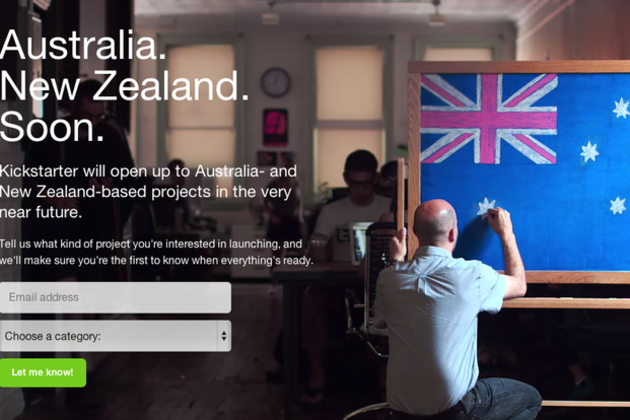
Got a great idea in Australia or New Zealand, but no money to see it through? Help is on the way. Kickstarter has put up a teaser page revealing that it will be accepting crowdfunding projects based in both countries "in the very near future." It's Kickstarter's latest expansion as the company looks to boost its international presence. That effort has been a slow crawl thus far; Kickstarter has branched out to the UK and later Canada since launching in the US. To familiarize local creatives with its service, the company will be holding "Kickstarter Schools" in Australia over the next few weeks, with the first two hitting Sydney and Melbourne next week. There's no word yet on when the company plans to tackle its first non-English speaking...


