
Yousef Alnafjan
Shared posts
02 Dec 16:46

Motorola Moto G review: how good can a $179 smartphone be?
by Aaron Souppouris
Yousef AlnafjanApparently, very good. I like the sound of that two day battery.
And for the uninitiated: yes, it's $179 unlocked with no contract. It has an HD screen, runs a stock version of Android with stellar performance, and can be customized with colorful back plates.
The Moto X represented a sizable step forward for Motorola. A comfortable, fresh, customizable design married with tasteful and useful software features, it’s the polar opposite the aggressively styled and skinned Droids Motorola and Verizon have made. Now, Motorola is back with the Moto G, a budget smartphone that aims to bring the best things about the Moto X to customers that don't want or can't afford a midrange smartphone. And it’s going to attempt to sell it worldwide.
The Moto G offers a lot of phone for $179. Its 4.5-inch 720p display is theoretically equal to the panel in the more expensive X, while a quad-core Snapdragon processor and clean design belie its ridiculously low price tag. In the saturated smartphone space of the US and western Europe, the thought of saving a couple hundred dollars is intriguing, for sure, but in Latin America, Asia, and other developing markets, more expensive phones are just non-starters.
For those priced out of the midrange market, there’s never been a device quite like this before. This is a phone that, on paper, at least, blows away every limp-fisted offering in its price range. Developing markets are dominated by Nokia, BlackBerry, and Samsung; they’re the markets that Mozilla is attempting to enter with its Firefox OS; and the markets that represents “the next billion” users that are being chased by Facebook, Google, and every other company worth its salt. If the Moto G lives up to even some of its promise, it could redefine an entire section of the market, and give users on a tight budget a truly quality experience.
Motorola was very clear at its Moto G launch event that it's making money from every Moto G it sells. When you consider what companies with massive scale like Samsung and Nokia are offering at this price, it seems impossible that Motorola hasn't cut corners. Surely something has to give, right?
Hardware
A devolutionary design
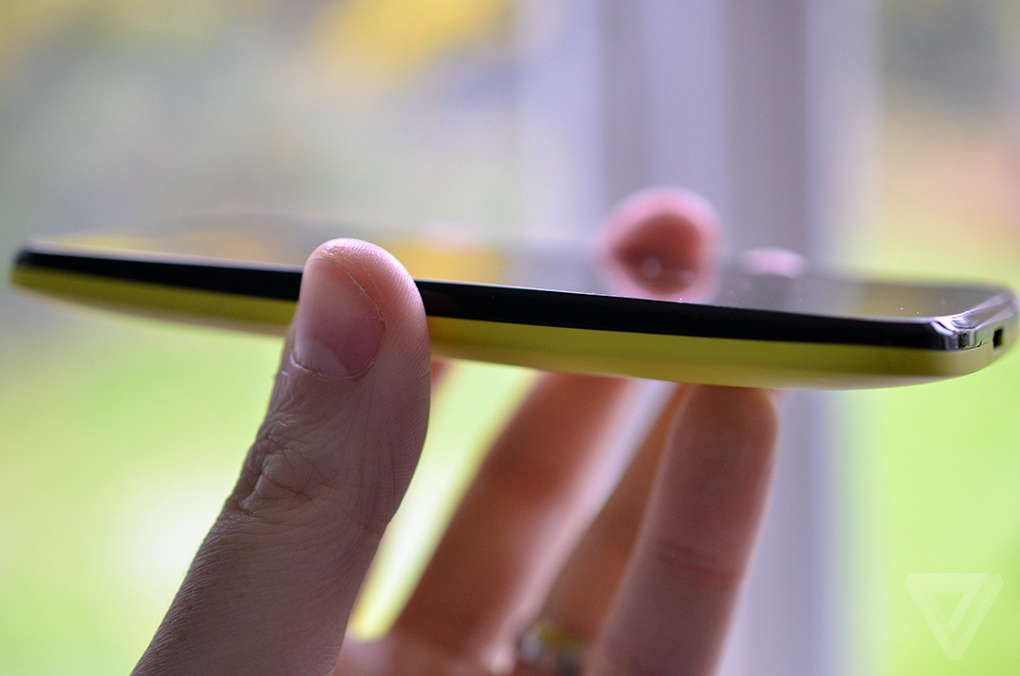
At first glance, you'd be forgiven for mistaking the Moto G for the Moto X. Like the more expensive handset, it's a subtly designed phone, defined by its softly rounded corners and elegantly curved back. Although it apes the look of the Moto X, there are a few important differences between the two phones. The 5-ounce Moto G feels much heavier than the X, and its back curves slightly too much, ruining the balance and making the G look and feel pudgy in comparison. Its side-mounted buttons poke out slightly too far and feel very plasticky and cheap.
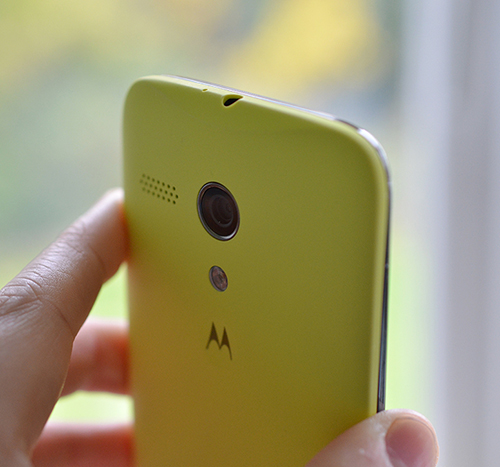
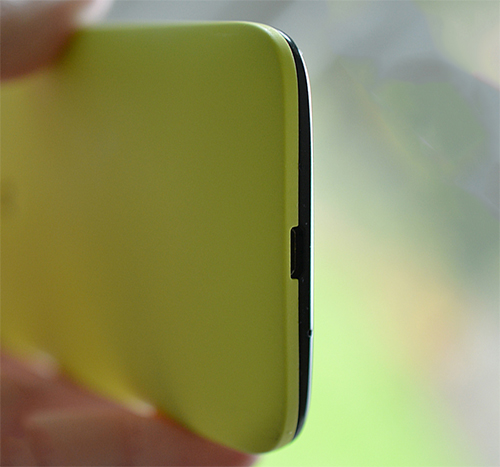
These are the kind of details that Motorola has proven it’s capable of nailing, but at such a low price they’re apparently impossible to work around. You’re still getting an attractive handset for the price, and one that many might mistake for its more expensive cousin, but the Moto G falls short of being spectacular.
Motorola has swapped its custom X8 chip for a 1.2GHz quad-core Snapdragon 400 processor and cut the RAM down from 2GB to 1GB. The cuts are clearly a trade-off required to get the price so low, but the specs still look good compared to the average $179 smartphone. Another change can be found in internal storage, which has dropped from 16GB or 32GB of storage in the Moto X down to 8GB or 16GB. The 8GB version I tested has around 5.5GB of storage for your apps, photos, and music, and there’s no microSD slot for expansion. Given the Moto G’s pretensions as a phone for the masses, this is something of an oversight. A capacious microSD can be picked up from retailers across the world for a few dollars, and a slot for expandable storage is an important feature to many.
Even for me, storage posed an issue; after syncing my (admittedly quite large) music collection over to the phone, I was left with just 500MB free. Google may want people to use its cloud services instead of local storage, but if that’s not always practical in the US, it’s a near impossibility in other countries. Thankfully, Motorola is offering the the 16GB version at just $199, just $20 more than the 8GB edition. The upgrade is a no-brainer.
No LTE is less of a problem outside of America
LTE is probably the Moto G’s biggest missing feature, and in the US that could be a deal-breaker for many potential buyers. The Moto G is intended to be sold across the world, though. Many countries have no LTE networks at all, while others, especially in Europe, have well-developed 3G networks that can deliver good speeds compared to their US counterparts. Although some Americans might not be dissuaded by the lack of LTE connectivity, it’s perhaps the biggest tell that the US is not Motorola’s target market with this phone.
Trouble in paradise
I actually had a big problem with the first Moto G I used. A manufacturing issue with the processor inside caused the device to run out of memory very quickly, making multitasking impossible. Motorola says it was an issue with pre-retail models, and indeed the retail phone I picked up later doesn’t have the issue.
Motorola tells me it’s scanning all devices coming off the factory line for the issue and that it won’t affect retail units. To date I’ve heard just a single report of a day-one retail device with the problem. I’m confident the company is on top of the issue, but if your device behaves strangely, the processor problem might be the reason.
Moto Maker: Home Edition
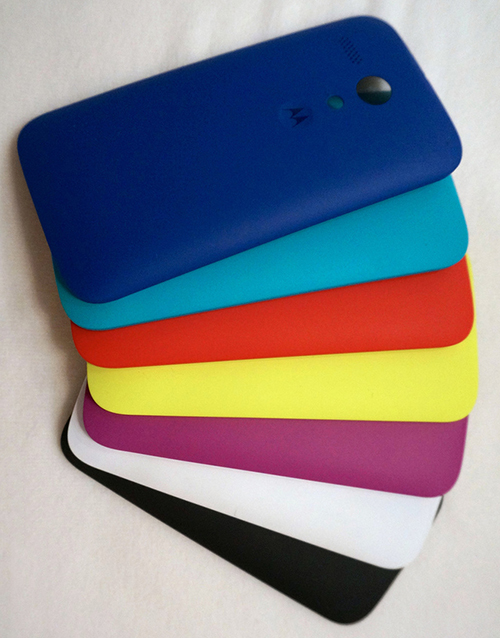
The Moto X made headlines for its dizzying array of color options, and Motorola has done its best to bring a similar choice down to the low end of the market. Instead of offering customizable phones through its Moto Maker service, it's taking the Nokia route and offering colorful replacement shells that you can swap in for the phone’s back cover. It’s a shame, but it’s difficult to imagine Moto Maker being viable at such a low price. Unless Motorola was to set up factories in each of the 30 countries where it sells the Moto G, snap-on covers appear to be the only way to bring the personalized feel of the Moto X to the masses.
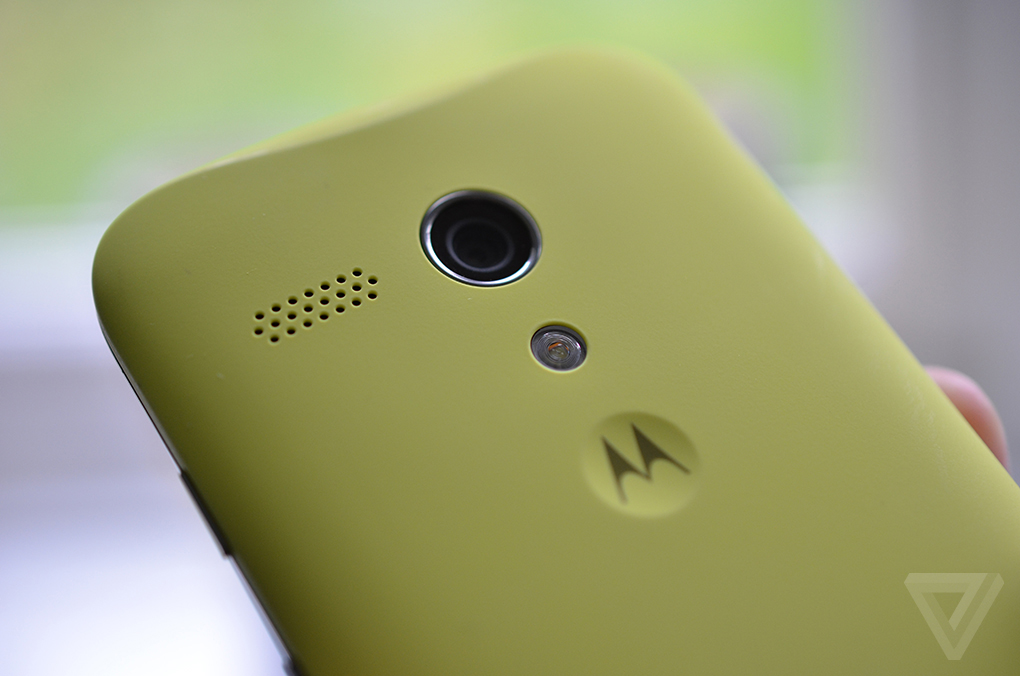
The Moto G arrived at my door decked out in all black, which just made it look fat. Luckily, I also picked up a couple of cases, one in a fetching "Lemon Lime" that's somehow both pastel and fluorescent at the same time. The other was a black flip-case that protected the display, something similar to the cases you’ve probably seen covering a Samsung Galaxy S4. Other colors available include white, blue, turquoise, red, and pink.
With a splash of color, this is a much more likable phone
After a few minutes dithering, I cast aside the unmemorable black shell in favor of the citrus-inspired casing, and haven't looked back. With a splash of color, the Moto G becomes a much more likable phone, and the two-tone stylings give the illusion of a slimmer device.
Pretty they may be, but swapping covers is a chore, requiring you to wrench off the case by wedging your fingernail into the phone's Micro USB charging port and pulling. It's not likely to be something you do every day, but I haven’t had this much trouble removing a case in years.
With the cases, Motorola once again falls short of exacting standards; the black flip-cover feels coarse and unpleasant in your hands, and when closed the front portion never quite aligns with the corners of the phone. The yellowy cover, although looking more attractive than its brethren, began to creak after a couple of days. After a week of heavy use, it’s developed a cacophony of infuriating squeaks and clicks that radiate from an air gap close to the phone's rear camera. Although matte and resistant to fingerprints, the cover gets dirty very quickly, and I worry how well it’ll stand the tests of time.
The Moto G falls short of exacting standards
The Moto G doesn’t have to contend with the type of premium devices that meet my standards, though, and compared to the (admittedly fun) clear plastic shelled Asha phones like the 503, uninspiring Firefox OS phones like the ZTE Open, and Nokia’s low-end Windows Phones, the Moto G looks truly premium, even if it doesn’t quite live up to expectations.
Motorola has taken a leap in the right direction here, bringing aspirational qualities to a new price range, but it hasn't performed a miracle. Instead, it’s boiled down the elements of great design to sell it to the masses. And there’s nothing wrong with that.
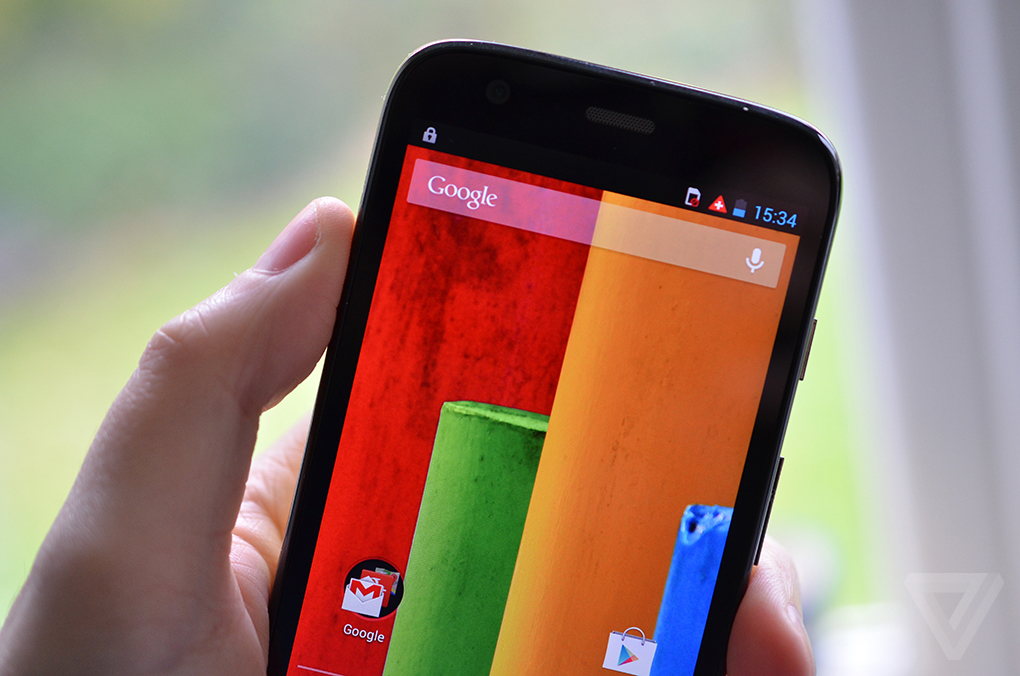
Display
Crystal clear
Although outdone by more expensive, higher-resolution displays, the Moto G's 4.5-inch 720p LCD panel is in a class of its own at this price. A bright panel with accurate colors and solid viewing angles, there's really not much more I could ask from a budget smartphone. In fact, the display is easily on par with those found on last year’s flagships, such as the HTC One X. It's certainly a huge step up from the low-resolution displays offered by the competition.
Nokia's cheap Lumia and Asha phones, Samsung's lesser Galaxy smartphones, and LG’s Optimus F range all offer WVGA (800 x 480) displays. Some Samsung phones, like the Galaxy Fame, step that down further to HVGA (480 x 320). Of course, resolution isn’t the only defining aspect of a display, but the difference between WVGA and 720p is immediately noticeable. That Motorola has managed to put this display into a phone costing so little is an achievement in itself.
CameraFast, fun, and out of focus

One almost cruelly overlooked feature at this price range is a phone’s camera. Images from budget phones are almost universally awful, with even camera specialists like Nokia failing to work their magic into low-end offerings. Motorola’s final cost-cutting trick can be found at the back of the phone, where the Moto X’s 10-megapixel camera is gone, replaced by a 5-megapixel unit. Given the mixed performance of the 10-megapixel shooter, the downgrade immediately gave me cause for concern.
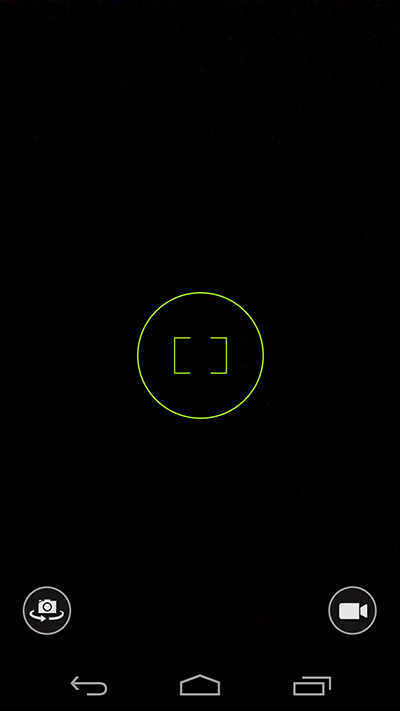
The Moto X’s camera experience is almost fully recreated for the Moto G, omitting only the finicky gesture that activates the app from sleep. As with the Moto X, Motorola has stripped out the vast majority of the settings from its camera app. Tapping anywhere on the screen adjusts the white balance, exposure, and focus before taking a photo. It makes taking pictures feel fun and natural; unfortunately, the app yields extremely mixed results. Photos were often out of focus in all but the most perfect of lighting conditions, and, perhaps to compensate for the poor low-light performance, the flash fires off even when it’s absolutely not needed.
Swiping in from the side of the screen brings up a hemisphere of icons that lets you deactivate the flash, and, more importantly, grants you some control over focus and exposure. Activating the "Control Focus & Exposure" option puts a rectangular target on the screen that you can drag to let the Moto G know what you want in focus before you tap the screen to close the shutter and take a photo. It’s not flawless, but it’s actually very intuitive and would perhaps make more sense as the default setting.
Another disappointing camera
Even with Control Focus & Exposure activated, the image quality from the Moto G is disappointing. The phone just doesn’t take good photos most of the time. It’s got a voracious desire to post-process your images to the nth degree, adding in noise and artifacting that result in some extremely bad photos. Coupled with the focusing issues, the Moto G offers up yet another disappointing low-end Android camera. It matches the competition, but nothing more.
Software / performance
Bang for the buck
Comparing the Moto G against more expensive handsets isn't exactly fair. Anyone upgrading to the Moto G is likely to notice a huge leap in performance. That’s true even for those with flagship phones from 2011, like the Samsung Galaxy S II or iPhone 4S, and the difference between the Moto G and any other sub-$200 handset ever is night and day. In the sub-$200 market, only Windows Phone devices like the Lumia 520 and 620 get close to the kind of experience that Motorola is offering here.
Motorola has taken a no-frills approach to software with the Moto G. There are few differences here between Motorola's and Google’s ideas of how Android should look and behave. Gone are the bells and whistles of the Moto X; you won’t find any "Ok Google Now" voice commands here, no gesture controls are offered, and the X’s extremely useful Active Notifications, which allow you to view and interact with notifications while the majority of the phone’s display is powered down, have also been cast aside.
Motorola's apps are entirely useful
The latter feature has probably been omitted due to hardware differences between the two phones. The Moto X has custom chips that can perform such tasks in a low-power state, and its AMOLED display only activates the pixels in use. In contrast, the Moto G has a regular Snapdragon processor and an LCD display that requires backlighting, meaning Active Notifications would impact battery life. That said, the notification LED positioned above the G’s display does a fine job of subtly informing you that it wants your attention.
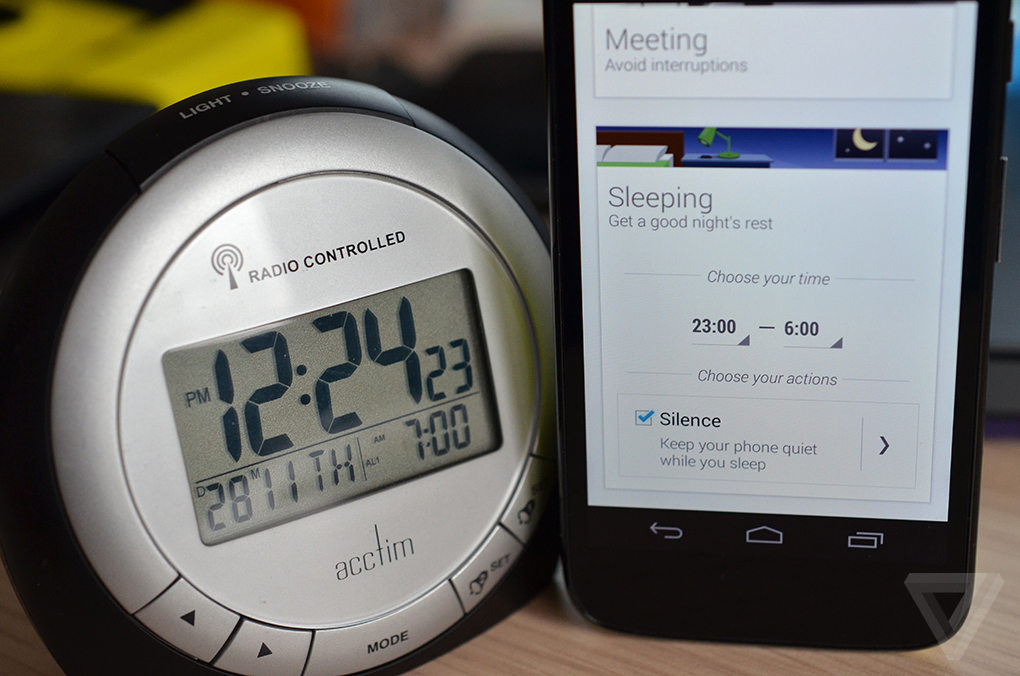
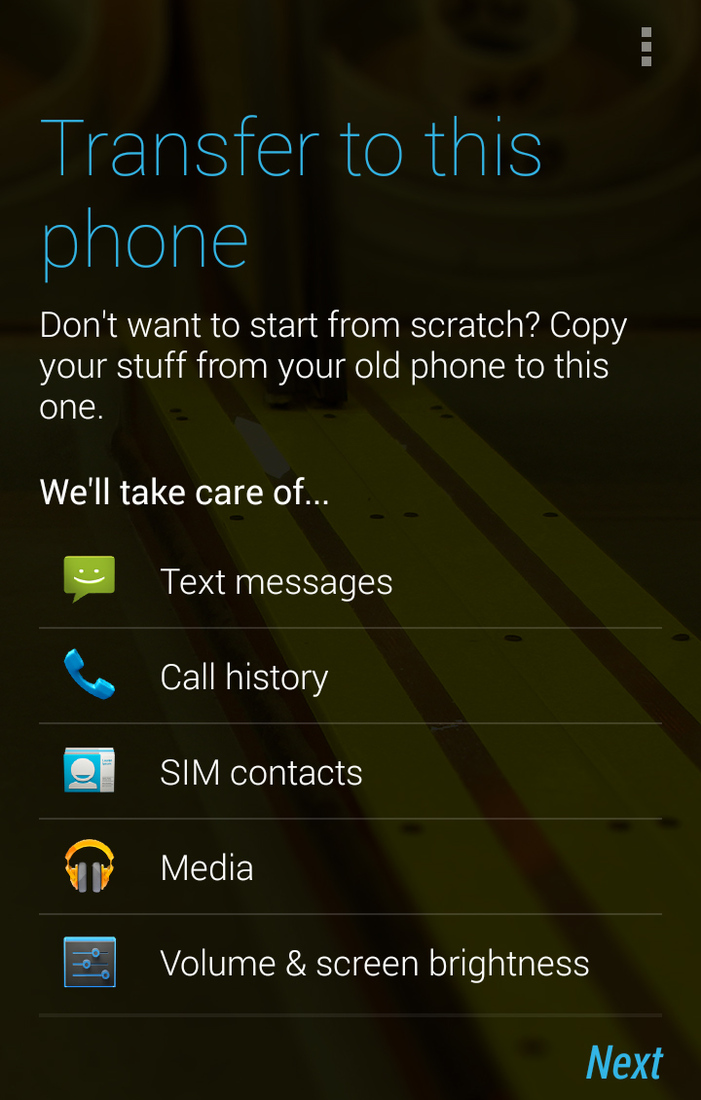
Only a few of Motorola’s apps made the journey over to the G. Moto Migrate lets you transfer all of your settings, photos, videos, and music from your old Android phone with ease. It works well, but you may have to delete some content from your old device before running it, given the Moto G’s limited storage. Moto Assist intelligently learns your routine and plugs into Google Calendar to automatically set your phone to an appropriate mode. If you’re driving, it’ll allow you to engage with your phone hands-free; if your calendar says you’re in a meeting, it’ll put your phone in silent mode. It’s entirely optional but also entirely useful.
Place the Moto G alongside the Moto X and the gap in performance is almost imperceptible. Swiping through home screens is smooth, apps launch in a pinch, games run beautifully; it’s just astoundingly responsive. As the spec sheet suggests, there’s plenty of raw speed here. In fact, the Moto G offers up the kind of experience you’d expect from a $500 or $600 phone for $179. Yes, it’s not as fast as the current crop of flagship phones, and yes, scrolling in Android’s Chrome browser is as imperfect as ever, but it really blows everything else out the water.
Battery life
An all-day phone
Often those looking to buy cheap Android phones currently use low-end BlackBerrys, quasi-smartphones like Nokia’s Asha range, or even an old flip phone. These customers might be used to batteries that last a week or more, something that modern smartphones just can’t match. With that in mind, it’s important that a budget device can at least keep up with the competition. Luckily, the 2,070mAh battery inside the Moto G offers more than enough power to get you through to the end of the day. It’s slightly smaller than the Moto X’s cell, but the Moto G’s processor appears to be far more frugal.
In everyday use, the Moto G is well above the average. I use my phone a lot, probably a lot more than the average buyer, but regularly got through to the end of the day with 40 percent or more left on the battery meter. With light use you should be able to squeeze two days from a single charge.
02 Dec 16:40

Amazon's petition against collecting New York sales tax rejected by US Supreme Court
by Jacob Kastrenakes
Yousef AlnafjanDrats
The Supreme Court has declined to hear a case from Amazon that challenges a New York law requiring it to collect sales tax within the state, reports Bloomberg News. The law was passed in 2008 and requires that any out-of-state retailer collect taxes if it uses an in-state company to attract business. Amazon and Overstock challenged the law, but New York's highest court — the New York State Court of Appeals — upheld it. Though the law is meant to create a level playing field between in-state retailers and internet retailers like Amazon, which can advertise lower prices by not collecting sales tax, Amazon reportedly argued that the law "subjects internet retailers to significant burdens" in doing so.
Amazon can't avoid sales tax if it wants to build more distribution centers
Despite Amazon's protest against the law, the retailer has been increasingly willing to embrace sales tax lately as it opens distribution centers in more states. Traditionally, Amazon has only had to collect sales tax in states where it has a business presence — usually through one of its fairly limited number of distribution centers — but as states press harder for tax collection, it's shown a willingness to open in more locations.
After last night's announcement that Amazon plans to begin delivering packages within 30 minutes by small drones, adding distribution centers appears to be more necessary than ever. While there are likely bigger hurdles in Amazon's path than dealing with tax collection — namely, the FAA — the announcement suggests that Amazon will eventually have to give up on more of its state exemptions from collecting sales tax. That's something that many states and lawmakers would be excited to see: according to Bloomberg News, states are losing an estimated $23 billion each year in uncollected taxes because of internet retailers. Amazon has reportedly begun to change that by collecting taxes in 16 states — New York included.
27 Nov 14:53

GravityBox Xposed Module Updated to Support KitKat
by eagleeyetom
Yousef AlnafjanStuff like this makes the need for custom roms and custom recoveries obsolete, even for tinkerers like myself. I'm currently using stock (but rooted) Android 4.4 on my N5, with Xposed modules to add features without giving up the ability to get the latest updates straight from Google.
We have been writing about Xposed a lot lately, and this is all well deserved. Most of you have either heard about it, or have already installed it. Xposed Framework gives almost unlimited freedom in adding your favorite features into almost any ROM, no matter if it’s custom or stock. Xposed was recently updated to support Android 4.4 KitKat. And now, many of these modules can be used on Nexus 5 or other devices running KitKat.
One of the most popular modules comes from XDA Senior Member C3C076. We are naturally talking about GravityBox, a tweak box for Android greater than 4.1. Since our last article about this project, quite a few things have been added and refined. The most noticeable change was adding an experimental support of KitKat, which took place in version 2.7.4 .
The developer also informed us that he will create an exclusive branch for KitKat devices as soon as his Nexus 5 is delivered. C3C076 mentioned also that he will focus mainly on KitKat project. Because of this, Mediatek devices, for which originally GravityBox was developed, will be eclipsed by ongoing development for newer devices. To use this module, your device must be rooted and newest version of Xposed Frameworks must be installed.
If you want to add some excellent features known from custom ROMs like CyanogenMod or Paranoid Android, make your way to development thread and give GravityBox a try.
27 Nov 08:11

Microsoft's latest 'Scroogled' ad uses 'Pawn Stars' show to rip into Google's Chromebooks
by Nathan Ingraham
Yousef AlnafjanThis proves that Chromebooks are succeeding. Also this:
http://www.amazon.com/Best-Sellers-Electronics-Laptop-Computers/zgbs/electronics/565108/
it's been nearly two years since Microsoft started pushing a staunchly anti-Google message through its "Scroogled" campaign — since then, Google's biggest products like Gmail, Google Search, Android, Chrome, and Google Docs have all come under fire as being inferior and less secure than Microsoft's offerings. (Not to mention these clever mugs and t-shirts.) Now, Microsoft has yet another target: the humble Chromebook. In a new video on the Scroogled website, Microsoft calls in Rick Harrison from reality TV show Pawn Stars to appraise a seller's Chromebook. Her suggestion that the computer is worth anything elicites a hearty chuckle from Harrison, who then goes on to say "when you're not connected, it's pretty much a brick."
He then notes that a "traditional" PC uses built-in applications — like Microsoft Office, of course. Apparently, unless a computer has Windows and Office, it's not a "real" laptop in Microsoft's mind — hardly a surprising viewpoint, but one pretty far from the truth at this point. There's little doubt that Chrome OS is dependent on the internet, something Google hasn't exactly hidden since introducing the computers, but there's finally enough offline support for core services like Gmail, Calendar, Drive and Docs, and offline music, photos and books.
"When you're not connected, it's pretty much a brick."
Given the fact that market penetration for Chrome OS is minimal, certainly compared to the Windows juggernaut, Chromebooks are a particularly odd target for Microsoft's wrath — The Wall Street Journal notes that IDC claimed Chromebooks have less than one percent marketshare. That probably works in Microsoft's favor, as the company won't have to worry about insulting a large population of potential switchers.) But, as the video wraps up, Harrison tells his bewildered would-be Chromebook seller that using a computer such as that just makes it even easier for Google to track your personal data — just another way to get Scroogled. Our advice? Don't waste your time listening to a reality TV star when deciding what kind of computer to buy.
27 Nov 08:06

Google rolls out extension for hands-free search in Chrome
by Kwame Opam
Google has brought the Moto X's excellent hands-free voice control feature to the desktop. With the Google Voice Search Hotword extension, users can now say "OK, Google" to instruct the browser to search for anything they need, including measurements, weather, and directions. The app is currently in beta, and can be downloaded from the Chrome Web Store.
27 Nov 07:27
This is how David Fincher would portray Mario
Yousef AlnafjanThe Fixer
http://www.youtube.com/watch?v=jBRVSdwpjzo
The Addict
http://www.youtube.com/watch?v=yPRK1ZW8Y3U
The Star
http://www.youtube.com/watch?v=1c5qVSyMxUo
The Soldier
http://www.youtube.com/watch?v=Sr24-EMV84Y
There are two conflicting accounts of the Mario Brothers myth. One is of a “It’s-a-me-ing” doughboy and his good-natured sibling from a wonderland where toadstools dress in cat suits. The other, perpetuated by the Dustin Hoffman movie and the Saturday morning cartoon, is of two tough-guy plumbers from the Bronx.
The short films of Evan Daugherty are clearly motivated by the latter. The Fixer and The Addict look at the seedier side of Mario and his little brother “Lu,” These are not guys you’d want to run into in a back alley. Clearly inspired by crime dramas like Crash and Drive and Traffic, they’re pretty hilarious.
Cooper Griggs likes this
25 Nov 18:50
Critic’s Notebook: Super Mario 3D World Could Make the Wii U Popular
by By CHRIS SUELLENTROP
Yousef Alnafjan"But the Wii U is also the only new console with a video game worth playing. Super Mario 3D World, which went on sale Friday, is the best Mario game in years. It’s not just the best game for the Wii U, it’s the most entertaining game that has been released this fall for any system."
The Wii U console has been slow to catch on after a year, but Super Mario 3D World could make it popular.


|
25 Nov 13:46
Eric Schmidt writes a guide for switching from iPhone to Android
by Casey Newton
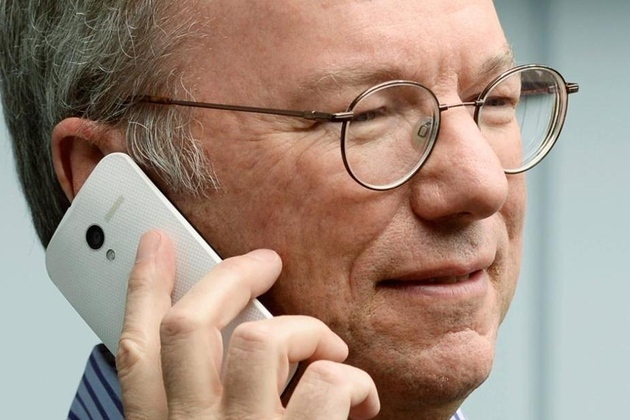
Thinking about making the switch from from iPhone to Android? "Many" of Eric Schmidt's friends are, he says — and so he wrote them a 900-word guide to walk them through the process. Google's executive chairman took to Google+ today to share tips and best practices for abandoning Apple's ecosystem in favor of Google's. "Many of my iPhone friends are converting to Android," Schmidt writes. "The latest high-end phones from Samsung (Galaxy S4), Motorola (Verizon Droid Ultra) and the Nexus 5 (for AT&T, Sprint, T-Mobile) have better screens, are faster, and have a much more intuitive interface. They are a great Christmas present to an iPhone user!"
Schmidt's guide tells Android newcomers how to add a Google account to their devices, find apps, import their contacts, sync their music, and swap their SIM card out of the iPhone and into an Android phone. At the end of the post, the former member of Apple's board of directors also offers his thoughts on web browsers: "Be sure to use Chrome, not Safari; it's safer and better in so many ways. And it's free."
25 Nov 13:38

Watch Walt and Jesse read the final 'Breaking Bad' script for the first time
by Aaron Souppouris
The video embedded in this post contains big spoilers for Breaking Bad.
Breaking Bad's finale was perhaps the television event of the year. Watched by millions, the episode brought closure to the show's loyal followers, and was well received by the majority of critics. Unsurprisingly, it was also well received by Bryan Cranston and Aaron Paul, who play the show's main characters, Walter White and Jesse Pinkman.
A video released as an extra for the Breaking Bad: The Complete Series compilation depicts Cranston and Paul discovering the fate of their characters for the first time. Excerpts of the almost-poetic script are read aloud by Cranston, while Paul emotionally reacts to some of the finale's surprises. As you'd imagine, the video is laced with spoilers, so if you haven't finished watching Breaking Bad yet, this is definitely one video you shouldn't be watching.
Cooper Griggs likes this
25 Nov 02:01

'Super Mario 3D World' is the best reason to own a Wii U
by Sam Byford
It’s been easy to forget about the Wii U lately, with this month's high-profile launches of the PlayStation 4 and Xbox One. In fact, it’s been easy to forget about the Wii U in general; Nintendo's console has sold poorly since its release last November, and truly exciting software has been all but non-existent. Until now.
Super Mario 3D World is the best game on the Wii U by far, and arguably the best game to come out this holiday season on any platform. It sees Nintendo finally firing on all cylinders again, at a time when it's needed the most. It's Nintendo at its creative, playful, unhinged best.
Nintendo typically uses its 3D Super Mario titles as a showcase for new hardware, so the design of Super Mario 3D World could have been cause for concern. Rather than trying to reinvent the wheel, it draws most of its influence from 2011's Super Mario 3D Land, a fantastic 3DS title that took many by surprise. Both games share the same isometric perspective and simple eight-way directional control; by limiting camera and player movement, the two come off as an accessible hybrid between previous 2D and 3D Super Mario releases. While the formula is proven, some will certainly feel slightly disappointed that the Wii U isn't seeing an all-new blueprint.
But Super Mario 3D World blows that notion away within minutes of its opening sequence. Even if the overarching design is something we've seen before, almost every individual stage is bursting with invention. As with the head-spinning Super Mario Galaxy games, Nintendo is more than happy to introduce a completely new gameplay concept only to discard it after a single level, and it's this momentum that ensures Super Mario 3D World is never predictable and never boring. You’ll ride white-water rapids atop a friendly dinosaur, learn to match your jumps to shifting platforms that appear in time with a disco-funk soundtrack, and guide Mario around a Super Mario Kart-inspired track that plays like nothing as much as an early Sonic the Hedgehog game. And that’s without spoiling some of the crazier stages in store.
Tight controls and level design are a given with Super Mario, though; the series' most successful games are the ones that best apply new, recurring elements to the existing template. On that count, too, Super Mario 3D World is a resounding success. You play the game as one of four protagonists — Mario, Luigi, Princess Peach, and Toad, harkening back to Super Mario Bros. 2 on the NES. Each has subtle differences in control: Luigi has a slightly more powerful jump than Mario, and Peach's ability to hover in midair makes her perhaps the strongest character. But the quartet can be controlled by up to four people at once, bringing the New Super Mario Bros. games' riotous multiplayer into 3D for the first time.
Almost every individual stage is bursting with invention
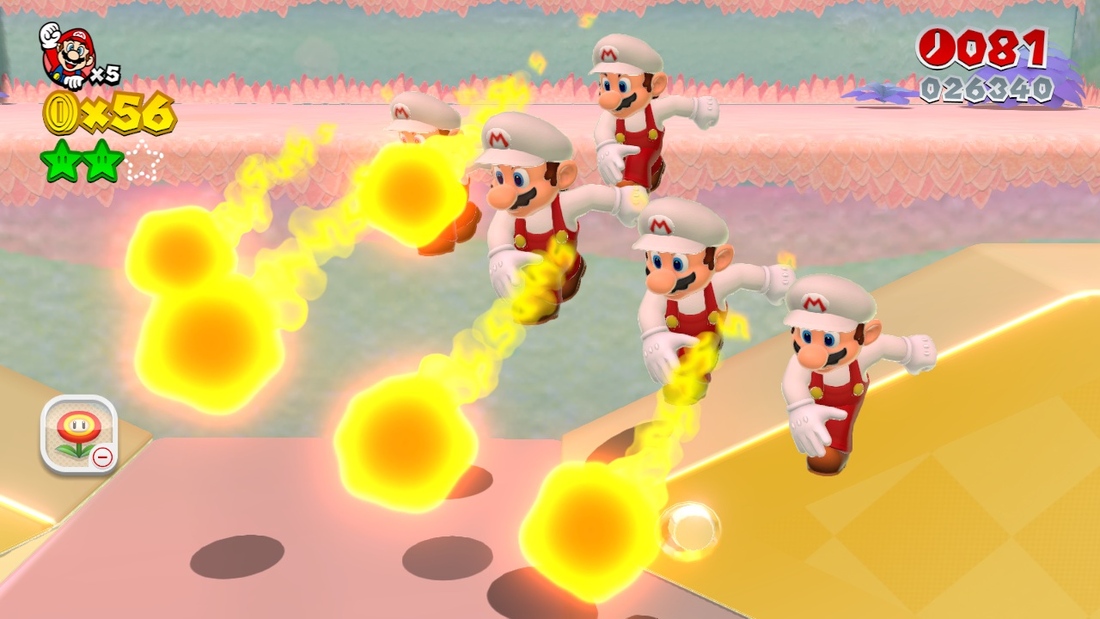
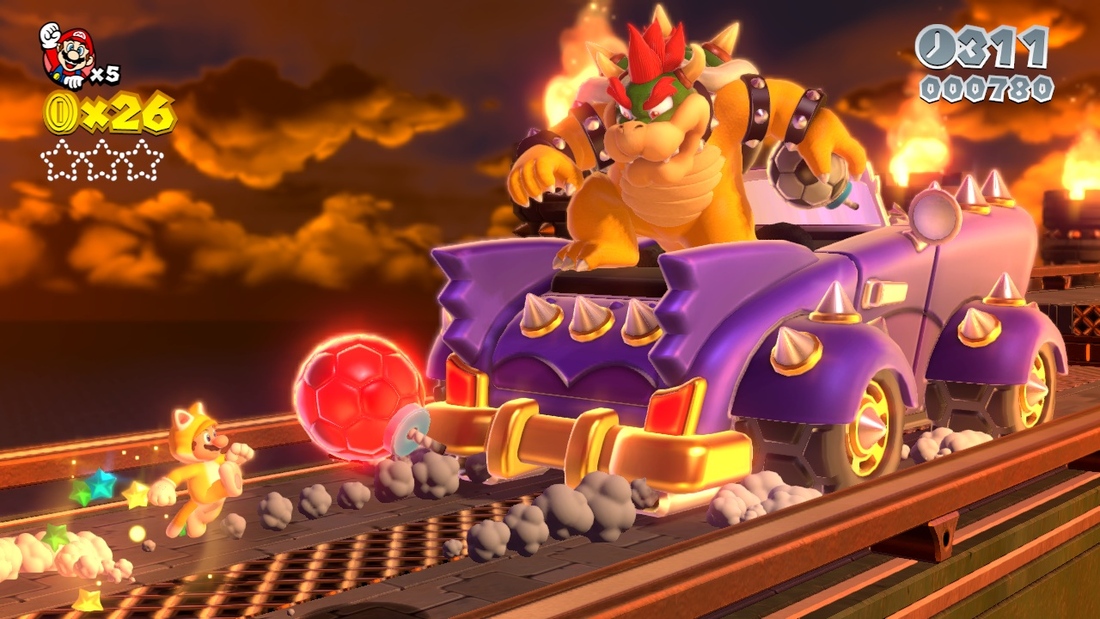
The new power-ups are also instant classics. Cat Mario is both the cutest and one of the most powerful abilities the Italian plumber has ever attained, letting him scamper up the side of walls, claw away attacking Goombas, and scale the top of the level-ending flagpoles for maximum points. Double Mario, meanwhile, is a mind-bending addition that sends clones to run alongside your character and mirror their every action. It’s sometimes a boon, but often sent me into paroxysms of rage as I failed to wrap my head around controlling as many as five Marios at once.
Nintendo has specifically designed certain levels to provoke that sort of reaction, and I found myself gently cursing Kyoto for bestowing this "power" upon me. Still, letting one of them die doesn’t count as a lost life, and it does feel more fair to take on the Hammer Bros. when there are two of you. The power-up is also a neat way to handle some of the levels that were designed for several characters; although Super Mario 3D World occasionally feels a little lonely for the solo player, I rarely felt that the level design suffered from Nintendo’s collaborative focus.
One thing that Super Mario 3D World is not is a showcase for the Wii U's signature feature, the tablet-style GamePad controller. While there is the occasional stage that requires you to manipulate objects with the touchscreen, these are few and far between, and for the most part Super Mario 3D World is entirely playable with a regular controller. I actually found it far more comfortable to play with the underutilized but excellent Wii U Pro Controller most of the time. You can also play directly on the GamePad without the need for a TV, though I wouldn't recommend it; the camera angles tend to be too zoomed-out to be comfortable. And relegating Super Mario 3D World to the low-resolution GamePad screen would be a shame, because it's a stunningly beautiful game.
The Wii U isn't a graphical powerhouse next to its new competitors from Sony and Microsoft, of course, but Nintendo knows how to use it. Super Mario 3D World shows Wii owners exactly what they missed out on after Nintendo chose to sidestep HD visuals back in 2006, and the Wii U's extra power turns out to provide the perfect canvas for the Mushroom Kingdom's vibrant art style.
The Wii U isn't a graphical powerhouse, but Nintendo knows how to use it
With its colorful lighting, cute characters, and delectable textures, it's difficult to imagine how much better Super Mario 3D World could look on a more powerful machine. It runs at a smooth 60 frames per second, and though it's not as technically demanding a game as the likes of Killzone: Shadow Fall, the results are gorgeous. The brilliantly diverse soundtrack also deserves a mention; it’s not quite as majestic as Galaxy’s orchestral score, but it’s a huge improvement on the jaunty retro tunes found in most recent Mario releases.
Super Mario 3D World won’t save the Wii U alone. The 2D New Super Mario Bros. games routinely outsell their 3D counterparts, and Nintendo already blew that chance with the mediocre New Super Mario Bros. U a year ago. But alongside the equally superb The Legend of Zelda: A Link Between Worlds — which also comes out today — it’s a reminder that Nintendo is one of the best developers in the world when it wants to be, and that the Wii U will no doubt receive further titles in the future with the same unparalleled attention to detail lavished upon them. It’s taken over a year, but the Wii U finally has a must-play title to call its own — and Nintendo has two instant classics this holiday season.
Super Mario 3D World is out on the Wii U today.
20 Nov 10:07

Xbox One review
by Verge Staff
By David Pierce, Sean Hollister, Ross Miller, Andrew Webster, and Nilay Patel
Microsoft didn't mean to take over your living room. When it launched in 2005, the Xbox 360 was just a device for games — "the Holy Grail of gaming," in the immortal words of MTV's Sway. It would show your pictures if you plugged in a thumb drive, but it was designed to be the best way ever for gamers to play.
Slowly but surely, the emphasis changed. The 360 kept getting more and better games, but it also got Netflix, and Hulu Plus, and HBO Go. In 2008, Microsoft even overhauled the Xbox interface — turning it from the old side-scrolling "blades" interface into something that looked more like the Zune and Windows Media Center, and more recently into something that looks a lot like Windows 8. Media apps became more popular on the 360 than multiplayer gaming, and Microsoft began talking about how “Xbox” didn’t just mean games anymore.
Microsoft put two and two together and came up with the Xbox One. The new $499 console is still very much a gaming device, but it's more than that: it's a sprawling, ambitious attempt to be the most important thing in your living room for the next decade. Microsoft wants a reason to put the Xbox controller in the hands of everyone in your household; to be the first thing you see when you turn your TV on.
Xbox, convince me.
Also available on YouTube
Console
In the stack
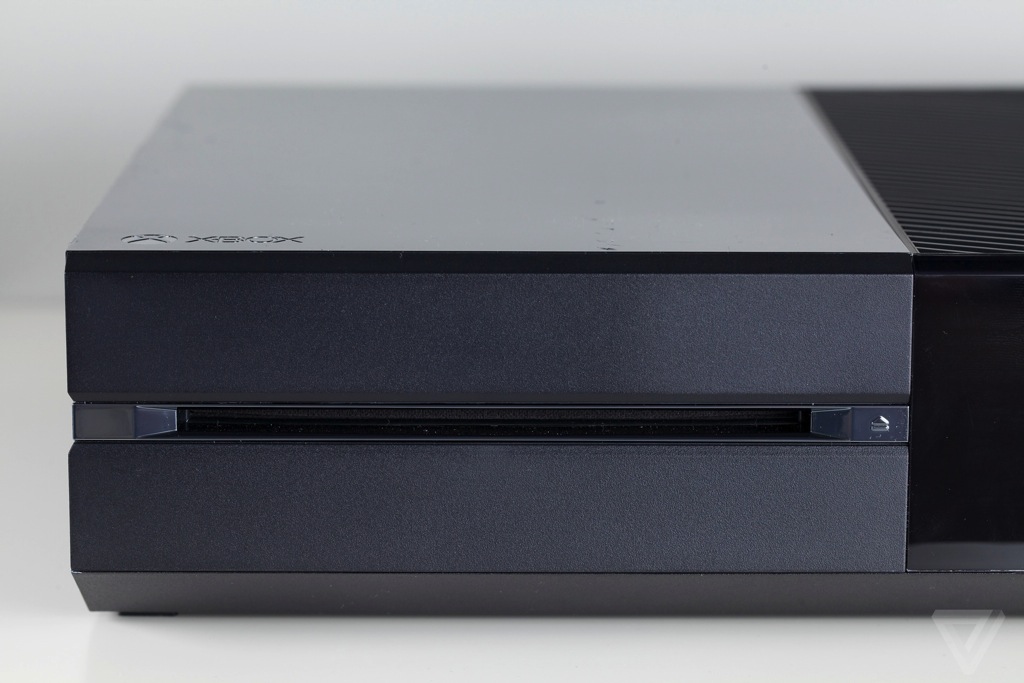
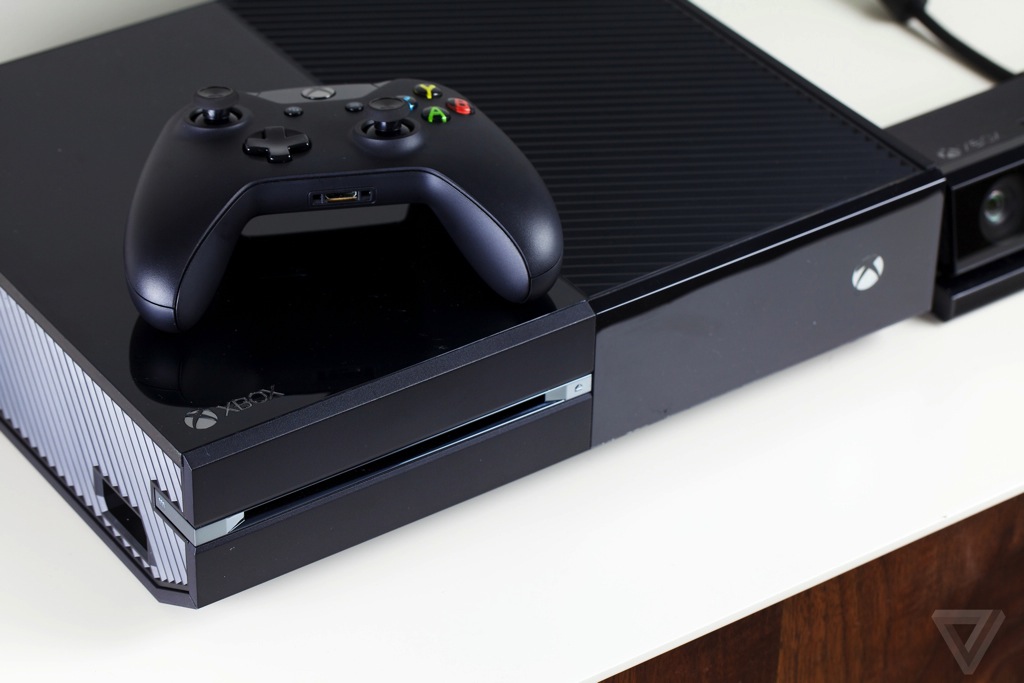
If ever there were a triumph of function over form, it's the Xbox One. It's not attractive by really any definition: it's a big, black box about the size of an old-school VCR and with about the same amount of design flair. The One is 13.1 inches deep, 10.8 inches wide, and 3.1 inches tall, and with only an capacitive Xbox logo power button and a disk drive on its face, an untrained eye might confuse the Xbox One for your Blu-ray player or cable box.
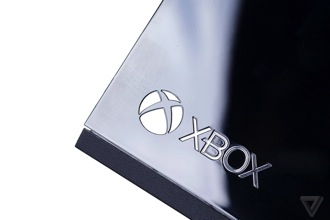
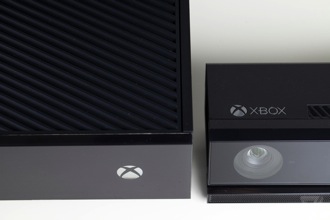

That appears to be the point. The One isn't designed to stand out, like the sharply angled PlayStation 4; it's designed to disappear into the stack of black rectangles next to or underneath your television. The PS4's light pulses as it turns on and glows as you use it, while the One just sits in the shadows hoping you don't even notice it's there.
A glossy, piano-black plastic covers half the Xbox One, next to an angled plastic grille. The grille's not there for show: it's a vent for the device to pump out the hot air generated by its considerable internals. The One mostly runs cool and quiet thanks to the huge vent — cooler than the Xbox 360 by far — but put your hand near the console and you can tell when it's working.
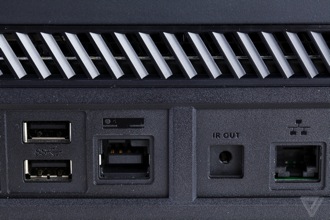
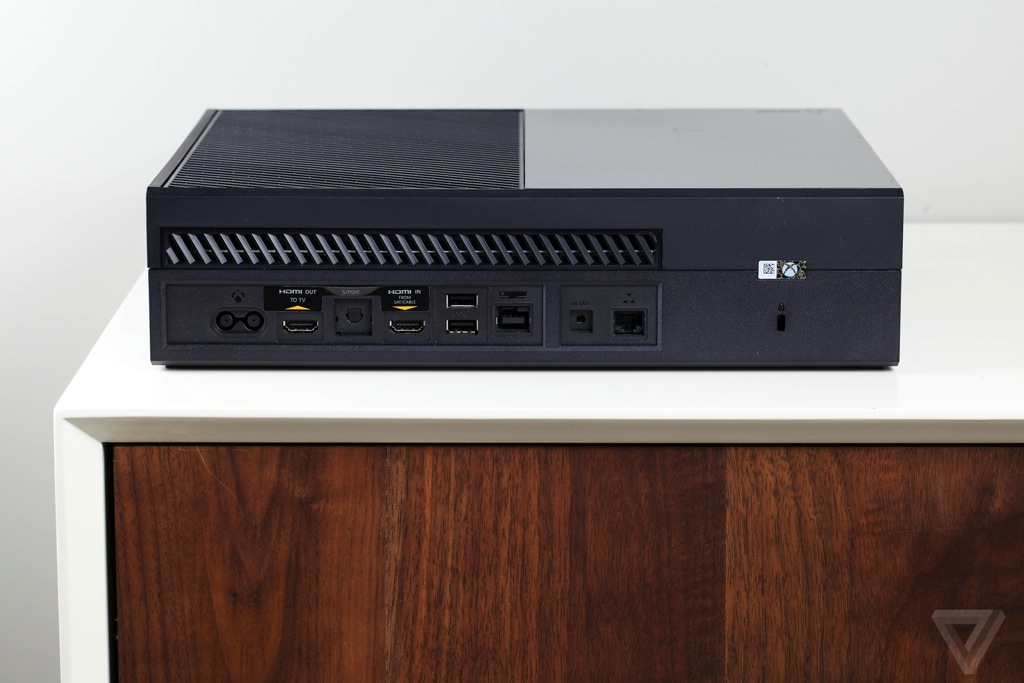
There's a single recessed USB port on the left side of the console (which is clearly meant to be used horizontally, not vertically, and every design touch reinforces that), but most of the One's ports are on its back. There's a power cable, which connects to the massive power brick that unfortunately remains an Xbox mainstay. There's HDMI out (from the Xbox to your TV), HDMI in (from your cable box), two more USB ports, digital audio out, Ethernet, and the proprietary jack for the Kinect. The button for re-syncing your controllers is on the left edge, next to the optical drive. The Xbox One has quite a bit going on, but there are useful guides on the box itself to help you figure out what's what.
From a purely aesthetic perspective, there's no contest: Sony's is the better-looking console. But drawing attention isn't always the point, and indeed the Xbox One slipped right in between my cable box and my Pioneer receiver without ruining the feng shui of my living room. It's as if Microsoft is trying to sneak, unnoticed, into living rooms around the world — hoping by the time we figure out it's there, we're already hooked.
The Xbox One is meant to hide, but you can't miss the Kinect
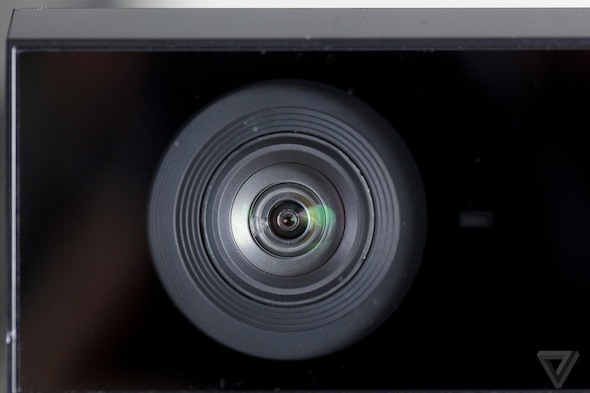
The Kinect, on the other hand, is the bumbling best friend that trips and blows the Xbox One’s cover. It's supposed to go next to, or in front of, or on top of your TV, and it's enormous — nearly 10 inches wide, and 2.6 inches tall. It's not particularly visually arresting, just a black box with a glowing white Xbox logo and a camera lens staring you dead in the face, but there's no way you won't notice the Kinect when it starts looking at you. And it's always looking at you.
Controller
New box, new controller
If it ain't broke, don't fix it.
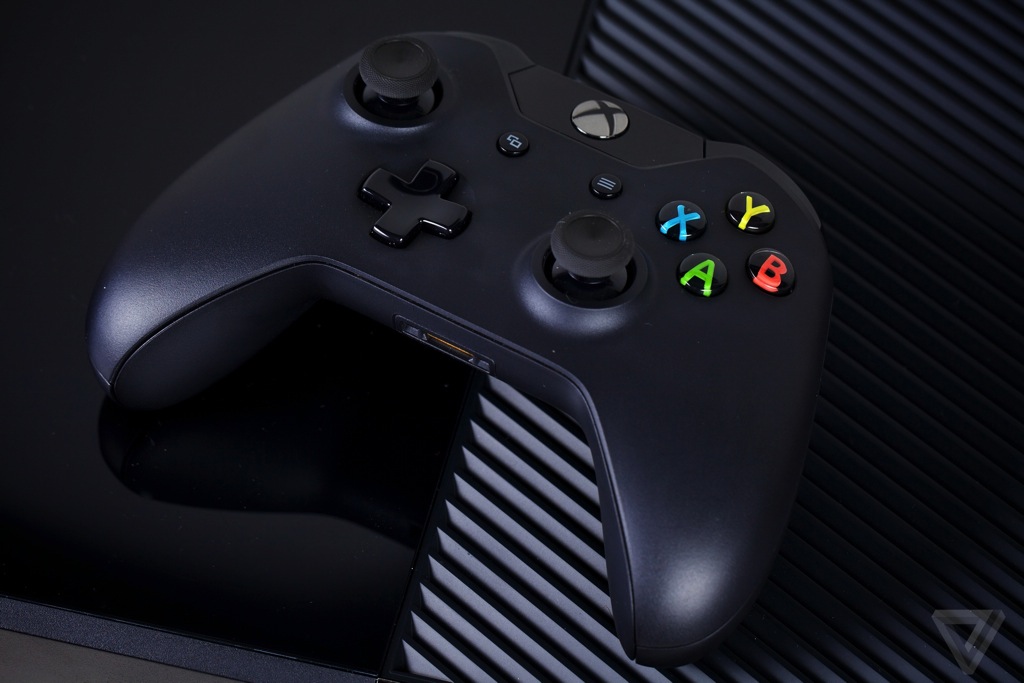
Microsoft spent $100 million developing a new controller for the Xbox One and ended up with something almost exactly like the gamepad that came with the Xbox 360 eight years ago. It's practically the same exact size in every single direction, only a half-ounce heavier, and all the buttons are in the exact same places. Even the analog sticks are the same distance from the ground.
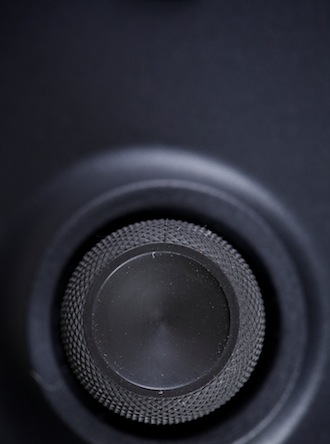
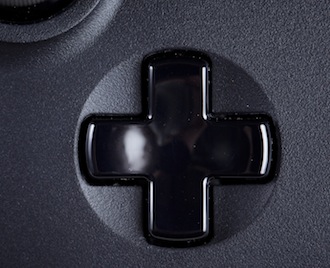
There are a few subtle, meaningful improvements to the new gamepad, though. From the face buttons to the directional pad to the very seams in the plastic, everything looks and feels more precise than ever before. The analog sticks are now exactly 2.5 inches apart and rimmed with an extremely grippy rubber material that practically guarantees your thumbs won't slide off. There's a new cross-shaped directional pad and shoulder buttons that click instantly when you apply pressure, and better still, Microsoft has completely replaced the squeaky, cheap triggers of the Xbox 360 gamepad with a new set that's silent and buttery smooth. The new Start button — now known as "Options" — has also been moved farther away from the X button so you don't accidentally press it while you’re frantically bashing zombies or other such party fouls.
Microsoft changed a few things, but didn't change what makes the controller great
Even the controller's vibrating motors have been improved: one of the headline features of the Xbox One controller is the "impulse triggers," which are basically miniaturized, localized versions of those vibrators which can provide haptic feedback on cue. Now when you fire a gun, you can feel a distinct kick in your right hand. When your car takes a corner hard in Forza, you can feel the traction of the tires — or lack thereof — in your fingertips. It's pretty cool, though it can be jarring in the wrong places. It’s also a bit noisy.
Cosmetically, the battery box no longer sticks out the bottom of the Xbox One controller, since the compartment has been integrated into the frame. The Xbox Guide button has been moved northward into a new glossy plastic region at the top of the controller that encompasses the triggers, shoulder buttons, and a standard Micro USB port to juice up the optional rechargeable battery. Sadly, Microsoft hasn't abandoned proprietary ports altogether — the controller's new headset jack is proof of that — but that's par for the course. In almost every way imaginable, the new Xbox One gamepad is as good or better than its predecessor.
And yet, there is one difference that might ruffle a few feathers here and there. For all the company's care not to change the fundamentals, Microsoft did distort the ergonomics of the controller a tiny bit. An integrated battery box and raised crescent-shaped palmrest mean the controller’s grips aren’t as clearly defined as they were on the Xbox 360 controller, and there aren’t quite as distinct places for your fingers to grasp around back. Whether that’s a good or bad thing will probably depend on the shape of your hands, though: while I felt it didn’t fit my hands as well as the Xbox 360 gamepad, another Verge editor told me he preferred the feel of the Xbox One gamepad because the battery box no longer blocked his fingers.
Yet while the Xbox 360 controller was undeniably the gold standard for gamepads and the Xbox One gamepad is even better, the PlayStation 4's DualShock 4 gives it a run for its money this console generation. Battery life is much better on the Xbox One’s controller, which works with the Kinect and goes into a low-power state when not in use — I haven’t had to change its AAs yet — but Sony’s is more comfortable, less proprietary, and has a few more tricks up its sleeve. We have to hand it to Sony for more than catching up.
But Sony has to compete with two Microsoft controllers now: the gamepad isn’t the only input device that comes with the Xbox One.
Software and Kinect
Hello, Xbox
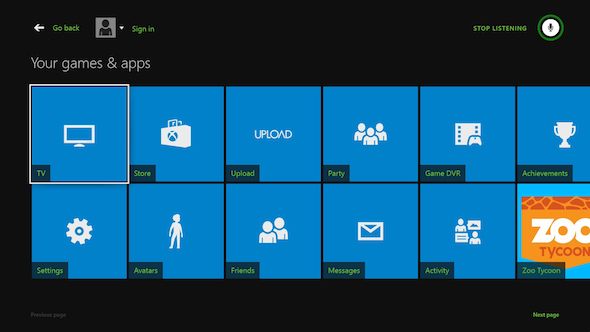
The Xbox One is not a particularly easy console to set up. After you hook up your TV, your cable box, your Kinect, and your wireless gamepad, you have to download a mandatory day-one update, sign into Xbox Live, and wait for the console to install a game before you can play anything at all. You'll need to invest even a little bit more time if you want to do anything else. Want to play a Blu-ray disc? Skype with a friend? Upload a video clip? There's an app for that — an app you'll need to download because there’s virtually no functionality baked in.
But the hardest part of setting up the Xbox One is simply getting used to the console's user interface. Where Sony's PlayStation 4 gives you a simple scrolling list of everything on your console — a visual paradigm that, while possibly cumbersome, immediately makes sense — the Xbox One is a smorgasbord of colored Windows 8-style tiles in seemingly arbitrary locations.
There's a lot to set up, and a lot to learn
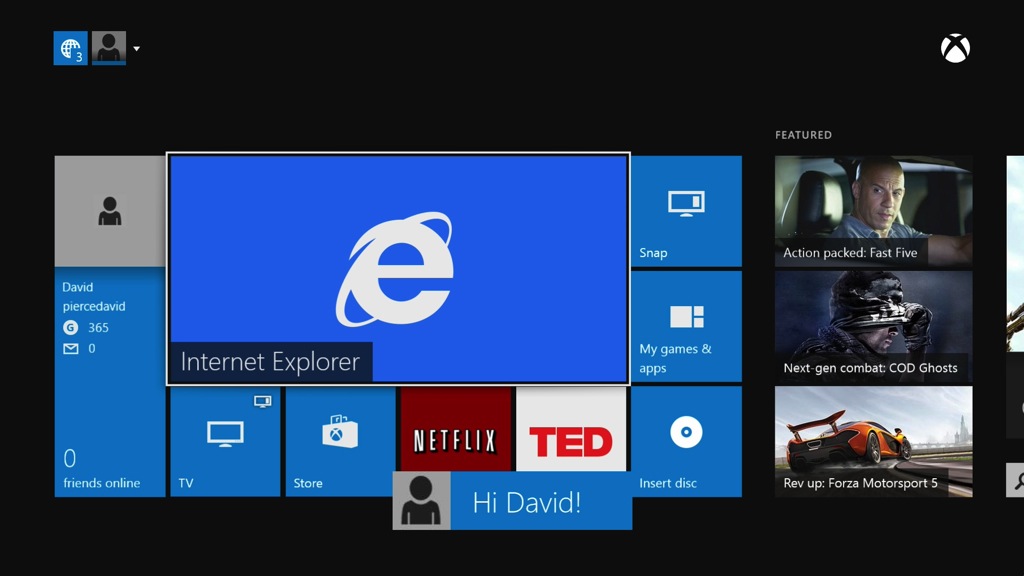
The focal point is the home screen. The largest of its nine tiles is a live preview of the latest game or app you've used, and under it you'll find the last four apps you accessed before that. To the left, there's a link to your friends list, with your profile and Gamerscore; to the right, small tiles for the disc currently in the drive, a link to a list of all your apps and games, and the Snap command. If you scroll further to the right, you’ll get to the Store screen with dedicated sections for games, apps, music, and movies, and if you go further to the left, there's a space for you to pin up to 25 pieces of your favorite content. At the very top of the screen there's a single unified notification bar that keeps track of alerts and messages, as well as the icons for each player currently signed in to the console.
Basic navigation is easy enough, once you know how it works. You go to the store, download something, and keep browsing while you wait for it to install. Once installed, you can play a game full-screen, pop right back out to the home screen with a tap of the big Xbox button on the controller, snap another app alongside it, and then jump right back into your game exactly where you left off. The Xbox keeps a running log of everything you do, so if at any point in the process you want to go back a step or five you can just keep tapping B to do so. If you get stuck, which you will at first, just tap the big Xbox button to head back home.
It's not a particularly quick interface, but it works, and Snap is extremely cool. By snapping the appropriate app alongside, you can watch a video, browse the web, or even consult a game's manual without ever leaving your game — true multitasking on a game console. With a lot of button presses and a little bit of trial and error, you can go from a relatively empty home screen and app tray to one filled with a personalized collection of recently opened and favorited programs that follow you wherever your Xbox Live account goes.
But if you use the Xbox One the way Microsoft intended, you might not be pressing buttons at all.
With the Xbox One, Kinect is everywhere
That’s because every Xbox One comes with Microsoft's new Kinect, a powerful camera and microphone array designed to turn you into the controller and to replace buttons and joysticks with gestures and voice commands. With the Xbox 360, Kinect had a minimal role in the interface: you could wave your hands to painstakingly swipe through pages of app icons, and you could issue voice commands to select a limited number of menu items on-screen. With the Xbox One, Kinect is everywhere.
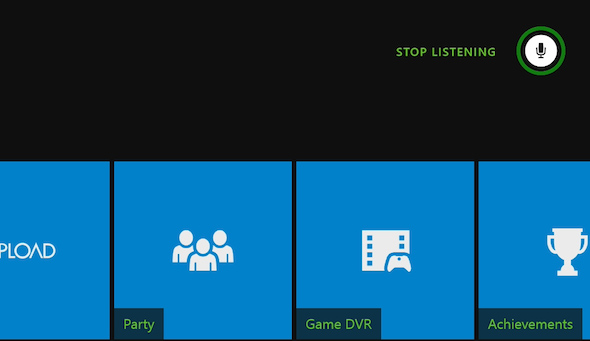
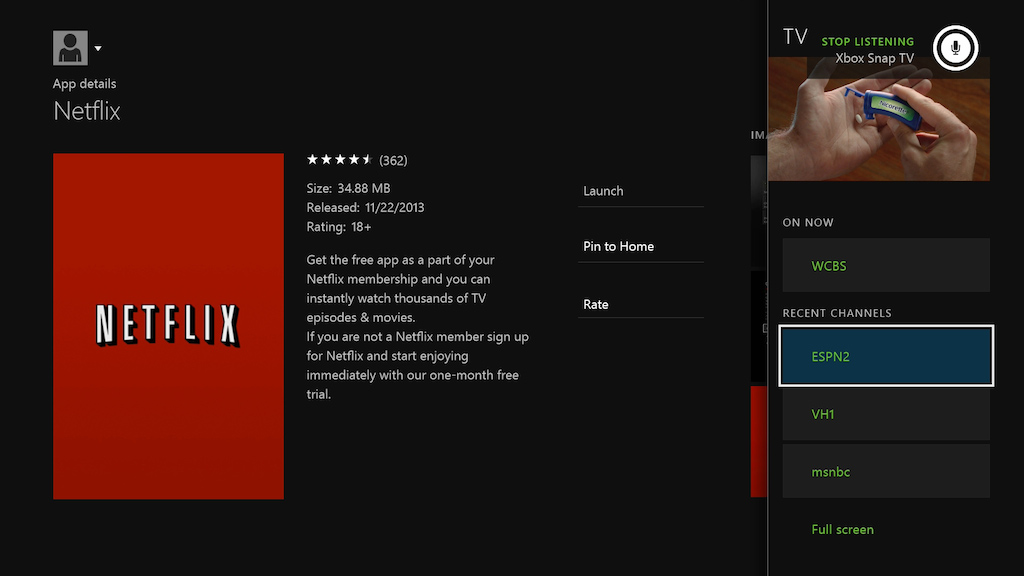
Forget logging into your Xbox Live account: after a few sessions, Kinect will do that automatically whenever it sees you in the room. (It even excitedly greets you when it finds you.) Forget remembering where in the interface you left a game: say "Xbox, Go to Dead Rising 3" from anywhere in the operating system, anywhere at all, and you're playing as soon as the game loads. Say "Xbox Bing" and the name of a movie, and the console will find it for you and take you to a place to watch. Say "Xbox, record that" after you do something spectacular in a game, and your travails are captured for all the world to see. Browsing the web on a television is also far better with Kinect at the helm — while you can't dictate URLs with your voice, Internet Explorer will now recognize commands like "Browse to The Verge" and even let you click on links when you say them out loud. To some degree, the system will even teach you the commands itself: say "Xbox" or "Xbox Select" anywhere in the interface, and the Xbox will highlight things you can say in green text until you close the menu once more with a "Stop Listening" command.
The upshot is that you can go anywhere, do practically anything in the user interface with your voice alone — when Kinect works as it should. When Kinect works, it completely makes up for the Xbox One’s obtuse visual interface, because you don’t need to think visually anymore.
But Kinect doesn’t always work. It’s simply not reliable or flexible enough. Often, I felt like I spent more time screaming at the Kinect to follow my commands than it would have taken to just pick up the controller. I begged, I pleaded with the device to do what I wanted in the most commanding yet humble tone I could muster, and on many occasions it indeed felt like I had the robotic butler of my dreams. Most of the time, though, it felt like my butler was a little hard of hearing.
There are two distinct ways the Kinect fails, and the first feels inexcusable. Many of the voice commands are extremely rigid, to the point where you need to memorize a list of exact phrases to be able to use them reliably. If you want to go to an app, for instance, you need to start by saying "Xbox go to." But if you want to go to Bing, that structure doesn't work. The correct command is "Xbox Bing," because Microsoft expects you to unquestionably understand and accept that "Bing" should be a verb. If "Xbox on" turns on the console, why doesn't "Xbox off" turn it off? Because "Xbox turn off" is the proper command, and you’ll need to memorize it. If you’re a Redbox Instant subscriber, get used to calling it "Redbox Instant by Verizon," because the Kinect won’t accept anything less. You can't say "Xbox play Forza," you have to say "play Forza Motorsport 5." There are dozens more examples like these.
If "Xbox on" turns on the console, why doesn't "Xbox off" turn it off?
More worrying is the fact that even if you utter the proper command at a reasonable volume, the Kinect might not recognize it. I repeatedly recalibrated the Kinect for my room's audio profile, tried moving it to a new position, and tried changing my volume and tone, but voice commands were hit and miss no matter what I did. Sometimes nothing happens, sometimes a screaming child brings up the Settings menu for no reason in the middle of a game. Yelling doesn’t help; nor does whispering or speaking slowly. It just feels purely random, hit and miss with no rhyme or reason. Kinect for the Xbox 360 wasn’t remotely as powerful as the new Kinect, but at least it worked reliably. Until or unless Microsoft makes the Xbox One as reliable, expect to scream at your console — and to get no response part of the time.
There is another way to use Kinect, too: with your hands. Simply raise a hand up to the screen, hover over any tile, and push forward to select an app. Close your fist to grab the screen, and you can drag it to scroll much the same way you’d swipe across a touchscreen. In Internet Explorer, you can even "punch" the screen with your fist or pull it away to zoom. Unfortunately, it’s even more finicky than the voice commands: sometimes I couldn’t get it to recognize my hands, and often I selected something I didn’t mean to.
If you're not interested in using Kinect, or at least not willing to deal with missed commands, you can indeed turn it off. You can turn off the microphone, the camera, or both from a dedicated Kinect page in the settings menu, or simply unplug the peripheral completely for maximum privacy. Of course, then you’re stuck navigating a Windows-like interface with a controller. Even if you have to try two or three times to get the Kinect to recognize your commands, it’s still faster than the alternative.
While there is no backwards compatibility with Xbox 360 games, the Xbox One does carry over your Xbox Live account and its friends. There’s an activity feed where you can check out what everyone is up to on either console, actually, but it’s located behind a profile menu that you’ll rarely think to check (which is fine, you won’t get that much from knowing how many hours ago your friend started playing Dead Rising 3). You can send text messages from the Xbox One to your 360 friends, but you can’t record or listen to voice messages — that’s just something Microsoft nixed.
Kinect Voice Chat works surprisingly well
Party voice-chat works at the system level, so you can talk up anyone regardless of what games or app you’re using. Kinect does a surprisingly good job of filtering out TV noises, although from 8 feet away you can sound either distant or over-amplified. Still, for the luxury of talking without a headset — at the risk of your roommates being heard — it’s a good solution. If you want to have a more private conversation, Microsoft’s proprietary Chat Headset is also included in the box. It’s an inexpensive wired device with a mono earpiece, but a reasonably handsome one, and it gets the job done. Audio is only on par with the Kinect you’ll already own, but it’s worlds better than the headsets that came bundled with the Xbox 360 controller.
Perhaps the coolest social feature of Xbox One is the ability to record and share the insane things that happen when you’re simply playing. While Microsoft didn’t manage to get live-gameplay streaming support at launch — that will arrive in early 2014 — you can already capture and edit small video clips, and it’s about as easy as can be. Whenever something crazy occurs, just say "Xbox, record that" to immediately capture the last 28 seconds of whatever you saw on your screen. You can actually obtain up to the last five minutes of gameplay by snapping the Game DVR app instead, if you need more footage, though there's no way to record voice chat.
Then, pop on over to Upload Studio to trim your footage down to size, add voiceover, or make a cameo appearance yourself by taking a video selfie with the Kinect. It’s about as barebones a video-editing solution as you can possibly imagine, but it’s also fast and intuitive. In just a few minutes, you can edit, render, and upload your creation to SkyDrive and Xbox Live with a few button presses and a couple flicks of the analog sticks. You can’t keep videos private, by the way — everything you upload is shared with the Xbox Live community — but if you use SkyDrive, you can take your video wherever you want after the fact. You can download a copy and re-upload it to YouTube or the like, as long as you don’t mind that Microsoft tacks on an outro with the words "Created on Xbox One" and an annoying chime.
[Update: You actually can keep videos private, but it's an all-or-nothing proposition. Buried deep in the settings menu are options to block uploads, or block certain groups of people from seeing your shared clips. You can't block videos on a case-by-case basis, though, and if you block uploads to Game DVR, you also block them to SkyDrive.]
Three USB ports and nowhere to go
One thing you won’t find on Xbox One at launch is any kind of local media-center functionality. Much like the PlayStation 4, you can pop Blu-rays, DVDs, and audio CDs in the drive, but the device doesn’t support any kind of USB external storage. There isn’t a single place in the interface where you can access such a thing, even if it does eventually arrive. In fact, there doesn't seem to be anything you can do with the console's USB ports right now — no keyboards, no USB audio, nothing whatsoever. You can indeed stream some media from a Windows 8 PC using the "Play To" sharing command, view some pictures and videos through SkyDrive, and there’s a pack of apps you can download to get your streaming television fix, but when it comes to media the Xbox One is really nothing like a Windows computer.
It’s more like a set-top box.
TV
Input one
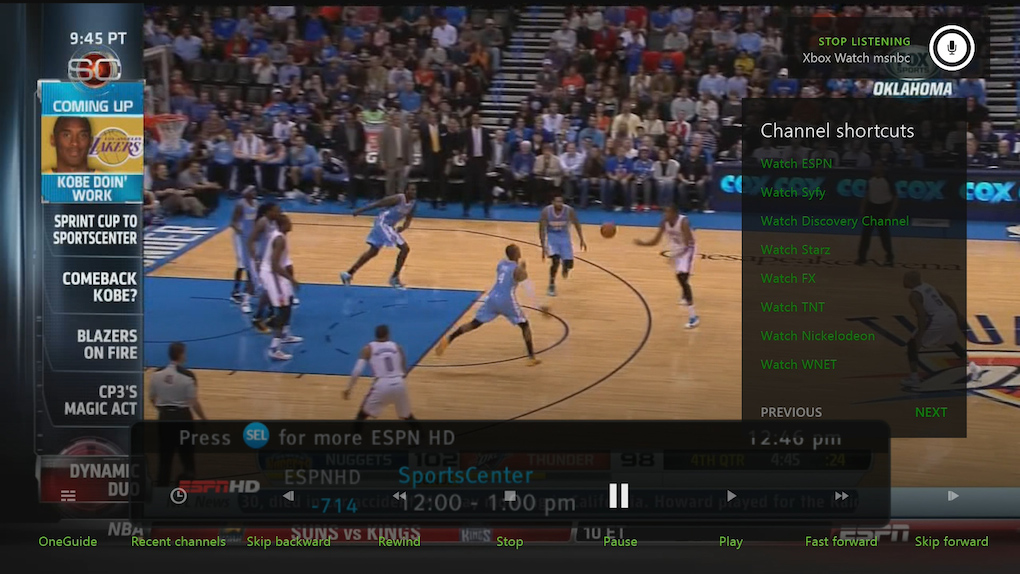
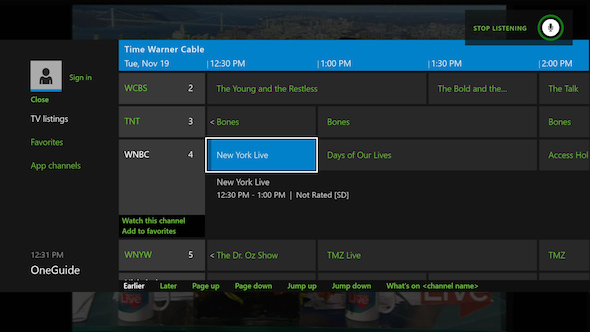
The Xbox One’s TV integration is one of its biggest selling points, and it’s potentially very cool. By routing your cable box through the One, you can get game invites and Skype notifications while you’re watching your favorite shows, and you can snap live TV to the side while you’re playing games. The Kinect can fire off infrared commands to control the basic functions of your cable box and TV, letting you use your voice to search and browse the new One Guide, which features streaming services like Hulu and Netflix listed as "app channels" alongside regular channels.
But while the ideas are great, the execution just isn’t there. For starters, passing my TiVo through the Xbox One darkened the picture and stripped the signal of its Dolby Digital audio encoding, taking away surround sound. There’s a beta option to transcode Dolby into DTS or PCM audio, but it didn’t seem to work for me, and Microsoft says it might cause additional video distortion with some cable boxes until it’s out of beta. If you have a home theater system, this is an immediate deal breaker; I wouldn’t let the Xbox One near your cable box until it can pass the signal unmolested.
If you have a home theater system, this is an immediate deal breaker
If you’re willing to accept the changes to audio and video quality, using Xbox TV is fine in extremely simple scenarios, but you’ll run in to strange dead ends, overlapping interface elements, and unintended behaviors all over the place. Microsoft decided against building HDMI-CEC control since so few cable boxes support it, so you’re stuck with the Kinect as an ultra-powerful IR blaster. (You’ll have to buy a cheap IR cable if your cable box is in a cabinet or otherwise out of the Kinect’s range.) The Kinect is the best IR blaster ever made, but it’s still a clunky IR blaster: you’ll see your cable box’s interface every time you change channels, and the Xbox doesn’t actually know what your cable box is doing or how to control it directly, so nothing works if you’re on your cable box’s menu screen or DVR listing. Speaking of the DVR, there’s just no way of watching recorded shows using the Xbox One, so you’re back to your cable remote and the cable UI. Same with On Demand — the Xbox just doesn’t know about it, so you’re back to the cable box UI.
All of that leads to some extremely confusing moments — unless you exclusively watch live TV, you simply can’t watch TV through the Xbox without switching back and forth to your cable box UI multiple times. This is the inherent reality of trying to fake TV integration by using an IR blaster, and nothing about the Xbox One indicates Microsoft has done a better job of pulling this off than Google did with the Google TV.
The features that Microsoft was able to build are equally half-finished. The One Guide itself is nice, but it’s also not exactly fast — scrolling fast through the listings will quickly land you on a blank page that has to repopulate. And Microsoft’s vaunted "app channels" aren’t really integrated into the TV listings; they’re on a separate tab. It would be much more interesting if Netflix was listed right next to HBO and Showtime.
Microsoft also hasn’t had time to figure out the complicated dynamics of bringing personal applications like Skype and SkyDrive into the shared space of the living room. Do you really want everyone in your house to know when you get a Skype call — and potentially be able to answer it even if you’re not in the room? Do you really want game invites to pop up while you’re watching Homeland with a group of friends? It feels like the Kinect should be doing a lot of work sensing when you’re out of the room, in the room alone, or in the room with others, and managing all of this more intelligently. Bits of that intelligence are present, but not in nearly enough volume to really make the experience work seamlessly.
a little bit more complicated, but not a whole lot better
Lastly, it’s strange that turning on the Xbox doesn’t immediately drop you into watching television — you have to open the TV app every single time. It’s not a huge problem, but it’s a totally new second-step in the core experience of watching television, and over time it becomes a silly hassle. It’s a design decision that encapsulates the entire Xbox TV experience: it’s a little bit more complicated, but not a whole lot better.
Apps
Windows in your TV
Microsoft won't come right out and say it, but the dots aren't hard to connect. The Xbox runs an operating system that it says "repurposed" a lot of Windows 8, on the same x86 architecture as virtually every Windows 8 PC, with plenty of power to run every app in the Windows Store and many more besides. For all it currently is, there's one more thing it could be: a Windows PC.
Albert Penello, Microsoft's senior director of product management, says that the company simply hasn't gone down the app route yet; there are policies, guidelines, and requirements necessary for bringing the Windows experience to your television, he says. But as developers are already making clear, turning a Windows app into an Xbox One app is really, really easy. There's currently a gaping hole where there will one day be an app store for the console, and that's going to be really interesting.
A few good apps, but a store waiting to be filled
The few PC-type apps that do make the switch mostly do so to great effect. Having all your SkyDrive photos and videos immediately accessible on your TV is pretty great — not to mention a nifty workaround for the Xbox One's lack of local media playback. (You can also stream content from your laptop or desktop to your Xbox, in an AirPlay-inspired bit of wonderful simplicity.) And Skype is a fantastic experience, thanks to the Kinect's high-res camera that follows you around the room and its impressively sensitive microphone. Chatting with family and friends while sitting on my couch felt really natural, and became very normal very quickly — but again, Microsoft needs better multi-user support here. I want to get Skype notifications while I watch TV, but I don’t want my mom getting them.
Those apps should whet the appetite of developers, but even Microsoft’s not quite committed to showing just how versatile the One can be. For now, the Xbox One's app ecosystem is just like the 360's. Netflix and Hulu, Amazon and HBO Go, apps for the NFL and ESPN and for Fox and FX. All the apps look good and work well, with much shorter loading times than on the 360, which has started to slow under the weight of its upgrades over the last couple of years. It feels like the beginning, like Microsoft's only opened the door to a giant world of possibility. Why shouldn't Evernote be on my TV, showing me all my clippings and notes? Why is there no way to see my Instagram feed, or my Twitter stream, or the weather? All of those are almost certainly on Microsoft's roadmap, but for right now Microsoft's great synergetic plan for Windows goes mostly under-utilized. Microsoft’s just built a system that does everything the Xbox 360 did, only better.
Games
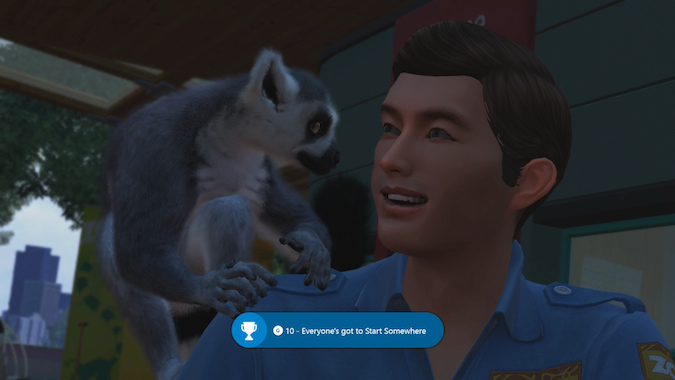
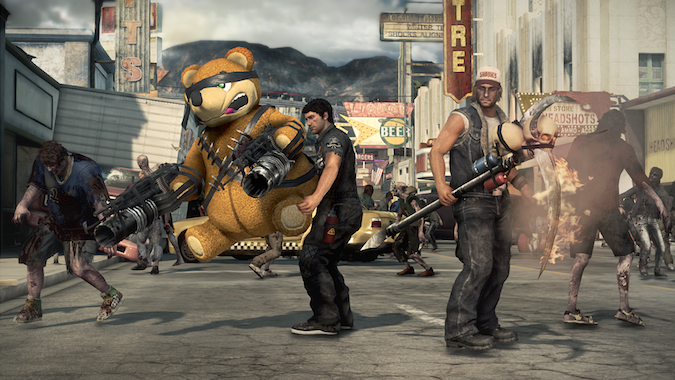
The game is still king
"Like the 360 only better" is a bit of a theme for the Xbox One, at least on day one. Even the launch titles for Xbox One eerily echo the 360’s sequel- and franchise-rich launch. That’s not surprising: game selection at launch tends to run the gamut of genres so that there’s something virtual for virtually everyone, regardless of taste and age range. The Xbox One is launching with 22 games overall, most of them very familiar. As we said with the PlayStation 4, there’s comfort in picking up a controller and knowing the mechanics, but it also means what’s "next-gen" about the console isn’t necessarily obvious at first blush.
Even if you buy a physical disc, all Xbox One games require installation. You can indeed play games while they install, and they start installing as soon as you pop the disc in the drive, but it takes a lot longer than on Sony's new PlayStation: it took 19 minutes for Call of Duty: Ghosts to install 54 percent of the game, at which point it allowed me to start playing. And even with the installations, load times aren’t any better than last generation. We still had to contend with tedious load screens for most of the games we played — it took more than a minute and a half to load Dead Rising 3 from the home screen, much longer than anything on the PS4. This much waiting feels even more ridiculous as the Xbox gets ever more powerful.
A few good launch games, but these won't be the Xbox One's best
And make no mistake, the Xbox One still only downloads one title at a time. Games can be "ready to play" before they hit the 100 percent installation mark, and you can pause or cancel downloads that are getting in the way, but if you’re downloading a big game, you’ll still need to find something else to do while you wait for it download gigabytes upon gigabytes of content.
Once you fill up a sizable fraction of your hard drive with an Xbox One game, what’s the payoff? When you compare the same exact game across different consoles, there’s a clear difference between Xbox One and, say, 360 or PS3, but compared to the PlayStation 4 it’s more or less a wash. Some games look and play slightly better on PS4, some on Xbox One, but really you’re getting a similar experience.
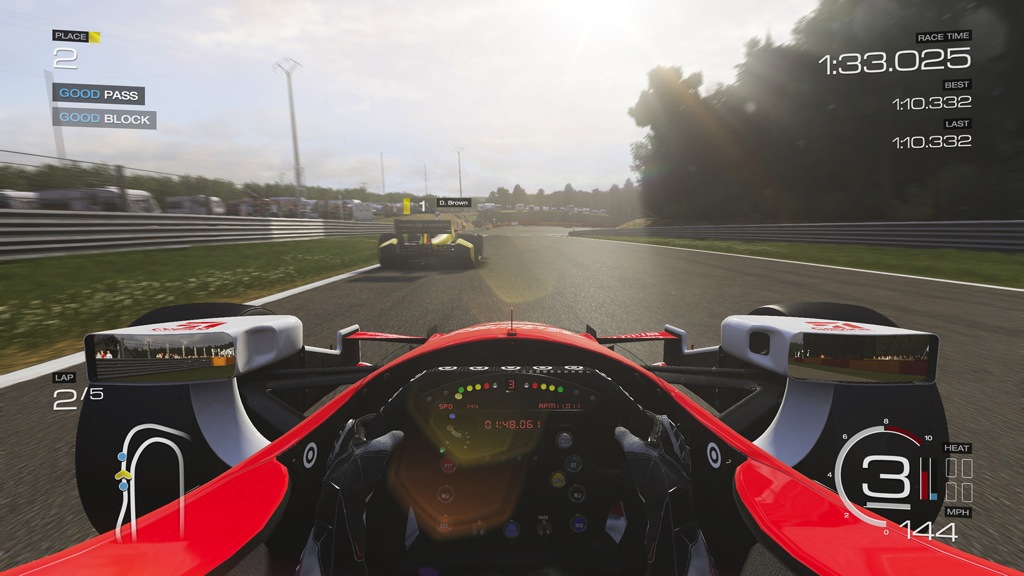
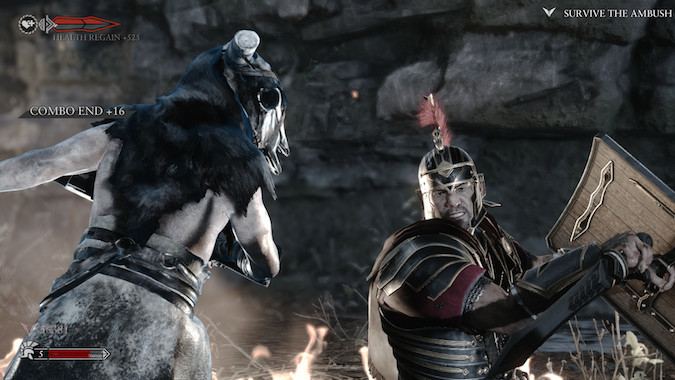
However, Microsoft exclusives like Forza Motorsport 5 and Ryse: Son of Rome are true cinematic spectacles. They’re gorgeous games that really look next-gen and won’t take a lot of training for someone to jump in and play. Forza, especially, doesn’t feel like a launch game built for an unproven console — the attention to detail is phenomenal, and there aren’t really any performance issues we saw. Ryse, meanwhile, is essentially the movie Gladiator with simple controls and a focus on narration and dismemberment.
On the other end of the technology spectrum, Dead Rising 3 eschews visual fidelity to instead focus on making the Xbox One an undead-manufacturing powerhouse — and it’s actually really impressive just how many individual zombies can be on screen without a hit on performance, and how much mayhem you can cause.
And then there’s Zoo Tycoon, a reimagining of a classic simulation game that’s somehow the most adorable thing we’ve played in the last few years — it has literally brought people in The Verge office to tears, it’s so cute. Admittedly, that game isn’t for everyone.
When the Xbox 360 launched, it had an impressive variety of Xbox Live digital titles — 10 in all, including the critically acclaimed addiction Geometry Wars: Retro Evolved, which was an old-school arcade game you could pick up and play for either a few minutes or a few hours. Of all the launch titles, digital and physical, that’s the one major genre Microsoft didn’t check off its list.
Killer Instinct comes close in an update to the classic fighter, but there’s a major learning curve that can be off-putting. (Killer Instinct is also notable for its business model — download a "demo" with one playable character, purchase additional characters in a bundle or a la carte. It’s not an inherently bad model for consumers, but it’s definitely something we suspect will be more prevalent this console generation now that the platforms support it.)
Both in terms of graphics and gameplay, the Xbox One and PS4 are more or less equivalent. Where the Xbox experience differs is the Kinect. Despite its impressive power, it’s currently just a better version of the 360’s implementation when it comes to games. Kinect-exclusive titles fall into two very predictable categories: full-on fitness trainers, and fitness trainers masked as arcade games like Just Dance and Kinect Sports Rivals. Xbox Fitness is actually a great demonstration of how eerily accurate the new Kinect sensor is — and it's something I’ll be using, a lot, as long as my roommates are far, far away from the house.
The Kinect is really where the Xbox One's gameplay separates itself
Kinect’s most interesting use is as additive functionality, which you’ll see in a majority of the launch titles. You can shout commands to your army in Ryse or to your friends in Dead Rising 3, or lean and peek around corners with your head in Forza 5 and Battlefield 4. Zoo Tycoon is the best example yet: it’s much easier to say "view animal," for example, than it is to highlight an exhibit and drill down to the status screens. Want to hang out with lions? They’ll mimic your hand waves, your ear scratching, even your winks. Get close enough to the glass and your reflection will show up.
There’s already a fair amount of good gameplay on the One, but here’s the most exciting part about launch games — they almost certainly won’t stand the test of time. The best years of both Xbox One and PlayStation 4 are a ways off. Twelve months from now, the library for both consoles will almost certainly be more fleshed out, and the best games could take even longer.
The longer developers play with these consoles, the better they’ll understand the new platforms. That means shorter load times, better visuals, and more chances to be creative with all the power these new platforms have to offer.
SmartGlass
Just in case the Kinect and a controller weren't enough, you can also control many of the Xbox One's features using the SmartGlass mobile app for Windows 8, Windows Phone, Android and iOS. As with just about every aspect of Microsoft's new console, the app is similar to what's already available on the 360, but with a few new features of varying utility. SmartGlass lets you view basic information like messages, achievements, and friend activity on the second screen. It also allows you to launch companion apps for games that have them — Dead Rising 3 in particular has an extensive companion app with some features exclusive to the second screen. After you get a cellphone in the game, you can use your real phone in place of the in-game phone to access a map of the city and receive missions over the phone; you can also look up items on the map, get text messages and gameplay hints, call a friend to help you fight off the zombie horde, or even request an airstrike from your phone.
You can also launch games and apps via SmartGlass, both in full screen and "snapped" view, which isn’t that useful in practice. In theory it means you can launch a second app like Skype without having to exit the game you're currently playing, but in reality the process takes about the same amount of time whether you use a smartphone or a controller, and it’s faster to use Kinect when it works. However, SmartGlass can also serve as a touchscreen remote control for many apps, and that comes in particularly handy with Internet Explorer. While touchscreens are far from the best way to type, they're certainly preferable to an Xbox controller, and SmartGlass is the easiest way to write out URLs and scroll through webpages on the One. With the Windows 8 version of SmartGlass, you can even tap a button to open the same page you’re viewing on the Xbox on your laptop or tablet as well.
16 Nov 19:32

Reports of bricked PlayStation 4s surface after launch
by Russell Brandom
After its launch on Friday, the PlayStation 4 has come under fire from some gamers who say their units have been dead on arrival. The most troubling reports describe a so-called "blue light of death" syndrome, in which the console's light bar flashes blue but never outputs a video signal or boots up. Reddit's PlayStation hub has collected 91 separate incidents of console failure, but it's unclear how widespread the problem truly is. None of the Manhattan-based stores contacted by The Verge had seen any PS4 returns based on the issues.
Still, many of the reports are hard to dismiss. As of press time, nearly 40 percent of the PS4 reviews on Amazon are one-star reviews complaining of hardware failure. The official PS4 support forums have been overwhelmed by complaints of broken units. Speaking to IGN, a Sony representative said the company believes there are various issues in play, but less than .4% of units are affected. "We are closely monitoring for additional reports, but we think these are isolated incidents and are on track for a great launch."
16 Nov 19:31

Sony PlayStation 4 review
by Verge Staff
By Sean Hollister, Ross Miller, and David Pierce
Seven years is a technological eternity. Yet the PlayStation 3 has sold well for that long, ever since DJ Fatman Scoop and Ludacris hosted its blowout launch event in New York City in 2006. At launch, the PlayStation 3 was big, heavy, and expensive — it took nearly two revisions and almost a dozen SKUs of PS3 to get Sony to 2013. The console now starts under $200, the controller rumbles, Blu-ray is the dominant physical disc format, backwards compatibility is a moot point, and there's a large back catalog of titles both physical and digital. PlayStation Move exists now.
But even as the current generation continues to adapt and evolve, Sony has decided it’s time to start anew. Time to do something fresh, to create the console that will sate gamers for seven more years. Sony’s new PlayStation 4 reflects the company’s guess about the future of video games, and displays the many lessons Sony’s learned over the life of the PS3. It’s built a different kind of console for a different sort of purpose as it looks to 2014 and 2021 to see what we’ll want to buy.
The next generation of console is here, and it’s here to stay. But while Microsoft decided to use its next console generation to lay siege to your living room, Sony’s simply taken its formula to the next level — it’s attempted to build the game console of our dreams.
Console
A black box
Broadly speaking, it doesn’t matter what your console looks like — it’s certainly not a reason to buy, or not buy, any given console. That’s why it’s so nice to see the care Sony took in building the PlayStation 4, a remarkably better-looking console than the PlayStation 3 — or the Xbox One, or the Xbox 360.
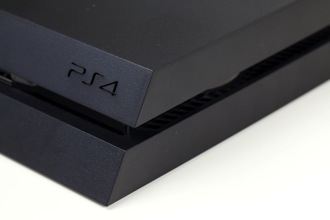
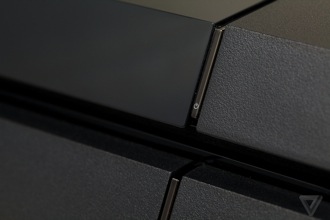

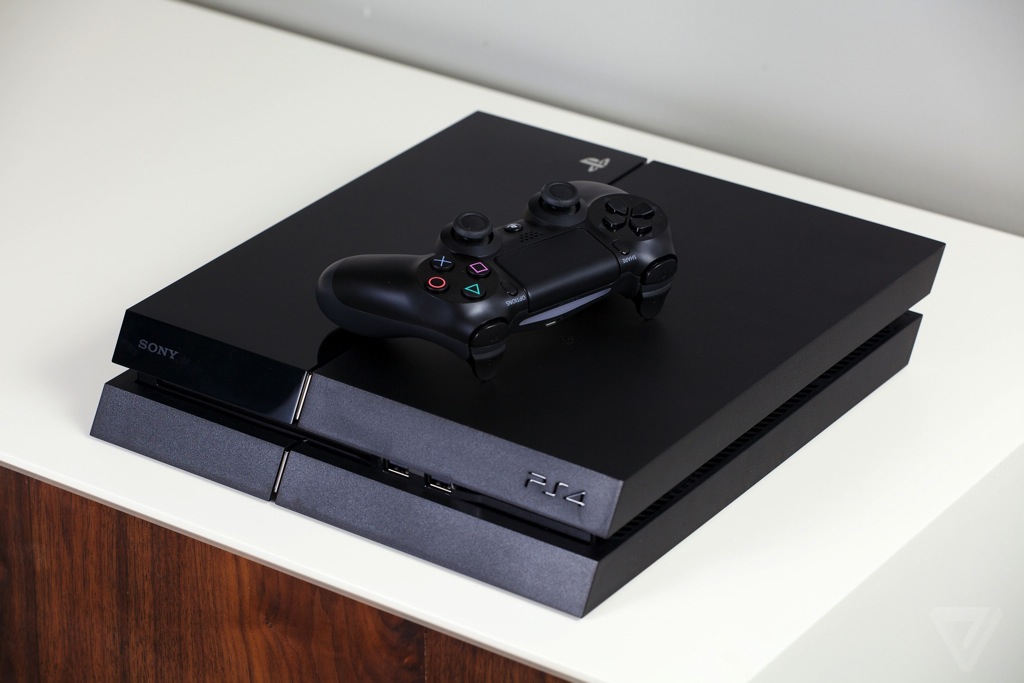
Most immediately obvious is just how small it is; at just over 2 inches tall, 12 inches deep and 10 inches wide, it's smaller than any version of the PS3 (even the "super slim" model) ever made, and slides into a home theater stack far more easily. The acutely angled parallelogram of a box appears to consist of four different slabs, two glossy black and two textured matte gray, stuck together with wide seams between them. It looks designed rather than simply boxed, with Sony's attention to detail clearly showing. The sharply sloped front hides two USB 3.0 ports, and makes the power and eject buttons easy to press just by feeling your way down the face of the console with your finger. I confused the two buttons easily, though, and wound up turning off the system a couple of times while trying to eject a game.
Sony didn't need to pay attention to the box itself, but it did
The console's back has a standard, if slightly spare, set of ports: HDMI, Ethernet, optical audio out, and a proprietary socket for the optional PlayStation Camera. When you're setting the PS4 up, all you need are two cables — power and HDMI — to get up and running. (It uses the same exact cables as the PS3, so if you're upgrading your Sony console all you'll need to do is drop the new box into place.) And unlike the Xbox One, there's no monstrous power brick to find room for, since everything's contained in the console itself. I was worried the integrated power supply might make the console hot and loud, but it doesn’t: I could hear the PS4 in a quiet room, and it certainly warms up under strain, but I never needed to worry about it.
It's really what's on the inside that counts, of course, and what's inside this box is impressive. The PlayStation 4 has a custom processor with eight AMD Jaguar CPU cores, and a next-gen Radeon GPU. It's based on the ubiquitous x86 architecture, which could make development and upgrades much easier going forward, but it does draw a line in the sand between the PS3 and PS4. None of your old games will work, so you might not want to remove the PS3 from your home entertainment center just yet.
The PS4 also has a 500GB hard drive — which I imagine you’ll end up upgrading at some point over the life of the console, since one game can take up 40 or 50GB — plus 8GB of memory, and a six-speed Blu-Ray drive which can load and install games faster than the PS3. It adds up to a console that’s incredibly powerful and is able to play graphically intensive games up to 1080p at 60 frames per second. But Sony missed a couple of important future-proofing opportunities. The PS4 doesn't support the 5GHz Wi-Fi spectrum, nor does it support 802.11ac Wi-Fi — both make for faster, more reliable connections, and are only going to become more standard in the future. Sony seems to assume we'll all be using Ethernet cables a decade from now, and that's a mistake.
This won't be the last PS4 design we ever see — again, the PS3 changed drastically over the years — but it's an excellent, powerful, capable start.
Controller
A better controller
Of course, you won't be spending your time with the PlayStation 4 staring at a box. You'll be interacting with the new DualShock 4 wireless controller, which is easily the best gamepad Sony has ever built.
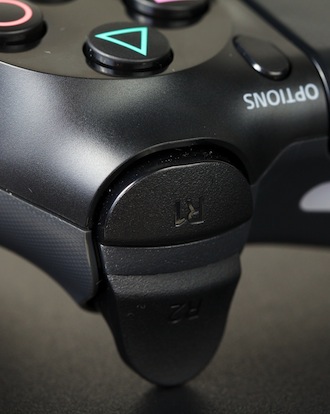
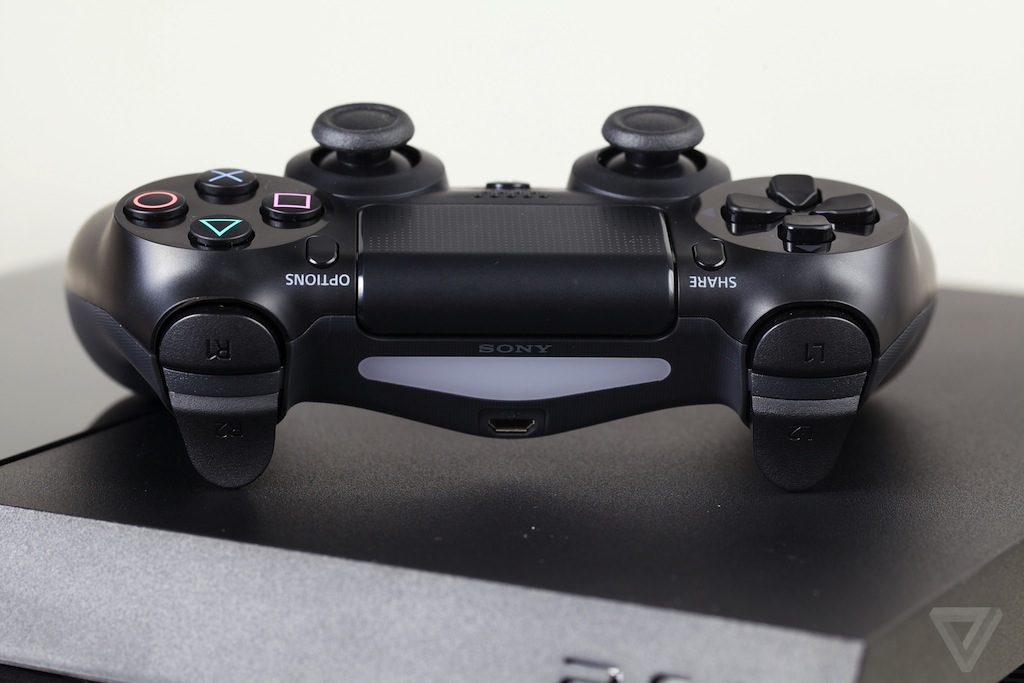
Sony's basic controller layout hasn't changed in 16 years. Like all three DualShock models before it, there's a pair of symmetrical analog sticks in the center, four face buttons on the right, a directional pad on the left, and four triggers around back. There are a number of fancy new features here, like the colorful light bar up front, and a clickable touchpad up top. The most incredible thing Sony has done with the DualShock 4, however, is that the company has made perhaps the most comfortable gamepad I’ve ever laid hands on.
Maybe the most comfortable gamepad ever made
Where previous Sony controllers were designed to be held with fingertips, the DualShock 4's elongated, enlarged grips fit the entire length of my palms. Covered with a matte texture that manages to be grippy without feeling sticky or rough, the controller just melts into my hands without a second thought. Not only are the dual analog sticks, D-pad and face buttons perfectly spaced for your thumbs, they also feel significantly higher-quality than before. Perhaps most importantly, the DualShock 4 is finally a competent controller for first-person games thanks to raised edges on the analog sticks and incredibly comfy triggers that no longer feel like an afterthought. The controller's motion sensor has also been much improved. It's way easier to control the way my flower petals fly in Flower, such that it no longer feels like I’m wrestling with the controls.
Since the DualShock 4 now uses a Micro USB port, you can juice the controller’s rechargeable battery with a smartphone or tablet charger, or even hook it up to a PC. What's really impressive, though, is the standard 3.5mm headset jack. Not only can you use the included mono headset for voice chat, but you can also plug in any old pair of headphones and route the entire system's audio through the controller. You can play late into the night without waking anyone up, just like with the Roku 3. Not all cellphone headsets seem to work — a pair of Apple EarPods failed me — but you can also hook up a USB headset by plugging it into the console itself.
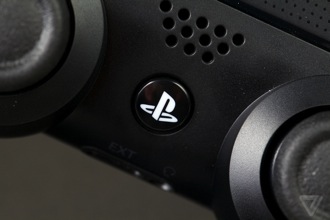
The controller's light bar, touchpad, and integrated speaker aren't used all that much in the system's launch titles, but they've definitely got potential for later down the road. The light bar lets the optional $60 PlayStation Camera track the controller in 3D space, just like a PlayStation Move. In Assassin’s Creed, you can travel in and around on the map, and in Killzone, the light bar's color gives you a visual indication of your health, starting out green and then turning yellow, orange, and finally flashing red when you're in danger of bleeding out. The best use for the speaker I’ve seen so far is in Resogun, where it blares warnings when an urgent situation requires your attention. It’s cool, but like the light bar has much greater potential.
The light bar and integrated audio will only become more fun and more useful
Held up against the Xbox 360 controller, long the gold standard for gamepads, or even what we've seen of the new Xbox One, the DualShock 4 feels as good or better on practically every front. If there's a fly in the ointment, it's that you'll need to keep it charged; I only measured 10 hours of gameplay before our brand-new gamepad bit the dust. The DualShock was immediately back in the action once I connected a Micro USB cable, but the included cable didn't reach all the way to my couch. Even with cell phone chargers, it's still harder to keep the DualShock 4 ready for action than to swap a couple of AA batteries into an Xbox controller when you inevitably run out of juice.
Software and interface
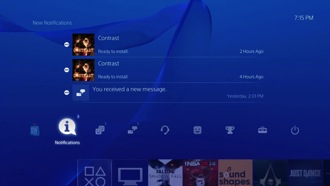
A blue screen
Practically everything the system does, even the built-in web browser, requires you to log in to PlayStation Network, and most of the console's highly touted features aren't available until you install a 300MB day-one update as soon as you turn on the console — all you can do is pop a disk in and play a game otherwise. Multiplayer games, voice chat, background audio, PS Vita remote play, game streaming, and even the Blu-ray player are locked down. If you don't update, the PlayStation 4 will be a very lonely place.
But even after you do update, the PS4's interface still revolves entirely around games. Where the PlayStation 3 was designed as a media hub where your pictures, music, and videos were neatly arranged in a scrolling two-column interface, Sony has stripped the vast majority of that away. While the PlayStation 4 still keeps things zen with soothing ambient music and gently rippling blue background animation, your home screen is primarily a single row of miniature hubs for your apps and games in the order you last played them.
The PS4 is a series of hubs, all centered around games

It's kind of like Netflix: each game has its own little poster, and you hover over it for more information. Dive deeper into any title by pressing down on the analog stick and you can see what your friends have been doing in the game, which trophies you've earned, read the game manual, and get updates from the developers and the game's community. The hub also serves as a miniature storefront for downloadable content, complete with game wallpaper it plasters onto your PlayStation 4's background while you're shopping.
The hub-like app list is bookended on the left by What's New, a place where you can see a stream of everything your friends do; and Library, a different list of all your downloaded games. On top of the list is a smartphone-like notification bar: when you tap the analog stick up, you can access those notifications, along with your friends list and other social features.
At first, it seems to make sense. Just like on the PlayStation 3, you scroll left and right, up and down to accomplish things. But I had to do an inordinate amount of scrolling and clicking to do most anything. Since the main list of apps and games automatically sorts itself by recency, you can't count on anything ever being in the same place… and as the list gets longer, that just becomes more difficult. There's no way to sort or filter the list — even inside the meaninglessly distinct Library app — and if you have too many friends, the What's New hub will quickly fill up with announcements about each and every time one of them started playing a game, earned a trophy, or just about anything else.
But the real problem with the PS4's interface is that Sony hasn’t been paying attention. Sony hasn’t learned something smartphones and social networks mastered years ago: making notifications actionable.
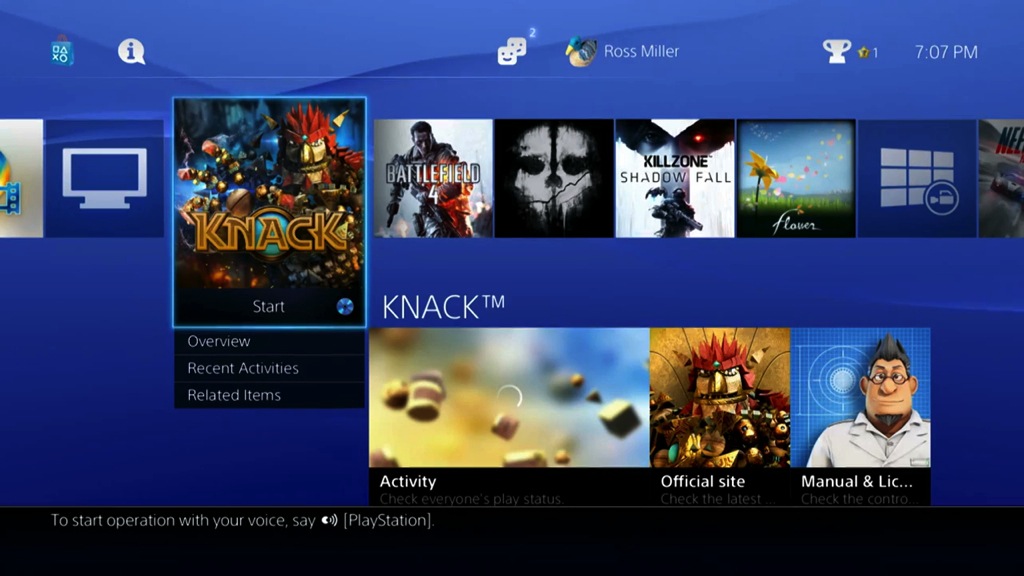
Sony's interface is fast, but still too stuck in the past
If you see that your friend just started a game of Killzone, you can't press a button to send them a message or join in the fun: you have to go to that friend's profile first. Even if you're watching a live stream of someone's multiplayer game, you can't directly join them — you can only launch the game, or message them for an invite. If that friend then sends you a message, you won't know what the message is right away: the PS4 will only tell you that you've gotten a message. You need to leave your game and go to your messages to actually read the message text, then press several more buttons before you can reply. In an age of instantaneous communication, it feels like Sony can't quite let go of the snail-mail paradigm.
Sony's navigation and social features might be half-baked, but everything that revolves around games works quite well. Every game has to be installed to the hard drive, but you can play games while they install. It only took five minutes from the time we popped in the Killzone: Shadow Fall disc until I was playing the first level. Once you're in a game you can instantly jump back to the home screen and fire up the web browser, change settings, or check notifications without having to quit your game, and you can instantly jump right back in again exactly where you left off. And if your friends are online, you can loop them into a party and not have to deal with the messaging system at all: you can all use voice chat to communicate, and automatically drag them into multiplayer games as well.
Though the UI is plenty speedy when you’re just browsing through games to play, it can bog down when you suspended a game. I even saw it freeze solid on several occasions, which is extremely worrying. I’m not sure what the culprit might be, but it seems that the PS4 doesn’t free up resources for other tasks while a game is paused this way. You can’t have more than one game suspended, either — you’ll be prompted to shut down the game you’re leaving.
The optional $60 PlayStation Camera is essentially pointless right now, without any camera-based games, but it does make the PS4’s interface a tiny bit more convenient. It can quickly jump you to any title in your library if you say the word "PlayStation" and the name of the game. It can also recognize your face to automatically log you in to the console — though you’ll also have to hold up your controller as well — and has a few more voice commands like "Take Screenshot," "Back to Home" to jump out of a game, and "Power" to turn the console off.
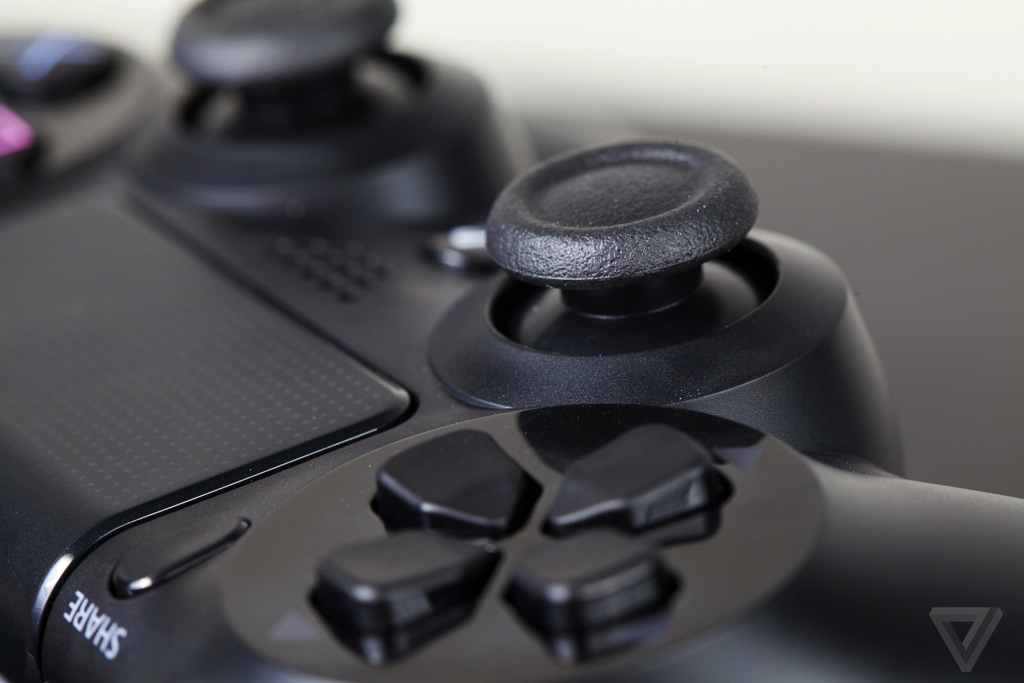
Apps
A forgotten home theater
It's odd, in a way, that Sony touts the PS3 as the most-watched Netflix device on the planet, and yet so clearly demotes it and the other media apps on the PlayStation 4. There are a dozen apps at launch, running down the list of usual suspects: Netflix and Hulu, Amazon and Crackle, Redbox Instant and Vudu. There are apps for the NHL and NBA and something called YuppTV. Every PS4 system also comes with a built-in web browser.
All of the apps look good and work well, except the web browser, which is only slightly less sluggish and terrible than the one that came with the PS3. Any modern smartphone does a better job. But the Netflix app, which has been recently redesigned across platforms, looks great on the big screen. And between Netflix, Hulu, and Amazon, there's little to want for in terms of mainstream content. But these apps are very clearly not a core part of the PS4 experience — they're buried in a TV & Video section of the home screen row, after Sony's proprietary Video Unlimited and Music Unlimited apps.
The PS3 was a media powerhouse, and the Ps4 goes way too far the other way
As if to fully prove its point that the PS4 is a gaming machine and not a media receiver or a home theater PC, Sony's actually stripped away the local playback functionality that was so useful on the PS3 (though the company may be changing its tune on that to some extent). Even when I plugged in a Sony camera, I couldn’t access its pictures or video. It feels like overkill: why needlessly remove useful functionality from such a powerful, versatile machine?
The answer, right or wrong, is obvious: Because it's not about games. And the PS4 is all about games.
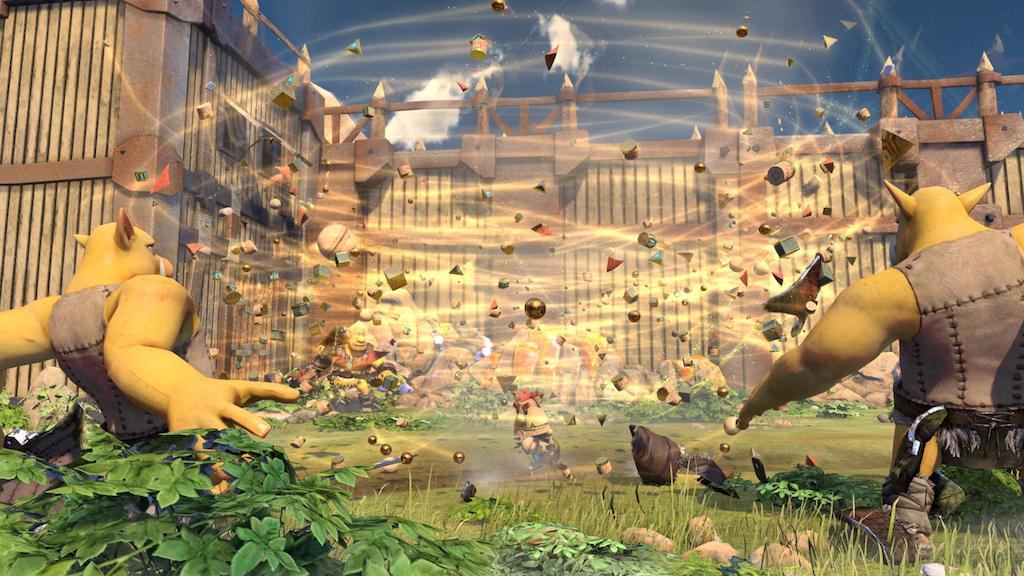
Games
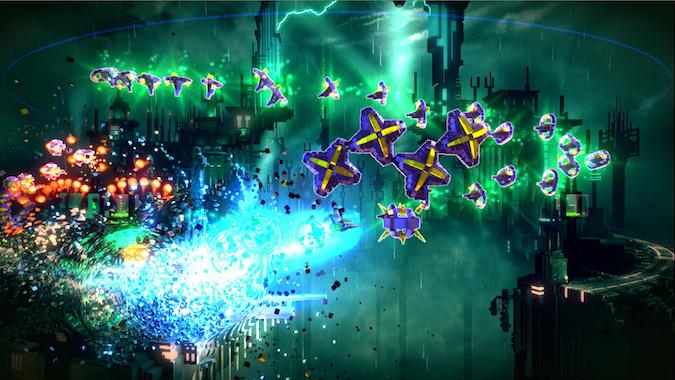
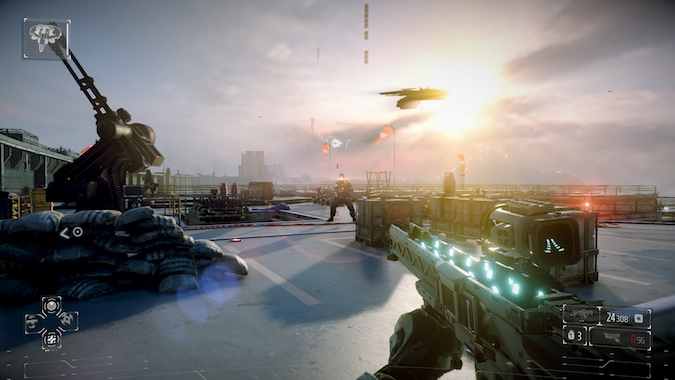
A new game library
In the long run, the launch day game selection won’t matter. The games that launched the PS3 in 2006 — The PlayStation 3 — including Resistance: Fall of Man and Ridge Racer 7 — in no way still define the console today. And Sony’s already talking about the great games coming soon to the PlayStation 4, like Uncharted 4 and a new Infamous.
Eventually, launch titles don't matter — but they do right now
But the two dozen or so launch titles for the console are unlikely to satisfy the exact gamer Sony’s trying so desperately to court — and that may be disappointed with what’s available for the console they pre-ordered. Electronic Arts, Activision, Warner Bros, and Ubisoft have all committed some of their biggest franchises: there’s Need for Speed: Rivals for racing, Injustice: Gods Among Us for (superhero) fighting, Assassin’s Creed IV: Black Flag for stealth-killing, and of course the war-torn shooters Call of Duty: Ghosts and Battlefield 4 — not to mention all kinds of sports courtesy of both EA and Take-Two.
The PlayStation's three next-gen-exclusive titles are all from Sony itself. Killzone: Shadow Fall is a visually stunning but ultimately uninspired first-person shooter. Knack, a more family-friendly platformer in the vein of Crash Bandicoot, is fun but often far too repetitive. It does have the honor, however, of being one of the few non-sports titles to support local multiplayer co-op.
It's not that any of the games we've played are bad — quite the opposite, in fact — it's just that they're almost exactly what you'd expect. Aside from visual enhancements, the games played largely identically to their current-generation versions. There's comfort in picking up Battlefield 4 and knowing exactly what to do, but for many, the improved physics and lighting won't be enough of a difference. In some games, especially Need for Speed: Rivals, we suffered some pretty annoying framerate issues when too much was happening on the screen. Nothing we saw really took our breath away, and nothing looked better than what you get with a good gaming PC.
The standout game at launch is Resogun, which is actually free to download for PS Plus subscribers (which you will be, if you want to play online multiplayer). The game is developed by Housemarque Studios, who did the equally bright-and-manic-shoot-em-up Super Stardust HD for the PS3. At its core, it's a side-scrolling space shooter (think: Defender), where you blast everything in sight while flying around a cylindrical stage avoiding enemy fire. It's a surprisingly strong showcase for the PS4's ability to render numerous objects at once at a consistent framerate, and it’s a great online co-op title.
Very few PS4 launch titles will withstand the test of time, but they're not supposed to. In many ways, these games serve a broader purpose: to showcase publisher support and, on a more base level, to ensure the gamut of genres is represented. What next-gen gaming is right now is crisper graphics, more dynamic lighting, and farther draw distances. What next-gen gaming will ultimately be is something else — something the PS4 appears to be powerful enough to handle.
But as long as you like shooting things with friends, there’s plenty to shoot while you wait for better games. Even as Call of Duty: Ghosts and Battlefield 4 are far from reasons to buy a new game console, there are plenty of guns to unlock, levels to earn and vehicles to pilot in the meanwhile.
Share and Share Alike
Sony has made broadcast a big deal for the PlayStation 4 — so much so that it has a dedicated button on the controller. Pressing the Share button anywhere will let you capture a screenshot or video of the last 15 minutes of whatever you were just playing, or even broadcast your screen live to Twitch.tv or Ustream. Captured content is organized automatically in folders, and there’s not much you can do in the way of editing. Uploading seems a bit inconsistent right now — while we managed to upload a screenshot earlier, as of this writing we can’t get past the "Please Wait…" screen when trying to upload video. We’re also not seeing consistently high-quality video streams when broadcasting, but that could just be early days.
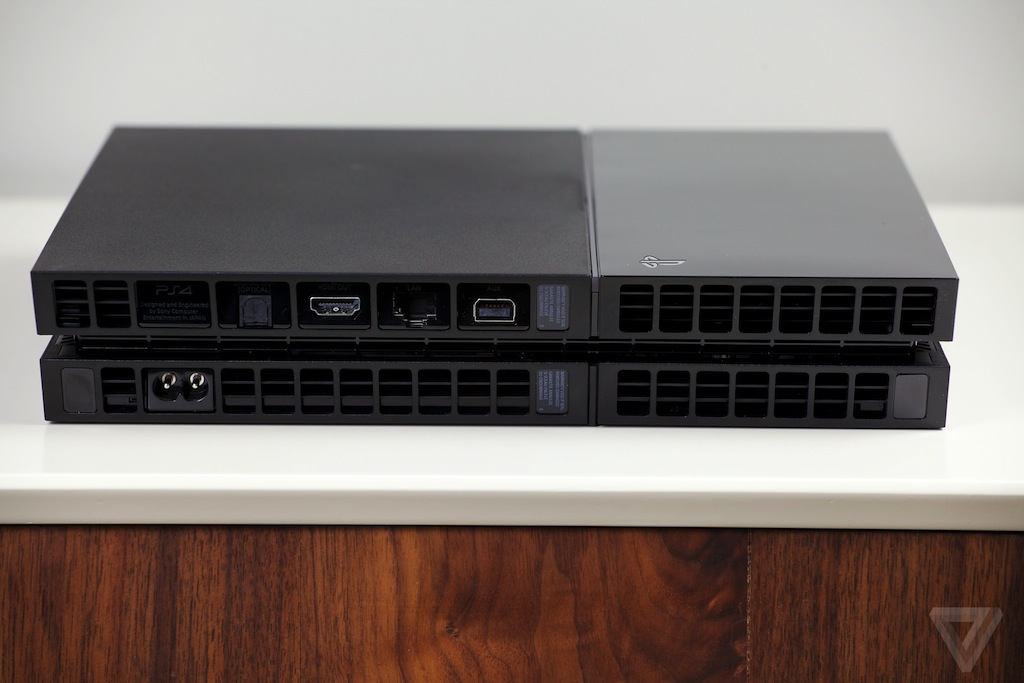
Accessories
A glimpse at the future
There are two optional peripherals for the PS4 — one not even technically a peripheral — that together show off some of the most enticing possibilities of Sony's new console. One is the $60 PlayStation Camera, which is incredibly basic for now, but could potentially become something as vital to the PS4 as the Kinect is to the Xbox One.
The other is the $200 PlayStation Vita, the portable console that never really became a viable platform in its own right, but now doubles as a second screen and supplementary controller for the PS4. It can be set up to mirror the console's screen, essentially allowing you to stream games from the PS4 to your Vita from anywhere. It works remarkably well: there's just enough lag that fast-twitch shooters will almost immediately become futile journeys into certain death, but for games like Madden and even Need for Speed: Rivals it works. The Vita can even turn on the PS4 remotely if it’s in standby mode, so you don’t have to get up and find a controller if you’re playing from bed. The only real problem to speak of is that games for 40-inch-plus TVs don't always look good on a 5-inch screen, and that as you get further away from your console and router the lag starts to become overwhelming.
It portends a future like the one Sony says it imagines, where you're constantly able to watch other people play, play yourself from a variety of devices, and always be connected to the same gaming experience no matter where you are. Hopefully Remote Play is just the beginning of that implementation.

The second screen and the camera could eventually be huge parts of the PS4
The Vita is a good controller for some PlayStation 4 games, but breaks down on anything more complex. The DualShock 4's touchpad is mapped to the Vita's touchscreen, and Start and Select on the Vita become Option and Share, respectively, for the PS4. The additional triggers (L2, R2) and the "click" of the DualShock joysticks (L3, R3) are mapped to the four quadrants of the PS Vita's rear touchpad, and that's where things get a little hairy. While some games like Killzone automatically detect Remote Play and intelligently change up the buttons to make the Vita a better controller, not all titles do.
The Vita can also be used as a second-screen supplement to the PS4, much like the PlayStation app for iOS and Android. The app is relatively bare-bones, allowing you to access all your PlayStation Plus information from anywhere. You can make friends, send messages, and even buy games and initiate downloads from another device — as soon as you get back to your PS4, the game will be ready and waiting for you.
Just as SmartGlass has seemingly limitless opportunities for ways you can see, understand, and even interact with whatever you're playing or watching on your TV, the PlayStation apps give you a way to broaden the gaming experience. And if you have a Vita? You can actually take the whole experience with you. If nothing else, this is what the Wii U GamePad should have been.
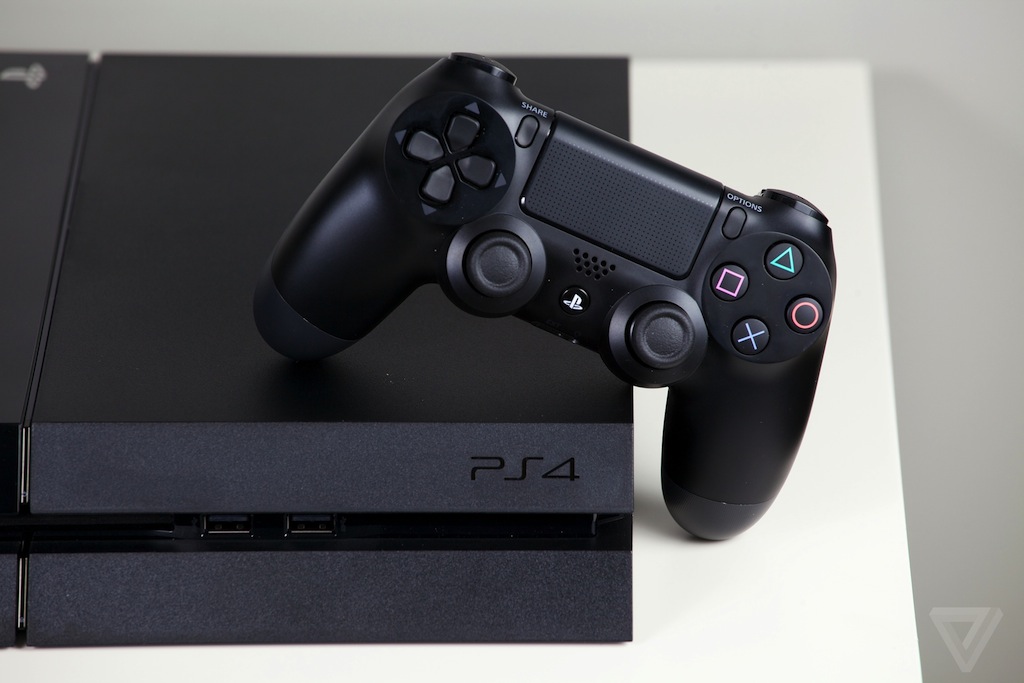
16 Nov 19:30
Google Play Music comes to iOS with a free month of All Access
by Matt Brian

We knew it was coming, and it might have taken a little longer than expected, but Google Play Music for iOS is finally here. The long-awaited iPhone app hits the App Store exactly six months after it was announced for Android and the desktop, and like its counterparts, offers free access to 20,000 of your uploaded tracks, lets you create playlists and also share songs with friends. However, you might be tempted to grab a free month's trial for its All Access streaming service (normally $9.99 a month), which gives you access to over 20 million tracks, offers custom radio stations and helps you discover new music with its smart recommendation features. 9to5mac reports that Google is working to deliver an iPad version of the Play Music app and aims to bring its "I'm feeling lucky" feature and improved playback features in the near future.
Filed under: Cellphones, Software, Mobile, Apple, Google
Via: 9to5mac
Source: Google Play Music (App Store)
07 Nov 10:12
YouTube flips the switch on its new conversation-style comment system powered by Google+
by Billy Steele

Back in September, YouTube revealed its plan to overhaul comments on the video site with the helping hand of Google+. Now, that new system has gone live. Conversation-style commenting that ranks based on a number of key factors (like people you know), allows private notations solely for those in your Circles and serves up easy moderation in order to quell the naysayers like word filters and auto-approval. The new Google+-powered system should be popping up on YouTube channels that you frequent soon as the global roll out has already begun.
Via: TechCrunch
Source: YouTube
06 Nov 07:04
The Bravest Next Gen Console Defender on the Internet

Yazeed Al Subaiee, Lunaticms and -1 others like this
31 Oct 06:38

Amazon's top reviewers get free products in exchange for write-ups
by Jacob Kastrenakes
Amazon's customer reviews aren't all put together by thoughtful buyers: as it turns out, Amazon has a program that sends free products to some of its top-ranked reviewers in exchange for a write-up. The program is called Amazon Vine, and though it's been running since 2007, a new NPR report is bringing it some renewed attention. "I've had everything from very cheap earbuds, to $500 multifunction laser printers," Michael Erb, Amazon's current top ranked reviewer, tells NPR. "I've gotten a spin bike, which is probably valued at closer to $1,000."
"It's probably thousands of dollars worth of stuff."
A list of items determined by Amazon is offered to reviewers twice a month, and reviewers can choose two items to receive from each list, reports NPR. They receive the products completely free, so long as they agree to write a review within 30 days and never sell or give away the product. "If you were just to add it all up," Erb, who has been in the program for five years, tells NPR, "It’s probably thousands of dollars worth of stuff." Amazon is also able to ask for the products back, though Erb says that hasn't happened with him before.
While Amazon does make details of Vine public, it's still far from being a widely known program. "It’s kind of like Fight Club, you know?" Erb tells NPR. "You don't talk about it." Reviewers in the program have all of their write-ups tagged with a small label that says "Amazon Vine Review" and another that says "Vine Voice," both of which offer links explaining what the program is — though it wouldn't be hard to glance over them.
It's easy to imagine that being provided with free products might positively swing Vine members' reviews, but Amazon says that this actually isn't the case. In a statement to NPR, an Amazon spokesperson explains that Vine reviewers give lower scores than the average customer on the site. "Our theory is that it’s because they take that role so seriously to give as much unbiased perspective on reviewing that product," the spokesperson said.
Even so, Amazon reportedly says that a product with bad reviews still sells better than a product with no reviews. NPR reports that Amazon capitalizes on that by specifically courting companies with products that haven't received a lot of reviews into offering products to its Vine members. It seems that no matter what their take is on the product, it's good news for Amazon.
29 Oct 09:15

Dude’s shoulder game is unreal ⊟ Doesn’t even have to tap a...
by ericisawesome
Dude’s shoulder game is unreal ⊟
Doesn’t even have to tap a button to switch calls; he just leans his head to one side to pick up another one. Need to talk to two people at the same time? You can keep your conference calls; all he’s gotta do is shrug. He must be calculating his monthly bills in that planner, what with his two phone plans, and the fines he’s racking up from ballin’ so hard.
This is from Ace Attorney: Dual Destinies, by the way, and the photo comes from Rise Above the Cilantro.
BUY Ace Attorney games, upcoming releases
22 Oct 10:01

Food substitute Soylent raises $1.5 million ahead of planned US launch in December
by Rich McCormick
Yousef AlnafjanIt would be interesting to see how the human body changes after a few years of an almost exclusive Soylent diet. Especially the digestive system.
Food substitute Soylent has secured $1.5 million in investment. The nutrient-dense semi-goo has been backed by investors including Reddit co-founder Alexis Ohanian and venture capital firm Andreessen Horowitz, who previously invested $80 million in Twitter and helped sell Skype to Microsoft for $8.5 billion.
Soylent is made from rice protein, olive oil, starch, and a host of vitamins and nutrients theoretically balanced to provide a healthy human diet. The concept was dreamt up by entrepreneur Rob Rhinehart while he was working on a new wireless networking system for the developing world and found himself considering food efficiency. The food substitute has already secured more than a million dollars through an online crowd-funding campaign.
The $1.5 million investment will allow Soylent to hire a culinary director to work on the food substitute's taste
This new investment capital means Rhinehart and his team will be able to relocate from San Francisco to Los Angeles and manufacture Soylent in-house. It will also fund the hiring of a culinary director that'll work on the taste and sensation of the nutritious liquid: although beta testers have been using it for months, TechCrunch's Kim-Mai Cutler describes it as "still a bit bland."
Rhinehart says Soylent is currently at version 1.0, and that he plans to ship the first batches in December. TechCrunch reports a week's worth of Soylent will cost around $65, but Rhinehart has said he'd like the food substitute to cost about $5 a day.
21 Oct 04:55

'Breaking Bad' creator says piracy helped the show find new viewers
by Jacob Kastrenakes
The entertainment industry has been getting a little more comfortable with praising the benefits of online piracy, and Breaking Bad creator Vince Gilligan is the latest to speak to its brighter side. "[It] led to a lot of people watching the series who otherwise would not have," Gilligan tells the BBC. Gilligan has previously remarked that TV binge-watching was a large factor in getting viewers wrapped up in his show, noting in May that Netflix in particular brought about an "amazing nitrous-oxide boost of energy and public awareness" that the series was able to take advantage of.
But while Breaking Bad may have benefited from the added buzz generated by piracy as well, Gilligan isn't strictly thrilled that viewers didn't choose another avenue to watch his show through. "The downside is a lot of folks who worked on the show would have made more money, myself included, if all those downloads had been legal," he tells the BBC. The series' finale alone was downloaded over half a million times within just 12 hours of airing. While AMC did sell the series online, it chose not to offer a free, ad-supported stream of it as many other networks do with their own shows, removing a potential avenue to gain viewers who don't want to pay.
12 Oct 13:00

Comic #121- Be Proud
by Tyler Rhodes
Yousef Alnafjanhttp://www.polygon.com/2013/10/10/4823796/report-foxconn-chinese-students-forced-to-manufacture-ps4

05 Oct 15:35

iPhone 5C goes on sale at more retailers, drops to $45 on contract at Walmart
by Dante D'Orazio
Apple released the iPhone 5C just two weeks ago, but retailers continue to cut the price of the more affordable iPhone. Starting today, Walmart is dropping the 16GB iPhone 5C to $45 when purchased with a two-year contract. The promotion will last until the end of the holiday season, a spokesperson tells The Wall Street Journal. The news comes less than a day after Best Buy announced a promotion through October 7th that allows customers who purchase the phone for $99 to receive a $50 gift card good towards the purchase — effectively cutting the price of the phone in half. RadioShack has now matched that deal; the offer ends November 2nd. One other iPhone 5C deal of note is Sprint's offer to new customers. The carrier is offering the phone for free on contract if you switch.
The iPhone 5C is largely identical to the iPhone 5, which it replaced. It lacks the processing power boost and improved camera introduced in the iPhone 5S, and it doesn't have a Touch ID fingerprint sensor. While these sales make the 5C more appealing to customers in the US looking for a cheaper iPhone, they do not address the primary complaint that the iPhone 5C, at $549, is too expensive off contract for it to effectively compete with cheap Android smartphones abroad.

03 Oct 04:56
Apps!

We’d like to take a minute to thank the community of applications developers that have assisted in improving the user experience and accessibility of The Old Reader. Please take a moment to browse the list and let us know if there is anything we’re missing. New apps are still being added and developed specifically for The Old Reader and we’re thrilled to say that other prominent applications have us on the shortlist to be supported soon.
Along these same lines, please know that all of your feedback and voting at UserVoice is appreciated and something we take very seriously. Our first priority has been to transition The Old Reader and improve the architecture and performance. As many of you have noted, we’ve made huge strides in that area. In the near future, we plan to communicate more around specific features and begin making functional improvements.
Thanks for using The Old Reader!
Ben Wolf, Adam Victor Brandizzi and 8 others like this
30 Sep 06:28
Highlighting
Yousef AlnafjanTHIS
Adam Victor Brandizzi, Weronika and 9 others like this

17 Sep 03:43
 The World 1-2 chiptune album released in May now has a follow-up in World 1-2 Encore. The album features 14 tracks from artists like Cory Johnson, Video Game Orchestra and The OneUps. Unlike the first album, it is entirely composed of remixes, so the tunes may sound a little more familiar this time around.
World 1-2 Encore is available on BandCamp for $8, and both albums can be purchased in a 34-track bundle for $24.
World 1-2 Encore remix album available now
by Mike Suszek
World 1-2 Encore is available on BandCamp for $8, and both albums can be purchased in a 34-track bundle for $24.
 World 1-2 Encore remix album available now originally appeared on Joystiq on Mon, 16 Sep 2013 13:30:00 EST. Please see our terms for use of feeds.
almajid likes this