Shared posts

12 Apr 15:15

7 Wondrous Breads to Make When You’ve Had Enough Sourdough

by Sam O'Brien

With active dry yeast in short supply, many home-bakers who are sheltering in place have succumbed to the siren song of sourdough. But people have produced bread without yeast across history, cultures, and climes, leaving an incredible array of styles to choose from when your leavening options are limited. From the sticky-sweet steamed bread of Colonial New England to the Icelandic rye that rises in a hot spring, here are seven breads that prove you don’t have to track down that elusive packet of yeast to make something extraordinary.

article-image

Beer Bread

The relationship between brewing and baking dates back centuries and is especially prevalent within European cookbooks of the 1700s and 1800s. Brewers would skim the "barm"—a yeasty foam generated during fermentation—from the tops of their brewing vats and give the frothy mixture to bakers to leaven their dough. (This is why some old bread recipes, such as this one from the 1855 edition of An Encyclopedia of Domestic Economy, measure yeast in “pints.”)

But you don’t need to take up home-brewing to make beer bread. The carbonation provided by a 12-ounce can of beer helps get the job done. Simply start with a bland brew (think Miller Lite, PBR, or anything that won’t have a strong impact on the flavor), then add flour, baking powder, salt, and sugar. If using self-rising flour, you don’t even need the baking powder and salt. Try the New York Times’ recipe for a tender loaf that still packs yeasty notes.

article-image

Barmbrack

This sweet fruit bread takes its name from barm and the Irish word for “speckled.” Originally, it was made with the yeasty foam, but most modern renditions use chemical leaveners. Of course, when it comes to yeast-less baked goods from the Emerald Isle, Irish soda bread is the most obvious choice. But why not try this darker, more ominous cousin? In addition to raisins, barmbrack comes speckled with portents.

Barmbrack is particularly popular during the Celtic festival of Samhain, which traditionally marked the end of harvest season and the transition to the darkness of winter. Samhain was also believed to be a time when the barriers between the living and the dead dissolved, and spirits roamed free. Superstitions carry over to the kitchen during Samhain, as well. In addition to cinnamon, nutmeg, and dried fruit, bakers pepper their barmbrack with four symbolic trinkets. Discover the ring in your slice, and you’re destined for marriage. Bite into the bean, on the other hand, and your romantic future doesn’t look so bright. Taste metal, and you’re in luck (provided you didn’t swallow): You’ve got the coin, so expect prosperity soon. But chew on the cloth, and brace for tough times.

Try this rich, sweet barmbrack recipe from Saveur, which includes tea-soaked raisins and currants. The world has had enough ill portents lately, so maybe just fill yours with coins and rings.

article-image

Hverabrauð

Bubbling beneath Iceland’s surface is an intricate network of volcanic hot springs. A dying breed of bakers harness this geothermal power to create a style of rye bread known as hverabrauð. To make this “hot spring bread,” Icelanders start with a dough consisting of rye flour, all-purpose flour, baking powder, milk (or, if using baking soda, buttermilk), salt, and sugar or a sweet syrup. With their mixture sealed in a covered pot, they set off for the nearest spring, dig a hole in the sizzling sand, and bury the container among the waters that gurgle below. After unearthing the pot 24 hours later, they should find a gently-steamed, fully-formed loaf.

If you don’t have hot springs nearby, you can very loosely mimic the environment by covering your dough and leaving it overnight (about eight hours) to slowly cook in a 200-degree oven. The resulting rye should be dense, nutty, and chewy.

Try this recipe that Saveur excerpted from Icelandic Food and Cookery, which uses the oven method. If you don’t have the recipe's requisite buttermilk and want to avoid a trip to the store, try stirring in one tablespoon lemon juice or white vinegar for every cup of milk and let it sit for 10 minutes or so, until it thickens and curdles just a bit. If you don’t have the golden syrup, swap in honey or molasses (cutting the latter with maple syrup if you want a sweeter flavor). Before tearing into an entire loaf, beware: Its nickname, þrumari, or “thunder bread,” is no misnomer. It references the intense way the fiber-heavy food can rumble through one’s digestive system.

article-image

Canned Brown Bread

The story of this niche New England favorite begins with 17th-century Pilgrims. Forced to adapt the recipes of their British homeland to the New World, these settlers made adjustments based on local resources. When it came to “thirded bread,” a cost-cutting recipe that traditionally combined rye, wheat, and oat flours, that meant swapping in cornmeal for oats and adding in the sweet upgrade of molasses. While some baked the bread in a hearth, others choose to steam it. The dark, moist, sticky-sweet product of the latter approach came to be known as Boston brown bread.

In the early 1800s, a new invention that would forever change the food industry also changed the recipe for Boston brown bread: the tin can. Home-bakers turned to coffee or baking-powder cans to steam perfectly-formed cylinders of their bread, which continued to be popular well into the 1900s. Nostalgic New Englanders might remember growing up pairing slices with baked beans and hot dogs. In fact, the combination is so beloved that B&M, a Maine-based company that’s been making canned baked beans since the 1920s, is one of the few producers that still sells premade canned bread.

Making your own canned brown bread is easy. Try this recipe from Serious Eats. If you don’t have buttermilk, use one of the substitutions mentioned in the hverabrauð profile above. Grease the inside of the cans and, when the bread is ready, be sure they're open at the top and at the bottom to help coax the loaves out.

article-image

Cherokee Bean Bread

More of a dumpling than a traditional bread, this Cherokee staple relies on two of the three “sisters” that form the base of Native American cuisine: corn and beans.

The historic method for making the bread involves soaking corn kernels in a lye-rich mixture of hickory ash and water, then grinding and working the hulled, washed corn into a dough. Modern cooks, however, can skip ahead by purchasing a premade form of this corn flour known as masa harina. (It’s crucial to a good tortilla.) The flour gets blended with water, cooked brown beans, and a bit of the liquid from the bean pot, then shaped into flat, oval dumplings.

Like canned bread, this recipe relies on steaming. If you want to be a stickler for authenticity, wrap the dumplings in hickory leaves, corn leaves, or corn husks, tie the pouches shut, and steam the lot for an hour. But those in a pinch can swap in aluminum foil for the leaves. You’ll miss a bit of the earthy flavor imparted by the plants, but still get a close approximation of the real deal.

The resulting bread is a soft, moist, slightly savory taste of Cherokee history. Try this recipe from Nico Albert, a Cherokee chef based in Oklahoma.

article-image

Carta di Musica

Carta di musica has no need for the rising effects of yeast: It’s supposed to be as flat as possible. The Sardinian bread’s name comes from the fact that bakers keep rolling out the dough until it’s thin enough that you could read a sheet of music through it.

As the discs of dough start to puff up in the oven, bakers continuously slice them into halves until they become thin and cracker-crisp. The dried-out bread can last for months, ideal for the Sardinian shepherds who snacked on pieces as they wandered with their flocks.

While you might not be wandering anywhere for a little while, you can still try King Arthur Flour’s recipe for carta di musica. For ideal results, the recipe requires semolina flour, all-purpose flour, water, and salt, but King Arthur also offers substitutions (along with associated caveats) depending on what ingredients you might have on hand. Pair your crisp bread with wine and cheese, and imagine you’re traipsing through the Sardinian countryside.

article-image

Salt-Rising Bread

Popularized by pioneers in 19th-century Appalachia, this highly unusual bread also earned fame as the star of what the West Virginia Medical Journal declared "perhaps the most macabre experiment in culinary history."

How can a bread be macabre? That lies at the heart of what makes salt-rising bread unique. While yeast-leavened loaves rise with the help of carbon dioxide, salt-rising bread gets heightened by hydrogen. Creating that hydrogen are microbes that bakers cultivate by leaving a mixture of cornmeal (or sliced potatoes), boiled milk, sugar, and salt in a hot environment overnight.

Scientists eventually learned that the resulting bacteria is Clostridium perfringens, which also happens to be what causes a type of gangrene. Putting this connection to the test, one researcher actually used Clostridium perfringens from a soldier’s infected wound to make his own loaf of salt-rising bread in the 1920s. Thankfully, you don’t need a festering wound. As Gastro Obscura addressed in a recent article, you can find great injury-free recipes from James Beard and Harold McGee.

Do you know of any other breads that don't require yeast? You can join the conversation about this and other stories in the Atlas Obscura Community Forums.


12 Apr 15:11

8 Ways to Watch YouTube Videos Together With Friends

by Joe Keeley
watch-youtube-friends

There’s great joy in sharing a YouTube video with friend for their entertainment. However, what’s even better is being able to watch it with them.

Unfortunately, this isn’t always possible, especially if they live apart. So, we have compiled a list of ways to watch YouTube together with your friends.

As well as helping you watch YouTube together, these services help you sync playback so that you and your friends are watching the same thing at the same time.

1. Watch2Gether

Watch2Gether

Watch2Gether doesn’t require you to register for an account. You simply create a room and can then send the URL out so your friends can join. Use the search at the top to find a video or paste in a specific YouTube link. You can also use the chat function to talk to everyone, which is helpful to keep the viewing and talking in one place.

2. SyncTube

SyncTube

SyncTube has a simple interface, but it works perfectly. Create a room and you can immediately start watching YouTube videos. Search for a video or paste in a URL using the bar at the top. Any new video will automatically be added into the room’s playlist.

You can also control the room’s privacy and set user permissions; this means you can stop random people joining and do things like stop your friends accidentally skipping videos.

3. Sync Video

Sync Video

Sync Video puts you in control of your own room, which you can invite others to by sharing the link. Simply pop a YouTube URL in the field on the right and click Play to begin. Any videos added after will be placed into a playlist.

A great feature of Sync Video is that you can enable “Pause on buffering”, which pauses the stream for everyone if someone in the room’s internet connection is causing their video to lag.

4. twoseven

twoseven

In order to use twoseven, you and your friends need to create a free account, but it’s well worth doing so.

As well as being able to sync a YouTube video for everyone in the room, twoseven also has the ability for everyone to share their webcam and microphone. This means that you can all watch a video simultaneously and see and hear everyone at the same time. This is wonderful for keeping that personal connection over a distance.

5. &chill

&chill

&chill offers something unique compared to other services that let you watch YouTube together. It boasts all of the usual features you would expect—private rooms, the ability to paste YouTube URLs in to add them to a playlist, a text chat—but it has an interesting interface.

You choose your seat in a virtual cinema and it repositions the video based on that. Don’t worry, you can still set the video to full screen if that sounds lame. Also, you can chat to your friends via microphone.

6. myCircle.tv

myCircle

To get started with myCircle.tv, just pop a YouTube URL into the field on the homepage and the site will create a room. The interface is separated into tabs where you can see users, past videos played, and upcoming videos.

There’s also a chat box for written conversation, but perhaps more useful for friends is the ability for audio chats. Handily, you can also see how much of the video others have preloaded to help overcome any buffering issues.

7. Togethr TV

Togethr TV

Once you get in a room, Togethr TV has a quick and handy tutorial to guide you through its features. It’s easy to get to grips with though.

The field at the top is where you enter the YouTube video URL, the box on the left displays the users in the room, while the box on the right is for text chat. Audio chat is also enabled by default, though you can disable this if you want.

8. Use a Video Conferencing Tool

So far, these services have all been created with the purpose of watching YouTube videos together in sync with friends.

However, you could also use a video conferencing tool with screen sharing abilities to get the job done. In this scenario, you and your friends would join a virtual meeting. Then one person would share their screen to the group so that everyone can watch.

Unlike the other services that play the video locally for each individual, this solution means that only one person is playing the video—ideally whoever has the strongest internet connection.

You can find suitable software for this in our round-up of free screen sharing tools.

Troubleshooting Common Video Sync Issues

Although your YouTube viewing party should go off without a hitch, you might suffer some technical issues.

First, try refreshing the page. You’ll miss a couple of seconds of the video, but a lot of the time a simple refresh can clear up any problems. Don’t worry, it won’t interrupt the stream for everyone else in the room.

If your video is constantly stuttering or buffering, first, lower the quality of the stream. This will reduce the resolution, so the video might appear more pixelated. However, that’s better than the video constantly stopping in order to load more.

Also, if the service supports webcams and microphones, you could try disabling one or both of them. This is because webcams and mics use up bandwidth which could be better served on the YouTube video itself.

Finally, ad-blockers can cause problems with synchronization. Some services won’t work at all if you run one, so disable any you have running. Also, many YouTube videos will be supported by mid-roll ads. If you have an ad-blocker and your friend doesn’t, the stream will be out of sync after the ad has played.

How to Watch Netflix With Friends Far Away

As you can see above, there are plenty of services designed to let you watch YouTube videos with your friends. Give them all a quick try to see which you like the most. As a bonus, they are all free to use. So your preference will boil down to which UI and features you personally prefer.

If you want to stream a movie rather than a YouTube video, we have previously explained how to watch Netflix with friends far away.

Read the full article: 8 Ways to Watch YouTube Videos Together With Friends

12 Apr 15:10

Amazon Fire Stick vs. Roku: Which One Is Better?

by Dan Price
amazon-roku

The popularity of cord-cutting continues to gather pace. Collectively, cable TV companies are losing millions of subscribers every year, with no sign of that stopping.

If you have recently ditched your TV subscription, there’s a good chance you’re trying to decide between an Amazon Fire TV Stick and one of the many Roku devices.

Unlock the list of "Essential Amazon Fire Stick TV Channels" now!

This will sign you up to our newsletter

Enter your Email
Unlock

In this article, we pit the Amazon Fire Stick vs. Roku devices, determining which is best in order to help you decide.

A Complicated Comparison

Unfortunately, it’s impossible to make a like-for-like comparison between all Amazon Fire TV devices and Roku devices.

Instead, we need to focus on two Amazon products: The Fire TV Stick and the Fire TV Stick 4K. On the Roku side, there are three devices that can be thought of as Fire TV Stick competitors: the Roku Express, Roku Premiere, and Roku Streaming Stick+.

NB: The Roku Ultra costs $100 and is more of an alternative to the Amazon Fire TV Cube, so we will not include it in this analysis of Fire Stick vs. Roku.

Amazon Fire Stick vs. Roku: Cost

Before we get into the features and the technical specifications, let’s deal with the elephant in the room—the cost of the devices.

Amazon’s entry-level Fire TV Stick costs $40. The 4K model will set you back a further $10, coming in at $50.

The cheapest Roku model is the Roku Express. At $30, it’s more affordable than the Fire TV Stick. At the other end of the scale, the top Roku model (Ultra excluded) is the Roku Streaming Stick+, which costs $50.

So, for the sake of simplicity we’re going to pit the Amazon Fire TV Stick and Fire TV Stick 4K vs. the Roku Express ($30), the Roku Premiere ($40), and the Roku Streaming Stick+ ($50)

Amazon Fire Stick vs. Roku: Specifications

This is where things get confusing. Let’s try and make sense of all the different models on offer from the two companies.

First, the Amazon devices. The basic Fire TV Stick has a Quad-core ARM 1.3 GHz processor, 8GB of internal memory, and support for Bluetooth 4.1. It plays videos in 720p or 1080p resolution at up to 60 frames-per-second (FPS).

The 4K model is a notable improvement. You’ll find a Quad-Core 1.7GHz processor, support for Bluetooth 5.0, and 2160p video resolution. The internal storage stays at 8GB and there’s 1.5GB of RAM.

The Roku Express only supports 1080p resolution. The other Roku options support 4K.

Amazon Fire Stick vs. Roku: Controls

All Roku and Amazon Fire TV devices ship with a dedicated remote control.

Both Amazon controllers support Alexa. If you want to control your Roku with your voice, you will need to buy a Streaming Stick+.

Roku and Amazon have both developed an accompanying remote control smartphone app.

And remember, if you have an Amazon Echo speaker, you can sync it with your Fire TV Stick and use it to control your content.

Amazon Fire Stick vs. Roku: Interface

Image result for amazon fire tv home screen

Visually, the Amazon platform is more modern and feels more polished. However, critics have argued that it pushes Amazon’s own content too aggressively.

It’s a valid viewpoint. You’ll only see one row of your own apps at the top of the screen.

The rest of the homescreen is taken up by content from Amazon Prime Video. Even if you don’t subscribe to the service, you will still see it.

Roku’s interface is more customizable. All of your channels are displayed in a scrollable list and you can create shortcuts for your most-used channels. If you install third-party add-ons, you can even place your channels into groups for easier navigation.

Amazon Fire Stick vs. Roku: TV Shows and Movies

If you’re looking for a provider-agnostic device, Roku offers the best streaming sticks on the market. They’re not only better than Amazon Fire TV sticks; they’re also better than Android TV, Apple TV, and Chromecasts.

You’ll find apps for just about every on-demand video and music streaming app, including Netflix, Hulu, YouTube, Google Play Movies, Spotify, and TuneIn Radio. Roku also offers its own ad-supported streaming channel providing access to a large number of free movies and TV shows.

Roku also offers a vast library of private channels. You need to enter a code in the Roku web portal to install them on your device. Be warned—many of the private channels reside in a gray area of legality.

The Amazon Fire TV Stick run a highly modified version of Android. Which means you can sideload any app as long as you have its APK file. There are several safe and secure APK download sites you can use. Just remember that most Google Play Store apps are not designed for Fire Sticks, meaning you will also need to install a mouse app.

Amazon Fire Stick vs. Roku: Web Browsing

Only the Amazon products let you easily surf the web. Two Fire TV browsers are available—Amazon’s own Silk Browser and Firefox. You can control them both easily using the Fire TV remote. We’ve compared Silk and Firefox to find the best browser for the Amazon Fire TV Stick if you’d like to learn more.

There are web browsers that work on Roku devices, but they are not suitable for regular browsing.

Amazon Fire Stick vs. Roku: Gaming

roku games store

Roku devices and Amazon Fire TV Sticks both offer games on their platform.

However, hardcore gamers might find Fire TV devices are more suitable for their needs. Generally speaking, Roku games are a bit “cutesy”. Sure, they’ll keep you entertained for half an hour, but they don’t offer longevity.

The games on Amazon’s devices are beefier. You’ll find titles such as Minecraft, Badland, and Star Wars.

Of course, if the ability to game on your streaming device is high on your list of priorities, neither a Roku or a Fire TV Stick can hold a candle to the Nvidia Shield. You can stream titles from your PC using Nvidia GameStream, download a host of local games from Nvidia and Google Play, and install emulators for classic consoles.

We have written about the best games on Amazon Fire TV and the best games on Roku if you’d like more information before making a purchase.

Amazon Fire Stick vs. Roku: Screen Mirroring

Roku devices have Miracast technology built-in. If you’re not aware, Miracast is like a wireless version of an HDMI cable. Most Android and Windows devices are Miracast-compatible. Apple devices are not.

Some older Amazon Fire TV models also support screen mirroring. Oddly, it’s not available on the Amazon Fire Stick or Fire Stick 4K.

Roku vs. Fire TV Stick: Which Is Best?

It’s really difficult to choose a clear winner between the Roku and Fire Stick. Much depends on how you plan to use your device, which gadgets you already own, and which streaming service you subscribe to.

All else being equal, we’d recommend either the Amazon Fire Stick 4K or the Roku Streaming Stick+. And remember, you could even buy a Chromecast or Android TV.

We have pitted the Chromecast vs. Roku and the Android TV vs. Amazon Fire TV if you want to learn more.

Read the full article: Amazon Fire Stick vs. Roku: Which One Is Better?

12 Apr 15:09

5 Ways to Focus on Work at Home and Avoid Distractions

by Mihir Patkar
Focus on Work at Home and Avoid Distractions

When you’re working from your home instead of an office, there are more distractions than normal. But with a few apps and strategies, you can focus on the job and stay productive.

Hopefully, by now you are familiar with some of the best work from home resources that will teach you the tricks of the trade. Once you have a workspace set up in your house, it’s still not easy to deal with the many interruptions that pop up throughout the day.

Here are some of the best apps, tools, and techniques to avoid distractions and maintain focus.

1. Hide Feed (Chrome, Firefox): Deal With Distractions Without Blocking Sites

Hide Feed browser extension deals with online distractions without blocking sites

You get a link to watch a YouTube video or a message on Facebook, and pretty soon, you’ve lost half an hour through distractions. By design, these websites pull your attention and want you to spend more time there.

But the solution isn’t to block them, as several extensions to avoid distractions suggest. You do need these sites as part of work too. Hide Feed has a better idea.

This browser extension lets you use some features while restricting some distractions. For example, on Facebook, you can message friends but you can’t see your wall. On YouTube, you can search for a video, but you won’t see other recommendations. It has similar restrictions for Gmail, Reddit, Twitter, Instagram, LinkedIn, Amazon, and Netflix.

Instead of the feeds or distractions, you’ll see a random wallpaper with one focus task for the day. You can change that task any time. You can set a schedule for Hide Feed to automatically turn on during work hours. It also tracks how much time it has saved you from distractions.

Download: Hide Feed for Chrome | Firefox (Free)

2. Matter (Web): Visually Sort Tasks by Importance

Matter is a great daily to-do list app that prioritizes tasks by visual indicators

The easiest way to maintain focus is to have a task list for the day. You need a simple system, it should look good, and you need to prioritize the tasks easily. Matter ticks each box to deserve a place as your New Tab page in a browser.

You can add only text tasks, and there are no deadlines. But to prioritize the tasks, you need to add resize the red circle next to each. The bigger the circle, the more important the task. Add and resize as you go, click the finish button when you’re done, or delete the task from your list.

You can sort the list by priority or by when you added it, but obviously priority is the way to go here. You can also view finished tasks, switch between light and dark themes, and change the font type and size.

Matter is wonderfully minimalist and remembers your data, which is what makes it ideal for a daily to-do list. With such daily lists, it’s best to start afresh every day.

3. Cleverest (Android, iOS): Pomodoro Timer and Focus Keeper for Phones

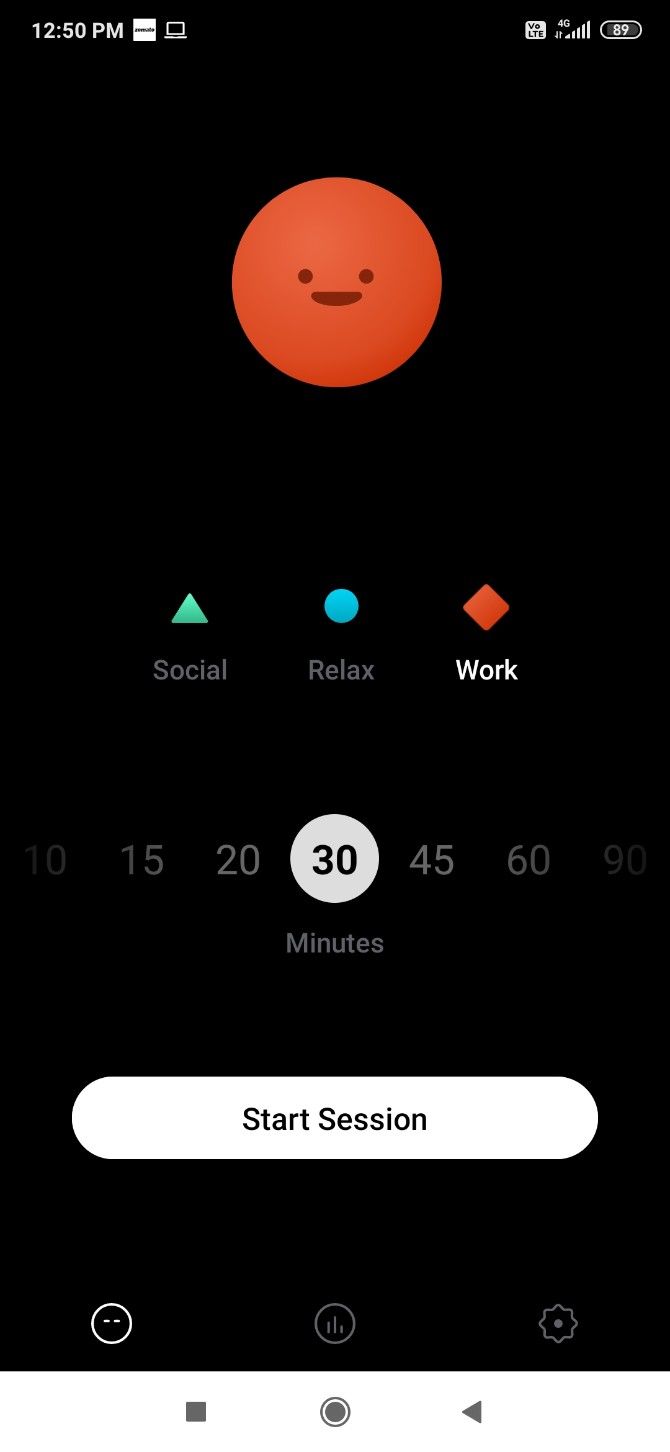
Just ten seconds checking out a text message on your phone can derail your concentration. Cleverest tests how easily you can be distracted by notifications on your mobile. Yet, this smart little app is not too strict about it and allows some leeway.

Choose from three categories: social, work, or relax. Then set a session based on how many minutes you want to focus and not look at your phone. Cleverest will start the session and keep track of whether or not you change to something else on your screen.

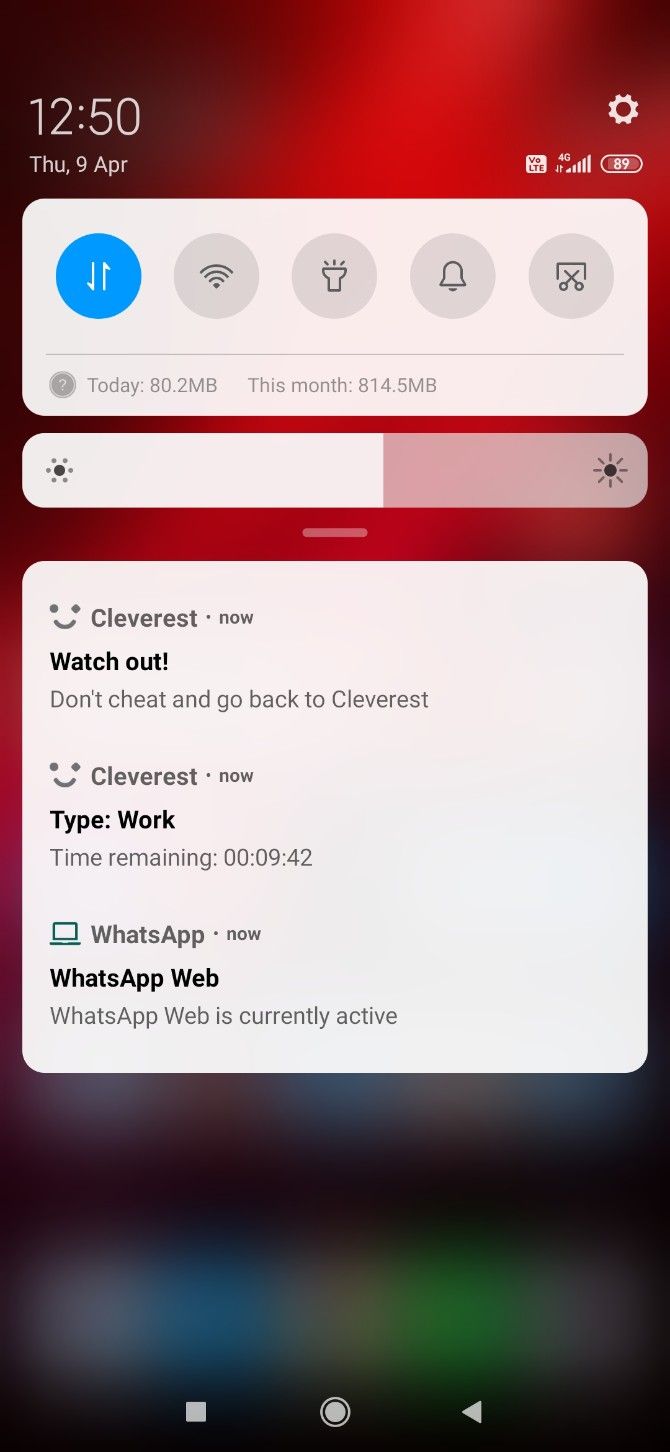
This is where the app lives up to its name. There are certain notifications that you can’t ignore, like a text message. Flip to it if it’s important, but that triggers a 10-second countdown. If you don’t come back to Cleverest in that time, you lose the session (since you’ve lost focus anyway).

It’s an effective strategy to stay focussed without putting on blinders. Cleverest also tracks all your sessions (from 10 minutes to eight hours) and presents a daily data chart. This is both a timer for the Pomodoro productivity technique, as well as a digital detox app.

Download: Cleverest for Android | iOS (Free)

4. I Miss The Office (Web): Background Sounds of Working in an Office

I Miss The Office simulates common office sounds for background noise while working from home

For those who aren’t used to it, the eerie silence of working alone can be a distraction too. A few research studies have shown that moderate ambient noise, like that of a coffee shop, can boost creative thinking and focus. If you did your best work in the low and comforting sounds of an office, this app is for you.

I Miss The Office is a web app that simulates the sounds of an average workplace. There is the low drum of central air conditioning and a few other elements. In the bottom-right corner, you can add or delete how many colleagues (up to 10) you want moving around in there.

You’ll hear muffled conversations and even laughter in the distance, the movement of people, and the kinds of sounds that go in any occupied office.

These “colleagues” also interact with elements in the virtual office, like a printer-copier, watercooler, computer, etc. Click an element to activate or deactivate it. So even when you’re working remotely from home, set it up for that comfortable feel of what it’s like in your office.

5. Create Distraction Journals and Passes

Create distraction journals and distraction passes to boost your focus and concentration

This last one isn’t an app, it’s a combination of distraction-busting techniques from two of our favorite productivity blogs. You see, distractions are inevitable. You need ways to minimize them and their impact, but you can’t escape them entirely.

Work Awesome suggests giving yourself a few “Distraction Passes” every day. The suggested number is three passes per work day. You can use them how you want, but that’s the amount of distractions you’re allowed, so choose wisely.

Instead of a hard no to all distractions, this puts you in charge of how to spend your time. Instead of your willpower, you’re using a different part of your brain, and that can be the difference in staying focused.

The Financial Diet advises keeping a distraction journal. When you feel the temptation to stop what you’re doing and turn your attention elsewhere, write it down in the journal first. That act alone can be enough to quell that impulse. Plus, it doubles up as a list of tasks to do later instead of breaking your concentration right now.

Both these systems are about reducing the mental load of staying focused. It’s a lot easier to concentrate when you work around distractions rather than try to fight them.

Control the Noise to Control Your Focus

These apps and techniques should help you deal with the notifications from a screen and your mind’s propensity to wander. But the one thing that snaps anyone’s concentration is an odd sound or noise.

Did you know there are different types of noises to boost productivity? Learn about brown noises, pink noises, and other sounds in our guide to stay focused by controlling the noise around you.

Read the full article: 5 Ways to Focus on Work at Home and Avoid Distractions

12 Apr 15:09

Key Image Sizes for Facebook, Twitter, and More

by Akshata Shanbhag
Mobile device with Facebook login screen, placed to Scrabble pieces spelling social media

Do your photos look great on your computer, but not so much when you upload them to a social media website? That can happen when you haven’t optimized the photos for the website in question.

If you don’t design images to match the sizes specified by various social networking sites, the fate of your images is unpredictable. They can get cropped at odd points, appear blurry or askew, cut off key visual information, or look weird in some other way.

To avoid those scenarios, use the cheat sheet below as a guide. It can help you keep your images looking sharp across any kind of device or screen.

The cheat sheet lists optimal image sizes for Facebook, Twitter, Instagram, YouTube, Pinterest, LinkedIn, and Tumblr. Plus, it includes specifications for video content. You can use this information to optimize profile pictures, thumbnails, cover photos, pins, shared images, and more!

FREE DOWNLOAD: This cheat sheet is available as a downloadable PDF from our distribution partner, TradePub. You will have to complete a short form to access it for the first time only. Download Key Image Sizes for Your Favorite Social Media Websites.

Key Image/Video Sizes for Your Favorite Social Media Websites

Element Specification
Facebook
Profile Picture (Minimum) 180x180
¹Profile Picture (Recommended) 200x200
Cover Photo (Minimum) 400x150
²Cover Photo (Recommended) 820x462
Shared Image and Shared Link Image
in Timeline (Minimum)
600x315
Shared Image and Shared Link Image
in Timeline (Recommended)
1200x630
Event Cover 1920x1080 OR 16:9 Aspect Ratio
Story 1080x1920 OR 
9:16 Aspect Ratio
Group Cover 1640x856 OR 1.91:1 Aspect Ratio
Twitter
Profile Photo 400x400
Header Photo 1500x500
Timeline Image (Minimum) 440x220
Timeline Image (Recommended) 1024X512 OR 2:1 Aspect Ratio
Video (Square) 720x720
Video (Landscape) 1280x720
Video (Portrait) 720x1280
Instagram
Profile Picture (Recommended) 180x180
Photo Thumbnails 161x161
³Photo (Square) 1080x1080
³Photo (Landscape) 1080x566 OR 1.91:1 Aspect Ratio
³Photo (Portrait) 1080x1350 OR 
4:5 Aspect Ratio
Video Minimum (Square) 600x600
Video Maximum (Square) 1080x1080
Video Minimum (Landscape) 600x315
Video Maximum (Landscape) 1080x608
Video Minimum (Portrait) 600x750
Video Maximum (Portrait) 1080x1350
Video Minimum (Carousel) 600x700
Video Maximum (Carousel) 1080x1080
Story 1080x1920 OR
 9:16 Aspect Ratio
YouTube
Profile Picture 800x800
Video Thumbnail 1280x720
Banner (Cover Photo or Channel Art) 2560x440
Banner Safe Area 1546x423
Mobile Display 1546x423
Tablet Display 1855x423
Desktop Display 2560x423
TV Display 2560x1440
4K (2160p) 3840x2160
2K (1440p) 2560x1440
Max. Resolution for HD (1080p) 1920x1080
Min. Resolution for HD (720p) 1280x720
Standard Definition (480p) 854x480
Traditional Website Resolution (360p) 640x360
Minimum YouTube Video Size (240p) 426x240
Pinterest
Profile Photo (Minimum) 165x165
Profile Photo (Recommended) 280x280
Board Cover 600x600
Small Thumbnail for Board Display 55x55
Large Thumbnail for Board Display 222x150
Standard Pin (Minimum) 600x900
Standard Pin (Recommended) 1000x1500 OR 
1:1.5 Aspect Ratio
Square Pin (Minimum) 600x600
Square Pin (Recommended) 1000x1000 OR
 1:1 Aspect Ratio
Tall Pin (Minimum) 600x1260
Tall Pin (Recommended) 1000x2100 OR 
1:2.1 Aspect Ratio
LinkedIn
Profile Picture (Minimum) 160x160
Profile Picture (Recommended) 400x400
Profile Picture (Maximum) 20000x20000
Profile Cover 1584x396
Shared Image (Desktop) 1200x1200
Shared Image (Mobile) 1200x627
Blog Post Link Share Image 1200x628
LinkedIn Page Logo 300x300
LinkedIn Page Cover Image 1128x191
Overview Tab Image 360x120
Overview Tab Cover Image 1192x220
Life Tab Main Image 1128x376
Life Tab Company Photos 900x600
Life Tab Custom Modules 502x282
Shared Image in Page Update With URL 1200x627
Tumblr
Avatar (Profile Picture) 128x128
Dashboard Image (Minimum) 500x750
Dashboard Image (Maximum) 1280x1920
1-Image Photoset 500x* per image
2-Image Photoset 245x* per image
3-Image Photoset 160x* per image
Photo Post (Recommended) 540x810
Photo Post (Maximum) 2048x3072
GIF (Maximum) 540x*
¹Dimensions for retina screens: 360x360.

²These dimensions account for the total image cropping of 150 px (vertical) that occurs on desktop.

³These dimensions also work for photo posts in your Facebook feed.

Tips for Social Media Success

Uploading visual content that’s on point is just one part of a successful social networking strategy. For more tips on how to win at social media, explore our platform-specific guides and roundups. Start with these top Facebook tips and tricks.

Read the full article: Key Image Sizes for Facebook, Twitter, and More

12 Apr 15:07

Thom Dunn, Writer/Musician

by claudia

Our guest this week is Thom Dunn. Thom is a writer, musician and terrible dancer whose work can be seen on Wirecutter, Boing Boing, Upworthy, Vice and more. He’s also published fiction, plays, poetry and comics. Thom is the singer/guitarist of the Roland High Life and a solo performer and he really hates, “Don’t Stop Believin’”. You can find him on Twitter, Instagram and SoundCloud @thomdunn.

Subscribe to the Cool Tools Show on iTunes | RSS | Transcript | See all the Cool Tools Show posts on a single page

Show notes:

blueyetimic
Yeti by Blue Microphone ($129)
To be clear, there are many microphones that are superior to the Yeti; I also own some of those. But none of them are as versatile or easy-to-use as the Yeti. Whether I’m taking phone calls or video conferences, or I want to record some quick guitar-and-voice song demos, or even if I need a decent stereo overhead mic for recording live drums for my rock band’s album (which happened!), I’ve done it all with the Yeti, and the Yeti can do it all.

scrivener
Scrivener ($49)
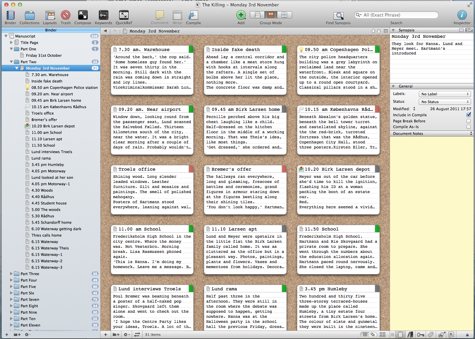
Scrivener is a modular writing app that offers an almost overwhelming amount of customizable features, but presents them in a way that’s adaptable and accessible, so you can make it work for your own unique writing process. One of the most basic features — and the thing I personally love most about it — is how it lets you break up your documents into individual scenes, without having to worry about scrolling or page breaks or anything else. This makes it easy to focus on a single part of whatever manuscript you’re working on, and allows you to visually re-organize the entire project with a simple click-and-drag. Scrivener also lets you fold in all your research documents into a single app, and then saves everything in an archive file that’s accessible from cloud drives like Dropbox, making it easy to work on the go.

minimetro
Chrome Messenger Bag, Mini Metro ($120)
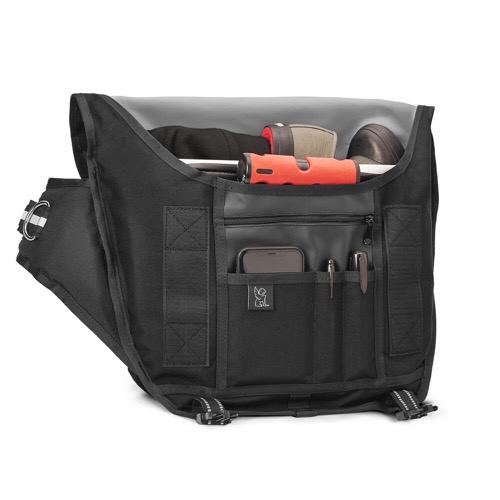
I got my first Chrome bag in 2008 and only recently retired it because the outside was getting too discolored — but the inside was still perfectly fine. I’ve only ever owned the smallest Chrome size, and the variety of pockets and compartments allow me to carry a wide and wild variety of tools with me wherever I go. That, and the Chrome is fashionable. I carry my Chrome everywhere — whether I need to or not — because it’s lightweight, comfortable, and just plain cool lookin’, and it helps me to ensure that I have all the things I need for any possible situation. Plus, it helps my dumb ADHD brain stay organized, which is a miraculous feat inandof itself.

woodrow
Woodrow Appalachian Dulcimer
This was one of the first big gifts my now-wife bought me when we first started dating. We were at a craft fair in Vermont, and I heard … something. Not quite a mandolin. Not quite a banjo. So I explored, and discovered the Woodrow, a proprietary string instrument that’s basically an upright Dulcimer made by an artisan in Appalachia. Mine has 4 strings — tuned D, A, and a double D — and it’s fretted in a major key. So while it’s simplistic, it’s a great tool for songwriting, as it forces me to keep things simple, and focus on the basic melody and chords above all. While it’s fun on its own, it’s also become my ultimate songwriting test instrument. Can I make this song work on the Woodrow? Then it’s good enough, and I can figure out the key and the weird chords later.

10 Apr 13:42

The 115-year-old Supreme Court opinion that could determine rights during a pandemic

by Joan Biskupic
Washington (CNN) When a US appeals court ruled this week that Texas could prevent physicians from performing abortions because of the Covid-19 pandemic, the judges leaned heavily on a 1905 Supreme Court decision against a Massachusetts man who ...
09 Apr 22:20

The Ultimate Sandwich Cost Calculator: How Much Does a Sandwich Cost?

by James Hirtz

How much does a sandwich cost?

It’s a simple question, but one that’s more important than it sounds. By figuring out your average sandwich price, you can take a closer look at your spending habits and dietary choices.

Using a Sandwich Cost Calculator

sandwich calculator

While it might seem simple to just total up ingredient costs, there aren’t a lot of resources online. Often, you’ll just run into calculators geared towards restaurants buying food in bulk.

So the challenge of figuring out your sandwich cost comes from attempting to quantify your toppings.

What if you could skip those hypotheticals though?

Cockeyed.com decided to share their sandwich price calculator with the world after their own specialized research. It even provides a surprising amount of options that range from cheap to pricier.

Plus, their sandwich cost calculator doesn’t take long to try out. Simply check the boxes and make your selections from the pull-down menu. After you click the calculate price button, you’ll see a graphic breaking down the cost of each sandwich ingredient.

After the image, you’ll see the total cost of your sandwich once all the ingredients factor in. It’s a great little reminder that cheap food can be great and save you money.

Using a Sandwich Calorie Calculator

sandwich calorie calculator

Once you’ve finished figuring out how much does it cost to make a sub sandwich, why not look at the calories? My Food Buddy offers a deli sandwich calorie calculator.

By using this calculator in tandem with the sandwich cost calculator, you get a calorie break down of your ingredients on a sub roll, hard roll, sliced bread, and thick-sliced bread.

If you’re trying to stay to any weight goals, the cheapest sandwich might not necessarily be the healthiest sandwich.

How Much Is a Sandwich?

Figuring out your average sandwich’s cost with a calculator provides a great first step towards being more informed. Whether you’re trying to be more frugal or healthy with your diet, don’t be discouraged.

If you’re a beginner, try using these food apps and sites to cook delicious and healthy meals.

Read the full article: The Ultimate Sandwich Cost Calculator: How Much Does a Sandwich Cost?

09 Apr 22:20

You Can Now Lock Your Netflix Profile With a PIN

by Dave Parrack

Netflix has added new parental controls to help families get along. This includes the option to protect your Netflix profile with a PIN, which will prevent your children (and/or your partner) from accessing your profile and messing up your watchlist.

The Problem With Sharing Netflix With Others

Like all streaming services, Netflix can be a great option for families. However, setting up profiles for individual members of a family is vital. That way, the adults can keep their movies and shows seperate from the kids’ endless repeats of Peppa Pig.

The problem is there has been nothing stopping kids from logging into their parents’ profiles and watching whatever they want to watch. Until now. Now, you can set a PIN code to protect your Netflix profile, whether from prying kids or anyone else.

How to Lock a Netflix Profile With a PIN

To protect a Netflix profile with a PIN, sign into Netflix on your phone or laptop. Then, hover over the Profile icon in the top-right and click Account. Scroll down to Profile and Parental Controls, and click on the down-arrow to reveal more options.

Scroll down to Profile Lock and click Change. When prompted, enter your password and click Continue. Tick the box to “require a PIN,” enter a 4-digit code, and click Save. To stop requiring a PIN to access your profile, go through the steps again and untick the box.

This is just one of a number of parental controls Netflix has introduced. The others, as outlined on the Netflix Media Center, are the option to filter out titles by age ratings and remove individual titles. You can also turn off autoplay to prevent binge-watching.

All of these new parental controls can be accessed via the Profile and Parental Controls hub within your account settings. This is also where you can see what your kids have been watching on their profiles (or yours) to ensure everything is as it should be.

Tips and Tricks to Become a Netflix Pro

These new parental controls are all fairly basic, but they could prove invaluable for families all sharing a Netflix account. Especially in these strange times when lots of families are being forced to spend all day, every day together. Which is… fun.

We’re big fans of Netflix here at MakeUseOf. So much so that we’ve compiled a list of helpful tips and tricks to help you become a Netflix pro. This runs the full gamut from tips for beginners to recommendations for which movies to watch.

Read the full article: You Can Now Lock Your Netflix Profile With a PIN

09 Apr 22:19

7 Ways to Find Music and Songs From TV Shows

by Dan Price
crackle-free-tv-shows

We’ve all been there. You’re engrossed in a TV show or movie when you suddenly hear an awesome song that you don’t recognize. Or music that you really want to hear again.

But how do you find out the title and artist? Fear not, as this article details how to find music and songs from TV shows using the best resources we could find on the web.

1. Tunefind

tunefind tv music

You may recall HeardOnTV. It used to be one of the most popular websites specializing in helping you find songs from TV shows and movies. Since 2017, HeardOnTV has been part of Tunefind, but the tool is still as useful as ever.

The Tunefind library of musical references is massive. It covers hundreds (if not thousands) of TV shows. For each series, the songs are listed by season and by episode. Some series have scene descriptions to make the process even easier. Regardless, as long as you know what you’re watching, you will be able to find the track within seconds.

Tunefind is also ahead of the curve when it comes to new episodes. You can expect to see a show’s latest episode go live on the site—complete with its soundtrack—within minutes of it finishing on TV.

The site also focuses on accuracy. It deploys a community voting system so that readers can confirm or disagree with the selected track. It prevents cover versions or songs with the same title by different artists slipping through the net.

Other useful features on Tunefind include alerts for new episodes of shows and movies you like, alerts for your favorite artists’ songs getting featured in a video, and links to YouTube and Amazon listings for the various tracks (where available).

(NB: We’ve also written about how to identify music and songs in YouTube videos.)

2. WhatSong

whatsong tv songs

Another TV music finder worth checking out is WhatSong. The site is split into movies and TV shows.

Once again, hundreds of shows are available. However, during our entirely non-scientific testing, we felt that there were more placeholders on WhatSong than on Tunefind—as in, the show is listed but no songs have been added to the show/movie’s profile page.

Nevertheless, for mainstream shows on the major networks and streaming services like Netflix and Disney+, most of the songs are present. Like Tunefind, you can browse by season and episode number, and many of the listed tracks also have accompanying scene descriptions. Most songs have links to YouTube, Amazon, Spotify, and Apple Music.

We particularly like the “Trending Music” section of the site. It displays what’s popular right now; you’ll often find the newest songs from TV shows and movies that have just aired/had a theatrical release.

If you wish, you can make an account on WhatSong. It allows you to collate your favorite tunes, shows, and movies, and interact with the wider community in the comment boxes.

3. Soundtrack.net

soundtrack music

Soundtrack.net has been online since 1997, making it another of the most long-standing services for identifying songs you’ve heard on TV and in movies. You’ll have to forgive the slightly retro UI.

Just like the other services we’ve looked at so far, you can use Soundtrack.net to browse songs by season and episode.

But Soundtrack.net goes a little further than that. You can also browse by composer (for all those awesome instrumental pieces that crop up in shows), search for music used specifically in movie trailers, and search official soundtrack audio releases.

Music geeks might also appreciate the Release Dates section. Rather than putting the title of the show/movie front-and-center, it instead lists artists who have work included in upcoming new content.

The site used to have a news section. Unfortunately, although you can still browse the archives, it has not been actively updated since 2011.

4. IMDb

imdb music

We’ve covered the three main sites that help you find music from TV shows. For the rest of the article, we’re going to briefly look at some other services you might not have considered. First up, IMDb.

Of course, IMDb is primarily known for being one of the best resources for movie and TV geeks. It features plotlines, actor lists, reviews, and trivia for almost every release you can think of. But don’t forget; it also lists music—including bands, track names, composers, and more.

5. Shazam

Shazam is one of several music recognition services for smartphones. It uses music fingerprinting—whereby it records a few seconds of a track and then searches its database for a match—to provide you with results.

If you’re listening to the radio, the service is hard to beat. However, it’s slightly less useful for identifying music in TV shows due to background interference.

On TV and in movies, songs are rarely played clearly for a prolonged period without the accompanying noise of speech, traffic, gunshots, or something else. That interference effects Shazam’s ability to record clean clips that can be fingerprinted. However, it’s worth a shot.

Download: Shazam for Android | iOS (Free)

6. Adtunes

adtunes music

What about music in ads? The magic touch of advertisers often means that songs from commercials are catchier than songs in even the best TV shows.

If you’re trying to identify a song from a television ad, Adtunes might have the answers. It is forum-based; ask your question and the community will try to help.

7. StreamingSoundtracks

streamingsoundtracks movie music

StreamingSoundtracks is an internet radio station with a difference. Instead of playing the usual fare of chart hits, the site only plays music from TV shows and movies.

As such, it’s not the best TV show music finder if you are searching for a particular track. It is, however, a great way to hear music you may have heard on TV in the past without mentally registering it. If you like enough of the songs you hear from a specific release, it might even inspire you to watch the film or TV show in question.

Other Ways to Discover New Music

Using websites to find music from TV shows is only one of the many ways to discover new music to listen to. Here are more timeless ways to discover new music to stream, all of which should help you grow your music collection.

Read the full article: 7 Ways to Find Music and Songs From TV Shows

09 Apr 22:14

Making a Cutting Table for Your Nibbler

by claudia

Let’s talk DIY magazines and mail order catalogs (of the dead tree varieties). Tell me your favorites. I’m especially interested in specialty mags and catalogs that might be of interest to a wider maker audience.


Making a Cutting Table for Your Nibbler

Turning a manual nibbler into a powered nibbler table.

Turning a manual nibbler into a powered nibbler table.

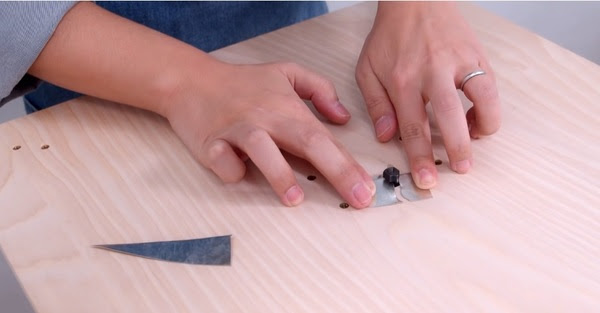
In response to my posting of Sean Ragan’s demo on using a manual nibbler tool, reader Mark sent me a link to this video of a guy who built a drill-powered table to power his nibbler. Nifty!

Keeping Replacement Blades on the Tools

Image from FamilyHandyman.com

Image from FamilyHandyman.com

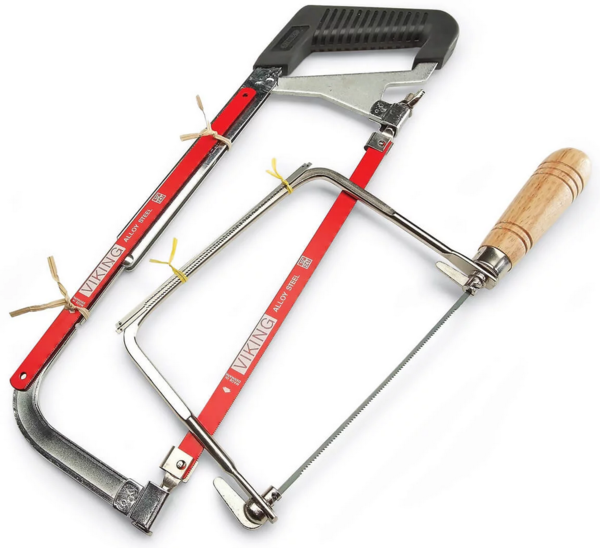
From Family Handyman magazine: “Here’s a tip from reader George Sarna. Use tape or twist ties to attach spare blades to the frames of your hacksaw and coping saw. The next time a blade breaks or dulls, you won’t scratch your head trying to remember where you put the spares.” This tip is one of a hundred in this round-up on the magazine’s website. There’s more good stuff in there.

Using Repositionable Spray Adhesive

So tacky.

So tacky.

In this recent Cool Tools video, Sean Ragan shows how he makes use of repositionable spray adhesive in his shop. I’ve never used this stuff before, but his demo has me intrigued.

TOYS! Parachute Bags

You need at least one of these.

You need at least one of these.

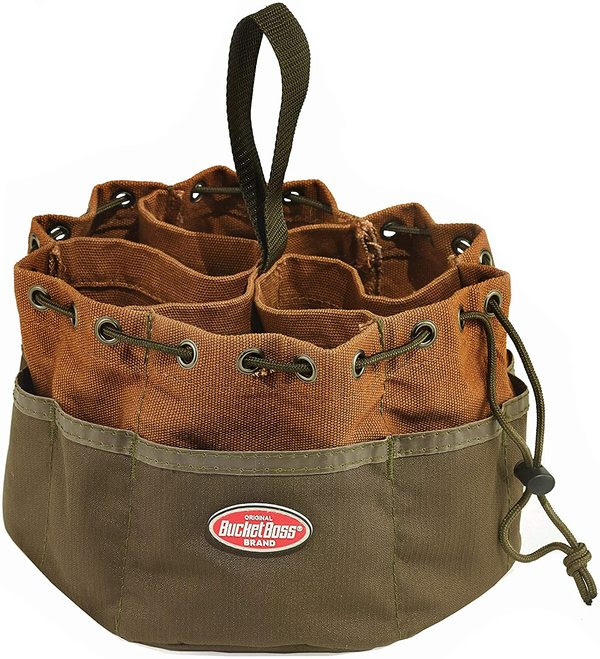
You know a tool has filled a real need in your work life when you get a special feeling of satisfaction every time you reach for it. And you keep buying them for family and friends. Such is the case with parachute screw bags. Everyone I’ve given one to has raved about how much they love it. It can hold tons of screws, nails, other fasteners, picture-hanging hardware, small tools, you name it. And it cinches securely and can be tossed onto a shelf until called for. You need this!

Life Hack: Grouping Your Tabs
This might be a real “duh” for a lot of people, but it’s something I’ve only recently started doing and it has been a huge help. I keep LOTS of tabs open on my browser and am often working on several projects at the same time. Clicking back and forth can become a real pain if I have to scan a dozen or more tabs to find the ones that are related. So now, when I begin a project, I make sure to group all of the tabs related to that project in one area (to move a tab, you simply click, hold, and drag left or right). Again, it seems obvious, but what a difference it makes to take those extra few seconds to organize them this way.

Maker’s Muse

Jimmy Makes Metal Finger Joints

Jimmy Makes Metal Finger Joints

Don’t ever tell Jimmy DiResta he can’t do something. He had an idea for a joint made of finger-like tabs holding the pieces together. They said it wouldn’t work. It worked!

Shop Talk

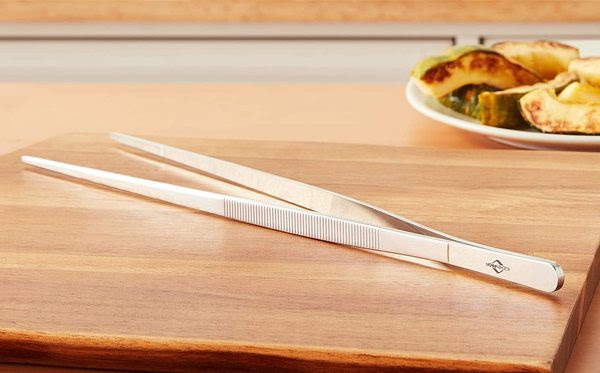
A not-so-homely tool: kitchen tweezers

A not-so-homely tool: kitchen tweezers

I’m still getting lots of folks telling me about their beloved “homely tools” and sharing pics. Keep them coming!

Reader John from Berkshire, MA wrote in to remind me about pretty much the homeliest tool ever: A bent coat hanger. “Here’s a super humble thing: a bent section of coat hanger. It’s been a hook, a reacher, a poker into small places, and most often, a re-threader of sweatpants drawstrings.” John also wanted to share his enthusiasm for the Stanley FMHT1027 FatMax knife: “For my money, it’s the best cheap folding razor knife.” He also told me that I had introduced him to CA glue accelerator and that he now uses it all of the time. I love hearing when my recommendations are helpful.

I’m not so sure how homely this tool is, and frankly, I’d never even heard of it, but after reading this description, I think I want one:

Reader Robert Clary writes: “I love my kitchen tweezers. I use them for deftly flipping shrimp in a pan, grabbing the sink stopper through a sink full of water, reaching down the back of the sofa to grab something that fell there, retrieving something from under the driver’s seat, getting hold of a cable that’s gone rogue in a tiny space. In the kitchen, they’re every bit as versatile as tongs, but not as clunky. I really like them for pulling pin bones out of all the salmon we catch here in Alaska, and the machined ridges (on the outside, for a good grip with wet hands; on the inside for easily pulling a strand of spaghetti out of a hot pan when testing for doneness) are clean and precise. They are easily kept in one’s apron pocket. You can even use them as chopsticks! Mine are made by Kuchenprofi, out of Germany, and I don’t expect to ever break them. I’m going to get a couple of extras, maybe in different sizes. My current set is 12” long. Get some, you’ll find dozens of uses for them, in the kitchen, studio, and workshop.

[Gareth’s Tips, Tools, and Shop Tales is published by Cool Tools Lab. To receive the newsletter a week early, sign up here.]

09 Apr 22:01

Evergreen House Video Tour

by Jenny
Evergreen House Video Tour

After wrapping up our Evergreen Project, we decided it would be really fun to make a video tour! If you have been following along with this project from the beginning, you will remember this was a total gut job. We tore down walls, moved entrances and created new bathrooms and bedrooms. We detailed the process room by room (you can find links for each room below), but we got a lot of questions about the general layout and flow of the house.

Continue reading Evergreen House Video Tour at Juniper Home.

08 Apr 14:00

Santorini House

Perched above a grove of trees and the rural landscape, the Santorini House is a modern holiday home in Argentina. The current dwelling is the result of an extension off...

Visit Uncrate for the full post.
08 Apr 13:24

Harvard University Free Online Courses

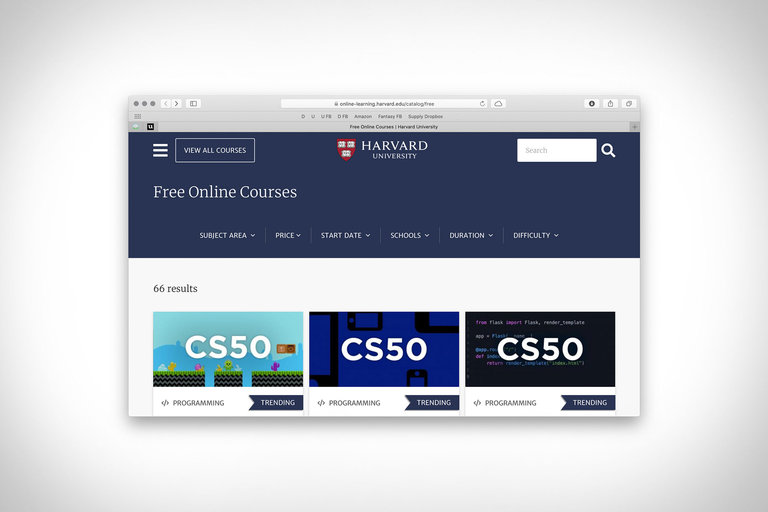
Whether working from home or simply staying there, put self-improvement towards the top of your priority list with these free online courses from Harvard University. Over 60 courses and webinars...

Visit Uncrate for the full post.
08 Apr 13:23

Cabin One

Escaping to your own minimalist sanctuary is easier than you think. Cabin One is offering modular, flexible solutions to micro living. Their cabins include 25 square meters of interior space...

Visit Uncrate for the full post.
08 Apr 13:23

Conbody Fitness Program

With gyms around the country closed, we are all having to get a little more creative to stay in shape. If there's a group of people accustomed to getting creative...

Visit Uncrate for the full post.
08 Apr 13:23

1971 Jensen Intercepter II Coupe

The combination of American engines and British chassis has given us some of the best sports cars the world has ever seen. Another great on that list is the Jensen...

Visit Uncrate for the full post.
08 Apr 13:22

Frank Lloyd Wright Virtual Visits

Many of Frank Lloyd Wright's buildings are architectural landmarks. Like most other non-essential businesses, they're not currently hosting tours. So to help those looking for an at-home architectural fix, the...

Visit Uncrate for the full post.
08 Apr 12:19

Use Mondly to Learn a New Language and Have Fun Doing It

by Dan Helyer
mondly-learn-language

There are countless benefits to learning a new language. Not only will you finally be able to tick that item off your bucket list, but you can show off in front of your friends and confidently make your way around new parts of the globe.

The brainwork involved with learning is even shown to help stave off dementia!

A solid language-learning app is one of the best tools at your disposal for making the dream of becoming bilingual a reality. Let’s look at everything you need to know about one such app: Mondly.

What Is Mondly?

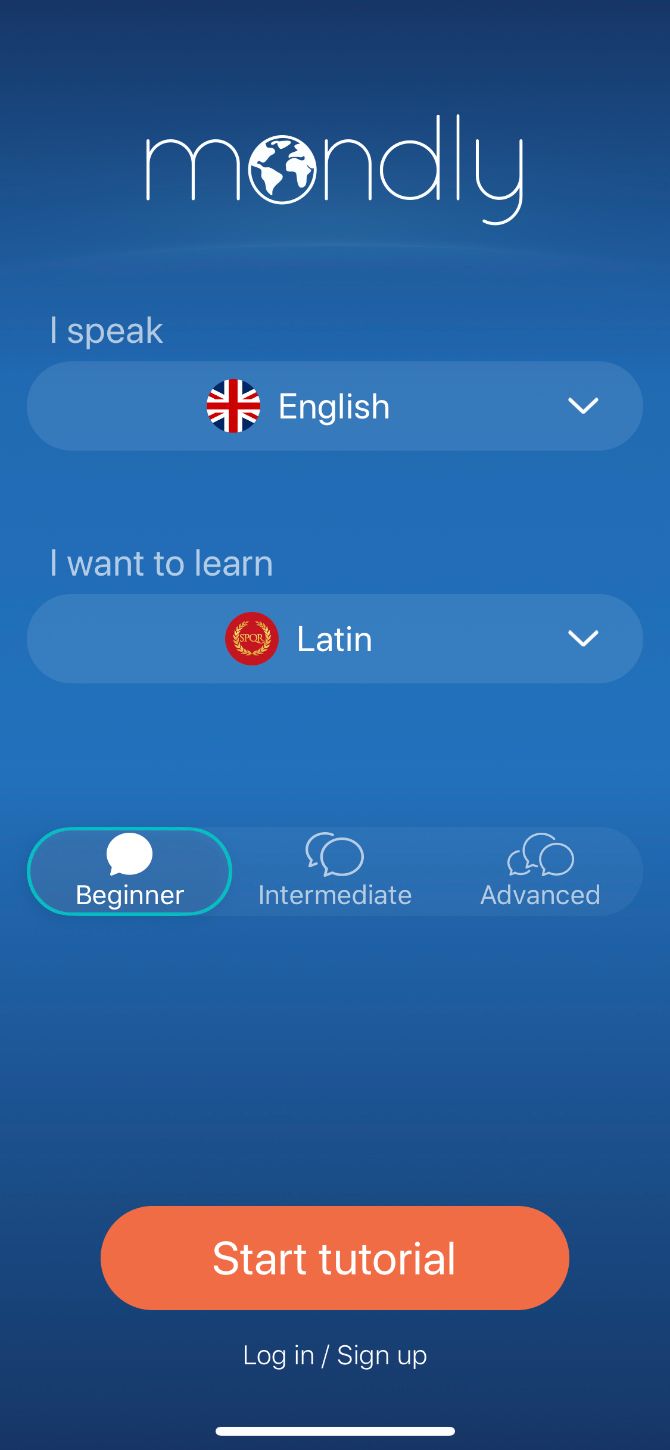
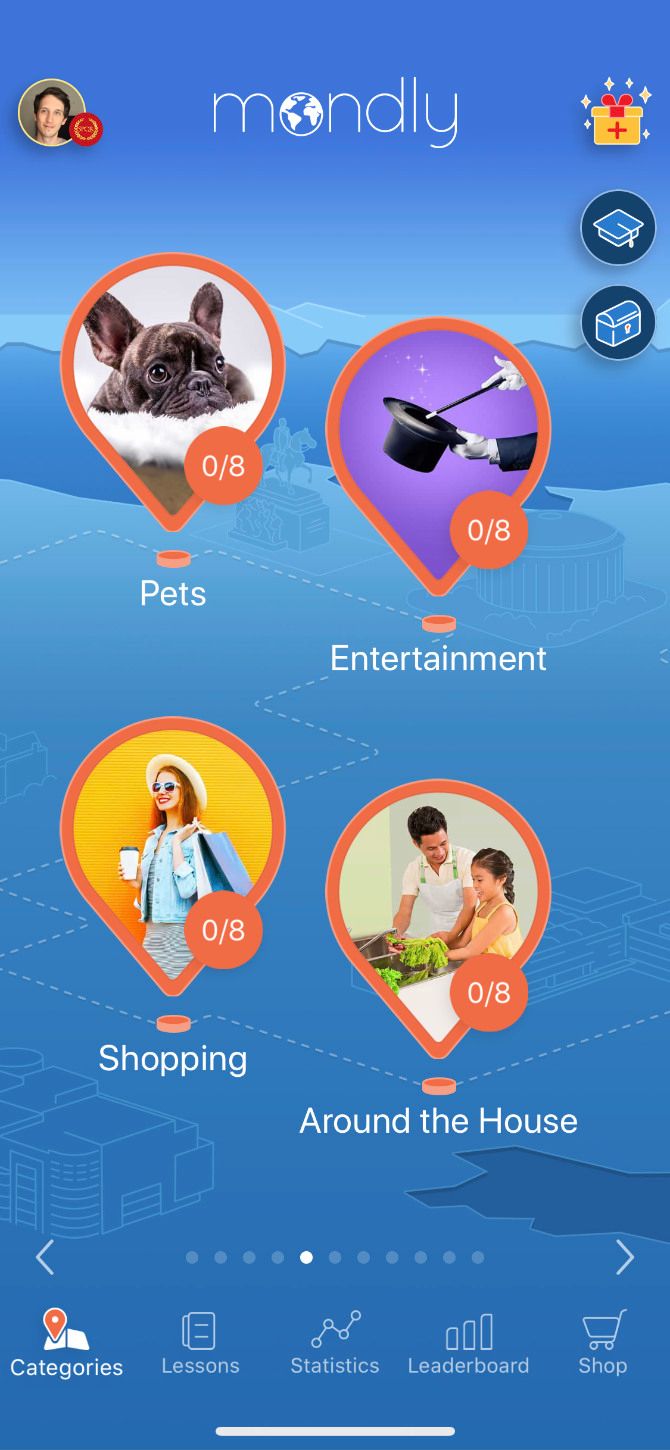
Mondly Home Path


Mondly is a multi-platform app designed to help you learn new languages in a fun and effective way. Dive into more than 300 bite-sized lessons spread across 40 real-world topics, or take it slow with Mondly’s free daily lessons, weekly quizzes, and monthly challenges.

Before long, you’ll find yourself addicted to the simple interface as you burn through the syllabus, earning points to level up and compete against your friends in the leaderboard.

Mondly is available for free on iPhone, Android, Mac, and Windows so you can keep learning no matter which device you use. You can even access Mondly’s web app on any computer. Just be sure to sign up for a premium subscription if you want to unlock the entire catalog of language-learning content.

Download: Mondly for Android | iOS | macOS (Free, subscription available)

Choose From a Huge Range of Target and Native Languages

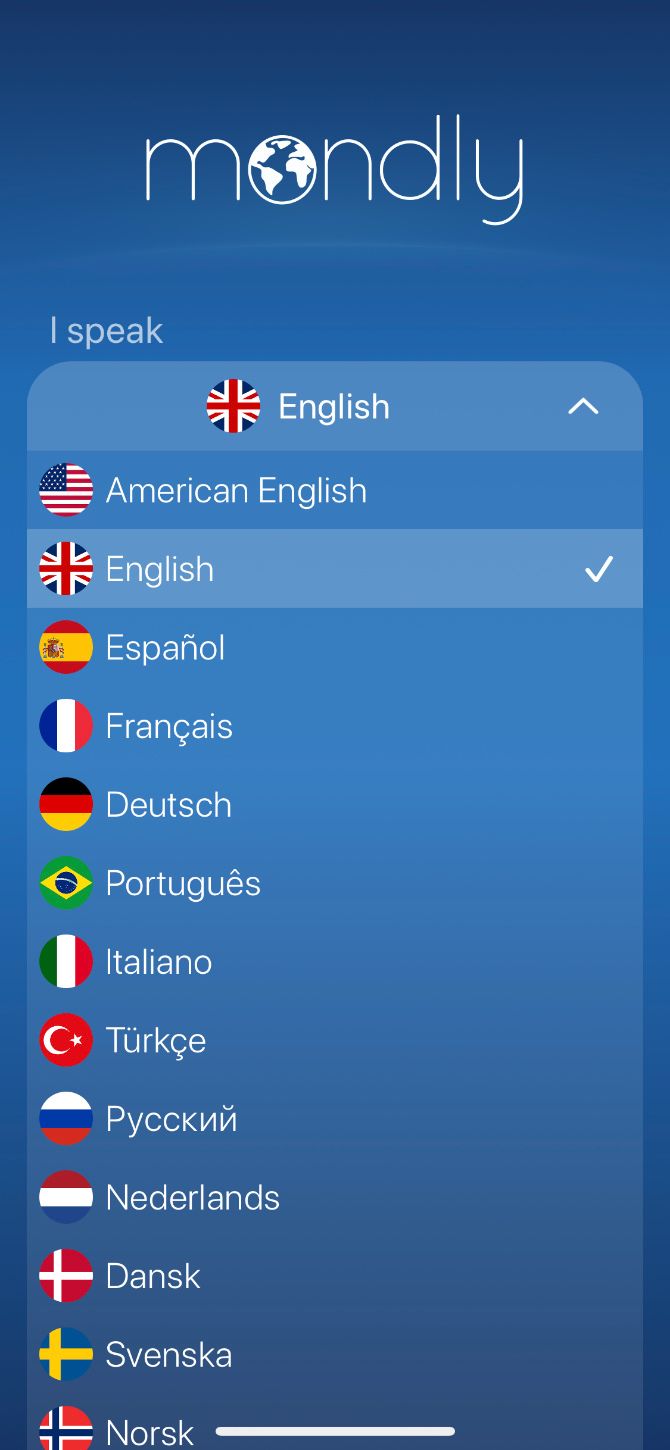
Mondly offers a staggering 41 languages for you to learn, as well as a range of languages to learn from. While most language-learning apps only let you choose English as your native language, Mondly lets you choose from 40 of the other languages available.

For example, if your native language is French and you want to learn German, you can learn German from French. A lot of other apps force you to learn German from English, which is an added layer of complication you probably don’t want.

Here are some of the most popular languages available to learn with Mondly:

  • English
  • Spanish
  • French
  • German
  • Italian
  • Russian
  • Japanese
  • Korean
  • Chinese

The app’s language portfolio has recently grown from 33 to 41 languages, surpassing most language learning solutions available on the market. Additionally, Mondly teaches languages for which courses are generally scarce—such as Finnish, Latvian, Hungarian, and Latin.

Learn About a Variety of Real-World Topics

Mondly presents its lessons in 40 real-world categories, ranging from basic greetings all the way to medical emergencies. Through the course, you’ll learn 5,000 words and phrases to carry you through day-to-day life in a foreign language.

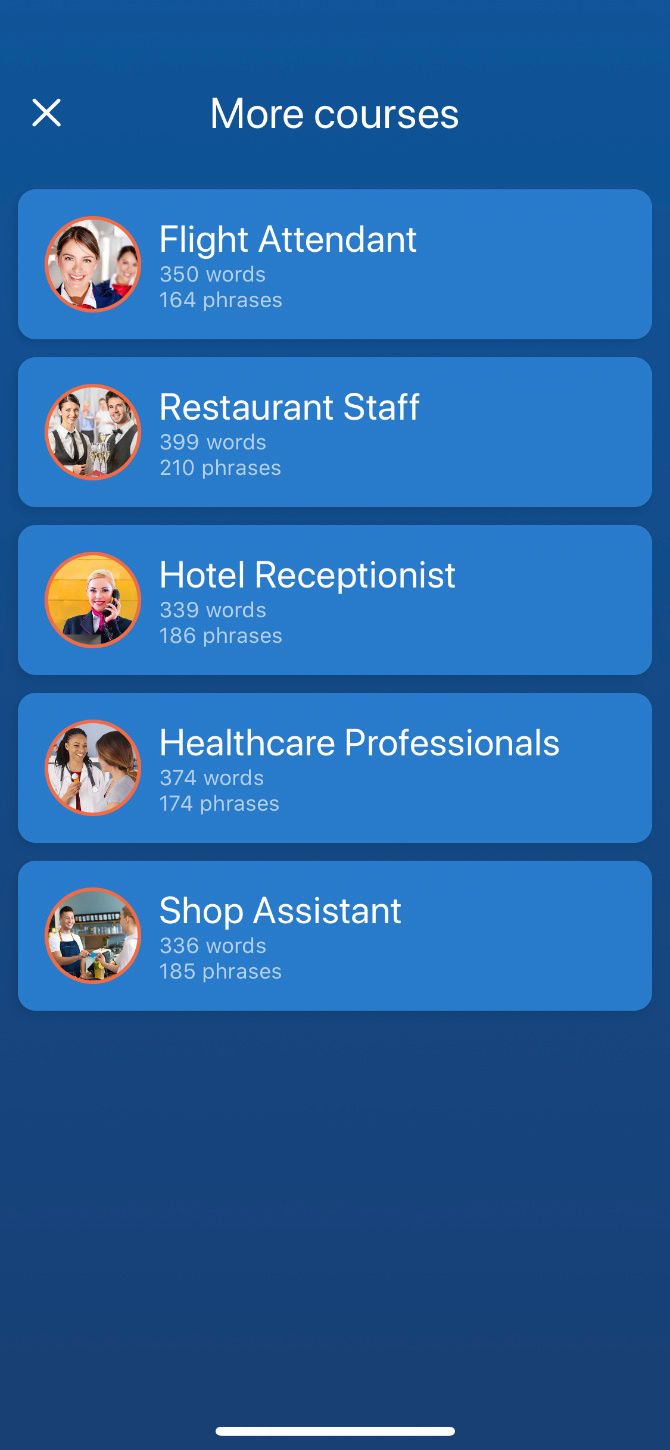
But Mondly doesn’t stop there. You can also choose to learn from a range of work-specific courses catering to the following jobs:

  • Flight attendant
  • Restaurant staff
  • Hotel receptionist
  • Healthcare professional
  • Shop assistant

The syllabus remains the same no matter which language you choose to learn. This is perfectly fine for the most part, but some languages might benefit more from a bespoke learning syllabus, since their use of grammar and tones are so unique. We’re looking at you, Chinese.

Even so, it builds your vocabulary at a steady pace that gives you a constant sense of progress without ever stretching you too far. And it works to get you into a position where you can start using your new language as soon as possible.

Engage in Fun Lessons With a Slick Presentation

You’ll spend the bulk of your time with Mondly completing different lessons. Most lessons introduce you to around 10 new words and phrases, using a variety of techniques to help you fully absorb the vocabulary.

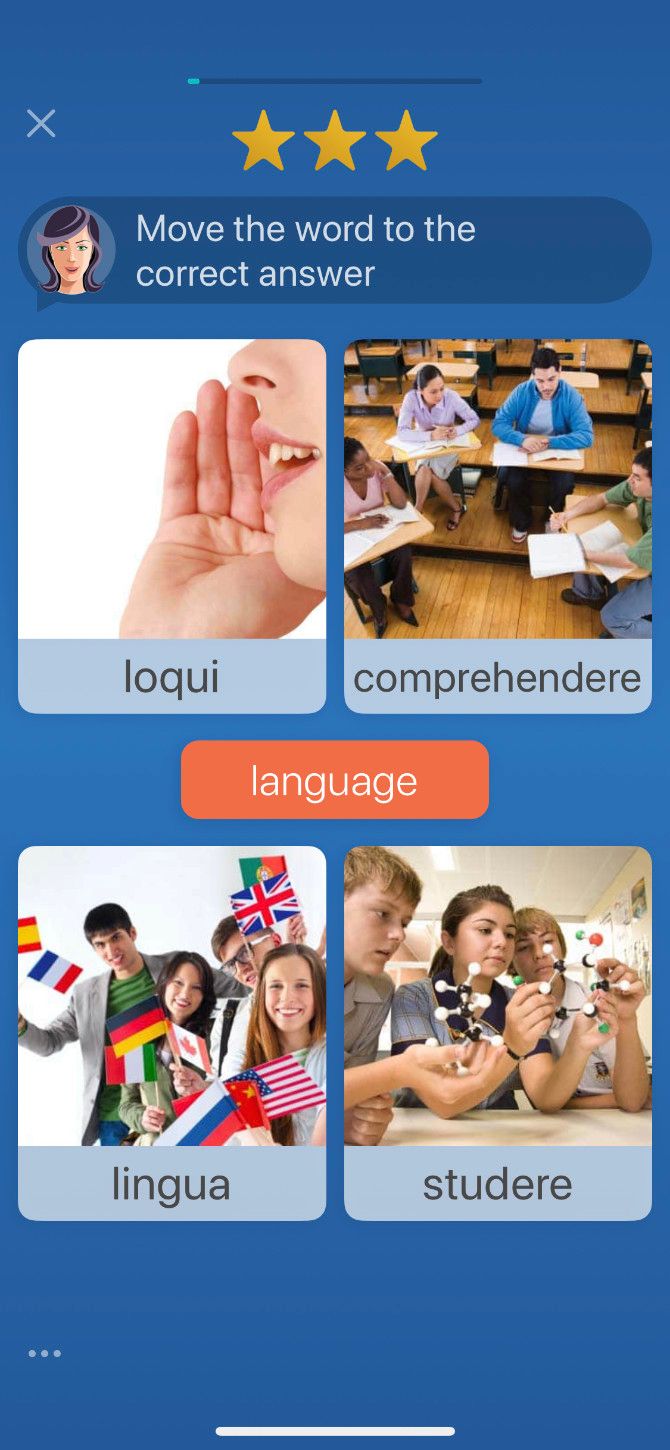
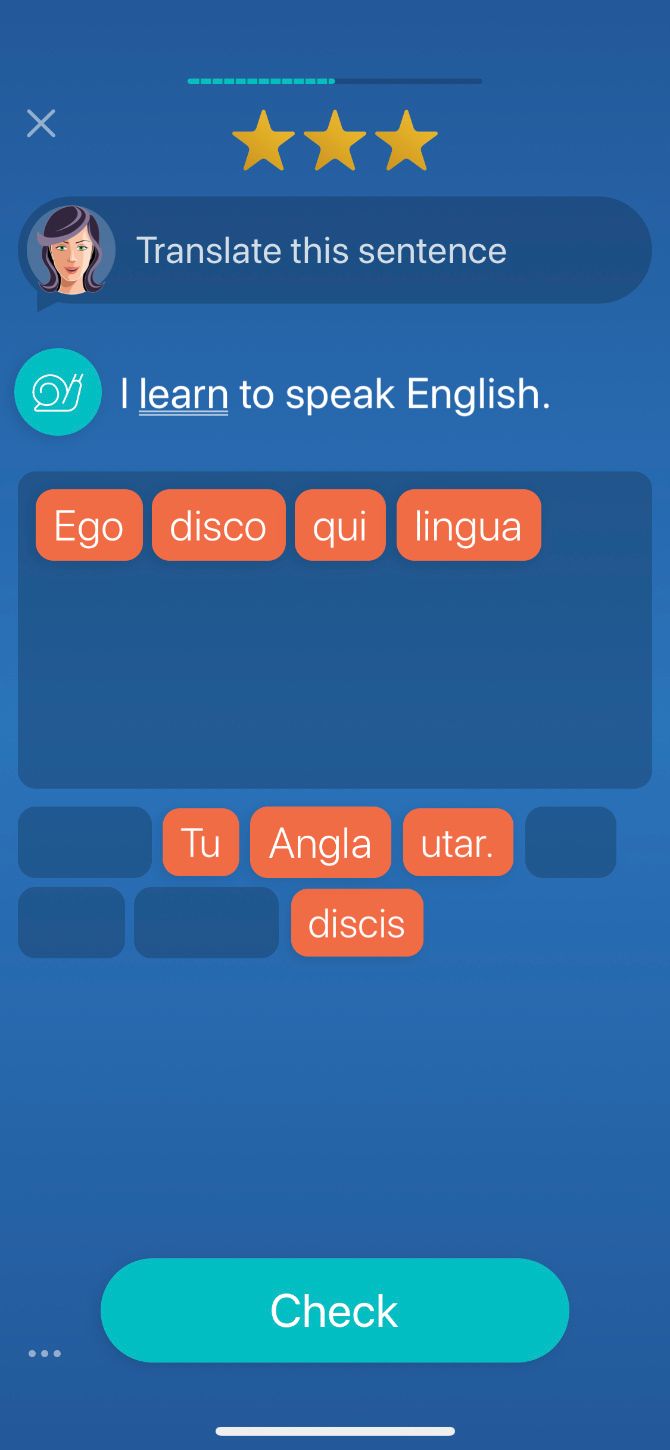
You might find yourself matching a new word to a photo, translating audio to a different language, filling in the blank space of a sentence, or spelling out a word you just learned.

It’s also possible to take part in set conversations with the Chatbot, which lets you choose from preset responses to different questions. The conversations are a little stilted, but it’s a good way to start using what you’ve learned.

The range of tasks throughout each lesson keeps you engaged, as Mondly rarely asks you to do the same task twice. At the end of each topic, Mondly invites you to consolidate your learning by listening to a real-life conversation in your target language and working through a vocabulary review.

Subscribe to Mondly Premium to Unlock Everything

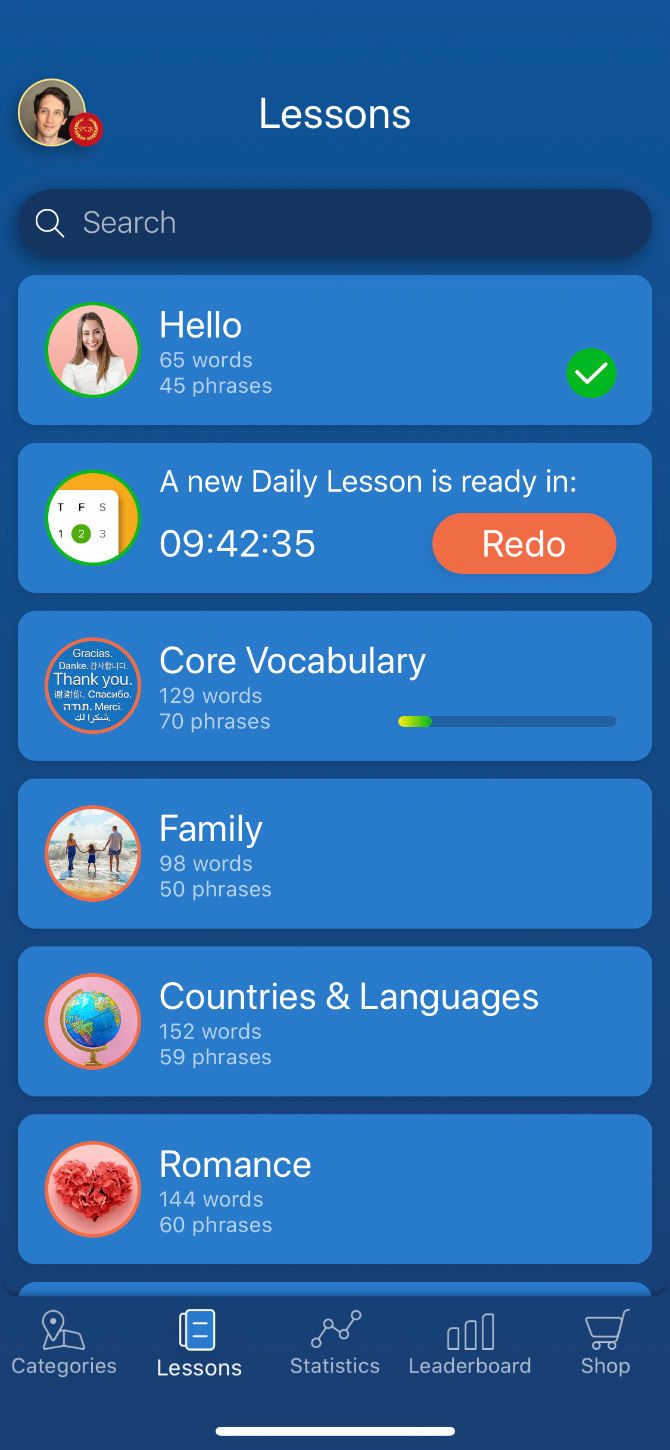
Mondly Path of Learning


You can download and start learning with Mondly for free, but most of the content is locked behind a premium subscription. Without paying, you can still work through the first topic for any language, as well as the new lessons released each day. This should give you a feel for the app to help decide if you want to subscribe.

If you do sign up for a premium subscription, Mondly unlocks every single lesson at once. You also get access to the entire back-catalog of daily lessons, weekly quizzes, and monthly challenges dating back to the beginning of 2015.

Not interested in paying for a subscription or want to avoid the time constraint while learning a language? Mondly also offers a lifetime access alternative. While this normally costs $1,999.99, Mondly has prepared a limited-time offer for MakeUseOf readers: $89.99 for Lifetime Access with all current and future updates included.

Get the offer now and save 95% off the normal price!

Mondly Kids and Mondly AR

In addition to the entire content of Mondly, a premium subscription provides completely free access to Mondly Kids (worth $9.99 per month) and Mondly AR. These extra offerings can further aid your language-learning journey.

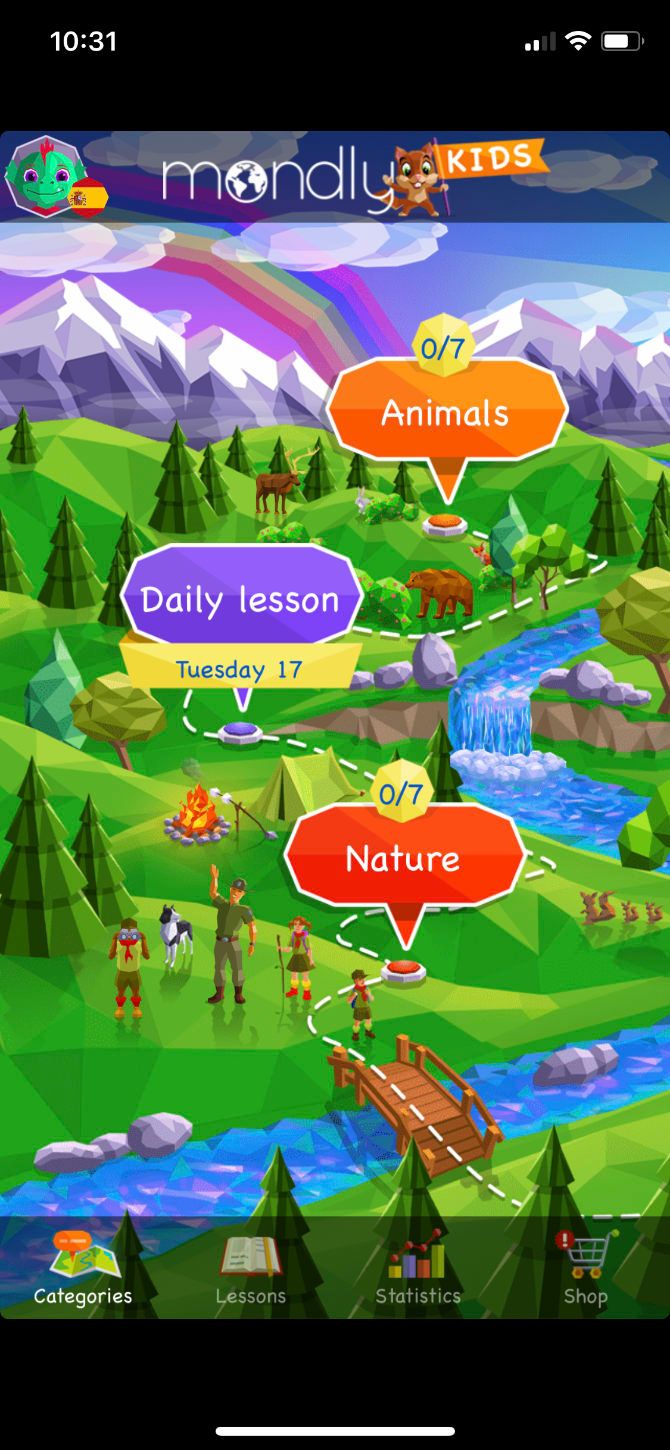
Mondly Kids is a simplified and colorful version of Mondly, aimed at helping children learn a new language. There are 11 topics—including animals, sports, and nature—with a vast catalog of daily lessons to get stuck into.

Mondly AR uses augmented reality to expand your vocabulary in an exciting new way. Simply scan your environment, then place the virtual teacher into your room. She’ll conjure up a range of different objects for you to learn about.

Neither of these apps is as comprehensive as Mondly itself, but they are a fun bonus to the premium service.

The Cost of a Mondly Premium Subscription

If you want to unlock everything in Mondly, you can pay for a premium subscription from within the app. You’ll have the following options to choose from:

  • $9.99 per month for one language
  • $47.99 per year for all languages (equivalent to $3.99 per month)

Don’t forget about the special limited-time offer Mondly has put together for MakeUseOf readers: Lifetime Access for $89.99.

This investment will give you unlimited access to the entire content of the app, 41 languages and counting, Mondly Kids, Mondly AR, all future updates including new features, languages, lessons, and more. Get the offer now with 95% off Mondly’s retail price.

Mondly Is a Great Place to Start Learning

Learning a language is hard work. You need to keep at it for years to make sure the words don’t fade from your memory. It requires putting yourself out there to practice speaking with real people. And you need to study the intricacies of grammar to grasp subtext and meaning.

No language-learning app can do all of that for you, but they can certainly make it easier to get started. Think of Mondly as another tool in your belt when it comes to learning a new language. Use it to enforce a daily habit, build a solid foundation, and provide a framework for future growth.

If you use Mondly alongside the other tools available to you, there’s nothing to stop you from reaching fluency in a foreign language.

Make the most of this limited-time Lifetime Access offer and start your first lesson today!

Read the full article: Use Mondly to Learn a New Language and Have Fun Doing It

08 Apr 12:19

5 Household Experts Teach You How to Clean and Organize Your Home

by Mihir Patkar
House cleaning and organizing

It’s time to roll up your sleeves and get your house in order. These five experts share their best tips, tricks, and techniques to clean and tidy your home, as well as how to keep it organized.

When you sit back and really take a long look at your house, you realize that it could do with some sprucing up. When was the last time you dusted in the corners and the high spots? Couldn’t this room be straightened out to make everything easier? How about adding a little aesthetic comfort to make it more liveable?

The internet is full of blogs and YouTube channels where everyday folks and experts share household hacks to manage a home. They’ll show you how to clean and organize, they’ll give downloadable checklists, they’ll share DIY instructions. Crank up a playlist and get cleaning.

1. The Order Expert (Web): Workbook to Figure Things Out Before You Start

Rashelle Isip of The Order Expert shares her tips and tricks on decluttering and tidying up your home

Rashelle Isip, a professional organizer and productivity consultant in New York, believes that your personality doesn’t inherently make you organized or disorganized. Instead, she says organization is a skill that anyone can learn and shares how to go about it.

On her blog The Order Expert, Isip shares her knowledge about how to organize your home (and your life). Cluttered workspaces and home often lead to disorganized thoughts and a feeling of being overwhelmed, which is part of the productivity tips she offers.

She has written posts on every type of household cleaning and organizing you can think of, such as how to clean a garage, how to organize a drawer, how to declutter a closet, and so on.

A good starting point is to download her free guide on the three smart steps to organize your home. You’ll need to sign up to access this, but you can opt out of getting newsletters. It’s like a workbook, in which Isip first makes you organize your thoughts about the problems with your space and how to address them.

It’s just 11 pages with only three of them being interactive but go through the exercise. This will end up becoming a guide you can use for all future house-cleaning and organizing projects.

2. Clean My Space (Web, YouTube): Tips From a Professional Cleaner

Clean My Space is one of the best YouTube channels for cleaning and organizing homes

Melissa Maker hosts the Clean My Space YouTube channel, and also runs a professional cleaning service. You can watch her videos or head to the website for articles about the same things, depending on how you like to learn.

Maker recently went viral with her “3 Wave System” of cleaning fast and effectively. In it, she explains how to break down the big task of cleaning a room into smaller bite-sized tasks. It’s a common productivity technique to get things done, which she applies in a practical way to declutter, organize, and clean any room in any house.

The website divides household chores into categories like home cleaning, cleaning routines, decluttering and organizing, and products and tools. You’ll find several DIY substitutes to make cleaning products if you can’t get something off the shelf.

Watch: Clean My Space on YouTube

3. Unexpectedly Domestic (Web): Readymade Checklists to Clean Regularly

Unexpectedly Domestic's checklists will ensure your home stays clean with daily and weekly tips

Rebecca covers a wide range of topics at her blog, Unexpectedly Domestic, including household cleaning, budget and finance management, and meal planning. Across these various topics, her checklists to get things done are the stand-out feature.

You’ll need to sign up for the newsletter to get access to the checklists. For household cleaning, she offers six lists:

  • Get your home organized toolkit
  • Daily tidy checklist
  • Blank weekly checklist
  • Spring cleaning checklist
  • Fall cleaning checklist
  • Cleaning supplies

For each list, you will find an accompanying article that talks about how best to put it into practice. The “Get your home organized toolkit” is the largest of these, with tips on decluttering your home by getting rid of 135 things.

Apart from the lists, check out Unexpectedly Domestic’s section for cleaning and decluttering. Rebecca shares several techniques and tips to simplify home organization and upkeep. And if you like what you find here, the rest of the blog is pretty good too.

4. The Simply Organized Home (Web): 5-Day Course to a Clean Home

The Simply Organized Home hosts a five day free course over email to clean your home

Some people think cleaning and organizing one’s home is a monumental task that will never end. Kaitlin Stearns wants to bust such myths by showing you how to get a clean home in five days.

Sign up for the email course to get a new set of tasks every day, complete with free printables, tips and tricks, and other resources. At the end of the fifth day, your home will be spic and span.

At the Simply Organized Home blog, Stearns shares several household hacks to make it easier to clean and organize your kitchen, living room, bathroom, and everything else. It largely divides the posts into organizing, decluttering, home management, and home decor, with a mix of guides, DIY tips, and other articles.

Make sure you also check out the Resources section. Apart from the 5-day course, this also has Stearns’ “home management toolbox,” which is a collection of cleaning and organizing tools she recommends. And you can sign up for the newsletter to get access to her library of free printables.

5. The Ridiculously Thorough Guide to Declutter Your Home (Web)

Budget Dumpster rounds up expert advice from organizational experts on how to declutter your home

Dumpster rental company Budget Dumpster isn’t where you’d expect to find one of the best decluttering guides on the internet. But that’s exactly what you get with The Ridiculously Thorough Guide to Declutter Your Home. It’s an aptly-titled piece full of expert advice and logical step-by-step instructions.

You’ve probably heard of many decluttering experts such as Marie Kondo, Peter Walsh, Joshua Decker, and Davon Parks. This article rounds up salient advice from all these professional cleaners as well as several others. It then applies those tips in the appropriate section, making it easier to act upon them.

The guide breaks the cleaning process into decluttering methods and tips, room-by-room organization, and staying decluttered. Even though it’s a long read, it clarifies the whole idea of home cleanliness and organization in your head, once and for all.

Let Robots Clean for You

With these guides and experts, you’ll have everything put in its proper place and your house looking neat in no time. But things are slowly getting even easier, as you don’t have to do many of these tasks. From vacuuming the floors to cleaning your windows, these robots will do the chores for you.

Read the full article: 5 Household Experts Teach You How to Clean and Organize Your Home

08 Apr 12:18

Do More With Your iPhone: 70+ Tips and Tricks You Should Know

by Joel Lee
delete-multiple-contacts-iphone

Whether you’re a new convert or a veteran user, whether you have the latest iPhone or one that’s much older, you’ll want to check out our tips and tricks for iPhone users!

iPhones are super straightforward to use. That is, after all, one of the main selling points of an iPhone over Android alternatives—at least that’s what iPhone fans like to say.

But we bet there’s a lot more your iPhone could be doing that you may not be aware of. And when you run into iPhone issues, troubleshooting a problem isn’t always as clear-cut as using the device itself. Well, we can help!

Before we dive in: don’t have an iPhone but looking to get one? Read these first:

Understanding Your iPhone

useful-iphone-control-center-widgets

Confused about a certain iPhone feature? You aren’t alone! Here are our explanations of the various iPhone features and how you can make the best use of them:

Basic iPhone Tips and Tricks

Apple EarPods plugged into Lightning port on iPhone

If you want to do more than just check emails, take photos, and send messages, you may want to check out these foundational tips and tricks for iPhone users:

For settings and maintenance tweaks:

For learning how to do useful things:

Advanced iPhone Tips and Tricks

transfer-contacts-iphone

Want to distinguish yourself from other iPhone users? Learn how to take the best care of your device and do all kinds of cool stuff that many people aren’t even aware are possible:

More useful maintenance tips you should know:

More cool stuff you can do with an iPhone:

Useful Apps for iPhone Users

screen-sharing-android-iphone

We’ve scoured the iOS App Store and found all the coolest and most useful apps—because who has the time to do that? Here are our favorites and recommendations for whatever you want to do:

Practical Apps

Entertainment Apps

Troubleshooting iPhone Issues

sync-iphone-contacts

Is your iPhone acting up? Something broke and you don’t know why? Or how to fix it? Here are our most useful articles on how to resolve errors and issues on a faulty iPhone:

Check here first, in case your issue is a common one:

If the problem is with the actual iPhone device:

If the problem is related to operating the iPhone:

Read the full article: Do More With Your iPhone: 70+ Tips and Tricks You Should Know

08 Apr 12:13

How To Clean Your Digital Clutter

by Hari Ravichandran, CommunityVoice
By following a few easy steps, everyone can take solace in knowing that their digital life is clean, secure and at less risk.
06 Apr 15:58

Essential Tips for a Winning Resume

by Saikat Basu
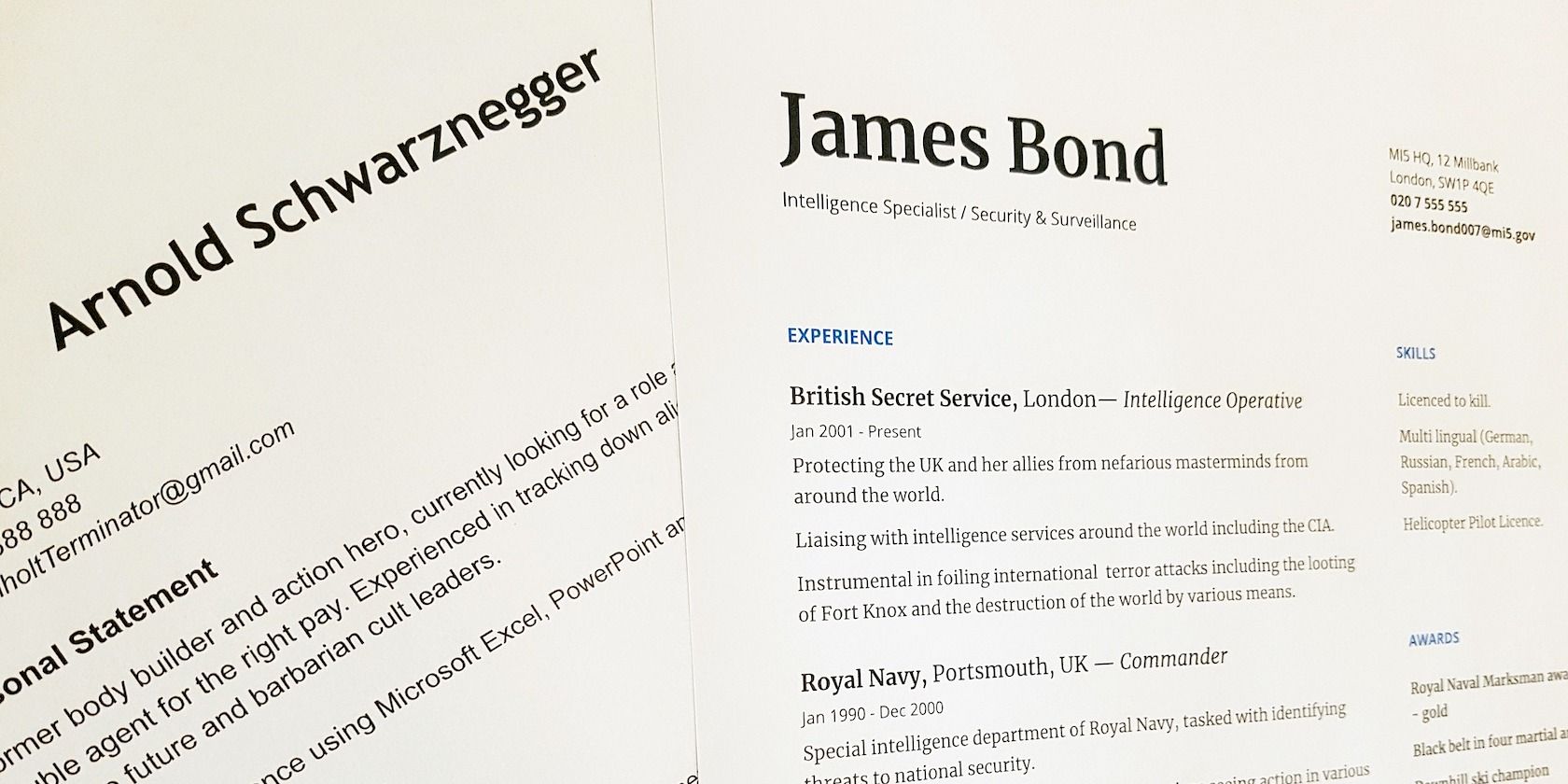
A couple of resume samples

A resume is a marketing document that gets only six seconds of attention from recruiters. So, it isn’t only a chronological record of your accomplishments but also a statement of your uniqueness and how important you can be for an organization. You already have a record of your personal data. Now, showcase that in the best possible light using the cheat sheet below.

The cheat sheet covers various sections that need to go on your CV. It also gives you content- and design-related tips to help you build a resume that brings results.

Plus, you’ll find a special section on tailoring your resume for ATS compatibility. (ATS or Applicant Tracking Systems are essentially bots used by companies to shortlist applicants.) This section includes pointers for ensuring that your resume passes through ATS without a glitch.

FREE DOWNLOAD: This cheat sheet is available as a downloadable PDF from our distribution partner, TradePub. You will have to complete a short form to access it for the first time only. Download Essential Tips for a Winning Resume.

Essential Tips for a Winning Resume

Tips
¹General Information
◼︎ Read the job ad carefully.
◼︎ Always tailor your resume to the job in question.
◼︎ Use an online resume builder instead of a text editor, or start out with a resume template.
◼︎ Use verifiable metrics wherever possible because hard numbers catch the eye of recruiters.
◼︎ Focus only on the most important content. Try to fit everything on two pages or fewer.
◼︎ Pick the right resume format: A Functional resume, a Chronological resume, or a Combination resume (if you have experience across different industries).
◼︎ The reverse-chronological resume, where the latest work experience is listed first, is the most popular format.
Design and Layout
◼︎ To make a good first impression, ensure that the layout is pleasing and the content is scannable and easy to read.
◼︎ Balance text with whitespace.
◼︎ Use classic fonts such as Times New Roman, Arial, Verdana, Calibri, Cambria, Helvetica, and Georgia.
◼︎ Don't choose anything less than 10.5 for the font size. A font size of 12 is ideal.
◼︎ Use font sizes 14-16 for section headers.
◼︎ Pick a font that reads well on all screens. Legibility and cleanliness are important.
◼︎ If you can, choose sans serif fonts like Arial over serif fonts like Times New Roman. The former are more legible on screens.
◼︎ Avoid big blocks of text and excessive bullet points.
◼︎ Ensure that sections flow from the most significant to the less important.
Contact Information
◼︎ Place your name and contact information at the top of the document.
◼︎ The font for the name should be larger than the font used in the body, but not so large as to overpower the other elements on the page.
◼︎ Don’t place contact information in the header/footer.
◼︎ Use a home address rather than a PO box or an office address.
◼︎ List one phone number. A mobile phone number is ideal.
◼︎ Use an email address that sounds professional.
◼︎ Place social media icons and URL links to relevant social media pages.
◼︎ Include a link to your LinkedIn profile (if you have one) and ensure that the profile is up to date.
◼︎ Include the URL of a personal website that highlights your expertise.
◼︎ To avoid possible age discrimination at the onset of hiring, avoid mentioning your date of birth unless that information is mandatory.
◼︎ Don't include a profile photo.
Job Summary
◼︎ This section is ideal if you have years of relevant job experience. Skip this section if you have less experience or applying for a job in another field.
◼︎ Highlight your current professional title with a larger font at the top of the section.
◼︎ Write an objective statement that describes a future goal. This is not mandatory.
◼︎ Outline your skills and accomplishments to demonstrate what:
1. Distinguishes you from other applicants
2. Makes you the ideal candidate for the role
◼︎ Highlight skills that are relevant to the role offered.
◼︎ Use the Adjective + Skill + Value formula to frame achievements in bulleted sentences.
Core Skills
◼︎ This section focuses on the skills you’ve gained based on the job roles you’ve performed in the past.
◼︎ Some job roles like programming demand hard technical skills while some like teaching ask for a mix of both hard and soft skills.
◼︎ Exploit the keywords in the target job descriptions and correlate them to your skillsets.
◼︎ Use topical nouns instead of vague verbs to highlight skills and boost recognition by ²ATS.
◼︎ Cover both hard skills and soft skills. For example, a Project Manager can list "Conflict resolution" as a soft skill.
◼︎ List hard skills with experience levels (Beginner, Intermediate, Advanced, Expert.)
Work Experience
◼︎ If you’re going by the most common resume format, arrange entries by date, with the latest job at the top.
◼︎ For each entry, mention the relevant job title, employer name, location, and job tenure (with start and end dates.)
◼︎ Use the mm/yyyy format while listing dates. It’s the standard format expected by recruiters and applicant tracking systems.
◼︎ Expand on the most critical jobs with a bulleted list of roles and accomplishments.
◼︎ Mention key metrics for every experience.
Example 1: Generated over $25,000 in sales in one month (instead of Managed sales through self-generated leads.)

Example 2: Developed and executed marketing strategy for three new national projects. Increased market penetration by an average of 35%.
◼︎ Some roles may not be quantifiable. In such cases, it’s okay to mention only responsibilities.
◼︎ Don’t duplicate the information from the Summary and Core Skills sections. Use unique phrasing.
Education
◼︎ This section can follow the Summary section for new graduates or for jobs with highly relevant educational requirements.
◼︎ Include educational qualifications, complete with the school/university name, location, degree earned, and the course dates.
◼︎ Mention extra qualifications, certifications, and training under relevant sub-sections if necessary.
◼︎ Include GPA/Class Rank if among the top-half of the class. This information is not mandatory.
Other Details
◼︎ Awards
List awards in the Education section under a sub-heading.
◼︎ Hobbies
These are not necessary in most applications, but they’re also not a dealbreaker. Include them if other details are sparse.
Don’t include inappropriate and commonplace hobbies like reading.
◼︎ References
Don’t mention these unless specifically asked for.
Tips for Compatibility With ²ATS
◼︎ Keep the resume structure simple.
◼︎ Avoid fancy/creatively designed resumes and resume templates.
◼︎ Use an ATS-friendly resume template when you don't want to design from scratch.
◼︎ Use simple headers and consistent formatting across all sections.
◼︎ For entries with dates, preface dates with descriptions, such as work experience or academic qualifications.
◼︎ The ATS is programmed to read specific keywords, so scan the job ad for potential keywords you can use.
◼︎ Use concise bullet points instead of full paragraphs.
◼︎ Spell out any abbreviations so the ATS can understand them.
◼︎ Submit the file in the format specified. (ATS reads Word formats better than PDF.)
◼︎ Use Jobscan to enhance your resume for ATS.
Final Round of Editing
◼︎ Always proofread for spellings and other errors.
◼︎ Double-check your contact information.
◼︎ Remove all fluff and keep the resume concise.
◼︎ Print the resume and check for design issues.
◼︎ Save a copy of the resume as a PDF for future use. (Word can mess up the formatting across different computer systems.)
◼︎ Back up a copy of the resume to the cloud so you can access it from anywhere.
¹This covers tips that apply to all kinds of resumes.

²ATS refers to Applicant Tracking System. Many companies use this software as the first screen to filter the flood of resumes.

Save Time With Resume Templates and Apps

Your resume is situational to the job, your experience, and the process the resume goes through before you land an interview. So, there’s no “best resume layout” you can count on. For effectiveness, it’s ideal to stick to the basics and include only the most important information. And yes, always keep your resume updated because you never know when you might have to send it off in a flash.

Don’t want to start your CV-building efforts from scratch? Use one of these Google Docs resume templates or any of these free resume apps to create a striking resume.

Image Credit: Oli Lynch on Pixabay

Read the full article: Essential Tips for a Winning Resume

06 Apr 15:57

5 Cheap and Easy Recipe Sites to Cook Healthy Meals at Home on a Budget

by Mihir Patkar
Cooking at Home With Budget Recipes

Looking to cook a healthy meal while on a limited budget or low on supplies? These websites teach you the best cheap recipes to make at home, whether you’re a beginner or seasoned cook.

With the coronavirus outbreak, most people are stuck in their houses all day. The no-risk option is to cook your own meals. The pandemic has also wreaked havoc on the global economy, so it’s wise to cook healthy and cheap food yourself.

Whether you have only the pantry essentials or fresh produce, you can make delicious meals at home with the right recipes. You don’t even need to be a great cook as these websites work for beginners in the kitchen too.

1. The Stonesoup (Web): Low-Carb Recipes With Only Six Ingredients

The Stonesoup recommends recipes with only six ingredients that are also low-carb

The Stonesoup’s claim to fame is making recipes that use only six ingredients. This makes it much easier for beginner cooks, and cheaper.

At the same time, author Jules Clancy focuses on making them low-carb and healthy. And you can trust Clancy on her claims since she’s a former food scientist.

The recipe format is usually pretty standard, but the best part is what comes after the recipe. Clancy usually shows how to make it fancier and adds substitutes for a variety of dietary choices such as vegetarian, vegan, dairy-free, pantry-friendly, etc.

You can check out all her recommended common food substitutes in a separate section. The site also sorts recipes by the amount of time it takes to cook, dietary choices, and dish type.

Clancy also includes “waste avoidance strategies” so that you’re making full use of all your ingredients and not wasting food. These easy and healthy recipes also have a section on whether they can be prepped as part of future meal planning.

For offline references, you can download a free ebook with 29 low-carb, 6-ingredient recipes.

2. Mob Kitchen (Web): Serve Four People in 10 Bucks

Mob Kitchen makes cooking simpler for students and beginners with recipes for less than 10 bucks

Mob Kitchen targets students who are fending for themselves for the first time in their lives. So all the meals here are easy to make for beginner cooks while trying to stay healthy. And all of these are recipes on a budget.

The website’s big idea is to make recipes that serve four people and cost less than 10 British pounds.

In America, you should still be able to get all these ingredients in 10 dollars. And really, they include everything except pantry essentials like salt, pepper, milk, and oil.

Mob Kitchen presents recipes in a slightly different format than more recipe sites, but it’s actually quite thoughtful. You’ll find the steps more wordy than normal, but that’s because they are careful to include all the “dummy’s guide” steps.

For example, they won’t say “cut the cucumber in two” but instead write “peel the skin off the cucumber, then chop it in half.” These specifics might seem overkill for an experienced cook, but they are important notes for beginners.

The website doesn’t have a huge collection of recipes, but the available options are varied and sound delicious. Make sure you also check out the Mob Kitchen student hacks ebook for tips and tricks for any beginner.

3. Brokeass Gourmet (Web): Recipes Under $20 and Cooking Tips

Brokeass Gourmet gives awesome home-cooking recipes that cost less than 20 dollars to make

As the name suggests, Brokeass Gourmet is all about staying on a budget while you eat delicious and healthy food. Author Gabi Moskowitz’s idea is to make recipes that cost less than $20 but still look and taste awesome.

The blog has been around for over 10 years, so the collection of recipes is extensive. The recipe archives are a nice mix of full meals, diet-restricted dishes, varied cuisines, and some items that you wouldn’t have thought of.

Also, look for the signature “$5 Dessert” column to find cheap but rich desserts to satisfy your sweet tooth.

The nice part is that you don’t have to read through long paragraphs to set the mood, as the blog dives right into the recipe with only a short intro.

Moskowitz also often writes guides about the things related to cooking on a budget, like how to make produce stay fresh for a longer time.

4. One Pot Recipes (Web): 30 Minute Meals Using a Single Pot

One Pot Recipes reduces cleaning in the kitchen with simple one-pot recipes that can be made with 30 minutes of work

The worst part about cooking is the cleaning that goes with it. You put in all that effort over the stove and instead of enjoying the meal, you’re thinking about that mess in your sink that needs tending to.

One Pot Recipes shows you how to reduce that mess and make cooking simpler by using one large vessel for the whole meal.

Blogger Abeer says most of these recipes need only 30 minutes of work from you. One Pot Recipes often relies on store-bought pantry items with long shelf life, thus making it easier for amateur cooks.

You’ll need a good slow pot or instant pot a.k.a. pressure cooker to make many of the dishes, which have their own sections too. But you’ll also find recipes without those, for everything from salads to dessert.

One Pot Recipes has a nice format that tells you variations for the dish, like adding or deleting ingredients, or changing the base itself.

You’ll also find storage instructions for the item, and tips and techniques to ensure you are getting the best result as per the recipe.

5. One Dish Kitchen (Web): Recipes to Cook Meals for One Person

One Dish Kitchen reduces waste and leftovers with recipes for food that serves a single person

Most food websites give you recipes that serve a family. But if you are staying by yourself, that’s a lot of food wastage or leftovers. Plus, it’s not as simple as simply dividing the recipe’s quantities to turn it into a single person’s food. One Dish Kitchen focuses on cooking for one person.

The website packs recipes for breakfast, main dish, side dish, appetizer, salad, soup, sauces, drinks, and desserts. It also includes meal planning ideas so that you can prep in advance to cook food later. The instructions are clear and the recipes have helpful tips and tricks to ensure a smooth cook.

One Dish Kitchen regularly adds new recipes and relevant guides, like the 14-day isolation meal plan to make single-serving items in advance. If you prefer watching to reading, check out their YouTube channel for many of the same recipes in video format.

Sharpen Your Basic Cooking Skills

Just because you’re cooking and eating at home doesn’t mean the food has to be boring. If you sharpen your basic cooking skills, you’ll be eating delicious home-cooked meals without taking a step out of the house.

One of our favorite resources to learn the essential skills of cooking is the 51-page free Cooking Crash Course by Chef Gui Alinat. You can find that and more tools for beginner cooks in our collection of five essential sites for newbies in the kitchen.

Read the full article: 5 Cheap and Easy Recipe Sites to Cook Healthy Meals at Home on a Budget

06 Apr 15:55

How to Read Free Ebooks With Wattpad

by Simon Batt

Whether you’re stuck indoors with nothing better to do or on the move and in need of entertaining, free ebooks are the answer. And Wattpad is a useful app which helps you find and read free books.

In this article, we explore the Wattpad app, explaining what it is, what it does, and how you can use it to read one of the free ebooks from its expansive library.

What Is Wattpad?

Wattpad is a little different from traditional ebook distributors like Amazon. Wattpad is more of a social reading experience that aims to connect authors to readers. Authors can publish stories—even works in progress—to the platform, and readers can like and comment on their favorite entries.

There are many different genres for you to browse, from Fantasy to LGBTQ+-themed stories to a genre just called “Werewolf.” You can also sort books by tags to find sub-genres that you’re a fan of.

Given Wattpad’s nature, you won’t find popular and famous books here for free. If you’re on the hunt for those, you should check out how to download thousands of free ebooks formatted for modern e-readers. You will, however, find independent authors with stories for you to read, like, and comment on.

How to Get Started With Wattpad for Android and iOS

You can read stories directly from the Wattpad website on any device, but for the sake of this article, we’re going to focus on how to read stories using the Android and iOS app.

How to Download and Sign Up to Wattpad

To start, download the free Wattpad app for Android or iOS. It’s a good idea to grab it from the official store instead of a third-party one, as unauthorized stores may harbor malware.

Once the app finishes downloading, you’ll need a Wattpad account. You can make one by opening the app, then tapping Don’t have an account? Sign up underneath the login fields. Alternatively, you can sign up using a Facebook or Google account, which is a good option if you plan on sharing your reading habits with your friends.

Download: Wattpad for Android | iOS (Free)

How to Find Something to Read on Wattpad

Now that you’re all set up, Wattpad will show you some stories to read. This can be a little much, so here’s how to cut through the information overload and find something good to read.

First of all, if you’re using Wattpad just to read free ebooks, keep an eye out for the paid stories. Paid stories have a free preview, but you need to spend money to read the rest. To avoid these books, look for the paid stories icon: it looks like a stack of coins behind a dollar symbol.

To get started, tap the Search and browse bar at the top. When you do, Wattpad will show you all the genres it supports. Tap on one to view all the stories under that genre.

Alternatively, you can search for stories that fit your favorite styles. If you enter a word, Wattpad will search that word in the title and description of every ebook. For example, searching “cyberpunk” will find books with “cyberpunk” in the title or description.

You can also prefix a word with a hash symbol to search the book tags. This is a good option if you’re trying to find books under a specific subgenre. For example, searching “#cyberpunk” will bring up every book with “cyberpunk” in its tags.

How to Read Free Wattpad Ebooks

Now that you’ve found something you want to read, it’s time to dive in. Wattpad works a little differently from other ebook readers, so let’s break down how these books work and how to read them.

How to Read a Wattpad Ebook

When you select a book, tap the Read button to start reading. You should now see the start of the book. You can read more of it by scrolling down. Each book is broken up into chapters; you can see how far you are in the current section by looking at the scroll bar on the right.

When you reach the bottom of a chapter, do one more scroll to view an ad. These ads make it look like you’ve finished the book, but don’t worry. Simply scroll past the ad as you would a page, and the next chapter will start.

How to Move Between Chapters

If you want to skip between the different chapters, you can do this by tapping the screen. This reveals the top and bottom toolbars, which hide while you read. Now, tap the three bars in the top-right, then select the chapter you want to jump to from the chapter menu.

How to Add a Book to Your Library

From this chapter menu, you can also tap Add to library. This will add the current ebook to a digital library for easy access later. If you try to stop reading a book that isn’t in your library, Wattpad will remind you if you want to add it. To revisit a book in your library, tap the three-book icon at the bottom of the homepage.

How to Read and Make Comments on an Ebook

As you’re reading, you may see a speech bubble in the right margin with a number in it. This means someone has commented on that part of the book; the number tells you how many comments there are. Tap the speech bubble to see what people are saying about that part.

If you have something you want to say yourself, press and hold on the part you want to comment on. This highlights the sentence you pressed on. Then, tap the speech bubble that appears in the top-right. You can now type your comment, with the piece you’re commenting on visible at the top of the screen.

Fill Your Digital Ebook Library for Less

If you’re a ravenous reader but tight on money, it’s never been easier to read ebooks for free. For example, you can use Wattpad to check out free ebooks from independent authors, and even make comments which the author can read.

If Wattpad doesn’t satiate your desire for books, be sure to check out the best sites to download free ebooks.

Read the full article: How to Read Free Ebooks With Wattpad

06 Apr 15:55

A Guide to the Instagram Hashtags No One Understands

by Philip Bates
create-multiple-instagram

Are you #confused by all of the hashtags on Instagram? With a barrage of #instagood, #l4l, #f4f, #photooftheday, and #igers on every social media post, you’re definitely not alone. So what does #fmspad mean? What is #bhfyp’s full form? And what does #iamtb stand for?

In this article we explain the meanings of various Instagram hashtags. Which will help you use them to gain views and likes on your posts. All without annoying your followers.

What Does #instagood Mean on Instagram?

#instagood is a widely used hashtag which should be used only on your very best photos. In short, it signifies that the user is especially proud of the photo.

But in practice, many use it on almost any photo. Why?

The obvious reason is that people like every photo they take, so each must deserve the hashtag. The second is that #instagood actually originated with an Instagram account (@instagood) which uses the hashtag to feature the best photos. They also promote a second account, @2instagood, and prompt users to use the new hashtag, #2instagood.

What Does #instamood Mean on Instagram?

View this post on Instagram

Flying time

A post shared by Welcome ?? (@instamood) on

Very much like #instagood, #instamood is also connected to an Instagram account which primarily features photos of flowers, animals, and sunsets. Use the #instamood hashtag if the photo you’ve taken reflects your mood. In practice, all photos reflect some kind of mood, so #instamood can always be applicable, meaning it’s widely used. Since the account is popular, it could be a good way to get your photo noticed.

What Does #photooftheday Mean on Instagram?

This isn’t a meaningless hashtag used by all in an attempt to give more importance to average images. Like many other popular hashtags, it’s connected to an account.

The moderators of @photooftheday find one image each day and share it with the account’s sizable number of followers. Obviously, the chosen photo must bear the #photooftheday hashtag.

Businesses can also use the hashtag to inform followers that they intend to use the platform every day, attracting a dedicated readership. You’ll also see a variation of this, which is #picoftheday.

What Does #igdaily Mean on Instagram?

This is similar to #photofotheday, albeit with less gravitas. #igdaily means you’re either sharing content every day (add #igdailypic or #igdailyphoto to make this clear) or that your photo includes something that you do daily.

Share a part of your normal routine. Tell people your exercise regime. Let your followers know what you love doing frequently.

What Does #igers Mean on Instagram?

This is one of the more obscure hashtags, but #igers simply means “Instagrammers”. If you tag your photo with this hashtag, it means you’re using Instagram.

It should go without saying, yet the hashtag became popular as a means to build a community. This gave rise to the @igers account.

What Do #tbt and #throwbackthursday Mean?

#tbt and #throwbackthursday are two of the most popular hashtags on social media, but what do they mean?

Throwback Thursday is a great way to wallow in nostalgia by posting old photos. Often, these photos are selfies to show how much you’ve changed in the intervening years. The main problem with this hashtag is that it’s sometimes used as part of those copy-paste hashtag lists, and the photos it’s used on have nothing to do with Throwback Thursday.

It’s so popular, it’s spawned a #flashbackfriday sibling, which includes similar content (for those who missed their opportunity the previous day).

What Does #motivation and #motivationmonday Mean on Instagram?

#motivationmonday first came to prominence on Twitter, used to share inspirational quotes for workers to start a new week feeling energized. It’s used similarly on Instagram, as is #motivation, although it’s increasingly tagged to photos of people at the gym or exercising elsewhere.

Of course, not everyone is motivated by others flexing their muscles, so some users attach the hashtags to images of people working on laptops.

What Does #fmspad Mean on Instagram?

This hashtag stands for Fat Mum Slim Photo A Day, and is a challenge set by the Fat Mum Slim blog. Every month, a list of daily hashtags is revealed and anyone taking part needs to think creatively to take the best related photo they can. Be as literal or as figurative as you like. Interpret the hashtags however you wish.

Although it began in January 2012, it remains popular with Instagrammers who keep up-to-date with the latest hashtag challenges. Keep an eye on related hashtags, #fms_, #fmsphotochallenge, and #fatmumslim.

What Does #bhfyp Mean on Instagram?

#bhfyp on Instagram automatically generated bot

#bhfyp is automatically generated by Best-Hashtag.com, and means Best Hashtag For Your Post. The site is a research tool to get more likes and followers on Instagram, particularly useful for brands and would-be influencers. #bhfyp is listed last in your posts if you use the service.

If you search for the hashtag, you’ll certainly see an eclectic mix of posts!

What Does #iamtb Mean on Instagram?

Given that TB also stands for tuberculosis, this isn’t the ideal hashtag, but it’s an increasingly popular one used by people on vacation.

It means I Am Travel Blogging, so tag this in snaps of exotic locations—although do so after you come home or you risk your security. This is one of the Instagram hashtags you’ll want to follow; it’s a way of seeing the world without leaving the comfort of your living room.

What Does #instagramhub Mean on Instagram?

https://www.instagram.com/p/B97bzJfnFOD/

Think of #instagramhub as the main hub for all sorts of content from all sorts of users. Use this hashtag to attract attention by reaching a wider audience. It’s something many Instagrammers add to every post.

Search #instagramhub and you’ll see a mix of selfies (which some further hashtag as #me), inspirational quotes, travel photos, art, and animals.

What Does #jj Mean on Instagram?

This is another hashtag that builds a community, this time around photographer, Josh Johnson (@jjcommunity). #jj  is just one in a long list of similar hashtags (e.g., #jj_forum, #jj_daily) which are used to enter all kinds of contests, and to simply become part of this community.

What Does #iphonesia Mean on Instagram?

#iphonesia has grown exponentially, but there’s some misunderstanding over what it actually means. Some use it as “iPhone amnesia”, as in an image you’d forgotten you had taken. However, for most Instagrammers, it’s used to build the social media community in Indonesia. Certainly the latter meaning gains credence as it has spawned an account, @iphonesia.

What Does #dogstagram Mean on Instagram?

View this post on Instagram

Summer is coming ?:@amora.golden.retriever

A post shared by Golden Retrievers World ? (@retrieverglow) on

Search for #dogstagram or #dogstagramming to find lots of pictures of cute dogs. And yes, looking at gorgeous puppies should tide you over from quite some time.

What Do #l4l, #likeforlike, #lb, and #like4like Mean on Instagram?

There are several variations of these hashtags, all widely popular. In a nutshell, using them on a post means you’re going to like someone else’s photo in exchange for them liking one of yours. Did 30 people like your photos? You’re going to have to like a photo by every single one of those users too. It’s tedious, but if you’re really desperate for likes, it’s one way to get them.

A similar hashtag is #f4f, or #follow4follow, which means you will follow back anyone who follows you. It’s a good way to gain more followers on Instagram.

What Does #tfl Mean on Instagram?

This has multiple meanings, one of which is Tag For Likes—similar to the above #l4l variations. Some of these use #tflers instead.

If you live in the UK, however, it means Transport for London, so you’ll typically see pictures of the underground. Elsewhere, inspirational quotes tagged #tfl stand for Tips For Life.

Don’t Overdo the Instagram Hashtags!

Instagram lets you add up to 30 hashtags to every photo, making it one of the most hashtag-heavy networks available. The copy-and-paste habit of many users also helps the disproportionate proliferation of hashtags on Instagram. Nonetheless, they’re useful to curate content and keep track of the latest developments and interests.

Instagram can be a confusing place, but it has lots of benefits, including letting you stay in touch with friends and family via Direct Messages. If you have any questions, check out our guide to Instagram DMs.

Image Credit: Jeff/Flickr

Read the full article: A Guide to the Instagram Hashtags No One Understands

06 Apr 15:42

Hulu’s 68 Best Shows To Watch In Lockdown, According To Rotten Tomatoes

by Paul Tassi, Contributor
Here are the 68 best shows on Hulu to watch during lockdown, a combination of originals and FX shows which have joined the service.
06 Apr 15:33

The Internal Combustion Engine, Explained

The all-you-need-to-know guide to that mechanical thing under the hood powering your car.

06 Apr 15:33

How a Globemaker Navigates a Digital World

by Lauren Vespoli

Nearly a decade ago, a shipment of several hundred globes from Hillside, Illinois, arrived at a port in Chile. There was nothing inherently wrong with them—they were round, depicted Earth with some measure of accuracy, and would have passed muster almost anywhere else—but customs officials sent them right back to Replogle Globes, the United States–based manufacturer. The problem was that the maps on them didn’t fit with Chile’s view of the world, which includes Chilean dominion over certain disputed territories—claims that are likely of little to no concern to most other nations. “It’s funny, what we find is [one country] usually doesn’t care about anything outside that country,” says Kevin Dzurny, chief cartographer at Replogle, of the company’s international customers. “But I’ll be darned if that political border isn’t showing.”

Dzurny is responsible for the accuracy of the maps on the hundreds of thousands of globes Replogle sells in 100 different countries every year. When he was hired at Replogle 27 years ago, Google Maps was more than a decade away. Replogle had not yet hit its all-time sales peak, which would come in the fourth quarter of 2001, in the wake of 9/11. At that time, at school and at home, globes, atlases, and paper maps were how we made sense of the world’s geography and scale. Now, in an age when you can “walk” down streets in a web browser and pinpoint any place in the world in a matter of seconds, globes, particularly in America, are becoming less primary references than decorative objects. “In a lot of schools, globes will be sitting there for 15 years, which blows my mind,” Dzurny says. “Geography here is not as important as it used to be.”

But abroad, in many of the other countries where Replogle sells globes, they’re still in use in classrooms, according to Dzurny—often in countries where territorial conflicts are ongoing or fresh in the national consciousness. “Geography overseas—in China and Japan, Serbia, places like that—is huge,” Dzurny says. “They teach it and they enforce it and they want people to learn about the geography of the world, not just their country.” For countries such as Chile, a globe can be something more than decorative or even educational—it can be an expression of national identity, a manifestation of pride and a certain geopolitical view of the world. As the company’s lead mapmaker, Dzurny is responsible for plotting and tracking these variant takes of the world, and making sure that the right globe is made for the right country.

article-image

Such geopolitical reconfiguring has always been a part of the business at Replogle, which was founded by former school supply salesman Luther Replogle at the start of the Great Depression, and blossomed during World War II as President Roosevelt encouraged listeners to “get out your globe” during his fireside chats. As Dzurny’s predecessor LeRoy Tolman, who worked at the company for 44 years, told The Wall Street Journal in 1986: “The customer’s not always right. But he’s always a customer.”

Let’s take those Chile-bound globes, for example. Any globe acceptable to Chile’s National Department of State Borders and Boundaries must include the country’s territorial claim in Antarctica, which overlaps with both British and Argentine claims. It also must denote a maritime claim that dates back to the 19th-century War of the Pacific, in which Chile won land from Peru and Bolivia, and later claimed a large portion of the bountiful fishing waters off the southern coast of Peru, though the maritime borders were not officially resolved at the time. In 2014 the International Court of Justice in The Hague ruled in favor of Peru, removing 8,000 square miles of ocean from Chile’s claim—but not from its globes. “Chile supplies us with the actual dimensions of the maritime line and the latitude and longitude and direction of that maritime line,” Dzurny says.

Dzurny confirms country-specific adjustments with the relevant government agencies in those countries, but mistakes still happen—“99.999 percent of the time, an error in shipping,” he says. The globes shipped to Chile were in Spanish, but did not include the approved cartography. So back they went.

Chile is one of 11 countries—along with Japan, China, Argentina, Turkey, India, Pakistan, Greece, Israel, Ukraine, and Russia—that require special cartography from Replogle. “In order to sell globes in those particular countries, you have to abide by the rules and regulations of that country,” Dzurny says. “It’s kind of a joke, but in some sense, I almost feel like I could start a war.”

article-image

A current hot-button example is Kashmir, the predominantly Muslim Himalayan territory claimed by both India and Pakistan. In August 2019 the Indian government revoked Kashmir’s special status as an autonomous region, sent in thousands of troops, and cut off all phone and internet access in the region. In the next three months, “I probably got 15 calls on Kashmir,” Dzurny says, noting that both American and Indian customers have inquired about how Replogle depicts the region. The answer depends on where you’re seeing the globe. For globes sold to India, he says, “we have to make sure that our borders comply with the government of India,” and show Kashmir within its borders. Otherwise, Dzurny defaults to the Central Intelligence Agency’s World Factbook take, which places dotted lines around the region so as not to demarcate it as belonging to a particular country.

In China, globes have to show Taiwan as part of the larger People’s Republic, using the same coloring as the mainland. They also depict the Nine-Dash Line, a claim to a significant portion of the South China Sea, where countries including Malaysia, Brunei, the Philippines, and Taiwan have also asserted territory—and a claim on which The Hague has ruled China has no legal standing. (In early October 2019, the border appeared on a map in the animated movie Abominable, causing Vietnam and Malaysia to pull the movie from theaters.) “If you don’t include these zones, these lines, you definitely won’t be able to sell globes in China,” Dzurny says.

“Names are very powerful.”

The cartographer isn’t bothered by making these changes, and the world views they reinforce. “Do I have any political stance? Not really, I mean I couldn't have one in this job, in a sense. It’s about trying to get our product out there to help people learn,” he says. “You can't just say, ‘China's wrong for teaching [their view] or India’s wrong for teaching about Kashmir.' That's their policy ... it's no different than what we do here.”

To Dzurny’s point, the United States Board on Geographic Names (BGN), a federal body that works with the Secretary of the Interior to implement uniform name usage throughout the federal government, and which Dzurny relies on as a key reference, is strongly influenced by American policy. As Trent Palmer, the BGN's executive secretary for foreign names explains, “Because we’re a part of the U.S. government, we need to present a unified U.S. government position on foreign places, which gets into foreign policy.” The Foreign Names Committee is comprised of about 15 members from various federal agencies, including the State Department, CIA, and Library of Congress. “The State Department may have a position about something, and in order to be consistent with that foreign policy, it will result in a certain name being the one BGN authorizes for use,” Palmer explains, leading to name choices that can be controversial, such as the Sea of Japan (disputed by Korea) or the Persian Gulf (which Arab countries call the “Arabian Gulf”). “Names are very powerful.”

article-image

Though globes are increasingly less common, Dzurny says that over the past decade he’s noticed an increase in geographic awareness, and particular attention to out-of-date borders, naming, or mistakes. More customers, it seems, have been calling in to complain. “People are more aware of updates to maps than 10, 12 years ago,” he says. “It seems like people follow more politically what’s going on in the world.”

Now that Google Maps becomes the world’s most influential cartographer (so influential, in fact, that in 2010, Nicaragua used a border error as an excuse to invade Costa Rica), Replogle has maintained its business by focusing on globes as artifacts, relics that, unlike Google’s ostensibly real-time and agnostic digital maps, capture the geopolitical moment of their making and the design sense of the customer. For example, Replogle CEO Joe Wright notes that the Frank Lloyd Wright Series, which offers stands based on the architect’s aesthetic, is currently “enjoying a resurgence in Japan.” Presumably those globes also include that country’s claim to four of the Kuril Islands—part of a dispute with Russia that dates back to 1945.

Dzurny understands the current lay of the land. “I keep the cartography up to date,” he says, “but most people just care what it looks like.”

06 Apr 15:31

A Southern Seafood Recipe From The Heart Of Auburn, Alabama

by Brad Japhe, Contributor
Everyone is hit hard by the COVID-19 pandemic.