Welp, that was the biggest project we've ever done. Thank you all so much for participating. I promise the next big thing will be a new SMBC book!
Warren.SmithI love Neil and all, but not gonna lie, I'd totally watch/listen to a Bill Nye podcast. Love listening to him talk.

StarTalk Live! at SF Sketchfest, 1/24/14. Left to right: Eugene Mirman, Seth Shostak, Dave Foley, Bill Nye
If you weren’t in the audience for StarTalk Live! at SF Sketchfest earlier this year – and after all, how many of us were able to get out to San Francisco? – you might have been bummed out that you missed the show.
Well, prepare to get un-bummed-out, because now you can watch guest host Bill Nye the Science Guy, comic co-host Eugene Mirman and their special guests comedian Dave Foley and SETI Institute Senior Astronomer Seth Shostak as they attempt to answer the big questions that we all wonder about:
Where did we come from?
Are we alone?
The stage at the Marine Memorial Theater in San Francisco isn’t that large, but the questions our stalwart StarTalk Live! crew grapples with are enormous. They ponder what form alien life might take, and what might happen if we ever found proof of that life, from government actions to the public response. If there is intelligent life out there, why haven’t we heard anything yet – and on what bandwidth should we be searching for it?
You’ll learn about Frank Drake, the pioneering astronomer whose work has helped define SETI, and even earlier astronomers like Sir William Herschel, who discovered Uranus. (And yes, given that this was recorded in front of a live, adult audience in San Francisco, be prepared for some suggestive language and humor. And not just from Eugene and Dave.)
Bill and Seth address Fermi’s Paradox and explore the concepts of “Second Genesis” and transpermia. They discuss Martian meteorites, bacteria, contamination and NASA’s Office of Planetary Protection. And they answer audience questions about amino-acid carrying asteroids, the jelly donut rock the Opportunity Rover just discovered a few days before the show, and what impact new exoplanet discoveries have had on the Drake Equation.
The complete show is 1 hour and 20 minutes long, so we’ve preserved the set breaks and posted the show in 4 segments. You can watch the first one right here on our YouTube channel. At the end of each segment, there’s a link to the next segment, so if you’ve got the time, you can just keep on watching.
By the way, if you want more of Bill and Eugene, here are three upcoming StarTalk Live! shows where you can catch them in person. (Click the show date for links to buy tickets.)
StarTalk Live! at Provincetown Town Hall, Provincetown MA 7/23
StarTalk Live! at the Capitol Theatre, Port Chester NY 8/16
StarTalk Live! at the Bumbershoot Festival, Seattle 8/30 & 8/31
That’s it for now. Keep Looking Up!
–Jeffrey Simons
Warren.SmithAWWW YEAH
 Use those virtual coins you earned with hardware to, well, buy more hardware
At the rate things are going, even Russian brides and flux capacitors will rank among the things you can buy with Bitcoin, the cryptocurrency that's had its ups and downs in the media. In the meantime, there are plenty of other things you can buy with the popular virtual currency. You could even build your system with parts bought with Bitcoin currency now that Newegg is accepting it.
Newegg has teamed with BitPay to accept Bitcoin payments on its website, which is home to more than 25 million registered customers nad over 10.5 million products running the gamut from electronics to household items.
"Newegg’s customers are among some of the earliest Bitcoin miners and are enthusiastic proponents of the cryptocurrency. Adopting Bitcoin as a payment method is another way we’re responding to our customers’ diverse needs," said Soren Mills, Chief Marketing Officer for Newegg North America. "Working with BitPay to implement a Bitcoin payment option at Newegg was a seamless process and our partnership gives us the capabilities we require for high-volume e-commerce."
The next time you shop at Newegg, you'll notice the Bitcoin option among the payment methods. If you already have digital wallet software installed, you can complete order by simply clicking the "Pay with Bitcoin" button.
Warren.SmithThey keep using this word, "Reasonable", I do not think it means what they think it means
A White House panel examining the privacy and legal fallout from the massive National Security Agency spying revealed by whistleblower Edward Snowden concluded that the snooping was lawful yet "close to the line of constitutional reasonableness."
The Privacy and Civil Liberties Board said that the programs that tap undersea cables and acquire data from ISPs like Yahoo and Google with broad orders from a secret court are "authorized by Congress, reasonable under the Fourth Amendment, and an extremely valuable and effective intelligence tool."
The 191-page report (PDF), released late Tuesday, was largely condemned by civil liberties advocates and scholars.
Read 7 remaining paragraphs | Comments
Warren.SmithDidn't know about some of these. Neat.

You have been using Google and all its related tech for years, but we're willing to bet there's still a thing or two you could learn from a seasoned expert or even a newbie about the way the search engine functions, how it recalls information, and even how it can scrub specific websites for data in place of an on-site search option.
That's where we come in. We've rounded up some helpful tips and tricks by way of Google to make your searching, browsing, and overall web experience a much neater one. And don't be afraid to admit you learned a thing or two along the way. There's no shame in that.
Greenpeace flew its 135-foot-long thermal airship over the National Security Agency's Utah data center on Friday morning, featuring a new slogan, "Illegal Spying Below," painted on a downward pointing arrow.
The stunt was meant to highlight the diversity of groups pushing against the widespread government surveillance that was revealed last year. The environmental group Greenpeace was joined by the Tenth Amendment Center, which pushes for states' rights, and the Electronic Frontier Foundation (EFF).
The blimp advertised a newly launched website, StandAgainstSpying.org, created by a 22-organization array of political, press, and activist groups from across the political spectrum.
Read 6 remaining paragraphs | Comments
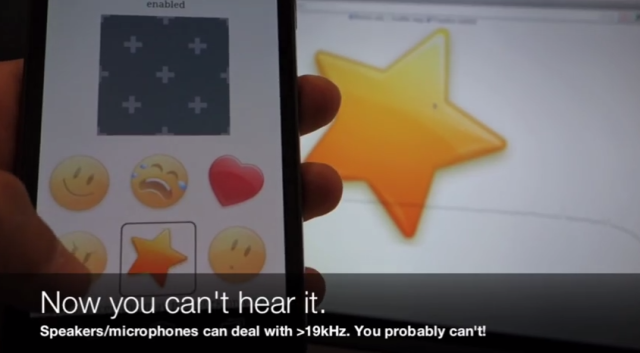
Google revealed yesterday that it will allow its Chromecast streaming stick to cast content without being on the same Wi-Fi network as the device sending it. According to a session Thursday, the Chromecast will be able to pair without Wi-Fi, or even Bluetooth, via an unusual method: ultrasonic tones.
GigaOm reports on Thursday's Google I/O session with Chromecast engineering manager John Affaki, in which he described the use case for multiple devices queuing up content to one Chromecast. At a party, for instance, not everyone who wants to throw a YouTube video up on the TV with their smartphone is going to have the home's Wi-Fi password. The product team needed a new way to make the devices and the Chromecast talk.
In the new system, Chromecast owners first allow support for nearby devices. A nearby device then requests access to the Chromecast, and the Chromecast plays an ultrasonic sound through the connected TV's speakers. The sound is then picked up by the microphone in the device, which allows it to pair with the TV.
Read 1 remaining paragraphs | Comments
 Eric Chahi's classic side-scrolling adventure game Another World (aka Out of This World) is coming to the PlayStation 4 next week, publisher The Digital Lounge announced today.
Originally released for the Amiga and Atari ST computers in 1991,...
Eric Chahi's classic side-scrolling adventure game Another World (aka Out of This World) is coming to the PlayStation 4 next week, publisher The Digital Lounge announced today.
Originally released for the Amiga and Atari ST computers in 1991,...
Filed under: Sci-Fi, Patches, Previews, WildStar, Subscription

 WildStar's first update is Strain originally appeared on Massively on Tue, 17 Jun 2014 14:00:00 EST. Please see our terms for use of feeds.

For the first time in Bitcoin's five-year history, a single entity has repeatedly provided more than half of the total computational power required to mine new digital coins, in some cases for sustained periods of time. It's an event that, if it persists, signals the end of the crypto currency's decentralized structure.
Researchers from Cornell University say that on multiple occasions, a single mining pool repeatedly contributed more than 51 percent of Bitcoin's total cryptographic hashing output for spans as long as 12 hours. The contributor was GHash, which bills itself as the "#1 Crypto & Bitcoin Mining Pool." During these periods, the GHash operators had unprecedented powers that circumvented the decentralization that is often held up as a salient advantage Bitcoin has over traditional currencies. So-called 51 percenters, for instance, have the ability to spend the same coins twice, reject competing miners' transactions, or extort higher fees from people with large holdings. Even worse, a malicious player with a majority holding could wage a denial-of-service attack against the entire Bitcoin network.
Like tremblers before a major earthquake, most of GHash's 51-percent spans were relatively short. Few people paid much attention, since shortly after a miner loses the majority position, it also loses its extraordinary control. Then, on June 12, GHash produced a majority of the power for 12 hours straight, a sustained status that enables precisely the type of doomsday scenario some researchers have warned was possible.
Read 8 remaining paragraphs | Comments

In 2008, scientists at HP invented a fourth fundamental component to join the resistor, capacitor, and inductor: the memristor. Theorized back in 1971, memristors showed promise in computing as they can be used to both build logic gates, the building blocks of processors, and also act as long-term storage.
At its HP Discover conference in Las Vegas today, HP announced an ambitious plan to use memristors to build a system, called simply "The Machine," shipping as soon as the end of the decade. By 2016, the company plans to have memristor-based DIMMs, which will combine the high storage densities of hard disks with the high performance of traditional DRAM.
John Sontag, vice president of HP Systems Research, said that The Machine would use "electrons for processing, photons for communication, and ions for storage." The electrons are found in conventional silicon processors, and the ions are found in the memristors. The photons are because the company wants to use optical interconnects in the system, built using silicon photonics technology. With silicon photonics, photons are generated on, and travel through, "circuits" etched onto silicon chips, enabling conventional chip manufacturing to construct optical parts. This allows the parts of the system using photons to be tightly integrated with the parts using electrons.
Read 5 remaining paragraphs | Comments

FCC Chairman Tom Wheeler says that state laws seeking to stop community-run broadband initiatives have to be dealt with, but he has not said how the agency plans to take on the thorny issue. In at least 20 states there are already legal restriction in place to thwart municipal broadband networks. Many of these laws or regulations were put in place with the help of campaign cash from ISPs, telecom companies (both regional and national) and trade groups representing these industries.

A computer program has officially passed the historic Turing Test, a 65 year old experiment that seeks to find the point at which a computer can pass as a human being in text-based conversation.
The program, known as Eugene, simulates a 13 year old boy and is the first artificial intelligence to pass the test originally developed by the 20th century mathematician. This year's experiment took place during Turing Test 2014 and was held at the Royal Society in London this weekend, on the 60th anniversary of Turing's death.
Eugene, first developed in Saint Petersburg, Russia, was one of five supercomputers battling to beat the famed test.
"Some will claim that the Test has already been passed," said University of Reading professor Kevin...

Cable companies that stand to benefit the most from an end to net neutrality have been bankrolling so-called “consumer advocacy” groups that aim to kill it.
Such non-profits like Broadband for America and the American Consumer Institute (ACI), both of which claim to be “independent consumer advocacy groups” and have been fighting against classifying ISPs as a utility (a move that would make it easier to enact net neutrality rules in the future), have been shown to be heavily funded by the cable industry.
According to a disclosure obtained by Vice from the National Cable and Telecommunications Association (NCTA), an ISP-supported trade group, most of Broadband for America’s recent $3.5 million budget comes from a $2 million donation from NCTA. Vice further uncovered that, based on its tax return filings, Broadband for America has retained the DCI Group, an "infamous lobbying firm," that Vice argues specializes in building fake consumer interest groups that actually serve corporate interests.
Read 7 remaining paragraphs | Comments
Warren.SmithBeen wanting this for GOG for a long time.
Freedom of choice. Optional client. Cross-play. Coming soon to all gamers! Earlier today (or was it yesterday for you?), during the CD Projekt RED and GOG.com’s Summer Conference we dropped the news about our next big step forward! GOG.com has always been home to more and more of the the best games in history (for Windows and Mac), both classic and new. Differing in shapes, flavors, and sizes they had one thing in common: they were mostly single-player, and our focus was mainly on the experience of a singular gamer. If that's your thing, nothing really will change. You can always enjoy your favorite games 100% DRM-free on GOG.com, with no need to activate your game online or remain connected to play your single-player title. Just like GOG.com has always been about.. But what if you want to play with your friends?
Today we are excited to announce GOG Galaxy, a truly gamer-friendly, 100% DRM-free online gaming platform that will finally provide the GOG.com community with the easy option to play together online. GOG Galaxy will allow you to share your achievements, stay in touch with your pals and get the updates for your games automatically. We've developed this technology to improve your GOG.com experience. We think GOG Galaxy really deserves your attention and we hope many of you will give it a try! But, here's the great thing: it is totally optional, so it's all up to you! If you do not want to play online, or use our optional client to access these features, then no worries, you will always be able to play the single-player mode 100% DRM-free, and download manually the latest updated version of your favorite title from our website. Now, for one more feature we call cross-play. We always believed in an open world for gamers, with no obligation to be tied to a specific platform or client; and this is why GOG Galaxy will allow gamers to play with their buddies who use Steam, without any need to use any 3rd party client or account, nothing, nada. We’re taking care of connecting GOG.com and Steam players, so just sit back, relax and give it a try.
Talking of which, we are proud to announce the soon-to-come launch of the beta phase for The Witcher Adventure Game, a faithful adaptation of the board game of the same title. It allows up to 4 players to play together, whether they use Steam or GOG.com. Cross-play at its finest! If you wanna get the chance to try it out, please visit GOG.com/Galaxy and sign up to get in the queue for your beta access key. You can also simply take advantage of our amazing pre-order offer for The Witcher 3: Wild Hunt, which includes 2 beta access keys for he Witcher Aventure Game, delivered to you as soon as we start handing them out to public.
We believe GOG Galaxy has the power to provide the best of both worlds. Playing the single player mode of your favorite game, 100% DRM-free, while still having the OPTION to use our soon-to-come client for an enhanced experience (auto-patching, achievements, and much more) or play online with other GOG.com (and Steam) players if you so wish.
There will be more GOG Galaxy titles coming up this year, so stay tuned for more news and get the word around!
Warren.SmithHow dare they turn it back around on us?!
Verizon today demanded that "Netflix immediately cease and desist" its practice of telling customers that Verizon is to blame for network quality problems that affect streaming video.
This week, Netflix customer Yuri Victor tweeted a screenshot of a message he got from Netflix that said, "The Verizon network is crowded right now. Adjusting video for smoother playback..." It turns out Netflix has been providing these messages to customers of multiple ISPs for a month.
Verizon is worried that these notices will harm its otherwise sparkling reputation and even cause customers to switch Internet service providers. After all, the US Internet market is flush with competition, with every resident able to choose from so many high-quality service providers that there's no way we could list them all here.
Read 10 remaining paragraphs | Comments
Elite: Dangerous developer Frontier Developments released the Alpha 4 version of its spaceflight simulator, and hyperspace jumps arrived with it.
Elite: Dangerous Alpha 4 lets players explore five star systems with two new options for travel. Super-cruise lets pilots navigate quickly within systems, while hyperspace jumps let them travel between systems.
"The five Alpha 4 star systems are themselves set within 400,000,000 star systems of the Milky Way galaxy, all of which are moving correctly; spinning and orbiting in an incredible ballet," a description on the game's official site reads. "Whilst exploration is currently limited to the five Alpha 4 systems, the ‘night sky’ is accurate wherever you travel."
Press play above to...

Most high-speed networking is done using optical fibers. The hardware on each end of these fibers has to convert the optical signals to electronic ones in order to figure out a packet's destination and will often return it to optical form before sending it on toward its destination.
Researchers at the Japanese telecom NTT find all that converting a bit wasteful and are working on ways to avoid it. They've recently published a paper that includes a description of a working 115-bit optical Random Access Memory device, made of a carefully structured series of photonic crystals, each of which can store light of a different wavelength.
Photonic crystals are made of layered semiconductors, with the precise structure (the thickness and spacing of the layers) determining how they interact with light—it's possible to make photonic crystals that selectively block or transmit a narrow frequency range.
Read 8 remaining paragraphs | Comments
Warren.SmithWatched this last night, was pretty good.
While the clip is only 42 seconds long, John Oliver's Last Week Tonight show on HBO explains net neutrality better than anyone has at the FCC. The clip is a response to news that the FCC has approved a draft change to net neutrality that would allow ISPs to charge content providers for faster and better access to their customers.
Along with the FCC proposal, the agency also put the bill out for public comment about finding a way to classify broadband under Title II of the Telecommunications act - or through some other means within the confines of current regulations.
Even though you might just now be getting around to upgrading your home network to take advantage of the 802.11n spec, there’s a new standard on the horizon that promises even faster speeds. How fast? Well, if 802.11n is a pitcher’s fastball, the draft 802.11ac spec is a bullet fired from a gun, at least in theoretical terms.
Unless you live in an underground bunker completely isolated from interfering signals and find yourself favored by the gods of Wi-Fi, you’ll never come close to 802.11ac’s theoretical maximum of 1.3 gigabits per second (assuming a three-antenna design). Overhead, interference, and a number of other factors poop on the Wi-Fi party, but the same is true of earlier standards, so you’ll still see a net gain in performance. How much depends on your setup, but in general, real-world 802.11ac performance ends up being around twice as fast as 802.11n, which bodes well for streaming HD videos, gaming, and file transfers.
One of the reasons why 802.11ac is so much faster is because it taps into wider channels. As part of the spec, 802.11ac must support 80MHz channel bonding (160MHz is optional), up from the maximum of 40MHz in 802.11n. It also boasts twice as many multiple input, multiple output (MIMO) streams at eight.

Before you rip out your router and replace it with an AC model, there are some things you should know. We’ll tell you what they are, and then dive into a roundup of seven 802.11ac routers available now in search of the best AC router.
What to look for when upgrading your home network
The 802.11ac spec should be finalized in early 2014, perhaps even by the time you’re reading this. Until then, don’t expect to see a lot of systems natively support the new standard. So, you’ll need an 802.11ac adapter, of which there are a growing number to choose from.
A router with at least one USB port should allow you to plug in an external storage device and share files across your network. For this, a USB 3.0 port works best. You can also share a printer over your network through your router’s USB port, though only if the router supports this feature. Not all do, so you’ll want to verify that the model you’re considering does if this is a must-have feature.
Router makers use clever marketing tactics to help their products stand out from the crowd. One of the most common tricks is to add the 2.4GHz (up to 450Mb/s) and 5GHz (up to 1,300Mb/s) channels together to arrive at a higher, more attractive number. AC1750 looks and sounds faster than AC1300, so why not use the bigger number? It’s a bit deceptive because you can’t actually combine the two channels for a faster connection. Some, like Linksys and Netgear, advertise AC1900 for their highest-end routers, and that’s because the 2.4GHz channel supports a 600Mb/s data rate due to the use of 256-QAM (quadrature amplitude modulation) instead of the more common 64-QAM. This provides a real-world benefit, but only if your Wi-Fi adapter also supports 256-QAM.
Instead of sending a signal out in all directions, routers that support beamforming are able to focus the signal toward a client for better performance, reliability, and range. A good analogy is to think of a how a light bulb (traditional router) casts its light in every direction, whereas a flashlight (router with beamforming) focuses its energy on a specific target. Even better, beamforming can focus on multiple targets, not just one.
Maximum PC Lab Midwest
For the past several years, we’ve been testing routers at Maximum PC Lab North, a 2,800-square-foot home located on 10 acres of what was once a dairy farm. The new location is Maximum PC Lab Midwest, a 1,400-square-foot home flanked by houses on either side, a yard extending into a wooded area out back, and a semi-busy road in front. The new location offers a harsher, more real-world testing environment.
We measure the performance of each router in five separate locations starting with the Bedroom in a spot 10 feet away from the router with no obstructions. The next test takes place in the Dining Room 15 feet from the router and separated by two walls, followed by the Entryway with 20 feet and three walls of separation. The final two tests take place outside in the Driveway (35 feet) and Backyard (90 feet) toward the edge of a wooded area.
When possible, each dual-band router is configured to run in 802.11n-only mode on the 2.4GHz channel and 802.11ac-only mode on the 5GHz channel, both with WPA2 encryption and channel bonding. We use the open-source Jperf utility, a GUI front end for Iperf, to measure throughput in each of the five locations. Our Jperf server is an HP Envy Ultrabook with a Core i5 processor wired directly to the router being tested, and the client PC is a Dell Inspiron laptop with a Core i3 processor. Since the client PC doesn’t support 802.11ac natively, we run the tests with a Linksys USB6300 dual-band USB adapter. We compare the 802.11n scores to our zero-point router, an Asus RT-N66U.
Finally, we also test each router’s attached storage performance by plugging in a 32GB Lexar JumpDrive P10 USB 3.0 flash drive. We chose this drive because it’s one of the fastest on the market with up to 265MB/s read and 245MB/s write performance. Once configured, we use a stopwatch to time how long it takes to write a single 3GB file to the flash drive and then again with a 1GB folder containing several smaller files. We repeat both tests to read the large and small files to the hardwired server PC. All the benchmark results can be seen on page 43.

Jperf’s wealth of settings aren’t just good for benchmarking; you can use the open-source app to troubleshoot your network, too.
Simple design with a confusing interface
Routers come in all shapes and sizes, and after spending time with an assortment of boxy models with antennas extending every which way, D-Link’s cylindrical DIR-868 is a welcome change. It’s not overly big and looks rather neatly groomed compared to the other routers in this roundup, but looks will only get you so far.
With regard to brawn, the DIR-868 offers exceptional range on the 5GHz channel in 802.11ac mode, delivering 15.1Mb/s in the Backyard test at a distance of 90 feet. Technically, that makes the DIR-868 the second-fastest at that range, though it virtually tied Netgear’s model at 15.3Mb/s for pole position. Since this test is outside, a fly belch could explain the tiny difference.
The DIR-868 didn’t fare as well on the 2.4GHz channel in 802.11n mode. Its performance wasn’t bad, just merely average, and it certainly never threatened our zero-point router. However, its file-transfer performance using the built-in USB 3.0 port was among the fastest.
Initial setup of the DIR-868 was pretty painless, though the fugly web-based interface could use a major overhaul. It’s way too wordy and not very intuitive to navigate, especially for less savvy users and/or anyone who’s unfamiliar with networking nomenclature.

Nestled inside the cylindrical DIR-868L are half a dozen antennas with beamforming support.
D-Link DIR-868

$155 (Street), www.dlink.com
Plain looks meet plain performance
Despite this router’s high MSRP, we’ve seen this model retail for a Benjamin online, giving users a comparatively inexpensive upgrade path to 802.11ac territory. The old adage “You get what you pay for” applies here because even though the TEW-812DRU supports the AC spec, its performance on the 5GHz channel in 802.11ac mode consistently trailed the competition. In our two outside tests—Driveway and Backyard—the performance gap was especially noticeable. Throughput on the 2.4GHz in 802.11n mode fared better at close distances, but again became strained as we moved farther away from the router.

Low street pricing is this router’s saving grace.
Trendnet deserves major props for a well-designed web interface that’s straightforward and easy to navigate. The main screen provides you with an uncluttered glimpse of your network situation, and Trendnet even figured out a way to include a bit of fine-grain control in the Basic view. Naturally, there are a lot more levers to pull in the Advanced tab, but you’ll still never feel lost or overwhelmed.
You can share files by connecting a drive to the router’s single USB 2.0 port, though transfer speeds are hindered by Trendnet’s decision to forego USB 3.0. And while it offers FTP and Samba support, no DLNA is a buzzkill.
Trendnet TEW-812DRU

$140 (Street), www.trendnet.com
Belkin’s first product under the Linksys name
The Linksys brand has managed to survive two acquisitions in the past 10 years, first by Cisco in 2003, and more recently by Belkin in 2013. Apparently, the Linksys name isn’t enough because Belkin also calls the EA6900 the Linksys Smart Wi-Fi AC1900. The “Smart” portion of that title denotes the availability of Smart apps you can install on the router, and the AC1900 is a sum of the 2.4GHz (up to 600Mb/s) and 5GHz (up to 1,300Mb/s) bands added together. Give the marketing team a cookie.

Belkin proves with the EA6900 that Linksys is in good hands going forward.
Beyond the talk, the EA6900 walks the walk with acceptable 802.11ac performance on the 5GHz band and blazing-fast 802.11n throughput on the 2.4GHz band. It obliterated the zero-point router in the three indoor tests, and split the two outdoor tests, losing by less than 3Mb/s in the Backyard—impressive.
There are two USB ports on the back, one Hi-Speed (2.0) and one SuperSpeed (3.0), though the latter acted like the former by registering a pokey 6:09 (min:sec) to write a 3GB file to the attached storage device. However, both ports support DLNA and allow you to share a printer across your network.
Overall, a solid first effort by Belkin.
Linksys EA6900

$195 (Street), www.linksys.com
So fast it should be illegal
If you have the space to park Netgear’s mammoth R7000, otherwise known as the Nighthawk, the router will pay its rent by serving up blistering-fast throughput on both the 2.4GHz and 5GHz bands in 802.11n and 802.11ac modes, respectively. It posted the fastest AC performance by far in the Entryway (336Mb/s), which is 20 feet away from the router and separated by three walls, and had the best range of the bunch. Overall, it was one of the more consistent-performing routers, and also demonstrated an intelligent ability to pick out less-crowded channels on its own—that’s a great commodity for novice users.

The aggressive design and “Nighthawk” name are both inspired by the Lockheed F-117 Nighthawk stealth attack aircraft.
Netgear has put in a lot of work over the past few years making its web interface more user friendly, but that hasn’t come at the expense of advanced knobs and dials. If you like to tinker with your network settings, you’ll find a host of options to play with, including robust QoS controls, which look at both upstream and downstream traffic.
There are two USB ports on the Nighthawk, including a USB 3.0 port conveniently located on the front. In our file-transfer tests, the Nighthawk ran the table, leaving the other routers in the dust.
Netgear R7000

$200 (Street), www.netgear.com
This router rises about its predecessor, the Dark Knight (RT-N66U)
Asus nicknamed its last-generation router—and our zero-point in this roundup—Dark Knight, and if it’s looking for another DC Comics hero to represent the RT-AC66U, we recommend going with The Flash. Point blank, this is the all-around fastest router we’ve ever tested. It came out on top in five of our 10 throughput tests and nipped at the heels of the leader in three others.
A pair of slower USB 2.0 (compared to USB 3.0) ports on the back temper our enthusiasm over performance, though at least Asus offers a host of ways to share and stream files—DLNA, iTunes, FTP, and Samba server support all showed up to the party. You can also use Asus’s AiCloud app available on Android and iOS to tap into your files from a mobile device.

If speed kills, this router would be a serial killer.
The user interface is brilliantly mapped out and chock-full of settings. All the main functions are categorized on the left-hand side, while tabs on the main window allow you to dig several layers deep. Power users and novices alike will feel right at home jumping around the menu. It’s also nice that Asus gives you the ability to tweak the signal strength and external antennas.
Asus RT-AC66U
$180 (Street), www.asus.com
High maintenance, low reward
We’re not sure if the RTA15 is so potentially fast that it keeps tripping over its own two feet, or if this is a case of being seduced by promises of a wild ride by a hot number that has no intentions of following through. Either way, we were left frustrated and unsatisfied.
Amped Wireless advertises the RTA15 as a “High Power 700mW” router, yielding expectations of both speed and distance. During our tests, we saw glimpses of the former—the RTA15 would spike on the 5GHz band before taking a dip in performance. Averaged out over time, the best we could muster was just shy of 300Mb/s, and even that took a lot of tinkering. We spent way more time experimenting with settings on the RTA15 than any other router. One thing we discovered is that dialing back the signal strength helps in close quarters, but we never did uncover the magic formula that would make this router scream.

Move along. This is not the AC router you’re looking for.
File transfer speeds over the single USB 2.0 port failed to impress, as well. It was among the slowest of the bunch, taking a minute and a half longer than any other router to write a single 3GB file.
Amped Wireless RTA15

$185 (Street), www.ampedwireless.com
Don’t judge a router by its cover
Whereas high-performance routers are adopting sleek designs with aggressive angles and external antennas, Buffalo’s WZR-1750DHP stands up like a hardcover book with subdued LEDs and a rubberized coating. This isn’t a fashion contest, however, and Buffalo’s model quickly demonstrated why looks mean nothing. Throughput on the 5GHz band in 802.11ac mode consistently bumped elbows with Asus and Netgear, with Buffalo edging out both in the Entryway. 802.11n and file-transfer performance via USB 3.0 were both solid, too.
A wealth of advanced features can be found in the back end, including some not-so-common tweaks like an eco mode and an optional time limit for guest access. Buffalo earns bonus points for a persistent Help button in the upper-right corner. Clicking it brings up an explanation of whichever settings are on the page—we wish more router makers would follow in Buffalo’s footsteps here.

Exceptional speed and features belie this router’s unassuming looks.
Zooming through the menu system is a little quirky. The main menu is the most touch-friendly of the bunch with four large, tiled menus, but the deeper you go, the more traditional (and a little confusing) the menus get. Given the focus on touch computing lately, we hope Buffalo eventually extends the main menu look throughout the UI.
Buffalo WZR-1750DHP

$140 (Street), www.buffalotech.com
| D-Link |
Trendnet |
Linksys | Netgear | Asus | Asus | Buffalo | Asus Zero-Point | |
| 5GHz 802.11ac | ||||||||
| Bedroom – 10ft (Mb/s) | 416 | 324 | 361 | 400 | 419 | 298 | 398 | N/A |
| Dining Room – 15ft, 2 walls (Mb/s) | 243 | 221 | 239 | 291 | 335 | 138 | 309 | N/A |
| Entryway – 20ft, 3 walls (Mb/s) | 257 | 178 | 241 | 336 | 284 | 112 | 268 | N/A |
| Driveway – 35ft (Mb/s) | 67.8 | 20.2 | 63.7 | 136 | 132 | 42.4 | 138 | N/A |
| Backyard – 90ft (Mb/s) | 15.1 | 2.76 | 11.1 | 15.3 | 9.54 | 2.81 | 14.3 | N/A |
| 2.4GHz 802.11n | ||||||||
| Bedroom – 10ft (Mb/s) | 79.5 | 97.1 | 170 | 96.4 | 180 | 159 | 180 | 111 |
| Dining Room – 15ft, 2 walls (Mb/s) | 65.6 | 95.2 | 140 | 93.4 | 163 | 66 | 141 | 99.3 |
| Entryway – 20ft, 3 walls (Mb/s) | 62.3 | 42.2 | 149 | 88.3 | 145 | 50.4 | 91.7 | 122 |
| Driveway – 35ft (Mb/s) | 42.8 | 31.4 | 80 | 78.7 | 95.5 | 4.13 | 64.4 | 73.4 |
| Backyard – 90ft (Mb/s) | 4.31 | 23.8 | 56.4 | 54.4 | 58.4 | 2.35 | 51.4 | 59.1 |
| File Transfers | ||||||||
| 3GB Router to PC (min:sec) | 1:38 | 2:16 | 1:41 | 0:50 | 4:29 | 6:20 | 1:12 | 4:28 |
| 1GB Router to PC (min:sec) | 0:39 | 2:16 | 0:40 | 0:22 | 1:35 | 2:14 | 0:29 | 1:52 |
| 3GB PC to Router (min:sec) | 2:51 | 4:33 | 6:09 | 1:31 | 6:00 | 7:45 | 2:15 | 6:15 |
| 1GB PC to Router (min:sec) | 1:10 | 2:58 | 2:58 | 0:40 | 2:25 | 2:35 | 0:59 | 2:34 |
Best scores are bolded.

Being able to see where you're going is rather important when you're controlling a car, regardless of whether it's day or night. It's therefore not surprising that headlight technology is a constant focus of the auto industry. One of the latest steps forward is the adaptive headlights that debuted in Audi's R8 LMX. These use lasers (I'm not going to make the Austin Powers joke) to augment traditional high beams without blinding everyone in their path. Unfortunately, they won't be seen on US roads, thanks to inflexible regulations written before humankind landed on the moon.
If the secret to night driving was just more powerful illumination, things would be much simpler. Brighter illumination is fine if you're the one behind the wheel, less so if you're being dazzled by those beams. The R8 LMX's headlights aim to solve this problem, detecting cars that would be dazzled by its laser spotlights, then adjusting the cone of that spotlight to prevent that happening.
Each headlight actually has four blue LED lasers that the unit modulates to create a focused spotlight with twice the range of the car's LED high beams. The blue laser light is also transformed into a white light with the same temperature as daylight (5500K) by a phosphor converter. The laser spotlights kick in once the car is above 37mph, and an integrated camera system constantly monitors the road ahead and adjusts their throw to avoid blinding the rest of us.
Read 5 remaining paragraphs | Comments
 Proving that you don't need to be real to earn real success, the debut album from Pentakill, a band made up of five League of Legends characters, is currently sitting at number one on the iTunes metal charts.
Look, we'd be clever and throw in a pun...
Proving that you don't need to be real to earn real success, the debut album from Pentakill, a band made up of five League of Legends characters, is currently sitting at number one on the iTunes metal charts.
Look, we'd be clever and throw in a pun...

Welcome to episode 205. Today, we watch “Evil Dead 2″.
The lone survivor of an onslaught of flesh-possessing spirits holds up in a cabin with a group of strangers while the demons continue their attack.
Join Scott, Randy, Brian and Ibbott as they enjoy their Clamato blood drinks.
- Direct MP3 Download
- iTunes Link
- RSS Feed
- YouTube Version!
Special thanks to Audible.com this week for sponsoring the show. As usual, a HUGE thanks to Scott Fletcher, the official announcer of Film Sack Central. Hey! Why not leave us a nice review on iTunes if you like the show?
Up next? Follow us on twitter to find out!

Google has revealed it plans to build its own self-driving cars from the ground up, per an announcement from founder Sergey Brin at the Code Conference Tuesday. The company revealed one such car to Recode, a highly compact two-seater without a steering wheel.
Google had previously been retrofitting Toyota Priuses and Lexus SUVs with its self-driving technology. The cars were approved last week for use on public roads in California, and Google demonstrated the technology's ability to navigate complex traffic situations in cities at the end of April.
The prototype Google revealed differs from the Priuses and Lexuses in that they can't let humans take over the job of piloting; they are completely controlled by the onboard computer. In addition to lacking a steering wheel, the Google-built car also has no accelerator, no brake, no mirrors, no glove compartment, and no soundsystem (your tiny smartphone speaker will have to do). The cars are capped at a modest 25mph and are started and stopped by a button.
Read 2 remaining paragraphs | Comments
Aside from air, water and fresh vegetables, what would need to survive on the moon? One thing that would likely of feature high on the list is a decent, reliable wireless internet. And thanks to a group of researches from MIT and Nasa this kind of connectivity could be within the realms of possibility.
Between them, the two organizations have demonstrated for the first time that data communication technology is capable of providing those in space with the same kind of connectivity we enjoy on Earth, and can even facilitate large data transfers and high-definition video streaming.
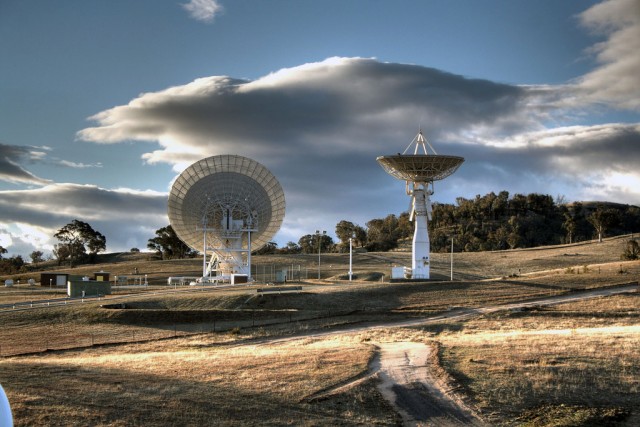
To do this it uses four separate telescopes based at a ground terminal in New Mexico to send the uplink signal to the moon. A laser transmitter that can send information as coded pulses of invisible infrared light feeds into each of the telescopes, which results in 40 watts of transmitter power.
Read 7 remaining paragraphs | Comments
Every power user has hopped on the cloud storage bandwagon because it’s awesome having all your files synced to any Internet-connected machine, but there are two problems. First, we have some privacy concerns; second, it’s ridiculously expensive. WD’s new My Cloud addresses both of these issues by being dirt cheap (by comparison) and by storing all your data on a “personal cloud,” also known as a NAS drive. It’s time for a clash of the clouds!

Dropbox vs Western Digital My Cloud
Dropbox first entices you with 2GB of free storage for signing up. For each friend you convert to Dropbox, you earn an additional 500MB, with a maximum capacity set at 18GB of free storage. If this still does not satisfy your appetite for storage, Dropbox offers 100, 200, and 500GB options with a linear cost progression; for each dollar you pay, you get one gigabyte of storage (yearly). My Cloud blows this model out of the water by starting at $150 for a 2TB drive, so My Cloud offers 13 times the storage capacity per dollar. The My Cloud also lets you add an external USB 3.0 hard drive for even more storage, pushing the dollar-to-gigabyte ratio even further in its favor. My Cloud will also soon offer a 4TB drive, making it by far the least expensive “cloud” backup option available. In this category, the My Cloud wins by a landslide.
Winner: My Cloud

WD My Cloud is part of the new "personal cloud" movement, i.e, NAS drives that you can easily connect to from anywhere.
Western Digital makes it easy for even the most novice networker to set up and configure his or her own slice of the cloud. You can easily connect to the My Cloud from any computer on the Internet, and uploading and retrieving files is also straightforward. Granting users access and permissions is also streamlined and simple, making it the slickest NAS we’ve ever tested. It also includes mobile apps, as well.
Kudos to My Cloud, but there’s good reason why Dropbox has over 175 million users: It’s arguably the slickest cloud storage solution available. Configuring Dropbox is painless and uploading files is as easy as dragging-and-dropping into a folder. As soon as you sync files, Dropbox notifies you of any changes to shared files, and sharing is as easy as right-clicking a file and copying the share link. It’s a tough call, but we give the win to Dropbox since it provides more info to the end user.
Winner: Dropbox
My Cloud consists of a single hard disk inside the device, so it does not offer any type of redundancy. WD is planning on adding multi-bay devices with RAID support in the future, but for now it addresses this issue with a feature called Safepoints, which are basically images of the device you can save to a different volume in case of failure. You can save one anytime, and also configure the interval at which future Safepoints are created. Dropbox, on the other hand, is even more secure. It sports Secure Sockets Layer (SSL) and 256-AES encryption for data transfers and storage. Files are stored in Dropbox servers all over the world, too, so it’s as redundant as a data center. There is even an option for two-step verification, which the My Cloud does not offer. With features like these, it’s hard for anyone to wrestle this crown away from Dropbox.

Dropbox was the first company to make file sharing easy (in our opinion), but paying $1 per gigabyte hurts.
Winner: Dropbox
Since these are both network-attached products, their performance is somewhat dependent on the speed of your network. When copying files to My Cloud we measured impressive 79MB/s read and 62MB/s write speeds. We were able to stream music and movies to remote devices with no issues, but when uploading a file remotely, we experienced speeds no greater than 100KB/s. Dropbox syncs and stores files to your boot drive, but files are sent to Dropbox’s servers before syncing to your local storage, so it’s at a disadvantage here. What’s more, Dropbox automatically throttles itself to 75 percent of the maximum network bandwidth for uploads. On the other hand, we do appreciate that Dropbox allocates even less bandwidth for syncing, so large file transfers don’t choke our Internet connection. But ultimately, Dropbox can’t compete with local storage when it comes to speed, so this one goes to My Cloud.
Winner: My Cloud
When logging into the My Cloud desktop app, you are greeted with an easy-to-navigate interface. WD makes it easy to create user accounts, grant share access, and establish Safepoints in the event the drive fails. There are also options to reset the device, back up your iTunes and Dropbox folders, perform system diagnostics, and more. In general, WD’s My Cloud offers a comprehensive set of tools for configuring and administering a NAS unit that anyone can use. Dropbox offers selective and LAN syncs, screenshot sharing, bandwidth allocation, options to connect to proxies, and supports a variety of mobile platforms such as iPhone, iPad, Android, and Blackberry. Both services offer desktop and mobile clients along with the ability to share folders with multiple people, but My Cloud is more full-featured. Plus, we like its backup features and diagnostic tools as well, which are just not part of the Dropbox experience.
Winner: My Cloud

We all love and use Dropbox daily, but as a storage solution for a few hundred gigs or more of data, Western Digital’s My Cloud is the victor. Along with its abundant NAS features and configurability, it takes the win by being extremely easy to use, just like Dropbox, but also more affordable and expandable. For a few gigs of files, Dropbox still reigns supreme, but for larger amounts of data, My Cloud is the better option.
Warren.SmithIbs habbedig
On Tuesday, the California Department of Motor Vehicles (DMV) officially approved rules to allow the testing of autonomous vehicles on public roads. The rules will take effect September 16, 2014.
The move has been a long time coming, with the DMV promising back in December 2013 that it would post regulations for public use of self-driving cars and then holding a public hearing in January to address concerns about them. These new rules will set a statewide standard for all manufacturers. (Although Google has been running pilot programs in Mountain View and elsewhere, it's not the only company pursuing an automated vehicle—Nvidia told Ars last week that Audi has plans to incorporate a “cruise control for stop-and-go traffic” feature in one of its cars come 2015.)
Bryant Walker Smith, a fellow at the Center for Automotive Research at Stanford (CARS), told Ars that the new rules could change how manufacturers proceed with their testing. “The DMV has a really, really difficult task, and I was impressed with the thoughtfulness of their approach,” he said. “I would say that anyone who is reading these documents will have to read very closely.”
Read 6 remaining paragraphs | Comments
Filed under: Fantasy, Asheron's Call, Business Models, Free-to-Play, Subscription

Asheron's Call 1 and 2 go free-to-play in August originally appeared on Massively on Tue, 20 May 2014 15:00:00 EST. Please see our terms for use of feeds.
Civilization: Beyond Earth is the game I’m looking forward to more than any other this year. I’ve been playing the Civilization series since number two, I played Alpha Centauri when it was new, and I was at the PAX East Beyond Earth announcement cheering along with the crowd. After that announcement I interviewed the game’s developers and squeezed every bit of information out of them that I could, and I couldn’t wait to learn more.
And then recently I actually got to go hands-on with the game while I peppered a Firaxis team member with question after question…and I had every one of my questions answered.
Buckle up for over 3,000 words of brand new Beyond Earth information (if you’re busy or scared of reading, we’ve put together a quick list of some of the most exciting new Beyond Earth bits, but this article goes into MUCH more detail).

The man guiding me through my first hands-on experience with Civilization: Beyond Earth was Pete Murray of Firaxis, Marketing Manager and a writer for the game. He was eager to provide all the details he could and to help me navigate through the demo, though he was also careful to stress that what I was playing was a “pre-alpha” build and everything was subject to change.
Civilization: Beyond Earth will be immediately accessible to anyone who has played Civ V. The basics of cities, tiles, and units are similar enough to feel familiar while still containing tantalizing glimpses into the changes brought in Beyond Earth. Many features of classic Civ games show up in Beyond Earth in new forms. Resource pods sent from Earth serve the function of ruins or “goodie huts” in past Civ titles, and grabbing them can provide an early boost for your civilization. Players can build futuristic wonders with evocative names like “The Gene Vault” and “The Panopticon,” the latter of which is a sort of super-spy system that provides a variety of bonuses.

The hex-based map of Beyond Earth combines familiar and brand-new elements.
Pete explained that, while some of the map types in Beyond Earth will be familiar to experienced Civ players, leaving Earth behind inspired the designers to introduce some dramatically new options as well. Though inaccessible polar regions will remain a standard map feature, the designers pushed the boundaries in other ways. One map type, called “Vulcan,” was described as “the opposite of an archipelago,” which means there are no oceans, just lakes and small seas. With no coastal borders to limit early expansion and exploration, a game on a Vulcan map could offer a very different kind of gameplay experience.
The Beyond Earth world map, rich in green and purple hues, contains some features and resources that players will already know well, such as mountains, deserts, and oil, combined with brand new elements that introduce unexpected ripples into the familiar Civ formula.
The most dramatic of these new terrain features is the glowing green mist known as the “miasma.” In the early game, you’ll mainly be concerned with keeping your forces out of the alien gas, since the miasma will inflict damage to units that end their turn in it. As you advance through the tech web and upgrade your Workers you’ll have the option to remove the miasma, making your territory a bit more hospitable and Earth-like. For players who follow the Harmony Affinity, however, there’s a dramatically different option. You can work on adapting your people to the new planetary environment to such an extent that the miasma clouds actually provide healing, rather than damage. At that point it can become advantageous to research the “Restore Miasma” ability for your Workers, which will allow you to begin flooding every spare hex of your territory with the green clouds — toxic to other players, but life-giving to your new human-alien hybrid soldiers.

Clouds of glowing green miasma provide strategic challenges and opportunities.
Unique units and buildings are one feature from past Civ games that won’t be showing up in Beyond Earth, because as Pete explained the functions that these elements had served in the past are covered by different systems in Beyond Earth. Most of the differentiation between civilizations at the game’s outset comes from the pre-game options you choose for your colonists, cargo, and spacecraft — a system Pete described as “almost like deckbuilding” — while later in the game your units will be distinct from those of your neighbors thanks to the technology and Affinity you’ve chosen to pursue.

Technological and Affinity progression will lead to visual and strategic differences between armies over the course of a game of Beyond Earth.
There are no Great People in Civilization: Beyond Earth, so you won’t be seeing some futuristic version of Elvis Presley culture-bombing your borders. Much of the in-game functionality of the Great People system has instead been shifted into the sky with the new Orbital Layer, where, for example, military satellites provide the area bonuses previously found on Great Generals. Satellites come with a whole slew of interesting strategic options, since they can’t be moved once placed and their lives are temporary, meaning their orbits will eventually decay and they’ll crash down to the surface, depositing wreckage that can be excavated by Explorers for tech or resource bonuses.
City-states are also gone in Beyond Earth, but much of the role they played in Civ 5 is now the domain of “stations.” Stations are independent businesses that take up a single tile (no more city-states hogging the best territory, hooray!) that establish themselves throughout the map over the early stages of the game. Stations offer opportunities for trade (via vulnerable trader units that will travel back and forth from your cities to the station) of particular kinds of resources and bonuses. For those stations closest to your first cities, you’ll often have a chance to choose which type of station they will be, so you’ll be able to tailor them to your interests and play-style, somewhat. Your active trade routes aren’t unlimited however, and stations will only trade with one civilization at a time — and they may become less friendly towards you if you neglect them for too long. In this way stations function as something “halfway between city-states and shared tile improvements,” according to Pete.
Establishing trade with stations is one of many ways that the early game of Beyond Earth is different from that of past Civ titles. The beginnings of a game of Beyond Earth are all about “taking control of your area, and setting up the space you’re going to operate in,” Pete says. As soon as you land on your new planet you’ll need to start figuring out how you’ll deal with the aliens that are undoubtedly nearby. In classic Civilization games there would usually be no reason not to start taking out barbarian units as soon as you were able, but in Beyond Earth things are different. The alien life is tough, for starters, and engaging in a constant war against it from the first turn of the game probably isn’t the best way to proceed – especially since the titanic “Siege Worms” that dot the landscape are stronger than any military unit you’ll be able to produce for a long time, and killing them won’t really be an option early on even when they travel through your territory and destroy your tile improvements.

A battle against a Siege Worm in one of Beyond Earth’s “Lush” biomes.
Because the alien life has a nuanced diplomatic opinion of you, your best option might be to avoid antagonizing it early on — though that might mean resisting the urge to retaliate if your unit ends its turn next to an alien nest and gets attacked. Sooner or later, though, it’s likely you’re going to want to start pushing back against the alien inhabitants and claiming more territory for yourself…unless of course you’re pursuing the path of Harmony, in which case you might want to keep the aliens around.
Another way an early game of Beyond Earth is different is in the delayed arrival of your rival civilizations. Though this is an option you can turn on or off, the “standard” way to play is for your people to be the first to arrive on the new planet, with new civilizations arriving over the early turns of the game. While this may seem like a small change, in practice it can throw a major wrench into your plans to have a new neighbor suddenly appear right next to some juicy resources you were planning on claiming yourself.
In my first interview with Beyond Earth’s developers right after the game’s announcement I was told that the game’s “tech web” wouldn’t have pre-requisites, but now that I’ve had a chance to see it in action it’s clear that the reality isn’t quite so dramatic. Technology research is arranged into a branching web that begins in the center, and features both “stem” and “leaf” technologies. Stem techs represent the first level of a given area of research, while leaf techs provide more advanced exploration of that same field, with different bonuses for each different leaf. Under the “Synthetic Thought” stem, for example, players can advance all the way down to the “Swarm Intelligence” technology…or, if they prefer, they can continue branching outward, as only the stem techs are necessary to advance further in the web.
There are pre-requisites of a fashion in Beyond Earth’s tech web, though they are much less strict than what we’ve seen in previous Civilization games. Aside from the stem techs, which are natural pre-requistes for the leaf techs beneath them, reaching technologies further out in the web will first require researching other earlier techs — though the web structure provides lateral connections between techs that allow for several different ways to progress. In this sense traditional pre-requisites are mostly gone, since end-game technologies can be reached via several different possible paths, but it still won’t be possible to begin researching any technology you like right from the game’s first turn.

A Supremacy city, with floatstone, firaxite, and some of the game’s new tile improvements visible nearby.
Affinities are very much the driving force underlying all of Beyond Earth, and they influence just about every aspect of the game. Diplomatically, they look to be every bit the factor that religions were in Civilization IV, creating natural alliances and tensions depending on the Affinities of your neighbors. Affinities bring cosmetic changes too, for cites (dedicating yourself to Supremacy will turn your cities dark, grey, and angular), and for leaders (Purity-focused leaders begin wearing clothing evocative of classical Roman history, while Affinity leads to the appearance of strange markings on leaders’ faces and other signs of their advancing relationship with the planet). These visual changes extend to a civilization’s army as well, since Affinity-based upgrades will soon lead to what were once basic units evolving in dramatically different ways, both tactically and cosmetically. In a nice touch, conquering an enemy city results in a gradual visual assimilation process where buildings that match your Affinity replace whatever was there before.
 The impact of Affinity even extends into the world of resources, as the alien world sports three special materials that can only be fully exploited by those dedicated to particular Affinity paths. Floatstone enables a Purity player to build some of the game’s most advanced military units, the glowing mineral Firaxite is of special interest to those dedicated to Supremacy, and the planet’s biological Xenomass can be used by a Harmony player. In this way, the resources surrounding your territory can provide strong incentives to dedicate yourself to a particular Affinity, even if you had entered the game with a different plan in mind. Alternately, possessing a treasure trove of resources that your neighbor really wants and which are less important to you could present some interesting diplomatic options — or lead to a war.
It’s interesting to note that dedicating yourself to a particular Affinity isn’t something you declare with a single click, as it has been for religions or social policies in past Civilization games. Instead your Affinity develops naturally as a results of dozens or hundreds of small decisions you make over the course of a game. Foremost among these choices are the technologies that you choose to pursue, many of which will give you “points” towards particular Affinities. The game’s story-based “quests” are another way Affinity is determined, as they often offer opportunities to choose between bonuses that come complete with small steps towards one Affinity or another.
Throughout the game, opportunities to advance in particular Affinities are usually marked with the color associated with that Affinity: red for Purity, gold for Supremacy, and green for Harmony. As you make your way through the game you’ll begin “leveling up” in different Affinities based on your decisions — and it’s entirely possible to have levels in more than one. While dedicating yourself to a single Affinity at the expense of the other two will likely be a good way to advance in particular areas — civilization-wide unit upgrades require certain levels of Affinity, for example — it is also very possible that spreading your focus between different paths could be a viable tactic as well, particularly if you’re heading for a Domination or Contact victory, the two win conditions that are available to players regardless of Affinity.
Because of the way Affinities work in Beyond Earth, the question “Can you switch Affinities?” isn’t quite as straightforward as “Can you switch religions?” was for Civ IV. Since your dominant Affinity is the result of so many small choices, switching to pursue a different one is theoretically possible at any point in the game — though if you’ve already gone far down a single track it might not be possible to switch your dominant Affinity before the game ends, and attempting to do so may be strategically unwise. According to Pete the toughest “switch” to make later in the game would probably be from “Supremacy to Purity,” as the military of the former is focused on smaller numbers of advanced units boosted by their spatial relationship to each other and the latter is all about giant armies.

An army of Supremacy units engaging in battle.
The Virtues system hasn’t gotten as much attention as Affinity in early reporting on Beyond Earth, but it looks to be a major way in which different civilizations pursuing the same Affinity will be distinguished from one another strategically. You unlock Virtues through the advancement of your overall culture, and they provide bonuses in one of four areas: Might, Knowledge, Prosperity, and Industry, much in the fashion of Civ V’s social policies. As previously revealed on 2K’s blog, the Virtues system also features “kickers,” which are additional bonuses that are awarded for progressing deep into a particular virtue or spreading your culture wide across the different virtue trees. These bonuses start small, providing small amounts of extra science or food, but can be quite dramatic at higher levels, offering civilization-wide bonuses to production or research for players who dedicate themselves to particular virtues or who branch out as much as possible.
When combined with the Affinities, Virtues provide strategic flexibility. Pete shared several examples of this, including the “Might plus Knowledge plus Supremacy” style of play, which he said “Feels like playing as Korea in Civ V, where you’ll always have a few highly-advanced super-units.” In contrast to this, combining Supremacy with Prosperity and Industry offers more of a “soft Supremacy” approach, and leads to the development of super-productive cities. It’s even possible to pursue a “hard Harmony” strategy, combining Might and the Harmony Affinity and conquering your foes with the imposing-sounding “Xeno Swarm” or “Xeno Titan” units — the later of which was described as “basically a Kaiju.”
There were several different leaders and colony sponsors on display in the Beyond Earth demo, including Daoming Sochua of the Pan-Asian Cooperative, Samatar Jama Barre of the People’s African Union, Kavitha Thakur of the Kavithan Protectorate, and Suzanne Marjorie Fielding of the American Reclamation Corporation. In the hands-off part of the demonstration I also spotted a city called “Le Crouer” sporting a faction symbol in blue and white that looked a lot like a stylized fleur-de-lis, which could indicate the presence of a French-inspired civilization in the game.
For the four confirmed leaders and associated colony sponsors, their strengths and weaknesses are as follows:

Concept art of Beyond Earth leaders. From left to right: Suzanne Marjorie Fielding, Kavitha Thakur, Daoming Sochua, and Samatar Jama Barre.
Since the leaders that show up in Beyond Earth aren’t the well-known historical figures featured in other Civilization games, Firaxis is working to give them personality in other ways. Full-body animated leaders return from Civ V, with the same nuances of expression and body language that were so effective at making you want to slap Napoleon in the face in that game. Additionally, each discovered technology comes complete with a special quote voiced by one of the game’s leaders and drawn from each leader’s personal book of philosophy — sort of their equivalents of Mao’s Little Red Book. Some fans of the Civlization series might mourn the loss of the classic quotes from past games, but these new quotes provide effective bits of world-building and background on the leaders and their personalities.
Since Affinities are clearly the core strategic choice in Beyond Earth, I asked Pete if specific AI leaders would pursue the same Affinity in every game. He said no. “Our leaders have certain preferences, but they won’t always follow the same Affinities. We have a few different flavors of each leader.” Pete went on to explain that leaders will take things like territory, resources, and what their neighbors are doing into account when determining their Affinity choice. When I asked if Beyond Earth features a futuristic equivalent of Montezuma, the ultimate bad neighbor in Civ, he said that is definitely the case. In an interesting wrinkle, aggressive civilizations in Beyond Earth are often aggressive both against other players AND the alien life, attacking nests and prompting aliens to start attacking anyone who is nearby — which can mean big trouble if that nest is near your cities.
Pete also identified the American Reclamation Corporation and the African Union as particularly troublesome neighbors, as the former is extremely commerce-focused and will grab up as many resources as possible and the latter is a lot like Civ 5′s Shoshone, expanding early and then fiercely defending their territory.

A coastal city in Beyond Earth.
Overall, Beyond Earth looks to be coming along very well. Speaking to Firaxis about the game their excitement and enthusiasm is palpable, and they seem eager to explain how each small part of the game fits into the the larger overall vision for the title as an evolution of the classic series. Pete told me that personally likes to say that “Beyond Earth is to Civilization as XCOM: Enemy Unknown is to the original X-COM.” From what I saw in my time with the game, I would say that’s a great way to put it.
I stayed late at the Beyond Earth press demo — in fact I was the last one there who wasn’t an employee of Firaxis or 2K. I stayed late enough to see the developers of the game leave for a different kind of event: they were going to get a tour of Space X, the private space transport company founded by Elon Musk. Apparently the visit had been arranged by someone at Space X who was excited about Beyond Earth…which of course makes perfect sense. The new Civilization game is bursting at the seams with the same kind of wild optimism and dreams for the future that make something like Space X possible, after all. I can’t think of a more appropriate place for the Beyond Earth development team to visit…at least not a place on this planet.
Civilization: Beyond Earth is slated for release in the Fall of 2014.
The post Civilization: Beyond Earth hands-on with new details galore! appeared first on GameCrate.