 Billboards are a great way to get someone's attention, but these mistakes don't exactly get the attention they were looking for.
Arsham Shirvani
Shared posts
30 Dec 09:06
Billboards are a great way to get someone's attention, but these mistakes don't exactly get the attention they were looking for.
10 Funniest Photos of Billboards Gone Wrong
Billboards are a great way to get someone's attention, but these mistakes don't exactly get the attention they were looking for.
Arsham Shirvani likes this
18 Nov 08:09

#Infographic: The evolution of the mobile phone
by Chastity Mansfield
It’s hard to remember what the world was like when you had to use a land line at your house or even a payphone while out and about. We’ve had devices embedded in our pockets and palms for so long that some might not be able to imagine life without them.

This timeline by the folks at exaget takes us down the first forty years of mobile phone technology.
Arsham Shirvani likes this
17 Nov 09:27

Becoming a PHP Professional: The Missing Link
by Bruno Skvorc
When reading various PHP related blogs, Quora questions, Google+ communities, newsletters and magazines, I often notice extreme polarization of skill. Questions are either at the "How do I connect to a MySQL database?" level or something in the range of "How do I best scale my mailing system to send over one million emails per hour without introducing a new server?"
I personally distinguish between 4 distinct levels of PHP prowess (likely applicable to any language/profession): beginner, intermediate, professional and elite.
The extremes
In PHP, beginners learn about variables, includes, form processing. They learn simple logic constructs. They send an email with the help of a tutorial, maybe even touch on an object oriented programming example without actually understanding it. They work with WordPress and modify a couple CSS classes. With this knowledge, they apply for jobs and, unfortunately, usually fail.
Professionals are those who have given good parts of their lives to many projects. They've deployed commercial applications in most if not all frameworks, they've used different databases with PHP efficiently, they visited and/or talked at conferences. They studied design patterns and can easily engineer an entire project on their own from diagrams to execution. They left procedural code far behind.
Elite programmers are professionals who put in the fabled 10000+ hours into honing their skill. They supplement their PHP installations with extensions they wrote themselves, they find bugs just by glancing through source files, they are extremely meticulous about their code layout. They reject all but the most complex projects and find alternative and imaginative ways to solve problems people didn't even know they had. They've written some well received books about the language, spoke at dozens of conferences, maybe even made their own branch of PHP or a highly successful framework or two.
So in all this, who are the intermediate ones?
The missing link
How does one get from beginner to pro and beyond? If one doesn't know anything beyond the basics, how can they improve their skill enough to leave the bad practices behind and start practicing the more advanced approaches? This is a question I get asked a lot by beginners. In order to become a professional, one must first become intermediate.
What follows is a list of what one should go through on the path to PHP fluency.
Abandon spaghetti code
Many people think using classes means you're writing object oriented code, while using functions means you're writing procedural code. While this is false, for the sake of this argument, let's assume the widespread vanilla definition: procedural code is code in which you simply don't use classes and objects, and OOP code is code in which you use classes and objects as much as possible.
My advice is to fully abandon procedural code. Use object oriented coding style as much as possible – write classes, encapsulate logic, think with real world terminology. The performance benefit of procedural code over class based code is negligible when compared to the re-usability that proper OOP code gives you and future developers inheriting your project. A common argument against this is "But, WordPress is procedural!" To be frank, and this might sound harsh, "WordPress developers" are no more PHP developers than people with Instagram are photographers. Please don't take this to mean WP is useless – it's fantastic for blogs, simple websites and one-day projects you don't want to spend too much time on. It's excellent for making a quick buck or for people who aren't too technical, but mastering WP will never make you a professional PHP developer – it's a yarn of spaghetti code that can teach you no proper design principles.
Start small. Think of a real world concept, and try to represent it in OOP code. Work through some basic tutorials and slowly go more advanced. Work on OOP code until you understand classes in general before transitioning to proper frameworks and confusing terms like "Model", "View" and "Controller" – all these are foggy, abstract terms without having a solid foundation in OOP first.
Dissect existing projects
Dive into existing source code wherever you can find it. For example, look up PHP projects on Github, clone them, deploy them locally on your own machine and try to play around with the code. Go file by file, line by line, until you understand what each does.
Look for projects that are well commented and/or documented, well structured, and still alive. Projects last updated in 2008 won't do you much good if you're getting into PHP 5.5 – you'll likely be missing out on the latest and greatest features that could make you stand out in an already overpopulated field.
Learn to set up your own PHP environment
Being able to set up your own environment is a priceless skill. Not only does it allow you to fine tune your setup, it also familiarizes you with building extensions from source.
Abandon Windows for development – if your main desktop is Windows, install virtualization software and run a Linux virtual machine – the case insensitivity of Windows, its line endings, and all other oddities inconsistent with most server environments out there are just asking for trouble, so it's best to develop on a system that most resembles the environment you'll eventually be launching on.
Virtual machines also help you experiment – if something goes wrong, you can just wipe it and start over or do a rollback. You can literally experiment as much as you want without fear of messing anything up. Mastering tools is important, but having a good workbench is too.
Experimenting with your own setups will also allow you to get familiar with the different servers out there – whether to use Apache of Nginx, whether to use neither of them and go with Appserver, and so on.
Exercise best practices early
When writing your own code, make sure you comment heavily with docblocks, indent beautifully and structure carefully. After you build a class, project or library, use well known documentation tools (PHPDocumentor, ApiGen) to extract the docblocks and improve on them.
A good IDE is worth its disk size in gold – getting used to one multi platform editor can help you be up and running in no time when setting up a fresh environment, so you can dive into code instantly without wasting time on setting up keyboard shortcuts and themes. Make sure you back up IDE configuration files on a cloud service like Google Drive, so you have them ready for import at all times even if you need to make a fresh installation. A good IDE is PHPStorm, or if you can't afford it or have no open source projects with which to ask for a free license, Netbeans is a free alternative. Both are multi-platform.
Getting used to best practices early helps you remain consistent and lets other people read your code much more fluently. Find your style and stick to it – you'll help both yourself and others. Try to follow the PSR standards (PSR-0, PSR-1, PSR-2, PSR-3) as closely as possible – they’re called standards for a reason. Most of us use and love them, and they make everyone’s code equally reusable and readable.
A good beginner friendly resource that gives up-to-date hints is PHP the right way – use it to get familiar with the latest best practices, basics of OOP, security, deployment, coding standards I mentioned above, and much more.
Try out different frameworks, choose one
For a long time, PHP was the language with most frameworks out there (JavaScript took over recently). Whether this speaks of the inconsistency of our community or the popularity of our language, I cannot say, but the fact remains that choosing a framework is a daunting task, especially when first starting out.
Having tried most of them, I can wholeheartedly recommend Phalcon as the go-to framework due to its robustness and quality, and the fact that it's built in C and installed as a PHP extension (thus being faster than any current framework in existence). However, trying out different frameworks is an absolute necessity.
When you try them out, you learn about a new approach to a common problem every time. Each framework has its own quirks you'll like and downsides you'll hate but most importantly, you'll learn about the mindset of others (particularly the developers of the framework). You'll see new usages and approaches, and a very good exercise is re-building one of your sample projects in as many frameworks as you can find. This will help you efficiently gauge the efficacy of a particular framework: the speed of developing in it and its performance.
Read
Don't underestimate the hints and tips of others. Read as much as you can – if you keep at it, it doesn't take as much time as you might think. Find good blogs to follow, read the tutorials on this website, traverse questions and answers on StackOverflow, visit the SitePoint Forums, subscribe to newsletters, follow good sources on Google+. Avoid basic PHP tutorial books – they're outdated as soon as they're published – instead, focus on individual snippets and tutorials of useful up-to-date code you can find all over the web. Even if the topic is something you've already covered, try giving it a read – you'll often find that something new can be learned by reading someone else's perspective on the very same thing.
If there's no work, invent some
There is always something to do. Never catch yourself saying "I don't have a project" or even worse, "I'm bored". If you don't have an active project to work on – make one up. Do you use a tool daily that frustrates you with its lack of functionality? Build a better alternative! Have no ideas for new products? Replicate existing ones – try rebuilding a basic Facebook, recreate something you already know exists just for practice.
What's most important is to never stop – there's no amassing 10000 hours if you don't put in the hours! Keep working, keep yourself interested and engaged. Make a simple address book app. Then rebuild it in another framework. Then rebuild it with another database (replace MariaDB with Mongo, for example). Keep busy!
Find a buddy/mentor
It's easier to learn when you have someone to do it with. Find a buddy who shares your passion. Maybe you're one of the lucky few with a partner who shares your geeky interests. Maybe you're in school or university and have peers who would like to get started as well and need companionship in these adventures. You can even find a mentor and receive expert guidance.
Never underestimate the power of a companion – there's a reason The Doctor always has one!
Conclusion
When you focus on all these entries with as much will as you can muster, when you realize it's what you want and keep at it – you're on the road to becoming a PHP pro. Maintain discipline, never give up (even if others around you do) and keep practicing.
If you've got any useful resources you'd like to share with us on how you bridged (or are currently bridging) the Intermediate gap, let us know in the comments below!
The post Becoming a PHP Professional: The Missing Link appeared first on SitePoint.
Arsham Shirvani likes this
14 Nov 13:26

Modular smartphones may soon become a reality
by Sal McCloskey
The ZTE Corporation, a Chinese telecommunications company, has a new design concept for a modular smartphone they call the Eco-Mobius. The Eco-Mobius will allow users to replace and upgrade any piece of hardware inside the smartphone by using snap-on modules.
Thanks to concepts such as Phonebloks and Motorola’s Project Ara, the idea of modular smartphones is starting to become more than a work of fiction. Another company has also stepped up to the plate with its own take on a modular smartphone.
Arsham Shirvani likes this
12 Nov 07:23
Scientist Seeks Investment For "Alcohol Substitute"
by samzenpus
First time accepted submitter MalachiK writes "A senior academic and former UK government drugs adviser reckons that pretty soon it'll be possible to enjoy the fun of being drunk without having to suffer the negative effects of alcohol. In a proposal reminiscent of Star Trek's synthehol, Professor David Nut has identified a number of molecules that he claims offer experiences that are subjectively indistinguishable from alcohol intoxication. Apparently a major advantage of using these more selectively psychoactive drugs is that the effects can be quickly reversed. It's not all good news though as Professor Nut seems to think that the drinks industry is using its financial and political clout to stop this sort of research being undertaken." 


Read more of this story at Slashdot.
Arsham Shirvani, Marcospinto and -1 others like this
11 Nov 07:26
Flexible Google-style loader with CSS
by Lea Verou
So, for a while I had noticed the nice sutble loader Google apps use and I was wondering if it would be easy to make with CSS and CSS animations: 
Yesterday, I realised that you can get this effect by increasing border size until about the middle of the element, as long as the total width stays the same (by using box-sizing: border-box):
However, as you can see above, after the midpoint, the border is not curved any more, so does not produce the desired effect. However, what if we split the background colour in half, and animated border-left until 50% of the width and then border-right from 50% of the width? That worked, but only gave us 25% of the effect. I could recreate the whole effect by then animating border-top/bottom instead etc, but it’s easier to apply animation-direction: alternate to alternate between showing and hiding the circle and and simultaneously rotate the loader by 90deg each time, by applying animation-timing-function: steps(4) to a rotate animation that runs over 4x the duration of the border animation.
This is the finished result:
The dimensions are all set in ems so that you can change the size in one place: Just change the font-size and the loader scales perfectly. It’s also accessible to screen reader users, as there is still text there.
And yes, it’s not super useful as-is, there are tons of spinners on the Web that you can use instead. However, I decided to post it (instead of just tweeting it) as I thought the techniques involved in making it might be interesting for some of you :)
Arsham Shirvani likes this
29 Oct 11:58


The Time Has Come For Smartwatches
by Chris McConnell
There was something odd in the latest issue of Wired magazine: eight full-page ads (totaling nearly 4% of the magazine) were taken out by traditional non-smartwatch companies like Rolex, Tudor, Seiko and Burberry.
It seems bizarre that a magazine dedicated to exploring emerging technologies would dedicate so much space to a technology that has been in existence since 1868 (Patek Philippe invented the first wristwatch in that year, according to Guinness World Records). A lot has changed since then.
In the last couple years, watches have been getting bigger brains and are becoming smarter by the day. I’ve spent a painstaking amount of time researching the most interesting smartwatch offerings available (or almost available, in one case) so you can see the best of what is available in one convenient place.
The features of these smartwatches vary vastly from simple notifications on an otherwise analog and old-school interface to full-blown smartphone extensions with touchscreen displays. In terms of pricing, be prepared to spend anywhere from $100-300. Perhaps you are looking for a device with incredible simplicity. Maybe you would prefer a device with an app ecosystem developers can dig into to provide extra functionality. Maybe you want some unique features that aren’t found anywhere else. Whatever you are looking for in a smartwatch, you’ll find it here (except for the long-anticipated Apple smartwatch… for that, you’ll have to wait and watch just like the rest of us).
Omate TrueSmart
Funded by over 4,000 backers on Kickstarter, The Omate TrueSmart is a touchscreen smartwatch with a few unique features. First, and foremost, it is a standalone gadget that can work with a smartphone, but doesn’t need to. That means you can have access to features like 3G, voice and gesture control independent from any tethered device. Additionally, the TrueSmart seems to be a bit more rugged than most of it’s competition due to it’s water-resistant finish and “scratch-proof” sapphire crystal display. For those consumers with an inner “James Bond” there is a 720p HD video cam onboard. Prices start at $249.
Qualcomm Toq
The Qualcomm Toq features a nicer, more artistic interface design than many of the screen-based smartwatches currently on the market. The Toq’s screen is easy to read, thanks to the Mirasol display technology that makes use of natural light to make the screen brighter. Interestingly, the Toq sports zero buttons. One great feature available right out of the box is wireless charging, a convenience I think many smartphone manufacturers will need to duplicate in the near future. On a side note, users who want to listen to wireless audio can choose to buy optional wireless headsets that look similar to Bluetooth headsets designed for phone calls. Not yet available.
Kreyos Meteor
The Kreyos Meteor syncs with your phone using voice command and gesture control. The gesture control functionality comes thanks to the built-in six-axis accelerometer and gyrometer which interprets input when you move your hand up and down or side to side. Featuring a very basic looking black and white display, the Meteor can make and answer calls, send and receive texts, receive notifications and track a user’s activity. Like the Omate TrueSmart, the Meteor is waterproof. If you want to show off your colorful personality, there are five band colors to choose from including black, white, pink, blue and green. If you are looking for a watch that can provide a bit of tactile feedback, you’ll appreciate the Meteor’s vibrating motor. Buy for $169.95.
HOT Smartwatch
The HOT (Hands On Talk) SmartWatch looks very similar to many other smartwatches seen here, and in many ways it is, but the HOT has one very unique feature you won’t find anywhere else: private calling. If you don’t want your conversation blasted via speakerphone to the world around you, the HOT watch lets you use your hand as a headset by cupping your palm/fingers and holding them near your ear. Additional features include a speakerphone (with caller ID), text and email, social updates (Twitter and Facebook), a built-in pedometer and some basic apps (weather, stocks, calendar, news, music control and a phone finder). If you’re looking for an incredible screen/display, this will probably disappoint. If you want basic info at a glance, this may be for you. Retail price: $169.
Metawatch
The Metawatch, which will be available in BestBuy stores starting November 3, aims to keep things very, very simple. It’s not a wearable computer and doesn’t function like a smartphone wrapped around your wrist. All it is designed to do it keep you up-to-date. The unique four-area interface lets you choose what information you want to see on the screen (for example: a clock, your next calendar event, a stock ticker and the weather). While you can’t answer calls or send texts or emails from the watch itself, you can see who is calling and read messages right on the device as well as wirelessly control your music. Currently the Metawatch comes in two band varieties: the metal “Frame” and the more rugged and plastic “Strata.” Prices range from $179 to $299.
Pebble
Pebble is sort of the granddaddy of all current smartwatches. True, before there was Pebble there was the Microsoft SPOT watches by Fossil, Suunto and Tissot that displayed info like news, weather, stocks, etc. These were about a decade too early to market and not enough people bought them to keep them around. The Pebble, on the other hand, has built up a respectable amount of demand since launching on Kickstarter and has gotten a lot of positive attention from the press as well. This is thanks to a basic, yet functional display, easy access to notifications, waterproofing, a decent selection of apps, great battery life (5-7 days) and, importantly, good daylight readability. You’ll like the price as well: $150.
Cookoo
The Cookoo is a different sort of smartwatch. It lets you know and do a lot, but it doesn’t have a touchscreen (or any screen, really). Instead, it makes use of icons to alert you to specific events: a new email, for instance. While the lack of a screen might seem a bit limiting, it actually doesn’t lose as much functionality as you might assume. Two great features that prove this point: you can check in to places and remotely trigger your smartphone camera right from the watch. When you are at home and you don’t have your phone in your pocket, Cookoo lets you know you have an incoming call or message. Another great feature? Cookoo can let you know if you have left a phone or iPad behind. Probably thanks to the lack of a touchscreen, the Cookoo is reasonably priced compared with other smartwatches at $129.
Martian
Martian watches share some similarities to the Cookoo watch in that there is no touchscreen and the design marries an analog, more traditional feel with some digital functionality. That said, the Martian lineup stands apart in a few distinct ways. First, there is a small OLED display located underneath the actual clock which can provide a bit more information than generic notifications (such as a name). Also present: voice commands (and text-to-speech) and the capability to have texts read to you. Over a Bluetooth connection, you are able to place hand-free calls. Like the Cookoo, Martian’s also allow you to trigger a camera app from a distance. You can become the proud owner of a Martian smartwatch for $299.
I’m Watch
The I’m Watch is yet another smartphone extension that “lets you leave your phone in your pocket” by allowing you to access calls, text and email messages and events on your wrist. The touchscreen can be controlled using gestures including taps, swipes and wrist-shaking. The I’m Watch aims to save battery life by activating itself only when you need it. Like a couple other watches listed here, the I’m Watch can issue a proximity alert if you get too far away from your phone. Built-in apps include Facebook, Twitter, weather, stocks, a compass and more. While the I’m Watch doesn’t have a camera of its own, it does allow you to view images that reside on your phone. You can own the I’m Watch, in a variety of colors, for $299.
Sony SmartWatch 2
This watch is only compatible with Android smartphones. Again, this is a pretty straightforward smartphone-extending device that lets notifications and music control live outside of your pocket. Again, the Sony SmartWatch 2 allows for taking calls over Bluetooth. Purportedly, the Sony device comes with “a wide range of apps available” via Google Play, though what specific apps are not mentioned on the official site. NFC connectivity means easy pairing and Sony claims that the screen is very readable in full sunlight and that the device is water resistant. Price: $199.
WIME NanoSmart
The NanoSmart is actually a small GSM phone that can be worn on your wrist as a watch. The NanoSmart’s interface appears to be designed to have a similar look to iOS (pre-7). You can view calendar events, see Gmail notifications, check your recent call history, access your contacts and view SMS messages. Aside from this, other functions include a built in FM radio tuner and … not much else. You can find the WIME NanoSmart for around $99 at various stores around the web.
Samsung Galaxy Gear
Samsung’s entry into the smartwatch market is the Gear, a touchscreen-touting, picture and video taking, S-Voice-boasting wrist gadget that works with (and only with) Samsung smartphones. The screen can run one app at a time, including a music manager, a calendar, the weather, etc. You can only have 10 apps on your Gear at a time. The camera features a near 2-megapixel capture (and can shoot 720p 10-second video clips). It is very definitely an extension of the smartphone experience and, in my opinion, doesn’t boast much in the way of unique features that really set it apart from other devices in this roundup. Debut price: $299.
Lead image courtesy Shutterstock.
Arsham Shirvani likes this
27 Oct 12:31
 Everybody loves pets, but what if your pet become a giant eight-foot-tall dog, or a cat equal in weight to a five-year-old child? Check out this incredible list of the world's biggest pets.
10 of the World's Biggest Pets
Everybody loves pets, but what if your pet become a giant eight-foot-tall dog, or a cat equal in weight to a five-year-old child? Check out this incredible list of the world's biggest pets.
Arsham Shirvani likes this
27 Oct 12:20
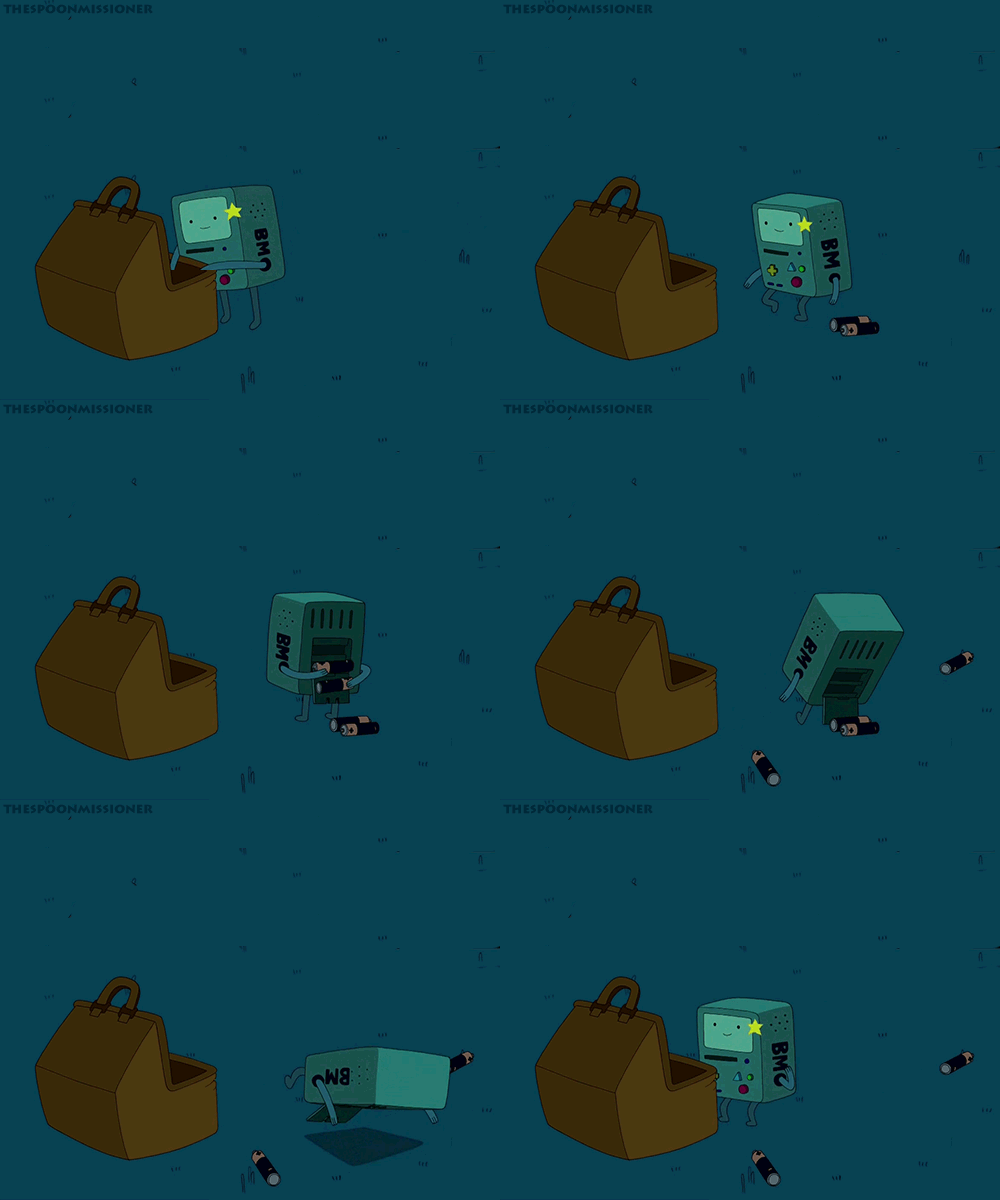
quejero: <3 misspaperlilies: this is making me feel really...
Arsham Shirvani, Theasp and 2 others like this
No more posts. Check out what's trending.