Shared posts

24 Dec 13:20

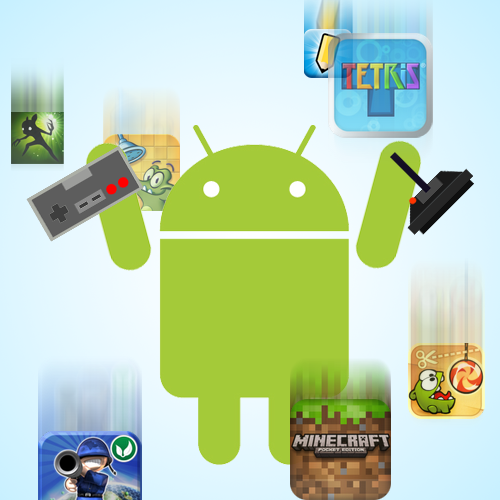
38 Best (And 1 WTF) New Android Games From The Last 2 Weeks (12/10/13 - 12/23/13)

by Jeremiah Rice

gameroundup_icon_largeWelcome to the roundup of the best new Android applications, games, and live wallpapers that went live in the Play Store or were spotted by us in the previous 2 weeks or so.

Please wait for this page to load in full in order to see the widgets, which include ratings and pricing info.

Looking for the previous roundup editions? Find them here.

DigiCal Calendar & Widgets

Today's roundup is presented by DigiCal Calendar & Widgets from Digibites.

Done With This Post? You Might Also Like These:

38 Best (And 1 WTF) New Android Games From The Last 2 Weeks (12/10/13 - 12/23/13) was written by the awesome team at Android Police.


23 Dec 23:17

TV Guide Magazine's 60 Best Series of All Time.

http://www.tvguide.com/News/TV-Guide-Magazine-60-Best-Series-1074962.aspx

In honor of TV Guide's 60th anniversary, they have compiled this list. You are only allowed one guess as to which Whedon show is on it!

23 Dec 23:16

LEAK: Samsung will beat Apple to market with a giant 12+ inch tablet, and this is it!

by Zach Epstein
Galaxy Note 12 PhotosReports suggest that both Samsung and Apple have plans to introduce a new class of gigantic tablet in 2014 and from the look of things, Samsung will get the jump on its archrival once again next month. A photo posted to Korean-language forum Clien.net and picked up by Phone Arena supposedly reveals Samsung's monster tablet for the first time. It is also accompanied by purported specs that are in line with high-end smartphones and tablets that are already available, suggesting size will indeed be this slate's main selling point. Seemingly dubbed either Galaxy Note 12 or Galaxy Note Pro, Samsung's upcoming tablet will supposedly feature a 12.2-inch display with better-than-HD 2,560 x 1,600-pixel resolution, a quad-core Snapdragon 800 processor, 3GB of RAM, an 8-megapixel rear camera, a 2-megapixel front-facing camera, 32GB of storage, a 9,500 mAh battery and Android 4.4 KitKat. The massive new Samsung slate is expected to be unveiled next month at CES ahead of a launch sometime in the first quarter.
23 Dec 20:34

Top 5 Game-Changing Gadgets of 2013

by Adriana Lee

ReadWriteReflect offers a look back at major technology trends, products and companies of the past year.

This year, we got serious about connecting our homes. We smartened up our arms and eyes. And we figured out ways to make all the screens we've accumulated—from tablets and laptops to LCD TVs—seem fresh and exciting again.

Taken one by one, these may not seem like massive changes. But they’ve added up to a transformation in how we relate with technology.

The products we’re highlighting rejuvenated stale categories or sparked new interest in unforeseen niches. These, the most influential devices of the year, grabbed our imaginations as well as our wallets. Because of them, we'll remember 2013 as a year when everything changed.

Chromecast

Google’s Chromecast streaming stick points to a future where Internet video just works.

Photography shot with the Canon EOS Rebel SL1 digital SLR camera. Small in size, enormous in performance.Google’s Chromecast streaming stick points to a future where Internet video just works. Photography shot with the Canon EOS Rebel SL1 digital SLR camera. Small in size, enormous in performance.

Make no mistake: Google’s tiny TV stick did not revolutionize streaming to the living room. This market was growing even before Chromecast came along. But what it did was swiftly and suddenly accelerate mainstream consumer adoption in the most effective way possible—by offering intriguing features, making them easy to use, and charging less than the price of dinner at a nice restaurant. Demand for Chromecast surged, drawing new attention to the entire product category. 

Even rival Roku can’t help but give credit to Chromecast for piquing consumer interest in TV streaming. A few months ago, Lloyd Klarke, Roku's director of product management, told me that "sales have gone up nicely after Chromecast launched." Why? Because when people looked into it, "they researched and found Roku."

Pebble Smartwatch

Smartwatches had always been a nonstarter in technology. They existed as novelties or niche products, a strange subcategory of the mobile tech world that no one really knew what to do with. But that was before Pebble came skipping along.

You can thank this wearable tech device for igniting the battle for our wrists. A hero to Kickstarter hopefuls, Pebble snagged a record-breaking $10 million in preorders. Now, thanks to founder Eric Migicovsky’s tech and business savvy, it is blazing trails for giants like Samsung and Qualcomm to follow.

Attractive—even quaint, with its E Ink display and hardware buttons—the watch offers sleek style and growing list of features for Android users, iPhone owners and, soon, connected home customers. Those features are about to expand even further soon, now that the company just announced the coming of its own app store

And this can’t be stressed enough: At $150, the device sells for half what recent entries like the Samsung Galaxy Gear and Qualcomm Toq cost.

Google Glass

The fundamental question in wearable tech these days seems to be “wrist or arm?” You can thank players like Pebble (above) and Google Glass for that.

Although Glass hasn’t formally launched yet, the device is causing tidal waves of activity behind the scenes. Developers are hard at work making Glass apps, while in the nontech sectors of the world, fashion and eyewear designers consider how Glass may factor into their work. Little doubt this has to do with Google’s decision to join forces with Diane Von Furstenberg, who featured the device on her fashion runway shows, as well as other events

Meanwhile, privacy advocates fear the prospect of everyone wearing cameras on their heads. And safety experts wonder if society can handle the distraction of those little face-mounted screens. All that attention, and the product hasn’t even launched in the retail market yet.

At $1,500 for a developer version, it may be a while yet—at least until Google figures out how to bring down that price. But for now, it’s the gadget with perhaps the broadest and deepest set of implications for how modern man shares, captures and communicates—in other words, how we live.

Nest

When Nest debuted its first product last year, it turned a humble thermostat into eye candy. And it proved that connected home technologies could be sleek objets d’art that people would actually want in their homes. And thanks to Internet connectivity, that item is brainy, too, allowing homeowners to monitor and control their heating and cooling at any time and from anywhere.

Now along comes Nest Protect to prove that this is no flash-in-the-pan tech. This Wi-Fi-enabled smoke and carbon-monoxide detector trades headsplitting alarms for a calm voice. An illuminated ring glows different colors when carbon monoxide is detected—and doubles as a night light. And the connectivity allows the devices to communicate with each other throughout the different rooms in your house.

The design and thinking behind these smart products has no doubt inspired others, including Philips' smart HUE lightbulbs, and Lockitron’s connected door-locking accessory, to factor both features and aesthetics into a package that consumers want—paving the way for the connected home

Leap Motion Controller

Anyone intrigued by the idea of waving their hands in the air to control their computers—who isn’t?—should be encouraged that a consumer product specifically designed for this has landed, thanks to the Leap Motion controller. Certainly HP thought so. The company bought into the Leap Motion promise, integrating the technology into its HP Envy 17 Leap Motion Special Edition laptop

AdvertisementAdvertisement

That’s not to say it’s perfect. When I tested the $80 USB Leap Motion a few months ago, I found that it worked fairly well for games, particularly physics-based apps. But for desktop control, I found it buggy and tough to get used to.

Still, the Leap Motion device gave me a sense of where gesture-controlled, human-computer interfaces are heading. And it's incredibly exciting to see those types of consumer-oriented devices for the home PC begin to make their way into people's homes. 

Google Glass images by Taylor Hatmaker for ReadWrite. Chromecast and Pebble images by Selena Larson with the Canon EOS Rebel SL1 digital SLR. Nest and Leap Motion images courtesy of the companies. 

Disclosure: Canon, the official camera of Point-of-View Publishing, provided ReadWrite with an EOS Rebel SL1 digital SLR camera and paid to be mentioned in a caption and sidebar in this post.

23 Dec 20:29

Koush's AllCast Streaming App Is Now Available In Free and Premium Flavors On The Play Store

by Jeremiah Rice

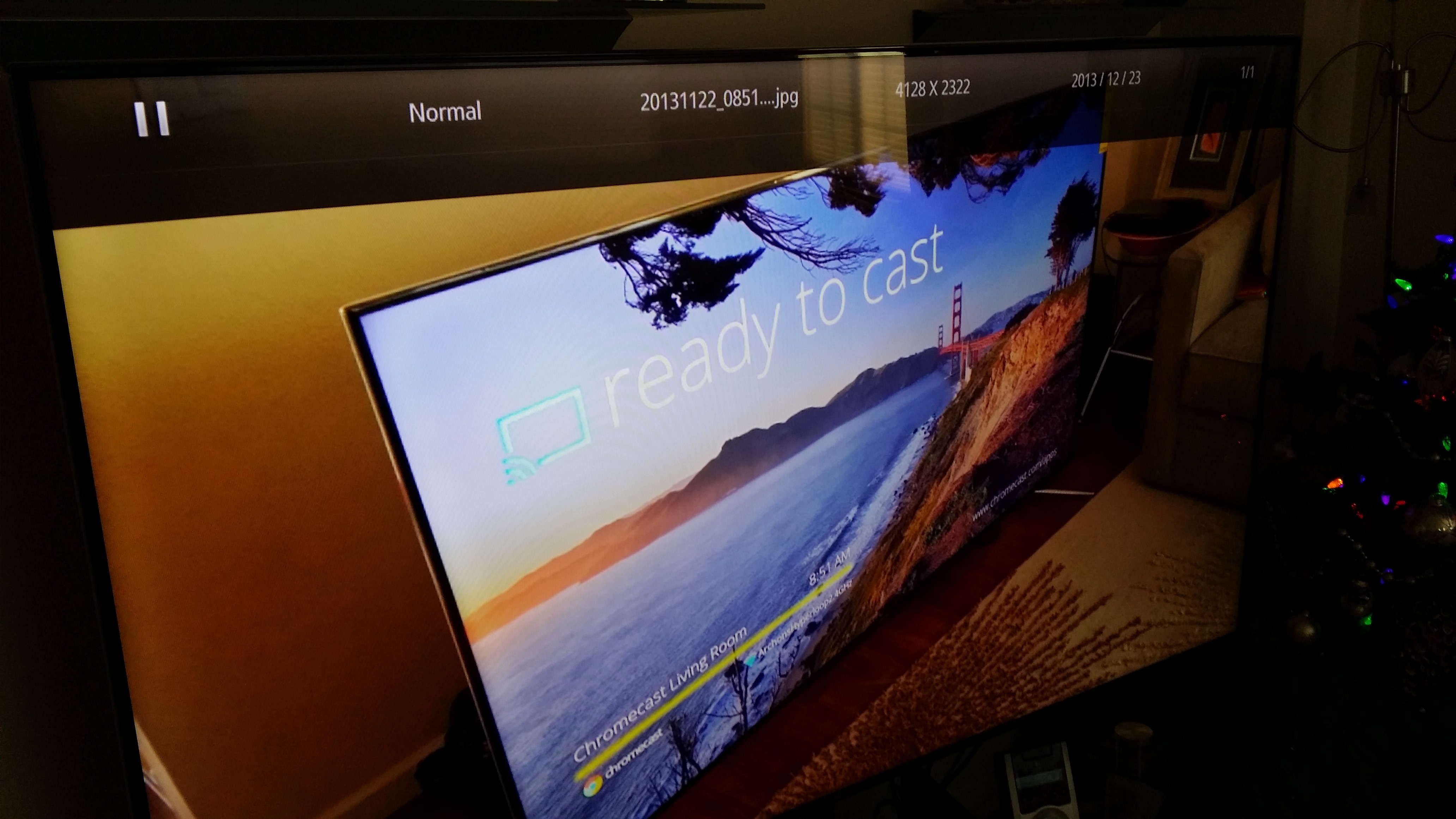
unnamed (34)We've covered Koushik Dutta's AllCast before: it's an Airplay/DLNA streaming app that lets you stream all the things. Now it's out of beta, and you don't have to jump through any hoops to get it: just head to the Play Store and download that sucker to your cell phone telephone. The free version includes advertising, splash screens, and a 60-second streaming limitation, while the $5 Premium unlock app is unlimited.

unnamed (33) 20131223_093445

The app is a streamer for any local video or photos on your Android device.

Done With This Post? You Might Also Like These:

Koush's AllCast Streaming App Is Now Available In Free and Premium Flavors On The Play Store was written by the awesome team at Android Police.


23 Dec 20:26

Cat domestication may date back more than 5,000 years

by Bill Crider
23 Dec 17:24

How to Fix Android's Biggest Annoyances: 2013 Edition

by Eric Ravenscraft

How to Fix Android's Biggest Annoyances: 2013 Edition

Android may be a great operating system, but it's not without its major annoyances. We asked you what bugs you most on Android. From battery life to crapware and beyond, here are the best ways to fix some of your most common problems.

Boost Crappy Battery Life

How to Fix Android's Biggest Annoyances: 2013 Edition

It's to the point with smartphones now that just getting through an entire day without needing to charge your phone is an accomplishment. Fortunately, it doesn't have to be. Here are a few ways to maximize your battery life:

Get a phone with a large battery: Yes, advising someone to "get a new phone" to fix an annoyance is generally a jerk move, but this is one area where the very best way to improve performance is better hardware. Phones like the MAXX line of Motorola phones, Samsung's Galaxy Note series and others with very large batteries can typically last longer than your average handset.

Buy an extended battery: If you don't have the cash to drop on a whole new handset, extended batteries are the next best thing. You can either buy a backup battery to swap out when you're done (though this requires keeping two batteries charged instead of just one), or get a larger capacity battery (which might add a bit of heft). Of course, this only works if your phone has a removeable battery.

Rein in battery usage with apps: If you find that your battery is draining when you're not even using your phone, Greenify can put overactive apps into hibernation when you're not using them. JuiceDefender goes a step further by disabling things like your data connections (mobile and WiFi) or turning down your CPU speed. If you're not someone who needs up-to-the-minute updates from your phone, you can set it to only reconnect every five to ten minutes or so, drastically reducing how often your phone is reaching out to connect to cell towers.

Uninstall battery hogs: Our own Whitson Gordon found that the best way to reduce unnecessary battery usage was to get rid of some of the power-sapping widgets he had installed. Obviously this won't work in all cases, but if there's an app you don't really need (or if there's a less power-hungry alternative), try uninstalling them. You can check to see what's sucking down your juice in the battery usage monitor in your device's settings. Frequently, the culprits are live wallpapers, oft-updated widgets (like RSS feeds), or apps that constantly check your location (including Google's own).

Use airplane mode in emergencies: If you're down to 12% battery and still have three hours to get home, you don't have time to mess around with clever tricks. It's time for the big guns. Airplane mode kills all communication and, as long as your display is off, it will reduce battery consumption to near zero. It can also help you charge your phone a bit faster.

Get Rid of Crapware

How to Fix Android's Biggest Annoyances: 2013 Edition

Carriers and manufacturers install a lot of junk on their phones. It's an unfortunate fact of life in the Android world. Thankfully, there are a couple ways to get rid of them for good:

Disable them in your system's settings: System apps can't be uninstalled by default because, well, they're part of the system. If a company abuses this privilege, though, and makes their redundant navigation app a permanent resident, you can disable it in Settings. Navigate to the list of installed apps and open up the entry for the app you want to disable. Most of them can be turned off here (as shown above). Of course, while they won't run or do anything, they'll still occupy some storage space. If you have plenty of room, that's fine. If not, there's option #2...

Uninstall them entirely with root apps: You've got 8GB of space and you can't afford to give some away to seven different apps you never use. This is where Titanium Backup comes in. Once you've rooted your phone, you can completely remove pre-installed apps with Titanium Backup. In the unlikely event you find an app that can't be uninstalled with Titanium Backup, you may still be able to get it out with some terminal magic.

Hide or Eliminate Manufacturer Skins

Manufacturer skins are often a blight on an otherwise fantastic phone. Thankfully, the number of stock Android devices have increased dramatically this year. If you're looking for a new device, you can get a Nexus, a Google Play Edition phone, or the Moto X (and similar future phones, presumably) and get very-near stock Android without doing a thing. However, if you've already bought a skinned phone, here are your options.

Download apps to get as close to stock Android as possible: Strictly speaking,you can't get rid of manufacturer skins without completely changing ROMs. With all the downloads Google's put in the Play Store, though, you can get pretty dang close. In addition to things like the keyboard, stock apps like the calendar, or Play Services, you can even sideload the newest Google Experience Launcher (or our favorite alternative launcher, Nova). With this method, you'll still technically be using a skinned ROM, but you'll rarely notice.

Flash an AOSP-based custom ROM: If the previous solution isn't enough for you, the next step is custom ROMs. Most of the major ROMs—including CyanogenMod, AOKP, and Paranoid Android—are as close to stock Android as you can get. Of course, they also offer their own advantages, but if you're sick of Sense and tire of TouchWiz, custom ROMs are your safest harbor.

Getting started with a custom ROM can be a little intimidating and the process varies from device to device, but our guide here should get you up to speed on how to root your phone. From there, it's just a matter of picking the right ROM for you (of which there are plenty). If you have trouble finding information on your specific device, the XDA and RootzWiki forums have plenty of helpful guides and information for most phones and tablets.

Get Ahead of the Slow Rollout Curve

How to Fix Android's Biggest Annoyances: 2013 Edition

Earlier this year, Google introduced staged rollouts for app updates. This has made a lot of people very angry and been widely regarded as a bad move. However, in many cases, you can find early releases or APK downloads for the apps that you really care about. While app rollouts might take days to reach your device, the APK for popular devices are usually available within hours.

Getting OS updates is a bit trickier. Your only route for getting unofficial updates to Android if you can't wait is custom ROMs. As stated in the section on stock Android, these will get you as close as possible, but unfortunately your best bet for getting fast OS updates is buying a Google or Google-ish device. Again, the Nexus, Google Play Edition, and Motorola devices are the current leaders of this pack. This doesn't help if you already own a device that's getting neglected, but if it's time to buy a new device and updates are important to you, you have plenty of options.

Curb Annoying Notifications

How to Fix Android's Biggest Annoyances: 2013 Edition

No one likes it when an app starts throwing unwanted notifications into the shade and mucking up your business. The most effective way to kill unwanted notifications is to disable them in the app itself. Most apps have fine grain controls that allow you to dictate exactly how and when an app will notify you of something—just head to the app's settings and look for a "Notifications" section. Not only will turning them off here save you some annoyances, but it also reduces battery drain, since your phone is reaching out for new information less often.

On the other hand, if an app doesn't have those options, you have another fallback. As of Android 4.1 and up, you can override an app's ability to make notifications at all. Simply find the offending program in the app manager and uncheck "Show notifications."

For root users who want some a more comprehensive solution, Notifications Off allows you to disable notifications for all your apps in one place. As an added luxury, you can set up multiple profiles that allow a certain set of apps to create notifications and swap between them with home screen shortcuts. This way you can quickly turn off alerts from a group of apps at night or while you're at work, and turn them back on later.

Take Control of Screen Rotation

How to Fix Android's Biggest Annoyances: 2013 Edition

Automatic screen rotation is great in certain contexts, but if your phone is too sensitive, or if you only need a few apps to rotate automatically, Smart Rotator is the cure for what ails you. This app allows you to select which apps enable auto rotation and which stick to either portrait or landscape mode no matter what. On tablets especially, this app is essential.

Adjust All the Different Volume Levels Individually

How to Fix Android's Biggest Annoyances: 2013 Edition

Android has a variety of separate volume controls. For example, your phone, notifications, and media players all have different volume levels. Slider Widget allows you to adjust these independently, without having to trigger a specific context. Alternatively, you can Persist to manage all of your volume levels from a single app. The $4 pro version even allows you to set custom profiles so you can easily swap between work and play settings.

23 Dec 17:23

Top 10 most popular Android apps from last week: Helium, Avia, GTA: San Andreas

by Steve Raycraft

Every week we cover new Android apps with Fresh Meat on Wednesday, followed by Android Gaming on Thursday and Top 10 app updates on Friday. On Mondays we look back to see which ones were the most crowd-pleasing among our audience. Read on for the 10 most popular Android apps among your peers from last week.

1. Avia Media Player

Avia

App info: Avia is one of the many apps recently updated with Chromecast support. View media on any HDTV using Chromecast.


2. Grand Theft Auto: San Andreas

GTA SanAndreas

App info: Rockstar’s classic series rolls onto Android with the debut of Grand Theft Auto: San Andreas.


3. Helium – App Sync and Backup

Helium

App info: Helium is a great app to move all your data to your new device.


4. Cover (Beta)

Cover

App info: Cover is a new lock screen application that customizes the icons shown based on when and where you use certain apps.


5. The Talker App

The Talker App

App info: Use triggers to create rules that perform actions and let you interact with your phone. Set your alarm and let the app “talk” and inform you about the weather that day.


6. Orbit

Orbit

App info: Make your own solar systems, galaxies, and gravity sinks! Colorful and captivating!


7. Android Device Manager

Android Device Manager

App info: This application helps maintain data security on your device should it be lost or misplaced.


8. RealPlayer Cloud

RealPlayer Cloud

App info: This well loved media player lets you store media in the cloud and share it across various devices.


9. Injustice: Gods Among Us

Injustice Gods

App info: Battle using  DC Comics characters in this new 3v3 collectible card game.


10. KitKat Launcher

KitKat Launcher

App info: This app brings the KitKat (Android 4.4) launcher to devices not running KitKat.


Note:  To ensure apps receive a fair chance to make the list, we will retire any app that has made the list for 3 consecutive weeks and will place it in our Android and Me App Hall of Fame. We will post this Hall of Fame list in a dedicated series.v

23 Dec 16:07

The Best Extensions and Add-Ons to Beef Up YouTube

by Eric Ravenscraft

The Best Extensions and Add-Ons to Beef Up YouTube

YouTube is a pretty great video streaming service. Easily the biggest around. That doesn't mean there isn't room for improvement. Here are some of the best ways to make YouTube even better.

We've already covered how to fix all of your biggest YouTube annoyances, and some of the best URL-based tricks and services you can use with YouTube. Today, we're going to take it a step further by tailoring YouTube to your viewing habits and make it generally more enjoyable to use.

Mini Player Lets You Watch While You Browse

The Best Extensions and Add-Ons to Beef Up YouTube

Who has time for sitting and watching a single YouTube video when there's a whole internet full of things for your attention-deficit brain to stare at? If you want to keep watching videos while you browse, Mini Player allows you to pop a video down to the lower-right corner of your display that stays above whatever you're working on. You can also use this player for Vimeo or Facebook videos.

Tubalr Turns YouTube into a Music Player

The Best Extensions and Add-Ons to Beef Up YouTube

Despite being a video streaming service, YouTube is one of the best music sites around. Previously mentioned Tubalr capitalizes on this by creating playlists of music videos sorted by artist or you can sign up to create your own playlists or get song recommendations. It's not quite perfect as a music player, but as an interface for the music on YouTube, it far exceeds the normal UI.

Turn Off The Lights Dims the Screen

The Best Extensions and Add-Ons to Beef Up YouTube

YouTube's default layout is a big, bright, white background with a little video box at the top. For casual viewing, that's fine, but if you'd rather curl up in the evening with a video playlist without blinding yourself, Turn Off The Lights will dim the rest of the page for a more cinematic aesthetic.

Video Pinner Lets You Keep Watching As You Scroll

The Best Extensions and Add-Ons to Beef Up YouTube

What's the most important part of any YouTube page? The video, of course! While you might be interested in the comments or related videos, you probably want to keep watching. Video Pinner keeps the video at the top of the window as you scroll down the page. It's a little thing, but it makes watching YouTube less of a chore.

Playjack Takes YouTube to the Big Screen

The Best Extensions and Add-Ons to Beef Up YouTube

Sitting at your desk, the normal YouTube interface is okay. Previously mentioned Playjack offers a bigger, more visual interface. The design eschews text-heavy descriptions and stats for giant thumbnails and a TV-friendly aesthetic. You can also easily add videos to its "infinite streaming" playlist. Set the sequence and let it play!

jiffy Creates Animated GIFs on the Fly

The Best Extensions and Add-Ons to Beef Up YouTube

There are roughly twelve million different tools for creating animated GIFs from video, but jiffy makes the process dead simple. Once you install the extension, you'll be able to enter the start and end times of a video directly on YouTube. Click "Make GIF" and the extension will automatically cut up the video and give you a link to an animated GIF. The quality is a little low, but it's hard to beat the speed.

23 Dec 13:14

Buzzfeed Christmas

The 6 Weirdest Objects The Buzzfeed Writers Are Throwing Out Their Windows At Us
23 Dec 13:12

Teleza Turns Your Mobile Device Into A Dual-SIM Powerhouse

by John Biggs
Screen Shot 2013-12-22 at 10.38.55 PM

When I was in Shenzhen last month I met James Sung, the guy who brought us original dual SIM Peel case and turned countless iPod Touches into iPhones. Now you can do the same thing, but wirelessly.

His new product, called Teleza, costs $129 and is styled like a high-end cigarette case. It comes in silver and gold and features a built-in battery. It connects to your device via Bluetooth and has buttons to control audio level and a camera remote for selfies.

The Teleza is quad-band GSM compatible. It has two SIM slots can can also act as sort of a speakerphone for your calls, ostensibly allowing you to use it like a handset. It also works with Android.

He’s shipping the devices after Christmas.

While dual-SIM phones are a dime-a-dozen in China, they’re fairly rare over here. I’ve slowly discovered the value of a local SIM card as I travel the world, allowing me, at the very least, to have a local phone number. This device saves you from having to SIM unlock your phone during your travels or buying a new, unlocked phone.


23 Dec 13:10

Vin Diesel announces April 2015 release date for 'Fast & Furious 7'

by Rich McCormick

Vin Diesel has confirmed that Fast & Furious 7 will be released on April 10th, 2015. The movie was originally set for release in July 2014, but its fate was in question after the death of star Paul Walker. Diesel — who will produce and star in the film — used Facebook to announce the date, posting it alongside a picture of the last scene he and Walker filmed together with the comment "P.s. He'd want you to know first..."

Sources had originally suggested Universal Studios would continue with production on the seventh Fast & Furious film after Walker's death in a car accident. Shortly afterwards, the studio said it would be shutting production down to "assess all options available." A week later, The Hollywood Reporter said...

Continue reading…

22 Dec 22:33

TSA confiscates photographer's blower because it could be filled with gunpowder and used as a missile

by Cory Doctorow


In a photography forum, Surapon recounts the sad story of how the TSA took away his Giottos AA1900 Rocket Air Blaster, a blower for removing dust from equipment, at an airport in New York.

According to him, he was on his way back to North Carolina from Greece when the TSA flagged his camera-case for manual inspection. The TSA agent reportedly produced the rocket-shaped blower, and then he and a colleague grimly pronounced the dangers of this object, should it be filled with gunpowder and then launched like a rocket through the cockpit.

Since then, Surapon assiduously sliced the decorative fins off his blowers, and has had no further trouble from the TSA.

My New and Improve GIOTTOS Blower-for safety. (Thanks, Visionrouge!)


22 Dec 19:50

Spotify debuts Spotiamp, an ode to Winamp that streams your tunes

by Ellis Hamburger

Just in time for Winamp's untimely demise, Spotify has announced Spotiamp, a Spotify client for Windows built by one of its engineers. It's "a small tribute to honour the great legacy of Winamp," the company says, and lets you play your music within the comfort of everybody's favorite jukebox app. Once you've signed into the app using a Spotify Premium account, the app lets you play your playlists, search for tracks to play, listen to a built-in radio feature, shuffle your music, stream to Shoutcast-compatible speakers, and mess around with an equalizer — a feature Spotify's Windows app doesn't provide. The app even supports old school Winamp visualization plugins, assuming you still have them.

Winamp as we know it may be dead, but...

Continue reading…

22 Dec 18:16

iOS 7 Untethered Jailbreak Now Available

by John Biggs
Screen Shot 2013-12-22 at 10.49.45 AM

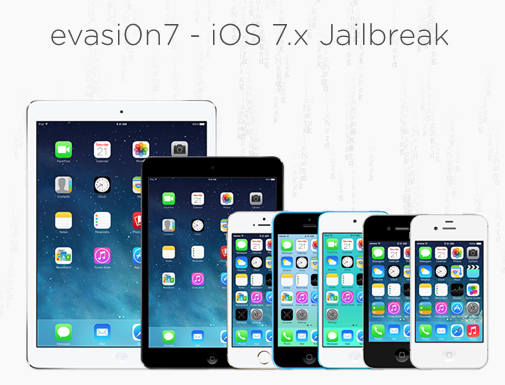
A team of iOS programmers called Evasi0n have jailbroken that latest iPhone/iPod/iPad operating system, iOS 7.0.4. Jailbreaking allows uses to install home-brew software and run unapproved apps from the Cydia software repository.

The jailbreak takes “5 minutes” and works on Windows and OS X. Users at 9to5mac have expressed dismay that this jailbreak came too early – many are worried it won’t work on the next few releases including the major 7.1 that they expect in coming months. Most are reporting that the jailbreak works seamlessly on devices that support iOS 7.x.

Interestingly, this release coincided with fears that the iOS 7 jailbreak had been secretly sold to a third party who would monetize it. Traditionally most jailbreaks have been free but even offering a jailbreak for a brief window on a paid site could be a very lucrative proposition. That is clearly no longer the case.

As with all jailbreaks please remember two words: be prepared. Backup your data and prepare to spend a few hours on a bricked phone if things don’t work correctly. The process has gotten much better over the past few years but there could be bugs. Also remember that this is a jailbreak, not a SIM unlock. This will not allow you to move from carrier to carrier, only install home-brew software.


22 Dec 18:15

Five Best Nexus 7 Cases

by Alan Henry

Five Best Nexus 7 Cases

The Nexus 7 is arguably the leading Android tablet, and for good reason. It's slim, trim, powerful, and affordable. If you want to keep it safe though, you'll need a decent case or protective sleeve for it—one that'll protect it from drops, bumps, or other things in your bag. This week we're looking at five of the best Nexus 7 cases, based on your nominations.

Earlier in the week, we asked you which Nexus 7 cases were the best. You responded with tons of great suggestions, but a few stood out above the others, either because of the protection they offered, the price, or the look and feel. Here's your favorite picks, in no particular order:

MoKo Slim-Fit Multi-Angle Case

Five Best Nexus 7 Cases

The MoKo Slim-Fit Multi-Angle Case is actually available for the Nexus 7 (both old and 2013 versions) and the Nexus 10, and features soft polyurethane "leather" outer cover binding and hard plastic backing and side protection to keep your tablet safe from drops and dings. It also features a padded cover and microfiber interior so you don't scratch or scuff the body of your tablet. The Slim-Fit case is available in dozens of colors to suit your style, a sports a handgrip in the back you can slide your fingers into while you use the tablet with the other hand.

When you want to set it on your desk, the case can be set in two different configurations—a flatter typing angle where you can work with the tablet, and a more upright angle that's suitable for watching video, reading, or video chatting. Those of you who nominated the MoKo case praised it for being a full cover that protects your tablet on all sides, supporting auto-on and off when you open or close the case cover, and of course, the price. Both Nexus 7 models are available at Amazon for $17.


Poetic Slimline Case

Five Best Nexus 7 Cases

Poetic's Slimline series of cases are available for a variety of tablets, including both old and new iterations of Google's Nexus 7. All of the Slimline cases offer auto-sleep and wake when you close and open the case, full-body protection for the back and sides of the case (with cutouts for access to ports, like most other cases here), and a soft, padded front that's also flexible for use in landscape mode, whether you're typing and working with the tablet or sitting back and watching videos or reading. The cases all feature a hard rubberized outer shell for the back, and the front has a microfiber interior so it doesn't scratch your screen.

Those of you who praised the Poetic line of cases noted the company's exceptional customer service if you have problems with their cases, their flexibility, and the strength of the front cover—which unlike a lot of cases, it capable of keeping the tablet firmly in landscape mode while you use it without sliding all over the place. Some of you also noted that the cover magnets are strong and firm, so the case won't just fall open (which would simultaneously wake your tablet and waste your battery). The price is right too; a Slimline will set you back $15 for the new Nexus 7 and $13 for the original Nexus tablet at Amazon.


Devicewear Ridge

Five Best Nexus 7 Cases

Devicewear makes a number of cases for a variety of devices, all of them quality crafted folio designs that are flexible and can keep your tablet safe while simultaneously serving as a multi-angle stand when necessary. All of their cases are remarkably slim and light, and made from a soft-but-authentic-feeling polyurethane leather material (the company specifically markets its leather as animal-friendly, since no animal products are used in manufacturing it). They also sport cover magnets that auto-sleep and wake your Nexus when you close or open the case, and even though the leather actually isn't leather at all, it has a premium feel. The case backing is a firm plastic shell that your tablet snaps into securely, and the cover can be adjusted to keep the screen right where you want it.

Those of you who nominated the Ridge noted that premium feel at an affordable price, multiple standing positions (up to six different angles!), and the fact that it works with a Qi wireless charger. The sheer fact that it's so easily adjustable and highly customizable makes it a strong contender. If you're interested in one, they're available direct from Devicewear for $40 for the new Nexus 7 and $50 for the original, or you can get a break at Amazon and grab one for $25 for the 2013 Nexus 7 and $15 for the original Nexus 7.


Portenzo Book Case

Five Best Nexus 7 Cases

If you're a fan of book-style cases that keep your tablet safe on all sides but look like a notebook and less like a folio, the Portenzo Book Case for Nexus will definitely pique your interest. Each Portenzo case is handmade from maple wood (with hand-sanded corners to ensure a perfect fit), cover magnets so your Nexus will auto wake or sleep when you open or shut the case and can be configured to order with a simple elastic strap, a camera opening so you can use your tablet's rear camera without having to take it out of the case, additional magnets to keep your case in place while you use it, and more. The Portenzo even sports a space for your stylus if you use one, and you can order a stylus with the case if you like. Add on the optional "Intellistand" and you'll get a case that can transform into a landscape mode stand whenever you need to use it that way.

More than a few of you highlighted the Portenza cases as a more affordable, customizable option to other more popular book-style wooden cases, and specifically praised the company's attention to detail, the the firm wooden cases being particularly good for travel, and the special cutouts for all of your ports that won't sacrifice side protection. If you're interested, they'll set you back $60 direct for the new Nexus 7 or $40 for the original Nexus 7. If you want the Intellicase option, add $10, and if you want the camera opening in the rear, add $5 to whatever configuration you choose. If you want to add tougher magnets to the case closure, that's another $10. For the price though, you get a highly personal, customized, handmade case with just the features you need.


RooCASE SlimShell with Origami Cover

Five Best Nexus 7 Cases

RooCASE actually makes a number of cases for the original Nexus 7 and for the new Nexus 7, but the one that earned the most nominations is the RooCASE SlimShell with the Origami Cover. In short, the SlimShell is RooCASE's slimmest model (and only available for the new Nexus 7), and the Origami Cover is designed to fold at multiple angles to make for the perfect soft-shelled case design. The specially designed cover can fold up almost like a triangle, which keeps the tablet secure on a work surface both in portrait or landscape mode while you use it, or you sit back and watch video or read. The case body is polycarbonate, and the case cover is a soft polyurethane with a microfiber inner lining. The SlimShell also supports auto-sleep and wake thanks to the magnets on the inside of the case, and it comes in a variety of colors to choose from.

A number of you rallied behind it because of that Origami Cover, specifically because it keeps the tablet upright both in landscape and portrait mode, which is a much overlooked feature in affordable cases. Plus, many of you noted that it's exceptionally thin and won't add a ton of bulk to your Nexus while you carry it around, which is a huge plus. Finally, the price is very definitely right—you can snag one for $10 at Amazon.


Now that you've seen your top five, it's time to put them to an all-out vote to decide the community favorite.

The honorable mention this week goes out to Google's Nexus 7 Case. It's guaranteed to fit, it's $50, and it looks sharp. It's available in a number of colors, and function-wise it works as a simple folio, as a typing stand, or as a media stand you can use while you're watching movies or in a Google Hangout with someone else. If the others here are too fancy for your tastes, go for the simple, basic, made-by-Google-for-Google option. I'm partial to the white one with red trim.

Have something to say about one of the contenders? Want to make the case for your personal favorite, even if it wasn't included in the list? Remember, the top five are based on your most popular nominations from the call for contenders thread from earlier in the week. Don't just complain about the top five, let us know what your preferred alternative is—and make your case for it—in the discussions below.

The Hive Five is based on reader nominations. As with most Hive Five posts, if your favorite was left out, it didn't get the nominations required in the call for contenders post to make the top five. We understand it's a bit of a popularity contest. Have a suggestion for the Hive Five? Send us an email at tips+hivefive@lifehacker.com!

Title photo by upupa4me.

21 Dec 19:47

Ned Vizzini, young adult author, has died

by Mark Frauenfelder

Ned Vizzini, an award-winning young adult novelist and television writer, died yesterday. He was 32. He was a guest on the Gweek podcast twice (episodes 069 and 094) and Carla and I had a memorable 16-course dinner with Ned and his wife Sabra a couple of months ago here in LA.

Ned was working a fantasy book series with Harry Potter director Chris Columbus, and writing for J.J. Abrams and Alfonso Cuarón's Believe television series, which is premiering this March.

In his books and lectures Ned spoke frankly about his struggle with depression. His openness and insight into depression helped a great many people who also have the same condition.

Every time I spoke with Ned, he was warm, funny, and enthusiastic. My heart goes out to Ned, Sabra, and their young son. He'll be missed.

“It’s Kind of a Funny Story” writer Ned Vizzini dead at 32


21 Dec 17:54

The first cat picture I've ever posted to the Internet

by Cory Doctorow


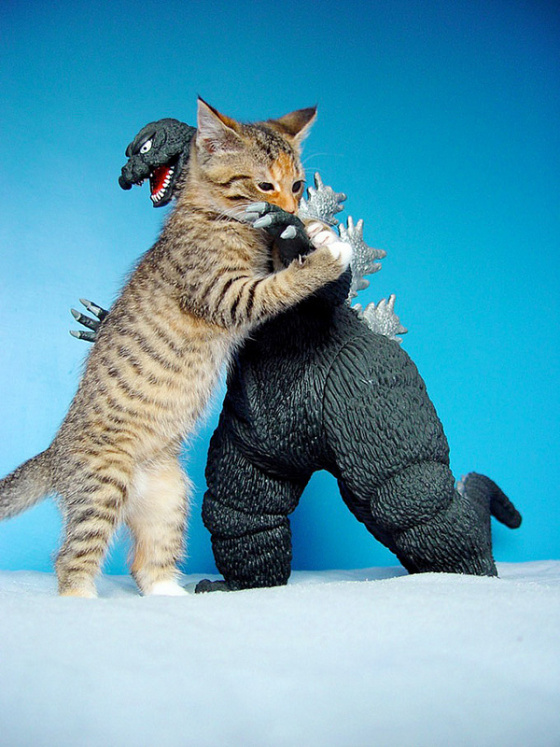
I've been posting stuff to the Internet since the early 1990s, and in all that time, I've never felt the need to post a picture of a cat anywhere. Today, that changes. This is the cat pic I was born to post. And, conveniently enough, it's another one of those Tumblr finds that I can't source (it dead ends with a Piccsy account for a user called sharoninauburn). So I guess that makes this the weekly re-attributor post: if you think you can figure out who made this, get sleuthing and post your answers in the comments.

Godzilla? I Thought This Was Dogzilla (via Seanan McGuire)


21 Dec 10:59

NSA Reportedly Paid A Security Firm Millions To Ship Deliberately Flawed Encryption Technology

by Alex Wilhelm
Screen Shot 2013-12-20 at 2.28.21 PM

Today Reuters reported that the NSA paid RSA, a security company and subsidiary of EMC, $10 million to use a flawed random generator technology as the “preferred” option in its BSafe software, increasing its popularity.

In September of this year, the New York Times reported that the NSA was working to, in its own words, “break widely used Internet encryption technologies.” That the NSA wanted to get past encryption was not surprising.

How far along it was, however, came as a shock. An NSA memo was blunt in its assessment of its own progress: “Cryptanalytic capabilities are now coming online. Vast amounts of encrypted Internet data which have up till now been discarded are now exploitable.”

After being implicated in the NSA’s efforts to get around encryption, RSA told its customers that they should stop using the flawed algorithm. As the Wall Street Journal reported at that time, the warning was “one of the first instances of a security company acknowledging the U.S. government may have been involved in propping open a backdoor into a product.”

Reuters’ revelation that the NSA had paid RSA $10 million to use the flawed algorithm changes the discussion. Instead of the NSA being some sort of evil mastermind, bent on making popular security standards obsolete, it was instead buying its way into companies.

And for small sums to boot. Who wants to wager that this is the only time the NSA paid a security company to use flawed code that it prefers so that it can better beat back encryption?

And if it can get a company with as long a history as RSA to bend so far to its quarter for a mere ten million dollars, the NSA could have bought any sort of access and influence that it wanted.

Depressing, but probably true.

Top Image Credit: Flickr


21 Dec 10:57

Is it time to kill pull-to-refresh?

by Kwame Opam

Pull-to-refresh is by now as familiar a part of interface design as anything that can be found on mobile devices. Is it time to put it out to pasture? FastCo.Design pondered that question after the recent release of Instagram Direct, hinging its argument on the fact that most devices today are powerful enough to handle background updates. After all, seeing a steady stream of tweets would be far more useful than having to refresh over and over again. Elsewhere, apps like Jawbone's Up app have moved to a "pull-to-action" model that provides the user with valuable, glanceable information that makes the vertical swipe worthwhile. Some might call that innovation. Might a paradigm shift create some fragmentation and even user confusion? Maybe....

Continue reading…

20 Dec 20:54

Judge throws out Libyan rendered by UK spooks & CIA to Gaddafi for torture, because "it might embarrass America"

by Cory Doctorow
Abdel Hakim Belhaj was a Libyan dissident who was kidnapped by the CIA and GHCQ and rendered to Gaddafi's Libya, along with his pregnant wife. He was brutally, savagely tortured and imprisoned for seven years. He's been trying to get justice in a British court since his release. Today, the court told him he would find no justice, because any trial on his rendition would embarrass the CIA, and that would damage the UK's national interest. Oh well, at least the judge was "horrified" as he pronounced his verdict.


20 Dec 20:53

Oklahoma City cops charge Keystone XL protesters with "terrorism hoax" because their banner shed some glitter

by Cory Doctorow


Two protesters who held up an anti-Keystone-XL-pipeline banner at the Oklahoma City headquarters of Devon Energy have been charged with perpetrating a "terrorism hoax" because some of the glitter on their banner fell on the floor and was characterized by OKC cops as a "hazardous substance."

The arrest is an extreme example, but it's not an isolated one. Indeed, leaked documents show that TransCanada has an army of spies assembling dossiers on protesters, and has been briefing the FBI and local law on techniques for prosecuting anti-pipeline protesters as terrorists.

Their attorney, Doug Parr, has been involved in dozens of protest cases like this one in Oklahoma and Texas. In other arrests, protesters have faced trumped-up charges, but this is a radical escalation. "I've been practicing law since the 1970s. Quite frankly, I've been expecting this," Parr said. "Based upon the historical work I've been involved in, I know that when popular movements that confront the power structure start gaining traction, the government ups the tactics they employ in order to disrupt and take down those movements."

TransCanada has been putting pressure on law enforcement to do exactly that. In documents obtained by Bold Nebraska, the company was shown briefing police and the FBI on how to prosecute anti-pipeline protesters as terrorists.

Two Environmentalists Were Charged with 'Terrorism Hoax' for Too Much Glitter on Their Banner [Will Potter/Vice]


20 Dec 20:51

The best Android games

by Simon Sage

Maybe you’ve got a new Android device, and you’re ready to fill it up with some grade-A gaming. Maybe you’re a grizzled mobile gaming veteran and have played everything in Google Play and are looking for something new and exciting.

You’re in luck! We’ve put together our very favorite Android games, free and paid. Take a look, get downloading, and if you find something better, leave a comment!

read more


20 Dec 17:20

Top 10 Tech Failures of 2013

by Adriana Lee

ReadWriteReflect offers a look back at major technology trends, products and companies of the past year. 

When tech companies and government agencies make mistakes, whole teams and departments mobilize in some massive effort to sweep them under the carpet. But sometimes, the gaffes are just too glaring, public and spectacular to overlook.

So as we bid goodbye to 2013, let’s take a moment to reflect on the year that was—and thank our lucky stars we weren’t the orchestrators of these messy rollouts, launch failures and other wacky maneuvers.

Here are my picks for the top 10 technology failures of 2013, in no particular order … well, except for the first, which gets my vote for biggest tech flop of the year. 

Healthcare.gov

The Affordable Care Act was already a lightning rod for criticism, and that was before the disaster called HealthCare.gov went online. Or rather, didn’t. Mandating health insurance and then not giving the public a way to evaluate their options shows a stunning lack of foresight—or at the very least, developer testing. That this disaster likely cost $170 million dollars simply defies logic.

The tech failure here mirrors the broken and fragmented nature of healthcare tech systems. It's basically what happens when government agencies and insurance companies, with their vast and incompatible databases, are suddenly called upon to make their systems talk to one another. And it doesn’t take a genius to figure out that doing it on a tight deadline for a high-profile site, destined to get hammered by hundreds of thousands of people all at once, cranks the impossibility factor up quite a bit. 

Healthcare.gov has come a long way since October, but the site still reportedly has issues. By early December, it met administration goals of serving 800,000 unique users and 18,000 enrollment requests a day—but glitches in the system have also caused roughly 15,000 applications to go astray, as insurers never saw them. There's little doubt that this debacle will be remembered as the biggest government tech failure of 2013. 

The Facebook Phone Fail

Like Carrie Underwood in the remade Sound of Music Live!, the HTC First smartphone started out as an intriguing concept that attempted to shoehorn something very popular (Facebook) into a familiar vehicle (a smartphone). And like that live television event, it wound up being an undeniable disaster

The HTC First was the premiere handset launched with Facebook Home, an Android homescreen replacement and the social network’s land grab for smartphone dominance. Had it succeeded, it would have proven that smartphone users wanted Facebook at the heart of their phones.

It also would have buoyed the company’s faltering position in the competitive mobile industry. Instead, the phone wound up being an embarrassment to all companies involved.

Google Kills Reader, Users Shed Blood Tears

In the era of Twitter and Facebook, the death of a RSS feed reader may seem barely shrug-worthy. Yet when Google killed off its Google Reader service in July, the decision incited a public outcry. People scrambled to find alternatives or posited their theories on what rang the death knell.

If there’s a takeaway here, it might be what countless country songs have already taught us—that you never really know what you’ve got until it’s gone. Or for something slightly less clichéd: Never forget that free Internet services like Google projects are ephemeral. Use them at will, but depend on them at your peril. 

Government Spies Like Us

The biggest leak in U.S. history gripped the world’s attention last June, when a former government contractor revealed a massive U.S.-sanctioned global spying operation

Edward Snowden handed over several thousand National Security Agency documents to the Guardian and the Washington Post, which broke the story on the Internet and telephone surveillance programs. The revelation stunned readers, and the PRISM program in particular drew attention for forcing U.S.-based technology companies to comply with demands for user data.

Whatever you think of Snowden, he'll be remembered for making everyday people think about information privacy in the technology age—and whether it's a right, a privilege or simply make-believe.

BlackBerry

Struggling BlackBerry headed into the year desperate for a hit, and perhaps in an alternate universe, last January’s launch of the new flagship BlackBerry 10-powered Z10 smartphone delivered it.

Not so in this reality. Here, it was a painful billion-dollar punch to the gut. The company tried to sell itself, then changed its mind, driving stock values into the ground. That lead to the abrupt ouster of CEO Thorsten Heins and other ranking executives, amid wave upon wave of BlackBerry layoffs that affected thousands of workers. 

Now it’s up to former Sybase chief John Chen to stabilize the company’s finances and prove that the once-dominant mobile player still has some life in it. If he pulls it off, he’ll be a miracle worker, because BlackBerry death watch.

Microsoft's Surface RT

Yes, new versions are now out that might still turn around the fortunes of Microsoft's troubled sorta-tablet, sorta-PC. But no successful project forces a company to take a nearly $1 billion write-off to cover unsold inventory

Customers just didn't know what to make of the original Surface RT. It straddled the tablet-PC divide awkwardly, offering a keyboard cover, mouse support and an integrated stand that made it look like a laptop replacement. Yet it ran a stripped down version of the Windows 8 called Windows RT, which didn't support most older Windows applications. (Its sibling, the Surface Pro, ran full-fledged Windows 8 and was much more successful.)

The $499 price tag—plus $130 for the keyboard cover—made the RT fairly pricey, too. And on top of all that, it just didn’t perform well.

You might think that Microsoft learned its lesson. Think again. The upgraded Surface RT, now dubbed the Surface 2, still uses Windows RT, and still appears to be just as confusing.

Samsung's Follies, a.k.a. the Galaxy S4 Launch

Something’s amiss when the last thing you notice at a press event for a new gadget is, well, the actual gadget. What was actually on display at Samsung’s New York City press event for the Galaxy S4 was the company’s bizarre idea of what it thinks appeals to its smartphone users.

Instead of a showcase for its new flagship phone, Samsung served up lame sketches and offensive typecasting. CNET’s Molly Wood called the spectacle “tone-deaf and shockingly sexist.” Corny jokes? Check. Hot girls? Check. Old, out-of-touch Asian man who can’t speak English? Boozy single women leering at a gardener? Check and check.

After the latter, the emcee added this cringeworthy nugget: "While the women are cooling down, why don't you tell us about S Health?" Worst. Segue. Ever. And in the end, it was all for a bloated mass of features that most people will never use. It may not have hit Samsung sales hard, but the fiasco certainly eroded the company's goodwill and leaves it more vulnerable to the next PR chuckhole it hits.

Yahoo Mail's Makeover, Then Failover

Last October, Yahoo Mail users got a surprise when their trusty inboxes suddenly showed up looking like Gmail, and they were not happy. Tabs were tossed, the print button morphed into a menu item buried under the “more” drop-down list and, most importantly, these changes came with a slew of technical bugs. Some people's emails disappeared, while others lamented the disappearance of tabs and inbox-sort functions. 

The redesign sparked an intensely negative reaction. Tens of thousands of people descended on Yahoo user message boards to protest the changes. There’s even a Change.org petition that’s 40,000+ strong, demanding a reversal back to the old Yahoo Mail. It was a fairly colossal mistake since, as Slate noted, those affected were some of Yahoo's most loyal users. At least up to that point, they were.

iOS 7 Cripples Old iPhones, Nauseates Users

iOS 7 is certainly a triumph in many ways. It has a clean, fresh design (like it or not), and it offers users a host of useful features. But the new operating system also hobbled phones, particularly the iPhone 4 and 4S. When Apple says its software can run on the company's legacy handsets, many users tend to take it on its word. 

And so, many people did—and they paid for it with lags, glitches and crashes. Compounding the issue was the fact that Apple blocked them from reverting back to iOS 6. In essence, they were stranded with devices that were barely usable.

Of course, not even the newest iPhones guaranteed a blissful experience. The Internet was awash with complaints from users who said that iOS 7's swishy new parallax effect nauseated them, and articles detailing how to turn that off still remain extremely popular posts here on ReadWrite.

YouTube Switches To Google+ Comments, Trolls Revolt

Comment sections on YouTube are unquestionably a wild place, home to empathy, support, misogyny and prejudice in roughly equal measure. At least they used to be before the site’s overlords at Google yanked the old comments system and replaced it with Google+ in September. Denizens of YouTubia hated the change. (Among them was YouTube co-founder Jawed Karim, who supposedly asked, “Why the f*** do i need a Google+ account to comment on a video?”) 

The site's video pages now rank messages based on viewers' social connections and buries unwelcome feedback. And if you’re not already a Google+ user, you’re now forced to join a new social network just to share that insightful take on what that fox says or theories on how an aging action star can stay so Van Damme flexible.

Let's be clear—while Google may indeed have wanted to bring more civility and quality to comments, the move was also a big membership push for its social network. And the latter motivation may ultimately prove more successful than the former, as it turns out that the new system attracts new types of spammers. Oops. 

Lead image via Shutterstock. iOS 7/Nausea image by Flickr user Sarah G.... Troll photo by Flickr user Gage Skidmore.

20 Dec 16:44

[New App] News+, From Developer Of gReader, Hits The Play Store With Loads Of Features And Multi-Service Support

by Cody Toombs

thumb

We’re coming up on the 6-month anniversary of the shutdown of Google Reader; and while some people might still be a little jaded about losing the beloved service, most have moved on to one of the many alternatives that popped up to replace it. Several great feed aggregators exist, many offering innovative improvements over Reader, but their mobile apps may not fit your needs. The developer of gReader, noinnion, intends to solve that with the release of News+, a feature-rich and very customizable news reader app with support for several services.

Done With This Post? You Might Also Like These:

[New App] News+, From Developer Of gReader, Hits The Play Store With Loads Of Features And Multi-Service Support was written by the awesome team at Android Police.


20 Dec 15:52

Sega gets festive with great deals on Sonic mobile games

by Richard Devine

Android Central

Everyone's favorite blue hedgehog gets selected price cuts for the holiday season

From today until January 1, Sega is getting in the festive spirit by offering a range of price cuts on selected Sonic the Hedgehog mobile titles. Sonic Jump is going free for the promotion, while there are savings of up to 80% across other titles. 

Four other Sonic titles have been reduced from their respective regular prices, down to to just $0.99. So, if you're interested, you can grab Sonic CD, Sonic and Sega All Stars Racing, Sonic the Hedgehog 4 Episode I and Episode II for under 4 bucks. And that's not half bad. 

Source: Sega (Google Play)


20 Dec 15:46

How to Take Beautiful Bokeh Christmas Images [With 39 Stunning Examples]

by Darren Rowse

Pin It
LOVE 10/50

It’s beginning to feel a lot like Christmas… and in our forums I’ve noticed more and more great Christmas images being shared – some of which feature a technique that is always popular at this time of year – Bokeh Christmas lights shots.

Christmas tree lights II

The technique takes a bit of experimenting and practice but is relatively simple to do. You need some Christmas lights and a camera lens with a reasonably ‘fast’ aperture (or a large aperture).

#ds385 - Red Wool Socks

The key is to shoot at the larger end of your available aperture – this throws the background (and foreground) of your shot out of focus and any Christmas lights in the foreground or background will become little balls of light.

Dreaming about bokeh

As you’ll see in most of the images featured in this series – the technique is particularly good if you also have some element in your shot that is in focus. This ‘subject’ might be a person, a pet, a Christmas decoration or something else.

Gracie

You can make the little balls of light bigger by increasing the distance between your in focus subject and the out of focus lights in the background.

Holiday bokeh

While most of the images in this series have the Christmas lights in the background of the image (behind the subject) it is also possible to create the little bokeh balls of light by putting the lights in the foreground of your image (in front of your subject). You can see this in the image below. The impact is a little different as the bokeh balls will cover part of your subject.

335/365: ¿Que puedo hacer con estas luces que no se haya hecho ya?

Another popular technique is to create different shaped bokeh. You can make stars, hearts or even little snow flakes like the image below.

Joyeux Noël!  Merry Christmas!

To get these different little bokeh shapes is pretty simple. You just need to make a little cutout ‘mask’ for your lens. Rather than go over how to do it here check out this video tutorial that will walk you through it here.

My Cat's Starry Christmas

Love a Good Buzz - 347/365

The other way to change the shape of your bokeh balls is to experiment with different apertures. You’ll find that in most cases the larger your aperture the rounder the ball – but go for a slightly smaller aperture you may find your bokeh becomes more hexagonal (or Heptagonal or Octagonal… the number of sides will depend upon how many blades your lens has).


christmas kiss

The different ways of using this bokeh Christmas lights technique is only limited by your imagination. Here are some more examples to give you ideas. Enjoy!

Letters to Santa

Christmas Ball-keh (Explored!)

bright lights

Day 4 - 25 Days of Christmas 2007

Brighton Clock Tower

magic of the season

love

Light way

lick

Seasons Greetings - Explore 28.12.09

Happy Holidays!

Merry Christmas to all my Flickr friends.

Blurry Christmas....

What to my wondering eyes should appear ...

Have a Very Bokeh Christmas

Warm Fuzzies

Elvis!

HAPPY CHRISTMAS BOKEH! XXX WWW.SIMONKEEPING.CO.UK

2007-0001-0016

Mireia

50mm Noctilux-M f/1.0

Merry Christmas

Bokeh Hostage + 65/365

...and to all a good night!


Get more tips like these with our free weekly email photography newsletter.

Pin It

The post How to Take Beautiful Bokeh Christmas Images [With 39 Stunning Examples] by Darren Rowse appeared first on Digital Photography School.

20 Dec 15:39

How To: Password Protect Your Android (Only) When Away From Home

by huh989 on Hackerspace, shared by Whitson Gordon to Lifehacker

Everyone has heard the advice to always use a PIN, password, or pattern lock on your phone. This is hugely important in today's day and age. If someone gained access to my Google account now, it could be catastrophic due to the amount that Google knows about me. Everyone also knows how annoying it is to put in a passcode every time you want to change something on your phone. Most people, like myself, probably hear about someone getting their account taken over or identity stolen and they set their phone up with a password, only to remove it almost immediately once it annoys you sufficiently.

Apple's new iPhone did a good job with the fingerprint scanning to make it super easy to have that setup, however until that comes to Android, we're stuck with passcodes/PINs/patterns/etc.

One solution is to only require a code when you're away from home, in the scary waters of the real world. This, unfortunately, is something that is not baked into Android and requires some tweaking to get working. Here's how we suggest getting it working.

Quest:
Only have a lock screen when away from home.
Be "set it and forget it" simple.
Not have to have an app running in the foreground all the time, annoying you in your notifications.

Assumptions:
Location based look-up is too battery intensive.
My home will always have my wifi router on and functioning.
Anyone evil who gets my phone will not be near my home.

Solutions:
Option One. Delayed Lock - $2.99 - here's a how to link. The reason we didn't use this is because we already bought Tasker and can easily do the same with that wonderful app. Also, we have root access.

Option Two. Tasker - Requires Root - $2.99 - how to below. We like this because Tasker is more than a single purpose app and is infinitely useful for a huge number of actions. If you're going to spend $3, why not spend it on Tasker?

Tasker Option Steps:

1. Download Tasker and Secure Settings.

2. In Secure Settings app, enable "Password/PIN" under Options > Dev Admin Actions. It will now be a selectable Task plugin configuration in Tasker.

How To: Password Protect Your Android (Only) When Away From Home

3. In Tasker, create a profile + task for leaving the house:

A. New Profile > State > Net > Wifi Connected

How To: Password Protect Your Android (Only) When Away From Home

SSID:Your router's SSID (you can choose multiple SSIDs "/" delimited)

Invert: Checked (meaning when you are NOT connected to this wifi)

B. New Task > (blank name) > Add Action > Plugin > Secure Settings

How To: Password Protect Your Android (Only) When Away From Home

Configuration edit > Password/PIN (under Dev Admin Actions)

NOTE: You can choose Pattern or Face lock (under Root Actions) if you have root access.

How To: Password Protect Your Android (Only) When Away From Home

Enable button > Choose Pin or Password > Enter Pin or Password > Save

How To: Password Protect Your Android (Only) When Away From Home

NOTE: This will only turn on and set the PIN/password. It will not modify any settings regarding how long the screen needs to be off before the lock goes in place. This can be modified when in the away from home state in Settings>Security. We have ours set to 5 minutes after sleep.

4. In Tasker, create a profile + task for returning to home:

A. New Profile > State > Net > Wifi Connected

How To: Password Protect Your Android (Only) When Away From Home

SSID: Your router's SSID (you can choose multiple SSIDs "/" delimited)

Invert: LEAVE UNCHECKED (i.e. you are at home and connected to the SSID)

B. New Task > (blank name) > Add Action > Plugin > Secure Settings

How To: Password Protect Your Android (Only) When Away From Home

Configuration edit > Password/PIN (under Dev Admin Actions)

How To: Password Protect Your Android (Only) When Away From Home

Disabled button > Device Admin Enabled is checked > Save

How To: Password Protect Your Android (Only) When Away From Home

5. Set Tasker so you don't have a persistent notification icon in Tasker's Preferences > Monitor > Run in Foreground is unchecked. (This may cause Tasker to quit, however we haven't had a problem yet)

6. Test (by connecting and disconnecting your wifi)

20 Dec 15:38

Medscape Drug Interaction Checker Flags Potentially Bad Drug Combos

by Eric Ravenscraft

Medscape Drug Interaction Checker Flags Potentially Bad Drug Combos

With all the different medications most of us take for one reason or another, it's important to be aware of when they might interact with each other. To that end, Medscape's Drug Interaction Checker can alert you to potential problems.

The service allows you to enter multiple drugs and will return any known interactions between them. While many of us will discuss interactions between our regular drugs with our doctor, it can also help if you need to check your meds against drinking alcohol (search for "ethanol"), or over-the-counter meds.

As with anything that provides medical advice over the internet, just because the site doesn't tell you something's wrong doesn't necessarily mean everything is fine. This is no substitute for talking to your doctor. Hopefully it can point you in the right direction, though.

Medscape Drug Interaction Checker | via Reddit

19 Dec 23:05

AOL Finalizing Talks To Sell Winamp And Shoutcast, No Shutdown Expected On Dec. 20

by Anthony Ha
winamp

AOL is finalizing negotiations to sell off Winamp and Shoutcast in a deal that would allow both products to live on, according to a source with knowledge of the discussions.

The company (which owns TechCrunch) announced last month that as of December 20, Winamp web services would shut down and that the desktop version of the video and music player would no longer be available for download.

Shortly afterward, TechCrunch’s Ingrid Lunden reported that Microsoft was in talks to buy both Winamp and Shoutcast, another media streaming service that AOL owns through its acquisition of Nullsoft way back in 1999.

My source did not identify the potential buyer, but they said the deal was close enough that they’re “confident” that an agreement will be reached. Also, they said they don’t believe the previously announced shutdown would happen on Dec. 20 — while these negotiations are progressing, I’m guessing it’s in the interest of both parties to keep the services up and running.

An AOL spokesperson declined to comment for this story.

As we noted in our previous coverage, the products haven’t entirely languished under AOL — for example, Winamp Sync for Mac launched two years ago — but it hasn’t exactly seemed like a big priority. Nonetheless, Winamp in particular has a certain nostalgic appeal for people of the right age (i.e., me) and someone (Microsoft?) thinks there’s still some value here.

[image via Wikipedia]