It's officially official: the Oppo N1 is the first Google-approved CyanogenMod phone. After passing through Google's CTS (compatibility test suite), CDD (compatibility definition document), and CTS Verifier, the phone can legitimately run Google's suite of apps and have access to the Google Play Store. It is an undeniably big milestone for Cyanogen Inc., who hope to release a true "CyanogenMod" phone at some point, with the "highest quality hardware available" through a partnership with an as-yet unannounced firm.
Welcome back to Android Gaming Weekly, our weekly recap on new game releases. We still plan to cover upcoming releases and games we’re playing, but this column is dedicated to new games you can install and start playing right now. Check out our top picks and let us know if you have any suggestions for next week in the comments below.
Mini Golf MatchUp™ Seasons
Description: The holiday season has arrived in Mini Golf MatchUp! A beautiful festive interface lets you play the same great Mini Golf courses in style. Join over 10 MILLION others including, according to North Pole rumors, Santa himself.
Description: A bunch of glowing blobs huddle in the dark, scared and armed. Dark shadows creep in and they must react quickly – is it a friend or foe? Tap the screen to shoot the monsters. React quickly, but be careful not to shoot your friends.
Description: Join the amazing Ninja Hero Cats in their brave battle against fish monsters from another dimension! Forget Kung Fu or Karate. You can swing samurai swords or hurl bombs, fridges, pizzas and pianos at all sorts of weird fish monsters! Loot precious goldfish and use them to buy incredible upgrades that can turn you into a whirlwind of destruction or even unleash the mighty CATZILLA!
Description: In this unique tug-of-war you once again fight to defend your castle against the enemy’s hoard. Get ready to enter the magical world of noble knights and sage wizards, dragons and assassins, and set out on a new epic adventure. Fight your way through the snow covered lands of the Frozen Plains and the beautiful open fields of the Greenlands
Description: Descend into the mysterious depths of The Cave in this adventure game from Monkey Island creator Ron Gilbert and Double Fine Productions. Assemble a team of unlikely adventurers – each with their own unique personalities and stories– and descend into the heart of a sprawling, sentient cave in order to find that which is most important to each of them.
Description: Jump into your car and discover green hills, snowy mountains and desert dunes in this unique blocky adventure! The tornado ripped your farm apart and scattered it around the Globe. Collect the missing parts to restore the farm to its former glory!
Description: Five years ago, Carl Johnson escaped from the pressures of life in Los Santos, San Andreas, a city tearing itself apart with gang trouble, drugs and corruption. Where filmstars and millionaires do their best to avoid the dealers and gangbangers. Now, it’s the early 90’s. Carl’s got to go home. His mother has been murdered, his family has fallen apart and his childhood friends are all heading towards disaster.
Description: Hero Siege is a gore filled Hack N Slash game with heavy Rogue-like elements. Choose a class and start your survival journey. Find secrets, obtain items, slay hordes of different enemies and bosses.
Description: The Hunter has turned all animals into cubes to transport them in his truck, but Patrick the goat has managed to save himself at the last minute with the help of the Shaman. Your mission will be to help Patrick to rescue all the other animals and, with the help of the Shaman, return them to their normal state.
A UK government inquiry into the practice of torture of suspects rendered by MI5 and MI6 found that British spies did not speak out against torture because they didn't want to offend the CIA.
by Casey Chan on Gizmodo, shared by Whitson Gordon to Lifehacker
There are something like one million Android phones for every person on the planet right now (plus or minus one). Most of them suck. Many are great. Here's the definitive list that tells you which is which.
Here are the ground rules. Every Android phone available on the websites of the big four US carriers will be ranked. Phones that are only sold refurbished or certified pre-owned will not be ranked. Sorry, Pantech Burst on AT&T, that means you don't make the cut. Other notable phones will be added to the list as seen fit (hello Nexii!). There will be no ties. This is America, where there is one winner and then different degrees of losers.
1. Nexus 5
The best Android phone you can buy is also the most Android phone you can buy, if that makes any sense. It's everything great about Android in one brawny rectangular prism. It's fast, it's big, it's cheap, and it isn't tied to carriers. You can forget about all those manufacturer skins and bullshit carrier delays once you go Nexus; this phone will always (and only) be what Google wants it to be. It's like moving to a place with impossibly good weather. You'll forget about all the suffering of shoveling snow and the shattered dreams of broken umbrellas with a Nexus 5.
2. Moto X
Everything about this phone is good enough and that somehow adds up to pretty damn great. Things that don't look good on paper—a slightly worse screen than the heavyweights, a rubberized soft-touch plastic backing, etc.—somehow don't really subtract from the total experience. What's great is that it's perhaps the best compromise in having a big screen and having a phone that normal humans can hold. Plus, the added software touches are surprisingly good here.
3. HTC One
It's either the best-looking phone on the planet or tied for that title, depending on when the last time you got your eyes checked. And though it's running up in age a little bit now (six months is a lifetime for Android phones), the camera in the HTC One is still first class. Basically, it's a supermodel that takes better pictures than the photographer taking pictures of her. When you have the HTC One, you will never suffer from phone envy because you know you're always going home with the best looking thing on the planet.
The Second Tier
4. Samsung Galaxy S4
By most metrics—and geek creepin' eyeballing at bars—it's the most popular Android phone in the world. It really shouldn't be. Buying an S4 is effectively declaring that you don't care about how things look and just bought whatever the guy in the collared shirt at the store told you to buy. But I care about how things work, you say. I care about personality, you say. Nah. You only say you care because you spent money on this piece of plastic. If you spent it on another piece of plastic, you'd be tootin' that one. Here's the deal: the S4 has the cheapest look and feel of any top flight phone. The next one needs to be better for sheep's sake.
5. Droid Maxx
Your reason: A big ass battery. And that's important because our sucktitude in developing batteries is going to be why we lose an alien space war. Buying a Droid Maxx means you care about the future of humanity. The money you pay for this phone is actually a pledge of support towards the future defense of Earth. Also you can go two days without charging, which is pretty great.
6. Samsung Galaxy Note 3
Your reason: a big ass screen. If you're into comically big things like Big Gulps, Starbuck Trentas, Super Sizes, Hummers, Shaq, eating competitions and so forth, this is your phone soulmate. Is there some mathematically perfect screen size for normal human hands? Probably! But I bet big ass phone owners don't give a damn as they laugh at your puny ass on their way to grill steaks in Texas.
The Third Tier
7. Sony Xperia Z
Waterproof is always cool but especially cool when it doesn't scream waterproof with a yellow rubber safety vest and yellow rubber ducky strapped to its body. The Sony Xperia Z looks like what a phone looks like in 2013 and happens to be able to swim. That's good and sadly, too rare.
8. LG G2
It's a screamer of a phone in that it's ridiculously powerful but also prone to making you scream when you use it. But if you like gardening, you'll like this phone. And if you like hurting yourself, you'll like this phone. Still, with the specs it packs, it's hard to rank it any lower.
9. HTC One Mini
A phone that is slightly worse than the HTC One is actually slightly better than most everything else. It's just a good looking phone, man.
Phones You Should Probably Not Buy Unless You're a Fish
10. Samsung Galaxy S4 Active
You've figured us out: we basically blindly support anything waterproof because it's a damn shame that water can still destroy your phone in 2013.
Phones You Should Probably Not Buy Unless You're a Giant
11. HTC One Max 12. Galaxy Mega
Just kidding, maybe there is a limit to how big phones should be.
Phones You Should Probably Not Buy Unless You're Goldilocks
13. S4 Mini
A smaller, chintzier version of an already bland phone.
Phones You Should Probably Not Buy Because They're Old
14. Nexus 4 15. Samsung Galaxy S3 16. Samsung Galaxy Note 2 17. Droid DNA 18. LG Optimus G Pro 19. LG Optimus G
If you're using these phones, you're still probably under a contract. That's okay. They're still perfectly serviceable now and better than everything below but that doesn't mean you should buy them anymore. Enjoy the memories.
Phones You Should Probably Not Buy Unless It'll Save a Life
20. Droid Ultra 21. Droid Mini 22. Samsung Galaxy S3 Mini
We've just cleared the don't need to exist zone.
Phones That Are Meant to Be Taken As a Joke
23. HTC First 24. LG Lucid 2 25. Droid Razr M 26. Samsung Galaxy S4 Zoom 27. LG Intuition 28. LG Wildfire Amaze S
One of these phones is meant for Facebook-ing, unlike other better phones which can also Facebook. One of these phones has a UI meant for smartphone newbs. One of these phones has two back panels. One of these phones is actually a camera. One of these phones has a stylus you will lose. And one of these phones I completely made up to see if you were still paying attention.
It's Probably Time To Change Phones
28. HTC Evo 4G LTE
It's kind of like when you see an old actor pop up on TV and get surprised that he's not dead yet. A shitty feeling for a former great but... sorry, it's the truth.
For an indoorsman like me, I can respect these rugged phones. They're cool like how Toughbooks are cool, but that doesn't mean you'd want to use them on a regular basis.
Unsurvivable Budget Phones (Phones for Homeless People)
40. LG Optimus F6 41. LG Optimus F3 42. Pantech Perception 43. LG Optimus Elite 44. ZTE Fury 45. Kyocera Rise
I think you'd be more at peace with your life if you had a flip phone. Or no phone.
Phones That Exist Because People Miss Their Blackberries
46. Motorola Droid 4 47. Motorola Photon Q 4G 48. LG Mach 49. LG Enact 50. Pantech Marauder 51. Motorola Admiral 52. NEC Terrain
Some of these are the successors to the original Droid that spawned Android. Most of them are just bastard grandsons that shamed the family name. All of them have keyboards for people who like thumb callouses.
Phones That Exist for Reasons Unbeknownst to Most Humans
53. Alcatel One Touch Fierce 54. Alcatel One Touch Evolve
No idea why Alcatel felt the need to make two. Or even one.
It's only been three weeks since the last Steam Sale ended, but Valve is back at it again, giving gamers another chance to stock up on downloadable PC games at deep discounts. The Steam Holiday Sale is here, running through January 3rd, and there are already a number of great buys, including last year's big-budget hits Bioshock Infinite and Dishonored for under $10 each, and beloved indie co-op heist game Monaco for just $2.99.
Here's the full list of top sales as of today:
Asseto Corsa for $29.99 (regularly $39.99)
Batman: Arkham Origins for $24.99 (regularly $49.99)
BitTorrent wants to build a secure chat service that will only ever let a message's sender and receiver take a look at what's being sent — encrypted or otherwise. It announced the service several months ago, and today it's detailing how BitTorrent Chat will work. In a blog post, BitTorrent explains that the service will use public key encryption, forward secrecy, and a distributed hash table — a jumble of technologies that mean chats will be individually encrypted and won't be stored on some company's server.
Facebook’s Home has been a bit of a flop, with few users willing to so drastically change the face of their phone. Today Facebook launched a redesign that makes Home more familiar to a traditional lockscreen by overlaying phone and Facebook notifications, a clock, and weather info on top of Cover Feed and giving users more customization options. The hope is by making Home seem like less of a shock, more users will adopt it.
The new version of Home went into testing with Facebook’s beta community in November but will become available to everyone in the Google Play store over the next hour or so.
It shows time, weather, and notifications overlaid on your lockscreen for instant viewing. You can swipe left to view the Cover Feed of full-screen photos and posts. A shortcut to bring up Cover Feed has been added to the Home launcher, and you can choose a wallpaper as well. The update falls short of letting you add fully customizable widgets to your lockscreen like you can with other Android versions and downloadable lockscreens. Still, it makes Home less foreign, which is a step in the right direction if it wants more usage.
Here you can watch Facebook’s one minute demo of the new Home features.
When Home launched in April, it basically steamrolled over your existing Android phone’s customization. There were no folders, no widgets, no dock of favorite apps. This made people feel like they had to sacrifice the phone experience they’d grown accustomed to live with Home, and many felt it wasn’t worth it. Traction was weak, and CEO Mark Zuckerberg has admitted he wasn’t full satisfied with how Home has progressed. As of now, it still only has between one million and five million downloads, while Facebook’s main Android app has well over 200 million active users.
I wrote in May how Facebook needed to make Home more of a social layer on top of your existing Android set-up rather than a replacement. By July Facebook had begun shifting in this direction by allowing you to customize a favorite apps dock, create folders, and crucially, import your existing folders.
Today’s redesign could be seen as an extension of this push to make Home more of a complement than a replacement for how you interact with your phone.
Since launching, Facebook has seen several new competitors enter the lockscreen and launcher market. Rather than a more one-dimensional experience around Facebook or another app, Cover and Aviate are contextual interfaces that try to show you the right apps at the right time, like your work apps while you’re at the office and your personal apps at…home. I wouldn’t be surprised to see Facebook acquire a startup in this space to bolster its lockscreen and launcher efforts.
Home promised an interface that put friends ahead of apps. But in reality, we use our phone for so many things beyond social networking that burying apps and widgets made Faceboo Home for of a roadblock. To make Home succeed, Facebook may need to retreat from its initial strategy, and find a compromise where friends and apps are loved equally, rather than making us play favorites.
No matter who you are, it's easy to get a little caught up in the idea of getting new stuff. Here's a look at why your brain is so materialistic and what you can do to keep it from overwhelming you.
Materialism is one of those things that most of us don't want to think about, especially when it causes trouble in your marriage or stresses you out. As a stereotype, a materialistic person is a high class one-percenter snob whining about getting a Porche instead of a Lamborghini, but it's something we're all prone to. Whether it's a gadget you're coveting, a game you have to buy, or a brand you have to wear, we all have a bit of a materialistic side. Subsequently, there's been a lot of research into materialism and researchers consistently come to the same conclusions: objects don't make us happy. So why do our brains continue to convince us that they do? Here's what's going on.
Why We Want to Buy Things
Materialism is one of those ugly words that gets thrown around a lot. It's best defined as an insatiable desire to own things and the belief that when those desires are fulfilled we'll achieve happiness. Basically, materialism suggests a yardstick for success: the more you own, the better your life will be. It sounds horrible, but we all do it to some extent, even if we don't go overboard.
We tend to equate buying things with positive emotions. Subsequently, we think that purchasing new stuff makes us happy. It's a pretty clear correlation. In a study published in Neuron, researchers looked at what's going on in the brain when we think about buying stuff. When a product image flashed before people's eyes, an area of the brain called the nucleus accumbens lit up when a subject liked what they saw. Essentially, the brain's pleasure center kicks into gear and floods the brain with dopamine at the very thought of getting something we want. The weirdest thing about this is that just thinking about buying something is pretty much the same as actually buying it. The Atlantic explains:
"Thinking about acquisition provides momentary happiness boosts to materialistic people, and because they tend to think about acquisition a lot, such thoughts have the potential to provide frequent mood boosts," Richins wrote, "but the positive emotions associated with acquisition are short-lived. Although materialists still experience positive emotions after making a purchase, these emotions are less intense than before they actually acquire a product."
Put plainly, our brains think that acquiring new stuff will make us happy, but we're not entirely sure why our brains work this way. Psychology Today explains just a couple of the many theories out there trying to figure out the origins of materialism:
Many economists and politicians believe that acquisitiveness—the impulse to buy and possess things—is natural to human beings. This seems to make sense in terms of Darwin's theory of evolution: since natural resources are limited, human beings have to compete over them, and try to claim as large a part of them as possible...
Another theory is that the restlessness and constant wanting which fuels our materialism is a kind of evolutionary mechanism which keeps us in a state of alertness. (The psychologist Mihalyi Csikszentmihalyi has suggested this, for example) Dissatisfaction keeps living beings on the look out for ways of improving their chances of survival; if they were satisfied they wouldn't be alert, and other creatures would take the advantage.
Neither of these theories are perfect, but we do know that regardless of why we're always wanting new things, getting them rarely has a positive effect on our well-being.
Buying Stuff Doesn't Make You Happy
It's probably no surprise to most of us, but study after study shows that buying stuff doesn't make us happy. More importantly, we're actually unhappy when we put too much value on material objects.
The big problem here isn't just that we're a little bummed out when someone else has more stuff than we do. It's that when we put a lot of emphasis on materialistic value, we're prone to depression, personality disorders, and more. One study from Tufts University sums these effects pretty simply:
Existing scientific research on the value of materialism yields clear and consistent findings. People who are highly focused on materialistic values have lower personal well-being and psychological health than those who believe that materialistic pursuits are relatively unimportant. These relationships have been documented in sample of people ranging from wealthy to poor, from teenagers to the elderly, and from Australians to South Koreans. Several investigators have reported similar results using a variety of ways of measuring materialism. The studies document that strong materialist values are associated with pervasive undermining of people's well-being, from low life satisfaction to happiness, to depression and anxiety, to physical problems such as headaches, and to personality disorders, narcissistic, and antisocial behaviors.
Another paper, published in Psychological Science, found that people in a controlled experiment who were repeatedly exposed to images of luxury goods, to messages that cast them as consumers rather than citizens and to words associated with materialism (such as buy, status, asset and expensive), experienced immediate but temporary increases in material aspirations, anxiety and depression. They also became more competitive and more selfish, had a reduced sense of social responsibility and were less inclined to join in demanding social activities. The researchers point out that, as we are repeatedly bombarded with such images through advertisements, and constantly described by the media as consumers, these temporary effects could be triggered more or less continuously.
Think about the last time you really wanted something. Let's say it's a shiny new iPad. When you wanted it, you probably couldn't think of much else. When you eventually get that iPad, you sit and admire it the first few times you interact with. As time goes on, that iPad means less and less to you.
Now, instead of thinking about that iPad, think of your last amazing vacation. Chances are, that vacation makes you feel all warm and fuzzy inside when that iPad makes you feel nothing at all. The reason is that we tend to value experiences over objects, even if we don't think we do.
(Researchers) have found that our types of purchases, their size and frequency, and even the timing of the spending all affect long-term happiness. One major finding is that spending money for an experience—concert tickets, French lessons, sushi-rolling classes, a hotel room in Monaco—produces longer-lasting satisfaction than spending money on plain old stuff.
"It's better to go on a vacation than buy a new couch' is basically the idea," says Professor Dunn, summing up research by two fellow psychologists, Leaf Van Boven and Thomas Gilovich.
...Thomas DeLeire, an associate professor of public affairs, population, health and economics at the University of Wisconsin in Madison, recently published research examining nine major categories of consumption. He discovered that the only category to be positively related to happiness was leisure: vacations, entertainment, sports and equipment like golf clubs and fishing poles.
Granted—none of this means that you need to get rid of all your stuff, stop giving gifts, or boycott iPads. It's just an explanation of why we're so prone to buying things, even when we don't really need them. For some people, that iPad offers an experience on par with a vacation. Likewise, sometimes we just need to buy stuff and there's nothing wrong with that. The difference between need and want is that we rarely expect the things we need to make us happy.
We all make the mistake of believing that the more money and stuff we have, the happier we'll be. We're all prone to comparing what we have to what our friends and family have, and then worrying about how those objects might reflect on us as people. Unfortunately, that's just a recipe for anxiety, depression, and unhappiness. There's no real trick to preventing yourself from getting caught up in these materialistic values, but it's always good to keep these ideas in the back of your mind when you're out shopping.
While some could see a weird corporate synergy cooked up by Disney to have Poppins – the very film whose difficult genesis is chronicled in its new P.L. Travers film Saving Mr. Banks – added to the register this year, it simply appears to be a coincidence. It’s joined by the usual eclectic mixture, with Quentin Tarantino’s multi-strand crime tale and the 1956 sci-fi pulp classic among them (Dr. Morbius will be so pleased) among them.
Other titles set to share climate-controlled self space include 1945’s Gilda, 1961’s Judgement At Nuremberg, 1960’s The Magnificent Seven, The Right Stuff (1983) and Michael Moore’s CEO-bothering, memorable documentary Roger & Me (1989).
To take a look at the full list, head to The Wrap’s report on the announcement. “The National Film Registry stands among the finest summations of more than a century of extraordinary American cinema,” the Librarian of Congress, James H. Billington, said in a statement. “This key component of American cultural history, however, is endangered, so we must protect the nation’s matchless film heritage and cinematic creativity.”
Heroically, he did not add, “And yes, Dick Van Dyke’s accent is part of that, so deal with it.”
In 2008, Universal, Sony, EMI, Warner and “Spanish RIAA” outfit Promusicae joined forces to file a 13 million euro lawsuit against MP2P Technologies, a company created by Spaniard Pablo Soto.
Soto had been in the computer business since he was 16 and had created several file-sharing applications including Blubster, the so-called “Spanish Napster”. The labels claimed that Soto’s creations were designed to profit from infringements of their copyrights, something which amounted to unfair competition. In trying to prove their case the labels went as far as spying on Soto with a hidden camera.
In 2011, Madrid Commercial Court No. 4 rejected the compensation demands of the labels and ruled in favor of the developer, declaring that his technology was “totally neutral.”
Things quickly improved for Soto. In December 2011 he received a 1.6 million euros grant from the Spanish Government to develop a new search engine called Foofind, a project described by the Government as having “enormous potential for the future of our country.”
Now Soto is back – and ready to cause the biggest file-sharing stir in recent memory by not only launching his own BitTorrent client, but by launching a Foofind-powered (and by default Spanish Government-funded) torrent site.
Add in the fact that Soto is releasing all the code as Free Software to “ensure the open Internet” along with a promise not to infringe on users’ privacy and we have a very potent mix indeed.
“Lately we’ve seen more and more proof that what just a few ‘conspiranoids’ like myself were alerting years ago is now unfortunately becoming true: the war to control the Internet is being won by corrupt governments and corporations,” Soto tells TorrentFreak.
“We believe that the most powerful weapon we have in this important battlefield is Free Software. Constructing search engines, P2P servants, robots and what not, and releasing them all under a free license that lets everybody read the code, modify it, and replicate it, is a way to give control back to the people.”
The end result is two products. The first, called Torrents Downloader, is a no-nonsense torrent client with built-in search and freely available source code. It has no adware, no third-party software ‘additions’, and at v0.1 is just beginning its life.
“We are trying to make the most streamlined Bittorrent client, one that everybody would feel comfortable with. We realized that too often, we engineers tend to build software that we love to use but our moms would hate, and we want to change that!” Soto explains.
The second product in the Spaniard’s offering is almost certainly going to cause chaos. Soto and friends have secured one of the most desirable domain names (torrents.com) to launch possibly the most important torrent site (torrents.fm) in recent memory. The team have not only created a great product, but unlike the vast majority of other torrent site operators they are not hiding away. They are proud of their product and ready to stand by it – no matter what.
Torrents.fm – 30 million torrents so far and looking good
“We’ve been fighting for what we believe is right for almost 15 years. I received my first multi-million lawsuit from the majors six years ago. We will keep defending ourselves, and so far we’ve won on every court decision,” Soto says.
“When dealing with those organizations, you can’t avoid being harassed, but you can avoid losing the legal fight. Moreover, we’re open to sustainable partnerships with content companies but not to being controlled by copyright conglomerates that are merely protecting dying, legacy business models.”
The indications are, however, that Soto will indeed find himself in a head-on collision with Hollywood and the major labels. His torrent site is not only beautifully presented (Soto says his team comprises the most talented designers and coders he’s ever met), but also indexes tens of millions of torrents linking to every kind of content imaginable.
Indexing every type of content available, courtesy of the Spanish Government
“Our robots are crawling everything, they discover new torrent sites on a daily basis. Some have a small number of magnets, others have vast amounts of torrent files. Either way, we work to make everything easily findable. We just surpassed the 30 million files mark and we are rapidly growing,” Soto explains.
So how will Soto and his team make themselves less of a target? Most importantly the site will remove links to unauthorized content within the parameters of applicable law but Soto says that being tough is equally important.
“In the past we have found that by doing the right thing, and fighting every legal attack, not surrendering to injustice, are the only ways to endure. Sooner or later, every industry that believes they can make a living from litigation ends up eaten by their own business model,” he explains.
For the entertainment industries, learning from the lessons of the past would be a good place to start, the Spaniard says.
“History repeats itself. In the past, some of today’s biggest money makers for Hollywood were enemies but they put down their weapons and subsequently made money together, like the infamous fight between broadcasters and cable companies, who now make billions of dollars together. We’re open to talks but we will continue to defend the open internet for society’s sake,” he concludes.
Torrents.fm can be found here and test pilots for Torrents Downloader should head over here.
The past few months have seen Flickr take some major strides forward in catching up to its younger photo-sharing competitors. It has a renewed web interface that's still being actively updated, modern apps for iPhone and Android that Yahoo can rightly be proud of, and a full terabyte of storage for every user. What it didn't have until now, though, was a comprehensive set of options for embedding its images on another webpage. Admittedly, that functionality isn't as critical as it once might have been, with most people now just tweeting or Facebooking the images they want to share, but offering it does build toward Flickr's goal of being a comprehensive photo portal.
The embed option can now be found under the sharing menu, with...
For some, serene landscapes make the perfect wallpapers. Others like the activity of the city. To offer a little balance to the many nature shots we tend to provide, here are some bright lights and tall buildings for your desktop.
For more great wallpapers, check out our previous Wallpaper Wednesdays. Got any great wallpapers you'd like to share? Email me a link with "Wallpaper Wednesday" in the subject line. Submitting your own work is highly encouraged!
New apps need lovin’ too, right? Every day there are thousands of new entries on the Google Play store, but many go unnoticed and never receive the attention they deserve. We’ve shown in the past that this community can discover great apps and launch them to new heights. Our weekly column Fresh Meat highlights new apps with less than 100k installs. Browse our new Android app picks below and let us know which ones you enjoy.
Cross DJ
Description: The first pro DJ app on Android. Mix tracks in perfect sync on a powerful audio engine. Designed and engineered by Mixvibes, digital DJing pioneer for 15 years.
Description: Clipboard in the Cloud. Belt.io is a central place for storing and sharing simple stuff like text or links. it gives you the convenience of quickly accessing your data from anywhere.
Description: P90X® has evolved. The breakthrough workout program that revolutionized home fitness now has a companion app that lets you Bring It!® on your Android™ device, so you can get even more amazing results—and work out with P90X anywhere.
Description: The Office 365 Admin mobile app empowers IT service administrators to connect to their organizations’ Office 365 service status on the go. The Office 365 Admin mobile app enables administrators to view service health information and maintenance status updates.
Description: The N-Body simulator is for everybody and all backgrounds. Make your own solar systems, galaxies and gravity sinks! Colorful and captivating.
Description: Celebrate the holiday season with the Google Santa Tracker app for Android. Santa’s developer elves have created this app to follow Santa on his December 24th journey as he delivers gifts to children all over the world.
Description: Organize, save and share the amazing magic of childhood in a private, interactive, emotional timeline. Keep photos, artwork, voiceovers, schoolwork, mementos, videos and more in a Memory Playlist that you and your loved ones can experience and admire on all devices.
Description: Baby Phone is a fun and engaging baby toy designed by parents, for parents. Designed to keep your little one entertained for hours, it’s vivid, colorful graphics and rich sound effects show your baby the letters of the alphabet and numbers 1-10, while under the hood, the lock-screen prevents them from accessing areas of the phone you don’t want them to, such as your home screen, email and contact list.
Description: A streamlined privacy focused browser, Dolphin Zero brings peace of mind to users who wish to keep their personal information as safe as possible by automatically deleting data including browsing history, cache, passwords and cookies that are otherwise saved on the device.
New rules coming into effect tomorrow allow devices to be used from gate to gate on BA flights
British Airways is to become the first European airline to allow the use of electronic devices, including phones and tablets, during take-off and landing. The decision was approved by the British Civil Aviation Authority according to a BBC report, and follows an earlier relaxation of BA's rules which allowed devices to be used during taxiing. Similar motions have been made by U.S. carriers, after the FAA ruled that electronic gadgets were safe to use below 10,000 feet. Devices will still need to be in airplane mode during in-flight use, however.
The new rules come into effect on BA flights from Thursday, Dec. 19.
Your phone is likely the centerpiece of your digital photo collection, so you may as well have the best photo manager. With its tagging system, easy-to-browse interface, and handy privacy features, Focus is our go-to pick.
Platform: Android Price: Free ($3.17 to unlock all features) Download Page
Features
Tagging system can add multiple tags per photo for easy organization
Create custom tags or choose from premade tag collections
Gesture-based browsing makes perusing multiple albums easy
Prevent snooping by locking the screen on a single photo, behind a 4-6 passcode
Hide photos in the “vault,” protected by passcode or fingerprint sensor
Automatically detect folders and generates separate tags
Recents tag highlights recently taken or accessed photos across apps
Read advanced details from photo metadata
Quick shortcut to camera app
Basic cropping and rotate tools
Optional light or dark mode
Where It Excels
Focus takes a pretty unique approach to managing your photo collections. While other apps tend to sort your photos into folders or try to group them by date, Focus allows you to create tags that you can apply to photos based on their subjects, related locations, or any other criteria you choose. You can also apply multiple tags to a single photo, so you don’t have to arbitrarily lump some pictures into just one group when they may belong to many.
The main screen of the app uses a clever design that allows you to browse your tags while also viewing what’s inside them. Vertically, you can scroll through your list of tags. Below each tag, you’ll see two rows of thumbnails. You can swipe horizontally to view every photo in that tag. This simple but handy design makes it super easy to sort through your pictures. You can see it in action in the video above.
For the privacy-minded, Focus can also help you hide sensitive photos or prevent snooping. When viewing a single photo, you can enter Lock mode, which will require the user to enter a 4-6 digit PIN before they can swipe between photos or view other albums. Handy for when you need to pass your phone to a friend. For long-term hiding, you can put photos into the Vault, which is protected by a passcode or a fingerprint, if your phone has a sensor available. Keep in mind that the Vault can’t protect other apps like Google Photos or even a file manager from finding your photos just yet, but it’s a helpful deterrent with your primary app.
Where It Falls Short
Some of Focus’ best features (like custom tags and a dark theme) are locked behind a paywall. The price of entry isn’t much ($3.17), but given that Focus is competing in a crowded market—especially with Google’s own Photos app—it may be a deterrent for some. However, the basic interface is already innovative enough and there are plenty of given tags, so even the free version is distinct enough from the competition.
Focus also doesn’t have much in the way of photo editing, which isn’t necessarily a bad thing. Not every photo management app needs to reinvent the wheel in this regard. With Focus, you can crop to certain aspect ratios, or arbitrarily, and you can rotate an image, but that’s about it. If you want to do anything else, you’ll need a different app. The one downside here is that Focus doesn’t allow you to immediately jump to another app’s editor, which is kind of a pain.
The Competition
Our former pick in this category, QuickPic is still a strong—and, more importantly, free!—contender. You can organize pictures into folders, view them in a grid or list format, and exclude certain folders from appearing. It’s not quite as flexible as the tagging system that Focus has, but it’s very appealing at the cost of completely free.
F-Stop Media Gallery also offers tagging features in addition to the usual folder-oriented organization. It can display your photos on a map based on their geotags, and open up photos in external apps for editing. The interface isn’t quite as slick as Focus, but it’s got plenty of features that power users might find attractive.
We’d also be remiss if we didn’t mention Google Photos. We’ve featured a lot of what the new Photos app can do, and it’s pretty amazing. It can search based on the subject using image analysis, auto-awesome features make editing a breeze, and you can automatically upload any pictures you take to Google’s cloud storage. It also comes on most Android phones by default, so you probably already know it’s there and we wanted to give other apps a chance. However, it’s worth checking out what Photos can do if you haven’t already.
Google Glass use cases are many, but one that inevitably comes to mind is facial recognition. Google already does a lot with reverse image searching and identifying faces in photos, so it would not be such a leap to imagine it doing something like comparing the faces of those you meet at networking events to publicly available photos from Google+ and other sources to make sure you never again forget a name. But Google has forbidden that kind of software in the official Glassware app store. Still, startup Lambda Labs and its founder Stephen Balaban are building that software anyway, for installation via sideloading.
That workaround means the app, called FaceRec, will only ever make it onto a fraction of Glass devices, and a Google spokesperson had this to say when contacted for comment as confirmation it’ll never get broad distribution through any official channels:
As our Glass Developer Policies make clear, we will not be approving any Facial Recognition Glassware.
A subset of the Explorer crop can’t add up to many installs, but that’s exactly who it’s intended for, Lambda tells Forbes. The app works by storing a record of every face that a user encounters while wearing glass, on a cycle that refreshes to capture new faces every ten seconds. In this early version, it can’t ID faces in real-time, and doesn’t have a reference database from which to draw. Instead, like with iPhoto and other services, you can tag pictures with names so that they’ll be recognized the next time you see them. Users can also roll their own script for mining data from their Facebook network for automatic identification, but it’s not built into the product since it violates Facebook’s rules of usage.
The first version of Lambda’s Glass facial recognition app might be limited, but it’s a first step to something more on par with what we might expect from sci-fi examples, where you glance at someone and get a profile of them, shared interests and more provided via a heads-up display. Which is great, because getting to know people the old fashioned way through conversation and a gradual deepening of mutual understanding is for the birds.
Seriously though, there does seem to be a general level of anxiety around the idea of Google Glass and facial recognition. But over time we’ve proven ourselves to be quite changeable on the definition of what is and isn’t acceptable when it comes to how much information we share with others via the web, and facial recognition could become something that people grow more comfortable with time. It definitely has a range of positive possible use cases, including for treatment of genuine medical conditions like prosopagnosia or the aftermath of strokes.
Google may eventually relax its privacy restrictions to make this kind of app officially supported on its Glass platform, but Lambda is also building its own Android-based wearable device called the “Lambda Hat” that will be available for pre-orders Friday. This and other platforms developed outside of Google likely won’t carry similar strictures about face recognition tech, so Balaban’s concept of a world where we can know people just by looking using computer vision might come to pass regardless of Google’s reservations, and the serious privacy implications such a concept entails.
This may be a particularly interesting example of unauthorized Glass software, but software outside the bounds of platform restrictions is nothing new. Apple has a far-reaching and active iOS jailbreak community, after all, and Android devs have created many apps that can be sideloaded but don’t make it into the Play Store. Glass is bound to play host to a few of those as well, but novel technology makes for novel takes on what constitutes ‘out-of-bounds’ software. None of these unauthorized apps really make it beyond outlier or curiosity status, unless policies change and they gain access to official channels, but they can still be worth watching as barometers of what users find interesting and/or acceptable in specific examples of mobile software.
Most of us never get a crash course in how to cook or find our way around the kitchen. We learn from others: friends, parents, cooking shows, or cookbooks. That means it's easy for there to be gaps in our knowledge, like things we really should know, have been doing wrong, or just never had to learn. Let's take a look at some of them.
Even if you do know your way around a kitchen, odds are you've come across a problem or two that you just didn't know how to tackle, or you had no idea what the right way was, so you got along the best you could. There's nothing wrong with that—it's how we all learn. I've been cooking for years, and only recently did I really pick up on the best way to dispose of frying oil, and I was scolded on my garbage disposal use by a plumber who came to replace the one in my apartment. Don't make the same mistakes I have. Here are some tips to keep you in the clear in your kitchen.
How to Peel Peaches, Nectarines, or Tomatoes
Stone fruit like peaches, tomatoes, or any fruit with thin skin and delicate flesh can be tricky to peel. The flesh bruises easily if you just take a knife to it. Instead, try blanching them to loosen the skin and make it easy to remove. Bring a pot of water to a rolling boil, then take a small knife and cut an X in the bottom of each peach or tomato. Lower it into the boiling water, and let it sit there for about 30 seconds to two minutes. Then remove the fruit and immediately drop them into an ice bath to stop the cooking process. When they're cooled and easy to handle, take your paring knife again and pull the skin away from the flesh. The video above, from Saveur Magazine, shows you how it's done. Granted, not too many recipes call for peeled peaches or tomatoes, but when you stumble into one, you'll be glad you know how to do it.
How to Properly Dispose of Frying or Cooking Oil
Frying can produce a lot of leftover oil. If you're frying something particularly flavorful, like bacon, that oil can come in handy later. Just wait for it to cool, pour it off into a container, and save it to pop popcorn, cook eggs, or use anywhere else bacony goodness is called for. However, if you're cooking something that just leaves oil you don’t want, don't pour it down the sink. It can harden and clog your pipes, do serious damage to your plumbing and the surrounding water system, and depending on where you live, it's even illegal.
Instead, grab a couple of plastic bags, put one inside the other, and pour the (cooled!) leftover oil into the interior bag. Tie them both shut, and toss them in the trash. It's a lot of waste, but it's the easiest and safest way to get rid of it if it has no further use. We suggest you try to get as much use from it as possible; but if you do need to toss it out, this tips from our friends at America's Test Kitchen shows you how.
How to Properly Clean (and Care for) a Garbage Disposal
If you have a garbage disposal in your kitchen, you know it's a lifesaver. However, depending on the model and its horsepower, it can handle some things and not others. There are some basics that apply to every disposal though. First, when you run the disposal, run it with cold water (Hot water may seem like a better idea because it dissolves fats, but it'll push them down the drain, where they'll solidify into clogs). To clean, grab a few ice cubes and put them into the disposal while you're rinsing it. As the disposal chops up the ice and the water rinses it away, it'll grab any bits of leftover food or debris and flush it down the drain. We've shown you this method before, although the folks at CHOW suggested you put some kosher salt down along with the ice for a little added abrasiveness. When you're finished, cut a lemon up into quarters (or smaller), and put those down the drain as well while rinsing with cold water. It doesn't actually clean the disposal, but it will make it—and your kitchen—smell fresher.
Beyond that, it's important to remember what you should and shouldn't put down your disposal. Read the manual if you have one, and if you don't, just remember not to treat it like some kind of magic eating machine that can handle everything you shove down it. The last plumber that replaced my garbage disposal and snaked my backed-up kitchen sink explained that coffee grounds, eggshells, and peels—things you would assume are safe—can actually do more damage over the long term. We could debate the specifics all day, but the rule is usually "If it can go in the trash, put it in the trash, then the rest goes down the disposal."
How to Clean Your Washer, Dryer, and Dishwasher
Most people don't think about cleaning their washer, dryer, or dishwasher, because they use them to clean other things. We assume that because we put soap and water in them, they clean themselves. That's only partially true (after all, does your bathtub clean itself?). You can certainly run your dishwasher or washing machine empty, but that'll only do so much. Instead, do this:
For your dishwasher: Regular use should keep your dishwasher pretty clean, but with age it may wind up collecting water at the bottom, get hard water stains or scale, or other mildew buildup. Remove the racks and go at it with a brush or sponge to remove all of that. Then, run the dishwasher empty, on a hot water cycle. Sprinkle some baking soda around the bottom of the dishwasher, and leave a cup of vinegar on the top rack. A packet of Kool-Aid or another generic, acidic drink mix will get the job done too. Some people swear by this method, although according to most appliance service-people, it's really the vinegar that does the job; by the time it hits the baking soda, it's all waterlogged and ready to drain anyway. Spot cleaning is important too, and make sure you're not using too much soap—most people do.
For your washing machine: Run your washing machine empty, with hot water. Add some baking soda and vinegar to the wash cycle, but don't forget to clean the fabric softener well, or any other crevices or parts of the machine not normally touched by the hot water. An old toothbrush or a Magic Eraser sponge works well for this.
For your dryer: A quick wipe-down of the interior should suffice there, but make sure you clean out any lint or dirt lurking around the sides, or in the back where the heating element is. Clean the lint trap after every use, and make sure you get the lint trap, vent line, and the tubing cleaned every year or two. If you live in an apartment, you may have to have this done, but we've covered how to do it before and WikiHow has some tips too. Don't overlook this—lint buildup back there is a leading cause of household fires.
You don't have to clean these appliances terribly often. You could always just wait until they're dirty, but it makes sense to be proactive. Every few months or a year should be enough. Make them part of your spring cleaning regimen, or do it now if you've never done it before.
How to Break a Chicken or Turkey Down into Parts
Whether it's raw and about to be cooked, or cooked and about to be served, breaking down a chicken or turkey is a pretty critical kitchen skill everyone should know (and all too few people do). The video above from the New York Times shows you how to break down a whole chicken in a matter of minutes before cooking. This gives you the freedom to cook different parts of the chicken for different meals, and to save the bones for broth. Best of all, you have control over the whole bird, and you don't have to pay more per pound to have someone else cut it up for you.
If your chicken or turkey is already cooked, carving is actually easy. The one and only Alton Brown shows you how to carve a turkey in the video above, but the same process works for just about every type of poultry, from chickens to geese. Watch to the end too—he shows you how to completely deconstruct the bird, which is helpful when you're sitting in front of leftovers, ready to put them in the fridge, and you don't have enough room to just throw plastic wrap over the whole thing and shove it into the fridge. At some point, you'll need to break it all down properly and separate the bones (for stocks and broth) from meat you can use for soups and sandwiches.
How to Properly Clean Your Knives
We've told you several times how to sharpen knives, but taking good care of them and cleaning them properly is equally important, and something many people overlook. They'll just scrub their knives down or let them sit in a sink full of water, or worse, just run them through the dishwasher and expect them to be okay on the other end. Sure, most knives are dishwasher safe, but putting them through the dishwasher is generally a bad idea. You'll shorten the life of your blade, dull it more quickly, and it's pretty dangerous, too.
In this video (starting at 3:35 if it doesn't automatically start there), Alton Brown (back when he was a spokesperson for Shun knives), walks you through how to clean your knives properly. It's simple—press your knife flat against the side of the sink, and use a brush—bristled or a dish-wand with a sponge at the end—to clean off one side of the knife. Flip it over and clean the other side. Don't bother trying to brush or sponge directly into the top or the blade. Try it with a nice thick kitchen towel, and either lay flat to dry or put it in a drying rack where both sides can dry. Then store it in a block (or, in a knife protector or a magnetic knife rack)—never in the drawer with the rest of your stuff.
How to Care for a Cutting Board
Taking good care of your knives is half the battle. The other half is taking good care of your cutting boards and surfaces. First, regular washing with soap and water after every use is ideal, no matter what your cutting board is made of. After that, it varies depending on the material. Here's what you need to know for each type of cutting surface:
For wooden cutting boards and butcher blocks: Regular cleaning with soap and water will do the trick. For deep cleaning (monthly if you use your board every day) or if there are any lingering food odors, you'll want to clean it with a light abrasive. We've suggested lemon and salt before, and America's Test Kitchen suggests baking soda and water. Alton brown suggests kosher salt and water, and bleach solution to sanitize. Vinegar and salt would work too. Scrub it down, then clean it with hot water and soap, and you'll be set. Then, every year, rub it down with a fine grit sandpaper to smooth out any nicks or edges, and rub in some walnut oil or mineral oil to moisten the wood, keep it soft, and help it keep its shine.
For plastic cutting surfaces: Regular cleaning with soap and water will do here as well. You don't need to do anything special with these—if you want to prolong their life, you can scrub them down and let them dry. If you want to sanitize them, let them run through the dishwasher (if they're dishwasher safe, of course—not all plastic boards are). That's all there is to it.
For marble, glass, or other hard cutting surfaces: Soap and water will do the trick, and a bleach solution to sanitize. These surfaces can be really hard on your knives, so try to avoid them in the first place.
Whatever cutting surface you have, it shouldn't take too long to clean it. Regular scrubbing is key, but with wood, you really want to go the extra mile to make sure it lasts over the long term.
When to Use Salted or Unsalted Butter
You've probably been to the grocery store and seen salted and unsalted butter. You may even have a preference. I buy both, usually, and the reasoning is simple: Salted butter can vary flavor-wise across brands or even across packages. Unsalted butter is a bit more of a constant, and that's why almost every recipe you come across that uses butter will call for unsalted butter. It gives you control over the salt content of the dish, instead of leaving you to be surprised by whatever butter you use.
So ultimately, the difference is simple—salted butter is best when you're using it on something. Spread it on toast, melt it down over popcorn, places where you want that actual buttery flavor. If you're going to do any cooking with butter though, and especially if you plan to do any baking, unsalted is the only way to go. It's also worth noting that the salt in salted butter will help it keep longer, so there's that...but the flip side is that the salted butter you buy may not be as fresh as its unsalted counterparts. Either way, keep the salted butter for toast, muffins, and popcorn. Use unsalted for everything else.
How to Store and Rescue Hardened Brown Sugar
Storing brown sugar is easy: A simple airtight container will keep your brown sugar moist and fresh for as long as possible. If you want to keep it moist as long as possible, you can always toss in a slice of bread with the brown sugar and seal the container as tightly as possible. The moisture in the bread will keep the brown sugar loose enough to use. Alternatively, you can get a terra cotta sugar bear to do the same job. Soak it, and put it in with your brown sugar. The same thing works with cookies you want to keep moist. If you don't feel like buying anything, a shard from a terracotta pot will work just as well.
As for rescuing brown sugar once it's dried out, if you have the time, you can pop in the bread or terra cotta and let is set. It'll take a while, but it'll loosen up. If you need to use it now, a quick trip through the microwave with some water will do the trick.
How to Frost a Cake
Frosting a cake sounds easy until you actually have to do it yourself. You might think it's just a matter of slathering on frosting and smoothing it out, but there's much more to the picture. The video above from Saveur Magazine shows you the ropes, but the key is to master the back-and-forth motion you'll need to use to smooth out the frosting from the center out to the sides of the cake. One thing they didn't do in the video that I've seen pastry chefs do often is slice a tiny layer off the top of the bottom layer of the cake before adding the frosting. Doing this makes sure the bottom half of the cake is completely level on top, and makes sure you don't get frosting bulging from the sides of the cake when you put the top layer on. They did, however, invert the top layer before putting it on, which is a great trick as well.
For the sides, don't try to apply directly to the side. Instead, pour the frosting on the top—more than you'll need for it, and push the frosting out to the sides. Let it fall, then smooth it out over the sides. Trying to frost the sides directly will just tear the cake and you'll wind up with crumbs in your frosting. All of this is best done with a rotating cake stand, but they made do without one in the video. As long as you can easily turn the stand while you're working, you'll be fine. Worst case, you can always use a mason jar, or some paper towels to get that professional look too.
The Usual Suspects: Knife Sharpening, Fridge Stacking, Onion Cutting, and More
Beyond the ones we've mentioned, there are a number of kitchen skills that are worth learning, but we've discussed here at Lifehacker enough times that we'd hope you'd be better at them by now than we are. Here are a few:
With all of these tips combined, there's little you'll run into in the kitchen or around the house that you won't be prepared for. For some people, these are common sense techniques they learned either through a lifetime of cooking and cleaning or from family who saw fit to teach them—for others though, they're useful skills that no one's going to teach you in school. Either way, they're all important to know.
Welcome to the roundup of the best new Android applications, games, and live wallpapers that went live in the Play Store or were spotted by us in the previous 2 weeks or so.
Please wait for this page to load in full in order to see the widgets, which include ratings and pricing info.
Looking for the previous roundup editions? Find them here.
Featured App
Bills Reminder Lite
Today's roundup is presented by Bills Reminder from HandyApps.
The Electronic Frontier Foundation has new analysis of the leaked Trans Pacific Partnership (TPP) treaty, a secretive trade deal being hammered out without any public oversight, and set to be fast-tracked through the US Congress without substantial debate. EFF's piece focuses on the treaty's provisions that affect "termination rights," an obscure but important part of copyright law that allows creators to take their assigned copyrights back from the companies who bought them after 35 years. The studios, labels and publishers hate this, as it allows creators who scored big hits early in their careers when they were getting paid peanuts for their work to take those successful works back and re-sell them at a more appropriate price. EFF's view is that the TPP draft endangers Termination Rights.
It's more proof that just because many creators are on the side of the big entertainment companies, it doesn't follow that the companies are on the side of their creators. Any creator who endorses TPP, thinking that expansions to copyright will always benefit them, had better look again: TPP is a way of taking away one of the most valuable rights that creators have and handing it over to Big Content to make billions off of.
The section of the TPP labeled QQ.G.9 appears to be a more direct challenge to termination rights. It says:
Each Party shall provide that for copyright and related rights, any person acquiring or holding any economic right in a work, performance, or phonogram: may freely and separately transfer that right by contract; and by virtue of a contract, including contracts of employment underlying the creation of works, performances, and phonograms, shall be able to exercise that right in that person's own name and enjoy fully the benefits derived from that right.1
The termination right, of course, is a limit on free transfer. As a result, instead of a narrow attack on the termination rights of musicians by reclassifying their works as “works-for-hire,” the text here could eliminate termination rights for everyone. It is an open question whether QQ.G.9 would actually mandate such a significant change in U.S. law, but it is worth noting that the provision specifically targets “phonograms”—legal jargon for sound recordings. Furthermore, an addition proposed by Chile seems to have been designed to mitigate the possibility of broad scale legal changes, leaving us concerned about the ramifications of the current language.
Android: We're all familiar with incognito mode on most modern browsers. It's the same browsing experience, but with tracking disabled. Dolphin Zero, from the company behind our favorite Android browser, has made an app specifically for this purpose.
The browser has "Do Not Track" enabled as broadly as possible by default and promises to never track or record any of your personally identifiable information. Rather than remembering to open up a certain type of tab, this makes it dead simple to ensure you explore online safely and anonymously.
The past week has been a busy one for The Pirate Bay’s IT department, with the site skipping from domain to domain every other day.
After pressure from anti-piracy group BREIN the notorious BitTorrent site first lost its .SX domain. In a response The Pirate Bay moved to Ascension Island’s .AC ccTLD, and facing another suspension it switched to Peru’s .PE domain a few days later.
However, TPB did not receive a warm welcome in Peru either.
The Pirate Bay team has informed TorrentFreak that the .PE domain was suspended a few hours ago, without prior warning. This means that the site had to switch to the fourth domain in a week, and this time it settled for thepiratebay.gy, using the Guyana based .GY ccTLD.
It’s unclear for how long the Co-operative Republic of Guyana will allow the site to use its domain name, but TPB is ready to relocate again if needed.
“We have some 70 domain names left, so eventually we will find one that sticks,” a Pirate Bay insider told TorrentFreak. “A few domains have been prepared so we can switch over whenever’s needed.”
Through court cases and informal threats the entertainment industries are working hard to render The Pirate Bay unavailable. Despite these efforts the site remains online, and the most recent domain suspensions do not seem to bother the site’s operators too much.
The site’s traffic has dropped approximately 15% in recent days, but The Pirate Bay expects that this will eventually rebound as people find the site’s new home. According to TPB it remains easy to access the site as the old .SE and .ORG domains still redirect to the new domain.
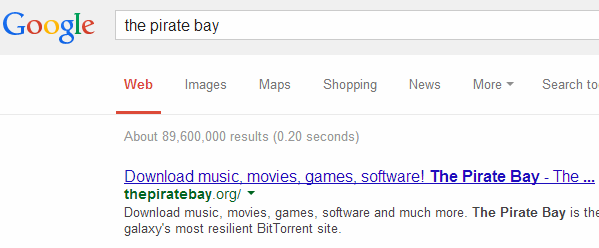
“Just Google for it,” the Pirate Bay team told us.
Google Recommends Thepiratebay.org
Interestingly, Google appears to be tired of all the domain switches and the search engine now simply lists thepiratebay.org as the top result, instead of the newer domains.
According to TPB roughly 10% of all visitors to the site now access it through proxies, which are unaffected by the domain hopping. And even when all domain names and proxies are exhausted, people can directly use the IP-address 194.71.107.80, although that currently doesn’t support logins for security reasons.
As we reported last week, the torrent site eventually hopes to move to a P2P browser model where domain names will be irrelevant. They are currently developing a special BitTorrent-powered application, which lets users store and distribute The Pirate Bay and other websites on their own computers, making it impossible for third parties to block them.
Until then, the domain name Whack-A-Mole is expected to continue.
Anyone who endured Grown Ups 2 this year may have cast their mind back to the happier Adam Sandler days of The Wedding Singer. So here's a further reminder of that relative classic - and of Sandler's other rom-com with Drew Barrymore, 50 First Dates. The pair have joined forces for a third time for Blended, the trailer for which has just arrived.
This is the film that Sandler jumped into when his comedy Western Ridiculous Six was back-burnered for more script tweaking. It went into production without a title, and for a while seemed to be called The Familymoon, until settling on its current moniker, which refers to "blended families" and not to any sort of unfortunate kitchen accident.
As you'll have gathered, this one's about a couple who endure a disastrous blind date, and then find, by the laws of sod and convolution, that they're booked on the same African safari holiday, and are going to have to share a suite - with their kids from previous marriages - for a week. There will be slapstick disasters, but somehow, we reckon it'll all work out just fine.
Kevin Nealon, Terry Crews and Bella Thorne co-star, Clare Sera (The Princess Diaries and its sequel) wrote the screenplay, and the director is Sandler regular Frank Coraci (The Wedding Singer, The Waterboy, Click). Blended travels to UK cinemas on May 23, 2014.
China’s biggest Bitcoin exchange, BTCChina, has stopped accepting deposits in Chinese yuan. The shutdown has sent the currency into a downward spin, stripping it of half its value overnight. It is trading at $572 on Mt.Gox, down from a high of about $1,200 last week.
BTCChina posted a note on Wiebo stating stating that it “had to temporarily stop the yuan deposit feature” and that other transactions will be permitted.
The full text reads (translated):
Dear BTC China users: due to reasons we all understand, Bitcoin China (BTC China) had to temporarily stop the yuan deposit feature while bitcoin deposits, and bitcoins withdrawals to cash and RMB are still available on our home page. We will provide other ways to recharge as soon as possible. This is an inconvenience to you and we express deep regret at BTC China. 2013. 12. 18
According to the company, the People’s Bank of China has spoken to a number of Chinese payment processors and has asked them to cease trading with Bitcoin exchanges by January 1. This preemptive move has shut down BTCChina’s most lucrative source of income and put a damper on Chinese popular excitement over the currency. In the run up to this fall, Bitcoin was hailed as a great investment in China, thus raising demand.
The PBoC previously said that “Bitcoins are virtual goods that have no legal status or monetary equivalent and should not be used as currency” and enacted a partial ban on December 5.
In 2009 China stopped another digital currency, QQ, in its tracks after a swell of popularity drove the government to ban its use in buying real-world items.
The Swedish publisher of the popular book trilogy The Girl With the Dragon Tattoo has reportedly hired another author to write a sequel to the series penned by Stieg Larsson, who died in 2004.
Norstedts announced it signed David Lagercrantz to write the new series which will feature the characters of journalist Mikael Blomqvist and hacker Lisbeth Salander. Lagercrantz was the ghostwriter of I am Zlatan Ibrahimović, the autobiography of the Swedish football player. Eva Gedin, head of publishing at Norstedts, told Variety that the new series would not take anything from the original other than the characters — the storyline will continue where the third book in the trilogy left off, but with a completely new plot. The new books will...
Google's Chrome OS is typically found in inexpensive Chromebook laptops, and occasionally a Chromebox desktop as well. At next month's Consumer Electronics Show, however, LG will put it into a desktop computer monitor. The company has just announced the Chromebase, a 21.5-inch all-in-one computer that runs the minimal OS, with an unnamed Intel Celeron processor, 2GB of memory, and 16GB of solid state storage housed underneath the monitor's 1080p IPS display.
While the computer comes with its own keyboard, mouse, speakers, webcam, USB ports and networking, it sounds like it can also still act as a monitor for another PC, thanks to an HDMI input around back. Theoretically, you could use Chrome OS as a quick-booting operating system for...
The US Library of Congress has today revealed its 2013 selection of 25 movies it will be adding to the country's National Film Archive in recognition of their "great cultural, historic or aesthetic significance." The highlight of that bunch is Quentin Tarantino's Pulp Fiction, an expletive- and violence-laden tale of interconnecting storylines and dark humor that never aspired to be as great as it turned out to be. The director's initial intent was to create a pastiche of film noir and the comic books he grew up reading, but in the process of remixing the old he came up with a resoundingly fresh and visceral experience. Evidently, it's resonated with serious and sober critics just as much as it has with audiences over the years.
Doctors behind three new studies and an editorial on the question of whether daily multivitamins make us healthier say: no, they don't. After reviewing available evidence and conducting new trials, one set of authors wrote, “We believe that the case is closed -- supplementing the diet of well-nourished adults with (most) mineral or vitamin supplements has no clear benefit and might even be harmful.”
Their editorial summarizing the new research was published this week in the Annals of Internal Medicine. “These vitamins should not be used for chronic disease prevention. Enough is enough.” [CBS News]
Your mileage may vary, and consult your doctor for medical advice in your own situation.
Assuming this new research (which you should read in full) is foolproof, this still doesn't mean that specific supplements for specific people at specific times aren't helpful, or even medically important.
A personal aside: During my cancer treatment, I learned that my vitamin D levels were extremely low, and my oncologist says this is correlated with higher risk for breast cancer incidence and recurrence in women.
Does low D cause cancer? Either "no," or they don't know.
Is a higher D level associated with longer disease-free life in women? Yes.
Do I supplement with D3 every day, eat D-rich foods, get daily sunlight, and have my blood levels checked every few months? You bet your ass I do.
Is this the year of the sleep mask? Napwell thinks so. The Boston-based company is creating a napping mask that allows you to grab some shut-eye and wake up gently as lights inside the mask slowly rouse you from your slumber.
The device lets you set a nap duration and then nod off. Once you reach the end of your nap the mask slowly lights up with a diffuse, calming light that simulates sunrise. The creators, Justin Lee, an MIT Ph.D candidate, and Neil Joglekar, late of Stanford, see this as a napping tool that can help users become more energized at work, sleep better on planes, or establish a new sleeping plan. Lee says the mask will prevent “sleep inertia” – the groggy feeling you get after waking up suddenly.
“Our goal is to build products that help people lead efficient and productive lives,” he said. “We started with the problem and not the solution. We felt we found the most pressing need – helping people sleep more efficiently. We experimented with multiple products, but after speaking to many friends and experts we realized that a simple, mobile solution to sleep was necessary. We don’t mean mobile in the sense of an app, but rather something that can be used on the go. We were actually excited to build a solution to this problem that did not rely on computers or phones.”
Lee said that the Napwell is far more portable than other sleeping masks and doesn’t think it compares to the IntelClinic NeurOn in that the built-in interface makes it easy to use anywhere. “The mask is battery operated so you don’t need WiFi, Bluetooth, or a smartphone to make it work. This goes back to our philosophy of building products so that they can be used by anyone, anywhere,” he said. “I consider myself lucky to work with amazing people at MIT and Harvard Medical School, but it really frustrates me to see my colleagues routinely hampered by small things that have dramatic effects on their productivity. What started as a set of personal projects to help my colleagues (and myself as well) with these minor hurdles has evolved into a larger push to develop products that can help the wider population lead more efficient and productive lives.”
The team is looking into further expanding their portfolio of health-related devices. The Napwell starts at $50 for a production unit and will ship in September. They’re aiming for $30,000 in funding.
“While we think there is great potential in sleep, the Napwell is just our first product. We see napping as a significant pain point but also an introduction to making a retail product at scale.”
Dear Lifehacker, I have a coworker who, for lack of a better word, is really stupid. He asks me how to do the same thing several times per day, regularly makes inane comments, and screws up projects for the whole team. I only care that he's so dumb because he regularly affects my work, but obviously someone thought he was smart enough to hire. What can I do?
Sincerely, I'm With Stupid
Dear IWS, You can't always choose the people you work with, but if a hire makes work harder for you and others you certainly have cause to complain. Of course, by taking action you might put this dumb coworker out of a job. That's a tough thing to put on your shoulders, regardless of how incapable he may be. On top of that, you may see a lot of mistakes because they are at the forefront of the work you do. This coworker may do great work outside of the constant errors he makes. What I'm getting at is pretty simply: you need to see the full picture before taking action. When you're truly sure you're dealing with a coworker you just can't work with, here are your options.
Find the Root of the Problem
If you've tried to instruct the poor dumb guy (or girl) in the past and he or she just won't learn, make an attempt to find out why. You don't want to say something like "why don't you understand me?!?!!" but rather something along these lines:
I've shown you how to do this a few times now and you seem to be struggling with it. Is there a better way I could explain it? Am I not giving you enough detail?
Don't assume that the problem belongs to them. This is part of how you come to see the full picture. They might just be dumb, poor learners, but they also might not understand what you keep telling them and fear your reaction if they tell you. By not blaming them, you give them a chance to offer an explanation. Maybe you are a terrible teacher and you just don't realize it. In this case, they can help you learn. Maybe they just struggle with certain tasks and don't know what to do. In this case, you can ask how to teach them and work with them a little more closely.
Of course, it is not your responsibility to spend a lot of your time educating a coworker. They should come in mostly knowledgeable about how to do their job. You shouldn't spend hours training them in basic tasks they should know how to do, unless you have the time and the desire to help someone else improve. Most of us have our actual work, however, and can't devote this kind of time—especially when we're not sure we'll actually get anywhere. But if you can spare some moments each day, you can help someone struggling who will, in turn, remember what you did and want to help you in return some day.
Ideal outcomes rarely happen, however, and if this coworker hasn't learned yet he or she probably won't learn in the future. It doesn't hurt to try for a week or so, and dedicate a little energy to solving the problem, but don't get your hopes up too high.
Ask Another Co-Worker to Try
In the event you're alone in dealing with a coworker of deficient intelligence, make sure other people know the problem as well. Even if they work with him or her, they may not notice the problem and only see how the problem affects the team. If others don't know the source, make sure they do. Ask someone on your level or above you to work with this problematic coworker for a little while and assess the situation.
Your smarter coworkers may not find a problem. If they don't, you have to consider that you have some sort of issue with this "dumb" coworker and need to resolve it. Often times a breakdown in communication can make someone seem stupid when they actually have quite a bit of intelligence. Consider having lunch with them and getting to know them better. This might sound miserable, given how you feel about them, but it can give you a chance to understand their behavior a little better. That can provide insight into how they operate and how you can communicate with them more effectively.
If your smarter coworkers agree that you have a dumb coworker on your hands, you then have witnesses to the problem. You'll need these in the event you decide to take a step further and report the problem.
Talk to a Manager, Boss, or Human Resources
Human resources operates, to some extent, to help solve issues between employees. If someone doesn't carry their weight, employers want to know. They, presumably, don't want to waste their money on an underperforming member of the team. If you decide to report the problem to the company, follow these steps:
Schedule an appointment with HR.
Explain the issue in as unbiased of a manner as you can.
Suggest a few options that don't include termination.
More specifically, here's an example of something you can say to cover these points:
Sam, Tim, and I have a problem with Janice. When working with her, she makes frequent mistakes and doesn't pay attention when we try to teach her. This results in a lower quality of work and delays. It also frustrates us. We don't want to get her in trouble or fired, but we do want to do our jobs effectively without wasting time instructing her repeatedly or fixing her many errors. We'd like to explore how we can resolve this problem amicably, perhaps by having someone train her more thoroughly or having her reassigned to a department that suits her better. Of course, if you have alternative suggestions we'd really like to hear them. We're struggling and not sure what to do.
However you address the subject with HR, you want both honesty and compassion in your messages. Anger won't win you anything, and might make the problem worse. Even if you'd love to see your dumb coworker kicked to the curb, show some sympathy. Act like you want to help even if you don't. If you come at the situation cold-hearted, whether that's deserved or not, people will see you as vindictive rather than frustrated. You want to frame your request in a way that shows you care about the company and your coworkers and want to find a solution that works for everyone.
Find the Humor in Their Stupidity
Sometimes dumb coworkers are here to stay despite their lack of intelligence. Sometimes you're the only one who thinks they're dumb. Regardless of the situation, if you fail to resolve it through the above means you should stop fighting the battle and relax. Try to find the humor in their stupidity. Replace the frustration with a laugh. If you didn't have to work with them, you'd probably find a lot of their actions funny. Making a concerted effort to laugh about the dumb things they do rather than conjure up more anger will help you let go of a lot of the frustration.
Of course, if their stupidity causes you to correct work often, you can't really laugh at that. You can, however, anticipate the same, stupid mistakes you've dealt with time and time again. Budget time to correct them knowing you'll likely have to. If you don't, you get a pleasant surprise. If you do, it's just another task on your list that you now saved time for. Furthermore, if you have the control, you can just delegate work they more often manage to do without any major failures. In the end, if you can't easily work with them you ought to find ways to work around them. And laugh, because you might as well enjoy the stupidity if you have to endure it.


 When
When 


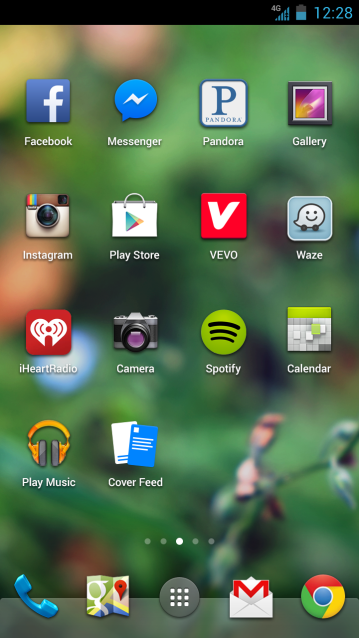



 “Lately we’ve seen more and more proof that what just a few ‘conspiranoids’ like myself were alerting years ago is now unfortunately becoming true: the war to control the Internet is being won by corrupt governments and corporations,” Soto tells TorrentFreak.





 The Electronic Frontier Foundation has

 The past week has been a busy one for The Pirate Bay’s IT department, with the site skipping from domain to domain every other day.