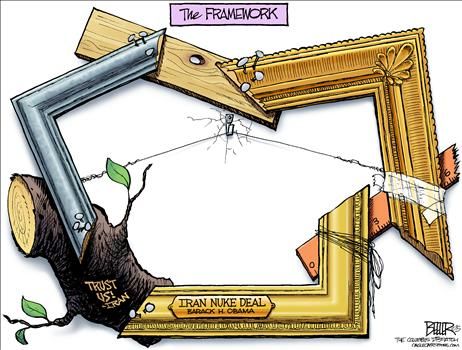
Washington’s communist governor flies Red Chinese flag outside capitol. Patriots aided by state trooper promptly lower it.
Shared posts
07 Apr 02:51


Washingtons communist governor flies Red Chinese flag outside capitol
by J.P. Travis
07 Apr 02:50


 http://thedailywh.at/2015/04/outrage-day-utah-city-orders-takedown-kids-cardboard-fort/#comments


Outrage of the Day: Utah City Orders Takedown of Kid’s Cardboard Fort
by TDW

Welcome to Utah, where creativity is a crime.
Jeremy Trentelman recently built his 3-year-old son an epic fort made out of cardboard boxes. The castle-like structure was erected on his front lawn, and apparently the city thought it was just a piece of garbage.
A few days later, an Ogden City official posted a notice on his door saying that the fort needed to be removed within 15 days or else he would be forced to pay a $125 fine. According to the city, it violated Code 12-4-2, which prohibits waste material or junk on your lawn.
Trentelman posted a photo of the notice to Facebook along with a message expressing his outrage.
“Are you freakin’ kidding me?” he wrote. “‘Waste materials or junk’ it says… what about totally awesome fun zone. What a joke!”
His story has since spread online, and he’s been inviting strangers to come over to his house and check it out while it’s still there.
“Hey everyone, I’m home for the rest of the day,” he wrote. “Anyone wanna come play in the box fort?”
After the news broke, someone also created a Facebook page so people should show their support and build forts of their own in protest.
Calling on all the citizens of Ogden to stand in solidarity with Jeremy Trentelman by building cardboard forts in all the front yards throughout the entire city of Ogden.
The moral of the story: Stick to your iPad’s and video games, kids, and don’t even think about recycling. That stuff belongs in the trash.
Here’s the message he received from the city:

Via: Standard
The post Outrage of the Day: Utah City Orders Takedown of Kid’s Cardboard Fort appeared first on The Daily What.
 http://thedailywh.at/2015/04/outrage-day-utah-city-orders-takedown-kids-cardboard-fort/#comments
 Comments
- Hell yeah give the idiot hell for trying to stop children ... by Anonymous
- The email address of the moron who declared that a little boy ... by synsei
- Oh they are so full of bull s h i t. i lived there an they ... by Joe the Plumber
- Don't forget that THAT is the state that believes if rabbits ... by CLYDE KENNARD
- America, land of the free. by Nat
- Plus 5 more...
Related Stories
07 Apr 02:46
Jawless. This injury was common before airbags, when your lower face would hit the steering wheel during an accident

07 Apr 02:43
A group of ten Australians sample popular items from the menu of the Australian-inspired restaurant chain Outback Steakhouse, including their famous Bloomin' Onion, and compare them to traditional Australian food.
Previously: Mexicans Try Taco Bell for the First Time, Chinese People Try Panda Express for the First Time
[sent by buzzfeedvideo]


Australians Try Outback Steakhouse for the First Time
by tastefullyoffensive.com
A group of ten Australians sample popular items from the menu of the Australian-inspired restaurant chain Outback Steakhouse, including their famous Bloomin' Onion, and compare them to traditional Australian food.
Previously: Mexicans Try Taco Bell for the First Time, Chinese People Try Panda Express for the First Time
[sent by buzzfeedvideo]

07 Apr 02:43


University of Virginia Fraternity to Sue Rolling Stone for Made Up Rape Story
by CO2Insanity
University of Virginia Fraternity to Sue Rolling Stone for Made Up Rape Story. Time to find out if lying for an agenda is OK with the law. If the fraternity wins this could have bad results for the MSM and politicians.
06 Apr 23:51
Afraid of Spiders? Blame Your Genes!
by Alex Santoso
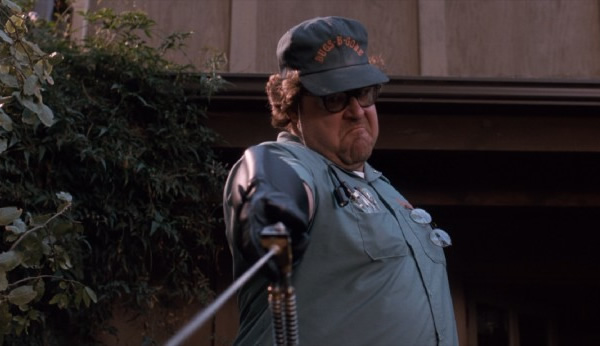
Here's John Goodman in the
1990 movie Arachnophobia. Because, you know, posting a picture of a spider in a post about people who are afraid of spiders is just cruel.
If you're afraid of spiders, don't blame yourself or your upbringings. Blame evolution instead!
A new study by Joshua New of Barnard College, Columbia University and Tamsin German of University of California Santa Barbara suggests that "spiders have posed such specific and immediate threats" to our evolutionary ancestors that our visual system has developed a mechanism to rapidly identify images of spiders.
In the study, to be published in the journal Evolution and Human Behavior, New showed images of spiders and other modern threats like hypodermic needles, as well as other animals like houseflies to 252 people. Most spotted the spiders much more rapidly.
"This demonstrates that some evolutionary-relevant threats are highly-specified and can evoke what is perhaps best termed 'reflexibe awareness': an immediate and elaborated perception sufficient to guide an adaptive behavioral response," New added.
"Humans were at perennial, unpredictable and significant risk of encountering highly venomous spiders in their ancestral environments," New said to The Sunday Times, "“Even when not fatal, a black widow spider bite in the ancestral world could leave one incapacitated for days or even weeks, terribly exposed to dangers. Detection, therefore, is the critical arbiter of success in such encounters — any improvements to the sensitivity, vigilance, reliability and speed of faculties for their detection would have been of significant selective advantage."
So the next time a spider give you the ooies, you can blame your genes.
06 Apr 23:44
Rated ‘M’ For Mother
by BD
Video Game Store | PA, USA
(I decide to stop at my favorite video game store at the mall the very day that the final entry to an insanely popular video game trilogy is released. It’s reasonably crowded due to this and nearly everyone in the store is purchasing this game.)
Customer #1: *speaking loud enough that half the store can hear her over the chatter* “This is the game he wants?”
Customer #1’s Husband: “Yeah. He has the other two, so I told him we’d get it.”
Customer #1: “What’s this rated?” *she looks at the back* “There’s blood and violence in this! I’m not buying our son a murder simulator! He’s going to think it’s okay to shoot people!”
(That part of the store gets quiet quickly and everyone who heard what had been said turns to look at her, some of them holding a copy of the game of which she was referring.)
Customer #2: “Ma’am, I respect your decision not to buy your son something you feel is inappropriate for him and applaud you for looking into things before you buy them for him, but I’d like to point out that it’s generally not a good idea to vocally imply a room full of strangers are murderers for liking a game.”
Customer #1: “Oh… um… sorry…”
(She couldn’t have gotten out of there quick enough. The rest of the store laughed and things quickly went back to normal. A few minutes later, her husband comes back to buy the game.)
Employee: “Oh, are you the one who was in here with that woman earlier? You’re buying this for your son, right? I trust you’re already aware that this game is rated ‘M.'”
Customer #1’s Husband: “Yeah. You don’t have to give me the spiel about that, though. She forgot that he’s 23…”
bpark likes this

06 Apr 23:43


Everybody Loves the Scoot n' Snack
Submitted by: Unknown
Luke.stirling, Womzilla and one other like this


06 Apr 23:43
 Lithium-ion batteries have been a boon for the modern world -- they've replaced the heavier, single-use alkaline type in everything from wristwatches to jumbo jets. Unfortunately, these rechargeable cells are already struggling to keep up with our ev...
Stanford's aluminum battery fully charges in just one minute
by Andrew Tarantola
Lithium-ion batteries have been a boon for the modern world -- they've replaced the heavier, single-use alkaline type in everything from wristwatches to jumbo jets. Unfortunately, these rechargeable cells are already struggling to keep up with our ev...
06 Apr 23:42
Saw this teen-grampa at my dentist today, society just doesn't get him...
 |
submitted by TheCrowning [link] [202 comments] |


06 Apr 23:40
Ask Not for Whom the Bell Tolls, for it Tolls for the Imperial Army
The Star Wars Imperial march has never sounded quite so eerie...
06 Apr 23:40
Court Mulls Revealing Secret Government Plan To Cut Cell Phone Service
by samzenpus
An anonymous reader writes with the latest in the ongoing legal battle over revealing details of Standing Operating Procedure 303, the government's plan to cut mobile phone service during an emergency. "A federal appeals court is asking the Obama administration to explain why the government should be allowed to keep secret its plan to shutter mobile phone service during 'critical emergencies.' The Department of Homeland Security came up with the plan—known as Standing Operating Procedure 303—after cellular phones were used to detonate explosives targeting a London public transportation system. SOP 303 is a powerful tool in the digital age, and it spells out a 'unified voluntary process for the orderly shut-down and restoration of wireless services during critical emergencies such as the threat of radio-activated improvised explosive devices.'"


Read more of this story at Slashdot.
Scott Weigand, ken.elwell likes this

06 Apr 23:38
How to Remove Windows Malware for Free
by Paul Lilly
 Return a bug-infested PC to pristine condition
Your smartphone begins to vibrate. Not the quick vibration that would indicate it's an incoming text message, but a longer one associated with a phone call. Yes, people still communicate via voice, and thanks to Caller ID, you know it's your parents on the other end. It's been a few weeks since you've heard from them and a funny feeling begins to fill the pit of your stomach. You know what's coming next.
A plea for PC help. You listen intently as your folks describe hijacked web searches, a toolbar they don't recognize, and sluggish behavior. Oh, and there are pop-ups. Lots and lots of pop-ups. The list of ailments goes on like a kid reciting a Christmas list to Santa Clause. Only instead of toys and candy, it's rogue programs and malware. It's a good thing you installed TeamViewer because trying to fix the problem over the phone is a time-consuming process that always ends the same way—"I'll be over in the morning."
Or maybe you didn't install TeamViewer and you really will be over in the morning. Either way, the task at hand is to rid a system of malware. Perhaps it's your own system, especially if you let little Billy and sweet little Suzy hop on for a spell. Whatever the case may be, don't panic. Removing malware, while seemingly daunting, isn't all that difficult. Like anything else, you just need the proper know-how and tools, both of which we'll provide here. Be sure to read the entire guide before embarking on your malware removal journey.
Scrub the Browser(s)
Toolbars, hijacked web searches, and pop-ups are often the result of malware, adware, and or other unwanted-ware that was either installed without permission, or sneaked in through a legitimate application through the fine print, usually when installing a free program. That Spongebob screensaver pack that little Billy installed from a site he can't remember? Yeah, we're guessing he mashed the "Okay" or "Next" button throughout the process, at one point agreeing to change your browser's settings. Cut him some slack, the kid still eats his boogers.
Luckily, these are usually easy fixes. Here's what you need to do.
Internet Explorer
Let's start with Internet Explorer. Click the Gear (Tools) icon in the upper-right corner and select Manage add-ons. On the left-hand side is a column of categories: Toolbars and Extensions, Search Providers, Accelerators, and Tracking Protection. It's the first three that are of interest, starting with Toolbars and Extensions.
See anything you don't recognize? Maybe something like "DealBuddy" or some other descriptor that's a clear giveaway? Click it and select Remove or Disable. If it's an entry you don't recognize, look it up on Google or your search engine of choice. In most cases, however, unwanted entries will stick out like a pimple on prom night.

The same goes for the Search Providers category. The only thing you should see is Bing unless you've added another search provider, like Google. We're making this up (we think), but let's say the default entry is "CouponPal." The option to remove is grayed out, but that's only because it's the default search option. Click on one of the other options—Bing, Google, Yahoo, etc.—and punch the Set as default button, then return to CouponPal and click Remove.
Now let's rinse and repeate for the Accelerators category. Is there a rogue entry? Remove or disable it. When you're finished with all these, close out the Manage add-ons window. Return to the Gear (Tools) icon and select Internet Options. Navigate to the General tab if you're not already there and look at the Home page section. Oftentimes adware will replace the default homepage with its own entry, which will load each time you fire up IE. Highlight the hijacked entry and change it to whatever you want, like http://www.maximumpc.com (c'mon, show us some love!) and click Apply. Now hit OK, close IE, and reload it. If you haven't missed anything, it should work as new again. And if not, you may have a deeper malware problem, which we'll get to in a moment.
Chrome
The steps are similar in Chrome. To check if the default search engine's been changed, click the three horizontal lines (Chrome Menu) in the upper-right corner and select Settings. Under the Search heading, click Manage search engines. Hover your mouse over whichever one you want to be the default and click Make default. Next, hover over the rogue entry and click the X button on the right to remove it.

Also in the Settings menu is an On startup heading with three options: Open the New Tab page, Continue where you left off, and Open a specific page or set of pages. If your homepage has been taken over, click the Set Pages hyperlink next to the Open a specific page or set of pages option. Go ahead and delete the rogue entry and/or enter whichever page you'd like to load at startup. Alternately, you can use one of the other options.
Go back to the Chrome menu and select More Tools > Extensions. Here is where you'll see a list of installed add-ons, like Adblock (which we hope you've disabled on Maximum PC—we've gotta eat!), Google Play Music, or whatever. See any entries that shouldn't be there? Click the trash icon to dispose of them.
Remember to close Chrome and reload it.
Firefox
In Firefox, click the three horizontal lines (Firefox Menu) and select Options. Under the Search tab, you'll see a pull-down menu with your default search option, and under that a list of search engines. Highlight any rogue entries and click Remove.

Next, navigate to the General tab to make changes to your homepage. If it's been taken over, you'll most likely see the address here. Change it to whatever you want, or click the Restore to Default button.
Firefox has long supported extensions and plugins. To access them, go back to the Firefox menu and select Add-ons. Remove any rogue extensions, or if you're unsure, click the disable button to see how it affects your browser. You can always come back and remove it.
Following the above steps will help restore your browser(s) to the way it was operating before adware dug its claws in. However, it might not remove the root cause if there's a deeper malware infection. Let's move on.
Just Uninstall It
Not all malware is highly sophisticated. Many of them can be uninstalled just like any other program, so before you go any further, bring up the Control Panel and head over to Programs and Features. Scan the list for any signs of adware, toolbars, or anything else that's obviously unwanted software and simply uninstall it. Is your system back to normal? If so, then great, you got off easy! If not, blurt out a few curse words (you'll feel better) and then continue reading.
Fight Software with Software
One of our favorite and most reliable anti-malware programs is Malwarebytes. There's both a free and paid version, the latter of which adds proactive protection like real-time monitoring and conveniences like scheduled scanning. For removing existing malware, the free version is sufficient.
What's neat about Malwarebytes is that it scans for a wide range of rogue software, like spyware, adware, some viruses, and even rootkits. Be advised that Malwarebytes isn't intended as a standalone antivirus program, but as a supplement. Or, in this case, as a cleanup tool.

The first thing you should do when running Malwarebytes is to update the database so that it can scan for the latest threats. Just click the Update Now now link and let it do its thing.
See that big Scan Now button at the bottom? Don't click it just yet. First, click the Settings option and navigate to Detection and Protection. Even though Malwarebytes scans for rootkits, you first have to enable the option, and this is where you'll find it—check the Scan for rootkits box.
Now, go to the Scan heading and select Threat Scan, which is the recommended option. This will run a comprehensive sweep of your system and could take a long time to finish. Find something else to do for a bit—ride a bike, catch up on some reading, make love, play a console game, grab some lunch, or anything else you can think of that's more fun than watching a system scan. When it's finished, audit the list of threats for any false positives and uncheck them, then click Remove Selected.
Solicit a Second (or Third) Opinion
As much as we like Malwarebytes, there's no single program out there capable of detecting and removing every piece of malicious software. For a machine that's in particularly bad shape, it pays to run multiple spyware sweeps. Which ones? There are several out there, and one that we still like is Spybot Search and Destroy.

As with all of these programs, be sure to update the definitions database first—just click the Update icon. The first update can take a few minutes, even on a fast Internet connection, so be patient. Once it's finished, click System Scan and let it sweep your system for junk.
As you can see, these programs are pretty self explanatory, so rather than walk you through each one, here's a list of software we recommend running on badly infected machines:
- Comodo Antimalware BOClean
- Hitman Pro
- AdwCleaner
- Kaspersky TDSSKiller (rootkit removal tool)
There are others out there, and if you have a favorite, feel free to add it to the list. Remember, it might not always be necessary to run several different programs, but for a machine that's in really rough shape, it doesn't hurt to blitz the opposition using multiple tools.
Better Safe Mode than Sorry
In some cases, you may not be able to run or even install the aforementioned malware removal software. Some of the more sophisticated malware will block them outright, and if that's the case, you should try booting into Safe Mode. The same is true if a piece of malware manages to reinstall itself after you've already removed it.
To boot into Safe Mode, shut down your system, turn it back on, and start tapping the F8 key. Instead of booting into Windows, you should see an Advanced Boot Options menu. Select the Safe Mode with Networking option. This will load just the essential Windows drivers while also giving you Internet access so that you can download, install, and update anti-malware software.

If you're having trouble booting into Safe Mode, another way in there is to boot into Windows as you normally would. Click the Start menu, select Run, and type msconfig. Select the Boot tab and under the Boot options heading, check the Safe boot box. Mark the Network radio bubble and click Apply, then reboot your system.
Scan for Viruses
Microsoft's built-in Windows Defender in Windows 8.1 (separate download in prior versions) does a good job overall of detecting viruses, and if that's what you're rolling with, update the database and scan your system. Otherwise, do the same with whichever antivirus software you're using. If you're not using one, either enable Windows Defender or seek out a free AV such as Avast, AVG, Avira, Bitdefender, Comodo, or Panda, to name a few of the no-cost options. Be sure to install only one, as multiple AV programs can conflict with each other (though it's okay to run them with malware removal tools like Malwarebytes).
Bring Out the Big Guns
At this point, you've scanned for viruses, run multiple anti-malware programs, rooted out any rootkits, and cleaned up your browsers, yet your system is still acting up. That's bad news, but don't go throwing in the towel just yet. Instead, download HijackThis.
HijackThis
HijackThis is a simple little utility that audits your registry, browser settings, and system services. It only takes a few seconds to run, however, it doesn't discern between good and malicious entries, so don't go deleting entries willy-nilly.
There's no installation required here—just fire up HijackThis and select the top option so that it saves the results to a log file. In a few seconds, you'll see a long list of entries. Scroll through them and look for any obviously malicious entries. For example, if you know you've been infected by a particular piece of malware and you see references to it in the HijackThis results, check the box.

Most of the entries will be safe, so be careful what you check. You could even break functionality of a legitimate program or cause other problems by checking certain entries. This is where the log comes in handy. When the scan finished, it should have populated a Notepad file with the results. Highlight the entire text and copy it to your clipboard.
Now head to I Am Not A Geek, paste the contents in the box, and click Parse. Potentially malicious entries will be highlighted red, but before you click the check box in HijackThis, look up each one in Google so that you're sure of what you're removing.
There are several other online analyzers, such as HiJackThis.de Security and HiJackThis.co. Try using at least two, and if you still need help, solicit advice from a forum such as Bleeping Computer.
ComboFix
As a last resort before wiping your system clean and starting anew, there's ComboFix, an aggressive program that hunts for persistent infections and attempts to remove them. It was developed by the folks at Bleeping Computer and they recommend not running it unless specifically requested, so keep that in mind. It's also worth noting that ComboFix doesn't yet work in Windows 8.1 or Windows 2000, though it does run in Windows 8, 7, Vista, and XP.

If it's finally come to this, follow the instructions in Bleeping Computer's guide and when it's finished running, see if your system is back to normal. Should problems remain, post a copy of the log ComboFix generated into the forum thread where it was recommended that you run it.
06 Apr 23:38


Fundraiser of the Day: Pizza4Equality Campaign Attempts to Match Memories Pizza’s Haul for LGBT Youth
by TDW

Over the past week innocent, delicious pizza has somehow found it’s way into the center of the debate between “religious freedom” laws and gay rights.
A small pizza shop named Memories Pizza in Indiana raised more than $800k in online donations after they proclaimed that they would not cater a gay couple’s wedding.
And now one man is hoping to counter all the hate with a pizza-related campaign to raise money for homeless LGBT youth.
Scott Wooledge recently launched a GoFundMe page called “Pizza4Equality” with the goal of matching the $800k Memeories Pizza’s haul and donating it all to Cyndi Lauper’s True Colors Fund.
And Cyndi fully supports it. She Tweeted a link out to the donation page on Monday.
$50k raised for #LGBT youth in just 2 days! Love overpowers all. @TrueColorsFund #40toNoneDay #Pizza4Equality http://t.co/HLrHLgjLmR
— Cyndi Lauper (@cyndilauper) April 6, 2015
Here’s part of his message from the donation page, which states that “pizza should be used for good, not evil:”
Did the ugliness of Memories Pizza story leave a bad taste in your mouth? Ours too! The glory of pizza wasn’t built by exclusion, it was built by generous inclusion! Pizza is not just a union of one tomato and one block of mozzarella. It’s about the whole world of wide diverse choices available! Vegetarian or meat-lovers? Tiny, salty fish on your pie? Yes, please! Broccoli? Pineapple? Yes! Yes!
After 2 days, they’ve already raised about $66k and they hope to meet their goal by April 29.
Another group (which is being promoted on the same site) plans on raising money to throw a “Big Gay Pizza Party” in Los Angeles to raise money to support the LGBT community.
From their Facebook page:
It will be the most fabulous and delicious LGBT pride event of all time. We accept the notion of people being free to believe in whatever they want but we also don’t think anyone should be able to use their religious belief to justify discrimination.
They say they will be launching a Kickstarter as well this week with more information to come.

Maybe Zach Braff and Donald Faison will be there to cook your pie?
If you really and truly want pizza for your gay wedding in Indiana… We will make it for you. @donald_faison pic.twitter.com/y91qIkVoyt
— Zach Braff (@zachbraff) April 3, 2015
The post Fundraiser of the Day: Pizza4Equality Campaign Attempts to Match Memories Pizza’s Haul for LGBT Youth appeared first on The Daily What.

Related Stories
06 Apr 23:37

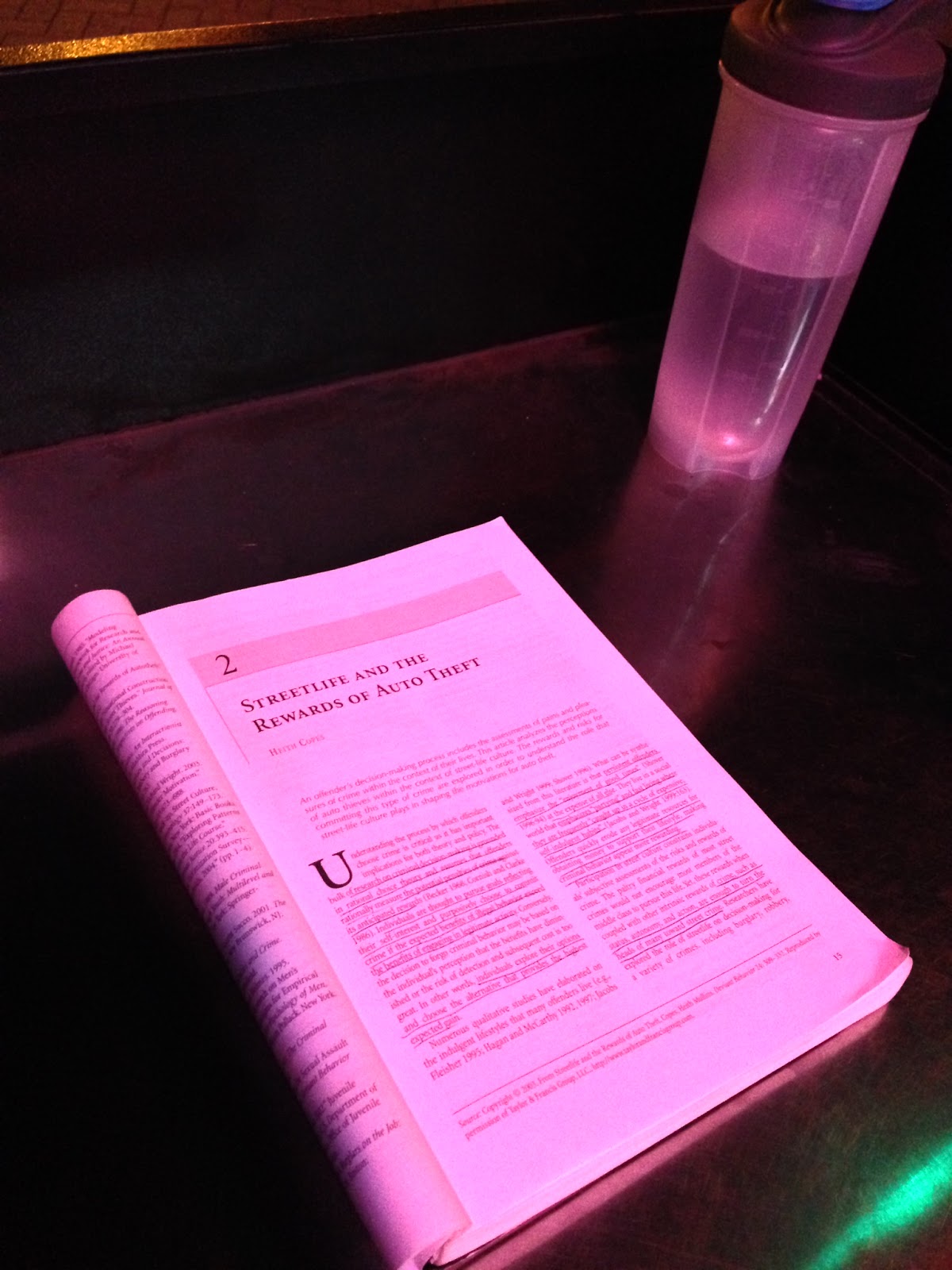

The Parking Valet’s Reading Material
by noreply@blogger.com (Miss Cellania)
Here we have a case in which snooping just a little bit paid off big time for a photograph. While he waited for his car to be fetched, redditor mcdngr took a peek at what the parking valet was reading. The exact page gave him some concern, but when the guy returned, it turns out he is taking a criminology course. They had a good laugh about it. After all, the valet had gone to the trouble of buying a textbook instead of just reading it on the internet, so you know he’s not a criminal mastermind.
Send messages to radiofox@gmail.com
06 Apr 23:37

The Latest Kentucky Riot Is Part Of A Long, Destructive Sports Tradition
by Carl Bialik
After Wisconsin upset Kentucky in the men’s NCAA basketball tournament Saturday night, there was a riot near Kentucky’s campus in Lexington. People threw bottles and set fires, according to the Lexington Herald-Leader. The police used pepper spray and arrested 31 people. And this wasn’t the first time people in Lexington reacted violently after a big Wildcats game. Last spring, the police arrested dozens of people after riots when Kentucky lost in the national championship game. And they arrested dozens of people in two separate riots in 2012, after Kentucky’s wins in the national semifinal and final.
Those are four of about 50 North American sports riots in the past five decades for which I’ve gathered media-reported data. The database tells a violent history of the aftermath of many sporting events: thousands of people arrested, hundreds injured, more than a dozen killed. The riots occurred in more than a dozen U.S. states and three Canadian provinces, in reaction to sporting events in all four major North American pro sports, plus college football, basketball and hockey. Nearly all the sports riots originated in championship celebrations. Just a handful followed losses for the home team.
I put this together after finding no existing, comprehensive database of these events. Our data isn’t comprehensive, either. Among the limitations: Our Nexis and Google searches might not have turned up all media reports. Different jurisdictions and media outlets might use different thresholds in counting, say, injuries and fires. We often found differing counts for the same incident, and some incident reports did not include information on arrests, injuries and deaths (in those cases, we left the fields below blank). The numbers might have changed for some riots after the last media report about them. And some might not have been reported.
Please let us know by email or in the comments if we’ve missed any.

| YEAR | CITY | TEAM | W/L | LEAGUE | ARRESTS | INJURED | KILLED |
|---|---|---|---|---|---|---|---|
| 1968 | Detroit | Tigers | W | MLB | 200 | ||
| 1971 | Pittsburgh | Pirates | W | MLB | 100 | ||
| 1982 | San Francisco | 49ers | W | NFL | 80 | 125 | |
| 1984 | Detroit | Tigers | W | MLB | 40 | 80 | 1 |
| 1984 | Manhattan, Kan. | Kansas St. | W | NCAAF | 24 | >24 | |
| 1985 | San Francisco | 49ers | W | NFL | >183 | ||
| 1986 | Montreal | Canadiens | W | NHL | 28 | ||
| 1986 | Manhattan, Kan. | Kansas St. | W | NCAAF | <21 | 1 | |
| 1989 | San Francisco | 49ers | W | NFL | ~90 | ||
| 1990 | San Francisco | 49ers | W | NFL | 14 | ||
| 1990 | Detroit | Pistons | W | NBA | 141 | hundreds | 7 |
| 1991 | Chicago | Bulls | W | NBA | >100 | 2 | |
| 1992 | Chicago | Bulls | W | NBA | >1000 | ~190 | |
| 1993 | Dallas | Cowboys | W | NFL | 26 | 18 | |
| 1993 | Chicago | Bulls | W | NBA | 683 | 3 | |
| 1993 | Montreal | Canadiens | W | NHL | 115 | 168 | |
| 1994 | Vancouver | Canucks | L | NHL | dozens | >200 | |
| 1995 | San Francisco | 49ers | W | NFL | ~180 | 3 | |
| 1996 | Chicago | Bulls | W | NBA | 650 | ||
| 1996 | Denver | Avalanche | W | NHL | 15 | 3 | |
| 1997 | Chicago | Bulls | W | NBA | 1 | ||
| 1998 | Denver | Broncos | W | NFL | 22 | 60 | |
| 1999 | East Lansing, Mich. | Michigan St. | L | NCAAB | 132 | ||
| 2000 | Los Angeles | Lakers | W | NBA | >11 | ||
| 2001 | College Park, Md. | Maryland | L | NCAAB | 1 | ||
| 2001 | State College, Pa. | Penn State | L | NCAAB | 20 | 3 | |
| 2002 | College Park, Md. | Maryland | W | NCAAB | 2 | ||
| 2002 | Bloomington, Ind. | Indiana | L | NCAAB | 43 | 40 | |
| 2002 | College Park, Md. | Maryland | W | NCAAB | 17 | ~24 | |
| 2002 | Saint Paul, Minn. | Minnesota | W | NCAAH | 20 | ||
| 2002 | Columbus, Ohio | Ohio State | W | NCAAF | >50 | ||
| 2003 | Oakland | Raiders | L | NFL | >84 | ||
| 2004 | Boston | Patriots | W | NFL | 29 | 1 | 1 |
| 2004 | Boston | Red Sox | W | MLB | >14 | 1 | |
| 2006 | Edmonton | Oilers | W | NHL | <400 | ||
| 2008 | Montreal | Canadiens | W | NHL | 16 | 0 | |
| 2008 | State College, Pa. | Penn State | W | NCAAF | 0 | 0 | |
| 2010 | Montreal | Canadiens | W | NHL | 25 | 2 | |
| 2010 | San Francisco | Giants | W | MLB | >4 | ||
| 2011 | Vancouver | Canucks | L | NHL | ~100 | ||
| 2012 | Lexington, Ky. | Kentucky | W | NCAAB | 27 | ||
| 2012 | Lexington, Ky. | Kentucky | W | NCAAB | dozens | ~20 to hospital | |
| 2012 | San Francisco | Giants | W | MLB | 35 | ||
| 2014 | Lexington, Ky. | Kentucky | L | NCAAB | 31 | 23 | |
| 2014 | Storrs, Conn. | UConn | W | NCAAB | 26 | ||
| 2014 | Storrs, Conn. | UConn | W | NCAAB | >30 | ||
| 2014 | San Francisco | Giants | W | MLB | 40 | 3 | |
| 2015 | Columbus, Ohio | Ohio State | W | NCAAF | <10 | ||
| 2015 | Lexington, Ky. | Kentucky | L | NCAAB | 31 | 3 |
06 Apr 23:36


28 Ways 'They' Rig The Market
by Tyler Durden
Rigged - Financial Word of the Year
What do people mean when they say the Stock Market is rigged? Below is a definition along with many examples that would lead reasonable people to conclude that the market is rigged.
Definition
Rig
rigged, past tense of rig
1. Used to describe situations where unfair advantages are given to one side of a conflict.
2. Describes the side of a conflict that holds an unfair advantage.
Use in a Sentence
Despite costing taxpayers billions of dollars during the financial crisis, Wall Street decided to change nothing about the rigged market. In fact, Wall Street is known to have rigged the equity market, FX market, Libor, and the Commodities market since the financial crisis.
Examples
- To falsely represent that a trading algorithm is capable of making decisions based on real time information.
- To falsely represent that profiling of certain participants leads to the protection of investor orders on a particular venue.
- To falsely represent that a broker’s router is unbiased in its treatment of all trading venues.
- To falsely represent the extent to which an investor interacts with a type of market participant.
- To falsely represent that certain participants have been removed from a venue.
- To falsely represent the functionality of a venue to investors.
- To knowingly allow select participants to enter orders on a venue in a manner that is in direct violation of US regulation.
- To willfully ignore the possibility of a broker achieving a better execution outcome for an investor.
- To willfully obstruct the quality of executions on a venue in a manner intended to improve the relative appearance of a brokers own venue.
- To willfully send an order(s) to a venue(s) in a manner that would reasonably inhibit the probability of executing an order on a venue.
- To willfully route investor orders to an offshore affiliate for the purposes of allowing the offshore affiliate to generate a profit via mark-up or mark-down.
- To willfully route investor orders to an affiliate entity for the purposes of providing that affiliate entity with an opportunity to profit ahead of the execution of that investor order.
- To willfully provide knowledge of unexecuted trading interest on a given venue to an independent routing facility of an affiliate or partner in a manner that gives that affiliate or partner an advantage over other participants.
- To willfully notify a select group of participants of the unexecuted interest of an investor order in a manner that could be reasonably expected to negatively affect the economic outcome for that investor.
- To willfully send investor orders to an intermediary, ahead of any interaction with other natural investors, and in a manner that could be reasonably expected to result in an inferior economic outcome relative to interaction with other natural investors.
- To willfully send orders to a venue(s) for the purposes of achieving an economic benefit to a broker in a manner that could reasonably be expected to be detrimental to the economic outcome of an investor.
- To willfully manipulate the opening or closing price of security.
- To willfully allow the manipulation of the opening or closing price of one or more securities for a period of time in a manner where any reasonable person familiar with the arts would have identified that pattern of manipulation.
- To willfully allow a 3rd party participant to utilize a function designed for use by a specific type of market participant on a venue; but is otherwise resold by that market participant to a 3rd party in a manner that provides that 3rd party an improved queue position on an exchange.
- To willfully disseminate market data from a venue to a select group of participants at transmission speeds that could be reasonably expected to allow those participants to effect executions on the venue at outdated prices.
- To willfully provide trading access to domestic or overseas participants without the provision of risk safeguards required to be in accordance with US regulation.
- To willfully obfuscate the manner in which order types work in a regulatory filing while concurrently providing select participants a more comprehensive understanding of the functionality.
- To willfully misrepresent the concentration of a select group of participants on a publicly traded exchange in an attempt to mislead investors from the potential revenue at risk as a result of any regulatory change affecting those participants.
- To willfully provide a select group of participants with characteristics of investor order flow that would increase the probability of those participants interacting with a type of investor order in a manner where those participants would be expected to profit from that information.
- To obstruct an investigation or expected investigation through the destruction of data that is otherwise required to be archived in accordance with the oversight and regulation of a trading venue.
- To unreasonably prohibit certain participants from understanding or utilizing functionality on a venue that is otherwise available to select participants.
- To purposefully expunge source code in a manner that would obstruct an investigation or an expected investigation into manipulative trading practices.
- To willfully allow orders to be exclusively routed to intermediaries or to venues that cater to intermediaries while acting as a fiduciary.
06 Apr 20:09

9 Highlights from the First and Only Sears Catalog On LaserDisc
by Adam Clark Estes
The early 1980s were a watershed moment for digital technology. Aside from the imminent personal computing revolution, it was clear that video recording could change the way we did everything from watch movies to shop for new clothes. And Sears was on it.
06 Apr 20:08
Police In India Get Drones Armed With Pepper Spray
by Kelsey D. Atherton
Can one file a police misconduct complaint against a robot? It’s a question protesters in Uttar Pradesh, India may have to answer soon, as police in Lucknow and Uvalde are…


06 Apr 20:08
Calloway the long-haired dachshund goes on a skateboarding adventure with his human, Tylor Berreth, to the skatepark in Silverthrone, Colorado.
[gopro]


Happy Dachshund Goes Skateboarding with His Human
by tastefullyoffensive.com
Calloway the long-haired dachshund goes on a skateboarding adventure with his human, Tylor Berreth, to the skatepark in Silverthrone, Colorado.
[gopro]

06 Apr 20:07


Walmart Will Reportedly Only Sell UFC Champion’s Book Online Because Of Violence
by Ashlee Kieler

Walmart won’t sell the upcoming memoir of Ronda Rousey in stores, but will make it available online.
They say you shouldn’t judge a book by its cover, but that seems to be exactly what Walmart is doing when it comes to the soon-to-be released memoir from UFC women’s bantamweight champion and Olympic medalist Ronda Rousey.
Yahoo Sports reports that Walmart decided it wasn’t appropriate to showcase the book on store shelves.
Instead, the retailer says it will make My Fight/Your Fight available for pre-order online, with an option for store pick-up.
A spokesperson for Walmart wouldn’t confirm to TMZ that the company found the book “too violent” for public display, but did say that “a variety of factors” played a role in keeping the book off shelves.
The book, which debuts May 12, has reportedly already sold thousands of copies through a variety of book sellers.
Wal-Mart won’t sell Ronda Rousey’s new book because she’s too violent [Yahoo Sports]
Walmart WILL Sell It, But Won’t Show It [TMZ]

![[link]](http://i.imgur.com/8hPEjg3.jpg)