This year's holiday gift guide features an idea for every budget with gifts that range in price from $17.99 to $1,499. To make the cut for this gift guide each item needed to be unique and/ortruly deliver something meaningful to a wine lover. Consider starting with the gift of expertise, [...]
Give your morning a healthy and comforting start with this sweet potato hash. This versatile recipe can also be made with russet potatoes and you can mix things up by using rosemary or sage instead of thyme. Be sure to pull the eggs just before they are done because they will continue cooking in the hot pan. You can also make this dish ahead – just cook everything up until the point of adding the eggs. Just cool in the pan and reheat and add the eggs when you’re ready!
Inspired by Ikea founder Ingvar Kamprad's credo of providing well-designed products for the masses, the Backcountry Hut is a modular flat-packed shelter that can be placed nearly anywhere. They use...
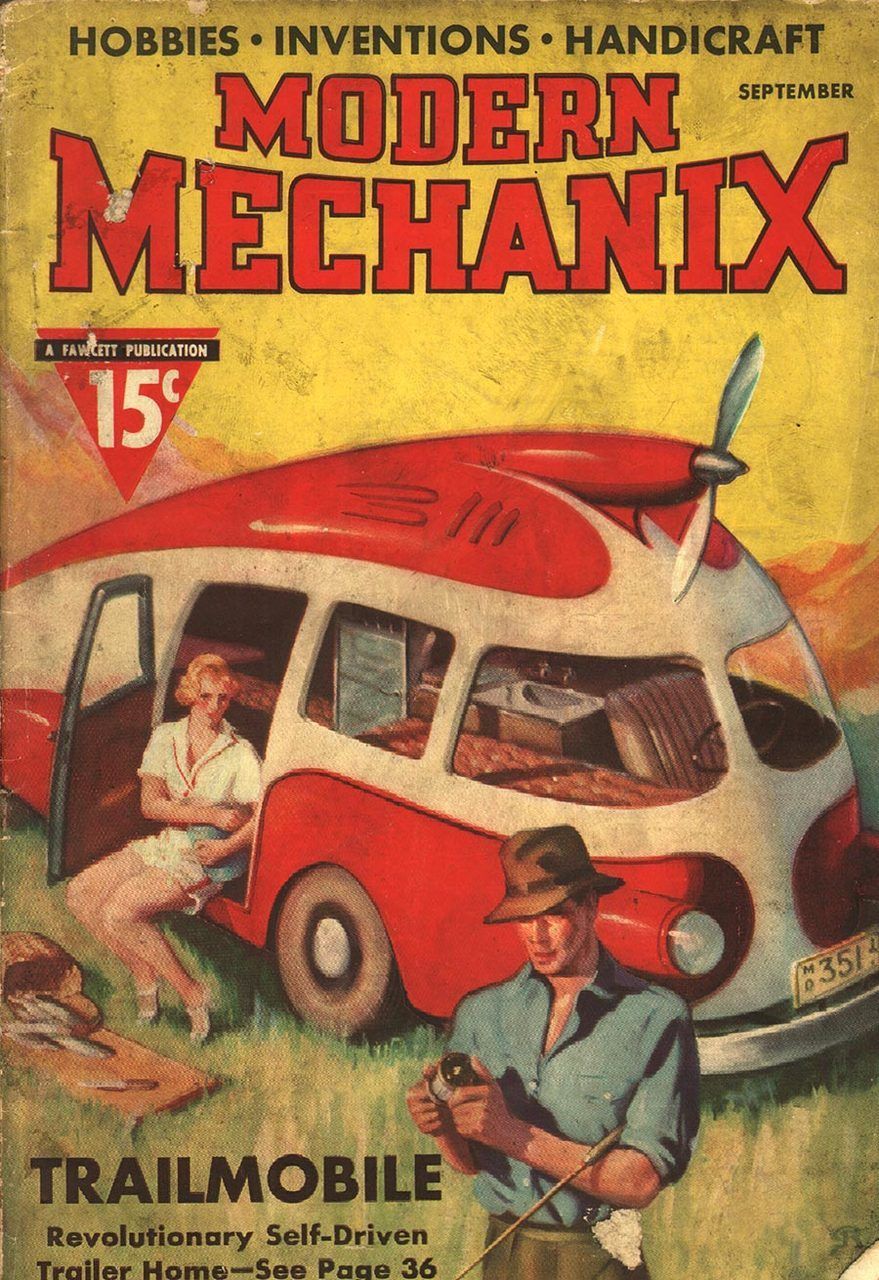
The symbol of Swedish practicality, the Volvo, has its own museum in Gothenburg.
The founders of the Volvo Museum assert that you need not be a "petrolhead" to enjoy the exhibits. The Volvo and its history lend a unique lens to 20th century Swedish history at large.
The brand debuted in 1927 in Gothenburg and was the first Swedish car. As personal automobiles grew popular worldwide in the '30s, Volvo made other vehicles including buses, trucks, construction equipment, marine engines, and airplanes. Artifacts of note in the collection include the world's fastest hybrid truck, a life-sized Volvo SUV made from LEGO bricks, as well as various vintage models hard to find elsewhere.
The post-Garrison Keillor “A Prairie Home Companion” era commenced Saturday evening with the new host and uber-mandolinist Chris Thile filling those shoes nicely.
For the next two hours, Thile kept dancing guests Lake Street Dive’s folk-soul. He ripped through Bob Dylan’s “Subterranean Homesick Blues.”
One undeniable highlight was when guest Jack White invited Margo Price on stage to play ‘I’m Lonely (But I Ain’t That Lonely Yet) ‘ from the White Stripes’ album ‘Get Behind Me Satan.’ Along with backing band Lillie Mae Rische, Dominic Davis, and Karl (Fats) Kaplin the two turn the originally piano-driven ballad into a heartbreaking country duo weeper.
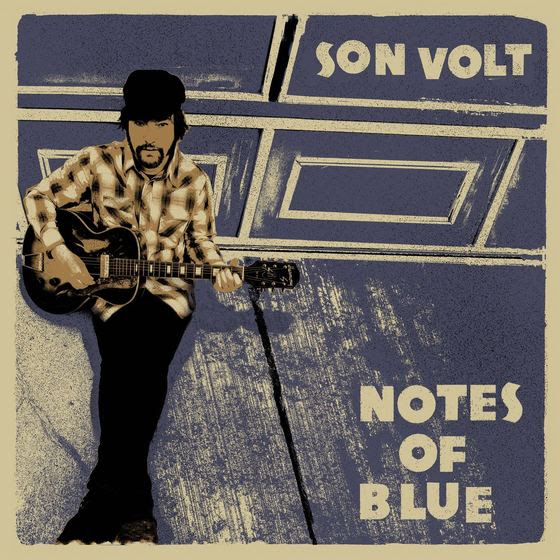
stalwart alt.country pioneers Son Volt will release a new album ‘Notes Of Blue’ on February 17 on the Thirty Tigers label. ‘Notes Of Blue’ will be thw follow-up o he 2013’s acclaimed ‘Honky Tonk.’
The 10 songs on Notes Of Blue are inspired by the spirit of the blues, but not the standard blues as most know it. The unique and haunting tunings of Mississippi Fred McDowell, Skip James and Nick Drake were all points of exploration for Farrar for the new collection. The album opens with the country soul of “Promise The World”, followed by “Back Against The Wall”, a song that could stand alongside the great Son Volt songs of their early albums. However, ‘Notes Of Blue’ reflects the blues as it resides in the folk tradition, but heavily amplified. The primal stomp of “Cherokee St.”, the frenetic guitar on “Static” and the raw slide in “Sinking Down” exude grit and attitude. Conversely, tracks such as “The Storm” and “Cairo and Southern” seamlessly meld blues with hypnotic melodies that add a unique balance to ‘Notes Of Blue.’
Founder Jay Farrar possesses one of the most distinctive voices in roots, rock, country or any genre. He exudes a soulful longing combined with a wise-beyond-his-years command that is as arresting and compelling as ever. As a songwriter, Farrar’s depth and poetic penchant has been the foundation of a thoughtful, deep and intelligent body of work. Both attributes are on full display on Notes Of Blue, as he touches on themes of redemption and the common struggle, both of which are at the core of the blues.
‘Notes of Blue’ will be available to pre-order via the Son Volt website November 29th. The group will announce upcoming live dates in support of the album That same day, while tickets are scheduled to go on sale December 2nd.
Whether you call it alt.country, Americana, roots rock, insurgent country or just good ol’ rock ‘n’ roll anytime Son Volt releases a new album it’s cause for celebration.
I can’t tell you how many times I’ve said “I just want to put this [insert file type here] on my phone!” Apple doesn’t always make it easy to get things like PDFs, videos, or iWork files from your Mac to your iPhone. Through a lot of trial and error, though, I’ve figured a lot of it out. Let me save you the time it takes to stumble your way through the process by sharing what I’ve learned. Transfer Music to iPhone This is probably the easiest transfer to make. It’s also probably the one you’ll want to make most often,...
Apple computers have long been aimed at the creative professional, particularly when it comes to photo and video editing. Unfortunately, industry-leading packages like Adobe Premiere, After Effects, and Apple’s own Final Cut Pro aren’t cheap.
Fortunately, there’s a selection of capable free video editing apps for Mac to sink your teeth into. Some are made for beginners, while others will satisfy seasoned video editors with their impressive feature sets.
These are our favorite free video editors for Mac.
1. iMovie
Summary: A free, consumer-grade video editor. It’s well-optimized for Apple hardware and suitable for most personal projects.
iMovie is free for anyone who owns a Mac. Plus, the iOS version is free to all iPhone and iPad owners. The software is aimed at consumers who want to quickly create videos with footage stored in their Photos library. To facilitate this, iMovie uses a simplified timeline editor that doesn’t allow for multitrack editing.
Despite the linear editing and basic UI, iMovie is a highly optimized piece of software that can handle 4K video and green screen compositing. It also supports picture-in-picture video and slow-motion/fast-forward visual effects. iMovie can generate titles, drag-and-drop transitions, and motion graphics like 3D globes and travel maps.
The app comes with built-in music and sound effects that are ready to go. It can generate Hollywood-style trailers using footage that you supply. Additionally, the app allows you to export directly to YouTube and Vimeo at up to 4K resolution.
Summary: A powerful, professional-grade video editor that lacks the color grading tools the developers are famous for.
The Studio version of DaVinci Resolve costs nearly $1,000, but the basic version is completely free. Better still, it includes the same high-quality image processing abilities as the pricier version. You get a powerful video editor, some of the best color correction capabilities around, and even support for external hardware panels to enable faster editing.
There are limitations, of course. The main one is that Resolve can only output in SD, HD and Ultra HD, which is likely more than enough for most users. Also, the app places limits on some of the advanced grading and tracking tools. However, these restrictions are mainly in place to convince professional users to upgrade.
The app might have quite a learning curve, but DaVinci Resolve is one of the most powerful video editing suites on the planet and you get a lot for free.
Summary: A free and open source video editor with an impressive list of features. However, the interface is outdated and may put some users off.
OpenShot is a cross-platform open source tool that’s been around since 2008. It’s built with the aim of providing a stable, free, and accessible video editor. The project receives several major updates per year, in line with the expectations for an open source project with a small team.
OpenShot’s feature list has grown over the years to include great support for a variety of formats, keyframes for animation, and unlimited video/audio tracks. It also packs in transition and compositing support, titles, and a heap of extra features you’d expect from a modern video editor.
Past criticisms have panned OpenShot’s reliability, but it’s still worth a shot for free.
Summary: A capable open source editor with an interface that’s superior to OpenShot.
Here’s another free, open source, cross-platform video editor. Shotcut’s feature list is just as impressive as OpenShot, but Shotcut features a great-looking interface. It more closely resembles a pro-tier application than a free one.
The app supports a wide range of video files and formats, including 4K, ProRes, and DNxHD. Shotcut also includes great support for working with audio, an impressive list of video effects (including compositing and transitions), and a flexible UI.
Of note are support for advanced features like 5.1 surround sound, three-way color correction, and a huge number of video and audio filters. There’s even a full set of official Shotcut video tutorials you can watch to get you up to speed with the editor.
Summary: Not a purpose-built video editor, but it’s a powerful tool for free.
Blender is a free 3D modeling and compositing app used in some high-profile productions. Yet many don’t realize Blender is also a capable non-linear video editor, provided you’re willing to take the time to learn.
You can use Blender to cut and splice video, mix and sync audio, or apply adjustment layers, transitions, and filters. You probably won’t edit a whole film together in Blender, but for basic editing tasks it might suffice.
Summary: A powerful editor with plenty of features, but some seriously restrictive output options make the free version feel more like a trial.
Lightworks is one of the most powerful apps on this list. I’d happily recommend it above all other packages if it wasn’t so restrictive for the free user. The free version includes video effects, multicam editing, and titling, as well as the usual multi-layered timeline approach you’d expect from a comprehensive editor.
Unfortunately, rendering (exporting your project) is limited to 1080p output on Vimeo, and 720p output to YouTube. You can also render to Lightworks Archives, but you lose H.264, MP4, or even DVD export options.
So while the toolkit is vast, Lightworks isn’t a very appealing free editor unless you’d like to thoroughly try it out for free and upgrade at a later time.
Download:Lightworks (Free, premium version available)
7. Avidemux
Summary: A capable freebie, but lacking in polish and features.
Avidemux made our list of the best Linux video editors. Though it’s basic in nature, it works well for simple editing tasks. The app supports a wide variety of input and output formats. The project undergoes several updates a year, with development continuing at a steady pace.
Thankfully, the team maintains parity among all three major versions, so you won’t miss out on any features if you opt for the Mac package.
Avidemux is best reserved for simple tasks like cutting a video down to size, applying video or audio filters, and transcoding. If you’re willing to dig a little deeper, you’ll find a highly capable script editor to automate many of these common tasks.
Be sure to check out the Avidemux wiki for learning materials, and the Avidemux forum can help in case you get stuck.
So which is the best video editor for you? iMovie is probably the best all-rounder. It’s free, easy to use, and carefully optimized for Apple hardware. There are plenty of features in it to satisfy beginners and mid-tier users. However, it lacks the raw power to compete with Final Cut or Premiere Pro.
Da Vinci Resolve, on the other hand, is surprisingly-feature rich. It offers multi-track editing and a huge number of professional-tier features to play with. Blender is open source and powerful, but is bogged down by complexity. Shotcut and Openshot are pretty evenly matched, so why not test drive them both?
If you need to edit images as well as video, check out our list of free Mac photo editors too.
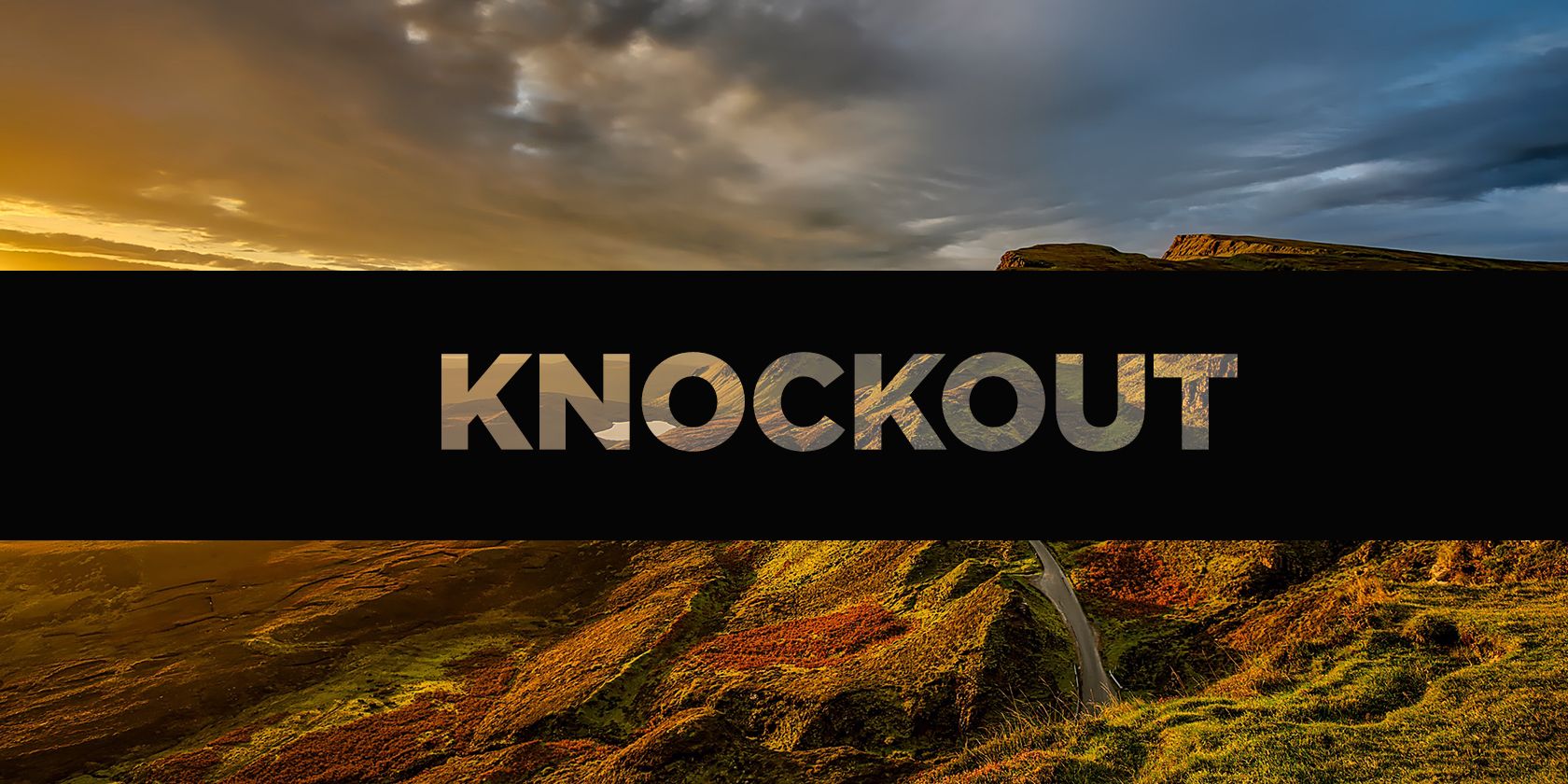
A knockout effect allows you to place a solid layer of color over a photo or image, and then punch out some of that solid layer to reveal the image behind it. You can do this with text or shapes both in Photoshop and Illustrator, but the process is slightly different for each program.
In this article, we explain how to create a knockout effect in Photoshop and Illustrator, offering a step-by-step guide.
How to Create a Knockout Effect in Photoshop
To achieve a knockout effect in Photoshop, the first thing you’ll want to do is open up your image. In this example, we’ll use a rectangle shape over the image, and knock text out of that shape.
Step 1: Draw the Shape
With your background image open, draw a rectangle using the Shape tool. You can either select the Shape tool from the tools menu, or you can use the keyboard shortcut U. Pick a color as well.
When you draw your rectangle, you can either choose free form and drag the rectangle across the screen to create the shape you want, or you can click anywhere on the image to enter the dimensions of your rectangle in pixels.
Step 2: Enter the Text
Next you need to type in your text on a separate layer in Photoshop. Grab the Text tool (T), click anywhere on your canvas and start typing. Then use the Move tool (V) to position the text above your shape.
If you prefer to use a shape or icon for your knockout, you can place that shape where you would have placed the text.
Step 3: Set the Blending Options
Double-click the text layer to open the Layer Style window, and choose Blending Options from the left-hand panel.
Under the Advanced Blending section you’ll find the Knockout drop-down menu. You can choose between a Shallow or Deep effect here. Shallow applies the knockout effect to a single layer; Deep applies it to a group of layers.
In our example, we only need Shallow.
Finally, make sure the Preview button is checked, then drag the Fill Opacity slider to the left, towards zero.
Here you have complete control over how much of that original text will be visible. The color of your text will make a difference here unless you choose for an opacity of zero percent.
If you have a particularly busy photo, however, you probably won’t want to choose a very low opacity in order to keep the text legible.
Step 4: Final Touches
Click OK to confirm your changes. You can now add the finishing touches. Because all of the elements are on their own layer you can make adjustments to all of them separately.
You can edit the background image, the shape, or the text. To adjust the knockout effect just double-click the text layer to reopen the settings box.
How to Create a Knockout Effect in Illustrator
The process to create a knockout effect in Illustrator is similar to that of Photoshop, but is a little more hands-on.
Get started by opening your background image on your canvas. Go to File > Place, then click to place the image. Use the Selection tool (V) to resize it to fit.
Step 1: Add the Shape and Text
Now draw your shape using the Rectangle tool (M). You can use other shapes if you prefer, or draw your own with the Pen tool. Select a fill and stroke color—you can change these later if you want—and drag it into roughly the position you want it.
Next, you need to add the text (or you can use other shapes for the knockout effect—it doesn’t always have to be text). Select the Text tool (T), and click on the canvas. Set a color and size, and start typing.
Choose the Selection tool and click away when you’re done. You can move all of the objects into position by eye, or hold shift and select the text, shape, and background image and align them properly with the Horizontal and Vertical Align tools.
Step 2: Create Outlines
Reselect your text layer and go to Type > Create Outlines, or you can use the keyboard shortcut Shift + Cmd/Ctrl + O. This will convert your text into shapes rather than editable text, so check for typos first!
Make sure that your text is on top of the shape and not behind it.
If you want to be able to control the opacity as is possible in Photoshop, copy your text layer to the clipboard with the keyboard shortcut Cmd/Ctrl + C. You won’t need to do anything with it until later.
Step 3: Apply the Knockout Effect
Select both your shape and text and go to your Pathfinder tools panel. If it isn’t already open, you can open it by going to Window > Pathfinder or by using the Illustrator shortcut, Shift + Cmd/Ctrl + F9.
In the pathfinder tool, select the Minus Front option in Shape Modes. This will remove the text from your shape.
To control the opacity of your knockout effect you need to copy the text layer, as we mentioned above. Now hit Shift + Cmd/Ctrl + V to paste your text back in the exact place you copied it from. (Make sure to do this before you move any of your layers.)
You can then adjust the opacity of that layer by going to the Transparency panel, which you can open by going to Window > Transparency. Adjust the opacity slider until you have the exact shade you want.
With an opacity of around 20 percent, this is what the final product looks like:
More Photoshop Text Effects to Try
It’s easy to create a knockout effect in Illustrator and Photoshop. If you’ve got access to both programs, we’d recommend using Photoshop first because the text remains editable at all times. But for more detailed designs, Illustrator is the way to go.
For every Louvre showcasing the artwork of masters, there is a museum displaying every type of toilet imaginable. Most museums around the world are about art, history, and culture, but that doesn’t mean you can’t visit museums so bizarre that they just might shock you! Here are 10 peculiar museums you have to see to […]
If you're over the age of, say, 20, odds are you have some old analog photo prints laying around. Instead of buying a scanner to digitize them, use the highly...
Traveling is great, but it's also expensive -at least, most of the time. If you don't have a big budget though, you can still visit nice places. In fact, this Travel and Leisure article has 10 different places that will cost you under $25 a day to visit. Of course, you have to pay to get to the destinations, but the site was even kind enough to include an average cost to fly to the locales from either Los Angeles or New York City.
We tend to think of plants as innocent little nothings, but some plants can kill you in no time. This TopTenz list of deadly plants features some of the usual suspects like deadly nightshade and hemlock, but it also includes some surprises like oleander, which is a landscaping plant many people have without any idea of its dangerous properties.
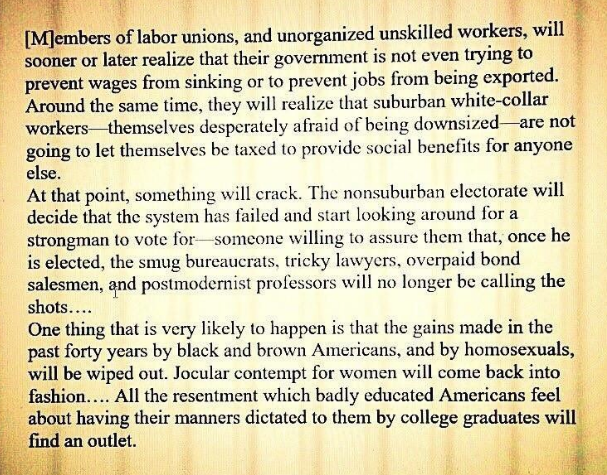
Twenty years ago a strong academic left in universities all over the world spoke to political culture the way that a globalized nationalist far-right seems to now. Among public intellectuals in the U.S., Richard Rorty’s name held particular sway. Yet in his contrarian 1998 book Achieving Our Country, Rorty argued against the participation of philosophy in politics. A member of the so-called “Old Left,” or what he called the “reformist left,” Rorty took on the “Cultural Left” in ways we now hear in (often bitter) debates between similar camps. In the course of his attacks, he made the uncanny prediction above.
The cultural left, wrote Rorty, had come “to give cultural politics preference over real politics, and to mock the very idea that democratic institutions might once again be made to serve social justice.” He foresaw cultural politics on the left as contributing to a tidal wave of resentment that would one day result in a time when “all the sadism which the academic left has tried to make unacceptable to its students will come flooding back.”
As democratic institutions fail, he writes in the quote above:
[M]embers of labor unions, and unorganized unskilled workers, will sooner or later realize that their government is not even trying to prevent wages from sinking or to prevent jobs from being exported. Around the same time, they will realize that suburban white-collar workers—themselves desperately afraid of being downsized—are not going to let themselves be taxed to provide social benefits for anyone else.
At that point, something will crack. The nonsuburban electorate will decide that the system has failed and start looking around for a strongman to vote for—someone willing to assure them that, once he is elected, the smug bureaucrats, tricky lawyers, overpaid bond salesmen, and postmodernist professors will no longer be calling the shots. A scenario like that of Sinclair Lewis’ novel It Can’t Happen Here may then be played out. For once a strongman takes office, nobody can predict what will happen. In 1932, most of the predictions made about what would happen if Hindenburg named Hitler chancellor were wildly overoptimistic.
One thing that is very likely to happen is that the gains made in the past forty years by black and brown Americans, and by homosexuals, will be wiped out. Jocular contempt for women will come back into fashion. The words [slur for an African-American that begins with “n”] and [slur for a Jewish person that begins with “k”] will once again be heard in the workplace. All the sadism which the academic Left has tried to make unacceptable to its students will come flooding back. All the resentment which badly educated Americans feel about having their manners dictated to them by college graduates will find an outlet.
He also then argues, however, that this sadism will not solely be the result of “economic inequality and insecurity,” and that such explanations would be “too simplistic.” Nor would the strongman who comes to power do anything but worsen economic conditions. He writes next, “after my imagined strongman takes charge, he will quickly make his peace with the international superrich.”
Rorty blamed the Marxist New Left for “retreating from pragmatism into theory,” wrote The New York Times in its review of Achieving Our Country. He felt the cultural left had abandoned the “American experiment as secular, anti-authoritarian and infinite in possibilities,” such as “Whitman idealized as loving relationships and Dewey as good citizenship.” The Times wrote then that Rorty’s predictions above were a form of “intellectual bullying.” We can take our dystopian futures from sci-fi novelists and filmmakers, but when philosophers “haruspicate or scry,” as T.S. Eliot wrote in “The Dry Salvages,” we tend to dismiss it as the “usual / Pastimes and drugs, and features of the press.”
The eminent Stanford professor exhorted his contemporaries to leave behind “semiconscious anti-Americanism” and embrace pragmatic civil engagement, and did so by offering up examples from American literature and philosophy that all had fierce activist strains. Excoriating one kind of life of the mind, Rorty can’t help but offer another another. “What does Rorty offer as a solution?” asked the Times review, “Not really very much.” Perhaps not to politicians. But to the postmodern academics and writers he accused, he offers up as counter examples Walt Whitman, John Dewey, and—as Rorty noted in an interview—James Baldwin, whose “use of the phrase… achieving our country” inspired his book’s title, Achieving Our Country.
A few years ago, Forbes published author Roberta Chinsky Matuson’s sensible advice to businesspersons seeking to shoot up that golden ladder. These lawful tips espoused such familiar virtues as hard work and community involvement, and as such, were easily adaptable to the rabble—artists, teachers, anyone in the service industry or non-profit sector…
It must pain her that so many billionaires have been behaving so badly of late. Let’s hope so, anyway.
While there’s nothing inherently wrong with aspiring to amass lots of money, the next generation of billionaires are playing fast and loose with their souls if their primary role models are the ones dominating today’s headlines.
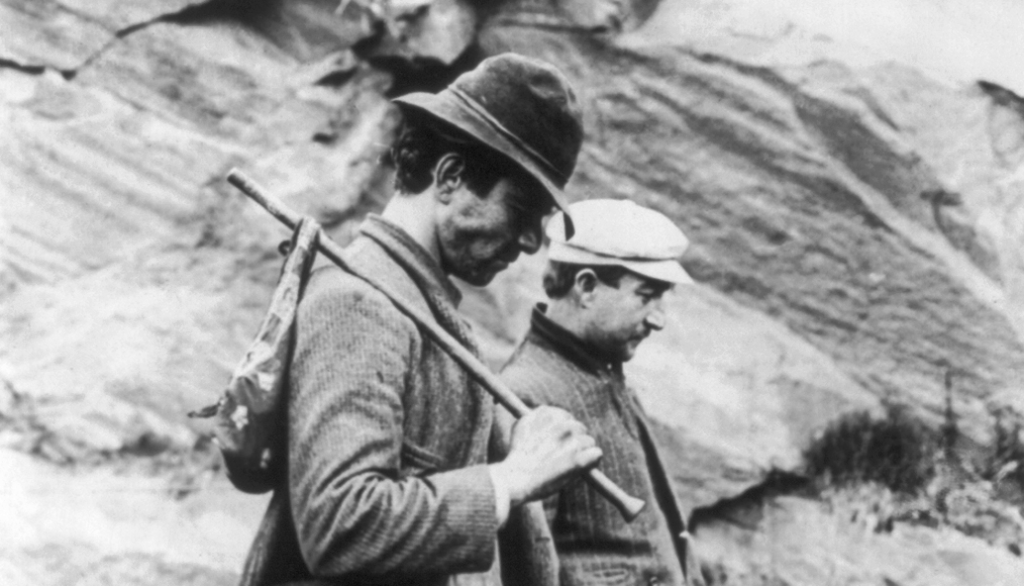
Given the peripatetic lifestyle of these migratory workers, it was up to the individual to hold him or herself to this knightly standard. Hoboes prided themselves on their self-reliance and honesty, as well as their compassion for their fellow humans.
The environment and the most vulnerable members of our society stand to benefit if tomorrow’s billionaires take it to heart.
The Hobo Ethical Code
1. Decide your own life; don’t let another person run or rule you.
2. When in town, always respect the local law and officials, and try to be a gentleman at all times.
3. Don’t take advantage of someone who is in a vulnerable situation, locals or other hobos.
4. Always try to find work, even if temporary, and always seek out jobs nobody wants. By doing so you not only help a business along, but ensure employment should you return to that town again.
5. When no employment is available, make your own work by using your added talents at crafts.
6. Do not allow yourself to become a stupid drunk and set a bad example for locals’ treatment of other hobos.
7. When jungling in town, respect handouts, do not wear them out, another hobo will be coming along who will need them as badly, if not worse than you.
8. Always respect nature, do not leave garbage where you are jungling.
9. If in a community jungle, always pitch in and help.
10. Try to stay clean, and boil up wherever possible.
11. When traveling, ride your train respectfully, take no personal chances, cause no problems with the operating crew or host railroad, act like an extra crew member.
12. Do not cause problems in a train yard, another hobo will be coming along who will need passage through that yard.
13. Do not allow other hobos to molest children; expose all molesters to authorities…they are the worst garbage to infest any society.
14. Help all runaway children, and try to induce them to return home.
15. Help your fellow hobos whenever and wherever needed, you may need their help someday.
Ayun Halliday is an author, illustrator, theater maker and Chief Primatologist of the East Village Inky zine. Her play Zamboni Godot is opening in New York City in March 2017. Follow her @AyunHalliday.
If you’re not sure what type of wine you should serve alongside that fantastic looking cheese plate from your local deli, reach for your favorite bottle of white. Here’s why.
While researching flavor combinations and tasting experiences at the Centre des Sciences du Goût et de l’Alimentation (CGSA – Centre for Taste and Feeding Behavior), sensory scientist Mara Galmarini found that red wine is hit or miss when it comes to cheese pairings—never in between. As Galmarini explains to The Salt, white wine lowers the risk of creating an unpleasant pairing. If you’re serving several different types of cheese, like a cheese plate, it’s better to serve white wine. Ed Behr of the Art of Eating newsletter agrees, noting that most red wines are “completely unrefreshing.” And refreshing—with a touch of dry sweetness—is what you want when cheese is playing a major part of your meal. So, when in doubt, go with a white wine.
DIY isn’t always the easiest way to do something, but it’s usually the most informative and educational one. This week, let’s check out some great DIY tech projects that’ll teach you a ton about the tools you probably use every day—and protect your privacy and give you control over your own data in the process.
10. Build Your Own DIY Amazon Echo
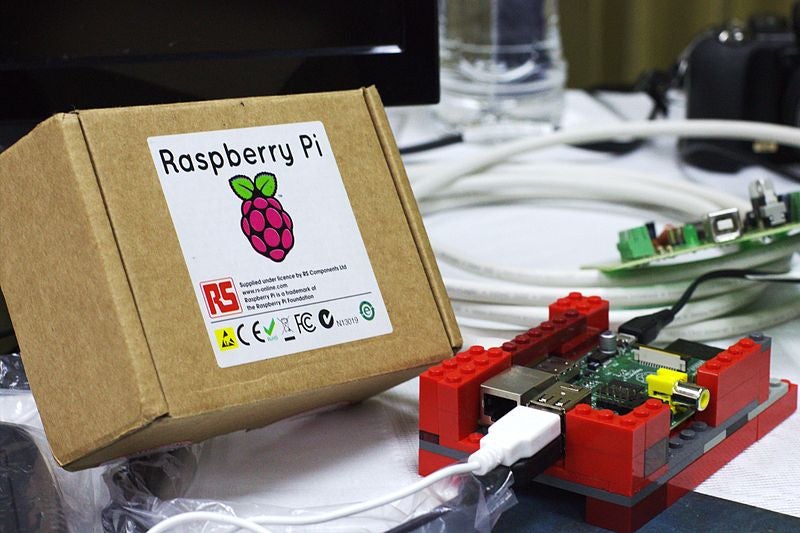
It may not be the most cost-effective option, but building your own Amazon Echo using a Raspberry Pi will not only teach you a lot about how the Echo works, but also how the Raspberry Pi works, and how you can unlock even a part of its overall potential.
We’ve shown you how to do it before, and even shared Amazon’s official guide for doing so, and how to set a wake word for it. The beauty of this project though is that unlike an Echo, which you can buy and just let it work, you make use of a Pi, which can then be repurposed and reused for whatever you want in addition to being an Echo. The whole project is something you can do in an afternoon, and you’ll learn a lot in the process.
9. Add Wi-Fi to Your DSLR Camera
If you have a DSLR, or even a mirrorless camera, you probably love using it but have to remember to transfer the photos or video from your SD card to your computer manually for processing or sharing. You can cut out the middleman by giving your DSLR a Wi-Fi upgrade. All you need is the right SD card and a little setup time.
Even if that model isn’t right for you, there are plenty of others in the guide that work just as well, and in the process will teach you a good bit about backing up your photos and streamlining the editing process while you make sure you never miss a shot. Alternatively, you can always pair your camera with your smartphone instead, both on iOS and over on Android.
8. Build Your Own Private, Syncing Cloud Storage Service
Dropbox is simple and easy, and everyone has an account, but whether you prefer to have complete control over your own data at all times, or you just want to understand how cloud services like Dropbox work, it’s not hard to roll your own Dropbox clone. If you have a web host, you could do it there, or you could roll your own with a Raspberry Pi and learn about the apps that make file sharing possible and about the Pi in one fell swoop.
You’ll just need to expand your knowledge of networking and file sharing a bit, and try out a couple of apps to help get the job done. You could also use Resilio (formerly BitTorrent Sync) to do the job too, and there are tons of other options. The important thing is that you’ll learn a lot in the process, do your own thing, and protect your own data.
7. Roll Your Own Image Hosting Service
Services like Google Photos and even Facebook are certainly the most popular places to host your images, but like everything else, they put your precious memories beyond your true control, and put you at the mercy of someone else’s terms of service, privacy policy, and so on. So consider rolling your own! We have a bunch of great tools to help you do it, including the Gallery Project, JAlbum, and more—assuming you want to still be able to share those photos on the web when you want.
If you’d rather control your own galleries and keep them organized on your own, you could always auto-sync with the app or tool of your choice and then manage locally only, but keeping a solid backup offside is a good idea just in case you lose your own data. Even if that backup is something you also own, set up yourself, and own personally.
6. Build Your Own Streaming Dash Cam
Dash cameras aren’t the near-necessities here in North America as they may be in other countries, but they’re fun to watch and can capture some amazing moments. Best of all, they’re not difficult to make on your own, and you can learn a ton about electronics, mobile recording, and more in the process. You could just grab an old smartphone you’ve upgraded from to do the job.
Building your own home theater PC is one of the ultimate tech projects you can tackle. You combine an understanding of software, storage, online and streaming media, downloadable music and movies, and the sources for all of that stuff right along with the nuts and bolts of building a system that’ll fit in your living room or connect to your TV and serve it all up when you want to sit down and watch TV.
Sure, HTPCs have fallen by the wayside now that tiny, cheap set-top boxes are available, but for the ultimate in control—and learning everything you could possibly want to know about your media collection, home network, and PC gear, there’s nothing like doing it yourself. We have a ton of guides on how to do it, including our recommended (if not dated) setup, and some tips to help you even after you’re all set up. This just all reminds me we should update our own HTPC recommendations, and do it ourselves, too.
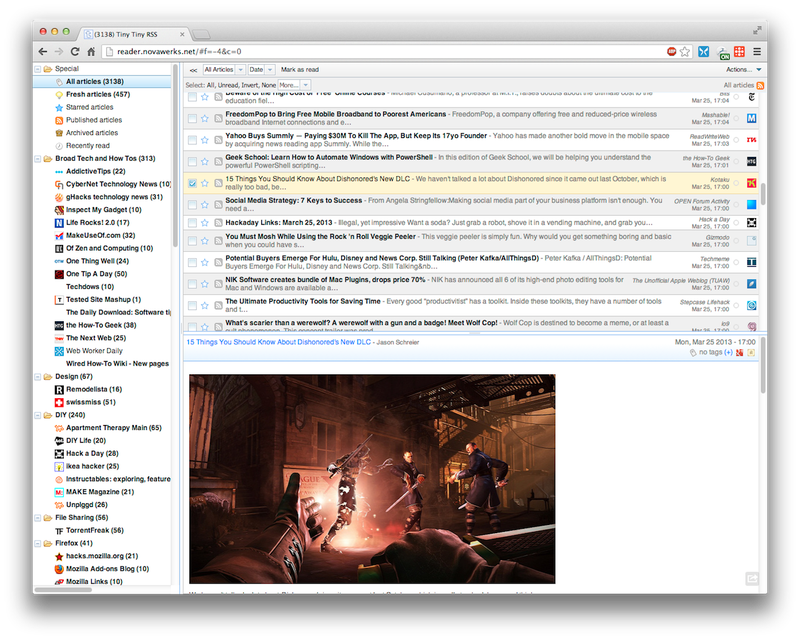
Of course, we showed you how to roll your own using Tiny Tiny RSS, and it even has a mobile app so you can read on the go. It’s not alone though, and you’ll learn a lot about how the web works and keep up with your favorite blogs (like this one!) if you try it out.
1. Build Your Own Computer
There’s nothing like building your own PC to teach you not just about how computers work, but also how to troubleshoot your own computer problems and be self-sufficient if you have issues.
You’ll learn all about the internals of your PC by building your own rig, and if you’re a gamer or video producer or YouTuber, or audio enthusiast, you can customize your computer to suit your needs specifically. It’s way better than buying off the shelf—and depending on your needs, may even be more cost-effective too. Stick close to our PC build guides (we’re updating them right now), and keep these first-timer tips in mind to make the most of the experience.
Lifehacker’s Weekend Roundup gathers our best guides, explainers, and other posts on a certain subject so you can tackle big projects with ease. For more, check out our Weekend Roundup and Top 10 tags.
by thad@pixelperfectcreative.com (Oxford American)
Highlights from the Oxford American’s 18th Music Issue: “Visions of the Blues.”
Across the 160-page magazine and 23-song CD compilation, we’re celebrating one of the South’s greatest cultural exports: blues music.
Introducing the Oxford American’s 18th Music Issue: “Visions of the Blues”
Across the 160-page magazine and 23-song CD compilation, we’re celebrating one of the South’s greatest cultural exports: blues music. The issue comes in multiple covers, showcasing three generations of blues artists: John Lee Hooker, Bonnie Raitt, and Adia Victoria.
The CD features classic blues (Charley Patton, Allen Toussaint, Big Mama Thornton) alongside contemporary artists reinterpreting the genre (Alabama Shakes, Bassekou Kouyaté, Regina Carter), plus rare recordings (including a never-before-released vintage CeDell Davis track). The magazine contains new work by some of the best music writers of our time (Greil Marcus, Daphne A. Brooks, Elijah Wald, John Jeremiah Sullivan) and essays by first-time Oxford American contributors (Jeffery Renard Allen, Rashod Ollison, Sarah Bryan, Zandria F. Robinson), as well as stories from OA regulars (Amanda Petrusich, Jewly Hight, Cynthia Shearer, David Ramsey).
Next week, we’ll post the issue’s full table of contents and CD track list. Here are just a few highlights from the magazine:
“Few other musicians have the artistic and political audacity to invite listeners back in time—to the 1850s!—as a means of making sense of our current crises.”
Past Is Present Gayle Wald on Rhiannon Giddens
“He’s had a hard life, but he kept on living. And kept on playing—often in obscurity, Davis has been playing hardcore, wacko, lowdown Delta blues for more than seventy years.”
Still Around Here David Ramsey on CeDell Davis
“I couldn’t quite figure out why Japanese listeners had come to appreciate and savor the blues in the way that they seemed to—lavishly, devotedly. Blues is still an outlier genre in Japan, but it’s revered, topical, present.”
Sweet Bitter Blues Amanda Petrusich in Tokyo
“He watches the song grow, full of wind and sky and dirt and water, coming and going, rising and falling—one heap of sound. He knows what inflections of the blues mean red house, blue rain, midnight lightning.”
Heads Jeffery Renard Allen imagines Jimi Hendrix
“Some folk think the blues Is a song or a way Of singing But the blues is History”
The Blues Nikki Giovanni
“What Johnson conjured for exactly three minutes and thirty seconds was an ethereal instrumental lament barely of this Earth. When the red light flashed three times to signal the approach of the dead wax—the end of the groove—someone tapped Blind Willie Johnson softly on the shoulder to conclude his playing.”
Unearthly Laments Christopher C. King on Blind Willie Johnson’s “Dark Was the Night, Cold Was the Ground”
“The blues was born on a riverboat between Louisville and New Albany, along those docks, in the 1890s. I mean, the blues was born nowhere, of course. Or it was born many places. Polygenesis: that is the scholar Jeff Titon’s term, and the closest we can get to the truth. Multiple points of origin, coalescing and coinciding. And contradicting!”
Baby Boy Born Birthplace Blues John Jeremiah Sullivan on his hometown’s history
“. . . we can’t really understand blues slide without imagining some kids on Oahu running steels over their guitars in the 1890s.”
That Winsome Moan Ian S. Port on the Hawaiian origins of blues slide guitar
“I’ve discovered over the years that some of the smartest women I know are also into Bonnie Raitt.”
“Think of these women, coming out of the South and up to Milwaukee, arriving finally in tiny, all-white Grafton by either streetcar or automobile and feeling their way in a studio for the first time. As they fought the forces of shell-shocked alienation, disorientation, and possibly stage fright, the musical conversations between these two gifted artists created other worlds for them to fleetingly inhabit.”
See My Face from the Other Side Daphne A. Brooks on Geeshie Wiley and L. V. Thomas
“Daddy had a blues all his life that I couldn’t begin to know, though I had so desperately tried to understand it as his firstborn and accomplice.”
As you drive toward Palo Duro Canyon from Amarillo, it suddenly emerges from the heart of the Texas Panhandle. First as a small gap, then a gaping, deep schism in the ground with deep red, brown, and tan layers. The locals call Palo Duro the “Grand Canyon of Texas”—and they aren’t far off.
Palo Duro Canyon is considered to be the second largest and longest canyon in the U.S. Formed by the Prairie Dog Town fork of the Red River, it is 120 miles long and 20 miles across at its widest point. Its highest elevation is 3,463 feet above sea level and its deepest point is over 800 feet from the rim. Early Spanish explorers probably discovered the canyon, naming it Palo Duro, Spanish for "hard wood" for the junipers and mesquite trees.
People have inhabited the area for around 12,000 years. The Clovis and Folsom peoples first lived in the canyon and hunted large herds of mammoth and giant bison. Other cultures, such as the Apache, Comanche and Kiowa, used the canyon’s plentiful resources more recently.
Visitors can drive down onto the floor of the canyon via Park Road 5, constructed in 1930s by the Civilian Conservation Corps. However, visitors should note that often, after rain, the road is flooded at several points making the journey difficult if not impossible. The most prominent feature is the Lighthouse, a 300-foot formation at the north end of the canyon. It is accessible from the road or by a three-mile trail. You can also watch a musical about early settlers in the park, and bring your own horse to ride on trails.
A largely rural expanse extending from the peaks of the Pine Mountain Range to the farmlands of Plains, west Georgia is known for its pine forests, pecan groves, and peanut fields. It’s also linked to two American presidents with deep ties to this land. The personal histories of Franklin D. Roosevelt and Jimmy Carter are central to the story of the region, so much so that the area is known as Presidential Pathways. In Warm Springs, where Roosevelt constructed his Little White House, the polio-stricken president bathed in the town’s namesake mineral waters and came to know fellow patients from all walks of life, as well as the people who called the farming community home. In Plains, where Carter grew up (and still lives), he learned…View Original Post
If you’re looking for something to debate over pecan pie this Thursday—and not the election—we’ve got you covered. Forget what you learned in elementary school about Plymouth Rock and the Pilgrims because it turns out that America’s first recorded English Thanksgiving—Native Americans had been giving thanks during the harvest season for centuries—was a Southern one, held in Virginia in 1619. The account was lost to history until Dr. Lyon Tyler, the son of President John Tyler and the head of the College of William and Mary, discovered mention of it in the Nibley Papers, which he found buried in the annals of the New York Public Library in 1931.
The front facade of Berkeley Plantation. (Photos courtesy of Berkeley Plantation)
The papers held a first-hand report of Captain John Woodlief’s journey from Bristol, England, to the New World in 1619. Along with thirty-five settlers, Woodlief traveled across the Atlantic on the “Good Ship Margaret” and sailed up the James River to what is now Berkeley Plantation, where they made landfall on December 4, 1619—one year and seventeen days before the Pilgrims arrived in Massachusetts. Prior to setting out on their journey, the settlers received a proclamation from the Berkeley Company, who financed the trip, with a list of ten instructions. The first directive was to give thanks immediately upon arrival and to continue the practice “yearly and perpetually.” The ceremony was a simple one—not much more than a prayer of thanksgiving; and nothing like the Pilgrims’ three-day New England feast. The tradition continued each year until a 1622 Powhatan attack decimated the fledgling settlement.
A view of the James River from Berkeley Plantation.
Woodlief, who was in England at the time of the confrontation, eventually returned to Virginia, building his family home across the James River from the old settlement. Centuries later, the celebration came full circle in 1958 when Mac Jamieson, then the owner of Berkeley Plantation, invited Woodlief’s descendants to the property in early November to celebrate their forebear and that very first Virginia Thanksgiving. The family took up the “yearly and perpetually” call and returns to Berkeley annually for what has now become the Virginia Thanksgiving Festival, which hosted close to 3,000 guests last weekend. Borrowing at least one tradition from their Northern cousins, they now have turkey and all the fixings, too.
A weathervane with a rooster is a common sight and one of the oldest symbols adorning rooftops everywhere. But why a rooster? The answer may surprise you!
So you want to get organized… You might think, “Just carry a pocket notebook and take detailed notes!” Sounds easy, right?
But if you've given it your best shot and page after page looks like a scribbly, doodly, indecipherable mess, maybe you need something more than a blank sheet. Leave those to the imaginative types, and try a notebook with structure to guide your thoughts.
We've rounded up 7 EDC-friendly pocket notebooks with useful layouts and clear ruling to help you get your notes in order.
Word. Notebooks
Standout feature: Integrated bullet journaling system
Bullet journaling is becoming more and more popular as a way to organize your life and remember important events. Word. Notebooks come with their bullet journaling system already printed on each page, along with some simple instructions inside the front cover. There are tons of colors and patterns to choose from, making it easy to coordinate with the rest of your carry.
Standout feature: Unique gridded paper with a thick line every three spaces
The Doane Grid+Lines is a favorite here. The paper is great for a mix of sketching and writing, thanks to its ruling with both grids and lines. Yes, you could achieve similar results with regular graph paper, but that added bold line helps keep notes and sketches both organized and legible. It’s also a huge help if you’re trying to neaten up your handwriting with proper spacing and letter sizing.
Standout feature: Dot Grid ruling with waterproof paper and covers
This Field Notes edition was designed to stand up to anything you can throw at it, and the team over at Field Notes made sure of it. Check out their video series that puts the notebooks through 12 rigorous tests. These books feature dot grid ruling inside, a tear resistant cover, and completely waterproof paper.
Standout feature:Layout specifically made for experiences
The Adventure Log journal from Word. Notebooks has a layout made to journal your next road trip, hike, or adventure. There’s a place for the date, location, conditions, companions and a bunch of lines for a journal entry. On the back cover there’s a place specifically for your bucket list, so you always know where you're headed next.
Standout feature: At-a-glance weekly calendar with plenty of room for notes
If you're looking to keep track of important dates and appointments, why not use a traditional calendar? This pocket-sized planner displays one week across two pages, making it especially easy to see what you have coming up and what you've already accomplished. You can even use the planner as a micro journal, simply jot down a few notes about your day.
Just as the name implies, these notebooks from Rite in the Rain allow you to do just that. The waterproof paper works well with ballpoint pen and pencil, so you can write outside under any conditions. This is one of the better waterproof papers that we’ve tested.
Standout feature: Unobtrusive ruling that’s great for writing and sketching
The Nock Co. DotDash notebooks feature a dot-dash ruling. It’s somewhere in the middle of graph and dot grid ruling, and it just plain works. The light purple ink is dark enough to see, but light enough so that it doesn’t get in the way of your words. It’s stapled at the top so you can easily write in portrait or landscape without the binding getting in the way.

 Inspired by Ikea founder Ingvar Kamprad's credo of providing well-designed products for the masses, the Backcountry Hut is a modular flat-packed shelter that can be placed nearly anywhere. They use...








 Photos aren't just a way to capture a moment — they can also be a great way to liven up a party. The Awesomatic Photo Booth is an ideal way...
 If you're over the age of, say, 20, odds are you have some old analog photo prints laying around. Instead of buying a scanner to digitize them, use the highly...












 A largely rural expanse extending from the peaks of the Pine Mountain Range to the farmlands of Plains, west Georgia is known for its pine forests, pecan groves, and peanut fields. It’s also linked to two American presidents with deep ties to this land. The personal histories of Franklin D. Roosevelt and Jimmy Carter are central to the story of the region, so much so that the area is known as Presidential Pathways. In Warm Springs, where Roosevelt constructed his Little White House, the polio-stricken president bathed in the town’s namesake mineral waters and came to know fellow patients from all walks of life, as well as the people who called the farming community home. In Plains, where Carter grew up (and still lives), he learned…View Original Post


