We recently posted the story of the Clotilda, a commissioned ship that imported enslaved people from Africa in 1860, long after the practice was outlawed in the US. Acclaimed Harlem Renaissance author and trained cultural anthropologist Zora Neale Hurston interviewed and wrote a book about the last survivor of that journey. Cudjo Lewis, whose original name was Kossula, was 95 years old at the time. He told Hurston about his youth in what is now the country of Benin, his capture and voyage on the Clotilda, the slavery years, and how he built a life in America after the Civil War. Barracoon: The Story of the Last "Black Cargo" was written in 1931, but did not find a publisher.
One publisher, Viking Press, did say it would be happy to accept the book, on the condition that Hurston rewrote it “in language rather than dialect.” She refused. Boas had impressed upon her the importance of meticulous transcription, and while her contemporaries — and authors of 19th-century slave narratives — believed “you had to strip away all the vernacular to prove black humanity,” says Salamishah Tillet, an English professor at the University of Pennsylvania, Hurston was of the exact opposite opinion.
In any event, a dejected Hurston moved on to other projects, and the manuscript for Barracoon ended up languishing in her archives at Howard University. Until a few years ago, that is, when the Zora Neale Hurston Trust acquired new literary representation: Had any unpublished treasures been left in the vault? the agents wondered.
StubHub may have some heftier competition on its hands as secondary ticket marketplaces TickPick and Razorgator are combining by way of TickPick's acquisiton of Razorgator, which has roughly 1 million active users.
When it comes to creating a spreadsheet, one of the best ways to start is with a template. Whether it’s for a family budget, company invoice, or academic calendar, a template gives you the foundation for your data.
If you use Microsoft Excel, then you probably already know that websites with templates can be easy to find. But what about Google Sheets? The results appear limited when you do a Google search. However, you actually have more options than you probably realize.
1. Check Out the Built-In Templates
Before heading out for a web search, take a look at the handy built-in templates that Google Sheets offers.
Open the Google Sheets website and sign into your account. At the top, you will see the Template Gallery with arrows next to it which allow you to view all templates. You can then browse by the categories for Work, Personal, Project Management, and Education. While the categories make browsing simple, you can use any template that has what you need.
Click the template you want, and it will pop right into its own browser tab. You will notice that if the template contains more than one tab, has built-in formulas, or includes formatted fields, everything will be there for you to begin.
Then, just start adding your own data. Keep in mind that all areas of the template can be edited for full flexibility and all changes are saved automatically to Google Drive for convenience.
2. Download More Templates With Add-Ons
If the built-in templates don’t give you what you want or if you just want more options, try these Google Sheets add-ons.
From Vertex42, a popular template website, this add-on gives you a host of options. After you install it, open a spreadsheet, any spreadsheet, and then click Add-ons from the top menu. Choose Template Gallery > Browse Templates. You will then see a nice variety of templates within several different categories along with a count of how many templates are in each one.
Click on a template, hit the Copy to Google Drive button, and then click Open File. The template will then open in a new browser tab for you to get started.
From Spreadsheet123, another great template site, this add-on works just like the Template Gallery. Install it and then open a spreadsheet and click Add-ons to access it. Select Template Vault > Browse Templates.
You will then see a window pop open with a dozen categories. The template options are bit more limited with this add-on compared to the one above. However, you still get a good selection and you can view templates for Google Docs if you use it as well.
Again, click on a template, hit the Copy to Google Drive button, and then click Open File. Then get ready to add your data when the template opens in a new browser tab.
Just like with the templates built into Google Sheets, these will carry over all tabs, formulas, and formatting for you.
3. Use Excel Templates in Google Sheets
Maybe when you are searching for Google Sheets templates, you come across those for Microsoft Excel and just continue your search. But you can open and use Excel templates in Sheets. It’s super easy.
If you do not have a desktop application to download a template you find online, just save it to your computer or Google Drive. And if you do happen to have a spreadsheet template saved already, then you are one step ahead.
Next, head to the Google Sheets website and sign in. Open a blank spreadsheet by clicking the plus sign labeled Blank at the top of the Template Gallery. Next, click File from the menu and then Open. In the popup window, you have a couple of options for opening your template file.
If you saved the template to your computer, click the Upload tab. You can then drag the file from its folder onto the window or click the Select a file from your computer button to browse for its location.
If you saved the template to Google Drive, click the My Drive tab. Then, navigate to the file and select it.
Depending on your internet connection, it should only take seconds for your file to load. When it opens, you can start adding your data. You might find the perfect template because Excel has a better range of templates to offer.
4. Browse Third-Party Templates
To help in your search for even more Google Sheets templates, check out and bookmark these great sites.
Smartsheet offers a nice collection of Google Sheets templates for free as well as those for Microsoft Excel. With options like Gantt charts, expense reports, timesheets, and calendars, there are many free templates to pick from.
Template.net also has a good variety of free templates for Google Sheets. Note that the ones with the orange Download buttons will take you to another site where there may be a fee for the template. The ones with the green Download buttons are available immediately at no charge.
Vertex42 and Spreadsheet123 are the creators of the Google Sheets add-ons shown earlier. They both have websites you can browse if you prefer not to try the add-ons. Just click on the Excel Templates button from the top on either site. Some templates are available to open right in Google Sheets while others are designated as Excel files. Just remember, you can still use an Excel template in Google Sheets by following the steps above.
Make a Date With Your Google Sheets Data
Now that you know of the various ways you can obtain and work with Google Sheets templates, it’s time to get to it. And, before you go, take this idea from Excel and customize your own template. They can really save you a lot of time.
Ford Motor Co. will cut out all but two of its passenger cars for its North American lineup due to waning demand for the vehicles, the company said.
The motor gamut of trucks, sport-utility vehicles and crossovers will remain — but Ford’s Fiesta, Taurus, Fusion and regular Focus models will disappear within the next two years.
The automaker said by 2020, almost 90 percent of the Ford portfolio will comprise of trucks, SUVs and crossovers and commercial vehicles.
The only two cars that will stay in Ford’s North America market — the Mustang and Focus Active, a hatchback that will debut next year.
A soft silk scarf with quail and magnolias—that’s the piece that launched Rinnovo. It was one of several designs that Thomasville native Mallory Jones created in collaboration with emerging artists as part of a textile experiment while getting her MBA at Clemson University. A year after mailing her only scarf sample to Orvis, the company ordered her wares. The outdoorsy designs include the “Madison River Rainbow” trout and traditional prints like “Wintery Mix.” “I just fell in love with the silk scarf medium as a multifunctional way of enjoying art. Wear it or ‘wall it,’” Jones says. With 75 percent of her business now coming from private-label product development for brands like RL Ireland, the 27-year-old is devoting most of her time to building that…View Original Post
by Claire Lower on Skillet, shared by Claire Lower to Lifehacker
Browned butter is often used to make the rich richer and the decadent more indulgent, but its true power lies in bringing a bit of depth to a big pile of fresh, vibrant produce. Though I wouldn’t fault you pouring a bunch of melted, browned butter on a salad, this vinaigrette takes a more balanced (or some would say…
All of Leica's cameras are somewhat rugged, but only the Leica X-U was built to thrive in the elements — including underwater. This is evidenced by the dedicated "UW" mode...
I fell in love with Japan. Deeply. The culture, the clean streets, the friendly and respectful people and the full spectrum of experience that it offers. From high rise cities to quaint, beautiful gardens and temples. All within walking distance of each other.
I took as many ‘tourist shots’ as I did professional street shots. Well, not quite, but the phone was full by the end of the trip! On that note, the camera on the Google Pixel 2 XL is outstanding. Photographers – give it a pop. All shots here taken with the Nikon D750 and Fuji X-T2.
Japan was treated differently to most of my street shooting. While I still love—and capture—the odd and often funny synchronicities and serendipitous moments, I wanted more. More culture, more characters, and more of a story.
I pushed myself and shot with a very specific mindset and eye; cinematic. I was, of course, shooting stills, but I composed and prioritized moments as if taken from a movie. Hence the title: Cinematic Japan. Street photography is already hard, but this made it even more challenging, especially when the shots were more complex in nature. Everything had to fit the theme and narrative.
It’s also a study of texture and color. No false colors have been added, and all effects (night section) are original and taken in camera (no Photoshop).
You’ll find a mix of styles; juxtaposition, minimal, abstract, scenes, characters, emotions and rare alignments. Every single shot is genuine—unposed—except the last shot of the day section (a portrait of Sachin at sunset). Two weeks flew by, shared with Sachin, Dom and Liam. I would recommend Japan to anyone and everyone; it has it all.
By Day
By Night
Editor’s note: We’ve previous featured Harvey’s street photographs shot in Cuba and India.
About the author: Ross Harvey is an international award winning destination wedding photographer (covering the UK, Europe and the world). You can find more of his work in his street portfolio, in his wedding portfolio, and on Facebook. This article was also published here.
Pedestrians meandering through the Shambles of York often look up to admire the old houses and crooked, leaning buildings. But the true treasure lies below their feet. Whereas most streets in York, and much of England, have been widened and modernized, the streets of the Shambles have remained true to the original medieval form.
This section of York dates back to the 14th century and was the place butchers set up shop. It was once called the "Great Flesh Shambles” because of the shelves of meat the butchers would display.
The main street through the Shambles has a slight declining curve, which was conducive to dumping the blood from butchered animals along with raw human sewage. The area would smell horrific for days until the rains came and washed the waste away.
Many are confused as to why the width of the street is so small. The reasoning is simple, and a bit morbid. The purpose of the street was to let carts travel to-and-fro to collect and deliver meat among the butchers. The carts were also used to remove the dead humans who perished rapidly during times of plague.
Today, the narrow street is a cheerier, cleaner place lined with shops, pubs, and restaurants. Many of these buildings, too, date back hundreds of years. The nearby market offers a wide variety of wares for everyone. Take a moment to enjoy the paths and streets of the area that are a flashback to a much earlier—and less sanitary—era in history.
On June 21, 2016, Chicago police pulled Spencer Byrd over for a broken turn signal. Byrd says his signal wasn't broken, but that detail would soon be the least of his worries. Ever since, Byrd has been trapped in one of the city's most confusing bureaucratic mazes, deprived of his car and his ability to work. He now owes the city thousands of dollars for the pleasure.
Byrd, 50, lives in Harvey, Illinois, a corrupt, crime-ridden town south of Chicago where more than 35 percent of the populace lives below the poverty line. He's a carpenter by trade, but until the traffic stop, he had a side gig as an auto mechanic. Byrd says he's been fixing cars "ever since I was 16 years old and blew my first motor." Sometimes he did service calls and would give clients rides when he couldn't repair their cars on the spot.
On this early summer night, Byrd was giving a client, a man he says he had never met before, a ride in his Cadillac DeVille. Police pulled both of them out of the car and searched them. Byrd was clean, but in his passenger's pocket was a bag of heroin the size of a tennis ball.
The two were hauled off to the precinct house. Police released Byrd after a short stint in an interrogation room without charging him with a crime. But when Byrd went to retrieve his car, he found out the Chicago Police Department had seized and impounded it.
Byrd had run afoul of Chicago's aggressive vehicle impound program, which seizes cars and fines owners thousands of dollars for dozens of different offenses. The program impounds cars when the owner beats a criminal case or isn't charged with a crime in the first place. It impounds cars even when the owner isn't even driving, like when a child is borrowing a parent's car.
In total, Chicago fined motorists more than $17 million between March 2017 and March of this year for 31 different types of offenses, ranging from DUI to having illegal fireworks in a car to playing music too loud, according to data from the Chicago Administrative Hearings Department. About $10 million of those fines were for driving on a suspended license, and more than $3 million were for drug offenses like the one that resulted in the impoundment of Byrd's car. (See and download the data here.)
Chicago Vehicle Impound Fines in Dollars, March 2017—March 2018
The city says it is simply enforcing nuisance laws and cracking down on scofflaws. But community activists and civil liberties groups say the laws are predatory, burying guilty and innocent owners alike in debt, regardless of their ability to pay or the effect losing a vehicle will have on their lives.
"There's plenty of reason to be concerned that there's injustice being done to people who are mostly poor, people who aren't in a position to fight back," says Ben Ruddell, a staff attorney at the American Civil Liberties Union (ACLU) of Illinois. "The city has been perpetuating an exploitative system, charging exorbitant fees in a way that it knows is likely to make it so folks never get their cars out of impoundment."
Byrd calls his car his "livelihood," and he has been fighting for close to two years now to recover it. He says he has $3,500-worth of tools locked in the trunk, and he can't retrieve them. In turn, the vast machinery of government has been working against him, adamant in its demand for his nonexistent money or his car.
The battle between Byrd and the governments of Cook County and the municipality of Chicago over his 1996 Cadillac Fleetwood DeVille, valued at $1,600, is a tangled story involving the drug war, the controversial practice of civil asset forfeiture, ailing city budgets, and the rapacious use of fines and fees to generate city revenue. It's a story of how bureaucracy is used to grind down people by distributing their misery among as many public offices as possible.
"I know I'm not the only person who's been done like this," Byrd says. "I'm the only person that's speaking out. This is really just a money game. The city's cash-strapped, and they're utilizing anything they can to get funds."
Spencer Byrd was a victim of years of fiscal negligence
The story of Spencer Byrd's Cadillac starts with Chicago's balance sheet. Like tens of thousands of other Chicagoans, Byrd was a victim of years of the city's fiscal negligence.
In 2007, Chicago's budget had a $94 million deficit. By the time current Chicago Mayor Rahm Emanuel took office in 2011, after years of steadily rising structural deficits and a crippling recession, the city was facing a $650 million annual budget gap, not to mention billions upon billions of dollars in unfunded public pension liabilities.
Emanuel's solution has been to try and nickel-and-dime his way out of these massive budget gaps. The Emanuel administration has jacked up the costs on just about every minor tax, fine, and permit on the city's books: cigarette taxes, restaurant permits, valet and loading zone fees for businesses, cable television fees, mandatory vehicle stickers, towing fees, water and sewage, garbage collection, garage parking, even a fine for allowing weeds in one's yard to grow too tall. His most recent budget proposal increases taxes for Uber and Lyft rides, monthly telephone bills, and big-draw sports and music events.
At the same time, the city began aggressively pursuing debtors. "Moving forward there will be no more free rides, debt scofflaws will be found and they will pay what they owe the City," Emanuel announced in 2011 when unveiling his first city budget.
Chicago's impound code, and its zero-tolerance approach to the drug war, is particularly unforgiving compared to other cities.
Emanuel also precipitously raised the fines for unlawful drugs in a vehicle, from $500 to $2,000—$3,000 if the car is within 500 feet of a school. Littering, drag racing, playing music too loud, and possessing graffiti materials or illegal fireworks also all became impoundable offenses that carried similarly steep fines. Over the last 12 months the city issued $15,000 in impound fines for playing music too loud, according to city data.
Cracking down on such nuisance crimes is fairly common, but Chicago's impound code, and its zero-tolerance approach to the drug war, is particularly unforgiving compared to other cities.
If Byrd had been pulled over in Atlanta, no equivalent impound ordinance would have affected him. He might have been subject to state asset forfeiture laws covering narcotics, or had his car held for investigative purposes, but Atlanta police typically won't impound a car during an arrest when someone else can safely drive it away.
Both Atlanta and Los Angeles allow owners to retrieve their vehicles from impound if they show a valid license and insurance, can establish it was driven without their knowledge, or if they can present a court order. Last June, the Ninth Circuit Court of Appeals struck down L.A.'s automatic 30-day impound law for certain offenses, ruling that impounding innocent owners' cars—in this case a woman who loaned her car to her brother-in-law—was an unreasonable seizure under the Fourth Amendment.
Chicago, in contrast, has no such time limit and no accommodations for owners. Cars can be impounded indefinitely until the owner pays thousands of dollars in fines and fees, regardless of whether he or she was the one who committed an offense.
The result is a uniquely punitive impound system, in which Chicago profits off restricting the ability of its residents to drive. Chicago issued more vehicle violations per adult in 2016 than New York City or Los Angeles, raising $264 million in the process. Those violations can lead to license suspensions for unpaid fines and compliance violations.
That, in turn, creates another layer of fines: Chicago imposed an additional $10.7 million in impound fines over the past 12 months for driving on suspended licenses, according to data obtained by Reason. That number doesn't include impound storage fees, which can sometimes far exceed the total fine. A case sheet provided by a defense attorney shows one defendant had racked up nearly $16,000 in storage fees on top of a $2,000 narcotics fine by the time his or her case was finally decided.
As the number of tickets issued, licenses suspended, and fines imposed have swelled, so has citizen debt. Chicago leads the country in Chapter 13 bankruptcy filings. In 2017, according to ProPublica, more than 10,000 Chapter 13 bankruptcy filings in Chicago included debt to the city.
The state of Illinois goes to court against a 1996 Cadillac sedan
When Byrd explains his case to people he brings a leather binder stuffed with loose papers—letters, court filings, notices, and receipts telling a two-year-long story in the language of bureaucracy.
The paper trail begins 10 days after Byrd's car was first seized. On July 31, 2016, Byrd filed a property claim with the Cook County State's Attorney seeking release of his car. He listed it as a family heirloom, formerly the property of his late brother.
On August 29, 2016, Byrd received a notice from the Cook County State Attorney's Office that his car was subject to a pending civil forfeiture proceeding. The Cook County State's Attorney Office had filed a complaint against Byrd's car, seeking to have it forfeited to the state.
Because civil forfeiture operates under the legal fiction that it's an action against the property, not its owner, Byrd's case appeared on the docket as The People of the State of Illinois v. 1996 Cadillac Sedan.
(This quirk of American law has resulted in other notable cases such asUnited States v. Article Consisting of 50,000 Cardboard Boxes More or Less, Each Containing One Pair of Clacker Balls, United States v. Forty Barrels and Twenty Kegs of Coca-Cola, and United States v. Approximately 64,695 Pounds of Shark Fins.)
It wasn't until November that Byrd had his first hearing in Cook County asset forfeiture court. He filed a handwritten financial hardship motion asking the court to release his car while his case was pending so he could continue to work.
"I'm in need of my auto because I'm a carpenter by trade, and this is my business," Byrd wrote. "My tools are in the 1996 Cadillac sedan. I used the auto to go to various jobs. Can't pay any bills because this is my livelihood. I would appreciate this for me and my children."
To show hardship, Byrd had to get a letter from his local carpenters union, prove ownership of the car, pay a $30 security deposit, and show current insurance on the car, which at that point he'd been unable to drive for close to six months.
A month later, Cook County Circuit Court Judge Margarita Kulys-Hoffman granted Byrd's motion over the objections of the state attorney's office. She ordered the Chicago Police Department to release Byrd's car.
However, when Byrd went to the Chicago Police Department, judge's order in hand, a strange thing happened. The city refused to release it, telling him he first had to pay the fines and fees that had been accumulating under Chicago's municipal code since June.
Byrd, who thought he was finally about to get a reprieve from this inscrutable system, was flabbergasted.
"How can a judge say to give this man his vehicle in writing, but the city of Chicago say, 'No, we want some money?'" Byrd says. "It's crazy. They're inside of the state but they want to make themselves outside of the rules."
Why Chicago doesn't have to obey an order from a state judge
Byrd's assessment is in fact close to the truth. Chicago quite literally plays by its own rules.
In 1971, Illinois voters approved a Home Rule amendment to the state constitution, giving counties and cities with populations over 25,000 authority to enact their own ordinances and levy taxes and fines. As a result, Illinois local governments have some of the broadest freedom in the country to manage their own affairs. It also means that, to the city of Chicago, the order releasing Byrd's car is just a piece of paper with a fancy seal on it. An Illinois state judge has no more authority to tell Chicago to release a lawfully impounded car to a debtor than the Queen of England.
Byrd's car was effectively being claimed by two entirely distinct layers of government. He would now have to fight a two-front war against the Cook County State Attorney's Office to stop it from taking his car through civil asset forfeiture, and Chicago's Department of Administrative Hearings, an "an independent quasi-judicial body" that handles matters related "to the public health, safety, welfare, morals and economic well being of the residents of the City of Chicago," according to its website.
Byrd filed a request to the department on December 15, 2016, to challenge the fines and fees. Four days later, he had his first hearing, where an administrative law judge found there was enough evidence to continue the case against him. By this point, his Cadillac had racked up $6,445 in storage fees.
So Byrd had to return to the state court judge to petition her to waive the storage fees, which would at least give him a shot at temporarily recovering his car while his cases were pending. The judge again waived the fees, but could do nothing about any fines imposed by the city. For that, she referred Byrd to Andrew Hemmer, an attorney for Cabrini Green Legal Aid who specializes in forfeiture and impound cases.
"It can't be overstated what a procedural and logistical nightmare it is to get a car impounded in the city of Chicago."
Civil asset forfeiture is often criticized by civil rights groups for being tilted against defendants.But compared to Chicago's vehicle impound process, it's a model of transparency and fairness. Hemmer says his clients often don't receive the impound notices the city is supposed to send out, putting them at risk of default judgment in their cases.
"Many of my clients get all the way to the end of the forfeiture case and win," Hemmer says, "but then they go to the city building, they're told they were mailed a default order a year ago, they owe a $2,000 fine, and we have to go challenge that, too."
City records back this up. Of the more than 27,000 impound violations brought to the Chicago Administrative Hearings Department over the 12 months reviewed by Reason, about 10,000 resulted in default judgments after owners failed to request hearings.
Hemmer says even other defense attorneys ask him for help understanding the process. "It's a confounding system," he says. "It can't be overstated what a procedural and logistical nightmare it is to get a car impounded in the city of Chicago."
Chicago's impound laws have no "innocent owner" defense
While Chicago has the freedom to depart from Illinois state law in its own code, those departures only go one way: making it easier for the city to win impound cases.
For example, under Illinois law, the state can't initiate asset forfeiture actions for marijuana offenses unless the drugs are over a certain weight threshold. This keeps state police from fishing for petty seizures, like taking someone's car for having a joint in the ashtray. Chicago's municipal code, on the other hand, has no such threshold, meaning any amount of drugs, no matter how small, can trigger an impound.
Documents provided by Hemmer in another case show one of his clients' cars was impounded for a plastic bag containing less than .1 grams of heroin—trace residue.
More importantly for Byrd and many other defendants, unlike under state law, there is no "innocent owner" defense in city impound laws. These provisions still put the burden of proof on owners to show their innocence, but at least offer an escape hatch.
Under Chicago's merciless municipal code, it doesn't matter if Byrd was unaware his passenger had heroin in his pocket. All the city has to prove is that it is more likely than not there were drugs in his car.
"For the drug cases," Hemmer says, "the first thing I tell all my clients is that if we go to the hearing, we're most likely going to lose."
At an administrative hearing, there's no right to an attorney
The next stop for Byrd was Room 110 in Chicago's Administrative Hearings Department. It's where quasi-judicial hearings for vehicle impounds in the city happen.
Room 110 is a small, shabby room on the department's first floor. The carpet is the color of old guacamole. There are three wooden benches for soon-to-be called defendants, cops, and lawyers. The administrative law judges that preside over the hearings are licensed attorneys hired by the city as independent contractors. They wear button-down shirts and ties instead of robes, and sit in three-quarters profile to the rest of the room, facing a desktop computer. A large printer next to the judge loudly dispenses justice after hearings, which last about 15 minutes a piece.
Here is how one case on a Friday afternoon in March went: On one side of the room is an attorney for the city of Chicago. Next to him is an officer from the Chicago Police Department.
On the other side of the room sits Dominique Bush, a 35-year-old cashier at a Dunkin' Donuts. Like most defendants who find their way to Room 110, Bush doesn't have a lawyer. Because these are administrative hearings, not criminal proceedings, she has no right to an attorney.
Administrative Law Judge Alfred Quijano carefully explains to Bush the structure of the hearing and what standard of evidence he will rely on to arrive at a decision. But it's a bit like explaining the principle of buoyancy to someone on a sinking ship.
The prosecution goes first. The police officer testifies that he pulled over a silver Dodge Caravan belonging to Bush on December 4, 2017. The driver, a man Bush says she's never met before, had a suspended license.
After the cop testifies and the prosecutor enters the accompanying police reports into evidence, it's Bush's turn. She says she dropped her van off at a mechanic to get it fixed. A couple days later, she got a call from the police saying it had been impounded.
"Unfortunately, that's not a defense," Quijano tells Bush. "If you had a theft report, that would be a different matter."
Claiming one's car was stolen is one of the only three viable defenses in a Chicago impound case, but it requires filing a theft report with the Chicago police within 24 hours, something no one has told Bush until this very moment.
What is she supposed to do now, Bush asks.
Quijano says Bush could try reporting the theft now, months later, but it's unlikely the police would allow it at this late date, he says. As for the fines, she could relinquish her car to the city.
The judge hands her a sheet of paper notifying her she has been found liable for allowing her silver Dodge Caravan to be driven on a suspended license, and has been assessed fines, as well as towing and storage fees.
One document—a theft report—might have saved her vehicle. But now she says she's stuck with a harsher penalty than the man who was driving her car: "His case was thrown out. There was no probable cause to stop him."
Bush looks at the sheet of paper the judge handed her. She now owes the city of Chicago $4,400 in fines and storage fees, the latter of which will keep accruing at $35 a day unless she pays up or relinquishes her car. She doesn't have it.
"What can I do but sign my vehicle over to the city so they can sell it and make some money off it?" she says. "I feel like that's what they wanted me to do anyway."
"This was a crime that happened to me, yet I still had to pay."
Once the hearings are over and appeals are exhausted, the only thing left for people like Bush to do is try and find a way to pay off the debt. For low-income individuals, this can be a years-long process that affects job opportunities, mobility, living situations, credit scores, and a host of other issues.
In 1995, Chicago resident Rosalva Nava was going through a divorce. Her soon-to-be ex-husband trashed her car and stole her license plates. Using her plates, he racked up $6,000 in tickets and moving violations under Nava's name before he was deported.
"I had the police reports," Nava says. "I showed them when he slashed my tires and broke my windows, but when I went to the city, they told me that because the car was in my name, I was responsible for it. That made me feel really upset because this was a crime that happened to me, yet I still had to pay."
Nava managed to scrape enough money together for a new car, but the first thing the city did was put a boot on it and impound it. Unable to even make a dent in the hefty fines, Nava lost her car, then her job, since she couldn't get to work.
And although relinquishing one's car to the city will stop storage fees from piling up, the profits Chicago makes from the sale of one's car do not count toward one's debts.
"When I volunteered at my daughter's school, they said, 'Hey, Rosalva, we have a job for you as a clerk,' but when I went to apply for the job, they told me that because I owed tickets I was unable to get it," Nava says. "That happened to me twice."
Residents used to be able to get their cars out of impound, at least temporarily, by filing for Chapter 13 bankruptcy. It was a popular option in a system that didn't afford many others, but last year an Illinois state judge ruled that Chicago has what amounts to possessory lien on impounded property—basically a claim over the car as security for the payment of debt.
Debtors can also enter into payment plans with Chicago, but in Nava's case, the city wanted a $2,000 down payment first. She managed to negotiate down to $1,500.
It was a struggle for Nava, a single mother, to hold down part-time jobs, take care of her children, and pay rent, much less pay down her debts. She ended up moving into her parents' basement with her kids.
Debtors can have their wages garnished and be sent to debt collection, wrecking their credit score. Debts from tickets and fines also block residents from getting jobs with the city of Chicago, as Nava found out.
"When I volunteered at my daughter's school, they said, 'Hey, Rosalva, we have a job for you as a clerk,' but when I went to apply for the job, they told me that because I owed tickets I was unable to get it," Nava says. "That happened to me twice."
Last year, Nava was finally able to pay off the last of the ticket debt she had been saddled with 20 years earlier.
It didn't last long. Nava couldn't afford to renew her Chicago City Vehicle sticker—Emanuel hiked the price again this year—before it expired. Within a week, she had gotten two $400 tickets and a boot on her car.
Putting a stop to excessive city fines
Nava is now a co-chair of the STOP campaign, a project to reduce poverty by Community Organizing and Family Issues (COFI). Earlier this year, COFI issued a report on debt, including the role of excessive city fines and fees in trapping low-income families in downward spirals. According to a survey on family finances in the report, 22 percent of respondents with annual incomes under $15,000 reported owing ticket debt to Chicago.
Among COFI's recommendations for lightening the debt load on low-income families are limiting driver's license suspensions to traffic violations, rather than non-moving violations; passing legislation to bar local governments from imposing high fees and debt collection procedures on those unable to pay; and conducting studies to ensure that fees and fines don't disproportionately hit low-income and minority residents.
Those changes would all happen at the city level. The Illinois legislature would have to pass a bill granting it sole jurisdiction over seized property to assert any authority over Chicago's impound codes, and that would likely require a supermajority of the state house and senate. State lawmakers and advocates briefly considered pushing for such a provision in the asset forfeiture bill passed last year, but it was shelved to keep an already tough-to-pass bill alive. (Chicago City Hall and the Administrative Hearings Department did not respond to requests for comment for this story.)
In June 2017, the Illinois legislature passed an asset forfeiture reform bill, strengthening the protections for property owners. Bipartisan pressure has led more than half of all U.S. states to pass some form of asset forfeiture reform in recent years, often over the staunch objections of law enforcement. But that won't help those already trapped in the system.
Illinois legislators introduced a bill earlier this year to end license suspensions for unpaid parking tickets, and Ruddell, the ACLU attorney, says he wants to take on impounds in the near future as well. He expects a fight.
"It's a racket Chicago's been able to maintain this long, and I don't expect they'll quietly roll over and quit doing it," Ruddell says. "The unfairness of it all is well documented, but it doesn't seem to be a concern to the folks at the city."
Meanwhile, the city is still struggling to balance its books. Last year, the Emanuel administration announced that its projected budget gap for 2018 had shrunk to $114 million, its lowest amount in nearly a decade. However, even if the economy stays strong, structural deficits are expected to increase again, to $212 million in 2019 and $330 million by 2020.
"I'm almost to the point of being homeless."
In February 2017, Byrd showed up at Room 110 for his second and final hearing before a Chicago administrative law judge. It did not go any better than Bush's. The judge, bound to the same standard, ruled there was probable cause that there were drugs in Byrd's car, and he was therefore liable for fines under the city code.
For what he said was nothing more than giving a client a ride, Byrd had spent the last six months carless, submitting claims and hand-written motions, hustling to court hearings, and scraping money together for filing fees. He convinced a state judge that he was financially dependant on his car to survive, only to have the Chicago government tell him that the court order in his hand didn't apply to the city code. He found a pro bono attorney, only to find that the city code was, by design, nearly impossible to beat. He had tried everything, gained nothing, and was still months away from any resolution in the state's attempt to forfeit his Cadillac.
"I can't understand it, because I'm almost to the point of being homeless," Byrd says. "If I was found guilty or in the wrong, do what you gotta do, but I was blind to the fact."
The piece of paper the administrative law judge handed Byrd informed him that his total fines and fees stood at $8,790. He only had one choice left.
For what he said was nothing more than giving a client a ride, Byrd had spent the last six months carless, submitting claims and hand-written motions, hustling to court hearings, and scraping money together for filing fees.
Byrd's lone remaining option was to file an appeal in Cook County Circuit Court. However, the appeal process is merely a review of the Administrative Hearing Department's decision, and the low evidentiary standards and strict laws make overturning a decision extremely difficult. Of the five impound cases that Hemmer has appealed, only one has been overturned.
Separately, Byrd's asset forfeiture case was still winding through the system. On August 10, 2017, more than a year after his car was first seized, Byrd had his day in Cook County forfeiture court.
The state judge found Byrd was an innocent owner. He did not know or have reason to know of drug activity, and his car was therefore exempt from forfeiture under state law. The judge released the state hold on his car and ordered towing and storage fees cut to $250.
With his state case finally wrapped up, Byrd had his appeal hearing in the city impound case on October 23, 2017. The judge affirmed the administrative decision, finding Byrd was liable under the city code, but also enforced the state court order waiving Byrd's towing and storage fees.
Today, Byrd's Cadillac still sits in a Chicago impound lot, where it will stay until he pays the $2,000 fine for having unlawful drugs in his car, or until he gives up.
The city moves to sell Byrd's car for scrap
The last, most recent paper in Byrd's leather binder is a pink notice dated February 9, 2018, informing him that the city of Chicago is planning on selling his Cadillac for scrap metal.
"You have failed to timely request a hearing to challenge the towing and storage fees, and have therefore waived your right to a hearing in accordance with Section 2-14-135 of the Municipal Code of Chicago," the notice stated. "This letter is to advise you that your vehicle will be disposed of in accordance with Section 9-92-100 of the Municipal Code of Chicago unless your vehicle is retrieved within 15 days of this notice."
Yet again, Byrd traveled to Chicago, went to the police station with his leather folder stuffed full of documents, and explained to the cop at the desk that he was still fighting his case. He managed to save his car, for a moment.
Byrd is currently working to get a sit-down meeting with someone at Chicago City Hall. He says they've offered him a phone call. But Byrd believes he's owed nothing less than a face-to-face with the city officials who've taken his livelihood.
"I have no background in drugs, no felonies, no nothing, just been working hard all my life," Byrd says. "I believe the city just wants you to throw money at them and not fight for what's right, and I'm fighting for what's right."
The problem is, there's not much room left for Byrd to fight. As he's learned the hard way, even when Chicago loses, it still wins.
Need a drill for DIY, but don’t fancy splashing out hundreds on a Black & Decker? Rosie Dallas faced the same dilemma when doing up a coworking space back in 2016. This is why she launched Fat Lama: the "Airbnb to rent almost anything".
Amazon wants to get in your car. Unlike the company’s previous in-home delivery service, this move actually makes some sense. If you’re not comfortable letting a stranger into your house, but you also don’t want your packages to get stolen off the porch, then Amazon’s new In-Car deliveries are a decent compromise.
Seven of the season’s best new books.The Campout Cookbook
This illustrated guide by food writers Marnie Hanel and Jen Stevenson offers plenty of practical “roughing it” tips, alongside 100-plus sophisticated takes on campfire fare, from Garlicky Grilled Artichokes to Brown Butter Toffee Blondies. ($20; Artisan)Saladish
Even the most lettuce-averse can find comfort amid these 75 dishes—which incorporategrains, nuts, cheeses, and proteins—devised by Ilene Rosen, co-owner of R&D Foods in Brooklyn. Case in point: the Tex-Mex Cornbread Salad on page 73. ($25; Artisan) Jerky
Charcuterie experts Taylor Boetticher and Toponia Miller, who founded California’s Fatted Calf butcher shops, tease the mystery out of making jerky through solid advice on equipment, techniques, and season-ings, as well as some two dozen methods for curing various meats. ($22; Ten Speed Press)Jam Session
James Beard Award winner Joyce Goldstein details how to preserve Bing cherries, Meyer lemons, and 28 other fruits and vegetables, while also delivering a few frank opinions. (Pricey copper pans, she believes, don’t yield better jam.) ($25; Lorena Jones Books)Milk!
Mark Kurlansky, the best-selling author of Cod and Salt, traces the 10,000-year-old cultural, economic, and culinary trajectory of this dietary staple, packing in dairy-centric recipes both ancient and modern. ($29; Bloomsbury)Buttermilk Graffiti
For his second book, Korean-born chef Edward Lee crisscrossed the country in search of immigrant cooks reshaping our culinary landscape—swapping stories with a pair of Lebanese sisters-in-law who sell wigs and kibbeh in Mississippi; slurping noodle soup in a Brooklyn Uyghur café; and breaking the Ramadan fast with Syrian Muslims in Michigan. ($28; Artisan)Secrets of the Southern Table
Atlanta chef Virginia Willis also explores the ways in which international flavors have influenced American cuisine, though her focus remains the South. She chronicles the region’s increasingly global food and farming scenes, and cooks up dishes both exotic (West African Chicken Stew) and classically Southern (Pimento Cheese Tomato Pie). ($30; Houghton Mifflin Harcourt)The post 7 Books We’re Reading This Spring appeared first on Modern Farmer.
But what is the dark web? And more importantly, what cool dark web sites are out there?
Here’s our list of the best dark web websites to visit. Make sure you leave your suggestions in the comments at the end.
Dark Web vs. Deep Web
Well, the deep web refers to anything on the internet that can’t be found using a search engine. That includes emails in your Gmail account, direct messages on social networks, and even your Facebook photos that you marked as private.
The dark web is a sub-section of the deep web. It is responsible for the deep web’s bad reputation. There are black markets selling drugs and other substances, grisly images, and even new identities for sale. Indeed, there are lots of reasons to avoid the dark web entirely.
Yet, at the same time, the dark web is well worth exploring. Amidst the chaos, you’ll find some great websites.
(Note: We’ve explained what is the dark web in more detail if you want to learn more.)
Use a VPN to Access the Dark Web
We strongly recommend shielding yourself with a VPN before you access the dark web. The notion that the Tor browser provides failsafe anonymity is false; you need to protect yourself.
Don’t know which VPN is best for you? There are plenty of options out there, both free and paid, but our 1# ranked VPN is ExpressVPN, which comes with Tor support and three free months.
To visit a .onion site, you’ll have to both know it exists and know its URL. There are a few ways to find active .onion sites. One of them is using a directory of sites, like The Hidden Wiki.
Some of the sites are perfectly legit—such as domain services and email providers. Some—like whistleblowing—may face government censorship in your country. Others cross the divide into illegality. Make sure you’re smart about which dark web links you click on.
2. Facebook
Onion URL: https://www.facebookcorewwwi.onion/
You can access Facebook via the dark web by using the official Facebook .onion mirror.
Doing so has two primary benefits. Firstly, you can create and use an account anonymously. You can use Facebook’s services without exposing yourself to the company’s privacy-eroding tentacles.
Secondly, if Facebook is blocked in your location, you can use the dark web Facebook mirror to circumvent the censorship.
3. SoylentNews
Onion URL: http://7rmath4ro2of2a42.onion/
It doesn’t matter where you sit on the political spectrum; almost everyone can agree that the mainstream media is barely fit for purpose.
One solution is to use an open source, community-driven news aggregator such as SoylentNews. Users can submit stories from around the world, and there’s also public discussion forums and an automatic comment moderation system.
4. ProPublica
Onion URL: https://www.propub3r6espa33w.onion/
ProPublica was one of the first major news outlets to launch a dark web version of its site back in 2016.
ProPublica is a non-profit news organization that aims to “expose abuses of power and betrayals of the public trust by government, business, and other institutions, using the moral force of investigative journalism.”
One of its journalists, Hannah Dreier, won the 2019 Pulitzer Prize for Feature Writing for her coverage of gangs in Los Angeles. It was ProPublica’s fifth Pulitzer Prize.
5. DuckDuckGo
Onion URL: https://3g2upl4pq6kufc4m.onion/
DuckDuckGo is one of the leading private internet search engines on the open web. It doesn’t track your browsing history, location, or any other data.
There’s also a dark web version of the search engine. It’s a great dark web search engine which it affords users an extra layer of protection and anonymity.
6. Galaxy3
Onion URL: http://galaxy3m2mn5iqtn.onion/
If you don’t want to trust the dark web version of Facebook, you could try an entirely dark web-based social network.
One that’s worth checking out is Galaxy3. Obviously, you’re not going to find many of your real-life buddies on there, but you will find experts in computer code, people looking for adult meets, and plenty of other “interesting” characters.
Reddit has dominated the “forum-meets-news” space for more than a decade, but a string of controversies, an influx of new users, and ongoing censorship accusations have seen the site lose of charm in recent years.
Hidden Answers is akin to a dark web version of Reddit; we think it’s one of the best dark web sites. Users seek advice, post stories, and discuss a wide range of topics. Unlike Reddit, Hidden Answers offers users complete anonymity.
8. Mail2Tor
Onion URL: http://mail2tor2zyjdctd.onion/
Email is one of the least secure communication systems; the email providers have access to the contents of your inbox. For evidence, look no further the way Google automatically adds travel information, meetings, and other diary entries onto your calendar.
Mail2Tor is an alternative email provider. It lets anyone send and receive email anonymously via webmail or with an email client.
All messages are encrypted, and the company does not log your IP address.
9. OnionDomain
Onion URL: http://onionname3jpufot.onion/
If you want to host your own .onion website, you will need a domain name. You can get a non-sensical domain for free, but if you want a vanity URL, you will need to pay.
Because of the way the network operates, you cannot purchase an onion domain from a regular registrar like GoDaddy. Instead, you will have to use a specialist service. OnionDomain is one such service.
10. TorLinks
Onion URL: http://torlinksd6pdnihy.onion/
TorLinks is an alternative site to The Hidden Wiki. It provides a list of dark web sites across endless categories.
Although there is some crossover, the list of sites on TorLinks is broadly different from those on The Hidden Wiki. Given the regularity with which .onions sites go offline and disappear, the more directory sites that you know about, the better.
Learn More About the Dark Web
The 10 dark web websites we’ve listed in this article will not be much use to you unless you know how to access and use the dark web.
Our verdict of the DJI Tello: Tello is quite possible the cutest drone we've ever flown. There's no reason not to buy it, what are you waiting for?1010
Tello is the latest drone on the seemingly endless conveyor belt of new models being released, but this isn’t your standard drone by any means. Featuring a 720p camera, 10 minute battery life, and a $99 price point, Tello aims to set the standard for entry level drones.
Watch our video review below, and read on to see what we think of this tiny little drone. At the end of this review, we’re giving one these little cuties away to a lucky reader, so scroll down to find out how to enter!
DJI Tello Features and Specifications
Marketed as the “most fun drone ever”, Tello appears to have traded modern features such as a 4k camera or gimbal for a lower price point and enhanced safety features. Yes, that means you won’t be able to perform crazy drone projects with this particular model.
With a 14-core Intel processor, Electronic Image Stabilization, a 5 MP camera, and collision detection, this drone still manages to pack in the tech–which is even more impressive given such a low purchase price.
Tello weighs just 2.8 ounces, and comes with four removable plastic propeller guards. Tello provides auto takeoff/landing, low battery protection, a vision positioning system, and failsafe protection.
All of these features are designed to make this little drone safer, more fun, and easier to fly for beginners. Measuring just 3.8 x 3.6 x 1.6 inches, you can easily fly this drone indoors. Unlike the ultra-cheap $10 tiny “toy” drones you may have seen on Amazon, this drone practically flies for you. Not only can it handle takeoff and landing, but it will hover in place, without you having to delicately balance the throttle—something only much larger drones could accomplish, until now.
If those features weren’t enough for you, you can code your own drone software applications using the free software development kit (SDK). Don’t worry if you don’t know how to code, as Tello can also be programmed using Scratch, a free program that allows you to develop programs using simple blocks.
No charger is included in the box, but you can charge the included battery using a micro-USB cable. Photos and Videos are streamed and saved onto your mobile device. There’s no microSD slot for longer flights, however.
Tello is actually manufactured by Ryze Tech, with a little help from DJI and Intel. But don’t let that put you off. It’s truly remarkable how good this drone is, especially when you compare it to nearly anything else available at this price point.
First Flights
Flying Tello is very simple. You’ll be right at home if you’ve ever flown a DJI drone before. Using the Tello app, or optional hardware controller, you simply press a button to launch. You’ll need to perform a calibration routine for your first ever flight, however.
This calibration routine can take up to ten minutes, but realistically, this should be complete in less than five. This process is significantly faster on the larger and more expensive DJI drones, but it’s not a huge inconvenience.
You’ll have no problems flying this drone indoors, and it’s not too loud either. You’ll struggle to fly it outside on anything other than a summer day. The slightest breeze will soon carry it away.
The Tello app provides access to basic features such as VR mode, Wi-Fi settings, flight speed, and camera settings, but it’s not the most comprehensive app.
Flying Tello is just as simple as nearly any other drone ever made. By using the two virtual (or physical with the optional controller) joysticks, you can move the drone in all three axis, along with rotation. You can’t adjust the angle of the camera however–the lens is fixed on the main body, with no gimbal.
The included plastic prop guards are a necessity for indoor flights. Not only do these stop you smashing up your new toy, but they prevent you from potentially injuring a family member or pet. If you accidentally break a propeller, you’ll find a spare set included in the box.
You can remove these prop guards if you’d like to squeeze out a minute of so extra battery life. It’s probably safer to keep these on all of the time though.
Image Quality
Image quality is adequate, but if you consider how much this drone costs, you’ll likely be very happy. Slow motion options alongside 4k video (or even 1080p) are non-existent, which is hardly surprising. You won’t be filming the latest Netflix hit on the DJI Tello. But you will have fun, and in that regard, the camera is certainly able to keep up.
It does struggle in low light, which is disappointing considering you’ll be flying this indoors most of the time. However, the live feed on your mobile device is good enough to be usable most of the time.
Flips and Tricks
One area where Tello really shines is by performing flips and other complex flying stunts. This is something that the bigger drones such as the DJI Mavic Air cannot do!
Tello comes with 6 easy to use “special” flight modes:
Flips: slide your finger on the screen to perform a flip in any direction.
Circle: record a short video while flying in a circle.
Throw & Go: throw the drone and it will automatically take off and stabilize.
Up & Out: record a short video while flying upwards and backwards.
360: record a video while spinning 360 degrees in place.
Bounce: automatically bounce up and down on a flat surface such as your hand.
Many of these flight modes are also available in larger drones such as the DJI Spark, but that model can’t do a flip!
Aside from “Throw & Go”, which is possible one of the coolest drone tricks to ever have been invented, many of these other tricks soon lose their magic. Many of the video tricks you can perform yourself with a little practice.
Code Your Own Drone
Possibly the biggest selling point of Tello is the ability to program your own tricks or flight patterns. If you’ve got the skills, you can download the free SDK, and begin coding immediately. The real trick however, is when you begin to code this drone using visual programming language Scratch.
Just by dragging and dropping a few colored blocks together, you can easily create a complex flight path. Whether this is a double backflip into a square holding formation, or a diamond shape perimeter patrol, it’s very cool to program on your computer, and then see the drone react.
You may find the coding style limiting and will soon tire of coding similar routines, but it’s still an incredible feature. If you’re looking to learn the basics of computer coding—even with a visual language, then you’ll have hours of fun with this little drone!
The Tello is an amazing drone. Don’t let its diminutive size fool you, it’s got the power where it counts. If you’re looking to learn how to code, want a drone that you can fly indoors, or simply can’t afford the expensive price tag of the larger models, you won’t be disappointed with Tello.
If you’re looking for a drone that’s a bit bigger, maybe has a better battery life, or even 4k video, then don’t forget to read our reviews of the DJI Mavic Air or DJI Mavic Pro. These two drones are the “big brothers” to the tiny Tello!
If you have a lot of data in a worksheet, or you’re working on a small screen, you can hide values in Excel to make it easier to view and analyze your data.
Here’s everything you need to know on how to hide data in Excel and manage the information you want to work with.
How to Hide Overflow Text in Excel
When you type text in a cell, and the text is wider than the cell, the text overflows into the adjacent cells in the row. If there is any text in the adjacent cell, the text in the first cell is blocked by the text in the adjacent cell.
You can solve this by having the text wrap in the first cell. But that increases the height of the entire row.
If you don’t want to show the overflow text, even when there is nothing in the adjacent cells, you can hide the overflow text.
Select the cell containing the text that’s overflowing and do one of the following:
Right-click on the selected cell(s) and select Format Cells.
Press Ctrl + 1.
On the Format Cells dialog box, click the Alignment tab. Then, select Fill from the Horizontal dropdown list and click OK.
The overflow text in the first cell does not show even when there is nothing in the cell to the right.
How to Hide and Unhide Comments
Comments in Excel allow you to annotate your worksheets. This is useful when collaborating on worksheets. You can set reminders or add notes for yourself or for others to explain formulas or how to use part of a worksheet.
You may want to hide comments if there are many on your worksheet. The comments could make it hard to read your data.
By default, cells with comments contain a small colored triangle in the upper-right corner called a comment indicator. These indicators can also be hidden by going to the Excel options as we will see further down.
To hide a comment on an individual cell, select the cell and click Show Comments in the Comments section of the Review tab.
To show the comment again, select the same cell and toggle the Show Comments button again.
You can also show or hide comments on multiple cells by using the Shift and Ctrl keys to select the cells and toggle the visibility with Show Comment button.
To show all comments at once, just click the Show Comments in the Comments group on the Review tab. This option shows all the comments on all open workbooks. While this option is on, any workbooks you open or create will show all comments until you toggle the button off.
5 Steps to Control the Visibility of Comments in Excel
To hide both the comments and comment indicators, go to File > Options.
Click Advanced on the left, then scroll down on the right to the Display section.
Select No comments or indicators under For cells with comments, show. The indicators and comments are hidden, and the comments won’t display when you hover over cells.
To show the comments and indicators again, select one of the other two options. You can also click Show All Comments in the Comments section of the Review tab.
The options under For cells with comments, show in the Excel Options and the Show All Comments option on the Review tab are linked.
You can’t hide cells themselves, but you can hide cell contents in Excel. Maybe you have some data referenced by other cells that do not need to be seen.
To hide the contents of a cell, select the cell(s) you want to hide (use Shift and Ctrl to select multiple cells). Then, do one of the following:
Right-click on the selected cell(s) and select Format Cells.
Press Ctrl + 1.
On the Format Cells dialog box, make sure the Number tab is active. Select Custom in the Category box.
Before changing the Type, note what’s currently selected. This way you know what to change it back to when you decide to show the content again.
Enter three semicolons (;;;) in the Type box and click OK.
The contents in the selected cells are now hidden, but the value, formula, or function in each cell still displays in the Formula Bar.
The hidden content is still available to use in formulas and functions in other cells. If you replace the content in a hidden cell, the new content will also be hidden. The new content is available for use in other cells just like the original content.
To show the content in a cell again, follow the same steps above. But this time, choose the original Category and Type for the cell on the Format Cells dialog box.
How to Hide and Unhide the Formula Bar
When you hide a cell, as described in the previous section, you can still see the contents, formula, or function in the Formula Bar. To completely hide the contents of a cell, you must hide the Formula Bar also.
On the View tab, uncheck the Formula Bar box in the Show section.
You can also hide the Formula Bar on the Excel Options dialog box.
Go to File > Options. Then, click Advanced on the left and uncheck the Show formula bar box in the Display section on the right.
How to Hide and Unhide Formulas
By default, when you enter a formula in a cell, the formula displays in the Formula Bar and the result displays in the cell.
If you don’t want others to see your formulas, you can hide them. One way is to hide the Formula Bar using the method in the previous section. But anyone can reveal the Formula Bar again.
You can securely hide a formula in a cell by applying the Hidden setting to the cell and then protecting the worksheet.
Select the cell(s) for which you want to hide the formula(s) and do one of the following:
Right-click on the selected cell(s) and select Format Cells.
Press Ctrl + 1.
On the Protection tab, check the Hidden box. Then, click OK.
You still need to protect the sheet to hide the formulas.
Click Protect Sheet in the Protect section on the Review tab.
On the Protect Sheet dialog box, make sure the Protect worksheet and contents of locked cells box is checked.
In the Password to unprotect sheet box, enter a password to prevent others from unprotecting the worksheet. This is not required, but we recommend it.
By default, Select locked cells and Select unlocked cells are checked in the Allow all users of this worksheet to box. You can check boxes for other actions you want to allow users of your worksheet to perform, but you may not want to if you don’t want other users to change your worksheet.
Enter your password again on the Confirm Password dialog box.
The formulas in the selected cells do not show in the Formula Bar now. But you still see the results of the formulas in the cells, unless you’ve hidden the contents of those cells as described in the “How to Hide and Unhide Certain Cells” section above.
To show the formulas again, select the cells for which you want to show the formulas and click Unprotect Sheet in the Protect section of the Review tab.
If you entered a password when protecting the sheet, enter the password on the Unprotect Sheet dialog box that displays. If you didn’t protect the sheet with a password, no further prompts are displayed.
The formulas won’t show just yet. Reverse the process you followed to hide the cell contents now and turn off the Hidden setting for them.
Select the cells for which you hid the formulas and do one of the following:
Right-click on the selected cell(s) and select Format Cells.
Press Ctrl + 1.
Uncheck the Hidden box on the Protection tab and click OK.
The formulas for the selected cells will now be visible in the Formula Bar again if you haven’t hidden the Formula Bar.
How to Hide and Unhide Rows and Columns
If you want to remove one or more rows or columns from a worksheet, but you don’t want to delete them, you can hide them. The process for rows and columns is almost similar with the exception of the keyboard shortcut.
Hide and Unhide Rows in Excel
To hide one or more consecutive rows, first select the rows. Then, do one of the following:
Right-click on the selected rows and select Hide.
Press Ctrl + 9.
The selected rows are replaced with a double line in the row headings and a thick line where the rows were. When you click anywhere else on the worksheet, the thick line goes away. But you can tell where the hidden rows are by the missing row numbers and the double line in the row headings.
Cells in hidden rows and columns can still be used for calculations while hidden.
The fastest way to unhide a single row. Hover your mouse over the hidden row marker, and when the mouse pointer turns into a split two-headed arrow, double click it.
You can also use the keyboard shortcut: Ctrl+Shift+9
Unhide specific adjacent rows. Select the rows above and below the hidden rows. Then, do one of the following:
Right-click on the selected rows and select Unhide.
Press Ctrl + Shift + 9.
Unhide all rows in a worksheet. Click the Select All button (the little triangle at the intersection of the row and columns on the top right).
Right-click and select Unhide.
Press Ctrl + Shift + 9.
What if you hide the first row? This method of unhiding doesn’t work on the first row of a worksheet because there is no row above the first row.
To select the first row, click in the Name box to the left of the Formula Bar, type in “A1” if the hidden row is the topmost in the sheet or “A2” if you are using column headings as in the screenshot below. Press Enter. Then, press Ctrl + Shift + 9.
Hide and Unhide Columns in Excel
The hide option in Excel is similar for both rows and columns. Select the column or consecutive columns you want to hide, and do one of the following:
Right-click on the selected columns, and select Hide.
Press Ctrl + 0 (zero).
The same double line and thick line you see when hiding rows display in place of the hidden columns. The column letters are also hidden.
To show the columns again, select the columns to the left and right of the hidden columns. Then, do one of the following:
Right-click on the selected columns and select Unhide.
Press Ctrl + Shift + 0 (zero).
If you’ve hidden the first column (A), you can unhide it as you do for when you hide the first row.
The fastest way is to drag the colored line to the right and reveal the first hidden row. Hover your mouse over the marker you see in the screen below till the cursor changes into a double-headed arrow. Drag to the right.
To select the first column, click in the Name box to the left of the Formula Bar, type in “A1”, and press Enter. Then, press Ctrl + Shift + 0 (zero).
There are some instances when the unhide keyboard shortcut doesn’t work. Instead of using the shortcut, you type “A1” and Enter to select the hidden column. Then, go to Home > Cells Group > Format > Visibility > Hide & Unhide > Unhide Columns.
If you’ve hidden a lot of rows and columns, you can unhide all the hidden columns at once.
Select the entire worksheet by clicking in the box between the row and column headers or pressing Ctrl + A. Then, press Ctrl + Shift + 0 (zero) to unhide all the hidden columns.
You can also right-click on the row or column headers while the entire worksheet is selected and select Unhide.
Show Only the Data You Want to Show in Excel
Hiding data is a simple but useful skill to learn in Excel, especially if you plan to use your worksheets in a presentation. Enter all the data you need, even if you only need some data for calculations or some is sensitive or private.
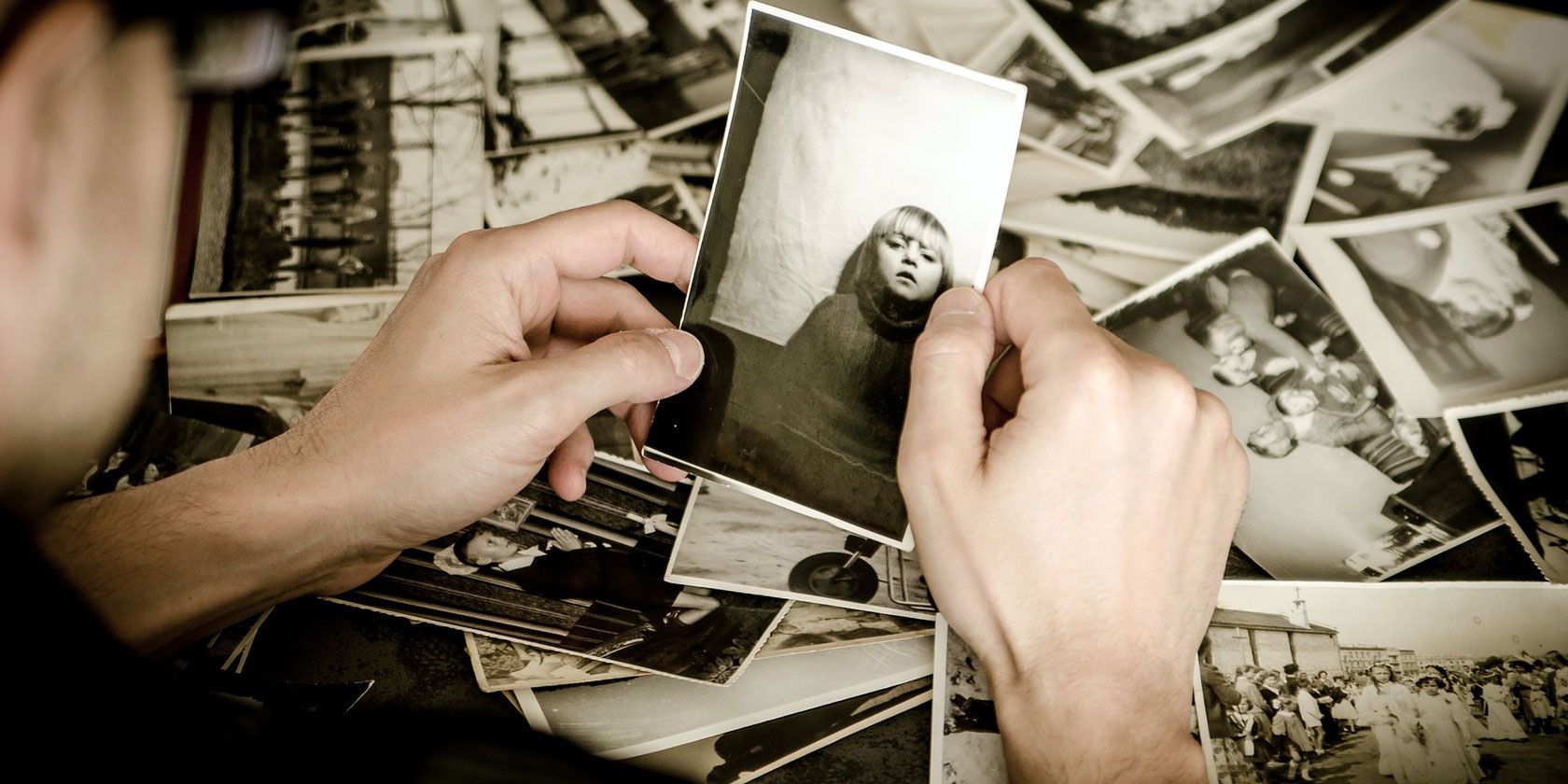
Do you want to digitize photos? You can easily back up and preserve old photos by turning them into digital copies with many different methods.
But what is the best way to digitize photos? It depends on how many you have, your budget, what you intend to do with the photos, and how much free time you have.
Why You Should Digitize Photos
Taking the time to turn your treasured physical photographs into digital copies isn’t as easy as leaving them in a photo album or box. Even if you love to shoot with film, or hold physical memories in your hands, there are a number of reasons why you may want to consider this option.
It’s easy to damage physical photos. Water damage, discoloration, and accidental tears are all legitimate concerns that could ruin your treasured photos forever. Making digital copies allows you to make as many backups as needed—so you never have to worry about losing your entire family history in the event of a flood or fire.
Photo albums, frames, and storage boxes can take up a lot of space in your home. On the other hand, you can store hundreds of thousands of digital copies on a single external hard drive the size of a deck of cards.
Family photos are meant for sharing. Having digital copies ensures that no one has to go without favorite childhood memories—every family member can have access to every photo ever taken.
Digital photos allow you to correct blemishes, adjust white balance or lighting, or crop out ex-boyfriends or girlfriends as needed. These adjustments simply can’t be made to the same extent on physical photos, and you want your treasured photos to look their best.
In all honesty, everyone should consider scanning in at least some of their old photos. It may take some time or money to get started, but the benefits of having old photos protected, shared, and edited completely outweigh the costs.
And you can always start small with your most treasured photos; you don’t need to scan in your entire collection at once.
Here are three different options for how to digitize your photos.
1. Scanning Old Photos at Home
Financial Investment: Low-to-Moderate Time Investment: High
Settle in for a couple of long afternoons. Scanning in your photos at home on a scanner is time-consuming, but also gives you complete control over how your photos are organized, scanned, and stored. Plus it can be a lot of fun to relive old memories.
There are a lot of different brands of picture scanner out there, with a wide range of prices and features.
As a rule, it’s generally best to consider a flatbed scanner, as they are least likely to damage your delicate photos. Basic options like the Canon CanoScan LiDE220 or the Epson Perfection V39 are a great way to scan photos up to 8×10 in size without breaking the bank.
If your budget is a little higher, you may prefer purchasing a scanner that can scan your old negatives and slides as well as printed photos. The Epson Perfection V600 has these features as well as some additional perks like automatic color correction and zero warm-up time. The Kodak Scanza is a great portable option if you need a film scanner.
Willing to pay top dollar? Some scanners are designed specifically to scan stacks of 4×6 photos at high speeds with good quality. The Epson FastFoto FF-680W claims to be the fastest picture scanner of all, and will digitize batches of 36 prints at a rate of one-per-second. It’s wireless too, so you can save directly to cloud services like Google Drive and Dropbox.
A more portable and less expensive photo scanner is the Doxie Go SE. It scans your photos to an SD card, is the size of a rolled up magazine, and runs on battery power.
If you’ve never undertaken a large-scale scanning project like this, there are some important guidelines to keep in mind.
Be organized. Are you going to scan photos chronologically? In order of importance? How are you going to organize them on your computer or external hard drive? Consider coming up with a system for naming and sorting files so that it’s easy to find the photos you are looking for. You may also want to consider strategies for keeping track of who is in each photo.
Be selective. Think about how many photos you take on your phone that you delete immediately. You don’t need to save every photo you’ve ever taken. Only scan the ones that are important to you.
Be careful. Wipe dust off of your photos and from your scanner using a non-abrasive cloth. This ensures that your picture is as clear as possible, without any annoying dust specks. And if you’re using a scanner that doesn’t show you a preview of your photos, check in on your scans every hour or so to ensure that they are scanning and saving properly.
Check your settings. All scans are not created equal. For scanning photos you’ll want to use a minimum quality setting of 300 dpi (but consider going as high as 600 dpi if you’re planning on enlarging any photos). As well, even if you are scanning in black and white or sepia photos, choosing to scan in color will give you the best opportunities to make edits and modifications to your digital photos.
Be prepared. You’re likely going to spend more than a few hours with these photos. Why not put a TV show on in the background, listen to your favorite music on Spotify, or surround yourself with friends and family for a photo scanning party and share memories as you dig through your photos.
2. Using an App to Digitize Photos
Financial Investment: Low Time Investment: Moderate
If you just need a way to quickly scan old photos to digital, you may not want to invest any money in a picture scanner. Or maybe you’re at a family member’s home and only have access to your phone.
Sure, you could always just take a photo using your phone’s camera app. But then you’re at risk of creating shadows, distortion, and glare. These apps help to remove these features and guide you through the scanning process.
Perhaps it’s not surprising that one of the best app options out there is Google’s PhotoScan app. The free app takes multiple photos of each print to improve quality, remove glare, and correct any distortion. And better yet, the app can be completely integrated with all the great Google Photos features you already know and love.
Not sure you want to go with Google? Consider these alternatives:
Download: Photo Scanner Plus by Photomyne for iOS ($1.99) Download: Photo Scan App by Photomyne for Android (Subscription required) Download: Memories by IdeaSolutions for iOS (Free) Download: Pic Scanner by AppInitio Ltd. for iOS ($3.99)
3. Photo-Digitizing Services
Financial Investment: High Time Investment: Low
Of course, the easiest way to tackle this project is to simply hire a photo-digitizing (or scanning) service. While this is an amazing way to decrease the amount of time involved in this project, it does come with some downsides.
You will have to send away your family photos to a stranger, often trusting the mail system with some of your most precious memories. In addition, a stranger will be seeing every photo that you send to them, so you may want to do an initial sort first as well.
Some options for companies that offer this service include:
Additional Services: If you have a lot of photos to scan, and don’t mind some extra wait time, the Value Kit pricing option may be right for you. Option to review your scans before purchasing, expedited services.
Additional Services: Option to pay between $145 and $299 (depending on resolution) for a prepaid photo scanning box, international shipping, rush services.
Stay Local
When choosing a service to scan your photos for you, don’t forget about your local photography studio. While not all locations will offer this service (and their prices may be higher) this option may offer you some peace of mind. This can also be a more timely option if you only want a few scanned photos, and want them to be at a high quality.
What to Do After Your Photos Are Digitized
No matter how you choose to digitize photos, the end result will be more space in your home, memories that are safe from harm, and a sense of relief. Now that you have all of these fantastic digital images, your options are endless.
You can send copies of your photos to family and friends, create a slideshow for your next family event, and/or share any great awkward photos online for instant likes and comments. Or consider buying one of these portable photo printers to make copies quickly and easily.
You know how it goes: you’re browsing the web, or checking an email, when all of a sudden a message pops up. Your computer, and the data on it, is locked—encrypted by ransomware. Access is denied until you pay the ransom.
Most people know the procedure with ransomware, which is why the criminal coders behind it are finding new and inventive ways to make you pay up. Here are some new types of ransomware that you should be aware of.
1. Talking Ransomware
If your computer is infected with the Cerber ransomware (typically via an email attachment posing as a Microsoft Office document), your data will be encrypted, with each file given a new file extension: .cerber.
Note: Unless you’re in Russia or the Ukraine, or other former USSR nations, such as Armenia, Azerbaijan, Belarus, Georgia, Kyrgyzstan, Kazakhstan, Moldova, Turkmenistan, Tajikistan, or Uzbekistan. If you are situated in these locations, the Cerber ransomware will deactivate.
You’ll know that you’re infected by Cerber as a notice will appear on your desktop. Furthermore, instructions on how to pay will be found in every folder, in TXT, and HTML format. You’ll also find a VBS file (Visual Basic Script) which, when opened, will dictate instructions to you. That’s right: this ransomware talks you through how to pay the ransom and decrypt your data.
2. Play Our Game… Or Else
In April 2018, we saw the PUBG Ransomware which took a different approach to holding your computer to ransom. Rather than demand money for your locked files, the coder behind this odd piece of malware gives you a choice:
Play the videogame PlayerUnknown’s Battlegrounds (available for $29.99 on Steam).
Just paste this code we’ve provided on-screen for you, you’re good.
It is, in effect, unmalware. Although potentially annoying, and appearing to be actual ransomware, the PUBG Ransomware appears to be nothing more than an elaborate promotional tool, no doubt conceived to gain a few column inches for PlayerUnknown’s Battlegrounds.
Doesn’t seem so bad, does it? Well, apart from the fact that it certainly does encrypt your files, and rename the file extensions (to .pubg). In short, if you found yourself torn between pasting some code and buying a three-star PvP shooter, you should probably take action. If this was real ransomware, you’d be paying out at least ten times the amount.
Unfortunately, this is one of the only types of ransomware that’s this easy to defeat.
3. I’ll Delete One File at a Time
Jigsaw deletes your files, one by one.
As if it wasn’t bad enough having all your data locked in an unknown state of existence, the Jigsaw ransomware takes the scam further. Originally known as “BitcoinBlackmailer,” this ransomware gained a new name thanks to the appearance of Billy the Puppet, as seen in the Saw “torture porn” movie series.
First spotted in April 2016, Jigsaw spread through spam emails and infected attachments. When activated, Jigsaw locks the user’s data and the system Master Boot Record (MBR), then displays the attached message.
This is essentially a threat: if the ransom isn’t paid (by Bitcoin) within an hour, a file will be deleted from your computer. For every hour you delay, the number of files that are deleted increases, considerably reducing your odds in this encryption lottery. Oh, and rebooting, or attempting to terminate the process (Jigsaw poses as the Mozilla Firefox browser, or Dropbox in the Windows task manager) results in 1000 files being deleted.
One last thing: later versions of Jigsaw threatens to dox the victim if they don’t pay up. By incentivizing the victim through menaces, this type of ransomware has changed the malware game.
4. Oh, You Paid Already? Tough
We’re familiar with how ransomware works. You get infected with malware that encrypts your vital data (or entire computer), then forces you to pay a ransom to unlock. Your files are then back in your hands via a decryption key. Right?
Usually, but not with Ranscam.
Just when you thought everything was straightforward with ransomware comes an example that just takes the money and runs. Oh, and they don’t even bother to encrypt your data as part of the pretense—your data is deleted.
Gone forever.
While most ransomware scams are clearly written by experts, some doubt has been cast over the proficiency of the hand behind Ranscam. Less sophisticated than other types of ransomware, Ranscam is nevertheless effective. The more notorious Petya ransomware strain was also known to obliterate data, rather than return access to the user.
5. Yes, We Locked Your TV
In June 2016 it was discovered that the FLocker ransomware (ANDROIDOS_FLOCKER.A) that had previously hit Android phones and tablets, had evolved. Android-powered Smart TVs were added to its list of targets.
You may have already heard of FLocker, even if you don’t know its name. It’s one of the ransomware types that displays a “law enforcement” warning, informing you that illegal material has been viewed on your system. It’s also targeted at Western Europe and North American users; in fact, anyone who isn’t in Russia, Ukraine, or any of the other former USSR nations.
Payment is demanded via iTunes vouchers (often the target of scammers), and once received, control of your Android phone or TV is returned to you.
6. We Really Locked Your Data, Honest!
Amazingly (or perhaps not, when you think about it) there are ransomware strains that don’t actually do anything at all. Not in the same way as PUBG Ransomware; no, these examples are simply fake popups, claiming to have control of your computer.
This type of ransomware is easy to deal with, but the power of the concept is enough for these examples to be profitable. Victims pay up, completely unaware that they had no need to do so. Their data was not encrypted.
Such ransomware attacks typically come as a browser window popup. It appears that you cannot close the window, and that any message to the effect of “your files are encrypted; pay $300 in Bitcoin” is the only solution.
If you want to check if the ransomware you’ve been hit by is genuine, and not a cheap(er) scam, try closing the window. In Windows, use Alt + F4. It’s Cmd + W on Mac. If the window closes, update your anti-virus software immediately and scan your PC.
7. Ransomware in Disguise
Finally, it’s worth looking at some of the ways ransomware can deceive through appearance. You already know that fake email attachments are used to deliver ransomware to computers. In this situation, attachments appear as legitimate DOC files, sent with spam emails claiming that you owe money; the attachment is the invoice. Once download, your system is compromised.
Other disguises are used, however. For instance, the DetoxCrypto ransomware (Ransom.DetoxCrypto) claims to be the popular Malwarebytes Anti-Malware software, albeit with a slight name change (“Malwerbyte”). Then there’s the Cryptolocker variant (CTB-Locker) that pretends to be a Windows Update.
Thought you’d seen it all from ransomware? Think again! Scammers will stop at nothing to grab the contents of your wallet, and they’re coming up with new types of ransomware all the time.
Where Were You on October 21, 2012?
I’m not surprised that Google has been tracking my every move since 2009. I’m sure I allowed it when I accepted its terms of service at some point. What is surprising is being able about to browse this timeline of my location on a world map. This Google page has day-by-day reports of you where you where, the paths you traveled, the restaurants and stores you visited, and any geotagged photos you took on any given day. You can even edit the information if its incorrect. Wow! — MF
Downloading my Facebook data
I’m keeping my Facebook account, but for educational purposes I downloaded all the data Facebook has on me. I highly recommend you do the same, just so you know what the bargain is. Start with this link, follow the directions. You’ll get an email with a new link that will enable you to download a zip file. The folder with the most goodies is the Index page. Go back and adjust your privacy settings as desired. — KK
Quotables
Something I read recently that has stayed with me is the mantra, “You are partly right — When someone congratulates you or criticizes you, you can use this mantra.” (Thich Nhat Hanh, How to Love)
Other quotables from which I am finding inspiration:
“If you limit yourself only to what seems possible or reasonable, you disconnect yourself from what you truly want, and all that is left is compromise.” — Anaïs Nin
“When you let go of who you wish you were, you reclaim your power to be radiantly, magnetically, and creatively who you are.” — HeatherAsh Amara, Warrior Goddess Training
“Nostalgia may be the most tempting and deceptive form of opposition to change.” — Gloria Steinem, Doing Sixty & Seventy
— CD
Good cheap tablet stand The $9 AmazonBasics Adjustable Tablet Stand was just what I was looking for in a kitchen countertop iPad stand. It’s made of sturdy plastic, adjusts quickly, and doesn’t skid or wobble. It can hold any size tablet — even smartphones. — MF
Motion sensing light bulbs
Motion sensing lights are a rapidly evolving product. Nowadays the motion sensors are built right into the LED light bulb itself; no clunky hardware or switches. The same sensors in the bulb detect night/day. So the bulbs only turn on in the dark with motion of a body, and can be used in any socket. They can be placed outside with a little protection. I’ve been trying out the various Chinese-made versions. This one by Luxon costs about $9 and works good enough in our garage, hallway and porch. — KK
Organize bookmarks bar
I used a link from this page and dragged vertical lines into my bookmarks bar to separate and group related links. This works best if you’ve created an icon-only bookmarks bar and move all your your folders off to the side. — CD


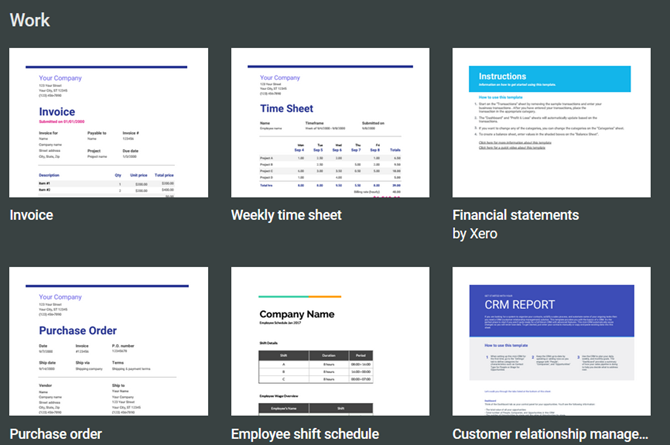

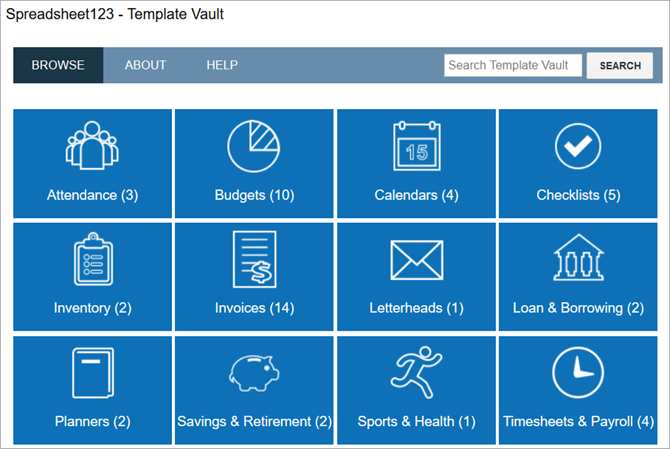
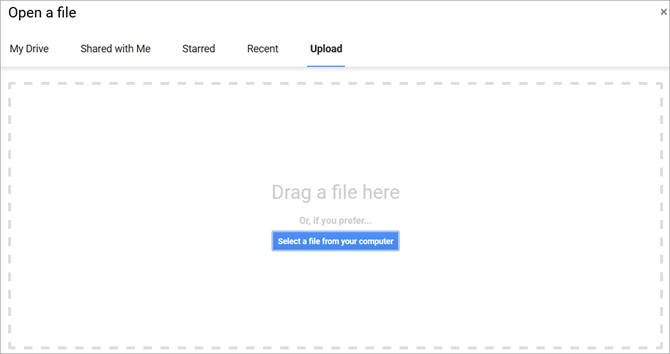


 A soft silk scarf with quail and magnolias—that’s the piece that launched Rinnovo. It was one of several designs that Thomasville native Mallory Jones created in collaboration with emerging artists as part of a textile experiment while getting her MBA at Clemson University. A year after mailing her only scarf sample to Orvis, the company ordered her wares. The outdoorsy designs include the “Madison River Rainbow” trout and traditional prints like “Wintery Mix.” “I just fell in love with the silk scarf medium as a multifunctional way of enjoying art. Wear it or ‘wall it,’” Jones says. With 75 percent of her business now coming from private-label product development for brands like RL Ireland, the 27-year-old is devoting most of her time to building that…View Original Post


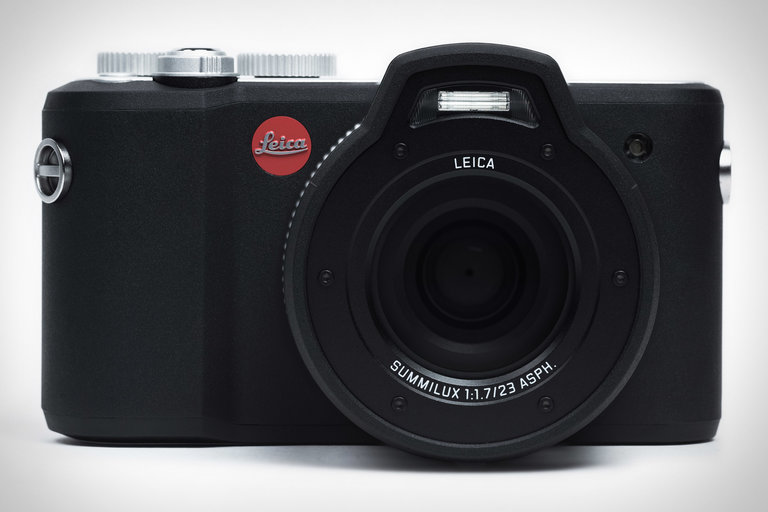 All of Leica's cameras are somewhat rugged, but only the Leica X-U was built to thrive in the elements — including underwater. This is evidenced by the dedicated "UW" mode...










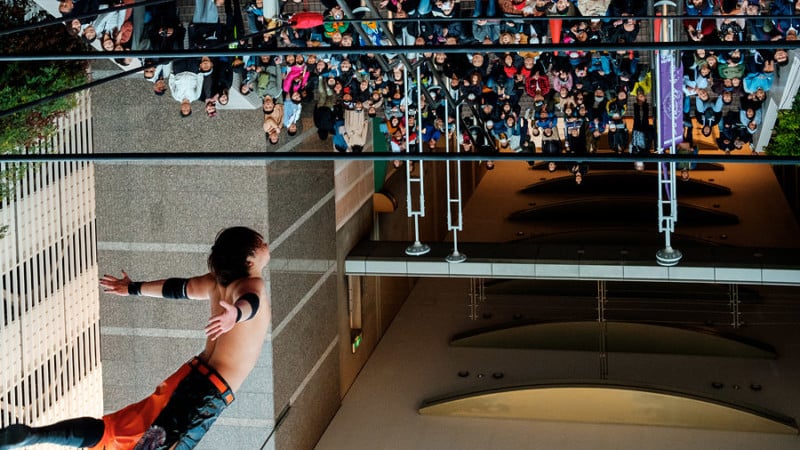




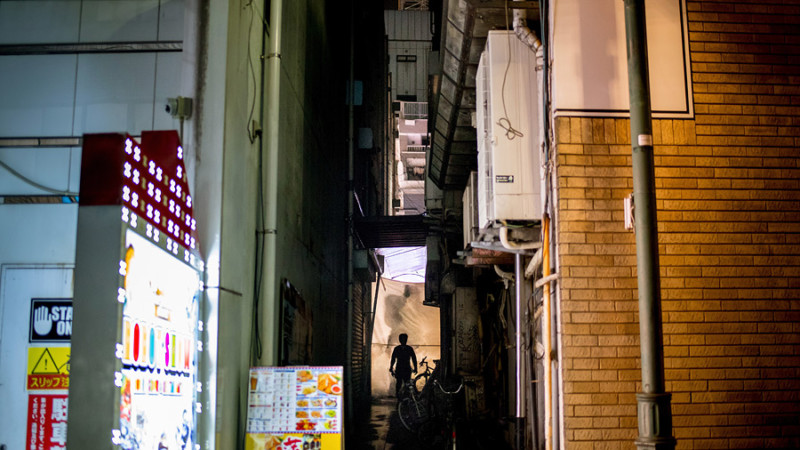


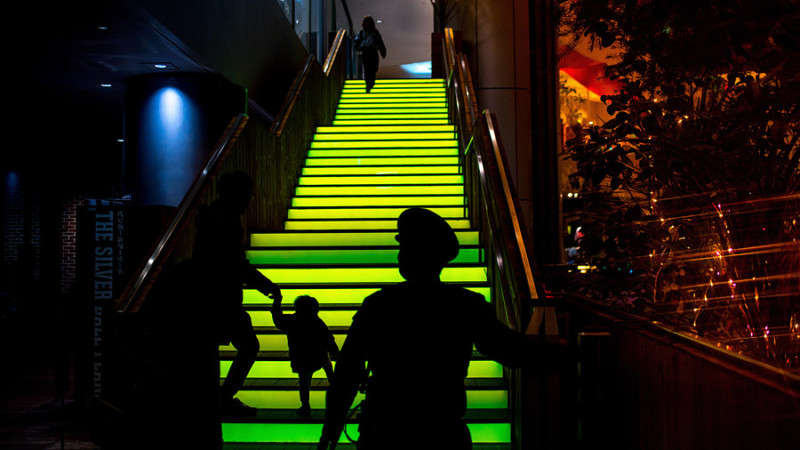





 When Byrd explains his case to people he brings a leather binder stuffed with loose papers—letters, court filings, notices, and receipts telling a two-year-long story in the language of bureaucracy.
 The next stop for Byrd was Room 110 in Chicago's Administrative Hearings Department. It's where quasi-judicial hearings for vehicle impounds in the city happen.
 Nava is now a co-chair of the STOP campaign, a project to reduce poverty by Community Organizing and Family Issues (COFI). Earlier this year, COFI issued a report on debt, including the role of excessive city fines and fees in trapping low-income families in downward spirals. According to a survey on family finances in the report, 22 percent of respondents with annual incomes under $15,000 reported owing ticket debt to Chicago.