Shared posts

01 Oct 17:21

The Best Scavenger Hunt Apps and Ideas

by Anya Zhukova
scavenger-hunt-ideas

If you’ve ever been a part of a well-organized team-building activity, you know that it’s a great way to not only have fun together but build trust and understanding among any group of people. That’s what makes it such a great way of getting to know each other. 

Sure, icebreakers can get people talking, but if you’re looking to really make people feel more relaxed with each other, you’ll need a proper team-building activity. Like a scavenger hunt. And as usual, there’s an app for that.

How to Organize a Scavenger Hunt

So you’ve decided to organize a scavenger hunt for your family, friends, or colleagues. Don’t know where to begin? Worry not, because there are some great scavenger hunt apps available.

Below you’ll find our roundup of the best mobile apps and online resources that will do most of the work for you. All you need to do is make sure your friends know where the starting point for the scavenger hunt is.

All scavenger hunt apps have the same basic features. They allow you to create tasks for the teams or individual players to complete. Some of them come with a map, so you can assign your tasks to specific locations. Just make sure your players are equipped with smartphones that have data and GPS enabled during the game.

1. GooseChase

GooseChase is a DIY scavenger hunt platform. This means that you can either choose a theme for your game from the existing “mission bank” on the app, or you can create one from scratch. If you choose to write a unique treasure hunt, you can check out the company’s blog for inspiration. You can find things like 15 creative scavenger hunt ideas or 15 funny scavenger hunt ideas.

Once you’re happy with the end result, you can send it to the participants’ smartphones and begin the hunt.

In order to complete missions, participants submit photos through the app. The tasks vary, and can sometimes involve talking to strangers and even convincing them to take part in the game one way or another. Each mission has a set point value, and the team (or individual) that collects the most points by the end of the game wins.

The game is free if you use it for organizing a small team hunt, and GooseChase offers paid packages for large groups or businesses.

Download: GooseChase for iOS | Android (Free)

2. Locandy

Locandy is another platform that offers ready-made scavenger hunts. More interestingly, they’re not just games, but also quests where you have to make decisions. The story changes and evolves depending on what you choose to do.

Locandy offers interactive multimedia games that will help you discover your surroundings while outdoors, or a completely different city while sightseeing. The app and all games are free for users. You need to download them individually before you begin but after that you won’t even need an internet connection. Having your GPS enabled is enough.

If you enjoy the Locandy app and scavenger hunts they offer, you can become a contributor. You can request an author account, start creating your own Locandy games, and then share them with your fellow users.

Download: Locandy for iOS | Android (Free)

3. Huntzz

Huntzz is another DIY app that also offers some ready-made treasure hunts. Its main attraction, however, is its antique-looking treasure map interface.

You can create games inside the app, or if you happen to be in the place where other users or the app creators already have shared hunts, you can just pick one of those to play. Most of the hunts are sightseeing-focused, where every clue you get to comes with a so-called “scroll” full of interesting information about a landmark or an exhibit you reached. There’s also an option to choose different levels of difficulty, from simple to cryptic game clues.

When you create your own scavenger hunts on the app, you can choose to share them with other users publicly or privately. Some of the games that already exist on the app are free and some you have to pay for. There’s also an option of getting full access to all the paid games on the app.

Download: Huntzz for iOS | Android (Free)

4. Scavify

Scavify is a scavenger hunt app that offers complete treasure hunt games for different audiences, such as university students, workplace employees, educational event’s attendees, and tourists.

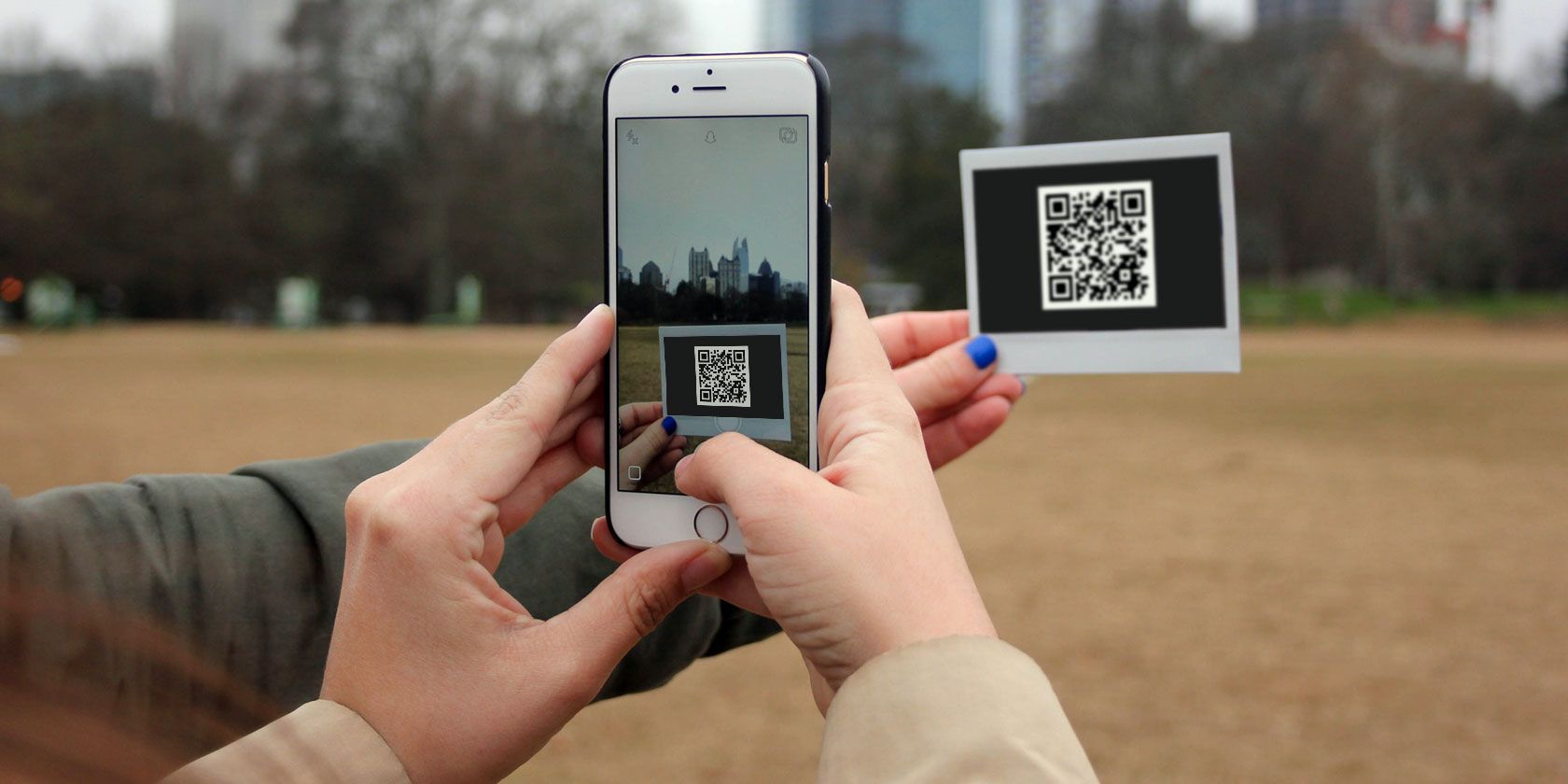
Scavify will offer you different hunts based on various group sizes, whether you want the game to be competitive or not, and the purpose of the scavenger hunt. The tasks in the hunt include taking pictures and videos in specific locations, solving difficult puzzles, answering quiz-like questions, and scanning QR-codes found in certain places.

One downside might be that Scavify doesn’t have a free trial option. Personal packages start at $29 for small groups of 10 players. The company also offers different packages for larger groups and businesses.

Download: Scavify for iOS | Android (Free-to-use, with paid game packages on the site)

5. Google’s Emoji Scavenger Hunt

Google’s Emoji Scavenger Hunt is a fun little game that you can play using just your phone’s camera. After you load the site and start the game, you will only have 20 seconds to complete each task. The tasks are quite simple—you need to find items Google throws at you. A neural network will then try to identify what it is you’re holding in front of your camera.

You can even keep the sound on and hear all the items being identified as they come into the camera’s view.

If you enjoy this one and feel like playing more fun Google games, check out these quick games you can play on Google Search.

6. Geocaching

Geocaching is a scavenger-type activity where users first create “caches” by filling them with items and then hide them wherever they want. They then upload the GPS coordinated to the web for others to find. Once you find a cache, you can replace it with something of equal or greater value and claim what you found.

For an updated map with listings of nearby caches go to the geocaching website or use one of the many (free) geocaching mobile apps. Caches differ based on their size, distance, and difficulty. An easy one could make for a perfect outside-the-box romantic getaway with your significant other.

More Outdoor Games to Play With Smartphones

If you experiment with a few of those apps and tools, you’ll definitely crack the formula for your perfect scavenger hunt.

In case these don’t quite hit the spot for you, even though you identify as an outdoorsy type who loves exploration and adventure—check out these fun outdoor games to play using your GPS-enabled smartphone.

Read the full article: The Best Scavenger Hunt Apps and Ideas

01 Oct 16:20

Six Reasons Why You Should Choose Martinique For Your Winter Escape

by Sylvie Bigar, Contributor
Les Salines, the Southern beach near Sainte-Anne, a charming French village in the tropics, is simply one of the most beautiful beaches in the world.
01 Oct 16:15

This Wine Club Has Something for Every Type of Wine Drinker

The Gold Medal Wine Club has six different club options that offer anything and everything any wine drinker could want.

01 Oct 16:14

What’s the Best Drone for Photography?

by Megan Ellis
best-drone-photography

Aerial photography is responsible for some of the most impressive shots on Instagram, YouTube, and even good ol’ TV. But you no longer need to hop on a helicopter or biplane to get these excellent shots. While there are many different activities for drones, aerial photography is one of their most popular draws.

As drone photography becomes more popular, it’s getting more difficult to decide which devices are the best for your needs. Here are some of the best drones for photography out there—as well as the situations they suit the most.

The Best Aerial Photography Drone for Beginners
Yuneec Breeze 4K

yuneec-breeze-drone

Yuneec YUNFCAUS Breeze Compact Smart Drone Ultra HD 4K Video, White with Bluetooth Controller Yuneec YUNFCAUS Breeze Compact Smart Drone Ultra HD 4K Video, White with Bluetooth Controller Buy Now At Amazon $173.90

Why we like it: A variety of autonomous functions at a low price.

There are a few things to consider when buying your first drone. For a beginner’s drone, you want one that is relatively simple to operate, includes various automated functions, and comes with a reasonable price tag. Yuneec, known for its quality drones and competitive prices, offers the perfect solution: the Yuneec Breeze 4K drone.

This drone is specially catered towards beginners in terms of its price and its various piloting modes. These modes include selfie mode, orbit mode, journey mode, and follow me mode. This makes it perfect for total beginners who need some assistance when it comes to steering their drone.

Its 4K video recording and 13MP camera mean that it also boasts decent quality imaging, meeting most beginners’ aerial photography requirements. The 12-minute flight time is a bit limiting, but this kind of time window is similar to other compact beginner drones on the market.

The Best Budget Drone for Aerial Photography
Parrot Bebop 2

parrot-bebop-2-drone

Parrot Bebop 2 FPV - Up to 25 Minutes of Flight time, FPV Goggles, Compact Drone Parrot Bebop 2 FPV - Up to 25 Minutes of Flight time, FPV Goggles, Compact Drone Buy Now At Amazon $299.00

Why we like it: Impressive quality for price. Full HD camera.

The Parrot Bebop 2 balances price and quality in a way that makes it the perfect budget drone for photography. While there are a variety of cheaper camera drones on the market, their quality is markedly lower.

However, the Parrot Bebop 2 has impressive specifications for its price range—even competing with a few drones that come with a higher price tag. The drone boasts 25 minutes of autonomous flight time, meaning that it doesn’t skimp in terms of battery power. It also has a Full HD camera with a 14MP lens.

Other features include GPS tracking, smartphone app controls, and flight stability functionality. It may not be packed with quite the number of features of some of the other drones on this list, but for its price it offers great value for money.

You can have a look at more drones at different price ranges in our roundup of the best drones for all budgets.

The Best Drone for Real Estate or Commercial Photos
DJI Phantom 4 Pro

dji-phantom-4-pro-drone

DJI Phantom 4 PRO Professional Drone, Hobby RC Quadcopter & Multirotor, White, CP.PT.000488 DJI Phantom 4 PRO Professional Drone, Hobby RC Quadcopter & Multirotor, White, CP.PT.000488 Buy Now At Amazon $1,188.00

Why we like it: Near-unparalleled performance and quality. Suitable for a variety of commercial uses.

The DJI Phantom 4 Pro is considered one of the best photography drones on the market. It’s a favorite for consumers, professionals, and businesses thanks to its exceptional video and photo quality. In fact, when you ask professionals which drones are best for commercial photography, the DJI Phantom 4 Pro is almost always mentioned.

What makes the DJI Phantom 4 Pro great for real estate and commercial photography is that its price range makes it accessible to both small and large businesses. There are more complex drones that companies can invest in, but these come with a more difficult learning curve.

Since the Phantom 4 Pro is also consumer-friendly, it’s easy enough for businesses to use as well without needing a professional drone pilot on hand. The Phantom 4 Pro is popular among professional photographers, but is also often used for television advertisements, music videos, and other commercial videos.

Its features include a maximum flight time of 30 minutes, three-axis stabilization, Cinema 4K (C4K) video recording, and a 20MP camera with adjustable aperture.

The Best Drone for 4K Photography
DJI Mavic Pro 2

mavic-2-pro-drone

DJI Mavic 2 Pro Drone Quadcopter with Hasselblad Camera HDR Video UAV Adjustable Aperture 20MP 1" CMOS Sensor (US Version) DJI Mavic 2 Pro Drone Quadcopter with Hasselblad Camera HDR Video UAV Adjustable Aperture 20MP 1" CMOS Sensor (US Version) Buy Now At Amazon $1,499.00

Why we like it: Improves on an outstanding product. Better portability than other premium drones.

In our review of the DJI Mavic Pro, our reviewer dubbed it the best drone he’d ever flown. The DJI Mavic 2 Pro is the new and improved iteration of the original drone. Shortly after its release, it garnered the praise and awe of drone enthusiasts.

As the company’s flagship consumer drone, it not only comes with exceptional quality, but also great portability and ease-of-use. It’s equipped with a 20MP Hasselblad camera, six-axis obstacle avoidance, foldable arms, and a maximum flight time of 31 minutes.

It also has a few awesome tricks, such as the ability to create 48MP super-resolution images by patching together nine photos taken with the drone’s telephoto lens. It also has a hyperlapse function, a favorite effect among many photographers.

The drone features HDR and a “hyperlight” low-light mode to make sure your pictures achieve stunning depth and detail. The drone doesn’t come cheap, but it is the belle of the ball when it comes to drones for 4K photography.

Improve Your Photography Skills Further

While using these, the best drones for photography we could find, will give you the opportunity to capture some of the rarest views, having a drone won’t necessarily make you a great photographer.

As has been said many times before, when it comes to honing your photography skills, practice makes perfect.

Luckily for you we’ve rounded up a few ways you can become a better photographer by doing a few simple exercises. So be sure to check them out if you want an inexpensive way to improve your photography skills.

Read the full article: What’s the Best Drone for Photography?

28 Sep 15:33

Chef-Approved Tailgating Essentials

by Dacey Orr

photo: Brennan Wesley

Haskell Harris (@haskellharris) is the style director at Garden & Gun

I lived in Birmingham, Alabama, for five years before I arrived at Garden & Gun in Charleston, South Carolina, and I still miss chef Chris Hastings and the Hot and Hot Fish Club. He’s as friendly as his food and Hastings is someone who knows how to do game day, thanks to more than three decades spent mastering the high art of crowd-pleasing.

“We tailgate at the University of Alabama and the site varies, but we usually arrive about four hours ahead of kickoff,” he says. His two children, Zeb and Vincent, are Alabama alums; Hastings attended culinary school at Johnson & Wales in Rhode Island, where his tailgating experience was limited to flag football games, so there’s no family or sibling sports rivalry in sight at his get-togethers. Just good friends, a good time, and really good food.

photo: Courtesy of Chris Hastings

Chef Chris Hastings and his wife, Idie, at an Alabama tailgate.

Biggest tailgating success: His dad’s grilled chicken. “It’s marinated in Worcestershire sauce, lemon juice, chili flakes, thyme, garlic, and butter for hours, and because of the marinade and the way we grill it, it looks like it’s burnt so it’s a big surprise for folks. It has a darkness to it because of the Worcestershire and a bright flavor from the lemon and it’s moist on the inside. Once people taste it they’re like ‘Oh, okay, I get it now, it’s not burnt.’”

Biggest tailgating fail: “My favorite salad in the fall is an apple endive salad with a creamy dressing that has tarragon and chervil and parsley, and one year I did it with red and white endive. It was beautiful to look at, but it was a little like somebody showed up in a tuxedo to go to a tailgate—it was out of place. I was the only one who ate it,” he laughs.


Items on chef Chris Hastings’s tailgating checklist:

Coleman Coastal Extreme Portable Cooler, 120 Quart

“This cooler has great inside capacity, holds ice exceptionally well, and isn’t too heavy. I would need five average coolers to fit what I need to tailgate due a lack of inside capacity in most.” $58


Back Forty Beer and Cahaba Brewing

“I love both of these guys and their beers, especially Back Forty’s Freckle Belly ale and Cahaba Brewing’s American Blonde ale.”


JBL Portable Boombox

“This has great sound, it’s six pounds, and it’s waterproof!” $419


Kijaro Portable Camping Chair

“These are light, sturdy, affordable, and best of all, they have two drink holders.” $35


Thermos Stainless Steel Insulator

“This is the best koozie on the planet because it holds its temperature, covers the entire can, and has a 360-degree drinking feature on the lid.” $15


CBS Sports App

“This is the ideal way to get scores and live stream games.” Free


 Weber Original Kettle Charcoal Grill

“Simple and perfect.” $149


Garden & Gun has affiliate partnerships and may receive a portion of sales when a reader clicks to buy a product. All products are independently selected by the G&G editorial team.

The post Chef-Approved Tailgating Essentials appeared first on Garden & Gun.

28 Sep 15:20

How Fishing Captains are Saving the Everglades

by Dacey Orr

“This is what’s at risk,” Captain Chris Wittman tells me. “This is what we are fighting for.” He doesn’t need to point to what he’s referring to. Open waters and islands dense with mangroves unfurl in every direction. We’ve run a Hell’s Bay poling skiff through skinny water outside Everglades City, Florida, for a morning of hunting tarpon. This is primal country, without the blemish of a single human-built structure. Untouched, or so it seems.

Two years ago, Wittman, who lives in Fort Myers, would spend three days on the water for every one on land, guiding anglers to tarpon, permit, and redfish along the Gulf of Mexico. He still watches plenty of sunrises from a poling platform, but these days he finds himself under fluorescent lighting more than he’d like: on the phone, in meetings, in legislative offices in Tallahassee and Washington, D.C.

As a founding director of Captains for Clean Water, a nonprofit that advocates for the restoration of Florida’s estuaries and the Everglades, Wittman is helping channel into action a rising tide of anger over the state’s catastrophic water pollution. He and another Fort Myers charter captain, Daniel Andrews, formed the group in February 2016, after contaminated water from Lake Okeechobee flowed into the Caloosahatchee River and then into the fish-rich estuary where they have guided for decades. The toxic sludge wiped out grass beds and oyster reefs. Fish and horse conchs fled the contamination to die on white-sand beaches. The stench drove tourists out of their hotels. Fishing bookings, Wittman said, fell by 80 percent.

photo: Pete Barrett

Wittman on his eighteen-foot Hell’s Bay fishing skiff.

Captains in the area had seen this before. Florida’s waterways have been re-plumbed over the last century, and water no longer flows where nature intended. Instead of filtering slowly from Okeechobee through the Everglades, water polluted by municipal and agricultural sources shunts from the lake through a system of locks and canals into the St. Lucie River on the east coast and the Caloosahatchee to the west.

Wet years had brought high flows of tainted freshwater, but
the winter deluge in 2016 was the worst ever. “The straw that broke the camel’s back,” Andrews says. The two captains coined a name for their grassroots effort, put up a Facebook page calling for a meeting at the Fort Myers Bass Pro Shops, and wondered if they could get a few dozen irate captains to show.

They did—along with about three hundred others. “The crowd was out the door,” Wittman recalls, and included saltwater and freshwater fishing guides and anglers, commercial fishermen, tackle-shop owners, and journalists. “We realized we had a chance to do something to fix this. To influence our policy makers.”

Pete Barrett


Fixing the Everglades has been a rallying cry since the invention of orange juice, but there is hope that a window of opportunity has opened. After years of study, plans are now under way to build a 17,000-acre, $1.6 billion reservoir ringed with massive constructed wetlands south of Lake Okeechobee. The lake will capture and hold polluted runoff, filter it through the marshes, and release it slowly south into the Everglades, which have been cut off from adequate water flows for decades.

The Everglades Agricultural Area Storage Reservoir, as it is known, was originally proposed as a 60,000-acre project, and some worry that the current design won’t be large enough to result in the “optimal” benefit that the authorizing legislation requires. “But it’s a big step forward,” says Thomas Van Lent, director of science and policy for the Everglades Foundation. “If it doesn’t provide the promised water quality, the state is on the hook to fix it.” After Congress green-lights Florida’s plan, it also has to come up with $800 million in matching funding. Van Lent is optimistic the needed legislation will pass this session, and that construction will begin soon after.

For now, the captains—and the more than 2,500 other members of Captains for Clean Water—are applying pressure to state legislators, federal officials, and anyone who will listen about the chance to do something meaningful for South Florida’s ecosystem, and the famed fisheries it supports.

The Everglades are dying. I’ve heard that since I was a kid,” Wittman says. “And there are quite a few places where this effort can still fall off the tracks. But this is the best chance we’ve had for significant conservation of the ’Glades in my lifetime. We can’t squander this opportunity.” 

The post How Fishing Captains are Saving the Everglades appeared first on Garden & Gun.

27 Sep 18:37

Laser Noob: Getting Started With the K40 Laser

by Adam Fabio

Why spend thousands on a laser cutter/engraver when you can spend as little as $350 shipped to your door? Sure it’s not as nice as those fancy domestic machines, but the plucky K40 is the little laser that can. Just head on down to Al’s Laser Emporium and pick one up.  Yes, it sounds like a used car dealership ad, but how far is it from the truth? Read on to find out!

Laser cutting and engraving machines have been around for decades. Much like 3D printers, they were originally impossibly expensive for someone working at home. The closest you could get to a hobbyist laser was Epilog laser, which would still cost somewhere between $10,000 and $20,000 for a small laser system. A few companies made a go with the Epilog and did quite well – notably Adafruit used to offer laptop laser engraving services.

Over the last decade or so things have changed. China got involved, and suddenly there were cheap lasers on the market. Currently, there are several low-cost laser models available in various power levels. The most popular is the smallest – a 40-watt model, dubbed the K40. There are numerous manufacturers and there have been many versions over the years. They all look about the same though: A blue sheet metal box with the laser tube mounted along the back. The cutting compartment is on the left and the electronics are on the right. Earlier versions came with Moshidraw software and a parallel interface.

The K40 mechanics haven’t changed very much, but the electronics have been updated to USB with modern stepper drivers. Make no mistake, these are not “quality” machines. They are built down to a cost. Interlock switches are non-existent. Overheat protection for the tube is your problem. Low cooling water flow alarm? Nope, better keep an eye on that yourself. The cutting bed looks like a mixture of an afterthought and parts someone found in the spares bin. The exhaust duct is routed 3 inches into the cutting area. In other words, these are the perfect machines for a hacker.

I’ve been watching the K40 and similar machines on eBay for years. Originally these machines were shipped from China. It was a crapshoot if a large heavy gas filled glass tube would survive the trip halfway around the world. Now, many of the machines are shipping from California and other ports within the lower 48 states. I’m guessing the machines are shipped to a warehouse here in the USA, tested, then the good units are sent on to customers.

With all this in mind, I finally decided to jump in and get a K40 laser. My first problem was deciding which laser to buy. eBay and Alibaba are riddled with auctions from sellers with different versions of the K40. Everyone says they’re newer and better than the rest. Some boast different accessory packages, and things like air assist – but also cost more. There is enough information to throw even the most seasoned eBayer into analysis paralysis mode.

In the end, I decided to go with one of the cheaper (but not the cheapest) lasers with a digital front panel display. My model also came with a temperature readout for the cooling water, and wheels – for those who like to roll their benchtop lasers around.

I clicked the “buy it now” button and started waiting. The machine in its 62 lb crate would take about a week to ship from the west coast. That gave me plenty of time to order some safety equipment.

Laser Safety

While the K40 may be cheap, I didn’t want to skimp on safety equipment. There are many vendors for laser safe goggles online. There are plenty of them available from China, but I really didn’t want to risk my eyes to a company I had never heard of. I did some checking around and ended up ordering a pair manufactured by Honeywell. Amazon had them available on Prime, so they got to me before the K40 itself. Whichever pair you order, make sure they are rated for CO2 lasers. There are many types of lasers out there, and goggles meant to protect you from a UV medical laser won’t help much at all when it comes to an IR laser like the one in the K40. IR safe glasses will be clear, or nearly so. But don’t mistake them for bog standard safety glasses. These are specially made materials which will help keep you safe from the invisible blindness beam your K40 puts out when your other safety measures fail.

Lasers burn things, and it is unfortunately common for those things to catch fire inside the laser. I’m keeping a large ABC dry powder fire extinguisher near the printer. However, that’s only a stopgap. If you’ve ever had to use a powder extinguisher, you know how messy they are. To try to keep the K40 and the rest of my lab safe, I’m planning to invest in a gas extinguisher of some type. Either CO2 or Halotron, depending on which is safer for use in a basement room.

While I never plan to leave the laser running unattended, I also have smoke detectors in my lab. Finally, I added a carbon monoxide detector to make sure the K40 doesn’t fill the room with a silent killer.

Unboxing

Hackaday doesn’t do unboxing videos, but the impression I got while unpacking the K40 was that it is big – bigger than one would imagine from the photos. My machine measured 32″ wide x 19.75″ deep x 10.25″ high. Thankfully I had workbench space right near a window that made a perfect home.

Cooling

The K40 laser is water cooled. All the lasers include a coolant pump as one of the accessories. The pump I received is a wonder of cost reduction. It’s an aquarium or pond pump, with a magnetically coupled impeller. I was concerned when after use I saw water dripping out of the pump down the 120 V power cord. It turns out the back cover of the pump isn’t even sealed. It doesn’t need to be. The motor stator and coils are potted in black epoxy. As long as that potting compound is in place, nothing can get to the motor. It does seem to work well for keeping the cooling water flowing. However, I can’t say I completely trust it with the life of my laser tube. A mod may be in the future for this system.

For coolant, I’m using distilled water. My reservoir for these early tests is a simple shoebox-sized plastic container. It holds a gallon of water and keeps the pump submerged. If the laser isn’t going to be used for a few days, I dump the water and empty the tube by blowing into the inlet line.

Exhaust

Cutting things with a laser will produce smoke and fumes; that’s a given. The K40 comes with an exhaust fan which is rather anemic, to say the least. It’s literally a bathroom exhaust fan slapped on the back of the laser. Smoke is pulled through a slot cut in the back of the case and sent up the exhaust hose. I already have a large Dayton fan mounted in the window of my lab. While the unguarded blades are decidedly dangerous, it moves a crazy amount of air. This coupled with the stock exhaust fan was able to keep the smell of burning wood and plastic down to reasonable levels. However, I’ll definitely be upgrading the stock exhaust in the future.

Aligning The Optics

The first step in setting up one of these lasers is arguably the most dangerous: aligning the mirrors. This is why I bought good laser goggles. Working on the laser with the doors off is something you generally don’t want to do since you can’t control where the beam goes.

Keep the laser safety glasses on at all times, close the door, and make sure no one else walks into the room. My tube was so far out of alignment that the beam exited the case through the open door and made a small scorch mark on the wall behind my workbench. It would not have been good if someone else was standing there.

There are plenty of video tutorials out there for aligning the mirrors on a K40. I found this one to be particularly helpful. The idea is to make sure that the laser dot hits the center of each of the three mirrors in the beam path. Two of the mirrors move on an X-Y table, so it’s important to make sure the beam hits the same spot no matter where they are positioned. I used Post-it notes rather than the painter’s tape many of the tutorials call for. It’s much easier to see the burn mark on the yellow Post-It than on the dark blue tape.

You don’t need a computer for these steps, just keep the stepper motors off and move the table by hand. When it comes time to fire the laser, you just have to tap the test button on the front panel.
The first thing to align is the tube itself. My tube was so far out of alignment that the beam wasn’t even hitting the mirror. The tube is held in with two metal spring straps. Rubber rings keep the straps from breaking the glass tube. More rubber acts as shims to align the tube vertically. I removed one of the shims from the left side of the tube and added it to the right. It’s a fiddly procedure since tightening too hard on the screws will break the single most expensive part of the K40 – the laser tube.

I found that even after an alignment, my K40 still wasn’t performing correctly. I cleaned the mirrors and the laser tube with alcohol, but it was no help. Finally, I disassembled the focusing head. That’s where I found my problem. There were bits of metal inside the head from when it was machined. These metal pieces were in the beam path, disrupting it. I took the 45-degree mirror and the focusing lens out, then carefully cleaned the tube. Once everything was re-assembled, my K40 was ready for action.

Software

The laser comes with an obviously burned CD and a USB stick. My laptop doesn’t have a CD drive, so I popped in the USB stick and found… nothing. It’s not really a drive, but a dongle to unlock the laser driver software. I had to go and find my USB cd drive before using the K40. Most of the filenames on the disc are in Chinese. Some digging eventually led me to a file for Corel Laser. It’s a copy of Corel Draw with a plugin to drive the K40. The copy of Corel Draw is almost certainly an illegal cracked copy. I got access to a legit base copy from a friend who switched over to Adobe.

In simple terms, CorelLaser gives you a toolbar and can cut or engrave any image loaded into Corel Draw. Cutting and engraving are very different processes though. Cutting is a vector operation. The laser will trace the path of every line in the image. Engraving is a raster affair. The laser will draw the image line by line, left to right and top to bottom. You can also perform both processes on the same design by creating a cut layer and an engraving layer in the software.

I ran into trouble with the software pretty quickly. Whenever I tried to cut, the laser head moved slowly. Changing the movement settings didn’t help. Some digging eventually pointed me to the settings page for CorelLaser. Here I found the “mainboard” setting was wrong. The value has to match the model number silk screened on the laser mainboard. Of course, the mainboard is mounted in such a way that you can’t read the model number, but a quick cell phone photo fixed that problem. My model is 6C6879-LASER-M2. The board firmware is dated 2018-01-08, so the board must have been built sometime after that.

I expected CorelLaser to be a hot mess. Honestly, it isn’t half bad. It definitely has some maddening quirks, but overall it does what it should – drive the steppers and switch the laser. The top quirk I’ve found is line width. Corel defaults to “hairline” as line width. This is larger than the laser kerf, so CorelLaser interprets it as two parallel paths. Tracing two close paths on with the K40 will make a wide burning mess of whatever you’re trying to cut. The solution is to select everything in your document <Ctrl-A> then hit F12, and change the line width to .001 mm. CorelLaser will then operate as you expect it to.

Which Materials to use (and which to avoid)

What to cut? As with any laser cutter, thought has to be given to the materials being cut. In general, wood is safe to cut, as is paper, cloth, melamine, pressboard, matte board, cork, some rubbers, natural leather, and Corian. Engraving can be performed on materials such as glass, stone, anodized aluminum, steel (with a laser engraving coating) and other materials.

Some plastics should never be cut in a laser cutter. Anything with chlorine – notably PVC and vinyl. Burning PVC results in chlorine gas, which will kill the user, and hydrochloric acid, which will rust your K40 out so bad that your next of kin won’t be able to enjoy it. A simple test for chlorine is the copper wire burnination test, which can be seen in this 10-year-old video from [Adam] and [Zach] at NYC Resistor. ABS plastic is another one to avoid. It tends to melt and is messy to cut. It also releases trace amounts of cyanide gas. If you’re ever unsure about a material, look up on the pages of hackerspaces who have lasers. If they won’t cut it on their laser, you probably shouldn’t either.

Cutting and Engraving

Cutting and engraving are what we’re all here for, right? The fun part of learning the laser is figuring out how to set up the software for different materials. With a laser, you have three variables to play with. Laser power, speed, and the number of passes. Laser power is controlled by the front panel of the K40. It’s either a knob and an inaccurate milliampere meter or a digital control expressed in power percentage. Cutting with more than one pass is messier than just cutting the material once, so save that for when you really need to do it.

There are a few guides out there – I’ve found this page to be a good starting point for figuring out which speeds and power levels to run at for a given material. I generally will use the speed from that site, then start at a much lower laser power. Testing on scrap pieces, I’ll keep raising the power until I have a clean cut. If the power is below 50%, I’ll generally stick with it, and not adjust the speed.

You should definitely keep notes of what you use. On my laser, I found a deep engrave on ⅛” acrylic at 50% and 320 mm/s. Cutting ⅛” birch plywood worked best at 25% power and 5 mm/s. Keep in mind that quality control on the K40 is non-existent, and beam focus will matter, so your device may be different from mine. Further, materials such as plywood and acrylic can change from batch to batch depending on moisture content and other variables. Always buy some extra material to use as scrap for dialing in your settings.

Performance

So how good is the K40 in a “bone stock” condition? Pretty damn good actually. I was able to cut ⅛” birch plywood and ⅛” acrylic with one pass at less than 50% power. The parts would literally fall out as each cut complete. This is a laser, so of course, there is some charring of the wood on the edges, but nothing a bit of sandpaper can’t fix. As a torture test, I took the Hackaday logo .svg file loaded it up into CorelLaser, set the line width to .001 mm, and hit go. The K40 dutifully cut out the jolly wrencher, giving me a little puzzle of pieces to try to fit back together.
Engraving performance was good too – I was able to cut simple black and white images (and text) into wood and acrylic. I can see how this would be perfect for making control panels with labeled lights and switches.

Summary

The K40 is a cheap laser engraver/cutter. However, it is very capable, even when used unmodified. That said, the cutter is a great platform for modification. You can bet I’ll be spending some time adding things like air assist and a better bed to my K40 as well as cutting down that exhaust duct.
27 Sep 18:31

10 Rules You Should Break In Street Photography

by Keenan Hastings

I went on a photo walk the other day with a friend who mostly shoots events and does client-focused work. The majority of the time we just talked about freelance work, but every now and then we’d see an interesting scene and capture it. We both shot on zoom lenses, but when she would show me her captures, I couldn’t help but notice how zoomed in she was.

Every photograph was at around 70mm… I let the first 2 attempts slide, but after attempt number 3, I said, “hey you aren’t supposed to zoom — that’s against the rules!”.

She had no idea what I was talking about — I knew this because she responded with “they’re rules?”. I slapped my forehead and proceeded to list off a few dos and don’ts of street photography. After our brief little conversation, I noticed that she didn’t really take any more photographs. And at that moment, I knew these rules were holding a lot of us back.

See the thing with rules, it’s important to know them, but also important to break them when necessary. In order to progress we have to go against the rules at times. That’s probably how chicken and waffles got started… or brunch as a whole.

In this article, I want to go over 10 rules that I think everyone should break. Again, I’m not telling you to break these every time you go out and shoot, but you have to be open to new things…

Rule #1. Shoot In Manual Mode Only

A lot of these rules I’m going to ask you to break just to be a rebel, but this first rule I want you to break every time you go out to shoot. If you’re shooting in manual mode, you’re just making your life harder. Why give yourself something else to worry about? I couldn’t imagine trying to change my settings every photograph. If you’re in a dark area you have to adjust your ISO, if you’re in a bright area you have to rush and change the aperture… It’s just too much to think about.

Street photography is at it’s best when in P (Program) mode, or aperture priority (my personal favorite). I set my camera to f/8, my ISO to 400 minimum and my shutter speed does its own thing. I never have to worry about my camera. If I see an interesting subject, I just compose and shoot.

Some photographers call this “f/8 and be there…” You can call it what you want, just give it a try!

Rule #2. Don’t Shoot From Behind

People will tell you all the time not to shoot from behind, they affiliate it with being scared or some just think it doesn’t tell a great story… I disagree, all photographs have the potential to tell a story, it doesn’t matter if you’re in front of me, if I’m behind you, or if you’re below me… as street photographers, it’s our job to tell that story.

Now, I’m not saying walk behind people and just snap away, but what I am saying is to give every moment a chance, if you see something interesting don’t say to yourself “I’m behind this person, I can’t take this photograph”. I know I’ve done that a few times, so I’m telling you to break this rule so you all don’t make that same mistake.

Rule #3. Don’t Shoot From The Hip

Whenever you see a portrait of another street photographer in action, he’ll likely have the camera up to his face. This is how I shoot a great deal of my shots, but it’s important to try and get different angles and to do this you have to pull that camera away from your eyes. Get low, go high, shoot from the hip, not because you’re afraid but because it’s a more interesting perspective.

Related: 5 Reasons You Should Ditch Your Viewfinder

Rule #4. Be Invisible

This is the one I hate! Everyone want’s you to be invisible. We don’t all live in New York, some of us live in smaller cities… No matter where I stand if I’m taking a photograph of you with a 28mm (or 35mm) lens, you’re going to see me! It’s only you and I on the streets, it’s pretty much impossible to be invisible.

If your subject sees you, so what? Most of my subjects are looking dead at me in my photographs. It may not be your typical candid photograph, it may be against the rules, but it makes my job a hell of a lot easier and more exciting.

Rule #5. Don’t Crop

This is a rule that was created in the film days. It took a lot of work to crop a photograph back then… We don’t have that same headache, cropping is super easy and you can still maintain aspect ratio. If the photo looks better cropped, then crop it!

Rule #6. Shoot Wide

I’m not going to lie, if you ask me what focal length to shoot with, I’m going to tell you 28mm. But who am I? 35mm is a perfect length for street photographs. So is 50mm… Hell, shoot 70mm if you want. I gave it a try.

When I say break the rules, I mean just give things a chance. You don’t have to shoot at 70mm exclusively, but why not give it go and see if it’s for you? Maybe you’ll find that you like the process better, maybe that the extra compression will give your photographs a unique look.

I think a lot of people created these rules we have in place now because they broke previous ones. I’m always going to shoot 28mm, but I’m not against shooting 200mm either.

Rule #7. Shoot With Primes

When I bought my first camera, I didn’t take any pictures for 2 months because I had read that zoom lenses were frowned upon in the street community. I sold my XF 18-55 and I picked up the XF 18mm and absolutely hated the focal length. No big deal, maybe that wasn’t the right focal length for me. I later invest in the XF 35 and I didn’t really enjoy that one either, I missed every shot because it was too zoomed in. None of these focal lengths worked for me so I just kept selling and kept buying, losing about $150 each time.

I later found out that 35mm was my sweet spot after I picked up the Fujifilm X100T. I really enjoyed taking photographs with this camera, but I wasted almost a year trying to find the perfect focal length, the perfect prime lens, just because someone told me that was what I needed to do to be taken seriously.

Had I used the zoom lens, I would have had a chance to test out all of these focal lengths and probably would have found that out that I preferred 35mm a lot faster. Fast forward to today, I shoot all of my street photographs with zooms. I simply shoot at the wide end (for me that’s 28mm) and I couldn’t be happier.

I went through all of that just to end up where I started. Sometimes you have to feel things out and figure out what works best for you, I think a zoom lens makes this process a lot simpler… Unless you just like wasting money.

Related: Using Zooms as Primes: First Impression of the Fujifilm XF 18-55

Rule #8. Rule of Thirds

People always talk about composition when critiquing street photographs… I get it, composition is important, but let’s not act as if we aren’t photographing complete strangers. I can’t be like “hey, this shot would look cooler if you were a little to the right”. I mean I could, but it probably wouldn’t be as great pf an image.

Let’s face it: when you’re capturing a moment a lot of what is going on is out of your control. You can move the camera around, frame the subject as best as you can, but people need to stop acting like we have unlimited space and opportunity when out shooting.

When people critique your composition they don’t know what else is going on in that picture, maybe there is a building behind you or construction to the right of you. Maybe you only have 6 seconds to get the shot before this person enters a store or pulls their phone out. We’re only in control of one thing and that’s taking the damn image. Your job is to get the shot, and if you can compose it perfectly, great! If you can’t capture what you can and move on.

One of my most liked images is poorly composed. We have an older lady directly in the center of the frame with and in the background is a big Verizon logo that is very distracting… Yet my subject is giving me the middle finger and yeah, no one has ever mentioned how poorly composed it is. If you capture a great moment, the rules don’t seem to matter as much. Again, composition is important, but never sacrifice an image simply because it’s “against the rules”.

Rule #9. Shoot Up Close

This is a rule I live by, there something about photographing a person at a short distance that adds an extra element of excitement for me, but recently I shot with a telephoto lens and I was able to capture some pretty intimate moments. You don’t have to be in someone’s face to take a great photograph and if anyone tells you that, link them to this article.

Rule #10. Portraits Aren’t Street Photography

I take a lot of street portraits and I often document this process. It’s usually me walking up to someone, greeting them and then asking to take their photograph. I get a lot of compliments on the images that I capture, but every now and then someone will comment and tell me that street portraits are not the same thing as street photography.

Now I’m not here to debate that, but I do think this type of documentation is equally as important. Creating street portraits of this generation is necessary, the world is changing fast and it’s important that we capture its current state… People may not seem interesting now, but in 30 years when we live in a VR world, they might. Don’t let others opinions hold you back from doing this type of work. There’s nothing wrong with getting permission to photograph somebody, sometimes it even results in a better photograph.


About the author: Keenan Hastings is a photographer and blogger based in Detroit, Michigan. The opinions expressed in this article are solely those of the author. You can find more of his work on his website. This article was also published here.

27 Sep 18:25

Motherfokker


416 points, 21 comments.

27 Sep 17:28

Fujifilm Instax Square SQ20 Camera

Merging digital point-and-shoot capabilities with instant camera charm, the Fujifilm Instax Square SQ20 Camera is one of the more interesting shooters in recent memory. Its CMOS sensor captures 1920x1920 shots...

Visit Uncrate for the full post.
27 Sep 17:17

The Anatomy of a Perfect Bar Cart

by Claire Lower on Skillet, shared by Claire Lower to Lifehacker

A bar cart is a deeply personal part of the home, but there are still certain basics you should keep around to make all your favorite classic cocktails. Here we show you the essentials you need to build a functional, adult, properly-stocked cart of booze. Once you have a handle on these elementary building blocks,…

Read more...

27 Sep 16:27

10 Android Apps for Musicians to Record, Tune, and More

by Andy Betts
android-apps-musicians

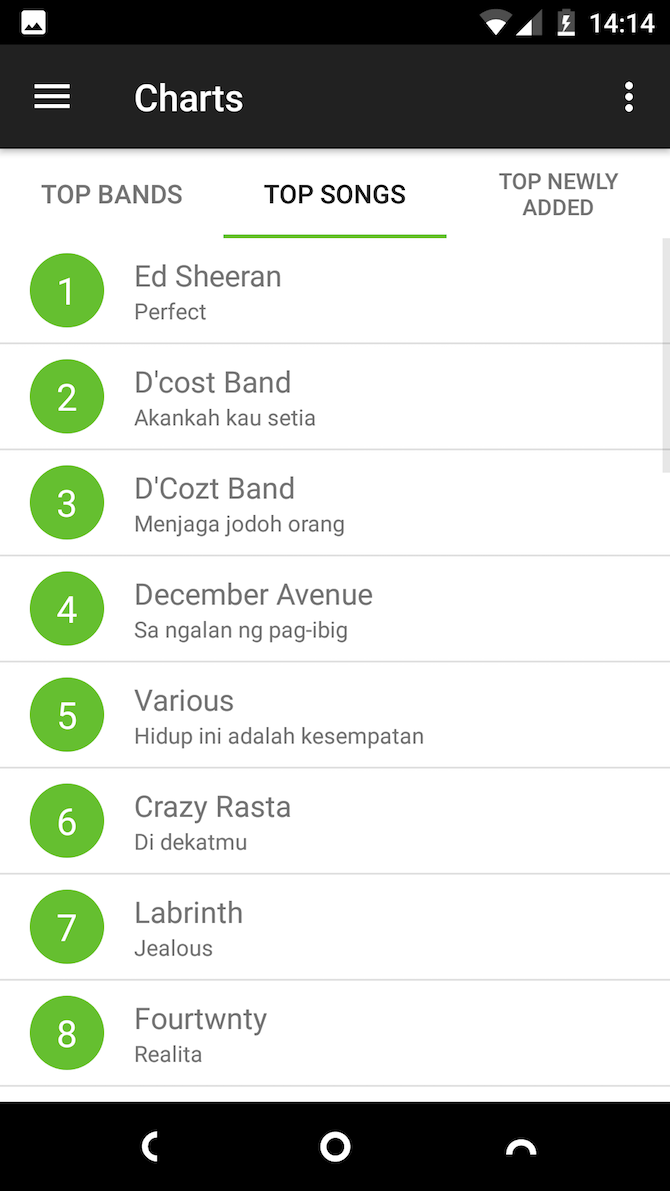
Due to the association of Mac computers with creative people like musicians, you might think that iOS is the only mobile platform suitable for music creation. But that isn’t true—Android has caught up rapidly in this department.

Whether you’re playing an instrument, singing, or creating electronic music, Android has some fantastic apps that can help. Here’s our pick of the best music recording apps for Android.

1. BandLab

BandLab is the closest substitute Android has to a proper GarageBand alternative. It’s part DAW (digital audio workstation) and part social network where you can share your creations when they’re finished.

With BandLab, you can make your own music. The app lets you record your singing with music, while the AutoPitch helps you stay in tune. You can also connect your own instruments to record live. There are heaps of beats and loops to enhance your compositions, or you can make your own through the more than 100 downloadable instruments.

The app is powerful and a whole lot of fun. It’s accessible even to those who have never made music before. If you’re looking for a paid alternative with a more professional edge, take a look at the excellent FL Studio.

Download: BandLab (Free)

2. Backtrackit

If you want to learn how to play the latest songs, or create backing tracks to play or sing along to, Backtrackit is the app for you.

It takes the music on your phone and breaks it down in several ways. It shows you what key a song is in and which chords are played throughout. You can slow down particular sections when you’re trying to master a solo or riff. It can also remove the voice or lead instrument from a track, allowing you to replace it with your own performance.

Backtrackit is great for learning new songs, or even for just spending an evening jamming along with your favorite artists.

Download: Backtrackit (Free, in-app purchase available)

3. HumOn

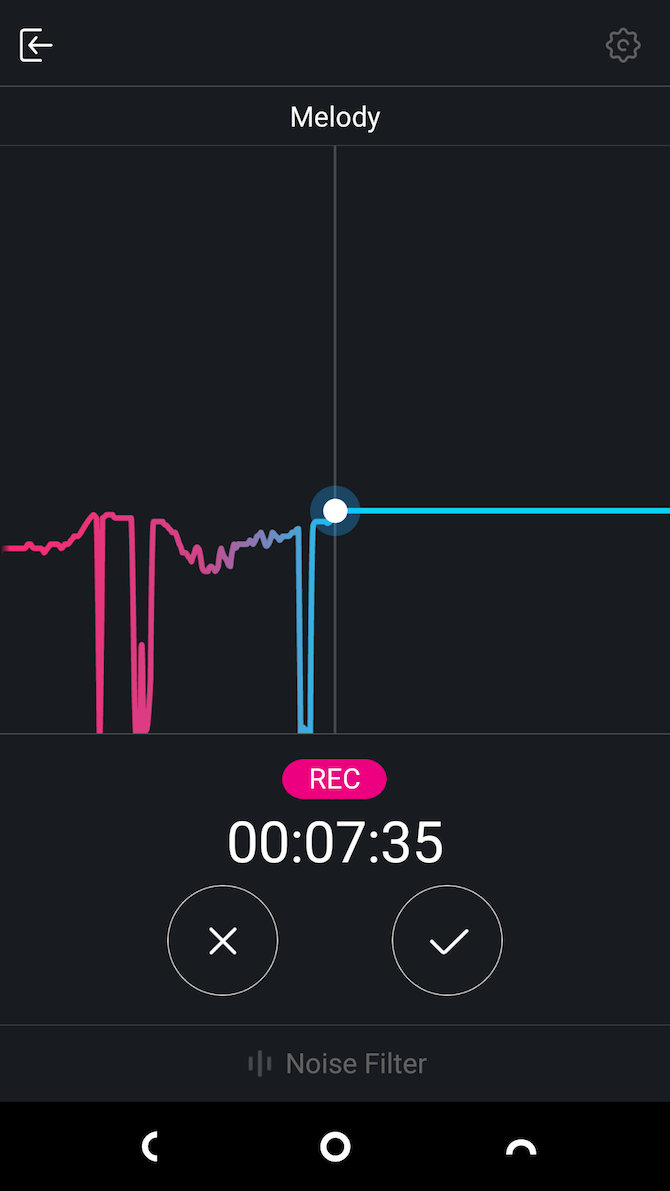
HumOn makes it possible to compose an entire piece of music merely by humming it into your phone.

Just sing into your phone, pick a genre (including rock, R&B, and classical) and the app will turn your melody into a complete composition. From there, you can play with the mix and arrangement and record vocals on top. Once done, save your masterpiece as an MP3.

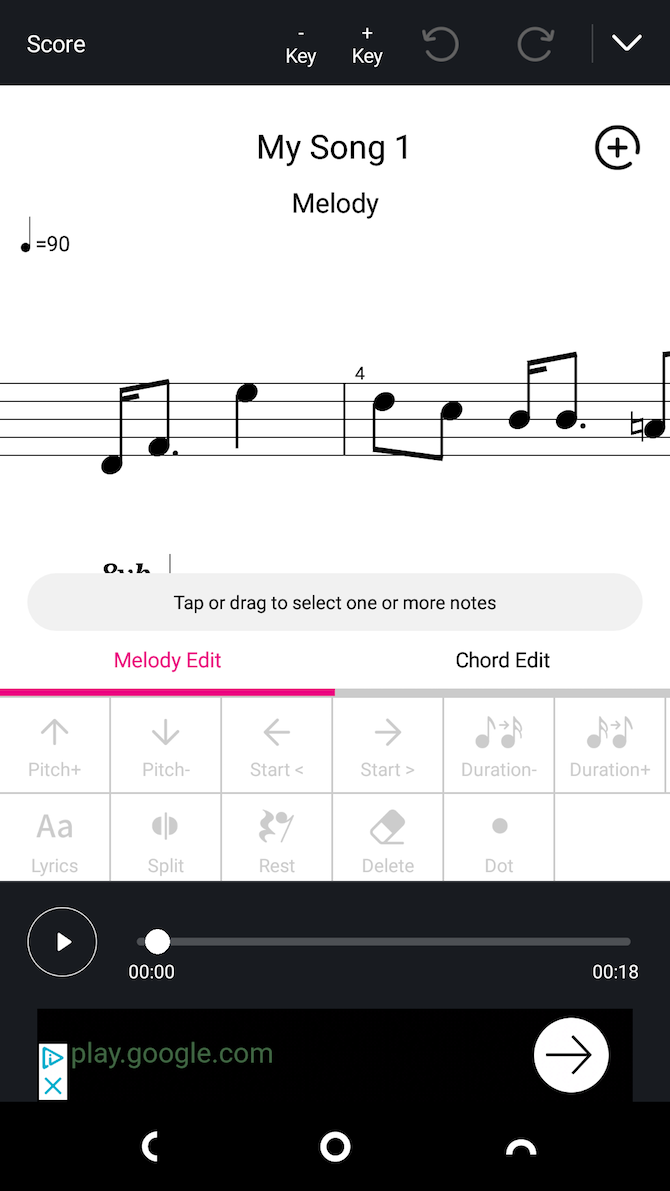
There’s a serious side as well. By tapping the Score button, you can see both the musical notation and chords for your tune. The app lets you edit them and add lyrics as well. You’ll need to upgrade to the Pro version to export this as a PDF document. But as an effective way of turning ideas into actual songs, it’s well worth it.

Download: HumOn (Free, premium version available)

4. Pitched Tuner

For most musical instruments, keeping them tuned is a daily job. A manual tuner is good, but a digital one will give you a whole lot more precision.

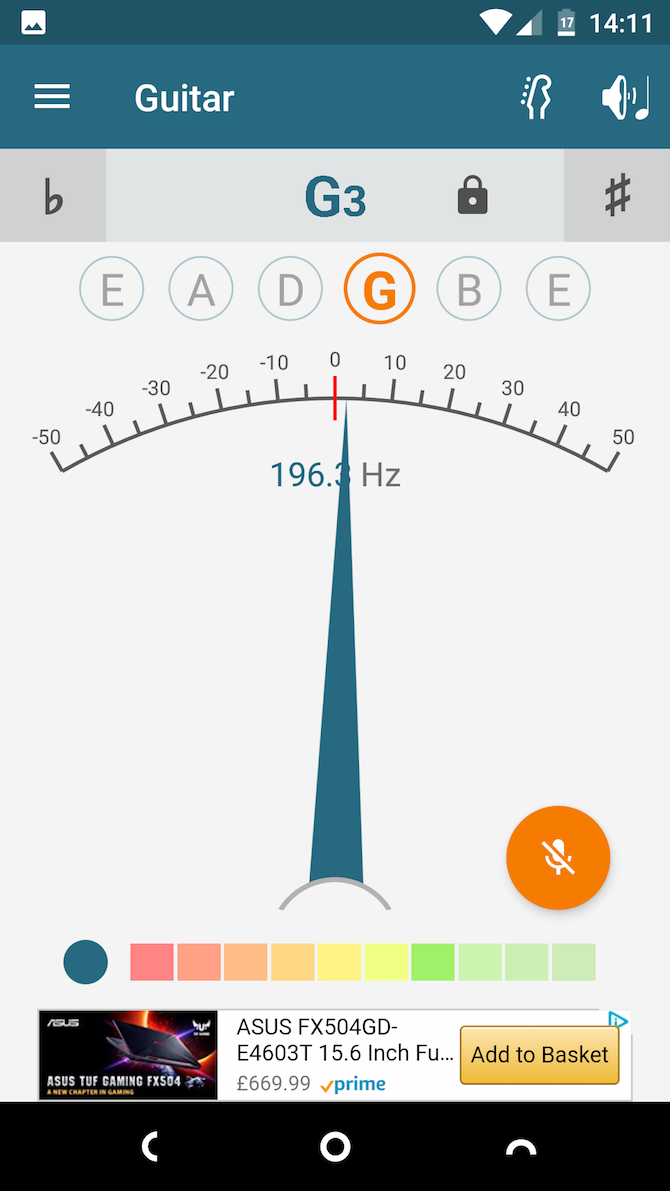
While most tuning apps in the Play Store are geared towards specific instruments, Pitched Tuner stands out because it works with everything: strings, brass, wind, and whatever else.

It’s easy to use. Just play a note into your phone and the app measures it, accurate to one hundredth of a semitone. Keep tweaking your tuning until you get it spot-on. There’s also a special Instrument Tuner mode that simplifies the process of tuning stringed instruments.

Download: Pitched Tuner (Free, in-app purchase available)

5. The Metronome

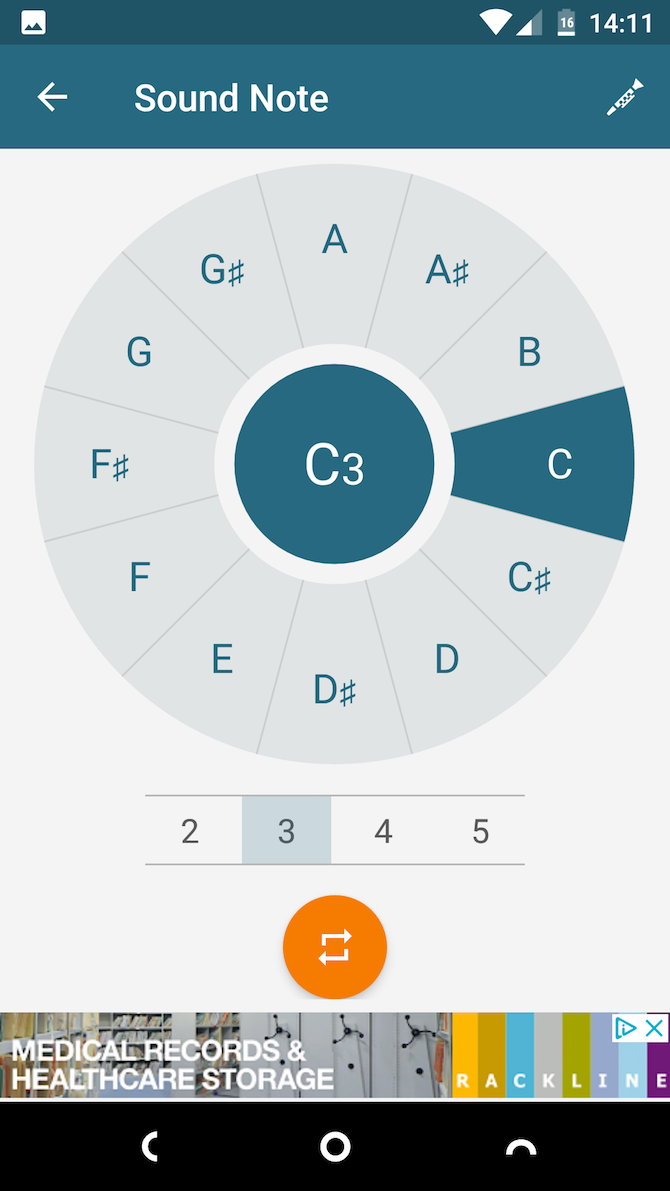
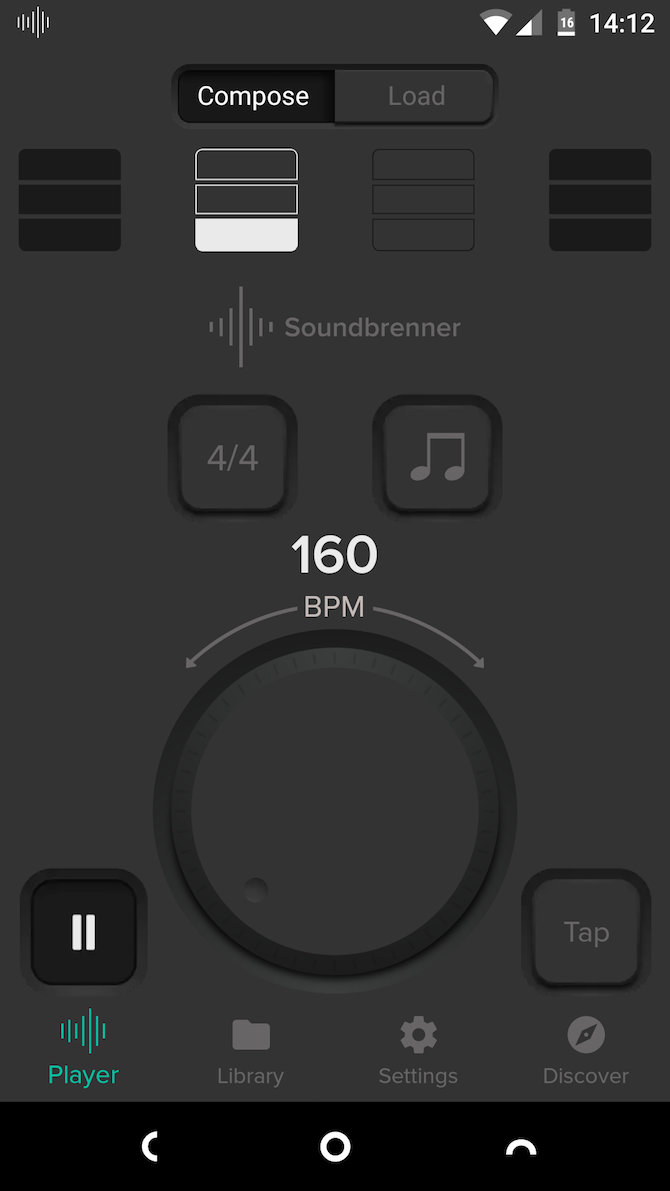
The Metronome is the best way to keep time while you’re playing. It’s designed in part to work with the Soundbrenner Pulse, a vibrating metronome watch. But you don’t need one of those—the app works just fine on its own.

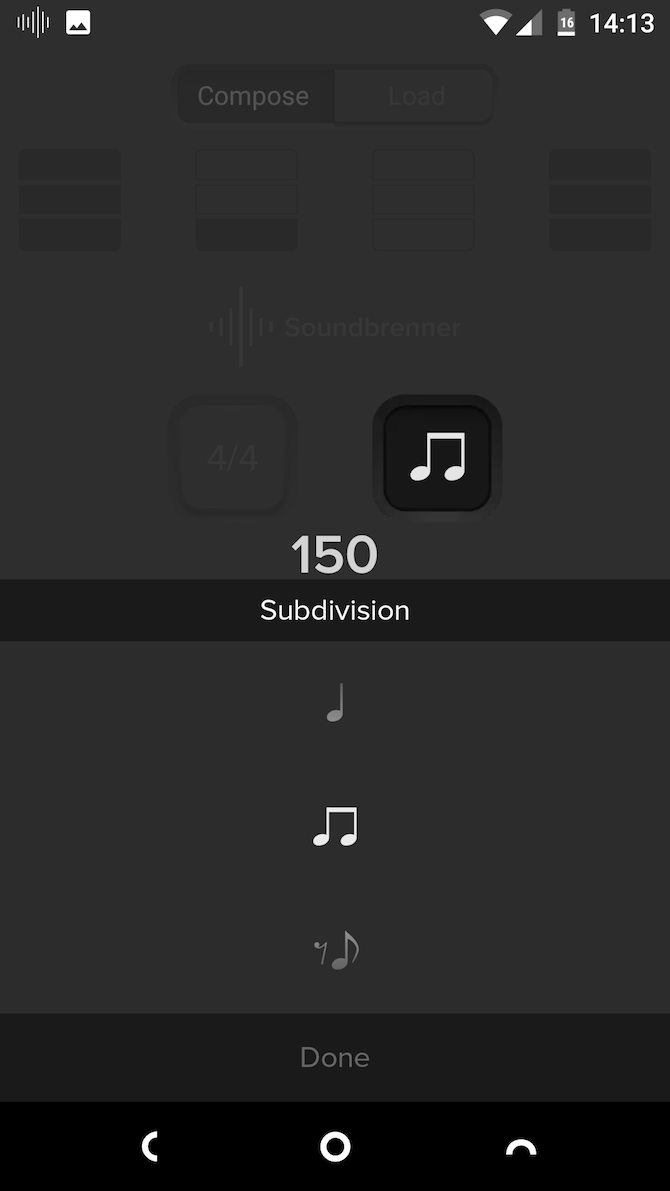
It’s a great-looking app, with all the features you need. You can select a time signature and dial in your required tempo, or just tap on the screen to set it manually. You’re also able to create more complex rhythm patterns using subdivisions and accents.

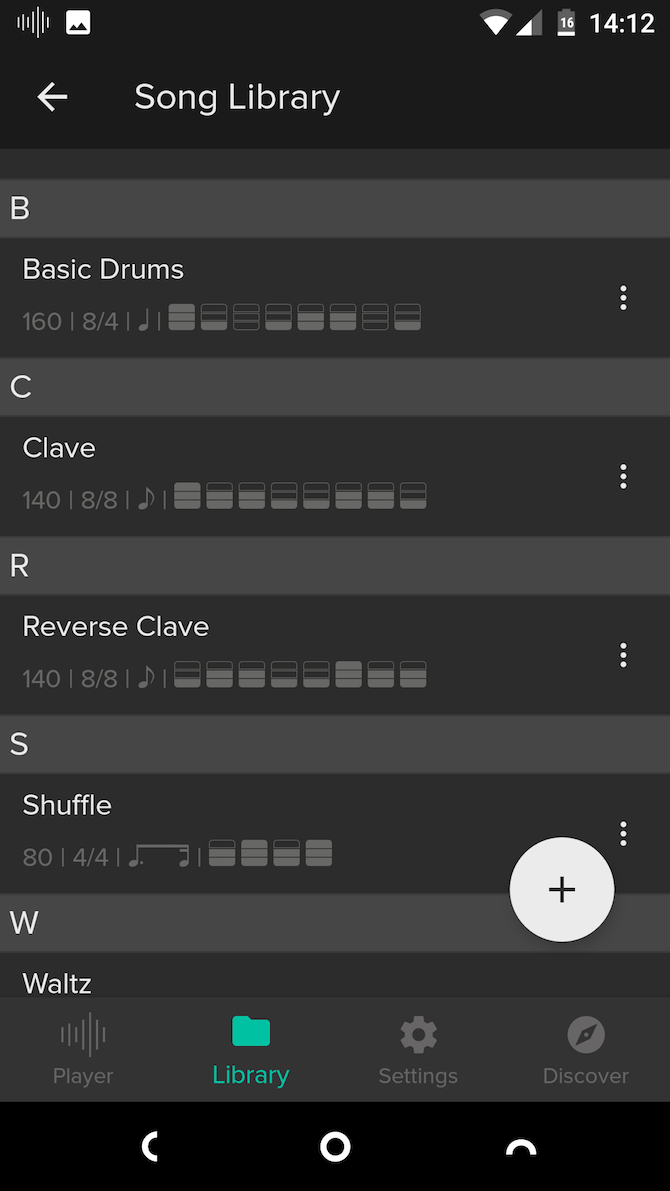
The app supports a song library where you can save your configurations, then combine them into a setlist for when you’re performing. You can even set the screen to flash on each beat instead of having to listen for the tones.

Download: The Metronome (Free)

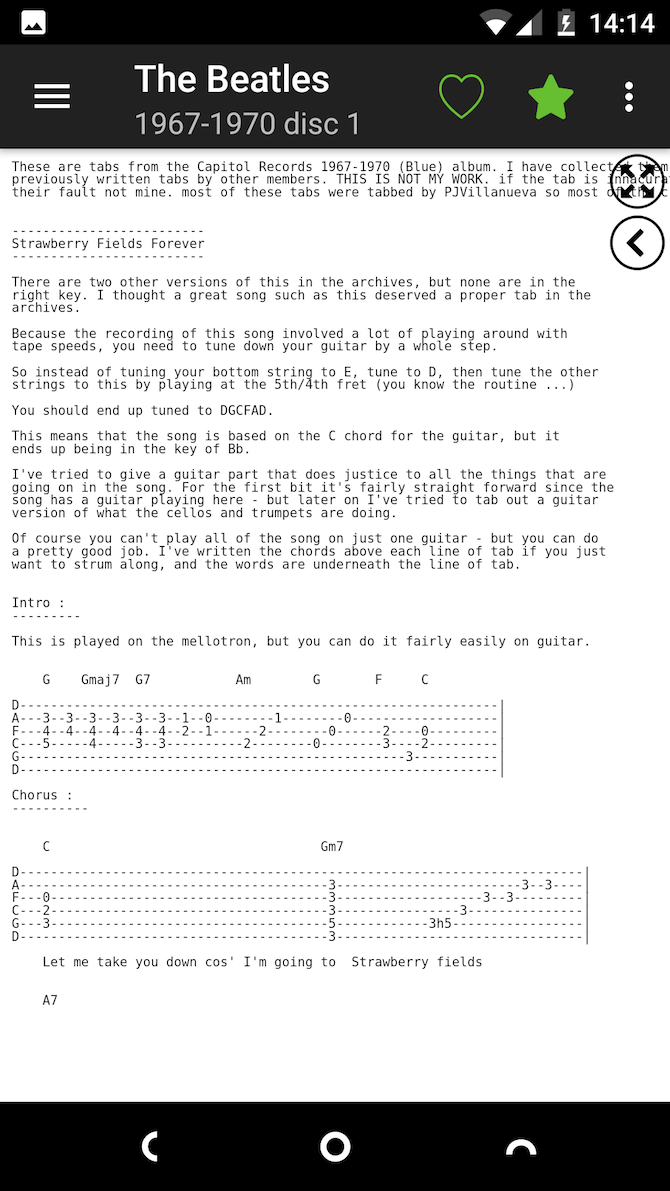
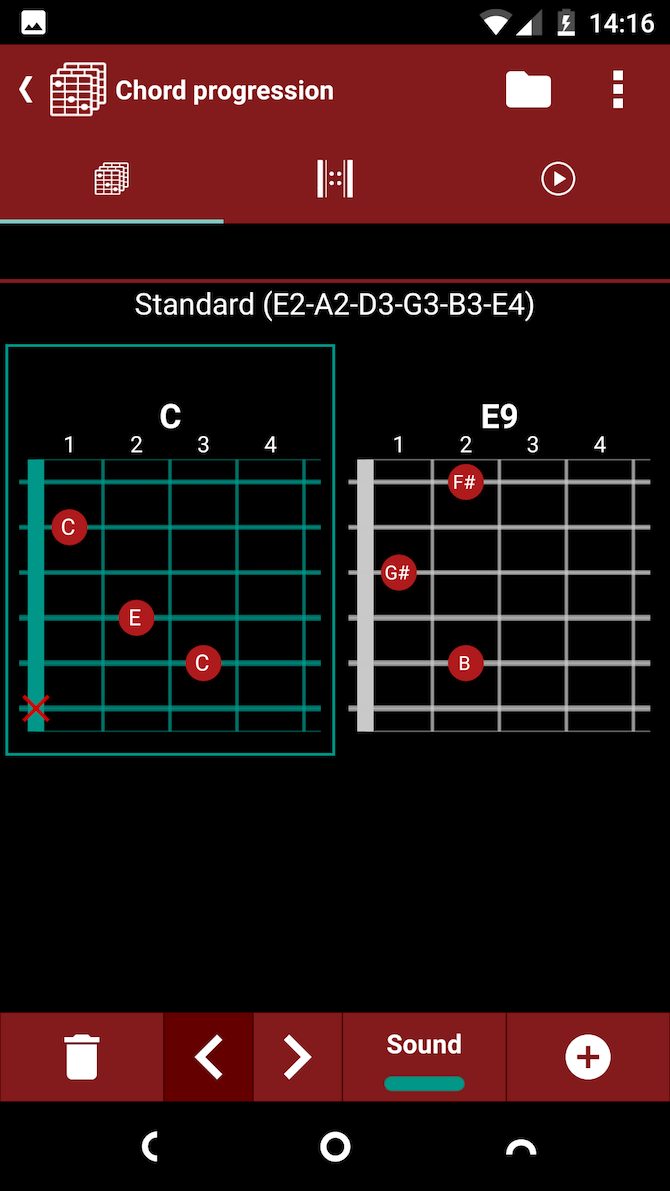
6. Guitar Chords and Tabs

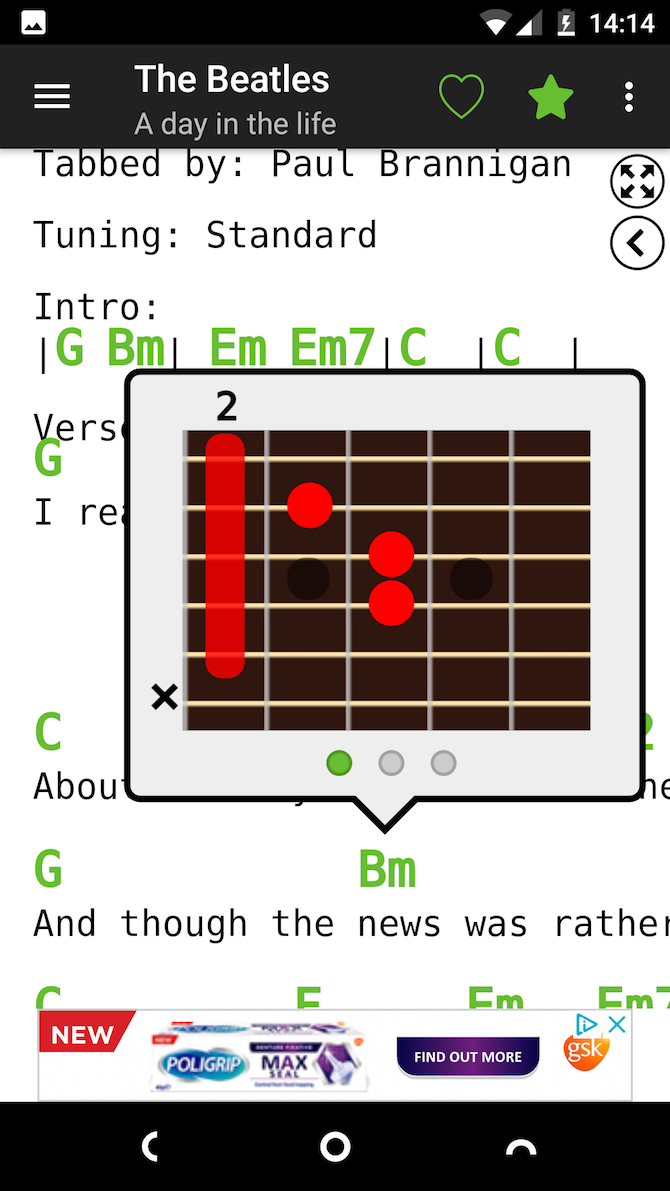
Providing access to an enormous database of guitar chords for songs, Guitar Chords and Tabs guarantees you’ll never be short of something to play.

The app has chords and tabs—a simplified form of musical notation for guitars—for over 800,000 pieces of music. It includes an interactive chord feature showing you the correct fingering when you need it. And if you upgrade to the Pro version, you can unlock the auto-scroll function that keeps your page of tabs moving up the screen as you play.

Each song has a lot of info to cram on screen, so Guitar Chords and Tabs is most useful on a big-screen phone or tablet.

Download: Guitar Chords and Tabs (Free, in-app purchase available) | Guitar Chords and Tabs Pro ($3.99)

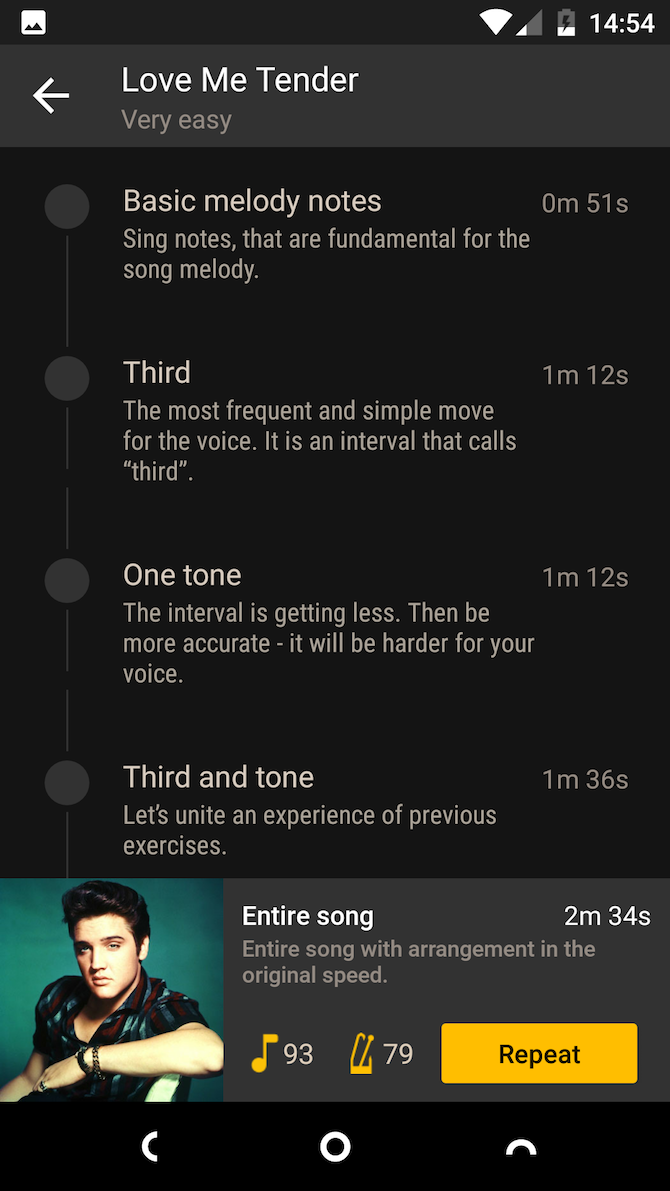
7. Vocaberry

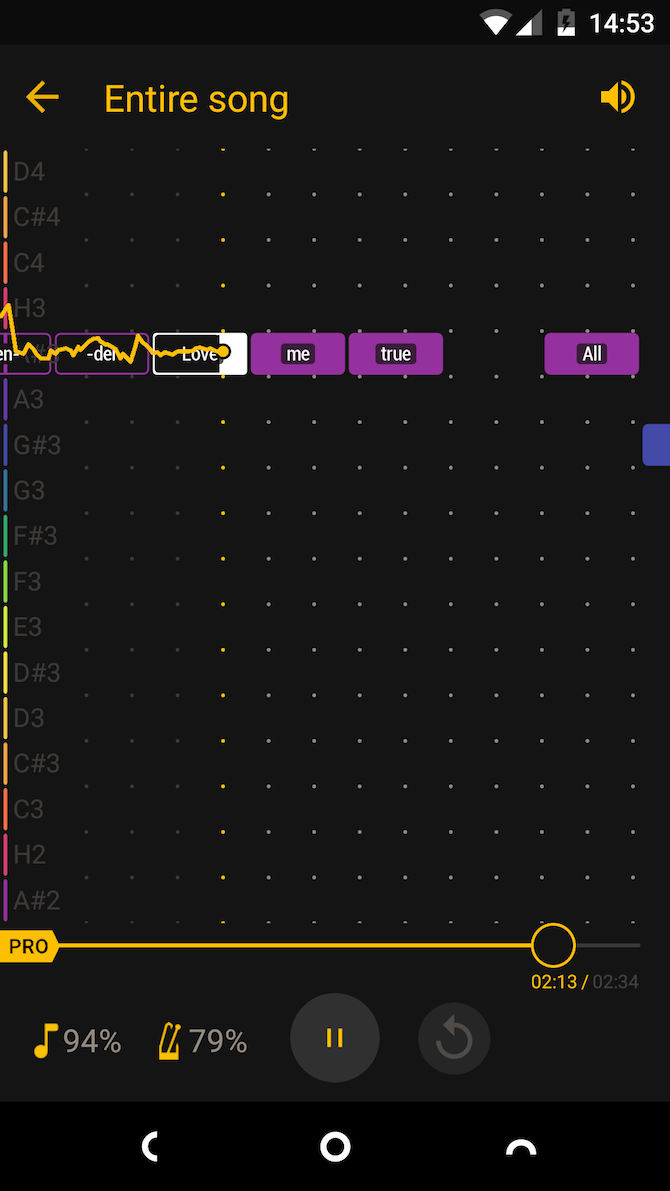
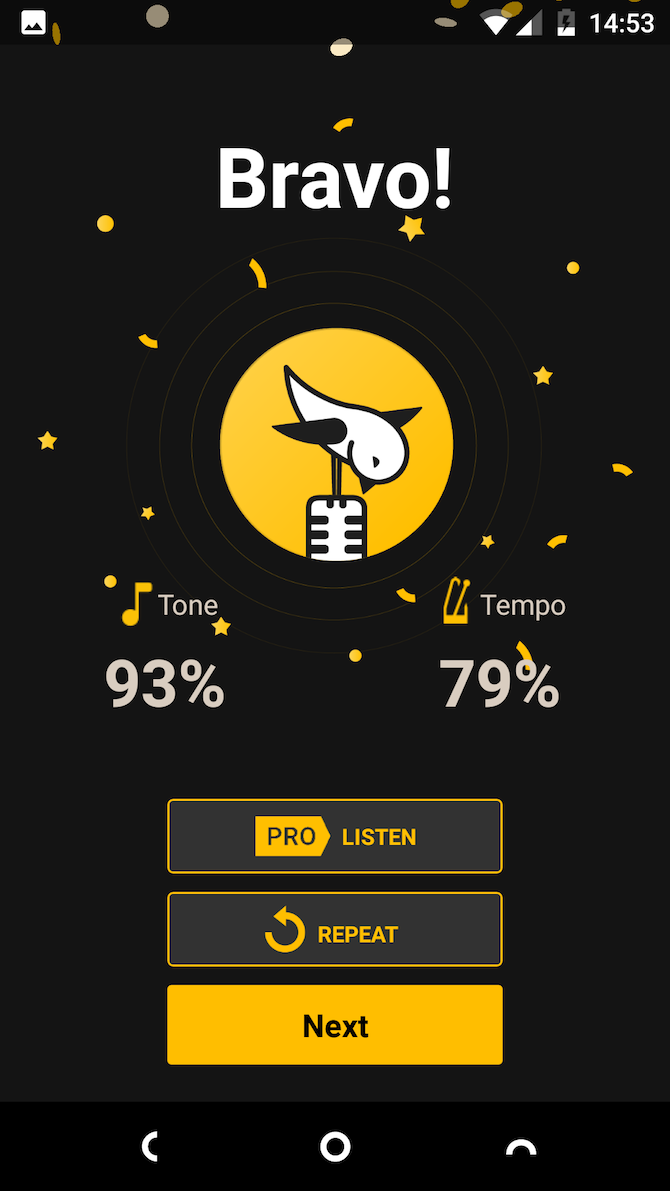
Vocaberry is a bit like Guitar Hero for singers. You get a series of songs in varying levels of difficulty that you must sing along with. The app rates your pitch and timing, scoring you as you go.

But despite the gamified approach, Vocal Lessons isn’t a game. It’s an effective app for learning to sing or improving your performance. In addition to the songs, you’ll find a series of vocal exercises that can warm up your voice before you go on stage. It’s packed with tips and guidance, akin to having your own singing teacher.

You can also use the app to measure your vocal range.

Download: Vocaberry (Free, in-app purchases available)

8. smartChord

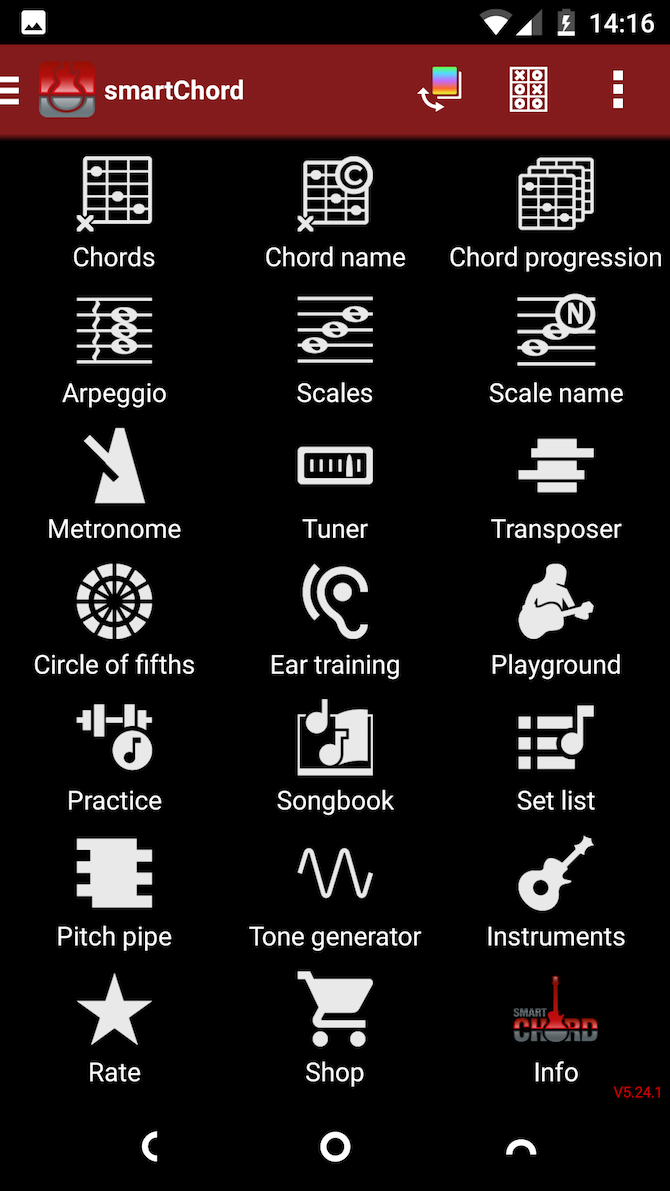
smartChord is an absolute treasure trove for musicians. It’s mostly aimed at guitarists or those who play other stringed instruments, but there’s so much here that almost anyone will find it useful.

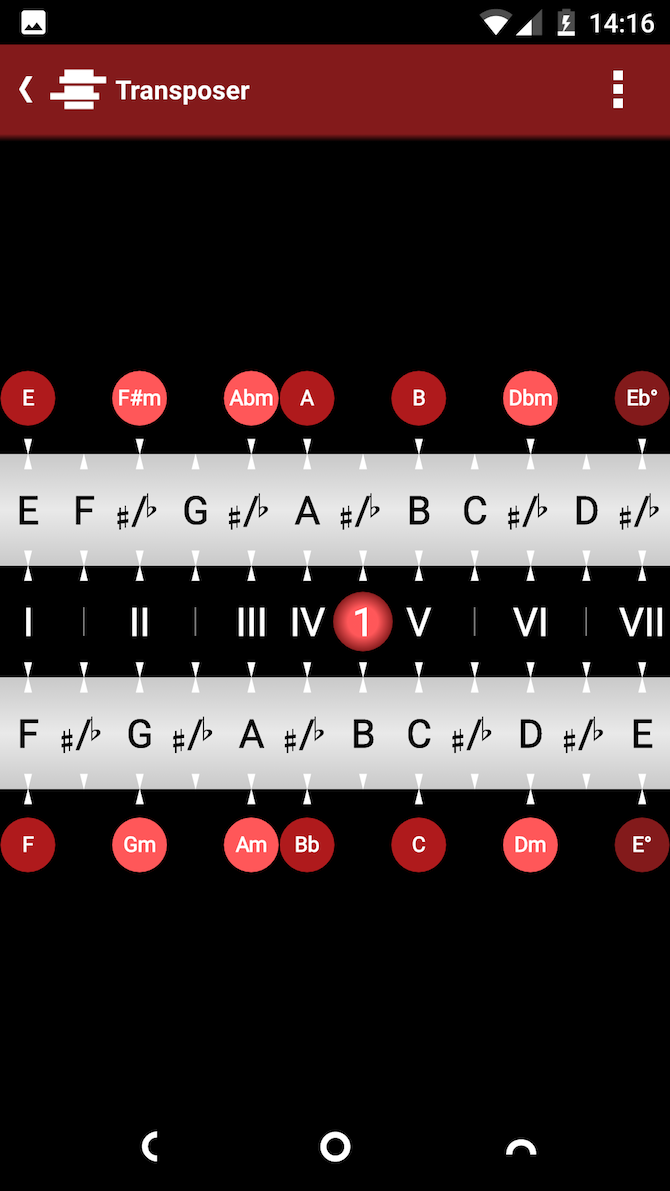
The app offers more than 15 tools. You get information on playing chords, arpeggios, and scales. There’s a transposer so you can easily change the key of any piece of music. An ear training game helps you learn the sound of notes and chords. The songbook lets you download sheet music for almost any song you can find online. The playground gives you a virtual guitar to practice on. And that’s just the start.

All the basic functions are free, and you can add even more with a paid upgrade.

Download: smartChord (Free, in-app purchases available)

9. Remixlive

Mix beats, loops, effects, and samples on the fly with Remixlive. The app is easy to get started with, yet surprisingly powerful. You get over 50 sample packs included as standard, and you can buy more as you need them. There’s a built-in sample editor, plus support for finger drumming.

When you’re done, you can save your work in MP3 or other formats. The app can also upload your recordings to SoundCloud, and there’s integration with the desktop music app Ableton Live as well.

Download: Remixlive (Free, in-app purchases available)

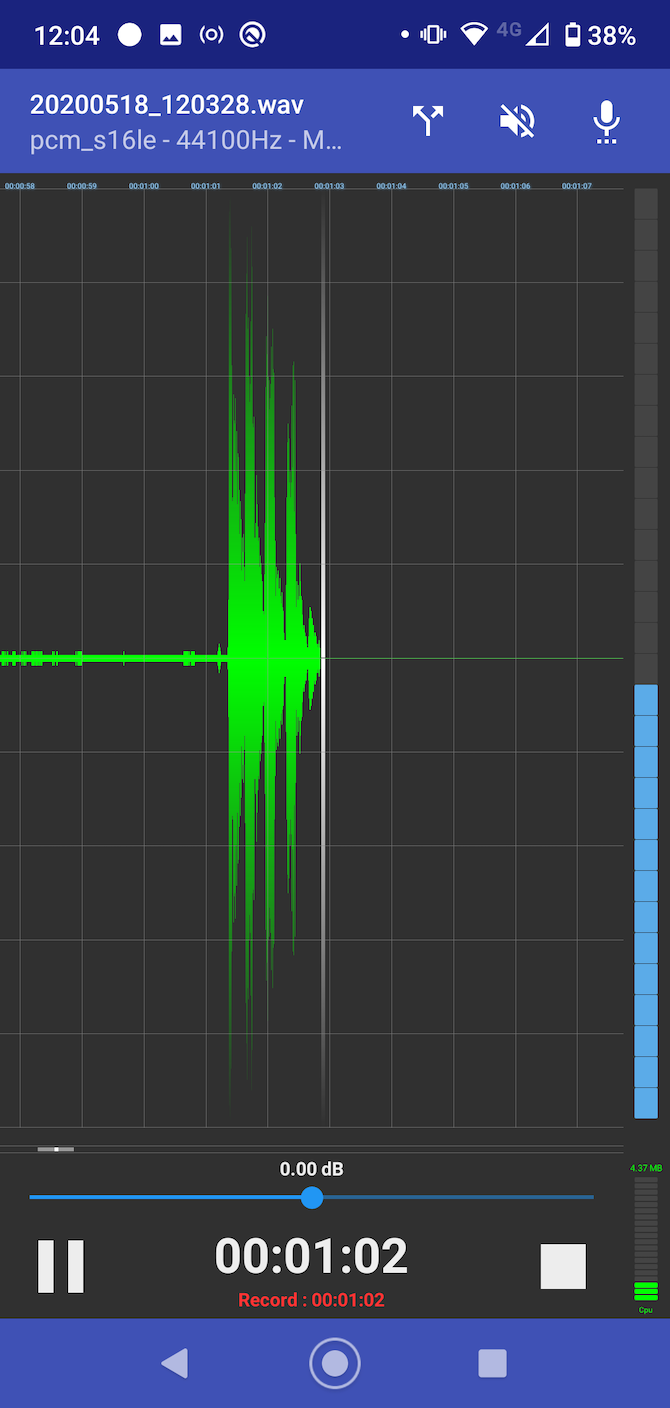
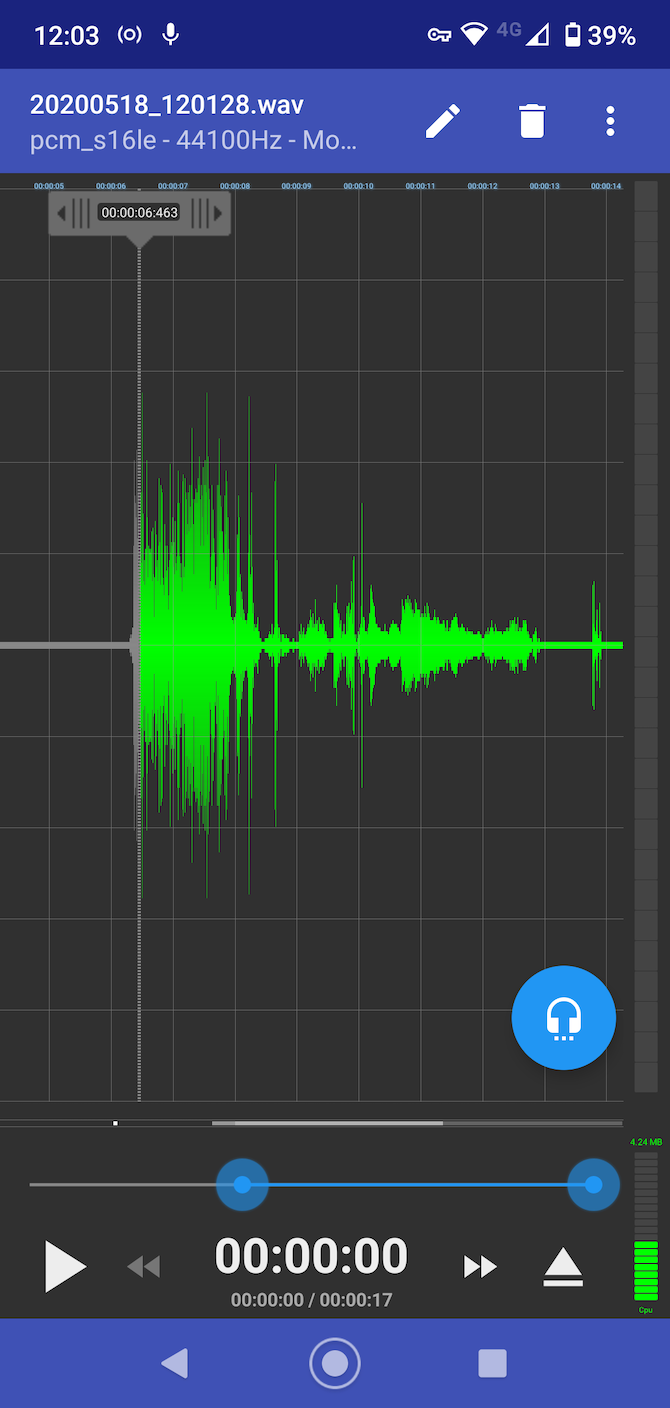
10. RecForge II

Finally, here’s an app for recording your music. RecForge II is a powerful audio recorder with some advanced features alongside its great sound quality.

It works with external microphones, and offers real-time monitoring so you can hear what your recording sounds like as you play.

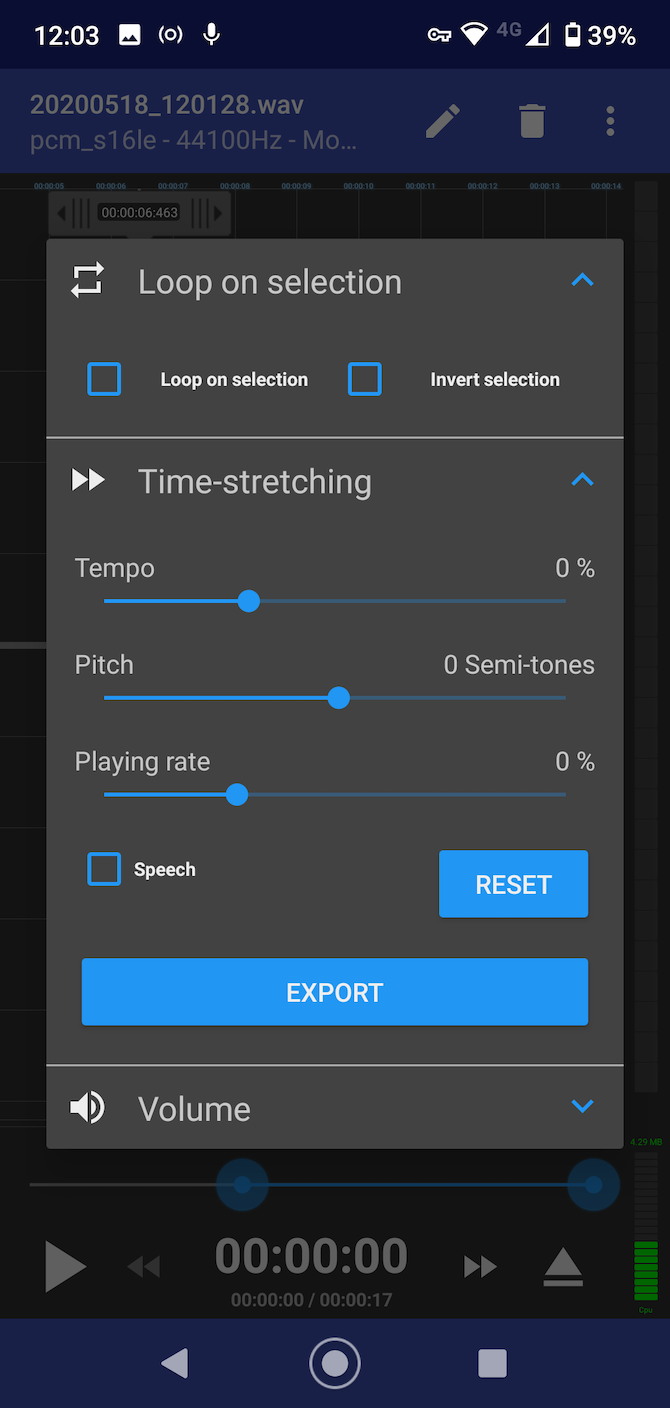
There are basic editing and mixing features, too. You can cut and join tracks, create loops, and easily change the tempo or pitch of your music. The app supports a massive range of file formats at any quality, so you can share your music without needing to use any other apps.

Download: RecForge II (Free) | RecForge II Pro ($3.49)

Make Music With Android

Android grows as a creative platform all the time. Once you move beyond the major music-creating apps, you’ll find some powerful niche tools that cater to more specialist users, including pro-level DAWs like Caustic 3 and Audio Evolution Mobile.

Your next step might be to start brushing up on your musical skills. Check out the best USB MIDI controllers for your computer or some of the best apps for learning guitar.

Read the full article: 10 Android Apps for Musicians to Record, Tune, and More

27 Sep 16:06

Man Mowed Intricate Geometric Patterns to Win Creative Lawn Stripes Competition

by Alex Santoso

If you're a neighbor of Keith Smith, you'll know that the grass is always greener and intricately maintained in his yard.

Smith, a groundsman at a golf club in Birmingham, England, sure mows a lot of grass. In fact, you can say that he's a bit obsessed with mowing:

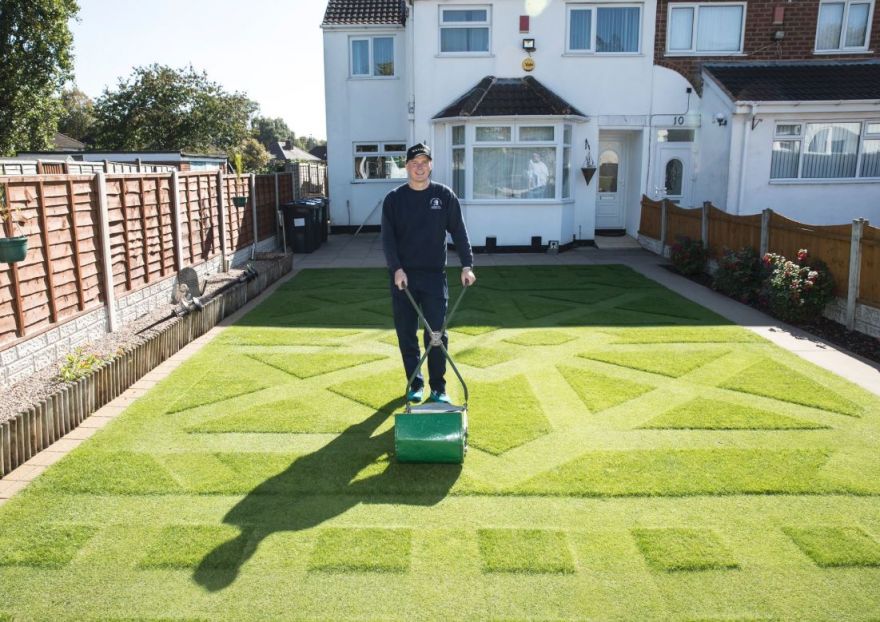
A garden wizard has spent 273 hours mowing an amazing geometric pattern into his front lawn - using an antique lawnmower from the 1940s.
Keith Smith, 41, cut his grass three times a DAY for three months throughout the summer - spending 21 hours a week on his unique creation - to be crowned champion at this year's Creative Lawn Stripes Competition.

Photo: @AlletMowers - via Laughing Squid

27 Sep 16:02

The Spin Doctor: How to Rig a Mega Spinning Decoy Spread

by Michael R. Shea
spinning waterfowl duck decoy

Here's how a noted waterfowl guide brings in flocks ducks, geese, and cranes with a spread of spinners

Here's how a noted waterfowl guide brings in flocks ducks, geese, and cranes with a spread of spinners.
27 Sep 16:02

Hunting Marsh Rail Birds on North Carolina's Cape Fear River

by T. Edward Nickens
two hunters in a marsh with a john boat

Rail hunting was once described as the "Sport of Kings" and enjoyed by the likes of Roosevelt and Ruark. While these odd marsh birds are no longer as popular as they once were, they're still insanely fun to hunt

Rail hunting was once described as the "Sport of Kings" and enjoyed by the likes of Roosevelt and Ruark. While these odd marsh birds are no longer as popular as they…
27 Sep 13:16

Roasted Nashville Hot Chicken

Nashville hot chicken is deliciously (and seriously) spicy. This easy take from Amber Wilson retains all the lip-tingling savor of the original with a brick-red cayenne and chili powder paste, cut with a touch of dark brown sugar—but after a quick pan fry to crisp up the skin, the skillet is transferred to the oven so the meat stays perfectly juicy as it finishes cooking through. For the full experience, serve it with white bread and sweet bread-and-butter pickles to help cool your tongue and sop up all the fiery orange juices.

For another twist on the traditional version, try our Baked Nashville Hot Chicken recipe. In either case, follow it up with our Buttermilk-Lemon Chess Pie for an authentically southern dessert that’ll soothe the burn.

And for another of Amber’s southern staples, get her Pan-Fried Trout with Pecans and Brown Butter recipe.

27 Sep 13:16

Chicken and Black-Eyed Pea Chili

A well-stocked pantry ensures you’re never too far away from a filling and delicious meal, like this easy, healthy chicken chili. Canned tomatoes and black-eyed peas are freshened up with chicken, onions, and bell peppers, plus a handful of spices, for a quick chili with one secret ingredient: a few tablespoons of brine from a jar of pickled jalapeño peppers. It doesn’t make it spicy so much as perk everything up with an acidic counterpoint. And then you can pile on as many garnishes as you like, from cheese and avocado to sour cream and scallions. If you’re up for a little extra work, try our Jalapeño Cornbread Muffins recipe on the side.

Note: If you don’t have a jar of pickled jalapeños on hand, use 1 1/2 tablespoons distilled white vinegar in place of the brine.

Make ahead: This chili is great on the first day, but tastes even better if you make it ahead of time and gently reheat when it’s time to serve.

27 Sep 13:15

minimalist barbecue sauce

by deb

Every summer, I promise that I’m going to tell you about this shortcut barbecue sauce I use when I don’t have it in me to bring home 11 bottles and jars plus 2 vegetables for what I consider the ultimate, Queen Ina’s. I love that one, regardless. I make it every year or two and I freeze it in 1-cup packages. Sometimes, like last summer, I completely forget to freeze it and find it in the fridge 8 months later and it’s completely and totally fine to eat? It’s pretty magical like that. But it’s not simple. And most of the time, when it’s just weeknight chicken or tofu skewers on the grill or even as a base for what I call Fake Baked Beans (more on this at the end), three ingredients is all you need, plus up to two more to your tastes. Don’t look askance at me; I bet you already have them all.

Read more »

27 Sep 13:06

Five Megatrends That Will Disrupt Every Industry Over The Next Five Years

by Shailendra Singh, CommunityVoice
To thrive in the competitive market environment, it is crucial not only to predict how these megatrends will affect your industry and business but also to determine how to capitalize on new and emerging opportunities in real time.
26 Sep 16:51

Hear the Last Time the Jimi Hendrix Experience Ever Played Together: The Riotous Denver Pop Festival of 1969

by Josh Jones

You know it’s got to be bad when you quit the Jimi Hendrix Experience just months after the revolutionary, expansive Electric Ladyland hit number one on US and UK charts, but if you’re Noel Redding, you’re plenty fed up with the psychedelic circus. “The recording sessions were ridiculous,” Redding told Rolling Stone in a 1969 interview, “and on stage, it was getting ridiculous.” The last straw for Redding had come a few months earlier at the Denver Pop Festival in June. After tear gas forced the band offstage, fired by police at an unruly crowd, “I went up to Jimi that night,” says the bassist, “said goodbye, and caught the next plane back to London.”

Tensions had been building for months. Hendrix wanted to expand the band, without consulting Redding or Mitch Mitchell. Recording sessions for the double Electric Ladyland had been notoriously riotous. “There were tons of people in the studio,” Redding remembered, “you couldn’t move. It was a party, not a session.” Hendrix's perfectionism had him pushing for 40-50 takes per song. But the problems weren't all under his control. The three-day Denver festival—headlined by Three Dog Night, Creedence Clearwater Revival, Joe Cocker, Frank Zappa, Tim Buckley, Johnny Winter and the Experience—was beset with violence, part of the general devolution of the decade.

Overzealous cops battled gatecrashers who showed up looking for a fight. Tear gas wafted through the air. Iron Butterfly supposedly encouraged fans to bring a fence down. Festival promoter Barry Fey remembers Joe Cocker curled up in the bathroom in a fetal position: “He was scared to death. ‘Is this what America’s all about?’”

But Jimi’s drug use had also taken its toll on his relationships. Fey’s account of his state that night is sad and sobering:

There's a lot of stories, but the worst one is Hendrix…. I had Jimi September 1, 1968 at Red Rocks. We had become such good friends in a year or so. I mean, I just loved him. He was such a great guy. And then nine months later at the Denver Pop Festival, I get to talk to Noel and Mitch, and they said, 'We're not going to play with him anymore, Barry.' I said, 'What are you talking about?' They said, 'We can't stand him. Since you've seen us last, he's discovered heroin, and you can't deal with him.' And then he showed up, and he hardly knew who I was. 

But onstage, Jimi was Jimi, cracking esoteric jokes and shredding with abandon. In the audio at the top, hear the band’s full Denver Pop Festival set, which closed out the chaotic proceedings on Sunday night. Hendrix jokes about the tear gas as the band tunes up, then they launch into Swedish duo Hansson & Karlsson's “Tax Free.”

Jimi plays “The Star-Spangled Banner”—two months before his blistering Woodstock rendition—and the audio cuts out at the end of “Purple Haze,” right before the last song of the night, “Voodoo Child (Slight Return),” when the police fired off more tear gas and “the wind whipped in the stadium,” writes Ultimate Classic Rock, and “blew the toxic fumes back toward the stage. With their eyes burning and their lungs choked for air, the Experience set down their instruments for the final time and fled for cover.”

See the setlist, minus “Voodoo Child,” below:

  1. Tax Free
  2. Hear My Train A Comin'
  3. Fire
  4. Spanish Castle Magic
  5. Red House
  6. Foxy Lady
  7. Star Spangled Banner
  8. Purple Haze

Related Content:

Watch the Earliest Known Footage of the Jimi Hendrix Experience (February, 1967)

See a Full Jimi Hendrix Experience Concert on Restored Footage Thought Lost for 35 Years

Jimi Hendrix’s Final Interview on September 11, 1970: Listen to the Complete Audio

Josh Jones is a writer and musician based in Washington, DC. Follow him @jdmagness.

Hear the Last Time the Jimi Hendrix Experience Ever Played Together: The Riotous Denver Pop Festival of 1969 is a post from: Open Culture. Follow us on Facebook, Twitter, and Google Plus, or get our Daily Email. And don't miss our big collections of Free Online Courses, Free Online Movies, Free eBooksFree Audio Books, Free Foreign Language Lessons, and MOOCs.

26 Sep 11:55

Is Artificial Intelligence Replacing Jobs In Banking?

by Vishal Marria, Contributor
The banking industry is becoming increasingly invested in the implementation of AI-powered systems across several areas, including customer services and fraud detection. But, should we be concerned that this growing use of technology will reduce the need for actual human workers?
26 Sep 11:53

Has AI Become A Utility Function?

by Frank Palermo, CommunityVoice
If your business is not fundamentally based on AI in the next couple of years, you may no longer be in business.
25 Sep 16:56

Is It Time to Start Buying SSDs and Flash Drives?

by Dan Price
time-buy-ssd

The price of flash drives and solid-state drives (SSDs) steadily increased over the last decade, but recently we’ve seen a change in that trend. For the first time in a while, prices are starting to go down. You can now buy new hardware for less money than ever before.

But what’s causing the price decrease? Should you buy now or will prices drop still further? And which products offer the best deals today? Let’s take a look.

Why Are SSDs More Expensive Than HDDs?

Generally speaking, SSDs are a better product than hard disk drives (HDDs). They have access speeds that are nearly 100 times faster, their lack of moving parts results in better reliability, and they draw less power than HDDs. Plus, they are quieter, smaller, and cooler.

But none of that necessarily explains why SSDs are traditionally so much more expensive than their counterparts. There are a few factors that push up the price of SSDs.

1. The Manufacturing Process

SSDs are considerably more “high-tech” than their HDD counterparts. HDDs consist of a simple circuit board with a few chips, a couple of motors, and the read/write parts.

On the other hand, SSDs deploy billions of memory cells and many chips, each of which needs associated logic. Creating those cells and semiconductors is much more complex; it’s more labor-intensive and requires a far higher level of perfection.

All that combined leads to greater manufacturing costs, and thus higher retail costs.

2. Supply and Demand

Historically, consumer demand for SSDs has been considerably lower than demand for HDDs. As such, market economics dictate that manufacturers need to charge more to cover the production costs and make a profit.

The second issue is the mobile market. Lots of SSD large manufacturers have focused on making proprietary SSDs for smartphones rather than traditional 2.5-inch drives for computers.

As a result, smaller manufacturers need to pick up the slack. But thanks to favorable supplier contracts, the large SSDs have the power to stockpile the required production materials.

Consequently, smaller manufacturers making PC drives need to pay more for components, and they pass that price onto the consumer.

3. Growth of the Sector

While consumer uptake of SSDs has been slower, the enterprise-level use of SSDs and flash drives is skyrocketing.

To keep up with demand, manufacturers need to build more factories. The cost of new factories needs to be amortized, and thus is included in the retail cost of the drives.

On the other hand, the cost of making HDDs has long since been amortized by the manufacturers, leading to lower prices.

Why Is the Cost of SSDs Falling?

While SSDs do still cost more than their HDD counterparts, the costs have been falling rapidly over the last 12 to 18 months. The price of NAND flash—the type of memory used in SSDs—is expected to decrease by 10 percent per quarter starting in the third quarter of 2018.

The decline is curious. Quarter three is usually a time of rising prices, as computer and smartphone manufacturers start to stockpile products ahead of the Christmas rush.

So what’s going on? Experts think three factors are helping to force prices down:

1. Smartphone Sales

In 2018, smartphone sales have remained reasonably flat. This has led to an oversupply of NAND flash, thus driving down prices.

2. Notebook Sales

The first half of 2018 saw above-average notebook sales. As a result, demand has dropped in the second part of the year, again leading to an oversupply.

3. Server SSDs

For manufacturers, a server-grade SSD is more profitable than consumer-level SSDs. This has led to more manufacturers entering the sector, thus increasing both competition and supply. Again, these two factors help to lower prices.

All told, demand for SSDs and NAND flash memory is expected to drop 15 percent between January and December 2018, while supply grows by 45 percent.

The theory is borne out by the facts. Look at the cost of the Samsung 860 EVO 1TB 2.5 Inch SATA III Internal SSD on Amazon (via CamelCamelCamel). The price has been on a steady downward trend throughout 2018. The current price is almost half of what it was in January:

camelcamelcamel cost of samsung ssd decreasing over time

Will the Price of SSDs Continue to Fall?

Now we come to the million-dollar question. If you’re in the market for an SSD, should you buy it now, or wait and see if the price goes down further?

Of course, it’s impossible to know this with 100 percent accuracy. But we can use the information available to us to make a prediction.

DRAMeXchange—one of the leading marketplaces for buying NAND flash memory—predicts that prices will continue to drop until at least mid-2019. Computer sales are traditionally slower in the first six months of the year after Christmas, while IDC thinks smartphone sales won’t pick up until after the summer.

Of course, holding off on your purchase also means some new technologies might be available by the time you get your wallet out.

In late 2017, we saw the arrival of new, higher-capacity NAND flash. During 2018, three-level (TLC) and quad-level (QLC) flash have become increasingly available at lower prices. That trend is likely to continue.

You also need to consider the continued growth (and lowering price point) of ultra-fast NVMe SSDs. They can read data four times faster than the SATA SSDs and can locate the data on the drive 10 times faster. Indeed, if you’re in the market for a new computer, you shouldn’t really consider any other form of storage media.

Our SSD Recommendations

If you want to buy a new SSD right now, which products are emblematic of the current low NAND prices?

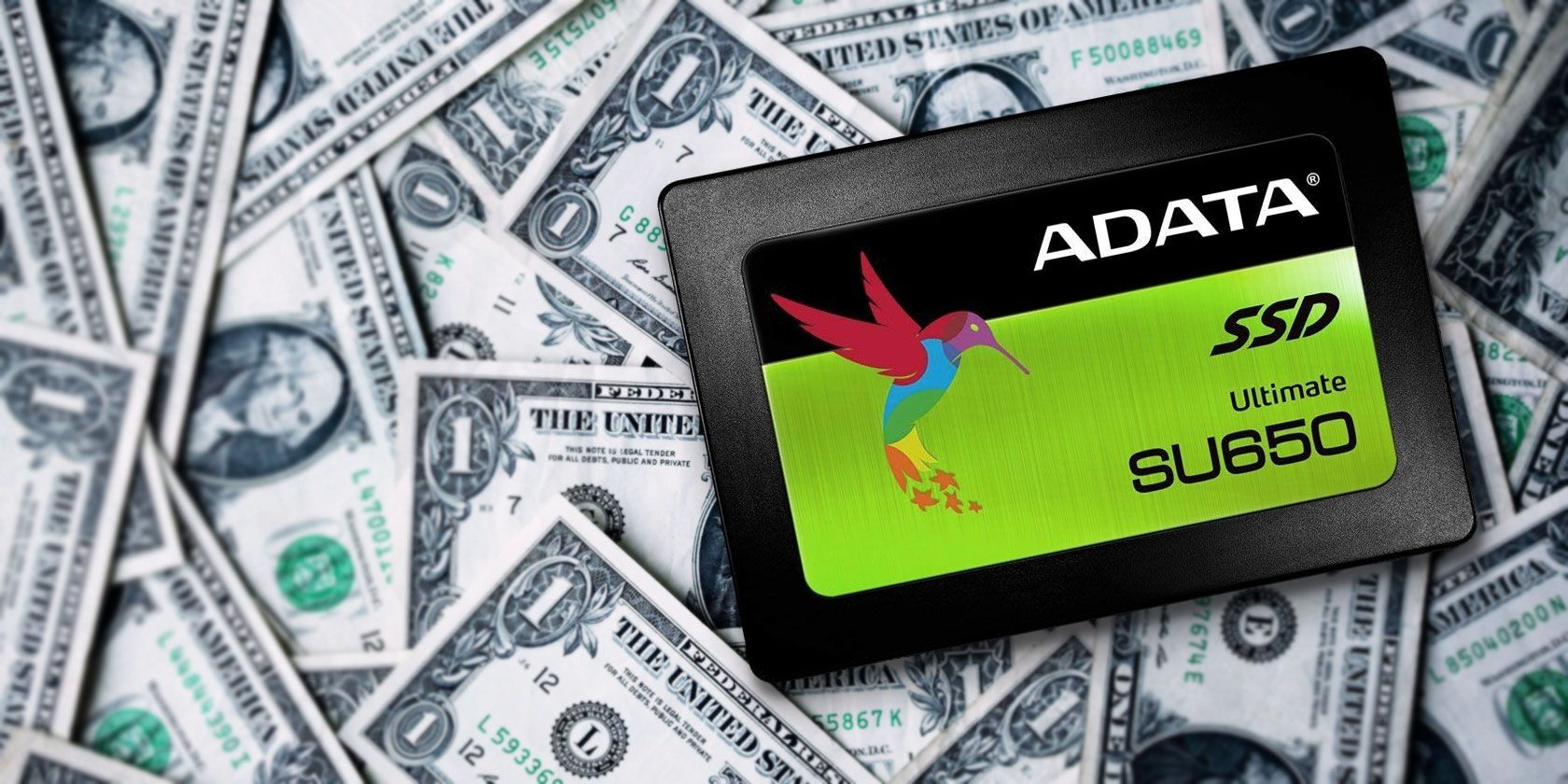
We’ve already mentioned the Samsung 860 EVO 1TB 2.5 Inch SATA III Internal SSD, but you should also consider ADATA’s ASU650SS-960GT-C SU650 3D-NAND 2.5″ SATA III drive (approximately $0.146 per GB).

Team Group’s 480GB L5 LITE 3D 2.5″ SATA III 3D NAND drive (also $0.146 per GB) and Patriot’s Burst SSD 480GB SATA III SSD ($0.150 per GB) are both good choices as well.

Samsung 860 EVO 1TB 2.5 Inch SATA III Internal SSD (MZ-76E1T0B/AM) Samsung 860 EVO 1TB 2.5 Inch SATA III Internal SSD (MZ-76E1T0B/AM) Buy Now At Amazon $167.99 ADATA ASU650SS-960GT-C SU650 960GB 3D-NAND 2.5" SATA III High Speed Read up to 520MB/s Internal Solid State Drive ADATA ASU650SS-960GT-C SU650 960GB 3D-NAND 2.5" SATA III High Speed Read up to 520MB/s Internal Solid State Drive Buy Now At Amazon $139.99 Team Group 480GB L5 LITE 3D 2.5" SATA III 3D NAND Internal Solid State Drive (SSD) T253TD480G3C101 Team Group 480GB L5 LITE 3D 2.5" SATA III 3D NAND Internal Solid State Drive (SSD) T253TD480G3C101 Buy Now At Amazon $76.98 Patriot Memory Burst SSD 480GB SATA III Internal Solid State Drive 2.5" - PBU480GS25SSDR Patriot Memory Burst SSD 480GB SATA III Internal Solid State Drive 2.5" - PBU480GS25SSDR Buy Now At Amazon $71.99

Learn More About Data Storage

Ultimately, current SSD NAND prices represent some of the best value-for-money that we’ve ever seen in the market. There’s no question that it’s a great time to purchase.

If you’d like to learn more about internal storage before making your decision, check out our comparisons of NAND and eMMC flash memory and PCIe vs. SATA SSDs.

Read the full article: Is It Time to Start Buying SSDs and Flash Drives?

25 Sep 16:56

How San Francisco Planned Its Own Housing Crisis

by Miss Cellania

San Francisco is a lovely place to visit, offering tons of charm and history, but if you want to live there it's going to cost you dearly. The laws and regulations that made the city a struggle for lowly working people and their families go back to its early days as a seaport enriched by the Gold Rush. It began with zoning restrictions on boarding houses and laundries, supposedly to set decent living standards, but the desired effect was to drive out Chinese workers. That kind of "local control" continued into the 20th century to favor landowners over various immigrants, minority groups, and the poor. City officials introduced urban renewal projects to fight "blight," the federal government contributed redlining through the FHA, and neighborhoods had their own discriminatory covenants. San Francisco refined its land use and building codes over time, with both intended and unintended consequences that marginalized longtime residents without money or clout. It continued with a rezoning effort in 1978.

It’s clear that many San Franciscans were well aware this rezoning would lead the city toward a housing crisis. The planning commissioners, however, were not moved. Their testimony throughout the hearings made it clear they valued maintaining the city’s predominately suburban layout over affordability. In response to a homeowner who was unhappy that his property would be downzoned to allow fewer units, commissioner Sue Bierman gave a quintessential anti-growth response—countering that San Franciscans were concerned about parking, traffic, and sunlight reaching their backyards, embracing a shift toward zoning that would preserve “more comfortable neighborhoods.” Instead of listening to those folks worried about becoming homeless, the commissioners focused on the single-family homeowners worried about shadows on their yards and parking for their cars.

In the final minutes of the June 27, 1978, meeting, San Francisco’s planning commissioners prepared to approve the EIR, along with its damning final clause, which explained that the project would reduce the amount of housing that could legally be built in San Francisco. “As a result the cost of housing may increase, and that with increasing housing costs, some population groups may find it difficult to live in San Francisco. The proposed zoning will affect the low- and moderate-income households more than any other group and mitigation measures are proposed to help alleviate this impact.”

But commissioner Bierman said she was “troubled” by this statement, and commissioner Nakashima agreed, complaining that it wasn’t the solely the planning department’s fault if housing prices continued to rise. Commissioner Rosenblatt suggested removing the clause entirely—and that’s exactly what they did, erasing their acknowledgement of the plan’s disastrous effects from the document moments before approving it.

Read a substantial history of city planning that led to today's housing crisis in San Francisco at Collectors Weekly.

25 Sep 16:53

Make Your Own Hybrid Animal With the Hybridizer

by Miss Cellania

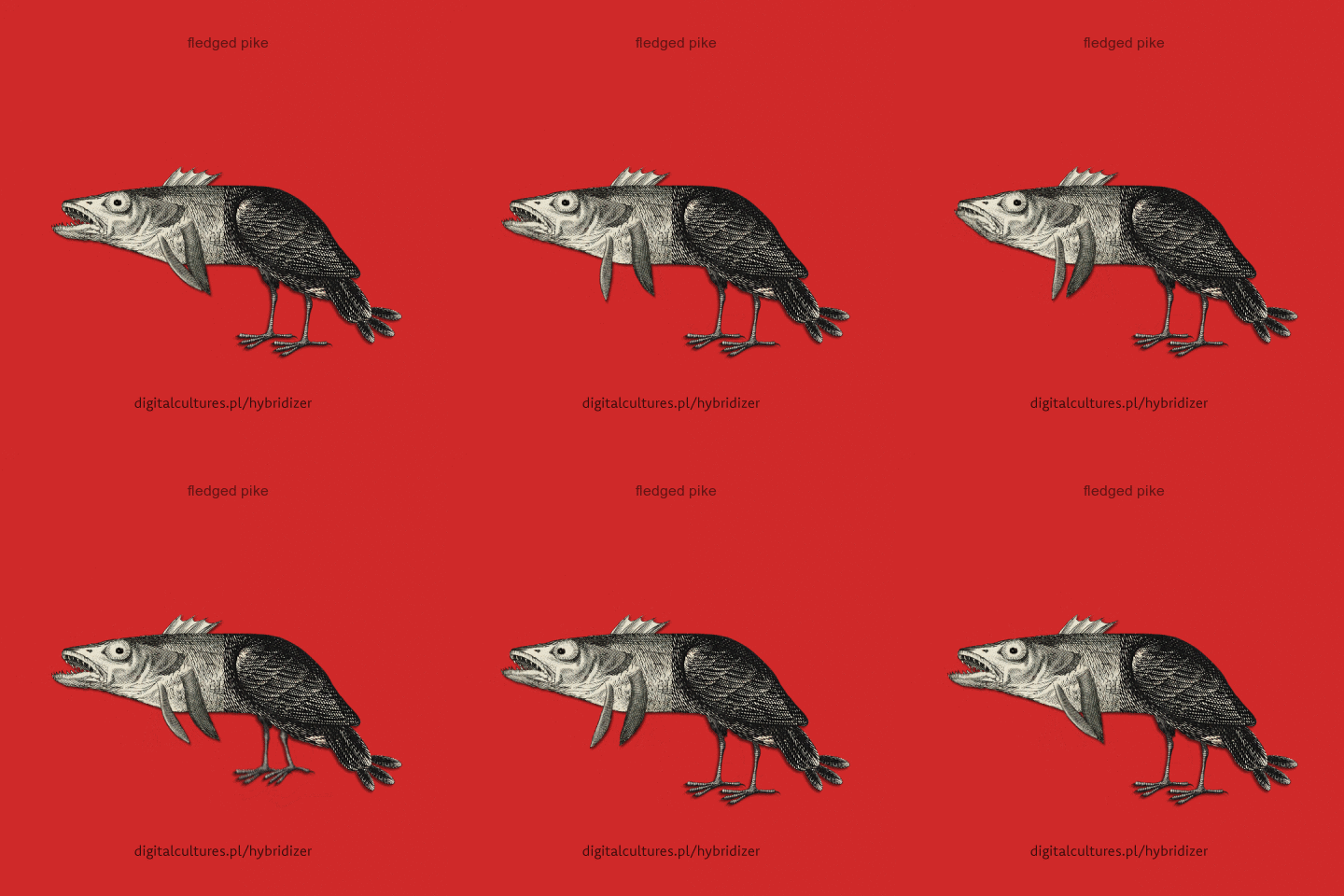
You know how naturalists of the Middle Ages described (or imagined) strange animals as combinations of known animals? You can make your own now! Kajetan Obarski and Igor Hardy made an online generator that combines two animals, illustrated by 17th century engraver Matthaus Merian, into a new animal. Try out the Hybridizer yourself, and see how weird a new creature you can create. -via Nag on the Lake

25 Sep 16:03

Cheapest Michelin-Starred Meals In The World Revealed

by Monica Houghton, Contributor
For budget conscious foodies who seek high-quality meals when traveling.
25 Sep 16:02

How to Simulate a Swirly Bokeh in Photoshop

by Adam Welch

Hailing from Russia, I give you…the Helios and its swirly bokeh.

I know, it’s kind of an ugly duckling right? At the very least, Helios lenses are certainly not the shining example of classical grace and beauty that the company’s bestowed name might conjure forth. Instead, the true charm and appeal of these vintage lenses comes from what’s on the inside.

Due to their optical nature, Helios lenses can produce wonderfully swirly bokeh and backgrounds when shot at wide apertures.

How to Simulate a Swirly Bokeh in Photoshop - image shot with Helios lens

Image by Mike Newton made with a Helios lens.

If you don’t happen to have a Helios lying around (they’re actually quite cheap) then I hope you will consider learning how easy you can simulate that swirly bokeh of this nifty little lens. You can do it right inside of Photoshop – here’s how.

What Kind of Images Work Best?

The charm of the Helios lens comes from separating the subject from the background with style. This means that just like any other time you want to blur out a background, the further you can place your subject from the objects behind it the more blurred the background will become.

The same is true for images you choose to simulate the “Helios effect” in Photoshop. Look for images with isolated subjects that can be easily separated from the background. This is the example we’ll be using for the demonstration.

How to Simulate a Swirly Bokeh in Photoshop - example image for tutorial

Not only do swirly backgrounds complement images like these more so than others, but having easily identifiable borders between your subject and the background will make things much easier on you during the processing.

How to Create the Helios Effect

The key player in this edit will be a hidden little tool, or rather a filter, buried inside of the Blur Gallery portion of the Filter menu bar at the top of the window. You will use the Spin Blur Filter to give you that dreamy understated swirly bokeh background for which Helios lenses are so favored.

After you’ve got your image opened in Photoshop it’s time to begin the effect.
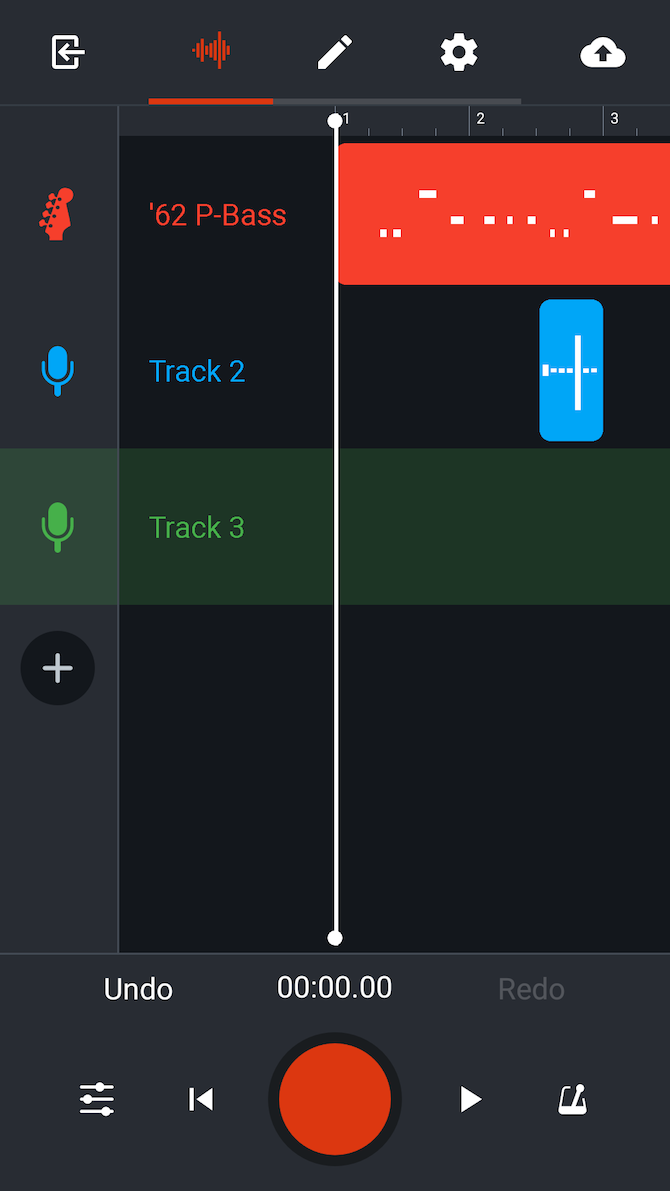
Duplicate the Layer

Make a duplicate copy of the background layer by using the keyboard shortcut Cmd/Ctrl+J. Feel free to rename the duplicate layer as I’ve done here to help you keep track in case you’re working with more layers.

spin blur layer - How to Simulate a Swirly Bokeh in Photoshop

Next, go up to menu bar you looked at earlier and go to Filter > Blur Gallery > Spin Blur… This will open up the blur gallery and it is here where you’ll do the actual blurring.

spin blur in the menu - How to Simulate a Swirly Bokeh in Photoshop

You’ll notice quite a few options here in the spin blur gallery; the most important of which is the Blur Angle slider.

blur angle slider - How to Simulate a Swirly Bokeh in Photoshop

This is how you will control the amount of simulated blur in your image. Think of the blur angle as the control for the degree of swirl in the background. Before you decide on how much blur you want to introduce to your image you first need to decide where you want the blur effect to be applied. Do this by adjusting the size and shape of the blur filter itself.

Adjust the Size and Feather Amount of the Filter

You can click and drag the outside of the filter to control its size and shape. How close the blur comes to the edges of the filter is controlled by the four larger dots shown here:

spin blur adjustment dots - How to Simulate a Swirly Bokeh in Photoshop

Think of these dots as the way you dictate the feathering of the spin blur effect as it approaches the edges of the filter. Drag the filter out to just past each corner of the frame and then adjust the feathering accordingly.

Feel free to experiment with placing the center point of the filter at different locations within your image.

spin blur filter in action - How to Simulate a Swirly Bokeh in Photoshop

Select the Blur Amount

As I’ve said, the largest variable you can control when applying your swirly bokeh background is the angle of the blur, which essentially dictates the amount of perceived spin blur. In most cases, a very small amount of blur angle works best, say maybe 2-4%.

Keep in mind that the true swirly bokeh from the Helios lens is generally subtle so keep the background blur in your simulated images somewhat subdued. Here’s our image with 4% blur angle applied.

4% blur applied - How to Simulate a Swirly Bokeh in Photoshop

Keep in mind that the final determination of the amount of blur will be decided just a little later in the process by using the layer opacity. So it’s a better idea to add in a little too much blur than not enough at this point in your processing.

Also, keep in mind that you can also increase or decrease the amount of blur angle using the control wheel located at the very center of the filter. Once your blur is applied, click “OK” at the top of the screen.

NOTE: If you convert the layer into a Smart Object before applying the Spin Blur filter, the settings can be adjusted at any time as it will be a non-destructive edit.
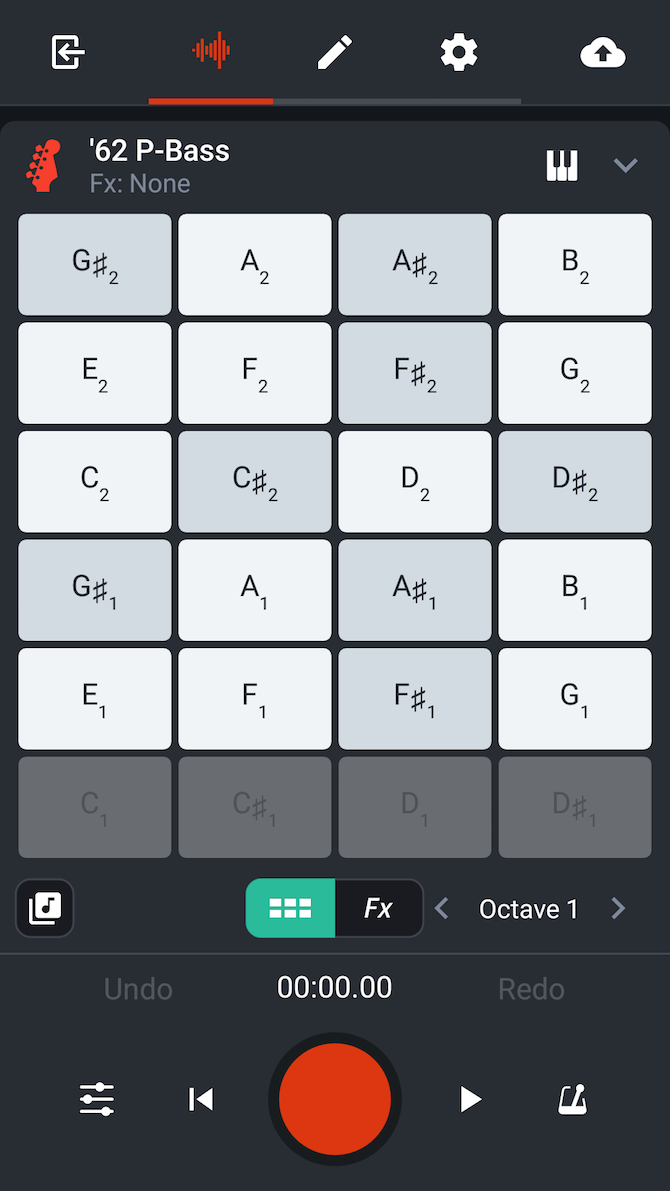
Final Blur Adjustments Using Layer Masks and Opacity

Now that you’re back to the main editing window in Photoshop you can finish up your Helios-style blur effect by using layer masks and opacity to customize the blur.
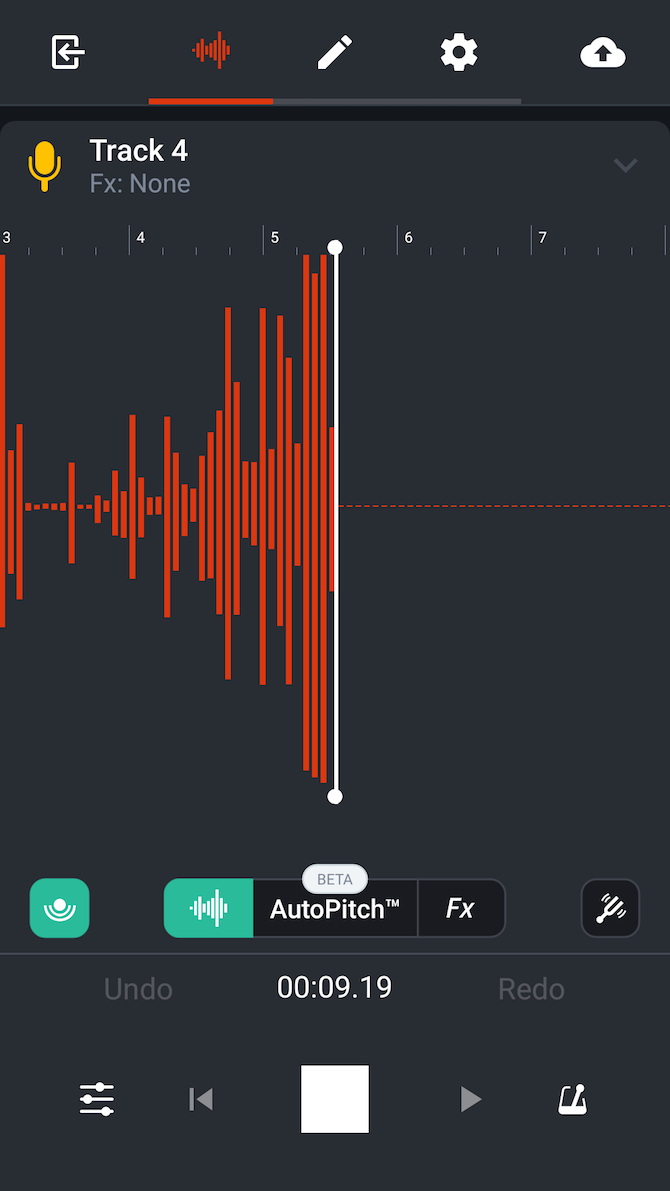
Adjust the opacity of the spin blur layer by using the layer opacity slider until the effect reaches the desired amount you like for your particular image. In this case, I’ve set the opacity to a modest 70%.

layer at 70% opacity - How to Simulate a Swirly Bokeh in Photoshop

Next, we’ll want to make sure the subject of the photo is free from the blur effect. To do this, add a layer mask to the spin blur layer.

add a layer mask - How to Simulate a Swirly Bokeh in Photoshop

Then use the Brush tool to remove the blurring effect from the areas where it’s not needed. And viola! Your freshly minted Helios swirly bokeh simulation is complete!

final image butterfly and flowers - How to Simulate a Swirly Bokeh in Photoshop

Final Thoughts on Simulating Helios Bokeh

Acquiring an actual Helios lens is a surprisingly easy and budget-friendly method for adding a little uniqueness to your photography. Still, if you choose not to get a lens of your own, you can simulate the look of that classic Helios swirl by using the methods shown in this article.

Here are a few points to remember if you want to give the Photoshop Helios method a try:

  • Choose a photo with a subject that is relatively isolated on its focal plane.
  • Images with busy backgrounds work best.
  • A blur angle of 2-4% is adequate for most photos.
  • Center the blur around the main subject but don’t be afraid to move it elsewhere!
  • Control the final blur amount using the layer opacity slider and layer masks.

Simulating the swirly blurred backgrounds of the Helios is easy and quick in Photoshop using the spin blur filter.

Here are a few more examples of images which have been given the Helios effect using the techniques shown here.

The post How to Simulate a Swirly Bokeh in Photoshop appeared first on Digital Photography School.

25 Sep 15:43

Buy A Baofeng While You Still Can? FCC Scowls at Unauthorized Frequency Transmitters

by Jenny List

There was a time when a handheld radio transceiver was an object of wonder, and a significant item for any radio amateur to own. A few hundred dollars secured you an FM walkie-talkie through which you could chat on your local repeater, and mobile radio was a big draw for new hams. Thirty years later FM mobile operation may be a bit less popular, but thanks to Chinese manufacturing the barrier to entry is lower than it has ever been. With extremely basic handheld radios starting at around ten dollars and a capable dual-bander being yours for somewhere over twice that, most licencees will now own a Baofeng UV5 or similar radio.

The FCC though are not entirely happy with these radios, and QRZ Now are reporting that the FCC has issued an advisory prohibiting the import or sale of devices that do not comply with their rules. In particular they are talking about devices that can transmit on unauthorised frequencies, and ones that are capable of transmission bandwidths greater than 12.5 kHz.

We’ve reported before on the shortcomings of some of these radios, but strangely this news doesn’t concern itself with their spurious emissions. We’re guessing that radio amateurs are not the problem here, and the availability of cheap transceivers has meant that the general public are using them for personal communication without a full appreciation of what frequencies they may be using. It’s traditional and normal for radio amateurs to use devices capable of transmitting out-of-band, but with a licence to lose should they do that they are also a lot more careful about their RF emissions.

Read the FCC statement and you’ll learn they are not trying to restrict the sale of ham gear. However, they are insisting that imported radios that can transmit on other frequencies must be certified. Apparently, opponents of these radios claim about 1 million units a year show up in the US, so this is a big business. The Bureau warns that fines can be as high as $19,639 per day for continued marketing and up to $147,290 — we have no idea how they arrive at those odd numbers.

So if you’re an American who hasn’t already got a Baofeng or similar, you might be well advised to pick one up while you still can.

UV5-R image via PE1RQM

25 Sep 15:40

Fujifilm GFX 50R is a 51.4MP Medium Format Rangefinder-style Mirrorless

by Michael Zhang

Fujifilm has announced the new GFX 50R, a new medium format mirrorless camera that features a compact, rangefinder-style body that’s reminiscent of famous medium format film cameras from the history of photography.

Inside the GFX 50R is a 51.4-megapixel G Format 43.8×32.9mm CMOS sensor with an ISO range of 100-12800 (expandable to 50-102400) backed by an X-Processor Pro image processing engine. The camera supports Fujifilm’s popular Film Simulation modes that can simulate the company’s popular film stocks, including Velvia, Provia, and Acros.

Fujifilm says it has optimized the micro lenses on the sensor for light gathering performance and image resolution, resulting in photos “that precisely reproduce the subject’s texture, three-dimensional feel and even the atmosphere of each scene.”

“[T]he GFX 50R delivers superior image quality in a compact and lightweight body reminiscent of their renowned medium format film cameras widely used in street and documentary photography,” Fujifilm says.

“The GFX 50R is a lighter and more compact model within the medium format mirrorless system, perfect for professional photographers who specialize in street, documentary or portrait photography,” says Fujifilm General Manager Yuji Igarashi.

There are 64 points of weather-sealing on the rugged, magnesium-alloy camera body, and the operating temperature range goes as low as 14˚F/-10˚C.

Instead of selector buttons, Fujifilm equipped the 50R with a Focus Lever for focal point adjustments, decluttering the physical interface and providing extra handholding space.

The top of the camera features milled aluminum shutter speed and exposure compensation dials.

On the back of the camera are a 0.5-inch, 3.69-million-dot OLED electronic viewfinder and a 3.2-inch, 2.36-million-dot tilting touchscreen.

The camera weighs 1.7lb (775g) with the built-in EVF, or about 16% less than the 2lb (920g) Fujifilm GFX 50S. The body is 2.6in (66.4mm) thick, or 27% thinner than the 3.6in (91.4mm) thick 50S.

Here are some comparison views of the GFX 50R (left) and the GFX 50S (right):

Another interesting feature of the 50R is Bluetooth connectivity (a first in the GFX line) in addition to Wi-Fi. Photographers can use it to pair the 50R with a smartphone or tablet running Fujifilm’s free Camera Remote app.

Other features and specs of the GFX 50R include JPEG/RAW/TIFF output, a 0.4-second startup time, 3fps continuous shooting, 117 autofocus points, ultrasonic sensor cleaning, 1080p30fps video (with Film Simulation), dual SD card slots, and a battery life of 400 photos.

Here are a few official sample photos (higher res here) captured by photographer Eric Bouvet with the GFX 50R:

45mm f/2.8 R WR lens. f/11, ISO 640, PROVIA
63mm f/2.8 R WR lens. f/2.8, ISO 100, PROVIA.
110mm f/2 R LM OIS WR lens. f/5, ISO 400, CLASSIC CHROME.

Fujifilm’s GFX system currently has 7 G Mount lenses ranging from 23mm to 250mm (18mm to 198mm in 35mm terms), but the company has announced new G mount lenses that are on the way. These include the GF 100-200mm f/5.6 OIS, GF 50mm f/3.5, and GF 45-100mm f/4 OIS. Pricing and availability have yet to be announced.

The Fujifilm GFX 50R will be available in November 2018 with a price tag of $4,499.

25 Sep 15:37

4 Storytelling Tips That Will Make You A Better Leader

by Carrie Kerpen, Contributor
Effective communication in the workplace requires the ability to tell great stories.