Shared posts

17 Jun 16:07

How to Copy and Paste on a Mac

by Akshata Shanbhag
copy-paste-mac

Wondering how to copy and paste on your new Mac? After all, it’s a basic action you’re bound to use daily. Fortunately, the action is quick and painless, and you’ll get the hang of it in no time.

As you might expect, you have multiple ways to copy and paste on a Mac. We’ll cover them all, and while we’re doing so, we’ll also share useful tidbits of related information. Let’s begin!

How to Copy and Paste on a Mac

Copy and paste menu options in Finder on Mac
The easiest way to copy and paste on a Mac is with the help of two easy-to-remember keyboard shortcuts:

  • Cmd + C to copy
  • Cmd + V to paste

You’ll appreciate these if you have switched over to macOS from Windows. The shortcuts are similar to the Ctrl + C and Ctrl + V copy-paste shortcuts that you’ve come to rely on there.

Not a fan of keyboard shortcuts? You might prefer to copy-paste using menu commands. In that case, after you select the item you want to copy, click on Edit > Copy to copy the selection to the clipboard.

Then, navigate to the location where you want to create a duplicate of the selected item. There, click on Edit > Paste. To paste copied text, ensure that you place the cursor in the exact location where you want the text to show up.

A third option that’s as easy as using keyboard shortcuts involves the context menu or right-click menu. You’ll find the Copy and Paste commands in this menu, and they work just like the menu commands and keyboard shortcuts do.

Copy and paste options in Finder's context menu on Mac

You can use the copy-paste commands with all kinds of content including text, images, and documents. Also, the commands work across all Mac apps (including Finder) unless the copy and/or paste functions have been disabled by an app or webpage.

Wish you could copy-paste text like you do on your iPhone? You’ll love PopClip—it gives you an iOS-like contextual menu for copy-paste and other actions.

How to Paste Without Formatting

Keep in mind that when you copy and paste text on Mac as we’ve described above, the pasted text retains its original formatting.

Want the pasted text to follow the formatting of the target document? You’ll need to use the Edit > Paste and Match Style command instead of Edit > Paste while pasting the text. When you paste with the keyboard, use the shortcut Option + Shift + Cmd + V instead of Cmd + V.

This new shortcut is a tough one to remember! If you plan to use it often, you can create a memorable keyboard shortcut for it. And if you’re sure you’ll never use the original Paste command, why not repurpose its shortcut to copy and paste text without formatting every time?

Copy-Pasting Faster With a Clipboard Manager

BetterTouchTool clipboard function on Mac

Chances are that you’ll find yourself copying and pasting several items from one location to another on your Mac every day.

Every time you want to paste something, you have to grab the relevant content from its original location to move it to the clipboard. That’s tedious, but it doesn’t have to be. A good clipboard manager app can fix this problem for you. It’ll stash away every item you copy to the clipboard and keep it searchable and accessible when you want to copy it again.

You can go for a clipboard app that manages only text entries or one that stores text, images, hyperlinks, documents, and other kinds of content. Our recommendations include CopyClip, 1Clipboard, Pastebot, and Paste.

If you use a Mac productivity app like Alfred, BetterTouchTool, or Keyboard Maestro, you don’t need to install a dedicated clipboard app. Such productivity apps often pack a clipboard management function.

How to Copy and Paste Between Your Apple Devices

Pasting on iPhone from Mac

Your Apple devices can share a single clipboard, which means you can copy data on your Mac and paste it on your iPhone (and vice-versa). To make this happen, ensure that you’ve enabled Bluetooth on both devices and that you’re also logged into the same iCloud account on them.

The next step is to enable the Handoff feature on both devices. To do this:

  • On Mac: Under System Preferences > General, select the checkbox for Allow Handoff between this Mac and your iCloud devices.
  • On iPhone: Open the Settings app and under General > Handoff, flip the toggle switch for Handoff to the right to enable it.

Now, copy-pasting between your Mac and iPhone is as simple as using the device-specific copy-paste commands as required. The shared clipboard is called Universal Clipboard. It’s part of Continuity, a set of features that let you use your Mac and iPhone together.

By the way, you can also copy and paste between your Mac and iPhone with Copied for macOS and iOS. To share a clipboard between your Mac and Android phone, install the Alt—C app on both devices.

Did you know that you can also sync your clipboard between macOS and Windows?

How to Cut and Paste on a Mac

Cut option in Edit menu on Mac

When you want to move data to a new location instead of copying it there, you need a cut-paste command instead of a copy-paste.

To use the command, all you have to do is replace the Cmd + C shortcut for copying with Cmd + X. In app menus and right-click menus, you must select Cut instead of Copy. The paste shortcuts and menu options remain the same as before. This intuitive way of moving data is new to macOS.

Previously, you had to copy data as usual and use the shortcut Cmd + Option + V in the target location to simulate a cut-paste action. The corresponding menu item (Move Item Here) showed up only if you held down the Option key while pasting.

This unusual way of cut-pasting still comes in handy with certain content, such as Finder files and folders. The new cut-paste command works fine with text, reminders, contacts, objects in documents, and so on.

Is Copy-Pasting the Best Way to Create Duplicates?

Now you know how to copy and paste on Mac. This allows you to create duplicates of selected items in various locations while leaving the originals intact.

We must warn you that while copy-pasting text is fine, duplicating objects like folders and images recklessly can leave your Mac short on space. After all, each copy you create takes up some space on your hard drive.

How can you keep copies of objects scattered across your Mac for quick access without running out of disk space, then? The answer lies in creating aliases to fight Finder clutter.

Read the full article: How to Copy and Paste on a Mac
17 Jun 15:58

Book Freak #7: Random Advice

by mark

Book Freak is the third newsletter from Cool Tools Lab (our other two are the Cool Tools Newsletter and Recomendo). In each weekly issue, we offer three short pieces of advice from books. Here’s the advice from our fifth issue.

How to disobey your mother
“If your mother tells you to do a thing, it is wrong to reply that you won’t. It is better and more becoming to intimate that you will do as she bids you, and then afterward act quietly in the matter according to the dictates of your best judgment.”

― Mark Twain, Advice to Little Girls

How to avoid being hassled by the man
“If you want the law to leave you alone, keep your hair trimmed and your boots shined.”

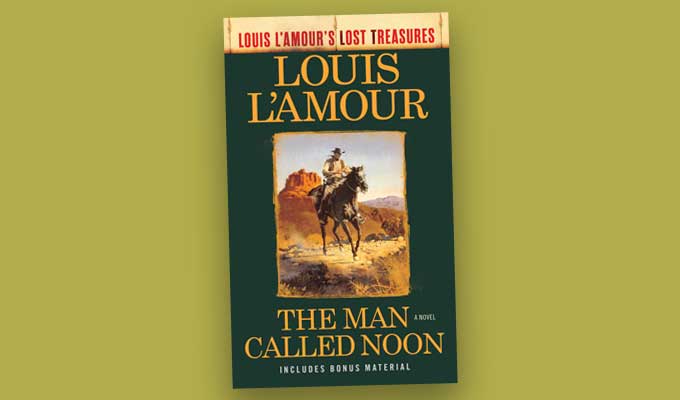
― Louis L’Amour, The Man Called Noon

How to avoid someone you dislike
“Of course, to avoid getting stuck in that convo with someone you dislike or feel uncomfortable around, don’t be passive, be proactive. Do not let them direct your interaction on their terms, do it on yours. Ask a Misdirection Question–something too difficult to answer quickly–e.g., ‘What’s Congress up to?’ or ‘You ever learn any cool science?’ When you ask the question, don’t make eye contact, keep moving and get out of there. Do not wait for a response and deny ever asking it. Repeat these actions until you are never again spoken to by that individual (about four times).”

― Eugene Mirman, The Will to Whatevs: A Guide to Modern Life

-- MF

17 Jun 15:46

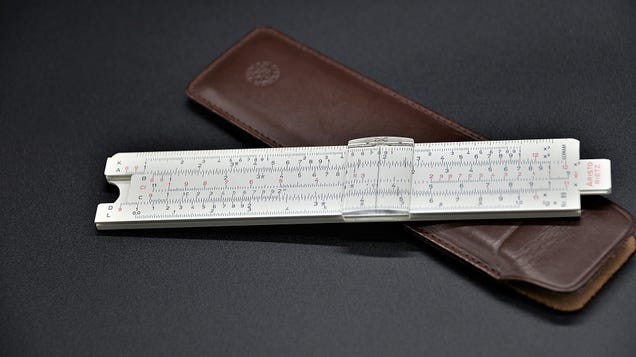
How to Use a Slide Rule

by Beth Skwarecki

I’ve always felt a little left out of the traditional nerd stereotypes. I don’t wear glasses, my lady clothes have no real pockets so I can’t use a pocket protector, and I was born well after the reign of the slide rule. But in the spirit of Analog Week, I’m trying to learn.

Read more...

17 Jun 15:45

How to Lift the Aisle Armrest on an Airplane

by Emily Price

Plane seats are small and sometimes getting in and out of them can be a bit of a challenge. If you’re sitting in the meddler window seat, putting up the armrests can make your entrance and exit go a bit smoother. If you’re sitting in the aisle you might think that you’re stuck having to climb over that aisle armrest;…

Read more...

14 Jun 22:53

Giant Floating Solar Farms Could Extract CO2 From Seawater, Producing Methanol Fuel

by Scott Snowden, Contributor
Millions of floating islands, clustered together, that convert carbon dioxide to methanol fuel could help reduce the amount of green house gases in the atmosphere, according to researchers from Norway and Switzerland.
12 Jun 16:53

Your medical data is worth 3x more than your financial data. Why?

by Conor Grant

Banks and financial institutions have always been targeted by hackers, but health care organizations are increasingly getting hacked to pieces by data thieves, according to a recent report.

Health care data has become popular on the dark web because it is easily monetized and, unlike bank information, it’s hard to change.

The permanence problem

Although bank account numbers can be quickly changed, health histories cannot — which makes personal health information (PHI) up to 3x more valuable than other types of personally identifiable information (PII).

Plus, since health care transactions go through several intermediaries — providers, insurers, etc. — it can take longer to detect health care fraud than financial fraud. 

On the dark web, doctor credentials are hot commodities that go for as much as $500 per record, while personal health insurance login information sells for a measly $3.25 per record.

Health care breaches are on the rise

Health care businesses in the US reported 44 breaches to the US government in April, the worst month on record.

The scale of these breaches is also worsening: A recent data breach at Quest Diagnostics may have impacted up to 11.9m patients’ records.

The post Your medical data is worth 3x more than your financial data. Why? appeared first on The Hustle.

12 Jun 16:51

Fishing for Redfish in Texas

by Chester Moore
Big texas red drum

Quick tips from a Texas expert on finding and catching red drum along the Texas coast.

Where and how to catch red drum in the Lone Star State from one of Texas’ best-known writers and authorities on saltwater fishing.
12 Jun 16:50

Fishing for Redfish

by Doug Olander
Redfish are a popular gamefish.

Redfish are one of the nation’s most popular inshore/nearshore gamefishes with good reason.

Redfish are one of the nation’s most popular coastal gamefish. Use our guide to learn more about their habitat and behavior and catch more of them.
12 Jun 16:32

Raymarine DockSense Assisted-Docking System

by Chris Woodward
Raymarine DockSense Assisted-Docking System

Raymarine's new assisted-docking system combines video-analytic technology with propulsion control.

Raymarine is working with outboard- and inboard-engine companies to create an assisted-docking system to help boaters with precision maneuvering.
12 Jun 16:14

Documentary Photography: 6 Tips to Improve Your Next Project

by Kevin Landwer-Johan

The post Documentary Photography: 6 Tips to Improve Your Next Project appeared first on Digital Photography School. It was authored by Kevin Landwer-Johan.

tips to create amazing documentary images

If you’re looking to create stunning documentary photography, you’ve come to the right place.

In this article, I explain everything you need to know to carry out a top-notch documentary project. I discuss planning, idea selection, ways to maximize the quality of your images, and so much more – so that, by the time you’re finished reading, you’ll be ready to take pro-level shots on your topic of choice.

Ready to become a documentary photography master? Then let’s dive right in!

1. Start with a clear topic and plan

Monk in a Saamlor tricycle taxi in Chiang Mai, Thailand

If you want to create amazing documentary photos, I encourage you to plan out your project in advance.

Don’t charge into a project on a whim; without purpose or planning, you’re more likely to lose interest. You’ll struggle to keep momentum and fail to come up with fresh ideas to keep your project alive.

Instead, carefully select a topic and outline your project goals. Here’s my simple step-by-step method for getting started:

First, create a topic list. Write down ideas as they come to you. What would you most like to photograph? When writing your list, don’t restrict yourself. Jot down whatever comes to mind, and give no thought to whether or not it’s practical. Let your list grow over the course of a week.

Next, review your list. Consider each documentary project idea, then delete the impractical ones. Which topics could you pursue every day or at least every week? Discard any topics that are inaccessible. If you like an idea but acknowledge that it’d be difficult to carry out, add it to a list of future projects.

Then concentrate on what excites you. Which idea is interesting enough to shoot on a regular basis? A genuine passion for your theme or concept will keep you motivated! (By the way, don’t choose ideas that are too easy; being challenged is good for you!)

Market Tricycle Taxi Ride documentary photography tips

Third, narrow down your list to two or three ideas. Mull these over for a day or two before picking the winner. Remember, you should select a topic that excites you, challenges you, and is practical. (If you can’t choose, feel free to start out with two projects. Then, if it’s too much of a commitment, stick with the one you’re enjoying more.)

Fourth, for each documentary project idea, create a rough schedule. You don’t have to stick with it – as you carry out the project, you may find yourself wishing to adjust it, and that’s completely okay – but it’s good to block out time for photography on a regular basis. Otherwise, you may find yourself procrastinating, and your project may eventually fizzle out.

Finally, consider your ultimate plan for the images. In other words, once you’ve finished capturing your documentary photos, what will you do with the files? Stories are for sharing. Who will be interested in the tale you’re telling? What’s the best medium or platform to display your photos?

For instance, do you plan to submit a selection of your photos to a newspaper or magazine? Do you want to post weekly (or daily) on Instagram or Flickr? Do you want to create a blog dedicated to your project? All of these goals are completely legitimate; it’s up to you to decide what feels right!

Tricycle Detail

2. Know your subject better than anyone

Once you’ve chosen a topic, you should research it like crazy. Consider your subject, research its current situation, and understand its history. Even if you already know a lot about your topic, find out more. The goal is to tell a story, and the more you understand the story you’re telling, the better your results will be.

In fact, while you research, you may even want to outline a narrative. What will be the beginning, middle, and end of your story? The greater your knowledge of the topic, the more details you’ll be able to include. Of course, you don’t need to plan out every image – some of your documentary photos should be spontaneous! – but it helps to think about your ideal photos in general terms.

One more documentary photography tip: Look into other photographers who have carried out similar projects. See how they approached the topic. Draw inspiration from their photos – and use the inspiration to take your project to new heights.

Tricycle Taxi Rest documentary photography tips

3. Take lots of photographs

Planning is important, but don’t let it hold you back. My recommendation? As soon as you’ve decided on your project idea, get started shooting.

Then use your research to guide your work.

If you’re a very analytical person, you may feel tempted to delay shooting until you’ve finished your research. But this will slow you down, plus you may lose your initial excitement and momentum.

Instead, begin working with your camera. As your story (and research) develops, you can steer your approach in the desired direction.

And take plenty of images! If you’re embarking on your first documentary photo project, you should shoot frequently and on a regular basis. It’ll help maintain your momentum, plus it’ll make it easier to see the developing story.

Vary the images you take. Even if you use a single camera and lens, push yourself to create a diverse group of compositions. And if you have multiple lenses, try to capture both wider and telephoto shots every time you’re out.

Waiting for a Ride

You can also add variation to your images by using an array of aperture, shutter speed, and ISO settings. For instance, you can use a fast shutter speed to capture tack-sharp action shots – but then slow down your shutter to let the subjects blur.

Photograph in a mixture of lighting situations, too. Take some photos in the morning and others in the afternoon or at night. Work with natural light, then bring along a flash and see whether you like the results.

As you build up a body of work, you’ll start to identify the approaches and photos you like the most. Frequently review your images, then place your favorites into a separate folder.

Taxi Rider in Chiang Mai, Thailand

4. Cultivate a relationship with your project

Long-term documentary photography requires repetition. You must visit the same locations, photograph the same things, and meet the same people.

But though the scenes may seem similar from shoot to shoot, you can create fresh photos on each outing by remaining aware of your feelings. Pay attention to your mood, and try to capture images that express your current state of mind. It’ll make your story more personal and interesting.

Your view of the world is unique, and your photographs should reflect this. The concept may seem a little abstract, but over time, if you make an effort to combine your topic and your feelings, your photos will become more expressive of who you are.

Waiting for Customers documentary photography tips

And if there are people who are part of your story, interact with them and take their photos! It’ll lend character to your narrative. Of course, you don’t have to capture posed photos, and some photographers do prefer to keep their documentary pictures candid, but make sure to shoot at least a few images of any human subjects.

When you start engaging with subjects, they may be uncertain of what you’re doing or why. But as you revisit key locations and photograph key individuals, your relationships will change. Some people will become accustomed to you and will become more relaxed in your presence. Others may become irritated or bored. The photos you make of them will change, too.

Also, each time you head back to a location, look around carefully. Ask yourself: What’s changed since the last time I worked in this area? Also, what did I miss the last time I was here? Over time, you’ll start to notice things you didn’t pick up on before. These details can add extra interest to your documentary project.

Poise of the Rider

5. Review your photos and seek feedback

After each documentary outing, carefully review your images on the computer. What do you like about them? What do you dislike? How could they be improved? Use these questions to guide your approach.

Also, when doing your regular reviews, separate out the top 10 or 20 percent of your photos. This will give you a clearer idea of your progress. And from time to time, review your best photos and look for gaps in your story. What’s missing? What are you photographing too much?

Even if you’re loving the results of your project, ask a photographer friend or mentor to look over your photos and share their thoughts. They may point things out or ask questions you hadn’t thought about. Encourage honesty. Healthy feedback can lead to a deeper, richer story.

By the way, working on a project allows you to see your photography develop. Because you’ll be photographing the same theme or concept over a period of time, you’ll create similar types of photos for weeks or months. Take the opportunity to compare your older images and your newer images. Do you see growth in your skills and style?

Cycle Taxi Shadow documentary photography tips

6. Let your documentary photography project grow organically

While it’s great to plan out your topic and even think about photo opportunities and narratives in advance, you should also learn to go with the flow. If you feel a more exciting story is emerging from your project, run with it.

It’ll help keep you interested – and if the alternative story turns out to be a dead end, just turn around and continue with your original plan.

You may even find yourself discovering lots of stories as you shoot. While it probably won’t be feasible to take constant detours, be sure to keep a list of future projects and write down any and all ideas you encounter. That way, once you’ve finished one project, you can immediately get started on another!

Documentary photography tips: final words

Hopefully, you now feel ready to dive into documentary photography!

So start today. Begin writing your list of ideas. Don’t rush, but don’t let the thoughts stagnate. And once you’ve chosen a topic, get out with your camera and shoot!

Now over to you:

What documentary images do you hope to take? What will be your next project? Share your thoughts in the comments below!

The post Documentary Photography: 6 Tips to Improve Your Next Project appeared first on Digital Photography School. It was authored by Kevin Landwer-Johan.

12 Jun 14:03

The Biggest Surprises from The Biggest Little Farm

by Andrew Amelinckx

Take a broken-down 200-acre property that has been transformed into an incredibly lush and diverse biodynamic farm over eight years and capture it all on film and you get The Biggest Little Farm. This documentary tells the story of two newbie farmers and their rescue dog as they leave Los Angeles behind to build a farm that will work in harmony with nature in Moorpark, California. John Chester, the Emmy-winning documentary filmmaker who directed the film, and Molly Chester, a private chef and blogger, discovered that nature isn’t easily harnessed when there are coyotes, gophers, snails, windstorms and wildfires to contend with. Here are some of the biggest reasons to go and see this film, which is at times heartbreaking, funny, achingly beautiful, charming and full of surprises.

Todd

Both the farm and the film owe their existence to a dog named Todd. The Chesters rescued him from an animal hoarder and promised him that their home would be his last. But Todd was a prodigious barker when left alone, so when the inevitable notice to vacate arrived due to noise complaints, the Chesters decided to take a chance on their dream. “It changed the course of our future because we had blindly committed to an animal and weren’t willing to break that promise,” says Chester. “Our love for that dog gave us this incredibly epic and magical existence.”

“We Went Crazy”

In less than a decade, Apricot Lane Farms went from a dilapidated monocrop operation to a thriving farm with 10,000 orchard trees encompassing 75 different kinds of stone fruit, lemons, and avocados; a cornucopia of vegetables; and a boatload of animals, from pigs and sheep to horses and highland cattle. “We piled too much on from the beginning and were growing way too many things,” says Chester. “We wanted a biologically diverse ecosystem, but we went crazy.”

An Untimely Parting

The reason for such diversity rests with the agricultural ethos of Alan York, a pioneer in biodynamic growing, an integrated system that builds soil fertility through composting, animals, cover crops and crop rotation. Chester enlisted the help of York early on, and he convinced the couple to bring in an incredibly diverse mix of crops and animals to help rebuild the soil. But an untimely parting with York, just when the system he had set up needed the most attention, left the Chesters feeling angry and frustrated. In the end, it forced them to become more creative and self-reliant to overcome their challenges. “I had to respect that there was something special about this farm, and I needed to look at in a different way,” says Chester. “The problems were just things to be solved — they weren’t going to kill us or our dream.”

Working in Harmony

By year five, the system created by York had begun to show results. Nature and agriculture were working hand in hand, with a balance between predators and pests that kept both in check. Yet, even with this dynamic ecosystem chugging along, every season would see a new pest or problem crop up, says Chester. The only difference now is that the system responds faster, preventing infestations and epidemics. Beyond this, their farm remains resilient in the face of climate change, with less soil erosion, an ability to store more groundwater and higher levels of carbon in the soil than a typical farm. “I didn’t want to make a film about climate change,” says Chester. “I wanted to make a film about its consequences and living through them. It’s about the potential to unlock these ways to integrate ourselves within a system that regenerates it rather than depletes it.”

The film is released on May 10 in the United States. Here’s the trailer.

The post The Biggest Surprises from The Biggest Little Farm appeared first on Modern Farmer.

12 Jun 13:53

How to Use Goats and Sheep to Clear Brush

by Brian Barth

In addition to bearing adorable offspring and delivering the raw ingredient for delicious cheeses, the beautiful thing about goats and sheep is that they love to eat the plants that people are forever at war with, like kudzu, poison ivy and blackberry brambles. Years ago, I had a herd of dairy goats and kept getting requests to “rent” them out for this purpose, which became a side business for my farm for a couple of years. Zach Richardson, one of my co-conspirators in this enterprise, runs a livestock rental company called the Nashville Chew Crew and was recently profiled in the New York Times with the headline “Make America Graze Again.”

The trend has gone viral to the point of creating a new industry — you can now find livestock rental services in many American cities. Landowners across the country are investing in herds of their own to control invasive vegetation rather than using herbicides. Cute animals clearing acres of brush while fertilizing the earth as they frolic to and fro may seem like an ingenious land-management solution. But as with any miracle cure, this one can create as many problems as it solves. Whether you’re considering using a rental service or investing in a herd of your own, here are a few pointers to help maximize your success.

1. Goats Versus Sheep

It’s important to know the difference between the two species and which is best suited for the habitat you have in mind. Goats will eat grass and ground-level weeds, but they prefer taller, woodier vegetation and will stand on their hind legs to strip foliage and bark from them, weakening and eventually killing the plants. Sheep will eat woody vegetation but prefer grass and weeds on the ground. Sheep are like lawnmowers, while goats are more like Bush Hogs (for the uninitiated, that’s the brand name for a machine designed to clear heavy brush).

2. Fencing

Staking livestock to a rope and expecting them to clear vegetation is ineffective and can result in animals dying of strangulation. You need fencing, which will likely cost far more than the animals to install. Some modern shepherds and goatherds rely on lightweight, movable electric fencing, but this is prone to disaster — it easily shorts out in rainy weather, and livestock (especially goats) are notorious for escaping if given enough unsupervised time. Don’t take your chances with electric fencing unless you’re in a location where periodic escapees won’t be a problem. Ideally, use four-foot-tall wire fencing to form a perimeter. It’s best to use electric fencing to subdivide a larger area into small plots for concentrated grazing. Also, be sure to fence the animals out of waterways and other sensitive habitats.

3. Husbandry

Unlike herbicides and machinery, sheep and goats need clean water, shelter, grooming, health care and a bit of TLC. They may also need supplementary food — if they’re penned in an area populated by a limited number of plant species, it’s wise to provide a scoop of commercial feed to each animal in the morning and evening to ensure that they’re getting the full spectrum of nutrients they need (the extra calories are essential for pregnant and lactating animals). Also, expect the unexpected: Dogs and coyotes may attack; teenagers may play unseemly pranks; and animals may turn up sick, injured or dead for any number of reasons. Make sure that you are prepared to provide the necessary husbandry for these robust yet vulnerable creatures.

The post How to Use Goats and Sheep to Clear Brush appeared first on Modern Farmer.

12 Jun 13:52

COOK THIS: Love & Lemons Every Day by Jeanine Donofrio

by Wendy Underwood

When I was 16, I decided to become a vegetarian, a phase that only lasted for about two weeks. But I wonder how long it would have stretched if I had access to the world of vegetarian cooking blogs back then—friendly, cheerleading voices with tempting photos and a can-do attitude. Jeanine Donofrio’s blog, Love & Lemons has introduced many a curious young person to the world of vegetarian eating, and her second book, Love & Lemons Every Day (Avery Books; $35) is sure to continue the streak. Her style is light, bright and international, with a little North American comfort thrown in for balance. The recipes are vegetarian, and sometimes vegan. Think: baked red lentil falafel and a mushroom and white bean pot pie. The recipes are easily whipped up on a Wednesday night, and as a bonus there are charts and grids encouraging experimentation when making things like a salad dressings or scrambled eggs.

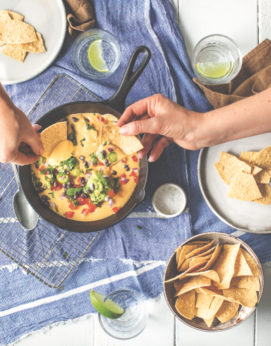
A recent lazy Sunday afternoon called for a casual, dippy snack, so I made Donofrio’s Loaded Butternut Squash Queso—warm and pleasingly orange, but without any actual queso (cheese). Butternut squash and potatoes are boiled, onions are sautéed and all three are added to the blender with cashews, olive oil, water, lemon juice, nutritional yeast, garlic, paprika, cayenne and salt, and then blended until smooth. To serve, it’s topped with guacamole, black beans, jalapeños, red onion and cilantro. Make no mistake, this was not a cheese dip. But it was oozy and delicious, and felt just as decadent.

With Donofrio’s kind voice and approachably creative recipes, Love & Lemons Every Day would be a lovely gift for the new vegetarian in your life. These recipes truly are for “every day,” making the cookbook a worthy pick for those of us trying to add Meatless Wednesdays to our Meatless Mondays.

Excerpted Love and Lemons Every Day: More than 100 Bright, Plant-Forward Recipes for Every Meal by Jeanine Donofrio. Copyright © 2019 Jeanine Donofrio. Photographs © 2019 by Jack Mathews, Jeanine Donofrio, and Christopher Broe. Published by Penguin Canada, a division of Penguin Random House Canada Limited. Reproduced by arrangement with the Publisher. All rights reserved.

LOADED BUTTERNUT SQUASH QUESO

Servings: Serves 4, vegan and gluten-free

As soon as I graduated from college, I moved to Austin (aka the land of queso) to be with Jack. Whenever we’d get together with friends, there would always be queso, which was often the too-yellow, too-fake type of cheese that I don’t exactly gravitate toward. I couldn’t really complain because I’d fill up on chips, salsa, and guacamole instead . . . but now I can have the best of both worlds with this oozy butternut queso loaded with all the toppings. Even though this recipe is vegan, every cheese lover I know loves this dip.

Ingredients
  • 2 cups peeled and diced Yukon Gold potatoes
  • 1 cup peeled and diced butternut squash
  • ½ cup chopped yellow onion
  • ½ cup raw cashews
  • ¼ cup extra-virgin olive oil, plus more for drizzling
  • ¼ cup plus 2 tablespoons water
  • ¼ cup nutritional yeast
  • ¼ cup fresh lemon juice
  • 2 tablespoons apple cider vinegar
  • 2 garlic cloves
  • 1 teaspoon smoked paprika
  • ½ teaspoon cayenne pepper
  • 1 teaspoon sea salt
For Serving
  • 1 avocado
  • Juice of ½ lime
  • Pinches of sea salt
  • ¼ cup cooked black beans, drained and rinsed
  • ¼ cup diced tomato
  • 2 tablespoons diced red onion
  • 1 small jalapeño pepper, diced
  • ¼ cup chopped fresh cilantro
  • Tortilla chips
Instructions

  1. Place the diced potatoes and butternut squash in a medium saucepan and cover with cold water by about 1 inch. Add a pinch of salt. Bring to a boil, then reduce the heat and simmer, uncovered, until fork-tender, 8 to 12 minutes. Drain and transfer to a high- speed blender.
  2. In a small skillet over medium heat, sauté the onion in a drizzle of olive oil until soft, about 5 minutes.
  3. To the blender, add the sautéed onion, cashews, the ¼ cup olive oil, water, nutritional yeast, lemon juice, apple cider vinegar, garlic, smoked paprika, cayenne, and salt. Blend until smooth, using the blender baton to help keep the blade moving or pausing to stir as necessary. If the mixture is too thick, add more water, 1 tablespoon at a time, and blend until smooth.
  4. Make a quick guacamole by mashing together the avocado, lime juice, and sea salt in a small bowl with the back of a fork.
  5. Scoop the warm queso into a shallow serving dish and top with the guacamole, black beans, diced tomato, red onion, jalapeño, and cilantro. Serve with tortilla chips.

CAULIFLOWER STEAKS WITH LEMON SALSA VERDE

Servings: Serves 4, vegan and gluten-free

Cauliflower is so versatile, and I love how this recipe uses the cauliflower from floret to core. The “steaks” are cut from the middle section, where the core holds the slabs together. The remaining florets are used to make a creamy puree. It’s a warm, hearty dish that gets a pop from the bright preserved lemon salsa verde on top.

Cauliflower Steaks
  • 1 medium cauliflower
  • 2 tablespoons extra-virgin olive oil, plus more for drizzling
  • Sea salt and freshly ground black pepper
  • 2 garlic cloves
  • 1 tablespoon white miso paste
  • 1 tablespoon fresh lemon juice
  • 1 tablespoon water, plus more as needed
  • Lemon zest, for garnish (optional)
Lemon Salsa Verde
  • 3 tablespoons diced Quick Preserved Lemons
  • ¼ cup finely chopped parsley or basil
  • 2 teaspoons capers
  • 2 tablespoons toasted pine nuts
  • ¼ teaspoon red pepper flakes and/or 1 tiny red chile pepper, thinly sliced
  • Sea salt and freshly ground black pepper
  • 2 tablespoons extra-virgin olive oil
Instructions

  1. Preheat the oven to 425°F and line a baking sheet with parchment paper.
  2. Remove the coarse outer leaves of the cauliflower, then slice 4 (1-inch-thick) “steaks” from the middle of the cauliflower, keeping the core intact. This helps hold the steaks together. Place the steaks on the baking sheet, drizzle with olive oil, and rub liberally on both sides with salt and pepper. Roast for 30 minutes, or until the core is fork-tender.
  3. Break the remainder of the cauliflower into florets (about 2 cups) and bring a medium pot of salted water to a boil. Add the cauliflower florets and the garlic cloves and cook for 5 to 7 minutes, or until fork-tender. Use a slotted spoon to transfer the florets and garlic to a high- speed blender. Let cool slightly, and then add the olive oil, miso paste, lemon juice, and water. Puree the mixture, using the blender baton to help keep the blade moving or pausing to stir as necessary. If needed, add 1 to 2 tablespoons more water to create a smooth puree. Season to taste.
  4. Make the lemon salsa verde: In a medium bowl, combine the preserved lemons, parsley, capers, pine nuts, red pepper flakes, and pinches of salt and pepper. Stir in the olive oil.
  5. Assemble each plate with a scoop of the cauliflower puree and a cauliflower steak. Top with the lemon salsa verde and garnish with the lemon zest, if desired. Season to taste with more salt and pepper and serve.

GREEK YOGURT SAAG PANEER

Servings: Serves 4, gluten-free

Whenever we go out for Indian food, Jack orders saag paneer. He’s crazy for creamed spinach, and I’m crazy for making a completely inauthentic version of a popular dish, but we love this fresh take. I use fresh whole-leaf spinach and cook it until it’s barely wilted before mixing it with a lemony cardamom-spiced Greek yogurt sauce. I usually find paneer at Whole Foods, but halloumi also works in a pinch, as does seared extra-firm tofu.

Ingredients
  • Heaping ½ cup whole milk Greek yogurt
  • 1 teaspoon fresh lemon juice, plus 4 lemon wedges for serving
  • ½ teaspoon ground cardamom
  • ½ teaspoon sea salt, plus more to taste Freshly ground black pepper
  • 2 tablespoons coconut oil
  • 8 ounces paneer cheese, cubed
  • 1 medium yellow onion, chopped
  • ½ cup water, as needed
  • 1 tablespoon whole cumin seeds 2 garlic cloves, minced
  • 1 teaspoon minced fresh ginger 1 teaspoon mild curry powder
  • 16 ounces fresh spinach
  • 3 cups cooked brown rice
  • ½ cup chopped fresh cilantro
  • Sliced serrano pepper (optional) Red pepper flakes (optional)
  • ½ cup fresh microgreens (optional)
Instructions

  1. In a small bowl, mix together the yogurt, lemon juice, cardamom, ¼ teaspoon of the salt, and a few grinds of black pepper. Set aside.
  2. Heat a cast-iron skillet over medium heat, then add 1 tablespoon of the coconut oil and the paneer.
  3. Cook for 1 minute per side or until browned, reducing the heat if necessary.
  4. Transfer to a plate and sprinkle with a few pinches of salt.
  5. In a large, deep skillet, heat the remaining 1 tablespoon coconut oil over medium-low heat. Add the onion and the remaining ¼ teaspoon salt and cook for 12 minutes, or until the onion is well browned. Set the water nearby. If the pan becomes dry during the next few steps, add water, a few tablespoons at a time. Stir in the cumin seeds and cook for 1 minute. Reduce the heat and stir in the garlic, ginger, and curry powder. Add the spinach, stir, and cook until wilted, about 2 minutes, working in batches if necessary. Remove the pan from the heat, let cool slightly, and stir in the yogurt mixture until just warmed through (you don’t want to cook it too much or the yogurt will separate).
  6. Divide the rice among four bowls. Top each bowl with the spinach mixture, the paneer, and a squeeze of lemon juice. Serve with the cilantro, serrano pepper, red pepper flakes, and microgreens, if desired, and extra lemon wedges on the side.

The post COOK THIS: Love & Lemons Every Day by Jeanine Donofrio appeared first on Modern Farmer.

11 Jun 17:12

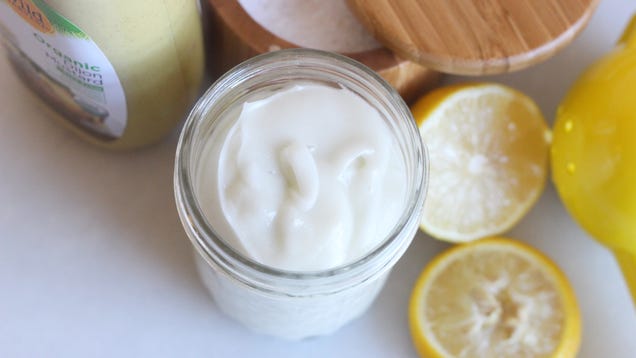
How to Make Mayonnaise Without an Electric Mixer

by Claire Lower on Skillet, shared by Claire Lower to Lifehacker

Mayonnaise is not hard to make, particularly if you have a food processor or immersion blender, but emulsions can be a little tricky without the help of electrically-powered appliances. Because hand beating is a much slower process—especially if you have to take breaks to rest your wrist—patience is key in keeping…

Read more...

07 Jun 17:00

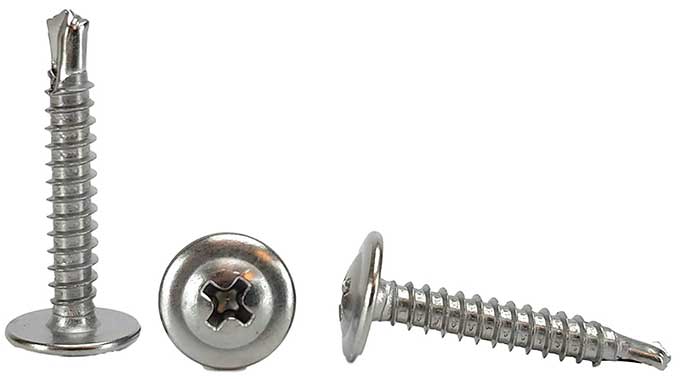
Best Workshop Screw

by mark

-- Mike Warren

[Cool Tools has a YouTube channel with many more tool reviews]

Modified Truss Head Self Driller Screws (#8 x 1-5/8 inch), 100 ($14)

Available from Amazon

06 Jun 16:43

iTunes Is Dead. Here’s What Will Happen to Your Music Library

The death of iTunes should leave your library intact, but it's a better time than ever for a backup. Here's how to do it.

06 Jun 16:34

The Best Ways to Convert Video to GIF

by Shubham Agarwal
convert-video-gif

GIFs have flooded social networks and instant messaging apps alike. Most of us, however, share GIFs from built-in search engines and invariably end up using the same ones repeatedly.

However, if you want, you can easily create a GIF from a video. Here are the best ways to convert video to GIF on any platform.

1. Giphy’s GIF Maker (Web)

Giphy GIF Maker upload options

Giphy, a service that’s home to nearly all of the internet’s GIFs, offers a comprehensive web app. Called GIF Maker, it lets you create a GIF out of videos or images. As well as your own, the app has an URL option from which it can fetch clips from a bunch of online sources.

Once you’ve uploaded the video, you can crop it and edit the length of the GIF. From there, the tool takes you to the Decorate page where you can add goofy stickers, captions, or simply doodle over it.

In addition, apart from the regular filters like monochrome and sepia, a handful of odd ones are available if you’d like to make your GIF look more dramatic. When you’re done, Giphy processes the GIF and lets you save or share it.

Giphy’s GIF Maker is free and doesn’t have any add-on charges. But before you can download it, it does upload your new GIF on its own servers. If you’d like to avoid that, keep reading on for alternatives.

On a related note, you can even learn American Sign Language using Giphy.

2. GIF Brewery 3 (Mac)

Convert videos into GIF with GIF Brewery on Mac

Developed by another GIF hosting service, this Mac app comes with all the features you would need to convert video to GIF. You can cut, crop, and edit the video exactly how you want.

Plus, GIF Brewery has an exhaustive set of options for customizing each frame individually. This enables you to precisely adjust a GIF’s properties like the tempo and resolution. Additional canvases can be appended if you want to develop layouts such as split-screen for comparison.

There are also effects like fade in and out available. Similar to Giphy’s GIF Maker, the app allows you to insert annotations and stickers from Gfycat’s library. What’s more, you can overlay your new GIF with another GIF or image.

GIF Brewery also enables you to adjust frame rates and color correct the results. Apart from your own videos, the app lets you import a clip from a video URL, or utilize screen and video recording. GIF Brewery 3 is free without any hidden costs. Unfortunately, at the time of writing, it’s exclusive to macOS.

Download: GIF Brewery 3 (Free)

3. GifTuna (Mac, Windows, Linux)

Convert videos into GIF with Giftuna on desktop

GifTuna is a cross-platform desktop utility which has the ability to convert any video into a GIF. The app has a minimalistic design that can quickly generate the GIF you’re looking for. GifTuna maintains the original resolution but you can alter that along with the frame rate and aspect ratio. On top of that, you can tweak a few color palette attributes.

Unfortunately, GifTuna doesn’t have any of the advanced editing options you will find on apps like Giphy’s GIF Maker. Therefore, this is strictly for people who want to transform their videos into GIFs. It is free though and available on Mac, Windows, and Linux.

Download: GifTuna (Free)

4. Easy GIF Animator (Windows)

Easy GIF Animator Windows app

If you’d like to have more controls than GifTuna on Windows, try Easy GIF Animator.

Easy GIF Animator is a full-fledged platform for converting videos into GIFs. You have access to a whole bunch of features such as transition effects, frame management, and cropping tools.

Easy GIF Animator can also help you stitch together several stills and form an animation out of them. The app shows you a timeline too through which you can combine multiple pictures and videos.

With Easy GIF Animator, you can even create a GIF from scratch thanks to the sophisticated in-built editors. In addition, the app lets you check how your new GIF performs in a web browser so that you can optimize or resize it. Thankfully, these advanced tools won’t bother you if you’re only looking to convert your video into a GIF with some effects and stickers.

Unlike the rest of the options on this list, Easy GIF Animator is a paid app and costs a one-time fee of $30. There is, however, a trial version which limits you to a handful of features and expires after a few days.

Download: Easy GIF Animator ($30, free trial available)

5. Giphy (iOS, Android)

Giphy’s mobile apps for Android and iOS are loaded to the brim for people who can’t get enough of GIFs. And yes, that includes a GIF editor to convert video to GIF.

When you launch the app, tap the middle Plus tab to create a GIF. You can either take a new picture/video or import one from your existing media. On the next step, Giphy presents you with a wide range of options to make your outcome more fun.

For instance, you can apply psychedelic filters which themselves are entirely customizable. You can change the pace, colors, and their intensity. You can, of course, add elements like animated stickers and text. The fourth tab allows you to trim the GIF and move around the frames if there are multiple images and videos.

On the next page, you can either upload the GIF to Giphy to instantly share it anywhere, or save it on your phone’s local storage. If you prefer, you can export it as a video too.

Download: Giphy for Android | iOS (Free)

How Well Do You Know GIFs?

With these apps, you will no longer have to rely on search engines to find the perfect GIF. Whether it’s your friend goofing around or an excited pet, you can turn anyone or anything into a GIF.

GIFs have taken over internet platforms like wildfire. But their origin is still a mystery to most people. If you’re one of those people and want to learn more about the history, culture, and future of the format, here’s everything you need to know about GIFs.

Read the full article: The Best Ways to Convert Video to GIF

06 Jun 15:49

The Best Way to Record a Remote Podcast Guest or Co-Host

by Levi Sharpe

You know what’s annoying? Tuning in to a podcast that advertises a really great guest, only to find that the whole 30-minute interview with that guest is a phone recording.

Read more...

05 Jun 13:18

This Backyard Photographer Captured the "Pillars of Creation" and it May Be Better Than NASA's

how to take pictures of night sky

Photos by NASA and Andrew McCarthy

 The Pillars of Creation is a candid shot of the Eagle Nebula that NASA's Hubble Space Telescope took way back in 1995.

It was a huge scientific victory back in its day, but it appears that a backyard photographer is coming for the Hubble Space Telescope's job.

Andrew McCarthy, who most famously took a photo of the entire solar system from his backyard, just unveiled his newest work-a recreation of the Pillars of Creation.

NASA's Version of the Photo

how to be an astronaut

Via NASA

NASA's original version of the photo, taken in 1995, looks straight out of a Star Wars movie. 

The colors seem preternatural... too green, too yellow, too fake. 

nasa telescope

Via NASA

It's safe to say that the Hubble Space Telescope's cameras have come a long way in the past few decades. This photo, shown above, was taken by NASA scientists in 2014 to celebrate the 25th anniversary of the telescope. 

Andrew McCarthy's Version of the Photo

what camera is good for low light photography

Via Andrew McCarthy

While it's clear to see that McCarthy's vantage point wasn't quite as good, the resulting product is incredible. It seems the amateur photography community may be giving NASA a run for its money in only a few years time. 

How To Be a Backyard Astronomy Photographer

As always, McCarthy loves to share his secrets.

He took the Pillars of Creation recreation with a $1,350 Celestron Edge HD 800 telescope, a $1,345 Skywatcher EQ6-R Pro equatorial mount, an $1,899 ZWO ASI1600MM Pro astronomy camera and a 0.7x focal reducer.

So, while not every backyard photographer can shell out nearly $5,000, it is sure easier than the $10 billion NASA has spent on the space telescope so far.

 Like nearly all of his photos, McCarthy used DeepSkyStacker to stack his photos before putting them into PhotoShop to adjust colors and to sharpen the photo.

"It is false color since the real color of the nebula is red," McCarthy said in an interview with PetaPixel. "I shot this image in narrowband to get past the Sacramento light pollution." 

Learn More:

Via PetaPixel 


We Recommend


04 Jun 18:12

Throwback Thursday: Understanding Shotgun Shells 101

by Dave Dolbee

The shotgun is designed to throw a group or “pattern” of many small pellets called “shot,” which makes hitting a flying or moving…Read More >

The post Throwback Thursday: Understanding Shotgun Shells 101 appeared first on The Shooter's Log.

04 Jun 17:27

Make Every Second Count With This 15-minute Workout

by Miranda Smith
Featured 15 minute workout every minute on the minute.jpeg?ixlib=rails 2.1

We’re back for the fifth installment of our 15-minute workout series with fitness expert and lululemon Mindful Performance Manager Jian Pablico. (Make sure to check out the firstsecondthird, and fourth workouts if you missed them.)

These are no-nonsense workouts for when hours at the gym after a long workday just isn’t gonna fly. You can do them at home—no special equipment needed. Jian keeps it simple (warning: simple does not mean easy—Jian kicked our butts when we worked out with him) and designs his workouts to give you the most bang for your buck. Or, the most bang for your… fifteen minutes.

Give ‘em a try and let us know how you did.

15-minute workout: Lunges


This workout is non-stop work for 15 minutes. You’ll have a prescribed amount of work to be done every minute on the minute. Your only rest time is time after you finish the work for one minute and before the next minute begins. For example: If it takes you 0:40 seconds to finish 30 lunges, then you only have 20 seconds to rest until you have to do another set of 30 lunges. Yes, it gets real, real fast. Remember: 30 walking lunges means 30 total (aka 15 on each leg), 10 mountain push-ups means 10 push-ups with a total of 20 alternating mountain climbers, and finally, six burpee-broad jumps means six burpees and six broad jumps. If you want more of a challenge, simply add reps to any of the five-minute workouts. You got this

EXERCISES

• 5 minutes of 30 walking lunges per minute

• 5 minutes of 10 mountain push-up per minute

• 5 minutes of 6 burpee-broad jumps


HOW TO DO A WALKING LUNGE


1. Begin from a standing position and make sure there is room to move forwards

2. Take a big step with one leg for the lunge

3. Lower your body until the back knee hovers just above the ground (be sure to keep your front knee above your ankle, not in front of it)

4. Bring the back leg forward to original standing position to count as a rep

5. Step the opposite leg for the next lunge


 HOW TO DO A MOUNTAIN PUSH-UP


1. Start in a high plank position with shoulders over wrists

2. With an engaged core, lower to the floor for a push-up (elbows graze ribs, chest to the floor)

3. Push back up to starting position, and lock out elbows at the top

4. From the high plank position, take your right foot off the ground, and using your core, bring the right knee up to gently touch the back of your right elbow

5. Keeping the core engaged, bring the right leg back to the ground for high plank position

6. Repeat steps 4 and 5 with the left leg to complete one rep


HOW TO DO A BURPEE-BROAD JUMP
 

1. Begin in a standing position with feet shoulder width apart

2. Lower your body into a squatting position while, at the same time, placing both hands on the floor in front of you (shoulders over the wrist like a push-up)

3. Kick both feet back so that you are in a plank

4. While keeping your body rigid, lower your chest for a push-up

5. Hop back up to position 2

6. Rise up to standing position 

7. Using power and control, jump past a designated point (your choice but jumping the length yoga mat is a great challenge)

8. Land softly and safely with both feet at the same time

9. Turn around quickly and begin your next rep


>>Next: The 15-minute Workout: Keeping It 300


04 Jun 15:10

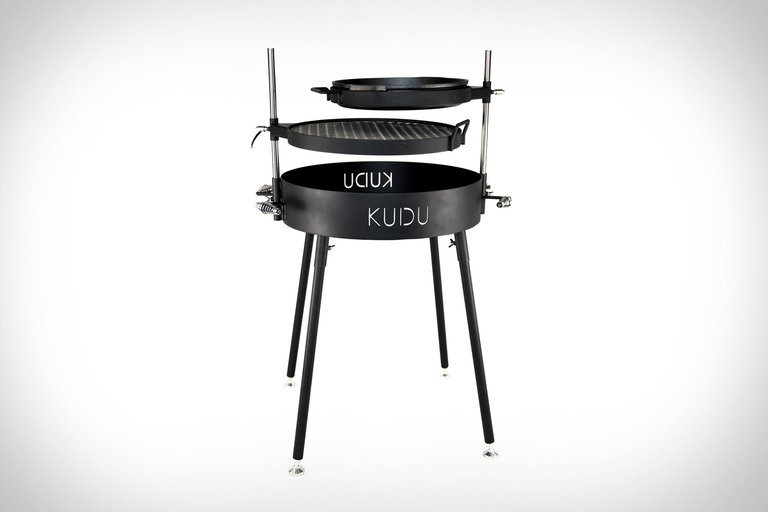
Kudu Open Fire Grill

There's nothing like the age-old tradition of cooking food over an open flame. And the KUDU grill takes that tradition and infuses it with an innovative design that gives you...

Visit Uncrate for the full post.
04 Jun 15:04

1963 Apollo 3500 GT Spider

When Britain met America with the Shelby Cobra, it was an instant success. Another cross-Atlantic pairing that isn't as well-known is the Apollo 3500 GT, and American-Italian hybrid powered by...

Visit Uncrate for the full post.
04 Jun 15:04

GeigerCars Jeep Trackhawk Gulf SUV

The Gulf Oil livery is one of the most iconic paint schemes in the history of racing, most notably on the Ford GT40, Porsche 917, and McLaren F1 GTR, all...

Visit Uncrate for the full post.
04 Jun 15:00

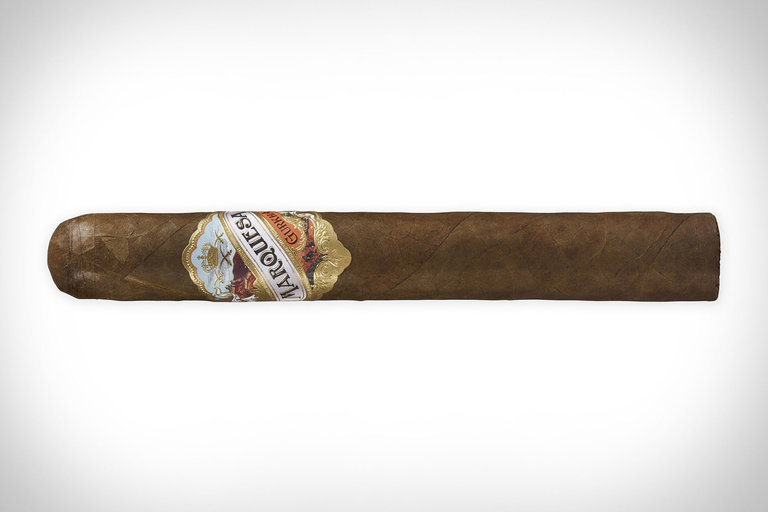
Gurkha Marquesa Cigar

Inspired by the flavor and packaging of pre-embargo Cuban cigars, the Marquesa is another standout smoke from Gurkha. From the soft and silky Sumatra wrapper leaf to the throwback packaging...

Visit Uncrate for the full post.
04 Jun 14:51

The $500m smiley face business

by Zachary Crockett

The Smiley Company office in London, England, is a wonder to behold.

Smiley paintings line the walls. Smiley push pillows adorn the couches. There are smiley backpacks, smiley t-shirts, smiley exercise balls, smiley toys, smiley chocolates, and even smiley chicken nuggets.

This simple icon — a yellow circle, two dots, a smile — retained relevancy through 50 years of cultural movements, from free love to raves to the digital revolution.

And in the process, it became a family-owned global licensing empire worth more than $500m per year. But how did it get there?

Will the real smiley inventor please stand up?


In 1963, a Worcester, Massachusetts-based freelance artist named Harvey Ball received a life-changing call from a local client.

State Mutual Life Assurance Company had just merged with an out-of-town competitor, and employee morale was waning. They needed some kind of quirky and fun design to lift spirits around the office.

It took Ball 10 minutes to produce his famous solution: A bright yellow circle with black oval eyes and a creased smile. For his work, he was paid a one-time fee of $45 ($376 in 2019 dollars).

By most accounts, this was modern history’s first “smiley face.”

Harvey Ball at work on his iconic smiley face (Paul Connors/AP)

It wasn’t, of course, the first: Crude versions of the simple design have since been found painted on 4,000-year-old Turkish pottery, engraved in medieval stones, and scribbled in 19th-century letters.

Ball’s iteration, however, struck a chord, ushering the smiley into mainstream American culture.

Others were quick to pounce on the icon’s popularity. In Philadelphia, two Hallmark card shop owners printed it on buttons, along with the phrase, “Have a Nice Day.” The brothers, Bernard and Murray Spain, sold 50 million of them during the height of the Vietnam War.

It soon became clear that Ball’s simple illustration was worth millions of dollars. But he’d made a critical mistake: He never filed a trademark.

The man who owns the smiley


Halfway across the world, in Paris, France, a young journalist named Franklin Loufrani had his own stroke of invention.

Loufrani had foregone college and joined his first newspaper at 19 with little formal training. But according to those who knew him, he was an entrepreneurial spirit — a “marketing guy who was always coming up with new stuff.”

In 1971, while working for the paper France-Soir, he became fed up with the constant stream of negative news and decided to design a symbol that would alert readers of positive stories.

His creation, a smiling yellow face, bore a striking resemblance to Ball’s.

But unlike Ball, he foresaw the symbol’s marketing potential and immediately secured a French trademark.

Loufrani’s smiley face, first published in the France-Soir on January 1, 1972 (via the Smiley Company)

“You could say there was a political or social meaning behind what he did, but it was really a commercial act,” Loufrani’s son, Nicolas, told The Hustle. “He wanted to make money on it.”

Trademark secured, Loufrani set out to license the living daylights out of his new icon.

Licensing, or allowing other businesses to use your logo in exchange for a percentage of every sale, wasn’t a very popular business model in Europe at the time. Loufrani was among the earliest to venture into the space — and at first, it was a hard sell.

After it ran in the France-Soir in January of 1972, a smattering of other newspapers paid to use it. But Loufrani realized he had to get the word out on a wider scale to attract a diversity of industries.

In his words, he had to “tap into a movement.” Luckily, there was one happening in the streets.

The free love smiley


In the early ‘70s, France was emerging from a counter-cultural movement similar to America’s hippie uprising: Students were rejecting moral strictures, embracing free love, and leaning into a sexual revolution.

Loufrani printed the smiley onto 10 million stickers and handed them out for free. The icon’s simplistic joy played into the movement and was soon plastered on car bumpers all over the country.

As it trickled into mass culture, brands came knocking.

Franklin Loufrani (photo illustration by The Hustle)

Two years into his trademark, Loufrani secured a lucrative partnership with the candy company Mars, which printed the smiley face on its chocolate Bonitos (the forerunner to M&Ms in Europe).

Other big licensees were soon to follow: Levi’s rolled out smiley-emblazoned jeans; Agfa (a German film giant) packaged its film in smiley-branded boxes; stationery retailers pumped out smiley journals, notebooks, and pencils.

“It wasn’t controlled — the product aligned with the movement naturally,” says Nicolas. “My father realized early on that instead of fighting for control over how people saw it, he should ride the wave of culture.”

This tactic wasn’t welcomed by Loufrani’s traditionalist peers. “They would say, ‘Hippies are dirty! Why would you associate with that?’” adds Nicolas. “But [my father] didn’t care. He welcomed it.”

Raves, drugs, and smileys


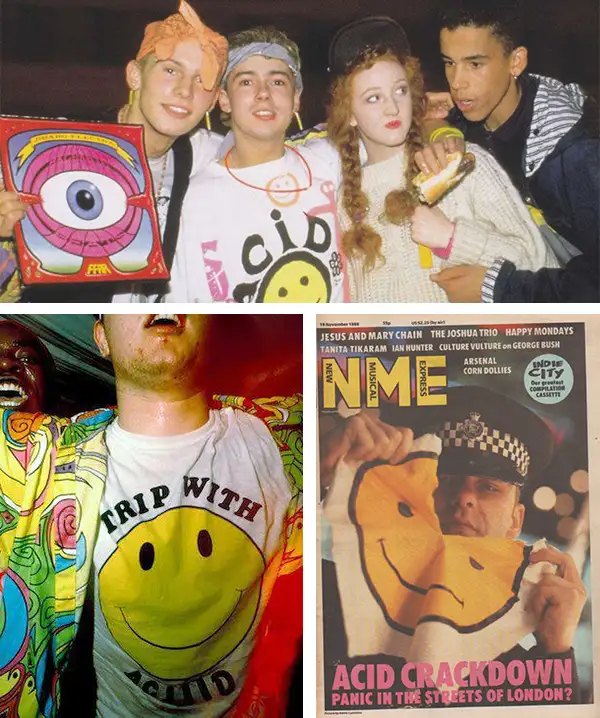
In the 1980s and early ‘90s, the smiley was adopted by a new generation of ecstasy-fueled ravers.

This began naturally, with early electro DJs like Danny Rampling using the logo on fliers for parties — and once Loufrani sensed this new culture embracing his symbol, he capitalized on it.

He reached out to DJs, stayed on top of all the trends, and hit the clubs, selling t-shirts and buttons. Simultaneously, this new market drove licensing deals with trendy apparel companies.

The rave scene was quick to adopt the smiley face (via Acid House Fashion, NME)

But as the rave movement grew, so too did an anti-rave movement led by traditionalists. The smiley, by association, was cast in a dark light: It was no longer just an innocent happy face; it was a symbol of rebellion.

“They were using smiley faces to show how bad rave culture was. They’d hold up a smiley and say, ‘This is criminal!’” says Nicolas.

While other licensors fought for strict control over how their logos were used, Loufrani set the smiley free and let it ride the tides of cultural movements.

“He didn’t fight the adoption of the logo into something else,” says Nicolas. “My father didn’t care. He’s never cared about how people think. He is an unconventional person who always wants to try new things.”

The smiley goes digital


By 1996, the smiley business wasn’t looking so hot. Licensing deals were down, and the logo was starting to lose its edge.

Loufrani, who was aging, tapped then-26-year-old Nicolas to head operations. “I wasn’t excited about it,” says Nicolas. “I thought it was old and lousy, something that was passed.”

Though his father had been in business for 25 years, the smiley was “strictly a licensing play,” Nicolas says. There was no brand name, no company — just a logo.

“In the US, people would call it a ‘happy face.’ In France, it was a sourire. In Japan, it was a ‘peace love’ mark,” says Nicolas. “Every country had a name for it, so I decided, okay, we need a brand.”

Nicolas formed The Smiley Company and secured trademarks for the ‘smiley’ brand name in 100 countries around the world. In countries where it was taken, the Loufranis bought it, or battled the owner in court (including a famous, 10-year legal battle with Walmart in the US).

Nicolas Loufrani, who took over the company from his father in 1996 (via the Smiley Company)

Then, against the wishes of his father, Nicolas made major updates to the old-school smiley face, morphing it from a static image to a 3D orb. He dubbed it the “new smiley.”

“It was totally against all marketing theory: If you have a logo, you don’t create new ones,” he says. “My father was furious. He said, ‘It’s stupid what you’re doing! You have a trademark! Keep the logo, but don’t change it!’”

But Nicolas sensed a larger shift happening: The rise of the internet and mobile technology.

Though people had been using text-based emoticons — 🙂 😉 🙁 — as early as 1982 (computer scientist Scott Fahlman was thought to be the first), Nicolas anticipated a future where people would use real smiley icons to communicate.

In 1999, he rolled out more than 470 iterations — what are purported to the first-ever set of portrait-orientation emoticons.

“We had winky smileys, angry smiley, animal smileys, fruit smileys, flag smileys, Statue of Liberty smileys…there was a smiley for everything,” says Nicolas.

Under The Smiley Company brand, he launched SmileyWorld — a universe containing all of his new creations — and licensed them to mobile companies like Nokia and Samsung. In 2001, The Smiley Company’s slogan became “The birth of a new universal language.”

Foreign trademark documents filed by Loufrani in 1999 (the Smiley Company)

Soon, tech companies like Apple and Microsoft come out with their own sets of proprietary emoticons.

But as emojis became a part of a new everyday language, The Smiley Company saw residual benefits in its licensing business: It rolled out partnerships with push toys, games, food companies, fashion retailers.

“When emojis started to pick up, we were seen as the originator, and it gave us a renewed credibility,” says Nicolas. “The smiley was cool again.”

The money machine

Today, Nicolas and his father, now 76, still run the business together.

The Smiley Company does nearly $500m per year in licensing deals, working with companies like Nutella, Clinique, McDonald’s, Nivea, Coca-Cola, VW, and Dunkin’ Donuts.

Though royalty fees vary based on the size and scope of the company, they can be as high as 10% of what an item sells for. Based in London, the Loufranis and a staff of 40 constantly scour the market for up-and-coming trends, then mock up smiley concepts and pitch them to brands.

They work with more than 300 licensees across 12 major categories, ranging from smiley-branded gummies to smiley-branded Rubik’s Cubes.

The Smiley Company enjoys brand partnerships with more than 300 partners, including Lee jeans and Dunkin’ Donuts (via The Smiley Company)

Though Loufrani can be credited with the commercial spread of the smiley face, he often faces the criticism that he merely took another man’s creation and made it popular — an idea he dismisses.

“When it comes to commercial use, registration is what counts,” he told The New York Times in 2006. “I hit the casino jackpot.”

And what of Harvey Ball, the Massachusetts artist widely acknowledged to be the true father of the smiley?

He passed away in 2001, at the age of 79, having never profited off the smiley beyond his original $45 payment. But he died with no regrets; for him, the smiley had served its purpose.

“He was not a money-driven guy,” Ball’s son told the WorcesterTelegram & Gazette shortly after he passed. “He used to say, ‘Hey, I can only eat one steak at a time.’”

03 Jun 15:24

To Evade Pre-Prohibition Drinking Laws, New Yorkers Created the World's Worst Sandwich

by Darrell Hartman
article-image

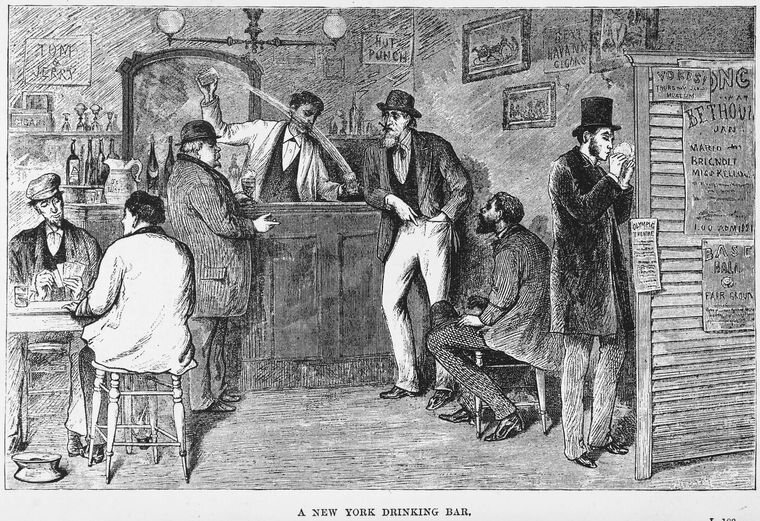
Near the end of the 19th century, New Yorkers out for a drink partook in one of the more unusual rituals in the annals of hospitality. When they ordered an ale or whisky, the waiter or bartender would bring it out with a sandwich. Generally speaking, the sandwich was not edible. It was “an old desiccated ruin of dust-laden bread and mummified ham or cheese,” wrote the playwright Eugene O’Neill. Other times it was made of rubber. Bar staff would commonly take the sandwich back seconds after it had arrived, pair it with the next beverage order, and whisk it over to another patron’s table. Some sandwiches were kept in circulation for a week or more.

Bar owners insisted on this bizarre charade to avoiding breaking the law—specifically, the excise law of 1896, which restricted how and when drinks could be served in New York State. The so-called Raines Law was a combination of good intentions, unstated prejudices, and unforeseen consequences, among them the comically unsavory Raines sandwich.

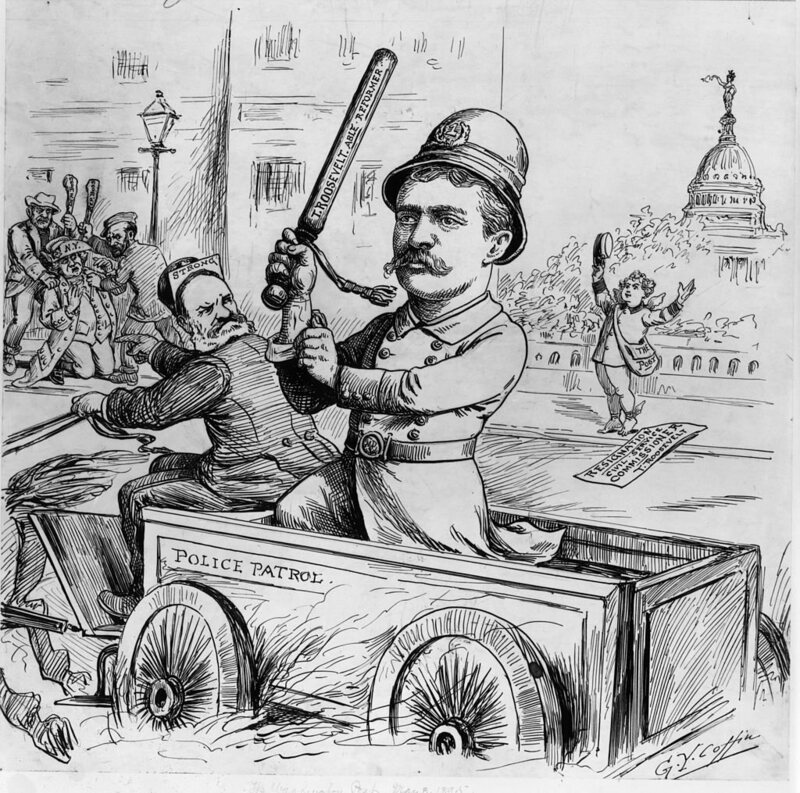
The new law did not come out of nowhere. Republican reformers, many of them based far upstate in Albany, had been trying for years to curb public drunkenness. They were also frustrated about New York City’s lax enforcement of so-called Sabbath laws, which included a ban on Sunday boozing. New York Republicans spoke for a constituency largely comprised of rural and small-town churchgoers. But the party had also gained a foothold in Democratic New York City, where a 37-year-old firebrand named Theodore Roosevelt had been pushing a law-and-order agenda as president of the city’s newly organized police commission. Roosevelt, a supporter of the Raines Law, predicted that it would “solve whatever remained of the problem of Sunday closing.”

article-image

New York City at the time was home to some 8,000 saloons. The seediest among them were “dimly lit, foul-smelling, rickety-chaired, stale-beer dives” that catered to “vagrants, shipless sailors, incompetent thieves, [and] aging streetwalkers,” Richard Zacks writes in Island of Vice, his book-length account of Roosevelt’s reform campaign.

The 1896 Raines Law was designed to put dreary watering holes like these out of business. It raised the cost of an annual liquor license to $800, three times what it had cost before and a tenfold increase for beer-only taverns. It stipulated that saloons could not open within 200 feet of a school or church, and raised the drinking age from 16 to 18. In addition, it banned one of the late 19th-century saloon’s most potent enticements: the free lunch. At McSorley’s, for example, cheese, soda bread, and raw onions were on the house. (The 160-year-old bar still sells a tongue-in-cheek version of this today.) Most controversial of all was the law’s renewed assault on Sunday drinking. Its author, Finger Lakes region senator John W. Raines, eliminated the “golden hour” grace period that followed the stroke of midnight on Saturday. His law also forced saloon owners to keep their curtains open on Sunday, making it considerably harder for patrolmen to turn a blind eye.

The Raines Law took effect on April 1, 1896. Progressives scored its first weekend in action a bone-dry success. Bars closed Saturday at midnight; the liquor flow on Sunday slowed to a trickle. RAINES MAKES A THIRST, a New York World headline quipped. But while the teetotalers celebrated over lemonade, plenty of booze-deprived New Yorkers were fuming.

article-image

Behind this lifestyle tug-of-war lay a cultural conflict of national proportions. Those in favor of the Sunday ban, generally middle-class and Protestant, saw it as a cornerstone of social improvement. For those against, including the city’s tide of German and Irish immigrants, it was an act of repression—an especially spiteful one because it limited how the average laborer could enjoy himself on his one day off. The Sunday ban was not popular, to say the least, among the city’s Jews, who’d already observed their Sabbath the day before.

Opponents pointed out that existing Sabbath drinking laws were hypocritical anyway. An explicit loophole had been written into the law itself: it allowed lodging houses with ten rooms or more to serve guests drinks with meals seven days a week. Not incidentally, wealthy New Yorkers tended to dine out at the city’s ritzy hotel restaurants on Sundays, the usual day off for live-in servants.

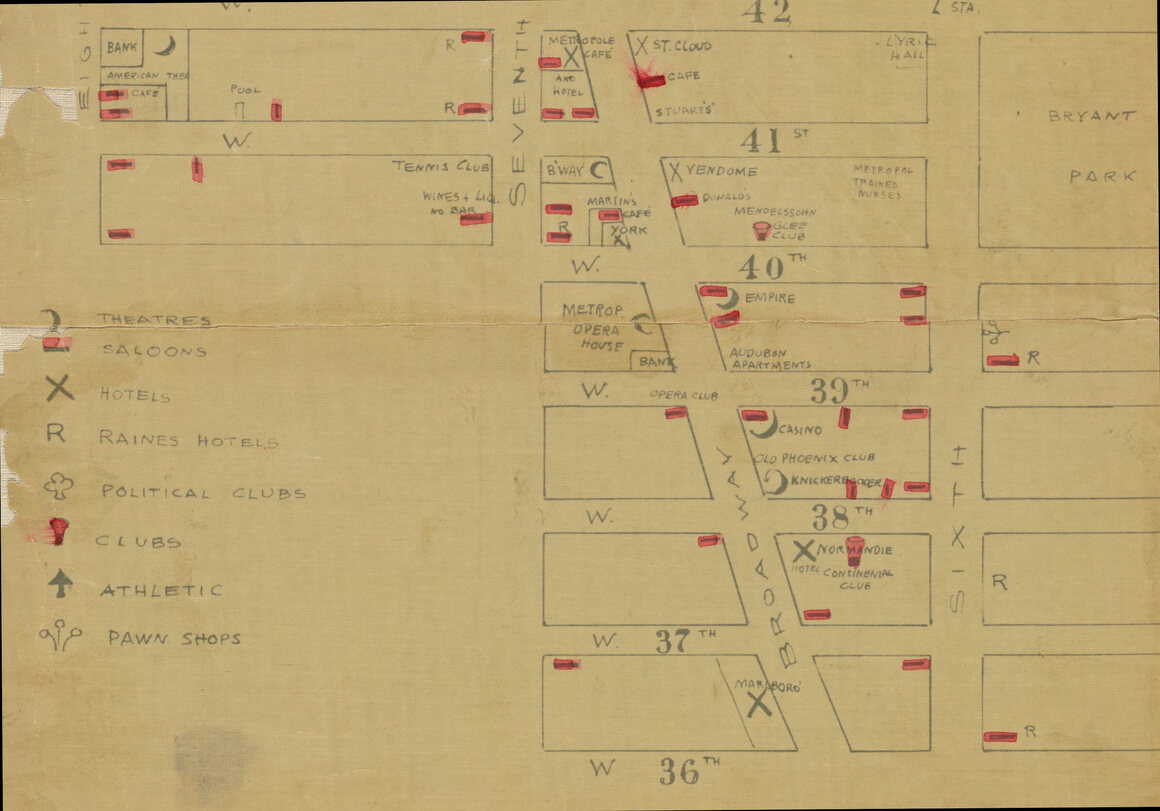
Intentionally or not, the Raines Law left wiggle room for the rich. But a loophole was a loophole, and Sunday was many a proprietor’s most profitable day of business. By the following weekend, a vanguard of downtown saloon-owners were gleefully testing the law’s limits. A suspicious number of private “clubs” were founded that April, and saloons started handing out membership cards to their regulars. Meanwhile, proprietors converted basements and attic spaces into “rooms,” cut hasty deals with neighboring lodging-houses, and threw tablecloths over pool tables. They also started dishing up the easiest, cheapest, most reusable meal they could get away with: the Raines sandwich.

article-image

Law enforcement declared itself satisfied. “I would not say that a cracker is a complete meal in itself, but a sandwich is,” an assistant D.A. in Brooklyn told an assembly of police captains as the first Raines hotels sprouted up. Remarkably, the courts upheld these definitions of “meal” and “guest.” Reformers were understandably flabbergasted. The law itself was sound, Raines complained. It was the police and the courts that had made it laughable. He and his progressive allies had seriously underestimated just how far New Yorkers would go for a drink.

The court decisions were a turning point. With summer approaching, “Raines hotels” sprang up everywhere. By the next year’s election season, there were more than 1,500 of them in New York. Brooklyn, still a separate municipality at this point, went from 13 registered hotels to 800 in six months, and its tally of social clubs grew tenfold.

For the libertines of New York City, Zacks writes, the second half of 1896 was "too good to be true, a drunken daydream.” The hotel carve-out allowed drinks to flow at all hours. There was no obligatory last call, and the city’s liveliest drinking spots now offered cheap beds mere steps away. For Raines and the law’s other architects, this was the most alarming unintended consequence: their efforts to make New Yorkers virtuous had caused a spike in casual sex and prostitution.

article-image

The state government ratified a set of clarifying amendments a year later. The free-for-all atmosphere faded, albeit slowly. Still, for years following the passage of the Raines Law, a general state of confusion and case-by-case dealings reigned. Following a wave of enforcement in 1902, hotel proprietors arrived at a creative solution: charging a premium for the obligatory sandwich. The Waldorf-Astoria went the classy route, offering unwanted meat patties instead, but the result was the same: a 50- or 100-percent markup to each drink ordered. The police seem to have appreciated the clarity of this arrangement. As long as Sunday drinking remained “an expensive luxury,” the Times suggested, its excesses would be tolerated by the average upstanding citizen. And for many a Sunday drinker, even some of the poorer ones, the inflated tab was preferable to risking arrest in an illicit backroom. Raines himself saw this as “the only compromise that is possible in New York.”

The Raines Law tussle continued well into the 20th century. The New York Supreme Court ruled in 1907 that a Sunday meal must be ordered and delivered in “good faith” for the accompanying drinks to be legal. Under pressure, brewers started refusing to supply Raines hotels. A new state excise law in 1917 contained a minimum-room requirement that effectively prevented the opening of new ones.

But the Raines Law debacle was merely a prelude for what was to come. New York reformers had long allied themselves with the Anti-Saloon League, a civilian organization with Midwestern origins that would morph into one of the most powerful pressure groups in U.S. history. By 1919, the efforts of the ASL made nationwide Prohibition the law of the land, putting an end to such quaint half-measures as the Raines sandwich and replacing the Raines hotel with the speakeasy.

03 Jun 11:57

Screw Pliers

by Oliver Hulland

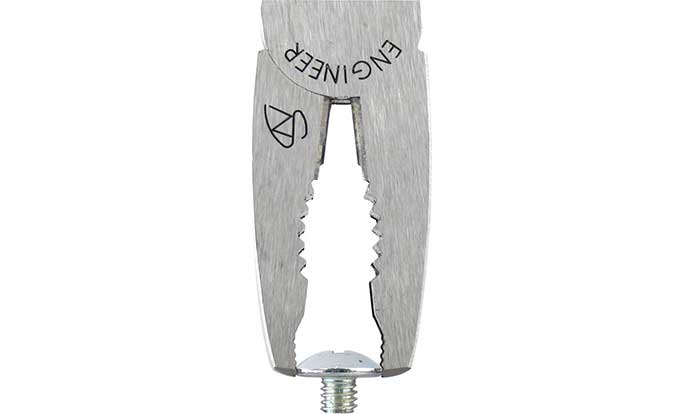
The first time I used these screw pliers ($19) I was amazed that I had lived without a pair for so long. These pliers are designed for screw removal in cases of corroded or stripped heads.

Regular pliers tend to have straight jaws. This works if you grab the screw from the side (horizontally), but if you are in a cramped space and attacking the screw from the end regular pliers fail. I have had many pliers slip off a difficult screw because the jaws are straight where contact is made with the screw, which limits the gripping surface area.
Screw Plier Detail 2.jpeg
The jaws of these pliers are curved with teeth on the inside of the clamping surfaces. Since the jaws have both horizontal and vertical teeth, these pliers will bite into the circumference of the screw head regardless of the orientation – this makes stubborn screws very, very easy to remove.

It won’t handle stripped countersunk screws (those are suited to the extractor bits on the drill) but for other surface screws or bolts it should be fine.

-- Ezra Reynolds

[This is a Cool Tools Favorite from 2011]

Engineer PZ-58 Screw Pliers ($19)

Available from Amazon

Sample Excerpts:

Screw Plier Detail.jpeg
A close-up of the pliers inset teeth allowing for vertical traction.

03 Jun 11:47

Adam Savage, Tested.com

by claudia

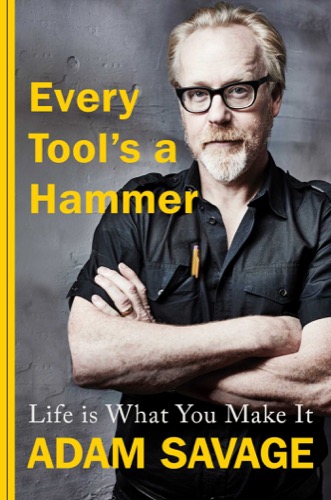
Our guest this week is Adam Savage. Adam has spent his life gathering skills that allow him to take what’s in his brain and make it real. He’s built everything from ancient Buddhas and futuristic weapons to fine-art sculptures and dancing vegetables. Today, Adam hosts and executive produces MythBusters Jr. as well as a brand-new series, Savage Builds, which premieres on Science Channel in June 2019. He also stars in and produces content for Tested.com, including behind-the-scenes dives into multiple blockbuster films (including Alien Covenant, Mortal Combat and Blade Runner). He’s also got a new book out called Every Tool’s a Hammer.

Subscribe to the Cool Tools Show on iTunes | RSS | Transcript | Download MP3 | See all the Cool Tools Show posts on a single page

Show notes:

hobartbattery
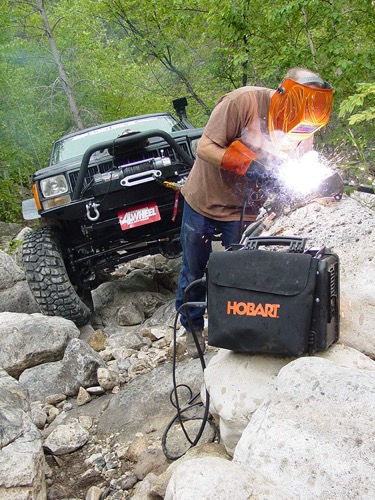
Hobart Battery Powered MIG Welder
This is a battery powered MIG welder, which means this pelican case is all that you need to lay down a weld bead. You don’t need gas. You don’t need to connect it to anything. I bought this during MythBusters, and there were a couple of times it saved our ass. We carried it to the top of a crane to take care of something that we couldn’t have taken care of any other way. On the new show I have coming up on Science Channel, Savage Builds, this thing was a completely mission-critical tool on almost every episode. This also can be hooked up to gas if you want to, but in general I keep flux core wire in it so that it creates its own gas envelope. What I also love about this is I just watched Aliens the other night for the first time in a few years, and it’s still a perfect movie. There’s all these points at which the marines are like, “Close that door and weld it.” They’re welding the door shut, and I’m like, “That’s not science fiction.” You could carry this welder on the back of a marine and weld the door shut behind you. This would be along with a generator one of the most important parts of my bug out kit at the end of civilization, which might be a couple of weeks away.

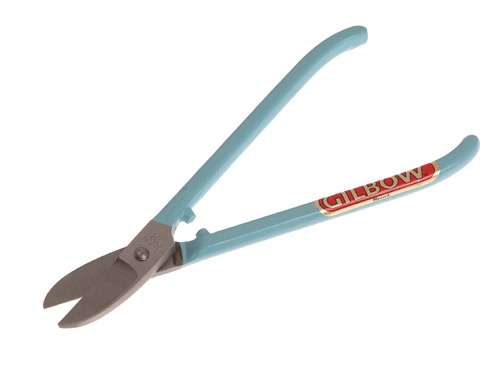
Gilbow
Gilbow G56 Straight Jewellers Snip
These are Gilbow nippers. I found out about these while working on that suit of armor there with Terry English in Cornwall, England. Terry is the armorer for Excalibur. I’ve mentioned him on your podcast before. He pulled one of these out to cut through some fairly heavy aluminum in this precise way to get around this thing. I was like I love the idea of a non-power tool making these tiny little precise cuts in aluminum to do the shaping he was doing. He made these things really sing in his hands. They’re more rugged, and they’re made with a tolerance. You can really clamp down and you can feel it just like it wants to cut through a fairly reasonable gauge of aluminum. The pair that Terry was using was probably 35 to 40 years old. I was really pleased to see that Gilbow is still in business, still making tools, and they seemed every bit as awesome as they always were. I always like finding an old tool that’s still being made by the same company.

thumbplane
Ammoon Convex Thumb Plane
This is a plane with a convex bottom. It’s got a hardened steel blade that sticks out of a flat on the bottom. This is meant for planing out the inside of the back of a violin. This comes about from I’m always on the search for industries that are using things I haven’t seen before. I’ve been watching a lot of luthiers and violin makers over the last couple of years on YouTube, because I just love watching that precision, the slow, methodical pace. I’ve been over the last couple of years becoming more attuned to finer woodworking, to gluing all my joints, to making the joints rabbeted, or doweled, really making things that last. It’s a totally different mindset. This is part of that program. I have collected a larger collection of planes and spokeshaves and things like that. I’m really bringing them more into my process.

usbsoldering
USB Digital OLED Pocket-size Portable Soldering Iron and DEWALT USB Power Source
The other tool is a sort of a twin tool. At the business end is the newest kind of soldering iron that I have encountered, which is effectively a USB powered soldering iron that when you connect it up to a power source, and you can literally plug this from this power input to a USB. This thing heats up to its full heat in about 10 seconds. Its heat is highly adjustable. I have never found a bench top soldering iron to work for me, to stay hot enough. What I’ve plugged it into is a power supply that connects right up to one of my DeWalt FLEXVOLT 60 volt batteries. There’s been this whole new thing lately of add-ons for power tool batteries. Not only USB power supplies for powering your phone and external power supplies for powering things like this, but also, and Tom Sachs introduced me to this, there are main market and aftermarket adapters for any battery to almost any other cordless system.

Also mentioned:

everytoolsahammer
Every Tool’s a Hammer
Through stories from 40-plus years of making and molding, building and breaking, along with the lessons I learned along the way, this book is meant to be a toolbox of problem solving, complete with a shop’s worth of notes on the tools, techniques and materials that I use most often.

We have hired professional editors to help create our weekly podcasts and video reviews. So far, Cool Tools listeners have pledged $400 a month. Please consider supporting us on Patreon. We have great rewards for people who contribute! If you would like to make a one-time donation, you can do so using this link: https://paypal.me/cooltools.– MF

31 May 17:25

AIR PIX: The Pocket-Sized Selfie Drone You Can Control With Your Phone

by Dave LeClair

Getting a good selfie is no easy task. Your arm can only stretch so far. Your selfie stick can only capture certain angles. There’s just no way to capture a selfie that looks as good as a photo snapped by someone else.

That’s where drones come into play. They let you take photos from angles that would normally require someone else (and even angles that humans can’t get to).

AIR PIX aims to be the selfie drone that’s affordable for anyone. Instead of spending hundreds of dollars on a drone that’ll take photos, AIR PIX has all of the necessary features at a price that’s quite reasonable.

AIR PIX Features

The creators of AIR PIX seem to have thought of everything in terms of features. Using the simple app, the pocket-sized drone will fly out and set up for the perfect photo. They promise that drone works with “one touch” so you don’t need to be a skilled pilot to get the photo you want.

The camera itself is 12MP, which means it’ll take rather sharp photos and HD videos.

According to AirSelfie, the company behind AIR PIX, this is the smallest and lightest aerial camera on the market. Because it’s so tiny, it doesn’t need to be registered with the FAA, as it only weighs 1.83 oz (52g). The limit is 250g, so it’s well underneath. It comes in at 3.34 inches by 4.01 inches wide and .51 inches thick.

AIR PIX has four coreless motors that allow the device to position itself properly for different angles. The chassis is made of ABS plastic, so it’s light and durable. And while it can take a fall or two, the device is designed to automatically land safely when the battery is low or when it loses control, so it won’t crash to the ground.

Because it’s so small, AIR PIX doesn’t have a huge battery, which means it only gets about six minutes of flight time at a 60-foot range. It’s designed to take quick photos, so the amount of battery should be sufficient for getting a few pictures. Just don’t plan on using AIR PIX for long aerial videos.

AIR PIX Price and Availability

AirSelfie is currently seeking funding on Indiegogo for its selfie drone. Backers interested in pre-ordering an AIR PIX can get one for $79.99. However, the final retail price of the device will be $99. If you decide to jump in and order one, you won’t have to wait too long to receive a device, as the company plans to begin shipping them to backers in August.

Like all crowdfunding projects, there are risks involved in backing them, and nothing is guaranteed.

Read the full article: AIR PIX: The Pocket-Sized Selfie Drone You Can Control With Your Phone