Inept employees at a business in China were publicly spanked for their poor performance, reports People's Daily.
In video captured on cellphone, a manager is seen upbraiding staff, lined up on stage before their colleagues at Chinese Rural Commercial Bank. Then he produces a baton and begins spanking them on the buttocks.
Though the employees are clothed, the manager's form is robust and the thwacks sharp.
"I Love the new Monkees record!," is something I thought I'd never hear my adult self saying, but I've heard myself saying it. The three surviving members of the 60s made-for-TV rock band (Davy Jones died of a heart attack in 2012) have recently released Good Times!, their 12th studio album and their first since 1996's Justus.
Whoa. It's not easy for me to be impressed by a keyboard. I have been a staunch Google Keyboard user on all of my devices from the day it was released as a standalone app on the Play Store many moons ago. Every other keyboard I have tried — and I've tried plenty — fails to even register within the usable spectrum for me: lags and/or lack of precision have killed many revered third-party options.
Picture this: you woke up today with a headache. It’s been getting worse all day, and you aren’t sure if you should be worried or not. So you open the Google app and start searching for your symptoms. After 20 minutes digging through health forums, chances are you're overwhelmed by all the complicated medical terms and breaking out in a sweat—whether that’s related to the headache or the overdose of info is unclear!
You’re not alone. Roughly 1 percent of searches on Google (think: millions!) are symptom-related. But health content on the web can be difficult to navigate, and tends to lead people from mild symptoms to scary and unlikely conditions, which can cause unnecessary anxiety and stress.
So starting in the coming days, when you ask Google about symptoms like “headache on one side,” we’ll show you a list of related conditions (“headache,” “migraine,” “tension headache,” “cluster headache,” “sinusitis,” and “common cold”). For individual symptoms like “headache,” we’ll also give you an overview description along with information on self-treatment options and what might warrant a doctor’s visit. By doing this, our goal is to help you to navigate and explore health conditions related to your symptoms, and quickly get to the point where you can do more in-depth research on the web or talk to a health professional.
We create the list of symptoms by looking for health conditions mentioned in web results, and then checking them against high-quality medical information we’ve collected from doctors for our Knowledge Graph. We worked with a team of medical doctors to carefully review the individual symptom information, and experts at Harvard Medical School and Mayo Clinic evaluated related conditions for a representative sample of searches to help improve the lists we show.
That said, symptom search (like all medical information on Google) is intended for informational purposes only, and you should always consult a doctor for medical advice. We rely on search results, and we reflect what’s on the web. Because of this, your feedback is especially important to us; we’ll use it to keep improving the results we show. You’ll notice in the weeks following launch that when we show symptom search we’ll automatically ask you if the results are helpful.
We’re rolling this update out on mobile over the next few days, in English in the U.S. to start. Over time, we hope to cover more symptoms, and we also want to extend this to other languages and internationally. So the next time you’re worried about your “child with knee pain” (even though it’s probably just growing pains), or have some symptoms you’re too embarrassed to run by your roommate, a Google search will be a helpful place to start.
Posted by Veronica Pinchin, Product Manager https://4.bp.blogspot.com/-xmPv09K0V3Y/V2XKa-8W73I/AAAAAAAASkg/-80cw-ml6Uglf5XzIDzzdPBAilWILTRzwCLcB/s1600/Symptoms.jpg
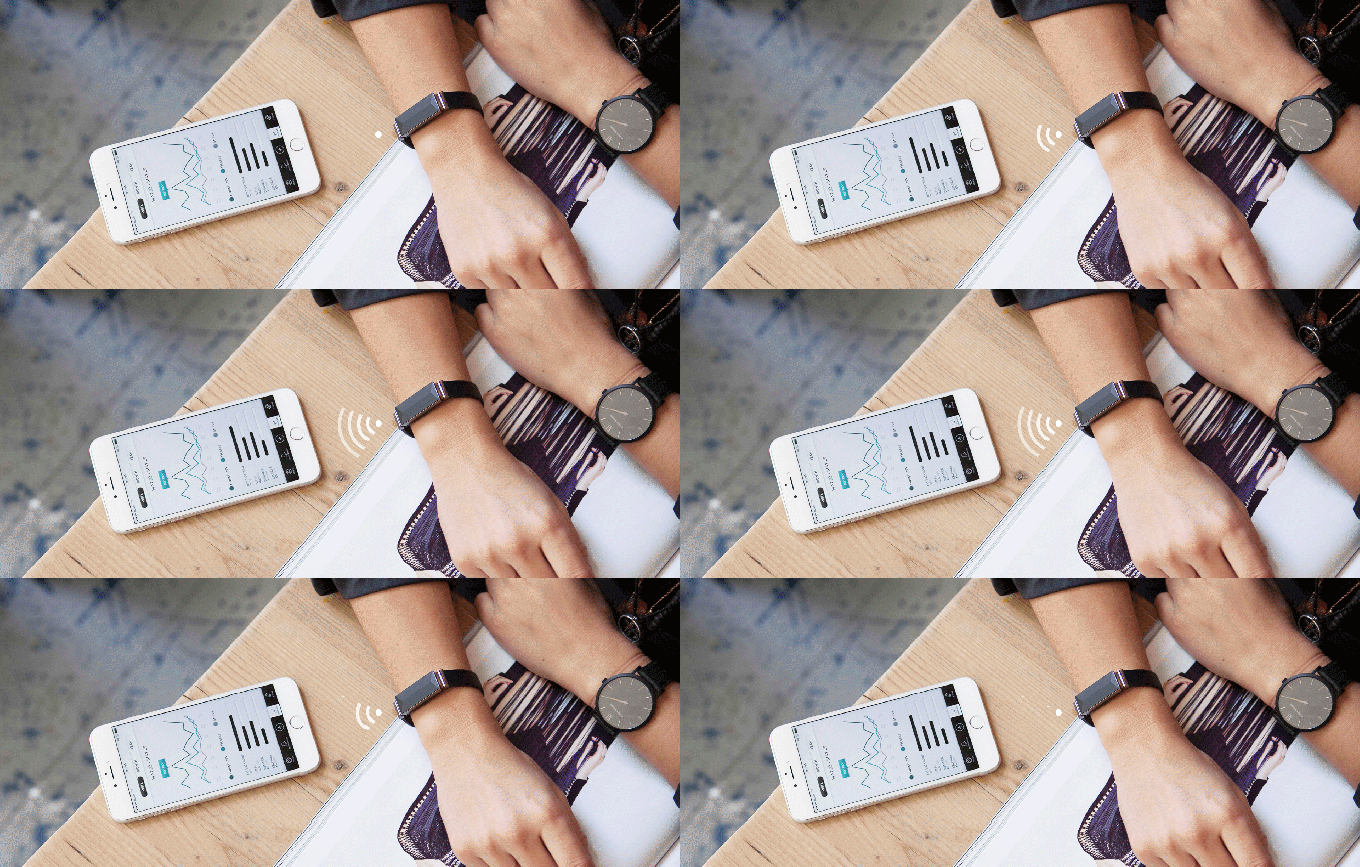
Physical wellbeing has been the focus of most wearables to date. Products such as the Apple Watch, Microsoft Band, FitBit and Jawbone all track things like movement, heartbeat etc. At the same time some startups are appearing which try to track mental states. But these are usually head bands which make you like an updated 21st Century Hippie.
The new ZENTA wrist-wearable takes a different… Read More
The accident occurred early Sunday after Yelchin’s 2015 Jeep Grand Cherokee, which was in neutral, reportedly rolled down the driveway of his San Fernando Valley home, crushing him against a brick mailbox. Friends of Yelchin discovered him hours later, with the vehicle in neutral and its engine still running.
The Jeep was among 1.1 million vehicles recalled by FCA last April after 41 injuries were reported related to rollaways caused by the unusual shift knob. The design, which uses a lever...
It has been less than three weeks since Tribune, one of the world's most storied media companies and publisher of the Los Angeles Times and Chicago Tribune, gloriously rebranded itself as Tronc. Tribune newspapers were responsible for some of the best journalism of the past century; Tronc, according to its leaders, would instead serve as a "content curation and monetization engine." Today, in a chilling new video warning issued to all employees, the leaders of the Tronc empire unveiled phase two of their plan: the gradual transformation of the company into a series of video embeds.
Spotify is the first music-streaming service to reach 100 million monthly active users, the company confirmed to The Telegraph today. The announcement comes three months after the service reached 30 million paid subscribers and raised $1 billion in debt financing for its fight against Apple Music.
The streaming service has also become the biggest European startup around, according to investment bank GP Bullhound, which values the company at $8.5 billion. But despite the lofty valuation and strong user totals, Spotify will have to increase its growth rate to hold off the push from Apple Music, at least when it comes to users who pay for streaming services. Apple Music picked up 15 million paid subscribers in just under a year, while...
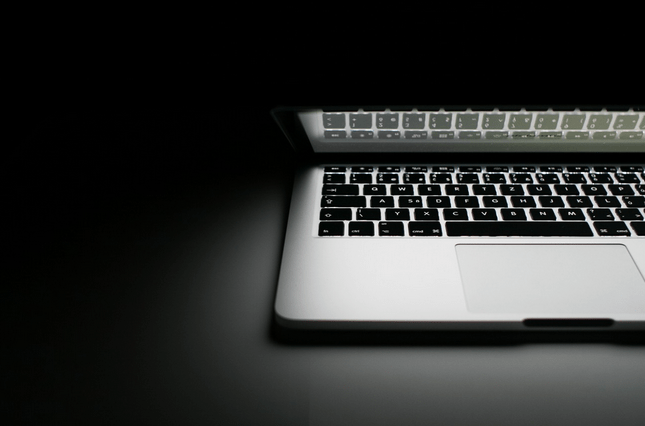
A 2015 data breach of UK ISP TalkTalk should serve as a warning to the government that its proposed new surveillance legislation risks creating vulnerable pools of data that could be exploited by hackers, a parliamentary committee has warned. Read More
…at the dawn of the 90s, P.M. Dawn enjoyed a brief moment where they captured a truly new sound and the attention of the world and it seemed they would be able to ride that wave of success almost indefinitely.
Diabetes has claimed another life. One of the pioneers of hip-hop, Prince Be, one half of 1990s group, P.M. Dawn passed away last week after diabetes led to renal failure. Anil Dash, a technologist who is known for his sharp essays on technology culture, has penned an heartbreakingly beautiful homage to one of the forgotten talents of the genre. It should be on your must read list, and for the record Anil missed his true calling — a rock/music critic of infinite understanding for music.
This morning, private spaceflight venture Blue Origin will try once again to launch and land its reusable New Shepard rocket — the company’s vehicle that’s designed to take passengers to and from the edge of space. It will be the fourth test flight for this New Shepard vehicle, scheduled to take off at 10:15AM ET. But just like the vehicle’s previous three tests, there won’t be any people on board this time around. The uncrewed test flight is just one of many that Blue Origin plans to do with the New Shepard before the vehicle starts carrying paying customers to space sometime in 2018.
There’s nothing like writing with a fountain pen, and while they can be expensive, you don’t have to spend a ton of money to own one. For less than $25, you can have a refillable pen perfect for art, journaling, or taking notes in style. Let’s look at two of the best, most accessible budget options you can buy.
The Contenders
Of course, $25 may not count as “budget” when you can go buy a pack of pens from the grocery store for two bucks, but considering high-end pens, both fountain and gel, can quickly escalate well past this mark in price, these are pretty good, price-wise. Here are our contenders:
Lamy Safari: One of your favorite budget pens, the Lamy Safari is well-loved, well-regarded, and for many people, the gateway to the world of high-end, fancy pens that are fun to write with. The solid color, ABS plastic body, and metal clip design is timeless and modern looking but hasn’t changed in ages. By default, the Safari uses refillable cartridges, but if you like, you can buy a converter to use bottled ink. Similarly, the nibs on the Safari are swappable and customizable, so you can choose thicker or thinner ones depending on your preference, or if you happen to wear one out. Plus, they’re available in a rainbow of colors, so you can pick one to match your style. If you’re interested, they run around $23 at Amazon, with the colors coming in a little less.
Pilot Metropolitan: If you want to get into fountain pens, but you’re looking for probably the best bang for the buck, the Pilot Metropolitan is where it’s at. By default, the Metropolitan (or the MR, as it’s known in Europe, available in both the “Metropolitan” collection and the “Animal” collection, the latter of which has animal prints or textures on the body) offers finer, thinner Japanese nibs than many other fountain pens, which may be nice for beginners looking for something more like what they’re used to. If you do want a wider nib, you can change them out with other Pilot fountain models, and the Metropolitan comes with a converter to use bottled ink over the included cartridges. Best of all, they’ll only set you back around $17 at Amazon depending on the type you want, although they can be found a bit cheaper elsewhere. For the record, I’ve seen these pens sink to around $13.
If you’re the type of person who loves taking notes by hand, journaling in your own words, or just working with paper and paper notes, a good fountain pen just feels elegant and adds a personal touch to hand-written letters, birthday or holiday cards, or anything else you write. If you’re the “free pen I got at work” type, well, obviously this showdown isn’t for you.
Comfort and Ink Quality
One of the biggest selling points of the Lamy Safari is that its contoured grip design may look uncomfortable at first, but once you get used to using it, it actually encourages you to hold the pen so your hand is in the right position to write with the fountain nib. I’m left handed, and even I’ve found this to be true. It can be uncomfortable at times, but you do get used to it pretty quickly, and the results are worth using it the right way. Ink flows smoothly and there’s an ink window so you can see how much is left before you need to refill or pop in a new cartridge. If you do want to use the Safari with bottled ink though, you’ll need to buy a converter for it, which is only a few bucks, but does represent an added cost, even though it’s the more expensive pen in the running here.
By contrast, the Pilot Metropolitan is a bit more of a standard-looking “pen,” and grips like one. It’s not flashy or stylized, which is both a pro and a con in my book. It’s not fancy-looking or anything, but that also means you don’t have an obviously pricey fountain pen sitting around for someone to “borrow” and never give back (I see you, pen thieves.) You also don’t pay a ton of money for it, so on one level you get what you pay for. On another, it’s still well constructed, and I don’t want to emphasize otherwise. The Metropolitan uses PIlot’s proprietary cartridges, but it does come with a converter that lets you use bottled ink, which is a nice gimme right out of the box—no extra purchases required.
Beyond the differences in grip and design, however, the Safari and the Metropolitan both glide across the page and are a lot of fun to write with. The Japanese nibs on the Metropolitan will appeal to people who enjoy thinner, more precise lettering, over the medium-thick nibs included with the Safari, and to that point the Metropolitan is probably a little easier to work with and master if you’re not familiar with a fountain pen. Personally, I tend to prefer the heavier weight of the Safari, but it’s a decision you have to make. If you have a current pen now with a heavy writing weight, say 0.5mm or higher, and think “yeah, that’s the way I like to write,” you’ll prefer the Metropolitan out of the box. If you prefer thinner, finer lines, like a 0.7mm or lower, you’ll probably prefer the Safari. That all said, replacing nibs is easy on both pens, and there are nibs with different weights available. To that point though, replacing nibs and cartridges on either pen is very easy.
Refillability and Refill Prices
If you’d like to change up your writing experience, both the Pilot Metropolitan and the Lamy Safari can be refilled with various ink types and writing nibs, within a degree. The Metropolitan can be refilled with Pilot’s own proprietary ink, or once you use the converter, can be refilled with any array of bottled ink—which gives you more flexibility over the type, color, and style of ink you use with your pen. Similarly, the Metropolitan is compatible with nibs for a few of Pilot’s other pens, like the Pilot Penmanship and the Pilot Numix, but you can check out all of the compatible inks and nibs at JetPens here. Refill cartridges will generally run you around $4 per pack of 12 for the Pilot Namiki series, and $3 per pack of 5 for the original Pilot line.
With the Lamy Safari, on the other hand, if you buy the converter, you’ll have the same ink and refill flexibility. When it comes to nibs however, you have way more options, including nibs with different weights designed specifically for the Safari. You can check out the full line at Jetpens here, including nibs specifically for calligraphy or broad or fine nibs for writing. As far as refills go, you can pick up a pack of five Safari refills for about $4, and you can find third-party refills if you look hard enough.
All in all, you’ll spend the same amount of money to refill these pens, although we’re starting to see a bit of a trend. The Safari offers more flexibility and customization options, but it’s more expensive. The Metropolitan, on the other hand, offers fewer customization options in terms of nibs, but the ink refills are cheaper, and since the refill converter is included, bottled inks are just a purchase away, and will save you money in the long run over pre-packaged cartridges—which is especially useful considering Pilot’s proprietary cartridges.
The Verdict: The Pilot Is Cheaper, but You’ll Fall In Love with the Lamy
At the end of the day, whether you’ve never owned a fountain pen or have one you adore, you can’t go wrong with either of these. The Metropolitan makes for a great, budget-friendly travel companion that you might be a little bummed if you lose, but it won’t be the end of the world. The Safari is a ton of fun to use, looks great, and opens the door to a world of unique and interesting writing implements, so if you’re ready to fall in love with the world of special, fancy, beautiful pens, the Safari is your gateway to it.
There’s no disputing that the Metropolitan is probably your long-term money-saver though. Including the refill converter means that even if you feel like you’ve “graduated” to pricier, more enthusiast-friendly pens, you can still fill it with your favorite ink or a different color of ink, and get some use out of it without spending a ton of money on cartridges or buying a bunch of refills of ink you don’t really like. However, speaking of graduating to different, more enthusiast-friendly writing utensils, the Safari is the option with tons of nibs, ink options, colors, and third-party tweaks. If you want your pen to be more of an investment, or you want to try it out and have the freedom to customize your pen to suit your writing style, the Safari can’t be beat.
For the layperson just getting into all this though, both pens are pretty affordable, and you’ll probably be fine with the cartridges and nibs out of the box. Pick the one that appeals to you the most. Personally, I’d swing for the Lamy Safari—I feel like it has more customization options and that it grew with me as I learned more about fountain pens and got into the world of writing instruments beyond that department store blister pack of rollerballs (that I still keep, just in case someone needs to borrow a pen.) That doesn’t mean I don’t pack a Metropolitan when I leave home though—just in case I forget it in a hotel room somewhere.
No Man's Sky, the hotly anticipated adventure game due out this summer, won't suffer a last-minute name change. Hello Games founder Sean Murray tweeted last night that the company had just settled with Sky, the UK's largest pay-TV broadcaster.
Murray didn't state what the terms of the settlement are, but apparently the legal battle has been plaguing Hello for years:
Yay! We finally settled with Sky (they own the word "Sky"). We can call our game No Man's Sky. 3 years of secret stupid legal nonsense over
Taking on Sky was serious business, as it jealously guards its brand. The company took Microsoft to court in 2013 over the SkyDrive name. The UK court ruled in Sky's favor, and M...
Whether you love switching out beautiful desktop wallpaper or you just want something minimal that you’re going to open windows over anyway, there’s no shortage of great places to find something to dress up your desktop. Let’s look at some of the best.
Desktoppr has long been one of our favorite desktop wallpaper services, and it’s still a great place to get new wallpaper and quickly download and sync it with your Dropbox to share it with others and get those wallpapers on any computer you may use. Desktoppr includes high-resolution wallpapers that look great on Retina displays, and a drop-down that lets you filter by resolution to get the perfect size. Create an account to sync your Dropbox, save your favorites, and follow other Desktoppr users who have collections you like.
Social Wallpapering started ages ago with a Digg-like approach to create a user-curated collection of wallpapers, organized by quality thanks to user votes. Well, its community may not be big enough to really get the wallpapers organized that way, but the collection of available images at Social Wallpapering is huge and worth checking out, and regularly updated with new submissions. You can browse by category, upload your own, or create an account to save your favorites.
DeviantArt is a huge community of artists and fans, and among the many things you can find on the site is a huge collection of wallpapers. Photos, illustrations, abstract digital art, just about anything—even fantasy or fanart of your favorite movie, video game, or comic franchise. You can select a category from the menu on the left, or search for something specific in the site’s massive database. You can’t filter specifically for resolution, but you can browse categories specifically for ultrawide or widescreen displays, multi-display wallpapers, and even wallpapers specifically for mobile devices and smaller displays, too. It’s consistently been one of our favorite desktop web sites.
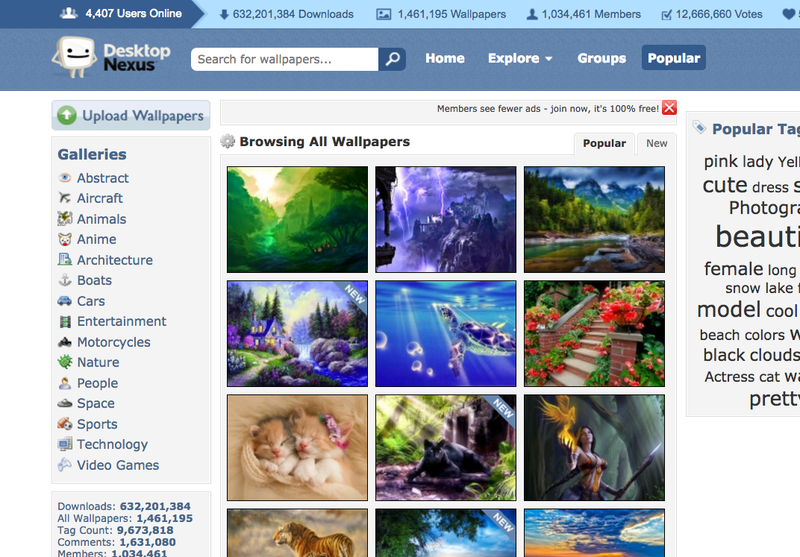
One of our favorite underrated desktop wallpaper sites, Desktop Nexus has a community of over a million users who have collectively uploaded and voted on over 1.4 million wallpapers. Everything at Desktop Nexus is neatly organized by category, and if you select one category, a wealth of subcategories opens up underneath it (and you can view them all here.)
All of the wallpapers are organized by member votes (and you have to be a member for at least a month or upload 25 of your own wallpapers to the service in order to vote), so you can see what’s popular, or you can search for something specific if you know you’re interested in something.
The Paper Wall made its way into many of our old Wallpaper Wednesday features, thanks to its massive catalog, diverse categories of wallpapers, and tons of resolution options. Its search is actually surprisingly useful, but you may not even use it once you get familiar with the depth of its categories, its popular and trending wallpaper selection, and its resolution filters, which let you choose wallpapers that will only match your display (or larger, if you have to scale down.) The resolution chooser also has options for dual monitor setups and widescreen displays.
If you’re looking for a starting point, The Paper Wall also has wallpaper “packs,” filled with the best of a given year, or a bunch of wallpapers on a specific theme that you can browse or download whole and add to your collection.
Wallhaven started out as a project to replace/rebuild/improve upon Wallbase, which is dead now but used to be one of our favorite wallpaper sites just because it scraped wallpapers from so many sources we also liked. Technically Wallhaven is still in alpha, but it’s been in alpha long enough and has a database big enough we’re comfortable reccomending it.
The community is massive, the database is large, and once you have a free account, you can browse by tags, filter for work-safe images (or not,) choose specific resolutions (including 4K, Retina, and ultrawide), or roll the dice and see what you turn up with. Best of all, the site automatically loads more wallpapers at the bottom, so if you keep scrolling, you’ll keep seeing more.
Another old (and well-loved) standard in the wallpaper community, IntefaceLift has long been a primier source of beautiful wallpapers of natural scenes, photos-turned-wallpapers, and more. The site deals in more than just wallpapers though. Like DeviantArt, there’s a huge community of people there making icon packs, system themes, and more. Even so, the wallpapers probably interest you the most, and are likely why you’ve visitedi n the past.
InterfaceLift will automatically detect your screen resolution and show you wallpapers accordingly, although you can select a different one if you prefer, or even choose from dual, triple, or ultrawide display options. It may not have the massive selection or scraped images from other sites, but you can see everything about the photos you download for your desktop, including the cameras used to take them, who took them, and their comments.
If you’re not interested in photos, abstract art, or other busy images for your desktop, Simple Desktops may be more up your alley. All of the wallpapers at Simple Desktops are fairly minimal, and include patterns, text snippets, or iconographic images that look great and say a lot without saying much at all. They’ll all hand-curated, and selected because they’re attractive without being busy or distracting—which can be perfect if you want to dress up your desktop without standing out too much in an office, or distracting yourself with what’s on it.
Best of all, Simple Desktops has options for mobile devices as well, and all of their images are sourced, so you can learn a little bit about the artist who made them too.
Your favorite wallpaper site from not too long ago, no discussion of wallpaper sites is complete without a stop by Digital Blasphemy, run since 1999 by one man (and friend of Lifehacker!) Ryan Bliss. Its beginnings go back to the early web as one of the first places to find really unique and interesting 3D art and unique wallpapers that weren’t photos. Today, its current iteration combines all of the things that made it great years ago with modern, up to date fantasy art, landscapes, sci-fi vistas, and natural scenes.
Only a small selection of the wallpapers available at Digital Blasphemy are available for free—the real wealth of its catalog is hidden behind a $20/yr membership plan (with different tiers with more perks, you can see them all here.) Additionally, Digital Blasphemy has wallpapers for multiple monitors, mobile devices, and there are Digital Blasphemy apps available on Xbox Live and the PlayStation Store.
1. Automatic Wallpaper Changers
While all of the above are great sources for new wallpapers to dress up your desktop, sometimes the best sources are the ones you install on your computer, forget about, and just let the wallpapers come to you. For example, previously mentionedWallpaper Wednesday for Mac pulls fresh wallpapers from NASA, National Geographic, Flickr’s best photos of the day, and more, without you having to download them individually. If you’re willing to pay $5, Kuvva for Mac can also auto-download and refresh wallpapers for you as well.
John’s Background Switcher is our favorite wallpaper manager for Windows, and while it’s great with your own downloaded desktops, it’s even better if you select some of the pre-loaded RSS feeds of images and let the app do the downloading and switching for you. It’s not alone though. DisplayFusion can do the same, and Bing Desktop can do the same with Bing’s beautiful images too.
Bonus: There’s no way we could include all of our favorite wallpaper and desktop services in even 10 items. For even more, check out this post at Big Think, with direct links to the archive of over 400,000 images that the Metropolitan Museum of Art, as well as images from the National Gallery in Washington DC, the Google Art Project, and other museums around the world.
If you’re specifically looking for dual or triple monitor desktops, we should give a special mention to Dual Monitor Backgrounds (DMB), which has been serving that need for years and years, and is worth a mention.
Illustration by Fruzsina Kuhári.
Lifehacker’s Weekend Roundup gathers our best guides, explainers, and other posts on a certain subject so you can tackle big projects with ease. For more, check out our Weekend Roundup and Top 10 tags.
Peter Wieben's sister is bipolar and homeless in Seattle, living in a van and weaning herself off Klonopin without a doctor's supervision: if she gets the dose wrong, she'll die.
(more…)
Earlier this month, Daniel Fernandez was sentenced to a six-month jail term while his public defender was in handcuffs, silenced and forced to sit with the accused awaiting trial, having been put in this position by Las Vegas Justice of the Peace Conrad Hafen.
(more…)
The world is on a quest to create cleaner, quieter airplanes that could replace the fuel-guzzling, roaring commercial aircraft in use today.
NASA is leading much of the research and development effort in this area and today they’ve announced an official name for their next X-plane concept: the X-57 “Maxwell.”
Maxwell is a hybrid electric research plane equipped with 14… Read More
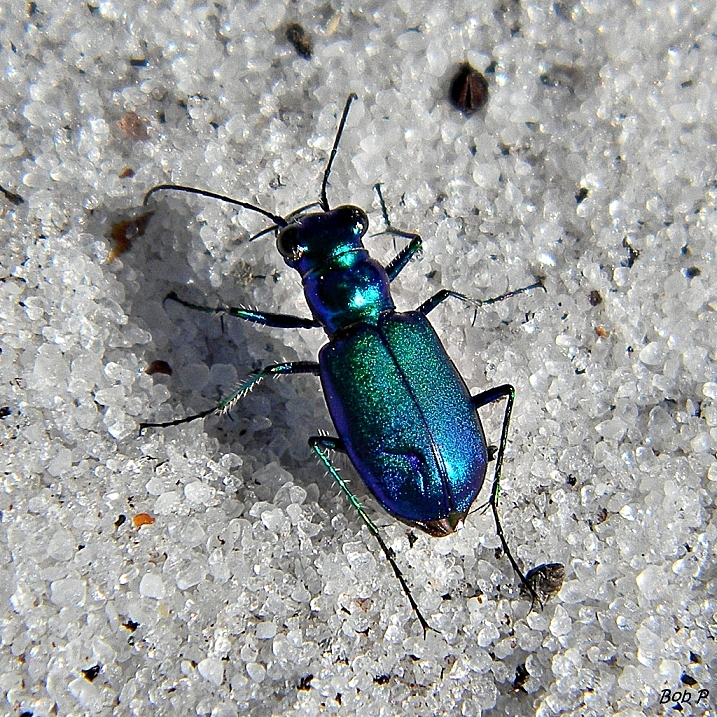
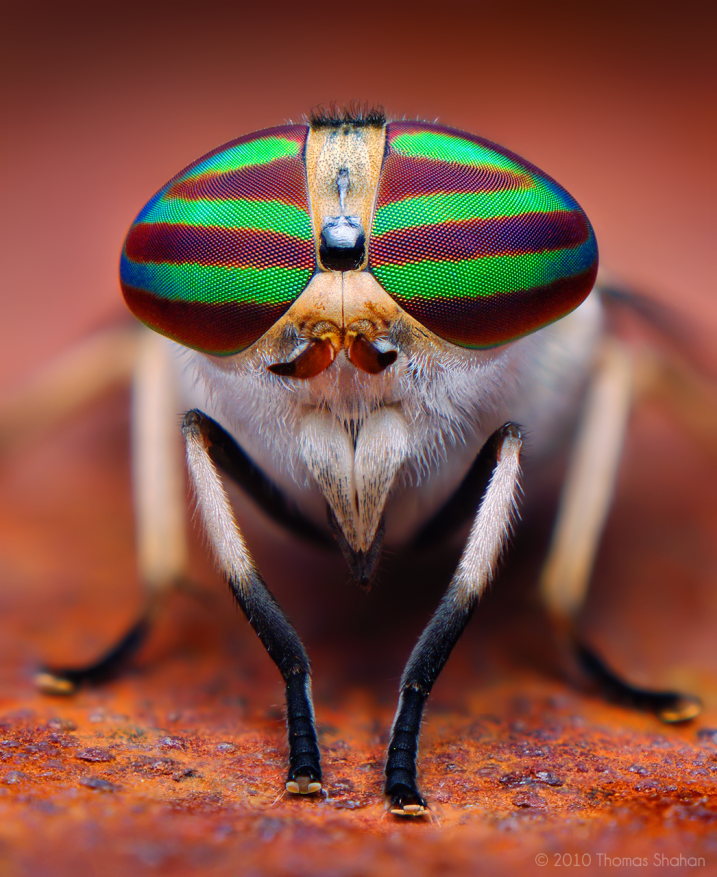
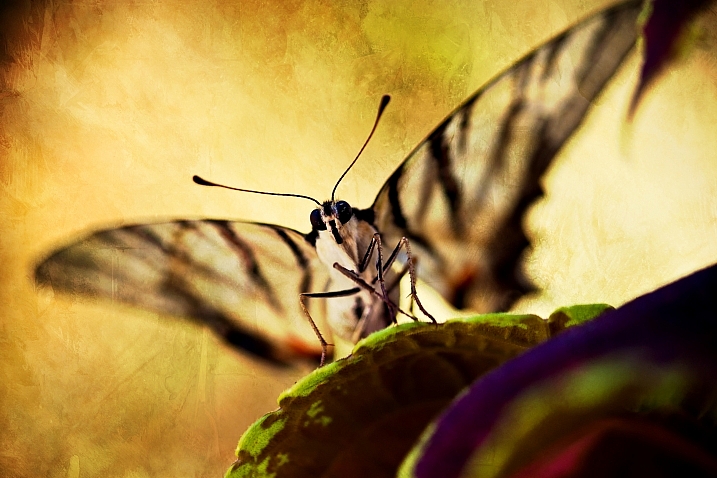
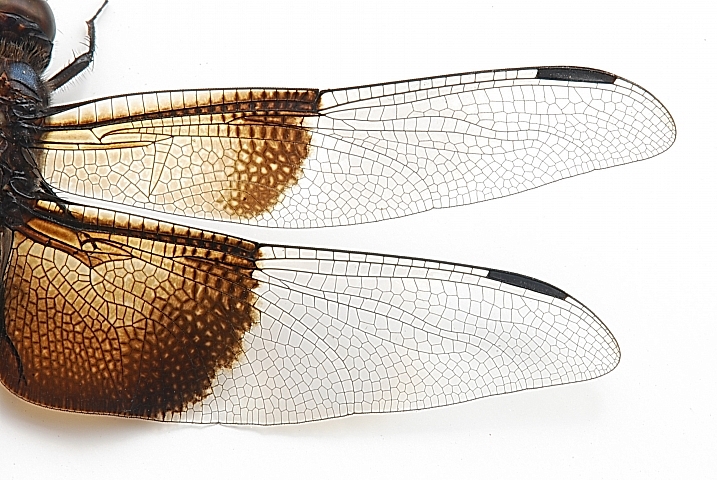
Spring has sprung in the northern part of the world and the creep crawly things are out and about. But they aren’t all bad or ugly. Many of the world’s smallest creatures are quite attractive – beautiful even.
So here is how some photographers chose to capture them in butterflies and bugs:
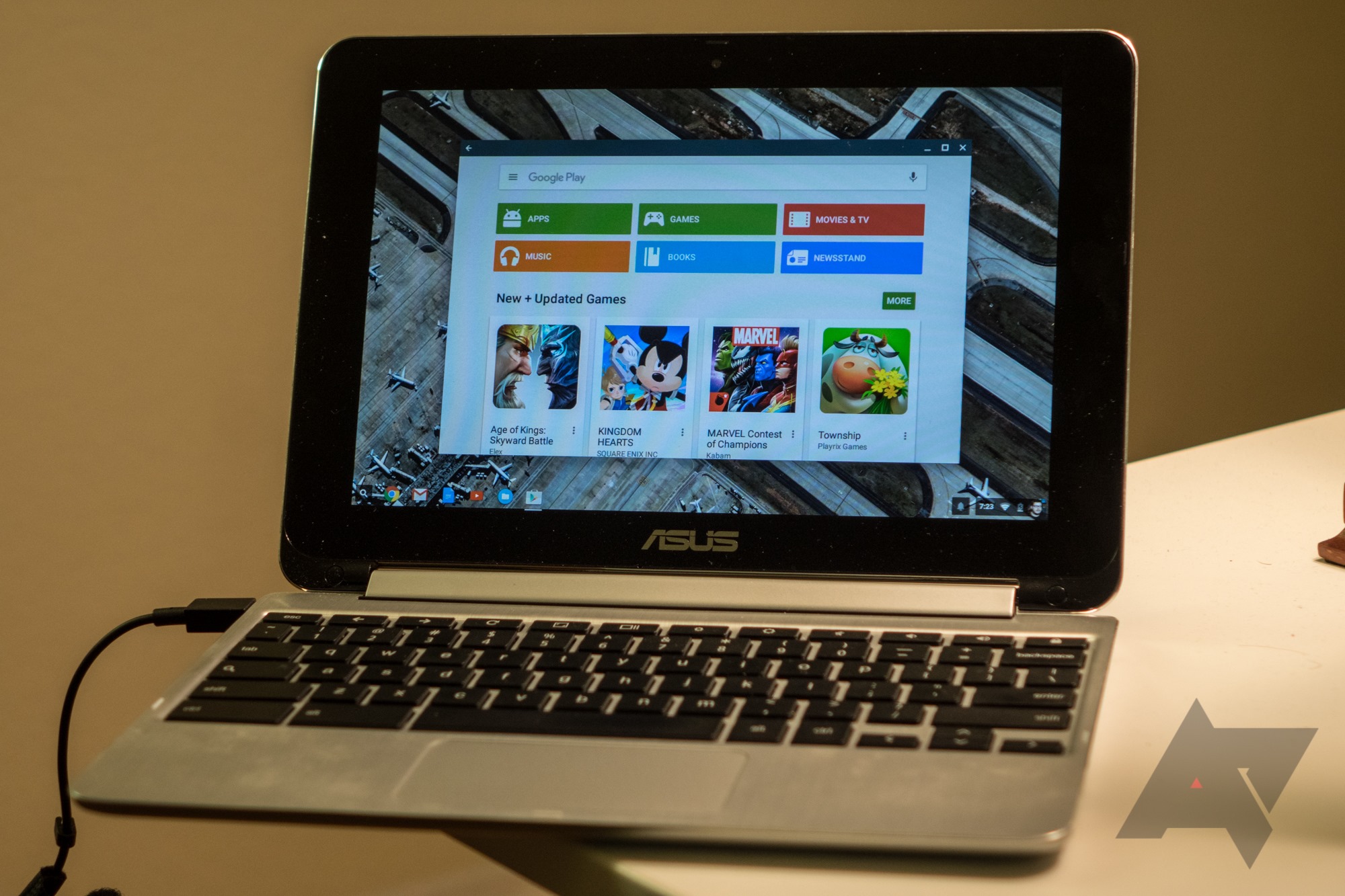
Have a Chromebook Flip? Get it on the developer channel ASAP - the Play Store update is rolling out now. I've had very little chance to mess with it, but the apps I have used (Hangouts, Maps, Search, the Play Store) all seem to run pretty well. Funnily, the Play Store still allowed to install Google Now Launcher... but you can't change the launcher, since the launcher is the windowed app mode.
If youth unemployment -- and the lack of good entry-level jobs for college grads -- was being driven by workplace automation, American productivity (value created per hour worked) would be soaring, rather than stagnating.
(more…)
Lin-Manuel Miranda's final performance in his amazing, blockbuster musical Hamilton will come on July 9 (he'll be replaced by his alternate, Javier Muñoz), but before then, he'll allow a video-crew in to make an archival recording.
(more…)
by David Nield on Field Guide, shared by Andy Orin to Lifehacker
Google is your portal to everything out there on the World Wide Web...but also your portal to more and more of your personal stuff, from the location of your phone to the location of your Amazon delivery. If you’re signed into the Google search page, and you use other Google services, here are five search tricks worth knowing.
It probably goes without saying but just in case: only you can see these results. Nobody else can Google your next hotel trip. How well they work is going to depend on how plugged in you are to other tools like Gmail, but they’re useful shortcuts from the Google homepage or the Chrome address bar.
“I’ve lost my phone”
The newest one in our list, which is essentially an easier way to get to Android Device Manager. Google “I’ve lost my phone” to see the last known location of all the phones linked to your Google account. You can call and lock your phone as well as locate it, and it works with both Android and iOS devices.
“Contact <name>”
Get at your Google Contacts straight from the Google search page with this trick, simply adding the name of one of your friends or family members after the “contact” keyword. If there’s more than one match found, you’ll see a list of options—click on any of the results to initiate an audio call over Hangouts.
“My deliveries”
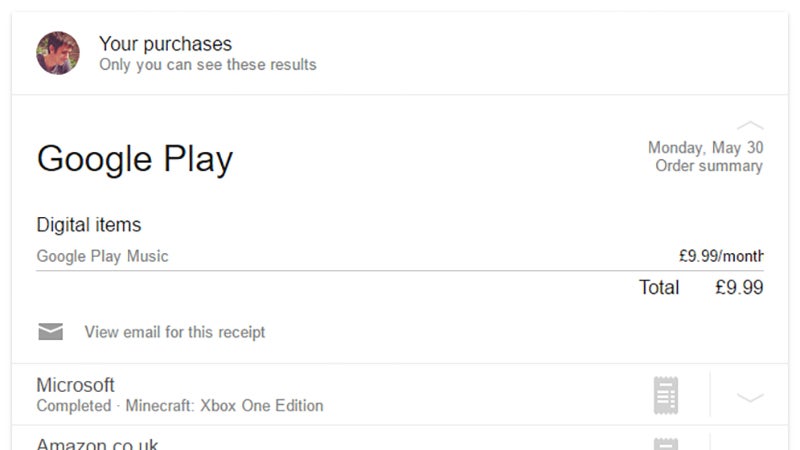
Next, a series of personal searches that tap into the information Google has from your Gmail account. Use “my deliveries” (or “packages” or “purchases”) to see recent orders stashed in your inbox—click on any of the entries shown on screen and you can see prices together with any available tracking details.
“My flights”
For a while now Gmail has done a very good job of spotting travel plans hidden among your email messages (it’s basically what Inbox is built on) and if you Google “my flights” you can see past and future trips through the air. Expand any entry in the list to see flight numbers, times, and other salient details.
“My hotels”
The “my hotels” search works just like the flights one, with Google tapping into your inbox to bring up all the hotel reservations you’ve made. Again, click on any entry in the list to see the details—you can jump straight to the relevant email in Gmail, get directions to the hotel, and see older reservations too.
“My shows”
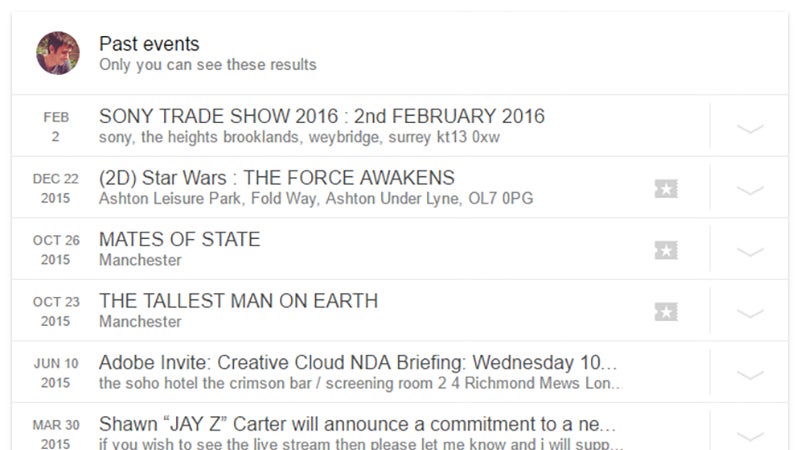
Run a search for “my shows” and you see all of your upcoming plays, gigs and other events that you might have a confirmation for somewhere in your Gmail account. Google does a decent job of pulling out the right details for you. Use “my reservations” to see both hotels and shows in the same list together.
“My bills”
You probably don’t want to be reminded about upcoming bills you’ve got to pay or about any money going out of your bank account, but just in case... “my bills” will find it for you, provided that there’s some kind of record in your Gmail account. If you want any financial assistance, that’s a separate Google search.
“My events”
A quick way of setting everything that’s coming up in your Google Calendar. You can also run queries like “when’s my next appointment?” or “what am I doing next week?” to get personal answers from Calendar. Click on an entry to see dates, times, descriptions and a list of the guests signed up to attend.
“My photos”
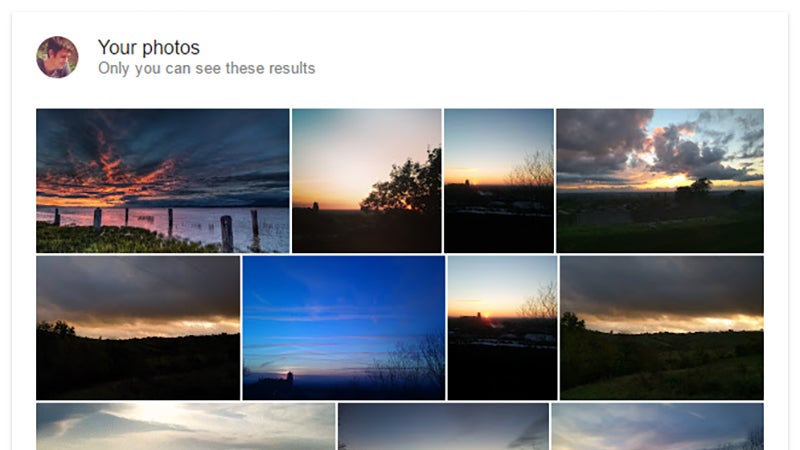
Hello, Google Photos! Google can bring up a response to “my photos” and “my videos” provided you’re using its in-house photo storage service. You can even get creative: try “my photos of me” or “my photos of cats” and see what kind of a results you get. It’s all very slick and straightforward.
Shazam is usually very good at identifying songs you encounter throughout the day, but you have to open the app and make it do that. Well, not anymore. In the most recent update, Shazam has gained support for auto mode on Android. Just start it up and go about your business while Shazam catalogs all the songs it hears.
Auto mode is available right on the main screen in the app.
With bPay, it appears that shopping has moved beyond store merchandise, also embracing fashion when it comes to payment at the register.
British fast-fashion outlet Topshop just introduced their next collection of bPay contactless payment accessories which have been introduced into its UK stores, as well as online. Apparently, this payment method is starting to increase in popularity.
Two lovely bracelets, two adorable robot keyrings and two phone cases make up the newest collection, with prices ranging between $43 and $48, including a bPay NFC chip. The design style includes snakeskin and metallic finishes and is considered the luxury collection, compared to its previous colorful Monster Fish series.
This previous, less expensive collection, which starts at $18 for stickers, is currently on sale, with Topshop giving the bPay wearables some nice exposure on its homepage.
Topshop also running a contest
If you have a UK-registered Visa or MasterCard, you can use bPay, which is comparable to Apple and Android Pay. Similar to smartwatches, you can tap them to terminals wherever you’d use your contactless card, once it has been pre-loaded with $7 to $285.
Along with this new product launch, Topshop has also been running a month-long contest to hear ideas from wearable tech startups. The startup winner will be awarded with the opportunity to present their product to Sir Philip Green, get the chance to secure investment and have Topshop stock its product.
The film adaptation of Stephen Schwartz's 2003 blockbuster musical Wicked is coming December 20th, 2019, The Hollywood Reporter reports.
Schwartz and the show's writer, Winnie Holzman will both work on the adaptation, which will be directed by Stephen Daldry (JJ Abrams, Rob Marshall and Ryan Murphy were once considered contenders). Daldry is best known for directing the Tony-winning musical Billy Elliot, as well as film adaptations of The Hours, The Readerand Extremely Loud and Incredibly Close.
Wicked is based on the book of the same name by Gregory Maguire, which imagines the adolescence of the Wicked Witch in Wizard of Oz, as well as her early friendship with Glinda the Good Witch. Maguire sold the film rights to the novel to...
The Bluetooth Special Interest Group (SIG) have announced the details of Bluetooth 5. The next version of the wireless hardware standard will have double the speeds and four times the range of Bluetooth 4,
Bluetooth 5, projected for release in late 2016 to early 2017, will quadruple range and double speed of low energy connections while increasing the capacity of connectionless data broadcasts by 800 percent. It achieves all this alongside its industry-leading power performance. With the major boost in broadcast messaging capacity, the data being transferred will be richer, more intelligent. This will redefine the way Bluetooth devices transmit information, moving away from the app-paired-to-device model to a connectionless IoT where there is less need to download an app or connect the app to a device.
SIG added that it expects the launch of Bluetooth 5 to accelerate the growth of Internet of Things products:
With eight times the broadcast messaging capacity, Bluetooth 5 will further propel the adoption and deployment of beacons and location-based services in the home automation, enterprise, and industrial markets. In scenarios where contextual awareness like navigation and pin-point location are crucial – such as hassle-free airport navigation experiences, asset tracking of warehouse inventory, emergency response, even smart city infrastructure that helps the visually impaired be more mobile – Bluetooth 5 will send custom information people actually find useful in that moment without connection and application barriers.
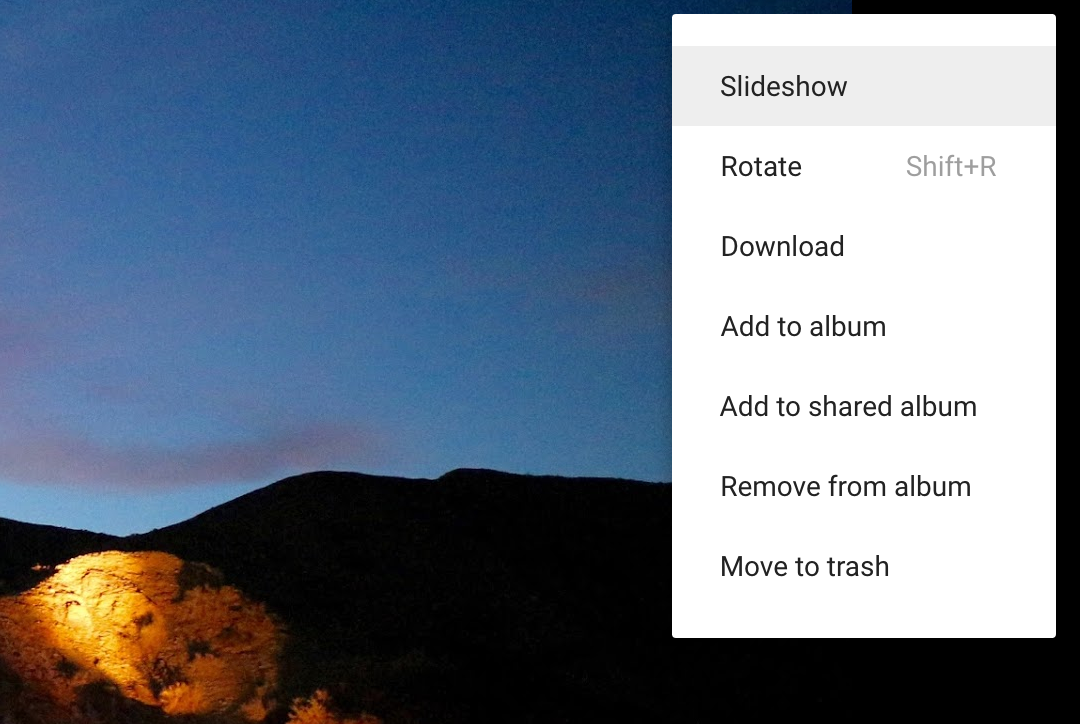
What photo manager doesn't let you show off images in a slideshow? Google Photos, it turns out. If this is news to you, then you're finding out right at the moment when the situation is changing. Google Photos has now added a slideshow option.
I don't need to explain slideshows to you. You've been watching computer programs automatically cycle through images since the days software came on floppy disks. The Google Photos experience isn't going to blow your mind.
The pee dance is an ancient tradition. You’re waiting for the bathroom, and for some reason you start wiggling around. The How to Do Everything podcast spoke with Dr. Peter Lechman to take a look at some of the theories of why we do this weird behavior.
Lechman breaks down each theory like so:
One theory is a rhythmic displacement behavior. We do various rhythmic things when we’re faced with conflict... The thought is it’s just a human nature thing to create a rhythmic behavior to help you deal with the anxiety of this conflict...
The next theory is the distraction effect... It’s the whole fighting pain with pain idea. Something hurts, so you do something else that hurts to distract you from the first...
Then there’s this idea that actually crossing your legs helps tighten your sphincter... there’s probably a little reality to it, that crossing your legs helps tighten things up, and I bet there’s a mental component to it. We just feel like “that’s where it’s gonna come out and if we clench in front maybe that’ll help stop it.” It probably doesn’t actually make any difference.
All that said, Lechman points out that it’s probably best to just stay calm and wait. But we still have this overriding nature that makes us move around. Either way, don’t hold it for too long.

![1035x1035-Monkees-Good-Times-cover-art[1]](http://i2.wp.com/media.boingboing.net/wp-content/uploads/2016/06/1035x1035-Monkees-Good-Times-cover-art1.jpg?fit=600%2C600)


 Physical wellbeing has been the focus of most wearables to date. Products such as the Apple Watch, Microsoft Band, FitBit and Jawbone all track things like movement, heartbeat etc. At the same time some startups are appearing which try to track mental states. But these are usually head bands which make you like an updated 21st Century Hippie.
The new ZENTA wrist-wearable takes a different…
Physical wellbeing has been the focus of most wearables to date. Products such as the Apple Watch, Microsoft Band, FitBit and Jawbone all track things like movement, heartbeat etc. At the same time some startups are appearing which try to track mental states. But these are usually head bands which make you like an updated 21st Century Hippie.
The new ZENTA wrist-wearable takes a different… 


 A 2015 data breach of UK ISP TalkTalk should serve as a warning to the government that its proposed new surveillance legislation risks creating vulnerable pools of data that could be exploited by hackers, a parliamentary committee has warned.





 The world is on a quest to create cleaner, quieter airplanes that could replace the fuel-guzzling, roaring commercial aircraft in use today.
NASA is leading much of the research and development effort in this area and today they’ve announced an official name for their next X-plane concept: the X-57 “Maxwell.”
Maxwell is a hybrid electric research plane equipped with 14…
The world is on a quest to create cleaner, quieter airplanes that could replace the fuel-guzzling, roaring commercial aircraft in use today.
NASA is leading much of the research and development effort in this area and today they’ve announced an official name for their next X-plane concept: the X-57 “Maxwell.”
Maxwell is a hybrid electric research plane equipped with 14…