Ashley Cervantes, a US citizen who was 18 at the time, was stopped at the Mexico border and accused by Customs and Border Protection of smuggling drugs. A search proved fruitless so they gave her a body cavity search. US Customs and Border Protection still couldn't find the drugs they were looking for so they took her to a hospital for an X-ray. No drugs.
Gus Van Harten is a law professor at York University's Osgoode Hall and a well-respected expert on trade law; he's published a damning report on the Trans Pacific Partnership deal.
(more…)
You can choose exactly what syncs with Google and your computer, and it's easy.
If you have a Chromebook and use Google Chrome on another computer, here's a quick tip about choosing what you synchronize between them.
On our Chromebooks, many of us install apps and extensions that add more features and functionality. That's how Chrome OS was designed, with it's own online store full of apps and extensions, and there are plenty of useful ones included. But things you might want on your Chromebook — for example a small text editor or online image editor — also might be things you don't want on a Windows or Mac (or Linux) laptop or desktop. Plenty of software comes bundled into those operating systems, and often it makes no sense to have duplicate programs for productivity or entertainment. The good news is it's easy to manage.
You can choose exactly what Chrome syncs across your devices. To get there, make sure you're signed in with your Google account and follow these steps.
Open the settings
Under People, click the entry labeled "Sync"
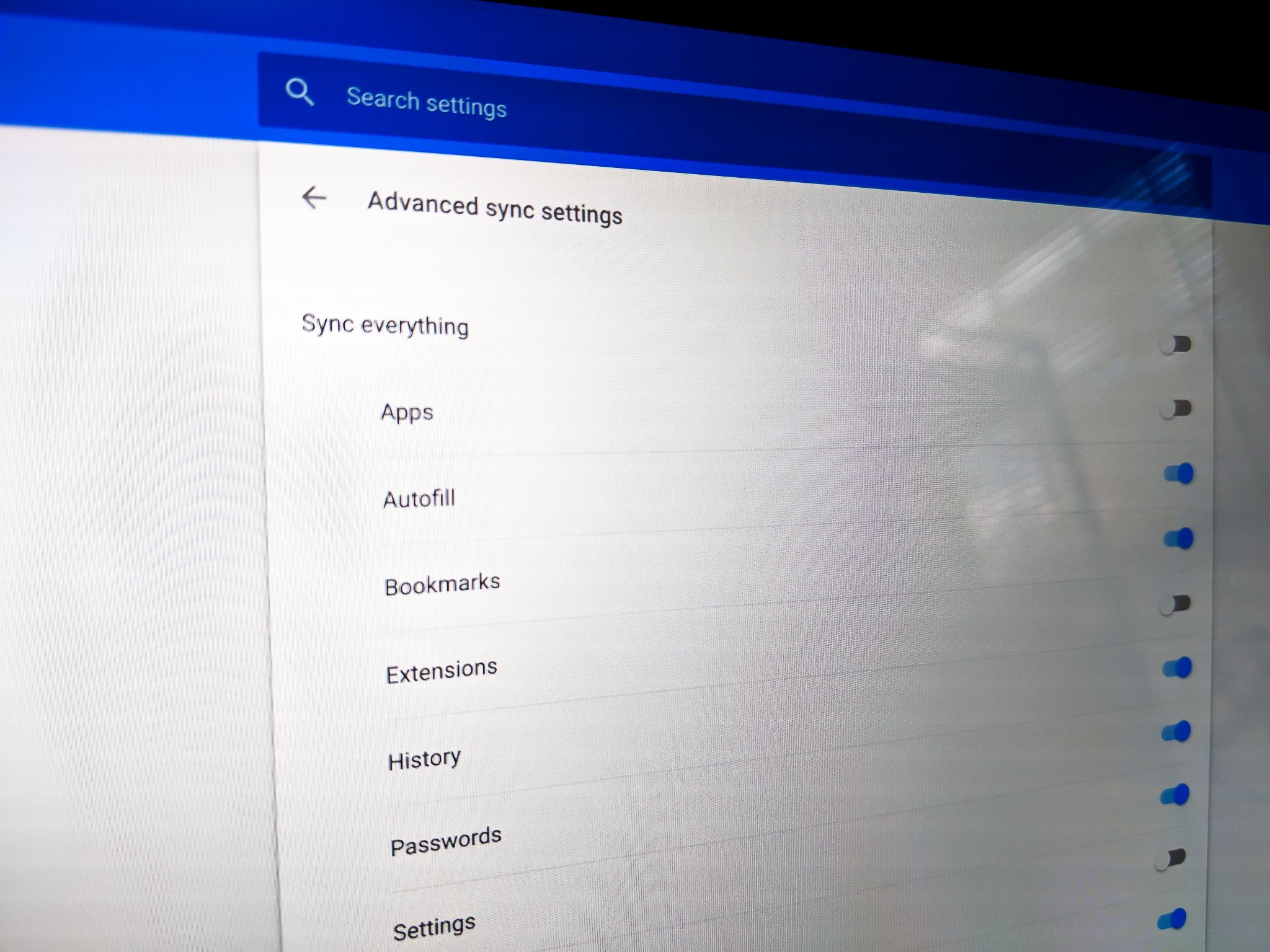
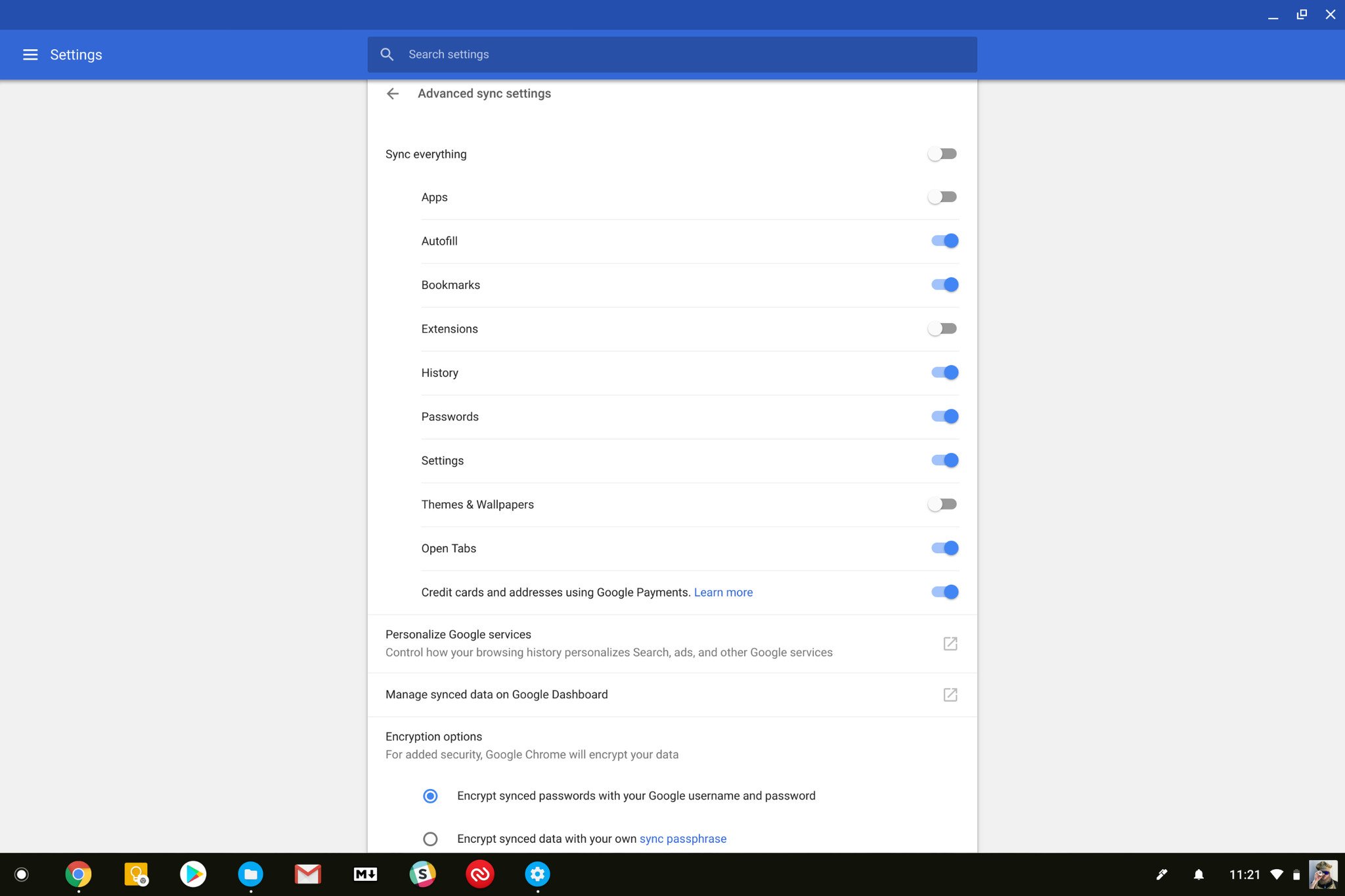
In the window that opens, adjust the toggles to sync what you like, or toggle the Sync Everything switch if you just want to do it all.
You'll find an entry for everything that Chrome can synchronize, both on your Chromebook and with the Chrome browser on any platform. Extensions and Apps are the focus of this article, but you can choose to not sync other data, like passwords or browser history, if you like. You can even choose to not sync anything if that suits you better. Some things — like browser tabs, passwords and history — also sync with Chrome on Android. You can manage those settings on your phone or tablet inside the Chrome app settings.
You'll also see some encryption options, and with those you can choose to use your own sync password, but by default Google encrypts all the data that goes in and out of your account. There's also a handy link to see your web activity, where you can manage your browsing and search history online.
A quick "one more thing" protip — when you install Chrome on a new computer, or sign into a new Chromebook, leave the defaults set for the first sync. This way you won't have to manually install any apps or extensions or themes from the Chrome store. Once everything is set up, you can change the settings and uninstall the things you don't want through the Settings > Extensions page. When you choose what to sync on one device, it won;t delete anything from any of the others — but it will if you leave the "Sync everything" option enabled.
Updated December 2017 with instructions for the latest version of Chrome.
You know those people who apologize for everything, and you point it out to them, and then they apologize for apologizing? Yep, that’s me. I’ve been a pushover my whole life, but the older I get, the sicker of it I get. I finally decided to do something about it.
I’m not sure where it started, but I know where it climaxed. My fiance and I had just closed on our home. I spent years saving for the down payment, he saved a bit, too, and we were excited to get the ball rolling together. During the process, though, I noticed something: it was all about him. When I sent the escrow payment, the company thanked him. The mortgage firm only called him. He got all the phone calls. It was like I had nothing to do with the whole thing. We joked it off, but then came the tipping point. I submitted our final loan documents, they were approved, and we were officially homeowners. I sent a thank you email, to which the mortgage firm replied:
“You bet. Congratulations, Brian!”
It was so stupid, it was laughable. But I didn’t laugh. I got angry. It seemed silly, but I wanted to feel responsible for the goal I’d worked toward. Instead, I felt powerless and invisible. I spewed a string of expletives, and my friend, sitting next to me, said she’d never seen me angry before. I apologized. I felt guilty for not being grateful. I was buying a house, after all, and I should just be happy about that.
“You shouldn’t apologize,” she said. “You can be grateful and still want to have your moment.”
Now, I know I’m a soft-spoken person. I’m quiet. And I can be a pushover. So I can see how it happened. And it wasn’t just that incident that pushed me over the edge. It was years of friends undermining me, employers piling more work on me, and colleagues not returning favors. I felt powerless. I realized I could keep complaining about it, or I could figure out why it was happening. So I sat down, thought about it, then came up with some rules to follow in order to stop being a pushover and also empower myself. I wasn’t going to change my personality, but I would change some bad social habits that were holding me back.
Be Direct
Like a lot of people, I hate confrontation. Some of us hate it so much we avoid anything that remotely resembles it. Car salesman can’t do any better? That’s fine, I’ll take it. Restaurant got my order wrong? I’ll deal with it.
I bet the whole house situation would’ve been ironed out from the beginning if not for my pesky fear of confrontation. No one had any idea how annoyed I was at being left out of the process, and how would they? I never said anything, because I didn’t want to ruffle feathers.
Here’s the thing, though. It’s entirely possible to get your point across without being confrontational—It’s called being direct. Being direct is simply communicating what you think or feel about something. It’s objective and reasonable. Confrontation, on the other hand, is a frustrated and aggressive reaction.
When I thought about it, I realized just how many instances of my being a pushover could’ve been fixed with a little directness. So “be direct” became Rule #1.
I’m not the only one with this unfounded fear of being too aggressive. A study from Columbia University (PDF) looked at assertiveness and self-awareness. Subjects conducted a mock negotiation and then rated their assertiveness. The researchers found that people with normal levels of assertiveness overestimated themselves quite a bit:
Many people seen as appropriately assertive by counterparts mistakenly thought they were seen as having been over-assertive, a novel effect we call the line crossing illusion... In Study 3, for instance, of those seen as under-assertive, 57% thought their counterparts viewed them as appropriately assertive or over-assertive.
In other words, no one thinks I’m actually being confrontational when I express myself. That was reassuring, and it helped me stick to the rule. I finally called out the mortgage company. I was direct but polite and simply told them it’s nice to be included. They apologized, of course, and even though the whole process was already over, I felt a little more powerful by speaking up.
Don’t Be Afraid to Say No
Months ago, a friend asked me to help out with a project. At first, it seemed easy enough, but as the project continued, it got harder. The more serious she got about the project, the more emails she sent, and the more work I had to do. Between that and a bunch of other obligations, I felt I had no control over my free time.
When I started thinking about how stressed and powerless I felt, I realized how much of it could be remedied if I just said no to things that taxed my time and productivity.
“I hate to do this,” I told my friend. “But I’m stretching myself thin and I don’t think I can devote the time you need to this.” Easy. And, because she’s a reasonable person, she understood and thanked me for the time I did devote.
Around that same time, a client asked if it was possible to tighten an already tight deadline to get something out early. It would mean working twelve hour days, and I could already see myself burning out and compromising the quality of my work. My immediate reaction, a behavior that’s long been my default, was to absolutely comply without question. I remembered my rule, though, and explained to the client that, unfortunately, I didn’t think I could swing it, but I would submit as early as I could. I was terrified. I didn’t want to lose the job. However, I knew what would happen if I accepted: I’d overwork myself, curse the client, and resent the work in a powerless fit of fury. If I said no, I’d have the time I needed to get the job done and get it done right. Even better, I’d feel in control of my time and output. To me, that was worth the risk, and thankfully, they agreed.
Of course, it’s not always this easy. We all have necessary obligations we can’t reject. However, I think we often convince ourselves that certain tasks are obligatory when they don’t have to be. This was probably the easiest rule to follow because the payoff is instant. You say no, and you immediately feel your load lighten.
Whenever someone compliments me, I either compliment them instead or I insult myself. Either way, I reject it. People reject compliments for different reasons. Maybe they feel embarrassed and don’t like the attention. Maybe they have low self-esteem. Maybe they’re afraid of being pompous.
I started doing something simple: maintaining a list of all of my weekly accomplishments. I don’t put everything I do on this list, but over the week, I add my larger accomplishments to it...The list lets me think in terms of how much I accomplish, and not simply how much I do. This pushes me to do less busywork, and focus more on my important tasks that actually lead me to accomplish something.
It’s not about patting yourself on the back. It’s about reminding yourself that you have control over your outcome; that your hard work really does pay off. What’s more, learning to take compliments and embrace accomplishments can also tell you a lot about your strengths. We often take our strengths for granted because they come easy to us, but when we actually accept compliments and embrace accomplishments, we can pinpoint those strengths and use them more to our advantage.
I made it a rule to start accepting my own strengths. Keeping a weekly list of accomplishments is one way to go about it. When it comes to compliments, pinpoint your default response and then get in the habit of replacing it with a more empowering reply. A simple “thank you” will do. It sounds easy when you put it like that, but when you’re not used to it, you have to shift your whole mentality.
Don’t Catch Other People’s Stress
Around the time I started this experiment, I had a phone meeting with a potential client. They wanted me to write blog posts for them, which is nothing new for me, so I told them my availability. I could have something in about a week, considering my current schedule. “We really need something by Monday morning,” they said. “We’re on a tight deadline, sorry.” Considering it was the end of the week, that meant I’d have to work over the weekend. What’s more, they asked if I could cut my rate for a shorter article.
I should’ve said no, but I agreed and spent an otherwise relaxing Saturday working for a client. I didn’t do it because I needed the money or I really enjoyed the work. Ridiculously, I did it because their stress was convincing. During the phone call, I felt stressed, too, like this had to get done, it had to get done fast, and they couldn’t find another writer. I felt like their only hope.
It’s nice to offer help, don’t get me wrong. However, I had a bad habit of catching other people’s stress. It wasn’t even a friend or a family member who needed help, though. It was a business looking to delegate their time-sensitive issue, and for some reason, I stepped up to the plate. I could have helped by referring them to another writer or respecting their time and ending the phone call. I wasn’t helping, though. I was just taking on their problem for myself. In turn, it made me stressed and bitter and resentful. And it was my own fault—I agreed to it!
This sort of goes hand in hand with learning to say no, but stress can be infectious, whether the person is asking for your help or not. Beyond this instance, I realized how much I let other people’s stress get to me. If you’re the type of person who likes to fix problems, you can probably relate. We can’t expect people to not bring their stress to us, but we don’t have to accept it. Of course, it’s one thing when it’s a job you’ve already signed up for, and you’re prepared for the stress that comes along with it. There’s a big difference between your boss asking you to do your job and someone else just passing their problems onto you. When you take on other people’s stress, you have less time to manage your own issues, and that’s when you start to feel out of control. At least I do.
In the end, empowerment and confidence comes from within—and all that other fluff—but let’s be honest. Other people’s actions and reactions can impact us. Whether we agree to obligations we can’t handle, try to fix everyone’s problem or just don’t speak up, these are bad habits that can take a toll on you. For me, it helped to pinpoint these habits and come up with a few rules to change them. I focused on one at a time, and eventually, I started to feel a little more in control of my own situation.
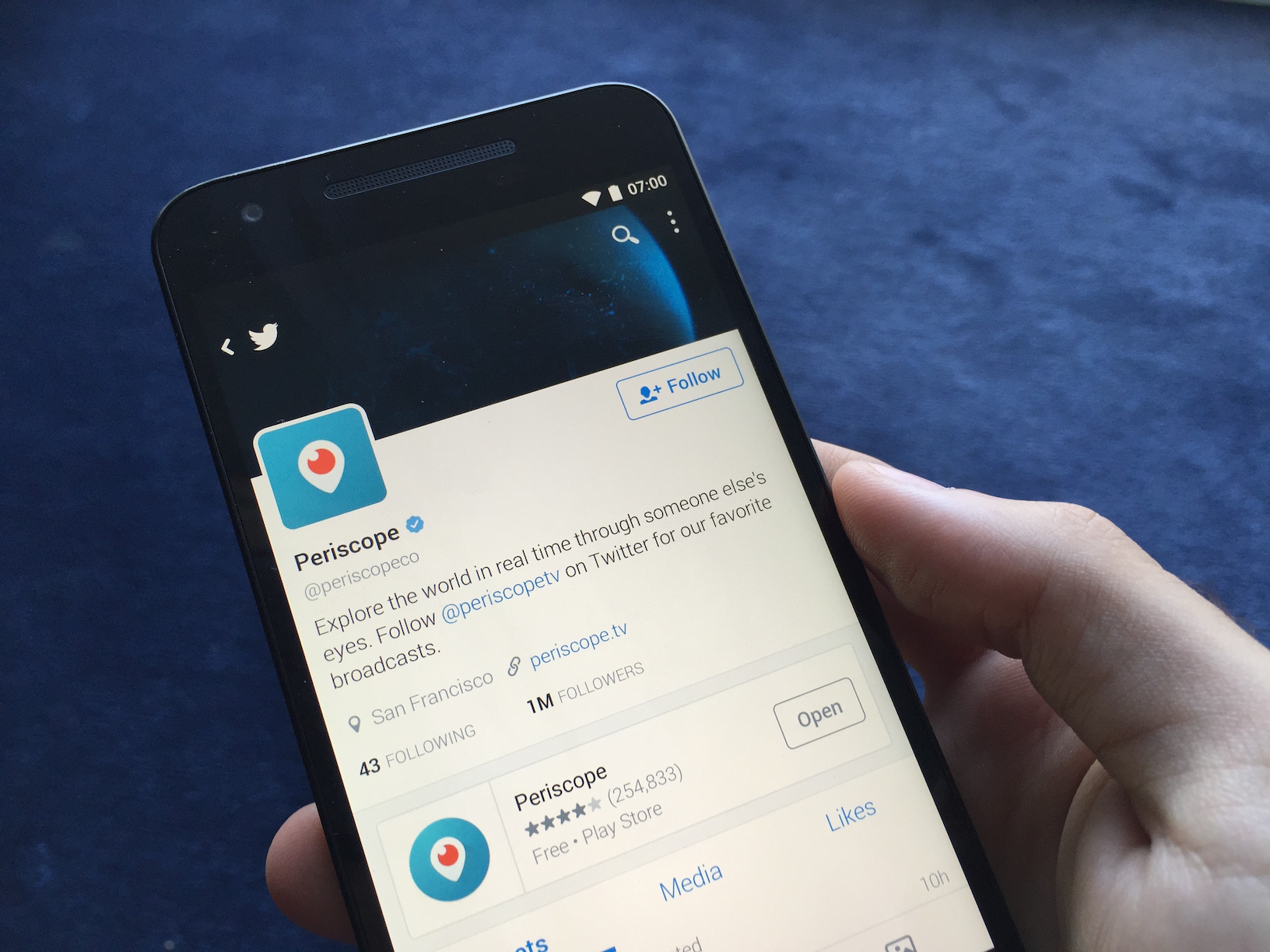
After an initial test back in May, Twitter has begun rolling out its new Periscope button to everyone on Android and iOS. When composing a tweet, users will now be greeted with a "Live" button within the media picker, serving as a shortcut to directly launch the Periscope app (or to download it if it isn't installed) and immediately begin live broadcasting to any audience.
Ready to go live? Now everyone can tap a new button on iOS & Android to easily broadcast on #Periscope from Twitter!
Uber's food delivery service, UberEats, is launching in London. The service launched at 11AM local time on Thursday, and will initially be available in Central London seven days a week between 11AM and 11PM. In a blog post announcing the launch, Uber said that more than 150 restaurants have already signed up to the service, and that it will expand to areas beyond Central London "in the coming weeks."
With today's announcement, UberEats is now available in 18 cities across the world, with London becoming the first in the UK and the second in Europe, after Paris. Users can order food and track their delivery through the UberEats mobile app, or on the UberEats website. Delivery in London will be free for the first month, and if their food...
The World Health Organization's International Agency for Research on Cancer reviewed 1,000+ papers investigating the link between coffee and cancer and concluded that the WHO's 1991 classification of coffee as a carcinogen was mistaken.
(more…)
Sixty hikers from Hungary were stranded in the Austrian Alps last weekend when their drunk guide disappeared. Apparently the guide wandered off and found his way back to the bottom of the mountain, leaving his group behind.
The hikers set off at around 3pm local time (2pm BST) on Saturday with an unqualified guide from a Hungarian trekking association to explore the Rax mountain range in eastern Austria, according to local police.
But around an hour later Austrian emergency services received a call from a distressed member of the group, who said he was lost with his daughter in the mountains.
The weather was taking a turn for the worse as 12 rescuers brought the group back down to safety. The group then ran into the irresponsible "guide," who claimed he hadn't touched a drop of alcohol. Read the Telegraph's full story here.
Starting next month, London's public transportation system will start looking a little different. Transport for London (TfL) will begin rolling out a new typeface for the London Underground and the city's bus system. The typeface is called Johnston100, an iteration of the TfL's original Johnston typeface, which has been around since 1916.
If you really want to break the pattern of glass and metal rectangles, your next smartphone could be circular. Monohm Inc. is finally taking preorders for the Runcible — the smartphone-slash-pocket-watch that we first saw at Mobile World Congress in 2015.
The Runcible will start at $399, and Monohm plans to ship the devices this September. Monohm originally planned to take preorders for its funky little phone about a year ago, with the goal of shipping the devices by the end of 2015. But that was before the three-person company ran into two enormous problems.
First, Monohm built the Runcible's entire software experience on the FirefoxOS platform, a philosophical choice meant to keep the device open to tinkerers. That involved finding a...
Google has had a collection of free fonts for a while. Recently, the site for these fonts got an update. Now it’s easier than ever to browse through the fonts and preview the ones you need before you download them.
The site shows you preview sentences rendered in the various fonts included in Google’s 800+ font families. You can enter your own text so you can see what your designs look like specifically. This is similar to how font site Dafont works. You can also tweak settings like font size and which font out of the family you want to render the text in. Best of all, the entire font collection is free to use, so the next time you need a font for your project, check it out.
OnePlus won't be making a sequel to the OnePlus X. At the OnePlus 3 launch event in Shenzhen, CEO Pete Lau revealed to Engadget that the company will focus on one "true flagship" line going forward.
The OnePlus X turned out to be a decent compact phone, but focusing on a single phone a year would undoubtedly free up resources to focus on the software side of things, which is exactly what OnePlus is going to do.
As for sales figures, Lau said that Europe is still the vendor's fastest growth market, with India and the U.S. rounding off the top three regions. As for its home country, Lau is taking the long-term approach:
This will all make sense in 20 years' time. Some vendors say the online model is stalling so they badmouth it, but I see that as an opportunity. You just have to remain persistent.
We hope that once our fans have played with the OnePlus 3, they will feel the same way they did with the OnePlus One
It features forty-five pages of original artwork created specifically to be colored on thick, heavyweight 10 x 10 inch pages for $14.99 to be released on October 25th. Dark Horse September 2016 Solicitation listing provides additional info, credited artists include Sean Cooke (Art/Cover), Stephen Byrne (Art), Facundo Percio (Art), Fernando Melek (Art), Pablo Churin (Art), and others
The Serenity Adult Coloring Book is a must-have for fans of the 'verse. Join the crew of the Serenity on an adventure through the 'verse where you can relive your favorite moments from the Firefly series and more. This stunning adult coloring book is filled with detailed and completely original black-and-white illustrations for you to color however you desire.
From the Amazon Listing:
"Join the crew of the Serenity on an adventure through the 'verse where you can relive your favorite moments from the Firefly series- and more! This stunning adult coloring book is filled with 45 detailed and completely original black-and-white illustrations for you to color however you desire.
Dark Horse enters the adult coloring book market in their ususal grand style with popular licensed properties and all-new, original art. The Serenity Adult Coloring Book is based on Joss Whedon's massively-popular Serenity/Firefly television series. Dark Horse also offers a full line of Serenity graphic novels."
Bringing the look, feel and functionality of Microsoft's ecosystem to your Android phone.
Windows Phone is in an odd place right now — an argument could be made Windows Phone's been in a weird place for a few years now — and whether you have come to Android for more apps, or more consistent experiences, or better hardware, you're here in the Android ecosystem now. But that doesn't mean you have to kiss all your Microsoft and Windows services goodbye.
Whether you're looking to recreate as much of your Windows Phone experience as you can, or you just want to see what Redmond can offer Mountain View, we've got the guide for you. Some devices offer more Microsoft services out of the box, from Cyanogen OS on the OnePlus One to Microsoft productivity suite on the Samsung Galaxy S7 — but there's plenty out there besides.
Home screen theming
Windows Phone has a distinct UI that is somewhat reproducible in your Android device's home screen. Microsoft has opened up to Android (and iOS) in recent years, bringing dozens of apps to the Google Play Store covering the entire Microsoft ecosystem.
When it comes to bringing Microsoft magic to your Android visual experience, we have a few ways to go...
Arrow Launcher
You might expect a launcher that Microsoft brings to Android to try and mimic the launcher on Windows Phone. You'd be wrong, though, as Arrow Launcher, one of Microsoft's Garage Projects, is instead its take on a 'smart' launcher that adapts to your habits. And similar to Yahoo's Aviate and Nokia's Z Launcher, you have a home page of apps, a contacts page, and a designated page for widgets.
Arrow is a launcher that uses a lot of gestures, most notably the swipe up on the dock for an Apple-style control bar containing two rows of apps (nine apps plus the drawer shortcut), some basic setting toggles, and a brightness bar. The brightness bar doesn't play well with Adaptive Brightness, telling you to turn it off before manually adjusting the brightness, but otherwise works well.
As a themer, I feel obligated to tell you that Arrow doesn't do icon masks properly, which is a bummer for any unthemed icons you may have, especially on your home screen. I would recommend square icon packs like Stark or Minimal UI to bring maybe a touch of the tile motif back to Microsoft's launcher. Arrow also doesn't support individual custom icons, which is a double bummer, but the icons included in the pack will look nice. What it does have is a simple setup that is easy to familiarize yourself with and easy to lightly customize, but Arrow lacks more granular controls.
SquareHome 2
Now, as Microsoft chose not to give us a Windows 10-style launcher for Android, we must turn to third-party launchers. While there are several versions, many bearing W8 or W10 tag somewhere in their title, the tile-based launcher I'd recommend is SmartHome 2.
It looks a little unintuitive at first glance, it's actually pretty easy to get the hang of. You hit the plus at the bottom of the grid to add new tiles, including widgets, and you can change the theme of more than one tile by long-pressing one and selecting the double green arrows, which is not Done, but rather multi-tile editing. Once you've selected your desired tiles, you can re-theme them with the painter's palette icon. While it defaults to a frosted glass theme, you can also color your tiles from the palette provided.
If you want to add more pages, you pinch in the screen and hit the add page button appears. You also pinch in to reach the launcher's settings (the list button in the bottom right section of the screen). You can apply icon packs in SquareHome, and with the default theme and the white text, I highly recommend Whicons, a free pack with a decent selection of icons. You can also add widgets to tiles, and the best widgets you can use for these will undoubtedly be transparent widgets, preferably with white or colored text.
Wallpapers
No matter the launcher you choose, you're gonna need some wallpapers to go with it. Again, I would never, ever use a stock wallpaper instead of a wallpaper that gives your phone some personality, especiallywhenweofferyoufivenewwallpaperseveryWednesday. If you absolutely must have a Window-style wallpaper though, you're in luck, because they're easy to find and the style is well-represented. You can findsomelovelyexampleshere.
Lock screen
Microsoft has not one but two lock screen replacements on Google Play, each aimed at slightly different crowds.
The first, Next Lock Screen, shares some features and UI with Arrow Launcher, and is aimed at productivity. This is technically not a lock screen replacement, as it defaults to the system lock screen when actually unlocking with a PIN or pattern. If you unlock with a fingerprint, you'll never notice a difference, since inputting your fingerprint will still unlock the phone. Next just functions as a layer on top of your lock screen, really.
You select five to ten of your most-used apps to appear on the bottom of the lock screen and you get the same quick toggles as on Arrow available with a swipe up. You can open these apps by tapping them on the lock screen… unless you're not using Smart Lock, in which case you tap an app, get taken to your lock screen, unlock your phone, and are then dumped into the app you chose. Next is an interesting little lock screen control center, but if you're not keeping your phone unlocked most of the time with Smart Lock and a decent timeout, or using a fingerprint, then Next just gives you one more screen to swipe through before you get to your home page.
The second lock screen app by Microsoft is Picturesque Lock Screen, a Bing-powered lock screen overlay that gives you notifications, sports scores, news, and weather at your fingertips. Except the only sports are Cricket and the NFL. And the notifications don't display by default, you have to click to show them. Oh, and did I mention it's powered by Bing? Bonus points for Bing Rewards, if you're into that kinda thing, but still… Bing.
The controls for this home screen are the opposite of those in Next. You swipe down for quick toggles and quick app shortcuts and you swipe up to unlock. You swipe left to reach the news/sports results, which are powered by Bing. At the top of the lock screen is a Bing search bar, which can search through your contacts, installed apps, and your web history. Somehow I dig Picturesque a little less than Next, but if you're a Bing user, knock yourself out.
Cortana
Missing that blue ring from your Windows Phone — or (much more likely) from your Windows PC? No problem! Cortana made the jump to Android last year, and for Windows 10 testers, you can even try synchronizing notifications between your Windows and your Android devices, which is something that's bound to make many users happy when it comes to the rest of us later this year.
Unfortunately, while you can get Cortana on Android, in the U.S. she won't be quite as quick as she is on Windows Phone, because her voice activated 'Hey Cortana' was removed late last year. Apparently, it was causing major issues, such as breaking users microphones and hotword activation for Google Now.
If you want Cortana more deeply-ingrained in your system and you're a more technically-savvy user, you might also consider flashing CyanogenMod on your device. (That's a big step beyond apps and themes, though.)
Microsoft Suite
Now, I could spend days going through the rest of Microsoft's offerings on Google Play, but I don't have to. Microsoft has built an app to point you to all of their apps and directs you to their Google Play listing to download them. It's aptly called Microsoft Apps, and it lets you browse through Microsoft's apps either by category, through their most popular apps, or just scrolling through every app on offer.
Now, you may think this is a glorified list app… and it is. But scrolling through Microsoft's apps on Google Play — especially on desktop — is just like pulling teeth, and even if you just download Microsoft Apps, use it to install 2-3 apps (or 20-30), and then uninstall, it will likely be quicker and easier than jumping back and forth inside the Google Play app. Will it do much for you long-term? Maybe not, but if you've just made the jump to Android from Windows Phone — or if you just want to bring yourself closer to Microsoft's ecosystem — it's a quick simple app that'll help jump-start your Microsoft adoption. And that's all it needs to do.
So, do you rock the Windows Phone look on your Android phone? Or do you prefer Arrow Launcher and Next Lock Screen? How much Microsoft do you have/want/need on your phone? Share your Windows-based themes in the comments, along with any Windows Phone features you wish would jump to Android. I'll start: SYSTEM-WIDE DARK MODE!
The music streaming service Rhapsody has announced plans to rebrand itself as Napster. The old, and infamous, music sharing service was founded in 1999 and its brand was bought by Rhapsody in 2011.
No changes to your playlists, favorites, albums, and artists. Same music. Same service. Same price. 100% the music you love. Stay tuned!
Apparently, Rhapsody believes that using the name of Napster, despite its rather controversial history of being used to pirate digital music, is a better known brand. Indeed, the company has already changed its name from Rhapsody to Napster in Canada in November 2015. There's no word on when this latest change will occur.
You can now read and send old-school text messages from inside Facebook Messenger for Android. This is Facebook’s surround-and-conquer strategy for getting people to switch from SMS to Messenger. With this global roll out of the SMS feature, Facebook is touting ease, as you won’t have to jump back and forth between chat interfaces if your friends are split between them.… Read More
We're now in our third year of OnePlus flagships — here's how the full set of specs from each generation stack up.
Three years in, and we can start to see some patterns in the specs that OnePlus values in its phones. Some things haven't changed, like sticking to a 5.5-inch screen, a top-end processor and available 64GB of internal storage. Other specs have bumped up, with the OnePlus 3 having double the RAM of the original OnePlus One, as well as a higher-resolution camera, and a few additional specs like NFC, USB-C and fast charging support.
Want to see how the specs for the whole family break down? Check out the full chart below.
No more excuses — this really is a flagship phone. {.intro}
The quick take
OnePlus is finally ready to join the big leagues with the OnePlus 3. Gone are the days of justifying missing features with a cheap price, and no longer can we give it a pass for its upstart-style of operation. The OnePlus 3 is the real deal, ready to be compared and evaluated as the flagship phone that it is. It isn't going to wow you with oodles of new features or headline-grabbing, never-before-seen experiences — it's just a downright great smartphone, and that's precisely what most people are looking for.
The Good
Excellent hardware and specs
Fast, smooth software
Good camera
Finally sold without an invite
The Bad
Slippery body
Legitimate worry about software updates
No real "wow" factor
Sub-par vibration motor
The real deal
OnePlus 3 Full review
In a marketplace flooded with great, affordable, high-end Android phones, it's easy to scoff at the disproportionate amount of attention that OnePlus has commanded for the past couple of years. Invite-only sales, questionable quality control, weak customer support and marketing blunders galore have gotten in the way of presenting the company's phones for what they were — really good hardware, backed up by solid software and prices that almost seemed too low.
After the breakout hit of the OnePlus One, the somewhat-forgettable OnePlus 2 was affected most by the company's predisposition for shenanigans, quickly falling off the radar; and the mid-cycle affordable OnePlus X was almost forgotten altogether, even though it was a great phone for the money.
Whether you believe OnePlus has gotten its house in order, you can't deny that the company is no longer a fad nor a flash in the pan ... it's the real deal, and the best example of that is sitting right here in my hand: the OnePlus 3. No longer are we looking at a phone that's "good for the money" or downplaying shortcomings in light of the phone as a whole — the OnePlus 3 is aiming to just be a top-end phone, before you discuss the price or the company behind it.
Does it succeed in that quest? We answer that question here in our complete OnePlus 3 review.
About this review
I (Andrew Martonik) am writing this review after 10 days using the OnePlus 3 on T-Mobile in Seattle and San Francisco in areas with good network coverage. The phone arrived on software version A3000_16_160525, and was updated via a 260MB OTA on the final day of the review to A3000_16_160606. The phone was provided to me for review by OnePlus.
OnePlus went with what has become a very popular design
With its fourth phone, OnePlus has chosen what has become a very popular design — a minimalist lightly textured silver all-aluminum body, broken only as necessary by solid antenna lines across the top and bottom. Viewed from the back, it's pure minimalism, things aren't much different on the other side. A sheet of Gorilla Glass 4 covers the entire front, save for a small speaker at the top and fingerprint sensor below, curving subtly down to the sides. If you look close you'll see ever-so-subtle shiny chamfers along the edge of the screen, fingerprint sensor, and camera protrusion around back.
A quick special edition podcast supplemental talking about the OnePlus 3!
The theme continues along the sides — nothing will particularly catch your eye. A standard oblong power button sits below a SIM card tray on the right side, with a volume rocker on the left accompanied by the OnePlus standard textured three-stage Alert Slider. The bottom has six nicely-drilled holes for the loudspeaker, along with a USB-C port and headphone jack.
You have to applaud such critical hardware execution throughout the phone.
It's understandably difficult to get excited about a phone with a design and materials that we've seen used a countless number of times in the past two years (the HTC One M8 and iPhone 6 perhaps kicking that off). The OnePlus 3 isn't breaking any barriers in design, or trying anything that's particularly new — but the one thing you can say about the way OnePlus has done it is just how precisely it nailed the manufacturing. You can't pick out a single place where it isn't absolutely spot on. Every edge, every join of materials, every cutout, every transition from curve to flat — every placement is perfect. This precision is hardly exclusive to OnePlus nowadays, as just about any manufacturer can now do things with metal and glass that were previously reserved to multi-billion-dollar companies just a few years ago. But just because you can do it now doesn't mean every phone is built as well as the OnePlus 3.
That precise manufacturing comes across in how the phone feels when you pick it up every single time. With a 5.5-inch display the OnePlus 3 is hardly small, but it nestles into the crook of your palm and the flat sides give you just enough to wrap your fingers around to get a sense that the phone isn't going to slide around much. The smooth and gently curved back, which maxes out at 7.35 mm in thickness, isn't ever going to be as easy to grip as the Sandstone-backed OnePlus 2, but this phone in return isn't nearly as harsh on your hand.
It's a pleasure to hold, look at and use.
Display
In a continuing theme, for the third straight year OnePlus has stuck with a 5.5-inch 1920x1080 display. But as is often the case, the numbers don't really tell the story — we're now looking at an AMOLED panel as a successor to the washed-out and lackluster IPS panel used last year, and the benefits are immediately apparent.
This is a really great display — 1080p resolution isn't an issue.
Even without increasing the resolution, OnePlus has dramatically improved things by going with a nicer panel this time around. Gone are the washed-out colors and poor visibility in sunlight, and while the panel isn't quite up to the quality of those selected by Samsung for its own phones — particularly in direct sunlight visibility, because Samsung is tops there — this is a display anyone would be happy to have. It offers good viewing angles and great colors right out of the box, but if you'd like to tweak a little bit OnePlus offers a color balance slider in the settings as well.
And before you try and argue that 1080p isn't high enough of resolution, let's be real — 400 pixels per inch on a screen is plenty; and as I'll get into in further detail in this review, it definitely has benefits when it comes to performance and battery life. At some point you have to consider all aspects of the display, not just focus on resolution, when evaluating it.
The AMOLED screen also plays into the aesthetic of OxygenOS, which has lots of dark colors that really look great on this type of the screen — something anyone who has a OnePlus X can tell you. That goes a step further if you choose to enable the dark mode in the settings and turn on the ambient display mode (familiar to Nexus users) to glance at notifications when they arrive on your sleeping phone.
On the inside
Width
Height
Thickness
6.01 in 152.7 mm
2.94 in 74.7 mm
0.29 in 7.35 mm
5.57 oz 158 grams
Display:
5.5-inch Optic AMOLED
1920x1080 resolution (401 ppi)
Gorilla Glass 4
Cameras:
Rear 16MP f/2.0, OIS
Front 8MP f/2.0
Battery:
3000 mAh
Non-removable
Dash Charge
Chips:
Snapdragon 820 CPU
6GB RAM
64GB internal storage
NFC
Underneath the aluminum shell, the OnePlus 3 is filled with plenty of the highest specs you'd expect to see from a top-end phone this year. It all starts with a Snapdragon 820 processor and 6GB of RAM, along with 64GB of storage and a 3000 mAh battery powering it all. There's 802.11ac Wi-Fi and Bluetooth 4.2 on-board, and we have NFC again, the first time since the OnePlus One — I used Android Pay as soon as I got the phone.
The OnePlus 3 is a touch narrower than the OnePlus 2 and OnePlus One, and also thinner, but is just barely taller than its predecessor. It's also the lightest OnePlus flagship so far at 158 grams, about 10% lighter than the OnePlus 2.
The official cases
If the all-metal build of the OnePlus 3 has you longing for the good 'ol days of the swappable backs, or you just want to have some protection and extra grip from time to time, OnePlus has you covered with a set of protective cases that are built using the same materials previously available on the OnePlus 2. You can pick up a wood veneer case in Rosewood, Black Apricot or Bamboo varieties, or go with a synthetic material in Sandstone or Karbon.
All five cases are form-fitting and minimal in their coverage, but they can all add style, protection and a little extra grip to the aluminum OnePlus 3. Expect to pay about $20 to $25 per case on the OnePlus website. There are also black, grey and sand color variants of a flip cover, which go for $20 each.
With every Android phone launch, there's a very vocal group of people who point to the software as a reason for not considering the phone. Customized non-standard interfaces, carrier-imposed bloatware and delayed updates are always cited as downsides of buying most non-Nexus phones, and this is one area where OnePlus has excelled since it moved away from Cyanogen and to its own software experience called OxygenOS.
Knowing its target audience, OnePlus has crafted software that does what all of the enthusiasts are asking for: it takes a "stock" build of Marshmallow, adds a few features and opportunities for customization, and sends it on its way to the phone. What you get in OxygenOS on the OnePlus 3 just about precisely mirrors the Marshmallow update that just hit the OnePlus 2 — and that's a good thing for those who enjoy a simple, powerful software experience.
If you enjoy what Google has done in terms of design and interface in Android 6.0, you'll love the OnePlus 3 — on the whole, the experience isn't any different from what you'll find on a Nexus phone today. What has changed are a grouping of subtle but powerful features, most of which started as staples in the custom ROM community years ago, and many others introduced or popularized by various other Android manufacturers.
A handful of small features and customizations add up to a great experience.
The bigger changes come in the form of quick customizations of the interface that normally would be set in stone on other phones. You have the ability to edit the quick settings toggles, the status bar icons, the color of the operating system theme, the notification light and the color balance of the screen. If you choose to use the OxygenOS default launcher, you get a nice set of customizations there, from changing icon sizes and app drawer grid sizes, to enabling quick gestures and changing the look of the search bar on your home screen. There's also built-in support for third-party icon packs.
Further, OxygenOS includes a batch of small additional features. You still have the choice of using on-screen or off-screen capacitive navigation buttons and can rearrange them and reassign long-press actions as you like. You can also turn on four different gestures to perform actions when the screen is off.
OnePlus includes its own Launcher, Camera, Music, Gallery and Files apps, but otherwise includes the stock Google apps for their default functions. You can also disable every one of the OnePlus apps if you wish — that means you don't have to bother with disabling a pile of unwanted apps or dealing with duplicates because the default system app can't be removed.
And of course if you aren't satisfied with what OnePlus has created, you can blow it all away and install something else thanks to an unlockable bootloader.
On software updates
The only thing to really be concerned about here is software updates ... or, the lack thereof. Since moving to in-house software development OnePlus has done quite well in shipping phones with solid software and keeping them updated with small bug fixes and even some monthly security patches (albeit not every month right on time). But it hasn't been up with the leaders in terms of getting large platform-jumping updates out there. As I write this review in the middle of June, the OnePlus 2 that was launched in August 2015 just got Marshmallow two weeks ago. The OnePlus X from November 2015 still doesn't have the latest version of Android.
OnePlus surely has every intention of getting large platform updates out to its phones in a timely matter. It has even previously committed to time frames for updates ... only to miss them badly. The problem right now is that nothing in the past has shown us that OnePlus can quickly and reliably get large updates out the door to its customers. That's a little worrisome as I watch the progression of the Android N Developer Preview, which will be ready for a full consumer release very soon.
None of the worry about updates should take away from the exceptionally positive view I have of the current software that actually ships on the OnePlus 3, but it's hard to ignore the past here. For as much as I like the software now, I know I'll be itching to have Android N in short order after it's finalized.
Sum of its parts
OnePlus 3 Daily use
Using the Galaxy S7, Nexus 6P and OnePlus 2 interchangeably the past couple of months, the transition to using the OnePlus 3 for this review was smooth as can be.
Using the OnePlus 3 as my only phone, taking on every single task, I never experienced any stutters, slowdowns, hiccups, app force closes or reboots. The combination of the Snapdragon 820 and 6GB of RAM meant every single app opened quickly, and I can't recall a situation in which an app was forced out of RAM and needed to be reloaded unnecessarily. Every time I checked my memory usage in the settings, my average was just 3GB ... leaving plenty of runway for additional apps.
Setting the OnePlus 3 next to a couple of other modern phones and opening up apps, multitasking and doing a few basic things, my anecdotal experiences were confirmed — this phone is just as fast, or faster, than anything else on my desk right now. There are just a few other things that factored into my daily use as well.
Software performance is right there with the best phones out.
One thing that OnePlus has absolutely cornered the Android market on is with its Alert Slider — this clever little three-stage hardware switch that lets you quickly move between all, priority and no notifications without touching the screen or tuning the phone on. You can explicitly choose what happens in the "priority" and "none" positions, from who can call you, whether media, alarms or events make a sound, and more. It's one of the little tweaks OnePlus has made that improves the experience of using the phone every single day.
Another part of the phone that has been of use every single day is the speaker, where the offerings in other phones can be rather hit or miss. The OnePlus 3's speaker performs admirably even though it's using a single small speaker at the bottom of the phone. It's louder and clearer than the similarly-sized and positioned speaker on the Galaxy S7, and even though it comes up short of the front-facing speaker setups on the Nexus 6P and HTC 10, it's loud enough for what I use it for and doesn't distort at higher volumes.
With over a week of experience under my belt I only found two unexpected software bugs — one where the capacitive navigation keys were inexplicably enabled after a reboot (and subsequently back to normal after a reboot), and another where the on-screen "back" navigation button would take a few presses to actually perform the intended action. I assume these two issues are related, and they were so sporadic that I couldn't nail down any one cause. The software I've been using for this review wasn't entirely final, and I received an update on my final day of writing that sized up at 260MB. Presumably this last-minute tune-up will sort out these two random — and honestly not in any way bothersome — issues.
Battery life
Any time the battery size shrinks from one generation to the next it's an understandable reaction to be worried about battery life. Even though the OnePlus 2 on Marshmallow was very much a fantastic performer in this respect, a drop from 3300 mAh to the 3000 mAh non-removable battery in the OnePlus 3 isn't the direction most of us wanted to see the phone go. But of course, there's more to battery life than just the size of the cell inside.
Through a combination of factors — not the least of which is a more efficient Snapdragon 820 processor and AMOLED screen — the OnePlus 3 continues to have great battery life just like its predecessor. My average day with the phone, which includes plenty of social networking, dozens of photos, podcast listening, emails and all sorts of typical smartphone uses, left me with about 25% battery after 15 hours. I used the OnePlus 3 just as I would any other phone, with near-max brightness, automatic syncing in every app, full location services and everything else turned on fully — I don't punish the phone, but I don't back off on its capabilities in order to extend battery life.
A 10% decrease in battery size didn't lead to a big drop in battery life.
On a more relaxed day, such as this Sunday that I'm sitting writing this review, at 8:45 p.m. over 12 hours after I unplugged the phone I'm sitting at 58% battery remaining. With several opportunities to take advantage of Marshmallow's battery-saving Doze mode and quite a long time on Wi-Fi today it's been an absolute battery champ.
After over a week of using the phone exclusively I only had a single day in which I needed to charge before going to bed at night — a day that I traveled to San Francisco that included hours of podcast listening, four hours of screen-on time and some hotspotting thrown in for good measure. I still made it from 7 a.m. to about 8 p.m. when I decided to plug in at 10% battery. That's a situation in which normally I'd be plugging in my Nexus 6P while I was on the plane in the late morning and again looking for a charger in the afternoon.
If you end up getting into a situation where battery is draining faster than you'd like, the OnePlus 3 still includes Marshmallow's stock battery saver mode, which will cut back on location services, background data and performance in order to eke out some extra life. You can toggle it on manually, or have it come on automatically at 15% or 5%.
Dash Charge
Though most of us have been using some sort of quick charging feature on phones for the past few years, OnePlus is for the first time shipping a phone that offers its own quick charging capabilities. Rather than stick with the most widely accepted standard, Qualcomm's Quick Charge (and its compatible derivatives from the likes of Samsung, Motorola and ASUS, among others), OnePlus has what it calls "Dash Charge" in the OnePlus 2. The idea is that you can still get that quick boost even while you're continuing to use the phone.
The only potential downside here is incompatibility with existing Quick Charge plugs.
A Dash Charge wall plug is included in the OnePlus 3's box (as it should be), and it's rated for 5V/4A, which is higher amperage than most other chargers out there (though the new Moto Z Force Droid Edition will ship with a massive 6V/5A charger).
When you plug in this charger to a OnePlus 3, it can add 60% to the battery in just 30 minutes (and then slows down a bit thereafter), which is a pretty impressive feat. OnePlus says that most of the smarts are in the charger itself, rather than on the phone's end, which purportedly helps with heat management so much that charging speeds don't need to be throttled back even when you're playing a game on the phone. The phone also charges just fine off of any other charger, but you won't get the Dash Charge speeds with a Quick Charge 3.0 charger or the 5V/3A charger from the Nexus 6P.
The Dash Charger comes with a standard USB-A to USB-C cable — with a little "Dash" logo on it — that has a slightly different design from its previous offering. The cable feels quite a bit more robust now, but unfortunately isn't flat like the last one, which I was particularly fond of — it also doesn't have a reversible plug on the USB-A end. Bummer.
You can also pick up a Dash Charge car charger for $30, which is small and offers a single USB output that can charge your OnePlus 3 as fast as the wall plug version. Additional Dash Charge wall chargers will set you back $20, and extra new USB-C cables are $15 each from OnePlus.
The OnePlus 3's fingerprint sensor, recessed a bit from the front glass underneath the screen, has worked just as well for me as the sensor on the OnePlus 2, Galaxy S7 or Nexus 6P. The sensor is always active so you can put your finger on the fingerprint sensor when the phone is sleeping and immediately unlock to the home screen. And of course with Marshmallow on the phone, any app that supports the operating system's standard fingerprint APIs can be unlocked with a quick tap of the sensor.
I'm not the biggest fan of having the sensor underneath the screen as opposed to in the middle of the back of the phone, but just like Samsung with its Galaxy phones' fingerprint sensors you can't blame OnePlus for keeping the positioning consistent from the OnePlus 2 to the next phone.
Odds and ends
There always are a few odds and ends that don't warrant a full review section but need mentioned regardless. Here we go.
There are two SIM slots in the phone, along with dual standby support for incoming calls.
Mobile network performance has been right on par with any other phone, as has Wi-Fi.
Phone calls were clear and consistent.
You don't get headphones in the box.
There's a pre-installed screen protector, which you can choose to use or remove (as I did) if you wish.
OxygenOS no longer includes MaxxAudio customizations.
The vibration motor is pretty sub-par and rattles a little.
VoLTE support on T-Mobile is included.
The best yet from OnePlus
OnePlus 3 Cameras
There's no shortage of smartphones with great cameras out there, from the Galaxy S7 to the LG G5 and Nexus 6P, onward down the line you'll find phones with quick, capable shooters. The increase in quality in the average camera sensor and availability of solid imaging components has been a rising tide lifting most phones to better and better photos, but the most difficult (and expensive) portion of this equation is often the processing software that handles the raw data taken in by those camera sensors.
The 16MP sensor has relatively small 1.12-micron pixels, and is backed up by an f/2.0 lens and optical image stabilization. On the video side, it can handle 4K at 30 fps, 1080p at 60 fps and 720p at 120 fps.
Quickly launching into the camera with a double-press of the power button, you're greeted by a very basic layout — quick toggles for flash, Clear Image and HDR are on top, and you can tap a settings icon to reveal toggles for grid lines, timers and image aspect ratio. Swiping on the viewfinder quickly toggles to video mode, or you can select one of several shooting modes — including a new full manual mode with ISO, white balance, shutter speed and focusing — from the left-edge menu.
The OnePlus 3 easily has the best camera the company has shipped, and it's even considerably better than the OnePlus 2, which for the money was very capable. Images are captured and processed quickly, and I was very happy with the quality — the resulting images leaned toward natural rather than overly punchy colors, and had the right balance of light for the scene. My only real complaint is that the OnePlus 3 sometimes focused a bit on the soft side, clearly missing the right point of emphasis in the photo.
Easily the best OnePlus camera to date, even if it's not the best in the industry.
Considering the relatively small size of the pixels on the rear camera, I wasn't surprised to see that shots in very low light (such as in the middle of the night) were a bit on the grainy side. But any scene with even a decent amount of light came out clear, whether indoors or out. Even really dark scenes were improved with the use of tap-to-focus and working the exposure manually.
I took advantage of the new auto-HDR mode and wasn't disappointed by the results. After dealing with the sluggish (to the point of uselessness) HDR mode on the OnePlus 2 and X, I was pleasantly surprised to see insanely quick capture times and no blur in HDR mode.
On the front, you have a basic 8MP sensor with the same f/2.0 lens but larger 1.4-micron pixels. The front-facing camera actually performed really well, considering it's a fixed-focus unit that can sometimes leave faces blurry if you get too close. There's also a neat feature to start a three-second countdown timer and capture automatically when the camera detects a person smiling in the photo.
Near-flawless execution
OnePlus 3 Bottom line
On its third attempt at a flagship, OnePlus has finally figured out the winning combination. Much of what made the OnePlus 2 popular is still here — a sizable screen, solid hardware, great internal specs, powerful software, fingerprint sensor, good battery life and the Alert Slider, just to name a few. Then it added plenty of other niceties — quick charging, NFC, camera improvements, advanced hardware design and a much better screen.
The OnePlus 3 is solid, fast, gets great battery life, takes awesome photos and isn't subject to any carrier bloatware or or other software cruft. It very much follows the Nexus model for making a phone.
If there's one knock you can put on the OnePlus 3, it's that the phone doesn't bring any individual feature or experience to the table that we haven't seen from other manufacturers this year. There's very little "wow" factor here. It has all of the same specs, strengths and base features that you can get on half a dozen other great Android phones out there today. Nope, the OnePlus 3 doesn't bring anything particularly new ... but what it does do is execute near-flawlessly on what it has.
And for all of the complaining we do about poorly implemented features, half-baked ideas and bloated software, we should be applauding a phone that simply does what it says it'll do, even if the list is shorter than what you get elsewhere.
Should you buy it? Yes
With all of the advancements in store this year, OnePlus has bumped up the price to a smooth $399. And even though it's more expensive than it's predecessor, I'm not sure how you can say that the OnePlus 3 doesn't justify its price. At the same time, it has skipped out on offering any sort of different SKUs with changes in RAM or storage — you can simply buy one model of OnePlus 3, and at launch you can only choose one color, silver. Later on, you'll have the choice of a light gold color as well.
OnePlus has finally ditched annoying but previously necessary invite system, and is actually able to take regular online sales for the OnePlus 3. Starting today, June 14, you'll be able to simply buy the phone directly from OnePlus — and sales are open in over two dozen countries to boot.
Rather than wait for availability to roll out, OnePlus is launching its latest flagship, the OnePlus 3, on Day One in the UK. The high-specced phone with a fresh new aluminum design picks right up where the OnePlus 2 left off, stepping up the features and overall experience without a big bump in price. There's just one model this year, with 6GB of RAM and 64GB of storage, in a silver color, and it'll set you back £309 — and of course that's completely unlocked.
OnePlus is keeping the phone exclusive to its "Loop" VR experience for just a couple of hours after launch, but after that point you'll be able to head over to the OnePlus website and place your order.
In 2006, western leaders decided that Gaddafi's oil was more important than his human rights record and complicity in terrorism and lifted sanctions against Libya, creating a massive pool of cash for the country that it turned into a sovereign wealth fund whose business was aggressively courted by Goldman Sachs.
(more…)
Welcome to the roundup of the best new Android applications, games, and live wallpapers that went live in the Play Store or were spotted by us in the previous 2 weeks or so.
Please wait for this page to load in full in order to see the widgets, which include ratings and pricing info.
Looking for the previous roundup editions? Find them here.
Featured App
PlayTime Internet Radio
This week's roundup is brought to you by Playtime Internet Radio from HandyApps.
While Sony’s press conference didn’t feature a new console like its competition, the spectacle did include plenty of game announcements. Resident Evil 7, Spider-Man, and Days Gone joined already shown titles like Horizon Zero Dawn and Detroit: Become Human in a flurry of trailers and gameplay demonstrations.
While the presentation was crammed, we managed to condense everything to a clip that runs just a smidgen over 5 minutes. That should leave you with plenty of time to begin learning Latin or finally read that dusty copy of Graham Greene’s Brighton Rock that you’ve been putting of since high school. Let’s hear it for the true winner of E3 2016: self-improvement.
The Bellevue, Ohio Police Department reported that Ashley England, Mary Jordan, and Sammie Whaley were arrested on June 8 for assaulting a female McDonald's employee in the parking lot "because she was working too slowly when dealing with three woman and their family and friends from Sandusky Ohio." Jordan (left) and England (right) hammed it up during the mugshots. All three women have pleaded not guilty multiple charges.
England was charged with assault, theft and child endangerment. Jordan was charged with assault and child endangerment. England and Jordan's child endangerment charges are due to the fact they had their children present with them and participating in the incident. Whaley was also charged with assault.
Michu Meszaros, the circus performer and actor who played Alf the extraterrestrial on the 1980s sitcom, has died at age 76. Maestros also appeared in “Looks Who’s Talking, "Big Top Pee-wee," and episodes of "Dear John” and “H.R. Pufnstuf."
Whether it’s through credit cards, student loans, or your home mortgage, it’s pretty likely that you owe money to someone. How do you prioritize which debts you should pay off first? What can you do if you can’t afford your minimum payments? Here to offer some advice are our financial friends at NerdWallet.
A lot people would say you should pay your debts in order of interest rates, starting with the highest, and the popular “debt snowball” strategy suggests you start with your smallest debts and work your way up. But what if neither are viable and you’re struggling just to live hand to mouth? When is bankruptcy an option? Writers from financial advice NerdWallet are here to offer some guidance, so leave your question below.
Update: This Q&A is now over. Thank you for your questions and to NerdWallet for their advice!
Have an expert you’d like to see participate? Email us. Image by JrCasas (Shutterstock).
As widely expected, Apple is lavishing TLC on its voice assistant, Siri, at this year’s WWDC. The company has announced it will be letting developers bake Siri’s voice functionality into their apps — so users will be able to tap into third party services just by saying ‘Hey Siri…’. Read More
Siri might be grabbing the spotlight at Apple's Worldwide Developer Conference 2016, but the company's biggest software star is still the iPhone and iPad operating system: iOS. Apple has just made iOS 10 official at its keynote in San Francisco and is now running through the major new features we can expect from its next big upgrade. Follow along with our list below or tune in to our WWDC 2016 liveblog for up-to-the minute updates and photos.
- Before diving into iOS proper, Apple introduced a new Apple TV remote app. "A lot of our customers have told us they would love an app on their iPhone with the same capabilities as the Siri remote," said Eddy Cue. The app uses touch, voice to control Siri, and motion controls for playing games....
Alienware is celebrating its 20th anniversary and coming to E3 with an assortment of new gamer-centric machines. If we’re taking a 10,000-foot view, what Alienware is showcasing runs the gamut of PC gaming experiences, from a laptop with OLED to a new Alpha console — and of course, some desktop towers ranging from "kind of big" to "very big and powerful."











 Twitter has invested a reported $70 million into the audio streaming service SoundCloud. Read More


 You can now read and send old-school text messages from inside Facebook Messenger for Android. This is Facebook’s surround-and-conquer strategy for getting people to switch from SMS to Messenger. With this global roll out of the SMS feature, Facebook is touting ease, as you won’t have to jump back and forth between chat interfaces if your friends are split between them.… Read More

 No more excuses — this really is a flagship phone. {.intro}


 Welcome to the roundup of the best new Android applications, games, and live wallpapers that went live in the Play Store or were spotted by us in the previous 2 weeks or so.


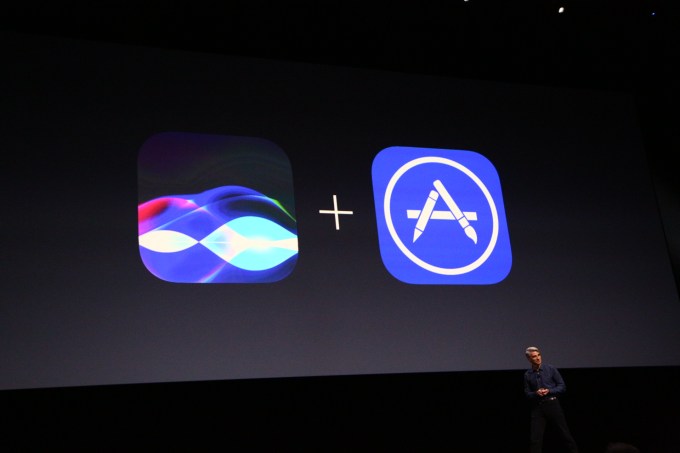 As widely expected, Apple is lavishing TLC on its voice assistant, Siri, at this year’s WWDC. The company has announced it will be letting developers bake Siri’s voice functionality into their apps — so users will be able to tap into third party services just by saying ‘Hey Siri…’. Read More

