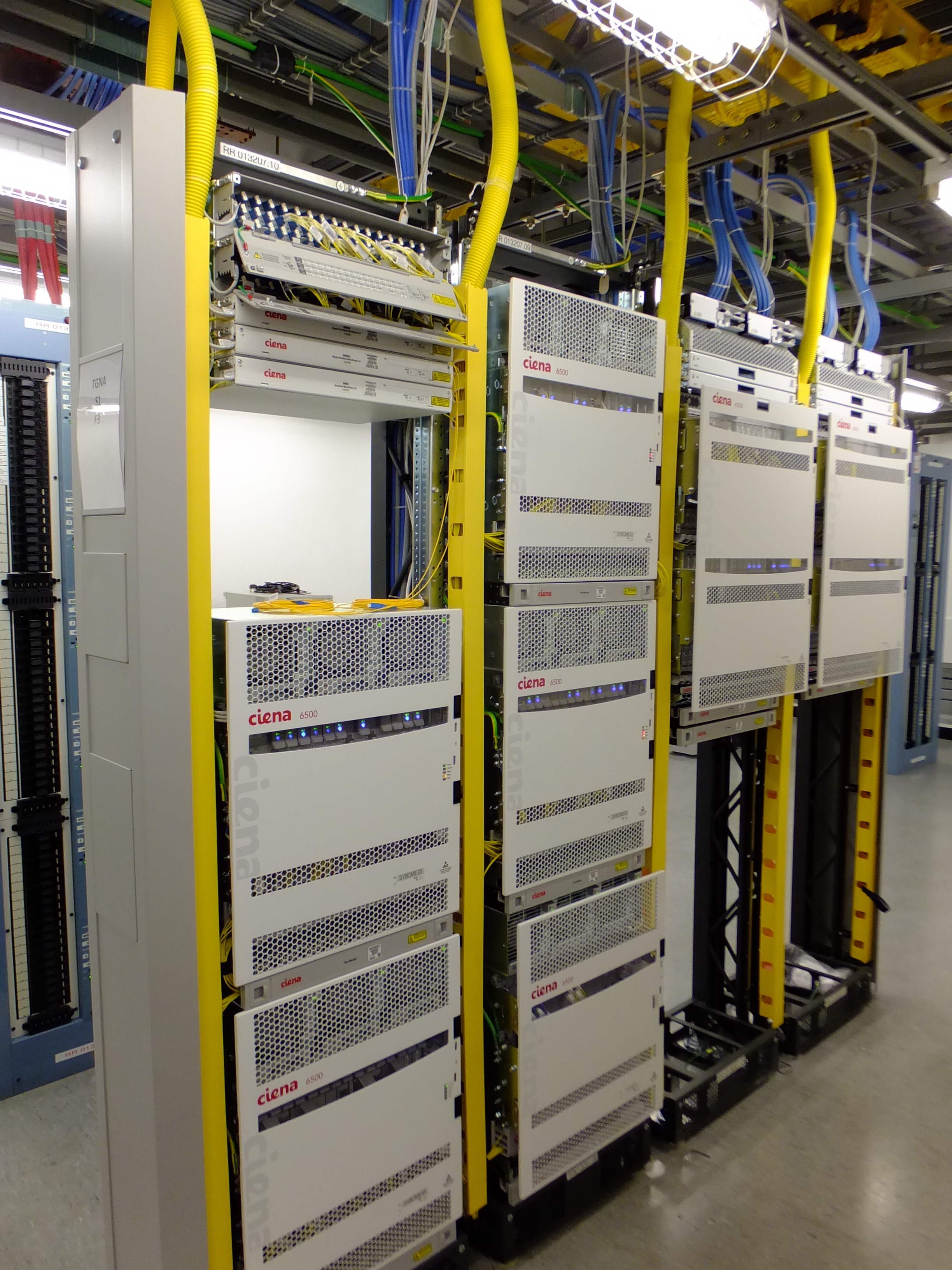
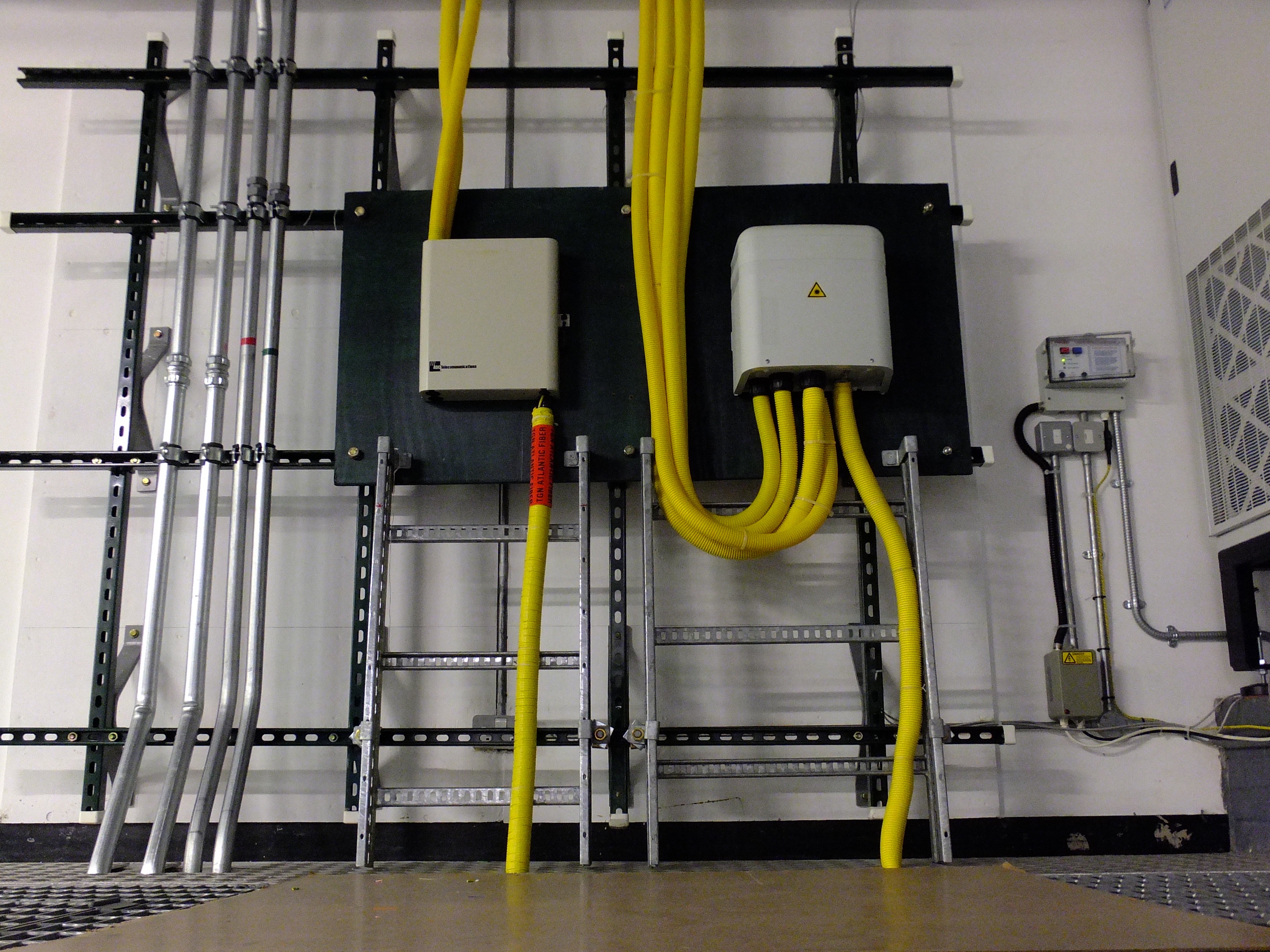
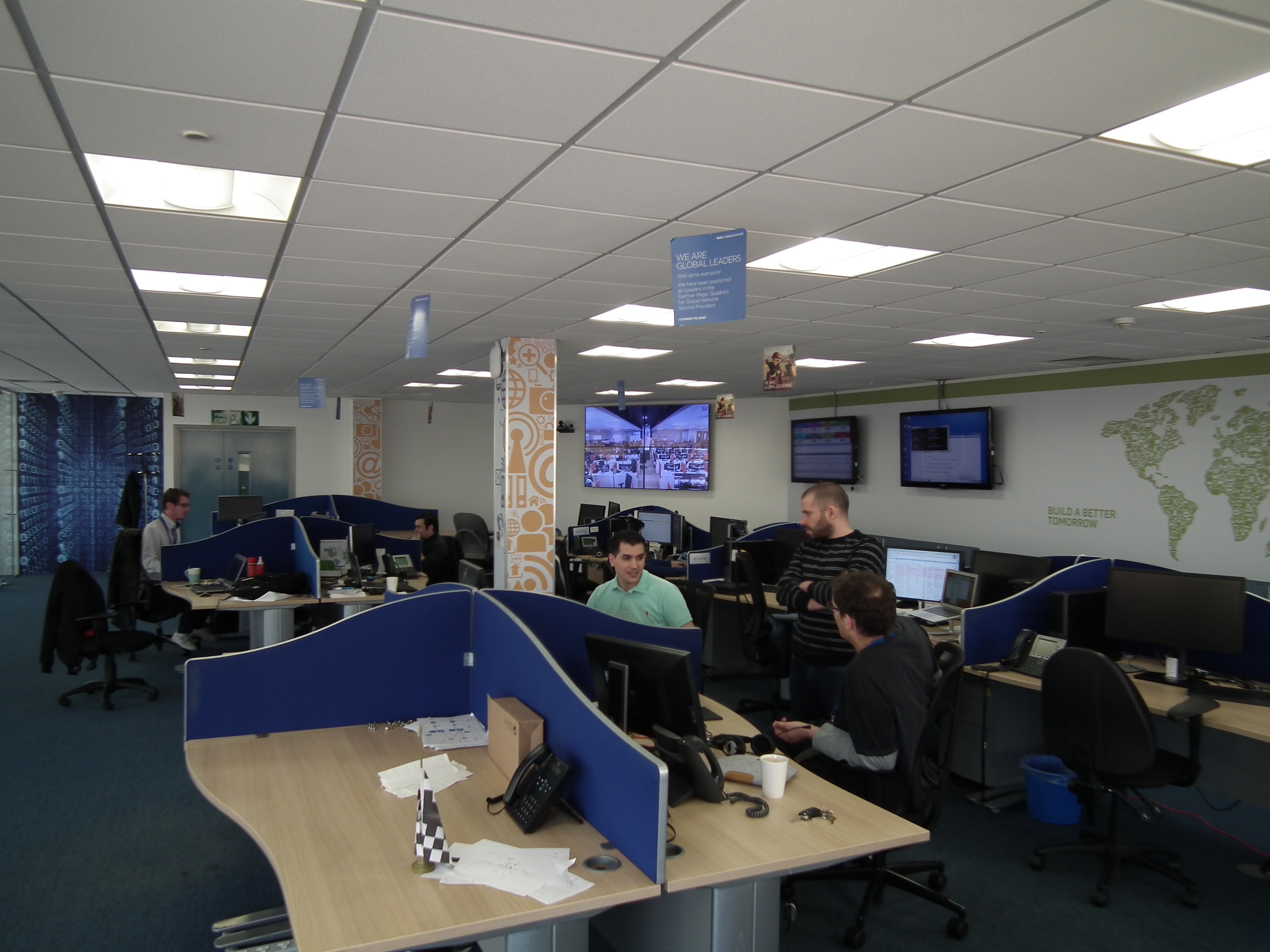
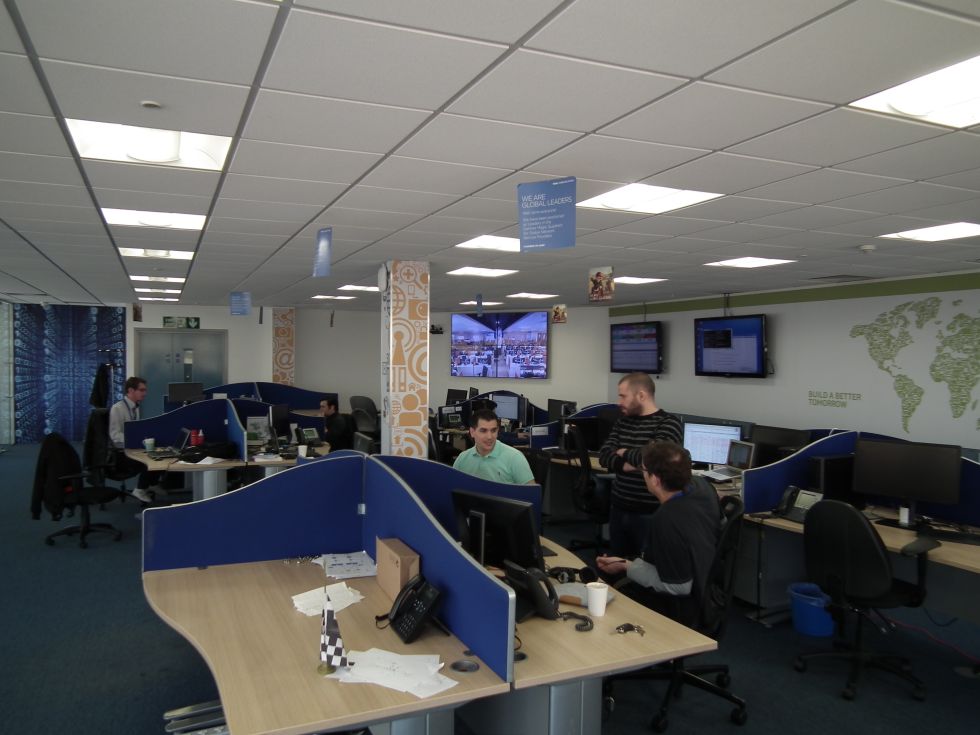
Proprietary, dedicated docking solutions have all but vanished in everything except business notebooks. But that hasn't stopped docking stations from making a big return among consumer laptops and tablets.
On répète souvent aux utilisateurs que
l'Internet est un lieu dangereux (ce n'est
pas faux) et qu'il faut utiliser des logiciels qui les protègent
magiquement : anti-virus,
logiciels de contrôle parental, etc. Mais
ce sont des logiciels, ils ont donc des bogues et ils ne sont pas
mieux écrits que la moyenne des logiciels. Leurs bogues peuvent
sérieusement affecter la sécurité de la machine. Morale : ajouter
du logiciel de sécurité n'améliore pas forcément la sécurité.
Pour ceux qui ne seraient pas convaincus de ces évidences, je
recommande très fortement la lecture de l'excellent article
« Killed
by Proxy: Analyzing Client-end TLS Interception
Software ». Les auteurs, Mohammad Mannan et
Xavier de Carné-Carnavalet, ont testé en labo un certain nombre de
logiciels qui font de l'« interception
TLS » et découvert que la plupart ouvraient
des boulevards à des attaquants. Qu'est-ce qu'un logiciel
d'interception TLS ? C'est un logiciel qui est un relais TLS,
entre le logiciel de l'utilisateur (typiquement un
navigateur Web) et le vrai
serveur. L'intercepteur se fait passer pour le vrai serveur auprès
du navigateur Web et pour le client auprès du vrai serveur. Pour
ne pas lever d'alerte de sécurité dans le navigateur, il présente
un certificat valable. Ce genre de logiciel
est donc un détournement délibéré du modèle de sécurité de TLS :
il casse la sécurité exprès. Il n'est donc pas étonnant qu'ils
ouvrent des failles graves.
Pour comprendre ces failles, un petit mot sur le fonctionnement
des ces logiciels : ils tournent sur la machine de l'utilisateur
(contrairement aux relais TLS que les grandes entreprises et les
administrations installent souvent près de l'accès Internet, pour
surveiller les malwares
et espionner les employés), ils détournent le trafic TLS (typiquement
HTTPS) et ils présentent un certificat valable
pour le nom de domaine demandé. Ce
certificat a pu être généré en usine ou bien à l'installation du
logiciel. Ce certificat est parfois protégé par une
phrase de passe. Pour que le certificat soit accepté, ils mettent leur
propre AC dans le magasin du système, avec
une période de validité allant jusqu'à 20 ans. (En
général, ils n'expliquent pas clairement à l'utilisateur ce qu'ils
font, ce qui augmente encore le danger.) Le logiciel
d'interception reçoit les connexions locales, venant du navigateur
Web, et se connecte lui-même aux vrais serveurs distants. Ces
logiciels sont presque toujours privateurs, aucun accès au
code source (bien que tous utilisent,
sans honte, un logiciel libre, OpenSSL), aucun moyen de les vérifier.
La totalité des logiciels testés par les
auteurs a au
moins une faille TLS. Inutile donc de chercher le « bon
antivirus » ou le « bon logiciel de contrôle parental ». Voici une
liste non limitative de ces failles :
Acceptation de certificats externes
(présentés par le vrai serveur) signés par
l'AC du logiciel d'interception. Un
pirate qui peut faire signer ces faux certificats peut donc
faire accepter n'importe quoi aux machines ayant installé ces
logiciels.
Comportements bizarres lors de l'expiration de la licence,
comme d'accepter soudainement tous les certificats externes,
sans les valider.
Non-suppression de leur AC du magasin lorsqu'on exécute le
programme de désinstallation du logiciel. On ne peut donc
jamais réellement faire marche arrière.
Clés privées sécurisant le certificat stockées sans
protection, ou avec une protection identique pour toutes les
installations du logiciel, permettant à un logiciel malveillant (sans
privilèges Administrateur) d'y accéder et
de faire donc ensuite accepter n'importe quel serveur TLS
mensonger.
Modification des erreurs TLS lorsque le certificat
externe (celui du vrai serveur) est
invalide. Par exemple, un certificat dont le nom (le sujet) ne
correspond pas devient un certificat signé par une AC inconnue,
ce qui sera le message affiché par le navigateur.
Bien pire, la plupart des logiciels acceptent presque tous les
certificats externes invalides, masquant toute erreur.
Sécurité cryptographique plus faible
qu'un vrai navigateur (par exemple, acceptation de certificats
qui utilisent MD5, vulnérabilité à
Poodle, etc).
Acceptation d'AC qui auraient dû être retirées depuis
longtemps, comme DigiNotar.
Pourquoi les sociétés qui écrivent ces logiciels feraient des
efforts pour la sécurité ? Leurs utilisateurs ne sont pas des
connaisseurs, des tas de gens auto-proclamés experts en sécurité
servent de vendeurs pour ces logiciels en répétant aux
utilisateurs « pensez à installer un anti-virus » et la
non-disponibilité du code source rend difficile toute analyse de
ces logiciels.
We have quite a few security features at our disposal to help us better protect our websites and our visitors. I talk about them a lot on my blog and a few of them, mainly security headers, get a lot of coverage. Is it possible to use these security features for bad things?
The idea
The idea of taking a feature intended for good and using it for something bad isn't mine and certainly isn't new. Given my interest in security headers I was particularly interested when HSTS Super Cookies became a thing. Just the other week a good friend of mine, Per Thorsheim, was attending DEF CON 24 and sent me some pictures of a talk that covered using HPKP for nasty purposes. That prompted me to go over some of these 'attacks' and explain what's going on and also a few thoughts I've had along the way.
HSTS Super Cookies
In short, an attacker could set HSTS on or off for an arbitrary number of subdomains for a domain they own. Then, if they embed requests to these subdomains in a page and observe whether or not your browsers makes the requests using HTTP or HTTPS they can effectively fingerprint your browser. The blog post linked above goes into more details if you want to dig into a bit more.
Sniffly
There was also another attack created by Yan Zhu called Sniffly that abused HSTS coupled with CSP. The attack could be used to effectively sniff your browser history when you visit a page controlled by an attacker. The page would try to load an image from a HSTS domain, like facebook.com, but the page would use CSP to restrict images to being loaded via HTTP only. The HTTP only restriction causes the HTTPS load to fail, resulting in onerror being called that then timed how long the redirect took. If it was a few milliseconds it was an internal HSTS request that didn't hit the network meaning the browser has been to facebook.com to get their HSTS policy. If the redirect took tens of milliseconds then it hit the network, meaning the browser hadn't been to facebook.com to pick up their HSTS policy. Rinse and repeat for x websites and you can build up a browser history.
HSTS causing issues without bad guys
I've talked about HSTS a lot and one of the common concerns is that anyone in an organisation that has the ability to set a HTTP response header can turn HSTS on. That could be any one of a number of roles including server admins and developers. This means that people can set the header who perhaps shouldn't, or, people set it without fully thinking it through and then even worse, HSTS Preloading the domain. It's gotten to be quite a thing and there's even a bug on the Chromium bug tracker to list removals and edits to the HSTS Preload list. A large amount of these are along the lines of "we turned it on and it broke some things we didn't expect" or "we were magically added to the list but it wasn't us".
uber.com: Issues with subdomains maintained by contractors.
etoprekrasno.ru: We had to switch to Wix hosting which doesn't support HTTPS on custom domains.
Remove subdomains from segurosocial.gov, socialsecurity.gov, and ssa.gov: The problem is that many of our intranet sites are not HTTPS, and we are seeing issues in our rollout.
attotech.net: The site operator believes that they never requested to be added.
lucameraga.it: tried HSTS on CloudFlare, changed their mind
These were accidental preloads actually initiated by those responsible for the site that broke things and had to have their domain removed from the preload list. Removal could potentially take months and there is no assurance that other browser vendors that scrape the list will even remove you at all. Preloading should be viewed as a one way street. Even without preloading, you can still set HSTS with a max-age of 1 year and cause some serious long term problems. I published a blog just a few days ago about sites with the preload token that didn't seem like they should be preloaded and it looked like they'd just copied and pasted a config from somewhere. The blog is suitably named Death by Copy/Paste.
How can the bad guys abuse this?
Stepping away from the more extravagant attacks like those listed above, HSTS is set on a per domain basis and has a flag that will cascade the policy down to all subdomains below it. Looking at some of the comments for removal from the preload list, breaking subdomains on a site is quite a real problem. All an attacker needs is to be able to inject a HTTP response header on one of your pages somewhere, anywhere, and they have an avenue to start causing problems. Take the following page:
If there was a bug on this page that gave me the ability to inject an arbitrary response header then I could set a HSTS policy for the facebook.com domain and all subdomains.
Anyone that now visits this page would receive this policy, cache it and apply it. Perhaps not the end of the world in itself but the more widespread this becomes and the more pages you could do this on, the more likely it is to start causing problems. You could even request the page from other sites, by loading it in an iframe or the src attribute of another tag, and the browser will still receive and cache the HSTS policy. Obviously you want to get as close to the bare domain as possible for the biggest impact but if you can inject a header on the homepage then you really can do some damage:
That little preload token on the end of the header means you now have the authority to submit the site to the Chromium preload list to be hard coded into the source of all mainstream browsers. This means even if the site fixes the header injection flaw, all browsers that saw the header will cache it for a year and the site owners now have a removal from the preload list to contend with. Getting into the preload list can take a little time, I'm tracking it in another blog, but if you can get the header there and it goes unnoticed, you can cause some real harm. I guess I don't need to mention what a disgruntled employee could do...
Using HPKP for evil
I didn't see the talk at DEF CON by Bryant Zadegan and Ryan Lester but I read the slide deck and caught up with Bryant on Skype. They had a pretty cool idea on how an attacker could abuse HPKP. In the scenario of your server being compromised you're already in a pretty bad place. An attacker has somehow found a way in and they can do whatever they want really. Once you get control back, their ability to affect you is gone. You can restore the site and continue as normal. By abusing HPKP the attacker can have a much more devastating impact. They can continue to cripple you long after they're gone.
HPKP Suicide
The term HPKP Suicide was coined early on in the creation of the HPKP standard for when a site sets some pins but then loses control of them. You're now pinned to these keys but you can't use them and you've effectively committed suicide for your site for the duration of max-age. This is also known as the HPKP Footgun. The talk at DEF CON was taking HPKP Suicide and pushing it that one step further.
RansomPKP
If an attacker gets access to your server and commits HPKP Suicide on your behalf, you're really screwed. This is HPKP Ransom, or RansomPKP (I got the term from the linked slide deck). Once the attacker is on your server they issue a HPKP header that ties you to their keys.
The lockout key can be generated on the server and the attacker can get that signed somewhere like Let's Encrypt, as they can answer challenges with control of the server, and the ransom key is generated offline somewhere to be handed over when terms are met presumably. The attacker then simply rotates the keys/certs as often as they like so when the host gets control back, they only have access to one of the pinned keys. The ransom key remains constant throughout so the attacker can sell that back as a single solution to the entire problem.
HPKP abuse with header injection
Similar to the above approach with HSTS you could also inject an arbitrary HPKP header but the effects are a little less disastrous. Without compromising the server as you would need to in the HPKP Ransom scenario, all you could do with header injection is pin against the sites current public key and a backup key of your creation. This doesn't really have any downside other than preventing the site from rotating their Leaf key until max-age has expired. How much of an impact that will have will depend on the site but it could still cause a pretty large amount of inconvenience and downtime.
For either of these approaches the only saving grace is that Chrome capped the HPKP max-age to 60 days (bug) regardless of what is set in the delivered policy so even if the attacker sets a higher value, Chrome will not respect it. According to the slide deck Firefox will also be following suit.
Conclusion
Introducing the above features has brought some potential problems for us but their introduction has definitely brought about huge improvements to our security. HSTS Super Cookies and Sniffly both required the user to visit a page under the control of the attacker, or at least make requests to them, and the HSTS/HPKP issues required a vulnerability like HTTP Header Injection or compromise of the host. None of them can be picked up on their own and used for bad things. Looking at the benefits of CSP like XSS and mixed-content mitigation, enforcing HTTPS with HSTS and reducing the risk of rogue certificate issuance with HPKP, we're definitely better off with these things than we are without them.
George Carlin has a famous routine on seven dirty words you can’t say. I think he missed one. There’s an eighth dirty word — “just”.
Raise your hand if the following tale is familiar.
You’re in the office talking to a co-worker. You’re trying to solve a really hard problem. You both know the system inside and out. An hour later another co-worker overhears part of the conversation. After a full half-second of consideration they interrupt and say “Can you just…”.
No
The answer is no. No you cannot just.
Why not? Because of a complicated edge case.
But could you just? No. That conflicts with requirements you don’t know about.
What if you just? No. We had that idea three hours ago.
Insulting
The answer is almost always no. No you cannot just.
Furthermore, asking “can you just” is insulting. It’s not intended to be an insult. It’s not meant to be condescending. But it is.
Your co-workers are smart. If they’re spending a lot of time thinking about a problem then it’s a hard problem. One with complexity and nuance. When your first reaction is to interrupt with “can you just” you’re implicitly calling your co-workers stupid. Because if they weren’t stupid then they’d have figured out the solution in under a second like you did.
Respect
The fix here is simple — respect. Assume your co-workers are smart and capable. Treat them that way.
We live in a collaborative world. Ideas should be shared. Please do offer suggestions! But when dealing with a different project or a domain outside your area of expertise show a little extra humility. Everyone will be happier when the answer is inevitably no.
Instead of a loud, proud “can you just” consider a deferential tone. Acknowledge you don’t know the constraints and need to catch up. After a few questions you may be able to contribute. Or the act of explaining may result in a revelation. Rubber duck debugging is real.
Just Jar
Some offices have a Swear Jar. Every time someone swears they put a dollar in the jar.
At my company we have a Just Jar. When someone says “just” they owe a dollar. This jar is placed in the middle of the table during engineering meetings.
I can’t possibly recommend this enough. Having a Just Jar is delightful and legitimately useful.
It’s easy to shout the first thing that comes to mind. Meetings can spiral into multiple people talking over each other with “can you just”, “what if you just”, “then just”.
The Just Jar forces you to pause. The answer isn’t just. Pausing gives you time to think before you speak. Which is often enough time to realize why it won’t work.
The Just Jar is also darned good fun! Sometimes you know you’ll owe a dollar but you say it anyways. I’ve been known to pull out a dollar with a shameful, sly grin before I start to talk. Everyone has a good laugh.
Yes
The answer to “can you just” is no. No you cannot just.
Well, it’s probably no. On rare occasion it’s yes! Different perspectives are of enormous benefit. Especially when someone is stuck with tunnel vision.
Because it’s sometimes yes it’s important that people aren’t afraid to speak up. Ideas need to be shared. The Just Jar must not cause fear.
Conclusion
Your co-workers are smart and capable. The answer to “can you just” is almost always no.
Interrupting conversations to say “can you just” is rude and insulting. Don’t do that.
Pause for a moment when you find yourself wanting to say “just”. Consider why the answer is no. If you aren’t sure then ask. Show respect and you’ll receive respect.
Start a Just Jar. People will think before they speak. Plus it’s a lot of fun.
Bonus Rules
Over time our Just Jar evolved a few bonus rules during engineer meetings.
I’ve also heard of designers who have a Swear Jar for saying “Well in Dark Souls…”
The Eighth Dirty Word — “Just” was originally published in Dev Curious on Medium, where people are continuing the conversation by highlighting and responding to this story.
Le chant des sirènes de la bonne conscience est hypnotique, et rares sont ceux qui n’ont jamais cédé à la tentation de signer des pétitions en ligne… Surtout quand il s’agit de ces « bonnes causes » qui font appel à nos réactions citoyennes et humanistes, à nos convictions les mieux ancrées ou bien sûr à notre indignation, notre compassion… Bref, dès qu’il nous semble possible d’avoir une action sur le monde avec un simple clic, nous signons des pétitions. Il ne nous semble pas trop grave de fournir notre adresse mail pour vérifier la validité de notre « signature ». Mais c’est alors que des plateformes comme Change.org font de notre profil leur profit…
Voilà ce que dénonce, chiffres à l’appui, la journaliste de l’Espresso Stefania Maurizi. Active entre autres dans la publication en Italie des documents de Wikileaks et de Snowden, elle met ici en lumière ce qui est d’habitude laissé en coulisses : comment Change.org monétise nos données les plus sensibles.
Dans le cadre de notre campagne Dégooglisons, nous sommes sensibles à ce dévoilement, c’est un argument de plus pour vous proposer prochainement un Framapétitions, un outil de création de pétitions libre et open source, respectueux de vos données personnelles…
Voilà comment Change.org vend nos adresses électroniques
L’Espresso a obtenu les tarifs de l’entreprise (de 1,50 euro à 85 centimes) et a contacté certains clients. Entre les réponses embarrassées et les reconnaissances du bout des lèvres, nous avons étudié l’activité de l’« Amazon des pétitions en ligne ». Elle manipule des données extrêmement sensibles telles que les opinions politiques et fait l’objet en Allemagne d’une enquête sur le respect de la vie privée.
On l’a appelée le « Google de la politique moderne ». Change.org, la plateforme populaire pour lancer des pétitions sur les questions politiques et sociales, est un géant qui compte cent cinquante millions d’utilisateurs à travers le monde et ce nombre augmente d’un million chaque semaine : un événement comme le Brexit a déclenché à lui seul 400 pétitions. En Italie, où elle a débarqué il y a quatre ans, Change.org a atteint cinq millions d’utilisateurs. Depuis la pétition lancée par Ilaria Cucchi pour demander l’approbation d’une loi sur la torture, qui a jusqu’à présent recueilli plus de 232 000 signatures, jusqu’à celle sur le référendum constitutionnel, que celui qui n’a jamais apposé une signature sur Change.org dans l’espoir de faire pression sur telle ou telle institution pour changer les choses lève la main. Au 21e siècle, la participation démocratique va inévitablement vers les plateformes en ligne. Et en effet on ne manque pas d’exemples dans lesquels ces pétitions ont vraiment déclenché des changements.
Il suffit de quelques clics : tout le monde peut lancer une pétition et tout le monde peut la signer. Mais il y a un problème : combien de personnes se rendent-elles compte que les données personnelles qu’elles confient à la plateforme en signant les soi-disant « pétitions sponsorisées » — celles qui sont lancées par les utilisateurs qui paient pour les promouvoir (https://www.change.org/advertise) — seront en fait vendues et utilisées pour les profiler ? La question est cruciale, car ce sont des données très sensibles, vu qu’elles concernent des opinions politiques et sociales.
L’Espresso est en mesure de révéler les tarifs que Change.org applique à ceux qui lancent des pétitions sponsorisées : des ONG aux partis politiques qui payent pour obtenir les adresses électroniques des signataires. Les prix vont de un 1,5 € par adresse électronique, si le client en achète moins de dix mille, jusqu’à 85 centimes pour un nombre supérieur à cinq cent mille. Notre journal a aussi demandé à certaines des ONG clientes de Change.org s’il est vrai qu’elles acquièrent les adresses électroniques des signataires. Certaines ont répondu de façon trop évasive pour ne pas susciter d’interrogations. D’autres, comme Oxfam, ont été honnêtes et l’ont confirmé.
Pour Change.org, voici combien vaut votre adresse électronique
Beaucoup croient que Change.org est une association sans but lucratif, animée d’idéaux progressistes. En réalité, c’est une véritable entreprise, Change.org Inc, créée dans le Delaware, un paradis fiscal américain, dont le quartier général est à San Francisco, au cœur de cette Silicon Valley où les données ont remplacé le pétrole. Et c’est vrai qu’elle permet à n’importe qui de lancer gratuitement des pétitions et remplit une fonction sociale : permettre jusqu’au dernier sans domicile fixe de s’exprimer. Mais elle réalise des profits avec les pétitions sponsorisées, là où le client paie pour réussir à contacter ceux qui seront probablement les plus enclins à signer et à donner de l’argent dans les campagnes de récolte de fonds. Comment fait Change.org pour le savoir ? Chaque fois que nous souscrivons à un appel, elle accumule des informations sur nous et nous profile. Et comme l’a expliqué clairement la revue américaine Wired : « si vous avez signé une pétition sur les droits des animaux, l’entreprise sait que vous avez une probabilité 2,29 fois supérieure d’en signer une sur la justice. Et si vous avez signé une pétition sur la justice, vous avez une probabilité 6,3 fois supérieure d’en signer une sur la justice économique, 4,4 d’en signer une sur les droits des immigrés et 4 fois d’en signer une autre encore sur l’éducation. »
Celui qui souscrit à une pétition devrait d’abord lire soigneusement les règles relatives à la vie privée, mais combien le font et combien comprennent réellement que, lorsqu’ils signent une pétition sponsorisée, il suffit qu’ils laissent cochée la mention « Tenez-moi informé de cette pétition » pour que leur adresse électronique soit vendue par Change.org à ses clients qui ont payé pour cela ? Ce n’est pas seulement les tarifs obtenus par L’Espresso qui nous confirment la vente des adresses électroniques, c’est aussi Oxfam, une des rares ONG qui a répondu de façon complètement transparente à nos questions : « c’est seulement au moment où les signataires indiquent qu’ils soutiennent Oxfam qu’il nous est demandé de payer Change.org pour leurs adresses », nous explique l’organisation.
Nous avons demandé ce que signifiait exactement « les signataires ont indiqué vouloir soutenir Oxfam », l’ONG nous a répondu en montrant la case cochée par le signataire, par laquelle il demande à rester informé de la pétition. Interpellée par L’Espresso, l’entreprise Change.org n’a pas démenti les tarifs. De plus elle a confirmé qu’ « ils varient selon le client en fonction du volume de ses achats » ; comme l’a expliqué John Coventry, responsable des Relations publiques de Change.org, une fois que le signataire a choisi de cocher la case, ou l’a laissée cochée, son adresse électronique est transmise à l’organisation qui a lancé la pétition sponsorisée. Coventry est convaincu que la plupart des personnes qui choisissent cette option se rendent compte qu’elles recevront des messages de l’organisation. En d’autres termes, les signataires donnent leur consentement.
Capture d’écran sur le site Change.org
Depuis longtemps, Thilo Weichert, ex-commissaire pour la protection des données du Land allemand de Schleswig-Holstein, accuse l’entreprise de violation de la loi allemande en matière de confidentialité. Weichert explique à l’Espresso que la transparence de Change.org laisse beaucoup à désirer : « ils ne fournissent aucune information fiable sur la façon dont ils traitent les données ». Et quand nous lui faisons observer que ceux qui ont signé ces pétitions ont accepté la politique de confidentialité et ont donc donné leur consentement en toute conscience, Thilo répond que la question du consentement ne résout pas le problème, parce que si une pratique viole la loi allemande sur la protection des données, l’entreprise ne peut pas arguer du consentement des utilisateurs. En d’autres termes, il n’existe pas de consentement éclairé qui rende légal le fait d’enfreindre la loi.
Suite aux accusations de Thilo Weichert, la Commission pour la protection des données de Berlin a ouvert sur Change.org une enquête qui est toujours en cours, comme nous l’a confirmé la porte-parole de la Commission, Anja-Maria Gardain. Et en avril, l’organisation « Digitalcourage », qui en Allemagne organise le « Big Brother Award » a justement décerné ce prix négatif à Change.org. « Elle vise à devenir ce qu’est Amazon pour les livres, elle veut être la plus grande plateforme pour toutes les campagnes politiques » nous dit Tangens Rena de Digitalcourage. Elle explique comment l’entreprise s’est montrée réfractaire aux remarques de spécialistes comme Weichert : par exemple en novembre dernier, celui-ci a fait observer à Change.org que le Safe Harbour auquel se réfère l’entreprise pour sa politique de confidentialité n’est plus en vigueur, puisqu’il a été déclaré invalide par la Cour européenne de justice suite aux révélations d’Edward Snowden. Selon Tangens, « une entreprise comme Change.org aurait dû être en mesure de procéder à une modification pour ce genre de choses. »
L’experte de DigitalCourage ajoute qu’il existe en Allemagne des plateformes autres que Change.org, du type Campact.de : « elles ne sont pas parfaites » précise-t-elle, « et nous les avons également critiquées, mais au moins elles se sont montrées ouvertes au dialogue et à la possibilité d’opérer des modifications ». Bien sûr, pour les concurrents de Change.org, il n’est pas facile de rivaliser avec un géant d’une telle envergure et le défi est presque impossible à relever pour ceux qui choisissent de ne pas vendre les données des utilisateurs. Comment peuvent-ils rester sur le marché s’ils ne monétisent pas la seule denrée dont ils disposent : les données ?
Pour Rena Tagens l’ambition de l’entreprise Change.org, qui est de devenir l’Amazon de la pétition politique et sociale, l’a incitée à s’éloigner de ses tendances progressistes initiales et à accepter des clients et des utilisateurs dont les initiatives sont douteuses. On trouve aussi sur la plateforme des pétitions qui demandent d’autoriser le port d’armes à la Convention républicaine du 18 juillet, aux USA. Et certains l’accusent de faire de l’astroturfing, une pratique qui consiste à lancer une initiative politique en dissimulant qui est derrière, de façon à faire croire qu’elle vient de la base. Avec l’Espresso, Weichert et Tangens soulignent tous les deux que « le problème est que les données qui sont récoltées sont vraiment des données sensibles et que Change.org est située aux Etats-Unis », si bien que les données sont soumises à la surveillance des agences gouvernementales américaines, de la NSA à la CIA, comme l’ont confirmé les fichiers révélés par Snowden.
Mais Rena Tangens et Thilo Weichert, bien que tous deux critiques envers les pratiques de Change.org, soulignent qu’il est important de ne pas jeter le bébé avec l’eau du bain, car ils ne visent pas à détruire l’existence de ces plateformes : « Je crois qu’il est important qu’elles existent pour la participation démocratique, dit Thilo Weichert, mais elles doivent protéger les données ».
Mise à jour du 22 juillet : la traduction de cet article a entraîné une réaction officielle de Change.org France sur leur page Facebook, suite auquel nous leur avons bien évidemment proposé de venir s’exprimer en commentaire sur le blog. Ils ont (sympathiquement) accepté. Nous vous encourageons donc à prendre connaissance de leur réponse, ainsi que les commentaires qui le suivent, afin de poursuivre le débat.
Dropping a malicious USB key in a parking lot is an effective attack vector, as demonstrated by our recent large-scale study. This blog post follows up on the study by showing how reliable and realistic-looking malicious USB keys can be created.
After discussing the pros and cons of the three types of malicious USB keys, this post will walk you through how to create a spoofed HID keys like the one I demoed at the Blackhat conference during my talk on USB drop attacks (slides here and code here). Before getting started, here is a demo of the key in action, to give you a sense of what the end result looks like:
Disclaimer: USB attacks should be carried out only against systems that you own or have permission to attack. This post, as my other blog posts, are only for educational purposes and not an invitation to hack systems that don't belong to you.
Understanding malicious USB attack vectors
There are three classes of malicious USB keys, each with their own set of advantages and disadvantages. Therefore, the first question to answer is which type of attack will best meet our needs. In our case, we want to create the best key possible for a drop attack for a reasonable budget.
Let’s briefly discuss the various types of attack as well as their strengths and weaknesses, so that it is clear why HID spoofing keys are the way to go for our use case.
The three types of attack
The three types of attack carried out via USB keys, depicted in the illustration above, are:
Social engineering: This uses a typical USB key that contains HTML files. It phishes the user for their login and password once the user clicks on the files.
HID (Human Interface Device) spoofing: HID spoofing keys use specialized hardware to fool a computer into believing that the USB key is a keyboard. This fake keyboard injects keystrokes as soon as the device is plugged into the computer. The keystrokes are a set of commands that compromise the victim’s computer.
As we will see later in the post (spoiler alert!), with a bit of work and ingenuity, we will create a HID device that spawns a reverse TCP shell that will give us full remote control over the victim’s computer.
0-day: Those rumored keys are likely to use custom hardware that exploits a vulnerability in a USB driver to get direct control of a computer as soon as it is plugged in. AFAIK, none of those have been publicly discussed.
The strengths and weaknesses
Attack vector
Complexity & Cost
Reliabilty
Stealth
Cross-OS
Social Engineering
★
★
★
★★★
HID Spoofing
★★
★★★
★★
★★
0-day
★★★★
★★★★
★★★★
★
To assess which type of attack is best suited for a drop attack, we evaluated the strengths and weaknesses in the four areas reported in the table above. Here is a brief discussion of the trade-offs.
Complexity and Cost: The first aspect to consider is how difficult and costly it is to create each type of key. Social engineering keys are the easiest to create as they use simple HTML files. HID-based keys are moderately difficult to create as off-the-shelf hardware must be programmed and their appearance customized. The elusive 0-day-based keys are likely much harder to make as they require finding a 0-day vulnerability, implementing the low-level code to exploit it, and creating a realistic-looking key to deliver it.
Reliability: The second aspect to take into account is how reliable the attack will be. The social engineering approach is the least reliable attack because it requires the user not only to plug the key in but also to click on a file and then fill in the phishing form. A HID key can be made to be very reliable as it will trigger the attack as soon as the key is plugged in. However, they require a lot of testing to get the times between commands correct. 0-day keys are likely to be very reliable for a specific OS version.
Stealth: The third aspect to consider is how stealthy the attack is and how much suspicion it will trigger. Social engineering attacks are very obvious, as you have files with HTML extensions. This might be a good thing if you are doing a study like we did.
A HID-based attack has to spawn a terminal and very quickly inject a set of commands that is very visible but only for a short period of time. Once the attack has been carried out, there is nothing left to see, so this type of attack is less obvious than the social engineering one.
Finally, a 0-day-based attack will be completely invisible, as it is at the driver level. Like a HID attack, the victim may be a little suspicious because the key will appear as if it is not working but this can be fixed by faking storage.
Cross-platform: The last thing to consider is how portable the attack is. If it is a targeted attack, the OS and even the specific version might be known. However, for a pen test or a broad spectrum attack, it is likely that the targets will be a diverse pool of Windows, OS X and even Linux computers.
A social engineering attack is by nature cross-platform, as HTML files are understood by every OS. A HID-based attack can be made cross-platform, but this requires quite a bit of work as discussed later. A 0-day attack is obviously not portable, as it exploits a bug that is only present in a specific version of a specific OS. Making such attacks portable basically requires using multiple 0 days (or at least different exploit code) that would cover all the possible OSes and versions targeted. This multi-exploit strategy is what Flamme did by embedding multiple exploits to target various Windows versions.
Why HID spoofing is the way to go
Overall, it is clear that HID spoofing keys offer the best trade-off between reliability, cost and complexity for a drop attack. This is why for Blackhat I focussed on creating the most reliable and realistic HID device possible.
Challenges in making a HID-based attack practical
Let me start by saying that creating a malicious HID USB key is hardly new! Adrian Crenshaw did the first demo at Defcon 18 in 2010. However, so far HID devices have mostly been designed to be operated by the attacker or pen tester, and they have not been designed for being dropped in the street and operated by potential victims. This change of purpose forced me to innovate and solve the following challenges.
Be cross-platform: During a drop attack, we have no control on which computer the device will be plugged into, so we need a device that can work on as many OSes as possible. The key difficulty is that keyboards and other HID devices are not designed to be OS aware, so I had to get creative to fingerprint which OS the victim’s computer was running.
Create a binary-less persistent reverse shell: The time between the drop and the device being plugged in is unpredictable but usually short. Therefore, we need to create a persistent way to access the compromised computer at the time of our choosing. Similarly, the payload needs to account for the fact that the victim’s computer might not be connected to the Internet when the key is plugged in. This forces us to not rely on downloading anything and ensuring our payload retries to connect periodically. Finally, we don’t know what AV or firewall the computer is running, which makes relying on a scripting language to establish the outbound connection our best option to avoid detection. On top of all of this, the payload length needs to be small, as keyboard throughput is capped to 62.5 keys per second on some OSes.
Creating a realistic key: The most fun challenge was to figure out a good way to camouflage our HID device as a realistic USB key. As visible in the photo above, previous work used devices that are far from looking like a realistic key. Therefore, I had to come up with a brand new method to conceal the hardware in a realistic fashion. Note that there is one realistic device available on the market, the Rubber Ducky, but its scripting language is too limited for what we want to do (e.g. fingerprinting) and we can’t customize the appearance.222222222222
Hardware
For the hardware, after doing some research, I opted like most previous work to use a Teensy 3.2 as it offers off-the-shelf keyboard emulation and low-level programing. It is also cheap and Arduino compatible, which give us access to a nice development environment. Finally, the Teensy offers a lot of options for customization, which makes it a good candidate for building even more advanced attack keys (see the end of this post for what I have in mind). The alternative, as mentioned, was the Rubber Duck but its scripting language is too limited and it is not extensible enough for my taste.
Attack Overview
Compromising a computer using a HID device is done in three stages, as depicted in the diagram above. Those three phases are:
Testing if the HID device is loaded: The first stage involves ensuring that the key is recognized by the OS and that the USB driver is loaded. This is essential for reliability, as issuing commands before the driver is loaded will result in these commands being lost and never executed.
OS fingerprinting: What needs to be typed to compromise the computer depends on its OS. Since we don’t have any a priori knowledge of which type of computer the key is plugged into, we need to do OS fingerprinting to decide which commands to execute.
Reverse shell execution: The final stage involves injecting the keystrokes that will form the commands needed to spawn a background TCP reverse shell that will connect back to a server chosen by the attacker.
I have made the code that I created to execute this attack reliably on MacOS (OS X) and Windows available on GitHub. The README explains how to configure the code so the reverse shell connects back to your own C&C and how to upload it to your very own key. While you can use any TCP port you like to connect back, I suggest you stick to 80 or 443, as these are left open on most firewalls to let HTTP traffic through.
Fingerprinting
As alluded to earlier, one of the key limitations of earlier work is that it focused on a single OS at a time (here and here). To make a droppable HID device, I had to overcome this limitation because we have no idea which OS the victim’s computer is running. This is not trivial to overcome because keyboards and other HID devices were never designed to be OS aware and, therefore, there is nothing baked into the protocol that will help us determine which OS the device is plugged into.
bool fingerprint_windows(void) {
  int status1 = 0; //LED status before toggle
  int status2 = 0; //LED status after toggle
  unsigned short sk  = SCROLLLOCK;

  // Get status
  status1 = ((keyboard_leds & sk) == sk) ? 1 : 0;
  delay(DELAY);


  //Asking windows to set SCROLLLOCK
  win_open_execute();
  type_command("powershell -Command \"(New-Object -ComObject WScript.Shell).SendKeys('{SCROLLLOCK}')\"");
  delay(DELAY);

  // Get status
  status2 = ((keyboard_leds & sk) == sk) ? 1 : 0;
  is_done();

  if (status1 != status2) {
    return true;
  } else {
    return false;
  }
}
In the early days of this research, I stumbled upon a Blackhat presentation that looked at USB protocol differences for fingerprinting but it was at a very low level and I was unsure if it would work reliably across OSes. I was about to implement it anyway for lack of a better option when my friend Jean-Michel came up with an easier and more flexible way to test which OS is running. A keyboard receives a notification when a key that has a state, such as the num lock key, is toggled. His idea is that we can leverage this to work out which OS is running. This was achieved by trying to toggle the key with a scripting language available only on a given OS. I implemented this idea using PowerShell, which is available only on Windows, to test if the key was plugged into Windows. Experimentation suggested it is very reliable and causes minimal disruption when executed on OS X.
The flexibility of this technique opens the door to even finer fingerprinting, if needed. For example, it is easy to extend it to differentiate between Windows 10 and Windows 8 by getting the OS version in PowerShell and say toggling the caps key if it is Windows 8 and the num lock key if it is Windows 10. You can then test which key was toggled in the Teensy code to decide to deliver a Windows 8 or Windows 10 payload. Getting the OS version is easy by using the command: "[System.Environment]::OSVersion.Version" in PowerShell.
This extensibility, reliability and simplicity of the technique led me to stick with it and not pursue the lower level fingerprinting idea. That being said, using the USB protocol for fingerprinting might be useful for developing a cross-OS 0-day key.
Creating a Reverse Shell
The goal of the payload is to create a reverse TCP shell that connects back to a server chosen by the attacker. As discussed earlier, this is really all you need and because of its relative simplicity (it is just a TCP connection that binds a shell), it can be made super small and therefore super fast for the Teensy to “type”. The three steps to do this are illustrated in the diagram above.
Note: The reverse shellcode don’t use any form of encryption (e.g SSL) on purpose, as this work is for education and testing purposes only. The lack of encryption makes the attack easy to detect and monitor from network traffic, which is the intended behavior.
On OS X and Linux, it turns out that creating a reverse shell requires even less work than I envisioned. I was about to write it in Python, when I stumbled upon the reverse shell cheat sheet by pentestmonkey, who has created a one-line reverse shell in Bash. As visible in the code above, it works by exploiting the little known fact that Bash can create a TCP connection (I didn’t know about it!). I extended their one-liner such that the Bash reverse shell is spawned as a background process to make it invisible and by relaunching it if needed to make it persistent. With those modifications, we end up with a 100-character memory-persistent reverse shell on OS X and Linux. That’s tiny!
Windows requires more work as there is no Bash magic! You have to write your own reverse shellcode. Inspired by the work of Ben Turner and Dave Hardy on powerfun, I created with Jean Michel the most compact reverse shell possible as visible above. This PowerShell code is then compressed and base64 encoded so it can be injected via the Teensy.
Our compacted PowerShell code is used in the outer payload, shown above. This outer payload decompress the reverse shell, injects it into memory and executes it in a background process using PowerShell again. Thanks to the compression, we end up with 1604 characters reverse shell on Windows. It is not as tiny as that for OS X but certainly small enough to be injected in the blink of an eye by the Teensy.
Creating a realistic-looking key
The last and probably most fun challenge was how to conceal the Teensy into a realistic-looking key. You can’t really expect people to plug a weird electronic board into their computer! After a bunch of experiments, it seems that the easiest way to camouflage the Teensy is to create a realistic outer shell made of resin that is molded out of a real USB. Here is how to do it.
Adding a USB type A connector
The first step is to add a type A connector to the Teensy. Using an off-the-shelf adapter is not going to cut it because it is both too bulky and too long, as visible in the screenshot above. The correct solution is simply to solder the connector directly onto the back of the Teensy. As visible in the photo below, with the type A connector directly soldered onto the Teensy, we are getting closer to a real key!
Note: You don’t need to remove the built-in micro-USB. Just be careful to solder the connector in the right direction. You really don’t want to invert the VUSB and the ground. Also don’t use wires: the Data+ and Data- need to be exactly the right length and that is tricky with wires.
Creating a mold from a real USB key
The second step is to create a silicon mold of a real USB key. Any key will do as long as it is big enough to hold the Teensy. The one I used works but is a little narrow so I had to be super careful when casting the resin around the Teensy so as not to make it apparent. Be careful and don’t use a key that has a silicon shell (it will have a rubberized feel). Molding silicone onto silicone adds unnecessary complexity.
The first step in creating the mold, as visible in the photos above, is to mix the silicon so you have a nice purple goo. I bought the silicon needed for the mold, the resin and the dye from Hobby Silicone. I used the Silicone Firm/Resin Starter Kit. This worked well for me, but I am sure other brands will work too.
The next step, illustrated above, is to attach the key to a wooden bar with a clamp and hang it in a plastic cup. This ensures the key stays in place while the mold solidifies.
The last step is to pour the silicon into the glass and let it set for 24 hours. The tricky part is that you have to remove the air from the silicon, as otherwise you end up with bubbles in the mold and they will mess up the appearance of your key. You have two options for removing the air: vacuuming the silicon before pouring it or pouring the silicon in a thin stream from high up. I used the second option and it worked almost perfectly. I only ended up with a few bubbles that affected the appearance of the bottom of the key.
Casting the resin shell
All that is left to do is to cast the resin shell around the Teensy to camouflage it. A word of caution: be extra careful when manipulating resin and never let it touch your skin as it will “burn” you. Wear gloves and a lab coat to protect yourself.
As with the silicon, the resin needs to be mixed but you want to mix only what you need for one key at a time because as soon as you start to mix it, it will start to solidify. The best option we found was to use three 10cc syringes: one for each polymer and one for the color. After some trial and error, it seems than 8cc of each polymer and 2cc of color works well per casting.
Casting the shell is straightforward:
First you mix the three components.
Load the mixed resin into a fourth syringe.
Inject the resin into the silicon mold until it is almost full.
Insert the Teensy into the mold and let it set for about 30 min.
If done properly, the resin will overflow. Don’t worry, as it is very easy to remove the excess resin with a knife as visible in the photo above.
A few gotchas: Be patient. If you remove the key too quickly, the appearance will be suboptimal and it will break as visible in the photo above. Also, as visible in the photo, white resin won’t give you an optimal look and won’t hide the Teensy enough (at least in the case of my narrow key). This is why I strongly suggest you add a dye. The black color we used for the resin works fine but I am sure other colors would work as well.
Another gotcha is to not use a lubricant. You don’t need it. The mold is very flexible and a lubricant will mess up the key’s appearance, as visible in the photo above.
If everything goes according to plan, you should end up with a nice looking key that is very close to the one used for the mold, as visible in the photo above. The only telltale sign that it is not the real deal is that the USB connector is not perfectly in the middle because it is not centered on the Teensy in the first place. Otherwise the key feels very sturdy and nice in hand, and it is very hard to tell it is fake.
Future
There is still a lot of room for improving HID keys. An important aim is to add a GSM/Wifi module and fake storage to allow for remote exfiltration and air-gap breaching. Creating a realistic-looking key does require setting up an industrial process. So, to create keys at a reasonable price, I am considering using crowdsource funding, if there is enough interest. If you are interested in having one (or more!) of those keys, let me know in this form.
Thanks for reading this post to the end! If you enjoyed it, don’t forget to share it on your favorite social network so your friends and colleagues can too.
Magie quantique : un photon pourrait-il se couper en deux ? - 2 Photos
Niels Bohr a introduit la quantification des niveaux d’énergie des atomes en 1913. Ces niveaux forment des suites discrètes où les électrons peuvent se trouver dans un état stationnaire. Pour eux, toute transition, tout saut quantique entre deux niveaux, ne peut donc se faire qu’en absorbant ou en libérant l'énergie séparant les deux niveaux. La quantification de l’énergie des atomes fut ensuite rapidement étendue aux molécules. En 1917, Albert Einstein combina les travaux de Bohr et les siens sur les quanta de lumière pour parvenir à plusieurs conclusions. Tout d’abord que ces grains d’énergie possédent une quantité de mouvement et qu’ils se comportent donc bien, à plusieurs égards, comme des particules. Surtout, il existe des processus d’émission et d’absorption de la lumière gouvernés par des lois de probabilités. De cette manière, Einstein pouvait déduire la loi du rayonnement du corps noir de Planck à partir de la théorie atomique de Bohr et il posait au passage les fondements de l’effet laser.
Appelés photons en 1926 par le physicien et chimiste Gilbert Lewis, les quanta d’énergie d’Einstein sont indivisibles et leur énergie E est donnée par le produit de la fameuse constante de Planck h par la fréquence de la lumière ν. Lorsqu’ils ont la bonne fréquence, ils permettent à des électrons de sauter entre les niveaux d’énergie discrets des atomes et des molécules.
En 1931, dans sa thèse, la physicienne Maria Goeppert Mayer fit pour la première fois la prédiction d’un phénomène qui n’avait jamais été observé. Des molécules doivent pouvoir absorber simultanément deux photons, pas nécessairement de la même fréquence, quand la somme de leurs énergies est égale à la différence entre deux niveaux d’énergie de la molécule. Il s’agissait d’un processus d’optique quantique fin non linéaire, faible quand la lumière est peu intense, et inversement. Il a fallu attendre les années 1950, et surtout 1960 avec la création des premiers lasers, pour montrer que la prix Nobel avait raison.
De l'optique quantique et avec des processus multi-photoniques
Par la suite, l’étude des processus dit multiphotoniques à plus de deux photons et avec aussi des émissions, et pas seulement des absorptions, va se développer, notamment en spectroscopie et microscopie de fluorescence à deux photons en biologie. L’émission à deux photons est de plus un procédé important pour générer des photons intriqués dans le domaine de l’information quantique. Un groupe de physiciens vient en quelque sorte de prendre le contrepied de l’idée de processus multi-photonique, comme ils l’expliquent dans un article déposé sur arXiv.
Au lieu de faire intervenir un atome et plusieurs photons en interaction, que se passerait-il avec un seul photon et deux atomes ? Pourrait-il être absorbé par les deux atomes en même temps ?
L’idée semble de prime abord contre-intuitive mais bien dans l’esprit du monde quantique. La superposition des états y autorise que, quelquefois, une particule semble se trouver dans deux endroits à la fois. Elle n'est pas si magique, en fait. Les transitions atomiques dans les deux atomes, par exemple lorsqu’un électron saute de son état de plus basse énergie à un état plus élevé, peuvent en effet être telles que la somme des énergies de transition soit égale à celle du photon. C’est donc un peu comme si malgré tout un photon pouvait, dans certaines situations, se diviser.
L’expérience n’a pas encore été réalisée mais les calculs des chercheurs, sauf erreur, ne laissent pas de doute sur son résultat. Une réalisation possible, celle analysée, consisterait à disposer de deux atomes dans une cavité du genre de celle utilisée pour les expériences d’électrodynamique quantique. Cette cavité QED, comme l’appellent les physiciens, a des parois réfléchissantes de sorte que s'y maintienent des ondes électromagnétiques stationnaires, avec des modes de longueurs d’onde, et donc de fréquences, connus. Selon les calculs, quand la fréquence de ces modes est double de celle d’un photon et que celle-ci est elle-même le double de celle d'une même transition atomique dans deux atomes identiques, alors ces deux atomes peuvent effectivement absorber simultanément un seul photon. Le processus inverse, l’émission, est aussi possible ainsi, avec trois atomes ou plus pourvu que le rapport entre la fréquence d’un des modes de la cavité et celle du photon soit un entier. Il serait donc de trois avec trois atomes.
Une intrication quantique provoquée par le vide quantique
L’analyse de ce nouveau processus fait intervenir les fluctuations électromagnétiques du vide quantique. Il émergerait de ces fluctuations un photon dit virtuel, car jamais directement observable et n’existant qu’une fraction de seconde. Il provoquerait l’intrication d’un photon réel avec les deux atomes. Mais ce n’est pas tout, l’état quantique obtenu serait la superposition d’un état où les deux atomes ont absorbé le photon réel et sont donc excités avec deux électrons sur des niveaux d’énergie plus élevés, et un état où l’absorption ne s’est pas produite. L’état quantique évolue alors pour donner une seule de ces deux possibilités, en accord avec les probabilités quantiques calculées.
Selon l’un des auteurs de ce travail, le physicien Salvatore Savasta, si ce processus quantique est bien réel, il pourrait avoir des implications intéressantes dans le domaine de l’information quantique, par exemple pour la cryptographie, où des qubits sont portés par des systèmes quantiques intriqués.
À découvrir en vidéo autour de ce sujet :
La physique quantique est considérée comme l’une des théories majeures du XXe siècle, avec la relativité générale. Mais comment et pourquoi est-elle née ? Futura-Sciences a posé la question à Claude Aslangul, physicien, et voici sa réponse en vidéo.
Passionnés d'infrastructures futuristes, la Norvège a un concept nouveau pour vous. Afin d'affaiblir le lent et coûteux transfert des ferrys sur ses nombreux fjords, les autorités norvégiennes ont imaginé un pont-tunnel inédit.
La Norvège, pays disposant d’un quasi-monopole sur les fjords, a inventé un nouveau moyen de traverser ces splendeurs de la nature qui craquellent le territoire nordique.
Le fjord le plus profond de la Norvège s’enfonce à plus de 1,6 km sous l’eau, empêchant ainsi de creuser un tunnel pour le traverser par la terre. Un pont n’étant pas tout à fait possible pour des raisons financières et de démesure du projet, les Norvégiens ont donc décidé de faire un compromis singulier entre un pont et un tunnel. Ils envisagent désormais la construction d’un pont-tunnel.
Qu’est ce qu’un pont-tunnel ? C’est, selon le prototype des autorités, un tunnel submersible suspendu sous l’eau, à la manière d’une paille géante. Et malgré l’originalité de l’idée, les autorités en charge des infrastructures sont très sérieuses quant à l’utilisation d’une telle alternative pour les nombreux fjords ne permettant ni la construction d’un tunnel, ni celle d’un pont.
Moins coûteux qu’un tunnel, résistants aux évolutions météorologiques, et techniquement réalisables, ces tubes pourraient devenir une réalité.
Ce qui le rend imaginable ? Le poids ainsi que la résistance du tube est aujourd’hui permise par les matériaux et les modes de constructions les plus modernes. Les ingénieurs norvégiens exigent néanmoins de la patience pour terminer leurs calculs sur la résistance du projet avant de penser à son installation en dur dans les eaux glaciales des fjords.
Avec plus de 1 000 tunnels déjà utilisés à travers la Norvège, dont 35 ont été creusés sous l’eau, les norvégiens sont en quelques sortes habitués aux défis d’infrastructures pour apprivoiser leur territoire accidenté. En revanche, il reste à la Norvège encore un grand nombre de fjords et de territoires à sortir de leur isolement, renforcés par des déplacements routiers lents.
Loadbalancing for Websockets sucks. But I guess we can't complain. HTTP has been around for 27 years and we had plenty of time to develop a mature infrastructure to handle traffic for even the biggest websites.
WebSockets on the other hand only became a standard in 2011 and we're just starting to create the infrastructure necessary to use them at scale.
So what's the problem?
In a word: Concurrency. Traditional load balancing approaches are geared towards short lived requests that yield an immediate response. This means that even a traffic heavy site with a million requests per minute that take ~10ms to complete will stay well below 200 concurrent connections at any given point.
Websockets on the other hand are persistent - this means that a large number of connections needs to be kept open simultaneously. This comes with a number of challenges:
File Descriptor Limits
File descriptors are used by operating systems to allocate files, connections and a number of other concepts. Every time a loadbalancer proxies a connection, it creates two file descriptors - one for the incoming and one for the outgoing part.
Each open file descriptor consumes a tiny amount of memory, the limits of which can be freely assigned - a good rule of thumb is to allow 256 descriptors for every 4MB of RAM available. For a system with 8GB of RAM, this gets us about half a million concurrent connections - a good start, but not exactly Facebook dimensions just yet.
Ephemeral Port Limits
Every time a loadbalancer connects to a backend server, it uses an "Ephemeral Port". Theoretically, 65.535 of these ports are available, yet most modern Linux distributions limit the range to 28.232 by default. This still doesn't sound too bad, but ports don't become available straight away after they've been used. Instead they enter a TIME_WAIT state to make sure they're not missing any packages. This state can last up to a minute, severely limiting the range of outgoing ports.
Session allocation for multi-protocol requests
Most real world bi-directional connectivity implementations (e.g. socket.io or SignalR ) use a mix of Websockets and a supporting protocol, usually HTTP long-polling.
This was traditionally done as a fallback for browsers lacking Websocket support, but is still a good idea as the leading HTTP request can help convince Firewalls and network switches to process the following Websocket request.
The trouble is: Both HTTP and WebSocket requests need to be routed to the same backend server by the load-balancer (sticky sessions). There are two ways to do this, both of which come with their own set of problems:
source-IP-port Hashing calculates a hash based on the client's signature. This is a simple and - most importantly - stateless way to allocate incoming connections to the same endpoint, but it's very coarse. If a large company's internal network lives behind a single NAT (Network Address Translation) gateway, it will look to the loadbalancer like a single client and all connections will be routed to the same endpoint.
cookie injection adds a cookie to the incoming HTTP and Websocket requests. Depending on the implementation this can mean that all loadbalancers need to keep a shared table of cookie-to-endpoint mappings. It also requires the loadbalancer to be the SSL-Termination point (the bit of the network infrastructure that decrypts incoming HTTPS and WSS traffic) in order to be able to manipulate the request.
The Solution(s)
Loadbalancing Websockets is a tough problem, but not an unsolvable one. Various solutions exist. They can broadly be categorized as: DNS, Hardware Layer 3 and Software Layer 3 or Layer 7. Phew, sounds tricky... let's look at them one by one:
DNS Loadbalancing
The Domain Name System is a decentralized network of nodes that sits between you and the server you want to reach. It translates domains (example.com) into IPs and... let me stop here, I'm sure you know all this already.
What's important in our context is that DNS has a many-to-many relationship between domains and IPs. A single A-Record (domain) or C-NAME (subdomain) can resolve to multiple IPs and the DNS will route requests in a round robin fashion.
The upsides are that DNS is incredibly resilient and scalable. Should it ever be unavailable, your problem is most likely more of an apocalyptic nature than a technical one. DNS also isn't something you'd need to maintain, so you pretty much get your load balancing for free.
The downsides are that DNS loadbalancing is very basic. DNS doesn't perform healthchecks (although some cloud provider based name servers do, e.g. AWS Route 53), doesn't provide SSL termination, doesn't allow for complex weighting algorithms and will continue routing traffic to configured endpoints, regardsless if they're reachable or not. DNS Zone files are also heavily cached, so changes can take a while to propagate.
Hardware Layer 3 / 4 load balancers
Ok, what's with these layers? The notion of layers stems from the Open Systems Interconnection model, an attempt of categorizing network interaction in an abstract, technology independent way. Highly simplified:
Layer 3 is the abstract networking layer - this is where the internet protocol (IP) lives and raw packets are sent.
Layer 4 is the transport layer that has concepts of acknowledgments, resends etc. It's the realm of the Transmission Control Protocol (TCP).
Moving a few layers up, the final bit that's important for load balancing is layer 7, the application layer. This is where complex, content aware and feature rich HTTP messages are sent.
The fastest and most powerful loadbalancing mechanism after DNS are hardware level 3 switches. They usually come in the shape of "blades" that can be slotted into a blade server rack.
It is however 2016 and most of us have probably gotten quite comfortable leaving this sort of thing to AWS, GCP, Rackspace or Digital Ocean etc., so we'll just leave it at that.
The upsides are plentiful. Most solutions in this space can perform a multitude of tasks, such as health checks, SSL termination, cookie injection or IP hashing. They're (comparatively) easy to set up and maintain, well documented and fast enough for most usecases.
The downsides are associated with connection concurrency: Software loadbalancers/reverse proxies run on a single machine. They are subject to that machine's File Descriptor and Ephemeral Port limitations and often heavily utilise it resources. This provides a hard limit to the number of concurrent connections that can be handled which makes the LB the scalability bottleneck / single point of failure within an architecture.
Orchestrator approach
An interesting alternative to traditional load balancing concepts is the use of an Orchestration Server. This server keeps track of the available backend nodes, performs health checks and cluster management tasks. On top of this it keeps an array of external URLs of backend servers and provides an HTTP API for clients to retrieve an endpoint URL.
The upsides are mainly scalability and flexibility. Orchestration servers provide a simple HTTP API to retrieve endpoint URLs to clients. This API is very lightweight and can be traditionally loadbalanced. Since clients will connect to endpoints directly, there are no limitations associated with concurrency and no need to inject cookies or use other methods to allocate sessions.
What makes this solution particularly powerful is its flexibility which allows for the implementation of high level ressource utilisation concepts. An orchestrator can base its endpoint allocation on very detailed data from the backend nodes and the incoming client connection.
The downsides are that every endpoint needs to be publicly accessible. For TCP connections this requires a dedicated IP per endpoint. Likewise, this solution lacks the additional layer of security that's added by a load balancer. To offset this, it might make sense to front each endpoint with its own reverse proxy.
Conclusion
So, what's the best choice? As so often, the only true answer is: It depends!
All loadbalancing approaches described above will help facilitate small to medium deployments effectively, but for a truly scalable setup you're probably best of with a hybrid approach.
Something often used in practise is a combination of multiple smaller groups of backend servers, fronted by a software load balancer. DNS in turn is used to route traffic to the individual load balancers. This adds an extra layer of indirection and can be enormously scalable, but comes with added complexity and an additional network hop for information to pass through.
Orchestration server / endpoint allocation approaches on the other hand allow for very large deployments and make it possible to manage the available resources most efficiently, but require a lot of bespoke development.
Cloud Hosting providers can take a lot of heavy lifting of you, but even there the support for large scale websocket deployments is still in its infancy.
If you have links to another origin, you should use rel="noopener", especially if they open in a new tab/window.
<a href="http://example.com" target="_blank" rel="noopener">
   Example site
</a>
Without this, the new page can access your window object via window.opener. Thankfully the origin security model of the web prevents it reading your page, but no-thankfully some legacy APIs mean it can navigate your page to a different URL using window.opener.location = newURL.
Web superhero Mathias Bynens wrote about this in detail, but I just discovered there's a performance benefit too.
Demo
The random numbers act like a heartbeat for this page. If random numbers aren't being generated every frame, something is holding up the thread.
Now click one of these to open a page that runs some expensive JavaScript:
Without rel="noopener", the random numbers are disrupted by the new page's JavaScript. Not only that, all main-thread activity is disrupted - try selecting text on the page. But with rel="noopener" the random numbers keep generating at 60fps. Well, in Chrome & Opera anyway.
Update: Edge doesn't experience jank for either link. See below for more details.
So why does this happen?
Windows & processes
Most browsers are multi-process with the exception of Firefox (and they're working on it). Each process has multiple threads, including what we often call the "main" thread. This is where parsing, style calculation, layout, painting and non-worker JavaScript runs. This means JavaScript running on one domain runs on a different thread to a window/tab running another domain.
However, due to the synchronous cross-window access the DOM gives us via window.opener, windows launched via target="_blank" end up in the same process & thread. The same is true for iframes and windows opened via window.open.
rel="noopener" prevents window.opener, so there's no cross-window access. Chromium browsers optimise for this and open the new page in its own process.
Site isolation
Here in Chrome HQ we're looking at moving cross-domain iframes and new windows into their own process even if they don't have rel="noopener". This means the limited cross-window access will become asynchronous, but the benefit is improved security and performance.
In the meantime, rel="noopener" gives you the performance & security benefit today!
Fun fact: Note I talk about "domain" above rather than "origin". This is because the somewhat frightening document.domain allows to domains to synchronously become part of the same origin. Ugh.
2-factor authentication is a great thing to have, and more and more services are making it a standard feature. But one of the go-to methods for sending 2FA notifications, SMS, is being left in the dust by the National Institute of Standards and Technology.
An upcoming pair of “special publications,” as its official communiques are called, update its recommendations for a host of authentication and security issues, and the documents are up for “public preview.” I put the phrase in quotes because technically, a “public draft” triggers formal responses from partners and, in fact, from NIST itself.
To avoid red tape, the Institute is trying out a new method for reviewing and commenting on the guidelines that isn’t quite so official: GitHub. “It only seemed appropriate for us to engage where so much of our community already congregates and collaborates,” reads an intro to the new process.
The public preview, to be sure, is still very incomplete, and includes questions built right into the text — “I think we are making this too hard,” reads one piece of marginalia.
At any rate, the changes are numerous, but perhaps most relevant for Joe and Jane Six-Pack is the active discouragement of using SMS as an “out of band authenticator” — essentially, a method for delivering a one-time use code for 2FA. (Emphasis theirs.)
If the out of band verification is to be made using a SMS message on a public mobile telephone network, the verifier SHALL verify that the pre-registered telephone number being used is actually associated with a mobile network and not with a VoIP (or other software-based) service. It then sends the SMS message to the pre-registered telephone number. Changing the pre-registered telephone number SHALL NOT be possible without two-factor authentication at the time of the change. OOB using SMS is deprecated, and will no longer be allowed in future releases of this guidance.
For now, services can continue with SMS as long as it isn’t via a service that virtualizes phone numbers — the risk of exposure and tampering there might be considered too great. NIST isn’t telling for now, but more info will come out as the comment period wears on. But before long all use of SMS will be frowned on, as the bolded passage clearly indicates.
The alternative is to use a dedicated 2FA app like Google Authenticator or RSA SecurID, or a dedicated secure device like a dongle. There are plenty of options — SMS was just the easy one.
Capteurs, optiques et logiciels perfectionnés équipent les mobiles haut de gamme, qui se substituent de plus en plus aux appareils photo numériques. Notre sélection de modèles pour réussir ou améliorer les clichés.
At the recent Mobile World Congress Shanghai, I got the chance to look at a new battery solution that could challenge lithium ion technology for the energy storage throne.
Zap&Go’s fast-charging solution uses graphene-based supercapacitors, with the goal of replacing billions of lithium ion batteries that are currently powering everything from smartphones to laptops to power tools.
And the best part: It can charge up a typical dying phone in five minutes or less.
Beyond the idea of fast-charging, Zap&Go wants to solve other thorny issues with the ubiquitous lithium ion batteries. Memory effect usually kills lithium ion batteries after 500-1000 cycles, since the charge/discharge cycle is a chemical reaction. Think of your cell phone — if you just charge once day you’re already looking at poorer performance in year two.
Zap&Go is able to withstand 10,000-100,000 cycles, or up to 270 years if charged once a day. Somehow, I think your iPhone 6 will be obsolete by then.
Graphene an energy storage “holy grail?”
Graphene is not necessarily a new idea; it’s an energy technology that always “10 years away,” with the knowledge that nanotechnology advances will make it more cost-effective and scalable. Zap&Go claims to have solved that nanotech need with their own proprietary tech.
Safety is also a big issue that Zap&Go should solve. Even though your cellphone maybe say 0% is available, typically there’s still a charge left – up to 30% of capacity in some cases – since lithium ion batteries become chemically unstable when totally discharged. This leftover charge is also why airlines won’t allow significant numbers to fly in cargo holds, since the heat of the chemical reactions can potentially cause fires.
Zap & Go graphene system can be completely discharged for safe travel. As well, the metal case required in some uses of lithium ion batteries to render them safe can be eliminated, also making for a lighter battery, although the size of the cores of both battery types remains similar today.
Currently the firm is working on a next generation of the product, which will bring down the price and flexibility of this storage solution. In the long run, smaller devices and next generations of technology will have storage problems to solve; let’s see of Zap&Go can do it.
Sweden has launched its first electric highway, something that is serving as a test of sorts for a potential wider rollout later on. This is part of the nation’s stated goal of ditching fossil fuel-based transportation in the future, making it possible for electric trucks to operate across a two kilometer stretch of freeway. The electric highway features electrified cables … Continue reading
I’m an expert on how technology hijacks our psychological vulnerabilities. That’s why I spent the last three years as a Design Ethicist at Google caring about how to design things in a way that defends a billion people’s minds from getting hijacked.
When using technology, we often focus optimistically on all the things it does for us. But I want to show you where it might do the opposite.
Where does technology exploit our minds’ weaknesses?
I learned to think this way when I was a magician. Magicians start by looking for blind spots, edges, vulnerabilities andlimits of people’s perception, so they can influence what people do without them even realizing it. Once you know how to push people’s buttons, you can play them like a piano.
That’s me performing sleight of hand magic at my mother’s birthday party
And this is exactly what product designers do to your mind. They play your psychological vulnerabilities (consciously and unconsciously) against you in the race to grab your attention.
I want to show you how they do it.
Western Culture is built around ideals of individual choice and freedom. Millions of us fiercely defend our right to make “free” choices, while we ignore how those choices are manipulated upstream by menus we didn’t choose in the first place.
This is exactly what magicians do. They give people the illusion of free choice while architecting the menu so that they win, no matter what you choose. I can’t emphasize enough how deep this insight is.
When people are given a menu of choices, they rarely ask:
“what’s not on the menu?”
“why am I being given these options and not others?”
“do I know the menu provider’s goals?”
“is this menu empowering for my original need, or are the choices actually a distraction?” (e.g. an overwhelmingly array of toothpastes)
How empowering is this menu of choices for the need, “I ran out of toothpaste”?
For example, imagine you’re out with friends on a Tuesday night and want to keep the conversation going. You open Yelp to find nearby recommendations and see a list of bars. The group turns into a huddle of faces staring down at their phones comparing bars. They scrutinize the photos of each, comparing cocktail drinks. Is this menu still relevant to the original desire of the group?
It’s not that bars aren’t a good choice, it’s that Yelp substituted the group’s original question (“where can we go to keep talking?”) with a different question (“what’s a bar with good photos of cocktails?”) all by shaping the menu.
Moreover, the group falls for the illusion that Yelp’s menu represents a complete set of choices for where to go. While looking down at their phones, they don’t see the park across the street with a band playing live music. They miss the pop-up gallery on the other side of the street serving crepes and coffee. Neither of those show up on Yelp’s menu.
Yelp subtly reframes the group’s need “where can we go to keep talking?” in terms of photos of cocktails served.
The more choices technology gives us in nearly every domain of our lives (information, events, places to go, friends, dating, jobs) — the more we assume that our phone is always the most empowering and useful menu to pick from. Is it?
The “most empowering” menu is different than the menu that has the most choices. But when we blindly surrender to the menus we’re given, it’s easy to lose track of the difference:
“Who’s free tonight to hang out?” becomes a menu of most recent people who texted us (who we could ping).
“What’s happening in the world?” becomes a menu of news feed stories.
“Who’s single to go on a date?” becomes a menuof faces to swipe on Tinder (instead of local events with friends, or urban adventures nearby).
“I have to respond to this email.” becomes a menu of keys to type a response (instead of empowering ways to communicate with a person).
All user interfaces are menus. What if your email client gave you empowering choices of ways to respond, instead of “what message do you want to type back?” (Design by Tristan Harris)
When we wake up in the morning and turn our phone over to see a list of notifications — it frames the experience of “waking up in the morning” around a menu of “all the things I’ve missed since yesterday.” (for more examples, see Joe Edelman’s Empowering Design talk)
A list of notifications when we wake up in the morning — how empowering is this menu of choices when we wake up? Does it reflect what we care about? (from Joe Edelman’s Empowering Design Talk)
By shaping the menus we pick from, technology hijacks the way we perceive our choices and replaces them with new ones. But the closer we pay attention to the options we’re given, the more we’ll notice when they don’t actually align with our true needs.
If you’re an app, how do you keep people hooked? Turn yourself into a slot machine.
The average person checks their phone 150 times a day. Why do we do this? Are we making 150consciouschoices?
If you want to maximize addictiveness, all tech designers need to do is link a user’s action (like pulling a lever) with a variable reward. You pull a lever and immediately receive either an enticing reward (a match, a prize!) or nothing. Addictiveness is maximized when the rate of reward is most variable.
Does this effect really work on people? Yes. Slot machines make more money in the United States than baseball, movies, and theme parks combined. Relative to other kinds of gambling, people get ‘problematically involved’ with slot machines 3–4x fasteraccording to NYU professor Natasha Dow Schull, author of Addiction by Design.
But here’s the unfortunate truth — several billion people have a slot machine their pocket:
When we pull our phone out of our pocket, we’re playing a slot machine to see what notifications we got.
When we pull to refresh our email, we’re playing a slot machine to see what new email we got.
When we swipe down our finger to scroll the Instagram feed, we’re playing a slot machine to see what photo comes next.
When we swipe faces left/right on dating apps like Tinder, we’re playing a slot machine to see if we got a match.
When we tap the # of red notifications, we’re playing a slot machine to what’s underneath.
Apps and websites sprinkle intermittent variable rewards all over their products because it’s good for business.
But in other cases, slot machines emerge by accident. For example, there is no malicious corporation behind all of email who consciously chose to make it a slot machine. No one profits when millions check their email and nothing’s there. Neither did Apple and Google’s designers want phones to work like slot machines. It emerged by accident.
But now companies like Apple and Google have a responsibility to reduce these effects by converting intermittent variable rewards into less addictive, more predictable ones with better design. For example, they could empower people to set predictable times during the day or week for when they want to check “slot machine” apps, and correspondingly adjust when new messages are delivered to align with those times.
Another way apps and websites hijack people’s minds is by inducing a “1% chance you could be missing something important.”
If I convince you that I’m a channel for important information, messages, friendships, or potential sexual opportunities — it will be hard for you to turn me off, unsubscribe, or remove your account — because (aha, I win) you might miss something important:
This keeps us subscribed to newsletters even after they haven’t delivered recent benefits (“what if I miss a future announcement?”)
This keeps us “friended” to people with whom we haven’t spoke in ages (“what if I miss something important from them?”)
This keeps us swiping faces on dating apps, even when we haven’t even met up with anyone in a while (“what if I miss that one hot match who likes me?”)
This keeps us using social media (“what if I miss that important news story or fall behind what my friends are talking about?”)
But if we zoom into that fear, we’ll discover that it’s unbounded: we’ll always miss something important at any point when we stop using something.
There are magic moments on Facebook we’ll miss by not using it for the 6th hour (e.g. an old friend who’s visiting town right now).
There are magic moments we’ll miss on Tinder (e.g. our dream romantic partner) by not swiping our 700th match.
There are emergency phone calls we’ll miss if we’re not connected 24/7.
But living moment to moment with the fear of missing something isn’t how we’re built to live.
And it’s amazing how quickly, once we let go of that fear, we wake up from the illusion. When we unplug for more than a day, unsubscribe from those notifications, or go to Camp Grounded — the concerns we thought we’d have don’t actually happen.
We don’t miss what we don’t see.
The thought, “what if I miss something important?” is generated in advance of unplugging, unsubscribing, or turning off — not after. Imagine if tech companies recognized that, and helped us proactively tune our relationships with friends and businesses in terms of what we define as “time well spent” for our lives, instead of in terms of what we might miss.
Easily one of the most persuasive things a human being can receive.
We’re all vulnerable to social approval. The need to belong, to be approved or appreciated by our peers is among the highest human motivations. But now our social approval is in the hands of tech companies.
When I get tagged by my friend Marc, I imagine him making a conscious choice to tag me. But I don’t see how a company like Facebook orchestrated his doing that in the first place.
Facebook, Instagram or SnapChat can manipulate how often people get tagged in photos by automatically suggesting all the faces people should tag (e.g. by showing a box with a 1-click confirmation, “Tag Tristan in this photo?”).
So when Marc tags me, he’s actuallyresponding to Facebook’s suggestion, not making an independent choice. But through design choices like this, Facebook controls the multiplier forhow often millions of people experience their social approval on the line.
Facebook uses automatic suggestions like this to get people to tag more people, creating more social externalities and interruptions.
The same happens when we change our main profile photo — Facebook knows that’s a moment when we’re vulnerable to social approval: “what do my friends think of my new pic?” Facebook can rank this higher in the news feed, so it sticks around for longer and more friends will like or comment on it. Each time they like or comment on it, we’ll get pulled right back.
Everyone innately responds to social approval, but some demographics (teenagers) are more vulnerable to it than others. That’s why it’s so important to recognize how powerful designers are when they exploit this vulnerability.
You do me a favor — I owe you one next time.
You say, “thank you”— I have to say “you’re welcome.”
You send me an email— it’s rude not to get back to you.
You follow me — it’s rude not to follow you back. (especially for teenagers)
We are vulnerableto needing to reciprocate others’ gestures. But as with Social Approval, tech companies now manipulate how often we experience it.
In some cases, it’s by accident. Email, texting and messaging apps are social reciprocity factories. But in other cases, companies exploit this vulnerability on purpose.
LinkedIn is the most obvious offender. LinkedIn wants as many people creating social obligations for each other as possible, because each time they reciprocate (by accepting a connection, responding to a message, or endorsing someone back for a skill) they have to come back to linkedin.com where they can get people to spend more time.
Like Facebook, LinkedIn exploits an asymmetry in perception. When you receive an invitation from someone to connect, you imagine that person making a conscious choice to invite you, when in reality, they likely unconsciously responded to LinkedIn’s list of suggested contacts. In other words, LinkedIn turns your unconscious impulses (to “add” a person) into new social obligations that millions of people feel obligated to repay. All while they profit from the time people spend doing it.
Imagine millions of people getting interrupted like this throughout their day, running around like chickens with their heads cut off, reciprocating each other — all designed by companies who profit from it.
Welcome to social media.
After accepting an endorsement, LinkedIn takes advantage of your bias to reciprocate by offering *four* additional people for you to endorse in return.
Imagine if technology companies had a responsibility to minimize social reciprocity. Or if there was an independent organization that represented the public’s interests — an industry consortium or an FDA for tech — that monitored when technology companies abused these biases?
YouTube autoplays the next video after a countdown
Another way to hijack people is to keep them consuming things, even when they aren’t hungry anymore.
How? Easy. Take an experience that was bounded and finite, and turn it into a bottomless flowthat keeps going.
Cornell professor Brian Wansink demonstrated this in his study showing you can trick people into keep eating soup by giving them a bottomless bowl that automatically refills as they eat. With bottomless bowls, people eat 73% more calories than those with normal bowls and underestimate how many calories they ate by 140 calories.
Tech companies exploit the same principle. News feeds are purposely designed to auto-refill with reasons to keep you scrolling, and purposely eliminate any reason for you to pause, reconsider or leave.
It’s also why video and social media sites like Netflix, YouTube or Facebook autoplay the next video after a countdown instead of waiting for you to make a conscious choice (in case you won’t). A huge portion of traffic on these websites is driven by autoplaying the next thing.
Facebook autoplays the next video after a countdown
Tech companies often claim that “we’re just making it easier for users to see the video they want to watch” when they are actually serving their business interests. And you can’t blame them, because increasing “time spent” is the currency they compete for.
Instead, imagine if technology companies empowered you to consciously bound your experience to align with what would be “time well spent” for you. Not just bounding the quantity of time you spend, but the qualities of what would be “time well spent.”
Companies know that messages that interrupt people immediately are more persuasive at getting people to respond than messages delivered asynchronously (like email or any deferred inbox).
Given the choice, Facebook Messenger (or WhatsApp, WeChat or SnapChat for that matter) would prefer to design their messaging system tointerrupt recipients immediately (and show a chat box) instead of helping users respect each other’s attention.
In other words, interruption is good for business.
It’s also in their interest to heighten the feeling of urgency and social reciprocity. For example, Facebook automatically tells the sender when you “saw” their message, instead of letting you avoid disclosing whether you read it (“now that you know I’ve seen the message, I feel even more obligated to respond.”)
By contrast, Apple more respectfully lets users toggle “Read Receipts” on or off.
The problem is, maximizing interruptions in the name of business creates a tragedy of the commons, ruining global attention spans and causing billions of unnecessary interruptions each day. This is a huge problem we need to fix with shared design standards (potentially, as part of Time Well Spent).
Another way apps hijack you is by taking your reasons for visiting the app (to perform a task) and make them inseparable from the app’s business reasons (maximizing how much we consume once we’re there).
For example, in the physical world of grocery stories, the #1 and #2 most popular reasons to visit are pharmacy refills and buying milk. But grocery stores want to maximize how much people buy, so they put the pharmacy and the milk at the back of the store.
In other words, they make the thing customers want (milk, pharmacy) inseparable from what the business wants. If stores were truly organized to support people, they would put the most popular items in the front.
Tech companies design their websites the same way. For example, when you you want to look up a Facebook event happening tonight (your reason) the Facebook app doesn’t allow you to access it without first landing on the news feed (their reasons), and that’s on purpose. Facebook wants to convert every reason you have for using Facebook, into their reason which is to maximize the time you spend consuming things.
Instead, imagine if …
Facebook gave a separate way to look up or host Facebook Events, without being forced to use their news feed.
Facebook gave you a separate way to use Facebook Connect as a passport for creating accounts on new apps and websites, without being forced to use Facebook’s entire app, news feed and notifications.
Email gave you a separate way to look up and reply to a specific message, without being forced to see all new unread messages.
In an ideal world, there is always a direct way to get what you want separately from what businesses want.
Imagine a digital “bill of rights” outlining design standards that forced the products used by billions of people to support empowering ways for them to navigate toward their goals.
We’re told that it’s enough for businesses to “make choices available.”
“If you don’t like it you can always use a different product.”
“If you don’t like it, you can always unsubscribe.”
“If you’re addicted to our app, you can always uninstall it from your phone.”
Businesses naturally want to make the choices they want you to make easier, and the choices they don’t want you to make harder. Magicians do the same thing. You make it easier for a spectator to pick the thing you want them to pick, and harder to pick the thing you don’t.
For example, NYTimes.com lets you “make a free choice” to cancel your digital subscription. But instead of just doing it when you hit “Cancel Subscription,” they send you an email with information on how to cancel your account by calling a phone number that’s only open at certain times.
NYTimes claims it’s giving a free choice to cancel your account
Instead of viewing the world in terms of availability of choices, we should view the world in terms of friction required to enact choices. Imagine a world where choices were labeled with how difficult they were to fulfill (like coefficients of friction) and there was an independent entity — an industry consortium or non-profit — that labeled these difficulties and set standards for how easy navigation should be.
Facebook promises an easy choice to “See Photo.” Would we still click if it gave the true price tag?
Lastly, apps can exploit people’s inability to forecast the consequences of a click.
People don’t intuitively forecast the true costof a click when it’s presented to them. Sales people use “foot in the door” techniques by asking for a small innocuous request to begin with (“just one click to see which tweet got retweeted”) and escalate from there (“why don’t you stay awhile?”). Virtually all engagement websites use this trick.
Imagine if web browsers and smartphones, the gateways through which people make these choices, were truly watching out for people and helped them forecast the consequences of clicks (based on real data about what benefits and costs it actually had?).
That’s why I add “Estimated reading time” to the top of my posts. When you put the “true cost” of a choice in front of people, you’re treating your users or audience with dignity and respect. In a Time Well Spent internet, choices could be framed in terms of projected cost and benefit, so people were empowered to make informed choices by default, not by doing extra work.
TripAdvisor uses a “foot in the door” technique by asking for a single click review (“How many stars?”) while hiding the three page survey of questions behind the click.
Are you upset that technology hijacks your agency? I am too. I’ve listed a few techniques but there are literally thousands. Imagine whole bookshelves, seminars, workshops and trainings that teach aspiring tech entrepreneurs techniques like these. Imagine hundreds of engineers whose job every day is to invent new ways to keep you hooked.
The ultimate freedom is a free mind, and we need technology that’s on our team to help us live, feel, think and act freely.
We need our smartphones, notifications screens and web browsers to be exoskeletons for our minds and interpersonal relationships that put our values, not our impulses, first. People’s time is valuable. And we should protect it with the same rigor as privacy and other digital rights.
Tristan Harris was a Product Philosopher at Google until 2016 where he studied how technology affects a billion people’s attention, wellbeing and behavior. For more resources on Time Well Spent, see http://timewellspent.io.
It is interesting having an open source project that is sufficiently old to start generating "lore" of some form or another. Jenkins is starting to get to be that age, having been started over 6 years ago.
One of the most commonly asked questions, is about Jenkins' use of "blue balls" to indicate success by default. This is enough of an "issue" for some users that the Green Balls plugin is in the list of top 10 installed plugins.
The reason behind our use of blue to indicate success has its basis in Kohsuke's Japanese upbringing. The cultural differences were enumerated in a bug report comically titled "s/blue/green/g" (JENKINS-369):
Q. "Why do Japanese people say that they have blue traffic lights when they are really green?" –Question submitted by John Sypal
A: According to the book, Japan From A to Z: Mysteries of Everyday
Life Explained by James and Michiko Vardaman, the first traffic
signals in Japan were blue instead of green, but the blue lights were difficult to see from a long distance away so they were replaced with green ones. Vardaman says that the custom of referring to traffic lights is a holdover from those days.
This sounds like a good explanation, but the problem with it is that you will hear Japanese people refer to other green things (like
cucumbers, spinach, and sometimes grass) as being blue as well. This
is because historically, Japanese people considered green to be a
shade of blue. For example, the Chinese character for blue,
pronounced ao is made up of two characters, iki (life) and i (well)
and refers to the colour of plants which grow around a well, a colour between green and blue. When Chinese people see the character, they say it means green, but Japanese people say it means blue.
Japanese books on colours tell us that there are four tertiary colours: red, blue, white and black, and that all others are shades of those four main ones. Ao, therefore, is a sort of ideal blue, halfway between green and blue. The sky is said to be blue, but it is a different shade of ao than a traffic light is. Tree leaves are said to be green, but green is a shade of ao, like crimson is a shade of red.
In another interesting cultural difference relating
to colour, Japanese children always colour the sun red instead of
yellow.
Unfortunately it's not for color blind users, although that's a pretty convincing explanation. Jenkins has blue balls because in Japan, red means stop and blue means go!
Ah, there you are. That didn't take too long, surely? Just a click or a tap and, if you’ve some 21st century connectivity, you landed on this page in a trice.
But how does it work? Have you ever thought about how that cat picture actually gets from a server in Oregon to your PC in London? We’re not simply talking about the wonders of TCP/IP or pervasive Wi-Fi hotspots, though those are vitally important as well. No, we’re talking about the big infrastructure: the huge submarine cables, the vast landing sites and data centres with their massively redundant power systems, and the elephantine, labyrinthine last-mile networks that actually hook billions of us to the Internet.
And perhaps even more importantly, as our reliance on omnipresent connectivity continues to blossom, our connected device numbers swell, and our thirst for bandwidth knows no bounds, how do we keep the Internet running? How do Verizon or Virgin reliably get 100 million bytes of data to your house every second, all day every day?
Well, we’re going to tell you over the next 7,000 words.
Table of Contents
Enlarge / A map of the world's submarine cables. Not pictured: Lots and lots of terrestrial cables.
BT might be teasing its customers with the promise of fibre to the home (FTTH) to boost bandwidth and Virgin Media has a pretty decent service, offering speeds of up to 200Mbps for domestic users on its hybrid fibre-coaxial (HFC) network. But as it says on the tin, the World Wide Web is a global network. Providing an Internet service goes beyond the mere capabilities of a single ISP on this sceptred isle, or indeed the capabilities of any single ISP anywhere in the world.
First we’re going to take a rare look at one of the most unusual and interesting strands of the Internet and how it arrives onshore in Britain. We’re not talking dark fibre between terrestrial data centres 50 miles apart, but the landing station where Tata’s Atlantic submarine cable terminates at a mysterious location on the west coast of England after its 6,500km journey from New Jersey in the USA.
Connecting to the US is critical for any serious international communications company, and Tata’s Global Network (TGN) is the only wholly-owned fibre ring encircling the planet. It amounts to a 700,000km subsea and terrestrial network with over 400 points of presence worldwide.
Tata is willing to share though; it’s not just there so the CEO’s kids get the best latency when playing Call of Duty and the better half can stream Game of Thrones without a hitch. At any one time Tata’s Tier 1 network is handling 24 percent of the world’s Internet traffic, so the chance to get up close and personal with TGN-A (Atlantic), TGN-WER (Western Europe), and their cable consortium friends is not to be missed.
The site itself is a pretty much vanilla data centre from the outside, appearing grey and anonymous—they could be crating cabbages in there for all you’d know. Inside, it’s RFID cards to move around the building and fingerprint readers to access the data centre areas, but first a cuppa and a chat in the boardroom. This isn’t your typical data centre and some aspects need explaining. In particular, submarine cables systems have extraordinary power requirements, all supported by extensive backup facilities.
Bob Dormon / Ars Technica UK
A piece of armoured submarine cable, atop a map of Tata's international cable network.
Bob Dormon / Ars Technica UK
A piece of armoured submarine cable, atop a map of Tata's international cable network.
Bob Dormon / Ars Technica UK
The various degrees of armour that can be applied to the cable. You can also see the copper layer that's used to power the amplifiers along the way.
Bob Dormon / Ars Technica UK
A model of the John W. Mackay, one of the earlier cable laying ships, operating between 1922 and 1977 (with a couple of refits).
Armoured submarine cables
Carl Osborne, Tata’s VP International Network Development, joined us to add his insights during the tour. When it comes to Tata’s submarine cable network, he’s actually been on board the cable ship to watch it all happen. He brought with him some subsea cable samples to show how the design changes depending on the depth. The nearer to the surface you get, the more protection—armour—you need to withstand potential disturbances from shipping. Trenches are dug and cables buried in shallow waters coming up onto shore. At greater depths though, areas such as the West European Basin, which is almost three miles from the surface, there’s no need for armour, as merchant shipping poses no threat at all to cables on the seabed.
Enlarge / The core of a submarine cable: the fibre-optic pairs protected by steel, the copper sheath for power delivery, and a thick polyethylene insulating layer.
At these depths, cable diameter is just 17mm, akin to a marker pen encased by a thick polyethylene insulating sheath. A copper conductor surrounds multiple strands of steel wire that protect the optical fibres at the core, which are inside a steel tube less than 3mm in diameter and cushioned in thixotropic jelly. Armoured cables have the same arrangement internally, but are clad with one or more layers of galvanised steel wire which is wrapped around the entire cable.
Without the copper conductor, you wouldn’t have a subsea cable. Fibre-optic technology is fast and seemingly capable of unlimited bandwidth but it can’t cover long distances without a little help. Repeaters—effectively signal amplifiers—are required to boost the light transmission over the length of the fibre optic cable. This is easily achieved on land with local power, but on the ocean bed the amplifiers receive a DC voltage from the cable’s copper conductor. And where does that power come from? The cable landing sites at either end of the cable.
Although the customers wouldn’t know it, TGN-A is actually two cables that take diverse paths to straddle the Atlantic. If one cable goes down, the other is there to ensure continuity. The alternative TGN-A lands at a different site some 70 miles (and three terrestrial amplifiers) away, and receives its power from there too. One of these transatlantic subsea cables has 148 amplifiers, while the other slightly longer route requires 149.
Site managers tend not to seek out the limelight, so we’ll call our cable landing site tour guide John, who explains more about this configuration.
“To power the cable from this end, we’ve a positive voltage and in New Jersey there’s a negative voltage on the cable. We try and maintain the current—the voltage is free to find the resistance of the cable. It’s about 9,000V and we share the voltage between the two ends. It’s called a dual-end feed, so we’re on about 4,500V each end. In normal conditions we could power the cable from here to New Jersey without any support from the US.”
Needless to say, the amplifiers are designed to be maintenance-free for 25 years, as you’re not going to be sending divers down to change a fuse. Yet looking at the cable sample itself, with a mere eight strands of optical fibre inside, you can’t help but think that, for all the effort involved, there should be more.
“The limitations are on the size of the amplifier. For eight fibre pairs you’d need twice the size of amplifier,” says John, and as the amplifier scales up, so does the need for power.
At the landing site, the eight fibres that make up TGN-A exist as four pairs, each pair comprising a distinct send and receive fibre. The individual fibre strands are coloured, such that if it’s broken, and a repair needs to be done at sea, the technicians know how to splice it back together again. Similarly, those on land can identify what goes where when plugging into the Submarine Line Terminal Equipment (SLTE).
Courtesy of Carl Osborne
A cable ship in action. Here the submarine cable, with an amplifier in the middle, is being hoisted onto the ship.
Courtesy of Carl Osborne
A cable ship in action. Here the submarine cable, with an amplifier in the middle, is being hoisted onto the ship.
Courtesy of Carl Osborne
Loading submarine cable into a tank. Awesome.
Courtesy of Carl Osborne
Repeaters stored on the deck of the ship.
Fixing cables at sea
After the landing site trip, I spoke to Peter Jamieson, a fibre network support specialist at Virgin Media for a few more details on submarine cable maintenance. “Once the cable has been found and returned to the cable-repair ship a new piece of undamaged cable is attached. The ROV [remotely operated vehicle] then returns to the seabed, finds the other end of the cable and makes the second join. It then uses a high-pressure water jet to bury the cable up to 1.5 metres under the seabed,” he says.
“Repairs normally take around 10 days from the moment the cable repair ship is launched, with four to five days spent at the location of the break. Fortunately, such incidents are rare: Virgin Media has only had to deal with two in the past seven years.”
Bob Dormon / Ars Technica UK
This massive Ciena 6500 is the termination point of the submarine cable.
Bob Dormon / Ars Technica UK
This massive Ciena 6500 is the termination point of the submarine cable.
Bob Dormon / Ars Technica UK
Bob Dormon / Ars Technica UK
Bob Dormon / Ars Technica UK
QAM, DWDM, QPSK...
With cables and amplifiers in place, most likely for decades, there’s no more tinkering to be done in the ocean. Bandwidth, latency, and quality-of-service achievements are dealt with at the landing sites.
“Forward error correction is used to understand the signal that’s being sent, and modulation techniques have changed as the amount of traffic going down the signal has increased," says Osborne. “QPSK [Quadrature Phase Shift Keying] and BPSK [Binary Phase Shift Keying], sometimes called PRK [Phase Reversal Keying] or 2PSK, are the long distance modulation techniques. 16QAM [Quadrature Amplitude Modulation] would be used on a shorter length subsea cable system, and they’re bringing in 8QAM technology to fit in between 16QAM and BPSK.”
DWDM (Dense Wavelength Division Multiplexing) technology is used to combine the various data channels, and by transmitting these signals at different wavelengths—different coloured light within a specific spectrum—down the fibre optic cable, it effectively creates multiple virtual-fibre channels. In doing so the carrying capacity of the fibre is dramatically increased.
Further Reading
Currently, each of the four pairs has a capacity of 10 terabits per second (Tbps), amounting to a total of 40Tbps on the TGN-A cable. At the time, a figure of 8Tbps was the current lit capacity on this Tata network cable. As new customers come on stream they’ll nibble away at the spare capacity, but we're not about to run out: there’s still 80 percent to go, and another encoding or multiplexing enhancement will most likely be able increase the throughput capabilities in years to come.
One of the main issues affecting this application of photonics communications is the optical dispersion of the fibre. It’s something designers factor into the cable construction, with some sections of fibre having positive dispersion qualities and others negative. And if you need to do a repair, you’ll have to be sure you have the correct dispersion cable type on board. Back on dry land, electronic dispersion compensation is one area that’s being increasingly refined to tolerate more degraded signals.
“Historically, we used to use spools of fibre for dispersion compensation,” says John “but today it’s all done electronically. It’s much more accurate, enabling higher bandwidths.”
So now rather than initially offering customers 1G (gigabit), 10G, or 40G fibre connectivity, technological enhancements in recent years means the landing site can prepare “drops” of 100G.
Bob Dormon / Ars Technica UK
The mighty TGN-A and TGN-WER submarine cables emerge from the ocean here. A little underwhelming for some of the world's largest and fastest fibre-optic connections, eh?
Bob Dormon / Ars Technica UK
The mighty TGN-A and TGN-WER submarine cables emerge from the ocean here. A little underwhelming for some of the world's largest and fastest fibre-optic connections, eh?
Bob Dormon / Ars Technica UK
The cable guise
Although hard to miss with its bright yellow trunking, at a glance both the Atlantic and west European submarine cables inside the building could easily be mistaken for some power distribution system. Wall-mounted in the corner, this installation doesn’t need to be fiddled with, although if a new run of optical cable is required, it will be spliced together directly from the subsea fibre inside the box. Coming up from the floor of the landing site, the red and black sticker shouts “TGN Atlantic Fiber," while to the right is the TGN-WER cable, which sports a different arrangement with its fibre pairs separated at the junction box.
To the left of both boxes are power cables inside metal pipes. The thicker two are for TGN-A, the slimmer ones are for TGN-WER. The latter also has two submarine cable paths with one landing at Bilbao in Spain and the other near Lisbon in Portugal. As the distance from these countries to the UK is shorter, there’s significantly less power required, hence rather thinner power cables.
Enlarge / The power lines that feed into TGN-A and TGN-WER.
Referring to the setup at the landing station, Osborne says: “Cables coming up from the beach have three core parts: the fibres that carry the traffic, the power portion, and the earth portion. The fibres that carry the traffic are what are extended over that box. The power portion gets split out to another area within the site.”
The yellow fibre trunking snakes overhead to the racks that will perform various tasks including demultiplexing the incoming signals to separate out different frequency bands. These are potential "drops," where an individual channel can terminate at the landing station to join a terrestrial network.
As John puts it, “100G channels come in and you have 10G clients: 10 by 10s. We also offer a pure 100G.”
“It depends what the client wants,” adds Osborne. “If they want a single 100G circuit that’s coming out of one of those boxes it can be handed over directly to the customer. If the customer wants a lower speed, then yes, it will have to be handed over to further equipment to split it up into lower speeds. There are clients who will buy a 100G direct link but not that many. A lower-tier ISP, for example, wanting to buy transmission capability from us, will opt for a 10G circuit.
“The submarine cable is providing multiple gigabits of transport capability that can be used for private circuits in between two corporate offices. It can be running voice calls. All that transport can be augmented into the Internet backbone service layer. And each of those product platforms has different equipment which is separately monitored.
“The bulk of the transport on the cable is either used for our own Internet or is being sold as transport circuits to other Internet wholesale operators—the likes of BT, Verizon and other international operators, who don’t have their own subsea cables, buy transport from us.”
Enlarge / A distribution frame at the Tata landing site/data centre.
Tall distribution frames support a patchwork of optical cables that divvy up 10G connectivity for clients. If you fancy a capacity upgrade then it’s pretty much as simple as ordering the cards and stuffing them into the shelves—the term used to describe the arrangements in the large equipment chassis.
John points out a customer’s existing 560Gbps system (based on 40G technology), which recently received an additional 1.6Tbps upgrade. The extra capacity was achieved by using two 800Gbps racks, both functioning on 100G technology for a total bandwidth of over 2.1Tbps. As he talks about the task, one gets the impression that the lengthiest part of the process is waiting for the new cards to show up.
All of Tata’s network infrastructure on site is duplicated, so there are two of rooms SLT1 and SLT2. One Atlantic system internally referred to as S1 is on the left of SLT1, and the western Europe Portugal cable referred to as C1 is on the right. And on the other side of the building there’s SLT2, with the Atlantic S2 system together with C2 connecting to Spain.
In a separate area nearby is the terrestrial room, which, among other tasks, handles traffic connections to Tata’s data centre in London. One of the transatlantic fibre pairs doesn’t actually drop at the landing site at all. It’s an “express pair” that continues straight to Tata's London premises from New Jersey, to minimise latency. Talking of which, John looked up the latency of the two Atlantic cables; the shorter journey clocks up a round trip delay (RTD) of 66.5ms, while the longer route takes 66.9ms. So your data is travelling at around 437,295,816 mph. Fast enough for you?
On this topic he describes the main issues: “Each time we convert from optical to electrical and then back to optical, this adds latency. With higher-quality optics and more powerful amplifiers, the need to regenerate the signal is minimised these days. Other factors involve the limitations on how much power can be sent down the subsea cables. Across the Atlantic, the signal remains optical over the complete path.”
Bob Dormon / Ars Technica UK
The EXFO testing equipment. Note the missing frequency band (10).
Bob Dormon / Ars Technica UK
The EXFO testing equipment. Note the missing frequency band (10).
Bob Dormon / Ars Technica UK
Bob Dormon / Ars Technica UK
This EXFO has an optical module installed.
Testing submarine cables
To one side is a bench of test equipment and, as seeing is believing, one of the technicians plumbs a fibre-optic cable into an EXFO FTB-500. This is equipped with an FTB-5240S spectrum analyser module. The EXFO device itself runs on Windows XP Pro Embedded and features a touchscreen interface. After a fashion it boots up to reveal the installed modules. Select one and, from the list on the main menu, you choose a diagnostic routine to perform.
“What you’re doing is taking a 10 percent tap of light from the cable system.” the technician explains. “You make a spectrum analyser access point, so you can then tap that back to analyse the signal.”
We’re taking a look at the channels going up to London and, as this particular feed is in the process of being decommissioned, you can see that there is unused spectrum showing on the display. The spectrum analyser can’t detail what the data rate of a particular frequency band is; instead you have to look up the frequency in a database to find out.
“If you’re looking at a submarine system,” he adds, “there are a lot of sidebands and stuff as well, so you can see how it’s performing. One of the things you get is drift. And you can see if it’s actually drifting into another frequency band, which will decrease its performance.”
Enlarge / An ADVA FSP 3000, connecting the landing site to other terrestrial customers and data centres.
Never far from the heavy lifting in data communications, a Juniper MX960 universal edge router acts as the IP backbone here. In fact, there are two on site confirms John: “We have the transatlantic stuff coming in and then we can drop STM-1 [Synchronous Transport Module, level 1], GigE, or 10GigE clients—so this will do some sort of multiplexing and drop the IP network to various customers.”
The equipment used on the terrestrial DWDM platforms takes up far less space than the subsea cable system. Apparently, the ADVA FSP 3000 equipment is pretty much exactly the same thing as the Ciena 6500 kit, but because it’s terrestrial the quality of the electronics doesn’t have to be as robust. In effect, the shelves of ADVA gear used are simply cheaper versions, as the distances involved are much shorter. With the subsea cable systems, the longer you go, the more noise is introduced, and so there’s a greater dependence on the Ciena photonics systems deployed at the landing site to compensate for that noise.
One of the racks houses three separate DWDM systems. Two of them connect to London on separate cables (each via three amplifiers) and the other goes to a data centre in Buckinghamshire.
The landing site also plays host to the West Africa Cable System (WACS). Built by a consortium of around a dozen telcos, it extends from here all the way to Cape Town. Subsea branching units enable the cable to split off to land at various territories along Africa’s south Atlantic coastline.
Bob Dormon / Ars Technica UK
Lots and lots of batteries provide enough juice to power the submarine cables for a few hours, if mains power goes down.
Bob Dormon / Ars Technica UK
Lots and lots of batteries provide enough juice to power the submarine cables for a few hours, if mains power goes down.
The Tata-provided press photo of the same room. Slightly more attractive lighting...
Bob Dormon / Ars Technica UK
Bob Dormon / Ars Technica UK
Bob Dormon / Ars Technica UK
A screen showing the plant output to the TGN-A S1 cable.
Bob Dormon / Ars Technica UK
Another screen showing plant output to the TGN-WER C1 cable—much lower voltage as the run is much shorter.
Bob Dormon / Ars Technica UK
The two 2MVA diesel generators (they're inside the boxes).
Bob Dormon / Ars Technica UK
That's what it looks like inside the box.
The power of nightmares
You can’t visit a landing site or a data centre without noticing the need for power, not only for the racks but for the chillers: the cooling systems that ensure that servers and switches don’t overheat. And as the submarine cable landing site has unusual power requirements for its undersea repeaters, it has rather unusual backup systems too.
Enter one of the two battery rooms and instead of racks of Yuasa UPS support batteries—with a form factor not too far removed from what you’ll find in your car—the sight is more like a medical experiment. Huge lead-acid batteries in transparent tanks, looking like alien brains in jars line the room. Maintenance-free with a life of 50 years this array of 2V batteries amounts to 1600Ah, delivering a guaranteed four hours of autonomy.
Enlarge / You can see the PFEs on the left, the blue cabinets.
Battery chargers, which are basically the rectifiers, supply the float voltage so the batteries are maintained. They also supply the DC voltage to the building for the racks. Inside the room are two PFEs (Power Feed Equipment) all housed together within sizeable blue cabinets. One is powering the Atlantic S1 cable and the other is for Portugal C1. A digital display gives a reading of 4,100V at around 600mA for the Atlantic PFE and another shows just over 1,500V at around 650mA for the C1 PFE.
John describes the configuration: “The PFE has two separate converters. Each converter has three power stages. Each one can supply 3,000V DC. So this one cabinet can actually supply the whole cable, so we have an n+1 redundancy, because there’re two on site. However, it’s more like n+3, because if both convertors failed in New Jersey and a convertor here failed also, we could still feed the cable.”
Revealing some rather convoluted switching arrangements, John explains the control system: “This is basically how we turn it on and off. If there is a cable fault, we have to work with the ship managing the repair. There are a whole load of procedures we have to go through to ensure it’s safe before the ship’s crew can work on it. Obviously, voltage that high is lethal, so we have to send power safety messages. We’ll send a notification that the cable is grounded and they’ll respond. It’s all interlocked so you can make sure it’s safe.”
The site also has two 2MVA (megavolt-ampere) diesel generators. Of course, as everything’s duplicated, the second one is a backup. There are three huge chillers too but apparently they only need one. Once a month the generator backup is tested off load, and twice a year the whole building is run on load. As the site also doubles up as a data centre, it’s a requirement for SLAs and ISO accreditation.
In a normal month, the electricity bill for the site comfortably reaches five figures.
Bob Dormon / Ars Technica UK
One of the data centre halls. You need the right key/pass to enter the locked cages (each of which is owned by a customer).
Bob Dormon / Ars Technica UK
One of the data centre halls. You need the right key/pass to enter the locked cages (each of which is owned by a customer).
Bob Dormon / Ars Technica UK
The remote hands technician at work.
Bob Dormon / Ars Technica UK
It's a pretty big data centre.
Bob Dormon / Ars Technica UK
A distribution frame inside the data centre.
Next stop: Data centre
At the Buckinghamshire data centre there are similar redundancy requirements, albeit on a different scale, with two giant collocation and managed hosting halls (S110 and S120), each occupying 10,000 square feet. Dark fibre connects S110 to London, while S120 connects to the west coast landing site. There are two network setups here—autonomous systems 6453 and 4755: MPLS (Multi-Protocol Label Switching) and IP (Internet Protocol) network ports.
As its name implies, MPLS uses labels and assigns them to data packets. The contents of the packets don’t need to be inspected. Instead, the packet forwarding decisions are performed based on what’s contained in the labels. If you’re keen to understand the detail of MPLS, MPLSTutorial.com is a good place to start.
Likewise, Charles M. Kozierok’s TCP/IP Guide is an excellent online resource for anyone wanting to learn about TCP/IP, its various layers, and its OSI (Open System Interconnection) model counterpart, plus a whole lot more.
In some respects, the MPLS network is the jewel in the Tata Communications crown. This form of switching technology, because packets can be assigned a priority label, allows companies using this scalable transport system to offer guarantees in terms of customer service. Labelling also enables data to be directed to follow a specific route, rather than a dynamically assigned path, which can allow for quality-of-service requirements or even avoiding traffic tariffs from certain territories.
Again, as its name implies, being multi-protocol, an MPLS network can support different methods of communication. So if an enterprise customer wants a VPN (Virtual Private Network), private Internet, cloud applications, or a specific type of encryption, these services are fairly straightforward to deliver.
For this visit, we’ll call our Buckinghamshire guide Paul, and his on-site NOC colleague George.
“With MPLS we can provide any BIA [burned in address] or Internet—any services you like depending on what the customers want,” says Paul. “MPLS feeds our managed hosting network, which is the biggest footprint in the UK for managed hosting. So we’ve got 400 locations with multiple devices which connect into one big network, which is one autonomous system. It provides IP, Internet, and point-to-point services to our customers. Because it has a mesh topology [400 interconnected devices]—any one connection will take a different route to the MPLS cloud. We also provide network services—on-net and off-net services. Service providers like Virgin Media and NetApp terminate their services into the building.”
Enlarge / The ADVA equipment, where customer connections are linked into Tata's network.
In the spacious Data Hall 110, Tata’s managed hosting and cloud services are on one side, with collocation customers on the other. Data Hall 120 is much the same. Some clients keep their racks in cages and restrict access to just their own personnel. By being here, they get space, power, and environment. All the racks have two supplies from A UPS and B UPS, by default. They each come via a different grid, taking alternative routes through the building.
“So our fibre, which comes from the SLTE and London, terminates in here,” says Paul. Pointing out a rack of Ciena 6500 kit he adds, “You might have seen equipment like this at the landing site. This is what takes the main dark fibre coming into the building and then it distributes it to the DWDM equipment. The dark fibre signals are divided into the different spectrums, and then it goes to the ADVA from where it’s distributed to the actual customers. We don’t allow customers to directly connect into our network, so all the network devices are terminated here. And from here we extend our connectivity to our customers.”
A change in the data tide
Enlarge / A lot of the equipment in the data centre is Dell or HP.
A typical day for Paul and his remote-hands colleagues is more about the rack-and-stack process of bringing new customers on board, and remote-hands tasks such as swapping out hard drives and SSDs. It doesn’t involve particularly in-depth troubleshooting. For instance, if a customer loses connectivity to any of their devices, his team is there for support and will check that the physical layer is functioning in terms of connectivity, and, if required, will change network adapters and suchlike to make sure a device or platform is reachable.
He’s noticed a few changes in recent years though. Rack-and-stack servers that were 1U or 2U in size are being replaced by 8U or 9U chassis that can support a variety of different cards including blade servers. Consequently, the task of installing individual network servers is becoming a much less common request. In the last four or five years, there have been other changes too.
“At Tata, a lot of what it provides is HP and Dell—products we’re currently using for managed hosting and cloud setups. Earlier it used to be Sun as well but now we see very little of Sun. For storage and backup, we used to use NetApp as a standard product but now I see that EMC is also being used, and lately we’ve seen a lot of Hitachi storage. Also, a lot of customers are going for a dedicated storage backup solution rather than managed or shared storage.”
Bob Dormon / Ars Technica UK
The NOC area looks just like an office.
Bob Dormon / Ars Technica UK
The NOC area looks just like an office.
Bob Dormon / Ars Technica UK
The monitor provides a feed of an even larger NOC in India.
The NOC's NOC
The layout in the NOC (network operations centre) area of the site is much the same as you’d find in any office, although the big TV screen and camera linking the UK office to the NOC staff in Chennai in India is a bit of surprise. It’s a network test of sorts though: if that screen goes down, they both know there’s a problem. Here, it’s effectively level one support. The network is being monitored in New York, and the managed hosting is monitored in Chennai. So if anything serious does happen, these remote locations would know about it first.
George describes the setup: “Being an operations centre we have people calling in regarding problems. We support the top 50 customers—all top financial clients—and it’s a really high priority every time they have a problem. The network that we have is a shared infrastructure so if there’s a major problem then a lot of customers may be impacted. We need to be able to update them in a timely fashion, if there’s an ongoing problem. We have commitment to some customers to update every hour, and for some it’s 30 minutes. In the critical incident scenario, we constantly update them during the lifetime of the incident. This support is 24/7.”
The ISP's ISP's SLA
Being an international cable system, the more typical problems are the same for communications providers everywhere: namely damage to terrestrial cables, most commonly at construction sites in less-well-regulated territories. That and, of course, wayward anchors on the seabed. And then there are the DDoS (distributed denial-of-service) attacks, where systems are targeted and all available bandwidth is swamped by traffic. The team is, of course, well equipped to manage such threats.
Enlarge / Might not look like much, but that's the Formula One rack.
“The tools are set up in a way to monitor the usual traffic patterns of what is expected during that period during a day. It can examine 4pm last Thursday and then the same time today. If the monitoring detects anything unusual, it can proactively deal with an intrusion and reroute the traffic via a different firewall, which can filter out any intrusion. That’s proactive DDoS mitigation. The other is reactive, where the customer can tell us: 'OK I have a threat on this day. I want you to be on doubt’. Even then, we can proactively do some filtering. There’s also legitimate activity that we will receive notification of, for example Glastonbury, so when the tickets go on sale, that high level of activity isn’t blocked.”
Latency commitments have to be monitored proactively too, for customers like Citrix, whose portfolio of virtualisation services and cloud applications will be sensitive to excessive networking delays. Another client that appreciates the need for speed is Formula One. Tata Communications handles the event networking infrastructure for all the teams and the various broadcasters.
“We are responsible for the whole F1 ecosystem, including the race engineers who are on site are also part of the team. We build a POP [point of presence] on every race site—installing it, extending all the cables and provisioning all the customers. We install different Wi-Fi Internet breakouts for the paddocks and everywhere else. The engineer on site does all the jobs, and he can show all the connectivity is working for the race day. We monitor it from here using PRTG software so we can check the status of the KPIs [key performance indicators]. We support it from here, 24/7.”
Such an active client, which has regular fixtures throughout the year, means that the facilities management team must to negotiate dates to test the backup systems. If it’s an F1 race week, then from Tuesday to the following Monday, these guys have to keep their hands in their pockets and not start testing circuits at the data centre. Even during the tour, when Paul pointed out the F1 equipment rack, he played safe and chose not to open up the cabinet to allow a closer look.
Bob Dormon / Ars Technica UK
Generators in shipping containers.
Bob Dormon / Ars Technica UK
Generators in shipping containers.
Bob Dormon / Ars Technica UK
Chillers, three for each data centre hall. Another three are on the other side of the building, not pictured.
Bob Dormon / Ars Technica UK
Heavy-duty cabling from the generators.
Bob Dormon / Ars Technica UK
Bob Dormon / Ars Technica UK
Bob Dormon / Ars Technica UK
Oh, and if you’re curious about the backup facilities here, there are 360 batteries per UPS and there are eight UPSes. That’s over 2,800 batteries, and as they’re all 32kg each, this amounts to around 96 tonnes in the building. The batteries have a 10-year lifespan and they’re individually monitored for temperature, humidity, resistance, and current around the clock. At full load they’ll keep the data centre ticking over for around eight minutes, allowing plenty of time for the generators to kick in. On the day, the load was such that the batteries could keep everything running for a couple of hours.
There are six generators—three per data centre hall. Each generator is rated to take the full load of the data centre, which is 1.6MVA. They produce 1,280kW each. The total coming into the site is 6MVA, which is probably enough power to run half the town. There is also a seventh generator which handles landlord services. The site stores about 8,000 litres of fuel, enough to last well over 24 hours at full load. At full fuel burn, 220 litres of diesel an hour is consumed, which, if it were a car travelling at 60mph, would notch up a meagre 1.24mpg—figures that make a Humvee seem like a Prius.
A high-level diagram of Virgin Media's UK network infrastructure.
A high-level diagram of Virgin Media's UK network infrastructure.
A slide from 2011, showing Openreach's original FTTC and FTTP rollout plans. Check out that FTTP target for 2012...
Openreach's copper access network.
The last mile
The final step—the last few miles from the headend or NOC to your home—appears rather less overwhelming, as we glimpse at the thin end of the communications infrastructure wedge.
There have been changes though, with new streetside cabinets appearing alongside the older green incumbents, as Virgin Media and Openreach bring DOCSIS and VDSL2 respectively to an increasing number of homes and businesses.
VDSL2
Inside Openreach's new VDSL2 cabinets is a DSLAM (digital subscriber line access module, in BT parlance). In the case of older ADSL and ADSL2, DSLAM kit tends to be found farther away at the exchange, but its use in the street is to amplify the fibre-optic cable signal connected to the exchange to enable a broadband speed increase to the end user.
Using tie pair cables, the mains-powered DSLAM cabinet is linked to the existing street cabinet, and this combination is described as a primary cross-connection point (PCP). The copper cabling to the end user’s premises remains unchanged, while VDSL2 is used to deliver the broadband connectivity to the premises from the conventional street cabinet.
This isn’t an upgrade that can be done without a visit from an engineer though, as the NTE5 (Network Terminating Equipment) socket inside the home will need to be upgraded too. Still, it’s a step forward that has allowed the company to offer an entry-level download speed of 38Mbps and a top speed of 78Mbps to millions of homes without having to go through all the effort of delivering on FTTH.
DOCSIS
It’s a far cry from Virgin Media’s HFC network, which currently has homes connected at 200Mbps and businesses at 300Mbps. And while the methods used to get these speeds rely on DOCSIS 3 (Data Over Cable Service Interface Specification) rather than VDSL2, there are parallels. Virgin Media uses fibre-optic cables to deliver its services to streetside cabinets, which distribute broadband and TV over a single copper coaxial cable (a twisted pair is still used for voice).
It's also worth mentioning that DOCSIS 3.0 is the leading last-mile network tech over in the US, with about 55 million out of 90 million fixed-line broadband connections using coaxial cable. ADSL is in second place with about 20 million, and then FTTP with about 10 million. Hard numbers for VDSL2 deployment in the US are hard to come by, but it appears to be used sporadically in some urban areas.
There's still plenty of headroom with DOCSIS 3 that will allow cable ISPs to offer downstream connection speeds of 400, 500, or 600Mbps as needed—and then after that there'll be DOCSIS 3.1 waiting in the wings.
The DOCSIS 3.1 spec suggests more than 10Gbps is possible downstream, and eventually 1Gbps upstream. These capacities are made possible by the use of quadrature amplitude modulation techniques—the same as used on short distance submarine cables. However, the terrestrial rates here are considerably higher, at 4,096QAM, and are combined with orthogonal frequency-division multiplexing (OFDM) subcarriers that, like DWDM, spread transmission channels over different frequencies within a limited spectrum. ODFM is also used for ADSL/VDSL variants and G.fast.
The last 100 metres
While FTTC and DOCSIS look set to dominate the wired UK consumer Internet access market for at least the next few years, we’d be remiss if we completely ignored the other side of the last-mile (or last-100m) equation: mobile devices and wireless connectivity.
Ars will have another in-depth feature on the complexities of managing and rolling out cellular networks soon, so for now we’ll just look at Wi-Fi, which is mostly an extension of existing FTTC and DOCSIS Internet access. Case in point: the recent emergence of almost blanket Wi-Fi hotspot coverage in urban areas.
First it was a few plucky cafes and pubs, and then BT turned its customers’ routers into open Wi-Fi hotspots with its "BT with Fon" service. Now we’re moving into major infrastructure plays, such as Wi-Fi across the London Underground and Virgin’s curious “smart pavement” in Chesham, Buckinghamshire.
For this project, Virgin Media basically put a bunch of Wi-Fi access points beneath manhole covers made of specially-made radio-transparent resin. Virgin maintains a large network of ducts and cabinets across the UK that are connected to the Internet—so why not add a few Wi-Fi access points to share that connectivity with the public?
Enlarge / One of the Virgin Media "smart pavement" manhole covers in Chesham.
Talking to Simon Clement, a senior technologist at Virgin Media, it sounds like they were expecting the smart pavement installation to be harder than it actually was.
“The expected issues that had been encountered in the past with local authorities had not occurred,” Clement says. “Chesham Town Council has been very proactive in working with us on this pilot and there is a general feeling that local authorities across the board have begun to embrace communications services for their residents, and understand the work that needs to go into providing them.”
Most of the difficulties seem to be self-imposed, or regulatory.
“The biggest issue tends to be challenging conventional thinking. For example, traditional wireless projects involve mounting a radio as high as permission allows and radiating with as much power as regulations permit. What we tried to do was put a radio under the ground and work within the allowed power levels of traditional in home WiFi," he says.
“We have to assess all risks as we move through the project. As with all innovation projects, a formal risk assessment is only as valid as long as the scope remains static. This is very rarely the case and we have to perform dynamic risk assessments on a very regular basis. There are key cornerstones we try to adhere to, especially in wireless projects. We always stay within regulation EIRP [equivalent isotropically radiated power] limits and always maintain safe working practices with radios. We would rather be conservative on radio emissions.”
Enlarge / The white-grey box is an under-pavement DSLAM, from a UK G.fast trial.
The next thing on the horizon for Openreach’s POTS network is G.fast, which is best described as an FTTdp (fibre to distribution point) configuration. Again, this is a fibre-to-copper arrangement, but the DSLAM will be placed even closer to the premises, up telegraph poles and under pavements, with a conventional copper twisted pair for the last few tens of metres.
The idea is to get the fibre as close to the customer as possible, while at the same time minimising the length of copper, theoretically enabling connection speeds of anywhere from 500Mbps to 800Mbps. G.fast operates over a much broader frequency spectrum than VDSL2, so longer cable lengths have more impact on its efficiency. However, there has been some doubt whether BT Openreach will be optimising speeds in this way as, for reasons of cost, it could well retreat to the green cabinet to deliver these services and take a hit on speed, which would slide down to 300Mbps.
Then there’s FTTH. Openreach had originally put FTTH on hold as it worked out the best (read: cheapest) way to deliver it, but recently said that it had “ambition” to begin extensively rolling out FTTH. FTTC or FTTdp is more likely to be the short- and mid-term reality for most consumers whose ISP is an Openreach wholesale customer.
Virgin Media, on the other hand, doesn’t seem to be resting on its coaxial laurels: as its telecoms behemoth rival ponders its obligations, Virgin has been steadily delivering FTTH, with 250,000 customers covered already and a target of 500,000 this year. Project Lightning, which will connect another four million homes and offices to Virgin’s network over the next few years, will include one million new FTTH connections.
Virgin’s current deployment of FTTH uses RFOG (radio frequency over glass) so that standard coaxial routers and TiVo can be used, but having an extensive FTTH footprint in the UK would give the company a few more options in the future as customer bandwidth demands increase.
Enlarge / One last photo of some submarine cable segments...
The last few years have also been exciting for smaller, independent players such as Hyperoptic and Gigaclear, which are rolling out their own fibre infrastructure. Their footprints are still hyper-focused on a few thousand inner-city apartment blocks (Hyperoptic) and rural villages (Gigaclear), but increased competition and investment in infrastructure is never a bad thing.
Quite a trip
So, there we have it: the next time you click on a YouTube video, you’ll know exactly how it gets from a server in the cloud to your computer. It might seem absolutely effortless—and it usually is on your part—but now you know the truth: there are deadly 4,000V DC submarine cables, 96 tonnes of batteries, thousands of litres of diesel fuel, millions of miles of last-mile cabling, and redundancy up the wazoo.
The whole setup is only going to get bigger and crazier, too. Smart homes, wearable devices, and on-demand TV and movies are all going to necessitate more bandwidth, more reliability, and more brains in jars. What a time to be alive.
Bob Dormon’s technological odyssey began as a teenager working at GCHQ, yet his passion for music making took him to London to study sound recording. During his studio days he regularly contributed to music technology and Mac magazines for over 12 years. Fascinated by our relationship with technology he eventually turned to journalism full-time, and for over six years was part of The Register’s senior editorial team. Bob lives in London with far too many gadgets, guitars, and vintage MIDI synths.





 L’Espresso a obtenu les tarifs de l’entreprise (de 1,50 euro à 85 centimes) et a contacté certains clients. Entre les réponses embarrassées et les reconnaissances du bout des lèvres, nous avons étudié l’activité de l’« Amazon des pétitions en ligne ». Elle manipule des données extrêmement sensibles telles que les opinions politiques et fait l’objet en Allemagne d’une enquête sur le respect de la vie privée.
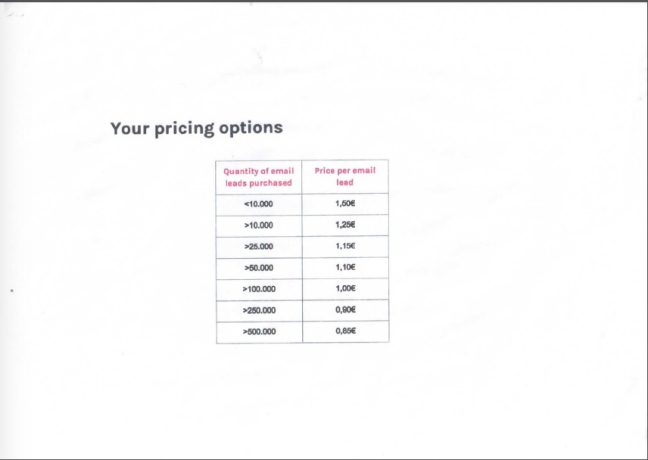


 Le monde quantique est déroutant pour notre intuition. Une bonne manière de l'explorer est d'étudier les interactions entre matière et lumière, c'est-à-dire photons et atomes. Historiquement, c'est d'ailleurs de cette façon qu'a été découverte la théorie quantique. © shutterstock, agsandrew










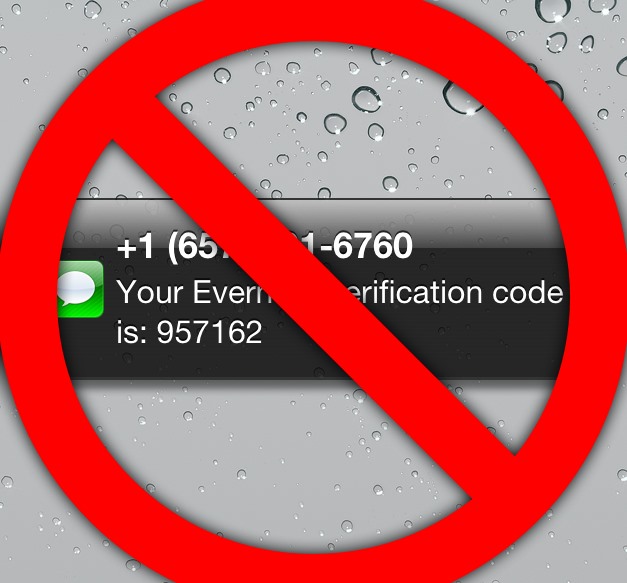



 Sweden has launched its first electric highway, something that is serving as a test of sorts for a potential wider rollout later on. This is part of the nation’s stated goal of ditching fossil fuel-based transportation in the future, making it possible for electric trucks to operate across a two kilometer stretch of freeway. The electric highway features electrified cables …
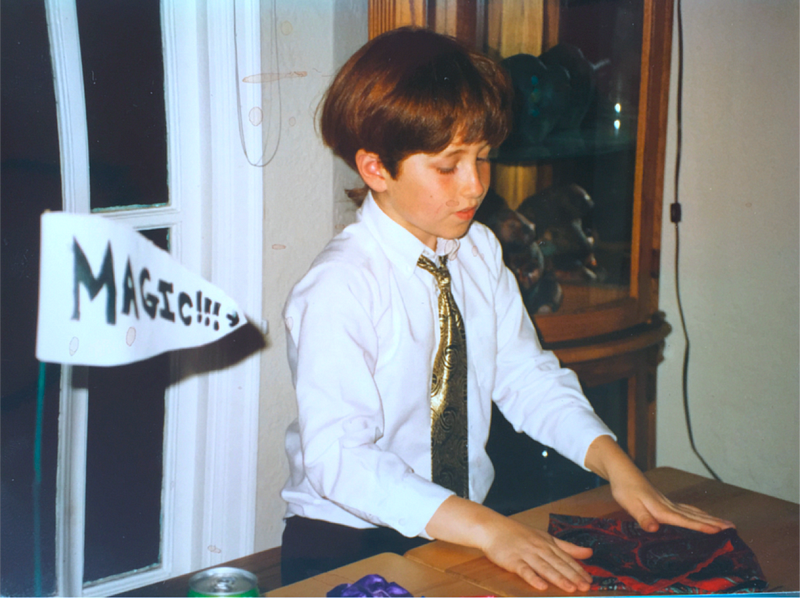
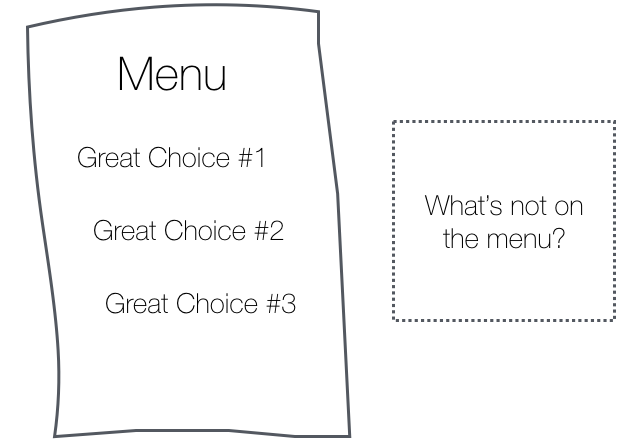

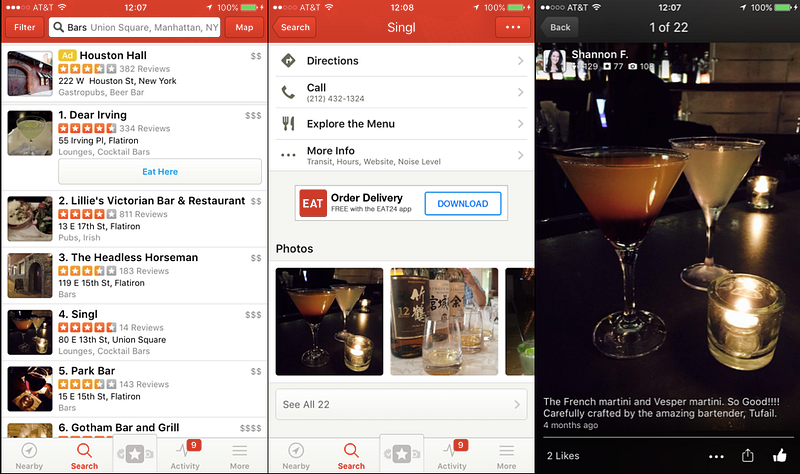
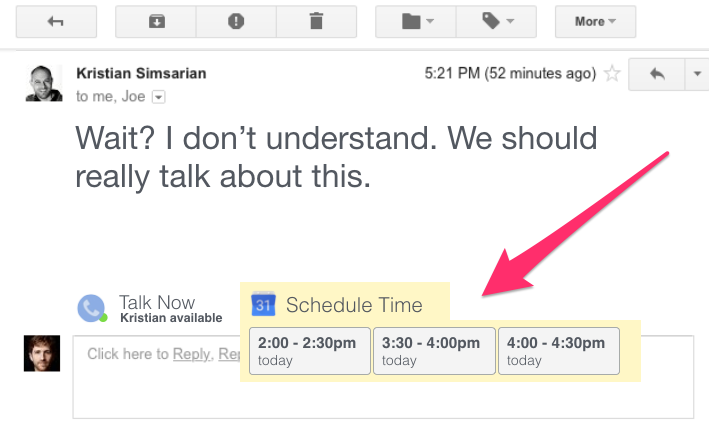
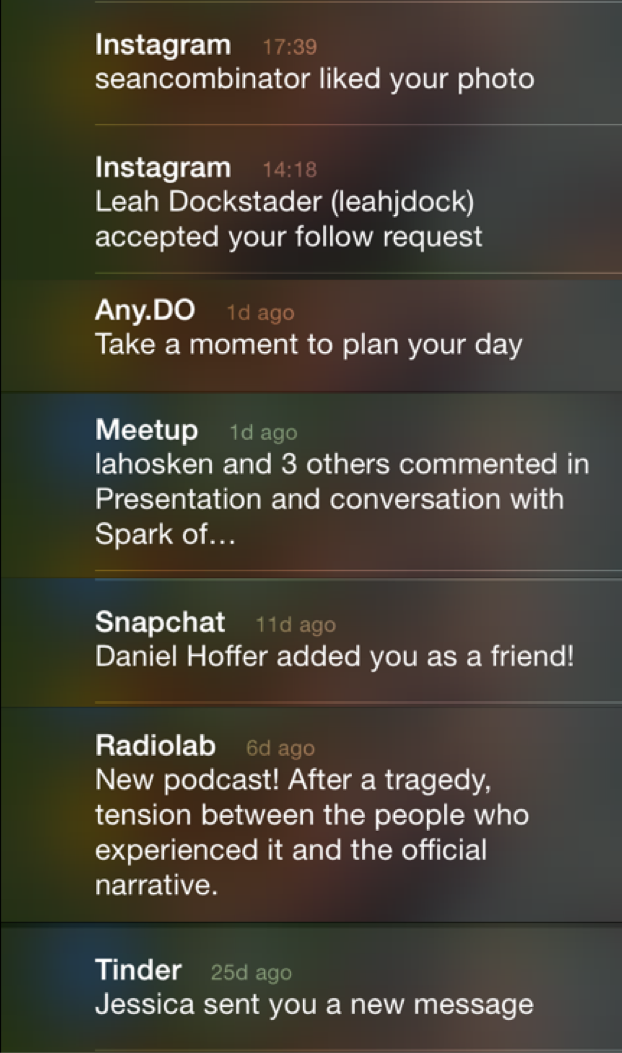
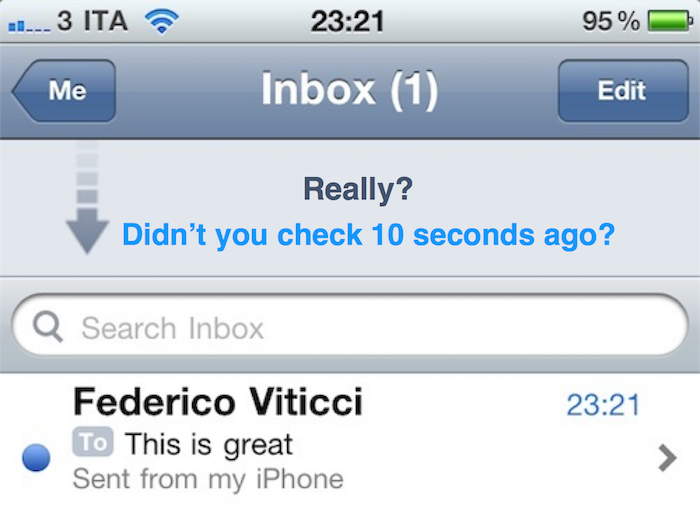


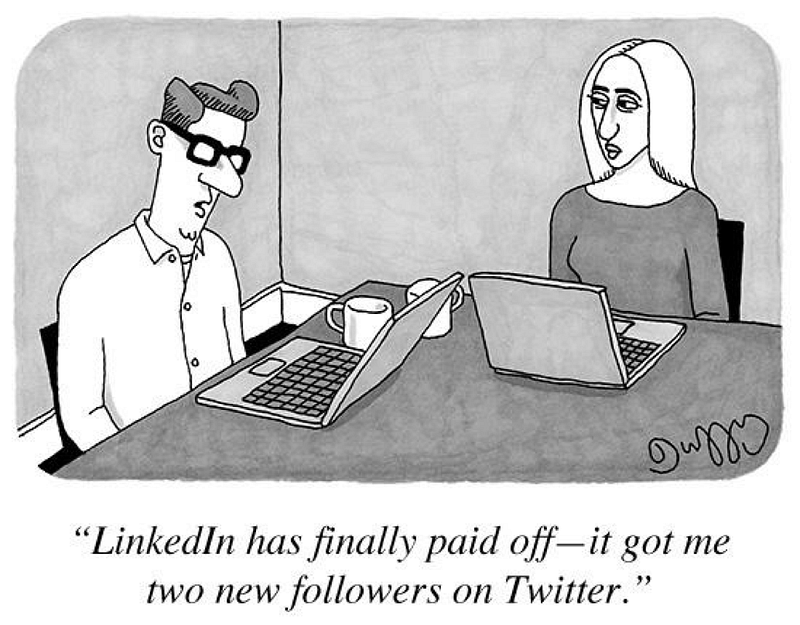

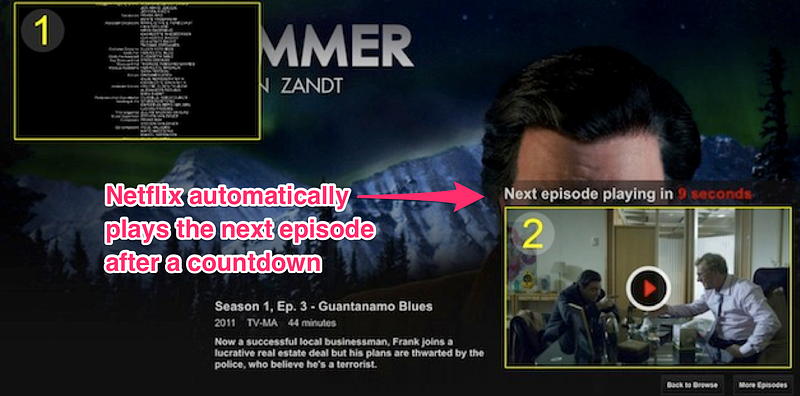
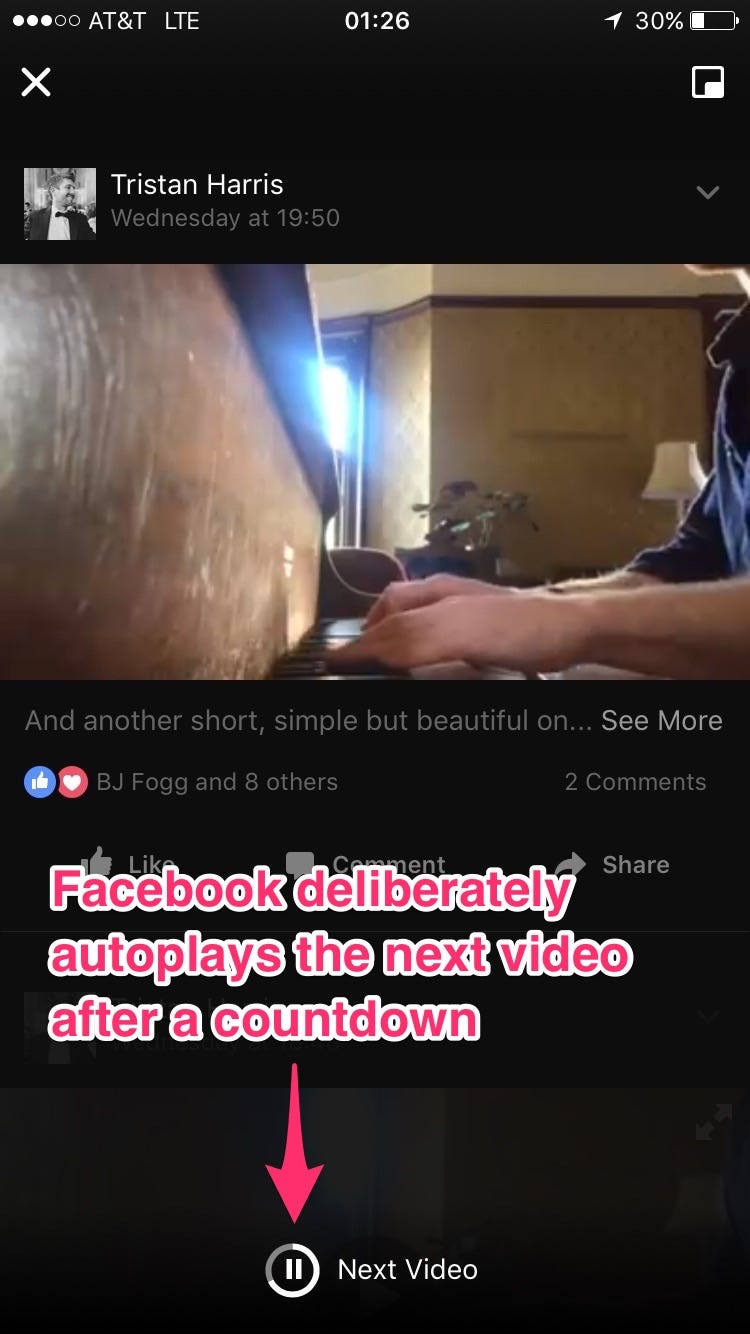
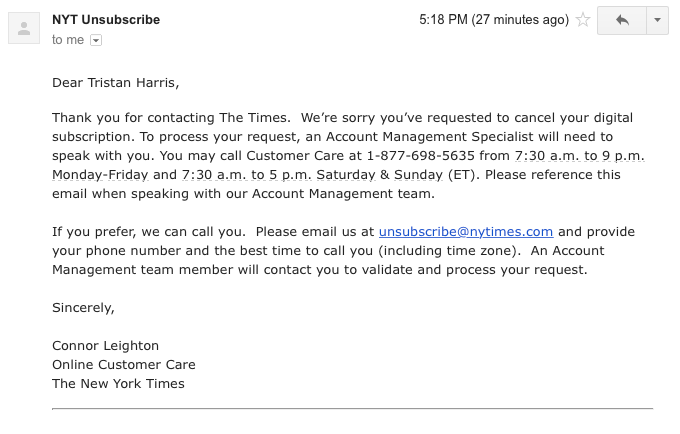
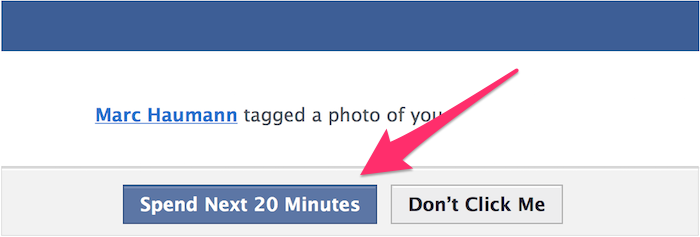
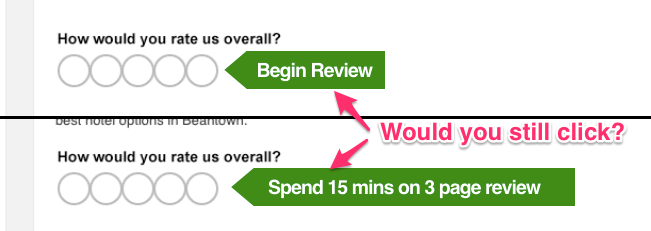
 It is interesting having an open source project that is sufficiently old to start generating "lore" of some form or another. Jenkins is starting to get to be that age, having been started over 6 years ago.