Shared posts

20 Sep 17:54

iOS 11 review: 99 hits, 1 miss

Every year, Apple (AAPL) introduces a new iPhone model. That’s cool for anyone in the market for a new iPhone.

But every year, Apple also introduces a new iPhone operating systemthe software you look at and tap on all day long. Today’s the day, and the new software is called iOS 11.

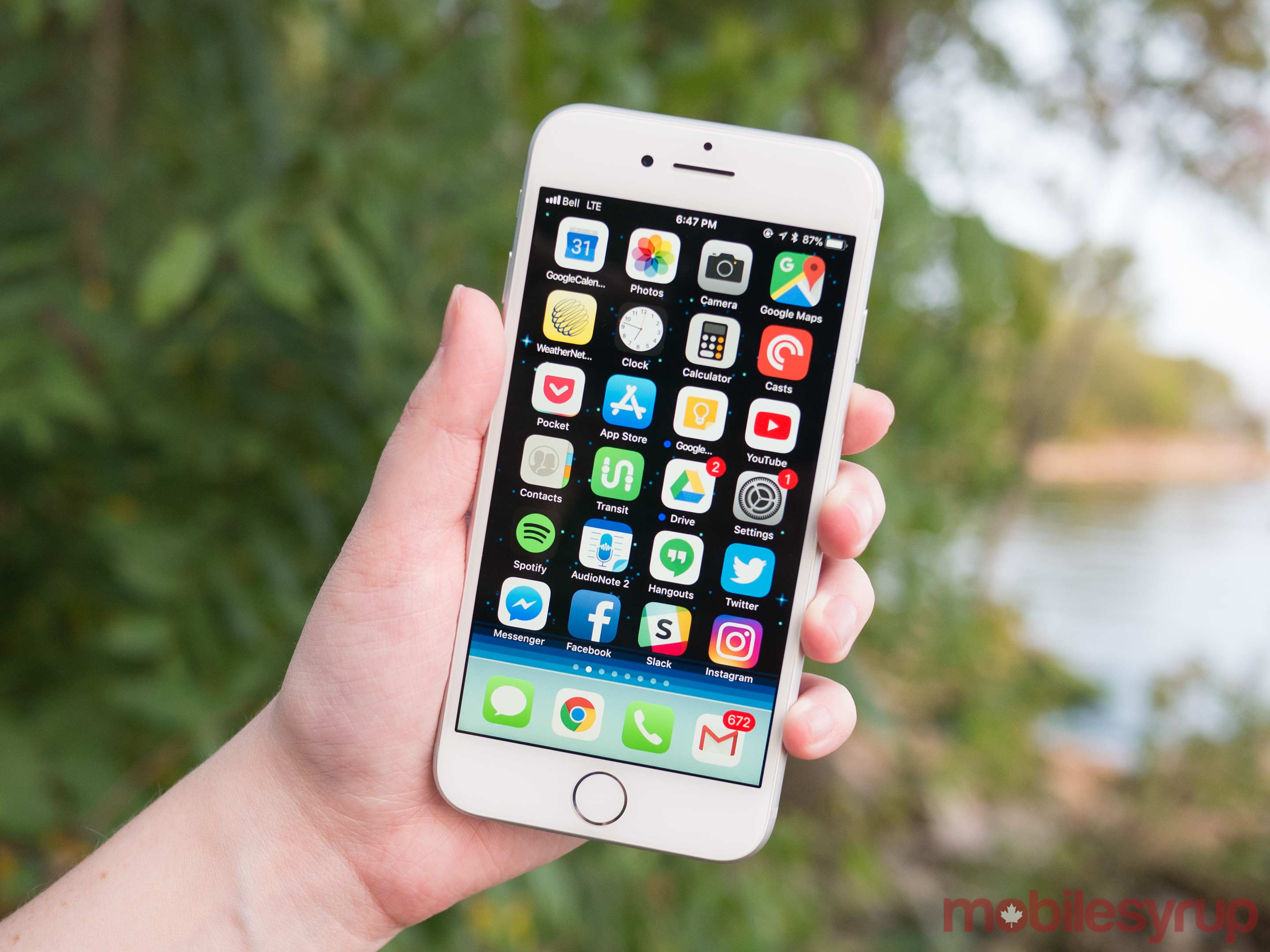
In general, it’s terrific. Apple’s coding elves have cleaned up a million annoyances, swept out a million cobwebs, and tightened up a million processes. The typography has become more unified across apps, too—you see a lot of this:

Apple’s various apps display more consistent typography.

As usual in the development of a mature operating system, there aren’t many big-ticket new features. But here’s what’s new in iOS 11.

The new Control Center

For such a tiny device, there are an awful lot of settings you can change—hundreds of them. That’s why Apple invented the Control Center: a panel that offers quick access to the controls you need the most.

In iOS 11, the Control Center has blossomed into the magnificence of adulthood. Now you decide which controls should appear on it, as you can on Android phones. Your list of available buttons is much longer than it ever was before. And you no longer have to hunt among multiple pages to find the one you want; the Control Center is once again a single screen. If you’re a true Control freak, it even scrolls.

The new Control Center is as tall as you want it to be (left, in an unrealistically full condition). You customize it in Settings (right).

In many more cases than before, you can hard-press or long-press one of these buttons to open a sub-panel that offers even more controls.

Here are the buttons that have always been there: Airplane Mode, WiFi, Bluetooth, Brightness, Volume, Rotation Lock, Do Not Disturb, Music playback, Airplay (send audio and video to an Apple TV), Flashlight, Camera, Calculator, Timer, and Airdrop (send files, pictures, and other data bits to another Mac or iPhone).

Now, though, there’s a much longer raft of options. You can choose which buttons you want to appear on the Control Center, and in which order. The first three in particular are incredibly useful:

  • Notes. This is a big, big deal. The idea is to give you immediate access to Notes, so you can jump in, no matter what you were doing, to write down something quickly: a phone number someone’s giving you, dosage instructions your doctor’s rattling off, or a brainstorm you’ve just had for a million-dollar product. In Settings, Apple has provided a bewildering array of controls over what access you (or a passing evildoer) has to your Notes when you open the Control Center from the Lock screen.
  • Screen Recording. So weird: It’s a Control Center button for a feature you can’t trigger in any other way. There’s no app, no Settings page that even mentions Screen Recording otherwise. The idea, of course, is to let you record videos of what’s happening on the iPhone screen—with narration, if you like. It’s fantastic as a teaching tool, if you want to capture some anomaly to send to tech support, or to demo your new app. You see a 3-2-1 countdown, which is intended for you to get out of the Control Center and get into whatever app you’re trying to record. The finished video winds up in your Photos app with all your other videos—with pristine quality and smooth motion, ready to send to your admirers. It’s awesome.
  • Do Not Disturb While Driving. This important new iOS feature prevents notifications, calls, or texts from lighting up your phone or making it ring whenever you’re behind the wheel and in motion. Usually, you’ll want it to turn on automatically when you’re driving; this button is primarily useful for turning DNDWD off—when you’re in the passenger seat.
  • Cellular Data on/off. Great if you’re worried about your monthly cap.
  • Stopwatch, Alarm. One-tap shortcuts to these modules of the Clock app.
  • Accessibility Shortcuts. Magnifier, Zoom, VoiceOver, AssistiveTouch, and so on.
  • Apple TV Remote. In case you’ve lost the physical one.
  • Guided Access. Opens the on/off switch for Guided Access, otherwise known as “kiosk mode.” It locks the phone into one particular app, so that (for example) your toddler can play around without wreaking any real havoc on your phone.
  • Low Power Mode. Here’s a one-touch way to manually switch on the battery-saving feature known as Low Power Mode.
  • Turns the entire phone into a powerful illuminated magnifying glass.
  • Text Size. There are all kinds of ways to make text bigger and more readable on the iPhone’s screen. But this new Control Center option gives you a more immediate way of making adjustment—say, when you suddenly find yourself on some web page done up in 3-point type. Tap to see a vertical slider, whose segments indicate increasingly larger type sizes.
  • Voice Memos. The Voice Memos app is handy for recording speeches, interviews, song ideas, and so on. What’s not handy is the long slog to get into the app and start recording. No more! Tap this button to open the Voice Memos app, where another tap begins the recording. Better yet, a hard-press on this Control Center button produces a menu that lists your three most recent recordings (for instant playback)—and a New Recording button.
  • Wallet. Here’s another way to jump into your Apple Wallet—usually because you want to pay for something with Apple Pay.

Storage Help

Another category of new features is designed to assist with the chronic problem of running out of room on the iPhone:

  • Camera app. iOS 11 invites you to adopt new file formats for photos (HEVC) and videos (H265), which look the same as they did before but consume only the half the space. (When you export to someone else, they convert to standard formats.)
  • Storage optimization. The idea: As your phone begins to run out of space, your oldest files are quietly and automatically stored online, leaving Download icons in their places on your phone, so that you can retrieve them if you need them.

Siri updates

Apple’s done some work on its voice assistant, too:

  • A new voice for Siri. Apple says that the new male and female voices sound more like actual people; to me, they just sound younger. Here’s a snippet of each.

  • Siri translates languages. Siri is trying to catch up to Google Assistant. For example, it can now translate phrases from English into Chinese, French, German, Italian, or Spanish. You can say, “How do you say ‘Where’s the bathroom?’ in French?” It works surprisingly well—she nails the accents.
Siri is now a polyglot! She can translate for you.
  • Siri understands followup questions. Siri now does better at understanding followup questions. (“Who won the World Series in 1980?” “The Tigers.” “Who was their coach?” “Roy Williams.”)

A lot of misc

The rest of iOS 11 falls into the category best called, “Everything else.” Little nips and tucks like these:

  • A file manager! A new app called Files lets you work with (and search) files and folders, just as you do on the Mac or PC. You can tag them, search them, sort them, view them as a list or as icons. The Files app shows the contents of your iCloud Drive, as well as your Box and Dropbox files (!!). You can select files (but, alas, not folders) to share with other people.
For the first time, iOS has a “Finder” or a “Windows Explorer.” Manage, file, sort, search, copy, and delete files here.
  • Redesigned apps drawer in Messages. All the stuff they added to Messages last year (stickers, apps, live drawing) cluttered up the design and wound up getting ignored by lots of people. The new design is cleaner, with only two icons eating up your text-typing space instead of three.
  • App Store. The App store gets a big redesign. One chief fix is breaking out Games into its own tab, so that game and non-game bestseller lists are kept separate.
  • One-handed typing. With a tap on the little globe key, you can opt for a narrower keyboard huddled against one side, for easier one-handed typing when you’re carrying coffee. (You can now zoom in Maps one-handed, too.)
Hiding among the keyboard choices (left) are new left- and right-hugging mini-keyboards (right).
  • Quicker transfer. When you get a new iPhone, you can import all your settings from the old one just by focusing the camera on the new phone on the old one’s screen.
  • Improvements to Photos. The Photos app offers smarter auto-slideshows (called Memories). Among other improvements, they now work even when you’re holding the phone upright.
  • Improvements to Live Photos. Live Photos are weird, three-second video clips, which Apple introduced in iOS 9. In iOS 11, you can now shorten one, or mute its audio, or extract a single frame from that clip to use as a still photo. The phone can also suggest a “boomerang” segment (bounces back and forth) or a loop (repeats over and over). And it has a new Slow Shutter filter, which (for example) blurs a babbling brook or stars moving across the sky, as though taken with a long exposure. (I still don’t really get Live Photos.)
  • Swipe the Lock screen back down. Confusingly enough, you used to see your notifications on two slightly different screens. There was your Lock screen, and there was the Notifications screen (swipe down from the top of the screen). Now, it’s all the same screen. Swiping down from the top brings back the identical list of missed notifications—and even the wallpaper and time—that you’d see on your Lock screen. Makes a ton of sense.
  • Smarter typing suggestions. When you’re typing, the auto-suggestions above the keyboard now offer movie names, song names, or place names that you’ve recently viewed in other apps. Auto-suggestions in Siri, too, include terms you’ve recently read. And if you book a flight or buy a ticket online, iOS offers to add it to your calendar.
  • AirPlay 2. If you buy speakers from Bose, Marantz, and a few other manufactures (unfortunately, not Sonos), you can use your phone to control multi-room audio. You can start the same song playing everywhere, or different songs in different rooms.
  • Shared “Up Next” playlist. If you’re an Apple Music subscriber, your party guests or buddies can throw their own “what song to play next” ideas into the ring.
  • Lane guidance. When you’re driving, Maps now lets you know which lane to be in for your next turn, just as Google Maps does.
  • Indoor Maps. The Maps app can now show you floor plans for a few malls and 30 airports.
  • iCloud file sharing. Finally, you can share files you’ve stored on your iCloud Drive with other people, just as you’ve been able to do with Dropbox for years.

iPad Exclusives

Many of the biggest changes in iOS 11 are available only on the iPad.

  • Mac features. In general, the big news here is the iPad behaves much more like a Mac. For example, you can drag-and-drop pictures and text between apps. The Dock is now extensible, available from within any app, and perfect for switching apps, just as on the Mac. There’s a new Mission Control-type feature, too, for seeing what’s in your open apps—even when you’ve split the screen between pairs of apps.
  • Punctuation and letters on the same keyboard. Now, punctuation symbols appear above the letter keys. You flick down on the key to “type” the punctuation—no more having to switch keyboard layouts.
  • Pencil features. If you’ve bought Apple’s stylus, you can tap the Lock screen and start taking notes right away. You can mark up PDFs just by starting to write on them. A new feature lets you snap a document with the iPad’s camera, which straightens and crops the page so that you can sign it or annotate it. Handwriting in the Notes app is now searchable, and you can make drawings within any Note or email message.

Coming this fall

Two major features didn’t make the cut in the initial release of iOS 11. They’re coming, Apple says, in an update later this fall:

  • Person-to-Person payment within the Messages app. Now, you can send payments directly to your friends—your share of the pizza bill, for example—right from within the Messages app, much as people do now with Venmo, PayPal, and their ilk. (Of course, this works only if your friends have iPhones, too.) When money comes to you, it accrues to a new, virtual Apple Pay Cash Card; from there, you can send it to your bank, buy things with it, or send it on to other people.
  • Messages in iCloud. Your entire text-message history gets auto-synced to all your new Apple devices. (In the old days, when you bought a new iPhone and opened Messages, it was empty.) This feature will also mean that that huge, multi-gigabyte hunk of Messages won’t have to sit on your phone, eating up space.

There are also dozens of improvements to the features for overseas iPhones (China, Russia, India, for example). And many, many enhancements to features for the disabled (spoken captions for videos and pictures, for example).

Hits 99; misses, 1

Almost all of these touchups are improvements, but one is decidedly not: If iOS sees you using dictation, it puts away the keyboard. It assumes that you’re going to want to keep dictating.

Well, guess what, dingbat? You always have to correct things that dictation misinterpreted. Always. And you can’t do that without the keyboard.

What this means is that after every round of dictation, you have to tap a tiny keyboard icon to bring back the keyboard. 1,000 times a day. They broke something that didn’t need fixing.

So what’s the overarching theme of the iOS 11 upgrade?

There isn’t one. It’s just a couple hundred little fine-tunings. All of them welcome—and all of them aimed to keep you trapped within Apple’s growing ecosystem.

More from David Pogue:

iPhone 8 reviewed: Nice, but nothing to buzz about

How Apple envisions life without a Home button

The $999, eyebrow-raising iPhone X: David Pogue’s hands-on review

iOS11 is about to arrive — here’s what’s in it 

MacOS High Sierra comes this fall—and brings these 23 features

T-Mobile COO: Why we make investments like free Netflix that ‘seem crazy’

How Apple’s iPhone has improved since its 2007 debut

David Pogue, tech columnist for Yahoo Finance, is the author of “iPhone: The Missing Manual.” He welcomes nontoxic comments in the comments section below. On the web, he’s davidpogue.com. On Twitter, he’s @pogue. On email, he’s poguester@yahoo.com. You can read all his articles here, or you can sign up to get his columns by email

20 Sep 17:53

The “Last Mile” Problem in Transit trips

by Sandy James Planner


1461245782298

Somehow we have leapfrogged from talking about active transportation and transit, but we’ve not really included the most important active transportation piece of all-in this piece from The Torontoist by Tricia Wood,she identifies the “last mile”of sidewalks as the missing link.

“The “last mile” problem refers to the gap between transit riders’ residences and their transit stations. The GO Train system is a perfect example. Train stations are surrounded by vast moats of parking because riders commonly have few (or no) good options for getting to the station except to drive. More people will take transit if they have better access to it. It’s not merely a question of distance. Studies have shown commuters will walk as much as a mile, but what that route looks like can make all the difference.”

Surprisingly one-quarter of all Toronto streets are without sidewalks. And Ms. Wood gets it right when she refers to “plain old walking as “among the most useful and cost-effective first and last mile strategies”. Take away the parking lots at rail stations, make the stations more accessible, and reuse that land for a higher purpose.  Make it so people can access the trains by foot, securely and comfortably. “Solutions such as shuttle buses and cycling get a lot of attention” but it is the access to transit and the journey by foot to get to transit that needs to be paramount. “Walking and sidewalks are part of the public transit system.”

Reducing the need to drive to train stations will also free up lots of valuable land around stations for a more useful purpose, and make the stations more accessible. While solutions such as shuttle buses and cycling get a lot of attention, experts say that plain old walking is “among the most useful and cost-effective first and last mile strategies.” Walking and sidewalks are part of the public transit system. And sidewalks should not be a subject to debate about their usefulness-city direction  should  ensure they be installed across the city for the comfort and security of all walkers.

As Ms. Wood observes “Sidewalks are part of solving the last mile problem for Toronto transit. It’s not just a local issue. It’s about access to the whole city for everyone.”


20 Sep 17:53

Eight Cats & One Photographer

by Leticia Roncero
The Rainy Days

Originally from Flevoland, a province of the Central Netherlands, Felicity grew up enjoying the outdoors. She was always curious of her surroundings and eager to observe and photograph every aspect of her life. It wasn’t until 2012, the year she started her graphic design studies, that she finally got her first DSLR camera and started to put her budding photographic skills to practice. “I used to take a lot of photos of different subjects: nature, people, street, families, architecture…” she said. “I started to focus more on cat photography two years ago.”

Her interest in animal photography started with Tommie and Nero, her two cats. “Nero is sweet, calm, and loves attention, but whenever he’s outside he becomes very different. He runs away when I get too close. It’s easier for me to photograph him indoors.”

Hooray For Weekend!

“Tommie is a troublemaker and a bit more active than Nero. I prefer to photograph him outdoors because he follows me around.”

When Summer Hits You Hard

Felicity is especially talented at capturing the personalities of her feline models: their habits, quirks, and expressions. While many people argue their pet is the cutest on the internet and the world must know about them, Felicity backs up her cats’ cuteness with the skills she’s developed with her camera. She also knows all of the neighborhood cats by name and likes to walk along the alleys near her home to discover new perspectives and interesting angles to shoot, holding the camera low to the ground, for example.

“To get the results that I want, I get on their level. This means laying or sitting on the ground to also see the environment around them.” She pays special attention to the background, which she uses to create beautiful frames around her subjects with her Canon EOS 6D camera and 85mm lens. “There are at least eight cats living on my street, so there is always a chance that some of them will show up.”

Peek A Boo

The majority of her post-processing work is done in Camera RAW, adding some small adjustments on Photoshop for sharpening and color-grading.

“Most of the time I let cats do their own thing while taking photos.” Making noises and having cat treats also helps, but the most important piece of advice to become a successful cat photographer is patience, she describes. “Whenever I am impatient, they also get very impatient,” she explained. “Don’t force yourself, or them, to get good results. Let it happen naturally.”

Although every cat is different, they all have something in common: they won’t sit still for pictures.

“Mr. Jansen has no fear of anything or anyone, not even big dogs. He is my stalker. He is in my garden almost every day, sometimes on my roof.”

Stalker on the Roof

“Bruce [below] is very active because he is still young. He lets me pet him, but only for a few seconds. He also loves to grab my hands and feet. I need to be quick to take photos of him.”

Is that a bird?

“Taco is a goofy cat that doesn’t have very good balance. He falls almost every time he is on a fence.”

Yawn

“Jojo is a very shy cat that runs away when he doesn’t get your attention. He loves to fight my cat. I don’t get too close when taking a photo of him unless he lets me.”

Jojo

Cute cat photos make up some of the most viewed content on the Internet, and often the source of those images becomes unclear or gets overlooked. Felicity knows this reality very well because she’s had some bad experiences in the past with people stealing her work and posting it on their own profiles, which is why she recently decided to add watermarks and lower the resolution of the images she shares online. “Sometimes people forget that someone took that photo, or they just don’t think about the person behind the camera,” she said. “But while these things happen, I still enjoy doing cat photography, because it makes me and other people happy. ”

My Little Rascals

Do kitty cat photos make you happy? Do you have a particularly adorable cat and want to share a photo of it? Post a link in the comment section below! Explore more of Felicity’s cat photos on her felicefelines Flickr account, or, if you’re interested in discovering a more personal facet of her work, check out her all-purpose Flickr Photostream here.


20 Sep 17:52

Twitter Favorites: [Tinfoiling] Vancouver Tech Podcast: 94: Blockchain, Cryptocurrency & ICOs with Boris Mann of FrontierFoundry https://t.co/GzDQaX4Xmz

Gene Blishen @Tinfoiling
Vancouver Tech Podcast: 94: Blockchain, Cryptocurrency & ICOs with Boris Mann of FrontierFoundry overcast.fm/+FoPqdBRnE
20 Sep 17:51

Twitter Favorites: [counti8] @sillygwailo pretty sure it's this: https://t.co/VUlsBsqmsw

Karen Quinn Fung 馮皓珍 @counti8
@sillygwailo pretty sure it's this: google.ca/amp/s/scientia…
20 Sep 17:51

Twitter Favorites: [DanPiepenbring] Me at the party https://t.co/rvYJGF3m1h

Dan Piepenbring @DanPiepenbring
Me at the party pic.twitter.com/rvYJGF3m1h
20 Sep 17:49

Recommended on Medium: From AI to Blockchain to Data: Meet Ocean

A personal journey towards a data exchange protocol & network

Image: Todd Dwyer CC-BY-SA 2.0

AI ♡

I think it’s amazing that you can design algorithms that might have society-level impact. AI algorithms are in that category. And, AI is fun. Take Genetic Programming, where you write computer programs to evolve other computer programs. Moreover, AI poses exciting engineering challenges like scaling, and it asks the biggest questions, like the nature of the mind.

For these reasons, AI was my first love. I started my AI reading and hacking intently in the early 90s. By 1997, I was far enough along hacking AI that people started paying me to do it. I never looked back, doing two companies and a PhD on AI.

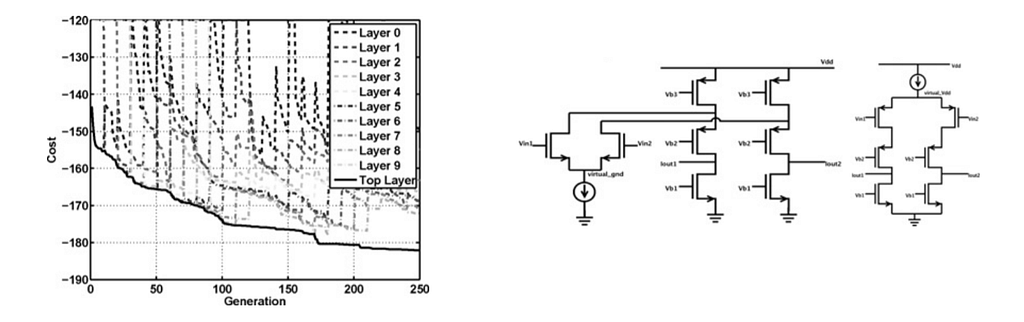
Genetic programming is code to evolve code, which (in this case) grows analog circuits. From [McC2011]

Blockchain ♡

In 2013, I started hacking Bitcoin, and got hooked. Once again, I found myself designing algorithms that might have society-level impact.

Like AI, Blockchain is great fun, from learning new consensus algorithms, to vicariously watching ICO madness.

Also like AI, blockchain poses exciting engineering challenges like scaling, and asks big questions like the nature of truth. What’s not to love?

AI 💥Blockchain

Blockchain has been my focus for several years. But AI was always my first love, and I never let go. I kept reading AI papers, giving keynotes on AI, co-running Berlin’s biggest AI meetup, and more.

Would the worlds of AI and blockchain ever collide? I’d always hoped so, and they finally collided for me in mid 2016. It was over drinks with my dear friends Simon de la Rouviere and Greg McMullen. We started dreaming what might happen if you unleashed AI into a decentralized substrate like Ethereum. The first AI millionaire! AIs with rights, using today’s legal infrastructure! Minds blown. We wrote about it, in AI DAOs articles by me [2] and by Simon. What fun! There’s more coming.. ;)

From that first foray into AI*blockchain, I started asking: what other ways might blockchain help AI? The number of the answers surprised me. I documented it in this piece. For example, we can address “garbage-in, garbage-out” problems with provenance on training data and on building models themselves. Blockchain helps sharing datasets, for higher-accuracy models and more.

Data

As I contemplated blockchains for AI, and for big data, all roads led to the same place: the problem of data. Here’s the issue. Many enterprises have plenty of data but don’t know how to make it available to the world. Latent value lurks everywhere. Conversely, many startups know how to turn data in to value using AI, but they’re starving for data.

Only a handful of companies in the world — Google, Facebook, and the like — have both massive datasets and the AI knowledge to turn it into value. Their moat is data, not AI algorithms. Calling themselves AI companies is merely a head fake. They’ve used the combination of data * AI to become the most powerful companies in the world.

It’s 2017. Society runs on data, yet much of it is controlled by a handful of companies with more power, resources, and reach than most nations. How can we equalize access to data, and therefore opportunity to make the most of modern AI and compute?

Data Marketplace FTW?

All roads lead to the same solution too: a data marketplace. A medium to connect data-haves with data-have-nots. It spreads out data-AI network effects, in turn spreading power and wealth.

But the technology is not easy. It needs to store who owns what data, with tight user control & privacy. It needs to reconcile with governments and regulators on privacy and data sharing. It needs to be decentralized. It needs to be at scale, not just some shiny toy technology. Private & decentralized at scale is hard. However, that’s exactly what we’ve been working on since 2015: IPDB running BigchainDB. A shared planetary-scale database.

This data marketplace needed to get built. We realized that we had a unique position to make a difference. First, we had the scalable blockchain database technology. Second, we had both AI and blockchain expertise, key for designing data marketplace algorithms. Third, we knew the customers’ worlds, both data suppliers (enterprises) and data buyers (AI companies). Finally, we’d built relationships with governments and data regulators.

Something else happened as we went down this path. Others read my articles, reached the same conclusion as us (data marketplace💡), and reached out. Two main projects emerged, backed by excellent people: with Chris Ballinger at Toyota Research Institute (TRI) and Chirdeep Chhabra at DEX (Data Exchange SG). We’ve worked with both of them since early this year.

Toyota Research Institute (TRI)

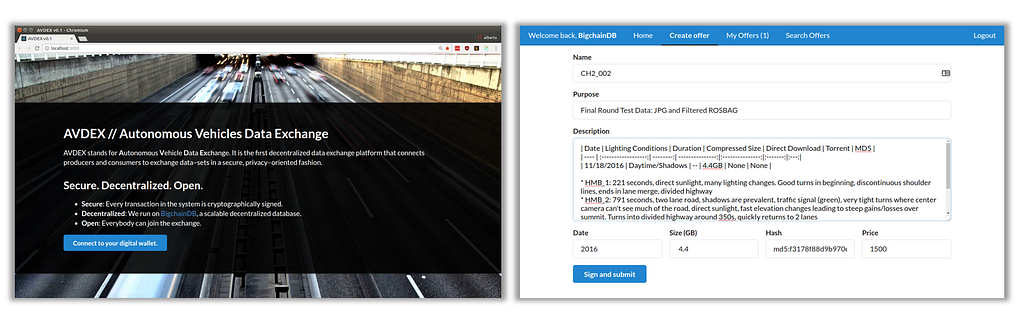
With TRI, we built a prototype marketplace for self-driving car data which we announced in May 2017 at Consensus NYC. Here’s the code.

Autonomous vehicles prototype marketplace (AVDEX).

We also used this an an opportunity to try out zero-knowledge proofs for privacy. The conclusion: brain-bending and fun, but does not meet the speed we need for industrial deployment. Yet.

Data Exchange SG (DEX)

DEX is a Singapore-based startup, which has been shipping a centralized data marketplace for a few years. By 2017, their growth had stalled: customers were worried about who controlled the data. I’ve known the CEO of DEX, Chirdeep Chhabra, for a few years. He reached out to me in early 2017 and said “we need to talk.” He’d realized that appropriate decentralization technology could make all the difference. It was the start of a great collaboration.

Ocean Protocol

We started by considering a decentralized data marketplace. But we realized that we could unlock a whole ecosystem of marketplaces, exchanges, of ways to supply data and consume data.

What we needed was a protocol and network, on which data marketplaces can be built. This is Ocean. Its network (running the Ocean protocol) handles storing of the metadata (i.e. who owns what), links to the data itself, and more. On top of Ocean there can be thousands of data marketplaces and exchanges, all accessing the same data. Each marketplace acts as the last mile in connecting buyers and sellers.

We hope that Ocean will unlock our dream of a world-scale data commons. Ocean’s token design reflects this goal.

Ocean Protocol

Up next

We’re working closely with DEX and other marketplaces, data regulators, data suppliers, data consumers, and others to make this vision a reality.

In coming weeks and months, we’ll be sharing more information about Ocean. Protocols. A Whitepaper. Blog posts. Code. Stay tuned:)

And, welcome to the future of data. It’s in your hands now.


From AI to Blockchain to Data: Meet Ocean was originally published in Ocean Protocol on Medium, where people are continuing the conversation by highlighting and responding to this story.

20 Sep 17:49

Here are 9 email newsletters about data… I think you’ll like at least 4 of them

files/images/66_crore.JPG

Paul Bradshaw, Online Journalism Blog, Sept 22, 2017


Icon

This list is focused mostly on data journalism, but it also overlaps into open data, and this is of significant interest here because one of the applications of open data is (or will be eventually) to feed directly into personal learning resources such as simulations, discussion rooms, and personal learning. Among the other resources, I would point in particular to the Open Knowledge Foundation (OKFN), which as the author reports "has been working in the field of open data for some time, and their newsletter taps into a global network of partners and projects to provide updates on events, initiatives, reports and tools."

[Link] [Comment]
20 Sep 17:49

We've failed: Pirate black open access is trumping green and gold and we must change our approach

files/images/Sci-hub.png

Toby Green, Learned Publishing, Sept 22, 2017


Icon

This is another article on Sci-Hub (beyond the one cited here) asserting essentially that illegal open access is succeeding because legal open access is failing. The author points to a recent OpenAire report (77 page PDF) identifying six roadblocks to open access what all need to be addressed: these include author and publisher incentives, transparency, pluralism, and infrastructure. The key reform needed, he argues, is unbundling. "If everyone could read all scholarly content for free, is there sufficient value in additional services to generate the revenues needed to fund both a read-only service and for those other elements of the scholarly communication process that, once unbundled, survive exposure to market forces?" The argument is that there is, if there is a larger readership, and this larger readership can come into existence only if there is access at no cost.

[Link] [Comment]
20 Sep 17:49

Subscription Learning as Performance Support Coaching

files/images/TREKLEM_Diagram-1024x748.png

Will Thalheimer, Subscription Learning, Sept 22, 2017


Icon

Will Thalheimer describes an interesting performance support application called Trek. "Using employee's smartphones’ sensors (camera, audio and video recorder, and GPS)... employees captured evidence of their critical actions at each step in their learning path. This evidence was submitted through TREK to each person's designated manager-coach. As each step was completed, managers were notified and were prompted to review their direct reports' submissions. Managers provided brief feedback--either written or in a recorded audio nugget--and this feedback was presented to the learners." The managers, meanwhile, are proivided with libraries of support materials and curricula to support their coaching. Thye employment of human managers in this role is probably just a stepping-stone to generate acceptance; the same task could be performed in the future by an analytics engine and/or AI.

[Link] [Comment]
20 Sep 17:49

World Wide Web Consortium abandons consensus, standardizes DRM with 58.4% support, EFF resigns

files/images/drm-2.jpg

Cory Doctorow, BoingBoing, Sept 22, 2017


Icon

Should digital rights management (DRM) be a world wide web standard? It's a tough question and so it's not surprising that the WWW Consortium (W3C) split almost down the middle on it. Now I've done work in DRM; I even have a patent in the area. But I have also argued consistently that DRM should be enforced in the resource, not the network. This decision violates that principle, and if implemented, would have the effect of converting the web from a public resource to a private network. Combine this with upload filters and there is end-to-end lockdown. This is what publishers want, and it's why they won't compromise. Their position should have been rejected. Their private interest does not outweigh public good.

[Link] [Comment]
20 Sep 17:49

Canada needs a national overhaul of university IP policies

files/images/opinion-technologytransfer-312.jpg

Bart De Baere, Elicia Maine , University Affairs, Sept 22, 2017


Icon

According to the authors, young scientists and innovators have difficulty obtaining funding. This could be addressed by revising institutional intellectual [property (IP) rules to that they have full ownership of anything they create, even if they're working at a university (or government research lab?), which would attract investors and given them incentive to commercialize their innovations. In such a scenario, university technology transfer offices (TTO) could act like venture capitalists, providing the marketing and business development researchers often lack, in exchange for a stake in the innovation.An example of this is the University of Waterloo’s IP rights policy. Sitting where I sit, I see both sides of the argument. It would be nice to see government investments flow toward innovators, rather than to major corporations, as is currently the case. On the other hand, why should government investments end up in the hands of private enterprise at all? 

[Link] [Comment]
20 Sep 17:49

Guess Where?

by pricetags

Can you identify in which city you’d find this streetscape?  (Hint: it’s not Vancouver.)

Answer below the fold.

It’s Calgary – in the 600-block of Eau Claire Avenue SW.    Clearly the impact of Vancouver design in the 1990s is evident – but the streetview image provides a less-pleasant context.


20 Sep 17:48

Infinite Binge

by Eric Thurm

A finale is a tense moment for a TV show, especially one that aims to be taken seriously — and have a legacy. Ending a series didn’t used to so complex. In the days before DVD box sets, DVRs, and online distribution, a finale was simply a matter of maximizing audience turnout for one last appointment with their televisions. Before prime-time shows could have complicated, serial plot lines, most TV series were made up of stand-alone episodes so new audience members, or people who just missed last week’s episode, could be easily assimilated. (The big exception — soap operas — aired daily, moved slowly, and were full of redundancy so that the presumed audience of housewives could dip in and out as they dealt with domestic duties.)

These shows were purely situational, drawing on a stock, stable set of characters and settings without needing to reference past events or future possibilities. So no one expected the finales of I Love Lucy or The A-Team to make sense of everything that the characters had “been through” and deliver a satisfying account of what it all meant; they only had to be curtain calls that allowed audiences to say goodbye. Can those characters even be said to have “gone through” anything, when time refuses to cohere around them from episode to episode?

Shows with open-ended runs must craft the illusion of a world that continues to exist when you aren’t looking at it

Now, an expanded range of channels, networks, and content-delivery services have entirely changed the way TV is consumed and, thus, the way writers and producers end shows. A show whose original network run has ended may be consumed again not as random episodes caught here and there on UHF channels (as was the case, for the most part, through the 1990s), but on demand — and possibly straight through as a total package, downloaded or streamed through any number of services.

Like a serialized novel that can be picked up and put down whenever a reader wants, a television show — even one that is not explicitly a serial — can now be watched and understood as a single story told over the course of many parts. But unlike a serialized novel, the point of a TV show is both more and less than the sum of its parts: It is the parts. Each episode exists in relation to both the previous installments and the promise of future ones. For shows with open-ended runs, this state of perpetual transience necessitates a sort of endless generativity for future episodes and storylines alike. It must at least craft the illusion of endless consumption, a world that continues to exist when you aren’t looking at it: the potential for an infinite binge.

With the emergence of streaming, audiences no longer await the appointed day of the week to watch, say, Lost and spend the next day (give or take) discussing it in a cycle that unfolds over months. Now a season of House of Cards or any of an assorted mix of Marvel shows will hit Netflix on a Friday, and the weekend will be consumed with obsessive binge-watching, conversation, and theorizing — only for everyone to forget about even the season’s best moments within a few weeks, if not days. Rather than an endless, but linear expansion of TV viewing, Netflix implicitly expects its consumers to engage in intense bouts of consumption that leave them dazed and confused.

Scripted, narrative television as we have come to know it in the past few decades is meant to be a sort of endlessly expanding horizon, with the occasional beautiful sight in the distance or quiet moment of reflection but with final closure just out of reach. The defining structure of the series can be stretched, tugged in several directions, and even torn slightly, but it cannot snap.

Tech companies, following Netflix’s lead and success, see this as a “scripted content” gold rush. Netflix has spent an obscene amount of money on original programming — $6 billion in 2016 alone — and, if “chief content officer” Ted Sarandos is to be believed, it is poised to spend even more. As the streaming rights to the original building blocks of the company’s library lapse, Netflix is seeking to hold on to customers by acting as a combination of studio and network, producing its own series while cutting deals with British comedy channels and the like to be the exclusive home for American consumers. For all its talk of disrupting media models, it appears poised to become, in many respects, indistinguishable from something like HBO On Demand. And as good as many of Netflix’s shows are, the service has yet to produce a true classic (depending on your feelings about BoJack Horseman). Everyone is too busy waiting for the next show.

This looming possibility of seasonal consumption complicates the way any given episode of any given show hooks viewers. Where an episode of even a currently airing show might be structured by episode-ending cliffhangers (think Jane the Virgin), streaming series thrive on ambience and “tone” over plot, trying to ensnare viewers with bite-size portions until they commit to just finishing the bag. Does anyone actually care what happened in a season of House of Cards? Even an older show, exhumed for streaming, becomes the type of entertainment product that builds upon atmosphere and tonal momentum, which might go a ways toward explaining why sitcoms with large catalogs and gentle plot build are among the most beloved on Netflix. The impending removal of 30 Rock from Netflix has caused a minor panic, to the point where its departure — a new kind of finale — is being labeled “the end of an era.

With that in mind, conceiving a conventional finale for such shows has become a task riddled with complication. It must exist as simply another episode, while also giving the audience a sense that the individual episodes have coagulated into something greater, something resembling “closure.” The last episode of a cop show can be just another case, because that’s the entire point of the series: There’s always another crime to solve, even if viewers aren’t in a position to see it happening. There is no teleology. (Consuming an anthology show like The Twilight Zone via streaming gives it a sort of parallel seriality, connected via thematic tissue rather than than plot, an endless carousel you can ride without needing to stop.) But when a show is conceived of or marketed or consumed as a 60-hour ongoing story, its ending is an ending. Those 22 minutes or 45 minutes of the finale are, from one perspective, just another episode, but from another they carry the weight of telling the audience what to take away from the show, while taking the show away from them.

The ambiguous ending salvages the promise of infinity that the finale otherwise snuffs out. Of course, nothing “really happened” that the writers didn’t write

As a result of the tension, what TV finales often tell audiences to take away is nothing. That’s because when a story that has promised to be perpetual ends, there is, literally, nothing. Several of the most memorable TV finales of the past 20 years are mainly meaningful in their ambiguity, which opens a space into which the viewer is encouraged to project theories that are ultimately unprovable. Was Tony Soprano killed in the diner? Did Don Draper make the Coke ad? What the hell was going on with Lost? “What year is this?

The assumption seems to be that the more clear and definitive the ending, the less the show will linger in cultural memory. The Sopranos ends with its infamous cut to black, a void that takes the place of future episodes. The ambiguous ending, however, salvages the promise of infinity that the finale otherwise snuffs out, without forcing fans to make the imaginative leap to fan fiction. (Though, of course, they still can.) It legitimizes endless speculation in “ordinary” viewers about “what really happened.” Of course, nothing happens that the writers didn’t write. There is no “real” answer.


An episode of television is often likened to a magic trick. It can override concerns of plausibility and internal consistency through sheer momentum. Sometimes this is described in terms of “fridge logic,” which refers to objections that only occur to a viewer long after the show is over — once they’ve gotten up from the couch to get something from the fridge. If writers can get viewers to suspend disbelief until then, an episode is seen as a success, and presumably the concerns about implausibility would be forgotten by the time the viewer returned to the couch.

A similar magic is at play in sustaining viewers’ curiosity and investment in a show’s plot and characters, from episode to episode and from season to season. There must be enough mystery to prompt more viewing, but not so much that it threatens the diegetic status quo that endeared the show to its audience in the first place. Threats to bump off characters, send them to Santa Fe, or destroy the entire world are sometimes called “schmuck bait,” because only a schmuck would believe there’s any real chance of the writers allowing the show to disobey its own structural and financial logic.

Finales have a different stake. They must condense what may have been years of chaotic, scattered storytelling into a few potent images, locking a cast of characters into just the right alignment so that you, the viewer, can see the Magic Eye poster that has in theory been there the whole time. If the show is to be influential and have a second, third, and fourth life in streaming channels and continued conversation, the plates have to stay spinning, forever, persisting through a viewer’s experience with other shows, other stories. Finales conclude their specific show, but in the process are also charged with imbuing the entire medium with a sense of renewable possibility: Though this story ends, all stories keep going, indefinitely.

If a show is to be influential and have a second, third, and fourth life in streaming channels and continued conversation, the plates have to stay spinning, forever

Responding to this bind is tough, which is why the history of TV finales is littered with oddities — including several that attempt to solve the problem of narrative finality within an inherently open-ended medium through trolling. The Roseanne finale in 1997 revealed the entire season to have been a fiction generated by a grieving Roseanne, infuriating viewers until 2018, when the Roseanne revival will pretend the original finale “never even happened.” The Newhart finale posited that the entire series was the dream of Bob Newhart’s character from his earlier role on The Bob Newhart Show. The infamous St. Elsewhere finale revealed the show to have been the product of a young boy’s overactive imagination, creating a metafictional web through crossovers that has ensnared and infected most TV shows across the medium’s history. Following this thread to its “logical” conclusion feels almost besides the point; what scripted show isn’t in the end just the product of overactive imaginations?

Other shows end on a note of disgust. The much disdained Seinfeld finale seemed to go out of its way to indict its audience as small-minded idiots who, for some reason, enjoyed watching petty people squabble about nothing for an entire decade. How I Met Your Mother attempted to complicate the audience’s understanding of the show’s take on relationships in its ending, which was reviled for discarding years of character development in the interest of a conclusion that had been set in stone for years. Twin Peaks: The Return, on one reading, ended with a suggestion that trying to revisit the earlier series was futile, dooming Special Agent Dale Cooper (and the audience) to endless generativity as a form of hell. In these cases, writers and producers strain against the boundaries of television, hoping to find ways to ask more and more interesting questions. But what they end up settling with is: Why were you even watching this?

In the case of the surreal dream ending, the viewer is asked whether or not they need an ongoing work of fiction to be “real” on some level. For the indictment ending, they are asked whether they’ve gained anything from weeks, months, and years of sustained engagement and attention. Naturally, these endings, which mock people’s investment in shows while nonetheless capitalizing on it, tend not to sit well with audiences. There’s something cynical and disingenuous about reaping the benefits of television as a medium, relying on it to tell a story and build a career, only to mock it (and its consumers) when it comes time to close up shop.

Finales inevitably raise the question of what viewers want from television, and what, if anything, makes it different from other forms of entertainment. For long-running shows, finales look backward over the years of sustained attention — more than 25 years in the case of Twin Peaks: The Return. That kind of sustained investment suggests that the purpose of a television show, unlike films or books and more like comic-book universes, is to allow you to invest in further consumption. Television as a medium generates a vision of a permanent captive audience; its content must rise to the possibility by instilling viewers with Stockholm syndrome.

Viewers can perhaps be forgiven for wanting access to an open-ended medium full of stories about horny retro teens and sprawling medieval incest fantasy. Why live in America in 2017 if you can escape to Westeros? (Or at least, a version of Westeros where no one can stab you.) The massive rise of television, whether or not you want to call it Peak TV, makes perfect sense as a manifestation of what theorist Lauren Berlant has called “cruel optimism,” a fierce attachment to our consolation prizes. The prospect of an infinite market for entertainment tracks easily from the American Dream’s promise of market-fueled choice and easily fulfilled happiness, feeding the sort of contradictory nourishment at the heart of Berlant’s work. The future for Americans who may not only lack stable work, civil protections, or consistent access to health care in the present but who also confront looming specters of job-destroying automation and global environmental catastrophe is hard to perceive. But it’s easier than ever to watch other people live out the dream that there will be an ending worth watching.

20 Sep 17:48

iPhone 8 reviewed: Nice, but nothing to buzz about

The gadget world is buzzing about Apple’s upcoming iPhone X, which it unveiled last week.

Good thing, too—because if Apple (AAPL) hadn’t unveiled the iPhone X, there’d be no buzzing at all. The other phone Apple unveiled that day, the iPhone 8, is a very minor upgrade indeed.

(Heaven knows what they’re going to call next year’s models. The iPhone 9 and the iPhone XI?)

Reviewers won’t get the iPhone X to review until next month. But the iPhone 8 gets into the public’s hands this Friday, so the time is ripe for a review of that phone!

image
The iPhone 8 is Apple’s latest and just barely greatest.

One big-ticket item

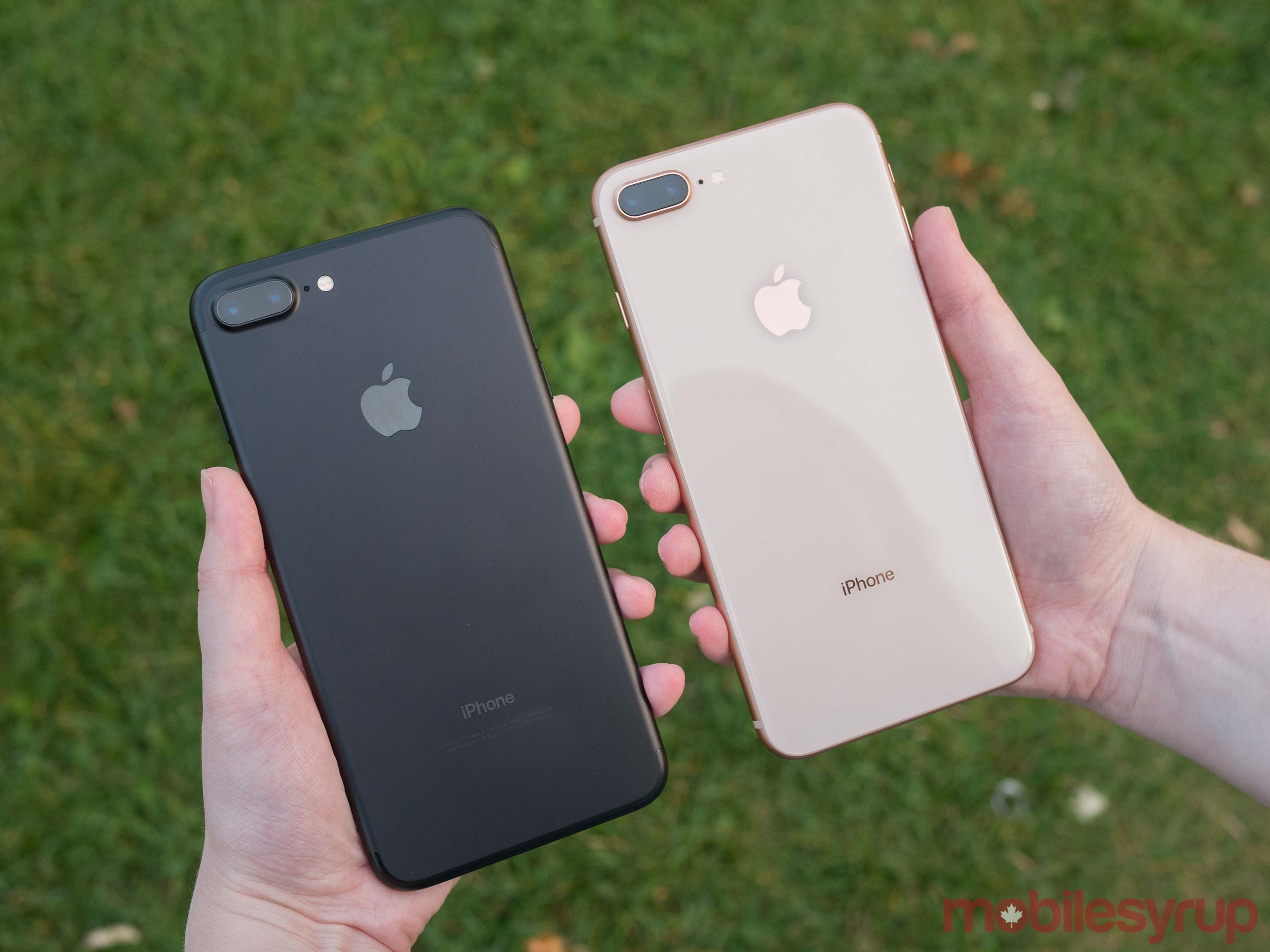
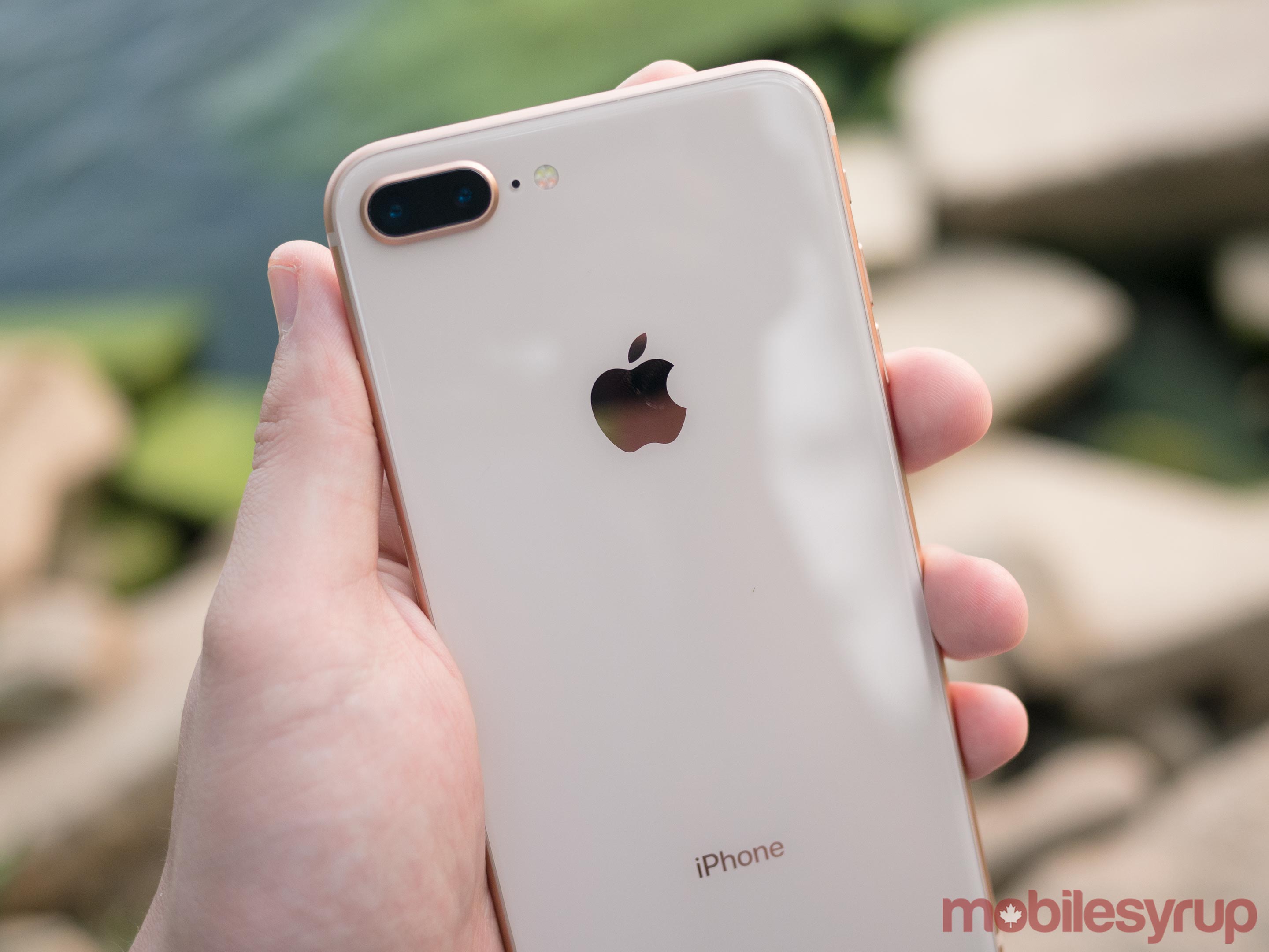
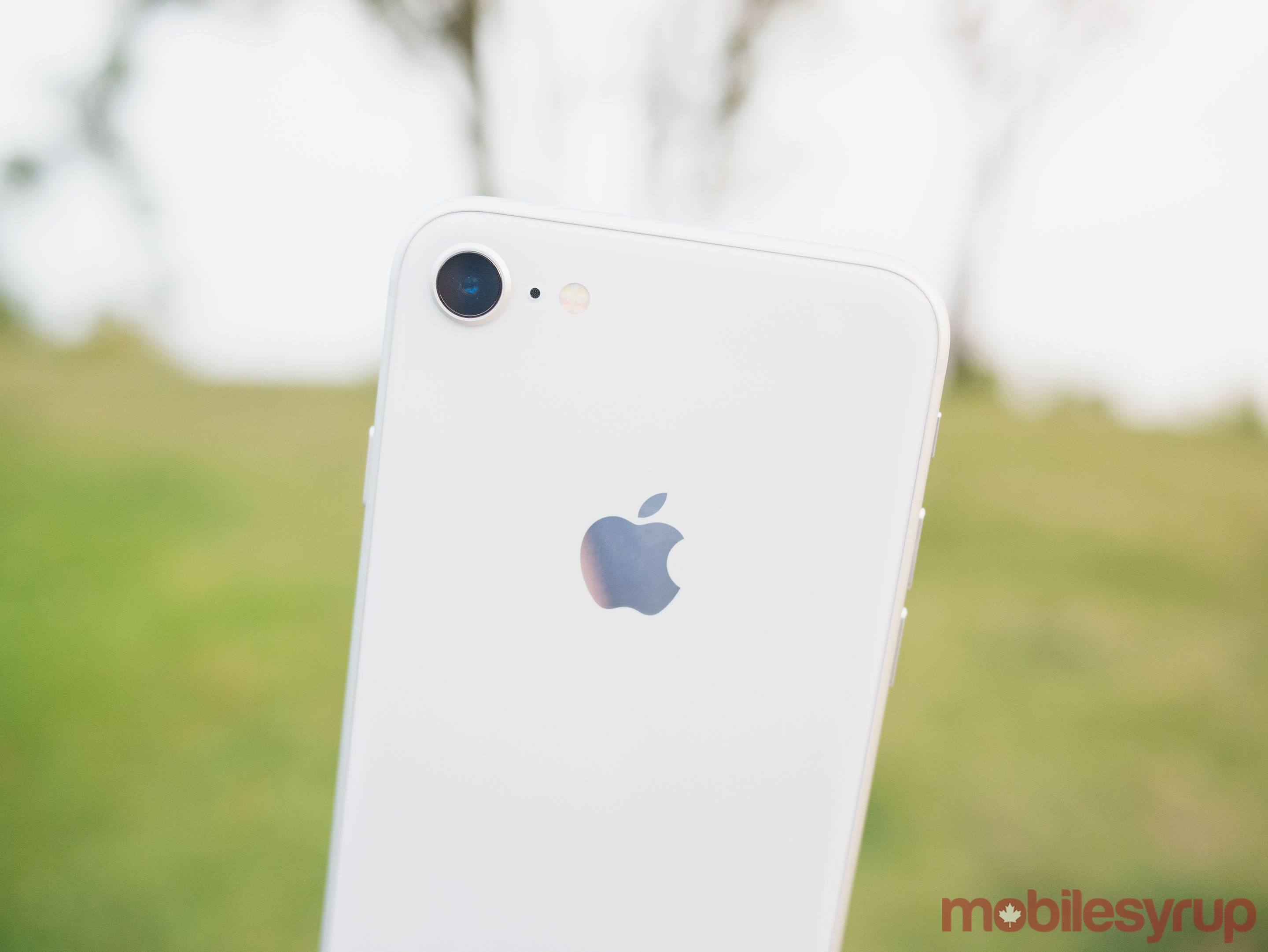
The iPhone 8 and its plus-size sibling, the iPhone 8 Plus, look almost exactly the same as the iPhone 7 family. The one difference is the back, which is now glass (gray, silver, or gold) instead of metal. It looks glossy and beautiful—not that most people will ever see it once they shove it into a case.

Apple says that its partner Corning Glass has hardened up this formulation by another 50%, but glass will always be more likely to shatter than metal.

Apple didn’t switch to glass for cosmetic reasons, though. It switched so that it could catch up with Samsung—by offering magnetic inductive charging.

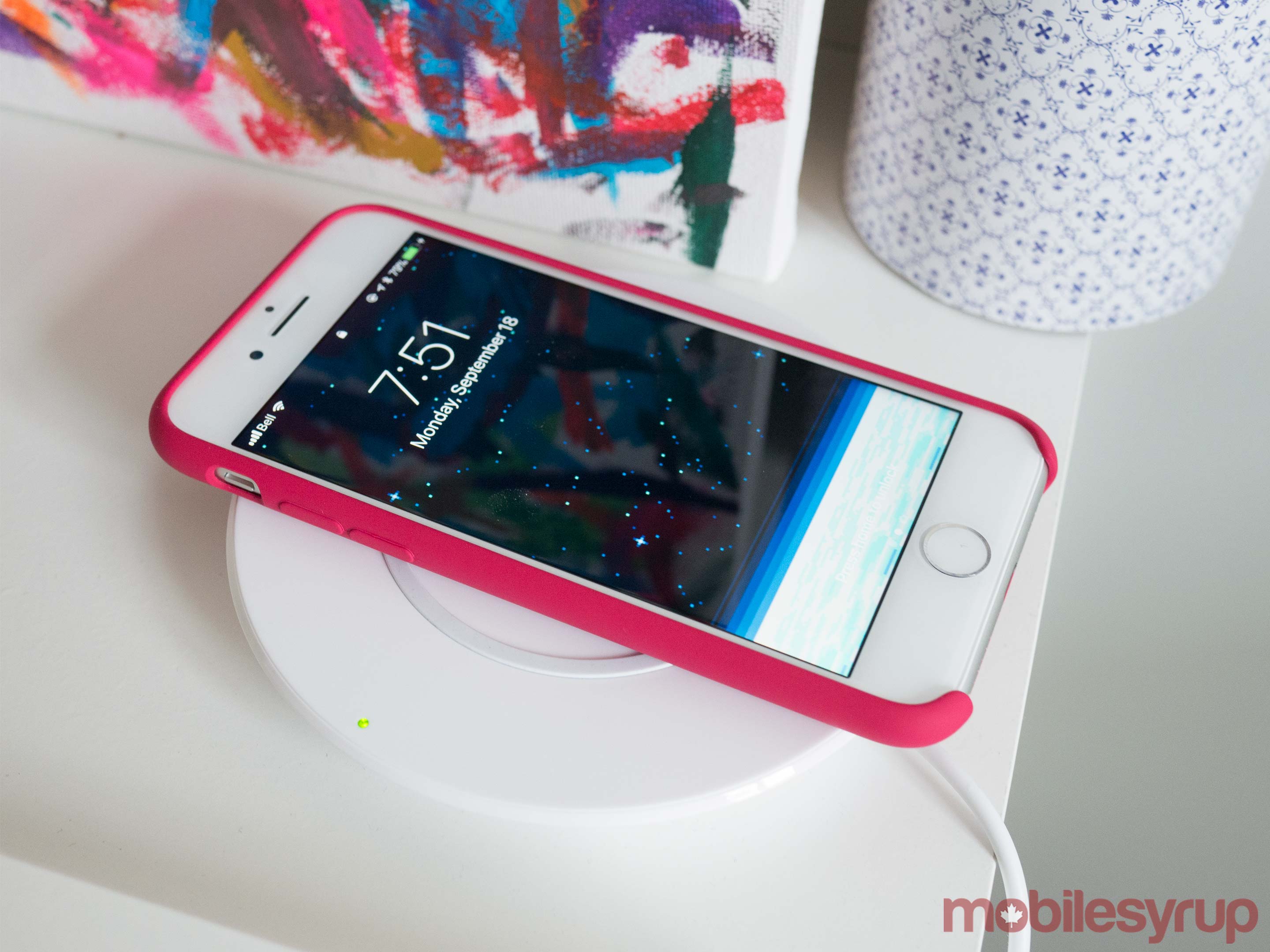
Apple and Samsung call it wireless charging, but what they actually mean is “laying your phone on special charging pad.” It’s true that you’re no longer plugging a cord into the phone, but the pad itself still has to be plugged into a power outlet.

image
Seems like a little thing, but charging-on-a-pad is actually quite handy.

If you’re among the “Oh, come on—how hard is it to plug in cable?” crowd, I hear you. As author John Green might say, having to fuss with a power cord is the first-worldliest of first-world problems.

Still, once you’ve tried pad charging, you won’t go back. You come home from work, you just set the phone down on your way in. Or you set it down on your bedside table. Done.

Life will be even sweeter if Apple succeeds in its efforts to persuade hotels, airports, and car makers to put these charging pads everywhere you want to be. Then a smartphone’s short battery life (unimproved in the iPhone 8) will matter less.

The really great news is that Apple has adopted the same charging standard that Samsung and other companies use, called Qi (pronounced “chee”). You don’t have to buy Apple’s charging pad; you can use any company’s. These pads cost about $12 on Amazon (AMZN)—in fact, Apple doesn’t even sell a charging pad of its own.

Some time next year, Apple says, it will offer a jumbo mat called AirPower, which will offer a sweet perk: You can lay your iPhone, Apple Watch, and AirPod charging case (a special new one) on this pad simultaneously, and charge them all at once.

And now, some Frequently Asked Questions about charging:

  • How fast does the pad charge the phone? Same speed as the Lightning cable, according to Apple.
  • If I put the phone on the pad and plug in the Lightning cable, will it charge twice as fast? No. The cable takes over.
  • Does the iPhone 8 offer “fast charging?” Not on the pad. You can get fast charging through the cable—that is, a 50% charge in 30 minutes—but it’s going to cost you. You have to buy one of these USB-C power bricks ($50 and up) and a USB-C to Lightning cable (Apple’s is $25).
image
Fast charging is great, but it’ll cost ya.

Better guts

What else is new? A faster processor, of course. In side-by-side tests with an iPhone 7, you can see the speedup everywhere. Opening apps is faster. Pulling up webpages is faster. Opening attachments is faster.

The screen now adapts to the color of the ambient light, adjusting its own white balance as necessary to make colors look right. Apple says it reduces eyestrain, but I don’t know—seems like a pretty minor change to me.

The stereo speakers go 25 percent louder. They sound great.

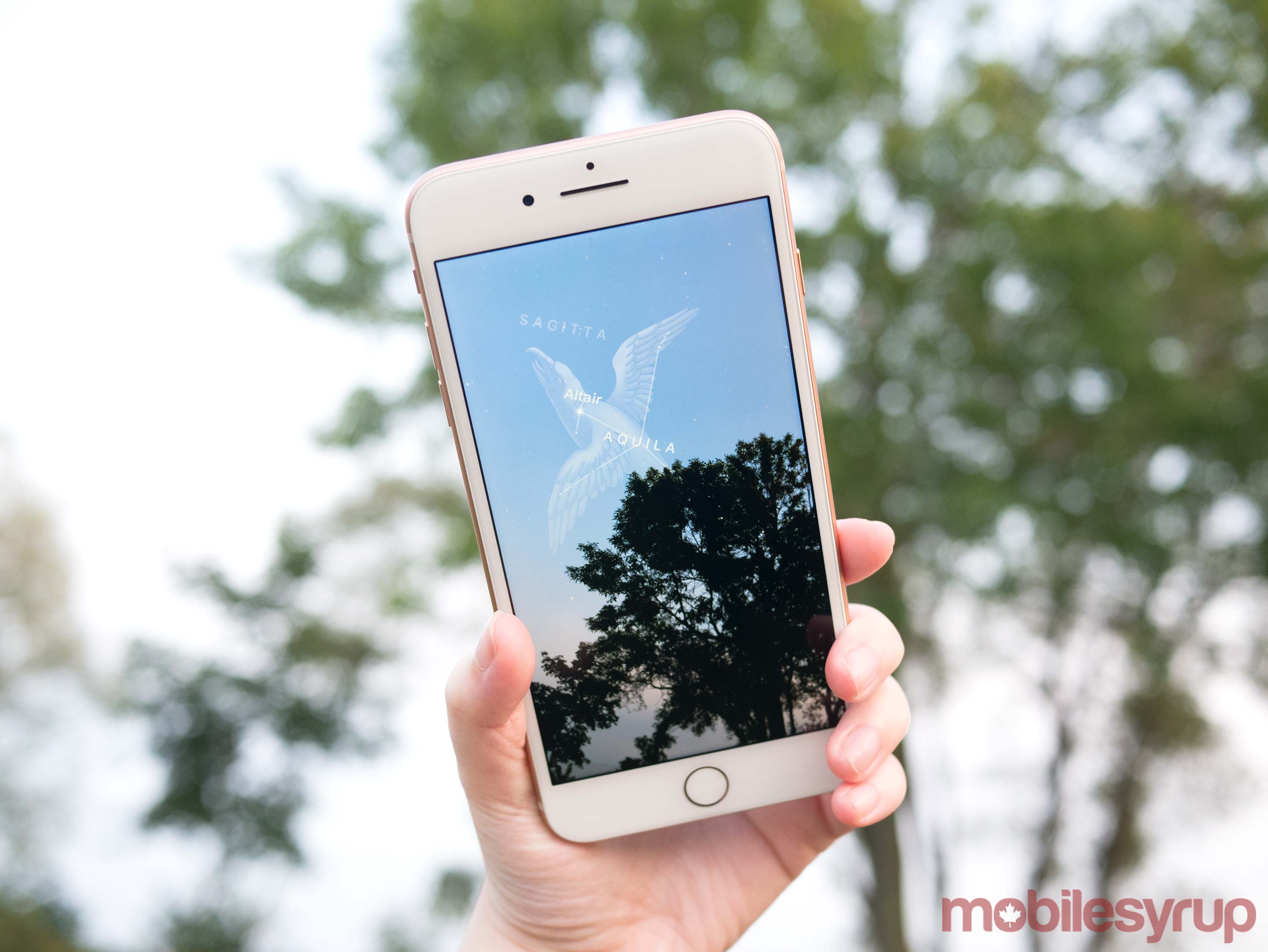
All of this, Apple says, makes the iPhone 8 a great platform for the new wave of augmented reality apps that will start appearing in the app store this week. These apps, based on Apple’s AR Kit development tools, superimpose graphics or information on the live video image of the world around you. One app identifies the stars overhead, for example; another identifies the players on the ball field in front of you. I’ll be reviewing a lot of these apps in the weeks to come.

Better cameras

Apple says the 12-megapixel camera now has “larger, faster sensor; a new color filter; deeper pixels.” (Deeper pixels?)

Anyway, I took a bunch of shots with the iPhone 7 and 8 side-by-side to see if there’s any difference. And sure enough. The top-right peach is more blown out in the iPhone 7 shot, and there’s more detail in the bottom peach on the iPhone 8:

image
The iPhone 8 camera has been improved, slightly.

Same thing on the alligator: Better color range and detail on the 8:

image
Here again, the lower photo shows better color and detail.

Very nice.

On the larger iPhone 8 Plus, there’s some fancy stuff going on with its dual-lens setup. As on last year’s 7 Plus, this phone has two camera lenses: one wider angle, one a 2X zoom. Clever software lets you blend the zoom to any degree between them (or, using digital zooming, go all the way up to 10X).

image
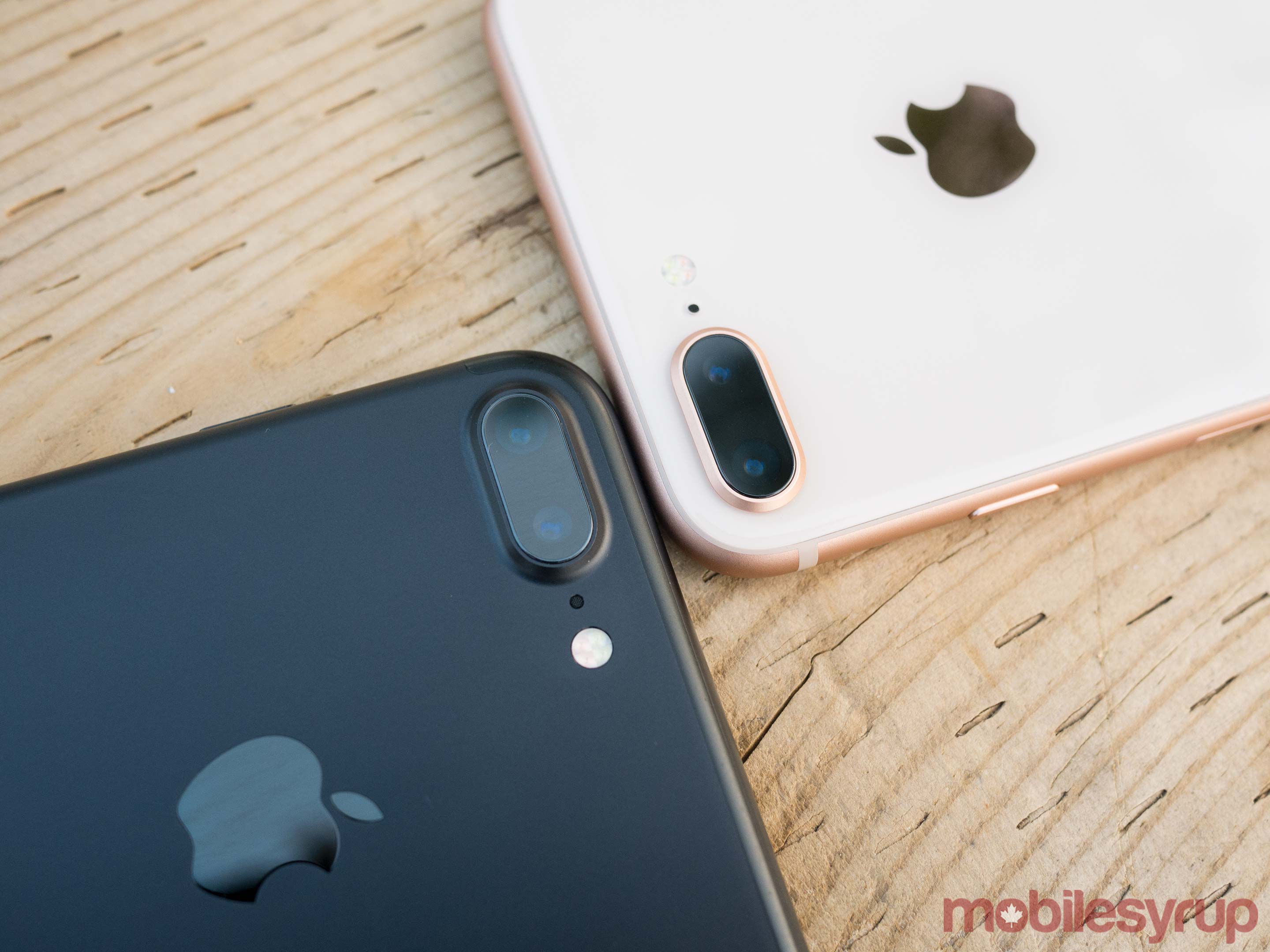
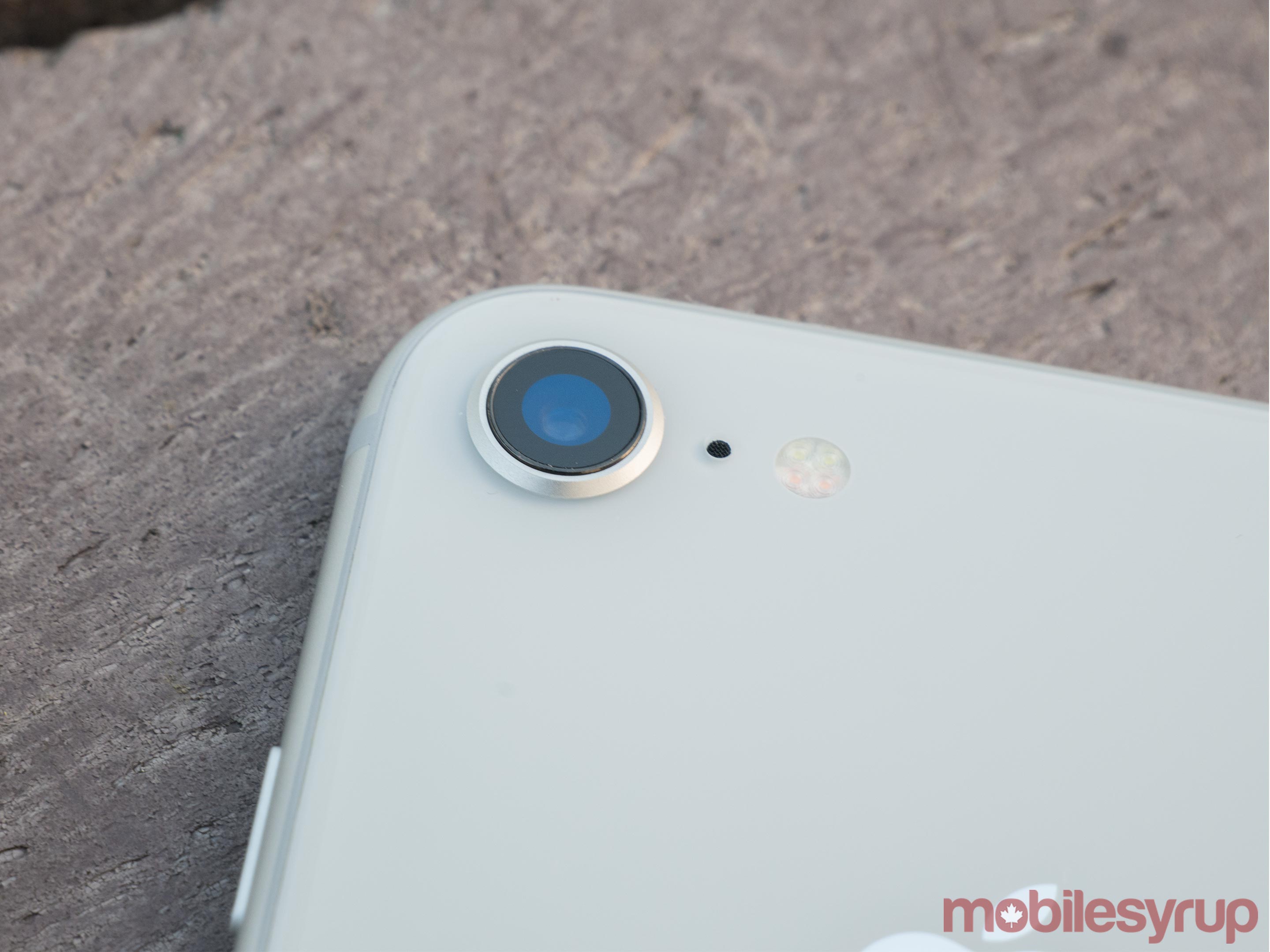
This photo shows the Plus model (its dual lenses) and the fingerprinty back that’s on both models.

But because the two-lens setup can tell the foreground subject apart from its background, it’s capable of creating a soft blurry-background look, like this:

image
The softly blurred background is all software-created—and improved, Apple, says, in the iPhone 8 Plus.

(Some photographers refer to this blurriness as bokeh, although technically, that word describes the quality of the blurriness, not the blurriness itself. “I love the bokeh this lens gives you,” you might hear.)

Ordinarily, you see that look only in professional photos, or at least photos taken with big black SLR cameras using high-aperture lenses (f/1.8, for example).

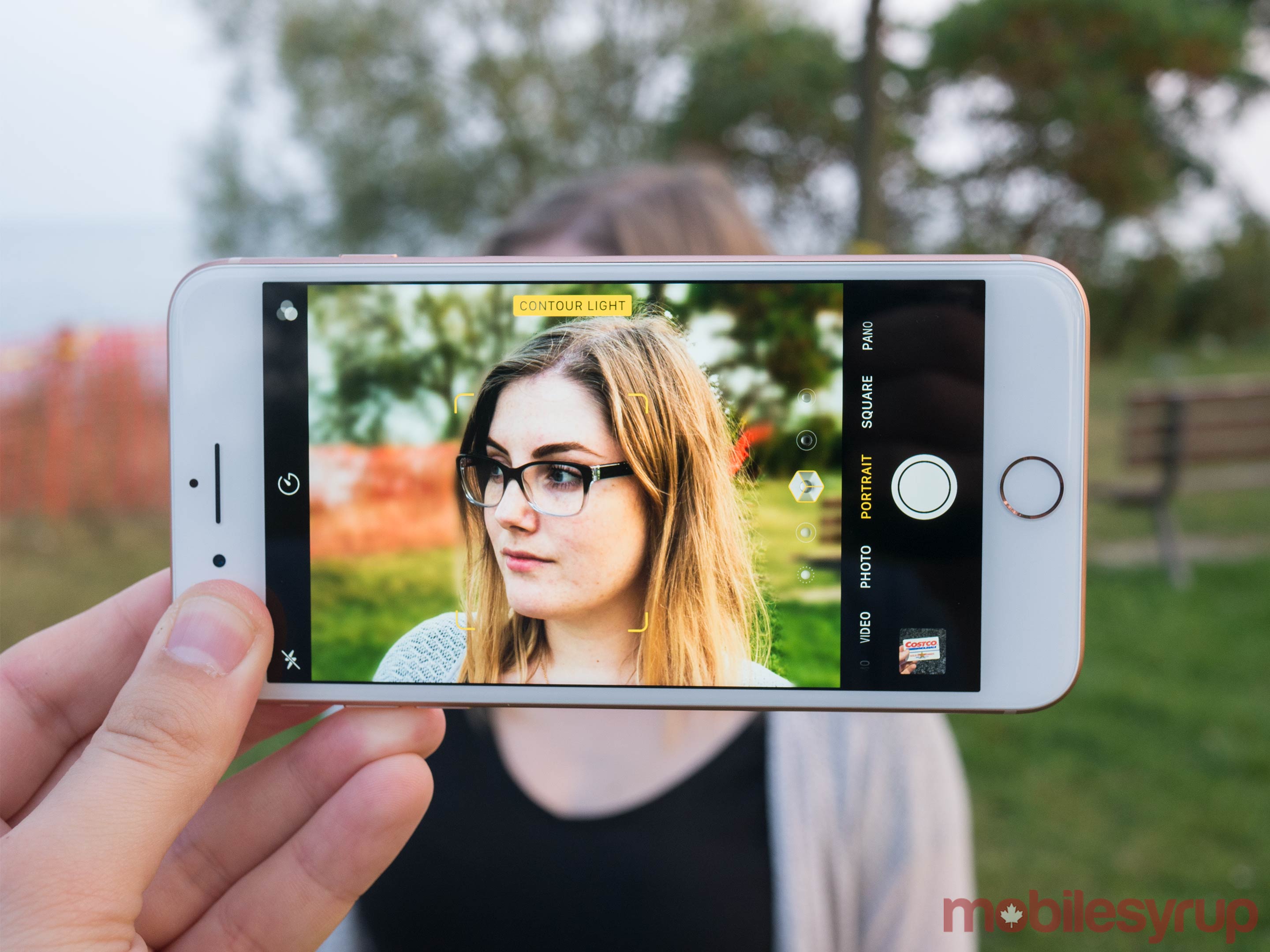
In the 8 Plus, Apple says that the bokeh (yes, the quality of the blurriness) is improved—and there’s something new. After taking a Portrait shot, you can tap Edit and then fiddle with the lighting, experimenting with different studio light setups. It’s in beta, so not quite finished, but already, the results can be pretty amazing. So far, almost every portrait I’ve taken looks better with the Studio Lighting effect, and the Stage Lighting, which cuts out the background entirely, is stunning:

image
On the iPhone 8 Plus, the new studio lighting modes are pretty awesome.

Better 8 than never

So that’s really it. Magnetic charging, faster chip, slightly better camera.

And, of course, all of this runs on iOS 11, which brings a lot of goodies on its own.

image
The iPhone 8 and the jumbo-size 8 Plus.

The two iPhone storage capacities are 64 and 256 gigabytes (for $700 and $850; installment and rental plans are available). For the larger 8 Plus model, the prices are $800 and $950.

Some of those prices are higher than last year’s iPhone 7 prices, and some are lower. Weird. You do get twice the storage (64 gigs) on the base models.

For sure, the iPhone 8 is a great phone—it’s better than the iPhone 7 in several ways. Still, if you’re currently carrying, say, an iPhone 6s or 7, there’s not much here to justify the upgrade.

If you have something older, of course, the 8 will feel like a glorious improvement. But then again, so will the iPhone 7 and 7 Plus, which are still on sale, and for a lot less money ($550 and $670).

In other words, there’s really not much buzzing about the iPhone 8. For plenty of upgraders, though, there may well be some contented humming.

More from David Pogue:

How Apple envisions life without a Home button

The $999, eyebrow-raising iPhone X: David Pogue’s hands-on review

iOS11 is about to arrive — here’s what’s in it 

MacOS High Sierra comes this fall—and brings these 23 features

T-Mobile COO: Why we make investments like free Netflix that ‘seem crazy’

How Apple’s iPhone has improved since its 2007 debut

David Pogue, tech columnist for Yahoo Finance, is the author of “iPhone: The Missing Manual.” He welcomes nontoxic comments in the comments section below. On the web, he’s davidpogue.com. On Twitter, he’s @pogue. On email, he’s poguester@yahoo.com. You can read all his articles here, or you can sign up to get his columns by email

20 Sep 17:48

Salesforce puts customers on the execution block with jargon assault

by Josh Bernoff

Salesforce is a great program for small business. Each of its customer sites has an administrator, many of whom are non-coders. That’s why a recent “critical update” featuring “block execution” sounded scary — but incomprehensible — to many. The salesforce email: simultaneously opaque and terrifying A correspondent working in a small financial advice firm forwarded … Continued

The post Salesforce puts customers on the execution block with jargon assault appeared first on without bullshit.

20 Sep 17:48

GE’s future is digital, says CEO John Flannery. Does that mean anything?

by Josh Bernoff

We use some words so often they lose meaning. “Digital” is one of those words. When GE CEO John Flannery says the future is digital, I get confused. If I’m too dumb to understand this, how many of his other readers are similarly ignorant? A little more clarity — and a review from an editor … Continued

The post GE’s future is digital, says CEO John Flannery. Does that mean anything? appeared first on without bullshit.

20 Sep 17:48

"The largely incongruent political and ethnic maps of Europe have meant that self-determination..."

“The largely incongruent political and ethnic maps of Europe have meant that self-determination conflicts on this continent have mostly taken the form of ethnic conflicts: from Northern Ireland to the Caucasus, from the Basque country to the Åland islands and from Kosovo to Silesia the competing claims of distinct ethnic groups to self-determination have been the most prominent sources of conflicts within and across state boundaries.”

- | Stefan Wolff | Can Forced Population Transfers Resolve Self-determination Conflicts? A European Perspective
20 Sep 17:48

Justin Gillis | The Real Unknown of Climate Change: Our Behavior

Justin Gillis | The Real Unknown of Climate Change: Our Behavior:

Our leaders have totally let us down on global warming. Like the debt owed on pensions and infrastructure, our leaders have dithered for generations until the point that global warming is an inescapable present reality. Even if we shift to a wartime footing to counter global climate change now, it will take at least 1000 years for the world to start cooling.

Justin Gillis, in this empassioned piece, lays out much that we have gotten wrong, but like so many others fails to mention that it is too late to head off worsening impacts of climate change:

Because of atmospheric emissions from human activity, the ocean waters from which Harvey drew its final burst of strength were much warmer than they ought to have been, most likely contributing to the intensity of the deluge. If the forecasts from our scientists are anywhere close to right, we have seen nothing yet.

In their estimation, the most savage heat waves that we experience today will likely become routine in a matter of decades. The coastal inundation that has already begun will grow worse and worse, forcing millions of people to flee. The immense wave of refugees that we already see moving across continents may be just the beginning.

Scientists urged decades ago that we buy ourselves some insurance by cutting emissions. We yawned. Even today, when millions of people have awakened to the danger, tens of millions have not. So the political demand for change is still too weak to overcome the entrenched interests that want to block it.

In Washington, progress on climate change has stalled. The administration has announced its intent to withdraw from the global Paris climate accord. And top Trump appointees insist that the causes of climate change are too uncertain and the scientific forecasts too unreliable to be a basis for action.

This argument might have been halfway plausible 20 years ago – or, if you want to be generous, even 10 years ago. But today?

Today, salt water is inundating the coastal towns of the United States, to the point that they are starting to put giant rulers in the intersections so people can tell if it is safe to drive through. The city leaders are also posting “no wake” signs — not on canals but on the streets, to stop trucks from plowing through the water so fast as to send waves crashing into nearby homes.

We all see the giant storms, more threatening than any in our lifetimes — and while scientists are not entirely comfortable yet drawing links between the power of these hurricanes and climate change, many people are coming to their own common-sense conclusions.

As the challenges in the real world worsen, some senior Republicans continue to question the link between human-caused emissions and rising temperatures. Scott Pruitt, the head of the Environmental Protection Agency, said this on CNBC in March:

“I think that measuring with precision human activity on the climate is something very challenging to do and there’s tremendous disagreement about the degree of impact, so no, I would not agree that it’s a primary contributor to the global warming that we see.”

Note that he acknowledges the planet is warming. Note that he offers no alternative hypothesis about the cause of that warming — nor will he ever, for the simple reason that there is no plausible alternative. But still, he clings to uncertainty as a reason to do nothing.

It’s farcical at this point.

The strangest thing is that no one is actually talking about plausible outcomes. We’re careening toward ecological collapse, like the die-off of huge forests the world over and the death of the barrier reefs, but the popular press and our leaders are talking about rebuilding devastated communities in Houston and Florida, even as the next wave of hurricanes are bearing down.

20 Sep 17:47

Pirating Web Content Responsibly With R

by hrbrmstr

International Code Talk Like A Pirate Day almost slipped by without me noticing (September has been a crazy busy month), but it popped up in the calendar notifications today and I was glad that I had prepped the meat of a post a few weeks back.

There will be no ‘rrrrrr’ abuse in this post, I’m afraid, but there will be plenty of R code.

We’re going to combine pirate day with “pirating” data, in the sense that I’m going to show one way on how to use the web scraping powers of R responsibly to collect data on and explore modern-day pirate encounters.

Scouring The Seas Web For Pirate Data

Interestingly enough, there are many of sources for pirate data. I’ve blogged a few in the past, but I came across a new (to me) one by the International Chamber of Commerce. Their Commercial Crime Services division has something called the Live Piracy & Armed Robbery Report:

(site png snapshot taken with splashr)

I fiddled a bit with the URL and — sure enough — if you work a bit you can get data going back to late 2013, all in the same general format, so I jotted down base URLs and start+end record values and filed them away for future use:

library(V8)
library(stringi)
library(httr)
library(rvest)
library(robotstxt)
library(jwatr) # github/hrbrmstr/jwatr
library(hrbrthemes)
library(purrrlyr)
library(rprojroot)
library(tidyverse)

report_urls <- read.csv(stringsAsFactors=FALSE, header=TRUE, text="url,start,end
https://www.icc-ccs.org/index.php/piracy-reporting-centre/live-piracy-report/details/169/, 1345, 1459
https://www.icc-ccs.org/piracy-reporting-centre/live-piracy-report/details/151/, 1137, 1339
https://www.icc-ccs.org/piracy-reporting-centre/live-piracy-map/details/146/, 885, 1138
https://www.icc-ccs.org/piracy-reporting-centre/live-piracy-report/details/144/, 625, 884
https://www.icc-ccs.org/index.php/piracy-reporting-centre/live-piracy-report/details/133/, 337, 623")

by_row(report_urls, ~sprintf(.x$url %s+% "%s", .x$start:.x$end), .to="url_list") %>%
  pull(url_list) %>%
  flatten_chr() -> target_urls

head(target_urls)
## [1] "https://www.icc-ccs.org/index.php/piracy-reporting-centre/live-piracy-report/details/169/1345"
## [2] "https://www.icc-ccs.org/index.php/piracy-reporting-centre/live-piracy-report/details/169/1346"
## [3] "https://www.icc-ccs.org/index.php/piracy-reporting-centre/live-piracy-report/details/169/1347"
## [4] "https://www.icc-ccs.org/index.php/piracy-reporting-centre/live-piracy-report/details/169/1348"
## [5] "https://www.icc-ccs.org/index.php/piracy-reporting-centre/live-piracy-report/details/169/1349"
## [6] "https://www.icc-ccs.org/index.php/piracy-reporting-centre/live-piracy-report/details/169/1350"

Time to pillage some details!

But…Can We Really Do It?

I poked around the site’s terms of service/terms and conditions and automated retrieval was not discouraged. Yet, those aren’t the only sea mines we have to look out for. Perhaps they use their robots.txt to stop pirates. Let’s take a look:

robotstxt::get_robotstxt("https://www.icc-ccs.org/")
## # If the Joomla site is installed within a folder such as at
## # e.g. www.example.com/joomla/ the robots.txt file MUST be
## # moved to the site root at e.g. www.example.com/robots.txt
## # AND the joomla folder name MUST be prefixed to the disallowed
## # path, e.g. the Disallow rule for the /administrator/ folder
## # MUST be changed to read Disallow: /joomla/administrator/
## #
## # For more information about the robots.txt standard, see:
## # http://www.robotstxt.org/orig.html
## #
## # For syntax checking, see:
## # http://www.sxw.org.uk/computing/robots/check.html
##
## User-agent: *
## Disallow: /administrator/
## Disallow: /cache/
## Disallow: /cli/
## Disallow: /components/
## Disallow: /images/
## Disallow: /includes/
## Disallow: /installation/
## Disallow: /language/
## Disallow: /libraries/
## Disallow: /logs/
## Disallow: /media/
## Disallow: /modules/
## Disallow: /plugins/
## Disallow: /templates/
## Disallow: /tmp/

Ahoy! We’ve got a license to pillage!

But, we don’t have a license to abuse their site.

While I still haven’t had time to follow up on an earlier post about ‘crawl-delay’ settings across the internet I have done enough work on it to know that a 5 or 10 second delay is the most common setting (when sites bother to have this directive in their robots.txt file). ICC’s site does not have this setting defined, but we’ll still pirate crawl responsibly and use a 5 second delay between requests:

s_GET <- safely(GET)

pb <- progress_estimated(length(target_urls))
map(target_urls, ~{
  pb$tick()$print()
  Sys.sleep(5)
  s_GET(.x)
}) -> httr_raw_responses

write_rds(httr_raw_responses, "data/2017-icc-ccs-raw-httr-responses.rds")

good_responses <- keep(httr_raw_responses, ~!is.null(.x$result))

jwatr::response_list_to_warc_file(good_responses, "data/icc-good")

There are more “safety” measures you can use with httr::GET() but this one is usually sufficient. It just prevents the iteration from dying when there are hard retrieval errors.

I also like to save off the crawl results so I can go back to the raw file (if needed) vs re-scrape the site (this crawl takes a while). I do it two ways here, first using raw httr response objects (including any “broken” ones) and then filtering out the “complete” responses and saving them in WARC format so it’s in a more common format for sharing with others who may not use R.

Digging For Treasure

Did I mention that while the site looks like it’s easy to scrape it’s really not easy to scrape? That nice looking table is a sea mirage ready to trap unwary sailors crawlers in a pit of despair. The UX is built dynamically from on-page javascript content, a portion of which is below:

Now, you’re likely thinking: “Don’t we need to re-scrape the site with seleniumPipes or splashr?”

Fear not, stout yeoman! We can do this with the content we have if we don’t mind swabbing the decks first. Let’s put the map code up first and then dig into the details:

# make field names great again
mfga <- function(x) {
  x <- tolower(x)
  x <- gsub("[[:punct:][:space:]]+", "_", x)
  x <- gsub("_+", "_", x)
  x <- gsub("(^_|_$)", "", x)
  x <- make.unique(x, sep = "_")
  x
}

# I know the columns I want and this makes getting them into the types I want easier
cols(
  attack_number = col_character(),
  attack_posn_map = col_character(),
  date = col_datetime(format = ""),
  date_time = col_datetime(format = ""),
  id = col_integer(),
  location_detail = col_character(),
  narrations = col_character(),
  type_of_attack = col_character(),
  type_of_vessel = col_character()
) -> pirate_cols

# iterate over the good responses with a progress bar
pb <- progress_estimated(length(good_responses))
map_df(good_responses, ~{

  pb$tick()$print()

  # `safely` hides the data under `result` so expose it
  doc <- content(.x$result)

  # target the `<script>` tag that has our data, carve out the target lines, do some data massaging and evaluate the javascript with V8
  html_nodes(doc, xpath=".//script[contains(., 'requirejs')]") %>%
    html_text() %>%
    stri_split_lines() %>%
    .[[1]] %>%
    grep("narrations_ro", ., value=TRUE) %>%
    sprintf("var dat = %s;", .) %>%
    ctx$eval()

  p <- ctx$get("dat", flatten=TRUE)

  # now, process that data, turing the ugly returned list content into something we can put in a data frame
  keep(p[[1]], is.list) %>%
    map_df(~{
      list(
        field = mfga(.x[[3]]$label),
        value = .x[[3]]$value
      )
    }) %>%
    filter(value != "") %>%
    distinct(field, .keep_all = TRUE) %>%
    spread(field, value)

}) %>%
  type_convert(col_types = pirate_cols) %>%
  filter(stri_detect_regex(attack_number, "^[[:digit:]]")) %>%
  filter(lubridate::year(date) > 2012) %>%
  mutate(
    attack_posn_map = stri_replace_last_regex(attack_posn_map, ":.*$", ""),
    attack_posn_map = stri_replace_all_regex(attack_posn_map, "[\\(\\) ]", "")
  ) %>%
  separate(attack_posn_map, sep=",", into=c("lat", "lng")) %>%
  mutate(lng = as.numeric(lng), lat = as.numeric(lat)) -> pirate_df

write_rds(pirate_df, "data/pirate_df.rds")

The first bit there is a function to “make field names great again”. We’re processing some ugly list data and it’s not all uniform across all years so this will help make the data wrangling idiom more generic.

Next, I setup a cols object because we’re going to be extracting data from text as text and I think it’s cleaner to type_convert at the end vs have a slew of as.numeric() (et al) statements in-code (for small mumnging). You’ll note at the end of the munging pipeline I still need to do some manual conversions.

Now we can iterate over the good (complete) responses.

The purrr::safely function shoves the real httr response in result so we focus on that then “surgically” extract the target data from the <script> tag. Once we have it, we get it into a form we can feed into the V8 javascript engine and then retrieve the data from said evaluation.

Because ICC used the same Joomla plugin over the years, the data is uniform, but also can contain additional fields, so we extract the fields in a generic manner. During the course of data wrangling, I noticed there were often multiple Date: fields, so we throw in some logic to help avoid duplicate field names as well.

That whole process goes really quickly, but why not save off the clean data at the end for good measure?

Gotta Have A Pirate Map

Now we can begin to explore the data. I’ll leave most of that to you (since I’m providing the scraped data oh github), but here are a few views. First, just some simple counts per month:

mutate(pirate_df, year = lubridate::year(date), year_mon = as.Date(format(date, "%Y-%m-01"))) %>%
  count(year_mon) %>%
  ggplot(aes(year_mon, n)) +
  geom_segment(aes(xend=year_mon, yend=0)) +
  scale_y_comma() +
  labs(x=NULL, y=NULL,
       title="(Confirmed) Piracy Incidents per Month",
       caption="Source: International Chamber of Commerce Commercial Crime Services <https://www.icc-ccs.org/>") +
  theme_ipsum_rc(grid="Y")

And, finally, a map showing pirate encounters but colored by year:

world <- map_data("world")

mutate(pirate_df, year = lubridate::year(date)) %>%
  arrange(year) %>%
  mutate(year = factor(year)) -> plot_df

ggplot() +
  geom_map(data = world, map = world, aes(x=long, y=lat, map_id=region), fill="#b2b2b2") +
  geom_point(data = plot_df, aes(lng, lat, color=year), size=2, alpha=1/3) +
  ggalt::coord_proj("+proj=wintri") +
  viridis::scale_color_viridis(name=NULL, discrete=TRUE) +
  labs(x=NULL, y=NULL,
       title="Piracy Incidents per Month (Confirmed)",
       caption="Source: International Chamber of Commerce Commercial Crime Services <https://www.icc-ccs.org/>") +
  theme_ipsum_rc(grid="XY") +
  theme(legend.position = "bottom")

Taking Up The Mantle of the Dread Pirate Hrbrmstr

Hopefully this post shed some light on scraping responsibly and using different techniques to get to hidden data in web pages.

There’s some free-form text and more than a few other ways to look at the data. You can find the code and data on Github and don’t hesitate to ask questions in the comments or file an issue. If you make something blog it! Share your ideas and creations with the rest of the R (or other language) communities!

20 Sep 17:47

LEGO color scheme classifications

by Nathan Yau

Nathanael Aff poked at LEGO brickset data with some text mining methods in search for recurring color schemes in LEGO sets. This is what he got.

Tags: color, LEGO

20 Sep 17:47

Astro Pi upgrades on the International Space Station

by David Honess

In 2015, The Raspberry Pi Foundation built two space-hardened Raspberry Pi units, or Astro Pis, to run student code on board the International Space Station (ISS).

Astro Pi

A space-hardened Raspberry Pi

Astro Pi upgrades

Each school year we run an Astro Pi challenge to find the next generation of space scientists to program them. After the students have their code run in space, any output files are downloaded to ground and returned to them for analysis.

That download process was originally accomplished by an astronaut shutting down the Astro Pi, moving its micro SD card to a crew laptop and copying over the files manually. This used about 20 minutes of precious crew time.

space pi – Create, Discover and Share Awesome GIFs on Gfycat

Watch space pi GIF by sooperdave on Gfycat. Discover more GIFS online on Gfycat

Last year, we passed the qualification to allow the Astro Pi computers to be connected to the Local Area Network (LAN) on board the ISS. This allows us to remotely access them from the ground, upload student code and download the results without having to involve the crew.

This year, we have been preparing a new payload to upgrade the operational capabilities of the Astro Pi units.

The payload consists of the following items:

  • 2 × USB WiFi dongles
  • 5 × optical filters
  • 4 × 32GB micro SD cards

Before anyone asks – no, we’re not going outside into the vacuum of space!

USB WiFi dongle

Currently both Astro Pi units are located in the European Columbus module. They’re even visible on Google Street View (pan down and right)! You can see that we’ve created a bit of a bird’s nest of wires behind them.

Astro Pi

The D-Link DWA-171

The decision to add WiFi capability is partly to clean up the cabling situation, but mainly so that the Astro Pi units can be deployed in ISS locations other than the Columbus module, where we won’t have access to an Ethernet switch.

The Raspberry Pi used in the Astro Pi flight units is the B+ (released in 2014), which does not have any built in wireless connectivity, so we need to use a USB dongle. This particular D-Link dongle was recommended by the European Space Agency (ESA) because a number of other payloads are already using it.

Astro Pi

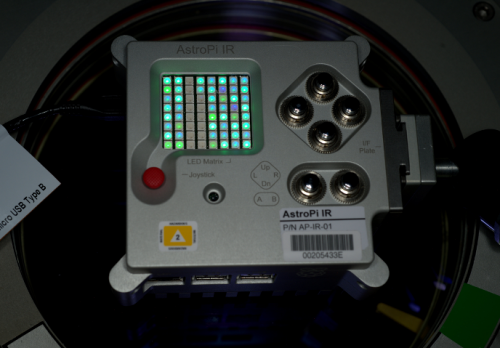
An Astro Pi unit with WiFi dongle installed

Plans have been made for one of the Astro Pi units to be deployed on an Earth-facing window, to allow Earth-observation student experiments. This is where WiFi connectivity will be required to maintain LAN access for ground control.

Optical filters

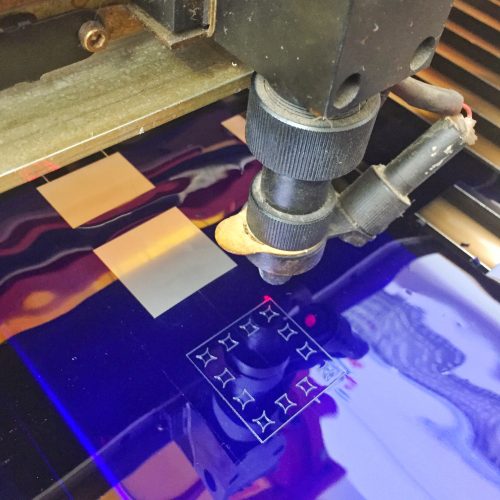
With Earth-observation experiments in mind, we are also sending some flexible film optical filters. These are made from the same material as the blue square which is shipped with the Pi NoIR camera module, as noted in this post from when the product was launched. You can find the data sheet here.

Astro Pi

Rosco Roscalux #2007 Storaro Blue

To permit the filter to be easily attached to the Astro Pi unit, the film is laser-cut to friction-fit onto the 12 inner heatsink pins on the base, so that the camera aperture is covered.

Astro Pi

Laser cutting at Makespace

The laser-cutting work was done right here in Cambridge at Makespace by our own Alex Bate, and local artist Diana Probst.

Astro Pi

An Astro Pi with the optical filter installed

32GB micro SD cards

A consequence of running Earth observation experiments is a dramatic increase in the amount of disk space needed. To avoid a high frequency of commanding windows to download imagery to ground, we’re also flying some larger 32GB micro SD cards to replace the current 8GB cards.

Astro Pi

The Samsung Evo MB-MP32DA/EU

This particular type of micro SD card is X-ray proof, waterproof, and resistant to magnetism and heat. Operationally speaking there is no difference, other than the additional available disk space.

Astro Pi

An Astro Pi unit with the new micro SD card installed

The micro SD cards will be flown with a security-hardened version of Raspbian pre-installed.

Crew activities

We have several crew activities planned for when this payload arrives on the ISS. These include the installation of the upgrade items on both Astro Pi units; moving one of the units from Columbus to an earth-facing window (possibly in Node 2); and then moving it back a few weeks later.

Currently it is expected that these activities will be carried out by German ESA astronaut Alexander Gerst who launches to the ISS next year (and will also be the ISS commander for Expedition 57).

Payload launch

We are targeting a January 2018 launch date for the payload. The exact launch vehicle is yet to be determined, but it could be SpaceX CRS 14. We will update you closer to the time.

Questions?

If you have any questions about this payload, how an item works, or why that specific model was chosen, please post them in the comments below, and we’ll try to answer them.

The post Astro Pi upgrades on the International Space Station appeared first on Raspberry Pi.

20 Sep 17:45

Bauch als Bauchtasche: The Dadbag

by Ronny
mkalus shared this story from Das Kraftfuttermischwerk.

Mit Bauchtaschen assoziiere ich ja immer noch Fahrkartenkontrolettis, die eine Zeit lang die einzigen waren, die sich diese Dinger noch umgebunden haben. Ich weiß, dass die aktuell wieder gehen und verdammt gerne getragen werden. Auch über den Schultern und so. So es drum.

Mit The Dadbag versucht Albert Pukies jetzt eine etwas andere Bauchtasche unter die Leute zu bringen. Ihre Optik spricht für sich und ist mit an Sicherheit grenzender Wahrscheinlichkeit nicht jedermanns Sache. Klar. Pukies ist auf der Suche nach Partnern, die seine Idee realisieren wollen. Hätte ich längst bei Kickstarter geparkt, das Teil.

Mein Lieblingskommentar:


(via Bored Panda)

20 Sep 17:45

Hamburg im Zwielicht: „After Hours“

by Ronny
mkalus shared this story from Das Kraftfuttermischwerk.

Tolle Fotoserie von Mark Broyer, der mit „After Hours“ Hamburg ganz unspektakulär zeigt. Immer im Dunkel, immer ohne Menschen und auf der Suche nach dem Schönen im Ordinären. So habe ich Hamburg selten gesehen, bin halt aber auch nicht so häufig dort.

(Fotos © Mark Broyer, via Klonblog)
20 Sep 17:35

Canadians should worry about U.S. border device searches, says privacy commissioner [Update]

by Sameer Chhabra
canada

Canada’s privacy commissioner has words of warning for Canadians crossing the U.S. border.

In a statement to a House of Commons committee meeting on September 18th, 2017, privacy commissioner Daniel Therrien said that Canadians should be “very concerned” about their digital devices getting searched at the U.S. border.

According to a Canadian Press story lifted by CBC News, Therrien cited “statistics indicating U.S. border searches of mobile phones had increased between 2015 and 2016.”

“This is an area where technology is emerging and changing all the time.”

When asked by New Democratic Party (NDP) Minister of Parliament Nathan Cullen if this means that Canadians shouldn’t cross the border unless they’re comfortable with getting their digital devices searched by U.S. border agency, Therrien responded “Yes.”

Public safety minister Ralph Goodale addressed Therrien’s comments at Question Period on September 19th, 2017.

“This is an area where technology is emerging and changing all the time,” said Goodale. “And obviously, it’s an area where we will have consultations and discussions with our American counterparts to ensure that the treatment of Canadians at the border is fair, professional, consistent and respectful.”

A Public Safety Canada representative also briefly spoke with MobileSyrup to address the Canada Border Services Agency’s (CBSA) usual protocol when it comes to searching personal electronic devices.

“By law, the only purpose of such an examination can be to enforce CBSA-mandated legislation that governs the cross-border movement of people and goods, notably the Customs Act and the Immigration and Refugee Protection Act,” said the spokesperson, in an email to MobileSyrup. “Officers are prohibited by law from [conducting] examinations for the sole or primary purpose of looking for evidence of a criminal offence. Officers are required to document the reasoning for a search and how it is conducted.”

Additionally, CBSA officers are required by agency policy to “disable the device’s wireless and internet connectivity to help ensure that the examination is only of material stored on the device.”

CBSA officers are also unable to compel anyone to log into “external accounts.”

Therrien’s previous comments

Earlier this year, Therrien wrote a letter to the Standing Committee on Public Safety and National Security, regarding Bill C-23 — an Act of Parliament that aims to solidify the rules regarding pre-clearance screening between Canada and the U.S.

In the May 24th, 2017 letter, Therrien expressed his concerns with the U.S. administration’s intention to “search at their discretion and without legal grounds other than a desire to protect homeland security the electronic devices of any and all aliens who seek to enter the United States.”

“The search of an electronic device is an extremely privacy intrusive procedure,” wrote Therrien. “This has been recognized by the Supreme Court of Canada on a number of occasions.”

Therrien later penned another letter, on June 8th, 2017, affirming his commitment to maintaining the privacy of Canadians entering the U.S.

Bill C-23 is currently in its second reading — in the Senate — as of June 22nd, 2017.

MobileSyrup has reached out to Global Affairs Canada for clarification on Therrien’s September 18th comments. This story will be updated with a response.

Source: CBC News

Update 19/09/17: An OPC spokesperson has responded with a link to Therrien’s full comments at the September 18th, 2017 committee meeting: Commissioner shares his views on the privacy of Canadians at airports and borders and travelling in the United States.

The post Canadians should worry about U.S. border device searches, says privacy commissioner [Update] appeared first on MobileSyrup.

20 Sep 17:34

Apple’s watchOS 4 is available to download now

by Sameer Chhabra

While Apple’s Watch Series 3 wearable won’t be available until September 22nd, 2017, you can download watchOS 4 today.

The latest smartwatch software establishes a number of improvements over its predecessor, including new watch faces, app animations and usability improvements.

For instance, using GymKit, users will be able to tap their Apple Watch’s against workout equipment to sync fitness and workout data.

WatchOS 4 also brings a number of new workouts for swimming.

Apple’s latest smartwatch software also features improved Apple Music compatibility, allowing users to automatically sync Apple Music playlists through the watch’s music app.

The post Apple’s watchOS 4 is available to download now appeared first on MobileSyrup.

20 Sep 17:34

iOS 11 is now publicly available

by Dean Daley
iOS 11 control centre on iPhone 7

The wait is finally over. After its initial announcement in June, iOS 11, the latest version of Apple’s operating system, is now available.

With iOS 11 comes many new features, including a new lock screen that has merged with the notification shade, as well as a new Files applications. The most potentially impactful feature included in iOS 11, however, is ARKit.

iOS 11 users can now experience augmented reality through a number of apps available on both iPhone and iPad. The new AR experience adds a variety of interesting apps to Apple’s OS, such as the Machines from Directive Games, The Walking Dead: Our World and Arise. iOS 11 also features interactive shopping experiences such as Ikea Place, which are designed to help users shop and design their homes. The apps use the iPhone’s built-in cameras, processors and motion sensors, and are compatible with iPhones and iPads that feature the A9 chip and higher.

Additionally, Siri’s voice is more natural and expressive with iOS 11. The virtual assistant adjust its intonation, pitch, emphasis and tempo in a more natural way, and is now capable of translating U.S. English to French, Mandarin, Spanish, Italian and German. Furthermore, the AI delivers a more personal experiences and now makes personal suggestions based on usage from Safari, News, Mail and Messages, according to Apple.

With iOS 11 the App store has also been redesigned after nine years of minor updates. The App Store now features a specific area for apps and another section for games, as well Apple editor curation.

While there are many changes with the new iteration of iOS for the iPhone, the iPad is also getting a few tablet specific updates. For example, Apple has expanded the Dock, as well as revamped the operating system’s app switcher, Split View and drag and drop functionality.

Owners of the iPhone 5s or newer, iPad Air, any iPad Pro, iPad mini 2, iPad 2017 and the sixth generation of iPod touch, can update to iOS 11. To download the new version of iOS, navigate to ‘General,’ then ‘About’ and finally, ‘Software Update.’

The post iOS 11 is now publicly available appeared first on MobileSyrup.

20 Sep 17:34

tvOS 11 is now available for download

by Rose Behar
tvOS

Apple’s tvOS 11 is now publicly available, bringing with it new automatic light/dark appearance settings, home screen syncing options, various background modes and notification support.

It also allows for automatic pairing between AirPods and Apple TVs. With tvOS 11, a new speaker option will automatically appear on Apple TVs with iCloud accounts connected to AirPods. Previously, the earbuds would only automatically pair with iPads, Macs and Apple Watches associated with the same iCloud account

Additionally, Apple’s TV app is now available in Canada. Customers can use the service to aggregate iTunes, subscription service and freely available content in one place.

That news came at Apple’s recent iPhone X event, along with the announcement of Apple TV 4K, which is a significant hardware upgrade over its predecessor, with a three-core A10X Fusion processor.

The post tvOS 11 is now available for download appeared first on MobileSyrup.

20 Sep 17:32

Coding is helping three young Canadians make a difference

by Sameer Chhabra
A generic collection of computer code

Brampton-based software developer Tanmay Bakshi wants to use machine learning to read minds.

Well, not exactly. What he really wants to do is collect EEG data using a headset connected to a computer capable of transforming all of those brainwaves into something resembling a language decipherable by humans. Natural language processing factors into his plans.

Still, if you take a step back and squint at Bakshi’s ambitions, it’s tough not to imagine that he’s going to crack the complex neural code that connects our brains to the rest of our bodies.

A photo of the young developer, Tanmay Bakshi

Bakshi isn’t trying to read just anyone’s mind, though. He wants to use his skills to help a 29-year-old woman diagnosed with Rett syndrome, a rare genetic disorder that almost exclusively affects women.

Women diagnosed with Rett syndrome often exhibit no verbal skills. They also have trouble walking, have difficulty regulating emotion, and, in most cases, suffer from seizures.

Bakshi’s working with Darwin Ecosystem, Not Rocket Science and IBM on the project, and while it’s still in its early data-acquisition stages, he’s optimistic that he’ll be able to help his 29-year-old patient.

Not that it matters, but Bakshi’s only 14-years-old.

Get coding early — it’ll make a world of a difference

Bakshi is part of a growing contingent of young developers taking advantage of their youth and their free-time to get a headstart on software development.

David Moore, a high schooler just starting grade 12 in North Bay, Ontario, started coding when he was 10-years-old. Philippe Yu, a Burnaby, British Columbia high schooler also starting grade 12, started coding when he was in grade nine.

That being said, even for young developers, Bakshi started early.

He was five-years-old when he first started programming — learning C++ and HTML to build apps for Windows.

A photo of Canadian developer David Moore

When he turned eight, Bakshi started learning Objective-C, the language that was previously used to build apps for OS X and iOS, before Apple switched to their in-house developed Swift language.

Naturally, he also learned Swift when Apple announced that it was available to the public. Learning Swift also inspired Bakshi to begin working on his first book, Hello Swift!: iOS Programming for Kids and Other Beginners, which was co-written with Lynn Beighley. It was published in August 2017.

There’s no denying that Bakshi’s certainly on the younger side, but he shares a common heritage with Moore and Yu. In one form or another, they all learned about software development at an early age, choosing to learn how to code, while eventually building apps within the Apple ecosystem.

“I’ve gotten quite a bit of experience over the past seven years.”

Moore started with Objective-C, before picking up C++.

“Then I branched into Swift and Java, which are pretty similar,” said Moore. “I’ve gotten quite a bit of experience over the past seven years.”

Moore was able to build an app for Apple TV — a game called QuickSort — that served as his ticket to his first-ever Worldwide Developer’s Conference (WWDC).

As one of the 350 students selected for the scholarship, Moore attended WWDC in 2016. Not only did he get to attend the keynote address, he also got to speak and connect with Apple specialists to broaden his skills and expand his network.

Now, Moore’s most well-known app is a joint project with Canadore College in North Bay, called Couplet.

“The college wanted a product that they could use to showcase some of their graphic designs from the graphic design department — designed that students created,” said Moore. “They wanted to be able to showcase these across the campus.”

Moore ended up developing an app that be used on both macOS — Apple’s desktop operating system — and tvOS — the operating system that powers the company’s Apple TV set-top boxes.

“You can manage what a whole bunch of Apple TVs display from a single mac,” said Moore. “It runs on the background on Apple, you don’t need the Mac connected at all times.”

Yu’s most-popular app is called Tour Vancouver. As one can imagine, the app is perfect for tourists looking to learn more about Canada’s third-largest city.

Yu says that it’s also great for people from Vancouver — like his mother — who want to know more about the city in which they live.

“I thought, why don’t I make an app for travel in Vancouver, because a lot of these apps don’t have things my mom asks questions [about],” said Yu. “When I drive by a building, she asks ‘What’s that place,’ and I don’t know.”

Yu’s app solves that pesky problem by simply providing users with information when they’re within radius. If Yu’s mother — or anyone in Vancouver — wants to learn more about Stanley Park or the VanDusen Botanical Garden, for example, the app will prompt that information.

Yu’s app currently has roughly 1,500 downloads on the iOS app store, and it’s also his most-downloaded application.

What comes next is a lifetime of learning — and the means to access that knowledge

One of the things that Yu likes about developing apps for the Apple ecosystem is how accessible it is to outsiders.

“There are so many great resources and the community is so helpful,” said Yu.That’s not hyperbole. Websites like Stack Overflow and the various developer subreddits are full of people asking questions and getting answers.

An image of Phillipe Yu (left) with Craig Federighi (right)

After all, while many of us look at our computers and smartphones and marvel at how they work, the truth is, they’re still just machines built by very curious people looking to solve common problems.

As Moore will attest, it’s also not difficult to scratch that coding itch.

“I hope to change at least one person’s life, even if it’s in the smallest of ways.”

He started when he was 10, all because he learned about the iOS software development kit (SDK) on the Apple website.

“There was a section that said take a look at the SDK — it was for developers to see what was new,” said Moore. “I clicked on that link and stumbled upon the Apple developer website. When I looked at that, I saw that I could actually create apps.”

Moore says that he was transfixed by the sheer possibilities.

“What really came into my mind is that I would be able to make hundreds of different things with software, because the possibilities were so broad,” said Moore. “The ideas that I could actually be able to do by writing code, doing things that could solve problems, improve people’s lives, make a difference — that was really a big part for me.”

Moore now has six apps on the iOS App Store — a considerable feat for any developer, let alone one who’s barely started his last year of high school.

What comes next for Moore — indeed, what comes next for Yu and Bakshi — is really up to what he can imagine.

Suffice it to say, children learning to code certainly isn’t another silly fad.

“I hope to change at least one person’s life, even if it’s in the smallest of ways,” said Moore. “I want to make a difference.”

The post Coding is helping three young Canadians make a difference appeared first on MobileSyrup.

20 Sep 17:32

iPhone 8 and 8 Plus Review: Iteration that holds its own

by Patrick O'Rourke
iPhone 8

Apple’s iPhone 8 and iPhone 8 Plus are difficult smartphones to review.

Both devices offer users excellent camera performance, a sleek-looking design and optimization for augmented reality (AR) content thanks to Apple’s powerful new A11 Fusion processor.

iPhone 8 vs iPhone 7

However, regardless of how you look at it, the iPhone 8 is not a significant step over the iPhone 7, similar to how the 7 was not a big jump over the 6s. Furthermore, with the iPhone X’s launch looming on the horizon, it’s difficult to ignore the fact that the iPhone 8 will soon feel like an outdated device in many respects, though it does share some features with the upcoming pricier iPhone X.

“Despite its similarities to the iPhone 7, it’s difficult to find a significant fault with the iPhone 8.”

You could also make the argument that this is a good thing. Given that the iPhone X fundamentally changes the way users interact with Apple’s smartphone by revamping iOS to operate without a home button, as well as ditching Touch ID for the tech giant’s new Face ID facial recognition platform, the iPhone 8 amounts to a more familiar alternative.

For those worried about price and the fact that the iPhone X will likely be difficult to find until at least early 2018, the iPhone 8 is a viable, though decidedly less exciting option for those that still intend to purchase a new iPhone this year.

iPhone 7 vs iPhone 8 camera

All things considered, it’s difficult to find a significant fault with the iPhone 8. The main issue most people will likely have with the smartphone is its similarity to the iPhone 7.

Qi Charging is finally here

IPhone 8 Qi wireless charging

The iPhone 8 and 8 Plus stick to the same tried and true aesthetic as their predecessors, complete with the now familiar design that has remained a constant since the release of the iPhone 6 back in 2014. Despite the iPhone 8’s sleek new glass back — which is a fingerprint and smudge magnet like other glass back phones — from a purely aesthetic perspective, both Samsung’s S8 and Note 8 are more visually impressive.

First, let’s run through what’s actually new in the iPhone 8 and 8 Plus. Wireless charging powered by the Qi standard has finally hit Apple’s iPhone thanks to the device’s shiny glass back. While Android enthusiasts will decry that this feature has been present in Google-powered devices, particularly those from Samsung for a number of years, this likely won’t matter to Apple faithful. It’s worth noting that Qi wireless charging the iPhone 8 is a slow process. with the phone only charging about 15 percent every 30 minutes. For those looking for a faster charge, the iPhone 8 also supports fast charging.

iPhone 8

Wireless charging with the iPhone 8 works great and is very convenient, though it requires a compatible charging pad accessory that costs anywhere between $50 and $100 CAD. I tested out both the iPhone 8 and 8 Plus with Belkin’s Boost Up wireless charger and found it worked great, allowing me to easily place the phone on my night stand in the evening when I wanted to charge it overnight.

Apple plans to release an accessory called the AirPower mat that’s capable of charging simultaneously its AirPods via a new wireless charging case, the Apple Watch and the iPhone 8/iPhone 8 Plus. The accessory’s release date is set for some point in 2018.

Hardware improvements

iPhone 8 side

In terms of specs, the iPhone 8 and 8 Plus feature nearly identical internals when compared to its predecessors beyond the smartphone’s new A11 processor, including battery life (which I found to be about the same as the iPhone 7), and 2GB of RAM/3GB of RAM in each respective device.

During my time with the new iPhone, I ran resource intensive AR apps like Sky Guide and The Machine (two of the first ARKit-developed apps), without running into a single major instance of slow down. When playing The Machine the game did experience the occasional bout of lag, though this could be because the game is still in beta.

iPhone 8 ARKit

The same can be said about rapidly multitasking, watching high-resolution video and browsing the web; the iPhone 8 ran smoothly in all instances, leading me to believe Apple’s lofty claims surrounding its new Fusion processor are at least somewhat accurate.

Benchmark wise, the iPhone 8 measures in at an impressive 4,215 single-core score via Geekbench, beating out the iPhone 7 Plus and Apple’s A10 Fusion silicon by a significant margin.

iPhone 8 Geekbench benchmark

Multi-core performance is also similar, with the iPhone 8 hitting a score of 10,139, surpassing the iPhone 7 Plus, which hit 5,411 and the iPhone 7 at 5,387.

“While I was skeptical of True Tone at first, it actually makes a significant difference in screen clarity”

Overall, Apple claims the A11 is ‘up to’ 70 percent faster in terms of its efficiency cores, 25 percent faster with performance cores, and features 30 percent improved GPU performance. While I can’t verify that Apple’s boiler plate performance estimates are entirely accurate, the phone is one of the snappiest I’ve ever used.

iPhone 8 Spotify

Apple has also updated the iPhone 8’s display with True Tone technology, a feature first seen in the now discontinued 9.7-inch iPad Pro, and more recently the 10.5-inch iPad Pro. While I was skeptical of True Tone’s usefulness at first, it actually makes a significant difference in screen clarity, especially under less than ideal viewing conditions.

True Tone utilizes a four-channel ambient light sensor to automatically adjust white balance and match the light around the user for a better using experience. This works especially well when reading in the evening or under direct sunlight, just like it does with Apple’s iPad Pro.

Phone comparison

It’s worth pointing out that the iPhone 8’s and 8 Plus’ screen still measures in at 4.7-inches and 1334 x 750 pixels, 5.5-inches and 1920 x 1080 pixels respectively, which means Apple hasn’t improved the resolution of the iPhone 8’s display over the iPhone 7 (that upgrade is saved for the iPhone X this year).

Apple says that it has also updated the iPhone 8’s display to feature a wide colour gamut, though not with official support for HDR standards like HDR10 and Dolby Vision; this again, is something Apple is saving for the iPhone X. All in, the iPhone 8’s screen looks great, though I’d argue that Samsung’s S8 and Note 8 feature colours that are more vibrant and that the display included in Samsung’s 2017 flagship devices is also brighter when compared to Apple’s offering.

iPhone 8

It’s really only the iPhone X that’s capable of rivalling Samsung in the display department, at least in terms of my initial impressions of the tech giant’s upcoming smartphone.

Finally, if you were hoping Apple would opt for a different route and bring the standard 3.5mm headphone jack to the iPhone line, you’ll be disappointed to hear that once again, the tech giant is banking on the idea that the future of audio is wireless — and no, AirPods aren’t included with the iPhone 8.

Incremental camera improvements

While Apple’s iPhone 8 and iPhone 8 Plus feature the same number of megapixels as their predecessors, Apple has slightly improved the shooter with a faster sensor and improved ‘True Tone’ flash performance.

“Where the new phone’s camera truly shines is when it comes to the iPhone 8 Plus’ vastly improved Portrait Mode.”

The Plus’ dual-rear shooter, however, unfortunately doesn’t feature optical image stabilization (OIS) in both lenses; only the wide angle camera features OIS and not the telephoto lens. It seems that once again, Apple is saving dual rear image stabilization for its higher-end iPhone X offering. To put this feature in context with the broader smartphone industry, Samsung’s Note 8 was one of the first device to feature dual rear camera OIS.

iphone 8 lightning port


The company’s new image sensor, powered by the A11 Fusion processor, is also able to snap photos with larger dynamic range. But while the colours present in a photo taken with the iPhone 8 are brighter than those shot with the iPhone 7 Plus, the difference is negligible at best. The only significant change I noticed over the iPhone 7 Plus is that focusing is slightly more rapid now, especially when shooting moving subjects and under low-light conditions.

Where the new phone’s camera truly shines is when it comes to the iPhone 8 Plus’ vastly improved Portrait Mode. The depth-of-field effect created by portrait mode feels more natural and the strange-looking blurring that often occurred around the edge of the subject’s face, is now gone.

iPhone 8 plus side view

Unlike the Note 8’s Live Focus feature, however, Portrait Mode still doesn’t work great with subjects that aren’t people — lines become blurred and depending on what you’re taking an image of, the photo often won’t turn out. Apple has also added a new Portrait lighting mode that despite early criticism from photography experts, is actually one of the camera’s best new features.

With this mode, users are able to choose between Studio, Contour, Stage and Stage Light Mono, changing the image’s lighting either while shooting the photo, or in post production. Stage Light and Stage Light Moto have the most dramatic effect since they remove the entire background behind a subject.

While many of these lighting tricks are possible with high-end photo editing software such as Adobe’s Photoshop, the ability to alter a portrait’s illumination with a simple swipe of a finger, is undeniably cool and surprisingly useful.

It’s worth noting these feature are only available with the iPhone 8 Plus and not the iPhone 8.

Finally, Apple has also implemented a new video encoder that enables faster frame rates and high-quality 4K video at up to 60 frames per second. The front-facing camera measures in at the same 8-megapixels as the iPhone 7.

iOS 11

iPhone 8 rear

As with the release of every new iPhone, the latest version of Apple’s operating system is set to drop on September 19th.

While many of the OS’ changes pertain more to the tablet side of things with the 10.5-inch iPad Pro being the marquee example, Apple has also introduced new features on the iPhone side of the equation.

iPhone 8 camera bump

Siri’s voice now sounds more natural, a new File system is finally available that allows users to actually see the files present on their device (this should have been added to iOS years ago), the Control Centre has been revamped, and perhaps more importantly, the mobile AR wars have begun with the release of the ARKit.

Oh and Apple has added slightly chunkier fonts in various places across the OS. Overall, iOS 11 makes a number of small, but still significant positive changes to Apple’s operating system.

Canadian carrier perspective

Freedom mobile screenshot

Since Apple’s iPhone 8 and 8 Plus are Band 66 compatible, that means the phones can be used with Freedom Mobile’s LTE network. There is one caveat though: LTE only works until you receive a call or are otherwise dropped to 3G service. Once the iPhone 8 flips to 3G, only a restart will get the device back on LTE — the same issue that’s been occurring for those bringing unlocked Band 66 Android devices to the carrier. It’s unclear if Freedom plans to resolve this issue in the future.
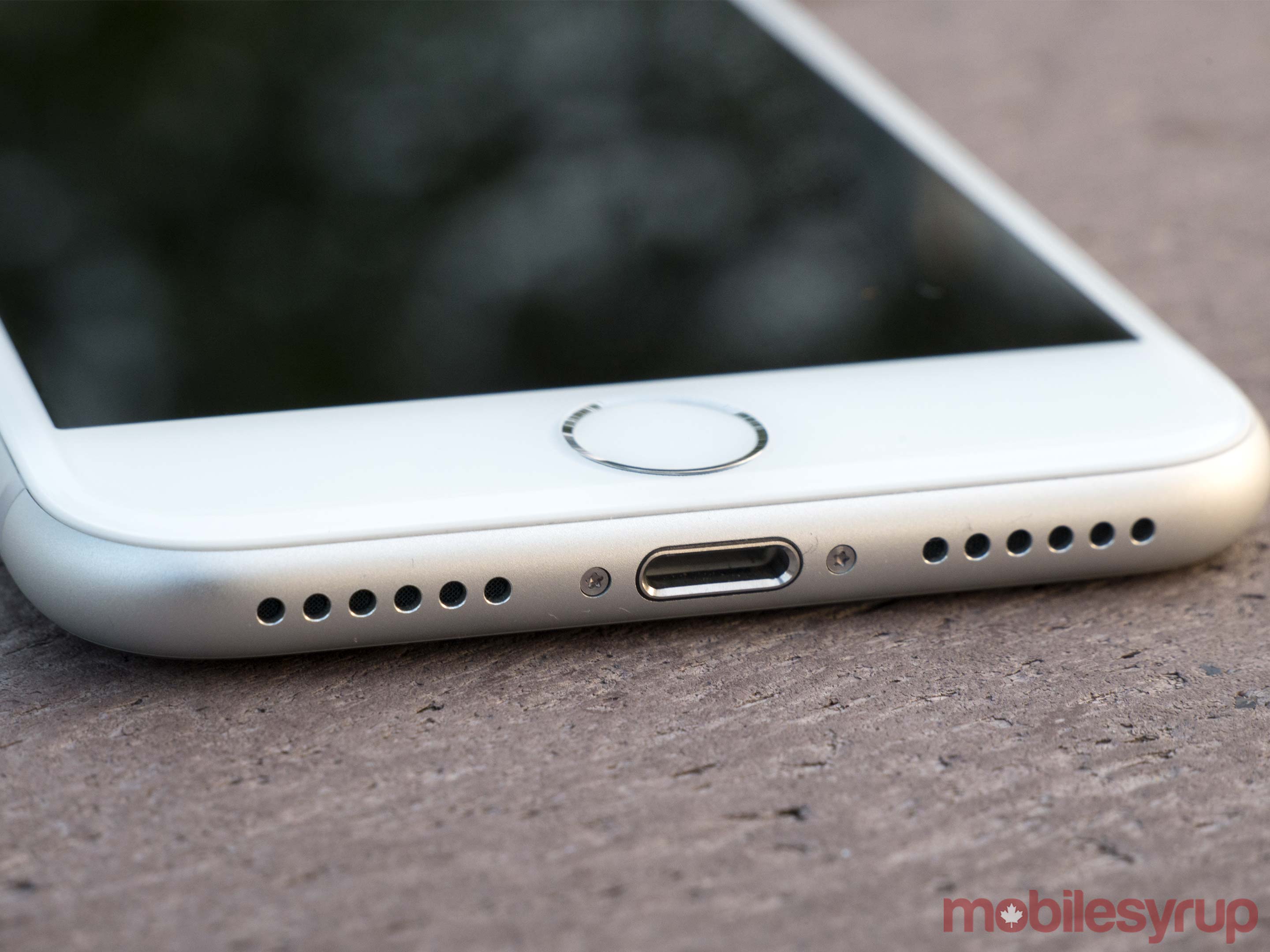
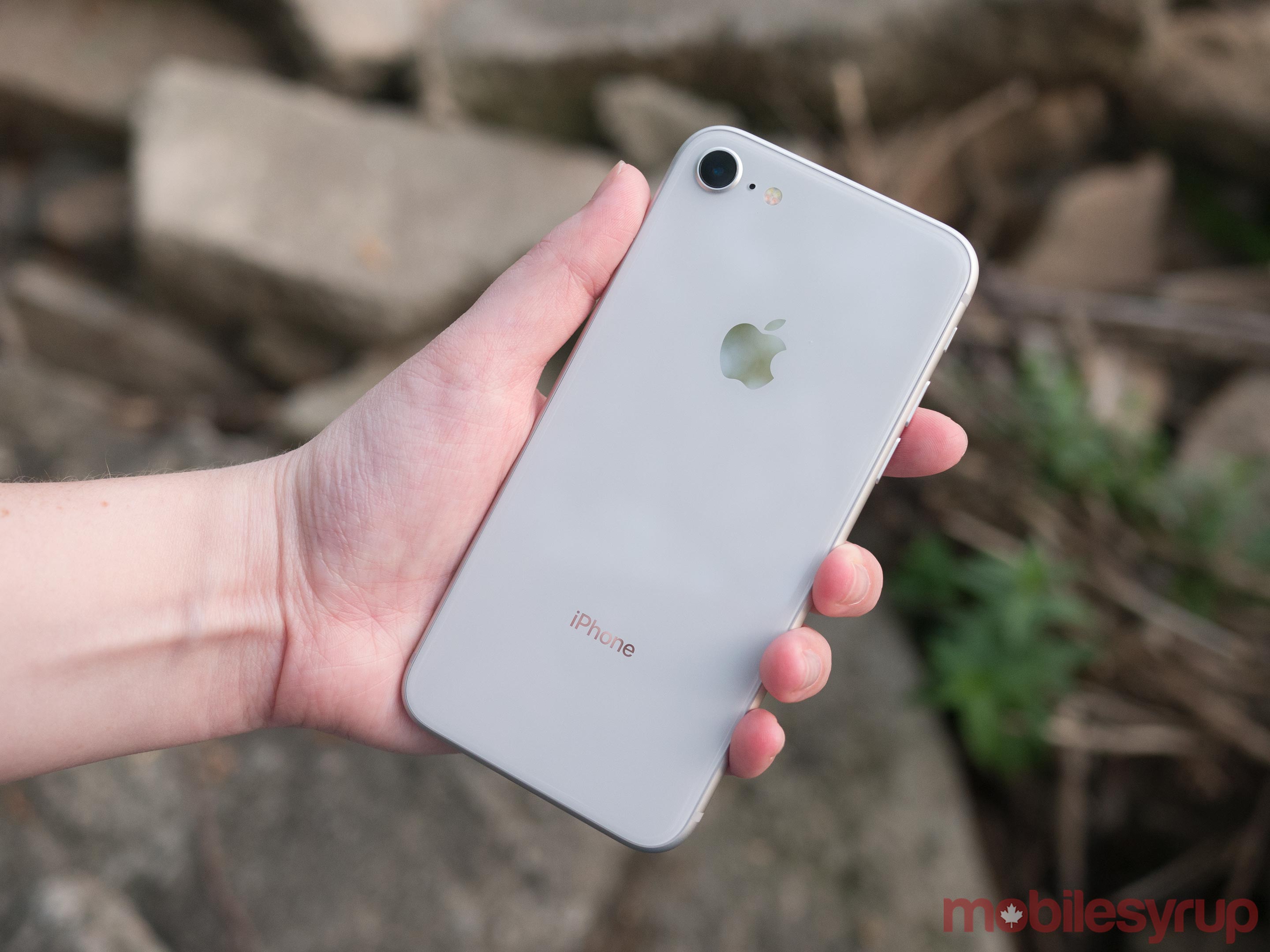
So while the iPhone 8 and 8 Plus are compatible with Freedom Mobile’s network, those hoping to consistently access LTE with the smartphone will be disappointed.

iphone 8


I also tested the device out on Bell’s network as well as with my personal Koodo SIM and the experience was smooth.

The post iPhone 8 and 8 Plus Review: Iteration that holds its own appeared first on MobileSyrup.