Shared posts

10 Nov 22:15

The New MacBook Air: The MacStories Overview

by Alex Guyot

This morning Tim Cook took the stage at the Brooklyn Academy of Music’s Howard Gilman Opera House to announce a brand new revision of the MacBook Air. This is the first significant redesign in years for Apple's most popular line of Macs, and features huge improvements across the board.

The new machine marks the debut of a Retina display on the MacBook Air, which Cook said has been the most requested feature by far. Among other changes, the size and weight of the enclosure have also been decreased, two Thunderbolt 3 ports line one edge, screen bezels have been reduced, and new color options are available.

Design

The new MacBook Air maintains its classic tapered aluminum design, but now includes two Thunderbolt 3 ports along the left edge and a headphone jack on the right. All other ports have been eliminated, as expected in Apple's modern MacBook port strategy.

The old scissor switch keyboard has of course been replaced by Apple's third-generation butterfly switch variant, and the hinged trackpad has been retired in favor of a 20% larger Force Touch trackpad. A redesigned speaker system delivers 25% more volume, double the base, and wide stereo output. A new three-mic array makes audio input clearer for FaceTime calls and Siri commands.

The MacBook Air's Retina display is 13.3 inches on the diagonal, and packs in over 4 million pixels. It also features 48% more color than the previous generation. The aluminum bezels around the old Air display have been replaced by the black glass common in other modern MacBooks, and the size of those bezels has been reduced by half.

The new enclosure measures only 0.61 inches thick at its thickest point, making it 10% thinner than the previous MacBook Air. Reducing the bezels also served to make the entire body smaller, resulting in a machine with 17% less volume than its predecessor. Weighing in at 2.75 pounds, it's also a quarter pound lighter.

Apple has designed a custom aluminum alloy which is being used for the first time in the new MacBook Air. According to Apple, this new alloy is just as strong and durable, but can be created using 100% recycled aluminum. The result is that the new MacBook Air has a 50% smaller carbon footprint, making it the greenest Mac Apple has ever made.

Finally, the new Air comes in three familiar colors: space gray, gold, and silver. These are well known from other Apple products, but this is the first time color options have made their way to the MacBook Air.

T2 and Touch ID

While the new keyboard does not include a Touch Bar, the power button in the top right corner has been replaced by a Touch ID sensor. This sensor is powered by an Apple T2 chip, which features the familiar secure enclave for securely storing and authenticating fingerprint data. The T2 also controls the machine's SSD storage, enabling fast data encryption for everything stored on the drive, and a secure boot process. According to Apple, the new MacBook Air offers the most secure storage of any Mac notebook today. Finally, the T2 enables the new Air to have an always-on process listening for "Hey Siri" commands.

Performance and Storage

The new Air features a 1.6GHz dual-core 8th-generation Intel Core i5 processor with Turbo Boost up to 3.6GHz. The starting model includes 8GB of RAM, but for the first time in a MacBook Air this can be upgraded to 16GB. All models ship with SSD storage, starting at 128GB and going all the way up to 1.5TB. The new machine sports a 12 hour battery life for web browsing, and 13 hours for watching video.

Conclusion

The new MacBook Air is a fantastic update to Apple's aging Air line. We've been rapidly nearing (or arguably already past) the point where these old computers either needed to be updated or removed from the lineup entirely. The expectation has been that the more modern standard MacBook line would eventually replace the Air, but years later Apple still has not been able to get the MacBook price low enough or specs impressive enough for that to occur.

After today's event, the future of the standard MacBook looks shakier than that of the Air. Apple has finally decided to deliver exactly what everyone has been asking for: a MacBook Air with a Retina display and modern internals. This machine has extremely few compromises for a non-pro laptop, and a starting price that is $100 cheaper than the MacBook. There's little doubt in my mind that this MacBook Air will be Apple's new best selling model, taking over from its outdated predecessor which never lost that crown.

The new MacBook Air starts at $1,199, and is available to order today on Apple's website. It will make its debut in Apple retail stores starting on November 7. The old 13-inch MacBook Air remains on sale as well, holding down the Mac notebook starting price at $999.


You can also follow all of our Apple event coverage through our October 30, 2018 hub, or subscribe to the dedicated October 30, 2018 RSS feed.


Support MacStories Directly

Club MacStories offers exclusive access to extra MacStories content, delivered every week; it's also a way to support us directly.

Club MacStories will help you discover the best apps for your devices and get the most out of your iPhone, iPad, and Mac. Plus, it's made in Italy.

Join Now
10 Nov 21:32

Vancouver is building a massive park over a shopping mall

image

in 1959, Vancouver’s Oakridge Centre was a car-oriented mall in the city’s sleepy Cambie Corridor. Today, with transit expansion of the Canada Line in the area, the mall is slated for a massive makeover that includes condos, amenities, and a new destination park situated largely on the mall’s roof.

According to the Vancouver Park Board, the nine-acre public park will be the first of its kind in Vancouver. It promises tranquil areas that embrace the biodiversity of the Pacific Northwest, while also offering lively spaces for entertainment and socializing. 

It will be an important amenity in the Cambie Corridor. With the new Oakridge Centre redevelopment, this quiet part of Vancouver will welcome over 45,000 new residents by 2041, more than doubling the current population.

“The idea to put a large park on the roof emerged because we are adding a lot of density, so we wanted a large, vibrant public space,” said Dave Hutch, Director, Planning and Park Development for the Vancouver Park Board. “The mall was obligated to provide park space as part of the rezoning process, but that park was only going to be 2.7 acres, so we expanded it to 9 acres by providing park space on top of the mall.”

The Oakridge Centre redevelopment was approved by Vancouver City Council for rezoning in March 2014, and with it a comprehensive site redevelopment of the 28 acre site. This included a mix of housing, commercial, and office uses, as well as a civic centre containing a community centre, expanded library, seniors centre, and childcare facility.

“Integrating the park into the civic centre, mall, food hall and residential context will result in interesting and engaging spaces, adding lots of energy to the park,” said Mr. Hutch.

According to the Vancouver Park Board, access to the rooftop portion of the park will be provided through six inviting points of entry, including a combination of stairs, escalators, and elevators. It will have public access points open during non-mall hours, and two accessible elevator access points open 24 hours.

“While there are examples around the world of landscapes on a roof, projects of this size and complexity are rare,” said Mr.Hutch. “Whether you want to do yoga, play with your kids, or enjoy a concert, this park will have something for everyone to enjoy in a unique setting.”

The park features six distinct areas - two at street level and the rest on the mall rooftop - that offer a mix of active and tranquil spaces:

image
image

1. The Civic Centre Park (at street level)

The Civic Centre Park will be at street level, next to a new civic centre (including a library). It provides an introduction to the larger park on the roof and includes:

- A destination nature play area for a range of ages;

- Great steps as amphitheater seating, with play spaces and big slides;

- A large informal lawn area for gathering, play and events;

- An outdoor pavilion for informal programmed and event use; and,

- Outdoor activity spaces for the adjacent community centre.

“The Civic Centre park will be a really active, dynamic, high energy park. We imagine it as the hub of Oakridge Centre,” said Mr. Hutch. ““Then you head up to grand set of stairs that will be really green. A three dimensional playground will introduce a variety of surfaces, trails, and active spaces, as you move up to third level, which is surrounded by homes and offices. It will include an urban forest.”

image
image

2. The Upper Green

Located on the roof, the Upper Green will be a large open lawn space with a lush treed backdrop. It includes:

- A running loop;

- Generous space for group activities like tai chi, yoga and fitness boot camps and events;

- A covered pavilion for concerts, performances and group activities; and,

- Fenced off-leash dog areas.

image
image

3. The Commons

The Commons will provide a hub of activity next to the restaurants and outdoor dining patios of the mall’s food hall, which will have an elaborate roof over top with skylights. It includes:

- A pavilion for events and performances, as well as daily use for tai chi and other activities;

- an open lawn for informal uses including yoga, sunbathing, picnicking, Frisbee, volleyball or badminton;

- Playground space;

- Interactive fitness stations;

- Outdoor games, such as table tennis; and,

- Space for temporary art and recreation installations.

image

4. The Meadow Gardens

The Meadow Gardens will be a lush wildflower and grass landscape for strolling and bird watching and will provide food and homes for birds and other pollinators. It includes:

- A terraced community learning garden and orchard (according to Mr. Hutch, this will be a space where the community can grow food together and will be used with the community center and community kitchen for events like neighbourhood dinners);

- An outdoor classroom and gathering area with support facilities for gardening;

- A pavilion for indoor learning opportunities and event space;

- Meandering paths through a large perennial meadow; and,

- Places for quiet contemplation, nature observation, and bird watching.

“People are really looking for wilder kinds of experiences and idea of walking through this meadow really resonated with people. It was the most highly rated in this plan,” said Mr. Hutch.

image

5. The Woodland

The Woodland is envisioned as a lush urban forest with boardwalks and seating areas. A diversity of understory plants, showcasing Pacific Northwest native flora will create a green, restorative experience in contrast to some of the more active spaces in the park.

image

6. The Pocket Park (at street level)

The Pocket Park will lead people to the entrance to the larger rooftop park, as well as provide a neighbourhood park at street level. It includes a preschool aged playground and groves of trees and landscaping that lead the way up to the park on the rooftop.

The first portion of the park is anticipated to be completed by the end of 2023, with the remainder constructed by the end of 2028.

10 Nov 21:31

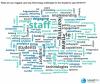
What Learning Technologists said the key challenges would be for 2019: ALTC Word Cloud

Ben Waugh, ALTC Blog, Nov 11, 2018
Icon

The top issue in this list was staff - "Staff will always be essential for facilitating learning, making decisions and being key stakeholders in any digital learning process," writes Ben Waugh. Next is 'learning' ("Everything revolves around this for HE institutions.") and next is 'New', whatever that means. Students only made number 5 in the word list.

Web: [Direct Link] [This Post]
10 Nov 21:30

Educational Technology & Education Conferences #40 December 2018 to June 2019

Clayton R. Wright, Nov 12, 2018

Clayton R. Wright's excellent list is now available. He writes, "The 40th version of the Educational Technology and Education Conference list comprises 1,719 confirmed events. The listings for November and December, 2018 have been updated since distribution of the previous list.

"Though some might question the costs and need of academic conferences now that digital communications is widely available (Colleen Flaherty, 2017), others note the cost of not travelling to conferences - the cost of academic isolation (Matt Reed, 2017). There are merits to both sides of the argument. One could attend a virtual conference one year and an in-person conference the next. Each type of event will offer different experiences. When it is feasible, most of us humans seem to prefer to interact in person. Also, a "serendipity effect" often occurs during in-person conferences - by wondering around and meeting different people, one discovers, by chance, the unexpected. I also hope that the serendipity effect applies to this list - as you review it, you may discover events that are not only new to you but perk your interest."

Web: [Direct Link] [This Post]
10 Nov 21:30

The cold incubator: the VC dream of workerless wealth

Chicken incubators are hot: eggs need heat to thrive. This was a different sort of incubator, a glass enclosure within a VC office. The VCs had the best views, but even we could look down ten stories and see the sun sparkling on the Charles River and reflecting off the buildings of downtown Boston.

It was summer when I joined the startup, but even so the incubator was freezing. The thermostat was skewed by a hot light sensor right below it, and the controls reset every night, so mornings were frigid. I took to wearing sweaters and fingerless gloves; the team at the other side of the incubator had figured out a way cover the AC vents with cardboard in a way that wasn’t visible to passersby.

But I didn’t have to suffer from the cold for very long. Soon after I joined the startup I unwittingly helped trigger our eviction from the rent-free Eden of the incubator to the harsher world outside.

The fall from grace

Most of the people who worked out of the incubator just used a laptop, or perhaps a monitor. But I like working with a standing desk, with a large Kinesis keyboard, and an external monitor on top.

My desk towered over everyone else: it was big and imposing and not very neat. Which is to say, the incubator started looking like a real office, not a room full of identical tables with a few Macbook Airs scattered hither and yon. And standing under the freezing air conditioner vent made my arms hurt, so I had to setup my desk in a way that was visible from the outside of the incubator.

And that view was too much for one of the partners in the VC firm. There were too many of us, we had too many cardboard boxes, my standing desk was just too big: it was time for us to leave the incubator.

The dream of workerless wealth

VCs take money, and (if all goes well) turn it into more money. But the actual reality of the work involved was too unpleasantly messy, too uncouth to be exposed to the sensibilities of wealthy clients.

We had to be banished out of sight, the ever-so-slightly grubby realities of office work hidden away, leaving only the clean cold dream of capital compounding through the genius of canny investors.

This dream—a dream of profit without workers—is the driving force behind many an investment fad:

  • The dream in its purest form, Bitcoin and cryptocurrencies promise wealth pulled from thin air, spinning hay into gold without the involvement of any brutish Rumpelstiltskins.
  • Driverless cars promise fleets of assets without those dirty, messy, expensive drivers; but until they come round, Uber and Lyft’s horde of drivers are safely kept at a distance as independent contractors with five star reviews.
  • Artificial intelligence promises decision making without human involvement, an objective encoding of subjective prejudice that will never feel moral qualms.

And if you work for a VC-funded startup, this dream takes on a nightmarish tinge when it turns to consider you.

Unbanished—for now

The point here is not that VCs want to reduce effort: who wouldn’t want a more efficient world? The dream is not driven by visions of efficiency, it’s about status and aesthetics: doing actual work is ugly, and paying for work is offensive.

Of course, some level of work is always necessary and unavoidable. And so VC firms understand that the startups they fund must hire workers like me and you.

But the cold dream is always there, whispering in the background: these workers take equity, they take cash, they’re grubby. So when times are good hiring has to be done as quickly as possible, but when times are bad the layoffs come just as fast.

And when you are working, you need to work as many hours as humanly possible, not because it’s efficient—it isn't—but because paying for your time is offensive, and so you better damn well work hard. Your work may be necessary, but to the cold dream it’s a necessary—and ugly—evil.


By the time you get home from work and finish your chores you’re too tired to do anything but watch TV and then collapse into bed. And weekends are just as bad.

But you could have a 3-day weekend not just on holidays, but every single week: learn how you can do it.

10 Nov 21:30

File Management with iPad Pro

by Volker Weber

124e4e288a2c5c44678052b72732a531 906959736a8ee363dccd3f1f7e7d4ab7

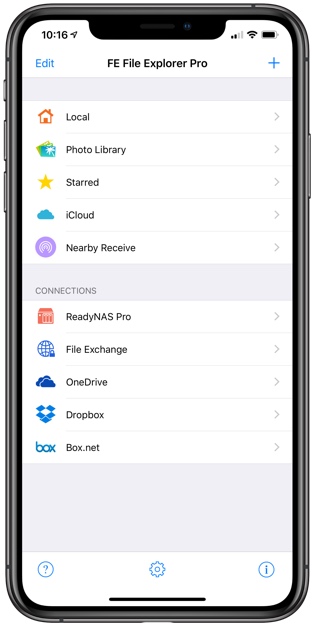
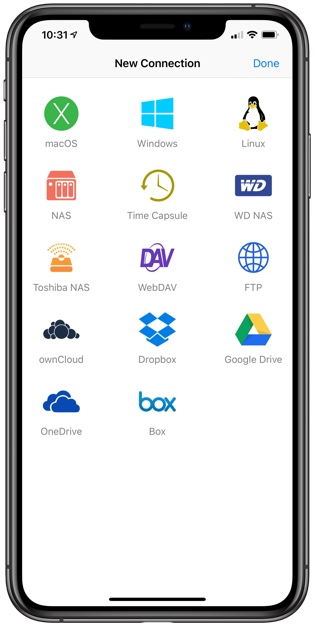
If you need to move files around between local storage on iOS and NAS or FTP servers, you should get a good file manager that goes way beyond what iOS Files provides. My current choice is FE File Explorer Pro by Skyjos. It lets you tie into all kinds of servers, including FTP over SSH, which is important to me. And no, it does not have access to USB-attached storage.

You still have to wrap your head around the fact that every app has its own sandbox on iOS. When you move files from a server to local storage, it sits inside the FE sandbox, but you can move it from there with iOS Files. FE File Explorer also plugs right into the Files app.

If you want to try before you buy, there is also a free FE File Explorer without the Pro designation. You can only connect to a single destination with this version. Be prepared to have it bug you to upgrade to Pro.

More >

10 Nov 21:30

Just Before Dawn on All Saints Day, or Getting Up Too Early to Photograph the Sunrise at Mackerel Cove

by Ms. Jen
Sunrise at Mackerel Cove beach

Thurs. 11.01.18 – To a person who is not yet on East Coast Daylight time, but instead still three hours behind in Pacific Daylight time, waking up at 6:40am in Rhode Island to be out at Mackerel Cove beach to photograph the sunrise and dogs running free at low tide was a bit of a... Read more »

10 Nov 21:29

Processing My Bank Statements with Applescript

by Ton Zijlstra

I do the bookkeeping for my companies myself. An old habit, started when I did the necessary training to be able to poke around in a client’s financial system over 20 years ago.
For my companies I’ve built a spreadsheet that does all the necessary things for me.

My banks provide statements in MT940 format. They assume you have some way to import them into your bookkeeping system. As I run my own spreadsheet I don’t have import functionality for that. Doing the third quarter bookkeeping recently I realised it would be good to automate adding the bank transactions. Yesterday I wrote an Applescript that takes a MT940 file and transforms it into CSV, which I can easily add to my spreadsheet.

I export the MT940 file for the period after my last download from the online banking environment, and save it as .txt. The scripts takes it, and results in a .csv file of the same name.

MT940 presents the transactions per day like
mt940 source file

The lines :60F: and :62F: show the balance at the start and end. In between are the transactions.
Every :61: line contains an amount debited or credited. The first character after an amount is N.
These lines are followed by :86: lines that provide the description. This description can be multiple lines long, with the actual description shown between /NAME/ and /REMI/.

In Applescript I read through the lines, and create a CSV line for every transaction in the way I need it in my spreadsheet (in the form of date;month;description;amount debit;amount credit), and adding a final line of the balance at the start and end of all transactions (across the entire period in the source file). That last bit I can use as a control.

csv output from the mt940 source file above

The csv I can easily import in my spreadsheet and then copy over into the bank account journal.
Now I am curious to see if my other bank uses MT940 in the same way, or has implemented the standard differently. (I learned from my EDIFACT days that even if things are standardised there will be big differences between implementations due to interpretation and mapping internal processes and data structures on a standard.)

The applescript is available on GitHub.

10 Nov 21:29

Seems I need to find a way of making it easier ...

by Ton Zijlstra

Seems I need to find a way of making it easier for me to blog, to save time. At the current volume I really need more seamless and frictionless ways of posting than how I currently mostly use the WordPress back-end. This year I’ve already posted more items (391) than in the previous 10 years combined (361). In terms of long form blogposts, I blogged just over (135) the number of postings I made in my busiest blogging year 2003 (134 postings). So reducing the friction of posting, and distinguishing much better between writing and posting will no doubt save me time.

10 Nov 21:29

How to Create Custom Sticker Pack in WhatsApp for Android

by Rajesh Pandey
Earlier this month, WhatsApp added stickers support to its platform. By default, WhatsApp has also added some of its own set of stickers, though it is also allowing developers and designers to release their own sticker packs. So, this means that one can add their own custom sticker packs to WhatsApp. The catch? The process is slightly more complicated than it should be and since sticker support was only just introduced, the marketplace is kind of empty. Continue reading →
10 Nov 21:29

Weeknote 45/2018

by Doug Belshaw

This week I’ve been:

  • Sending out Issue #323 of my Thought Shrapnel newsletter. It was entitled ‘46 hours in transit’ and was, as ever, made possible via those who support me on Patreon.
  • Working on the MoodleNet project (Mon-Thurs)
    • Documenting the sessions we ran at MozFest & MoodleMoot on the wiki, and then writing a blog post summary.
    • Creating an overview document of how the ’emoji ID’ functionality in MoodleNet might work
    • Figuring out the workflow for next week’s MoodleNet sign-up testing (being run by Outlandish)
    • Meeting with Gry Stene, Moodle’s new Chief Product Officer.
    • Starting planning ‘job landscapes’ for potential contractors around UX / front end development, and community strategy.
    • Starting a conversation with team leads about MoodleNet functionality in Moodle Core 3.7 (coming May 2019)
    • Welcoming an influx of new people introducing themselves in the MoodleNet forum.
    • Agreeing a new meeting structure for our team, which now includes ‘MoodleNet beers’ on a Thursday afternoon! (I work four days per week for Moodle)
    • Updating my Moodle HQ and moodle.org profiles (which we should all do, apparently):
  • Rewriting one of the seven draft Digital Literacy MOOC scripts for CET Israel. I also created a draft video.
  • Booking, and then cancelling our planned We Are Open co-op meetup in December due to availability. We’re all busy people!
  • Recording one microcast, which is available only to Patreon supporters:
Next week I’m at home all week, working on MoodleNet stuff and those videos for CET. I’m in Barcelona the week after.

Photo of St. James the Great church in Morpeth taken by me on Friday.

10 Nov 21:28

And now Rees Mogg the mewling pencil sounding petulant & profoundly wrong about everything. The only people poised to benefit from Brexit are those who’ve bet big on Britain getting battered. Exitus acta probat & all that.

by mrjamesob
mkalus shared this story from mrjamesob on Twitter.

And now Rees Mogg the mewling pencil sounding petulant & profoundly wrong about everything. The only people poised to benefit from Brexit are those who’ve bet big on Britain getting battered.
Exitus acta probat & all that.


Posted by mrjamesob on Saturday, November 10th, 2018 8:39am


310 likes, 84 retweets
10 Nov 21:28

High cost of living in Vancouver prompts cancellation of Welfare Food Challenge

mkalus shared this story .

For the last six years in the late days of autumn, the Raise the Rates organization has held the Welfare Food Challenge in Metro Vancouver — but not this year.

The challenge used to see participants try to shop for a week of groceries on welfare rates. In 2017, after covering rent and other basics, participants were allowed $19 for a week's worth of food — in keeping with provincial welfare rates.

It was supposed to give people a better understanding of how tough it is to live on income assistance.

However, Raise the Rates cancelled the challenge entirely this year due to the high cost of living in Vancouver.

$5.75 a week

"Every year it's hard. Every year the point is to illustrate how hard it is," said Kell Gerlings, one of the event organizers.

But this year, said Gerlings, it would be all but impossible. They calculated that challenge participants would only be allowed roughly $5.75 a week for food — about a quarter of last year's allowance.

Typically, someone living on income assistance in B.C. receives $710 a month. Raise the Rates use that number to calculate challenge participants' weekly allowance.

They factor in the monthly minimum cost of personal hygiene (roughly $10), bus fare (roughly $28), a phone to look for a job (roughly $25) and rent. The average rent of a single room occupancy (SRO) hotel unit in Vancouver's Downtown Eastside is now $687 a month, said Gerlings. Last year, it was $548.

Those high rents — just for a room in a hotel with a shared bathroom and no kitchen — is why the challenge was cancelled, she said. When you subtract $687 from $710, that leaves $23 for the whole month; divided by four, that's $5.75 a week.

"The rent has gone up significantly, and the rates have not gone up significantly to match that," said Gerlings.

'The hardest hit'

She said there aren't enough regulations preventing landlords from raising the rent of vacant SRO units. And, though the B.C. New Democrats raised welfare rates by $100 after they took office in 2017, it's not enough, said Gerlings.

"Keep in mind that this is the first welfare raise in over a decade. That $100 was ten years in the making," she said.

"The affordability crisis is on everybody's minds, but people on welfare are truly the hardest hit," said Gerlings. "There was no way that that $100 was going to stay in people's pockets."

To remedy the problem, Gerlings said there need to be aggressive rent controls to stop landlords from raising rents in between tenancies. There also needs to be a significant increase in income assistance, she said.

With files from On the Coast

10 Nov 21:27

Flach gelegt

by Volker Weber

eb4bf698577c49b1663cd04c7220c9fd

Ich schrieb neulich, dass man iPad Pro anders als Surface Pro mit dem Smart Keyboard Folio nicht in eine Zeichenposition bringen kann. Aber wie mir Stanislaus richtig schreibt, kann man es zumindest in eine gute Position zum Unterschreiben umlegen. Die Tastatur ist nur aktiv, wenn man sie in eine der beiden Positionen einrastet. Deshalb löst man keine Tastendrücke aus, wenn man den Handbällen darauf ablegt oder auch die Tastatur nach hinten wegklappt.

b1dd368b795ba75de0ed9d4f11b3f1d3

10 Nov 21:27

Text selection with two fingers

by Volker Weber

This has been around for three years and I did not know this. Game changer.

10 Nov 21:26

Letters to Mr. Wilson’s Museum of Jurassic Technology

by Jon Udell

Dear Mr. Wilson,

Your Museum of Jurassic Technology (MJT) first came to my attention in 1995 when I read an excerpt from Lawrence Weschler’s Mr. Wilson’s Cabinet of Wonder in the New Yorker. Or anyway, that’s the origin story I’ve long remembered and told. As befits the reality-warping ethos of the MJT, it seems not to be true. I can find no record of such an article in the New Yorker’s archive. (Maybe I read it in Harpers?) What I can find, in the New York Times’ archive, is a review of the book that nicely captures that ethos:

Run by its eccentric proprietor out of a storefront in Culver City, Calif., the museum is clearly a modern-day version, as Mr. Weschler astutely points out, of the “wonder-cabinets” that sprang up in late Renaissance Europe, inspired by all the discoveries in the New World. David Wilson comes off as an amusingly Casaubonesque figure who, in his own little way, seeks to amass all the various kinds of knowledge in the world; and if his efforts seem random and arcane, they at any rate sound scientifically specific. Yet when Mr. Weschler begins to check out some of the information in the exhibits, we discover that much of it is made up or imagined or so elaborately embroidered as to cease to resemble any real-world facts.

The key to the pleasure of this book lies in that “much of,” for the point of David Wilson’s museum is that you can’t tell which parts are true and which invented. In fact, some of the unlikeliest items — the horned stink ants, for instance — turn out to be pretty much true. In the wake of its moment of climactic exposure, “Mr. Wilson’s Cabinet of Wonder” turns into an expedition in which Lawrence Weschler tracks down the overlaps, correspondences and occasionally tenuous connections between historical and scientific reality on the one hand and the Museum of Jurassic Technology on the other.

We’ve always wanted to visit the MJT, and finally made the pilgrimage a few weeks ago. Cruising down the California coast on a road trip, the museum was our only LA destination. The miserable traffic we fought all day, both entering and leaving Culver City, was a high price to pay for several hours of joy at the museum. But it was worth it.

At one point during our visit, I was inspecting a display case filled with a collection of antique lace, each accompanied by a small freestanding sign describing the item. On one of the signs, the text degrades hilariously. As I remember it (no doubt imperfectly) there were multiple modes of failure: bad kerning, faulty line spacing, character misencoding, dropouts, faded print. Did I miss any?

While I was laughing at the joke, I became aware of another presence in the dark room, a man with white hair who seemed to pause near me before wandering off to an adjoining dark room. I thought it might be you, but I was too intimidated to ask.

The other night, looking for videos that might help me figure out if that really was you, I found a recording of an event at the USC Fisher Museum of Art. In that conversation you note that laughter is a frequent response to the MJT:

“We don’t have a clue what people are laughing about,” you said, “but it’s really hard to argue with laughter.”

I was laughing at that bit of hilariously degraded signage. I hope that was you hovering behind me, and I hope that you were appreciating my appreciation of the joke. But maybe not. Maybe that’s going to be another questionable memory. Whatever the truth may be, thank you. We need the laughs now more than ever.

Yours sincerely,

Jon Udell

10 Nov 21:26

Understanding and explaining the magic

by Jim

Skokie Benefit Rehearsal 2003The place where technology, organizations, and people come together has been a continuing focus of my work. That interest was birthed in stories of the wonders and dangers of fantastic new inventions. Like a lot of future scientists and engineers I was raised on the stories of Isaac Asimov, Arthur C . Clarke, and Robert Heinlein.

Somewhere in my early, unsupervised, reading I encountered Arthur C. Clarke’s “Profiles of the Future,” long before I was mature enough to grasp much of it. I’ve since returned to it multiple times over the years. One thing stuck from the earliest, Clarke’s Third Law:

Any sufficiently advanced technology is indistinguishable from magic

That notion gestated in the back of my mind as two strands played out. First, I encountered and learned about technology in multiple manifestations; mathematics, physics, carpentry, programming, electricity.

Second, I created magic in the form of live theater. Group effort focused on creating illusions that touched the heart observed from a spot where all the illusion was exposed. It’s an odd experience to watch a singer bring an audience to tears while listening for the key change that is the cue to dim the lights and adjust their color; all of which reinforces her voice  and triggers those tears night after night.

Where this has taken me is showing people that the magic is understandable. Revealing the technology that creates the magic gives people power to create their own magic and power lets you solve problems.

There is a moral question of whether you hoard or distribute power. I land on the distributing side; the problems we face need all the power we can collectively muster. Hoarding crimps the flow of total power we need.

You transform magic into technology in stages. The first is to shift perspective and take people behind the scenes. That involves telling the story twice; once from the magic side and again from the technology side. Next, you break down the experience into its component parts and reveal the seams. Finally, you help people learn to create and assemble their own designed experiences.

The venue for this transformation can take multiple forms. It can be as simple as a telling of the tale from the right perspective. Or, it can be a guided tour. With enough time and resources, the best choice can be a “build your own” experience with a veteran guide at your side.

The post Understanding and explaining the magic appeared first on McGee's Musings.

10 Nov 21:16

Google’s Project Treble hasn’t done much to speed up Android updates

by Jonathan Lamont
Android Pie logo

Google introduced Project Treble along with Android 8.0 Oreo and championed it as the solution to Android fragmentation.

Project Treble split up the core Android operating system from the low-level software drivers for a device’s hardware. In other words, manufacturers would be able to update Android without having to rebuild software drivers.

Ideally, this would have shaved weeks off of the development time and allowed manufacturers to update devices faster than before.

However, Android Pie has shown that Treble didn’t really achieve that effect.

As the first significant update since 8.0, Android 9.0 would have demonstrated how effective Treble was at reducing fragmentation. However, three months on from release, Pie still isn’t on Google’s official Android distribution chart.

That means the latest version of Android has yet to reach the 0.1 percent minimum adoption required to get on the list. Considering the distribution chart tracks some two billion active devices, that means Pie needs to reach more than two million smartphones and tablets to get on the list.

While that’s a large number of devices that need to run the update, it’s entirely possible. Android 2.3.3 Gingerbread has 0.2 percent of the Android distribution — surely Pie can get there too.

Instead, it appears to be customizations added by manufacturers that slow down updates. Some companies, like Essential and OnePlus, have taken advantage of Treble to push out incredibly quick updates. Unfortunately, those manufacturers have almost stock Android offerings.

However, other manufacturers with heavier customizations haven’t sped up the update process.

In some cases, those manufacturers have gotten slower. Take Samsung, which just announced it’ll roll out its Android Pie update in January 2019. The lengthy wait is because the company is completely redoing its customization with the new One UI.

Unfortunately, it looks like Samsung’s One UI will tweak nearly every aspect of Android, meaning it won’t benefit from Project Treble. Further, despite the effort from Google, it seems that manufacturers will continue to choose custom UIs over fast and easy Android updates.

Source: Google Via: Phandroid

The post Google’s Project Treble hasn’t done much to speed up Android updates appeared first on MobileSyrup.

10 Nov 21:16

Apple Canada announces iPhone X display replacement program

by Ian Hardy
iPhone X

Apple has announced two new replacement programs that impact the iPhone X and the 13-inch MacBook Pro without a Touch Bar. Canadian devices are on the list of affected countries, according to Apple.

Regarding the iPhone X  — which was discontinued in September — Apple states that it has uncovered that some screens “experience touch issues due to a component that might fail on the display module.” There is no indication as to how many units are faulty, but Apple states that the screen “does not respond or responds intermittently to touch,” or that the display reacts “even though it was not touched.”

If your iPhone X is experiencing this issue, Apple says it will replace the display module at no cost through its official retail stores or via an Authorized Service Provider. Apple says that it “covers affected iPhone X devices for 3 years after the first retail sale of the unit.”

Further, Apple says that a “limited number” of 13-inch MacBook Pro without Touch Bar laptops sold between June 2017 and June 2018, both 128GB and 256GB solid-state drives (SSD) versions, suffer from data loss and failure. Similar to the iPhone X, Apple will replace affected computers at no cost through its retail channels or an Authorized Service Provider.

Apple recently reported its Q4 earnings, recording revenue topping $62.9 billion USD and selling 46.89 million iPhones.

Source: Apple Canada Via: Engadget

The post Apple Canada announces iPhone X display replacement program appeared first on MobileSyrup.

09 Nov 23:54

My Applescript to start a new project both in m...

by Ton Zijlstra

My Applescript to start a new project both in my todo-app Things and my note-app Evernote throws errors for the Things part suddenly. After upgrading Things 2 weeks ago. Have the applescript hooks changed? Or the data structure of Things? Need to explore.

I use an applescript at the start of new activities. Depending on the nature of the activity (client project, project acquisition, internal, learning, personal etc), it automatically populates my folder system, my todo-app and my note taking app with the right information. Folders, standard tasks for a project, templates for documents needed, bookkeeping requirements, setting a consistent name and tag for the project across all tools etc.

09 Nov 22:33

Richmond FINALLY stopping McMansion Cropping on Best Farmland in Canada?

by Sandy James Planner

Time to  close the barn door on illicit mansion cropping in the City of Richmond. The  previous Council’s majority was bullish on developing the supposedly protected farmlands in their jurisdiction with Beverly Hills sizes of mansions, doubling to 11,000 the Provincially  allowable square footage to build these on protected agricultural lands.  Those councillors took advantage of  legislative loopholes that allowed municipalities discretion to create larger houses for “farmers”.

You can be sure that none of the McMansions created will ever return to farmer ownership as most are owned offshore in numbered companies  and have made their developers and owners tremendous land lifts in this loopholed  residential upzoning of supposedly protected Class 1 farmland.

Those councillors responsible for allowing McMansion cropping on the best farmland in Canada  should be named-Chak Au, Linda McPhail, Bill McNulty, Alexa Loo, Derek Dang  and Ken Johnston.  Mr. Johnston and Mr. Dang lost their seats in the October municipal elections when two new councillors that understood the importance of farmland to the future of the region were elected. Kelly Green and Michael Wolfe joined seasoned  Councillors Harold Steves and Carol Day  and returning Mayor Malcolm Brodie in doing the right thing, and capping the square footage of housing allowed on  Richmond agricultural lands.

After the Province’s edict that they were stopping municipalities deciding how  massive a mansion could be on farmland, it was no surprise (as reported in the Richmond News ) that a more contrite Council voted unanimously to limit homes on agricultural land as per the Provincially recommended standard. The motion was made by farmer and founder of the Agricultural Land Reserve Harold Steves, limiting houses to 500 square meters (approximately 5300 square feet) and the associated property exclusively  for use of  the house to 1,000 square meters (approximately 10,700 square feet).

Lana Popham the Minister of Agriculture did not hold back on the McMansioning of the City of Richmond’s farmland.  She reminded reporters “Last year, the public learned about a farm in Richmond that was assessed at $85,000 and then it was sold for $9.2 million, more than a hundred times its value assessed for farm use.”

Ms. Popham also suggested the inaction of the  previous Provincial Liberal government was also to blame, stating “The old government let wealthy speculators drive the price of farmland out of reach for young farmers and allowed some of our most valuable agricultural land to be damaged.” 

Meanwhile 61 applications for McMansions are sadly proceeding in Richmond. And very strangely one of the Councillors consistently voting  on large  McMansioning of  the best farmland in Canada developed a different spin  in an interview with the Globe and Mail.

Councillor Bill McNulty actually fingerpointed that it was the provincial NDP government’s fault Richmond farmland is peppered with gated huge estates.  Mr. McNulty went on record saying ” This is a provincial thing, the Agricultural Land Commission, the agricultural land bank. It’s the province’s responsibility. For too long, they expected the cities and municipalities to deal with this issue … so the fact they’re looking at it is a good thing.” 

It is a pretty remarkable spin. The truth? Municipalities were given discretion from the Province to allow for larger farmhouses if it was clearly for agricultural purposes. That turned out to be a loophole for Councils to approve building  large foreign-owned estates without the foreign buyers’ tax, never to return to farming for future generations. The fingerpointing needs to be squarely back at those six Richmond councillors including Mr. McNulty  that decided that the future of farming and food security was not as important as short-term developer profit cropping McMansions.

house-richmond

house-richmond
09 Nov 22:32

Apple’s Newest Macs Include Better Built-In Audio Devices

by Paul Kafasis

Late last month, Apple finally shipped updates to two of the most neglected Macs, the Mac Mini and MacBook Air. While the prices have unfortunately crept up, these are solid updates worthy of consideration by anyone looking for a new desktop or laptop. Better still, they include a nice little surprise when it comes to audio: two distinct audio output devices!

Output Devices on Old Macs vs. New

On older Macs, the headphone jack and the internal speakers are essentially separate ports on a single output device, and only one of these ports is allowed to be active at a time. Because of this, audio can be sent to either the built-in speakers, or the headphone jack, but not to both. As well, if anything is connected to the headphone jack, the OS shuts off the built-in speaker completely.

With these new Macs, there are actually two distinct output devices. The headphone jack and the internal speakers are separate devices, completely independent from one another.

This change means it’s possible to send different audio sources to each output. Below, you can see this in action, with Audio Hijack being used to route audio from iTunes to a pair of external headphones while audio from Spotify plays to the built-in speakers.

Send Sound Effects to the Built-In Device

Perhaps the most obvious way to take advantage of these two devices is to send the Mac’s sound effects to the built-in speakers, while using the headphone jack for music and other audio. This way, you’ll never be jarred out of a good listening session by an error message beep blaring over your music.

To split things up, head for the “Sound Effects” tab in the Sound System Preference. There, you can configure the “Play sound effects through” setting to use the device speakers set the Sound Effects.

Make sure your headphones or speakers are being used for the standard audio output device (as configured in the “Output” tab), and you’ll be all set.

More Powerful Audio Control, With Audio Hijack and Loopback

Both the aforementioned Audio Hijack and our audio routing tool Loopback are useful for working with multiple audio devices at once. With older Macs that effectively only had a single audio output device, however, you needed to have external audio devices to do any sort of routing.1 These new Macs mean powerful audio routing is possible with nothing more than a pair of headphones.

Auto-Switching Still Works

When you plug a pair of headphones or speakers in to the headphone jack on any modern Mac, MacOS automatically switches your output to that new device. Likewise, if you unplug from that port, audio will immediately go back to your built-in speakers. This behavior is still present with these new devices, with the headphone jack still prioritized.

Microphone Capture

While these new Macs don’t have any jacks dedicated to audio input, it is still possible to get audio in to them without any dongles, using headphones with a built-in microphone (TRRS headsets). This includes Apple’s older Ear Pods (with 3.5mm connector), as well as most modern headphones designed for use with smartphones. Just plug in a compatible headset, and your Mac will recognize it as an input device.

Good Housekeeping

Note that if nothing is plugged in to the headphone jack, the OS will hide that output away. This is mostly just good housekeeping, as it prevents you from sending audio to what is effectively a muted device. As soon as headphones or speakers are plugged in to the new Macs, that second device will appear, ready for use.

iMac Pros and 2018 MacBooks Pro, As Well

In the course of researching this, I asked friends and colleagues to test several other recent Macs. It appears that distinct output devices are also present in both the MacBooks Pro Apple released in July of this year and the iMacs Pro which started shipping at the end of 2017. This new functionality appears to be related to the new T2 chip Apple is using in their latest Macs.

Hopefully, this trend will continue in all future Macs. Though it’s a small change, it’s nice for users to have the ability to use multiple audio devices built right in.

Conclusion

For years, we’ve heard from folks who had all sorts of reasons for wanting to use their Mac’s built-in speakers separately from the headphone jack. Until now, we had to explain that it simply wasn’t possible. Thankfully, that’s finally changed. We’re eager to hear about the many ways users take advantage of this new functionality.


Footnotes:

  1. Worth a quick mention: simple USB audio adapters are readily available for under $10, in both USB-A and USB-C form factors.

    These devices enable you to quickly add extra audio devices to any Mac. ↩︎

09 Nov 22:32

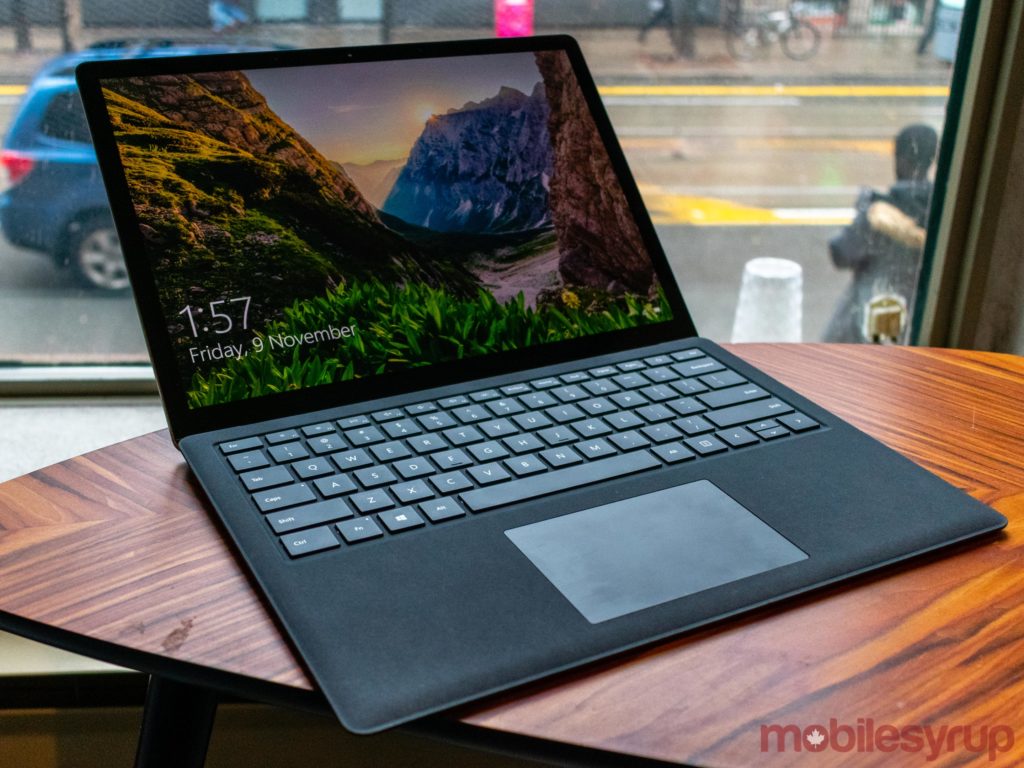
Surface Laptop 2 Review: An easy purchase that compromises on connectivity

by Sameer Chhabra

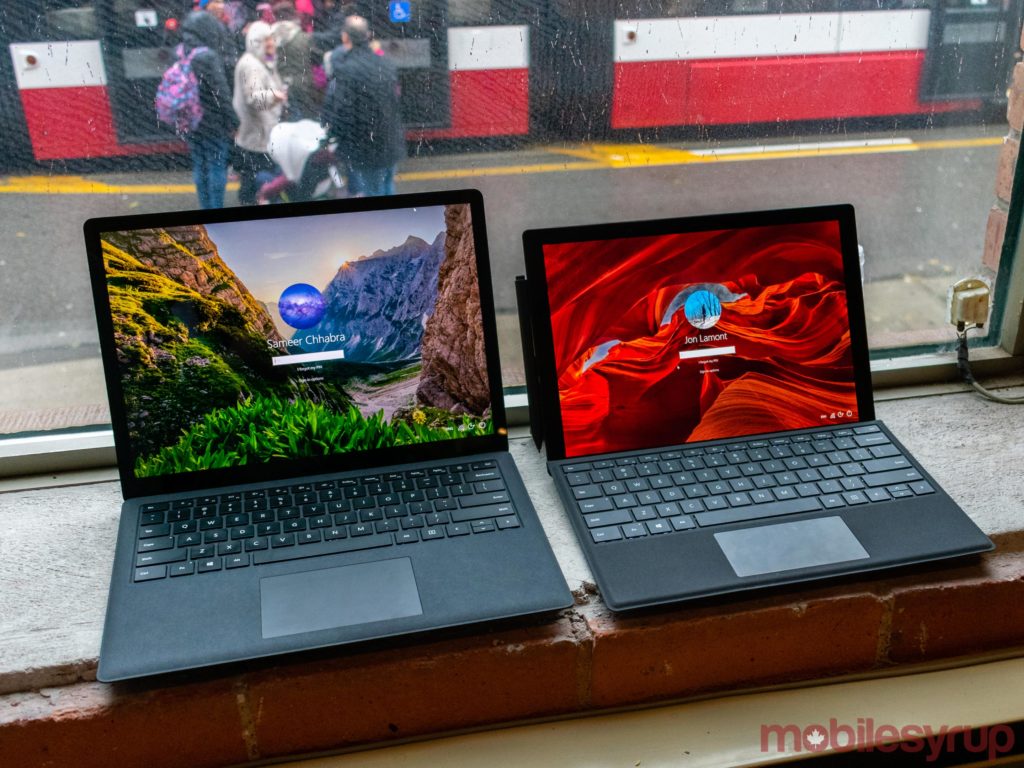
Microsoft’s 2018 Surface Laptop 2 is almost everything that a computer in 2018 should be. It’s comfortable, speedy, efficient and offers impressive battery life that’s been a reprieve from my 2018 MacBook Pro’s painful six-hour limit.

Despite the Surface Laptop 2 virtues, it’s nonetheless held back by a common complaint in modern consumer tech: dismal port selection.

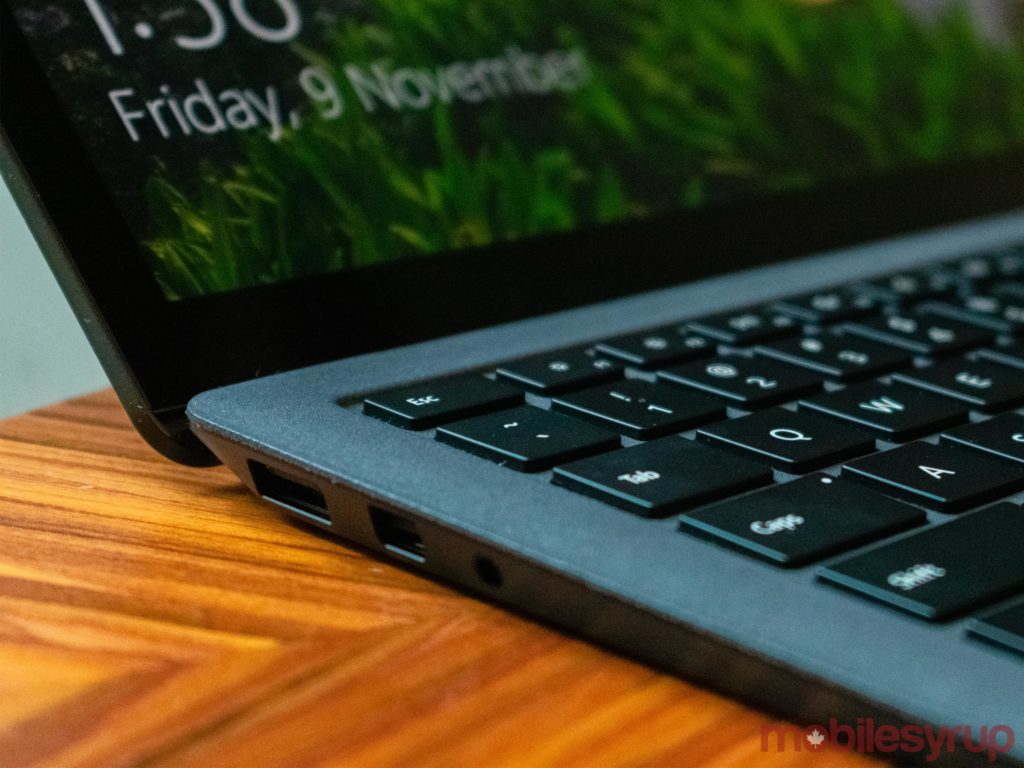
Unlike phones with no headphone jacks or laptops with a single multipurpose USB-C port, the Surface Laptop 2’s port woes are far more egregious. The device features no USB-C ports or Thunderbolt 3 ports, instead choosing to provide users with a single full-size USB 3.0 port, a Mini DisplayPort and a 3.5mm headphone jack.

The Surface Laptop 2’s port selection is so mind-bogglingly out of touch that it’s not unreasonable to completely write off the laptop.

Still, those who do choose to brave the latest Surface Laptop’s lacklustre connectivity options will be rewarded with a device that might very well be the best ultralight Windows laptop on the market.

Specs

  • Display: 13.5-inch, 2256 x 1504 pixels, 3:2 aspect ratio, PixelSense Display
  • Processor: 8th-gen Intel Core i5-8250U or 8th-gen Intel Core i7-8650U
  • Memory: 8GB or 16GB LPDDR3 RAM
  • Storage: 128GB, 256GB, 512GB or 1TB SSD
  • Dimensions: 308.1 mm x 223.27 mm x 14.48 mm (WxDxH)
  • Weight: 1.252kg (Core i5) or 1.283kg (Core i7)
  • Camera: 720p HD web camera
  • OS: Windows 10
  • Battery: 45.2Wh, four cells lithium polymer battery
  • Connectivity: Wi-Fi: IEEE 802.11 a/b/g/n/ac compatible Bluetooth Wireless 4.1 technology
  • Ports: 1 USB 3.0; 1 Mini DisplayPort, 1 3.5mm headphone jack
  • Graphics: Intel UHD Graphics 620 (Core i5 and Core i7)

An attractive design that’s overstayed its welcome

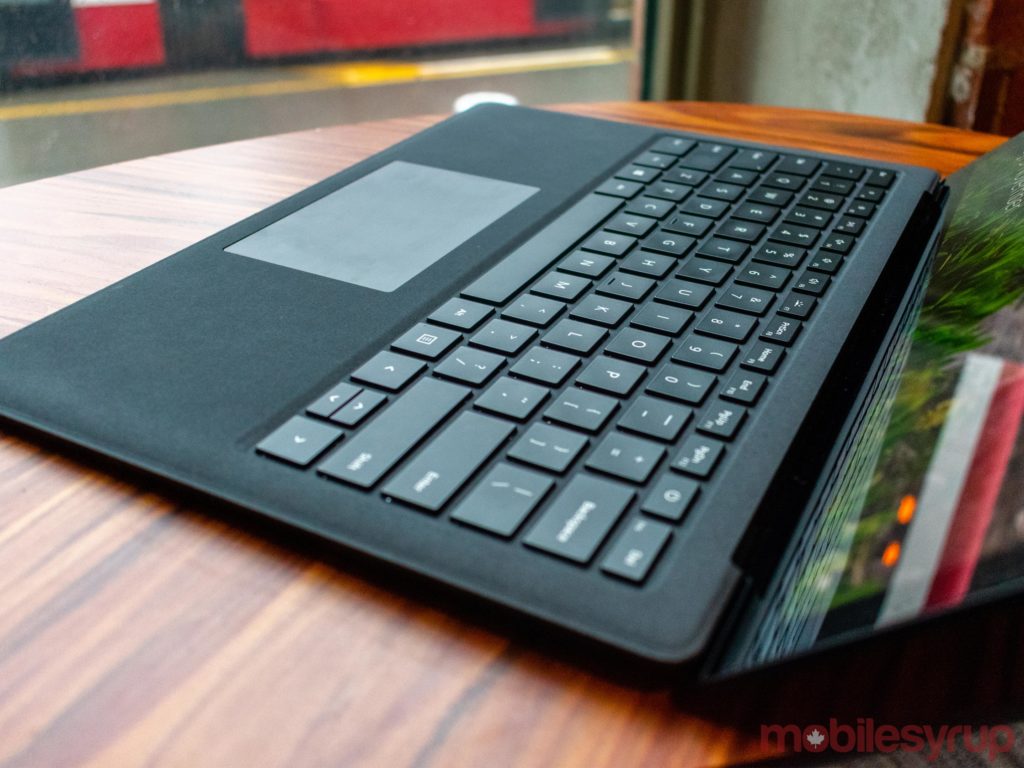
While Windows hardware manufacturers have made significant leaps in overall design and aesthetic since the early days of boxy bento box laptops, the wedge shape first popularized by Apple’s redesigned MacBook Air in 2010 is undeniably beginning to show its age.

That being said, it’s difficult to argue against the design’s merits. Microsoft’s Surface Laptop 2 is yet another boring wedge, but the Redmond computing giant has taken steps to introduce some razzle-dazzle to keep users interested.

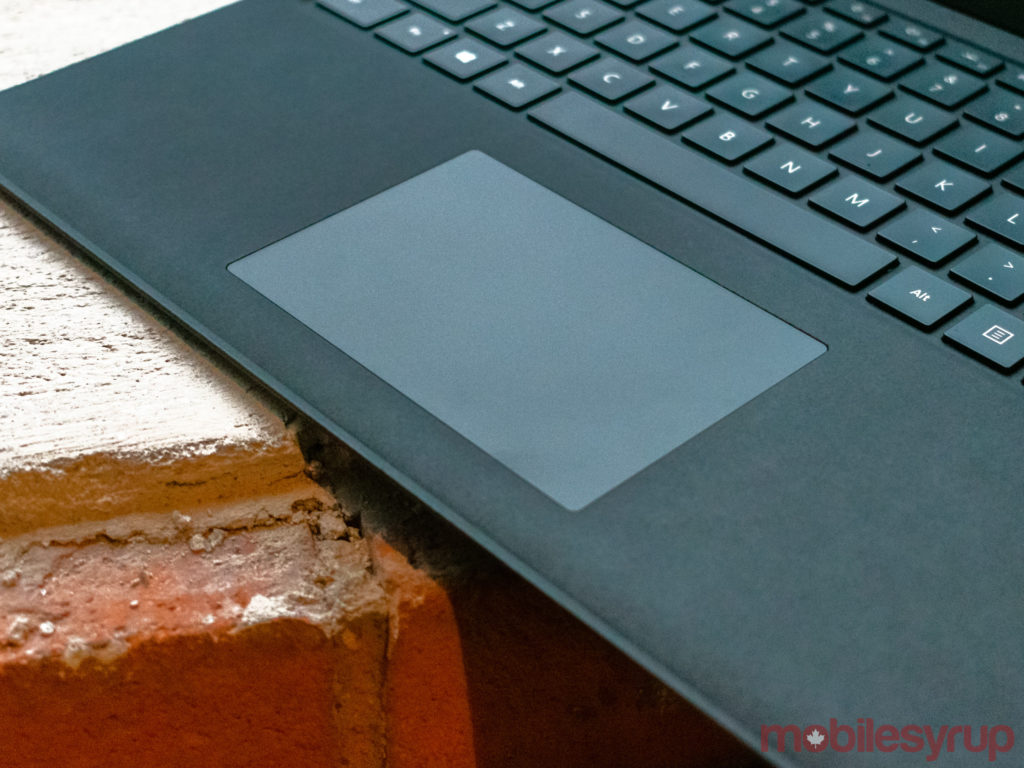
The device’s brushed aluminum chassis provides a premium look-and-feel, while Microsoft’s love affair with Alcantara means that the palm rest is supple and soft to the touch. Before using the Surface Laptop 2, I’d been a staunch opponent of Alcantara’s repeated presence in Microsoft’s design philosophy, but finding myself in a position where I have no choice but to use an Alcantara-clad machine, even I have to admit that it’s not nearly as bad as I thought it would be.

I still prefer plastic or metal palm rests simply due to habit, but anyone concerned that the Alcantara fabric on the Surface Laptop 2 will hinder usability can rest at ease. The fabric hasn’t proven to be a pain point.


The same, however, can’t be said for the Surface Laptop 2’s passable trackpad. Microsoft’s dedication to its Precision Touchpad software is impressive, and as a person who regularly uses a MacBook Pro for everything from word processing to media editing, I can safely say that the Precision Touchpad’s gestures and overall software presence handily competes with Apple’s trackpad software.

What Microsoft has been unable to do — indeed, what no Windows laptop manufacturer seems able to do — is produce a physical trackpad that competes with the glass, button-less design Apple introduced with its 2008 MacBook Pros.

Allow me to be perfectly clear: I love Precision Touchpad software — it’s the trackpad hardware with which I have concerns. Admittedly, the glass-covered trackpad found on the Surface Laptop 2 is still better than the trackpads on most Windows laptops, but it’s still notably worse than the trackpads found on Apple’s laptops.

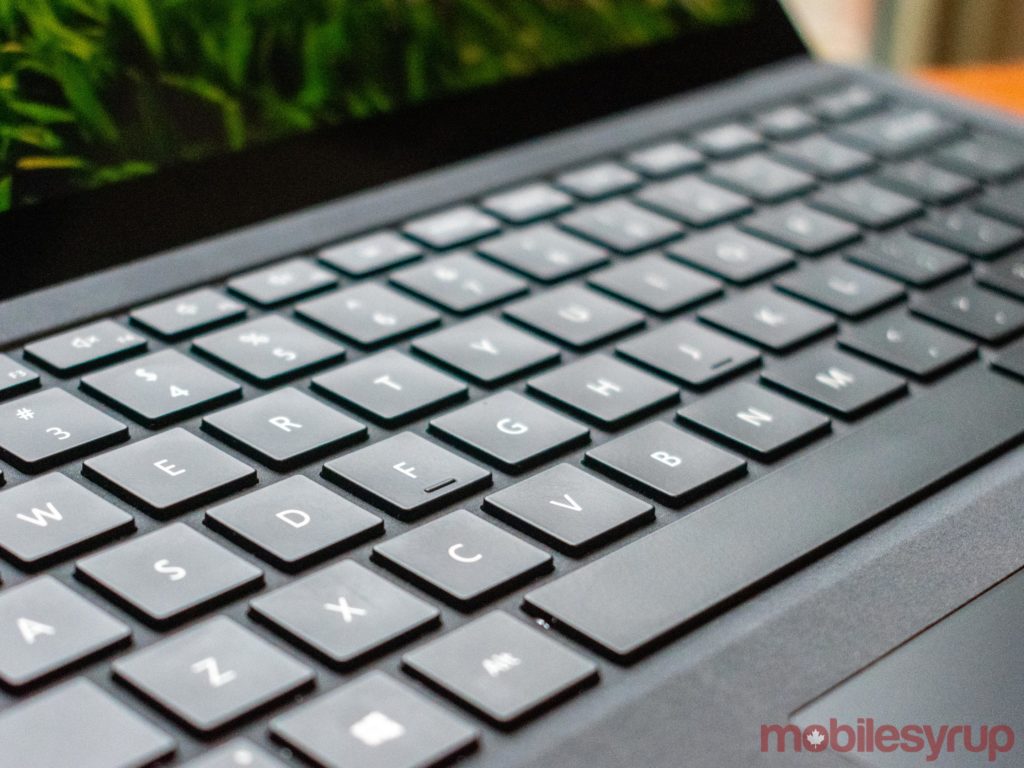
The Surface Laptop 2’s input mechanism that does shine above all others is the device’s keyboard. Microsoft has managed to build a full-size QWERTY keyboard with large, well-spaced, comfortably deep keys that not only provide enough resistance and feedback, but that are also quiet enough to not disturb anyone around the user. Combined with the keyboard deck’s supple Alcantara fabric, typing on the Surface Laptop 2 is a comfortable, satisfying experience.

The device also comes with a 13.5-inch, 2256 x 1504 pixel, 3:2 aspect ratio, touch-enabled PixelSense display. In terms of pure numbers, the Surface Laptop 2’s display is the same as the screen found in its predecessor, though I preferred the display on the 2018 device a little bit more than the 2017 version. Others might notice a major distinction, though most people who place the two devices side-by-side most likely won’t notice a marked difference between the two screens.

The Surface Laptop 2’s screen is also reasonably bright and the computer’s ambient light sensor comfortably adjusts to most lighting conditions. Users won’t need to worry about the screen’s touch capabilities either. Scrolling is quite smooth, and the glass provides just the right amount of resistance to ensure comfort and versatility.

Of course, there’s no way to discuss the Surface Laptop 2’s design without acknowledging the device’s egregious and, quite frankly, unacceptable port selection.

The base model Surface Laptop 2 comes with 128GB of SSD storage, 8GB of RAM, an eighth-generation Intel Core i5 ‘U’ processor and costs $1,299. According to Microsoft’s website, the laptop’s max configuration provides 512GB of internal storage, 16GB of RAM, an eighth-gen Intel Core i7 ‘U’ processor and costs $2,799.

Regardless of whether users choose to pay $1,300 CAD, $2,800 or anything in between for their configuration of choice, Microsoft’s decision to include a single USB-A port on this machine is bewildering.

USB-A ports are legacy technology specifically designed with data transfer and charging other devices in mind. Even if Microsoft had chosen to solely include a single USB-C port for both charging and connectivity — like Apple did with the 2016 MacBook redesign — that would still be better than a single USB-A port, because at least USB-C is a multipurpose port capable of doing more than just transferring bits and bytes.

That’s to say nothing of the fact that Microsoft excluded an SD card or microSD card slot on its laptop. What makes the lack of SD card slot so painful to bear is that Microsoft’s Surface Pro 6 2-in-1 — a device that has the same base configuration as the Surface Laptop 2, but with a $1,180 starting price — features a microSD card slot.

The Surface Laptop 2’s port selection isn’t an example of a tech company looking to the future and potentially alienating a portion of its user base. It’s poor design, plain and simple.

Wonderful performance from the perfect machine from Windows 10

Thankfully not egregious is the aforementioned presence of Intel’s eighth-generation U-series Core i5 and i7 processors and the 8GB of RAM provided with the laptop’s base configuration.

The combination of at least 8GB of RAM and quad-core processors means that the Microsoft Surface Laptop 2 is speedy, power efficient and more than capable of handling intricate, multi-core processes like video editing and photo editing.

Granted, the configuration with a Core i5 processor and 8GB of RAM doesn’t handle 4K video rendering as easily as the Core i9 configuration with 16GB of RAM, but the device will smoothly run most daily tasks.

The same is true for virtual reality or 3D gaming. This isn’t the device you want to use if you plan on playing Overwatch on max settings, but you can absolutely use your Surface Laptop 2 to play your favourite 2D indie platformer, Sid Meier-emblazoned strategy title, free-to-play online collectible card game, or multiplayer online battle arena (MOBA) title.

It’s worth noting that it would be possible to improve the device’s ability to perform graphics-intensive tasks if users could connect an external GPU array to the laptop, but that’s not possible because the laptop doesn’t have a USB-C port or a port that would be otherwise capable of carrying out that specific data transfer.

The device’s real performance point of note is its battery life. Microsoft says the Surface Laptop 2 is capable of surviving up to 14.5 hours of local video playback, which might be a reasonable use-case if you plan on watching movies and television programs on an extended flight.

In my daily use — which consists of staying constantly connected to Wi-Fi, using Google Docs on Google Chrome as my primary word processor, responding to emails, surfing the web, sporadically watching YouTube videos, listening to podcasts through Google Play Music’s web app, editing photos on Adobe Lightroom and Photoshop and using the Slack desktop app — I found that the device was able to end most of my 9 a.m. to 6 p.m. days with at least 15 percent battery remaining.

The laptop also regulates heat quite well, and doesn’t become too hot under load.

Ultimately, the Microsoft Surface Laptop 2 is a wonderful daily driver for writers, bloggers, reporters, students, teachers, programmers, software engineers and anyone else who needs a workhorse machine, but one that doesn’t need to handle intense gaming or video editing.

The post Surface Laptop 2 Review: An easy purchase that compromises on connectivity appeared first on MobileSyrup.

09 Nov 22:31

Google to redesign Android’s ‘Share Menu’

by Dean Daley

Google is working on a complete redesign of Android’s ‘Share Menu.’

For those who don’t know, the Android ‘Share Menu’ is that little panel that appears whenever you’re trying to share content in an Android app.

Though the ‘Share Menu’ is useful, it’s a bit slow to load up and share content.

However, the vice president of engineering for Android, David Burke, recent confirmed on Twitter that the company is working on fixing the issue.

Burke mentions that the Android ‘Share Menu’ is an important task on Google’s list and that the redesign will be “much faster and nicer to use.”

It’s unclear when the change will happen, though considering it’s a “big job” it might be a while before the Android “Share Menu’ update reaches Android phones.

Source: 9to5Google

The post Google to redesign Android’s ‘Share Menu’ appeared first on MobileSyrup.

09 Nov 20:46

What coders really want

by CommitStrip
mkalus shared this story from CommitStrip.

09 Nov 20:46

SFU: Want More Skytrain? Do the Numbers (Part II)

by Colin Stein

Yesterday’s post about the Vancouver Sun op-ed by Alex Boston scraped the surface of what could comprise an effective business case for Skytrain south of the Fraser, let alone what numbers may (or may not) have been used to justify LRT in the first place.

Did Translink miss some data? As I hinted in Part I, perhaps they simply missed communicating the most relevant, top-line numbers the public have an appetite — and capacity — to understand (no offence to all of us).

But let’s assume they made a whole raft of calculations, such as those that can be found in “Regional Transportation Investments: A Vision for Metro Vancouver (Appendices)“, pointed to me by  Boston’s colleague Keane Gruending from the Centre for Dialogue. The Centre’s own analysis on this file is reminiscent of their Moving in a Livable Region program around the time of the 2015 transit plebiscite, which attempted to hold our leaders accountable (and the politics in check), using a facts-first approach.

Boston’s deeper piece on the Renewable Cities website also reminded me that a lot of the debate on whether to pause Phase 2 and 3 of the Mayors Plan to once again deal with the Skytrain question often fails to deal with two important metrics tied to land use: jobs density, and CO2 emissions.

On the first metric, it begs further drill-down into the case for the UBC Skytrain extension proposed by Mayor Kennedy Stewart.

Transportation demand between UBC and the rest of the Lower Mainland — for which we could consider the current Arbutus Street terminus to be the obvious transit interchange — may never be perfectly balanced between the two main user populations:

  • UBC/UEL residents travelling eastbound, for major nodes including downtown, midtown, Oakridge and the Arthur Laing Bridge (daily to weekly, or less frequent)
  • Non-resident UBC students, faculty, and administration, and UEL labour force, travelling to campus (daily)

Complex and diverse as the two population patterns may be, it’s clear demand exists between jurisdictions. And, it’s not bound to change unless UBC student capacity greatly fluctuates, or UBC and the province open up greenfield University Endowment Lands for development.

Demand there is relatively constant and predictable; thus, a business case can be made (or unmade) on the basis of ‘pure’ measures of transportation demand. If anything, Stewart should be charging TransLink and city staff to fill holes in the data table on density thresholds, as mentioned in Part I yesterday. Some rationale must exist for reaching and fulfilling that level of demand, and ideally also establishing a vision that will result in specific mode share targets, as in Ontario and the City of Vancouver itself.

Now, contrast that with Surrey and Langley — wherein there are inherent problems reconciling today’s demand-side data against the demand we project for the future. Or, perhaps more accurately, the type of demand we want to encourage.

All you have to do is look at chart 1 in Boston’s longer piece — Greater Vancouver personal transportation greenhouse gas emissions — and it’s obvious that, even with the Mayors Plan in place, we’re already screwed.

Rather than throw up our hands, obviously we must continue to mitigate, and aggressively reduce, total GHG emissions from transportation. We just can’t stop, we have to do better, and quickly.

And that must include making concerted efforts to develop and intensify job density close to all forms of housing — both matching high levels of job density with high residential density, and using increased jobs density as levers to trigger new densification in currently low density neighbourhoods.

In the case of UBC-Arbutus, not only could a business case feasibly be made for Skytrain, it’s likely that few people have an appetite (or a matching business case!) to turn the UEL’s carbon sink into condos.

Though, many have suggested that bringing more residential density to Dunbar, Point Grey and Kitsilano would be sufficient, and is necessary. New zoning by-law amendments passed in September, of course, would allow for this to begin at the level of duplexes; and, of course, this is already under threat of being rescinded by the new council.

But on the matter of bringing Skytrain to Langley and Surrey, the argument that the same business case can be made rests under the cloud of two massive, problematic assumptions.

One, the idea that the demand we need to accommodate is for travel outside of both Surrey and Langley.

In fact, the data shows the opposite. The vast proportion of demand is for intra-urban travel; that is, most people are trying to get between town centres.

The data from 2011 Translink Trip Diaries is clear, and it’s doubtful to have changed much in the past seven years: three-quarters of trips south of the Fraser never leave south of the Fraser. Most trips are by personal motor vehicle, and are for workplace commuting or school. Do these patterns necessarily justify the highest-speed, highest-capacity solution? It’s a question Surrey’s Doug McCallum has not answered with equally strong data, or analysis.

The second problematic assumption for Surrey — that building high-speed, high-capacity rail networks will necessarily fulfill demand, as predicted. (Granville Bridge, anyone?)

In the case of UBC, Skytrain is often considered a remedy for the problematic decision of having sited one of North America’s largest university campuses on a forested peninsula 8-15 kilometres away from residential neighbourhoods, commercial centres, and transportation hubs. That was then.

Today, we cannot immediately consider Skytrain the best first step for accommodating urban growth in a long-term, sustainable manner. Rather than solving a problem that exists today and leaving openings to adjust in the future, jumping to Skytrain in Surrey could risk creating one of two not-insignificant problems:

  • Under-utilized capacity, because either growth projections are wrong, or more jobs come south of the Fraser
  • Unnecessarily long commutes and congestion, because growth projections are right AND job growth south of the Fraser doesn’t keep pace with population growth

What we should be equally focused on is land use — and bringing more jobs, more residential housing density, and diversity of transportation choices, to Surrey and Langley.

In the end, Boston’s article reminds me is that it doesn’t really matter which future scenario coms to pass, because the point is to not begin by assuming Skytrain, and then look backwards at risk.

Deciding to build Skytrain — the highest cost, highest speed and highest capacity rail option we have to consider at this time in BC — must be preceded by a rigorous business case built on data which takes the region’s economic, environmental and population health into account. It’s not just a matter of sound approach to integrated land use, it’s a matter of sound governance.

Photo credit: Colin Knowles, “Dirty Skytrain Windows, 3

09 Nov 20:43

Apple’s 2018 MacBook Air features the latest MacBook Pro’s silicon membrane keyboard

by Patrick O'Rourke
MacBook Air

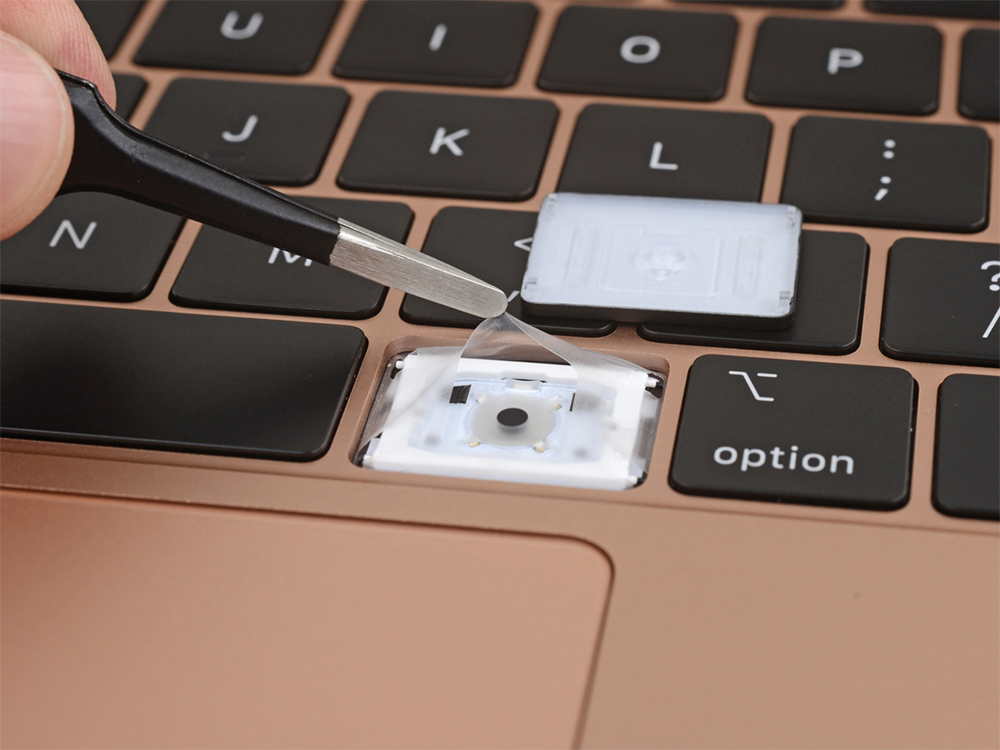
Though Apple has stated in the past that the new MacBook Air features the same third-generation Butterfly keyboard mechanism as the 2018 MacBook Pro, a recent iFixit teardown has confirmed.

iFixit, as the website does with nearly every tech product, tore apart Apple’s 2018 MacBook Air, confirming that the new version of Apple’s popular laptop features a silicon membrane under its keyboard keys.

Similar to the third-generation MacBook Pro, this thin layer of silicon should, in theory, prevent debris from getting stuck under the laptop’s keyboard, preventing keyboard reliability issues. It also gives the keyboard’s keys a squishier feeling that Apple often describes as being more balanced.

iFixit macBook Air

Given the controversy surrounding the butterfly keyboard featured in Apple’s more recent laptops, which forced the company to launch a replacement program eventually, it’s not surprising that the new MacBook Air features the new keyboard tech.

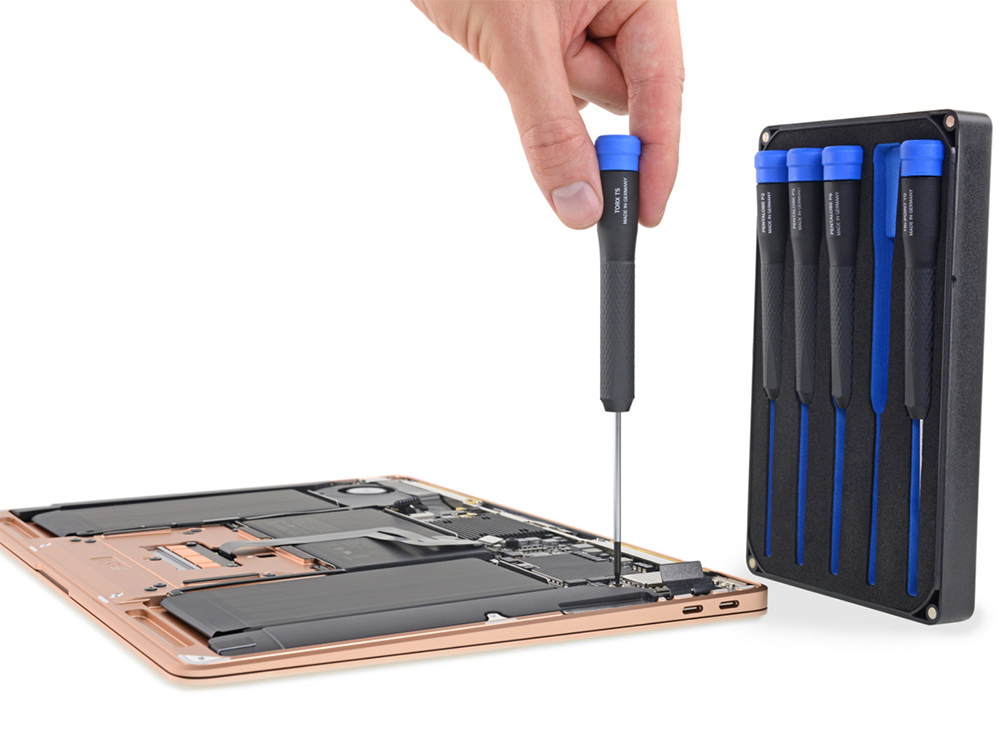
iFixit also uncovered that the laptop features the same pentalobe screws on its base that require a specific screwdriver to open. The computer also features a tiny logic board, rather large speakers and what iFixit calls a “radiator-esque heat sink.”

Under the logic board is Apple’s T2 security chip, as well as Intel’s Thunderbolt 3 controller, 128GB of flash storage and 8GB of LPDDR3 RAM.

In an uncharacteristic move, the two Thunderbolt 3 ports featured in the new Air are modular. The new Air’s 49.9Wh battery and speakers are secured by pull-to-remove adhesive tabs, according to iFixit.

Overall, iFixit says the MacBook Air is far more repairable when compared to other recent Apple laptops for a variety of reasons. For instance, the Air’s Touch ID sensor is modular and doesn’t require a full logic board replacement to replace. Further, as was first reported by MacRumors, the entire top of the laptop’s case doesn’t need to be replaced when a new battery is installed, unlike every MacBook released since 2012.

MacBook Air iFixit

Though Apple has made significant changes regarding the Air’s repairabilities, especially when compared to other laptops manufactured by the company, the device still earned only a three out of 10 on iFixit’s repairability scale.

I’m currently in the process of reviewing Apple’s new MacBook Air and I’ve been impressed with my experience with the laptop so far. It features the best aspects of the Pro, the 12-inch MacBook and the classic Air, all combined into a sleek-looking device.

That said, the fact that the laptop features a more energy-efficient 8th-generation Intel Core i5-8210Y processor, rather than the more powerful i5-8250U included in competing devices like Microsoft’s Surface Pro 6, remains disappointing.

Image credit: iFixit

Source: iFixitMacRumors

The post Apple’s 2018 MacBook Air features the latest MacBook Pro’s silicon membrane keyboard appeared first on MobileSyrup.

09 Nov 19:21

iRobot Roomba i7+ Review: The Very Best Robot Vacuum—But It’s Not Flawless

by Liam McCabe
iRobot Roomba i7+ Review: The Very Best Robot Vacuum—But It’s Not Flawless

After a month of testing, we think the iRobot Roomba i7+ is the best robot vacuum that money can buy. It’s the only one that can empty its own bin, and one of the few that can clean specific rooms (and skip others) on command. The upshot is that you can go for weeks at a time without touching the robot or even thinking about cleaning your floors. We’ve tested dozens of robot vacuums for Wirecutter since 2013, and none of them have demanded so little of our attention.

09 Nov 19:18

Google Pixel 3 and 3 XL users are reporting overheating issues

by Dean Daley
Pixel 3 XL

Users on Reddit and the Google’s official product forums are reportedly experiencing overheating issue with the Pixel 3 and Pixel 3 XL.

The problem occurs when users are video calling or charging their devices, according to various Reddit posts. Some users say the overheating issue happens both when using the phone’s official charger or a third-party charger.

Pixel 3 Overheating and shutting down during video calls while charging from r/GooglePixel

The results of the overheating issue come in two forms: users either receive a notification stating that the phone is overheating, or the handset itself simply just shuts off.

Factory resetting the device reportedly doesn’t solve the problem.

Currently, it’s unknown why the phones are overheating. While it’s common for devices to get warm when video calling, playing games or charging, overheating can become a serious issue — just ask Samsung and the company’s ill-fated Note 7.

It’s possible the overheating problem could be fixed through an over-the-air update, but if the issue is hardware related, Google may have to replace units under warranty.

We’ve reached out to Google for comment on the Pixel 3 XL’s reported overheating issues.

Source: Reddit, Google Product forum, 2 Via: Android Authority 

The post Google Pixel 3 and 3 XL users are reporting overheating issues appeared first on MobileSyrup.

09 Nov 19:18

Samsung is launching a private beta for Linux on Dex program

by Jonathan Lamont
Linux on Dex

Samsung plans to launch a private beta of its ‘Linux on Dex’ program on November 12th. Linux on Dex will allow users to open an Ubuntu desktop on a Note 9 or Tab S4.

Linux on Dex only supports one Ubuntu version: 16.04 LTS. Further, it only works on Note 9 and Tab S4 devices with at least 8GB of storage and more than 4GB of memory.

Samsung says developers can use the Linux on Dex environment to program “on the go.” Additionally, it brings a more desktop-like experience to the Tab S4 tablet.

However, the South Korean company also warned Linux on Dex may slow down or turn off suddenly if there’s a lack of memory.

Overall, adding Linux to Dex is an excellent idea for Samsung. Dex is a relatively novel idea, allowing users to turn their phone or tablet into a desktop environment just by plugging it into a monitor using USB-C.

Adding a Linux environment only enhances that usefulness.

Google did this with Chrome OS, bringing support for Linux apps to expand what users could do with their Chromebooks.

If you’re interested in testing out the Linux on Dex beta, you can register here.

Source: Samsung Via: ZDNet

The post Samsung is launching a private beta for Linux on Dex program appeared first on MobileSyrup.