Shared posts

14 Dec 07:16

The 411 on the Microsoft SQL Server 2014 In-Memory OLTP Blog Series

by SQL Server Team

This summer we started blogging about all of the innovation in the products that make up the Microsoft Cloud OS vision.  We’ve talked about Windows Server 2012 R2, Windows Azure and of course Microsoft SQL Server 2014

In the case of SQL Server 2014, we did a series of posts over the past few months on In-Memory OLTP. SQL Server 2014 introduces memory-optimized database technology for optimizing the performance of OLTP workloads. In particular, it introduces memory-optimized tables for efficient, contention-free data access, and natively compiled stored procedures for efficient execution of business logic.    

Sound interesting?  There is a lot to learn so here is the complete list of those posts in the series:

Since SQL Server In-Memory OLTP (formerly known as project code-named “Hekaton”) was unveiled at PASS last November, there has been a lot of conversation and buzz about it. Some of the discussion was well informed and accurate, and some… not so much.  We hope you find the list above and the information in those posts informative. 

Stay tuned for more information coming out of PASS Summit 2013.  We’ll certainly be sharing more on In-Memory OLTP and other innovations in SQL Server 2014, and we have many more blogs to come on the new features of SQL Server 2014!

Ready to download and try it for yourself?  Be sure and head over to the Try/Buy Center and take a lab or download the bits.  For one stop shopping on evaluation bits for all of the Microsoft products, head on over to the TechNet Evaluation Center. Enjoy!

14 Dec 07:16

SQL Server 2014: Pushing the Boundaries of In-Memory Performance

by SQL Server Team

This morning, during my keynote at the Professional Association of SQL Server (PASS) Summit 2013, I discussed how customers are pushing the boundaries of what’s possible for businesses today using the advanced technologies in our data platform. It was my pleasure to announce the second Community Technology Preview (CTP2) of SQL Server 2014 which features breakthrough performance with In-Memory OLTP and simplified backup and disaster recovery in Windows Azure.

Pushing the boundaries

We are pushing the boundaries of our data platform with breakthrough performance, cloud capabilities and the pace of delivery to our customers. Last year at PASS Summit, we announced our In-Memory OLTP project “Hekaton” and since then released SQL Server 2012 Parallel Data Warehouse and public previews of Windows Azure HDInsight and Power BI for Office 365. Today we have SQL Server 2014 CTP2, our public and production-ready release shipping a mere 18 months after SQL Server 2012. 

Our drive to push the boundaries comes from recognizing that the world around data is changing.

  • Our customers are demanding more from their data – higher levels of availability as their businesses scale and globalize, major advancements in performance to align to the more real-time nature of business, and more flexibility to keep up with the pace of their innovation. So we provide in-memory, cloud-scale, and hybrid solutions. 
  • Our customers are storing and collecting more data – machine signals, devices, services and data from outside even their organizations. So we invest in scaling the database and a Hadoop-based solution. 
  • Our customers are seeking the value of new insights for their business. So we offer them self-service BI in Office 365 delivering powerful analytics through a ubiquitous product and empowering users with new, more accessible ways of gaining insights. 

In-memory in the box for breakthrough performance

A few weeks ago, one of our competitors announced plans to build an in-memory column store into their database product some day in the future. We shipped similar technology two years ago in SQL Server 2012, and have continued to advance that technology in SQL Server 2012 Parallel Data Warehouse and now with SQL Server 2014. In addition to our in-memory columnar support in SQL Server 2014, we are also pushing the boundaries of performance with in-memory online transaction processing (OLTP). A year ago we announced project “Hekaton,” and today we have customers realizing performance gains of up to 30x. This work, combined with our early investments in Analysis Services and Excel, means Microsoft is delivering the most complete in-memory capabilities for all data workloads – analytics, data warehousing and OLTP. 

We do this to allow our customers to make breakthroughs for their businesses. SQL Server is enabling them to rethink how they can accelerate and exceed the speed of their business.

 Sven Lowry TPP

  • TPP is a clinical software provider managing more than 30 million patient records – half the patients in England – including 200,000 active registered users from the UK’s National Health Service.  Their systems handle 640 million transactions per day, peaking at 34,700 transactions per second. They tested a next-generation version of their software with the SQL Server 2014 in-memory capabilities, which has enabled their application to run seven times faster than before – all of this done and running in half a day. 
  • Ferranti provides solutions for the energy market worldwide, collecting massive amounts of data using smart metering. With our in-memory technology they can now process a continuous data flow up to 200 million measurement channels making the system fully capable of meeting the demands of smart meter technology.
  • SBI Liquidity Market in Japan provides online services for foreign currency trading. By adopting SQL Server 2014, the company has increased throughput from 35,000 to 200,000 transactions per second. They now have a trading platform that is ready to take on the global marketplace.

A closer look into In-memory OLTP

Previously, I wrote about the journey of the in-memory OLTP project Hekaton, where a group of SQL Server database engineers collaborated with Microsoft Research. Changes in the ratios between CPU performance, IO latencies and bandwidth, cache and memory sizes as well as innovations in networking and storage were changing assumptions and design for the next generation of data processing products. This gave us the opening to push the boundaries of what we could engineer without the constraints that existed when relational databases were first built many years ago. 

Challenging those assumptions, we engineered for dramatically changing latencies and throughput for so-called “hot” transactional tables in the database. Lock-free, row-versioning data structures and compiling T-SQL and queries into native code, combined with making the programming semantics consistent with SQL Server means our customers can apply the performance benefits of extreme transaction processing without application rewrites or the adoption of entirely new products. 

Transformational In-Memory Performance

The continuous data platform

Windows Azure fulfills new scenarios for our customers – transcending what is on-premises or in the cloud. Microsoft is providing a continuous platform from our traditional products that are run on-premises to our cloud offerings. 

With SQL Server 2014, we are bringing the cloud into the box. We are delivering high availability and disaster recovery on Windows Azure built right into the database. This enables customers to benefit from our global datacenters: AlwaysOn Availability Groups that span on-premises and Windows Azure Virtual Machines, database backups directly into Windows Azure storage, and even the ability to store and run database files directly in Windows Azure storage. That last scenario really does something interesting – now you can have an infinitely-sized hard drive with incredible disaster recovery properties with all the great local latency and performance of the on-premises database server. 

We’re not just providing easy backup in SQL Server 2014, today we announced backup to Windows Azure would be available for all our currently supported SQL Server releases. Together, the backup to Windows Azure capabilities in SQL Server 2014 and via the standalone tool offer customers a single, cost-effective backup strategy for secure off-site storage with encryption and compression across all supported versions of SQL Server.

By having a complete and continuous data platform we strive to empower billions of people to get value from their data. It’s why I am so excited to announce the availability of SQL Server 2014 CTP2, hot on the heels of the fastest-adopted release in SQL Server’s history, SQL Server 2012. Today, more businesses solve their data processing needs with SQL Server than any other database. It’s about empowering the world to push the boundaries.

Quentin Clark
Corporate Vice President
Data Platform Group

14 Dec 07:16

PASS Summit 2013 Report #10 (Dr DeWitt)

by Andy Warren

I was lucky/thrilled to get to spend a few minutes chatting with Dr. DeWitt this afternoon (and thanks to PASS for the opportunity!). I’m struggling to decide what and how to write, feeling a bit awestruck.

I walked away thinking that in person he’s just a quieter version of the presenter we’ll see tomorrow morning. Quiet and thoughtful. He looks forward to the presentation and dreads it at the same time. It’s a lot of work to prepare – three months total effort for the 75 minutes you’ll see tomorrow. It’s tough to find a topic that he is passionate about and thinks the audience will want to see. He’s super conscious of someone taking his efforts as ‘plugging the product’. Clearly he’s a Microsoft guy, even has a Microsoft Windows 8 Phone, but – and this is my take – he knows that if it feels like a sales pitch the whole tone changes, yet new features are the places where he is most involved and most passionate.

He wasn’t sure what he would talk about this year, finally choosing Hekaton. He has a bunch of slides ready, but he doesn’t practice! He’s spent his career teaching, often in 75 minute blocks, and has a good sense of how long it takes – and he said that practicing often hurt his final presentation because he would worry so much about not making the same mistakes in practice. No practice isn’t the same as no preparation, there is 3 months of preparation that gets him through that 75 minutes. He talked about getting over the fear of talking to 4000 people, something I think we can all understand if we never get to that level.

I asked about the impact of his involvement with PASS. He said that it has been hugely gratifying and somewhat stressful. He loves when his work is used to teach students (with proper attribution). He stresses over the work and the super high expectations, but loves putting his time into an organization he considers to be very successful – PASS.  But, and this surprised me, he said that his PASS involvement hasn’t really changed his career at Microsoft.

So, what about tomorrow? I got a preview and you’re not going to think it’s a plug for Hekaton. It’s a lot more and a lot better than that. And while I’m not sure Dr. DeWitt will appreciate me raising the stakes, I’ll say I think this will be the best presentation he’s done for us so far. You don’t want to miss this one!

Thanks to Dr. DeWitt for making time for the chat!

14 Dec 07:15

Every time I ‘ATTACH DATABASE’ SQL logs error 1314 for SetFileIoOverlappedRange

by psssql

Turns out this is an issue in the SQL Server code and the error is a bit noisy during attach database.

When opening the database files, SQL Server calls SetFileIoOverlappedRange (when enabled properly) in order to help improve I/O performance.  This is commonly done under the SQL Server, service account; which requires locked pages privilege.  When the privilege is not held the Windows error (1314 - A required privilege is not held by the client) is logged in the SQL Server error log, shown below.

Starting with SQL Server 2005, when attaching a database, SQL Server impersonates the client connection when opening the files to validate proper security (ACLs.)   In doing so the SQL Server invokes SetFileIoOverlappedRange under the impersonated account and not the SQL Server, service account.   This can lead to the 1314 error condition.

The error is more noise than a problematic issue.   Using ALTER DATABASE OFFLINE and ONLINE will re-open the database files under the SQL Server, service account and allow SetFileIoOverlappedRange to complete successfully for the database.

Microsoft SQL Server 2012 (SP1) - 11.0.3000.0 (X64)

                Oct 19 2012 13:38:57

                Copyright (c) Microsoft Corporation

                Enterprise Edition (64-bit) on Windows NT 6.2 <X64> (Build 9200: )

2013-10-16 03:23:20.010 Server     Using locked pages in the memory manager.

                .

                .

                .

2013-10-16 09:21:35.970 spid52    Starting up database 'dbAttachTest'.

2013-10-16 09:25:10.300 spid52    SetFileIoOverlappedRange failed, GetLastError is 1314


WARNING – Make sure you have the following applied to avoid unexpected issues as well.

http://support.microsoft.com/kb/2679255

http://blogs.msdn.com/b/psssql/archive/2012/03/20/setfileiooverlappedrange-can-lead-to-unexpected-behavior-for-sql-server-2008-r2-or-sql-server-2012-denali.aspx

Bob Dorr - Principal SQL Server Escalation Engineer

14 Dec 07:13

Customers Gain Roadmap for the Future with Microsoft, SQL Server 2014 and In-Memory OLTP

by SQL Server Team

There’s a lot of excitement around the In-Memory OLTP database engine in SQL Server 2014—and for good reason. Many companies are already realizing impressive performance gains by using it. Here are just a few examples:

Edgenet manages data for Fortune 500 firms, and its success depends on updating clients’ databases so that they accurately reflect transactions, especially for databases supporting online shopping carts. By upgrading to SQL Server 2014, Edgenet boosted throughput sevenfold with In-Memory OLTP. Read the case study here.

SBI Liquidity Market  manages more than US$1 trillion each month in foreign currency exchange trading. To increase scalability and speed, it upgraded its trading system to SQL Server 2014. With In-Memory OLTP, SBI Liquidity Markets improved throughput by 10x, processing up to 200,000 transactions per second. Read more about this story here.

TPP manages about half of the United Kingdom’s 60 million medical records through its hosted clinician service. Fast access to medical records is critical.  In the most extreme scenarios, if a doctor can’t access the system fast enough, patient’s lives could be at stake.  When TPP started testing In-Memory OLTP by upgrading its databases to SQL Server 2014 managed to get the solution up and running in only half a day.  Although the databases were running on existing servers, TPP observed 7 times performance improvements.  Further details on their story are here.

While In-Memory OLTP is transforming performance, it’s just one feature in the broader Microsoft platform that’s supporting modern applications’ demand for intense scale and ease of access.

This end-to-end platform is what sets Microsoft apart, and that’s why I’d like to echo some points recently made by Satya Nadella, Microsoft’s Executive Vice President of Cloud and Enterprise. In 10 years, I believe Microsoft will still be at the core of computing because the company is continuing to shape the industry with innovations such as the hybrid cloud based on its Cloud OS. Microsoft also offers fast data insights with BI tools that “led the pack” according to Forrester Research. Ongoing adoption of Microsoft’s platform by the world’s top companies is also testament to the company’s vision.

For more information about In-Memory OLTP including its no locking/no latching concurrency controls, read this article.  SQL Server 2014 CTP2 is now available for download here.

14 Dec 07:09

PASS summit 2013. We do not remember days. We remember moments.

by Maria Zakourdaev


"Business or pleasure?" barked the security officer in the Charlotte International Airport.
"I’m not sure, sir," I whimpered, immediately losing all courage. "I'm here for the database technologies summit called PASS”.
"Sounds boring. Definitely a business trip."

Boring?! He couldn’t have been more wrong.

If he only knew about the countless meetings throughout the year where I waved my hands at my great boss and explained again and again how fantastic this summit is and how much I learned last year. One by one, the drops of water began eating away at the stone. He finally approved of my trip just to stop me from torturing him.

Time moves as slow as a turtle when you are waiting for something.
Time runs as fast as a cheetah when you are there.
PASS has come...and passed.

It’s been an amazing week. Enormous sqlenergy has filled the city, filled the convention center and the surrounding pubs and restaurants. There were awesome speakers, great content, and the chance to meet most inspiring database professionals from all over the world.

Some sessions were unforgettable. Imagine a fully packed room with more than 500 people in awed silence, catching each and every one of Paul Randall's words. His tremendous energy and deep knowledge were truly thrilling.

No words can describe Rob Farley's unique presentation style, captivating and engaging the audience. When the precious session minutes were over, I could tell that the many random puzzle pieces of information that his listeners knew had been suddenly combined into a clear, cohesive picture.

I was amazed as always by Paul White's great sense of humor and his phenomenal ability to explain complicated concepts in a simple way.

The keynote by the brilliant Dr. DeWitt from Microsoft in front of the full summit audience of 5000 deeply listening people was genuinely breathtaking.

The entire conference throughout offered excellent speakers who inspired me to absorb the knowledge and use it when I got home.

To my great surprise, I found that there are other people in this world who like replication as much I do. During the Birds of a Feather Luncheon, SQL Server MVP Ted Krueger was writing a script for replicating the food to other tables.

I learned many things at PASS, and not all of them were about SQL. After three summits, this time I finally got the knack of networking. I actually went up and spoke to people, and believe me, that was not easy for an introvert. But this is what the summit is all about. Sqlpeople. They are the ones who make it such an exciting experience.

I will be looking forward to the next year. Till then I have my notes and new ideas.

How long was the summit? Thousands of unforgettable moments.

14 Dec 07:06

PASS Summit 2013 Summary

The PASS Summit 2013 was held in Charlotte, North Carolina, which is a big change from the usual location in Seattle. This new location may have been more successful in attracting what seemed to be an unusually high number of first-time attendees, which I think is a good thing. I heard fewer complaints during the week about travel time and time away from work from people who were from the east coast and from the southeast part of the United States. On the other hand, I heard a decent number of complaints about travel time and time away from work from people from other parts of the United States. Honestly, unless the PASS Summit is held in your home town, you are going to have to travel, so there is really no way to satisfy everyone regarding a location. Personally, I like Seattle, and I know my way around the downtown Seattle area pretty well, and it is easier for me to fly to Seattle, so I am perfectly happy if the Summit is in Seattle most years. Since I live near Denver, it is not really that hard for me to travel nearly anywhere in the United States.

I had a pre-con session called Scaling SQL Server 2012 on Monday, which went quite well (even though Paul Randal fired me on Twitter). Teaching/speaking all day by yourself is a lot more tiring than you might think, especially when you have a room full of smart SQL Server people in your session.

On Wednesday, I got to present Professor DMV in one of the two large ballrooms (which was also streamed on PASStv and recorded). That was a lot of fun to present to a large session, and I got a lot of questions during and after the presentation. There was also a lot of live commentary on Twitter while I was speaking. I think that most speakers appreciate when you give live Twitter commentary and feedback while they are speaking (even if they read it later). I certainly appreciate it!

On Friday, I got to present Storage Fundamentals for the DBA in one of the smaller (300 seat) rooms. I was pretty surprised to see people lined up, waiting to get into this session. That has never happened to me at the PASS Summit. I am more used to seeing people lined up waiting to get into to see people like Paul Randal or Kimberly Tripp. Later on Friday, I watched a very good session on virtualization performance from David Klee.

I think the people behind the PASS Summit 2013 did a great job of planning, organizing and running the event. This includes the PASS board members, the PASS employees, all of the PASS volunteers, and all of the other people who worked so hard to make the event a smoothly running success. I have a lot of respect for the people that do all of the work to make the PASS Summit possible each year.

It was great to see so many people that I mostly talk to online, and to meet a lot of new people in person. I had a lot of people come up to me throughout the week and thank me for the work I do on my DMV Diagnostic Information Queries, which was very gratifying. All of the demo scripts from all of the SQLskills speakers (Paul, Kimberly, Erin, Jon, and myself) are posted here.

The post PASS Summit 2013 Summary appeared first on Glenn Berry.

14 Dec 07:05

Difference between LASTDATE and MAX for semi-additive measures in #DAX

by Marco Russo (SQLBI)

I recently wrote an article on SQLBI about the semi-additive measures in DAX. I included the formulas common calculations and there is an interesting point that worth a longer digression: the difference between LASTDATE and MAX (which is similar to FIRSTDATE and MIN – I just describe the former, for the latter just replace the correspondent names).

LASTDATE is a dax function that receives an argument that has to be a date column and returns the last date active in the current filter context. Apparently, it is the same value returned by MAX, which returns the maximum value of the argument in the current filter context. Of course, MAX can receive any numeric type (including date), whereas LASTDATE only accepts a column of type date. But overall, they seems identical in the result. However, the difference is a semantic one. In fact, this expression:

LASTDATE ( 'Date'[Date] )

could be also rewritten as:

FILTER ( VALUES ( 'Date'[Date] ), 'Date'[Date] = MAX ( 'Date'[Date] ) )

LASTDATE is a function that returns a table with a single column and one row, whereas MAX returns a scalar value. In DAX, any expression with one row and one column can be automatically converted into the corresponding scalar value of the single cell returned. The opposite is not true. So you can use LASTDATE in any expression where a table or a scalar is required, but MAX can be used only where a scalar expression is expected.

Since LASTDATE returns a table, you can use it in any expression that expects a table as an argument, such as COUNTROWS. In fact, you can write this expression:

COUNTROWS ( LASTDATE ( 'Date'[Date] ) )

which will always return 1 or BLANK (if there are no dates active in the current filter context). You cannot pass MAX as an argument of COUNTROWS.

You can pass to LASTDATE a reference to a column or any table expression that returns a column. The following two syntaxes are semantically identical:

LASTDATE ( 'Date'[Date] )
LASTDATE ( VALUES ( 'Date'[Date] ) )

The result is the same and the use of VALUES is not required because it is implicit in the first syntax, unless you have a row context active. In that case, be careful that using in a row context the LASTDATE function with a direct column reference will produce a context transition (the row context is transformed into a filter context) that hides the external filter context, whereas using VALUES in the argument preserve the existing filter context without applying the context transition of the row context (see the columns LastDate and Values in the following query and result).

You can use any other table expressions (including a FILTER) as LASTDATE argument. For example, the following expression will always return the last date available in the Date table, regardless of the current filter context:

LASTDATE ( ALL ( 'Date'[Date] ) )

The following query recap the result produced by the different syntaxes described.

EVALUATE
    CALCULATETABLE
(
        ADDCOLUMNS

            VALUES ('Date'[Date] ),
            "LastDate", LASTDATE( 'Date'[Date] ),
            "Values", LASTDATE( VALUES ( 'Date'[Date] ) ),
            "Filter", LASTDATE( FILTER ( VALUES ( 'Date'[Date] ), 'Date'[Date] = MAX ( 'Date'[Date] ) ) ),
            "All", LASTDATE( ALL ( 'Date'[Date] ) ),
            "Max", MAX( 'Date'[Date] )
        ),
        'Date'[Calendar Year] = 2008
    )
ORDER BY 'Date'[Date]

The LastDate columns repeat the current date, because the context transition happens within the ADDCOLUMNS. The Values column preserve the existing filter context from being replaced by the context transition, so the result corresponds to the last day in year 2008 (which is filtered in the external CALCULATETABLE). The Filter column works like the Values one, even if we use the FILTER instead of the LASTDATE approach. The All column shows the result of LASTDATE ( ALL ( ‘Date’[Date] ) ) that ignores the filter on Calendar Year (in fact the date returned is in year 2010). Finally, the Max column shows the result of the MAX formula, which is the easiest to use and only don’t return a table if you need it (like in a filter argument of CALCULATE or CALCULATETABLE, where using LASTDATE is shorter).

image

I know that using LASTDATE in complex expressions might create some issue. In my experience, the fact that a context transition happens automatically in presence of a row context is the main reason of confusion and unexpected results in DAX formulas using this function. For a reference of DAX formulas using MAX and LASTDATE, read my article about semi-additive measures in DAX.

14 Dec 07:04

SQL Connection Pool Timeout Debugging

by Adam W. Saxton

This is a follow up to two blog posts from back in 2009 which talked about leaked connections.  In Part 1 and Part 2 of that post, it was about how to determine that you actually filled your pool.  This was centered around the following error:

Exception type: System.InvalidOperationException
Message: Timeout expired.  The timeout period elapsed prior to obtaining a connection from the pool.  This may have occurred because all pooled connections were in use and max pool size was reached.
InnerException: <none>
StackTrace (generated):
    SP               IP               Function
    000000001454DDC0 00000642828425A8 System.Data.ProviderBase.DbConnectionFactory.GetConnection(System.Data.Common.DbConnection)
    000000001454DE10 0000064282841BA2 System.Data.ProviderBase.DbConnectionClosed.OpenConnection(System.Data.Common.DbConnection, System.Data.ProviderBase.DbConnectionFactory)
    000000001454DE60 000006428284166C System.Data.SqlClient.SqlConnection.Open()

The issue I just worked on was the same exception, but in the case the Pools were not exhausted. In this case, the issue was occurring within BizTalk 2006 R2.  We narrowed this down to the following exception:

0:138> !pe e09e13f0
Exception object: 00000000e09e13f0
Exception type: System.Data.SqlClient.SqlException
Message: Timeout expired.  The timeout period elapsed prior to completion of the operation or the server is not responding.
InnerException: <none>
StackTrace (generated):
    SP               IP               Function
    0000000015CBDF10 00000642828554A3 System_Data!System.Data.SqlClient.SqlInternalConnection.OnError(System.Data.SqlClient.SqlException, Boolean)+0x103
    0000000015CBDF60 0000064282854DA6 System_Data!System.Data.SqlClient.TdsParser.ThrowExceptionAndWarning(System.Data.SqlClient.TdsParserStateObject)+0xf6
    0000000015CBDFC0 0000064282CDCCF1 System_Data!System.Data.SqlClient.TdsParserStateObject.ReadSniError(System.Data.SqlClient.TdsParserStateObject, UInt32)+0x291
    0000000015CBE0A0 000006428284ECCA System_Data!System.Data.SqlClient.TdsParserStateObject.ReadSni(System.Data.Common.DbAsyncResult, System.Data.SqlClient.TdsParserStateObject)+0x13a
    0000000015CBE140 000006428284E9E1 System_Data!System.Data.SqlClient.TdsParserStateObject.ReadNetworkPacket()+0x91
    0000000015CBE1A0 0000064282852763 System_Data!System.Data.SqlClient.TdsParserStateObject.ReadBuffer()+0x33
    0000000015CBE1D0 00000642828526A1 System_Data!System.Data.SqlClient.TdsParserStateObject.ReadByte()+0x21
    0000000015CBE200 0000064282851B5C System_Data!System.Data.SqlClient.TdsParser.Run(System.Data.SqlClient.RunBehavior, System.Data.SqlClient.SqlCommand, System.Data.SqlClient.SqlDataReader, System.Data.SqlClient.BulkCopySimpleResultSet, System.Data.SqlClient.TdsParserStateObject)+0xbc
    0000000015CBE2D0 00000642828519E6 System_Data!System.Data.SqlClient.SqlInternalConnectionTds.CompleteLogin(Boolean)+0x36
    0000000015CBE320 000006428284A997 System_Data!System.Data.SqlClient.SqlInternalConnectionTds.AttemptOneLogin(System.Data.SqlClient.ServerInfo, System.String, Boolean, Int64, System.Data.SqlClient.SqlConnection)+0x147
    0000000015CBE3C0 000006428284859F System_Data!System.Data.SqlClient.SqlInternalConnectionTds.LoginNoFailover(System.String, System.String, Boolean, System.Data.SqlClient.SqlConnection, System.Data.SqlClient.SqlConnectionString, Int64)+0x52f
    0000000015CBE530 0000064282847505 System_Data!System.Data.SqlClient.SqlInternalConnectionTds.OpenLoginEnlist(System.Data.SqlClient.SqlConnection, System.Data.SqlClient.SqlConnectionString, System.String, Boolean)+0x135
    0000000015CBE5D0 00000642828471E3 System_Data!System.Data.SqlClient.SqlInternalConnectionTds..ctor(System.Data.ProviderBase.DbConnectionPoolIdentity, System.Data.SqlClient.SqlConnectionString, System.Object, System.String, System.Data.SqlClient.SqlConnection, Boolean)+0x153
    0000000015CBE670 0000064282846E36 System_Data!System.Data.SqlClient.SqlConnectionFactory.CreateConnection(System.Data.Common.DbConnectionOptions, System.Object, System.Data.ProviderBase.DbConnectionPool, System.Data.Common.DbConnection)+0x296
    0000000015CBE730 0000064282846947 System_Data!System.Data.ProviderBase.DbConnectionFactory.CreatePooledConnection(System.Data.Common.DbConnection, System.Data.ProviderBase.DbConnectionPool, System.Data.Common.DbConnectionOptions)+0x37
    0000000015CBE790 000006428284689D System_Data!System.Data.ProviderBase.DbConnectionPool.CreateObject(System.Data.Common.DbConnection)+0x29d
    0000000015CBE830 000006428292905D System_Data!System.Data.ProviderBase.DbConnectionPool.UserCreateRequest(System.Data.Common.DbConnection)+0x5d
    0000000015CBE870 0000064282846412 System_Data!System.Data.ProviderBase.DbConnectionPool.GetConnection(System.Data.Common.DbConnection)+0x6b2
    0000000015CBE930 00000642828424B4 System_Data!System.Data.ProviderBase.DbConnectionFactory.GetConnection(System.Data.Common.DbConnection)+0x54
    0000000015CBE980 0000064282841BA2 System_Data!System.Data.ProviderBase.DbConnectionClosed.OpenConnection(System.Data.Common.DbConnection, System.Data.ProviderBase.DbConnectionFactory)+0xf2
    0000000015CBE9D0 000006428284166C System_Data!System.Data.SqlClient.SqlConnection.Open()+0x10c
    0000000015CBEA60 0000064282928C2D Microsoft_BizTalk_Bam_EventObservation!Microsoft.BizTalk.Bam.EventObservation.DirectEventStream.StoreSingleEvent(Microsoft.BizTalk.Bam.EventObservation.IPersistQueryable)+0x8d
    0000000015CBEAE0 0000064282928947 Microsoft_BizTalk_Bam_EventObservation!Microsoft.BizTalk.Bam.EventObservation.DirectEventStream.StoreCustomEvent(Microsoft.BizTalk.Bam.EventObservation.IPersistQueryable)+0x47

The end result was to either increase the connection timeout for that connection string, or to look at the performance on the SQL Server and determine why SQL wasn’t able to satisfy the connection.  The customer had indicated that this occurred at the month end operations, which probably means that we ramped up pressure on SQL Server.  It may have come down to us not having enough Workers within SQL to handle the connection request which resulted in a Timeout after the default timeout which is 15 seconds.

Techie details:

This will look at how we determined what the problem was once we had a memory dump of the process. These debugging instructions are based on a 64-bit dump.  The steps should be similar for a 32-bit dump as well.  For the dumps, we used the SOS debugging extension which ships with the .NET Framework.  You can load the extension in the debugger by using the following command:

0:000> .loadby sos mscorwks

Let’s first find the Connection Pools that are in the dump:

0:138> !dumpheap -stat -type DbConnectionPool

000006428281fce8        4          416 System.Data.ProviderBase.DbConnectionPool+TransactedConnectionPool
000006428085dbc8       28          672 System.Data.ProviderBase.DbConnectionPoolCounters+Counter
000006428281f6d8        8          704 System.Data.ProviderBase.DbConnectionPool+PoolWaitHandles
0000064282810450        4          704 System.Data.ProviderBase.DbConnectionPool
000006428281d320      165         5280 System.Data.ProviderBase.DbConnectionPoolIdentity

This shows the MethodTable that we can use to go get the different items.  Of note, you may see multiple items, and may have to go through each one.

0:138> !dumpheap -mt 0x0000064282810450
------------------------------
Heap 4
         Address               MT     Size
00000000c021b348 0000064282810450      176    
total 1 objects
------------------------------
Heap 6
         Address               MT     Size
00000000e05add10 0000064282810450      176    
total 1 objects
------------------------------
Heap 12
         Address               MT     Size
000000014004b1d8 0000064282810450      176    
total 1 objects
------------------------------
Heap 13
         Address               MT     Size
00000001502e6af0 0000064282810450      176
 

We have 4 pools.  Let’s have a look at each pool and see how many connections we have for each.

Pool 1:

0:138> !do 0x00000000c021b348
Name: System.Data.ProviderBase.DbConnectionPool
MethodTable: 0000064282810450
EEClass: 00000642827da538
Size: 176(0xb0) bytes
(C:\WINDOWS\assembly\GAC_64\System.Data\2.0.0.0__b77a5c561934e089\System.Data.dll)
Fields:
              MT    Field   Offset                 Type VT     Attr            Value Name

00000642827ef760  400153f       18 ...nnectionPoolGroup  0 instance 0000000160036630 _connectionPoolGroup
0000064282818d18  4001540       20 ...nPoolGroupOptions  0 instance 0000000160036608 _connectionPoolGroupOptions

000006427843d998  4001551       98         System.Int32  1 instance                7 _totalObjects <-- Only 7 Objects out of a total pool size of 500

0:138> !do 0000000160036608
Name: System.Data.ProviderBase.DbConnectionPoolGroupOptions
MethodTable: 0000064282818d18
EEClass: 000006428282ce58
Size: 40(0x28) bytes
(C:\WINDOWS\assembly\GAC_64\System.Data\2.0.0.0__b77a5c561934e089\System.Data.dll)
Fields:
              MT    Field   Offset                 Type VT     Attr            Value Name
00000642784358f8  4001598       14       System.Boolean  1 instance                1 _poolByIdentity
000006427843d998  4001599        8         System.Int32  1 instance                1 _minPoolSize
000006427843d998  400159a        c         System.Int32  1 instance              500 _maxPoolSize <-- Total pool size

Pool 2:

0:138> !do 0x00000000e05add10
Name: System.Data.ProviderBase.DbConnectionPool
0000064282818d18  4001540       20 ...nPoolGroupOptions  0 instance         e05ad798 _connectionPoolGroupOptions
000006427843d998  4001551       98         System.Int32  1 instance                6 _totalObjects <-- Only 6 Objects out of a total pool size of 100

0:138> !do e05ad798
Name: System.Data.ProviderBase.DbConnectionPoolGroupOptions
              MT            Field           Offset                 Type VT             Attr            Value Name
00000642784358f8  4001598       14       System.Boolean  1 instance                1 _poolByIdentity
000006427843d998  4001599        8         System.Int32  1 instance                0 _minPoolSize
000006427843d998  400159a        c         System.Int32  1 instance              100 _maxPoolSize <-- Total pool size

Pool 3:

0:138> !do 0x000000014004b1d8
Name: System.Data.ProviderBase.DbConnectionPool
0000064282818d18  4001540       20 ...nPoolGroupOptions  0 instance         d01e8288 _connectionPoolGroupOptions
000006427843d998  4001551       98         System.Int32  1 instance                7 _totalObjects <-- Only 7 Objects out of a total pool size of 500

0:138> !do d01e8288
Name: System.Data.ProviderBase.DbConnectionPoolGroupOptions
              MT            Field           Offset                 Type VT             Attr            Value Name
00000642784358f8  4001598       14       System.Boolean  1 instance                1 _poolByIdentity
000006427843d998  4001599        8         System.Int32  1 instance                1 _minPoolSize
000006427843d998  400159a        c         System.Int32  1 instance              500 _maxPoolSize <-- Total pool size

Pool 4:

0:138> !do 0x00000001502e6af0
Name: System.Data.ProviderBase.DbConnectionPool
0000064282818d18  4001540       20 ...nPoolGroupOptions  0 instance        1600f1940 _connectionPoolGroupOptions
000006427843d998  4001551       98         System.Int32  1 instance                4 _totalObjects <-- Only 4 Objects out of a total pool size of 100

0:138> !do 1600f1940
Name: System.Data.ProviderBase.DbConnectionPoolGroupOptions
              MT            Field           Offset                 Type VT             Attr            Value Name
00000642784358f8  4001598       14       System.Boolean  1 instance                1 _poolByIdentity
000006427843d998  4001599        8         System.Int32  1 instance                0 _minPoolSize
000006427843d998  400159a        c         System.Int32  1 instance              100 _maxPoolSize <-- Total pool size

The connection pools are dictated by the Connection String used.  So, this means 4 different connection strings were used.  We can look at the stack objects to see if we can pick apart some more information.

0:138> !dso
OS Thread Id: 0x70b0 (138)
RSP/REG          Object           Name
...
000000001454df30 00000001602a0f00 System.Data.SqlClient.SqlConnection
000000001454df40 00000000c0ace890 System.String
000000001454df48 00000001602a0cf0 Microsoft.BizTalk.Bam.EventObservation.BAMTraceFragment
000000001454df50 0000000150511568 System.String
000000001454df60 00000001602a0b00 Microsoft.BizTalk.Bam.EventObservation.DirectEventStream
000000001454df70 00000001602a0b00 Microsoft.BizTalk.Bam.EventObservation.DirectEventStream
000000001454df78 00000001602a0cf0 Microsoft.BizTalk.Bam.EventObservation.BAMTraceFragment
000000001454df80 00000001505112d0 System.String
000000001454df88 0000000150511568 System.String
000000001454df90 00000001602a0cf0 Microsoft.BizTalk.Bam.EventObservation.BAMTraceFragment
000000001454dfa8 00000001602a13d0 System.InvalidOperationException
000000001454dfb0 00000001602a0b38 System.Object
000000001454dfb8 000000015050d780 System.Data.SqlClient.SqlCommand
...

Here is the SQL Command Object that was issuing the command when we had the exception.

0:138> !do 000000015050d780
Name: System.Data.SqlClient.SqlCommand
MethodTable: 000006428279dbd0
EEClass: 00000642827d1dc0
Size: 224(0xe0) bytes
(C:\WINDOWS\assembly\GAC_64\System.Data\2.0.0.0__b77a5c561934e089\System.Data.dll)
Fields:
              MT    Field   Offset                 Type VT     Attr            Value Name
0000064278436018  400018a        8        System.Object  0 instance 0000000000000000 __identity
00000642828144d8  40008de       10 ...ponentModel.ISite  0 instance 0000000000000000 site
00000642826664d8  40008df       18 ....EventHandlerList  0 instance 0000000000000000 events
0000064278436018  40008dd      210        System.Object  0   static 00000000f0269548 EventDisposed
000006427843d998  40016f2       b0         System.Int32  1 instance              672 ObjectID
0000064278436728  40016f3       20        System.String  0 instance 00000000f0020178 _commandText <-- The query/command issued
000006428279c370  40016f4       b4         System.Int32  1 instance                4 _commandType
000006427843d998  40016f5       b8         System.Int32  1 instance               30 _commandTimeout
000006428279d908  40016f6       bc         System.Int32  1 instance                3 _updatedRowSource
00000642784358f8  40016f7       d0       System.Boolean  1 instance                0 _designTimeInvisible
000006428288d490  40016f8       28 ...ent.SqlDependency  0 instance 0000000000000000 _sqlDep
00000642784358f8  40016f9       d1       System.Boolean  1 instance                0 _inPrepare
000006427843d998  40016fa       c0         System.Int32  1 instance               -1 _prepareHandle
00000642784358f8  40016fb       d2       System.Boolean  1 instance                0 _hiddenPrepare
00000642827e3128  40016fc       30 ...rameterCollection  0 instance 000000015050d940 _parameters
00000642827eea48  40016fd       38 ...ent.SqlConnection  0 instance 000000015050f308 _activeConnection <-- The SqlConnection that we used for this command
00000642784358f8  40016fe       d3       System.Boolean  1 instance                0 _dirty

In this case, we know the SqlConnection isn’t valid because we erred trying to get it from the Pool.  The Command Text would be interesting has this been a Query timeout, but for a connection Timeout, it is irrelevant.  We can poke at the strings on the stack and we will find the Connection String used for this operation.

0:138> !do 00000001505112d0
Name: System.String
MethodTable: 0000064278436728
EEClass: 000006427803e520
Size: 330(0x14a) bytes
(C:\WINDOWS\assembly\GAC_64\mscorlib\2.0.0.0__b77a5c561934e089\mscorlib.dll)
String: server=MyServer; database= MyDatabase;Integrated Security=SSPI;Connect Timeout=25; pooling=true; Max Pool Size=500; Min Pool Size=1

From this, we can see Max Pool Size is at 500, so that narrows it down to two of the four Pools listed above. When we went through the pools previously, I noticed that one of the pools had something that the others didn’t.  And, it happened to be one of the pools with the Pool Size of 500.  Let’s look at the full input of the pool in question.

0:138> !do 0x000000014004b1d8
Name: System.Data.ProviderBase.DbConnectionPool
MethodTable: 0000064282810450
EEClass: 00000642827da538
Size: 176(0xb0) bytes
(C:\WINDOWS\assembly\GAC_64\System.Data\2.0.0.0__b77a5c561934e089\System.Data.dll)
Fields:
              MT    Field   Offset                 Type VT     Attr            Value Name
000006427843d998  400153c       88         System.Int32  1 instance           200000 _cleanupWait
000006428281d320  400153d        8 ...ctionPoolIdentity  0 instance 000000014004b1b8 _identity
00000642827ef2d0  400153e       10 ...ConnectionFactory  0 instance 0000000140022860 _connectionFactory
00000642827ef760  400153f       18 ...nnectionPoolGroup  0 instance 00000000d01e82b0 _connectionPoolGroup <-- We can get the connection string from this object
0000064282818d18  4001540       20 ...nPoolGroupOptions  0 instance 00000000d01e8288 _connectionPoolGroupOptions
000006428281d3c0  4001541       28 ...nPoolProviderInfo  0 instance 0000000000000000 _connectionPoolProviderInfo
00000642828102f8  4001542       8c         System.Int32  1 instance                1 _state
000006428281d4b8  4001543       30 ...InternalListStack  0 instance 000000014004b288 _stackOld
000006428281d4b8  4001544       38 ...InternalListStack  0 instance 000000014004b2a0 _stackNew
0000064278424d50  4001545       40 ...ding.WaitCallback  0 instance 000000014004c570 _poolCreateRequest
0000064278425c90  4001546       48 ...Collections.Queue  0 instance 0000000000000000 _deactivateQueue
0000064278424d50  4001547       50 ...ding.WaitCallback  0 instance 0000000000000000 _deactivateCallback
000006427843d998  4001548       90         System.Int32  1 instance                0 _waitCount
000006428281f6d8  4001549       58 ...l+PoolWaitHandles  0 instance 000000014004b3a8 _waitHandles
00000642784369f0  400154a       60     System.Exception  0 instance 00000000e09e13f0 _resError <-- We had an error on this pool
00000642784358f8  400154b       a0       System.Boolean  1 instance                1 _errorOccurred
000006427843d998  400154c       94         System.Int32  1 instance            10000 _errorWait
0000064278468a80  400154d       68 ...m.Threading.Timer  0 instance 00000001505bc420 _errorTimer
0000064278468a80  400154e       70 ...m.Threading.Timer  0 instance 000000014004c5f0 _cleanupTimer
000006428281fce8  400154f       78 ...tedConnectionPool  0 instance 000000014004c3e8 _transactedConnectionPool
0000000000000000  4001550       80                       0 instance 000000014004b400 _objectList
000006427843d998  4001551       98         System.Int32  1 instance                7 _totalObjects
000006427843d998  4001553       9c         System.Int32  1 instance                8 _objectID
0000064278425e20  400153b      c00        System.Random  0   static 00000000e0188968 _random
000006427843d998  4001552      968         System.Int32  1   static               18 _objectTypeCount

First, lets see if we can line up the connection string for this Pool with what was on the stack to make sure we are looking at the right pool.

0:138> !do 00000000d01e82b0
Name: System.Data.ProviderBase.DbConnectionPoolGroup
MethodTable: 00000642827ef760
EEClass: 00000642827da418
Size: 72(0x48) bytes
(C:\WINDOWS\assembly\GAC_64\System.Data\2.0.0.0__b77a5c561934e089\System.Data.dll)
Fields:
              MT    Field   Offset                 Type VT     Attr            Value Name
0000064282816978  4001584        8 ...ConnectionOptions  0 instance 0000000170021600 _connectionOptions
0000064282818d18  4001585       10 ...nPoolGroupOptions  0 instance 00000000d01e8288 _poolGroupOptions
00000642823f2650  4001586       18 ....HybridDictionary  0 instance 00000000b00fb528 _poolCollection
000006427843d998  4001587       30         System.Int32  1 instance                1 _poolCount
000006427843d998  4001588       34         System.Int32  1 instance                1 _state
00000642828193b0  4001589       20 ...GroupProviderInfo  0 instance 00000000d01e82f8 _providerInfo
0000000000000000  400158a       28 ...DbMetaDataFactory  0 instance 0000000000000000 _metaDataFactory
000006427843d998  400158c       38         System.Int32  1 instance                7 _objectID
000006427843d998  400158b      978         System.Int32  1   static               20 _objectTypeCount

0:138> !do 0000000170021600
Name: System.Data.SqlClient.SqlConnectionString
MethodTable: 0000064282817158
EEClass: 00000642828234e0
Size: 184(0xb8) bytes
(C:\WINDOWS\assembly\GAC_64\System.Data\2.0.0.0__b77a5c561934e089\System.Data.dll)
Fields:
              MT    Field   Offset                 Type VT     Attr            Value Name
0000064278436728  4000bef        8        System.String  0 instance 0000000150020230 _usersConnectionString
000006427843e080  4000bf0       10 ...ections.Hashtable  0 instance 00000001700216b8 _parsetable
00000642828180a0  4000bf1       18 ...mon.NameValuePair  0 instance 0000000170021878 KeyChain
00000642784358f8  4000bf2       28       System.Boolean  1 instance                0 HasPasswordKeyword
00000642784358f8  4000bf3       29       System.Boolean  1 instance                0 UseOdbcRules
000006427843cf18  4000bf4       20 ...ity.PermissionSet  0 instance 00000000d01e8330 _permissionset
00000642825a4958  4000beb      3e0 ...Expressions.Regex  0   static 00000000f026d658 ConnectionStringValidKeyRegex
00000642825a4958  4000bec      3e8 ...Expressions.Regex  0   static 00000000d01e7798 ConnectionStringValidValueRegex
00000642825a4958  4000bed      3f0 ...Expressions.Regex  0   static 0000000080032770 ConnectionStringQuoteValueRegex
00000642825a4958  4000bee      3f8 ...Expressions.Regex  0   static 0000000080034800 ConnectionStringQuoteOdbcValueRegex

0:138> !do 0000000150020230
Name: System.String
MethodTable: 0000064278436728
EEClass: 000006427803e520
Size: 330(0x14a) bytes
(C:\WINDOWS\assembly\GAC_64\mscorlib\2.0.0.0__b77a5c561934e089\mscorlib.dll)
String: server=MyServer; database= MyDatabase;Integrated Security=SSPI;Connect Timeout=25; pooling=true; Max Pool Size=500; Min Pool Size=1

We have a match!  So, now lets look at the error that was on the pool.

0:138> !pe 00000000e09e13f0
Exception object: 00000000e09e13f0
Exception type: System.Data.SqlClient.SqlException
Message: Timeout expired.  The timeout period elapsed prior to completion of the operation or the server is not responding.
InnerException: <none>
StackTrace (generated):
    SP               IP               Function
    0000000015CBDF10 00000642828554A3 System_Data!System.Data.SqlClient.SqlInternalConnection.OnError(System.Data.SqlClient.SqlException, Boolean)+0x103
    0000000015CBDF60 0000064282854DA6 System_Data!System.Data.SqlClient.TdsParser.ThrowExceptionAndWarning(System.Data.SqlClient.TdsParserStateObject)+0xf6
    0000000015CBDFC0 0000064282CDCCF1 System_Data!System.Data.SqlClient.TdsParserStateObject.ReadSniError(System.Data.SqlClient.TdsParserStateObject, UInt32)+0x291
    0000000015CBE0A0 000006428284ECCA System_Data!System.Data.SqlClient.TdsParserStateObject.ReadSni(System.Data.Common.DbAsyncResult, System.Data.SqlClient.TdsParserStateObject)+0x13a
    0000000015CBE140 000006428284E9E1 System_Data!System.Data.SqlClient.TdsParserStateObject.ReadNetworkPacket()+0x91
    0000000015CBE1A0 0000064282852763 System_Data!System.Data.SqlClient.TdsParserStateObject.ReadBuffer()+0x33
    0000000015CBE1D0 00000642828526A1 System_Data!System.Data.SqlClient.TdsParserStateObject.ReadByte()+0x21
    0000000015CBE200 0000064282851B5C System_Data!System.Data.SqlClient.TdsParser.Run(System.Data.SqlClient.RunBehavior, System.Data.SqlClient.SqlCommand, System.Data.SqlClient.SqlDataReader, System.Data.SqlClient.BulkCopySimpleResultSet, System.Data.SqlClient.TdsParserStateObject)+0xbc
    0000000015CBE2D0 00000642828519E6 System_Data!System.Data.SqlClient.SqlInternalConnectionTds.CompleteLogin(Boolean)+0x36
    0000000015CBE320 000006428284A997 System_Data!System.Data.SqlClient.SqlInternalConnectionTds.AttemptOneLogin(System.Data.SqlClient.ServerInfo, System.String, Boolean, Int64, System.Data.SqlClient.SqlConnection)+0x147
    0000000015CBE3C0 000006428284859F System_Data!System.Data.SqlClient.SqlInternalConnectionTds.LoginNoFailover(System.String, System.String, Boolean, System.Data.SqlClient.SqlConnection, System.Data.SqlClient.SqlConnectionString, Int64)+0x52f
    0000000015CBE530 0000064282847505 System_Data!System.Data.SqlClient.SqlInternalConnectionTds.OpenLoginEnlist(System.Data.SqlClient.SqlConnection, System.Data.SqlClient.SqlConnectionString, System.String, Boolean)+0x135
    0000000015CBE5D0 00000642828471E3 System_Data!System.Data.SqlClient.SqlInternalConnectionTds..ctor(System.Data.ProviderBase.DbConnectionPoolIdentity, System.Data.SqlClient.SqlConnectionString, System.Object, System.String, System.Data.SqlClient.SqlConnection, Boolean)+0x153
    0000000015CBE670 0000064282846E36 System_Data!System.Data.SqlClient.SqlConnectionFactory.CreateConnection(System.Data.Common.DbConnectionOptions, System.Object, System.Data.ProviderBase.DbConnectionPool, System.Data.Common.DbConnection)+0x296
    0000000015CBE730 0000064282846947 System_Data!System.Data.ProviderBase.DbConnectionFactory.CreatePooledConnection(System.Data.Common.DbConnection, System.Data.ProviderBase.DbConnectionPool, System.Data.Common.DbConnectionOptions)+0x37
    0000000015CBE790 000006428284689D System_Data!System.Data.ProviderBase.DbConnectionPool.CreateObject(System.Data.Common.DbConnection)+0x29d
    0000000015CBE830 000006428292905D System_Data!System.Data.ProviderBase.DbConnectionPool.UserCreateRequest(System.Data.Common.DbConnection)+0x5d
    0000000015CBE870 0000064282846412 System_Data!System.Data.ProviderBase.DbConnectionPool.GetConnection(System.Data.Common.DbConnection)+0x6b2
    0000000015CBE930 00000642828424B4 System_Data!System.Data.ProviderBase.DbConnectionFactory.GetConnection(System.Data.Common.DbConnection)+0x54
    0000000015CBE980 0000064282841BA2 System_Data!System.Data.ProviderBase.DbConnectionClosed.OpenConnection(System.Data.Common.DbConnection, System.Data.ProviderBase.DbConnectionFactory)+0xf2
    0000000015CBE9D0 000006428284166C System_Data!System.Data.SqlClient.SqlConnection.Open()+0x10c
    0000000015CBEA60 0000064282928C2D Microsoft_BizTalk_Bam_EventObservation!Microsoft.BizTalk.Bam.EventObservation.DirectEventStream.StoreSingleEvent(Microsoft.BizTalk.Bam.EventObservation.IPersistQueryable)+0x8d
    0000000015CBEAE0 0000064282928947 Microsoft_BizTalk_Bam_EventObservation!Microsoft.BizTalk.Bam.EventObservation.DirectEventStream.StoreCustomEvent(Microsoft.BizTalk.Bam.EventObservation.IPersistQueryable)+0x47

As we can see, it is a normal Connection Timeout error.  Which makes sense, as our pools were not exhausted.  Of note, they had set their Connection Timeout to 25 seconds in the connection string.  Which means they would need to bump it higher, or look at what is going on with SQL Server at the time this occurs.  Not much more we can get from the dump.


Adam W. Saxton | Microsoft Escalation Services
http://twitter.com/awsaxton

14 Dec 07:03

Smart, Secure, Cost-Effective: SQL Server Back Up to Windows Azure

by SQL Server Team

Microsoft recently announced several new ways to back up and recover SQL Server databases with Windows Azure.  These features, now available in SQL Server 2014 CTP2 and as a standalone tool for prior versions, provide an easy path to cloud backup and disaster recovery for on-premises SQL Server databases.  The capabilities for backing up to Windows Azure Storage help to reduce storage costs and unlock the data protection and disaster recovery benefits of cloud data storage.

Benefits of the new SQL Server Backup to Windows Azure include:

  • Cost-effective – Backing up to the cloud reduces CAPEX and OPEX by shifting from on-premises storage to Windows Azure Blob Storage Service.  Windows Azure offers lower TCO than many on-premises storage solutions and decreased administrative burden.
  • Secure – Backup to Windows Azure adds encryption to backups stored both in the cloud or on-premises, for an extra layer of security and compliance.
  • Durable – Backups and replicas in the cloud enable users to recover from local failures quickly and easily.  Windows Azure storage is reliable and built with data durability in mind: off-site, geo-redundant and easily accessible. 
  • Smart – SQL Server can now manage your back up schedule using the new Managed Backup to Windows Azure feature. It determines backup frequency based on database usage patterns.
  • Consistent – The combination of SQL Server 2014 in-box functionality and the Backup to Windows Azure Tool for prior versions create a single back up to cloud strategy across all your SQL databases.

Simplified Cloud Backup

There are several new capabilities enabling users to utilize SQL Server Backup and Disaster Recovery Windows Azure.

  • SQL Server Backup to Windows Azure – With SQL Server 2014, users can easily configure Azure backup storage. In the event of a failure, a backup can be restored to an on-premises SQL Server or one running in a Windows Azure Virtual Machine. Options for setting up backup include:
    • Manual Backup to Windows Azure - Users can configure back up to Windows Azure by creating a credential in SQL Server Management Studio (SSMS). These backups can be automated using backup policy. 
    • Managed Backup to Windows Azure – Managed Backup is a premium capability of Backup to Window Azure, measuring database usage and patterns to set the frequency of backups to Windows Azure to optimize networking and storage.  Managed Backup helps customers reduce costs while achieving greater data protection. 
    • Encrypted Backup – SQL Server 2014 offers users the ability to encrypt both on-premises backup and backups to Windows Azure for enhanced security.
  • SQL Server Backup to Windows Azure Tool - A stand-alone download that quickly and easily configures to back up to Windows Azure Storage for versions of SQL Server 2005 and forward. It can also encrypt backups stored either locally or in the cloud.

Learn More

SQL Server SQL Server 2014’s goal is to deliver mission critical performance along with faster insights into any data big or small. At the same time, it will enable new hybrid cloud solutions that can provide greater data protection and positively impact your bottom line. Early adopters are already leveraging new hybrid scenarios to extend their backup and disaster recovery capabilities around the globe without the need for additional storage replication technologies.

If you would like to try the Backup and Recovery Enhancements in SQL Server 2014 CTP2, Thursday’s blog post will help you get started configuring and using these new capabilities.  You can also preview the SQL Server Backup to Windows Azure Tool, enabling backup to Windows Azure for SQL Server 2005 and forward.

You can learn more about Hybrid Cloud scenarios in SQL Server 2014 by reading the SQL Server 2014 Hybrid Cloud White Paper, which is part of the SQL Server 2014 Product Guide. 

14 Dec 07:02

Cloud Services you can trust: Security, Compliance and Privacy in Office 365

by Office 365 Team

 When you make a decision to place your trust in a cloud services provider for productivity services, security, compliance, and privacy are top of mind. With over a billion customers on Office and decades of experience running online services, we understand what it takes to earn and continue to maintain your trust and confidence in Office 365.

Our construct for security, compliance and privacy in Office 365 has two equally important dimensions - Built-in capabilities that include service-wide, technical capabilities, operational procedures and policies that are enabled by default for customers using the service and Customer controls that include features that enable you to customize the Office 365 environment based on the specific needs of your organization.

We will look at Built-in capabilities and Customer controls for each of the key pillars of trust - Security, Privacy and Compliance - in more detail below.


Security

Security of our customers' information is a key trust principle. We implement policies and controls to safeguard customer data in the cloud and provide unique customer controls that you can use to customize your organizational environment in Office 365.  

Built-in capabilities

As an Office 365 customer, you will benefit directly from in-depth security features that we have built into the service as a result of experience gained from years of building enterprise-grade software, managing a number of online services and billions of dollars in security investments. We have implemented technologies and processes that are independently verified to ensure high security of customer data.

Some key aspects of our built-in security capabilities are:

  • Physical security - We monitor our data centers 24/7 and we have technologies and processes to protect our data centers from unauthorized access or natural disasters
  • Security best practices -We use best practices in design like Secure Development Lifecycle and operations like defense-in-depth to keep your data secure in our data centers
  • Data encryption - Every customers' email content is encrypted at rest using BitLocker Advanced Encryption Standard (AES) encryption
  • Secure network layer - Our networks are segmented, providing physical separation of critical back-end servers from the public-facing interfaces at the same time our Edge router security detects intrusions and signs of vulnerability
  • Automated operations like Lock Box processes - Access to the IT systems that store customer data is strictly controlled via lock box processes. This access control mechanism is similar to a system where two people have to turn the key for an action to be allowed.

Customer controls

As a result of Office 365 offering productivity services to a wide range of industries, we have built both features and choices that you can control to enhance the security of data based on the needs of your organization. 

Some key aspects of our customer controls for security are:

Encryption features

  • Exchange Hosted Encryption - Enables delivery of confidential business communications safely, letting users send and receive encrypted email directly from their desktops as easily as regular email.
  • S/MIME - Enables encryption of an email messages and allows for the originator to digitally sign the message to protect the integrity and origin of the message. As part of our continued investment in security technologies that Government and Security conscious customers care about, we are adding support for S/MIME for Office 365 in the first quarter of Calendar Year 2014.
  • Rights Management Services - Enables a user to encrypt information using 128-bit AES and use policies on email or documents so that the content is appropriately used by specified people.

Identity and access features

  • Role based access control - Allows administrators to enable access to authorized users based on role assignment, role authorization and permission authorization.
  • Exchange Online Protection - Allows administrators to manage your company's Anti-virus and Anti-spam settings from within the Office 365 administration console.
  • Identity Management - Provides organizations with various options for identity management such as cloud based identity, identities mastered on-premises with secure token based authentication or hashed passwords to integrate into the Office 365 identity management system based on the security needs of your organization.
  • Two factor Authentication - Enhances security in a multi-device, mobile, and cloud-centric world by using a second factor, such as a PIN, in addition to the primary factor which is identity.


Compliance

Another key principle of Office 365 trust is Compliance.  It is expected that commercial organizations have regulations and policies that they must comply with to operate businesses in various industries. These policies can be a mix of external regulatory requirements that vary depending on industry and geographical location of the organization and internal company-based policies.  Office 365 provides built-in capabilities and customer controls to help customers meet both various industry regulations and internal compliance requirements.

Built-in capabilities

Office 365 stays up-to-date with many of today's ever-evolving standards and regulations, giving customers greater confidence.  To bolster this and to continue earning your confidence, we undergo third-party audits by internationally recognized auditors as an independent validation that we comply with our policies and procedures for security, compliance and privacy.

Some key aspects of built-in compliance capabilities are:

  • Independently Verified - Third party audits verify that Office 365 meets many key world-class industry standards and certifications
  • Control framework - We follow a strategic approach of implementing extensive standard controls that in turn satisfy various industry regulations. Office 365 supports over 600 controls that enable us to meet complex standards and offer contracts to customers in regulated industries or geographies, like ISO 27001, the EU Model Clauses, HIPAA Business Associate Agreements, FISMA/FedRAMP
  • Comprehensive Data Processing Agreement - Our Data Processing Agreement comprehensively addresses privacy and security of customer data, helping customers comply with local regulations

Customer Controls

We provide Compliance controls within the service to help our customers comply based on the policy needs of their organization. 

Some key customer controls for compliance are:

  • Data Loss Prevention - Helps customers to identify, monitor and protect sensitive data through content analysis
  • Archiving - Allows organizations to preserve electronically stored information retaining e-mail messages, calendar items, tasks, and other mailbox items
  • E-Discovery - Permits customers to retrieve content from across Exchange Online, SharePoint Online, Lync Online, and even file shares


Privacy

Privacy is our third trust principle.  As more and more customers are relying on online service providers to keep their data safe from loss, theft, or misuse by third parties, other customers, or even the provider's employees, we recognize that cloud services raise unique privacy questions for businesses.   

To meet your needs, we are continually developing technologies to enhance privacy in our services. We call this privacy by design - which is our commitment to use best practices to help protect and manage customer data. 

Built-in Capabilities

Key built-in capabilities and principles of Privacy in Office 365 are:

  • No Advertising - We do not scan email, documents, build analytics or data mine to build advertising products. In fact, we do not use your information for anything other than providing you services you have subscribed for.
  • Data Portability - As an Office 365 customer, your data belongs to you, and you can export your data at any time with no restrictions. We act only as a data processor and provider of productivity services, not as a data owner
  • Notice and Consent - When we act upon your data, we let you know why and we ask for permission in advance or redirect any enquiries to our customers unless legally prevented to do so.
  • Breach Response - We have strong, tested and audited processes to inform you if there is a breach and remediate issues if they occur.
  • Data Minimization - We strive to minimize the actual amount of customer data that our internal teams have access to.

Customer Controls

In addition to built-in capabilities, Office 365 enables you to collaborate through the use of transparent policies and strong tools while providing the distinct ability to control information sharing.

Some examples of customer controls for privacy are:

  • Rights Management in Office 365 - Allows individuals and administrators to specify access permissions to documents, workbooks, and presentations. This helps you prevent sensitive information from being printed, forwarded, or copied by unauthorized people by applying intelligent policies
  • Privacy controls for sites, libraries and folders- SharePoint Online, a key component service of Office 365 that provides collaboration functionality has a number of privacy controls. One example is that SharePoint Online sites are set to "private" by default. A second example is that a document uploaded to a SkyDrive Pro is not shared until the user provides explicit permissions and identifies who to share with.
  • Privacy controls for communications - In Lync Online, another key component service that provides real time communications in Office 365, there are various administrator level controls as well as user level controls to enable or block communication with external users and organizations. One example is blocking access to federation in Lync. Similarly there are controls throughout the service for the admins and users to ensure privacy of their content and communications.

At Microsoft, we have been building Enterprise software for over two decades and we run over 200 online services. We bring all of this experience to Office 365 to give you industry leading capabilities in security, compliance and privacy. In addition, we take the advantage of scale and continuous feedback from providing services to a diverse customer base across industry and geography to constantly learn and improve the Office 365 services. Security, Compliance and Privacy are the key pillars of the Office 365 Trust Center (the other two pillars being Transparency and Service Continuity). Customers can have confidence that Microsoft is a thought leader and will continue to make deep investments to protect customers in the cloud.

14 Dec 07:02

What Virtual Filestats Do, and Do Not, Tell You About I/O Latency

by Erin Stellato
Erin Stellato (@erinstellato) of SQLskills.com shows us why I/O latency or high I/O-related waits are not always indicative of slow storage.
14 Dec 07:01

SQLCAT.Com - eBook Downloads

by AzureCAT

As of September 1, 2013 we decided to remove SQLCAT.COM site and use MSDN as the primary vehicle to post new SQL Server content. This was done to minimize reader confusion and to streamline content publication.  MSDN SQLCAT blogs already includes most SQLCAT.COM Content and will continue to be updated with more SQLCAT learnings.  You can also find a collection of our work in SQLCAT Guidance eBooks.  

To make the transition to MSDN smoother, we are in the process of reposting a few of SQLCAT.COM’s blogs that are still being very actively viewed .  We have also generated a collection of ebooks including all the technical notes oringally posted on SQLCAT.Com.

You can find these books here:

SQLCAT's Guide to BI and Analytics

SQLCAT's Guide to High Availability and Disaster Recovery

SQLCAT's Guide to Relational Engine

Below you can find a list of the articles included in each of these ebooks.

Also, Follow us on Twitter as we normally use our Twitter handles @MSSQLCAT and @MSAzureCAT to announce news and new content.


SQLCAT's Guide to BI and Analytics

Section 1: Administration 


Running Microsoft SQL Server 2008 Analysis Services on Windows Server 2008 vs. Windows Server 2003 and Memory Preallocation: Lessons Learned 4
Scripts for Stress Testing Analysis Services using ASCMD 11
A Solution for Collecting Analysis Services Performance Data From Many Sources For Performance Analysis 12
Compress Many-to-Many C# Utility 13
Create a Processing Log Script Project 14
Powershell Scripts for SQL Server 2008 Analysis Services DMVs 15
Sample Robocopy Script to customer synchronize Analysis Services databases 16


Section 2: Analysis Services Performance 20


Analysis Services Synchronization Best Practices 21
Microsoft SQL Server 2008 Analysis Services Consolidation Best Practices 26
Analysis Services Distinct Count Optimization Using Solid State Devices 43
Excel, Cube Formulas, Analysis Services, Performance, Network Latency, and Connection Strings 55
Reintroducing Usage-Based Optimization in SQL Server 2008 Analysis Services 63


Sections 3: Analysis Services Scaleout 70


Analysis Services Load Balancing Solution 71
SSAS Monitoring Scripts For Management Data Warehouse 72
ASLB Toolkit 73


Section 4: Real World Scenarios 75


Edgenet Realizes the Power of Dynamic IT and Self-Service BI 76


Section 5: Reporting Services 83


Reporting Services Scale-Out Deployment Best Practices 85
Report Server Catalog Best Practices 94
Reporting Services Performance Optimizations 100
Reporting Services Scale-Out Architecture 108
SQL Server Reporting Services Disaster Recovery Case Study 114
Scaling Up Reporting Services 2008 vs. Reporting Services 2005: Lessons Learned 123
Reporting Services Performance in SharePoint Integrated Mode in SQL Server 2008 R2 137
Deploying a Business Intelligence Solution Using SharePoint 2007, SQL Server 2008 Reporting Services, and PerformancePoint Monitoring Server 2007 with Kerberos 147


Section 6: SQL Server Integration Services 157


Increasing Throughput of Pipelines by Splitting Synchronous Transformations into Multiple Tasks 158
Moving Large Amounts of Data Between Oracle and SQL Server: Findings and Observations 164
SSIS Package For Collecting SSAS DMV Data 168
The “Balanced Data Distributor” for SSIS 169


Section 7: SQL Top 10 172


Top 10 Performance and Productivity Reasons to Use SQL Server 2008 for Your Business Intelligence Solutions 173
Top 10 SQL Server Integration Services Best Practices 185
Analysis Services Query Performance Top 10 Best Practices 195


SQLCAT's Guide to High Availability and Disaster Recovery


Section 1: SQL Server Failover Cluster 2

Impact of Adding a Node to a Windows Cluster on the Possible Owners property of existing SQL Server Failover Cluster Instances 3
Six Failover Clustering Benefits Realized from Migrating to SQL Server 2008 9


Section 2: SQL Server Always On 12

DO NOT use Windows Failover Cluster Manager to perform Availability Group Failover 13
Comparing I/O characteristics in AlwaysOn Availability Groups and Database Mirroring 19


Section 3: SQL Server Mirroring 23

Mirroring a Large Number of Databases in a Single SQL Server Instance 24
Asynchronous Database Mirroring with Log Compression in SQL Server 2008 29


SQLCAT's Guide to Relational Engine

Section 1: Administration 3

DBCC Checks and Terabyte-Scale Databases 4
Scheduling Sub-Minute Log Shipping in SQL Server 2008 10
Tuning Backup Compression Part 2 13
Restart SQL Audit Policy and Job 23
SQL DMVStats Toolkit 24

Section 2: Database Design 25

SQL Server Partition Management Tool 26
Character data types versus number data types: are there any performance benefits? 27
The Many Benefits of Money…Data Type! 36
How many files should a database have? - Part 1: OLAP workloads 41

Section 3: Fast-track 45

Lessons Learned and Findings from a Large Fast-Track POC 46

Section 4: Performance 67

Top Tips for Maximizing the Performance & Scalability of Dynamics AX 2009 systems on SQL Server 2008 68
Top SQL Server 2005 Performance Issues for OLTP Applications 78
Table-Valued Functions and tempdb Contention 80
Resolving PAGELATCH Contention on Highly Concurrent INSERT Workloads 95
SQL Server Indexing: Using a Low-Selectivity BIT Column First Can Be the Best Strategy 99
Tuning the Performance of Backup Compression in SQL Server 2008 115
Maximizing Throughput with TVPs 129
Bulk Loading Data into a Table with Concurrent Queries 135

Section 5: Real World Scenarios 140

Lessons Learned from Benchmarking a Tier 1 Core Banking ISV Solution - Temenos T24 141

Section 6: Replication 149

Initializing a Transactional Replication Subscriber from an Array-Based Snapshot 150
Upgrading Replication from SQL Server 2000 32-Bit to SQL Server 2008 64-Bit without re-initialization 161

Section 7: Service Broker 162

SQL Server Service Broker: Maintaining Identity Uniqueness Across Database Copies 163

Section 8: Troubleshooting 166

Diagnosing Transaction Log Performance Issues and Limits of the Log Manager 167
Eliminating Deadlocks Caused By Foreign Keys with Large Transactions 174
Resolving scheduler contention for concurrent BULK INSERT 181
Response Time Analysis using Extended Events 185
Memory Error Recovery in SQL Server 2012 186

Section 9: SQL Top 10 189

Top 10 Hidden Gems in SQL 2008 R2 190
Top 10 SQL Server 2008 Features for the Database Administrator (DBA) 192
Top 10 SQL Server 2008 Features for ISV Applications 204
Top 10 Hidden Gems in SQL Server 2005 213
Top 10 Best Practices for Building a Large Scale Relational Data Warehouse 221
Storage Top 10 Best Practices 225
Top 10 Best Practices for SQL Server Maintenance for SAP 228


14 Dec 07:00

Best Advice Ever: Learn By Helping Others

by Argenis

I remember when back in 2001 my friend and former SQL Server MVP Carlos Eduardo Rojas was busy earning his MVP street-cred in the NNTP forums, aka Newsgroups. I always thought he was playing the Sheriff trying to put some order in a Wild Wild West town by trying to understand what these people were asking. He spent a lot of time doing this stuff – and I thought it was just plain crazy. After all, he was doing it for free. What was he gaining from all of that work?

It was not until the advent of Twitter and #SQLHelp that I realized the real gain behind helping others. Forget about the glory and the laurels of others thanking you (and thinking you’re the best thing ever – ha!), or whatever award with whatever three letter acronym might be given to you.

It’s about what you learn in the process of helping others.

See, when you teach something, it’s usually at a fixed date and time, and on a specific topic. But helping others with their issues or general questions is something that goes on 24x7, on whatever topic under the sun. Just go look at sites like DBA.StackExchange.com, or the SQLServerCentral forums. It’s questions coming in literally non-stop from all corners or the world. And yet a lot of people are willing to help you, regardless of who you are, where you come from, or what time of day it is.

And in my case, this process of helping others usually leads to me learning something new. Especially in those cases where the question isn’t really something I’m good at. The delicate part comes when you’re ready to give an answer, but you’re not sure. Often times I’ll try to validate with Internet searches and what have you. Often times I’ll throw in a question mark at the end of the answer, so as not to look authoritative, but rather suggestive. But as time passes by, you get more and more comfortable with that topic. And that’s the real gain.

 I have done this for many years now on #SQLHelp, which is my preferred vehicle for providing assistance. I cannot tell you how much I’ve learned from it. By helping others, by watching others help. It’s all knowledge and experience you gain…and you might not be getting all that in your day job today. Such thing, my dear reader, is invaluable. It’s what will differentiate yours amongst a pack of resumes. It’s what will get you places. Take it from me - a guy who, like you, knew nothing about SQL Server.

14 Dec 06:59

Architecture Reasons for Putting BLOBs in the Database

I was participating in a Twitter Chat looking at what suggestions and recommendations for developer on how to make the best use of SQL Server. One of the points that came up was about BLOBs (Binary Large OBjects) within the database. The general recommendation is to keep BLOBs out of the DB. I brought up SharePoint as a counter-argument to the recommendation. Then folks starting joking on SharePoint. SharePoint does a lot of things that makes DBAs and System Administrators/Active Directory Administrators tear their hair out. However, I'm sure SharePoint includes BLOBs in the DB for a good reason or two.

Let me first state that I don't like BLOBs in the database. I like metadata in the database with the files stored somewhere else. The app reads the metadata and then goes and accesses the file(s) based on that metadata. Why do I like this?

  • It keeps the database small. This is good for performance and for my backup/restore headaches.
  • An RDBMS is not a file system. It is not optimized for such.
  • Things like implementing antivirus becomes much, much harder.

So why would a system like SharePoint implement BLOBs in the database? I can see several reasons.


Backups: It's Hard to Synchronize Between the Database and the File System:

If you have two separate systems, synchronization usually poses a challenge. When you have systems that are very different, both in type AND size, synchronization is extremely challenging. Consider trying to take a backup of the file system for all the files stored in a document management system like SharePoint. During the time you're doing the backup, more files could show up. Now, consider the database. If it only contains metadata, it's likely to backup much, much faster. So its backup gets done faster, meaning it will miss those incoming files. The files are on the file system but there is no metadata in the database. Now we have inconsistency between the two systems.

How do we generally solve this situation? We solve it by taking a backup of the file system first, then the database. This should ensure that you minimize the likelihood of a file existing and the metadata not being there. However, consider if you've got different systems backing up the DB versus the file system. How do you synchronize those systems so that the file system fully completes before the database backup kicks off? It may not be so easy to coordinate those backups.


Restore: Making Sure You Have the Right Set of Backups

Now you have to keep the pair matched up. Worst case scenario, if you don't have a matched set, is to pick an older database backup compared to the file system backup. You'll have files you don't have metadata to, but at least everything within the app works.

There are additional procedures if a coordination is required. That's additional work and potential confusion. If you find you don't have a matched pair, it's even more work. Recovery situations can be (and usually are) stressful. Disaster recovery situations are even more so. These additional procedures will likely increase the time to recover. It also means your documentation for recovery have to be detailed and complete. They should be already, but even more so with this type of architecture.


Backups: What about during the day?

A lot of organizations don't run file system backups all day long. They usually pick a point during the night and that's when the backups kick off. If that isn't sufficient for recovery purposes, then you're looking at modifying file system backup processes to take into account the new application. Databases, on the other hand, tend to be backed up more frequently. If all the files are in the database, I just have to leverage what I'm likely already doing for other databases. Yes, the databases and, therefore, the backups will be larger (and slower), but likely I have more infrastructure around handling database backups more frequently than once a day. I can leverage that existing infrastructure without having to build new infrastructure and design new processes.


Application Use: What about document versioning?

Products like SharePoint provide document versioning. We see this in source control as well as history. Windows Server has versioning using Shadow Copy, but the number of copies you have is determined by the number of snapshots you have. You can probably think about how difficult things just became to ensure you can pull old versions of documents back up in the application.

So what if I use BLOBs? Things become signficantly easier. I don't have to worry about operating system configurations, taking snapshots (Shadow Copy meaning), and I don't have to worry about losing a version when a snapshot is deleted to make room for a newer one.


Application Use: Moving to a Different System

As soon as I involve Shadow Copy and snapshots for versioning, I complicate the ability to move the files to a new system. When would this come up?

  • When I detect my file system has a fault that's going to get bring the system down.
  • When I need bigger hardware.
  • When I want to move to a different environment or a different location.

If it's all in the database, I can restore the database backup and I've got it all. That makes things a whole lot simpler and easier.


I know there are counter-arguments for every reason I've presented. My point in presenting these architecture reasons is because they do weigh in to whether for a given system we put BLOBs in the database or not. A consideration of the pros and cons for a given system is important to make the right choice. There isn't a black and white answer, as with some other design choices.


I'm sure there are other reasons. And there are counter-arguments for each of these reasons. However, whether or not BLOBs should be in

14 Dec 06:59

Using A Non-correlated Subquery To Avoid DISTINCT

by tracy

Nobody wants duplicate data. It’s messy, wastes space, and looks really bad on a report – I get that. What I don’t get is why so many people (developers, I’m lookin’ at you) think DISTINCT is the only way to avoid it. I’ve even run into folks who use DISTINCT on every query, you know, just in case. I realize it’s not all your fault, T-SQL makes it too easy to do things the wrong way. I’m writing this to show you the right way. You can avoid duplicate data without using DISTINCT, and in almost every case, you’ll find that your queries run faster and more efficiently.

Let’s look at an example. You’ll need the AdventureWorks2012 database. If you don’t have it running somewhere, first, what’s wrong with you, and second, you can download it by clicking here.

Imagine this typical, real-world scenario – your boss says “Build me a report that shows me which salespeople have sold red helmets, I want to take them all out on my yacht. And make it run as fast as possible, my time is valuable and I don’t like to wait.” You start coding, and in a matter of minutes, you’ve come up with this query:

-- Return list of salespersons who have sold red helmets<br>SELECT Person.LastName, Person.FirstName<br>FROM Production.Product<br>INNER JOIN Sales.SalesOrderDetail<br> ON Product.ProductID = SalesOrderDetail.ProductID<br>INNER JOIN Sales.SalesOrderHeader<br> ON SalesOrderDetail.SalesOrderID = SalesOrderHeader.SalesOrderID<br>INNER JOIN Person.Person<br> ON SalesOrderHeader.SalesPersonID = Person.BusinessEntityID<br>WHERE Product.Name = 'Sport-100 Helmet, Red';<br>
Does it work? Sort of – it returns a list of 853 salespeople, but the list looks something like this:
The results contain several duplicate rows. Technically it’s what the boss asked for, but probably not very useful when compiling a list of invitations for a yacht outing. You need to get rid of those dupes. Lucky for you, T-SQL offers the magic DISTINCT operator to do just that. Ten quick keystrokes later, your query now looks like this:
-- Return same list without duplicates.<br>SELECT DISTINCT Person.LastName, Person.FirstName<br>FROM Production.Product<br>INNER JOIN Sales.SalesOrderDetail<br> ON Product.ProductID = SalesOrderDetail.ProductID<br>INNER JOIN Sales.SalesOrderHeader<br> ON SalesOrderDetail.SalesOrderID = SalesOrderHeader.SalesOrderID<br>INNER JOIN Person.Person<br> ON SalesOrderHeader.SalesPersonID = Person.BusinessEntityID<br>WHERE Product.Name = 'Sport-100 Helmet, Red';<br>
This one, like the first, returns a list of salespeople, and this time only 17 of them, without dupes:
I think we’re done here, right? Except – the boss said to make it as fast as possible. Have you done that? Nope, sorry, you haven’t. Let’s turn on a couple of metrics and re-run the original query:
SET STATISTICS TIME ON<br>SET STATISTICS IO ON<br><br>-- Return list of salespersons who have sold red helmets<br>SELECT Person.LastName, Person.FirstName<br>FROM Production.Product<br>INNER JOIN Sales.SalesOrderDetail<br> ON Product.ProductID = SalesOrderDetail.ProductID<br>INNER JOIN Sales.SalesOrderHeader<br> ON SalesOrderDetail.SalesOrderID = SalesOrderHeader.SalesOrderID<br>INNER JOIN Person.Person<br> ON SalesOrderHeader.SalesPersonID = Person.BusinessEntityID<br>WHERE Product.Name = 'Sport-100 Helmet, Red';<br>
This produces (or should) output that looks something like this:
In this example, your original query, the one that returns duplicate values, generated just under 2700 database reads (that’s I/O, folks, or memory churn). On my VM, it took 90ms to complete.
Now do the same with your second query, the one with DISTINCT:
SET STATISTICS TIME ON<br>SET STATISTICS IO ON<br><br>-- Return same list without duplicates.<br>SELECT DISTINCT Person.LastName, Person.FirstName<br>FROM Production.Product<br>INNER JOIN Sales.SalesOrderDetail<br> ON Product.ProductID = SalesOrderDetail.ProductID<br>INNER JOIN Sales.SalesOrderHeader<br> ON SalesOrderDetail.SalesOrderID = SalesOrderHeader.SalesOrderID<br>INNER JOIN Person.Person<br> ON SalesOrderHeader.SalesPersonID = Person.BusinessEntityID<br>WHERE Product.Name = 'Sport-100 Helmet, Red';<br>
Similar performance stats – same number of reads, a few milliseconds faster, essentially the same performance as the original.

It’s tempting to give up at this point, convinced that you’ve done all that you can do, this query is as fast as it’s going to get. Sadly, giving up means risking the scorn and ridicule of your resident DBA, not the mention the guilt of knowing that you didn’t give your boss the fastest report possible. What to do?

Let’s try a third variation. No, no, trust me, you want to see this. Think about the question we’re really asking – which salespeople (identified by the BusinessEntityID) exist within the subset of sales orders that include red helmets? A query that roughly matches that question might look like this:
SET STATISTICS TIME ON<br>SET STATISTICS IO ON<br><br>SELECT Person.LastName, Person.FirstName<br>FROM Person.Person<br>WHERE Person.BusinessEntityID IN<br> (<br>  SELECT SalesOrderHeader.SalesPersonID<br>  FROM Sales.SalesOrderHeader<br>  INNER JOIN Sales.SalesOrderDetail<br>   ON SalesOrderHeader.SalesOrderID = SalesOrderDetail.SalesOrderID<br>  INNER JOIN Production.Product<br>   ON SalesOrderDetail.ProductID = Product.ProductID<br>  WHERE Product.Name = 'Sport-100 Helmet, Red'<br> );<br>
Once again, 17 salespeople are returned, just like your DISTINCT query:
What about those I/O metrics? The first two queries produced 2700 reads, completing in approximately 80-90 milliseconds. The third one is a little more impressive:

Just over 100 reads (less than 4% of the first two queries). Execution time of 14ms, let’s call it 18% of the time required for the first two queries to run. A significant improvement in efficiency.

Ok, yes, I realize we’re talking about a difference of 60 MILLISECONDS here, but this is a tiny sample database – the first query returned a mere 853 duplicate rows, one for each sales transaction. Imagine a large-scale production database with millions or even billions of sales transactions. Do the math – if those 853 rows become 853 million, what happens to those I/O counts? What happens to the execution time? We’re suddenly no longer talking about milliseconds – we’re talking about real time now, minutes, maybe hours. That leads to resource contention, less-than-optimal performance, and unhappy users.
DISTINCT has its place, and it’s available for a reason, but avoid using it to cover up a bad query. Fix the query.
14 Dec 06:58

No, Simple Mode Doesn’t Disable The Transaction Log

by tracy
SimpleModeDoesntWorkThatWay

If you’ve spent any time with me in person, trading war stories, you’ve likely heard my rant about the consultant who suggested using the Simple recovery model for our production databases because “it’s faster”. If not, ask me about it sometime.

He’s not alone, unfortunately. There is a common misconception out there that the Simple recovery model, aka “Simple mode”, disables the transaction log on a database. This isn’t true. Simple mode changes the behavior of some logged processes, but it does NOT disable the log. Ordinary transactional activity is still logged normally. The log can still fill up or grow larger under heavy load. For normal activity, there is NO performance difference between Simple mode, Bulk-logged mode, or Full mode. I’ll try to convince you of that by the end of this post.

To get started, let’s create a couple of databases – one in Simple mode, one in Full mode:

-- Start by removing any existing demo databases
USE master;
GO
IF DB_ID('FullRecoveryDemo')IS NOT NULL
    BEGIN
        DROP DATABASE FullRecoveryDemo
    END;
IF DB_ID('SimpleRecoveryDemo')IS NOT NULL
    BEGIN
        DROP DATABASE SimpleRecoveryDemo
    END;
GO

-- Get default data file, log file, and backup directory
DECLARE
   @Command nvarchar(max);
DECLARE
   @DefaultDataDir nvarchar(4000) = CAST(SERVERPROPERTY(
'INSTANCEDEFAULTDATAPATH')AS nvarchar(4000));
DECLARE
   @DefaultLogDir nvarchar(4000) = CAST(SERVERPROPERTY(
'INSTANCEDEFAULTLOGPATH')AS nvarchar(4000));
DECLARE
   @DefaultBackupDir nvarchar(4000);
EXECUTE master.dbo.xp_instance_regread N'HKEY_LOCAL_MACHINE',
N'Software\Microsoft\MSSQLServer\MSSQLServer', N'BackupDirectory',
@DefaultBackupDir OUTPUT, 'no_output';

-- Create a demo database using "Simple" recovery model, 1MB growth intervals, smallest possible file sizes
SET @Command =
N'
CREATE DATABASE SimpleRecoveryDemo
 ON PRIMARY 
  (
   NAME = N''SimpleRecoveryDemo'', 
   FILENAME = N''' + @DefaultDataDir +
N'SimpleRecoveryDemo.mdf'', 
   SIZE = 3072KB, 
   FILEGROWTH = 1024KB 
  )
 LOG ON 
  (
   NAME = N''SimpleRecoveryDemo_log'', 
   FILENAME = ''' + @DefaultLogDir +
N'SimpleRecoveryDemo_log.ldf'', 
   SIZE = 1024KB, 
   FILEGROWTH = 0
  );
ALTER DATABASE SimpleRecoveryDemo SET RECOVERY SIMPLE;';
EXECUTE (@Command);

-- Create a demo database using "Full" recovery model, 1MB growth intervals, smallest possible file sizes
SET @Command =
N'
CREATE DATABASE FullRecoveryDemo
 ON PRIMARY 
  (
   NAME = N''FullRecoveryDemo'', 
   FILENAME = N''' + @DefaultDataDir +
N'FullRecoveryDemo.mdf'', 
   SIZE = 3072KB, 
   FILEGROWTH = 1024KB 
  )
 LOG ON 
  (
   NAME = N''FullRecoveryDemo_log'', 
   FILENAME = ''' + @DefaultLogDir +
N'FullRecoveryDemo_log.ldf'', 
   SIZE = 1024KB, 
   FILEGROWTH = 1024KB
  );
ALTER DATABASE FullRecoveryDemo SET RECOVERY FULL;';
EXECUTE (@Command);

-- Run a full backup of the "Full" demo database, otherwise the log will act like Simple mode
SET @Command = 'BACKUP DATABASE FullRecoveryDemo TO DISK = ''' +
@DefaultBackupDir + '\FullRecoveryDemo.BAK'' WITH FORMAT;';
EXECUTE (@Command);

-- Run a full backup of the "Simple" demo database, just to keep all things equal
SET @Command = 'BACKUP DATABASE SimpleRecoveryDemo TO DISK = ''' +
@DefaultBackupDir + '\SimpleRecoveryDemo.BAK'' WITH FORMAT;';
EXECUTE (@Command);
GO

That final bit there, about the backups – that’s important. When you first put a database into Bulk-logged or Full recovery mode, until you’ve taken a full backup of the database, the log will behave as if it were in Simple mode. The full backup establishes a clean starting point for logging.

Let’s take a quick look at the size and free space of the transaction logs on our brand new databases. Both log files should be approximately 1MB in size:

-- Check the log size and space used for both databases (both should be nearly identical)
DBCC SQLPERF(LOGSPACE);


Also take a look at the contents of the logs. Both logs should contain just a handful of entries:

-- What's in the logs? (both should be nearly identical)
DBCC LOG('SimpleRecoveryDemo');
DBCC LOG('FullRecoveryDemo');


Do we all agree that at this point, the two transaction logs are essentially the same? One database in Simple mode, one in Full, no difference in log sizes or contents. Let’s throw some activity at them to see what happens.

Start by creating a table in both databases:

-- Create a table in each database
USE SimpleRecoveryDemo;
CREATE TABLE SomeTable(RowID int IDENTITY(1, 1), 
                       RowUID uniqueidentifier, 
                       RowDate datetime CONSTRAINT DF_RowDate DEFAULT
GETDATE());
USE FullRecoveryDemo;
CREATE TABLE SomeTable(RowID int IDENTITY(1, 1), 
                       RowUID uniqueidentifier, 
                       RowDate datetime CONSTRAINT DF_RowDate DEFAULT
GETDATE());
GO

We’ll start by dispelling that crazy notion that the log file is disabled in Simple mode. Let’s add a block of 5,000 rows to the table in the Simple mode database:

-- Insert a 5,000 row transaction into Simple mode database
USE SimpleRecoveryDemo;
BEGIN TRANSACTION;

WHILE COALESCE((SELECT MAX(RowID)
                  FROM SomeTable), 0) < 5000
    INSERT INTO SomeTable(RowUID)
    VALUES
           (NEWID());

COMMIT TRANSACTION;


Whoa, what happened? If Simple mode disables the log, why did the log fill up?

Because Simple mode does NOT disable the log!

-- Let's modify the log to allow for growth.
ALTER DATABASE [SimpleRecoveryDemo] MODIFY FILE ( NAME = N'SimpleRecoveryDemo_log', FILEGROWTH = 1024KB )

Another error. We can’t make any changes to the database, at least not logged changes, until we free up some space in the transaction log. How do we free up space in the log?

Prior to SQL 2008, you would do this:

BACKUP LOG SimpleRecoveryDemo WITH TRUNCATE ONLY

That no longer works. It was (wisely) removed in SQL 2008. This was a dangerous command, causing many a broken log chain when used by an inexperienced DBA.

The best method today is to create a “fake” backup, by writing to the NUL: device

BACKUP DATABASE SimpleRecoveryDemo TO DISK = 'NUL:'

That should have cleared some space in the log. Let try again to modify the log to allow for growth:

ALTER DATABASE [SimpleRecoveryDemo] MODIFY FILE ( NAME = N'SimpleRecoveryDemo_log', FILEGROWTH = 1024KB )

So, after all of that, we’ve proven (I hope) that the log IS used, even in Simple mode. On with the demo! First, let’s clean things up and start over with clean databases.

-- Start by removing any existing demo databases
USE master;
GO
IF DB_ID('FullRecoveryDemo')IS NOT NULL
    BEGIN
        DROP DATABASE FullRecoveryDemo
    END;
IF DB_ID('SimpleRecoveryDemo')IS NOT NULL
    BEGIN
        DROP DATABASE SimpleRecoveryDemo
    END;
GO

-- Get default data file, log file, and backup directory
DECLARE
   @Command nvarchar(max);
DECLARE
   @DefaultDataDir nvarchar(4000) = CAST(SERVERPROPERTY(
'INSTANCEDEFAULTDATAPATH')AS nvarchar(4000));
DECLARE
   @DefaultLogDir nvarchar(4000) = CAST(SERVERPROPERTY(
'INSTANCEDEFAULTLOGPATH')AS nvarchar(4000));
DECLARE
   @DefaultBackupDir nvarchar(4000);
EXECUTE master.dbo.xp_instance_regread N'HKEY_LOCAL_MACHINE',
N'Software\Microsoft\MSSQLServer\MSSQLServer', N'BackupDirectory',
@DefaultBackupDir OUTPUT, 'no_output';

-- Create a demo database using "Simple" recovery model, 1MB growth intervals, smallest possible file sizes
SET @Command =
N'
CREATE DATABASE SimpleRecoveryDemo
 ON PRIMARY 
  (
   NAME = N''SimpleRecoveryDemo'', 
   FILENAME = N''' + @DefaultDataDir +
N'SimpleRecoveryDemo.mdf'', 
   SIZE = 3072KB, 
   FILEGROWTH = 1024KB 
  )
 LOG ON 
  (
   NAME = N''SimpleRecoveryDemo_log'', 
   FILENAME = ''' + @DefaultLogDir +
N'SimpleRecoveryDemo_log.ldf'', 
   SIZE = 1024KB, 
   FILEGROWTH = 1024KB
  );
ALTER DATABASE SimpleRecoveryDemo SET RECOVERY SIMPLE;';
EXECUTE (@Command);

-- Create a demo database using "Full" recovery model, 1MB growth intervals, smallest possible file sizes
SET @Command =
N'
CREATE DATABASE FullRecoveryDemo
 ON PRIMARY 
  (
   NAME = N''FullRecoveryDemo'', 
   FILENAME = N''' + @DefaultDataDir +
N'FullRecoveryDemo.mdf'', 
   SIZE = 3072KB, 
   FILEGROWTH = 1024KB 
  )
 LOG ON 
  (
   NAME = N''FullRecoveryDemo_log'', 
   FILENAME = ''' + @DefaultLogDir +
N'FullRecoveryDemo_log.ldf'', 
   SIZE = 1024KB, 
   FILEGROWTH = 1024KB
  );
ALTER DATABASE FullRecoveryDemo SET RECOVERY FULL;';
EXECUTE (@Command);

-- Run a full backup of the "Full" demo database, otherwise the log will act like Simple mode
SET @Command = 'BACKUP DATABASE FullRecoveryDemo TO DISK = ''' +
@DefaultBackupDir + '\FullRecoveryDemo.BAK'' WITH FORMAT;';
EXECUTE (@Command);

-- Run a full backup of the "Simple" demo database, just to keep all things equal
SET @Command = 'BACKUP DATABASE SimpleRecoveryDemo TO DISK = ''' +
@DefaultBackupDir + '\SimpleRecoveryDemo.BAK'' WITH FORMAT;';
EXECUTE (@Command);
GO

Quickly verify that the logs are the same size:

-- Check the log size and space used for both databases (both should be nearly identical)
DBCC SQLPERF(LOGSPACE);


Also verify that the contents are the same:

-- What's in the logs? (both should be nearly identical)
DBCC LOG('SimpleRecoveryDemo');
DBCC LOG('FullRecoveryDemo');


Create a table in both databases:

-- Create a table in each database
USE SimpleRecoveryDemo;
CREATE TABLE SomeTable(RowID int IDENTITY(1, 1), 
                       RowUID uniqueidentifier, 
                       RowDate datetime CONSTRAINT DF_RowDate DEFAULT
GETDATE());
USE FullRecoveryDemo;
CREATE TABLE SomeTable(RowID int IDENTITY(1, 1), 
                       RowUID uniqueidentifier, 
                       RowDate datetime CONSTRAINT DF_RowDate DEFAULT
GETDATE());
GO

Now, on with the demo – let’s insert a block of 5,000 rows into the new table in each database:

-- Insert a 5,000 row transaction into each database
USE SimpleRecoveryDemo;
BEGIN TRANSACTION;

WHILE COALESCE((SELECT MAX(RowID)
                  FROM SomeTable), 0) < 5000
    INSERT INTO SomeTable(RowUID)
    VALUES
           (NEWID());

COMMIT TRANSACTION;

USE FullRecoveryDemo;
BEGIN TRANSACTION;

WHILE COALESCE((SELECT MAX(RowID)
                  FROM SomeTable), 0) < 5000
    INSERT INTO SomeTable(RowUID)
    VALUES
           (NEWID());

COMMIT TRANSACTION;
GO

What did this do to the transaction logs? Let’s see if they’re still the same size:

-- How big are the logs now?
DBCC SQLPERF(LOGSPACE);


Surprised? Both logs have grown by 2MB – even the one that is in Simple mode. Do they contain the same log entries?

-- What's in the logs?
DBCC LOG('SimpleRecoveryDemo');
DBCC LOG('FullRecoveryDemo');


Both logs contain, give or take, 5,000 entries. Roughly equivalent to the size of the transaction that we submitted. Clearly Simple mode didn’t disable the log.

So what’s the deal? Both recovery models captured essentially the same information in the log. There must be some difference between them, but what is it? Basically, the difference is in how those log entries get flushed (also known as truncation) from the log.

Using a process known as a checkpoint, SQL Server will periodically remove transactions from the transaction log after they are no longer needed. Replication, mirroring, Change Data Capture – any of these can affect how long a transaction is “needed” in the log. The recovery model can as well. Full and Bulk-logged modes offer “point-in-time” restores from backup, which we’ll look at later in this post – point-in-time restores require that all entries in the transaction log be backed up. Until that time, the transactions are needed and cannot be truncated from the log.

Let’s see a checkpoint in action, against each of the two databases:

-- Manually checkpoint each database
USE SimpleRecoveryDemo;
CHECKPOINT;
USE FullRecoveryDemo;
CHECKPOINT;

What did this do to the logs?

-- How big are the logs now?
DBCC SQLPERF(LOGSPACE);


-- What's in the logs?
DBCC LOG('SimpleRecoveryDemo');
DBCC LOG('FullRecoveryDemo');


After the checkpoint, both logs are still 3MB in size, but the space used in the Simple mode database has changed. We can see that the Simple mode log is more or less empty, only three entries. The Full mode log however still has over 5,000 entries in it – nothing was removed by the checkpoint.

What happens if we do 5,000 individual inserts instead of one big transaction?

-- What if do 5,000 individual inserts?
USE SimpleRecoveryDemo;
WHILE COALESCE((SELECT MAX(RowID)
                  FROM SomeTable), 0) < 10000
    INSERT INTO SomeTable(RowUID)
    VALUES
           (NEWID());

USE FullRecoveryDemo;
WHILE COALESCE((SELECT MAX(RowID)
                  FROM SomeTable), 0) < 10000
    INSERT INTO SomeTable(RowUID)
    VALUES
           (NEWID());

What effect did this have on the logs?

What about the log contents?

The Simple mode log is still 3MB in size, and just over half full. The Full mode log has grown by another 1MB and is nearly full, almost ready to grow again. As a side note, we can also see the implicit transactions created by the individual INSERT statements – each INSERT created three entries in the log files, one to begin the transaction, the actual insert itself, followed by a commit of the transaction.

Let’s checkpoint the logs again, and recheck the sizes:

-- Manually checkpoint each database
USE SimpleRecoveryDemo;
CHECKPOINT;
USE FullRecoveryDemo;
CHECKPOINT;
GO

-- How big are the logs now?
DBCC SQLPERF(LOGSPACE);

-- What's in the logs?
DBCC LOG('SimpleRecoveryDemo');
DBCC LOG('FullRecoveryDemo');
GO


As before, the Simple mode log is essentially empty after the checkpoint, but the Full mode log still has the same entries.

By this point, it should be clear that each checkpoint against a Simple mode database flushes the transaction log, but not so with a Full mode database. The log on a Full mode database just continues to accumulate activity, until eventually filling up or growing to fill the disk (unless a maximum size is defined). How can we empty the log on a Full mode database? By taking a backup of the transaction log itself:

-- Let's backup the transaction log on the Full recovery database
DECLARE
   @DefaultBackupDir nvarchar(4000);
DECLARE
   @Command nvarchar(max);
EXECUTE master.dbo.xp_instance_regread N'HKEY_LOCAL_MACHINE',
N'Software\Microsoft\MSSQLServer\MSSQLServer', N'BackupDirectory',
@DefaultBackupDir OUTPUT, 'no_output';
SET @Command = N'BACKUP LOG FullRecoveryDemo TO DISK = ''' +
@DefaultBackupDir + '\FullRecoveryDemo1.TRN'' WITH FORMAT;';
EXECUTE (@Command);
GO

As we’ve done many times already, let’s check the size and contents of the logs:

DBCC SQLPERF(LOGSPACE);

DBCC LOG('SimpleRecoveryDemo');
DBCC LOG('FullRecoveryDemo');
GO


Ahh, now we’re talkin’! The space used in the Full mode log has been reduced, and there are only a handful of entries sitting in the log now. The backup successfully truncated the log.

Just for fun, let’s backup the Simple mode log:

DECLARE
   @DefaultBackupDir nvarchar(4000);
DECLARE
   @Command nvarchar(max);
EXECUTE master.dbo.xp_instance_regread N'HKEY_LOCAL_MACHINE',
N'Software\Microsoft\MSSQLServer\MSSQLServer', N'BackupDirectory',
@DefaultBackupDir OUTPUT, 'no_output';
SET @Command = N'BACKUP LOG SimpleRecoveryDemo TO DISK = ''' +
@DefaultBackupDir + '\SimpleRecoveryDemo.TRN'' WITH FORMAT;';
EXECUTE (@Command);
GO


Yep, it failed. Because the log on a Simple mode database is automatically truncated on checkpoint, there is never anything in the log to backup. You can’t do transaction log backups on a Simple mode database.

At this point, you may be thinking “This seems like a pain!”. If I’m using the Full recovery model, I have to not only do full database backups, but I also have to do backups of the transaction log? Seems like a hassle, why would I do that? Simple mode seems so much easier.

Simple mode may indeed be good enough for your needs, but before making that decision, let’s look at a scenario that might change your mind.

Let’s pull some data from our Full mode database:

USE FullRecoveryDemo;
SELECT *
  FROM SomeTable
  WHERE RowID >= 6999
    AND RowID <= 8001;
GO


Suppose we “accidentally” delete some data. Make note of the time that that we make our “mistake”:

SELECT GETDATE();
DELETE FROM SomeTable
  WHERE RowID >= 7000
    AND RowID < 8000;
GO


Again, make note of the date/time returned by that batch.

For curiosity’s sake, take a look to see what this did to the logs:

DBCC SQLPERF(LOGSPACE);

DBCC LOG('SimpleRecoveryDemo');
DBCC LOG('FullRecoveryDemo');
GO


Let’s run a transaction log backup to flush out those 10,000 entries that are in the log:

DECLARE
   @DefaultBackupDir nvarchar(4000);
DECLARE
   @Command nvarchar(max);
EXECUTE master.dbo.xp_instance_regread N'HKEY_LOCAL_MACHINE',
N'Software\Microsoft\MSSQLServer\MSSQLServer', N'BackupDirectory',
@DefaultBackupDir OUTPUT, 'no_output';
SET @Command = N'BACKUP LOG FullRecoveryDemo TO DISK = ''' +
@DefaultBackupDir + '\FullRecoveryDemo2.TRN'' WITH FORMAT;';
EXECUTE (@Command);
GO

Now it’s time to “discover” our mistake. Repeat the query that we ran previously:

USE FullRecoveryDemo;
SELECT *
  FROM SomeTable
  WHERE RowID >= 6999
    AND RowID <= 8001;
GO

Oh crap! We’re missing data! Fortunately, since we’re in Full recovery mode, and we have log backups, we can do a point-in-time restore. To do that, we’re going to use the RESTORE LOG command with the STOPAT option, stopping at the point where we made our mistake. Using the date and time that you took note of previously, run the following:

USE master;
GO
DECLARE
   @DefaultBackupDir nvarchar(4000);
DECLARE
   @Command nvarchar(max);
EXECUTE master.dbo.xp_instance_regread N'HKEY_LOCAL_MACHINE',
N'Software\Microsoft\MSSQLServer\MSSQLServer', N'BackupDirectory',
@DefaultBackupDir OUTPUT, 'no_output';
SET @Command = N'RESTORE DATABASE FullRecoveryDemo FROM DISK = ''' +
@DefaultBackupDir + '\FullRecoveryDemo.BAK'' WITH REPLACE, NORECOVERY;';
EXECUTE (@Command);
SET @Command = N'RESTORE LOG FullRecoveryDemo FROM DISK = ''' +
@DefaultBackupDir + '\FullRecoveryDemo1.TRN'' WITH NORECOVERY;';
EXECUTE (@Command);
SET @Command = N'RESTORE LOG FullRecoveryDemo FROM DISK = ''' +
@DefaultBackupDir +
'\FullRecoveryDemo2.TRN'' WITH RECOVERY, STOPAT = ''2013-10-18 10:58:44.623'';'
;
EXECUTE (@Command);
GO

Take a deep breath, and re-run our SELECT statement:

USE FullRecoveryDemo;
SELECT *
  FROM SomeTable
  WHERE RowID >= 6999
    AND RowID <= 8001;
GO


Wheeeeew…. Full recovery mode just saved our bacon, the data that we accidentally deleted has been restored.

Could you have done this with Simple mode? Sure, but without the ability to target a specific point in time. You’re limited to restoring your last full backup. The wider the gap between your full backups, the more data you risk losing. If your last full backup was done last night at 9:00pm, and somebody accidentally deletes data at 3:00pm today, you’re going to lose 18 hours of data. That might be perfectly OK for your situation, but you need to understand this.

So there you have it. Simple mode does NOT disable the transaction log, it still works in more or less the same way. Some processes like index maintenance, bulk inserts, and a few others behave differently, but your basic CRUD functions still write to the log, the log can still fill up, the log can still grow, and there is NO performance difference vs Full or Bulk-logged modes. The next time somebody says “Simple mode is faster”, point them to this post. Then smack ‘em around a little bit.

The post No, Simple Mode Doesn’t Disable The Transaction Log appeared first on RealSQLGuy.

14 Dec 06:58

SQL Query Formatting – Putting Lipstick On A Pig

by tracy

“Psssst….”

“Hey buddy! Yeah, you there in the propeller hat. You’re a SQL nerd, right? Can you help me tune this query? Sorry for the formatting, I generated this with my pointy-clicky development tool, and you know the kind of crap they generate. Anyway, I need you to review this and tell me if it can be improved.”

WITH [EMP_cte]([EmployeeID], [ManagerID], [FirstName], [LastName], 
[Title], [RecursionLevel]) AS (SELECT e.[EmployeeID], e.[ManagerID], 
c.[FirstName], c.[LastName], e.[Title], 0 FROM [HumanResources].[Employee] 
e INNER JOIN [Person].[Contact] c ON e.[ContactID] = c.[ContactID] WHERE 
e.[EmployeeID] = @EmployeeID UNION ALL SELECT e.[EmployeeID], 
e.[ManagerID], c.[FirstName], c.[LastName], e.[Title], [RecursionLevel] + 
1 FROM [HumanResources].[Employee] e INNER JOIN [EMP_cte] ON e.[EmployeeID] 
= [EMP_cte].[ManagerID] INNER JOIN [Person].[Contact] c ON e.[ContactID] 
= c.[ContactID]) SELECT [EMP_cte].[RecursionLevel], [EMP_cte].[EmployeeID], 
[EMP_cte].[FirstName], [EMP_cte].[LastName], [EMP_cte].[ManagerID], 
c.[FirstName] AS 'ManagerFirstName', c.[LastName] AS 'ManagerLastName' 
FROM [EMP_cte] INNER JOIN [HumanResources].[Employee] e ON 
[EMP_cte].[ManagerID] = e.[EmployeeID] INNER JOIN [Person].[Contact] c ON 
e.[ContactID] = c.[ContactID] ORDER BY [RecursionLevel], [ManagerID], 
[EmployeeID] OPTION (MAXRECURSION 25)

Sound familiar? How many times have you been handed an endless multi-line string of text claiming to be a SQL query, with the expectation that you can parse and comprehend what it’s doing?

It happens too many times in my opinion. In spite of my love for nHibernate, LINQ, and their brethren of SQL generating doodads, the code that they produce can be a nightmare to try to read, not to mention tune. Fortunately, I stumbled across a tool that does wonders for the readability of these things. It won’t help ‘em run better, but it will sure make ‘em look pretty. Kind of like a pig wearing lipstick.

lipstickpig
You’ll notice that I don’t often refer to third-party tools in my writing. That’s because I’m typically not a big fan of them. I have my reasons, but I won’t go into them here. I do, on occasion, come across one that catches my eye, sometimes making me wonder how I lived without it. This looks like it might be one of those cases.

Last weekend was SQL Saturday #238 here in Minneapolis. One of the sponsors of the event was a company that I’d never heard of before – ApexSQL. Curious, I looked them up after the event. Turns out that they have an impressive collection of SQL Server tools, some of which are totally free. One of those is ApexSQL Refactor, and that’s what I’m writing about today.

Remember that ugly string of T-SQL that you were asked to review?

WITH [EMP_cte]([EmployeeID], [ManagerID], [FirstName], [LastName], 
[Title], [RecursionLevel]) AS (SELECT e.[EmployeeID], e.[ManagerID], 
c.[FirstName], c.[LastName], e.[Title], 0 FROM [HumanResources].[Employee] 
e INNER JOIN [Person].[Contact] c ON e.[ContactID] = c.[ContactID] WHERE 
e.[EmployeeID] = @EmployeeID UNION ALL SELECT e.[EmployeeID], 
e.[ManagerID], c.[FirstName], c.[LastName], e.[Title], [RecursionLevel] + 
1 FROM [HumanResources].[Employee] e INNER JOIN [EMP_cte] ON e.[EmployeeID] 
= [EMP_cte].[ManagerID] INNER JOIN [Person].[Contact] c ON e.[ContactID] 
= c.[ContactID]) SELECT [EMP_cte].[RecursionLevel], [EMP_cte].[EmployeeID], 
[EMP_cte].[FirstName], [EMP_cte].[LastName], [EMP_cte].[ManagerID], 
c.[FirstName] AS 'ManagerFirstName', c.[LastName] AS 'ManagerLastName' 
FROM [EMP_cte] INNER JOIN [HumanResources].[Employee] e ON 
[EMP_cte].[ManagerID] = e.[EmployeeID] INNER JOIN [Person].[Contact] c ON 
e.[ContactID] = c.[ContactID] ORDER BY [RecursionLevel], [ManagerID], 
[EmployeeID] OPTION (MAXRECURSION 25)

To make this readable, you could spend 20 minutes adding line breaks, indenting, taking the occasional break to avoid carpal tunnel. Or, you could pipe this beast through ApexSQL Refactor, and in a matter of seconds find yourself looking at this:

WITH [EMP_cte]( EmployeeID , 
                ManagerID , 
                FirstName , 
                LastName , 
                Title , 
                RecursionLevel
              )
    AS ( SELECT e.EmployeeID , 
                e.ManagerID , 
                c.FirstName , 
                c.LastName , 
                e.Title , 
                0
           FROM
                HumanResources.Employee e INNER JOIN Person.Contact c ON e.ContactID
                                                                         = 
                                                                         c.ContactID
           WHERE e.EmployeeID
                 = 
                 @EmployeeID
         UNION ALL
         SELECT e.EmployeeID , 
                e.ManagerID , 
                c.FirstName , 
                c.LastName , 
                e.Title , 
                RecursionLevel + 1
           FROM
                HumanResources.Employee e INNER JOIN EMP_cte ON e.EmployeeID
                                                                = 
                                                                EMP_cte.ManagerID
                                          INNER JOIN Person.Contact c ON e.ContactID
                                                                         = 
                                                                         c.ContactID
       )
    SELECT EMP_cte.RecursionLevel , 
           EMP_cte.EmployeeID , 
           EMP_cte.FirstName , 
           EMP_cte.LastName , 
           EMP_cte.ManagerID , 
           c.FirstName AS 'ManagerFirstName' , 
           c.LastName AS 'ManagerLastName'
      FROM
           EMP_cte INNER JOIN HumanResources.Employee e ON EMP_cte.ManagerID
                                                           = 
                                                           e.EmployeeID
                   INNER JOIN Person.Contact c ON e.ContactID
                                                  = 
                                                  c.ContactID
      ORDER BY RecursionLevel , ManagerID , EmployeeID
      OPTION( MAXRECURSION 25
            );

Pretty cool, huh? Sure, there are SQL query formatting web sites that will do the same thing, but what if your employer has strict rules around the control of source code? You’re probably violating that rule by pasting your T-SQL code into such external tools. Plus, the few that I’ve used are somewhat limited, both in terms of the size of the text that you can format, or in how you can customize the formatting.

For example, one such site that I’ve used is Poorsql.com. It works, and works well, and in a pinch is a perfectly capable tool. It offers some flexibility in how it formats your code, but the options available to you are pretty limited.

ApexSQL Refactor, on the other hand, offers a staggering number of options.

Don’t like those stupid square brackets that always seem to show up around object names? Get rid of ‘em…

Can’t remember to terminate your statements with a semicolon? Have it done for you…

Tired of developers omitting the AS keyword in front of table aliases? Or not putting nested SELECT statements on their own lines? You can fix those too…

SQL query formatting is just the tip of the iceberg. There are a ton of other features built in to ApexSQL Refactor. I haven’t had time to try them all out yet, but some of these look more than mildly interesting.

Seriously folks – if it’s in your budget (you can afford FREE, right?), give this thing a try. You can download it here: http://www.apexsql.com/sql_tools_refactor.aspx

If you do give it a try, let me know in the comments what you think of it. I’m curious to see if anybody else finds it useful.

The post SQL Query Formatting – Putting Lipstick On A Pig appeared first on RealSQLGuy.
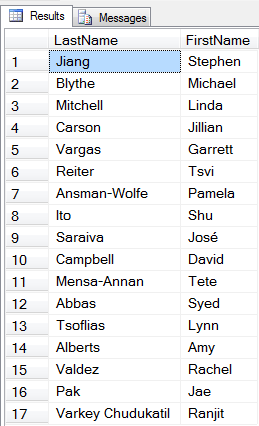
14 Dec 06:57

SQL Server - Track Deprecated Features with Extended-Events

by eDominer PeoplewareIndia
Hi geeks, hope you all enjoyed my last blog on SQL Server Statistics Only database.
 
In this blog we will explore one possible solution to the problem all database developer and administrator have during SQL Server upgrade from one major release to another. Every new release of SQL Server brings some new features to the world which is great but it also deprecates some old features that will be either replaced or discontinued. Now suppose your current application is using one such feature that is not supported in the version you are upgrading to. Well you can perform a test migration in your test server before implementing it to the production. But one problem to this approach is that you can’t reproduce the same production environment in your test server. And also it’s quite exhaustive to test all the features manually and compare them with the list of deprecated features that Microsoft releases with every major release , which brings us to today’s topic how to find all those deprecated features that your application is currently using that is announced to be deprecated or already deprecated. A simple efficient and short answer will be to use Extended-Events. And one more reason to use Extended-Events is that you can use it in your real production box with minimum overhead.
There are two events that are available in Extended-Events to track deprecated features.
1. deprecation_final_support (Occurs when you use a feature that will be removed from the next major release of SQL Server.)
2. deprecation_announcement (Occurs when you use a feature that will be removed from a future version of SQL Server, but will not be removed from the next major release of SQL Server.)
The Event Field for the two events is of same format.
Demo:
First we will track the features that are already removed from the next major release by using deprecation_final_support event. I have used ring buffer as a target in this demo.
--Create an Extended Event Session to track Features that are deprecated and will be removed in next major release 
CREATE EVENT SESSION [find_deprecation_final_support] ON SERVER 
ADD EVENT sqlserver.deprecation_final_support 
ADD TARGET package0.ring_buffer
WITH (MAX_DISPATCH_LATENCY=3 SECONDS)
GO
--Start Event Session
ALTER EVENT SESSION [find_deprecation_final_support]
ON SERVER
STATE=START
GO

--Change compatibility level of AdventureWorks2012 from 110 to 90
USE [master]
GO
ALTER DATABASE [AdventureWorks2012] SET COMPATIBILITY_LEVEL = 90
GO

--database compatibility level 90 will be removed from the next version of sql server
--so extended event will capture this when we use a database with compatibility level 90
USE [AdventureWorks2012]
GO

--ROWCOUNT is another deprecated feature that will be removed in the next version
SET ROWCOUNT 4;
SELECT *
FROM Production.ProductInventory
WHERE Quantity < 300;
GO

-- Wait for Event buffering to Target
WAITFOR DELAY '00:00:05';
GO

--Get Event Session result from ring buffer 
DECLARE @xml_holder XML;
SELECT @xml_holder = CAST(target_data AS XML)
FROM sys.dm_xe_sessions AS s 
JOIN sys.dm_xe_session_targets AS t 
    ON t.event_session_address = s.address
WHERE s.name = N'find_deprecation_final_support'
  AND t.target_name = N'ring_buffer';
SELECT 
   node.value('(data[@name="feature_id"]/value)[1]', 'int')as feature_id,
      node.value('(data[@name="feature"]/value)[1]', 'varchar(50)')as feature,
	     node.value('(data[@name="message"]/value)[1]', 'varchar(200)')as message,
    node.value('(@name)[1]', 'varchar(50)') AS event_name
FROM @xml_holder.nodes('RingBufferTarget/event') AS p(node);
GO

Output:
--Stop Event Session
ALTER EVENT SESSION [find_deprecation_final_support]
ON SERVER
STATE=STOP
GO

-- Drop Event Session 
DROP EVENT SESSION [find_deprecation_final_support]
ON SERVER;

--Change database compatibility level back to 110
USE [master]
GO
ALTER DATABASE [AdventureWorks2012] SET COMPATIBILITY_LEVEL = 110
GO

You can get the complete list of deprecated features of SQL Server 2012 in this link: http://technet.microsoft.com/en-us/library/ms143729.aspx
Now let’s track the features that are announced to be deprecated with deprecation_announcement event.
--Create an Event Session to track Features that are not yet deprecated but will be removed in a feture release 
CREATE EVENT SESSION [find_deprecation_announcement] ON SERVER 
ADD EVENT sqlserver.deprecation_announcement 
ADD TARGET package0.ring_buffer
WITH (MAX_DISPATCH_LATENCY=3 SECONDS)
GO

--Start event session
ALTER EVENT SESSION [find_deprecation_announcement]
ON SERVER
STATE=START
GO

--sp_lock is one such feature
sp_lock @@spid

-- Wait for Event buffering to Target
WAITFOR DELAY '00:00:05';
GO

--Get the output of this Event Session from Ring Buffer
DECLARE @xml_holder XML;
SELECT @xml_holder = CAST(target_data AS XML)
FROM sys.dm_xe_sessions AS s 
JOIN sys.dm_xe_session_targets AS t 
    ON t.event_session_address = s.address
WHERE s.name = N'find_deprecation_announcement'
  AND t.target_name = N'ring_buffer';
SELECT 
   node.value('(data[@name="feature_id"]/value)[1]', 'int')as feature_id,
      node.value('(data[@name="feature"]/value)[1]', 'varchar(50)')as feature,
	     node.value('(data[@name="message"]/value)[1]', 'varchar(200)')as message,
    node.value('(@name)[1]', 'varchar(50)') AS event_name
FROM @xml_holder.nodes('RingBufferTarget/event') AS p(node);
GO

Output:
--Stop the event
ALTER EVENT SESSION [find_deprecation_announcement]
ON SERVER
STATE=STOP
GO

-- Drop  Event Session 
DROP EVENT SESSION [find_deprecation_announcement]
ON SERVER;

If you liked the post, do like us on Facebook at http://www.FaceBook.com/SQLServerGeeks
Have a SQL Server question? Join the fastest growing SQL Server Facebook group at: http://www.facebook.com/groups/TheSQLGeeks
Thanks & Regards,
Debjeet Bhowmik
---------------------------
Database Administrator
PeopleWareIndia | eDominer
14 Dec 06:56

A Look Back at PASS Summit 2013

by SQL Server Team

PASS Summit 2013 has been over for a little more than a week and we are already looking forward to what's next in 2014. PASS Summit is the world’s largest and most-intensive conference for Microsoft SQL Server and BI professionals and it just keeps growing!  We are pleased to have had over 5,000 registrations for this conference that featured over 190 technical sessions, 6 deep-dive Half-Day Sessions and 14 Pre-Conference Sessions. If you were not able to join us in Charlotte or missed the live stream, check out the PASSTV site to view the PASS Summit 2013 keynotes as well as gain insight to many of the sessions and learning provided at the conference. 

To set the stage for this year’s 3-day conference, we heard first-hand from Microsoft Corporate Vice President, Quentin Clark and Microsoft Technical Fellow Gray Systems Labs', Dr. David DeWitt.

Quentin Clark kicked off Day One with the keynote, "Microsoft’s Data Platform – The Road Ahead".  With an audience of over 5,000 viewing in person and via live stream, he discussed how customers are pushing the boundaries of what’s possible for businesses today using the advanced technologies in our data platform. Also during his discussion, he announced the second Community Technology Preview (CTP2) of SQL Server 2014 which features breakthrough performance with In-Memory OLTP and simplified backup and disaster recovery in Windows Azure.

David DeWitt kicked of Day Two with a keynote on "Hekaton: Why, What, and How".  He shared deep insights on In-Memory OLTP's ability to provide performance improvements and transactional workloads.

Outside of the great keynotes, participants attended a wide variety of technical sessions presented by our experts and industry leaders. The conference also featured Microsoft on-site certification testing,instructor-led workshops, technical guidance from Microsoft Customer Service and Support (CSS) engineers and hands-on support from Azure Customer Advisory Teams (CAT).

So there you have it -- it's a wrap on PASS Summit 2013, but keep in mind that we are already planning PASS Business Analytics Conference taking place May 7-9 in San Jose, California and PASS Summit 2014 which will take place November 4-7th in Seattle, Washington. We hope to see you there!

14 Dec 06:55

SQL Injection Webcast on November 5, 2013

On November 5th, in conjunction with MSSQLTips, I'll be giving a webinar on SQL Injection. It will be at 2 PM Eastern (New York).

SQL Injection: What it is, how it happens and how to stop it?   [registration required]


The agenda for this webinar is:

  • Who Is the Enemy?
  • What Is SQL Injection?
  • Is SQL Injection Still an Issue?
  • SQL Injection in Action
  • Prevention Methods
01 Nov 08:06

WTF Inc Epilogue - From the Other Side

by snoofle

Most folks know that I've spent the last couple of years on Team-WTF in Department-WTF at WTF-Inc. A while back I moved on to BigCo Inc. This place is a huge bureaucracy, but somehow, things manage to get done. As with most places, it has its share of (sometimes epic) WTFs, but those can wait for another day. This time, I got to witness WTF-Inc - from The Other Side.

Due to government regulations, BigCo found itself in need of the sort of services provided by WTF-Inc. Since there are only two companies that provide this type of functionality, and the other company has a long way to go to catch up to WTF-Inc, BigCo didn't have many alternatives, so they decided to check out WTF-Inc. As part of it, someone at BigCo got the idea to search its huge HR database of resumes to see if one of its myriad employees has ever had any association with WTF-Inc. One name popped up.

They invited me to a meeting to pick my brains. And pick they did. Since I was somewhat leery of providing too much specific information on just how screwed up WTF-Inc is, I was a bit hesitant to offer many details, speaking instead in generalities. They insisted on particulars, so I told them why I was hesitant, and instead offered a list of very specific questions to ask, instructing them to look for verifiable answers. I told them to insist on specific demos, run by BigCo (not WTF-Inc). I told them to run tests that scale up to the expected level of throughput and verify that it works as expected and finishes within a reasonable SLA before committing any real money or resources to it.

The folks representing BigCo set up the demo with the sales drones from WTF-Inc. The sales drones basically yes'd them to death on all the questions, leading the BigCo folks to be suspicious. Then came the demo. First one record. Then 10. Then 100. Then 1,000. Then 10,000. Everything seemed to work. An initial contract and NDA to perform load testing were signed.

Since this was the full-scale test, BigCo sent 40,000,000 records. *cough* *choke* *sputter* The applications at WTF-Inc came crashing down as the database and JVMs ran out of space. Whoops!

The folks orchestrating the demo for BigCo called me; I told them what likely was happening, and to demand that the sales-folks get it resolved before moving forward. Over the next several days, I got wind of emails from the sales drones to BigCo explaining that they've made some performance enhancements to the application (my spies back at WTF-Inc know where I'm working; they called, and hysterically informed me that all of my code that had been reverted back to the way I wrote it) and that it will now handle the data load. Unfortunately, they didn't make the changes to the database that were required to handle this huge influx of data. *cough* *choke* *sputter*

The sales drones insisted it was no longer an application failure. BigCo said they didn't care where it failed, or why; only that it failed at all. About two weeks later, the drones called again, insisting that the database can now handle the large influx of data. Another test was set up. This time, the test ran to completion, but took 8 times the promised regulatory-specified SLA to finish. The drones insisted all was well. The BigCo folks called me again, asking if the SLA was unreasonably low. I told them that if it was taking 8 times as long in a dedicated demo environment, they should ponder how long it would take in an environment shared by all of WTF-Inc's other customers. Since BigCo was prohibited by regulatory edict from taking that long to provide these reports, they had to insist that WTF-Inc resolve their issues. In parallel, they told the regulatory authorities that the only available provider couldn't meet the regulatory requirements, and that while they were attempting to comply with the rules, BigCo was dependent upon WTF-Inc's ability to get their stuff in order.

I figure it will take two years for WTF-Inc to implement the necessary upgrades to their infrastructure to be able to handle this much data at once. By then, if their sole competitor has any brains, they will have swooped in and stolen all WTF-Inc's customers.

It's amazing to watch it happen from the other side...


Photo credit: tinyfroglet / Foter / CC BY

[Advertisement] Make your team a DevOps team with BuildMaster. Pairing an easy-to-use web UI with a free base platform, BuildMaster gets you started in minutes. See how Allrecipes.com and others use BuildMaster to automate their software delivery.
01 Nov 06:45

CodeSOD: Remember, Remember the Thirty-Third of November

by Dan Adams-Jacobson

Some say that time is nothing but an illusion. The degree to which some software developers struggle with times and dates certainly suggests mysterious and unknowable forces swirling beyond the brink of human understanding. Consider this code that Ian found while pruning an old application. It's meant to provide the correct suffix for any given day of the month:

string num = "th";

int day = Convert.ToInt16(DateTime.Now.ToString("dd"));
switch(day)
{
    case 1:
        num = "st";
        break;
    case 21:
        num = "st";
        break;
    case 31:
        num = "st";
        break;
    case 2:
        num = "nd";
        break;
    case 22:
        num = "nd";
        break;
    case 3:
        num = "rd";
        break;
    case 33:
        num = "rd";
        break;
    default:
        num = "th";
        break;
}

Although the technique shown is not too far off-base, its implementation leaves something to be desired. The redundant and ultimately unused initial assignment of "th" to num is a minor sin. Repeating identical code instead of stacking labels is another. The case to handle the 33rd of some heretofore unknown month is a somewhat more problematic problem, as it comes at the expense of an actual date, the twenty-third. But Ian's favorite gaffe was the statement Convert.ToInt16(DateTime.Now.ToString("dd")), which converts the current date to a string containing only the day of the month, then converts that string to an integer (no doubt converted back to a string later so num can be attached). Had he not been sending the whole method to the bit bucket, Ian would have happily replaced that pointless convolution with DateTime.Now.Day.

Hence today's lesson: it's always the right date to learn a little more about your chosen date/time API.

[Advertisement] Make your team a DevOps team with BuildMaster. Pairing an easy-to-use web UI with a free base platform, BuildMaster gets you started in minutes. See how Allrecipes.com and others use BuildMaster to automate their software delivery.
31 Oct 19:29

My completely ridiculous VSAN test

by Gabrie van Zanten

You find yourself sitting at your desk on a Saturday morning waiting for the cloning of a VM to finish. It seems to take forever and I just wished I could run VSAN in my homelab to get some more speed out of my kit. I have tried to run VSAN on my home mode ESXi hosts, but my RAID controller is not compatible (yet) with VSAN, so I had to remove it again and now I’m waiting for the official release.

While waiting I browsed through some VMworld posts in my twitter feed and there was a link to William Lam’s post about his Barcelona session: “VMworld Barcelona #NotSupported Tips/Tricks for vSphere 5.5 Slides Posted”. Browsing through his slides, I got a really stupid idea. What if I would run Virtual ESXi with VSAN included in my home lab, would it be faster than my current NFS NAS that keeps me waiting forever? The virtual ESXi would only be used for offering the VSAN datastore to the physical ESXi hosts in the cluster there is no need to run VMs in the memory of these virtual ESXi hosts. Hmmm, sounds like a plan to test this config, let’s do it.

Disclaimer: Don’t use the data I got from my tests as a reference for anything. My kit is not good enough to produce serious numbers that you can relate to business environments. This is testing just for fun and for me personally to see if I can get some more speed out of my current environment even it means setting up this idiotic configuration.

To start with, this is what I have in my home lab:
–       2x ESXi host with 32GB each and Intel i5-3470 CPU Quad core
–       Iomega IX4 200D NAS configured with NFS offering 2.7TB of storage.
–       Disks on each host:

  • SATA 640GB 16MB Cache, 5400 RPM, WD6400AACS-00G8B1, CAVIAR GREENPOWER 640GB
  • SATA 400GB 16MB Cache, 7200 RPM,
  • Samsung SpinPoint T166 HD403LJ SATA 256GB SAMSUNG SSD 830 Series

On one of the physical ESXi hosts I have a Windows 2012 Server which gets its storage from the IX4. This is my test VM on which I run IOmeter on the F-drive with a 4GB test file.

Windows 2012 Server (Test VM):
–       1 vCPU
–       1500MB RAM
–       C-drive and D-drive of 40GB
–       F-drive of 10GB on separate paravirtual SCSI controller

Testing performed:
–       Using iometer
–       Each test is 300 seconds
–       Size of the test file is 4GB
–       Test specifications:

  • Max throughput 100% read
  • RealLife 60% random and 65% read
  • Max throughput 50% read
  • Random 8k 70% read

Test sequences

I did a number of test which I describe below:

  1. The test VM that is running IOmeter is fully running on the IX4-200D NFS volume.
  2. The test VM that is running IOmeter is fully running on the physical SSD of the physical ESXi host.
  3. The VSAN ESXi host has the virtual SSD disk on the local SSD disk of the physical ESXi host and has the virtual SATA disk also on the local SSD disk of the physical ESXi host.
  4. The VSAN ESXi host has the virtual SSD disk on the local SSD disk of the physical ESXi host and has the virtual SATA disk on the IX4-200D NFS volume.

You see that in step 3 and 4 I’m moving the data disk that offers the real storage to the VSAN. With VSAN this is the disk that should be relieved from heavy reads and writes by using the VSAN technology, the SSD read and write cache.

VSAN on virtual ESXi

In the above image you see the situation of Test04 and how the pESXi (Physical ESXi) host has a pSSD (Physical SSD) and an NFS datastore to offer to the VMs running in the pESXi host. Inside that pESXi host I’m running a virtual ESXi (vESXi). That vESXi host is offered a virtual SSD (vSSD) which is running on the pSSD and a virtual SATA disk (vSATA) running on the NFS datastore. These vSSD and vSATA disks are then used by VSAN in the vESXi host and offered as the vSAN Datastore to all the hosts in the cluster of which the vESXi host is a member. And finaly, in memory of the pESXi host, there is my test VM getting running its VMDK on the vSAN datastore. Inception to the max…..

The results

For my little home lab the most important thing is the comparison between the first test (all on the IX4) and the fourth test where I have the VSAN sitting between the IX4 and the VM. Looking at the results of the “Reallife 60% random and 65% read test”, I can see an improvement of 71 to 3865 IOPS and a throughput gain from 1 MBps to 30 MBps. That is a big improvement for a cheap home lab like this.

Even though the VSAN will cost me some overhead in RAM on the physical ESXi host since it has to run the virtual ESXi of 4GB, this configuration will bring me 2.7TB of pretty fast storage if I make the VSAN SATA disk as big as the storage available on the IX4. Of course there is the added risk of losing all VMs I put on the VSAN, if that one VSAN virtual SATA disk would fail, but hey we’ve got to be living on the edge a little don’t we.

Another option I have is to run the VSAN on the SATA disks of the physical host, which are the results shown in test number 3. That will give me a little better performance than when the SVAN SATA is on the IX4, but the difference is very small. The small difference can be explained since probably everything is written to the cache on the virtual SSD. In this configuration I don’t have the full 2.7TB available.

The fastest solution is of course to run everything on my physical SSDs on the physical host, but that will give me only 2x 256GB of capacity.

For me, putting the VSAN in front of the IX4, even by using virtual ESXi hosts that don’t have to run a VM load themselves, will greatly improve the performance of my IX4 and it will give me the opportunity to get more experience with the VSAN product even though I don’t have the proper RAID controller that is supported with VSAN.

The numbers

Remember: Don’t use them for any performance reference, I just use them to see the difference in performance in my setup.

Max throughput test with 100% Read

Max Throughput-100%Read IOPS MBps Average Response Time
Test 01 3089 97 19
Test 02 15243 476 4
Test 03 8710 272 6
Test 04 6649 208 9

Real Life 60% Random and 65% Read

RealLife-60%Rand-65%Read IOPS MBps Average Response Time
Test 01 71 1 842
Test 02 10233 80 6
Test 03 4196 33 13
Test 04 3865 30 15

Max Throughput with 50% Read

Max Throughput-50%Read IOPS MBps Average Response Time
Test 01 1865 58 32
Test 02 11550 361 5
Test 03 2382 74 25
Test 04 2363 74 25

Random test with 8K – 70% Read

Random-8k-70%Read IOPS MBps Average Response Time
Test 01 47 1 1248
Test 02 30023 235 2
Test 03 4146 32 14
Test 04 3777 30 15

Can’t wait for the official release of VMware’s VSAN….

See full post at: My completely ridiculous VSAN test

28 Oct 23:58

Tape – the Death Watch..

by Martin Glassborow
EMC logo

Watching the Spectralogic announcements from a far and getting involved in a conversation about tape on Twitter has really brought home the ambivalent relationship I have with tape; it is a huge part of my professional life but if it could be removed my environment, I’d be more than happy.

Ragging on the tape vendors does at times feel like kicking a kitten but ultimately tape sucks as a medium; it’s fundamental problem is that it is a sequential medium in a random world.

If you are happy to write your data away and only ever access it in truly predictable fashions; it is potentially fantastic but unfortunately much of business is not like this. People talk about tape as being the best possible medium for cold storage and that is true, as long as you never want to thaw large quantities quickly. If you only ever want to thaw a small amount and in relatively predictable manner; you’ll be fine with tape. Well, in the short term anyway.

And getting IT to look at an horizon which more than one refresh generation away is extremely tough.

Of course, replacing tape with disk is not yet economic over the short-term views that we generally take; the cost of disk is still high when compared to tape; disk’s environmental footprint is still pretty poor when compared to tape and from a sheer density point of view, tape still has a huge way to go…even if we start factor in upcoming technologies such as shingled disks.

So for long-term archives; disk will continue to struggle against tape…however does that means we are doomed to live with tape for years to come? Well SSDs are going to take 5-7 years to hit parity with disk prices; which means that they are not going to hit parity with tape for some time.

Yet I think the logical long-term replacement for tape at present is SSDs in some form or another; I fully expect the Facebooks and the Googles of this world to start to look at the ways of building mass archives on SSD in an economic fashion. They have massive data requirements and as they grow to maturity as businesses; the age of that data is increasing…their users do very little in the way of curation, so that data is going to grow forever and it probably has fairly random access patterns.

You don’t know when someone is going to start going through someone’s pictures, videos and timelines; so that cold data could warm pretty quickly.  So having to recall it from tape is not going to be fun; the contention issues for starters and unless you come up with ways of colocating all of an individual’s data on a single tape; a simple trawl could send a tape-robot into melt down. Now perhaps you could do some big data analytics and start recalling data based on timelines; employ a bunch of actuaries to analyse the data and recall data based on actuarial analysis.

The various news organisations already do this to a certain extent and have obits prepared for most major world figures. But this would be at another scale entirely.

So funnily enough…tape, the medium that wouldn’t die could be kiboshed by death. And if the hyper-scale companies can come up with an economic model which replaces tape…I’ll raise a glass to good time and mourn it little..

And with that cheerful note…I’ll close..


28 Oct 23:58

With public or private cloud, always check the meter

by Mark Twomey
EMC logo

One of axioms we’re supposed to accept in the absence of any supporting data is that public cloud is cheaper than doing it yourself, always and forever.

This is a myth which is passed off like it’s a law akin to the conservation of energy.

It’s more accurate to say that one type of cloud, be it public or private, can be cheaper than the other in specific cases.

I can understand why start ups jump on the public cloud, were I one I would too.

I see the quickest way to burn precious VC cash is to write a check to a server/storage/networking vendor when instead I could rent all of that by the drop and hire a few more coders to actually build something which will start generating cash for me.

Then there’s the added upside that new services are made available providing extended functionality, so the longer I stay the more new infrastructure options I get.

But as this Gigaom article discussing the topic with people who been there and back again shows, there could come a time where it no longer makes sense for you to carry on where you started.

This also applies to workloads you might always have been running internally, it could hit a threshold where it makes economic sense to eject it out into the public cloud from now until eternity.

If you work in IT it is your job to always get the most out of every dollar spent regardless of where you’re going to spend it. That means it’s up to you to get into the weeds on the numbers. Not somebody else or the CFO, you.

Are there massive cost saving to be made in shared architectures operated at scale? Absolutely. But that goes for the public and the private cloud. And lets not forget that in the private cloud those savings are passed directly on to you and aren’t skimmed off the top as healthy provider margins.

Kids of the public cloud folks aren’t going to school without shoes on their feet. If you think you’re getting anything cheap from a public cloud you can be damn sure it’s cost them a hell of a lot less than they’re selling it to you for, because if it doesn’t they’ll be dead soon. (Nirvanix)

But it doesn’t matter where you’re running your workload, always check the meter and if the meter is running consistently on the high side you can probably do it cheaper somewhere else.

If there’s a universal law in any of this that’s probably it.

28 Oct 23:57

VNX Storage Pool LUN Ownership

by Jon Klaus
EMC logo

LUNs on a storage system represent the blobs of storage that are allocated to a server. A (VNX) storage admin creates a LUN on a RAID Group or Storage Pool and assigns it to a server. The server admin discovers this LUN, formats it, mounts it (or assigns a drive letter) and starts to use it. Storage 101. But there’s more to it than just carving out LUNs from a big pile of Terabytes. One important aspect is LUN ownership: which storage processor will process the I/O for that specific LUN?!

Pool LUN Ownership

Lets get back to basics. A VNX has two storage processors. Both are active and servicing host I/O, but a LUN is only owned by one storage processor at a time. This is called an active/passive system. There’s a neat trick to run host I/O through both storage processors: Asymmetric Logical Unit Assignment (or ALUA) will emulate an active-active array, but isn’t REALLY active-active. With the new VNX models announced in Milan a while ago a VNX can run true active/active on RAID Group LUNs. But I digress…

Once you create a LUN you decide on which storage processor it should run. This is the “default owner”. Your friendly storage admin usually balances the LUNs according to the storage processor utilization, efficiently using the available CPU and memory/cache resources. Apart from the default owner there’s the “current owner”: which SP owns the LUN right now. The LUN doesn’t necessarily have to be owned by the default owner at all times: it might have trespassed for a number of reasons (e.g. connectivity issues, SP failure, etc).

Ideally you’ll want to keep your current and default owner identical: there’s no real performance impact of a non-matching current and default owner, but identical owners will make it much easier to check whether everything is OK in your storage environment and spot potential host connectivity issues. And to be honest: you’ve (hopefully!) made a conscious decision which LUNs to assign to which SP, so step 2 is to make sure it’s running as designed. Operate according to your design!

LUN ownership properties

With VNX storage pools a third type of owner is added: the “allocation owner” that manages slice allocation in the pool. Contrary to the default owner (which you can change in the LUN properties) or the current owner (change it by trespassing a LUN), the allocation owner cannot be changed. You will have to resort to LUN migrations to change the allocation owner: more on that later.

Now why would you want to keep the allocation owner identical to the current and default owner?! Simple: performance!

A storage pool is built from (potentially) a lot of private RAID groups. This storage pool is then carved into slices (FLARE LUNs) and these slices are assigned to a storage processor. As soon as I create a LUN on SPA, its allocation owner is also set to SPA and that Pool LUN will be built from slices allocated to SPA. If I change the current owner of the LUN to SPB, the host will communicate with the storage system via SPB. However since the slices are still owned by SPA, I/O will have to traverse the back-end CMI bus to send I/O to the relevant slices. This incurs at the very least some additional latency and SP utilization, but might escalate into a full bottleneck as soon as the CMI bus is saturated.

Check & Correct LUN ownership

So how can we make sure all LUN ownerships are optimal on our array?

First of all: analyze your SP utilization. This will help you decide which SP has the most headroom in terms of CPU utilization and thus which SP can handle more LUNs. This will drive your decisions once you run into LUNs that have incorrectly defined owners. If you’re using MirrorView, be aware that LUN ownership needs to be identical on both the primary and secondary system! So if you change your LUN ownership to SPA on the primary array, be ready to do the same exercise on the secondary array for the corresponding secondary image…

First of all: for RAID Group LUNs there’s no allocation owner. Just make sure the default owner matches the current owner either by changing the default owner or by trespassing the LUN to change the current owner. The main benefit of this is basically a clean “Trespassed LUNs” overview and a return to a “normal” state. For me the trespassed LUNs is a good indication something might be wrong in the environment: either a couple of cables failed and some hosts can’t reach an SP anymore, or software/zoning issues, etc. If you’ve got a hundred false positives in the trespassed LUNs overview, chances are you won’t even look at them anymore and ignore possible warning signs…

For pool LUNs all three owner types will have to be the same. First of all, generate a report from the report wizard “Pool LUNs” option. This will quickly list all LUNs and their allocation/default/current owners. If you have an enormous amount of LUNs you might want to export it to Excel and run some basic filters/formatting against it to quickly find out which LUNs need work.

If you decide you only need to change the current or default owner you can follow the same approach as with the RG LUNs. If however you need to change the allocation owner (for example because your SP utilization is unbalanced and you want to permanently move a LUN to a different SP), you’ll need to perform a LUN migration. Let’s assume you’ve got a LUN with: Allocation Owner = SPA, Default Owner = SPB, Current Owner = SPB, and you want to keep it on SPB.

  1. Create a LUN on the target SP (in this case SPB), identical in size or larger.
  2. Start a LUN migration from your current LUN to your new LUN, using the LUN Migrate option in the VNX. This is a non-disruptive operation: the host won’t even know you’re migrating.
  3. Wait for it to complete, then check and if necessary adjust the LUN ownership (both default and current).

Repeat the above till all your LUNs have matching owners. Pretty easy, but depending on the amount of data you need to move it might take days/weeks.

For more information, either read the corresponding knowledge base article or the whitepaper on VNX Virtual Provisioning. Or leave a comment down below!

The post VNX Storage Pool LUN Ownership appeared first on FastStorage.

28 Oct 23:56

Simple Router in VMware Workstation

by Matthew Davis
EMC logo

When building a test Active Directory environment in VMware workstation, it’s a good idea to have the environment on an isolated network segment with a single VM serving as a proxy to the internet (for updates and software installs).  I typically use CentOS for this role since it is lightweight and does not expire after 180 days.

First of all, create a non-DHCP enabled Host-Only network in the Virtual Network Editor.  This will allow you to use Windows DHCP for automatic DNS enrollment on this subnet (among other things).  In the screen shot below, this is labeled vmnet2 and is on the network 192.168.6.0:

image

Next, create a CentOS VM with two network interfaces – the primary one should be ‘Bridged’ and the secondary one should be the Host-only one you just created.  Install CentOS (a minimal install is all that is required):

image

Once CentOS is installed, you’ll need to modify the scripts to bring up the network interfaces.  These are the settings I’ve had success with:

In /etc/sysconfig/network-scripts/ifcfg-eth0:

DEVICE=eth0
HWADDR=<redacted>
TYPE=Ethernet
UUID=<redacted>
ONBOOT=yes
NM_CONTROLLED=yes
BOOTPROTO=dhcp

In /etc/sysconfig/network-scripts/ifcfg-eth1:

DEVICE=eth1
HWADDR=<redacted>
TYPE=Ethernet
UUID=<redacted>
ONBOOT=yes
NM_CONTROLLED=yes
BOOTPROTO=none
NETWORK=192.168.6.0
NETMASK=255.255.255.0
IPADDR=192.168.6.254
GATEWAYDEV=eth0

After this, you’ll need to configure IP NAT and forwarding in CentOS – first, edit the following line in /etc/sysctl.conf: net.ipv4.ip_forward = 1 and run the following command to reconfigure the currently booted install: echo 1 > /proc/sys/net/ipv4/ip_forward

Next, you’ll need to configure iptables to masquerade the connections across eth1.  This will drop the current iptables configuration and is not the most secure configuration, but it works well (and can be later tightened down once it is functionally working):

iptables --table nat --flush
iptables --delete-chain
iptables --table nat --delete-chain
iptables --table nat --append POSTROUTING --out-interface eth0 -j MASQUERADE
iptables --append FORWARD --in-interface eth1 -j ACCEPT
/etc/init.d/iptables save

Finally, create a Windows VM with a single interface on vmnet2.  After it is installed, statically define the network interface with the information from vmnet2 using the CentOS’s eth1 interface as the gateway.  This should allow you to get online from the network segment for updates and license authorizations.

image

28 Oct 23:56

250 days in Afghanistan, lessons learned, experiences and OMG WTF IS THAT

by Christopher Kusek
EMC logo

Here we are… on my 250thaversary (I don’t think that’s a word…) and let me tell you… IM STILL ALIVE! Awesome, right!?

You may be able to see it from my tweets, facebook updates, and wacky images I’m able to capture with instagram, but I down play a lot of the ‘threat’ here.  Oh, the threat is VERY real on a VERY regular basis, but I totally downplay it, especially if sharing something might put American lives in jeopardy… so I don’t talk about those things… a LOT of things.   But hey! This isn’t something for you to be worried about! I mean, the threat is just as real as being in Chicago, so I’ll down play it some more! :)

Afghanistan is kind of like being in prison, except for all of the benefits… of being in Prison!

We often joke about the similarities to prison, I mean lets consider a few points…

  • Housing is “Free” in that we live in supplied housing.  And while at the same time… my room is roughly the same size, or slightly smaller than a typical US Prison Jail Cell, so that’s pretty awesome! Albeit the building can burn down at any given moment due to the fact it’s essentially made of balsa wood :)
  • Food is “Free” in DFAC provided food.  Except the food is typically less desirable than Prison food, which respectively isn’t saying much :)
    • OH WAIT, YOU’RE VEGAN. Yea. People often say, “It must be hard being vegan” Yes. Yes it is. Back home it isn’t, but in a warzone it’s HELL!
  • Everyone has guns.   Well, it’s true, everyone does, let’s add that we’re surrounded by huge walls with barbed wire. Except we’re trying to keep people OUT not in, per se. ;)
  • I live at an airport basically, though I never get to go anywhere! … And unless I’m going home, not really too much of a fan of traveling throughout the country!
  • Everybody loves shared showers! Just don’t let your skin touch any exposed surface. Seriously.

So you know, it’s not so bad!   And all, right?!

I mean, it’s not like my life is in constant jeopardy or that on numerous occasions rockets have not blown up within 100 feet of me. …………

So for those of you who wonder what the warzone is like, and the respective lessons learned you can apply to your own life…

  • It can be LOUD here. I own a pair of Klipsch X10i headphones. I tend to miss most rockets I cannot directly FEEL because of how well it buffers the sound.   Also if you happen to travel these are beyond invaluable, hell if it can block out the noise of flying inside of a C130, know it handles QUITE well on domestic or international travel.  FYI I have worn these headphones for about 235 of the 250 days, while I sleep.
  • If you see something out of the ordinary, say something about it.   This applies to the world in general.  If something or someone looks suspicious don’t let it slide; Don’t be paranoid but also be realistic…
  • Do your due diligence and don’t take overt chances.   I’m a risk taker as much as the next guy (Psst… Did you hear I’m in fracking AFGHANISTAN) but I wouldn’t go so far as to play around life explosives or put myself in a position to receive real harm if I can control it.
  • Smog is nasty, but a microscopic dust which enters into your lungs and you breathe it everywhere, that’s not so great.
  • Do not walk behind a blackwater truck, or hell, near one if you can help it
    • Blackwater trucks clean out portapotties, and emit a highly refined spray of feces into the air, it’s the original eau de toilette…

The list can clearly go on, but I need to sleep soon so I wish you all well in your respective places in the world.   I wish you good will, good life and be safe.

28 Oct 23:52

(s)low budget drives: the future of archiving

by Rob Koper
EMC logo

Storage growth

Most of the data we collect and store on our computers eventually ends up in some sort of archive. I think we can all agree on that, right? Do we ever throw anything away? Well, some data doesn’t really make sense after a while and can (and will) be deleted, but a lot of data “might be useful” after some time and so we keep it. And don’t forget the tons of digital memories we create using photo and video cameras!  I estimate that I’m creating about 100 GB of digital photos and videos throughout the year and that’s increasing every year as well with the new cameras we’re using. More pixels, DSLR cameras, RAW photography and HD or even 4k HD videos are probably taking up most of the space we need extra each year.

Where do we store our data?

And where do we keep it? On tape? CDs or DVDs? Really? With disk prices dropping fast (again), we don’t bother buying other storage devices, we just keep the data on our cheap rotating disks. And I mean ”environmentally expensive” rotating disks! Every rotating disk has an electrical motor to keep the platters rotating and even if it’s only 5400 RPM, it still produces some noise and heat and a rotating disk doesn’t live forever either. It has moving parts which can break, the heads can crash onto the platters and magnetic fields can slowly erase your precious data.

Increasing needs

So how much important data do I have? I guess it’s not even 1 TB just yet, but when I got that DSLR camera my needs are growing rapidly. It may be 1 TB at the moment, but by 2020 this number could easily be 10 TB and with kids growing up, creating their own digital footprint that 10 TB is just a wild guess. And what about 2030? Roughly 10 to 15 years ago 100 GB was quite a large drive and now 4 TB is large. We don’t even bother about 100 GB anymore. So if that trend’s also valid for our data growth, the 10 TB I just mentioned might be too low!

Store everything?

But do we really want to store everything we create? Well, if the price is right, why not? Sorting out that data takes way too much time and I’m guessing that most people don’t use a smart catalogue to categorize their data anyway, so keeping everything is the easy way out.

Redundancy and the safety of your data

But do we really want to store our data on a single device? What if it breaks? What if it gets stolen? What if your house burns down? So when I would store my data it’s going to be AT LEAST in some way of RAID. RAID5 is relatively cheaper than RAID1, but I’m concerned that the current technology and the growing capacities of these drives don’t give me enough security anymore. The estimated numbers of writes that can be done that eventually will produce bad data is near 100 TB. So for every 100 TB you write 1 unrecoverable error occurs. I will write another blog on the subject of MTBF (Mean Time Between Failure) and the safety of the current drive technology so keep it simple in this blog post. But what it comes down to is that we need some sort of redundancy to keep our data as safe as possible. The best way would be some form of automated replication to an off site location. This does sound expensive, but the current generation of popular NAS devices replication is a valid option! Simply buy another NAS that fulfills your archive storage needs and place it in your parents’ house for example. This 2nd NAS doesn’t have to be as large as the primary one, since you probably won’t be storing your whole working set of data over there, but that depends on how safe you want your data to be. For me the most important data are photos and videos.

So we just concluded that we need redundancy, so we need at least two drives and two locations, so that’s already 4 drives at the minimum. So that’s 4 x noise, 4 x heat, 4 x power. And even though a single drive may consume as little as 5 or 10 Watts, having 4 of these plus the NAS machine that you need to get to your data adds up.

Slow but reliable

So what about solid state storage? It has no moving parts, it’s also quiet, produces almost no heat at all and consumes very little power. But the current flash technologies are very fast and also very expensive. I’ve seen prices drop to about €0.60 per GB / $0.75 per GB and since you need 4 devices that’s still €2400 / $ 3000 for a single TB of redundant usable capacity. That’s a bit too expensive for me. Considering IOps per $$ SSD storage is the way to go, but in terms of $$ per GB flash is the most expensive technology to store your data… for now.

What if flash was made a lot cheaper? And by that I mean a lot. SSD does NOT need to be faster than a rotating disk, in fact, it could even be 100x slower than a rotating disk, since it’s only for archiving purposes! And what if slower means that the technology used doesn’t have to have the electrical tolerances the fast flash technology has nowadays and can be made in such a way that reliability increases by 100x or so? With reliability like that a device will actually last a lifetime! My life that is and that’s what counts. Suppose this 10 IOps flash device costs 100x less per GB than it would cost nowadays? This would mean that we can have a super slow, but still online, storage device, which would cost maybe $1 per 256 GB, or even less? Some indexing intelligence might be a good idea in order to be able to access that old data directly instead of having to search through all those TBs of data in your NAS at home, but that’s just an implementation issue that could be solved by the vendor that will bring you this archive monster. We don’t have to worry about keeping things simple and easy to find, just use this indexing engine which resides on somewhat faster storage like a regular SSD and we’re good to go :)

Storage of the future

Flash PCIeThese ”(s)low-budget” drives may just be what we’ve been waiting for! We’ll be piggy back riding on Moore’s law and every 18 months we’ll get twice as much storage capacity in the same package. We don’t need the speed, we need space! Do we still need rotating disks? For now, yes. Rotating drives are not that expensive per GB and still provide an acceptable performance, where the current flash technology is moving from SSD-like devices to PCIe-alike devices to provide us with lightning fast data access for our “hot data”. Last week I even read an article about “Memory Channel Interface (MCI) Storage”. Technology sure is moving in the right direction.

Imagine having a NAS box in your house somewhere with room to house 32 of these 1TB “(s)low-budget drives” in a casing that only measures about 1 x 1 x 1 ft which also houses the indexing engine with a (fast) SSD providing an industry standard sharing technology like NFS or even CIFS or FTP. Without moving parts and an atom-like cpu the power supply would not need to provide dozens of Watts of power and maybe only 10 W is enough to operate this archive machine?

When?

I don’t think this technology will take long to appear on the market and I truly believe that many people will actually buy something like this if the price is right. My prediction? Within the next 10 years. For sure!!