Shared posts

15 Aug 11:32

A potential improvement for statistics updates : MAXDOP

by Aaron Bertrand

So, in SQL Server 2016, statistics updates using sample mode now run in parallel under compatibility level 130, and this is how it works by default, for all automatic and manual statistics updates. This is explained briefly here:

(The documentation has also been updated, both the Compatibility Level topic and the UPDATE STATISTICS topic.)

Wouldn't it be nice, though, to be able to specify how many CPUs can actually be used for these operations (other than just allowing the cap of 16)? I think that being able to limit this to 4 or 8 would be an obvious and logical thing to support. Especially for customers running systems with 16 or fewer cores, or multiple instances on a box, who can't rely on Enterprise features like Resource Governor (which most Enterprise Customers couldn't be bothered using either, IMHO).

The business justification for this would be the same as the justifications used for adding MAXDOP support REBUILD, DBCC CHECKDB and its family of maintenance operations, etc. You want to prevent this type of activity from taking over all the cores, without doing something as drastic as turning off auto-updates or using instance-wide MAXDOP – because not everybody has the luxury of maintenance windows.

And in this case, instance-wide MAXDOP won't help anyway, because SQL Server 2016 RTM has a bug where MAXDOP is ignored for sampled statistics updates. A fix is forthcoming, but I thought you should know; if this is causing you an issue, one option is to use a lower compatibility level.

But I will reiterate something I say often: Compatibility level is getting far too crowded. If I want parallel sampled stats on my database but I have enough cardinality estimation regressions to require the old CE, I have to pick one or the other.

And another thing: Resource Governor is overkill for this use case, and limiting core usage from statistics updates shouldn't really be an Enterprise feature (just like the REBUILD and CHECKDB mentioned above). Please don't tell me that RG is an acceptable alternative, because it's only possible for users with Enterprise Edition *and* workload classifications that should be constrained by MAXDOP all the time. I should be able to limit this by specific operation (or, say, for only my biggest/problem tables), not by constraining a login's entire session.

How I wish they would do it

Ideally, we would be able to set this at the database level, using the new DATABASE SCOPED CONFIGURATION option, and at the statement level, using the familiar OPTION (MAXDOP n) syntax. Statement level would win, and any sample mode statistics updates (including automatic) without an explicit MAXDOP hint would fall back to the database level setting. This would allow me to set a MAXDOP of 4, for example, for all automatic statistics updates that happen at unpredictable times, but 8 or 16 for manual operations in known maintenance windows. As one example.

If you want to vote for this, please see the following Connect item, and add a business justification for this (a la Michael Campbell):

Of course, that item has been there since 2010, so there is no mention at all about the DATABASE SCOPED CONFIGURATION avenue, which is why I left a comment, too.

In the meantime, if you want to disable parallelism for sample mode, there is a trace flag to effectively return to older behavior (you can also do this by reverting to a compatibility level less than 130, but I don't recommend this because it affects a lot of other things). I will update this space when I've been given the okay to disclose the trace flag publicly, but right now, Microsoft is holding it tight to their chest.

The post A potential improvement for statistics updates : MAXDOP appeared first on SQLPerformance.com.

15 Aug 11:30

Why You Need to Secure Your SQL Server Instances

by Artemakis Artemiou [MVP]
Database Management Systems (DBMSs) store data. They sure have added functionality and a huge set of significant features but again, in the end of the day, they store data. Your data. This makes your DBMSs one of the most valuable assets in your Organization and that's why you need to keep them as secure as possible during their entire life cycle  within your Organization. SQL Server is a very
15 Aug 10:56

Simple Way to Fix SQL Server Page Level Corruption

by arcanecode

I’ve decided to try an experiment, and allow the occasional guest blogger. This will give new bloggers additional exposure, and draw eyes to both our sites.

Our first guest blogger is Andrew Jackson. Andrew is a SQL DBA and SQL Server blogger too. He likes to share about SQL Server and the problems related to it as well as their solution, handling database related user queries, server or database maintenance, database management etc.

You can find Andrew online at:

Facebook: https://www.facebook.com/people/Andrew-Jackson/100008825676608

Linkedin: https://www.linkedin.com/in/jackson-andrew-401147a5

Twitter: https://twitter.com/jacksonandrew32

Editor & Blog Contributor at: http://www.sqlmvp.org/

Without further delay, here is Andrew’s first contribution, Simple Way to Fix SQL Server Page Level Corruption.


Database corruption is the worst situation for any Database Administrator. The SQL database stores very crucial data, the occurrence of corruption make it inaccessible which causes huddle in workflow in any organization or business. Whenever the corruption issues are discovered, it must be resolved on time by the admin before the issue spread through the data infrastructure. Therefore, it is very necessary to take proper steps to protect the data from such damage. This article explains the causes, troubleshooting, and fixing SQL server page level corruption.

Page Level Corruption

Pages are the most basic unit of data stored in database, all .mdf or .ndf files in a database are logically divided into pages numbered from 0 to n. Whenever the pages of database file are infected by the corruption, DBA will repair each damaged page in isolation. Repairing and restoring the few pages individually is faster than repairing the entire file.

Causes:

· Hardware malfunction, most of database corruption occurs due to hardware failure.

· Issues in SQL server itself, sometimes when there are internal issues in SQL server results corruption

· Unplanned shut-down when database is opened

· Virus intrusion

· Updating the SQL server in newer version also results corruption

How to Fix Page Level Corruption

Moreover, Admin have their eventual plans to tackle SQL Server database corruption issue, there are strategies like replication, database monitoring, disaster recovery plans etc. However, there are the conditions when admin do not have such solution. In that case, admin need a solution to handle this problem, In SQL 2005 and later version there is a feature called Page Checksum that creates checksum value to detect the scale of the damage in database.

If the problem in SQL database is unreadable by SQL server, then it requires the complete restoration of the database. On other hand if damage is not that severe and lesser pages are infected then DBA can use DBCC utility.

DBCC CHECKDB Command for Handling Page Level Corruption

DBCC CHECKDB is a command that fix the corruption issue in SQL database. It fixes the inconsistency in SQL server database by performing Database Consistency Checks.

It is a combination of DBCC CHECKCATALOG, CHECKALLOC and DBCCCHECKTABLE.

The syntax of DBCC CHECKDB command is given below:

clip_image003

Other Possible Solutions

There is also an alternative solution to handle Page level corruption in SQL database, user can opt a third party tool namely that can easily tackle this corruption. It can recover highly corrupted page from both primary and secondary database. It supports all the versions of SQL Database Server. Using these defined ways; user or DBA can easily recover the page level corruption.


Thanks Andrew for your contribution. If you are interested in becoming a guest blogger, just email me info <@> arcanetc.com.


15 Aug 10:56

PASS Updates to Speaker Contracts

by andyleonard
Adam Jorgensen, PASS President, has posted an update about the PASS speaker contract: Contributions to the Speaker Contract . Included in the post are links to the updated versions of the Summit Speaker Contract and the Summit Pre-Conference Contract...(read more)
26 Jul 09:51

Talena Adds Couchbase Support

by A.R. Guess

by Angela Guess A recent press release out of the company announces, “Talena, the always-on big data pioneer, broadens its portfolio of big data platform support with Couchbase, one of the industry’s top NoSQL data platforms. Couchbase customers can now use Talena’s award-winning big data management platform to protect critical data assets at scale and […]

The post Talena Adds Couchbase Support appeared first on DATAVERSITY.

26 Jul 09:51

Virtualization does not equal a private cloud

by James Serra

I see a lot of confusion when it comes to creating a private cloud.  Many seem to think that by virtualizing your servers in your local on-premise data center, you have created a private cloud.  But by itself, virtualization falls far short of the characteristics of a private cloud and is really just server consolidation and data center automation.  The original five cloud characteristics, as stated by the National Institute of Standards and Technology (NIST), are what defines a cloud:

  1. On-demand self-service: A user can provision a virtual machine (or other resources such as storage or networks) as needed automatically without intervention from IT
  2. Broad network access: Virtualization is available for all internal customers that are on the network through various client platforms (e.g., mobile phones, tablets, laptops, and workstations)
  3. Resource pooling (multitenancy): Computing resources are pooled to serve multiple consumers using a multi-tenant model, with different physical and virtual resources dynamically assigned and reassigned according to consumer demand.  There is a sense of location independence in that the customer generally has no control or knowledge over the exact location of the provided resources (storage, processing, memory, and network bandwidth) but may be able to specify location at a higher level of abstraction (e.g., country, state, or datacenter)
  4. Rapid elasticity (hyper-scaling): Resources can be scaled up or down manually or in some cases automatically to commensurate with demand.  To the consumer, the capabilities available for provisioning often appear to be unlimited and can be appropriated in any quantity at any time.  There is no need for IT to provision VMs individually and install the OS and software
  5. Measured service (operations): As opposed to IT charging costs back to other departments based on traditional budgeting, costs are based on actual usage.  Cloud systems automatically control and optimize resource use by leveraging a metering capability at some level of abstraction appropriate to the type of service (e.g., storage, processing, bandwidth, and active user accounts).  Resource usage can be monitored, controlled, and reported, providing transparency for both the provider and consumer of the utilized service

Since virtualization only solves #3, a lot more should be done to create a private cloud.  Also, a cloud should also support Platform-as-a-service (PaaS) to allow for application innovation.  Fortunately there are products to add the other characteristics to give you a private cloud, such as Microsoft’s Azure Stack.  And of course you can always use a public cloud.

The main difference between a private cloud and a public cloud is in scaling.  A public cloud like Azure has no “ceiling” so resources can be added with no limits (i.e. hyper-scaling).  A private cloud has a ceiling and you may have to wait for more hardware to be installed before you can scale.  Comparing a public cloud vs a private cloud vs a hybrid approach will be the topic of another blog.

More info:

Private cloud vs. virtualization

Which Types of Workloads to Run in Public, Private Clouds

26 Jul 09:40

New Bug

There's also a unicode-handling bug in the URL request library, and we're storing the passwords unsalted ... so if we salt them with emoji, we can close three issues at once!
01 Jul 14:02

Cloud Platform Release Announcements for June 22, 2016

by Cloud Platform Team

This is a blog post of a new ongoing series of consolidated updates from the Cloud Platform team.

In today’s mobile first, cloud first world, Microsoft provides the technologies and tools to enable enterprises to embrace a cloud culture. Our differentiated innovations, comprehensive mobile solutions and developer tools help all of our customers realize the true potential of the cloud first era.

You expect cloud-speed innovation from us, and we’re delivering across the breadth of our Cloud Platform product portfolio. Below is a consolidated list of our latest releases to help you stay current, with links to additional details if you’d like more information. In this update:

  • Microsoft Azure Information Protection Public Preview | Public
  • ASP.NET Core and .NET Core | RTM
  • Docker Datacenter in Azure Marketplace | Marketplace release
  • Microsoft Flow mobile app | Public
  • Virtual machine images for Azure Gov – US Gov | GA
  • Power BI Desktop | GA
  • Power BI service | GA
  • Cognitive Services | Text analytics API new markets – New languages
  • Microsoft R Server | GA

Empower Enterprise Mobility

Microsoft Azure Information Protection public preview | Public

Organizations no longer operate within their own perimeter. Data is traveling between more users, devices, apps and services – more than ever before. Protecting your perimeter, users or devices does not ensure protection of your data as it travels outside of corporate boundaries. Knowing what type of data you need to protect can also be a challenge.

Microsoft Azure Information Protection helps you classify and label data at the time of creation or modification. Protection can then be applied to data needing protection. Classification labels and protection are embedded within the data so that it’s protected at all times – regardless of where its stored or with whom its shared – internal or external colleagues. The controls are simple and intuitive and do not interrupt your normal course of work. You also have deep visibility and control over shared data.

Azure Information Protection is going to be available in public preview next month. To learn more,

Enable application innovation

ASP.NET Core and .NET Core | RTM

On June 27 we will make the final release of .NET Core and ASP.NET Core 1.0 generally available at the Red Hat DevNation conference. .NET Core is a cross-platform, open source, and modular .NET platform for creating modern web apps, microservices, libraries and console applications that run everywhere. This release includes the runtime and libraries for .NET Core and ASP.NET Core. Aligned with this release we are also releasing the Preview 2 of the corresponding tooling.  That tooling includes a new set of command line tools, as well as Visual Studio and Visual Studio Code extensions that enable developers to work with .NET Core projects. This tooling will be available as RTM aligned with the next major release of Visual Studio, Visual Studio “15.” Learn more.

Docker Datacenter in Azure Marketplace | Marketplace release

Docker’s “Datacenter” commercial offering is now available from the Azure Marketplace as an ARM-supported VM template. Docker Datacenter is a platform for developers and IT operations to build, ship and run applications.

  • Docker Datacenter is an integrated subscription including:
  • Docker Universal Control Plane with embedded Swarm
  • Docker Trusted Registry
  • Docker Engine
  • Integration and API support
  • Validated configurations with 3rd party plugins
  • Commercial support

Visit the Docker Datacenter site for more information.

Microsoft Flow mobile app | Public

On June 20, Microsoft announced the public preview of the Microsoft Flow mobile application. This mobile app will support the Microsoft Flow service that was released in public preview on April 29. This new service makes it easy to mash-up two or more different services. We have connections to 35+ different services, including both Microsoft services like OneDrive, SharePoint and Dynamics CRM Online as well as public software services like Slack, Twitter and Salesforce.com, with more being added every week.

However, we believe mobility is a key experience for today’s business users, and we didn’t have any way to integrate with your mobile devices, until today. We’re now releasing a new mobile application for Microsoft Flow. This easy-to-use app tracks and manages the automated workflows you have across the growing number of applications and SaaS services you rely on in your day-to-day work. Specifically, it enables you to:

  • Start and stop flows directly from the mobile app
  • Review detailed run history on specific flows
  • View and filter runs by notification type
  • Get real-time notifications for important events

The Microsoft Flow mobile app became available for download from the Apple Store for iOS on June 20. An Android version will be available shortly after.

For additional information, visit the community pages for Microsoft Flow at flow.microsoft.com.

Trusted Cloud

Virtual machine images for Azure Gov – US Gov | GA

The most recently published virtual machine images are now available:

  • CoreOS Linux
  • Debian 7
  • Debian 8
  • CheckPoint vSec
  • Barracuda Web App Firewall update

In the next month, SharePoint and Remote Desktop Host will also be available in the Azure Government environment. For more information, please check out the Microsoft Azure Government Image Gallery documentation.

Unlock insights on any data

Power BI Desktop | GA

Many new and most frequently requested Power BI Desktop features are now available to business analysts:

  • New visual: Includes Shape Map.
  • Search in slicers: Allows you find just the right value to slice the data.
  • Row-level security authoring: lets you specify who gets access to what data.
  • Enhancements to data connectors: Include new Azure Enterprise connector and multi-select of variable/parameter values in SAP BW and SAP HANA connectors.
  • New data transformation capabilities: Provide you better ability to extract and merge date and time data.

Download the latest Power BI Desktop to experience the new features immediately. For more information on these new features and others, visit the Power BI blog.

Power BI service | GA

More new and most frequently requested Power BI features are now available to end users and business analysts in the month of June.

Smarter auto insights with complex filters lets you get more targeted and scoped insights from your data, having the ability to narrow down the auto-generated insights by adding more complex filters.

Notification pane adds a notification feed to your Power BI.com menu, keeping all your notifications in one place; for example, when your colleague shares a new dashboard, a new notification will appear in this notification pane.

Preview of an UI update introduces a new way to navigate Power BI.com so that you can get to the dashboards you access often more quickly and browse through all the content you have access to more easily.

Sign in to powerbi.microsoft.com to experience the new features immediately. For more information on these new features and others, visit the Power BI blog.

Cognitive Services | Text analytics API new markets – New languages

The Text Analytics API is one of the Cognitive Services that can help turn unstructured text into meaningful insights. The API is also part of the Cortana Intelligence Suite, which enterprises are using to build large-scale analytics solutions. Using a few lines of code, you can easily analyze sentiment, extract key phrases, detect topics, and detect language for any kind of text.

Today, we are excited to announce that Text Analytics API now has support for a number of new languages: sentiment analysis can now be performed on English, Spanish, French, and Portuguese, and key phrase extraction supports English, Spanish, German, and Japanese. The API also supports topic detection for English text, and provides languages detection for 120 languages.

Detect sentiment, key phrases and language from your text using the Text Analytics API Demo.

Microsoft R Server | GA

Microsoft R

R is the world’s most powerful, and preferred, programming language for statistical computing, machine learning, and graphics, and is supported by a thriving global community of users, developers, and contributors. Developers frequently provide tools incorporating their expertise in the form of R packages. Traditionally, using R in an enterprise setting has presented certain challenges, especially as the volume of data rises, or when faced with a need to deploy solutions to production environments.

The Microsoft R product family includes:

To learn about the difference between these Microsoft R products, see the comparison chart below.

Microsoft R Server

Microsoft R Server is the most broadly deployable enterprise-class analytics platform for R available today. Supporting a variety of big data statistics, predictive modeling and machine learning capabilities, R Server supports the full range of analytics – exploration, analysis, visualization and modeling based on open source R.

By using and extending open source R, Microsoft R Server is fully compatible with R scripts, functions and CRAN packages, to analyze data at enterprise scale. We also address the in-memory limitations of open source R by adding parallel and chunked processing of data in Microsoft R Server, enabling users to run analytics on data much bigger than what fits in main memory. And since R Server is built on top of Microsoft R Open, you can use any open source R packages to build your analytics.

Microsoft R Server delivers enterprise class performance and scalability for your R-based applications with libraries that allow you to write once and deploy across multiple platforms with minimal effort, whether on-premises or in the cloud.

Get started with Microsoft R Server now.

Microsoft R Server Editions Description Install ScaleR Get Started
R Server for Hadoop Scale your analysis transparently by distributing work across nodes without complex programming Doc Doc
R Server for Teradata DB Run advanced analytics in-database for seamless data analysis Doc Doc
R Server for Linux Bring predictive and prescriptive analytics power to your Linux environments Doc Doc

Microsoft R Client

Microsoft R Client is a free, data science tool for high performance analytics. R Client is built on top of Microsoft R Open so you can use any open source R packages to build your analytics. Additionally, R Client introduces the powerful ScaleR technology and its proprietary functions to benefit from parallelization and remote computing.

R Client allows you to work with production data locally using the full set of ScaleR functions, but there are some constraints. On its own, the data to be processed must fit in local memory, and processing is limited up to two threads for ScaleR functions. To benefit from disk scalability, performance and speed, you can push the compute context to a production instance of Microsoft R Server such as SQL Server R Services and R Server for Hadoop. R client is optimized to work with all Microsoft R Server versions.

Download R Client now.

Microsoft R Open

Microsoft R Open is the enhanced distribution of R from Microsoft Corporation. It is a complete open source platform for statistical analysis and data science. Being based on the open source R engine makes Microsoft R Open fully compatibility with all R packages, scripts and applications that work with that version of R. Microsoft R Open delivers performance boosts, in comparison to the standard R distribution, since R Open leverages high-performance, multi-threaded math libraries. Like open source R from CRAN, Microsoft R Open is open source and free to download, use, and share.

Microsoft R Open provides limited performance and scalability in comparison to Microsoft R Server and Microsoft R Client Editions. Specifically, none of the proprietary ScaleR functions and packages included with Microsoft R Server and Microsoft R Client are available in standalone Microsoft R Open. Also, data that can be processed is limited to the data that can fit in server memory.

Visit the MRAN site to learn more about Microsoft R Open and download it.

SQL Server R Services

SQL Server R Services provides a platform for developing intelligent applications that uncover new insights. You can use the rich and powerful R language and the many open source packages to create models and generate predictions using your SQL Server data. Because SQL Server R Services integrates the R language with SQL Server, you can keep analytics close to the data and eliminate the costs and security risks associated with data movement.

SQL Server R Services combines R with a comprehensive set of SQL Server tools and technologies that offer superior performance, security, reliability and manageability. You can deploy R solutions using convenient, familiar tools, and your production applications can call the R runtime and retrieve predictions and visuals using Transact-SQL. With Enterprise Edition, you also get the ScaleR libraries to overcome R’s inherent performance and scale limitations.

Learn more about SQL Server R Services on the SQL Server documentation site on MSDN.

01 Jul 14:02

VIDEO: How to run Linux and Bash on "Windows 10 Anniversary Update"

by Scott Hanselman

Ya, I'm not a fan of the name Windows 10 "Anniversary Update" but it has been a year since Windows 10 came out. It's my daily driver and it gets better every month. This year it's gonna get better (like Windows 10.1 better if you ask me) with an update that's coming August 2nd!

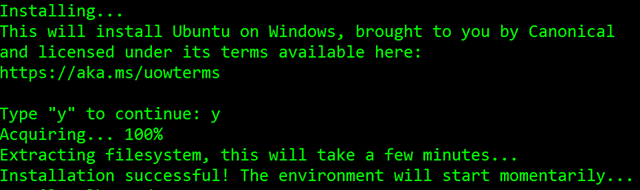
In that update (or in the Windows 10 Insider Builds you can get if you're a techie or adventurous) you're going to get a lot of nice polish AND the ability to optionally run Linux (ELF) Binaries on Windows 10 at the command line. The feature is the Linux Subsystem for Windows or "Bash on Windows" or sometimes "Ubuntu on Windows." Call it what you like, they're real, and they're spectacular.

We first saw Bash on Windows 10 in march of this year at the BUILD conference.

Developers can run all their Linux user-mode developer tools like Redis or even TensorFlow (without GPU support).

I went and recorded a 20 min video screencast showing what you need to do to enable and some cool stuff that just scratches the surface of this new feature. Personally, I love that I can develop with Rails on Windows and it actually works and isn't a second class citizen. If you're a developer of any kind this opens up a whole world where you can develop for Windows and Linux without compromise and without the weight of a VM.

I hope you enjoy this video! Also check out (and share) my other Windows 10 videos or my Windows 10 playlist at http://hanselman.com/windows10.

Sponsor: Build servers are great at compiling code and running tests, but not so great at deployment. When you find yourself knee-deep in custom scripts trying to make your build server do something it wasn't meant to, give Octopus Deploy a try.


© 2016 Scott Hanselman. All rights reserved.
     
01 Jul 14:00

Will Big Data Lead to Too Much Control

by Ariel Amster

Much of the talk surrounding Big Data relates to its benefits, and to be sure, Big Data has the potential to provide big boosts for all companies and organizations looking to use it. Big Data, however, brings with it lots of questions over how it is currently being used and how it will be used […]

The post Will Big Data Lead to Too Much Control appeared first on DATAVERSITY.

01 Jul 14:00

SQLSweet16!, Episode 1: Backup Compression for TDE-enabled Databases

by Sanjay Mishra

 Sanjay Mishra, with contributions from Aasav Prakash

Reviewed by: Denzil Ribeiro, Murshed Zaman, Arvind Shyamsundar, Mike Ruthruff

Celebrating the release of SQL Server 2016, we are starting a new blog series on exciting new scenarios and features. Aptly named “Sweet 16” series, we will discuss sixteen new capabilities in SQL Server 2016 (one on each post) that help improve your business, and enhance your life as database professionals. Among the ocean of new capabilities, we have chosen 16, so will we will miss out on some very good ones. If we miss out your favorite ones, and you would like to hear from us, let us know and we will try our best to cover.

Starting with a hidden-gem: Backup compression for TDE-enabled databases.

Backup Compression and Transparent Data Encryption (TDE) have been two immensely valuable and popular features in SQL Server. Both were released as part of SQL Server 2008. However, had very little co-existence till now. While backup compression worked great for databases that were not enabled for TDE, its effectiveness for TDE-enabled databases was very limited. We described this behavior in our SQL Server 2008 blog post (please refer to pages 22-23 in our old blog collection document), and recommended not to use backup compression for TDE-enabled databases.

These two wonderful features could not stay strangers to each other for long. Starting with SQL Server 2016, you can now get the benefits of backup compression for TDE-enabled databases. Sweet!

This is one of the least publicized features in SQL Server 2016, and has managed to remain under the radar.

Here are some numbers to get you interested. I performed some tests with a database of about 115 GB size (real world data, not synthetic test data) first on SQL Server 2014, and then on SQL Server 2016 on the same server. The results are very impressive on SQL Server 2016.

Figure 1: Backup Compression with TDE (SQL Server 2014)

Figure 1: Backup Compression with TDE (SQL Server 2014)

As illustrated in Figure 1, in SQL Server 2014 (and prior versions) backup compression doesn’t help reduce the backup size of a TDE-enabled database. However, due to the time spent in attempting the compression, the backup takes much longer to complete.

Things change completely in SQL Server 2016. You not only get great compression of the backup file size, but the backup time is reduced significantly as well, illustrated in Figure 2.

Figure 2: Backup Compression with TDE (SQL Server 2016)

Figure 2: Backup Compression with TDE (SQL Server 2016)

The performance numbers presented here are examples. Your mileage will vary based on your data, workload and hardware.

Important to Know

It is important to know that while backing up a TDE-enable database, the compression will kick in ONLY if MAXTRANSFERSIZE is specified in the BACKUP command. Moreover, the value of MAXTRANSFERSIZE must be greater than 65536 (64 KB). The minimum value of the MAXTRANSFERSIZE parameter is 65536, and if you specify MAXTRANSFERSIZE = 65536 in the BACKUP command, then compression will not kick in. It must be “greater than” 65536. In fact, 65537 will do just good. It is recommended that you determine your optimum MAXTRANSFERSIZE through testing, based on your workload and storage subsystem. The default value of MAXTRANSFERSIZE for most devices is 1 MB, however, if you rely on the default, and skip specifying MAXTRANSFERSIZE explicitly in your BACKUP command, compression will be skipped.

My Wish List

My wish list is that backup compression would work for TDE-enabled databases, irrespective of MAXTRANSFERSIZE setting. Specifying MAXTRANSFERSIZE in the BACKUP command may be a simple thing for many, but may be a bit cumbersome for some. Many DBAs rely on scripts generated from SSMS, which doesn’t specify MAXTRANSFERSIZE, and some DBAs who craft their own BACKUP scripts rely on the default value of MAXTRANSFERSIZE. Moreover, the log shipping UI doesn’t provide an option to specify MAXTRANSFERSIZE. It would be nice, if backup compression worked for all, without having to rely on explicitly specifying MAXTRANSFERSIZE.

What is on your wish list?

Call to Action

Many of you have asked for this capability for years. And, now that it is in the product, I urge you to go and test with your databases (especially the larger ones), and share some of your findings – compression ratio, backup time, backup size, etc.


01 Jul 14:00

PolyBase Setup Errors and Possible Solutions

by Murshed Zaman_AzureCAT

Blog Authors: Murshed Zaman and Sumin Mohanan

Reviewer(s): Barbara Kess

Prologue

PolyBase is a new feature in SQL Server 2016. It was popularized by APS (Microsoft Analytics Platform System) and Azure SQL DW. PolyBase allows access to relational and non-relational data from SQL Server using familiar T-SQL language. It allows you to run queries on external data that resides in Hadoop or Azure blob storage. Optionally, it can push query operations to Hadoop.  If you are interested in learning more about PolyBase, you can look at the PolyBase Guide on MSDN.

PolyBase setup is well documented on MSDN. But since the feature has connectivity to data that resides outside of SQL Server, like Hadoop, some of our customers have had situations for which it was necessary to involve engineering to understand and guide the situation to a successful installation and/or data access.

The purpose of this document is to highlight some of these issues we have seen with various customers and the possible solutions. Keep in mind these are some of the errors that we have seen and mitigated. The error message you see, although it may look the same, may have a different solution.  We are assuming that if you are using PolyBase with Hadoop, you know the basics of Hadoop and know how to look at various Hadoop logs.

Customer Scenario:

SQL Server 2016 or SQL DW connected to Azure blob storage. The CREATE EXTERNAL TABLE DDL points to a directory (and not a specific file) and the directory contains files with different schemas.

SSMS Error:

Select query on the external table gives the following error:

Msg 7320, Level 16, State 110, Line 14
Cannot execute the query “Remote Query” against OLE DB provider “SQLNCLI11” for linked server “(null)”. Query aborted– the maximum reject threshold (0 rows) was reached while reading from an external source: 1 rows rejected out of total 1 rows processed.
(/nation/sensors.ldjson.txt)Column ordinal: 0, Expected data type: INT, Offending value: {“id”:”S2740036465E2B”,”time”:”2016-02-26T16:59:02.9300000Z”,”temp”:23.3,”hum”:0.77,”wind”:17,”press”:1032,”loc”:[-76.90914996169623,38.8929314364726]} (Column Conversion Error), Error: Error converting data type NVARCHAR to INT.

Keep in mind there may be derivations of this error. The name of the first rejected file shows in SSMS with offending data types or values.

Possible Reason:

The reason this error happens is because each file has different schema. The PolyBase external table DDL when pointed to a directory recursively reads all the files in that directory. When a column or data type mismatch happens, this error could be seen in SSMS.

Possible Solution:

If the data for each table consists of one file, then use the filename in the LOCATION section prepended by the directory of the external files. If there are multiple files per table, put each set of files into different directories in Azure Blob Storage and then you can point LOCATION to the directory instead of a particular file. The latter suggestion is the best practices recommended by SQLCAT even if you have one file per table.

Example:

Create External Table foo
(col1 int)WITH (LOCATION=‘/bar/foobar.txt’,DATA_SOURCE…);
OR
Create External Table foo
(col1 int) WITH (LOCATION = ‘/bar/’, DATA_SOURCE…);

Customer Scenario:

SQL Server 2016 is setup to access a supported Hadoop Cluster. Kerberos security is not enforced in Hadoop Cluster.

SSMS Error:

Select on the external table gives the following error:

Msg 105019, Level 16, State 1, Line 55
EXTERNAL TABLE access failed due to internal error: ‘Java exception raised on call to HdfsBridge_Connect: Error [Unable to instantiate LoginClass] occurred while accessing external file.’
Msg 7320, Level 16, State 110, Line 55
Cannot execute the query “Remote Query” against OLE DB provider “SQLNCLI11” for linked server “(null)”. EXTERNAL TABLE access failed due to internal error: ‘Java exception raised on call to HdfsBridge_Connect: Error [Unable to instantiate LoginClass] occurred while accessing external file.’

DW Engine Server Log:

Interrogation of DWEngine Server log shows the following error:
Note: DWEngine_server.log is usually located under Program Files\Microsoft SQL Server\MSSQL13.MSSQLSERVER\MSSQL\Log\Polybase\

3/15/2016 5:29:01 PM [Thread:16432] [EngineInstrumentation:EngineQueryErrorEvent] (Error, High):
EXTERNAL TABLE access failed due to internal error: ‘Java exception raised on call to HdfsBridge_Connect: Error [com.microsoft.polybase.client.KerberosSecureLogin] occurred while accessing external file.’
Microsoft.SqlServer.DataWarehouse.Common.ErrorHandling.MppSqlException: EXTERNAL TABLE access failed due to internal error: ‘Java exception raised on call to HdfsBridge_Connect: Error [com.microsoft.polybase.client.KerberosSecureLogin] occurred while accessing external file.’ —> Microsoft.SqlServer.DataWarehouse.DataMovement.Common.ExternalAccess.HdfsAccessException: Java exception raised on call to HdfsBridge_Connect: Error [com.microsoft.polybase.client.KerberosSecureLogin] occurred while accessing external file.
at Microsoft.SqlServer.DataWarehouse.DataMovement.Common.ExternalAccess.ExternalHadoopBridge.OpenBridge()
at Microsoft.SqlServer.DataWarehouse.DataMovement.Common.ExternalAccess.HdfsBridgeFileAccess.GetFileMetadata(String filePath)
at Microsoft.SqlServer.DataWarehouse.Sql.Statements.HadoopFile.ValidateFile(ExternalFileState fileState)

Possible Reason:

Kerberos is not enabled in Hadoop Cluster, but Kerberos security is enabled in core-site.xml, yarn-site.xml, or the hdfs-site.xml that resides in SQL Server 2016 (usually located under Program Files\Microsoft SQL Server\MSSQL13.MSSQLSERVER\MSSQL\Binn\Polybase\Hadoop\conf).

Possible Solution:

Comment out the Kerberos security information from the above mentioned files in the SQL Server 2016 instance.

Customer Scenario:

SQL Server 2016 is setup to access a supported Hadoop Cluster or Azure Blob Storage.

SSMS Error:

Select on an external table shows the following error:

Msg 8680, Level 17, State 5, Line 118
Internal Query Processor Error: The query processor encountered an unexpected error during the processing of a remote query phase.

DWEngine Server Log:

[Thread:5216] [ControlNodeMessenger:ErrorEvent] (Error, High): ***** DMS System has disconnected nodes :
[Thread:5216] [ControlNodeMessenger:ErrorEvent] (Error, High): ***** DMS System has disconnected nodes :
[Thread:5216] [ControlNodeMessenger:ErrorEvent] (Error, High): ***** DMS System has disconnected nodes :

Possible Reason:

The reason for this error could be that SQL Server was not restarted after configuring PolyBase.

Possible Solution:

Restart SQL Server. Check DWEngine Server Log to make sure you don’t see DMS disconnections after the restart.

Customer Scenario:

SQL Server 2016 is connected to an unsecured Hadoop cluster (Kerberos is not enabled). PolyBase is configured to push computation to Hadoop cluster.

Query: select count(*) from foo WITH (FORCE EXTERNALPUSHDOWN);

SSMS Error:

Msg 105019, Level 16, State 1, Line 1
EXTERNAL TABLE access failed due to internal error: ‘Java exception raised on call to JobSubmitter_PollJobStatus: Error [java.net.ConnectException: Call From big1506sql2016/172.16.1.4 to 0.0.0.0:10020 failed on connection exception: java.net.ConnectException: Connection refused: no further information; For more details see:  http://wiki.apache.org/hadoop/ConnectionRefused] occurred while accessing external file.’
OLE DB provider “SQLNCLI11” for linked server “(null)” returned message “Unspecified error”.
Msg 7421, Level 16, State 2, Line 1
Cannot fetch the rowset from OLE DB provider “SQLNCLI11” for linked server “(null)”. .

Hadoop Yarn Log Error:

Job setup failed : org.apache.hadoop.security.AccessControlException: Permission denied: user=pdw_user, access=WRITE, inode=”/user”:hdfs:hdfs:drwxr-xr-x at org.apache.hadoop.hdfs.server.namenode.FSPermissionChecker.checkFsPermission(FSPermissionChecker.java:265) at org.apache.hadoop.hdfs.server.namenode.FSPermissionChecker.check(FSPermissionChecker.java:251) at org.apache.hadoop.hdfs.server.namenode.FSPermissionChecker.check(FSPermissionChecker.java:232) org.apache.hadoop.hdfs.server.namenode.FSPermissionChecker.checkPermission(FSPermissionChecker.java:176) at org.apache.hadoop.hdfs.server.namenode.FSNamesystem.checkPermission(FSNamesystem.java:5525)

Possible Reason:

With Kerberos disabled, PolyBase will use pdw_user as the user for accessing HDFS and submitting MapReduce jobs.

Possible Solution:

Create pdw_user on Hadoop and give it sufficient permissions to the directories used during mapreduce processing. Also make sure that pdw_user is the owner of the /user/pdw_user HDFS directory.

Below is an example of how to create home directory and assign permissions for pdw_user:

sudo -u hdfs hadoop fs -mkdir /user/pdw_user
sudo -u hdfs hadoop fs -chown pdw_user /user/pdw_user

After this make sure that pdw_user has read, write, and execute permissions on /user/pdw_user directory and /tmp directory has 777 permissions.

Customer Scenario:

SQL Server 2016 PolyBase is setup with Hadoop Cluster or Azure Blob Storage.

SSMS Error:

Any Select query fails with the following error.
Msg 106000, Level 16, State 1, Line 1
Java heap space

Possible Reason:

Illegal input may cause the java out of memory error.  In this particular case the file was not in UTF8 format. DMS tries to read the whole file as one row since it cannot decode the row delimiter and runs into Java heap space error.

Possible Solution:

Convert the file to UTF8 format since PolyBase currently requires UTF8 format for text delimited files.

Customer Scenario:

Customer’s intention is to setup SQL Server 2016 PolyBase to connect to Azure Blob Storage.

SSMS Error:

Msg 105019, Level 16, State 1, Line 74
EXTERNAL TABLE access failed due to internal error: ‘Java exception raised on call to HdfsBridge_Connect: Error [No FileSystem for scheme: wasbs] occurred while accessing external file.’

Possible Reason:

Hadoop connectivity is not set to the configuration value for accessing Azure Blob storage.

Possible Solution:

Set the Hadoop connectivity to a value (preferably 7) which supports Azure Blob Storage and restart SQL Server. List of connectivity values and supported types can be found at https://msdn.microsoft.com/en-us/library/mt143174.aspx.

Customer Scenario:

Trying to export data to Azure blob storage or Hadoop file system using PolyBase with CREATE EXTERNAL TABLE AS SELECT (CETAS) syntax from SQL Server 2016.

SSMS Error:

Msg 156, Level 15, State 1, Line 177
Incorrect syntax near the keyword ‘WITH’.
Msg 319, Level 15, State 1, Line 177
Incorrect syntax near the keyword ‘with’. If this statement is a common table expression, an xmlnamespaces clause or a change tracking context clause, the previous statement must be terminated with a semicolon.

Reason:

CETAS is not a supported statement in SQL Server 2016 for PolyBase.

Solution:

Create the external table first and then use INSERT INTO SELECT to export to the external location. More details can be found at https://msdn.microsoft.com/en-us/library/mt652313.aspx

Customer Scenario:

SQL DW is setup to import data from Azure blob storage.

ADF(Azure Data Factory) Error:

An error occurred in Stored Procedure Activity execution. Diagnostic details: Database operation failed on server ‘c5880b957bf7d.tm42.westus1-a.worker.database.windows.net,11060’ with SQL Error Number ‘105019’. Error message from database execution : EXTERNAL TABLE access failed due to internal error: ‘Java exception raised on call to HdfsBridge_CanCreateFileInDir’.

Possible Reason:

Wrong Azure storage key was used to create the database scoped credential.

Possible Solution:

Drop all related objects (i.e: data source, file format) and then drop and recreate the database scoped credential with the right storage key.

Epilogue

This blog does not cover all the issues you can encounter when accessing data by using PolyBase. We plan to revise this document regularly with additional scenarios for the benefit of the masses.

01 Jul 14:00

Understanding SQL Server Transaction Log Architecture

by Andrew

Tweet


Transaction log is a log that maintains the record of every transactions that has occurred. It involves data modifications, rollback modifications and database modifications. It is a major part of database’s architecture. It records every transaction in an order by utilizing LSN (Log Sequence Number). Every transaction is appended to physical log file and utilizes LSN, which is of higher value than the previous LSN. It is mainly used by SQL engine to confirm the data integrity. In the following section, we will discuss an architecture of transaction log.

Logical Architecture Of Transaction log

Transaction logs works as if they are saved with string of log records. Every record is recognized with the help of Log Sequence Number. It has sufficient space to maintain successful rollback, either by the occurrence of an error within database or by an explicit action for rollback request. This amount of space can be varied but it mainly copies the amount of space, which is used to save logged operation. It is loaded into virtual log that are not controllable.

There are some steps, which are used to recover an operation. It depends on type of log record such as for data modifications or before and after images modification of data.

  • Logical operation is logged
    1. The operation is performed again if user needs to roll the logical operation forward.
    2. The reverse logical operation is performed that helps to roll the logical operation back.
  • Before and after of image logged
    1. When the image is applied after, user needs to roll the forward operation
    2. If the image is applied before, then user needs to roll the back operation.

There are various types of operations, which are recorded in transaction log as mentioned:

  • The beginning and end of every transaction
  • Each modification in data, i.e. update, delete, or insert includes the DDL (data definition language) statements of any table by including table system.
  • Each modification in data, i.e. update, delete, or insert includes the DDL (data definition language) statements of any table by including table system.
  • Each extend and page de-allocation or allocation
  • Dropping or creating an index or table.

The section of log files from the first log records, which should exist for a proper database-wide rollback to the last-written log records is known as active part of log. In this, section full recovery of database is required.

Physical Architecture Of Transaction Log

Transaction log in a database maps multiple physical files. Physically, the order of log records is saved proficiently in the usual physical files, which implement the transaction log. The SQL Server Database Engine divides internally every physical file of log into various virtual log files. Virtual log files do not have any fix size as well as no fixation of number of files present for physical log file. While extending or creating log files, the database engine selects dynamically the size of virtual log files. Virtual log files number or size are not configured or not even set by administrators. The virtual files only affect the system when its size and increment growth values are defined. If the log files grow to large size due to many small increments, then it will have many virtual log files. It results in slow down of database startup operations as well as backup and restores operations.

Checkpoints Effect on Transaction Logs Architecture

Checkpoints remove the dirty data pages from the current database to disk of buffer cache. It reduces the active portion of log, which is used to process at the time of full recovery of database. At the time of full data recovery, there are various types of actions performed as mentioned:

  • Before the system stops or rolls forward, there are log records of modifications should not be removed.
  • The modifications that are associated through incomplete transaction are rolled back.

Checkpoint Operations

Checkpoint executes the mentioned way in database:

  • Note the record of log file by marking the start of checkpoint
  • Saves the data recorded for checkpoint in a chain.
  • If the simple recovery model is used to mark for the reuse of the space, which leads the MinLSN.
  • Note the record marking to end log file of checkpoint
  • Note the LSN of start of the chain

NOTE: Checkpoints contains the record of active transactions, which have modified the database.

Reasons for Occurrence of Checkpoints

Checkpoints can occur in some situations as discussed below:

  • It occurs in the present database for the connection when A CHECKPOINT statement is executed.
  • When negligible logged operations are performed in the database such as Bulk-Logged recovery model is used to perform an operation on database.
  • SQL Server is stopped with a SHUTDOWN statement or by simply stopping the MSSQLSERVER service. This action may cause a checkpoint in every database in the case of SQL Server.

Write-Ahead Transaction Log

There is a write-ahead log (WAL) in SQL Server, which gives the guarantee of no modification of data before the associated log record is written to disk. It helps to maintain the ACID properties of transactions. As the SQL Server keeps the buffer cache, on which it reads data pages at time when data is saved. The modifications on data are not done directly to disk, but are made to replica of the page in buffer cache. A page, which is modified but not written to disk, is known as dirty pages.

Conclusion

As discussed above the transaction logs play an essential feature in recovering and maintaining the database. If the records are set and maintained properly then, it will help in providing the additional backup support, which the user need without affecting system’s performance. Even it also plays an integral file in recovering database to a point in time.

01 Jul 14:00

Azure SQL Data Warehouse pricing

by James Serra

The pricing for Azure SQL Data Warehouse (SQL DW) consists of a compute charge and a storage charge.  For compute, it is not based on hardware configuration but rather by data warehouse units (DWU).  DWU can be scaled up or down via a sliding bar in just a couple of minutes with no down time.  You pay for DWU blocks, based on up time (you can pause your SQL DW database and not have to pay for compute while paused).  When paused, storage is still available and can be used by other resources.

You must pay for storage, even when paused, but there is no limit to the amount of data you can put into storage.

Below is some examples of the compute pricing based in the East US region.  The pricing comes from the Azure pricing calculator:

SQL Data Warehouse, 100 DWU, $1,125/month
SQL Data Warehouse, 500 DWU, $5,625/month
SQL Data Warehouse, 1000 DWU, $11,250/month
SQL Data Warehouse, 1500 DWU, $16,875/month
SQL Data Warehouse, 2000 DWU, $22,500/month
SQL Data Warehouse, 3000 DWU, $33,750/month
SQL Data Warehouse, 6000 DWU, $67,500/month

Data warehouses will use Premium Disk storage (P30).  Below is some examples of the storage pricing based in the East US region:

SQL Data Warehouse, RA-GRS Page Blob, 1TB = $135/month
SQL Data Warehouse, RA-GRS Page Blob, 10TB = $1,351/month
SQL Data Warehouse, RA-GRS Page Blob, 100TB = $13,517/month
SQL Data Warehouse, RA-GRS Page Blob, 1PB = $135,170/month

Storage transactions are not billed; customers only pay for data stored, not storage transactions.  Inbound data transfers are free.  Outbound data transfers are charged at regular data transfer rates.  Note you could store lesser-accessed data in Azure Blob Storage and access it via PolyBase to save storage costs.

More info:

SQL Data Warehouse Pricing

Understanding Windows Azure Storage Billing – Bandwidth, Transactions, and Capacity

Understand your bill for Microsoft Azure

01 Jul 14:00

Stretch Database in SQL Server 2016 RTM

by Tim Radney

Back in August 2015, I wrote an article introducing the new Stretch Database feature in SQL Server 2016. In that article, I discussed how to get started with Stretch Database in SQL Server 2016 Community Technology Preview 2 (CTP2). SQL Server 2016 was released on June 1st 2016, and there have been numerous updates to the product. The method of setting up Stretch Database has changed slightly as well as some of the features.

Beginning with SQL Server 2016 we gained the ability to store portions of a database in an Azure SQL Database. In earlier previews when you enabled Stretch for a database, you had to migrate the entire table, with the RTM release of SQL Server 2016, you can now chose a portion of a table. Once you enable stretch for a table, it will silently migrate your data. If you are not familiar with Stretch Database, it leverages the processing power in Azure to run queries against the remote data by rewriting the query. You do not have to rewrite any queries on your end. You will see this as a “remote query” operator in the query plan.

An easy way to identify databases and tables that are eligible for being Stretch-enabled is to download and run the SQL Server 2016 Upgrade Advisor and run the Stretch Database Advisor. Aaron Bertrand (@AaronBertrand) wrote about this awhile back. The Upgrade Advisor has changed slightly since Aaron’s post, however the process is mostly the same:

Limitations for Stretch Database

Not all tables will be eligible for being Stretch-enabled. Certain table properties, data and column types, constraints, and indexes are not supported, such as:

  • Memory-optimized and replicated tables
  • Tables that contain FILESTREAM data, use Change Tracking or Change Data Capture
  • Data types such as timestamp, sql_variant, XML, or geography
  • Check or default constraints
  • Foreign key constraints that reference the table
  • XML, full-text, spatial, or clustered columnstore indexes
  • Indexed views that reference the table
  • You cannot run UPDATE or DELETE statements, or run CREATE INDEX or ALTER INDEX operations on a Stretch-enabled table

For a full listing of limitations, you can visit: Requirements and limitations for Stretch Database.

Setting up Stretch Database

Getting started with the RTM release is a bit different than the earlier previews. You’ll need an Azure account, and then you must enable Stretch Database on the local instance.

To enable Stretch Database on an instance, run:

EXEC sys.sp_configure N'remote data archive', '1';
RECONFIGURE;
GO

For this demo I’m going to use a sample database that I have created called STRETCH. I started by right clicking on the database, choosing Tasks, Stretch, and then chose Enable. This was using SQL Server 2016 Management Studio.

Stretch Wizard : Introduction

The next screen offers you which tables you'd like to enable for Stretch:

Stretch Wizard : Select Tables

I chose the SALES2 table. The wizard defaults to “Entire Table,” but you can also change that option to migrate a subset of rows.

Stretch Wizard : Select Rows

If you choose by rows, you have to select a name for your criteria, and then you can choose which column to use in your where statement, as well as the condition and value. In this screen shot I chose rows prior to 2016. Being able to choose a portion of a table is a huge improvement over the earlier previews, which only allowed you to stretch the entire table. For simplicity, in this demo, I am going to migrate the entire table, so I clicked Cancel, and then Next.

Once you have your tables and conditions selected, you have to choose which Azure subscription you are going to use, your Azure region, and your server information.

Stretch Wizard : Configure Azure

Once you have entered the required information, click Next.

Stretch Wizard : Credentials

A new enhancement is using the database master key to protect the Azure credentials to connect to Azure. If you do not have a master key already, you will be prompted to create one, if you already have one, you will need to provide the password. Click Next.

Stretch Wizard : Select IP Address

You will need to create a firewall rule for your server, or you can enter a subnet IP range. Make your selection and click Next.

Stretch Wizard : Summary

This is where things have really changed, and will make me reconsider using this feature. Microsoft has created a Database Stretch Unit (DSU) so that you can scale up or down the level of performance that you need for Stretch data. As of June 2016, current pricing is billed for both compute and storage, which you see represented in the image above. For my 15MB table that was migrated, I would be charged $61 USD per month for storage, as well as the minimum DSU level (100) at $912.50 per month. DSU levels range from:

DSU level Hourly cost Max monthly cost
(months with 31 days)
100 $1.25 $930
200 $2.50 $1,860
300 $3.75 $2,790
400 $5.00 $3,720
500 $6.25 $4,650
600 $7.50 $5,580
1000 $12.50 $9,300
1200 $15.00 $11,160
1500 $18.75 $13,950
2000 $25.00 $18,600


Why did the wizard tell me only $912.50, when the price sheet indicates it should be $900 for June (or pro-rated based on how many days are left in June)? Your guess is as good as mine; I've tried various math stuff and came up blank. You can learn more about the pricing models here:

Prior to learning about this new billing method for DSU, I could make the argument that using Stretch Database would be a very cost effective method for storing cold data (unused data) into the cloud. By stretching this data into Azure, you could migrate a large portion of older data, which would decrease the size (and thus cost) of your local backups. In the event you had to restore a database, you would simply have to establish the connection to Azure for the stretched data, thus eliminating the need to restore it. However, with the minimal cost being nearly $1,000 per month for the low end DSU scale, many organizations will find that it is much cheaper to retain the data on a less expensive tier of storage within their data center and find other methods for HA such as mirroring, log shipping, or Availability Groups.

Click Finish to begin the migration.

Stretch Wizard : Results

Congratulations, I have now migrated the SALES2 table to an Azure SQL Database

Disable a Stretch table

In the early previews of Stretch Database, if you wanted to disable a Stretch table, you would have to create a new table and insert the stretch data into it. Once all data was copied, then you would have to either manually switch out the tables by renaming them, or manually merging the stretched data back into the production table. With the RTM release, you can still manually handle the migration, chose to leave the data in Azure, or chose an option to bring data back from Azure.

clip_image017

Regardless of which method you use to bring the data back, you incur data transfer charges.

Backup and Restore of a Stretch Database

Once you migrate data into a Stretch Database, Azure handles the backup of the Stretch data. Backups occur with a snapshot taken every 8 hours and the snapshots are maintained for 7 days. This gives you up to 21 points-in-time over the previous 7 days to restore.

You don’t have to make any changes to your current local backup routines. Any local backups taken will contain all local data and eligible data that has not yet been migrated. This is referred to as a shallow backup and doesn’t contain any data already migrated to Azure.

DBCC CHECKDB

You also cannot run CHECKDB against data that has been migrated to Azure.

When I ran DBCC CHECKDB on my STRETCH database prior to migration I got the following results for the SALES2 table:

DBCC results for 'SALES2'.
There are 45860 rows in 1901 pages for object "SALES2".

After the migration, I received the following output for the SALES2 table (emphasis mine):

DBCC results for 'SALES2'.
There are 0 rows in 1901 pages for object "SALES2".

You can run DBCC CHECKDB against Azure SQL Database, however due to not being able to connect directly to the stretched Azure SQL Database, you currently cannot manually run DBCC CHECKDB against the stretched data specifically. I cannot find any documentation that states Azure is performing any consistency checks against these databases.

This brings up a significant risk in my opinion.

Summary

Stretch Database is an easy way to migrate archive data to Microsoft Azure, if your database supports it. Currently in SQL Server 2016 RTM there are many limitations with table, data, and column properties, data and column types, constraints, and indexes. If you are not restricted by those limitations, then Stretch Database is a simple way to migrate historical data to Azure SQL Database to free up local storage and decrease restore times of those databases if the expense makes it worthwhile. You also need to be comfortable, at least for now, with not being able to run DBCC CHECKDB against any migrated data. Managing restores will be a bit trickier too with having to restore the connection between the SQL Server database and the remote Azure database.

The post Stretch Database in SQL Server 2016 RTM appeared first on SQLPerformance.com.

01 Jul 13:59

Update duplicate xml attribute values to unique value

I was going through some really old blogging ideas and I stumbled over this one and seeing as I love finding creative solutions in XQuery, I’m not sure why I hadn’t got this down into a blog post earlier!

Imagine the following contrived xml snippet which is essentially just a set of key/value pairs. At the moment the key names are not unique and have duplicates and in this scenario we need to make the key names unique whilst keeping the key value the same.

declare @xml xml ='
<UnitInformation>
  <section name="Unit Information">
    <setting name="AccountId" value="P5" />
    <setting name="Complete" value="1" />
    <setting name="AccountId" value="P7" />
    <setting name="AccountId" value="P12" />
    <setting name="Complete" value="1" />
    <setting name="Complete" value="1" />
  </section>
</UnitInformation>'

One solution that I came up with used a FLWOR expression to loop over the nodes and generate a new XML structure. The basic concept is that the FLWOR loop would navigate down through each <setting> node and test to see if there are any other <setting> nodes with the same @name value preceding it in the document. If there is then it would append a sequential number to the end of the key name to make it unique within the document, if not then keep the existing name value.

The final solution looked like this:

SELECT @xml.query('
<UnitInformation>
  <section name="Unit Information">
       {
              for $x in /UnitInformation/section/setting
              return
                     if((count(/UnitInformation/section/setting[@name=$x/@name][. << $x])) > 0)
                     then
                           <setting name="{data(concat($x/@name, "_", 
				xs:string(count(/UnitInformation/section/setting[@name=$x/@name][. << $x]))))}"
					value="{data($x/@value)}" />
                     else
                           $x
       }
  </section>
</UnitInformation>' )


It looks more complicated than it really is but let’s dissect it piece by piece. Firstly the FLWOR constructor

image

All this is doing is setting up a for each loop over a collection of xml nodes, namely <setting> and assigning each instance to local variable $x during the enumeration. During each loop it will return either the assigned variable, $x, or a new XML node depending on the outcome of the if condition:

image

This looks complicated at first, but lets focus on the IF condition and in particular the XPath expression that has been passed into the count() function. This expression is looking for all <setting> nodes where the @name attribute is identical to the @name attribute of the variable and also where the position of that xml node precedes the one in the variable in the document order (Remember that the variable is looping through each <setting> node as part of the for statement). The double less than test “<<” is an XQuery order comparison test and is really useful in determining position of the XML nodes within an XQuery.

So this will generate a sequence of zero or more nodes that are passed into the count function. If the count returns zero then the test didn’t find any <setting> nodes with the same @name attribute as the one in the for each variable and it will simply return the $x variable which is the entire <setting> node plus its two attributes. But if the count returns a non-zero value then it did find at least one duplicate @name in a previous node and it will create a new <setting> node.

When constructing the new <setting> node, for the @name attribute value, it concatenates the original @name value with an underscore and then the number of nodes that precede it with the same @name value i.e. the exact same number it got back during the IF condition above. The @value attribute is simply extracting the original value from the variable $x.

Phew!..

When run, you’ll get a result like the below, note that duplicate key names are now made unique:

image


I think XQuery is one of the gems in SQL server, a bit like service broker. It is a bit hard at first to get into but once you do, you realise just how powerful it can be. Don’t get me wrong, XQuery is slow in SQL comparitively so you wouldn’t want to be passing millions of XML structures through XQuery expressions regularly but it can be a fantastic option for quick ad hoc XML manipulation in the database rather than shipping it out to an application service layer to do the transformations. I hope JSON goes the same way with a dedicated data type being added with its own set of methods in a future SQL version.

Enjoy!…...

Follow me on twitter @sqlserverrocks

Subscribe to my blog RSS feed

Comment on this or any of my posts or contact me directly from http://www.olcot.co.uk

01 Jul 13:59

Powering mission-critical performance with SQL Server 2016

by David Hobbs-Mallyon

Data has become the lifeblood of the enterprise. It’s the foundation for keen insight and effective decisions that lead to business growth. One of our primary design goals for SQL Server 2016 was to provide the performance, security, availability and business intelligence that are critical to helping companies manage their data and identify new opportunities.

Over the next three weeks, we’ll give you a few snapshots of some key features in SQL Server 2016 and how you can use them to drive sustained mission critical performance, get deeper insights from your data and benefit from hyperscale cloud capabilities.

Run queries up to 100 times faster

With SQL Server 2016 we enhanced the In-Memory columnstore capabilities, which accelerate highly concurrent workloads by transferring data to memory-optimized tables. With these enhancements in place, you can run queries up to 100 times faster than previously possible.

In addition, we made memory-optimized tables more scalable—able to store up to 2 TB of data each, and support bigger workloads.

To get started, evaluate your workloads using a new feature in SQL Server Management Studio (SSMS), the ability to generate migration checklists

To do this, right-click a database in Object Explorer, point to Tasks, and then select Generate In-Memory OLTP Migration Checklists. This step launches a wizard that displays a welcome page. On the second page of the wizard, specify a location in which to save the checklist and whether to generate a checklist for all tables and stored procedures in the database or for a specific list that you define. After you make this selection, the next page of the wizard includes a Script PowerShell Commands button and a Finish button. If you select the Script PowerShell Commands button, a text file opens to display the following command:


Save-SqlMigrationReport -Server ‘<Server Instance Name>’ -Database ‘AdventureWorks’ -FolderPath ‘C:\Users\<User>\Documents\<Path>’

When you click the Finish button, the wizard begins to generate a separate checklist for each table and stored procedure specified in the wizard. The status of each checklist is displayed in the table so that you can easily see whether any failed. After the wizard completes the checklists, you can find them as HTML files in the Stored Procedures, Tables, or User Defined Functions folders in the output path that you configured in the wizard.

Real-time, operational analytics

SQL Server 2016 also includes options for real-time analysis of datasets that are more dynamic in nature. With added support for columnstore indexes in memory-optimized transactional tables, you can avoid issues around latency and benefit from real-time analytics capabilities that live up to the name.

Batch execution mode has also been improved so results can be processed up to 1,000 rows at a time, greatly reducing execution time and the utilization of CPU resources. Use SSMS to get started, or add a clustered columnstore index to a disk-based table using a T-SQL statement such as the sample below.

T-SQL script sample

Better security built in

SQL Server 2016 comes with a number of new security features built-in, helping lock down your data at all levels and states:

  • Always Encrypted protects data at rest and in motion by requiring the use of an Always Encrypted driver when client applications to communicate with the database and transfer data in an encrypted state. Without the encryption key, which is kept at the client side rather than in SQL Server, the data is useless.
  • Row-Level Security enables you to protect the data in a table row-by-row, so a particular user can only see the rows to which they are granted access.
  • Dynamic data masking obfuscates a portion of the data to anyone unauthorized to view it. Use one of four functions to protect the data returned by a query:
    • Default: Fully masks string data, numeric and binary values, date and time
    • Email: Partially masks email addresses and the length of an email
    • Partial: Partially masks values using a custom definition
    • Random: Fully masks numeric values with a random value, specified by you

Configuring a table for Always Encrypted can be done using SSMS or with T-SQL, which involves a two-step process:

  1. Create the column master key definition.
  2. Create the column encryption key.

A bit like the outer defenses of a castle, the column master key protects the various column encryption keys that actually encrypt the data within a table. You can create a master key with SSMS, though T-SQL offers a more repeatable process, which starts with a CREATE COLUMN MASTER KEY statement, such as the example shown below.

Example 2.1

Database engine upgrades

Under the hood of SQL Server 2016 are a number of improvements to the data engine that are designed to help companies optimize day-to-day performance, while providing a scalable, efficient solution to manage data growth.

For example, rather than only creating one data file to support TempDB, where the essential, secondary work takes place to maintain peak performance of the data engine, the SQL Server 2016 setup wizard adapts to your server environment. It automatically assigns the number of data files (with a maximum of eight), based on how many processors it detects on your server, thus minimizing the likelihood of any lag in performance.

TempDB dialog box

Driving down costs with hybrid

The cost and logistical challenges of storing and managing data has many companies looking to the cloud as a viable option. With SQL Server 2016 we introduced Stretch Database, a hybrid cloud feature that combines the power of Azure SQL Database with the feasibility and familiarity of an on premises version of SQL Server. You get all of the enterprise-grade security and data management features, along with a virtually inexhaustible amount of storage on the back end for cost-effective historic data availability, and it works with both Always Encrypted and Row Level Security.

Stretch DB diagram

When you enable Stretch Database, a new Stretch Database is created in Azure, as well as an external data source in your instance of SQL Server and a remote endpoint for the database. You can rest assured that user queries cannot be issued against the remote database, and the Stretch Database is protected by several security measures, including encryption and certificate validation.

You can also monitor Stretch Database from a dashboard in SSMS, making it easier to manage the entirety of your data, ensuring that is secure and accessible.

Summary

The ability to harness and analyze data has become essential to the success of today’s enterprise. SQL Server 2016 gives you all of the tools you need to manage your company’s data and offers a secure, scalable platform to help power the next generation of business apps. Download the SQL Server 2016 e-book to learn more, or visit the SQL Server 2016 product page.

01 Jul 13:59

How TOP wrecks performance (part 2)

by Hugo Kornelis
This blog has moved! You can find this content at the following new location: https://SQLServerFast.com/blog/hugo/2016/06/how-top-wrecks-performance-part-2/...(read more)
01 Jul 13:59

Microsoft SQL Server Tooling team hosts Ask Me Anything session

by SQL Server Team

This post was authored by Vin Yu, Program Manager, Data Platform.

The Microsoft SQL Server Tooling team will host a special Ask Me Anything session on /r/SQLServer, Thursday, June 30th, 2016 from 10:00 am to 3:00 pm PDT.

What’s an AMA session?

We’ll have folks from across the Microsoft SQL Server Tooling engineering team available to answer any questions you have. You can ask us anything about SQL Server tooling or even our team!

Why are you doing an AMA?

We like reaching out and learning from our customers and the community. We want to know how you use SQL Server tools and how your experience has been. Your questions provide insights into how we can make developing and managing SQL Server better. If this AMA session turns out to be useful, we may start doing this on a regular schedule.

Who will be there?

You, of course! We’ll also have PMs and Developers from the SQL Server Tooling engineering team participating throughout the day. Have any questions about the following topics? Bring them to the AMA.

  • Database Tools for Microsoft SQL Server, Azure SQL Database, Azure Virtual Machines with SQL Server
  • SQL Server Management Studio (SSMS)
  • SQL Server Data Tools / Visual Studio (SSDT)
  • SQL Server Reporting Services (SSRS)
  • SQL Server Integration Services (SSIS)
  • SQL Server Analysis Services (SSAS)
  • SQL Server Migration Assistant (SSMA)
  • PowerShell with SQLPS/Command Line Tools
  • Azure Portal for Azure SQL DB, Azure Elastic Database Pools or Azure Virtual Machines with SQL Server

Why should I ask questions here instead of StackOverflow, MSDN or Twitter? Can I really ask anything?

An AMA is a great place to ask us anything. StackOverflow and MSDN have restrictions on which questions can be asked while Twitter only allows 140 characters. With an AMA, you’ll get answers directly from the team and have a conversation with the people who build these products and services.

Here are some question ideas:

  • What’s new in SQL Server Reporting Services?
  • How do I provide feedback for SSMS and SSDT?
  • What tools would I use to migrate my database to SQL Server?
  • What’s a cool trick you don’t think most customers know about?

Go ahead, ask us anything about our public products or the team. Please note, we cannot comment on unreleased features and future plans.

Join us! We’re looking forward to having a conversation with you!

01 Jul 13:59

Using SSMS in Customer Presentations

by John Paul Cook
When using SSMS with a projector or very large screen HDTV, there are several customizations to make things easier to read for the people in the back of the room. First let’s look at a screen capture of SSMS without any customizations. Figure 1. SSMS with default settings. Do you really need the Properties pane during a presentation? Probably not. You can close that out to obtain more SSMS real estate. Figure 2. Properties pane closed. Go to Tools and select Options . To increase the size of most...(read more)
01 Jul 13:58

SQLSweet16!, Episode 2: Availability Groups Automatic Seeding

by Sanjay Mishra

Reviewed by: Denzil Ribeiro, Murshed Zaman, Mike Weiner, Kun Cheng, Luis Vargas, Girish Mittur V, Arvind Shyamsundar, Mike Ruthruff

If you have been using Availability Groups (or Database Mirroring prior to that), you are probably used to backing up the primary and restoring (with norecovery) the secondary (first a full database backup, followed by transaction log backups) for creating an Availability Group (AG). Automatic Seeding will come as a breath of fresh air to you.

SQL Server 2016 introduces automatic seeding for Availability Groups, which can significantly ease the experience of creating an AG. Whether you used the AG wizard or scripts to create AGs, you likely created a file share first (where the backup files will be written to, and from where the secondary pick up the backup files to restore). With automatic seeding, gone are the file share and the numerous IOs to the file share. Instead, automatic seeding uses the database mirroring endpoints to stream the bytes (after reading from database files) to the secondary and apply them. Getting rid of the file share and the IO involved with it, automatic seeding dramatically reduces the seeding time for AGs. Moreover, if your AG involves multiple databases, you no longer need to perform backup + restore for each database individually; automatic seeding is a replica level setting and applies to all the databases in the AG.

You can choose mixed seeding techniques in an AG, i.e., use automatic seeding for some replicas and use backup + restore for other replicas.

Creating an AG with Automatic Seeding

As of this writing, the only way to use automatic seeding is using T-SQL. If you use the AG wizard to create AGs, you can generate the T-SQL script from the wizard and then edit it to include the automatic seeding setting. While stepping through the wizard, on the “Select Initial Data Synchronization” page, you need to select the option “Skip initial data synchronization” as shown in Figure 1.

Figure 1: AG wizard selection to generate script for automatic seeding

Figure 1: AG wizard selection to generate script for automatic seeding

This selection is not intuitive, given your ultimate goal, but is a workaround till the future version of the wizard includes an option for automatic seeding. Step through the rest of the wizard, and on the last page of the wizard, DON’T click on “Finish”, rather click on “Script” to generate the T-SQL script to a new query window.

You need to make two changes to the generated script:

  1. Edit the CREATE AVAILABILITY GROUP command to specify automatic seeding (SEEDING_MODE = AUTOMATIC, is the only change you need to do on this statement), as shown in the following code sample (shows only the section of the Create AG script that needs changes):
:Connect <primary instance>

USE [master]
GO

CREATE AVAILABILITY GROUP <AG Name>
WITH (AUTOMATED_BACKUP_PREFERENCE = SECONDARY,
DB_FAILOVER = OFF,
DTC_SUPPORT = NONE)
FOR DATABASE <DB Name>
REPLICA ON 
  '<primary instance>' WITH 
    (ENDPOINT_URL = 'primary_TCP_endpoint:port', 
    FAILOVER_MODE = AUTOMATIC, AVAILABILITY_MODE = SYNCHRONOUS_COMMIT,
    SEEDING_MODE = AUTOMATIC,
    BACKUP_PRIORITY = 50, SECONDARY_ROLE(ALLOW_CONNECTIONS = NO)),
  '<secondary instance>' WITH 
    (ENDPOINT_URL = 'secondary_TCP_endpoint:port', 
    FAILOVER_MODE = AUTOMATIC, AVAILABILITY_MODE = SYNCHRONOUS_COMMIT, 
    SEEDING_MODE = AUTOMATIC,
    BACKUP_PRIORITY = 50, SECONDARY_ROLE(ALLOW_CONNECTIONS = NO));
GO

2. On the secondary replica, grant CREATE ANY DATABASE to the AG, as shown in the code sample below:

:Connect <secondary instance>

ALTER AVAILABILITY GROUP <AG Name> JOIN;
GO

ALTER AVAILABILITY GROUP <AG Name> GRANT CREATE ANY DATABASE;
GO

Execute the full script after these edits to create an AG with automatic seeding.

Adding a replica to an existing AG

To use automatic seeding while adding a replica to an existing AG, add the replica as you would normally do, and after the replica is added, do the following two steps to start the seeding:

  1. On the newly added secondary replica, grant CREATE ANY DATABASE to the AG, as shown in the code sample below:
-- on the newly added secondary

ALTER AVAILABILITY GROUP <AG Name> JOIN;
GO

ALTER AVAILABILITY GROUP <AG Name> GRANT CREATE ANY DATABASE;
GO
  1. On the primary replica, modify the seeding mode for the newly added secondary replica, as shown in the code sample below:
-- on the primary

ALTER AVAILABILITY GROUP <AG Name>
MODIFY REPLICA ON <secondary instance> WITH (SEEDING_MODE = AUTOMATIC)
GO

Automatic Seeding is Faster than Backup-Restore

Automatic seeding eliminates the need for an intermediate file share for writing backup file and then use those backup files for restore. This helps reduce the end-to-end seeding time for an AG. Sweet!

Figure 2 compares the time taken to seed a database of about 115 GB through backup-restore (with backup compression) and automatic seeding.

Figure 2: Automatic seeding faster than backup+restore

Figure 2: Automatic seeding faster than backup+restore

You can reduce the network traffic while seeding by compressing the stream. Use trace flag 9567 to compress the seeding stream. As illustrated in Figure 3, you can see significant reduction in network traffic.

Figure 3: Reduced network traffic using seeding compression

Figure 3: Reduced network traffic using seeding compression

Important to Know

There are a couple of things to be aware of while using automatic seeding.

Transaction Log cannot be Truncated while Seeding

Automatic seeding blocks log truncation. If there is no or little workload on the primary while seeding the secondary, then there may be no impact. But if there is a workload on the primary generating significant transaction log, then you may run the risk of filing up the transaction log file. Be aware of the workload volume, log growth rate, and time to seed the replica(s) while using automatic seeding.

When using automatic seeding be aware that there is a known issue with diagnosing the reason for blocked log truncation. When log truncation is blocked for other reasons, the LOG_REUSE_WAIT_DESC column in the sys.databases view reflects the reason for the hold up. However, when log truncation is blocked due to automatic seeding, the LOG_REUSE_WAIT_DESC column in the sys.databases view shows value of “NOTHING”, indicating that nothing prevents log truncation and the log can actually be truncated (when a log backup is taken), which is misleading. This is a known issue, and is expected to be addressed in the product soon.

Incorrect value in the is_compression_enabled column in sys.dm_hadr_physical_seeding_stats while using compression

The DMV sys.dm_hadr_physical_seeding_stats shows the status of current ongoing seeding activities. The is_compression_enabled column in this DMV reflects whether the seeding is being done with compression (using trace flag 9567) or without compression. However, there is a known issue on this. While seeding with compression, this column shows a value of 0 (meaning no compression), which is incorrect. This known issue is expected to be addressed in the product soon.

My Wish List

Given that automatic seeding reduces the seeding time significantly, it is a very useful feature. I have three items on my wish list to make it practical for more scenarios.

  • The Create AG wizard to have an option to specify automatic seeding. Generating the script through the wizard and then editing it cumbersome and error-prone. An option in the wizard to specify automatic seeding will significantly improve user experience.
  • Should be able to truncate the log while seeding in progress. Filling up the transaction log file or the log drive is nightmare for any database. All activities on the database will come to a halt till log space is cleared. To eliminate that risk, it will be great if automatic seeding can read from transaction log backups, and allow the transaction log to be truncated while the seeding is in progress.
  • The Create AG wizard and the DDL should provide an option to enable compression when using automatic seeding, instead of a trace flag (trace flags are instance level settings, whereas automatic seeding is scoped to an AG).

What is on your wish list?

Call to Action

Try out automatic seeding with your big and highly active databases, and let us know of your learnings, and share some data points, such as the time to seed, amount of compression achieved for the seeding stream (using trace flag 9567), log growth while seeding, etc. For further reading, the blog post from our Support team is a very good read, especially for troubleshooting scenarios.


01 Jul 13:58

Microsoft Canada Excellence Centre (MCEC)–Great Stuff

by Karen Lopez

I love getting to see new technologies changing the world.  The opening of the new Vancouver Microsoft Canada Excellence Centre included prominent Microsoft and Canadian leaders, including our Geek Prime Minister.  Take a few minutes to see how all my favourite buzzwords come together:

Microsoft + my Canadian BF + Jobs + Deep Learning + AI + Machine Learning + Investing + Accessibility + YVR + SEA + Innovation + Prime Minister "knows how to code already" + Geek + Big news for Canada

This sort of “making a difference” is why I keep getting out of bed in the morning.

Related posts:

  1. Yeah, Those Strawberries #FailFriday As I called for last week, this is my #failfriday...
  2. Holiday Pairings with DBMSs & Datastores – Part I It’s the Wednesday before Thanksgiving weekend in the US and...
  3. Database Design Throwdown, Texas Style It’s a new year and I’ve given Thomas LaRock (@@sqlrockstar...
01 Jul 13:58

How Brexit Could Affect Data Protection in the UK

by A.R. Guess

by Angela Guess Chris Middleton recently summarized the impact that Brexit could have on data for citizens of the United Kingdom. Writing in Diginomica, he opines, “As the Brexit aftershock rolls on, many commentators have questioned the impact of the UK leaving the European Union (EU)  on matters of data protection, data transfer and data […]

The post How Brexit Could Affect Data Protection in the UK appeared first on DATAVERSITY.

01 Jul 13:58

Books Online for SQL Server 2016

by TiborKaraszi
This one is for those of you who prefer to use a local SQL Server Documentation, a.k.a. Books Online (BOL), instead of using the web-based BOL. A local BOL is essential for me. Navigating the contents, switching between pages and searching is lightyears ahead and quicker in the local BOL. (Update: Added bits about the missing index.) Erland Sommarskog ( http://www.sommarskog.se/ ) is possibly even more adamant that I am about having a local BOL and he has been very helpful. Also thanks to Carla Sabotta...(read more)
01 Jul 13:58

SQL Server 2016: Broader access, better reporting, faster analytics

by David Hobbs-Mallyon

We want to make it easier for businesses to use their data. Otherwise, what’s the point? In SQL Server 2016 you’ll find a virtual tool chest full of features, all with one primary goal: unlocking your data and helping you create new ways of analyzing, visualizing and sharing it.

Building data-rich biz apps

The advent of machine learning and natural language processing made it easier to analyze unstructured data. The challenge was effectively integrating it with structured data, leading to more meaningful discoveries.

Enter SQL Server PolyBase, a feature in SQL Server 2014 that was specific to the Microsoft Analytics Platform System, through which you could access data in a Hadoop Distributed File System. With SQL Server 2016 we cut the strings, making it possible to query data in Hadoop, as well as Azure Blob Storage. Now you can combine the results of your findings with relational data stored in SQL Server.

But that’s just the beginning. PolyBase becomes a data-rich foundation upon which to build powerful business applications. It dynamically creates columnar tables for your structured data, parallelizes the extraction of data from Hadoop and Azure—even pushing data to Hadoop clusters for additional processing.

Meanwhile, on the front end users can continue using their apps, consuming data and discovering new insights, all without needing to understand the finer points of data base management.

You can install PolyBase in one of two ways: using the SQL Server Installation Wizard or from the command-prompt window. See below for an example of the installation script.

Installing PolyBase

Subsequently, you’ll also need to configure to PolyBase to connect either to Hadoop or Azure Blog Storage, using one of the following values:

  • 0 Disable Hadoop connectivity
  • 1 Hortonworks HDP 1.3 on Windows Server and blob storage
  • 2 Hortonworks HDP 1.3 on Linux
  • 3 Cloudera CDH 4.3 on Linux
  • 4 Hortonworks HDP 2.0 on Windows Server and blob storage
  • 5 Hortonworks HDP 2.0 on Linux
  • 6 Cloudera 5.1 on Linux
  • 7 Hortonworks 2.1 and 2.2 on Linux, Hortonworks 2.2 on Windows Server and blob storage

To achieve optimum app performance, even when dealing with larger datasets, consider creating a PolyBase scale-out group. PolyBase scale-out groups include one or more compute nodes, each of which includes a database engine and database movement service, as well as a head node that includes the SQL Server database engine, the PolyBase engine service and the PolyBase movement service. The following diagram gives you a better sense of how PolyBase scale-out groups can keep the data flowing.

Polybase scale out groups

Advanced analytics, at scale

For the first time, SQL Server 2016 gives you the ability to work directly with R, introducing a range of new capabilities around advanced analytics, data exploration and modeling.

SQL Server R Services provides a platform for developing intelligent applications that uncover new insights. You can use the rich and powerful R language and the many open source packages to create models and generate predictions using your SQL Server data. Because SQL Server R Services integrates the R language with SQL Server, you can keep analytics close to the data and eliminate the costs and security risks associated with data movement.

With SQL Server R Services you can tap into the robust capabilities of R and combine them with a comprehensive set of SQL Server tools and technologies that offer superior performance, security, reliability and manageability. You can deploy R solutions using convenient, familiar tools, and your production applications can call the R runtime and retrieve predictions and visuals using Transact-SQL. With Enterprise Edition, you also get the Scale R libraries to overcome R’s inherent performance and scale limitations.

SQL Server R Services

To store a procedure you must first serialize it as a hexadecimal string, which is sent to the server and stored in a varbinary(max) column. Check out the sample script:

Storing an R procedure

Making data mobile

These days, there is so much that can be done with a smart phone and an Internet connection. As such, SQL Server 2016 Reporting Services has made it easier to build concise and consumable mobile reports. And with the Power BI mobile apps you can view, interact with and share data through the Power BI dashboard and SQL Server Reporting Services web portal. Check out this Power BI blog post for the unique capabilities of Power BI for iOS, Power BI app for Android phones and Power BI mobile app for Windows 10.

With the Mobile Report Publisher you can create reports based on shared data sources. An extensive array of charts, gauges, grids and other visuals help users gain greater clarity when consuming data via their mobile device. And with navigator elements, users can filter data based on time, date, location or other pre-determined values.

SQL Server Mobile Report Publisher

When designing a report, the Mobile Report Publisher optimizes the report for mobile devices and automatically populates it based on simulated data, allowing you to review with your business user, find the right layout before you connect the report to the data. Once ready, you can import data either from a local file, or from a report server. The first time you select the report server, the “Connect to a Server” prompt appears, at which point you’ll need to enter the following information:

  • In the Server Address Box: <servername>/reports, where servername is the name of the server hosting Reporting Services.
    NOTE: If the report server is not configured to use Secure Socket Layer, clear the Use Secure Connection box.
    NOTE: If the data set uses a database login, or if you want to use a different Windows account, clear the Use Current Windows Account box and supply the appropriate credentials.

Summary

SQL Server 2016 offers a range of new features that transform information into insight and help your employees to make more decisive and strategic decisions, wherever they are. To learn more about the features in SQL Server 2016, download the SQL Server 2016 e-book, or visit the  SQL Server 2016 product page.

01 Jul 13:58

SQL PowerShell: July 2016 update

by SQL Server Team

This post was authored by Ayo Olubeko, Program Manager, Data Developer Group.

The July update for SSMS includes the first substantial improvement in SQL PowerShell in many years. We owe a lot of thanks for this effort to the great collaboration with our community. We have several new CMDLETs to share with you, but firstly, there is a very important change we had to make to be able to ship monthly updates to the SQL PowerShell component.

Historically, SQL Server’s PowerShell components are included in both the SSMS (tools) installer as well as with the SQL Server engine install. In order to be able to ship SQL PowerShell update, we had to change the identity of the SQL PowerShell module as well as the wrapper known as SQLPS.exe. This change has an impact to scripts doing Import-Module.

This month we introduce CMDLETs for the following areas:

  • Always Encrypted
  • SQL Agent
  • SQL Error Logs

Additionally, we have made some nice improvements to Invoke-SqlCmd and the SQL provider.

New SQL PowerShell module

As alluded to above, in order to ship monthly updates, we have created a new SQL PowerShell module as well as have introduced a new wrapper EXE that SSMS uses to instantiate the SQL PowerShell environment. The SQL PowerShell module that ships with SSMS has changed from SQLPS to SqlServer (there is no change to the module used by SQL Agent). This means that if you have a PowerShell script doing Import-Module SQLPS, it will need to be changed to be Import-Module SqlServer in order to take advantage of the new provider functionality and new CMDLETs. The new module will be installed to “%Program Files\WindowsPowerShell\Modules\SqlServer” and hence no update to $env:PSModulePath is required. Additionally, if you happen to have a script that is using a 3rd-party or community version of a module named SqlServer, you should add use of the Prefix parameter to avoid name collisions.

The motivation for these changes is that the tooling components are being moved to be “application local” and not share any components with the SQL Server engine. This is an important step to enable monthly tooling updates while not negatively impacting the components setup and updated by the SQL Server setup program.

SSMS has been updated to integrate with SQLTOOLSPS.exe rather than SQLPS.exe. Hence, if you launch PowerShell from within SSMS, it will launch PowerShell and configure the session with the new SQL PowerShell module. It is advised to avoid using these EXE wrappers; they exist for legacy reasons within SSMS and are likely to be removed in a future monthly update.

The new version of SQL Server PowerShell included with SSMS does not update the version of PowerShell used by SQL Server. This means that scripts executed by SQL Agent will not be able to use the new CMDLETs. Updates to SQLPS (the version used by SQL Agent) will be done through the traditional SQL Server update mechanisms; more specifically, major changes will be done as part of the next major version of SQL Server as it becomes available.

New CMDLETs

In the July SSMS update, you will find several new CMDLETs. Once again, we owe thanks to our SQL PowerShell community leaders for helping us prioritize these investments. The CMDLETs all provide help within PowerShell for detailed information. As with the majority of the features in SSMS, the SQL PowerShell CMDLETs work against all supported versions of SQL Server. In some cases, such as Always Encrypted, the CMDLETs obviously only work on versions of SQL Server that support that specific feature set.

CMDLET Description
Add-SqlAzureAuthenticationContext Performs authentication to Azure and acquires an authentication token.
Add-SqlColumnEncryptionKeyValue Adds a new encrypted value for an existing column encryption key object in the database.
Complete-SqlColumnMasterKeyRotation Completes the rotation of a column master key.
Get-SqlColumnEncryptionKey Returns all column encryption key objects defined in the database, or returns one column encryption key object with the specified name.
Get-SqlColumnMasterKey Returns the column master key objects defined in the database, or returns one column master key object with the specified name.
Invoke-SqlColumnMasterKeyRotation Initiates the rotation of a column master key.
New-SqlAzureKeyVaultColumnMasterKeySettings Creates a SqlColumnMasterKeySettings object describing an asymmetric key stored in Azure Key Vault.
New-SqlCertificateStoreColumnMasterKeySettings Creates a SqlColumnMasterKeySettings object referencing the specified certificate.
New-SqlCngColumnMasterKeySettings Creates a SqlColumnMasterKeySettings object describing an asymmetric key stored in a key store supporting the Cryptography Next Generation (CNG) API.
New-SqlColumnEncryptionKey Crates a new column encryption key object in the database.
New-SqlColumnEncryptionKeyEncryptedValue Produces an encrypted value of a column encryption key.
New-SqlColumnEncryptionSettings Creates a new SqlColumnEncryptionSettings object that encapsulates information about a single column’s encryption, including CEK and encryption type.
New-SqlColumnMasterKey Creates a new column master key object in the database.
New-SqlCspColumnMasterKeySettings Creates a SqlColumnMasterKeySettings object describing an asymmetric key stored in a key store with a Cryptography Service Provider (CSP) supporting Cryptography API (CAPI).
Remove-SqlColumnEncryptionKey Removes the column encryption key object from the database.
Remove-SqlColumnEncryptionKeyValue Removes an encrypted value from an existing column encryption key object in the database.
Remove-SqlColumnMasterKey Removes the column master key object from the database.
Set-SqlColumnEncryption Encrypts, decrypts or re-encrypts specified columns in the database.
 
Get-SqlAgent Returns a SQL Agent (JobServer) object that is present in the target instance of the SQL Server.
Get-SqlAgentJob Returns a SQL Agent Job object for each job that is present in the target instance of SQL Agent.
Get-SqlAgentJobHistory Returns the JobHistory present in the target instance of SQL Agent.
Get-SqlAgentJobSchedule Returns a JobSchedule object for each schedule that is present in the target instance of SQL Agent Job.
Get-SqlAgentJobStep Returns a SQL JobStep object for each step that is present in the target instance of SQL Agent Job.
Get-SqlAgentSchedule Returns a SQL JobSchedule object for each schedule that is present in the target instance of SQL Agent.
 
Get-SqlErrorLog Retrieves the SQL Server Logs.
Set-SqlErrorLog Sets or resets the maximum number of error log files before they are recycled.

Invoke-SqlCmd improvements

Invoke-SqlCmd now supports an OutputAs parameter (or its alias -As). This parameter allows you to specify DataRows, DataTables or DataSet as the object type to return. These types map to the .Net types you find in System.Data. DataRows is the default, and corresponds to the old behavior.

Additionally, we added the ConnectionString parameter which allows the script author complete control over the connection context. This unlocks new capabilities such as connecting to SQL Azure using Azure Active Directory authentication.

SQL PowerShell provider enhancements

The SQL PowerShell provider now properly supports the WhatIf and Confirm parameters. This allows you to see the potential impact of a script operation and have the ability to confirm an operation before it is executed.

01 Jul 13:58

Celebrating with Hadoop and Red Hat communities

by SQL Server Team

This post was authored by Joseph Sirosh, Corporate Vice President of the Data Group at Microsoft

This week I had the opportunity to represent Microsoft in keynotes at both the Hadoop and Red Hat Summits in San Jose and San Francisco, and during that time speak to many customers and members of the open source and big data communities. The energy in these communities is incredible and I’m proud to see Microsoft engage as an active participant and contributor. Below I want to share a quick summary of recent news related to both these events and communities.

Hadoop Summit

This year we celebrated 10 years of Hadoop and along with the rest of the community we’re working hard to make big data easier for customers, no matter the type of data, what they need to do or what platform they’re on. At Hadoop Summit, Hortonworks also announced Microsoft Azure HDInsight as its Premier Connected Data Platforms solution to deliver Apache Hadoop in a cloud environment. This announcement culminates a long-standing partnership with Hortonworks that started in 2011 when Hortonworks was three-months-old. It’s been rewarding to see how far Hadoop has come, and it’s now deployed in thousands of organizations. As an example, Jet.com is using Hadoop with HDInsight to help redefine the e-commerce category by providing consumers with completely transparent pricing that dynamically changes based on the actual costs of the transaction – warehouse location, payment method, and number of items shipped.

Looking back at our journey with Hadoop, it’s also been gratifying to see our contributions accelerate its adoption. Members of Microsoft have been contributing to the development of Apache YARN since its inception. We’ve also been leading or contributing to projects like bringing Hadoop onto Azure and Windows, speeding up the query processing of Hive, making cloud-based stores accessible via WebHDFS, and making Spark execution available through a REST endpoint. Recently, we also announced our commitment to Apache Spark at Spark Summit 2016 including:

  • Spark for Azure HDInsight General Availability, is a fully managed Spark service from Hortonworks that is enterprise ready and easy to use
  • R Server for HDInsight in the cloud powered by Spark, in preview today and will be generally available later this summer makes Spark integration easy no matter if you are working on premises or in the cloud.
  • R Server for Hadoop on-premises now powered by Spark, as the leading solution in the world to run R at scale, R Server for Hadoop now supports both Microsoft R and native Spark execution frameworks made available this week. Combining R Server with Spark gives users the ability to run R functions over thousands of Spark nodes letting you train your models on data 1000x larger and 100x faster than was possible with open source R and nearly 2x faster than Spark’s own MLLib.
  • Free R Client for Data Scientists, a new free tool for data scientists to build high performance analytics using R.
  • Power BI support for Spark Streaming, General Availability, Spark support in Power BI now allows you to publish real-time events from Spark Streaming.

With our investments in R combined with Spark & Hadoop, statisticians and data scientists can rapidly train a variety of predictive models on large-scale data, limited only by the size of their Spark clusters. With Spark, R Server’s compiled code algorithms and transparent parallelization of regression, clustering, decision trees and other statistical algorithms speeds analysis 100x faster on terabytes of data.

Hadoop63016

Red Hat Summit

At Microsoft, we’re serious about building an intelligent cloud through a comprehensive approach that includes the open source ecosystem. Today, our cloud offerings range from support for Linux in Azure Virtual Machines – and nearly 1 in 3 VMs are running Linux today – to a Hadoop solution in HDInsight, or deep integration of Docker Swarm and Apache Mesos in Azure Container Service that represent our commitment to the ecosystem and highlight the value of our partnerships. In November, Microsoft and Red Hat announced a partnership to add value to the open source investments in the enterprise. At Red Hat Summit, we announced a number of important partnership milestones, including:

  • The general availability of .NET Core 1.0 and ASP.NET Core 1.0, a platform for creating modern applications for Windows, Linux and Mac OS X
  • In partnership with Red Hat and 21Vianet, this week we are extending support for Red Hat Enterprise Linux to Azure China operated by 21Vianet
  • Red Hat is making CloudForms 4.1 generally available, with deep support for Azure including state analysis, metrics, chargeback and retirement, making Azure the best supported cloud in CloudForms
  • Availability of a new OpenShift solution template on GitHub that makes it simple to deploy OpenShift in Azure

In March, we announced our plans to bring SQL Server to Linux, starting with a private preview. In the research note Microsoft Diversifies With Linux Support for SQL Server, Gartner wrote “SQL Server on Linux represents a bold statement that the company understands there is more to the overall IT world than just Windows and this flexibility is necessary to compete in the DBMS market.” Today, at the Red Hat Summit, I will show SQL Server running on Red Hat Enterprise Linux. Our goal is to make SQL Server the platform of choice to support any data, any application, on-premises or in the cloud, and providing you with platform choice. Bringing SQL Server to Red Hat Enterprise Linux will provide enterprise Linux customers with SQL Server’s mission-critical performance, industry-leading TCO, the least vulnerable database,[1] and hybrid cloud innovations like Stretch Database to access data on-premises or in the cloud.  We’ll first release the core relational database capabilities on Linux targeting mid-calendar year 2017.

MongoDB on Microsoft Azure

Additionally, this week, MongoDB announced MongoDB Atlas, a new elastic on-demand cloud service that will provide comprehensive infrastructure and management for its popular database. MongoDB Atlas will become available for Azure customers via a strategic partnership between the two companies. This partnership with MongoDB further reinforces Microsoft’s commitment to providing customers with open source solutions and the most comprehensive cloud platform on the market.

– Joseph


[1] National Institute of Standards and Technology, National Vulnerability Database statistics as of 2/1/2016.

01 Jul 13:57

New Guide Shares the Potential of Big Data in Restaurants

by A.R. Guess

by Angela Guess FastCasual recently reported, “Big data can help restaurant owners analyze customer location-based information which can lead to improved customer service and improve overall business. That’s the focus of a new guide, available for free on Fast Casual and sponsored by GoodData. It explains how to collect information from all aspects of a […]

The post New Guide Shares the Potential of Big Data in Restaurants appeared first on DATAVERSITY.

01 Jul 13:57

Hortonworks Data Platform Modernizes IT for Hewlett Packard Enterprise

by A.R. Guess

by Angela Guess A recent article out of the company reports, “Hortonworks, Inc. a leading innovator of open and connected data platforms, today announced that Hewlett Packard Enterprise (HPE) is upgrading its Enterprise Analytics and Business Intelligence capabilities using the Hortonworks Data Platform (HDP®). HDP will enable HPE to securely integrate the tools it needs […]

The post Hortonworks Data Platform Modernizes IT for Hewlett Packard Enterprise appeared first on DATAVERSITY.

22 Jun 17:22

CMA Speeds Oracle Clusters with EMC DSSD D5 All-Flash System - TechTarget

by emc-community-network@emc.com (Sam Lucido)
EMC logo


facebook_button-30.png

twitter_button-25.png

email_button-30.png

linkedin_button-30.png


   CMA Speeds Oracle Cluster


    with EMC DSSD D5 All-Flash System - TechTarget


CMA Consulting Services embraced all-flash storage early as one of the first customers for EMC's XtremIO, using it to store large, complex Oracle Real Application Clusters, or RAC. Now, CMA is an early customer for EMC's DSSD D5 rack-scale flash system, which it claims takes the speed to another level.


EMC launched its DSSD D5 in February, nearly two years after acquiring startup DSSD. CMA purchased a fully loaded rack, with 144 TB of raw flash capacity that chief technical architect Brian Dougherty plans to place into production for his most demanding RAC. He said he expects a second D5 to arrive in July.


CMA, based in Latham, N.Y., is an application service provider for Medicare payment processing. With its customers processing up to millions of patient claims in a day, fast data analytics is crucial to CMA.


CMA first deployed XtremIO in 2013 for two mirrored Oracle RAC. But Dougherty said he is moving one of those clusters to DSSD D5 systems. When the second D5 arrives, he said he intends to put both of them in production for an eight-node Oracle 12c RAC.


"We're using DSSD for brute performance for our highest-speed analytics," he said. "No copy service or other value-added services, just high performance. We just need very high throughput and very low latency, and that's what we're using DSSD for."


EMC DSSD D5 includes server-attached custom flash modules and is sold in either a fully loaded or half-loaded 5U rack. The D5 uses a dual-path, active-active controller architecture, and EMC claims it can deliver more than 10 million IOPS and 100 GB per second of bandwidth from one rack. The system separates control and data paths, dedicating server CPUs to move data directly from the application to its flash modules via NVMe over PCI Express.


Dougherty said the high demand still left them struggling to keep up. "Ninety-five percent of the queries come back in less than five minutes. But we get thousands of queries a day. We still have 50 to 60 queries that take over an hour to run, and those are the queries we're addressing with DSSD."


He said DSSD D5 provides 900 microseconds of latency, which is faster than XtremIO's latency of slightly less than 1 millisecond.


Dougherty said it takes 20 minutes to run a full scan on CMA's largest database table, which is 11 TB and "gets hit all day long." The first D5 reduced that to 3 minutes, 49 seconds in tests, and Dougherty said he expects to get it below two minutes with the second D5.


Read more ......


Follow us on Twitter:
EMCOracle.png

Tweet this document:


Click here to learn more:

store_open.png


facebook_button-30.pngtwitter_button-25.pngemail_button-30.pnglinkedin_button-30.png