Shared posts

28 Jun 12:04

Sorry, that's classified: Army blocks staff access to The Guardian

by Jeff Blagdon
3201122807_d6fde9995a_b_large

In an attempt to keep classified information on the NSA’s vast and varied spying programs off of unauthorized computers, the US Army is blocking access to the website of UK newspaper The Guardian on its network. Writing to the Monterey Herald, an Army spokesman stated that "some access to press coverage and online content about the NSA leaks" was being filtered as part of routine "network hygiene" done to limit the scope of unauthorized disclosures of classified material.

Continue reading…

28 Jun 11:59

Feedspot Is a Google Reader Replacement with Tons of Sharing Features

by Alan Henry

Feedspot Is a Google Reader Replacement with Tons of Sharing Features

If you're still looking for a Google Reader replacement, time is running out! We have some alternatives, but Feedspot is a new contender that offers a simple webapp for reading the news, sub-feeds for tags, starred items, and favorites, and tons of social features for sharing stories with friends.

Feedspot is in public beta, and getting your data imported from Google Reader is easy. Once you've created an account, you can either import your subscriptions.xml file from Google Takeout, or you can just tell Feedspot to log in to Reader and grab your feeds. It's a one-click process (and Feedspot doesn't ask for any more permissions than it needs to grab your subscriptions), and it only takes a few minutes.

Once your feeds are all imported, you're dropped at the home page—your feeds and folders are on the left, and unread articles are on the right. Keyboard shortcuts make browsing and reading feeds easy (click the drop-down next to your profile icon to see them all). The service supports sharing via Twitter and Facebook, and if you're a Gold user (more on that in a moment) you get Instapaper, Pocket, Evernote, Buffer, Readability, and Evernote. You can publish starred articles, favorites, or just share stories individually. Beyond reading your feeds, sharing stories and connecting with friends, Feedspot also allows Gold users to generate custom sub-feeds for any category of articles you choose, like your starred articles, shared articles, or articles in a specific folder or category.

Feedspot isn't perfect—there are no mobile apps (although visiting Feedspot on your phone gives you a functional mobile version of the site), and while the service is free, some of the best features are only available to "Gold" users (including the sharing and sub-feed features we mentioned, along with faster feed updates and priority support) which you only become by referring 10 of your friends to sign up. Either way, it's worth a look if you're still searching for a replacement. Hit the link below to give it a try.

Feedspot

28 Jun 11:53

RIAA lies about Pandora's royalty rates

by Cory Doctorow

Have you heard a lot of Internetular argle-bargle about Pandora's crazy-low royalty rates? How they compare unfavorably to satellite rates, and how the company's trying to cut them? You have? Me too. Turns out (unsurprisingly), it's RIAA lies. For example, the comparison to satellite streaming rates is pure spin -- it compares the rate of sending a song to every person turned into that satellite station to a single person listening to a Pandora stream. It would be pretty surprising if Pandora's per-listener rates weren't a fraction of the rates paid by satellite radio for a whole audience.

And the business about trying to cut royalties just isn't true, either:

The next issue concerns the publishing side. Historically, Pandora has paid essentially the same rate as all other forms of radio, a rate established unilaterally by the performing rights organizations, ASCAP and BMI, in the late 1990s. In November of last year, following a lengthy negotiation, Pandora agreed with ASCAP to a new rate, an increase over the prior amount, and shook hands with ASCAP management. Not only was our hand-shake agreement rejected by the ASCAP board, but shortly thereafter we were subjected to a steady stream of “withdrawals” by major publishers from ASCAP and BMI seeking to negotiate separate and higher rates with Pandora, and only Pandora. This move caused us to seek the protection of the rate, also recently negotiated, enjoyed by the online radio streams of broadcast radio companies. It’s important to note that these streams represent 96% of the Internet radio listening hours among the top 20 services outside of Pandora (talk about an un-level playing field). We did not enter this period looking for a lower rate – we agreed to a higher rate. But in a sad irony, the actions of a few small, but powerful publishers seeking to gain advantage for themselves has caused all songwriters’ royalties to go down. Any characterization of Pandora as being out to cut publishing rates flies in the face of the facts.

Pandora and Royalties (via Techdirt)


28 Jun 11:49

UK Government Announces New Intellectual Property Crime Unit

by Andy

Earlier this month it became evident that UK police were becoming more involved in the music and movie industries’ fight against unauthorized online sharing.

The National Fraud Intelligence Bureau (NFIB) at City of London police began sending out letters to torrent and other file-sharing sites warning their operators to shut down or face legal consequences.

Just a few moments ago those recent efforts fell into place with an announcement from the UK Government that it will pump cash into law enforcement to help the entertainment industries achieve their anti-piracy goals.

This morning, Intellectual Property Minister, Lord Younger and City of London Police Commissioner, Adrian Leppard, announced the creation of a new police unit dedicated to fighting copyright infringement in the digital domain.

“Intellectual property crime has long been a problem in the world of physical goods, but with the growing use of the internet, online intellectual property crime is now an increasing threat to our creative industries. These industries are worth more than £36 billion a year and employ more than 1.5 million people,” Lord Younger said.

“Government and our law enforcement agencies must do all they can to protect our creative industries and the integrity of consumer goods. By working with the City of London Police, who have recognised expertise in tackling economic crime, we are showing how committed this government is to supporting business and delivering economic growth.”

The ‘Intellectual Property Crime Unit’, which is scheduled to launch in September, will receive £2.5m in funding from the Intellectual Property Office over the next two years.

Commissioner of the City of London Police, Adrian Leppard, said that intellectual property crime costs the UK economy millions of pounds every year and described those engaging in the activity as “organised crime gangs”.

“The establishment of a new online intellectual property crime unit is evidence of the government and City of London Police’s commitment to confront this threat,” Leppard said.

“Together we are creating an operationally independent police unit that will co-ordinate the national and international response from law enforcement and public and private sector partners so we can effectively target those who continue to illegally profiteer on the back of others endeavours.”

Leppard said the new unit would not only safeguard jobs, but would also ensure citizens’ “computer safety” by ensuring they were not exposed to unauthorized copyrighted content.

“I’m delighted the UK government has decided to create and fund this new unit dedicated to tackling intellectual property crime,” said Frances Moore, chief executive at IFPI.

“Creative industries such as music are a vital part of our economy, providing jobs and investment. Copyright is the engine that makes these industries tick and that is what makes the work of this new Intellectual Property Crime Unit so valuable and important.”

TorrentFreak reached out to City of London Police for comment on the latest development and to discover how many sites had shut down following the letters sent earlier this month. We’ll update the article when we receive a response.

Source: UK Government Announces New Intellectual Property Crime Unit

28 Jun 11:44

Gmail update brings the delete option back by default

by Phil Nickinson

Gmail

A quick update to the Gmail app tonight brings about a couple changes. First off is that Google has brought back the delete option by default, alongside the archive button. (Previously you had to turn that back on in the settings.) Also listed is "tap sender images to select multiple e-mails in the conversation list," but we've been doing that for a little while now, right? Plus, the requisite bugfixes. 

Not a huge update, but any update to the Gmail app is an important one. Head on over and set things right.


27 Jun 22:53

How to fix your broken PlayStation 3

by Dan Graziano
PlayStation 3 UpdateSony on Wednesday evening announced that a firmware update is rolling out to fix broken PlayStation 3 consoles. The update is meant to reverse the damage caused by an earlier patch that left a "small number" of users with bricked consoles. The company also posted detailed instructions for users to install the update even if their consoles won't turn on. Required equipment includes a USB Mass Storage device such as a USB flash drive with at least 168MB of free space, or older models can use an SD card, Memory Stick or CompactFlash card. Users must then boot up the PlayStation 3 in safe mode and load the update onto it manually. Sony's full instructions on how to install firmware update 4.46 can be found below.

Continue reading...
27 Jun 22:47

DuckDuckGo App Brings Tracking-Free Search to Android and iOS

by Eric Ravenscraft

DuckDuckGo App Brings Tracking-Free Search to Android and iOS

Android/iOS: With the recent worries over surveillance of online activities, interest has grown in anonymous search tools like DuckDuckGo. Now, the service has its own apps.

The apps are free for both Android and iOS. DuckDuckGo says it does not store or share any personal information about you when you use its search engine. The obvious benefit there being that if the company doesn't store your information, there's nothing to access if the company gets hacked or receives a government information request. That distinction aside, it's pretty standard fare. Put search terms in, get results back, now in a handy app on your phone.

DuckDuckGo (Free) | Google Play

DuckDuckGo (Free) | iTunes App Store

27 Jun 22:44

Ecuador calls Congressional Snowden threats blackmail, backs out of US trade agreement

by Cory Doctorow
After US powerful US members of Congress started to threaten Ecuador with trade sanctions should it offer asylum to the NSA whistleblower Edward Snowden, Ecuador pre-emptively canceled its trade agreement with the US, backing out of the Andean Trade Preference Act. They called the US threats blackmail. ""Ecuador does not accept pressure or threats from anyone, nor does it trade with principles or submit them to mercantile interests, however important those may be." -Fernando Alvarado, communications secretary, government of Ecuador.


27 Jun 19:50

Apple outfoxed: Foxconn first to debut iPhone-compatible smartwatch

by Brad Reed
Foxconn iPhone Compatible SmartwatchIt seems like we've been hearing rumors forever about Apple releasing its own "iWatch" that acts as a key accessory to the iPhone. But apparently, longtime Apple manufacturing partner Foxconn got tired of waiting around and decided to take matters into its own hands with its very own iOS-compatible smartwatch. CNET reports that Foxconn executives this week showed off a new watch "that can wirelessly connect to an iPhone to display incoming phone calls and Facebook posts." The launch of the Foxconn watch comes at a time when the company has started trying to lessen its dependence on Apple by building its own consumer electronics products to boost its overall margins. No release date or pricing has been announced for the new Foxconn smartwatch at this point.
27 Jun 19:33

Nexus Q dead, Google Play Movies found at the scene

by Dima Aryeh

The Nexus Q was a wonderful concept: a high end device that would stream content to your TV and media center using your Android device. It would be great for parties, allowing all of your Android wielding friends to add their own music to the playlist. And it would give you easy access to all of Google Play’s content. If this thing was actually released for a good price, it would be a wonderful product and a perfect gateway to Google’s media content. Unfortunately, things simply didn’t work out.

The device came with a massive pre-order price tag and limited functionality. Google decided to delay it and give out the pre-orders for free. This left the Nexus Q with an unsure future. We didn’t hear of it for a long time, and eventually, it seemed like it was dead.

Fast forward to a recent Play Music app update, which removed support for the Nexus Q. Suddenly, the device was a lot less useful than it already was. And now, the most recent update to Play Movies did the same, basically putting the final nail in the coffin and sealing the Nexus Q’s fate for all but the most dedicated of hackers.

So what’s next for Google’s Nexus Q? Nothing, it seems. The device is dead, and we can’t do anything about it. But will Google have another attempt at a media device like it? A Google TV box in this design would be awesome, if Google TV actually got some attention from Google. It seems that Google doesn’t care about GTV whatsoever, but keeps it alive for whatever reason. Giving it a good scrubbing and some new features, plus some good advertising, would do it wonders. Google TV is a great concept, but someone needs to make a great implementation.

Would you be interested in a true Google-designed TV box?

27 Jun 16:33

Securing your WiFi network

by Emily Wood
This post is part of a regular series of privacy and security tips to help you and your family stay safe and secure online. Privacy and security are important topics—they matter to us, and they matter to you. Building on our Good to Know site with advice for safe and savvy Internet use, we hope this information helps you understand the choices and control that you have over your online information. -Ed.

More than a quarter of Internet users worldwide use WiFi at home to connect to the web, but many aren't sure how to protect their home network, or why it is important to do so. The best way to think of your home WiFi network is to think of it like your front door: you want a strong lock on both to ensure your safety and security.

When data is in transit over an unsecured WiFi network, the information you’re sending or receiving could be intercepted by someone nearby. Your neighbors might also be able to use the network for their own Internet activities, which might slow down your connection. Securing your network can help keep your information safe when you’re connecting wirelessly, and can also help protect the devices that are connected to your network.

If you’re interested in improving your home WiFi security, the steps below can help make your home network safer.

1. Check to see what kind of home WiFi security you already have.
Do your friends need to enter a password to get on your network when they visit your house for the first time and ask to use your WiFi? If they don’t, your network isn’t as secure as it could be. Even if they do need to enter a password, there are a few different methods of securing your network, and some are better than others. Check what kind of security you have for your network at home by looking at your WiFi settings. Your network will likely either be unsecured, or secured with WEP, WPA or WPA2. WEP is the oldest wireless security protocol, and it’s pretty weak. WPA is better than WEP, but WPA2 is best.

2. Change your network security settings to WPA2.
Your wireless router is the machine that creates the WiFi network. If you don’t have your home network secured with WPA2, you’ll need to access your router’s settings page to make the change. You can check your router’s user manual to figure out how to access this page, or look for instructions online for your specific router. Any device with a WiFi trademark sold since 2006 is required to support WPA2. If you have a router that was made before then, we suggest upgrading to a new router that does offer WPA2. It’s safer and can be much faster.

3. Create a strong password for your WiFi network.
To secure your network with WPA2, you’ll need to create a password. It’s important that you choose a unique password, with a long mix of numbers, letters and symbols so others can’t easily guess it. If you’re in a private space such as your home, it’s OK to write this password down so you can remember it, and keep it somewhere safe so you don’t lose it. You might also need it handy in case your friends come to visit and want to connect to the Internet via your network. Just like you wouldn’t give a stranger a key to your house, you should only give your WiFi password to people you trust.

4. Secure your router too, so nobody can change your settings.
Your router needs its own password, separate from the password you use to secure your network. Routers come without a password, or if they do have one, it’s a simple default password that many online criminals may already know. If you don’t reset your router password, criminals anywhere in the world have an easy way to launch an attack on your network, the data shared on it and the computers connected to your network. For many routers, you can reset the password from the router settings page. Keep this password to yourself, and make it different from the one you use to connect to the WiFi network (as described in step 3). If you make these passwords the same, then anyone who has the password to connect to your network will also be able to change your wireless router settings.

5. If you need help, look up the instructions.
If you’ve misplaced your router’s manual, type the model number of your base station or router into a search engine—in many cases the info is available online. Otherwise, contact the company that manufactured the router or your Internet Service Provider for assistance.

Please check out the video below to learn more about the simple but important steps you can take to improve the security of your Internet browsing.


For more advice on how to protect yourself and your family online, visit our Good to Know site, and stay tuned for more posts in our security series.

Posted by John Munoz, Technical Program Manager
27 Jun 13:59

Top 10 Android games released this week: Gangstar Vegas, Monsters University

by Steve Raycraft

Welcome back to Android Gaming Weekly, our weekly recap on new game releases. We still plan to cover upcoming releases and games we’re playing, but this column is dedicated to new games you can install and start playing right now. Check out our top picks and let us know if you have any suggestions for next week in the comments below.

Gangstar Vegas

Description: Roll up on a dangerous new trip through the City of Sin in the latest episode of the acclaimed open-world action game! Get ready for fun, immersive and wild gun wars! Because of the high-quality graphics used in this game, this title will use 2.5 GB of space.

Eden to Green

Description: The machines have invaded the beautiful planet of Eden! Alien machines have come to steal the natural resources of Eden. They’ve all but completely destroyed Eden and there are only a small handful of plants and trees left alive. Euphoria, the natural energy of Eden needed for life to survive, is dwindling fast.

DROID COMBAT – MISSION ALPHA

Description: Take control of a giant, augmented-reality warrior and defend your Turf against all challengers! Challenge friends to thrilling, fast-paced battles. Swipe with your finger to launch guided missiles at your opponent. Tap incoming missiles to shoot them down with your lasers.

Where’s My Mickey?

Description: Join Mickey on a brand new adventure in Disney’s most popular mobile game franchise! Where’s My Mickey? introduces a whole new world of life-like physics-based gameplay with stimulating weather mechanics and humorous animations. Immerse yourself in the ultimate mobile gaming experience as you watch funny episodes while solving challenging puzzles! Tap, swipe and swirl to help Mickey collect water and complete each story. Every drop counts!

Monsters University

Description: WELCOME TO MONSTERS UNIVERSITY! SCHOOL IS NOW IN SESSION WITH THIS OFFICIAL MONSTERS UNIVERSITY MOBILE GAME! Let the scary out in two exciting games based on the Disney-Pixar film “Monsters University,” and prove you’re the ultimate scarer! Prep for more Scare Games to come in future updates!

Treasures of the Deep

Description: Arabella Steem’s inventor father has gone missing, and it’s up to her to fix his device. Travel the world’s 80 levels and hunt down his device’s missing crystals in this wonderful and relaxing match-3 puzzle masterpiece. There’s just one problem; the crystals are only found inside rare seashells near geomagnetic anomalies on the ocean’s bottom. Players must solve the match-3 puzzles to unlock the crystals and help Arabella move on.

Tour de France 2013

Description: THE OFFICIAL TOUR DE FRANCE 2013 MOBILE GAME ! Enjoy the thrill of the world’s most popular cycling race and face the stars of the peloton! Including all official stages and teams of the Tour! Your mission: leading your team to Victory and winning the YELLOW JERSEY at the end of the Tour on the mythic stage of the Champs-Elysées in Paris!

Redline Rush

Description: Jump into a super sports car and test your driving skills in this high speed driving game where you have to weave through traffic to escape the police. Avoid crashes, take down traffic cars, pick up power-ups and walk to the top of the leaderboard! This game will challenge even the most skilled arcade racing fans.

Might & Magic Clash of Heroes

Description: The award-winning Puzzle-RPG is now remastered and optimized for Android devices! Live the epic adventure of five young Heroes leading their armies to save the world of Might & Magic.

Going Going Gone: HR Classic

Description: Friends become rivals in ESPN Going Going Gone: Homerun Classic! Featuring an explosive homerun derby experience in which you compete to crush your rivals and top the rankings. Customize your batter with hundreds of options, unlock dozens of bat types and power-ups to out hit your friends and earn an unbeatable high score. Sporting four different ways to play: Classic Arcade, Facebook Rivals, Unique Events and Versus mode.

COMING SOON

27 Jun 13:23

Google passes Apple, becomes world’s most valuable tech company by one measure

by Zach Epstein
Google Apple ValueWith a market capitalization of more than $374 billion as of Wednesday's close, Apple is worth far more than Google, which has a market cap that now sits at $290 billion. As The Wall Street Journal's MoneyBeat blog points out, however, Google has surpassed Apple as the world's most valuable tech company when using a less conventional measure. "The market caps of both companies are swelled by their huge bank accounts," MoneyBeat's Rolfe Winkler wrote. "Strip out Apple’s $145 billion of net cash as of March, and Google’s $45 billion. This leaves an enterprise value of $233 billion for Apple, but $241 billion for Google, reflecting the underlying value of the companies’ actual operations." Winkler uses a good analogy to help illustrate the principle: "If you bought a house for $378,000, but there was $145,000 of cash lying on the living room floor, all you really paid was a net $233,000."
27 Jun 13:21

Amazon's AutoRip expands to the UK, pairs free MP3s with CDs and records

by Jeff Blagdon
Album-turntable-red_large_verge_medium_landscape_large

Amazon is bringing its AutoRip track matching service to the UK, giving its people access to MP3 copies of the CD and vinyl releases they’ve purchased over the past 14 years. Just like its implementation in the US, digital copies of the tracks will be automatically added to your Cloud Player library to stream or download, for free and without counting against your storage limit. You just need to open the player and click on the Purchased tab to see everything you’ve already bought. The company says that it has AutoRip support for more than 350,000 albums, so odds are good that if you’ve purchased anything in the last decade or so you’re going to find it on the list.

Continue reading…

27 Jun 13:08

EE expands LTE coverage to 11 more UK towns

by Alex Dobie

EE

Total markets now 85 as EE claims 55 percent population coverage for 4G​

EE, currently the only 4G LTE operator in the UK, has announced that it's expanded it's 4G network coverage to 11 new towns this morning. From today, EE's LTE goes live in Aldershot, Basildon, Basingstoke, Bracknell, Hitchin, Horsham, Leatherhead, Letchworth, Stevenage, Warrington and Weston-super-Mare, bringing the total number of towns and cities covered to 85.

read more


27 Jun 13:02

Why Iceland kicked out 8 or 9 FBI agents

by Cory Doctorow
Former Icelandic interior minister Ogmundur Jonasson says he asked "8 or 9" FBI agents to leave the country when he found out that they'd lied about their visit; they claimed they'd come to help prevent "an imminent attack on Icelandic government databases," but it turns out they were just digging up dirt on Wikileaks.


26 Jun 22:06

Putting party hats on CCTVs to celebrate Orwell's birthday

by Cory Doctorow

Yesterday was George Orwell's birthday, and to celebrate, people in Utrecht perched little party hats atop CCTV cameras in public places.

By making these inconspicuous cameras that we ignore in our daily lives catch the eye again we also create awareness of how many cameras really watch us nowadays, and that the surveillance state described by Orwell is getting closer and closer to reality.

No one tried this in London, because there are not enough party hats in the universe.

George Orwell’s Birthday Party (via Making Light)


26 Jun 20:04

None of My Readers Will Need the Explanations

by Bill Crider
26 Jun 20:02

UK police secretly monitoring 9,000 political campaigners using social media surveillance

by Joshua Kopstein
20120501-dsc_2919-verge_large

An obscure unit within London's Metropolitan Police Service has been monitoring and keeping records on almost 9,000 political campaigners and activists using social media surveillance and other methods. A freedom of information request filed by the Guardian reveals that the National Domestic Extremism Unit (NDEU) stores dossiers on 8,931 individuals labeled as "domestic extremists," many of which do not have any criminal record, according to a senior officer familiar with the unit's operations.

The NDEU has been monitoring the campaigners with a 24/7, 17-person social media surveillance team, which uses a technique called "Socmint" (Social Media Intelligence). The technique scrapes and analyzes Facebook profiles, Tweets, and other...

Continue reading…

26 Jun 20:00

[Hands-On] CloudAround Music Player Matures Into A Compelling Alternative To Play Music

by Bertel King, Jr.

CloudAround-ThumbCloudAround isn't the music player you grew up with. Sure, it can play the files saved locally, but that's not its purpose. This is a music player for people who are tired of shifting files back and forth between every new device. They've made the effort of saving their music to their computer and, wisely, backing it up. Now they're putting their foot down - they just don't want to have to move their music over yet again to enjoy the native music app that came with their shiny new phone. It's all going to be okay. Just pat them on the back and introduce them to CloudAround Music Player, which has benefited from a set of updates turning what was once just a functional app into something that is both nice to look at and fun to use.

Done With This Post? You Might Also Like These:

[Hands-On] CloudAround Music Player Matures Into A Compelling Alternative To Play Music was written by the awesome team at Android Police.


26 Jun 19:39

Major sporting events are corrupt and corrupting

by Cory Doctorow
AirShowFan sez, "Insightful article about the protests in Brazil, which make clear that it's absurd for a government to spend billions in public funds for sports tournaments that (a) bring no clear benefits to the country and (b) violate citizens' rights. Boing Boing readers will be familiar with the many unreasonable demands made by the International Olympic Committee to their hosts, from restricted use of the word 'Olympic' to disallowing political speech. (The article recaps these issues by describing the trials of people who violated such rules during the recent World Cup in South Africa). Key take-away: If current trends continue, these games will soon only agree to be hosted by the (hopefully decreasing) number of nations with overly authoritative regimes."


26 Jun 19:39

Fancy "useless machine"

by Mark Frauenfelder

[Video Link] Here's a useless machine that puts on a great show.


26 Jun 19:35

Microsoft Launches Windows 8.1 Preview With Start Button, Deep SkyDrive Integration, Smarter Search Tool & More

by Frederic Lardinois
Lockscreen_3Grid_1366x768

Microsoft today officially launched Windows 8.1 Preview, the first public beta of its flagship operating system’s next version, at its Build developer conference in San Francisco today. For Microsoft, Windows 8.1 represents a chance to fix some of the issues with Windows 8. The fact that Microsoft is bringing back the Start button and now allowing users to boot right into the desktop is a sign that the company has been listening to its users. In many ways, 8.1 — even in this Preview version — is what Windows 8 should have been.

As Microsoft has said for a while now, the usual three-year update cycles for Windows don’t really work anymore in today’s environment. Even though Microsoft delivered over 700 improvements to Windows 8 since its launch, Windows 8.1 represents quite a bit more than just the culmination of these efforts. It’s not just a service pack but actually includes a good number of new features that do make it far more usable than the previous version.

Start Button, Boot To Desktop And More

The Start button is obviously the main attraction here for many users. It’s worth noting, though, that while the Start button is back, the Start Menu isn’t coming back anytime soon. By default, clicking the Start button takes you to the good-old Start menu. Thankfully, however, Microsoft has added a new Apps screen that can take the place of the Start menu when you click the Start button. The Apps screen simply lists all your apps without the interference of live tiles and other embellishments. You can sort the list by name, most often used and newest apps. You can also invoke the Apps screen by swiping up from the Start screen.

As Microsoft announced earlier this year, it’s also now finally possible to boot directly into the desktop again. When combined with the Apps screen, this allows you to almost completely bypass the Start menu when you use Windows 8.1.

Ahead of the official unveiling, there had been rumors that Windows 8. 1 would also allow users to customize how the OS would handle corner navigation, but so far, it only looks as if the only options are to turn this feature off.

Talking about the Start screen: Microsoft has added quite a few new features to it to improve its usefulness. It’s now much easier to rearrange apps (including multiple apps at the same time), and app tiles can now be both larger and smaller than before. You can also select animated backgrounds for the Start menu (which are actually pretty cool) or choose to use the same background for your desktop and the Start screen.

Search

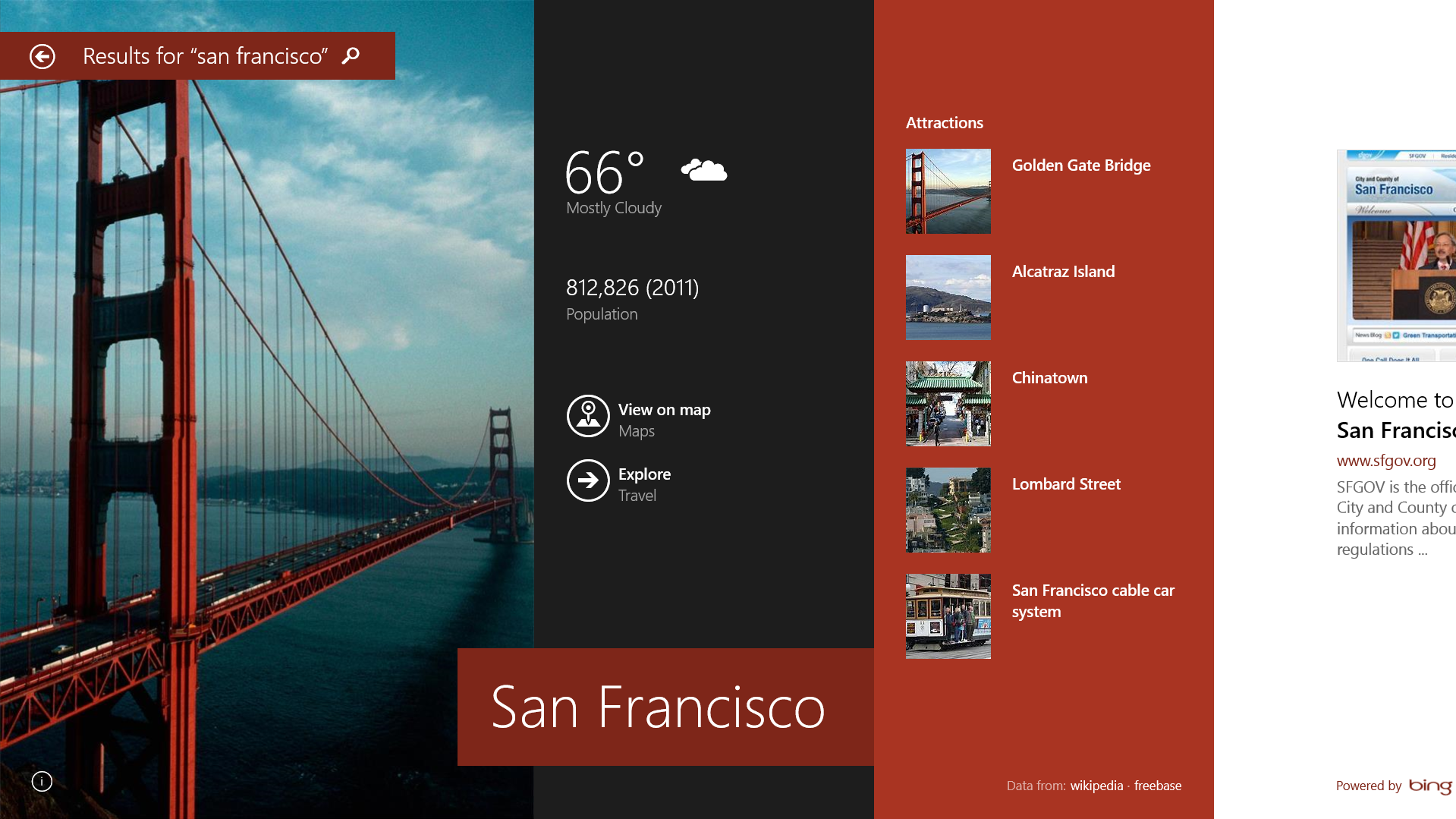
Another marquee feature of Windows 8.1 is the new search tool. As Microsoft previously revealed, the built-in search tool can now look for way more than files and settings. Instead, it’s now a universal search tool that looks for results on the web (using Bing), your hard drive, SkyDrive, inside your documents and in apps that support this feature. The search charm will, for example, show you results from the revamped Xbox Music service and let you play songs right from the search results. When you open the search results, you can also immediately find links to related Wikipedia entries, see images and, if relevant, nearby attractions, upcoming events and an artist’s songs, albums and similar info.

Here is what this looks like:

Windows Store Apps: Up To 4 Side-By-Side

The other major change in Windows 8.1 is that when you use two Windows Store apps (previously known as Metro or Modern UI apps) side-by-side, you can now resize these windows at will. Previously, you could only choose between relegating one app to a sidebar and having the other fill the rest of the screen. The other issues with Windows 8 and Store apps was that you could only see two of them at a time and if you had a second screen, these apps were stuck on one screen only. Now, Windows Store apps can take over all of your screens and you can see up to four per screen if your resolution is high enough. The general rule is one app for every 500 pixels of screen width. This is one of the many Windows 8. 1 features Windows 8 should’ve had right from the beginning, but it’s good to see that Microsoft has finally added this now.

Skydrive Everywhere (With Better Photo Editing)

For Windows 8.1, SkyDrive is the cloud. This new version deeply integrates SkyDrive, so you don’t need a separate app for syncing your files with SkyDrive anymore. Many of your PC’s settings are also now stored on SkyDrive, so when you log in to a new PC, everything should quickly feel at home.

It’s worth noting that not every file is automatically synced to every device. Most files will only be available after you have opened them on a given machine.

One feature Microsoft has also added to the SkyDrive app in the Windows 8.1 Preview is basic photo editing with filters and a smart color enhancement feature that lets you pump up the color of the sky or grass in an image.

Updated Settings Menu

Here is another annoyance Microsoft fixed: previously, when you wanted to switch certain settings on your PC, there was also quite a bit of confusion about which settings were available through the modern UI and which would invoke the old-school Windows 7-like settings windows on the desktop. In Windows 8.1, Microsoft has finally consolidated virtually all the settings you would regularly need in a settings menu in the modern UI mode. From there, you can manage everything from keyboard and Bluetooth settings to how you want to set up your multi-screen desktop and handle SkyDrive syncing with your PC.

Windows Store Now Focuses on Discovery, Not Categories, Takes Away Install Limits

With this update, Microsoft is also introducing a redesigned Windows Store, and apps you buy from the store now automatically update when a new version arrives (this is on by default, but you can always turn it off, too). The new store isn’t focused on categories anymore but now stresses app discovery and recommendations. When you open the store, the first thing you will see, however, is an editorial selection of some of the most interesting new apps according to Microsoft. As you scroll to the right, though, you begin to see personalized recommendations (powered by Bing), lists of popular apps and new releases. Finally, the standard lists of top free and paid apps are displayed. You can still get to the categories view by swiping down from the top of the screen (or right-clicking).

With Windows 8.1, Microsoft is bringing the Windows Store to 70 new markets, which takes the total to 191, and it’s also introducing gift cards for loading up your Windows accounts in 41 markets.

With this update, Microsoft is also removing the previous five-device limit of how many devices you could install a given app on. Instead of enforcing a strict limit, Microsoft now uses its fraud detection algorithms to detect cheaters.

Other Updates

There are obviously plenty of other updates in Windows 8.1 Preview. There’s a new Xbox Music experience with a focus on your music collection and a Pandora-like radio feature, new apps for cooking and fitness and numerous other smaller updates. Internet Explorer 11, for example, isn’t a major revamp of the browser, but you can now open an infinite number of tabs, and bookmarks sync between all of your Windows devices and can even include nested favorites. The Mail app now features automatic filtering for newsletters, shortcuts for finding emails from your favorites and the sweep feature that Outlook.com users are already used to.

Another cool feature in Windows 8.1 is “reading lists,” which let you bookmark virtually anything from within apps or a browser that you want to get back to later.

The lock screen now functions as a personalized picture frame when you are not using the computer and you can answer Skype calls right from the lock screen without having to sign in.

What Windows 8 Should Have Been

After having spent some time with the Windows 8.1 Preview on a Surface Pro now, it definitely feels like a very robust system already. It’s a shame that many of the features Microsoft is introducing now weren’t in Windows 8 already.


26 Jun 19:34

Official Facebook and Flipboard apps coming to Windows 8

by Tom Warren
Facebookwin81_640_large

Microsoft's Windows 8 operating system is about to get some big name apps: Facebook and Flipboard. During a private session at Build on the upcoming Windows 8.1 update, Microsoft revealed the existence of both applications on an 8-inch Acer device. A company spokesperson confirmed to The Verge that the apps are official and coming to Windows 8, and Steve Ballmer announced both apps onstage at Build today. Speaking about Facebook, the CEO said the social network has long focused on connecting people across all platforms and the new app "is an exciting way to enhance that vision." Unfortunately he provided no details on when we can expect either Flipboard or Facebook, but he did tease a new NFL Fantasy Football app as well.

Continue reading…

26 Jun 19:33

Pure Android: Samsung Galaxy S4 and HTC One 'Google Play editions' review

by Dieter Bohn
Gs4-one-google-play-edition-verge-p2-2-hero_large

The Android device story has followed a predictable pattern for the past few years: Samsung, HTC, LG, and Sony release top-tier hardware to carriers the world over, with their own proprietary software layered over Android. Google, meanwhile, partners with one of those companies to release a Nexus phone running “pure” Android software, usually without carrier support and usually on hardware that doesn’t feel quite up to snuff.

This year, two flagship phones, the Galaxy S4 and the HTC One, represent the pinnacle of Android hardware. They seem to have everything you could ask for: fast processors, gigantic and beautiful screens, LTE, and (mostly) great hardware design. But like their predecessors, they also come with a lot of extra...

Continue reading…

26 Jun 16:12

Only clear skies on Google Maps and Earth

by Emily Wood
To celebrate the sunny days of summer (in the northern hemisphere at least), today we're launching new satellite imagery for Google’s mapping products. This stunning global view is virtually cloud-free and includes refreshed imagery in more locations—giving you an even more accurate and comprehensive view of our planet's landscape.

The new, even more beautiful global view in Maps and Earth.

Our satellite imagery is usually created like a quilt: we stitch together imagery of different parts of the world. Using a process similar to how we produced the global time-lapse imagery of the Earth, we took hundreds of terabytes of data from the USGS's and NASA’s Landsat 7 satellite—sometimes dozens of photos of a single spot in the world—and analyzed the photos to compute a clear view of every place, even in tropical regions that are always at least partly cloudy.

The result is a single, beautiful 800,000 megapixel image of the world, which can be viewed in Earth and Maps when you're zoomed out to a global view. This global image is so big, if you wanted to print it at a standard resolution of 300 dots per inch you’d need a piece of paper the size of a city block! This image is then blended into our highest resolution imagery, giving a beautiful cloud-free global view and detailed images in the same seamless map.

Central Papua, Indonesia: before and after.

This update also includes refreshed imagery in many regions of the world, especially in areas where high-resolution imagery is not available, including parts of Russia, Indonesia and central Africa.

Saudi Arabia: before and after, showing increased agricultural expansion

You can see the new satellite imagery by going to Google Maps and turning on satellite view, or by opening Google Earth, and zooming out. And to read more about what went into creating this imagery, check out our detailed post on the Lat Long blog. Have fun exploring!

Posted by Matt Hancher, Tech Lead, Google Earth Engine
26 Jun 16:08

Retailers weigh in on Sony Xperia Z Ultra

by Alex Dobie

Xperia Z Ultra.

Phones 4u confirms plans to stock device in the UK, Amazon.de pre-order pricing appears

Following yesterday's global announcement, we're starting to hear details of retailers' plans for Sony's latest smartphone/tablet hybrid, the Xperia Z Ultra. The 6.44-inch beast will be offered through Phones 4u, the retailer has confirmed, making P4u the second major UK player to hop aboard Sony the Z Ultra train. Yesterday Three UK said it'd carry  the device upon release.

Meanwhile the first SIM-free prices are starting to emerge, and Amazon Germany is listing the device for pre-order at €679 (£575, $884). An eye-watering European pre-order price isn't entirely unexpected considering the phone's laundry list of high-end specs. The Ultra includes Qualcomm's latest Snapdragon 800 chip, a new "Triluminos" 1080p display from Sony, waterproof and dust-resistant credentials and a glass-backed chassis. A €679 or £575 launch-day price would put Sony's latest on equal footing with the Samsung Galaxy S4, which launched at £579.99 in the UK.

A global launch is scheduled to take place sometime in Q3, but there's no firm release date just yet. If you're not yet acquainted with the Sony Xperia Z Ultra, check out our hands-on impressions from yesterday's launch event.

More: Xperia Z Ultra hands-on

Source: Amazon.de via: XperiaBlog, Phones 4u


26 Jun 12:18

The Best Gmail IFTTT Recipes

by Thorin Klosowski

The Best Gmail IFTTT RecipesGmail and If This Then That are already two of our favorite services. When you combine the two together they become seriously powerful. Here are a few of our favorite IFTTT recipes that make Gmail even more awesome.

One of the things we've always loved about Gmail is how easy it is to beef it up and turn it into a powerful email app if you want to. When you hook Gmail into the amazing IFTTT, then the magic really happens.

Add Email Receipts to a Google Drive Spreadsheet

The Best Gmail IFTTT Recipes

If you need to keep track of your online purchases, then this IFTTT recipe is one of the best. It scans your inbox, and any time it finds a receipt, it automatically adds it to a Google Drive spreadsheet so you can easily keep track of your purchases.

Send Attachments to Dropbox or Evernote

The Best Gmail IFTTT Recipes

If you get a lot of attachments in your Gmail, but you don't really use Google Drive, then it's kind of a pain to manually get those attachments over to a service you actually use. So, with either the Gmail to Dropbox or Gmail to Evernote recipes you can send all attachments to the service of your choice automatically as they come in.

Send Starred Emails to Evernote

The Best Gmail IFTTT Recipes

If you like to star important emails so you follow up on them later and you're an Evernote user, then this recipe is what you need. When you star an email, it creates a note in Evernote so you can work on it there. This way you'll actually follow up on it.

Leave a Transcribed Note to Yourself in Gmail

The Best Gmail IFTTT Recipes

Are you the type to leave audio "notes to self?" If so, then the note to self recipe is incredibly handy. With it set up, you just call the number, leave your message to yourself, and the message is transcribed and put in your Gmail inbox.

Use Gmail to Find Your Phone

The Best Gmail IFTTT Recipes

Losing your phone when you're alone sucks. This find my lost phone recipe leverages your Gmail account to send a text message to your phone so you can hopefully find it quickly.

Remind Yourself to Review Starred Emails

The Best Gmail IFTTT Recipes

If you use the starring feature in Gmail as a reminder to follow-up on emails, then this recipe that reminds you to actually follow up on those emails once a day is incredibly helpful. Just make sure you unstar as you complete them.

Get SMS Alerts from Specific Email Addresses

The Best Gmail IFTTT Recipes

If you don't want to turn on push notifications (or you just don't have a smart phone), but still need to get alerts when certain people email you, then this specific gmail sender to SMS recipe is great. With it set up, you'll get a text message when an important contact emails you. It's pretty handy for someone like your boss, or if you're waiting for a specific email.

Turn Emails into Calendar To-Dos with a Label

The Best Gmail IFTTT Recipes

If you use your Google Calendar as a makeshift to-do list, then this recipe that turns any email message labeled as "todo" into an event on Google Calendar is a must have. It's simple, but it's really effective for organization.

Turn Starred Emails Into Todo.txt Items

The Best Gmail IFTTT Recipes

Alternately, if you're more of a todo.txt fan, then the append starred emails to todo.txt recipe created by former Lifehacker writer Kevin Purdy is likely up your alley. When you star an email, IFTTT appends a note onto a todo.txt file that's in your Dropbox as an easy reminder.

Automatically Add Reservation Emails to Your Calendar

The Best Gmail IFTTT Recipes

Make a lot of reservations with a service like Open Table? This recipe takes those reservation confirmation emails from Gmail and automatically turns them into Google Calendar events for you.

25 Jun 23:16

Digg Reader Is Now Open

by Jordan Crook
Screen Shot 2013-06-25 at 5.20.34 PM

Exactly one week before Google Reader shuts down entirely, Digg has opened up access to the Digg Reader beta. To celebrate this momentous occasion, we sat down with General Manager Jake Levine and President Andrew McLaughlin to discuss the details of the product, as well as the long-term roadmap.

Digg now has two main products, which reach entirely different content consumers. Digg is a passive-consumption experience — you head over to Digg.com and check out 50-80 of the biggest stories of the day with no work required on your part. With Digg Reader, the company is going after power consumers who don’t mind putting in a little effort to build their feeds.

But Digg and Digg Reader are only pieces of a larger puzzle, McLaughlin explained to me. Eventually, the data sourced from Digg Reader will allow for a consumption experience with all the personalization and customization of a reader, but without all the work.

But before the middle ground can be found, the team is focused on perfecting the Digg Reader experience, and that involves speed. According to Levine, speed and reliability — “the invisible things that you don’t see” — were the biggest challenges in developing the product.

After all, Google had a massive, powerful infrastructure to power their Reader, and Digg wants users who are transitioning to have a similarly snappy experience.

But they don’t want to just be as good as Google. They want to be better. For now, that means tweaking and iterating the Popular Sort, which scores the last thousand or so items across a number of factors to determine what is the most popular content at that given time.

Eventually, that will extend into what’s popular within your social circles, or over a given period of time, or in a particular location.

However, Digg Reader is missing one thing that Google Reader has: Search. According to McLaughlin and Levine, it’s still undecided whether or not Search (which will be added to the service eventually) will be part of the premium product or the free version.

“Search isn’t something that the majority of people use, but those who use it find it to be very important,” said Levine. “We haven’t decided if we’ll make it part of the premium product, but it’s entirely possible since it’s one of the more expensive features we’ll be adding. We’re toying with the idea of having pricing line up with costs.”

Luckily, Digg Reader has the power of betaworks behind it, which includes a number of resources from other content-focused companies like bit.ly, Instapaper, and Tapestry. However, when integrating with other services, Digg Reader plans to stay neutral.

“We want to be neutral,” said McLaughlin. “We’ll treat Pocket and Readability and Flipboard all the same as we do Instapaper. We won’t play favorites with our API.”

With the death of Google Reader, Digg isn’t the only player stepping up to bat. According to the team, the biggest competitors to watch are Feedly, Reeder, and Flipboard. “Even though it’s different, it’s still trying to serve active consumption,” said McLaughlin.

One note taken out of the Flipboard playbook is the ability to sign in to your subscriptions (like with the NYT and WSJ) and see that content in full within the stream. That’s something the Digg Reader team is highly interested in, as well as keeping ad-based publishers happy. But in the end, they believe that the premium product will pay for itself.

Digg Reader beta is open now, but will roll out slowly to ensure a great experience for users. The team is also launching an iOS app alongside today’s desktop launch, and an Android app will be available in the next three to four weeks. You can sign up now here.


25 Jun 23:15

BitTorrent Would Really Like Everyone To Stop Suggesting It's Being Used For Piracy

by Anthony Ha
matt mason

At this point, you’ve probably read about how popular Game of Thrones is on BitTorrent — and there’s at least one article calling the show “the once and future king of BitTorrent.” Well, it sounds like BitTorrent, the company developing the open source file-sharing protocol of the same name, is getting a bit tired of the coverage.

In a just-published blog post, the company’s vice president of marketing, Matt Mason (pictured), argues that it’s inaccurate to talk about a BitTorrent piracy record, because “piracy happens outside the BitTorrent ecosystem”:

We don’t host infringing content. We don’t point to it. It’s literally impossible to “illegally download something on BitTorrent.” To pirate stuff, you need more than a protocol. You need search, a pirate content site, and a content manager. We offer none of those things. If you’re using BitTorrent for piracy, you’re doing it wrong.

These so-called “records” are presumably based on numbers from pirate websites that have no affiliation with BitTorrent, Inc. If they’re corroborated using data from pirate websites, they’re “Internet Piracy Records”. They’re not “BitTorrent Piracy Records”.

I asked company spokesperson Christian Averill if the company is just trying to distinguish between BitTorrent the technology and BitTorrent the company. He said it’s more than that:

The piracy itself is happening outside of the protocol. The technology is exploited as part of [the] technology stack used for piracy. As such, it is only the pipes that content moves through. You can not rip a DVD with BitTorrent technology and there is no infringing content hosted on BitTorrent and pirated content is not promoted on BitTorrent.

Why is the company getting worked up about this? Probably because it’s increasing efforts to work with artists, labels, and other content companies on legal ways to promote and, eventually, monetize their work. (Last month we wrote about how the company is trying to “productize” these efforts through the BitTorrent Bundle.) Having its name constantly associated with piracy probably isn’t the most helpful thing for those discussions.

On that front, Mason notes that the show that’s supposed to have set the piracy record is the Game of Thrones season premiere, which was downloaded by 5.2 million people worldwide. (Actually, Mason refers to the finale, but I’m pretty sure he actually means the premiere.) However, he said that the show Epic Meal Time, which was shared legally on BitTorrent as a bundle, has been downloaded 8,626,987 times, making it “the real king of BitTorrent.”

Still, I’m guessing that changing the way people frame the discussion around piracy and BitTorrent is going to be a pretty steep uphill climb.