Shared posts

25 Jun 23:13

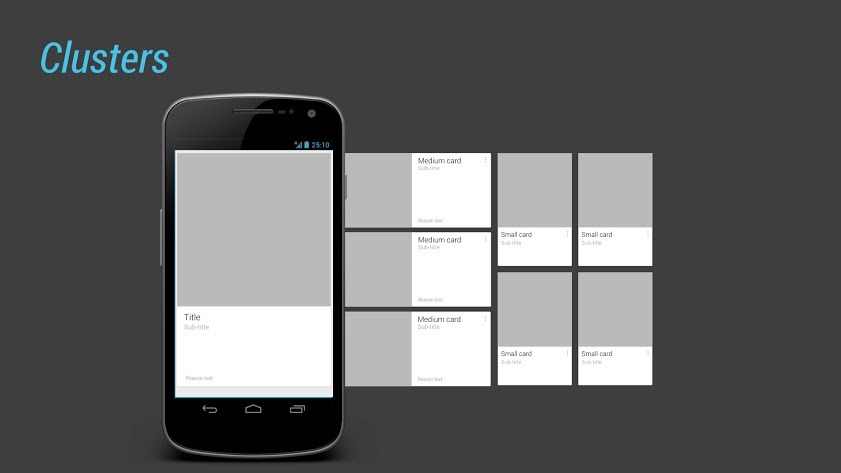
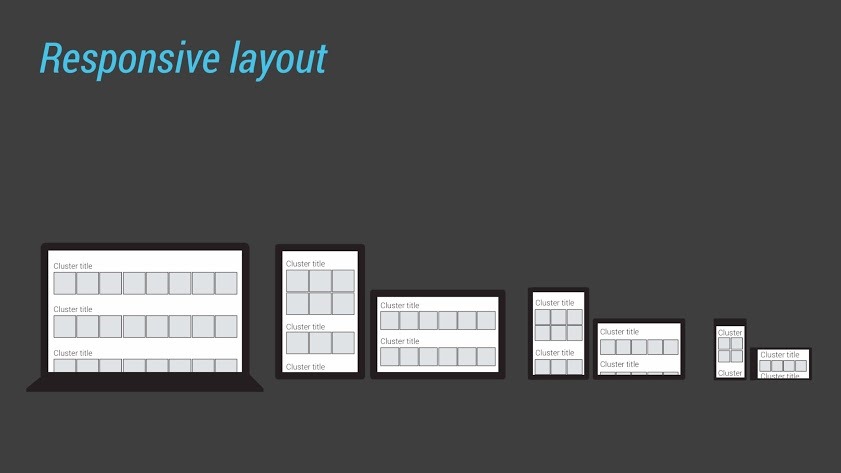
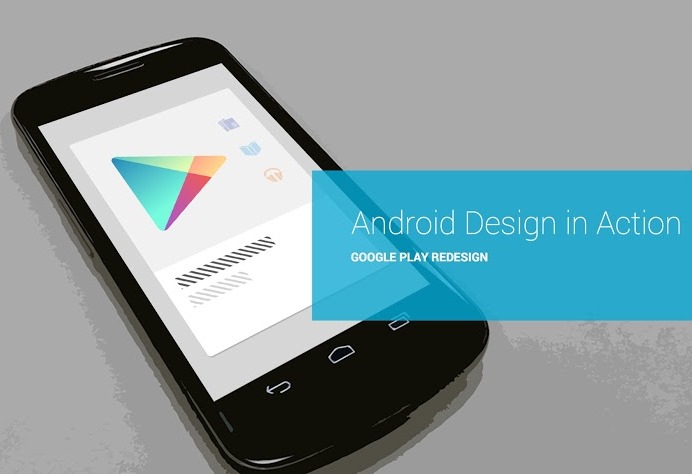
[Video] Learn About The Redesign Of The Google Play Suite Of Apps From Android Design In Action

by Cody Toombs

titlecard_empty

As Android users and enthusiasts, we sometimes find ourselves curious about the continuously evolving interfaces in Google's ecosystem. Over the years, there have been a number of changes to the Play Store, once known as the Android Market, but we've never had the pleasure of learning how some of the big design elements came to be. This week, Nick Butcher and Roman Nurik of Android Design in Action invited a couple members of the Android design team, Marco Paglia and Owen Otto, to share details about their process.

130621_designInAction.041-001

130621_designInAction.002-001130621_designInAction.031-001130621_designInAction.035-001

The video contains a few tips and comments about building a content-driven interface for several different screen sizes and how to make the best of each.

Done With This Post? You Might Also Like These:

[Video] Learn About The Redesign Of The Google Play Suite Of Apps From Android Design In Action was written by the awesome team at Android Police.


25 Jun 19:58

Weekly update: June 24-30

image

Good news everyone. It looks like we can finally show some result of what we have been doing for the last couple of months, namely our mobile API. We have been running it on our test server for a week, gathered some initial feedback from several awesome mobile developers, and we think it’s now ready to be tested by the general public.

What does it mean to you? It means that there is now technical possibility to use The Old Reader with your favorite RSS app.

You can already try The Old Reader in Feeddler – free version already supports it, and the Pro version should get updated any time soon. Kudos to Che-Bin Liu for being extremely helpful in testing the API and getting Feeddler integrated so fast.

The documentation for the API is available in a separate github repo. It’s not the best piece of docs we’ve ever seen, but it seems to cover the basic use cases. You are welcome to improve it, just send us a pull request with your adjustments. Please note that even though you can use API both via http and https, we highly encourage you to use https for security reasons.

If you find any bugs or feel that something is not working as expected, please feel free to create a github issue or contact us at api@theoldreader.com.

And last, but not least, spread the word. Let the developer of your favorite RSS app know about The Old Reader API, and ask them to get integrated. We would really like to see more and more apps working with the site bringing native mobile experience to the users of all platforms.

(poster generated by The Keep Calm-O-Matic)

25 Jun 19:50

Tired of the ‘War on Piracy’, Adobe Hopes to Turn Pirates into Customers

by Ernesto

adobe-piracyThe Anti-Piracy and Content Protection Summit currently taking place in Los Angeles has revealed some interesting attitude changes among content creators.

Yesterday we covered comments from Warner Bros’ Chief of Anti-Piracy Operations David Kaplan, who said that the movie studio is now viewing piracy as a proxy for consumer demand. Based on this belief, the company is adjusting its legal offerings to better compete with unauthorized consumption.

Warner’s comments imply that copyright holders themselves can take significant steps to decrease online piracy by looking at what consumers really want. This position is also being embraced by Adobe, which has resulted in major changes to the computer software company’s anti-piracy policies.

In a teaser for the summit, Richard Atkinson, Adobe’s Corporate Director of Worldwide Anti-Piracy, says the company now takes a more positive approach to solving piracy. Instead of hammering on enforcement, Adobe is now focusing on converting pirates into paying customers.

“The strategy and concept of moving from traditional ‘enforcement-led anti piracy’ to a ‘business-focused pirate-to-pay conversion program’ is a BIG change, needing changes to operational elements as well as cultural elements,” Atkinson explains.

According to Atkinson the public has grown weary of the age-old war on piracy and awareness campaigns telling them not to steal.

“Everyone is tired of the entire concept and term ‘Anti-Piracy’, even the term ‘Content Protection’ too. It feels like an ongoing war that has been going on for 20+ years… with the same old good-guy vs bad-guy battles,” Atkinson notes.

Adobe’s Anti-Piracy Chief stresses that piracy is a problem that’s in part created by businesses, and that these same businesses hold the keys to solving it.

There are no breakthrough technologies that can help to reduce piracy according to Atkinson. Similar to Warner Bros., the company believes that they can make most progress by trying to understand why people pirate, and come then up with competing products.

“The core fundamental aspect is not necessarily technology… it is UNDERSTANDING what is really going on. In my years working in this space, I have consistently found that very few people actually have FACTS about what is going on.”

“Once you have the facts, then it will change your beliefs and your actions,” he adds.

One of the results of Adobe’s new strategy is the shift away from boxed products and towards a cloud-based subscription model. The company recently launched their Creative Cloud, which aims to make Photoshop and other products more affordable to the public.

The company believes that by spreading out the costs their products will become accessible to a larger group of consumers, hopefully converting some pirates into paying customers along the way.

“I do not think people who pirate our software do it because they are bad people, or because they like to steal things. I just think that they decided that they can not afford it,” Adobe’s David Wadhwani said earlier this month when the Creative Cloud launched.

It’s refreshing to see how Adobe, Warner Bros. and other companies are changing their attitudes towards piracy. While there’s no doubt that enforcement against commercial infringers will remain high on the agenda, the realization that waging war with potential consumers is not the way to go is a healthy one.

Source: Tired of the ‘War on Piracy’, Adobe Hopes to Turn Pirates into Customers

25 Jun 16:51

Transparency Report: Making the web a safer place

by Emily Wood
Two of the biggest threats online are malicious software (known as malware) that can take control of your computer, and phishing scams that try to trick you into sharing passwords or other private information.

So in 2006 we started a Safe Browsing program to find and flag suspect websites. This means that when you are surfing the web, we can now warn you when a site is unsafe. We're currently flagging up to 10,000 sites a day—and because we share this technology with other browsers there are about 1 billion users we can help keep safe.

But we're always looking for new ways to protect users' security. So today we're launching a new section on our Transparency Report that will shed more light on the sources of malware and phishing attacks. You can now learn how many people see Safe Browsing warnings each week, where malicious sites are hosted around the world, how quickly websites become reinfected after their owners clean malware from their sites, and other tidbits we’ve surfaced.


Sharing this information also aligns well with our Transparency Report, which already gives information about government requests for user data, government requests to remove content, and current disruptions to our services.

To learn more, explore the new Safe Browsing information on this page. Webmasters and network administrators can find recommendations for dealing with malware infections, including resources like Google Webmaster Tools and Safe Browsing Alerts for Network Administrators.

Posted by Lucas Ballard, Software Engineer
25 Jun 16:42

Google Reader Is Shutting Down; Here Are the Best Alternatives

by Whitson Gordon

Google Reader Is Shutting Down; Here Are the Best Alternatives

Google is closing Google Reader's doors on July 1st, meaning you'll need to find a new way to get your news fix. Here's how to export all your feeds and put them into a new reader (and which ones you should check out).

Step One: Export Your Google Reader Data

Google Reader Is Shutting Down; Here Are the Best Alternatives

Before you do anything else, you should save all your Google Reader subscriptions now. According to Google, you won't be able to to this after Reader shuts down, so do it now while you still can!

  1. Head to Google Takeout's Reader page and click the Create Archive button. It'll start building a file with all your feeds, the people you follow, starred items, and more (though most of these won't be importable to other sites).
  2. Once it's finished building, click the Download button that appears to get your subscriptions.
  3. Open up the ZIP file you just downloaded and go through the folders inside. Inside the "Reader" folder, you should see a file called subscriptions.xml. Extract that to your desktop. This is the file that contains all your subscribed feeds.

Save this file in a safe place while you hunt for a new RSS reader, since you may need it more than once!

Step Two: Find a New RSS Reader

Google Reader uses a tool called RSS to subscribe to web sites, and there are actually a ton of other RSS readers on the internet. After the shutdown announcement, a ton of awesome readers have come out of the woodwork and improved their offerings, so there's something for just about everyone. Here are some of our favorites.

For the App Lovers: Feedly

Google Reader Is Shutting Down; Here Are the Best Alternatives

Feedly (iOS/Android/Web) is by far the most popular Google Reader alternative, and with good reason. It has a clean, beautiful interface that you can tweak to work almost exactly like Google Reader—just prettier. It offers a ton of other views, though, so if you prefer a newspaper-like interface or an image-centric view. They've been adding new features like crazy since Google Reader's death announcement, including a new syncing service (that syncs with popular apps like Reeder and gReader), an extension-free webapp, recommendations and keyboard shortcuts, and more. If you want to use the service that everyone else will be using—and that will sync with the most apps—Feedly is the service you want.

For the Desktop Reader Enthusiast: NewsBlur

Google Reader Is Shutting Down; Here Are the Best Alternatives

NewsBlur (iOS/Android/Web) is a web-based feed reader that looks and feels a bit more like a desktop reader. You can see stories on the original site, create categories and tags that help highlight the stories you want most, and even create a "Blurblog" of all your favorite stories for others to read. NewsBlur is Free for up to 64 sites, but you can pay $24 a year for a premium account that gets you unlimited sites, more frequent updates, and more. If you're worried about another free service shutting down like Reader did, ponying up a bit of cash could get you a bit of extra security in NewsBlur.

For the Social: The Old Reader

Google Reader Is Shutting Down; Here Are the Best Alternatives

The Old Reader (Web) was built when Google Reader originally shut down its social features. It aims to be what Google Reader used to be: A simple, web-based RSS reader with lots of great sharing features. Its interface should look very familiar, so if you're a Google Reader purist—especially when it comes to the pre-Google+ Reader—The Old Reader might be for you.

For What the Crowd Is Reading: Digg Reader

Google Reader Is Shutting Down; Here Are the Best Alternatives

Digg Reader (Web/Android) isn't available just yet, but social news site Digg has been working on a much-anticipated RSS reader for awhile. Like Feedly, Digg's reader takes the familiar Google Reader interface and cleans it up a bit, with a few added features like Instapaper sharing, Digg integration (duh), and a "Popular" filter that shows you which articles in your feeds are trending right now. It's still in the very early stages, but it looks pretty solid.

For the Minimalist: Newsvibe

Google Reader Is Shutting Down; Here Are the Best Alternatives

Newsvibe (Web) is for those tired of RSS readers that try to do it all. If all you want is a simple, clean way to read your favorite sites—without all the social features, app integration, and other clutter—Newsvibe is a fast, free, and sparse alternative.

For the Visual Reader: Pulse

Google Reader Is Shutting Down; Here Are the Best Alternatives

Pulse (iOS/Android/Web) takes a different approach to RSS reading. Instead of trying to imitate Google Reader or follow the traditional RSS paradigm, Pulse turns your feeds and articles into a visual, image-driven feed, and pushes the stories it thinks you'll like to the top. If you're a bit more visual, Pulse may be just your speed.

For the Do-It-Yourself Folks: Tiny Tiny RSS

Google Reader Is Shutting Down; Here Are the Best Alternatives

Tiny Tiny RSS (Android, Web) is slightly different from the above options. Instead of signing up for a service and depending on them to sync your feeds, you install Tiny Tiny RSS on your own web server or hosting service. You then have your own syncing RSS reader that runs on your terms, and won't get shut down because some company has deemed it unprofitable. It takes a bit of work to set up, but once you get it going, it works great—and has its own Android app too. If you don't want the Google Reader heartbreak to happen to you again, Tiny Tiny RSS will make you happy.

For Everyone Else

These are far from the only readers out there, but they're the most popular ones, and the ones we'd recommend checking out first. Of course, if you want something different, there's surely something that'll satisfy you. iGoogle fans will love NetVibes. Skimmers should check outSkimr, and picky readers can filter content withCurata. Aol even has a stylish newRSS reader. Desktop users can try something like FeedDemon, Reeder, or even Outlook. When we asked you about your favorite readers, a lot of you even mentioned that you've given up RSS and instead follow their favorite sites on Twitter and Google+, so that's an option as well. Whatever your needs, you're sure to find something out there that works for you.

Still haven't found something you like? Check out this huge list of Google Reader alternatives.

Step Three: Import Your Google Reader Feeds

Google Reader Is Shutting Down; Here Are the Best Alternatives

When you've found a reader you want to try out, sign up for an account and import your feeds. This will vary from service to service—a few, like Feedly, might just let you sign in with your Google account to transfer your subscriptions. For most, though, you'll need to do something like this:

  1. Open up your new feed reader of choice and head into its settings.
  2. Find the Import option. This will be in a different spot for every reader, but most should have an option to import feeds using an "OPML" file—this is the file you downloaded from Google Reader earlier.
  3. Select the import option, and choose the subscriptions.xml you extracted from Google Takeout. All of your feeds should appear in your new reader.

This won't import your starred items or know which articles you've already read on Google Reader, but at least you'll still have all your subscriptions. Try out that reader for a few days and if you don't like it, sign up for a different one and re-import your feeds. As long as you keep that subscriptions.xml file saved in a safe place, you should be able to try as many readers as you want, even after Google Reader shuts down.

You've still got one week to figure out which RSS reader you want to move to, so by the time Google Reader shuts down, you should be ready to keep reading news without skipping a beat. In the meantime, join us in the discussions below and share your favorite non-Google RSS reader.

Title image remixed from MARSIL (Shutterstock) and sspopov (Shutterstock).

25 Jun 16:37

NYT columnist on Snowden story: I'd "almost arrest" Greenwald; NBC host: he "aided and abetted"

by Xeni Jardin
On his Sunday politics/media talk show Meet the Press, host David Gregory asked Glenn Greenwald, “To the extent that you have ‘aided and abetted’ [Edward] Snowden, even in this current movement, why shouldn’t you, Mr. Greenwald, be charged with a crime?”

One day later, New York Times financial columnist and author Andrew Ross Sorkin made the strange claim that'd he "almost arrest" Greenwald as well. [Update: Sorkin apologized, Greenwald accepted, live hug-cast at 6 on your local news channel.]

Trevor Timm of Freedom of the Press Foundation writes : "Anytime journalist X says "prosecute journalist Y," it becomes instantly clear journalist X can be charged under the same or very similar theories."

Meanwhile, government documents obtained by McClatchy newspapers show how some government agencies are using the Obama administration's broad approval of leak crackdowns to pursue unauthorized release of any information, not just "classified" or "secret" leaks. But the new government narrative is clear: to leak is to spy.

They also show how millions of federal employees and contractors must watch for “high-risk persons or behaviors” among co-workers and could face penalties, including criminal charges, for failing to report them. Leaks to the media are equated with espionage. “Hammer this fact home...leaking is tantamount to aiding the enemies of the United States,” says a June 1, 2012, Defense Department strategy for the program that was obtained by McClatchy.


25 Jun 13:46

Experience stunning new heights with Street View in Dubai

by Emily Wood
What does it feel like to stand on top of the tallest building in the world? To give you a better sense of how that may feel, we took Street View to the Burj Khalifa in Dubai, our first-ever collection in the Arab World. Described as a “vertical city,” the Burj Khalifa is the world’s tallest manmade structure, towering over the Dubai skyline at 828 meters (2,717 ft).


This is the first time we’ve captured a skyscraper on Street View—making Google Maps even more comprehensive and useful for you. The imagery was collected over three days using the Street View Trekker and Trolley, capturing high-resolution 360-degree panoramic imagery of several indoor and outdoor locations of the building.

In addition to the breathtaking views from the world’s tallest observation deck on the 124th floor, you can also see what it feels like to hang off one of the building’s maintenance units on the 80th floor, normally used for cleaning windows!


Visit the highest occupied floor in the world on the 163rd floor, experience being in the fastest-moving elevators in the world (at 22 mph) and check out the highest swimming pool in the world on the 76th floor.

Even if you’re afraid of heights, we hope you enjoy the view from the top! To see highlights from the Burj Khalifa Street View collection, visit www.google.ae/streetview.

Posted by Tarek Abdalla, Head of Marketing - Middle East & North Africa, Google
25 Jun 13:46

New Google Groups now available to everyone

by The Gmail Team
Posted by Ryan Falor, Product Manager, Google Groups

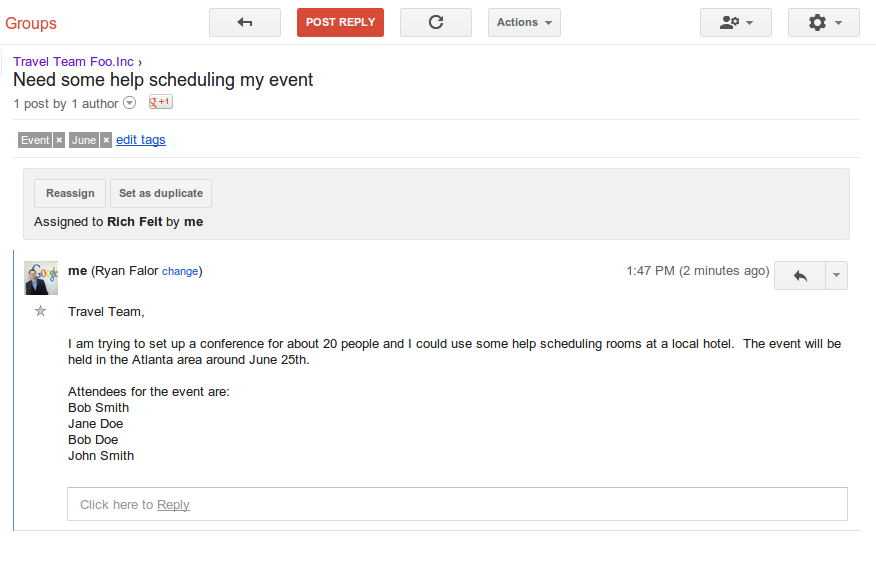
With Google Groups, you can manage a mailing list, coordinate with your social club, and find experts who share your interests. Over the last year we have been working on improving the experience and adding new features while keeping our old version running.

Today we’re retiring the old version and excited to be bringing the new Google Groups to everyone. If you haven’t tried Groups in a while you’ll notice improved options for managing your groups and long time users may be surprised by all the features we have added along the way.

One of the recently improved features is the ability to create an inbox that allows you to collaboratively share, distribute and track responsibilities with others. Imagine you and a few friends are organizing an event for your school and want a single email address to coordinate with vendors, parents, and volunteers. Members of the group can work together to manage email, assign items to each other, and mark items resolved. This can be a great feature for teams seeking a really simple way to get things done without sharing passwords or losing track.
Additionally, there are several new moderation tools to make managing your forum easier and faster. For example, you can now use canned responses in forums and use streamlined options to make moderating forum posts easier. And if you are on the go, you can browse and moderate your groups with our mobile website.

You can learn more about the new Google Groups in the help center.

25 Jun 13:46

From Sutton Hoo to the soccer pitch: culture with a click

by Emily Wood
Museums, libraries and galleries are a tourist staple of the summer holiday season. Often they’re the first place we head to when visiting a new city or town in order to learn about the heritage of that country. Though only a lucky few have the chance to travel to see these treasures first-hand, the Internet is helping to bring access to culture even when you can’t visit in person.

At the Google Cultural Institute, we’ve been busy working with our partners to add a range of new online exhibitions to our existing collection. With more than 6 million photos, videos and documents, the diversity and range of subject matter is large—a reflection of the fact that culture means different things to different people. What the exhibitions have in common is that they tell stories; objects are one thing but it’s the people and places they link to that make them fascinating.

The British Museum is the U.K.’s most popular visitor attraction and the 4th most visited museum in the world. It’s well known for housing one of the most spectacular archaeological discoveries ever made—the 1,400 year old Anglo-Saxon burial from Sutton Hoo, untouched until its discovery in 1939. Their online exhibition “Sutton Hoo: Anglo-Saxon ship burial” explores the discovery of the ship, featuring videos of the excavation and photos of the iconic helmet and a solid gold belt buckle. All this tells the story of how the burial and its contents changed our understanding of what Anglo-Saxon society was like.


From archaeology we take you to sport, which is integral to the culture of many nations, including Brazil. In the lead-up to Brazil's hosting of the 2014 World Cup, the Museu do Futebol has told the story of how the “beautiful game” came to Brazil. The photos, videos and posters in “The Game and the People” track the social impact of the sport and its transition from a past time for the wealthy (with their pleated pants and satin belts) to the modern game.

Science remains a perennially fascinating topic and the Museo Galileo in Italy has put together a series of three exhibitions looking at the link between art and science. The Medici Collections, the Lorraine Collections and the Library Collections examine the beginnings of science and technology 500 years ago and chart developments from the discovery of the sun dial to the Google Maps of today. As well as being informative, the exhibitions include beautiful objects such as the Jovilabe, which was used to calculate the periods of Jupiter’s moons.


So if broadening your cultural horizons through travel isn’t in the cards this summer, settle down in your armchair and browse through through some of the world’s heritage and history online. Keep up to date with new material on the Cultural Institute Google+ page.

Posted by James Davis, program manager, Google Cultural Institute
25 Jun 13:40

EU court says Google doesn't have to delete sensitive data from search results (update)

by Matt Brian
Google-logo-stock-21_2040_large

The Advocate General at the European Court of Justice has said that Google should not have to delete sensitive information from its search results. In a statement published today, EU adviser Niilo Jääskinen said that while Google must comply with local data protection laws, it doesn't need to remove sensitive information that is lawfully produced by a third party. It shows that in some cases, protecting freedom of speech might overrule rights to privacy. Google is already facing fines in both France and Spain if it doesn't amend its privacy policy.

Continue reading…

25 Jun 13:34

42 Best (And 1 WTF) New Android Games From The Last 2 Weeks (6/11/13 - 6/24/13)

by Jeremiah Rice

gameroundup_icon_largeWelcome to the roundup of the best new Android applications, games, and live wallpapers that went live in the Play Store or were spotted by us in the previous 2 weeks or so.

This edition focuses only on new games. The app roundup is coming up soon.

Please wait for this page to load in full in order to see the AppBrain widgets, which include ratings and pricing info.

Looking for the previous roundup editions? Find them here.

Featured App

Tiny Token Empires

Today's roundup is presented by Tiny Token Empires from HeroCraft. This game has an interesting mix of genres: the city and empire building is reminiscent of a Civilization-style game set in 2000 B.C.

Done With This Post? You Might Also Like These:

42 Best (And 1 WTF) New Android Games From The Last 2 Weeks (6/11/13 - 6/24/13) was written by the awesome team at Android Police.


25 Jun 13:34

Sony Xperia Z Jelly Bean 4.2.2 Update Rolling Out In Austria, Czech Republic, Hong Kong, Netherlands, Spain, And Taiwan

by Jeremiah Rice

nexusae0_1_thumb52When the flagship Xperia Z launched with Android 4.1, Sony promised that an update to the latest version was coming. Now they're making good: XperiaGuide reports that the Jelly Bean 4.2.2 rollout started yesterday, for at least some users of generic phones (C6603) in Spain and Hong Kong. The updated software needs to be flashed via Sony's PC Companion software. The new build is labeled 10.3.A.0.423, exactly the same as the update that started for the Xperia ZL four days earlier. XperiaBlog says that carrier-customized versions have also landed in Austria, the Czech Republic, and the Netherlands,along with an update for the generic Taiwanese model (C6603).

Done With This Post? You Might Also Like These:

Sony Xperia Z Jelly Bean 4.2.2 Update Rolling Out In Austria, Czech Republic, Hong Kong, Netherlands, Spain, And Taiwan was written by the awesome team at Android Police.


25 Jun 13:33

Sony's next-gen SmartWatch adds NFC

by Phil Nickinson

Sony SmartWatch 2

Sony was one of the first to enter the Android wearable game, and today at Asia Mobile Expo in Shanghai it announced the SmartWatch 2.

Sporting a 1.6-inch face at a 220-by-176 resolution (that's about 176 pixels per inch), the SmartWatch 2 can serve as a standalone watch when not connected to a phone. But pair it to a phone and you've got a quick and easy way to glance at notifications, control your music player, take pictures, control presentations, interact with fitness apps — oh, and it can tell time, too. In addition to NFC capability for easier pairing, this latest version boasts a water-resistant design (splash-proof, really — you won't want to wear this thing in the water) and runs for three or four days with normal use, Sony says.

The SmartWatch 2 is compatible with any standard 24mm band, and Sony says it'll have its own custom bands available down the road. It'll be available worldwide in September.

read more


25 Jun 13:32

Sony announces the stylus-friendly, 6.4-inch Xperia Z Ultra with Snapdragon 800

by Phil Nickinson

Sony Xperia Z Ultra

Sony today at Mobile Asia Expo in Shanghai entered the world of the gianormous smartphone with the oversized, ultra-powered (and aptly named) Xperia Z Ultra.

The Xperia Z Ultra is a 6.4-inch monster with a 1080p display that works with a stylus (or any pencil, Sony says), runs Android 4.2 Jelly Bean and is powered by Qualcomm's latest, the Snapdragon 800 processor. Sony is heralding the phone as the "world's slimmest and largest full HD smartphone." At 6.5 mm, it's not quite as thin as the 6.18 mm Huawei Ascend P6 we got a look at last week, that's where the "largest full HD smartphone" comes in. (The full press release, which you can read after the break, is loaded with such caveats.)

Other specs of note include an 8-megapixel camera, a 3,000 mAh battery and 16 gigabytes of internal storage, with about 11 GB available to the user, and a microSD card slot for extra space. (Props to Sony for being up-front about the usable storage space.) It's loaded with Sony customizations and entertainment options.

The Xperia Z Ultra will be available in the third quarter (which starts next week, by the way), in black, white or purple.

read more


24 Jun 20:14

Top 10 most popular Android apps from last week

by Steve Raycraft

Every week we cover new Android apps with Fresh Meat on Wednesday followed by Android Gaming on Thursday and Top 10 app updates on Friday. Now every Monday we will look back and see which ones were the most crowd-pleasing among our audience. Read on for the 10 most popular Android apps among your peers from last week.

1. Taskbar – Windows 8 Style

Taskbar - Windows 8 Style

Taskbar – Windows 8 Style is a nifty app that brings the familiar Windows taskbar to your Android device.  There are several customization options such as selecting the location of the “start” button and choosing which applications appear in the start menu.  Anyone looking for an app to replicate the Windows interface will appreciate Taskbar – Windows 8 Style.

2. Floating Notifications

Floating Notifications

Remember when Facebook introduced ChatHeads to the public to make it easy to chat with your friends?  The team behind Floating Notifications has taken that idea and applied it to app notifications.  Once configured, notifications will also show up as an icon on your screen. Tapping this icon presents you with the dialog relating to the notification.

3. How to Make Paper Airplanes

paper-airplanes-630

Many of us have probably spent a few hours as a child playing paper trying to make that perfect paper airplane.  How to Make Paper Airplanes simplifies this process by providing detailed instructions for dozens of unique paper aircraft that you can create and show off.

4. LEGO® STAR WARS™

Lego Star Wars

There are currently many LEGO® games available on the Play Store, but most of them are geared towards children.  LEGO® STAR WARS™ is the first LEGO® game on Android I’ve seen that I’m interested in playing. Our Top 10 list confirms many of you have the same sentiment.

5. Hero of Many

Hero of Many

Hero of Many is a unique action adventure that plunges you into underwater worlds filled with mysterious places and water-beings set on your demise.  Will you end up being the Hero of Many?

6. Flowpaper Free

Flowpaper Free

The Flowpaper app provides a unique experience with physics-based drawing.  Using waves of color, you can create masterpieces that are easy to share with your friends.  The Pro version of Flowpaper provides you additional drawing options.

7. Fitness Check-up

Fitness Checkup

Fitness is one critical step in maintaining a healthy lifestyle.  But what happens if you aren’t sure of your fitness level?  Let Fitness Check-up help you.  Consisting of 11 simple tests, Fitness Check-up will let you know how fit you are and what you can do to increase your fitness level.

8. 3D Image Live Wallpaper

3D Image Live Wallpaper

Live wallpapers are an awesome addition to your Android device.  The 3D Image Live Wallpaper app takes your existing wallpaper and applies a new 3D parallax moving effect to make your wallpaper seem more alive.

9. DashClock Widget

Dashclock

The DashClock Widget is a great way to get a quick look at data that is important to you.  You can set up DashClock to display missed calls, texts, emails and many other bits of information.  The growing number of plugins for DashClock is a good sign of the popularity of this app and another reason check it out.

10. Twilight

twilight-630

Completing the Top 10 this week is Twilight. Research shows that exposure to blue light prior to bed can inhibit you from much needed rest.  Twilight attempts to solve this problem on your device by filtering out the blue spectrum and giving you a relaxing red hue to your device.  I would advise those of you who have trouble falling asleep to try Twilight and see if it helps.

24 Jun 20:10

Air pollution may have led to fewer hurricanes, study finds

by Carl Franzen
Theverge1_1020_large

Air pollution has been linked to a number of detrimental effects on the environment and human health over the years. But it may also have produced one unintended positive impact: lowering the frequency of tropical storms in the Atlantic, including hurricanes. That's at least the conclusion of researchers at the Met Office, the UK's national weather service, who examined nearly 200 years-worth of air pollution and storm data, including several years into the future via a computer model.

Continue reading…

24 Jun 20:09

HP seriously just unveiled a 21.5-inch Android tablet

by Dan Graziano
HP Slate 21 AIO Release DateIn effort to reverse eroding PC sales, HP on Monday announced a new 21.5-inch Android tablet that will be marketed as an all-in-one desktop. The Slate 21 AIO is equipped with a full HD IPS display, a quad-core Tegra 4 processor and Android 4.2.2 Jelly Bean. The device is compatible with a mouse and keyboard, and also includes a kickstand that allows it to be propped up at a 30-degree angle. HP did not disclose pricing information or availability details, although the Slate 21 AIO is expected to launch later this year. The company's press release follows below.

Continue reading...
24 Jun 20:08

There Is No Google Reader Replacement, Only Alternatives

by Sarah Perez
reader melt

Google Reader is slowing down. Over the past few days, buttons have broken, marking feeds as read seemed to take a bit longer than usual, and the Android mobile website on some devices shifted over to the desktop view with no way to change things back. As users up until the bitter end, we can no longer complain about these events because Google doesn’t care – it’s shutting down Google Reader on July 1 and we all have to leave.

It’s the digital equivalent of bringing up the house lights when the rock concert is over. You don’t have to go home, folks, but you can’t stay here.

No one cares about RSS feeds, except for maybe 50 million of the Internet’s most voracious news readers*. Journalists, bloggers, programmers, technically savvy IT workers, researchers, students, startup founders, and anyone else who has grown accustomed to a simple product that lets you – not algorithms or tweets – be in control of which news sources to track and which stories to read.

In the wake of the impending shutdown, a number of alternatives have sprung up to offer a “replacement” for Google Reader. Though some come close, none have completely nailed the experience yet.

*50 million: Digg’s estimate of those who care about RSS.

The Only Real Contenders So Far: Feedly & Digg

Feedly

Feedly has been building its RSS product for years, which gives it a huge head start in this space. Last week, it announced a reach of 12 million users as it officially launched “Feedly Cloud,” a backend infrastructure to power the ecosystem of RSS reader client applications like ReederPressNextgen ReaderNewsifygReader,  and more, left abandoned by Google’s exit from RSS. These apps had only offered a front-end RSS browsing experience, which means they needed someone else’s API to function. Feedly is one of the few to step in and serve that need.

Why Feedly: Google Reader users will love Feedly because it comes closest to mirroring the Google Reader experience, and it offers a number of settings that can be tweaked to your liking. The service’s “Titles Only” view (which can be set globally in Preferences) offers the same sort of compact view, perfect for headline-scanning action, that Google Reader once provided. It also supports a number of Google Reader’s features, including support for many of the same keyboard shortcuts, tagging, favorites (“Saved for Later”), and “Mark as Read” functionality to quickly plow through categories.

What’s wrong: Feedly currently pulled out its “search” functionality, which lets you pull up content by keyword or topic — something that’s one of the top user requests today. That’s still in the works, the company says, but it’s a big undertaking to deliver upon. In addition, though the company offers clients for web and mobile, the mobile apps are still somewhat over-designed with big, colorful category headers instead of the basic list of folders like Google Reader.

That being said, it’s hard to find a lot of fault with Feedly, and the company is quickly working to add the few missing pieces. There will be little things here and there that you’ll need to get used to, of course (like the “t” shortcut no longer lets you tag items, but rather tweets them). However, in some cases, they’re changes for the better (like the option to set the default view by category).

Digg Reader

Betaworks’ quickly built take on Google Reader is the new kid on the block, and has a lot of potential to be a viable Feedly competitor. Though initially, the team has been working to launch something that offers the core RSS reading experience, the plan is to bring the RSS reader into the modern age by alerting users to what’s most popular among their network and better connect users with Digg.com. In Digg Reader’s “popular” section, the service scans your feeds and then ranks them with one, two or three dots to help you discover trending articles. In practice these recommendations were hit or miss at times, but the beta build we’ve been testing is unfinished.

Why Digg Reader: Like Feedly, the app lets you organize content into folders, view unread counts, move around with Google Reader shortcuts, save posts for later, and share to social networks. With the above-described “Popular” section, it also offers something similar to Feedly’s “Today” for an at-a-glance list of what’s trending. Ex-Google Reader users will also appreciate Digg Reader’s minimalistic look-and-feel, which is almost entirely black, white and shades of gray (outside of the RSS content itself).

What’s Wrong: Most of what’s wrong with Digg Reader is a function of time: The team had a limited number of weeks to build this service, having only started after Google’s shutdown announcement went live. That being said, there are still a number of features that ex-Google reader users likely relied on that aren’t ready in the new reader’s product at launch (planned for this Tuesday). Search is also missing here, for example, as is the ability to tag content or share to other social services beyond Facebook, Twitter or Digg. (“Read later” services like Pocket, Readability and Instapaper are supported, however.)

Digg Reader offers just two views, “list” and “expanded.” While the former is meant to give users a headline-scanning option, Feedly’s “Title Only” view is even more compact, which means its more like Google Reader’s “compact” view.

At launch, Digg Reader will have an iOS app, but the Android version will not be ready for another few weeks.

The Startups

Offering a full Google Reader replacement is no simple task, so it’s notable that some startups have tried to take on this job without the resources of a larger company like Facebook or Betaworks behind them. That being said, for power users of Google Reader, none of these smaller companies will be able to replace what is about to be lost.

NewsBlur (unlimited feeds, $24/year): This cross-platform news reader offers Reader import, compact views, saving stories, and even an interesting “training” feature that’s meant to help teach the reader what sorts of stories you like best. But NewsBlur’s interface is too busy and cluttered, it lacks search, and can be slow when you have a lot of feeds to load.

Feedbin ($2/month): Feedbin’s paid web app is another good alternative for tracking feeds, viewing unread counts, subscribing and tags, and it uses Reader-like navigation via keyboard shortcuts. However, while it supports Reader data import, it lacks a number of key features like search or Feedly’s wide variety of layouts. But most importantly, it’s not a fully cross-platform product on its own. If you use Feedbin on the web, then to keep data in sync across mobile, you’ll need to use an app powered by its API like Reeder, Press, Favs, Tafiti, or others, or beta test the newer Feedbin Reader for Android.

The Old Reader and Hive (previously HiveMined): These two startups sounded promising in theory as both are focusing on simply rebuilding the original Reader – the former working to bring the social aspects back, as well. Unfortunately, neither of these have made it yet, and won’t be solid replacements by the time Google Reader shuts down.

Both apps have issues with speed at times (The Old Reader is far better on this front than Hive, though). Though The Old Reader does have search, it’s title-only, not full keyword search. Hive meanwhile has no search, and struggled to import Reader subscriptions. Sometimes Hive’s buttons are so slow to register clicks that you’re unsure if the app has gone down. Sharing to outside services is either limited or non-existent. Neither service offers a mobile app.

Reeder (paid): Until recently, Reeder was not a Google Reader replacement, it was only the front-end interface for viewing feeds hosted by Google. Since the Reader shutdown announcement, the company said it’s now making plans to continue development, but this involves major changes on its part. Today, Reeder uses Feedbin and Feedly’s APIs on mobile, and is also working to support standalone RSS (introduced in the iPhone app, but not yet the iPad or Mac apps). Because Reeder was built on top of others’ infrastructure, it’s not ready to replace Google Reader at this time. That said, it is one to watch given it has an engaged Apple user base and some traction.


NetNewsWire: Released just today, a beta build of NetNewsWire (ver. 4, beta) became available, and it sports a number of Google Reader-like features, including keyboard shortcuts, limited sharing options, favoriting, mark as read functionality, and more. However, it defaults to an inbox-like view, and its mobile client apps are only for iOS, and not yet updated to the new iOS 7 style.

The Rest: Me-Too’s, Flipboard Alternatives And Aol’s Disastrous Attempt

Ever since the Google Reader shutdown announcement, our inboxes have been filled with pitches for “replacements” nearly every day. It would almost be a disservice to TechCrunch readers to list these here, because real replacements are huge investments in infrastructure and APIs and show an attempt to honor the needs of Google Reader refugees with features like compact views, keyboard navigation, tagging and search. Simply offering an RSS-based product DOES NOT make a service an alternative to Google Reader, and attempting to position it like that is band-wagon jumping at best and dishonest at worst.

Many of these pitches look cobbled together overnight as weekend projects. None are any good. (And yes, I got your email.)

Also, several of these “me too” products tend to look more like watered-down versions of Flipboard, not Google Reader. Really, if you just want a news magazine, use Flipboard then, or wait to see what Facebook has in store with its forthcoming “newspaper for mobile” product.

Aol Reader 

Even Aol (disclosure: TechCrunch parent) bungled its RSS reader debut, and launched a product that the lot of us here at TechCrunch can’t even get to work properly. Aol’s RSS reader claims to offer Google Reader import, but refuses to upload Google Reader’s XML file in a multitude of browsers, according to several of us here who gamely tested the service anyway.

Aol’s Reader had intermittent issues in Chrome especially this morning, refusing to ever add the TechCrunch feed, for example (thanks Aol), and taking a good 30 seconds or so to do the same in Safari. This slowness may have been a launch bug, but it wasn’t promising. The reader is also missing search, but does offer tagging, limited sharing, favoriting, four different viewing options (which are suspiciously identical to Feedly though), and oh, giant Aol On Originals video ads in the sidebar…

Well, at least they have a monetization plan.

There Is No Google Reader Replacement

In each of the products listed above, and the dozens of those we haven’t linked to which are still promoting themselves as a home to Reader refugees, there are huge gaps in functionality – like Search, for example, which no one has fully fleshed out just yet. Because of this, users will also lose their ability to search and uncover content from older websites which have long since shutdown, taking their RSS archive with them. Google Reader let you time travel into the web’s past, a personal Way Back Machine of sorts. Unless you’ve diligently been tagging or starring this older content over the years, it will essentially disappear into the ether without a search feature like Google’s, which once dug into seemingly infinite RSS archives.

Reader was also more than a web service. It was a mobile website, a mobile app and an API that allowed an ecosystem of RSS clients to flourish.

It was a quantified-self tracker, whose “Trends” section told you about your news reading habits, including which sites you read, clicked, shared and emailed the most and when, and one that kept track of the feeds that stayed fresh or had become inactive.

It was also a discovery service that connected you with friends, let you package bundles of subscriptions and share them, search for content by keyword, and browse through posts that others found interesting. And it was an alerting tool that could track whenever a person, topic or keyword was mentioned on Google News, Blog Search, Twitter or eBay.

For anyone looking for a Google Reader replacement, the saddest news of all is that there really isn’t one yet.

There are only alternatives.

24 Jun 16:24

Europeans Will Now Know When And What Data Gets Compromised In A Breach - Unless It Was Encryped

by Ingrid Lunden
European Commission

In the wake of the latest notice from a major internet company revealing that user data has been compromised — Facebook’s admission of a security bug compromising data from 6 million users — the European Commission today is publishing new, Europe-wide rules that will require ISPs, carriers, broadband providers and others to report to both national regulators and to subscribers more specific detail about what has been compromised within 24 hours of the breach.

But it’s also throwing them a couple of bones. First, to get companies to invest a bit more in security, if they implement approved encryption techniques, then they do not have to follow the new reporting rules. Second, the EC is not requiring ISPs and others to report all breach details to subscribers; it merely gives them more specific criteria to help assess when they should.

There is another question mark here: how these rules affect companies who are not ISPs but are still retaining vital customer information. We are reaching out to the EC to ask how, for example, sites like Facebook, Twitter or Evernote — all of whom have released statements on breaches and leaked information in the last several months — would be impacted by the rules.

The background to this: the EC points out that they have had specific data reporting rules in place since 2011 — you can read them here. These cover such details as name, address and bank account details and information about phone calls and websites visited. The issue is that these rules fall under a “general obligation” that have not been clear on timescales and specific requirements.

The new rules released today cover four main areas:

  • National authorities will now need to be informed within 24 hours of a breach getting detected. “If full disclosure is not possible within that period,” the EC writes, “they should provide an initial set of information within 24 hours, with the rest to follow within three days.
  • Companies will now need to specify which pieces of information are affected and what measures have been or will be applied by the company.
  • Companies are also getting provided more specific criteria to use to decide whether to inform users. “In assessing whether to notify subscribers (i.e. by applying the test of whether the breach is likely to adversely affect personal data or privacy), companies should pay attention to the type of data compromised, particularly, in the context of the telecoms sector, financial information, location data, internet log files, web browsing histories, e-mail data, and itemised call lists.” Annoyingly, this means that the EC is stopping short of requiring companies to always inform users.
  • And, because this is a bureaucracy we’re talking about the EC will now create a standardised format (“for example an online form that is the same in all EU Member States”) that companies will use to notify authorities.

Along with not requiring companies to disclose all data breach information to users, the EC is giving them one more exit from reporting: if they invest in appropriate ecryption, they would be “exempt from the burden of having to notify the subscriber.” This is because encryption techniques “would render the data unintelligible to any person not authorised to see it.” The EC says it will be working with ENISA, the European information technology security agency, to publish a list of approved encryption techniques.

These rules are set to come into force in the next two months, and whether or not you think they will add more confidence in companies, the EC sees them as getting closer to a fully disclosed and fair system:

“Consumers need to know when their personal data has been compromised, so that they can take remedial action if needed, and businesses need simplicity. These new practical measures provide that level playing field,” European Commission Vice-President Neelie Kroes said in a statement.

These rules will be separate from two other major developments on how companies can use IT data and implement security: a proposed revision of EU legal framework for data protection and a new proposal for a Directive on network and information security.


24 Jun 16:23

Bing For Schools Will Strip Out All Ads, Beef Up Privacy Protections And Adult Content Filtering

by Darrell Etherington
Bing

Bing is taking a step to hep make its products more appealing for school-age children, with Bing For Schools, an opt-in program targeting K-12 institutions launching later this year. The program is context-specific version of Microsoft’s Bing search engine that gets rid of all ads from search results, and offers some bolstered privacy protections and more rigorous SafeSearch filtering of adult content.

Bing For Schools is a completely voluntary, opt-in program for schools in the U.S., so it’s still possible for any school to offer up the standard, none-modified version of Bing as well. Opting-in means Bing rolling out its more student-friendly version for anyone who types “Bing.com” into any URL field on any computer in the school’s network. It’s completely free for any participating school, too.

The Bing team isn’t sharing too much about what’s going on with Bing For Schools in terms of specifics at this point (details are still beingn pinned down), but the aim of the project is to help keep kids from getting distracted or being sold to by advertisers in an educational environment, and to help protect kids by defaulting to the strict setting of SafeSearch and disabling the option to change it. Finally, it’s not just about taking things away: Bing will also add short lesson plans that help teach digital literacy to its homepage images, to encourage critical thinking skills.

Of course, Bing is promoting this as a purely giving move, but should it prove successful, it will give the company a way to seed its search engine early with educational institutions across the U.S., who will likely encourage its use as part of the program. There’s a lot of value in figuring into the lives of students early in their education in terms of later adoption, so Bing For Schools isn’t just an investment in the future of our kids, it’s an investment Microsoft is making in Bing, too.

Bing rival Google offers a host of tools for educators, including Search Education and Google Scholar, but this approach by Microsoft could help it gain more ground in early- and middle-stage education, which is a big advantage to have.


24 Jun 16:15

Sony and Disney begin streaming movies still in theaters in a bold move against piracy

by Matt Brian
Disney_large

In a bid to limit movie piracy in Asia, Disney and Sony have quietly begun testing a bold new on-demand service in South Korea which offers movies to rent while they are still playing in theaters. As noted by the Wall Street Journal, the two companies are the first US studios to provide consumers anywhere with the option to buy a ticket to see a movie or watch it in their own home using their cable, internet, or satellite-TV subscription. Django Unchained, Wreck-it Ralph, and Brave have all been made available as part of the trial.

Continue reading…

24 Jun 16:15

AOL Reader enters the RSS fray with a simple, fast app but few differentiating features

by David Pierce
Ew_large

As Google prepares for Reader's ultimate shutdown, company after company has emerged from the woodwork to offer replacements for what was once the power user's de facto news reader. AOL was one of the most obvious candidates to launch an RSS reader, and the company has obliged with AOL Reader. It's an RSS app through and through, designed to be as simple as possible for Google Reader ex-pats to get used to — but it borrows from the best of the rest of its competition as well.

Reader begins its life as a fast, simple website that looks quite a bit like Google's own app. It has dark and light themes, and though it's slightly busier than Google Reader it's certainly a more approachable design. Like seemingly every RSS reader, it's...

Continue reading…

24 Jun 16:09

Dr. Horrible's Sing Along Blog, for String Quartet.

http://youtu.be/WLwJ7LUtvNo

Four talented young ladies (fans, I assume) interpret the entire soundtrack to Dr. Horrible's Sing-Along Blog on their string instruments. Personally I think it sounds great.

24 Jun 12:22

Anti-Piracy Group Admits Streaming Movies Isn’t Illegal

by Andy

For those who are prepared to invest in an hour-long learning curve, obtaining content via BitTorrent often becomes the number one choice online.

Nevertheless, that learning curve will always be a step too far for some and that’s why sites like YouTube have become so popular. Everyone knows how a search box works and recognizing a ‘play’ button is simple, even for those who last used one on a cassette deck.

As YouTube has grown to become the number one streaming venue online, other sites have been blossoming in the background. Less likely to carry user home videos but extremely likely to link to the latest Hollywood blockbusters, sites like Movie4K (formerly Movie2K) and Primetime.ag (formally LetMeWatchThis) are pulling in millions of visitors every day. They are simple to use and deliver content immediately, so it’s little wonder they are so popular.

With BitTorrent, users are sharing content with others, which is the activity that gets a small minority in trouble with copyright holders. With streaming, no such problem exists. A user downloads video directly from a server and no third parties can see what is going on. No lawsuits, zero hassle. But just because people can’t see what goes on, does it necessarily follow that the activity is legal?

“As the law stands today, you can not say it is illegal,” admits Henrik Pontén from Swedish anti-piracy group Rättighetsalliansen (Rights Alliance).

Pontén says the effect on rightsholders is the same as if people actually download the content and likens the streaming of content to benefiting from other people’s crimes. However, there are clear problems from an enforcement perspective. In addition to users being safe from the law, streaming sites are often located overseas which complicates matters further still.

Justice Minister Beatrice Ask told P3 that the government has its eye on the problem but admitted nothing is in the legislative pipeline to deal with it.

“This is something that has come about in recent years and of course we’re following it very carefully. But it is also difficult for the law to keep pace with change all the time. It’s not only a Swedish problem but an international one and there is a big discussion about it,” the minister said. “We have no planned legislative changes going on today, but we are following what is happening and the discussion.”

In March, fresh calls were made to Congress in the United States to upgrade streaming from a misdemeanor to a felony. Earlier efforts stalled along with the doomed SOPA legislation.

In the UK, three recent cases involving streaming highlight the range of measures available to rightsholders.

The first, against UK resident Richard O’Dwyer, resulted in an amicable solution after an extradition battle was fought over his former site, TVShack. The second involved the harsh criminal punishments handed down to the admin of SurftheChannel.

More recently the site Movie2K (now Movie4K) was blocked by ISPs following High Court action initiated by the MPA. This, says Henrik Pontén, is where the battle could end up.

“If these perpetrators are using vast resources to hide, going abroad to hide their identities, then we have to ask the question – what should we do? It has been tested in other countries and it has a good effect.”

“There is a desire to say something to those who commit these kinds of acts – you’re driving the trend towards blocking,” Pontén concludes.

The latest example of that in the UK was revealed late last week when the Premier League approached ISPs to block Firstrow1. A few hours later TorrentFreak received a message from Pirate Reverse, one of the leading proxy operators.

“We saw your recent article about the Premier League trying to censor firstrow1.eu so we created firstrowproxy.com,” the email read.

And so it continues………

Source: Anti-Piracy Group Admits Streaming Movies Isn’t Illegal

23 Jun 16:17

UK cops knew that banks, lawyers, rich people and others routinely hired criminal hackers to spy on people, did nothing about it

by Cory Doctorow

The Independent reports that the UK Serious Organised Crime Agency supplied secret evidence to the Leveson Inquiry (on phone-hacking by newspapers) saying that many other groups in the UK routinely engaged in criminal, invasive hacking through private investigations firms. Included in the list of those purchasing criminal services are the super-rich, insurance companies, law firms and telecoms companies. The Leveson Inquiry took the evidence, but kept it secret, including the fact that the police knew about and tolerated this kind of activity. The spying included bribing police officers, perverting the course of justice, real-time tapping of phone lines, using specially built spying gadgets attached by BT engineers who assisted in the crimes.

A security source with knowledge of the report – codenamed Project Riverside – said clients who hired corrupt private investigators included:

* a major telecoms company;

* a celebrity who broadcasts to millions of people every week;

* a well-known media personality, who hired a private investigator to hack his employee’s computer as he suspected she was selling confidential information to business rivals;

* a businessman who hired hackers to obtain intelligence on rivals involved in an ultimately unsuccessful £500m corporate takeover.

A company which was owed money by property developers also hired private detectives to track down the firm’s family information, detailed transactions from four bank accounts, information from credit card statements and an itemised mobile phone bill. The company paid £14,000 for the information.

However, the most common industry employing criminal private detectives is understood to be law firms, including some of those involved in high-end matrimonial proceedings and litigators investigating fraud on behalf of private clients.

SOCA discovered a document called "The Blagger’s Manual" during one inquiry, which contained instructions for illegally obtaining information from "calling companies, banks, HM Revenue and Customs, councils, utility providers and the NHS." The manual read, in part, "It is probably a good idea to overcome any moral hang-ups you might have about 'snooping' or 'dishonesty.' The fact is that through learning acts of technical deception, you will be performing a task which is not only of value to us or our client, but to industry as a whole."

SOCA's report can't be retrieved via normal freedom-of-information requests, because SOCA claims it has "sensitive material." It also alleges that the corruption was often carried out by means of social connections through membership in the Freemasons, shared among police, judges, and the criminals who wished to bribe or influence them.

The other hacking scandal: Suppressed report reveals that law firms, telecoms giants and insurance companies routinely hire criminals to steal rivals' information (via /.)


23 Jun 16:16

Is math real?

by Cory Doctorow

Here's a great video pondering the objective reality of mathematics, and running down all the different schools of thought on where mathematical truth comes from -- does it exist outside of systems of codification by intelligent beings, as an eternal part of the universe; or is it something that we invent through codification?

Is Math a Feature of the Universe or a Feature of Human Creation? | Idea Channel | PBS (Thanks, Dad!)


23 Jun 16:16

Edward Snowden is on the move: headed Moscow -> Havana -> [Quito|Caracas]

by Cory Doctorow

The Guardian and South China Morning Post report that NSA leaker Edward Snowden has left Hong Kong on an Aeroflot jet heading for Moscow, aiming for Havana, and then, eventually, either Quito, Ecuador, or Havana, Cuba.

The US had asked Hong Kong authorities to arrest Snowden on secret charges (a leak has it that he's been charged with Espionage, Theft, and Converting Government Property). HK says the request was malformed and could not be acted upon.

Why, you may ask yourself, is Snowden going to all these countries that have such rotten human rights records? My bet is on the fact that these countries are all somewhat hostile to US interest and unlikely to cooperate with extradition requests. However, it's possible that he just wanted the chance to pick out his own bunk at Gitmo ahead of time.

"As the HKSAR government has yet to have sufficient information to process the request for provisional warrant of arrest, there is no legal basis to restrict Mr Snowden from leaving Hong Kong.

"The HKSAR government has already informed the US government of Mr Snowden's departure.

"Meanwhile, the HKSAR government has formally written to the US government requesting clarification on earlier reports about the hacking of computer systems in Hong Kong by US government agencies. The HKSAR government will continue to follow up on the matter so as to protect the legal rights of the people of Hong Kong."

According to the South China Morning Post, Snowden boarded an Aeroflot flight to Moscow, although the newspaper said Russia was not his ultimate destination. It suggested he might go to Ecuador or Iceland – having cited the latter as a possible refuge in an interview with the Guardian.

However, reports from Moscow indicate that Havana would be his next port of call, with the ultimate destination either Caracas in Venezuela or Quito in Ecuador.

The South China Morning Post claimed he took off from the airport at 10.55am on flight SU213 on Sunday morning and was due to arrive at Moscow's Shermetyevo International Airport at 5.15pm [local times].

The Icelandic government has not yet made a statement about whether Snowden could get asylum in Iceland.

Edward Snowden leaves Hong Kong for Moscow [Tania Branigan and Miriam Elder/Guardian]

Update: He's in Moscow


23 Jun 16:13

JDownloader Court Ruling Worries Open Source Software Developers

by Andy

jdownloaderDownloading files from the web can be achieved via many routes but for some a download manager is the best solution.

One of the most popular is JDownloader, a Java-based tool that works on Windows, Linux and Mac. Among other features it can download videos, pull files from countless file-hosting sites and finish things off by automatically extracting them.

This week JDownloader found itself at the center of a controversy when news broke that the Hamburg Regional Court had banned the software. That statement turned out to be a little overbroad and was soon corrected, however the problem was still fairly serious.

The Regional Court had ruled against a feature present in an earlier beta (not official) version of JDownloader 2 which enabled the downloading of copyrighted and protected RTMPE streams. The Court decided that this represented a circumvention of an “effective technological measure” under Section 95a of Germany’s Copyright Act.

As a result the Court issued a preliminary injunction against JDownloader2 and threatened its makers, Appwork, with a 250,000 euro fine for “production, distribution and possession” of the Open Source Software.

“JDownloader can no longer be offered with a very specific feature – downloading videos that are ‘protected’ with RTMPE. This feature found its way into a beta of JDownloader 2 through our Open Source community. We removed that feature as soon as we got notified about it months ago,” Appworks’ Alex told TorrentFreak.

As outlined by Alex, the feature to download RTMPE streams wasn’t created by AppWork, tt was a third party tool that in its newest version also made the download of RTMPE streams possible on top of being able to download regular RTMP. This update of the third party tool was added to JDownloader 2 by an open source developer.

“In our new update system, we update every client very frequently. Once an update is committed by one of our longtime Open Source developers it can potentially reach millions of users within minutes. This continuous deployment is an important feature of JDownloader2 and of course necessary to be able to repair broken plugins and features as soon as possible, instead of only getting updates from time to time.”

But despite Appwork itself not creating the feature, the Court is now holding the company responsible, a situation which Alex believes is comparable to any Internet site being held responsible for the actions of its users.

“For us, as Open Source developers, news like this paints a very dark picture of how content owners and lawyers can destroy what has become so important to so many of us: Open Source Software – which is included in almost any electronic device,” Alex explains.

“Is it really OK that Open Source software companies like us are held liable for allegedly illegal updates the community publishes? YouTube is not. Forums are not. So why are software companies liable under German law?” he questions.

Alex says that this legal environment, in which creators can be held liable for the actions of others, will only discourage developers from getting involved in Open Source projects.

“Are developers really liable if another developer in the community commits code that might be protected somewhere in a software patent? How are Open Source communities supposed to check? What if a program that is included in another Open Source program makes an update that adds illegal functionality?” Alex asks.

“We definitely think that Open Source developers shouldn’t have to worry about this, because frankly, they can’t possibly check thousands of lines of code for every software and update they include. We are very worried about this and hope that other developers and users of free software are as concerned as we are,” he concludes.

Alex says that Appwork’s CEO is currently fighting the company’s corner and any assistance from the Open Source community would be gratefully received. The next hearing in the JDownloader case is scheduled for September.

Source: JDownloader Court Ruling Worries Open Source Software Developers

22 Jun 19:22

Be Quiet Silences All But One Audio Feed in Your Browser

by Shep McAllister

Be Quiet Silences All But One Audio Feed in Your Browser

Firefox: There are few things more grating than having music playing in one browser tab while you try to watch a YouTube video in the other. Luckily, Be Quiet can manage your Firefox audio streams for you so you never have to switch back and forth.

Once the app is installed, it works in the background to silence one audio stream when another begins. For example, if you have Pandora playing in one tab, it will automatically pause your song when a YouTube video starts playing in another tab. Once you pause or close the video, the music starts up again. The effect is totally seamless, and frankly, delightful.

Unfortunately, the extension has only been tested to work with YouTube, Pandora, and Last.fm, so this might not cover every edge case, and it tragically won't mute obnoxious Flash ads for you. It's tough to complain though, because it works like it should, and it runs in the background so you never have to remember to enable it. If you're a Firefox user, it's definitely worth checking out.

Be Quiet (Free) | Mozilla Add-Ons via AddictiveTips

22 Jun 19:21

Obama (candidate) vs Obama (president) on NSA spying

by Cory Doctorow

Here's Obama the Presidential Candidate debating Obama the Second Term President on surveillance; note how Obama the younger smashes through the cheap "privacy vs security" rhetoric of Obama the elder, showing the man for a thoroughly co-opted cynic who'll let the nation's spooks run wild. Here's Mike Masnick's take:

Not only is there a massive difference in what's being said, but also in how it's being said. The Candidate Obama spoke clearly, directly strongly and without equivocation about protecting civil liberties and not giving up our freedoms. President Obama's speech, on the other hand, sounds weak, vague and unpresidential in comparison.

Candidate Obama Debating President Obama On Civil Liberties vs. Government Surveillance