Shared posts

04 Sep 22:55

Topsy lets you search every tweet ever sent

by Ellis Hamburger

Social analytics firm Topsy today announced the launch of its new search engine for tweets. The company claims to have indexed every one of the 425 billion tweets sent since Twitter launched in 2006, so it's simple to instantly trace the origins of #FollowFridays, or check out the public's reaction to Obama's election. Once you type in a query, you can adjust your results by date, time, content type (photos or videos), and language.

In the absence of an official solution from Twitter, Topsy's free search engine will be vital for journalists, researchers, social media gurus, and even Twitter itself. The company used Topsy to help gather the most buzzed-about Oscar nominees. So why doesn't Twitter have its own search engine? That's not...

Continue reading…

04 Sep 22:52

Hands-On (And Video) With The Samsung Galaxy Note 10.1 2014 Edition At IFA 2013

by Liam Spradlin

image

Besides the Galaxy Gear and Note 3, Samsung has made official a new "2014 edition" Note 10.1. While, if its name is anything to go by, the 10.1 has long to go before release, Samsung gave us some early hands-on time with the tablet.

wm_SamsungIFA13-16

The Specs

First up, let's talk about what differentiates the Note 10.1 from its 5.7" counterpart the Note 3 and from its predecessor.

  • 3G/Wi-Fi Models – 1.9GHz Octa-core processor
  • LTE Models – 2.3GHz Quad-core processor
  • 10.1" Super Clear LCD display at 2560x1600
  • Android 4.3 Jelly Bean
  • 8MP rear camera (with flash) and 2MP front shooter
  • S Pen
  • 3GB RAM
  • 16, 32, or 64GB internal storage expandable with microSD slot
  • 8220mAh battery
  • Wi-Fi 802.11a/b/g/n/ac, Wi-Fi Direct, Bluetooth 4.0, USB 2.0
  • 243.1x171.4x7.9mm body at 535g

The tablet is, like the Note 3, slightly trimmer than its predecessor, with clear spec enhancements that make the overall experience much better.

Done With This Post? You Might Also Like These:

Hands-On (And Video) With The Samsung Galaxy Note 10.1 2014 Edition At IFA 2013 was written by the awesome team at Android Police.


04 Sep 22:52

Hands-On (And Video) With The Samsung Galaxy Note 3 At IFA 2013

by Liam Spradlin

image

Besides taking a look at the Galaxy Gear here at IFA 2013, we also got the chance to play around with Samsung's new lineup of Note devices, namely the Note 3 and the Note 10.1 2014 edition.

Ignoring for a moment the devices' form factors, they share a lot of similarities and, in fact, share just about everything software-wise. Samsung's main focus with the new devices, besides their refreshed specs, displays, and hardware design, is the S Pen, which itself has received a functionality upgrade.

Done With This Post? You Might Also Like These:

Hands-On (And Video) With The Samsung Galaxy Note 3 At IFA 2013 was written by the awesome team at Android Police.


04 Sep 22:52

Hands-On (And Video) With The Galaxy Gear At IFA 2013

by Liam Spradlin

image

The Galaxy Gear has been leaked, rumored, and talked about for months now, and it's finally here. Well, it exists and we've seen it, anyway. We got some quick hands-on time with Samsung's don't-call-it-a-watch smart watch, and have plenty to say.

First off, Samsung was very clear during our hands-on time that the Gear shouldn't be thought of as a watch. The question of whether non-watch-wearers will be willing to pick one up is moot to the manufacturer, as the experience and functionality provided by the watch should be enough to sway users toward adding the high-tech accessory to their wardrobe.

Done With This Post? You Might Also Like These:

Hands-On (And Video) With The Galaxy Gear At IFA 2013 was written by the awesome team at Android Police.


04 Sep 22:50

HTC design team allegedly conspired with Chinese government to steal cash, secrets from HTC

by Nick Gray

Thomas Chien, Wu Chien-hung and Justin Huang were arrested last week, accused of fraud and stealing company secrets. Since then, new details have come to light implicating China’s Chengdu city government as part of a larger conspiracy. Prosecutors in the case have revealed that the Chengdu city government approached the three ex-members of HTC’s design team and promised to help with set-up, operation and marketing costs of a mobile design company in Chengdu as long as they were able to extract company secrets and cash before leaving HTC.

While HTC claims that Thomas Chien accessed and emailed details of the company’s Sense 6 software to external sources, prosecutors do not know if the files were sent to anyone from the Chengdu city government.

When the story originally broke, the three suspects were accused of fraudulently billing HTC for $334,000 through an external design firm for work on the HTC One. That number has now doubled to $668,300. Court documents from the first hearing show that most of the money has been recuperated, with $262,100 in cash taken from Thomas Chien’s Audi which was still parked at HTC headquarters.

With prosecutors implicating the Chengdu city government in this case, we’re sure there will be a lot more dirt to dig up on this case.

04 Sep 22:49

Samsung Galaxy Note 3 specs

by Richard Devine

Android Central

You want specs for Samsung's latest Note? We got 'em!

Samsung has formally introduced the latest in the Galaxy Note line of supersized, pen oriented smartphones at the Unpacked event in Berlin. You want to know what's inside it, right? We've got you covered. Keep on clicking for the full spec sheet. 

read more


04 Sep 22:49

Qualcomm announces the Toq smart watch

by Jerry Hildenbrand

Qualcomm Toq

Qualcomm is entering the wearable market with the new Toq smart watch

Update: We just found out that the device will retails for "about $300". Pre-orders start immediately, and it should enter the market in early October. Be sure to sign-up at the source link.

If the fact that the Galaxy Gear will be a Samsung device-only affair has you down, Qualcomm want's to help. They too are getting into the smart watch game and have announced the Qualcomm Toq — a wearable that has quiet a bit of nice hardware features on board.

The low-power Mirasol display means no back lighting is required, and that the Toq absolutely sips the battery life. In fact, there is no power switch on the device at all. The always-on device will last days between charges, which are simple to do thanks to the built-in wireless charging in the Toq's case.

Like all smart watches, consumers will be able to manage smartphone calls, text messages, meeting reminders and various notifications from their wrist. All from any smart phone running Android 4.0.3 or higher. For developers (Qualcomm's bread and butter) the Toq app will connect to the watch, which uses the AllJoyn Notification Services Framework. This one will be a hackers dream.

Also available will be a new type of wireless Bluetooth headset that pairs with the watch, sitting outside the ear canal. The headset features individual woofers and tweeters for great sound quality. These also charge wirelessly through the Toq case.

For more information, and to sign up for all the details, visit the source link.

Source: Qualcomm


04 Sep 18:28

Everything You Need to Know About Rooting Your Android Phone

by Whitson Gordon

Everything You Need to Know About Rooting Your Android Phone

We love Android, but rooting your phone can give you the opportunity to do so much more than your phone can do out of the box—whether it's wireless tethering, speeding it up with overclocking, or customizing the look of your phone with themes. Here's what you need to know about the rooting process, and where to find a guide for your phone.

Update: This used to be our always up-to-date rooting guide, which proved to be too large an undertaking for us to keep up. It was a nice try, but seeing as we only have a few Android phones to test, we couldn't reliably keep it up to date. So, we've changed this guide into more of a general resource for those of you that want to get into rooting (though many of the old comments still remain).

Check out the glossary below to get acquainted with important rooting terms, then check out the FAQ for more info on your burning questions. When you're ready, check out the last section for resources on your specific device. We can't give you the instructions ourselves, but hopefully we can give you a push in the right direction and make the process easier for you.

What Is Rooting, Exactly?

Everything You Need to Know About Rooting Your Android Phone

Rooting, for those of you that don't know, means giving yourself root permissions on your phone. It's similar running programs as administrators in Windows, or running a command with sudo in Linux. With a rooted phone, you can run apps that require access to certain system settings, as well as flash custom ROMs to your phone, which add all sorts of extra features. If you're on the fence about rooting, check out our top 10 reasons to root your Android phone for some motivation.

There are a ton of different Android phones out there, and while some rooting methods might work for multiple phones, there is no one-size-fits-all guide for rooting every phone out there. But, there are a lot of things you should know about rooting before you start, and this guide should help you out.

Glossary of Rooting Terms

Everything You Need to Know About Rooting Your Android Phone

As you learn more about the rooting process, you'll probably run into a bunch of terms that can be confusing. Here are some of the most important ones and what they mean.

If there are any other terms you think we should add, let us know and we'll put them in!

  • Root: Rooting means you have root access to your device—that is, it can run the sudo command, and has enhanced privileges allowing it to run apps like Wireless Tether or SetCPU. You can root either by installing the Superuser application—which many of the below root processes include—or by flashing a custom ROM that includes root access.
  • ROM: A ROM is a modified version of Android. It may contain extra features, a different look, speed enhancements, or even a version of Android that hasn't been released for your phone yet. We won't discuss ROMs in depth here, but if you want to use one once you're rooted, you can read more about doing that here.
  • Kernel: A kernel is the component of your operating system that manages communications between your software and hardware. There are a lot of custom kernels out there for most phones, many of which can speed up your phone and increase your battery life, among other things. Be careful with kernels, though, as a bad one can cause serious problems with your phone and possibly even brick it.
  • Radio: Radios are part of your phone's firmware. Your radio controls your cellular data, GPS, Wi-Fi, and other things like that. You can sometimes find custom radios for your phone that you can flash yourself, but beware as sometimes these can cause problems.
  • Flash: Flashing essentially means installing something on your device, whether it be a ROM, a kernel, or a recovery (see below) that comes in the form of a ZIP file. Sometimes the rooting process requires flashing ZIP file, sometimes it doesn't.
  • Bootloader: Your bootloader is the lowest level of software on your phone, running all the code that's necessary to start your operating system. Most bootloaders come locked, meaning you can't flash custom recoveries or ROMs. Unlocking your bootloader doesn't root your phone directly, but it does allow you to root, then flash custom ROMs if you so desire.
  • Recovery: Your recovery is the software on your phone that lets you make backups, flash ROMs, and perform other system-level tasks. The default recovery on your phone can't do much, but you can flash a custom recovery—like ClockworkMod—after you've unlocked your bootloader that will give you much more control over your device. This is often an integral part of the rooting process.
  • Nandroid: From most third-party recovery modules, you can make backups of your phone called nandroid backups. It's essentially a system image of your phone: Everything exactly how it is right now. That way, if you flash something that breaks your phone, you can just flash back to your most recent nandroid backup to return everything to normal. This is different from using an app like Titanium Backup that just backs up apps and/or settings—nandroid backups backup the entire system as one image. Titanium backups are best when switching between ROMs or phones.
  • ADB: ADB stands for Android Debug Bridge, and it's a command line tool for your computer that can communicate with an Android device you've connected to it. It's part of the Android Software Developers Kit (SDK). Many of the root tools you'll find use ADB, whether you're typing the commands yourself or not. Unless the instructions call for installing the SDK and running ADB commands, you won't need to mess with it—you'll just need to know that it's what most of the tools use to root your phone.
  • S-OFF: HTC phones use a feature called Signature Verification in HBOOT, their bootloader. By default, your phone has S-ON, which means it blocks you from flashing radio images—the code that manages your data, Wi-Fi, and GPS connections. Switching your phone to S-OFF lets you flash new radios. Rooting doesn't require S-OFF, but many rooting tools will give you S-OFF in addition to root access, which is nice.
  • RUU, SBF, and OPS: ROM Upgrade Utilities (for HTC phones), System Boot Files (for Motorola phones), and OPS and PIT files (for Samsung phones) are files direct from the manufacturer that change the software on your phone. RUU and SBF files are how the manufacturers deliver your over-the-air upgrades, and modders often post leaked RUU and SBF files for flashing when the updates haven't been released yet. They're also handy when downgrading your phone, if a rooting method isn't available for the newest software version yet. You can flash RUUs right from your HTC phone, but Motorola users will need a Windows program called RSD Lite to flash SBF files, and Samsung users will need a tool called Odin to flash OPS and PIT files (note there is a specific version of Odin for each device).

Frequenty Asked Rooting Questions

Everything You Need to Know About Rooting Your Android Phone

People have a lot of questions about rooting, and we hear them all the time. Here are some of the most frequently asked, laid out so you don't have to ask someone else.

What's the difference between rooting, unlocking, and flashing a ROM? This can be confusing, since the three practices are often performed at the same time. We've detailed some of this above, but briefly: Unlocking your bootloader is usually the first step in the process and allows you to flash a custom recovery. From there, you can then give yourself root access or flash a ROM. Root access isn't required to flash a ROM, but almost all custom ROMs will come with root access built-in.

Note that when we say "unlock" in this guide, we mean unlocking your bootloader—not unlocking your phone to use a different carrier, which is a completely different thing and doesn't always require hacking (since you can often purchase carrier-unlocked phones directly from Google or elsewhere).

Can I unroot my phone? Yes. If you decide you don't like being rooted, you can often find instructions on unrooting your phone as well. Usually it involves flashing an RUU, SBF, or something similar to return the phone to truly stock settings.

Is rooting illegal? No. It once was, but exceptions to the DCMA have made it legal for most phones (but not necessarily tablets). Either way, it's hard to imagine anyone actually enforcing this rule (much like ripping DVDs for your own personal use).

Will rooting void my warranty? Yes. Unlocking your bootloader will void the warranty on your phone, even if your manufacturer provides a way for you to do it. That said, if you need warranty service for a hardware issue, you can sometimes unroot your phone and take it in for service with no one the wiser. However, some phones have a digital "switch" that flips when you unlock your phone that is very difficult or impossible to revert, so do your research before unlocking if you want to preserve your warranty.

Could rooting brick my phone? It's possible, but pretty unlikely. As long as you follow instructions well, you probably won't brick anything (but we're not responsible yadda yadda yadda). Flashing custom kernels and radios is a little riskier than just rooting or flashing ROMs, but again, if you follow directions you should be okay. Keep in mind that bricking means your phone means it won't turn on or function at all—if you're stuck in a boot loop or boot straight to recovery, your phone is not bricked, and it can be fixed.

Are any phones unrootable? This is a tough question. In the past, many manufacturers have tried to make "unrootable" phones with harsher protections (like the Droid X), but they're usually still rootable in some way, shape, or form. The more likely scenario is that, if you get a new phone or a phone that had a recent update, that a root exploit isn't available yet. In that case, you may have to wait a few months before you're able to root it. This is one of the reasons we recommend buying a Nexus.

Will I still get over-the-air (OTA) updates? Will downloading them break my root? If you root your phone without flashing a custom ROM, then you will likely still get OTA updates from your carrier, and they will break your root. We highly recommend against downloading these updates, since you may not be able to re-root your phone for awhile after updating. Alternatively, you can use an app like OTA Rootkeeper that will help you keep your root access (though it doesn't work with every version of Android).

If you flash a custom ROM, you will not get OTA updates from your carrier. You may, howaever, get notifications for updates to your specific ROM. Those are safe to download.

Will rooting speed up my phone? Not on its own—all rooting does is give you root access. However, it does open up the possibility for other tweaks that can speed up an old phone.

Can you tell me how to root my [insert phone model here]? NO. Please don't email us asking this. We only own a few phones and thus probably don't know how to root yours. Check out the section below to find out where to find information on how to root your phone.

What should I do once I'm rooted? Glad you asked! Check out our top 10 reasons to root your Android phone for some inspiration, as well as all of our posts concerning Android Rooting.

Where to Find Rooting Methods and Tools

Everything You Need to Know About Rooting Your Android Phone

So now we get to the good stuff: actually rooting your phone. Unfortunately, every single phone is different, and rooting methods change every time that phone's software updates. With so many Android phones out there, it's become impossible for us to actually list rooting instructions here—especially because we only own a few different phones ourselves.

Luckily, now that you know a thing or two about rooting, you're in a much better position to understand some of the other instructions out there. So, here are a few places you'll find guides, ROMs, and other information about rooting your specific phone.

  • The XDA Developers forums are the number one place to look for information on your phone. This is where all the best hackers and tweakers gather to discuss phones, share links and guides, create rooting tools, and more. Head to the forums, find your device, and poke around the different subforums for your phone. You should find a number of threads that will direct you to information on how to root your phone, what ROMs and kernels are available, and more. And, when in doubt, ask the other users!
  • The Phandroid forums (aka Android Forums) aren't quite as popular as XDA, but they have always done a pretty good job of organizing information on rooting. This is a good place to start. Head to the forum for your device and look for the "All Things Root" subforum.
  • RootzWiki may not be as popular as it once was, but there's still good information to be had on these forums, especially pertaining to new ROMs, kernels, and other things on the development side.
  • The CyanogenMod Wiki: CyanogenMod, one of the most popular ROMs out there, has a fantastic wiki with a ton of information on different devices. Even if you don't plan on flashing CyanogenMod (or any ROM, for that matter), you can often find information on how to root your phone within their device-specific instructions on installing CyanogenMod, so it's worth checking out.

Try any or all of the above sources and see what you can find. Once you've found the forum for your phone, search around for a rooting guide or rooting tool. Make sure it's applicable to your current software version and try it out. If you have any questions, you can ask in the forums—but be sure to read as much as you can before doing so, since your question has probably already been answered elsewhere.

Armed with the knowledge in this glossary and FAQ, along with the right rooting method on those forums, you should be well on your way to a better phone. Good luck!

Title image remixed from VLADGRIN (Shutterstock).

04 Sep 18:28

Sidebar Plus Adds Shortcut Side Panels to Your Android

by Eric Ravenscraft

Sidebar Plus Adds Shortcut Side Panels to Your Android

Android: Have you ever wished that the shortcut you need was just a little bit easier to get to? With Sidebar Plus, just about anything including settings, apps, and information can be just a swipe away.

When you first launch Sidebar Plus, you'll get a handy set of three side bars that can be activated with a swipe from a simple, invisible hotspot. The default bars include a searchable list of all apps, commonly used settings, and the "big bar" of a variety of important shortcuts. However, you can add or remove side bars and customize which shortcuts appear where with a high degree of control. The app is not available via the Play Store, but you can install the APK from XDA at the source link below.

Update: And now it's available on Google Play here.

Sidebar Plus (beta) | XDA

04 Sep 18:23

How Long to Nap for the Biggest Brain Benefits

by Melanie Pinola

How Long to Nap for the Biggest Brain Benefits

Taking a nap, we've seen time and again, is like rebooting your brain. But napping may be as much of an art as it is a science. The Wall Street Journal offers recommendations for planning your perfect nap, including how long to nap and when.

The sleep experts in the article say a 10-to-20-minute power nap gives you the best "bang for your buck," but depending on what you want the nap to do for you, other durations might be ideal:

For a quick boost of alertness, experts say a 10-to-20-minute power nap is adequate for getting back to work in a pinch.

For cognitive memory processing, however, a 60-minute nap may do more good, Dr. Mednick said. Including slow-wave sleep helps with remembering facts, places and faces. The downside: some grogginess upon waking.

Finally, the 90-minute nap will likely involve a full cycle of sleep, which aids creativity and emotional and procedural memory, such as learning how to ride a bike. Waking up after REM sleep usually means a minimal amount of sleep inertia, Dr. Mednick said.

In addition to those recommendations, one surprising suggestion is to sit slightly upright during your nap, because it will help you avoid a deep sleep. And if you find yourself dreaming during your power naps, it may be a sign you're sleep deprived.

While you're planning your nap, don't forget to time it during the right time of day as well.

The Perfect Nap: Sleeping Is a Mix of Art and Science | The Wall Street Journal via NextDraft

04 Sep 18:18

Sony's Music Video Recorder is a small, strange, gorgeous handheld camera

by David Pierce

Sony's Action Cam is rugged and boxy, but unless you're in grave danger somewhere you might be better off buying the $299.99 Sony Music Video Recorder (HDR-MV1). Mostly because it's just gorgeous — a beautiful, weird black and silver box that looks a little like a futuristic weapon or something James Bond might carry. (Though he's probably not big into taking video.) It essentially pairs the Action Cam's innards with a dual microphone array, which captures 120 degrees of broad, dynamic sound. Sony's pitching it almost exclusively to YouTube musicians — thanks to built-in Wi-Fi and NFC you can shoot and share all on the same camera — but for all but the most active users this might make more sense than your average GoPro or Action...

Continue reading…

04 Sep 18:18

Can you copyright playlists? Spotify sued in UK for ripping off compilations

by Greg Sandoval

Playlists are nearly ubiquitous on music services like Spotify, Rhapsody, and iTunes but they may represent a new front in the online copyright wars.

Ministry of Sound, a London-based record label, has filed suit in the UK against Spotify for enabling users to replicate and share the music compilations that the label puts together and sells. The Guardian, a UK publication, today published an editorial from Lohan Presencer, the label's CEO, where he accused Spotify of enabling users to create playlists that copied his company's compilations. He wants the court to order Spotify to remove them.

Continue reading…

04 Sep 18:17

Samsung unveils the Galaxy Note 3 with larger screen, faux-leather back

by Adi Robertson

Samsung has just announced a redesigned Galaxy Note 3 with a slimmer design and larger screen. Though the phone's front looks similar to its predecessors, Samsung has made some tweaks to the design, covering the plastic back with an apparent faux-leather finish in three colors, adding a metallic sheen to the plastic sides, and redesigning the S Pen. The screen has grown to 5.7 inches from the Note II's 5.3, and it weighs in at a slightly lighter 168g.

Samsung also touts new software and better multitasking, one of the Note's selling points given its large form factor. A launcher called Air Command is designed to make the S Pen more useful, bringing up a menu of tools that let users organize and act on handwritten notes: one given...

Continue reading…

04 Sep 18:17

Samsung's Galaxy Gear is a smartwatch like no other

by Vlad Savov

The Galaxy Gear, Samsung's latest foray into the smartwatch category, is now official and it's quite unlike anything you've seen before. Yes, it's a smartphone accessory that can pick up notifications, control music playback, and keep time with a rich variety of watch faces, but Samsung takes it a few steps further by integrating a 1.9-megapixel camera, a speaker, and two microphones — allowing you to shoot short 720p movies and even conduct phone calls with the Galaxy Gear.

Continue reading…

04 Sep 18:16

ASUS announces New Fonepads, Transformer Pad 701,Transformer Book and new MeMO pads

by Jerry Hildenbrand

ASUS IFA.

IFA

ASUS has something for everyone in their upcoming product line

ASUS has just announced six new Android-based products, and there's something here for everyone. With new Fonepads, MeMO pad budget tablets, a hot new Transformer and the new Transformer Book Win 8/Android convertible, there's a lot to cover in this small space. 

There's no official word on pricing or availability on any of these just yet, but when we get more information you'll find it right here on the blog.

We've got it broken down, and the handful of press pictures for everyone to look through after the break.

read more


04 Sep 18:16

[IFA 2013] Samsung Announces Galaxy Note 3, Galaxy Gear Smartwatch, And Galaxy Note 10.1 2014 Edition At Unpacked Event

by Jeremiah Rice

gnote3thumbSamsung just announced its fall catalog at the Unpacked pre-IFA event. There are very few surprises: the Galaxy Note 3 is here with a new leather-style stitched design, the Galaxy Gear smartwatch, and a revised version of the Galaxy Note 10.1.

aQvR57H

Galaxy Note 3

The Galaxy Note 3 is Samsung's new flagship "phablet." It's been given a pretty huge update in terms of physical design: the rear cover is a faux leather, stitched design, combining with the banded sides to make it look like a journal.

Done With This Post? You Might Also Like These:

[IFA 2013] Samsung Announces Galaxy Note 3, Galaxy Gear Smartwatch, And Galaxy Note 10.1 2014 Edition At Unpacked Event was written by the awesome team at Android Police.


04 Sep 15:55

Stream Google Play Music Songs to Any UPnP or DLNA-Compatible Receiver

by Eric Ravenscraft

Google's Chromecast system has already proven to be surprisingly useful, but now a third-party developer has created a way to stream Google's Play Music service to any UPnP/DLNA receiver by using Chromecast software.

The app—appropriately called "Cast to UPnP/DLNA for Gmusic"—will add any compatible receiver on your home network to the Chromecast streaming menu with the Play Music app. Simply tap on the Chromecast icon, pick your receiver, and away you go. The app is free for 20 minutes of usage after every launch, but you can remove this restriction with a one-time $2 in-app purchase.

Cast To UPnP/DLNA for GMusic | Google Play Store via Make Tech Easier

04 Sep 14:05

Make an Automatic Water Dispenser for Pets out of a Two-Liter Bottle

by Adam Dachis

Make an Automatic Water Dispenser for Pets out of a Two-Liter Bottle

You can't always stick around to keep your pet's water bowl full, but you can build a clever contraption that'll do the job for you. You just need a two-liter bottle, some wood, and a few minor tools.

Instructables user JimTiffinJr's 11-year-old daughter came up with this clever project. How does it work? You line the bottle up with the inside of the bowl so once it becomes submerged you won't have any more water flow out automatically. When the dog or cat drinks the water and the cap is no longer submerged, more water will come out. You can make this easily and it works well without any complicated mechanisms.

The Awesomest Coolest Easiest Water Bowl for DOGS & CATS! | Instructables

04 Sep 14:05

Keyboard Manager Sets Different Keyboards for Portrait and Landscape

by Whitson Gordon

Keyboard Manager Sets Different Keyboards for Portrait and Landscape

Android (rooted and unrooted): If you've ever wished you could use a different keyboard in landscape mode than in portrait mode, Keyboard Manager will do just that.

Keyboard Manger is simple: pick which keyboard you want to use in landscape mode and portrait mode, and your phone will automatically switch between them whenever your screen orientation changes. You can also set the keyboard based on individual apps, which is really nice.

We've mentioned Keyboard Manager once before, back in its early days, but reader huh989 discovered that the developers released a new version, called Keyboard Manager Plus, that doesn't require root. You'll have to deal with a quickly disappearing popup once in awhile (and a $1.99 price tag), but it's a great option if you don't want to root your phone. (And, as a little bonus tip, he recommends using Minuum in landscape mode so you can see the rest of the app you're using). Check out the links below for each version.

Keyboard Manager for Root Users (Free) | Google Play

Keyboard Manager Plus for Unrooted Users ($1.99) | Google Play

04 Sep 14:03

The 20 big questions in science

by Bill Crider
The Observer: The 20 big questions in science From the nature of the universe (that's if there is only one) to the purpose of dreams, there are lots of things we still don't know – but we might do soon.
04 Sep 14:00

Samsung takes on Android malware with bundled enterprise antivirus

by Jeff Blagdon

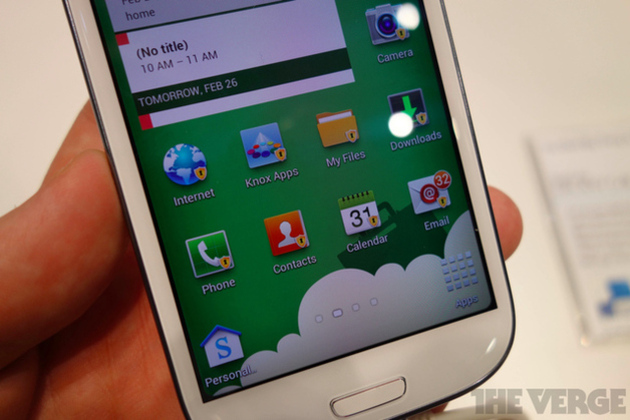
Lookout already dominates the field of Android antivirus apps, but it’s expected to get a big boost this week when Samsung announces that it will be bundling the software as part of its Knox security suite for enterprise on all of its new Android phones. A report in the Wall Street Journal says that an official announcement is expected on Wednesday.

Lookout offers two tiers of service, a free antivirus app and a premium upgrade that provides cloud-based scanning of all email attachments, web browsing, and file sharing that happens on your phone. A Lookout press release confirms that it's this higher tier of service that will be bundled with Knox.

Continue reading…

04 Sep 13:56

For Authors, Amazon's Kindle MatchBook Offers Plenty Of Upside

by Matthew Panzarino
Screen Shot 2013-09-03 at 4.45.36 PM

Today, Amazon introduced a brand new model of its Kindle Paperwhite e-book reader, which looks pretty nice. But the bigger announcement was a brand new program called MatchBook, which allows authors and publishers to offer heavily discounted Kindle editions of their print books past and future.

After digging into the requirements and features of the program, it seems evident that this is going to be a fairly nice program for existing print and Kindle authors. “I don’t see a downside, at least for me, since, as you say the royalty rate stays the same. It’s more sales (at least in theory),” says David Schwartz, author of Gooseberry Bluff Community College of Magic, “and that’s the goal.”

The Kindle Matchbook program has a set of requirements for participating, but none of them seem particularly onerous, and they align philosophically with the promise of leveraging your back inventory for more revenue. In order to enroll, you simply have to be selling a physical book of some sort on Amazon, and be a member of the Kindle Direct Publishing program.

We were able to confirm with Amazon that it does not require that users be a member of the more exclusive Kindle Direct Publishing Select program.

This means that if you have a physical book that you’d like to sell an ‘add-on’ Kindle edition of, you’re not required to promise Amazon a period of exclusivity. KDP Select members are often limited to selling books on Amazon alone for around 90 days.

The promotional prices that can be set for a book include four tiers: $2.99, $1.99, $0.99, or free. Enrolling a title is super simple, just visit the listing and tick a box. The low-friction nature of the opt-in is very ‘Amazon’ in execution and should drive authors to investigate the feature. Once you select a title you set your ‘Promotional List Price’ to one of the tiers. The only restriction here is that you must pick a discount that is at least half off of your regular list price. Amazon says the 50% requirement is to ensure that it’s a ‘compelling’ discount.

Amazon currently has two royalty rates available, which differ in regional availability. So you’ll still get your 35% or 70% slice of that e-book sale. So a lower payday, for sure, but definitely worth it for those ‘back catalog’ folks.

You might see a slow rollout of the feature because publishers have to opt-in at a high level before they can toggle on the bundling for individual titles. MatchBook should have around 10,000 titles when it launches in October. But Amazon Publishing authors (who get the feature by default) and indies can flick it on right away, and should.  There’s really very little to be worried about on this end unless you don’t offer a print version of your book at all. But Amazon even has a solution for those folks, as it offers a program for creating print versions of e-books.

And, as Editorial Director of New Island Books Eoin Purcell notes, the program also gives authors an incentive to digitize books that they haven’t already. Thereby tacking on an additional source of revenue with the upgrade bump for first-time users or digital ‘holdouts’.

Personally, I believe that this could drive sales of paper books well into the future. If I know that I can get a Kindle edition for a one or two dollar premium, then I’m more likely to opt-into the print version. This way I can read on planes or at the beach where my electronics aren’t allowed or recommended. And sometimes a paper book is just more pleasant to handle. It also taps into the collector market for those that must have a hardback copy of a book.

I’ve never been the type but know plenty of them, and I do own first printings of precious volumes like the Oz books that I would gladly read in Kindle form again but don’t want to tote around for fear of damage. Not that Amazon is offering discounts on classic editions of books like that, but the philosophy works for super-nice editions of modern titles purchased through the site.

Of course, that all depends on whether people are purchasing both the print and digital editions that weren’t already planning on doing both.

Schwartz says it’s difficult to tell on a wider scale, but he has seen some anecdotal evidence. “I have friends who have purchased both editions of Gooseberry Bluff, but others who don’t have a Kindle and waited for the physical book. But I think this may be a good thing for people who are unsure of making the transition to e-books, since it gives them a way to buy the physical book but try out the virtual one for less. And I’m sure that’s part of the goal.”

For now, the program seems to be a nice step for authors and publishers with deep back catalogs, and seems that it could definitely encourage some to purchase titles digitally that they’ve owned for years in physical form. Delving back through my (somewhat checkered) Amazon purchase history I found several titles that I wouldn’t mind reading again, but have packed away in a bin or box somewhere. Amazon is betting that I’m not alone, and publishers should probably take heed.

Image Credit: amy gizienski / Flickr CC


04 Sep 13:43

The 2013 London Film Festival Line-Up Is Announced!

The 2013 London Film Festival Line-Up Is Announced!

Say hello to Gravity, 12 Years A Slave, Don Jon & many more!

Gravity

We already knew that Captain Phillips will open the BFI London Film Festival 2013, and that Saving Mr. Banks will close it. But what's the filling in this Tom Hanks sandwich? Well, the full line-up has just been announced, and it looks awfully exciting.

Many of the films currently making waves at Venice and (soon) Toronto are on the list, including Alfonso Cuarón's Gravity, Steve McQueen's 12 Years A Slave, the Coen brothers' Inside Llewyn Davis, Stephen Frears' Philomena, Jason Reitman's Labor Day and Ralph Fiennes' The Invisible Woman.

Other galas include talked-about Palme d'Or winner Blue Is The Warmest Colour, Alexander Payne's Nebraska and Jim Jarmusch's Only Lovers Left Alive (with current Empire cover star Tom Hiddleston as a vampire). Empire will be hosting the gala for Joseph Gordon-Levitt's directorial debut Don Jon, which is very exciting for us; Gordon-Levitt's expected to attend the Festival.

He's joined by a host of stars from Tom Hanks to Sandra Bullock, Emma Thompson, Judi Dench, Steve Coogan, Ralph Fiennes and many more.

The 2013 BFI London Film Festival kicks off on October 9 and runs to October 20. Tickets will go on sale to the public on September 20 at www.bfi.org.uk/lff (the site also has the full Festival programme with all 234 films screening this year) so mark it in your diary now and start planning your October!


03 Sep 22:53

Cool, interactive site shows you how ocean currents carry flotsam around the globe

by Maggie Koerth-Baker
Drop a message-in-a-bottle into the Gulf of Mexico, somewhere near New Orleans, and, 10 years later, your missive has a high likelihood of ending up near Cuba — or northern France. The website Adrift uses data from a global system of floating buoys to show you how ocean currents carry things like plastic debris around the planet.


03 Sep 22:52

Wikileaks' Assange asks Swedish police to investigate FBI, US intel activity

by Xeni Jardin
Julian Assange, the WikiLeaks publisher and Australian Senate candidate currently sheltered in Ecuador's London Embassy, "has lodged a formal complaint asking Swedish police to open a criminal investigation into alleged illegal United States intelligence activity in Europe directed against WikiLeaks and himself." [the Age]


03 Sep 22:52

EU plans to equip cars with automatic speed limiters

by Mark Frauenfelder

Mr. Hagar, in Europe you can and will drive 55.

In a move to reduce the 30,000 annual traffic fatalities in Europe each year, the European Union is planning to equip cars with technology that senses the speed limit and applies the brakes if the car is speeding.

The scheme would work either using satellites, which would communicate limits to cars automatically, or using cameras to read road signs. Drivers can be given a warning of the speed limit, or their speed could be controlled automatically under the new measures.

EU plans to fit all cars with speed limiters (Thanks, Matthew!)


03 Sep 22:46

Kodak officially exits bankruptcy, emerges as a commercial printing company

by Adi Robertson

As expected, former camera-making company Kodak has climbed out of the Chapter 11 bankruptcy it entered in January of 2012. In a press release, the company says it finished its restructuring today, canceling its old stock and giving creditors a new set of shares. It's the culmination of nearly two years of planning, as Kodak steadily sold off assets and pared down its workforce to emerge as a tightly focused business that had lost its best-known segment: the consumer camera business that it started phasing out early last year. Kodak's website appears to still be in transition, showing the image above.

Having spun off or shut down its various consumer divisions, including digital camera and printing segments, Kodak will focus instead on...

Continue reading…

03 Sep 22:46

Android KitKat: the story behind a delicious partnership

by Nilay Patel

Google today announced that the next version of Android will be named "KitKat," after the ubiquitous chocolate bars sold around the world. It's the first time a mainstream operating system has been given a licensed name, and the deal with trademark owner Nestle took time to complete: the BBC reports that Google director of Android global partnerships John Lagerling first called Nestle about the name in late November of 2012, and that the deal was only finalized at Mobile World Congress in Barcelona in February of this year. "We decided within the hour to say let's do it," said Nestle executive vice president of marketing Patrice Bula.


There's no exchange of money involved, but there is a significant promotional element: 50 million...

Continue reading…

03 Sep 17:50

Android Passes 1 Billion Phone Activations, KitKat Statue Unveiled At Google HQ In Celebration

by Jeremiah Rice

kkthumbToday Android has officially passed one billion activated devices, according to Google's Vice President of Android, Chrome, and Google Apps, Sundar Pichai. To help celebrate this momentous occasion, there's a new Bugdroid-themed statue hanging out at the entrance to Google's Mountain View campus.

We now have over 1 Billion Android activations and hope this guy in front of the building keeps that momentum going pic.twitter.com/V0VovgmObl

— sundarpichai (@sundarpichai) September 3, 2013

Yup, that's a KitKat Android.

Done With This Post? You Might Also Like These:

Android Passes 1 Billion Phone Activations, KitKat Statue Unveiled At Google HQ In Celebration was written by the awesome team at Android Police.


03 Sep 17:47

Amazon Launches A Home Automation Store Featuring Smart Locks, Sensors, Thermostats & More

by Sarah Perez
Home Automation @ Amazon.com

Amid a bevy of Amazon-related announcements surrounding Kindle – some intentional (the arrival of Kindle MatchBook), some not (an updated Kindle Paperwhite leaked) – Amazon has also quietly launched a new storefront focused on Home Automation products, including things like programmable thermostats, smart locks, sensors, video monitors, and more.

The new website aims to centralize the now numerous options involving smart home hardware and services under one roof, organizing products into broad, high-level categories, like “Energy Management,” “Entertainment,” and “Monitoring,” which you can then further drill down into via sub-categories like “Lightbulbs” or “security cameras,” “televisions” or “alarms,” and so on.

Additionally, Amazon’s Home Automation store is set up to be newbie-friendly with introductory guides to a variety of product categories like door locks, thermostats, and controllers, for example. There’s even a special section of the storefront that breaks out the “new and innovative” products from companies like Kwikset, Wimoto, SmartThings, and others.

In a rotating banner on the site’s homepage, Kevo, Nexia and Dropcam products are currently given special attention.

The automated house and digitally-controllable objects have long been a part of various “home of the future” visions, but is has only been more recently that we’ve begun to see a surge of devices with more mainstream appeal. Earlier home automation products meant complicated setups and larger investments on the part of consumers, but new products have shown that doesn’t always have to be the case. Plus, these devices themselves can add value to the home – not only financial in terms of saving money through smart management of electricity, for instance, but also in the look-and-feel of the home itself.

For example, the Nest thermostat showed that home automation hardware can include good design and aesthetic appeal. And Lockitron’s door locks are sleek and modern. Meanwhile things like Dropcam’s video monitoring solution for the home demonstrated that home automation didn’t have to involve a huge setup cost or complexity.

The ubiquity of cheaper broadband access, mini computers in the form of smartphones to control our devices, and lowered development and materials costs through crowd-funding and even more receptive VC audiences, have combined to help push the home automation movement forward as of late.

Today, tons of internet-of-things companies are finding support via crowd-funding like Piper, CanaryUbe, Beddit, Keen HomeAlmond+, or KISI to name a few TechCrunch has covered. And how many smart locks are out there now? A lot. (See, e.g., Lockitron, SmartThings, Poly-ControlAugust, Goji, Schlage, or Kevo, to name just a few.) Even the big guys like Microsoft, Google and AT&T have been trying their hand in this market, to varying results. Now, Amazon wants in on that action, too, it seems.

You can check out the new Home Automation Store here on Amazon.com.