Shared posts

07 Jan 14:10

Sony Doubles Down On Wearable Tech With The Life-Tracking ‘Core’

by Chris Velazco
sony-core

LG played up its push into wearable tech earlier this morning, and now it looks like Sony’s turn to do the same. Sony Mobile president and CEO Kuni Suzuki took the stage at the tail end of Sony’s CES press conference to show off what he called “the tiniest gadget Sony has ever made” — the life-tracking Sony Core.

Yes, life-tracking. A considerable chunk of the wearable gizmos currently floating around on the market are centered solely on tracking user activity in a bid to make them more health-conscious. That’s nothing if not a noble goal (not to mention an awfully lucrative one) but Sony’s approach is meant to also fold into your social and entertainment into the mix as well. The Core is indeed capable of tracking your motion in addition how long you sleep, and the ability to keep tabs on the photos you’ve taken, the music you’re listening to, and how often you interact with particular friends. All of that data gets folded into a (presumably non-final) grid-centric app view for easy perusal, though at this point it’s not clear if Sony means to make that companion app available solely for its own devices.

And how does the Core connect to your phone? Bluetooth, naturally. It seems that the Core will occasionally send sensor data updates to the phone at which point it gets mashed together with all that social and entertainment information to complete Sony’s complete lifelogging package. In the event that the connection between the two is lost, the Core will continue to record that data and it’ll vibrate on your wrist as long as you’re within a certain range.

sony-core2

If this all sounds a little vague, know that it’s by design. Suzuki himself admitted that the Core’s time on stage today was little more than a teaser designed to whet wearable nerds’ appetites. And, as if he couldn’t resist the urge to paint a picture of an ambitious wearable future, Suzuki noted that Sony was engaging in talks with other hardware manufacturers so Core adopters will have a sizable array of accessories (like Sony’s own color wristbands) to pair with their tiny trackers.

You’ll have to forgive me for being just a little skeptical, as Sony hasn’t exactly had the best track record with its recent wearable forays. Its original SmartWatch was either ahead of its time or fundamentally flawed depending on who you ask, and the the jury is still out on whether or not that device’s successor will have any real staying power in a market that will soon be flooded with wrist-mounted displays. The Core is perhaps one of the more thoughtful takes on wearable tracker formula I’ve seen in recent months, but we’ll soon see if Sony’s clout and resources will be enough to convince the masses of Core’s value.

This is a developing story, please refresh for updates.


07 Jan 14:09

U.K.’s First-To-LTE Carrier, EE, Passes 2M 4G Subscribers Just 4 Months After It Bagged 1M

by Natasha Lomas
carrier-ee

It took a long time coming, but LTE/4G in the U.K. is finally achieving some significant momentum — with first-to-the-plate carrier EE announcing today that subscribers for its LTE network have passed the two million mark four months after it racked up its first million (which took 10 months).

EE said the figure is double what it was targeting for the end of 2013 — and made a grand claim about the 4G sign up rate it’s seeing being the fastest in the world outside of South Korea.

Adoption among business customers has grown “significantly”, according to the carrier — with more than 4,000 corporates and three-quarters of all new and upgrading SMEs on the EE network choosing 4G (rather than plain old 3G).

EE launched its LTE network on October 30 2012, with rival U.K. carriers Vodafone and O2 only getting into the game starting from the following summer. The U.K.’s smallest mobile network operator, Three, was last to launch 4G, in December 2013.

EE’s LTE network was initially criticised for being expensive and having miserly data limits — factors that likely held back subscriber numbers. Since launch, it has lowered tariff prices, increased some data caps, added pay-as-you-go options, boosted speeds on portions of the network and continued to build out coverage — the latter helping it hold on to its early mover advantage vs rivals.

EE says its LTE network will exceed 70% coverage of the U.K. population by the end of January. Currently, its network reaches 160 towns and cities in total. The faster portion of EE’s LTE – which offers average speeds of 24-30Mbps — is available in 20 cities across the UK.

EE’s coverage target for the LTE network is 98% of the U.K.’s population by the end of this year.

Discussing the two million subscriber figure in a statement, Olaf Swantee, CEO, EE, said the carrier is having “particular success” converting existing customers of its two mobile brands, Orange and T-Mobile, over to 4G, with around two out of three new 4G customers on the EE network having moved from Orange or T-Mobile.

(In one example of EE’s ‘energetic’ upselling of 4G that was retold to me, the carrier’s sales staff sold an LTE upgrade to an existing customer despite there being no EE 4G in that customer’s home area or at their place of work — and no plans for coverage to be added to either area in future. So, yes, that’s success of a sort.)

As for usage of its 4G network, EE said the most popular way for its LTE subscribers to bring in the New Year was to post pictures and messages to Facebook, followed by Skype, Instagram, and Twitter. Facebook data traffic on the network doubled at midnight on the 31st December, while messaging service WhatsApp saw a seven fold increase as people sent group messages and shared images to usher in 2014.


07 Jan 14:08

Valve announces 13 Steam Machine partners, including Alienware

by Jacob Kastrenakes

Valve has been unveiling its Steam OS initiative piece by piece, and at a brief event today it announced an important new detail: which companies will actually be selling Steam Machines. Thirteen partners were announced at the event, including Alienware, Falcon Northwest, and iBuyPower, among other custom PC makers. There's no word on when the machines will hit the market, but Valve says that it'll defer to manufacturers' own timelines for putting them on sale. As for whether we'll see hardware from Valve itself — the company isn't ruling it out, but it's staying typically quiet on the subject.

Continue reading…

07 Jan 14:07

Intel phases out McAfee brand name, distancing itself from controversial founder John McAfee

by Sean Hollister

When you think of McAfee, you might think of the Intel-owned antivirus software company, or you might think of the former druggie and part-time fugitive who founded that company over twenty years ago. Or perhaps both. Either way, Intel is attempting to sever that inconvenient association. At CES 2014 in Las Vegas, the company has announced that it will be phasing out the McAfee brand name for its security software in favor of the simpler "Intel Security." According to an Intel representative, the company named McAfee will still stick around as a wholly-owned subsidiary of Intel, but the software rebranding will begin immediately. The company estimates it may take a year to complete.

Out of all the things that John McAfee has done that...

Continue reading…

07 Jan 14:05

Cold Enough for You?

by Bill Crider
07 Jan 12:44

15 Best New Android Games From The Last 2 Weeks (12/24/13 - 1/6/14)

by Jeremiah Rice

gameroundup_icon_largeWelcome to the roundup of the best new Android applications, games, and live wallpapers that went live in the Play Store or were spotted by us in the previous 2 weeks or so.

Please wait for this page to load in full in order to see the widgets, which include ratings and pricing info.

Looking for the previous roundup editions? Find them here.

Featured App

DigiCal Calendar & Widgets

Today's roundup is presented by DigiCal Calendar & Widgets from Digibites.

Done With This Post? You Might Also Like These:

15 Best New Android Games From The Last 2 Weeks (12/24/13 - 1/6/14) was written by the awesome team at Android Police.


07 Jan 12:42

The Best Music Player Application for Windows

by Whitson Gordon

The Best Music Player Application for Windows

There are a lot of great music players for Windows, and it's next to impossible to make a broad "best" statement that applies to everyone. But that doesn't stop the powerful, lightweight, and customizable MusicBee from winning our hearts for the best music player on Windows.

Our former favorite, Winamp, has shut down—but that isn't why we've changed our minds on this one. "Dead" apps are still worth using if they're the best—we've just decided, after lots of testing and deliberation, that Winamp is no longer the best music player in our minds. You'll still find Winamp in the competition section at the bottom, as well as in our list of the five best desktop music players.

Note also that, while MusicBee is taking the place of "best music player" for this app directory, we know that a lot of you are fiercely loyal to your favorite music player, and with good reason—there are a lot of fantastic players for Windows. This is an app category that is very subject to personal taste and needs, and we get that. Check out the Competition section below for more info on some of our other favorite players for Windows.

MusicBee

Platform: Windows
Price: Free
Download Page

Features

  • Manages all your media and supports a number of formats including MP3, AAC, M4A, MPC, OGG, FLAC, APE, Opus, TAK, WV, WMA and WAV.
  • Create and manage playlists, and "smart" playlists that update based on custom filters
  • Enqueue songs into a "Now Playing" pane for on-the-go playlist creation.
  • Watch folders on your hard drive for changes and automatically adjust your library accordingly
  • Import libraries from iTunes and Windows Media Player
  • Sync Android phones, USB drives, some iPods, and many other portable music devices with your library
  • Convert files on-the-fly as you sync to your devices
  • Auto-tag your music using the music databases of your choice
  • Keep your files automatically organized in folder based on tags
  • Customize a number of different keyboard shortcuts
  • Subscribe, download, and listen to podcasts, either by searching MusicBee's podcast directory or by adding feeds yourself
  • Use advanced audio features like a 10-band equalizer, crossfade, WASAPI and ASIO playback, and more
  • Customize your player with skins, different layouts and views, and three different players including a mini player and compact player
  • A plugin architecture that lets you add lots of functionality to the player, like extra supported formats, skins, library organization tools, and other features (Winamp plugins supported)
  • An integrated browser that allows you to browse for just about anything in-player (useful for browsing plug-ins, skins, and so on)

Where It Excels

MusicBee hits the perfect sweet spot between easy to use, customizable, powerful, and lightweight. iTunes converts will have no problem getting to know the interface, but will also be able to easily add and moving panes for things like lyrics, Now Playing, artist information, and a lot more—without the pain of something like foobar2000. You can sync with a number of devices (though iOS syncing is very limited), auto-tag your files, customize a ton of keyboard shortcuts, and perform a ton of other advanced features—or if you prefer, you can just play your music through a simple, good-looking player. And best of all, it's completely free.

MusicBee only has one active developer working in his spare time, but it's also updated pretty darn often, has a great wiki, and a helpful forum where the developer is very active.

Where It Falls Short

As the jack of all trades, there are always other players that will be masters of one, and such is the case with MusicBee. It's very customizable, but not as insanely customizable as foobar2000. It has some useful advanced tagging and syncing features, but doesn't quite reach the power of MediaMonkey. If you need to sync lots of iOS devices, MusicBee will prove problematic (which is Apple's fault more than MusicBee's), and you might be stuck with iTunes, MediaMonkey (which can sync more iOS devices), or a third-party program like Copy TransManager just for syncing.

MusicBee also has a few other small annoyances. For example, MP3 and AAC encoders need to be installed separately due to licensing reasons, but anyone advanced enough to require the conversion features should have no problem installing these separate programs.

The Competition

As we mentioned at the top, your choice of music player is a personal one, and what we consider the "best" isn't really the best for everyone—that's not possible. Our goal with the App Directory is to pick the best application for the majority of people, especially those unfamiliar with the available apps. If you've tried MusicBee and don't love it, here are some other great options.

MediaMonkey: We debated between MediaMonkey and MusicBee for a long time before settling on MusicBee. MediaMonkey does have a few other features—like iOS syncing and DLNA sharing—but it isn't quite as good-looking or as lightweight as MusicBee. Most importantly, however, is that some of MediaMonkey's features—including smart playlists, on-the-fly conversions, advanced searching, automatic library organization, and others—require a $25 version license or $50 lifetime license to access. Considering that these features are all available for free with MusicBee, it was hard to recommend the more limited MediaMonkey as the best player. Still, depending on your needs, it may be ideal for you.

Winamp: Winamp may be dead, but it's still a pretty solid player. It doesn't do much that MusicBee and MediaMonkey don't (Shoutcast support being one exception), but if you long for the llama-whipping days of the 90s or like its expansive list of skins, it could be worth a try.

Foobar2000: Foobar2000 is extremely lightweight and insanely customizable. It won't do much but play and tag music out of the box, but it also has a lot of plugins that let you customize its features to a ridiculous level. It's a bit more difficult to use than Winamp or MediaMonkey, though, especially when you first start customizing—so it's really a better player for advanced users that want to tweak every dark corner of the player.

iTunes: We aren't huge fans of iTunes on Windows, but if you're an iPhone user, it's certainly the easiest way to sync your music, apps, playlists, and other info to your phone (since it was made for it). That's pretty much the only reason to use it in our opinion, though, and even then, MediaMonkey can still sync to iDevices quite nicely, so we'd try that first.

These are some of the biggest ones, but there are still a ton of others, like Windows Media Player, the Zune Player, AIMP3, Clementine, and even VLC (though we'd be hard pressed to call that a full-featured music library program). The best thing you can do when looking for a music player on Windows is try a few out. If you don't feel like sifting through a ton of players, though, I'll eat my hat if you can't make MusicBee work the way you want it to.


Lifehacker's App Directory is a new and growing directory of recommendations for the best applications and tools in a number of given categories. This week, we're focusing on music players.

06 Jan 23:59

Mayor Lee Plans To Charge Tech Companies ~$100K A Year For Shuttles Using SF Bus Stops

by Josh Constine
BdU22BgCUAA3UKY

San Francisco Mayor Ed Lee has just proposed to charge tech companies whose commuter shuttles stop at public MUNI bus stops. The plan, laid out at a press conference today, requires shuttles to have a permit that will fund the initial 18 month pilot program. The permits could cost around $100,000 a year per company, according to tweets from Sarah G McBride and KRON 4′s Dan Kerman

The San Francisco Municipal Transportation Agency still needs to approve the plan at a January 21st meeting before it goes into action. Representatives of Google, Apple, Genentech, and Facebook appeared alongside Mayor Lee at the press conference.

Shuttle companies like Bauer’s and the tech giants that employ them well be charged a per MUNI stop used per day fee. Kerman reports the pilot could generate $1.5 milllion, implying 10 to 15 companies could be on the hook to pay a fee for their shuttles. The plan would make it illegal for shuttles from companies without permits to use MUNI stops.

Update: Below is the full press release on the program from Mayor Ed Lee:

Lee’s program could ease tensions about tech companies gentrifying San Francisco by offering commuter shuttles that make it easier for employees to live in the city. Last month, protestors stopped Google and Apple shuttles and one had its window broken.

While Lee’s plan might be a good start, some organizers of the protests called for tech companies to pay $1 billion for use of the MUNI stops until now — a figure based on the fines they’d receive if the city had been enforcing the law.

Last month, the SFMTA said private commuter shuttle buses use roughly 200 SF MUNI bus stops to carry 35,000 employees back and forth between San Francisco and companies like Google, Facebook, Apple, and Genentech. Some consider this an unacceptable private use of public infrastructure that could be delaying MUNI buses and their passengers.

By charging companies, SF could put the money made towards improving shared public-private infrastucture, enhancing public transportation within the city, or funding other programs that mitigate the impact of gentrification.


06 Jan 23:57

Amazon announces 4K streaming partners including Samsung, Warner Bros., and Lionsgate

by Nathan Ingraham

We've seen a slew of beautiful 4K TVs unveiled over the last day at CES, but the question has always been how we'll get native 4K content onto those screens. We're finally starting to get an idea — Amazon has just announced a partnership with Samsung and a slew of content providers, including Warner Bros., Lionsgate, 20th Century Fox, and Discovery. Under this new partnership, Amazon's Instant Video service will provide 4K content from its partner studios — and those who buy Samsung's new 4K TVs will have access to this video catalog.

It's an important piece of the puzzle for Samsung — until now, mainstream 4K content has been hard to come by, but with the support of Amazon and its studio partners, the library of 4K video should...

Continue reading…

06 Jan 23:55

Samsung announces four new Android tablets

by Nick Sarafolean

During its press conference at CES today, Samsung revealed a new line-up of tablets for 2014. In fact, there are two new lines this year, the NotePRO and TabPRO lines, which each feature different tablets. Without further ado, let’s just jump right into it.

TabPRO_8.4_1

Starting with the smallest of the bunch, we have the Samsung Galaxy TabPRO 8.4. The TabPRO 8.4 packs these specs:

  • 8.4-inch 2560×1600 display
  • 2.3GHz quad-core Snapdragon 800 processor
  • 2GB RAM
  • 8-megapixel rear camera
  • 2-megapixel front facing camera
  • Android 4.4 KitKat with TouchWiz
  • 4,800mAh battery
  • 16/32GB storage expandable via microSD

Even though it’s not Samsung’s largest tablet, the TabPRO 8.4 packs some very nice specs and one of the sharpest screens on an Android tablet. Judging by the photos, it also carries the same faux leather back as the Galaxy Note 3, which can be a pro or con depending on your taste.

Galaxy-TabPRO-1

Next up is the Galaxy TabPRO 10.1, the latest 10-inch tablet to hit the market. The TabPRO 10.1 includes:

  • 10.1-inch 2560×1600 display
  • 1.9GHz Exynos octa-core processor (Wi-Fi model)
  • 2.3GHz quad-core Snapdragon 800 processor (LTE model)
  • 2GB RAM
  • 8-megapixel rear camera
  • 2-megapixel front facing camera
  • Android 4.4 KitKat with Touchwiz
  • 8,220 mAh battery
  • 16/32GB storage expandable via microSD
  • IR blaster

Like the TabPRO 8.4, this also features a faux leather back and Samsung’s new magazine style TouchWiz hub for larger tablets.

TabPRO_12.2_1

The next in the bunch is the massive Galaxy TabPRO 12.2, Samsung’s largest tablet. The TabPRO 12.2 features:

  • 12.2-inch 2560×1600 display
  • 1.9GHz Exynos 5 Octa processor (WiFi model)
  • 2.3 GHz Snapdragon 800 processor (LTE model)
  • 3GB RAM
  • 8-megapixel rear camera
  • 2-megapixel front facing camera
  • Android 4.4 KitKat with TouchWiz
  • 9,500mAh battery
  • 32/64GB storage expandable via microSD
  • IR blaster

Just like the other new Galaxy tablets, it features Samsung’s faux leather back.

NotePRO_1

The last new tablet is the Galaxy NotePRO 12.2, another behemoth tablet that is practically the identical twin of the TabPRO 12.2, except with the added functionality of the S-Pen. The NotePRO 12.2 brings:

  • 12.2-inch 2560×1600 display
  • 1.9GHz Exynos 5 Octa processor (Wi-Fi model)
  • 2.3 GHz Snapdragon 800 processor (LTE model)
  • 3GB RAM
  • 8-megapixel rear camera
  • 2-megapixel front facing camera
  • Android 4.4 KitKat with TouchWiz
  • 9,500mAh battery
  • 32/64GB storage expandable via microSD
  • IR blaster
  • S Pen

That wraps it up for Samsung’s new tablets. This new selection is looking quite high-end and should appeal to plenty of consumers if the price is right. Speaking of price, we don’t know anything about that or availability (besides Q1 2014) just yet, but we’ll let you know when Samsung releases more about that. You can find more pictures of all the tablets down below. Do any of them pique your interest?

Galaxy-TabPRO-1 NotePRO_7 NotePRO_6 NotePRO_5 NotePRO_4 NotePRO_3 NotePRO_2 NotePRO_1 TabPRO_12.2_8 TabPRO_12.2_7 TabPRO_12.2_6 TabPRO_12.2_4 TabPRO_12.2_3 TabPRO_12.2_2 TabPRO_12.2_1 Galaxy-TabPRO-6 Galaxy-TabPRO-5 Galaxy-TabPRO-2 Galaxy-TabPRO-1 TabPRO_8.4_7 TabPRO_8.4_6 TabPRO_8.4_5 TabPRO_8.4_4 TabPRO_8.4_3 TabPRO_8.4_2 TabPRO_8.4_1 Show Press Release
Samsung Galaxy NotePRO and TabPRO series set a New Rule for the Tablet Experience at CES 2014

Extending the company’s innovation legacy with best-in-class media consumption and productivity capabilities

Las Vegas – January 6, 2014 – Samsung Electronics Co., Ltd. today unveiled the Samsung Galaxy NotePRO and TabPRO line of tablets, setting a new standard of mobile excellence, equipped with innovative and meaningful technology. Sporting four powerful devices in the lineup – the Galaxy NotePRO (12.2-inch), TabPRO (12.2, 10.1, 8.4-inch), Samsung’s Galaxy tablet portfolio redefines what a tablet can do.

“We created the Galaxy NotePRO and TabPRO series to kick-off a year in which Samsung truly establishes its leadership in the tablet market,” said JK Shin, CEO and President of IT & Mobile Division, Samsung Electronics. “This new line offers the best-in-class content consumption and productivity, combining a stunning viewing experience with Samsung’s design legacy. The Samsung Galaxy NotePRO and TabPRO truly demonstrate our commitment to providing our customers with extraordinarily versatile product offerings, tailored to tablet users of every description.”

Providing users with an extraordinary display and a matching feature set, the Galaxy NotePRO and TabPRO series bring premium style and powerful performance in a single device. Created to satisfy every possible type of user case scenario, the Samsung Galaxy NotePRO and TabPRO combine a crystal-clear, WQXGA display for a world-class viewing experience, powerful productivity tools, and unique features with preloaded and free downloadable content, producing a superior mobile solution.

Introducing Galaxy NotePRO and TabPRO (12.2) – the Definitive Tablet Viewing Experience The Samsung Galaxy NotePRO and TabPRO present the world’s first 12.2-inch WQXGA Widescreen (16:10) display, offering crystal clear resolution (2560×1600) with more than 4 million pixels, making it an ideal platform for every type of content creation and consumption. With a larger viewing area, the defined screen allows users to enjoy stunning Full HD video play and view even more information at a glance. In addition to the industry-leading display, the devices have been designed with a sleek, light, slim frame that is both premium and highly portable.

A personalized Magazine UX, specifically optimized for a large screen, allows users to further tailor their Galaxy tablet experience for their own needs. The UX enables them to organize their favorite content in an easy-to-use dashboard with automatic feed or news updates and then quickly access the most frequently used apps for a more comfortable reading experience. By utilizing a screen size that is more comparable to traditional magazine-sized material, content is easier to view in its original format when reading digital magazines or e-books.
Powerful Partner for Productivity The Samsung Galaxy NotePRO and TabPRO (12.2) come equipped with a variety of productivity tools to help users to manage both their personal and professional lives.

Multi Window enables users to split the screen up into four different windows and an innovative, Virtual Keyboard provides them with enough space to type comfortably, leveraging haptic feedback to produce a more realistic typing experience.

The Samsung S Pen included with the Galaxy NotePRO delivers a more responsive, productive and overall efficient tablet experience with access to features such as Action Memo, Scrapbook, Screen Write and S Finder. In addition, Pen Window enables users to simply draw a window of any size on the screen, and instantly access unique in-application features such as YouTube or a calculator.
Users can easily access and control their home or office PC directly through their Galaxy NotePRO or TabPRO with Remote PC in order to seamlessly edit and save files remotely.

The Galaxy NotePRO and TabPRO also come pre-loaded with Cisco WebEx Meetings platform, the industry’s leading web conferencing solution that provides users with an easy way to meet with anyone, anywhere. And now for the first time on Android tablets, users can share anything on their screen as well as starting a WebEx meeting from contact list. Samsung e-Meeting provides collaboration capabilities by giving users the ability to share content during a meeting without having to access a central server or network.

Ultimate User Content Gift Package* For additional value and productivity right out of the box, the Samsung Galaxy NotePRO and TabPRO (12.2) will feature up to approximately $700 worth of the premium pre-paid, long-term subscription offers from best-selling news, social media and cloud storage providers, including: Bitcasa, Bloomberg Businessweek+, Blurb, Cisco WebEx Meetings, Dropbox, Easilydo Pro for Tablet, Evernote, Hancom Office for Android, LinkedIn, LIVESPORT.TV, NY Times, Oxford Advanced Learner’s A-Z, and Sketchbook Pro (content packages may vary by region).

The Samsung Galaxy NotePRO and TabPRO line will come in various connectivity options: WiFi Only, WiFi and 3G, or WiFi and LTE. Users can choose between the 12.2-inch Galaxy NotePRO that comes with an included S Pen, and the 12.2-inch Galaxy TabPRO, Galaxy TabPRO 10.1-inch and 8.4-inch without the S Pen.

Designed to extend productivity even further, the following optional accessories are also available for purchase with the Galaxy NotePRO and TabPRO: Various Book Covers, USB LAN HUB, Universal BT Keyboard and S Action Mouse (accessories may vary by product model).

The Samsung Galaxy NotePRO and TabPRO tablet line will be offered globally and will be available starting from Q1, 2014.

For more product information, please visit www.samsungmobilepress.com / m.samsungmobilepress.com

06 Jan 23:55

Google Glass prescription frames and lenses now available from Wetley

by Jerry Hildenbrand

Wetley GGRX frames

Stainless steel frames available stand-alone, or with prescription lenses

The first prescription lens solution for Google Glass has been released, and Wetley's GGRX frames are now available for ordering. 

Wetley offers a snap-in solution that requires no modification of your pricey Google Glass, and are available without lenses or with — and the price is very affordable. The stand-alone frames sell for $99, and you bring them to your optometrist for lenses. If you would rather have Wetley take care of all of it, a GGRX frame with single-vision prescription lenses installed is just $149.

The products are available for ordering now, and are expected to ship in 2-3 weeks. 

I'm in for a pair of stand-alone frames. Anyone else? A product video and the full press release is after the break.

read more


06 Jan 21:19

Pleasing video from a timelapse photography class in Moab, Utah

by Mark Frauenfelder

Photographer Ron Risman taught a group of newbies how to create timelapse photography. Here are the dramatic results of the four-day workshop.

Moab, Utah is not only home to hundred's of natural arches, it's also home to incredibly dark skies - making it an ideal spot to capture footage of the night sky. In October 2013 a group of photographers got together for a workshop event called Timelapse Moab, where they learned how to capture timelapses and more importantly, timelapses of the night sky.

Timelapse Moab Workshop


06 Jan 18:08

Light is a Stripped Down Firefox Build Made for Performance

by Eric Ravenscraft

Light is a Stripped Down Firefox Build Made for Performance

Windows: Firefox is still a fantastic web browser, but it has gained a bit of bloat over the years. Light aims to alleviate this by stripping many components from the browser for a light (get it?) weight application.

The custom Firefox build removes many components that the average user doesn't need (like developer tools), but does also cut some key features like spellcheck or printing support. If you need a version that runs as fast as possible without slowing down, Light is perfect. Though it might not suit the power user on their main machine.

Light is a slimmed down Firefox third-party build optimized for performance | Ghacks

06 Jan 18:04

Galaxy S5, Note 4 concepts envision a gorgeous future for Samsung phones

by Jacob Siegal
Samsung Galaxy S5 Note 4 ConceptsTwo of Samsung's biggest releases this year will undoubtedly be the Galaxy S5 and the Galaxy Note 4, but we still haven't seen any official images of the devices. Although the Galaxy S5 is rumored to be revealed this quarter, it could still be months before Samsung is ready to actually launch the fifth-generation hero phone, and even longer before we see signs of the Note 4 phablet. Thankfully, we have concepts to tide us over in the meantime.

Continue reading...
06 Jan 18:03

Zola Books Snaps Up Bookish To Power Its Literary Recommendations

by Chris Velazco
books

Heads-up, bibliophiles: social e-book retailer Zola Books has acquired curated book recommendation site Bookish. Terms of the deal were not disclosed, but a spokesperson for Zola Books confirmed that there were multiple bidders in the mix and that Zola was the smallest of the bunch.

In case you hadn’t heard of it, Bookish is a book discovery site founded by Simon & Schuster, Hachette, and Penguin Random House (then known as Penguin Group) to help users (what else?) find new books to lose themselves in. While both outfits sells books directly to consumers, Zola seems much more interested in building social reading apps that could currently stand a bit of a boost when it comes to proffering recommendations for new titles to fall into.

It’s still a relatively young venture — it originally launched back in February and is still in beta — and I haven’t been able to confirm why Bookish’s owners seemed to eager to sell it after less than a year. The party line is that they felt Bookish would be better off in the hands of a company that could operate with greater speed and flexibility, which I suspect isn’t the entire story.

And at first glance, Bookish seems like a pretty strange acquisition target for a company as new to the scene as Zola Books — the startup first launched its site last year with just north of $1 million in seed funding from a handful of big-name authors (like Audrey Niffenegger of The Time Traveler’s Wife fame) to take a social approach to selling ebooks. Sure, you can just putz around and shell out money for whatever titles catch your eye, but the site’s big draw is the ability for users to follow recommendations from friends, authors, publishers, and personalities. Since then the team has been fleshing out the site with new features and recently locked up another $3.9 million in seed money in a round led by HBO founder Charles Dolan. Regardless, once the ink is dry on those contracts, Bookish will be solely owned and operated by the Zola Books team.

These days I’m told that Zola sells “thousands” of its ebooks each month, though the company was very eager to point out its sales are more of a symptom of its community-building efforts than the result of a concerted commerce push. That said though, this is still a business, and on some level you’re only as valuable as the next book you buy. It’s not hard to see how Bookish’s recommendation smarts could come into play as a way to highlight more choices for Zola users to dive into (and hopefully pay for).

Meanwhile, Bookish will continue to operate as its own separate site “for the foreseeable future”, as will its recommendation API. At this point, there’s even talk of open-sourcing Bookish’s recommendation magic in a bid to get it in the hands of libraries and independent bookstores.


06 Jan 18:02

Pirate Bay unveils ambitious new software scheme to foil anti-piracy measures

by Russell Brandom

The Pirate Bay has announced a surprising new tool to foil copyright enforcers, moving the entire site to a distributed network accessible only through Pirate Bay's own unique software. The new system builds on open source projects like LibTorrent, holding all potentially incriminating data in a peer-to-peer client. "The goal is to create a browser-like client to circumvent censorship, including domain blocking, domain confiscation, IP-blocking," a Pirate Bay insider told TorrentFreak.

"A browser-like client to circumvent censorship"

Under the new system, nearly all of the site would be hosted locally, with updates to the indexing data shared from user to user rather than downloaded from a central site. Each user will effectively keep...

Continue reading…

06 Jan 13:19

Foodpairing Shows You Matching Flavor Combinations for Any Ingredient

by Alan Henry

Foodpairing Shows You Matching Flavor Combinations for Any Ingredient

If you've ever been confronted with an ingredient you want to use but have no idea what flavors pair well with it, Foodpairing is a webapp that can help. Just type in an ingredient you want to use, and it'll offer up a map of ingredients and dishes that compliment its flavor.

Most of us don't stare at our pantries like they're the from an episode of Chopped, but every home cook knows what it's like to look at an ingredient they bought with good intentions and have no idea what to prepare with it, or how to prepare it at all. Foodpairing can offer up complimentary flavors and dishes that will suit whatever you're cooking with. For example, in the image above (click "expand" to enlarge) I searched for fresh ginger, and was told everything from mustard to a fried pork loin would go well with ginger's very distinct flavor. If I wanted to get fancy, I could also try lemongrass, fresh pomelo, or even fresh oyster.

Foodpairing is a tool that's designed for chefs and cooks who are coming up with menus, and because of that only the demo service is free. The rest is locked away behind a monthly subscription fee ($13/mo if you pay for a year, $18/mo otherwise) that we just can't justify for the average person. However, the demo map is probably more than enough for most people, even if it has some ingredients locked away. Hit the link below to go right to the demo and try it out.

Foodpairing Explorer Demo | Foodpairing

06 Jan 12:45

New partnership to bring Android to the open road

by Unknown
In this multi-screen world, switching between our different devices should be easy and seamless. Common platforms allow for one connected experience across our phone, tablet and PC, so we get the right information at the right time, no matter what device we’re using. But there’s still an important device that isn’t yet connected as seamlessly to the other screens in our lives – the car.

To help address that gap, today we’re announcing a new partnership that will bring Android, the world’s largest open platform, to the open road. Google has teamed up with automotive and technology leaders Audi, GM, Honda, Hyundai and Nvidia to form the Open Automotive Alliance (OAA), a global alliance aimed at accelerating auto innovation with an approach that offers openness, customization and scale.

Today, millions of people already bring Android phones and tablets into their cars, but it’s not yet a driving-optimized experience. Wouldn't it be great if you could bring your favorite apps and music with you, and use them safely with your car's built-in controls and in-dash display? Together with our OAA partners, we're working to enable new forms of integration with Android devices, and adapting Android for the car to make driving safer, easier and more enjoyable for everyone. Putting Android in the car will bring drivers apps and services they already know and love, while enabling automakers to more easily deliver cutting-edge technology to their customers. And it will create new opportunities for developers to extend the variety and depth of the Android app ecosystem in new, exciting and safe ways.

But this is just the beginning; we welcome other automotive and technology companies to join the OAA, to work together to build a common platform to drive innovation in the car and bring Android to the open road. Learn more about the OAA at openautoalliance.net, and stay tuned in 2014 for more updates coming soon to a car near you.

Posted by Patrick Brady, Director, Android Engineering
05 Jan 18:25

How The Pirate Bay Plans to Beat Censorship For Good

by Ernesto

tpb-logoOver the past few years The Pirate Bay has had to deal with its fair share of censorship, mostly through court-ordered blockades.

In response to these efforts the site launched the PirateBrowser last summer, and not without success. The tool, which allows users to circumvent ISP blockades, clocked its 2.5 millionth download a week ago.

However, there’s a much bigger project in the pipeline, one that will make The Pirate Bay and other sites more resilient than ever before. Instead of bypassing external censors, the new tool will create its own P2P network through which sites can be accessed without restrictions.

“The goal is to create a browser-like client to circumvent censorship, including domain blocking, domain confiscation, IP-blocking. This will be accomplished by sharing all of a site’s indexed data as P2P downloadable packages, that are then browsed/rendered locally,” a Pirate Bay insider explains.

In other words, when users load The Pirate Bay or any other site that joins the new platform, the site’s data will be shared among users and stored locally. The website doesn’t require a public facing portal and only needs minimal resources to “seed” the site’s files to the rest of the world.

“It’s basically a browser-like app that uses webkit to render pages, BitTorrent to download the content while storing everything locally,” the Pirate Bay insider says.

All further site updates are incremental, so people don’t end up downloading the entire site day after day. The disk space users need for the locally stored sites ranges from a few dozen megabytes for a small site, to several gigabytes for a larger torrent index.

The new software will be released as a standalone application as well as Firefox and Chrome plugins.

Since the site data comes from other peers, there is no central IP-address that can be blocked by Internet providers. Site owners will still offer webseeds to speed up loading, but sites are fully accessible when these are blocked.

Another important change is that the new software will not use standard domain names. Instead, it will use its own fake DNS system that will link the site’s name to a unique and verified public key. For example, within the application bt://mysite.p2p/ will load 929548249111abadfjab29347282374.p2p.

“Site owners will be able to register their own names, which will serve as an alias for the curve25519 pub-key that will identify the site,” the Pirate Bay insider notes.

“The “domain” registrations will be Bitcoin authenticated, on a first come first served basis. After a year the name will expire unless it’s re-verified.”

The entire project will be open source and built using existing code such as Libtorrent, Webkit, SQLite v3 and node-js. The Pirate Bay team is still looking for coders to assist, mainly on the Windows side, but thus far the development has been going steady.

It may take a few months before the first version is released in public, but it already promises to be a game changer in the ongoing censorship Whack-a-Mole.

Source: TorrentFreak, for the latest info on copyright, file-sharing and VPN services.

05 Jan 18:14

If You Used Yahoo This Week, You Might Have Malware

by Robert Sorokanich on Gizmodo, shared by Whitson Gordon to Lifehacker

If You Used Yahoo This Week, You Might Have Malware

Security researchers at Fox IT say they've detected a malicious exploit kit among Yahoo's ad network active since December 30th. The malware seems to have hit Romania, Great Britain, and France the hardest, but wherever you are, if you've browsed a Yahoo site this week, you may want to run a scan or two.

Fox IT says the malware exploits Java (not JavaScript) vulnerabilities, being delivered to up to 300,000 users per hour when it was discovered on Friday. The delivery rate has since tapered off, probably a good sign that Yahoo is working to correct things, though the company hasn't commented yet. If nothing else, this event serves as a reminder that you should really, really disable the outmoded and no-longer-secure Java on your browser. If that's not something you've already done, click here to figure out how. [Fox IT via Washington Post]

05 Jan 18:13

Five Best Programming Languages for First-Time Learners

by Alan Henry

Five Best Programming Languages for First-Time Learners

If you're thinking of learning to code, the language you decide to pick up first has a lot to do with what you're trying to learn, what you want to do with the skill, and where you want to eventually go from there. Still, some languages are easier to pick up than others, have a community dedicated to teaching, or offer more useful skills once you learn them. Here are five of the best, based on your nominations.

Let's be clear—we're not trying to absolutely settle the question of which language you should learn first if you're trying to code. Everyone has different opinions and depending on your specific reasons for learning, perhaps none of these would be appropriate. You offered up way more suggestions in our Call for Contenders thread than we could possibly highlight here, with much more description and rationale for each. That said, here are the five most popular of your nominees, in no particular order.

Java

Five Best Programming Languages for First-Time Learners

Oracle's Java is one of the web's longest standing, persistent, and influential programming languages. You'll find Java at the core of applications on and off the web, on all platforms, operating systems, and devices. It's a deeply featured class-based, object-oriented programming language that's designed to be portable and workable on as many platforms as possible. For that reason, it's also one of the world's most popular programming languages, which makes it incredibly valuable to learn if you're interested in learning to program. The flip-side to Java is that for all of its portability and applicability, it can be quite difficult to grasp, and quite difficult to program effectively and efficiently.

Java isn't a perfect programming language though—many schools and classes start with C or C++ because Java gets a lot of its syntax from those earlier languages. Those of you who championed Java as a good first language noted that Java forces you to think like a programmer—to think logically and analytically, and really grasp how a computer will process information in order to be successful. It's a fundamental set of core concepts that will help you as you move to other languages and technologies. For more reasons why it's a good choice, take a look back at its nomination thread.


Ruby

Five Best Programming Languages for First-Time Learners

Ruby is a dynamic, open-srouce, object-oriented programming language developed by computer scientist Yukihiro Matsumoto back in the 90s, which makes it one of the youngest languages in broad use, much less in this roundup. It was designed to have syntax that was easy to read and to write by mere humans, without necessarily needing to learn a massive base of commands and specialized "vocabulary" in order to get started. While the language itself is object-oriented, it also supports procedural, functional, and imperative programming, one of the factors that makes it remarkably flexible.

Ruby has a reputation for being relatively easy to learn, with a 20 minute quick start guide available on the language's official website that can get you up and familiar with some of its basics in a really short period. Fans of languages like Perl and Python will find some similarities to enjoy. Those of you who nominated Ruby praised it for being easy to understand and easy to learn, easy to read when you have to, and for having a large, active, passionate developer community that's committed to the success of the language. For more, check out its nomination threads here and here.


Python

Five Best Programming Languages for First-Time Learners

When people discuss first programming languages and which languages are easier for people to pick up quickly, Python inevitably comes up. It was developed in the 80s by Guido van Rossum, who then handed the language over to the non-profit Python Software Foundation, which serves as the language's administrator, and the language is open source and free to use, even for commercial applications. Python is usually used and referred to as a scripting language, allowing programmers to churn out large quantities of easily readable and functional code in short periods of time, but it's also dynamic, and supports object-oriented, procedural, and functional programming styles, among others. Thanks to its flexibility, Python is one of the most widely used high-level programming languages today.

Python doesn't exactly start you at the basics, but it does teach some useful things like indentation, modularity, and the importance of naming conventions that will help you as you learn and work with other languages. In the nominations thread, I referenced this reddit thread as a great place to read pros and cons for the language as a first language. Those of you who nominated Python also highlighted the fact that Python's developer community is more than happy with the language being used as a teaching language, so they have a ton of learning tools and documentation available to help first-time coders get their arms around it. The official tutorials are easy to follow, useful, and practical. For more pros and cons, check out the nomination thread here.


C/C++

Five Best Programming Languages for First-Time Learners

While strictly your nominations were for the C programming language and less C++, we decided to go ahead and toss C++ next to it anyway since it's the natural step up from C. Without getting too much into the rich and detailed history of C, and then of C++ (which started off as a set of improvements and updates to bring C into modern applications), let's just say that both languages have been around since the 1970s and early 80s, respectively (you can read more at the Wikipedia links above). C, for its part, is an extremely widely-used, general purpose, imperative programming language that's heavily influenced almost every language that's followed it. C++ on the other hand took things a step further, added object-oriented features like classes to the language, along with virtual functions and templates. C++ is another of the world's most popular programming languages, and is still in wide use today in everything from video games to productivity software. C++ is a bit more difficult to pick up than C, although many people would argue that there's no reason to start with C anymore at all. That's a debate we're not about to settle.

One thing that's important about C and C++: They're both some of the most foundational languages in computer science and programming. If you learn them, they'll benefit you, even if you wind up not using them later. They'll give you insight into the beginnings and roots of computer science and computer programming, and while many people point out that learning either is like learning to drive by first learning to assemble a car, both languages have their pros and cons. Those of you who praised them as first-time languages noted this, and said you'll have a richer understanding of programming if you start with them, and one of you pointed to this great article about how the languages can separate good from great programmers pretty easily. Now, if you're not aiming to code professionally, it may not be an issue to you, but it may still be worth considering. After all, a number of you nominated different flavors and variations of C and C++ that are applicable to specific applications, like ANSI C, which is used to program Arduino microprocessors, Robot C, specifically used in robotics. Many of you also said that starting with the hard stuff like C and C++ makes other stuff (Java, for example) not so hard. For more, check out the nominations threads here and here.


JavaScript

Five Best Programming Languages for First-Time Learners

JavaScript, not to be confused with Java, is a scripting language that was developed in the 90s by Brendan Eich, formerly of Netscape Communications and now of the Mozilla Foundation. JavaScript is one of the fundamental technologies on which the web as we know it is based. Don't be fooled though—JavaScript exists outside of the browser as well, but largely in the context of connected applications and services. The language itself is dynamic, and gives programmers the flexibility to use object-oriented programming styles (as the language itself is mostly object oriented) as well as functional and imperative ones. It derives much of its syntax from C, and if you plan to do any development for the web in any fashion, learning JavaScript should be on your list.

Fortunately, JavaScript is relatively easy to learn, is already right there in your browser for you to play with, and even though it's been around for a while, it's rapidly gaining popularity. Many of you who nominated it noted that your bang for the buck when learning JavaScript is huge, because you can start using it right away to build things for the web—which may very well be what many people are learning to code for. Some of you even noted that you have a headstart on more complicated languages like C and Java by picking up JavaScript first (but don't be fooled—there are few similarities between JavaScript and Java.) Plus, if you're looking to code professionally, JavaScript is in extremely high demand these days. To read more, head over to the nominations thread here.


There you have it! Now it's time to put these five to an all out vote to determine what you, the Lifehacker community, would most encourage a first-time learner to pick up:

We don't nearly have enough space to offer honorable mentions to every language that just missed the cut or were also great contenders. We will however give a special nod to C# .NET, which reader wakers01 made a very convincing argument for in the nominations thread. C# and the .NET Framework were designed and developed by Microsoft, who also is more than happy to encourage you to learn them. The return on your time is solid too, since once you're familiar with the language and its syntax, you have a skillset that's more than portable if you need to move on, and applicable if you want to keep developing for the framework.

It's worth noting that we covered this topic on our own before, which may offer some guidance to those of you who are looking for a more structured approach to the question as opposed to the community sentiment. Whatever you prefer, good luck with your coding endeavors!

Have something to say about one of the contenders? Want to make the case for your personal favorite, even if it wasn't included in the list? Remember, the top five are based on your most popular nominations from the call for contenders thread from earlier in the week. Don't just complain about the top five, let us know what your preferred alternative is—and make your case for it—in the discussions below.

The Hive Five is based on reader nominations. As with most Hive Five posts, if your favorite was left out, it didn't get the nominations required in the call for contenders post to make the top five. We understand it's a bit of a popularity contest. Have a suggestion for the Hive Five? Send us an email at tips+hivefive@lifehacker.com!

Title photo by Michael Himbeault.

05 Jan 10:26

English mega-landlord evicts all welfare tenants, will no longer rent to them

by Cory Doctorow

Fergus Wilson, one of England's largest landlords, has announced that he will no longer rent to people receiving welfare benefits, and has served all of his benefits-receiving tenants with eviction notices. He says that the cuts to benefits in the UK have resulted in an unacceptably high level of rent arrears, so high in fact that rent guarantee insurers will no longer cover properties let to welfare tenants.

The problem of social housing tenants falling behind on rent will get much, much worse shortly, when the "universal credit" scheme is introduced -- a massive change in the way benefits are paid that has delayed by massive IT problems.

The hardest hit groups of tenants are elderly people and single mothers, as well as people who are too disabled to work.

"Tenants on benefits are competing with eastern Europeans who came to the UK in 2005 and have built up a good enough credit record to rent privately. We've found them to be a good category of tenant who don't default on the rent. With tenants on benefits the number of defaulters outnumbers the ones who pay on time," he said.

"Single mothers on benefits have been displaced to the bottom of the pile; sympathy for this group is disappearing. There aren't enough places for people to live."

Dan Wilson Craw, a spokesman for campaign group Priced Out, says he is dismayed to hear Wilson's announcement: "Evicting tenants because you're suddenly upset about new government policies is unbelievably heartless, and could lead to more people deciding not to claim benefit for fear of losing their home, and sinking further into poverty," he said, "This is just one symptom of a wider housing market that is simply not working in the consumer's interests. The instability and poor conditions that private tenants have to deal with would not be tolerated in any other market."

Buy-to-let property supremo shuts door on housing benefit tenants [Emma Lunn/The Guardian]


05 Jan 10:23

Thatcher's slow-motion housing timebomb

by Cory Doctorow


James Meek's essay "Where will we live?" is a detailed, passionate history of the housing timebomb that is detonating in England today. Thatcher set the time in the 1980s, when she sold off public housing to tenants and forbade local governments from building more with the proceeds, and subsequent governments have done everything they can to fuel and intensify housing speculation and bubbles. And now single moms, disabled people, and elderly people are being evicted, families can't afford housing on anything less than a banker's salary, and pensioners are being doomed to decades of poverty by low interest rates that can't be raised, lest they burst the property speculation bubble.

Housing in the UK is a microcosm for everything wrong with neoliberalism: corruption, cronyism, grinding human misery, and funny accounting to prove that it's all working, honestly.


What you think the Thatcherites expected to happen once they’d set Right to Buy in motion depends on how cynical you are about their motives. The most benign view is that they thought supply and demand was a straightforward elastic law, and that the market would take up the slack: private housebuilders would build more homes, for both sale and rent, as the number of new council houses being built waned. A dwindling number of the poorest people would be catered for by residual council stock, by the non-profit housing associations – which would still get state grants to build houses for the less well-off – and, for those who were really hard up, by an obscure welfare top-up called housing benefit...

...In the 1980s, as the construction of new council houses shrank to almost nothing, there was a slight rise in the number of private homes being built, peaking at around 200,000 homes a year at the end of the decade. Then it fell back – and stayed fallen. Between the early 1990s and the onset of the financial crisis in 2008, supposedly a boom time in Britain, the number of new private homes built each year didn’t go up. It barely budged from the 150,000 a year mark. The market failed. There was increasing demand without increasing supply. Mid-boom, as the imbalance between the number of people chasing a house and the supply of new homes reached a tipping point, average house prices took off like a rocket, trebling between Tony Blair’s accession and the 2008 crash. (In Tower Hamlets, prices went up three and a half times.) Even allowing for inflation over that period of time (36 per cent) it’s a terrifying increase.

The chart only shows part of Right to Buy’s drawbacks. Those tenants who didn’t buy their houses, either because they didn’t want to or because they couldn’t afford to, had their rents jacked up. At the same time, because of the growing shortage caused by the inability of councils to build, the failure of private builders to build enough, and weak government support for housing associations, rents in the private sector went up. The poorest and most vulnerable members of society, the sick, the elderly, the unemployed, single mothers and their children, were shared between a shrinking stock of council housing – the council housing least likely to be sold, that is, the worst – and the grottier end of the private rental market.

Where will we live? (via MeFi)

(Image: The Acorn Estate, a Creative Commons Attribution Share-Alike (2.0) image from stevecadman's photostream)


05 Jan 10:20

Internet Censors Came For TorrentFreak & Now I’m Really Mad

by Andy

chillSomeone once told me never to go food shopping when hungry, never to argue when drunk, and more recently never to write when angry. Take a deep breath, go for a run, get the aggression out anyway you can first, I was advised.

I’ve done all of that this morning and none of it has worked. In fact, I might be even more fired up than before. This website blocking nonsense that is beginning to pollute the Internet has gone way too far and is becoming my sworn enemy.

Here at TF we’ve long been opponents of website blocking. It’s a blunt instrument that is prone to causing collateral damage and known for failing to achieve its stated aims. We recently discovered that thanks to Sky’s Broadband Shield filtering system, TorrentFreak is now blocked on one of the UK’s largest ISPs by users who think they are protecting their kids.

Our crimes are the topics we cover. As readers know we write about file-sharing, copyright and closely linked issues including privacy and web censorship. We write about the positives and the negatives of those topics and we solicit comments from not only the swarthiest of pirates, but also the most hated anti-piracy people on the planet.

If the MPAA, RIAA, FACT, BPI, RightsAlliance, BREIN and every DMCA takedown company on earth want to have their say they can do that, alongside the folks at The Pirate Bay. We won’t deny anyone their voice, whether it’s someone being raided by the police or the people who instigated the raid. Getting the news out is paramount.

We are not scared to let anyone have their say and we embrace free speech. But apparently the people at Sky and their technology masters at Symantec believe that we should be denied our right to communicate on the basis that we REPORT NEWS about file-sharing issues.

That’s just utter nonsense.

Symantec write about viruses and malware ALL THE TIME, so are they placed in the malware and virus category? Of course not. Thanks to their very own self-categorization process they wear the “Technology and Telecommunication” label. Is their website blocked by any of their own filters? I won’t even bother answering that.

Examining other sites helpfully categorized by Symantec and blindly accepted by Sky reveals no more clarity either. UK ISP Virgin Media runs its own Usenet access, customers can find it at news.virginmedia.com. From there it’s possible to download every possible copyrighted movie and TV show around today, yet that service is listed by Symantec as a “Technology and Telecommunication / Portal” site. Download.com, possibly the world’s largest distributer of file-sharing software, is also green-lighted through.

stopstopOn the other hand, TorrentFreak – which neither offers or links to copyrighted files and hosts no file-sharing software whatsoever – is blocked for any Sky household filtered for under 18s? Really? Our news site is suitable for all ages yet when Sky’s teenager filter is turned on we are put on the same level as porn, suicide, self harm, violence and gore.

Are you kidding me?

Thanks to Ernesto’s annual ‘most-pirated‘ charts we have been cited countless dozens of times in the past few weeks by fellow news resources all over the Internet. Yet Sky users who are “protecting their children” find that when they try to follow the link to the source of those stories they are effectively informed that TorrentFreak is unsuitable for anyone under 18. What does that do for our reputation?

As an earlier statement from Sky points out, the parental filters can be modified to let certain sites through, TorrentFreak.com included. However, when someone in a family asks the account holder for a site to be unblocked (they are the only person who can do that), why would they do so when Sky and Symantec make it very clear on their block screen that we are a file-sharing site? Who will most people believe, a teenager or a “respectable” corporation that cares so much about kids? Furthermore, what are the chances that the account holder even remembers how to turn filtering off once the initial ‘default on’ settings are accepted?

There can be little doubt that little by little, piece by piece, big corporations and governments are taking chunks out of the free Internet. Today they pretend that the control is in the hands of the people, but along the way they are prepared to mislead and misdirect, even when their errors are pointed out to them.

I’m calling on Sky, Symantec, McAfee and other ISPs about to employ filtering to categorize this site correctly as a news site or blog and to please start listening to people’s legitimate complaints about other innocent sites. It serves nobody’s interests to wrongfully block legitimate information.

And to Sky, please don’t try pretending that you’re actually trying to stop file-sharing with your parental controls, because if you really meant business you would have blocked the actual protocols, not merely some websites. But that would cost you money in customer churn, and we obviously need to avoid that at all costs.

Source: TorrentFreak, for the latest info on copyright, file-sharing and VPN services.

04 Jan 21:08

Canadian libricide: Tories torch and dump centuries of priceless, irreplaceable environmental archives

by Cory Doctorow


Back in 2012, when Canada's Harper government announced that it would close down national archive sites around the country, they promised that anything that was discarded or sold would be digitized first. But only an insignificant fraction of the archives got scanned, and much of it was simply sent to landfill or burned.

Unsurprisingly, given the Canadian Conservatives' war on the environment, the worst-faring archives were those that related to climate research. The legendary environmental research resources of the St. Andrews Biological Station in St. Andrews, New Brunswick are gone. The Freshwater Institute library in Winnipeg and the Northwest Atlantic Fisheries Centre in St. John's, Newfoundland: gone. Both collections were world-class.

An irreplaceable, 50-volume collection of logs from HMS Challenger's 19th century expedition went to the landfill, taking with them the crucial observations of marine life, fish stocks and fisheries of the age. Update: a copy of these logs survives overseas.

The destruction of these publicly owned collections was undertaken in haste. No records were kept of what was thrown away, what was sold, and what was simply lost. Some of the books were burned.

Hutchings saw the library closures fitting a larger pattern of "fear and insecurity" within the Harper government, "about how to deal with science and knowledge."

That pattern includes the gutting of the Fisheries Act, the muzzling of scientists, the abandonment of climate change research and the dismantling of countless research programs, including the world famous Experimental Lakes Area. All these examples indicate that the Harper government strongly regards environmental science as a threat to unfettered resource exploitation.

"There is a group of people who don't know how to deal with science and evidence. They see it as a problem and the best way to deal with it is to cut it off at the knees and make it ineffective," explained Hutchings.

"The other worrying thing is that no one seems to care a great deal about it. There is minimal political cost for doing these things just as there is no political cost to making bad decisions about ocean management."

Many scientists, including Hutchings and world famous water ecologist David Schindler, compared the government's concerted attacks on environmental science to the rise of fascism and the total alignment of state and corporate interests in 1930s Europe.

"You look at the rise of certain political parties in the 1930s," noted Hutchings, "and have to ask how could that happen and how did they adopt such extreme ideologies so quickly, and how could that happen in a democracy today?"

What's Driving Chaotic Dismantling of Canada's Science Libraries? [Andrew Nikiforuk/The Tyee]

(Image: Book burning, a Creative Commons Attribution (2.0) image from ender's photostream)


04 Jan 21:06

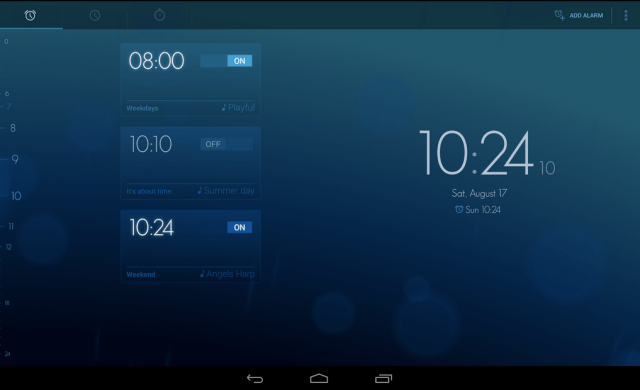
BitSpin, Developers Of The Timely Alarm Clock For Android, Join Google

by Greg Kumparak

Timely

While details about the deal are quite sparse, it seems that Google has quietly acquired (acquihired?) Bitspin, the Zurich-based team behind the Android alarm clock Timely.

Best known for its design, Timely found a rather nice balance between beauty and simplicity. It’s flagship feature was its quick set alarm, which allowed users to schedule an alarm with just a single swipe or two. According to their Google Play stats this morning, Timely had received somewhere between 1 and 5 million downloads.

In what may be the shortest announcement ever, Bitspin announced the news by way of a three sentence post on their home page:

“We’re thrilled to announce that Bitspin is joining Google, where we’ll continue to do what we love: building great products that are delightful to use.

For new and existing users, Timely will continue to work as it always has. Thanks to everyone who has downloaded our app and provided feedback along the way; we truly appreciate all your support.”

Alas, there’s no word yet on the specific details of the deal, though we’ve got emails in asking for more. The good news, in the mean time: whether you’re already a Timely user or just finding out about it now, the app will continue to be offered for free.


04 Jan 09:52

Tactus Raises Series B To Help Bring Its Disappearing Touchscreen Keyboard To Market

by Chris Velazco

There were plenty of media darlings at last year’s CES, but few tickled people’s fancies the way that Tactus and its amazing disappearing tablet keyboard did. The company has spent the past few months crafting reference devices for would-be partners and gearing up to help OEMs bring that impressive keyboard tech to market, but now it’s looking to supercharge those efforts with a newly raised Series B round.

Sadly, the company is keeping most of the particulars under wraps for now — Tactus didn’t disclose the size of the round or the full list of new names that are joining existing investors like Thomvest Ventures. In fact, the only new investor Tactus specifically called out is Ryoyo Electro, a sizeable Japanese OEM (that I’ve honestly never heard of) that the company originally tapped as a strategic partner late last year.

And what exactly does Tactus plan to do with a freshly minted Series B? To expand on what it’s been doing for the past year or so — working with OEMs to fine-tune the Tactus experience ahead of some big initial launches. Naturally, part of that fine-tuning comes in the form of developing different sorts of keyboard layouts for OEMs to implement since the last thing a forward-thinking device manufacturer needs is a killer feature that competitors can pick up and run with themselves.

We’ve seen the traditional keyboard layout in action before: it involves pumping up areas of the screen that correspond to your usual set of alphanumeric keys, but more exotic configurations would see the gaps between keys to bulge instead to better guide users’ fingers where they need to go.

To hear Tactus CEO Craig Ciesla tell it, the first batch of devices with those expanding keyboards should hit store shelves toward the middle of this year, and with any luck that’ll just be the beginning. After all, the company has pointed out in the past that the process of crafting traditional glass cover lenses that sit over tablet and phone displays is tricky and costly enough to make a fluid-filled Tactus layer a viable choice. When asked if Tactus’ ultimate goal was to completely supplant traditional cover lenses, Ciesla cautiously confirmed his ambitions.

“It’s not going to be a case going from Q1 2014 where everything is glass to Q1 2015 where everything is Tactus,” he noted. “This is a better interface, it’s more satisfying, it’s lighter, it won’t shatter. It’ll just take time.”

Bold words, but we’ll soon see how right he is — Tactus has promised to show off some updated models when CES starts in earnest next week, so check back to see if these guys (and their partners) can make good on their lofty promises.


04 Jan 00:09

What do icebergs sound like?

by Maggie Koerth-Baker
Turns out, they make lots of noises, but their movement through the water is associated with a sound akin to a cross between a squeaky door closing and high-pitched cow moo-ing.


03 Jan 20:29

BlackBerry Files Lawsuit Against Seacrest’s Typo Keyboard Startup For Infringement

by Matthew Panzarino
Screen Shot 2014-01-03 at 10.00.12 AM

BlackBerry has today filed a lawsuit against startup Typo Keyboards, which is backed by Ryan Seacrest. The company alleges that Typo copied BlackBerry’s patented and “iconic” keyboard design. Updated with statement from Typo below.

“We are flattered by the desire to graft our keyboard onto other smartphones, but we will not tolerate such activity without fair compensation for using our intellectual property and our technological innovations,” Steve Zipperstein, BlackBerry’s General Counsel and Chief Legal Officer, said in a statement today.

Seacrest invested $1M in the accessory, which encloses an iPhone in a case with a keyboard attached to the bottom half. The keyboard covers the iPhone’s home button but offers an alternate home button on the bottom right corner.

BlackBerry says that the Typo Keyboard violates its intellectual property rights, and that it will protect those rights from “blatant copying and infringement.”

“BlackBerry’s iconic physical keyboard designs have been recognized by the press and the public as a significant market differentiator for its mobile handheld devices,” the statement concludes.

The design certainly bears some resemblance a strong resemblance to BlackBerry’s signature rounded-corner keys and sloped corner design — right down to the placement of the back and return buttons. But one does have to wonder how many ways you can arrange keys on a keyboard.

Here’s the BlackBerry Q10 keyboard:

Screen Shot 2014-01-03 at 10.00.56 AM

And here’s the Typo keyboard accessory:

Screen Shot 2014-01-03 at 10.03.34 AM

Either way, BlackBerry’s death rattle is unlikely to be slowed by its new strategy of ‘get money from Seacrest‘.

Update: Typo has issued a statement to TechCrunch:

We are aware of the lawsuit that Blackberry filed today against Typo Products. Although we respect Blackberry and its intellectual property, we believe that Blackberry’s claims against Typo lack merit and we intend to defend the case vigorously.  We are excited about our innovative keyboard design, which is the culmination of years of development and research.  The Typo keyboard has garnered an overwhelmingly positive response from the public.  We are also looking forward to our product launch at the Consumer Electronics Show in Las Vegas next week and remain on track to begin shipping pre-orders at the end of January.

Article title updated to clarify that BlackBerry is suing over design infringement, not features.


03 Jan 18:01

CES 2014: The Verge preview

by Verge Staff

The holidays are behind us, the year has turned, and that means it’s time for another Consumer Electronics Show. CES is the biggest tech party of the year and The Verge will be there in force. As we head into the show, don’t believe the haters: the tech stories many are expecting may sound like they’re minor iterations on stuff we’ve already seen, but sometimes those second turns are the most important ones. From 4K to wearables to smart cars, the story of CES will probably be the mainstream availability of tech that was previously out of the average consumer's reach. If 2013 was about introducing new tech like curved televisions and the Oculus Rift, 2014 looks like it’s going to be about making it both real and available for...

Continue reading…