 Hardly two days have passed since Spotify began allowing unlimited access to its free streaming service, but another major competitor has already stepped up to the plate with a major transition of its own. Rdio, one of the last bastions for premium desktop music services without ad-supported streaming, has finally gone free. Rdio announced on its blog that it has "added in-stream messaging to Rdio on the web," short ads for free users who don't want to subscribe. Rdio will still maintain its $9.99 per month subscription service, dubbed Rdio Unlimited, for users who want to avoid the ads. Now that all the major streaming services have settled into a comfortable equilibrium, the impending launch of the subcription-only Beats Music is going to be even more interesting.
Bcstevieb
Shared posts
18 Jan 10:37
Hardly two days have passed since Spotify began allowing unlimited access to its free streaming service, but another major competitor has already stepped up to the plate with a major transition of its own. Rdio, one of the last bastions for premium desktop music services without ad-supported streaming, has finally gone free. Rdio announced on its blog that it has "added in-stream messaging to Rdio on the web," short ads for free users who don't want to subscribe. Rdio will still maintain its $9.99 per month subscription service, dubbed Rdio Unlimited, for users who want to avoid the ads. Now that all the major streaming services have settled into a comfortable equilibrium, the impending launch of the subcription-only Beats Music is going to be even more interesting.
Rdio caves to the competition, makes Web streaming free for all users
by Jacob Siegal
Hardly two days have passed since Spotify began allowing unlimited access to its free streaming service, but another major competitor has already stepped up to the plate with a major transition of its own. Rdio, one of the last bastions for premium desktop music services without ad-supported streaming, has finally gone free. Rdio announced on its blog that it has "added in-stream messaging to Rdio on the web," short ads for free users who don't want to subscribe. Rdio will still maintain its $9.99 per month subscription service, dubbed Rdio Unlimited, for users who want to avoid the ads. Now that all the major streaming services have settled into a comfortable equilibrium, the impending launch of the subcription-only Beats Music is going to be even more interesting.
18 Jan 10:29

What Cool Things Can I Do with All This Free Cloud Storage Space?
by Melanie Pinola

Dear Lifehacker,
Anytime I see an offer for free cloud storage, I'm all over it. I have over 8GB of Dropbox space, 5GB on Google Drive, 20GB on Amazon Cloud Drive, 50GB on Box, and 7GB on Microsoft's SkyDrive—and I want to take advantage of all of it. Any suggestions?
Thanks,
Drowning in Free Space
Blast from the past is a new weekly feature at Lifehacker, in which we revive old, but still relevant, posts for your reading and hacking pleasure. This week, in honor of Box's 50GB free space giveaway, we're bringing back a few ideas on how you can use all that space.
Dear Drowning,
We hear you! With all the cloud services handing out free space like it's candy, it's easy to end up with a lot of unused space just waiting to be filled. Unfortunately, there's no way to consolidate all that storage space spread out across your accounts (though you can use services like previously mentionedOtixo and Primadesk to see all your online drives at once). One way to make use of all of these services without too much confusion is to separate the types of files you store across services, and in fact, you can do so in a way that takes advantage of the strengths of each.
For example, you can dedicate Dropbox to your active projects, because it's the syncing service where you have the most storage space. Use other services for backing up your photos, music, and other data.
These services all have unique strengths that can help you decide what to use them for. You don't need to use every single one of these services, but if you want to mix and match, here's an overview of what they're best for:
Best Uses for Different Cloud Services
Sync Your Music with Amazon Cloud Drive or Google Play Music
Neither Amazon Cloud Drive nor Google Play Music sync your files, so they're not useful for storing stuff that needs to always be up-to-date. They are, however, ideal for your music files.

If you buy your MP3s from Amazon, they're automatically stored to your Amazon Cloud Drive and don't count against your storage space. Even better, if you're on a paid plan (starting at $20/year for 20GB), you get unlimited storage space for all music, regardless of where you bought it. Amazon can stream your music on the web and on Android and iOS devices.

Google Play Music now incorporates the former Google Music service into Google's Play marketplace to store your songs—and books—online and stream them on the web and your Android phone. Play's limit for music is 20,000 songs, rather than a set amount of space in gigabytes. (You get unlimited space for ebooks and can use Play to rent movies but not store them in the cloud). Plus, Adam Pash's Music Plus Chrome extension makes Play Music even more awesome.
Learn more about the differences between Google Play Music and Amazon Cloud Drive in our cloud music comparison, which also includes iCloud. It's also worth noting that SugarSync can stream a folder of music to iOS and Android, and gives you 5GB of free space.
Sync Files Instantly Over Your Local Network and Access a Ton of Useful Apps with Dropbox

Dropbox has a couple of advantages over the competition: LAN sync and the incredible breadth of apps that use the Dropbox API.
LAN sync speeds up syncing files over a local area network. Before syncing a file, Dropbox will first check if it resides on another Dropbox folder on a computer on your local network, and if so, syncs the file locally rather than downloading from Dropbox's remote server. This makes Dropbox perfect for storing things for all your networked computers to share, such as disk images of programs to install, program settings and portable apps, iTunes library, and emails and settings for your desktop email client (Outlook or Thunderbird).
A ton of apps make Dropbox a robust tool that goes beyond syncing and file storage as well. Use Dropbox to host webpages, process files (e.g., automatically send files to Kindle, convert audio, or zip files and email them), request files from others, and more. Many services, such as password-managing 1Password and the Day One journaling app, only sync to Dropbox, so save some space in Dropbox for these kinds of services.
Create and Edit Office Documents and Project Files on Google Drive or SkyDrive
Both Google Drive and SkyDrive excel at creating and editing office docs—text documents, spreadsheets, and presentations.

Google Drive integrates Google Docs, naturally, and your Google Docs don't count against your storage limit (which starts at 5GB of free space). Google Drive is also ideal for storing PDFs and image files, because Google Drive can search for text inside of them—so you might use this storage bucket for saving reference files, menus, scanned receipts, and such. Because the Google Drive viewer can open special types of files (Adobe Illustrator and Photoshop files, Autodesk AutoCad files, archive files, some markup/programming code, and more), Google Drive may be great for storing your project files that you want to share with others who don't have the programs installed to open them. Google Drive's whopping 10GB max file size means you can upload and share video files and other huge project files without worry. (Google is also adding third-party apps for Drive, a la Dropbox, such as faxing and document signing. Watch out, Dropbox!)

SkyDrive is your best option if you need to work with Microsoft Office files or share them with others. You can view, edit, and create Microsoft Office documents in your browser, with no need to have the software installed on your computer. SkyDrive would be a natural place to store your OneNote notebooks for syncing across all your devices.(And if you were a SkyDrive user before April 23, you can get 25GB of free storage instead of the default 7GB.)
Securely Collaborate on and Share Files with Box

Box (formerly Box.Net) also doesn't offer file syncing—unless you're on a paid Business or Enterprise plan. However, if you grabbed one of Box's previous promotions for 50GB of free space instead of the typical 5GB free (it sounds like you did), you've got an enormous amount of space to play with. Whether you have 5 or 50 gigabytes, you can use this repository to backup those files you don't need to update often, such as product manuals or your phone's apk files or Titanium backups. (Keep in mind the 100MB file size limit.)
Box's key strengths, though, are on the professional side. You can embed your Box files into your professional LinkedIn profile—so perhaps use Box to store your portfolio or other work samples. You can also embed Box files on your website or blog via a widget (nice for distributing eBooks or other things you've made).
As the most business-oriented cloud service here, Box has the best collaboration features of the bunch. Share files or folders with a link and get notified when others view them. You can add tasks to files as well as comments/discussion threads and passwords for specific files or folders (even more access controls are available in the business version).
What You Can Do with Any Cloud Storage Space
All of these services (and others like them) serve the same purpose: Providing you with online storage space for whatever you want to store there. Most of them (except Amazon Cloud Drive, Box, and Google Music) also automatically sync your files so they're always up to date wherever you log in from.
Here are some things you can store on any of them:
- Photos, Videos, and Music: Backup your pics and videos and share them on one of these services. Dropbox, Google Drive/Google+, and SugarSync auto-upload your photos and videos—a huge plus for automatically backing up precious moments. Dropbox, SkyDrive, and SugarSync offer a gallery or album view of your photos—great for sharing with others. (Note: SugarSync has no file size limit and Google Drive's is 10GB, so these might be best for really large media files.) When it comes to Music, Amazon and Google Music are still your best bet, but if you want to sync, say, your iTunes library between computers, you can do that too.
- General backups: You can backup anything, really, to these services. If you're storing sensitive information online, though, make sure you encrypt the files first (see this Dropbox example of your options).
- Shared files: Although Box has the best access controls and file sharing features, all of these services are useful for sharing files and folders with others.
- Password manager files: Keep your KeePass or Roboform databases in sync.
- Game saves: Store your game saves in a central, synced location and you can pick up your game where you left off on another computer with that game installed.
- Torrent files: If you use a BitTorrent application that monitors a specific folder for new torrent files, save them to your syncing folder of choice. (See original post for Dropbox)
As mentioned earlier, you don't have to use all of these services; if you want to simplify things, you could use just a couple (or even just one), based on your needs and how much free space you have on each—as well as platforms availability, max file size, and price per GB should you want to upgrade.
Hopefully, this gives you more ideas for how to divvy up and make use of all that free storage. (For even more ideas, learn how to use Dropbox for more than just file syncing and check out the clever things you can do with Dropbox that you might not be using. These can also work with other services.)
Love,
Lifehacker
P.S. Some of us have already discussed amongst ourselves how we're using multiple cloud storage services, but there's a spot in the comments below for you to share your method.
Have a question or suggestion for Ask Lifehacker? Send it to tips+asklh@lifehacker.com.
FuGen, Bigfatmonster likes this
17 Jan 23:59

Mozilla is testing the first Firefox OS tablet prototype
by Valentina Palladino
The US might not see it immediately, but the world will soon get its first Firefox OS tablet. Mozilla has begun testing is browser-based operating system on tablets and has developed its own tablet prototype. Currently Firefox OS runs on smartphones and may eventually power smart television screens, but this is the first showing of it on tablet devices.
The Foxconn-built prototype isn't the best tablet by any means, but not the worst either. The specs released say it will have a 10-inch, 1280 x 800 display, 2GB of RAM, 16GB of internal storage, and WiFi and Bluetooth capabilities. It will also feature front and rear cameras, GPS, a microSD card slot, micro USB port, and a 7000mAh battery. In an age of high-pixel density displays, it...
myszor4444 likes this
17 Jan 21:48


You bought it, you own it, right?
by Cory Doctorow
 In the latest Electronic Frontier Foundation post for Copyright Week, Corynne McSherry tackles one of the most troubling aspects of modern copyright law: the idea that even though you've bought a device or a copyrighted work to play on it, they're not really your property. Because of the anti-circumvention rules (which are supposed to backstop "copy protection"), it's illegal to discover how your technology works, to tell other people how their technology works, to add otherwise lawful features to your technology, and to make otherwise lawful uses of your media.
You bought it, you own it, right? Not always. Over the past decade, we have been quietly shifting to a world in which both digital goods (like mp3s, video files, and ebooks) and physical goods that contain software (like cars, microwaves, and phones) are never truly owned, but only rented.
Not to worry, say big copyright holders; people don’t want to be owners, because all they really care about is “access,” and more and more content is being made “accessible” in more and more ways. Sure, you might have to pay a premium for the “privilege” of, say, watching the movie you “bought” on more than one device, but no one’s forcing you to do it. Besides, they tell policymakers, just give us more tools to punish unauthorized uses and we promise to build more “authorized” channels – as long as users are willing to pay for them.
There are a lot of reasons they are wrong. Here's just a few:
First, most people have no idea that all they bought was a license. After all, the button they clicked on the Amazon site said "Buy," not "Rent." Little do they know that Amazon has the right to (for example) remotely delete books from their library, without notice, at Amazon’s whim. Or that the holiday special they were planning to see might suddently become "unavailable."
The Copyright Week campaign comes with six principles for you to sign up to.
You Bought It, You Own It! Time to Reclaim the Right to Use/Tinker/Repair/Make/Sell/Lend Your Stuff 
    
|
Ronald.phillips likes this
17 Jan 21:44
 The topic of "best camera phone in the world" is debated often, but it really shouldn't be — that title goes to the Nokia Lumia 1020, with its 41-megapixel camera. According to one expert, the Lumia 1020 is the closest thing smartphones have to a modern DSLR, having recently crushed the iPhone 5s in a head-to-head showdown. Well guess what, Nokia fans: As good as it was, the Lumia 1020's camera just got even better.
Continue reading...
The best camera phone in the world just got even better
by Zach Epstein
The topic of "best camera phone in the world" is debated often, but it really shouldn't be — that title goes to the Nokia Lumia 1020, with its 41-megapixel camera. According to one expert, the Lumia 1020 is the closest thing smartphones have to a modern DSLR, having recently crushed the iPhone 5s in a head-to-head showdown. Well guess what, Nokia fans: As good as it was, the Lumia 1020's camera just got even better.Continue reading...
17 Jan 21:39


Rock out for three months with Sony Music Unlimited for just £3
by Richard Devine

Get all the music you want for just £1 a month in limited time offer
If you're currently not invested in a music streaming service, then Sony Europe wants to make a play for your business. If you sign up to its Music Unlimited service before January 31, you'll be able to enjoy three months of all the tunes you can handle for just £3.
The beauty to Music Unlimited over some of the competing services is getting it on your PlayStation console, if that's your thing. Since this is Sony we're talking, there's a pretty good selection of music, it offers 320 kbps AAC streaming and offline music. If this sounds like your sort of thing, grab the Android app from the Google Play Store at the link up top, and hit the source link for more information on this limited time offer.
Source: Sony
|
|
17 Jan 18:22


Meet The 13 Startups Wayra U.K. Is Accelerating In 2014
by Natasha Lomas
Wayra U.K. is still a relative newbie to the London startup accelerator scene, opening its doors back in May 2012 for its first intake. Last year’s cohort included journaling app Narrato and lesbian dating service Dattch, to name two of the 17.
Today Wayra U.K. is naming its third intake that will be hothoused through the circa nine-month mentoring programme centrally based, near London’s Goodge Street.
The 13 startups that made the cut for the 2014 intake are:
- Geneix — healthcare startup combining big data and genetics to work towards personalised medicine.
- Team-Match — web analytics for teams to enhance performance by assessing personalities and strengths & weaknesses.
- Virtually Free — develops games and gamification designed to improve mental health problems.
- Aprefis — helps companies increase margins and profitability through big-data pricing algorithms, with a focus on making this type of analytics accessible to smaller companies.
- Skim.it – social news application to create personalised news feeds and present the data in a summarised format (which sounds rather like Summly).
- Living Indie — wants to be the ‘Netflix of live concerts’, doing live streaming of gigs in HD.
- GeniusMatcher — hardware free indoor navigation using computer vision and 3D — initially focusing on digitally recreating shopping malls.
- Paperfold — a new inbox concept, initially for iPad.
- Tonguesten Rebeats — a music/film/text platform for learning languages and literacy skills, powered by original artificial intelligence and metadata.
-
MedArkive — digital delivery and hosting for copyright protected content licensed and
distributed to the medical community. - Represent — an online portfolio platform for school leavers that lets them create a showcase for their skills that’s more visual than a CV (aka a ‘visual LinkedIn’).
- Runnit — a mobile app that rewards users with discounts and free products for going running.
- Lobster — a user content marketplace to buy/license photos from Instagram, Flickr, audio, videos, text.
The startups were whittled down from a shortlist of 27 — one of which (Lobster) was sourced from a reserve list and stepped in to pitch in place of a finalist that dropped out. The shortlisted startups pitched the judges earlier this week and today during Wayra Week. (The startups that did not make the cut are listed at the end of this article).
Judging criteria for selecting which startups bagged a space in Wayra’s London academy — and the up to 50,000 Euros in funding that comes with it — focused on five factors: opportunity size, maturity, strategic fit, risk and innovation.
The strategic fit portion of the criteria refers to Wayra’s parent company, the global carrier Telefonica. What’s a hoary old mobile operator doing accelerating startups? Well, despite having massive customer bases to sell stuff to, carriers have typically been terrible at coming up with innovative new ideas that engage consumers. Telefonica’s workaround for plugging this ideas gap is thus to outsource “talent detection” to a global network of Wayra academies — which now extends to 14 academies in 12 countries.
(The full Wayra academy footprint is as follows: Bogotá, Caracas, Mexico City, Lima, Buenos Aires, Madrid, Barcelona, London, São Paulo, Santiago, Dublin, Prague and Munich.)
Unfortunately Wayra U.K. would not disclose how many applications its London academy received this year, saying only that across its entire network of academies it’s had a cumulative total of 23,000 applications to date. Which is, as my TC colleague Steve O’Hear judiciously observed, “lame” in terms of putting its performance in context with other London accelerators.
Seedcamp, for instance, which has been running its bootcamp programme since 2007, released a swathe of data on its performance last September — at which point it said it had received 2,000 applications in 2013 alone.
Meanwhile, the newly-relocated-to-London Oxygen accelerator (unsurprisingly) had far fewer applications — just 310 – to its programme last year. And although also a newcomer to London, TechStars, which held its debut Demo Day in the U.K. capital last September, drew in 1,302 applications from 72 different countries — demonstrating the global pull of the TechStars brand.
It remains unclear how much traction Wayra U.K. is getting in attracting startups willing to hand over a portion of their business — and share their best ideas — in exchange for a little business acumen, a little investment and the chance to pitch a roomful of VCs and investors when the time comes to seek more money. But it’s worth noting that the size of the 2014 intake is smaller than the 17 startups that Wayra U.K. incubated last year.
The new Wayra U.K. cohort will take up their desks in the London academy on February 17.
The shortlisted startups that did not make the cut this time were:
- Zave App — Allows users to save and send money to an account by rounding up their bills.
- Aeroline — Provides a web-based solution that reduces the cost and risk of aerospace companies when conducting the approval of their suppliers.
- Aire Score — A better credit scoring system for individuals, built ground up using newer data and algorithms.
- Temptster — Über of the hospitality world.
- StockFlare — The most user-friendly App that helps you make better investment decisions.
- BitPoster — Ad exchange for the digital billboard market.
- Student Tutors — A tutoring platform for university students to tutor in subjects related to their degree.
- The LMS App — elearning at your fingertips
- ThumbTags — Making online images shoppable, engaging and interactive, generating revenue for publishers.
- Avuxi — ‘Klout’ for place – visualised on a map and with augmented reality.
- 6 Degrees of Sound — A new way of listening to music: interact with musical instruments in an auditory virtual environment.
- DadzClub — An online social platform for dads in the UK.
- Awesome.bi – Not a business intelligence tool, but a cloud based retail ‘action tool’.
- Mobiloud — Native mobile app publishing platform for small content publishers.
17 Jan 18:18

Obama's NSA Reforms Come Up Short
by Adam Clark Estes on Gizmodo, shared by Whitson Gordon to Lifehacker

In a major speech Friday morning, President Obama scaled back the NSA's surveillance operations and redefines how we collect intelligence overseas. In brief, he ordered the end of the bulk telephony metadata program (in its current from) and spying on foreign leaders. Beyond that, though, the future remains murky.
Truth be told, Obama did announce several reforms, some of which fell in line with the recommendations made by the advisory committee he set up for reforming America's intelligence practices. The main one means that the intelligence community must get court approval before tapping into its vast database of telephone data. He also announced:
- a new presidiential directive for signal intelligence
- a set of reforms to programs and procedures to provide greater transparency from the intelligence community
- new reforms to restrict amount of information collected on foreign targets overseas under Section 702
- a policy change to make national security letters secret for only a limited period of time in order to increase transparency
- an end to Section 215 bulk collection of telephone metadata program in favor of "a new mechanism"
All of that sounds pretty vague because it is. The president stops short of announcing specifically how intelligence-gathering will be conducted in the future and instead continues to dwell on the idea that his administration will increase transparency, make small course corrections, and set up an outside committee to protect privacy. (He did say that a senior White House official will be appointed to implement privacy safeguards.)
Other recommendations from the advisory committee, like seeking court approval for national security letters, were ignored. Obama also failed to mention anything about the NSA's supposed creation of "back doors" and ability to break encryption. He said nothing of the NSA's reported intrusion into the servers of internet companies or the advisory's committee's recommendation that that agency "not in any way subvert, undermine, weaken or make vulnerable" commercial software.
The mystery of what NSA surveillance will look like in the future lingers. We don't know, for instance, what this "new mechanism" for bulk collection of data will look like. Bulk collection of data will continue, however, albeit in a slightly limited form. The intelligence community, for instance, will only be able to pursue phone calls that are two steps removed from a number associated with terrorists instead of the current limit of three steps. Nevertheless, Obama made it clear that whatever replaces Section 215 could be pretty similar to Section 215.
Obama did concede that we would have to work to restore confidence in the United States overseas. And so in his presidential directive, Obama reiterated that the U.S. "only uses signals intelligence for legitimate national security purposes" and not "to suppress criticism or dissent" or "to disadvantage people on the basis of their ethnicity, race, gender, sexual orientation, or religious beliefs." He added that the U.S. does "not collect intelligence to provide a competitive advantage to U.S. companies, or U.S. commercial sectors." So no more spying an Angela Merkel or any other foreign leaders.
All that said, the president worked hard to defend the nation's intelligence-gathering activities. Obama emphasized that the controversy surrounding surveillance programs at places like the NSA probably have more to do with the gap between technological advances and policies than they do with breaking the law or violating American's civil liberties. He maintained that the intelligence community is full of patriotic Americans doing the right thing. You have to wonder how many Americans who've been spied on by the NSA actually feel that way.
This isn't the end of the road, when it comes to NSA reform, though. From here, it's up to the courts and Congress to add detail to Obama's broadly worded announcements. It's also up to the people to keep fighting for their right not to be spied on.
Read the full text of Obama's speech here.
Image via AP
17 Jan 18:17


Friendly seals off the coast of England
by Rob Beschizza
"We've been visiting here for the last six years to say hello to the seal pups and we've never had this much interaction before," writes Jason Neilus, of a visit to the Farne Islands. "They were everywhere and all over us!!!! After a nightmare drive there with the worst traffic coupled with the imminent arrival of the St. Jude storm we didn't think this trip was going to be worth the effort but once again the seals made every second worthwhile." [Video Link via Arboath]
|
|
17 Jan 15:16

NewsToEbook Converts RSS and Feedly Subscriptions Into Epub
by Eric Ravenscraft

If you like reading RSS feeds, but prefer to read on your Kindle or other ebook device, NewsToEbook makes it dead simple to convert your feeds to an Epub format. It can even pull in your Feedly Subscriptions!
The service works by placing a bookmarklet in your bookmarks bar. When you want to create a new Epub, simply open up Feedly or an RSS feed and click the bookmarklet. Then, click "Get Epub" and download away! You can then open up your favorite news items in your ereader of choice.
NewsToEbook | via MakeUseOf
17 Jan 14:35

Google X building 'smart' contact lens to measure glucose levels for diabetics
by Nathan Ingraham
There's no doubt that Google is becoming a full-fledged hardware company, but the latest Google X project is a lot different that tablets and smartphones — the company just announced that it's building a "smart contact lens." However, it's not meant to be a miniaturized version of Glass — it's meant to help diabetes patients keep track of their glucose levels. Inside the lens is a miniaturized wireless chip and glucose monitor that will measure the glucose levels of the wearer's tears.
Google's hoping that it'll be a less painful and invasive way to monitor glucose levels than the typical method of pricking a finger and testing blood droplets multiple times a day. Ideally, the sensor would be able to generate a reading once per...
17 Jan 14:35

California woman who got a ticket for driving with Google Glass is off the hook
by Josh Lowensohn
A California woman who got pulled over last October while wearing an early version of Google Glass has been given a reprieve by a San Diego court commissioner. In a decision today, the citation against Cecilia Abadie was dismissed based on the fact that it could not be proven the device was on, reports Reuters. Abadie had originally been pulled over for speeding (a charge that was also dropped), though the officer added "distracted driving" to the ticket after seeing the device. The incident was under particularly close scrutiny as Glass develops from its testing phase to a commercial product. Legislation introduced in three states have already aimed to make the product illegal to use while driving, something that could severely hinder...
17 Jan 14:18


Google developing 'smart contact lens' that can measure glucose levels in tears
by Andrew Martonik

'Chips and sensors so small they look like bits of glitter'
We all know of Google Glass, but the next frontier for Google is apparently smart contact lenses. Google took to its official blog today to announce a new Google[x] project focused (pardon that pun) on using electronics embedded in contact lenses for medical applications. The technology is simply a tiny wireless chip and sensor wedged between two pieces of normal contact lens material.
The example use case given in the post describes how tough it can be for diabetics to check and manage their glucose levels, and how a smart contact lens could measure glucose through tears once every second and relay that information back to the wearer. Going forward, Google foresees even being able to embed LEDs into these lenses to alert the wearer if a measurement, like glucose, hit a critically low or high level.
True smart contact lenses for the general public are surely a long way off, and for that reason are relegated to a Google[x] project, but we still love to see companies trying anything like this. For now we'll continue our coverage of Google Glass, knowing that the next form factor is already under development.
Source: Google
|
|
16 Jan 23:47

Google quietly kills off its Notifier service for mail and calendar events
by Josh Lowensohn
In an age of smartphones, web browsers, and operating systems that alert you to every new email, calendar appointment, and more, there hasn't been much need for Google's free Notifier app. Apparently Google thought the same thing, and today quietly discontinued the free tool, which has been around since 2005. Users looking to install the app are now being told by Google to simply install Chrome, which has desktop notifications built in and can hook up to the company's productivity apps. Long before such inventions, the small software utility was able to check for messages every two minutes, and alert users to new mail and calendar events. It was also an intermediary to Google's online services for people who didn't use a native mail or...
16 Jan 23:14


'The Valley of The Elves' photojournalist Ellie Pritts charming adventure
by Jason Weisberger

In 2010, photojournalist Ellie Pritts vacation in Europe took an interesting turn and she found herself staying with an isolated, self-sufficient community in a shrouded-with-mystery place known as the "Valley of The Elves."
Writes Ellie:
"With just €80 to our names in Florence, we relied on a network of friends of acquaintances to secure lodging for a long weekend before we moved on to Athens. We had only a vague understanding of where we were going to spending the next few days. All we really knew was that we were going to be staying in a non-traditional community in the mountains northeast of us. The author J.R.R Tolkien and “elves” were mentioned, but we weren’t sure how much of what was being told to us was simply lost in translation."

While there were no elves and they never understood the connection to Tolkien, Ellie found a darling place. The images of the playing children, kittens and hand operated farming equipment are lovely and I'm pleased to see that no community can go without excellent pizza. I hope does she go back.
The Valley of the Elves by Ellie Pritts
Previously on Boing Boing:

|
|
16 Jan 21:40
 There has been plenty of back and forth over the past year or so regarding whether or not teens and other young users are abandoning Facebook in favor of rival services. The theory is that parents and other family members use Facebook too often to keep tabs on their children, so children are moving away from Facebook to services like Tumblr, Twitter, Instagram and other social networks that offer more privacy. It makes sense, of course — no one wants their grandparents to see a scantily clad bathroom selfie.
Continue reading...
Teen Facebook exodus reportedly real as 11 million young users flee
by Zach Epstein
There has been plenty of back and forth over the past year or so regarding whether or not teens and other young users are abandoning Facebook in favor of rival services. The theory is that parents and other family members use Facebook too often to keep tabs on their children, so children are moving away from Facebook to services like Tumblr, Twitter, Instagram and other social networks that offer more privacy. It makes sense, of course — no one wants their grandparents to see a scantily clad bathroom selfie.Continue reading...
16 Jan 21:36

Facebook plans suite of standalone mobile apps for 2014
by Ellis Hamburger
Facebook’s new Messenger app is lightning fast and utilitarian — a vision of the "mobile first" mentality Facebook promised one year ago. In an earnings call two weeks after Messenger launched, CEO Mark Zuckerberg reflected on how the company had "historically" moved forward by building a lot of features into its core app — and how things were about to change. "We also have a few separate apps that are widely used, such as Instagram and Messenger, our standalone messaging app," he said. "In the future, we expect to develop more of these services to help people share."
At the time, Zuckerberg’s statement didn’t generate any headlines or much attention, but The Verge has learned that he was hinting at the company’s 2014...
16 Jan 21:30
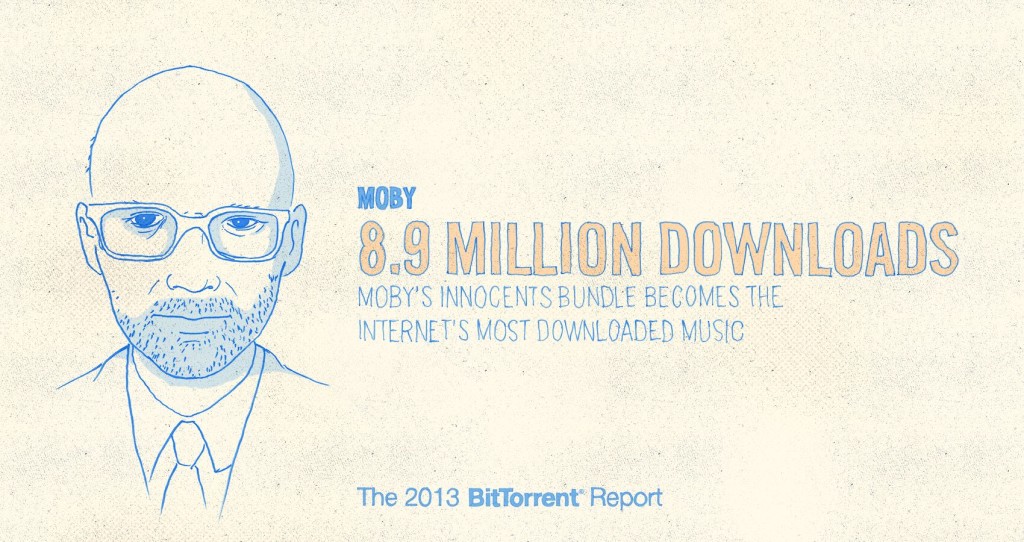

BitTorrent Says Its Promotional Bundles Saw 60M Downloads In 2013
by Anthony Ha
BitTorrent just published a blog post recapping its past year, particular the success it has seen with BitTorrent Bundles.
Those Bundles are basically promotional packages of content that creators or content companies share. For example, to promote the iTunes release of the director’s cut of the Oscar-nominated documentary The Act of Killing, its makers released a BitTorrent Bundle last month that included videos, essays, and photos tied to the movie.
BitTorrent says The Act of Killing Bundle was downloaded 2.3 million times, and that its Bundles (a program that only launched in May) were downloaded 60 million times. The most popular Bundle was the one for Moby’s latest album innocents, which was downloaded 8.9 million times. Of those who downloaded it, 419,000 signed up for Moby’s email list and 130,000 went from the Bundle to the album on iTunes. Other popular Bundles include one for the show Epic Meal Time (8.6 million downloads) and another for the DJ Kaskade (4.1 million downloads).
How does that compare to pirated downloads? Well, TorrentFreak recently said that The Hobbit: An Unexpected Journey was the most pirated film of 2013, with 8.4 million downloads — though those numbers don’t include online streaming and cyberlocker downloads, so “the total piracy numbers will therefore be significantly higher.” (By the way, this year also saw BitTorrent trying to distance itself in the public’s perception with piracy.)
In the blog post, Vice President of Marketing Matt Mason argues that these numbers show a broader shift towards “viral content”:
This creative shift is massive. And so are the implications. Because viral content works differently from static content. Viral content is by definition content in motion. It has to travel. If your storefront, ad model and social strategy isn’t embedded into your file, you’re missing a revenue opportunity.
And viral content is by definition experiential. As The New Inquiry’s Rob Horning notes in a recent essay, the point of virality is participation in the emotion of the story, and participation in its popularity. This requires a different kind of creative good. What you make has to be a call to action: kinetic, visual, detachable.
As for what 2014 holds, Mason says that we’ll see Bundles with “pay gates, social gates, artist analytics tools, and more.”
16 Jan 15:56

Zero Dollar Movies Finds Free Films on YouTube
by Eric Ravenscraft

With the internet, there's no shortage of free media out there if you can find it. So much, in fact, that if you're ever looking for inspiration, you should be able to find it. Zero Dollar Movies is just another source of free entertainment.
The site aggregates feature-length movies on YouTube. Of course, since the site searches what's available on YouTube and less-than-official versions of movies sometimes end up on there for a while before they get taken down, big name movies occasionally slip through the cracks. However, largely the site's library is legitimate and impressive for not spending a dollar.
16 Jan 15:55

Jazz And Rain Plays the Most Soothing of Sounds While You Work
by Eric Ravenscraft

Background noise generators are nothingnew. Jazz and Rain takes them for a new spin with exactly what the name promises: sweet jazz and soft rain sounds.
The webapp plays a continuous list of instrumental jazz music alongside a soundtrack of rain sounds. You can adjust the volume level of both independently and let them run in the background. Unfortunately, there is no volume control for the notes they aren't playing.
Jazz And Rain | via Lowell Heddings
16 Jan 14:50


Anti-Piracy Law Led to 30% Jump in Legal Content Buyers, Govt Claims
by Andy
 Last August, Russia introduced new legislation aimed at reducing instances of online copyright infringement. The framework, some of the strongest steps ever taken by the government, introduced a formal system for rightsholders to have unauthorized content, links to content, or even entire domains taken offline.
New figures released by the authorities reveal that after more than five months in action, rightholders filed around 75 official complaints. In 30 of those cases the sites in question complied with official removal orders and in 19 others a decision was taken by the authorities to block offending URLs.
When compared with the millions of URLs taken down in the West every single week, the Russian effort appears somewhat minuscule, particularly given the fanfare which heralded the law’s introduction. Nevertheless, the government is now claiming that the legislation is working very well – surprisingly well in fact.
“Last year was a turning point in terms of the fight against piracy on the Internet,” Minister of Communications Nikolai Nikiforov told the State Duma, the lower house of the Federal Assembly.
“The law has actually brought us serious results,” he continued. “We found that [the law's introduction] resulted in an increase of 30% in the number of people who pay for legal content. This is a major achievement. Our country plans to increase the number of consumers of legal content on the Internet to 30 million people by 2018.”
Despite the minister’s enthusiasm, Oleg Tumanov, founder of IVI.ru, a major Hollywood partner and streaming portal described as Russia’s HULU, says things aren’t quite as straightforward.
“We have not felt the effect of this law and large Internet companies that actually affect the market have not even signed a memorandum of pre-trial settlement of disputes,” Tumanov recently complained.
It is worth noting that at the same time as suggesting the law might be ineffective, IVI.ru enjoyed double the number of visitors in 2013 than it did the previous year. However, the company says this was down to its own work and investment, having signed deals with all the major Hollywood studios to become the largest source of licensed video content in Russia.
Availability of content is a sure-fire winner when it comes to bringing in visitors and perhaps the single most important factor when trying to beat piracy. Concentrating on that, rather than introducing yet more legislation, should prove far more useful in the long-term.
As to whether millions of people are flooding to legal content in Russia due to an anti-piracy law that carries no sanctions against them whatsoever, is a matter still up for debate and one that could further cast doubt on the government’s claims.
Source: TorrentFreak, for the latest info on copyright, file-sharing and VPN services.
16 Jan 14:46

The Oscar Nominations 2014


The nominations for the 86th Academy Awards have been announced, and leading the pack are American Hustle and 12 Years A Slave, with seven and six nominations respectively in the major categories. Overall, American Hustle and Gravity both had 10 nominations (although most of Gravity's are in the technical categories), while 12 Years A Slave is close behind with 9.
Nebraska and Captain Phillips follow with six nods, with The Wolf Of Wall Street, Her and Dallas Buyers Club each on five. Philomena had four, while Blue Jasmine and The Hobbit: The Desolation Of Smaug each picked up three (the latter all technical).
The Best Picture nominees are American Hustle, Captain Phillips, Dallas Buyers Club, Gravity, Her, Nebraska, Philomena, 12 Years A Slave and The Wolf Of Wall Street. The big story there is probably the scant love for Inside Llewyn Davis (perhaps it's thematic, given that his whole life seems to be about rejection), which missed out on all the big categories, while early contenders like Rush, Fruitvale Station and Saving Mr. Banks have also missed out on a place.
Director nominees were, unsurprisingly, taken from among the ranks of the Best Picture nominees. David O. Russell for American Hustle, Alfonso Cuaron for Gravity, Alexander Payne for Nebraska, Steve McQueen for 12 Years A Slave and Martin Scorsese for The Wolf Of Wall Street. Generally speaking, Best Picture winners also have a nominee in this category, so this suggests that these are the five frontrunners there. Looking at the Best Editing nominees, traditionally a very strong indication of who's in the running for Best Picture, suggests that Gravity, American Hustle and 12 Years A Slave are the frontrunners, as the only three with nods in all three of those frequently linked categories.
Best Actor nominees are Christian Bale for American Hustle, Bruce Dern for Nebraska, Leonardo DiCaprio for The Wolf Of Wall Street, Chiwetel Ejiofor for 12 Years A Slave and Matthew McConaughey for Dallas Buyers Club. There's only one former winner there - Christian Bale took Best Supporting Actor for The Fighter, which suggests that he should only ever work with David O. Russell if he wants awards. This list is bad news for, among others, Tom Hanks for Captain Phillips, Oscar Isaac for Inside Llewyn Davis and Robert Redford for All Is Lost, but it's hard to argue much with the strength of the nominees.
Best Actress nods went to Amy Adams for American Hustle, Cate Blanchett for Blue Jasmine, Sandra Bullock for Gravity, Judi Dench for Philomena and, as is traditional, Meryl Streep, this time for August: Osage County. All of those nominees are previous winners apart from Amy Adams, who's a four-time nominee in the Supporting category. Could this be her year? We suspect not, given Blanchett's current frontrunner status, but you never know. The biggest omission is undoubtedly Emma Thompson, who was wonderful in Saving Mr. Banks.
Best Supporting Actor nominees are Barkhad Abdi, Bradley Cooper, Michael Fassbender, Jonah Hill and Jared Leto. What does this tell us? Well, American Hustle has nods in all the major categories and all the acting categories, which bodes well for its chances. Also, isn't it great to see a complete newcomer, the star of The Hangover, a mutant, a guy best known (still) for comedy and the former Jordan Catalano all competing for Best Supporting Actor?
Best Supporting Acturess nominess are Sally Hawkins, Jennifer Lawrence, Lupita Nyong'o, Julia Roberts and June Squibb. That's another eccentric selection, mixing two former Best Actress winners with a first time film star, a seasoned veteran and a brilliant scene-stealer.
Adapted Screenplay nods went to Before Midnight, Captain Phillips, Philomena, 12 Years A Slave and The Wolf Of Wall Street. If you're wondering how Before Midnight counts as an adaptation, it is of course based on the trio's previously existing characters. Original Screenplay lines up American Hustle, Blue Jasmine, Dallas Buyers Club, Her and Nebraska - another strong line-up.
This year's Animated Film nominees are The Croods, Despicable Me 2, Ernest & Celestine, Frozen and The Wind Rises. From the number of nominees, you'll immediately notice that there were more than 15 eligible films this year (otherwise there would only be 3 nominees) and you're probably glad to see Miyazaki get some Academy love. Notable by its absence is Monsters University, with Pixar missing out on its semi-traditional spot.
Foreign Language nominees were The Broken Circle Breakdown, The Great Beauty, The Hunt, The MIssing Picture and Omar. Cannes favourite Blue Is The Warmest Colour apparently didn't qualify this year, hence (we suspect) its omission.
The Act Of Killing, Cutie And The Boxer, Dirty Wars, The Square and 20 Feet From Stardom were the nominees for Documentary Feature.
Best Original Song nominees came from Alone Yet Not Alone, Despicable Me 2, Frozen (of course), Her and Mandela: Long Walk To Freedom.
This year's Oscars will take place on March 2 at the Dolby Theatre, and Empire will be there to cover them every step of the way. The full nominations are below.
OSCAR NOMINATIONS 2014
FILM
12 Years A Slave
American Hustle
Captain Phillips
Gravity
Dallas Buyers Club
Her
Nebraska
Philomena
The Wolf Of Wall Street
DIRECTOR
Steve McQueen - 12 Years A Slave
David O. Russell - American Hustle
Alfonso Cuarón - Gravity
Alexander Payne - Nebraska
Martin Scorsese - The Wolf Of Wall Street
ORIGINAL SCREENPLAY
American Hustle
Blue Jasmine
Nebraska
Dallas Buyers Club
Her
ADAPTED SCREENPLAY
John Ridley - 12 Years A Slave
Billy Ray - Captain Phillips
Steve Coogan, Jeff Pope - Philomena
Terence Winter - The Wolf Of Wall Street
Julie Delpy, Ethan Hawke, Richard Linklater - Before Midnight
ACTOR
Bruce Dern - Nebraska
Chiwetel Ejiofor - 12 Years a Slave
Christian Bale - American Hustle
Leonardo DiCaprio - The Wolf of Wall Street
Matthew McConaughey - Dallas Buyers Club
ACTRESS
Amy Adams - American Hustle
Cate Blanchett - Blue Jasmine
Meryl Streep - August: Osage County
Judi Dench - Philomena
Sandra Bullock - Gravity
SUPPORTING ACTOR
Barkhad Abdi - Captain Phillips
Bradley Cooper - American Hustle
Michael Fassbender - 12 Years a Slave
Jonah Hill - The Wolf Of Wall Street
Jared Leto - Dallas Buyers Club
SUPPORTING ACTRESS
Jennifer Lawrence - American Hustle
Julia Roberts - August: Osage County
Lupita Nyong'o - 12 Years a Slave
Sally Hawkins - Blue Jasmine
June Squibb - Nebraska
ANIMATED FILM
The Croods
Despicable Me 2
Ernest & Celestine
Frozen
The Wind Rises
ORIGINAL SCORE
Philomena - Alexandre Desplat
The Book Thief - John Williams
Gravity - Steven Price
Saving Mr. Banks - Thomas Newman
Her - William Butler and Owen Pallett
ORIGINAL SONG
Alone Yet Not Alone - Alone Yet Not Alone
Happy - Despicable Me 2
Let It Go - Frozen
The Moon Song - Her
Ordinary Love - Mandela: The Long Walk To Freedom
CINEMATOGRAPHY
The Grandmaster - Philippe Le Sourd
Gravity - Emmanuel Lubezki
Inside Llewyn Davis - Bruno Delbonnel
Nebraska - Phedon Papamichael
Prisoners - Roger A. Deakins
EDITING
American Hustle - Jay Cassidy, Crispin Struthers, Alan Baumgarten
12 Years A Slave - Joe Walker
Captain Phillips - Christopher Rouse
Dallas Buyers Club - John Mac McMurphy and Martin Pensa
Gravity - Alfonso Cuarón, Mark Sanger
PRODUCTION DESIGN
12 Years A Slave - Adam Stockhausen, Alice Baker
American Hustle - Judy Becker, Heather Loeffler
Her - K.K. Barrett, Gene Serdena
Gravity - Andy Nicholson, Rosie Goodwin, Joanne Woodlard
The Great Gatsby - Catherine Martin, Beverley Dunn
COSTUME DESIGN
American Hustle - Michael Wilkinson
The Great Gatsby - Catherine Martin
The Invisible Woman - Michael O’Connor
The Grandmaster - William Chang Suk Ping
12 Years A Slave - Patricia Norris
MAKE-UP & HAIRSTYLING
Dallas Buyers Club - Adruitha Lee, Robin Mathews
Jackass Presents: Bad Grandpa - Stephen Prouty
The Lone Ranger - Joel Harlow, Gloria Pasqua-Casny
SOUND EDITING
All Is Lost - Richard Hymns, Steve Boeddeker
Captain Phillips - Oliver Tarney
Gravity - Glenn Freemantle
The Hobbit: The Desolation of Smaug - Brent Burge
Lone Survivor - Wylie Stateman
SOUND MIXING
Captain Phillips - Chris Burdon, Mark Taylor, Mike Prestwood Smith, Chris Munro
Gravity - Skip Lievsay, Christopher Benstead, Niv Adiri, Chris Munro
The Hobbit: The Desolation of Smaug - Christopher Boyes, Michael Hedges, Michael Semanick, Tony Johnson
Inside Llewyn Davis - Skip Lievsay, Greg orloff, Peter F. Kurland
Lone Survivor - Andy Koyama, Beau Borders, David Brownlow
VISUAL EFFECTS
Gravity - Tim Webber, Chris Lawrence, David Shirk, Neil Corbould, Nikki Penny
The Hobbit: The Desolation Of Smaug - Joe Letteri, Eric Saindon, David Clayton, Eric Reynolds
Iron Man 3 - Bryan Grill, Christopher Townsend, Guy Williams, Dan Sudick
Star Trek Into Darkness - Ben Grossmann, Burt Dalton, Patrick Tubach, Roger Guyett
The Lone Ranger - Tim Alexander, Gary Brozenich, Edson Williams, John Frazier
FOREIGN LANGUAGE FILM
Broken Circle Breakdown - Belgium
The Great Beauty - Italy
The Hunt - Denmark
The Missing Picture - Cambodia
Omar - Palestine
ANIMATED SHORT FILM
Feral
Get A Horse!
Mr. Hublot
Possessions
Room On The Broom
DOCUMENTARY FEATURE
The Act Of Killing
Cutie And The Boxer
Dirty Wars
The Square
20 Feet From Stardom
DOCUMENTARY SHORT
Cavedigger
Facing Fear
Karama Has No Walls
The Lady In Number 6: Music Saved My Life
Prison Terminal: The Last Days Of Private Jack Hall
LIVE ACTION SHORT
Aquel No Era Yo
Avant Que De Tout Perdre (Just Before Losing Everything)
Helium
Pitaako Mun Kaikki Hoitaa? (Do I Have To Take Care Of Everything?)
The Voorman Problem
|
|

16 Jan 14:38

The Best Camera App for Android
by Whitson Gordon

Whether your Android phone has an amazing camera or a mediocre one, there are plenty of apps at Google Play that will help you take the best possible photos with it. We think Camera ZOOM FX is the best of those options, not just because it packs powerful features, but it helps you learn to take better photographs as well.
Camera ZOOM FX is still our favorite camera app for Android, but it's been a while since we reviewed its features, checked out the competition, and explained why it's still our pick for the best you can get. Camera ZOOM FX has grown a lot over time, and while the competition is strong, we still think it deserves the nod. Here's a fresh look.
Camera ZOOM FX
Platform: Android
Price: $2.99
Download Page
Features
- Auto-focus and tap-to-focus modes
- Hardware tweaking options, including white balance, night shooting modes, ISO, focus metering, exposure, contrast, saturation, and more (as long as your hardware supports it)
- Gesture and multitouch support, including pinch to zoom, tap to focus, and tap to shoot
- Burst shooting mode that supports up to 20 shots/second
- Customizable grid overlays (so you can make use of the rule of thirds, the golden ratio, or other composition techniques)
- Horizon level indicator (never take tilted photos again)
- Stable shot meter and shooting mode (with crosshairs that flash red when the camera is moving)
- Customize all the hardware buttons on your phone and assign them to camera functions, e.g. zooming with the volume controls
- Support for time lapse shots and long exposures
- Self Timer
- Voice and sound-activated triggers: Clap or speak to take a picture
- Silent photo shooting and shutter sound control
- Over 40 different photo filters and effects, like tilt-shift, vignette, LOMO, retro, toy camera, and Polaroid
- Dozens of photo presets for one-touch personalization
- Real-time digital zoom
- Geotagging of photos using your phone's GPS
- Preserves EXIF and other metadata with your photos
- Autosave of images when you take them
- Live previews of photo effects and filters before you apply them
- Basic editing tools, including crop, rotate, etc
- Non-destructive photo editing features
- Collage shooting modes, so you can build an instant collage of photos you've just taken
- 1-tap upload to Facebook, Twitter, Flickr, and more
- Downloadable skin packs, borders, frames, props, shutter animations, and other add-ons
Where It Excels
Camera ZOOM FX is even more packed with features and photo tools now than it's ever been. The app does a great job of giving you an end-to-end photo shooting, editing, and sharing experience, where you can use the app to take great pictures, edit and touch them up just the way you like, add effects and other post-processing, and then share it on the web or with your friends on Twitter, Facebook, or any other app you want to push the photo to. Even if you don't use the editing or tweaking features, it's still a fantastic camera app, packed with composition tools, timers, sound-controlled shooting modes, and settings to help you take the best possible photos with your Android device.
It's those composition tools that really send Camera ZOOM FX over the top though. Lots of camera apps have stickers and frames and filters, and that's fine if you enjoy using them, but this one actually helps you build better photography habits by teaching you the rule of thirds, to look for the golden ratio in your shots, or by helping you make sure you're level with the horizon. The stable shooting mode will make sure none of your photos are blurry or poorly focused, and tap-to-focus makes sure you always highlight the object you want to be the center of attention. Best of all, every one of these features is so easy to use it's refreshing.
A lot has changed in the world of Android camera apps since we initially crowned Camera ZOOM FX as our favorite, but what hasn't changed is the developer's commitment to adding new features, improving on existing ones, and updating the interface and layout of an already-great camera app without dropping support for older devices and differing hardware. Camera ZOOM FX is still a winner, and usually a bargain (it's frequently on sale for at least 40% off), and a huge improvement over almost any stock camera app. We keep trying other apps, and we still think this one is the most powerful.
Where It Falls Short
Camera ZOOM FX is great, but it's not perfect. It's long been missing an HDR shooting mode, like some other camera apps have stepped up to include, and it can't take panoramic shots, even if your hardware supports panorama shooting. It's a bit of a bummer, but considering the app's broad OS support (Android 1.6+), that may have something to do with it. Still, considering other camera apps definitely do have these features, it's a bit of a thorn in the side for find them missing.
It's important to remember that Camera ZOOM FX is at best a camera replacement app, even though it tries to do a little of everything. What it does, it does well, but if you're looking for all the filters and tons of photo effects beyond what's available here, you'll have to look at some of the apps below. Similarly, if you want more detailed editing and post-processing features, you should look elsewhere. Both of those things are okay though, since we're talking about a camera app here—not a personalization app or a photo editor.
The Competition
Camera FV-5 ($4, Free "Lite" version) has been around for a while, but only recently did it get good enough to really pay attention to—and boy did it get good. It packs in tons of features, and the developers have moved towards adding useful shooting features over filters and effects. You can control hardware settings like white balance, exposure time, aperture, light metering, and so on, and the viewfinder even has an RGB histogram right there, updating in real-time. You'll find all of the other useful features from other apps here too—tilt-shift shooting, auto-focus and tap-to-focus, long exposure support, the works. Its only drawback is that the interface can be a bit overwhelming as a result of all of the features.
Vignette ($3) is still around and kicking, and is a great option if you're looking for an elegant shooting interface and more filters and post-processing effects than you can shake a stick at. It looks great, is a joy to use, and can do a lot of things the other apps here can do, including tilt-shift photography, cross process, duotone, LOMO, toy camera, and more. Vignette's only drawback is that in being elegant and useful, it's also a bit lighter on features and shooting modes. Still, if other camera apps are overkill but you still want a step up from stock, try it out.
Cameras360 Ultimate (Free) grew out of the old Camera360 app, which was most notable for its HDR shooting mode. The latest version still has it in there, along with some other useful features like photo effects, quick sharing, support for phone-mountable Sony lenses, and a very easy to use interface. The interface is great at guiding you right to the type of shooting mode you may want, but the problem with the app is that it's gotten progressively bloated and bogged down with features that aren't too useful and have little to do with taking good photos—just gimmicky ones. It's also gotten to be a big of a storage hog, weighing in at 21mb.
Focal Camera (Free), which we've mentioned before, is better known as the camera that used to be bundled with CyanogenMod. It's available now as a standalone download, and packs features like HDR shooting, panorama shooting, photospheres, burst shooting modes, self and auto-timers, and more. It's a bit buggy on some devices, is definitely still a beta, and doesn't support anything running less than Jelly Bean 4.2, but if you need HDR or panoramas, it's more than worth a look.
Your default camera app is a little different on every phone (Motorola's will be different than HTC's which is different than Samsung's and so on), but in general they don't offer a ton in the way of power. Some are better than others, and incorporate tap-to-shoot or tap-to-focus, and some even give you those delicious hardware settings like white balance control and exposure times, but they're often buried in menus if they're there at all. They'll do in a pinch, and while they're certainly competition, their only advantage is their simplicity (which is nice, sometimes).
These obviously aren't the only camera apps out there, but they certainly are the best. If you use one that we haven't mentioned, please share it with us in the comments. Also, be sure to check out our list of the best photography apps for Android for more awesome apps.
Lifehacker's App Directory is a new and growing directory of recommendations for the best applications and tools in a number of given categories.
Rmahmud77 likes this
16 Jan 14:30

Spotify introduces unlimited free music on the web just days before Beats Music launch
by Casey Newton
The nice thing about raising $250 million is that it lets you offer your customers services that few competitors can match. Spotify, which is riding high after completing a massive fundraising round in November, said today that it has dropped all limits on streaming ad-supported music on the web. Previously, Spotify limited you to a certain number of hours a month after a 6-month trial period. As of today, the company has totally removed the caps, in a move that has implications for competitors like Beats Music and Rdio.
myszor4444 likes this
16 Jan 14:28

Google Now integration included in latest Chrome alpha
by Aaron Souppouris
Following over a year of speculation, Google has launched Google Now for its alpha version of Chrome, Canary. As suspected, Google Now integrates with the browser's notification center, pulling in weather, sports, travel, and other information. The functionality found in the desktop Google Now isn't identical to the mobile versions; some Cards are missing including one the shows stock market information, but it's likely Google will flesh out the service before bringing it to the masses.
The service is not switched on by default and, as Google Operating System reports, requires you to enable a flag in Chrome settings. Features debuted in the Canary build of Chrome can often take months to make their way to the regular version, but...
16 Jan 14:27

Level brings its slick money management app to Android
by Ellis Hamburger
Level Money was one of our favorite iPhone apps of 2013, and today it's launching on Android. What we liked about Level is that it makes keeping track of your financial situation dead-simple, since it calculates how much money you can spend each day (to net zero at the end of the month) by checking in on your bank accounts and credit card transactions. The company's Android app is quite similar to its iOS version, but also includes a helpful widget that lets you pin your "Spendable" dollar amount to your home screen. Level isn't for everybody, but if you're looking for a tool to help track your spending — without all the granular settings, categories, and pie charts in a service like Mint — it's definitely worth checking out.
16 Jan 01:19


Fresh Meat: 10 new Android apps worth checking out
by Steve Raycraft
New apps need lovin’ too, right? Every day there are thousands of additions to the Google Play Store, but many go unnoticed and never receive the attention they deserve. We’ve shown in the past that this community can discover great apps and launch them to new heights. Our weekly column Fresh Meat highlights new apps with less than 100,000 installs. Browse our new Android app picks below and let us know which ones you enjoy.
Talon

Description: Get fully immersed in your Twitter with this beautiful, feature PACKED Twitter client with a design that actually makes sense! Created with Android 4.4 (KitKat) in mind. Includes full screen (translucent) layouts, stunning animations and more!
Sochi 2014 WOW

Description: WOW (Wireless Olympic Works) is the Wireless information dissemination specially developed for the Olympics Games. It offers the most direct access to Sochi 2014 Olympic Winter Games and allows consumers to design and personalize their experience in ways that are most relevant to their interests and passions.
EvolveSMS

Description: EvolveSMS is a powerful texting replacement app that makes talking to your friends quick, fun and easy! It’s been designed from the bottom up with the newest Android guidelines in mind to look beautiful and just plain work.
Swim by American Red Cross

Description: Help your child become a confident swimmer. The American Red Cross Swim app puts the 100-year-old Learn to Swim program in the palm of your hand. Brush up on your water safety knowledge, play parent child games together and track your child’s progress in the class.
Crumble Messenger

Description: Gone in 60 seconds. That’s how long everything in Crumble lasts. No ifs, ands or buts. The clock starts ticking when you say something, and your friends have 60 seconds to check it out—if they miss it, tough luck! Simple, fast, private messaging.
12Hours

Description: Analog clock? Day planner? 12Hours is both at the same time, with a unique and eye catching design. What is it? It’s an analog clock widget that automatically gets all your calendar events in the next 12 hours and shows them as marked zones on a clock. Simple as that!
YouSnap

Description: CyberLink YouSnap is easy-to-use and squares up your images in just a few seconds. It’s ideal to capture notes from meetings and presentations, and to make sure any photos you take of notes are clear and legible. You can save your corrected image as a PDF or JPG, or share it via email or directly to Facebook.
ShareBeats

Description: ShareBeats is a music sharing and discovery app. Use ShareBeats to send your favorite songs and music to your friends. Be the Tastemaker among your friends and show off your favorite bands. You will also discover new and exciting music through your friends. Just download the app and search for your favorite song to get started. Your friends don’t need to have the app installed to receive your recommendations.
Mumble! – Smart Notifications

Description: Mumble! is a revolutionary new vibrating notification app for text messages. It’s the first and only app that allows you to have a sense of the emotion, content, length and importance of the messages you receive before reading them. This innovative idea combined with advanced algorithms makes Mumble! incredibly intelligent in order give you an unparalleled experience.
Control Video Recording

Description: Control Video Recording allows you to control the length, size and quality of the video being captured.
16 Jan 01:18

Google Play Movies & TV is now available on iOS.
by Andy Orin
Google Play Movies & TV is now available on iOS. If you're a Chromecast user with an iPhone or iPad, you might want to give it a look. Read more on Gizmodo.
16 Jan 01:17


Judge rules TSA no-fly procedures unconstitutional
by Cory Doctorow
 Despite a series of disgraceful dirty tricks, the TSA has lost its case against Dr Rahinah Ibrahim, a Malaysian academic who had been wrongly put on the no-fly list. The DHS engaged in witness tampering (denying Dr Ibrahim and her witnesses access to the courtroom by putting them on the no-fly list) and argued that neither Dr Ibrahim nor her lawyers should be allowed to see the evidence against her (because terrorism).
Lowering the Bar does a great job of summing up the ruling, which held the no-fly list unconstitutional because citizens are "entitled to a remedy that requires the government to correct its lists and records... and to certify under oath that such correction(s) have been made."
* The plaintiff has standing to challenge the no-fly listing and practices, and all of the government's arguments to the contrary are overruled.
* Once a plaintiff shows "concrete, reviewable adverse government action" (i.e. not being allowed to fly) has resulted from a government error, she is entitled to a remedy that requires the government to correct its lists and records "and to certify under oath that such correction(s) have been made."
* Because the government's current administrative remedies, such as they are, don't do this, they are unconstitutional.
* He ordered the government to provide that remedy here (take plaintiff off the list and certify under oath that it did so), and/or to disclose whether she is in fact on or off the list. (As you may recall, the government refuses to tell people whether they are on the list or not.)
* Presumably she is or will soon be off it, because "the government concedes [as it has for a while now] that plaintiff is not a threat to our national security."
Judge Rules for Plaintiff in No-Fly Case
(Image: University Putra Malaysia) 
|
|
15 Jan 21:27

Cover Your Desktop in Snow with These Wallpapers
by Whitson Gordon

Baby it's cold outside, so curl up in front of your computer for the next three months and enjoy winter from a distance with these wallpapers.
Winter Morning

Download This Wallpaper (2048x1152) | Wallpapers Wide
Winter Dream

Download This Wallpaper (1920x1200) | Wallpapersfor.me
Winter Wonderland

Download This Wallpaper (Two versions, 1600x1200) | DeviantART
Snowmobile Tracks

Download This Wallpaper (2880x1800) | Wallpapers and Backgrounds
Leaves in Hoarfrost

Download This Wallpaper (2880x1800) | Wallpaper T
A Cold Winter Night

Download This Wallpaper (2880x1800) | Wallpapers Us
Tree By a Pond

Download This Wallpaper (1920x1200) | FondEcranHD.net
Beautiful Winter

Download This Wallpaper (2560x1600) | Wallpapers Start
Winter In the Sun

Download This Wallpaper (1920x1080) | HDW
Snow Covered Hill

Download This Wallpaper (2560x1600) | Wallpaper Abyss
White Carpet Over Fields

Download This Wallpaper (1920x1080) | HD Wallpapers
For more great wallpapers, check out our previous Wallpaper Wednesdays. Got any great wallpapers you'd like to share? Email me a link with "Wallpaper Wednesday" in the subject line. Submitting your own work is highly encouraged!