Shared posts

23 Jan 14:53

UK Considers Throwing Persistent Internet Pirates in Jail

by Andy

parliamentThe second reading of the Intellectual Property Bill took place in the House of Commons this week, with parliament debating the finer details on matters covering design rights to the thorny issue of Internet piracy.

The main aim of the Bill, which was introduced late August 2013, is to bring aspects of the law pertaining to intellectual property up to date, with a view to creating greater clarity and accessibility for related industries.

From listening to the debate it’s clear that the politicians present see the Internet piracy problem from four main directions – pirate sites, Internet users, ISPs and search engines. It will come as little surprise that Google came in for a lot of criticism and perhaps even less of a surprise that many politicians seem to have completely absorbed the music industry’s line. They see the search giant as responsible for piracy but doing nothing.

Infringement and the Google ‘monopoly’

Gerry Sutcliffe MP said that he believed that “millions of complaints [to Google] have not been dealt with”, a point underlined by John Leech MP who recalled “the complacent attitude taken by [Google's] representatives to the whole issue, as though it had nothing to do with them and was not their problem.”

Worryingly for Google, Sutcliffe went on to escalate the matter beyond mere copyright issues, right up to the ‘M’ word.

google-bay“At some time, this Government must have a proper look at the almost monopoly status of this huge, multinational, non-UK business and ask whether it is good for our content industries. I have a sneaking feeling that it is not,” Sutcliffe said.

“I have seen the evidence from the British Phonographic Industry. It sent 50 million notices to Google asking it to take down links to illegal — I emphasize, illegal—sites. Google should not be doing that. What on earth is going on if it receives 50 million requests to take down links to illegal sites?

“It is time to call in the Competition Commission: we cannot continue to allow Google to be the gateway to content industries when they do them so much damage.”

Also speaking at the debate was Conservative MP Mike Weatherley, a former record label worker and Vice President of the Motion Picture Licensing Company. He was appointed last September as Prime Minister David Cameron’s Intellectual Property Advisor. Part of his brief is to look at enforcement issues surrounding online copyright and he certainly has some tough actions in mind.

Ten years in jail for Internet piracy

Weatherley noted that the Bill does not currently match penalties for online infringement with those available to punish infringers in the physical world. The point was detailed by John Leech MP, who called for the maximum penalty for digital infringement to be increased to 10 years’ imprisonment instead of the current two years.

“The discrepancy I mentioned is a source of great frustration. For example, the private prosecution by the Federation Against Copyright Theft of Anton Vickerman, who was making £50,000 a month from running a website [SurfTheChannel] that facilitated mass-scale copyright infringement, saw him convicted of conspiracy to defraud and sentenced to four years in prison,” Leech explained.

“This level of sentence would not have been possible if he had been prosecuted under copyright law, but FACT was able to prove conspiracy in his actions. Without proof of conspiracy, a serious criminal could have been left subject to a disproportionately low maximum penalty.”

In addition to bringing parity to the on-and-offline worlds, Weatherley said several other anti-piracy tactics should also be brought to the Bill.

Hold ISPs and search engines liable, throw persistent pirates in jail

weatherley“Another enforcement measure would be to follow the money and stop advertising and payment facilities on websites that host illegal content. Internet service providers and search engines would also be accountable if there was known to be criminality,” he said, highlighting an article he wrote for the World Intellectual Property Organization last December.

Weatherley, who we should not forget is the Prime Minister’s advisor on such matters, continued by revealing just how far he feels the government should go in dealing with the problem, starting with Internet disconnections and ending in a much darker place.

“Ultimately, we need to consider withdrawing internet rights from lawbreakers, along with imposing fines and, as a last resort, custodial sentences,” he told the debate.

Helen Goodman MP countered by stating that a line needs to be drawn between punishing the occasional downloader and those who run pirate sites.

“It is important that we distinguish between 14-year-olds in their bedrooms downloading two or three Justin Bieber tracks on to an iPod and people who make multi-billion pound businesses out of providing illegal material. It is not right to treat the two groups in the same way,” she said.

Clarifying his stance, Weatherley underlined that he did indeed mean prison should be an option not only for those running sites, but those who keep on downloading despite the warnings.

“My point was that, when we get the education right and people understand that stealing intellectual property is wrong, and when the industry has alternative downloading models, if we exhaust fines and other means of stopping persons downloading illegally, we must consider some sort of custodial sentence for persistent offenders and people who operate on a commercial scale,” he said.

The fact that Weatherley is prepared to rank persistent but non-commercial downloaders in the same way as those running commercial operations is a serious concern, especially when the end result for both is a custodial sentence. Whether that will be the current two years in prison or 10 will be a matter for future debate.

Source: TorrentFreak, for the latest info on copyright, file-sharing and VPN services.

23 Jan 14:37

Fresh Meat: 10 new Android apps worth checking out

by Steve Raycraft

New apps need lovin’ too, right? Every day there are thousands of additions to the Google Play Store, but many go unnoticed and never receive the attention they deserve. We’ve shown in the past that this community can discover great apps and launch them to new heights. Our weekly column Fresh Meat highlights new apps with less than 100,000 installs. Browse our new Android app picks below and let us know which ones you enjoy.

Level Money

Level

Description: Level is the radically simple, digital equivalent of opening up your wallet to see what you can spend today, this week, or this month. All you need to do is link to your bank account(s) – including checking, savings and credit cards


Timeshift burst

Timeshift burst

Description: Upgrade your camera phone experience with Timeshift burst. It’s so intelligent that it captures 61 frames within just 2 seconds – starting even before you press the camera key. This application is perfect for action shots of moving subjects!


Beats Music

beats Music

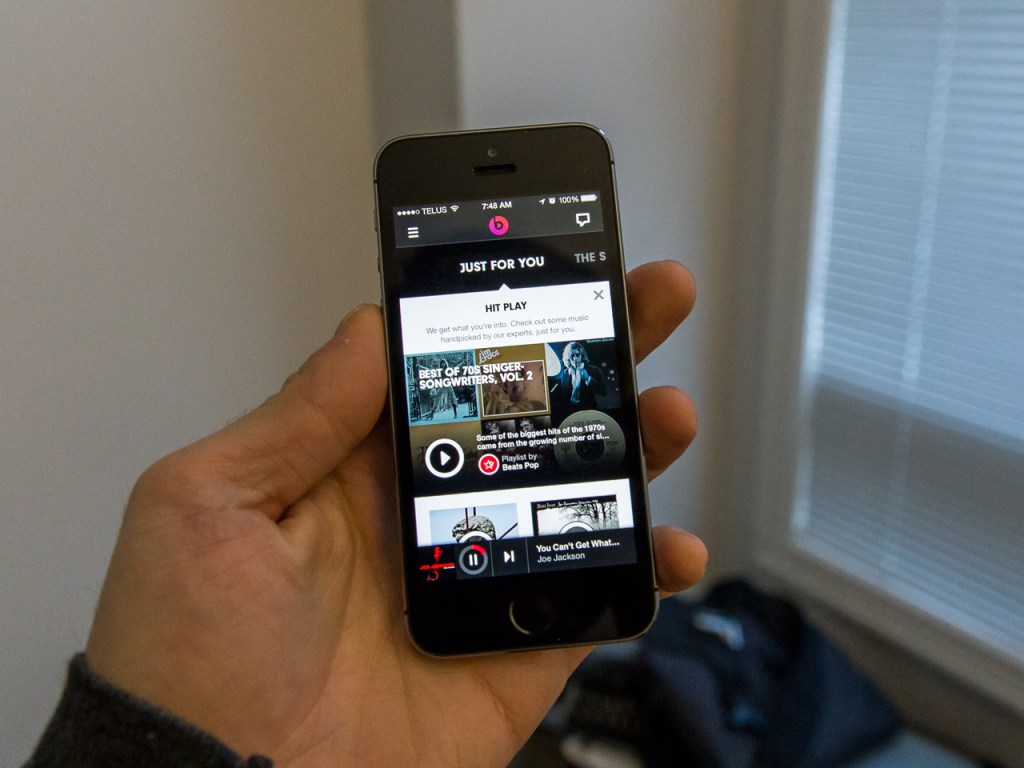
Description: Beats Music is a new kind of streaming service that combines the best music experts and technology to always deliver you the right music at the right time. All you have to do is hit play. Access over 20 million songs, from every genre. Listen instantly or save to your device to listen to offline.


Need for Speed Network

Need for Speed

Description: The Need for Speed™ Network is your destination for all things Need for Speed and has been updated with exciting new content for you to connect to Need For Speed™ Rivals – Ghost Games newest Need For Speed title. The App keeps you connected to your Need For Speed™ Rivals game on Xbox 360, PS3, PC, PS4 and Xbox One at all times.


Udemy

Udemy

Description: Udemy is the world’s largest destination for on-demand, online courses. Whether you want to get promoted, break into a new industry, start a company, further a passion, or just accelerate your life, Udemy has a course to help you get there and get there faster.


AirPlay Recorder

AirPlay Recorder

Description: Use doubleTwist’s AirPlay Recorder to record iTunes audio and radio to your phone or tablet! Brought to you by the creators of the popular AirSync and doubleTwist Music Player, the AirPlay Recorder saves songs and radio stations that you stream from iTunes to your Android device.


MovieTube HD

MovieTube

Description: MovieTube HD is a search engine for movies which have been uploaded to YouTube by YouTube users. Find free full movies on YouTube with this app!


Basemark OS II

Basemark OS II

Description: Basemark OS II is a cross-platform “All-In-One” benchmark that evaluates the overall performance of any Android, iOS and Windows Phone 8 smartphones and tablets for easy comparison.


The Cleaner

The Cleaner

Description: The Cleaner is a FREE app that can clear redundant files, free up storage space, clear up your RAM, and speed up your android device. It only takes a few seconds and your favourite games will run faster!


SPIEGEL ONLINE Football

Spiegel

Description:  SPIEGEL ONLINE’s improved Android app: read Germany’s premier news source on your smartphone! Our app provides you with instant access to all the daily news, analysis, opinion, features and interviews on offer from SPIEGEL ONLINE’s 130-member editorial team – for free.


23 Jan 00:06

Microsoft Will Allow Foreign Customers To Store Data Outside The U.S.

by ReadWrite Editors

In response to massive surveillance concerns stemming from reports of the National Security Agency's monitoring of foreign citizens, Microsoft is offering its foreign customers the ability to store personal data on servers outside the U.S. 

According to a report in the Financial Times, other tech companies were not in favor of the idea, but Microsoft felt it necessary to implement the changes following leaks that the NSA was spying on foreign citizens in dignitaries in countries across the world. 

“People should have the ability to know whether their data are being subjected to the laws and access of governments in some other country and should have the ability to make an informed choice of where their data resides,” Brad Smith, general counsel of Microsoft told the Financial Times.

22 Jan 21:19

RealVNC's VNC Viewer Drops From $9.99 To Free (Forever) In Google Play

by Ryan Whitwam

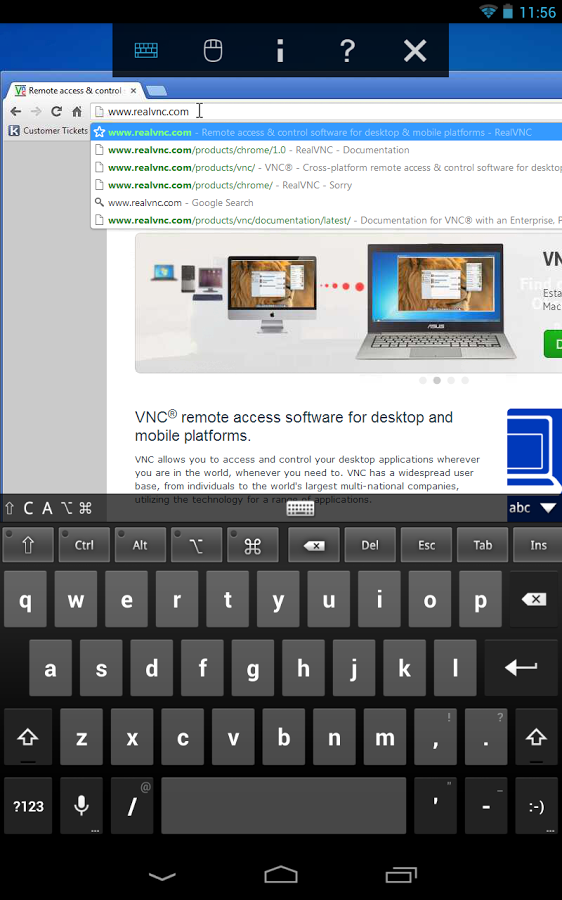
eYou can't spend all day sitting at the computer, but sometimes remote access is almost as good. VNC Viewer from Real VNC is a way for you to connect to a computer through any number of VNC clients, and it's pretty popular. However, it used to be a $10 app. Put your wallet away – it's free now.

22 11 33

The app dropped to $0.99 early today, then to free. As we all know, when an app is made free in Google Play, it cannot be made into a paid app again.

Done With This Post? You Might Also Like These:

RealVNC's VNC Viewer Drops From $9.99 To Free (Forever) In Google Play was written by the awesome team at Android Police.


22 Jan 21:13

Canadian Recording Industry Association of America demands Internet censorship and control of search-results

by Cory Doctorow
Graham Henderson, the chief spokesjerk for Music Canada -- the voice in Canada for the big US labels represented by the RIAA -- wants Parliament to regulate the Internet, creating a regime of censorship and surveillance in the name of protecting Canadian musicians (whose worst enemy, it must be noted, are the labels who pay Henderson's handsome wages, and not the fans he wants to attack). Henderson wants to control search-engine rankings because, he claims, the first seven pages' of results for Canadian musicians are pirate sites. Only one problem: he's lying. (via /.)


22 Jan 21:12

Fighting homelessness by giving homeless people houses

by Cory Doctorow


A program in Salt Lake City decided that it would be smarter -- and more humane -- to spend $11K/year each to house 17 chronically homeless people and provide them with social workers than it would be to waste the average of $16,670/year per person to imprison them and treat them at emergency rooms. As Nation of Change points out, this commonsense, humane and economically sound way of dealing with homelessness works, unlike the savage approaches taken by other cities (like the Waikiki rep Tom Bowker who smashed homeless peoples' carts with a sledgehammer, or cities like Tampa, which banned feeding homeless people).

Here's more on Utah's Housing First program.

Utah started a pilot program that took 17 people in Salt Lake City who had spent an average of 25 years on the street and put them in apartments. Caseworkers were assigned to help them become self-sufficient, but there were no strings attached – if they failed, the participants still had a place to live.

The “Housing First” program’s goal was to end chronic homelessness in Utah within 10 years. Through 2012, it had helped reduce the 2,000 people in that category when it began by 74 percent. Lloyd Pendleton, director of Utah’s Homeless Task Force, said the state is on track to meet its goal by 2015, and become the first state in the nation to do so.

...There’s no question that providing housing for the homeless is the right thing to do, for humanitarian reasons. But it also makes economic sense, so cities can spend less money and still help more people. In 2005, Utah did a study that found the average annual cost for emergency services and jail time for each chronically homeless person was $16,670. The cost to house them and provide case management services was only $11,000 per person.

Wyoming can give homeless a place to live, and save money [Kerry Drake/Wyofile]

(Image: Homeless Encampment, a Creative Commons Attribution (2.0) image from editor's photostream)


22 Jan 21:04

Put Some (Fake) Planets on Your Desktop with These Wallpapers

by Whitson Gordon

Put Some (Fake) Planets on Your Desktop with These Wallpapers

Pictures of space are awesome. But if our solar system isn't quite exciting enough for you—what with the lack of planets crashing into each other and exploding into giant balls of fire—these abstract space wallpapers should keep you happy.

Detritus

Put Some (Fake) Planets on Your Desktop with These Wallpapers

Download This Wallpaper (1600x1200) | DeviantART

Under the World

Put Some (Fake) Planets on Your Desktop with These Wallpapers

Download This Wallpaper (1920x1440) | Wallibs.com

Distant Planet

Put Some (Fake) Planets on Your Desktop with These Wallpapers

Download This Wallpaper (1920x1080) | Lewallpaper

Nebula X4

Put Some (Fake) Planets on Your Desktop with These Wallpapers

Download This Wallpaper (1920x1200) | Sexy Wallpapers

Road Trip

Put Some (Fake) Planets on Your Desktop with These Wallpapers

Download This Wallpaper (1920x1080) | Wallnest

Between the Extremes

Put Some (Fake) Planets on Your Desktop with These Wallpapers

Download This Wallpaper (1920x1200) | SciFi HD Wallpapers

Planet

Put Some (Fake) Planets on Your Desktop with These Wallpapers

Download This Wallpaper (2880x1800) | Wallpapersam

Rising

Put Some (Fake) Planets on Your Desktop with These Wallpapers

Download This Wallpaper (1920x1200) | DeviantART

Total Solar Eclipse

Put Some (Fake) Planets on Your Desktop with These Wallpapers

Download This Wallpaper (2048x1152) | Wallpapers and Backgrounds

Clear Universe

Put Some (Fake) Planets on Your Desktop with These Wallpapers

Download This Wallpaper (1920x1080) | Wallpapers HD

22 Jan 16:10

UK mobile customers hit by mid-contract price hikes must be allowed to leave

by Richard Devine
Android Central

Providers have to give you a month's notice, but you can still leave under new guidelines

Score one for UK consumers, as Ofcom the UK communications industry regulator has stepped in and declared that anyone hit by a mid-contract price hike should be allowed to leave. The new guidelines come into effect tomorrow, January 23. 

From tomorrow, consumers and small businesses taking out new landline, broadband or mobile contracts should be allowed to exit them without penalty if their provider increases the monthly subscription price agreed at the point of sale. This follows an Ofcom review into the fairness of contract price terms. This found that many consumers, in particular, were caught unawares by price rises in what they believed to be fixed price contracts.

A few of the UK carriers have implemented price increases in recent times, and while the monthly increases were small, we weren't given a choice over whether or not we were happy to pay. Sadly, it only applies to contracts taken out from tomorrow, so for those of us still signed in to one, we're stuck for the time being. But at least things are starting to swing back in our favor a little. 

To read the new guidelines in full, hit up the source link below. 

Source: Ofcom


22 Jan 16:06

$1.6M for man who was repeated anal-probed by NM cops who thought he had drugs

by Cory Doctorow

Remember David Eckert, the New Mexico man who got multiple anal probes after a cop decided he must be hiding drugs because a dog "alerted" on him? Well, he's gotten $1.3 million out of the city and county. He's still suing the hospital for its role in his nonconsensual, warrantless enemas, colonoscopy, X-ray, and forced public defecation. If they won't settle, he's prepared to go to a jury trial. You get the impression that Eckert is out to make a point here: if your town cops and/or doctors participate in illegal, sadistic war-on-drugs torture, the victims will take all your money and destroy you, so cut it the fuck out. Techdirt's Tim Cushing has more:

If the other entities involved "refuse to take responsibility," Eckert's lawyer will push for a jury trial. This ends the financial bleeding for the city and county, the latter of which has already spent $55,000 in taxpayer funds fighting the lawsuit. There's always the slim hope that large settlements will encourage the overseers of police departments (city and county governments) to realize that preventative measures are likely the cheaper option. Officers, like the two involved in this case, should be ousted before they cost taxpayers millions of dollars in settlements. (It's unlikely this was either officer's first abusive act.) Failing that, the penalties for the officers involved should be severe enough that it discourages other officers from engaging in abusive acts -- for instance, holding the individuals involved financially responsible for the reimbursing the cost of the settlements.

As it stands now, Eckert has received $1.6 million and the implicit admission that he was wronged by the city and county via the officers' actions. Now, he needs the same from the hospital that was so willing to aid these officers in tormenting him in search of drugs he didn't possess.

Man Subjected To Multiple Rectal Searches And Enemas By Police Officers Receives $1.6 Million Settlement [Tim Cushing/Techdirt]


22 Jan 16:03

Tok Tok Tok, The European Local Delivery Platform Similar To Postmates, Raises $2M To Expand To London

by Steve O'Hear
Tok Tok Tok

Tok Tok Tok, a French startup that’s tackling a similar problem to U.S.-based Postmates — having somebody shop on your behalf and deliver the item within the same day or even hour — has raised its first round of funding. It’s taken $2 million in investment from undisclosed, mainly European, angel investors; money the company plans to use to expand beyond Paris where it first launched last April, to other European cities, with London up next.

That’s particularly noteworthy since Postmates, headquartered in San Francisco and funded to the tune of nearly $8 million, has yet to bring its service to Europe, though it is known to have a London office. Let the battle for first-mover-advantage this side of the pond begin.

Founded by serial entrepreneur Serge Alleyne, who has seen two exits, including selling local search engine Nomao to Ebuzzing in 2010, Tok Tok Tok’s platform aims to let customers order practically anything they would otherwise shop for locally in person, and have it delivered by one of its “runners” same-day but usually within the hour (in fact, average delivery times are actually around half an hour so far in Paris). This can be anything from groceries, electronics, office supplies, drinks and beverages, and flowers, though it’s wholly dependent on the local suppliers that Tok Tok Tok partners with. Currently it claims 300,000 items in its catalogue, from a mixture of major retailers/brands to local independents.

Where possible, the retailer’s and Tok Tok Tok’s systems are synced to give a live feed of inventory, but otherwise if something isn’t in stock, such as a food item at a local cafe, the designated and named “runner” will give the customer a call and try to source an alternative.

That’s where things get interesting. Each order placed through Tok Tok Tok can be tracked in real-time so you know exactly where your “runner” is at any one time — a bit like ordering a car on Uber — while the platform’s algorithm and machine learning works incredibly hard to give accurate delivery times and an up front price for the item and delivery so you know exactly what you’re going to pay.

This is a pure headache-inducing tech/logistics problem and something founder Alleyne tells me they worked hard to fine-tune over ten months. The algorithm is powered by a lot of Big Data, he says, and takes into account things like time, day of week, distance and, presumably, traffic. “This is quite tricky,” says Alleyne, in typically understated European fashion.

“Runners” choose how they get around, supplying their own mode of transport, which can be anything from roller-skates to a motorbike or car. They are also recruited, vetted and trained by Tok Tok Tok, including a strict code of conduct.

What’s also interesting about this model is that legally it relies on a shopping “mandate”, in the sense that the buyer is still the end-customer not Tok Tok Tok, who are simply purchasing and delivering the item on their behalf. Therefore, any product returns or related complaints are between the customer and retailer/supplier.

Tok Tok Tok says while in Beta it’s signed up 20,000 customers in Paris in just a few months. Alleyne says customers are “addicted” to the service and that those who try it twice are returning on average 4 times a month. The company expects to double this once it finally rolls out a native mobile app. Right now it’s relying on a browser-based version and SMS only.

The startup makes money by taking a small kickback from its partner retailers for the extra business it sends them, as well as charging customers for delivery.


21 Jan 22:38

Most Popular Desktop Video Player: VLC

by Alan Henry

Most Popular Desktop Video Player: VLC

Not all video players are alike. Some offer more features and tweaking options to make your videos look great, while others boast speed and stability. Last week we asked you for your favorites, then looked at the five best desktop video players. Now we're back to highlight the winner.

Most Popular Desktop Video Player: VLC

We knew it would be a powerhouse heading into the vote, and indeed it took an early lead that it never gave up, not even for a moment, but VLC took the top spot by a wide margin, with over 72% of the votes cast. It's fast, it's free, it's cross platform, and it's flexible enough to handle just about anything you throw at it. It has a massive, well-deserved following.

Following aside though, it's not the only contender, and many will argue it's not the best contender. In second place with over 11% of the vote was MPC-HC (Media Player Classic-Home Cinema), which earned high praise for being extremely fast and clean without extra bloat to slow it down. Behind it in third was XBMC, with 8% of the vote - even though it's less of a "desktop media player" and more of a "media center," it still earned the nominations and the praise to make it into the top five. Daum PotPlayer, our current pick for best media player for Windows, came in fourth place with over 6% of the votes cast, and bringing up the rear with just shy of 2% of the overall vote was GOM Player.

The Hive Five is based on reader nominations. As with most Hive Five posts, if your favorite was left out, it didn't get the nominations required in the call for contenders post to make the top five. We understand it's a bit of a popularity contest. Have a suggestion for the Hive Five? Send us an email at tips+hivefive@lifehacker.com!

21 Jan 20:53

Carphone Warehouse matching Google pricing on 16GB Nexus 5

by Richard Devine

Android Central

Grab a High Street bought Nexus 5 for just £298

A quick heads up for anyone in the UK thinking about picking up a Nexus 5 any time soon; Carphone Warehouse is currently matching Google pricing. OK, so it's only on the 16GB version, but for £298 – actually a whole £1 less than Google! – you'll be able to get one with free shipping or to collect in your local store. 

There's bound to be some killer new devices headed our way in the next couple of months, but the Nexus 5 not only represents the best way to stay on the bleeding edge of Android software, but also one of the best value-for-money smartphones you can get your hands on right now. If this is the one for you, drop by the source link below for more. 

Source: Carphone Warehouse


21 Jan 20:42

Courtesy Of Punchfork Acquisition, Pinterest Launches A Recipe Search Engine

by Sarah Perez
pinterest-recipes

Pinterest today is announcing a new feature designed to make it easier for those who use the site to discover, save and share recipes with each other: recipe search. Effectively turning Pinterest into a much smarter search engine, you’ll now be able search by recipe type or even specific ingredients, in order to find matching recipes from your own collection of pins or those found across the site.

The addition plays right into one of Pinterest’s strengths: food and recipes are continually a top category on the service, having grown from around 11% of all pins on the site in 2012 to 18% as of fall 2013.

Going forward, when you search for a recipe or ingredients on Pinterest, you’ll be able to filter your results by category, in order to see only vegetarian, vegan, gluten-free or paleo meal ideas, for example. An “indulge me” option is also available, for when you’re looking for something not quite as healthy, Pinterest notes, while detailing the feature’s release on its company blog.

Searching for a specific ingredient or ingredients is simple. You just type in what you’re looking for in the search bar (e.g. “salmon with asparagus”) then click the “All Recipes” option on the results page. Once there, you can, of course, save your favorites to your own boards for easier access in the future. And as your own recipe collection becomes fairly large, this same search function can be configured to search only within your own boards, if you so choose.

Pinterest tells us that the new feature was developed by Jeff Miller, previously the founder and CEO of Punchfork, the recipe search and discovery service Pinterest acquired back in January 2013 – its first acquisition, in fact. That startup had once offered its users very similar options as Pinterest does now, in terms of searching for meals by ingredients or filtering recipes by diet.

Recipe search is one of many efforts surrounding Pinterest’s “more useful pins,” which aim to use structured data to not only find the exact thing you’re looking for on the site, but also display relevant information right next to the pin itself, when “rich pins” are involved. In the case of recipes, that means making things like the ingredients, cook time and number of servings more visible to searchers. Other rich pins, which are built by adding a bit of code to a content creator’s website, include Movie pins and Product pins, for example.

Not only does having an understanding of what sort of data a pin includes help Pinterest users searching and browsing the site, it can also help the network better target the right pin to the right person by matching up a user’s interests with Pinterest content. This is something the company has been slowly working its way up to through the addition of personalization capabilities, and now, Promoted Pins, Pinterest’s first ad product, currently in beta and expected to go public later this year.

Recipe search is arriving on the web now, and will come to mobile soon, says Pinterest.


21 Jan 13:38

SnapPea's PhotoSnap Syncs Mobile Photos with your PC, Instantly

by Alan Henry

Android: If you want the photos you take with your Android phone on your computer to share or send around, you have plenty of options for fast, instant uploading. Previously mentioned SnapPea already lets you manage your Android phone from your browser—now it instantly uploads the photos you take as you take them, too.

SnapPea's approach to instant uploading is a bit different from Google's or Dropbox's, and it's not meant to replace them at all. While those services sync your photos offsite to the cloud, SnapPea connects to your computer over your local network for remote management and photo syncing. The upside to this is that your photos appear on your desktop much faster, and they're ready to share, edit, or download again much faster than other services. The downside is that you don't really have a "backup" of your photos that's offsite and accessible from other computers or devices if you need it.

Still, the video above shows you how the service works, and having tried it myself, it's pretty fast. I likely won't give up auto-upload on Dropbox and Google+, but if you're already using SnapPea to manage your phone, respond to texts, check notifications, and more from your web browser, this is another great feature to add to the pile—or make it all worth checking out. Hit the link below to give it a try.

SnapPea Web

21 Jan 13:32

FBI Drags Google Glass Man From Theater on Piracy Fears

by Andy

glassSometime during 2014 the much-anticipated Google Glass will launch to the general public. When it does the age of the wearable computer will have truly arrived in the form of a relatively unobtrusive pair of eye glasses.

While every technology enthusiast is bursting to at least test the device, there are concerns over its appearance. On the one hand it looks cool and futuristic, but on the other it could quickly be perceived in the same way as the original bluetooth ear-piece.

Nevertheless, in a few months time thousands of people will be wearing them, which will only serve to amplify the already considerable debate over the device. From the inside looking out, the integrated video camera is generating privacy worries in abundance and just last week a San Diego traffic court threw out a traffic violation against a Californian motorist after she was accused of watching video on her Glass while driving.

And now, right on cue, for the first time a Glass user has revealed the kind of treatment people can expect from the movie industry should they dare to wear even a switched-off device in one of their establishments.

Last Saturday evening a man and his wife attended the AMC movie theater in Easton Mall, Columbus, Ohio, to watch Jack Ryan: Shadow Recruit. The Glass unit itself was switched off, but out of convenience the man had paid for prescription lenses to be fitted to the device turning them into regular glasses. Sadly, theater staff and their friends at the MPAA and FBI were geared up to presume only the worst.

“About an hour into the movie, a guy comes near my seat, shoves a badge that had some sort of a shield on it, yanks the Google Glass off my face and says ‘follow me outside immediately’. It was quite embarrassing and outside of the theater there were about 5-10 cops and mall cops,” the man told Gadgeteer.

After trying to establish the official’s identity and authority (and trying to get his property back), the man was put firmly in his place.

“You see all these cops, you know we are legit, we are with the ‘federal service’ and you have been caught illegally taping the movie,” he was told.

AMC

His protests that this was a big misunderstanding only led to the couple being split up and taken to different rooms. The man was searched and his wallet plus work and personal phones (both off) were taken away from him.

“What followed was over an hour of the ‘feds’ telling me I am not under arrest, and that this is a ‘voluntary interview’, but if I choose not to cooperate bad things may happen to me,” he explained.

“They wanted to know who I am, where I live, where I work, how much I’m making, how many computers I have at home, why am I recording the movie, who am I going to give the recording to, why don’t I just give up the guy up the chain, ’cause they are not interested in me. Over and over and over again.”

And then yet more paranoia. Even though the Google Glass was switched off the man wasn’t allowed to touch the device out of fear he would “erase the evidence.” The FBI also asked some pretty strange questions.

“Then they wanted to know what does Google ask of me in exchange for Glass, how much is Google paying me, who is my boss and why am I recording the movie,” he explained.

Finally someone had the good sense to connect the Glass up to a laptop. Five minutes later and all family photos viewed (some 3.5 hours after the movie began) Mr Google Glass wearer was declared an innocent man. But not to worry, since the guy from the ‘movie association’ was about to make amends.

“A guy who claimed his name is Bob Hope (he gave me his business card) came in the room, and said he was with the Movie Association and they have problems with piracy at that specific theater and that specific movie. He gave me two free movie passes ‘so I can see the movie again’,” a gesture that was subsequently upped to four passes after the revelation that AMC had called him first and he’d decided to escalate the matter to the FBI.

This kind of heavy-handed response is what people have come to expect from the movie industry when confronted by people they suspect of piracy. Sure, there’s a need for them to be vigilant, but shooting first and then asking questions later is something that could and should be avoided. Google Glass might be the first device of this type, but it won’t be the last. Expect the problems – and controversy – to continue.

Update: Homeland Security has issued a statement to the Washington Post.

“On Jan. 18, special agents with ICE’s Homeland Security Investigations and local authorities briefly interviewed a man suspected of using an electronic recording device to record a film at an AMC theater in Columbus,” said ICE spokesman Khaalid Walls. “The man, who voluntarily answered questions, confirmed to authorities that the suspected recording device was also a pair of prescription eye glasses in which the recording function had been inactive. No further action was taken.”

Source: TorrentFreak, for the latest info on copyright, file-sharing and VPN services.

21 Jan 13:25

Sony’s Android 4.4 user interface shown off in leaked D6503 ‘Sirius’ screenshots

by Alex Wagner

After getting an early peek at the Sony D6503 “Sirius” hardware over the weekend, we’re now getting a preview of the custom Android 4.4 user interface that’s expected to come preloaded on the Sirius when it hits store shelves.

A new report out of XperiaBlog contains a cornucopia of images that reveal new features of the C6503 as well as tweaks that Sony has made to its custom user interface with the move to KitKat. For example, a screenshot of the D6503′s Camera app shows that it will include support for 4K video capture as well as a handful of other features, such as a “Timeshift video” tool that’ll record high frame-rate video and add slow-mo effects.

The D6503′s Settings app shows that the device will feature a “Glove mode” that’ll allow users to operate its touchscreen while wearing gloves. There’s also a new Smart Backlight Control feature that, much like Samsung’s SmartStay, will detect when the user is looking at the screen and prevent it from going to sleep. A double-tap to wake option is also included in the Settings menu.

sonyandroid44aam2

Rounding out the list of new features found on the Sony D6503 and its Android 4.4 UI include an Answering Machine that can be set to pick up a call after a certain period of time and a new “Simple Home” launcher that includes larger icons and fonts as well as a 3×4 app grid.

When it comes to the look and feel of Sony’s custom Android 4.4 UI, there are quite a few KitKat tweaks that’ve made the cut. Those include white status bar icons, a transparent status bar and a transparent app tray. Users will have the option of selecting which system icons will be shown in the status bar, and when the notification shade is pulled down, users can switch between a notification view and Quick Settings menu with tools that can be reordered.

sonyandroid44aam3

One interesting feature outed in today’s leak is “What’s New,” which can be accessed by swiping up from the home button just like Google Now. Little is known about the What’s New app right now, but the leaked screenshots make it look like an HTC BlinkFeed/Flipboard-style app with information tiles of varying sizes. The What’s New app also features a widget that can be placed on the user’s home screen.

Overall it looks like Sony’s Android 4.4 user interface offers a nice mix of new features and visual tweaks. I’m sure that many folks will be happy to see that Sony has integrated many of KitKat’s signature features into its own Android overlay, including the white icons and transparent status bar.

Sony is expected to introduce the C6503 Sirius at Mobile World Congress, which is scheduled to take place in Barcelona from Feb. 24 through Feb. 27. The good news is that today’s leak has provided us with enough screenshots of Sony’s Android 4.4 UI to keep us occupied until MWC. Check out more of ‘em at the XperiaBlog link below.

21 Jan 13:25

27 Best (And 2 WTF) New Android Games From The Last 2 Weeks (1/7/14 - 1/20/14)

by Jeremiah Rice

gameroundup_icon_largeWelcome to the roundup of the best new Android applications, games, and live wallpapers that went live in the Play Store or were spotted by us in the previous 2 weeks or so.

Please wait for this page to load in full in order to see the widgets, which include ratings and pricing info.

Looking for the previous roundup editions? Find them here.

Featured App

Race Illegal: High Speed 3D

Today's roundup is presented by Race Illegal: High Speed 3D from HeroCraft.

Done With This Post? You Might Also Like These:

27 Best (And 2 WTF) New Android Games From The Last 2 Weeks (1/7/14 - 1/20/14) was written by the awesome team at Android Police.


21 Jan 13:20

Beats Music Arrives, Offering Songza-Style Playlist Generation, Offline Music And More

by Darrell Etherington
beats-music

Beats Music, the streaming music service from the Dr. Dre-fronted headphone company, arrived this morning on iOS, Android and web. The long-anticipated streaming product is the result of Beats’ acquisition of MOG last year, and you can see that company’s DNA all over the new version. But the question is really how Beats competes with other similar offerings from others including Rdio and Spotify, especially now that MOG has confirmed its being shut down by its parent company April 15.

Beats Music starts you off with a bit of an orientation process, to try to get to grips with some of your musical tastes out of the gate. On the one hand, this should provide a recommendation engine advantage over services like Rdio where new users are left to their own devices in terms of forming a beginning musical genome from which to cull content. On the other, despite an attempt to make the interface feel somewhat fun, it’s a fairly annoying onboarding process when you’re just trying to get to the music. Plus, I didn’t find it all that intuitive or even really accurate in terms of artists it offered up to choose my preferences from.

Still, once you’re in, Beats is able to offer up album and streaming station suggestions immediately thanks to that process, and that’s a little less daunting than being greeted with a blank slate, and a little more personalized than just seeing top lists of what others are listening to.

Click to view slideshow.

Besides the customized content shown off in the “Just For You” section, you also get “The Sentence,” which is a (suspiciously) Songza-like playlist generator where you slot in up to four terms to get music appropriate to the mood; “Highlights,” which is the generic promoted content surfaced for all users; and “Find It,” which lets you search for specific playlists via Genres, Activities and Curators. You can also just search for artists, albums and songs using the menu on the sidebar to go the them direct, but the focus here is clearly on playlists and radio-style discovery.

Playlists I tried out where decent, though not as uncannily accurate as the stations I’ve grown used to on Rdio – but then again I’ve had far more time building a musical profile of my tastes at Rdio. With The Sentence, I got more interesting results, but the phrase building is fairly nonsensical, and is based on set choices for each category, whereas you’d expect that in altering one term the other choices might adapt or change accordingly.

With any music, you can choose to store it for offline use on the mobile client. On the web, there’s no offline storage, but everything else operates in basically the same manner. One of the first things I tried was streaming to both locations at once, but after about 20 minutes the iPhone app stopped playback, notifying me that it was because Beats Music was being streamed by my account elsewhere. That’s hardly a big strike against it, since its competitors do the same thing.

Overall, Beats Music seems like a promising entry into the market at first glance, with a strong library and a decent user interface. It aggressively foregrounds the discovery services and auto-generated playlists, however, and that seems like a weakness based on its estimation of my own tastes based on the imperfect initial survey. It does make me wonder if I’ll put in the time required to find out if it gets more accurate with time, but the rest of the product is solidly conceived.

Beats Music will cost $9.99 per month (and it’s U.S.-only for now), but it’s available for a free 7-day trial for all new users, with no credit card or anything required at sign-up. It doesn’t seem like it has the brains to necessarily kill either Spotify or Rdio at this point, but Beats has a powerful marketing engine behind it, and a hardware business that’s ripe for service promotions and free giveaways in combination with the streaming music offering, so that could sway things in its direction.


20 Jan 23:14

Millennius SmartQ smartwatch available January 31 in Australia for AU$99

by Jared DiPane

SmartQ

Australian online retailer Millennius has just announced that they will begin selling the SmartQ smartwatch effective January 31 from their website. Starting right now the device is available for pre-ordering, and they expect that shipping will begin on or around the January 31 time frame for this device which is priced at AU$99. 

Running Android 4.3 this smartwatch has some great features for the price, and is something you will definitely want to take a look at if you are in the market. Inside the watch you will find a 1GHz processor, 4GB of memory, 512GB of RAM all of which is covered by a plastic shell. The battery on the SmartQ is said to last anywhere from 2 to 12.5 days, depending on your usage habits and the amount of notifications that are pushed. 

Where the SmartQ really stands out are some of the unique features that they have added. On this device there is a three in one headphone jack which is used to charge, sync and listen to music on the device. In addition the motion sensor inside the device will allow you to easily switch songs, decline calls and many other quick tasks right from a flick of the wrist. As an added bonus the SmartQ is IP-X7 water resistant so it will be able to keep up with what you are able to throw at it through the course of the day with ease.

Does the SmartQ pack enough into a smartwatch to interest you? Be sure to let us know what you think about the watch and if you will be picking one up in the forums now!

Pre-order the Millennius SmartQ smartwatch

20 Jan 21:02

Raspberry Pi: Everything You Need To Know

by Lauren Orsini

My Raspberry Pi arrived with the evening mail—by midnight, my husband and I had turned it into a working print server. And neither of us had any background in computer science. 

Raspberry Pi is a computer the size of a credit card that’s so simple, anyone can program it. Designed as an introduction to science, technology, engineering, and math for UK grade schoolers, its $35 price tag has made it appealing to hobbyists all over the world. 

Despite its diminutive device, Raspberry Pi is powerful enough to process many of the same programs as PCs, from word processors to games. Its small size also makes Raspberry Pi ideal for programming connected home devices—like the aforementioned print server, which has given us the power to make every computer, laptop, and cell phone in our network printer-compatible.

The Story Of Raspberry Pi

Eben Upton first came up with the idea for Raspberry Pi in 2006, when he and his colleagues at the University of Cambridge’s Computer Laboratory were frustrated by the dwindling number of students, and the poor skill levels of those students, entering the program. 

While current students entering the program often had Web design experience, programming experience was becoming very rare. Upton’s concern? That the price and sophistication of modern computers had made them overly complicated for kids to experiment with.

In the '70s and '80s, kids could use an Amiga or Commodore 64 to boot into a programming environment. In later decades, Upton speculated, parents had more reason to forbid the same kind of experimentation on increasingly advanced family PCs. Plus, as computers became easier to use, programming them became more complicated, and tinkering with their inner workings became far less necessary. 

Upton wanted to create a cheap, easily programmable computer that would bring back the experimental spirit of an earlier era of computing, by making a device cheap enough so anyone could tamper with it without fear of expensive mistakes. From 2006 to 2008, the official history goes, Upton and his colleagues worked on the prototype that would eventually become the Raspberry Pi. The Raspberry Pi Foundation was established in May 2009, and the first shipment of Raspberry Pis became available in April 2012.  

In an interview with Daily Brink, Upton explained how the device got its name:

There’s a history of fruit-named computer companies! There aren’t many that aren’t taken, and Raspberry is one of those. What we wanted to build was something that could run the Python programming language, and so ‘Pi’ was kind of a pun. So the name stuck and it outlived the justification for the name.

Python is the Pi’s recommended programming language, but Linux is its recommended operating system. Nearly every flavor of OS that works on Raspberry Pi—Raspbian, Pidora and more—is a riff on the Linux kernel. 

The front of a Raspberry Pi Model B. The front of a Raspberry Pi Model B.

Right now, there are two versions of the Raspberry Pi for sale—Model A and Model B, though neither is newer than the other. Model A, which is $25, lacks Ethernet capability, has a single USB connecter, and 256MB of memory. Model B, which is $35, has double the memory, Ethernet, and a dual USB connector. The B is not an improvement on A, and in fact was available first; the A is just a lighter, cheaper version. The Foundation hasn’t ruled out an eventual, more powerful Model C, but probably not for at least “two to three years.

Getting Started With Raspberry Pi

Raspberry Pi owes its low price tag to advances in integrated chips. Instead of having a CPU, a GPU, a USB controller, and memory each on their own individual chips, Raspberry Pi uses a system-on-a-chip with all those components on a single chip. 

Without a lot of chips to take up space, the Pi itself can consist of a printed circuit board which boots up from an SD memory card. So it’s not just cheap, it’s simple, too. 

Still, the $35 price tag is a bit misleading. You can’t just buy a Raspberry Pi and expect it to work right out of the box. Here are the accessories you’ll need to get up and running:

  • A power supply. Raspberry Pi doesn’t come with one, so you’ll need a micro USB compatible cable in order to plug it into the wall. 
  • An HDMI cable or RCA video lead. You can’t use your Pi without a visual display. You can either plug it into a computer monitor with HDMI input using an HDMI cable, or you can plug it into an analogue TV with a standard RCA composite video lead.
  • A USB mouse and keyboard. Or else how will you interact with the Pi? Any wired or wireless mouse and keyboard should do; I’m using wireless Logitech products for both. 
  • An SD memory card. You’ll need one to boot up the Pi. The Raspberry Pi foundation recommends at least 4 gigs to start, but as many as 32 if you want. 
  • A primary computer. I didn’t get that you can’t just get the Pi running without already owning another computer, Mac or PC. Hopefully you already have one of these, or this project just got a lot more expensive. 
  • An SD memory card reader. The Raspberry Pi doesn’t need this, but your primary computer does so you can transfer installations from it to the Pi. A lot of computers come with a built-in card reader, but if yours doesn’t, you might want to invest in one.

Now, let’s fast-forward to the day when your Raspberry Pi and all its accessories arrive in the mail. Here’s what to do, and when to do it. 

  • Put your Raspberry Pi in its case. Unless it’s very customized, it should continue to have holes in it for all of the Pi’s inputs. 
  • Put the Pi aside and go to your primary computer. Insert your SD card and format it according to the Foundation’s directions. This will install a recovery program on it so you can save your card even if you break it with your tinkering. 
  • Download NOOBS on your primary computer. Short for New Out Of Box Software, it’s the Raspberry Pi Foundation’s fittingly named distro for first-time Pi users. A distro is a package installation of Linux and its associated software. 
  • Load your NOOBS download onto the newly formatted SD card
  • Time to get started with the Raspberry Pi. Slide the SD card into the underside of the Raspberry Pi, and make sure it’s oriented correctly; it’d be bad to break your Pi before you turn it on!
  • Connect it to the power supply, monitor, keyboard, and mouse
  • The Raspberry Pi will boot up and take you the NOOBS screen. If it doesn’t, check your power supply and HDMI cables and make sure they’re secure.
  • Select an OS to install. If you select the default Raspbian, recommended for beginners, Adafruit has a great tutorial on the process. This install will take a while (20 minutes for me) so this is a good time to go do something else.
  • Once the file copies, you’ll get a notice that says, “Image applied successfully.” Press return, and the Pi will reboot. Now it will boot into the operating system’s graphical user interface, which looks a lot like Windows 98. 

A Raspberry Pi Model B all plugged in. A Raspberry Pi Model B all plugged in.

Now you’re ready to use your Raspberry Pi however you like. You can run programs on it as if it were any other computer, or you can choose to work from the command line. Since it’s a general purpose Linux machine, what you do from here is up to you.

A word of caution, however, from somebody who already made this mistake: don’t delete the NOOBS copy you downloaded on your primary computer. My husband and I wiped the Pi twice (and installed operating systems three times) in one night, so I know it saves time to have everything ready on your computer in case you want to start fresh for any reason. 

Pi Project Tutorials For Beginners

With 512 MB on the Model B, Raspberry Pi isn’t the strongest computer in the world, but it’s still powerful enough for any project a beginner can think up. 

Here are ten awesome-sounding, relatively simple tutorials for beginners:

Print Server

This is the tutorial we used, so I can vouch for its ease of use. It makes use of CUPS (Common Unix Printing System) and basically all you have to do is install it on your SD card and then teach Raspberry Pi the address of your printer. 

XMBC Media Center

This seems to be one of the most popular uses of a Raspberry Pi. Since it is capable of running XMBC, a program that organizes all of your movies, TV, music, and more into one easy-to-use cloud-based corral, a Pi makes a perfect hub for streaming your media over your network. 

Program Your Own Game

Sure, you could sit around playing Minecraft on your Pi, but you could also fulfill your secret dream of becoming a video game developer. Programmer Andy Balaam made a tutorial on the topic so thorough, it takes three hours to watch all of it. 

Create An Information Kiosk

Brendan Nee was sick of arriving late for buses, so he programmed his Pi to display real-time arrival predictions for transit around his house. His step-by-step instructions are great for San Franciscans, but if you live somewhere else you’ll need to configure for another transit system. 

A desktop computer built with a Raspberry Pi.A desktop computer built with a Raspberry Pi.

Build A Pi PC

You’ve already got the monitor, keyboard, and mouse for your Pi. Why not go the rest of the way and turn it into a self-contained computer? Mike Davis's tutorial shows you how to attach the Pi to the back of the monitor to create a compact desktop PC. 

Time Lapse Dolly

Instead of buying an expensive professional camera rig to take time lapse shots, Rick Adam wrote just 25 lines of Python code to build his own. The results are gorgeous time lapse movies that show a few hours in a couple of seconds. 

Affordable Bitcoin Mining Rig

Instead of buying a $4,000 plus Bitcoin miner, you can set up your Raspberry Pi to do it for just $83. However, given the amount of energy required to mine Bitcoins, we highly doubt you’ll get rich off of a Raspberry Pi’s diminutive mining power. 

Solar Powered Pi

Save electricity and run your Pi off the power of the sun with this tutorial. The creator says that this method will usually give you five hours of battery life on your Pi. 

Web Server

Design your first website, and get it online, too, by turning your Raspberry Pi into your own home Web server. So long as you don’t expect your site to get loads of traffic, you can have the Pi host it instead of a pricey online host. 

Raspberry Pi Internet Radio

With 300 lines of Python code, this is the most complicated tutorial on the list, but perhaps with the most payoff. Set up your Pi to load a playlist of streaming songs as well as display what’s playing with an LED display. 

Resources On The Web

Given the extremely complex nature of this tiny computer, no Raspberry Pi tutorial is fully exhaustive. These are some great resources for learning more about your Pi:

Do you own a Raspberry Pi? What would you advise new users to do? We’d love to see your input in the comments. 

Photo credits: Raspberry Pi Foundation, Wikimedia Commons, and Clive Darra

20 Jan 21:02

Apple sued for collecting and selling customers’ personal info

by Ben Zigterman
Massachusetts Apple lawsuitApple is facing yet another lawsuit, this time from three residents in Massachusetts who claim Apple collected their zip codes and profited from selling them to third parties. The plaintiffs — Adam Christensen, Jeffrey Scolnick, and William Farrell — claim they had to provide their zip codes when making credit card purchases at an Apple retail store, which would violate the Massachusetts Unfair Trade Practices Act. This law states that retailers cannot force customers to provide more information than is necessary for credit card companies to verify the purchase.

Continue reading...
20 Jan 20:58

Many Browser Extensions Have Become Adware or Malware. Check Yours Now

by Whitson Gordon

Many Browser Extensions Have Become Adware or Malware. Check Yours Now

This week, Ars Technica and How-To Geek released some pretty startling news: a lot of browser extensions are either injecting ads into the sites you visit, or are tracking your entire browsing history—possibly without you knowing. Here's what's going on.

As Ars notes, a lot of these extensions started as good, honest, independent extensions that were bought by adware companies. Then, through automatic updates, they added tracking features and/or ad injection and have been collecting data ever since. This is pretty easy, since they already required permissions that were so broad. They may have checkboxes in the settings that let you turn this behavior off, or they may have disclosures located on the extension's download page. But if you didn't read the fine print or downloaded the extension before it updated, you probably had no idea this was happening.

From the How-To Geek's explainer:

These extensions are "allowed" to engage in this tracking behavior because they "disclose" it on their description page, or at some point in their options panel. For instance, the HoverZoom extension, which has a million users, says the following in their description page, at the very bottom:

"Hover Zoom uses anonymous usage statistics. This can be disabled in the options page without losing any features as well. By leaving this feature enabled, the user authorize the collection, transfer and use of anonymous usage data, including but not limited to transferring to third parties."

Where exactly in this description does it explain that they are going to track every single page you visit and send the URL back to a third party, which pays them for your data? In fact, they claim everywhere that they are sponsored through affiliate links, completely ignoring the fact that they are spying on you. Yeah, that's right, they are also injecting ads all over the place. But which do you care more about, an ad showing up on a page, or them taking your entire browsing history and sending it back to somebody else?

This particular extension has had a long history of bad behavior, going back quite some time. The developer has recently been caught collecting browsing data including form data… but he was also caught last year selling data on what you typed in to another company. They've added a privacy policy now that explains in further depth what is going on, but if you have to read a privacy policy to figure out that you are being spied on, you've got another problem.

To sum up, a million people are being spied on by this one extension alone. And that's just one of these extensions — there are a lot more doing the same thing.

The How-To Geek is putting together a solid list of extensions that practice this behavior, including many that we've featured on Lifehacker (before they became adware), including Hover Zoom, CrxMouse, Hola Unblocker, SmoothGestures, and tons of others. Google has already removed a few of the higher profile ones, but as long as their policies allow for this, it will continue to be a problem. Mozilla has a few extensions that fall into this category too, though it seems to be less of a prominent issue for Firefox users.

I highly recommend reading the full article over at How-To Geek. It has a lot more detail on what happened and how to investigate the extensions you have installed. In addition, you should check out their list and see if you're using any of the extensions on it.

Warning: Your Browser Extensions Are Spying On You | How-To Geek

List of Tracking Extensions | How-To Geek Discussions

Adware Vendors Buy Chrome Extensions to Send Ad- and Malware-Filled Updates | Ars Technica

19 Jan 21:08

Five Best Desktop Video Players

by Alan Henry

Five Best Desktop Video Players

Watching movies and TV shows on your computer is easy, but if you do a lot of downloading or ripping, you need a video player that's lightweight, can handle virtually anything you throw at it, whether it has subtitles, was encoded a long time ago with some obscure codec, or came in a strange file format. This week we're looking at five of the best desktop video players, based on your nominations.

Earlier in the week we asked you for your favorite desktop video players; the ones that can play anything, handle subtitles or other attached files, are lightweight and have interfaces that get out of the way of the video you're watching, and load and play your video quickly. You responded with tons of nominations, way more than we can feature, but we're back to highlight the five that rose to the top. Here they are, in no particular order:

PotPlayer (Windows)

Five Best Desktop Video Players

Daum PotPlayer is our current pick for the best video player for Windows, and it's clear from the nominations round that a good number of you agree with us. PotPlayer is Windows only, but it's lightweight, free, and plays just about every file format, codec, media container, or type of file you throw its direction with ease. In addition to broad format support, PotPlayer also gives you a wealth of features and controls to get your video playback looking just the way you like, or appropriate for the type of screen you're watching your movies or TV shows on. It packs filters for noise reduction, deinterlacing, brightness, contrast, hue, and that's just the tip of the iceberg. You also get audio controls, tons of skins to customize the UI, and more.

PotPlayer isn't perfect obviously—if you don't want all of those features and settings, it may all just be fluff to you. However, that degree of power for the low low price of absolutely free is a boon. PotPlayer is Windows only, which leaves Mac and Linux users out of the party, which is a bummer as well. Those of you who nominated it (including our own Whitson Gordon), noted that it can remember where you left off when you stop watching a video, and if you have a naming convention for TV shows, it will even pick up the next episode when one is finished. Read more about PotPlayer (and its other features) in its nomination thread here. You can download it here.


GOM Player (Windows)

Five Best Desktop Video Players

GOM Player (Gretech Online Movie Player) is a Windows-only, free (and ad-supported) media player that packs comprehensive file type and video format support right out of the box. One of GOM Player's claims to fame is that if for some reason the player can't figure out how to play the video file you're trying to open, it'll go searching for the required components to play it on its own, without you having to sort it out or try a different player. It's also great at playing broken media files and partial downloads without dying. It too supports a skinnable, customizable interface that lets you change the UI to suit your own needs, and it sports some other useful advanced features (built-in screen and audio capture, video effects, and more.

GOM Player's ad-supported nature has miffed some users, but others don't seem to mind. After you close a GOM Player window or exit the application, a splash screen will hit you with ads before you close it. There are ways around it (available all over the web), and some anti-malware apps have been known to flag it as a potentially unwanted program. Nothing serious, but worth keeping in mind. Those of you who praised the app however highlighted its keyboard and mouse shortcuts, and noted that the app is configured so well by default that you can fire it up and use it right away, without needing a ton of other features in the way. Read more about it in its nomination thread here and here.


MPC-HC (Windows)

Five Best Desktop Video Players

MPC-HC (Media Player Classic - Home Cinema) has been around for a good long time, born out of the stalled development status of the original MPC back in 2006. MPC-HC is a community effort that's largely fixed the bugs and issues with the original player, and added a ton of useful features in the process. MPC-HC is Windows only, and remarkably lightweight—in fact, in many cases, you can be up and playing video with MPC-HC before other slower media players bother loading. MPC-HC includes key commands to eliminate screen tearing when watching video, tons of video format and codec support (and can, most often, play anything you send its way without the need for additional codec packs), and there's even a 64-bit version available. It's completely free and open-source (or rather, GNU GPL licensed), and it's also available at a portable app.

MPC-HC isn't totally perfect—the fact that it's so lightweight means it's also lacking in some of the features that advanced users may want in their preferred video player, but that's nothing that can't be extended with plug-ins and external packs. Those of you who praised MPC-HC had tons to say about it, many of you offering video proof that it's better and faster than other players. Some common pluses involved its speed, the ability to handle media containers that other players just can't, a super minimal interface, and way more. You can read all about it —and more—in its nomination thread here.


XBMC (Windows/OS X/Linux)

Five Best Desktop Video Players

XBMC is more than just a media center application (although it's definitely our favorite one of those, and the application at the heart of our favorite media center builds) - it's also a highly configurable player that you can use on a desktop or laptop to get a real media center experience on screens large and small. While it's obviously great on a big screen connected to an HTPC, it works just as well on your desktop connected to a large external display, or on your laptop's 15" display while you're on a train or plane. XBMC is open source, available for Windows, OSX, Linux, and a number of other platforms. XBMC can seriously play just about anything under the sun without worrying about file format, encoding, codecs, or even subtitles—if they're in the same place as your video, XBMC can handle it for you. XBMC can also retrieve useful information from the web for you, like movie and TV show information, ratings, episode order, and more, and it'll show all of it to you as you browse and select what you want to watch. It also handles music and streaming video beautifully, and is ridiculously customizable thanks to its wide variety of third-party plugins.

Granted, XBMC is less of a "player" than it is a whole media center suite, but you gave it the nominations required to earn a place in the top five. It's not perfect—if you're just looking to watch one thing or fire up a quick movie or download, you could pick lighter-weight applications or tools to do it. XBMC isn't the speediest app in the bunch, and it definitely makes itself at home on your system, but most of that is in order to deliver you it's incredible feature set. Those of you who nominated it praised its versatility and playback performance. Check out its nominations thread here.


VLC (Windows/OS X/Linux)

Five Best Desktop Video Players

Ah VLC. VLC is a portable, open-source (or strictly, GNU LGPL licensed), cross-platform, free media player. It earned its reputation a long time ago as being one of the first "play anything" media players to really take the web by storm. It's never been the only one, but it always had a reputation for making the process painless, being fast and flexible, and packing just enough features to make users happy while simultaneously giving advanced users the control they wanted over their videos and movies. It sports a number of optional third-party plugins to extend its features, supports skins and themes, and as its reputation implies, it really does play just about anything you try to put through it. It doesn't hurt that there's a build for it for just about every desktop OS and flavor of *nix you can think of, making it an excellent all-around player for any device or platform.

VLC isn't perfect, none of the players here are—its UI has gotten a bit cumbersome over the years, and as an application it's definitely fallen victim to its share of bloat. Some of the other players in the roundup are faster and more lightweight, while others offer more advanced features. Still, none of that matters if the player doesn't work on the platform you need to use it on, or if it has trouble with the video you want to watch. Those of you who praised VLC and nominated it pointed that out, and rallied behind it partially because it can play almost anything on almost anything. Cross platform, free, portable, it's an all around great player. Read more in its nominations thread here.


Now that you've seen the top five, it's time to put them to an all out vote to determine the Lifehacker community favorite:

The honorable mentions this week go out to three great alternative players who were tied for sixth in the nominations round, KMPlayer (Windows), MPlayerX (OS X), and SMPlayer (Windows/Linux). Each of the three have their own pros and cons, and more importantly their own devout fan followings.

Have something to say about one of the contenders? Want to make the case for your personal favorite, even if it wasn't included in the list? Remember, the top five are based on your most popular nominations from the call for contenders thread from earlier in the week. Don't just complain about the top five, let us know what your preferred alternative is—and make your case for it—in the discussions below.

The Hive Five is based on reader nominations. As with most Hive Five posts, if your favorite was left out, it didn't get the nominations required in the call for contenders post to make the top five. We understand it's a bit of a popularity contest. Have a suggestion for the Hive Five? Send us an email at tips+hivefive@lifehacker.com!

18 Jan 22:48

Top 10 Ways to Trick Your Brain Into Doing What You Want

by Whitson Gordon

Top 10 Ways to Trick Your Brain Into Doing What You Want

Ever feel like your brain is out to get you? Like it's convincing you to do things that aren't actually in your best interest? Our brain is a funny thing, and sometimes the only way to fight it is to trick it right back. Here are 10 ways you can overcome your brain's tricks and get it to do what you want.

10. Stay Healthy Instead of Giving Into Cravings

Top 10 Ways to Trick Your Brain Into Doing What You Want

It's amazing how the mere mention of cupcakes can make you crave cupcakes. Don't give into cravings just because your brain tricked you! Serve healthy food before the unhealthy food to curb your hunger, for example, or link up a healthy habit (like exercising) with something you do every day. The more you can reward your brain for positive things, the less it'll crave the positive reward from something you know isn't good for you.

9. Declutter Your Life Instead of Getting Attached to Your Junk

Top 10 Ways to Trick Your Brain Into Doing What You Want

You know your life is full of clutter that you don't need, but every time you go to clean, you hardly throw anything out. For every item you touch, your brain convinces you that you "might need it one day." Sound familiar? It's amazing how just touching an item can cause you to feel a sense of ownership. So instead, work in reverse: what if you lost everything? What would you re-purchase and what would you let slide? If you think about it that way, you can finally kick that clutter habit for good—despite your brain's illogical protests.

8. Make Your Day Last Longer Instead of Wondering Where It Went

Top 10 Ways to Trick Your Brain Into Doing What You Want

No matter how productive you are in a day, it always seems like there aren't enough hours before bedtime. Part of this is due to the way our brains perceive time. Luckily, you can turn this around. The more information your brain has to process, the more time it feels has passed. So, to make the day feel longer, present your brain with new information regularly: keep learning, meet new people, visit new places, or learn a new skill. You'd be surprised what kind of difference it makes.

7. Get Stuff Done Instead of Procrastinating

Top 10 Ways to Trick Your Brain Into Doing What You Want

Your brain doesn't want you to get things done. It's always worrying about what can go wrong, and will abandon ship at the first sign of distress, making it hard to achieve your goals. Luckily, you can trick your brain into getting more done, both with simple tricks (light changing the lighting or playing unfamiliar music) and a new outlook on your goals (like focusing on the long-term benefits). Treat it like any other involuntary bad habit, and you can overcome your brain's bad choices.

6. Make Friends Instead of Enemies

Top 10 Ways to Trick Your Brain Into Doing What You Want

When someone wrongs you, it's hard to give them the benefit of the doubt. It's easier to just make an enemy out of them instead. When that isn't in your best interest—say, if that person is your boss, or your sister's boyfriend—you can trick your brain into liking them. Try working on a difficult task with that person, which will bond you together. And if they're the ones who don't like you, you can trick their brain into liking you by asking them for a favor.

5. Focus on the Positive Instead of the Negative

Top 10 Ways to Trick Your Brain Into Doing What You Want

Ever have one tiny thing ruin your entire day? That's your brain tricking you again. Our brains like to focus on the negative. It can even convince you that you hate something you like. Don't let it ruin your day—remember that one small issue or false start does not make the whole. Make your brain store the positive memories instead of that negative one and you'll remember it more fondly. (Though sometimes, negative thinking isn't such a bad thing).

4. Base Your Decisions on Reality Instead of Optimism

There are exceptions to your brain's negativity, though. If you're looking forward to something, or want something really bad, the opposite happens: your brain gets overly optimistic. It's why anticipation makes you happier than the result usually does, or why you think you could win the lottery but smoking will only kill other people. Don't fall for this trick, since it'll lead to poor decision-making. Similarly, don't confuse the number of choices you have with the importance of any given choice—like the brand of toothpaste you buy. Your brain tends to think the two are intertwined, when they are obviously not.

3. Save Money Instead of Blowing It

Top 10 Ways to Trick Your Brain Into Doing What You Want

Saving money is harder than it should be. We all know we should do it, yet as soon as we come into some cash we think "look at all this money I can spend!" This is because our minds are quick to forget what it was like to not have money. It doesn't help that stores try to trick your brain into buying stuff, either. The solution? Trick your brain into better money habits. Adopt new money mantras and repeat them over and over, so your brain can't tempt you. Send your money to a savings account automatically. But most importantly, think about what that money should go towards instead of just thinking "I should save" or "I shouldn't blow it." It's a lot easier when you have a clear goal in mind.

2. Be Happier

Top 10 Ways to Trick Your Brain Into Doing What You Want

Everyone wants to be happier, right? Your brain, unfortunately, makes that easier said than done. So, instead of resolving to "be happier," resolve to do more things that make you happy. Even simple things like getting more exercise, getting better sleep, or going outside more often can make you happier without you even realizing it. Small changes can make a big difference.

1. Realize That the World Doesn't Revolve Around You

Top 10 Ways to Trick Your Brain Into Doing What You Want

It's not surprising that our brains force us to be self-centered, but it can be detrimental. For example, you probably think you're never wrong, you're great at everything you do, you're just unlucky when bad things happen, and that the other lanes of traffic are always moving faster than yours. The reality is, most of this couldn't be further from the truth. Unfortunately, this is one area in which your brain tricks you, but you can't really trick it back. The best thing you can do is be aware of these phenomena so you won't fall prey to them as often.

Images by Dooder (Shutterstock), Seamartini Graphics (Shutterstock), Alex Mit (Shutterstock) and Maksym Bondarchuck (Shutterstock), Ben Sutherland, anthonycz (Shutterstock), Alex Mit, Galushko Sergey (Shutterstock), Tina Mailhot-Roberge, and a2gemma.

18 Jan 22:38

Solving the impossible problem of Android updates

by Alex Dobie

KitKat statue

Android updates remain a messy, unpredictable business — and although Google and manufacturers have made progress in the past year, there's still much work to be done ...

The speed at which new platform updates arrive remains one of the major pain points of owning an Android device. Whereas Apple rolls out iOS updates instantaneously across much of its product line — the platform absolutely was designed with that in mind — Google’s lack of direct control over the firmware running on most of the world's billion or so Android devices means it’s impossible for it to do the same.

In an article published in late 2012 we discussed exactly why this is the case. The “open” nature of Android, the vast differences in hardware across the entire ecosystem, not to mention the large number of moving parts required to get most updates pushed to users, all contribute to the lengthy delays we’ve come to know and hate. As we said almost 18 months ago, it’s a weakness that’s built into Android’s DNA, and not something that can be easily overcome.

Google and the manufacturers are tackling Android updates on multiple fronts.

Yet over the past year we’ve seen new endeavors by Google and some leading Android manufacturers to tackle this seemingly impossible problem. There have been efforts on multiple fronts: Firstly, the introduction of new features and APIs through Google Play Services, and the spinning of major Google apps out into the Play Store, allowing them to be updated independently from the OS. Google has put future Android code into the hands of OEMs earlier than before, through the “Google Play edition” program. There’s also evidence that manufacturers are seeing the competitive value in being first (or at least quick) with new OS versions. And OEMs, particularly HTC and Motorola, are getting better at communicating details of these updates to end-users.

To be sure, it’s no magic solution to the gargantuan task of moving the entire Android ecosystem forward. And the update situation for non-flagship devices remains something of a crapshoot. But it’s a start, and a big step in the right direction. And as we move from Jelly Bean into the KitKat era, it’s enough to give us some hope for the future of Android updates.

Read on to find out why.

read more


18 Jan 22:38

Deezer's expansion plans may include a deal with Samsung

by Richard Devine

Android Central

Samsung may also take a stake in the French music streaming service

Deezer isn't yet available in the U.S, but the French music streaming company has big plans for expansion which now may include entering in to a deal with Samsung. According to a report in France courtesy of Reuters, the two companies are exploring a "commercial and industrial agreement" that could also see Samsung claim a stake in Deezer. 

Deezer offers a service similiar to that of Spotify and Rdio, with both a free ad-supported and paid subscription model available. The plan has been to expand to the U.S. later this year for some time, but a deal with Samsung could potentially help accelerate this, and build upon the 12 million subscribers Deezer already boasts. 

Presumably any possible deal would see Deezer come pre-installed on Samsung devices, possibly even with some included premium subscription time. We'll have to wait and see how it all pans out. 

Source: Reuters


18 Jan 10:37

A disaster in the making: 95% of ATMs still run Windows XP

by Brad Reed
Microsoft Windows XP ATMsAs we've mentioned multiple times, now is really the time to upgrade from Windows XP if you haven't done so already. Even though Microsoft will extend support for its Windows XP security products through July 2015, the company has warned that “the effectiveness of antimalware solutions on out-of-support operating systems is limited." Bloomberg Businessweek reports that some of the most important machines that desperately need to upgrade from Windows XP are ATMs, of which an estimated 95% still run on Microsoft's older operating system.

Continue reading...
18 Jan 10:36

'Batman vs. Superman' delayed until May 6th, 2016

by Kwame Opam

Variety reports that Batman vs. Superman, originally slated for a summer 2015 release, has been pushed to May 6th, 2016. Production has also been pushed to the latter part of this year. The industry paper reports that Pan, a new take on the Peter Pan story, has taken the superhero epic's original theatrical release date of July 17th, 2015.

With Zack Snyder now sitting 2015 out, next year's biggest movies largely belong to Disney. Marvel's Avengers: Age of Ultron is slated for release on May 1st, 2015, and the Paul Rudd-helmed Ant-Man follows that up in July. Star Wars: Episode VII will then hit theaters that December.

Continue reading…

18 Jan 10:36

Bloggers get the same libel protection as traditional journalists, federal court rules

by Sean Hollister

What's the difference between a blogger and a journalist? Congress is still debating that question, but today a federal appeals court ruled that there's no difference when it comes to defamation.

In 2011, blogger Crystal Cox lost a trial when an Oregon judge denied her a First Amendment protection traditionally reserved for the press. She claimed that Obsidian Finance Group was guilty of tax fraud — which was false, it appears — and a jury awarded Obsidian $2.5 million in damages. Normally, Obsidan would have had to prove that Cox was negligent to recover some of that money from Cox, and that prove she acted with "actual malice" to get the rest. However, those rules came from Supreme Court cases that only applied to journalists —...

Continue reading…

18 Jan 10:33

Congress requires publicly funded research to be publicly available

by Cory Doctorow

The new Omnibus Appropriations Bill, which Congress passed yesterday, contains an important -- and fantastic -- provision: it requires that scientific research funded by the Departments of Labor, Health and Human Services, and Education be placed in a free online repository within 12 months of their publication in a peer-reviewed journal.

There are some caveats (this only covers research from agencies with budgets of $100M or more) and it could have been better (immediate publication and all work placed in the pubic domain), but this is still a major stride forward. To be frank, it's well beyond what I'd hoped we'd get from Congress, who are traditionally more than willing to let private firms wall away pubic access from the research that tax-payers fund.

Here's the inside dirt from the Electronic Frontier Foundation's Adi Kamdar:

This is big. Previously, the National Institutes of Health was the only government agency with a statutory public access mandate. Last year, the White House Office of Science and Technology Policy (OSTP) made moves in this direction by requiring agencies with similar research budgets to formulate, and eventually implement, their own public access policies. While the OSTP memorandum was a heartening step in the right direction, ultimately these crucial practices must be set down in the law, so they cannot be decimated at the whim of a future presidential administration.

Having another public access law on the books is surely cause for celebration—and hats off to all of those who have been fighting the open access fight—but we shouldn't stop here. Ultimately, we want to make sure that the public has full access to taxpayer funded research.

The Fair Access to Science and Technology Research Act (FASTR) would go beyond the provisions laid out in the Omnibus bill by mandating a six-month embargo until research funded by a larger number of departments and agencies is made publicly available online.

Contact your members of Congress today and tell them to support FASTR.

Newly Passed Appropriations Bill Makes Even More Publicly Funded Research Available Online