
Security breaches happen so often nowadays, you're probably sick of hearing about them and all the ways you should beef up your accounts. Even if you think you've heard it all already, though, today's password-cracking tools are more advanced and cut through the clever password tricks many of us use. Here's what's changed and what you should do about it.
Blast from the past is a weekly feature at Lifehacker in which we revive old, but still relevant, posts for your reading and hacking pleasure. This week, in the wake of the Heartbleed bug, we though it was time to revive this post and dispel some myths that are still very common.
Background: Passwords Are Easier To Crack Than Ever
Our passwords are much less secure than they were just a few years ago, thanks to faster hardware and new techniques used by password crackers. Ars Technica explains that inexpensive graphics processors enable password-cracking programs to try billions of password combinations in a second; what would have taken years to crack now may take only months or maybe days.
Making matters much worse is hackers know a lot more about our passwords than they used to. All the recent password leaks have helped hackers identify the patterns we use when creating passwords, so hackers can now use rules and algorithms to crack passwords more quickly than they could through simple common-word attacks.
Take the password "Sup3rThinkers"—a password which would pass most password strength tests because of its 13-character length and use of mixed case and a number. Web site How Secure Is My Password? estimates it would take a desktop computer about a million years to crack, with a 4 billion calculations-per-second estimate. It would take a hacker just a couple of months now, Ars says:
Passwords such as "mustacheehcatsum" (that's "mustache" spelled forward and then backward) may give the appearance of strong security, but they're easily cracked by isolating their patterns, then writing rules that augment the words contained in the [2009 hack of online games service] RockYou [...]and similar lists. For [security penetration tester] Redman to crack "Sup3rThinkers", he employed rules that directed his software to try not just "super" but also "Super", "sup3r", "Sup3r", "super!!!" and similar modifications. It then tried each of those words in combination with "thinkers", "Thinkers", "think3rs", and "Think3rs".
In other words, hackers are totally on to us!
What You Can Do: Strengthen Your Passwords By Making Them Unique and Completely Unpredictable
We've suggested plenty of strong password tips over the years, but in light of the faster and newer cracking capabilities, these are worth reviewing.
1. Avoid Predictable Password Formulas
The biggest problem is we're all padding our passwords the same way (partly because most companies limit your password length and require certain types of characters). When required to use mix of upper- and lower-case letters, numbers, and symbols, most of us:
- Use a name, place, or common word as the seed, e.g., "fido" (Women tend to use personal names and men tend to use hobbies)
- Capitalize the first letter: "Fido"
- Add a number, most likely 1 or 2, at the end: "Fido1"
- Add one of the most common symbols (~, !, @, #, $, %, &, ?) at the end: "Fido1!"
Not only are these patterns obvious to professional password guessers, even substituting vowels for numbers ("F1d01!") or appending another word ("G00dF1d01!") wouldn't help much, since hackers are using the patterns against us and appending words from the master crack lists together.
Other clever obfuscation techniques, such as shifting keys to the left or right or using other keyboard patterns are also now sniffed out by hacking tools. As one commenter wrote in the Ars Technica article, hackers use keyword walk generators to emulate millions of keyboard patterns.
The solution: Don't do what everyone else is doing. Avoid the patterns above and remember the basics: don't use a single dictionary word, names, or dates in your password; use a mix of character types (including spaces); and make your passwords as long as possible. If you have a template for how you create memorable passwords, it's only secure if no one else is using that rule. (Check out IT security pro Mark Burnett's collection of the top 10,000 most common passwords, which he says represents 99.8% of all user passwords from leaked databases, or this list of 500 most common passwords in one page.)
2. Use a Unique Password for Each Site
We'll get back to password creation in a minute, but first: this is the most important security strategy of all. Use a different password for each site. This limits the damage that can be done if/when there's a security breach.
If you use the same password for everything, and someone gets a hold of your Facebook password, they have your password for every site you visit. If you have a different password for every site, they only have access to your Facebook account—so at least all your other accounts are protected.
4. Use Truly Random Passwords
You've probably heard that a random, four-word passphrase is more secure and more memorable than complicated but shorter passwords, as web comic xkcd pointed last year. This is true, but often irrelevant, because like we said: you need to use a different password for every account. If you can remember 100 different four-word passwords, be my guest. But for most of us, it doesn't matter how easy your passwords are to remember—there's just too many of them. (Though the passphrase approach might be good for, say, your computer login or the few cases you need to remember your password.)
Using a variation on the same password for each site isn't a good idea, either. Say you have a password like ro7CSfac2V3p1 for Facebook, and you use the variation ro7CSlif2V3p1 for Lifehacker, and so on for all your other sites. If a hacker gains access to one of those passwords, they can easily guess the others by replacing "fac" with the letters that might match other sites (or figuring out whatever your algorithm is). It's more difficult, but far from impossible, and it isn't secure enough to rely on—if you can remember it, someone else can probably figure it out.
So: The most secure option is to use a password generator and manager. If you want to keep your accounts safe, you need to use a truly random, long, and complex password, and use a completely different one for each account. How do you accomplish this? Use a password manager like LastPass, KeePass, or 1Password. Not only will they save all your passwords for you, but they can generate random passwords for you. It's easier to use and set up than you may think.
For more information, I highly, highly recommend you read our guide on how to audit and update your passwords with LastPass for detailed instructions. Remember, the only secure password is the one you can't remember—and this is the only way to achieve that. Those clever password tricks we used to use just don't cut it anymore.
Lastly, make sure you turn on two-factor authentication for all sites that support it! It is, by far, one of the best ways to secure your accounts against hackers—even if they get your password, they won't be able to get access.





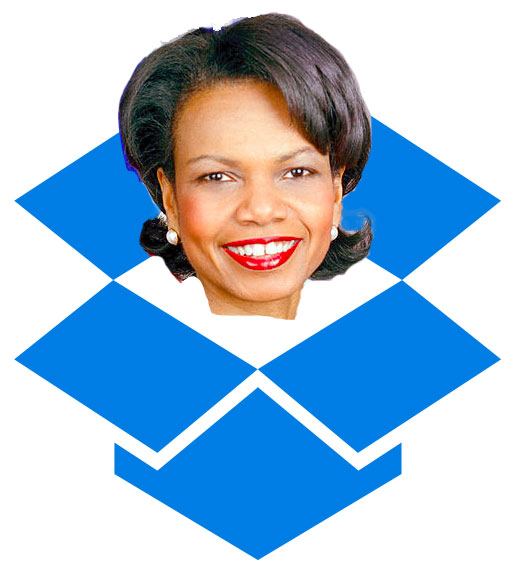 I loved Dropbox and Mailbox. I was paying for a 200GB account. But after learning that Iraq war starter, torture promotor, and warrantless wiretapper Condoleezza Rice will be joining Dropbox's Board of Directors I deleted my account (Dropbox doesn't issue refunds, so I lost about $100. They can keep it.). I also deleted the Mailbox app from my phone.


 Amazon has just announced that they will acquire comiXology, a service that offers digital versions of comics from Marvel, DC, and many others. If you’ve never used it, it’s probably easiest to think of comiXology as a sort of iTunes/Kindle Store for comic books. You buy a comic through their online store, then read it either on the web or through the company’s iOS/Android apps.…
 Earlier this week the MPAA
 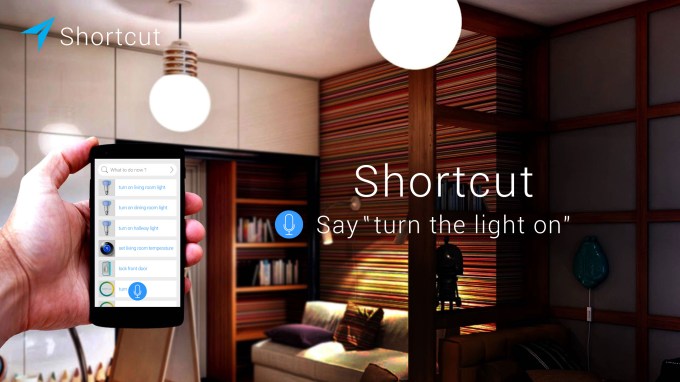 Addicted to home automation and other web-connected gadgetry, such as Lockitron or Unikey door locks, Nest or EcoBee smart thermostats, Belkin wemo switches, Dropcam, Fitbit, Jawbone, Sonos and more? Then you're going to like this: A recently launched mobile app called Shortcut is offering you a way to control your devices using voice. As co-founder Duy Huynh puts it, it's like "a Siri for the…
 Music streaming startup Deezer just revamped its free offering across the board in order to become more competitive with Spotify, Rdio and others. Mobile users will now be able to listen to smart radios for free. Like on the web, your music will be interrupted by audio ads every now and then. The company also dropped its listening cap of 10 hours per month on all platforms. Deezer presented a beta…
 In 2008, Universal, Sony, EMI, Warner and “Spanish RIAA” Promusicae (Productores de Música de España) joined forces to sue MP2P Technologies, a company created by Pablo Soto, the brains behind Blubster, the “Spanish Napster” file-sharing software.


 U.K. healthcare startup Zesty, which much like ZocDoc in the U.S. offers an online platform to locate and book healthcare appointments at short notice, has topped up its seed investment with more than $2 million in new funding coming from two new VC firms, TA Ventures and ABRT Fund.


 Automattic, the parent company of WordPress.com, has acquired Longreads, the platform for discovering and reading long-form writing content on the web. Financial terms have not been disclosed. In an email to TechCrunch, Longreads founder and CEO Mark Armstrong (pictured here) said that the Longreads service will continue to function exactly as it did before the acquisition. Joining Automattic, he…