Shared posts

22 May 22:50

Top 10 new Android games this week: Hoppu, OTTTD

by Steve Raycraft

Welcome back to Android Gaming Weekly, our weekly recap of new game releases. We still plan to cover upcoming releases and games we’re playing, but this column is dedicated to new games that you can start playing right now. Check out our top picks and let us know in the comments section if you have any suggestions for next week’s post.

Heroes and Castles

Description: The Undead Horde and their Orc and Goblin allies are at your castle gates, the King is on the brink of death, and only you stand between the enemy and complete annihilation! Choose one of many powerful heroes, summon an army to fight beside you, and defend your castle in Heroes & Castles, a seamless blend of 3rd person Action-RPG, Strategy, and Castle Defense elements!


Blazin’ Aces

Description: Take control of the skies in this 2D retro-aerial dogfighting game. Step into the cockpit of an ace pilot in the golden era of aviation, and destroy the invading forces. Featuring arcade style gameplay, the game is easy to learn yet difficult to master.


Fallen Lords

Description: The Ancient Seals are beginning to weaken and their captives, known only as the Fallen Lords, stir in the buried city. The Fallen Lords must be defeated before they break free and twist the world into their own desolate kingdom.


Godzilla – Smash3

Description: Unleash the power of Godzilla and pursue the dangerous MUTO monsters in this unique mix of jaw-dropping 3D action and challenging puzzles. Control each stomp, slash, and bite by matching – or SMASHING – puzzle tiles to drive Godzilla through 80 levels in cities across the globe.


OTTTD

Description: HEROCORP™ WANTS YOU. Command heroes, build towers, discover strange and exotic worlds and blow them all to bits.


Steampunk Tower

Description: Take charge of the immense Steampunk Tower and help the eccentric Lord Bingham protect his precious Etherium Mine. As the Imperial Army’s foot soldiers and mechanical monstrosities march into battle, fortify your epic spire with machine guns, cannons, lightning coil, saw launchers and more.


Statue of Liberty – TLS

Description: Investigate the disappearance of one of the most important symbols of the United States. You’ll play the FBI special agent Susan Pierce. She’s been sent to Liberty Island to clear up the unbelievable disappearance of the iconic flame of the Statue of Liberty!


Hoppu

Description: Hoppu, is a real fun yet tough arcade skill jump game. A penguin you are, and you NEED the Golden Fish! Besides the icy death spikes, other animals from North and South pole have teamed up against you!


Trials: Frontier

Description: Explore a vast world on your motorcycle. Compete against your friends on Global Leaderboards. Master physics-based tracks to challenge the world’s top riders for the best times. Race your motorcycle through a world of adventure, crazy characters, and unfairly addictive tracks!


Lumena

Description: Playing Lumena is EASY. Fling the colored disc toward a matching colored light. Succeeding at Lumena is… NOT EASY. You’ve been warned.


22 May 22:49

'Ok Google, set a timer' now actually sets a timer

by Andrew Martonik

For as smart as Google Now is, it's often kind of... stupid. A great example of this was using it to set timers on your phone. Up until today, when you said "Ok Google, set a timer for 15 minutes" it would simply set an alarm for 15 minutes in the future. That wasn't all that useful, and it filled up your alarm list with a bunch of useless entries.

Now, with a server-side update to the Google Now service, asking your phone to set a timer will actually set a timer. Just like before you'll have a quick countdown after making the request to confirm the time, and you can even go more specific and add seconds to a timer. Once the timer is set, the clock app will launch and start counting down.

It's a pretty great feature, and one that should've worked right from the start, but we're glad everything's working as it should now.


22 May 22:48

Fix a Zipper That's Gone Off the Tracks with a Few Stitches

by Melanie Pinola

Fix a Zipper That's Gone Off the Tracks with a Few Stitches

Most of us have experienced the aggravation of a zipper just abandoning its track. If you can't easily get it back on and don't want to bother with replacing the whole zipper yet, here's a quick fix.

Essentially, you'll cut a slit on the zipper tape that's not connected to the zipper pull (between the teeth and below the pull). Then slide the pull over the open slit and all the way down. Stitch the opening you just made so you can pull the zipper back up and down. Here's a visual:

Fix a Zipper That's Gone Off the Tracks with a Few Stitches

For more photos and step-by-step directions, see the post on the Make It or Fix It Yourself! blog. Or see our guide for more zipper problems and their solutions.

How to Quickly Repair a Broken Zipper | Make It or Fix It Yourself!

22 May 18:37

AppGyver Launches Composer, A Drag-And-Drop Tool For Building HTML5 Apps

by Frederic Lardinois
html5_mug Until now, AppGyver was mostly known for its app prototyping tools and Steroid.js, a command-line based tool for quickly building HTML5 apps. Today, the company is bringing both of these ideas together with the public beta launch of Composer, a drag-and-drop HTML5 app builder that can work with data from any REST API and integrates with popular backend services and tools like… Read More
22 May 18:36

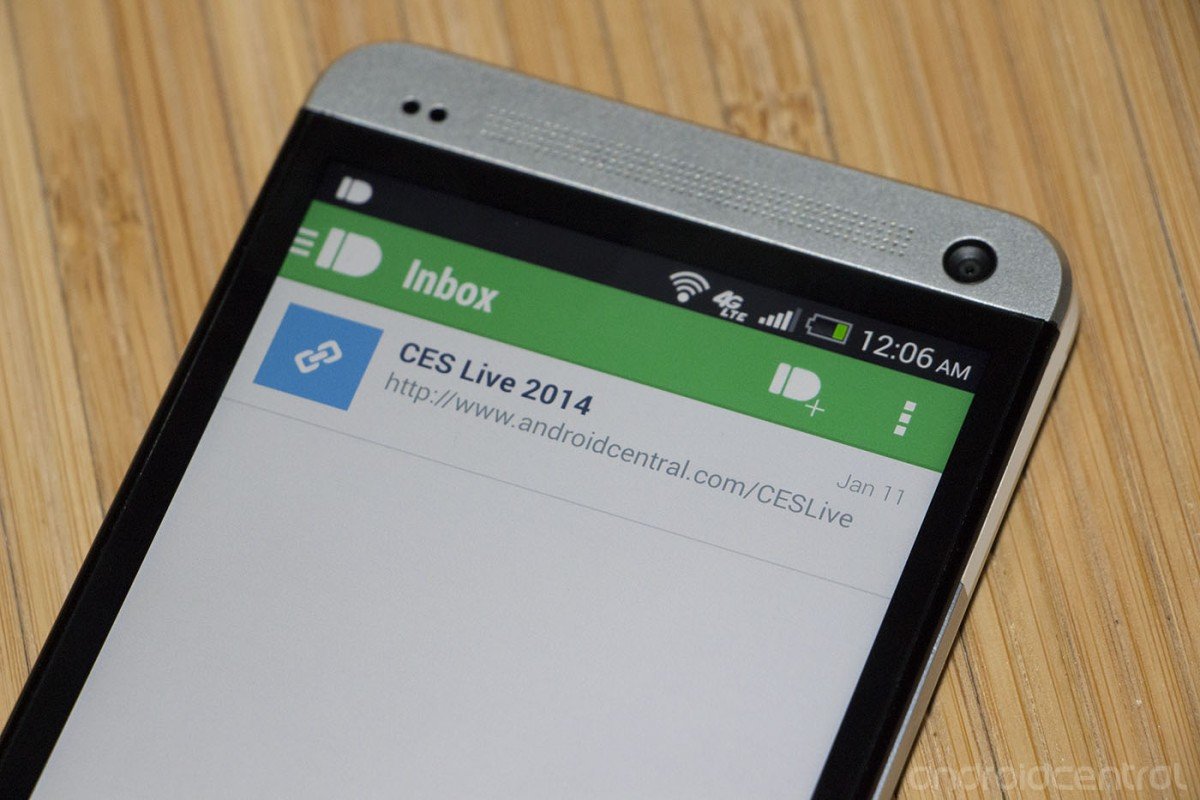
Pushbullet now syncs your notifications across all of your devices

by Adam Zeis

Pushbullet has received a big update today that now allows you to sync notifications between all of your Android devices and your computer at the same time. Previously you could sync your phone notifications with your computer, but now you can check and dismiss notifications on any device. That means you can see who's calling your phone when you're on your tablet, or dismiss a new text message from your computer automagically.


22 May 15:08

Codecademy Takes Its Online Learning Portal To The UK, France, Brazil, Estonia And Argentina

by Ingrid Lunden
codecademy in french Back in 2012, when the online coding-education platform Codecademy announced a $10 million round of funding, the startup said it would invest the money in international growth. Two years later, Codecademy is making some big moves to fulfil that ambition: it’s opening its first international office, in London, and it is announcing partnerships in five markets — the UK, France,… Read More
22 May 15:06

LG's new phone UI is rounder than its smartwatch

by Vlad Savov

A flurry of leaked images and details have left little mystery about LG's next flagship smartphone, the G3. The Korean company has now dropped the pretense of secrecy entirely and is openly talking about the ecosystem of accessories it intends to surround the phone with. First up is the new QuickCircle case, which comes with a multifunctional porthole in its front flap and support for Qi wireless charging.

Continue reading…

22 May 15:06

Facebook increases privacy on all new posts by default

by Ellis Hamburger

Since 2009, when Facebook introduced the ability to post statuses and photos publicly for the whole world to see, posting publicly has been the default. Today, Facebook is changing the default privacy settings for new users to "Friends only." This means that when anyone signs up for Facebook, their posts will by default only be viewable by people they've added as friends. To many of us, the distinction might be obvious, but Facebook is today taking a few more steps to make sure that even its longest-standing users know exactly who they're posting to.

Continue reading…

22 May 15:04

Fresh Meat: 10 new Android apps worth checking out

by Steve Raycraft

New apps need lovin’ too, right? Every day there are thousands of additions to the Google Play Store, but many go unnoticed and never receive the attention they deserve. We’ve shown in the past that this community can discover great apps and propel them to new heights. Our weekly Fresh Meat column highlights new apps with fewer than 100,000 installs. Browse our new Android app picks below and let us know which ones you enjoy.

AllCast Receiver

AllCast Receiver

Description: AllCast Receiver is the companion app to the AllCast phone and tablet app. Use the AllCast app to send photos, videos, and music to the Receiver app seamlessly! This is a perfect app to install on your Fire TV, Ouya, Android TV stick, or Google TV.


PingTune Music Messenger

PingTune

Description: PingTune is The Music Messenger for Android and other smartphones. PingTune uses Wi-Fi (when available) and 3G to browse music on YouTube and SoundCloud. You can share music, videos and messages instantly with your friends. 


Klout

Klout

Description: Klout helps people be known for what they love. You can easily find, create and share content that resonates with your audience – and then track your success using the Klout Score.


BillGuard

BillGuard

Description: BillGuard tracks your spending, protects your cards from fraud and unwanted charges, and helps you save money with simple budgeting that actually works. And it’s absolutely FREE!


Archos Connected Self

Archos Connected Self

Description: The ARCHOS Connected Self application and ARCHOS Connected Self objects help you to stay in shape easily. Thanks to the indicators and graphs you can easily follow your evolution and adapt your lifestyle to improve your well-being.


Addappt

Addappt

Description: addappt is your always up-to-date address book that updates instantly when friends change their contact information on their phone.


Downcount

Downcount

Description: The simplest possible way to create daily countdowns, period. Simply set a date and a label (or don’t, your call!) and let the magic happen. This date can be in the future or the past!


NomNom Finder

NomNom Finder

Description: If you love food trucks, you need NomNom Finder. We make it so that you know where your favorite food truck is, in real-time, all the time.  NomNom Finder does the work of tracking food trucks’ locations in real-time so you don’t have to!


The Awesome Collection

The Awesome Collection

Description: The Awesome Collection presents three of StoryToys’ most exciting puzzle adventures in one app: Haunted House, The Jungle Book and Grimm’s Puss in Boots. Each magical 3D pop-up book is bursting with action-packed games and challenges: fill Puss’ bag with treasure, search deep into the jungle to find baby Mowgli, take a ride on the ghost train, and much, much more. 


Titanfall™ Companion App

Titanfall Companion

Description: Enhance your Titanfall™ experience with the Titanfall™ Companion App. Provides you with notifications for all of the latest info and updates to Titanfall™. Features rich intel about the history of the Titanfall™ universe, characters, weapons, maps, modes and controls.


22 May 15:02

Vodafone sweetens its 4G offerings with free Netflix for six months

by Richard Devine

Vodafone UK has today announced a partnership with Netflix that will see customers receiving a free six month subscription to the video-on-demand service. Anyone signing up to a Vodafone Red 4G contract beginning in July – and lasting until the end of the year – will be given the option to receive the perk.


22 May 15:02

EE in the UK to roll out reduced EU roaming charges from July 1st

by James Richardson

Good news for UK smartphone owners that are on the EE network. From July 1st if you travel into Europe your roaming bills are going to be a wee bit cheaper!


22 May 14:53

How to Setup Steam In-Home Streaming and Fix Its Quirks

by Eric Ravenscraft

How to Setup Steam In-Home Streaming and Fix Its Quirks

Yesterday, Steam released its In-Home Streaming feature to everyone. The feature allows you to install games on one PC and stream them via your home network to any other machine. Here's how to get it set up (and fix some of the quirkier problems).

Step 1: Set Up Your Streaming Server and Client

How to Setup Steam In-Home Streaming and Fix Its Quirks

To use the In-Home Streaming feature, here's what you'll need:

  • A host PC running Windows. Currently, streaming can only be done from a Windows PC. For the moment, this is probably for the best as more games are compatible with Windows than any other OS.
  • A client computer. Any Windows, OS X, and Linux PC running Steam can receive stream a game from your host machine.
  • Beta client enrollment. Both machines need to have the Steam Beta client installed. If you do not already have the beta enabled, you can activate it in Steam by opening Settings. Click "Change" under "Beta participation" and choosing "Steam beta update" from the drop down. You'll need to restart Steam afterwards. Do this for both the host and client computer.
  • A sufficiently fast home network. It should go without saying that the two computers need to be networked together. An ethernet connection is recommended, but if you're using a wireless network, Steam recommends using either Wireless N or Wireless AC hardware.

Once you've got both computers connected to the network and running the beta client, here's how to get the In-Home Streaming set up:

  1. Log in to both computers from the same Steam account.
  2. Open your Library on the client computer to view games.
  3. Click the "Stream" button on individual game pages.

When connected to a network with another Steam-enabled host computer attached, games installed on any of the host machines will appear in the client Library. The normal "Play/Install" button will be replaced with a "Stream" button. You can, however, click the dropdown arrow next to the button to install the game locally if you'd prefer.

Assuming you don't have any technical hurdles to overcome, the In-Home Streaming is relatively straightforward. In fact, if you're already enrolled in the beta on both machines, you may not even notice that your computers can now stream between them. However, there are still a few oddities that can be cleaned up.

Step 2: Tweak Your Settings for Maximum Performance

How to Setup Steam In-Home Streaming and Fix Its Quirks

While Steam does a pretty great job of making things effortless, there are still a few settings that are worth tweaking (or at least keeping in mind).

On the host machine: In the Settings menu (Steam > Settings), select In-Home Streaming on the left-hand side of the window. Under "Host options" click "Advanced Host Options." Here, you'll be able to enable hardware encoding (which may be on by default) and "Prioritize network traffic". The latter's availability may depend on your network hardware, but if you've got a relatively recent router, enabling this option can help make your game streams a little less choppy.

On the client machine: Here's where things get fun. In the same In-Home Streaming section of Settings, you have a simple radio button under "Client options" that allow you to choose between Fast, Balanced, or Beautiful. They're pretty self-explanatory and don't require a lot of technical tweaking.

However, click the Advanced Client Options button and you can get some more fine-grained control. Your first option is "Limit bandwidth to". This is set to Automatic by default. The manual options range from 3Mbit/s to 30Mbit/s, or Unlimited. If you have either a Wireless N or Wireless AC router, you can probably go as high as you need to without disrupting other network traffic. If you find your game is streaming at a slow rate, try manually turning up the bandwidth limit.

Alternatively, if your game is lagging and you don't think bandwidth is the problem (say, you're on a Wireless AC connection with no other users), you can try limiting the game resolution. In the second drop down box, you can choose 1080p, 720p, or 480p as a hard limit for your host machine to stream. Obviously a lower resolution won't look as good, but you can get a higher frame rate, which can mean the difference between victory and defeat in many games.

You can also select "Display performance information" in the client options dialog. This will add a small indicator in the lower left corner of your screen with the current streaming resolution and framerate.

In-Home Streaming has been in beta for several months and so far it seems like it's paid off. The feature works relatively painlessly right out of the box with little setup. If you want to tweak your options, though, you still have a few buttons and knobs to fiddle with.

21 May 23:14

Take Your Desktop to New Heights with These Mountainous Wallpapers

by Whitson Gordon

Take Your Desktop to New Heights with These Mountainous Wallpapers

You may not be able to climb a mountain, but you can enjoy the (two-dimensional) scenery right from your desktop with these wallpapers.

Remember, we're now requesting your participation in the Wallpaper Wednesday series! You'll find a selection here, but post your favorites for this week's topic in the discussions below. Stick to our format as best you can, including a title, the image, resolution, and a link. Happy wallpapering!

Huangshan Mountains

Take Your Desktop to New Heights with These Mountainous Wallpapers

Download This Wallpaper (2880x1800) | Pichost

Sunrise

Take Your Desktop to New Heights with These Mountainous Wallpapers

Download This Wallpaper (1920x1200) | Wallpaper Abyss

Sea's Landing

Take Your Desktop to New Heights with These Mountainous Wallpapers

Download This Wallpaper (1920x1200) | WallCore

A Pinch of Airiness

Take Your Desktop to New Heights with These Mountainous Wallpapers

Download This Wallpaper (2560x1800) | InterfaceLIFT

Stars

Take Your Desktop to New Heights with These Mountainous Wallpapers

Download This Wallpaper (2560x1600) | List of Images

Waterfall

Take Your Desktop to New Heights with These Mountainous Wallpapers

Download This Wallpaper (1920x1200) | ForWallpaper

Zhangjiajie National Forest Park

Take Your Desktop to New Heights with These Mountainous Wallpapers

Download This Wallpaper (2560x1440) | Foundwalls

Panoramic

Take Your Desktop to New Heights with These Mountainous Wallpapers

Download This Wallpaper (1920x1080) | Wallpoper

21 May 22:27

Segway just started a three-wheeled vehicle war

by Jacob Kastrenakes

Segway's claim to fame is its two-wheeled scooters' balancing act, but today it's introducing a product that stands a bit more firmly on the ground: the three-wheeled SE-3 Patroller. As its name suggests, the Patroller is meant for law enforcement and public safety uses. It doesn't really have any special tricks like the traditional Segway does, but it's being pitched as a natural extension of the scooter's product line nonetheless. Their obvious connections are pretty limited though: they're both battery powered, and they both have wheels.

Continue reading…

21 May 22:25

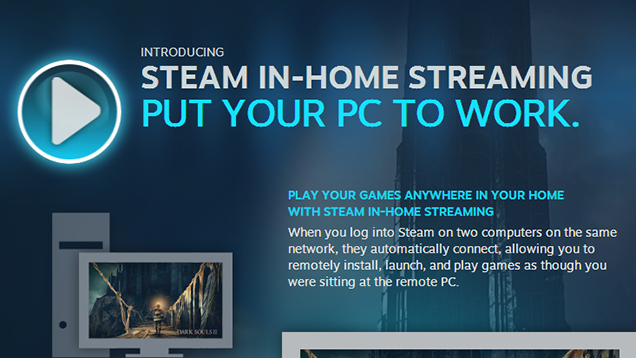
Steam In-Home Streaming Now Available to Everyone

by Eric Ravenscraft

Steam In-Home Streaming Now Available to Everyone

Steam has been experimenting with an in-home streaming feature that allows you to host a game on one machine and play it on another. Now, that feature is out of beta and it's releasing on time, for everyone.

According to Steam, you simply need to log in to two different computers on the same network. You'll then be able to see your library on different machines and remotely install, launch, and play them from any device. You can read more about the service at the source link below.

Steam In-Home Streaming | Steam via Polygon

21 May 22:24

Most Popular Book Recommendation Service: GoodReads

by Alan Henry

Most Popular Book Recommendation Service: GoodReads

Finding a good book to read isn't really difficult, but there are plenty of services that'll make it easier. Last week we asked for your favorites, then looked at the five best book recommendation services. Now we're back to crown your favorite.

Most Popular Book Recommendation Service: GoodReads

Amazon-owned GoodReads took the top spot with over 53% of the overall vote. The majority of you clearly liked the fact that the service hooks in nicely with Amazon, automatically syncs your read Kindle books, lets you share book reviews with friends and let the community know how far along you are in a given book, and get great book suggestions from other members of the GoodReads community—not to mention many of your favorite authors, who also use the service.

In second place with over 39% of the vote was BookBub, the great source for cheap eBooks catered to your specific tastes in reading. Every day BookBub will email you great eBook deals based on what you enjoy reading, and for many of you, it's led to plenty of purchases. Coming in third with over 4% of the vote was LibraryThing, a great tool for cataloging your library, but also a great user-run and user-supported service for finding great new books as well. Fourth place went to the BookSuggestions Subreddit with 2% of the vote, and bringing up the read was Olmenta, with 1% of the votes cast.

For more on each of these and the honorable mentions not listed here (including your public library and the librarians who work there!) head back to the full Hive Five feature to read more.

21 May 18:53

Google overtakes Apple as world's most valuable brand for 2014

by Nathan Ingraham

The ongoing battle between Google and Apple takes place on a number of fronts — products, marketing, legal, and more. By at least one metric, Google has pulled ahead of its Cupertino competition in the last year: a study from marketing research firm Millward Brown cited Google as the number one most valuable brand in the world 2014. Google managed to unseat Apple from the number one slot; Apple had previously held the top ranking for three years running. Millward Brown's BrandZ study uses a calculation of brand value to determine its rankings — by this metric, Google's 2014 brand value of $158.8 million increased 40 percent over the year before, while Apple's fell 20 percent to $147.8 million.

This comes at a time when public perception...

Continue reading…

21 May 18:19

The US Navy was hacked from inside its own aircraft carrier

by Russell Brandom

When the Navy Criminal Investigative Service started looking into a breach of one of their low-security networks, the team got an unpleasant surprise: at least one of the culprits was a Navy sailor, performing the attacks from an aircraft carrier at sea.

Continue reading…

21 May 18:18

Facebook app for Android to gain support for ID-ing music, TV shows and movies

by Alex Wagner

This year has been pretty big for Facebook and its mobile efforts. So far in 2014, the company has launched a new Paper app for iOS, acquired messaging app WhatsApp, pulled its Poke and Camera iOS apps and launched a Messenger app on Windows Phone. Today Facebook announced that it’s making another big mobile move by adding new a media recognition feature to its main apps.

Facebook revealed in an official blog post that it will be updating its Android and iOS apps to add a new feature that can identify music, TV shows and movies and then add that information to a status update.

facebookrecognitionfull2

When the feature is turned on, users will see an audio icon when writing a status update. Clicking this icon will allow the app to try and recognize the media that you’re consuming, and if a match is found, it’ll be added to your update. Music-related status updates will include a 30-second preview of the song that you’re listening to, while TV updates will name the season and episode that you’re currently watching.

Facebook has been improving its status update functionality lately to include more information about your friends and the places that you visit, and this media recognition feature seems like a natural way to improve its status updates even more. Users will be able to easily tell their friends about the song that they’re listening to or the show that they’re watching, and other users can then learn more about the content directly from that status update.

Facebook says that this new feature will roll out “in the coming weeks.”

21 May 18:17

Kleargear ruins customers' credit over online criticism, refuses to honor US judgment

by Cory Doctorow


The latest update in the saga of Kleargear (previously) is downright bizarre. Having invoiced unhappy customers for complaining online about their crappy service and then ruined those customers' credit rating, the company now refuses to acknowledge a judgment against them from a US court because they insist that they're located in France and weren't served there. Read the rest

21 May 18:15

Make Your Own Deodorant to Avoid Allergies and Control Ingredients

by Alan Henry

Make Your Own Deodorant to Avoid Allergies and Control Ingredients

Whether you have allergies to some of the ingredients in commercial deodorant, or just prefer to make your own and smell the way you want to smell (or go fragrance-free), this recipe for homemade deodorant from Instructables user doodlecraft hits the spot.

Doodlecraft put together this recipe because she was concerned about some of the ingredients in commercial products, but putting that aside, this is a great method to make your own, add your own preferred scents (or no scents at all), or avoid ingredients that may irritate your skin. You'll definitely need some ingredients for this:

4 Tbsp beeswax
1 1/2 Tbsp Shea butter
1 Tbsp cocoa butter
1 1/4 Tbsp coconut oil
1/2 T bentonite clay
1/2 T baking soda

Doodlecraft notes that these measurements will make two sticks of deodorant. Also, she explains that technically you don't need both shea butter and cocoa butter—just 2 1/2 tablespoons of either or both, total. You could also add a few drops of your favorite essential oil to give it some fragrance. The quantities you wind up buying are enough to make a ton of deodorant, so you'll be set for a while with this approach.

You'll also want some containers to put your deodorant in, which might be the tough part (especially if you're trying to do this so you don't have to buy deodorant in the first place.) She notes that once it firms up, it's like chapstick—it warms when it touches your body and spreads easily, but stays firm in its container. Hit the link below to see the step-by-step, and if you want another recipe and approach, check out this old post on making your own deodorant from a few years back.

Homemade Deodorant | Instructables

21 May 18:14

How Spammers Spoof Your Email Address (and How to Protect Yourself)

by Alan Henry

How Spammers Spoof Your Email Address (and How to Protect Yourself)

Most of us know spam when we see it, but seeing a strange email from a friend—or worse, from ourselves—in our inbox is pretty disconcerting. If you've seen an email that looks like it's from a friend, it doesn't mean they've been hacked. Spammers spoof those addresses all the time, and it's not hard to do. Here's how they do it, and how you can protect yourself.

Spammers have been spoofing email addresses for a long time. Years ago, they used to get contact lists from malware-infected PCs. Today's data thieves choose their targets carefully, and phish them with messages that look like they came from friends, trustworthy sources, or even their own account.

It turns out that spoofing real email addresses is surprisingly easy, and part of why phishing is such a problem. Systems Engineer, aspiring CISSP, and Lifehacker reader Matthew tipped us off to how it works, but also took us by surprise by emailing a few of us at Lifehacker from other Lifehacker writers' email addresses. Despite the fact that we knew it was possible—we’ve all gotten spam before—it was more disconcerting to actually be tricked by it. So, we talked to him about how he did it and what people can do to protect themselves.

Note: What follows is a rather technical writeup, designed for more computer-savvy individuals. If you want a more basic rundown on avoiding spam and scams, we've got one of those too.

A Little History: Why Email Addresses Are So Easily Spoofed

How Spammers Spoof Your Email Address (and How to Protect Yourself)

Today, most email providers have the spam problem resolved—at least to their own satisfaction. Gmail and Outlook have strong, sophisticated spam catching algorithms and powerful filtering tools. Back in the early 2000s, though, that wasn't the case. Spam was still a huge problem that mail servers had yet to seriously tackle, much less develop advanced tools to manage.

In 2003, Meng Weng Wong proposed a way for mail servers to "verify" that the IP address (the unique number that identifies a computer on the internet) sending a message was authorized to send mail on behalf of a specific domain. It's called the Sender Permitted Form (renamed to "Sender Policy Framework" in 2004), and Matthew explains how it works:

Each time an email message was sent, the receiving email server would compare the IP of origin for the message with the IP address listed in the SPF record for the email address’s host (the “@example.com” part.)

If the two IP addresses match, then the email could pass through to the intended recipient. If the IP addresses did not match, then the email would be flagged as spam or rejected altogether. The burden of deciding the outcome was completely in the hands of the receiving server.

Over the years, SPF records have evolved (the most recent RFC was published in April 2014), and most domains on the internet have SPF records (you can search for them here).

When you register a domain, you also register a number of DNS records that go along with it. Those records tell the world which computers to talk to depending on what they want to do (email, web, FTP, and so on). The SPF record is an example, and ideally it would make sure all the mail servers on the internet knew that people sending email from, say, @lifehacker.com, were actually authorized users and computers.

However, this method isn't perfect, which is part of why it didn't catch on completely. SPF records require administration—someone actually adding new IP addresses and removing old ones, and time for the record to propagate across the internet every time a change is made. (Update: We previously tied SPF checks to user IP addresses, when the technology is actually used by mailhosts to verify that the server through which a message passes is an authorized sender on behalf of a given domain, not that the device used is authorized to send on behalf of a given address. Sorry for the confusion, and thanks to the commenters who pointed this out!) Most companies use a soft version of SPF anyway. Instead of risk false positives by blocking useful mail, they implement "hard" and "soft" fails. Email hosts also loosened their restrictions on what happens to messages that fail that check. As a result, email is easier for corporations to manage, but phishing is easy, and a big problem.

Then, in 2012, a new record type was introduced, designed to work alongside SPF. It's called DMARC, or Domain-based Message Authentication, Reporting, and Conformance. After a single year, it's expanded to protect a large number of consumer mailboxes (although the self-proclaimed 60% is probably optimistic.) Matthew explains the details:

The DMARC boils down to two important flags (although there are 10 total) - the "p" flag, which instructs receiving servers on how to deal with potentially phony emails, either by rejecting, quarantining, or passing; and the "rua" flag, which tells receiving servers where they can send a report about failed messages (usually an email address at the domain admin's security group). The DMARC record solves most of the issues with SPF records by taking the burden of deciding how to respond away from the recipient.

The problem is, not everyone uses DMARC yet.

This handy tool allows for you to query any domain's DMARC record - try it out on a few of your favorites (gawker.com, whitehouse.gov, redcross.org, reddit.com). Notice anything? None of them have published DMARC records. That means that any email host that tries to conform to the rules of DMARC wouldn't have any instructions on how to handle SPF failed emails, and would probably let them through. That's what Google does with Gmail (and Google Apps), and that's why phony emails can get through to your inbox.

To prove that Google does pay attention to DMARC records, look at the DMARC record for facebook.com - the "p" flag idicates that recipients should reject emails, and send a report about it to the postmaster at Facebook. Now try to fake an email from facebook.com and send it to a Gmail address—it won't go through. Now look at the DMARC record for fb.com - it indicates that no email should be rejected, but a report should be made anyway. And if you test it, emails from @fb.com will go through.

Matthew also noted that the "postmaster report" is no joke. When he tried spoofing a domain with a DMARC record, his SMTP server was blocked in less than 24 hours. In our testing, we noticed the same. If a domain is set up properly, they'll put an end to those spoofed messages quickly—or at least until the spoofer uses a different IP address. However, a domain that doesn't have DMARC records is fair game. You could spoof them for months and no one on the sending end would notice—it would be up to the receiving mail provider to protect their users (either by flagging the message as spam based on content, or based on the message's failed SPF check.)

How Spammers Spoof Email Addresses

How Spammers Spoof Your Email Address (and How to Protect Yourself)

The tools necessary to spoof email addresses are surprisingly easy to get. All you need is a working SMTP server (aka, a server that can send email), and the right mailing software.

Any good web host will provide you with an SMTP server. (You could also install SMTP on a system you own, port 25—the port used for outgoing email, is usually blocked by ISPs. This is specifically to avoid the kind of mass-emailing malware we saw in the early 2000s.) For his prank on us, Matthew used PHP Mailer. It's easy to understand, easy to install, and it even has a web interface. Open PHP Mailer, compose your message, put in the "from" and "to" addresses, and click send. On the recipient's end, they'll get an email in their inbox that looks like it came from the address you typed in. Matthew explains:

The email should have worked without issue, and appears to be from whomever you said it’s from. There’s very little to indicate this didn’t come from their inbox, until you view the source code of the email (“View original” option in Gmail). [ed note: see image above]

You’ll notice that the email “soft” failed the SPF check, yet it came through to the inbox anyway. It’s also important to note that the source code includes the originating IP address of the email, so it’s possible that the email could be traced, if the recipient wanted to.

It’s important to note at this point that there is still not a standard for how email hosts will treat SPF failures. Gmail, the host I did most of my testing with, allowed emails to come in. Outlook.com, however, did not deliver a single falsified email, whether soft or hard failed. My corporate Exchange server let them in without issue, and my home server (OS X) accepted them, but flagged them as spam.

That's all there is to it. We've skimmed over some details, but not many. The biggest caveat here is if you click reply on the spoofed message, anything sent back goes to the real owner of the address—not the spoofer. That doesn't matter to thieves though, since spammers and phishers are just hoping you'll click links or open attachments.

The tradeoff is clear: Since SPF never really caught on in the way it was intended, you don't need to add your device's IP address to a list and wait 24 hours every time you travel, or want to send email from your new smartphone. However, it also means that phishing remains a major problem. Worst of all, it's just so easy that anyone can do it.

What You Can Do to Protect Yourself

How Spammers Spoof Your Email Address (and How to Protect Yourself)

This all may seem arcane, or seem like a lot of fuss over a few measly spam emails. After all, most of us know spam when we see it—if we ever see it. But the truth is that for every account where those messages are flagged, there's another where they aren't and phishing emails sail into user inboxes.

Matthew explained to us that he used to spoof addresses with friends just to prank friends and give them a little scare—like the boss was angry with them or the receptionist emailed to say their car was towed—but realized that it worked a little too well, even from off the company network. The spoofed messages came through the company mail server, complete with profile pictures, corporate IM status, auto-populated contact information, and more, all helpfully added by the mail server, and all of which make the spoofed email look legit. When I tested the process, it wasn't much work before I saw my own face looking back at me in my inbox, or Whitson's, or even Adam Dachis', who doesn't even have a Lifehacker email address anymore.

Even worse, the only way to tell that the email isn't from the person it looks like is to dig into the headers and know what you're looking for (like we described above.) That's a pretty tall order for even the tech-savvy among us—who has time for that in the middle of a busy workday? Even a quick reply to the spoofed email would just generate confusion. It's a perfect way to cause a little chaos or target individuals to get them to compromise their own PCs or give up login information. But if you see something that's even a little suspicious, you at least have one more tool in your arsenal.

So, if you're looking to protect your inboxes from messages like this, there are a couple of things you can do:

  • Turn up your spam filters, and use tools like Priority Inbox. Setting your spam filters a little stronger may—depending on your mail provider—make the difference between a message that fails its SPF check landing in spam versus your inbox. Similarly, if you can use services like Gmail's Priority Inbox or Apple's VIP, you essentially let the mail server figure out the important people for you. If an important person is spoofed, you'll still get it, though.
  • Learn to read message headers, and trace IP addresses. We explained how to do this in this post about tracking down the source of spam, and it's a good skill to have. When a suspicious email comes in, you'll be able to open the headers, look at the IP address of the sender, and see if it matches up with previous emails from the same person. You can even do a reverse lookup on the sender's IP to see where it is—which may or may not be informative, but if you get an email from your friend across town that originated in Russia (and they're not traveling), you know something's up.
  • Never click unfamiliar links or download unfamiliar attachments. This may seem like a no-brainer, but all it takes is one employee in a company seeing a message from their boss or someone else in the company to open an attachment or click a funny Google Docs link to expose the entire corporate network. Many of us think we're above being tricked that way, but it happens all the time. Pay attention to the messages you get, don't click links in email (go to your bank's, cable company's, or other website directly and log in to find what they want you to see), and don't download email attachments you're not explicitly expecting. Keep your computer's antimalware up to date.
  • If you manage your own email, audit it to see how it responds to SPF and DMARC records. You may be able to ask your web host about this, but it's not hard to check on your own using the same spoofing method we described above. Alternatively, check your junk mail folder—you may see messages in there from yourself, or from people you know. Ask your web host if they can change the way your SMTP server is configured, or consider switching mail services over to something like Google Apps for your Domain.
  • If you own your own domain, file DMARC records for it. Matthew explains that you have control over how aggressive you want to be, but read up on how to file DMARC records and update yours with your domain registrar. If you're not sure how, they should be able to help. If you're getting spoofed messages on a company account, let your corporate IT know. They may have a reason for not filing DMARC records (Matthew explained his said they couldn't because they have external services that need to send using the company domain—something easily fixed, but that kind of thinking is part of the problem), but at least you let them know.

As always, the weakest link in security is the end-user. That means that you'll need to keep your BS sensors turned all the way up every time you get an email you weren't expecting. Educate yourself. Keep your anti-malware software up to date. Finally, keep an eye on issues like these, since they'll continue to evolve as we continue to fight spam and phishing.

Photo by Gwyneth Anne Bronwynne Jones.

21 May 15:45

EE launches the Eagle 4G LTE tablet it hopes will soar

by Richard Devine

UK carrier EE has a thing going on right now with birds-of-prey when it comes to naming its devices, and the Eagle follows on from the Kestrel in offering high-speed data at an affordable price. This time out we're getting a tablet, though the Eagle is basically a rebadged Huawei 8-inch slate.


21 May 15:45

eBay will ask you to change your password today after an attack

by Rich Edmonds

eBay has announced today that users of the popular service should change their passwords immediately due to a cyber attack that compromised a database containing encrypted passwords. A press release sent out by the company stresses that only non-financial data was affected.

Hastily investigating the matter, eBay found no evidence of any unauthorized access to financial or credit card information, but we strongly urge all readers to pop into their accounts and make the change regardless.


21 May 15:45

EE's Buzzard is less bird-of-prey, more in-car 4G LTE

by Richard Devine

EE Buzzard

UK carrier, EE, has today made a raft of announcements about its 4G LTE products and services with one of the more interesting ones targeted at the car. The Buzzard – cool name, definitely – is a dedicated in-car 4G LTE hotspot that the carrier will sell to you for £49.99 on pay-as-you-go.

It's nothing fancy since it's basically just a regular old portable hotspot. But the Buzzard will connect directly to the cars 12v power supply allowing you to connect up to 10 different devices inside the car. EE also says it's designed in such a way to sit out of the way in a cup holder. Oh, and it's bright yellow.

The Buzzard will be on sale from May 28 and will also be available on EE's shared data plans. Connectivity in the car is becoming more and more of a thing, so would this suit you better than something built in?

21 May 15:44

Whistle introduces a new GPS tracker for your pet

by Adam Zeis

Whistle has today announced a followup to their popular pet health and activity monitor. The new WhistleGPS is a simple tracker that your pet can wear, allowing you to track them anywhere in the U.S. on a companion mobile app. The device attaches to the dog's collar and tracks location, activity and rest. The affordable device is small and lightweight and also has great battery life which is nearly double that of other devices.

The Whistle GPS is available now for pre-order through Whistle.com for just $49, the only catch being it won't ship until next year.

Press Release

WHISTLE'S NEW GPS CAPABILITIES AND THE FIRST NETWORK DEDICATED TO INTERNET OF THINGS TO CHANGE THE LANDSCAPE OF WIRELESS CONNECTIVITY

Pet Technology Company Teams Up with SIGFOX to Ensure Dog Owners Never Lose Their Pets

SAN FRANCISCO – May 20, 2014 – Whistle, the makers of the leading pet health and activity monitor, today introduced WhistleGPS, the next generation of its line of pet tech products. This device and connected mobile app will help ensure that dog owners in the U.S. can always find their pets. Harnessing the U.S. deployment of the SIGFOXnetwork, the first wireless network dedicated to the internet of things, Whistle aims to prevent the loss of the roughly 10 million family pets that go missing annually.

"WhistleGPS offers pet owners peace of mind that they'll never lose their best friend," said Ben Jacobs, CEO of Whistle. "Until now, GPS devices on the market simply didn't make sense for most dog owners. Subscription costs are high, battery life is short, and products are too big for most breeds to even wear. By leveraging the SIGFOX network, we're offering a GPS device that pet owners can use effortlessly, and be proud to put on their dog's collar."

WhistleGPS is a sleek device that attaches to a dog's collar to collect and categorize key information, including location, activity and rest. Pet owners can use WhistleGPS to make sure their dogs are getting the right amount of daily activity and to pinpoint their dog's exact location from their smartphone. Unlike other GPS products on the market, WhistleGPS addresses three key challenges for location monitoring, including:

  • Size – At roughly the size of a silver dollar (16 grams), WhistleGPS is less than 1/3 the size of other available trackers, making it the smallest and lowest profile pet monitoring device on the market. This means more dogs of varying sizes will be able to wear the device comfortably.
  • Battery life - Leveraging brand new low-energy wireless network capabilities to communicate location, WhistleGPS is able to provide 2x the battery life than currently possible in other devices. This allows people to use their device for at least one week before needing to recharge the battery, for a better experience.
  • Affordability - Bypassing expensive wireless providers and connecting to the new internet of things ecosystem allows WhistleGPS to keep cost of subscriptions down to 1/2 current price of GPS services.

As the collaboration with Whistle demonstrates, the new low-energy network with SIGFOX addresses the widespread need for new wireless communication solutions. Current options for mobile connectivity only offer close-range syncing via Bluetooth and WiFi, or cumbersome and expensive 3G and 4G wireless systems. The introduction of the SIGFOX on-demand wireless network in the U.S. – timed for the end of this year – bridges the gap between the two current offerings and will unleash new opportunities for addressing connected home solutions, smart city grids, valuable asset tracking and much more.

"WhistleGPS is a perfect example of how low-energy systems like ours open the door to innovation, especially within the internet of things sector," said Ludovic Le Moan, CEO of SIGFOX. "As we approach the sunset date of older 2G networks, more products will be forced to evolve and iterate in months and years to come while enabling entirely new ones like WhistleGPS. The U.S. deployment of our wireless system is an exciting opportunity to usher in the new wave of connectivity and invention."

Available for pre-order May 20 - 27, 2014

WhistleGPS is available for pre-order from May 20-27, 2014for $49 (SRP $129) online at www.Whistle.comthrough a limited time offering powered by Crowdtilt Open. WhistleGPS will ship starting summer 2015.

21 May 15:44

On Google, advertising, and invading your home appliances

by Phil Nickinson

In answering the federal regulators' questions last year, Google merely stated the obvious — 'mobile' doesn't fit the new categories of device of the future

Can't say I didn't see this coming.

Late last year, the Securities and Exchange Commission — one of the bodies that helps make sure businesses play fair — had some questions for Google regarding its year-end 2012 fiscal report, which was filed in January 2013. Some of those questions regarded Google's purchase of Motorola Mobility. Some had to do with taxes. Some with Motorola's Home business. Other questions had to do with the difference between the "cost per click" for advertising on desktop versus mobile.

It's Google's answers to that last section that got the headlines, of course. It's blogger gold. "ZOMG Google to put ads on thermostats and refrigerators and your newborn baby's forehead."

Only, that's not really what Google said.


21 May 12:29

Netflix launching in six more European countries this year

by Cassandra Khaw

Netflix is planning to expand to Germany, Austria, Switzerland, France, Belgium, and Luxembourg in late 2014. While the company intends to offer subscribers the full smorgasbord of on-demand movies, television shows, and Netflix original series like House of Cards, content availability will vary depending on country. France, for example, prohibits movies from appearing on services such as Netflix until three years after their theater debut. Details about pricing, programming, and supported devices are to follow at a later date.

In its April 21st letter to shareholders, Netflix wrote that its planned move into new European markets would keep its expanded international segment at a net loss. However, the company expects overseas revenue...

Continue reading…

21 May 12:20

Brussels: Water cannons turned on anti-TTIP protesters fighting the Son of ACTA

by Cory Doctorow


In 2012, a winning combination of lobbying and street protests killed ACTA, a secretive, Internet-punishing copyright treaty. Now, protesters are being water cannoned in Brussels as they fight ACTA's successor, the Transatlantic Trade and Investment Partnership. It seems like the lesson that the powerful took away from ACTA wasn't to conduct trade negotiations with transparency and public feedback -- instead, they're ruthlessly crushing all protest in the hopes of keeping it from growing. Read the rest

21 May 12:19

CloudAmpz for Android Streams Music From Dropbox, Box and Google Drive

by Mihir Patkar

CloudAmpz for Android Streams Music From Dropbox, Box and Google Drive

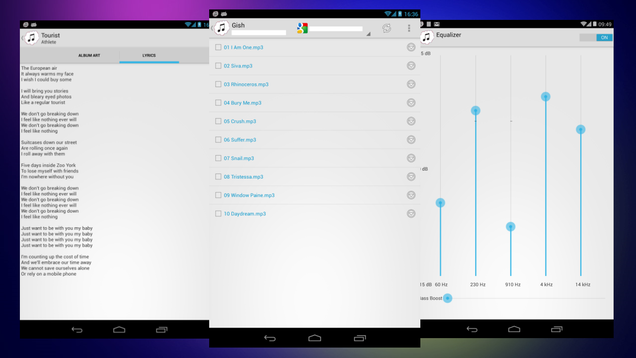
Android (2.3+): If the cloud is where you store your music, then CloudAmpz for Android is a great way to listen to it on-the-go without downloading those files. The app works with Google Drive, Box and Dropbox, but only one account at a time.

In many ways, CloudAmpz is similar to Beat for Android, but it has a few things that make it worthwhile. If lyrics support is important to you, CloudAmpz does a great job of showing your current playing track's lyrics by using the ChartLyrics database. Much like Beat, it will also fetch album art.

The other plus is in performance. CloudAmpz is better at streaming high-bitrate files than Beat or any other such player—the playback is smooth. It also has an equalizer, lets you set up custom playlists, and supports local storage in case you have songs stored there.

The free version of CloudAmpz comes with ads, but if you are going to use it to make the most of your cloud storage, pay a dollar for the Pro version. Playing back FLAC files while loading internet-based ads can strain your phone's network.

CloudAmpz (Free) | Google Play Store via XDA Developers Forum