Shared posts

20 May 23:37

Word Lens, The Real-Time Translation App, is Now Free

by Patrick Allan

Android/iOS: Word Lens, the app that can translate the words and language it sees in real time, is free to download today.

Google has purchased Word Lens' parent company, Quest Visual, and their first move was making the app free to download. Additionally, all of the language packs added since it's release are available for free within the app too. We took a look at it ourselves back in 2010, and came away impressed with how well it worked. Hit the links below to download it and try it out for yourself.

Word Lens| iTunes App Store via TUAW

Word Lens | Google Play Store

20 May 23:37

Major U.K. Real-Time Train Database Opens Up To More Developers

by Natasha Lomas
UK Train Times A long-standing pain-point for U.K. developers wanting to do cool things with real-time train data looks like it’s going to ease up, thanks to changes in the terms of access and usage being announced today. From the user side, this will also (hopefully) mean more U.K. apps offering better and cheaper access to useful up-to-date train data. From June 1, the U.K.’s National Rail… Read More
20 May 22:24

SlideRider instantly turns your stairs into an indoor slide

by Dean Putney
Product_01

Quirky is helping inventor Trisha Cleveland develop the dreams of everyone with a second floor into a foldable and practical product. The foam pieces fold up into a nice little chest when not in use, and velcro helps set it up easily. (via Incredible Things)

20 May 22:17

Twitter no longer mulling SoundCloud acquisition

by Chuong H Nguyen

We had reported that Twitter is considering making a bid to acquire German music service SoundCloud, but now it appears that the social network is no longer interested in a deal.


20 May 19:48

The amazing photography of Todd Baxter

by Xeni Jardin
toddb

Hard to believe that Todd Baxter is a photographer, not a photorealistic painter. What beautiful work. Juxtapoz has a feature on his "Owl Scouts" series; you can scroll through more work on the Chicago-based photographer's (Flash-based) website.

20 May 16:58

Box brings a new gallery, previewer to its updated Android app

by Phil Nickinson

LG's continued partnership gets users 50GB of storage for free

Cloud-storage provider Box today is releasing a major update to its Android application, adding a few new features and continuing its partnership with LG to bring a goodly amount of storage to the South Korean manufacturer's users for free.

A new previewer in the app supports more than 100 file types so you can see exactly what you're dealing with without having to guess at extensions or (worse) open the file to find out. You get page thumbnails, grid views, and the ability to search text inside documents themselves — all from the Box app. There's also a new gallery tool to quickly and easily let you preview images stored on Box.

And if you're using Box's OneCloud suite, you get a built-in gallery as well, a new business messaging client called Hall, Docs to Go integration, and much more that'll help the office types.

And for those using a "G Series" smartphone or tablet from LG, you'll get 50 free gigabytes of online storage. (See the fine print on that here.)

Check out the promo video after the break, and get your download on here or at the link above.


20 May 16:56

Microsoft Surface Pro 3 hands-on: bigger, thinner, faster

by Verge Staff

Microsoft made one thing clear: it wants its new Surface Pro 3 to be able to replace replace your laptop. It's a bold goal, but Microsoft thinks it has the right combination of power and portability to make it work. The new Surface is bigger than the earlier two models with a 12-inch display, but it's also thinner, at 9.1 millimeters thick, and lighter, at 1.8 pounds. Inside all of that is one of several different Intel Core processors, running from an i3 up to an i7. Surface chief Panos...

Continue reading…

20 May 16:56

Shutterstock Introduces Music Licensing Service, Starting With 60K Tracks From Rumblefish

by Anthony Ha
shutterstock music Shutterstock isn't just a place where users can find stock photography and video anymore — today it's launching Shutterstock Music. Vice President of Product Wyatt Jenkins demonstrated the new service for me yesterday. He said that while a big media company can usually afford to license a hit song for their movie or commercial, small businesses don't have the know-how to jump through all the… Read More
20 May 15:24

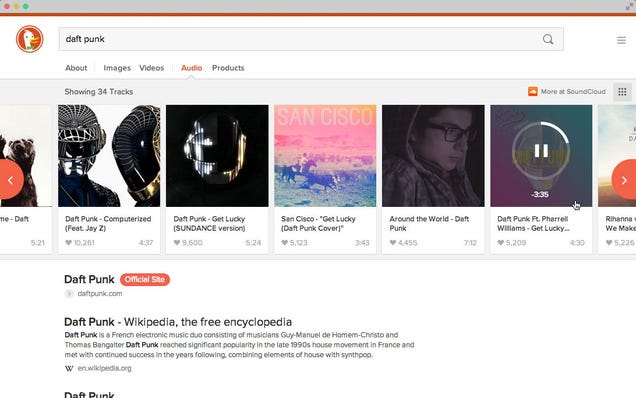
DuckDuckGo's New Interface with Image and Video Search Is Live

by Whitson Gordon

DuckDuckGo's New Interface with Image and Video Search Is Live

DuckDuckGo's new interface, which we talked about when it was back in beta, is now live on the main site. Check out our original post on it below for more info on what it can do.

20 May 14:43

Google+ Stories and Movies: memories made easier

by Emily Wood
A suitcase full of dirty clothes. A sad-looking house plant. And 437 photos and videos on your phone, tablet and camera. This is the typically messy scene after a vacation. And although we can’t do your laundry (thanks but no thanks), or run your errands (well, maybe a few), we’d still like to help. Enter Google+ Stories, which can automatically weave your photos, videos and the places you visited into a beautiful travelogue.

No more sifting through photos for your best shots, racking your brain for the sights you saw, or letting your videos collect virtual dust. We’ll just gift you a story after you get home. This way you can relive your favorite moments, share them with others, and remember why you traveled in the first place.

Stories will be available this week on Android and the web, with iOS coming soon. In the meantime you can browse my story below (click to start), or explore a few others by paraglider Tom de Dorlodot, DJ Steve Aoki and Allrecipes photographer Angela Sackett.
When it’s less about travel, and more about today's events (like a birthday party, or baby’s first steps), Google+ Movies can produce a highlight reel of your photos and videos automatically—including effects, transitions and a soundtrack. Today we’re bringing Movies to Android, iOS and the web, so lots more people will receive these video vignettes.

A movie of my daughter’s first bike ride, created automatically by Google+

To get started with Stories and Movies, simply back up your photos and videos to Google+. And that’s it. Auto Awesome will get to work in the background, and you’ll get notified when a story or movie is ready.

In fact: if your photo library is already online, you may already have stories waiting for you. So look for the new app in Google Play, view the full list of improvements on Google+, and enjoy your walks down memory lane.

Posted by +Anil Sabharwal, Director of Product Management
20 May 12:37

Facebook's turning friends into pests

by Cassandra Khaw

Facebook is empowering voyeurs everywhere to be more proactive with new "ask" buttons. Geekosystem reports that the social media platform recently added the option to query someone else's relationship status. If the recipient chooses to answer, they can elect to either broadcast the answer publicly or share it with just you. Previously, users could only use the "ask" buttons to pressure their social circle into surrendering less salacious information like employment statuses, phone numbers, and home towns. It's no secret that Facebook is interested in having its users fill out their profiles. The Valentine's Day research results published in February illustrate exactly how the social network can use your personal data and what they —...

Continue reading…

20 May 11:57

Steve Wozniak explains Net Neutrality to the FCC

by Cory Doctorow

Steve Wozniak, the co-founder of Apple, has published an open letter to the FCC in support of Net Neutrality; Woz explains his view of traditional American fairness and the role of good government, and decries regulatory capture, and warns the FCC that it will lose its "white hat" if it helps corporate America break the Internet. Read the rest

20 May 11:55

Top 10 most popular Android apps from last week: Swarm, Murum

by Steve Raycraft

Every week we cover new Android apps with Fresh Meat on Wednesday, followed by Android Gaming on Thursday and Top 10 App Updates on Friday. When Monday rolls around, we look back to see which apps were the most appealing to our audience. Read on for the 10 most popular Android apps from last week.

1. Murum

Murum

App info: A small collection of wallpapers inspired by my current offerings. Sixty-five wallpapers spilt into different categories like Geo, Blur, Poly and more. These wallpapers should match with most icon sets to help you create some great setups.


2. Facets

Facets

App info: Get 365 unique pieces of art on your device as high resolution wallpapers! Facets delivers every piece from Australian artist Justin Maller’s year-long “image per day” project directly to your phone.


3. Motorola Alert

Motorola Alert

App info: Motorola Alert lets you quickly alert people important to you when you need them. Simply put your phone on alert and it will begin sending periodic notifications with your location to the people you designate so they can act fast to get you the help you need.


4. Trinity Wallpaper Pack

Trinity Wallpaper

App info: This is Trinity, a pack of wallpapers that I’ve personally made from scratch. It includes 45 triangle-based wallpapers and 10 bonus pixel patterns.


5. Noloc for BLink

Noloc

App info: Nóloc Wallpapers BLink extension for Behang! (YOU MUST HAVE BEHANG INSTALLED AND BE ON THE MOST CURRENT UPDATE TO ENABLE)


6. Banded Dark Icon Pack

Banded Dark

App info: These Icons are uniformed with an extraordinarily etched outline taking the Superellipse to the next level. Uniquely crafted in a monochrome tone for a design that looks fresh, crisp and minimal.


7. SoftKeyZ Root

SoftKeyz

App info: SoftKeyZ lets you customize your Softkeys / Navigation Buttons with over growing database of over 150+ icons.


8. Monument Valley

Monument Valley

App info: Monument Valley is a surreal exploration through fantastical architecture and impossible geometry. Guide the silent princess Ida through mysterious monuments, uncovering hidden paths, unfolding optical illusions and outsmarting the enigmatic Crow People.


9. Swarm

Swarm

App info: Swarm, the new app from Foursquare, is the fastest way to keep up and meet up with your friends. With Swarm, you can easily see who’s out nearby and who wants to hang out later.


10. Motorola Boot Services

Motorola Boot Services

App info: Motorola Boot Services is used to enhance your phone’s power-up experience. This application has been designed to work on Moto X and Moto G.


Note:  To ensure that all apps receive a fair chance to make the list, we will retire any app that has made the list for 3 consecutive weeks and will place it in our Android and Me App Hall of Fame. We will post this Hall of Fame list in a dedicated series. Any app with * next to the title indicates it will now be added to our Hall of Fame list and will no longer be listed in this article.

20 May 11:54

Gmail for Android updated with save to Drive feature, better RTL language support, and more

by Jerry Hildenbrand

Google has updated the Android Gmail app, and have begun the release today. Over the next few days everyone will see an update that brings a few new features — like the ability to save to Google Drive and better support for right-to-left languages. Read on for the full list of changes.


20 May 11:49

The Metropolitan Museum of Art makes 400,000 iconic works available for download

by Chris Schodt

If you've ever wanted to wallpaper your living room with the work of the old masters, now's your chance. The Metropolitan Museum of Art this month released an astounding 394,000 high-resolution images to the public. Visitors to the Met’s website can sort images by artist, medium, location, and era, and freely download images that are generally at least 10 megapixels in size.

Continue reading…

19 May 19:20

State GOPs: no benefits unless you shut up and obey your boss

by Cory Doctorow


Writing in the NYT, Corey Robin highlights the frightening trend in state GOP labor laws to deny unemployment benefits to workers who are fired for breaking the "behavioral norms" demanded by employers, from dating workers from rival companies to posting unhappy work-related remarks to the Internet. Conservative douchebag Ben Stein loves these rules, and wants high schools to help instill them by vigorously punishing "talking back" -- if you're subordinate, you need to learn not to be insubordinate.

For more background, see the Economic Policy Institute's 2013 report, The Legislative Attack on American Wages and Labor Standards, 2011–2012. Read the rest

19 May 19:17

Copy, Move, and Create Shortcuts in Windows With Drag-and-Drop

by Whitson Gordon

Copy, Move, and Create Shortcuts in Windows With Drag-and-Drop

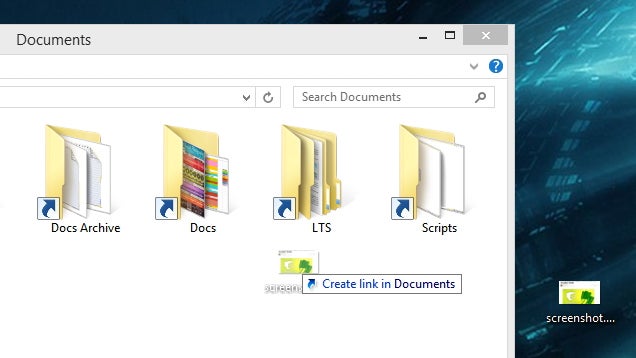
You probably know you can move a file by dragging and dropping it to a new location. By pressing down a key on your keyboard, you can also copy it or create a shortcut with that same drag-and-drop motion.

In Windows, dragging and dropping a file will perform the default task—usually moving. However, holding down a certain key will perform different actions:

  • Ctrl+Drag will copy the file
  • Shift+Drag will move the file (in situations where copy is the default—like when you're dragging a file between two different drives)
  • Alt+Drag will create a shortcut to the file in the new location

You may have known one or two of these, but they can all come in handy (I somehow never knew about Alt+Drag). And, as we've mentioned before, you can get even more options if you drag with a right-click—including options for 7-Zip, if you have it installed.

Windows 7: No Way to Duplicate a File in Win7? | Seven Forums via @ksurl

19 May 19:15

Samsung G9098 boasts dual displays, quad-core processor and flip form factor

by Alex Wagner

Most of the smartphones that we see released nowadays come in the slab form factor, resembling big, flat rectangles of metal, glass or plastic. Samsung has shown that it likes to mix things up a bit, though, having released multiple Android-powered flip phones. Today the company unveiled its latest such creation, the G9098.

The Samsung G9098 was revealed on the company’s Chinese website today, complete with a pair of 3.67-inch 800×480 Super AMOLED displays. The G9098 also offers a 2.3GHz quad-core processor, 2GB of RAM, microSD card slot and 1900mAh battery. Finally, this new Android flipper is packing a 13-megapixel camera on its rear and a 2-megapixel shooter on its face.

As of this writing, the Samsung G9098 will be sold exclusively by China Mobile for an undisclosed price. There’s no word on whether or not it’ll hit other countries, but considering how limited the launches of Samsung’s other Android flip phones have been, I wouldn’t bet on seeing the G9098 venture out of China. That’s kind of a bummer because, while it may not be the most high-end smartphone ever, the G9098 is still a unique device that could appeal to some consumers.

Would you buy a smartphone with a flip form factor?

samsungg9098openaam

19 May 14:45

Nutritionists' professional events catered by McD's, sponsored by High Fructose Corn Syrup

by Cory Doctorow


An alarming report from the California Dietetic Association describes a kind of corporatist apocalyptic nightmare where junk-food companies pony up fat sponsorships in order to pervert the agenda and distort the science. Nutritionists, like other medical professionals, have to attend educational meetings in order to keep up their credentials.

Their professional bodies have seemingly been totally co-opted through corporate sponsorships, and nutritionists who try to document this are thwarted by "no photography" policies. But even without pictures, it's obvious that a panel on corn sweeteners that's paid for by the corn growers and only sports employees of high-fructose corn syrup is not going to produce a rounded picture of the science of obesity and HFCS.

The situation for nutritionists is a microcosm for the whole health industry. As Ben Goldacre details in his essential book Bad Pharma, doctors' continuing education is almost entirely funded by pharmaceutical companies that present multi-hour adverts for their products -- including dodgy studies that they funded -- in place of genuine, impartial scientific training. Read the rest

19 May 14:43

What To Do When Your Computer Freezes

by Nicole Nguyen

Editor's note: This post was originally published by our partners at PopSugar Tech.

It's the ultimate digital dilemma: you're happily browsing the web, listening to tunes, and composing a little email when all of a sudden your computer freezes up. Thankfully, there are plenty of ways to fix a frozen computer and identify the problem.

As a good rule of thumb, always, always, always save frequently and back up your work. If the machine is sluggish — not frozen — then there are several quick fixes to speed it up. But if your Mac or PC starts to slow down and its hard drive revs up then stops altogether, follow our antifreeze recipe before forcing the computer to shut down (which should be a last resort, as you'll probably lose precious data!).

Here's what to do if your computer freezes ...

... During Start Up

  • If your Mac is delayed for a second or shows a question mark when booting up, try going to System Preferences > Startup Disk and select a disk, if there isn't one already selected.
  • Disconnect everything that's plugged into your computer. If your computer later starts up with no hubs, extension cords, USB, or Thunderbolt devices plugged in, one of those external devices was likely the culprit. If it is because of these plugged-in devices, then try installing the latest drivers for the device, or read its manual for troubleshooting steps.
  • If the Apple logo does not appear after powering on the computer, then force shut the device down and, when it starting up again, hold down the option key until disk icons appear. Select one of the disks (for now, it doesn't matter). After the desktop is fully loaded, go to System Preferences > Startup Disk > and select a disk. What to do when things get bad randomly or while running an application after the break.

... While Running an Application

If you can see your cursor and it moves, then the sluggishness is caused by one single program.

  • On a PC, hit CTRL + ALT + Delete > End Task to force quit the application.
  • On a Mac, use one of these shortcuts:
  1. To stop a process: command + period (.)
  2. Open the Force Quit Applications window: command + option + escape
  3. Sleep, restart, or shut down the computer: control + media eject key (shows a triangle with a bar below it)
  4. Quit all apps and restart: command + control + media eject key
  • The issue may be recurring, in which case you should uninstall any app plug-ins or enhancements from other manufacturers. It may no longer be compatible with the application after a system update.   

... Randomly

Sometimes the entire system locks up, or the cursor will not move or disappears altogether. If force quitting the applications and waiting doesn't work, then shut down the computer by holding the power button.

  • On a PC, an important system document may have been corrupted or deleted accidentally. Go to Start > Accessories > System Tools and run the system restore utility. This will reset any registry issues without deleting any of your current files or personal settings.
  • Restart your Mac in "safe mode" to help diagnose the problem. After pressing the power button, wait for the startup tone, and then hold down the shift key. Let go of the shift key once the Apple logo and spinning gear appear.

... And You Have a Mid-2010 MacBook Pro

The 15- and 17-inch models have known startup and operation issues. Download the Firmware Update 1.9 to fix freezing and external display problems. Don't forget to back up.

Image courtesy of Instagram user aaronxrice

More stories from PopSugar Tech:

How a Geek Trains For a Marathon
Turn a Pringles Can Into a Pinhole Camera in 7 Minutes
Upcycle an Old iPhone to a Usable iPod Touch
Airbnb Has the Perfect Thing For Traveling Procrastinators
Can't Call? Text 911 in an Emergency Instead

19 May 12:43

Shazam Pulls The Plug On UK Spotify Users

by Steve O'Hear
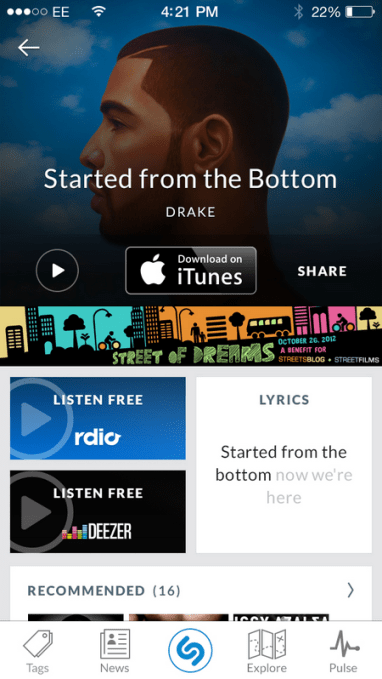
image001 Just over a week ago, Shazam updated the free version of its mobile apps for iOS and Android so that users in the UK (and Germany, Mexico and Brazil, as it happens) could now open and play tracks that have been identified and 'tagged' by the app, in music streaming service Deezer. What wasn't made explicit at the time, however, is this was at the expense of support for rival music streaming… Read More
18 May 23:15

Record a Doctor’s Visit to Remember Details (but Ask First)

by Dave Greenbaum

Record a Doctor’s Visit to Remember Details (but Ask First)

A visit to a doctor can sometimes be an overwhelming stream of information all at once. Taking notes and listening to the doctor at the same time is hard. You can solve this problem by recording your visits—with the doctor's permission, of course

Over at KevinMD, they advocate doctors and patients working together by recording the visits:

What if it's the woman, whom at every visit, can't seem to remember which medication I told her to stop and which one to start? And how about the concerned adult children who couldn't make it to their parent's appointment and want to talk to me about how their parent is doing? Might those people benefit from the ability to record a discussion with the physician?

You should ask the doctor's permission to record the visit and explain why you want to make the recording. Some hospitals are even encouraging recording of appointments. For example, Cullman Regional Medical Center in Alabama has the Good to Go program that records discharge instructions.

Share the link with your doctor if they hesitate to give permission to record the visit.

When patients secretly record their doctor visits | KevinMD

Photo by meaduva.

18 May 23:15

Bowie's takedown of Hadfield's ISS "Space Oddity" highlights copyright's absurdity

by Cory Doctorow

Canadian astronaut Chris Hadfield's cover of Bowie's Space Oddity was a worldwide hit, and now it has been disappeared from the Internet, thanks to a copyright claim from David Bowie. Ironically, if Hadfield had recorded the song and sold it on CD or as an MP3, there would have been no need for him to get a license from Bowie, and no way for Bowie to remove it, because there's a compulsory license for cover songs that sets out how much the performer has to pay the songwriter for each copy sold, but does not give the songwriter the power to veto individual covers (that's why Sid Vicious was able to record "My Way").

As Blayne Haggart's Ottawa Citizen editorial points out, it's hard to make a utilitarian argument for copyright that lets musicians determine who can make Youtube videos from their songs, given that covers are such an accepted part of musical practice. As Haggart writes, "Is the world a better place now that this piece of art has officially been scrubbed from existence?" Read the rest

18 May 15:42

Five Best Book Recommendation Services

by Alan Henry

Five Best Book Recommendation Services

If you're on the hunt for something new and interesting to read, you have plenty of places to turn. This week, we're looking at five of the best book recommendation sites, services, or groups, based on your nominations.

Earlier in the week, we asked you where you went to find something good to read—whether it's based on the things you've already read, someone's suggestions you trust, a website that lets you build a virtual "shelf" of your favorite titles, or just a discussion group. You responded with tons of great ideas, but we only have room for the top five. Here's what you said, in no particular order:
Goodreads

Five Best Book Recommendation Services

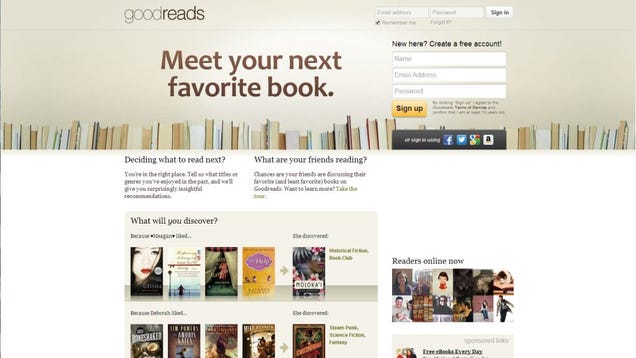
GoodReads is more than just a book recommendation site, although it excels at helping your find new books to read based on the ones you enjoy. You can build a virtual "shelf" of books you own or have already read, share your progress with the books you're currently reading, rate the books you've read, leave reviews, and connect with other readers. You can also use those ratings to get book suggestions from the site's massive database of books. Your friends can make direct suggestions to you, and even if the book suggestions that the site builds aren't enough, you can go diving into user-generated book lists, reviews, and more.

One great thing that many of you mentioned about GoodReads is that you can connect your Amazon account to quickly build your virtual shelf. As you finish books on your Kindle, GoodReads will automatically mark the book as complete and update your recommendations accordingly. It's also hard to understate the power of GoodReads' community, which many of you called out as well. Some of you noted that your favorite authors actively use the service too, and they share what they're reading as well. Read more in its nomination thread here.

BookBub

Five Best Book Recommendation Services

While BookBub isn't strictly a book recommendation service, it does bring you super-low-cost books based on your interests every day. The service is free, and when you sign up, you tell BookBub what kinds of books you like to read. From there, you'll get an email from BookBub every day (you can choose whether it comes in the morning or evening) with book deals for that day. When we say "deal," we mean it—many of BookBub's titles are free entirely, $0.99, or just a couple of bucks. In some cases, they're new titles that the author is trying to get momentum behind, and in other cases they're just great, under-the-radar titles you might not have discovered otherwise.

I've been a BookBub member for a year now, and the book suggestions run the gamut from extremely useful, amazing finds to horribly pulpy "how did this even get published" genre titles. Your mileage may vary, but the nice thing is that you can tweak your selections at any time, and the books are always cheap. When those great titles come along, you'll have to jump on them though—the sales go quickly. Read more in its nomination thread here.

LibraryThing

Five Best Book Recommendation Services

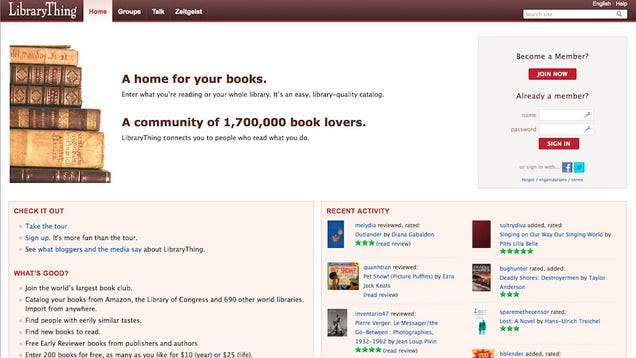
LibraryThing has been around for a long time (and it made the top five, along with GoodReads, the last time we asked for your favorite book rec sites) and is still a great user-powered book ratings, review, and recommendation site. The service calls itself the world's largest book club, and that's a lot like the overall feel. Once you sign up, you'll be encouraged to start adding books you've read and leave reviews for them. Behind its book ratings and reviews though, LibraryThing is a powerful tool to catalog and organize your entire book collection. It doesn't take much to add all of the books in your library so you have a running collection of both your physical books and ebooks all in one place. The service will also connect to your Amazon account to automatically pull down books you own and have read.

Thanks to its massive community, its book recommendations are often spot on, reflective of users who have libraries like yours and have rated books the way you have. The basic service is free, and you can add up to 200 books. $10/yr or $25/one time gets you a premium membership that lets you add and catalog as many books as you like. Those of you who nominated it noted that its especially good for people who enjoy non-fiction or books that aren't necessarily in the popular zeitgeist, and for getting recommendations from people who don't just list the same dozen titles over and over again. Read more in its nomination thread here.

Reddit's BookSuggestions Subreddit

Five Best Book Recommendation Services

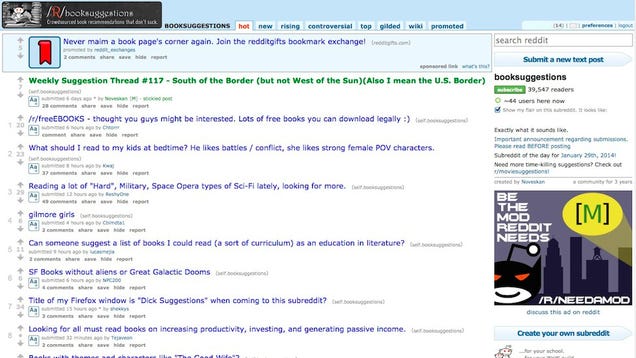
If you're a Reddit fan, the /r/booksuggestions subreddit is a great place to go to see what everyone's reading, or to get recommendations based on specific authors or titles you've enjoyed, or see what people suggest in specific genres. Some of the top threads are community challenges and calls for recommendations on a specific theme, but it doesn't take much scrolling to find interesting threads for people looking for specific types of books. One person is bedtime books for their kids that combine epic battles with strong female characters, another person is interested in science fiction titles without aliens or looming galactic threats. The sky's the limit, and you can just as easily post your own topic with what you're looking for.

Those of you who called it out in the call for contenders praised the subreddit for being equally weird and interesting, a label often applied to Reddit in general. You'll definitely find something new and interesting to read, that much is true, although often the most broad recommendations do sometimes tend to follow what's popular and in the common consciousness. Still, if you refine your thread as much as possible and include what you've read and what you're looking for, you're in for good tips. Read more in its nomination thread here.

Olmenta

Five Best Book Recommendation Services

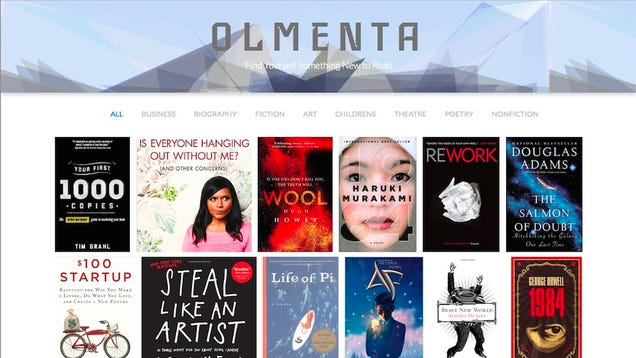
If you're not interested in registering for accounts, adding your own books, or any of that hassle, Olmenta can suggest some solid titles to you based on general popularity and the curation of the people behind the site. It's a simple tiled list of book covers that the service thinks you should read, and a few genres you can click on if you're looking for something specific, like business, fiction, children's, theatre, poetry, or nonfiction, among others. If you see a book you might be interested in, click on it for a synopsis and a bigger view of the cover, along with a link to buy the book.

Olmenta couldn't be any simpler—but it's a double-edged sword. You'll see what's available quickly, and if you like the suggestions, you'll come back to see updates and new reads. If you don't, there's not much else for you to see. Olmenta's nomination thread reflected that simplicity—you noted that it's hassle-free and elegant, and you don't need to jump through hoops to find a new book. At the same time, the lack of customization means the suggestions aren't really personalized. Read more in its nomination thread here.


Now that you've seen the top five, it's time to put them to an all-out vote to determine the community favorite.

The honorable mentions this week go out to Your local library or indie bookstore. A number of you noted that there's nothing wrong with heading to your local library and asking a librarian what to read—after all, they're the most familiar with their own stacks, and have plenty of suggestions, tips, and thoughts of their own to offer you. Whether you're looking for some new, hot title or you want to dive into more obscure areas of literature, you shouldn't overlook your local library, and the hard-working, highly-trained people that work there.

Similarly, many of you suggested heading to your local independent bookstore, especially if you're looking for niche or specialty books on highly specific topics. Looking for books on specifically political topics, or independently published authors whose books are on limited release? Indie bookstores are where you need to go—and the people that work there are likely to have suggestions for you too. I remember my days working in a bookstore: Each of us had a specialty area we were happy to talk about.

Want to make the case for your personal favorite, even if it wasn't included in the list? Remember, the top five are based on your most popular nominations from the call for contenders thread from earlier in the week. Don't just complain about the top five, let us know what your preferred alternative is—and make your case for it—in the discussions below.1

The Hive Five is based on reader nominations. As with most Hive Five posts, if your favorite was left out, it didn't get the nominations required in the call for contenders post to make the top five. We understand it's a bit of a popularity contest. Have a suggestion for the Hive Five? Send us an email at tips+hivefive@lifehacker.com!

Photo by Andrea López.

17 May 20:59

How Sweden Gained Access to a Canada-Hosted Torrent Site

by Andy

Earlier this week tips coming into TorrentFreak suggested that a relatively small torrent site known as Sparvar had come under the scrutiny of the police. Sure enough, the site subsequently went offline.

Problems had been building for more than two years. Swedish anti-piracy group Rights Alliance (Antipiratbyran) had built up an interest in Sparvar, a site directed at a largely Swedish audience. In early 2012 following action against a private site known as Swepiracy, Rights Alliance warned that Sparvar was on their list of targets.

Until this week, however, Sparvar had been hosted in Canada with Montreal-based Netelligent Hosting Services. For some time it had been presumed that hosting a torrent site is Canada is legal, a notion that was recently backed up by Netelligent president Mohamed Salamé.

“[As] long as there are no violations of our [acceptable use policy], we take no actions against torrent sites which are still legal in Canada,” Salamé told TF.

Nevertheless, the Royal Canadian Mounted Police (RCMP) still took action against Sparvar. How did this come to pass?

A source familiar with the case who agreed to speak on condition of anonymity told TorrentFreak that Netelligent was served with a data preservation order by the RCMP who were working together with authorities in Sweden.

In the first instance Netelligent were gagged from informing their client about the investigation, presumably so that no data could be tampered with. Netelligent was then sent a hard drive by the RCMP for the purposes of making a copy of the Sparvar server. This was to be handed over to their authorities.

We’re led to believe that Netelligent put up a fight to protect their customer’s privacy but in the end they were left with no choice but to comply with the orders. And here’s why.

MLAT, or Mutual Legal Assistance Treaty agreements, enable countries to gather, share and exchange information in order to enforce the law. Since 2001, Canada has had an MLAT with Sweden and since there was a criminal investigation underway in Sweden against Sparvar, Canada and Netelligent were legally obligated to provide assistance in the case.

So what does this mean for other sites hosted in Canada? Well, according to our source anyone running a site should be aware of the countries that Canada has MLAT agreements with, just in case another country decides to launch a case.

Those countries can be found here but they include everyone from the United States to Australia, from China to Russia, and many countries across Europe including the UK, Netherlands, Spain, Poland, France and Italy.

Finally, our source informs us that while cooperation in criminal cases has obviously been requested before, to the extent of his knowledge this is the first time that a torrent site has been a target.

Source: TorrentFreak, for the latest info on copyright, file-sharing and anonymous VPN services.

17 May 19:06

Italy Investigates Google, Apple, Amazon, and Gameloft For Misleading 'Free To Play' Games

by Michael Crider

iapthumbYou can't talk about mobile gaming without mentioning the elephant in the room: the free-to-play model. The bane of many a purist gamer and unwitting parent, an over-reliance on free downloads and hooks for in-app purchases has made mobile gaming a minefield of games based on upsell and addiction. Italy's had enough, and its antitrust authority is investigating app store owners Google, Apple, and Amazon, and game publisher Gameloft, for unfair commercial practices.

Done With This Post? You Might Also Like These:

Italy Investigates Google, Apple, Amazon, and Gameloft For Misleading 'Free To Play' Games was written by the awesome team at Android Police.


17 May 15:43

This Is How The UK Piracy Warnings Will Work

by Ernesto

pirate-cardIn an effort to curb online piracy, the movie and music industries have reached an agreement with the UK’s leading ISPs to send warnings to alleged copyright infringers.

Thus far details on the proposed system have been scarce, leading to the wildest assumptions and in some cases a core misunderstanding of how the process will work.

Earlier this week, for example, the CEO of a smaller UK Internet provider said that he will refuse to join the program as ISPs shouldn’t be compelled to monitor everything their customers do. Others fear that they may receive a warning for downloading an MP3 from a file-hosting site, or for streaming a copyrighted YouTube video.

All of the above have nothing to do with the proposed measures.

To clear up some of the confusion TorrentFreak spoke to a source closely involved in the Vcap system. We were informed that Vcap will be part of a larger campaign to inform the public about copyright issues. For this reason, the warnings, or alerts rather, will focus on educating people about how they can access content legally, much like the scheme currently operating in the U.S.

The four ISPs who are confirmed to be involved in Vcap are BT, Sky, TalkTalk and Virgin Media, but other providers could join in at a later stage. Below we have summarized how the Vcap program is expected to work, including several new details.

What will be monitored?

According to information obtained by TorrentFreak the Vcap system will only apply to P2P file-sharing. In theory this means that the focus will be almost exclusively on BitTorrent, as other P2P networks have relatively low user bases.

Consequently, those who use Usenet providers or file-hosting services such as 4Shared, RapidShare and Hotfile are not at risk. The same is true for those who use streaming sites. In other words, the Vcap program only covers part of all online piracy.

Will all P2P file-sharers receive a warning?

TorrentFreak has learned that not all P2P file-sharers will receive a warning. The system will focus on people whose Internet accounts have been used to share copyrighted material more than once. This is different from the U.S. model where people get an alert after the first offense.

The focus on repeat infringers is a logical choice since there are millions of file-sharers in the UK and the copyright holders and ISPs have agreed to cap the warnings at 2.5 million over three years.

Who will be monitoring these copyright infringements?

While ISPs take part in the scheme, they will not monitor subscribers’ file-sharing activities. The tracking will be done by a third party company. The most likely candidate is MarkMonitor (Dtecnet) who are also the technology partner for the U.S. Copyright Alert System.

This tracking company collects IP-addresses from BitTorrent swarms and sends its findings directly to the Internet providers. The lists with infringing IP-addresses are not shared with the record labels, movie studios or other third parties.

Each ISP will keep a database of the alleged infringers and send them appropriate warnings. If the ISPs get approval from the Information Commissioner’s Office, recorded infringements will be stored for a year after which they will be deleted.

Will any Internet accounts be disconnected?

There are no disconnections or mitigation measures for repeat infringers under the Vcap program. Alleged file-sharers will get up to four warnings and all subsequent offenses will be ignored.

The source we spoke with clarified that it’s not the intention of Vcap to stop the most hardcore file-sharers. The program is mostly focused on educating casual infringers about the legal alternatives to piracy.

Can the monitoring be circumvented?

The answer to the previous questions already shows that users have plenty of options to bypass the program. They can simply switch to other means of downloading, but there are more alternatives.

BitTorrent users could hide their IP-addresses through proxy services and VPNs for example. After the U.S. Copyright Alert Program launched last year there was a huge increase in demand for these kind of anonymity services.

So how scary is the Vcap anti-piracy plan?

While we can’t say anything too conclusive, it appears that the main purpose is to inform casual infringers about their inappropriate behavior. The focus lies on education, although the warnings also serve as a deterrent by pointing out that people are not anonymous. For some this may be enough to switch to legal alternatives.

All in all the proposed measures are fairly reasonable, especially compared to other countries where fines and internet connections are on the table. Whether it will be successful is an entirely different question of course, and one which will only be answered when the first results come in.

Finally, it’s worth noting that if Vcap fails it’s not automatically a win for the pirates. A few months ago the Government promised to “bring the Digital Economy Act into force as soon as practicable,” which will result in more stringent anti-piracy measures.

Source: TorrentFreak, for the latest info on copyright, file-sharing and anonymous VPN services.

17 May 15:40

The Most Groan-Inducing Baby Names of 2013

by Bill Crider
17 May 09:13

Apple And Google Agree To Dismiss All Direct Legal Action Between Themselves

by Alex Wilhelm
Screen Shot 2014-05-16 at 6.19.19 PM Late today, Apple and Google announced that they have agreed to dismiss direct lawsuits aimed at one another, and will work together to help push patent reform forward. It’s a huge change for the two companies, which compete on everything from music sales, to productivity tools, to cloud storage, to mobile app distribution, and so forth. According to a source speaking to GigaOm, about 20… Read More
16 May 21:37

Google Has Quietly Implemented Automated Refunds For Apps After The 15 Minute Window

by Ryan Whitwam

gpGoogle changed the policy for app refunds from 24 hours to 15 minutes a few years ago, but Android users eventually adjusted to it. There is still a less prominent way to seek a refund after the 15 minute window if you have a legitimate gripe – it's tucked away in the Play Store order history. However, at some point recently, Google changed the way these refund requests worked.

The blog iTechTriad posted this as a PSA and a potentially serious bug on April 8th, and we've spent the last several weeks digging for details, eventually confirming it as a new Google policy.

Done With This Post? You Might Also Like These:

Google Has Quietly Implemented Automated Refunds For Apps After The 15 Minute Window was written by the awesome team at Android Police.