KWBaker
Shared posts
Watch: Pig Hunting with Monkeys
10 Ways to Become a Better Landscape Photographer in the Next Year
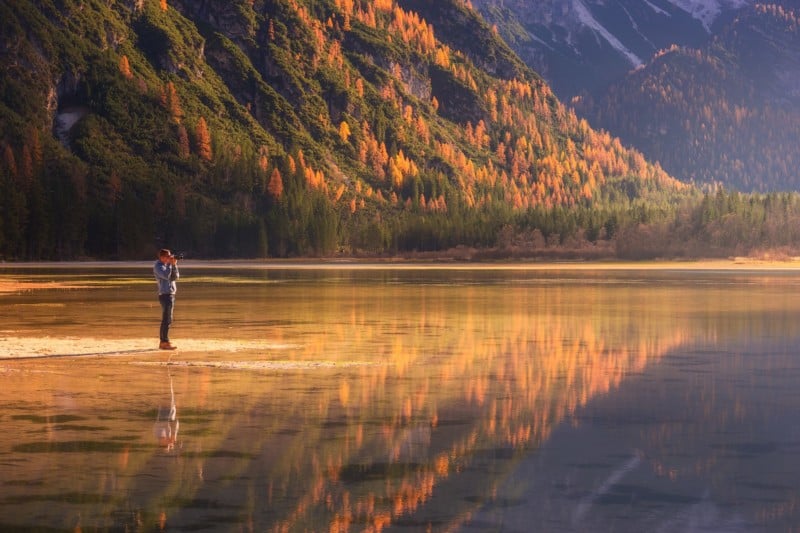
As each new year approaches, people usually start thinking about what they can do better or improve in the new year. As a professional landscape photographer, I thought it would be fun to give some tips to people starting out with landscape photography.
Tip #1: Don’t be scared!
Don’t touch the full automatic mode anymore. If you really want to learn photography in general, it’s important to stop using the full automatic mode on the camera. While it may feel very “comfortable” for a lot of new photographers, the mode doesn’t really help you getting better and it can prevent you from improving certain shots.
Don’t be scared to move away from this mode. Use Aperture priority mode and work from there. It’s not that hard. I’ve seen people “stuck” on Auto mode for years because they’re too scared to try a different mode. Then I teach them to use the Aperture mode for 10 mins and they say: “Oh wow, I didn’t know it was that easy.” There’s really not that much to it!

Tip #2: Start shooting RAW format
I cannot emphasise this enough. It’s another ‘don’t be scared’ thing. Just put your camera on RAW+JPEG if you’re not really familiar with the RAW format. You will thank yourself when you learn basic photo editing that you can still use the RAW files of your old shots and have a go at them to make them look better.
RAW is extremely important for a landscape photographer because we often shoot sunsets/sunrises where there is a lot of contrast between dark and light. With RAW, you can also change your white balance without quality loss. Finally, the files have a lot more data in it for editing.
Tip #3: Learn (basic) post-processing
Processing is important in landscape photography, even if it’s just slightly tuning the image. Nowadays, if you haven’t done so, install Lightroom! Lightroom is not that hard! Basic post-processing can make your images better in the sense that you can easily balance them out with color and contrast changes. Like I mentioned in point #2, shooting RAW is a must. When you look at landscape sections of popular social media channels, I can assure you that 99% of the shots are processed in some way.

Tip #4: Stop caring so much about settings
People often ask me “EXIF please!”, even with shots I consider very ordinary. I can understand that EXIF info would be interesting with certain kinds of photography, like astrophotography. But in general, when shooting landscapes settings are not that important if you’re working from a tripod. A lot of different settings could have been used and you should never think: “I should always use these settings when making shots like this.”
Tip #5: Start the year properly with a good sturdy tripod if you don’t have one (yet)
A good tripod is one of the most important tools of a landscape photographer. Start the year properly with a good sturdy tripod. Even with the best camera your shots will be useless if they aren’t sharp.
Tip #6: Spend less time inside and go outside more
This may be obvious but I still want to address it. I see people asking questions on social media all the time. They are usually questions that they could easily discover if they just go out and play with their camera. Don’t be scared to try things out. Of course it’s great to learn stuff online, but you learn the most when you’re just in the field using your camera.

Tip #7: Stop caring about success of other photographers
Don’t worry about how other photographers are doing — spend that time and energy improving yourself. This is not only for the new photographers out there. Actually, it’s mainly for us proud landscape photographers. We always feel competition around us. A lot of times I see people ‘complaining’ on social media about the success of others or just “hating” on other people’s photos.
Guess what? It doesn’t make you a better photographer.
It just makes you look like a jerk. So stop caring about other photographers and focus on improving yourself. Look with a critical eye to your own photographs or ask some friends/family what they think of certain shots you’ve made.
Tip #8: Stop caring too much about gear
Especially when starting out as a landscape photographer, it’s all about composition, knowing how light behaves, knowing the weather etc. You can basically make good shots with your smartphone nowadays. I often see people with very standard landscape shots wanting to buy a better camera and they think that their shots will suddenly turn out much better. On social media they will probably look very similar. It’s all about knowing your camera and trying to get the best out of it.
(But if you do decide you need an upgrade, it’s often better to look at a new lens instead of a new body.)

Tip #9: Realize that taking an amazing shot can sometimes mean extreme dedication
Some amazing landscape shots you may see on social media take a great amount of time and dedication to make. A lot of people think that photography is just snapping the camera and the job is done. A dedicated landscape photographer can have a certain place or scene in mind and return there for days, weeks and sometimes years to get that perfect shot. It doesn’t just fall out of the sky (although if you’re lucky, it sometimes does). Also, the same location looks different across all different seasons.
Tip #10: Always try to find something extra in your photo
For me this happens automatically but for most people it doesn’t. When you see something extremely beautiful or extreme, it still doesn’t make it a good photograph. Think of a double rainbow, for example. When you see one you don’t have much time to act. Don’t just shoot the double rainbow. Find something that can make the shot complete.
It doesn’t have to be extremely difficult. Some lines in the grass, some animals, some interesting houses. Anything that you can make an interesting composition with in combination with the rainbow. Always find something extra. Don’t be overwhelmed by anything.
Another example is a lightning storm. When a lightning storm hits my country (The Netherlands), I see all kinds of cool lightning strike photos on social media. But they’re just snapshots of the lightning strikes. When a storm like that hits you, try to find some interesting foreground object like a statue, house silhouette, etc. Basically anything interesting (but be safe).

About the author: Albert Dros is a photographer based in Amsterdam. You can find more of his work on his website, Facebook, Twitter, Instagram, and Flickr.
Pana Is a Collaborative Travel Planning App With Automatic Flight Check-In


Web/iOS: Travel planning apps are nothing new, but Pana has a couple of additional features that set it apart. For one, you can easily collaborate itineraries with other travelers. Even better, though, the app will automatically check you into flights to save some time.
Hemingway, Fitzgerald, Faulkner: A Free Yale Course
This course taught by Yale professor Wai Chee Dimock examines major works by three iconic American authors–Ernest Hemingway, F. Scott Fitzgerald, and William Faulkner. Along the way, Dimock explores these authors’ “interconnections on three analytic scales: the macro history of the United States and the world; the formal and stylistic innovations of modernism; and the small details of sensory input and psychic life.” You can access the 24 lectures in Hemingway, Fitzgerald, Faulkner on YouTube, or on iTunes in video and audio. Texts discussed in the course include:
Faulkner, William. As I Lay Dying.
Faulkner, William. Light in August.
Faulkner, William. The Sound and the Fury.
Fitzgerald, F. Scott. The Great Gatsby.
Fitzgerald, F. Scott. The Short Stories of F. Scott Fitzgerald: A New Collection.
Fitzgerald, F. Scott. Tender is the Night.
Hemingway, Ernest. For Whom the Bell Tolls.
Hemingway, Ernest. In Our Time.
Hemingway, Ernest. To Have and Have Not.
Find more information about this course, including the syllabus, over at this Yale site.
Hemingway, Fitzgerald, Faulkner has been added to our list of Free Online Literature courses, a subset of our meta collection, 1200 Free Online Courses from Top Universities.
Follow Open Culture on Facebook and Twitter and share intelligent media with your friends. Or better yet, sign up for our daily email and get a daily dose of Open Culture in your inbox. And if you want to make sure that our posts definitely appear in your Facebook newsfeed, just follow these simple steps.
Hemingway, Fitzgerald, Faulkner: A Free Yale Course is a post from: Open Culture. Follow us on Facebook, Twitter, and Google Plus, or get our Daily Email. And don't miss our big collections of Free Online Courses, Free Online Movies, Free eBooks, Free Audio Books, Free Foreign Language Lessons, and MOOCs.
Here’s 5 Reasons Why Your Photography Business Might Go Under
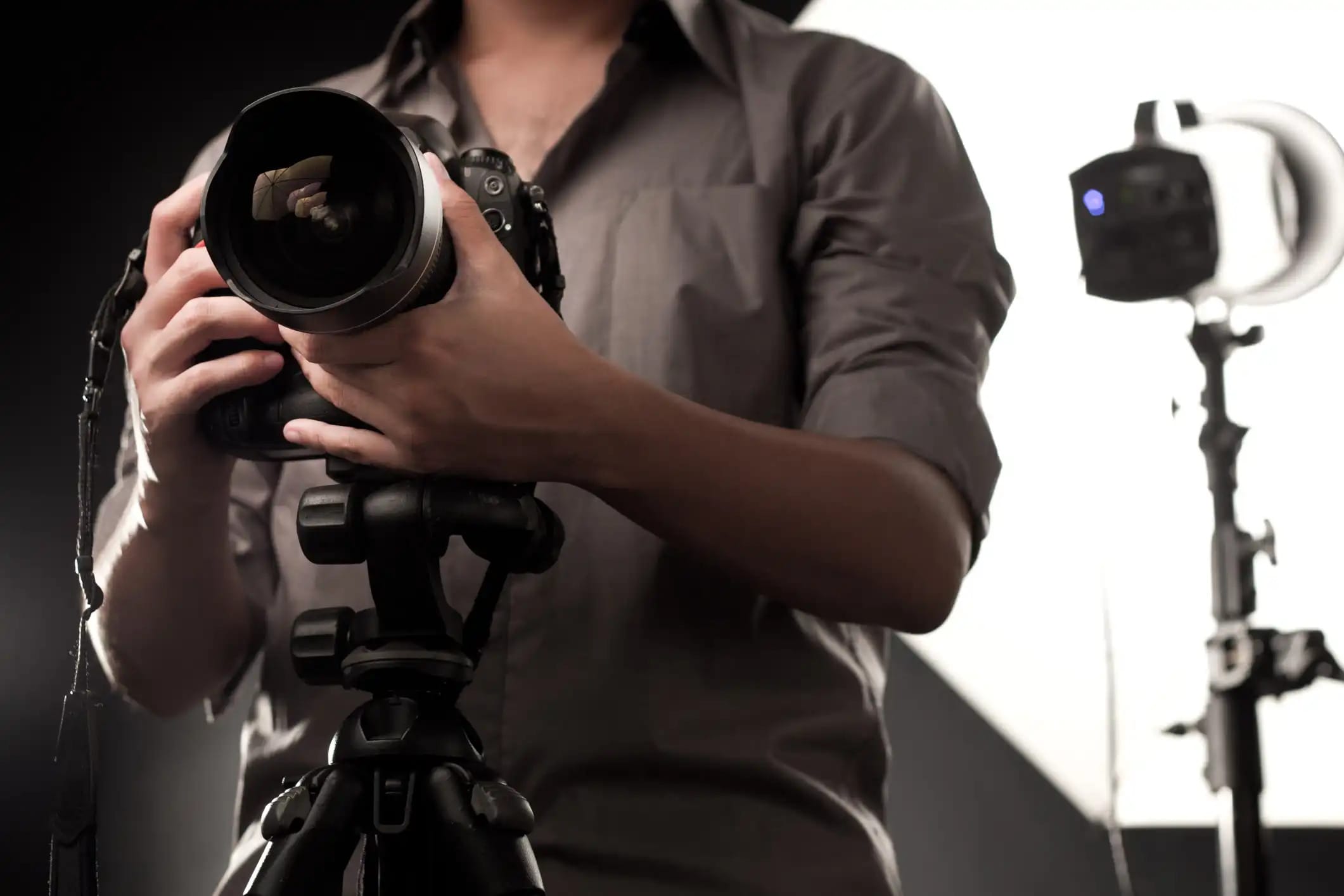
It’s just a fact of the matter - most photography businesses will fail. And though that’s a downer to think about, that doesn’t mean that your photography business has to be doomed to failure. You just have to learn from the mistakes committed by others and figure out how to get over the hurdles that proved too daunting for them to overcome.
In today’s video, Adelaide Lawren and Jay P. Morgan of The Slanted Lens tackle this all-important subject and offer up some solid advice for getting your business headed in the right direction. From simply picking up the phone and soliciting business to using software to help you track and bill your time, Adelaide and Jay P. give you their top solutions to addressing some of the primary reasons why photography businesses go under.
Give the video a look and see just how much you can learn about building a successful photography business!
Amazon Recommendations
- The Photographer's MBA: Everything You Need to Know for Your Photography Business
- Best Business Practices for Photographers, Second Edition
- Photography Business: Take a Leap of Faith and Start a Photography Business


An In-N-Out Manager Reveals The Chain's Secrets

Did you know an In-N-Out manager can earn up to $350,000 a year? Or that each location has a secret secret menu that no one can order but the employees? These are just a few of the fascinating things you can learn from this Thrillist article revealing secrets about the chain from a manager. In case you're wondering, he suggests that the best burger you can order at the restaurant is the double-single, two burger patties, one slice of cheese, chopped chilies, chopped onions, and one tomato slice. The bun gets a spiral of mustard and a squeeze of lemon juice.

It's worth mentioning that in another Thrillist article, they make a pretty compelling argument that being a manager at In-N-Out is better than being a lawyer. They have some good points, you can make similar money, you don't need to pay for college and In-N-Out not only offers killer benefits but also sends managers and their spouses on vacations to international destinations every year.
Even if you don't want to work at In-N-Out, you can still learn the inside secrets in this Thrillist article.
2016 Porsche 911 R Steve McQueen Tribute

Visit Uncrate for the full post.


Photographer Spots an Uncontacted Tribe in the Amazon

Brazilian photographer Ricardo Stuckert recently had a helicopter flight diverted due to a storm, but the change in plans led to a set of remarkable photos: Stuckert spotted and photographed an uncontacted Amazonian tribe.
Uncontacted peoples are extremely rare communities that have always lived in isolation away from the rest of humankind. It’s estimated that there are some 100+ uncontacted tribes remaining on Earth, and most of them are found in dense, sprawling forests such as those found in the Amazon.

Stuckert has been working on photographing the people of uncontacted tribes for a photo project and book. While on a helicopter ride to a tribe he had reached out to, Stuckert’s flight was diverted and he suddenly spotted a group of uncontacted people that he hadn’t known about.
The photographer first noticed the tribesmen as his helicopter flew over one of their buildings in the state of Acre in north-west Brazil.


“I took the camera and started photographing,” Stuckert tells The Guardian. “I didn’t have much time to imagine what was happening.”
His photos show a group of men with simple coverings, weapons, and body paint.


“I felt like I was a painter in the last century,” Stuckert tells The Independent. “We live in an age when men have been to the moon. Yet here in Brazil there are people who continue to live as humankind has for tens of thousands of years.”
You can find more of Stuckert’s work on his website and on Instagram.
Image credits: Photographs by Ricardo Stuckert and used with permission
Florida Sportsman Best Boat – Carolina Skiff 24, Skeeter 23 Bay, Blue Wave 2400 Bay

12/ 26 8pm
In this episode of Florida Sportsman Best Boat
With the trusted name, fishing and family features, the Carolina Skiff 24 can accommodate many needs from a boater. Fishability, there’s a reason why many tournament anglers prefer the Skeeter 23 Bay. A comfortable ride, ergonomic seating and great performance are all features on the Blue Wave 2400 Bay.


Superyachts in St. Bart's for New Years 2016
Think You’re a YouTube Ninja? You Won’t Know These 8 Tricks

We all know what YouTube is, right? You log in, watch three hours of cat videos and funny fails, then realize you’ve not even started on that report that’s due first thing in the morning. I’m not interested in helping you write the report — but I am interested in helping you squeeze even more video content into your three-hour binge. We have helped you improve your YouTube experience before. Again, here are eight awesome YouTube tricks to help take your viewing experience to the next level. 1. Move One Frame at a Time Why should you need to move forward...
Read the full article: Think You’re a YouTube Ninja? You Won’t Know These 8 Tricks
11 Crazy YouTube Channels You Need to See to Believe

The internet is a wild and strange place. Nowhere is this more apparent than YouTube, where anyone can upload a video to share with the world. After a bit of thinking, you might realize that a lot of popular YouTube videos are really weird. However weird those popular videos are, they’ll never compete with insane stuff from the depths of YouTube. These videos, often gathered on the /r/DeepIntoYouTube subreddit, were passed over with few views despite residing on the site for years. Individual videos are great, but today we’re going to highlight some crazy YouTube channels you’ll have to see to...
Read the full article: 11 Crazy YouTube Channels You Need to See to Believe
Are Cheap Laptops a Good Deal or Waste of Money?

Everyone wants to get more for less. This is true when it comes to groceries, gaming, and certainly when buying a new computer. Computers can be extremely expensive, which is why they’re one of the biggest areas where people strive to save money.
You might be tempted to buy a cheap laptop hoping to save some money up front, but the lack of quality could cause problems in the future.
Let’s look at situations in which cheap laptops shine and where they fall flat. By the end of this article, you’ll be able to decide whether or not you should shell out the extra cash for a higher-end machine.
What Are You Buying the Laptop For?
i need a new laptop before I return to school, this Toshiba from 2010 isn't gonna cut it.
— quake dad (@damnitmol) December 15, 2016
This probably won’t surprise you, but people buy laptops for a variety of reasons. Some people buy Macs no matter the cost because they value the Apple experience. Others might just need to access email on the go. Still others buy a machine with a touchscreen so they can create drawings easily.
Many people who spend the least money possible on a laptop do so because they don’t have the money for something more expensive. Or they might not see a more expensive model as worth the cost.
Thus, we need to ask what you need out of your machine first. If you just need basic internet access for email and news, a cheap Chromebook will get you by just fine. Conversely, if your profession requires editing HD video every day, a Chromebook won’t do for you at all. Keep that in mind while you’re shopping for a new laptop.
The Downsides of a Cheap Laptop
Chances are, your needs probably fall somewhere between the above extremes. You don’t need the most powerful machine ever, but you need something beyond the basics.
Let’s explore the computer aspects that are commonly sub-par when you buy a cheap laptop. This will help you better understand what you’re paying for.
Screen
A screen’s resolution dictates how many pixels it can show at once, and thus how clear the picture is. For reference, 1080p is 1920×1080 while 4K is 4096×2160. A lot of cheap computers display in 1366×768, which isn’t great. Everything you do on your PC, from editing spreadsheets to watching videos, looks worse on a cheap screen.
Another way that the screen suffers is overall size. If you don’t hook your laptop up to an external monitor and the screen is only 11 inches, you won’t have much room to work with.
Hard Drive
Your computer’s hard drive is where all of your data gets saved. With cheap machines, you can run into two storage problems.
The first is low disk space. While even many cheap laptops now include a solid-state drive (SSD) instead of a hard disk drive (HDD), space is still a concern. The average cheap laptop ships with an SSD as small as 32GB or 64GB drives. After you account for Windows installation files, that’s barely anything for you to use.
If you want to keep lots of programs and files on your system, you” run out of space in no time. You can always purchase an external hard drive (or SD card) to get more space, but that’s an additional cost.
The second big problem occurs if you don’t get an SSD. The traditional HDDs often found in cheap machines are much slower than newer SSDs. With a cheaper laptop, you won’t get the faster boot times, app launching, and file transfer speed that come with an SSD.
RAM
Random access memory, or RAM, temporarily holds open programs on your computer. We’ve explained everything about how RAM works if you’re interested. Suffice it to say here that with a lack of RAM, you’re going to notice a huge decrease in performance.
Most cheap laptops on Amazon have 4GB of RAM, which is passable but not enough for running lots of programs in tandem. If you have ten programs running in the background while you have twelve Chrome tabs open and are streaming from Spotify while working in Adobe Premiere, 4GB of RAM isn’t going to cut it.
You can only use so much RAM, but having 8GB or more will give you a lot more breathing room than a basic 4GB machine. Memory cleaners like CleanMem are snake oil, so don’t expect to use one to compensate for lack of RAM.
Touchpad, Keyboard, and More
This laptop has the loudest, clickiest and worst touchpad of all time. It reverberates around the living room… *TAP CLICK TAP*
— Owen (@owrangle) June 5, 2016
The three above components are the biggest hangups on cheap laptops, but there are several more items to watch out for. On a low-quality machine, you might find a touchpad that’s too small, or difficult to click. The keyboard might have an awkward layout or sticky buttons, and the built-in speakers probably aren’t great.
Batteries are another common component often sacrificed to cut costs. A budget laptop isn’t going to feature an all-day battery, so you may have to perform some shenanigans to squeeze more battery life out of a charge.
Is a Cheap Laptop Right for You? Considerations
We’ve discussed the needs of different folks, and the aspects of cheap machines that can cause problems. The best way to decide for yourself if you should buy a cheap laptop is to consider how much time you spend on your computer.
If you only hop on your laptop for twenty minutes a day to check email and browse social media, you don’t need much more than the bare minimum. You’ll have to deal with slow boot times and a lackluster display, but since you won’t use it much, it’s not worth $300 more to avoid these nuisances.
However, if you spend hours every day on your computer, it’s a different story. When you use your PC as an entertainment hub or working, a slow machine can drastically worsen your experience. Squinting over a tiny screen while you wait for your computer to unfreeze is simply miserable.
We’re all about getting the most for your money, but this doesn’t always mean refusing to spend. Rather, it’s worth spending a little more money on the items you’re going to use all the time. An extra $20 for a more comfortable pair of shoes that you wear every day? Worth it—and the same is true of a laptop.
Future-proofing an infrequently used laptop is a waste, but suffering from slow performance on a machine you use every day is counterproductive and will stress you out. Would you rather spend $400 on a laptop that you scrap after a year, or buy a better laptop for $700 that lasts three years?
But if you’re budget-restricted, here are some great cheap laptops to consider.
Best Cheap Gaming Laptop: Acer Aspire E 15

You can spend a fortune on gaming laptops compared to ones for general use, so we’ve raised the price ceiling on “cheap” in this case. But if you want to play games on a budget, you can’t do much better than the Acer Aspire E.
This machine features a big 15.6″ screen with a 1080p resolution. You also get a Core i5 eight-generation processor from Intel, along with 8GB of RAM and a 256GB SSD. On the graphics side, this packs a GeForce MX150 with 2GB of video RAM. That’s nothing crazy, but it’s enough to handle modern games at modest graphics settings.
And while it’s a rarity these days, this laptop has easily accessible compartments for you to upgrade the drive and memory, meaning this should serve you well for a while. Remember that you might be able to get a better value by building a cheap gaming PC yourself instead, though.
Best Cheap Laptop for Students: Acer Swift 1

If you’re a student on a budget, the Acer Swift 1 represents a great buy. It’s amazing to find a laptop at this price point with a 1080p screen, but this one packs it into its 13.3″ frame. The machine even features a fingerprint reader for securely locking your account.
On the downside, this computer only has 4GB of RAM and a paltry 64GB storage drive. However, you can buy an SD card to alleviate the former. If you don’t plan to do much with your computer other than check email and use Microsoft Office and don’t want a Chromebook, this should serve you well. It’s under three pounds, which makes it easy to carry around all day.
Best Cheap Chromebook: Acer Chromebook 14

You don’t have to stick with a Windows machine if you want a cheap laptop. Chromebooks provide good value for the money if you’re a light user. The Acer Chromebook 14 one is about as good as Chromebooks come, with a 14″ screen that’s full 1920×1080 resolution. It includes 4GB of RAM and a 32GB SSD, which is standard for a Chromebook.
There’s no SD card slot, so you’ll need to rely on Google Drive cloud storage for additional space. This model also features an all-metal finish, lending it a premium air.
Best Cheap Laptop for General Use: HP 15 Series

For the price, the HP 15 Series is a solid laptop for all-around use. It includes 8GB of RAM and a 256GB SSD, so you have a decent amount of storage and enough RAM for normal use. It also features an SD card reader if you want to expand the storage.
The screen is a large 15.6 inches, but unfortunately is only 1366×768 resolution (this machine’s only major shortcoming). Elsewhere, you can expect three USB ports (two of them USB 3.1), a number pad on the keyboard, and even a DVD drive if you still need that.
Improving Performance on a Cheap Laptop
It’s wise to think ahead when it comes to buying a new PC. It might sting to pay more money now than you were expecting, but a one-time cost for something you use every day for years is a worthwhile investment.
If your current computer is still hanging on, check out our tips for speeding up an older computer so you can continue saving for a new one.
Read the full article: Are Cheap Laptops a Good Deal or Waste of Money?
West Virginia’s New Native Species
In a homecoming 141 years in the making, a native animal is returning to the Mountain State: Elk. “We have been looking into this since the early 2000s,” says Randall Kelly, a wildlife biologist for the West Virginia Division of Natural Resources and headman for “all things elk.” Multiple surveys and public meetings made it clear that the people of West Virginia wanted elk back for their contribution to the state’s wildlife and economy. “People just love to see them and hear the bulls bugle in the fall,” Kelly says. “Hunting applications and licenses can also be important to fund elk management, and local guiding outfits have started wherever hunting has been allowed.”

Photo courtesy of the Kentucky Tourism Board
Under Governor Earl Ray Tomblin, an avid supporter of elk reintroduction, a plan came together to transport animals from the Land Between the Lakes National Recreation area in western Kentucky to the southern coalfields of West Virginia. Last month, a cow set that process in motion. Now “West Virginia One,” as she is known, and a handful of other Kentucky elk are poised to move into their new homelands in Logan County this week—the first phase of a plan to transplant around 200 elk over the next few years.

Randall Kelly, right, works with other members of the West Virginia DNR to transport elk from Kentucky to their new home. Photos courtesy of the West Virginia DNR
West Virginia’s not the first Southern state to bring elk back. In the 1990s, neighboring Kentucky established a herd. Then the Great Smoky Mountains National Park reintroduced more than fifty elk in the early 2000s. “Elk herd in Pennsylvania, North Carolina, Tennessee, and Kentucky have turned out to be very big tourist attractions,” Kelly says.

Elk are generally mild, sporting spots or shiny, coppery coats or velvety antlers depending on their age, gender, and the time of year. And despite the benefits these animals will bring, re-supplying them comes down to something else altogether in Kelly’s eyes: reparation. “The re-establishment of a once-native species that was eliminated by the actions of men,” he says, “is just cause.”
Watch Sheets of Paper Turn into a Topographical Map of Lake Baikal
Nature offers wondrous textures and formations, from stacked frozen methane bubbles, rough contours of lava stones, to the deep caverns of lakes. Ukrainian paper artist Olga Skorokhod transforms physical landscapes into airy, abstract topographical artwork comprised of carved layers of paper.
In the short video posted on her Instagram account, the Oregon-based artist shows the final steps of piecing together intricately cut shapes of white paper into an unconventional three-dimensional map of Lake Baikal in Russia. Skorokhod's body of work includes layered-paper pieces of the vast forests of Oregon, Lake Tahoe, Crater Lake, and Lake Powell.
A photo posted by Olga Skorokhod (@olgaladyart) on
You can even drink out of an underwater portal from one of Skorokhod's paper-carved mugs.
A photo posted by Olga Skorokhod (@olgaladyart) on
She began creating works out of sculpted paper three years ago, spending 12 to 15 hours a day carving out sheets. A large piece can take anywhere from two to three weeks, and requires tons of sheets of 150-pound white paper—the material chosen for its lustrous, smooth finish. Skorokhod's main tool for cutting is a fine surgical blade, allowing her to make precise slices and small shapes.
A photo posted by Olga Skorokhod (@olgaladyart) on
Sometimes she adds a splash of color, but prefers white paper for its softness and purity. In the piece depicting Lake Baikal, the clean shade of ivory against the bright blue film resembling the water makes a striking contrast. Skorokhod adds double-sided sticky foam between layers to create a greater illusion of depth.
"The distinguishing feature is the paper edge that's hand-cut at an angle with surgical blade, as this creates smoother transitions from light to shadow," Skorokhod writes.
A video posted by Olga Skorokhod (@olgaladyart) on
A photo posted by Olga Skorokhod (@olgaladyart) on
A photo posted by Olga Skorokhod (@olgaladyart) on
Every day we track down a Video Wonder: an audiovisual offering that delights, inspires, and entertains. Have you encountered a video we should feature? Email ella@atlasobscura.com.
Chicago's Greatest New Year's Day Tradition Is a Car Rally Scavenger Hunt

On New Year's Day, if you pass by the parking lot of Chicago's Adler Planetarium around 11 o’clock in the morning, you’ll come across a surprising collection of cars and drivers readying themselves to run a very unusual rally. In years past, the gathered machines have included rare sports cars, a 1961 Cadillac hearse, and a school bus—everything from Ferraris and Maseratis to absolutely average cars.
At noon, every car registered for the rally will be given a sheet with anywhere from 30 to 100 places to try to visit over the next three hours. This is the Heroes' Happy Holiday Hangover Hassle.

Started in 1955 by a group of sports cars enthusiasts, the Holiday Hangover Hassle has been run every year since; the guardians of this tradition believe it is the second oldest continuously run car rally in the United States. But it is no ordinary race—in 1961 a magazine for car rally enthusiasts described it as “an event we can’t really call a rally.”
Part scavenger hunt, part reunion, it is a madcap love letter to Chicago and the pleasures of spending a few hours exploring the city. What makes the rally great, says Paul Brian, 65, who ran his first Holiday Hangover Hassle at 15, is “the creativity of each rallymaster in finding some element of the city to focus on,” whether that’s used car lots, terracotta architecture, extinct breweries or funeral homes.
Also, almost no one is trying to come in first: the winner is responsible for producing the event the next year. “No one ever wants to win this event,” says Brian. “The sweet spot is to come in second place.”

The origins of the Heroes' Happy Holiday Hangover Hassle are somewhat shrouded. It’s clear that it was created by the members of the cheekily named Outer Drive Hero Drivers Club, sports car owners living in Chicago’s north suburbs, whose route into the city was down Lake Shore Drive, on the edge of Lake Michigan. It is also clear the event started in 1955.
Beyond that, the details are indefinite. Even in 1961, as the Rallye Route reported, “We did quite a bit of research on this and were unable to verify any of the facts, including the names of founders. Actually, we got as many versions as people we talked to.”
Brian’s version of the story is that, in an early iteration, club members would race through a very dangerous Lake Shore Drive S-curve to see who could make it the fastest—until someone thought that perhaps a different (and safer) format would be advisable. In the 1970s, Brian and another rally stalwart, Rich Carroll, won the event and, when it was their turn to design the rally, they decided to turn it into a scavenger hunt.

“We spent a day or two doing everything we could to find odd, interesting, arcane, sometimes byzantine pieces of information about the city, and everybody had to bring them back,” says Brian.
For four decades or so, that’s more or less how the rally has worked. As a general rule, the task of participants has been to drive around the city, on no predetermined route, to visit certain places and answer questions about them. There’s usually a theme, like railroads or Chicago public library facilities. “Honorary Mention” was designed around honorary names given to streets and sections of the city by aldermen; 2003’s terracotta buildings theme is a fan favorite.

Answering the questions means getting points. Usually these are very specific and narrow questions that can only be answered if you’ve physically visited the place; sometimes they are not. (For example: “Make up a question. Answer it.”)
Some years there has been a system of envelopes that need to be opened at particular points or in a particular order. Sometimes there is also a list of objects that participants can collect for additional points. In 1979, when the theme was “Is the Pope Polish?,” that list included a Polish/English dictionary, a Polish postage stamp, a picture of John Paul I, a business card from any Polish church official, and one can of Polish beer. In 1985, the list included a White Castle hamburger, a bus transfer, and a floppy disk.

There is a fair bit of wiggle room in answering the questions—or winning at all. “Everyday cheating is not going to help you at all,” says Carroll. “Creative cheating is encouraged.”
One year a group opened the wrong envelope, which automatically ended their race—so they bought a new one and pretended nothing had gone wrong. They ended up in the top 10. One year Carroll and Brian asked people to bring in a “Buffalo Box cover,” part of a piece of infrastructure used to control the water supply in a building.

They got a manhole cover and a fake mustache that was said to have belonged to a buffalo. Both received points. (However, last year’s instructions noted: “A buffalo box cover is NOT a manhole cover. Please do not remove any manhole covers during the event.”)
One year, Brian won without showing up—he had been living in Dallas and couldn’t make it, so he was declared the winner and told he had to design the course the next year.
There is also a special reward for finishing in the top three—a trophy featuring a monkey wearing a helmet and goggles, and trying to fix a broken sports car.

One of the greatest pleasure of the Holiday Hangover Hassle, though, is seeing the same friends year after year. It’s become a generational event, with the kids of long-time participants starting their own winning teams.
The barrier to entry is low—just show up with a car at the Adler Planetarium parking lot on New Year’s Day. “Everyone should come,” says Brian. “Anybody who comes is going to be warmly welcomed as a fellow traveler in a very strange world.”
4 Ways to Become a Weather Forecaster From Your Backyard
It’s pretty easy to become an amateur scientist using the smartphone in your pocket or dedicating a tiny part of your yard to science.
Fill Your New Kindle, iPad, iPhone, eReader with Free eBooks, Audio Books, Online Courses & More

Santa left a new Kindle, iPad, Kindle Fire or other media player under your tree. He did his job. Now we’ll do ours. We’ll tell you how to fill those devices with free intelligent media — great books, movies, courses, and all of the rest. And if you didn’t get a new gadget, fear not. You can access all of these materials right on a computer. Here we go:
Free eBooks: You have always wanted to read the great works. And now is your chance. When you dive into our Free eBooks collection you will find 800 great works by some classic writers (Dickens, Dostoevsky, Austen, Shakespeare and Tolstoy) and contemporary writers (Philip K. Dick, Isaac Asimov, and Kurt Vonnegut). The collection also gives you access to the 51-volume Harvard Classics.
If you’re an iPad/iPhone user, the download process is super easy. Just click the “iPad/iPhone” links and you’re good to go. Kindle and Nook users will generally want to click the “Kindle + Other Formats links” to download ebook files, but we’d suggest watching these instructional videos (Kindle – Nook) beforehand.
Free Audio Books: What better way to spend your free time than listening to some of the greatest books ever written? This page contains a vast number of free audio books — 700 works in total — including texts by Arthur Conan Doyle, James Joyce, Jane Austen, Edgar Allan Poe, George Orwell and more recent writers — Italo Calvino, Vladimir Nabokov, Raymond Carver, etc. You can download these classic books straight to your gadgets, then listen as you go.
[Note: If you’re looking for a contemporary book, you can download one free audio book from Audible.com. Find details on Audible’s no-strings-attached deal here.]
Free Online Courses: This list brings together over 1150 free online courses from leading universities, including Stanford, Yale, MIT, UC Berkeley, Oxford and beyond.
These full-fledged courses range across all disciplines — history, physics, philosophy, psychology, business, and beyond. Most all of these courses are available in audio, and roughly 75% are available in video. You can’t receive credits or certificates for these courses (click here for courses that do offer certificates). But the amount of personal enrichment you will derive is immeasurable.
Free Movies: With a click of a mouse, or a tap of your touch screen, you will have access to 725 great movies. The collection hosts many classics, westerns, indies, documentaries, silent films and film noir favorites. It features work by some of our great directors (Alfred Hitchcock, Orson Welles, Andrei Tarkovsky and more) and performances by cinema legends: John Wayne, Jack Nicholson, Audrey Hepburn, Charlie Chaplin, and beyond. On this one page, you will find thousands of hours of cinema bliss.
Free Language Lessons: Perhaps learning a new language is high on your list of New Year’s resolutions. Well, here is a great way to do it. Take your pick of 46 languages, including Spanish, French, Italian, Mandarin, English, Russian, Dutch, even Finnish, Yiddish and Esperanto. These lessons are all free and ready to download.
Free Textbooks: And one last item for the lifelong learners among you. We have scoured the web and pulled together a list of 200 Free Textbooks. It’s a great resource particularly if you’re looking to learn math, computer science or physics on your own. There might be a diamond in the rough here for you.
Thank Santa, maybe thank us, and enjoy that new device….
Dan Colman is the founder/editor of Open Culture. Follow us on Facebook, Twitter and Google Plus and share intelligent media with your friends. Or better yet, sign up for our daily email and get a daily dose of Open Culture in your inbox.
Fill Your New Kindle, iPad, iPhone, eReader with Free eBooks, Audio Books, Online Courses & More is a post from: Open Culture. Follow us on Facebook, Twitter, and Google Plus, or get our Daily Email. And don't miss our big collections of Free Online Courses, Free Online Movies, Free eBooks, Free Audio Books, Free Foreign Language Lessons, and MOOCs.
Get The Car Of Your Dreams By Financial Dealing With These Four Shopping Tips
How to Match the Exposures of Multiple Photos in Lightroom

If you’ve taken a bunch of photos in one day and want to create a series out of them, you’ll want to make sure they have a similar feel. You can use the same post-processing steps, use the same filters, and adjust them for consistency. The first thing you’ll want to do is adjust the exposure. With Lightroom, every Photographer’s best friend, photographers can actually do this with the click of a button. Step 1 Open up all the photos you want to use in Lightroom. Open up one photo with the exposure settings you want to use as a guide. You can also adjust...
Read the full article: How to Match the Exposures of Multiple Photos in Lightroom
How Advertisers Use Web Beacons to Track You on the Web and in Emails

Over the past few years, we’ve become very familiar with web technologies like the infamous cookie. In fact, cookies are such a large part of the web that the European Union forced all websites to display a notice under the amusingly-named EU Cookie Directive. You would think that a mature technology like cookies would be well understood, but in the age of ad-blockers, companies are finding crafty ways to avoid playing by the rules. Cookies are one of many aspects that make up the backbone of internet browsing. They allow you to remain logged into websites across sessions and they can store...
Read the full article: How Advertisers Use Web Beacons to Track You on the Web and in Emails
10 Little-Known Facts About Early America
By any stretch of the imagination, life in colonial America was hard, demanding, and cruel. Many European settlers did not survive their first few years in North America thanks to disease, starvation, the harsh climate, and violence. Many recognize these truths, and yet few have fully comprehended just how daunting a task it was to […]
The post 10 Little-Known Facts About Early America appeared first on Listverse.
10 Celebrity Airbnbs You’ll Want to Rent if You Can

Why would a celebrity rent out their home on Airbnb? Well, even if you're not desperate for money, you can't live in more than one house at a time, and extra houses can benefit by someone staying there occasionally. Most of these homes are available because the celebrity no longer owns them, some because they are deceased, like Orson Welles.
Not only was this gorgeous estate owned by Orson Welles, but it has also played host a wide array of celebrities, including David Bowie, Rita Hayworth, and Barbra Streisand. Today, you can rent the 3,000 sq. ft. home with 4 bedrooms/ 3 bathrooms and its 15,000 sq. ft. outdoor space for $595 per night, along with a $395 cleaning fee. While the home’s interior, including boutique bedrooms and spa-like bathrooms, is nothing short of spectacular, the outdoor space, which includes a lagoon pool with Jacuzzi and huge outdoor deck that overlooks Hollywood, is mesmerizing.
Nine other available celebrity Airbnbs are featured today, from simple childhood homes to a Caribbean island, at Housely.



Use These Apps and Techniques to Take Better Night Shots with an iPhone

I ditched my DSLR in favor of an iPhone back in 2012, well aware of what I was giving up. But I love to travel light, and by using the iPhone as my only camera, I could get rid if the heavy and bulky backpack with all the lenses and stuff.
Everyone knows the iPhone takes excellent photos in good light; my biggest struggle since switching has been getting decent night shots. I’ve tried various approaches to improve the quality of my night photography using an iPhone—here are the three ways you can try.
Take Long Exposures with Slow Shutter Cam
Slow Shutter Cam is an iPhone camera app that allows you to take long exposures during both day and night.
Back in my DSLR days, I carried a number of ND filters for different lenses to lengthen the shutter speed to capture motion of waterfalls and ferris wheels. With Slow Shutter Cam, I don’t need to do that any more. I can even adjust the motion blur after I take the shot.
Here’s a 40 second long exposure of the London Eye I took with Slow Shutter Cam. It still required a bit of post-processing—I increased the blacks to get rid of noise in the sky and applied decent de-noising using Enlight—but it turned out pretty well:

In a recent update, Slow Shutter Cam added manual ISO control that should result in lower noise photos in the first place. Using Slow Shutter cam at night works well for scenes with a bright main subject and not too many other distractions like the above, or capturing car lights.
Use an App with Manual ISO and Shutter Speed Control
When I was using a DSLR, I would lower ISO and increase shutter speed to get decent low-noise shots; the same principle, sort of, works with an iPhone. Using a camera app that supports manual controls like ProCamera, I can use ISO priority mode to turn down ISO and let the app chose the proper shutter speed.
This works quite well for nightly cityscapes, e.g. a brightly illuminated building. However, you’ll still get some noise in darker areas of the photo.
This method also works great for low light scenes, like indoor or at dawn. For this shot of the victory square in Minsk, I turned down ISO to 40 and let the camera app chose and exposure of 1/11

Use ProCamera’s Low Light Modes
In really challenging night scenes, my favorite way to shoot is to use ProCamera app and its Low Light Modes. The Low Light Modes basically work by taking up to 64 shots and then layering them to improve exposure and reduce noise without sacrificing detail.
I took this shot from the Shard in London:

ProCamera has basically two low light modes: one is simply called Low Light+ and you can add an exposure boost by enabling Lux+. This will turn night into day without sacrificing detail. Though LowLight+ works handheld, I strongly encourage you to use a tripod. The results are simply breathtaking for an iPhone.
About the author: Chris Feichtner is Vienna, Austria-based photographer with 20 years of experience shooting events and concerts… until 2012, when he ditched his big cameras and switched to travel and iPhone only photography. You can see more of his work on his website or by following him on Facebook and Instagram.
These 6 Women Undergrads At MIT Invented A Game Changer For The Blind
I Yet Again Was Not Asked to Model for This Erotic Carp Calendar, But I Was Sent One
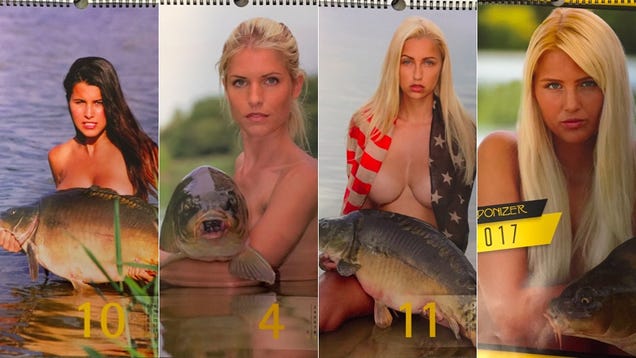
Close readers of this space will recall that for several years now, I’ve dreamed of modeling for the German Carponizer calendar, which is a calendar featuring photos of nude women posing seductively with fish. I’m sorry to share that for the third year in a row, I will not be featured in the Carponizer calendar, published by Hendrik Pöhler and available for purchase on Amazon.
The Best Bottles of Champagne and Sparkling Wine to Buy on a Budget


It’s always fun to celebrate the New Year with a bottle of bub. If you want to bring Champagne, Prosecco, or sparkling wine to a party, you’ll find the prices range quite a bit, though. Here are the best bottles to buy if you’re on a budget.