Shared posts

04 Apr 00:24

The Most Popular Slang Terms From The Year You Were Born

by Zeon Santos

Popular slang terms started entering the lexicon year by year in the 20th century, and it's starting to look like slang may start changing on a monthly basis due to online trends and social media.

But many of those new slang words are unlikely to stick, which is a testament to the staying power of well crafted slang terms like Gold Dig (1926), Snazzy (1931), Burp (1932), Fave (1938),  and Duh (1943).

Along the lines of Duh, did you know Doh! made it into the slang lexicon nearly 45 years before Homer Simpson would make the expression even more famous?

That's right- Doh! dates back to 1945 and has roots in radio, which is a pretty Dorky (1970) factoid that will blow the minds of your fellow Nerds (1951)!

See The Most Popular Slang The Year You Were Born here

04 Apr 00:20

10 Amazing Accidental Discoveries

by Miss Cellania

Here's a video in which we learn the utility of finding new uses for existing products, particularly if the original use didn't work out. And honestly, some of these accidental discoveries came from pure research, which is more useful than it gets credit for.

(YouTube link)

Yes, we've posted about a few of these before, but you still will encounter something you didn't know. -via Geeks Are Sexy

03 Apr 22:52

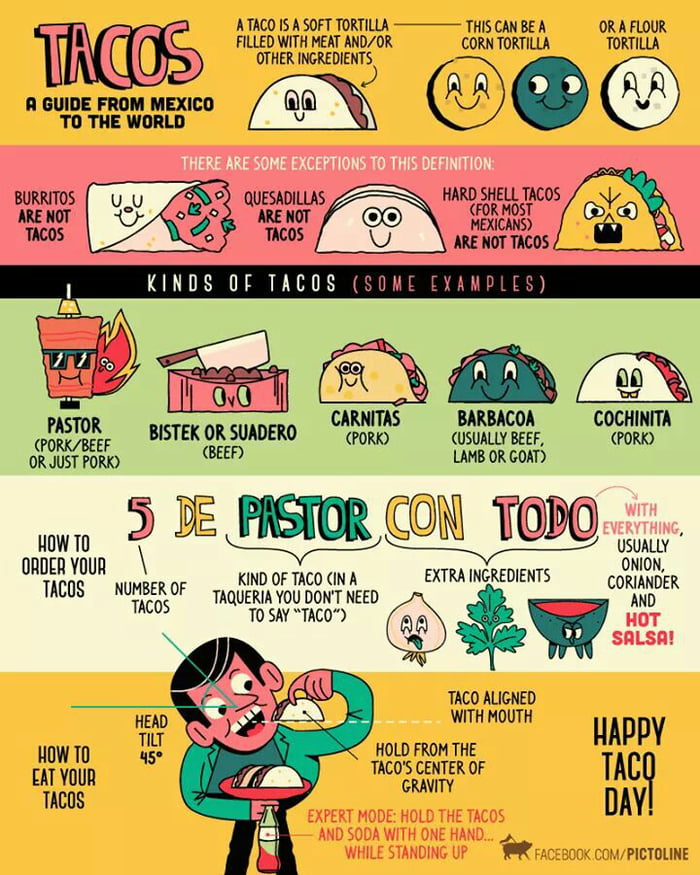
Let's tacobout it...

03 Apr 21:10

Now’s Your Chance to Get an Original E-Type, Directly from Jaguar

It was only a matter of time before the most iconic Jaguar of all time got the highly specialized restoration treatment.

Read More »
03 Apr 20:58

Finally, an Easy Way to Back Up Your Photos That's Reliable!

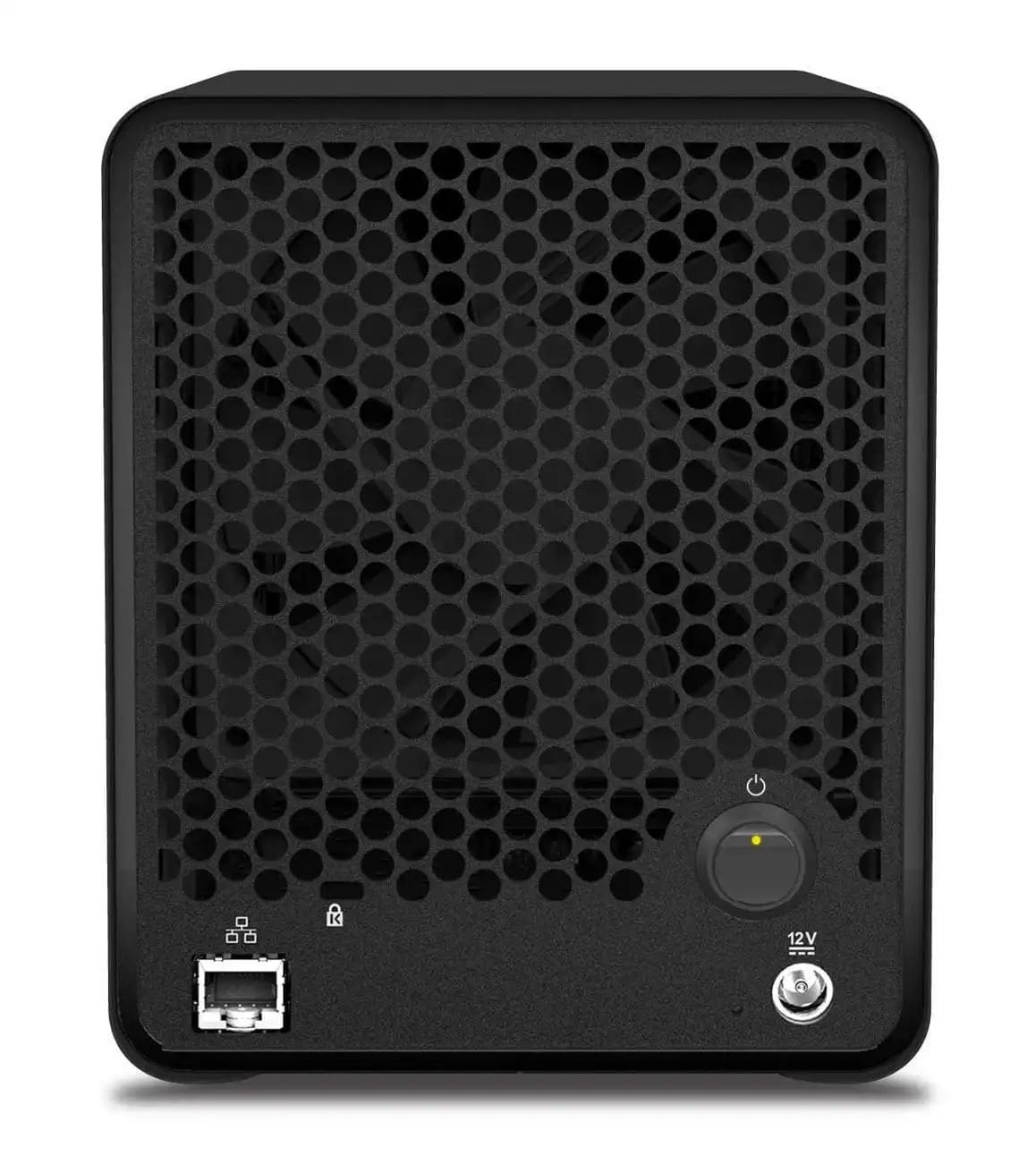
drobo5n 1 min

This might sound familiar...

You have thousands and thousands of digital photo files that are scattered across various mediums and platforms.

You've got some in Dropbox, others in Google Photos.

There are various external hard drives with copies of your images, and perhaps a few thumb drives (or even CDs!) laying around with still other photos.

In a word, it's a backup system that's a mess.

But what if I told you there was a reliable and dead-simple way to backup your photos, even if you aren't a techno-nerd that understands how it all works?

That storage solution is called the Drobo 5N.

Below, I've got an in-depth review that introduces you to one of the best image storage solutions available today.

What is the Drobo 5N?

drobo5n 3 min

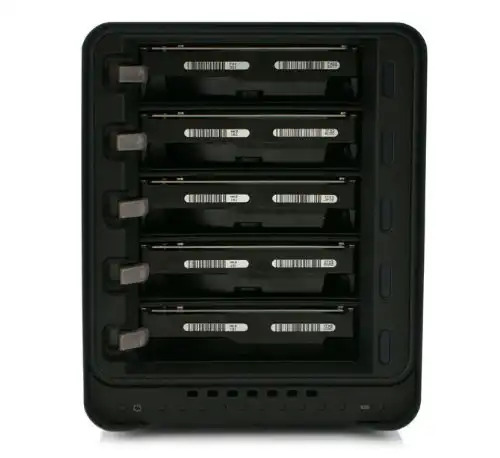
In no uncertain terms, the Drobo 5n is a high-performance storage solution that has top-shelf features but isn't at all complicated to use.

The Drobo 5N is a network-based device with a whopping 64 terabytes of potential storage space.

It's easily expandable and flexible to meet your growing needs for years and years to come. That means that you can insert a new disk drive into the 5N when the time comes for added storage, and that's something you can do without any tools whatsoever.

The 5N is equipped with a small and quiet variable-speed cooling fan, that way it remains cool but doesn't overwhelm you with loud cooling fan noises.

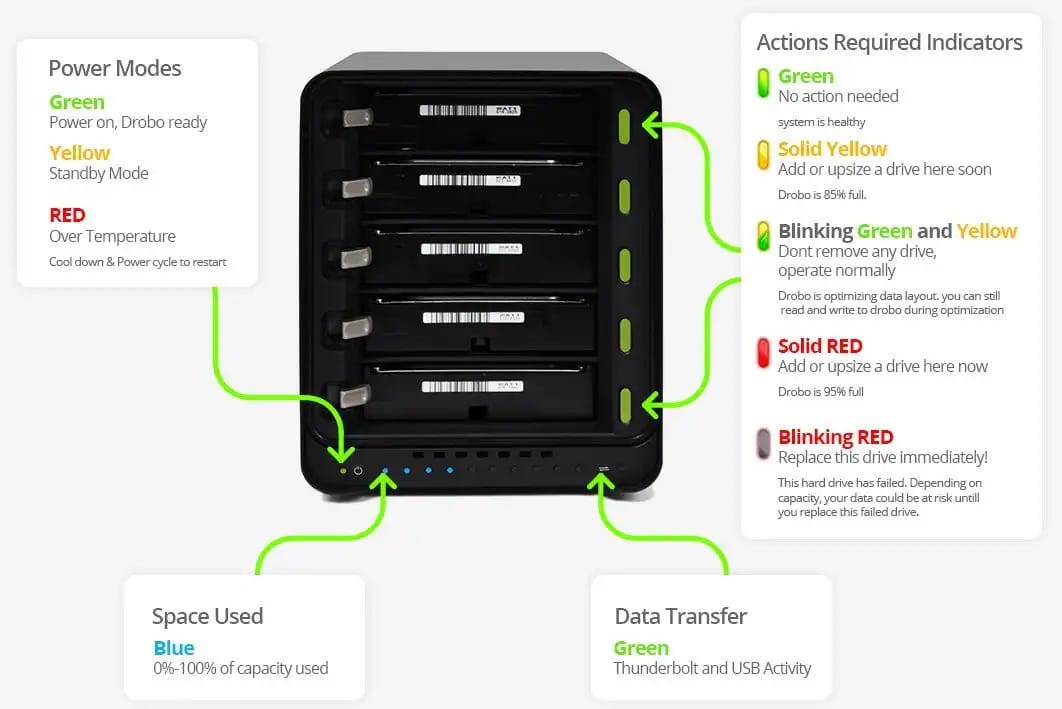
Perhaps better still, the Drobo 5N has an array of LED lights on the front that indicate when you're running out of storage space. It'll even tell you when it's encountered a problem with one of its drives so that you can take swift action and replace the malfunctioning drive before it damages any of your images or other files.

I wasn't kidding when I said it wasn't complicated!

It's also a small gadget, weighing in at just 8.6 pounds without the drives installed.

That means if you need it to be portable, it can be - and without breaking your back.

And since it's less than 6 inches wide, 7.3 inches tall, and just over 10 inches deep, you can easily find space for it on your desk without losing room to work.

Primary Features

drobo5n 4 min

In today's day and age, having your files secure is of the utmost importance. That's something that Drobo took to heart when it developed the 5N.

With built-in security that includes active data corruption searches, you don't have to worry about losing files.

That means that you don't have to manually search for files that are causing problems - the 5N does it for you.

Another great feature of the 5N is that it was built to work with all sorts of disk drives from various brands and manufacturers.

That includes hard disk drives (HDD) and solid state drives (SSD) that dominate the market today. That means that if you have images on older HDDs, the 5N is still compatible. In fact, it'll perform drive pack migration on its own, so you don't have to worry about compatibility, drive order, or even downtime.

Maybe best of all, the Drobo 5N comes with an emergency battery.

That's a top feature given the sensitive nature of its purpose as a backup device.

With onboard battery power, that means that even if the power goes out, your data won't be at risk. Running on battery power, the 5N will be able to run a proper shutdown procedure to preserve your precious images and other data.

And since we live in an app-dominated world, the 5N comes with a suite of services through Drobo's Apps platform.

At the time of this writing, the Drobo Apps platform includes more than 100 apps that provide you with extended capabilities whether you work on a Windows or a Macintosh system.

Among those apps is DroboPix, an iOS support app that allows you to backup your photos and videos automatically from your iPhone, iPad, or iPod.

The image transfer occurs over Wi-Fi, so you don't have to use your cellular data, either.

See an in-depth review of these and other features in the video below by zollotech:

Also for users of Apple products is Time Machine support. That means you can backup your Mac system quickly and easily, and restore it if need be from the backup saved on your Drobo 5N.

Another handy app is MyDrobo, which gives you secure access to all sorts of services from the internet. You can use DroboAccess to view your files - be that photos, videos, or something else that's stored on your 5N - via a web browser and the Drobo mobile app that provides encrypted end-to-end access.

Something else for photographers featured on the Drobo 5N is Koken, a platform for you to manage your photos and even publish them. If you have a Wordpress website, there's support for that too, so you can find and publish the images you need for your next gallery or blog post with great ease.

On top of all of that, the Drobo 5N is built on BeyondRAID technology. That means you can have single or dual-drive redundancies, and the 5N will protect your files without any interaction from you as well.

Drobo even provides an online capacity calculator so you can figure out how your decisions regarding the drive size, protection levels, and the number of drives impacts the storage capacity of the 5N - and you can do all that even if you're not a tech junkie!

Ease of Setup

drobo5n 2 min

Usually, storage solutions of this caliber seem to require an IT specialist just to get the thing setup.

That's not the case with the 5N.

In fact, it takes just a few minutes to get the Drobo 5N online, even if you have no familiarity with things of a technological nature.

It's a matter of obtaining the right computer software for your system from the Drobo Dashboard so you can customize your 5N to your needs.

From there, you need to hook up two or more SATA 3.5 drives, connect to a router via an ethernet cable, and plug it into power.

It's really that simple!

The Final Word

As I've mentioned several times throughout this review, the Drobo 5N is great from a number of perspectives, but for me, its best feature is its ease of use.

You can literally have the thing setup and working for you in a matter of minutes, all without having to have a degree in computer science, either. Watch how simple it is to setup in the video above by Drobo.

And because it's a flexible and expandable storage solution, it's a device that's not just for novice photographers that want easy storage, but it's also an ideal solution for seasoned photographers with a need for a robust storage system that provides both convenience and security.

So whether you're just getting started in photography and you want to start out right with a great storage solution, or you've been in the photography business for a few decades and want to streamline your image backup system, the Drobo 5N is one of the better choices on the market today.

I've got one of these bad boys up and running in my office, and to say that it has made backing up my images and other files a complete breeze would be an understatement.

Learn more about the Drobo 5N.


We Recommend


03 Apr 20:46

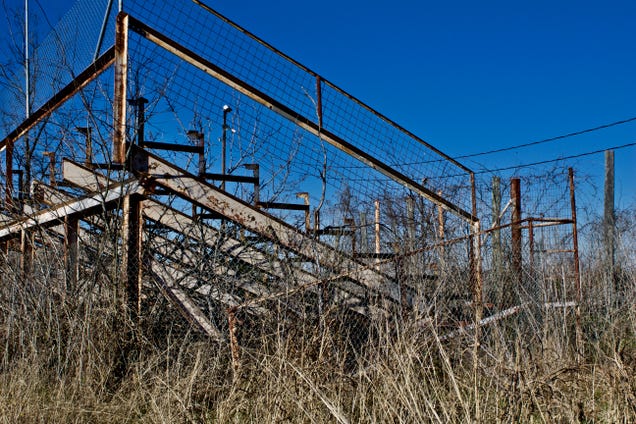
The Tale Of Longhorn Speedway, The Forgotten Ghost Track In The Shadow Of Circuit Of The Americas

by Alanis King on Black Flag, shared by Barry Petchesky to Deadspin

Other than a weekend flea market that draws a decent crowd, things are pretty quiet at the corner of U.S. 183 and FM 812 in southeast Austin. There’s a VFW post, a small Circle K gas station and scattered Mexican restaurants.

Read more...

03 Apr 13:51

17 People Who Absolutely Don’t Give AF

03 Apr 00:07

These 300-Year-Old Russian Churches Were Built Without Nails

by Kirstin Fawcett

Carpenters of the era only used wooden logs with interlocking corners.

02 Apr 23:38

Choose wisely my Bros

02 Apr 23:37

The Beastie Boys' Secret Country Album

by Zeon Santos

The Beastie Boys are the first successful white rap group, and even though they had punk rock roots the B-Boys had to play up their hip hop image during the 80s order to make it big.

But Ad-Rock, Mike D and MCA were also able to maintain one special thing throughout their career- their incredibly campy sense of humor.

You could see it in their videos and hear it in their songs from day one, and in 1999-2000 their silly sense of humor led the Beasties to create a secret country album for a couple hundred of their closest friends.

The album is called "Country Mike's Greatest Hits", and it features thirteen bonafide, if not a bit silly, country tracks, some of which real country music fans might actually enjoy.

(YouTube Link)

Read more about 'Country Mike's Greatest Hits' at Dangerous Minds

02 Apr 22:38

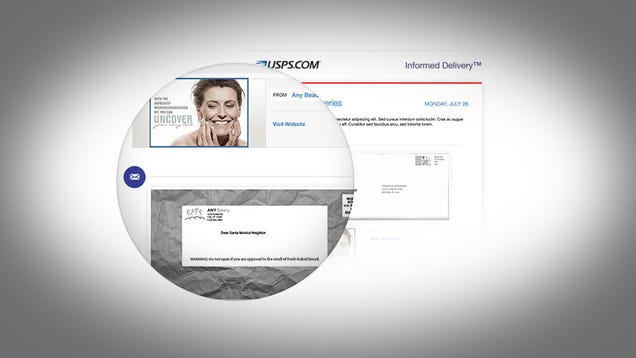
The Postal Service Will Email You Photos of Your Mail Before It's Delivered

by Thorin Klosowski

The United States Post Office started testing a new service that scans your mail and emails you photos of it about a year ago, but now the service is rolling out in most major metropolitan areas.

Read more...

02 Apr 19:47

Owl Renesting Season

by Miss Cellania

Owls are not great nest-builders. It's not uncommon for a nest to fail, and baby owls to fall out. Volunteers from the Dane County Humane Society's Wildlife Center in Wisconsin take it upon themselves to return these fallen owlets to their nests, or even provide a new nest, if they are sure the parents are around to care for the babies. Jenn Jackson posted pictures of two renesting missions, led by John Kraak and Michael Minardi. The first one is in this album. Be sure to read all the captions for the story. Here's a sample.

Mom guarding the insufficient nest, certainly not the worst we've seen.

If you’re new to this I’m pleased to introduced you to the patent pending, incredibly amazing MPJ Device. You may think it is a bucket, but let me be clear; this is a high tech renesting device.

First flight! Up goes the MPJ Device with owl in tow.

Finally, our own rooms!

There are a lot more pictures, so go read the full story. And check out the album for the second mission, too. -via Metafilter

01 Apr 00:43

Reverse Sear Steak and Shrimp

by BBQ Pit Boys

Treat that Prime rib steak of yours right. Show it some respect and grill it slow and indirect next time. It’ll come out juicy and tender every time with these few simple tips by the BBQ Pit Boys. #BBQPITBOYS #BPB4L -...Please Subscribe, Fav and Share us. Thanks..! Are you looking for barbecue and grilling recipes to serve up at your Pit, family picnic, or tailgating party? Then put your Barbecue Shoes on because we're serving up some delicious, moist and tender, and real easy to do cooking on the ol' BBQ grill.

To print out this recipe, or to get your BBQ Pit Boys Pitmasters Certificate, our custom BBQ Pit Boys Old Hickory knife, gifts and more CLICK HERE http://www.bbqpitboys.com/barbecue-store-gifts.

To purchase our official T-Shirts, Mugs, Aprons, Scarfs, Hoodies, and more shipped to you anywhere in the world CLICK HERE http://www.bbqpitboys.com/barbecue-store-gifts

Become a member of the Pit. Or join a BBQ Pit Boys Chapter, or start your own, now over 10,000 BBQ Pit Boys Chapters formed worldwide. Visit our Website to register http://www.BBQPitBoys.com

Thanks for stopping by the Pit and for your continued support..! --BBQ Pit Boys
01 Apr 00:34

Bacon Wrapped Fried Pop Tarts

by Jill Harness

Pop Tarts are a great snack, but there's no denying that they're just missing something to make them the perfect snack. Fortunately, Oh Bite It figured out exactly what they needed -bacon, deep frying and gooey, fresh frosting. 

The recipe is pretty simple -just wrap your Pop Tart in bacon, deep fry it and then add frosting and sprinkles. Check out the full details on their page.

30 Mar 18:12

The internet is destroying society, sobering research shows - CNET

by Brian Bennett
A new report by the Pew Research Center says cyberspace is a corrupt and evil influence on society.
30 Mar 18:09

17 Simple HTML Code Examples You Can Learn in 10 Minutes

by Dann Albright
simple-html-code

Even though modern websites are generally built with user-friendly interfaces, it’s useful to know some basic HTML. If you know the following 17 tags (and a few extras), you’ll be able to create a basic webpage from scratch or tweak the code created by an app like WordPress.

We’ve provided HTML code examples with output for most of the tags. If you want to see them in action, download the sample HTML file at the end of the article. You can play with it in a text editor and load it up in a browser to see what your changes do.

1. <!DOCTYPE html>

You’ll need this tag at the beginning of every HTML document you create. It ensures that a browser knows that it’s reading HTML, and that it expects HTML5, the latest version.

Even though this isn’t actually an HTML tag, it’s still a good one to know.

2. <html>

This is another tag that tells a browser that it’s reading HTML. The <html> tag goes straight after the DOCTYPE tag, and you close it with a </html> tag right at the end of your file. Everything else in your document goes between these tags.

3. <head>

The <head> tag starts the header section of your file. The stuff that goes in here doesn’t appear on your webpage. Instead, it contains metadata for search engines, and info for your browser.

For basic pages, the <head> tag will contain your title, and that’s about it. But there are a few other things that you can include, which we’ll go over in a moment.

4. <title>

html title tag

This tag sets the title of your page. All you need to do is put your title in the tag and close it, like this (I’ve included the header tags, as well):

<head>
<title>My Website</title>
</head>

That’s the name that will be displayed as the tab title when it’s opened in a browser.

5. <meta>

Like the title tag, metadata is put in the header area of your page. Metadata is primarily used by search engines, and is information about what’s on your page. There are a number of different meta fields, but these are some of the most commonly used:

  • description—A basic description of your page.
  • keywords—A selection of keywords applicable to your page.
  • author—The author of your page.
  • viewport—A tag for ensuring that your page looks good on all devices.

Here’s an example that might apply to this page:

<meta name="description" content="A basic HTML tutorial">
<meta name="keywords" content="HTML,code,tags">
<meta name="author" content="MakeUseOf">
<meta name="viewport" content="width=device-width, initial-scale=1.0">

The “viewport” tag should always have “width=device-width, initial-scale=1.0” as the content to make sure your page displays well on mobile and desktop devices.

6. <body>

After you close the header section, you get to the body. You open this with the <body> tag, and close it with the </body> tag. That goes right at the end of your file, just before the </html> tag.

All of the content of your webpage goes in between these tags. It’s as simple as it sounds:

<body>
Everything you want displayed on your page.
</body>

7. <h1>

The <h1> tag defines a level-one header on your page. This will usually be the title, and there will ideally only be one on each page.

<h2> defines level-two headers such as section headers, <h3> level-three sub-headers, and so on, down to <h6>. As an example, the names of the tags in this article are level-two headers.

<h1>Big and Important Header</h1>
<h2>Slightly Less Big Header</h2>
<h3>Sub-Header</h3>

Result:

html header tags

As you can see, they get smaller at each level.

8. <p>

The paragraph tag starts a new paragraph. This usually inserts two line breaks.

Look, for example, at the break between the previous line and this one. That’s what a <p> tag will do.

<p>Your first paragraph.</p>
<p>Your second paragraph.</p>

Result:

Your first paragraph.

Your second paragraph.

You can also use CSS styles in your paragraph tags, like this one which changes the text size:

<p style="font-size: 120%;">20% larger text</p>

Result:

20% larger text

To learn how to use CSS to style your text, check out these HTML and CSS tutorials.

9. <br>

The line break tag inserts a single line break:

<p>The first line.<br>
The second line (close to the first one).</p>

Result:

The first line.
The second line (close to the first one).

Working in a similar way is the <hr> tag. This draws a horizontal line on your page and is good for separating sections of text.

10. <strong>

This tag defines important text. In general, that means it will be bold. However, it’s possible to use CSS to make <strong> text display differently.

However, you can safely use <strong> to bold text.

<strong>Very important things you want to say.</strong>

Result:

Very important things you want to say.

If you’re familiar with the <b> tag for bolding text, you can still use it. There’s no guarantee it will continue to work in future versions of HTML, but for now, it works.

11. <em>

Like <b> and <strong>, <em> and <i> are related. The <em> tag identifies emphasized text, which generally means it will get italicized. Again, there’s the possibility that CSS will make emphasized text display differently.

<em>An emphasized line.</em>

Result:

An emphasized line.

The <i> tag still works, but again, it’s possible that it will be deprecated in future versions of HTML.

12. <a>

The <a>, or anchor, tag lets you create links. A simple link looks like this:

<a href="//www.makeuseof.com/>Go to MakeUseOf</a>

Result:

Go to MakeUseOf

The “href” attribute identifies the destination of the link. In many cases, this will be another website. It could also be a file, like an image or a PDF.

Other useful attributes include “target” and “title.” The target attribute is almost exclusively used to open a link in a new tab or window, like this:

<a href="//www.makeuseof.com/" target="_blank">Go to MakeUseOf in a new tab</a>

Result:

Go to MakeUseOf in a new tab

The “title” attribute creates a tooltip. Hover over the link below to see how it works:

<a href="//www.makeuseof.com/" title="This is a tool tip">Hover over this to see the tool tip</a>

Result:

Hover over this to see the tool tip

13. <img>

If you want to embed an image in your page, you’ll need to use the image tag. You’ll normally use it in conjunction with the “src” attribute. This specifies the source of the image, like this:

<img src="wp-content/uploads/2019/04/sunlit-birds.jpg">

Result:

Sunlit birds image using img src tags

Other attributes are available, such as “height,” “width,” and “alt.” Here’s how that might look:

<img src="wp-content/uploads/2019/04/sunlit-birds.jpg" alt="the name of your image">

As you might expect, the “height” and “width” attributes set the height and width of the image. In general, it’s a good idea to only set one of them so the image scales correctly. If you use both, you could end up with a stretched or squished image.

The “alt” tag tells the browser what text to display if the image can’t be displayed and is a good idea to include with any image. If someone has an especially slow connection or an old browser, they can still get an idea of what should be on your page.

14. <ol>

The ordered list tag lets you create an ordered list. In general, that means you’ll get a numbered list. Each item in the list needs a list item tag (<li>), so your list will look like this:

<ol>
<li>First thing</li>
<li>Second thing</li>
<li>Third thing</li>
</ol>

Result:

  1. First thing
  2. Second thing
  3. Third thing

In HTML5, you can use <ol reversed> to reverse the order of the numbers. And you can set the starting value with the start attribute.

The “type” attribute lets you tell the browser which type of symbol to use for the list items. It can be set to “1,” “A,” “a,” “I,” or “i,” setting the list to display with the indicated symbol like this:

<ol type="A">

15. <ul>

The unordered list is much simpler than its ordered counterpart. It’s simply a bulleted list.

<ul>
<li>First item</li>
<li>Second item</li>
<li>Third item</li>
</ul>

Result:

  • First item
  • Second item
  • Third item

Unordered lists also have “type” attributes, and you can set it to “disc,” “circle,” or “square.”

16. <table>

While using tables for formatting is frowned upon, there are plenty of times when you’ll want to use rows and columns to segment information on your page. Several tags are needed to get a table to work. Here’s the sample HTML code:

<table>
<tbody>
<tr>
<th>1st column</th>
<th>2nd column</th>
</tr>
<tr>
<td>Row 1, column 1</td>
<td>Row 1, column 2</td>
</tr>
<td>Row 2, column 1</td>
<td>Row 2, column 2</td>
</tbody>
</table>

The <table> and </table> tags specify the start and end of the table. The <tbody> tag contains all the table content.

Each row of the table is enclosed in a <tr> tag. Each cell within each row is wrapped in either <th> tags for column headers, or <td> tags for column data. You need one of these for each column on each row.

Result:

1st column 2nd column
Row 1, column 1 Row 1, column 2
Row 2, column 1 Row 2, column 2

17. <blockquote>

When you’re quoting another website or person and you want to set the quote apart from the rest of your document, use the blockquote tag. All you need to do is enclose the quote in opening and closing blockquote tags:

<blockquote>The Web as I envisaged it, we have not seen it yet. The future is still so much bigger than the past.</blockquote>

Result:

The Web as I envisaged it, we have not seen it yet. The future is still so much bigger than the past.

The exact formatting that’s used may depend on the browser you’re using or the CSS of your site. But the tag remains the same.

Go Forth and HTML

With these 17 HTML tags (and counting) you should be able to create a simple webpage. To see how to put them all together, you can download our sample HTML page. Open it in your browser to see how it all comes together, or in a text editor to see exactly how the code works.

For more bite-sized lessons in HTML, try these microlearning apps for coding.

Read the full article: 17 Simple HTML Code Examples You Can Learn in 10 Minutes

30 Mar 16:20

Self Defense Tips From Boxing Champ Jack Dempsey

by Zeon Santos

It's a tough world out there, so knowing a thing or two about self defense can mean the difference between life and death (or serious injury) when you're faced with the threat of bodily harm.

Back in 1950 boxing great Jack Dempsey, aka The Manassa Mauler, published a self defense book called Championship Fighting: Explosive Punching and Aggressive Defense (PDF) in order to share some of his knowledge with regular folks.

Jack packs some really solid self defense tips into this well written book, such as- be aware of your environment and potential escape routes, stay away from crowds, master the power of the lurch, watch your opponent's wrists, and never swing, punch straight.

He also shared this knockout technique for delivering what he called a "sneaker punch":

(1) Keep your head in close to the left side of your opponent's head, with your chin slightly over his shoulder.

(2) Maneuver with your left hand until you can grab the inside crook of his right elbow, and thus hold his right arm so firmly that he can't punch with it.

(3) Get his left arm under your right arm, and clamp your right hand under his arm—just above the elbow—just below the biceps. When you hold him in that fashion, he can't hit you; but you are in perfect position to break away sharply and deliver a stunning overhanded "sneaker" hook.

Read 10 Self-Defense Tips From Boxer Jack Dempsey, Circa 1950 here

30 Mar 16:18

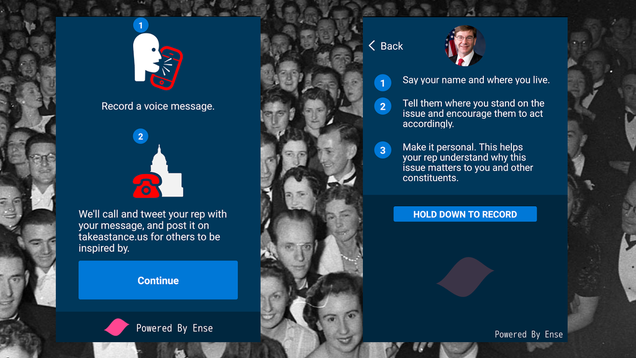
This App Sends Your Message to Your Congressperson’s Voicemail—And Also to The Entire World

by Beth Skwarecki

If you’re having trouble getting calls through to your member of Congress, an app called Stance says it can help. You just record a message, and it keeps trying until it can deliver that message to voicemail. There’s a big caveat on that, though.

Read more...

29 Mar 18:45

Third Man Records Detroit Pressing Plant

Third Man Records Detroit Pressing Plant
Jack White's Third Man Records has been taking music back to the Golden Era since 2001. The label is pushing the vinyl resurgence one step further by opening their own...

Visit Uncrate for the full post.
29 Mar 18:44

Appraising A Special Vintage Rolex

Appraising A Special Vintage Rolex
Whether it's vintage Star Wars action figures or classic Rolex watches, don't ever throw away the box. Peter Planes of Antiques Roadshow got the chance to appraise a rare 1960...

Visit Uncrate for the full post.
29 Mar 18:41

South African Private Game Reserve

Surrounded by 25,000 acres of untouched wilderness, the South African Private Game Reserve is the opportunity to own a piece of the Eastern Cape. The gated residence combines luxury accommodations...

Visit Uncrate for the full post.
29 Mar 18:24

It's Delovely: 1900

by Dave
Savannah, Georgia, circa 1900. "Hotel DeSoto." Last glimpsed here. 8x10 inch dry plate glass negative, Detroit Publishing Company. View full size.
29 Mar 18:21

Add These Cabins to Your Bucket List

by Christina Hussey
Featured cover

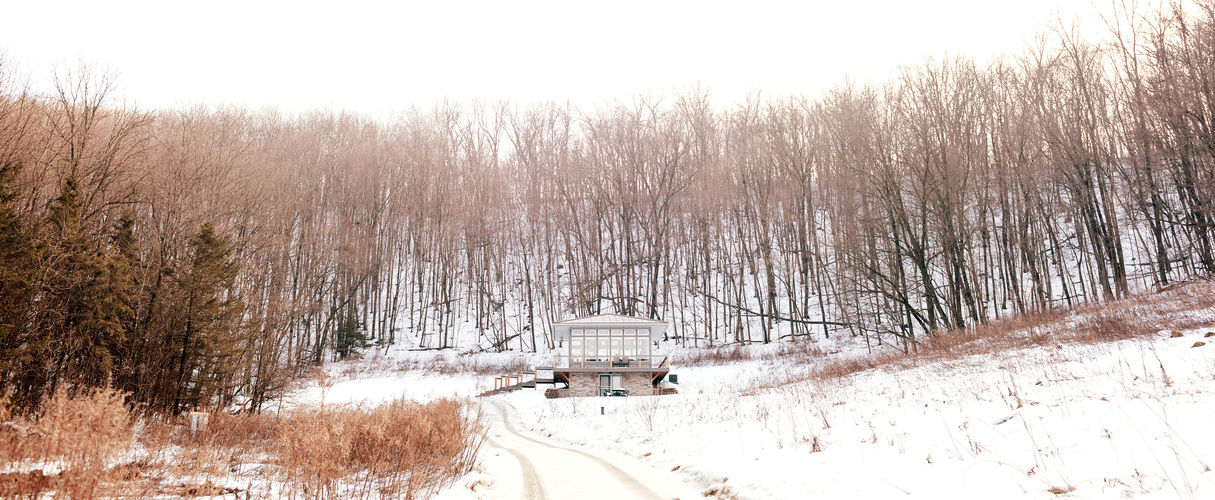
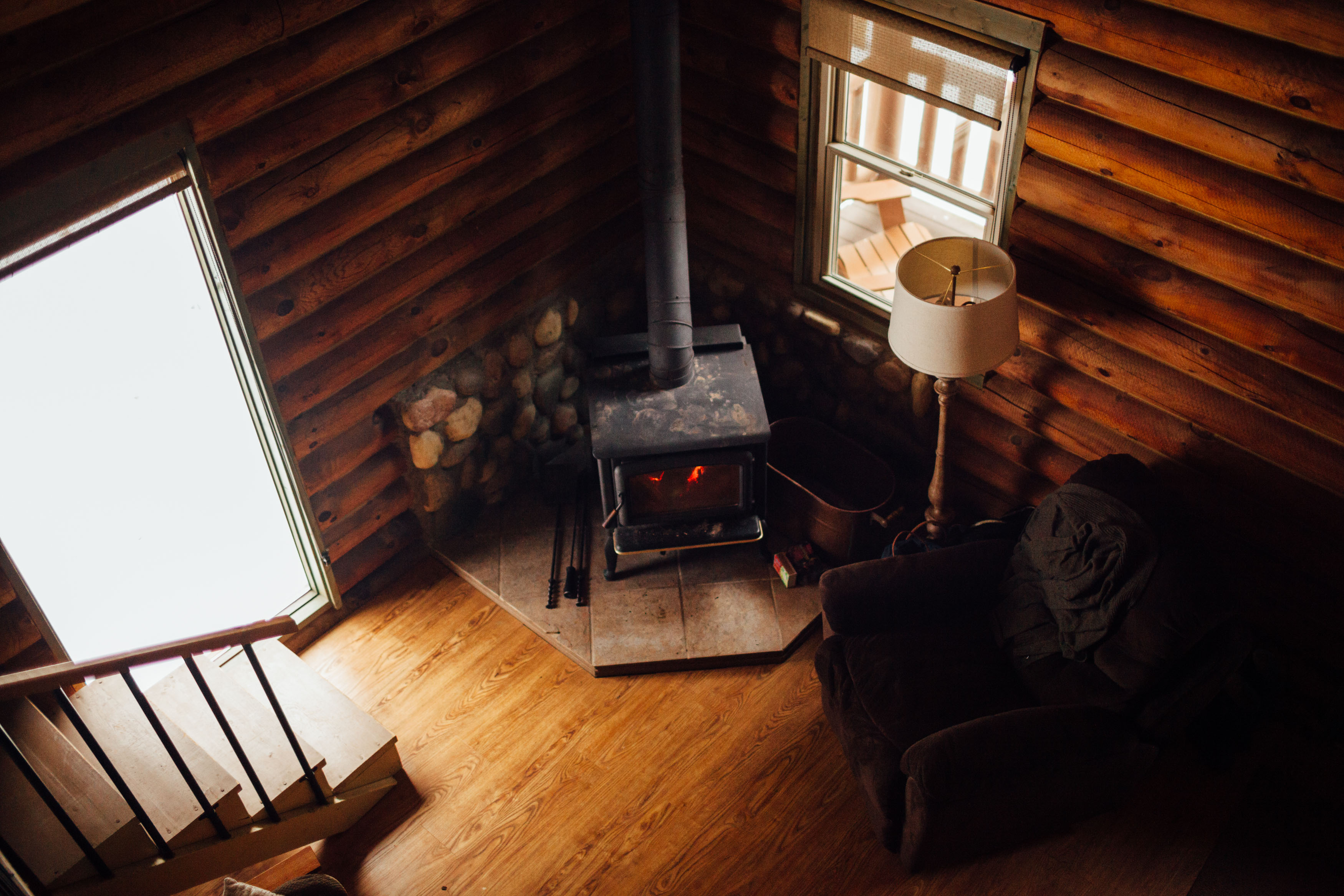
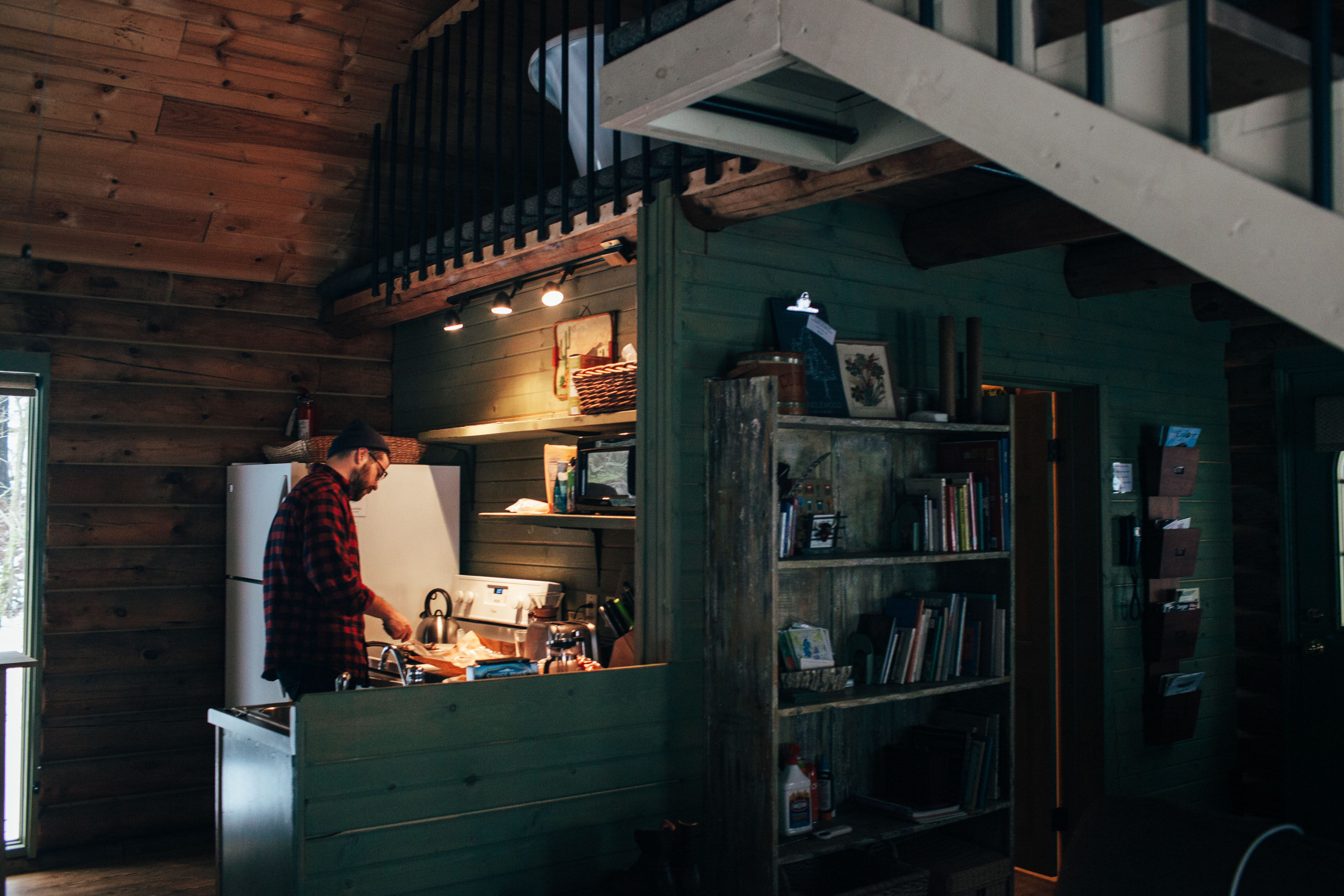
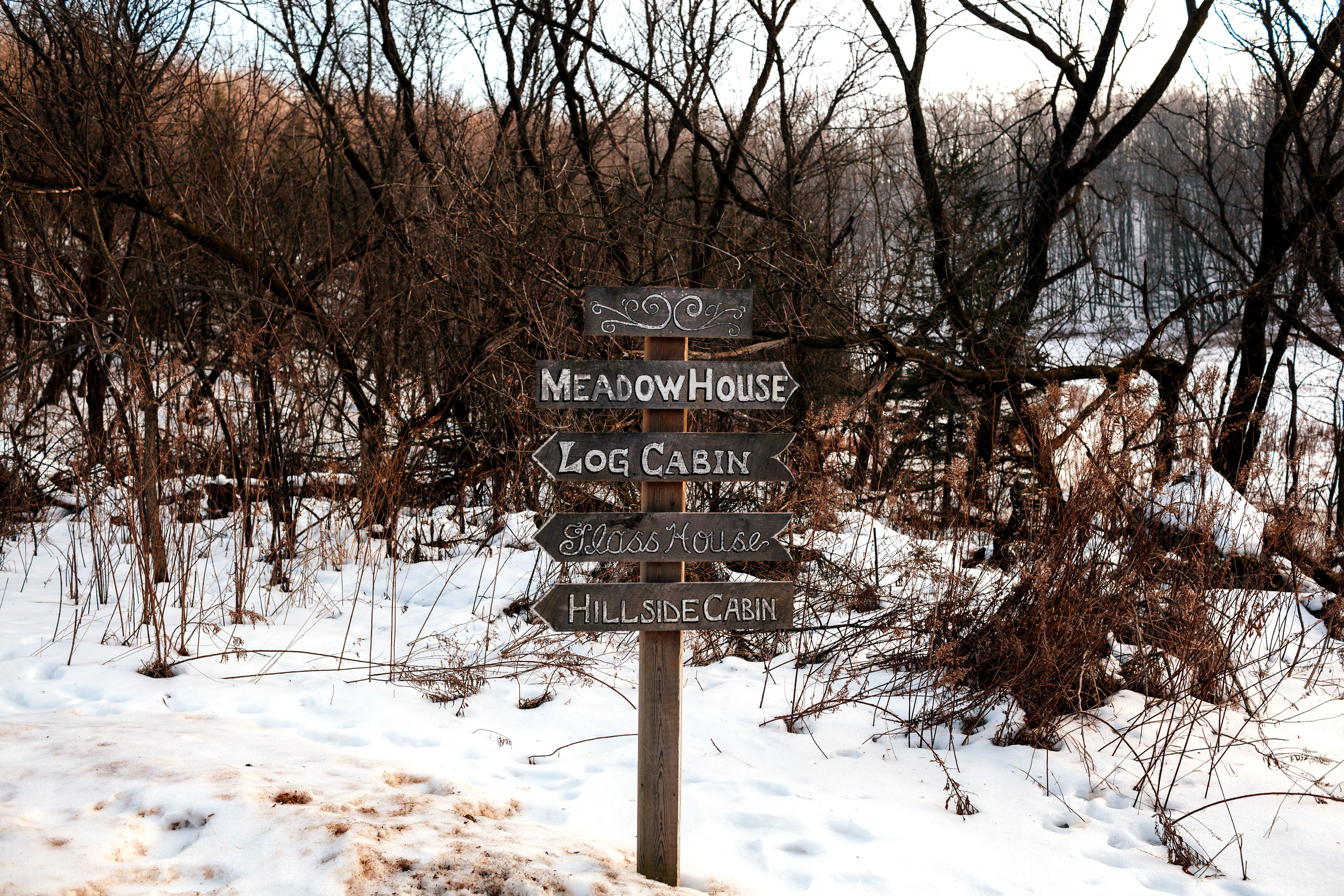
The small town of Richland Center, Wisconsin is almost paradise for those looking for a comfortable respite from their fast-paced lifestyles — and Candlewood Cabins are its most secluded gems. After weathering an ice storm back at home that almost cancelled our getaway plans, we packed up the rental car, pulled up the address before signal faded, and hit the road toward Richland. We were ready to nestle in — and explore the tall barns, vast dairy land, and rural pathways of Frank Lloyd Wright’s birthplace.

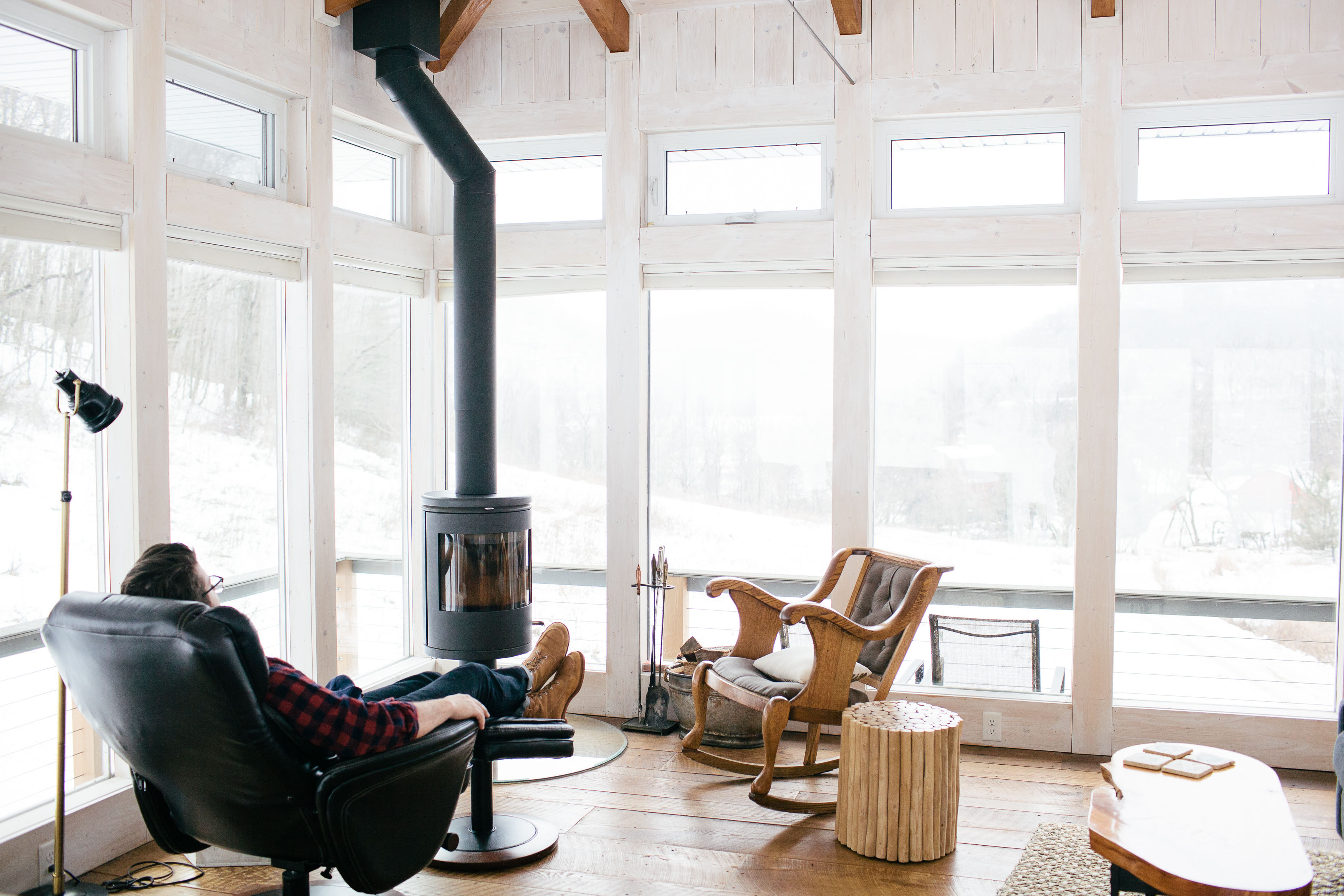
"In our cabin, the wood burning stove was already roaring, providing a warm welcome."

We arrived to Candlewood the day after an ice storm, and our little red mustang barely made it up to the Log Cabin. We were relieved to be met by our hosts, Norbert and Susan Calnin, who welcome all of their guests personally.  In our cabin, the wood burning stove was already roaring, providing a warm welcome. We unpacked and settled in for our first night in lower Wisconsin.

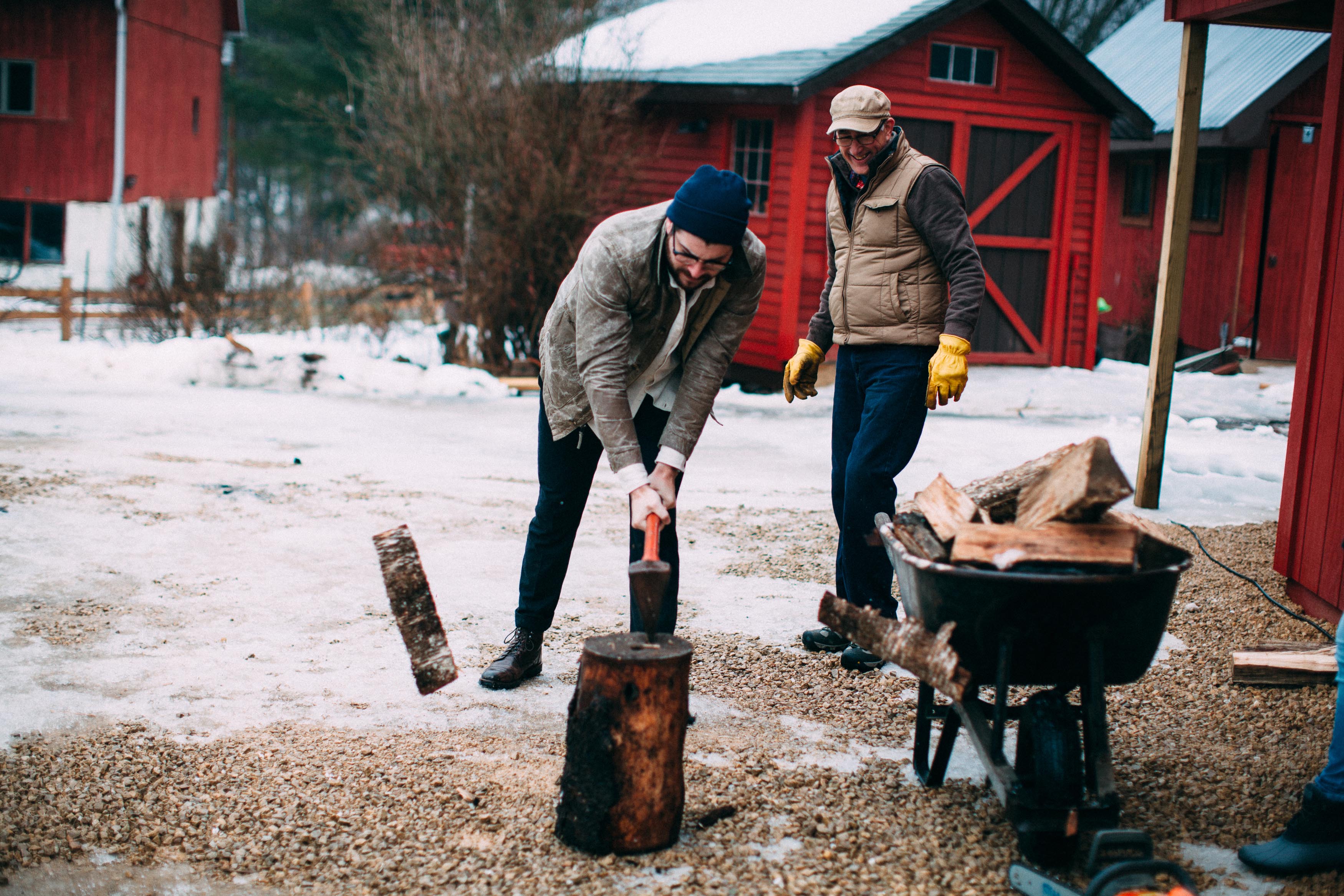
The seclusion of the cabin was perfect - tending our own fire for warmth, cooking our meals, and taking advantage of naps in the loft being some of our top priorities. Outside of the slow-living cabin life, we ventured outdoors where we had access to hike the trail to the top of the ridge. During snowier weather, utilizing snowshoes is the only way to the top and sledding is an appropriate way down.  Up here, one might be lucky enough to sneak a peek of a visiting Bald Eagle.

"If you come stay at Candlewood, we highly suggest venturing into town and visiting The Ocooch Bookstore & Libations." 

On our second day, we decided to drive the 5-mile trip to the town center to pick up supplies. We stopped in at The Ocooch Bookstore & Libations where we were told we could buy beer brewed with local hops. Daniel, the owner, graciously answered questions and spent over an hour telling us stories and anecdotes about Richland Center and the surrounding areas.  

We learned things like how millions of years ago glaciers helped form the Green Bay Lobe, and how the rivers and streams were formed that flow through the Ocooch Mountains. He talked about the mammoths that once roamed the lands here…who would’ve guessed? After picking up a book for our daughter back home and tasting a few beers with Daniel, we grabbed our six pack and were on our way. If you come stay at Candlewood, we highly suggest venturing into town and visiting this bookstore at some point. You may learn some surprising things and make new friends as well.

"Apparently, real cheese curds squeak whenever you chew them." 

Since we had to pick up our Wisconsin staples (beers, brats and cheese curds), our next stop was Richland Meat Locker. Fair warning: it bears a strong resemblance to the unglamorous meat locker Rocky Balboa trained in.

After picking up our sausages we made our way over to The Cheese Cellar where we got our fresh curds, still warm from the morning batch. Apparently, real cheese curds squeak when you chew them. You certainly can’t make a trip to the dairy land without them.

Our final day at Candlewood was spent experiencing the cold of a “real winter”, stoking the fire in our cozy cabin, eating the last of our fresh food from town, and genuinely resting with each other in a way that we hadn’t had a chance to do back home. We left Wisconsin understanding a deeper “connectivity." One where you choose to connect to the earth, your surroundings and most importantly each other. It’s hard to truly get off the grid these days but when it happens you find yourself undoubtedly refreshed and fulfilled. [H]

For more from Christina Hussey, check out christinahussey.com and Goldmine Journal

Christina is based out of Charlotte, NC where she lives with her husband and their beautifully wild toddler. She's a wedding and lifestyle photographer and co-founder of Goldmine Journal.


29 Mar 14:39

When you've almost finished eating a whole pizza by yourself.

29 Mar 14:37

How Slyde Handboards Is Dominating The Bodysurfing Market

by Brian Rashid, Contributor
A leader's guide to the bodysurfing industry.
29 Mar 14:35

Amazon drive-through grocery pickup: Never get out of your car

by Engadget
29 Mar 14:35

The Colors of Motion

by swissmiss

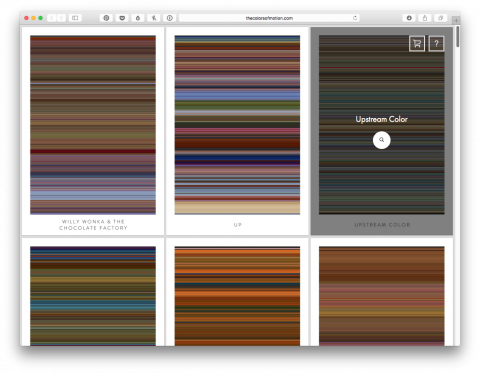
A visualization of the use of color in movies. The average color of each frame is extracted and presented in a highly interactive way. Not necessarily useful but fascinating.

(via Jon)

29 Mar 14:33

The Backwoods Wizard

by Sporting Classics Daily
You may be a savvy sportsman, but are you "eat a deer with its own teeth" savvy?
29 Mar 14:33

Watch: Bimini Bluefin

by Sporting Classics Daily
Vintage IGFA footage shows two fights for "Ol' Blue Nose."
29 Mar 14:30

Jameson Distillery Opens In Dublin With Ultimate Whiskey Tasting Adventures

by Jim Dobson, Contributor
Jameson Distillery Opens In Dublin With Ultimate Whiskey Tasting Adventures for the VIP customer