February is a bit of a tease. Whether you live in the Midwest or Southern California, the temperature can fluctuate by as much as 50 degrees in a day. Down jackets or shorts and flip flops? It’s anyone’s call. And there’s only so much “comfort food” you can stand. You’re craving something different. For much of the country, winter grilling rules are still in play.
Which is why we combed our vast collection of recipes for dishes that grill quickly, limiting your exposure to Mother Nature’s whims. These are all staff favorites, from succulent Korean short ribs to Caribbean-inspired shrimp on sugarcane with a spiced rum glaze. (Because, rum.) If you can’t be bothered to fire up the grill, there’s stovetop kippered salmon and a version of bananas Foster that’s Mardi Gras-appropriate.
Perhaps you have experienced the joy of eating the artfully cured and assertively spiced smoked meat that is pastrami—whether from a classic Manhattan deli or even your local barbecue joint. Maybe you’ve further embarked on the gratifying experience of curing and smoking your own pastrami at home. After all, few things rival sinking your teeth into a pastrami Reuben that’s made with your own spice-encrusted and smoke-blasted pastrami beef brisket or navel.
But pastrami is more of a process than it is a single dish. It can be used to transform many different types of meat and cuts of beef. Here are some mouthwatering ways to give your BBQ the pastrami treatment:
Beef ribs alone are eye-popping. Now take the biggest, meatiest beef ribs, brine and cure them in pastrami seasonings, smoke them over wood, and the result is positively irresistible. It eats like a barbecued beef rib, but tastes like pastrami!
If you are looking for more of a heart-healthy alternative to beef pastrami, try this turkey pastrami smoked and served on fresh rye bread with sauerkraut and homemade Russian dressing.
What do you get when you marry two of the greatest cured meats in the world? A bacon whose smoky flavor is complemented beautifully by the dark spicy crust of the pastrami. It makes for the ultimate BLT.
Pork belly isn’t the only part of the pig to get the pastrami treatment. Transform pork shoulder into an amazing home-cured, home-smoked pork pastrami. It’s up to you to decide whether rye bread and mustard would be an enhancement or a distraction, but dishes like this can be devoured as is. Nevertheless, be sure to save some for later as it can be turned into a killer hash for breakfast.
I found barbecue in the most unlikeliest of places: Prague, Czech Republic. When I first planned a quick four-day trip to Prague, I imagined I would eat a lot of goulash and dumplings, possibly some sausages and steak tartare. But I never would have imagined eating a pulled pork sandwich.
The Real Meat Society is a small butcher shop that sells a small selection of hot sandwiches, in addition to raw meat and cold cuts. I opted for a Scotch Egg, the Meatloaf Bun, a Porchetta Bun (a special of the day), and the Smoked Pulled Pork Bun.
While the Scotch Egg, the Meatloaf Bun, and the Porchetta Bun were delicious, the real highlight of the meal was the Smoked Pulled Pork Bun. The pulled pork was flavorful and juicy, complemented by the quick pickle slaw and fresh brioche bun. The pulled pork is cooked for 16 hours and smoked for an additional 4 hours. The barbecue sauce is made in-house with ketchup, Worcestershire sauce, pork broth, and herbs. Drippings from the smoking process add to the sauce’s smoky flavor.
But what makes the barbecue at The Real Meat Society really stand out is the quality of the meat. The Real Meat Society, founded by Paul & Michaela Day, is the first butcher shop in the Czech Republic to be certified organic by the government. They believe in promoting sustainable farming. All of their livestock are raised by farmers through outdoor grazing, and they do not use antibiotics or growth hormones. The Real Meat Society is involved from start to finish, from raising the animals all the way to processing, smoking, and cooking the meat.
If you are a barbecue aficionado, The Real Meat Society is definitely a must-visit if you ever find yourself in Prague.
The Real Meat Society
sro, Klimentská 1652/36, 110 00, Prague 1. http://www.trms.cz/
If you’ve recently embarked on your barbecue journey, consider this list of recipes as Barbecue and Grilling 101. With each grilling and smoking session, you will learn something new, and if you master these recipes you will be on your way to barbecue and grilling perfection. And if you’re a veteran grillmaster, this list can serve as a wonderful refresher course, or inspiration for the aspiring grillers in your life.
If you want to master ribs, start with this recipe. It will teach you all the principles of first-class ribsmanship: skinning the ribs, rubbing the meat, using a mop sauce, glazing with a barbecue sauce, and harnessing the power of wood smoke. And the best part? The ribs can be made in about 90 minutes.
Tackling a whole brisket may seem intimidating, but smoking a brisket can be easy. It requires about 30 minutes of actual work and a lot of patience. Armed with the right tools (a sharp knife, a remote digital thermometer, and unlined butcher paper) and a little knowledge, anyone can smoke a brisket that would do a barbecue competition proud. This recipe provides detailed instructions that make a foolproof method for beginners and a great starting point for more experienced grillers to create a unique variation.
Everyone loves bacon. And few things are more satisfying than making bacon from scratch at home. The recipe will guide you through the process of curing and smoking a pork belly. The process is easy, requiring few culinary skills and little actual work. When you’re done, you’ll never want to buy bacon from the store again.
This post is brought to you by WeLoveFire.com, which provided advertising support.
Whether you’re a beginner or a seasoned griller, it is vital to have a few trusted resources available to answer your questions about equipment and techniques. We’ve heard many times that Steven’s cookbooks and free resources on BarbecueBible.com serve that purpose for millions of grillers on Planet Barbecue. We are honored that so many visit us throughout the year for tips and recipes.
Today we want to share with you another trustworthy resource that we recently discovered: We Love Fire. WeLoveFire.com shares its expertise about grills, outdoor fireplaces, fire pits, outdoor rooms, indoor fireplaces, and stoves with tips, information and tools from a network of over 250 privately owned fireplace and hearth stores in North America.
Dive into their resources! Start by preparing for your upcoming summer grill season with tips that we at BarbecueBible.com can really get behind. Hand protection and grill cleaning are two things we’ve championed over the past 15 years and are delighted to see them listed on We Love Fire as well. Read the full list of tips here.
Need a new grill or outdoor fireplace and not sure where to start? With 20 brands representing grills and fireplaces from across the world, and hundreds of retail locations, WeLoveFire.com holds the key you need to research and find the appropriate equipment for you. Once you know more about the equipment you’d like to buy, use the map to find the closest location out of the more than 250 independent merchants listed in Canada and the United States.
Get inspired this year. Draw from the gorgeous photos on the site to find the look you want in your backyard.
Make inspiration a reality. Perhaps the greatest benefit you receive by researching on WeLoveFire.com is the customization available from their local network. Their partner retailers live and work in your community, and take pride in identifying and creating custom solutions to meet every budget. Just imagine the possibilities!
We hope you enjoy the resources on We Love Fire as much as we do. Let us know what YOU are reading this week on Facebook, Twitter and Instagram.
“Streets in Mind” is a new short film by SmugMug Films that looks at the life and work of London-based street photographer Alan Schaller. Walking the streets of NYC, Schaller offers thoughts and insights on shooting street photos in major cities.
“One of the most exciting things about street photography is waking up every day and not knowing what you’re going to come back with…that’s the magic,” Schaller says.
He actually began his career as a music writer for film and TV, and he only started diving into photography four years ago. But his background in music helps to inform the way he views his photography work.
“I think my background in music helped me understand the importance of narrative in photography,” Schaller says. “I feel like the storyteller part of my brain was developed already. And it’s the storytelling part that goes into my work that makes it my own.”
Here’s a selection of Schaller’s photos:
Photo by Alan SchallerPhoto by Alan SchallerPhoto by Alan SchallerPhoto by Alan SchallerPhoto by Alan SchallerPhoto by Alan Schaller
I still remember the first meal Steven grilled when I visited him and his wife, Barbara, at their home in Martha’s Vineyard many years ago. It wasn’t barbecued ribs, it wasn’t brisket, it wasn’t a rich, fatty rib-eye.
Instead, Steven took me to his favorite seafood shop in Edgartown where he selected fresh line-caught swordfish steaks. That evening, he brushed them with extra virgin olive oil, seasoned them generously with coarse salt and pepper, and squeezed the juice of a lemon on top. While the grill was heating (yes, sometimes Steven uses a gas grill), he warmed more olive oil in a saucepan on the side burner. When the oil was hot, he added drained capers and a few tablespoons of pine nuts, then turned the heat down to low.
While Steven grilled the swordfish steaks, Barbara put together a beautiful salad utilizing some of the first ripe tomatoes of the summer, which she grew in large pots on the deck. The swordfish was plated, then topped with the caper and pine nut sauce. There were fresh berries for dessert. Needless to say, dinner—which took less than 20 minutes to put on the table—was sublime.
This is actually a typical menu for the Raichlens, with the emphasis on fresh vegetables and fruits, extra virgin olive oil, seafood, grains, nuts, legumes, and modest amounts of meat, poultry, dairy, and wine. Their way of eating closely tracks what is known as the Mediterranean diet, recently named the “best overall” out of a field of 41 by US News and World Report. And it explains why Steven doesn’t exhibit the Falstaffian proportions common to many barbecue enthusiasts.
It’s a way of life, more than a diet, one that’s been practiced in Mediterranean countries for thousands of years. And its health benefits have been exhorted since 2013 by the prestigious New England Journal of Medicine. It doesn’t exclude major food groups like some of the currently popular diets, doesn’t force you to make an exception of yourself at social gatherings, isn’t overly dependent on recipes, relies on easy-to-obtain ingredients, and is indefinitely sustainable.
And whether your goal is to get ready for bathing suit weather or just eat more mindfully, know your grill is a valuable ally.
We’re not dietitians. But with grilling season nearly upon us, we culled our large inventory of recipes for tried-and-true favorites (including “The Only Marinade You’ll Ever Need”) that will demonstrate how satisfying and flavorful mindful barbecuing and grilling can be. Enjoy!
Are you on the Mediterranean diet? What are your tried-and-true healthy grilling recipes? Let us know on Facebook, Twitter,Instagram, or the Barbecue Board!
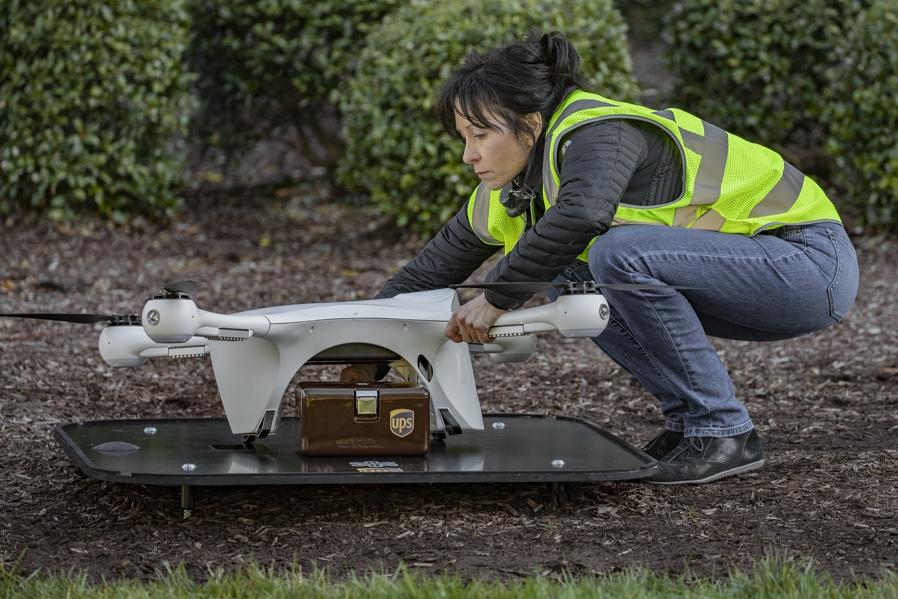
Matternet has picked up a powerful logistics partner as it prepares to start delivering lab samples by drone on the campus of WakeMed hospital in Raleigh in what will be the first regular commercial drone delivery route in the United States.
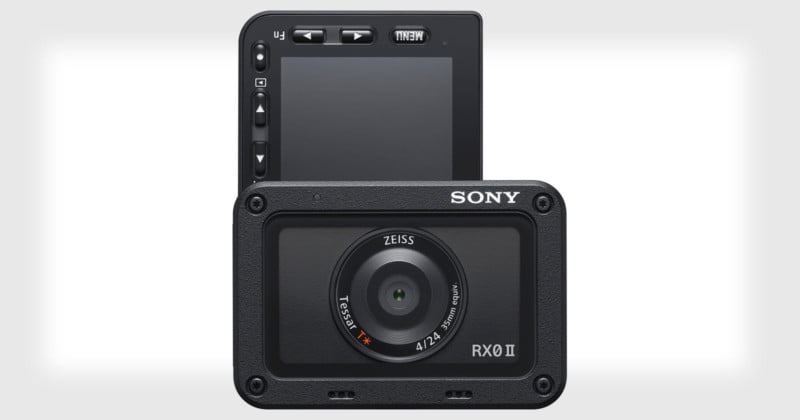
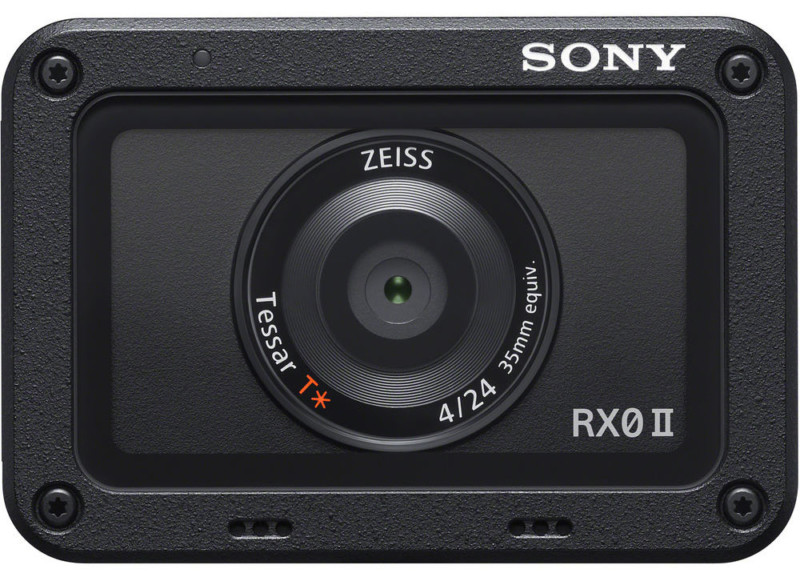
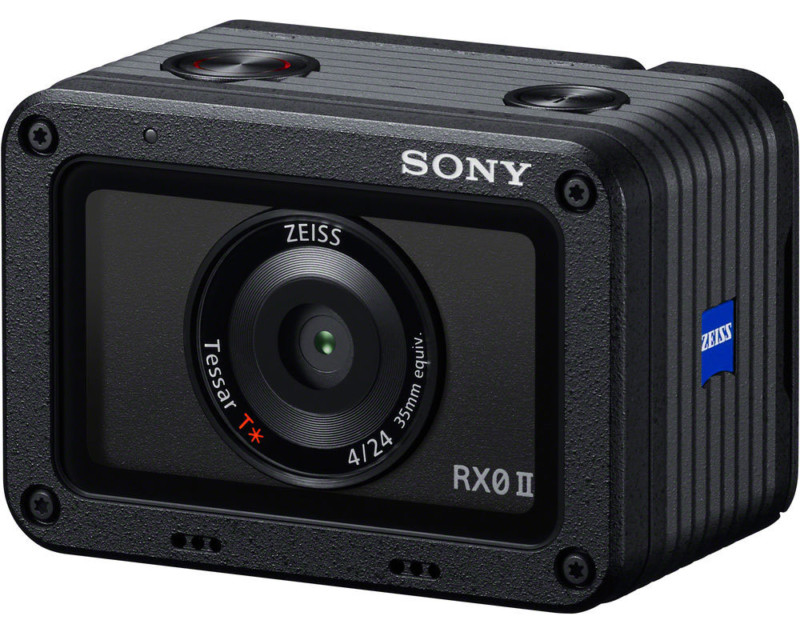
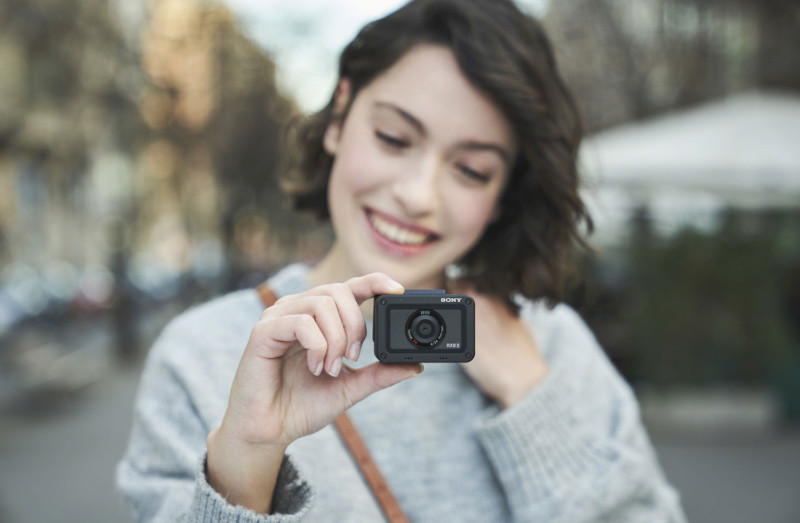
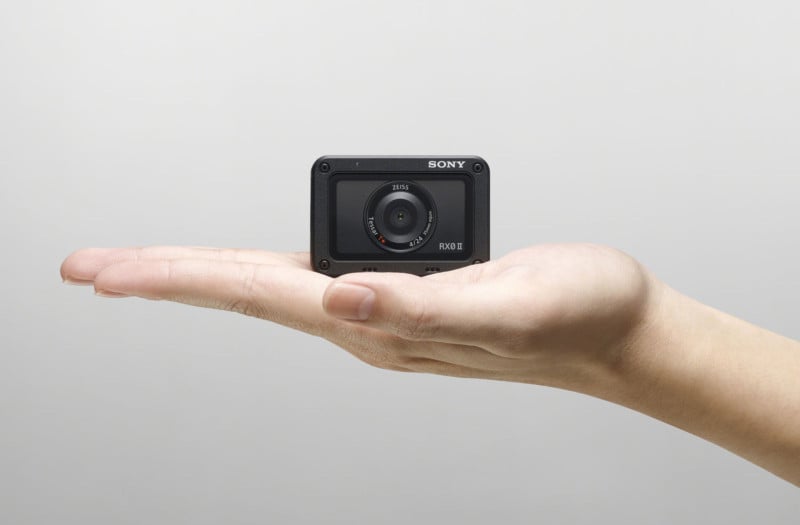
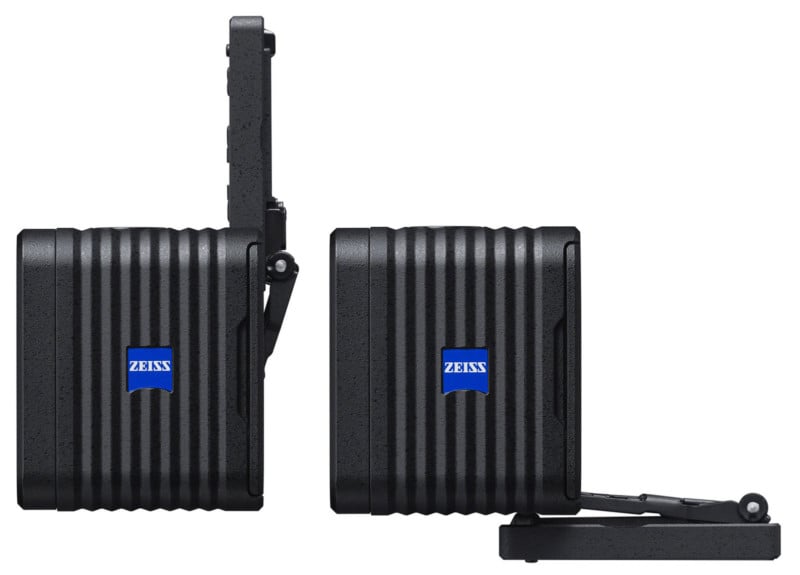
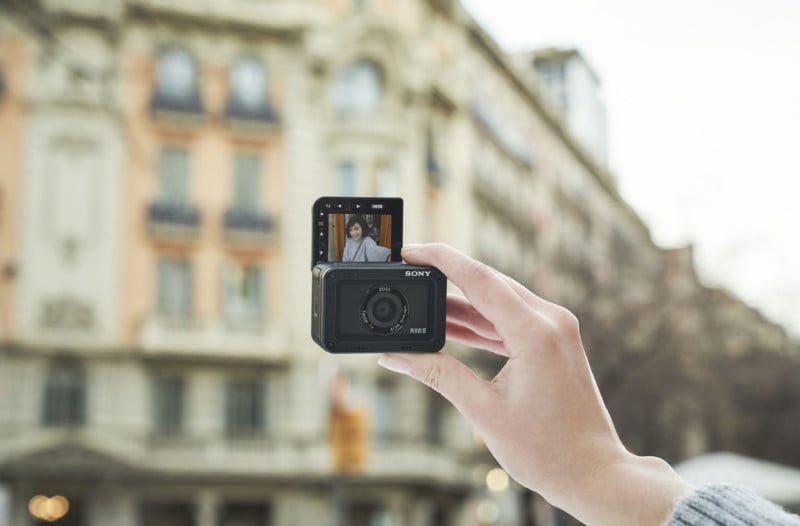
Sony has unveiled the Cyber-shot RX0 II, a followup to the RX0 action camera announced back in August 2017.
The RX0 II is a durable camera fit for active lifestyles: it’s waterproof down to 33 feet (10m), dustproof, crushproof to 440 pounds (199.6kg), and shockproof from drops up to 6.5 feet (1.98m).
The sensor resolution has been reduced from 21-megapixels in the RX0 to 15.3-megapixels on the 1-inch Exmor RS stacked CMOS sensor of the RX0 II. The fewer pixels presumably means larger pixels that provide better low-light performance with ISO up to 12800.
Powered by a BIONZ X image processor, the RX0 II can now do internal 4K30 video recording (the original RX0 could do 4K but only via HDMI out). Continuous shooting is now a blazing 16fps, up from 5.5fps in the RX0.
Other video capabilities of the camera include Picture Profiles (including S-Log2 gamma), uncompressed and clean 4:2:2 4K via HDMI out, a 3.5mm mic input, electronic image stabilization, Full HD video at 120fps, a High Frame Rate (HFR) mode for 960fps in NTSC or 1000fps in PAL, and interval recording for time-lapse movies.
On the front of the camera is a Zeiss Tessar T* 24mm equivalent f/4 lens with a minimum focusing distance of 7.9 inches (20cm).
Another upgrade to the RX0 II is the new 1.5-inch 230K-dot 180-degree tilting LCD on the back of the camera that’s great for selfies and vlogging.
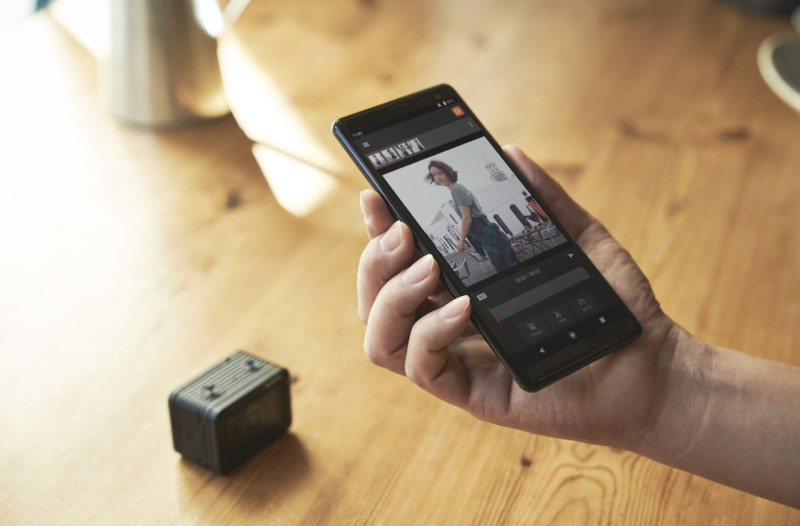
Other features of the RX0 II include Eye AF support for portraits and selfies as well as Wi-Fi/Bluetooth wireless connectivity.
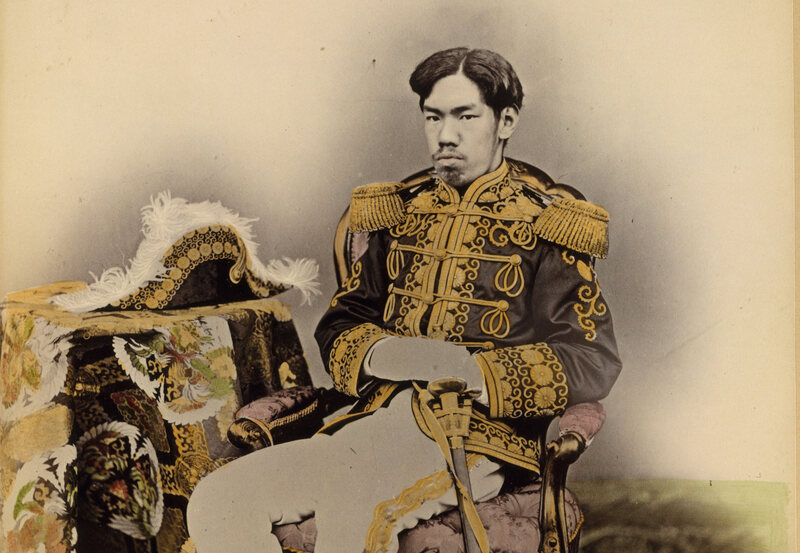
On February 18, 1872, a group of Japanese Buddhist monks broke into the Imperial Palace to seek an audience with the emperor. In the ensuing fight with the guards, half of them were killed. At issue was something the monks considered an existential spiritual crisis for their country. A few weeks earlier, the emperor had eaten beef, effectively repealing a 1,200-year-old ban on consuming animals. The monks believed the new trend of eating meat was “destroying the soul of the Japanese people.”
For both religious and practical reasons, the Japanese mostly avoided eating meat for more than 12 centuries. Beef was especially taboo, with certain shrines demanding more than 100 days of fasting as penance for consuming it. The story of Japan’s shift away from meat began with the arrival of Buddhism from Korea in the 6th century. At that time, the Japanese were meat eaters. Venison and wild boar (which was sometimes called yama kujira, or “mountain whale") were particularly popular. Aristocrats enjoyed hunting and feasting on deer entrails and wild fowl.
Yet Buddhism teaches that humans can be reincarnated into other living beings, including animals. Meat eaters run the risk of consuming their own reincarnated ancestors: not a very palatable thought. Buddhist principles of respect for life and avoidance of waste, especially in the case of food, slowly began to shape Japanese culture and seep into native Shinto beliefs.
In 675 A.D., Emperor Tenmu issued the first official decree banning consumption of beef, horse, dog, chicken, and monkey during the height of farming season from April to September. As time went on, the practice would be solidified and expanded into a year-round taboo against all meat eating.
But the meat ban also had secular roots. Even before Buddhism, meat wasn’t an essential part of the Japanese diet. As a nation of islands, Japan has always relied on fish and seafood as staples. Additionally, writes historian Naomishi Ishige, “protein was ingested from rice rather than from meat or milk.” Raising animals is resource-intensive, so Japanese farmers working with limited space in their mountainous island nation largely avoided it. It was also in the best interest of the country to discourage the eating of useful farm animals, since there were relatively few of them in Japan.
While all meat was considered corrupt and unclean, eating wild animals wasn’t completely unheard of. Plus, the Japanese aristocracy never completely gave up the practice. There are records of taxes paid and gifts sent to emperors in the form of pork, beef, and even milk. Meat was still taboo among the upper classes, but it was often treated as a special food with medicinal properties. (Even Buddhist monks could occasionally consume meat on doctor’s orders.) In the 18th century, the Hikone Clan sent their annual gift of beef pickled in sake to the shogun in packages labeled as medicine. Birds were more acceptable as foodstuff than mammals, and dolphin and whale was frequently eaten, as they were considered fish.
Some mammals were more forbidden than others. According to Ishige, “the Buddhist concept of the transmigration of souls and the taboo on mammal meat became linked, and the belief spread that a person who ate the flesh of a four-legged animal would after death be reincarnated as a four-legged animal.” One government decree stated that anyone who’d eaten wild goat, wolf, rabbit, or raccoon dog (tanuki) was required to repent for five days before visiting a shrine. Those who’d eaten pork or venison, however, were required to repent for 60 days. For eaters of beef and horse meat, it was 150 days. On the rare occasions that they did eat meat, Japanese people cooked it on fires outside the home and avoided looking directly at their altars afterwards so as not to contaminate them.
When Portuguese missionaries arrived in Japan in the early 16th century, they had been counseled that the locals considered drinking milk to be like drinking blood and that eating beef was unthinkable. Even the warlord Toyotomi Hideyoshi supposedly questioned Portuguese missionaries on their practice of eating beef, as cows were so useful as farm animals. Nevertheless, the Portuguese were able to spread some of their cuisine to the locals, including sweets, tempura, and beef, which Kyotoites called waka, from the Portuguese vaca.
Dietary customs began to change faster in the late 19th century. After Emperor Meiji assumed power in 1868, the Japanese government moved to end their two centuries of isolation and adopt Western practices and technology as quickly as possible. Plus, many believed "that one reason why the Japanese had poor physiques compared to Westerners was that they did not eat meat or dairy products,” writes Ishige.
The Meiji government began to chip away at the ancient dietary taboos. They set up companies to produce meat and dairy products. When the emperor himself ate meat to ring in the New Year in 1872, it went a long way toward convincing the Japanese to abandon their meatless customs. It wasn’t an easy transition. Devout Buddhists, such as the monks who attempted to break into the Imperial Palace and rural peasants who relied on their animals for farm work, had long accepted the idea that eating meat was a sin. One prefectural decree from 1872 reads “Although beef is a wonderfully nutritious food, there are still a great number of people barring our attempt at westernization by clinging to conventional customs,” adding, “Such action is contrary to the wishes of the Emperor.”
In the end, the wishes of the Emperor prevailed. As Japan opened up to the world, it began to absorb meat-based dishes from Korea, China, and the West. Soon, expensive Western-style restaurants serving meat popped up in cities, followed by affordable Japanese restaurants serving a medicinal beef stew, which would evolve into the dish sukiyaki. Today, the Japanese eat almost as much meat as they do seafood. While it took a few decades, meat is now as much a part of Japanese cuisine as sushi.
If you hated math, then calculators were your best friends. That hasn’t changed for the adults in us. From the ancient abacus to the latest smartphone app, the humble calculator has helped you keep track of large numbers. But thanks to the web, a calculator isn’t always about math or arithmetic.
Here are five useful but cool online calculators that can help you stay on top of your time, habits, sleep, and life itself.
About 40% of our time is spent sleeping. That’s a big but necessary chunk of your life. What about the rest? This free online calculator is a simple project by Erik Rood (who is a People Analyst at Google) that visualizes the total “free” time left in your life. The calculator is for everyone. It can be an early lesson on how to make all those free hours more meaningful.
Erik says,
This helps put into perspective sensitivity to things like working hours, commute, etc and how those factors stack up into a big time sink over long periods.
You can track your productivity with time management apps like RescueTime. But the Free Time Calculator gives you the big picture. Look at the graph and decide what you are going to do with the free time you have. Maybe, use it for personal growth and spend a little less time on social media.
This free calculator takes the idea of the time and chops it into the details. It is designed to make you reflect on your lifestyle choices and the time you are spending on them. It is a personal calculator to help you find the average time you spend on distractions and opportunities.
Examples of the former include social media, commuting, TV etc. Opportunities include learning new skills, relationships, self-reflection etc. Each box also suggests approximate hours per week an average person spends on each activity. Track your time spent and use these as a rough benchmark for your own.
You can enter your own activities too. Enter the average time in each box and the calculator will spew out a balance sheet. You are good if good habits outweigh the bad. If not, then you have some tweaks to make.
It’s wonderful to gaze into a crystal ball and figure out the future. We can only rely on a bit of science today, but not too accurately though. Life expectancy is the average number of years a person might live based on certain factors. A lot of actuarial science and studies like the Global Burden of Disease help to set the model.
They can help you with key life decisions—for instance, how much you should save for retirement, or how much time you have to accomplish your goals, and more.
Set a goal to begin with. Give the calculator data on your lifestyle choices and it will tell you the likelihood of your meeting your goals. The calculator considers the Canadian Physical Activity Guidelines that considers ethnicity. Find a similar calculator for your country and take it for a spin.
Night owls know about the struggle to wake up early. The secret is in going to sleep at the right time and staying away from digital devices at bedtime. There are other secrets to sleep well and wake up rested, but let’s focus on the right time to head to bed.
The simple Sleep Calculator works out the best time for you to rise or go to sleep. The calculator bases its calculations on our body’s internal biological clock. Give it the time you need to wake up at or find out the time for your alarm if you feel sleepy now. Either way, there’s a good chance you won’t wake up on the wrong side of the bed.
Junkies is a free and fun calculator that tells you the amount of time you “waste” on TV shows. Enter the name of the TV show, the season, and the episodes you watched to get the total hours spent on enjoying them. The readout can get embarrassing for binge watchers, so be careful whom you share the statistics with!
You can track your watched episodes and synchronize the data with your Google account. Of course, you can loop this back to the first and second calculators on our list and find out if screen time is getting out of hand.
Online calculators work as decision-making shortcuts. Use the right calculator to put the vague into concrete figures and make the right change in your life. For instance, these calculators will tell you if you are saving enough for retirement. Take a look over the horizon and start working for it today.
As a photographer, you’re probably using Instagram to showcase your work, but Instagram can’t replace an actual portfolio. However, using WordPress and one of the many WordPress themes available, you can start your own website in minutes.
Not every pre-designed template will make a good backdrop for your photography. Especially not one of the default ones, originally made for blogs. But don’t worry, as we’ve found the best WordPress themes to make your photography portfolio look amazing.
1. Satelite
Satelite is packed with bells and whistles like video backgrounds and sound effects. But if you’re not a fan of all those decorations, you’re free to cut them and put the spotlight on the images.
With a range of options for the homepage, Satellite lets you display your best work in fullscreen mode, set up a smaller carousel, or opt for a classic portfolio grid.
The individual project pages allow you to add titles and short descriptions to provide some context for your photography. And with responsive Retina-ready design, your photos will look perfect on any device.
This theme for a WordPress-based photography portfolio includes several vastly different, but equally gorgeous, designs. The fullscreen mode with large headings begs for colorful fashion shots, and the clean white grids are a good choice for portraits.
But Julie Bernerro is more than a pretty typeface: the template is SEO-friendly, optimized for Retina displays, and fully responsive.
Julie Bernerro is compatible with the WPML translation plugin and integrates with Ecwid, an ecommerce plugin for WordPress. So if you need a portfolio in a language other than English or intend to start a merchandising store, this WordPress theme is a solid choice.
If your genre is black-and-white photography, Sonya is a great affordable option for your WordPress-powered portfolio. Its asymmetric grids on a white background with heavy black fonts look good enough with color photography, but truly shine with monochrome shots.
The Sonya theme may not be as well-equipped as others, but it checks the right boxes; it loads quickly, looks good on mobile, and has a simple blog for your news and announcements.
WhiteLight allows you to play with layouts and makes that easy to do with a drag-and-drop page builder. As the name suggests, it’s white and light, so it lets your photography dictate the look of the website.
One of the best portfolio themes in terms of functionality, WhiteLight comes with a wide range of modules and plugins for rich content, from calendars and maps to pricing tables and bar counters.
Like most WordPress templates for photography and design, Lima provides a neutral, minimal backdrop for your work. The all-black theme calls for some color in the photos, but you could also make it work for monochrome photography.
As far as layouts are concerned, Lima hits the sweet spot between giving you choice and giving you choice paralysis. The demo includes four layouts for the homepage, several gallery options, and a couple more ways to arrange a project page. All of them are, of course, mobile responsive and Retina-ready.
Addison is ideal for minimalist photography with a heavy focus on geometry and color. It gives you several styles to choose from, all on a clean white background with heavy black frames on hover.
Addison offers plenty of custom widgets, so your portfolio can have social sharing, a calendar, and even newsletter subscription. And with clean, SEO-friendly code, it’s a good foundation for your self-marketing efforts.
This photography theme will make you feel like a kid in a candy store. It comes with a staggering 38 portfolio layouts, both in black and in white, so picking just one may take you a while.
All layouts are ready to import and use, and are easy to customize thanks to the visual website builder. Plus, Phoxy is chock full of helpful widgets like an appointment booking calendar, it integrates with WooCommerce so you can start a store, and it boasts fantastic load speed.
With inbuilt photo proofing, client management, and the ability to password-protect certain pages, Kordex is more than a portfolio theme. It’s a fully-fledged website for a contract photographer, combining photo galleries with practical tools.
The fully responsive lightbox means your photos will be well-presented even on mobile, and the 20 homepage variations give you plenty of looks to choose from. All of those layouts work regardless of your genre, be it portrait, macro, or landscape photography.
Brailie comes with endless combinations of gallery layouts and headers, not to mention the options you have for your blog and shop. Over 50 demos are ready to import, and each of them looks better than the other.
Be it full-screen photos framed with black or clean, lightweight grids, Brailie has a look for everyone. They are easy to customize with a visual composer tool, and come optimized for search engines and Retina displays.
Kodell is a WordPress theme that works equally well for photography and graphic design. It’s clean, stylish, and has several grid layouts that look best with minimalist photography.
Like most premium templates, Kodell is compatible with WooCommerce, letting you build your own store with ease. And its responsive design and social media widgets make sure your fans can seamlessly move between your Instagram and your new portfolio.
Apple Remote Desktop is a powerful app that lets you control all your Macs in one handy place. It takes enterprise-level management tools and puts them in your hands. You can use it to screen share, send files, install apps, run scripts, and more.
Take a look and see how Apple Remote Desktop can change how you manage a big group of Macs.
Adding Machines to Apple Remote Desktop
When you open Apple Remote Desktop for the first time, your first task is to find the Macs on your network and add them. If you know their IP addresses, you can easily enter them.
Most people, however, don’t have those written down anywhere, and if you use DHCP, they can change. Fortunately, Apple Remote Desktop has a built-in feature to scan your network for your Macs.
Scanner
The easiest way to do this is with Scanner. Select it on the left-hand side, and you’ll see a dropdown menu with a number of different ways to locate computers on your network. Each item will scan your network and display the hostname, IP address, and other information of devices on your network:
Bonjour: Displays all the Macs connected to your network using Bonjour.
Local Network: Displays all the devices on your local network, regardless of what they are or how they’re connected.
Network Range: Displays all the devices found in-between a certain IP range.
Network Address: Displays a device connected to a specific IP.
File Import: Import a list of IPs and search your network for them.
Task Server and Directory Server: Really only used in an office or enterprise environment, these options let you take a list from a server that you have and scan based on that.
If you’re connecting to a group of Macs at home, you’ll most likely be able to find them all over Bonjour, or Local Network. Keep in mind that Local Network will display all of your network devices, whereas Bonjour will only display the ones that are Bonjour-enabled (like Macs).
Connecting to the Machines
Once you’ve found your machines in Scanner, you should be able to click on their hostname to connect to them. You will then be prompted to type in an administrator’s account and password. You must do this in order to connect to that machine. After you’ve done so, you’ll be able to see that computer under All Computers on the left-hand side.
Now that you have a list of machines, what can you actually do with Apple Remote Desktop?
Observe and Control
The two actions you ‘ll do most with the Apple Remote Desktop client sound Orwellian when said together, but they’re almost exactly the same. Both buttons are in the top-left corner of the main window.
Observe allows you to simply monitor another user’s screen in real-time, while Control lets you use their cursor and keyboard input as well. A third action, Curtain, lets you lock down the user’s machine and display a message explaining why. You will still have full control of the target machine, but the user will only see the message.
The Interact menu bar tab lets you perform even more administrative actions. You can send messages, chat, and lock or unlock the screen.
Send Remote Commands
Use the Manage menu bar item to Open Application, put the computer to Sleep, Wake it up, Log Out Current User, Restart it, or do a Shutdown. Note that you should be careful with remote Shutdown, since you cannot start the machine up again remotely.
You can also use the Unix button to send bash shell commands. This lets you choose to send the commands either as the currently logged-in user, or a user of your choice such as root. If you want to see the output of the command, check the Display all output box, then check the results in the History section on the left-hand side.
The Copy and Install buttons in the main window will allow you to transfer or install files directly on a target machine. You can use this to install the best Mac apps in the /Applications folders of all your machines at once.
Select a machine, hit either button, and choose the file to copy or the package to install. You can see whether or not the transfer succeeded under History.
Do a Spotlight Search
If you hit the Spotlight button, you can search the target machine for a certain file, copy it to your computer, or delete it. In the Spotlight Search window, select the Plus button to search for certain criteria.
View Reports
Use the Reports button to get current reports on all your Macs. You can search for a system overview, currently installed software, hardware specs, and more. Once you get the output, you can save the file to refer to later.
Organize Your Computers and Customize Your Preferences
You can use labels to categorize your machines by area or department. Double-click any machine in your list, hit Edit in their info window, and then choose a label color. When you’re done, go to View > View Options, check Label, and then click the Label tab in the main window to organize all your machines by their label colors.
In Preferences, you can change various settings and customize the appearance.
The most important action you can take is set up a Task Server. You can use a Task Server to set up installations and commands to be performed on Macs that are currently offline.
Apple Remote Desktop will communicate with the Task Server when you run a command and store a copy of the command on the Server. Afterwards, the Server will check in periodically, and run the command on the target machine once it comes back online.
Control All Your Devices Remotely
Now that you’ve gotten a taste for Apple Remote Desktop’s remote control and the power it bestows, you have the power to manage all your computers more easily than ever. If this tool didn’t do it for you, we’ve shown other ways to remote access your Mac too.
Next, why not learn how to control your iPhone from your Mac by utilizing some third-party options to communicate between iOS and macOS? Soon you’ll be able to control all your devices, no matter where you are.
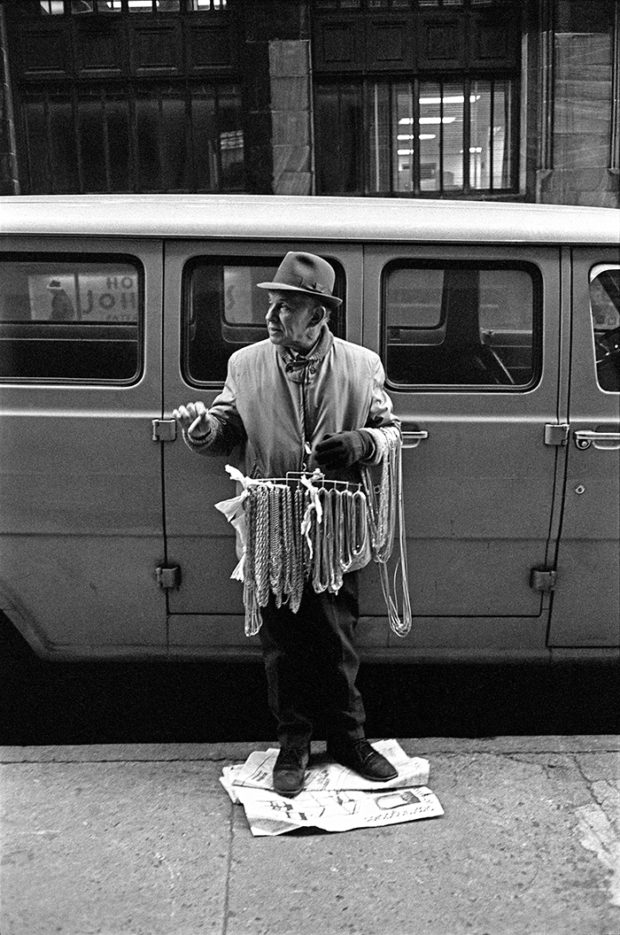
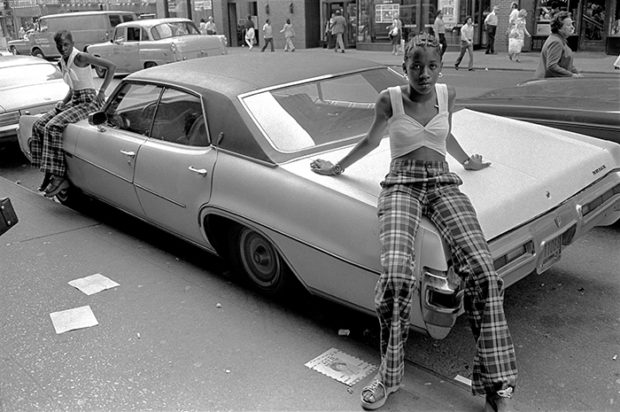
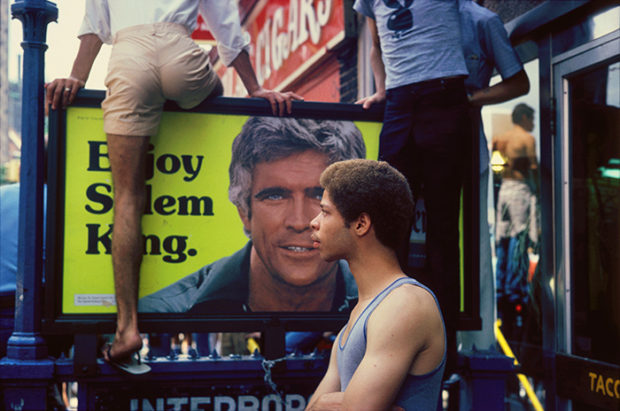
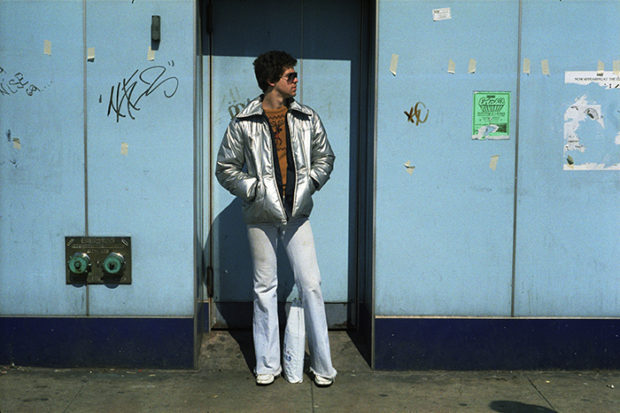
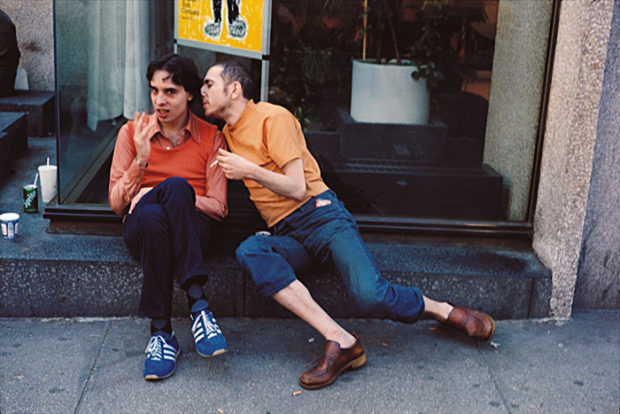
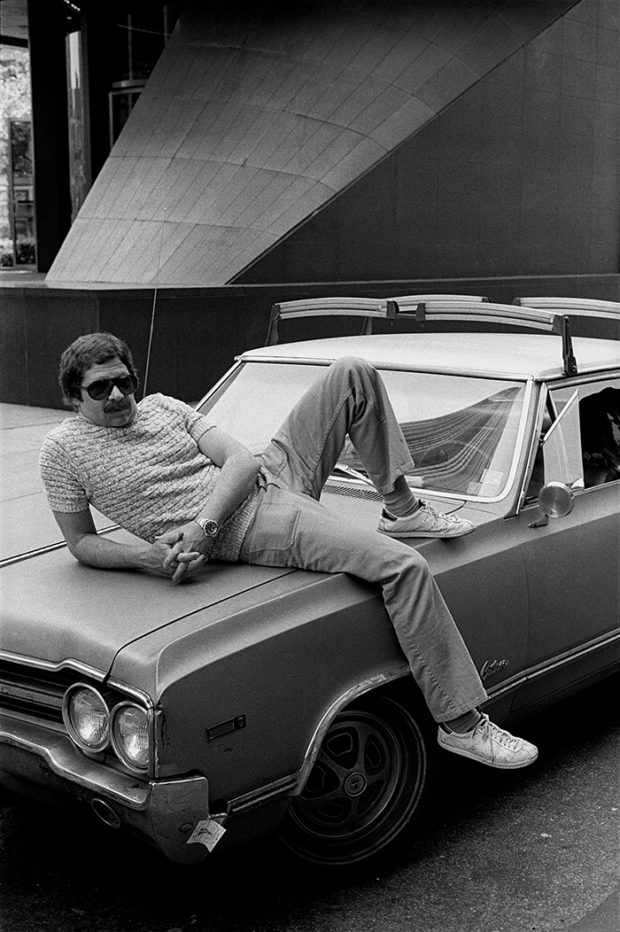
On October 7, 2018, the photographer Patrick D. Pagnano died, leaving behind a treasury of classic American street photography and documentary work made over more than 50 years.
While attending Columbia College Chicago, Pagnano developed his “stream of consciousness” approach to street photography, a narrative technique inspired by Robert Frank, Garry Winogrand, and Walker Evans. Pagnano strove to capture the essence of the moment while simultaneously indicating a larger story beyond the photograph, creating a dynamic exchange between the subject and the environment in each photograph.
In 2002, Pagnano published Shot on the Street, a collection of his color work made during the 1970s and ‘80s that evokes the visual poetry of Helen Leviitt and the intimacy of Joel Meyerowitz.
In the preface, Pagnano writes, “’Shot on the Street’ refers not only to the images having been taken on the street, but more importantly, to the psychological effect of the street. It is a place where races of people and social classes converge and vie for space and mobility with ever increasing urbanism. It can excite, anger, defeat, and inspire. The street’s influence and energy never ceases.”
That electric energy comes alive in Pagnano’s work, whether capturing candid scenes of daily life on the pavement or taking in the pleasures of Empire Roller Disco, his series documenting the legendary Brooklyn skating rink. Here, Kari Pagnano, his wife of 44 years, gives us a deep, heartfelt look at Pagnano’s life and legacy.
Can you tell us about who Patrick was as a man, an artist, and a husband: what are the defining qualities of his character that spoke to you?
“I was drawn to Pat’s optimism. He had such a positive nature and put his whole heart and soul into everything he did. And most importantly, he had a very warm heart.
“He always told me he was shy, which made me laugh because he was so talkative and so generous with his spirit and the time that he gave to other people. He truly listened and engaged. He was never distracted or incessantly talked about himself. More often, he promoted the accomplishments of others above himself. He was very unassuming.
“I now know that he was a shy man and he struggled to find his way and do something important with his life. He felt he was often misunderstood and could not relate to people. Photography gave him the opportunity to confront people and unfamiliar places and opened up a world of possibilities to him.
“As an artist, Patrick was passionate about his work and had a curiosity about everything. He loved to create – whether it was photography, painting, cigar box guitars or small wooden benches for me – he put his whole heart into every project and he loved a new challenge.
“Once people got to know Pat – they could not let go. He had a winning personality, but very layered. Just like his photographs.”
Could you share a little of his early life: where he is from, how he got into photography, and where he was in his life when you first met?
“Pat was second generation Italian-American. The first five years of his life were spent in an ethnic neighborhood of Chicago, living with his parents and siblings in his immigrant Italian paternal grandparents’ home.
“He often mentioned a wonderful childhood and magical time growing up in this neighborhood. Life was lived on the streets and on the stoops of houses. It was a very colorful neighborhood and a safe haven. Children could wander the streets and explore under the watchful eyes of neighbors and family. He was a keen observer even then and this probably set the stage for his later interest in street photography.
“He often recalled to me how he would sit in his grade school classrooms and be fascinated by everyone’s shoes. The shoes took on the shape and character of the person wearing them.
“I met Pat after graduating college. It was basically love at first sight. At the time, he was in the National Guard; this was during a critical period of the Vietnam War and political unrest. He was deployed to a number of pivotal events in Chicago, including the Democratic National Convention, a protest march led by Dick Gregory, and race riots.
“He was also balancing community college and jobs. His parents were blue collar and did not have the money to send him to college. He related sitting in an accounting class feeling bored and unchallenged. A classmate mentioned he might look into Columbia College Chicago.
“To the amazement of his father, he applied for a scholarship and received one. This experience changed his life. He fell in love with photography and began shooting on the streets. He borrowed cameras from some of his buddies who brought them back from Vietnam and he eventually saved enough to buy his first Leica.
“During a visit to New York with a fellow photography student, who is related to Bruce Davidson, Pat knew he had to be in New York. So we got we got married in 1974, spent our honeymoon at the Times Square Motor Lodge and looked for an apartment. And it has been a delightful ride!”
Can you talk about what it was about the street that appealed to him, and what aspects of life he wanted to capture in his photographs?
“Pat was out on the streets, honing his craft, every day. He was always concerned about not going on the streets with a preconceived notion of what wanted to shoot. He enjoyed the rhythm and the energy of the streets — and the canvas was huge.
“He was one with his Leica. Pat had an innate ability to anticipate a shot. He cradled his camera in his hand with a bend of his wrist and the camera would practically glide to his eye – and click! He never wanted his presence to affect the moment or create a reaction from the subject. He moved so easily through the streets and could get close to his subjects without their noticing or being offended or feeling abused.
“His purpose in shooting was to inform, not entertain. Pat had keen sense of observation and felt the environment and other visual clues added to the narrative. He never looked down at his subjects or put himself above them. He did not judge or demean or mock.
“He wanted to show the dignity in people – not an ugliness (that seems so prevalent in photography) or clichés or obvious grand gestures. His photographs are subtle, but are loaded with information. If one carefully looks at Pat’s compositions, they are full of energy. The environment was very important in his street photography. He was interested in the space around his subject and the pace in which one passes through space.”
Can you share any stories of Patrick’s adventures in photography?
“Pat related these encounters to me: Shooting at one of the many parades in New York in the ‘80s, Pat recognized Henri Cartier-Bresson. Being a huge admirer, he walked up to him to say hello and confirm that it was him. Bresson answered with, ‘Je ne comprends pas,’ and Pat just laughed and said, ‘Now, I know you are Bresson,’ and walked away.
“He was aware that Bresson was watching him shoot and shortly afterwards came up to Pat and apologized saying he thought that Pat was the police. Pat laughed again. They chatted briefly and Pat excused himself to let Bresson work.
“Pat was friends with Leon Levinstein. In the year just before Leon passed away, he was living in a tiny one-room apartment in New York. Pat went to visit him and they were both chatting, sitting on the edge of Leon’s bed, their knees practically touching the wall.
“Leon was railing about how he disliked the preoccupation galleries and museums had with vintage photos. He said, ‘Pat, let’s make some vintage photographs,’ and he proceeded to throw some of his prints on the floor and began stomping on them and invited Pat to join in. The two had a grand time.”
Lastly, what are the key qualities of Patrick and his work that you would like to share and celebrate?
“Patrick was passionate. He had a different way of looking at things and even though he may not have felt he was understood in his lifetime, he spent his life doing what he loved.
“Here is quote from Pat that I found in his writings: ‘To me, nothing ends, everything continues. I can’t see a hard line between Winter and Spring, nor can I see it between one image and another.’”
The Pacific Northwest is filled with rugged terrain best explored up close. Honest Camper gives you the option to go off the beaten path while bringing your accommodations with you....
Our verdict of the PuppyCube Projector: The hardware is straight out of a sci-fi movie, and the touchscreen projection actually works. Unfortunately, with dodgy third party app stores and a host of compatibility issues, the OS is unusable at the moment. 410
PuppyCube is an ultra-short throw projector with a built-in camera to detect touch gestures, from a company called Puppy Robot. It turns any surface into a 23″ touchscreen; and when flipped on its back, acts as a regular projector too. Having recently finished crowdfunding, it’ll be shipping shortly on Amazon for a cool $1000 price tag. We’ve got our hands on one of the final devices, so read on to find out what we thought of it. At the end of this review, we’ll be giving our test unit to one lucky reader, so keep reading to find out how to win it!
PuppyCube Specs
Ultra-short-throw projector @ 1280 x 720p, featuring auto-focus and auto-keystone
300 ANSI lumens brightness from 0.3-inch DLP
23-inch tabletop projection; limited by ambient light in regular projector mode
Battery: 2.5 hour
Connectivity: Bluetooth 4.0, Wi-Fi b/g/n
Input: External HDMI input (though you lose touch capabilities), USB OTG port
Output: 3.5mm Stereo Audio out
CPU: MStar 6A938 quad-core ARM
GPU: Mali T820
RAM: 4GB
Storage: 32GB
Extras: Remote control, mains charger
Inside the box, you’ll find the PuppyCube projector itself, an AC charger, microUSB cable, and remote control. The PuppyCube is a simple looking box, measuring 5.2 x 3.4 x 8.1 inches, and weighing around 3.5lbs. The entire front of the device is glass, protecting the camera and mirror lens.
A back panel slides off to reveal the ports, while a speaker grill on either side hides the dual 5W speakers. They’re not bad speakers, but they’re not great either–functional enough for use on the tabletop, but you’ll find them lacking for movies. You can of course plug external speakers into the 3.5mm stereo out, or use Bluetooth.
The hardware design is sleek and elegant. The back panel slides off to reveal the ports, but can also be placed back without cables obstructing it.
In terms of raw power, it’s a little disappointing. The processor is underpowered and backed by a paltry amount of RAM and only 32GB storage. Antutu scores the device at just over 88,000.
As a Magical Touch Surface
We’ve seen projected touch surfaces before, mainly in the form of virtual keyboards, but this feels almost magical. Out of the box, it just works. Turn it on, and the system automatically resizes, adjusts focus, and the touch system requires no configuration. As with any projected image, you’ll get the best visual quality when using it on a white or grey surface.
Typing works surprisingly well.
It is still functional on other surfaces, but not as visible. My kitchen worksurface is a somewhat glossy oak, and even on an overcast day, I had trouble viewing anything when it placed right next to the window.
Not really visible next to a window, even on a dark and gloomy British day. Also, notice the scaling issues in the browser.
Away from the windows, it worked fine. 300 lumens seems like a good brightness at this size.
Unfortunately, you can’t increase the size of the image by raising the device up. I tried placing it on a shelf about 4 inches above the surface, and apart from projecting an image far too big to even fit on the work surface, it lost the touch features.
Still, in terms of hardware, the PuppyCube is one of the most intriguing, unique and innovative devices I’ve seen lately, and that’s saying something.
I Hope You Like That Homescreen
A custom UI is built on top of Android 6.0 (yes, you did read that correctly), and seems to consist of two screens of apps, neither of which is user configurable. The first screen presents you with Twitter, Netflix, Facebook, and Firefox.
The PuppyCube home screen. I hope you like it.
The second screen has a selection of games that demonstrate the system capabilities nicely, but again, can’t be changed. The games are demos, some with in-app purchases, and some with “watch a video to get more coins” nonsense, which I find a little disgusting in anything aimed so obviously at kids. They’re fun for a short time though and demonstrate the multitouch capabilities through the use of split-screen multiplayer mini-games.
To access other apps, tap the small nine dot icon for the full app list. This will be your primary navigation if you’re not interested in the home screen apps.
How’s The Projection?
Rated at only 300 ANSI lumens, you’ll have trouble seeing anything in daylight when used as a projector.
Don’t expect daytime usage at 300 lumens
However, if you accept this limitation and only use it in darkness, the ultra-short-throw ratio is simply stunning. To give you an idea, my downstairs corridor is barely wide enough to sit down at 2.5 feet wide. Yet even in such a tight space, the PuppyCube was able to project a 50 to 60-inch image onto the wall.
Granted, it’s only 720p, so things look a bit fuzzy at a certain point, but that sort of throw ratio is simply unrivaled.
However, regardless of how technically impressive that is, I’m not sure I could think of a use-case for it. If your child is kept in a cupboard under the stairs, like Harry Potter, I suppose they could at least enjoy a big screen TV experience. At 720p and 300 lumens, it won’t replace even a budget-friendly $300 home cinema projector. Consider the wall projection a bonus, rather than a main feature of the PuppyCube.
In order to use the device in projection mode, you’ll need to set up the Bluetooth-based remote control. Unfortunately, this didn’t work out of the box, and needed to be paired first. I’d be lying if I said this was easy. You’ll need to delve into the settings menu, wake up the remote by ensuring it’s fully charged then pressing some buttons, hope the gods are favoring you today, then add a new remote control in a different settings menu before the remote goes to sleep again. It took me about 3 attempts of the process before it finally worked.
UpToDown and SlideMe
Your only options for getting more apps are through the two third-party app stores included on the system. UpToDown initially appears competent enough and essentially a Google Play clone, but I experienced numerous issues with actually getting anything installed, and cannot speak to how trustworthy the APK sources are. The install process isn’t as seamless either; you need to navigate to downloads and open the APK yourself. A number of packages I tried were corrupted. Even the “working” ones were stuck endlessly on the Installation screen (though did seemingly install once I force closed the UpToDown store). Even after registering an account, SlideMe refused to actually download anything; the app descriptions were all broken too.
Not compatible with Google Play, Play Services, or YouTube
I’ll let that sink in for a moment. Apart from the obvious security implications of being forced to use an unofficial third-party app store, the lack of Play Services support means the most popular video app won’t run. Both Google Play and Play Services can be downloaded and installed from UpToDown, but you’ll immediately be bombarded by the dreaded “Unfortunately Play Service has stopped working error”. I reached out to the PuppyCube team, who confirmed that neither is actually compatible. I managed to get YouTube for Android TV to run, but none of the videos actually played. YouTube in the browser works, sometimes, but only minimized–you can’t make it full screen.
Other app experiences weren’t ideal, either. Plex is my preferred video client. In projector mode, using the included remote control, it worked fine and videos played smoothly. In tabletop mode, it got stuck in a loop of insisting I switch to mobile mode because I had a touch interface, while the Puppy OS seemed to force it into TV mode. Conversely, BBC iPlayer worked fine in tabletop mode, but was useless when projected onto the wall due to the lack of pointer. The remote control didn’t allow me to actually select anything; I could only scroll up and down. On other Android TV-like interfaces, the remote controls have had a pointer mode precisely for cases like this. Yes, these issues are all software specific and not really the fault of PuppyCube, but they’re infuriating none the less and not something I’ve faced on other systems.
Unfortunately, the web browsing experience wasn’t much better, either. Scaling felt wrong, and pages were generally sluggish. Click targets were frequently incorrect (not something I experienced elsewhere I should note, only in the Firefox browser). I wanted to test in Chrome to see if that was any better, but it refused to install.
The Worst Android Experience Possible
The PuppyCube software exemplifies everything that was wrong with the Android ecosystem five years ago. A custom UI, running on an outdated OS, with unreliable third-party app stores that are barely functional, and app incompatibilities. I just thought we were beyond this sort of sheer incompetency with Android software, but apparently not. And it’s such a shame because the hardware is really lovely. Hopefully, they stick to their promise of updating the core OS version, but there’s more that needs fixing.
Our rep at Puppy Robot told us the next generation model would be available in August, and would, in fact, be compatible with Google Play. Unfortunately, that doesn’t bode well for the hope of any updates to this model. If you are interested in the concept, I’d strongly suggest waiting until the issues are ironed out, or the new version is released. The concept is solid, the hardware is proven, but the software just isn’t there yet.
With audio transcription, you get what you pay for. For a dollar per minute of audio, Rev will give you a well-formatted transcript. For 25 cents a minute (a little lower for large volumes), Trint will give you a transcript riddled with errors, but will help you correct it with a sophisticated editing tool. And for 10…
Proponents of the National Popular Vote fail to understand the most basic facts about the American presidential electoral system. The principal flaw in the plan is its assumption that under the plan there will still be only two major parties competing for the presidency in 2020.
I know that when photographers that haven’t used filters look at filters, the first thing they think is that it takes too much time to attach them to the lens.
But if you think about it, the few seconds it takes to get your filters in place and ready to go is a much shorter period of time than it takes to fix the problems in Photoshop that the filter could have fixed in the field.
Besides, would you rather be out in the field amongst beautiful surroundings dialing in your filters or sitting in your basement in front of your computer using Photoshop to try to achieve the same effect? I pick being out in the field.
Yes, there are some Photoshopper extraordinaires out there that are able to create fantastic results with their images.
But for most of us, post-processing is not an area of expertise and we get along just fine with basic skills.
In other words, the results most of us get by using filter effects in Photoshop simply cannot stand toe-to-toe with the results we get by using actual filters in-camera.
Additionally, when you use lens filters, you can see how they affect your image right then and there. There’s no waiting to get home to see if Photoshop can work some magic.
Instead, you leave the shoot location with the photo you want already on your camera. Then it’s a simple matter of enhancing the shot to create maximum appeal, rather than having to do a bunch of editing to fix the problems a filter would have fixed.
There are certain situations in which using a lens filter is just plain easier than using Photoshop to achieve the same effect.
For example, if you’re photographing a landscape and want to even out the exposure between a bright sky and a dark foreground, you’d use a graduated neutral density filter.
I’ll be the first to admit that it’s not as simple as slapping a filter in front of your lens and firing off some shots. There is some finesse to it in order to get the best results, as you can see in the video above by Joshua Cripps.
Nonetheless, I’d argue that despite there being numerous steps required to use a graduated neutral density filter in this situation, it’s still an easier, more straightforward process than trying to fix the exposure problems in post.
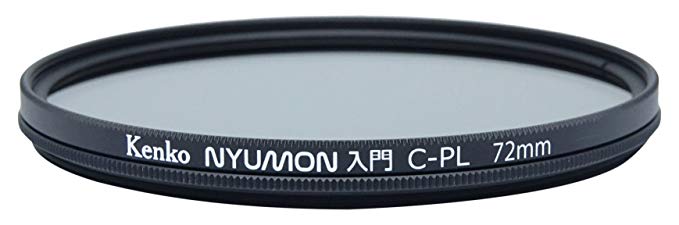
Let’s not forget that lens filters are less expensive in the long-run than programs like Photoshop. After all, my Kenko Circular Polarizing Filter (shown above) was about $36.00. My variable ND filter was about $240.00. Compare that to $120.00 per year for Photoshop.
Now, I’m not saying that Photoshop is evil or unnecessary. Quite the contrary.
Instead, I’m arguing that when it comes to managing exposure, eliminating glare, boosting contrast in the sky, and so forth, there really is no substitute for having high-quality graduated ND and polarizing filters in your camera bag.
Start building a healthy morning routine as part of your leadership. It will pay off in your leadership effectiveness, clarity and ability to address challenging business issues when you walk through the door of your organization.
Blaye, an area located across the river from the Médoc in Bordeaux, was known for its easy drinking table wines yet it has become one of the most exciting areas with a new influx of energy to experiment such as sulfur-free wines and aging wine in amphora.
This originally appeared on at Buckrail.com WYOMING – As part of the Bureau of Land Management’s effort to find good homes for wild horses and burros removed from public lands, the agency this week began offering new financial incentives to encourage qualified people to adopt one or more of the animals. The incentives are being […]




















 The Pacific Northwest is filled with rugged terrain best explored up close. Honest Camper gives you the option to go off the beaten path while bringing your accommodations with you....