KWBaker
Shared posts
Why Pharmacies Are About To Be Hit Hard By Disruption
"FAREWELL MY LOVELY" (1975): WATCH THE ORIGINAL TRAILER
When it came to playing Raymond Chandler's legendary private eye Philip Marlowe, it seemed that Humphrey Bogart came to own the part with his immortal portrayal of the private dick in Howard Hawks' "The Big Sleep", but thirty years later, Robert Mitchum received some of the best reviews of his career by playing Marlowe in the stylish 1975 film "Farewell My Lovely". He would go on to play the role again in director Michael Winner's somewhat underrated remake of "The Big Sleep". Here is the original trailer for "Farewell My Lovely", directed by Dick Richards.
What’s The Difference Between Private Weather Companies And The National Weather Service?
6 Top Bloggers Share Their Best Advice To Grow A Blog In 2020

Loor Mountain Retreat

Visit Uncrate for the full post.
Congress Could Improve The Tax Code And Health Coverage By Redesigning The Tax Subsidy For Employer Insurance

GOOD DEAL ON SELF-DEFENSE AMMO
 We’re in an election year, which means there’s a good chance that before the year is out there’ll be a run on ammunition. We don’t know yet who the Democrat nominee will be, but we know every damn one of … Read more
5 Reasons You Should Get An Unlocked Phone
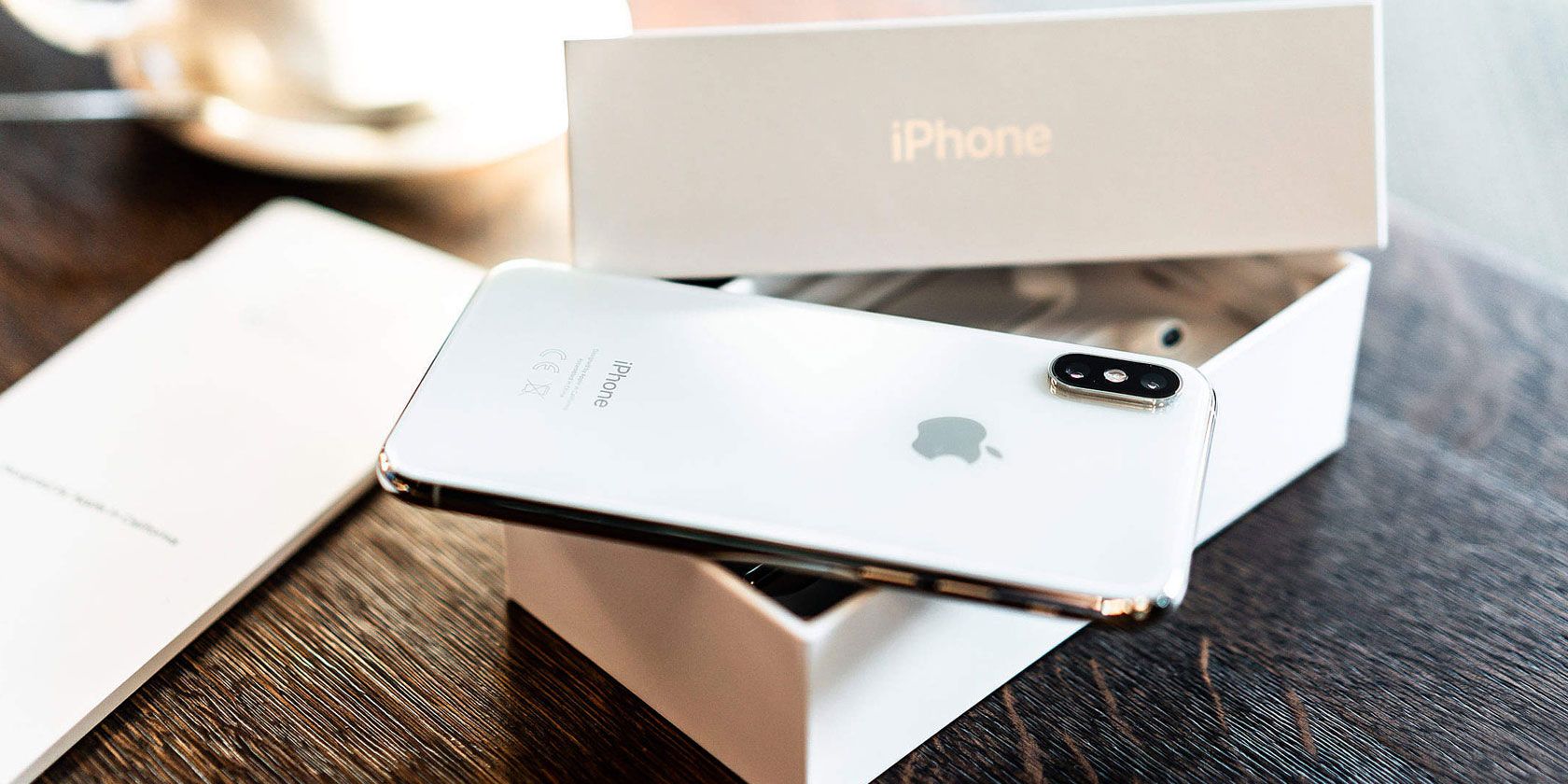
While unlocked phones dominate the market in developing countries, many people in the US and UK are used to buying carrier-locked devices. But this results in them missing out on the benefits of unlocked phones.
So what exactly are unlocked phones and what benefits do they provide? Here’s all you need to know about the devices, including five reasons why you should choose an unlocked phone for your next smartphone purchase.
What Is an Unlocked Phone?
Simply put, an unlocked phone doesn’t carry software limiting it to a single mobile carrier. This means that users are able to switch carriers or SIM cards on their smartphone without the device blocking access.
A locked phone, on the other hand, only works with the network of the carrier that you bought the device from. For example, a locked AT&T phone only works on the AT&T network. Meanwhile, a locked Verizon phone will only work with the Verizon network. The phone will block access to other carrier plans, even if you insert a different SIM card.
If you want to use your locked phone with another carrier, you need to remove this software. It’s not as simple as a factory reset of the device. Even rooting your phone isn’t necessarily enough.
Unlocked phones either never had this software installed in the first place or the software has been removed.
When it comes to compatibility, unlocked phones are not only CDMA or GSM-specific—you can get unlocked phones that are compatible with either (or both) of these standards. The central defining feature of unlocked phones is their ability to be used across different networks without carrier-imposed limitations.
Unlocked Vs Locked Phones: Reasons to Buy Unlocked
The restrictions imposed by locked phones mean that many people prefer unlocked devices instead. There are a variety of benefits to choosing an unlocked device, from increasing consumer choice to providing travel convenience.
1. Freedom of Choice
Buying an unlocked phone opens up a world of choice for consumers. Firstly, you aren’t limited to the phones that your carrier is stocking or selling. You can choose to import a phone, buy discounted phones from resellers, or get a phone that your carrier simply doesn’t provide for some reason. Just make sure the phone supports the right frequency bands and you’re good to go.
Secondly, you also have more choice regarding who you buy your phone from. This means that you can compare prices to find the lowest or choose a vendor that’s the most convenient for you.
Unlocked devices also mean that you don’t have to base your carrier choice on your phone preference either. You can choose whichever carrier you want. This means you aren’t forced to stick with a carrier simply because they have the device you want. Most manufacturers provide unlocked versions of their smartphones on their online stores or Amazon.
Furthermore, an unlocked phone doesn’t mean a lack of manufacturer warranty or customer support. You can still enjoy the same perks of a locked phone—as long as you buy it from a vendor that provides a warranty.
2. Use Dual-Sim Functionality
One of the biggest benefits of having an unlocked phone is the ability to use dual-SIM functionality on devices that support the feature. With dual SIM phones, you can connect to two different carriers at the same time. This allows you to shop for different voice and data plans for the best price, as well as providing a few other benefits.
However, if you have a locked phone, the only real benefit you can get from dual-SIM functionality is having two numbers from the same carrier on a single device. You miss out on the cost-saving benefits and outage avoidance that unlocked dual SIM phones can provide.
3. The Ability to Easily Sell Old Devices
Since 2019, many premium smartphones have been priced over the $1,000 threshold on release. As a result, more people are showing interest in buying and selling used devices. However, if you have a carrier-locked phone, this poses a major barrier to finding a buyer.
With unlocked phones, you don’t have to worry about whether a potential buyer is with the same carrier as you. You could technically request your carrier unlock your phone for you. But this is an extra step of inconvenience and delays that unlocked phones avoid.
4. Switch Providers Without Changing Your Phone
With unlocked phones, you aren’t tethered to your mobile carrier when your contract expires or if you’re unhappy with their service. Switching carriers doesn’t require you to buy a new phone or ask your old carrier to unlock your device.
Rather, you have more freedom to change plans or switch providers when a contract expires while also keeping your old device. You can choose the best mobile carrier for you without worrying about needing to get a new device too.
Unlocked phones also make switching to a cost-effective prepaid plan or SIM-only plan much simpler. You can shop around for cheap plans or the best prepaid rates without worrying about carrier compatibility with your device.
5. Switching SIM Cards When Travelling
Locked phones prevent you from using a local SIM card when traveling internationally, since they are incompatible with other carriers. This forces you to either enable roaming with your carrier (which is costly) or buy a temporary device when abroad.
With an unlocked phone, you can just switch to a prepaid SIM card from a local carrier. This saves you from having to port messages and apps to a temporary phone or relying solely on free Wi-Fi networks.
Even when traveling within your own country, you may find a destination has poor signal for your particular carrier. If you have an unlocked phone, you can switch out your SIM temporarily to use a carrier that has better signal in the area.
Unlock Your Carrier-Locked Phone
If you already have a carrier-locked phone, don’t fret. You can turn it into an unlocked device to reap these benefits.
From contacting your carrier to unlocking your phone yourself, check out our guide on how to unlock a carrier-locked phone.
Read the full article: 5 Reasons You Should Get An Unlocked Phone
How to Force Quit an App on Your Mac

Have you ever found yourself working with an app or playing a game on your Mac when it suddenly freezes? You try to close it and can’t, or you try to “quit” it and it won’t respond.
Unlock the free "Most Useful Mac Keyboard Shortcuts" cheat sheet now!
This will sign you up to our newsletter
Luckily, you can force quit an app on your Mac and then reopen it. Here are several ways to force quit an unresponsive app on your Mac.
Why Do Apps Freeze or Stop Responding?
There are many issues that can cause a Mac app to become unresponsive. Here are just a few:
Insufficient RAM: RAM stands for Random Access Memory, which is essentially short-term storage. Your computer uses RAM to store your open applications, but you only have a limited amount. So if you have many apps open at once, it can slow everything down and in some cases, cause apps to stop responding as they should.
If you think this might be your problem, try closing some of your open apps or reboot your Mac to clear the RAM. You might also think about upgrading the RAM on your Mac if this seems to be a consistent problem.
Problems with the app: Unfortunately, not all apps are created equal and some run into bugs that can cause them not to work properly.
You can reduce situations like this by downloading apps directly from the Mac App Store rather than third-party websites. This does not guarantee that an app will be bug-free, but the chances are better than good since Apple vets all apps on the App Store.
See how to fix problems with a specific Mac app for more info.
Incompatible apps: Many times, if an app is incompatible with your Mac, it won’t stay open or refuses to open at all. However, there are other times when it might completely freeze.
The best way to avoid incompatibility issues is to make sure that you keep your apps updated. If the developer hasn’t released an update in a while, check again later, especially if you recently updated macOS.
How to Force Quit an App on Mac
Now that you know some of the reasons you might be having trouble with an app, it’s time to move onto how to force quit that app if you need to. macOS gives you many different ways to do this.
Force Quit an App From the Dock
You can easily quit an app from your Mac Dock by right-clicking and picking Quit. But you can also force quit an app from the Dock.
When you right-click the app, hold down your Option key. You’ll see that Quit will change to Force Quit in the shortcut menu.
Force Quit an App From the Menu Bar
The next easiest way to force quit an app is by using your menu bar. Open the Apple menu at the top-left of your screen and then select Force Quit.
This will open the Force Quit Applications window. Select the app and click the Force Quit button.
Force Quit an App With a Shortcut
Rather than using the menu bar, you can use a keyboard shortcut to open the Force Quit Applications window.
Press Cmd + Option + Escape. Select the app and click Force Quit.
Force Quit an App With the Activity Monitor
The Activity Monitor on your Mac shows the processes that are running on your computer. If you’ve used a Windows machine before, Activity Monitor on Mac is like the Task Manager on Windows.
Open the Activity Monitor using one of these quick methods:
- Launch Spotlight with Cmd + Space and enter Activity Monitor in the search box.
- With Finder open, click Go > Utilities from the menu bar and then double-click Activity Monitor.
- Open the Applications folder in Finder, select the Utilities folder, and click Activity Monitor.
Once the Activity Monitor opens, click the CPU tab at the top. You’ll see a list of the processes running with their details. Select the app in question and click the Stop (X) button at the top-left, then choose Force Quit.
How to Force Restart or Shut Down Your Mac
If you’re still having problems quitting the app, other apps have also become unresponsive, and your Mac seems slow to respond overall, it may be best to shut down and restart your Mac.
The best way to restart or shut down your Mac is to use the menu bar. Click Apple menu > Restart or Shut Down.
When the dialog box appears asking if you want to reopen your windows when logging back in, uncheck that option. You don’t want to reopen the unresponsive app(s) at startup.
Force Restart Your Mac
If your Mac isn’t responding to the menu bar actions, you can force it to restart. To force restart your Mac, hold down the Cmd and Control keys along with the Power button until the screen goes blank and your Mac restarts, then release them.
Force Shut Down Your Mac
If all else fails, you can press and hold the Power button until your Mac turns off. Unfortunately, this method is equivalent to pulling the plug, so it can result in the loss of unsaved items that you have open. So only use this method if your Mac is completely unresponsive.
Check Your Mac’s Login Items
You can have certain apps open up when you first log into your Mac. But if one of those troublesome apps is on the list, this can cause issues from the get-go.
To review the apps that start when you log in, follow these steps:
- Open your System Preferences using the icon in your Dock or by clicking Apple menu > System Preferences from the menu bar.
- Choose Users & Groups.
- Select your user account on the left and switch to the Login Items tab.
- You’ll see a list of all items that automatically open when you log in. To remove one from the list, select it and click the minus button at the bottom of the list.
Force Quit and Start Again
Hopefully, forcing an application to close isn’t something that you’ll have to do often. But at least you now know a few different ways to force quit an app on your Mac if necessary.
If you have consistent problems with the same app freezing or being unresponsive, it might be time to uninstall that program from your Mac and find a replacement.
Read the full article: How to Force Quit an App on Your Mac
Travel pillow/Library Extension/Remote working tips

Check out our paperback book Four Favorite Tools: Fantastic tools by 150 notable creators, available in both Color or B&W on Amazon.
Best travel pillow
My 22-year-old daughter used this Ralthy inflatable travel pillow ($17) to snag 9 hours of uninterrupted sleep on a recent flight to Singapore. You set the pillow on your meal tray or your lap and lean forward into it, placing your head in the hole, like you would on a massage chair. I just bought another so I can use it on an upcoming flight to Japan. — MF
Library vs Amazon
Remember libraries, where content is free? Library Extension is a browser extension that will tell you whether a book you are looking at on an Amazon page is available in your local library. If it is you can click on the button to put a hold on the book, or find which branch has it. Very nicely done. Like libraries it’s free. Works on Chrome and Firefox. — KK
Work from home successfully
I work from home four days a week and what helps me be most productive is having a separate work space (not in a bedroom) with lots of natural light, getting dressed as if I’m going to the office, sticking to a 9-5 schedule, and giving myself short breaks every hour to walk around or cuddle with my dog. This article on How to Work From Home and Actually Get Stuff Done has a lot more suggestions for productivity. Eating lunch away from my desk is something I have to get better at, and one thing I hadn’t considered is to do some work before breakfast: “The usual recommendation is to start with a healthy breakfast, to fuel you for your busy day ahead. However, when you’re home all day, breakfast can be a drawn-out luxury, with reading, checking social media, and other distractions preventing you from getting started. Try diving into a quick work task, checking it off the list, and then sitting down to breakfast.” — CD
A better way to connect to stubborn airport WiFi
A while back I recommended some troubleshooting tips for forcing a public Wi-Fi login page to open. A Recomendo reader (“J.C.”) sent me a superior tip: just enter “http://neverssl.com” and the access point’s login page will load. On my last trip I used it at the airport and on the plane and it worked like a charm. — MF
Extend the life of your produce
My husband bought these Rubbermaid FreshWorks Containers ($27, set of 3), which prevents produce from spoiling by keeping excess moisture away, and for the first time ever, I was able to finish a bag of spinach without it going bad. Usually I have to throw out my spinach after a week or less, but this container kept it fresh for more than two weeks. It’s amazing! — CD
Cheaper car charging
Setting up a charger in your garage to charge an electric car is currently more complicated than it should be. This primer in Forbes by Brad Templeton is a good rundown on what to expect and how to do it the cheapest. — KK
Sign up here to get Recomendo a week early in your inbox.
-- Kevin Kelly, Mark Frauenfelder, Claudia Dawson
Chitlins

Enslaved people had to sustain themselves using meat scraps—which they transformed into savory, satisfying dishes—from their enslavers' butchered livestock. One such piece of offal was chitlins, or pig intestines. But chitlins came to represent more than sustenance. During the era of Jim Crow laws, they were a code. Black performers knew that venues serving hog intestines were safe. This collection of restaurants and music venues became known as the "Chitlin Circuit."
Why were chitlins designated "slave food"? Since one's social status dictated which part of the animal they ate, enslaved people mostly dined on the trotters (feet), maw (stomach), and chitlins, all of which required intense cleaning. Wealthy people tended to eat the upper portions of leg and back, hence the affluence-denoting phrase "high on the hog."
But it wasn't just necessity that led Black Americans to identify with eating chitlins. Western Africans cooked and ate every edible part of animals, so they viewed entrails as more than scraps. These resourceful cooking techniques linger today, as Southerners continue to slow-cook or deep-fry chitlins with vinegar and hot sauce, serving it alongside collard greens and cornbread.
Chitlins remained popular well into the Jim Crow era, when Black eateries served it with other dishes of kindred origin, now known as "soul food." In addition to indicating where Black artists could perform during this period, the Chitlin Circuit established a touring route that fans could follow.
Today, chitlins are reserved for holiday meals and celebrations, largely because they require so much preparation. In Salley, South Carolina, about 50,000 people attend an annual event called the Chitlin' Strut. Since the honorary festival began in 1966, it's produced almost half a million pounds' worth of chitlin.
The Language Used Only by Lake Kivu's Fishermen
A few minutes before sunset on an overcast November evening, a group of fishermen emerge from the green terraced hills of Kibuye, Rwanda, get in their boats, and paddle towards the center of Lake Kivu, an idyllic lake shared by Rwanda and the Democratic Republic of Congo. While rowing, they sing. Not in Kinyarwanda, Swahili, Lingala, or French, the region’s common languages, but in Amashi, a little-used language almost forgotten by Rwanda and Congo.
It’s a duet: splashing water mixes with the soft hums of Amashi. But then the fishermen quiet while readying nets to catch the nimble sambaza (a small fish similar in taste to tilapia, but resembling a sardine). Instead of fishing rods, the captain hangs bright, bobbing lanterns to draw the fish. Racing against the setting sun, he blows on each and fans them with his hands to keep them lit. Across Lake Kivu, hundreds of captains are lighting similar gas lanterns. From Kibuye, one of the country’s largest lakeside towns, the winking lights are an expected, and beautiful, sight each night.
As the last lantern is lit and the nets set, the sun dips low and the fishermen relax. They have several hours until it is time to pull the nets—the first pull of several they will make tonight. So they crack jokes and check their phones for WhatsApp messages. Some sing softly in Amashi, the language that practically marks them as fishermen.

“I learned Amashi from my friends and family,” Nelson Habimana, 28, a local fisherman turned tour guide, told me before I set off for the night. “My father knows Amashi, and my grandfather knows Amashi. They were both fishermen.”
It’s not just songs, either. On and off the boat, fishermen and their families communicate in Amashi, or a mix of Amashi and Kinyarwanda, Rwanda’s national language. Theophile Kikumi, the oldest fisherman on the boat at age 49, was born on Nkombo Island in Rwanda’s Rusizi district. “Everyone is a fisherman on the island,” he says, “and everyone on the island speaks Amashi. It’s not taught or used in school—that’s Kinyarwanda. You learn Amashi from your family.”
Amashi is spoken by the fishermen who launch from the Congo side of Lake Kivu, too. “It’s the language of all fishermen on Lake Kivu,” Habimana says. So much so that outsiders who join the profession need to learn the lingo. The boat’s owner, Jacques Benimana, says he doesn’t speak the language. But he sings in Amashi “because all the other fishermen do,” and uses it to talk about the nets and daily tasks. “If you are a fisherman,” he says, “you need to know a little Amashi.”
After a few hours, it’s time to check the nets. The men work quickly, running between their three pirogue-like boats, which are attached by long eucalyptus rods that the men cross like balance beams. When everyone is in position, Benimana calls for them to pull, and small silver fish materialize from the water. As they slowly haul the net and shift the bulk of the catch to the center boat, they communicate, of course, in Amashi.
“It’s really the fishermen’s language,” says Modeste Nsanzabaganwa, deputy general of the Rwandan Association for Language and Culture. But while local linguists agree on the language’s unique connection to the fishing industry, its origins, and status as the fishermen’s language, is a bit mysterious.
The most popular of Amashi’s anecdotal origin stories is that the language came about as a result of wedlock. According to oral histories, Rwandans marooned pregnant-but-unmarried women on Lake Kivu’s islands as punishment for “their condition.” When Congolese fishermen discovered these women, they married them and adopted their Rwandan children. Thus, Kinyarwanda blended with a few Eastern Congolese dialects, creating the Amashi language that fishermen continue to speak and sing.

Nsanzabaganwa laughs when I ask him about the wedlock story. “It’s partly true,” he says. But more likely, according to Nsanzabaganwa, is simply that Rwanda and the Democratic Republic of Congo’s shared borders led to shared languages. He says that Amashi is a language from the Abashi people of Eastern Congo, and has historically been located around Bukavu, a bustling Congolese city on the southern tip of Lake Kivu that borders Rwanda.
“Kinyarwanda and Amashi are cross-border languages, and several million [people] speak Amashi today,” says Nsanzabaganwa. “People had an uncle on one side [of the border], or an aunt on the other, and the language passed back and forth.”
Dr. Joseph Rusanganwa, a professor in modern languages at the University of Rwanda, agrees with Nsanzabaganwa about Amashi’s origin in the DRC. But even in Bukavu, Amashi is no longer the predominant language. Amashi, says Nsanzabaganwa, is largely reserved for fishermen, and the families of fishermen. “Fishing is a historically Congolese profession, and that helped introduce the language to Rwanda.”
But, he adds, the language now spoken by fishermen is rarely “pure Amashi.” It changes from north to south depending on how close different lakeside towns are to Congo or Rusizi. “It’s a Kinyarwanda-Amashi hybrid,” he says.

In Rwanda, the country is uniting linguistically around Kinyarwanda, which more than 93 percent of the population speaks. Concerned about Amashi’s potential disappearance, Nsanzabaganwa and his colleagues have recorded Amasare, or work songs of the fishermen. Other Rwandan professions have similar work songs, such as beekeepers’ Amavuvu. But only Amasare are sung in a distinct language.
“I’ve heard the songs before,” says Nsanzabaganwa. “They make the lake sound very beautiful.”
For the fishermen, it just feels natural. “It’s our language,” says Kikumi. “It’s the one that was made for us.” They use it most when paddling out, singing in unison as they set up. A different member of the crew leads each night, favoring their treasured melodies, some of which incorporate intricate harmonies and whistles. Although the lyrics change, “be mighty” features frequently, as does “may God watch over us.” Some songs include exultations of God, and prayers for family and fish. When a fishermen slowly starts to sing, everyone quickly joins in. The songs end fast and upbeat, as all crew members repeat the same, (apparently) easy to learn, new lyrics and tune.
“We sing in Amashi to give us strength,” says Kikumi. “So we can be strong on the job.”

Underneath the surface, Lake Kivu is in slow turmoil. Approximately 60 billion cubic meters of methane and 300 billion cubic meters of carbon dioxide fill the lake. The product of nearby volcanoes and decomposing organic material, the gases could be deadly. In 1986, a “limnic eruption” in Cameroon’s similarly composed Lake Nyos released carbon dioxide into the air, which suffocated 1,700 people and countless animals.
Rwanda is trying to turn the situation into an economic opportunity. The country is working on gas-extraction plans that could transform the methane into 960 megawatts of electricity-generating capacity, which, according to the MIT Technology Review, is more than six times what the country has now.
The fishermen say the gas doesn’t affect them yet, but, according to Habimana, “It’s why we can’t get big fish in the lake.” While nearby Lake Tanganyika has more than 400 kinds of fish, and others are similarly plentiful, Lake Kivu has just 28. As fishermen on our boat sort the haul into buckets, there is very little variety in the catch, and I think about how fishing Lake Kivu might be more rewarding if there were bigger fish to fry. Kikumi tells me, and the other men on the boat agree, that they work 24 days a month, from sundown to sunup, to make around 600 Rwandan Francs, or 64 cents, per day.

Later, after an orange sky gives way to deep blue, a thunderstorm rolls in. The men on the boat scramble to secure the nets, and we spend the next few hours huddled under tarps, pressing our legs against the wet wood as the boat shakes in the waves. Benimana, the boat’s owner, stretches out next to me, securing his head underneath the makeshift shelter, and promptly falls asleep. On my other side, the men play games on their phone or softly hum.
As the rain subsides, Benimana wakes up and plays a Kinyarwanda song from his phone about a husband whose wife is dying. In the song, the husband tells his beloved to give away all her possessions and humbly prepare for the afterlife.
Surprisingly, it has a very upbeat melody.
I ask why we aren’t listening to songs in Amashi, and the fishermen sitting next to me laugh. “Eh,” says Benimana. “Because we also like Kinyarwanda.”
Ayatollah Or Trump: Who Would You Rather Date?
How to Increase Good Bacteria in Your Gut
There are two kinds of foods that help balance your gut: prebiotics and probiotics. You can get both through a healthy diet. However, if you're still having digestive trouble, you might want to consider adding a supplement. Keep in mind that everyone's gut will react differently to different kinds of foods. Instead of trying to stick to strict rules, find a diet that works well for you and makes your gut feel good.
[Edit]Steps
[Edit]Eating Gut-Friendly Foods
- Opt for a mostly plant-based diet. Animal products can irritate the gut and kill good bacteria. On the other hand, plant-based foods act like fertilizer for good bacteria and create a healthy environment for good bacteria to grow in. You don't need to be a vegetarian or vegan to increase good bacteria, but adding more fruits, vegetables, and legumes to your diet can help.[1]

- Plant-based foods include fruits, vegetables, nuts, whole grains, and legumes.
- Include plenty of prebiotic foods in your daily diet. Prebiotic foods promote the growth of good bacteria in your gut. Eating prebiotic foods is essential to maintaining a balance between good and bad bacteria. Try to include a prebiotic food into every meal.[2]

- Some of the best prebiotic foods include oats, asparagus, dandelion greens, leeks, garlic, bananas, onions, apples, flaxseed, and cocoa.
- Eat 25-30 g of fiber every day. Fiber feeds healthy bacteria and promotes good digestion. Get a mix of soluble and insoluble fibers. Soluble fiber helps produce stool and could lower cholesterol. Insoluble fiber helps move food through the intestines.[3]

- Some good sources of soluble fibers include: fruits like apples, oranges, and grapefruit; vegetables; legumes like lentils, dry beans, and peas; barley; oats; and oat bran.
- Some good sources of insoluble fiber include: fruits with edible peels or seeds; whole-wheat bread, pasta, and crackers; bulgur wheat; corn meal; cereal; bran; rolled oats; buckwheat; and brown rice.
- Add more fermented foods to your diet. Naturally fermented foods are one of the best natural sources for probiotics, and they help introduce good bacteria into your gut. There are no guidelines for how much fermented food you should eat to see the benefits, so add in as much fermented food to your diet as you can.[4]

- Good sources of fermented foods include sauerkraut, kombucha, miso, tempeh, pickled vegetables, yogurt with live cultures, and kefir.
- There is some debate about whether or not the live cultures survive all the way to your gut, but people who eat fermented foods usually report fewer digestion issues.
- Limit how much red meat, dairy, and saturated and trans fats you eat. Red meat and high-fat dairy products can slow down the growth of good bacteria in your gut. Fried foods can also promote the growth of bad bacteria.[5]

- Lean meats, like skinless chicken or turkey, as well as fish and shellfish are good alternatives for red meat.
- Choose olive oil over butter or margarine.


[Edit]Using Medicine
- Try taking a daily probiotic supplement. Probiotics may help some people digest better, and add good bacteria to the gut. However, you have to take them consistently every day in order to keep good bacteria alive and functioning. Look for probiotics that include lactobacillus acidophilus if you have trouble digesting dairy, bifidobacterium bifidum if you have IBS, lactobacillus rhamnosus to guard against traveller's diarrhea, and bifidobacterium longum if you struggle with constipation.[6]

- Follow the dosing instructions that come with your specific probiotics.
- Some people feel better when they take probiotics while others don't notice a difference. Give it a few weeks after you start taking probiotics and if you don't notice a change, it's probably not worth it.
- Consider a fecal transplant for stubborn gut infections. A fecal transplant is a relatively new procedure for people who suffer from C. difficile colitis. If you suffer from diarrhea, stomach aches, or bloody stools that last for 2 or more days, this could be a sign of C. difficile colitis. During a fecal transplant, a doctor will use a colonoscopy to introduce donor stool into your colon. You will be sedated for the procedure. A fecal transplant is usually only considered in stubborn or recurring cases.[7]

- A fecal transplant is considered after a round of antibiotics.
- Avoid antibiotics unless they are absolutely necessary. Antibiotics kill good bacteria as well as bad bacteria. Of course, you should take antibiotics if you really need to, but talk to your doctor about if you have other options.[8]

- Antibiotics are used in animal agriculture, so there is a possibility that eating more animal products can put more antibiotics into your digestive system and kill good bacteria.


[Edit]Tips
- Prebiotic carbohydrates are a substrate that help good bacteria and beneficial microbiota grow.
- Many things affect your microbiota, some of which you can change. Your maternal microbiota are present when you're born. However, diet, environmental exposure, and antibiotic use can have secondary effects on microbiota colonization.
- Practicing healthy habits like exercising, getting enough sleep, and managing stress could also potentially have a positive impact on good bacteria in your gut.
[Edit]References
- ↑ https://www.bbc.co.uk/food/articles/what_should_you_eat_for_a_healthy_gut
- ↑ https://www.umassmed.edu/nutrition/blog/blog-posts/2019/5/the-10-best-prebiotic-foods-for-ibd/
- ↑ https://www.ucsfhealth.org/education/increasing_fiber_intake/
- ↑ https://www.health.harvard.edu/staying-healthy/can-gut-bacteria-improve-your-health
- ↑ https://www.pcrm.org/health-topics/gut-bacteria
- ↑ https://www.health.harvard.edu/staying-healthy/can-gut-bacteria-improve-your-health
- ↑ https://www.health.harvard.edu/staying-healthy/can-gut-bacteria-improve-your-health
- ↑ https://www.pcrm.org/health-topics/gut-bacteria

Meet the Sub-$10,000 Used Cars We’re in Love With Right Now
They have just one thing in common: They're Gear Patrol-approved.

This Weird Airstream Mercedes Hybrid Could Be Your Cheap Camping RV
This camping rig is bizarre, but also functional and super cheap.

You’re Paying Too Much for Bourbon, and This Instagram Account Proves It
Whether you want to know the going price for a bottle of Pappy 15 or Wild Turkey 101, this is the Instagram account to follow for the price-conscious bourbon nerd.

The Last Land Rover NAS Defender 90

Visit Uncrate for the full post.
Comporta Villa

Visit Uncrate for the full post.
Become a Creative Genius With 64 Hours of Adobe CC Training for $39
For most professional artists, designers, and photographers, the Adobe Creative Cloud is an essential toolkit. If you want to work in the creative industries, you really need to know this software. The Complete 2020 Adobe CC Certification Bundle provides a great introduction, with nine video courses covering Photoshop, Illustrator, Premiere Pro, and other top apps. You can currently get the training for just $39 via MakeUseOf Deals.
Creative Masterclass
As with any professional tool, Adobe software can be a little daunting when you first get started. This bundle offers a guided tour, along with advanced tips and tricks from the pros.
Along the way, you discover how to edit images with Lightroom; design stunning logos and graphics with Photoshop and Illustrator; and produce eye-catching videos with Premiere Pro and After Effects.
While most of the courses aim to provide a broad education, some focus on individual skills. For instance, you can learn how to design flyers with InDesign or edit vlogs in Premiere Pro.
You get 64 hours of video tutorials in total, including many hands-on projects and exercises. Just as importantly, each course offers a certificate of completion to prove your new skills.
64 Hours for $39
This training is worth $1,800, but you can get the bundle now for just $39 with lifetime access included.
Prices subject to change
Read the full article: Become a Creative Genius With 64 Hours of Adobe CC Training for $39
The 7 Best Photo Scanners for Backing Up Old Photos
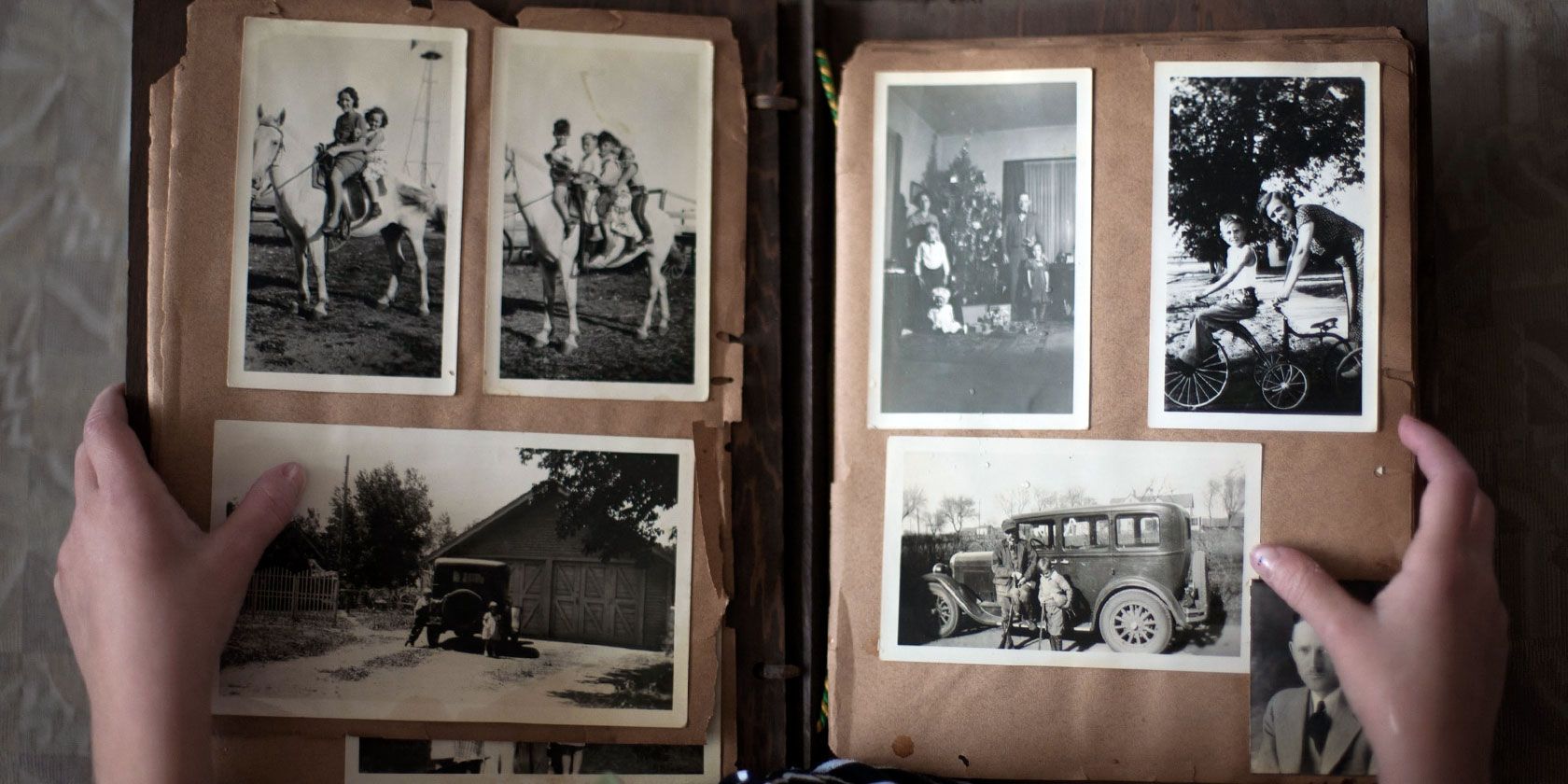
The digital age has made it easy to capture and store photos that you can access in just a few seconds. But most of us probably have a plethora of old photos in a drawer or somewhere else that signifies a special memory with family or friends.
To help bring those old prints to the modern age, there are a number of great photo scanners that can scan photos to a digital format.
We’re highlighting seven of the best photo scanners.
1. Kodak SCANZA Digital Film and Slide Scanner
Kodak SCANZA Digital Film and Slide Scanner Kodak SCANZA Digital Film and Slide Scanner Buy Now On Amazon $159.98Along with photos, you might have old images only on film or a slide. The Kodak SCANZA Digital Film and Slide Scanner can quickly and easily convert those to a digital format in just a few seconds. The portable scanner is compatible with Super 8, 35mm, 110, and 126 films along with 35mm, 110, and 126 slides. Kodak provides all of the adaptors for the different formats, too.
The scanner features a 3.5-inch LCD screen that can tilt up if necessary. On-screen instructions help you select the correct adapter to use and also allow you to view the image. You can do quick edits on the scanner screen and interface. All of the images can be saved at up to 22 megapixels. If you’re not around a computer for exporting, the images can be saved to an optional SD card or even viewed on a TV screen with the included HDMI cable.
2. Doxie Go SE
Doxie Go SE Doxie Go SE Buy Now On Amazon $179.00A great portable photo scanner, the Doxie Go SE is completely wireless. A built-in rechargeable battery means you can scan up to 400 images on a single charge. You can store up to 4,000 images in the small scanner’s memory before having to sync with a computer. To increase the memory, you can also add your own larger SD card.
All of your photos can be scanned in a resolution of up to 600 dpi. With Doxie’s software, compatible with macOS and Windows, you can save and edit photos or send them to cloud storage services like Dropbox, iCloud, OneNote, or Evernote.
3. Epson FastFoto FF-680W
Epson FastFoto FF-680W Epson FastFoto FF-680W Buy Now On Amazon $599.99If you have a mountain of photos to scan, take a look at the Epson FastFoto FF-680W. At 300 dpi resolution, you can scan as fast as one photo per second. The high-resolution photo scanner can also scan at up to 1,200 dpi with prints 8.5-inches wide and smaller. It can also capture any notes on the back of a photo in a single scan. The scanner is able to handle different sizes of prints in a single job to save even more time.
Thanks to built-in Wi-Fi, the scanner doesn’t need to be placed near a computer, but you can connect it to a computer if necessary. Along with a computer, you can automatically send scans to Dropbox or Google Drive to access anywhere. Epson includes Mac or PC software that allows even inexperienced users to edit, crop, and restore the images.
4. Flip-Pal Mobile Scanner
Flip-Pal Mobile Scanner Flip-Pal Mobile Scanner Buy Now On Amazon $149.00The Flip-Pal Mobile Scanner is a great portable picture scanner for old and fragile photos. Instead of having to put the photo through a feeder, the device acts as a small flatbed scanner. Just remove the lid and flip the scanner over to scan up to a 4×6-inch image in an album or other location. The images, up to 300 dpi, are sent to an SD card.
A 1.7-inch LCD screen shows the scans. The scanner takes power from 4 AA batteries. For larger images, the Mac or PC software can reassemble all of the originals into a final print. The software also allows you to combine an image with a voice recording that can help tell the story behind the picture. No special player is needed to view the result.
5. Plustek Photo Scanner ePhoto Z300
Plustek Photo Scanner ePhoto Z300 Plustek Photo Scanner ePhoto Z300 Buy Now On Amazon $198.99As you could probably tell by the name, the Plustek Photo Scanner ePhoto Z300 is specifically designed for images. The scanner supports 3×5-inch, 4×6-inch, 5×7-inch, and 8×10-inch photos. You can save scans to a Mac or PC at 300 dpi or 600 dpi. With speed in mind, a 4×6-inch photo can scan in just two seconds.
A special soft roller will help protect fragile photos from any damage or scratches during a scan. The included software allows you to quickly and easily restore the old image with many different quick fixes. More advanced editing functions are also available.
6. Epson Perfection V550
Epson Perfection V550 Epson Perfection V550 Buy Now On Amazon $177.25The Epson Perfection V550 is a great way to scan any photos to digital using either a Mac or PC. Along with prints, you can also scan 35mm slides, negatives, and film. The high-resolution scanner can save images at up to 6,400 dpi, which allows high-quality reprints at up to 17×22-inches. To help get to work quickly, there’s no warmup time, unlike some other models.
You can scan multiple photos on the flatbed scanner simultaneously thanks to auto edge detection that crops each image and saves it as a separate file on a Mac or PC. When scanning film, special technology will help remove the appearance of dust and scratches for the best possible image. An Easy Photo Fix feature will also help bring faded photos back to life.
7. Canon CanoScan Lide 400 Slim Scanner
Canon CanoScan Lide 400 Slim Scanner Canon CanoScan Lide 400 Slim Scanner Buy Now On Amazon $87.39You can save space on a desk when using the Canon CanoScan Lide 400 Slim Scanner. The scanner is able to scan upright without any difference in image quality. The scanner uses USB-C, so you’ll just need one cable for operation and power.
The picture scanner can capture images up to 8.5×11-inches at up to 4,800 dpi. A special scan function can also send images directly to cloud storage services like Microsoft OneDrive and Dropbox. The scanner can is compatible with both Mac and PC.
Preserve Your Memories With the Best Photo Scanners
There’s no need to worry about losing precious and important photos. Using one of these photo scanners, you can take your old images and enjoy them for many more years to come in a digital format.
For more help bringing images into the modern age, take a look at the best ways to scan and digitize old photos.
Read the full article: The 7 Best Photo Scanners for Backing Up Old Photos
The 7 Best Smart Scales of 2020
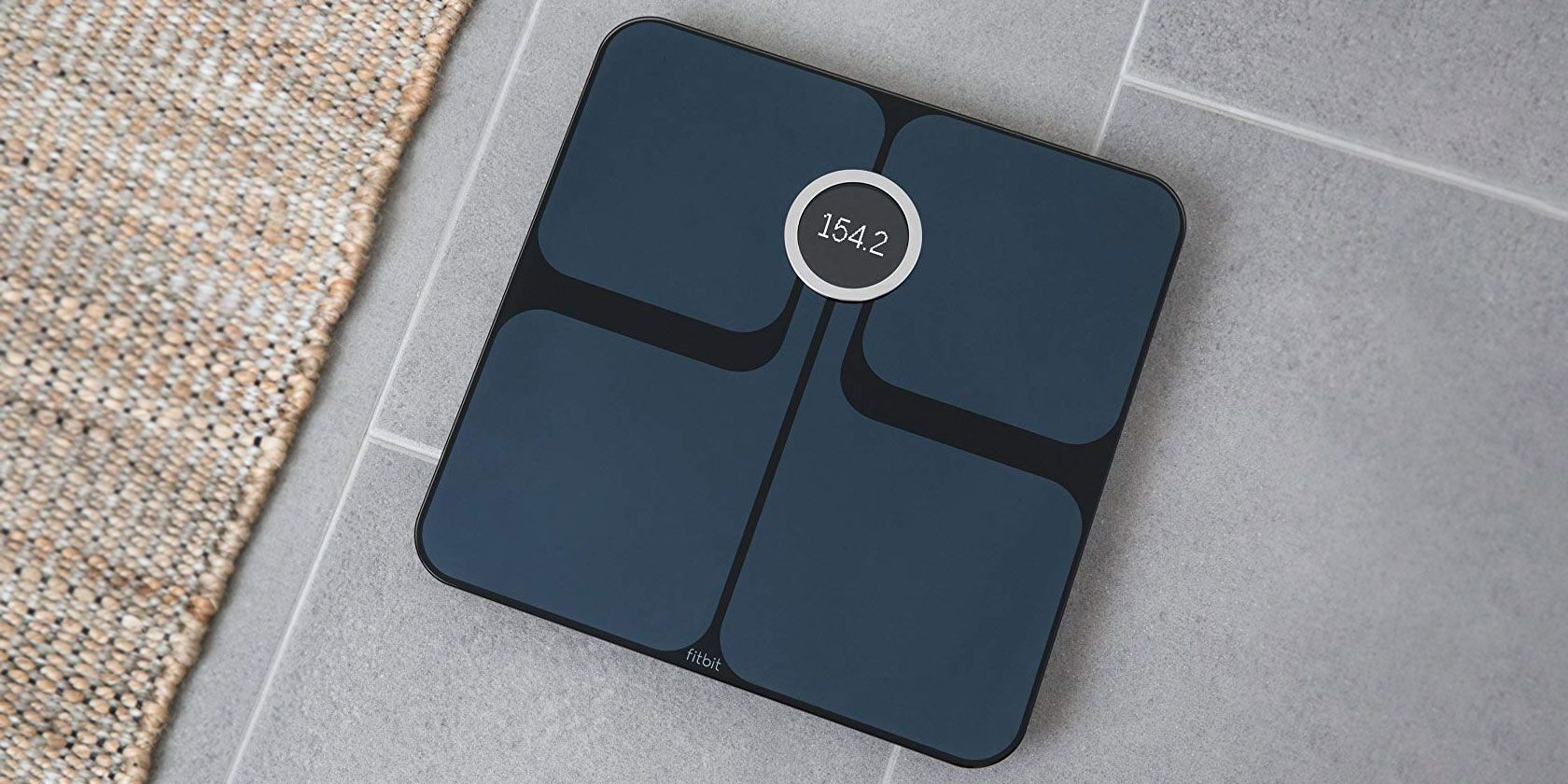
Getting fit isn’t easy. If you want to live a more healthy lifestyle, it takes perseverance and a good attitude on the journey
But the good news is that technology can help. In tandem with a smartphone app, a smart scale can help keep you motivated to lose weight. Some models can also calculate BMI and track changes in your body composition.
Here are seven of the best smart scales on the market.
1. QardioBase 2 Wireless Smart Scale and Body Analyzer
QardioBase 2 Wireless Smart Scale and Body Analyzer QardioBase 2 Wireless Smart Scale and Body Analyzer Buy Now On Amazon $100.00A great all-around choice is the QardioBase 2 Wireless Smart Scale and Body Analyzer. You’ll use the scale with the companion app available for smartphones and even the Amazon Kindle Fire. All of the information that the scale collects syncs with other apps, including Apple Health, making it a perfect companion to use with an Apple Watch. You can also sync with MyFitnessPal, Google Fit, and others.
Along with weight, the scale measures BMI and tracks changes in your body composition like muscle percentage, body fat, water, and bone. If you don’t want to worry about specific numbers, you can switch to a smart feedback mode that will help you recognize progress with emojis.
The built-in battery provides up to a year of use on a single charge. The scale can recognize up to eight unique users, making it great for families. The scale also features a dedicated pregnancy mode that allows women to track their weekly progress and even add pictures to the numbers. You can select from a white or black version of the scale.
2. Fitbit Aria 2
Fitbit Aria 2 Fitbit Aria 2 Buy Now On Amazon $99.00If you’re firmly a fan of Fitbit fitness trackers, make sure to take a look at the Fitbit Aria 2. The smart scale measures weight, body fat percentage, lean mass, and BMI. All of that information will sync to your Fitbit dashboard, and is viewable in the app and on the Fitbit website.
Thanks to the tight Fitbit integration, you can see precisely how your activity impacts weight. All of the information is shown in easy-to-understand graphs. When you reach a goal weight, you’ll earn achievement badges and share with friends through the app.
The scale takes power from three AA batteries. Up to eight different users are recognized using the Aria 2. You can select from a black or white version of the scale.
3. Withings Body+
Withings Body+ Withings Body+ Buy Now On Amazon $79.00The Withings Body+ is another great scale to use with Apple Watch. You can view all of the information from the scale on the companion Withings Health Mate watch app. It also syncs with other major apps like Apple Health, Fitbit, and Google Fit. You can monitor body weight, body fat, water percentage, muscle mass, and bone mass.
Powered by four AAA batteries, the scale can go for up to 18 months before needing to switch the cells out. When stepping on the scale, you can view the daily weather forecast and see the previous day step count if you’re using a Withings activity tracker. Anyone with an Amazon Alexa device can also take advantage of a skill to find out about weight trends by day, week, or year with a simple voice command.
The scale, available in black or white, tracks the information of up to eight different users. There is also a pregnancy mode that offers additional insight and a baby mode for small children.
4. Garmin Index Smart Scale
Garmin Index Smart Scale Garmin Index Smart Scale Buy Now On Amazon $113.32Another popular maker of fitness trackers, Garmin, has a smart scale that can be used within its own ecosystem. The Garmin Index Smart Scale measures a number of different metrics, including weight, body mass index, body fat, and skeletal muscle mass. The scale recognizes up to 16 different users.
You’ll use four AAA batteries for power that can last up to nine months. All of the information is available to view in the companion smartphone app or the Garmin Connect online account. You can select from either a black or white version of the scale.
5. Eufy BodySense Smart Scale
Eufy BodySense Smart Scale Eufy BodySense Smart Scale Buy Now On Amazon $29.99The Eufy BodySense Smart Scale is one of the best smart scales for anyone on a budget. The scale can measure several different data points, including weight, body fat, BMI, bone mass, and muscle mass. The scale recognizes up to 16 unique users.
The recorded data is available to view in the companion app, too. All of the measurements can also sync with Apple Health, Google Fit, and Fitbit. The scale uses three AAA batteries for power.
6. iHealth Lite Wireless Smart Scale
iHealth Lite Wireless Smart Scale iHealth Lite Wireless Smart Scale Buy Now On Amazon $79.99Your whole family can easily use the iHealth Lite Wireless Smart Scale. The scale can track measurements for up to 20 unique users. You can see both weight and BMI results in the companion app. The information can also sync to Apple Health and Samsung Health.
This makes the iHealth Lite among the best smart scales for Apple Health. An ambient light sensor will automatically adjust the LED screen so you can easily and clearly see the readings in any room. The scale takes power from four AAA batteries.
7. RENPHO Bluetooth Body Fat Scale
RENPHO Bluetooth Body Fat Scale RENPHO Bluetooth Body Fat Scale Buy Now On Amazon $22.99The RENPHO Bluetooth Body Fat Scale can measure 13 different data points, including weight, BMI, body fat percentage, body age, muscle mass, and skeletal mass. Athletes can take advantage of a special mode that provides more accurate body composition information. The mode is also for anyone with above-average muscle mass and activity levels.
Along with the companion smartphone app, the scale can also sync with Apple Health, Samsung Health, and Google Fit. Apple Watch users can view the data on their wearable device thanks to the RENPHO app. You’ll use three AAA batteries for power, and the scale can track data from an unlimited amount of users.
The Best Smart Scales to Help Track Weight Loss
Using one of these smart scales, you can better track your weight loss and view different trends from all of the different information collected.
And using a smart scale is just one piece of technology that can help you become more fit. Make sure to take a look at our rundown of the best fitness trackers with heart rate monitoring as well.
Read the full article: The 7 Best Smart Scales of 2020
Study Finds Reduced Fat Milk More Associated With Obesity Than Whole Milk
The American dietary guidelines recommend, as they have for years, reduced-fat or skim milk.
But mounting evidence suggests this dietary focus on milk with less fat might not necessarily be the right move. A new meta-study from the University of Toronto surveyed a wide range of studies from across the world and found that kids who drank whole milk, not reduced fat, were more likely to avoid obesity.
Milk has been a fundamental part of the USDA’s Dietary Guidelines for years. (If you’re curious, you can read the whole thing, for between 2015 and 2020, here.) It specifically recommends reduced fat or skim milk. Those dietary guidelines aren’t just a blog post of recommendations; they inform, just for example, what’s given in public school meals. And yet even as the Trump administration tries to remove Obama-era restrictions on, for example, flavored milk, reduced fat remains the only option for kids.
This hasn’t gone unnoticed. A bipartisan proposal, which never really went anywhere, tried to allow whole milk, both flavored and unflavored, in public schools. Partly this is to help out the foundering dairy industry, and partly it’s to strike a blow at what’s seen as unfair nannying. But what if it might actually be better for one of the country’s biggest public health problems?
The University of Toronto researchers surveyed 28 studies across seven countries, looking specifically at how the amount of fat in milk consumed is correlated with childhood obesity. It found that children who drank whole milk had a 28 percent higher chance of avoiding childhood obesity.
Possible reasons for the surprising conclusion go both ways: there are plausible explanations that support the idea that whole milk is better for fighting obesity, and there are explanations that suggest the opposite. An example: maybe whole milk gives a feeling of being full, leading kids to eat less food. That would be a result that indicates whole milk is better for nutrition.
But then there are other problems. Many parents give whole milk to underweight kids to get them to gain weight; that would throw off the studies, because those kids wouldn’t qualify as obese, but it would certainly have no relation to their milk consumption. Or maybe parents of overweight kids give their kids reduced-fat milk to lose weight. Same problem.
That said, this connection has popped up a number of times in several studies, and is worth investigating further. It may not be the case that whole milk is better for kids than skim—but we also can’t conclusively say that it’s worse yet.
The post Study Finds Reduced Fat Milk More Associated With Obesity Than Whole Milk appeared first on Modern Farmer.
5 Films All Entrepreneurs Should Watch To Prevent Fraud
Range: Why Generalists Triumph in a Specialized World

Below, you can hear journalist David Epstein talks with Recode's Kara Swisher about his book, Range: Why Generalists Triumph in a Specialized World. In it, "he argues that the world’s most successful athletes, artists, musicians, inventors, forecasters and scientists are more likely to be dabblers, rather than people who set out to do what they do best from a young age — and, in fact, the people who have highly specialized training from an early age tend to have lower lifetime earnings overall." The #1 New York Times bestselling book makes the case that "in most fields—especially those that are complex and unpredictable—generalists, not specialists, are primed to excel. Generalists often find their path late, and they juggle many interests rather than focusing on one. They’re also more creative, more agile, and able to make connections their more specialized peers can’t see."
You can pick up a copy of Range: Why Generalists Triumph in a Specialized World in print, or get it as a free audio book if you sign up for a 30-day free trial with Audible.com.
Would you like to support the mission of Open Culture? Please consider making a donation to our site. It's hard to rely 100% on ads, and your contributions will help us continue providing the best free cultural and educational materials to learners everywhere.
Also consider following Open Culture on Facebook and Twitter and sharing intelligent media with your friends. Or sign up for our daily email and get a daily dose of Open Culture in your inbox.
Related Content:
Noam Chomsky Defines What It Means to Be a Truly Educated Person
Oxford’s Free Course Critical Reasoning For Beginners Teaches You to Think Like a Philosopher
How to Focus: Five Talks Reveal the Secrets of Concentration
Range: Why Generalists Triumph in a Specialized World is a post from: Open Culture. Follow us on Facebook, Twitter, and Google Plus, or get our Daily Email. And don't miss our big collections of Free Online Courses, Free Online Movies, Free eBooks, Free Audio Books, Free Foreign Language Lessons, and MOOCs.
The Art & Philosophy of Bonsai

We all know what to think of when we hear the term bonsai: dwarf trees. Or so Shinobu Nozaki titled his book, the very first major publication on the subject in English. Dwarf Trees came out in the 1930s, not long after the Japanese art of bonsai started drawing serious international attention. But the art itself goes back as far as the sixth century, when Japanese embassy employees and students of Buddhism returning from sojourns in China brought back all the latest things Chinese, including plants growing in containers. By six or seven centuries later, as scrolls show us today, Japan had taken that horticultural technique and refined it into a practice based on not just miniaturization but proportion, asymmetry, poignancy, and erasure of the artist's traces, one that produces the kind of trees-in-miniature we recognize as artworks, and even masterworks, today.
It hardly needs saying that bonsai trees don't take shape by themselves. As the name, which means "tray planting" (??), suggests, a work of bonsai must begin by planting a specimen in a small container. From then on, it demands daily attention in not just the provision of the proper amounts of water and sunlight but also careful trimming and adjustment with trimmers, hooks, wire, and everything else in the bonsai cultivator's surprisingly large suite of tools.
You can see a Japanese master of the art named Chiako Yamamoto in action in "Bonsai: The Endless Ritual," the BBC Earth Unplugged video at the top of the post. "Shaping nature in this way demands everlasting devotion without the prospect of completion," says its narrator, a point underscored by one bonsai under Yamamoto's care, originally planted by her grandfather over a century ago.
You'll find even older bonsai at the National Bonsai Museum at the U.S. National Arboretum in Washington D.C. In the video "Bonsai Will Make You a Better Person," curator Jack Sustic — an American first exposed to bonsai in the military, while stationed in Korea — shows off a Japanese white pine "in training" since the year 1625. That unusual terminology reflects the fact that no work of bonsai even attains a state of completeness. "They're always growing," say Sustic. "They're always changing. It's never a finished artwork." In National Geographic's "American Shokunin" just above, the titular bonsai cultivator (shokunin has a meaning similar to "craftsman" or "artisan"), Japan-trained, Oregon-based Ryan Neil, expands on what bonsai teaches: not just how to artistically grow small trees that resemble big ones, but what it takes to commune with nature and attain mastery.
"A master is somebody who, every single day, tries to pursue perfection at their chosen endeavor," says Neil. "A master doesn't retire. A master doesn't stop. They do it until they're dead." And as a work of bonsai literally outlives its creator, the pursuit continues long after they're dead. The bonsai master must be aware of the aesthetic and philosophical values held by the generations who came before them as well as the generations that will come after. Wabi sabi, as bonsai practitioner Pam Woythal defines it, is "the Japanese art of finding beauty in imperfection and profundity in nature, of accepting the natural cycle of growth, decay, and death." Shibumi (or in its adjectival form shibui) is, in the words of I Am Bonsai's Jonathan Rodriguez, "the simple subtle details of the subject," manifest for example in "the apparent simple texture that balances simplicity and complexity." Looked at correctly, a bonsai tree — leaves, branches, pot, and all — reminds us of the important elements of life and the important elements of art, and of the fact that those elements aren't as far apart as we assume.
Related Content:
Wabi-Sabi: A Short Film on the Beauty of Traditional Japan
Discover the Japanese Museum Dedicated to Collecting Rocks That Look Like Human Faces
Watch Japanese Woodworking Masters Create Elegant & Elaborate Geometric Patterns with Wood
Based in Seoul, Colin Marshall writes and broadcasts on cities, language, and culture. His projects include the book The Stateless City: a Walk through 21st-Century Los Angeles and the video series The City in Cinema. Follow him on Twitter at @colinmarshall or on Facebook.
The Art & Philosophy of Bonsai is a post from: Open Culture. Follow us on Facebook, Twitter, and Google Plus, or get our Daily Email. And don't miss our big collections of Free Online Courses, Free Online Movies, Free eBooks, Free Audio Books, Free Foreign Language Lessons, and MOOCs.
Mercer Grave Houses, Candler County

These grave houses, located at Salem Baptist Church Cemetery, mark the final resting places of Clemons* Mercer (1832-1881) and Jane Elizabeth “Janie” Johnson Mercer (1835-1880). Clemons Mercer served in the Third Seminole War in Florida and contracted malaria there in 1856, which he never completely recovered from. He was later a lieutenant in the Emanuel County Militia (Captain Moring’s Company) during the Atlanta Campaign in the Civil War. Janie Mercer bore him 11 children, all of whom lived to adulthood.
Gary Lee writes: Local lore is that it was raining the day of her burial and her husband promised that another raindrop would never touch her grave. Her family actually rebuilt these a few years ago. Also near her are two of her sisters, Hattie and Adeline who were married to twin brothers, George Washington Lee and Henry Clay Lee who gave the land and the materials for the church.
*also recorded as Clemmons Mercer
Wasted: How To Prevent Emotional Bankruptcy When You’re Overdrawn In Your Career

Vincent Van Gogh’s Favorite Books

Piles of French Novels, Vincent Van Gogh, 1887
Among lovers of Vincent van Gogh, the Dutch artist is as well known for his letter writing as for his extraordinary painting. “The personal tone, evocative style and lively language” of his correspondence, writes the Van Gogh Museum, “prompted some people who were in a position to know to accord the correspondence the status of literature. The poet W.H. Auden, who published an anthology with a brief introduction, wrote: ‘there is scarcely one letter by Van Gogh which I, who am certainly no expert, do not find fascinating.’”
Auden was, of course, an expert on the written word, though maybe not on Van Gogh, and he refined his literary expertise the same way the painter did: by reading as copiously as he wrote. “When it was too dark to paint,” writes University of Puerto Rico professor of humanities Jeffrey Herlihy Mera at the Chronicle of Higher Education, “Van Gogh read prodigiously and compiled a tremendous amount of personal correspondence.” Much of his writing, especially his letters to his brother Theo, was in French, a language he learned in his teens and spoke in Belgium, Paris, and Arles.
Van Gogh’s command of written French, however, came from his reading of Victor Hugo, Guy de Maupassant, and Émile Zola. “Vincent loved literature,” the Van Gogh Museum writes. “In general, the books he read reflected what was going on in his own life. When he wanted to follow in his father’s footsteps and become a minister, he read books of a religious nature. He devoured Parisian novels when he was considering moving to the French capital."
In his letters to Theo, he weaves together the sacred and profane, describing his spiritual and creative strivings and his unrequited obsessions. In his reading, he tested his values and desires. We get a sense of how Van Gogh's reading complemented his pious, yet romantic nature in the list of some of his favorites, below, compiled by the Van Gogh Museum.
- Charles Dickens, A Christmas Carol (1843)
- Jules Michelet, L'amour (1858)
- Émile Zola, L'Oeuvre (1886)
- Alphonse Daudet, Tartarin de Tarascon (1887)
- The Bible
- John Keats, The Eve of St. Agnes (1820)
- George Eliot, Scenes of Clerical Life (1857)
- Henry Wadsworth Longfellow, The Poetical Works of Henry Wadsworth Longfellow (1887)
- Hans Christian Andersen, What the Moon Saw (1862)
- Thomas a Kempis, The Imitation of Christ (1471-1472)
- Harriet Beecher Stowe, Uncle Tom’s Cabin (1851-1852)
- Edmond de Goncourt, Chérie (1884)
- Victor Hugo, Les misérables (1862)
- Honoré de Balzac, Le Père Goriot (1835)
- Guy de Maupassant, Bel-Ami (1885)
- Pierre Loti, Madame Chrysanthème (1888)
- Voltaire, Candide (1759)
- Shakespeare, Macbeth (c. 1606-1607)
- Shakespeare, King Lear (1606-1607)
- Charles Dickens, Hard Times (1854)
- Emile Zola, Nana (1880)
- Emile Zola, La joie de vivre (1884)
“Vincent read moralistic books often favoured among members of the Protestant Christian community” in which he was raised by his minister father. He looked also to the morality of Charles Dickens, whose works he “read and reread… throughout his life.” Zola’s “rough, direct naturalism” appealed to Van Gogh’s desire “to give an honest depiction of what he saw around him: farm labourers, a weathered little old man, dejected or working women, a soup kitchen, a tree, dunes and fields.”
In Alphonse Daudet’s 1887 Tartarin de Tarascon, “an entertaining caricature of the southern Frenchman,” Van Gogh satisfied his “need for humor and satire.” Despite the stereotype of the artist as perpetually tortured, his letters consistently reveal his good-natured sense of humor. From French historian Jules Michelet’s 1858 L’amour, the artist “found wisdom he could apply to his own love life,” tumultuous as it was. He used Michelet’s insights “to justify his choices,” such as “when he fell in love with his cousin Kee Vos.”
In a letter to Theo, Vincent expressed his emotional struggles over Vos's rejection of him as “a great many ‘petty miseries of human life,’ which, if they were written down in a book, could perhaps serve to amuse some people, though they can hardly be considered pleasant if one experiences them oneself.” He is at a loss for what to do with himself, he writes, but "‘wandering we find our way,’ and not by sitting still.” For Van Gogh, “wandering” just as often took the form of sitting still with a good book.
Related Content:
A Complete Archive of Vincent van Gogh’s Letters: Beautifully Illustrated and Fully Annotated
Download Hundreds of Van Gogh Paintings, Sketches & Letters in High Resolution
13 Van Gogh’s Paintings Painstakingly Brought to Life with 3D Animation & Visual Mapping
Josh Jones is a writer and musician based in Durham, NC. Follow him at @jdmagness
Vincent Van Gogh’s Favorite Books is a post from: Open Culture. Follow us on Facebook, Twitter, and Google Plus, or get our Daily Email. And don't miss our big collections of Free Online Courses, Free Online Movies, Free eBooks, Free Audio Books, Free Foreign Language Lessons, and MOOCs.