Das kalifornische Sicherheitsunternehmen Malwarebytes schluckt den populären Spyware-Entferner Adwcleaner. Für die Nutzer soll sich aber nichts ändern.
Microsoft hat erst kürzlich die SharePoint-App für Windows 10 Mobile als Preview veröffentlicht. Nun hat das Unternehmen ein Update ausgerollt, das keine wirklichen Neuerungen mit sich bringt, dafür aber den Begriff „Preview“ im Namen verliert.
Die Anwendung erlaubt es, mit dem eigenen SharePoint Online-Konto im Unternehmen zu verbinden, jedoch gibt es damit keine Möglichkeit, SharePoint Server 2013 und 2016 zu verwenden. Das bedeutet, dass die mobile Windows-App für SharePoint nur von Ofice 365 Business-Kunden genutzt werden kann und nicht von jenen, die SharePoint 2013 oder 2016 auf ihrem eigenen Unternehmensserver ausführen. Die iOS-App bietet diese Funktionalität nämlich, die Windows 10 Mobile-App nicht.
Ansonsten gibt es wenige Unterschiede zwischen der iOS und der Windows-App bis natürlich auf das Design. Mehrere Accounts werden unterstützt, die Seiten können angezeigt und aufgerufen werden und auch Team-Seiten sind in die App integriert. Daneben sind individuelle Kontakt-Tabs ebenfalls vorhanden, genau wie unter iOS.
Kürzlich von Kollegen oder einem selbst verwendete Dateien werden selbstverständlich auch angezeigt und man hat vollen Zugriff auf die eigenen Dokumente dank der neuen Integration der OneDrive-App. Dateien können auch direkt aufgerufen und mittels Office Mobile direkt am Smartphone bearbeitet werden.
Sollte ein Dokument nicht auf den ersten Blick auffindbar sein, hilft Microsofts Enterprise-Suche, welche die Ergebnisse in Seiten, Dateien und Kontakte sortiert.
Unter dem folgenden Link könnt ihr die SharePoint-App für Windows 10 Mobile herunterladen:
München - Klappernde Pferdehufe gehören zur Wiesn wie der Schaum aufs Bier - sagen die einen. Peta gehört zu den anderen. Zu denen, die sich um die Tiere sorgen. Die Tierrechtsorganisation hat den Zustand der Hufe nun beim KVR angezeigt.
Here we show you the steps to try out the new Resilient File System (ReFS) on Windows 10 to overcome the limitations of NTFS when managing large amount of data.
Like on any other operating system, Windows features a file system to control how data is stored and retrieved from disk. Windows 10, similar to its predecessors, continues to use NTFS as the default file system, which is one of the most popular feature-rich file system in use today.
However, even though NTFS provided us with many performance, reliability, and advanced features you can't find on other file system, NTFS has been designed years ago. Today, we face new storage challenges that NTFS just can't handle, and to overcome the limitations Microsoft created from the ground up a new file system called "ReFS" (Resilient File System).
ReFS was first introduced with Windows 8, and it's now part of Windows 10. The new file system is also built on the foundation of NTFS, which means that it's compatible with the most critical features found in the old file system while introducing new storage technologies.
Over the past few years, companies across all industries have been pounded by data breaches. And though the dust has yet to settle on the theft of 500 million Yahoo accounts, we can safely say that 2016 will be another unprecedented year when it comes to data breaches.
The reality of data breach fatigue
Even as the list of catastrophic data breaches grows, and the numbers of people affected climbs closer to the billions, consumers and businesses alike have hit new levels of “data breach fatigue”.
Seeing breach after breach in the news has left us struggling with a sense of weariness and futility. Until a security disaster strikes you or your business, it can be hard to truly appreciate the ramifications of each of these breaches. And with so many breaches happening, it quickly becomes a lot of noise with no added meaning. Nothing bad has happened – yet – so it’s far easier to shrug your shoulders, maybe change your password for the affected account, and move on.
Unfortunately, that’s no longer enough. When these massive lists of usernames and passwords are leaked on the web, it’s fuel for attackers to hack into other things. They’re looking for the “low-hanging fruit”. And the easiest wins are those of us who fail to use a different password for every account online.
All the attackers have to do is try logging in to other websites with the same usernames and passwords they grabbed in the data breach. Because so many people still reuse passwords, it isn’t long before they will hit a match. They’re after accounts for Netflix, Hulu, Amazon, email, banking, medical records. Then they can turn around and sell whatever they’ve found: a credit card number, or an active Netflix account, or even an identity.
The hidden dangers of password reuse
You may be wondering: What does this have to do with my business? At the risk of sounding hyperbolic, it could mean the difference between saving or losing your business.
The danger here is that passwords are the first, and in some cases the only, line of defense that businesses have in protecting themselves from attacks. As employees, managers, and business owners, we don’t leave our bad password practices at the door when we go to work. Our poor password security flows into the workplace, too.
It’s easier to remember a few passwords rather than fifty, so we use the same passwords at work that we use at home, or use one password at work across all of our tools and services. And even more alarming, a recent survey that LastPass conducted found that more than a third of people create more secure passwords for their personal accounts than their work accounts.
So when a seemingly-irrelevant password from a data breach of Yahoo, or MySpace, or LinkedIn, is leaked onto the web, attackers know that many people use those same passwords at work. This is exactly what happened to Dropbox. An employee used the same password on LinkedIn as they did at work to access Dropbox’s corporate network. After the LinkedIn data breach in 2012, hackers were able to use the Dropbox employee’s password to infiltrate the network and eventually steal 60 million Dropbox credentials. One reused password was all it took to jeopardize millions of customer accounts.
Now if you’re Dropbox or Yahoo, your business can likely weather the storm and recover. But for the average SMB, a data breach can cause irreparable damage. One study found that as many as 60% of hacked SMBs go out of business within 6 months of the data breach. The loss of income can be significant, particularly without data breach insurance, and the impact on brand reputation can be insurmountable.
Finding a solution that works
Clearly, continuing with the status quo is too risky. And while educating employees about good cyber security and password practices is certainly important, it’s not enough.
Given the number and scale of the breaches we’ve seen, businesses need to go back to basics:
Change every password. Yes, every one. Unless you have a system in place to accurately measure employee password behavior, you can’t guarantee that their passwords are good enough, and that they haven’t been affected by data breaches due to password reuse. At this point, it’s safer to have a fresh start and change every password for every computer, router, vendor account, server, cloud app – anything you and your employees connect to in the office.
Implement a password manager. When left to their own devices, employees will do what comes easiest, and that means less-than-ideal passwords. It’s not their fault though that they just want to get into things with minimal interruption to their work. That’s where a password manager can help, by enabling them to use a different password for all accounts, without changing their workflow, and with ultimate oversight by the business. Everyone wins.
Turn on two-factor authentication. Two-factor authentication adds a second layer of security by requiring another piece of information before access is granted. It is key to add two-factor authentication to any service that supports it, whether an internal system or third party app. This strengthens your defenses, so that an attacker will be stopped even if they steal a password.
By taking these basic steps, your business will no longer be an easy target, and attackers are more likely to move on to other, easier victims. Though strong password security is only one piece of a cyber security strategy, it’s a piece that is all too often ignored. With strong password security in place, you can feel confident that your business is more prepared and protected going forward.
MYOB Advanced is a cloud based ERP software that allows you to manage financials and inventory. The Power BI content pack for MYOB Advanced turns on insightful sales reporting out-of-the-box. With limited expertise needed, managers and stakeholders can access a set of sales dashboards and reports and view KPIs, such as monitoring opportunity pipelines to see progress versus sales goals. It allows users to understand the volume of won and lost opportunities, and determine performance over time, such as month-over-month or year-over-year.
Unbekannte haben Server des US-Internetdienstleisters Dyn attackiert und dabei Social Media-Kanäle sowie Medienseiten lahmgelegt. Das Heimatschutzministerium ermittelt.
Der UN-Menschenrechtsrat hat gefordert, die Bombardierung von Zivilisten in Aleppo als Kriegsverbrechen zu ahnden. Das soll den Druck auf Russland erhöhen.
München -Anwohner im Westend sind genervt vom Lärm an den Glascontainern. Der Bezirksausschuss fordert deshalb eine Unterflur-Anlage am Gollierplatz. Die Stadt verweist auf Probleme durch unterirdische Kabel.
Das Freihandelsabkommen Ceta könnte noch gerettet werden: Kanadas Handelsministerin ist zu weiteren Gesprächen mit EU-Parlamentspräsident Schulz und Wallonien bereit.
Microsoft hat vor einigen Tagen die Windows 10 Mobile Build 14951 ausgerollt und zwar für Insider im Fast Ring. Die Redstone-Build lässt sich allerdings nicht installieren, da die Installation des Updates von Build 14936 auf 14951 bei 0 Prozent stehenbleibt.
Microsoft hat nun eine Reihe von Optionen über den eigenen Blog bekanntgegeben, welche den Windows Insidern zur Verfügung stehen. Wir haben diese für euch im Folgenden zusammengefasst:
Der einfachste Weg: Warten
Wenn euer Smartphone diese Build nicht installieren will, könnt ihr auch ganz einfach abwarten bis die Update-Sitzung abgelaufen ist. Dies dauert üblicherweise 5 Tage. Danach sollte die Windows 10 Mobile Build 14951 korrekt installiert werden.
Schnell: Update-Sitzung zum Timeout bringen
Gerät zum Laden verbinden
Einstellungen öffnen
Update & Sicherheit > Windows Insider Programm
In den Slow Ring wechseln und daraufhin wieder in den Fast Ring wechseln
In den Einstellungen Netzwerk & Internet öffnen und den Flugzeugmodus aktivieren
Unter Zeit & Sprache die automatische Zeit-/Datumseinstellung deaktivieren und 7 Tage in die Zukunft stellen.
Zurück zum Homescreen
Smartphone neu starten
Flugzeugmodus in den Einstellungen deaktivieren.
Zu Update & Sicherheit navigieren
Windows Update und nach Updates suchen
Der Prozess sollte mit einer Fehlermeldung abbrechen
Ändert Zeit und Datum auf die aktuelle Zeit.
Sucht erneut nach Updates und es sollte erneut fehlschlagen.
Nun startet das Smartphone neu.
Sucht nach Updates und Build 14951 sollte korrekt installiert werden.
Softreset oder Windows Device Recovery Tool
Eine andere Möglichkeit beinhaltet auch, einen Softreset durchzuführen und daraufhin direkt auf Build 14951 zu aktualisieren.
Das Problem hierbei ist allerdings, dass der Reboot sehr lange dauern könnte. Idealer ist an dieser ein Reset zu einer vorherigen stabilen Build mittels Windows Device Recovery Tool.
Hierbei gehen allerdings alle ungespeicherten Daten verloren, also achtet darauf, dass all eure Kontakte synchronisiert und all eure Fotos irgendwo gesichert sind.
Criminals this morning massively attacked Dyn, a company that provides core Internet services for Twitter, SoundCloud, Spotify, Reddit and a host of other sites, causing outages and slowness for many of Dyn’s customers.
Twitter is experiencing problems, as seen through the social media platform Hootsuite.
In a statement, Dyn said that this morning, October 21, Dyn received a global distributed denial of service (DDoS) attack on its DNS infrastructure on the east coast starting at around 7:10 a.m. ET (11:10 UTC).
“DNS traffic resolved from east coast name server locations are experiencing a service interruption during this time. Updates will be posted as information becomes available,” the company wrote.
DYN encouraged customers with concerns to check the company’s status page for updates and to reach out to its technical support team.
A DDoS is when crooks use a large number of hacked or ill-configured systems to flood a target site with so much junk traffic that it can no longer serve legitimate visitors.
DNS refers to Domain Name System services. DNS is an essential component of all Web sites, responsible for translating human-friendly Web site names like “example.com” into numeric, machine-readable Internet addresses. Anytime you send an e-mail or browse a Web site, your machine is sending a DNS look-up request to your Internet service provider to help route the traffic.
ANALYSIS
The attack on DYN comes just hours after DYN researcher Doug Madory presented a talk on DDoS attacks in Dallas, Texas at a meeting of the North American Network Operators Group (NANOG). Madory’s talk — available here on Youtube.com — delved deeper into research that he and I teamed up on to produce the data behind the story DDoS Mitigation Firm Has History of Hijacks.
That story (as well as one published earlier this week, Spreading the DDoS Disease and Selling the Cure) examined the sometimes blurry lines between certain DDoS mitigation firms and the cybercriminals apparently involved in launching some of the largest DDoS attacks the Internet has ever seen. Indeed, the record 620 Gbps DDoS against KrebsOnSecurity.com came just hours after I published the story on which Madory and I collaborated.
The record-sized attack that hit my site last month was quickly superseded by a DDoS against OVH, a French hosting firm that reported being targeted by a DDoS that was roughly twice the size of the assault on KrebsOnSecurity. As I noted in The Democratization of Censorship — the first story published after bringing my site back up under the protection of Google’s Project Shield — DDoS mitigation firms simply did not count on the size of these attacks increasing so quickly overnight, and are now scrambling to secure far greater capacity to handle much larger attacks concurrently.
The size of these DDoS attacks has increased so much lately thanks largely to the broad availability of tools for compromising and leveraging the collective firepower of so-called Internet of Things devices — poorly secured Internet-based security cameras, digital video recorders (DVRs) and Internet routers. Last month, a hacker by the name of Anna_Senpaireleased the source code for Mirai, a crime machine that enslaves IoT devices for use in large DDoS attacks. The 620 Gbps attack that hit my site last month was launched by a botnet built on Mirai, for example.
Interestingly, someone is now targeting infrastructure providers with extortion attacks and invoking the name Anna_senpai. According to a discussion thread started Wednesday on Web Hosting Talk, criminals are now invoking the Mirai author’s nickname in a bid to extort Bitcoins from targeted hosting providers.
“If you will not pay in time, DDoS attack will start, your web-services will
go down permanently. After that, price to stop will be increased to 5 BTC
with further increment of 5 BTC for every day of attack.
NOTE, i?m not joking.
My attack are extremely powerful now – now average 700-800Gbps, sometimes over 1 Tbps per second. It will pass any remote protections, no current protection systems can help.”
Let me be clear: I have no data to indicate that the attack on Dyn is related to extortion, to Mirai or to any of the companies or individuals Madory referenced in his talk this week in Dallas. But Dyn is known for publishing detailed writeups on outages at other major Internet service providers. Here’s hoping the company does not deviate from that practice and soon publishes a postmortem on its own attack.
Update, 3:50 p.m. ET: Security firm Flashpoint is now reporting that they have seen indications that a Mirai-based botnet is indeed involved in the attack on Dyn today. Separately, I have heard from a trusted source who’s been tracking this activity and saw chatter in the cybercrime underground yesterday discussing a plan to attack Dyn.
Update, 10:22 a.m. ET: Dyn’s status page reports that all services are back to normal as of 13:20 UTC (9:20 a.m. ET). Fixed the link to Doug Madory’s talk on Youtube, to remove the URL shortener (which isn’t working because of this attack).
Update, 1:01 p.m. ET: Looks like the attacks on Dyn have resumed and this event is ongoing. This, from the Dyn status page:
This DDoS attack may also be impacting Dyn Managed DNS advanced services with possible delays in monitoring. Our Engineers are continuing to work on mitigating this issue.
Oct 21, 16:48 UTC
As of 15:52 UTC, we have begun monitoring and mitigating a DDoS attack against our Dyn Managed DNS infrastructure. Our Engineers are continuing to work on mitigating this issue.
Oct 21, 16:06 UTC
Microsoft's Project Centennial lets developers bring their "classic" desktop apps to the Windows Store for the first time. The system works by repacking Win32 executables with the new .appx designation. Additionally, devs can hook into Window 10's growing API list for Cortana, notifications, Live Tiles, and more.
In the last few days, we noticed that CrystalDiskMark 5 is now available. For those who don't know, CrystalDiskMark 5 is a very popular disk benchmarking tool. The free app is used by many – including us – to measure the read and write times of hard drive and solid-state drives in laptops and PCs. Since all drives are not created equal using this app gives you a good idea of the sequential read and write times using various settings.
Ein wiederverwendbares digitales Post-It. Forscher von Microsoft Research haben ein kleines Display ohne Anschlüsse entwickelt. Es wird per Funk angesprochen und erzeugt, den Strom, den es braucht, selbst. (Display, Microsoft)
Die Lücke im Linux-Kernel, die Entwickler auf Grund ihrer Brisanz als "eklig" bezeichnen, wurde durch einen Angriff auf einen Webserver entdeckt. Da sie offensichtlich schon länger für Angriffe missbraucht wird, sollten Anwender jetzt schnell patchen.
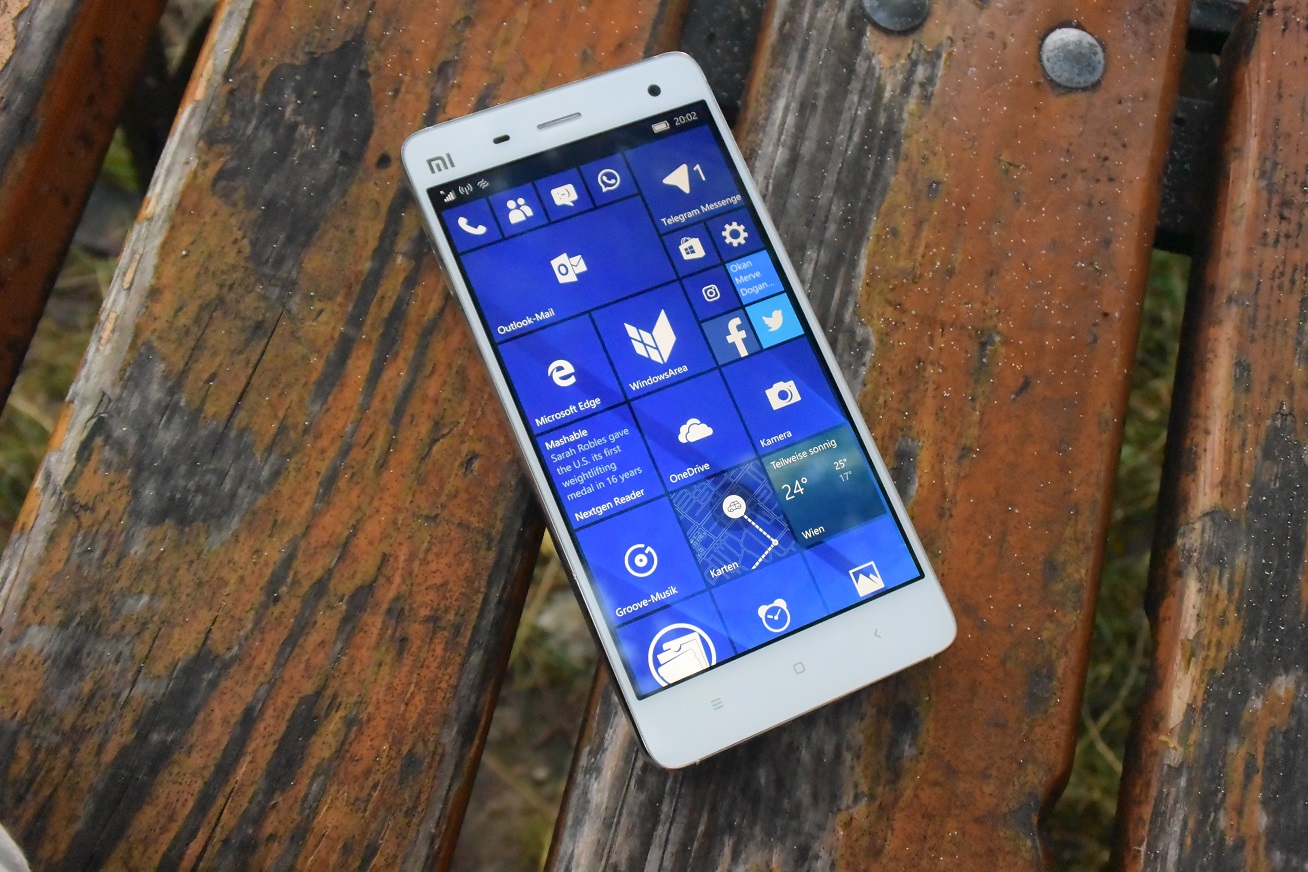
Good news! If your phone is stuck at 0% downloading Windows 10 Mobile 14951, you can use this workaround to install the latest flight.
Microsoft recently began the rollout of Windows 10 build 14951 to the Fast ring. The new release includes some subtle improvements and fixes, and a few features for both PC and Mobile.
Although users quickly began updating their PCs to the latest version without a glitch, users running Windows 10 Mobile on their phones have been reporting getting stuck at zero percent while trying to download build 14951 on their handsets. Thankfully, there's a few workarounds.
Eine aktuelle Studie beleuchtet die Entwicklung der Stundensätze von deutschen IT-Freiberuflern. Trotz steigender Kosten konnten die Freelancer im Vergleich zum Vorjahr auch ihre Gewinne erhöhen.
IT-Freiberufler: Studie wirft einen Blick auf die Stundensatzentwicklung
IT-Freiberufler konnten im Vergleich zum Vorjahr durchschnittlich 10,8 Prozent mehr Umsatz erzielen. Aufgrund steigender Kosten erhöhte sich der Gewinn aber lediglich um 3,8 Prozent. Das geht aus einer aktuellen Befragung des Personaldienstleisters Gulp hervor. Damit blieb die Gewinnsteigerung ganze sieben Prozent hinter dem Umsatzwachstum zurück. Die Studienmacher vermuten, dass die Kosten für die Selbstständigkeit deutlich gestiegen sind.
Der durchschnittliche Stundensatz stieg im Schnitt um 2,98 Euro, wodurch IT-Freelancer einen Netto-Stundensatz von nunmehr 83,48 Euro erreichen konnten. 23,8 Prozent aller Befragten lagen noch unter einem Stundensatz von 70 Euro. Das ist ein gutes Zeichen, da dieser Wert bei der Vorjahresbefragung noch um fast sieben Prozentpunkte höher lag. Im Vergleich zu den Ergebnissen von 2014 ist der Unterschied sogar noch größer: Damals lag der Anteil der IT-Freelancer, die pro Stunde weniger als 70 Euro verdienten, noch bei 33,1 Prozent.
Im Vergleich zum Vorjahr stieg der Sundensatz von IT-Freelancern in diesem Jahr an. (Grafik: Gulp)
IT-Freelancer: Wie entwickeln sich die Stundensätze in Zukunft?
48,5 Prozent der Befragten gaben an, ihren Stundensatz für das nächste Projekt nicht verändern zu wollen. Die restlichen 51,6 Prozent setzen sich wie folgt zusammen: 91 Prozent von ihnen planen eine Erhöhung des Stundensatzes, während nur neun Prozent über eine Reduktion nachdenken. Etwa die Hälfte von denen, die ihren Stundensatz erhöhen wollen, planen, fünf bis zehn Prozent mehr zu fordern.
Fakten zur Gulp-Studie: Von Januar bis Juni 2016 wurden insgesamt 1.291 Freelancer befragt. Davon waren allerdings nur 7,1 Prozent weiblich. 71,7 Prozent aller Studienteilnehmer verfügten über einen Hochschulabschluss. Im Schnitt waren sie zum Zeitpunkt der Befragung seit 12,5 Jahren selbstständig. 70,9 Prozent der Befragten stammten aus den Bundesländern Bayern, Nordrhein-Westfalen und Niedersachsen.
It looks like Microsoft has finally worked out the kinks: The Anniversary Update is now installed on 77 percent of Windows 10-based PCs. That's double the figure from a month ago.
Das Verdecken des Gesichts erschwere die Kommunikation. Die Bundesregierung plant laut einem Bericht deshalb, Beamtinnen die Vollverschleierung zu verbieten.
Beim Thema Sichtbarkeit von Online-Werbung kommt die Branche nach wie vor nicht voran. Mit den Zahlen des Ad-Verification-Spezialisten Meetrics können Werber nicht zufrieden sein.
Beim Thema Viewability gibt es nach wie vor keine Entwarnung: Im dritten Quartal des Jahres verharren die Sichtbarkeitsraten von Displaywerbung im europäischen Markt weiter bei durchschnittlichen 56 Prozent, in Deutschland ist der Wert mit 59 Prozent nur minimal besser. Dies zeigen die aktuellen Viewability Benchmarks, die der Ad-Verification-Spezialist Meetrics vierteljährlich veröffentlicht.
Deutschland liegt damit mit seiner Viewability-Rate im Vergleich der drei größten europäischen Märkte fast gleichauf mit Frankreich, wo der Wert um zwei Prozentpunkte auf 60 Prozent gefallen ist. In Großbritannien konnte der bisherige Tiefpunkt von 47 Prozent zwar um zwei Prozentpunkte auf 49 Prozent verbessert werden, UK bleibt aber dennoch Europas Schlusslicht, was die Viewability betrifft.
Österreich erzielt die besten Ergebnisse
Die besten Ergebnisse verzeichnen Werbungtreibende in Österreich : Mit Sichtbarkeitsraten von rund 70 Prozent ist das Land seinen europäischen Nachbarn einen großen Schritt voraus. Meetrics macht dafür den mittlerweile zwei Jahre zurückliegenden Schritt der Branche verantwortlich, konsequent auf Basis sichtbar gewordener Ad Impressions (Viewable Impressions) abzurechnen.
Grafik: Meetrics Viewability Benchmarks Q3 2016
Philipp von Hilgers, Managing Director und Co-Founder bei Meetrics, findet angesichts der Ergebnisse deutliche Worte: „Gemessen an den technischen Möglichkeiten ist es nicht zufriedenstellend, dass im deutschen Markt 41 Prozent der Display-Werbung nicht sichtbar angezeigt werden.“ Bei Bewegtbildwerbung sehe die Lage auch nur auf den ersten Blick besser aus. Wenn man die 50/2-Empfehlung des IAB und des Media Rating Councils zugrunde legt, werden hier immerhin 68 Prozent der Video-Anzeigen sichtbar. Über eine Dauer von zehn Sekunden seien das aber nur noch rund 30 Prozent der Ads, gibt von Hilgers zu Bedenken. „Gerade bei Bewegtbildwerbung ist es somit entscheidend zu messen, was über die gesamte Dauer des Spots beim Nutzer ankommt.“
Managing Director Philipp von Hilgers (Foto: Meetrics)
Gemessen an den technischen Möglichkeiten ist es nicht zufriedenstellend, dass im deutschen Markt 41 Prozent der Display-Werbung nicht sichtbar angezeigt werden.“
— Philipp von Hilgers
Die ausführlichen Viewability Benchmarks stehen auf der Meetrics-Website zum kostenfreien Download bereit. Grundlage für die Meetrics-Auswertung ist die 50/1-Empfehlung des IAB und des Media Rating Councils, nach der mindestens 50 Prozent der Werbemittelfläche für mindestens eine durchgehende Sekunde im sichtbaren Bereich des Browsers gewesen sein müssen. Bei Video Ads lautet die Empfehlung 50/2, das heißt, das Werbemittel muss mindestens mit 50 Prozent seiner Fläche für wenigstens zwei Sekunden sichtbar geworden sein.
IBM-IT-Chef Fletcher Previn zieht ein Jahr nach der Einführung der Wahl zwischen Macs und Windows-PCs als Arbeitsrechner ein erstes Resümee: Macs sind bis zu dreimal günstiger als Windows-PCs.
IBM: Macs sind sind langfristig über 500 Dollar günstiger als PCs
Seit Mitte vergangenen Jahres haben IBM-Mitarbeiter die Wahl zwischen der Nutzung eines Lenovo-Thinkpads oder eines Macs. Im Zuge der Jamf Nation User Conference (JNUC) 2015, einer Apple-IT-Admin-Konferenz, berichtete IBMs IT-Chef Fletcher Previn über die ersten Erkenntnisse, die durchweg positiv ausfielen. Seine damalige Kernaussage: „Jeder Mac, den wir kaufen, spart uns Geld.“
Ein Jahr später gehört IBM mittlerweile zu den größten Unternehmenskunden Apples: Im letzten Jahr wurden etwa 30.000 Macs an Mitarbeiter ausgegeben. In diesem Jahr sind 90.000 weitere Apple-Rechner verteilt worden – unterstützt von lediglich fünf Admins. Mac-User benötigen nach Fletchers Aussagen seltener Hilfe: Obwohl Macs ungefähr 15 Prozent der im Betrieb befindlichen Rechner ausmachen, seien nur fünf Prozent des Admin-Teams für den Support erforderlich.
Laut Fletcher konnten die Annahmen, dass Macs viel teurer als Windows-Rechner seien, rasch entkräftet werden. Den Erkenntnissen IBMs zufolge sei langfristig sogar das Gegenteil der Fall. Denn Windows-Rechner würden die dreifache Anzahl an Anrufen beim Support produzieren, außerdem seien sie nach den Ausführungen des IBM-Managers dreimal teurer als Macs.
„When you add in all the software a company has to buy from Microsoft to run and manage its Windows devices, Windows PCs are three times more expensive.“
Gerade die letzte Aussage dürfte irritieren, aber je nach Modell spare IBM gegenüber einem PC in einer Lebensspanne von vier Jahren zwischen 273 und 543 US-Dollar, wenngleich die Mac-Rechner zwischen 117 und 454 US-Dollar teurer in der Anschaffung seien. Diese Kalkulation wurde mit den besten Preisen angestellt, die IBM je von Microsoft erhalten habe. „Multipliziert die Summe mit den mehr als 100.000 Macs, die IBM bis Ende dieses Jahres ausgeben wird – dann wir reden hier über massive Einsparungen.“, so Fletcher. In Zahlen: Der Betrieb von 100.000 Windows-Rechnern soll den konservativen Berechnungen IBMs zufolge 57,3 Millionen US-Dollar teurer als der Betrieb der gleichen Anzahl an Macs sein.
Macs bei IBM-Mitarbeitern immer beliebter
Unter IBM-Mitarbeitern wächst laut Fletcher die Popularität von Macs. 73 Prozent aller Angestellten wünschen sich als nächstes Gerät einen Mac. Um der großen Nachfrage nachzukommen, werden wöchentlich 1.300 neue Macs ausgegeben.
Macbook oder Thinkpad – bei IBM können die Mitarbeiter sich entscheiden. (Bild: Apple)
„Employees report a 91% satisfaction rating for their Macs.“
Mit dem Mac erhalten die Mitarbeiter laut Fletcher eine positive „Consumer Experience“ vom Augenblick der Ausgabe der Rechner an. Außerdem erhalten sie ein Workstation-Asset-Management-Tool und ein redesigntes Intranet, in dem ein Selbsthilfe-Service bereitsteht – dieser soll dem Apple-Support ähneln. Durch diese Art des Supports können die Mitarbeiter sich selbst helfen, was selbstredend Kosten spart. Auf der anderen Seite trägt es dazu bei, ein gewisses Vertrauen und Sicherheit gegenüber dem Produkt aufzubauen. Die Mitarbeiter sind laut Flechter glücklich mit der Wahlmöglichkeit: 91 Prozent sind nach einer Umfrage mit ihren Arbeits-Macs zufrieden.
IBM scheint auch bei Mobilgeräten viele Apple-Anhänger zu haben: 65 Prozent der Smartphones und Tablets laufen auf iOS, während 33 Prozent Android-Geräte sind. Es gebe aber immer noch eine Handvoll Blackberry-Fans, so Fletcher.
BMW konkretisiert seine Pläne für die E-Auto-Zukunft. Einem Medienbericht zufolge soll die Architektur des Modells iNext genutzt werden, um in die Massenproduktion von Elektroautos einzusteigen.
Elektroautos: BMW rüstet sich für die Zukunft
Schon vor einigen Wochen war durchgesickert, dass BMW einen radikalen Strategieschwenk vornehmen und mit zahlreichen Elektroautos den US-Konkurrenten Tesla angreifen will. Das für 2021 geplante Modell iNext ist laut Informationen des Manager-Magazins jetzt vom Aufsichtsrat einstimmig verabschiedet worden. Auf der Architektur des kommenden Elektroautos will BMW auch Autos mit Verbrennungsmotoren und Brennstoffzellantrieben bauen. Die Plattform soll letztlich auch dabei helfen, die Kosten für Elektroautos spürbar zu senken.
BMW setzt künftig noch stärker auf Elektroautos. (Foto: BMW)
Mit dem iNext will BMW ab 2021 ein Elektroauto auf die Straße bringen, das neben dem emissionsfreien Antrieb auch mit verbesserten Fähigkeiten, was das autonome Fahren angeht, punkten kann. Geht es nach aktuellen Gerüchten könnte BMW beim iNext auf ein neues Karosseriekonzept setzen, das neben Carbon auch deutlich günstigere Materialien wie Alu und Stahl verwendet. Damit scheint sich BMW an Tesla zu orientieren, dessen Autos zwar schwerer sind als die aktuellen BMW-i-Modelle, aber dennoch höhere Reichweiten erzielen können.
Bildergalerie: Diese Elektroautos gibt es bereits in Deutschland
Die neue BMW-Plattform soll den derzeitigen Informationen nach im Jahr 2023 bereit sein. Spätestens für diesen Zeitpunkt wird eine deutlich steigende Nachfrage nach Elektroautos prognostiziert. Bis 2025 müsse der Anteil von Elektroautos bei Autoherstellern wie BMW auf ein Viertel steigen, damit mögliche verschärfte Umweltregeln der EU eingehalten werden können, sollen interne Berechnungen ergeben haben. Neben BMW haben auch Audi, Daimler/Mercedes, VW, Ford oder Opel neue Elektroautos vorgestellt oder angekündigt.
 Ärzte haben ein Verfahren entdeckt, um mehr Geld bei den Krankenkassen herauszuholen – mit falschen Diagnosen. Lässt es sich verbieten?


 Unbekannte haben Server des US-Internetdienstleisters Dyn attackiert und dabei Social Media-Kanäle sowie Medienseiten lahmgelegt. Das Heimatschutzministerium ermittelt.
 Der UN-Menschenrechtsrat hat gefordert, die Bombardierung von Zivilisten in Aleppo als Kriegsverbrechen zu ahnden. Das soll den Druck auf Russland erhöhen.

 Das Freihandelsabkommen Ceta könnte noch gerettet werden: Kanadas Handelsministerin ist zu weiteren Gesprächen mit EU-Parlamentspräsident Schulz und Wallonien bereit.



 Ein wiederverwendbares digitales Post-It. Forscher von Microsoft Research haben ein kleines Display ohne Anschlüsse entwickelt. Es wird per Funk angesprochen und erzeugt, den Strom, den es braucht, selbst. (


 Das Verdecken des Gesichts erschwere die Kommunikation. Die Bundesregierung plant laut einem Bericht deshalb, Beamtinnen die Vollverschleierung zu verbieten.


