Arndt Dibi
Shared posts
Connecting Flow to the real world - Flows can now be triggered directly from physical buttons
Unterbrochene Berechtigungs-Vererbungen aufspüren: So durchleuchten Sie bestehende Sites
[Den vollständigen Beitrag finden Sie auf der Website]
Windows 10 partner devices bring Windows 10 Creators Update experiences to life
The Windows 10 Creators Update will begin to roll out to customers around the world on April 11, and will bring exciting new features and security enhancements to the devices already running Windows 10. Over the last several months, we’ve worked closely with our device partners to ensure customers will enjoy great Windows 10 Creators Update experiences on the devices they’re using today. They’re excited, and so are we! These OEMs are building innovative new devices designed to light up the new creativity and gaming experiences enabled by the Creators update.

Dell Canvas
You can read about the exciting new features in the Windows 10 Creators Update including the all new Paint 3D app and Remix3D.com community, gaming innovations, Windows Mixed Reality, Windows Defender Security Center and more in Yusuf Mehdi’s blog post. All these features combined with additional security capabilities and privacy tools, really come to life on the amazing devices our partners have created. This includes Dell Canvas, ASUS Zenbook Flip, HP Spectre x360, and many others partners will make available in coming months.
The Dell Canvas, for example, is a smart workspace technology that channels the innovative possibilities of Windows 10 Creators Update. This vestal 27-inch QHD smart workspace lets content creators and designers create, communicate and express ideas naturally with touch, digital pen, and totems or dials. The Dell Canvas allows you to turn drawings into part of the digital workflow with Windows Ink or by marking up web pages in Microsoft Edge.
3D for Everyone in Windows 10
With Paint 3D, you can easily change color and texture or turn 2D images into 3D works of art. Remix3D.com offers pre-made 3D art in a growing online library and provides a space where you can capture, create and share in 3D. 3D in Windows 10 really shines in the powerful HP Spectre x360. This slim device is light, fully-convertible, and boasts 14-hour battery life. It includes Windows Hello and HP Fast Charge to power the device up to 90 percent in just 90 minutes.

HP Spectre
Another great device harnessing the power of 3D for Everyone is the ASUS ZenBook Flip UX360UA, an ultra-thin (less than ½ inch thin and 2.64 lbs.) 2-in-1, featuring a beautiful aluminum shell and premium feel. It is fully-convertible with a FHD or QHD+ display, 12-hour battery, and optional Windows Hello fingerprint reader.

ASUS ZenBook Flip UX360UA
The Lenovo Miix 720 2-in-1 detachable is best paired with the Lenovo Active Pen 2 that works with Windows Ink, an integrated infrared camera that unlocks Windows Hello facial recognition, an ultra-crisp 12-inch QHD+ display for superior screen resolution, and a precision touchpad-enabled keyboard that makes for an awesome input experience really brings 3D for Everyone to life.

Lenovo Miix 720 2-in-1 detachable
Game Mode and Beam offer more for Windows 10 PC gamers
Windows 10 Game Mode aims to offer the best and most consistent gaming experience on your Windows 10 PC by dedicating more system resources to your PC games. Microsoft’s newly acquired, ‘sub-second latency’ streaming solution, Beam, also invites Creators on Windows 10 PCs to stream gameplay and interact with the community in near real-time using Beam’s ultra low-latency – no extra hardware or software required.

ASUS ROG Strix GL502
The ASUS ROG Strix GL502 and the Dell Alienware 15 R3 provide great options for PC gamers to try Beam and Game Mode in the Windows 10 Creators Update. They both feature the VR-ready NVIDIA GeForce GTX 10 series and have 15.6-inch Full HD display graphics offering amazing visuals.

Dell Alienware 15 R3
Windows Ink
Windows Ink is a lot more fun and productive in the Creators Update. You’ll now be able to do things like draw or write directly on maps, photos and videos using the built-in Maps and Photos apps. Create 3D objects from scratch with Paint 3D. Even write or draw directly on a Microsoft Edge web page and mark up digital documents in Microsoft Word.
Acer, HP, Lenovo, and Toshiba, all offer unique Windows Ink experiences on their new devices. The Acer Spin 7 convertible has a 13-inch all-aluminum unibody that houses a 14-inch FHD IPS Corning Gorilla Glass touchscreen display with a narrow bezel, perfect for drawing with Windows Ink or marking up web pages in Microsoft Edge. The HP EliteBook x360 has a powerful thin and light design has up to 16 hours and 30 minutes of battery life, is optimized for Windows Ink and offers a full-size Wacom pen and digitizer. The Lenovo Yoga Book 2-in-1 includes a Wacom dual-use stylus that writes on paper and screen, and real ink tips so one can write on pieces of paper that cover the multi-use keyboard panel. Everything from doodles and drawings to notes is then instantly digitized and saved on Microsoft OneNote. The Toshiba Portege X20W includes TruPen using Wacom Feel technology, which can detect 2,048 levels of pressure, perfect for taking notes, drawing on web pages in Microsoft Edge and using Windows Ink.
Click to view slideshow.OEMs and ODMs will help us bring the Windows 10 Creators Update to consumers and businesses around the world, and we are thrilled by our partners’ ongoing commitment to Windows. We’ll continue to showcase their work on innovative devices that light up Windows 10 experiences. We look forward to seeing even more new devices soon.
The post Windows 10 partner devices bring Windows 10 Creators Update experiences to life appeared first on Windows Experience Blog.
Download TV shows and movies from Netflix to your Windows 10 PC
Download your favorite TV shows and movies like Dave Chappelle, Stranger Things, The Crown, Narcos, Master of None, BoJack Horseman and more.
Here’s how to get started:
If you haven’t already downloaded the Netflix app for Windows 10, you can do that here. Once you’ve launched the app you can check out all the downloadable titles in “Available for Download” from the Netflix menu, or look for the download icon next to a specific movie or TV show.
Click to view slideshow.Tap the download icon next to a movie or episode of a TV show, and you’ll find them in the My “Downloads” section of the app.
*Downloadable content can vary by country
The post Download TV shows and movies from Netflix to your Windows 10 PC appeared first on Windows Experience Blog.
Time to check your Windows Insider Program settings!
Hello Windows Insiders!
It’s that time again! We’re getting ready to start releasing new builds from our Development Branch. And just like before after the release of a new Windows 10 update, you won’t see many big noticeable changes or new features in new builds just yet. That’s because right now, we’re focused on making some refinements to OneCore and doing some code refactoring and other engineering work that is necessary to make sure OneCore is optimally structured for teams to start checking in code. Now comes our standard warning that these new builds from our Development Branch may include more bugs and other issues that could be slightly more painful for some people to live with. So, if this makes you uncomfortable, you can change your ring by going to Settings > Update & security > Windows Insider Program and moving to the Slow or Release Preview rings for more stable builds.
Additionally, if you are an Windows Insider who wants to stay on the Windows 10 Creators Update – you will need to go to Settings > Update & security > Windows Insider Program and press the “Stop Insider Preview builds” button.

A menu will pop up and you will need to choose “Keep giving me builds until the next Windows release”. This will keep you on the Windows 10 Creators Update.

We’re excited to get some new builds out to Insiders soon!
Keep hustling,
Dona <3
The post Time to check your Windows Insider Program settings! appeared first on Windows Experience Blog.
Announcing the release of Threat Intelligence and Advanced Data Governance, plus significant updates to Advanced Threat Protection
Today, we’re pleased to announce several enhancements that bolster Office 365’s security and compliance capabilities.
With the launch of Office 365 Threat Intelligence, we are enriching security in Office 365 to help customers stay ahead of the evolving threat landscape. Today, we’re also introducing a new reporting interface to improve the customer experience for Advanced Threat Protection (ATP) and extending the ATP Safe Links feature to Word, Excel and PowerPoint for Office 365 ProPlus desktop clients.
Office 365 Advanced Data Governance also launches today, providing our customers with robust compliance capabilities. A new policy management interface for Data Loss Protection (DLP), helps Office 365 customers remain compliant and in control of their data.
Let’s take a closer look at these enhancements.
Enhancing threat protection—a path to proactive cyber-defense with Office 365 Threat Intelligence
According to a recent Ponemon Institute study,* the average cost of a data breach has risen to $4 million, with costs incurred for litigation, brand or reputation damage, lost sales—and in some cases—complete business closure. Staying ahead of threats has never been more important.
Office 365 Threat Intelligence, now generally available, provides:
- Interactive tools to analyze prevalence and severity of threats in near real-time.
- Real-time and customizable threat alert notifications.
- Remediation capabilities for suspicious content.
- Expansion of Management API to include threat details—enabling integration with SIEM solutions.
To provide actionable insights on global attack trends, Threat Intelligence leverages the Microsoft Intelligent Security Graph, which analyzes billions of data points from Microsoft global data centers, Office clients, email, user authentications, signals from our Windows and Azure ecosystems and other incidents that impact the Office 365 ecosystem.
It provides information about malware families, both inside and outside your organization, including breach information with details down to the actual lines of code that are used for certain types of malware. Threat Intelligence also integrates seamlessly with other Office 365 security features, like Exchange Online Protection and ATP—providing you an analysis that includes the top targeted users, malware frequency and security recommendations related to your business.
For an overview of Threat Intelligence, watch the following video:
Threat Intelligence is included in the Office 365 Enterprise E5 plan or as a standalone service. Visit Threat Intelligence—Actionable insights for global threats to learn more.
New Office 365 Advanced Threat Protection (ATP) reporting interface
The new reporting interface for Office 365 Advanced Threat Protection (ATP) reports is now available in the Office 365 Security & Compliance Center. These security reports provide insights and trends on the health of your organization, including information about malware and spam sent or received in your organization and advanced threat detections that Office 365 ATP helped discover and stop.
Using the new report interface, admins can schedule reports to be sent directly to their inbox, request custom reports and download or manage these reports through dashboards in the Security & Compliance Center. In our continued journey to provide our customers with the most powerful and robust advanced security solution, this new reporting interface helps you understand how ATP mitigates today’s most sophisticated threats from impacting your organization.

The new ATP reporting interface.
Extending ATP Safe Links to Office 365 ProPlus desktop clients
Later this month, we will enable ATP for Office 365 ProPlus desktop clients, a unique demonstration of the power of collaboration across the Microsoft ecosystem. As cyber criminals broaden the scope of attacks beyond email workloads, it’s necessary to extend security capabilities beyond email. The Safe Links feature in ATP protects customers from malicious links in email.
Safe Links is integrated across Outlook desktop, web and mobile to help protect a user’s inbox across devices. When a user clicks a link in an Office 365 client application (Word, Excel or PowerPoint), ATP will inspect the link to see if it is malicious. If the link is malicious, the user will be redirected to a warning page instead of the original target URL, protecting the user from compromise. This new capability will further integrate and expand security across Office 365. Our intent has always been to provide our customers with an end-to-end, unified and secure experience across all of Office 365, and this extended capability of Safe Links is an example of our continued step toward this goal.
Ensuring compliance—why Office 365 Advanced Data Governance matters
As the amount of electronic data grows exponentially, many organizations are exposing themselves to risk by retaining unnecessary data. For example, many organizations continue to retain the personal information of former employees who left the company long ago. If this data were compromised in a breach, the company could be liable for costly remediation, such as lifetime credit monitoring for these former employees.
Office 365 Advanced Data Governance applies machine learning to help customers find and retain important data while eliminating trivial, redundant and obsolete data that could cause risk if compromised.
Advanced Data Governance, also now generally available, delivers the following capabilities:
- Proactive policy recommendations and automatic data classifications that allow you take actions on data—such as retention and deletion—throughout its lifecycle.
- System default alerts to identify data governance risks, such as “Unusual volume of file deletion,” as well as the ability to create custom alerts by specifying alert matching conditions and threshold.
- The ability to apply compliance controls to on-premises data by intelligently filtering and migrating that data to Office 365.
Customers are already seeing value from Advanced Data Governance. Tom Stauffer, vice president of Records and Information Management for the Walt Disney Company, says:
“Effective governance of unstructured information across communication, content and social platforms has long been a goal of organizations. Microsoft Office 365 Advanced Data Governance appears to provide a well-thought-out solution that is integrated into their entire Office 365 suite. This functionality and integration provides the powerful potential of delivering on this long-sought-after goal, and doing so without a major burden to end users.”
In the coming months, we will be delivering additional Advanced Data Governance enhancements, such as event based retention, manual disposition and supervision.
Learn more about Advanced Data Governance in this episode of Microsoft Mechanics:
Office 365 Advanced Data Governance is included in the Office 365 Enterprise E5 plan. It is also available as part of the Office 365 Advanced Compliance plan—which also includes Office 365 Advanced eDiscovery and Customer Lockbox to provide a comprehensive set of expanded compliance value.
For a deeper demo of Office 365 Advanced Data Governance, watch this presentation.
For additional information about Advanced Data Governance, please see these TechNet articles:
- Overview of retention policies
- Overview of label management
- Filter data when importing PST files to Office 365
Enhanced Office 365 Data Loss Prevention (DLP) management experience
Customers all over the world use Data Loss Prevention (DLP) policies in Office 365 to help prevent sensitive information from getting into the wrong hands. Because of your feedback, we put DLP management front and center, providing quick access to content protection policies, app permissions and device security policies—all in one place.
It’s now easier than ever to configure and enforce sensitive data policies across your organization using the new DLP management experience in the Office 365 Security & Compliance Center. The new Policy page shows you important information about your current DLP policies at a glance, with detailed audit reports just a click away. It’s also easier to turn on and configure DLP—simply choose what you want to protect, then specify any special conditions to look for and the automatic actions you want to enforce to protect your important data. You can also go into the advanced settings to access additional customization and configuration options to help meet your specific compliance requirements. Learn more in this article.

The enhanced DLP management experience makes it easier to create and manage policies.
Join our Security, Privacy & Compliance tech community
These new features help broaden and enhance the scope of security and compliance capabilities within Office 365. To further evolve your organization’s security and compliance with these services, join our Security, Privacy & Compliance tech community. It is a great resource to communicate and learn from your peers, as well as offer your insights on the growing importance of security, privacy and compliance.
*IDC Ponemon Institute, Sponsored by IBM, Cost of a Data Breach Report (2016)
The post Announcing the release of Threat Intelligence and Advanced Data Governance, plus significant updates to Advanced Threat Protection appeared first on Office Blogs.
Ein Netz aus IMSI-Catchern überwacht Ottawa

Der Kanadische Rundfunk hat in Ottawa eine Reihe von IMSI-Catchern aufgespürt. Sie überwachen das gesamte Stadzentrum, samt Regierung, Parlament und Botschaften.
Betriebssystem Tizen für Samsung-Geräte von Sicherheitslücken durchsiebt

Ein Sicherheitsforscher hat den Code von Samsungs Tizen analysiert und zieht ein desaströses Resümee. Das Betriebssystem dient als Basis für mobile Geräte und Fernseher des Herstellers.
Svakom Siime Eye: Vernetzter Kamera-Vibrator ist ein Sicherheitsalptraum

Nein, das ist kein Scherz. Ein vernetzter Dildo mit Kamera ist eklatant unsicher und erlaubt es jedem in Funkreichweite, den Videostream abzugreifen. Nein, wir wissen auch nicht, warum man so ein Gerät kaufen wollte.
Kaspersky: Geldautomaten mit 15-US-Dollar-Bastelcomputer leergeräumt
 Am Ende bleibt nur ein golfballgroßes Loch und das Geld ist weg: Kaspersky hat einen neuen Angriff auf Geldautomaten vorgestellt. Bei dem Angriff werden physische Beschädigung und Hacking kombiniert. Betroffen sind weit verbreitete Modelle aus den 90er Jahren. (Geldautomat, Virus)
  Panasonic Avionics hat auf der Aircraft Interiors Expo in Hamburg seine nächste Unterhaltungsplattform (IFE) für Flugzeuge vorgestellt. Next erlaubt dank SDKs und offenen APIs mehr Flexibilität bis hin zur Erkennung des Fluggastes und Übernahme von Einstellungen. (
UAE recommends operators to exercise oversight of fuel suppliers after fueling incidents
The UAE General Civil Aviation Authority (GCAA) recommends operators to exercise oversight of aircraft fuel suppliers following several fueling incidents.
On 16 February 2016 an Airbus was scheduled to operate a passenger flight from the United Arab Emirates, to United States. The aircraft was parked at the parking stand and the fueling commenced at 01:10 LT by the fueling supplier. Fueling was in progress and 163,057 liters of fuel had already been pumped to the aircraft when, at 02:12 LT, the fueling operator observed dark black smoke emanating from the vehicles’ engine compartment. The operator immediately released the ‘deadman’ control and started to attend to the fire using a fire extinguisher. Another fueling operator who was awaiting an aircraft arrival on the adjacent stand, noticed the fire and informed his supervisor, who in turn informed the fire service, the airport authorities and the Operator. The second fueling operator then attended to the fire with his vehicle’s fire extinguisher. The Emergency Hydrant Shutdown Switch (ESD), which is positioned 80 meters from the incident site, was activated at 0218 LT. Six fire extinguishers were emptied before the airport rescue and firefighting team arrived and extinguished the fire. No injuries were reported and fire damage was limited to the hydrant fueling vehicle. The aircraft was subsequently released to service and fueled with the remaining 81,610 liters by another fueling vehicle.
This incident was one of twelve fueling incidents that have occurred in the United Arab Emirates. Of these 12 events, nine involved fuel leaks during the fueling process. The fuel leaks were caused by aircraft fuel system defects, or fuel system handling issues.
The GCAA’s Air Accident Investigation Sector (AAIS) is concerned with the quality of safety oversight of fuel agents as third party service suppliers to operators in the United Arab Emirates.
The current regulation excludes certain third party service suppliers from the requirement to establish and implement an approved safety management system. Furthermore, CAR Part X Safety Management System, omits the requirement for air operators to describe their interaction with third party service suppliers. A solid interaction with third party service suppliers would reduce the likelihood that defenses in the operator’s safety management system are weakened by third party staff, or unsuitable equipment standards.
This situation requires from the air operator not only a good understanding of relevant operational risks, but also the initiative to manage the risks sufficiently, while exceeding current regulatory requirements.
In light of the findings, the Air Accident Investigation Sector recommends that the General Civil Aviation Authority (GCAA) of the United Arab Emirates:
- Establish a requirement in CAR Part X- Safety Management System, that the operator apply their safety management system to fuel suppliers. The extent of application of the operator’s SMS to fuel suppliers should be documented in the contract agreed between the operator and the fuel supplier.
- Establish a requirement for operators to exercise oversight of aircraft fuel suppliers. The extent of oversight should be documented in the contract agreed between the operator and the fuel supplier.
More information:
The post UAE recommends operators to exercise oversight of fuel suppliers after fueling incidents appeared first on ASN News.
Deutsches Cortana-Redaktionsteam spricht über die eigene Arbeit
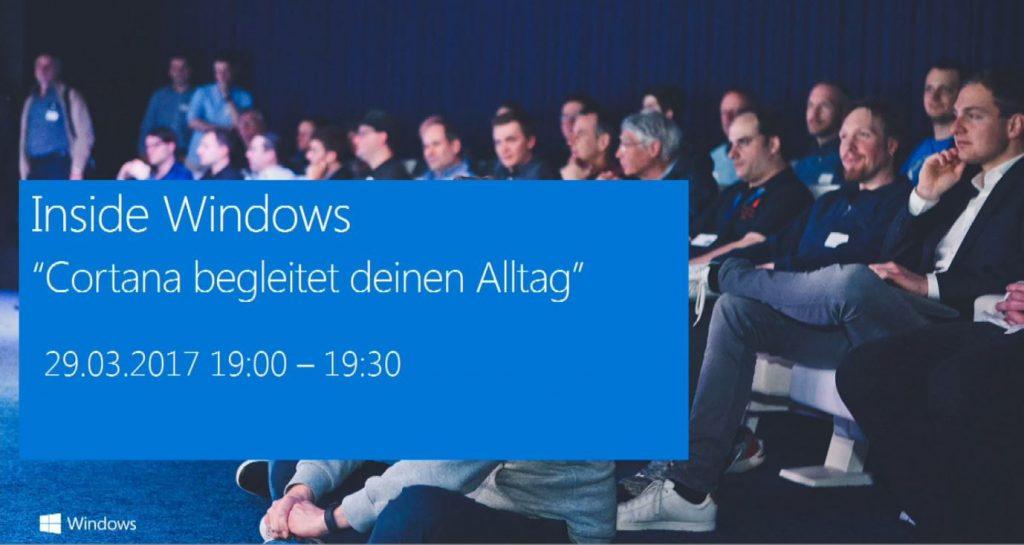
Vergangene Woche gab es erstmals einen Inside Windows von inside.ms zum Thema „Cortana begleitet den Alltag“. Marion Sardone, Cortana Content Manager Germany, stand hier den Fans Rede und Antwort. Für alle die keine Zeit hatten gibt es inzwischen eine Videoaufzeichnung des Webcasts sowie eine FAQ mit Antworten zu den Fragen der Zuschauer. Nachfolgend findet ihr ein paar ganz interessante Infos zur deutschen Cortana aus dem Vortrag.
Das deutsche Cortana-Team besteht aus zwei Personen (Marion Sardone und ein Kollege), die in erster Linie für den redaktionellen Teil von Cortana verantwortlich sind. Das sind die Inhalte bzw. Antworten, die Cortana von sich aus geben kann ohne auf andere Apps oder Services wie z.B. Wetter oder Navigation angewiesen zu sein. Diese Inhalte werden auch von einer echten Stimme eingesprochen und nicht computergeneriert.
Der redaktionelle Teil von Cortana formt auch ihre Charakterzüge. Dabei gibt es natürlich Eigenschaften, die alle Cortana-Versionen weltweit gemein haben, wie Hilfsbereitschaft, stets positiv, keine politische Anschauung etc. Lokale Unterschiede gibt es allerdings auch. So wird man in Frankreich von Cortana gesiezt, die japanische Version kann sich verbeugen und auch hierzulande erhält man typisch deutsche (bzw. sogar regionale) Antworten (probiert mal „Hummel Hummel„, „Erzähl mir etwas über Deutschland„).
Natürlich ist nicht ganz zu vermeiden, dass Cortana auch ein paar Eigenschaften und Interessen von ihren Textern und Redakteuren vererbt bekommen hat. In Deutschland kommt dies z.B. in ihrer Begeisterung für die Werke von Loriot zum Ausdruck („Herr Müller-Lüdenscheid!„). Humor ist der deutschen Cortana also sicherlich nicht fremd, wobei sie zumindest derzeit keine neuen Witze lernt.
Natürlich wurde auch das Thema Datenschutz angesprochen. Microsoft gibt sich viel Mühe, dieses Thema möglichst transparent zu halten. So findet man im Privacy Dashboard des Microsoft Accounts übersichtlich alle Informationen, die Cortana über die eigene Person kennt. An selber Stelle lassen sich auch alle Cortana-Daten bequem in einem Rutsch löschen.
Ein echtes Easteregg wird es demnächst übrigens auch geben. Ab Karfreitag könnt ihr nämlich Cortana nach „Wo ist der Osterhase?“ fragen.
Der Beitrag Deutsches Cortana-Redaktionsteam spricht über die eigene Arbeit erschien zuerst auf WindowsArea.de.
Microsoft wurde am heutigen Tag vor 42 Jahren gegründet

Am heutigen Tag vor 42 Jahren, also dem 4. April 1975, haben die beiden Kindheitsfreunde Bill Gates und Paul Allen das Unternehmen Micro-Soft gegründet. Der heutige Soft- und Hardwarekonzern entstand in Albuquerque, im US-Bundesstaat New Mexiko und das Ziel der beiden war zuerst, Software für den Altair 8000-Computer zu schreiben.
Die Programmiersprache Altair BASIC 2.0 wurde entwickelt und an den Computerhersteller lizenziert. Sie war zur damaligen Zeit praktisch unverzichtbar beim Kauf des Computers, um diesen überhaupt in Betrieb nehmen zu können. Erst durch die Kooperation mit IBM rund um MS-DOS hat sich Microsoft zu dem Konzern entwickelt, den man heute kennt. 1980 hatte der Hardwarehersteller eine Software benötigt für die eigenen Computer, nachdem IBM den Markt mit Heim-Computern verpasst hatte. Microsoft hatte damals ein Unternehmen gekauft, das 86-DOS entwickelte und modifizierte das System, um es als MS-DOS an IBM zu lizenzieren. MS-DOS war eigentlich eine CP/M-Variante und IBM musste dem Unternehmen dahinter 800.000 US-Dollar zahlen, um rechtliche Schritte zu vermeiden. Der IBM-PC kam auf den Markt und war ein großer Erfolg, obwohl Microsofts erstes Betriebssystem weit hinter der damals aktuellen Technik war. Grund dafür war, dass IBM anderen Herstellern erlaubte, den PC zu lizenzieren und zu verkaufen, sodass der anfangs recht hohe Preis von 3000 US-Dollar rasch fiel und für Heimanwender interessant wurde. Zudem war MS-DOS teilweise mit CP/M abwärtskompatibel.
1984 registrierte Microsoft das Patent für die Marke „Windows“ nach einer erfolgreichen Klage gegen das US-amerikanische Patentamt, welches den Begriff zuerst nicht an die Redmonder vergeben wollte. Am 20. November 1985 wurde eine grafische Erweiterung für MS-DOS veröffentlicht namens Microsoft Windows während man noch in Partnerschaft mit IBM an OS/2 arbeitete. Dieses Wissen nutzte Microsoft für die eigene Arbeit an einem 32-bit Betriebssystem namens Microsoft Windows NT, womit Anfang der 90er Jahre auch die Ära der Rechtsstreitigkeiten gegen die US-Handelskommission begann. Die restliche Geschichte ist weitestgehend bekannt. Es folgte die Marktführerschaft des Windows-PCs, welche bis heute andauert, die Xbox im Jahr 2001, der Internet Explorer, Zune, Windows Mobile, Windows Phone, Surface und in der Zwischenzeit auch irgendwann WindowsArea.de.
Microsofts Anfänge werden in Geschichtsbüchern und Filmen weiterleben und dem Redmonder Konzern wünschen wir an dieser Stelle alles Gute zum 42. Geburtstag.
via WindowsCentral
Der Beitrag Microsoft wurde am heutigen Tag vor 42 Jahren gegründet erschien zuerst auf WindowsArea.de.
Apple: Windows 10 ist vier Mal beliebter als Mac
Apple lässt sich im Regelfall ebenso selten auf „Zahlenspiele“ ein wie Microsoft bei der Xbox und wenn man es tut, dann auch nur für „Bullshit-Bingo“. „So viel Zeit haben Spieler auf Xbox Live verbracht, so viele Witze hat Cortana bereits erzählt“ oder „so viele Apps wurden bereits heruntergeladen.“ Konkrete Verkaufszahlen der Xbox One gibt es bis heute nicht und mit App-Zahlen aus dem Windows Store hält sich Microsoft seit der eigenen „Qualitätsoffensive“ ebenfalls zurück.
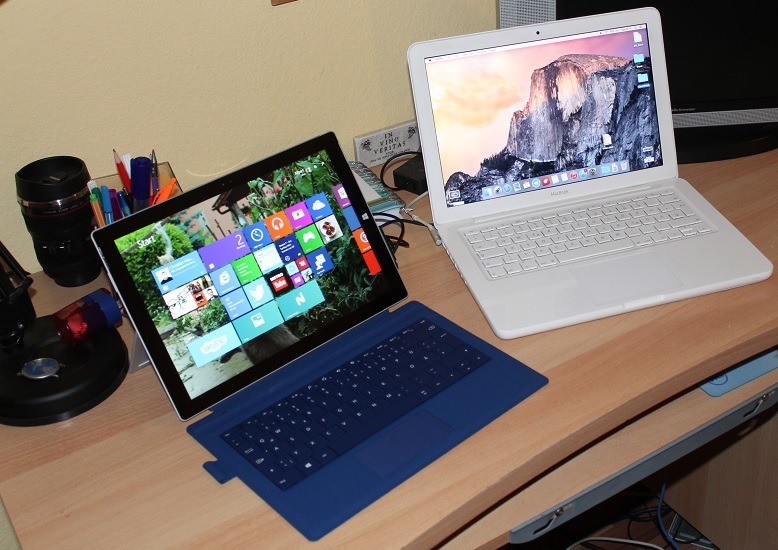
Wenn man konkrete Zahlen nennt, dann ist das immer nur dann, wenn ein beeindruckender Meilenstein erreicht worden ist. Im September des Vorjahres hatte beispielsweise Microsoft angekündigt, dass bereits 400 Millionen Geräte mit Windows 10 laufen. In einem Briefing hat nun Apple einige Zahlen zu den eigenen Computern bekanntgegeben und zwar, dass es bereits 100 Millionen aktive Macs gibt. Damit wäre allein Windows 10 vier mal weiter verbreitet als sämtliche aktuell verwendeten Apple-Computer. Apple schwimmt dennoch im Geld und hat mit den Geräten allein 25 Milliarden US-Dollar verdient.
80 Prozent Laptops

Apple gab auch bekannt, weshalb man in den letzten Jahren die Mac Pro-Reihe sowie den iMac und den Mac Mini nicht mehr gepflegt und aktualisiert hat. Das Unternehmen verkaufe mittlerweile zu 80 Prozent Notebooks. Selbst in diesem Jahr will man den Mac Pro nicht aktualisieren, sondern erst nächstes Jahr ein neues Modell auf den Markt bringen. Der iMac hingegeben wird in diesem Jahr noch einen Nachfolger bekommen. Messen darf sich Apples neuester All-in-One Computer dann allerdings mit nichts Geringerem als dem Surface Studio von Microsoft.
Übrigens ist es nicht verwunderlich, dass Windows 10 in vergleichsweise kurzer Zeit eine weit höhere Verbreitung fand als sämtliche Computer von Apple. Dennoch zeugt es davon, dass die Endkunden die neueste Systemversion der Redmonder angenommen haben. Zudem muss man sagen, dass die 400-Millionen-Geräte-Marke vom September mittlerweile ohnehin nicht mehr aktuell sein dürfte. Schließlich waren es im Juni 2016 noch 350 Millionen Geräte, ein Wachstum um 50 Millionen-Nutzer binnen drei Monaten. Über das Weihnachtsgeschäft dürfte sich doch einiges getan haben.
Quelle: TechCrunch
Der Beitrag Apple: Windows 10 ist vier Mal beliebter als Mac erschien zuerst auf WindowsArea.de.
Windows Store-Update bringt neues Design & Features

Der Windows Store ist zweifellos eine Problemzone von Windows 10 und Windows 10 Mobile, nicht nur aufgrund geringen App-Auswahl. War der Store anfangs noch problematisch instabil, wurde das sehr simple Design ein Thema, welches nicht wirklich ansprechend war und zahllose Fehler enthielt.
Microsoft arbeitet momentan daran, die eigenen Apps für Windows 10 und Windows 10 Mobile designmäßig etwas aufzufrischen und hat bereits Groove Musik sowie Filme & TV den Project NEON-Look verpasst. Der Windows Store bekommt die neue Designsprache zwar noch nicht, wurde aber in einem Update auf Version 11703.1000.156.0 für Windows Insider mit einigen Verbesserungen aktualisiert.
So gibt es nun eine neue Fortschrittsleiste beim Download, der Teilen-Button wurde neben den Download-Knopf gesetzt und es gibt nun auch interaktive Benachrichtigungen. Den vollständigen Changelog haben wir im Folgenden für euch eingefügt:
- Neue Fortschrittsleiste beim App-Download, inkludiert nun auch Geschwindigkeit
- Teilen-Knopf wurde neben Download gesetzt
- Verbesserungen beim Interface für Schul- und Unternehmensaccounts
- Verbesserungen am Hamburger-Menü
- Verbesserte Performance, kürzere Ladezeiten
- Verbesserungen beim Such-Interface, inkludiert nun einen Abbrechen-Knopf
- Verbesserte Benachrichtigung mit interaktiven Elementen
Vorerst ist die Aktualisierung lediglich für Windows Insider erhältlich und zwar in sämtlichen Vorschauringen. Es ist davon auszugehen, dass Microsoft die Aktualisierung der Apps für reguläre Nutzer mit dem Erscheinen des Windows 10 Creators Update ausrollen wird.
Quelle: Reddit
Der Beitrag Windows Store-Update bringt neues Design & Features erschien zuerst auf WindowsArea.de.
Apple Finds Itself With Its Back Against The Wall

Apple has found itself in a precarious position, the company is on its heels doing damage control over slow Mac updates.
The post Apple Finds Itself With Its Back Against The Wall appeared first on Thurrott.com.
AXA Group accelerates digital transformation with the Microsoft Cloud
Today’s Office 365 post was written by Ron Markezich, corporate vice president at Microsoft.
 When one of the world’s leading financial institutions invests in Microsoft Office 365 and Azure, it’s a testament to the confidence business leaders have in the security, privacy, and compliance enabled by the Microsoft Cloud. As a group, AXA has globally adopted our comprehensive cloud services, taking a leadership role in the industry and enabling a modern, secure workplace. Rather than looking at the global deployment of Office 365 as yet another routine upgrade, IT leaders are taking advantage of a cloud platform that empowers employees with innovative tools available on any device.
Matt Potashnick, CIO for AXA UK and Ireland, talks about the digital transformation underway:
“At AXA UK, we are now taking our applications to the cloud with Azure and enabling collaboration and mobility across the organization with Office 365. This is key for us to reach out to new customers and channels with smart devices; we will grow business market share by keeping our technology and daily operations on the leading edge. By looking to all aspects of the Microsoft Cloud, we can collaborate securely both within our organization and with external partners. We have revealed a more agile way of working that helps us simplify access to information, promote insights and analytics across the business, and remain competitive without sacrificing our essential security and compliance concerns.”
Already, 60 percent of the AXA global workforce is in the cloud. It’s great to see their continued success with Office 365. Our goal is to help customers of any size, geography and industry digitally transform through empowering employees. The bar is high for technology companies that want to provide highly regulated insurance and financial institutions with cloud productivity services. For global firms navigating the complex regulatory landscape like AXA, Office 365 and Azure provide the solutions they need to help meet their compliance needs wherever they do business. Our relationship with AXA proves that the Microsoft Cloud can drive innovation in any industry.
—Ron Markezich
The post AXA Group accelerates digital transformation with the Microsoft Cloud appeared first on Office Blogs.
Microsoft Continues Working on Windows 10 High DPI Issues with Creators Update

Microsoft has now detailed some of the improvements it is making to high DPI support in the Windows 10 Creators Update.
The post Microsoft Continues Working on Windows 10 High DPI Issues with Creators Update appeared first on Thurrott.com.
Cortana at your fingertips, now on Android lock screen
Since releasing Cortana* on Android and iOS a year ago in the US and more recently in the UK, you have been telling us what you liked and how you’d like it to be improved and we’re excited to tell you more about what we’ve been up to this month.

The information you need to keep on top of your day is now at your fingertips with Cortana above the lock on Android. We introduced the ability to get Cortana on your lock screen earlier this month so you could quickly swipe and see what Cortana’s got for you for the day.
Today, you can now interact with Cortana above the lock. Quickly get answers to your questions, set a reminder and more without having to unlock your device.

We’ve also made updates to the Cortana home on Android, giving you glanceable information about what’s upcoming in your day like your schedule, commute times as well as upcoming reminders and the ability to quickly add reminders and new calendar items to your day. Your lists are also easier to access so you can view, edit and add items quickly.
Today, we’re also announcing that both the Android and iOS apps are available in Australia, extending the functionality of your Cortana on Windows 10 to whatever smartphone you carry to help you stay on top of things.
- Reminders that Travel with You: Cortana has your back, seamlessly keeping track of the things you need to remember across all the platforms you use her. Set a reminder on your PC and get it on your mobile phone.
- Never Miss a Phone Call: In a meeting and can’t answer your phone? With the Cortana app, get a missed call alert on your Windows 10 PC and let Cortana send a text back letting them know you’ll call them later – all without leaving your PC.
- Optimized for Mobile: Designed specifically for your mobile life with quick action buttons and voice to get what you need quickly, a streamlined design and widgets for Android and iOS.

Earlier this month, we also brought the refreshed design of the app to iOS in the US and introduced the app to the U.K. The more simplified look and feel for the apps makes it faster and easier than ever before to get things done with quick actions, putting the most frequent things you do front and center, so setting a reminder or viewing your reminders is just a tap away when you don’t want to use voice.
*Cortana available in select markets
**Images updated for accuracy
The post Cortana at your fingertips, now on Android lock screen appeared first on Windows Experience Blog.
Windows 10 Creators Update coming April 11, Surface expands to more markets
Creativity has led the inspiration of our world’s greatest inventors, architects, educators, entrepreneurs, developers, and students, delivering advancements that move our world forward. Today, people value creativity more than ever, placing us on the cusp of a new wave of exploration, advancement, and impact.
We designed Windows 10 to empower the creator in all of us. To us, that means that everyone has the power to dream big, whether that involves starting a company, developing a lesson plan, inventing a product, developing or broadcasting games, or imagining a whole new world in Minecraft or mixed reality. And we want Windows to be the place you love to create and play, with the tools to help you make your mark on the world.
Windows 10 Creators Update coming April 11
Today, I’m excited to share our latest update to Windows 10, the Creators Update, will begin to roll out on April 11. The Creators Update is designed to spark and unleash creativity, bringing 3D and mixed reality to everyone and enabling every gamer to be a broadcaster. Beyond creativity, it brings new features to Microsoft Edge, additional security capabilities and privacy tools, and so much more.
Whether you’re already a Windows 10 customer or looking for a new Windows 10 device from Surface or our partners, here are just a few of the new features coming in the Windows 10 Creators Update.
3D for Everyone and enabling mixed reality

With the new Paint 3D app in the Creators Update, it’s simple to create 3D objects from scratch, easily changing colors, stamping textures, or turning a 2D picture into a 3D work of art.
The 3D industry is estimated to grow by over 62% by 2020, and we want to empower everyone to experience, create and share in 3D with the Creators Update.
Most of us have been limited to a two-dimensional canvas with existing tools, yet we live in a multi-dimensional world. With 3D, we can communicate ideas and express ourselves better, and learn faster because it’s much more representative of the world we live in. The 3D industry is estimated to grow by over 62% by 2020, and we want to empower everyone to experience, create and share in 3D with the Creators Update.
Windows has long been home to creation, with the original Paint seeing over 100 million monthly users as one of the most popular creation tools. With the new Paint 3D app in the Creators Update, it’s simple to create 3D objects from scratch, easily changing colors, stamping textures, or turning a 2D picture into a 3D work of art. Remix3D.com offers pre-made 3D art in a growing online library for your use or you can share your own creation with this creative community.
From 3D to mixed reality, the Windows 10 Creators Update enables immersive experiences that blur the lines between the physical and virtual worlds. Acer, ASUS, Dell, HP, and Lenovo will ship the world’s first Windows Mixed Reality-enabled headsets with the Creators Update, starting at just $299 USD later this year. These headsets will contain built-in sensors to enable inside-out, six-degrees of freedom, allowing for easy setup and free movement without the need for external markers or sensors in the wall. These devices will light up with new, immersive Windows Mixed Reality apps and experiences, which developers are creating on the recently available Windows Mixed Reality dev kits.
Watch, participate, chat and interact in real-time with Beam

Built-in game broadcasting on Windows 10. Now you can effortlessly stream your gameplay using the Game Bar—just hit Windows + G, click Broadcast, and start streaming on Beam—all without the need for additional log-ins.
We’re committed to making Xbox the best place to create and play games across Windows 10 and Xbox One. As part of that, we are unifying players across Xbox console and PC with Xbox Live and through programs like Xbox Play Anywhere, which enables you to buy a game once and play it on both your Xbox One and Windows 10 PC.
With the Creators Update, we are delivering more ways to play, interact, share and enjoy across Windows 10 and Xbox One. With Beam, we’re inviting Creators on Windows 10 PC and Xbox One to stream gameplay and interact with community in real-time using Beam’s ultra low-latency – no extra hardware or software required. With Beam, you don’t just watch your favorite game streams, you can chat, interact and participate with streamers and community in entirely new ways.
With Windows 10 Game Mode our goal is to offer the best and most consistent gaming experience on your Windows 10 PC by dedicating more system resources to your PC games. Once you’ve enabled Game Mode, you can apply it to any game. Learn more about the corresponding Xbox One update and new features here.
Microsoft Edge is faster and safer with better browsing and entertainment

Set your tabs aside for easy access; Microsoft Edge is the default reader for books in Windows Store.
Because so much time is spent online, we’ve designed Microsoft Edge to be the best browser for Windows 10. People are choosing Microsoft Edge because it is safer and faster than Chrome, with better battery life. With all the dangerous security threats online today, Microsoft Edge blocks 9% more phishing sites and 13% more malware than Chrome* – helping protect your identity and information; speed matters on the Web and according to Google’s own benchmarks, Microsoft Edge is faster than Chrome**. Finally, Microsoft Edge makes your battery last longer so you can stream up to 1.5 hours of video longer than Chrome***.
But that’s not all. With the Creators Update, we’ve added new features like advanced tab management to help you find, organize and open tabs you’ve set aside without leaving the page you’re on. You can now discover and get your favorite e-books in Windows Store and read them in Microsoft Edge across all of your Windows 10 devices. And, it is the only browser that can play Netflix movies and TV shows in 4K Ultra HD resolution ****.
From sleeping better to easily managing your children’s screen time
Sometimes it’s the little things that delight the most. And with the Windows 10 Creators Update, there are many delightful updates and features based on your feedback.
By reducing the blue light emitted by your screen, the night light feature helps you sleep better. With night light, when you’re working late your brain is more ready to power down for a good night’s sleep. Smartphone users love this feature and now, it’s coming to Windows 10 with the Creators Update.
The mini view feature lets you keep an ever-present small window on top of what you’re doing. This means you can do things like binge-watch your favorite show, carry on a Skype conversation or control your music, regardless of what else you’re working on.
With the Windows 10 Creators Update, parents familiar with screen time limits for Windows 10 will now find a similar set of controls for Xbox One. With screen time limits parents can manage how much time their children play games across the console and PC, giving you an extra hand, say, when your younger family member has played enough Forza Horizon 3 for the day. With screen time limits, parents can set a daily time allowance for each child and your Xbox One or Windows 10 PC will automatically sign them out when time is up. For Windows 10, you can even get a report telling you what your child played each week. To set up screen time limits, head over to account.microsoft.com/family, sign in with your parent account, and select “Screen time” for your child’s account.
Windows Hello can use any paired iPhone, Android or Windows Phone to detect when you step away from your PC or tablet, automatically locking it behind you for an extra measure of security and privacy. This remote lock feature works with smartphones, fitness bands or any device that’s paired to your PC or tablet.
Additional security and privacy protection

The new Windows Defender Security Center dashboard coming with the Windows 10 Creators Update gives you visibility of your device security, health, and online safety.
Customers like MARS, Adventist Health Systems, and the Australian Department of Human Services are choosing Windows 10 because it is the most secure enterprise platform. Businesses and people at home need advanced protection because security experts are seeing increased efforts to make common malware and ransomware more prevalent and difficult to track and defend against, putting everyone at greater risk. With Windows 10, we’ve built the most robust security protection into Windows to protect you from these threats whether you are visiting a website, sending an email or storing files in the cloud.
With the Creators Update, we offer a new service to help you monitor your security, the Windows Defender Security Center. It offers a single dashboard display so you can control your security options from one place – everything from anti-virus, network and firewall protection; to assessing your device performance and health; to security controls for your apps and browser; to family safety options. And there’s more: The Device Health Advisor gives you information on the vital signs of your device, and new settings give you more control over app installation. For our business customers, the Creators Update will continue to bring new tools and capabilities that help simplify IT – making it easier to better deploy, manage and support Windows 10 devices – and to help stomp security threats.
Your privacy deeply matters to us and to you, and the Creators Update makes it easier than ever to manage your privacy with Windows 10 and other Microsoft services with a new set up experience that lets you choose the settings that are right for you. A new Microsoft privacy dashboard lets you see and manage your activity data across multiple Microsoft services.
The Creators Update will start to roll out via Windows Update on April 11. We will be rolling it out in a measured way to ensure the best possible customer experience.
Surface Book and Surface Studio coming to more markets

Surface Studio turns your desk into a creative studio. It is a new class of device that transforms from a desktop PC into a powerful digital canvas, unlocking a more natural and immersive way to create.
Since we introduced Surface Studio, Surface Dial, and Surface Book with Performance Base last fall, we’ve heard amazing feedback on how these devices are transforming the way people bring ideas to life. Surface Studio has captured people’s imagination with a completely new way to create at your desk. And Surface Book with Performance Base has delivered an unprecedented combination of performance, battery life, and portability. We’ve heard from engineers, developers, Silicon Valley startups, designers, and photographers about how Surface devices not only help them get more done but to interact with their work in new ways. To help meet the demand for Surface devices as part of the modern office setting we are investing in partnerships with companies like Steelcase to help businesses unlock the full creative potential of their employees. With Surface and Windows 10 we are helping people realize their full creative potential and we are excited to bring that experience to more people around the world today.
Surface Book with Performance base is available for pre-order today in Austria, China, Denmark, Finland, France, Germany, Hong Kong, Japan, Netherlands, Norway, Sweden, Switzerland and the United Kingdom and will be available for purchase on April 20th. And, Surface Studio and Surface Dial are available for pre-order today in Australia, Canada and New Zealand and will be available for purchase in Canada starting April 20th and in Australia and New Zealand on April 27th.*
Windows 10 Creators Update for Surface Hub
Last but definitely not least, Surface Hub customers worldwide will receive the Windows 10 Creators Update for Surface Hub. The update delivers some of the top requested features to make Surface Hub an even more powerful collaboration device. The updates include an improved new start screen that allows you to sign on with your credentials and access your Office 365 apps and OneDrive materials as well as new manageability tools to simplify large-scale deployments. Apps like Skype for Business are being improved to help you connect better and the Whiteboard app will now easily enable real-time collaboration between Surface Hubs. Expect a more detailed update on the great Surface Hub improvements coming in Creators Update before April 11th.
Stay tuned right here on the Windows Blog for more information soon about how to get the Windows 10 Creators Update. We are so excited to deliver the Creators Update to you and for more of you around the world to experience the amazing Surface devices that bring creativity to life.
Thanks,
Yusuf
*Based on NSS Labs report.
**More information on benchmark here.
***Windows data found here.
****Exclusive DRM privilege to allow 4K stream for Microsoft Edge and Netflix app on Windows 10 on compatible Windows PCs.
*3/29/17: Updated to clarify date of purchase availability.
The post Windows 10 Creators Update coming April 11, Surface expands to more markets appeared first on Windows Experience Blog.
Managing the Windows 10 Creators Update rollout for a seamless experience
Hi, everyone! Yesterday Yusuf Mehdi announced the availability of the Windows 10 Creators Update, the latest feature update to Windows 10. Today I’d like to share more information about our plans for rolling out the Creators Update.
The Creators Update will begin to roll out on April 11th. Like with the Anniversary Update we delivered last August, this update for Windows will proceed in phases. Based on our experience and feedback from our customers, we believe a phased approach provides the highest quality update experience to the broadest set of customers. The first phase will target newer devices, especially those we tested together with our OEM hardware partners. We will then expand the Creators Update release to additional devices based on the feedback we receive during the initial phase. We’ll iterate this process over a period of several months until all compatible devices running Windows 10 worldwide are offered the Creators Update. Windows Phone will follow the same phased approach, with rollout scheduled to begin April 25. Note that update availability may vary by manufacturer, model, country or region, mobile operator or service provider, specific installed software, hardware limitations and other factors such as feedback from customers.
As we announced previously, customers will be asked to make important privacy settings choices before the Creators Update is installed. When you see the privacy settings page, you will know that the Creators update isn’t far behind!
We also received a lot of feedback asking for more control over when Windows 10 installs updates. As I noted in my blog post from March 1, we’ve provided new ways for customers to control when the update will occur.
These include the ability to specify a time that is convenient for you, pause updates for a week, and expand the “active hours” time window during which you don’t want to be disturbed by an update. If you’re running a Windows 10 PC at work, check with your IT administrator for details regarding your organization’s rollout plans. For the those of you who are eager to get the Creators Update right away, you will be able to initiate the update manually, starting on April 5th, via Update Assistant. This option is intended for advanced users on devices running a licensed version of Windows 10.
We’ve been working hard to get the Creators Update ready for you, and a key aspect of that preparation is the tremendous level of engagement from the Windows Insider Program (WIP) community. Millions of Insiders have installed many different “test builds” and helped us refine the release with their feedback. We also worked closely with top ISVs on application compatibility, and our top hardware partners (including the Microsoft Surface team) to test the Creators Update with a set of the latest devices and peripherals.
Your feedback helps us shape Windows, so naturally, we’re anxious to hear about your experience with the Creators Update. The Feedback Hub app is a great way to provide feedback and is already installed on your Window 10 device. If you experience an issue and need assistance, the new Get Help app makes it easier to resolve issues yourself or be connected to an expert if needed. The app introduces Microsoft’s new virtual support agent, which uses your description of an issue to help find the best troubleshooter, instant answer, support article, or other solution available (initially available only in English in the US).
We hope you enjoy all the great new features in the Creators Update! In the coming weeks, I’ll be providing updates on what feedback we’re hearing and how the Creators Update rollout process is going.
The post Managing the Windows 10 Creators Update rollout for a seamless experience appeared first on Windows Experience Blog.
Ganz wichtig, jaja
Bei meinem Mandanten wurde durchsucht. Nicht, weil er Beschuldigter ist. Er ist nur Zeuge, was die Sache für ihn allerdings auch nicht angenehmer macht. (Zulässig ist so eine Durchsuchung bei Dritten durchaus, § 103 StPO.) Die Polizei nahm auch den Rechner meines Mandanten mit. Auf der Hardware sitzt sie nun schon geraume Zeit, ohne dass sich bislang jemand groß um die Auswertung gekümmert zu haben scheint.
Stattdessen meldete sich jetzt ein Kommissar bei meinem Mandanten, um ihn zu einer Zeugenaussage aufs Präsidium zu zitieren. Ganz wichtig, ganz eilig. Kann überhaupt nicht warten. Dummerweise wusste mein Mandant, dass ein Zeuge nicht mit der Polizei sprechen muss. Ganz wichtig, jaja. Was die Polizei drängt, ist für einen Zeugen aber irrelevant. Er darf trotzdem keine Kommunikationsbereitschaft verspüren, ohne dass es irgendwelche Möglichkeiten gäbe, ihn in Ketten zu legen oder ihm zumindest ein klitzekleines Ordnungsgeld aufs Auge zu drücken.
Klar, letztlich stellte der Polizist meinem Mandanten in Aussicht, dass er dann halt eine Vorladung vor die Staatsanwaltschaft erhält. Beim Staatsanwalt muss ein Zeuge aussagen, wenn ihm keine sogenannten Auskunfts- oder Zeugnisverweigerungsrechte zur Seite stehen (§§ 55, 52 StPO).
Die Frage ist halt immer nur, ob ein Staatsanwalt sich wirklich dazu aufrafft, einen Zeugen in sein Büro zu zitieren. Die meisten Staatsanwälte empfinden das als eher unangenehme Pflicht und vermeiden ihre Erfüllung, indem sie halt erst mal andere Erkenntnismöglichkeiten ausschöpfen. Ich habe es schon oft erlebt, dass die von der Polizei nachhaltig angedrohte Vorladung vor den Staatsanwalt einfach nicht kommt. War vielleicht doch nicht so wichtig.
Ich habe den Mandanten auf eine ganz andere Idee gebracht. Er könnte doch mal anklingen lassen, dass er zunächst gerne seine Hardware wieder hätte. Die ist für ihn ja auch wichtig, ohne dass was passiert. Für den Fall einer schnellen Rückgabe in heilem Zustand stünde er dann auch einer Zeugenaussage bei der Polizei wohlwollender gegenüber.
So was wäre doch mal ein kleiner, aber schöner Deal.

WHO: Der heimliche WHO-Chef heißt Bill Gates
 Die wichtigste Organisation der Weltgesundheit, die WHO, hat ein Problem: Sie ist pleite und deshalb auf Spenden angewiesen. Verliert sie darüber ihre Unabhängigkeit?
IT-Standort Deutschland: "Wir schützen uns oft zu Tode"
 Früher wurden Informatikstudenten belächelt, heute ist die Wirtschaft auf sie angewiesen. In Deutschland ist IT aber festgefahren und unkreativ, sagt eine Professorin.
VW-Abgasskandal: EU-Parlament verlangt Entschädigung für VW-Fahrer
 Auch europäische Kunden von VW sollen nach dem Abgasskandal entschädigt werden, fordert das Parlament in Straßburg. Bisher haben nur Fahrer in den USA Geld bekommen.
Krankenhausreform: Kliniken müssen in Zukunft ausreichend Pfleger beschäftigen
 Gesundheitsminister Hermann Gröhe will deutsche Krankenhäuser verpflichten, genügend Pflegekräfte einzustellen. Dies soll der Sicherheit der Patienten dienen.