 yuzu Git (2018/02/18) is complied. yuzu is a work-in-progress Nintendo Switch emulator. yuzu is an open-source project, licensed under the GPLv2 (or any later version). yuzu has been designed with portability in mind, with builds available for Windows, Linux, and macOS. The project was started in spring of 2017 by bunnei, one of the original authors of the popular Citra 3DS emulator, to experiment with and research the Nintendo Switch. Due to the similarities between Switch and 3DS, yuzu was developed as a fork of Citra. This means that it uses the same project architecture, and both emulators benefit from shared improvements. During the early months of development, work was done in private, and progress was slow. However, as Switch reverse-engineering and homebrew development became popular, work on yuzu began to take off as well....More
Shared posts
20 Feb 06:02
yuzu Git (2018/02/18) is complied. yuzu is a work-in-progress Nintendo Switch emulator. yuzu is an open-source project, licensed under the GPLv2 (or any later version). yuzu has been designed with portability in mind, with builds available for Windows, Linux, and macOS. The project was started in spring of 2017 by bunnei, one of the original authors of the popular Citra 3DS emulator, to experiment with and research the Nintendo Switch. Due to the similarities between Switch and 3DS, yuzu was developed as a fork of Citra. This means that it uses the same project architecture, and both emulators benefit from shared improvements. During the early months of development, work was done in private, and progress was slow. However, as Switch reverse-engineering and homebrew development became popular, work on yuzu began to take off as well....More
yuzu Git (2018/02/18)
by Jei
yuzu Git (2018/02/18) is complied. yuzu is a work-in-progress Nintendo Switch emulator. yuzu is an open-source project, licensed under the GPLv2 (or any later version). yuzu has been designed with portability in mind, with builds available for Windows, Linux, and macOS. The project was started in spring of 2017 by bunnei, one of the original authors of the popular Citra 3DS emulator, to experiment with and research the Nintendo Switch. Due to the similarities between Switch and 3DS, yuzu was developed as a fork of Citra. This means that it uses the same project architecture, and both emulators benefit from shared improvements. During the early months of development, work was done in private, and progress was slow. However, as Switch reverse-engineering and homebrew development became popular, work on yuzu began to take off as well....More
04 Dec 22:24
Bizarre "gangbanger skin" rugs
by David Pescovitz
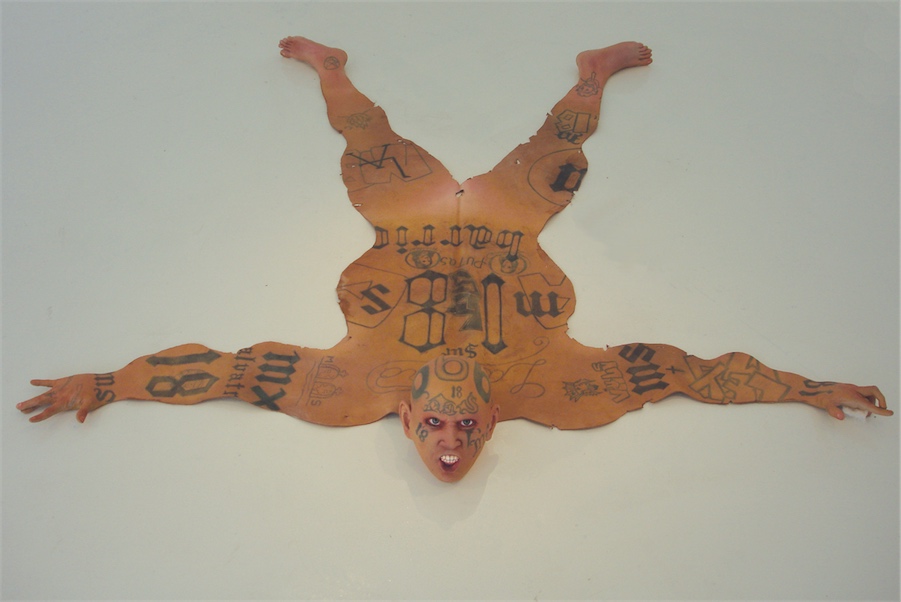
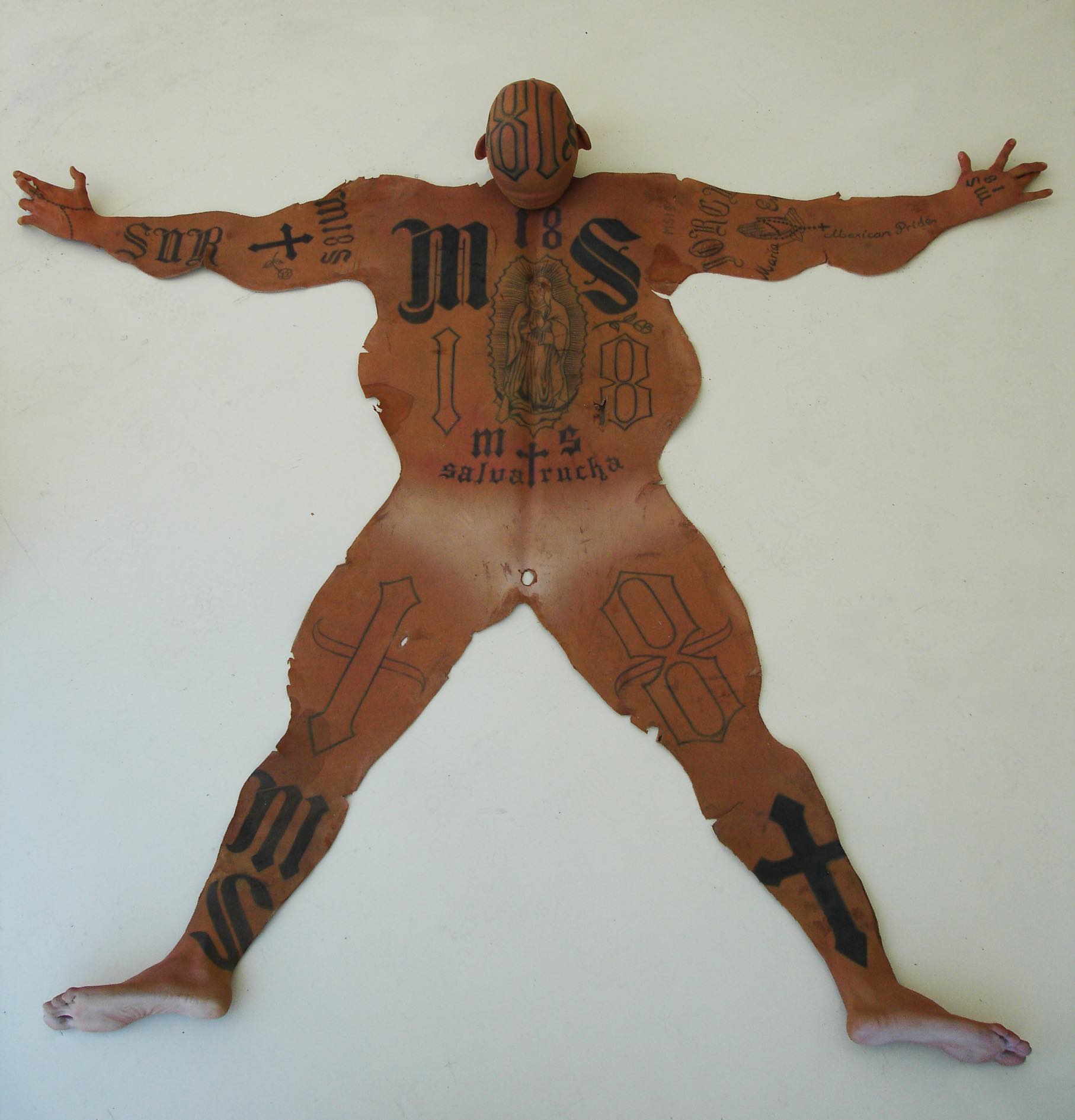
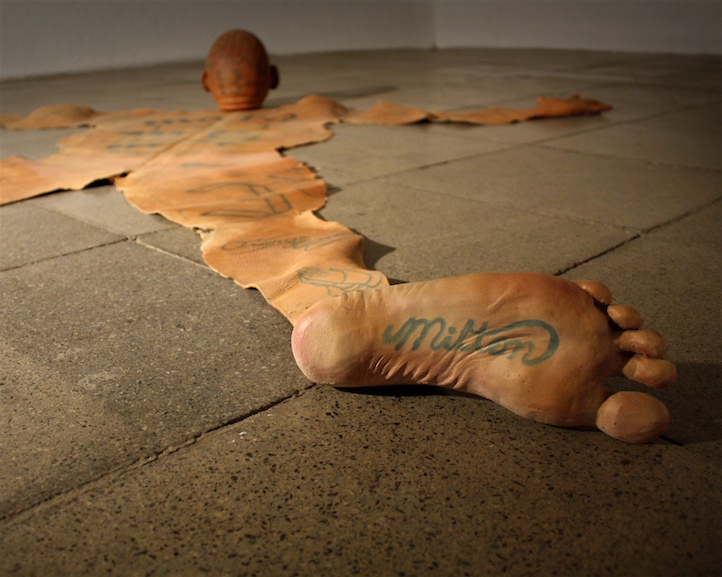
Mexican artist Renato Garza Cervera sculpts freakish rugs in the form of skinned gang members.
"Years ago I was watching TV at the house of an ex-girlfriend," he told The Creators Project. "We were watching an animation shortcut where a funny monster had in the floor of its house a green and red dotted hippopotamus rug. So I thought, 'That rug is quite anomalous: it’s not made out of a typical beast. It’s not a lion nor a tiger nor a bear. Those rugs apparently no longer represent fierce creatures, now they are endangered species: So what would nowadays be a beast or represent an animal-like, barbaric kind of bestiality?'"
The "skins" of the Latino male are tattooed with phrases connected to the MS-13 and 18th Street gangs of Los Angeles.
"They represent a group of Latin American and US-established societies who live in a difficult set of circumstances due to an odd system of political, economical, social issues, which are out of my reach and comprehension," Cervera says.

19 Aug 19:28
 An alcoholic beverage that could even be drunk after strenuous exercise with positive health benefits.
Hydrating Beer Promises To Leave Drinkers Hangover-Free
by Ross Brooks
An alcoholic beverage that could even be drunk after strenuous exercise with positive health benefits.
22 Jul 15:24


Canary: This Might Be Your Home Security System of The Future
by peter ha
Things that were once dumb are now smart. At least that's the trend for home appliances as of late. Canary, the self-proclaimed world's first smart home security system, is launching today on Indiegogo and it might actually work.
    
|
Ross.campbell likes this
11 Jul 21:09
How To Download And Install The Windows 8.1 Fonts In Ubuntu
by noreply@blogger.com (Andrew)
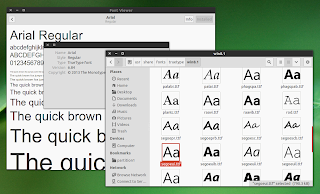
If for whatever reason you need to use the latest Microsoft Windows 8.1 (or 8) fonts in Ubuntu and you don't have a Windows partition to copy the fonts, here's how to download and install them.
1. Download Microsoft Windows 8.1 Preview ISO.
2. Install the tools required to extract the fonts from the Windows 8.1 ISO.
3. Extract the Windows 8.1 fonts from the ISO
4. Optional: convert the Cambria font from TTC to TTF
5. Install the Windows 8.1 fonts in Ubuntu
To install the Microsoft Windows 8.1 fonts system-wide, use the following command:
Or, to install the Windows 8.1 fonts for your user only, use the following commands instead:


Installing the Windows 8.1 fonts in Ubuntu means you'll get any new fonts that Microsoft included in the latest Windows Preview (like Segoe UI Black, Segoe UI Emoji and a few others) as well as the latest version of popular fonts like Arial, Tahoma, Calibri, Segoe UI, Verdana, Times New Roman and so on.
Below you'll find instructions for downloading the Windows 8.1 Preview ISO from Microsoft, extracting the fonts from the ISO (because the fonts can't be redistributed) using 7zip and Wimlib and installing the fonts in Ubuntu, either system-wide or for your user only. The instructions are based on / adapted from the tt-ms-win8 AUR package (thanks to reflexing!).
How to download and install the Windows 8.1 fonts in Ubuntu
1. Download Microsoft Windows 8.1 Preview ISO.
Since the fonts can't be redistributed, you must extract them from a Windows 8.1 ISO. You can download Windows 8.1 Preview from Microsoft - save the ISO file in your home folder. I recommend downloading the 32bit ISO since it's 1 GB smaller than the 64bit ISO.
Optionally, you can also download the Microsoft Windows 8 Enterprise evaluation ISO from HERE.
Both Microsoft Windows 8.1 Preview and Windows 8 Enterprise evaluation are available to download for free.
Both Microsoft Windows 8.1 Preview and Windows 8 Enterprise evaluation are available to download for free.
2. Install the tools required to extract the fonts from the Windows 8.1 ISO.
We'll need p7zip-full and Wimlib (which is available in the main WebUpd8 PPA) - install them in Ubuntu using the following commands:
sudo add-apt-repository ppa:nilarimogard/webupd8
sudo apt-get update
sudo apt-get install wimtools p7zip-full
3. Extract the Windows 8.1 fonts from the ISO
To extract the Microsoft Windows 8.1 fonts from the ISO file, use the following commands (the commands below assume you've downloaded the ISO in your home folder):
cd
7z x WindowsBlue-ClientwithApps-32bit-English-X1899604.iso sources/install.wim
cd sources/
mkdir tmp fonts
imagex mount install.wim 1 tmp
cp tmp/Windows/Fonts/{*.ttf,cambria.ttc} fonts
imagex unmount tmp
The ISO file name in the first command above may change or you may have downloaded a different ISO so make sure you check the filename of your downloaded ISO and use that instead of "WindowsBlue-ClientwithApps-32bit-English-X1899604.iso" if the command doesn't work.
4. Optional: convert the Cambria font from TTC to TTF
If you need the Cambria (regular) font, you'll need to convert it to TTF because the font is available as a TrueType Collection (TTC) and unless you convert it, you won't be able to use it in LibreOffice for instance. To convert it to TTF, you need to install FontForge:
sudo apt-get install fontforgeAnd then, open a terminal and run the following command (the commands below assume you've followed our exact instructions and extracted the fonts under ~/sources/fonts):
cd ~/sources/fonts/
fontforge -lang=ff -c 'Open("cambria.ttc(Cambria)"); Generate("cambria.ttf"); Close(); Open("cambria.ttc(Cambria Math)"); Generate("cambria-math.ttf"); Close();'
5. Install the Windows 8.1 fonts in Ubuntu
Before proceeding, delete any fonts that you don't need from the sources/fonts folder.
To install the Microsoft Windows 8.1 fonts system-wide, use the following command:
sudo mkdir -p /usr/share/fonts/truetype/win8.1
sudo cp ~/sources/fonts/*.ttf /usr/share/fonts/truetype/win8.1/
sudo fc-cache -f -v
Or, to install the Windows 8.1 fonts for your user only, use the following commands instead:
mkdir -p ~/.fonts/win8.1
cp ~/sources/fonts/*.ttf ~/.fonts/win8.1/
sudo fc-cache -f -v
Now you can delete the "sources" folder from your home directory as well as the downloaded Windows 8.1 ISO file.
No more posts. Check out what's trending.