Getting a good Android tablet doesn't have to mean spending a huge sum of money.
You'll always have the high-end, the high asking prices, and the people who are willing to pay for them. But for many, just getting good hardware, a great experience, and not emptying your wallet is the most important set of factors in buying a tablet.
The Android tablet space has exploded in recent years and there are now some great choices to be made around the $200 price point and below. Here we've rounded up some of the best choices you can make.
The Amazon Fire HD 8 has impressive specs and, starting at $89.99, a very attractive price point. It also features 12 hours of battery life, and a processor that's twice as fast as the previous generation. The 1280x800 pixel LCD display won't win any awards, but the 8-inch screen looks great at any angle — awesome for sharing the tablet with family.
And all models of Amazon's Fire tablet now have support for the company's AI assistant, Alexa, allowing you to control your tablet, and your smarthome, with your voice.
And as with Amazon's other tablets, you can offline Prime Video to an SD card, which is a frequent traveller's dream. If you'd like something cheaper, there's the $49 7-inch version of the Fire tablet, while larger screen fans can get the latest 10-inch model for $150.
In our sub-$200 category you're only getting the lower spec, 32GB storage and 2GB RAM option of the Zenpad S 8.0 from ASUS, but that's not necessarily a deal breaker. You're also getting a gorgeous 2048 x 1536 resolution display inside a light, well built Android tablet.
The Zenpad S 8.0 is perfect for one of the big uses of tablets: media consumption. Besides the top-notch display it also packs some powerful, quality sounding speakers that make watching videos or listening to music on the go a pleasurable experience.
There are a few areas to be aware of, notably the software which may not suit all tastes. Zen UI is fairly heavy and bloated, but performance of the tablet is thankfully very good. Overall it leaves you questioning why you might spend a good amount more on some other Android tablets.
Now in its third generation, Lenovo's Yoga tablet remains one of the most distinctive offerings around. The design is unusual but it also makes it one of the best tablets money can buy for consuming media since you don't need to invest in a case with a kickstand.
You also get some great sounding front-facing speakers with excellent volume, so you can just pop it down, kick back and watch a movie wherever you are.
The software experience won't suit everyone, but it's mostly inoffensive, and Lenovo adds a few useful apps and features instead of cramming it with bloat. But while the design is excellent in some regards, it does make it awkward to hold in landscape.
You do get superb battery life though. That bulge is full of battery, which means you get more life from a Yoga than a lot of other Android tablets. And all for $160.
Lenovo's second entry in our roundup, the Tab 4 is a regular slab-style tablet next to the unusual form factor of the Yoga Tablet 3. But while it's less to look at it, it has plenty of its own charm.
It has an 8-inch 1280 x 800 resolution display, quad-core processor, 2GB of RAM, 16GB of internal storage and Android 7.1 Nougat with Lenovo's newer, closer to stock user interface.
Lenovo claims up to 20 hours of battery life during media consumption, and with Dolby Atmos support you're getting another stellar audio experience from a low-cost Lenovo tablet. At only $130 it's perfect for you or the kids, and Lenovo has an optional kids pack which includes a roughty toughty case to protect from the expected falls to the floor.
Once again the MPAA has released its box-office numbers for the year, and once again, this year has smashed all records (as has been the case throughoutouryoungcentury) (really!). As always, the astronomical rise-and-rise of their fortunes is somehow used to launch a call for more publicly subsidized enforcement against "piracy."
(more…)
Google is updating the developer preview of its latest big Android update, Android N, to a new version today. The company has just released factory images of Developer Preview 2, which can be downloaded and manually installed on your device. But one of the great things about the now-public Android beta program is that you should be able to install the new build onto your Nexus 6P, 5X, 6, 9, or Pixel C just by heading to the settings menu and downloading the over-the-air update. Unfortunately, it doesn't seem that this method is working quite yet. So if you're impatient, grab the files.
We haven't yet explored the new stuff that Google has added to its first substantial N update, but we'll be updating our own Nexus gadgets to take a look...
The staff of Half Moon pub in Herne Hill in south London maintain a pseudonymous list of customers who are permanently banned from the premises; their colorful descriptions are a thing of beauty.
(more…)
Kimberlee Carbone was pulled over by New Castle police in November 2013, ostensibly because "she did not apply her turn signal at least 100 feet before the intersection." She was then subjected to a degrading five-hour ordeal that included a bogus DUI arrest, a search of her person and her car, a strip search at the county jail, and multiple probings of her anus and vagina at a hospital.
...
Still determined to discover contraband, Geiser "performed a second internal examination of [Carbone's] vagina and rectum," then instructed two nurses to perform a third. They also swabbed her vagina "for testing." After none of these inspections turned up evidence of a crime, Maiella told Carbone she was free to go. She was discharged from the hospital at 9:15 p.m., having spent an hour and a half there and a total of five hours in police custody.
Thanks to a brain implant, Ian Burkhart can use his hand to play video games for the first time since the accident that broke his neck six years ago. The finding, published today in Nature, is the first instance of a person living with paralysis regaining the ability to move simply by thinking.
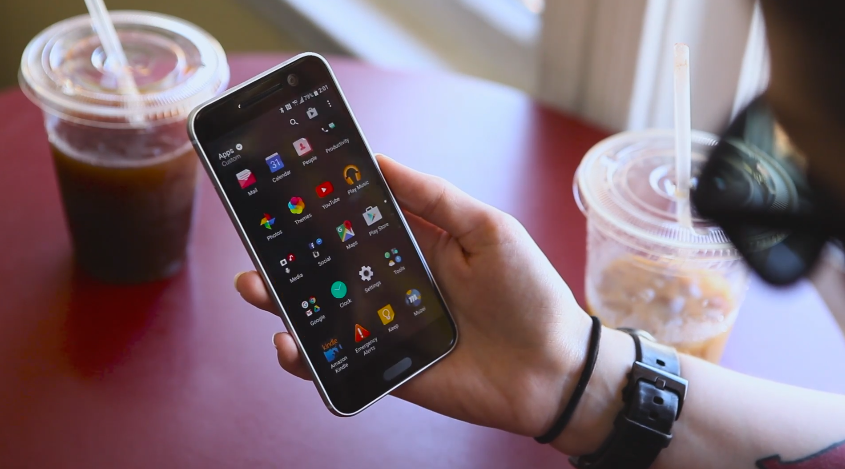
While we've got our textual first impressions of the HTC 10 up and available for you, we've also got them in easy-to-digest video form! Mark Burstiner takes a quick look at the newest flagship from HTC in our latest set of moving pictures we have placed on the YouTube.
To give you the quick rundown: the HTC 10 is coming out here in the US in early May, and the unlocked version with 32GB of storage will sticker for $699.
Amazon’s philosophy with the Kindle line has been consistent for nearly 10 years now — to make the device disappear, by making it as close to paper as possible. However, with the release of its latest model, called the Kindle Oasis, Amazon is shining a spotlight on the Kindle design itself. It’s bringing its flagship e-reader back into the consumer tech conversation with a bold device, and it carries with it some new compromises.
The Oasis is brighter, smaller, and thinner. It’s also a whopping $290. The device’s funky new aesthetic is a surprise move for the relatively no-frills Kindle category, and yet it packs the the longest battery of any e-reader ever made. These changes raise interesting questions for book lovers: what do we...
True to earlier reports, Amazon’s Kindle Oasis is the smallest and lightest Kindle yet and comes with a handle for gripping. Amazon’s Jeff Bezos teased an “all-new, top of the line” Kindle last week and Chinese site Tmall.com sent the e-reader world in a tizzy when it accidentally unveiled details of Kindle’s newest addition to the family on Monday. The site… Read More
MPAA chairman and CEO Chris Dodd made his fifth keynote speech at CinemaCon yesterday, pouring buckets of cold water on the idea that piracy is somehow threatening the very existence of the movie industry.
“I’m proud to say that the state of our industry has never been stronger,” the former U.S. senator said.
Indeed. Yesterday the MPAA released its latest Theatrical Market Statistics Report which revealed that global box office revenues reached $38.3 billion in 2015, up 5% on 2014’s total. The United States and Canada turned in $11.1 billion with international box office revenues hitting $27.2 billion.
“To paraphrase Mark Twain, the death of the movies has been greatly exaggerated,” Dodd said.
Exaggeration was the name of the game four years ago during the SOPA debate, when one might have been forgiven for believing that Hollywood’s very existence was hanging by a thread. But now, according to the MPAA itself, things could hardly be better, with 708 films released in 2015 and those released by MPAA members up 8% on the previous year.
Almost 70% of the U.S./Canada population (235.3 million people) went to the cinema at least once in 2015, a 2% increase over 2014. Frequent movie goers who attended at least once a month accounted for 49% of all tickets sold in the same region. Indeed, the number of tickets purchased by everyone from hardcore fans to the very casual viewer increased last year.
But despite the impressive numbers (full report – pdf), the MPAA insists that piracy is still a problem. According to Dodd the box office would be more healthy to the tune of $1.5 billion if piracy could be brought under control.
There are plenty of theories on how that can be achieved, including making content more readily available to the consumer. The plan currently making the most noise along those lines is being touted by Napster co-founder Sean Parker, whose Screening Room project hopes to bring first-run movies into the home via a set-top box.
While at first this might sound like a recipe for spoiling record box office revenues, Screening Room has a trick up its sleeve. Customers prepared to pay the required $50 to watch at home would get two tickets to watch the movie in the cinema, which could either boost or at least maintain box office attendance.
Nevertheless, those in the movie screening business are less optimistic. Last month The Art House Convergence (AHC), a cinema group representing 600 theaters, said it “strongly opposes” the plan and warned that it would only fuel torrent sites and piracy.
Interestingly, however, Chris Dodd told reporters yesterday that the MPAA would meet with the people behind Screening Room.
“I want to hear what they have to say,” Dodd said.
Reading between the lines though, it seems unlikely that the MPAA is seriously thinking of signing on the dotted line. In his speech yesterday Dodd repeatedly underlined the unique experience offered by a theatrical screening.
“Despite the noisy suggestions otherwise, the cinema provides a unique and powerful experience that just cannot be re-created,” he said. One of his colleagues made things even more clear.
“I assure you, we are not going to let a third party or middleman come between [the studio and the cinema owners],” Warner Bros. Entertainment Chief Executive Kevin Tsujihara said during his presentation.
And those cinema owners have been vocal too. As reported by the LA Times, National Assn. of Theatre Owners chief John Fithian yesterday described Screening Room as a “big distraction” from the great results published by the MPAA, noting that “it’s up to the exhibitors and the distributors to decide the future of [release] windows.”
Interestingly, however, Fithian acknowledged that there may be some room for change.
“More sophisticated window modeling may be needed for the growing success of a modern movie industry,” he said.
What do you do when you’ve finally paid off your credit cards, student loan, or other debt? Where does the money you spend on those payments go? If you don’t have an answer to that question, get one before you pay it off.
As business and finance site Daily Worth points out, once your debt is paid off, you’ll have a bigger gap in your monthly budget where your payments used to be. That’s great news! It’s also easy to blow through that money if you don’t have a plan for what to do with it. Or worse, you could end up overspending and get right back to your current situation. At the very least, you should save some of that cash for a rainy day:
If you don’t have one already, setting up an emergency fund should be your first financial goal, Liz Davidson, founder and CEO of Financial Finesse, says. In her experience working with clients for 17 years, the people who have saved enough money to cover three to six months of expenses are less likely to end up in debt again. “The biggest things that trigger us to go back into debt are those unexpected expenses,” she says. “An emergency fund is an automatic failsafe.”
After you’ve paid off your credit cards, you can set aside some money for an emergency fund, start contributing more to tax-deferred retirement accounts like a 401(k), or just enjoy a month or two where you’re not living at the margin. By having a plan for your debt payments before you pay off your debt, you’ll be better prepared to handle the influx of new money after you pay it off.
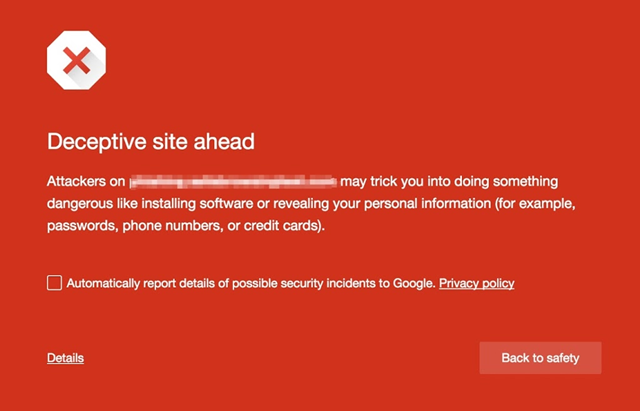
You know those fake "download" buttons you see when you're searching for old Super NES ROMs completely legitimate open-source software? The kind that advertising networks sometimes spit out even on otherwise above-board sites? Yeah, they're awful, and they often link directly to copycat or malicious files. Google hates them as much as you do, and is taking steps to make them less effective. Starting today, Chrome browsers on all platforms will warn visitors to sites with potentially misleading or fake "download" ads.
Google Calendar has launched a feature called Goals that uses machine learning to help you figure out when you have time to pencil in stuff like spending time with your family or exercise. The feature is now available for Calendar’s Android and iOS apps. Read More
The very first teaser trailer for Marvel's Doctor Strange has arrived. Here we get a closer look at Benedict Cumberbatch in his role as Dr. Stephen Strange, the next Sorcerer Supreme. And already it's a much darker and much, much weirder world than what we've already seen in the Marvel films.
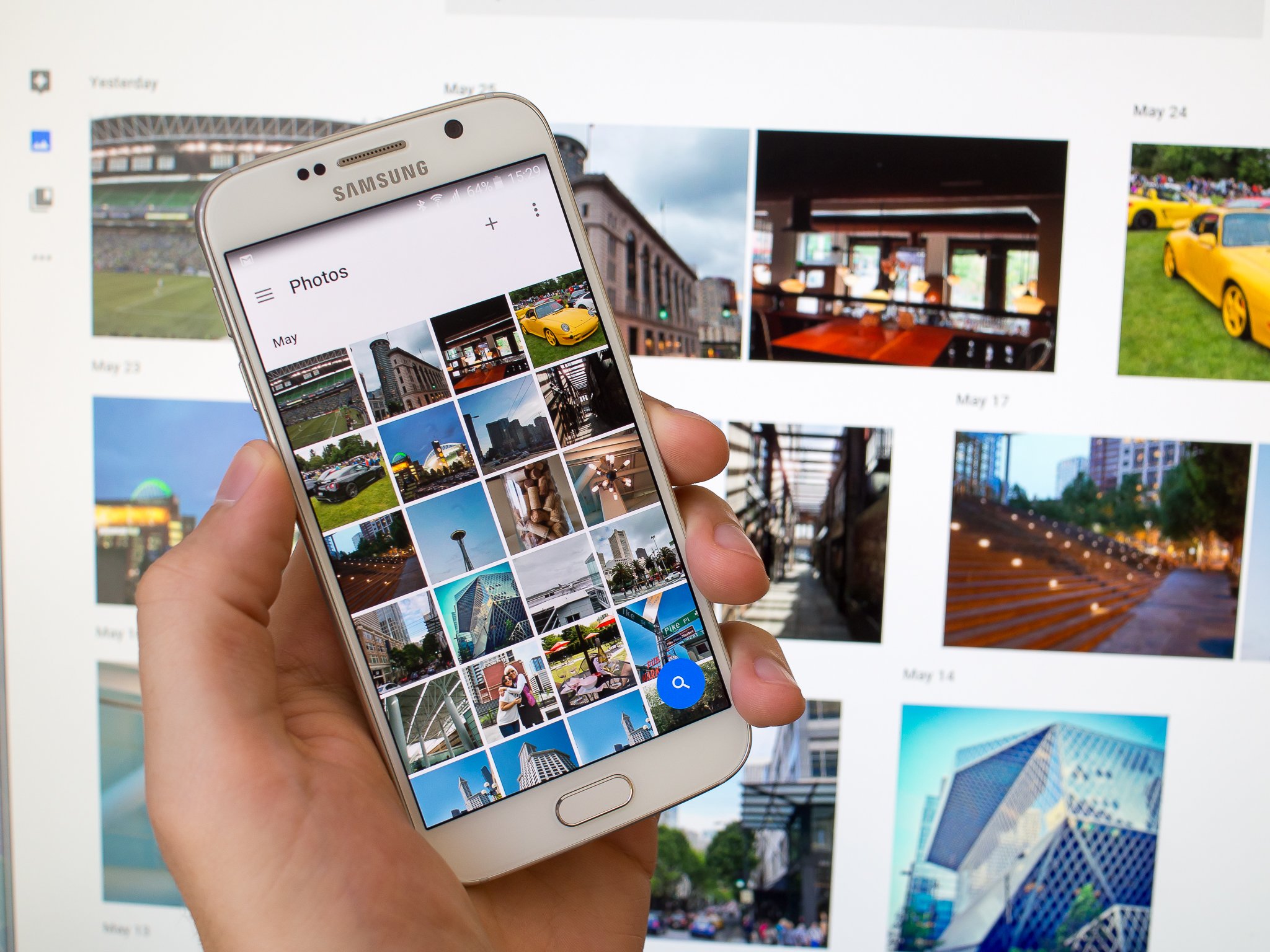
A fresh update is rolling out to Google Photos for Android, bringing along a small but welcome feature: manual backup. As the name implies, manual backups allows you to perform a one-time backup of specific photos, even if you normally have the app set to only back up while charging.
Once you're on the latest version of Google Photos, you can initiate a manual backup by selecting the photos you want, then tapping "Back up now" from the three dot menu. Your photos should then start backing up regardless of your regular settings.
Manual backup is rolling out with the latest update to Google Photos on Google Play now.
Some people fall asleep better by listening to music. If that sounds like you, check out this collection of music tracks, which correspond to the five stages of sleep.
A Strangely Isolated Place, a music community and record label, offers this compilation. Here’s the thinking behind the music choices:
During this exploration, I found several themes or styles of music that I enjoy falling asleep to. So instead of listing out individual tracks in a random order, I’ve separated out the music by the five stages of the sleep cycle and given them each a theme / style of music that matches.
Sleep cycles are apparently 90-minutes long, so you’ll find two mixes accompanying this feature, (two cycles each consisting of 90-minutes) with each mix made up of the five sleep stages. The selection includes some my favorites, as well as suggestions from a few readers via Facebook and Twitter. Thank you to all who suggested albums, and made compiling this feature a new journey for me in many instances.
The tracks are all ambient and from artists like Brian Eno and Biosphere. Depending on the stage of sleep, the music might feature space-like sounds, pulsing beats, or soft melodies.
Although there’s no guarantee you’ll fall asleep to this music or you’ll even enjoy it, it’s an interesting approach and one you could copy when compiling your own sleep playlists. You can listen to or download the music for each sleep cycle below.
Facebook's F8 conference may be aimed at developers, but it's when the company announces some of its biggest news of the year and previews services and features that all of its users are going to see over the coming months. We're reporting live from the event in San Francisco. You can follow along here for all of the updates.
At least 400 people were arrested at a Democracy Spring demonstration at the US Capitol yesterday. The protesters were calling for controls on the influence of big money over politics.
(more…)
Welcome to the roundup of the best new Android applications, games, and live wallpapers that went live in the Play Store or were spotted by us in the previous 2 weeks or so.
Please wait for this page to load in full in order to see the widgets, which include ratings and pricing info.
Looking for the previous roundup editions? Find them here.
A new metal unibody design is part of HTC's "obsessive attention to detail" in the new HTC 10.
HTC hasn't exactly been keeping the HTC 10 a secret, but today they've made everything official and announced their latest handset to the world. At first glance it looks like a bit of a throwback to the HTC One (M7) design — which isn't a bad thing — but there are plenty of improvements both inside and out.
The new unibody design holds a 5.2-inch QHD (2560x1440) Super LCD 5 display, above a fingerprint sensor much like what we're used to from the HTC A9. With three colors to choose from — Carbon Grey, Glacier Silver and Topaz Gold — and a "seamless" adjustment from screen to the aluminum body, it certainly does look like a lot of thought and engineering went into the new design. We like how this one looks.
Inside of it all you have a Snapdragon 820 paired with 4GB of RAM and 32GB of storage. In addition, the HTC 10 allows for SD cards up to 2TB to use for removable — and adoptable — storage. A look around the back shows off the new 12MP UltraPixel 2 camera, complete with OIS and laser autofocus. DXOMark gives the camera the same score as the Samsung Galaxy S7, so we expect good things from the camera — an area where many have found HTC phones lacking.
HTC also has packed a new BoomSound HiFi version for audio buffs into the HTC 10, and brings 24-bit audio and a new powerful dedicated amplifier that promises to deliver "an all round audio performance that cannot be beaten." To make sure the sounds of your music suit you, personal audio profiles are also part of the package. To hear the audio as it was intended, HTC has also included Hi-Res earbuds with an 8µm thin polymer diaphragm and 70% oversized drivers to deliver twice the frequency range of lesser headphones. To match the great playback, the HTC 10 also allows for 24-bit Hi-Res audio with your recorded 4K video. The multimedia package certainly seems impressive.
Topping it all off we find a new HTC Sense, complete with what HTC's calling a Freestyle layout and no duplicative pre-installed software. You'll be able to position icons, shortcuts and widgets just about any where you like on your home screen, and less bundled apps means you can better fine-tune your experience. A visit to the HTC Themes app promises thousands of ways to customize your HTC 10.
Power of 10: HTC's engineering excellence delivers obsessive craftsmanship, unparalleled performance and imaging leadership
London 12 April 2016 – HTC has today unveiled what it has been working on behind closed doors for the last 12 months, with the launch of its latest smartphone. With customer feedback an integral part of the development process, combined with an obsessive attention to detail, the HTC 10 delivers everything that you would want from a flagship device.
Playing to the Power of 10 - symbolizing greatness and independence but also that the whole is greater than the sum of its parts - this newest addition to the HTC phone family combines a world class camera with gold standard audio, bold new metal unibody design and unparalleled performance.
Designed to Perfection
Inspired by light and sculpted to perfection, the HTC 10 employs a new approach to design where bold contours are carved out of solid metal. Capturing the light beautifully, the chamfered edges boast a slimmer, more slender look with its full glass front merging seamlessly into the metal body.
Passionate about the small details, it's not just the materials that come under scrutiny when we create a new handset. With the HTC 10, our design teams worked tirelessly to build a phone where the power button has been beautifully crafted, where the speakers deliver a sleeker look and better sound quality and where the fingerprint sensor recognizes your finger from almost any angle.
It is also important that we got the build absolutely right. Mercilessly engineered to handle everyday knocks, bumps and scratches, the HTC 10 was subjected to over 168 hours of extreme temperature tests, ranging from a freezing -20'C to a scorching 60'C, plus over 10,000 drop, bend, scratch and corrosion tests.
World-class camera!
With HTC 10 we've delivered what we believe to be the best smartphone camera available on the market today. With the world's first optically stabilized, larger aperture f/1.8 lenses on both the front and rear cameras, new larger sensors, 12 million of our new generation UltraPixels (1.55um per pixel), faster laser autofocus powering the main camera and a wide angle lens and screen flash on the front UltraSelfieTM camera, this smartphone delivers brilliantly sharp, low light and high-resolution photos whether behind or in front of the lens.
With the camera designed to launch in as little as 0.6 seconds, and a 2nd generation laser autofocus that gives you focused shots faster, it's quick enough to even work in burst mode. All the settings are also conveniently located at your fingertips with Pro Mode still offering advanced options for more experienced photographers, including RAW format functionality.
Boasting a DxOMark score of 88*, this is one of the highest camera quality scores of any smartphone to date and is the result of tens of thousands of hours spent fine tuning each element to deliver world-class photos and videos.
Best in sight, best in sound
But it's not just the imaging that puts this smartphone at the top of its game - the HTC 10 combines vivid 4K video with the world's first stereo 24-bit Hi-Res audio recording, capturing 256 times more detail than standard recordings, across twice the frequency range and enabling you to bring to life your recorded content as if you were actually there in person.
Built for audiophiles, the HTC 10 is certified for Hi-Res audio and has been designed to make music sound the way that the artist intended. A headphone amp that delivers two times the power of a conventional headphone amp, the ability to upscale from 16-bit to 24-bit audio and high performance digital to analogue conversion combine beautifully to produce ten times lower distortion than other devices on the market, delivering an all round audio performance that cannot be beaten.
Everyone hears things differently, which is why the HTC 10's all-new Personal Audio Profile system enhances your audio experience even further. By creating a unique profile that is tuned to your individual hearing, it dynamically adjusts specific sound frequencies to each ear, allowing you to hear music the way that the artist intended. Re-engineered HTC BoomSound™ Hi-Fi edition speakers feature the same separated tweeter and woofer design as leading acoustic systems and combine with a dedicated amplifier on each speaker, adding to the experience and delivering sound clarity unprecedented on a smartphone.
Great audio deserves great earphones so we have made sure that our flagship phone comes with the best Hi-Res audio certified inbox earphones yet. Featuring an 8µm thin aerospace polymer diaphragm and 70% oversized drivers, the listener is treated to richer sound and twice the frequency range, enabling you to enjoy the best audio experience right from the get go.
Performance at its Best
Whilst the HTC 10 nails it on the hardware, we have also delivered what we believe to be best in class software by focusing on getting the fundamentals right. With apps that launch twice as fast and that perform to the highest standard and a next generation quad HD display that is 30% more colourful, creating a true cinematic feel, and that is 50% more responsive to touch than its predecessor, even the smallest and fastest of finger movements track perfectly.
This attention to detail doesn't stop there! With security high on people's agendas, we have created a fingerprint scanner, which unlocks in a lightening fast 0.2 seconds and which has been algorithmically designed to recognise you faster and more accurately over time.
Engineered from the inside out to last longer, the HTC 10 boasts the latest Qualcomm Snapdragon processor with enhanced 4G LTE. Each device also comes with Boost+ which is designed to make your phone faster, to consume less power and to provide effective security and applications management features. This includes smart boost, which automatically optimises your memory, a game battery booster, which uses less battery during gameplay, and a new PowerBotics system, which auto detects and shuts down apps that use excessive power, improving battery life by 30% and delivering up to two days charge.
Not only does Boost+ optimize performance, making it easier to launch apps, but its App Lock function also adds a new layer of security by enabling you to lock any app you choose, whilst App Manager provides an instant fix for when an app isn't behaving.
The HTC 10 also includes the latest in-box quick charge 3.0 Rapid Charger with improved thermal management, so the battery can be charged by up to 50% in just 30 minutes – ideal for people who find their phone running low on juice before the end of the working day.
Controlled by You!
By reducing the number of duplicative and pre-loaded apps and bloatware, and integrating the best of both HTC and Google, we have created a more streamlined phone that enables you to decide what you want on your handset.
With HTC's specially created new Freestyle Layout, you no longer have an on-screen grid that dictates the layout. Instead you can get creative by dragging icons, stickers and widgets anywhere you like. Layer them, group them, link stickers to apps or get rid of screen icons altogether, the choice is yours.
The latest version of HTC Themes also provides you with access to thousands of professional looking themes that each come with their own icons, backgrounds and sounds so you can customize your phone based on your own personal style.
Accessories and availability
To further streamline your experience, the HTC 10 offers an all-new Ice View case with a semi-transparent and highly versatile single front-cover case. So when that next call or message comes in, or when you need to skip a track, or snap that perfect shot, you can do it without even opening your smartphone's case. It's simplicity, without sacrificing protection.
The HTC 10 will come in two variants with different Qualcomm Snapdragon processors to cater for different market needs. They will both offer the same design, audio, camera and display, with a similar software experience and battery life.
The HTC 10 will be available from April 2016 in three stunning color combinations: Carbon Grey, Glacier Silver and Topaz Gold.
In the U.S., HTC 10 will be available across multiple wireless providers including Verizon Wireless, Sprint and T-Mobile, which will announce colors, availability and pricing. In addition, HTC will be offering an Unlocked edition on www.HTC.com, which will be compatible with AT&T and T-Mobile networks and will be available for pre-orders beginning today, April 12, with shipping in early May. The Unlocked edition from HTC.com comes in Glacier Silver and Carbon Gray, and cost $699. It also comes with UH OH Protection, which includes one replacement at no charge within the first 12 months of ownership for a cracked screen or water damage.
New legislation proposed in New York could compel drivers of vehicles involved in accidents to submit their phone for testing with a "textalyzer" — technology that can tell whether the phone was in use prior to or during the crash. If approved, the test could be administered on the side of the road like to the Breathalyzers currently used to check a driver's blood-alcohol level, ostensibly indicating whether someone could have been driving distracted.
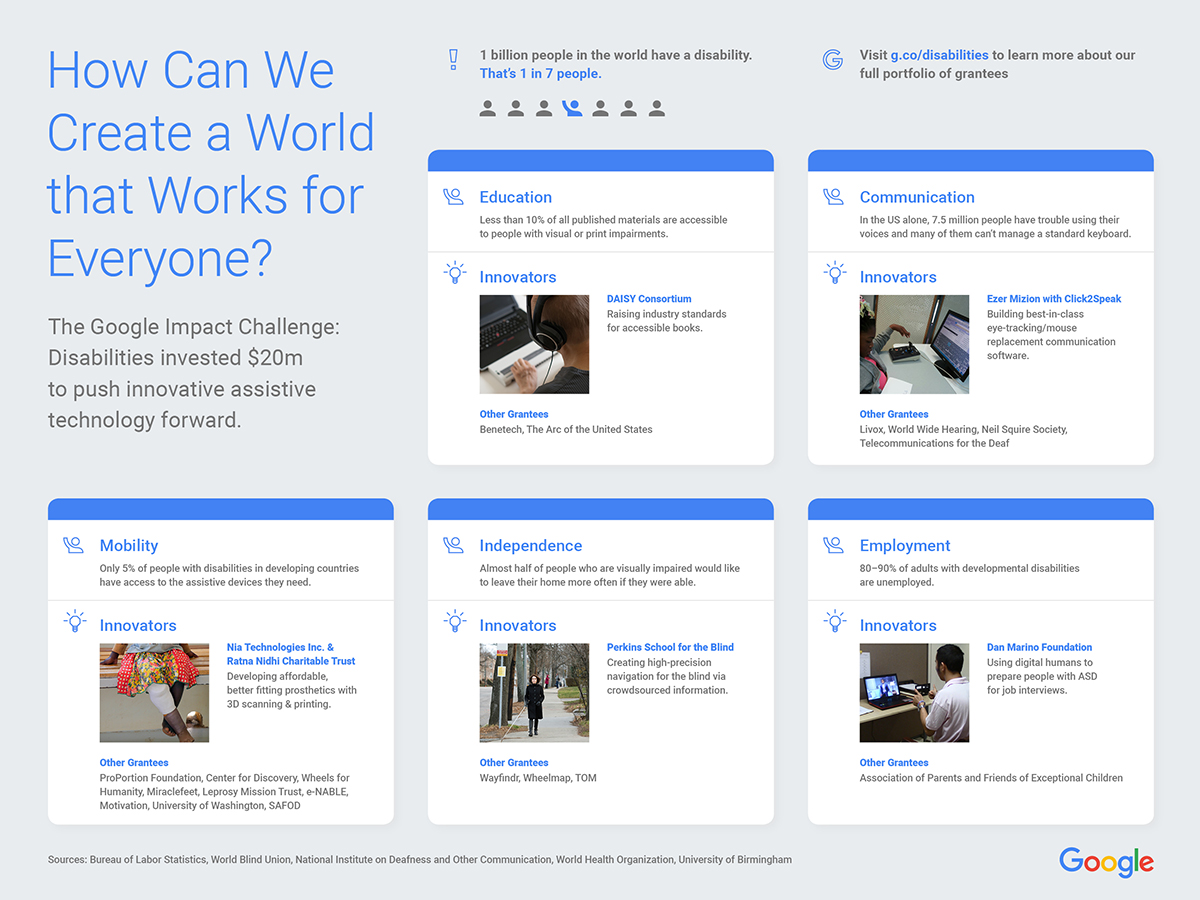
More than a billion people have a disability. And regardless of the country or community they live in, the gaps in opportunity for people with disabilities are striking: One in three people with a disability lives in poverty. In places like the United States, 50 to 70 percent of people with disabilities are unemployed; in developing countries that number increases to 80 to 90 percent. And only 10 percent of people with disabilities in developing countries have access to the assistive devices they need.
Last spring, Google.org kicked off the Google Impact Challenge: Disabilities, an open call to global nonprofits who are building transformative technologies for the billion people around the world with disabilities. We’ve been amazed by the ideas we’ve received, coming from 1,000+ organizations spanning 88 countries. We’ve shared a handful of the organizations we’re supporting already—and today we’re excited to share the full list of 30 winners.
The organizations we’re supporting all have big ideas for how technology can help create new solutions, and each of their ideas has the potential to scale. Each organization has also committed to open sourcing their technology—which helps encourage and speed up innovation in a sector that has historically been siloed. Meet some of our incredible grantees below, and learn more about all 30 organizations working to improve mobility, communication, and independence for people living with disabilities at g.co/disabilities.
The Center for Discovery, $1.125 million Google.org grant Power wheelchairs help provide greater independence to people with mobility limitations—allowing them to get around without a caregiver, or travel longer distances. But power chairs are expensive and often not covered by insurance, leaving many people limited to manual wheelchairs.
With their Google.org grant, the Center for Discovery will continue developing an open source power add-on device, the indieGo, which quickly converts any manual wheelchair into a power chair. The power add-on will provide the mobility and freedom of a power chair for around one-seventh the average cost, and will allow people who mainly use a manual wheelchair to have the option of using power when they need it. The device design will be open sourced to increase its reach—potentially improving mobility for hundreds of thousands of people.
A young man using the indieGo to greet friends.
Perkins School for the Blind, $750,000 Google.org grant Turn-by-turn GPS navigation allows people with visual impairments to get around, but once they get in vicinity of their destination, they often struggle to find specific locations like bus stops or building entrances that GPS isn’t precise enough to identify. (This is often called the “last 50 feet problem.”) Lacking the detailed information they need to find specific new places, people tend to limit themselves to familiar routes, leading to a less independent lifestyle.
With the support of Google.org, Perkins School for the Blind is building tools to crowdsource data from people with sight to help people navigate the last 50 feet. Using an app, people will log navigation clues in a standard format, which will be used to create directions that lead vision-impaired people precisely to their intended destination. Perkins School for the Blind is collaborating with transit authorities who will provide access to transportation data and support Perkin’s mission of making public transportation accessible to everyone.
Perkins School for the Blind employee, Joann Becker, travels by bus. It can be hard for people with visual impairments to locate the exact location of bus stops and other landmarks.
Miraclefeet, $1 million Google.org grant An estimated 1 million children currently live with untreated clubfoot, a lifelong disability that often leads to isolation, limited access to education, and poverty. Clubfoot can be treated without surgery, but treatment practices are not widely used in many countries around the world.
Miraclefeet partners with local healthcare providers to increase access to proper treatment for children born with clubfoot. They will use Google.org support to offer support to families via SMS, monitor patient progress through updated software, and provide extensive online training to local clinicians. To date, Miraclefeet has helped facilitate treatment for more than 13,000 children in 13 different countries; this effort will help them significantly scale up their work to reach thousands more.
Miraclefeet helps partners use a simple, affordable brace as part of the clubfoot treatment. Here, a doctor in India shows a mother how to use the miraclefeet brace.
Ezer Mizion and Click2Speak, $400,000 Google.org grant People with high cognitive function but impaired motor skills often have a hard time communicating—both speaking or using standard keyboards to type. Augmentative and alternative communication devices (AAC) help people more easily communicate, but are often unaffordable and restricted to specific platforms or inputs. Without an AAC, people may have difficulty maintaining personal relationships and professional productivity.
Ezer Mizion is working with Click2Speak to build an affordable, flexible, and customizable on-screen keyboard that allows people to type without use of their hands. With the grant from Google.org, Ezer Mizion and Click2Speak will gather more user feedback to improve the technology, including support for additional languages, operating systems, and different devices like switches, joysticks, or eye-tracking devices.
A young girl learns to use the Click2Speak on-screen keyboard with a joystick controller.
From employment to education, communication to mobility, each of our grantees is pushing innovation for people with disabilities forward. In addition to these grants, we’re always working to make our own technology more accessible, and yesterday we shared some of the latest on this front, including voice typing in Google Docs and a new tool that helps Android developers build more accessible apps. With all these efforts, our aim to create a world that works for everyone.
Posted by Brigitte Hoyer Gosselink, Google Impact Challenge: Disabilities Project Lead for Google.org https://3.bp.blogspot.com/-J50ZW-AEU9c/VwyJfVtGC0I/AAAAAAAASJs/geghloVcOQwGeoxmy2bURYFoZipAMIe0gCLcB/s1600/miraclefeet.jpg Brigitte Hoyer Gosselink Google Impact Challenge: Disabilities Project Lead Google.org
HTC is today formally announcing the 10, its flagship smartphone for 2016. The HTC 10 follows last year's M9 and blends the design of the M series with the A9 that came last fall. HTC says it spent 12 months designing this phone and integrated feedback from its customers throughout the development process.
The 10 (there's no One or M in the phone's name this year, it's just 10) has everything you might expect from a flagship Android phone in 2016. There's a 5.2-inch, quad HD Super LCD 5 display that HTC says displays 30 percent more color than last year's phone. The screen is covered in Gorilla Glass with curved edges that blend into the phone's metal frame.
Eventually, we'll all be paying $9.99 for Netflix. Until the price goes up again, anyway. A massive wave of Netflix's longtime customers will see their monthly subscriptions move to that price point next month, up $2 from the glory-days price of $7.99. $9.99 is what new subscribers to the company's most popular plan have been getting charged since October. But even before that, Netflix had announced a different price hike — from $7.99 to $8.99 — in May 2014. Back then, Netflix promised to let existing customers keep paying the old $7.99 for another two years. And that's where many of us (myself included, per the image below) have stayed. Everything changes next month, when we get hit with the higher $9.99 subscription cost. Netflix has...
Amazon has a new, top-of-the-line Kindle announcement coming at some point this week, but a Tmall page (that went down while I was writing this story) has spoiled the details before Jeff Bezos' grand reveal. It's called the Kindle Oasis, according to the page, and right away you'll notice the large bezel on the right side — or left, depending on how you prefer to hold it. Sure, it's a bit unsightly, but I can see the appeal; it's probably more comfortable to hold one-handed, and those large page turn buttons mean you'll never have to gunk up the screen with fingerprints.
I’m a backpack addict, and trust me: The wrong backpack means you’re stuck with an uncomfortable, awkward bag, all day. A few simple choices will make sure you choose the best in comfort, style, and convenience. I’ve found some common ground through my many, many backpacks that can help you choose yours.
Strap Comfort 101: Never Ignore the Seams
Have you ever worn a backpack that sagged on your back and just didn’t rest nicely like you wanted it to? Padding can help, but bags often sag because of how their straps are sewn onto the bag. Adjustable straps can help here, but you also need to pay attention to how the bag was built.
Most backpacks have adjustable straps, and you shouldn’t buy one that doesn’t. Unfortunately, those straps loosen with use and you’ll have to readjust them regularly. To make sure you get it right every time, mark the straps where they’re most comfortable. Fill it up your usual carry, put it on your back, and then adjust the straps to a place where you feel comfortable walking around. Before taking the bag off, mark the location of the straps with a marker or, if you dare, cut a small notch in the side. (See below for an example.) I like the notch better because you can’t see it easily and therefore won’t harm the look of the bag, plus you can feel exactly where to adjust the straps. That’ll save you some neck strain. As you carry your bag around, you can mitigate some slack by carrying your backpack short distances by its top handle, and you should definitely buy a backpack with a top handle.
That’s great if you have a bag already, but if you’re shopping or a new one, look at how the backpack straps are sewn into the top. When the straps look like they were just sewn on and hang off the top, they’ll loosen at the seams over time, and cause your sagging problem. If the straps look like they were folded a bit and form a curve, you will get better support from the bag. Check out the picture below for an example.
Bags with nice straps might cost a little more, but your back will thank you for it in the long run.
Backpacks mostly come in black, but you’ll still find plenty in a variety of ugly and beautiful colors alike. Even a puke-green rucksack can work for you if it suits your style. When choosing the right color, do yourself a favor by focusing on how it matches the way you dress rather than whether or not it looks good alone. Backpacks can occupy anywhere from about 20-50% of the visual space your body fills (rough estimate obviously, not statistics) depending on your size, so if you throw that puke-green rucksack against your black business suit or dress, it’ll probably stand out, and maybe not in the way you intended.
However, if you wear black to work, you can get away with a lot of different colors so long as they don’t clash with any other accents in your repertoire. For men, that often just means a choice of ties or shirts. Women have more options, but with black garments you don’t have much to worry about. Only scarves, jewelry, or other accent clothing really conflicts. Either way, if you like black, consider a black bag. It’ll match no matter what.
That said, most jobs let you wear business casual or casual clothes, so this may not be an issue. That, of course, leads to more color in workplace clothing, so if you want to make sure your bag will always match your look, get a gray bag. Generally speaking, gray blends well with everything without causing too much contrast like black can. Darker grays like charcoal tend to work better, just so long as they’re a bit lighter than pitch black.
Of course, if you want to get colorful, you should go for it. Before you do, just brush up on your color theory so you can find something that compliments your style.
A traditional backpack has a front pocket for quick access and then just a giant empty space for whatever you want to do with it. For some people that’s fine, but most of us prefer a little more organization. Before you choose a bag with helpful storage slots and pockets though, you need to understand what works best for you.
For example, lots of tiny pockets may sound great, but for me at least, very little that I’d actually carry around fits into them well. I also don’t carry 20 pens so I don’t need a bunch of pen slots. I like spaces for things like hard drives, external batteries, notepads, note cards, business cards, and things like that. As a result, I have a highly variant storage scheme. I need pockets and spaces of all shapes and sizes—plus a couple of slots for a pen.
To figure out what you need, grab some paper and put your pocketable objects on top of it. Go ahead and trace all those rectangles—it gives you a visual representation of your stuff. You can even take that paper with you when buying a new bag to check if the pockets will suit your needs. If that all seems a little tedious and nutty to you, just lay your usual carry out on the table and take a photo. You won’t be able to match it up when backpack shopping, but you’ll at least have a reference for what you plan to store in case your memory fails you.
I love quick access pockets (QAPs). Who wouldn’t? When you need something and it’s just a quick zip away, that’s always better than digging through deep pockets to find what you’re looking for. Too many small pockets cause their own problems, but you’ll rarely find a bag with too few fast methods for getting your favorite stuff.
Pay attention to the size of the quick access pockets on the bag you’re interested in buying. A spacious pocket is good, but one that’s too deep makes it hard to get your hand inside your bag, and easy for small items to get lost. Top pockets are particularly bad about this in bags with fold-over tops. You can get by if you only stuff a few thin, small items inside, but once you load that pocket up with too many goodies you’ll have trouble getting around the bulk. Good bags hide the quick access pocket inside the bag and use one zipper for full access. Furthermore, pockets in the posterior—the part of your bag that rests against your back—rarely work out because they make the bag feel stiff or bumpy, since you can feel the contents right against your back.
My favorite quick access pockets are the ones on the sides of the bag. You can access them easily when wearing your backpack, and if they add any bulk to the bag it’ll be towards the bottom. In some cases, it can even provide a helpful foundation. If you do want a bag with a topside quick access pocket, however, look for one that doesn’t have its own zipper and/or doesn’t take up too much space.
When you shove everything you need for the day in a bag, you might not like how it feels against your back. Imagine going to the drug store, picking up a variety of items, storing them in a thin plastic bag, and then tying it to your back for the walk home. That probably wouldn’t feel very good. That’s why some backpacks have padding, and you should invest in one that does.
You don’t need a crazy amount of padding to make your back feel better and you can easily figure out how much works for you. If you can fill up the bag and it doesn’t lose its form against your back, congratulations—it’ll do! But you do want to consider the type of padding as well. Backpacks can create a lot of heat against your body (especially if you have a laptop stuffed in there) and most of us don’t want damp, sweaty clothing when we get to work (or anywhere). You can’t prevent this entirely, but breathable mesh makes a difference. Basically, when seeking the ideal padding on your bag just look for holes. If you see puffy padding with holes, like the example above, you’re golden.
You probably have a fair number of gadgets you’ll need to carry around in your backpack, too. You probably put them in your bag every day and take them out every night to charge. That’s fine, but I highly recommend finding a battery with an interior space for an USB battery (like this one above) to have a little extra power on the go. That way you don’t need to take your items out of the bag and plug them in to charge, and you can charge your gadgets while you walk around, or keep your bag secure and near you.
If you want to step things up though, you can build battery charging directly into your bag. It’s surprisingly not difficult, and I did it a while ago with a small messenger bag. This way you can plug your devices into your bag to charge, and then just plug the whole bag into the wall when you get home. Most people will find this overkill, but if you find charging all your devices as annoying as I do, you’ll appreciate a single-plug solution.
More than anything, just pick something you like! Don’t stress about finding the “perfect” bag. Trust me, it doesn’t exist. Even if it did, your needs would change over time and you’d have to adapt your bag to fit, or replace it entirely. Have fun, pick something you enjoy, and keep these tips in mind so that it’s one you’ll want to keep around for a long time.
The parent company of U.K. tabloid Daily Mail may make a bid for Yahoo’s news and media businesses. According to the WSJ, the Daily Mail and General Trust (DMGT) has held discussions with several private equity firms to partner on an offer. Read More
If you’ve ever lived in a big city like New York, Paris, or Tokyo then you understand the compromise you make regarding space. After looking at rents you quickly give up dreams of having a guest bedroom, a full-sized kitchen with large American fridge, a bathtub, a home cinema, or a home gym. Instead, many rent simple studios with their bed, kitchen, table and chairs all in the same room. Not Michelle and Andy though, who had the good fortune of working with Laab’s architects to convert their 309-square-foot Hong Kong apartment into a transformable and adaptable home that’s nothing less than incredible.




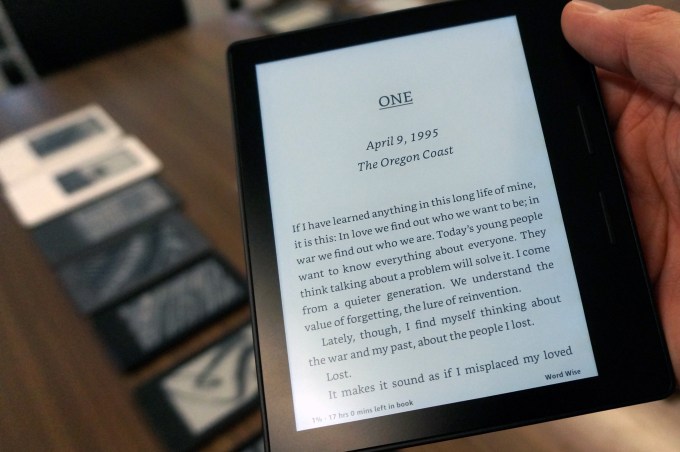 True to earlier reports, Amazon’s Kindle Oasis is the smallest and lightest Kindle yet and comes with a handle for gripping. Amazon’s Jeff Bezos teased an “all-new, top of the line” Kindle last week and Chinese site Tmall.com sent the e-reader world in a tizzy when it accidentally unveiled details of Kindle’s newest addition to the family on Monday. The site…


 Google Calendar has launched a feature called Goals that uses machine learning to help you figure out when you have time to pencil in stuff like spending time with your family or exercise. The feature is now available for Calendar’s Android and iOS apps.








 The parent company of U.K. tabloid Daily Mail may make a bid for Yahoo’s news and media businesses. According to the WSJ, the Daily Mail and General Trust (DMGT) has held discussions with several private equity firms to partner on an offer.