Shared posts

23 Dec 15:07

Make Yourself Happier by Doing One Creative Thing Every Day

by Patrick Allan

We know there’s some sort of connection between happiness and using your imagination, but a recent study suggests any creative pursuit—no matter how small—can help you beat the blues. It only takes a single dose of creativity a day.

The study, published in the Journal of Positive Psychology, involved over 650 participants keeping a daily diary for two weeks. They were asked to describe their mood each day and rate how creative they had been. After analyzing the diaries, the researchers’ findings suggest a little creativity goes a long way in being happier in the future. Participants who engaged in creative pursuits one day significantly boosted their mood for the following day. Overall, they reported feeling more energetic, enthusiastic, and excited.

These findings might not seem too surprising, but here’s the kicker: it didn’t take much creative activity for participants to reap the benefits. Just one, small creative activity a day helped. And you don’t have to be a skilled artist either. Something as simple as mindless doodling, making a joke, or even daydreaming will do.

Everyday creative activity as a path to flourishing | Journal of Positive Psychology via Science of Us

Photo/illustration by torbakhopper.

23 Dec 15:07

Rent Any Digital Movie From Amazon For Just $1

by Shep McAllister on Deals, shared by Shep McAllister to Lifehacker
$1 Movie Rentals. Promo Code MOVIE99.

If you need a way to fill your holiday downtime, Amazon will rent you any movie in their digital catalog for a buck today with promo code MOVIE99. That applies to holiday films, new releases (I’m renting Sully), classics; if you can rent it on Amazon, you can rent it for $1.

Remember that after you place your order, you’ll have 30 days to start watching, and then 24 hours to finish it.


Commerce Content is independent of Editorial and Advertising, and if you buy something through our posts, we may get a small share of the sale. Click here to learn more, and don’t forget to sign up for our email newsletter. We want your feedback.

22 Dec 22:10

Google confirms two flagship, Nexus-like Android Wear devices coming in Q1 2017, Assistant and Android Pay in tow

by Abner Li

Before Android Wear 2.0 was delayed to early next year, rumors swirled that Google would make its own smartwatch. Now, in an interview with The Verge, the company has confirmed the two upcoming “flagship” devices, but revealed that they will not be solely Google-made hardware…

more…


Filed under: Google Corporate
22 Dec 22:09

Hands-on with 5 Android apps you should download in December 2016 [Video]

by Ben Schoon

There are nearly 1.5 million applications currently on Google Play and with so many to choose from, finding interesting new experiences can be a hassle. As we have the last several months now, today we’ll be showing you another 5 Android apps that you should definitely give a shot…

more…


Filed under: Google Corporate
22 Dec 22:09

You can currently save 50% on any Google Play Movies purchase

by Ben Schoon

Google Play Movies & TV is one of the best sources for movies and TV shows online and as the year comes to a close, the service is offering a pretty sweet deal to anyone with a Google account ─ 50% off of any movie purchase.

more…


Filed under: Google Corporate
22 Dec 17:44

Here’s a kitten wearing a top hat

by Caroline Siede

tumblr_ogrf8cDMpv1sn75h6o1_500

Lookin’ classy.

[via Tumblr]

22 Dec 17:43

Indiana's "educational achievement" bonuses: teachers in rich schools get 20x more than those in poor districts

by Cory Doctorow

Indiana is one of many GOP-led states that assume that the poor performance of schools in poor neighborhoods is the fault of bad teaching -- and not, say, systemic poverty, the absence of funds raised by rich parents, hunger, mass incarceration -- and so teachers are offered bonuses for "improving" their students' outcomes, which generally means their standardized test scores (since presumptively bad teachers can't be trusted to evaluate their students' qualitative improvements). (more…)

22 Dec 14:35

Bluetooth Speaker Switch Easily Swaps Between Multiple Speakers

by Eric Ravenscraft

Android: If you have multiple Bluetooth speakers in your house, you need to manually switch to different speakers every time you want to play audio somewhere else. Bluetooth Speaker Switch gives you a handy widget to do it instead.

Bluetooth can be finicky if you have multiple devices that you play through. This app makes it simple by showing you a list of your Bluetooth speakers. Just tap the one that you want and audio will switch to that speaker. It’s a simple app for a simple task. You can download the free version which includes ads, or upgrade to the paid version (currently $1, normally $2) to get a home screen widget and to remove the ads. For the average person it might be overkill, but if you’re constantly switching Bluetooth devices, it might be worth tossing a buck or two towards this widget.

Bluetooth Speaker Switch (Free) | Google Play Store 

Bluetooth Speaker Switch | Google Play Store

21 Dec 20:43

Dogs "quite tiddly" on Advocaat

by Rob Beschizza

_93060828_mediaitem93060827

Martha and Oscar, two spaniels, required a trip to the vet to make sure they were OK after lapping up a bottle of Advocaat. The slimy booze was knocked over by Brecon (middle), a third dog, who did not drink any.

The BBC reports that Martha was observed "staggering and swaying" in her home in Gatesehead, England.

The pooches were taken to Prince Bishop Veterinary Hospital in Consett where vet Emma Hindson induced vomiting before feeding them activated charcoal to absorb the remaining alcohol.

Dr Hindson said: "Alcohol affects pets in the same way it does humans, so Oscar and Martha were quite tiddly when they arrived.

"This was an unfortunate accident and their owner did the right thing by bringing them in immediately for treatment. Her responsible action meant everything turned out fine and they could go home."

It was the second case of drunk dogs the veterinary practice had seen this festive season after two Labradors were found drinking red wine.

PHOTO: PRINCE BISHOP VETERINARY HOSPITAL

21 Dec 14:09

EU court rejects data retention law, throwing cold water on UK’s ‘Snooper’s Charter’

by Ingrid Lunden
shutterstock_139834159 The highest court in Europe today ruled that “general and indiscriminate” data retention directives contravene European Union law — dealing a significant blow to governments and organizations who have been pushing for stronger surveillance and data collection, and giving a boost to privacy advocates in the process. More specifically, European Court of Justice threw… Read More
21 Dec 00:04

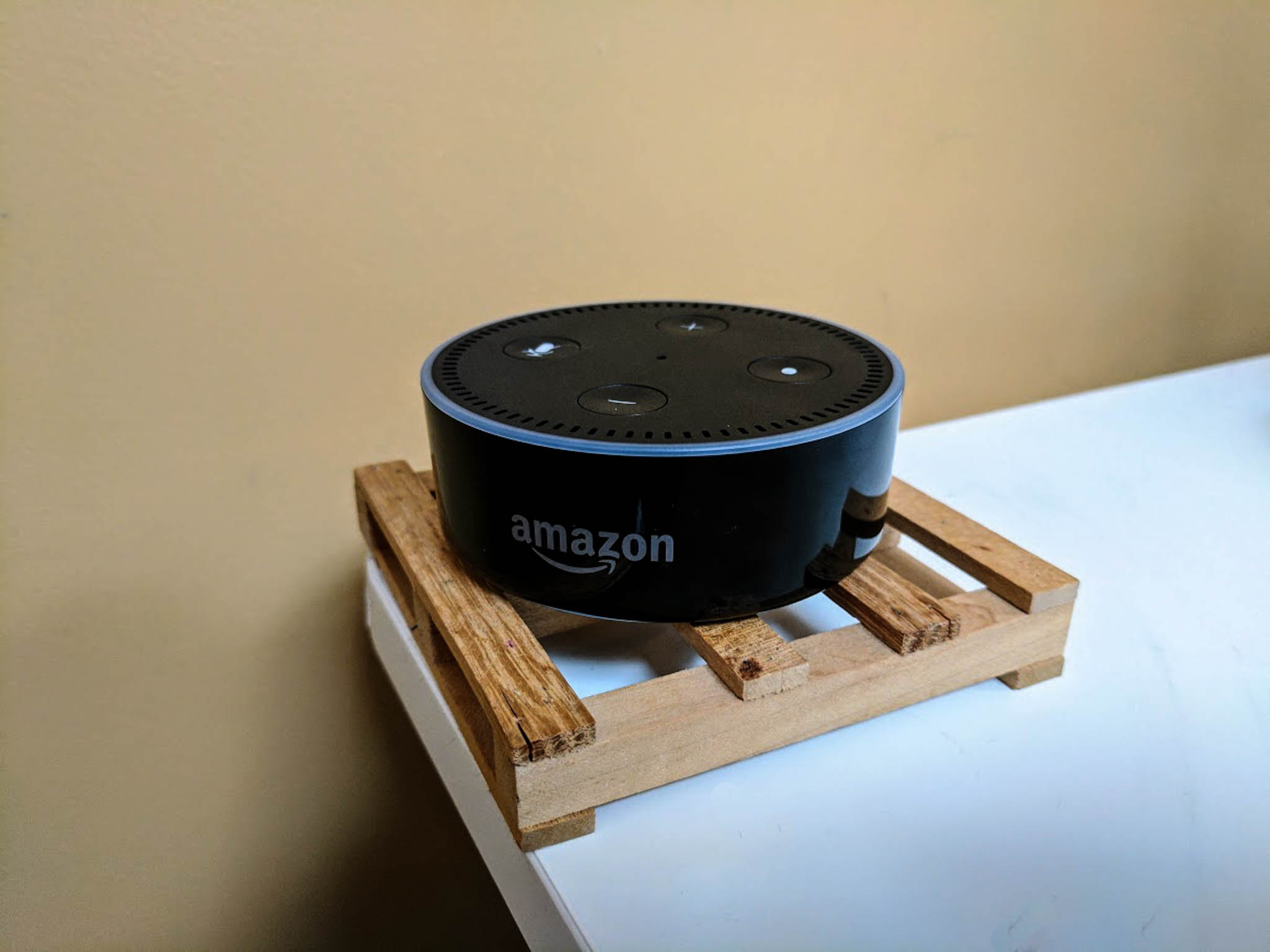
Top Amazon Echo Tips and Tricks

by Mike Tanasychuk

Optimize your Echo experience with our handy tips and fun tricks!

The Amazon Echo, Amazon's smart speaker, is taking the home automation game to another level, thanks to Alexa and the fact that she's constantly learning to serve you better. Sure, Google Home is out, but Alexa's large library of skills still gives the Echo a bit of an upper hand (especially until Google Assistant is Siri-level awesome).

See at Amazon

If you have an Echo of your very own or are considering buying one (you really should!), then we've got some tips and tricks that'll help you get the most out of your experience and/or entice you into picking one up (Did I say you should? You really should!).

Update, February 2nd: This article was originally published on June 1, 2016. It was last updated in February 2017 to add new tips.

Give Alexa more Skills

The Skills section of the Alexa app is basically an app store for your Amazon Echo. It's constantly growing, which means your Amazon Echo can constantly learn new ways to make your life easier and more automated.

You can connected other home automation gadgets, like smart lights and thermostats, and you can even connect food ordering services, like Domino's Pizza. The more Skills you "teach" Alexa, the better she'll be able to understand your commands and perform in the way that you'd like her to.

Now, you can even add skills by voice, so long as you know the name of the skill, just by saying something like "Alexa, enable Harmony".


Use IFTTT

IFTTT stands for "If This Then That." It's a free web service that lets you create chains of conditional commands, called "recipes," for your Amazon Echo, using Alexa. Amazon has introduced IFTTT Triggers, which allow you to connect Alexa directly to certain apps.

For example, you can create a recipe wherein, if you create an item in your Amazon Echo shopping list, it will create a task in Todoist, which is a premier task management app.

Using IFTTT, you'll be able to use your Echo to turn your TV on and off with your Logitech Harmony remote, change the temperature with Nest or ecobee, and much, much more.

Stop Alexa from hearing her wake word
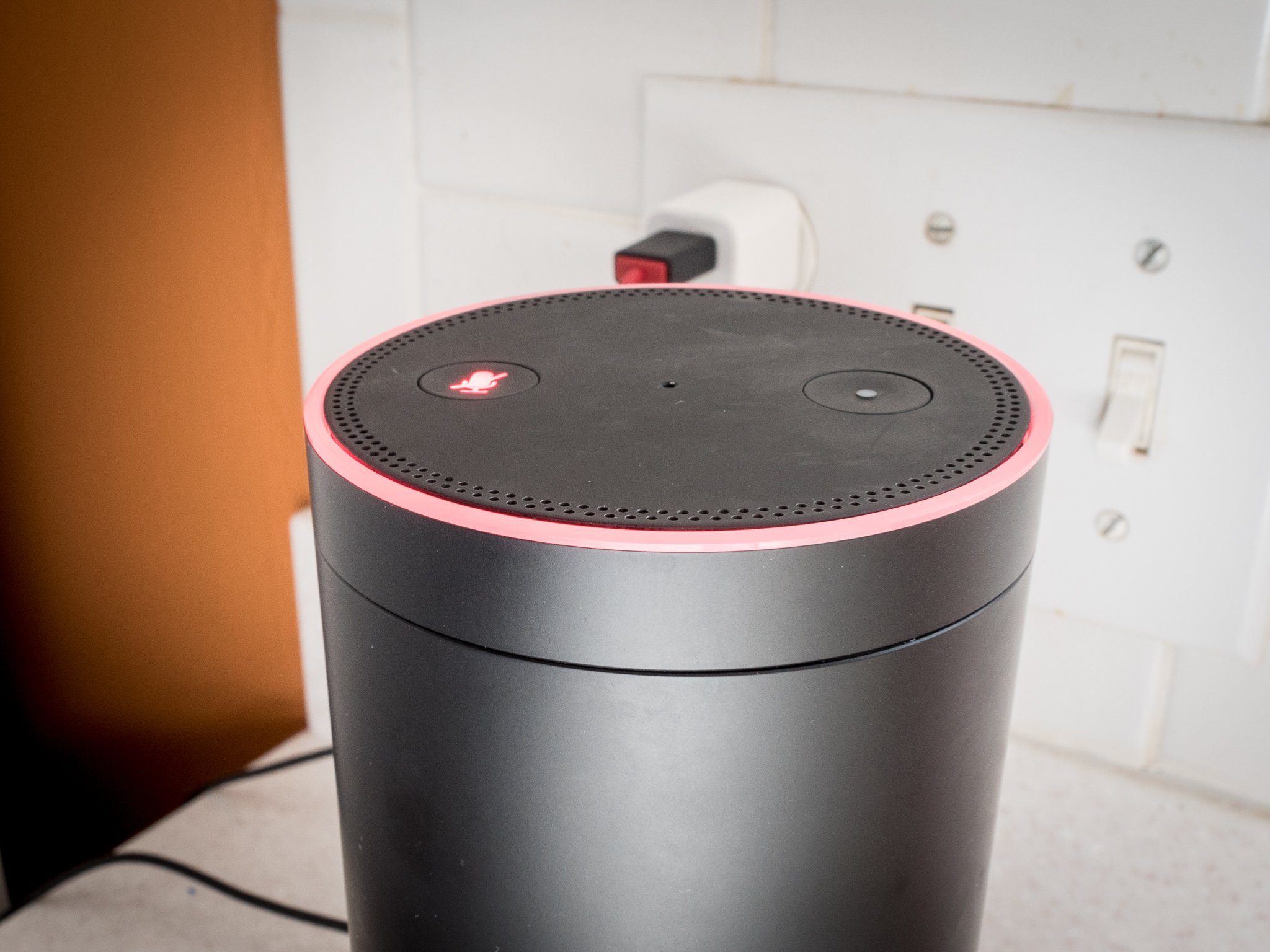
Your Amazon Echo is always listening. Always. That is, unless you press the mute button on the top.

Once the microphone is muted, Alexa will stop hearing her wake word in random conversation, and you won't have to be yelling back at her not to search the stream of curse words that may have just come out of your mouth.

Use Alexa as your own personal math genius

If you're baking or wanting to convert currency or temperatures, Alexa can do it. Just say something like "Alexa, what's $20 American in Mexican Pesos?" and she'll tell you.


How to force a software update for your Amazon Echo

Yes, your Amazon Echo is constantly connected to the internet, but if you're waiting for an update that doesn't seem to have hit quite yet, you just press the mute button and leave your Echo on mute for at least 30 minutes. The update should kick in during that time.

Pick up a Voice Remote and annoy your family (and do useful stuff too…)

If it's too noisy in the room or you're simply too far away, your Amazon Echo might not hear your commands. The Voice Remote eliminates that problem, since you can take it with your from room to room (it connects to your Echo via Bluetooth).

If you say, "Alexa, Simon says…" she will repeat whatever you've said after that. So if you're in one room and your kids are in the room with your Echo, you can freak them out and make them think Alexa is talking to them! (Oh, it's also super useful for doing non-bothersome stuff to. I guess.)

See at Amazon


Use Alexa's Voicecast

Though you may think of your Amazon Echo as an audio device only, using Voicecast can give Alexa a screen. If you have an Amazon Fire tablet, you can set it up near your Echo to provide visual feedback for your Alexa commands.

This can be especially useful for the hearing impaired or when the room's too noisy for you to hear Alexa's response. Voicecast will also show timers, song and album info if you're playing music, game scores (including team logos), shopping lists, and a ton more.

Have some fun with Alexa's pop culture knowledge

Alexa is full of easter eggs and random fun facts, so have a little fun with her now and then. You can prompt some of these with phrases like, "Who ya gonna call?" or "These aren't the Droids you're looking for," or "Winter is coming."

Check out reddit for a long list of Alexa easter eggs.

If you ask her if she has any new features, Alexa will also tell you if any updates have been made.

Change the wake word
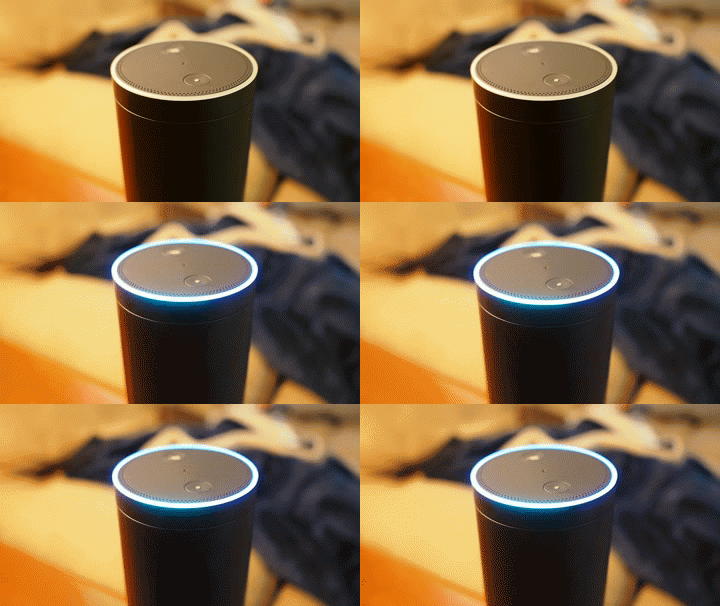
Already have an Alexa living at home? You can change the wake word to one of three rather unimaginative alternatives: Echo, Amazon, or Computer (OK, that one's pretty sweet).


Turn on the End of Request sound

You'll know Alexa's heard you if the light bar on top of your Echo turns on when you say her name. What if you're not looking at your Echo or you're in a different room?

You can enable an End of Request sound that'll audibly let you know that you've been heard so you can continue with your command.

Worried about privacy? Delete your recordings

Are you worried that Alexa is recording everything you ask her? She is. But only so she can learn to understand your commands and questions better (or so Amazon says). You can delete all of your voice data any time you like by going to the Manage your Content and Device section on Amazon.

You can also delete select questions from right in the Alexa app. Go to Settings>History, where you can pick out the more embarrassing questions and get rid of 'em.

In fact, you can go and listen to these recordings at any time, so you can go on and see what people are telling Alexa about you when you're not home!

Just remember that once you delete your recordings, you can't get them back.

Ask Alexa to repeat herself

If you missed something Alexa said, you can just say "Alexa, can you say that again?" or "Alexa, can you please repeat that?" and she'll repeat what she said, verbatim, as many times as you need.

Set up Household Profiles

You can link your family Prime accounts from the Amazon website and create individual profiles on your Echo. This way you can listen to content from another user's library and manage shared lists and other features.

Change the default music service

When you fire up your Echo for the first time, Prime Music is the default music service, and if you don't happen to have a Prime membership or your don't use Prime Music, this can get kind of annoying. Luckily, you can change the default music service in the Alexa app.

In the app, go to Settings>Account>Music & Media>Choose default music services, then tap the dropdown under Default music library and choose a service, like Spotify.

Snake eyes!

You can get Alexa to roll a digital die. No more looking through board game box after board game box when you just wanna play snakes and ladders. Say "Alexa, roll a die" or "Alexa, roll the dice", and she'll do it and read out the result. You can even get her to roll two dice.

Got any tips or tricks?

Got any sweet tips and tricks that you think add to the Echo experience? Sound off in the comments below!

This article was originally published on June 1, 2016. It was last updated in February 2017 to add new tips.

20 Dec 20:50

Combophotos: wonderfully surreal photo montages

by David Pescovitz

screenshot

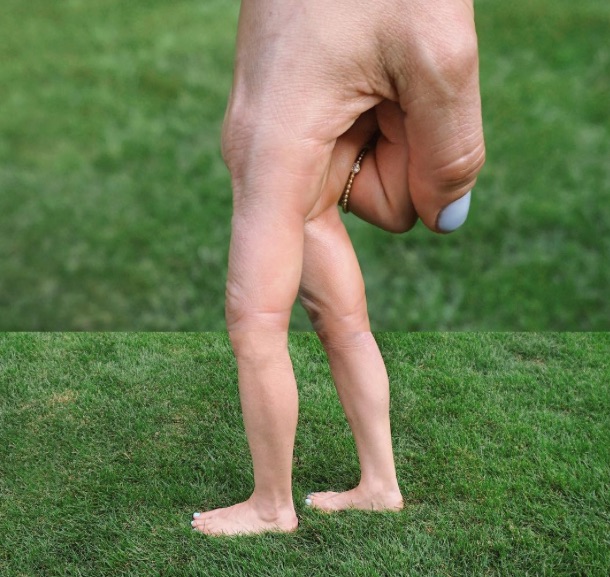
Stephen McMennamy created this brilliant and delightful series of montages that he calls "Combophotos"! You can see more on his Tumblr and Instagram. Also below, a CNN interview with the artist!

screenshot

screenshot

screenshot

https://www.youtube.com/watch?v=oD8p8ulY-8U&feature=youtu.be

20 Dec 20:49

Photo gallery of retail disappointment

by Mark Frauenfelder

lxmckEu

I've seen about half of these examples of products that are smaller, grosser, crappier than expected, but there are some excellent new ones in here, too.

20 Dec 16:22

Magnets and Marbles

by Rob Beschizza
marbles

This isn't your usual kinetic pachinko balls-in-a-gravity-maze toy, but a mindbending demonstration of magnets. It starts getting really crazy at about 2m in but one should enjoy the subtle pleasures too. (more…)

20 Dec 16:20

Nexus owners, how's the Android 7.1.1 update treating you?

by Alex Dobie

After a few issues with the 7.0 update, Nexus owners are right up to date with the new 7.1.1 release.

With the arrival of the Google Pixel phones, Nexus phones like last year's 5X and 6P were left in the unusual position of being out-of-step with the latest Android software. Google's phones had a monopoly on Android 7.1 for their first couple of months on the market, with a finalized version of 7.1.1 not arriving for other devices until recent weeks.

But now, Nexus owners can get their hands Nougat's first official maintenance release, bringing with it features like quick app shortcuts, new emoji and support for image keyboards — along with the usual bug fixes. And that's a good thing, since the initial Android 7.0 rollout for the 6P in particular was beset by battery life issues and other glitches.

Nexus phones are up-to-date on 7.1.1, but miss out on some key Pixel features.

So whether you've updated manually, through the Android beta program or over-the-air, now's your chance to let us know how Android 7.1.1 is working out on your Nexus. Is it everything you hoped it would be? Has it fixed any nagging bugs in version 7.0? Are you happy with the barebones Nougat experience Google delivered, or pining for Pixel-exclusive features like night mode and fingerprint scanner shortcuts? Maybe you're still waiting for that OTA notification to pop up.

Hit the comments and let us know how you're getting on with Android 7.1.1 on your phone or tablet. And be sure to mention which device you're using, and how you updated your device.

For more Nexus discussion, hit up the Android Central forums!

20 Dec 15:01

51 new and notable (and 1 WTF) Android games from the last 2 weeks (12/6/16 - 12/19/16)

by Michael Crider
multi-page article Page 1 Page 2

games-02Welcome to the roundup of the best new Android games that went live in the Play Store or were spotted by us in the previous 2 weeks or so.

Please wait for this page to load in full in order to see the widgets, which include ratings and pricing info.

Looking for the previous roundup editions? Find them here.

Games

Oceanhorn ™

Android Police coverage: Oceanhorn, a Zelda-inspired premium action adventure game, sets sail for the Play Store

Oceanhorn takes pretty much all of its inspiration from Nintendo's Legend of Zelda series.

Read More

51 new and notable (and 1 WTF) Android games from the last 2 weeks (12/6/16 - 12/19/16) was written by the awesome team at Android Police.

20 Dec 14:53

Clean Slate, a modular PC that looks amazing

by Rob Beschizza

unnamed

Jeffrey Stephenson's latest deco desktop is the Clean Slate.

The design concept is to eliminate the usual case and instead give each component its own box, each air-cooled and installed on a beautiful maple plinth. It's a beefy system, too, with a recent video card, a socket 1151 Core CPU and 8GB of RAM.

146

The form factor was influenced by vintage exposed-tube amplifiers like the McIntosh 225. The graphics card I/O plate is custom made from aluminum and includes the system's power switch.

See it naked at Jeffrey's tearup report.

For me it evokes a miniature model of early computing if early computing had never been miniaturized. Imagine if we had ended up with neighborhood AI substations on every street corner and a terminal in every home before the 50s were finished with us...

Teardown is easy, too. Just remove the covers and get hacking:

https://www.youtube.com/watch?v=nQ-Mrypx17Q

20 Dec 14:52

Two New York actors took to Fifth Avenue to film a tribute to Judy Garland and Fred Astaire

by Caroline Siede
maxresdefault-2

In this pitch perfect homage to classic Hollywood musicals, New York actors Royer Bockus and Mark Bedard dance down Fifth Avenue, earning both odd and delighted looks from passersby. Reenacting the “A Couple Of Swells” sequence from Irving Berlin’s Easter Parade, Bockus and Bedard nail the movie’s choreography as originally performed by Judy Garland and Fred Astaire. Here's the original sequence for comparison:

https://www.youtube.com/watch?v=-xxfm5-zRHo

D.P.s/camera operators Sam Wegner and Walls Trimble captured Bockus and Bedard's quirky tribute.

19 Dec 15:37

Best Games of 2016

by Daniel Bader

The games we played most in 2016.

There's nothing like taking some time out of a busy day to play a few minutes of a favorite mobile game. Here at Android Central, a diversity of opinion leads to a bevy of gaming choices.

Here are our favorite games that either came out in 2016, or received significant updates.

Andrew Martonik — Tap Tap Dash

I really don't play many mobile games, so when I do they have to be simple, casual titles that can be picked up for a bit to kill time and then set aside for a while when I'm doing other things. Tap Tap Dash is one that I keep around and play from time to time because it hits all of those boxes.

It's an on-rails game that literally requires one action: tapping the screen to move your character. You make your way through various maze-like levels of varying difficulty, and there are hundreds of levels to get through. There are a few in-app purchases, but they aren't required to get through the game. It's a fun time-killer and worth checking out.

Download Tap Tap Dash (free, in-app purchases)

Daniel Bader — PinOut

PinOut is the, um, breakout game of the year for me. It's an endless runner and pinball combined into one of the most enjoyable bite-sized gaming experiences I can remember. Mediocre, the sardonically-named developer behind PinOut, is famous for other addictive-and-accessible games like Granny Smith, Does Not Commute, and my favorite, Smash Hit.

But PinOut is great because it doesn't try to reinvent pinball; rather, it uses pinball as a vehicle for constant progress, a tenet lacking in other genre games that made them stale quickly. Couple that with the unique power-ups and mini-games and you have yourself what is, in my opinion, the best mobile game of 2016.

Download PinOut (free, in-app purchases)

Russell Holly — Pokémon Go

I don't usually play mobile games for more than a week before moving on to the next distraction, but like Ingress before it I played quite a bit of Pokémon Go this year. As a result, I've met some great new people and used the game as an excuse to take my family on adventures to places all around Maryland I otherwise never would have gone to.

Download: Pokémon Go (free, in-app purchases)

Alex Dobie — Lumines

Lumines finally, finally came to Android this fall, allowing me to relive the decade-old Sony PSP puzzler on mobile. For the uninitiated, the premise of Lumines is simple: you need to arrange colored blocks to form patterns of four or more of the same color, with blocks of four descending from on high. Standard puzzle game fare.

But what makes Lumines unique is the musical aspect. As you progress through the game, not only does the speed increase and the difficulty ramp up, but you also progress through tracks, each with their own unique color schemes, visual styles, drop rates and electronic soundtrack. Lumines is a great way to kill a few minutes — or an entire afternoon. And it's a steal at its Play Store price of $2.99.

Download: Lumines ($2.99)

Florence Ion — Pokemon: TCG Online

While the rest of you are outside in the winter cold, hunting for a virtual Pikachu with a Santa Hat, I am laying in my warm bed, with my heat pad on my feet and a hot cup of cocoa in my hand, cuddling with my tablet and Pokemon: The Card Game Online.

I downloaded the game late last year, after hearing the news of Pokemon Go and deciding I wanted a different experience than simply running around town, catching them all. No, instead I battle anonymous people on the internet with Pokemon cards and spend the coins I win in tournaments on more packs of Pokemon cards. In fact, I'm so addicted to creating the perfect deck, that I also buy the physical cards at the grocery store just for the redemption codes. I am a monster.

Download: Pokemon: TCG Online (free, in-app purchases)

Marc Lagace — Clash Royale

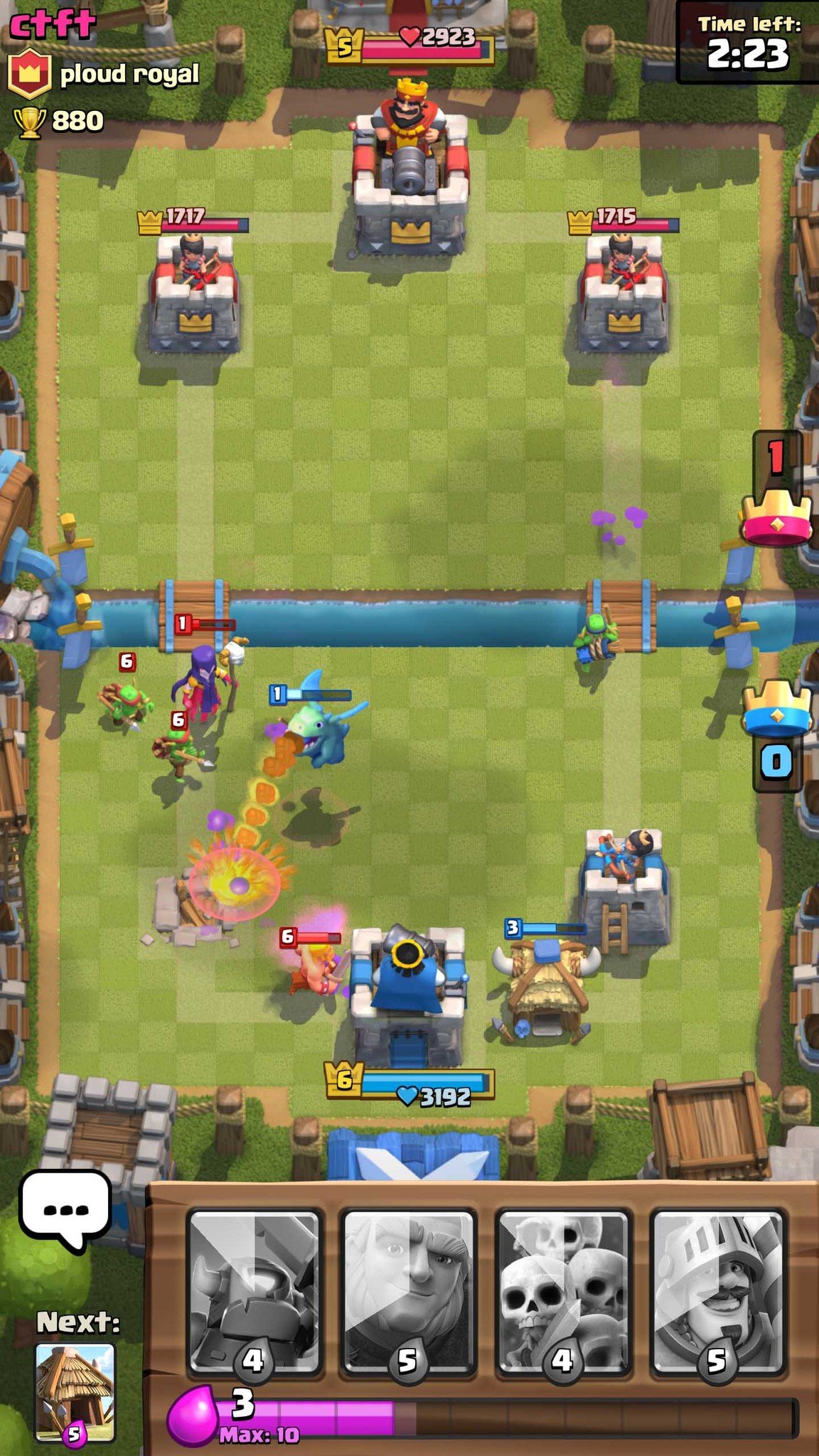
This is a tough one to answer because there's been so many amazing games released for Android in 2016 (quick shoutouts to Alto's Adventure, Reigns and Sky Force Reloaded), but if I had to settle on just one game, it would have to be Clash Royale. Supercell has done a great job keeping the game mechanics balanced while consistently adding new cards and features throughout the year. Having quickly fell off the Clash of Clans bandwagon, I didn't exactly have high hopes for Clash Royale going in, but I was instantly hooked by the fast-paced action and focus on developing winning strategies that Clash Royale kept my attention like no other game did in 2017.

Download: Clash Royale (free, in-app purchases)

Jen Karner — Marvel Avengers Academy

Anybody who knows me, knows that I a gigantic Marvel fan. So it shouldn't be that much of a surprise that Marvel Avengers Academy is my favorite Android game for 2016. Based around collecting characters, and completing small missions everything comes together for a lot of fun. While the game relies a bit too heavily at times on in-app purchases, the constant events and appearance of new characters tends to make it up for it.

Download: Marvel Avengers Academy (free, in-app purchases)

Ara Wagoner — Disney Emoji Blitz

Disney Emoji Blitz is the longest I've played a game in a many years, which as a non-gamer is saying something. I've always been a sucker for the match-three style game, but this app is something special. Disney Emoji Blitz is more than a game, it's an emoji keyboard, too, albeit a really, really bad one. You can only share three Disney emoji in a string at a time, the keyboard doesn't utilize any of the Nougat image keyboard features, and is cumbersome as all get-out. But at least what you're racking up in the game has some tiny benefit outside the app.

The game itself is addictive, new characters are added and campaigns arise regularly enough to keep you interested and to sway us to shell out for in-game purchases. After blowing $15 and still not getting Sorcerer Mickey, I'm swearing myself off in-game purchases a while, but even without them the game is still fun and genuinely challenging at times. Once Disney updates it to work with Nougat's image keyboard support, this app is gonna be my new best friend. Until then, it's a lovely way to kill time I don't have to waste.

Download: Disney Emoji Blitz (free, in-app purchases)

Jerry Hildenbrand — Knights of Pen and Paper

Knights of Pen and Paper came to Android in 2013, but it's as good today as it was then. A take on the classic RPG, with a great story and simple but thoughtful controls. It's easy to play, but not because it's been dumbed-down. If you're looking for a challenging old-school dice-roller with a ton of content that won't get stale (I'm on day 2,300 of my current playthrough) give KOPP a look.

Download: Knights of Pen and Paper ($4.99)

18 Dec 22:46

Michigan Governor Rick Snyder's MIDAS program had a 93% error rate and falsely accused 20,000 workers of unemployment fraud

by Cory Doctorow

5377832613_3868e75d5e_b

Under the cruel austerity of Michigan governor Rick Snyder -- whose policies led to the mass-poisonings of children in Flint -- any claims for unemployment insurance were vigorously investigated, with the state operating on the assumption that any worker who claimed a benefit was probably committing fraud. (more…)

18 Dec 18:11

3 perfect apps for editing holiday photos on the go

by Florence Ion

These are the apps to use for a quick photo edit.

Happy holidays! Now it's time the share those precious photographs from Christmas morning and the first night of Hanukkah, but not before ensuring they're dressed for success. You can crop them, tweak them, and give them new life with these easy-to-use apps for editing your holiday photos on the go — no computer required!

Pixlr - Free Photo Editor

Developed by Autodesk, this is one of the easiest photo editing apps available for Android. The app features over two million combinations of effects, overlays, and filters. You can use it to quickly crop a photo, do minor editing, and add a little sparkle to an otherwise dull pose. Pixlr is always updated with themed frames, too, in case you forgot to send out holiday cards and you're desperate for a way to send a quick email.

Pixlr - Free Photo Editor (Free)

VSCO

VSCO is what I use when I want to fit in with everyone else on Instagram — which is always, clearly, because I pretty much use this app exclusively for turning my boring social snaps into dynamic pieces of the past. TAG IT ALL THE THINGS.

In all seriousness, VSCO is good for adding some character to your photo and making your cheap phone look like it produces some artful masterpieces. Seriously, did you guys even notice I was shooting with a Moto G half the time? I used VSCO before posting to make it seem like the low-resolution quality was intentional. You can download and purchase a variety of punchy filter packs, or tweak the photo in your own manner with a plethora granular controls. When you're finished, you can upload to VSCO's own social network or save to share elsewhere.

As an added bonus, filter purchases are tied to your Google Play account, so you can easily switch devices without worry of losing your investment.

VSCO(Free)

Snapseed

For when Google Photos just isn't enough, there's Google's own Snapseed. The app features a ton of essential tools you'd find on a desktop photo editing app, like an on-screen histogram, lens corrector, healing brush — which works remarkably well — and an HDR tuner. There are also real, grown up frames and filters you can use to show off your smartphone photo-taking prowess. And if you're really on the go — like, say, in transit to your next destination — Snapseed has both JPEG and RAW support so you can make major edits to your big camera photography. Just be sure to bring a mobile card reader with you on your trip.

Snapseed (Free)

Got an app you like to use to edit your photos before sharing them online? Let us know!

17 Dec 23:05

[Update: Official] Google Keyboard is now Gboard with v6.0 update—includes integrated search, dedicated number row, multiple active languages, and more [APK Download]

by Ryan Whitwam
17 Dec 22:56

Bureau of Justice Statistics release new, accurate police killing numbers that are double the historic estimates

by Cory Doctorow

bialik-bjs-1

After years of guesswork -- in which civil society groups and government stats bodies produced radically divergent estimates of killings by police in America -- the Bureau of Justice Statistics has finally released a report that validates the civil society groups, admitting that killings by police in America are 1,100-1,400/year, more than double the official figure. (more…)

16 Dec 18:24

Fellow keeps impressive stone face as he's shoved into a packed subway car

by David Pescovitz
screenshot

This fellow has zero fucks to give as THREE oshiya (pushers) try their hardest to get those doors to close.

(via Marco Patella Photography)

screenshot

16 Dec 18:23

Wells Fargo just hit with another massive fraud scandal, but thankfully Donald Trump owes them a lot of money

by Cory Doctorow

wells-fargo-logo

Wells Fargo didn't merely open 2,000,000 fraudulent accounts and bill its customers for them; it also tricked its customers into signing up for insurance policies, at mass-scale. (more…)

16 Dec 18:22

Hermes makes delivery a pain

by Mark Frauenfelder
i am in

Lil Manlet had difficulty receiving a parcel that was being delivered by Hermes, so he made a short film about how awful Hermes was at helping him. Calls, emails, and web chats to Hermes all proved useless. It turns out a lot of people have trouble with Hermes. Here's a screenshot of a Twitter feed of unhappy people forced to deal with Hermes:

hermes

16 Dec 16:08

Make a Super Silky, Vegetarian-Friendly Pâté Out of Cauliflower and Pecans

by Claire Lower on Skillet, shared by Andy Orin to Lifehacker

“Pâté” and “vegetarian friendly” aren’t words that you typically see alongside each other but, with the help of roasted cauliflower and pecans, you can make a silky, umami-packed spread that is almost as indulgent as the meaty stuff.

To make the savory, dip-able treat, simply soak a couple of ounces of pecans in some water for an hour, then blend with a head of deeply-roasted cauliflower and a decadent mixture of cream, butter, onions, garlic, brandy, and soy sauce. Transfer it all to a heatproof container and press plastic wrap onto the surface of the pâté. Place it in the fridge until chilled, and serve with crackers, crudites, or toast points.

Cauliflower Is the Star of This Smooth, Creamy Vegetarian Pâté | Serious Eats

Photo by Vicky Wasik.

16 Dec 14:56

Best Apps of 2016

by Daniel Bader

Our favorite apps of 2016.

Apps are becoming the glue that connects all of our mobile experiences together. Messaging apps, productivity tools, and mapping utilities come together to make our Android-powered computers worth using. It's really hard to choose a favorite, but we'll try.

Andrew Martonik — Pocket Casts

I listen to a lot of podcasts, and I switch devices far more often than is probably advisable, and that's why Pocket Casts has been my favorite app of the year. Not only is the app itself sleek, powerful and easy to use, but its cross-device syncing is a total lifesaver.

I use Pocket Casts every single day across various phones, tablets, computers and Google Cast devices, and everything always syncs and works just as you expect. It's a critical part of my daily routine and one of the apps I always have to have on my devices.

Download Pocket Casts ($3.99)

Daniel Bader — NBA

NBA isn't a new app, but in 2016, for the beginning of the new basketball season, it got a serious overhaul, and my goodness is it fantastic. With a League Pass you can watch nearly every game while delving into stats, news, and video clips.

That's all good, but what's really great is the live game-watching experience: multiple feeds, player-specific camera angles and, new for this year, a mobile-friendly feed for nearly every game that zooms in on the action so you can get more of it while watching on a phone or tablet. Great stuff, and a must-have for any NBA fan.

Download NBA (free)

Russell Holly — Vysor

Vysor is, more often than not, the first app I install on a phone nowadays. It saves me from physically jumping between multiple phones when I'm testing features or taking screenshots, and it always works.

Download Vysor (free)

Alex Dobie — Google Photos

Google Photos ranks as not only my favorite app of the past year, but one of my most-used on whatever happens to be my current phone. It's ensured the mess of pics I end up taking on Android devices, regular cameras — and even the occasional iOS device — are all sorted and together in one place. On phones with minimal internal storage (cough32GBPixelcough) it's a great way to make sure your photos don't eat up too much space, with built-in cloud backup.

Most of all, the best thing about Photos is how easily (and intelligently) it lets you sort through that mess of images, automatically grouping similar faces and intelligently recognizing scenes, locations and objects. (And, thanks to the same AI magic, being smart enough to tell a hamburger from a plain old sandwich.) Throw in occasional gifts like animated GIFs and auto-panoramas from the "Assistant" tab, and you've got one hell of an app.

Download Google Photos (free)

Florence Ion — Allo

Give Allo a chance, won't you? I still think it's one of the most compelling app releases of the year, even if it's not very popular, to say the least. Adding text message integration would be a step in the right direction, but until then, I'll keep using Allo to chat exclusively with my husband. It's the one app that lets us both use Google Assistant at the same time and I'm looking forward to how that evolves and manifests when Conversation Actions come into play.

Download Allo (free)

Marc Lagace — Duo

The arrival of Google's video calling app Duo came at a time when I was already looking to reconnect with some friends and family living far away. I recommended we skip Skype and try out Duo, and was instantly impressed with how easy and smooth the experience was.

Duo is 1-on-1 video calling done right. Not only is it simple enough for even the most tech-illiterate family members to use, but thanks to Google developing Duo for both Android and iOS devices, there's no platform lock-in to worry about. I like the "knock knock" function that lets you see who's calling you before you accept, and I've found it to be equally reliable whether I'm at home on Wi-Fi or out and about using data. The lack of a desktop version doesn't phase me at all, since I always have my phone on me anyways.

Duo is just downright simple and fun to use, and definitely my go-to voice calling app from now on.

Download Duo (Free)

Jen Karner — Ebates

In the last year I've moved from making most of my purchases at brick and mortar locations, to buying most of the things I need online. Between dozens of different stores, I can always find what I'm looking for, but I try to save money wherever I can.

That's where Ebates comes in. By using the app before I check out at a specific store, I can make myself a little bit of money while buying the things I need to get through each day. Different stores have different deals, but in general I can get at least 1% cashback on my purchases, paid out 4 times over the course of the year. For folks who want to pinch pennies, or are on a tight budget, this is a great way to make back some of the money you have to spend on necessities.

Download: Ebates (free)

Ara Wagoner — Google Play Music

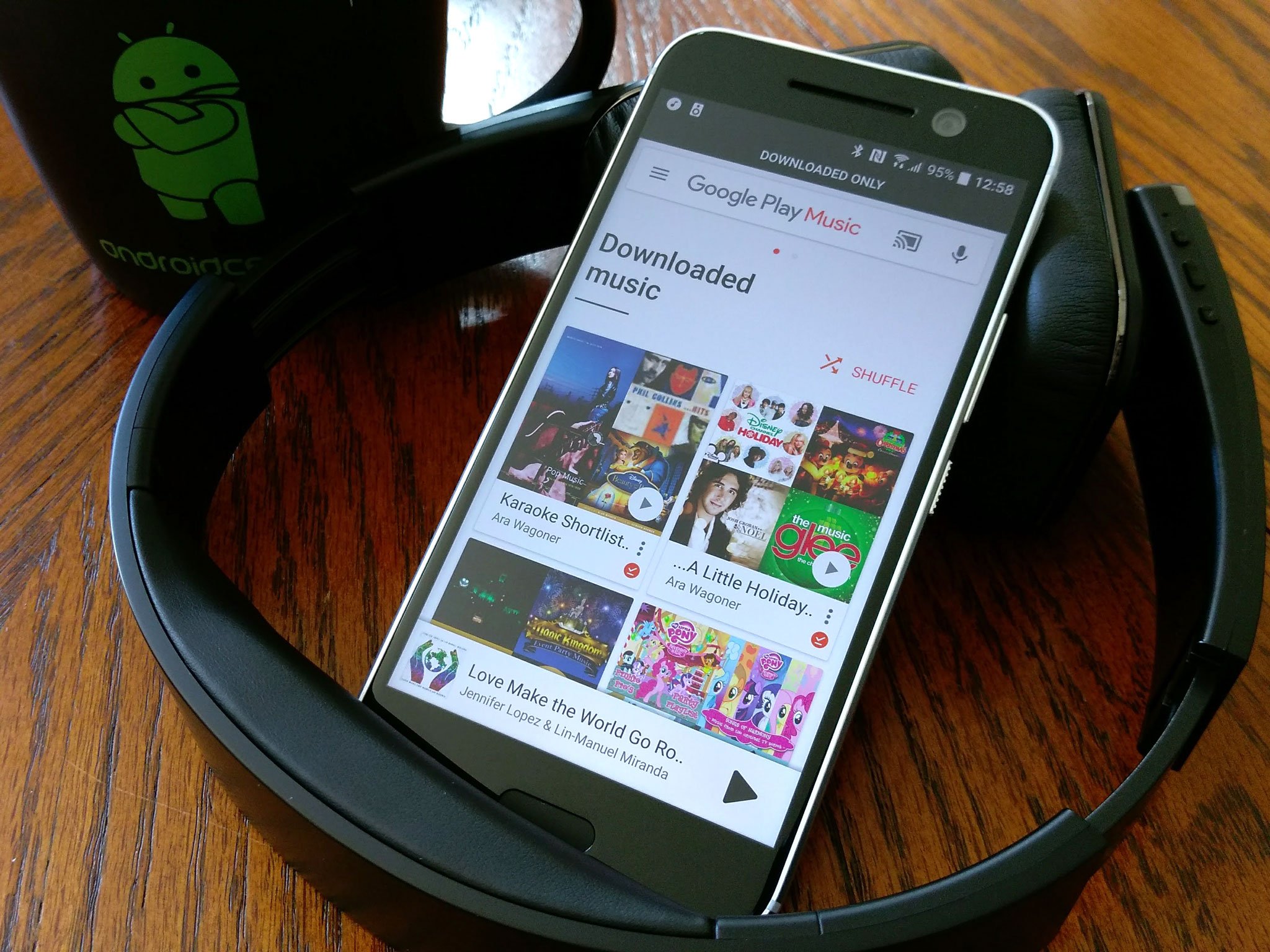
I'm the girl with the headphones, and more often than not, those headphones are pumping Google Play Music into my soundholes. Does Google Play Music need a total overhaul? Absolutely, and we might be seeing the beginnings of it in recent updates. Does Google Play Music need to abolish the ridiculous deauthorization limit that punishes phone-hoppers, klutzes, and technology reviewers? You bet your sweet music it does! Does it need a dark theme? HELL YEAH!

Is it still my favorite and most-used app? Yep, and I'm gonna keep poking the Feedback button with a stick to show my love and help make the app better. (pokes) But seriously, give me back a freaking dark theme for my midnight dance sessions.

Download Google Play Music (free)

Jerry Hildenbrand — Allo

I originally only installed Allo so I could play with Assistant. But once I got my family to install it, I've found it's a nice way to talk to the wife and kids. It has the same features that you'll find in other apps, but it's really easy to use and Assistant can be pretty handy for things like directions or "Googling" stuff. For people who don't want to dive into Hangouts and all its settings, Allo is pretty slick.

Download Allo (free)

Harish Jonnalagadda — WhatsApp

I use WhatsApp extensively. So does my family. And most of my countrymen. The Facebook-owned messaging app is ubiquitous in India, and over the course of the year, it has picked up a lot of new features, notably end-to-end encryption. There's now a desktop client as well, and WhatsApp now offers voice and video calls, effectively going from a messaging app to an all-in-one communications platform. I tried getting my family to install Duo for video calls, but that fight was lost once WhatsApp picked up the feature.

Download WhatsApp (free)

Your turn!

What are your favorite apps of 2016? Let us know in the comments and we'll feature them in a future post!

16 Dec 14:54

'100 People Of Dance' will lift your spirits

by Caroline Siede
maxresdefault-1

As part of his Project One Life series, Matt Bray has uploaded videos of himself performing the same dance routine for 100 days in his bedroom as well as performing the routine in 100 different places.

(more…)

16 Dec 14:53

Photography: These starscapes may inspire a move to Finland

by Andrea James

finland

Finnish photographer Oscar Keserci braved brutal temperatures in and around Kirkkonummi, Finland for his breathtaking Blue Night series of photos.

(more…)