Shared posts

16 Dec 14:57

Most Wanted: Android Police's top five games of 2016

by Michael Crider

games2Android Police's bi-weekly roundups have covered more than 750 games this year. That's a hell of a lot for a site that's not specifically about gaming, and picking out the top five is no small task. Before you read any further, take note of the following: I had a few criteria that games had to meet before being included in the following selections.

One, it needs to be a mobile game.

Read More

Most Wanted: Android Police's top five games of 2016 was written by the awesome team at Android Police.

16 Dec 14:44

The government body that oversees the security of voting systems was itself hacked

by Devin Coldewey
picard_riker_facepalm The U.S. Election Assistance Commission, which is responsible for testing and certifying voting systems, among other things, was hacked around the time of the election, security outfit Recorded Future reports. The EAC confirmed a “potential intrusion” in a statement issued to TechCrunch. Read More
15 Dec 22:41

Most Wanted: Android Police's top five apps of 2016

by Michael Crider

apps headerAndroid has been around for eight years now. It's the most-used operating system on the planet, and it's helped spearhead a revolution in mobile access and capability. That being the case, it shouldn't surprise anyone if the truly mind-blowing new apps aren't exactly thick on the ground anymore. This year's crop of apps aren't especially amazing, but each one exhibits new functionality for users that wasn't accessible (or at least practical) before.

Read More

Most Wanted: Android Police's top five apps of 2016 was written by the awesome team at Android Police.

15 Dec 21:01

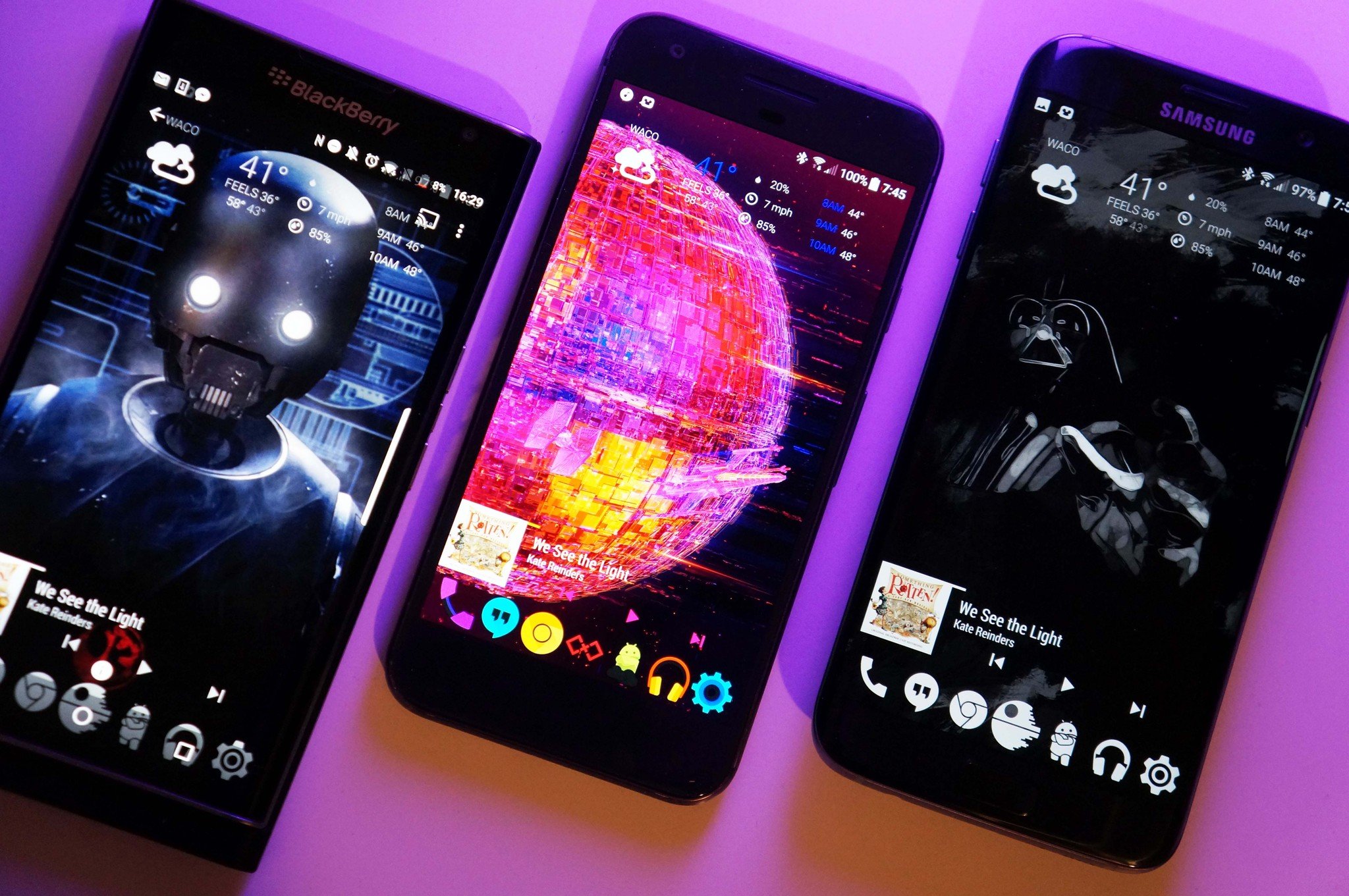
Go Rogue with these Star Wars themes

by Ara Wagoner

I find your lack of Star Wars theme disturbing.

Update May 4th: We revisit these great themes for Rogue One to celebrate Star Wars Day!  

It's opening night. You're all ready for your midnight showing: got your tickets, got your perfect Star Wars shirt picked out, or maybe a whole ensemble if you're aiming to win that costume contest… but is your phone as decked out as your lovely self? No? Let's fix that.

Darth Vader

You don't know the power of the dark theme. This theme is as dark, delicious, and daring as it is elegant. Darth Vader is one of the best villains ever, and so long as we don't have to suffer through any more Anakin brooding, we're happy to see as much of him on screen as Disney is willing to give us. We could all use a little more Vader in our lives, and our home screens are no exceptions. Here's what we need:

Once you've got everything that you need downloaded, it's time to dive in!

  1. Long-press on your home screen until the Wallpapers option appears at the bottom of the screen.
  2. Tap Wallpapers.
  3. Tap Pick image.

  4. Navigate to your downloaded Vader wallpaper and select it.
  5. Make sure the image is centered before tapping Set wallpaper.
  6. Open Nova Settings.

  7. Tap Look & feel.
  8. Tap Icon theme.
  9. Tap Whicons.

  10. Return to the home screen and long-press the app drawer icon.
  11. Tap Edit.
  12. Tap the icon to edit it.

  13. Select Gallery apps.
  14. Select Documents/Files.
  15. Navigate to your saved Death Star icon and select it.

  16. Ensure the entire icon is within the confines of the white bounding box before tapping Done.
  17. Tap Done to confirm your icon change.
  18. Return to your home screen.

  19. Long-press on your home screen until the Widgets options appears at the bottom of the screen.
  20. Tap Widgets.
  21. Find 1Weather in the list and tap and hold to set the widget position on your home screen.

  22. Drag the 1Weather Compact widget to the top of your home screen.
  23. In the configuration window that appears, set Background Color to Dark.
  24. Set Background opacity to 0%.

  25. Set Accent to White.
  26. Tap Done.
  27. Return to the home screen.

  28. Long-press on your home screen until the Widgets options appears at the bottom of the screen.
  29. Tap Widgets.
  30. Find KWGT in the list and press and drag the KWGT 4x2 widget to the bottom of your home screen.

  31. Tap the widget to configure it.
  32. In Exported, select Vader Music Preset.
  33. If the scaling of your widget is off, tap Layer.

  34. Adjust the widget as needed.
  35. Save your widget by tapping the floppy disc on the top bar.

K-2S0

K-2S0 is the droid we've been looking for: a Droid that makes us laugh, even as he decides which of a thousand ways he's going to kill us. He's gritty, he's goofy, and he's prone to gore.

  1. Long-press on your home screen until the Wallpapers option appears at the bottom of the screen.
  2. Tap Wallpapers.
  3. Tap Pick image.

  4. Navigate to your downloaded K-2S0 wallpaper and select it.
  5. Make sure the image is centered before tapping Set wallpaper.
  6. Open Nova Settings.

  7. Tap Look & feel.
  8. Tap Icon theme.
  9. Tap Metal.

  10. Return to the home screen and long-press the app drawer icon.
  11. Tap Edit.
  12. Tap the icon to edit it.

  13. Select Metal.
  14. Scroll down to S and select Star Wars.
  15. Tap Done.

  16. Long-press on your home screen until the Widgets options appears at the bottom of the screen.
  17. Tap Widgets.
  18. Find 1Weather in the list and press and drag the 1Weather Compact widget to the top of your home screen.

  19. In the configuration window that appears, set Background Color to Dark.
  20. Set Background opacity to 0%.
  21. Set Accent to Blood Red.

  22. Tap Done.
  23. Return to the home screen and long-press until the Widgets options appears at the bottom of the screen.
  24. Tap Widgets.

  25. Find KWGT in the list and press and drag the KWGT 4x2 widget to the third row of your home screen.
  26. Long-press and resize the widget fit above the split Rebel/Empire logo.
  27. Tap the widget to configure it.

  28. In Exported, select K-2S0 Music Preset.
  29. If the scaling of your widget is off, tap Layer and adjust as needed.
  30. Save your widget by tapping the floppy disc on the top bar.

Death Star 2: Electric Wookie-loo

That's no moon… it's an electronic discotheque Death Star home screen theme that's bound to blow the place so we can go home. There are boring black and white Death Star themes, but we're too cool for monochrome. That's what we have Vader around for. Now, here are the plans for the Death Star. We must get them back to the alliance!

  1. Long-press on your home screen until the Wallpapers option appears at the bottom of the screen.
  2. Tap Wallpapers.
  3. Tap Pick image.

  4. Navigate to your downloaded wallpaper and select it.
  5. Make sure the image is centered before tapping Set wallpaper.
  6. Open Nova Settings.

  7. Tap Look & feel.
  8. Tap Icon theme.
  9. Tap Supreme.

  10. Return to the home screen and long-press the app drawer icon.
  11. Tap Edit.
  12. Tap the icon to edit it.

  13. Select Supreme.
  14. Scroll down in the Bonus section and select the red icon featuring two squares with an X in the middle.
  15. Tap Done.

  16. Long-press on your home screen until the Widgets options appears at the bottom of the screen.
  17. Tap Widgets.
  18. Find 1Weather in the list and press and drag the 1Weather Compact widget to the top of your home screen.

  19. In the configuration window that appears, set Background Color to Dark.
  20. Set Background opacity to 0%.
  21. Set Accent to Royal Blue.

  22. Tap Done.
  23. Return to the home screen and long-press on your home screen until the Widgets options appears at the bottom of the screen.
  24. Tap Widgets.

  25. Find KWGT in the list and press and drag the KWGT 4x2 widget to the bottom of your home screen.
  26. Tap the widget to configure it.
  27. In Exported, select Disco Death Star Music Preset.

  28. If the scaling of your widget is off, tap Layer.
  29. Adjust as needed.
  30. Save your widget by tapping the floppy disc on the top bar.

Are these not the themes you're looking for?

We also have a trio of Star Wars themes from The Force Awakens, including the most adorable BB-8 theme you will ever see! We also delve into a refined Rebel Alliance theme, a sinister and sharp Sith theme.

May the Force - and the themes - be with you!

15 Dec 20:58

10 high-tech holiday gifts for your furry friends

by Sarah Buhr
2016-gift-guide-pets Welcome to the 2016 TechCrunch Holiday Gift Guide! We’ll be rolling out a bunch of guides leading up to Christmas, hopefully making your holiday shopping a little easier. Looking for gifts for others on your list? Check out our full 2016 Gift Guide Hub. Have a furry friend and want to spoil them with tech treats? This is the list for you! From cat cams to apps to occupy them while you… Read More
15 Dec 18:04

Marvel just released 5 hours of superhero holiday fireplace videos

by Darrell Etherington
groot-fire-compressor If there’s one thing I consistently love and can be trusted to both enjoy free or even pay money for, it’s fireplace videos. Sometimes called yule log videos, too, these are those things you see on Netflix, in the Apple TV App Store and on YouTube that just show a fireplace for a long period of time, often looping a clip and sometimes including music or sound effects.… Read More
15 Dec 13:23

Car sharing network Turo launches in the UK

by Darrell Etherington
4-car-sharing-marketplace-turo-launches-in-uk-15-12-16 A lot of us have cars, but not a lot of us use cars – estimates suggest our cars are sitting unused as much as 95 percent of the time, which is kind of insane if you think about it. That’s why things like Turo exists, which lets people rent out their vehicles on-demand via an app, Airbnb style. Turo is expanding to the UK today, but its debut there will actually focus on rental… Read More
15 Dec 13:23

Just Eat pays up to £240M for Delivery Hero’s UK ops, £66M for Canada’s SkipTheDishes

by Ingrid Lunden
Photo: katyenka/Getty Images Yet more regional consolidation is underway among the giants of take-out and delivery startups in Europe as they gear up to compete more aggressively against newer entrants like Deliveroo and Uber Eats. Today, Berlin-based Delivery Hero announced that it is selling its UK business, which operates as hungryhouse, to rival Just Eat for £200 million ($251 million) in cash, plus another… Read More
15 Dec 13:22

Brexit transition period vital to avoid UK fintech exodus, warns Lords report

by Natasha Lomas
City of London A House of Lords committee in the UK has published a report on Brexit and financial services urging the government to secure a transitional period early in negotiations to avoid the risk of fintech firms shifting operations out of the UK as uncertainty after the vote to leave the European Union stacks up. Read More
14 Dec 23:03

Yahoo Discloses Another Billion User Breach

by Patrick Allan

Yahoo announced this afternoon that hackers stole data from more than one billion user accounts in an attack that took place back in 2013. It’s believed that this attack is separate from the other 2013 breach they announced back in September.

The attackers, who are believed to be the “same state-sponsored actor” from the first attack, got away with a plethora of user data. This includes names, email addresses, telephone numbers, dates of birth, hashed passwords (using MD5), and even encrypted and unencrypted security questions and answers. However, investigators do not believe that unencrypted passwords, credit or debit card numbers, or bank account information was stolen.

Yahoo is notifying any potentially affected users, but it’s best to be proactive and start securing your information yourself. Change your password as soon as possible, use strong passwords or a password manager, and never use the same password as you do for another site. And if you haven’t done so already, enable two factor authentication for your Yahoo account as soon as you are able. You can read more about the breach at the link below.

Important Security Information for Yahoo Users | BusinessWire

14 Dec 23:02

Chromebook Buyer's Guide

by Jerry Hildenbrand

You've decided on Chromebook. Now you just have to choose which one fits your needs best.

Plenty of people are buying Chromebooks for a variety of reasons, not the least of which being price and simplicity. Chrome enables you to have a simple yet powerful computer that can be handed to anyone and used right away, without all of the headaches of maintenance or management. The toughest part of using one is picking the right one to use!

Like everything else electronic, what you should buy depends on what you need to do with it. We can help.

Chrome OS

Chrome isn't like Android on a phone — it's the exact same on every Chromebook (or Chromebox). That makes things a lot easier when buying a new Chromebook because you won't have to make any decisions about the software. The most inexpensive model can do everything its hardware supports in the very same way the most expensive model can. Hardware support can make a difference, though, because things like a 180-degree flippable screen or a specialized pen bring options along with them and if your Chromebook can't flip over to be a tablet or doesn't include a pen (bundled or as an optional purchase) you won't see any special software to use one.

One other place that this software "sameness" matters is when you are buying a Chromebook. Chrome automatically updates and the new software comes directly through Google regardless of who made your Chromebook. With support lasting five years, you won't have to buy the newest model to have the latest software. That can mean big savings, and we all love big savings.

Thankfully, Chromebooks come in a wide range of hardware configurations that support every budget. What you need to do before you buy is decide why you need a Chromebook and how you're going to use it.


For the youngsters

There's a good chance a young student will be issued a Chromebook from their school. Most companies make specially ruggedized Chromebooks for the education market, and that's exactly what you want for a youngster's first computer. Luckily, you can buy a similar model through normal retail channels and it won't break the bank.

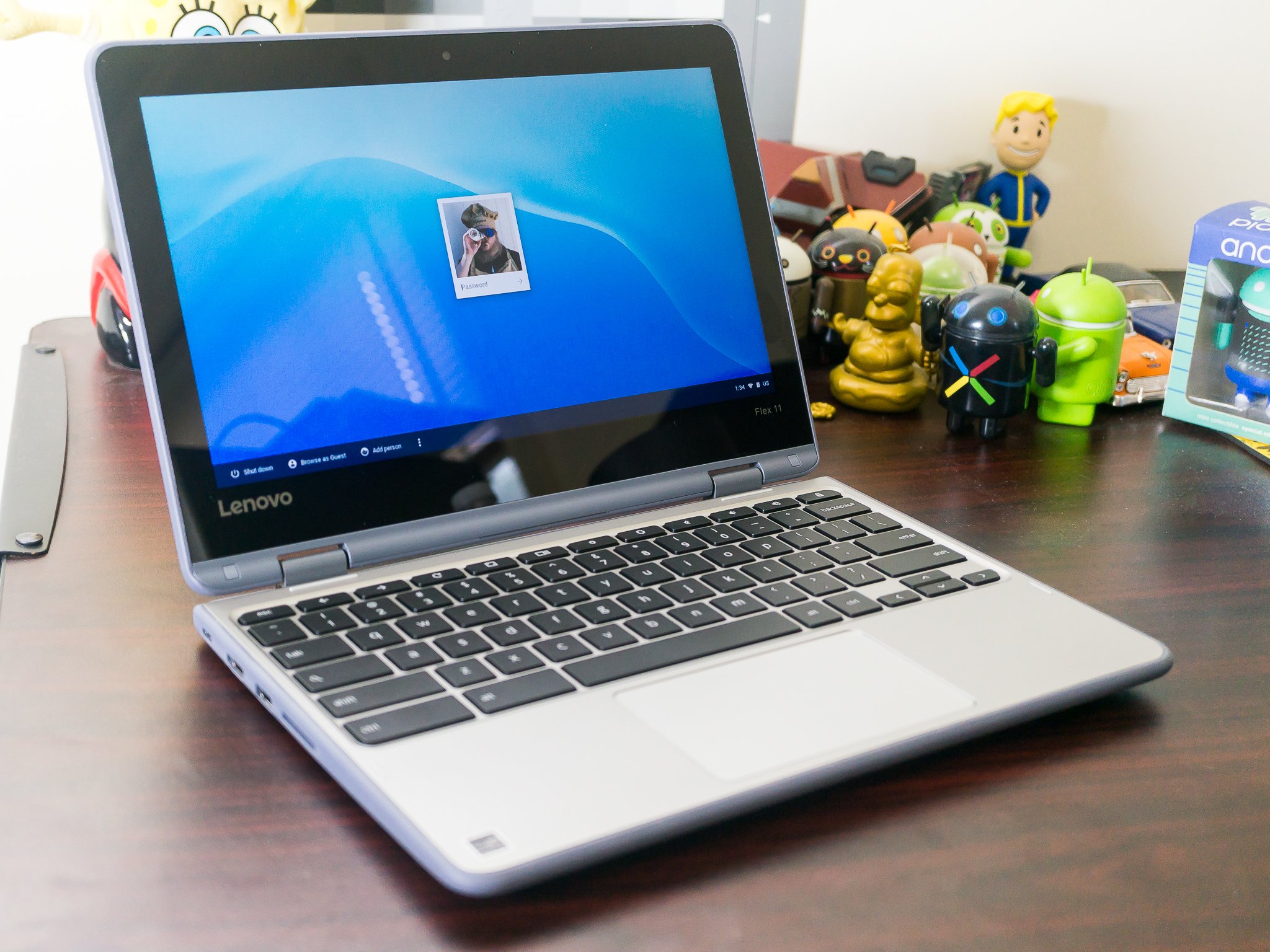
Lenovo's Flex 11 is a great choice for a young child. It's built like a tank and designed to survive bumps and bruises as well as being dropped for the height a child can reach. It even has a "waterproof" keyboard tray so a spilled drink won't automatically equal a disaster.

It's not pretty, but neither is a thin and light Chromebook that's been destroyed by a fall off the desk or a glass of water. You can buy the Flex 11 directly from Lenovo for around $260.

See at Lenovo

For older students

Many teens and older students use their phone to do everything. That's awesome, but if you're shopping for a student that's out of that "will break everything" stage, you want a Chromebook that foregoes the rough and rugged build and focuses on being portable and speedy. ASUS has you covered.

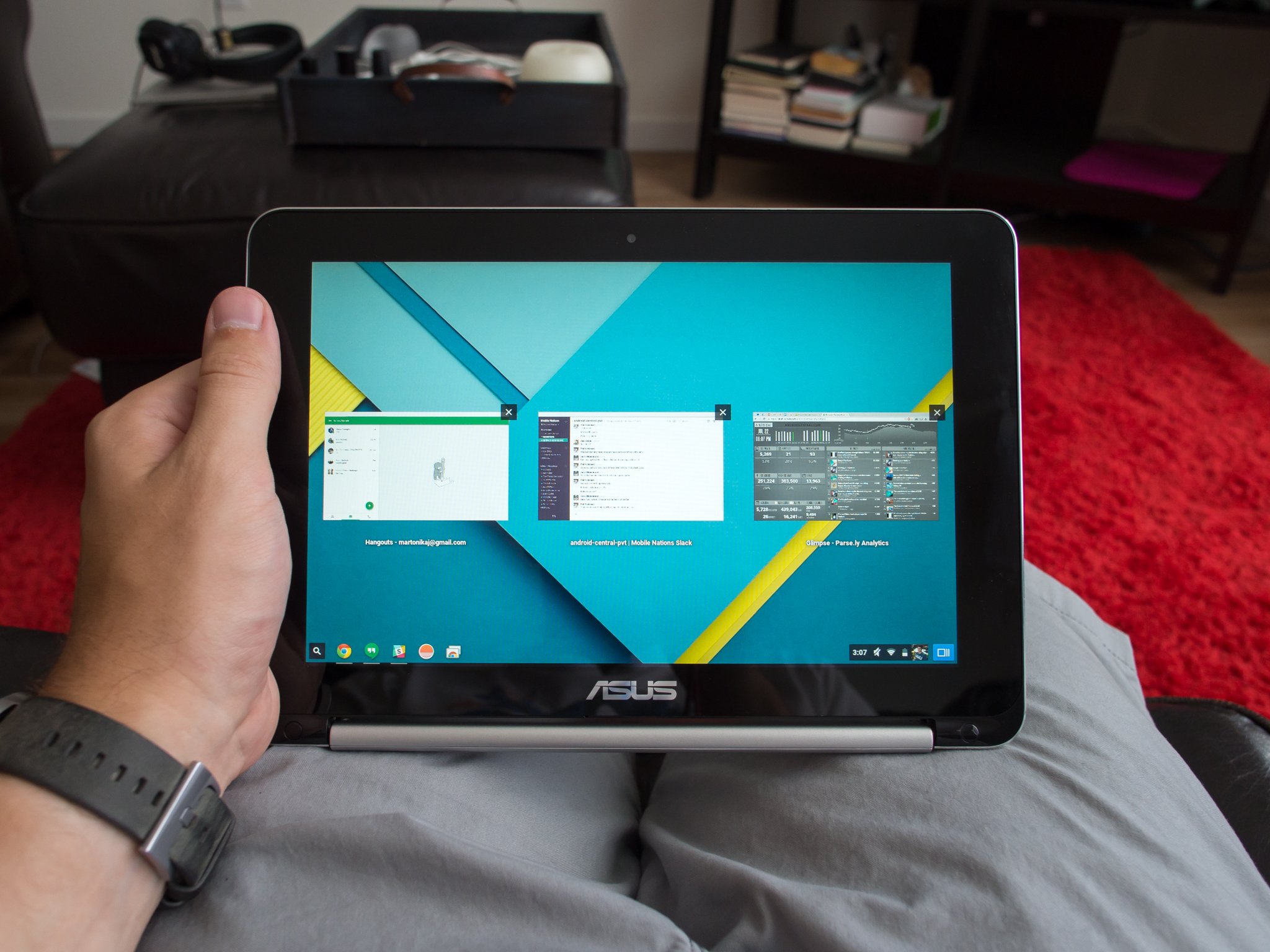
Their Chromebook Flip line brings the all the portability a student needs along with a great display and speedy internals. And it's called a Flip for a reason — it's a great tablet replacement, too.

Android apps have changed the way we use Chromebooks and with the display flipped back a Chromebook really shines. Models in the Flip line come with a great touch screen for games or casual use, can stand as an easel for watching a video, and at the end of the day folds back into the ultra-portable laptop that a student can carry anywhere.

The Chromebook Flip 101 comes in under $300

See at Amazon

The Chromebook Flip 302 brings a bigger 12.5-inch display and uber-fast Intel core processor to the table, and costs around $450

See at Amazon

For all-around use at home or on the go

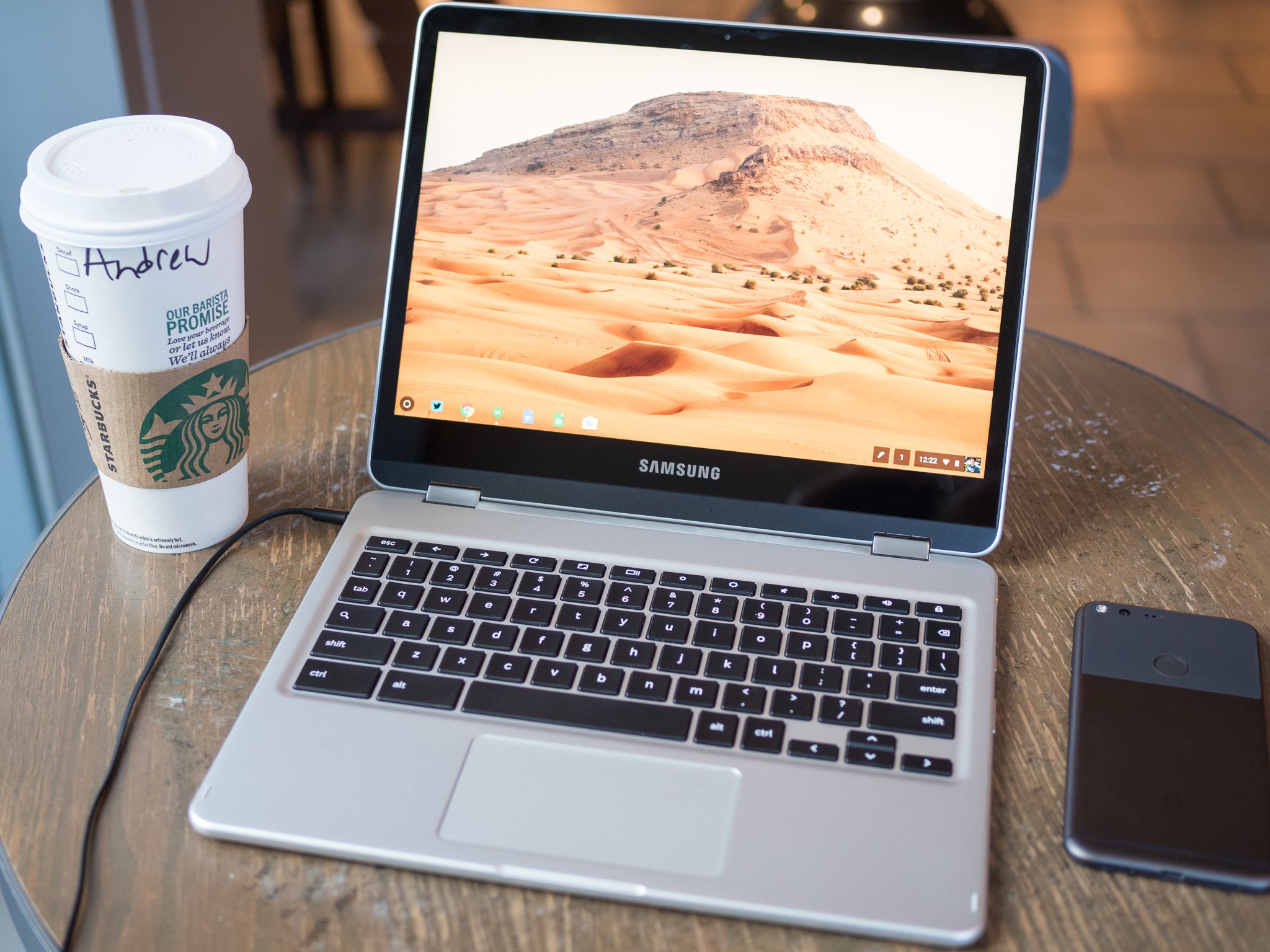
If you want a Chromebook to use for a little bit of everything, it's hard not to recommend the Samsung Chromebook Plus.

It's our recommendation as the best Chromebook you can buy based on the price and feature list, and it deserves its place at the top of that list. Built around an absolutely amazing 12.3-inch 2400x1600 pixel Samsung HD display, the Chromebook Plus does everything you want or need from a Chromebook and does it well. Android app support and a bundled stylus bring a lot to the table, and you'll be able to surf the web or watch a movie or even balance your monthly budget while enjoying the simplicity and security Chromebooks have to offer.

The Chromebook Plus retails between $450 and $500 and is built with the same components as all Samsung's high-end laptops use. This is the Chromebook for everyone!

See at Amazon

For the professional

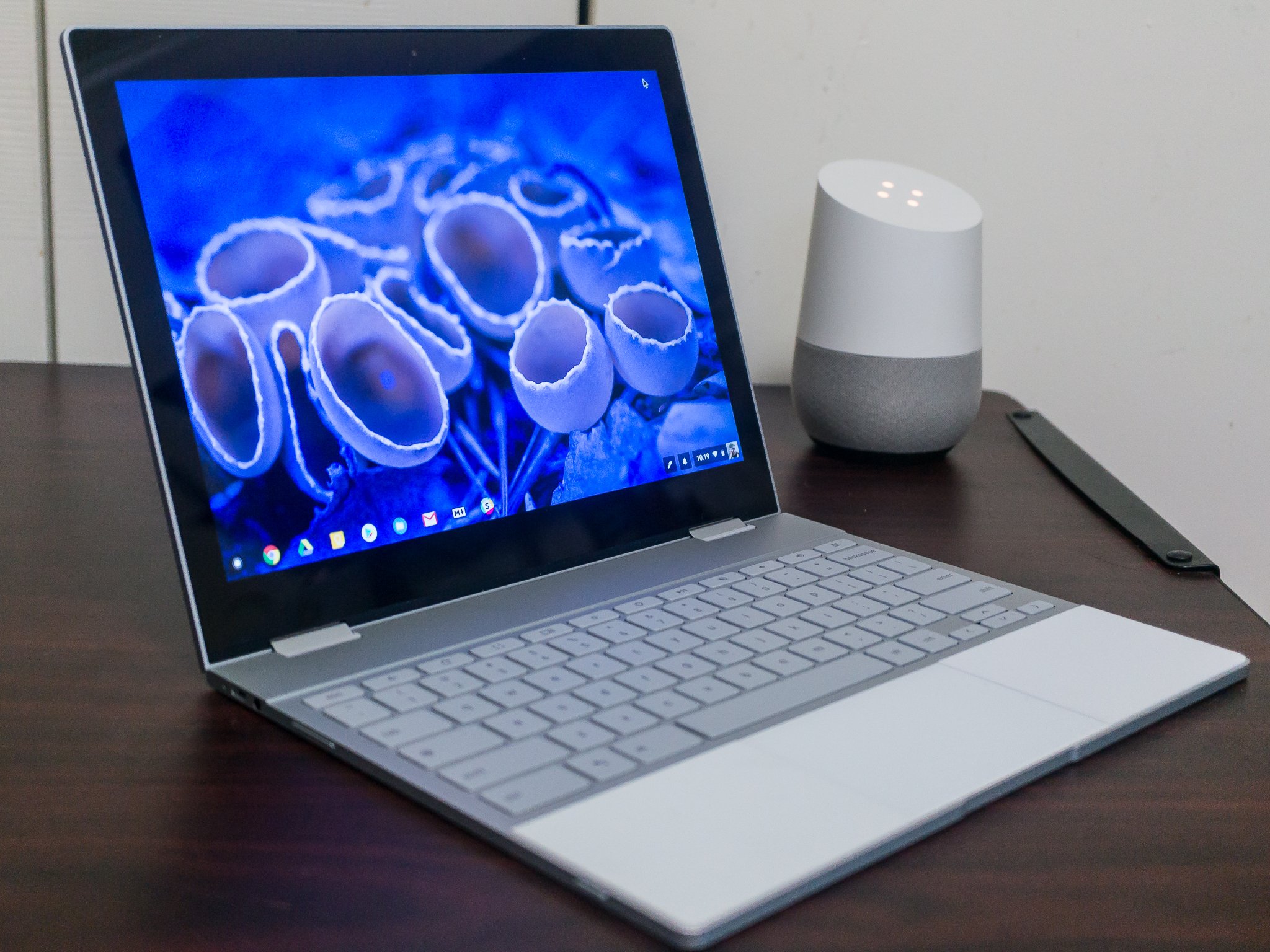
Google's Pixelbook is perfect for the professional who lives and breathes through their laptop. It comes with a high price tag (starting at $999) but the hardware, fit and finish, and slim portable design are worth it for anyone who spends a good part of every day at the keyboard keeping the wheels greased and gears turning.

The Pixelbook was the first Chromebook to come with Google Assistant and even includes a dedicated keyboard key and functionality through the Pixelbook Pen. Assistant can be a godsend for anyone with a full and busy calendar and is a great tool for asking the web just about anything. The Pen and Google Assistant work while the Pixelbook is in the traditional laptop mode or when it's folded over to become an ultra-slim 12-inch tablet.

As mentioned, the Pixelbook isn't cheap. But if you're going to spend all day every day behind the keyboard, there is no such thing as excessive when it comes to the right product for the job. The Pixelbook is that right product for the working pro.

See at Best Buy See at Google

For the road warrior

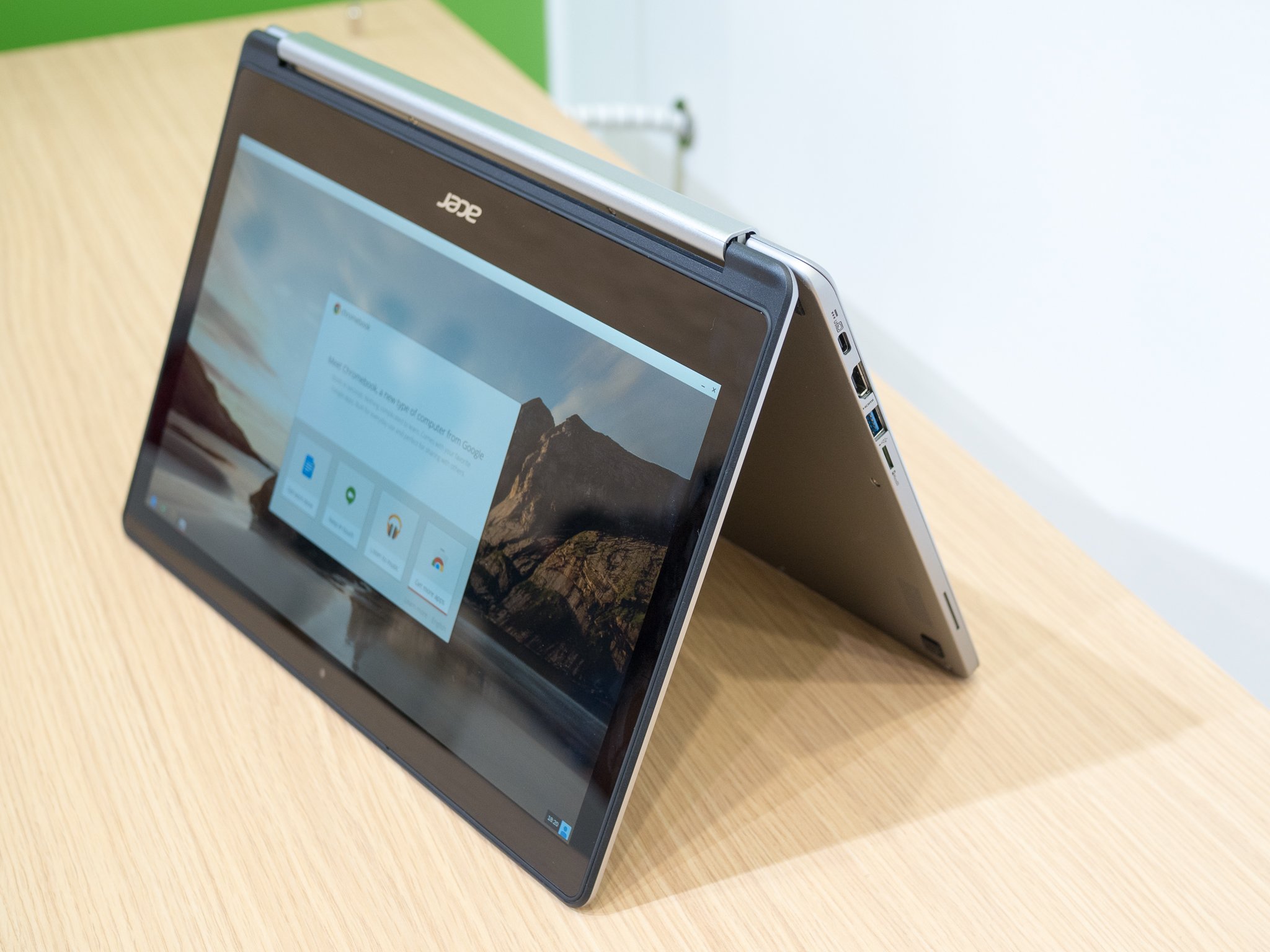
If your job has you on the go and you don't know what plane you'll be on or which hotel you'll be sleeping in next week, you want a great laptop with a mid-sized display. Bbut you won't want to spend a thousand dollars on something that will be banging around in an overhead compartment while you catch a few hours sleep. The Acer Chromebook R13 is perfect.

This 13-inch convertible has a roomy 1080p display, a full 1080p HDR webcam, a million + apps at Google Play, and a price tag around $350. If you want or need to be able to do it all and need a light and inexpensive tool that helps you, the Acer Chromebook R13 is our top pick and a crowd favorite.

See at Amazon

A Chromebox makes a great desktop computer

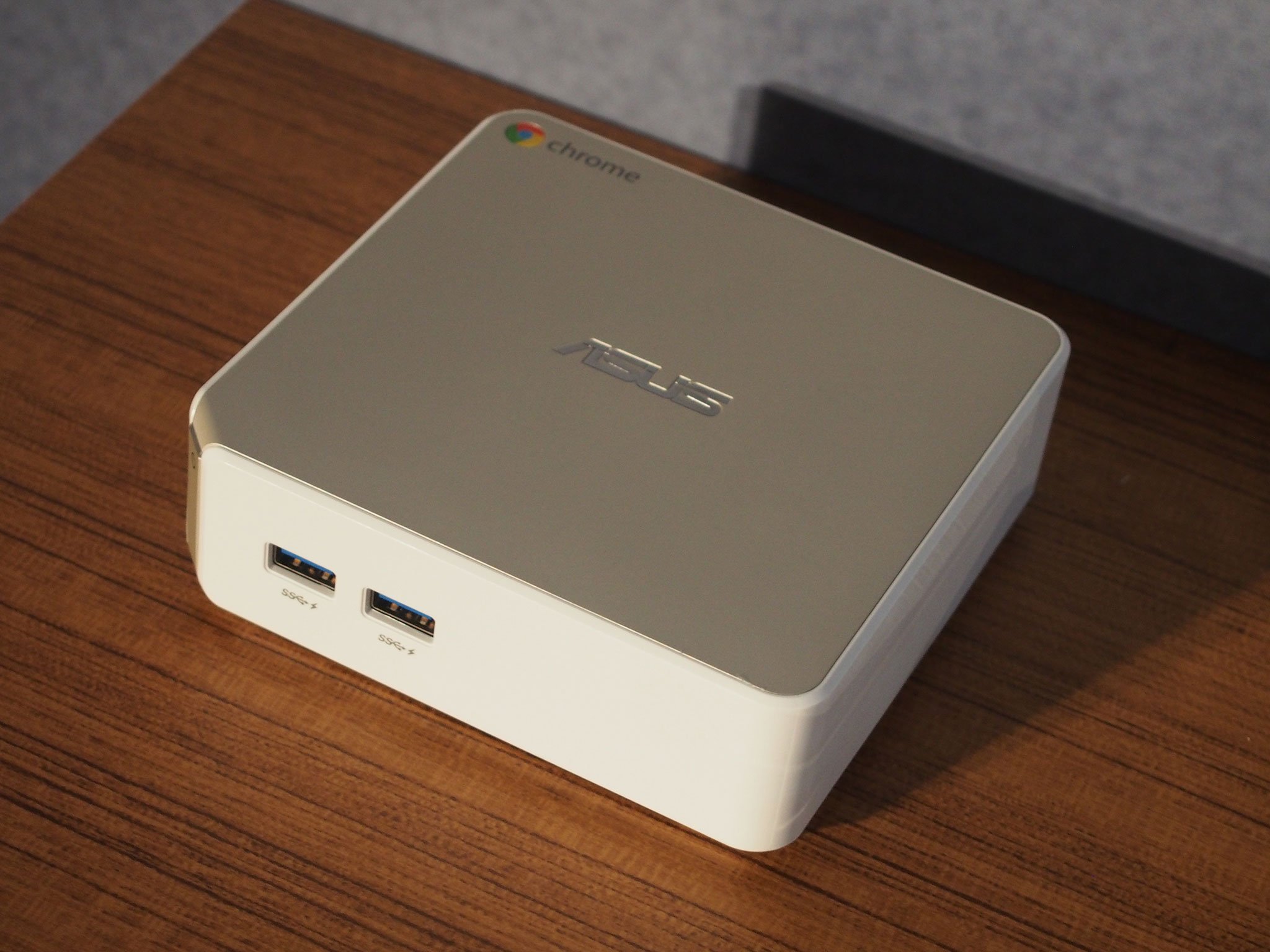
Chrome isn't just for laptops, and if you're in the market for a secure and inexpensive desktop computer you should have a look at a Chromebox.

These small computers do everything a Chromebook can do — connect you to friends and family, entertain you with videos or games, and of course surf the web like a rock star. Their also the most secure desktop computer you can buy thanks to the way Chrome sandboxes every app, every web page, and every process then verifies the operating system files for integrity every time you turn it on. Chrome is more than just a web browser, and as an operating system, it was built from the ground up with security as one of its main features.

Chromeboxes use the same peripherals as any other desktop computer. That means you can use any monitor or keyboard to tailor the experience just as you would with a more expensive computer that runs Windows. The best part about a Chromebox might be the price, as they come in a wide range of hardware to meet almost any budget.

For a family PC or a Home Theater PC, Chromeboxes are inexpensive, filled with features and priced right for just about anyone.

Read now: The best Chromebox

14 Dec 18:44

Instagram adds bookmark feature, to privately save posts for later viewing

by Michael Potuck

Instagram has rolled out an update to its Android, iOS, and Windows apps today to allow you to bookmark posts for later viewing.

more…


Filed under: Google Corporate
14 Dec 18:43

Twitter app adds livestreaming video, start broadcasting from the tweet compose screen

by Benjamin Mayo

Twitter is rolling out a new feature into its native client app for Android. From today, users will be able to start video live stream broadcasts from within the Twitter app courtesy of a new integration with Periscope, which Twitter acquired in 2013.

To start a live video, open the tweet compose screen and tap the new “Live” button. You can frame your shot and then press Go Live to start broadcasting to the world. The feature is rolling out gradually over the next few days.

more…


Filed under: Google Corporate
14 Dec 18:41

Best Strategy Games for Android

by Marc Lagace

Put on your thinking hat with these strategy games for Android

We're rounding up some of our favorite strategy games on Android for the deep thinkers out there. These are more than just simple puzzles games — these require careful planning and forethought to emerge victorious. You'll find some great replay value in games like these as well, since the same strategy won't always work twice.

Strategy gamers, pop on your thinking caps and get downloading these outstanding Android games.

Mushroom Wars 2

Mushroom Wars 2 is an award-winning real-time strategy game that has you controlling tiny armies of mushroom soldiers in online or offline battles. Finally released for Android, this game features beautiful graphics, and gameplay that's easy to learn but challenging to master.

Your goal is total domination, which requires you to move your troops across the map, taking over strategic mushroom huts and other structures while defending against advances from your enemy. There are four Mushroom tribes to choose from with a full campaign episode available for each, but the real action begins with the online multiplayer. You'll need to keep your wits about you as you balance your troop levels, build morale, and use special skills to dominate your opponents.

Don't let the cutesy characters confuse you — this is a cutthroat strategy game at its core, and certainly a game you'll want to check out!

Download: Mushroom Wars 2 (Free w/IAPs)

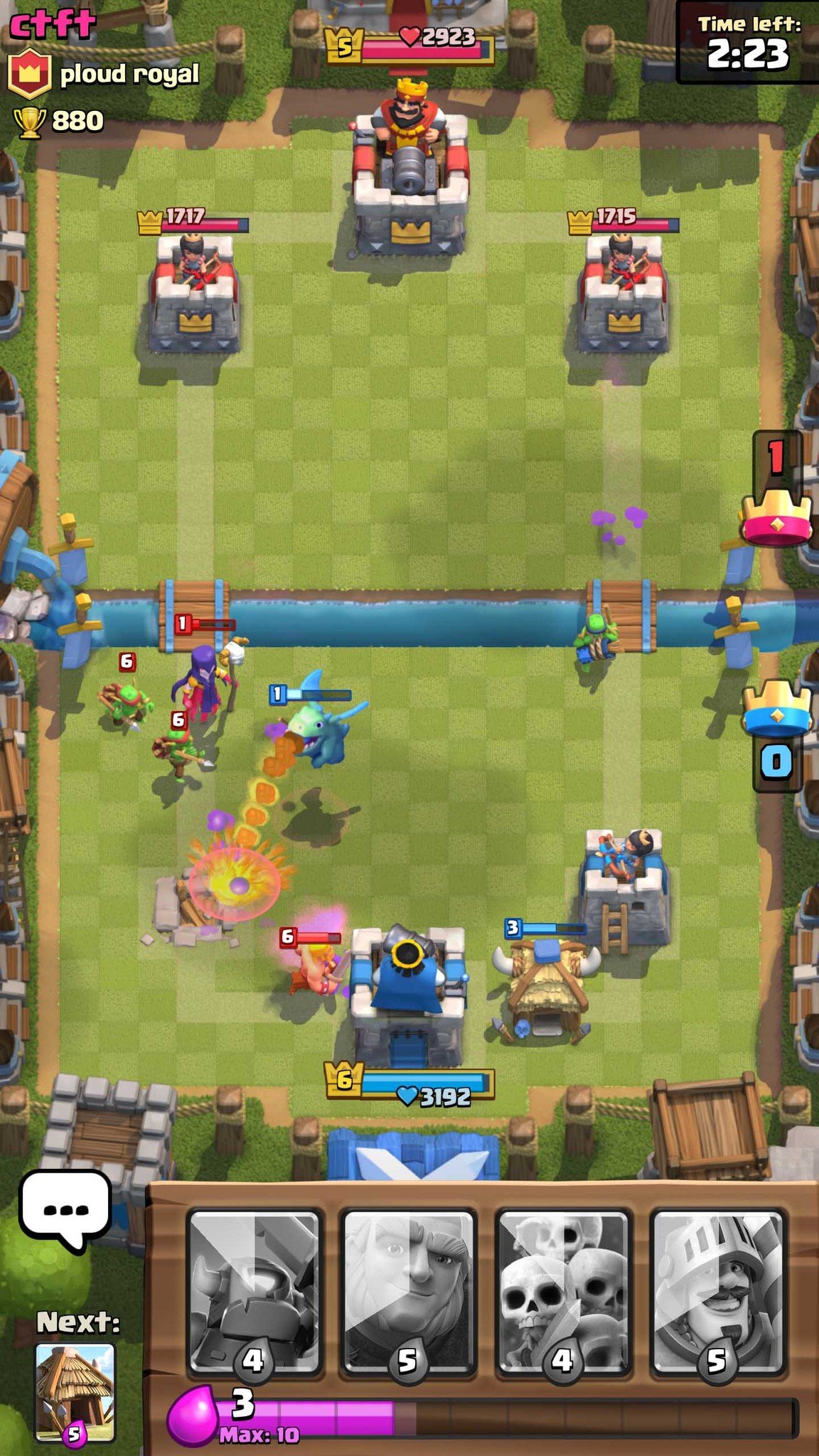
Clash Royale

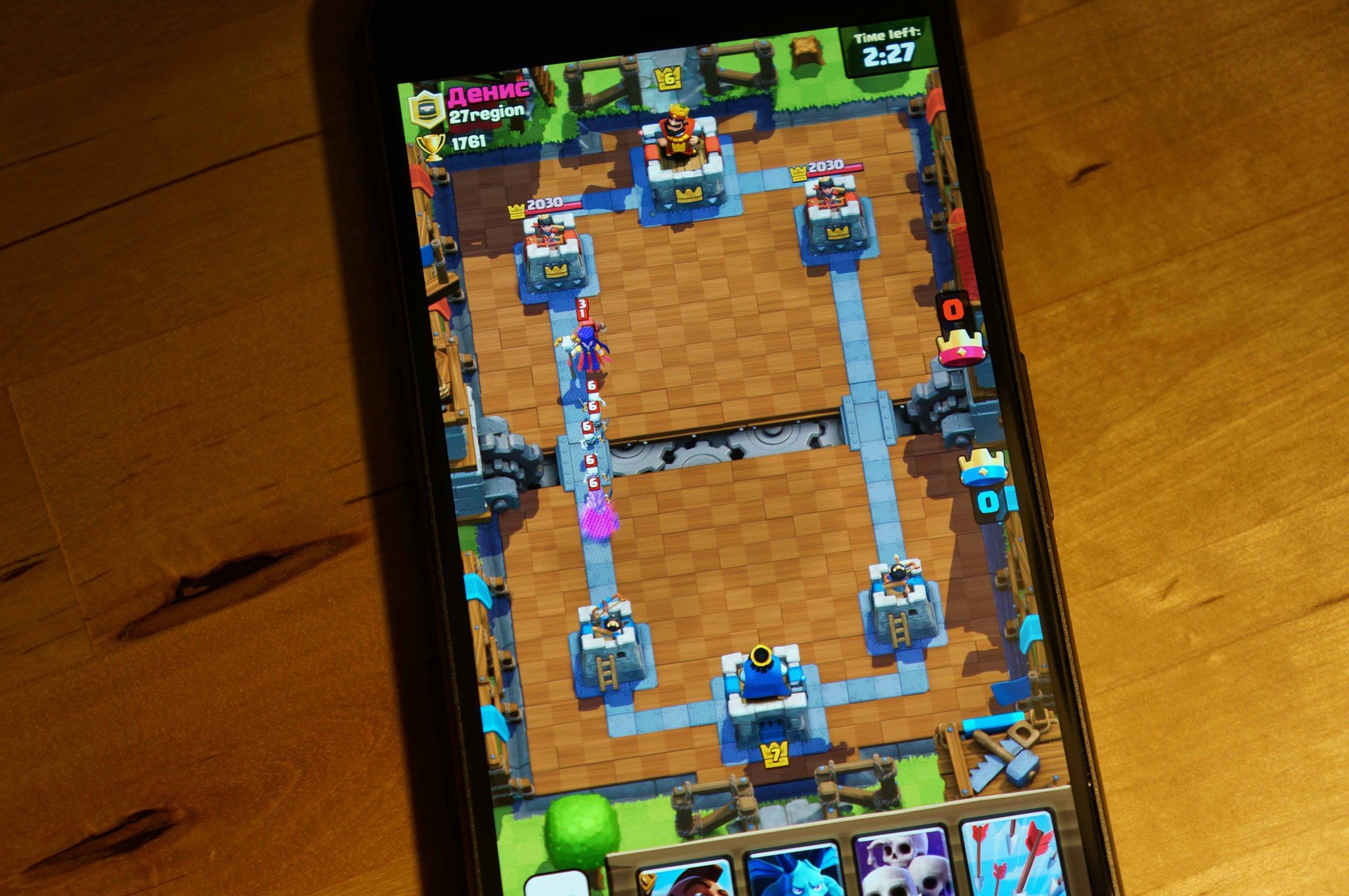
From the makers of Clash of Clans comes Clash Royale. Battle human opponents in real time via frantic card-based battles where you must take out the enemy's Crown Towers while defending your own.

To be successful in Clash Royale, you'll need to learn the strengths and weaknesses of all the different cards, then use them very strategically during battle. Play the wrong card at the wrong time and it might be game over, so be smart, and patient.

The longer the play and the more trophies you collect, the more cards you unlock. In-app purchases can help expedite your progress, but they're not necessary as you'll be automatically matched up with opponents at your skill level. Clash Royale is one of the best games of 2016, so download it and find out what the hype is all about.

Download: Clash Royale (Free)

Plague Inc.

Plague Inc. is a rather dark global virus simulation game. Players gently guide a disease from a modest cough to a deadly worldwide pandemic by evolving it with new symptoms, means of transmission, and resistances. Over time, players unlock new disease types with their own unique traits. World events also randomly pop up every game, forcing you to change your evolution path.

With an in-app purchase, you can get rid of ads and add a fast-forward option, or shortcut to new virus types. As morbid as it may be, Plague Inc.'s gameplay is truly infectious.

Download: Plague Inc. (Free)

Pandemic: The Board Game

From spreading the plague, to trying to prevent one, this mobile version of the popular strategic board game of the same name that provides a real challenge whether you're playing alone or with friends. Your goal: Try to cure four contagious diseases from spreading and taking over the world.

You select your characters at the start of the game, with each character performing specific roles to help eradicate the diseases. Which characters you pick will have a big effect on your team's ultimate success. This is a pass-and-play game to play with friends, and you'll all have to work together and use your teams strategically if you want to win. There's an in-app purchase available for expansions, which improves the replayability of this addictive and challenging game.

Download: Pandemic: The Board Game ($6.99)

Vainglory

Vainglory is the complete package, featuring all the frantic MOBA action fans of the genre have come to expect — jump into a quick match with random teammates and opponents, create your own party of friends and take on all comers, or chill offline and practice your strategies against bots. There are five hero classes featuring a total of 25 unique heroes to unlock, upgrade and take into battle. The touch controls are smooth and easy to pick up, so you'll be able to jump right into the heat of the battle instantly. As you fight your way down the lane, there's a significant upgrade system that branches out, allowing you to react and counter your enemies more effectively.

If you're new to the MOBA genre, no worries! After introducing you to the gameplay fundamentals on first launch, Vainglory also features the Academy, an extensive tutorial section that will help you bolster your skills and abilities in the game. There's also a ton of things to unlock, live events to participate in, and a bustling online community on Twitch. Jump in!

Download: Vainglory (Free)

Hearthstone

Hearthstone is a free, turn-based card game that follows a familiar formula: players summon creature cards and cast spell cards based on the Warcraft universe in an effort to defeat online opponents.

Every one of the nine heroes has their own unique special ability as well as a sizeable batch of collectible and craftable cards. Casual online games, ranked matches, wacky weekly Tavern Brawls, and gruelling Arena games appeal to varying levels of commitment, as you build your deck and your best strategies.

Hearthstone is without a doubt the best free card game to come to Android to date.

Download: Hearthstone (Free)

Plants Vs. Zombies 2

Plants vs. Zombies is a venerable mobile franchise for a good reason.

The bizarre premise of protecting your back lawn from hordes of undead with sunflowers and pea shooters (literally pea plants turned weapons) is certainly part of that, but there's a lot of tactical thinking in terms of plant choices before the attack begins, and placement. In Plants vs. Zombies 2, you're taken back in time to defend against zombies dressed in era garb, and try out all sorts of new mechanics. The zombies are getting smarter, and challenge your reaction speed in a number of ways, though you also have a whole new complement of plants to use. Stages also have new terrain features to keep every round fresh. Plant food can be collected to super-charge any plant when things get especially hairy.

All in all, Plants vs. Zombies 2 presents deep strategic gameplay in a fun, colorful package.

Download: Plants Vs. Zombies 2 (Free)

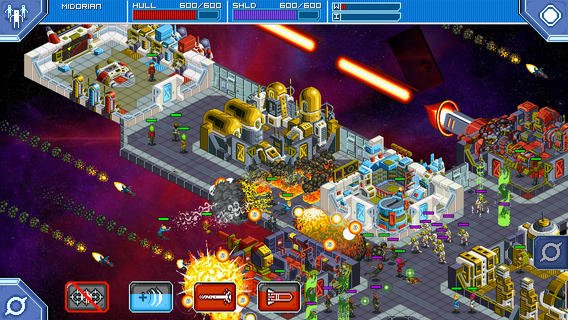
Star Command

Star Command is a sci-fi strategy game with a retro pixel art style. Players take command of a spaceship that vaguely looks like it could have been pulled out of a Star Trek movie, and recruit a crew, upgrade facilities, and embark on intergalactic adventures that usually end in a firefight with grotesque aliens.

Battles rage between ships with different mini-games for each weapon system, or against boarding parties, where you need to move crew members into position, put out fires, and make sure your people don't get sucked out into the cold void of space when there's a hull breach. Over time, your crew increases in skills, enabling them to man the ship's various stations with increasing effectiveness.

If you're looking for a fun, light-hearted single-player experience with great writing and a lot of long-term progression, Star Command is where it's at.

Download: Star Command ($2.99)

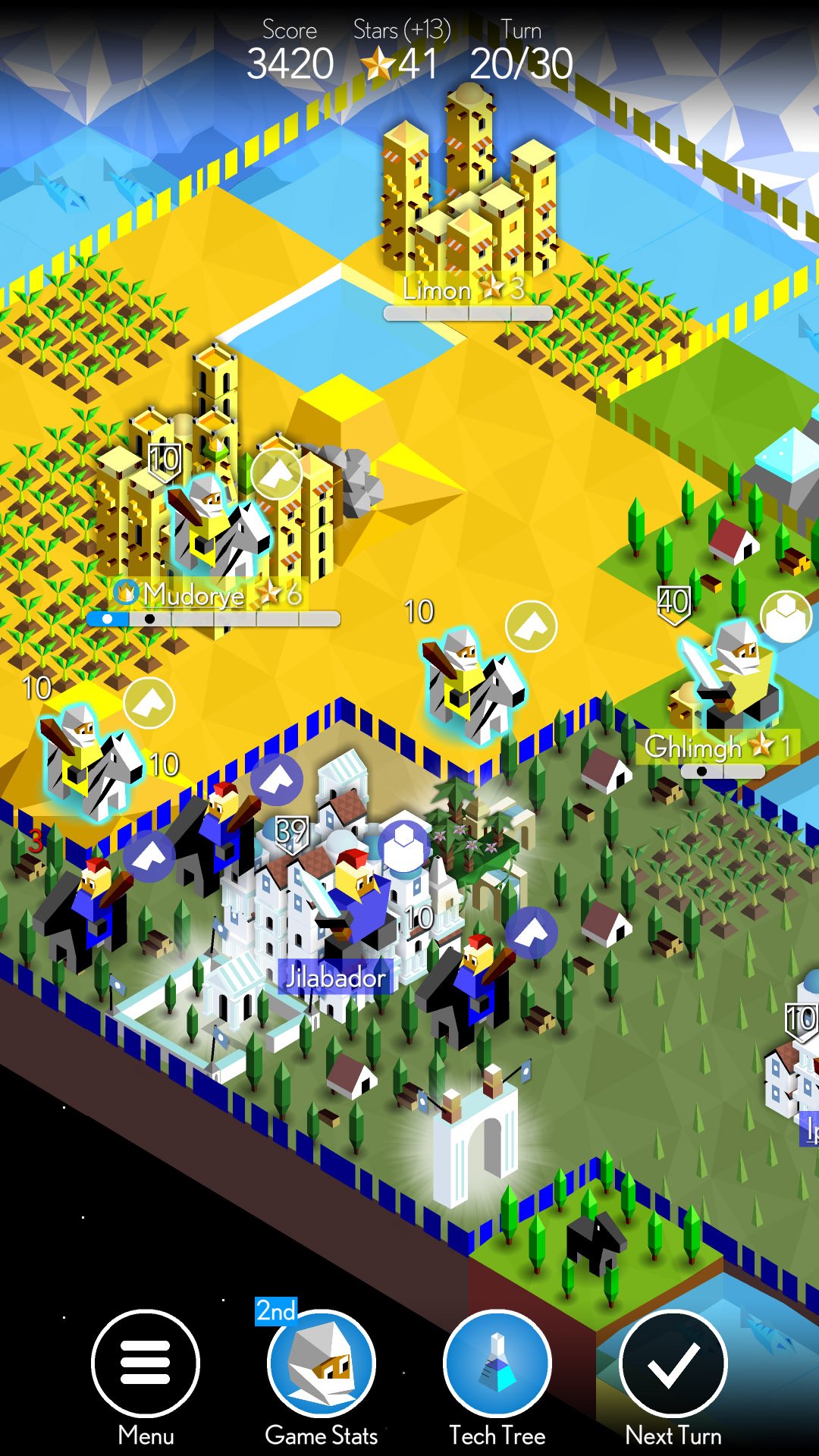
The Battle for Polytopia

If you're a fan of the Civilization franchise, you just have to check out The Battle for Polytopia. This indie game features polygon tribes battling for control of the battle arena. The game features simple turn-based gameplay that's quick and easy to pick up and play. Each turn, you collect stars based on the number and size of the cities you control, which you can spend on upgrading your tribe's technology tree, building troops, or collecting resources. You must be wise with how you spend your resources and position your troops on your turn.

There are multiple ways to play. For solo play, you can create a custom game that either ends after 30 turns, or play until only one tribe remains. There's also the rarely scene pass-and-play multiplayer option, which lets you set up a custom game among friends and even keep them saved so you can play the same game over time. If you aren't able to play in person with friends, the AI offers a pretty decent challenge with difficulty levels ranging from easy to "crazy". There are four tribes available to you when you download the game, with six others available via in-app purchases.

Download: The Battle for Polytopia (Free w/IAPs)

What are you playing?

These are our picks, but we love to hear what our readers are playing. Let us know in the comments and your picks just might appear in a future update!

Updated September 2017: We've added the award-winning Mushroom Wars 2 to our list! Check it out!

14 Dec 18:39

Play Music v7.1 prepares to add an autoplay option and sound quality settings for Wi-Fi and downloading [APK Teardown]

by Cody Toombs

music

An update to Google Play Music began rolling out earlier this week, but there aren't any signs of changes in the UI. However, a couple of interesting things did turn up during a teardown. We can look forward to new settings to control audio quality for each of the major situations for downloading music. Additionally, there will be an option to allow the app to begin playing music as soon as it launches.

Read More

Play Music v7.1 prepares to add an autoplay option and sound quality settings for Wi-Fi and downloading [APK Teardown] was written by the awesome team at Android Police.

14 Dec 16:10

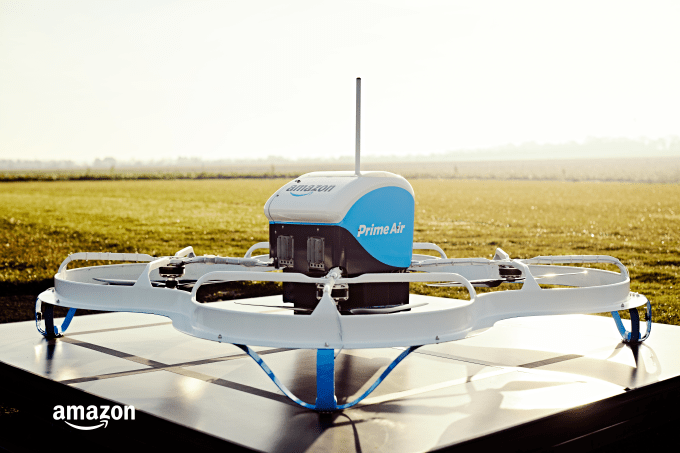
Amazon starts Prime Air drone delivery trial in the UK — but only with two beta users

by Frederic Lardinois
amazon-prime-air_private-trial_ground-high-res Amazon today announced that it has started a small private drone delivery trial in the UK. It’s currently working with only two shoppers who can now order their goods by drone. Over time, Amazon plans to expand this trial to a few dozen — and later to hundreds — of shoppers who live within a few miles of its first Prime Air fulfillment center around Cambridge in the UK.… Read More
14 Dec 14:02

This Printable 2017 All-Inclusive Binder Gets You Organized for the New Year

by Mihir Patkar

Blogger Mique Provost wants to make 2017 easier for everyone, and she’s created one binder to rule it all. Her all-inclusive binder has everything you’ll need to organize your life for the new year.

The pages are for 8.5" x 11" paper, which is perfect for a standard sized binder. It includes checklists, planners, informational pages, important numbers, and all the other daily life trivia you need to refer to quickly.

Mique has helpfully segregated them into sections like planning, family, emergency, always prepared, budgeting, medical, recipes, get healthy, travel/babysitter, and more. Just download the 130-page (that’s not a typo) PDF, print it out, and stick it into a binder of your choice. Each section also has helpful instructions to get you started.

2017 All Inclusive Binder | Thirty Handmade Days

14 Dec 14:02

How Lloyds of London solved the precarious market for kidnapping ransoms

by Cory Doctorow

050-056c026d-1c66-4d42-9fae-a8

Kidnapping ransom markets are really tough: it's hard to convey the demand, hard to arrange the payoff, hard to get the kidnapping victim back in one piece -- but Lloyds of London has largely solved this problem by monopolizing the market for kidnapping insurance, then setting standards for the amounts of ransom to be paid and the conditions for payment. Kidnappers know that if they kill their prey, Lloyds will never pay them again. (more…)

14 Dec 14:00

Winnie the Pooh and Penguin, Too!

by Richard Kaufman

bigpic1132-460x306

We are given many things in our childhood, most of which are lost along the way. When I was six months old my uncle, Alan Soffin, gave me (well, my parents) a copy of The World of Pooh by A.A. Milne bearing the following inscription:

November 1958

For Richard

On his .6th birthday: To be read to him until his 6th birthday, whereupon he should undertake the project himself, reading aloud occasionally to his parents’ general enlightenment.

That I still possess the book is surprising; that it is my most valued possession is not. I read it to my daughter when she was young, and thereafter she read it on her own many times. One day she will inherit my copy and, if she decides to have kids, she will read “Grandpa’s copy” to them.

I’m a neither a literary critic, nor an expert on the intellectual subtexts of the Pooh stories, except that I feel and know there are deep rumblings under the activities which occur in the Hundred Acre Wood. A near equivalent seems to me to be the undercurrent of melancholy that runs through Charles Schultz’s Peanuts. They’re different, of course, because the characters in Peanuts never age; whereas the tales of Winnie the Pooh, Christopher Robin, et al., move inexorably toward the day when Christopher Robin must go to school and leave his friends behind. If you haven’t read the stories in years, you’ve probably forgotten that’s where it all ends—the sadness is there for an adult, but goes right over the heads of kids. When we are young we can’t wait to grow up, and when we are older we cannot help but long for the simplicity of childhood.

Far from being a decrepit senior citizen at age 90, Winnie-the-Pooh is being celebrated around the world, something that most likely would have surprised his creator A.A. Milne. The deceptively simple illustrations by Ernest Shephard are inseparable from the deceptively simple prose. The drawings are charming without being treacly (a good Britishism for something super sweet).

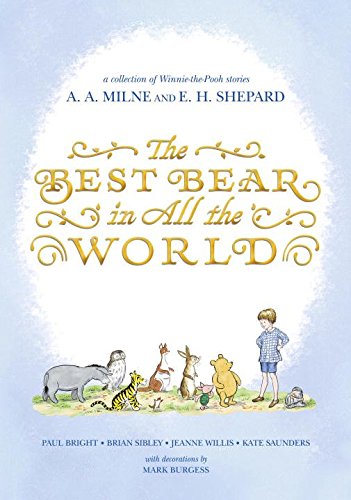
There is cause for great celebration in his anniversary year, for our friends can been visited anew with a most special book titled The Best Bear in All the World, which contains four stories, each written by a different author, and revolves around the seasons.

51jldyx2pwl

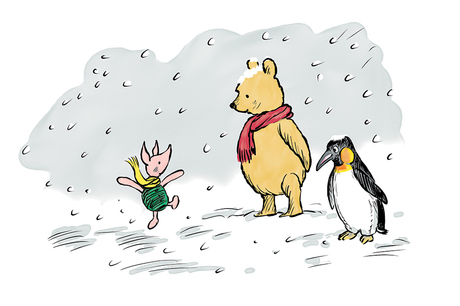
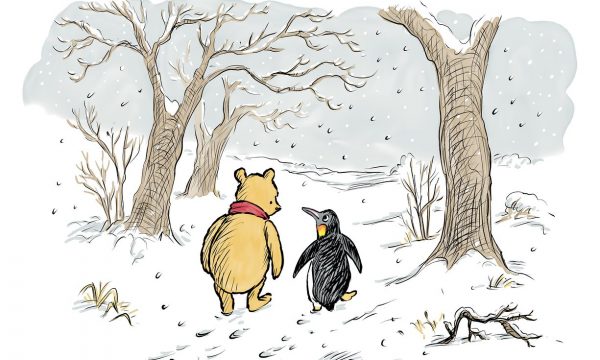
My friend, the immensely talented Brian Sibley (author, historian, raconteur, writer of radio plays too numerous to mention—yes, they still engage in that civilized practice in England) has written the story which takes place in winter and introduces a new character to the Hundred Acre Wood: a penguin. As Brian writes in one of the U.K.’s premier newspapers, The Guardian:

Reading Winnie-the-Pooh, it may be tempting to think that A.A. Milne’s charming and insouciant tales about the Bear of Little Brain and his companions in the Hundred Acre Wood tripped easily on to the page with scarcely any authorial involvement. That is not quite the case, as I discovered in contributing to the official sequel, The Best Bear in All the World, which was published … for Pooh’s 90th anniversary.

Today, Milne’s reputation is as a writer for children, but before Christopher Robin and Pooh he was an acclaimed playwright and an accomplished essayist, novelist and writer of light verse. A 1920s polymath, his lighter-than-air wit caught and reflected the gaiety of the decade.

This was the skill set that Milne brought to his books for young readers: a consummate knack for creating pin-sharp characterizations that makes Pooh, Piglet, et al so memorable, and droll, occasionally sardonic, dialogue that appeals to readers of all ages. This is the work of a playwright at play.

Attempting to capture some of those qualities was a challenge, as was trying to replicate Milne’s verbal and stylistic tricks, such as Occasional Flurries of Capital Letters. And as if that wasn’t enough, I took the risky liberty, in my story, “Winter”, of inviting a newcomer to Pooh Corner. Penguin was inspired by a long-overlooked photograph of Milne playing with his son, Christopher Robin, with the teddy bear who would become Pooh, and a toy penguin.

penguin-character

While my colleagues–Paul Bright, Kate Saunders, Jeanne Willis–and I have been engaged on our Milne “impoohsonations”, illustrator Mark Burgess has been busily capturing the illustrative style of the original decorations by E.H. Shepard.

At 90 years young, Winnie-the-Pooh is still—in the words of Christopher Robin—the Best Bear in All the World.

4714

You can listen to an entertaining BBC radio interview with Sibley here.

brian-sibley-version-6Brian Sibley

And you must buy several copies of the book and gift them this holiday season. Adults included! (It’s a mere $14.)

If you enjoy Sibley’s tale, then I highly recommend his 2001 book Three Cheers for Pooh, about which the publisher writes:

To commemorate Pooh's 75th anniversary, Brian Sibley has written this richly detailed yet exceedingly readable account that celebrates Just What Pooh Did! Lavishly illustrated with Ernest Shepard's full-color artwork and original sketches, as well as photographs, newspaper reports, and manuscript pages in Milne’s own handwriting, this beautifully designed book is perfect for both seasoned Pooh admirers and those eager to get better acquainted with the Best Bear in All the World—Winnie-the-Pooh.

And finally, if you don’t have a copy of the original stories by Milne (is that even possible?), then put hand to mouse and give yourself a gift in time for the holidays.

14 Dec 13:56

The Year in Search: 2016

by Ben Gomes

It’s that time of year — when we look back at the last 12 months and reflect on the trends that defined the year in Google Search. From Powerball numbers to Olympic champions, whether making dessert or becoming a mannequin, this year affected us all in different ways. Through all the highs and lows, people came to Search to learn more and understand.

Year in Search 2016

So to celebrate the end of 2016, here’s a peek at some of the trending U.S. topics that caught our attention as especially unique to this year.

  1. Powerball: It may seem like a distant memory now, but back in January a record-breaking jackpot made Powerball a hot topic. Search interest in Powerball spiked more than 166 percent, and it’s the top trending search for all of 2016.

  2. Politicians and athletes: In a year with the Olympics and U.S. Election, it’s not surprising that nine of our 10 top trending people of the year fell into one of these two categories — from Donald Trump to Michael Phelps and Hillary Clinton to Simone Biles. The one outlier? Steven Avery, the subject of Netflix’s “Making a Murderer” documentary.

  3. Pokémon Go: Pokémon Go took our lists — and the world — by storm this year. The addictive game appeared four times in our list of top 10 “How to…” questions, with “How to play Pokémon Go?” at the top. Clearly searchers were eager to learn how to catch ‘em all!

  4. Quinoa and Budweiser: From Big Macs to quinoa, Budweiser to Maui Brewing, Brussels sprouts to Buttercream Frosting, it’s clear from our trending calorie, recipe and beer lists that we’re a country of many tastes. One of the new trending recipes this year? Snow cream, a dessert that’s the perfect winter treat with some fresh snow, sugar, milk and vanilla.

  5. Slime and... mannequins: “How to make slime” isn’t a phrase we hear often — until now. Maybe it was the new “Ghostbusters” movie, but while voting and Pokémon dominated much of this year’s “How to…” list, one green, slimy question made its way up to #4. Meanwhile, on the “What is…?” list, the mannequin challenge is standing proud — and very, very still — at #7.

These are just a few of the trending terms that made up 2016. From remembering past icons like David Bowie and Prince, to searching for current ones like Beyoncé and Alexander Hamilton (a.k.a. Lin-Manuel Miranda), to looking for information on Brexit, Zika, Orlando and Brussels, Search brought us together in dozens of ways this year. Dive into google.com/2016 to see lists from around the world.

Here's to finding what we're searching for in 2017.
14 Dec 13:54

Amazon’s AWS opens its first UK region in London

by Frederic Lardinois
aws logo Last year, Amazon’s AWS cloud computing service announced that it would launch a data center in the UK by the end of 2016. It’s now the end of 2016 and, true to its word, AWS has now launched its “Europe (London)” region to supplement its existing European regions in Ireland and Frankfurt which opened in 2007 and 2014. In total, AWS now offers its uses a choice between… Read More
13 Dec 20:29

Google's 'Brillo' Internet of Things platform is now 'Android Things,' developer preview available for download

by Ryan Whitwam

Google dipped its toe in the waters of the ambiguously defined "Internet of Things" (IoT) at I/O 2015 when it announced the Brillo operating system. Today, Google has announced Android Things, the new name for Brillo, is ready for public testing. Developers can grab the images right now for several hardware platforms.

Android Things is based on Android, but it's been simplified and polished to run smoothly on low-power IoT devices.

Read More

Google's 'Brillo' Internet of Things platform is now 'Android Things,' developer preview available for download was written by the awesome team at Android Police.

13 Dec 20:28

"Nutrition Heretic" Gary Taubes writes about his shaming and "relative" vindication

by Mark Frauenfelder

In July 2002, The New York Times Magazine published Gary Taubes' article "What If It’s All Been a Big Fat Lie?," which made the case for carbs, not dietary fat, as the cause of heart disease and obesity. Taubes was swiftly excoriated by the health and nutrition industry and made fun of by other food reporers. Nearly 15 years later, Taubes is no longer a heretic, and the idea that many kinds of fat are healthy is promoted by the orthodoxy, who act as if they knew it all along.

In his piece for The Vindicated, Taubes writes about how the press and the health and nutrition industries came over to his side without admitting they'd ever been wrong

.

Here are three issues I have with the concept of vindication, at least of the variety for which I am, regrettably, a candidate.

1. You have to establish the conditions for vindication to be necessary, which means you first have to be publicly shamed or ridiculed, an experience I personally could have lived without.

2. Vindication is not a binary phenomenon; it’s not a yes or no, black or white thing. The people who had publicly insisted you were an idiot are very likely to continue to do so, rather than admit or, perhaps more important, acknowledge to themselves that they might have been wrong. That’s human nature. The best you’ll ever get is some degree of vindication. Never the whole thing.

3. The orthodoxy can always protect itself by accepting your once-heretical ideas as valid, but conveniently forgetting or ignoring the heretic’s role — i.e., yours — in forcing the issue. This is the “we knew it all along” scenario. It wouldn’t be a cliché, if it weren’t so likely to play out. Any heretic should find such an outcome sufficient, but it’s only natural to want credit for one’s contributions, particularly so if they’ve been accompanied by public shaming and credibility is required for you to make a living.

13 Dec 17:50

Google acquires smartwatch company Cronologics to work on Android Wear

by Ryan Whitwam

Google pushed back the release of Android Wear 2.0 a few months ago, which is currently expected to debut in early 2017. There's been a great deal of uncertainty about the future of the platform, but Google isn't giving up. In fact, it just acquired a company (founded by former Googlers) that created a smartwatch OS. It's called Cronologics—or rather it was. The company is being absorbed entirely by the Android Wear team.

Read More

Google acquires smartwatch company Cronologics to work on Android Wear was written by the awesome team at Android Police.

13 Dec 15:05

19 new and notable Android apps from the last 2 weeks (11/29/16 - 12/12/16)

by Michael Crider

apps-01Welcome to the roundup of the best new Android applications and live wallpapers that went live in the Play Store or were spotted by us in the previous 2 weeks or so.

Please wait for this page to load in full in order to see the widgets, which include ratings and pricing info.

Looking for the previous roundup editions? Find them here.

Featured App

AccuBattery

Today's roundup is presented by AccuBattery from Digibites.

Read More

19 new and notable Android apps from the last 2 weeks (11/29/16 - 12/12/16) was written by the awesome team at Android Police.

13 Dec 15:02

This adorable two-year-old is a grocery shopping pro

by Caroline Siede
maxresdefault

Beckett does not mess around when it comes to Whole Foods.

13 Dec 14:58

Most Popular Windows Downloads and Posts of 2016

by Eric Ravenscraft

Windows 10 celebrated its first year with the aptly-named Anniversary update this year. The free upgrade also finally ran out. Here are our biggest Windows posts from 2016.

All the Coolest Features of Windows 10's Anniversary Update

Microsoft’s first big feature update for Windows 10, the Anniversary Update, is out today. With it comes a smarter Cortana, better multiple desktop tools, and tweaks that fix annoyances we’ve hated since Windows 10 launched.

How to Back Up Your Computer Automatically with Windows 10's Built-in Tools

If you don’t have a backup system in place already, today’s the day you build one. In about 15 minutes, we’ll finally get your computer and all of its precious data backed up on a regular schedule. It’s mostly painless in Windows 10, and it’s easier than ever. There’s really no excuse not to.

Microsoft’s Official Guide for a DIY, Raspberry Pi-Powered Magic Mirror with Face Detection

Smart mirrors have been all the rage this year, and it looks like Microsoft’s getting into the game too. While Microsoft’s mirror is teased as a commercial product, they’ve released the source code if you’re interested in making one for yourself.

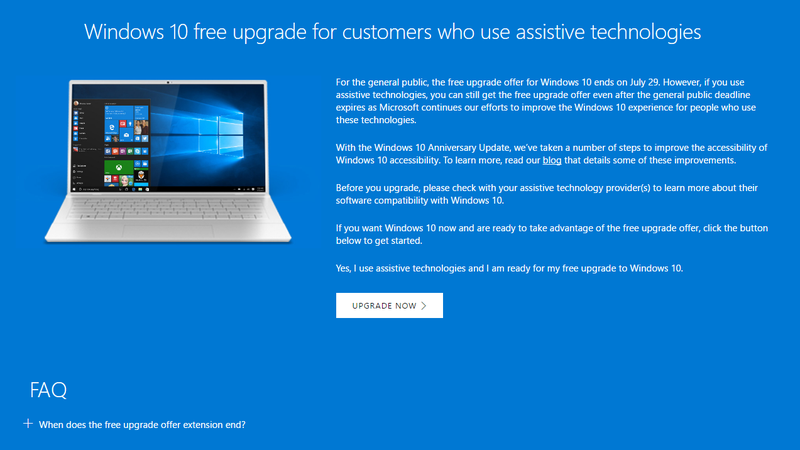
You Can Still Get Windows 10 For Free If You Use Assistive Technologies

Microsoft’s free Windows 10 upgrade offer officially ended yesterday. However, the company has left a loophole. If you need to use assistive technologies, you can still upgrade for free. Microsoft also isn’t verifying if you do.

This All-In-One System Rescue Toolkit Automatically Repairs Your PC

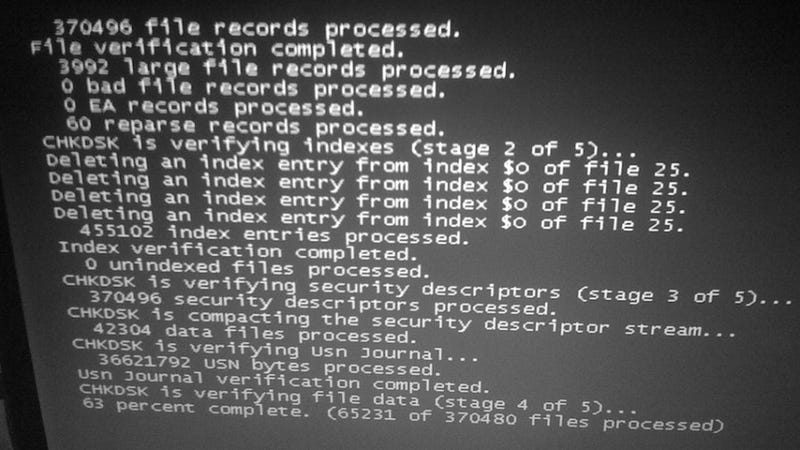
We highlighted Paul Vreeland’s System Rescue Toolkit a few months ago, but now he’s built a new, “lite” version that packs most of the same tools and can automatically run against and repair common Windows problems for you. If you liked the original, you’ll love this.

Lifehacker Pack for Windows: Our List of the Essential Windows Apps

Windows has more great programs than we can count, but some are essential to just about every PC setup. In this year’s annual Lifehacker Pack for Windows, we’re highlighting the must-have downloads for better productivity, communication, media management, and more.

2016 To-Do App Showdown: Wunderlist vs. Any.do

It’s been a while since we’ve heard from some of our favorite to-do apps, Wunderlist and Any.Do, which means it’s a perfect time for a fresh look at both apps. Both are still some of the best, cross-platform, free to-do managers available, but let’s see how far they’ve come.

Windows 10 Is Now a “Recommended Update” That’s Automatically Downloaded

Microsoft isn’t forcing Windows 7 and 8.1 users to upgrade to Windows 10, but they are pushing it on them pretty aggressively. Windows 10 is now automatically downloaded to all Windows 7 and 8.1 machines as a “recommended update” with the Windows Update tool—whether you want it or not.

Open365 Is An Open Source Alternative to Microsoft Office 365

Windows/Mac/Linux/Android: One of Microsoft’s Office 365 program chief advantages over open source alternatives is the ability to sync documents via the cloud so you can edit them everywhere. Open365 has stepped up to finally match this feature set.

The Best Antivirus App for Windows

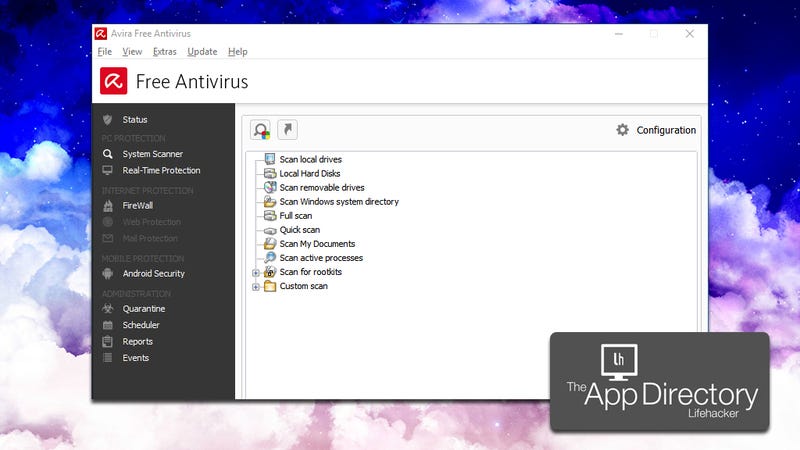
Windows has more antivirus programs than we can count, and none of them are quite perfect. Right now, we recommend Avira for the best balance between protection, ease of use, and cost.

Get the Newest Version of Windows Forever with Windows Insider

The Anniversary update to Windows 10 is rolling out later this summer, but you can try out all the new features like Bash and notifications from your Android phone right now with the Windows Insider program.

Windows 10 Updates Are Deleting Some Apps Without Notifying Users

If you’ve applied a major update to Windows 10 recently, you might notice that a couple of your apps have gone missing. It’s not a bug. Windows 10 is removing apps it considers incompatible or outdated.

How to Save the Windows 10 Lock Screen Images You Like

Windows 10's lock screen features a cycling rotation of pretty great photography. If you’d like to save the images you find, here’s where to find them on your hard drive.

Win10 Widgets Brings System Monitors and Other Native-Looking Tools to Your Desktop

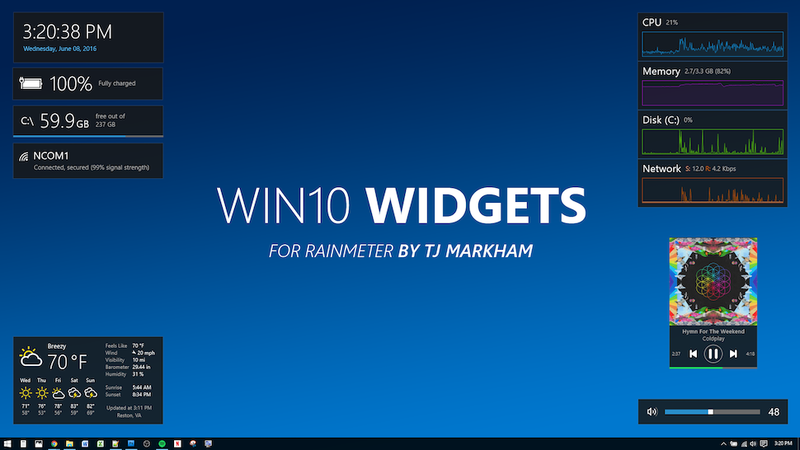
Windows: Built-in desktop widgets left Windows with the end of the sidebar, but they’ve always been available with third party apps like the always-incredible Rainmeter. Win10 Widgets is a Rainmeter package that brings a lot of those informative widgets back to Windows in a way that looks natural in Windows 10.

Transmission BitTorrent Client Finally Arrives On Windows

Transmission is one of your favorite BitTorrent clients that has unfortunately been limited to Mac and Linux users for a long time. Now, it’s finally available for Windows.

Microsoft’s Start Menu Repair Tool Fixes Common Windows 10 Start Menu Annoyances

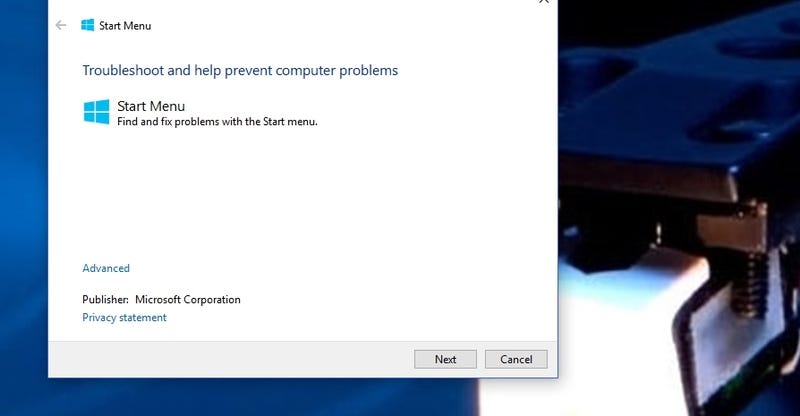
Windows: The Start Menu in Windows 10 is useful, but it’s not perfect. Sometimes tiles go missing, or it won’t open at all when you click it or press the Windows key. Other times the tiles don’t refresh, or Cortana doesn’t respond. Thankfully, Microsoft’s Start Menu Repair Tool is here to help, and it’s free.

How to Mirror Android’s Notifications to Windows 10 Using Cortana

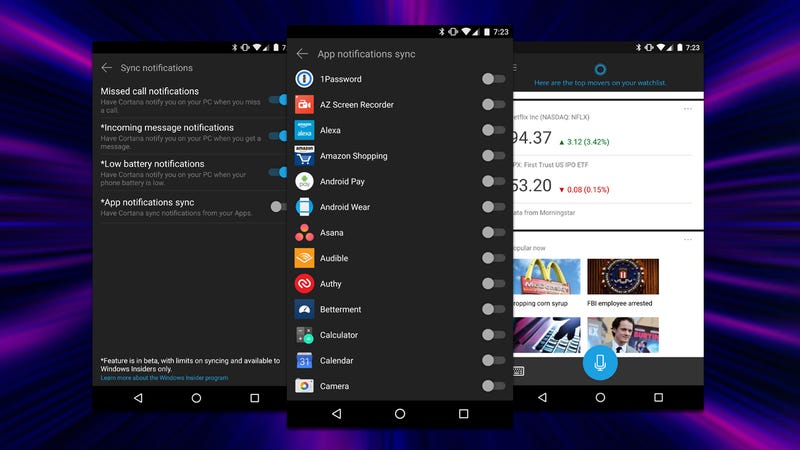
The Windows 10 Anniversary Update drops today and one of the coolest features deserves a little special attention. Now, you can mirror your Android notifications from your phone to your computer, and even control it with a few voice commands. You just need the Cortana app.

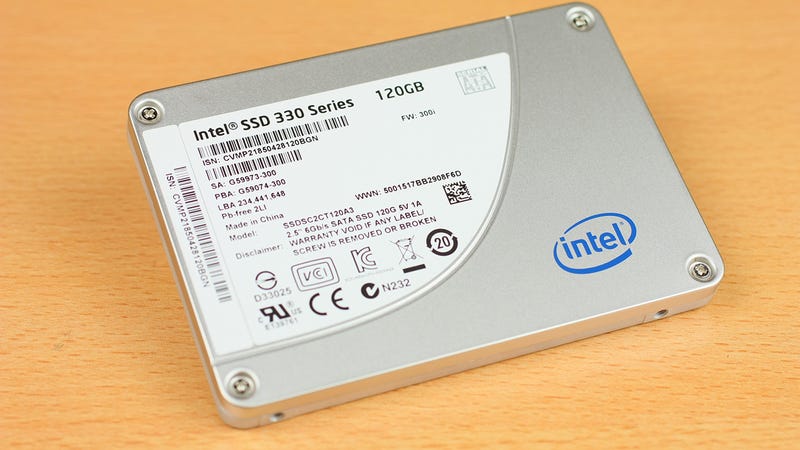
You Probably Don’t Need to Optimize Your SSD Anymore

When solid state drives were first becoming commonplace, most sites (our own included) suggested ways to optimize your SSD. With the exception of very rare cases, this just isn’t necessary anymore.

How to Choose the Perfect Back-to-School Laptop

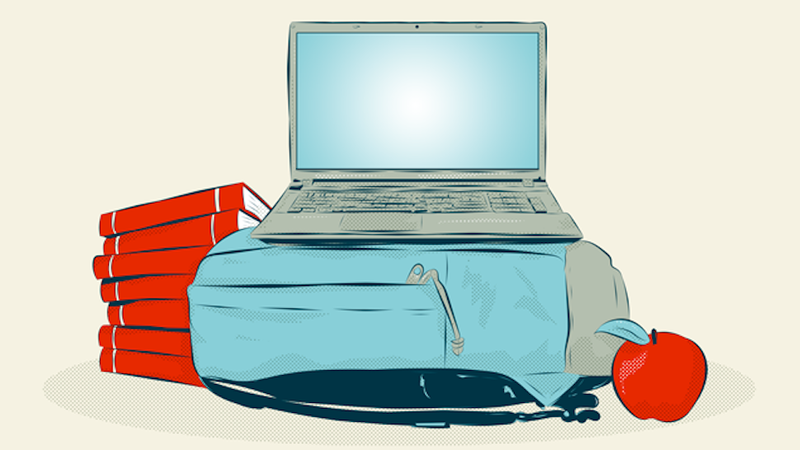
It’s a great time to buy a laptop. Back to school deals are on now, and new models are hitting store shelves. We’ve talked about how to pick the perfect laptop, but if you’re headed to college, or even back to school, and aren’t sure what you’ll need, you have it tougher. Don’t worry, we’ll help you through it.

Windows 8 and Internet Explorer 8, 9, and 10 Are No Longer Supported, Upgrade Now

It’s the end of the line for Windows 8.0 and Internet Explorer 8, 9, and 10. With Microsoft pulling support on them today, it’s upgrade-or-get-hacked time.

If you still want more Windows tips and news, check out our best Windows posts from 2015, 2014, 2013, 2012, 2011, 2010, and you can stop there. At that point you’ve rolled all the way back to Windows 7 and Microsoft will probably force you to upgrade to a newer version of our Best Ofs with a pushy update.

12 Dec 18:20

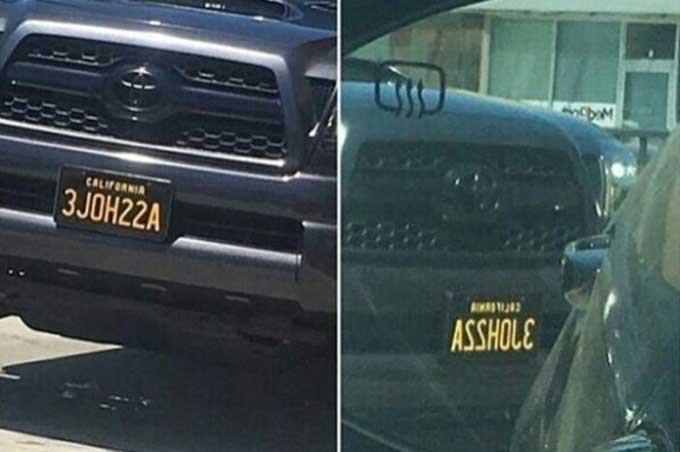
Clever license plate spells out DMV-banned dirty word in rear view mirror

by Mark Frauenfelder

3JOH22A

This one squeaked past the list of prohibited personalized license plates.

[via]

12 Dec 18:17

Floor safety cone outwits gentleman

by Mark Frauenfelder

cone

This fellow, possibly inebriated, messed with the wrong cone.

(more…)

12 Dec 18:09

Long after its iOS debut, Google’s Gboard keyboard finally comes to Android

by Ben Schoon

After debuting on iOS earlier this year, Google has just quietly made its Gboard keyboard available for Android devices. The keyboard comes in as an update to the currently-available Google Keyboard, merging in Google’s Gboard features with Google Keyboard’s current functionality.

more…


Filed under: Google Corporate