Shared posts

15 Apr 19:17

A Global Journalism Emergency Relief Fund for local news

by Richard GingrasNews

Local news is a vital resource for keeping people and communities connected in the best of times. Today, it plays an even greater function in reporting on local lockdowns or shelter at home orders, school and park closures, and data about how COVID-19 is affecting daily life. 

But that role is being challenged as the news industry deals with job cuts, furloughs and cutbacks as a result of the economic downturn prompted by COVID-19. The Google News Initiative wants to help by launching a Journalism Emergency Relief Fund to deliver urgent aid to thousands of small, medium and local news publishers globally. The funding is open to news organizations producing original news for local communities during this time of crisis, and will range from the low thousands of dollars for small hyper-local newsrooms to low tens of thousands for larger newsrooms, with variations per region. 

Starting today, publishers everywhere can apply for funds via a simple application form. We’ve made this as streamlined as possible to ensure we get help to eligible publishers all over the world. Applications will close on Wednesday April 29, 2020 at 11:59 p.m. Pacific Time. At the end of the process, we’ll announce who has received funding and how publishers are spending the money. 

Additionally, we recognize that covering the coronavirus pandemic can take its toll on reporters on the front line. That’s why Google.org is giving $1 million collectively to the International Center for Journalists, which plans to provide immediate resources to support reporters globally, and the Columbia Journalism School'sDart Center for Journalism and Trauma which is helping journalists exposed to traumatic events experienced during the crisis. 

Today’s news builds on other efforts we’ve made to support the industry and connect people to quality information at this time of need. We believe it is important to do what we can to alleviate the financial pressures on newsrooms, and will continue to look at other ways to help with more to announce soon.

14 Apr 21:39

CityLab Wants Your Hand-Drawn Quarantine Maps

by Jonathan Crowe

CityLab is asking readers to send them hand-made maps of their life under quarantine.

We’re inviting readers to draw a map of your life, community, or broader world as you experience it under coronavirus. Your map can be as straightforward or subjective as you wish. You might show key destinations, beloved neighbors, a new daily routine, the people or restaurants you miss, the future city you hope to see, or anything else that’s become important to you right now. It might even be a map of your indoor life. For an added challenge, try drawing from memory.

Deadline is 20 April, with a selection of submissions to be featured in a future article.

Prior art would include Fuller’s quarantine maps and Kera Till’s “Commuting in Corona Times” (previously).

10 Apr 21:19

Internet Access, Online Learning and COVID-19

by Jonathan Crowe
Lack of Internet Access
Marie Patino/Bloomberg (CityLab)

CityLab maps the percentage of U.S. households with no internet access by school district—an increasingly important number as schools close to deal with the COVID-19 pandemic, and explore online classes as an alternative delivery system in the meantime. That’s a problem for kids who don’t have internet at home—and an even bigger problem where more kids are in that situation.1

10 Apr 21:14

Coronavirus Attacks on Press Freedom

by Keir Clarke
Around the world governments are using the threat of coronavirus to restrict civil liberties and restrict the freedom of the press. While many of these draconian measures are necessary in the efforts to stop the spread of Covid-19 it is also true that certain leaders and governments are using the epidemic as an opportunity to suppress civil, political and press freedoms for their own political
10 Apr 13:37

A new keyboard for typing braille on Android

by Brian KemlerAndroid Accessibility

Over 150 years ago, the invention of braille was revolutionary in making reading and writing accessible to blind people. Today, braille displays make typing accessible on most phones and computers through a physical braille keyboard. But it can be time-consuming to connect an external device each time you want to type something quickly on your phone. 


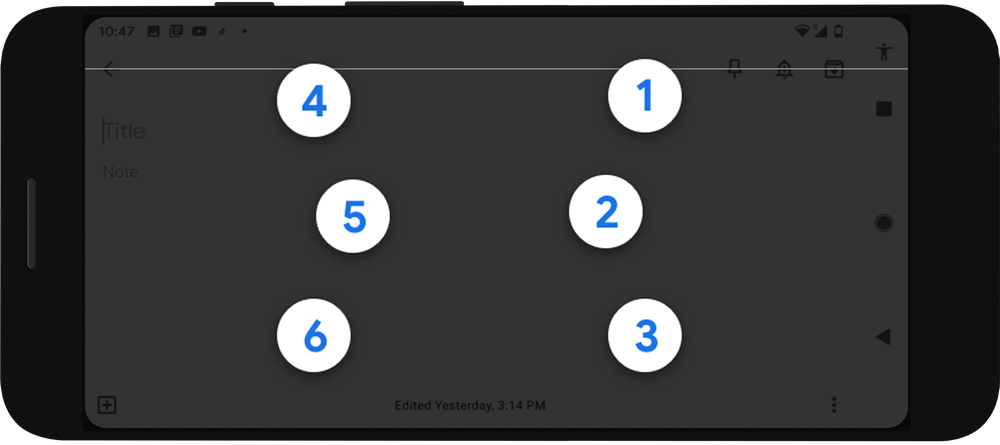
TalkBack braille keyboard is a new virtual braille keyboard integrated directly into Android. It’s a fast, convenient way to type on your phone without any additional hardware, whether you’re posting on social media, responding to a text, or writing a brief email. As part of our mission to make the world’s information universally accessible, we hope this keyboard can broadly expand braille literacy and exposure among blind and low vision people. 

UI + shell.png

Caption: A built-in braille keyboard for Android phones


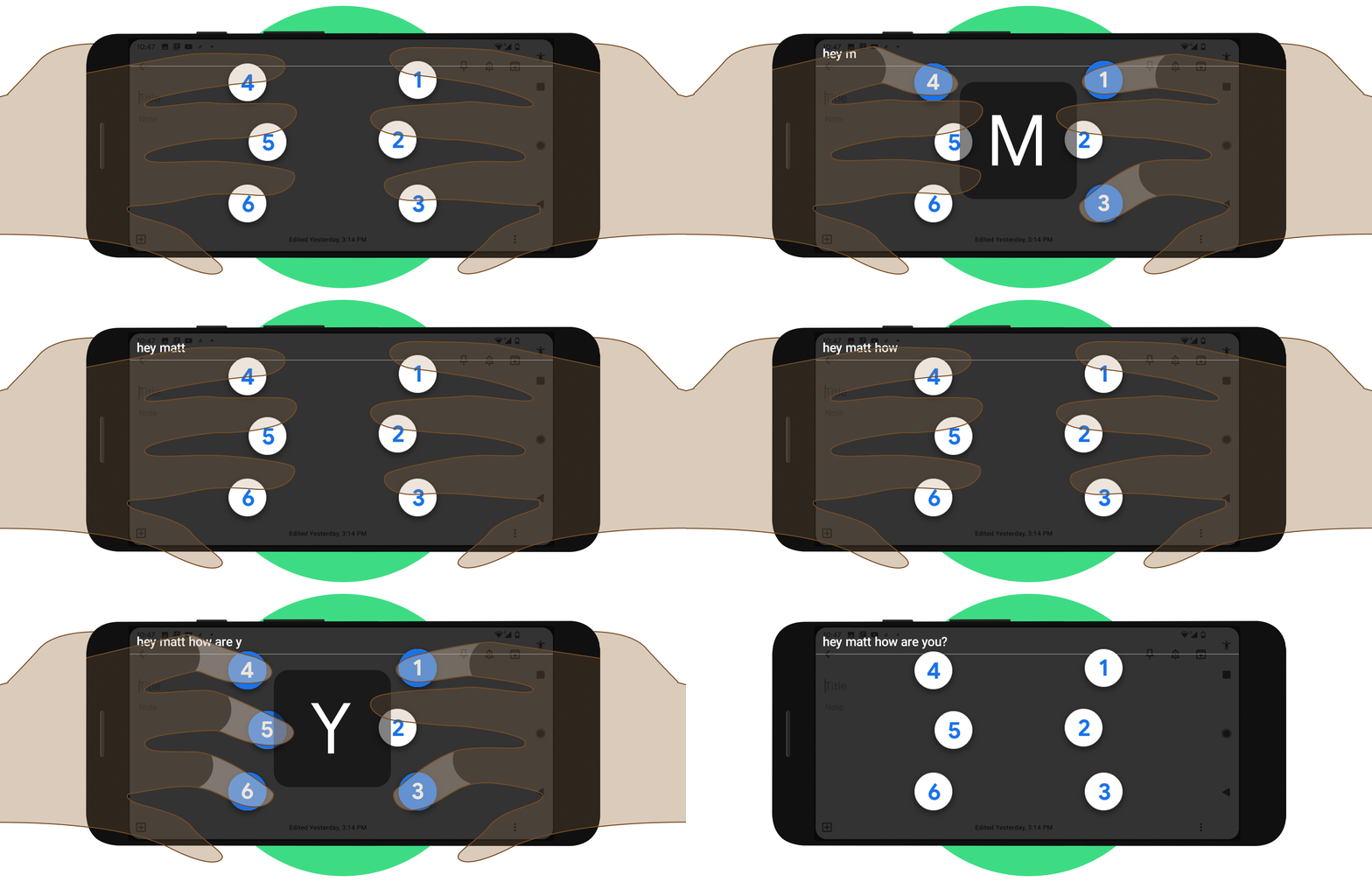
Our team collaborated with braille developers and users throughout the development of this feature, so it’ll be familiar to anyone who has typed using braille before. It uses a standard 6-key layout and each key represents one of 6 braille dots which, when tapped, make any letter or symbol. To type an “A” you would press dot 1 and to type a “B,”  dots 1 and 2 together. 

blogpost-header-v02.gif

Caption: Type braille wherever you want—in an email, a text message, a doc, or social media

The keyboard can be used anywhere you would normally type and allows you to delete letters and words, add lines, and submit text. You can turn the keyboard on and off as simply as switching between international keyboards. (Note: TalkBack gestures are not supported when the keyboard is on.)


To use the braille keyboard, turn on TalkBack in the Accessibility section within Settings, and follow these instructions to set it up. Once you set up the keyboard, use three fingers to swipe up on your screen and try practicing with the gestures tutorial. 


Talkback braille keyboard is rolling out to Android devices running version 5.0 or later, starting today. It works across all apps on your Android device, supports braille grade 1 and grade 2 and is available initially in English. 

02 Apr 01:45

Mapping the Past

by Keir Clarke
The Hungarian Parliament Library has digitized tens of thousands images from the archives and collections of Hungarian libraries and museums. Where the images in these collections depict a recognizable location they have been added to the Hungaricana interactive map. The Hugaricana interactive map allows you to explore thousands of vintage photographs, paintings and drawings from all around
31 Mar 13:44

Can GPS Be Used on the Moon?

by Jonathan Crowe

More on the question of whether GPS can be used for navigation on the lunar surface—that is to say the existing constellations of Earth-orbiting GNSS satellites, not a new constellation of satellites around the moon. A new study suggests that the answer is yes: GPS and other navigation systems could be used.

Cheung and Lee plotted the orbits of navigation satellites from the United States’s Global Positioning System and two of its counterparts, Europe’s Galileo and Russia’s GLONASS system—81 satellites in all. Most of them have directional antennas transmitting toward Earth’s surface, but their signals also radiate into space. Those signals, say the researchers, are strong enough to be read by spacecraft with fairly compact receivers near the moon. Cheung, Lee and their team calculated that a spacecraft in lunar orbit would be able to “see” between five and 13 satellites’ signals at any given time—enough to accurately determine its position in space to within 200 to 300 meters. In computer simulations, they were able to implement various methods for improving the accuracy substantially from there.

A mini-network of relays—a couple of satellites in lunar orbit, say—could improve accuracy further. [Geography Realm]

Previously: Many Moon Maps.

21 Mar 14:39

Fuller’s Quarantine Maps

by Jonathan Crowe
Gareth Fuller: Quarantine Maps: Day 4
Gareth Fuller

Gareth Fuller, whom we first heard about thanks to his masterpiece London Town, is in the news again. Now based in Beijing, he found himself forced to self-quarantine for 14 days after returning from a trip to Kuala Lumpur. Fuller has mapped every place he has lived, so he spent his two weeks of isolation creating quarantine maps—one for each day. The maps are claustrophobic—his apartment is 590 square feet—metaphorical, even fantastical. They’re very much on-point in this age of self-isolation and social distancing. They’re available as a set of postcards for £14, which is considerably cheaper than his other limited edition prints.

Last fall Fuller released a tourist map of Pyongyang (BBC News). I seem to have missed his map of Beijing when it came out.

Previously: Fuller: London Town; Fuller Update.

20 Mar 14:05

Fake Coronavirus Web Maps Are Spreading Malware

by Jonathan Crowe

Hackers have created fake coronavirus map websites that install malware on users’ computers. According to Reason Security’s analysis, the websites resemble the coronavirus map dashboards produced by legitimate organizations, but prompt users to download an application: the application activates a known malicious piece of malware called AZORult, which collects browser information (cookies, browser histories, IDs and passwords). Not terribly surprising that bad actors are trying to exploit a crisis, but depressing all the same. More at Business Insider, The Hacker News and TechRadar.

15 Mar 22:32

COVID-19: How we’re continuing to help

by Sundar Pichai

For 21 years, Google’s mission has been to organize the world’s information and make it universally accessible and useful. Helping people get the right information to stay healthy is more important than ever in the face of a global pandemic like COVID-19. Since my last update, we’ve accelerated our work to help people stay safe, informed and connected. Here are the latest developments in our ongoing global response.

Helping people find useful information

We’re partnering with the U.S. government in developing a website dedicated to COVID-19 education, prevention, and local resources nationwide. This includes best practices on prevention, links to authoritative information from the World Health Organization (WHO) and the Centers for Disease Control (CDC), and helpful tips and tools from Google for individuals, teachers and businesses. We’ll be rolling out an initial version of the website late Monday, March 16, and we’ll continue to enhance and update it with more resources on an ongoing basis.


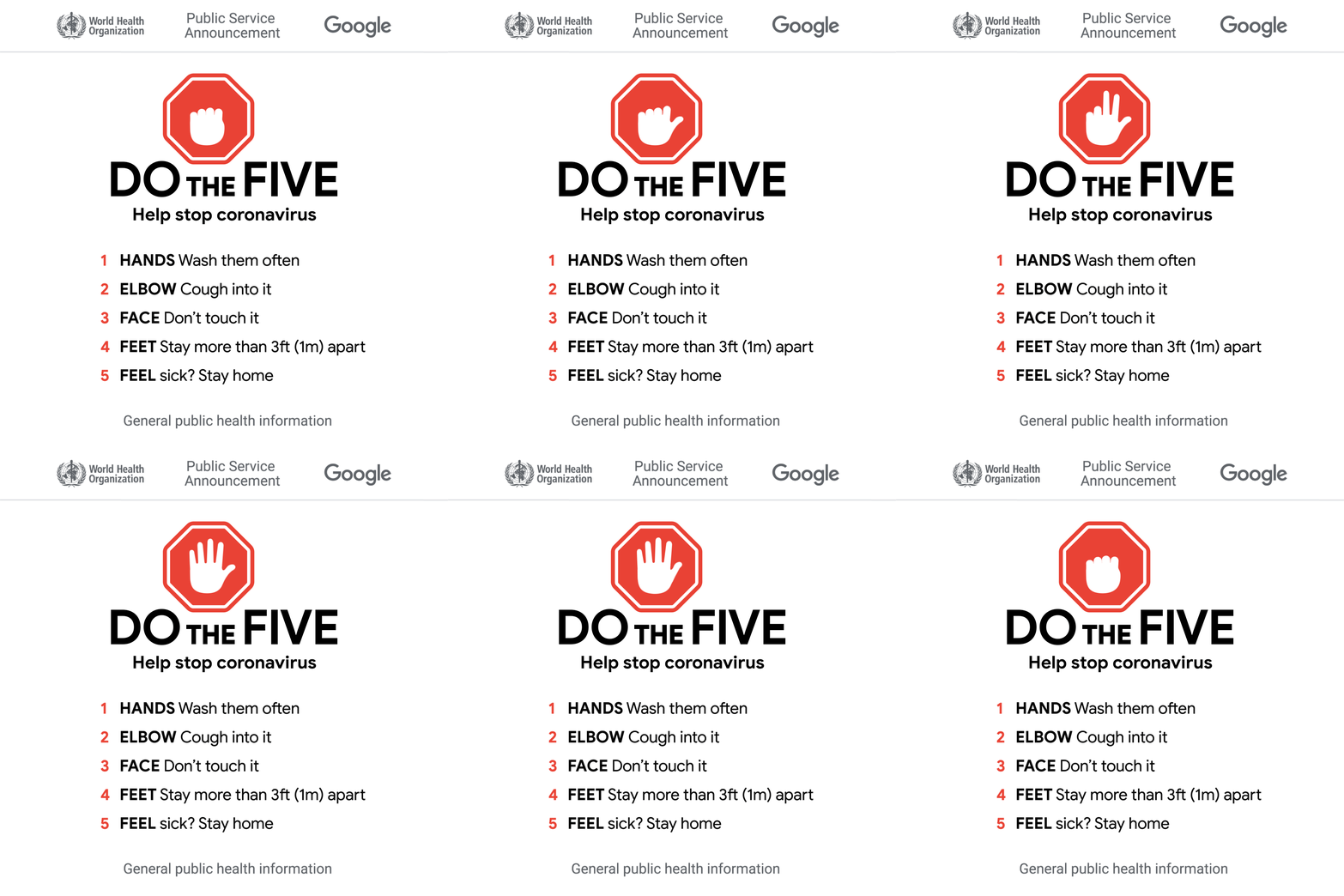
We also continue to help people find timely and useful information through our products, including Search, Maps and YouTube. Right now on the Google homepage we’re promoting the “Do the Five” campaign to raise awareness of simple measures people can take to slow the spread of the disease, according to the WHO. In the first 24 hours, these tips have already been seen by millions in the U.S. We’ve added more useful information to our COVID-19 SOS Alerts, including links to national health authority sites and a map of affected areas from the WHO.
DoTheFive_GIF_1200x1200.gif

“Do the Five” raises awareness of simple measures people can take to slow the spread of the disease, according to the World Health Organization.

On YouTube, we’re using the homepage to direct users to videos from the CDC or other locally relevant public health agencies. We’re highlighting content from authoritative sources when people search for COVID-19, and inserting information panels to provide additional context from high-quality sources.


With so many disruptions to daily life, people are looking for more information about school or business closures. Based on data from governments and other authoritative sources, Google Search and Maps will now display if a place, like a school or local business, is temporarily closed. In the coming days, we’ll make it possible for businesses to easily mark themselves as “temporarily closed” using Google My Business. We’re also using our artificial intelligence (AI) technology Duplex where possible to contact businesses to confirm their updated business hours, so we can reflect them accurately when people are looking on Search and Maps. 


For travelers looking for which airlines are offering flexible cancellation policies and change fees, we’re helping to direct users of Google Flights to a special webpage with the information they need. This page is currently offered in English, with more languages coming soon.

Protecting people from misinformation

Promoting helpful information is only one part of our responsibility. We’re also removing COVID-19 misinformation on YouTube, Google Maps, our developer platforms like Play, and across ads. On YouTube, we’ve taken down thousands of videos related to dangerous or misleading coronavirus information, and we continue to remove videos that promote medically unproven methods to prevent coronavirus in place of seeking medical treatment. On Google Maps, our automated and manual review systems continue to take down false and harmful content such as fake reviews and misleading information about healthcare locations. 


When it comes to advertising on our platforms, we have strict policies to govern the types of ads we allow. This includes a sensitive events policy which prohibits advertising that may try to capitalize on tragic events such as a natural disaster, conflict or death. Since January we’ve blocked hundreds of thousands of ads attempting to capitalize on the coronavirus pandemic, and last week we announced a temporary ban on all ads for medical masks and respirators.

Enabling productivity for remote users and students

As more employers have asked workers to stay at home to help slow the spread of COVID-19, we’re seeing more people using the premium features of Meet, our video conferencing app, which we made available to all G Suite customers at no cost until July 1, 2020. We’ve also shared tips and resources for remote workers of all kinds.


For educators around the globe, we’ve created new distance learning resources, including a collection of training materials, a new YouTube Learning Hub, and a series of blog posts and webinars. We're working with Google Educator Groups around the world, for example in Hong Kong, Japan and Taiwan, to provide local content from teachers for teachers. In Italy, we’re helping schools quickly get set up with G Suite for Education and are working to provide additional technical support through partners. We’ll continue working with educators to see what more we can do to help as they navigate the transition to distance learning.
classroom - covid update post.gif

For educators and schools facing closures, distance learning tools can help keep students engaged.

Supporting relief efforts and government organizations

Through our philanthropic arm Google.org, we are committing $50 million to the global COVID-19 response, focusing on health and science, access to educational resources and small business support. 


We have been working in close collaboration directly with the WHO. As part of that collaboration, on Friday we announced we’ll bematching up to $5 million in donations to the COVID-19Solidarity Response Fund for the World Health Organization (through the UN Foundation). The fund will help the WHO track and understand the spread of the virus and help frontline workers with essential supplies and information. We also made a $500,000 grant to a team of researchers, epidemiologists and software developers at Boston Children's Hospital working onHealthMap, a website that provides up-to-date trends of emerging public health threats and outbreaks. Our grant and technical expertise will support development of their infrastructure to inform COVID-19 response and epidemiological modeling.


In the coming weeks, we’ll launch a Distance Learning Fund to help learning continue around the globe, as well as support for small businesses, including resources and access to capital. 


Another way we’re supporting governments and relief organizations is through our $25 million Google Ad Grants crisis relief program. To date, COVID-19 public service announcements are live in more than 15 countries.

Advancing health research and science

Alphabet’s Verily, which is focused on health and life sciences, is working in collaboration with California state, local and federal health authorities to help establish testing sites in the San Francisco Bay Area, and on an online tool to increase risk screening and testing for people at high risk of COVID-19. Californians will be able to take an online COVID-19 screener survey through Verily’s Project Baseline, and those who meet eligibility and requirements for testing will be directed to mobile testing sites based on capacity. While Verily is in the early stages of this pilot program, the plan is to expand to other locations over time.


As previously shared, DeepMind released predictions that could help scientists better understand the coronavirus protein structure in order to develop future treatments.

Taking care of our global community

Across all of this work, we’re focused on the impact the disease is having on our communities. That includes our own workforce. Last week, we established a COVID-19 fund, which will allow all our temporary staff and vendors globally to take paid sick leave if they have potential symptoms of COVID-19 or can’t come into work because they’re quarantined. We’ll continue to make sure our workforce is supported as this crisis evolves. 


In this unprecedented moment, we feel a great responsibility to help. We’ll keep doing everything we can to deliver on our mission, and help people take care of themselves and their communities. 

More from this Collection

Google's response to COVID-19

Updates about Google's response to COVID-19.

View all 15 articles
12 Mar 01:29

Trump's Fake News Network

by Keir Clarke
In the last Presidential election Trump ran a hugely successful Facebook ad campaign. By micro-targeting vulnerable Facebook users with fake news and disinformation the Trump team were able to reach and influence millions of voters. Towards the end of last year Mark Zuckerberg announced that he would allow the Trump campaign to again run fake ads in this year's Presidential election. Trump's
08 Mar 13:16

(Her)story in the making: our International Women's Day Doodle

by Julie Wilkinson

Coming from a family of strong women, I grew up taking independence for granted. My grandmother always emphasized the power we had as women to take care of ourselves, pursue our dreams, and thrive. All three of her daughters went on to earn university degrees in subjects they were passionate about and then to work and become financially independent. One of them even chose not to get married, an act of defiance in 1950s Italy. 

Needless to say, I grew up surrounded by strong women role models. It wasn’t until my business partner, Joyanne, and I started Makerie Studio that I saw firsthand the perceived difference between genders in society.  We realized how differently we were treated as young women, as people often assumed we worked for someone else, or commented on our appearance rather than our skills. More than once we were told that we “didn’t look like we’d know what we were doing,” despite having done our research, being professionally dressed, and clearly well prepared for our jobs.

We were lucky enough to grow up in environments that fostered growth indiscriminately, with people who believe gender is not relevant to a person’s potential, and we have reaped the benefits of our mothers’ and grandmothers’ fights for independence. 

But there is more that needs to change.

This is nothing compared to the difficulties women have to go through in most parts of the world. Women are still fighting every day for the most basic of freedoms: the freedom to choose what to do with their minds and their bodies, the freedom to vote, the freedom to earn a living. The freedom to experience their menstrual cycles without being ostracized by families and communities. The freedom to pursue their dreams.

International Women’s Day holds significance for everyone, regardless of gender. Today, we remember the freedoms we have enjoyed, but continue to stand up for women’s equality around the world.

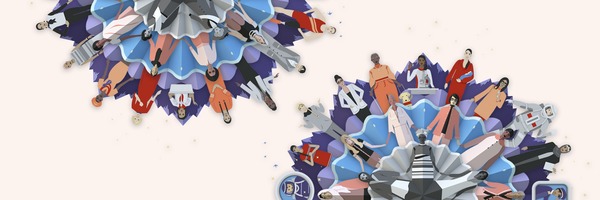
When designing this year’s Google Doodle for International Women’s Day, we chose to represent this concept as a mandala—a format reminiscent of the planet we all live on, and of the life cycles we all go through. We started at the center by depicting some of the women who instigated the women’s rights movement, which chronologically and exponentially grew to include more and more women, each generation standing on the shoulders of the incredible women before them. We included women from many different backgrounds, visually connecting them at the start and then gradually releasing them from each other, showing how our togetherness and strength as a group has, in turn, allowed us to be independent. 

We believe that the outer layer of this mandala is not the end of the story—we still have so many more women to include and many more layers to add. 

We have a long way to go, but my grandmother would have been so proud of how far we’ve come. Joyanne and I hope that when people around the world see today’s Doodle, they are, too.

08 Mar 01:00

All Quiet in the Quarantine Zone

by Keir Clarke
China is rolling out a new mobile phone application, called Alipay Health Code, which is being used to enforce quarantine measures. The app indicates whether the owner of the phone should be quarantined or not and is being used to determine whether people can use public transit, or be allowed into malls and other public spaces. The app uses a color coded system to indicate an individual's
29 Feb 18:12

The Origin of Crops

by Keir Clarke
Despite his very many achievements and exploits Sir Walter Raleigh is perhaps most celebrated in the UK for introducing the potato to Europe. This celebration owes much to the British love of fried potatoes and perhaps to the poor standard of geography teaching (it is now believed that Raleigh never visited any locations where he could have discovered the potato). According to the Origin of
29 Feb 13:57

Working from home? Use these 6 tips for better video calls

by Alexa Schirtzinger

In the life of a working mom or dad, flexibility is key. And in the life of a sometimes-work-from-home working mom or dad, technology is the reason I can be flexible. Sometimes my kid gets sick, or I need a plumber to come fix the toilet. I’m lucky to have a job that lets me work remotely, in an age where videoconferencing is an acceptable way of staying on track with the day’s meetings. 

But videoconferencing isn’t always easy. The kids climb on you, the dog barks, there’s background noise … you get the idea. I’ve had some embarrassing moments and made plenty of mistakes, but I’ve learned a few things along the way. Here are my tips for successful videoconferencing from home. (Got more tips? Mention @gsuite on Twitter.) 

Tip #1: Choose the right environment
When I want to talk through a complex issue or brainstorm ideas, video calls are more efficient than chat or email. They also help me get to know teammates in different time zones. But when you're on a call, give some thought to what’s around you, such as the backdrop (choose a plain wall, and avoid windows that will provide too much backlight), and if you have a laptop, put it somewhere steady. I once did an entire video call with my laptop on my … well, lap—and at the end the other participant told me that the subtle wobbling of the screen was extremely distracting.

Tip #2: Invite anyone, anytime
Videoconferencing doesn’t have to be scheduled; if you’re in the middle of a too-long email conversation, you can instantly set up a meeting and invite people within or outside of your organization to join. Hangouts Meet automatically creates international dial-in codes so people can call on the phone from anywhere, and you can invite people via a Calendar event, by email, or by phone. Check out our help center to get started.

Tip #3: Can’t hear? Turn on captions
If you’re in a loud place and don’t have super-fancy headphones, you can use Meet’s live caption feature to display captions in real time (just like closed captions on TV). Start here.

Tip #4: Presenting? Only share what you mean to share
Don’t you love that moment when you’re sharing your screen and then, suddenly, everyone on the call is reading your email? To make sure you only share what you mean to share, present one window (rather than your entire screen). Check it out.

Tip #5: Want to read the room? Change the screen layout
One of my favorite features in Meet is changing the layout of the video call. If someone’s showing slides, but there’s a lively discussion happening in the office, you can switch your layout to focus on the people in the office, rather than the presentation. Learn how.

gsuite meet.gif

Tip #6: Be real
Everyone has a life outside of work. Depending on the culture of your workplace, it can be OK (even good) to show a little bit of the “real” life around you—like letting your kid wave to the camera or eating your lunch if you’ve been on nonstop calls all day. Showing a little bit of your life can foster deeper connections with coworkers and even create empathy for whatever you’re dealing with outside of work.

Got video tips of your own? We’d love to hear them—tweet us @gsuite.

29 Feb 13:49

Whimsical Drawings Hide in Punctilious Swiss Topo Maps

by Jonathan Crowe

Swiss topographic maps are legendary for their precision, but that hasn’t stopped cartographers from having a little fun. As Zoey Poll reports for AIGA Eye on Design, whimsical little drawings can be found hidden in some editions of Swiss topo maps:

But on certain maps, in Switzerland’s more remote regions, there is also, curiously, a spider, a man’s face, a naked woman, a hiker, a fish, and a marmot. These barely-perceptible apparitions aren’t mistakes, but rather illustrations hidden by the official cartographers at Swisstopo in defiance of their mandate “to reconstitute reality.” Maps published by Swisstopo undergo a rigorous proofreading process, so to find an illicit drawing means that the cartographer has outsmarted his colleagues.

It also implies that the mapmaker has openly violated his commitment to accuracy, risking professional repercussions on account of an alpine rodent. No cartographer has been fired over these drawings, but then again, most were only discovered once their author had already left. (Many mapmakers timed the publication of their drawing to coincide with their retirement.) Over half of the known illustrations have been removed. The latest, the marmot drawing, was discovered by Swisstopo in 2016 and is likely to be eliminated from the next official map of Switzerland by next year. As the spokesperson for Swisstopo told me, “Creativity has no place on these maps.”

The article suggests these drawings are a coping mechanism, an opportunity to blow off a little steam. I can believe it. [r/MapPorn]

22 Feb 14:54

The Migratory Patterns of Birds

by Keir Clarke
The Cornell Lab of Ornithology is running the largest citizen science project in the world. For fifteen years bird watchers across the globe have been reporting their observations to eBird. The result is a huge database of over 750 million observations, recording dated sightings of thousands of species of birds. The eBird Science team has used the observations made in North America to create
15 Feb 01:14

Viewing National Parks From Your Car

by Keir Clarke
Millions of Americans make at least one visit to a National Park every year. According to an analysis of geotagged photographs submitted to Flickr very few of those visitors ever venture far from a road. Nick Underwood, Clare Sullivan and Peter Newman analyzed 800,000 Flickr photographs taken within America's National Parks and discovered that a large majority of park visitors never stray more
31 Jan 03:50

Data Privacy Day: seven ways we protect your privacy

by Rahul Roy-ChowdhuryPrivacy

Keeping you safe online is a top priority at Google, especially for the thousands of Googlers who work on privacy and security around the world. Today on Data Privacy Day, we’re sharing some of the many ways we keep you safe online and across our products—from built-in protections to easy tools that keep you in control of your privacy.

1. Keep your passwords safe

Password Manager in your Google Account helps you remember and securely store strong passwords for all your online accounts. With Password Checkup, one click will tell you if any of your passwords are weak—whether you’ve reused them across multiple sites, or if we've discovered they’ve been compromised in a third-party data breach—and we’ll give you the link to change them.

2. Let Google automatically delete your data

With auto-delete for Location History, Web & App Activity and YouTube History, you can choose to have Google automatically and continuously delete your activity and location history after 3 or 18 months. You can also control what data is saved in your account with easy on/off controls in your Google Account, and even delete your data by date, product and topic.

3. Use your favorite Google apps in Incognito mode

Incognito mode has been one of our most popular privacy controls since it launched with Chrome in 2008, and last year we added it to YouTube and Google Maps. Tap from your profile picture to easily turn it on or off. When you turn on Incognito mode in Maps, your activity—like the places you search or get directions to—won’t be saved to your Google Account. When you turn off Incognito mode, you’ll return to a personalized Google Maps experience with restaurant recommendations, information about your commute, and other features tailored to you.

4. Try hands-free privacy controls with the Google Assistant

You can also manage your privacy settings with help from the Assistant. Just say, “Hey Google, delete everything I said to you last week” to delete Assistant activity from your Google Account, or “Hey Google, that wasn’t for you,” to tell the Assistant to forget what it heard if the Assistant responds to something that wasn’t actually a question or request. And to learn how Google keeps your data private and secure, just ask, “Hey Google, how do you keep my data safe?” 

5. Browse the web safely with Chrome

Safe Browsing in Chrome automatically protects you from malicious ads and warns you before you visit dangerous sites or download suspicious files. If you use Chrome, your password protections are automatically built-in. We’ll warn you if your username and password have been compromised in a known breach as you log into websites.

6. Check in on your privacy settings across your apps and devices

Data Privacy Day is a great time to check in on your privacy and security settings. Take a Privacy Checkup and we’ll walk you through key privacy settings step-by-step. You can do things like choose what data—such as your location and search history—gets saved to your Google Account or control what ads you see. When you’re finished, head over to Security Checkup for personalized recommendations to help protect your data and devices, like managing which third-party apps have access to your account data.

7. Control what ads you see from Google

We do not sell your personal information to anyone and give you transparency, choice and control over how your information is used. If you’re curious about why you’re seeing an ad, you can click on Why this ad for more information. If you no longer find a specific ad relevant, you can choose to block that ad by using the Mute this ad control. And you can always control the kinds of ads you see, or turn off ads personalization any time in yourAd Settings.  

No matter how you use our products, it’s our responsibility to keep your data private and secure. That’s why we work every day to build the best privacy experiences and strongest protections, and we’ll continue our ongoing efforts to make privacy and security simpler for you. 

24 Jan 19:41

Celebrating Christopher Tolkien’s Cartographic Legacy

by Jonathan Crowe
Christopher Tolkien, map from The Fellowship of the Ring (Unwin, 1954). The British Library.

It turns out that I wasn’t finished talking about the maps drawn by Christopher Tolkien. My latest piece for Tor.com, “Celebrating Christopher Tolkien’s Cartographic Legacy,” went live at Tor.com this morning. It looks at the collaborative process between J. R. R. Tolkien and his son Christopher as father and son tried to make the narrative agree with the map, and vice versa; takes a deep dive into Christopher’s mapmaking technique; and tries to assess the impact of his maps on fantasy mapmaking.

Previously: Christopher Tolkien, 1924-2020.

17 Jan 14:59

Christopher Tolkien, 1924-2020

by Jonathan Crowe
Christopher Tolkien, map from The Fellowship of the Ring (Unwin, 1954). The British Library.

Christopher Tolkien, the third son of J. R. R. Tolkien and the executor of his literary estate and editor of his posthumous works, died yesterday at the age of 95. But one of his legacies is likely to be overlooked: he drew the map of Middle-earth that appeared in the first edition of The Lord of the Rings. That map proved hugely influential. It helped set the norm for subsequent epic fantasy novels: they would come with maps, and those maps would look rather a lot like the one drawn by Christopher Tolkien.

Christopher Tolkien himself was self-deprecating about the execution of his map, and about the design choices he made. Regarding a new version of the map he drew for Unfinished Tales, he took pains to emphasize that

the exact preservation of the style and detail (other than nomenclature and lettering) of the map that I made in haste twenty-five years ago does not argue any belief in the excellence of its conception or execution. I have long regretted that my father never replaced it by one of his own making. However, as things turned out it became, for all its defects and oddities, “the Map,” and my father himself always used it as a basis afterwards (while frequently noticing its inadequacies).

However hastily it was drawn, it was pivotal all the same.

10 Jan 14:40

The case for open innovation

by Kent Walker

Software programs work better when they work together. Open software interfaces let smartphone apps and other services connect across devices and operating systems. And interoperability—the ability of different software systems to exchange information—lets people mix and match great features, and helps developers create new products that work across platforms. The result? Consumers get more choices for how they use software tools; developers and startups can challenge bigger incumbents; and businesses can move data from one platform to another without missing a beat. 


This kind of open and collaborative innovation, from scientific peer-reviewed papers to open-source software, has been key to America’s achievements in science and technology.


That’s why today we filed our opening Supreme Court brief in Oracle’s lawsuit against us. We’re asking the Court to reaffirm the importance of the software interoperability that has allowed millions of developers to write millions of applications that work on billions of devices. As Microsoft said in an earlier filing in this case: "Consumers ... expect to be able to take a photo on their Apple phone, save it onto Google’s cloud servers, and edit it on their Surface tablets." 


The Court will review whether copyright should extend to nuts-and-bolts software interfaces, and if so, whether it can be fair to use those interfaces to create new technologies, as the jury in this case found. Software interfaces are the access points that allow computer programs to connect to each other, like plugs and sockets. Imagine a world in which every time you went to a different building, you needed a different plug to fit the proprietary socket, and no one was allowed to create adapters.


This case will make a difference for everyone who touches technology—from startups to major tech platforms, software developers to product manufacturers, businesses to consumers—and we’re pleased that many leading representatives of those groups will be filing their own briefs to support our position.


Open interfaces between programs are the building blocks of many of the services and products we use today, as well as of technologies we haven’t yet imagined. An Oracle win would upend the way the technology industry has always approached the important issue of software interfaces. It would for the first time grant copyright owners a monopoly power to stymie the creation of new implementations and applications. And it would make it harder and costlier for developers and startups to create more products for people to use.


We welcome the opportunity to appear before the Supreme Court this spring to argue for software interoperability that has promoted the progress of science and useful arts—the core purpose of American copyright law.
10 Jan 13:57

Better protecting kids’ privacy on YouTube

by YouTube
Last September, we announced a series of changes to better protect kids and their privacy on YouTube and to address concerns raised by the U.S. Federal Trade Commission (FTC). Specifically, that all creators will be required to designate their content as made for kids or not made for kids in YouTube Studio, and data from anyone watching a video designated as made for kids will be treated as coming from a child, regardless of the age of the user.

In November, we released a setting in Studio to make it easier for creators to designate their content. And today, we will begin to roll out these changes globally. We wanted to outline what you will start to see in the coming days.

What is made for kids content?


According to the FTC, a video is made for kids if it is intended for kids, taking into consideration a variety of factors. These factors include the subject matter of the video, whether the video has an emphasis on kids characters, themes, toys or games, and more.

To help us identify made for kids content, in November we introduced a new audience setting in YouTube Studio to help creators indicate whether or not their content is made for kids. Creators know their content best, and should set the designation themselves. We also use machine learning to help us identify this content, and creators can update a designation made by our systems if they believe it is incorrect. We will only override a creator designation if abuse or error is detected.

An updated experience for made for kids content


YouTube now treats personal information from anyone watching children’s content on the platform as coming from a child, regardless of the age of the user. This means that on videos made for kids, we limit data collection and use, and as a result, we need to restrict or disable some product features. For example, we no longer serve personalized ads on this content or support features such as comments, live chat, notification bell, stories, save to playlist, and others.

Many creators around the world have created quality kids content for their audiences, and these changes will have significant impact. We’re committed to helping creators navigate this new landscape and to supporting our ecosystem of family content. We’ll share more in the coming months. In the meantime, we continue to engage on this issue. For example, we participated in the FTC’s public workshop and submitted our comment on COPPA, where we discussed the importance of clear guidelines that help creators live up to their legal obligations and support access to quality kids content.

Continued investment in YouTube Kids


We still recommend parents use YouTube Kids if they plan to allow kids under 13 to watch independently. In fact, tens of millions of people use YouTube Kids every week, and recently we saw an all-time high of weekly viewers since the app’s launch. Starting today, you will see a YouTube Kids promotion across all made for kids content. We also continue to improve the product. For example, we recently launched signed-in support for YouTube Kids on the web and connected devices — such as smart TVs — so parents can now access and control their child’s YouTube Kids experience across even more surfaces.

Responsibility is our number one priority at YouTube, and this includes protecting kids and their privacy. We’ve been significantly investing in the policies, products and practices to help us do this. Today’s changes allow us to do this even better and we’ll continue working to provide children, families and family creators the best experience possible on YouTube.

— The YouTube Team
10 Jan 13:51

Australia’s Bushfires and Misleading Maps

by Jonathan Crowe

Whenever there’s a major news event, there will be an outbreak of fake, misattributed or misleading images that purport to be about that event. That goes for maps as well.

Take the serious situation with Australia’s bushfires at the moment. Social media is jammed with maps showing practically the whole damn continent on fire, or superimposed on another continent to let people there know just how big Australia is (and also on fire). It’s a profoundly serious situation, and as NASA’s Joshua Stevens points out, it’s possible to present an accurate map that shows its seriousness without resorting to hyperbole.

The trouble is, social media thrives on hyperbole, because it thrives on “engagement”—which means outrage and anger and, as Joshua Emmons notes, as we get inured to a certain level of outrage, even more outrage is needed just to get noticed.

Which brings me to this thing, which is showing up all over the social web:

Anthony Hearsey, Creative Imaging.

This is not a satellite image. It’s a visualization by Anthony Hearsey that shows the areas in Australia affected by bushfires from 5 Dec 2019 to 5 Jan 2020. It superimposes FIRMS data on an exaggerated relief 3D model of Australia. It’s also cumulative: it includes fires that have been put out. Because of that, the image looks far worse than an actual satellite image would. (A satellite image would also have a lot more smoke.)

But it hasn’t stopped people from sharing this image as though it were a real satellite image. It’s been attributed as an photo taken from the International Space Station more than once. The problem is such that it’s been flagged by Facebook’s factchecking system and has gotten written up at Snopes, the debunking website.

It’s all the more problematic since the visualization itself has a serious issue: Nick Evershed points out that it’s based on a very low-resolution FIRMS grid that makes the area affected by bushfires much, much larger than it actually is.

To be fair to Hearsay and his image, lots of maps and data visualizations have their issues. Only because it went so, so viral do its issues become critical. The problem is largely one of misattribution—the image being presented as something it isn’t (i.e., a satellite image)—and of map literacy: a general audience isn’t capable of assessing how the data is being presented. It’s being presented to that audience as the literal truth, and since we’re trained to expect our maps never to lie, we swallow it whole.

The Australian bushfires are a serious problem. How much worse do our maps need to make them look—how much do they have to torque the situation—just to get our attention?

I’m not sure I’m going to like the answer to that.

Update, 9 Jan: BBC News takes up the story.

Update, 10 Jan: ABC News (Australia) coverage. See also The Conversation: 6 things to ask yourself before you share a bushfire map on social media.

Previously: Studying How and Why Maps Go Viral; Bad Internet Maps: ‘A Social Media Plague’.

29 Dec 15:22

The Butterfly Map

by Keir Clarke
Butterflies is a Leaflet powered map which allows you to explore images of butterflies from the Natural History Museum's digital records. The map shows over 150,000 butterflies which have been organized, classified and mapped using deep learning. The butterflies have been classified and mapped using the t-SNE machine learning algorithm for visualization. This type of machine learning algorithm
07 Dec 22:39

Yandex Maps has Crowdsourced Street View

by Keir Clarke
In Russia nearly all cars seem to be equipped with a dash cam. This proliferation of dash cams has come about because of the widespread lack of car insurance, a corrupt police force and a legal system which generally requires car owners to have concrete evidence when involved in an accident. Russian web mapping provider Yandex has turned this love of dash cams to its advantage. Russian car
09 Nov 03:16

Mapping the Epistles of Paul

by Keir Clarke
You can now read and explore the world's oldest existing manuscript of the letters of St. Paul as an interactive map. The University of Michigan's Epistles of Paul presents the original manuscript of the letters of St.Paul as an interactive Leaflet map, shown side-by-side with a modern translation of the text. If you click on the text icon in the map menu then all the lines in the original
09 Nov 03:16

Raster Rivers & Railways

by Keir Clarke
Most of the major interactive map providers, such as Google Maps and Bing Maps, are vector maps. However they didn't begin as vector maps. Both Google Maps and Bing Maps began life as raster maps. A raster map is a map which is made from lots of static map images. An interactive raster map is essentially a tiled grid of lots of different images, each containing a different part of the map.
01 Nov 13:39

Top tips for keeping data safe and secure on Android

by Dave Kleidermacher

Keeping data safe and private is a key priority for Android—and we’ve built a number of features to keep your device secure and give you control. As part of Cybersecurity Awareness Month, here are a few of these features, and our top tips for staying safe on your phone.


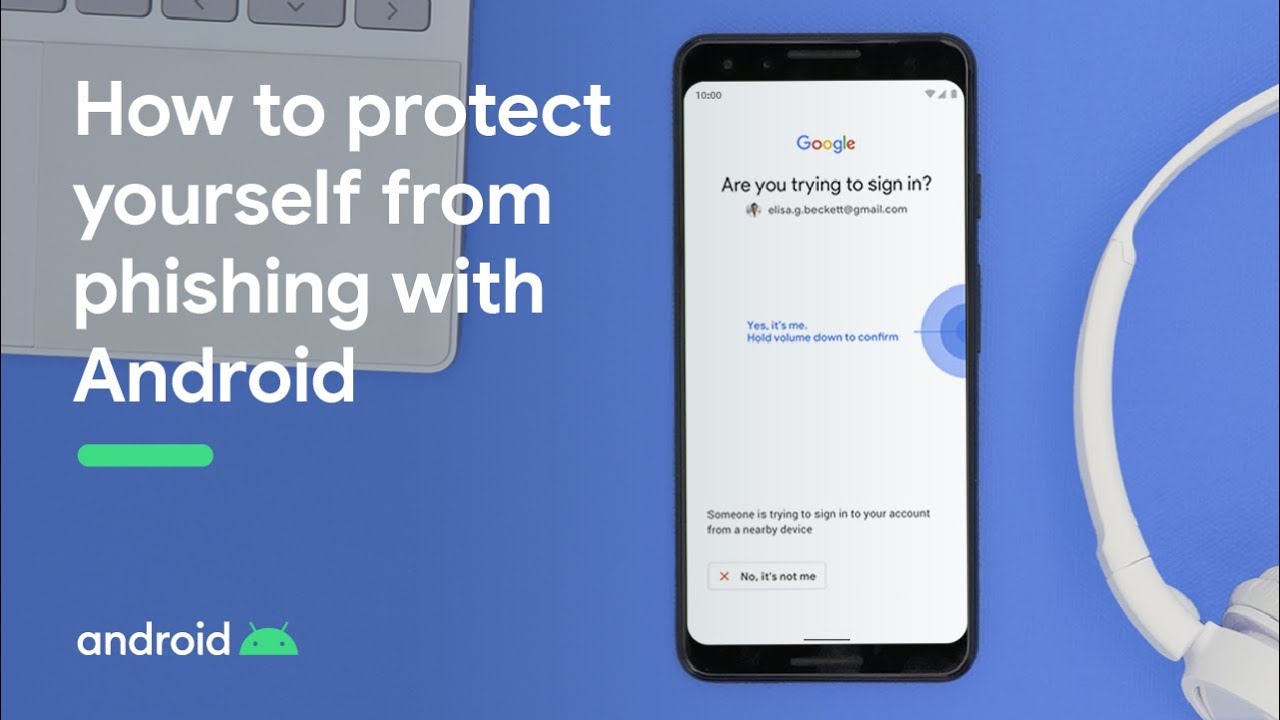
Warding off sneaky phishing attacks


Video explaining phishing attacks

Phishing is when a bad actor (we’re talking criminal here, not someone with low-rated movies on Rotten Tomatoes) tricks you into giving them your private information. Phishing can come in the form of a convincing email that looks like it’s from a company or co-worker you know, spam phone calls, and even text messages. 

Typically, these bad actors want to steal credit card numbers, social security numbers, or account login information (usually for financial gain or identity theft), but there may be other pieces of data they’re looking to steal.

Thankfully, you have three important features on your Android device that protect them from phishing:

  • Caller ID & Spam Protection: This shows you when a call you’re receiving may be coming from a suspected spammer.
  • Safe Browsing: This Chrome feature lets you know if you stumble across a website we know to be bad, and will help you quickly get to safety.
  • Phone-as-a-Security-Key: While other forms of on-device two-factor authentication, such as SMS one-time codes and push notifications, can be phished by a remote attacker, Android's built-in security key gives you the strongest form of Google account protection. 

Privacy controls you can depend on

Video explaining Android permissions and privacy controls.

How to protect your privacy with Android

On mobile devices, apps can access a lot of pertinent information such as contacts, web histories, location, photos, and more. This makes apps more useful—for example, helping you navigate to a desired destination in Maps—but you still want to make sure that you control who sees what. 

You can choose how their data is shared with apps and services through a number of different means:

  • Permissions: Apps have to ask you for permission to access certain types of data, like your photos or contacts. To grant or revoke permission, head to Settings > Privacy, if you are using Android 10. For Android Pie and below, head to Settings > Apps & notifications > Advanced > App Permissions.  
  • Location permissions: You can tell an app that it may only access your location when you’re actually using that app, as opposed to “all the time” or “never.”
  • Incognito mode in Google Maps: When you turn on Incognito mode in Maps, your Maps activity on that device, like the places you search for, won’t be saved to your Google Account and won’t be used to personalize your Maps experience.

Keeping bad apps off your device


ASL_ASAP Subheader_10.28.19_01.gif

Bad actors also use potentially harmful applications to steal information. Google Play Protect makes sure these applications stay off your device by automatically scanning your apps to make sure everything is safe. If you do encounter one of these bad apps, Google Play Protect will quickly alert you and instruct you on how to remove the app from your device. 

You can access Google Play Protect by going to the security section of your settings. If you ever want to run a scan manually, you can prompt it to do so there. When it comes to security and privacy on Android, you’re never alone. You have both the underlying, automatic protections and the personalized control you need to keep your information safe and private. Want to learn more? Visit our Security Center today. 

01 Nov 13:37

Vint Cerf’s top moments from 50 years of the Internet

by Vint Cerf

Editor’s note: On the 50th anniversary of the Internet, this post comes from one of the most knowledgeable sources out there. Though it’s not included in his official title, Vint Cerf is, in fact, one of the architects of the modern Internet. 

Before there was the Internet, there was a packet. The “sending of the packet” was actually the first step toward the invention of the Internet as we know it, and it happened 50 years ago today. On that day, we established the first connection between two computers—from UCLA to the Stanford Research Institute—on the ARPANET, the predecessor to the Internet. 

Connecting the planet in this way remains one of the most astounding technical and societal achievements of our lifetime. A lot has happened in the years since, and the rise of the Internet has come with its own set of challenges that will require new solutions. But over the years there have been many bright spots, including 17 moments that, for me, stand out the most. 

1. October 29, 1969:The first packet was sent. This pioneered our understanding of operational packet switching technology, which prepared us for the subsequent development of the Internet. 

2. 1971: Networked electronic mail was created using file transfers as a mechanism to distribute messages to users on the Arpanet.  

31974:The design of the Internet was released. Robert Kahn and I published “A protocol for packet network intercommunication.” In this paper we presented not only a protocol, but an architecture and philosophy that supported an open design for the sharing of resources that existed on different packet-switching networks. 

4. November 22, 1977:A major demonstration of the Internet took place, linking three networks: Packet Radio, Packet Satellite and ARPANET. 

5. January 1, 1983:The Internet was operationally born, and I’ve used an “electronic postcard” analogy to explain how it works.

6. 1983:The operational mobile phone arrived, which is crucial because, although the Internet and mobile phones were developed in parallel, they eventually proved to be complementary technologies.

7. 1984: Cisco Systems was founded, and with it came the arrival of commercial routers, which allowed the connection of disparate networks to share data between computers.  

8. 1988:I realized the Internet was going to be really big when I attended an INTEROP show and exhibition, and there was a two-story exhibit from Cisco Systems. Turns out they spent $250,000 on that exhibit—you don’t do that unless you think it’s worth the expense and will drive business. That’s what triggered my interest in making the Internet accessible to the public. 

9. December 1991:The invention of the World Wide Web introduced a new way of sharing information that had a profound impact on accessibility and utility. Its arrival illustrated how powerful the Internet could be for information discovery, access and sharing.

10. 1993:The release of the Mosaic browser to the general public was a stepping stone to the web that we know today. It was the first time there was an interface that was visually appealing to a general audience. Also that year, the word “meme” was used to describe a viral idea—although it would take another decade or two to become mainstream. 

11. 1995: The IPO of Netscape Communications triggered a new era in technology and in business: the “Dot Com Boom.”

12. 1996: The arrival of voice over IP (Vocaltech), and the development of IPv6 allowed a superior cost benefit experience. 

13. 1998:The Internet Corporation for Assigned Names and Numbers (ICANN) was created, which is still one of the most important institutions responsible for the technical aspects of Internet governance. That same year, Sergey Brin and Larry Page founded Google. 

14. April 23, 2005:The first YouTube video was uploaded, which meant that ordinary people—not just television studios and broadcasters—could create and upload shareable videos. Today I turn to YouTube for “how to” videos like cooking and fixing problems with software, and watching TED talks or science explanations.

15. 2007:The first smartphone marked a collision of two revolutionary technologies: the mobile phone, which made the Internet more accessible, and the Internet, which made the mobile phone more useful.

16. June 5, 2012:Google, as well as many other websites, Internet Service Providers (ISPs), and network hardware manufacturers permanently switched on Internet Protocol v6 (IPv6) as part of the World IPv6 Launch. At the time, the Internet was running out of IP addresses, but IPv6 allowed for unlimited growth of IP addresses in the future. This was also the subject of my first tweet!

17. 2019-2069 (the next 50 years): In the next five decades I believe that computer communications will become completely natural. Like using electricity, you won’t think about it anymore. Access will be totally improved—think thousands of low Earth orbit satellites—and speeds will be higher, with 5G and optical fiber, and billions of networked devices with increased interactive capabilities in voice, gesture, and artificially intelligent systems. I also imagine an expansion of the Interplanetary Internet. But who knows, after everything that has been accomplished in the past 50 years, the only thing we can be certain about is that the possibilities are endless.