
Yeah this isn't fucking insulting at all: Former Vancouver dish pigs share lessons from the pit straight.com/life/969391/fo… via @georgiastraight

Matt Presser,
Education Week,
Sept 24, 2017

"When we give our students real responsibility to tackle problems connected to their interests, they flourish." So says Matt Presser in this article. I think he maybe should have said "authority" instead of "responsibility" (students are quite used to being held responsible for the failures of those in authority). But the point is clear enough, and the substance of a valuable idea (which has been asserted many times in these pages and elsewhere) shines through. I can't be as enthusiastic about the rest of the article. I'm not sure schools should be learning lessons from Google - at least, not until the antitrust and discrimination lawsuits are settled. And while "a young men’s fraternity" at a high school may well have been inspired by Google, I'm not sure it's either innovative for forward-looking. Nor are, say, field trips. Oh, and Google ended the 20% program cited here back in 2013. Matt Presser seems to be working for the right things, but there's that whole "I'm from Google/Yale/Harvard and I've figured it out" attitude that can at times strike readers as really tone-deaf. As in this instance.
[Link] [Comment]

Contact North,
Sept 24, 2017

This is a short post (6 page PDF) with one-paragraph descriptions of innovations at open universities around the world. Together, the set provides others with a sort of menu of options they can follow. Most usefully, each one has a link you can follow. Some of the items aren't eactly innovations (such as the Switching from Moodle to Azure item). Others are more aspirational than innovative (such as the Use of Blockchain in credentials). It's hard to describe closing support centres (as at OU) as an innovation. One institution (Open Universities Australia, the former Open Learning Agency) simply names itself as an innovation, which seems a bit over the top. But in areas like libraries, accessibility, loyalty, mobile learning, assessment and community there are some genuine innovations.
[Comment]
Even the best-conceived marketing campaign is powerless without a calculated plan for exposure. When the time comes to launch a campaign, your team needs The Amplifier to craft the right messages for the right audiences and measure results across each channel. To better understand what The Amplifier needs to collaborate effectively, we reached out to marketing and design professionals across the US to identify their pain points, and learn ways to address them. In part five of our series on effective collaboration, we’ll share three tips for teaming up with The Amplifier.
Whether they’re a Social Media Manager, PR Manager, or Search/SEO Specialist, almost every Amplifier tends to run into these three obstacles on the job:
The Amplifier needs all the latest, polished files ready for launch in one easy-to-navigate location.
A shared Dropbox folder with prior campaign results gives The Amplifier the tools they need to ensure current campaigns are moving in the right direction.
For more tips on facilitating teamwork and collaborating on campaigns, download our free eBook, Team up for marketing success.


Imagine you were going to a party in an unfamiliar area, and asked the host for directions to their house. It takes you thirty minutes to get there, on a path that takes you on a long winding road with slow traffic. As the party ends, the host tells you “You can take the highway on your way back, it’ll take you only ten minutes. I just wanted to show you how much easier the highway is.”
Wouldn’t you be annoyed? And yet this kind of attitude is strangely common in programming education.
I was recently talking to a friend who works with R and whose opinions I greatly respect. He was teaching some sessions to people in his company who hadn’t used R before, where he largely followed my philosophy on teaching the tidyverse to beginners. I agreed with his approach, until he said something far too familiar to me:
“I teach them dplyr’s
group_by/summarizein the second lesson, but I teach them loops first just to show them how much easier dplyr is.”
I talk to people about teaching a lot, and that phrase keeps popping up: “I teach them X just to show them how much easier Y is”. It’s a trap- a trap I’ve fallen into before when teaching, and one that I’d like to warn others against.
First, why do some people make this choice? I think because when we teach a class, we accidentally bring in all of our own history and context.
For instance, I started programming with Basic and Perl in high school, then Java in college, then got really into Python, then got even more into R. Along the way I built up habits in each language that had to be painfully undone afterwards. I worked in an object-oriented style in Python, then switched to thinking in data frames and functional operations. I wrote too many loops when I started R, then I grew accustomed to the apply family of functions. Along the way there were thousands of little frustrations and little epiphanies, tragedies and triumphs in microcosm.
But when I’m teaching someone how to use R… they don’t care about any of that. They weren’t there! They didn’t make my mistakes, they don’t need to be talked out of them. Going back to the party host, perhaps the highway was built only last year, and maybe the host had to talk his friends, stuck in their habits, into taking the highway by explaining how much faster it is. But that doesn’t make any difference to the guest, who has never taken either route.
@ucfagls I think ppl teach base stuff preferentially because it’s what they still use or they’re reliving their own #rstats “journey” @drob
— Jenny Bryan (@JennyBryan) January 16, 2015
It’s true that I learned a lot about programming in the path I described above. I learned how to debug, how to compare programming paradigms, and when to switch from one approach to another. I think some teachers hope that by walking students through this “journey”, we can impart some of that experience. But it doesn’t work: feeding students two possible solutions in a row is nothing like the experience of them comparing solutions for themselves, and doesn’t grant them any of the same skills. Besides which, students will face plenty of choices and challenges as they continue their programming career, without us having to invent artificial ones.
Students should absolutely learn multiple approaches (there’s usually advantages to each one). But not in this order, from hardest to easiest, and not because it happened to be the order we learned it ourselves.
There are two reasons I recommend against teaching a harder approach first. One is educational bandwidth, and one is trust.
One of the most common mistakes teachers make (especially inexperienced ones) is to think they can teach more material than they can.
.@minebocek talks philosophy of Data Carpentry.
— David Robinson (@drob) July 6, 2017
Highlight: don't take on too much material. Rushing discourages student questions #UseR2017 pic.twitter.com/txAcSd3ND3
This comes down to what I sometimes call educational bandwidth: the total amount of information you can communicate to students is limited, especially since you need to spend time reinforcing and revisiting each concept. It’s not just about the amount of time you have in the lesson, either. Learning new ideas is hard work: think of the headache you can get at the end of a one-day workshop. This means you should make sure every idea you get across is valuable. If you teach them a method they’ll never have to use, you’re wasting time and energy.
The other reason is trust. Think of the imaginary host who gave poor directions before giving better ones. Wouldn’t it be unpleasant to be tricked like that? When a student goes through the hard work of learning a new method, telling them “just kidding, you didn’t need to learn that” is obnoxious, and hurts their trust in you as a teacher.
In some cases there’s a tradeoff between bandwidth and trust. For instance, as I’ve described before, I teach dplyr and the %>% operator before explaining what a function is, or even how to do a variable assignment. This conserves bandwidth (it gets students doing powerful things quickly) but it’s a minor violation of their trust (I’m hiding details of how R actually works). But there’s no tradeoff in teaching a hard method before an easier one.
Is there any situation where you might want to show students the hard way first? Yes: one exception is if the hard solution is something the student would have been tempted to do themselves.
One good example is in R for Data Science, by Hadley Wickham and Garrett Grolemund. Chapter 19.2 describes “When should you write a function”, and gives an example of rescaling several columns by copying and pasting code:
df$a <- (df$a - min(df$a, na.rm = TRUE)) /
  (max(df$a, na.rm = TRUE) - min(df$a, na.rm = TRUE))
df$b <- (df$b - min(df$b, na.rm = TRUE)) /
  (max(df$b, na.rm = TRUE) - min(df$a, na.rm = TRUE))
df$c <- (df$c - min(df$c, na.rm = TRUE)) /
  (max(df$c, na.rm = TRUE) - min(df$c, na.rm = TRUE))
df$d <- (df$d - min(df$d, na.rm = TRUE)) /
  (max(df$d, na.rm = TRUE) - min(df$d, na.rm = TRUE))
By showing them what this approach looks like (and even including an intentional typo in the second line, to show how copying and pasting code is prone to error), the book guides them towards the several steps involved in writing a function.
rescale01 <- function(x) {
  rng <- range(x, na.rm = TRUE)
  (x - rng[1]) / (rng[2] - rng[1])
}
This educational approach makes sense because copying and pasting code is a habit beginners would fall into naturally, especially if they’ve never programmed before. It doesn’t take up any educational bandwidth because students already know how to do it, and it’s upfront about it’s approach (when I teach this way, I usually use the words “you might be tempted to…”).
However, teaching a loop (or split()/lapply(), or aggregate, or tapply) isn’t something beginners would do accidentally, and it’s therefore not something you need to be talking.
In conclusion: teaching programming is hard, don’t make it harder. Next time you’re teaching a course, or workshop, or writing a tutorial, or just helping a colleague getting set up in R, try teaching them your preferred method first, instead of meandering through subpar solutions. I think you’ll find that it’s worth it.

When I stumbled upon Carbo way back in January 2016, I praised it as a utility that improved my note-taking, bringing my handwritten notes into an editable, digital format. Twenty-one months later, Carbo brings its biggest update yet, aimed at making it even easier to import and export your notes through drag and drop in iOS 11.
Carbo works with photos of your notes, digitally converting them, and then providing you tools to add, remove, and relocate parts of handwriting. Before its iOS 11 update, getting notes into Carbo required opening the app and snapping a photo with the built-in camera before you could work on the document. In reality though, you may not always have the time to do more than snap a quick picture of your notes from the Lock screen.
Now, with Carbo and iOS 11, you can import an image of your notes from Photos by simply dragging it into Carbo for editing. Whether you want to edit your notes immediately or build up a library for later, dragging images from Photos is a much better process than using Carbo’s built-in camera.
Carbo also works with Files, so you can directly import from there using drag and drop or by tapping the '+' icon and tapping 'Import File'. If you have had previous scans of your notes or ones that have been sent from a colleague, this integration streamlines that process.
If you’re looking to export from Carbo, you can select your files in the app and simply drag them to the new destination. For projects where you have different of media in multiple locations, this is a welcome addition.
The latest update to Carbo isn’t flashy or revolutionary. Instead, it simplifies the process of importing, exporting, and using your notes files.
Whether you’re a longtime Carbo user or you’re just interested in its new functionality, the update will be appreciated. With its latest version, Carbo streamlines its experience in a way that deserves a second look.
Club MacStories offers exclusive access to extra MacStories content, delivered every week; it's also a way to support us directly.
Club MacStories will help you discover the best apps for your devices and get the most out of your iPhone, iPad, and Mac. Plus, it's made in Italy.
Join NowAcross the industry, September is always an exciting month in mobile, and the same is true here at Mozilla.
Today, we’re launching the newest Firefox for iOS alongside an update for the popular Firefox Focus for Android, which we launched in June.
What’s new with Firefox for iOS:
Tracking Protection: Rejoice! For the first time, Firefox users running iOS11 on iPhone and iPad will now have automatic ad and content blocking with Private Browsing mode, as well as the tracking protection option in regular browsing. This feature uses the same ad blocking technology as Firefox Focus for Android and iOS, Firefox for Desktop and Firefox for Android. We’re always looking to bring the latest features to our users, and we’re finally able to deliver it to Firefox for iOS thanks to changes by Apple to enable the option for 3rd party browsers.
Improved Syncing: We’ve offered the ability for users to sync desktop content like passwords, history and bookmarks to mobile, and today we’re enhancing Firefox sync so content on your mobile now syncs back to your desktop.
To get the latest version of Firefox for iOS, on the App Store.
What’s new with Focus for Android:
Multiple Tabs: While simplicity is the name of the game for Firefox Focus, we’ve been listening to you and made the private browsing experience even better with the addition of multitasking support. This means users now have the ability to open multiple web pages at a time and easily switch between tabs in the same session.
You can download Firefox Focus for Android on Google Play.
The post Tracking Protection for Firefox for iOS Plus Multi-Tasking in Focus for Android New Today appeared first on The Mozilla Blog.
Ryanair made a mistake and had to cancel 40 to 50 flights a day for the next six weeks, for a total of 2,100 flights. The legendary no-frills airline has always treated passengers like freight, and with its non-apology, has proven that accounting for customers’ feelings is a luxury that doesn’t come on Ryanair. This … Continued
The post The Ryanair non-apology for messing up and cancelling 2,100 flights appeared first on without bullshit.
 Airmail is my primary email client on iOS and macOS for two reasons. First, I can customize nearly everything in the app, so it’s laid out and works the way I want. Second, Airmail integrates with several third-party apps and services that I use, so it’s easy to get information out of Airmail and dump it into apps like Todoist or Trello. But sometimes, I want to put a little context around the information I’m exporting from Airmail. For those times, Airmail’s new drag and drop new functionality is ideal.
I get email from MacStories and AppStories sponsors every week. Many of those messages include a combination of files and text about an upcoming sponsorship. Often, those messages are also the conclusion of a back-and-forth conversation that includes additional relevant information I need. To keep track of the details in one place, I typically start a note in Apple Notes.
With the addition of iOS 11’s drag and drop support on the iPad, the process is easier than ever before. I can start with a few background notes for context and then select and drag in just the parts of a message that I need along with any images. I could accomplish this with the share sheet too, but I’d end up with extraneous information from the message and spend more time tapping around in Airmail and the share sheet. Instead, the result with drag and drop is an organized note that includes only the information I need, which makes it easier to use as a reference.
Another option that I’m considering using for some tasks is Apple’s new Files app. Dragging text into Files creates a rich text file that can be stored alongside any attachments producing a similar result to what you can accomplish in Notes.
You can also drag an entire message out of Airmail, which generates a PDF of its full text but without any attachments. That’s less attractive to me for most of my day-to-day tasks, but it is a nice way to archive an important conversation. Of course, you can also drag files from Files into Airmail as attachments or drag links, text, and other content into the body of a message.

Quick Look is available with Spotlight search results on iPhones that support 3D Touch.
On iPhones that support 3D Touch, you can now press on a message to open a Quick Look preview from Spotlight search results. Just press on a message as you would from your Airmail inbox to pop up a preview of a message in Spotlight. The feature is a nice way to be sure you've found the correct message before launching Airmail.

The final addition to Airmail is Voice Reply on the Apple Watch. If you’re out and can’t type a response, you can pick Voice Reply to record a short message that’s sent as an MP4 attachment to your reply. I’m not a fan of responding to email on my Apple Watch, but when a response has to be sent right away, replying with a short recording is easier than other methods.
Email is a competitive category on the App Store. Airmail, which won an Apple Design Award at WWDC this year, has continued to improve with regular updates and currently has one of the broadest sets of features and highest levels of customization possible on iOS and macOS, which means it will remain my primary email client for the foreseeable future.
Airmail is available on the App Store.
Club MacStories offers exclusive access to extra MacStories content, delivered every week; it's also a way to support us directly.
Club MacStories will help you discover the best apps for your devices and get the most out of your iPhone, iPad, and Mac. Plus, it's made in Italy.
Join Now


Though the iPhone X is scheduled to start shipping on November 3rd, new reports have emerged indicating that the smartphone will be in even shorter supply than initially expected.
In fact, Christopher Caso, a chip analyst at Raymond James, predicts that the situation could be pretty dire. Following discussions with Apple supply chain sources, Caso says that the production of the iPhone X has not yet started.
“Initial feedback from our meetings suggests that final production of iPhone X has not yet begun, with production expected to commence in mid-October. That production start is about a month later when compared to expectations a month ago, and about two months later than expectations at the end of June,” wrote Caso.
This means that while the iPhone X is expected to go into production soon, manufacturing won’t hit its peak until almost the end of this year. Given that the upcoming iPhone X is set to be heavily sought after, it’s likely that some people won’t be able to get their hands on the phone until well into 2018.
The iPhone X marks Apple’s first significant redesign of its smartphone since the release of the iPhone 6. While the device’s price tag is expensive, the iPhone X is a stunningly designed smartphone that features a nearly bezel-less display and new facial recognition technology.
iPhone X pre-orders are set to go live on October 27th, with the full retail release on November 3rd. The base model for the phone is priced at $1,319 CAD and features 64GB of internal storage, while the 256GB model is priced at $1,529.
Via: Mashable
The post iPhone X supply issues could be worse than initially expected, says report appeared first on MobileSyrup.

The Nokia 8 manufactured by HMD Global, a Finnish company, is now available on Amazon Canada.
Over recent years Nokia’s brand has fallen out of relevance, however, its newest smartphone features specs that are equivalent to many of the other flagships available, while also offering a comparable price.
On Amazon’s website the Nokia 8 costs $929.99 CAD, which amounts to $70 less than the LG G6 and the exact same price as the iPhone 8. However, since the Nokia 8 is not available at carriers, customers will only be able to buy it outright — making the full price more difficult to swallow.
The Nokia 8 features a 5.3-inch 1440 x 2560 pixel IPS LCD display. Additionally, it’s running on Qualcomm’s Snapdragon 835 processor with an Adreno 540 GPU and an octa-core CPU. The Nokia 8 available to Canadians also has 64GB of expandable onboard storage and 4GB of RAM; the 128GB of storage and 6GB of RAM variant does not seem to be available on Amazon.ca.
The headlining feature of the Nokia 8 is its dual 13-megapixel camera with a f/2.0 aperture, Carl Zeiss optics, and optical image stabilization. Additionally, the smartphone has a matching front-facing 13-megapixel camera with a f/2.0 aperture, which allows the device to utilize both cameras at one for its Dual Sight Mode, also called “Bothie.”
The Nokia 8 on Amazon.ca only comes in Tempered Blue and Steel and is sold through the Kiletrading online store front, alongside many other smartphones on the market.
Image Credit: Nokia
The post Nokia 8 now available on Amazon Canada’s website appeared first on MobileSyrup.

While the fact that the Apple TV 4K doesn’t support Dolby Atmos didn’t cross my radar since my surround sound receiver isn’t new enough to process the relatively new high-fidelity sound protocol, it was a significant point of contention for many other reviewers.
Since the Apple TV 4K is positioned as a high-end luxury streaming device thanks to its compatibility with HDR content, including both Dolby Vision and HDR10, it was a strange move on Apple’s part regarding the set-top boxes lake of support for Dolby Atmos.
Apple, however, has confirmed to The Verge, as well as other publications, that Dolby Atmos support is coming to the Apple TV 4K in the future, though a timeline for the features release was not revealed.
To put the lack of this feature in perspective, many of Roku’s lower-end players support Dolby Atmos, and so does Microsoft’s Xbox One S.
Via: The Verge
The post Apple TV 4K set to eventually support Dolby Atmos surround sound appeared first on MobileSyrup.

The new Apple Watch Series 3, which starts shipping this Friday, is overall a reasonably solid update to the tech giant’s lineup of smartwatches.
Cellular connectivity is the device’s marquee feature. Unfortunately, many early reviews of the Series 3 indicate that the wearable experiences significant connection issues. The new watch apparently attempts to connect to unknown Wi-Fi networks instead of cellular when it’s being used without an iPhone.
Apple has released an official statement regarding the connectivity issues.
“We have discovered that when Apple Watch Series 3 joins unauthenticated Wi-Fi networks without connectivity, it may at times prevent the watch from using cellular. We are investigating a fix for a future software release,” writes Apple in its official statement.
It’s unclear when Apple will release the the update, or how the company intends to fix the issue related to the Watch not connecting to cellular when necessary. In some sense this is a historically unfortunate moment for the Apple Watch line, with this being the first time Apple has acknowledged an issue with one of its smartwatches, something it rarely does with any of its products.
For what it’s worth, I haven’t encounter these issues with the Apple Watch Series 3, as I noted in my review. This is likely because I haven’t connected the watch to an authenticated Wi-Fi network, however.
The Apple Watch Series 3 is set to be available on September 21st, 2017.
Via: The Verge
The post Apple releases statement on Apple Watch Series 3 LTE issues appeared first on MobileSyrup.

Delphi and BlackBerry have announced a partnership to develop a software operating system for self-driving cars.
Delphi — a global supplier of technologies for the vehicle market — will utilize its turnkey self-driving system called the Centralized Sensing Localization Planning platform (CSLP) while BlackBerry QNX will provide an operating system that is certified to dish out high levels of safety for Delphi’s CSLP system.
According to BlackBerry its operating system will help the CSLP against cyber attacks, malware and system malfunctions. Note that BlackBerry QNX already provides infotainment software to more than 50 million vehicles, but now seems to be shifting to security for self-driving automobiles.
According to the press release, Delphi plans on selling to automakers and other transportation providers in 2019 for production in 2021, while the larger vehicle manufacturers are making their own self-driving systems.
“You have to have all these pieces together, otherwise what you have is a demo,” Glen De Vos, Delphi’s chief technology officer, said at a media briefing.
De Vos mentioned that Delphi expects to start the testing for its automated driving systems in pilot projects with ride-services fleets by 2019 and by 2020 Delphi plans to stop using pilots and have the vehicles drive themselves.
The first fleets of vehicles will drive on small, “defined” routes in cities, according to Devos.
This past May, German automaker BMW, said that Delphi would join the company in a self-driving partnership which includes Intel and Mobileye, which means its possible that in 2021 there will BMW vehicles with the Delphi self-driving turnkey system with the BlackBerry operating system.
Image Credit: Delphi
Source: Reuters
The post BlackBerry partners with Delphi to work on systems for self-driving vehicles appeared first on MobileSyrup.

Shaw Communications purchased Wind Mobile for $1.6 billion (CAD) back in March 2016. At the time, the carrier gathered 940,000 wireless subscribers across Ontario, British Columbia and Alberta.
Following the acquisition, Alek Krstajic, Wind Mobile’s EVP and president, stated, “with Shaw’s long-term commitment, customer focus and breadth of product offering, we are better positioned to deliver better value and capability to WIND customers. The strength of Shaw as a company and as a brand will provide Canadians with more choice and opportunities to stay connected.”
Today, Krstajic is no longer with the company and the Wind Mobile brand has pivoted and is now known as Freedom Mobile.
However, there could very well be a new wind blowing for Shaw’s telecom business. According to new trademark filing found by MobileSyrup, Shaw has registered “Shaw Mobile,” “Shaw Mobility,” and “Shaw Wireless” with the Canadian Intellectual Property Office (CIPO).
All three trademarks were filed on September 12th, 2017 and formalized on September 14th, 2017. As expected, the descriptions all point to offering wireless services.
There could be a couple of different scenarios on the horizon.
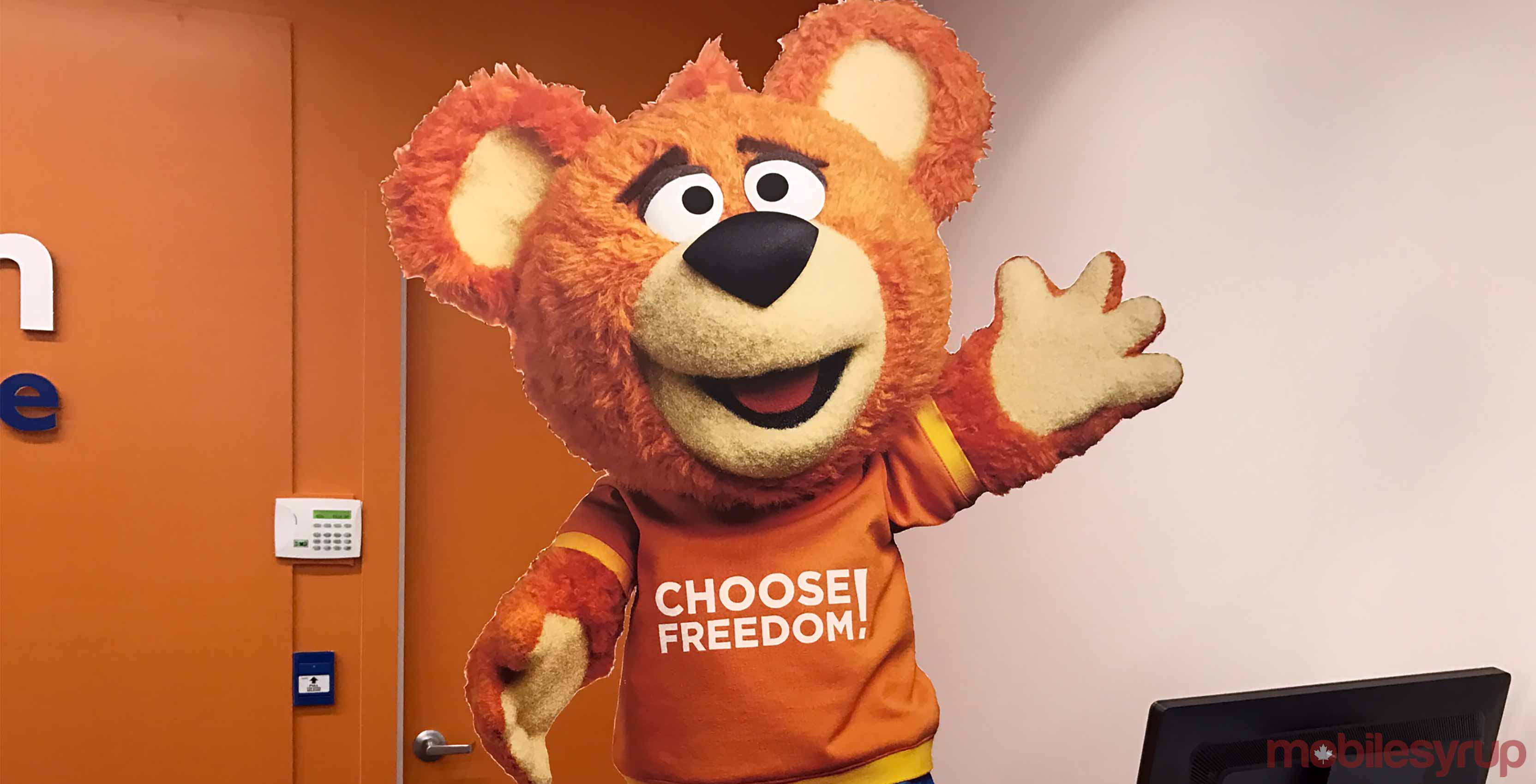
There is a possibility that Shaw is done with the Freedom Mobile brand and Freddy the Freedom Bear. Shaw could completely scrap the brand and simply rebrand the business to fall under the Shaw banner, which would follow all of its other products.
Another option would be for the company to unveil a higher-end option for customers and have Freedom Mobile be its sub-brand, like Bell does with Virgin, Telus with Koodo Mobile and Public Mobile, and Rogers with Fido and Chatr.
Freedom Mobile would be its value play and Shaw Wireless/Shaw Mobility/Shaw Mobile would be the top tier carrier with additional options for customers, such as bundling other products and services that it offers.
Shaw’s latest quarterly earnings report revealed Freedom Mobile’s subscriber base topped 1,106,000.
Source: CIPO
The post Shaw registers ‘Shaw Mobile,’ ‘Shaw Mobility,’ and ‘Shaw Wireless’ trademarks appeared first on MobileSyrup.

The Google Assistant is available in smartphones, smartspeakers, and, now personal headphones.
Bose has announced that its QuietComfort 35 II (QC35) headphones will be the first consumer-grade headphones to feature the Google Assistant. The QC35 II wireless headphones are available today and cost $449.99 CAD.
Listeners can access the Google Assistant by pressing and holding the headphones’ action button on the left earcup. Doing so calls up Google’s virtual assistant much like on a smartphone.
“Press and hold the Action button, and your own personal Google is ready to help — no waiting, looking, swiping or typing,” reads an excerpt from a September 21st, 2017 media release. “Just start talking and your Assistant will help you manager your music and get things done — like play a playlist or a favourite song by a favourite artists, and add appointments to your Google Calendar.”
The Google Assitant-powered QC35 II headphones are otherwise almost identical to the regular QC35 IIs. Both pairs come with Bose’s noise cancellation, “audio performance” and up-to 20 hours of battery life.
The headphones come in black and silver, and are available in Bose retail stores, Bose.ca, and authorized Bose retailers.
Source: Bose
The post Bose’s Google Assistant-powered QuietComfort headphones are real appeared first on MobileSyrup.
Q: We have a son who has planned a trip to surf in the Maldives. I’d like to send him new luggage … a birthday present … before his trip. He’ll fly from LA to Dubai and then to somewhere in the Indian Ocean, change planes to a small (probably) prop plane, and then will reside on a boat for ten days. I read with interest your review this morning about luggage, but I think a duffel is better for this trip. He’ll need the length for his fins. The spear gun won’t be allowed, so puncture issues aren’t so important. The water may not require a wetsuit, but if he takes one, they’re heavy and bulky. One of our other boys uses a Patagonia bag for his mountain climbing ventures; his cramp-ons and ice picks don’t puncture the bag. Would love a review of bags for the adventuresome.
David Pride, known to many of you as an active member of our maker community, has done it again! His FRED-209 build combines a Nerf gun, 3D printing, a Raspberry Pi Zero, and robotics to make one neat remotely controlled Nerf tank.
FRED-209 – 3D printed Raspberry Pi Nerf Tank
Uploaded by David Pride on 2017-09-17.
David says he worked on FRED-209 over the summer in order to have some fun with Nerf guns, which weren’t around when he was a kid. He purchased an Elite Stryfe model at a car boot sale, and took it apart to see what made it tick. Then he set about figuring out how to power it with motors and a servo.

To control the motors, David used a ZeroBorg add-on board for the Pi Zero, and he set up a PlayStation 3 controller to pilot his tank. These components were also part of a robot that David entered into the Pi Wars competition, so he had already written code for them.
During prototyping for his Nerf tank, which David named after ED-209 from RoboCop, he used lots of eBay loot and several 3D-printed parts. He used the free OpenSCAD software package to design the parts he wanted to print. If you’re a novice at 3D printing, you might find the printing advice he shares in the write-up on his blog very useful.
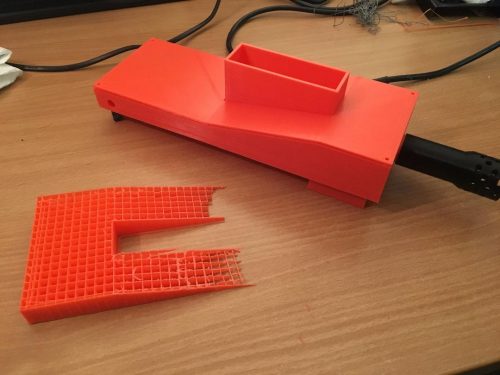
David found the 3D printing of the 24–cm-long lid of FRED-209 tricky
On eBay, David found some cool-looking chunky wheels, but these turned out to be too heavy for the motors. In the end, he decided to use a Rover 5 chassis, which changed the look of FRED-209 from ‘monster truck’ to ‘tank’.
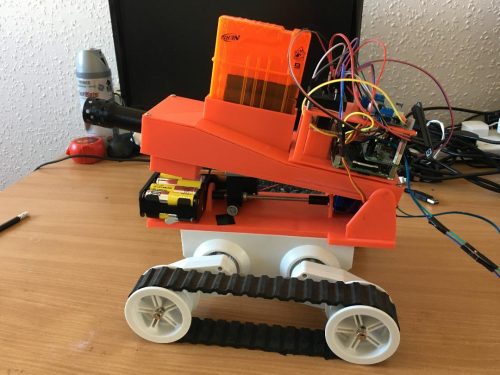
Next step: teach it to use stairs
The final result looks awesome, and David’s video demonstrates that it shoots very accurately as well. A make like this might be a great defensive project for our new apocalypse-themed Pioneers challenge!
David will be uploading code and STL files for FRED-209 soon, so keep an eye on his blog or Twitter for updates. He’s also bringing the Nerf tank to the Cotswold Raspberry Jam this weekend. If you’re attending the event, make sure you catch him and try FRED-209 out yourself.
Never one to rest on his laurels, David is already working on taking his build to the next level. He wants to include a web interface controller and a camera, and is working on implementing OpenCV to give the Nerf tank the ability to autonomously detect targets.
I have a feeling we might get to see an advanced version of David’s project at next year’s Pi Wars!
The 2018 Pi Wars have just been announced. They will take place on 21-22 April at the Cambridge Computer Laboratory, and you have until 3 October to apply to enter the competition. What are you waiting for? Get making! And as always, do share your robot builds with us via social media.
The post FRED-209 Nerf gun tank appeared first on Raspberry Pi.

An American engineer has taken it upon himself to make an iPhone 7 with a headphone jack.
Scotty Allen spent fourth months in China, used seven custom circuit board designs, disassembled three iPhone smartphones and spent thousands of dollars in order to bring his dream to fruition.
With his final product, Allen was able to demonstrate that the charger and headphone jack both work after the customization. Unfortunately, the iPhone’s headphones cannot be used while the iPhone is charging.
“To fix this would require a pretty serious engineering effort, that would require a much deeper understanding of the lightning protocol than I currently have,” it says on Allen’s website.
He also adds that he would like to look into iPhone 8, though this video was made before the iPhone event, so there is currently no information regarding the iPhone X.
Allen’s design is open source and he says he hopes that people can improve on what he has done.
Source: StrangeParts
The post American engineer creates iPhone 7 with a headphone jack appeared first on MobileSyrup.

I’ve used the 4th Generation Apple TV as my main platform for watching video content for the last two years.
My experience hasn’t always been smooth during that time, however. I’ve run into issues with the Siri Remote disconnecting, finicky menus and have also experienced bouts of tvOS lagging, and in some cases, completely stalling.
“Apple’s new 4K-capable Apple TV is a necessary and expected update for the tech giant.”
Some of these issues are my fault since I often opt to run Apple’s beta tvOS software, as well as switch regions to access streaming services that are not officially available in Canada (for research purposes, of course). In general, though, tvOS has never felt as solid as the company’s other operating systems.
Apple’s new 4K-capable Apple TV is a necessary and expected update for the tech giant. In many ways, this is also Apple playing catch-up with its main competitors in the space in terms of 4K and high dynamic range (HDR) support, two burgeoning forms of video technology that are set to skyrocket in popularity over the next few years.
For instance, Google’s Chromecast Ultra was released last November and supports 4K content as well as the two main competing HDR formats, HDR10 and Dolby Vision, all for just $90 CAD. The same can be said about Roku’s $89 CAD Premiere+ Streaming box, which supports 4K, as well as HDR10 and Dolby Vision, the industry’s two competing high-dynamic range formats.
Now, the new Apple TV 4K supports both these new video formats as well, but only if you have a television capable of outputting that level of visual fidelity.
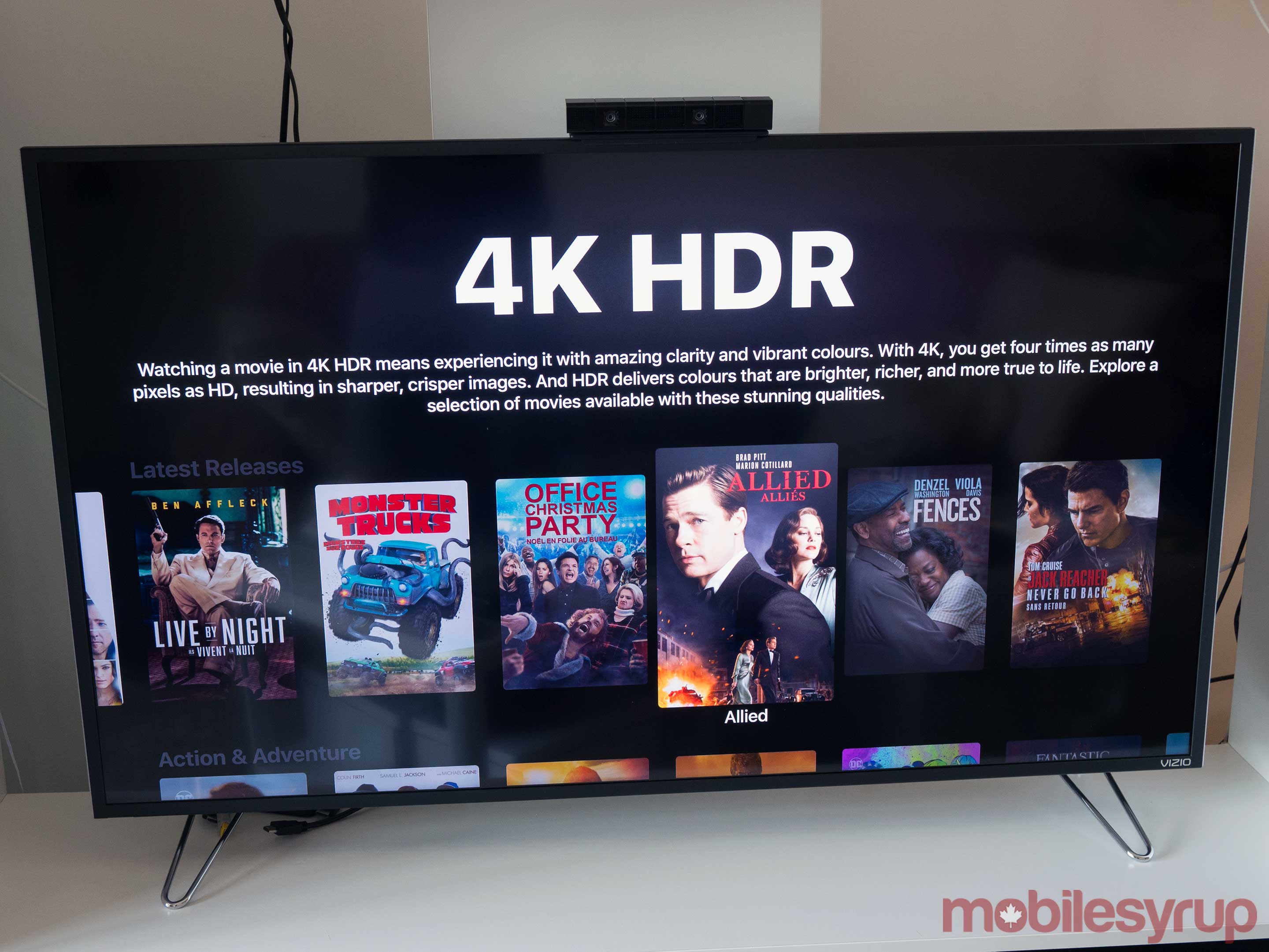
I’ll start this review by stating that if you don’t have a 4K TV, or a 4K TV that supports HDR, there’s very little reason to upgrade over the current iteration of the Apple TV.
That said, the new Apple TV 4K is significantly more powerful than its predecessor thanks to the set-top box’s A10X Fusion processor — the same silicon featured in the recently released 10.5-inch iPad Pro — which Apple claims features two-times faster CPU performance, and four-times faster graphics rendering.
The new Apple TV also makes the HDR and 4K set-up process simpler than other devices I’ve used in the past, by automatically outputting the highest resolution, which means you won’t have to spend time messing around in the set-top box’s settings.
“Finding an affordable television that supports true wide colour gamut 4K is a much more difficult task.”
For example, when I hooked up my Apple TV 4K to my television, a notification instantly popped up asking me if I wanted to test out HDR compatibility. If you click ‘yes,’ the screen flickers black for a second, then if your TV set-up is compatible with high-dynamic range, the settings permanently change. The entire process took only a few minutes for me to setup and was more simple than I expected.
Finding an affordable television that supports true wide colour gamut 4K is a much more difficult task, however.
Apart from the new processor, Siri’s ability to universally search content seems improved, though this is likely more due to tvOS11 than the actual set-top box (I’ll be talking more about tvOS11 later).
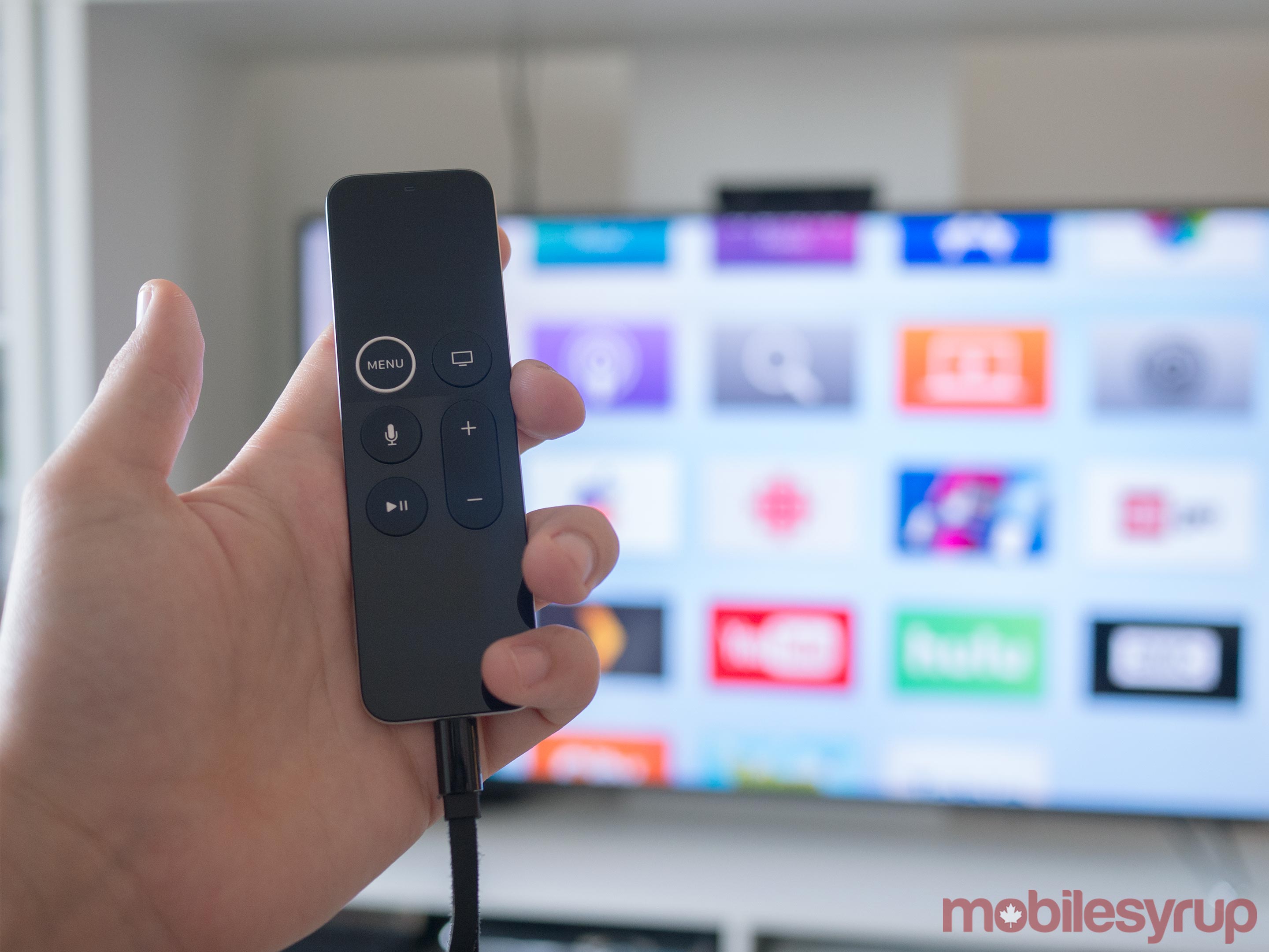
Other improvements include a gigabit ethernet port, a surprisingly useful raised white ring around the Siri Remote’s Menu button that makes it easier to find, and support for automatically connecting AirPods. The set-top box also comes with either 32GB or 64GB of internal storage, includes Bluetooth 5.0 and supports HDMI 2.0a out of the box, which is a good move on Apple’s part (more on this later).
In a controversial move that makes very little sense, the Remote Loop is still sold separately for $17 CAD, which is ridiculous.
As an amusing side note, the Apple TV 4K’s UI, as well as its screen savers, are rendered completely in 4K, complete with wide colour gamut support — Apple claims this is a first for any set-top box.

In my experience, the most significant updates present in tvOS11 relate to stability improvements. While I did encounter a few instances of lag when rapidly multitasking with 4K HDR video running, Apple’s updated set-top box operating system feels significantly more polished than tvOS10.
Apple has also added a number of interesting enhancements to the OS, most notably easy access to iOS Apple TV remote functionality via iOS 11’s new Control Centre. As someone who has a love-hate relationship with the Siri Remote — I think it’s great for games and very little else — this is good news.
Easy access to the remote app allows me to quickly type in passwords as well as navigate the Apple TV 4K’s menu when the Siri Remote inevitably falls between my couch cushions and disappears. The remote has also been updated with a new 3-axis gryo that Apple says it expects video game developers to take advantage of.

AirPlay 2 has been added with tvOS 4 too, though the new protocol’s improvements likely won’t become useful for most until the HomePod is released. Another minor, but still great quality of life improvement is the automatic switching of dark and light user interface modes based on the time of day.
Finally, Apple has removed the USB-C port located on the rear of the Apple TV, likely in an effort to prevent flashing custom firmware on the device. While I rarely utilized the port, it was useful for my review of the 4th Generation Apple TV and allowed me to capture original screenshots and video of the operating system.
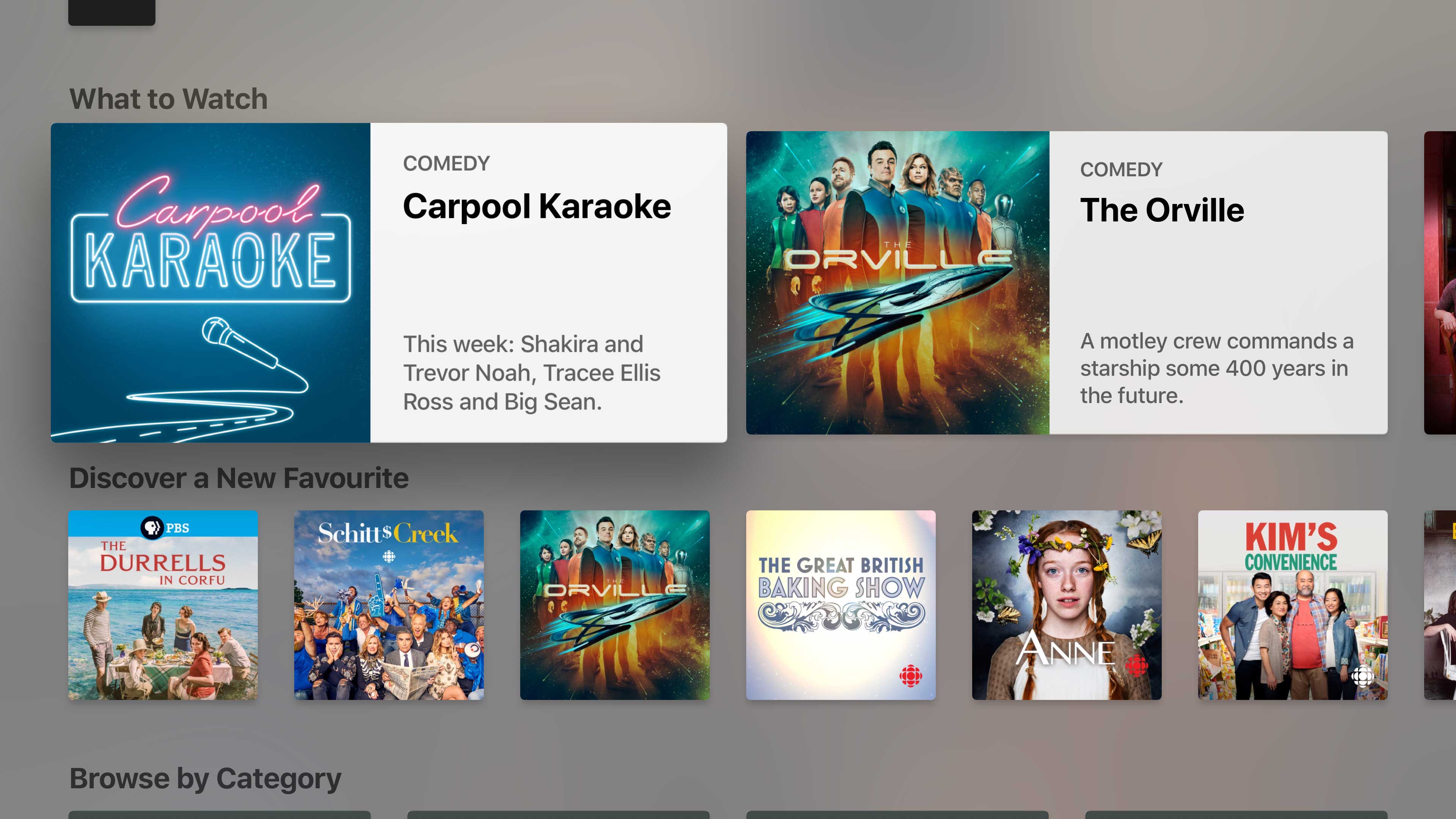
Apple’s interesting but ultimately not that useful TV App has also unexpectedly made its way to Canada.
The overarching idea behind Apple’s TV app is to combine all of the disparate apps you watch content into one interface, and to some extent, this is exactly what it does.
For example, the ‘Up Next’ section displays movies you’ve purchased or rented, surfacing the latest episode automatically. Content is also hand-picked by a team of experts, similar to Apple’s new App Store, and based on the apps and services you’re currently subscribed to — so it isn’t constantly trying to sell you new streaming platforms like a used car salesman.
Other sections include new releases on iTunes, both television shows and movies, as well as the curated ‘Discover a New Favourite’ section.
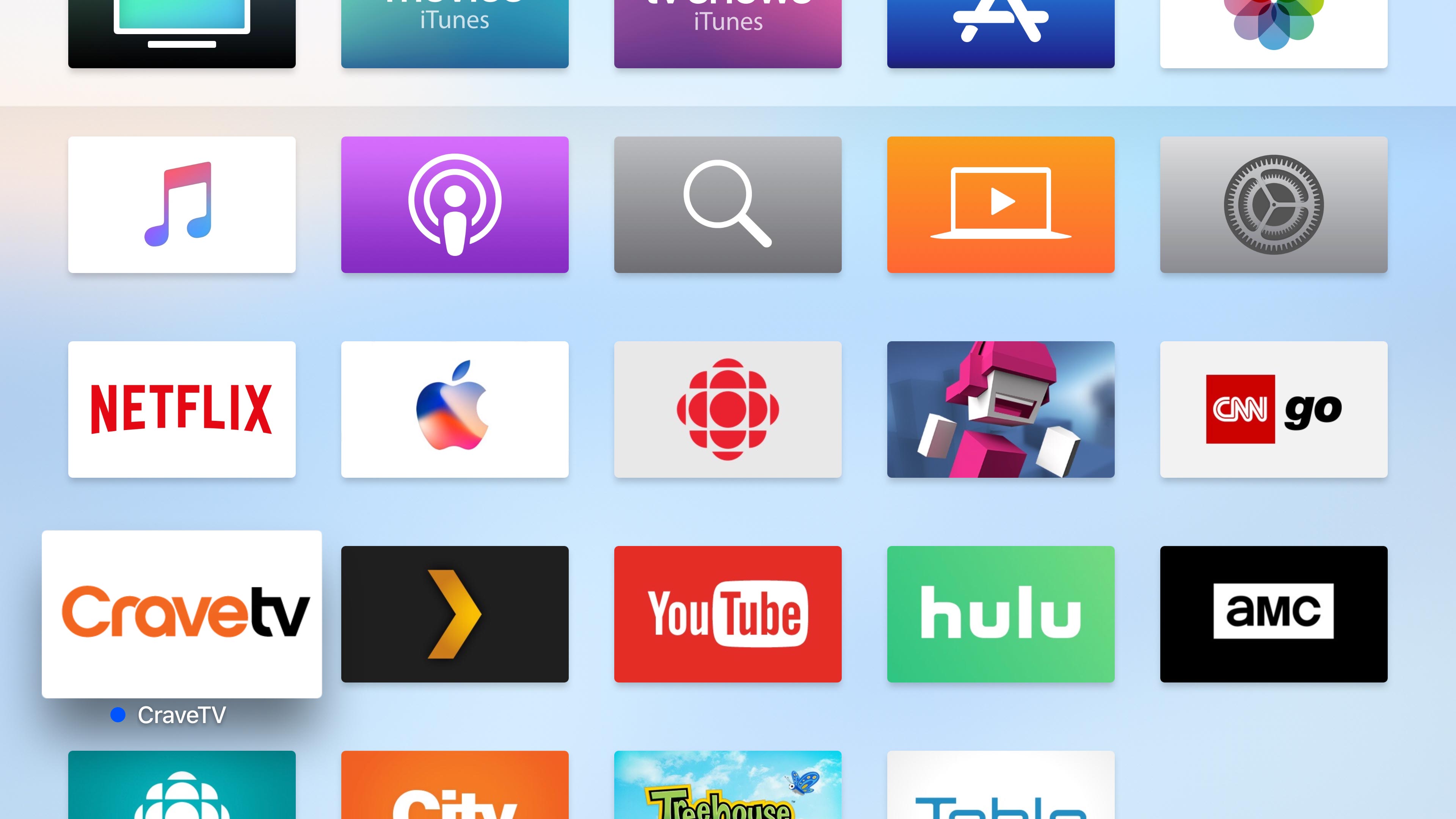
Unfortunately, in the Canadian market, the only apps currently included in the TV App are as follows: City, FX Now, Treehouse, CBC, ICI Tous.tv and Crave TV. As you’ve likely noticed, Netflix isn’t included in this list, which is a glaring omission on both Apple and Netflix’s part, especially in the Canadian market where we have so few video streaming options.
“Depending on what apps you spend most of your time using on the platform, it likely won’t be very useful to you.”
Other apps like Sportsnet Now, unfortunately, aren’t included with the service, though Apple mentioned it could come in the future. Additionally, Apple says that a dedicated Amazon Prime Video Apple TV app is coming to Canada with 4K content by the end of the year, though it’s unclear if it will also be included in the TV app.
Apple’s TV app is also available on iOS and syncs across the company’s tvOS operating system. While the app is a decent effort and it’s great to see it come to Canada, depending on what apps you spend most of your time using on the platform, it likely won’t be very useful to you.

Let me be clear, HDR10 and Dolby Vision are a mess right now, so I’ll take a moment here to break down the current issues surrounding getting high dynamic range running on the Apple TV 4K, as well as any device that supports the new technology.
HDR stands for High Dynamic Range and refers to improved contrast, better brightness levels and a wider colour palette. This helps create a more life-like picture with video games, movies and television shows and improves picture quality more than even pixel increase to 4K does. Think of it this way: while 4K adds more pixels to your screen, HDR aims to make those pixels look better by adding better, richer colour.
On a technical level, HDR10 features up to 4,000 nits of peak brightness, with a current target of 1,000 nits, 10-bit colour depth and the Rec.2020 colour space.
HDR10 is also the format supported by the Xbox One and Playstation 4.
Dolby vision on the other hand, supports up to 10,000 nits of peak brightness, with a current 4,000 nit peak brightness target and 12-bit colour depth capable of the rec-2020 colour space. What this means is that Dolby Vision is the brighter, more colourful HDR option, though this also means that typically only very expensive high-end TVs are able to meet its strict quality requirements.
Both formats, Dolby Vision and HDR10, are supported by a wide range of television manufacturers, including LG, Vizio, Sony, Samsung, Panasonic, Hisense and more. Hunting down a television that supports both versions of HDR, essentially future-proofing your viewing experience, is a difficult task.
“The HDR mess gets increasingly complicated when you throw a surround sound receiver in the mix.”
I eventually ended up purchasing Vizio’s well-received mid-range 2017 50-inch M-Series XLED TV, since I was looking for a device that supports both HDR and Dolby Vision, but that also wouldn’t force me to take out a loan to afford.
The HDR mess gets increasingly complicated when you throw a surround sound receiver in the mix. You first need a receiver that features HDMI 2.0a ports that are HDCP 2.2 compliant. Many receivers that are a few years old and feature HDMI 2.0 have been updated to support HDMI 2.0a, though this will depend on your manufacturer.
In my case, my Pioneer VSX-830 was updated to support HDR via a firmware release, though during my time with the Apple TV, I’ve only been able to get HDR10 display on the set-top box when hooked up through my receiver. If I run the Apple TV 4K directly through my television, I’m able to watch content with Dolby Vision.
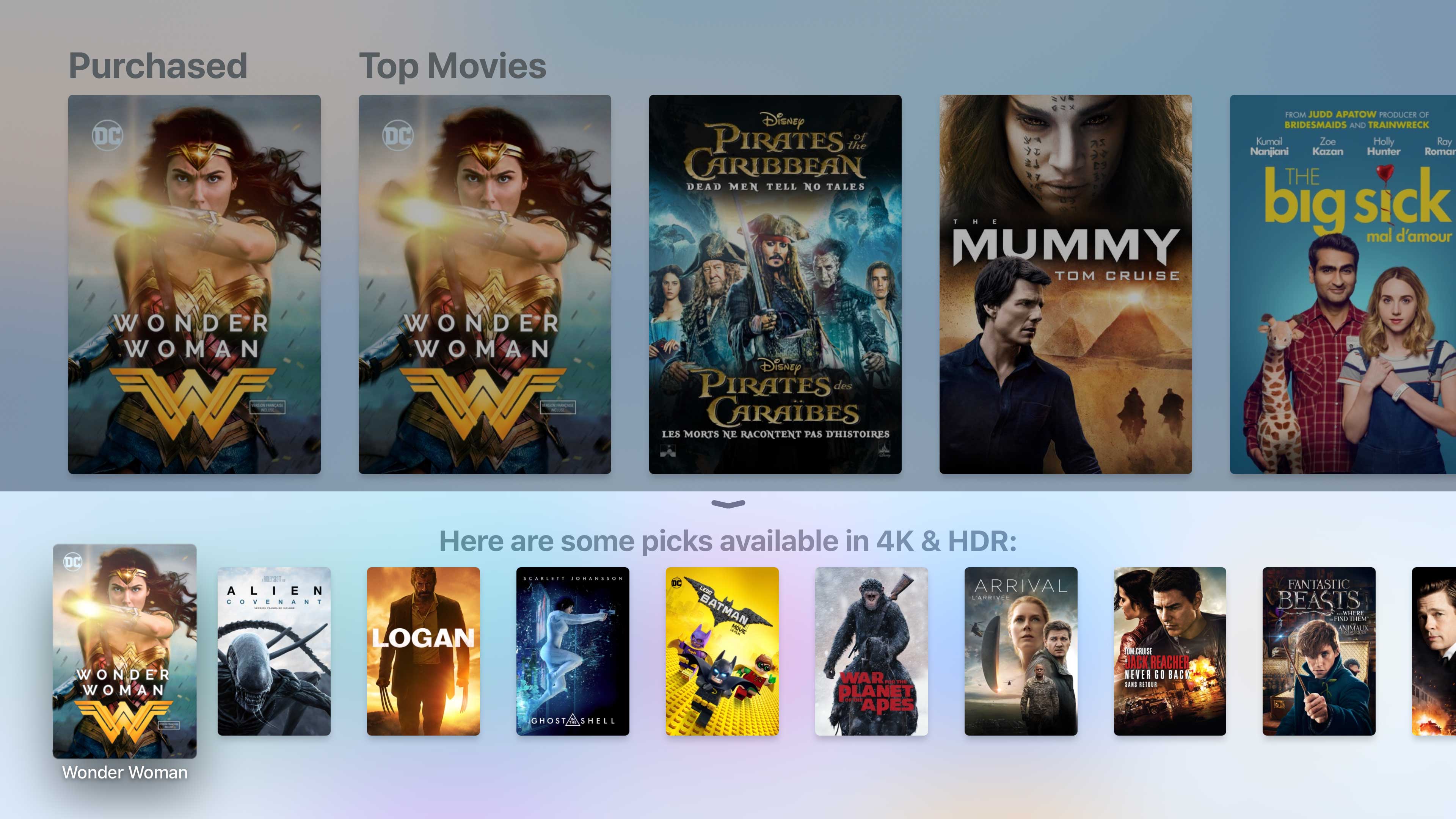
It’s still early days for 4K, let alone ultra HD content with support for HDR. Furthermore, compared to our counterparts in the U.S., platforms that actually feature this content are difficult to come by.
While the situation is bound to improve over the next few months and years, as it stands right now only Apple’s iTunes Movie and TV platform, as well as Netflix, feature support for 4K content. If you’re interested in HDR, that selection becomes even slimmer.
“It’s still early days for 4K let alone ultra HD content with support for high-dynamic range.”
Examples of iTunes movies that support 4K and HDR currently include: Wonder Woman, Logan, Ghost in a Shell, Arrival, Lego Batman, Fantastic Beats, Suicide Squad and The Martian, as well as a couple dozen more films. The easiest way to find iTunes’ 4K library is to ask Siri to “find movies that support 4K and HDR,” bringing up a list of movies (there’s also a dedicated 4K section in the store right now).
While probably 90 percent of the results feature both 4K and HDR, there are a few movies thrown into the results that are strangely only in HD, including Magic Mike XXL, Deadpool, Independence Day Resurgence, and a couple of other titles.
What’s more interesting is that Apple is offering free upgraded from 1080p to 4K for previously purchased content that supports the higher resolution, a move that likely required significant negotiations with movie studios.
Though in the current digital era, Apple certainly has significantly more influence and pull than it did even just a few years ago. That said, it seems Apple wasn’t able to secure standardized 4K pricing, with the cost varying significantly across the digital retail platform, typically ranging between $19.99 CAD and $24.99 for purchase and most rentals costing $6.99.
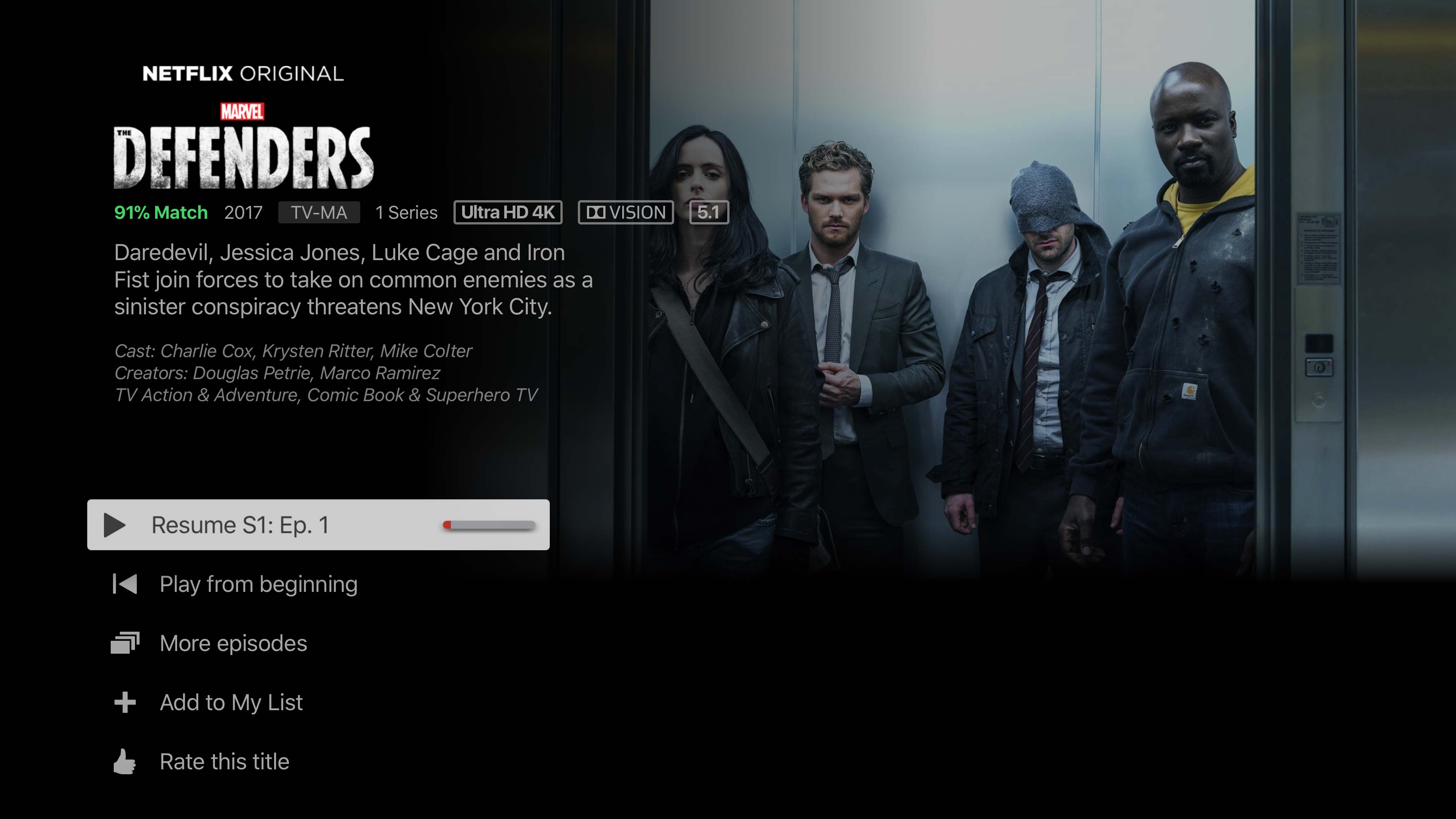
On the Netflix side of things, it’s really only mostly the platform’s original content like American Vandal, Narcos, Love, Disjointed and Wet Hot American Summer Ten Years Later that can be streamed in 4K, though there’s a growing selection of 4K content with HDR like Okjia, Fire Chasers, Death Note and The Do-over.
Finally, the Apple TV 4K also doesn’t support 4K or HDR content via tvOS’ YouTube app, which is a bizarre move on Apple’s part given the plethora of UHD content present on the platform.
Update 10/21/17: While the Apple TV 4K doesn’t currently support Dolby Atmos, support for the relatively new surround sound is coming, according to Apple.
The post Apple TV 4K Review: Steps to a 4K HDR future appeared first on MobileSyrup.

Stack Overflow used data from their developer survey to build a prediction model for salary, based on role, location, education, experience, and skills. The result was a salary calculator that you can use to gauge how much you should be making.
In this salary calculator, we report a predicted salary for the location, education, experience, and other information you enter. We also report a 50% prediction interval. The specific statistical meaning of this interval is that we expect 50% of people with the same characteristics as you to have salaries within that range; it spans the 25th to 75th percentiles. The interval is just as important as the prediction itself (the 50th percentile), because it gives you an understanding of what the range of expected salaries could be.
Nifty.
Tags: salary, Stack Overflow, work
Mobike, a major Chinese bike-rental company, has just placed their first batch of bikes in the capital of the United States as part of its ambitious global expansion plan.
Closely following its largest rival ofo’s footprint, Mobike chose Washington D.C. as the first city in America to start running its business, whereas ofo just a month ago launched services in Seattle (in the state of Washington) with 1,000 bicycles for rent at $1 per hour.
As local governments of major cities in China have halted more bike placements, it’s no secret that the two bike-rental companies from China both vie for market share overseas, following their success in the domestic market which has seemingly been saturated.
“We are thrilled to call Washington D.C. Mobike’s first home in North America,” said Hu Weiwei, CEO of Mobike, in the company’s press release. “Mobike is committed to developing a global bike share culture by collaborating closely with cities, and the US capital is key in achieving this. We look forward to working with more cities across the nation to make cycling the most convenient, affordable, and environmentally friendly transportation option for residents and tourists alike.”
To better serve the local riders, Mobike has partnered with US telecom giant AT&T and Qualcomm. With the internet-of-things (IoT) partnership along with Mobike’s app, local users are able to locate, unlock, and pay.
“We are working with a number of cities across the country and are confident this successful pilot will be the first of many partnerships, allowing us to make cycling the most convenient and affordable choice for transportation all around America,” said Rachel Song, General Manager of Mobike US, in the statement.
Prior to the United States, Mobike has debuted in Malaysia, Singapore, Thailand, Japan, Italy, and the UK, while ofo has also launched its dockless bikes in Singapore, Thailand, Kazakhstan, Austria, Britain, and the US.
In the U.S., net neutrality is under attack.
Ajit Pai, current Chairman of the FCC, put it bluntly: “We need to fire up the weed whacker” and remove rules like net neutrality, he said recently.
To keep net neutrality (and a healthy internet) intact, Mozilla is deploying Paperstorm, our activism website developed alongside design studio Moniker.
Over the next several weeks, we’re asking American internet users to send a salvo of tweets to Chairman Pai. How? Visit Paperstorm.it and start clicking. Each click drops a digital leaflet on the FCC’s headquarters in Washington, D.C. Drop enough leaflets and you can trigger a tweet to Pai.

We’re asking Americans to Paperstorm the FCC
Paperstorm is a tongue-in-cheek website. But from past net neutrality efforts, we know that a loud chorus of voices can make an impact. And we need to make an impact quickly: Pai and the FCC commissioners are expected make a net neutrality decision in late fall or early winter of this year.
In May of this year, Pai introduced his proposal to undo net neutrality by re-re-classifying Internet Service Providers (ISPs) from Title II to Title I under the Communications Act of 1934.
What this means: Under Pai’s proposal, ISPs would be allowed to block, throttle and prioritize (or deprioritize) internet access for Americans. Companies like Comcast and AT&T could selectively slow down or speed up access to online journalism, blogs, films, apps, and other services. This would undo 2015’s hard-won net neutrality protections that took years of hard work.
Net neutrality may seem like an abstract issue, but its impact is anything but. Without it, the internet becomes less open. No net neutrality means fewer opportunities for startups and entrepreneurs, and a chilling effect on innovation, free expression and choice online.
Mozilla Chief Legal and Business Officer Denelle Dixon gives real-life examples of a web without net neutrality: “In the past, without net neutrality protections, ISPs have imposed limits on who can FaceTime and determined how we stream videos, and also adopted underhanded business practices.”
Paperstorm is a digital activism website that urges Pai and the FCC to keep net neutrality intact.
When users visit Paperstorm, they’ll see an aerial view of the FCC headquarters on 12th Street SW in Washington, D.C. With each click of the mouse, users drop a digital leaflet that reads:

A Paperstorm leaflet
What do these leaflets do? When you drop enough, you can generate a tweet to Pai. Alone, you might drop a small stack of leaflets and send a handful of tweets to Pai. But together, we can drop millions of leaflets and launch tens of thousands of tweets.
Paperstorm is a collaboration between Mozilla and the Amsterdam-based, Webby award-winning design studio Moniker. This is the first time Mozilla and Moniker have deployed Paperstorm in the U.S. Earlier this year, Mozilla and Moniker deployed Paperstorm in the EU to demand common-sense copyright reform — we dropped 60,000,000 leaflets and sent 12,000 tweets to lawmakers.
Millions of Americans across party lines support net neutrality. Over the past several months, more than 22 million net neutrality comments have been filed in the FCC’s docket, the vast majority in support of net neutrality.
On July 11, hundreds of organizations banded together in a Day of Action to amplify Americans’ voices. From the ACLU and Amazon to Github and Mozilla, organizations voiced loud support for a free and open internet.
Read about Mozilla’s past net neutrality advocacy.
The post Stand Up for Net Neutrality: Help Paperstorm the FCC appeared first on The Mozilla Blog.
After hearing the story of reporter Lawrence Mower, who discovered fraudsters after a FOIA request in Florida, a group for the Columbia Journalism Review and PennLive looked to expand on the analysis.
Intrigued, we wanted to chart new territory: to find out whether these repeat winning patterns exist across the country. We decided to submit public records requests in every state with a lottery—an adventure in itself given that FOIA laws vary significantly by state. In all, we sent more than 100 public record requests to lotteries for information about their winners, game odds, and investigative reports. Getting those records wasn’t simple, as we outline below.
This should be turned into a class project for Stat 101 courses.
Tags: lottery

Ich habe sehr viele widersprüchliche Reviews zur Apple Watch 3 gelesen. Dabei blieb mir genug Zeit, diese Informationen zu ordnen und ich will gerne weitergeben, was ich gelernt habe.
Words With Friends has just added 50,000 new pop-culture words. This is horrifying. According to the AP: WORDS WITH FRIENDS ADDS 50,000 POP CULTURE WORDS by Mark Kennedy, AP ENTERTAINMENT WRITER NEW YORK (AP) — Tell your bae or your bestie: The mobile game Words With Friends is adding thousands of pop culture words as part … Continued
The post With 50,000 new words, Words With Friends is now my enemy appeared first on without bullshit.
Park and Gabbard have identified one of the most powerful triggers to get experts (or subject matter experts) to share new information; fear of being scooped.
Once you have set the community objectives, you need to decide what emotional levers you’re going to pull to get people to perform the action.
A common mistake here is to focus on the outcome rather than the process.
Yes, there’s a good chance that members of high status want to increase and maintain their high status. That’s not a strategy though, that’s an outcome of the strategy.
A strategy is zeroing in on a specific emotion that drives them. It’s almost always harder to identify this emotion than you might think.
Fear of being scooped is a potential strategy. It’s emotional and it leads into future tactics you might use.
What might amplify the fear of being scooped among top experts?
If you’re in doubt, you can even ask for examples or times when they have been scooped and what drives their fear. This often leads into the very tactics you can use.
Now instead of trying a Smörgåsbord of tactics related to status, you’ve got a specific emotion you want to amplify to get the outcome that’s valuable.
To really understand community strategy, sign up for our Strategic Community Management course.

