Shared posts

27 Sep 17:56

Tinder Has Loads Of Data On You; Says You Shouldn’t Expect It To Remain Secure

by Ashlee Kieler
mkalus shared this story from Consumerist.

Human beings say and do a lot of stupid things when trying to connect romantically. Before the internet, there was no record of all the idiotic pick-up lines you used or that others used on you, no permanent file of all the people you randomly dismissed as unattractive (or inexplicably found attractive at the moment). Dating sites like Tinder now have vast amounts of data on their users’ preferences, peculiarities, and peccadilloes, but are they concerned about keeping it safe? 

Guardian reporter Judith Duportail wanted to get some idea of exactly what sort of information Tinder had about her use of the dating app. And since European Union data protection laws allow every EU citizen to request this data from Tinder, she did… Though she probably now wishes she hadn’t.

Under European Union data protection laws, every citizen is entitled to ask companies for access to their personal data.

So Much Information

What Duportail got from Tinder was more than 800 pages of data, including her name, Facebook likes, the age-rank of men she was interested in, the 870 matches she’d made with different people, and the 1,700 conversations she’d had with those matches.

“As I flicked through page after page of my data I felt guilty,” Duportail wrote. “I was amazed by how much information I was voluntarily disclosing: from locations, interests and jobs, to pictures, music tastes and what I liked to eat.”

The data revealed more about Duportail than she realized she’s even divulged, such as the fact that she had copy-pasted the same joke to multiple matches, or talked to several people at one time.

Security experts say unknowingly handing over these details is a result of consumers being “lured into giving away all this information” by apps, simply because consumers can’t feel data.

“This is why seeing everything printed strikes you,” Luke Stark, a digital technology sociologist at Dartmouth University, tells The Guardian. “We are physical creatures. We need materiality.”

What About Leaks?

As for the security of this information, it’s not guaranteed, Duportail writes.

But Tinder is pretty upfront of this.

According to Tinder’s privacy policy users “should not expect that your personal information, chats, or other communications will always remain secure.”

“Users should also take care with how they handle and disclose their personal information and should avoid sending personal information through insecure email,” the policy continues.

Where Is All The Data Going?

All of this information could give someone a pretty clear picture of your life. But why is it necessary?

That’s the question Duportail posed, noting that she would “feel shame” if someone else read her 800 pages of information.

According to Twitter, the data is used “to personalize the experience for each of our users around the world.”

Despite this, Durportail notes that the company couldn’t provide how details on how it personalized the experience using this information.

“Our matching tools are a core part of our technology and intellectual property, and we are ultimately unable to share information about our these proprietary tools,” the spokesperson told The Guardian.

The data is also likely used for targeted advertising, providing users with ads and other products geared toward their behaviors.

It’s Not Just Tinder

Security researchers tell Duportail that Tinder isn’t the only company that is using so much personal information.

“Your personal data affects who you see first on Tinder, yes,” privacy activist Paul-Olivier Dehaye from personaldata.io tells The Guardian. “But also what job offers you have access to on LinkedIn, how much you will pay for insuring your car, which ad you will see in the tube and if you can subscribe to a loan.”

This phenomenon, he says, is part of the world’s transition into a place where data will decide “larger facets of your life.”


27 Sep 17:55

Start Your Engines – Firefox Quantum Lands in Beta, Developer Edition

by Nick Nguyen

Engines are important, both in cars and in browsers. That’s why we’re so revved up this morning – we’re releasing the Beta of a whole new Firefox, one that’s powered by a completely reinvented, modernized engine. Since the version number – 57 – can’t really convey the magnitude of the changes we’ve made, and how much faster this new Firefox is, we’re calling this upcoming release Firefox Quantum.

The journey to Firefox Quantum

Last October we announced Project Quantum, our effort to create a next-generation engine for modern computers, by leveraging technology from our Servo research project. Since then, our engineering team has been relentless in their focus on making Firefox incredibly fast.

Already this year we’ve launched several major improvements to Firefox that have it made it better than ever. For example, we’ve transformed Firefox to run using multiple processes, striking the “just right” balance between speed and memory usage. In addition, we’ve launched game-changing features like WebAssembly and WebVR, enabling super fast, near-native performance for web apps on the desktop and on VR headsets.

We’ve shipped a lot already, but we’ve been planning for many more projects to come together in Firefox Quantum.

Noticeably faster on many of the top websites

Firefox Quantum is such a big leap forward that you’ll feel it instantly, just browsing your favorite websites.

Turns out you can measure Firefox Quantum’s speed, too – our pit crew is kind of obsessed with a data-driven approach. One simple way of estimating browser performance is with Speedometer 2.0, a (still-in-development) benchmark that simulates modern web applications. Results vary based on the computer and apps you’re actively using, but one thing that’s relatively consistent is that Firefox Quantum is about 2X faster than Firefox was a year ago.

We encourage you to make your own comparisons, but here’s a short video that captures our observations when comparing Firefox Quantum and Chrome on various websites. Firefox Quantum is often perceivably faster.

Webpagetest running on Acer Aspire E15. Performance varies based on several factors.


So how we did we make Firefox Quantum so fast?

Firefox has historically run mostly on just one CPU core, but Firefox Quantum takes advantage of multiple CPU cores in today’s desktop and mobile devices much more effectively. This improved utilization of your computer’s hardware makes Firefox Quantum dramatically faster. One example: we’ve developed a breakthrough approach to laying out pages: a super fast CSS engine written in Rust, a systems programming language that Mozilla pioneered. Firefox’s new CSS engine runs quickly, in parallel across multiple CPU cores, instead of running in one slower sequence on a single core. No other browser can do this.

We’ve also improved Firefox so that the tab you’re actively using downloads and runs before other tabs you have open in the background. This prioritization of your active tab, along with Firefox’s “just right” multi-process architecture, results in Firefox Quantum often being faster than Chrome, while consuming roughly 30% less RAM.

In addition, for the past several months we’ve run a browser-wide initiative to zap any instances of slowness you might encounter while using Firefox. So far our pit crew has fixed 468 of these issues, both small papercuts and big bottlenecks.


Introducing the fast and fluid Photon design

It’s not enough to perform well on benchmarks, it’s also important that our users feel like they’re using a well thought out and high performance product.  To reflect all these under-the-hood improvements, we’ve refined and rebuilt Firefox’s user interface through our Photon project. Our talented team of designers and user researchers spent time understanding how users perceive web browsers, and in particular where they felt they were waiting on their browsers.

With the new design, Firefox leaps ahead with a new interface that reflects today’s reality of High DPI displays and users who are more task focused than they’ve ever been. We’re confident that with Photon, Firefox Quantum users will be impressed by the modern new design that puts their needs first. Photon doesn’t just look good, it’s also smarter. If you’re using Photon on a Windows PC with a touch display, the menus change size based on whether you click with a mouse or touch with a finger.

The new, minimalist design introduces square tabs, smooth animations, and a Library, which provides quick access to your saved stuff: bookmarks, Pocket, history, downloads, tabs, and screenshots. Firefox Quantum feels right at home with today’s mouse and touch-driven operating systems: Windows 10, macOS High Sierra, Android Oreo, and iOS 11.


Pocket built-in

Firefox Quantum enhances Firefox’s integration with Pocket, the read-it-later app that Mozilla acquired last year. When you open a new tab, you’ll see currently trending web pages recommended by Pocket users so you won’t miss out on what’s hot online, as well as your top sites. With the Pocket app for iOS and Android, you’ll have offline access to your saved stories wherever you go.


Upgrade to Firefox Quantum soon, or download the Beta today

If you’re already among the Firefox faithful, you’ll automatically upgrade to Firefox Quantum on November 14. But, if you enjoy the cutting edge, you can try it in Beta on desktop, Android, and iOS. Or, if you’re a web developer, download Developer Edition, which includes brand new, cutting-edge tools for those who build the web.

So much has changed about Firefox these past few years, and even more is in store. To learn more about Firefox Quantum in November, visit our page and we’ll keep you up to date on the latest news.

We’re super excited to get Firefox Quantum to our beta users and hope you’ll give it a try.

The post Start Your Engines – Firefox Quantum Lands in Beta, Developer Edition appeared first on The Mozilla Blog.

27 Sep 17:48

Quick Fix: How to Change a Flat

by Thea Adler
After a while of riding your bike around, you'll probably want to start learning skills such as changing flats in order to gain a little more independence. Our video covers how to fix a flat on your Blix Electric Bike
27 Sep 17:48

We’re hiring – Learning Technologies Project Assistant

by D'Arcy Norman

I’m hoping to add a grad or senior undergrad student to the Learning Technologies Group. This position will work closely with other members of the team, and will get to work directly with instructors who are teaching face-to-face, blended, or online courses as they integrate various learning technologies. Like consulting and collaborating with instructors who are doing cool things in their courses? Like working with people from all 13 faculties and with people in key departments across campus (including, of course, the Taylor Institute for Teaching and Learning, Information Technologies, and Libraries and Cultural Resources)?

Check out the TI’s Job Opportunities page (or the full job description) and apply before Oct. 6, 2017. It’s a really fun team, working with really amazing people from across the university.

27 Sep 17:46

Is it annoying to carry a backpack when riding a road bike?

by Erogol

I plan to buy a road bike for my daily commute but I need to carry my PC with me as a well-equipped engineer. My daily commute is around 5 km plus intermittent city tours. I afraid after some kilometres, it might make my back ache. Do you think it will be painful after a while? Do you prefer something like a trekking bike for this example?

27 Sep 17:46

App Camp for Girls 2017 Compendium App Released

by Ryan Christoffel

Following the completion of its summer camps this year, App Camp for Girls has launched a new app featuring work done by 2017 camp participants. This year’s app includes a set of 14 quizzes and choose your own adventure games. The app’s release notes describe how the app came to life:

In one week, [camp] participants brainstorm ideas, design icons and interface, build their quizzes in Xcode, and make their own swag. Each session culminates in a fun pitch session with a panel of investors and entrepreneurs, where the young developers get to show off their work.

If you’re interested in learning more about this organization, Federico and John hosted the co-founders of App Camp for Girls, Jean MacDonald and Grey Osten, on an episode of AppStories earlier this year.

At a $0.99 purchase price, the App Camp Compendium 2017 app is a small, but simple way to show support for the work App Camp for Girls is doing.

→ Source: itunes.apple.com

27 Sep 17:45

Books and Blogs

by Ben Thompson

A book, at least a successful one, has a great business model: spend a lot of time and effort writing, editing, and revising it up front, and then make money selling as many identical copies as you can. The more you sell the more you profit, because the work has already been done. Of course if you are successful, the pressure is immense to write another; the payoff, though, is usually greater as well: it is much easier to sell to customers you have already sold to before than it is to find customers for the very first time.

There is, though, at least from my perspective, a downside to this model: a book, by necessity, is a finished object; that is why it can be printed and distributed at scale. The problem is that one’s thoughts may not be final; indeed, the more vital the subject, the more likely a book, with its many-month production process, is to be obsolete the moment it enters its final state of permanence.

When I started Stratechery four years ago, with my 384 Twitter followers and little else, the thought of writing a book never crossed my mind; not only did I not have a contract, I didn’t even have a topic beyond the business and strategy of technology, a niche I thought was both under-served and that I had the inklings of a point of view on.

Since then it has been an incredible journey, especially intellectually: instead of writing with a final goal in mind — a manuscript that can be printed at scale — Stratechery has become in many respects a journal of my own attempts to understand technology specifically and the way in which it is changing every aspect of society broadly. And, it turns, out, the business model is even better: instead of taking on the risk of writing a book with the hope of one-time payment from customers at the end, Stratechery subscribers fund that intellectual exploration directly and on an ongoing basis; all they ask is that I send them my journals of said exploration every day in email form.

To put it another way, at least in my experience, the lowly blog has fully disrupted the mighty book: the former was long thought to be an inferior alternative, or at best, a complementary piece for an author looking to drum up an audience; slowly but surely, though, the tools have gotten better, everything from social media for marketing to Stripe for payments to WordPress for publishing to tools like Memberful for subscriber management. It became increasingly apparent, to me anyways, that while books remained a fantastic medium for stories, both fiction and non, blogs were not only good enough, they were actually better for ideas closely tied to a world changing far more quickly than any book-related editorial process can keep up with.

To be sure, I had discovered in 2015 what might have been a worthy book topic: Aggregation Theory. That, though, makes my point: the biggest problem I have with Aggregation Theory is that that old article I keep linking to is incomplete. My thinking on what Aggregation Theory is, what its implications are, and how that should affect strategy both inside and outside of technology and, particularly over the last year, potential regulation, has evolved considerably.

To that end, it is with relief I write the following article: Defining Aggregators. I’ll be honest: it’s more for me than for you; my thinking has evolved, and clarified, and I want to link to something that represents my point of view in 2017, not just 2015. That I can do so by merely hitting ‘Publish’ is a great thing: these ideas are very much alive, and I don’t really see the point of trees that are dead, literally or virtually.

Note: This article is meant as an introduction to Defining Aggregators; it is posted as a separate article as I plan to link to that article many times in the future

27 Sep 17:45

What Fails First in The Future? Plastics vs. Electronics

by Martin

Recently I had to retire two electronic gadgets, a mouse and a speaker. It happens, you might say, electronics doesn’t live forever. True, but in these cases it was the first time that I had to retire devices not because their electronics failed, but because of the plastic outside that has started to become soft and sticky! Both the mouse and the speaker were still functioning properly and I used them almost everyday. Quite sad to see and a real waste!

27 Sep 17:45

Triple Tweet

by Ken Ohrn

Something old, something new, and a nifty picture too.

First, another round with sometime PT contributor and SFU City Program Director Andy Yan on the broad picture of the costs embedded in the decision to commute.  With thanks to Jonathan Brown at NEWS1130.  This message is getting serious focus.

“It’s the money of maintaining a vehicle, keeping it insured, there’s also going to be a social cost, the time away from family — you can also imagine the time of being away from a community that you can have ready access to, where you’re being stuck in a commute.”

Yan has been calculating housing and transportation costs and found, on average, people who commute spend around $230,000 more than people who live in Vancouver proper.

Second: a genuine found-in-the-wild tweet, from today’s UBCM2017 (Large Urban Communities Forum). It’s possible that previously free road usage may cease to be so.  This is called “user pay” when done in other spheres of life.

Charles Gauthier@DowntownCharles

Translink CEO Desmond: Mobility Pricing Independent Commission set to report to Mayors’ Council in spring 2018. #UBCM2017

And a nifty picture of endless choice-free sprawl.

Traffic.Origin


27 Sep 17:45

The Idaho Stop Ramps up for Delaware Cyclists

by Sandy James Planner

920x1240

In 1982 Idaho Traffic laws were revised with a new bicycle code that included a provision to allow bicyclists to do a “rolling stop” instead of a dead halt at stop signs~treating the “stop sign” like a “yield” sign.  Some cyclists and police officers advocated for an amendment to this law which was passed in 2006. The amendment stated that cyclists must stop on red lights, and must yield before proceeding straight or making a left turn at an intersection. The benefits of the Idaho Stop according to two studies is that safety is improved, and cyclists can move to see around obstacles, lessening car collisions. While this cyclist law has been enacted in Idaho, no other jurisdiction picked it up~until now.

The Governor of Delaware is expected to sign legislation allowing cyclists to treat stop signs as yields in  early October. Even though Idaho has a long safety record with cyclists treating stop signs as yields, and red lights as stop signs, Delaware’s legislation will apply only to two lane roads with  stop signs. Cyclists must still wait at red lights. Drivers will be required to change lanes when passing cyclists on the road, and  will be legally prohibited from honking at cyclists when passing. Municipalities in Delaware will be also be able to operate traffic signals that are bike specific.

Meanwhile back in Vancouver cyclists who do not do a full stop at a stop sign can be (and are) ticketed. Here’s a 20 second video produced by the City of Vancouver (and filmed right outside city hall at Tenth and Yukon Street outlining City Policy.


27 Sep 17:43

Twitter expands its tweet character limit to 280 for some users

by Patrick O'Rourke
Twitter

In a move that could fundamentally compromise what makes Twitter unique when compared to other social media platforms, the news and social network has expanded its character limit from 140 to 280 characters, allowing users to fit significantly more letters, words, and emoji into tweets.

Twitter says the change impacts all languages on the social network, except for Japanese, Chinese and Korean. The feature is currently only available to a small group, but will likely be rolled out to all users in the future depending on how it’s received.

“Although we feel confident about our data and the positive impact this change will have, we want to try it out with a small group of people before we make a decision to launch to everyone”

Twitter notes that among all of the languages featured on its platform, nine percent of English tweets hit the 140 character limit. In comparison, only 0.4 percent of Japanese tweets match Twitter’s 140-character limit.

“Although we feel confident about our data and the positive impact this change will have, we want to try it out with a small group of people before we make a decision to launch to everyone,” reads a statement sent to MobileSyrup from Twitter Canada.

“What matters most is that this works for our community — we will be collecting data and gathering feedback along the way. We’re hoping fewer tweets run into the character limit, which should make it easier for everyone to tweet.”

Twitter says that while many users have an “emotional attachment” to 140 characters, the social network feels that expanding the length of tweets is ultimately a positive change for the social network.

Twitter character limit

When Twitter first launched in 2006, the service was designed to take advantage of wireless carriers’ text-messaging services, which were (and still are) limited to 160 characters. Twitter’s creators saved the additional 20 characters for the user’s name, leaving 140 characters for tweets.

At the time, the character limit was designed to accommodate a technical limitation in an era before mobile data connections became more prevalent. While brevity is what Twitter was built on, 10 years later mobile data plans and smartphones are omnipresent and the 140 character limit is mostly artificial.

It will be interesting to see how the broader Twitter community responds to this switch. While a Twitter character increase has been long overdue, it’s possible that 280 characters is too much and will compromise the brevity that made the service so compelling in the first place.

The post Twitter expands its tweet character limit to 280 for some users appeared first on MobileSyrup.

27 Sep 17:43

Apple’s iPhone X confirmed to feature 2,716mAh battery and 3GB of RAM

by Patrick O'Rourke
iPhone X

While Apple often remains quiet about the hardware featured in its smartphones in terms of battery size and RAM, we now know that the tech giant’s upcoming iPhone X will include 3GB of RAM and a 2,716mAh battery.

This news stems from China’s telecommunications authority and was originally reported by Steve Hemmerstoffer (OnLeaks) via his Twitter account.

To put these new confirmed specs in perspective, 3GB of RAM is the same amount of memory featured in the iPhone 8 Plus and a number that’s typically below the RAM featured in most high-end Android manufacturers’ top tier devices. It’s worth pointing out though that iOS is a less resource intensive operating system and doesn’t require ample RAM to facilitate multitasking and running high-end apps.

The 2,716mAh battery included in the iPhone X, however, is a little more interesting. This battery is a little larger physically than the iPhone 8 Plus power source, which measures in at 2,691mAh, but still isn’t the biggest battery Apple has ever featured in an iPhone — that crown is still held by the 2,900mAh battery included in the iPhone 7 Plus.

Despite this fact, Apple claims that the iPhone X’s battery is capable of lasting ‘up to 2 hours longer than the iPhone 7.” Of course, as with all smartphones MobileSyrup reviews, we’ll have to get our hands on Apple’s high-end smartphone before passing final judgment regarding Apple’s claims.

For more information on the iPhone X, check out my hands-on with the phone.

Source: Twitter (OnLeaks) Via: The Verge

The post Apple’s iPhone X confirmed to feature 2,716mAh battery and 3GB of RAM appeared first on MobileSyrup.

27 Sep 17:43

Apple rolls out iOS 11.0.1, includes bug fixes and improvements

by Bradly Shankar
iOS 11 control centre

Apple has confirmed that iOS 11.0.1 is now available, following the public rollout of iOS 11 last week. According to Apple, the latest version of its new mobile operating system “includes bug fixes and improvements for your iPhone and iPad,” although specific changes weren’t identified.

However, Apple says it has now fixed an Exchange server bug that prevented many users from sending e-mails hosted by Outlook.com, Office 365, or certain Exchange Server 2016 configurations. Users previously reported receiving an error message saying, “Cannot Send Mail. The message was rejected by the server.”

Source: Apple Via: Ars Technica

The post Apple rolls out iOS 11.0.1, includes bug fixes and improvements appeared first on MobileSyrup.

27 Sep 17:41

British home appliance manufacturer Dyson to launch electric vehicle by 2020

by Sameer Chhabra
An image of the Dyson headquarters

While Dyson’s most well-known for its line of high-end vacuum cleaners, the company has officially announced that it’s working on something substantially larger.

In a company-wide email to all Dyson employees, founder James Dyson announced that the home appliance manufacturer is working on an electric vehicle, set to debut by 2020.

An image of a Dyson notebook

The company currently has 400 engineers working on the electric vehicle project, and Dyson has said that his company will invest €2 billion (roughly $2.9 billion CAD) to build the vehicle.

According to Dyson, the company first started working on auto-parts in 1990, “on a cyclonic filter that could be fitted on a vehicle’s exhaust system to trap particulates.”

“By 1993, we had developed several working prototypes and showed an early iteration to British television programme Blue Peter,” said Dyson, in the company-wide email. “The team went on to develop a much more sophisticated technology.”

Another image of a Dyson notebook

Dyson later goes on to explain that “some years ago,” he tasked a portion of his company to develop “new battery technologies,” that are currently present in the company’s line of hair dryers and cord-free vacuum cleaners.

“At this moment, we finally have the opportunity to bring all our technologies together into a single product,” said Dyson. “Rather than filtering emissions at the exhaust pipe, today we have the ability to solve it at the source.”

Dyson did not reveal any other information, stating that his company “much do everything we can to keep the specifics of our vehicle confidential.”

Images courtesy of Dyson.

The post British home appliance manufacturer Dyson to launch electric vehicle by 2020 appeared first on MobileSyrup.

27 Sep 17:41

Why There Are No Standalone Apple Watch Podcast Players

by John Voorhees

With watchOS 4 and the Series 3 Apple Watch, Apple has made several improvements to how the Watch handles music, untethering listeners from their iPhones. Apple Music subscribers can sync their My Favorites Mix, My Chill Mix, My New Music Mix and the Heavy Rotation section of Music to their watches, for example. In October, Apple will expand users' options on the Watch by adding Apple Music streaming for subscribers. However, there’s a glaring omission in Apple’s iPhone-free audio strategy: podcasts.

There is no good way to listen to podcasts on an Apple Watch without bringing along an iPhone. As Marco Arment, the maker of Overcast, details on Marco.org,

The Apple Watch desperately needs standalone podcast playback, especially with the LTE-equipped Series 3, which was designed specifically for exercising without an iPhone.

Believe me, I’ve tried. But limitations in watchOS 4 make it impossible to deliver standalone podcast playback with the basic functionality and quality that people expect.

Arment’s article walks through each of several technical challenges in detail, the biggest being syncing progress between a Watch and an iPhone. The post outlines the minimum changes to the watchOS APIs that Arment believes are necessary to build a viable standalone podcast player for the Watch as well as detailing more ambitious changes to Apple’s APIs that would be nice to have.

During the watchOS 4 beta period, I began running without my iPhone. I enjoyed listening to the music synced overnight to my Watch, but it was a taste of untethered freedom that only made me want a standalone podcast player more. Audio playback and syncing undoubtedly pose battery life issues and other challenges, but with the advancements in the Series 3 hardware, I hope we see corresponding API changes that will allow Arment and others to build iPhone-free podcast players.

→ Source: marco.org

26 Sep 16:45

Instagram rolls out improved community safety and kindness tools

by Bradly Shankar

Instagram has announced that it’s rolling out a series of tools to help its community be “safer and kinder” when using the social media platform.

The company says that having now reached 800 million monthly active users, it’s “more important than ever” to protect and strengthen its userbase.

First, Instagram is now letting users decide who can comment on their posts, with filters ranging from everyone to specific groups such as people who follow them or who they themselves follow. Users have previously been able to filter inappropriate comments that contain certain key words or phrases, a feature that is now receiving support in Arabic, French, German and Portuguese. Instagram says this filter will “improve over time,” although specific changes weren’t addressed.

Instagram comment control

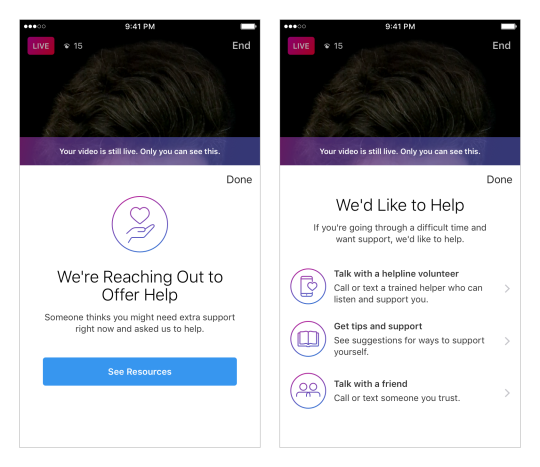
Next off, Instagram will now allow users to anonymously report live videos if there are concerns that someone is in need of support. Instagram will then reach out to the video host privately and offer connections to trained helpers or loved ones, as well as other tips and support.

Instagram mental health support

Finally, Instagram wants to continue to spread positive messaging with its#KindComments campaign. The social media giant says that over the next few months, it will be turning prominent walls in cities around the world into colourful murals.

Instagram Kind Comments

The goal is to encourage passersby to take photo or videos of the wall, share a #KindComments and even share special kindness-themed, heart-shaped stickers. Instagram says the murals and stickers have been created by members of its global community.

Source: Instagram

The post Instagram rolls out improved community safety and kindness tools appeared first on MobileSyrup.

26 Sep 16:45

Signs of the Times~Cycling and Canines for Office Buildings in Calgary

by Sandy James Planner


Billboard advertising on a new commercial development in downtown Calgary emphasizing cycling.

IMG_1772


Strangely also prominent is the fact this is Calgary’s first “Dog-Friendly” Office Tower. What does that mean?  According to the developer that means there are canine friendly elevator cabs, a dog spa area as well as a dog friendly patio.

FullSizeRender


26 Sep 16:45

Here’s what’s coming to CraveTV in October

by Dean Daley
CraveTV header

Canadian video streaming service CraveTV has a number of shows and comedy specials planned to hit the service for the month of October.

Here’s a full list of all of the television shows and movies coming to CraveTV this October:

October 1st

Prince: Sign O’ The Times at 9pm ET

October 6th

October 13th

October 14th

Jim Steinman’s Bat Out Of Hell The Musical 

October 15th

October 27th

Other series streaming on the service include Star Trek Discovery, A Season With Navy Football, as well as the series finale for Episodes on October 8th and Ray Donovan’s season finale on October 29th.

Content leaving CraveTV

  • Bigfootville (October 1st)
  • Engraved on a Nation: Western Swagger (October 4th)
  • Paws For Autism (October 6th)
  • Foo Fighters: Sonic Highway: season 1 (October 16th)
  • Blade Runner (October 23rd)
  • Canada’s Worst Driver: season 8 (October 27th)
  • I Am Giant: Victor Cruz (October 29th)
  • Rosemary’s Baby (October 31st)

Netflix Canada also revealed the programs coming to its services in October.

The post Here’s what’s coming to CraveTV in October appeared first on MobileSyrup.

26 Sep 16:44

Another Equinox, Another Million. Yawn.

by Ken Ohrn

Thanks to Peter Ladner for this recent photo of the Burrard Bridge bike counter.

I’m so pleased to have several years of ridership numbers available, since the latest Burrard Bridge upgrades will soon be opened. Will the major improvements lead to major increases of people riding bikes over the bridge? It sure did when the west side bike lane went in, not to mention the Point Grey Road Greenway changes.

Burrard


26 Sep 16:42

macOS High Sierra: Apple stopft Sicherheitslücken

mkalus shared this story from Mac & i.

Ben Schwan

(Bild: dpa, Ralf Hirschberger/dpa-Zentralbild/dpa)

Mit dem Update werden über 20 Sicherheitsfixes mitgeliefert. macOS 10.12 und 10.11 wurden bislang aber noch nicht bedacht. Zusätzlich informiert Apple nun über weitere gestopfte Lücken in anderen Softwareprodukten des Konzerns – verspätet.

Apple hat die gestrige Einführung von macOS 10.13 alias High Sierra genutzt, um eine ganze Reihe von Sicherheitslücken im Mac-Betriebssystem zu stopfen. Wie das Unternehmen auf seiner Supportwebsite aufführt, wurden Security-Probleme in insgesamt 22 Systembereichen behoben.

Bugs, Bugs und noch mehr Bugs

Bugs steckten demnach unter anderem in der Anwendungsfirewall, die sich teilweise aushebeln ließ, die AppSandbox könnte für Denial-of-Service-Angriffe verwendet werden und ein Fehler in CoreAudio erlaubte den Zugriff auf eigentlich abgeschottete Speicherbereiche. Wollte man sich mit einem offenen WLAN über ein Captive Portal verbinden, konnte es vorkommen, dass Passwörter unverschlüsselt über die Leitung gingen. Denial-of-Service-Attacken wären auch über das CFNetwork-Proxies-Framework möglich gewesen. Die iOFireWireFamily-Treiber ließen sich zum Ausführen beliebigen Codes missbrauchen.

Code mit Kernel-Privilegien ausführbar

Die Open-Source-Bibliotheken libexpat, libc, SQLite, zlib und ntp wurden ebenfalls um Fehler bereinigt. Bugs steckten auch in Mail und Mail Drafts – bei Mail Drafts konnte ein Angreifer im lokalen Netzwerk sogar eigentlich verschlüsselte Mails mitlesen. In Mail arbeitete wiederum der Filter, der verhindern soll, dass Bilder nachgeladen werden, nicht immer effektiv. Schließlich hat Apple auch einen Kernel-Bug gefixt, der es Anwendungen erlaubte, Code mit Kernel-Privilegien auszuführen.

Sierra und El Capitan nicht angefasst

Neben macOS 10.13 wurden am Montag keine Sicherheitsaktualisierungen für frühere macOS-Versionen wie 10.12 (Sierra) oder 10.11 (El Capitan) veröffentlicht. Entsprechend scheint Apple darauf zu setzen, dass die Nutzerschaft auf High Sierra aktualisiert, um die Sicherheitslücken zu schließen – was allerdings viele Anwender zunächst wegen Kompatibilitätsproblemen diverser Apps nicht machen dürften. Eventuell legt Apple aber auch noch Patches nach.

Apple liefert Details zu älteren Fixes

Unterdessen hat der Konzern weitere Sicherheitshinweise für andere Softwareprodukte veröffentlicht, die das Unternehmen zunächst nicht kommuniziert hatte. Es handelt sich um Sicherheitslücken in iOS 11, Safari 11, watchOS 4 und tvOS 11 – teilweise sind sie schwerwiegend. In iTunes 12.7 wurde darüber hinaus ein Problem behoben, bei dem Drittanwendungen an iOS-Backups gelangen konnten. Es ist unklar, warum Apple die Informationen erst in dieser Woche publiziert – die Updates waren bereits am 19. September erschienen. (bsc)

26 Sep 16:42

Joshua’s Eclectic Birthday Ride

by Jeffrey Friedl
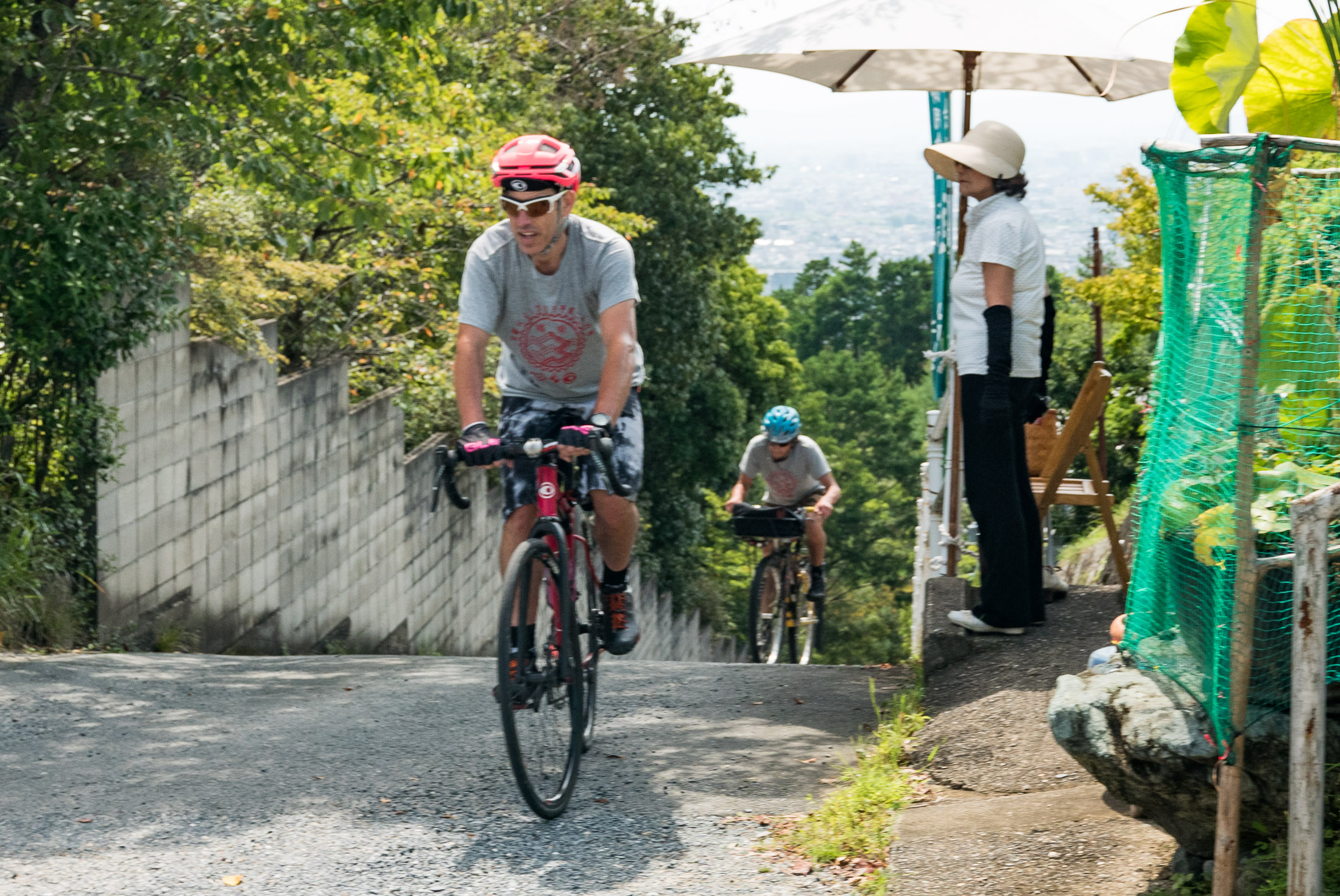
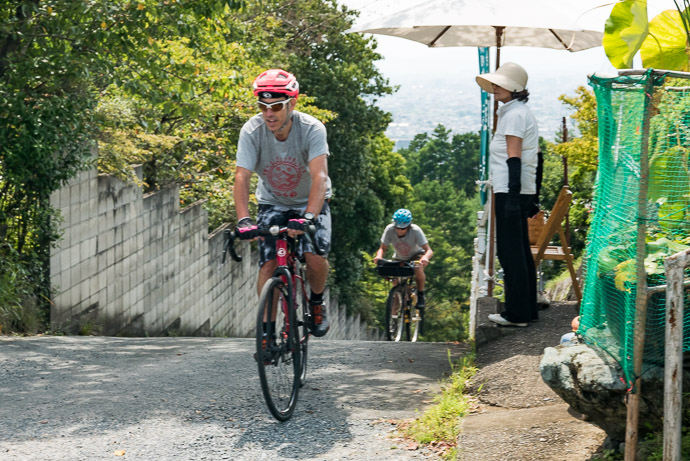
Birthday Boy Reaches the Top Joshua Levine looking comfortable at the top of a 23 % slope -- Kyoto, Japan -- Copyright 2017 Jeffrey Friedl, http://regex.info/blog/
Panasonic LX100 at an effective 62mm — 1/250 sec, f/5.6, ISO 200 — map & image datanearby photos
Birthday Boy Reaches the Top
Joshua Levine looking comfortable at the top of a 23% slope

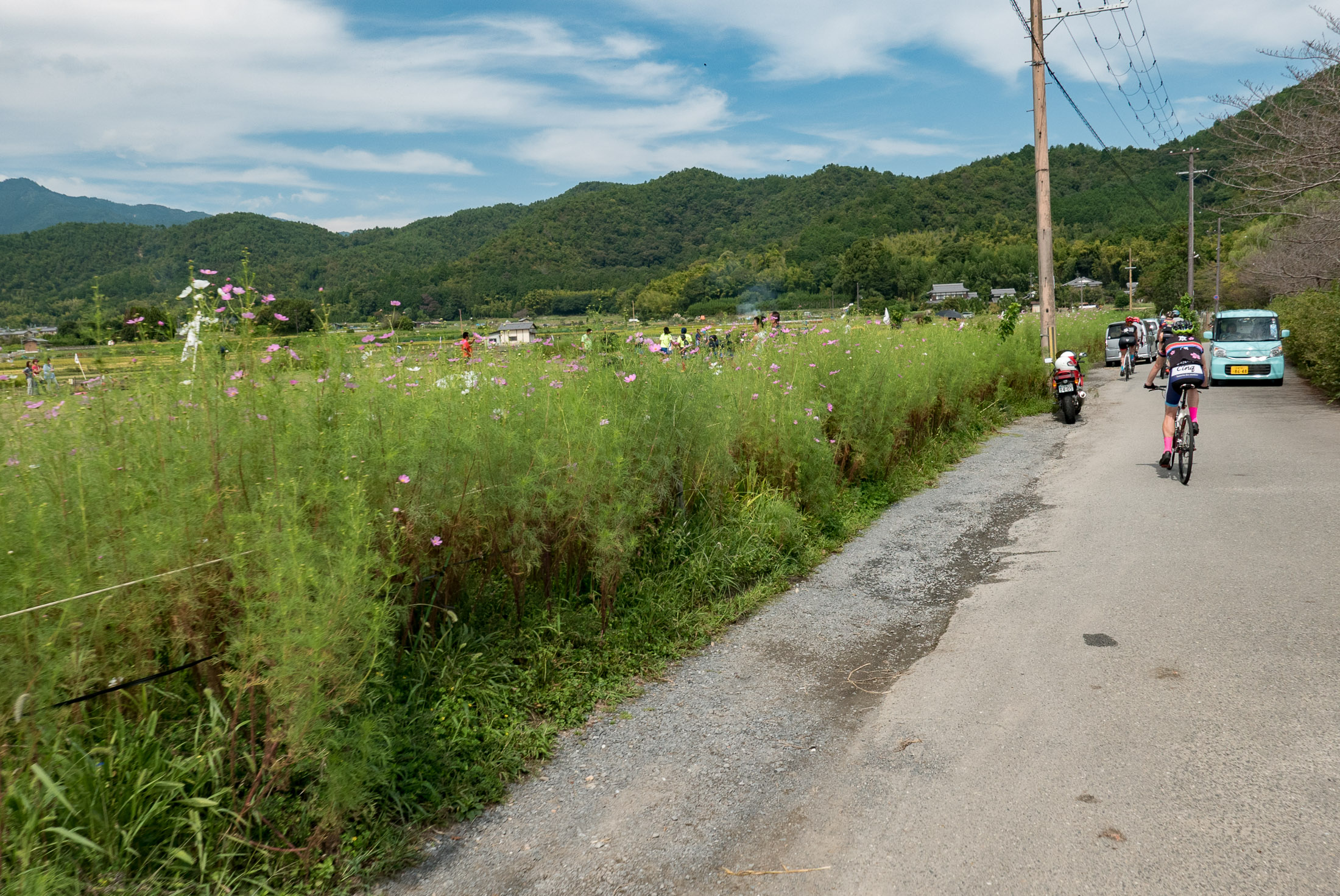
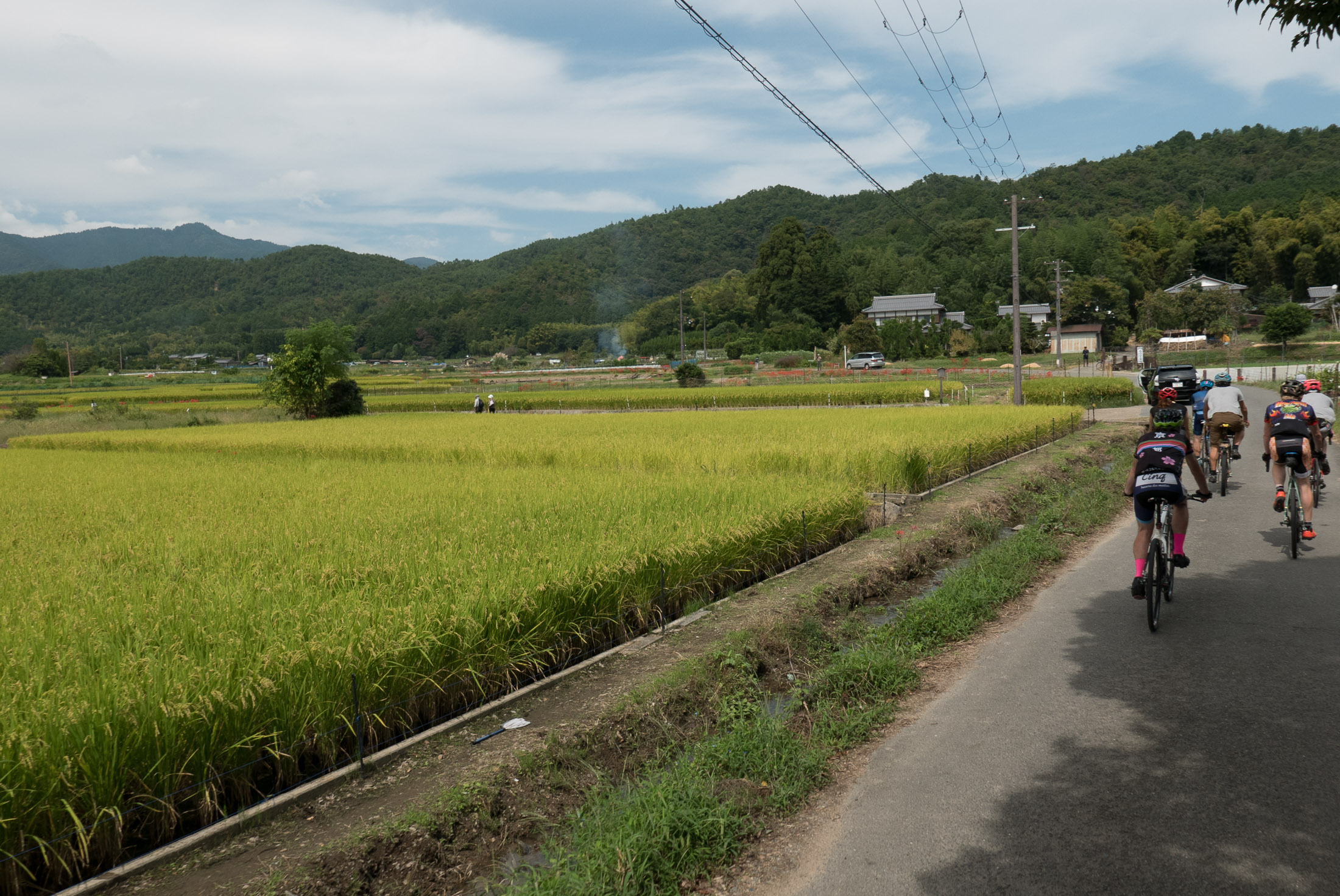
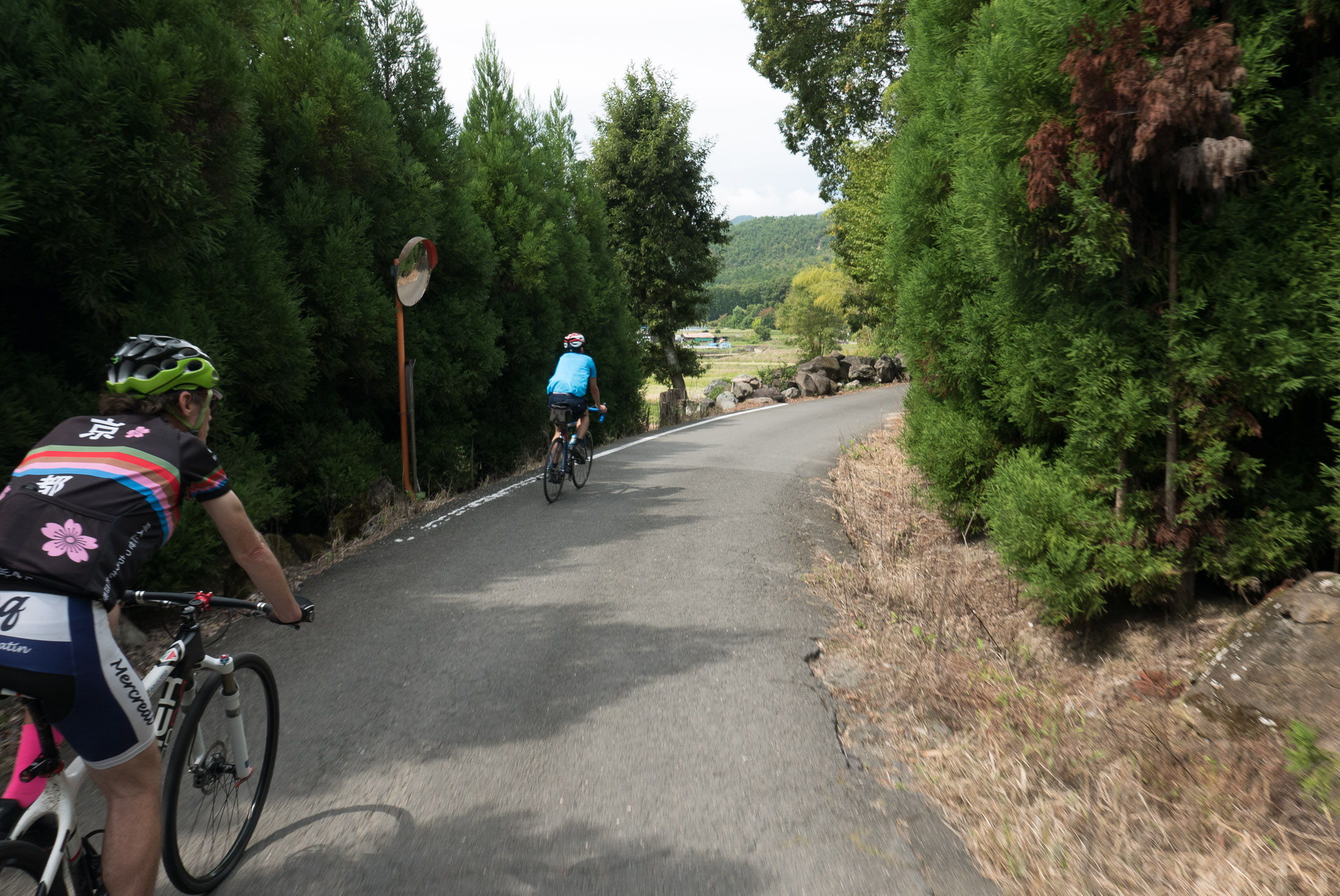
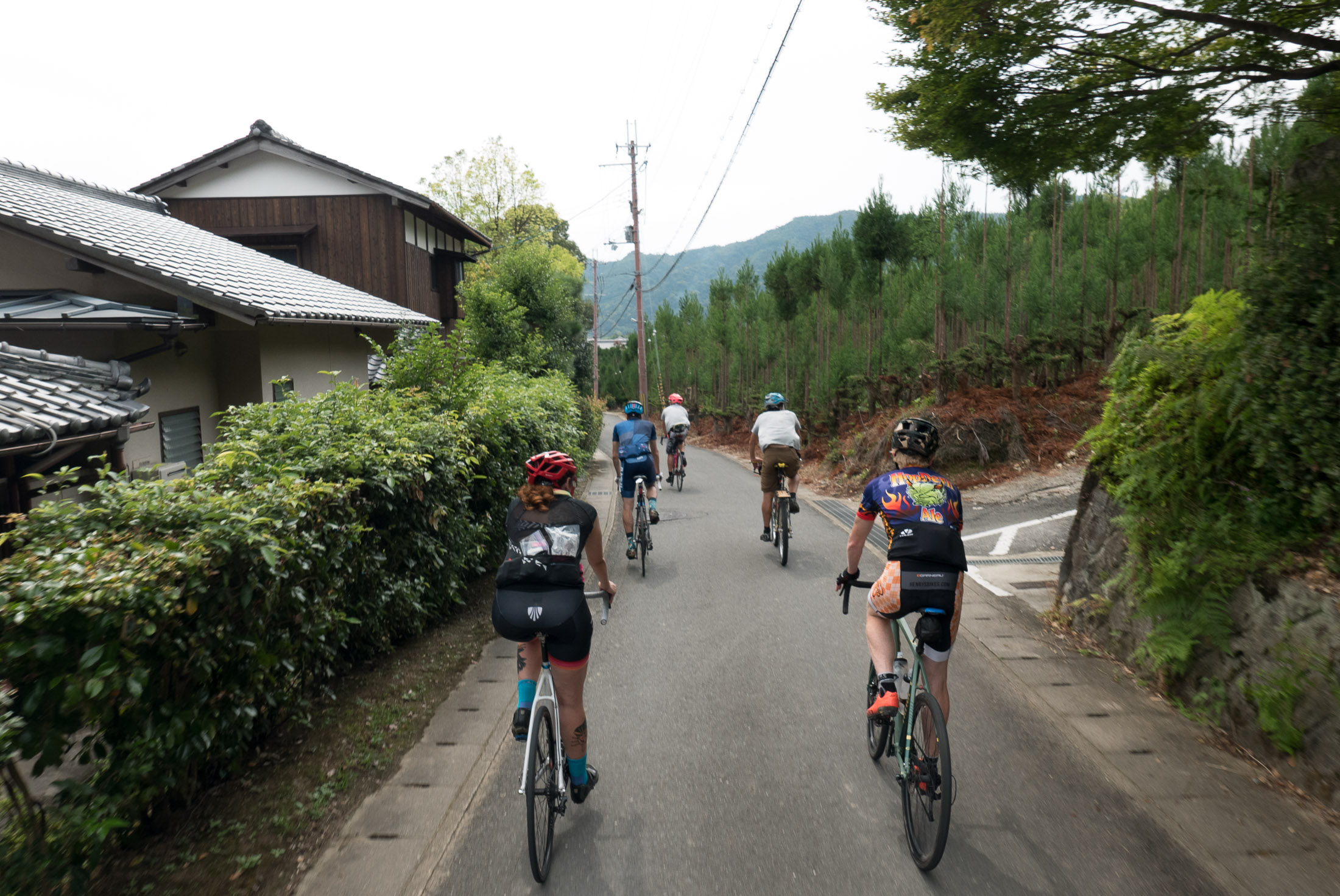
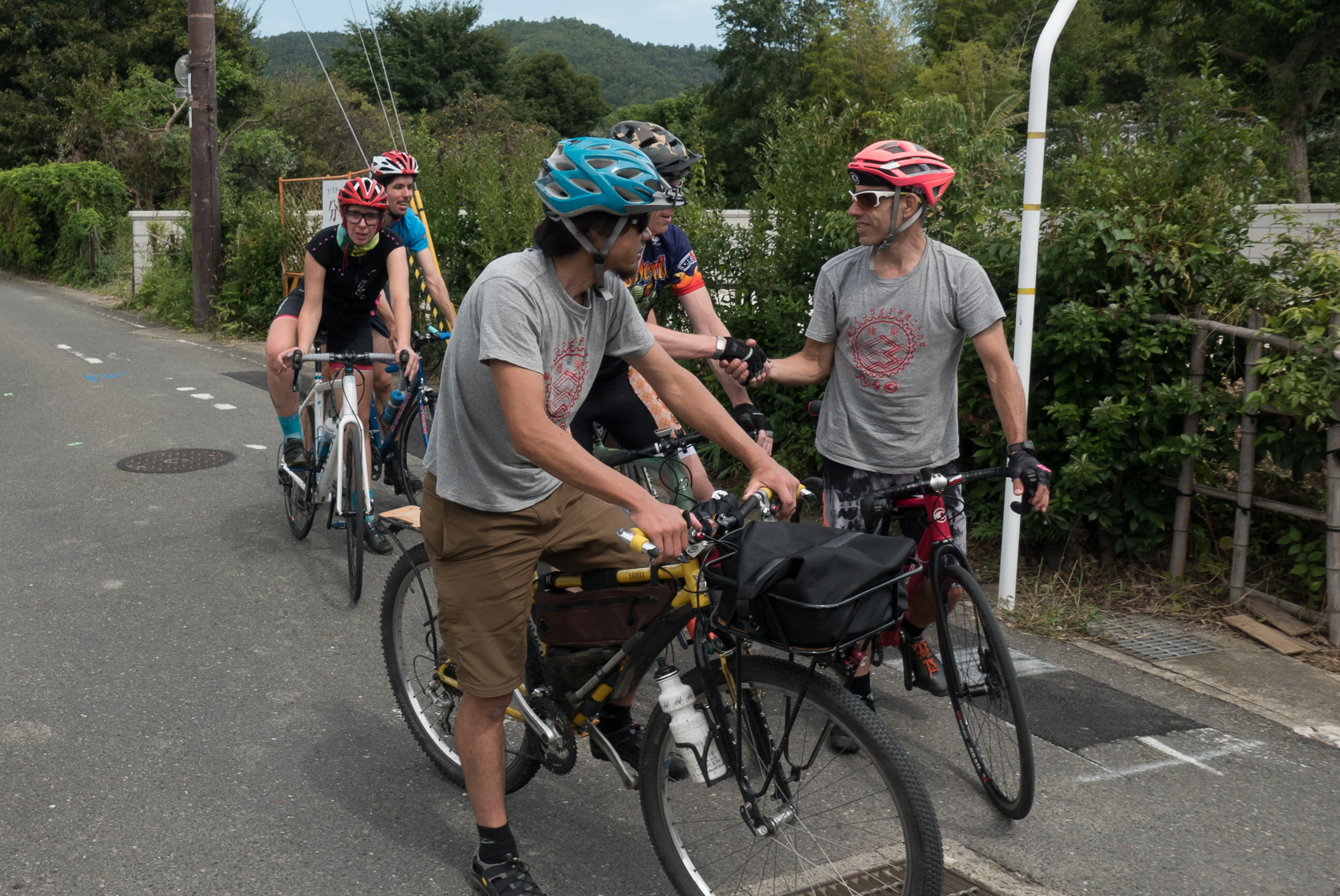
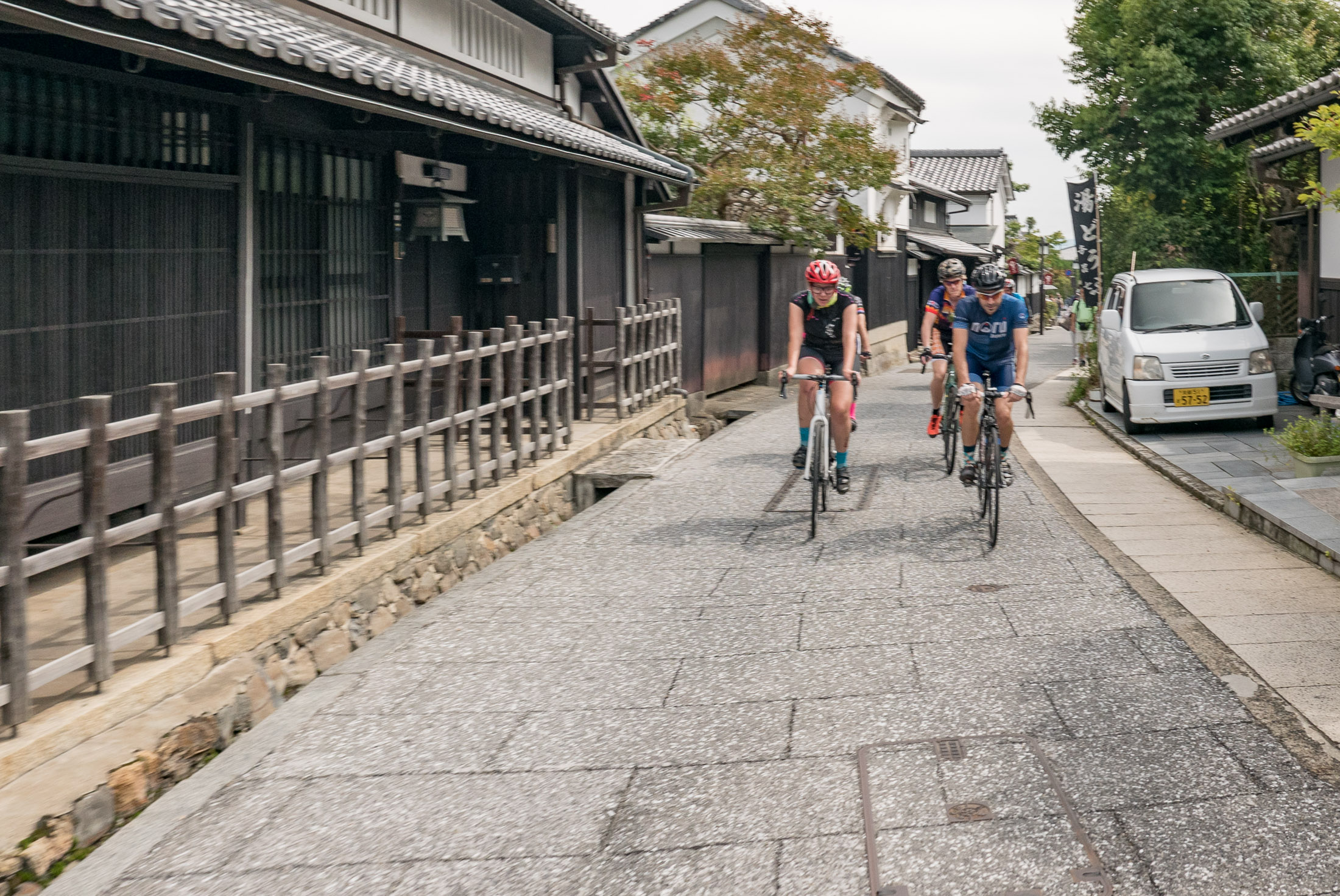
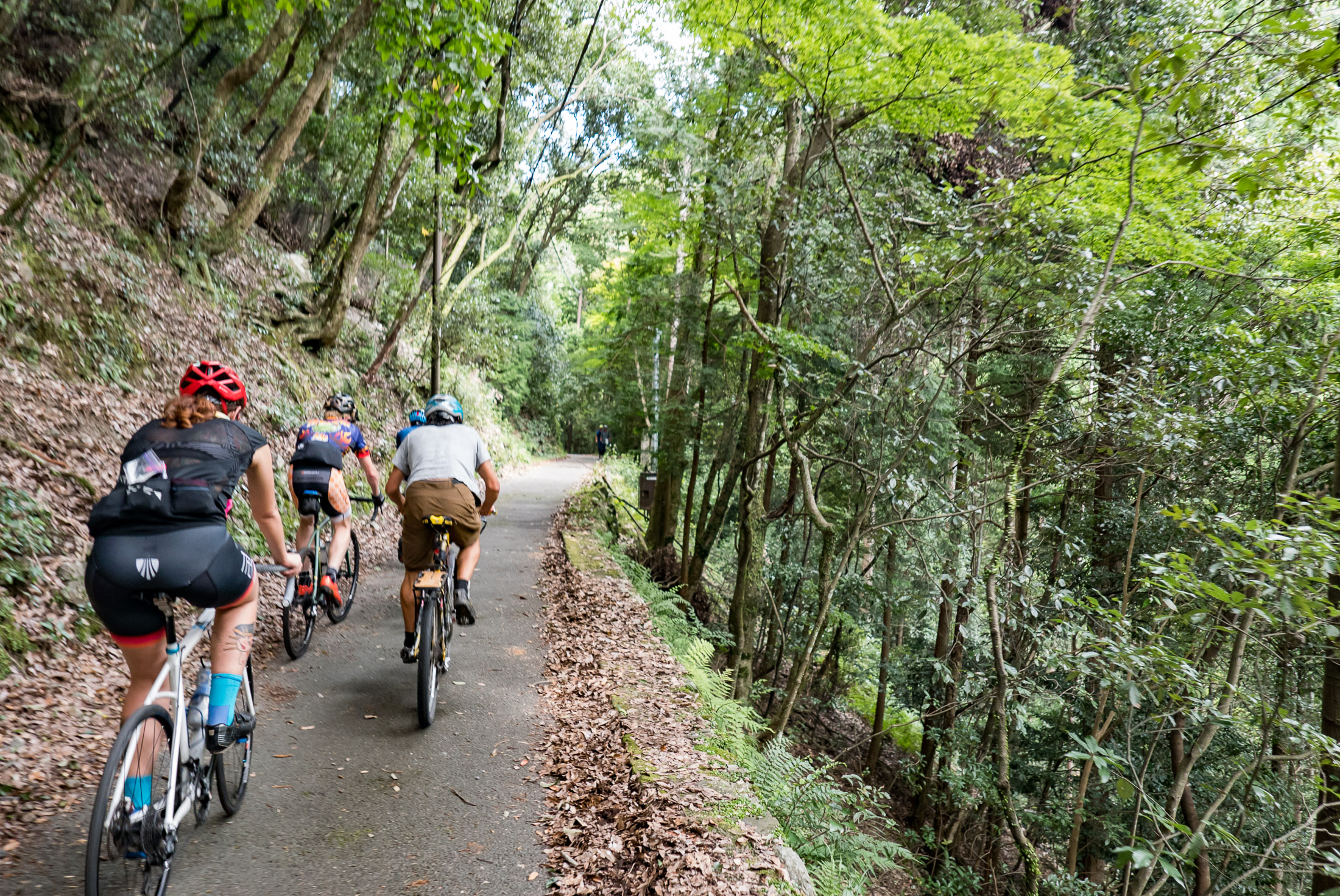
We had an eclectic little ride the other day to celebrate Joshua's birthday. Unlike a common ride that makes a big loop through some gorgeous mountains, this ride stayed closer to home, hopping from interesting point to interesting point, at a slow, fun pace.

It was my 16th time to ride with Joshua, since joining him on a NORU bike tour two and a half years ago.

Starting Out Joshua · Kevin · David — as usual, making our way through some suburb to reach the mountains — -- (株)長栄今出川センター -- Kyoto, Japan -- Copyright 2017 Jeffrey Friedl, http://regex.info/blog/
Panasonic LX100 at an effective 24mm — 1/125 sec, f/4.5, ISO 200 — map & image datanearby photos
Starting Out
Joshua · Kevin · David
— as usual, making our way through some suburb to reach the mountains —

Unexpected Off-Road Descent Nigel follows Tomas -- Nasty 21% Slope -- Kyoto, Japan -- Copyright 2017 Jeffrey Friedl, http://regex.info/blog/
Panasonic LX100 at an effective 24mm — 1/125 sec, f/1.7, ISO 1000 — map & image datanearby photos
Unexpected Off-Road Descent
Nigel follows Tomas

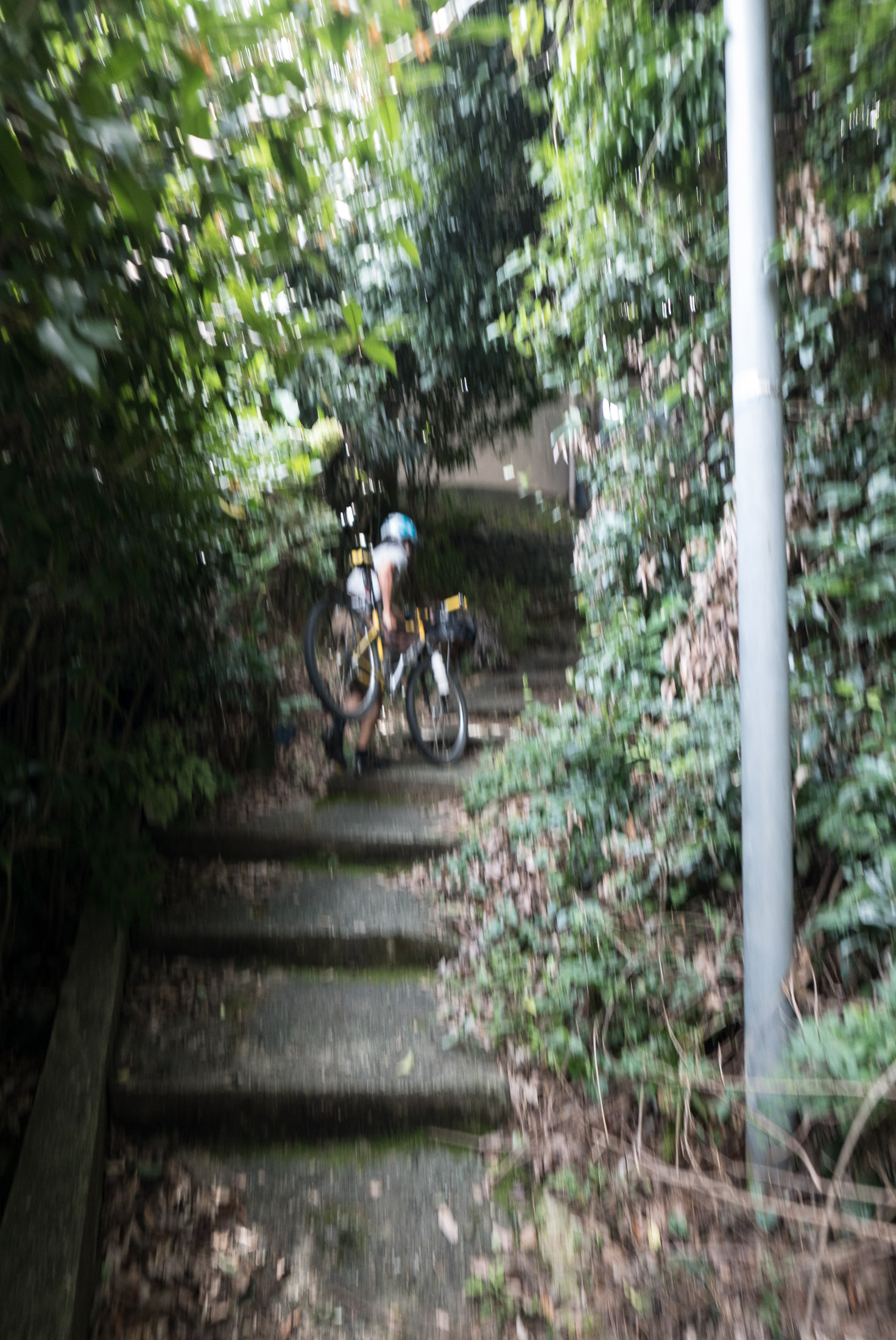
It turns out that one can use this dirt trail to get around having to descent the “Nasty” 21% slope. Personally, I'd rather just descend on the road because neither my bike nor my courage are set up for off-road riding.

This little off-road excursion fit within the spirit of the day, which was to throw caution/inhibitions into the wind and just have fun doing crazy things with friends. (That “crazy things” are as mild as a dirt path and the other things you'll see here speaks to the fact that we've settled down in our maturity.)

The first true “crazy thing” came immediately after descending on this dirt trail: we rode up “Old Kyomi”, a road that is now paved but was likely a trail for 1,000 years prior. A car-friendly bypass road appeared in the 1950s, so this older road is now rarely used.

It's very difficult.

Nigel Suffers up Old Kyomi Even though the slope is only 19% at this point, the road surface makes it more challenging than the steeper parts. -- Kyoto, Japan -- Copyright 2017 Jeffrey Friedl, http://regex.info/blog/
Panasonic LX100 at an effective 75mm — 1/125 sec, f/2.8, ISO 400 — map & image datanearby photos
Nigel Suffers up Old Kyomi
Even though the slope is only 19% at this point,
the road surface makes it more challenging than the steeper parts.

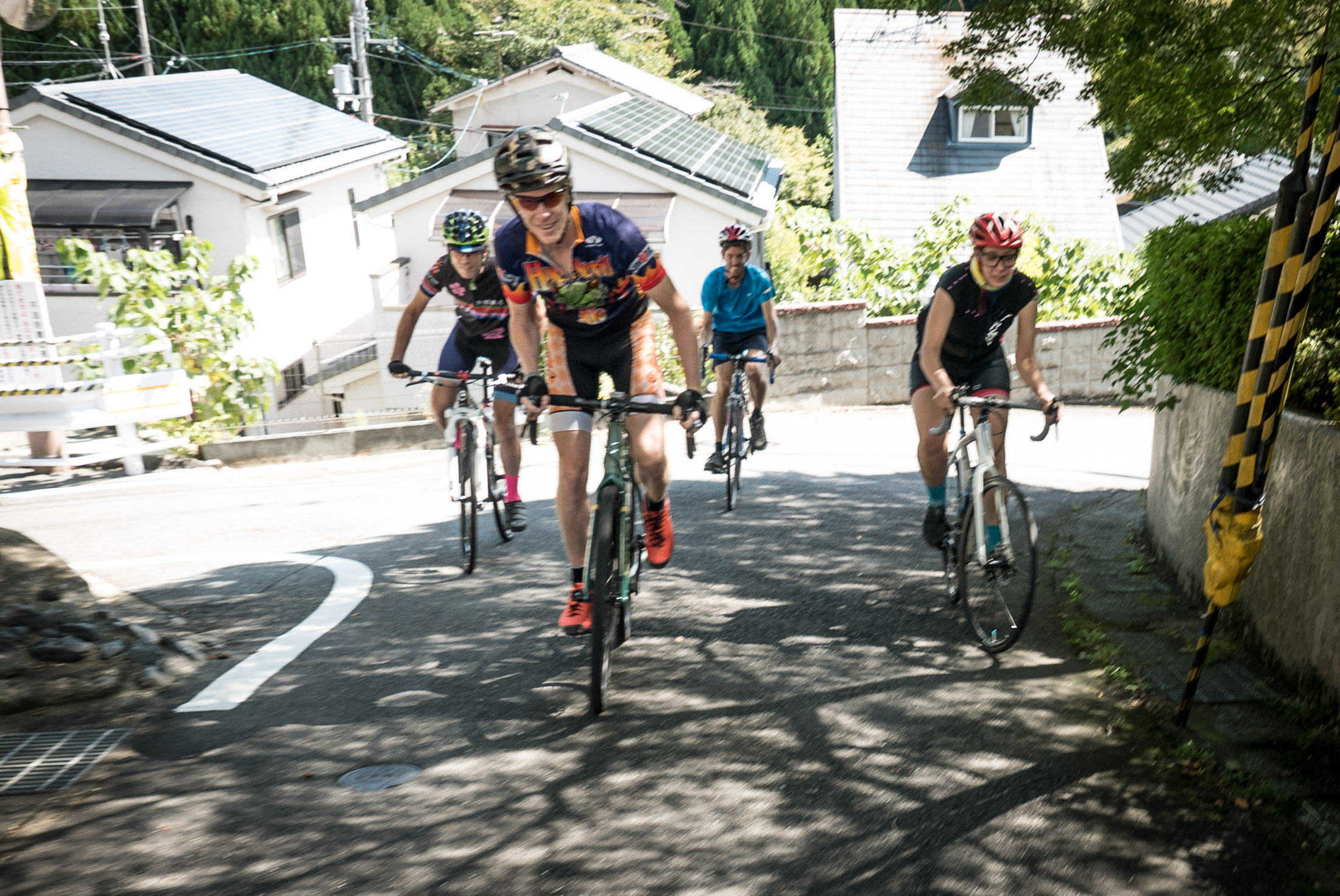
The overall average of the segment — 1.6km (1mi) at 13% — belies the true difficulty of the climb. It's really unfair that the photo makes it look flat; it's very steep.

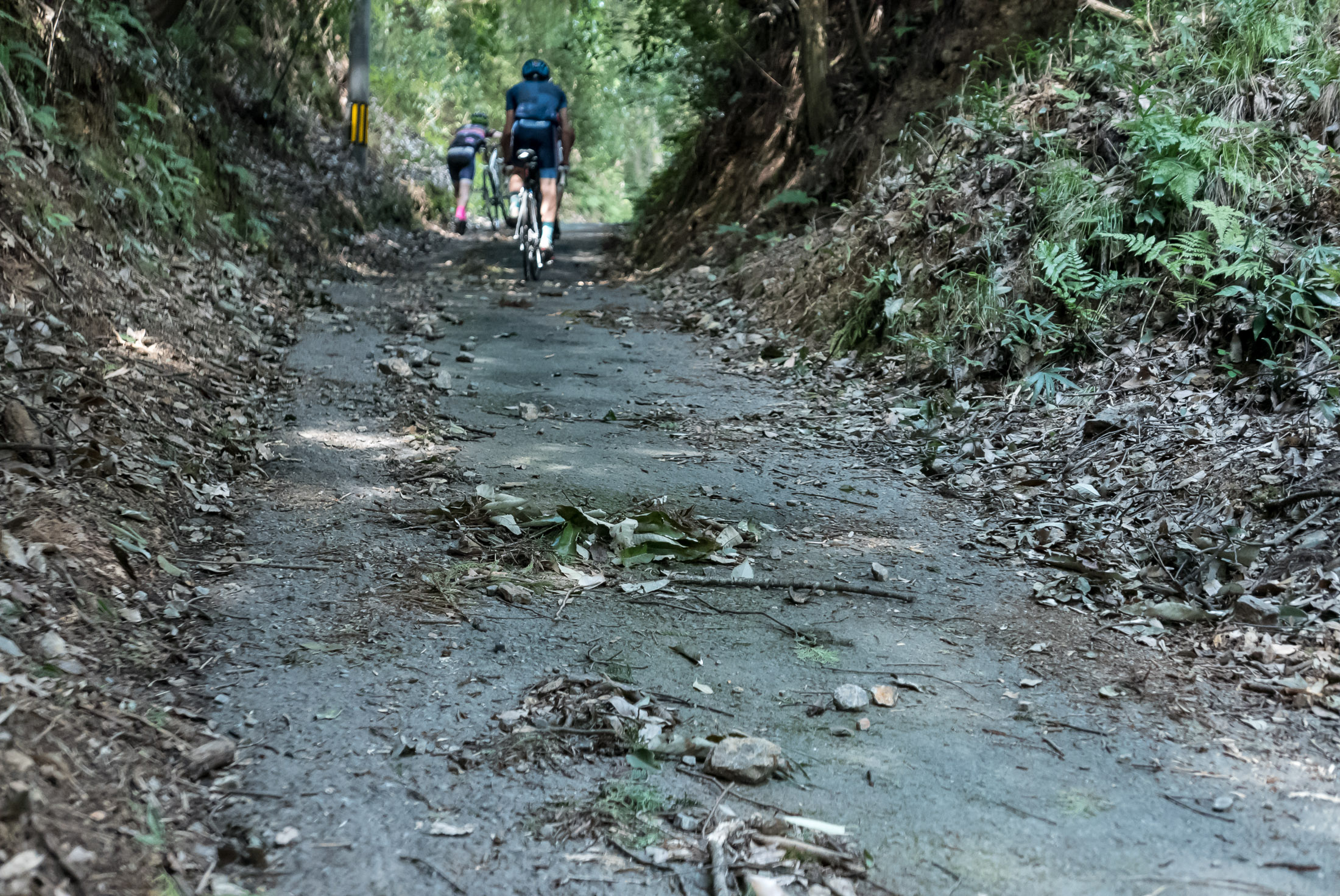
The 100m leading to the point where I took the photo above averages 22%, which for me would not be an insurmountable problem if the road surface were trustworthy. But it's not... just look at it... the road pavement is rough and crumbling to begin with, and on top of that it's littered with rocks, sticks, leaves, moss, sand, etc., all just waiting to take your tire out from under you.

That's why I was taking photos where I was. I had hoped to complete the climb without stopping (something I'd not been able to do when I tried this climb a couple of years ago), but at this point I wasn't able to avoid a rut or something, and my wheel slipped and I had to put my foot down before I fell down. So, I set the bike aside and sat down with the camera to await the others.

Nigel was the first to arrive, and was pushing his bike. He's probably the strongest among us all, and you might remember him from the outlandishly crazy “Ascending Hanase Pass on a Mamachari”, so might wonder why someone so strong would be pushing. The answer is that he was on a single-speed bike, one that didn't have multiple gears to choose from. My bike has 22 gear combinations; some folks' mountain bikes have 30. His had just one, and the road surface was just too difficult for the one he had.

David and Tomas Actually Ride Up with some random, selfish guy in between who shouldn't be there -- Kyoto, Japan -- Copyright 2017 Jeffrey Friedl, http://regex.info/blog/
Panasonic LX100 at an effective 75mm — 1/125 sec, f/2.8, ISO 800 — map & image datanearby photos
David and Tomas Actually Ride Up
with some random, selfish guy in between who shouldn't be there

I don't know who the guy in red was, but he shouldn't have been there. Riding close behind someone on this road is simply dangerous, and to try to pass would be as ludicrous as it is selfish. If the other person is part of your group then at least you have some basis of trust on which you can perhaps negotiate the selfish move, but if you don't know them, wow.
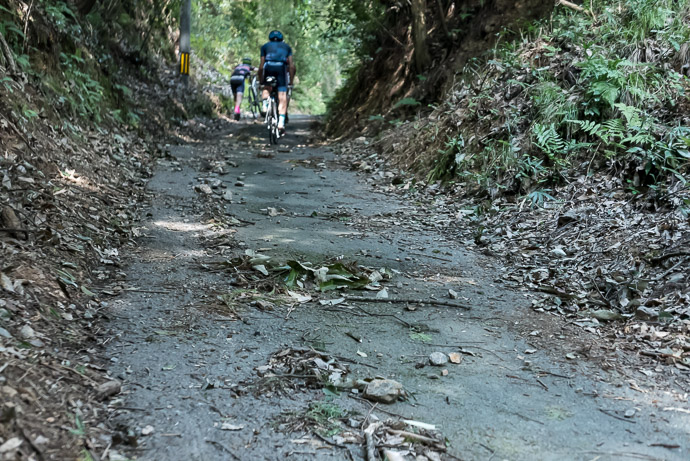
Crazy-Bad Road Surface I sooo want to visit with a broom -- Kyoto, Japan -- Copyright 2017 Jeffrey Friedl, http://regex.info/blog/

Panasonic LX100 at an effective 75mm — 1/125 sec, f/2.8, ISO 2500 — map & image datanearby photos
Crazy-Bad Road Surface
I sooo want to visit with a broom
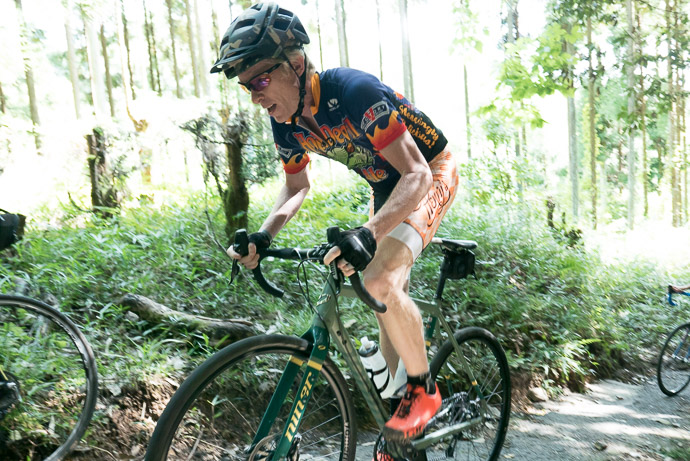
Kevin Powers Up while Lianca and Tal watch from the side -- Kyoto, Japan -- Copyright 2017 Jeffrey Friedl, http://regex.info/blog/
Panasonic LX100 at an effective 62mm — 1/125 sec, f/2.8, ISO 250 — map & image datanearby photos
Kevin Powers Up
while Lianca and Tal watch from the side
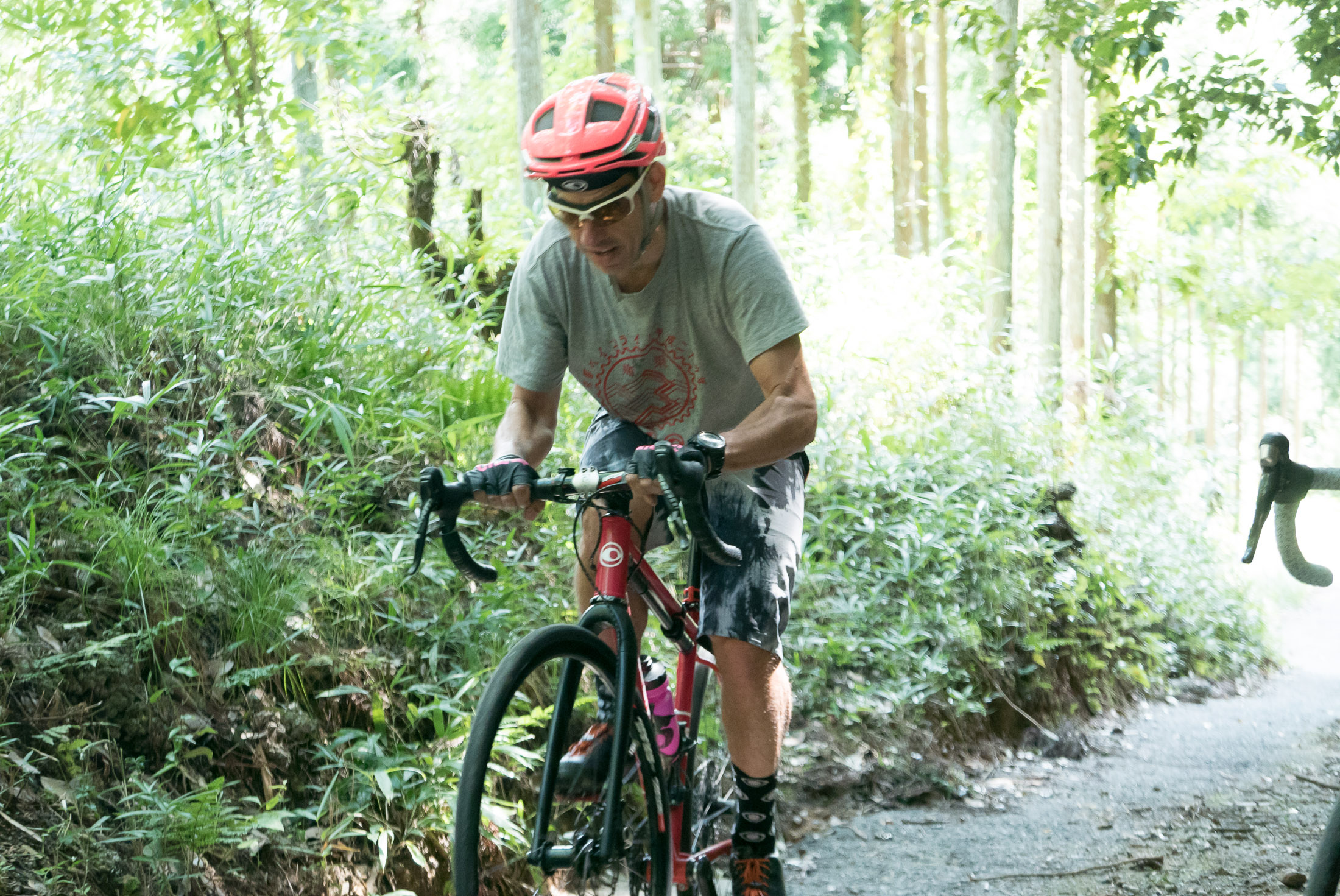
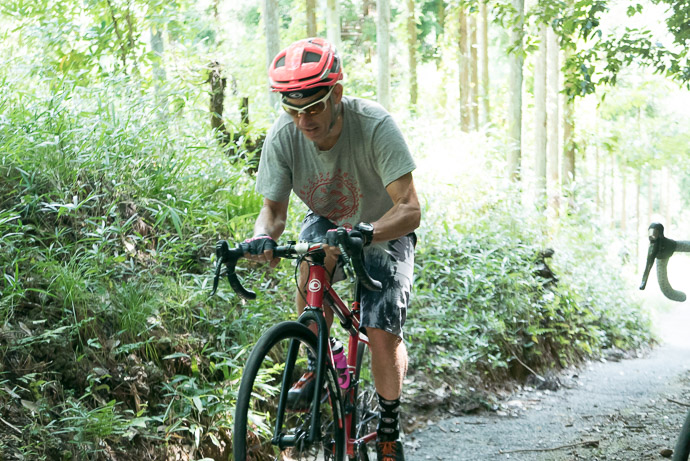
Power and Concentration both are required for this climb -- Kyoto, Japan -- Copyright 2017 Jeffrey Friedl, http://regex.info/blog/
Panasonic LX100 at an effective 30mm — 1/125 sec, f/2.2, ISO 250 — map & image datanearby photos
Power and Concentration
both are required for this climb
Birthday-Boy Joshua has the requisite power and concentration, but wears them differently than Kevin -- Kyoto, Japan -- Copyright 2017 Jeffrey Friedl, http://regex.info/blog/
Panasonic LX100 at an effective 72mm — 1/125 sec, f/2.8, ISO 500 — map & image datanearby photos
Birthday-Boy Joshua
has the requisite power and concentration, but wears them differently than Kevin

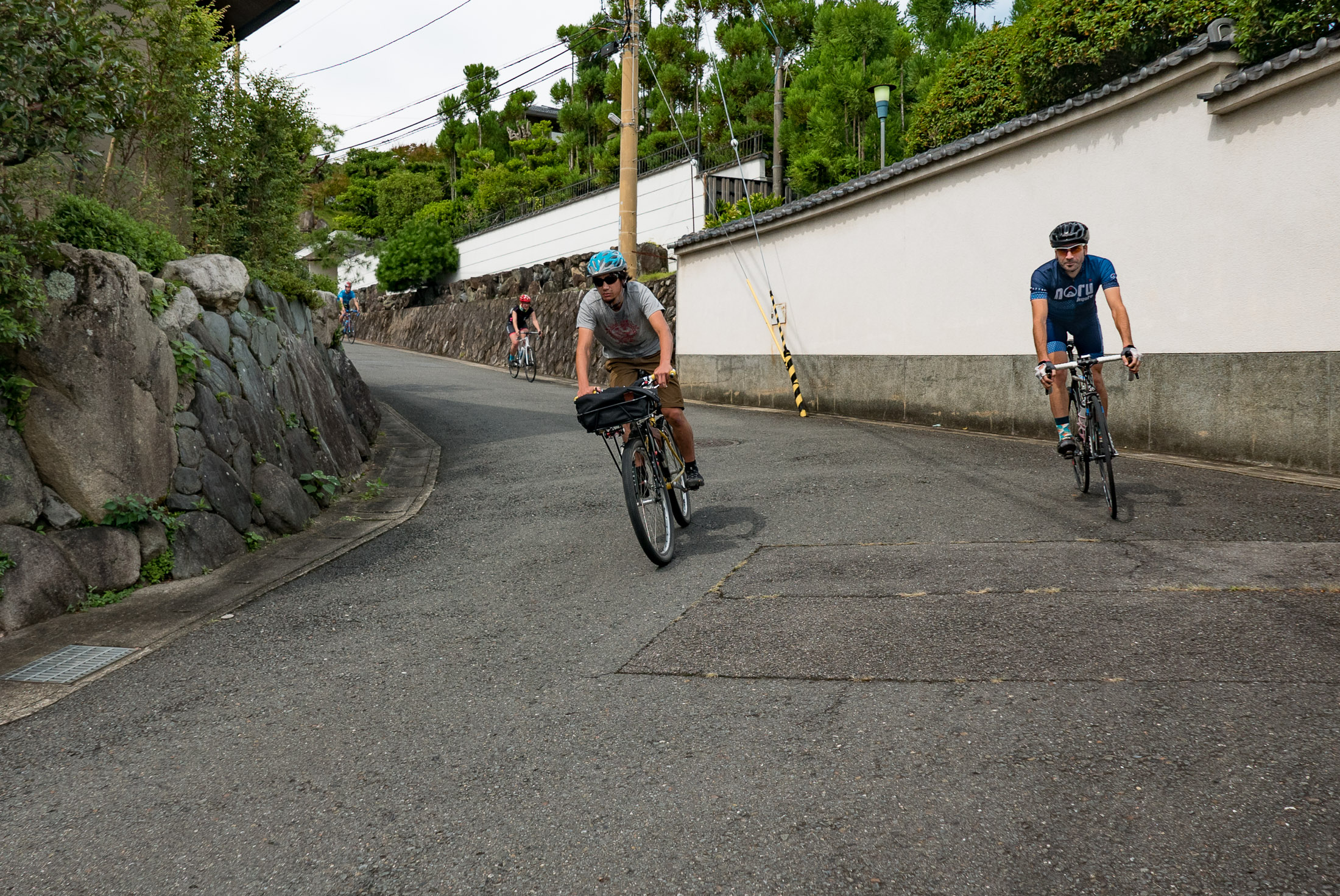
After this bit of fun, we made our way across the northern outskirts of Kyoto toward the next crazy climb, and this involved some short but steep residential roads.

Pathetic Camera Work on a sudden steep bit in the suburbs -- Kyoto, Japan -- Copyright 2017 Jeffrey Friedl, http://regex.info/blog/
Panasonic LX100 at an effective 24mm — 1/250 sec, f/5.6, ISO 200 — map & image datanearby photos
Pathetic Camera Work
on a sudden steep bit in the suburbs

I'm still hit and miss with the small camera I bought for cycling. The biggest problem that I have with it is that the controls get bumped off to some crazy setting, and I don't always notice right away, especially when I'm trying to take an impromptu shot while riding. Most often the exposure compensation gets bumped to the maximum negative, so all the photos (until I notice) end up almost black. I can recover quite a bit in Lightroom, but the loss of quality is noticeable.

Up Up Up -- Kyoto, Japan -- Copyright 2017 Jeffrey Friedl, http://regex.info/blog/
Panasonic LX100 at an effective 25mm — 1/125 sec, f/3.5, ISO 200 — map & image datanearby photos
Up Up Up
Lots of Smiles despite lots of blurriness -- Kyoto, Japan -- Copyright 2017 Jeffrey Friedl, http://regex.info/blog/
Panasonic LX100 at an effective 25mm — 1/125 sec, f/4.5, ISO 200 — map & image datanearby photos
Lots of Smiles
despite lots of blurriness

Another problem I have is severely overestimating the amount of camera shake I can get away with. Many potentially-great shots are ruined because they're crazy shaky like the one above. I include it here mostly because the smiles shine through despite the quality, and to illustrate the point.

We made our way to another steep climb — 580m @ 15% with sections approaching 25% — but this one is much easier than the first because the road surface is good.

Exhausted at the Top Tomas and Nigel collapse on their handlebars as Kevin crests the top -- Kyoto, Japan -- Copyright 2017 Jeffrey Friedl, http://regex.info/blog/
Panasonic LX100 at an effective 62mm — 1/250 sec, f/5.6, ISO 200 — map & image datanearby photos
Exhausted at the Top
Tomas and Nigel collapse on their handlebars as Kevin crests the top

Here's a video of the last half of the segment, after I had gone ahead of the others and rode at my own pace. At the start of the video there's no one close behind me, but then suddenly Nigel and Keven appear on my tail, and then at the start of the super-steep final 120m, in a display of incredible power, Nigel blows by me on his single-speed and rockets to the top.

Remember, Nigel (the first to the top) is on a bike that has only one speed, and it's not a speed designed for 20%+ grades. He's just that powerful.

Also powerful was Tomas, who almost caught me at the top despite my having started so much earlier. In fairness to me, I was just going at a steady pace, and was 30 seconds slower than my best time on this climb. But in fairness to him, despite his speed at the end he was still almost a minute slower than his best time (which also happens to be the “KOM” best-recorded time for the segment).

The photo that leads this blog post shows Joshua and David cresting the top.

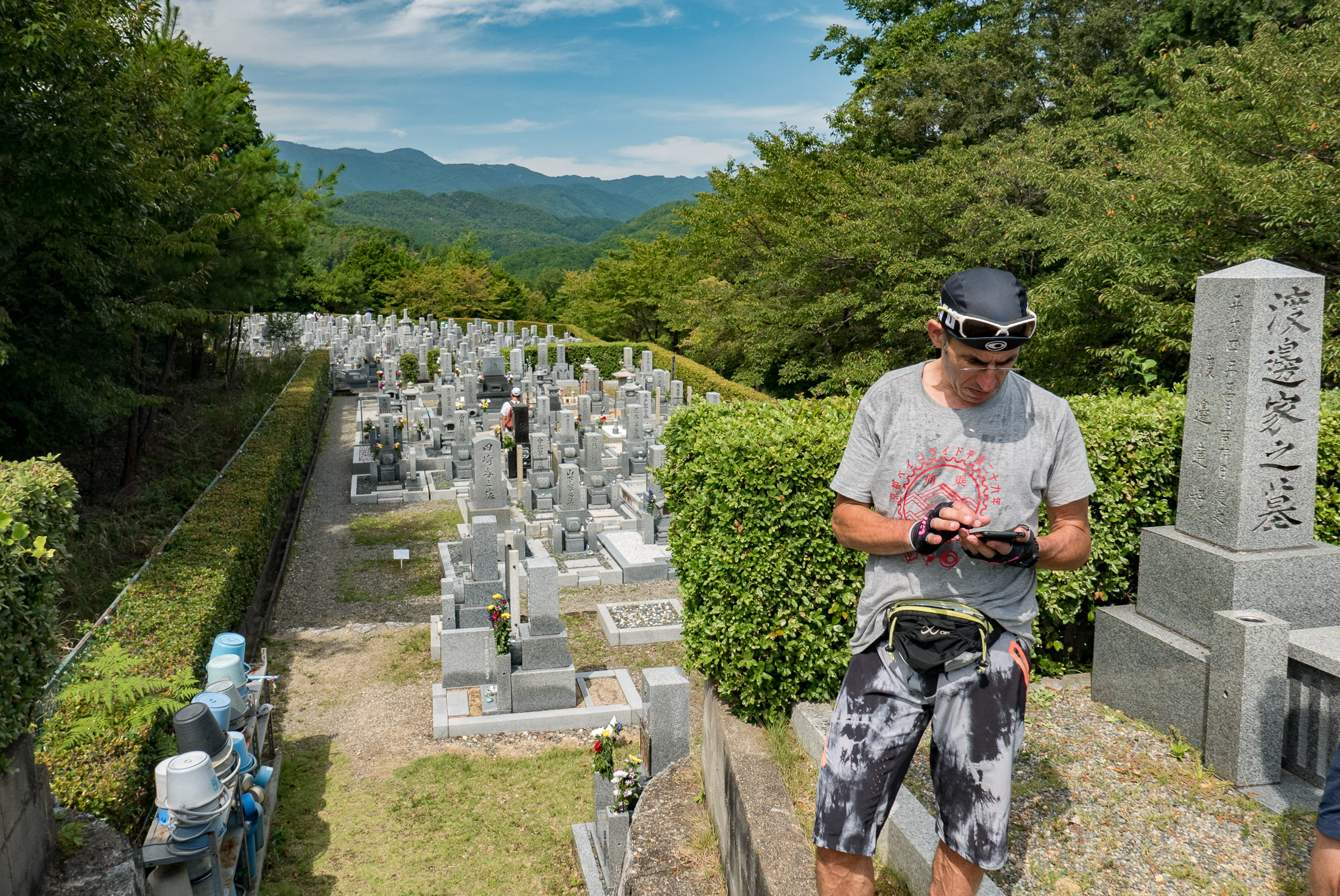
At a top is a cemetery (for all the people who have attempted the climb) with a nice view:

Kyoto, Japan -- Copyright 2017 Jeffrey Friedl, http://regex.info/blog/
Panasonic LX100 at an effective 24mm — 1/500 sec, f/5.6, ISO 200 — map & image datanearby photos
Enjoying the View Nigel, Tal, Kevin, Tomas, Joshua, David -- Kyoto, Japan -- Copyright 2017 Jeffrey Friedl, http://regex.info/blog/
Panasonic LX100 at an effective 50mm — 1/640 sec, f/5.6, ISO 200 — map & image datanearby photos
Enjoying the View
Nigel, Tal, Kevin, Tomas, Joshua, David

This view has appeared on my blog before, here.

I'd made this climb six times prior, but hadn't noticed that the cemetery extends off in one direction, so was happy that Joshua showed me.

Nature-Centric View -- Kyoto, Japan -- Copyright 2017 Jeffrey Friedl, http://regex.info/blog/
Panasonic LX100 at an effective 24mm — 1/250 sec, f/5.6, ISO 200 — map & image datanearby photos
Nature-Centric View
Heading Back Down this shot is a lot more difficult to take than you might imagine, going down a 23% grade with one hand occupied by the camera -- Kyoto, Japan -- Copyright 2017 Jeffrey Friedl, http://regex.info/blog/
Panasonic LX100 at an effective 24mm — 1/400 sec, f/4.5, ISO 200 — map & image datanearby photos
Heading Back Down
this shot is a lot more difficult to take than you might imagine,
going down a 23% grade with one hand occupied by the camera

Descent near to far: David, Tomas, Lianca, Tal -- Kyoto, Japan -- Copyright 2017 Jeffrey Friedl, http://regex.info/blog/
Panasonic LX100 at an effective 24mm — 1/400 sec, f/4.5, ISO 200 — map & image datanearby photos
Descent
near to far: David, Tomas, Lianca, Tal
Three Musketeers L-R: Joshua, Kevin, Nigel -- Kyoto, Japan -- Copyright 2017 Jeffrey Friedl, http://regex.info/blog/
Panasonic LX100 at an effective 24mm — 1/320 sec, f/4.5, ISO 200 — map & image datanearby photos
Three Musketeers
L-R: Joshua, Kevin, Nigel
Huh Wha?! Another unexpected section of dirt that Joshua led us on -- Kyoto, Japan -- Copyright 2017 Jeffrey Friedl, http://regex.info/blog/
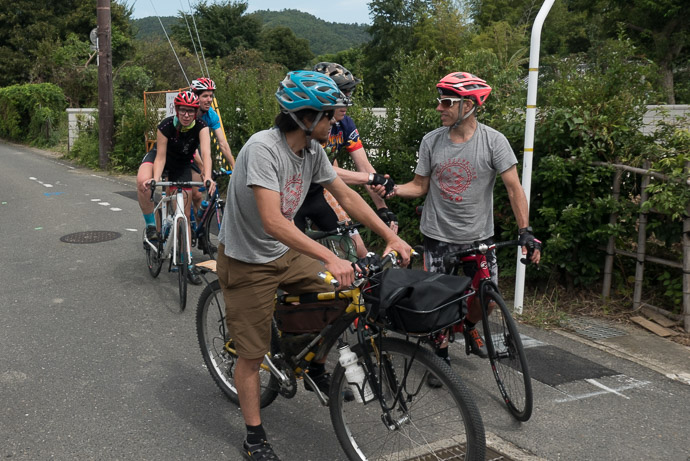
Panasonic LX100 at an effective 24mm — 1/125 sec, f/1.7, ISO 250 — map & image datanearby photos
Huh Wha?!
Another unexpected section of dirt that Joshua led us on
Lovely Long-Way Around the same excursion that Joshua led us on earlier in the month -- Hirosawaike Hotokedaihirosawakomae Bus Stop -- Kyoto, Japan -- Copyright 2017 Jeffrey Friedl, http://regex.info/blog/
Panasonic LX100 at an effective 24mm — 1/400 sec, f/5.6, ISO 200 — map & image datanearby photos
Lovely Long-Way Around
the same excursion that Joshua led us on earlier in the month
Hirosawa-no-ike (広沢池) -- Kyoto, Japan -- Copyright 2017 Jeffrey Friedl, http://regex.info/blog/
Panasonic LX100 at an effective 24mm — 1/400 sec, f/5.6, ISO 200 — map & image datanearby photos
Kyoto, Japan -- Copyright 2017 Jeffrey Friedl, http://regex.info/blog/
Panasonic LX100 at an effective 24mm — 1/125 sec, f/5.6, ISO 200 — map & image datanearby photos
Kyoto, Japan -- Copyright 2017 Jeffrey Friedl, http://regex.info/blog/
Panasonic LX100 at an effective 33mm — 1/200 sec, f/5.6, ISO 200 — map & image datanearby photos
Kyoto, Japan -- Copyright 2017 Jeffrey Friedl, http://regex.info/blog/
Panasonic LX100 at an effective 24mm — 1/125 sec, f/5.6, ISO 200 — map & image datanearby photos
Joshua Bids Us Farewell he had to be home for another appointment -- Kyoto, Japan -- Copyright 2017 Jeffrey Friedl, http://regex.info/blog/

Panasonic LX100 at an effective 24mm — 1/250 sec, f/5.6, ISO 200 — map & image datanearby photos
Joshua Bids Us Farewell
he had to be home for another appointment
So Different than two weeks ago before the rice was harvested -- Kyoto, Japan -- Copyright 2017 Jeffrey Friedl, http://regex.info/blog/
Panasonic LX100 at an effective 24mm — 1/320 sec, f/5.6, ISO 200 — map & image datanearby photos
So Different
than two weeks ago before the rice was harvested
Rolling Through Northern Arashiyama -- Kyoto, Japan -- Copyright 2017 Jeffrey Friedl, http://regex.info/blog/
Panasonic LX100 at an effective 28mm — 1/250 sec, f/5.6, ISO 200 — map & image datanearby photos
Rolling Through Northern Arashiyama
Kyoto, Japan -- Copyright 2017 Jeffrey Friedl, http://regex.info/blog/
Panasonic LX100 at an effective 24mm — 1/160 sec, f/5.6, ISO 200 — map & image datanearby photos
Normal Photo Spot that we're bypassing due to the car and the caution tape -- Kyoto, Japan -- Copyright 2017 Jeffrey Friedl, http://regex.info/blog/
Panasonic LX100 at an effective 24mm — 1/125 sec, f/5, ISO 200 — map & image datanearby photos
Normal Photo Spot
that we're bypassing due to the car and the caution tape

We opted not to stop at this spot this time, but as the nearby photos link under the picture shows, I've stopped many times.

Then on to the next steep little climb, just 315m at 13%.

David and Tomas cresting the climb -- Kyoto, Japan -- Copyright 2017 Jeffrey Friedl, http://regex.info/blog/
Panasonic LX100 at an effective 75mm — 1/125 sec, f/2.8, ISO 400 — map & image datanearby photos
David and Tomas
cresting the climb
Kyoto, Japan -- Copyright 2017 Jeffrey Friedl, http://regex.info/blog/
Panasonic LX100 at an effective 75mm — 1/125 sec, f/2.8, ISO 500 — map & image datanearby photos
Kevin and Nigel -- Kyoto, Japan -- Copyright 2017 Jeffrey Friedl, http://regex.info/blog/
Panasonic LX100 at an effective 75mm — 1/125 sec, f/2.8, ISO 400 — map & image datanearby photos
Kevin and Nigel
Group Shot -- Kyoto, Japan -- Copyright 2017 Jeffrey Friedl, http://regex.info/blog/
Panasonic LX100 at an effective 75mm — 1/125 sec, f/4.5, ISO 250 — map & image datanearby photos
Group Shot
Kyoto, Japan -- Copyright 2017 Jeffrey Friedl, http://regex.info/blog/
Panasonic LX100 at an effective 25mm — 1/125 sec, f/1.8, ISO 500 — map & image datanearby photos

Now we were making our way to the Kuuya-taki Waterfall, a place I've been visiting for years, after having discovered it five years ago. When I got into cycling, it was one of the first rides I did.

It'd been a while since I'd ridden there, and the approach was longer and in worse shape than I remembered.
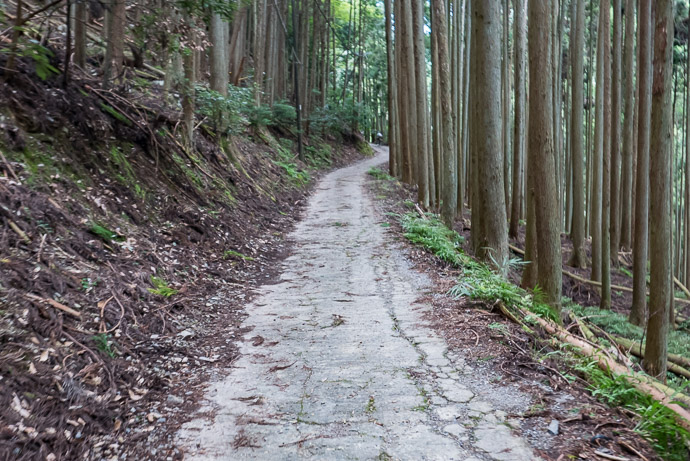
Steep, Broken Concrete as little fun going up as going down -- Kyoto, Japan -- Copyright 2017 Jeffrey Friedl, http://regex.info/blog/

Panasonic LX100 at an effective 26mm — 1/125 sec, f/1.9, ISO 800 — map & image datanearby photos
Steep, Broken Concrete
as little fun going up as going down
Arriving At the Entrance to the Kuuya Shrine (空也神社) -- Kuuya Shrine (空也神社) -- Kyoto, Japan -- Copyright 2017 Jeffrey Friedl, http://regex.info/blog/

Panasonic LX100 at an effective 26mm — 1/125 sec, f/2.2, ISO 200 — map & image datanearby photos
Arriving At the Entrance
to the Kuuya Shrine (空也神社)
Quick Cooldown Lianca didn't realize that a waterfall awaited -- Kuuya Shrine (空也神社) -- Kyoto, Japan -- Copyright 2017 Jeffrey Friedl, http://regex.info/blog/
Panasonic LX100 at an effective 26mm — 1/80 sec, f/1.9, ISO 320 — map & image datanearby photos
Quick Cooldown
Lianca didn't realize that a waterfall awaited

Everyone else left their bike at the road, which is probably fine because it's essentially deserted anyway, but out of habit I brought mine with me.

photo by Tomas Svab -- Kuuya Shrine (空也神社) -- Kyoto, Japan -- Copyright 2017 Jeffrey Friedl, http://regex.info/blog/
Panasonic LX100 at an effective 24mm — 1/125 sec, f/1.7, ISO 400 — map & image datanearby photos
photo by Tomas Svab
Lianca, Me, Kevin photo by Tomas Svab -- Kuuya Shrine (空也神社) -- Kyoto, Japan -- Copyright 2017 Jeffrey Friedl, http://regex.info/blog/
Panasonic LX100 at an effective 24mm — 1/60 sec, f/1.7, ISO 200 — map & image datanearby photos
Lianca, Me, Kevin
photo by Tomas Svab
Getting Closer photo by Tomas Svab -- Kuuya Shrine (空也神社) -- Kyoto, Japan -- Copyright 2017 Jeffrey Friedl, http://regex.info/blog/
Panasonic LX100 at an effective 24mm — 1/60 sec, f/1.7, ISO 640 — map & image datanearby photos
Getting Closer
photo by Tomas Svab

The short approach hike is beautiful, and I've posted many photos from it over the years, including:

Then on top of that you have the beauty of the shrine/waterfall area itself.

Almost There you can tell by this composition that Tomas is a real photographer photo by Tomas Svab -- Kuuya Shrine (空也神社) -- Kyoto, Japan -- Copyright 2017 Jeffrey Friedl, http://regex.info/blog/

Panasonic LX100 at an effective 24mm — 1/125 sec, f/1.7, ISO 2000 — map & image datanearby photos
Almost There
you can tell by this composition that Tomas is a real photographer
photo by Tomas Svab
photo by Tomas Svab -- Kuuya Shrine (空也神社) -- Kyoto, Japan -- Copyright 2017 Jeffrey Friedl, http://regex.info/blog/
Panasonic LX100 at an effective 24mm — 1/125 sec, f/1.7, ISO 800 — map & image datanearby photos
photo by Tomas Svab
Tomas and David confirm what we already had guessed: the water is cold -- Kuuya Shrine (空也神社) -- Kyoto, Japan -- Copyright 2017 Jeffrey Friedl, http://regex.info/blog/
Panasonic LX100 at an effective 54mm — 1/80 sec, f/2.8, ISO 3200 — map & image datanearby photos
Tomas and David
confirm what we already had guessed: the water is cold

David's pose is a natural one for a waterfall; I did the exact same thing the first time I went in.

We relaxed for a while, then headed out

Heading Back -- Kuuya Shrine (空也神社) -- Kyoto, Japan -- Copyright 2017 Jeffrey Friedl, http://regex.info/blog/
Panasonic LX100 at an effective 24mm — 1/125 sec, f/1.7, ISO 2000 — map & image datanearby photos
Heading Back
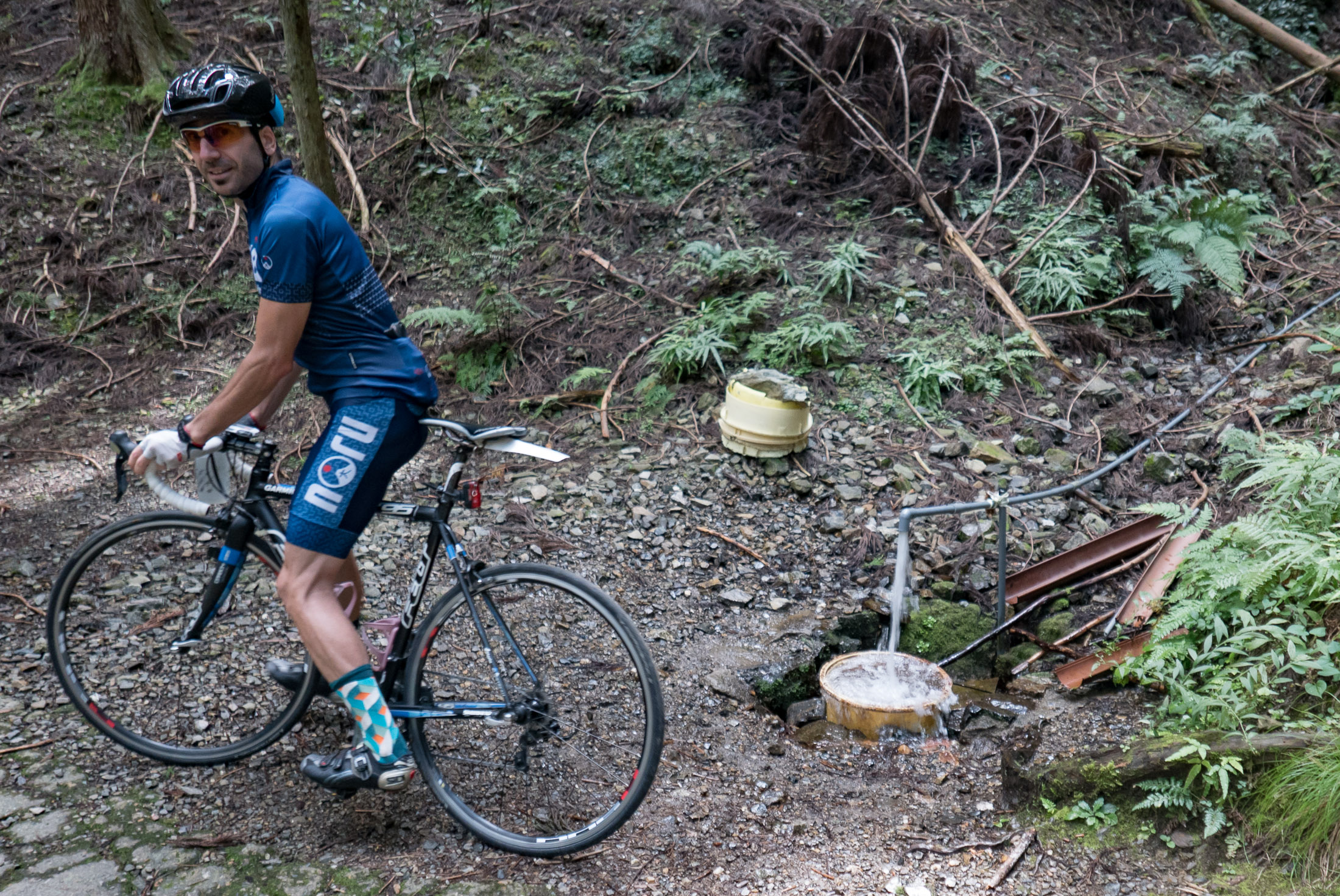
Natural Spring along the road -- Kyoto, Japan -- Copyright 2017 Jeffrey Friedl, http://regex.info/blog/
Panasonic LX100 at an effective 24mm — 1/125 sec, f/1.7, ISO 400 — map & image datanearby photos
Natural Spring
along the road

After returning to the city, a few of us thought to get a cup of coffee in Arashiyama. We went through its famous bamboo groves, which had a lot of people, but, thankfully, no where near peak.

Crowded Road Arashiyama Bamboo Forest (嵐山竹 やぶ) (and yes, it's a road open to vehicular traffic) -- Arashiyama Bamboo Forest (嵐山竹やぶ) -- Kyoto, Japan -- Copyright 2017 Jeffrey Friedl, http://regex.info/blog/
Panasonic LX100 at an effective 24mm — 1/125 sec, f/1.7, ISO 2000 — map & image datanearby photos
Crowded Road
Arashiyama Bamboo Forest (嵐山竹やぶ)
(and yes, it's a road open to vehicular traffic)
Main Road is Crowded Too -- Nonomiya Bus Stop -- Kyoto, Japan -- Copyright 2017 Jeffrey Friedl, http://regex.info/blog/
Panasonic LX100 at an effective 24mm — 1/250 sec, f/5.6, ISO 200 — map & image datanearby photos
Main Road is Crowded Too
Nope no coffee is that good -- Nonomiya Bus Stop -- Kyoto, Japan -- Copyright 2017 Jeffrey Friedl, http://regex.info/blog/
Panasonic LX100 at an effective 26mm — 1/400 sec, f/5.6, ISO 200 — map & image datanearby photos
Nope
no coffee is that good
So, Heading Home -- Nonomiya Bus Stop -- Kyoto, Japan -- Copyright 2017 Jeffrey Friedl, http://regex.info/blog/
Panasonic LX100 at an effective 24mm — 1/400 sec, f/5.6, ISO 200 — map & image datanearby photos
So, Heading Home

All in all it was a fun day of relaxing friendship punctuated by short, intense efforts, occasionally with a bit of terror thrown in.

Happy birthday, Joshua.

26 Sep 16:41

Samsung is reportedly developing a Windows Mixed Reality Headset

by Patrick O'Rourke
Samsung windows mixed reality headset

Early next month, Microsoft is planning to launch a variety of Windows Mixed Reality headsets.

While we’ve already seen headsets from manufacturers like Acer, Asus and of course, Microsoft with the HoloLens, it now looks Samsung could be looking to jump into the fold as well.

Twitter user ‘WalkingCat‘ uncovered photos of Samsung’s reported Windows Mixed Reality headset, which appears to include six degrees-of-freedom tracking, similar to other headsets we’ve seen in the past. This allows headsets to feature room-scale tracking similar to the HTC Vive, though without the need for an external tracking device.

Beyond this, however, little is known about Samsung’s Mixed Reality headset, though it looks like it will feature built-in AKG headphones that look very similar to the Oculus Rift’s built-in headphones. Samsung’s headset is also tipped to ship with Microsoft’s previous revealed motion controllers.

Microsoft’s Mixed Reality headsets are set to start launching next month alongside the company’s Windows 10 Fall Creators Update on October 17th. While this headset will mark Samsung’s first foray into Microsoft’s mixed reality platform, it’s far from the from the first time the South Korean company has released a device that features virtual reality.

Both Samsung’s Note 8 and S8/S8+ are compatible with the latest version of the company’s Gear VR headset. Samsung’s flagship devices are also compatible with Google’s Daydream VR platform.

As always, take this leak with caution as it only stems from one source and many publications — including MobileSyrup — haven’t been able to independently verify the information is accurate.

It’s likely that we’ll learn more about Samsung’s Windows Mixed Reality Headset ambitions next week at Microsoft’s October 3rd event. MobileSyrup will be on the ground bringing you all the news direct from the show floor.

Source: Twitter

The post Samsung is reportedly developing a Windows Mixed Reality Headset appeared first on MobileSyrup.

26 Sep 16:41

Apple Piazza In Milan

by Ken Ohrn

Tony Valente, a friend of Price Tags, sends this along.  It describes a public-private partnership involving a new Apple store in Milan, Italy.  [Translations by Mr. Valente].

Says Valente:   It seems to me the big talk these days is all about public private partnerships. Here is another example where a soon to open Apple Store in Milan, Italy will be pretty much invisible and offer the Milanese (citizens of Milan) a high quality public space with a lot of much needed greenery not far from the city centre. The space is located in Piazza Liberty and has been designed by Foster and Partners Architects. 

The store itself will be underground with the public plaza described as a “modern amphitheater” and a fountain reminiscent of Milan’s canal system (i Navigli). The canal system is historically significant as the means of transporting so much of the stone that created Milan’s cathedral and other structures.

Apple.Piazza.2

The store will be out of sight thanks to this original architectural solution. The store is under the level of the ground.

Apple.Piazza.1

More green and welcoming the project of Foster and Partners reinvents piazza Liberty.


26 Sep 16:41

Stiftung Warentest: Auto-Apps sammeln viel mehr Daten als nötig

mkalus shared this story from SPIEGEL ONLINE - Schlagzeilen.

Moderne Autos wissen mehr über den Fahrer als diesem womöglich lieb ist. Die Stiftung Warentest hat 26 Apps von 13 großen Herstellern getestet und auf ihr Datensendeverhalten überprüft. Bei allen Anbietern sei dieses kritisch, so das Urteil der Experten. Es wurden deutlich mehr Daten an Google, Apple oder weitere Stellen übertragen als für den Betrieb der App notwendig waren. Darunter befanden sich auch personenbezogene Daten wie die Fahrzeugidentifikationsnummer und der Standort des Pkw.

Laut Bundesdatenschutz- und Telemediengesetz dürfen personenbezogene Daten aber nur dann erhoben werden, wenn der Betroffene eingewilligt hat. Um zustimmen zu können, muss der Nutzer vor dem Installieren der App über das Datensammeln umfassend und verständlich aufgeklärt werden. Auch das leistet laut Stiftung Warentest keiner der geprüften Anbieter. Im Test befanden sich Anwendungen von Opel, Hyundai, Mercedes, Audi, BMW, Fiat, Peugeot, Renault, Seat, Skoda, Toyota, Tesla und Volkswagen.

Nur D aimler beantwortete einen Fragebogen zum Thema Datenschutz

Die Apps der Hersteller sollen den Komfort und Spaß beim Autofahren erhöhen, indem sie beispielsweise das Autoradio mit Musik vom Handy versorgen, SMS vorlesen oder bei Elektrofahrzeugen bei der Suche nach Ladestationen helfen. Mobile Geräte des Fahrers verbinden sich deshalb beispielsweise via Bluetooth mit dem Bordsystem des Autos. Das Sendeverhalten der Apps untersuchte die Stiftung Warentest mithilfe eines dazwischengeschalteten Proxy-Servers, der die Daten aus der App während der Fahrt auslas. Anschließend wurden diese analysiert und, wenn nötig, entschlüsselt.

Es gibt aber noch eine weitere Möglichkeit, das Auto mit dem Internet zu koppeln. Vor allem Oberklassemodelle können sich mit einer eingebauten Mobilfunkkarte beispielsweise mit den Servern der Hersteller verbinden. Was diese Autos übertragen, konnten die Fachleute nicht ermitteln. Es sei technisch kaum möglich, sich in die Mobilfunkverbindung der verbauten Sim-Karte zu hacken, heißt es bei der Stiftung Warentest. Ab dem 31. März 2018 wird für alle Neuwagen in der EU ein Notrufsystem über eine Mobilfunk-Sim-Karte Pflicht. Dieses löst bei schweren Unfällen automatisch Alarm aus und ruft Hilfe.

Ein besonders krasses Beispiel für den Umgang mit Daten liefert laut Stiftung Warentest Tesla. In der "Kundendatenschutzrichtlinie" des Herstellers, die auf der Internetseite des Elektroauto-Vorreiters veröffentlicht ist, heißt es, dass Tesla Informationen nicht nur über seine Autos und Apps bezieht, sondern möglicherweise auch über Dritte, etwa öffentliche Datenbanken, Marketingfirmen, Werkstätten und sogar soziale Medien wie Facebook. Über Fernzugriff könne Tesla auch Aufnahmen von Fahrzeugkameras erhalten oder Daten zum Fahrstil sammeln. Diese Infos, so Tesla, könnten auch im Falle einer Ermittlung bei Behörden landen oder dem Arbeitgeber, "wenn das Produkt nicht Ihnen selbst gehört und sofern dies nach geltendem Recht zulässig ist."

Ein an alle Hersteller verschickter Fragebogen zum Umgang mit den generierten Daten beantwortete lediglich Daimler. Die Hersteller sollten unter anderem darüber Auskunft erteilen, welche Daten Pkw und Apps sammeln, wer diese verarbeitet und wo diese gespeichert werden.

26 Sep 16:41

“Hold all my calls, I’m blogging”

by Reverend

“Jim finding a Tony comment on my blog via a Downes link. It’s like 2006.”

Well, I’m not sure things are that dire, but it does feel good to still be blogging while most have gone fallow or re-entrenched to the email newsletter. I mean if something as lame as podcasting can get a second life, then why not blogging? Anyway, I’ll still be here when it happens, and now that I am ducking out of Twitter Ill have more than enough time to re-focus my energy. I’m not sure if my blogging more is a good thing, but it is my thing dammit—and that is why I started the bava in the first place. 

26 Sep 16:40

And you get a server, and you get a server, and you….

by Reverend

I have been remiss in responding to Keegan’s post in early August exploring the idea of “A Server of One’s Own,” but I have not forgotten it. In fact, what he outlines in that post is something that dogs me regularly. Namely, how can we provide more options for folks when it comes to hosting a more diverse array of applications beyond what Domain of One’s Own currently provides.

Let me explain. As it stands right now, Domain of One’s Own has definitive technical limitations given it is built around a LAMP server environment. What does that mean? Well, it means beyond HTML, you are pretty much limited to PHP, Python, and Perl scripting languages. Also, it only supports the Apache web server software and MySQL (or MariaDB) databases. In other words, it is a specific server environment (a.k.a stack) that only supports specific applications. But given the wild success of PHP apps over the last 15 years, in particular WordPress, for most of us web plebeians that has been enough.

More than five years ago now (that’s insane!) Boris Mann wrote a post about the “New Hack Stack,” wherein he lays out why shared hosting sucks and points to the future of applications moving from PHP to Node.js and Ruby made available on revision control sites like GitHub. Five years later Github code libraries are ubiquitous (my seven year old was playing a game at a Github URL just the other day) and while how exactly Github works is still fuzzy for most of us, the idea that it is a staple for developing and distributing code is not in question. Additionally, Node.js and Ruby applications such as Ghost, Jekyl, and Discourse (to name just a few) highlight popular applications that you cannot easily run in a cPanel environment (although you can run Jekyl on Reclaim Hosting, and I heard rumors folks even run Ghost within LAMP—that is cray cray!).

In fact, you can’t run Discourse in a LAMP environment, and a few years back Tim setup a multi-site instance for Reclaimers using Docker. So installing the next generation of web applications on the typical LAMP shared hosting account is quite difficult, if not simply impossible. And while WordPress does power near on 30% of all websites, things change fast, and it is not inconceivable (albeit unlikely) that this will change in the near future.

What’s more, it’s in Reclaim’s interest to be exploring this space, not only given there may be a host of new applications folks want to use that run in different server environments that provide a fresh lens on teaching and learning, but also because our relevance as a company will depend on it. We have been aware of this pretty much from the beginning, but we’ve also been fairly busy in the 3 years since that post—and every year has seen our business grow. I feel like we are just starting to catch our breath in that regard, the last year and a half has been about build capacity within a solid team, and that has been working out beautifully. But it is high-time to return to the idea of moving beyond the LAMP stack for those interested in Node.js and Ruby applications to name just a couple. And almost on cue Tim Owens wrote a post recently wherein he explore a possible solution: Cloudron. From Tim’s Beyond LAMP post:

Cloudron is a platform to allow you to easily run a server with apps self-contained, easily updated, and secure. What I feel sets them apart from the pack is that these applications are Docker containers which removes the traditional barrier of having to choose what your tech stack will be for a particular server. Want to run a PHP application alongside a Node.js app? No problem. You can even fire up a LAMP setup alongside an app that uses MongoDB and Nginx. Some of that might get technical but imagine the ability to run both Android and iOS from the same phone and how that might change our perception of what’s possible.

And you get a server for this app, and another server for this app, and another and another. If Cloudron proves to be a viable option and we can automate and integrate it alongside our cPanel accounts via APIs, then we may finally be able to realize some of our early reams. Back in December of 2014 we brought Kin Lane to Fredericksburg for a four-day mind meld to try and wrap our head around the idea early on. After that we started to get really busy, we left our day jobs, and things got crazy.  We had a glimpse of short-lived hope for progress when the folks behind CloudLinux announced KuberDock in 2016, but that was abruptly killed in January of 2017

What’s more, since late 2014, early 2015 we had been following SandStorm with interest, it provided a very similar infrastructure as Cloudron, but development was all but abandoned when the entire team went to work for Cloudflare. So, when Keegan wrote his post in August the prospect of a sever of one’s own felt far away, in fact when I started writing this post two weeks ago it felt far near on impossible, but life as a Reclaimer is intense (RIP Harry Dean!) and you never know when that irradiated Chevy Malibu is right around the corner.

In fact, Tony Hirst’s comment on this post by Martin Weller about “Rewilding Edtech” speaks to the need for more possibilities for exploring the next generation of edtech tools rather than constantly falling back on and resolidifying around the LMS/VLE. I’m not sure if Cloudron is going to be the answer, but it certainly looks promising and the idea (regardless of the specific tool) is long overdue. What’s more, I trust when Tim puts his mind to it it will become easy and accessible to just about anyone. Reclaim 2.0 🙂

26 Sep 16:39

Mac OS High Sierra makes the Mac a teeny, tiny bit better — for free

Apple CEO Tim Cook ® views the MacBook Pro in the demo room after an Apple media event in Cupertino, California, U.S. REUTERS/Beck Diefenbach

It’s no shock that Apple puts most of its effort into improving the iPhone. The iPhone is a cash cow big enough to be heard from the moon.

The Mac, on the other hand, constitutes only a puny 12 percent of Apple’s revenue.

So Mac fans should be grateful, I guess, that the mothership still releases another free version of the Mac OS every fall. These upgrades (usually) make all of our Macs better without our having to spend a penny.

The one Apple released this week (available in the Mac app store) is called Mac OS High Sierra (macOS 10.13). As the new name suggests, it’s just a refinement of last year’s Mac OS Sierra. In fact, you could sum up what’s new in an article about as short as this one.

Safari upgrades

Apple has continued to work on Safari, its Web browser, and says that the new version is the fastest desktop Web browser in the world.

It also uses less power. Apple claims that you can watch Netflix for two hours longer in Safari than other browsers. In practice, that’s close to true. My expensive MacBook Pro gets absolutely pathetic battery life—about 3 hours per charge when I use Chrome as my browser. Using Safari instead, I get four hours. Woo!

Maybe even more thrilling to the world’s Internet surfers (and less thrilling to advertisers), Safari can now auto-block auto-play videos. Now, no video begins playing unless you click it. For each Web site, you can choose Safari->Settings for This Website and specify that videos are never allowed to play; always allowed; or not allowed only if they have sound.

In Safari, you can establish all of these settings on a per-Website basis. It’s pretty awesome.

This feature works beautifully, and it makes the Internet a calmer place. It easily auto-paused videos on CNET, CNN, Bloomberg, and, yes, even Yahoo. (If you can’t seem to get it to work, it’s probably because you have an ad blocker like AdBlock Plus. Those extensions seem to interfere with Safari’s new feature.)

That’s not the only way Safari will frustrate advertisers. Apple says that “Safari now uses machine learning to identify advertisers and others who track your online behavior, and removes the cross‑site tracking data they leave behind.”

This is cool, too: You can create different viewing settings for different sites. You might like the New York Times site to appear with larger text, Flash turned on for Dilbert.com, and so on. Page zoom, Reader view, location services, and use of your camera and microphone are among the settings memorized for each site.

And if you like the Reader view—which hides all ads, navigation stuff, blinking stuff, competing colors and fonts—you can now tell Safari to use it for everything. Every time you open an article that works with Reader, it pops into that format automatically. You end up with far fewer migraines from just trying to surf the Web.

Photos

This is a big one. Ladies and gentlemen, the Photos app is finally ready for prime time.

The editing tools have been redesigned and goosed nearly to Photoshop levels; you can now manipulate the Curves of a photo’s histogram, or edit only the reds (for example) in a photo.

Editing in the new Photos is both easier and more powerful.

I love that the Auto-Fix button is now right on the Photos main toolbar. This is the editing control most people use most of the time—it does a very good job at fixing the color, exposure, and contrast values for a photo—and now you don’t have to heave into Editing mode to apply it to a photo, or a whole batch of them.

If you still want to do your editing in Photoshop (or any other external program), Apple has finally restored this fantastic feature (which was in iPhoto) to Photos. Better yet, the changes you make in that app are non-destructive—you can undo them at any time. In other words, you can use Photos for its superior organizational and sharing tools, but Photoshop for editing.

A new Imports view shows not just the latest batch of imported photos, but the batch before that, and the batch before that, and so on. And, inevitably, there are now Instagram-style filters.

The redesigned Photos has a cleaner, well organized sidebar at left.

You can now filter your view by Favorites, photos you’ve edited, only movies, only stills, and so on. The Faces feature, which knows who’s in each photo, has been improved, and the face-categorizing you’ve done on the Mac gets auto-synced to your phone.

The Photos feature, called Memories (automatically grouped and curated slideshows with music), is much smarter now. Instead of grouping photos only by event or location, they now auto-recognize and auto-build slideshows of your pets, babies, outdoor activities, performances, weddings, birthdays, and sports games.

Apple has opened up its “order your photos printed on mousepads, books, calendars, etc.” feature to other companies. Soon, you’ll be able to install Photos extensions that permit all kinds of photo-product ordering.

Finally, Apple introduces some editing options to Live Photos: weird, three-second video clips that the iPhone can capture. You can now shorten a Live Photo, mute its audio, or extract a single frame to use as a still photo. Photos can also suggest a “boomerang” segment (bounces back and forth) or a loop (repeats over and over). And it has a new Slow Shutter filter, which (for example) blurs a babbling brook or stars moving across the sky, as though taken with a long exposure.

My one gripe: You hit the Space bar to open a video’s thumbnail to play it. So what do you hit to play the open video? In every other video-playback program on the ever-lovin’ planet, the Space bar starts and stops video. But not in Photos. Best I can tell, you have to reach for the mouse and click the Play button.

A new file system

The file system is the underlying, invisible software that controls the management of files and folders on your Mac. For almost 20 years, Mac fans have been using one called HFS+. And now, there’s the Apple File System, or APFS. It’s designed for the new era of solid-state drives and increased security threats.

Most of its benefits are under the hood: Far better security (for example, more sophisticated FileVault encryption for your whole hard drive); better crash resistance; more efficient storage; and faster operation. (If you’re technically inclined, here are the details.)

The two aspects of APFS you’ll probably notice first are:

  • You know the column that shows you how big the files and folders in a window are? Now, those numbers don’t need time to appear. They’re instantly there.
  • You can now duplicate a file or a folder instantly, no matter how big it is.

APFS is what Apple uses on iPhones and iPads already, so it’s already had some time in the field—and now it’s on the Mac, too.

(Well, at least it’s on Macs with solid-state drives like MacBook laptops. APFS doesn’t yet auto-convert traditional spinning hard drives, Apple Fusion drives, or external drives. You can manually convert spinning hard drives in the Disk Utility program, though.)

Notes

The Notes app has continued to improve:

  • Pin your best Notes. In the Notes app, you can now pin your most used notes (to do lists, grocery lists, etc.) to the top of the list, so they don’t get sorted down chronologically as they do now. Unfortunately, they don’t show up on your iPhone like that.
In the new Notes, you can “pin” the most important notes so that they always appear at the top of the list.
  • Tables. Yes! You can now add a table to a Note. Great for bake-sale assignments, sports scores, and so on.

Misc

  • Smaller multimedia. In both iOS 11 and Mac OS High Sierra, Apple offers new file formats that permit your photos and videos to look the same as before, but to consume only half the space. This is a huge deal for anyone whose phone or Mac is constantly filled up. For photos, it’s called the High Efficiency Image File Format (HEIF); for videos, it’s the High Efficiency Video Codec (HEVC, or h.265). In theory, when you export these photos and videos, they convert to standard formats like JPEG and h.264.
  • Mail enhancements. When you search in Mail, a Top Hits section presents the messages Mail thinks are the best matches (based on Read status, senders you’ve replied to, your VIPs, and so on). Mail also offers a split-screen view when composing new messages in full-screen mode. And it stores your messages in 35 percent less disk space. More space is always welcome.
  • A new voice for Siri. The new male and female voices sound much more like actual people. (They’re the same ones that just appeared in iOS 11.)

  • iCloud file sharing. Finally, you can share files you’ve stored on your iCloud Drive with other people, just as you’ve been able to do with Dropbox for years. To do so, right-click an icon; from the shortcut menu, choose Add People. Now you can send an invitation to anyone by message, email, or whatever, and you can specify how much editing control they have. The catch, of course, is that the recipient must be using iOS 11 (on an iPhone or iPad) or Mac OS High Sierra (on a Mac).
Anything that’s on your iCloud Drive (kind of like Apple’s version of Dropbox), you can share with someone.
  • Capture a FaceTime moment as a Live Photo. You can snap a 3-second snippet of a video chat—a Live Photo—for later sharing. (You can’t do so secretly, however; the other person knows. In fact, the other person can block your ability to capture altogether, in FaceTime Settings.)
  • Messages in iCloud. When you sign into any new Mac, iPhone, or iPad with your iCloud credentials, your entire texting history gets downloaded automatically. (As it is now, you can’t see the Message transcript history with someone on a new machine.) Saving the Messages history online also saves disk space on your Mac.
  • Family storage sharing. You can now share an iCloud storage plan with family members.
  • More Spotlight wisdom. The Spotlight search feature can now provide flight arrival and departure times, terminals, gates, delays, and flight maps when you type in a flight number. It can also return multiple Wikipedia results on a single screen.
  • Developer goodies. Apple now offers development kits for virtual reality and augmented reality, hoping to jump-start new apps in an area where Apple is now way behind. There’s a new version of Metal, too, the Mac software that addresses your graphics card.

Hi-ho, High Sierra!

Two tiny things may annoy you in Mac OS High Sierra:

  • The Messages app no longer works with AOL Instant Messenger and Bonjour accounts.
  • Remember that smaller-photo-format business? Unfortunately, Photoshop doesn’t yet recognize the new formats, and I ran across a few frustrating times when I took a photo with my iPhone and couldn’t then edit it in Photoshop. (Exporting them a different way—texting them to myself instead of using AirDrop, for example—solved it.)

On the other hand, there are some features you’ll notice multiple times a day, including the new per-site Safari settings (like “don’t auto-play video!”), the better battery life (if you use Safari), and the fantastic Photos overhaul.

As always, the fearful of heart should wait for any glitches to be ironed out in the 10.13.1 update that will come along, no doubt, in October. But whether you upgrade now or then, you’ll find that Mac OS High Sierra is a teeny, tiny upgrade—that makes Mac life a teeny, tiny bit better.


More from David Pogue:

David Pogue, tech columnist for Yahoo Finance, is the author of the upcoming Mac OS High Sierra: The Missing Manual. On the Web, he’s davidpogue.com. On Twitter, he’s @pogue. On email, he’s poguester@yahoo.com. You can read all his articles here (http://finance.yahoo.com/news/david-pogue/), or you can sign up to get his columns by email (http://j.mp/2mCizxV). 

26 Sep 16:38

iPhone 8 supports EVS for higher VoLTE audio quality

by Igor Bonifacic
iPhone 8 Plus vs iPhone 7 Plus

While inductive charging has been one of the more talked about features when it comes to the iPhone 8, it turns out Apple’s newest smartphone has another trick up its sleeve.

In an interview with Engadget Japan, Takashi Tanka, the CEO of Japanese carrier KDDI, briefly mentions that the iPhone 8 supports EVS, something that Apple hadn’t mentioned ahead of launch.

Short for enhanced voice services, EVS is a speech audio coding standard. Compared to AMR-WB, an older voice codec that’s currently enjoying wide-spread support amount carriers around the globe, EVS presents several advantages. It offers increased compression stability and a wider frequency. Together, these two features allow EVS to reproduce more life-like voices. EVS is also backward compatible with legacy standards.

Technically, the iPhone 7 was the first Apple smartphone to feature a chip capable of supporting EVS with its X12 modem from Qualcomm. However, not all iPhone 7 models shipped with Qualcomm silicon. More common, especially outside of the U.S., were Intel modems, which did not support EVS at the time. In a bid to maintain feature parity, Apple disabled the feature on X12-equipped iPhone 7s. This time around, however, both Qualcomm and Intel modems support the feature, according to confirmation provided to AppleInsider by Apple.

Of course, as with all of these backend technologies, both the phone and network on which its operating on must support the standard. In the case of EVS, it’s something that carriers across the world are in the process of adding to their networks. We’ve reached out to the big three carriers to see if they support EVS.

Source: Engadget Japan Via: AppleInsider

The post iPhone 8 supports EVS for higher VoLTE audio quality appeared first on MobileSyrup.

26 Sep 14:24

Try out the new and awesome Firefox (codename Quantum)

by Armen Zambrano G.
Intentionally calling the upcoming Firefox the "new and awesome" because it has changed so much and it is so much faster.
The final version will be out in November, however, you can start trying it right now and you will enjoy every browsing moment from here on.


Try it now by installing on your computer and tell your friends about it.

You can also give us feedback by visiting this link.


Creative Commons License
This work by Zambrano Gasparnian, Armen is licensed under a Creative Commons Attribution-Noncommercial-Share Alike 3.0 Unported License.
26 Sep 14:24

Publishing the 23andMe Way

files/images/vjTJY-1445351305-35-lists-beverlyhillbillies_1200.jpg

Joseph Esposito, The Scholarly Kitchen, Sept 29, 2017


Icon

Read both parts of this article (part one, part two). The key bits are in part two, but you need part one to set up the context. The first part describes how 23andmMe has set up it's data collection website (badly, in the author's opinion: "They could have hired someone from Netflix or Facebook, but apparently the head of end-user experience comes from Verizon or United Airlines." Burn! The second part contains the zingers. It describes 23andme's long term plan as a publisher selling access to a database.

This, he argues, is quite reasonable, since they are producing the value (he does note the contradiction with other academic publishing, where the researchers who produce the value receive no part of the value). He then notes that this model is different from acdemic publishing, because price is based on that value, unlike journal articles. "Libraries, in other words, have been exploiting publishers economically for years. It’s good to have 23andme come along and stick up for the economic rights of the purveyors of content." Wow. Brazen. (Note: Beverly Hillbillies photo was uncredited on the original Scholarly Kitchen article).

[Link] [Comment]