The story in the New York Times is about the excessive number of fast-food restaurants in America:
But the picture that illustrates it tells another part of the story:
The worst of Motordom: wide, featureless, high-speed arterials; no sidewalks; no street frontage. Dangerous for kids, of course – one of whom looks to already be overweight.
As part of its earnings report, Nintendo announced today that its iOS game, Super Mario Run, has not yet reached ‘acceptable profits.’ At this point, nearly a year after the game’s debut, it’s hard to imagine when, if ever, that point will be reached barring a major shift in the game’s business model.
Super Mario Run took the App Store by storm in December 2016 breaking download records and topping the charts around the globe. But the game, which is free to download costs $9.99 to unlock all the levels. That’s a steep price by App Store standards for games. About a month later, the Wall Street Journal reported that Super Mario Run had been downloaded 78 million times and earned $53 million in revenue.
In contrast, Nintendo says that Fire Emblem, which was released in February and features a free-to-play model, has met its profit objectives. The same in-game consumables model has been adopted for Animal Crossing: Pocket Park, which is available in Australia and New Zealand but won’t debut in the rest of the world until late November.
I’m not a fan of free-to-play games in general, although they can be done tastefully. Perhaps Nintendo’s profit expectations for Super Mario Run were too optimistic from the start, but it’s hard to argue against free-to-play for a company like Nintendo when even its most beloved franchise is perceived a failure on mobile platforms.
Support MacStories Directly
Club MacStories offers exclusive access to extra MacStories content, delivered every week; it's also a way to support us directly.
Club MacStories will help you discover the best apps for your devices and get the most out of your iPhone, iPad, and Mac. Plus, it's made in Italy.
In a session posted to Apple’s Developer site, the tech giant says that tvOS 11.2 allows the Apple TV 4K to automatically switch display modes to match high-dynamic range — which it was capable of before — but also now frame rate, with both features being disabled by default.
In order to turn the new setting on, users to need to select the ‘Match Content’ option in the Apple TV 4K’s video and audio settings, allowing the device to individually match dynamic range and frame rate. This means that if your TV supports 60Hz HDR10 but only 30Hz Dolby Vision, the Apple TV will no longer default to the less superior HDR10 option. Instead, the Apple TV will match both frame rate and dynamic range.
It’s unclear when this tvOS firmware 11.2 will drop, however. Other issues with the set-top box related to a lack of YouTube 4K HDR support and Dolby Atmos compatibility, have yet to be addressed by Apple.
While iOS 11.2’s new features likely won’t appeal to the average user, those of us who care about Dolby Vision and framerates will be pleased with this improvement.
This issue didn’t necessarily come across my radar when I was reviewing the recently released Apple TV 4K, but it was highlighted by a number of other reviewers, including The Verge’s Nilay Patel.
As gas-station sites are being redeveloped (a consequence of rising land values and dropping gasoline consumption), major intersections are changing identity. Gas stations, after all, were the ultimate in low-density use: primarily parking lots with gas pumps. Typically located on high-traffic intersections in prominent locations, the sites are being filled in with, at best, prominent buildings.
Here’s the latest at the southeast corner of Cambie and 12th, immediately opposite City Hall:
It went through several iterations in massing in order to avoid affecting the view of City Hall from from the north – and the mixed-use result looks good. Anyone know the architect?
I recently spent a couple of days at the NAB NY Show (National Association of Broadcasters). It’s much smaller than the annual NAB Show held in Las Vegas every year, but it is definitely worth the time.
This year I focused my attention on VR (Virtual Reality). To be honest, as much as VR intrigues me I’m not sure it’s for me simply because I’m all about real experiences as opposed to virtual ones. Nevertheless, the future implications of this technology are mind-blowing.
NAB NY is much more limited on space than the Las Vegas conference so VR didn’t have much of a physical presence at the show. However, there were quite a few interesting floor talks that intrigued me and were well attended.
This technology is in its infancy but its also experiencing exponential growth. Naysayers predict it will go the way of 3-D TV sets but my instincts tell me otherwise. Right now its popularity is in the gaming industry but these sessions opened my eyes to numerous possibilities. But speaking of gaming, check out PokemonGo or this demo video from Oculus Connect 4.
In terms of filmmaking, it’s an immersive experience which touches upon all of our senses and is not just visual. In fact, there’s a term used in VR called “haptic” which means “relating to the sense of touch, in particular relating to the perception and manipulation of objects using the senses of touch and proprioception.” One filmmaker Alton Glass, described it as letting you get into someone else’s shoes and live the experience. Because it’s immersive it creates a more empathetic storytelling experience. Some doubters say it’s isolating, however, one speaker pointed out that you can actually be immersed with other people in the virtual experience.
Branding experiences in VR. Tom Westerlin of Nice Shoes makes some good points about using VR in advertising/branding:
Once you put on a headset you have someone’s undivided attention
VR can create a lot of feelings – love, excitement, empathy
From a brand perspective, you can create a whole world.
It’s suspended disbelief. It’s not a hard sell and one doesn’t feel like they are being marketed to.
VR can offer a treasure trove of data by finding out what people are focusing on in a virtual story. Some see e-commerce using VR in the near future.
Travel – It’s perfect for an armchair traveler who may not have the funds or the access to certain places. Or perhaps VR is a great way to show off a property or resort. To be honest, I want to really experience a place, but there may be times that I don’t have access or I may simply want a better reference of a destination or hotel than what more traditional mediums offer. Look at this sample VR sample – is this a game or a virtual travel experience.
VR is being used in healthcare to minimize pain rather than to solely resort to drugs. That in itself is something to think about especially because we are experiencing an opioid epidemic. One spokesman pointed out that it can reduce pain impact by about 60-70%. It’s being used now to help people with autism learn as well as in challenging mental health disorders like PTSD. VR is also being used for medical training.
Education – Harvard Business School provides amazing VR experiences that used to be available only on their campus but are now available all over the world. Interesting to point out that the most valuable part of this experience isn’t just watching the videos but the discussion with the immersive community. What Harvard is doing with VR,
Entertainment – While VR is still in its infancy in this sector, it’s quite impressive. VR allows a venue to sell the best seat in the house a million times. IMAX opens first VR theater in LA.
Certainly, there are challenges to overcome with VR. Headsets need to be wireless, which is essential for growth in this medium. Bandwidth is not a challenge, but latency is because of the round trip delay. If you’re confused between AR and VR or 360, check out this video interview with a spokesperson from Radiant Images and listen to what they’re working on. And if you want more insight on where the experts think this technology is going then check out this TechCrunch article
It will be interesting to see what’s next in this technology. It will also be interesting to see if there will be any unintended consequences. Stay tuned.
Apple might have plans to formally end its relation with U.S.-based chip manufacturer Qualcomm, according to a report by the Wall Street Journal.
Citing sources familiar with the issue, the Journal reported that Apple “is designing iPhones and iPads for next year that would jettison the chipmaker’s components.”
While Apple has been embroiled in a lengthy legal battle with Qualcomm over allegations that the chip manufacturer isn’t charging a fair price on the chips Apple needs for its smartphones and tablets, the court battle isn’t why Apple’s thinking of making a switch.
Reuters reports that the dispute is a result of the fact that Qualcomm has ceased to provide software that Apple needs to test chips in iPhone designs.
In response, Qualcomm told Reuters that it provides fully tested chips to Apple.
“We are committed to supporting Apple’s new devices consistent with our support of all others in the industry,” Qualcomm told Reuters.
Reports suggest that Apple might decide to tap Intel or MediaTek for the internal components needed to power iPhones and iPads.
Intel already provides roughly half of the modem chips that Apple needs for its smartphones and tablets.
Stacy Ragson, an analyst with asset management firm AB Bernstein, told Reuters that it’s still too early to determine whether or not Apple will actually make the switch.
“Apple is big enough that they want to support multiple paths, they can do that,” said Ragson, in an interview with Reuters. “Samsung did this too. A couple of years ago, Samsung designed Qualcomm out, but Qualcomm didn’t even know until it was close to time to ship.”
The Philly Bike Expo is coming up quickly. It's the weekend of Nov 4/5th and you can find all the details about entry costs and hours of operation on their website.
We'll be there again this year. Our booth # is 1049 and 1050. We'll have prototypes of the 2018 Piolets and Polyvalents as well as samples of some new handlebars, bags, and examples of our Cigne and Removable Faceplate Quill Stems that folks can look at up close.
We always have a great time at the Philly show. The show itself has a great variety of exhibitors and thus gets a wide variety of attendees. There's usually a number of small frame builders at the show and it's always interesting to see the bikes that they put together for the show.
We’re all hoarders and collectors of data. But why don’t we delete anything? What compels us to keep files we haven’t opened in years, even when they take up valuable hard drive space? For photographers, designers, recording engineers, and everyone else who creates content for a living, those files are more than archives. They’re the seeds of ideas that could bloom into a new project. But if those seeds of inspiration can’t be found, they can’t grow into anything new. Here’s where Dropbox Smart Sync can make a big difference. It turns your archived data into a library you can search through to retrieve exactly what you need, right when you need it. Here’s how you can use it to tap into your creative energy and keep it flowing.
See all your files and actively manage your content
Content is the lifeblood of your work. Every idea is valuable and moves your work forward. But if you’re worried about whether you have enough hard drive space to keep making content, it can disrupt your flow of ideas. You need to be able to create without hesitation and access without interruption. That’s why we created Smart Sync. It lets you view all your files right from your desktop—no matter whether they’re stored in the cloud or synced locally to your device. And that makes it easy to actively manage all your content.
Make organizing and archiving less of a chore
Let’s face it: Archiving is a boring, difficult task. Plus, it’s not the best use of your time. You could take the time to set up an organized system of folders, but even when you do, it’s hard to keep it all organized when you’re adding new content every day. Smart Sync declutters your hard drive and keeps you automatically organized by letting you remove the local copy without hindering access. All you have to do is select the files and folders you want to store in the cloud, then right-click and select Smart Sync, and choose “Online Only.” You’ll still see the files on your desktop, but they’ll only take up a fraction of the space on your hard drive. And when you need them, they’re just a double-click away.
Draw inspiration from your outtakes
Whether you’re a designer, photographer, audio engineer, or project manager, everything you make requires iteration. And everything you saved is a potential tool for your next project. So all of your outtakes are actually a goldmine of ideas. The reason you didn’t dispose of those old photos and early demos is that your instinct told you they had value. Smart Sync makes it easy to scan through past work for inspiration—without having to leave all that work on your hard drive.
Avoid detours that take you out of your creative workflow
Creative freelancers are often traveling for assignments. But trying to travel with stacks of USB drives is awkward and cumbersome. Plus, it increases the chances of losing valuable work. You need to be able to access all your files no matter where you’re working. Smart Sync can help you travel light and keep ideas flowing on the go. If you’re in a meeting and remember an idea, for example, you can quickly retrieve it—even from your phone.
To find out how Dropbox can help you break free from your hard drive and turn your archived files into a library of inspiration, check out Smart Sync.
If it’s sometimes hard to grasp the Trump campaign’s conspiracy against our democracy, it’s due less to lack of proof than to the impudent improbability of its B-movie plotline. Monday’s indictments offer evidence of things that Washington already knows but pretends to forget. Trump, more gangster than entrepreneur, has long surrounded himself with bottom-feeding scum, and for all his nationalist bluster, his campaign was a vehicle for Russian subversion.
[…]
We’ve had a year of recriminations over the Clinton campaign’s failings, but Trump clawed out his minority victory only with the aid of a foreign intelligence service. On Monday we finally got indictments, but it’s been obvious for a year that this presidency is a crime.
There is a growing gap between the knowledge of place and how we treat one of the most important early settlements of Vancouver. Given the housing and affordability crisis and the growing lack of direct and practical information on issues coming out of City Hall we are lucky to have people like local activist Melody Ma, historian John Atkin and former City Planner Nathan Edelson and many others come out to talk about Chinatown, why it is important, and why we should all care that a 111 unit building of market housing is going to be plonked at 105 Keefer Street.
This is the fifth time the Beedie Living group has submitted a plan for this site to the city. The last iteration of the project did include 106 units of market housing and 26 units for seniors in a twelve storey building. That building was nixed because of “building’s height, lack of adequate social housing and deep community opposition” as reported in the Vancouver Sun. The developer’s answer to this thumbs down is to bring an amended plan for a nine storey building, no social housing units (which by the way would have been paid for fully by BC Housing) and a cultural space on the main floor, as well as three underground levels of parking. This plan simply needs approval from the four folks on the development permit board at the city. And guess what~this board can only review applications based upon the permitted zoning and area guidelines, nothing else. A new generation of concerned citizens are learning how the city approves development projects with minimal public input and context.
Price Tags Vancouver has already written about this project showing the dark underbelly of city hall’s lack of inclusion and meaningful engagement needed for a growing seniors’ population in the Chinatown area. Instead, the focus has been on providing market units as if increasing condo supply and turning Chinatown into the southern extension of Gastown will magically lift the low-income seniors that live and rely on the services in this area.
This is a nationally significant early settlement district with people from a rich culture whose forebears built the railway across Canada, developed buildings and connections in an area unique to North America and also endured tremendous racism. The residents of Chinatown and Strathcona were also responsible for the early 1970’s stopping of the downtown freeway that would have eviscerated Chinatown, and emasculated downtown Vancouver.
And in a way, this whole debacle is City Hall’s fault. It was former City Development Planner Jim Lehto that noted that somehow the outright approved height of 70 feet allowed in 2003 became 90 feet with no merit test, compounded in 2011 with permitted heights up to 120 feet on Keefer Street and up to 150 feet on Main Street. As Jim Lehto observed “as heights have been continually raised, the city has lost its leverage to test the merit of the project despite the original intent of the Chinatown zoning…The community against the rezoning wonders how many truly affordable senior’s units will be available, whether the form of the building respects the historic character of the neighbourhood, and is highly concerned about potential negative gentrification.”
There are no seniors’ units and the building shape and form does not mirror Chinatown’s rhythm on the street. How will these condos add to Chinatown? As Jim Lehto states “much damage is possible in a rush to rezone and densify, without a comprehensive understanding of the host neighbourhood, a digestible densification phasing, and an inclusion plan to protect and value the people and amenities of the host neighbourhood that have evolved over time. In this time of hysterical land values, care must be taken to value what will be lost — as much as what will be built.”
The development permit board will be making their decision on November 6.
If you have any interest in Apple’s (AAPL) hotly anticipated, $999, 10th-anniversary iPhone X (pronounced “ten”), then there are four dates to keep in mind:
Tuesday, October 31, when most of the professional reviews appear.
November 3, when the phone is supposed to be available to buy.
The day when you can actually get one. These phones are difficult to manufacture and massively back-ordered, so if you order now, you might get one before the end of the year.
The price, the delays, and the popularity all tell you one thing, loud and clear: There’s an unbelievable amount of advanced technology in this thing.
The iPhone X is gorgeous, powerful, and expensive.
The Headline: Big Screen, Small Body
Everybody talks about the iPhone X price ($999 for 64 gigs of storage, $1,149 for 256 gigs). Or they talk about its face-recognition feature, but the best thing about the iPhone X is its size.
It’s a standard-size phone, only a hair bigger than an iPhone 7 or 8, and therefore easy to wrap your fingers around without growing extra knuckles. Yet the X has the screen size of the iPhone Plus models! By lopping off all the blank margins that usually surround an iPhone’s screen, Apple has found a much sweeter spot on the screen/body tradeoff spectrum. It’s all screen, much like recent Samsung smartphones.
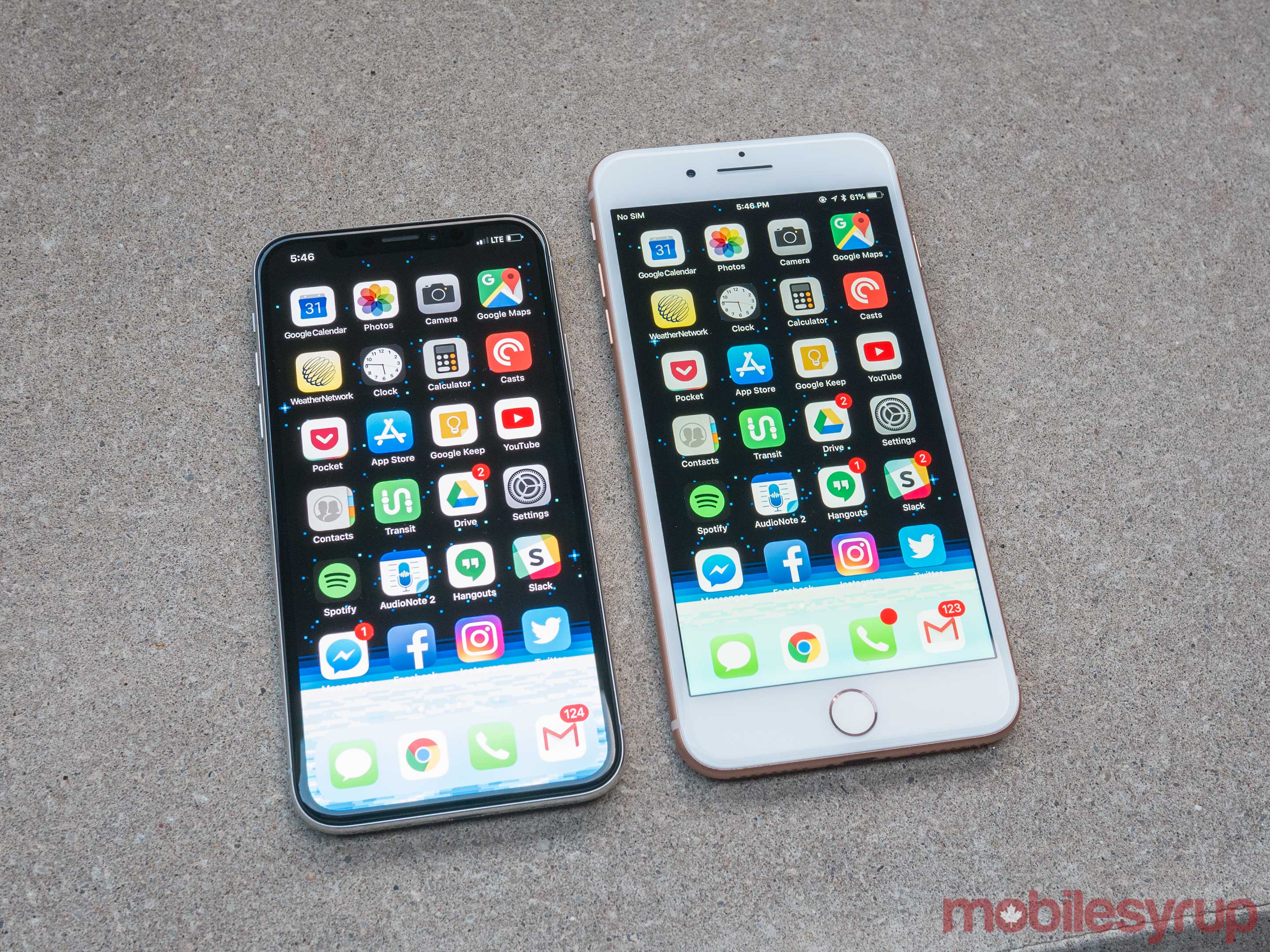
The iPhone X has about the same screen size as an iPhone Plus—in the body about the same size as a standard iPhone.
And what a screen it is. It’s Apple’s first OLED screen, meaning it’s got much darker darks and brighter brights than what’s come before—a million-to-one contrast ratio, Apple says. Unfortunately, there’s no way to see it except in person, because whatever screen you’re now reading on can’t display the X’s stunning range of color. But you see it right away, and it’s glorious to look at, no matter what app you’re running.
The phone is also very fast. Apple says that its processor is “the most powerful and smartest chip ever in a smartphone,” and that it has “four efficiency cores”—clearly, that’s better than three efficiency cores, right?
In practice, all of this means that opening apps happen a fraction of a second faster than the iPhone 8, and saving video files or performing other intensive operations saves you a second or two. Speed leaps over the iPhone 7 or 6, of course, are even more dramatic.
Yet somehow, Apple maintains that the iPhone X gets two hours more life per battery charge than the iPhone 7 and 8. Bizarrely, Apple gave most reviewers only 24 hours with the iPhone X before posting their reviews (not a week or two, as in the past 10 years), so nobody can really say what battery life is like in real-world scenarios. I’ll update this review once I’ve had a chance to live with it.
Facial Recognition
OK, so Apple made this phone all screen. In that case, where’s the Home button?
It’s gone. On the iPhone X, there is no Home button.
Wait, what? Every smartphone has a Home button!
On the iPhone, we use it to open the Home screen, trigger Siri, switch apps, pay with Apple Pay, take screenshots, turn on the screen magnifier, force quit an app, force-restart the whole phone when it gets locked up, and so on. Without a Home button, what happens to all of that?
You have to re-learn new techniques. Apple has come up with replacement gestures for all of them.
To return to the Home screen, you swipe up from the bottom of the screen. This can be a tiny swipe, even a quarter of an inch upward; it quickly becomes quick and instinctive. (Until, that is, you try to do it on someone’s iPad and feel like an idiot.)
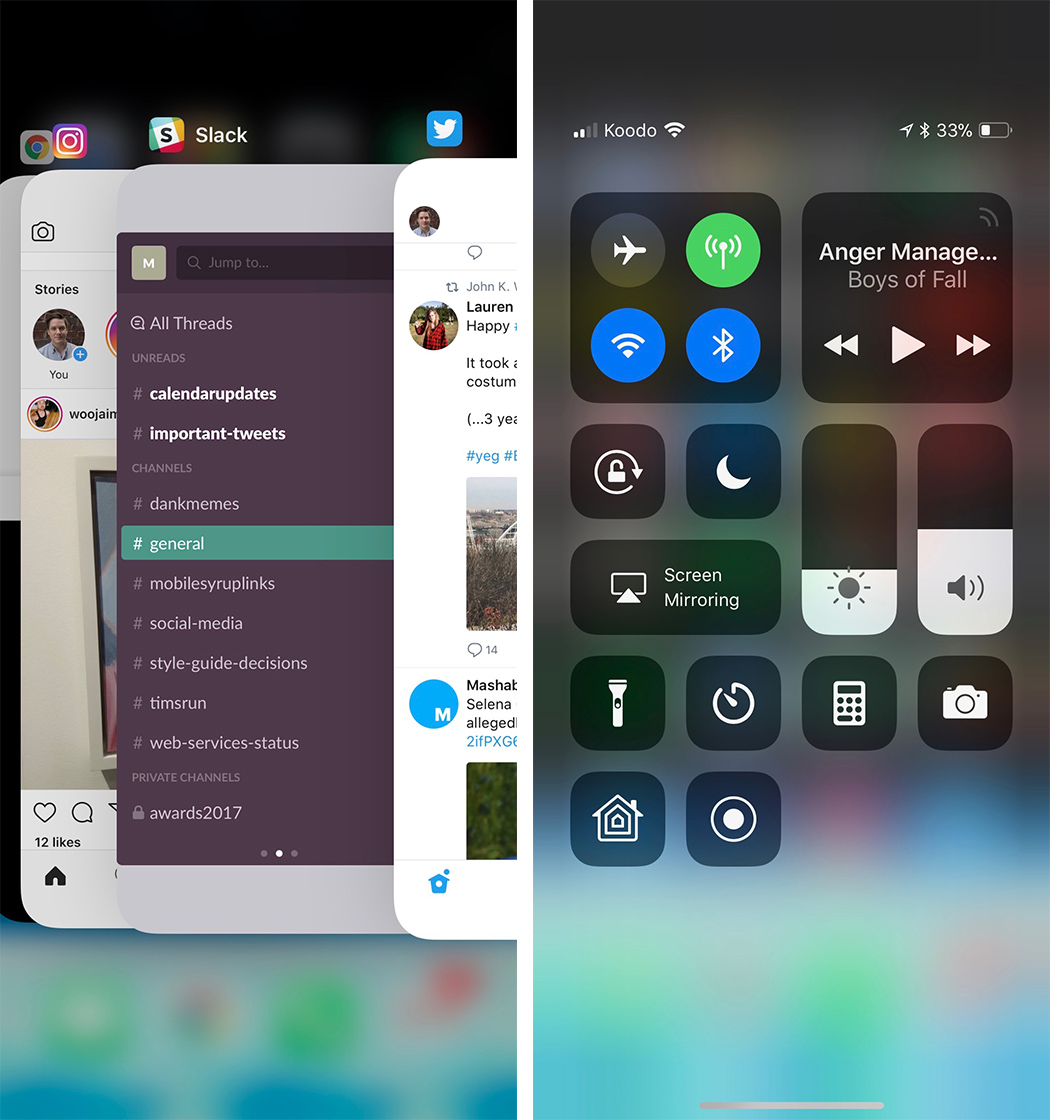
To open the app switcher, you make the same swipe up, but then stop with your finger in the center. The app “cards” now appear.
(Infuriatingly, Apple has changed the way you quit programs from the app switcher. You can’t just swipe them up off the top of the screen anymore. Instead, you have to hold your finger on one of the app “cards,” wait until a red Delete button appears on each card, and then swipe up. That’s a change without a purpose.)
You trigger Siri using the Sleep switch on the right side, which Apple now calls the Side switch.
Here’s a complete list of the old Home-button functions—and how Apple’s rethought them on the iPhone X.
OK, fine. But what about the fingerprint reader?
It’s gone, too. Instead, Apple says it’s come up with something better: Face ID.
Face ID
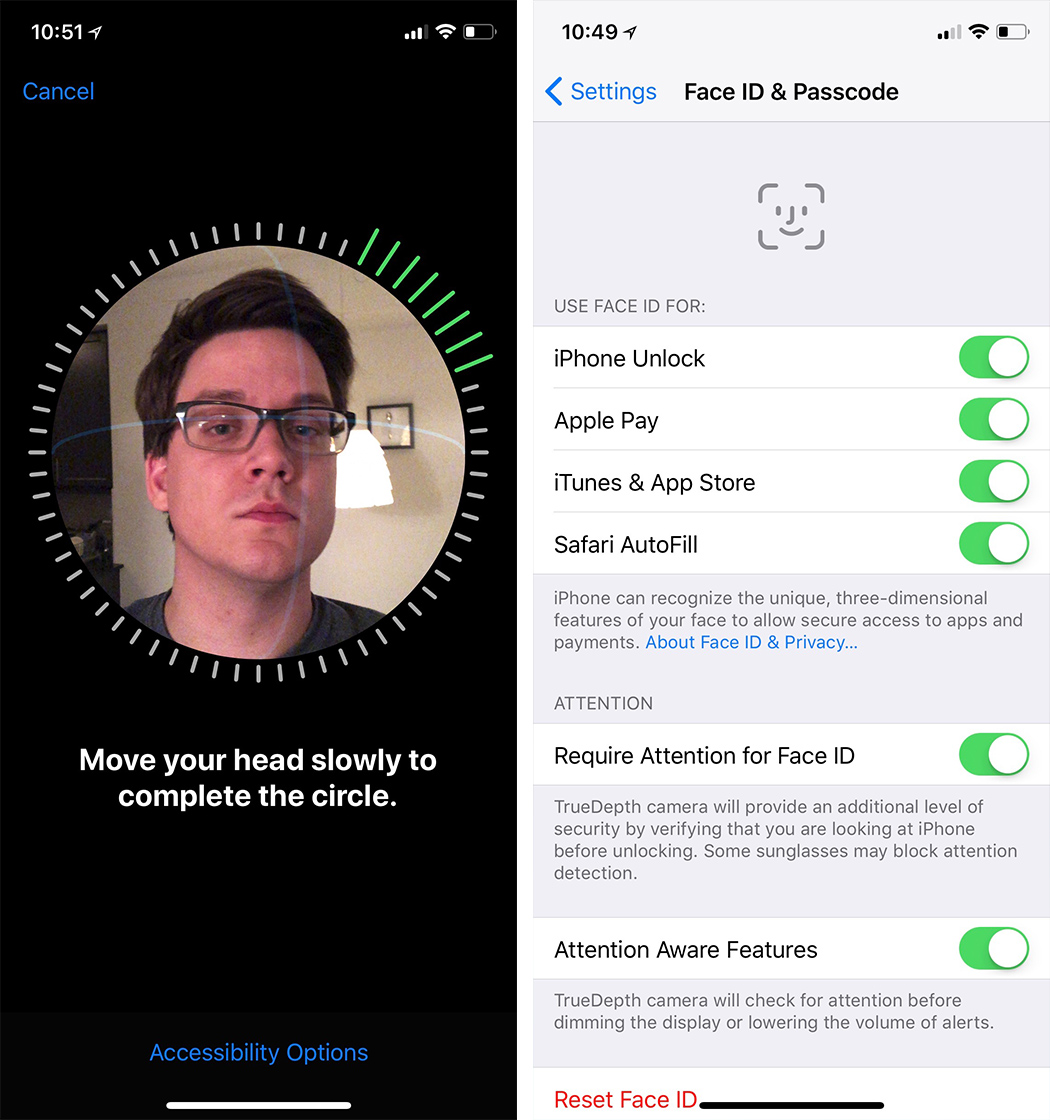
When you get your phone, you train it to recognize your face in Settings. It’s a very cool process (you can see it in my video above): you roll your head around as though doing a relaxation exercise for your neck. Twice.
You train Face ID by letting it scan your head twice.
Now the iPhone knows the exact contours of your face. After that, just looking at the phone unlocks it—so fast, you may not even realize what’s happened. There are only two clues that the phone is unlocked: a tiny padlock icon opens, and any notification banners (“Message from: Robin”) expand to reveal their potentially embarrassing contents (“Hey! I picked up that cream for your armpit rash”).
Unlocking the phone doesn’t take you all the way to the Home screen, which would be cool. You still have to do a little up-swipe afterunlocking.
In any case, you can’t fool Face ID with a photo, or a mask, or even a 3-D model of your head; I tried. (And what about that Bloomberg article that said that Apple substituted a less accurate camera to make manufacturing easier? “Completely false,” Apple said in a statement. “The quality and accuracy of Face ID haven’t changed. It continues to be 1 in a million probability of a random person unlocking your iPhone with Face ID.”)
You’ll use Face ID wherever you used to use your fingerprint: Triggering Apple Pay, for example, or logging into apps. Any app that was ever unlocked by your fingerprint automatically works with Face ID, without needing to be rewritten.
True Depth
So how does the front-facing camera recognize your face? Using a mass of sensors Apple calls True Depth.
When you lift the phone to wake it, an infrared lamp blasts invisible light forward to see if a face is in range. If so, a tiny projector blasts 30,000 pinpoints of infrared light onto your face, and a camera reads the distortion of their spacing and shape to find the contours of your face.
The True Depth camera is an array of sensors.
(Samsung’s Galaxy phones, of course, had face unlocking first. But Apple’s depth camera system is far more reliable.)
I tried to fool the True Depth camera by putting on wigs, a fake mustache, a fake unibrow, and glasses. I even invited a Yahoo Studios makeup artist to turn me into a zombie, with full face makeup. None of it fooled Face ID.
I tried to fool the Face ID in various ways. Only the beard freaked it out.
I finally got it to fail by applying a full beard that covered half my face. At that point, it didn’t recognize me and didn’t unlock.
Of course, very few people sprout that much hair overnight. Ordinarily, Face ID continues to fine-tune its mathematical model of your face every time you use it, so things like slow hair growth (and wrinkle growth) won’t fool it. If you do do something radical (like shaving off your beard), you just re-train.
Anything new freaks people out, so here are some FAQs about Face ID:
What if I want to unlock the phone at night? Since it uses infrared light, Face ID even works in the dark.
What if I’m in a car accident? As long as your eyes, nose, and mouth are essentially unchanged, it’ll work. If not, you can always use your password, which is required even if you turn on Face ID. (Your password is also needed after any restart, or after someone’s tried five times to unlock the phone with his face.)
What if I’m wearing a scarf or a hat? As long as your eyes, nose, and mouth are uncovered, it’ll work.
Can two different people register their faces? For now, it’s one person at a time.
What about sunglasses? Face ID works through sunglasses if infrared signals can penetrate them. Some do, some don’t.
What if a cop forces me to look at my phone? You can quickly disable Face ID by squeezing the buttons on both sides of the phone, or by pressing the Side switch five times.
What if I have plastic surgery? You can retrain Face ID to recognize the New You.
What about identical twins? They can fool Face ID. If you’re worried, use the password instead.
What if someone tries to unlock my phone by pointing it at my face while I’m asleep? No good. Face ID doesn’t work unless your eyes are open and looking at the phone.
What if I don’t have eyeballs? You can turn off that requirement.
What if somebody decapitates me and then tries to use my severed head to unlock my phone? Now you’re just being silly.
Beyond Face ID
The depth camera does more than just recognize your face. Because it can tell the difference between the foreground and the background, the iPhone X can, for the first time, take front-facing Portrait-mode photos, which means beautifully blurry backgrounds. (On recent iPhone Plus models, two lenses on the back can tell the difference between the subject and the background—and to softly blur the background, as in professional photos. See my story here.)
The iPhone X can create artificially (but convincingly) blurred backgrounds, now with either the back OR front camera.
The iPhone X can also create what Apple calls Animoji—a choice of 12 animated cartoon faces whose expressions follow and mimic your expressions in real time, by tracking the motion of 50 different muscles in your face. Happy, sad, wink, frown, laugh, mouth open, eyebrows up, whatever—your little cartoon-animal avatar does the same. You can record yourself saying something and then send the resulting animation via the Messages app. Suddenly, you’re Warner Brothers.
Software companies can write apps that exploit the depth camera, too. Already, Snapchat is testing a version whose fun superimposed-face filters (masks, glasses, and so on) use real-time lighting information for realistic reflections and shadows. And Apple has built a new Scenes feature into its free Clips video-recording app that replaces your background, greenscreen style, in real time. You can shoot yourself with a new background of your choosing, like an artsy linescape, on the bridge of the “Star Wars” Millennium Falcon, and so on.
The upcoming version of Apple’s Clips app creates real-time, live greenscreen effects, transporting you into other worlds.
Apple hasn’t said much about the Settings option called Attention Aware Features, but it’s also very cool. The True Depth camera will prevent the screen from turning off while you’re looking at it—and it will make your morning alarm sound quieter if you’re looking at it.
The Notch
Apple packs all of those depth-sensing components into an inch-wide area at the top of the screen that people are calling the Notch. It’s causing some consternation, because it creates a gap in the status bar. It’s there in most of your apps, looking like a clunky missing chunk.
Fortunately, the notch does not intrude upon photos or videos (unless you manually zoom into them).
The notch (the black gap) appears in many apps–and in photos or videos you’ve zoomed into.
It doesn’t take long to get used to the Notch. But it is a kind of weird design decision. It winds up dividing the menu bar into two “ears” and leaving no room for your cell carrier’s name or battery percentage.
The rest of the package
Like the iPhone 8, the iPhone X is waterproof—it can tolerate 30 minutes 3 feet underwater. The glass front and back are, Apple says, 50% stronger. The speakers are louder. There’s still no headphone jack. (As always, a two-inch adapter for existing headphones comes in the box, along with a set of Apple earbuds that plugs into the charging jack. But really, wireless earbuds are the way to go.)
The cameras are even better, especially in low light. The flash now has four LEDs in two different colors, for better flesh tones. Like recent Plus models, the back has two lenses—standard, and 2X zoom—but for the first time, the zoom lens is optically stabilized, too. It makes a huge difference in video stability.
You can charge the iPhone X on a special charging pad. We can thank Apple for adopting the same charging-pad standard that Samsung and other companies use, called Qi (pronounced “chee”). In other words, you don’t have to buy Apple’s charging pad; you can use any company’s. They cost about $12 on Amazon.
You can charge the iPhone X either with its traditional Lightning cable or on a Qi charging pad.
Next year, Apple will sell its own charging pad, called AirPower, capable of charging three Apple devices at once. Meantime, Apple intends to throw its weight behind the Qi charging standard. It’s talking to hotels, airports, and car makers, in hopes of both making charging surfaces available everywhere you want to be.
And the iPhone X runs iOS 11, of course—with a few special tweaks just for Xers. For example, the Flashlight on/off switch is now right there on the Lock screen, not even hiding on the Control Center anymore. And you can now move among open apps just by dragging your finger along the bottom edge of the screen, without even opening the app switcher first. It’s pretty great.
The Lock screen now has a flashlight button at lower left. (Also: See that horizontal line at the bottom? It appears in most apps. It’s meant to remind you: “Swipe up here to go Home.”)
A new realm
Apple intends for the iPhone X to strike you as a masterpiece, as a vision of the future. It probably doesn’t intend for the iPhone X to remind you of recent Samsung phones, which also have features like all-screen designs, wireless charging, and prices around $1,000.
In the Apple ecosystem, though, the iPhone X represents a far more exciting leap than the incremental upgrades we’ve seen in recent iPhone models. The X’s cameras are fantastic, the screen is the best you’ve ever seen, the depth camera will unlock a whole new realm of apps, the Face ID works.
Above all, you’re carrying around a Plus-size screen in a normal-size body. There may be some unbelievably sophisticated technology in this phone—but maybe the most winning feature of all is how little space it takes up in your hand.
David Pogue, tech columnist for Yahoo Finance, is the author of “iPhone: The Missing Manual.” He welcomes nontoxic comments in the comments section below. On the web, he’s davidpogue.com. On Twitter, he’s @pogue. On email, he’s poguester@yahoo.com. You can read all his articles here, or you can sign up to get his columns by email.
There will be quite a few formal reviews of the iPhone X today and my guess that many of them will center around Face ID. People are curious if it works as well as Touch ID, but I am confident that it will, if not better. There will also be lots of experts claiming it is completely unsafe and can be fooled easily. And then you will never hear of any actual situations where it happened.
Since there is no home button on the iPhone X you will have to learn how to actually use it. Your muscle memory will make you look for the button for lots of things like Siri, going to the home screen, taking screen shots or even restarting your iPhone. None of that works as you are accustomed to.
Here are some of the new ways to make things happen:
You call Siri either with "Hey Siri" or pressing and holding the side button.
To go home you swipe up from the bottom, like you used open control center.
To open control center you swipe down from the top right.
To see your lock screen notifications you swipe down from the top center.
To switch apps you swipe up from the bottom and then pause. You cal also swipe across the bottom to switch apps.
To close an app from the switcher you press it and then tap the red x.
To take a screenshot you press the side button and volume up simultaneously.
To turn the phone off you press and hold the side button and either volume button simultaneously, then swipe the slider.
To force a reboot, you need to press volume up, then volume down and then press and hold the side button until you see the Apple logo.
To turn the display on you just raise the iPhone or tap anywhere on the screen.
Nachdem Samsung ja schon Casey Neistat und andere Youtube "Creators" -- hier ein etwas simplerer Zeitgenosse -- im Sack hat, musste sich Apple der zweiten oder dritten Garde bedienen, um vorab ein wenig Aufmerksamkeit bei der simpleren Zielgruppe für das iPhone X zu ergattern. Ein paar Beispiele:
iPhone X first impressions and reviews were published today. Some reviewers have had Apple’s latest iOS device for about a week, while others have had it less than 24 hours. Here’s our roundup of the most interesting insights from what has been published so far.
Hardware
The consensus among reviewers is that iPhone X is a beautiful piece of hardware. As with past iPhones, Apple has sweated even the smallest details. As Jason Snell at Six Colors notes:
The steel frame on the black model is specially treated to match the glossiness of the back panel, so that the device appears uniformly shiny and black on all sides.
However, probably the most-discussed aspect of the new iPhone X hardware is the new Super Retina Display, which along with the iPhone 8 and 8 Plus supports True Tone color technology.
Apple’s using a Samsung-manufactured OLED panel with a PenTile pixel layout on the iPhone X, but it’s insistent that it was custom engineered and designed in-house. Whatever the case, the results are excellent: the iPhone X OLED is bright, sharp, vibrant without verging into parody, and generally a constant pleasure to look at. Apple’s True Tone system automatically adjusts color temperature to ambient light, photos are displayed in a wider color gamut, and there’s even Dolby Vision HDR support, so iTunes movies mastered in HDR play with higher brightness and dynamic range.
“In order to enable the edge-to-edge design we wanted, it could not be a typical OLED, had to be a flexible OLED to be able to go top to bottom and side-to-side,” said [Senior Vice President of Hardware Engineering Dan] Riccio.
Apple confirmed that the iPhone X does use a Samsung OLED display, but it’s not an off-the-shelf component. They worked with Samsung to create bespoke technology and then, Federighi told us, did a lot of low-level software work to overcome OLED’s inherent drawbacks.
As stunning as the iPhone X’s screen is, multiple reviewers note that there is also some slight color shifting when the screen is viewed at acute angles.
Off-angle, Apple has done a good job preventing red shift but not so much blue. It's cool and it's uniform rather than splotching in from the corner. But it's there.
Notch
Most reviewers don’t seem bothered by the notch in the iPhone X’s screen that houses the front-facing camera and a multitude of sensors.
And beyond “dealing with it” I can tell you that as one of a few people outside of Apple to have used it for more than a day — you stop noticing it very, very quickly. It’s a part of the display, the areas to the sides are or aren’t used and that’s it.
I haven’t found the notch to be a blight on the phone, by any means—in some ways, having those Batman ears poke out of the top of the screen around the notch sends the signal that the screen simply can’t be contained, that Apple would rather cover every possible area with screen.
The iPhone’s Home button along with the forehead and chin defined the modern smartphone for many people. Only time will tell, but by embracing the notch, Apple may succeed in redefining the iconic representation of the next generation of smartphones.
Camera
In most respects, the iPhone X’s camera is similar to the one in the iPhone 8 Plus, but with some advanced features summed up by Jason Snell:
The iPhone X camera is slightly more advanced than the one on the iPhone 8 Plus, most specifically its telephoto camera module: It’s got a wider aperture (ƒ/2.4 versus ƒ/2.8 on the iPhone 8 Plus), and it’s got built-in optical image stabilization, which is only available on the wide-angle camera on the iPhone 8 Plus. And of course, the iPhone X camera can also shoot portrait images via its front-facing selfie camera, thanks to all the same depth-sensing technology that lets it run Face ID.
I really like the new force-press to activate the camera on the home screen. It feels much more definitive than the fumbly “swipe from right to left” that could go awry on a notification or not trigger because you didn’t quite hit the edge.
Face ID
Face ID was easy to set up and worked well for most reviewers. Panzarino:
Face ID works really well. First, it’s incredibly easy to set up. You choose to enable it and then rotate your nose around the points of a clock twice. That’s it. Second, it worked the vast majority of times I tried it, it never once unlocked using a picture of myself or another person’s face and the failure rate seemed to be about the same as Touch ID — aka almost never. As hoped, it’s definitely faster than the first generation of Touch ID, though perhaps slightly slower than the second gen.
The biggest problem people will have with it is that it requires attention. You really have to look at your phone to unlock it. Not think you're looking at it. Not kind of look at it.
CNET demonstrates the limitations of Face ID in this video where the narrator tries to trick it with different hair styles, glasses, and Halloween costumes:
Mashable and BuzzFeed also managed to trick Face ID with sets of identical twins.
Dispensing with the Home button means that users will need to learn a whole new gesture vocabulary for accomplishing everything from returning to the Home screen, to entering multitasking mode and invoking Siri. It will take some time to retrain years of muscle memory. For Matthew Panzarino, the tipping point came at around day five with the iPhone X.
The new True Depth Camera affords new interactions with things like notifications too. Rene Ritchie:
Look at iPhone X and private notifications expand, ringers and alarms dim discretely because it knows you're aware of them, and the screen stays lit because it knows you're reading it.
As TechCrunch notes, it also enables completely hands-free interaction with the iPhone X:
An interesting wrinkle in the way this works is that, for the first time, the iPhone can actually be truly hands free. You can look at your phone to unlock it and use any command that Siri supports, including launching apps, something that required you to unlock the phone yourself previously.
The hardware of the new iPhone X is striking, but what’s more interesting are the glimpses reviewers have had at how the iPhone X will change the way we interact with it. Truly understanding those changes will take more time than reviewers have had with the iPhone X so far, but I expect we'll get a fuller understanding of those changes after the iPhone X ships on Friday.
Support MacStories Directly
Club MacStories offers exclusive access to extra MacStories content, delivered every week; it's also a way to support us directly.
Club MacStories will help you discover the best apps for your devices and get the most out of your iPhone, iPad, and Mac. Plus, it's made in Italy.
After 10 years, the iPhone business is displaying signs of maturity. The days of significant sales growth are in the rearview mirror. The upgrade cycle is getting longer as it becomes that much harder to get people to upgrade their iPhones.
Apple was faced with a choice: Stick with the familiar and milk the iPhone business for all it’s worth, or throw familiarity out the window to pave a new iPhone journey for the next 10 years. Apple chose the latter, and iPhone X is the byproduct.
I’ve been using an iPhone X since Monday. Accordingly, this is not a comprehensive review. Instead, the focus is on my initial impressions and thoughts from using the device. My expectation is for additional iPhone X observations to materialize over the coming days and weeks.
iPhone X is without question an inflection point for the iPhone business. This new iPhone era won’t necessarily materialize in the form of stronger iPhone sales growth. Instead, the iPhone user experience is now on a different trajectory. In some ways, iPhone X places iPhone firmly in the direction of the original vision Jony Ive and Apple’s industrial designers had for iPhone when it was still an R&D project 12 years ago. Apple wants iPhone hardware to melt away, leaving just the user interacting with software.
Not Your Typical Update
The first thing that becomes apparent after using iPhone X is that this isn’t just any iPhone update. (Most people will probably call it iPhone “ex” instead of “ten” – I doubt Apple cares too much since people are going to buy this device in droves).
Historically, Apple has strived to have two or three marque features for each iPhone release. These features have to be substantial enough to frame a marketing campaign around. Some of these features, such as larger screens and fingerprint readers, have been hardware-related while other features, such as Portrait Mode and the dual camera system, have been a combination of software and hardware. In addition, new case colors have become a reliable way of enticing some iPhone users to upgrade. A few of the more noteworthy updates over the years include:
iPhone 5: Larger 4-inch screen
iPhone 5s: Touch ID / Gold finish
iPhone 6 / 6 Plus: Larger 4.7-inch and 5.5-inch screens / Apple Pay
iPhone 6s / 6s Plus: 3D Touch / Live Photos / Rose Gold finish
iPhone 7 / 7 Plus: Dual camera system (Portrait Mode) / Jet Black finish
iPhone 8 / 8 Plus: Glass back / Gold finish
When looking at the preceding list, no one feature jumps out as single-handily changing the way we use iPhone. Instead, each feature played a supporting role in a much bigger production. Apple’s broader goal has been to improve the iPhone experience ever so slightly with each new iPhone. Management has seen more success in reaching that goal in some years than in other years.
With iPhone X, two design changes stand out: the removal of the front-facing home button and Face ID replacing Touch ID. The changes amount to nothing short of an entirely new iPhone experience. The best way to describe the feeling found when using iPhone X is that it’s the closest thing to using an iPhone from an alternative universe. There is this fresh, or reinvigorating, feeling to it – as if the home button was holding the iPhone experience back, representing a barrier to interacting with software. No other iPhone update has been able to elicit such a strong feeling. It is also easy to see where Apple wants to take iPhone over the next ten years (more on this shortly).
Learning Curve
Much to my surprise, there really isn’t much of a learning curve with iPhone X. While it will take a few minutes to get used to not having a home button, the memory reflex adjusts incredibly quickly. I was expecting to keep pressing the bottom of the screen as if there was still a dedicated home button, but it just never occurred.
The remarkable thing about this is that considering how engrained the home button has been in our lives, to just move on after a few minutes says something about the intuitive user interface found with iPhone X. The home button wasn’t just a way to unlock our iPhone the dozens of times throughout the day or to get back to the home screen. Instead, the home button represented familiarity and safety. In case of trouble, a quick tap would drop us back into the comfort found with the home screen. In case of an extra sticky situation, a quick double tap would bring up the multitasking window as a form of escape.
With iPhone X, the swiping gesture has replaced home button pressing, and it feels more natural than a home button ever felt. A swipe up from the bottom of the screen in both a horizontal and vertical position brings you back to the home screen. Control panel is a swipe from the upper right corner.
Why No Home Button?
There is a rather straightforward question to ask about iPhone X: Why did Apple remove the iPhone home button in the first place? It’s all about coming up with a different way to interact with technology – removing extra bezel to just leave you and the screen. A byproduct of this is that Apple is able to fit more screen in the same form factor. iPhone X has a little bit less screen real estate (in terms of area) than iPhone Plus. The 5.8-inch screen has a more vertical element than its iPhone Plus sibling.
While the iPhone Plus has been gaining sales momentum in recent years, culminating with iPhone 8 Plus outselling its smaller iPhone 8 sibling, the form factor is a bit large for a certain portion of the iPhone user base. Apple went with the iPhone X’s particular form factor because it felt the best in hand. Of course, Apple will likely sell different iPhone X sizes over time, but the company had specific reasons for going with the current iPhone X form factor.
Face ID
Touch ID is a thing of the past. If it wasn’t for needing to use Touch ID on my iPad Pro, I doubt I will give the fingerprint recognition technology much thought going forward.
The Apple rumor cottage industry had a wild 2017 when it came to Touch ID and iPhone X. Many Apple rumor finders and reporters were extremely confident that Apple actually wanted to put Touch ID under the screen and due to technological roadblocks had to settle for Face ID. While it would not be surprising for Apple to investigate trying to put fingerprint recognition under a screen (why wouldn’t they kick the tires?), Apple is no way settling with Face ID. In addition, the claim that Face ID is in some way a stop gap is just wrong. Instead, Face ID represents the next reiteration of Apple’s quest to push biometric authentication forward.
Face ID set-up is ridiculously smooth, easy, and quick. We can probably throw the word magical into the mix as well – it would qualify. While Touch ID signup has improved over the years, Face ID blows it out of the window in terms of simplicity and intuitiveness.
There are a few notable drawbacks to Face ID – which do seem like low-hanging fruit for Apple to address down the road. (These drawbacks were discussed in my accompanying iPhone X initial impressions video.)
You need to look at the iPhone X TrueDepth camera system basically directly on for Face ID to work. The days of laying your iPhone on the desk and just reaching over and pressing the home button are over (for now). Instead, you will either need to shift so that your face is directly over the TrueDepth camera system, or you have to lift up the iPhone from the flat surface. You can just tap the screen to see notifications.
Face ID requires access to your eyes, nose, and mouth. For some people, this will limit Face ID availability. It is important to point out that Touch ID has its fair share of issues as well including wet fingers.
In my initial tests, Face ID on iPhone X was slower than Touch ID on an iPhone 8 Plus when used to get to the home screen.
All in all, Face ID is impressive. It’s not a perfect replacement for Touch ID but it’s more than adequate. iPhone X will place Face ID as the first genuine technology that will make facial recognition go mainstream in a smartphone.
The Screen
A few hours with the screen is all you need to begin understanding why Apple chose to remove as much bezel as possible. The way Apple wraps the iPhone X screen around the TrueDepth camera system (a.k.a the notch) has been a polarizing topic in the run up to this week’s launch. Some people think the notch is bad design. This camp argues Apple shouldn’t have included a visual gap in the screen. Renderings showing various iPhone X apps in portrait mode, which clearly look odd at first, have given this camp a decent number of supporters.
However, in what likely isn’t a coincidence, the “notch is bad design” camp has been quiet when it comes to offering or suggesting better alternatives. Including extra bezel to the left and right of the TrueDepth camera system, like every other smartphone manufacturer currently does with their front-facing camera, isn’t a better solution. One wouldn’t be able to use that space to display information such the date, time, battery indicator, carrier signal, etc. In addition, the whole point of iPhone X is to get rid of as much bezel as possible.
Much like the home button, the “notch” will be quickly forgotten. It just melts away after a few hours of use. Let’s not beat around the bush – an iPhone X without any notch would obviously be the closest representation to Apple’s vision of hardware melting away to just leave the user interacting with software. However, the technology for such a feat just isn’t available today (although Apple R&D suggests the company is working at it). But Apple sure comes close to that perfection, even when taking into account the notch.
I don’t think it’s fair to say that the way Apple wraps the screen around the TrueDepth camera system was some kind of major compromise. Instead of Apple redesigning iPhone to remove the notch next year or the following year, there is a much higher likelihood of Samsung and other smartphone manufacturers embracing some version of the notch as the extra bezel found on Galaxy S8 or Pixel 2 XL really does stand out in a negative way when positioned next to iPhone X.
The debate over the notch is not about whether Apple should have included a notch or not with iPhone X. Instead, the debate comes down to screen real estate. Along those lines, the notch comes out ahead. Regardless of the pros and cons found with the notch, Apple is fully embracing it. In fact, the notch replaces the home button as a defining characteristic of the device – a way for the phone to stand out from competitors. The notch ends up being iPhone X branding.
Thoughts on Sales
Beginning Friday, Apple will be selling three new iPhones simultaneously for the first time (iPhone X, iPhone 8, and iPhone 8 Plus). After using both an iPhone 8 Plus and iPhone X, I don’t think it’s completely right to label each as Apple’s flagship iPhone. Instead, iPhone X has the exclusive rights to that title.
While iPhone X shares some similarities with iPhone 8 and 8 Plus, the differences are just too much to place the three phones on the same plane. However, it would be a mistake to cast iPhone 8 and 8 Plus as the forgotten iPhones.
Conventional wisdom positions iPhone X as targeting iPhone users focused on the latest and greatest technology. Meanwhile, everyone else is thought to be interested in the lower-cost iPhone 6s, 7, or 8. After using iPhone X and taking into consideration how most consumers buy iPhones, I’m not sure such a generalization is correct.
The question of how an iPhone user will choose between an iPhone X and a different kind of iPhone (most existing iPhone users will stick with iPhone for their next smartphone) won’t come down to one’s desire for the latest and greatest technology. Instead, it will likely come down to one’s comfort level with change and the desire for familiarity.
For a portion of the 800M iPhone users in the wild, iPhone X will represent change that isn’t essential at this time. This isn’t to say anything about iPhone X not appealing to the mass market or the device not being intuitive enough. Instead, the iPhone user base is increasingly heterogeneous when it comes to views and thoughts regarding technology and iPhone. For many people, iPhone 8 and 8 Plus are worthy upgrades to their existing iPhones. A very strong case can be made that iPhone 8 and 8 Plus will sell just fine next to iPhone X. In subsequent years, these users will eventually be in a better position to embrace the design changes found with iPhone X as Apple extends that design language to different screen sizes.
Approximately 80% of iPhone sales in the U.S. occur through mobile carriers. This means that for many iPhone users, the purchase decision between iPhone 8 and iPhone X may come down to how each iPhone looks next to each other in a Verizon or AT&T store. The iPhone X would probably win if it were a beauty contest – the screen just can’t be beat. However, the home button may give iPhone 8 and 8 Plus some points with a portion of consumers. At the end of the day, sales may end up a draw, which would be a big win for iPhone X considering its higher price.
Speaking of iPhone X pricing - which will likely go down as the most talked about Apple topic of the year – concerns of iPhone X pricing being too high are misplaced. This phone is going to sell well in U.S. and China. In fact, iPhone X will sell well in all of Apple’s established markets. Emerging markets will likely be a different story, which explains Apple’s consumer segmentation strategy for iPhone pricing. The iPhone SE, 6, and 6s are clearly targeting emerging markets where pricing is a much bigger sticking point.
Apple’s Goal
In many ways, iPhone X is the kind of product you would expect from Apple. Instead of settling with the existing iPhone paradigm and watching iPhone sales and profit gradually decline over time, Apple is determined to move on to the next thing. iPhone X is that the next thing. We are seeing the foundation for the next ten years of iPhone. All iPhones will eventually look and feel like iPhone X.
There are a few rough items around the edges. Face ID has some drawbacks when compared to Touch ID, although these are pretty much offset by its positives. In addition, some iPhone Plus users may be left a bit unsatisfied with iPhone X screen real estate (I would be interested in trying an iPhone X in the size of an iPhone Plus).
Apple is laying the foundation for a new user interface paradigm in which we rely much less on multi-touch to control our iPhones. Instead, we will rely on glances and looks. With wearables increasingly positioned as Apple’s product priority, an iPhone that serves as an augmented reality navigator controlled by glances is the future. The technology underpinning such a product can then one day be applied to other wearables controlled by glances and looks: Apple glasses.
Receive my analysis and perspective on Apple throughout the week via exclusive daily emails (2-3 stories a day, 10-12 stories a week). To sign up, visit the membership page.
Does it make sense to focus on a single platform when your members participate across many?
Your platform is a utility, like a clubhouse, that your members will sometimes choose to visit.
Like a clubhouse, people visit the platform because of a unique value it provides (privacy, intimacy, knowledge, fun activities, autonomy etc…).
But if your community efforts end at the front door, you’re not going to get many people reaching the front door.
Why deliberately limit your hard work to a small percentage of your audience who visit your platform for a small percentage of their time?
Treat the community as one of several pillars of the community. Have yourself, your staff, and your members continue to participate and support the other pillars.
This doesn’t mean you need to jump in on every topic, but it does mean you and your people can (and should) build connections and be a valuable resource anywhere you can.
Imagine how many more great ideas, retained customers, testimonials and success stories and advocates you can get when you stop limiting yourself to a single platform.
As many folks know, I live in semi-rural Maine and we were hit pretty hard with a wind+rain storm Sunday to Monday. The hrbrmstr compound had no power (besides a generator) and no stable/high-bandwidth internet (Verizon LTE was heavily congested) since 0500 Monday and still does not as I write this post.
I’ve played with scraping power outage data from Central Maine Power but there’s a great Twitter account — PowerOutage_us — that has done much of the legwork for the entire country. They don’t cover everything and do not provide easily accessible historical data (likely b/c evil folks wld steal it w/o payment or credit) but they do have a site you can poke at and do provide updates via Twitter. As you’ve seen in a previous post, we can use the rtweet package to easily read Twitter data. And, the power outage tweets are regular enough to identify and parse. But raw data is so…raw.
While one could graph data just for one’s self, I decided to marry this power scraping capability with a recent idea I’ve been toying with adding to hrbrthemes or ggalt: gg_tweet(). Imagine being able to take a ggplot2 object and “plot” it to Twitter, fully conforming to Twitter’s stream or card image sizes. By conforming to these size constraints, they don’t get cropped in the timeline view (if you allow images to be previewed in-timeline). This is even more powerful if you have some helper functions for proper theme-ing (font sizes especially need to be tweaked). Enter gg_tweet().
Power Scraping
We’ll cover scraping @PowerOutage_us first, but we’ll start with all the packages we’ll need and a helper function to convert power outage estimates to numeric values:
Now, I can’t cover setting up rtweet OAuth here. The vignette and package web site do that well.
The bot tweets infrequently enough that this is really all we need (though, bump up n as you need to):
outage <- get_timeline("PowerOutage_us", n=300)
Yep, that gets the last 300 tweets from said account. It’s amazingly simple.
Now, the outage tweets for the east coast / northeast are not individually uniform but collectively they are (there’s a pattern that may change but you can tweak this if they do):
That pipe chain looks for key hashtags (for my area), rejiggers the time zone, and calls the helper function to, say, convert 1.2+ Million to 1200000. Finally it builds a mostly complete ggplot2 object (you should make the max Y limit more dynamic).
You can plot that on your own (print gg). We’re here to tweet, so let’s go into the next section.
Magick Tweeting
@opencpu made it possible shunt plot output to a magick device. This means we have really precise control over ggplot2 output size as well as the ability to add other graphical components to a ggplot2 plot using magick idioms. One thing we need to take into account is “retina” plots. They are — essentially — double resolution plots (72 => 144 pixels per inch). For the best looking plots we need to go retina, but that also means kicking up base plot theme font sizes a bit. Let’s build on hrbrthemes::theme_ipsum_rc() a bit and make a theme_tweet_rc():
Now, we just need a way to take a ggplot2 object and shunt it off to twitter. The following gg_tweet() function does not (now) use rtweet as I’ll likely add it to either ggalt or hrbrthemes and want to keep dependencies to a minimum. I may opt-in to bypass the current method since it relies on environment variables vs an RDS file for app credential storage. Regardless, one thing I wanted to do here was provide a way to preview the image before tweeting.
So you pass in a ggplot2 object (likely adding the tweet theme to it) and a Twitter status text (there’s a TODO to check the length for 140c compliance) plus choose a style (stream or card, defaulting to stream) and decide on whether you’re cool with the “retina” default.
Unless you tell it to send the tweet it won’t, giving you a chance to preview the image before sending, just in case you want to tweak it a bit before committing it to the Twitterverse. It als returns the magick object it creates in the event you want to do something more with it:
gg_tweet <- function(g, status = "ggplot2 image", style = c("stream", "card"),
                     retina=TRUE, send = FALSE) {

  style <- match.arg(tolower(style), c("stream", "card"))

  switch(
    style,
    stream = c(w=1024, h=512),
    card = c(w=800, h=320)
  ) -> dims

  dims["res"] <- 72

  if (retina) dims <- dims * 2

  fig <- image_graph(width=dims["w"], height=dims["h"], res=dims["res"])
  print(g)
  dev.off()

  if (send) {

    message("Posting image to twitter...")

    tf <- tempfile(fileext = ".png")
    image_write(fig, tf, format="png")

    # Create an app at apps.twitter.com w/callback URL of http://127.0.0.1:1410
    # Save the app name, consumer key and secret to the following
    # Environment variables

    app <- oauth_app(
      appname = Sys.getenv("TWITTER_APP_NAME"),
      key = Sys.getenv("TWITTER_CONSUMER_KEY"),
      secret = Sys.getenv("TWITTER_CONSUMER_SECRET")
    )

    twitter_token <- oauth1.0_token(oauth_endpoints("twitter"), app)

    POST(
      url = "https://api.twitter.com/1.1/statuses/update_with_media.json",
      config(token = twitter_token),
      body = list(
        status = status,
        media = upload_file(path.expand(tf))
      )
    ) -> res

    warn_for_status(res)

    unlink(tf)

  }

  fig

}
Two Great Tastes That Taste Great Together
We can combine the power outage scraper & plotter with the tweeting code and just do:
That was, in-fact, the last power outage tweet I sent.
Next Steps
Ironically, given current levels of U.S. news and public “discourse” on Twitter and some inane machinations in my own area of domain expertise (cyber), gg_tweet() is likely one of the few ways I’ll be interacting with Twitter for a while. You can ping me on Keybase — hrbrmstr — or join the rstatsKeybase team via keybase team request-access rstats if you need to poke me for anything for a while.
FIN
Kick the tyres and watch for gg_tweet() ending up in ggalt or hrbrthemes. Don’t hesitate to suggest (or code up) feature requests. This is still an idea in-progress and definitely not ready for prime time without a bit more churning. (Also, words_to_num() can be optimized, it was hastily crafted).
Katherine Bailey@katherinebailey
My husband explaining the Chinese Room argument & responses (w/ fun animations) to his philosophy students at Monash youtube.com/watch?v=m-hY1u…
Gary Mason@garymasonglobe
Heartbreaking, profound and, sadly, right on. This is the best thing I've read about what's happening to Vancouver: thetyee.ca/Opinion/2017/1…
Minimum-wage whack-a-mole is the best way to describe what I’ve been up to the past couple months. It seems like every week or so in August and September, the business lobby in Ontario was serving up a plate of inaccurate yet headline-grabbing predictions for consumption in the public debate.
Going against the grain of the best academic research and recent experience elsewhere, these reports have attempted to scare Ontarians into thinking that the costs of raising the minimum wage outweigh the benefits. As 53 Canadian economists, including myself, outlined in an open letter published earlier in the summer, new research is clear: raising the minimum wage is good for workers and the economy.
Here’s a quick list of pieces I’ve written over the past months countering the inflated, sometimes heavily so, predictions of minimum wage opponents.
Responding to CANCEA, which wrote a report commissioned by the Ontario Chamber of Commerce and has made the wildest claims:
Finally, today is likely my last crack at the whack-a-mole hammer. I am lucky to have the opportunity to present before the Standing Committee on Finance and Economic Affairs at its hearings preceding the third reading of Bill 148. If implemented the Bill will raise the minimum wage in Ontario to $15 an hour and make other improvement to minimum employment standards. Here are my remarks.
Thank you, members of the Committee for the opportunity to speak before you today on this important matter. In my five minutes, I will focus on the economic evidence in favour of raising the minimum wage.
I am here alone today but I am also one of 53 economists who signed an open letter earlier this year in support of the government’s plans to raise the minimum wage. And we in turn are joined by many others, including 600 of our colleagues in the United States, 7 Nobel Prize winners among them, who signed a letter urging their federal government to raise the minimum wage to $10.10 per hour, in percentage terms an even larger increase than that currently considered in Ontario.
Historically, the argument against raising the minimum wage had been that it leads to disemployment, that is reductions in hours or jobs among low-wage workers. This view has undergone a tectonic shift since the publication of Alan Kreuger and David Card’s landmark study Myth and Measurement two decades ago. We have more realistic models of the labour market that acknowledge the existence of market frictions and imperfect information. We also have more advanced statistical methods, better able to isolate the impacts of changes in the minimum wage from all the other things happening in the economy at the same time (for example recessions, migration or shifts in industrial structure that can also affect employment).
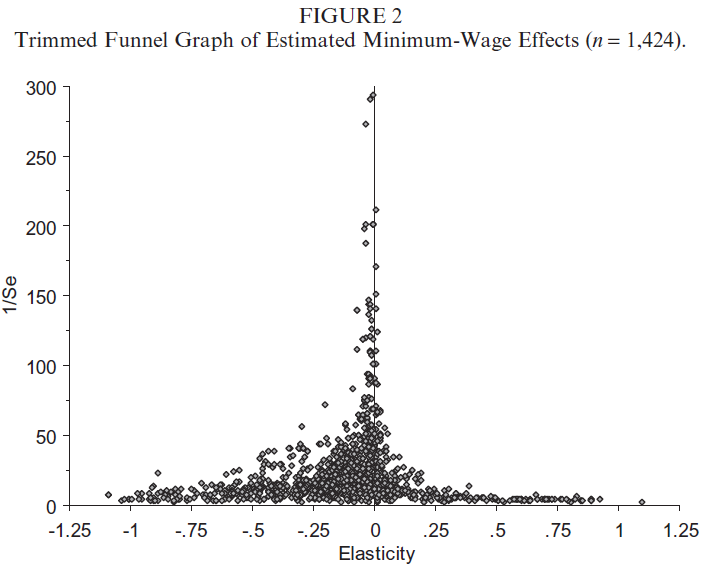
The empirical evidence from modern studies is clear: normal increases in the minimum wage have negligible to statically insignificant impacts on employment. I’ve included a graph on page 6 of my submission showing this result visually; it comes from a meta-analysis that compiled over 1000 estimates from over 50 studies of the relationship between changes in the minimum wage and employment. Note the concentration of results (especially the more precise ones higher on the y-axis) around zero effect.
What mechanisms could be behind this new, clear evidence? Economists have identified a number of factors, which working in concert explain why we should expect this result. The list would include,
a shift from a low-wage, high-turnover labour market to a higher-wage, lower-turnover labour market with more stable jobs and thus lower costs to employers;
some redistribution between wages and profits, not unwelcome after several decades of a consistent downward trend in the labour share of GDP;
more productive workers, which can result from higher-paid workers putting in greater effort (economists call this efficiency wage theory);
modest increases in prices at an economy-wide level, outweighed by increases in pay for a large portion of the wage distribution;
compensating effects on demand from the higher propensity to consume of low-wage, low-income workers; and finally
a more compressed wage distribution, that is a reduction in inequality.
Many of these mechanisms are beneficial on their own. More productive workers, more long-term employment and greater equality are welcome results. Most importantly, without significant costs in employment, the biggest benefit of this policy is clear: we can expect significant increases in pay for the lowest-paid workers in Ontario. Indeed, over a million workers will see higher incomes directly from this policy, 80% of them not the teenagers of past stereotypes. We should also not be surprised to see a reduction in poverty from raising the minimum wage, another finding of recent economic research.
As I’m sure you are aware, there have been a number of heavily publicized analyses that have made dire predictions, centered on disemployment impacts. These analyses focus on potential economic costs from raising the minimum wage and do so based on evidence from older studies and older theoretical frameworks. It is important to remember that none of these analyses present new evidence; they merely extrapolate results from a selective reading of outdated literature to the Ontario labour force. They, in effect, assume what they seek to prove.
Those making the wildest predictions, like CANCEA, were met with almost unanimous skepticism and criticism by Canadian economists. And even the authors of some of these analyses admit that they expect net employment in Ontario to continue growing after the introduction of a $15 minimum wage.
Opponents of raising the minimum wage are swimming against the tide of economic evidence that shows increases in the minimum wage to be beneficial for workers and the economy. It is a boost sorely needed in Ontario today.
Over the weekend, I took some photos of a couple of Nashville bike- and walk-friendly projects that have been planned for years but are now “for-real.” If you’re not interested in Nashville bicycle infrastructure, don’t feel lonely. One of this blog’s 12 readers is bound to find Nashville’s bike and walking infrastructure a riveting topic.
I-440 Greenway (Construction-Phase 1)
This set of photos (embedded from my Flickr account where each photo is annotated) are of the first phase of a stretch of greenway that runs adjacent to Nashville’s “inner-loop,” I-440. Even life-long Nashvillians would be challenged to know where the photos of the underpass are located, so I’ve embedded a Google Map below the photos. This section goes from Murphy Road to Centennial Park. The “magic” part of this greenway that few people with find hard to believe is the under-pass that goes under 440 rather than over it (like the current Acklen Park Ave. Bridge). When the greenway is completed, it will become a popular, safe and family-friendly bike/walk route to Centennial Park and the Vanderbilt area from neighborhoods west and north of this greenway (especially after the graffiti is removed).
Where the heck is this?
One the map, the bike icon is the location of the underpass.
Division Street Extender
I added a photo of Froogal McDoogals (a liquor store that anchors one end of the bridge) so that Nashvillians could quickly vector in on the location. For urban transportation wonks, the design of the bridge is called a Complete Street or “multimodal.” This simply means that the street was conceived as a passage not only for people driving cars but also with designated and protected lanes for people on bicycles and people walking. And when I say, “protected,” I don’t mean the white plastic separators going up around town (which I’m all for), but I’m referring to the metal kind you can see in the photos. The bridge and the approaches on each end are designed to connect “the Gultch” to Second Avenue, nearby the Music City Center.
U.S.-based e-commerce giant Amazon lobbied Canada’s Liberal government more than any other tech company in the last 12 months.
According to a report by Radio-Canada — which MobileSyrup was able to verify thanks to the Office of the Commissioner of Lobbying of Canada (OLC) website — Amazon lobbied Canada’s Liberal government 99 times in the last 12 months.
According to the OLC website, government institutions and agencies ranging from Agriculture and Agri-Food Canada to Canada Border Services Agency to National Defence and the Canadian Armed Forces were lobbied in the process.
Unsurprisingly, companies like Google, Microsoft and Netflix all expressed some interest in amending Canada’s Copyright Act, Competition Act, Personal Information Protection and Electronic Documents Act (PIPEDA), as well as the Canadian Radio-Television and Telecommunications Commission Act.
Industry lobbying comes as no surprise to transparency advocate
Duff Conacher is the co-founder of Ottawa-based not-for-profit Democracy Watch. The group advocates for democratic reform and as well as government accountability and transparency.
Conacher says it’s not surprising that any corporation of any kind is lobbying Canada’s federal government.
“I am not surprised that American tech giants are lobbying the government as they have business interests in Canada that they want to protect,” said Conacher, in an email to MobileSyrup. “I am also not surprised that the government is meeting with them. The unanswered question is whether the government has met with the American companies much more than they have met with Canadian companies and organizations on the same issues.”
Amazon, for instance, lobbied the Office of the Minister of International Trade in order to “work with law makers to better harmonize consumer protection and cross-provincial regulations.”
“If Cabinet ministers and top government officials have met with the American companies more than with Canadian companies and organizations, they have given preferential treatment to the American companies and the federal Ethics Commissioner should investigate to determine whether that has happened because of donations or other unethical favours or connections that the American companies have to the government.”
Indeed, what’s astonishing is the ardour with which some of these U.S.-based tech conglomerates have sought out government correspondence.
In comparison, Rogers Communications only lobbied the government 38 times in the past month; the Royal Bank of Canada only lobbied 35 times; while TD Bank, Canada’s largest, only lobbied 22 times.
MobileSyrup has reached out to the Office of the Commissioner of Lobbying of Canada, and will update this story with a response.
Update 31/10/17: Dorin Petriu, a spokesperson for the Office of the Commissioner of Lobbying of Canada clarified that the aforementioned tech companies did not necessarily meet with government representatives, but that the companies engaged in communications with government representatives more than 100 times over the last year.
Google is bringing in some new features with Android 8.1 to allow easier and more effective restoration of data from an older device. Screenshots show how Google will now offer a prompt on top of the Settings page, asking users to finish the initial setup process. You can then restore all your old data such as apps, passwords, text messages and so on.
Continue reading →
At an event in Delhi, India, Nokia today launched the Nokia 2. The cheapest handset from the company till date, the Nokia 2 is also the first low-end Android device to make use of Qualcomm’s Snapdragon 212 chip.
Continue reading →
Samsung Internet browser version 6.2 is now stable and comes with a number of new features and enhancements.
The browser features ‘Night’ and ‘High Contrast’ modes. ‘Night’ mode will reduce the light and make the background dark, while ‘High Contrast’ mode will make the background dark with the text white and bright so it’s easier to read in the dark.
Additionally Samsung Internet has an updated content blocker section within the ‘Settings’ menu, which Samsung promises will save privacy, battery life and data consumption. It also uses a tracking blocker, which will stop the websites that utilize trackers that log activity across a variety of sites.
Samsung Internet can also sync bookmarks from other browsers. This means if a user utilizes Chrome on desktop they can share their books, via an extension on Chrome, to Samsung Internet. Along with the extension, users can also enable ‘Sync with Samsung Cloud’ in the settings menu to allow syncing from bookmarks, saved pages and open tabs from all of the user’s Android devices.
Version 6.2’s Chromium engine has been updated to M56 and offers JavaScript web performance. Chromium M56 brings support for CSS grid, giving developers the ability to create two dimensional layouts allowing control over columns and rows of elements.
The browser is available on Android 5.0 Lollipop and higher, and can now be downloaded on the Play Store or the Galaxy Apps store.
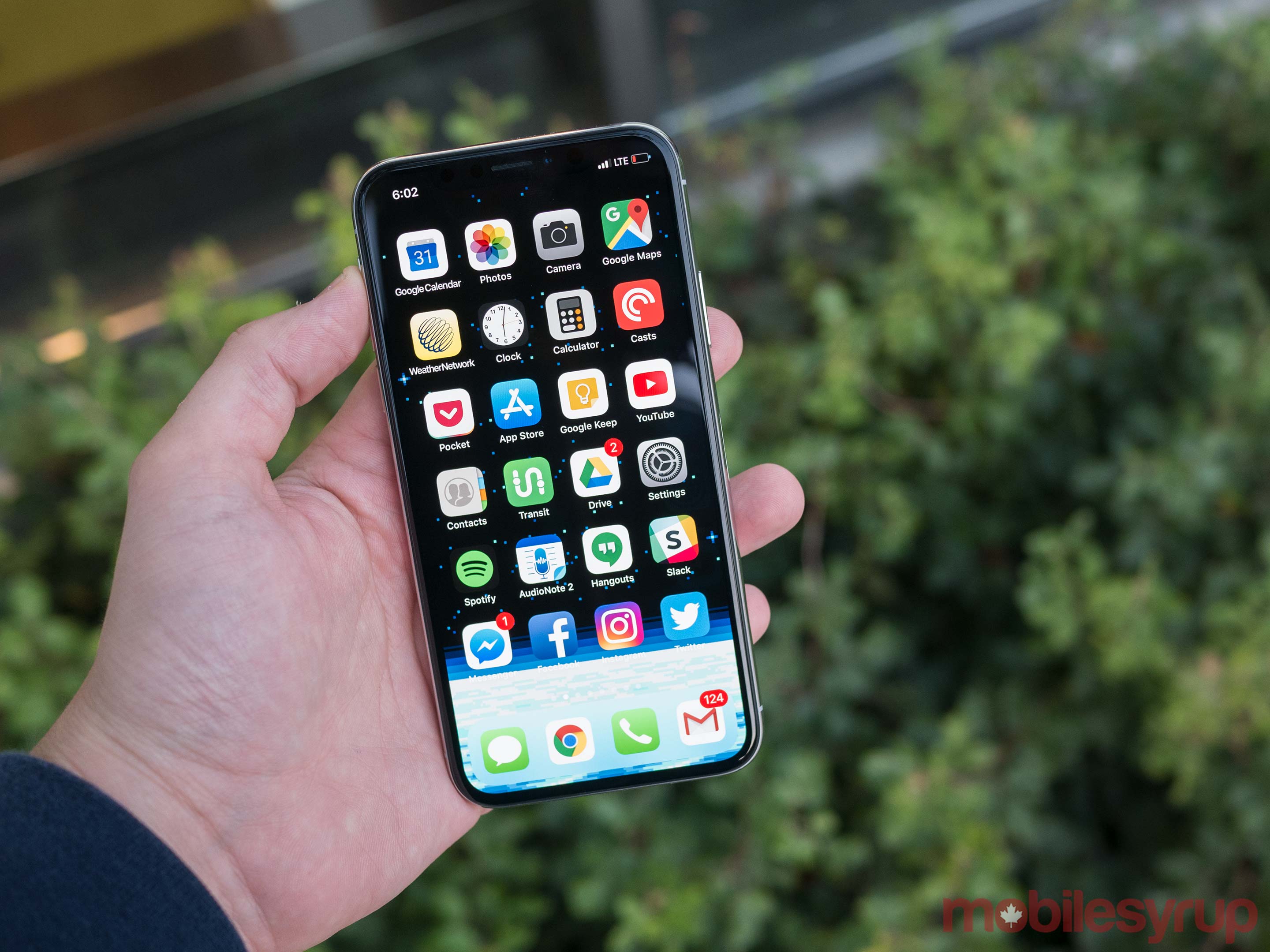
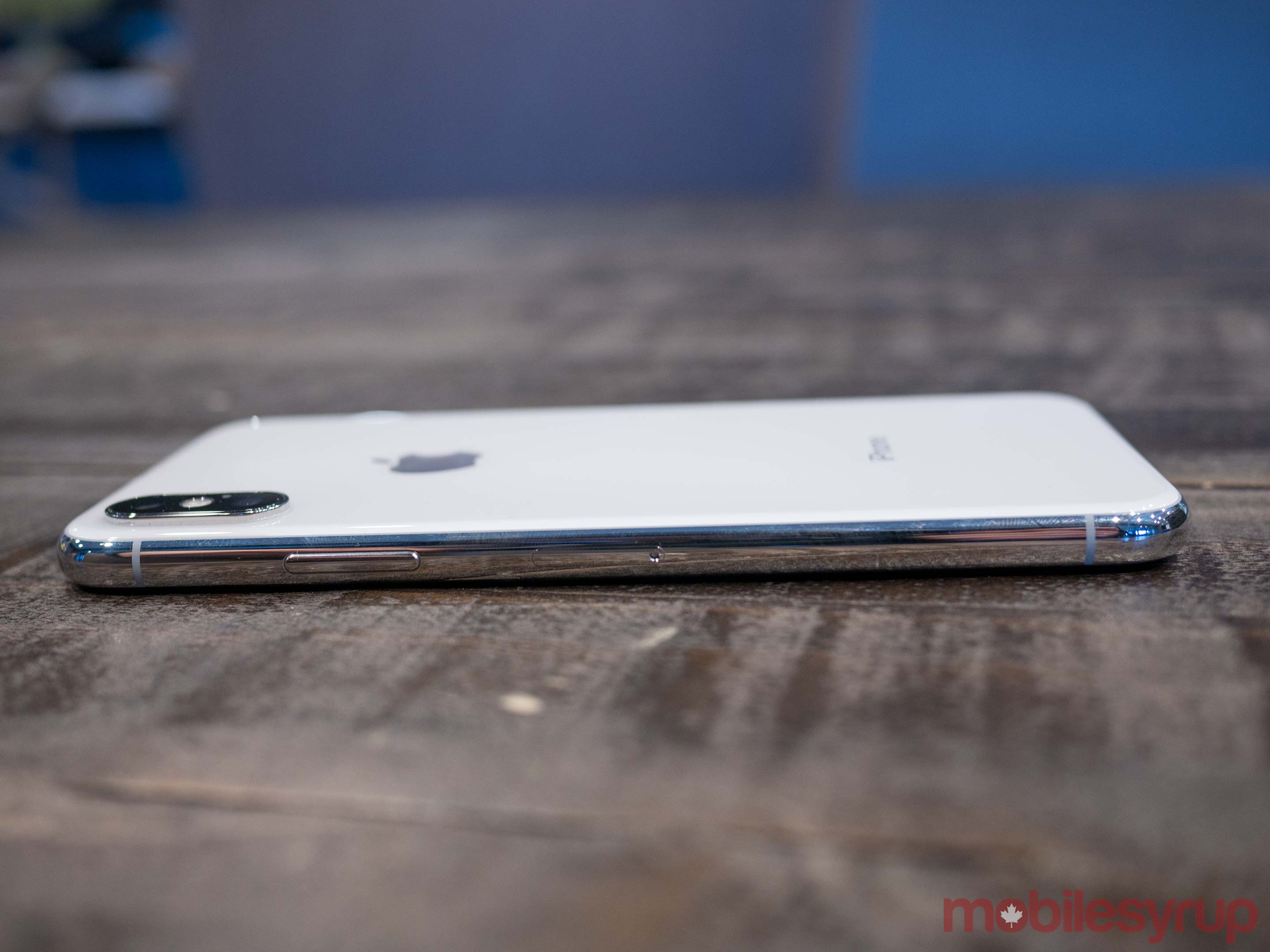
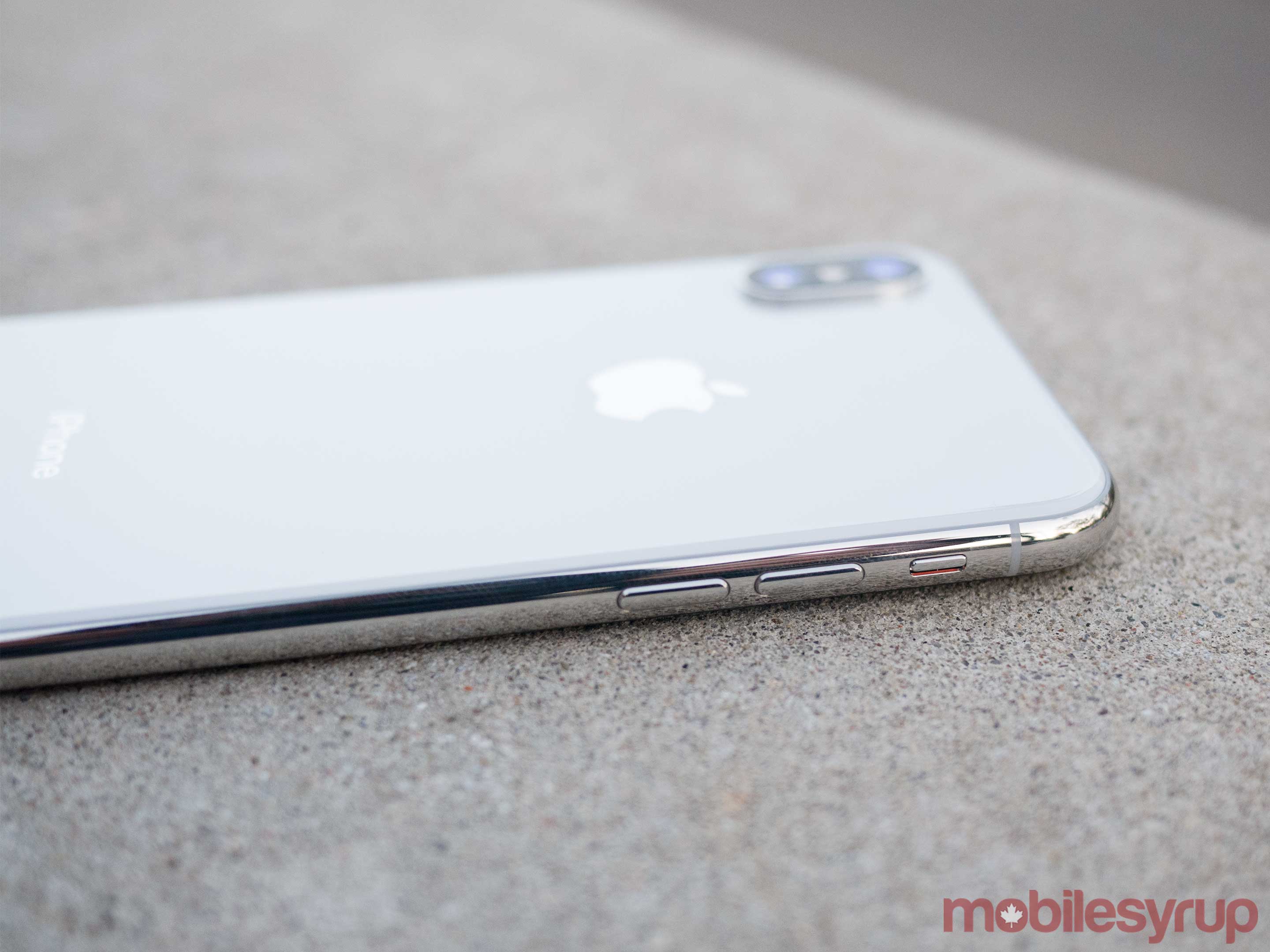
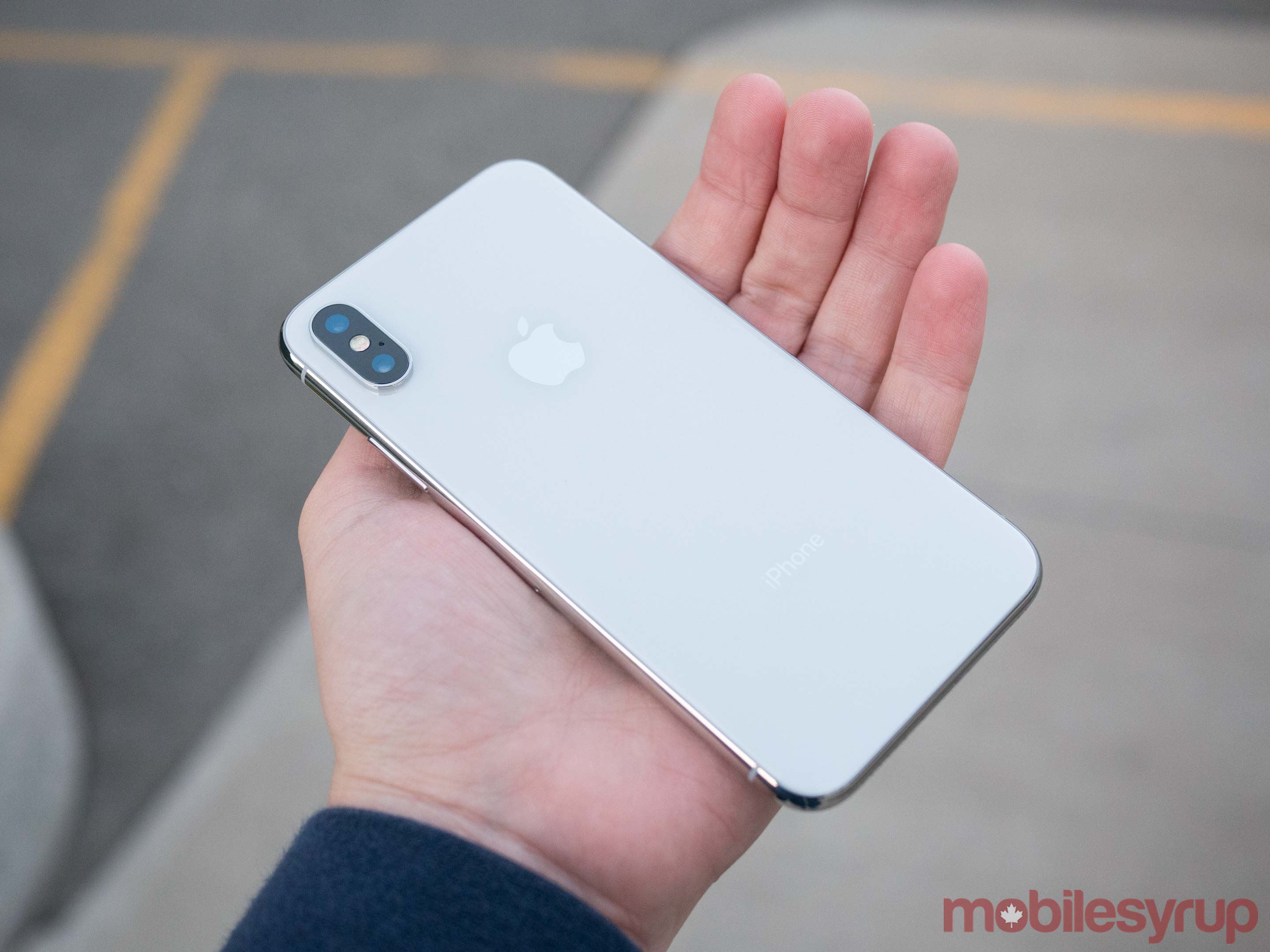
The iPhone X is one of the most anticipated tech devices, let alone smartphones, in recent memory.
There’s an air of excitement surrounding the handset that even the most stalwart Android fans have likely noticed. This is something that rarely occurs in the rapidly plateauing smartphone industry. In fact, in the brief moment I pulled out the iPhone X during my flight back to Toronto, someone tapped me on the shoulder and started asking me questions about the smartphone (which I wasn’t able to answer due to embargoes). This isn’t something that has ever happened to me before with previous tech products I’ve reviewed.
There’s no denying that versions of many of the X’s most discussed features, including the phone’s nearly bezel-less 5.8-inch 1125 x 2436 pixel display, and Face ID facial recognition technology, have been included in high-end Android devices in the past, most notably Samsung’s Galaxy line.
The main question surrounding Apple’s new smartphone is if the iPhone X has improved these features to the extent that they surpass the tech giant’s Android competitors. This is what Apple is truly good at: taking experimental technology and bringing it to the masses in an intuitive way.
Then there’s the iPhone X’s price, which starts at an undeniably expensive $1,319 CAD. While price shock regarding the iPhone X is understandable, it should be remembered that Samsung moved into this ultra high-end price territory first with the Note 8.
The cost is also easier to swallow when you take into account that the increase isn’t as sudden as some mainstream news outlets might have people believe — after all, the iPhone 6s Plus, which is several generations old, started at $1,029 CAD back in 2015.
That said, $1,319 is a formidable price tag for any smartphone and brings into question whether the device is worth the cost of admission. The answer to this comes down to a variety of factors.
While I’ve admittedly only spent a brief period of time with the iPhone X — a little under 24 hours at this point — my early impressions indicate that despite not necessarily breaking new ground in the smartphone space, Apple’s latest device surpasses its main Android flagship competitors in many ways.
Note: Since I was only able to get my hands on MobileSyrup’s iPhone X review unit a little less than 24 hours ago, I’m handling our review of Apple’s latest flagship device a little differently than how we typically critique products. My current early impressions are based on the time I’ve spent with the device so far. I’ve included a review score to denote my early overall feelings surrounding my experience with the iPhone X, though this score could change when the full review goes live.
This Friday, November 3rd — the same day that the iPhone X hits store shelves — our full review of the iPhone X will be published. This review will be updated on that date in a variety of ways, with more in-depth analysis based on the time I’ve spent with the smartphone and new photos. Look at this review as somewhat organic, since it will change as I’m able to spend more time with Apple’s latest flagship.
Visual revamp
Beyond the removal of the standard Touch ID home button and the arrival of the often derided display ‘notch’ (more on this later), the most significant buzz surrounding the iPhone X stems from the fact that this is the first time Apple has redesigned its flagship smartphone in roughly four years, dating all the way back to the release of the iPhone 6.
In a word, the iPhone X is stunning. The smartphone adopts the familiar ‘surfboard’ design of previous iPhones, though with additional visual flair thanks to a subtle aluminum line that runs along the side of the X. This aesthetic shift is a throwback to the classic iPhone 3GS, which makes sense given Apple is positioning the X as a tenth anniversary device.
While I’m a fan of the border from a purely aesthetic perspective, the iPhone 3GS’ stainless steel framing was easily scuffed. Apple’s industrial design has come a long way in the years since the 3GS’ release, but it’s possible 2017’s iPhone X will suffer from the same issues.
Just like the iPhone 8, the rear of the X is glass, allowing for Qi wireless charging. As a consequence of this, the iPhone X is a fingerprint magnet; the same can also be said about nearly all modern flagships at this point. Despite sounding like a made-up marketing buzzword word, the iPhone X’s ‘oleophobic’ outer coating does repel grease and smudges, though not significantly.
The X’s pair of rear-facing cameras are vertically oriented now too. While I found this design choice strange initially, I’ve actually grown accustomed to it. The same stainless steel ring that runs around the circumference of the iPhone X’s body can also be found tracing the edge of the handset’s camera bump, adding subtle visual flair to the device’s otherwise minimalist rear.
The iPhone X also has a surprising amount of heft to it, which makes the phone feel solid and high-end whether held in one hand or two. To put the iPhone X’s weight in perspective, the device measures in at 174g, compared to the iPhone 8’s 148g and the iPhone 8 Plus’ 202g.
What about that Notch?
I’m actually a fan of the iPhone X’s notch in most cases. It gives the device a unique look, with the Andy Rubin-made Essential Phone being the only Android device that’s currently available in Canada to features a similar screen division.
The key fact regarding the iPhone X’s display is that while the device’s OLED screen measures in at a sizeable 5.8-inches with a 19:5:9 aspect ratio, it doesn’t actually feel that size thanks to its nearly bezel-less design — in comparison, the iPhone 8 Plus’ screen is 5.5-inches.
“I’d put the iPhone X’s screen on par with Samsung’s Galaxy S8/S8+ and the Note 8”
The size difference between the two smartphones might at first seem negligible, but when the X is set beside the comparably massive iPhone 8 Plus, or even the Pixel 2 XL for that matter, the change feels more significant. In fact, as someone who has used the Plus model of Apple’s iPhone since the 6s, I actually found the X’s body feels too small, though this opinion will likely change the more I use the device.
In terms of display quality, I’d put the iPhone X’s screen on par with Samsung’s Galaxy S8/S8+ and the Note 8. This makes sense given the display technology featured in Apple’s iPhones — including the iPhone X — is supplied and manufactured by Samsung. The screen is bright and vibrant, but colours also look saturated, punched-up and not exactly true to life; I see this as a positive, though some may hold the opposite opinion.
The iPhone X’s screen supports both high-end wide colour gamut HDR standards, including HDR10 and Dolby Vision, and the same True Tone display ambient light adapting feature as the iPhone 8 and Apple’s various iPad Pros, though with six channel sensors instead of four.
Also, while the iPhone X’s display is nearly bezel-less and almost edge-to-edge, it isn’t quite bezel-free: a thin, though barely noticeable black edge runs around the circumference of the device.
What’s perhaps most interesting about the iPhone X’s display is that few apps utilize its controversial notch right now. According to Apple, at launch only Facebook, Instagram, YouTube and Twitter are optimized for the iPhone X in terms of the device’s unique display and notch. Apple says that it expects more apps to update “leading up to and after customer availability,” however.
Apps that don’t take full advantage of the display, like Spotify, Animal Crossing Pocket Camp, Super Mario Run and even Transit, feature black bars across the top and bottom of the display.
It’s worth noting that this likely won’t be an issue for long since developers will almost certainly start optimizing their apps to take advantage of the iPhone X’s unique display, but it is disappointing nonetheless.
In general, I’m fond of the notch and found it didn’t get in the way in most cases. The only time I found it cumbersome was when browsing websites with the phone held in landscape mode, something I rarely do — this leaves unsightly black bars on either the left or ride side of a web page.
When you take a screenshot, the notch disappears as well — in some respects this seems strange.
Yes, Face ID works
Face ID seems to work extremely well, even when you set the feature up in the back of an Uber while rushing to the airport. My driver was confused as I rotated my head in a slight circle, allowing the iPhone X’s front-facing camera module — which features both an IR sensor and dot projector that shoots out 30,000 dots — to map my face with Apple’s new TrueDepth technology.
Apple says that the more you use Face ID, the more accurate it becomes, though also warns that siblings close in age that look similar, as well as twins, could unlocking eachother’s devices. There are obvious security concerns surrounding Face ID when it comes to law enforcement too. When asked this question, Apple points to the fact that holding down the device’s right side button, along with the volume down button, disables Face ID. While slightly obtuse at first, activating this mode is actually quite easy and can be done quickly (I’ll discuss the iPhone X’s new button set-up more later).
It’s important to point out that Face ID is not stored or analyzed in the cloud, according to the tech giant. All data is kept directly on the device in what Apple calls its ‘secure enclave.’ This means that those who are concerned Apple is creating a massive data base of their valuable facial features, can rest assured that doesn’t seem to be the case.
Face ID works from various angles and under different lighting conditions. For example, my apartment is dimly lit because my landlord opted not to pay for pot lights when purchasing the unit. I mention this only because the Note 8 and S8/S8+ suffered from authentication issues when using the phones’ less technically savvy facial recognition technology under the same lighting conditions in my apartment.
The iPhone X’s unique front-facing sensor is also the technology powering the company’s silly, yet technically impressive Animojis. Animoji live within Apple’s Messages app and are sent over iMessage, though they can also be exported into a .mov file, allowing them to be sent through a variety of apps and even to Android devices (though the quality is degraded).
And yes, you can make a piece of poop talk and it’s kind of amazing.
It is strange, however, that beyond fancy, scarily accurate Snapchat features, few app developers seem to be jumping at the chance to take advantage of the new functionality featured in the iPhone X’s front-facing shooter. It remains unclear exactly how open the technology is from a development perspective.
Navigation changes
Apart from aesthetic differences the first thing most people will notice about the iPhone X is how Apple has revamped navigating iOS 11.
In fact, the experience is so different that many will likely find it off-putting at first. My initial attempts to multitask by swiping up from the bottom of the phone’s display, then applying slight pressure to activate Force Touch, all in order to multitask, were frustrating (this is also the first time I’ve ever really found 3D Touch useful).
“The experience is so different that many will likely find it off-putting at first”
After my initial trepidation and roughly half hour of experimenting with the iPhone X’s new navigation system, I quickly forgot about my longing for Touch ID and the familiar Home Button. Overall, most people will likely be frustrated with navigating the iPhone X at first because it really is quite different from what they’ll be used to (Android users may find the switch a little easier though).
Since there’s so much to go through in terms of navigation, below is a list of all the major changes:
Wake Tapping anywhere on the iPhone X’s display wakes up the smartphone.
Lock screen shortcuts Accessing the flashlight and camera can be accomplished right from the lock screen with the iPhone X through 3D Touch.
Home Swiping up from the bottom edge of the phone at any point returns home (this actually works way better than I expected).
Control Center Swiping down from the top-right edge of the display to opens Control Center (getting used to this may take some time to build up muscle memory).
Switching Between Apps Switching between apps involves swiping up from the bottom edge and then pausing to activate the new App Switcher via Force Touch.
Screen shot In order to snap a screenshot, simultaneously press the button on the right side of the phone and the Volume Up button.
Force Restart To force restart your iPhone X, press and quickly release the Volume Up button. Then press and quickly release the Volume Down button. Finally, press and hold the side button until you see the Apple logo.
Turn Off Press and hold the side button and either volume down and side button, then swipe to turn off iPhone X.
SOS on iPhone X Triggering SOS on iPhone X is accomplished by pressing and holding the side button and either volume button for six seconds to quickly call emergency services. Optionally, you can also initiate SOS by rapidly clicking the side button five times. The five-click option can be enabled under ‘Settings’ then ‘Emergency SOS’ and finally selecting, ‘Also Works with 5 Clicks.’
I feel that while many of these gestures feel foreign right now, they’ll quickly become intuitive — in some cases, they already do — and going back to using any other iOS device or smartphone for that matter, will feel like a downgrade.
Same camera as the iPhone 8 Plus
The main change in the camera department is that both the iPhone X’s 12-megapixel dual rear-facing cameras — the f/1.8 wide angle and the f/2.4 telephoto — feature optical image stabilization. While this might sound like a subtle change, it makes snapping photos in bumpy environments, particularly when trying to use Portrait Mode, much easier. Of note, Samsung also added dual OIS to the Note 8’s pair of rear shooters as well, so Apple is not the first smartphone manufacturer to include this functionality.
Since I’ve spent so little time with the phone at this point, its camera performance is difficult to judge. On paper the iPhone X features the same camera specs as the iPhone 8 Plus.
The few photos I’ve shot look great, with images appearing vibrant both under low light and natural light conditions.
What’s new here is that portrait mode is now available with the phone’s front-facing camera thanks to Face ID’s depth sensor, allowing its single 7-megapixel, f/2.2 aperture shooter to utilize Portrait Mode as well as the feature’s clever new lighting techniques.


 But speaking of gaming, check out
  a million times.





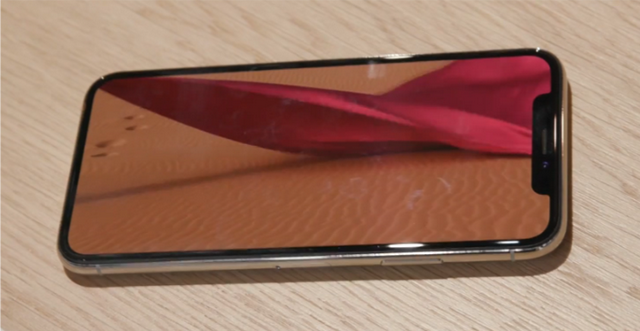






 Google is bringing in some new features with Android 8.1 to allow easier and more effective restoration of data from an older device. Screenshots show how Google will now offer a prompt on top of the Settings page, asking users to finish the initial setup process. You can then restore all your old data such as apps, passwords, text messages and so on.
 At an event in Delhi, India, Nokia today launched the Nokia 2. The cheapest handset from the company till date, the Nokia 2 is also the first low-end Android device to make use of Qualcomm’s Snapdragon 212 chip.