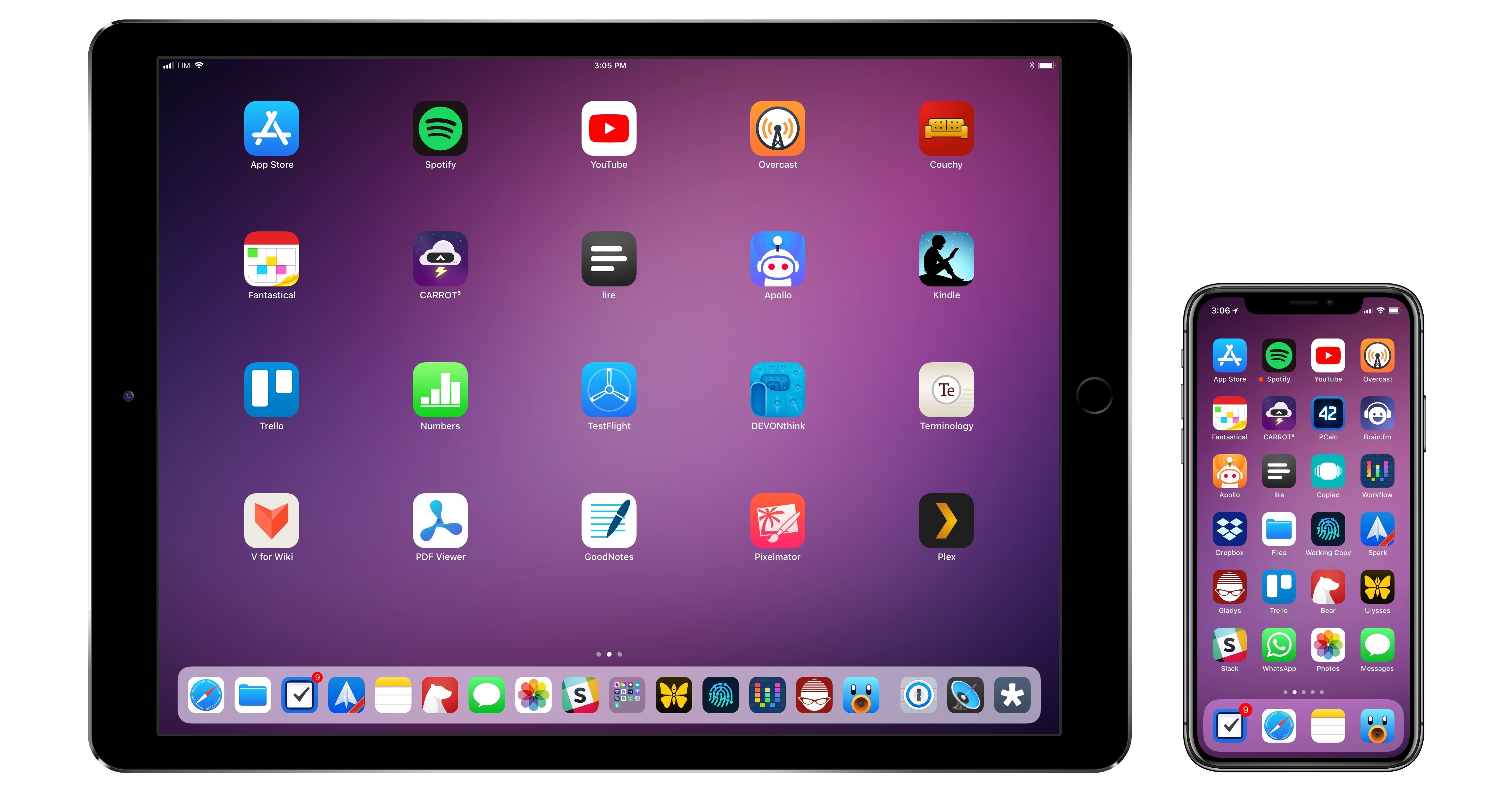
With the transition to iPad Pro as my primary computer fully achieved in 2016 and not surprising anymore, in 2017 I turned my attention to three other key areas of my life: working with the MacStories team, managing my time, and finding my favorite apps among many competing alternatives.
For the first time in several years, I didn't publish a story documenting my journey towards the iPad and iOS in 2017. In many ways, that's a closed chapter of my career: the iPad Pro has convinced millions of people that it can be a suitable replacement for or addition to a Mac; with iOS 11 and its productivity features, Apple only cemented that belief. While part of me misses arguing in favor of the iPad against widespread skepticism, I felt it was time to move on from explaining the "why" of the iPad to helping others get the most out of the device. For this reason, I spent the better part of 2017 covering iOS 11 (first with my wish list, then with an in-depth review), discussing the details of iPad productivity, and creating advanced workflows for Club MacStories.
As much as I like to write in isolation, MacStories is also a team that requires a direction and a business that begets further responsibilities. Learning how to balance the multifaceted nature of my job with my hobbies and personal life (which got busier thanks to two puppies we adopted in April) has been an interesting challenge this year, and one that taught me a lot about allocating my time and attention, as well as the kind of writer I am and aspire to be.
There has been a recurring theme that has characterized my relationship with iOS in 2017: I've made a conscious effort to try as many new apps and services as possible, ensuring I would have a basic knowledge of all the available options on the market for different categories.
As I was settling on a routine and set of apps that worked well for me, I realized that I didn't want to lose the spark of excitement I used to feel when trying new apps in previous years. My job is predicated upon writing about software and having a sense of where our industry is going; while finding something that works and using it for years is great, I don't want to become the kind of tech writer who's stuck in his ways and doesn't consider the possibility that better software might exist and is worth writing about. Even though my experiments didn't always lead to switching to a different app, they made me appreciate the state of the iOS ecosystem and helped me understand my app preferences in 2017.
Thus, I'm going back to basics for my annual roundup this year. In the collection below, you'll find the 75 apps I consider my must-haves – no web services, just apps for iPhone and iPad. Apps are organized by category and, whenever possible, include links to past coverage on MacStories.
As in previous years, you'll find a series of personal awards at the end of the story. These include my App of the Year and Runners-Up; this year, I also picked winners for Feature, Redesign, Update, and Debut of the Year.
Table of Contents
Work Essentials
Ulysses. I moved to Ulysses last year, and, even after considering dozens of other options, I always come back to this app. Ulysses offers a combination of two unique features that no other text editor has: a beautiful reinvention of inline Markdown editing and powerful x-callback-url automation. I love writing and editing longform stories in Ulysses: the app simplifies management of elements such as footnotes and links with dedicated menus that abstract Markdown's syntax; in addition, I can use my custom theme and the typeface I prefer (currently, I'm editing with IBM Plex Mono).

Ulysses and SF Mono.
Ulysses plays an essential role in the creation of Club MacStories content: thanks to its advanced URL schemes, we've come up with workflows that extract cards via the Trello API and turn them into sections in Ulysses sheets. None of this could be done with other iOS text editors, and it's saved the entire MacStories team several hours this past year. Ulysses truly is one of a kind: thoughtful and minimalistic, yet powerful and extensible. [Review and previous coverage]
Bear. While Apple Notes is my general purpose note-taking app, I realized a few months ago that I was missing a Markdown app that could hold my thoughts and reference material before turning them into drafts for Ulysses. This is why I came back to Bear: I can start outlining a story by adding links and a few images while I'm still taking notes about a topic. Later, when I'm ready to go from note-taking to actual writing, I can send a Markdown version of a note from Bear to Ulysses, which will keep all formatting and attachments intact. It took me a while to understand that I needed a dedicated note-taking app to complement Apple Notes; I'm happy that Bear and Ulysses get along well. [Review]
Things. My move to Things has been a hot topic of conversation on AppStories and Connected, so I won't repeat it in full, but here's the gist: while not as flexible or scriptable as Todoist, Things' design doesn't make me stress over my due tasks and it helps me cope with the anxiety often induced by having too many responsibilities. Things is incredibly polished and it looks amazing on iOS 11, both on the iPhone X and iPad Pro. The app is heavily skewed towards managing tasks in the Today and Upcoming views, though I also find myself organizing projects in sections (a feature I haven't seen anywhere else) and using Quick Find to search for tasks by title and tag.

Initially, I thought I liked Things because it was new and shiny, but with time I've come to understand that it's the app's elegant aesthetic and calming approach that makes it the task manager I need at this stage of my life. Things is the epitome of attention to detail in iOS UI design, and the app for those who don't want to feel guilty about task management. [Review]
Google Docs. Google's collaborative word processor isn't my favorite iOS app – in fact, I often criticize the company's slow adoption of new iOS productivity features such as iPad multitasking and iOS 11 drag and drop. However, of all the similar apps and services I tried over the years, Google Docs remains the most consistent and reliable one. We use Google Docs to prepare topics for AppStories and shows on Relay FM. As an iOS app, Google Docs' interface conventions and text selection mechanism leave a lot to be desired, but I depend on it, and I can't work without it.
Slack. Another case of a fantastic web service with a native iOS presence riddled with bugs. We pay for Slack at MacStories, and it's our primary communication system that has replaced email for all our day-to-day discussions. Alas, there are always some annoying bugs introduced with new versions of Slack for iOS, whether they involve scrolling performance, notifications, unread messages, or other visual elements of the app. Still, Slack the service enables us to save time thanks to integrations with other tools we use (including Zapier and MailChimp), and we even created our custom Storybot assistant to help us with scheduling team assignments and reminders. Despite its problems on iOS, I can't see the MacStories team using anything else.
Workflow. Like many others, I was shocked by the news of Apple acquiring Workflow earlier this year. Workflow is, by far, the most important app on my iPhone and iPad: every automation for every important service in my life, from Trello to Toggl, passes through Workflow. Years of coverage on MacStories should give you an idea of how critical Workflow is to what I do on iOS. While the big-picture future of Workflow is still unclear, it's good to see that Apple is maintaining the app by supporting new iOS technologies and fixing bugs. I hope to see Workflow become a system feature in iOS 12 next year, and I want to believe Apple will remember its importance for everyone who uses an iPad as their primary computer. [Review and previous coverage]
Editorial. Ole Zorn's text editor may not receive the same attention (or updates) it did four years ago, but it still plays a key role in my text editing workflow as it does things no other app can – namely, Markdown automation based on action presets and Python scripting. Whenever I need to edit a long story that spans multiple pages or requires custom syntax for MacStories (such as this one, or my iOS reviews), I turn to Editorial. The (Multi)Markdown workflows I created years ago are still as powerful and stable as they were when Editorial was a younger app, and they save me hours I would otherwise spend manually inserting custom code into my stories. It saddens me that Editorial is essentially on life support now (it hasn't even received basic iOS 11 bug fixes yet), but I hope Zorn will find the motivation to work on it again. [Review and previous coverage]
DEVONthink. I use DEVONtechnologies' app to store reference material for my articles and Club newsletters in the form of PDF documents and web clippings (as .webarchive files). As I explained on MacStories a few months ago, DEVONthink is an advanced file manager with terrific automation features for those who don't want to waste time manually saving documents (of any kind) into specific folders. I keep a searchable database of all our Club newsletters in DEVONthink, and I regularly use workflows to archive webpages and screenshots in the app. With iOS 11, DEVONthink has added support for drag and drop and Files, further speeding up how I can access and save documents from the app's databases.
Working Copy. Here at MacStories, all of our posts for the site and Club sections are collaboratively edited through shared repositories in GitHub. I wrote about the decision to use GitHub for Markdown last year, and, unsurprisingly, the system has been so good for us, we haven't felt the need to try anything else. Working Copy is the best iOS GitHub client for what we need from the service: it supports Markdown syntax highlight, word-based diffs, and developer Anders Borum recently added a way to drag individual revisions of documents out of Working Copy and into other apps.

Working Copy and its file provider extension.
With iOS 11, Working Copy gained full support for Files with a file provider extension, which makes it even easier to save articles into repositories and open them in different iOS apps. My entire iOS 11 review was backed up in Working Copy over the course of three months, too. If you want to work with GitHub on iOS, Working Copy is the app to get.
Trello. In 2017, we've continued to use Trello as an editorial calendar and organizational tool for MacStories and Club MacStories. All the sections in our newsletters are based on Trello cards that we either manually create or that are submitted by readers to Google Forms, which Zapier then converts to cards in Trello. Our Trello setup is a complex one and it involves dozens of scripts and workflows, but it's been working well for over a year now, and we trust it. Trello's iOS app isn't great: it doesn't support iOS 11 drag and drop, for instance, but it's passable, and it gets the job done. I'm disappointed by the lack of power-ups on iPad though, and I'd like the company to bring all the features of Trello's web app to iOS.
Gladys. I was hoping someone would make a third-party shelf app inspired by my iOS 11 concept after Apple announced drag and drop at WWDC, but I would have never guessed how many options we ended up having. More importantly, I could have never imagined a utility as powerful and well thought-out as Gladys.

Inspecting dropped items in Gladys.
Gladys lets you save anything you can drag on iOS 11 and store it in iCloud so all your items are available on both the iPhone and iPad. Think of Gladys as a mix of a file manager, Copied, and my idea of an iPad shelf: literally anything that is draggable on iOS 11 – whether it's text, an image, a link, or a PDF document – can be dropped in the app and stored for future usage. Ideally, you'll want to keep Gladys in the dock and use it in Slide Over, so the ability to save an item you're dragging is only a couple of taps away. Even better though, Gladys deeply integrates with the drag and drop APIs, so each item is represented with multiple versions that you can individually export and save elsewhere.
Gladys is the missing link between the iPad's drag and drop and iOS power users, and it's constantly getting better thanks to frequent updates. Until Apple makes a system-wide clipboard manager/shelf for iOS, Gladys is the app every iPad power user should install and learn to master. [Previous coverage]
Numbers. I moved to Apple's spreadsheet app last year, and while it's been a bumpy road, I'm a fan of what Apple eventually settled on. Numbers now integrates with drag and drop and Files' document browser, which gives its main view a consistent set of recently opened documents as well as access to every spreadsheet stored elsewhere on the system. I'm still using Numbers to track expenses with historical currency conversions; John and I use Numbers' built-in iCloud collaboration to track sponsorship sales and other business-related tasks.
More recently, I used Numbers to visualize battery charging stats for the iPhone X, and I discovered that some of the advanced chart editing features still aren't available on iOS. I'd like Apple to bring full feature parity between Numbers for Mac and iOS next year.
Dropbox. As much as I've tried to consolidate all my file management habits and workflows in iCloud Drive since the advent of Files with iOS 11, there are several things that Dropbox simply does better than iCloud Drive, or that Apple isn't interested in supporting altogether. Dropbox allows me to easily share files as well as entire folders with other people just by generating a shareable link; this is only partially supported by iCloud Drive, and it's not as intuitive either. Dropbox can keep track of file versions, has an API that integrates with Workflow, and it's cross-platform. I love the simplicity of iCloud Drive (which has been working well for me), but I also need the versatility of Dropbox. Thankfully, the service now offers a native Files extension on iOS 11, which gives me the best of both worlds – Apple's UI and Dropbox's excellent service.
Spark. This year, I have come to the conclusion that the email client of my dreams doesn't exist. I'd love to use an email client that has Airmail's customization and app integrations, the fluidity of Apple Mail's interface, the search prowess of Gmail, and the team collaboration features of Polymail. This beautiful Frankenstein monster of an email app will probably never be made, which I understand as I have very specific preferences.

The closest I can get to this vision is Spark for Mac, but its iOS counterpart doesn't offer the same feature set of the desktop version. According to Readdle, however, all of this should be happening with Spark 2.0, a major update that should introduce integrations on iOS in addition to team collaboration. To prepare for that possibility, I went back to Spark a few months ago and rediscovered everything I noted in my original review. Spark is a smart email client with an elegant design and clever features such as natural language search, UI personalization, and snoozing. I like using Spark for iOS: I don't love it, but I feel like, if Readdle's promises live up to the hype, Spark 2.0 could be the app that makes me stop wishing for the perfect email client. [Review]
Fantastical. Like email clients, I've switched back and forth between different calendar apps this year until I returned to my beloved and trusted Fantastical. Flexibits' app is fast, offers natural language input (which I was missing from other clients) and, most of all, it's a well designed piece of software that is always updated for the latest iOS and watchOS technologies – something I'm valuing more and more in the apps I use. Also, Fantastical has easily accessible Move and Duplicate functions for events, which I use a lot. [Review and previous coverage]
iThoughts. I would have liked to give MindNode 5 a try this year, but, unfortunately, two issues keep me from using the app's latest version: its theming options don't allow me to make the kind of wireframe layout I like my mind maps to have, and an unspecified iCloud bug prevents MindNode from uploading documents stored in its iCloud Drive container.

This is how I like my mind maps.
iThoughts, while not nearly as gorgeous or integrated with iOS 11 as MindNode 5, does what I need: my mind maps have a sharp-angled look with different weights and styles of San Francisco for each level, and they're synced with Dropbox. If MindNode gains deeper styling controls and if the developers can figure out my iCloud Drive issues (which I only have with MindNode on all my devices), I'd like to see if it could replace iThoughts to outline my iOS review next year.
Kaleidoscope. This was one of my favorite surprises of 2017. The folks at Black Pixel have brought Kaleidoscope's powerful diff functionalities from the Mac to iOS, crafting a polished text comparison tool that integrates with iOS 11's Files app and drag and drop. Ever since its release in September, I've switched to using Kaleidoscope to keep track of changes in document revisions for all the documents we share with the team on GitHub.

A diff in Kaleidoscope.
The ability to drag out individual versions of an article from Working Copy and drop them into Kaleidoscope is exactly what I needed when comparing edits suggested by Ryan and John against my drafts. Kaleidoscope's split-screen design is brilliant, and if you also need to track changes to Markdown text files over time, I can't recommend it enough.
Textastic. Speaking of editing plain text files stored in Working Copy, it doesn't get any better than Textastic's ability to bookmark individual repositories as fast-access folders. Thanks to Files' document picker and Working Copy's document provider, I can pin team repositories in Textastic and make changes to Markdown files using the app's superior text editor. Edits from Textastic are mirrored in Working Copy – no need to manually save or duplicate files after editing them. I don't take advantage of Textastic's more advanced features, but as a front-end to Working Copy's GitHub repositories, it's perfect for my needs.
1Password. AgileBits' password manager may have evolved into a full-featured web service available on multiple platforms, but its native iOS app is as solid as ever. As a 1Password for Families subscriber, I set up shared vaults in 1Password so that my girlfriend and I can share important logins and private documents securely. This year, 1Password 7 introduced a refreshed Favorites screen and Quick Copy – two fantastic additions that, together with iOS 11 drag and drop, have made 1Password an even better iOS citizen. 1Password has been in my Must-Have list since I started this series several years ago, and quite possibly always will be. I trust 1Password and want it to stay around forever. [Review and previous coverage]
Media
Spotify. Another year has passed, and I still can't pick one streaming service between Apple Music and Spotify – there are features I like in both, and each complements the other. My girlfriend and I listen to a lot of music (she's a choreographer and needs to discover new music as well as upload her own mixes to iCloud) and we have family subscriptions to both services. However, I'd pick Spotify as my primary service where I spent the most time listening to music every day.

I love Spotify's support for multiple types of connected speakers.
Spotify still eclipses Apple Music when it comes to music discovery: features such as Discovery Weekly, Release Radar, Daily Mix, and Your Time Capsule put Spotify well ahead of Apple and the company's three weekly mixes. While I prefer Apple Music's design and love its support for lyrics and native Watch playback, I keep discovering more new music and getting superior recommendations thanks to Spotify's advanced intelligence. Spotify also integrates with my Sonos, Amazon Echo, Nvidia Shield TV, Chromecast Ultra, and PlayStation 4 Pro, and I like the freedom of playing my music anywhere. Spotify's iOS apps could be a lot better (especially the boring iPad version), but the quality of its intelligence is unparalleled. [Previous coverage]
SongShift. As someone who often switches between Apple Music and Spotify, it is essential for me to have an easy way to seamlessly move playlists between the two services. SongShift is the best app for the job I've found. After connecting multiple streaming services to the app, SongShift lets you pick a source playlist and copy it to a destination – in my case, that often means copying a Spotify playlist into Apple Music so I have the latest version of my recent music discoveries on both services. Version 3.0 of SongShift added a redesigned UI and the ability to automatically update existing shifts in the background once new songs are added to a playlist, which has made using two services on my iPhone less cumbersome than it used to be. [Review]
Shazam. Recently acquired by Apple, Shazam has been my favorite app to identify songs through the iPhone's microphone for years now. Before the acquisition, Shazam was heavily investing in refreshing its design to bolster artist discovery and recommendations, which has turned the app into more than a button to find the name of a song. Since getting an Apple Watch Series 3 last month, I've also started tagging songs directly from my wrist because the faster hardware in the Series 3 makes the experience almost as quick as on the iPhone. I'm not sure Shazam will be around as an app next year, or if it'll become part of Siri and exclusive to Apple Music. If it does, I'll probably use SoundHound as a third-party utility that integrates with Spotify. [Previous coverage]
Record Bird. While Spotify tends to be pretty good at highlighting new music releases I could be interested in1, Record Bird brings the convenience of a dedicated app whose sole purpose is showing you new releases from artists you like.
What sets Record Bird apart is that it's neither a music streaming service nor a song recognition tool: it's a quasi-RSS feed that highlights music releases with articles from popular music blogs, YouTube videos, and songs you can play by connecting your Apple Music and Spotify accounts. Even better though, Record Bird can show you a digest of new releases if you haven't opened the app in a while and send you notifications for new singles or albums you can't miss. Where Spotify's New Music Friday playlist falls short, Record Bird is always there to help. [Review]
Brain.FM. When people see me working in real-life, they always ask about this app. Brain.FM plays procedurally-generated "music" to help you in different contexts – there are sessions to focus and get some work done, music to help you fall asleep, or meditation audio perfect to relax and clear your mind. The music played by Brain.FM is created by algorithms using sounds that various neuroscientists have observed be effective in stimulating different parts of our brains. The company has a whitepaper available here if you're interested in reading more about the science behind it. Brain.FM has been incredibly useful for me to concentrate when I'm working on a big story: the iPad Pro in Do Not Disturb mode, AirPods on, and the iPhone next to me playing a Brain.FM session is the best way I've found to isolate myself and focus exclusively on getting words into Ulysses. I also recommend giving Brain.FM a try if you have trouble falling asleep and don't want to wake up with rock music playing in the middle of the night.
Overcast. After a summer stint with Apple's Podcasts app for iOS 11, I went back to Marco Arment's Overcast because I can't listen to podcasts without Smart Speed and Audio Boost. Overcast's audio effects are technically superior to every alternative I've tested, and the savings granted by Smart Speed add up over time, allowing me to listen to more episodes, and with better audio quality, than I would otherwise be able to. With version 4.0, Overcast gained support for drag and drop on both the iPhone and iPad, which helps me easily add episodes to my Queue and rearrange them as I see fit. [Review and previous coverage]
Musixmatch. Spotify's lack of built-in lyrics is remedied by Musixmatch, which I've used for a few years now primarily through the widget that displays real-time lyrics for the song currently playing in Spotify. Musixmatch (which is made in Italy) looks great as a third-party client for Spotify too: after connecting your account, you can browse charts and view playlists, starting playback directly from the app.

Musixmatch's latest version looks fantastic on iOS 11.
Musixmatch also supports offline lyrics for Premium users, which I found convenient when traveling, and its latest update has introduced a new iOS 11-inspired design that feels perfect for the app. [Previous coverage]
YouTube. There's no video without YouTube these days, and the app now has a permanent spot on all my Home screens. Over the past few months, I've started using YouTube even more thanks to the built-in "casting" feature to stream videos to my Nvidia Shield TV and Chromecast Ultra; the latter is connected to my LG OLED 4K TV, which, unlike YouTube on the iPhone X, can stream HDR videos. I'd like YouTube to extend mobile 4K HDR playback beyond Android devices in the future.
Plex. A couple of months ago, I consolidated our TV and movie setup in two places: Apple's TV app for content we buy or rent on iTunes, and Plex for everything else. I've always been a fan of Plex, but I hadn't been using it much in the past two years because my Synology NAS (a DS214play model) was too slow to transcode videos to an iOS-compatible format on the fly, resulting in slow loading times. Ultimately, that issue forced me to use a basic video player to open one video file at a time without organizing my media library at all. So after much deliberation, I tackled and fixed the problem with another perspective: I bought an Nvidia Shield TV and started using it as a Plex Media Server instead of my slow NAS.

The Shield is an Android TV device, and, thanks to its Tegra X1 SoC, is fast enough to handle multiple transcoding sessions in Plex as well as stream 4K content. This was a lot of work (I had to configure the Synology as a storage location in the Shield, update Android, then install the beta version of Plex from the Google Play Store), but it was worth it: we now have fast and smooth Plex playback on all our iPads and Apple TV 4K, and couldn't be happier.2
nPlayer. When I need to play a video that is in an odd format or isn't stored on my Synology, I use nPlayer. Any format, codec, streaming protocol, external connection, or aspect ratio you can think of, nPlayer likely supports it. This is an incredibly feature-rich and powerful video player that has never failed to play a file I've thrown at it. nPlayer can connect to your local NAS or Dropbox account, it supports streaming videos via AirPlay, Chromecast, and even other Smart TV protocols, has a large selection of gesture shortcuts and playlist management features, and more. There are too many options and supported formats to mention here, so just know this: if you've been looking for an advanced video player for iOS, this is the one to get.
Couchy. I switched to Couchy as my TV show tracker because its Collection and Calendar views work just like my brain wants them to. In the Collection, Couchy displays shows with unwatched episodes, which are sorted by the most recent one and carry a badge that tells you how many episodes you're behind – this is what the app calls Smart ordering. In the Calendar, Couchy has a feed of past and upcoming episodes so you can get a sense of what you can watch next, and what you missed over the past few days. Couchy integrates with Trakt to sync my library across multiple devices and platforms, and it also offers a handy Statistics screen to feel guilty about the time we've spent watching TV.3
Location
Google Maps. I've tried to use Apple Maps more because, as I stated many times before, I prefer its clean and native aesthetic. The problem, though, is that Google Maps' data is simply better for my area in Rome: I can find more stores and POIs on Google Maps, which also supports public transit information. I'm also a heavy user of Street View, which I consult whenever I'm planning to park my car in a street I'm not familiar with. Until all these features show up in Apple Maps too, I'm going to keep using Google Maps.
Waze. Google's other mapping app, Waze, is the best way to beat traffic in Rome and make last-minute decisions about alternative routes. Waze's power lies in the community of other riders that report accidents, roadwork, and even speed cameras in the app; while I'm driving, even if I know where I'm going, I leave Waze open to receive important alerts and keep an eye on traffic.

Waze's Spotify integration is great for quick access to music controls.
There are other aspects of Waze I love, such as the Spotify integration to easily play songs from the map view, or the ability to plan drives and get time-to-leave notifications that are more accurate than anything else I've tried as they're based on real-time data. Plus, I'm a fan of Waze's colorful design and its POI data is top notch as well.
Google Trips. It's fair to say I'm partial to Google's data when it comes to location apps. Google Trips automatically assembles a travel itinerary based exclusively on emails you've received in your Gmail account. Google Trips figures out everything on its own: hotel reservations and plane tickets create a new "trip" in the app, where you have a dashboard for things to see in a new city, places to eat, other points of interest, plus useful information such as how to call emergency services or find local pharmacies. Google Trips represents the best (and what some might see as the most unsettling) parts of Google: sitting in the background, making sense of different data points in your email. I use Google Trips every time I travel, and I always discover something new and useful about it.
Lyft. I used to have Uber on my iPhone, but with time I've realized that Uber as a company is a gross entity imbued in a toxic culture and questionable practices, so I switched to Lyft when I went to the U.S. in June for WWDC. To my surprise, Lyft didn't feel like a lesser alternative to Uber – it worked perfectly, and, since the last redesign, Lyft looks fantastic on iOS 11. Lyft supports Apple Pay, and it has an option to round up your fares to the nearest dollar and donate the difference to a charitable cause, including Girls Who Code and the ACLU. I hope Lyft will someday launch in Rome as well.
myTaxi. This doesn't happen often, but I occasionally need to move around Rome without using my car or public transit (usually for meetings during the day or to come back home after a night out clubbing). In order to avoid using Uber in Rome as well, I signed up for myTaxi last year and haven't regretted it. myTaxi essentially provides a service and pretty iPhone app on top of the existing taxi transportation network – here in Rome, all the rides I had with myTaxi were in regular taxis whose drivers had signed up for myTaxi. myTaxi looks nice and is easy to use – I especially like the menu where you can book a car for a specific time and set driver tips and other car options beforehand. myTaxi is also present in other European cities – I used it in Barcelona earlier this year, and it worked well.
Health
Workouts++. While Apple's built-in Workout app does a good job at starting and monitoring workouts on the Apple Watch, it doesn't have a proper iPhone counterpart, and its personalization options are limited. Workouts++, as the name implies, enhances every aspect of workouts on iOS and watchOS: the iPhone app lets you inspect advanced workout stats with charts and other useful metrics, but it also allows you to customize what the Watch app shows you when you're working out.
On the Watch, Workouts++ supports haptic feedback, real-time heart rate monitoring, and even native podcast playback by caching or streaming episodes. Workouts++ is for everyone who wants more from Apple's Workout app. [Review]
AutoSleep. I've been wearing my Watch at night and tracking my sleep with this app since it launched almost two years ago. AutoSleep, developed by David Walsh, makes sleep tracking automatic and effortless: there are no buttons to press on the Watch, and no special modes to engage before you go to sleep. AutoSleep uses data captured by sensors on the Watch to understand when you fell asleep, how restless your sleep was, and what your heart rate was like while you were sleeping. Then, all these data points are visualized in the app (which has a bit of a learning curve due to its advanced controls) and saved in HealthKit for other apps to read. Thanks to AutoSleep, I know that I should make an effort to try and get more sleep each night. [Review]
HeartWatch. What Workouts++ is for workouts, HeartWatch is for monitoring your heart rate and making sense of data captured by the Watch. Also by David Walsh, HeartWatch aggregates all heart rate data points from HealthKit and helps you understand how low or elevated your heart rate is in different moments of the day, or for different contexts (such as sitting down vs. deep sleep). Like AutoSleep, HeartWatch can be somewhat intimidating at first – there's a lot to uncover in this app. HeartWatch offers a unique feature set that can make wearing the Apple Watch and using this app literally lifesaving thanks to its notifications for elevated heart rate. [Review]
Gyroscope. This is my personal dashboard where every HealthKit data point comes together to paint an accurate picture of my life. I use Gyroscope to keep my heart rate, sleep, steps, and workout data in one place so I can refer back to individual days and months of the year to see how active I was.
I also connected Gyroscope to my Instagram, Foursquare, Moves, and Twitter accounts so that, in addition to health data, I can contextualize past events and entire weeks using what I shared or places I visited as reference. Gyroscope continues to expand with new integrations, redefining the "quantified self" movement with an astoundingly futuristic design and intelligence worth the cost of the Pro subscription.
Home
Home. One of the strangest aspects of HomeKit is that certain APIs made available to developers either haven't been built into Apple's own Home app, or they're too difficult to find. Consider, for instance, groups and automation triggers based on value ranges: groups can only be created by navigating into an accessory's detail screen, which is not intuitive at all; range-based triggers can't be created with Apple's app, but if you create them with a third-party HomeKit client, they show up in the Home app. This can get confusing pretty quickly, so instead I use the Home app developed by Matthias Hochgatterer.

A HomeKit UI that makes sense.
His Home app makes sense: there are tabs for rooms, scenes, and groups (no need to drill down into nested detail screens) and you can create multiple widgets by assigning your favorite items to them. Home provides a more conventional interface for managing HomeKit accessories and related services that I find easier to use, and the best part is, everything you create and modify in the app is supported by Apple's Home app and Siri as well.
Logi. We bought a wireless Logi Circle 2 camera a few months ago and installed it by our front door. I like the convenience of a wireless camera, but its battery life hasn't been nearly as good as advertised by Logitech (we have to put in our spare battery every couple of weeks). Also, because the camera has to aggressively conserve battery, it needs to wake up from low power mode every time you launch the Logi app, resulting in tedious loading times. Still, the Logi app has some interesting features: you can scrub through individual events on the right side of the screen, view a timelapse for the entire day, and talk to people and pets in the house using the iPhone's microphone. Unfortunately, the app hasn't been updated for the iPhone X yet.
Canary. I'm not a fan of how Canary handled the switch of certain features to subscription-only, but we still have to use their app to monitor two rooms in our house. Many of the features we used to have available for free are now paywalled, so we can't access them anymore in the app, but I have to admit that since an update Canary released in August, performance has vastly increased. Basically, we still use Canary only because we have the cameras and haven't sold them yet. I'd like them gone by next year so I can upgrade my entire setup to HomeKit cameras.
News
Nuzzel. I've made an effort to spend less time on Twitter over the past year, and Nuzzel has proven to be more useful than ever. Thanks to Nuzzel, I can stay away from my Twitter timeline without missing out on the interesting links people I follow are sharing. Nuzzel is a great way to separate the wheat from the chaff (or, in 2017 terms, find the cool new app/videogame/article among extremist propaganda, harassment, and threats of an impending nuclear war – all of which is tacitly condoned by Twitter). Nuzzel also launched a Pro subscription with ad-free reading and keyword filtering, but I'm not sure that's worth $99/year for me. I've been a free Nuzzel user for years though, so I should probably consider it as a way to support the company. [Review]
lire. Earlier this year, I spent a couple of months re-testing all the major RSS services to ensure Inoreader was still the best option for me. I eventually went back to Inoreader because of its filtering features, which allow me to subscribe to high-volume feeds but trim them down with rules so I only see articles that contain certain keywords in their titles.

While I was switching services, I also tried all the modern RSS apps I could find. I settled on lire, an RSS reader that's been around for years and that never grabbed my attention before. lire has been fully redesigned for iOS 11, taking advantage of Apple's large title design style to neatly indicate different folders and sections. In addition to a clean design that feels good on the iPhone X and iPad Pro, lire has two peculiarities: it supports all the most popular RSS services (including Inoreader) and it comes with its own text extraction tool to load the full text of truncated stories. The full-text option can be enabled on a per-site basis, and it works well in combination with caching for read articles. lire looks native to iOS in a way that the official apps by Inoreader, NewsBlur, and Feedly don't, and it's actively supported by its developer with frequent updates.
Apollo. I'm not a heavy Reddit user – I read and "lurk" a lot, but I don't post much unless someone mentions me in a comment or sends me a DM. Apollo, which is the result of years of work by Christian Selig, is the best Reddit experience I've ever had on any platform.
With a clean design that works well in light and dark mode, customizable gestures, and advanced features such as filters and fast access to my favorite subreddits, Apollo lets me personalize Reddit to my needs and fine-tune it so I'm not overwhelmed by the amount of available topics or distracted by content I don't want to see. There's a lot of good stuff to discover on Reddit besides its memes and questionable threads; Apollo is a product of love that exudes elegance and power through its many personalization options. [Review]
Social
Tweetbot. On multiple occasions this year, I considered giving Twitterrific a try as my main Twitter client. I like Twitterrific's design and The Iconfactory's frequent update cycle. Still, there are features exclusive to Tweetbot that keep me in the app because they represent how I want to use Twitter. Tweetbot's multi-column layout on iPad is a must-have for me: I need to be able to scroll two instances of my mentions while I reply to readers. Also, Tweetbot lets me peek at a tweet's retweet and like counts with 3D Touch, and I can tap on those counts for my own tweets to see who shared and liked them.

Multi-column support in Tweetbot for iPad is still unparalleled on the platform.
Additionally, I like that Tweetbot lets me preview images I've already attached to a tweet I'm composing so I can double-check them in full screen. Tweetbot isn't evolving at the pace I'd like it to, but it's deeply entrenched in the way I use Twitter and I can't use anything else for now. [Review]
Instagram. I'm not a huge Instagram user: I post photos rarely and I don't document my daily life with Stories. I like keeping up with my friends by watching their stories though. I never got into Snapchat too much because none of my friends were using it, but Instagram's adoption of the feature has been a smashing success here in Italy (and elsewhere). While my Facebook has turned into a cringe-inducing feed of people fighting over politics, Instagram has remained fun and lighthearted, and I think Stories played an important role in that.
Linky. Tweetbot gained a share extension this year after Apple's removal of the native Twitter share option from iOS 11, but I still prefer Linky's dedicated extension to share links from other apps. Linky's supercharged share sheet comes with syntax highlighting, clipboard link detection, and an easy way to switch between multiple accounts.

You can drag webpage elements from Safari into Linky's extension.
In iOS 11, you can even pick up elements from a Safari webpage and drop them into Linky's extension. If I'm not sending tweets from Tweetbot, I use Linky. [Previous coverage]
WhatsApp. I often complain about having to use WhatsApp, even if better alternatives exist, because all my friends are on it and it's the de-facto messaging app in Italy. I should also note, however, that Facebook has been iterating on WhatsApp at a faster pace over the past year. WhatsApp now lets you delete messages you've seen in the last 7 minutes, offers live location sharing and in-chat search, and supports asking Siri to read your latest messages. WhatsApp has been substantially improved in 2017, and even if it still doesn't offer an iPad app, it's not as lackluster as it used to be.
Photo and Video
Google Photos. iCloud Photo Library is my primary photo management service, but I keep Google Photos on my iPhone as a backup option and because its search results are sometimes more accurate than Apple's. I don't pay for Google Photos, but I like the peace of mind of knowing that, if something catastrophic were to happen to Apple's servers, at least I'd have a decent-quality copy of my library. I don't spend a lot of time interacting with Google Photos, but I've occasionally saved recommendations provided by the app's assistant, such as edited photos and animations.
Pixelmator. The only advanced graphics editor I know how to use on iOS. Pixelmator's greatest strength is making complex operations intuitive and consistent with the interactions we'd expect from the iOS platform.

I probably need a Mac Pro for these complex operations.
I'm not a professional graphic designer, but whenever I need to make edits to an image that Apple's Photos app doesn't support, Pixelmator never disappoints. I'm excited about Pixelmator Pro coming to iPad in the future.
Annotable. If you see an annotated screenshot in my reviews that features arrows, rectangular selections, or magnification loupes, it was edited with Annotable. The app started as a spiritual successor to Skitch, but it has grown into something much more powerful with dozens of annotation tools and advanced controls for color and sizes of onscreen elements. I use the app's redaction and arrow tools almost daily. I'm especially fond of the ability to edit images from Photos through Annotable's extension, which carries all the functionality of the main app. [Review and previous coverage]
GIF Toaster. This lesser known utility is the best way to make GIFs out of videos on iOS, which works particularly well with iOS 11's native screen recording capabilities. GIF Toaster allows you to convert videos to GIFs with a wide range of advanced controls: you can change the FPS value, tweak the range of a video to convert, adjust speed, and even change the orientation of a video and crop it beforehand.
GIF Toaster can generate videos with two types of encoders: a TrueColor one that is slower but more accurate, and a hardware encoder that is much faster, but prone to image artifacts. All the GIFs I use in my stories are created with GIF Toaster's TrueColor encoder, which is fast enough on the iPhone X. GIF Toaster is the kind of power-user app that does one thing incredibly well.
Utilities
AnyFont. This is the app I've been using for years to install custom fonts on iOS. Thanks to AnyFont, I can manually install San Francisco, Nitti, and IBM Plex on my devices and enjoy them in my favorite text editors with just a few taps. [Previous coverage]
Blink. I was a heavy Blink user well before John, its creator, joined MacStories. Blink is the best way to generate iTunes affiliate links for App Store content, which I use in all my stories, including this one. Blink saves me a lot of time every day, and it's the utility behind one of MacStories' key revenue segments. [Review]
Terminology. Greg Pierce's fantastic dictionary and thesaurus app isn't on my devices because of its primary functionality – Apple's built-in dictionary is enough for me. Instead, I use Terminology to save new words I come across while reading. Every few weeks or so, I give my iPhone to my girlfriend and she quizzes me on the meaning of words I saved in Terminology's Favorites screen. As a non-native English speaker, this has been a useful exercise to perform on a regular basis. [Review]
CARROT Weather. I resisted switching to CARROT Weather for a long time because, while I loved its approach that wedded personality to great weather data presentation, I needed to use Weather Underground. With the launch of version 4.0 this year, developer Brian Mueller outdid himself: not only is CARROT as funny as ever, but the app has been redesigned to accomodate even more views and stats with the ability to unlock Weather Underground as a data provider.

I hear that this app is kind and loving and wants to hug us all.
CARROT now lets me use the weather station by the end of the street where I live, has fully customizable iPhone and Watch apps, and it combines insane dialogue with a flexible forecast UI. CARROT Weather is a case study on how to stand out in a crowded market. [Review and previous coverage]
DS File. We have a Synology NAS at home, and this is the company's official file manager for their DSM software. DS File isn't an amazing app: it just gets the job done, and it doesn't even support the iPhone X resolution yet. I open DS File when I need to move a TV show into the appropriate Plex Media Server location, and that's about it. [Previous coverage]
Deliveries. I may or may not have an Amazon shopping problem, and Deliveries may or may not be responsible for facilitating my habits by making it super-simple to track packages and get notifications for status updates. I use this app more than I like to admit.
1Blocker. I want to support my favorite websites, but trackers that follow me around the web and slow down my iPhone, draining its battery on 4G, are beyond my level of acceptance. 1Blocker makes the web a slightly less terrible place by blocking those creepy banners and scripts that often make webpages unusable, while still allowing me to whitelist websites I like. [Review of Mac version]
SpamHound. I've always had a problem with SMS spam in Italy, and thankfully Apple intervened with iOS 11 by opening up a new extension point for developers to write SMS spam filtering apps. Unlike others, SpamHound – even though it only runs in iPhone compatibility mode on the iPad – lets me sync my SMS filtering rules across devices, and it supports writing complex filters with regex and wildcards.
Opener. As you can probably imagine, I often prefer to use third-party clients in lieu of official apps for popular services. For instance, I prefer Tweetbot to Twitter and Apollo to Reddit. Opener is the glue between Universal Links (which always open in a service's official app on iOS) and third-party clients, allowing me to seamlessly open a URL directly in the app I like to use. I invoke the Opener extension to view twitter.com URLs in Tweetbot on a daily basis.
PCalc. You'd think that most people now open PCalc to play a car game and fling bananas in AR mode, but no, I'm still primarily using it as a calculator. PCalc lets me customize its layout and perform currency and unit conversions from a unified interface, and it's been on my Home screen for years now. [Previous coverage]
Bobby. As more and more apps adopt a subscription model, it's become necessary to keep track of all the subscriptions we pay every month. Bobby solves this problem by providing you with a beautiful dashboard for all your recurring subscriptions.
Bobby supports iCloud backup and sync, has some great touches such as the ability to set custom icons and colors for each subscription, offers a built-in database of popular services, and various customization options. All my subscriptions are tracked in Bobby now. [Review]
Grocery. This utility by Conrad Stoll is a genius take on the classic grocery shopping list app that uses machine learning to automatically sort items for you. As you add items and check them off while you're grabbing them off the shelf at the grocery store, the app learns the order in which you shop. The next time you re-add items to your list, they will be automatically sorted based on your habits. There's a lot to like in Grocery: it looks great on the iPhone X's OLED display, it supports alternate icons (I recommend the strawberry one), and it also auto-completes previously purchased items.
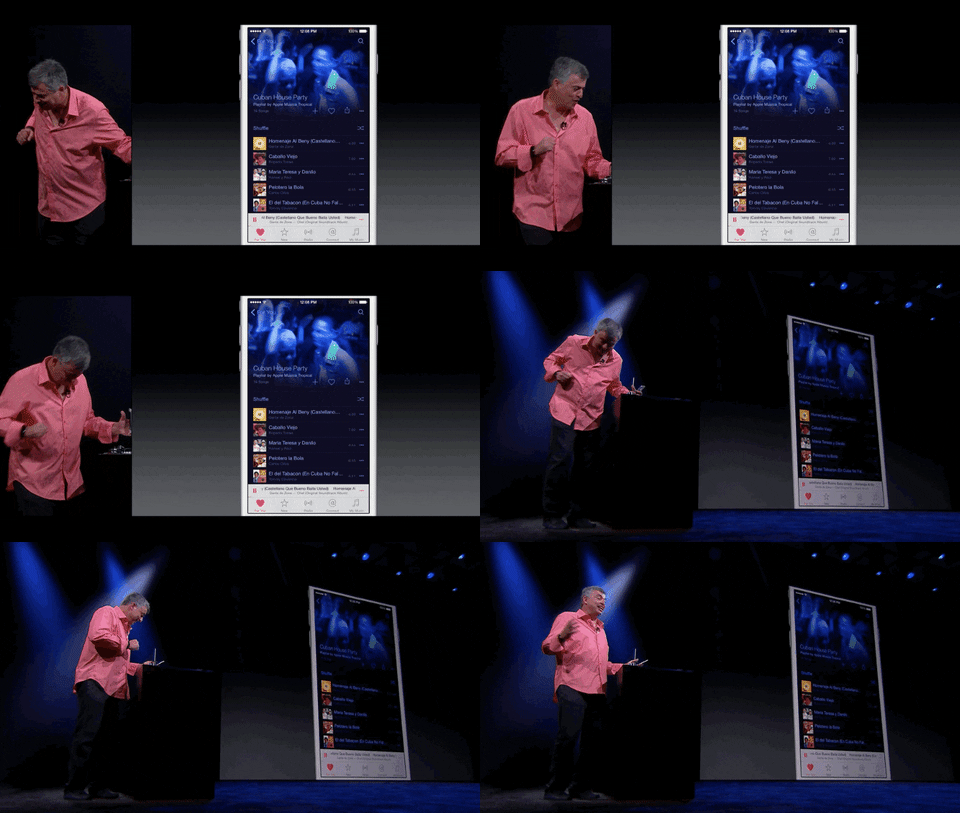
GIPHY. It is of paramount importance for me to be able to find the appropriate Eddy Cue or Jean-Ralphio GIF when I need it. GIPHY is the biggest and most popular GIF search engine around these days, integrated with a variety of services from Twitter to Slack. GIPHY's iPhone app is solid: you can mark GIFs as favorites in your account, browse by category or trending GIFs, and even create your own GIFs by uploading a video from your device.
Lookmark. Originally an alternative wish list for the iTunes Store and App Store, Lookmark has grown into a powerful utility I use to track app updates and price drops. Thanks to a web service that monitors changes to app listings on the App Store, Lookmark can now send you push notifications whenever one of your favorite apps gets an update or goes on sale.

Lookmark even lets you see an app's changelog from an expanded notification.
This has been a terrific addition for me as I can now only keep the apps I actually use on my devices, but still stay on top of interesting updates for everything else through Lookmark. [Review]
TextExpander. Who's got time to constantly type email addresses or the full names of iOS APIs? I've been using TextExpander since I got my first Mac in 2008; these days, I'm a subscriber to their online service and use its snippets when I'm writing in Bear and Ulysses. My wish is that someday Apple will integrate with TextExpander in their own apps too, as it's considerably more powerful than native text replacements.
Copied. I've long used Copied as my clipboard manager on the iPhone, iPad, and Mac. Copied syncs with iCloud and supports a surprisingly wide range of advanced features, from JavaScript automation to templates and merging. With iOS 11, Copied gained full integration with drag and drop, making it an ideal Split View or Slide Over companion when you want to archive multiple bits of text in the app. I use Copied as a reference tool for text templates and URLs I frequently share over email, and as a way to quickly save interesting links thanks to its widget. [Review and previous coverage]
TransferWise. Since discovering this person-to-person payment service a few months ago, I've been trying to move away from PayPal as much as possible. TransferWise uses the mid-market exchange rate between multiple currencies, thus avoiding PayPal's fees on the custom rate they set. In addition, TransferWise can send money using Apple Pay to withdraw funds from your iOS devices, making it an even more attractive option for secure peer-to-peer payments (that is, until Apple Pay Cash launches for everyone).
PayPal. Unfortunately, I still have to use PayPal to send and receive payments to and from friends who are not on TransferWise. I recommend using the PayPal app on iPhone instead of the website: navigation is more intuitive, sending money is easier, and you can also manage payments using Siri, which I've done a few times this year.
Kpressor. One of Apple's most perplexing decisions in iOS 11 is the absence of archive-related functionalities in the Files app to create and extract .zip files. I used Readdle's Documents file manager to manage .zip on iOS for years, but I wanted to find a dedicated .zip utility after consolidating all my file management in iOS 11's Files. Kpressor does what I need: the app can be used as an extension within Files to decompress a selected archive and save it in-place, or you can share multiple files from the app and compress them with the extension as well. Alternatively, you can open Kpressor to manually pick files to compress with a native Files picker, or open existing archives from Files to extract their contents. In the future, I hope apps like Kpressor can become extensions natively integrated with Files' toolbar and action menu.
PDF Viewer. I switched from Readdle's PDF Expert because PDF Viewer supports iOS 11's document browser, allowing me to manage my PDFs with a consistent working set of files and folders instead of having a separate file manager UI. PDF Viewer is based on the excellent PSPDFKit engine used by thousands of apps; the app has all the basic tools I need to annotate PDFs, but most importantly it's embedded within Files and iCloud Drive. [Review]
Feed Hawk. Most RSS readers on iOS don't offer the ability to subscribe to new feeds directly from the app. Feed Hawk, developed by Golden Hill Software (the same company behind Unread), is a handy utility that uses an action extension to add feeds to your RSS service of choice. After invoking Feed Hawk's action extension in Safari, it'll automatically scan the webpage for RSS feeds and ask you to add them to the service you've configured in the app. Feed Hawk supports the most popular RSS services, including Inoreader and NewsBlur. [Review]
Launcher. I switched to Launcher a few years ago and I still use it to quickly open specific views inside my favorite apps or run workflows for MacStories and personal research.

I should update these launchers for Things.
Launcher lets me customize icons so they have a smaller size or custom artwork, and it uses iCloud to backup and restore its widgets across devices. I'm in the process of rethinking my launchers for Spotify and Things, which I'll write about in the near future. [Review]
Feature of the Year
Apollo's Jump Bar
Most Reddit apps come with clunky navigation systems that require you to dig deep into nested views to get to your favorite subreddits. With its Jump Bar, Apollo rethinks the concept of a favorite page altogether, allowing you to easily switch between different views in the app simply by tapping the title bar, which combines favorites with autocomplete for popular subreddit search results. Apollo's Jump Bar is a fantastic example of how a classic iOS interface element can be reimagined and improved, and it's my favorite feature of the year.
Runner-Up
Lookmark's Notifications
I write about apps for a living, and as such I need to keep tabs on app updates as much as possible. Lookmark makes it possible for me to never miss an update even if I don't have the apps I'm monitoring installed on my iOS devices. If you care about keeping on top of app releases, Lookmark's new notification service is a must-have.
Redesign of the Year
Things 3.0
Earlier this year, Cultured Code relaunched their popular task manager with a focus on elegance and simplicity. The result was a bold aesthetic that, while predating iOS 11, felt instantly at home on Apple's new operating system when it launched. Several months later, Things 3.0 still manages to strike a balance of consistency with the platform while also looking unlike anything else on my devices. Things 3.0 is stunning, and an inspiration for other designers on how to build upon Apple's design language.
Runner-Up
Ulysses 12
With an update that blended Apple's large title approach with a major overhaul of the app's layout, Ulysses 12 is a rare instance of a redesign that feels new without causing any confusion or initial perplexity. It simply makes sense. Ulysses 12's redesign has dramatically improved navigation in the app, and it's remarkable on the 12.9-inch iPad Pro.
Update of the Year
CARROT Weather 4.0
It's hard to stand out in the App Store these days, and it's even harder if your app is part of a crowded category such as weather utilities. CARROT Weather has always been unique, but with version 4.0 developer Brian Mueller managed to fundamentally improve every aspect of the experience – from the app's personality and weather sources to deep customization on iPhone and, with the 4.3 update, even Apple Watch. CARROT Weather's evolution into a mature product that hasn't compromised on its original vision has been outstanding, and Mueller's work in 2017 deserves to be recognized and celebrated.
Runners-Up
Bear 1.3 and 1.4
In the span of two months, Shiny Frog brought advanced drag and drop to Bear with the Drop Bar and support for rich text drag items, then supercharged its tagging system with auto-complete and icons for popular tags. Bear shows how a well thought-out subscription model – not a hastily implemented one – can let small development shops build sustainable productivity apps that are constantly iterated upon.
Workouts++ 2.0
David Smith's advanced fitness app encapsulates everything I want from a utility that keeps track of my workouts: stats, the right amount of customization, and a little more flexibility than Apple's built-in solution. Workouts++ 2.0 may have launched towards the end of the year, but it's clearly one of the best app updates we've seen in 2017.
Debut of the Year
Gladys
An app that flew under everyone's radars when it launched and that somehow managed to become the best drag and drop assistant for the iPad. Gladys is the missing shelf from iOS 11 – an app that can hold anything you throw at it, sync it with iCloud, and keep multiple versions of each item in its library. In just a few months, Gladys has become my go-to app for dealing with all kinds of file attachments, rich text clippings, and images I need to move between multiple apps. If Gladys' update cycle in 2017 is of any indication, we should keep an eye on this app next year.
Runner-Up
Apollo
I didn't think it was possible, but
 is now on CRAN.
  by @thosjleeper is one of my favs. But, color palettes have been around for ages. Adobe has two: Adobe Color (ACO) and Adobe Swatch Exchange (ASE); GIMP has “GPL”; OpenOffice has “SOC” and KDE has the unimaginative “colors”. So. Many. Formats. Wouldn’t it be great if there were a package that read them all in with a simple




 This is a review of the Sena X1 Smart Cycling Helmet, which features built-in Bluetooth intercom, speakers, and microphone. All features are controlled with three buttons on the side of the helmet.




 The Pixel 2 and Pixel 2 XL easily have the best smartphone camera on the market right now. On paper, the camera specs of the handsets might not seem that impressive but thanks to Google’s machine learning prowess, both phones can capture some stunning photos.