Shared posts

16 Nov 07:05

Personal Data Warehouses: Reclaiming Your Data

I gave a talk yesterday about personal data warehouses for GitHub's OCTO Speaker Series, focusing on my Datasette and Dogsheep projects. The video of the talk is now available, and I'm presenting that here along with an annotated summary of the talk, including links to demos and further information.

There's a short technical glitch with the screen sharing in the first couple of minutes of the talk - I've added screenshots to the notes which show what you would have seen if my screen had been correctly shared.
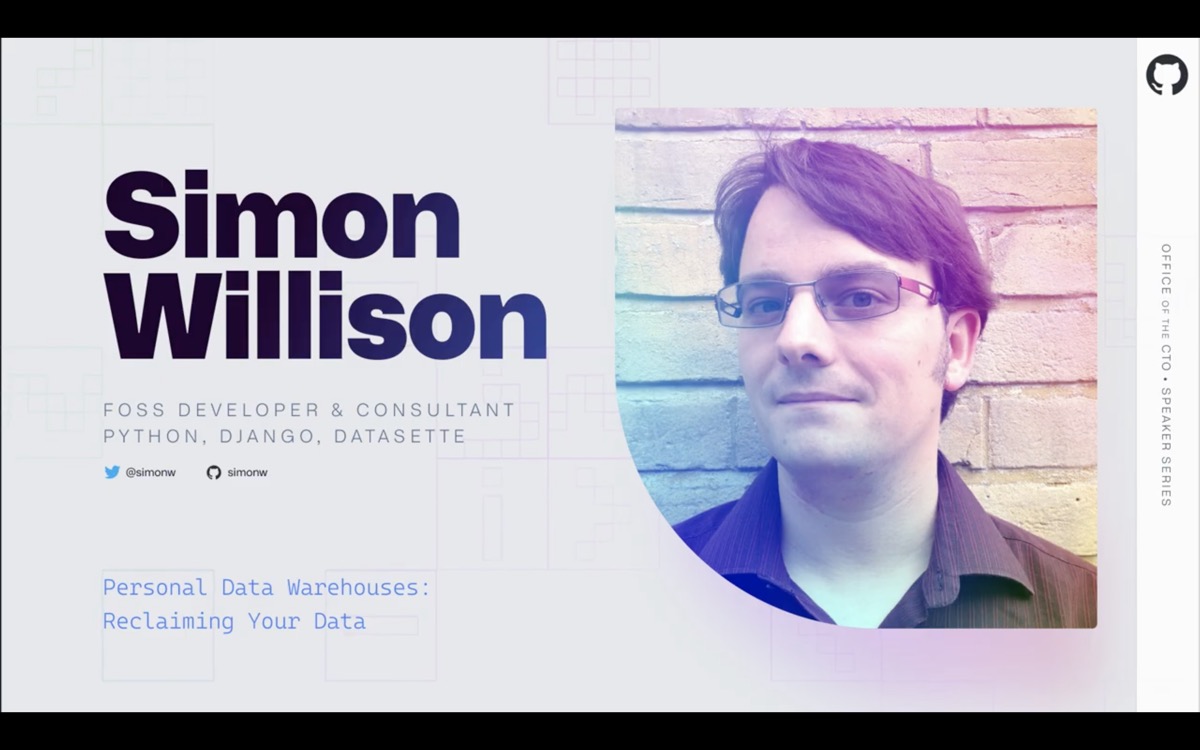
Simon Willison - FOSS Developer and Consultant, Python, Django, Datasette

I'm going to be talking about personal data warehouses, what they are, why you want one, how to build them and some of the interesting things you can do once you've set one up.

I'm going to start with a demo.
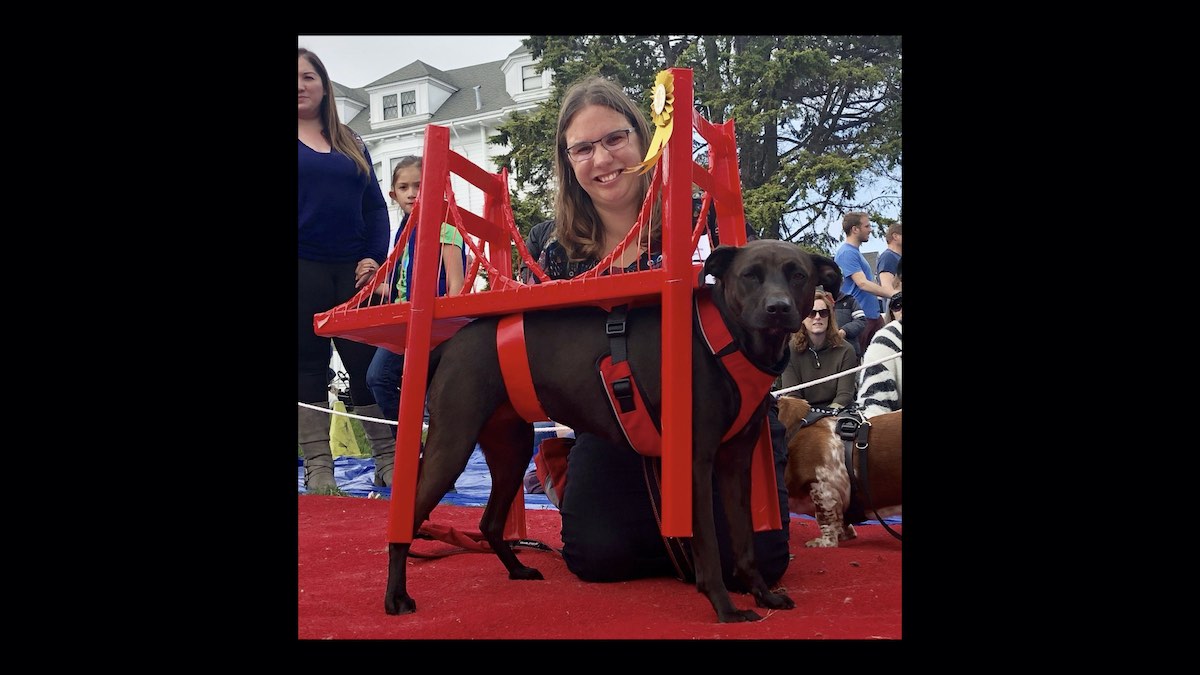
Cleo wearing a very fine Golden Gate Bridge costume with a prize rosette attached to it

This is my dog, Cleo - when she won first place in a dog costume competition here, dressed as the Golden Gate Bridge!
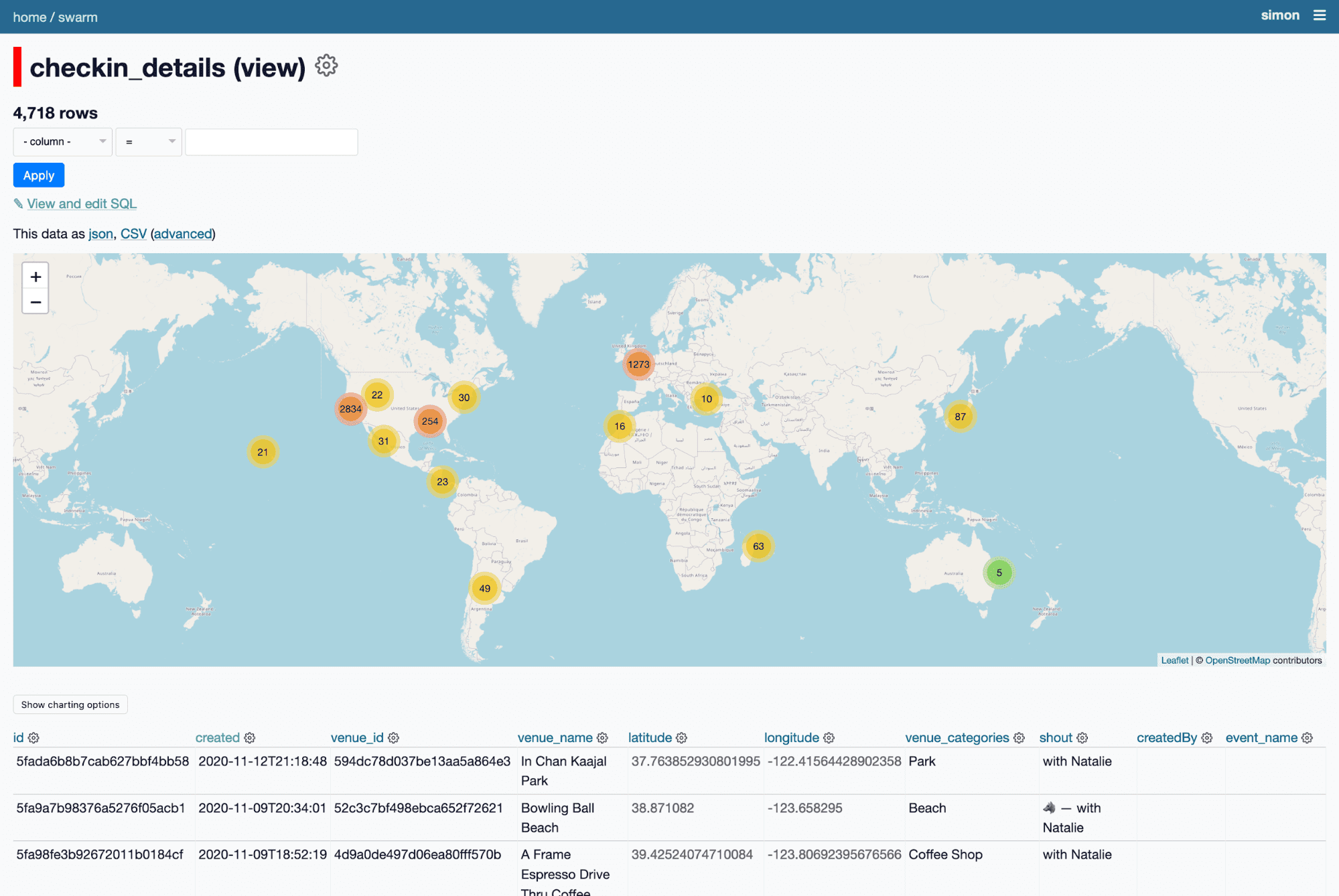
All of my checkins on a map

So the question I want to answer is: How much of a San Francisco hipster is Cleo?

I can answer it using my personal data warehouse.

I have a database of ten year's worth of my checkins on Foursquare Swarm - generated using my swarm-to-sqlite tool. Every time I check in somewhere with Cleo I use the Wolf emoji in the checkin message.
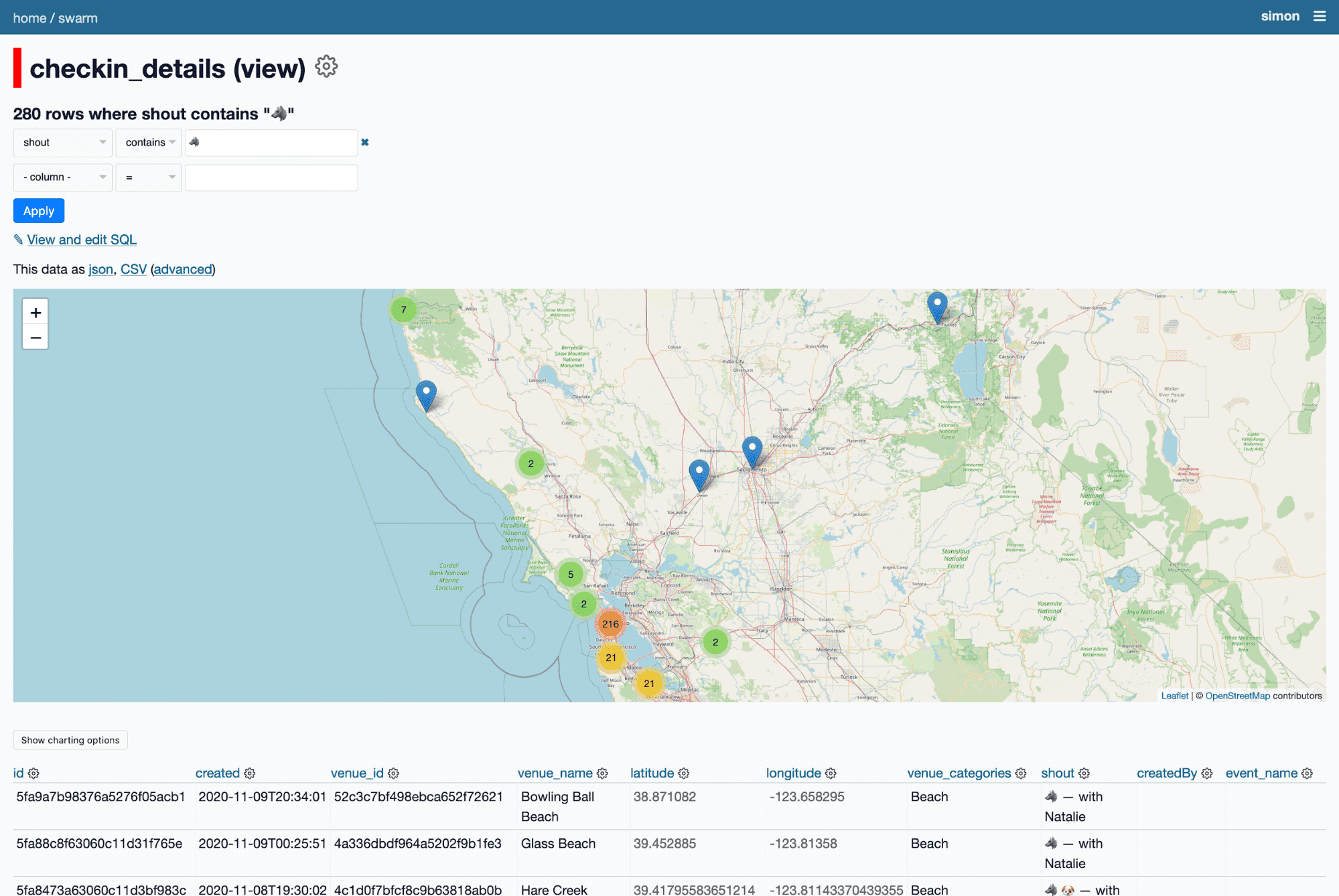
All of Cleo's checkins on a map

I can filter for just checkins where the checkin message includes the wolf emoji.

Which means I can see just her checkins - all 280 of them.

Cleo's top categories

If I facet by venue category, I can see she's checked in at 57 parks, 32 dog runs, 19 coffee shops and 12 organic groceries.
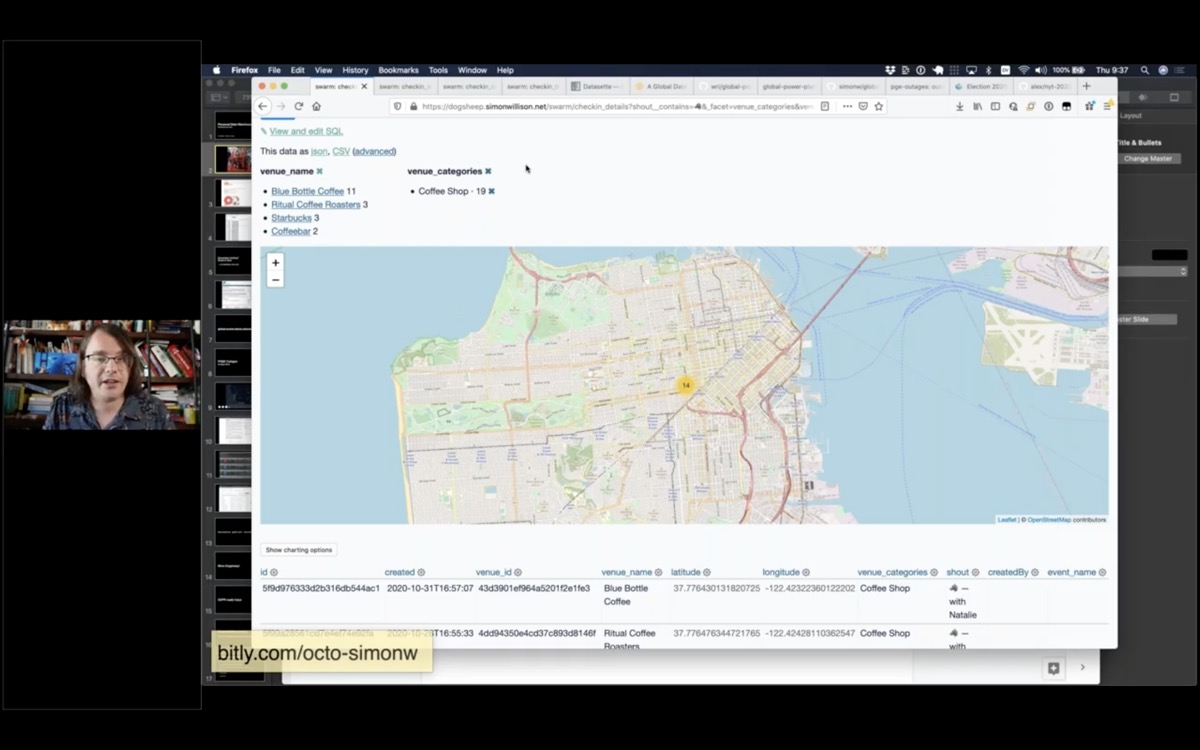
A map of coffe shops that Cleo has been to

Then I can facet by venue category and filter down to just her 19 checkins at coffee shops.

Turns out she's a Blue Bottle girl at heart.

Being able to build a map of the coffee shops that your dog likes is obviously a very valuable reason to build your own personal data warehouse.
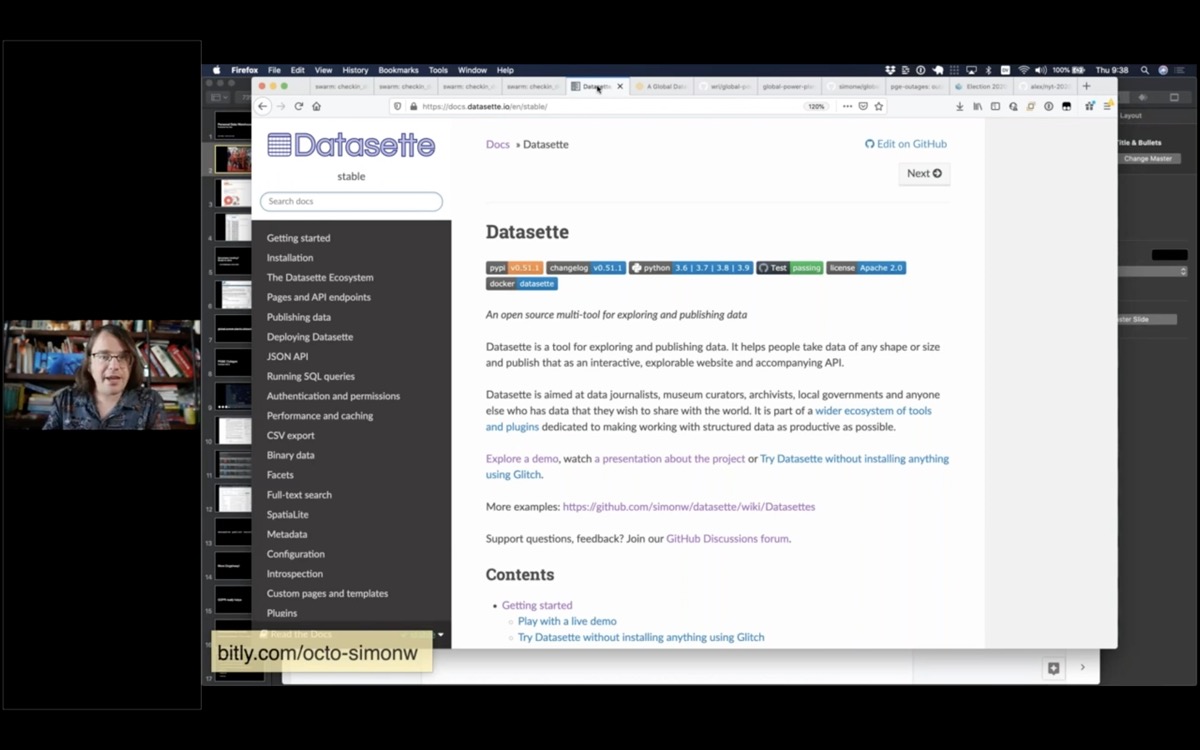
The Datasette website

Let's take a step back and talk about how this demo works.

The key to this demo is this web application I'm running called Datasette. I've been working on this project for three years now, and the goal is to make it as easy and cheap as possible to explore data in all sorts of shapes and sizes.
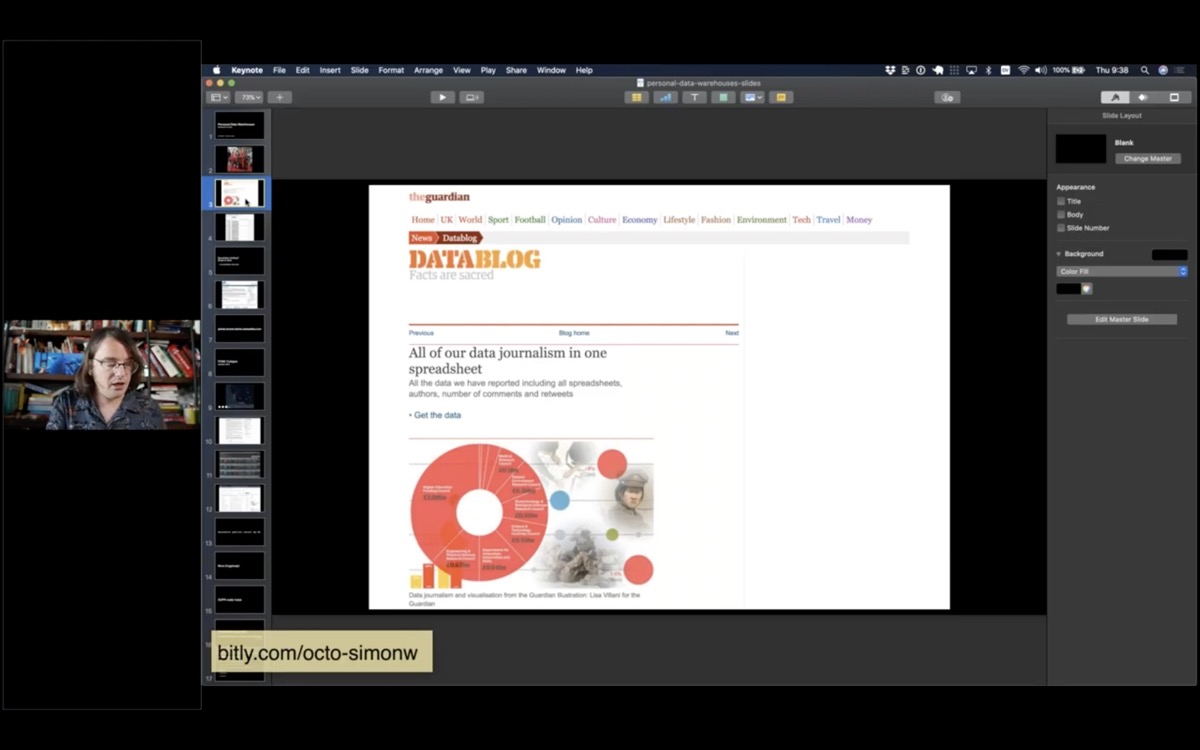
A screenshot of the Guardian Data Blog

Ten years ago I was working for the Guardian newspaper in London. One of the things I realized when I joined the organization is that newspapers collect enormous amounts of data. Any time they publish a chart or map in the newspaper someone has to collect the underlying information.

There was a journalist there called Simon Rogers who was a wizard at collecting any data you could think to ask for. He knew exactly where to get it from, and had collected a huge number of brilliant spreadsheets on his desktop computer.

We decided we wanted to publish the data behind the stories. We started something called the Data Blog, and aimed to accompany our stories with the raw data behind them.
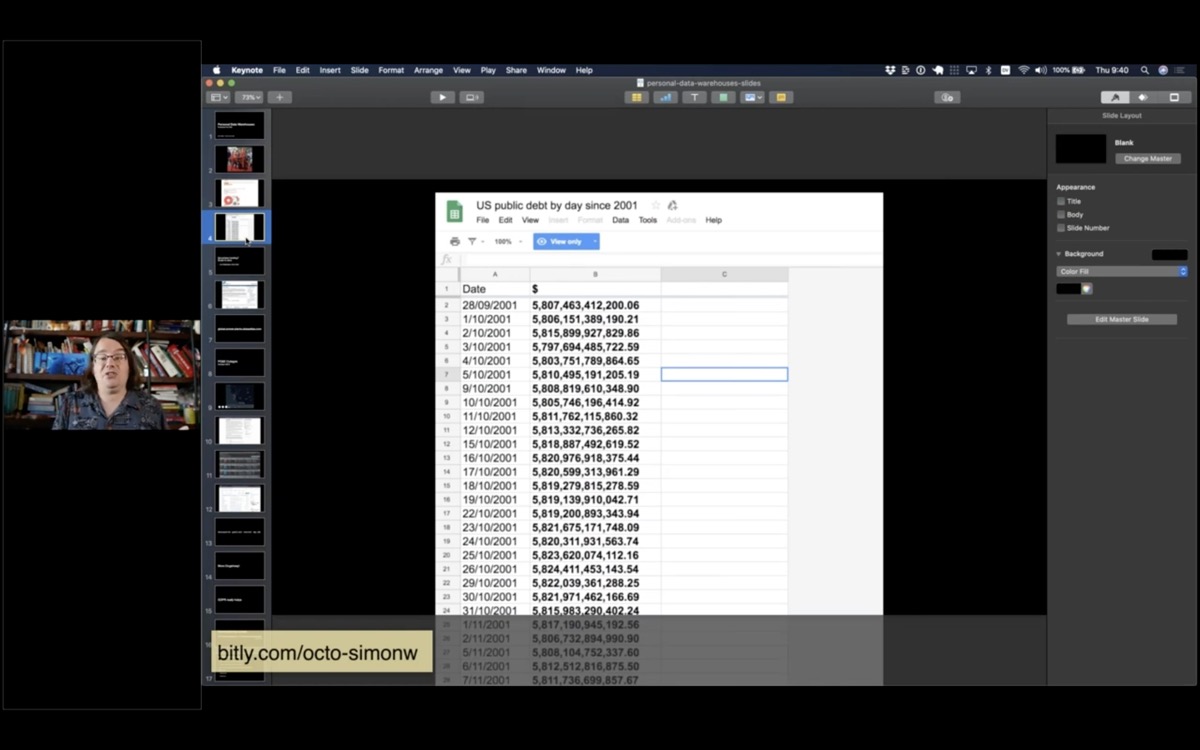
A Google Sheet containing US public debt figures since 2001

We ended up using Google Sheets to publish the data. It worked, but I always felt like there should be a better way to publish this kind of structured data in a way that was as useful and flexible as possible for our audience.
Serverless hosting? Scale to Zero. ... but databases cost extra!

Fast forward to 2017, when I was looking into this new thing called "serverless" hosting - in particular one called Zeit Now, which has since rebranded as Vercel.

My favourite aspect of Serverless is "Scale to zero" - the idea that you only pay for hosting when your project is receiving traffic.

If you're like me, and you love building side-projects but you don't like paying $5/month for them for the rest of your life, this is perfect.

The catch is that serverless providers tend to charge you extra for databases, or require you to buy a hosted database from another provider.

But what if your database doesn't change? Can you bundle your database in the same container as your code?

This was the initial inspiration behind creating Datasette.

A Global Database of Power Plants on the World Resources Institute website

Here's another demo. The World Resources Institute maintain a CSV file of every power plant in the world.
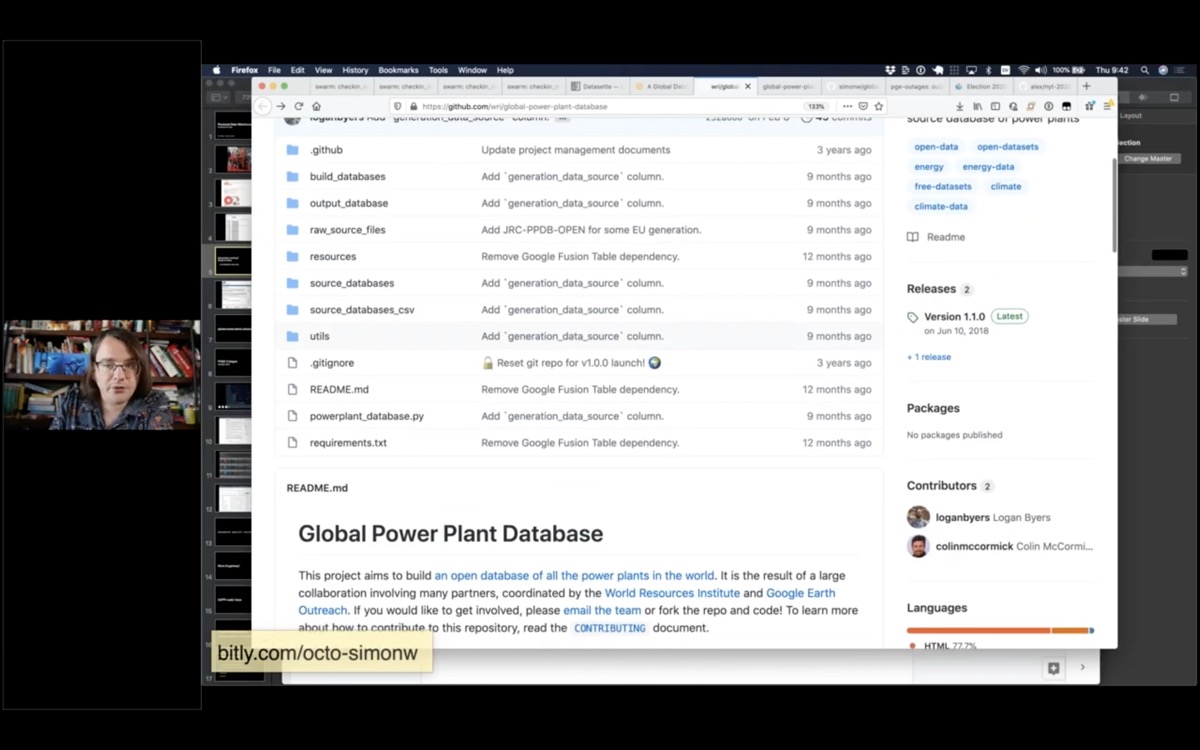
A GitHub repository containing the Global Power Plant Database

Like many groups, they publish that data on GitHub.
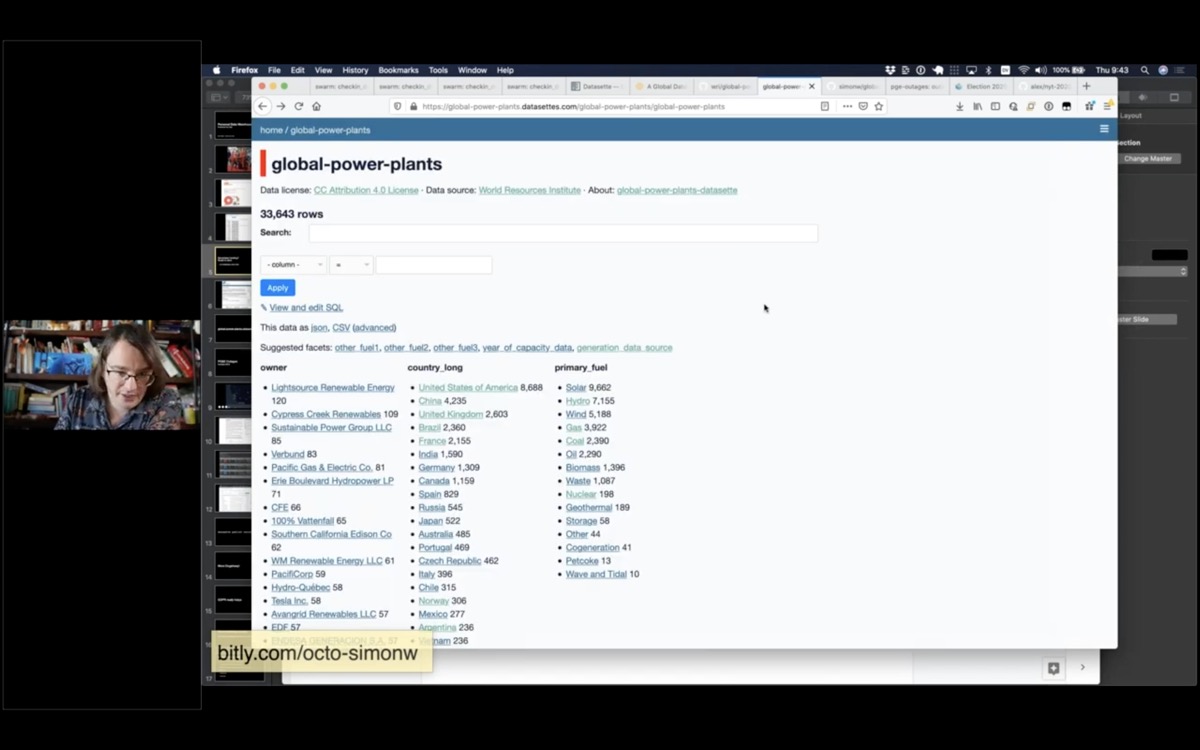
A Datasette instance showing power plants faceted by country and primary fuel

I have a script that grabs their most recent data and publishes it using Datasette.

Here's the contents of their CSV file published using Datasette

Datasette supports plugins. You've already seen this plugin in my demo of Cleo's coffee shops - it's called datasette-cluster-map and it works by looking for tables with a latitude and longitude column and plotting the data on a map.
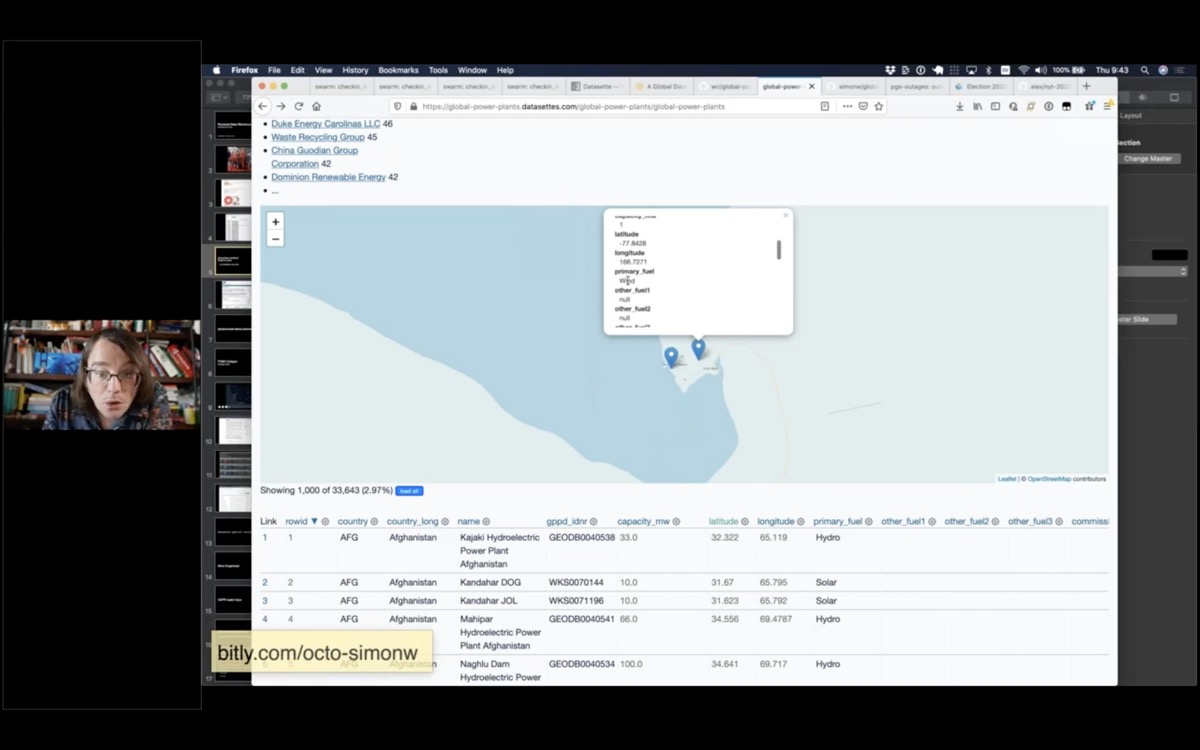
A zoomed in map showing two power plants in Antarctica

Straight away looking at this data you notice that there's a couple of power plants down here in Antarctica. This is McMurdo station, and it has a 6.6MW oil generator.

And oh look, there's a wind farm down there too on Ross Island knocking out 1MW of electricity.
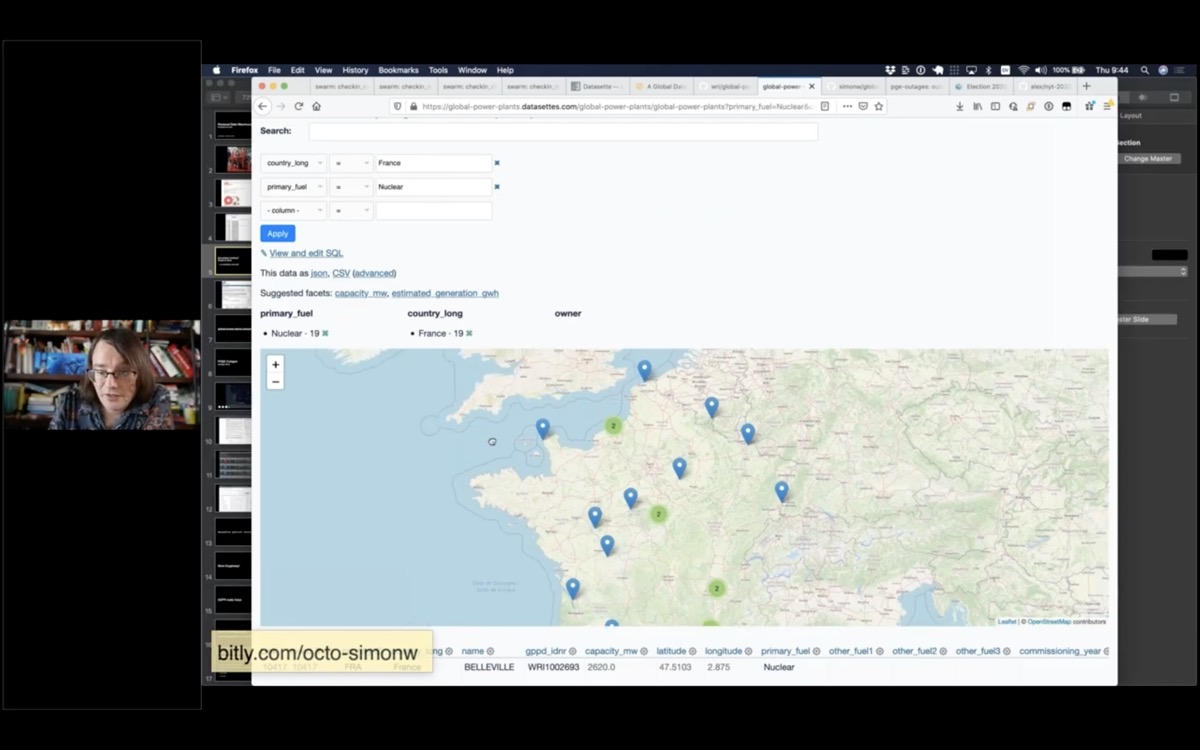
A map of all of the nuclear power plants in France

But this is also a demonstration of faceting. I can slice down to just the nuclear power plants in France and see those on a map.
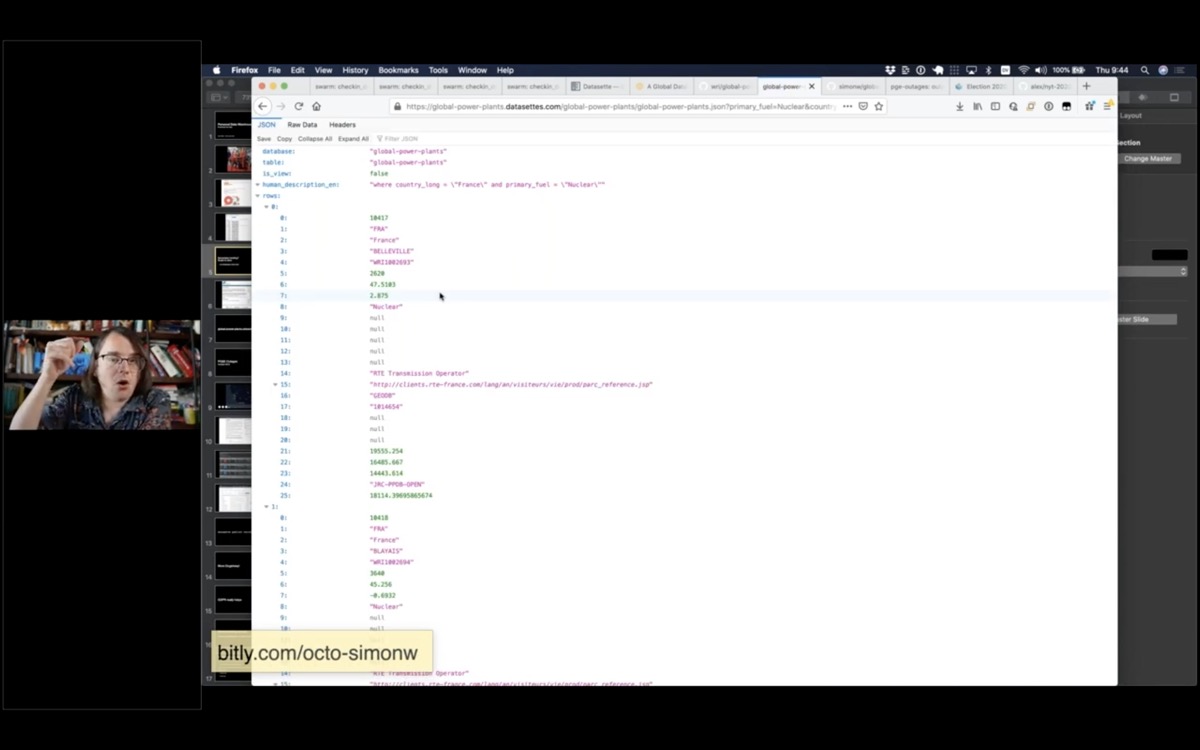
a screen full of JSON

And anything i can see in the interface, I can get out as JSON. Here's a JSON file showing all of those nuclear power plants in France.
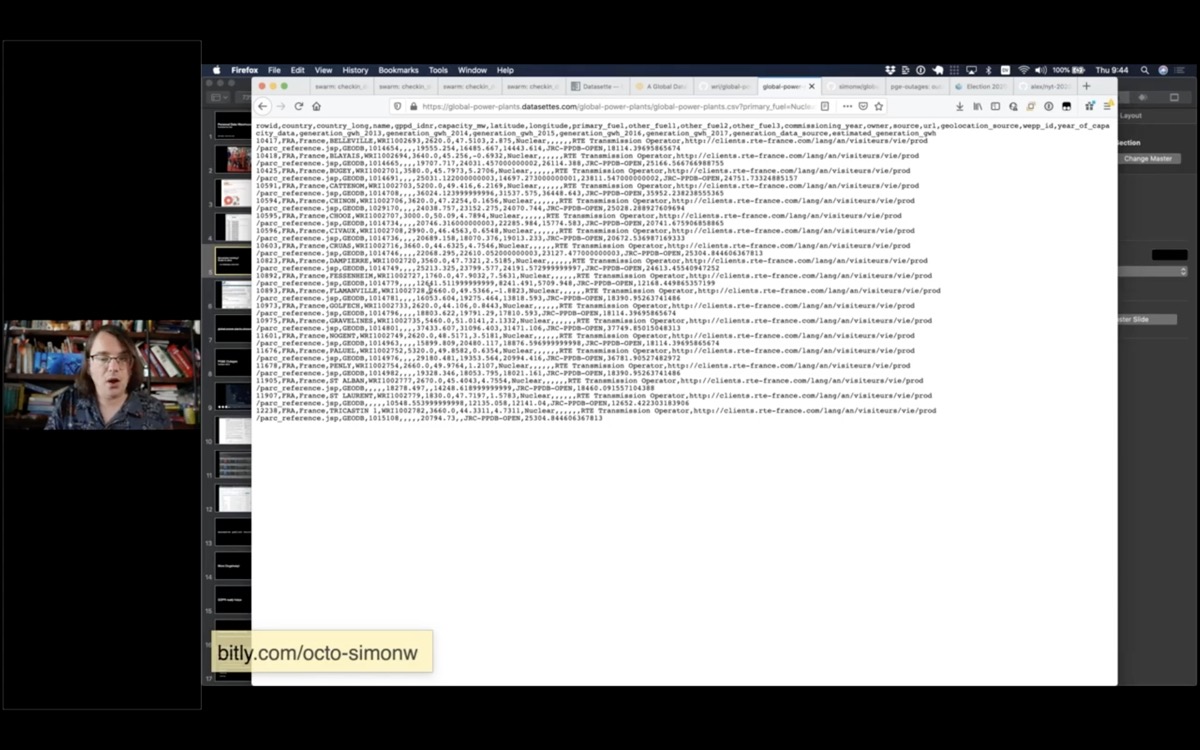
A screen full of CSV

And here's a CSV export which I can use to pull the data into Excel or other CSV-compatible software.
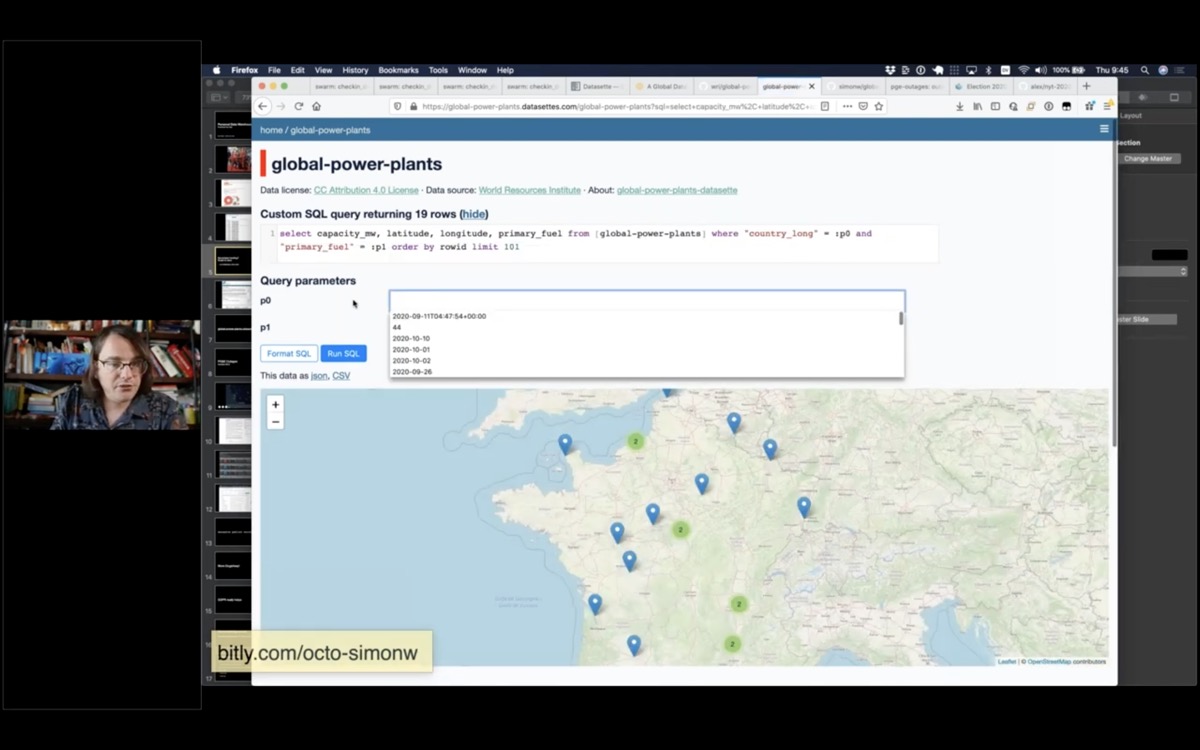
An interface for editing a SQL query

If I click "view and edit SQL" to get back the SQL query that was used to generate the page - and I can edit and re-execute that query.

I can get those custom results back as CSV or JSON as well!
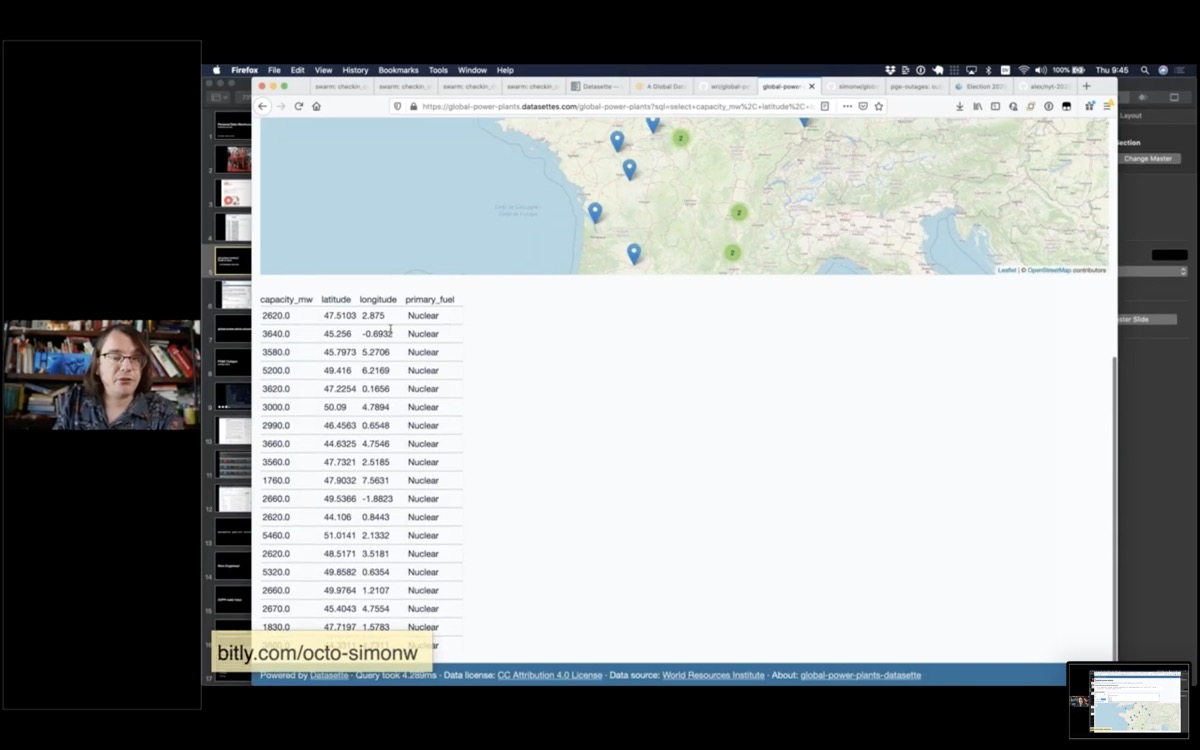
Results of a custom SQL query

In most web applications this would be seen as a terrifying security hole - it's a SQL injection attack, as a documented feature!

A couple of reasons this isn't a problem here:

Firstly, this is setup as a read-only database: INSERT and UPDATE statements that would modify it are not allowed. There's a one second time limit on queries as well.

Secondly, everything in this database is designed to be published. There are no password hashes or private user data that could be exposed here.

This also means we have a JSON API that lets JavaScript execute SQL queries against a backend! This turns out to be really useful for rapid prototyping.

The SQLite home page

It's worth talking about the secret sauce that makes this all possible.

This is all built on top of SQLite. Everyone watching this talk uses SQLite every day, even if you don't know it.

Most iPhone apps use SQLite, many desktop apps do, it's even running inside my Apple Watch.

One of my favourite features is that a SQLite database is a single file on disk. This makes it easy to copy, send around and also means I can bundle data up in that single file, include it in a Docker file and deploy it to serverless hosts to serve it on the internet.
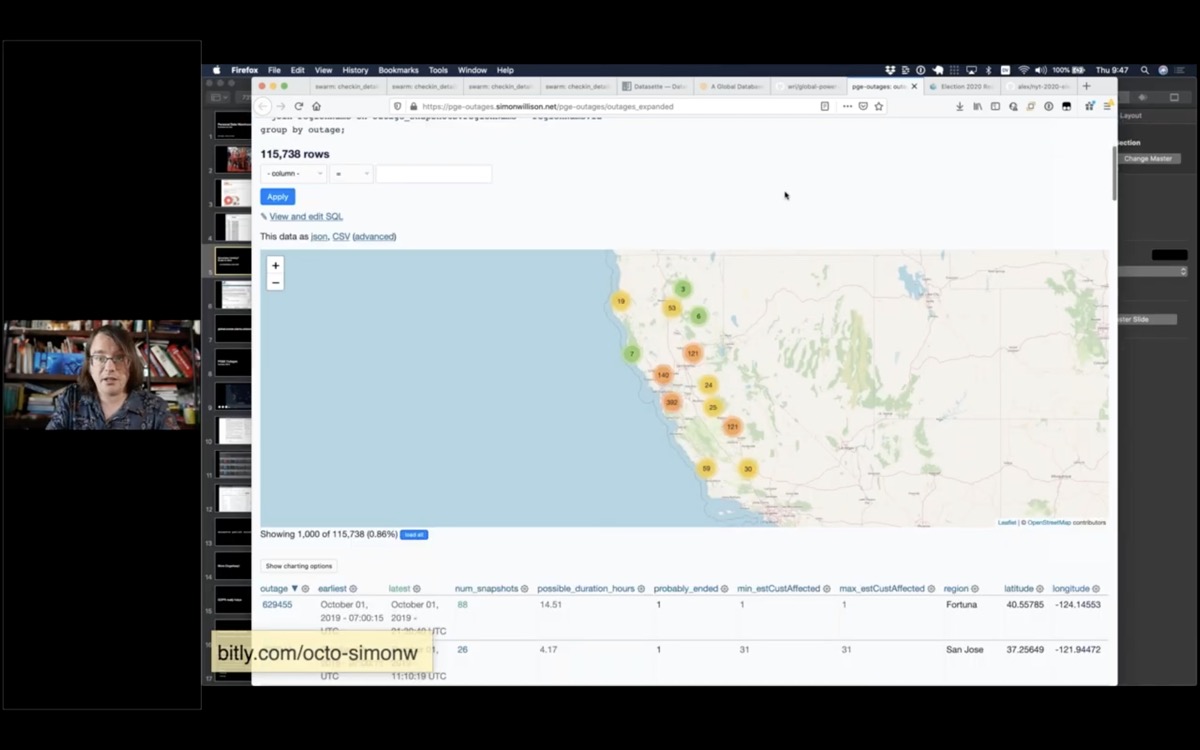
A Datasette map of power outages

Here's another demo that helps show how GitHub fits into all of this.

Last year PG&E - the power company that covers much of California - turned off the power to large swathes of the state.

I got lucky: six months earlier I had started scraping their outage map and recording the history to a GitHub repository.
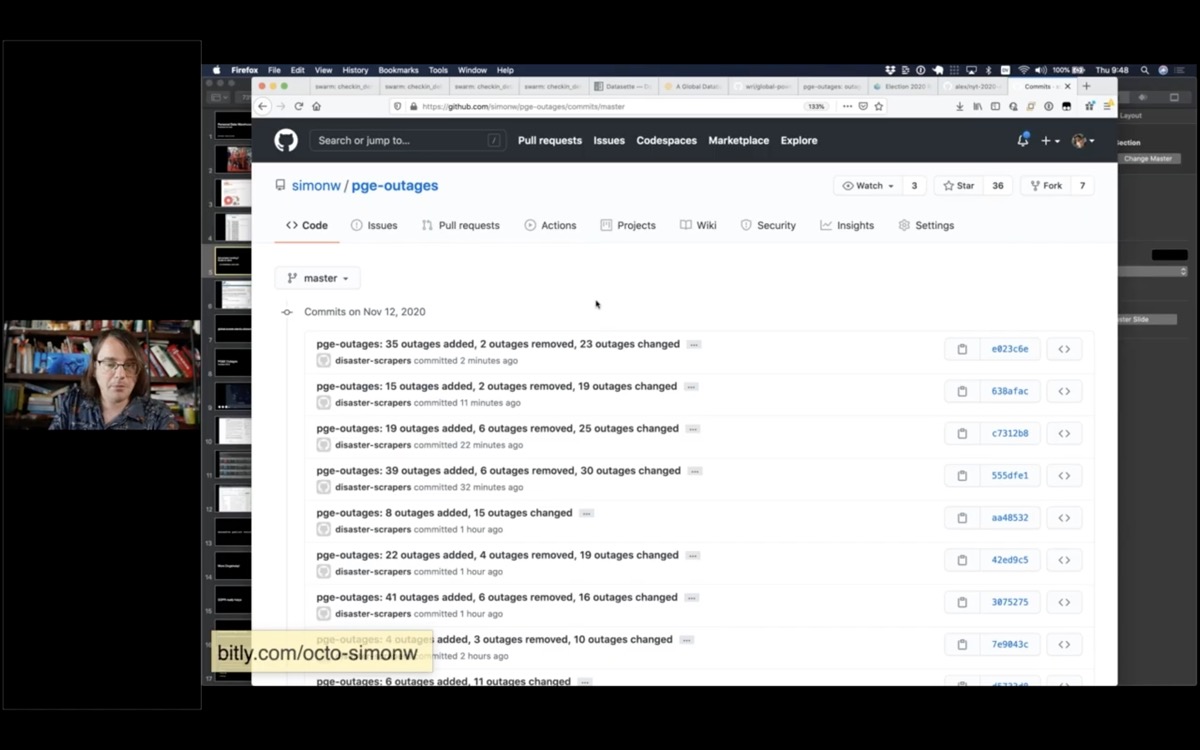
A list of recent commits to the pge-outages GitHub repository, each one with a commit messages showing the number of incidents added, removed or updated

simonw/pge-outages is a git repository with 34,000 commits tracking the history of outages that PG&E had published on their outage map.

You can see that two minutes ago they added 35 new outages.

I'm using this data to publish a Datasette instance with details of their historic outages. Here's a page showing their current outages ordered by the most customers affected by the outage.

Read Tracking PG&E outages by scraping to a git repo for more details on this project.
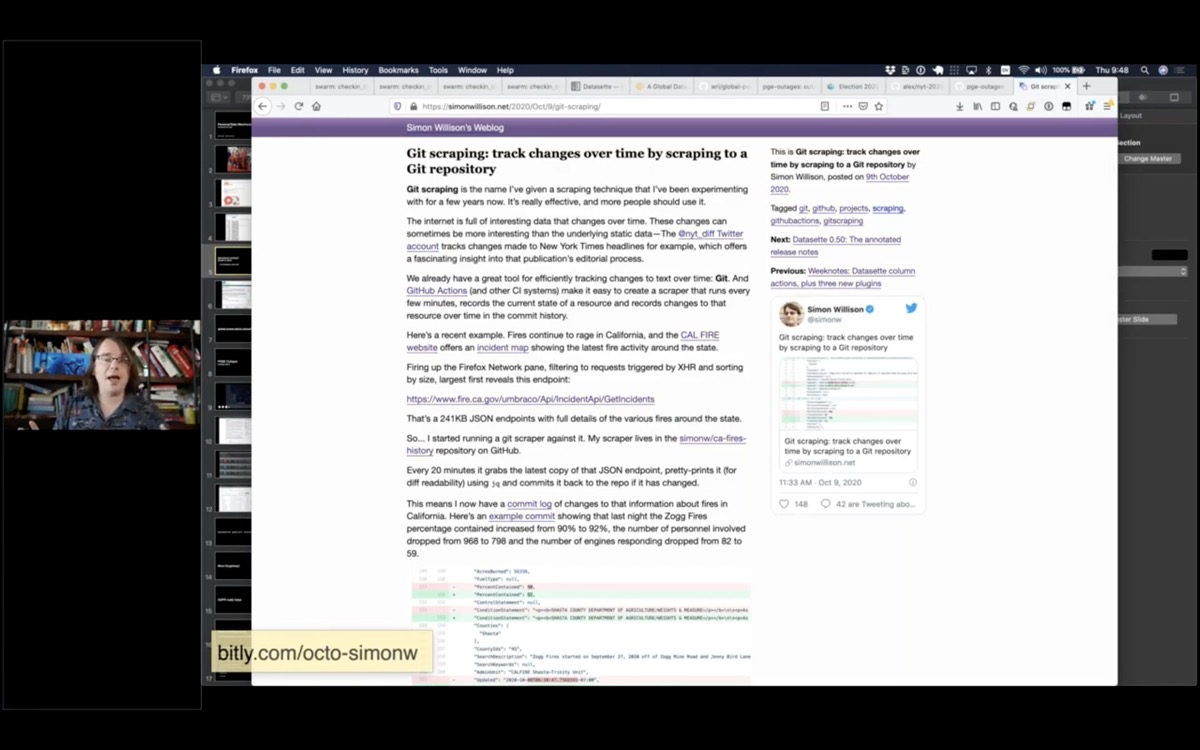
A screenshot of my blog entry about Git scraping

I recently decided to give this technique a name. I'm calling it Git scraping - the idea is to take any data source on the web that represents a point-in-time and commit it to a git repository that tells the story of the history of that particular thing.

Here's my article describing the pattern in more detail: Git scraping: track changes over time by scraping to a Git repository.
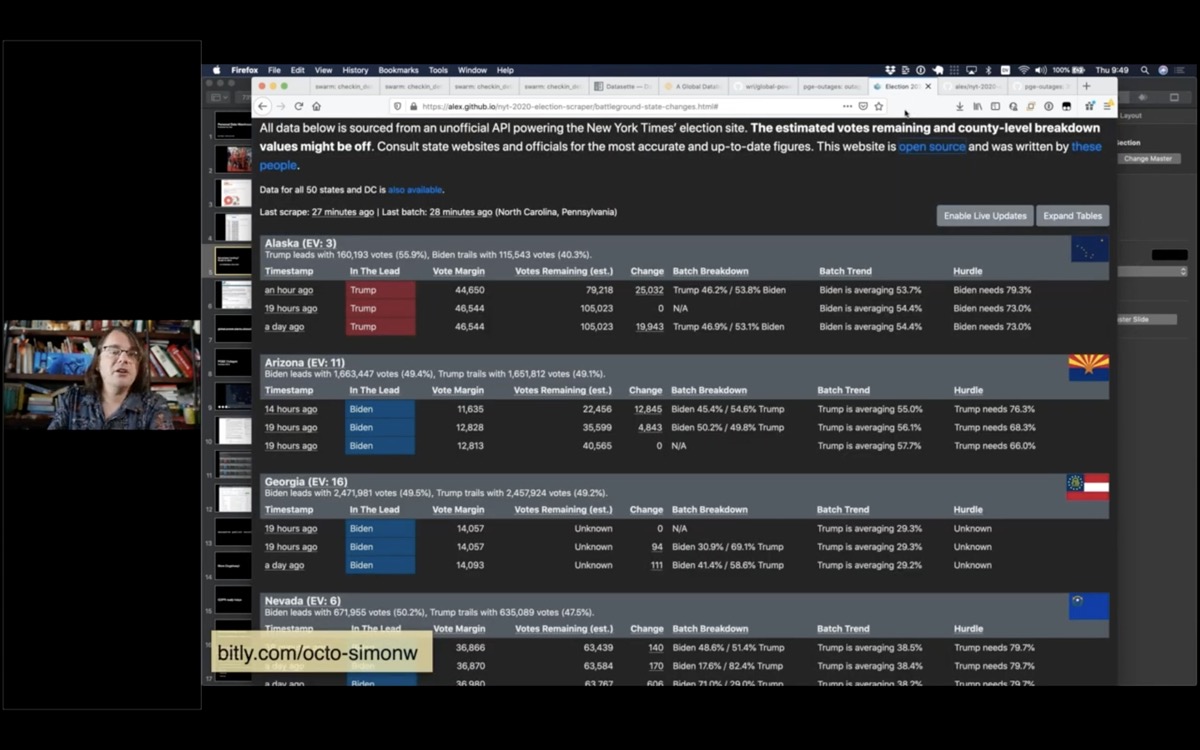
A screenshot of the NYT scraped election results page

This technique really stood out just last week during the US election.

This is the New York Times election scraper website, built by Alex Gaynor and a growing team of contributors. It scrapes the New York Times election results and uses the data over time to show how the results are trending.
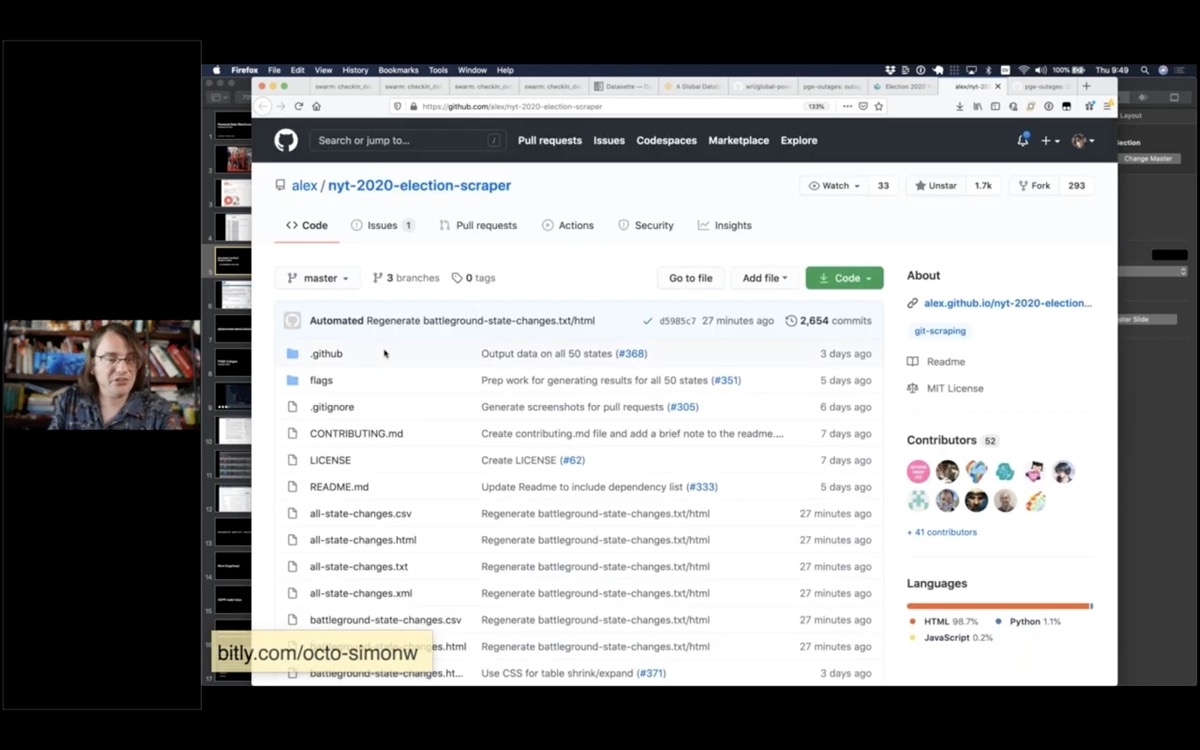
The nyt-2020-election-scraper GitHub repository page

It uses a GitHub Actions script that runs on a schedule, plus a really clever Python script that turns it into a useful web page.

You can find more examples of Git scraping under the git-scraping topic on GitHub.
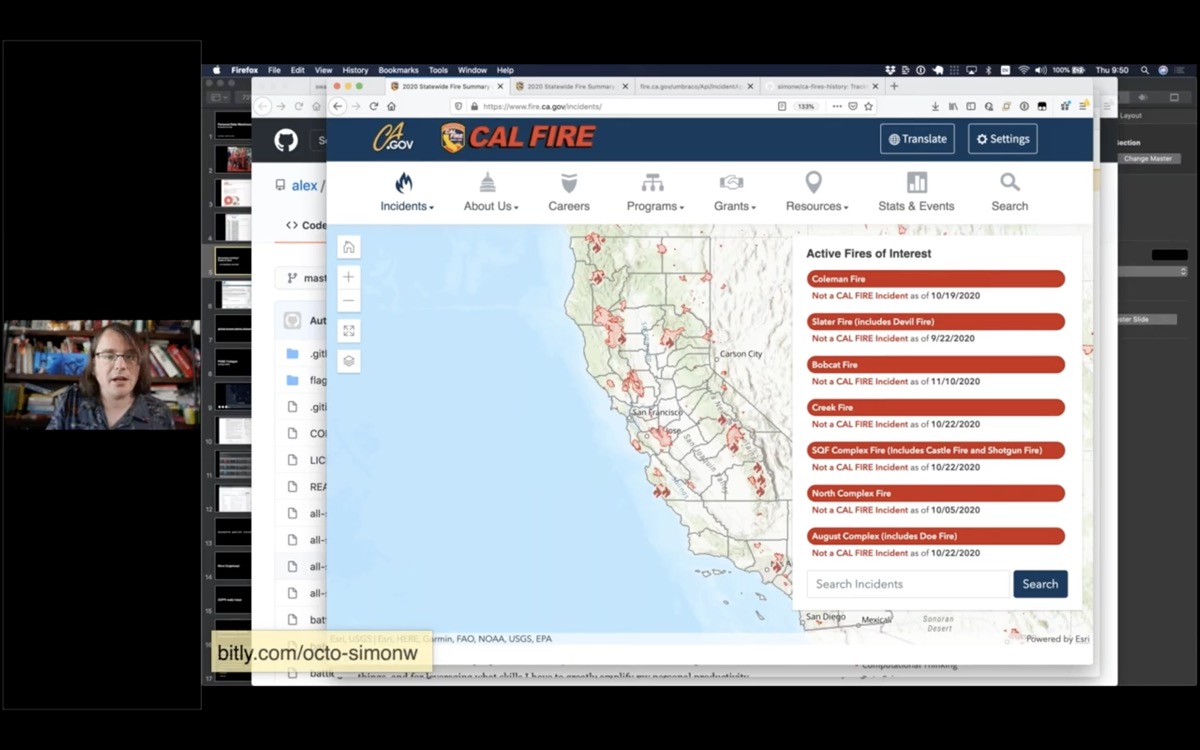
A screenshot of the incident map on fire.ca.gov

I'm going to do a bit of live coding to show you how this stuff works.

This is the incidents page from the state of California CAL FIRE website.

Any time I see a map like this, my first instinct is to open up the browser developer tools and try to figure out how it works.
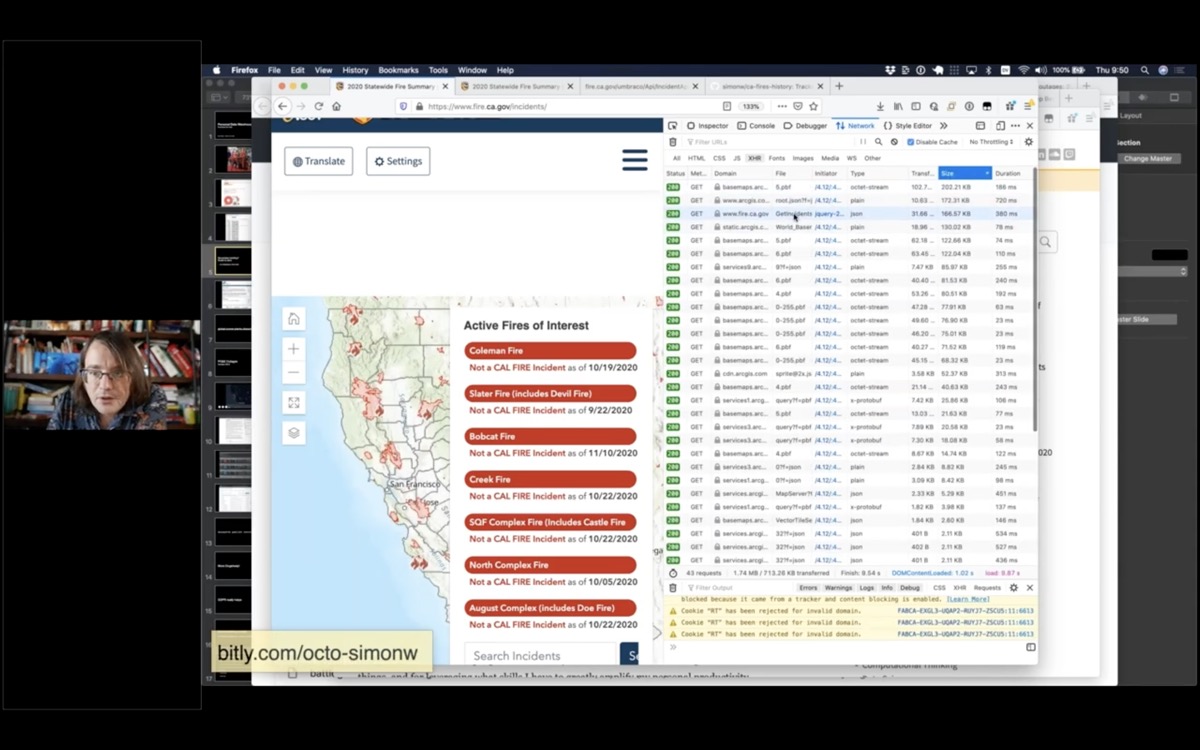
The incident map with an open developer tools network console showing XHR requests ordered by size, largest first

If I open the network tab, refresh the page and then filter to just XHR requests.

A neat trick is to order by size - because inevitably the thing at the top of the list is the most interesting data on the page.
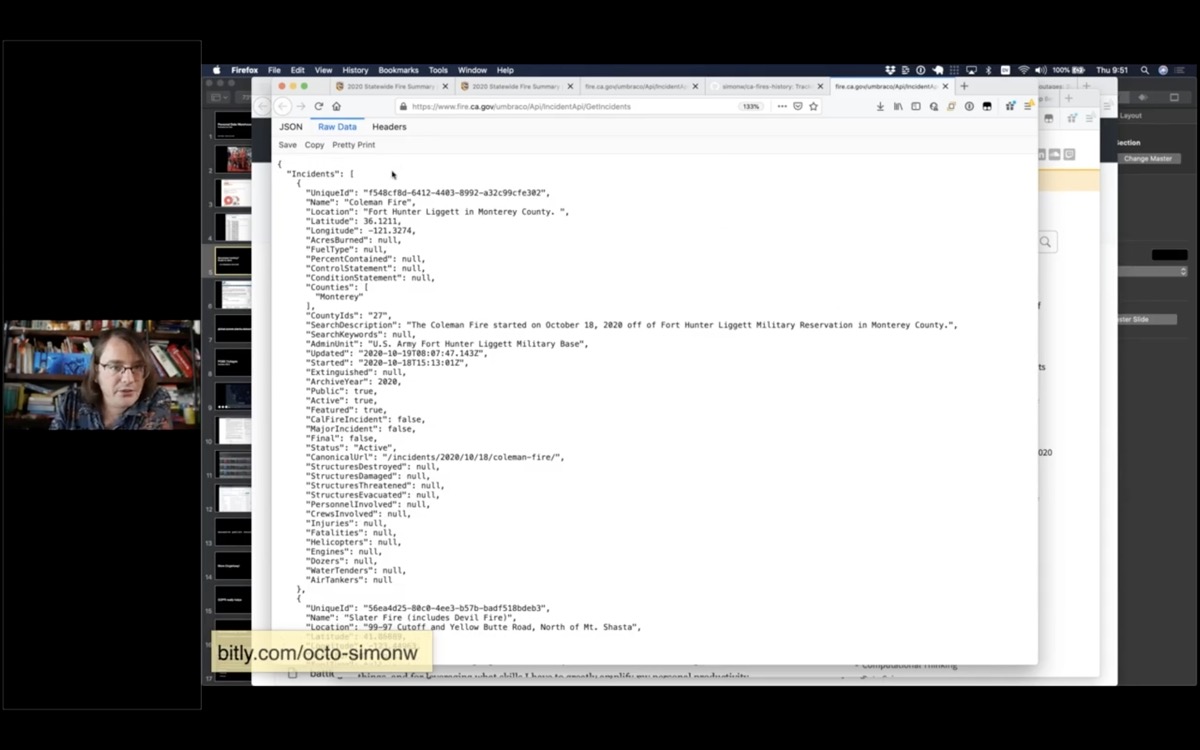
a JSON list of incidents

This appears to be a JSON file telling me about all of the current fires in the state of California!

(I set up a Git scraper for this a while ago.)

Now I'm going to take this a step further and turn it into a Datasette instance.
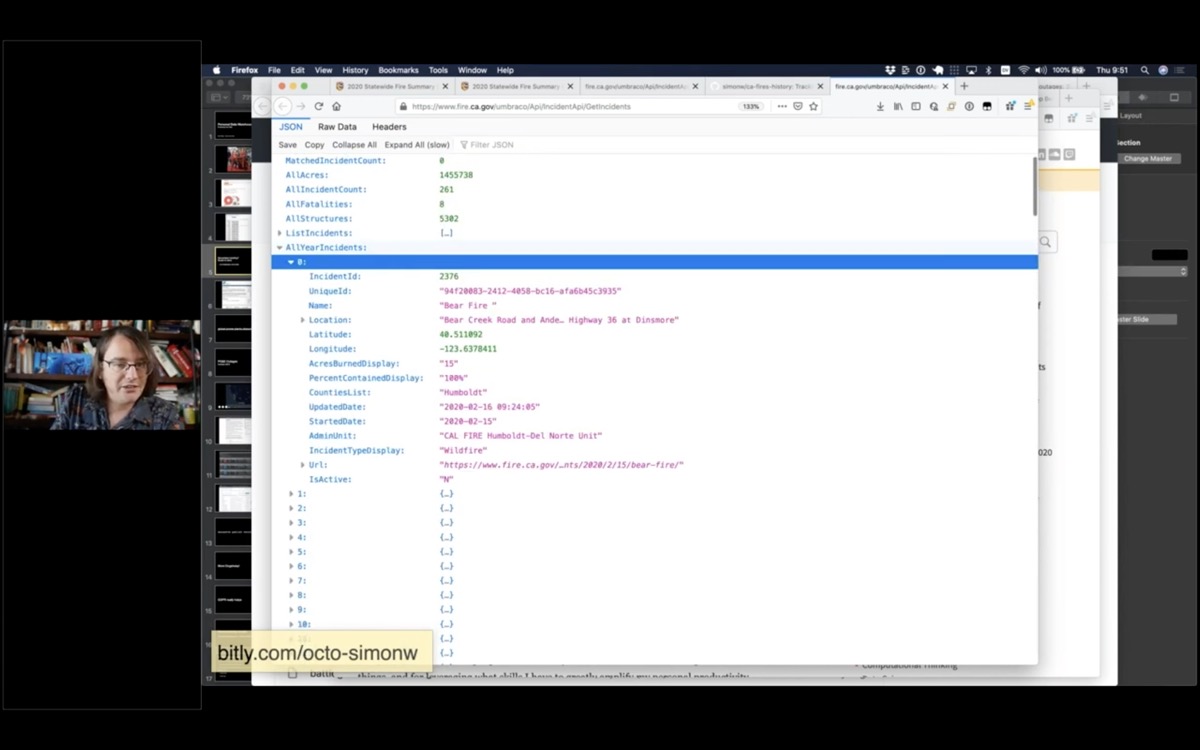
The AllYearIncidents section of the JSON

It looks like the AllYearIncidents key is the most interesting bit here.
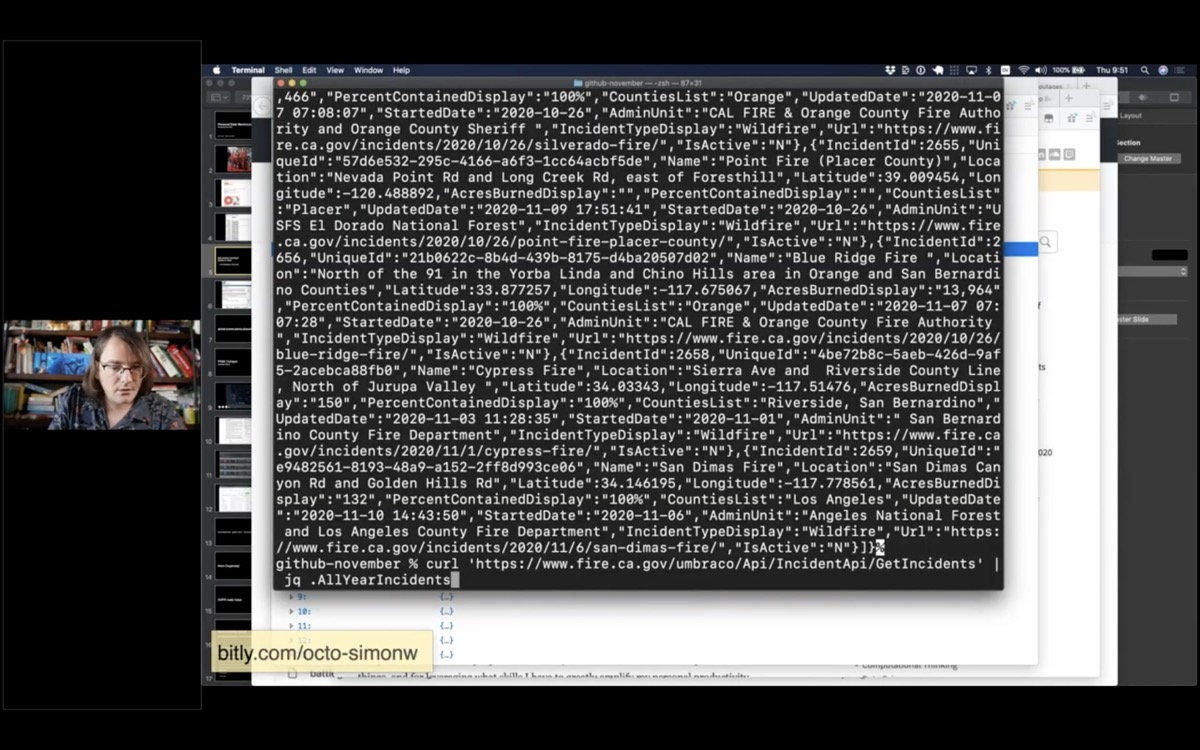
A screenshot showing the output of curl

I'm going to use curl to fetch that data, then pipe it through jq to filter for just that AllYearIncidents array.

curl 'https://www.fire.ca.gov/umbraco/Api/IncidentApi/GetIncidents' \
        | jq .AllYearIncidents
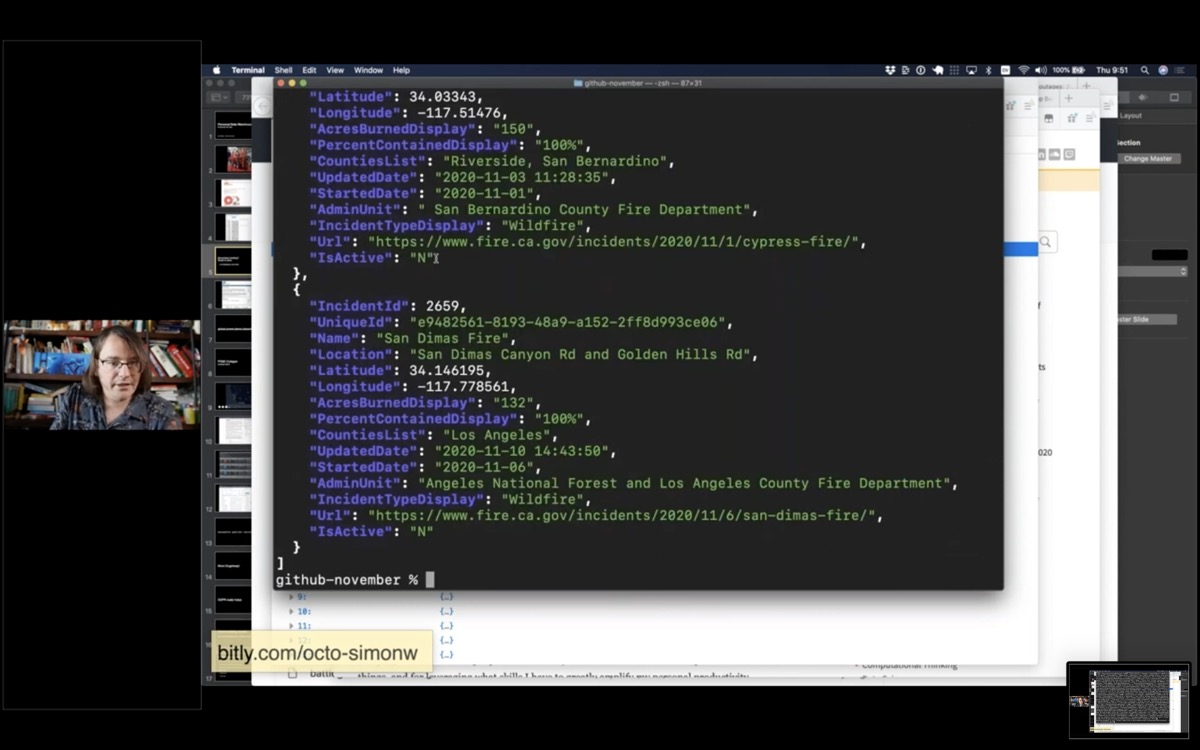
Pretty-printed JSON produced by piping to jq

Now I have a list of incidents for this year.
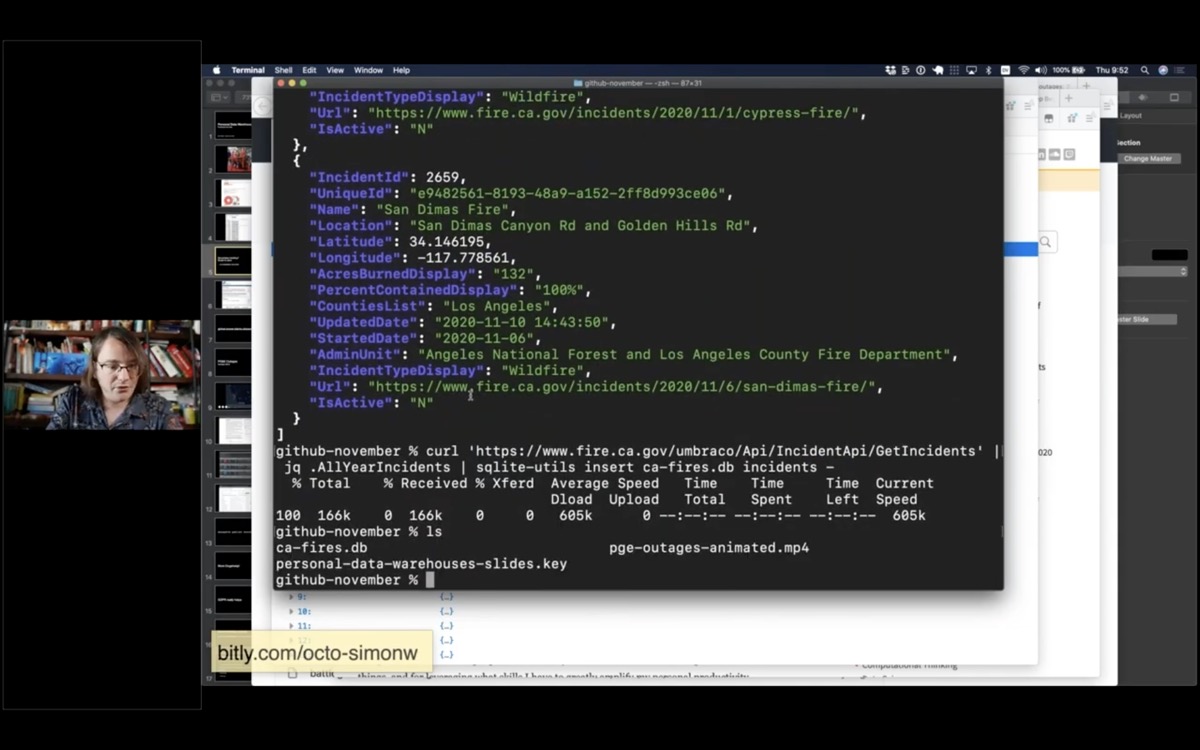
A terminal running a command that inserts the data into a SQLite database

Next I'm going to pipe it into a tool I've been building called sqlite-utils - it's a suite of tools for manipulating SQLite databases.

I'm going to use the "insert" command and insert the data into a ca-fires.db in an incidents table.

curl 'https://www.fire.ca.gov/umbraco/Api/IncidentApi/GetIncidents' \
        | jq .AllYearIncidents \
        | sqlite-utils insert ca-fires.db incidents -

Now I've got a ca-fires.db file. I can open that in Datasette:

datasette ca-fires.db -o
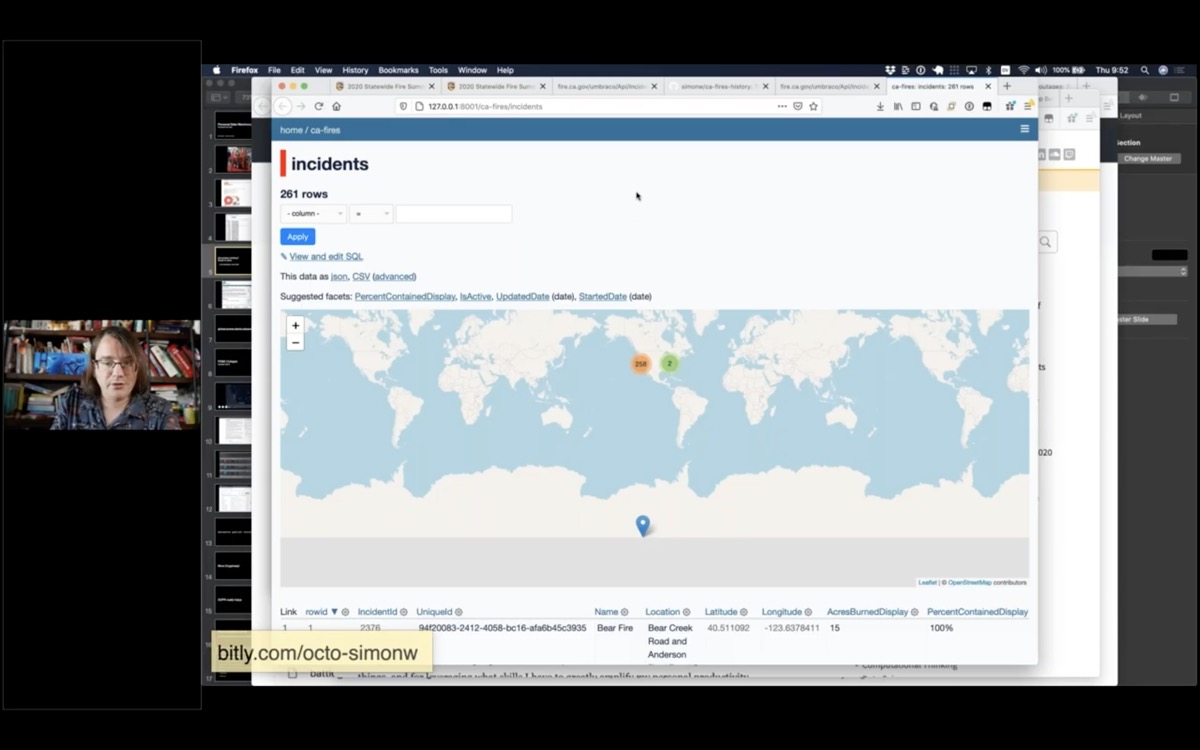
A map of incidents, where one of them is located at the very bottom of the map in Antarctica

And here it is - a brand new database.

You can straight away see that one of the rows has a bad location, hence it appears in Antarctica.

But 258 of them look like they are in the right place.
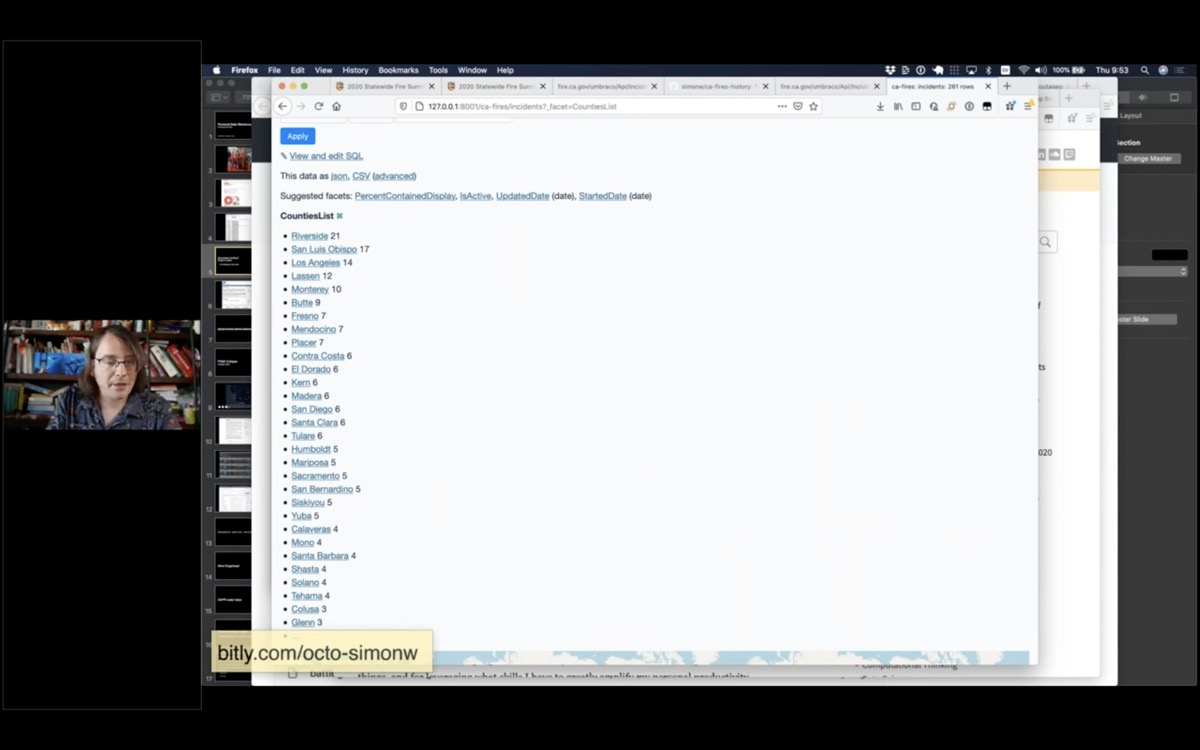
I list of faceted counties, showing the count of fires for each one

I can also facet by county, to see which county had the most fires in 2020 - Riverside had 21.
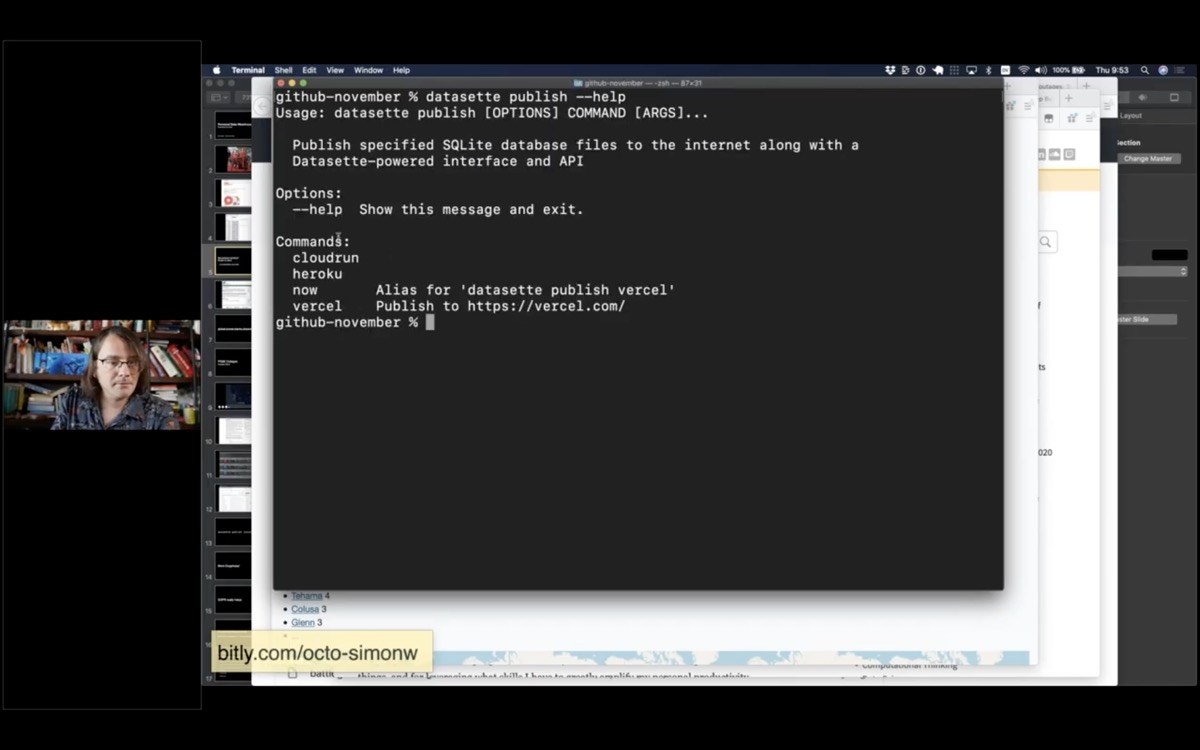
datasette publish --help shows a list of hosting providers - cloudrun, heroku and vercel

I'm going to take this a step further and put it on the internet, using a command called datasette publish.

Datasette publish supports a number of different hosting providers. I'm going to use Vercel.
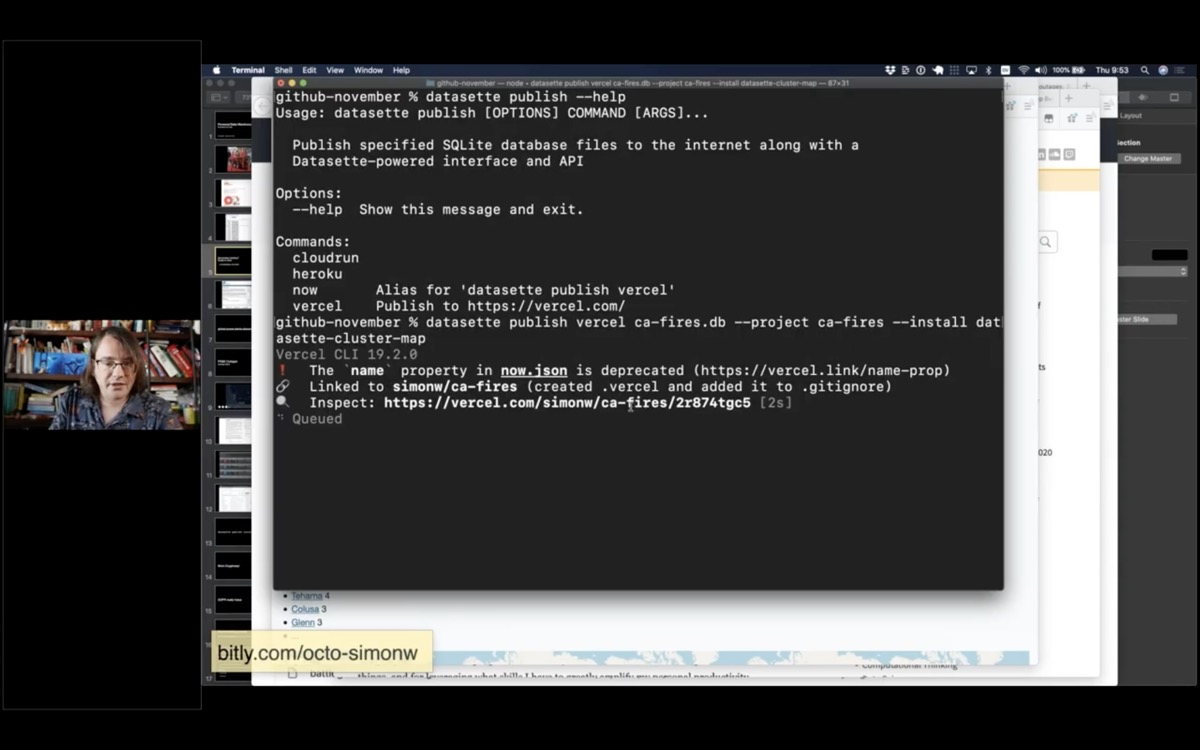
A terminal running datasette publish

I'm going to tell it to publish that database to a project called "ca-fires" - and tell it to install the datasette-cluster-map plugin.

datasette publish vercel ca-fires.db \
        --project ca-fires \
        --install datasette-cluster-map

This then takes that database file, bundles it up with the Datasette application and deploys it to Vercel.
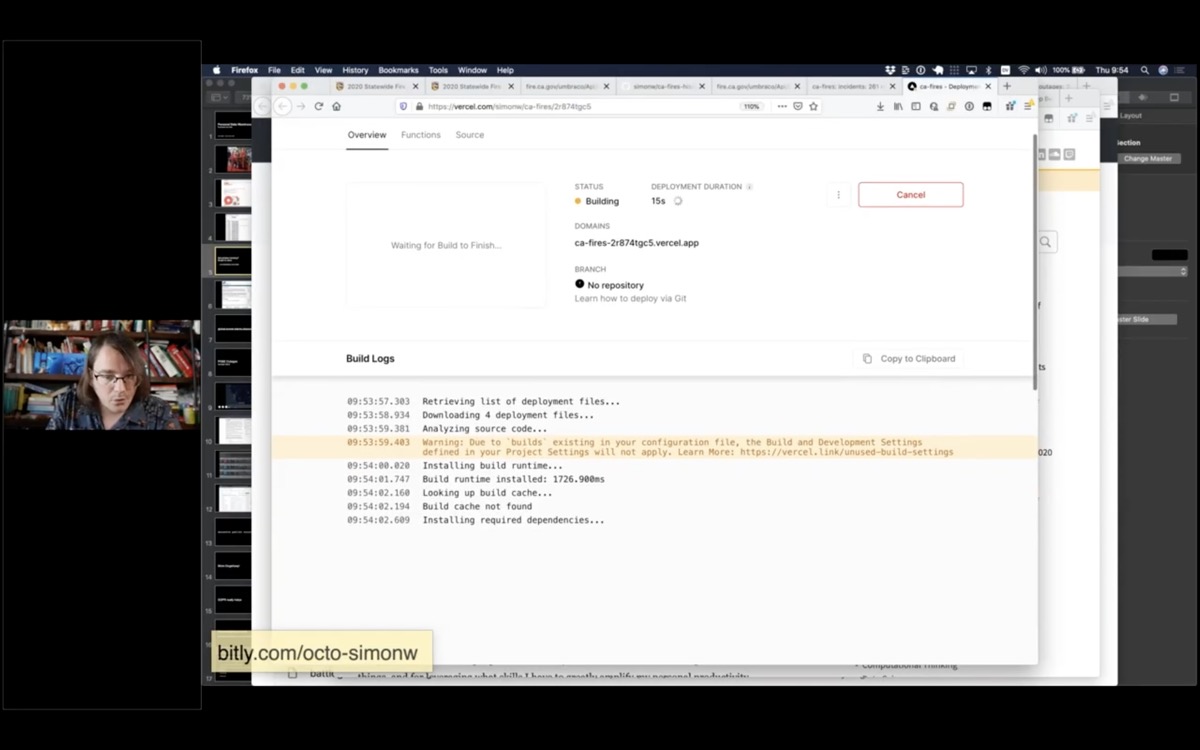
A page on Vercel.com showing a deployment in process

Vercel gives me a URL where I can watch the progress of the deploy.

The goal here is to have as few steps as possible between finding some interesting data, turning it into a SQLite database you can use with Datasette and then publishing it online.
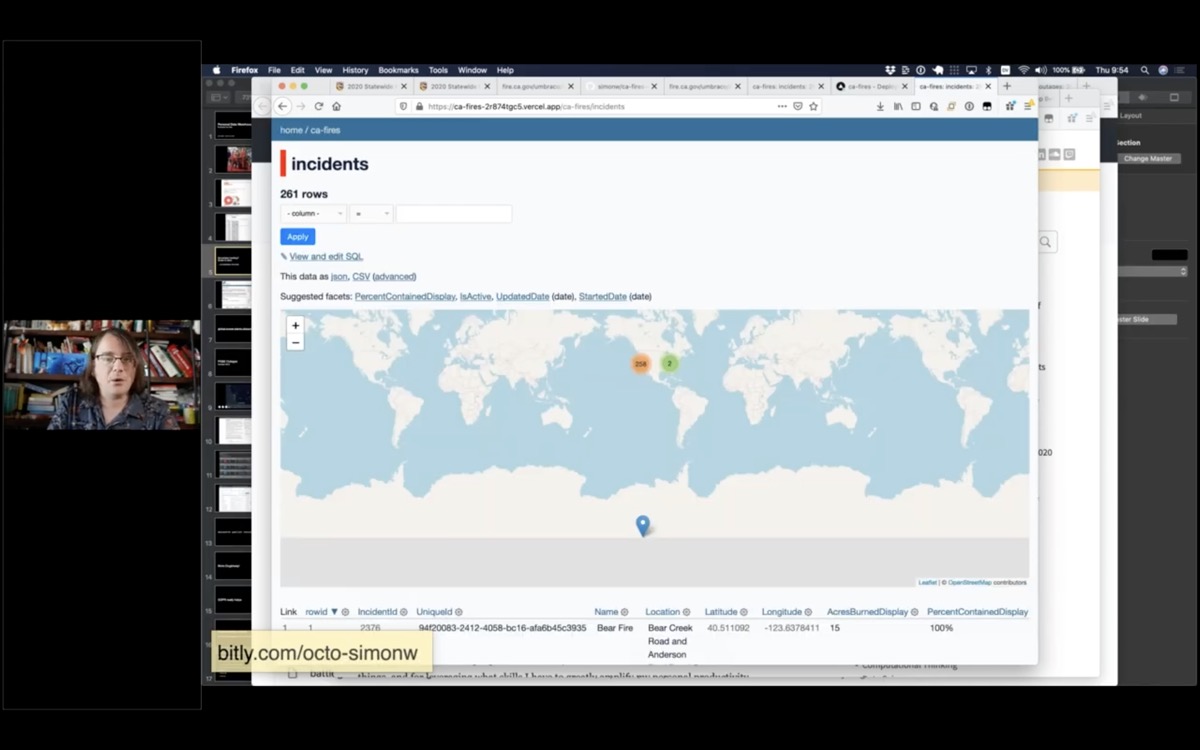
The incident map, hosted online at ca-fires.vercel.com

And this here is that database I just created - available for anyone on the internet to visit and build against.
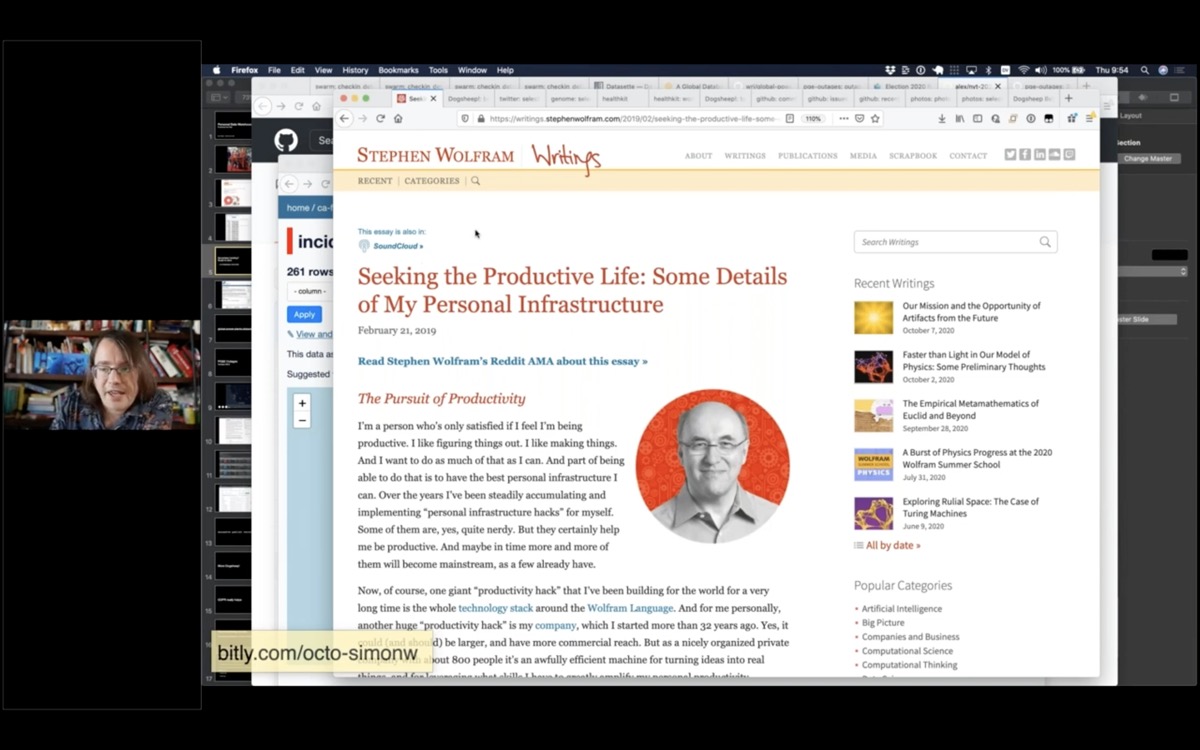
https://ca-fires.vercel.app/ca-fires/incidents

Screenshot of Stephen Wolfram's essay Seeking the Productive Life: Some Details of My Personal Infrastructure

I've given you a whistle-stop tour of Datasette for the purposes of publishing data, and hopefully doing some serious data journalism.

So what does this all have to do with personal data warehouses?

Last year, I read this essay by Stephen Wolfram: Seeking the Productive Life: Some Details of My Personal Infrastructure. It's an incredible exploration of fourty years of productivity hacks that Stephen Wolfram has applied to become the CEO of a 1,000 person company that works remotely. He's optimized every aspect of his professional and personal life.
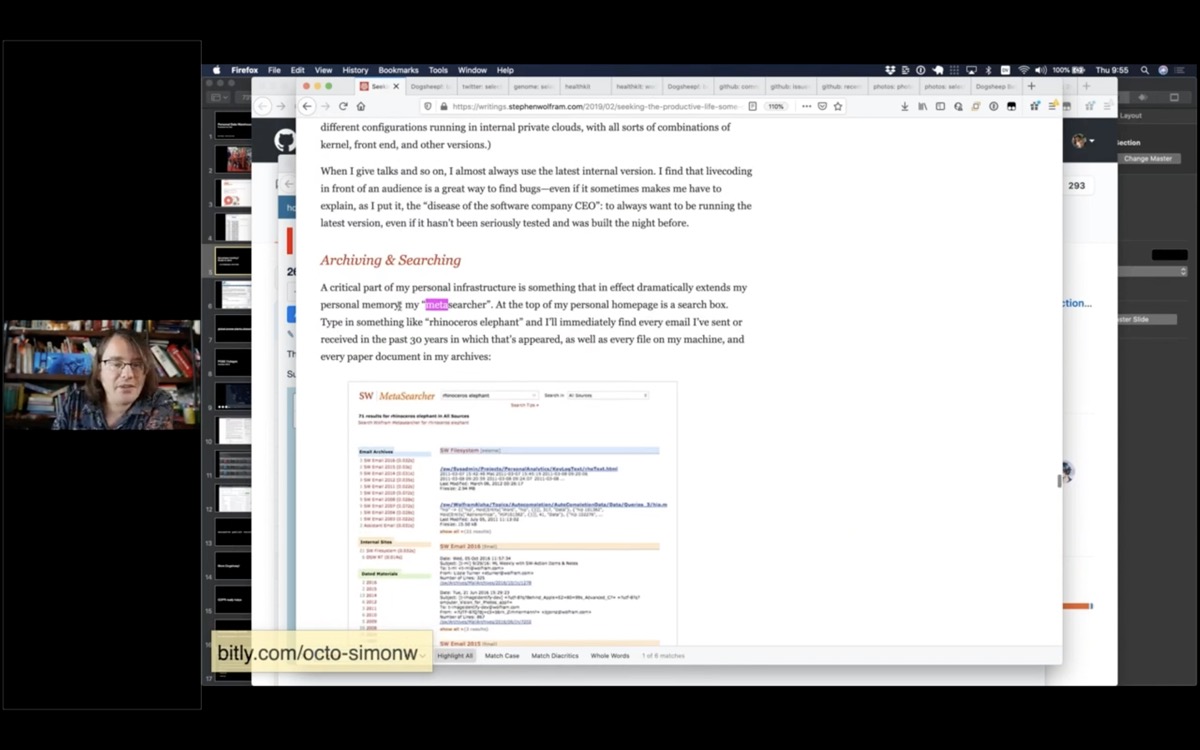
A screenshot showing the section where he talks about his metasearcher

It's a lot.

But there was one part of this that really caught my eye. He talks about a thing he calls a "metasearcher" - a search engine on his personal homepage that searches every email, journals, files, everything he's ever done - all in one place.

And I thought to myself, I really want THAT. I love this idea of a personal portal to my own stuff.

And because it was inspired by Stephen Wolfram, but I was planning on building a much less impressive version, I decided to call it Dogsheep.

Wolf, ram. Dog, sheep.

I've been building this over the past year.
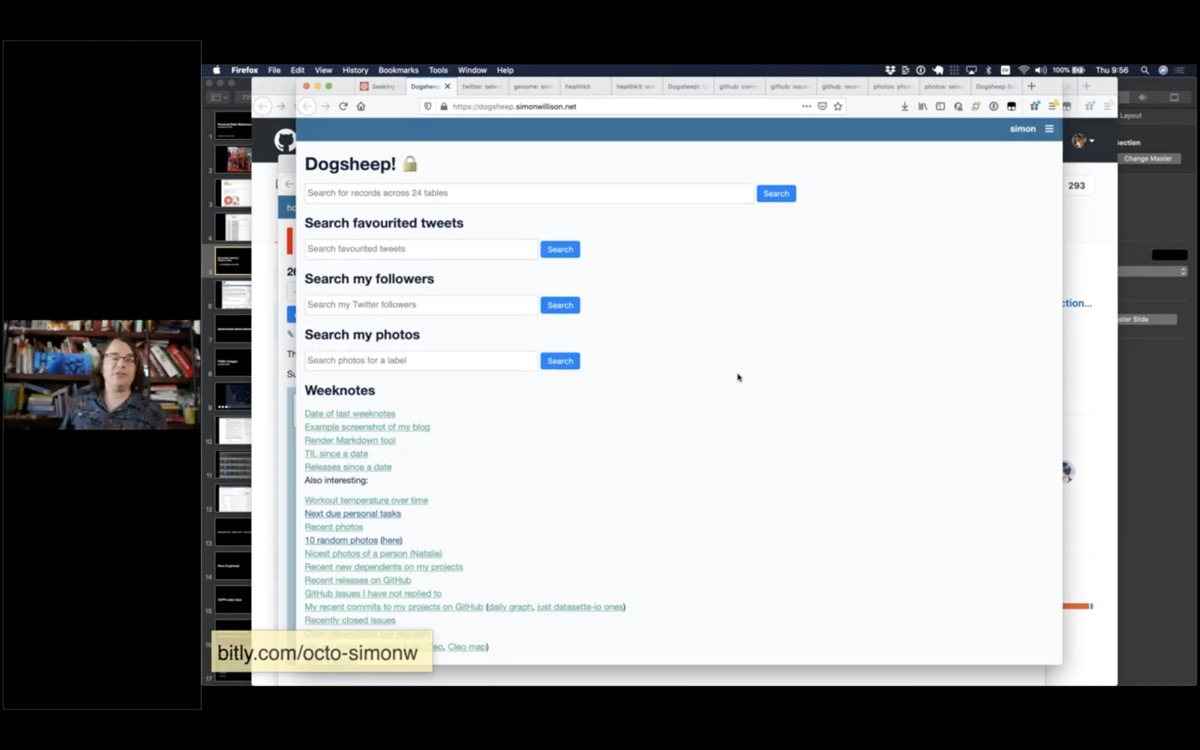
A screenshot of my personal Dogsheep homepage, showing a list of data sources and saved queries

So essentially this is my personal data warehouse. It pulls in my personal data from as many sources as I can find and gives me an interface to browse that data and run queries against it.

I've got data from Twitter, Apple HealthKit, GitHub, Swarm, Hacker News, Photos, a copy of my genome... all sorts of things.

I'll show a few more demos.
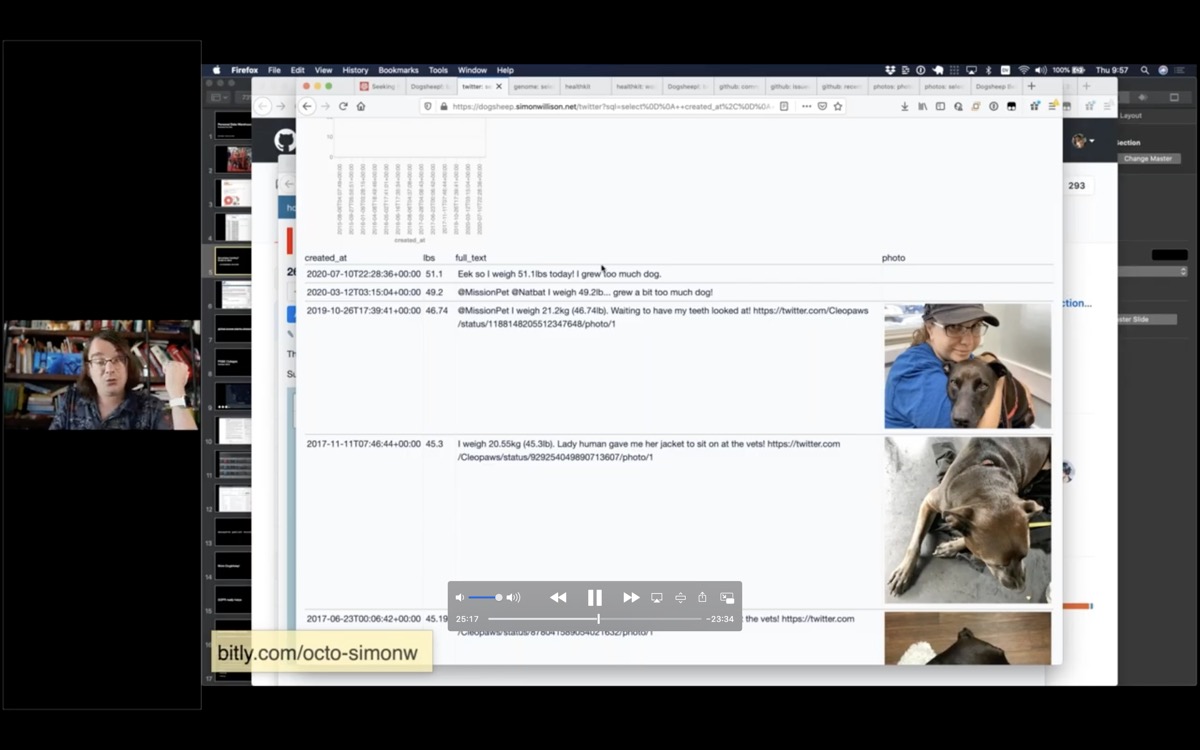
Tweets with selfies by Cleo

Here's another one about Cleo. Cleo has a Twitter account, and every time she goes to the vet she posts a selfie and says how much she weighs.
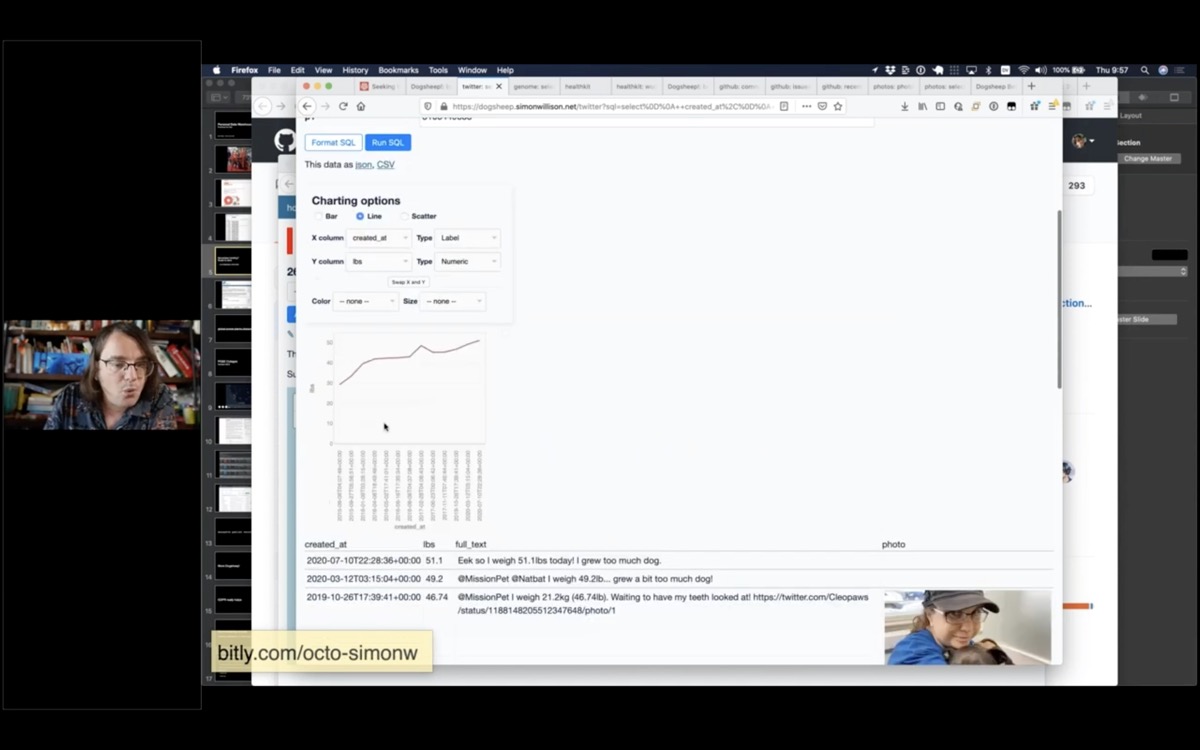
A graph showing Cleo's weight over time

Here's a SQL query that finds every tweet that mentions her weight, pulls out her weight in pounds using a regular expression, then uses the datasette-vega charting plugin to show a self-reported chart of her weight over time.

select
    created_at,
    regexp_match('.*?(\d+(\.\d+))lb.*', full_text, 1) as lbs,
    full_text,
    case
        when (media_url_https is not null)
        then json_object('img_src', media_url_https, 'width', 300)
    end as photo
    from
    tweets
    left join media_tweets on tweets.id = media_tweets.tweets_id
    left join media on media.id = media_tweets.media_id
    where
    full_text like '%lb%'
    and user = 3166449535
    and lbs is not null
    group by
    tweets.id
    order by
    created_at desc
    limit
    101
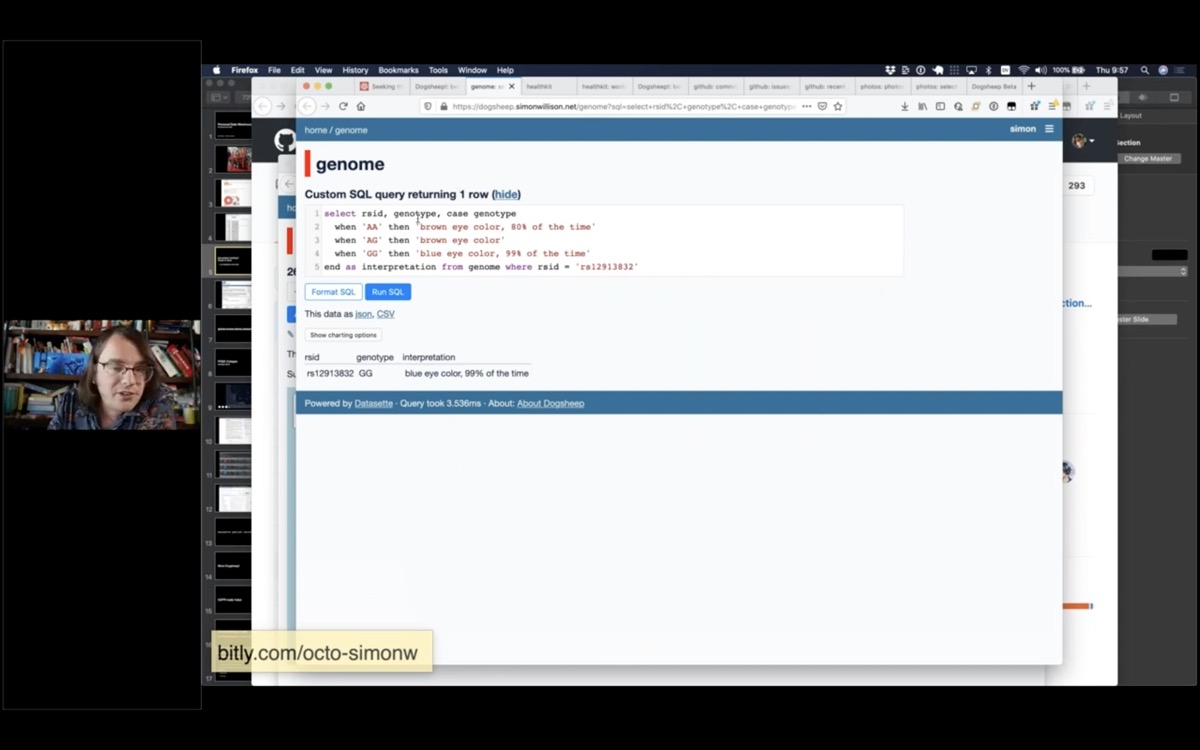
A screenshot showing the result of running a SQL query against my genome

I did 23AndMe a few years ago, so I have a copy of my genome in Dogsheep. This SQL query tells me what colour my eyes are.

Apparently they are blue, 99% of the time.

select rsid, genotype, case genotype
    when 'AA' then 'brown eye color, 80% of the time'
    when 'AG' then 'brown eye color'
    when 'GG' then 'blue eye color, 99% of the time'
    end as interpretation from genome where rsid = 'rs12913832'
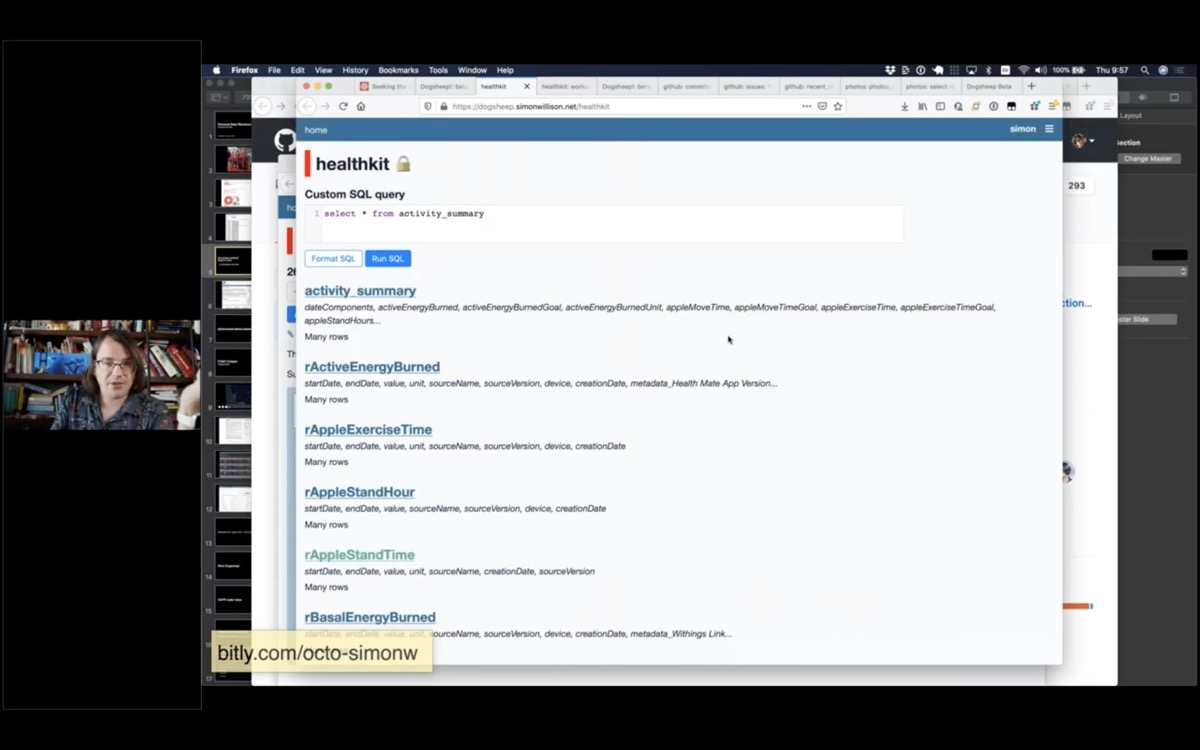
A list of tables in my HealthKit database

I have HealthKit data from my Apple Watch.

Something I really like about Apple's approach to this stuff is that they don't just upload all of your data to the cloud.

This data lives on your watch and on your phone, and there's an option in the Health app on your phone to export it - as a zip file full of XML.

I wrote a script called healthkit-to-sqlite that converts that zip file into a SQLite database, and now I have tables for things like my basal energy burned, my body fat percentage, flights of stairs I've climbed.
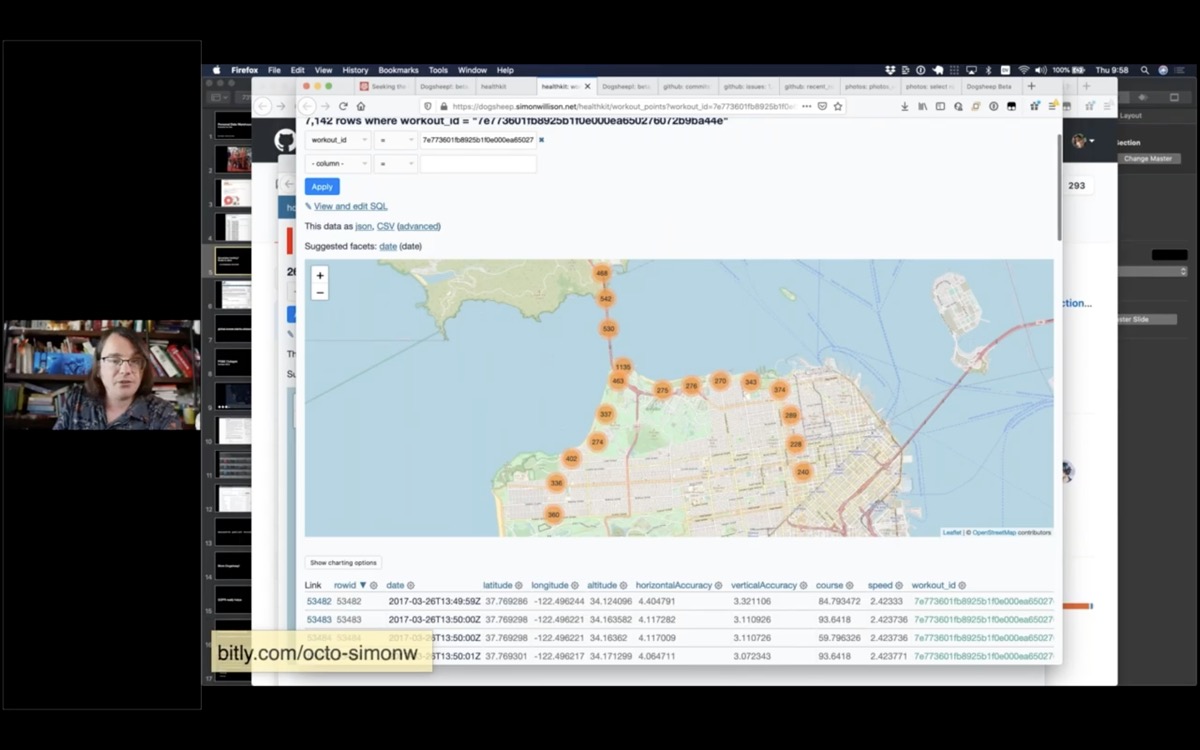
Screenshot showing a Datasette map of my San Francisco Half Marathon route

But the really fun part is that it turns out any time you track an outdoor workout on your Apple Watch it records your exact location every few seconds, and you can get that data back out again!

This is a map of my exact route for the San Francisco Half Marathon three years ago.

I've started tracking an "outdoor walk" every time I go on a walk now, just so I can get the GPS data out again later.
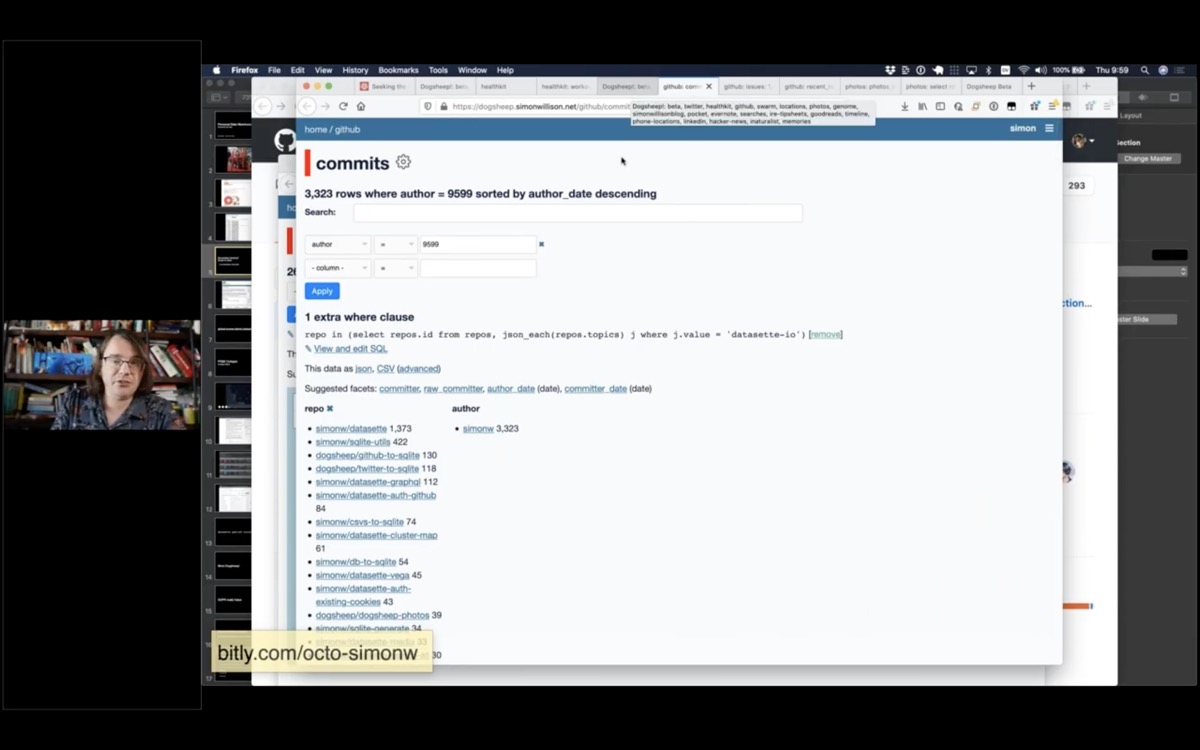
Screeshot showing a list of commits to my projects, faceted by repository

I have a lot of data from GitHub about my projects - all of my commits, issues, issue comments and releases - everything I can get out of the GitHub API using my github-to-sqlite tool.

So I can do things like see all of my commits across all of my projects, search and facet them.

I have a public demo of a subset of this data at github-to-sqlite.dogsheep.net.
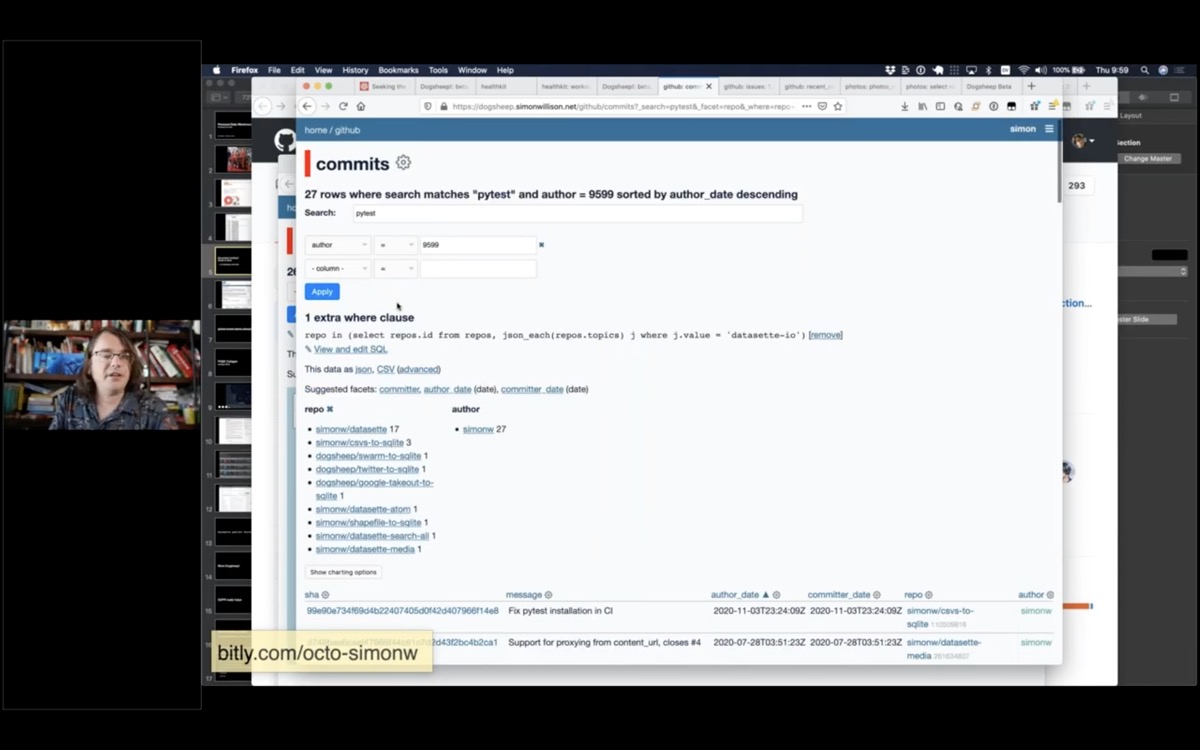
Commits filtered by a search for pytest

I can search my commits for any commit that mentions "pytest".
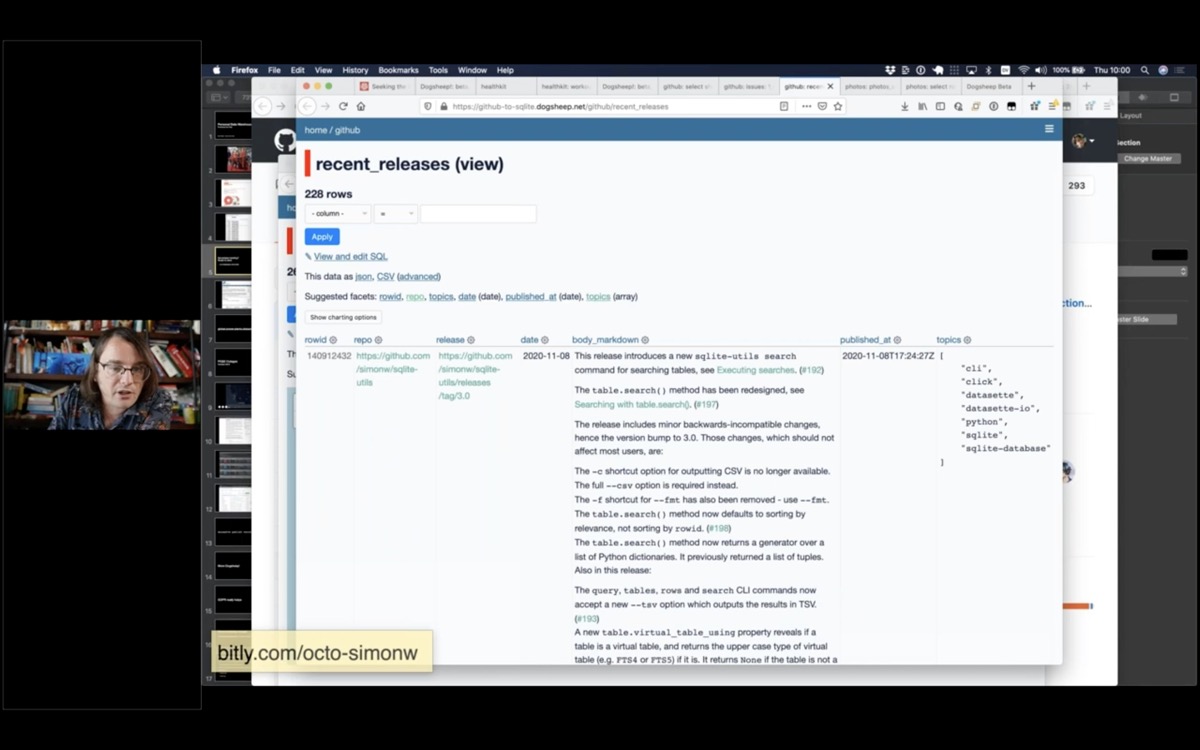
A list of all of my recent project releases

I have all of my releases, which is useful for when I write my weeknotes and want to figure out what I've been working on.
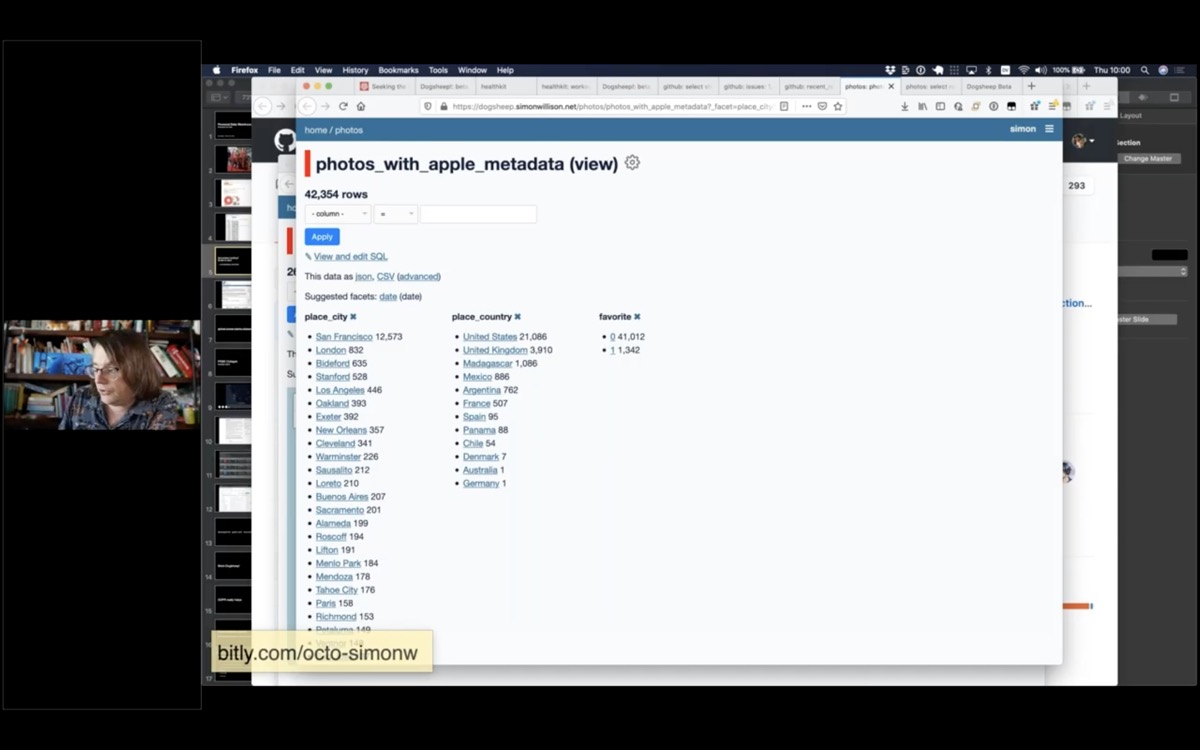
A faceted interface showing my photos, faceted by city, country and whether they are a favourite

Apple Photos is a particularly interesting source of data.

It turns out the Apple Photos app uses a SQLite database, and if you know what you're doing you can extract photo metadata from it.

They actually run machine learning models on your own device to figure out what your photos are of!
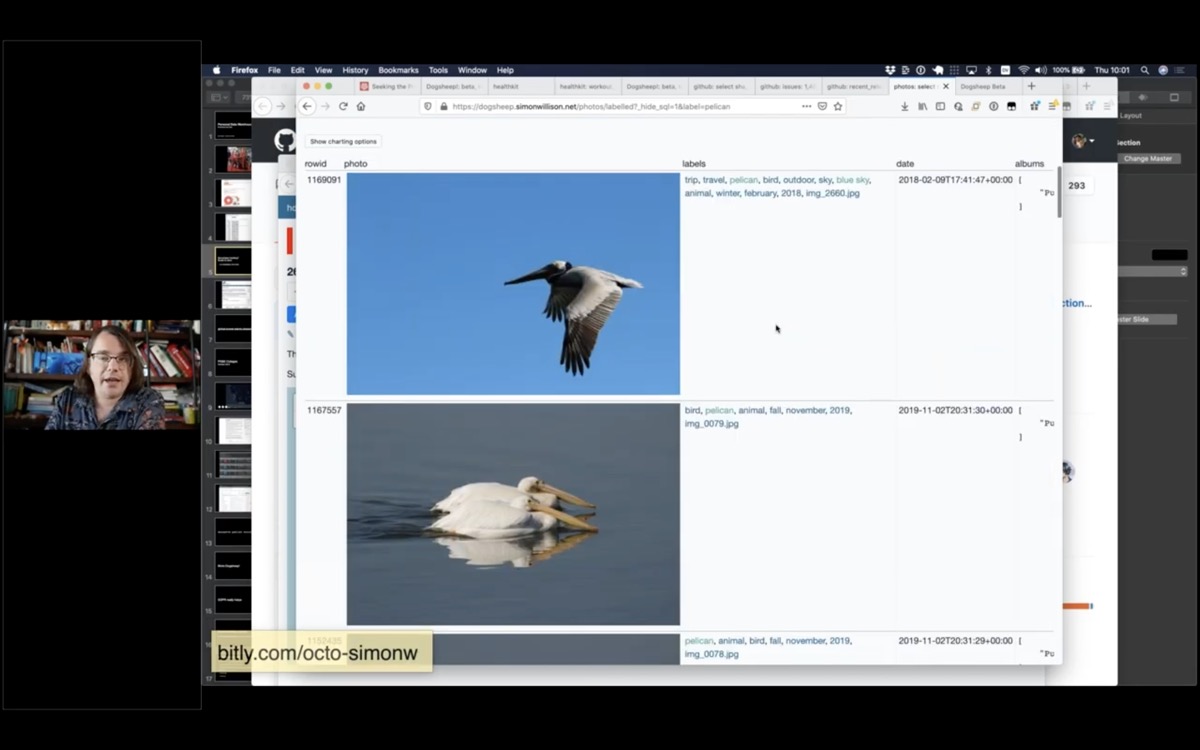
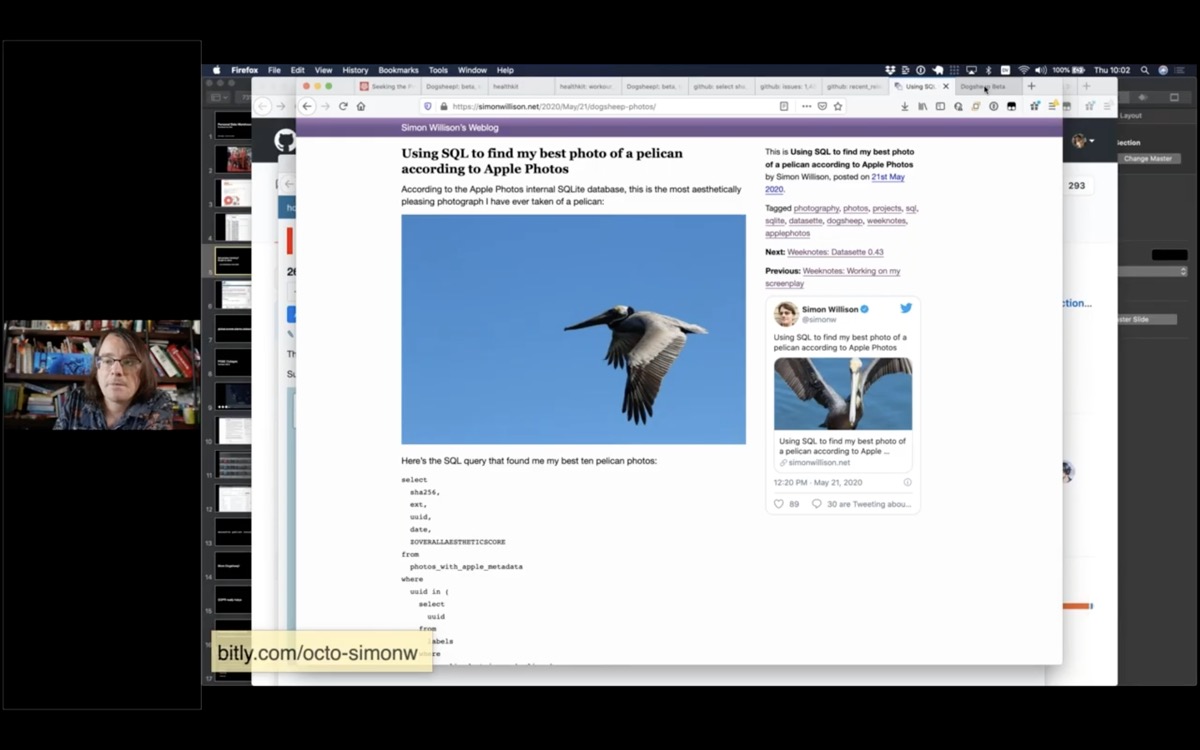
Some photos I have taken of pelicans, inside Datasette

You can use the machine learning labels to see all of the photos you have taken of pelicans. Here are all of the photos I have taken that Apple Photos have identified as pelicans.
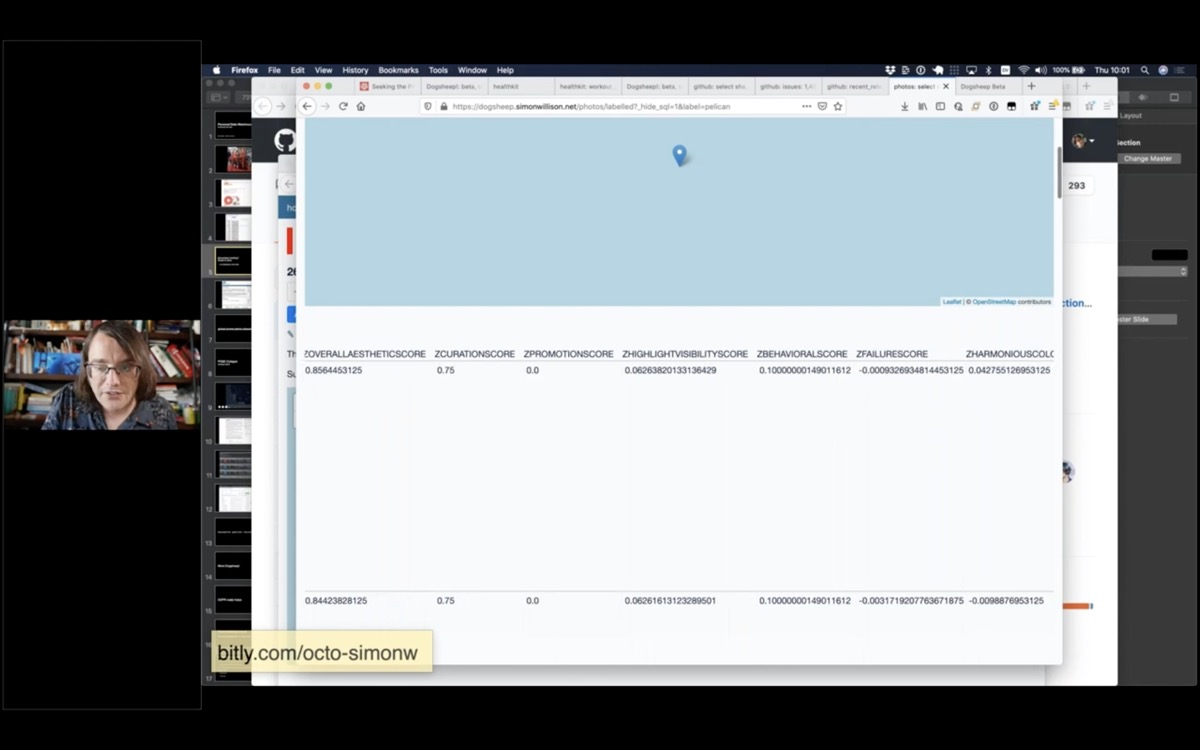
Screenshot showing some of the columns in my photos table

It also turns out they have columns called things like ZOVERALLAESTHETICSCORE, ZHARMONIOUSCOLORSCORE, ZPLEASANTCAMERATILTSCORE and more.

So I can sort my pelican photos with the most aesthetically pleasing first!
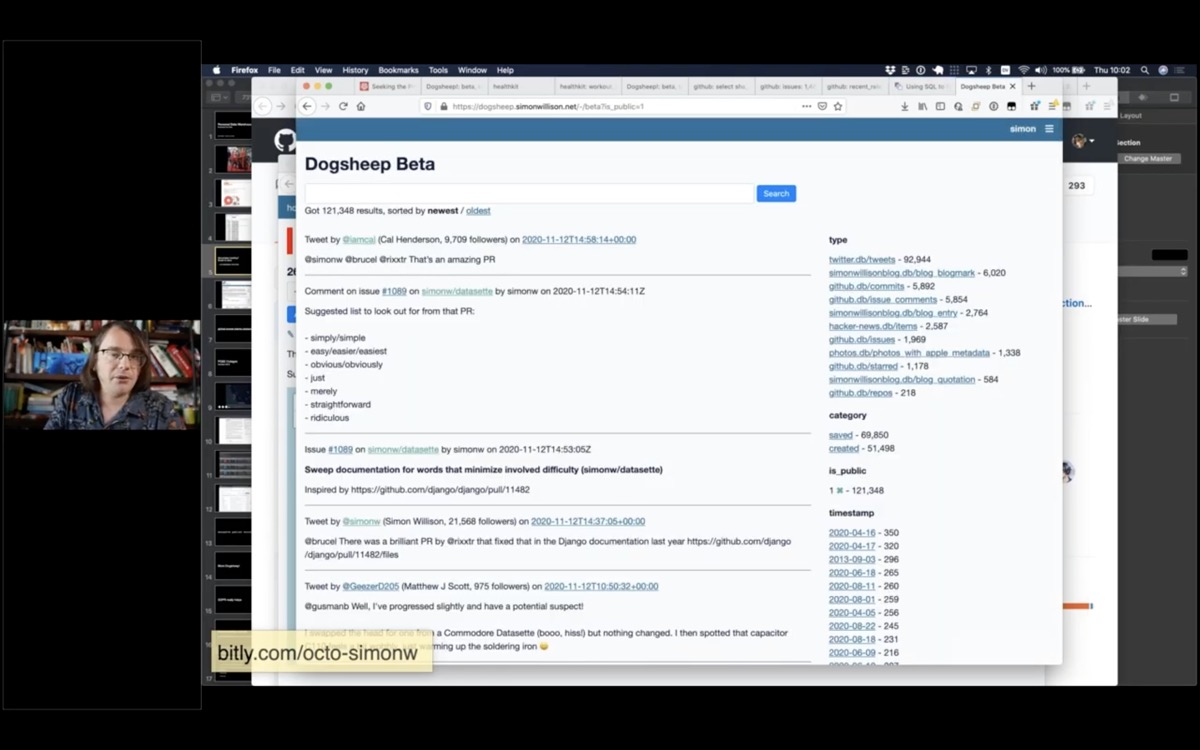
Screenshot of my Dogsheep Beta faceted search interface

And a few weeks ago I finally got around to building the thing I'd always wanted: the search engine.

I called it Dogsheep Beta, because Stephen Wolfram has a search engine called Wolfram Alpha.

This is pun-driven development: I came up with this pun a while ago and liked it so much I committed to building the software.
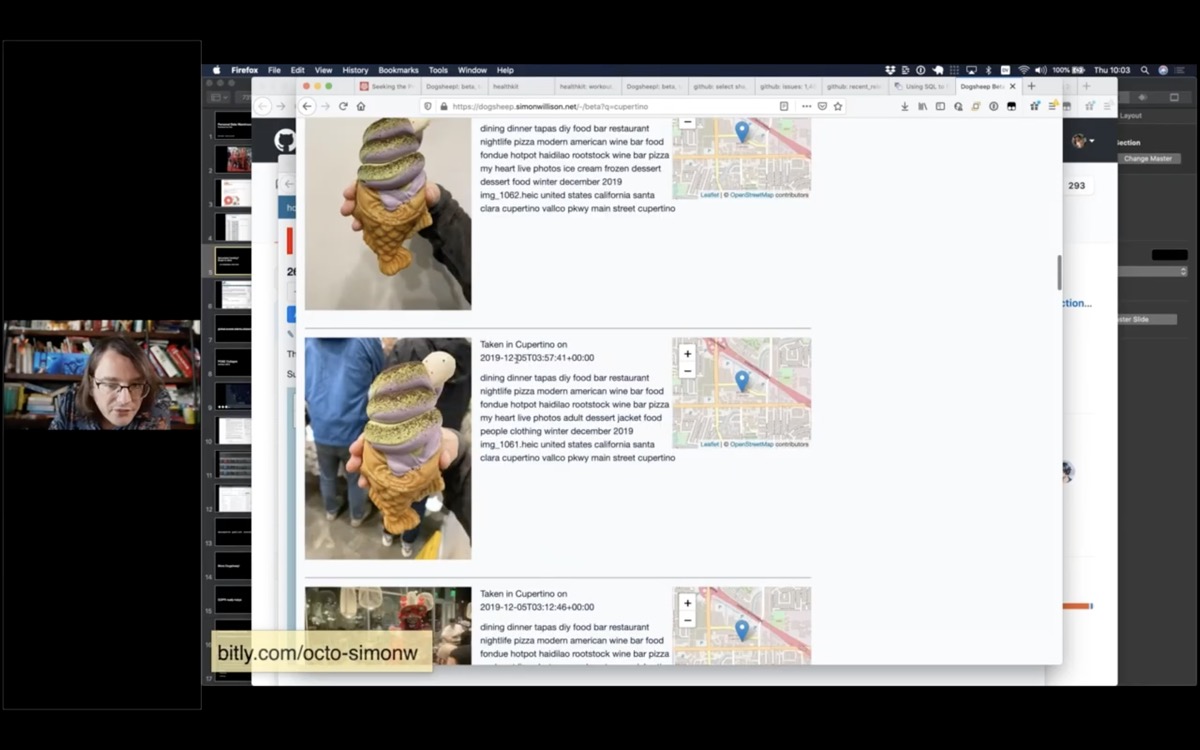
Search results for Cupertino, showing photos with maps

I wanted to know when the last time I had eaten a waffle-fish ice cream was. I knew it was in Cupertino, so I searched Dogsheep Beta for Cupertino and found this photo.

I hope this illustrates how much you can do if you pull all of your personal data into one place!
GDPR really helps

The GDPR law that passed in Europe a few years ago really helps with this stuff.

Companies have to provide you with access to the data that they store about you.

Many big internet companies have responded to this by providing a self-service export feature, usually buried somewhere in the settings.

You can also request data directly from companies, but the self-service option helps them keep their customer support costs down.

This stuff becomes easier over time as more companies build out these features.
Democratizing access. The future is already here, it's just not evenly distributed - William Gibson

The other challenge is how we democratize access to this.

Everything I've shown you today is open source: you can install this software and use it yourself, for free.

But there's a lot of assembly required. You need to figure out authentication tokens, find somewhere to host it, set up cron jobs and authentication.

But this should be accessible to regular non-uber-nerd humans!
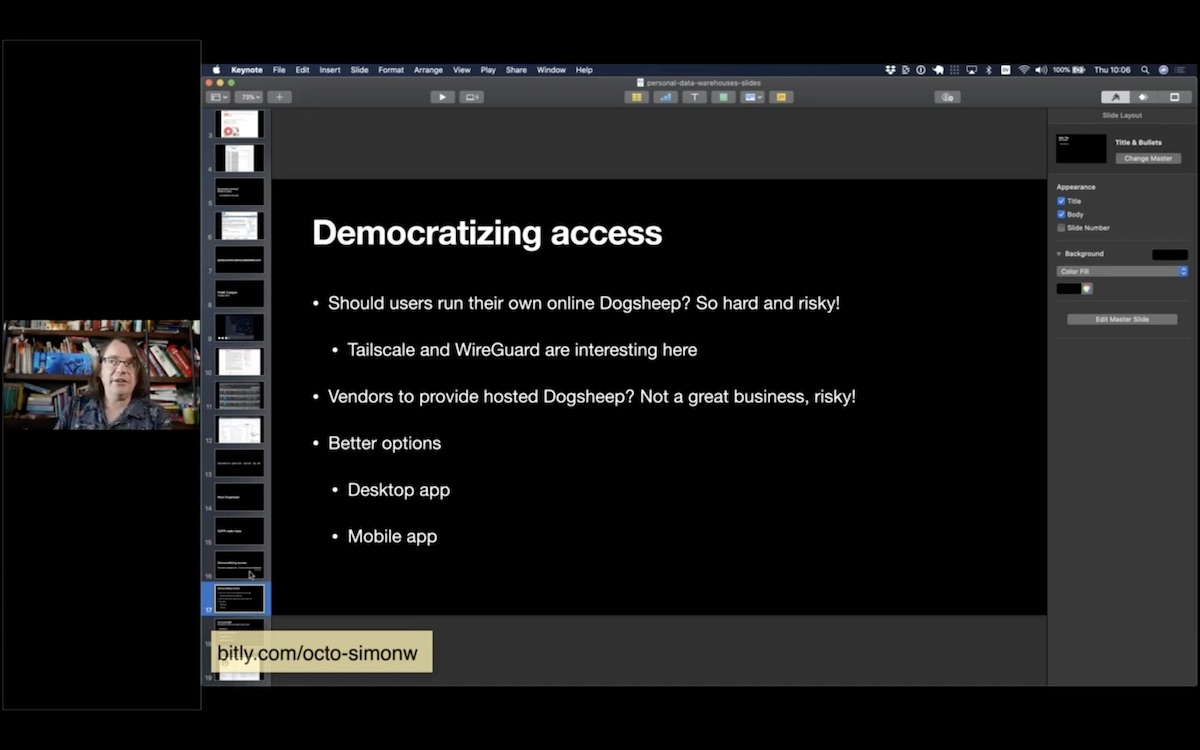
Democratizing access. Should users run their own online Dogsheep? So hard and risky! Tailscale and WireGuard are interesting here. Vendors to provide hosted Dogsheep? Not a great business, risky!. Better options: Desktop app, mobile app.

Expecting regular humans to run a secure web server somewhere is pretty terrifying. I've been looking at WireGuard and Tailscale to help make secure access between devices easier, but that's still very much for super-users only.

Running this as a hosted service doesn't appeal: taking responsibility for people's personal data is scary, and it's probably not a great business.

I think the best options are to run on people's own personal devices - their mobile phones and their laptops. I think it's feasible to get Datasette running in those environments, and I really like the idea of users being able to import their personal data onto a device that they control and analyzing it there.
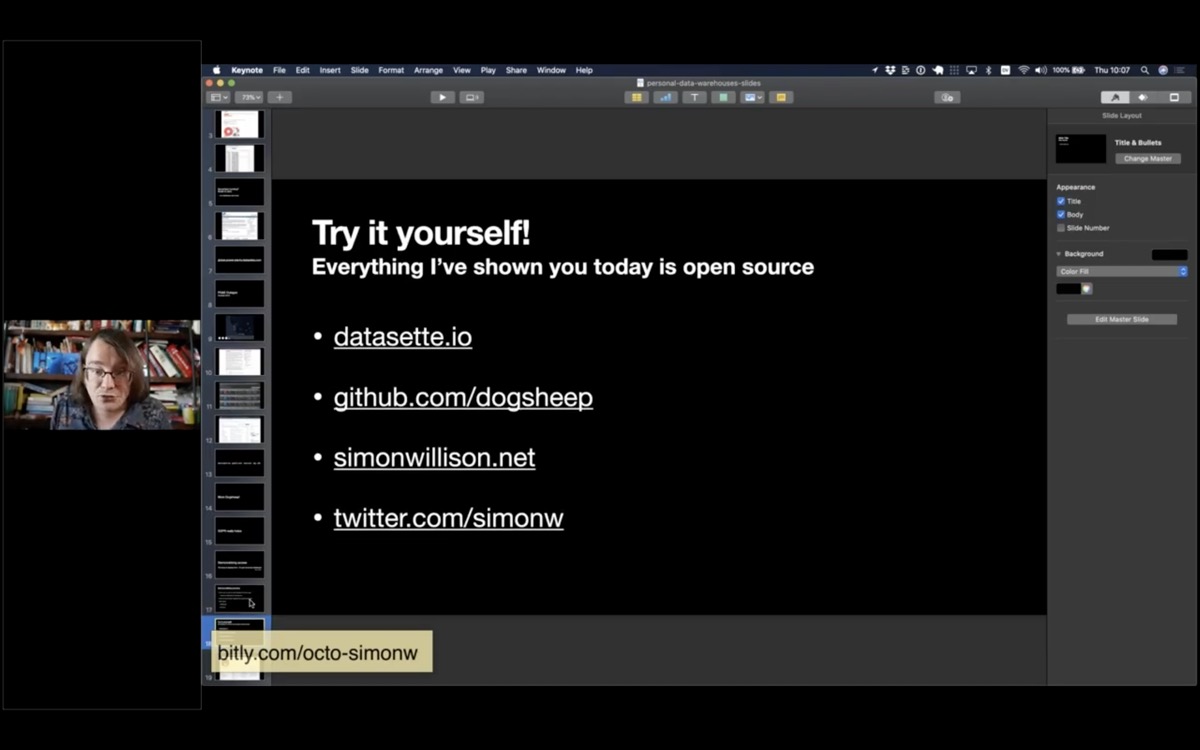
Try it yourself! Everything I’ve shown you today is open source

I invite you to try this all out for yourself!

datasette.io for Datasette

github.com/dogsheep and dogsheep.github.io for Dogsheep

simonwillison.net is my personal blog

twitter.com/simonw is my Twitter account
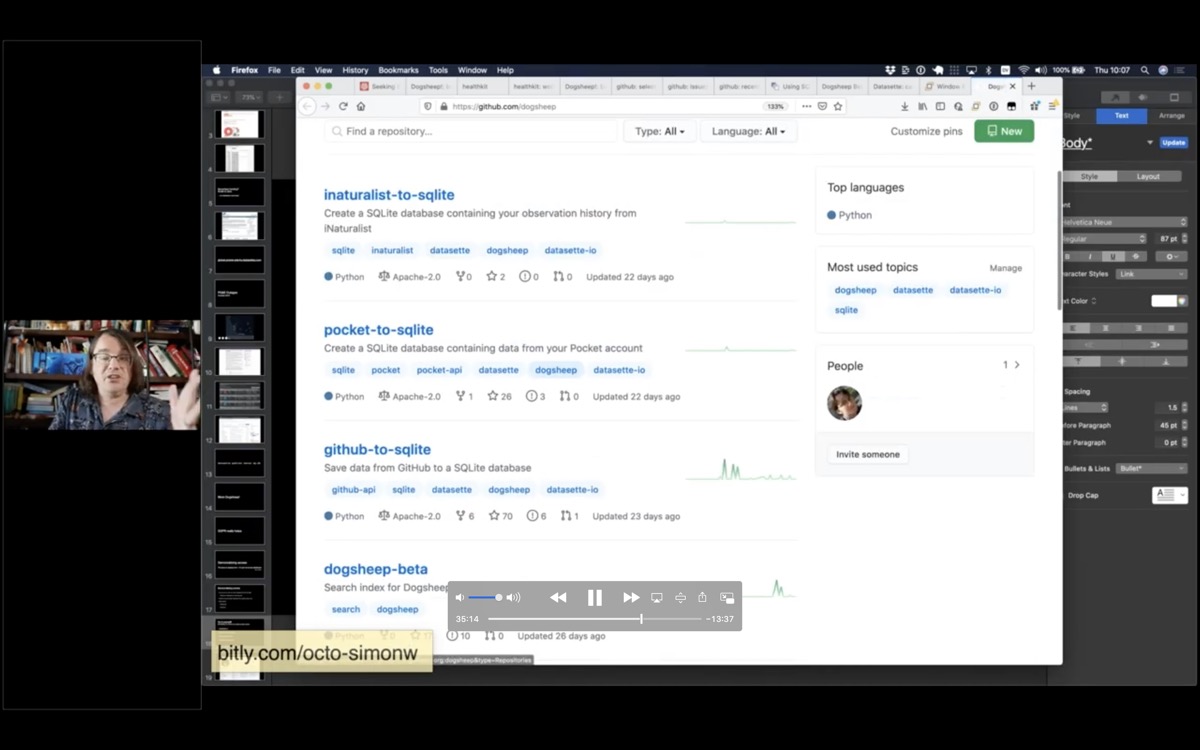
Screenshot of Dogsheep on GitHub

The Dogsheep GitHub organization has most of the tools that I've used to build out my personal Dogsheep warehouse - many of them using the naming convention of something-to-sqlite.

Q&A, from this Google Doc
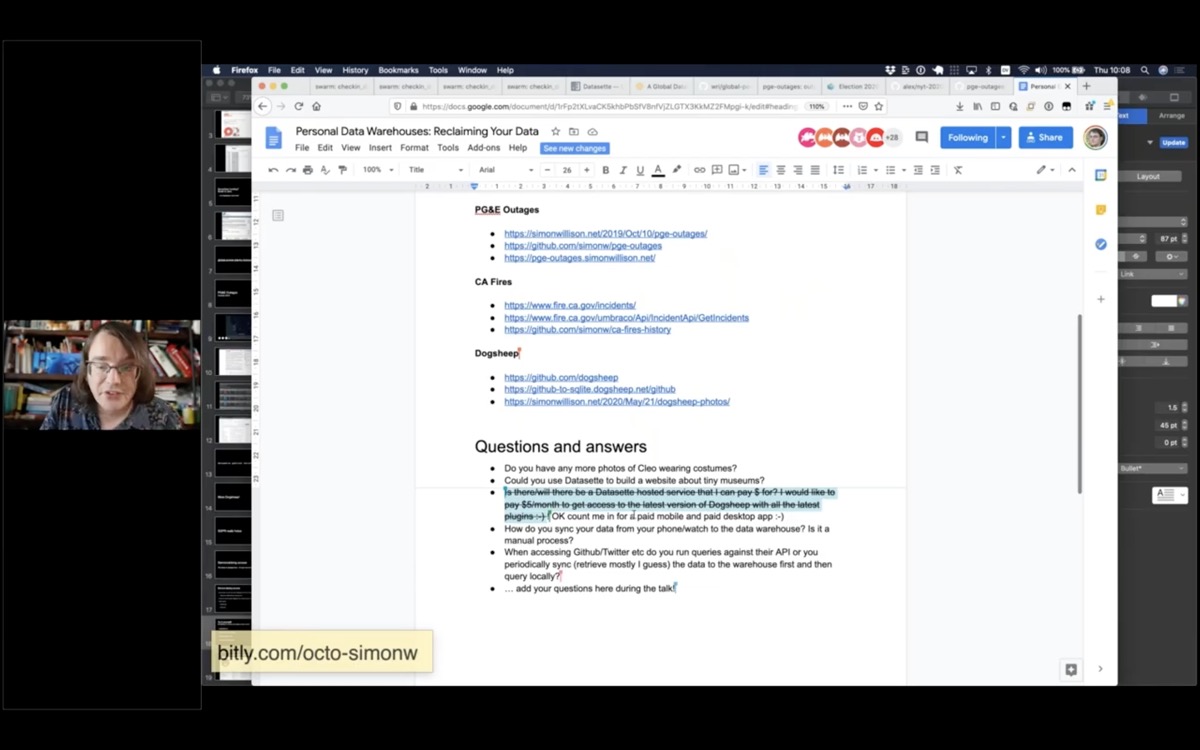
Screenshot of the Google Doc

Q: Is there/will there be a Datasette hosted service that I can pay $ for? I would like to pay $5/month to get access to the latest version of Dogsheep with all the latest plugins!

I don’t want to build a hosting site for personal private data because I think people should stay in control of that themselves, plus I don’t think there’s a particularly good business model for that.

Instead, I’m building a hosted service for Datasette (called Datasette Cloud) which is aimed at companies and organizations. I want to be able to provide newsrooms and other groups with a private, secure, hosted environment where they can share data with each other and run analysis.
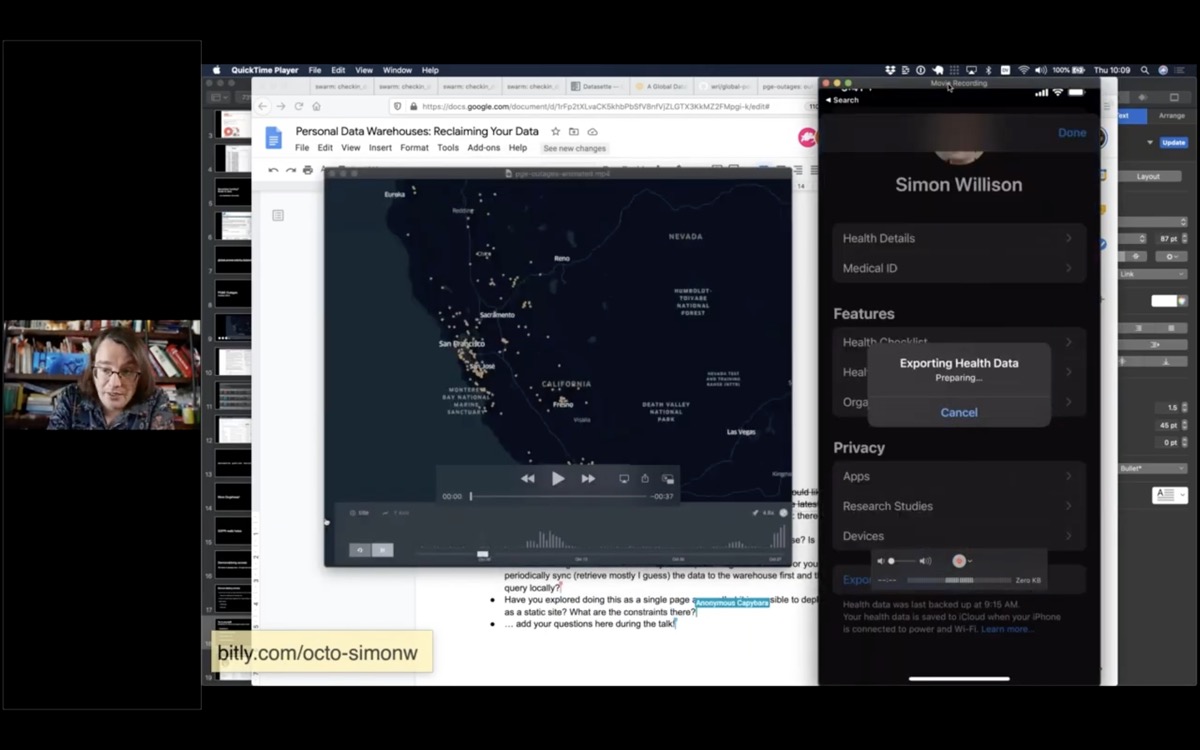
Screenshot showing an export running on an iPhone in the Health app

Q: How do you sync your data from your phone/watch to the data warehouse? Is it a manual process?

The health data is manual: the iOS Health app has an export button which generates a zip file of XML which you can then AirDrop to a laptop. I then run my healthkit-to-sqlite script against it to generate the DB file and SCP that to my Dogsheep server.

Many of my other Dogsheep tools use APIs and can run on cron, to fetch the most recent data from Swarm and Twitter and GitHub and so on.

Q: When accessing Github/Twitter etc do you run queries against their API or you periodically sync (retrieve mostly I guess) the data to the warehouse first and then query locally?

I always try to get ALL the data so I can query it locally. The problem with APIs that let you run queries is that inevitably there’s something I want to do that can’t be done of the API - so I’d much rather suck everything down into my own database so I can write my own SQL queries.
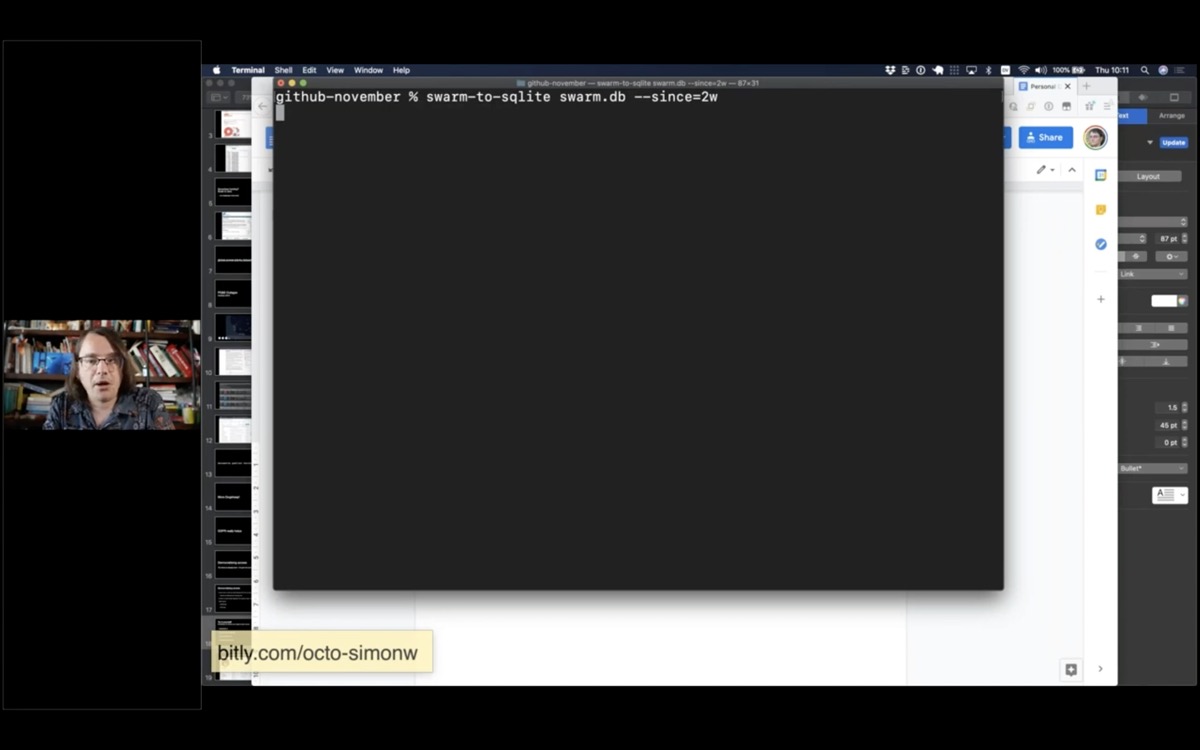
Screenshot showing how to run swarm-to-sqlite in a terminal

Here's an example of my swarm-to-sqlite script, pulling in just checkins from the past two weeks (using authentication credentials from an environment variable).

swarm-to-sqlite swarm.db --since=2w

Here's a redacted copy of my Dogsheep crontab.
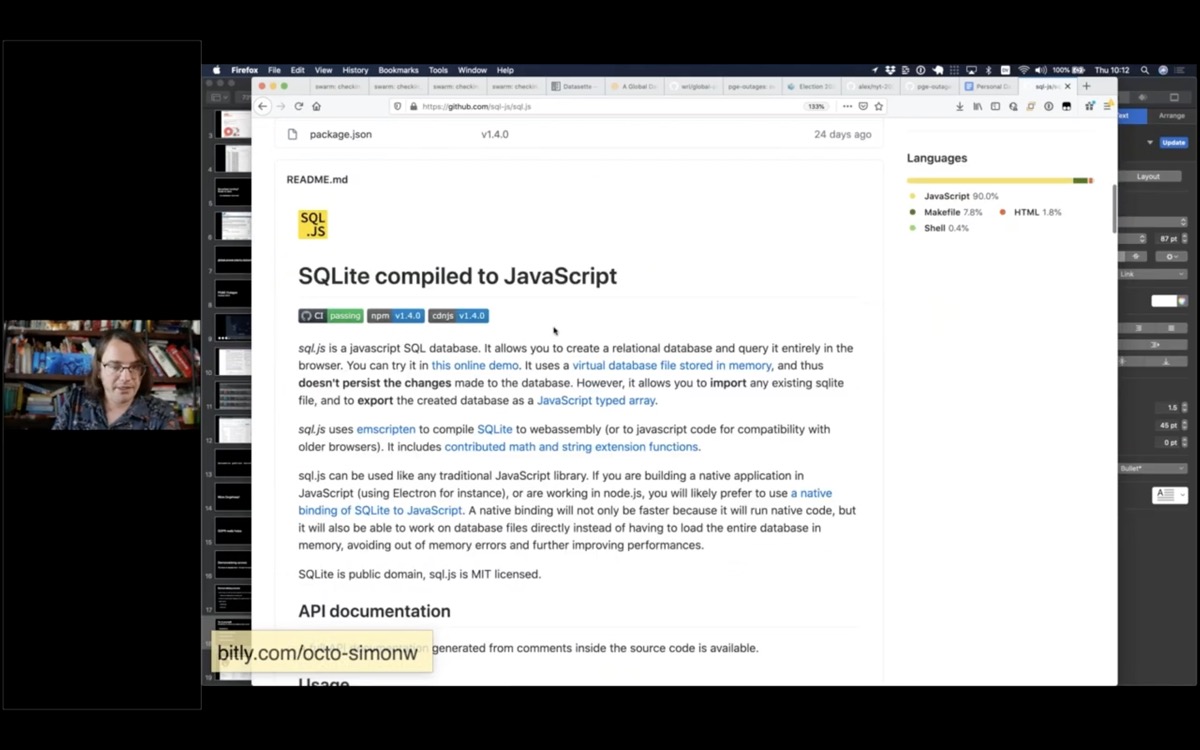
Screenshot of the SQL.js GitHub page

Q: Have you explored doing this as a single page app so that it is possible to deploy this as a static site? What are the constraints there?

It’s actually possible to query SQLite databases entirely within client-side JavaScript using SQL.js (SQLite compiled to WebAssembly)
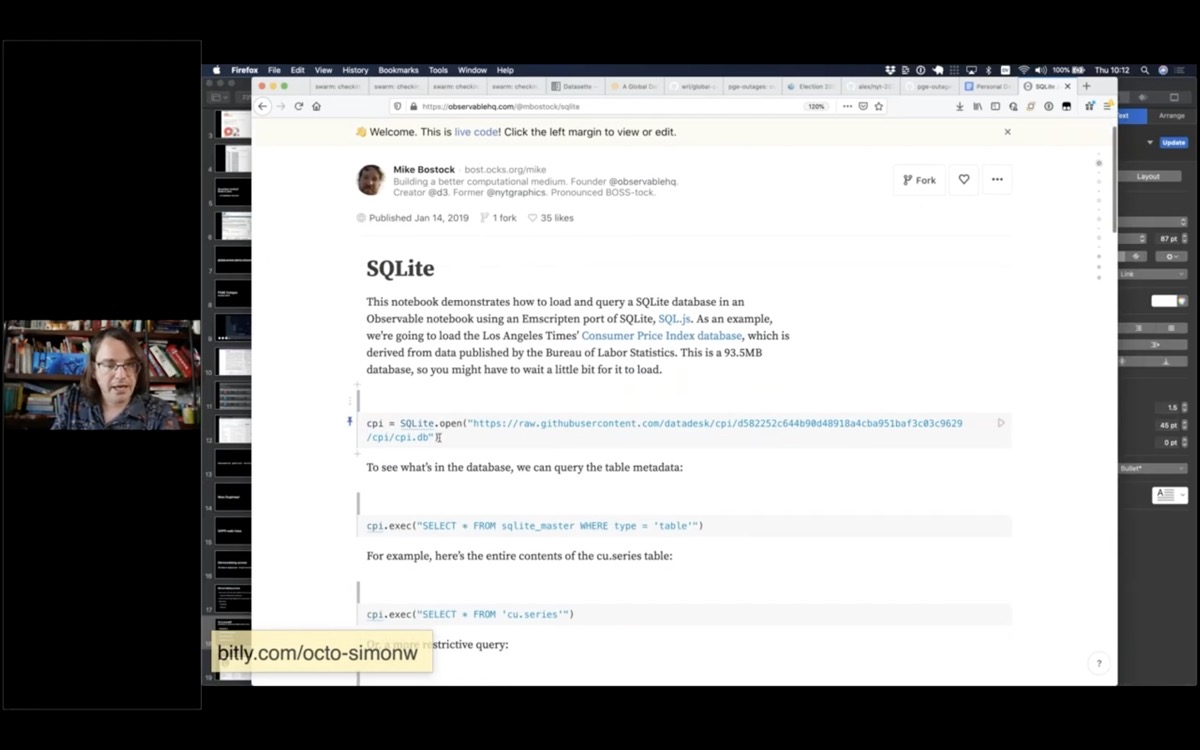
Screenshot of an Observable notebook running SQL.js

This Observable notebook is an example that uses this to run SQL queries against a SQLite database file loaded from a URL.
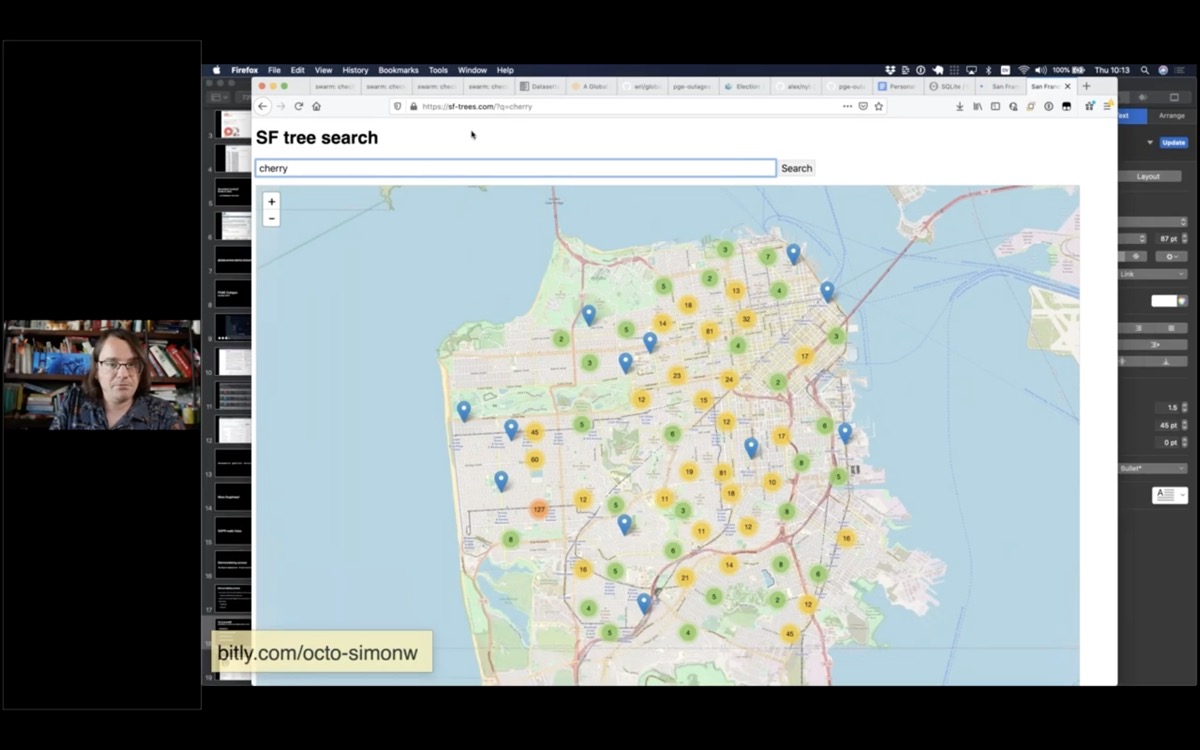
Screenshot of a search for cherry trees on sf-trees.com

Datasette’s JSON and GraphQL APIs mean it can easily act as an API backend to SPAs

I built this site to offer a search engine for trees in San Francisco. View source to see how it hits a Datasette API in the background: https://sf-trees.com/?q=palm
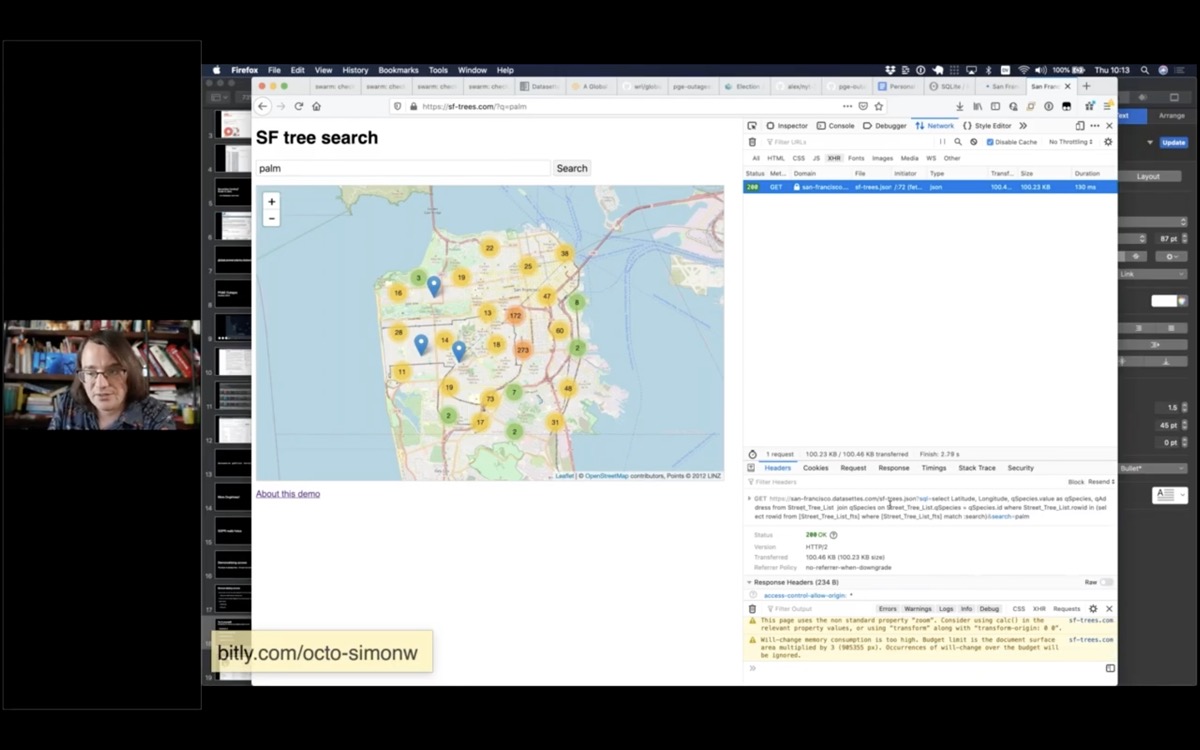
The network pane running against sf-trees.com

You can use the network pane to see that it's running queries against a Datasette backend.
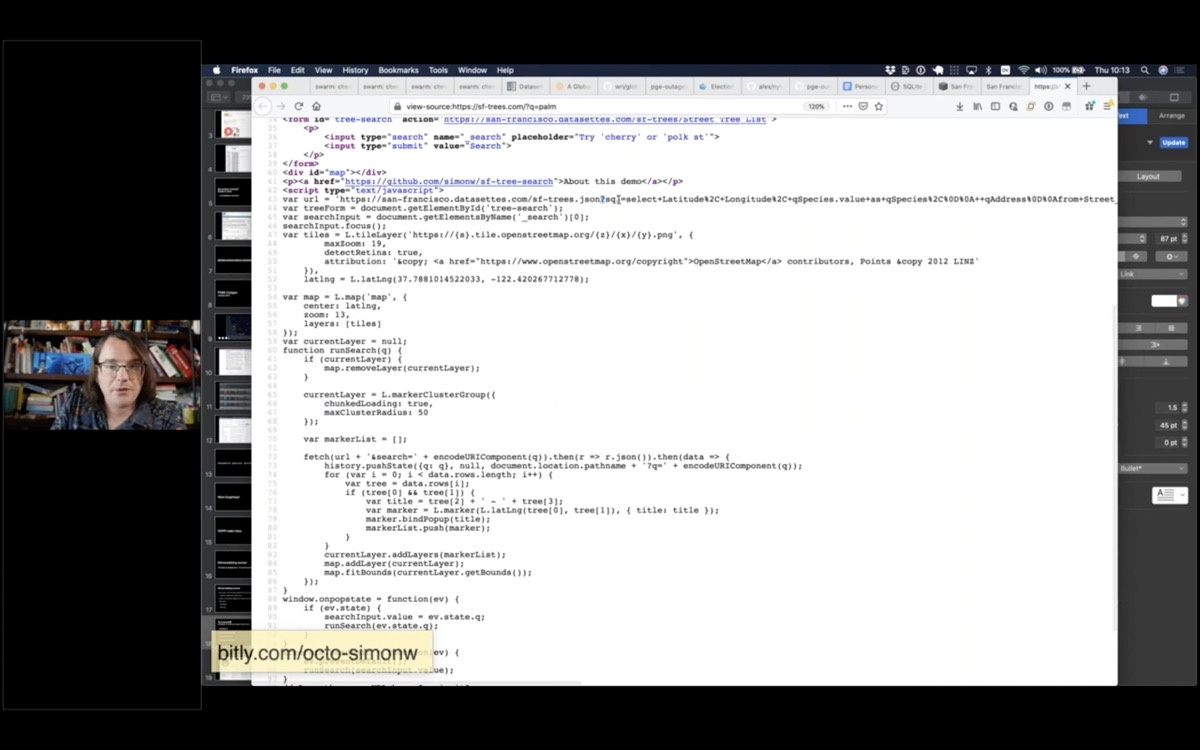
Screenshot of view-source on sf-trees.com

Here's the JavaScript code which calls the API.
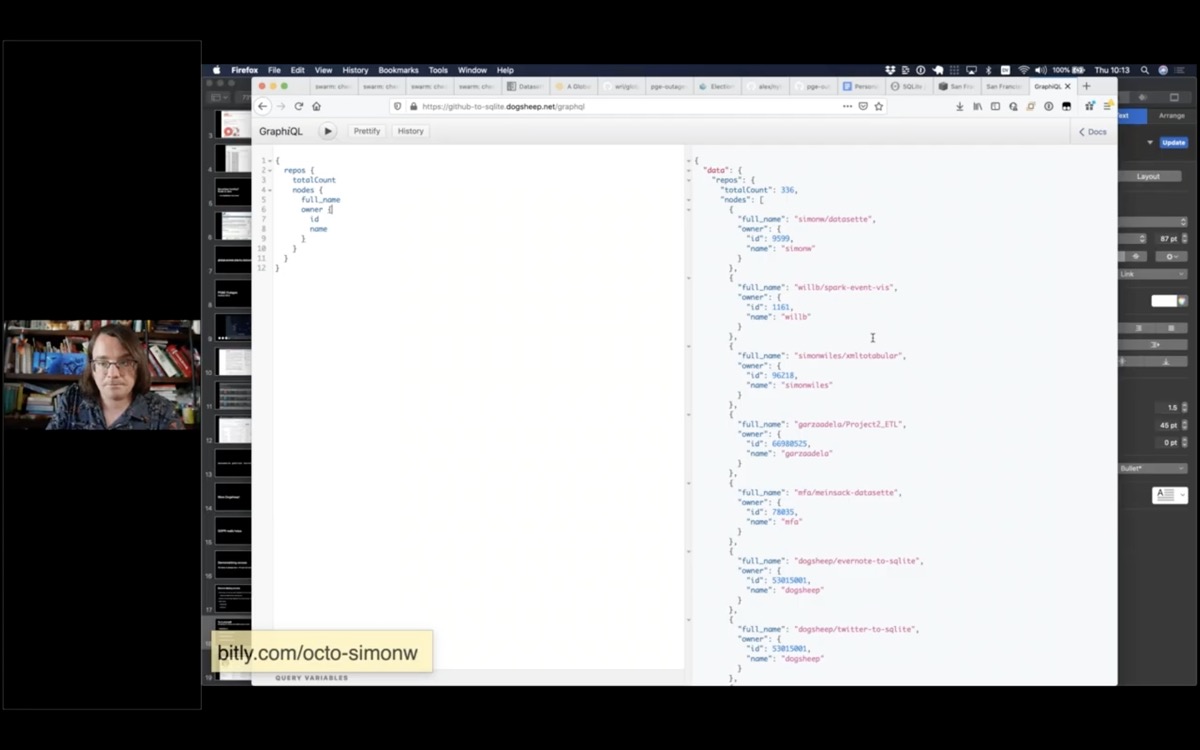
Screenshot showing the GraphiQL explorer tool running a GraphQL query against Datasette

This demo shows Datasette’s GraphQL plugin in action.
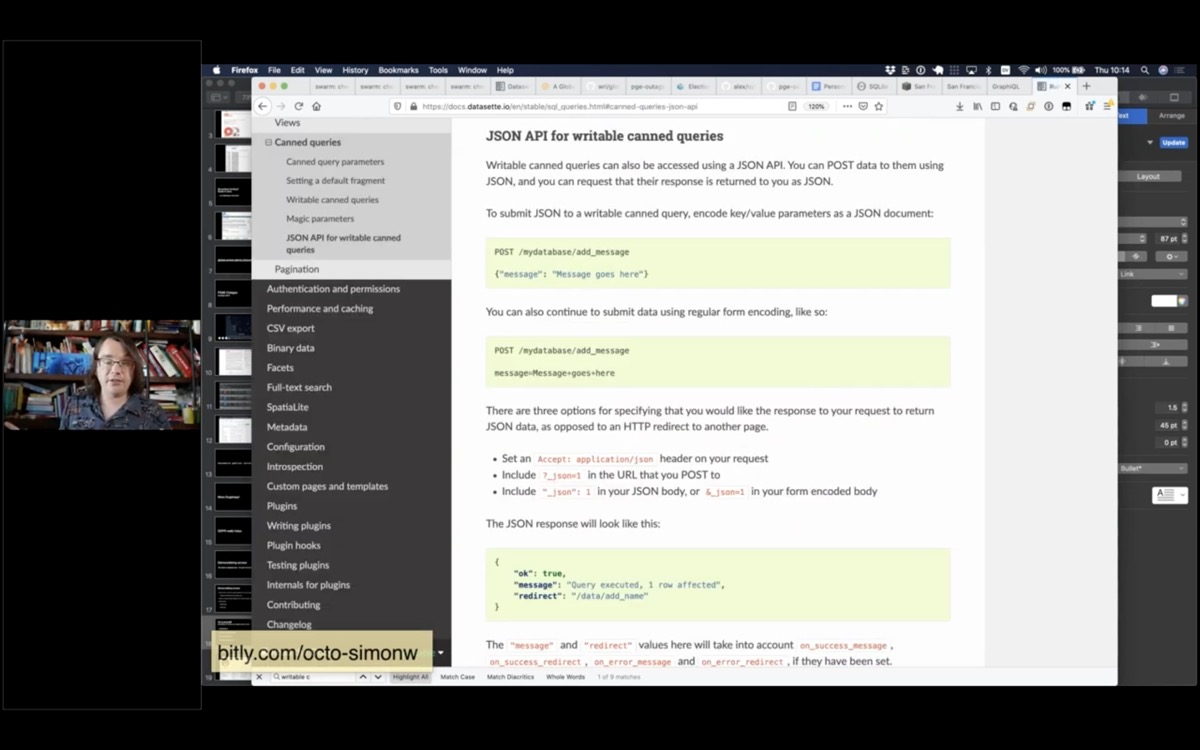
Screenshot of Datasette Canned Query documentation

Q: What possibilities for data entry tools do the writable canned queries open up?

Writable canned queries are a relatively recent Datasette feature that allow administrators to configure a UPDATE/INSERT/DELETE query that can be called by users filling in forms or accessed via a JSON API.

The idea is to make it easy to build backends that handle simple data entry in addition to serving read-only queries. It’s a feature with a lot of potential but so far I’ve not used it for anything significant.

Currently it can generate a VERY basic form (with single-line input values, similar to this search example) but I hope to expand it in the future to support custom form widgets via plugins for things like dates, map locations or autocomplete against other tables.

Q: For the local version where you had a 1-line push to deploy a new datasette: how do you handle updates? Is there a similar 1-line update to update an existing deployed datasette?

I deploy a brand new installation every time the data changes! This works great for data that only changes a few times a day. If I have a project that changes multiple times an hour I’ll run it as a regular VPS instead rather than use a serverless hosting provider.

16 Nov 07:05

Acorn and Retrobatch ARM Updates, and various thoughts.

First up, I released Retrobatch 1.4.3 this morning as a Universal Binary, meaning it will run natively on the new Apple Silicon Macs. There are also a couple of bug fixes, features, and compatiblity fixes for MacOS 11 Big Sur. It's just like the version of Retrobatch on Intel Macs… just… you know, for Apple Silicon now.

I recently posted an article on Flying Meat's website about Acorn and Big Sur and Apple Silicon. In short, Acorn 6.6.3 (which is now out), is fully compatible with Big Sur on Intel. Acorn 6 on Apple Silicon runs pretty well, but the the seed fill based tools are a little pokey (magic wand selection, flood fill). But otherwise it runs just fine. It's currently running in Rosetta however.

I do have a version of Acorn which is a Universal Binary where everything works great, but there are big changes in it and I'm going to have a public beta for it first. I'm not quite there yet, but hopefully soon, and I'll be posting about it here as soon as it's ready.

So how about those new Apple Silicon Macs?

They look pretty sweet to me. The thing I'm probably looking forward to most is the unified memory architecture (aka UMA) between the CPU and GPU the new M1 processors provide. UMA speeds up so many things in Acorn by virtue of not having to copy pixels around as much. Brushing is faster, rendering is faster, and things just feel smoother. It's nice.

So how about MacOS 11 Big Sur?

In general, I think it's a good upgrade. The new sounds are great, the overall feel of it is decent. However, I can't get past the super plain toolbar icons that are showing up in Safari, Mail, and Xcode's preferences windows. Ditto for the iOS style icons in the Dock. I think it's a great idea to take cues from iOS, but I don't think this should extend to everything. Mac icons have always been rich in color and detail, and have always had a certain style to them. These iOS icons just don't fit.

But overall, I don't find myself missing Catalina. The collection of little good things in Big Sur make me happy with it.

16 Nov 07:05

The Cleanest Trick for Autogrowing Textareas

The Cleanest Trick for Autogrowing Textareas

This is a very clever trick. Textarea content is mirrored into a data attribute using a JavaScript one-liner, then a visibility: hidden ::after element clones that content using content: attr(data-replicated-value). The hidden element exists in a CSS grid with the textarea which allows the textarea to resize within the grid when the hidden element increases its height.

Via @chriscoyier

16 Nov 07:05

Apple Users Got Owned

by Kyle Rankin

You’ll often hear hackers say that they “owned” (or sometimes “pwned”) a computer. They don’t mean that they have the computer in their physical possession, what they mean is that they have compromised the computer and have such deep remote control that they can do whatever they want to it. When hackers own a computer they can prevent software from running, install whatever software they choose, and remotely control the hardware–even against the actual owner’s wishes and usually without their knowledge.

Hackers intuitively understand something many computer users don’t–ownership is not about possession, it’s about control. If your company gives you a computer, or even if you bring your own, but they remotely control how you use it and can override your wishes, it’s their computer, not yours. By this definition, most phones today are owned by the vendor, not the user, and as I said in The General Purpose Computer in Your Pocket:

One of the neatest tricks Big Tech ever pulled was convincing people that phones weren’t general-purpose computers and should have different rules than laptops or desktops. These rules conveniently give the vendor more control so that you don’t own a smartphone so much as you rent it. Now that the public has accepted these new rules for phones, vendors are starting to apply the same rules to laptops and desktops.

The Illusion of Control

The illusion that Apple users have control over their computers was briefly disturbed this week when Apple released their new MacOS version “Big Sur” to the world. Users started noticing that around the same time that the update was released, that they had problems launching local applications, applications stuttered and macOS itself was unresponsive at times–even if the user hadn’t updated to Big Sur. It seemed like a pretty odd coincidence that a new OS release would somehow cause local applications–even non-Apple applications–to stall.

As this Ars Technica article describes, users were able to troubleshoot the issue pretty quickly:

It didn’t take long for some Mac users to note that trustd–a macOS process responsible for checking with Apple’s servers to confirm that an app is notarized–was attempting to contact a host named ocsp.apple.com but failing repeatedly. This resulted in systemwide slowdowns as apps attempted to launch, among other things.

To summarize the issue, every time you launch a signed application on MacOS, a notary service sends information about the application to Apple servers to make sure signatures match. If signatures match, your OS allows the application to launch. When the computer isn’t online, the check fails but it still allows the app to run, but when the computer is online, signing is enforced and because the service was up but slow, applications stalled as the OS waited for a reply.

Remote Control Through Code Signing

Applications often use code-signing as a way for the user to detect tampering. The developer signs the software with their private key and the user can test that signature against a public key. Only software that hasn’t been changed will match the signature. In the free software world, distributions including PureOS include public keys on the local computer and software updates automatically test whether the signatures match before the update is applied. When used in this way, you can test an application for tampering before you install it and the user has full control over the process.

Apple has taken code-signing a step further with the inclusion of this notary service. Any signed applications–even those not from Apple–must get permission from the remote notary service to run. This means that Apple not only knows which applications you have installed, it knows each time you run them. While in the past this was an optional service, now it’s mandatory and starting with Big Sur, you can no longer use a tool like Little Snitch to block this service, or route it through Tor for some privacy. Apple (and anyone who can sniff this plaintext communication) can know when you launched Tor browser or other privacy tools, or how often you use competitors’ applications.

[Update: It looks like Apple’s notary services doesn’t send information about the app, but instead sends information about the developer certificate used to sign them (which makes more sense given how OSCP works). This means that they can know, for instance, that you ran an application from Mozilla, but they can’t necessarily tell whether you ran Firefox or Thunderbird. If a developer only signs a single application, of course, they could correlate the certificate with the app. The service also seems to cache an approval for a period of time so whether it sends Apple information each time you run an app depends on how frequently you launch it.]

While I imagine most people were surprised to discover this feature, I also suspect many accept it in the name of security. Yet like with so many Apple features, security is a marketing term when the real motivation is control. While code signing already gave Apple control over whether you could install or upgrade software, this feature grants Apple control over whether you can run applications. Apple already has used code signing on iOS to remove competitor’s applications from the App Store and also remotely disable apps in the name of security or privacy. There’s no reason to think they won’t use the same power on macOS now that it can no longer be bypassed. Apple’s ultimate goal with code signing, their secure enclave, and their proprietary silicon is to ensure full control–full ownership–of the hardware they sell.

Take Back Ownership

You should own the computers you buy. Neither hackers, nor vendors, should be allowed to own you remotely. We build secure, privacy- and freedom-respecting laptops, desktops, servers, and phones that put you back in control and ensure that when you buy a Purism computer, you own it.

The post Apple Users Got Owned appeared first on Purism.

16 Nov 07:05

Twitter Favorites: [dethe] Friday night stir fry! https://t.co/OAHal4csiN

Generic Dethe @dethe
Friday night stir fry! pic.twitter.com/OAHal4csiN
16 Nov 07:04

Intel’s Disruption is Now Complete

James Allworth:

Indeed, that deal between Apple and Intel was more important for Intel than it could have ever possibly realized. But it wasn’t because Intel had sewn up the last of the desktop computer processor market. Instead, it was because Intel had just developed a relationship with a company that was thinking about what was coming next. And when Apple were figuring out how to power it — and by it, I’m talking about the iPhone — they came to their new partner, Intel, for first right of refusal to design the chips to do.

How did Intel respond?

16 Nov 07:04

On diapers, Facebook, inconvenience and change

by Lilia

Yesterday I walked into a store with products that help to live in a more ecological and sustainable way – water bottles and food wraps, shopping bags and reusable make-up pads, hand-made soap and recycled products. As walked around, being happy that so many of those things are finally making it into physical stores, I also couldn’t avoid thinking of how slow the change is.

Some things that became a conscious choice in my life many years ago, like cloth diapers or menstrual cups, would still have a long way of getting into the mainstream. Compared to a water bottle they require too big of a leap from where most people are, either in dealing with inconveniences or talking about things that are not commonly spoken about.

I kept thinking of it today, once again seeing a discussion of the evils of Facebook on Twitter. As part of it, Harold referenced his post where he discusses convenience as a barrier to positive change and draws parallels between the use of Facebook and using a car:

Convenience, like a principle, has a cost. I bear the daily inconvenience of not owning a car. My business bears the cost of not being on Facebook, which is almost akin to not existing on the internet. But the cost to society of our conveniences has a much larger and longer term cost. As citizens, we need to put pressure on ourselves and our politicians to bear the costs of inconvenience.

He returns to the post later to add: “In 2018 we gave up and now own a car. The inconvenience of not owning one was too great.”

Which triggers my response on Twitter:

To the great extend I share your views about FB, but choose to use it. Similar to your story of returning to car ownership – at this point in life I am not prepared to let go the interpersonal mobility it gives in my circumstances.

As I think of conversations in the shop yesterday I tangent into cloth diapers:

Having used cloth diapers with three of our kids I can not blame the people going for the convenience of disposable ones. The change starts from where people are and building a path through the maze of inconveniences, sometimes as slow as one low-hanging fruit per time.

Getting a critical mass of users to move out of Facebook is similar to getting parents of babies to stop using disposable diapers. Making others aware of the bad impact of those is only a small part of the equation. The other part is creating conditions for the adoption of the alternatives: making them visible to start with, working on reducing their inconvenience, creating a usable infrastructure around them, supporting smaller scale adoption ecosystems and than scaling up from that.

To finish with something more practical, I thought of what is happening in my own Facebook ecosystem and scenarios/use cases where it is difficult to come up with an alternative:

  • Connecting to family and friends distributed across different countries and languages, small scale expat and diaspora projects.
  • Small scale businesses that target individuals as customers: non-professional training, coaching, lifestyle changes and other self-help, education and child care, tailor-made and artisan services and products.
  • Support groups, interest or self-help circles and niche marketplaces without organisational resources and/or IT expertise.

Those are the niches where I see a lot of value of the connectivity that Facebook provides, but also growing unhappiness with the censorship and unpredictability of the algorithms. Those are the cases where knowing about usable alternatives would make a difference and prompt people to move out.

The post On diapers, Facebook, inconvenience and change appeared first on Mathemagenic.

16 Nov 07:03

Twitter Favorites: [drlungamam] Since everyone's all into the new catchy 15-minute city concept, I hope you caught this part. "Many neighborhood… https://t.co/hP1vBSqY1A

Willow Lung-Amam @drlungamam
Since everyone's all into the new catchy 15-minute city concept, I hope you caught this part. "Many neighborhood… twitter.com/i/web/status/1…
16 Nov 07:02

Twitter Favorites: [Planta] One of the worst qualities in people, is when they'll say when once you've already found something you needed, "Oh,… https://t.co/s093ik6eUn

Joseph Planta @Planta
One of the worst qualities in people, is when they'll say when once you've already found something you needed, "Oh,… twitter.com/i/web/status/1…
16 Nov 06:51

Moose

by jnyyz

Back in October, Mason Zeinali, a U of T student, devised a route that deservedly won a Strava art contest run by his bike club. It was written up in Canadian Cyclist Magazine. I rode a slight variation of his route this morning.

One of the cleverest features of the route is that the back of the moose is captured by Davenport Ave. The antlers take you north of St. Clair, and all four feet are firmly planted on Queen St.

As soon as I saw the article, I wanted to try it, but the maps that were posted were relatively low resolution. Fortunately, avid cyclist Joric posted his version of the route on facebook. From that point, I retraced his route on ridewithgps, and I was off to the races.

If you want to ride my version of the route, it is here. It starts at King’s College Circle on the U of T campus. Of course you can start anywhere along the 43 km loop. I actually chose to start at Lansdowne and Wallace.

Just a few notes:

  • You have to be willing to ride the wrong way down some one way streets.
  • My least favourite parts of the ride were the sections along St. Clair W. It’s never a joy to ride there at any time as there is only one traffic lane plus parking in either direction, and there are only certain points at which you can cross the streetcar right of way. I ended up walking my bike along the north side sidewalk twice, just to avoid having to go back and forth across the streetcar tracks.
  • I don’t have a paid subscription to either strava or ridewithgps, and so there were probably better ways for me to have mapped the route. When I downloaded it only my Garmin, it gave lots of false turns, often thought I was off the route, and then it would suggest various ways to get back onto the route. I ended up just ignoring most of the audible cues and just followed the route on the map display.
  • I would think that it would have been easier to navigate directly with ridewithgps, but I find that the app is a real battery hog. I don’t have a phone mount either; I prefer to use my Garmin.
  • Traffic was not bad today, but one thing that was striking was the lack of traffic on Yonge St. It was much less busy than either Bay or Church for some reason.

14 Nov 01:46

Twitter Favorites: [jen_keesmaat] Same street, different policy choices. Where would you prefer to live? University Ave, Toronto. https://t.co/mtSD4ZtXwl

Jennifer Keesmaat @jen_keesmaat
Same street, different policy choices. Where would you prefer to live? University Ave, Toronto. pic.twitter.com/mtSD4ZtXwl
14 Nov 01:46

Proviz Reflect360 CRS Jacket update

by jnyyz

With days getting shorter, I’ve noticed an uptick in the number of hits on my review of the Proviz Reflect360 CRS Jacket. Since it’s been just about a year since I got the jacket, I thought it would be good to post a brief update.

Overall, one of the things that I’ve noticed about the jacket was that it picked up stains rather easily. To be fair, this was probably because it was a really bright colour.

Here’s a picture after washing.

What is a bit disturbing is that the reflective yellow seems to be a coating on an underlying white fabric.

The white exposed areas look like an open weave fabric that wouldn’t be either wind or waterproof. Not surprisingly, the worn spots are not reflective either.

Here’s a picture of the entire jacket with flash

You can see that the jacket is still quite reflective. However you can see a lot of cracks in the reflective coating. Given that this jacket is only a year old, and has had much less wear than my old Proviz Reflect360+ Jacket, I’m not terribly impressed. I’ll have to keep a close on further wear.

I’d say if you are going to buy a Proviz Jacket, you might be better off with the Reflect 360+ versions. In either case, if all over reflectivity is important to you, Proviz is still a good option.

14 Nov 01:45

Preloading Intermediate CA Certificates into Firefox

by Dana Keeler

Throughout 2020, Firefox users have been seeing fewer secure connection errors while browsing the Web. We’ve been improving connection errors overall for some time, and a new feature called Intermediate Certificate Authority (CA) Preloading is our latest innovation. This technique reduces connection errors that users encounter when web servers forget to properly configure their TLS security.

In essence, Firefox pre-downloads all trusted Web Public Key Infrastructure (PKI) intermediate CA certificates into Firefox via Mozilla’s Remote Settings infrastructure. This way, Firefox users avoid seeing an error page for one of the most common server configuration problems: not specifying proper intermediate CA certificates.

For Intermediate CA Preloading to work, we need to be able to enumerate every intermediate CA certificate that is part of the trusted Web PKI. As a result of Mozilla’s leadership in the CA community, each CA in Mozilla’s Root Store Policy is required to disclose these intermediate CA certificates to the multi-browser Common CA Database (CCADB). Consequently, all of the relevant intermediate CA certificates are available via the CCADB reporting mechanisms. Given this information, we periodically synthesize a list of these intermediate CA certificates and place them into Remote Settings. Currently the list contains over two thousand entries.

When Firefox receives the list for the first time (or later receives updates to the list), it enumerates the entries in batches and downloads the corresponding intermediate CA certificates in the background. The list changes slowly, so once a copy of Firefox has completed the initial downloads, it’s easy to keep it up-to-date. The list can be examined directly using your favorite JSON tooling at this URL: https://firefox.settings.services.mozilla.com/v1/buckets/security-state/collections/intermediates/records

For details on processing the records, see the Kinto Attachment plugin for Kinto, used by Firefox Remote Settings.

Certificates provided via Intermediate CA Preloading are added to a local cache and are not imbued with trust. Trust is still derived from the standard Web PKI algorithms.

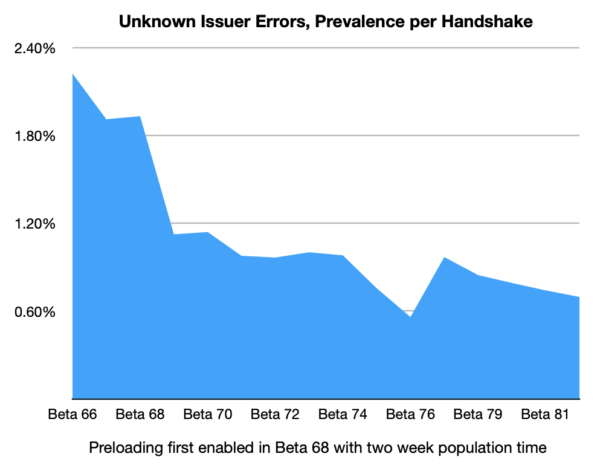
Our collected telemetry confirms that enabling Intermediate CA Preloading in Firefox 68 has led to a decrease of unknown issuers errors in the TLS Handshake.

unknown issuer errors declining after Firefox Beta 68

While there are other factors that affect the relative prevalence of this error, this data supports the conclusion that Intermediate CA Preloading is achieving the goal of avoiding these connection errors for Firefox users.

Intermediate CA Preloading is reducing errors today in Firefox for desktop users, and we’ll be working to roll it out to our mobile users in the future.

The post Preloading Intermediate CA Certificates into Firefox appeared first on Mozilla Security Blog.

14 Nov 01:16

Bill Gates starts Podcasting

by Volker Weber

f6febe8c7523d03d2c6430822735cc39

On our new podcast, I’ve teamed up with actress and writer Rashida Jones to tackle some of the biggest questions facing us today: Is it too late to solve climate change? Does everybody lie? Is inequality inevitable? Join us each week for deep dives into these questions and even a few answers.

Subscribed. This is one of the smartest people of our time.

More >

14 Nov 01:14

Recommended on Medium: The Problem With Seraphine

There’s been a lot of criticism about the new League of Legends champion Seraphine.

From her (now reworked) seemingly-genocidal involvement with the Brackern, to critiques of the parasocial advertising that her Twitter and other social media have employed, she’s not without her fair share of controversy.

My problem with Seraphine is much more personal. My problem with her is that I think she’s based on me. And not without a pretty good reason — I actually had a brief relationship with a Riot employee last year in early 2019.

We talked for about 3 months, and had only met in person twice before things ended. I graduated college, finally dyed my hair pink (my mom would’ve been pissed about the graduation pictures otherwise!), moved to California, and started my first job without even giving my brief contact with him a second thought. Then, over a year after we stopped talking to one another, Seraphine — a pink haired, optimistic girl who had just started working toward her dreams — started posting on Twitter, and eventually, became the newest League of Legends champion.

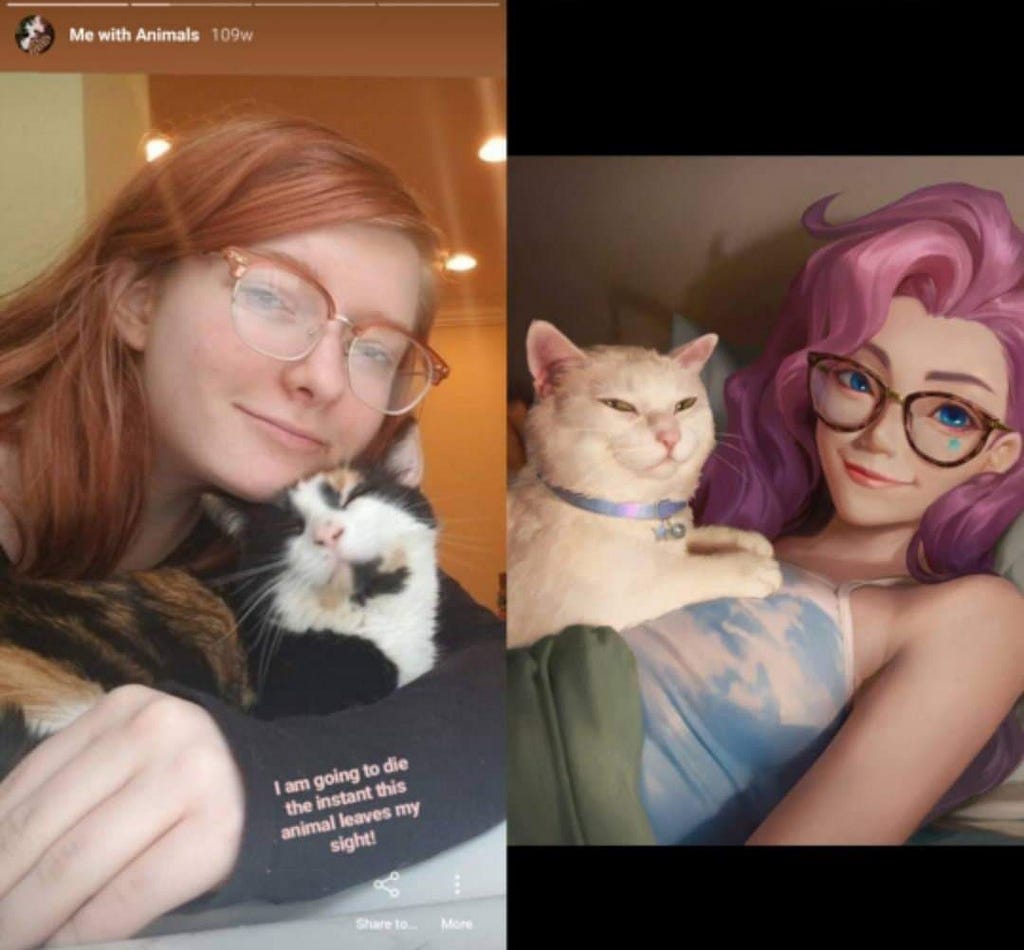
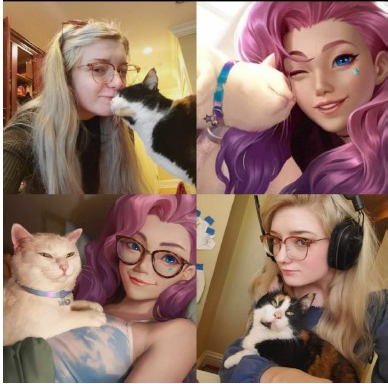
Seraphine v. Stephanie — I don’t have any makeup on in this picture, sorry!

I can imagine the knee-jerk reaction.

That’s insane! There are thousands of girls with pink hair! How could a random girl think she’s the inspiration for a videogame character in a $6 billion dollar game? She’s clearly based on someone else.

Honestly, I know all of that (and more!) because I’ve been worried sick about what people will say about this if I talk about it publicly for the better part of two months. I’ve tried to think of every criticism or reason someone could call me crazy, but my reasons for believing this all add up to the point that I don’t really mind if a few people are awful to me online (although, please try to be nice?) If you keep reading, I’ll provide the evidence I have as best as I can.

The short version is that a lot of details about Seraphine line up very closely with facts about myself: her name, her drawings, her cat, a lot of her pictures, her hair color, her eye color, her face shape, and even where she’s from.

The long version is below.

[And before someone mentions it, while I don’t know exactly what happened with her development, I didn’t make this up — I’ve hired a lawyer, and I’m seriously considering legal action. My statements are to the best of my knowledge/memory, and I’ve edited carefully to be as clear and fair as I can.]

That’s Stephanie & Cat on the left, and Seraphine & Cat on the right.

The Full Story

In March of 2019, I matched with a Riot employee (I’ll call him John. I’d prefer not to post his identity publicly for reasons I’ll explain further down) on Tinder during a visit to Los Angeles and San Francisco for some final job interviews while I was still in college. He seemed nice, we talked a bit, exchanged contact information, and then he pursued me romantically for the next few months. We talked until May/June (when things ended for other reasons) but we frequently played League together and exchanged messages for ~3 months.

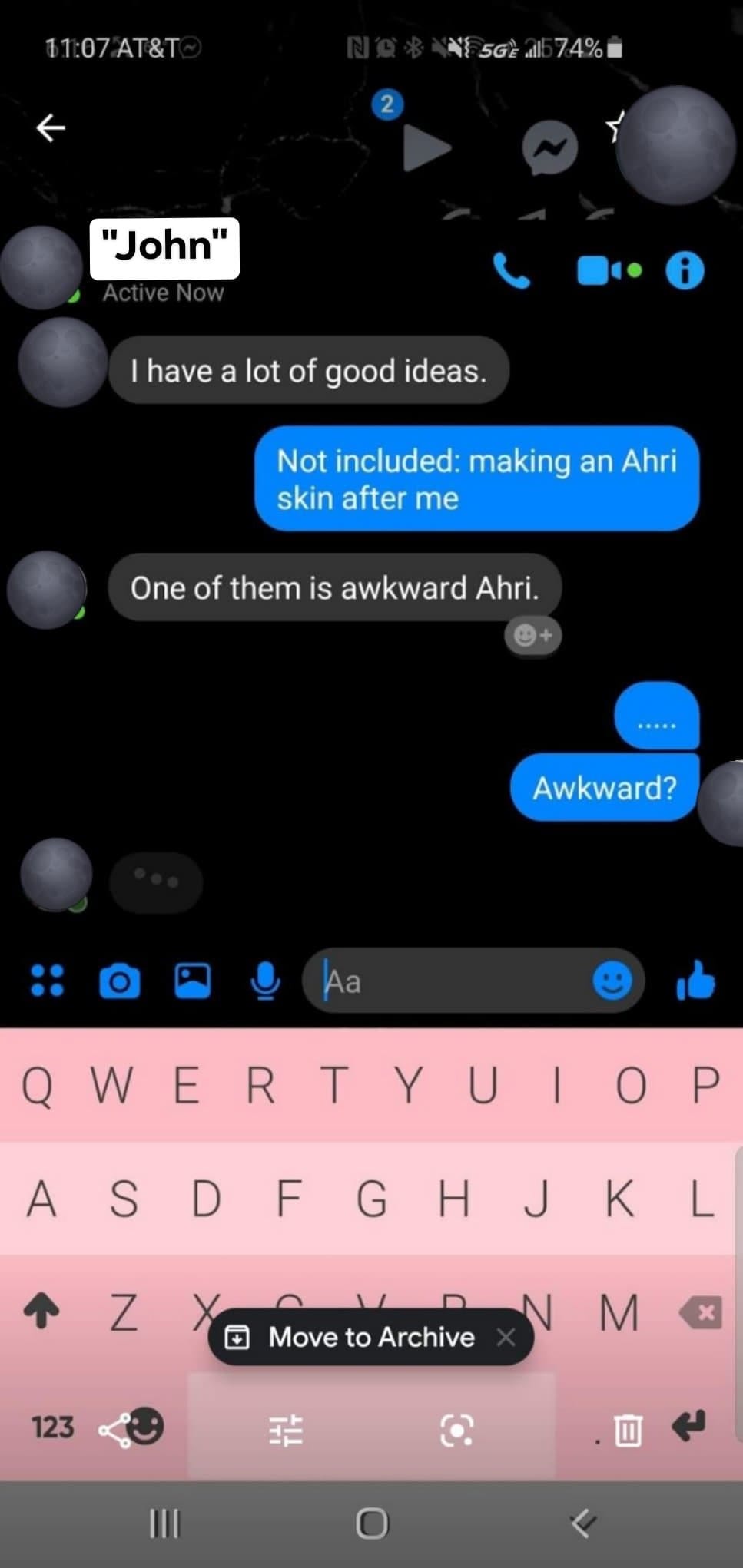
While I knew him, John discussed his job quite a bit, and many of our conversations were entirely about the game, its development, etc. My favorite champion is Ahri, and the first thing that was a little strange was that he would bring up skin ideas that sounded, well, a lot like me.

Then, John flat-out told me that he suggested an ‘e-girl’ or ‘awkward’ skin for Ahri to his coworkers that he implied was inspired by me.

Unfortunately, I don’t have our full conversation — I deleted them shortly after we stopped talking in 2019 — but this was when he suggested the skin.

As you can probably tell from the texts, I thought it was a bad idea, even at the time.

I also played League with John regularly. I’d make jokes and such while we played, and I remember John saying something like ‘we have to put that in’ while we played. I remember asking him not to, even at the time — some jokes an acquaintance of mine had made up, and honestly, I felt weird about stealing it from that friend if it could actually go in the game (which is ironic, I guess.)

John also told me he was partially involved with K/DA’s first skins, informally, because he knew a lot of the people on the team. I’m not sure how much of that was self-inflation or truth, but John definitely implied that he could influence the project, and had successfully suggested things in the past. (I want to be clear: he was not a character or skin designer. I really don’t want to unfairly implicate anyone, especially people who might not have known anything.)

He also suggested I should fly out and voice act for some kind of top secret project, which he didn’t ever reveal, but that he insisted I’d be perfect for.

Near the tail end of my brief friendship/relationship with John, I wrote an academic essay for a class about Piltover and Zaun that I shared with John and discussed with him extensively. He invited me to Los Angeles again and I accepted, touring Riot’s headquarters in May. When I arrived, he had printed out and framed that piece of writing inside Riot’s HQ. He even told me he had shared it internally. I was flattered, but a little self conscious that others had read my writing. I don’t even think he asked my permission. Another strange circumstance was when he gave me some gifts of posters and custom art of me as K/DA Ahri, which he told me Riot illustrators drew based on what he told/showed them about me. While I don’t blame the artists at all — I’m sure their intentions were pure — it was strange for how short of a time I’d known him. I flew home, and we stopped speaking entirely shortly after.

[Since people will wonder about it anyway, the relationship’s end wasn’t particularly juicy: I had just ended a long relationship and was antsy about commitment, I cancelled plans to see him because I thought he was moving too fast and expressed that, then he ended things and blocked me. I don’t really have hard feelings about that part. I hope this explanation is enough to satisfy curiosity, but beyond these basics, I’d like to keep some things personal.]

Art that John gave to me and pictures of my visit to Riot HQ

Introducing: Seraphine

Over a whole year passed, the pandemic took over headlines, and then sometime this year, Seraphine was released. I honestly hadn’t thought about John very much at all since then — I have a completely different life in the Bay Area now — but as soon as I saw what she looked like and realized she was going to be a League champion, I started scrolling through her accounts, completely freaked out. My worries only grew and my heart sank more and more with every post. While John never explicitly discussed anything concrete, he did mention a K/DA related ‘surprise’ of something that would release around my birthday, which is on September 19th.

One of the only images of Seraphine from her official Twitter account that has a date was posted and dated on September 19th, the first day she ‘worked’ with K/DA.

I had no idea how she was made or how this even could’ve happened, but scrolling through this Twitter and remembering things John said or did, I started to realize that this character — whose very name, Seraphine, is so similar to Stephanie — could seriously be based off me.

I looked into her Twitter account more, and found Seraphine’s art, sketches, and journals. I’m a hobby illustrator and artist, and I remembered I had actually sent John some art. My art is strikingly similar to art that Seraphine ‘makes’ of herself and is posted to her social media. Like, really similar.

That’s Stephanie’s art on the left, (I was deciding to dye my hair pink and drew the options) but I frequently draw myself in this style. Seraphine’s, of course, is on the right.

That academic writing I had showed John about Piltover and Zaun? Once her lore was released, I found out that’s exactly where Seraphine is from. She isn’t from Piltover or Zaun, when every other champion I can think of is from one or the other… she’s from both. Her poses with her cat are also eerily similar to pictures I would’ve sent to John in 2019. The timing was about right for his “voice acting” suggestions to have lined up with her development. The more I looked at her page, the worse it got.

Pictures from when I knew John (I was actually in the process of bleaching my hair white to go pink)

[There are a few random, smaller details that I cut for clarity. I’ll try to post those sometime, but this was taking long enough already.]

OK, maybe she could be based off you — so what?

Well, if you care about me personally at all, it hasn’t been that great.

It may sound kind of fun at first, to have a League champion that looks like you. But I don’t think I’ve even opened League, let alone played a game, since she came out. (One silver lining: I haven’t gotten demoted in a while?) I’ve felt really grossed-out about it, to the point that I can’t play one of my favorite videogames. Besides that, it’s been kind of horrid to have a League champion who looks like you, has so many of your characteristics, and has a NAME that’s almost identical to yours. People I’ve never met send her to me online and point out the similarities, there’s already immense amounts of porn of her, I see people arguing about her near-daily (take a wild guess as to whether I side with the people who think it’s kind of creepy or the people who insist she’s a ~*smol bean uwu*~), and while I do kind of agree that she’s an out of place character for the lore of the game, it does suck to see your features torn apart on a massive scale every time you open your Twitter feed.

Seraphine and Stephanie, Santa Monica Beach

Even worse than all that has been the wondering about whether or not she’s based off me. I waited a while to post anything (partially because I wanted a lawyer first) but also because it’s terrifying to wonder if this happened, but have no way to conclusively prove it. I actually spent a while with her account’s Tweet notifications on, worrying about what personal detail or similarity would be next — it was horrible to guess what part of her appearance could match mine next or what cutesy quirk she might have when it seemed like every Tweet and picture being released only contained more and more similarities.

On the one hand, this is an issue I care about, but I’m very much aware that there are bigger issues going on. Most days, I feel very Kim, there’s people that are dying — it feels very self-indulgent to worry about this at all, but especially nowadays. We’re all still in the middle of a pandemic, we’re discussing mass protests for racial justice, the election just was a mess, etc., etc. I’m always aware of that, and this post isn’t meant to detract from anything more important going on. On the other hand, when I privately shared what was going on in my life with some wonderful women who are more experienced and much wiser than me, I got the same message: This is creepy. I’d be horrified. This might not be life or death, but it seems weird and wrong and you should feel entitled to say something. And at the end of the day, I just couldn’t see any more think pieces or tweets about Seraphine without posting this.

Conclusions/What’s Next?

All-in-all, this whole situation has been really violating. Every article about her makes my stomach turn. It’s both a personal point of frustration and also, I guess, it may be just another way a giant videogame company has screwed over a woman without a second thought— and massively profited off it.

I know this issue is all tied up with this guy that I briefly knew, but I’m not going to toss his name out publicly and throw him under the bus when I don’t even think he works there anymore. And honestly, I also really don’t know how I’d live with myself if this spiraled out of control and ruined his life somehow. I’m not happy about this character, but rather than repeating the harm that I feel was done to me — that is, dragging a person into something much bigger than them without giving them a choice in the matter — I’d honestly rather try to actually change things and shift the focus to Riot. They’re a giant company, can handle a bit of criticism, and, in the end, they’re ultimately responsible for the character existing. This isn’t a personal beef with this guy I briefly dated, this is an institutional issue.

Why? If she really is based off me, Riot could be inappropriately profiting off of my likeness. And that sucks. But on a wider level, Riot is already kind of unfairly profiting off of every single person who feels some kind of attachment to her, consciously or not, because she’s a “person”.

Her skin is for sale at $25 a pop, so “Seraphine” is going to make Riot Games literal millions of dollars. And with her Twitter account posting that she’s insecure and could “really use some encouraging words” because she “needs something to believe in right now”, this character essentially gets every single person who interacts with her pity party to advertise their multi-billion dollar videogame franchise.

If you start to think about it, everyone who responds to her Tweets or Instagram posts is generating advertising and revenue for a $6 billion dollar game company. That entire idea is really disgusting to me, not just because she looks like me, but as a person who consumes and loves games. When hype for something is organic, that’s one thing — Nintendo isn’t exploiting me when I retweet their announcements and say how much I love The Legend of Zelda. But when Riot makes a character that looks and sings and Tweets like a person, they’re knowingly creating a “person” that doesn’t exist in a way that intentionally takes advantage of the way that human beings relate to other people, just biologically and emotionally, and then they’re making tons and tons of money from it. And honestly, as V-Tubers and virtual influencers from Riot and beyond start crossing the line into looking and acting like real people, that’s something that we should all be really concerned with.

If you’ve gotten this far, um, thanks for reading. Frankly, I’m just a girl who just graduated college and has no idea what she’s doing with her life, but I love videogames, and I love(d?) League of Legends. If you asked me why I’m posting this, it honestly does come down to that sense of outrage and anger about this stupid character — about the fact that a company like Riot can try to sell a full person, complete with hopes, dreams, mental health issues, and pink hair as a $25 skin that comes with a walking, talking Twitter feed for you to get emotionally attached to. It’s a quaint idea, but when you think about it more closely, the idea of a marketing team in some office in Los Angeles trying to sell a product by coming up with the most ~relatable~ and marketable things to tweet out of the account of a ‘girl’ who coincidentally looks like me, and talks like me, and sounds like me, and draws like me?

It just makes me sick.

tx for reading bye ❤
14 Nov 01:14

The Independent Interviews Federighi, Joz, and Ternus on M1 Macs

by Alex Guyot

Following Apple’s special event this Tuesday, The Independent scored an interview with Craig Federighi, Greg Joswiak, and John Ternus. The Apple execs provided some fascinating insight into their new M1 chips, including that the speed and battery life of the M1 Macs were far greater than even Apple had imagined they would be before the project began.

Federighi discusses the differences between the new MacBook Air and Pro as well. The Independent’s Andrew Griffin writes:

The M1 arrives at first in three different products: the MacBook Air, MacBook Pro and Mac Mini. The latter occupies its own place in the line-up, but given that the Air and Pro now have the exact same chip, how can they stay distinct?

“Thermal capacity,” says Federighi decisively. The Pro has a fan – Apple calls it an “active cooling system” – while the Air doesn’t, and the rest of the performance flows from there.

Federighi starts sketching out a graph that will be familiar to anyone who watched the event. The thing that is really holding these chips back is heat: as you give them more cooling to play with, they become even faster. The MacBook has some other things, too – such as even more battery – but it’s that extra headroom that really allows them to roar.

The interview also discusses Apple’s chip naming strategies and their decision to not ship new laptop hardware designs alongside the new chips. Federighi even gets a chance to pour cold water on the popular theory that Big Sur is paving the way for touchscreen Macs:

“I gotta tell you when we released Big Sur, and these articles started coming out saying, ‘Oh my God, look, Apple is preparing for touch’. I was thinking like, ‘Whoa, why?’

“We had designed and evolved the look for macOS in a way that felt most comfortable and natural to us, not remotely considering something about touch.

Make sure to check out the whole article over at The Independent.

→ Source: independent.co.uk

14 Nov 01:14

Unravelling `is` and `is not`

by Brett Cannon

As part of this blog series on Python's syntactic sugar, I said in the post on unary arithmetic operators that it might be the most boring post in this series. I think I was wrong. 😄

The operators is and is not are very short. The documentation for the operators says the following:

x is y is true if and only if x and y are the same object.  An Object’s identity is determined using the id() function.  x is not y yields the inverse truth value.

That's it: call id() on the objects in question and see if you got the same/different values for each of the objects.

The bytecode

Disassembling the two operators leads to the following:

>>> def spam():
...   x is y
...   x is not y
... 
>>> import dis
>>> dis.dis(spam)
  2           0 LOAD_GLOBAL              0 (x)
              2 LOAD_GLOBAL              1 (y)
              4 COMPARE_OP               8 (is)
              6 POP_TOP

  3           8 LOAD_GLOBAL              0 (x)
             10 LOAD_GLOBAL              1 (y)
             12 COMPARE_OP               9 (is not)
             14 POP_TOP
             16 LOAD_CONST               0 (None)
             18 RETURN_VALUE
Disassembly of is and is not

If you follow into COMPARE_OP you will see it calls cmp_outcome(). The pertinent lines of that function are:

static PyObject *
cmp_outcome(PyThreadState *tstate, int op, PyObject *v, PyObject *w)
{
    int res = 0;
    switch (op) {
    case PyCmp_IS:
        res = (v == w);
        break;
    case PyCmp_IS_NOT:
        res = (v != w);
        break;
Snippet from cmp_outcome()

What that is showing is that is and is not are doing nothing more than comparing the pointers of the objects in question (which are the location in memory for the objects if you are unfamiliar with what a pointer is; PyPy returns a unique number instead).

The code

That translates is and is not to:

def is_(a: Any, b: Any) -> bool:
    """Check if the arguments are the same object."""
    return id(a) == id(b)


def is_not(a: Any, b: Any) -> bool:
    """Check if the arguments are different objects."""
    return id(a) != id(b)
Implementations of is and is not

This is one of those instances where the tests took up more code than the implementation. 😄

As usual, the source code from this blog post can be found in my desugar project.

14 Nov 01:14

RSVPed Attending IndieWebCamp East IndieWebCa...

by Ton Zijlstra
RSVPed Attending IndieWebCamp East
IndieWebCamp East 2020 is an online gathering for independent web creators of all kinds, from graphic artists, to designers, UX engineers, coders, hackers, to share ideas, actively work on creating for their own personal websites, and build upon each others creations.

I intend to take part in IndieWebCamp East this weekend. As it’s all remote, I hope to join part of the program at least late afternoon and evening here in my CET time zone. Thinking about using the time to either contine work on restyling this site as ‘no garden no stream but something in between‘, or going through my blog archive to see which presentation slide decks still need to be brought home, and ensuring the site where they reside (tonz.nl for Dutch slides, tonz.eu for international slides) gets its own styling.

14 Nov 01:14

This Week in Photography: An Alternate Reality

by Jonathan Blaustein


It takes a lot to motivate these days.
To get anything done at all.


Because everything is just so wrong.


It’s hard to be creative or active, beyond writing this column, and shooting some photos on my iPhone as I walk in circles around my neighborhood.

Life has become nothing more than a repetitive routine, for 8 months now.

You know this, and I know this.
(A plague year indeed.)


I’d ask “How did we get here,” in a sweeping philosophical interrogative, but I think we already have the answer, and lord knows we’ve covered the symptoms enough in this column.

All the things I predicted about Trump, all the warning signs that were out there, and still, here we are.

With an American president questioning the validity of a free and fair election that he lost.

Or rather, he’s only questioning part of the ballots, because he is fine with accepting those results with respect to the House and Senate races they represent.

It is a new reality, this #2020, one in which some things look as they always have, they appear to be normal, but then all of sudden a trap door opens and you find yourself plunging into the underground cavern from “The Goonies,” and then Sloth starts screaming about candy bars.

(Can I get a WTF?)

#2020 is the year that keeps on giving, and I wish I were more surprised to see Mitch McConnell knowingly smirk at Trump’s audacity, while doing nothing to counter it.

I almost feel like I brought this on the world, by begging #2019 to end so at least we’d have something new in #2020.

(Be careful what you wish for.)


I was so ready for #2009 to end, begged for it, really, only to find that #2010 was so much harder on me and my family, in the heart of The Great Recession.

To think that things are so much crazier now, so much less comprehensible than they were then; those times seem almost naive, in their simplicity.

Like I said, it’s all just so wrong, and it seems like each day we all wake up, hoping things will make sense again.

But they don’t.

Even for me, with a near-decade routine of writing this column each Thursday, peeking at a book someone sent, generating smart and/or entertaining thoughts to share with you.

I picked up two new submissions today, and though they are worth writing about, (and I will,) my heart wasn’t in it.

I couldn’t motivate to process new information.

So I wandered around the house, wondering.

And then it caught my eye, on the bottom of one of the book shelves. Hidden away, perhaps so that no unsuspecting child would pick it up, and get scared by the oddity.

What is it, you ask?

“Wrong,” by Asger Carlsen, published by Mörel Books, back in (you guessed it) 2010.

I did a brief nugget-review of it, for another publication back then, and subsequently, we had an in-depth interview with Asger here too, but even that was 2012.

So long ago.

Today, the book deserves a second look, as it needs so little explication, and will allow me to land a short column, because I know how distracted we all are by the Daily-Bad-News.

As Tim Barber wrote in his intro to “Wrong”: “I cannot unsee the alternate reality that Asger has created in these images.”

Alternate reality.

How #2020 is that?

Basically, this book contains a little, cohesive, black and white world in which really good Photoshop work allowed Asger Carlsen to make people with monstrous double-heads, or wooden crutch-legs.

In which non-specific blobs exist in the world, like some CRISPR experiment gone horribly wrong, but then, somehow, people just accept it as real.

There’s a crocodile with an Australopithecus face, a dog with a person’s face, an ostrich with a human ear, and a wolf-man belting a song into a microphone.

Ironically, this being #2020, (and digital stylings having grown so much in the intervening years,) I can see the seams on some of his Photoshop work, just a bit, but now it reads as funny.

I loved this book ten years ago, and somehow, I think I love it even more now.

Because back then, it was “wrong,” but my rebellious spirit appreciated that.

Now, when I flip through the pages, it feels very “right.”

(What a mess, this #2020.)

If you’d like to submit a book for potential review, please contact me directly at jonathanblaustein@gmail.com. We are particularly interested in books by women, and artists of color, so we may maintain a balanced program. 

------------------------

Visit our sponsor Photo Folio, providing websites to professional photographers for over 10 years. Featuring the only customizable template in the world.

------------------------

14 Nov 01:13

Higher education platforms and cloud infrastructures in the ‘dataist state’

Ben Williamson, Code Acts in Education, Nov 13, 2020
Icon

Ben Williamson asks, "What does this increase in the participation of private platform actors signify for teaching and learning in universities, for the public role of higher education, and for the lives of students?" One thing: intelligent networks, "universities being connected to interoperable cloud and data systems provided by giant infrastructure partners in new public-private partnership configurations." Another: the use of cloud services to offer online courses and MOOCs, which Williamson calls 'cloudsourced education'. These lead, he says, to the 'dataist state', wherein "the state learns from tracing ‘discrete slices of people and things’ as data, and then seeks to intervene to change, ‘nudge’ or optimise their behaviours," an operation that because of its scale requires outsourcing to the private sector. This represents a "ceding of authority" from government and universities to to global private platform and infrastructure providers, he argues.

Web: [Direct Link] [This Post]
14 Nov 01:13

the elephant in the room: build it or buy it?

the elephant in the room: build it or buy it?

These are my slides from the Bring Your Own Device and In-Hand Interactives: How Covid-19 Forced Innovation in Our Interactives session at the MCN 2020 (virtual) conference. I was paired to present alongside David Zlatic from the Cincinatti Museum Center. I didn't know David before this event and we spent the months leading up to our session getting to one another and talking through the issues and our experiences with them. Whether or not our session was a success it was a delight getting to know David in the process. This is what I said.

I'd like to start with a riddle.

If an elephant is in the room.

But no one can do anything about it.

Is it really there?

I'm starting with this riddle because the question of how digital initiatives are funded, whether they are budgeted as one-time capital expenses or ongoing operational expenses, is where most museum-related technology discussions end up. This is especially true of discussions about whether to "build or buy".

I mention this because I think it is the root cause of so many of our challenges trying to do anything labeled "digital" in the sector. A lot of what I am about to say crashes up against some uncomfortable and unpleasant realities about the way the sector operates. I am not going to answer the op-ex versus cap-ex problem today but I also think it's important to admit it is real and present.

My own feeling is that, in practice, capital projects are strung together for years on end to the point where they are functionally indistinguishable from daily operations.

They are capital expenses in name only.

The day-to-day reality is that they are essentially operational expenses but with the luxury and caché of larger budgets and none of the responsibility or hassle of actually operating anything or of managing the people necessary to do so.

This bothers me because it's money that could be better spent by hiring people, and then being able to afford to keep them around, to build and nurture the kinds of digital initiatives that the sector says it needs and wants.

It is sometimes said that technology is the connective tissue that binds people. For example we are all able to gather here today because of tools like Zoom and Slack. At the same time people are the connective tissue that bind technologies.

What I mean is that there is a limit to what software can do on its own. At some point, in order to meet the specific demands of a project, someone needs to sit down and write the software that tells all the other software and complex systems what to do. These are the people the cap-ex / op-ex dilemma tells us we can't afford.

If you believe that to be an intractable problem then the rest of what I am about to say will probably sound like someone shouting at the sky.

I believe we can't afford to not tackle the staffing problem because some amount of in-house development is the only way we will make our digital initiatives sustainable beyond any single capital fund-raising cycle.

But there is also a need to change the way we do that in-house, and in-sector, development.

Historically, one of the things that has characterized software projects built to be used by more than a single institution is that they are overly broad. They try to do too much and account for too many customizations necessary to account for too many different institutions. They are too much of everything and not enough of anything.

We need more small, focused tools that don't try to be all things to all people, all the time.

As a very practical first step to finding a way out of the build-versus-buy hole we've dug for ourselves we need to develop a new practice for the way we build the tools we use internally so that they might be split in to smaller pieces that can be shared by as many people as possible externally.

But first... 2020.

One of the things that's happened this year is that the long bet the museum sector has made around touchable surfaces as the principal interaction model for visitors in our galleries is facing an existential crisis. Until there is some resolution to COVID-19 all the touchable surfaces we've invested in are untouchable.

This has led a number of institutions to revisit strategies centered around the idea that visitors will "bring their own device", namely their phones. That's understandable but it doesn't answer the question: How then does a person's device interact with your museum?

If the goal is for a museum to interact with and trigger an individual's device, one it doesn't control, how precisely does that conversation get started, nevermind what happens on that device afterwards? This is the part where we have to stop thinking about what might be possible, in some hypothetical future-world, and instead focus on what's actually within our reach today.

Here's a list of available technologies in 2020 that can be found on most people's devices for triggering different kinds of interactions beyond touch, ranked roughly in order of complexity and sophistication. With the exception of barcodes, which I guarantee you are more complicated than you think, each item in this list is an incredibly ambitious and nuanced ecosystem in its own right.

Ideally, we'd like to be able to have access to all of these things in a web browser so we don't have the burden of supporting multiple platforms or older devices or the hassle of publishing things to an "app store".

But that's not likely to happen any time soon.

Most of these technologies are still entirely dependent on, or often handicapped by, vendor platforms in order to operate and all of them demand significant amounts of time and expertise to configure. There are some exceptions but, by and large, these are technologies that are still only available to so-called "native" applications. This can be a discouraging realization.

What, then, can we learn from the Digimarc experience that David has described?

Briefly, the Cincinatti Museum Center migrated all of their existing in-gallery interactive experiences to a mobile website and used Digimarc codes embedded in wall labels and signage throughout the museum to open those experiences on a visitor's phone.

The first is that I think Cincinatti's decision, in this case, to use a vendor solution was the right one. It made sense given the institutional capacities and constraints. The second is that it points to something the sector needs. It is also something that the sector can and should develop for itself.

Consider what Digimarc does: It embeds an identifier in a photograph that triggers an action or an interaction. In 2020, this is actually the kind of thing that we could build by and for ourselves. We don't even need to embed anything in a image so much as simply be able to recognize an image and associate it with an identifier.

Importantly we don't need to do this for all the possible images in the world only for the images that we want to include in our wall labels or our signage. We don't need to see all things we only need for certain things to be minimally viably recognizable. This is well within the capacity of a handful of institutions to develop and everyone else to use and improve.

Just as importantly, I am not suggesting that we write software to replicate Cincinatti's in-gallery experience.

I am talking about the ground-level functionality of using an image as a trigger for subsequent interactions, to bridge a physical space with its online counterpart that a visitor interacts with on their device.

I was part of the team at the Cooper Hewitt that designed and launched The Pen. The Pen was an interactive stylus with an embedded NFC reader that allowed people to collect objects on display by tapping their pen to a wall label which contained an NFC tag with that object's ID embedded in it.

At its core the Pen was about making every object in the museum addressable and of broadcasting that address in order that a variety of applications might do something with it. That was the ground-level functionality from which everything else was derived.

We invested a lot of time and money in the Pen but it was always possible to implement the same functionality using the Cooper Hewitt's API and an Android device, which have supported reading NFC tags since well before the Pen was launched.

We invested in the Pen partly because it wasn't possible to scan NFC tags on iPhones in 2015 but principally because its design promoted particular kinds of behaviours we wanted to encourage in the galleries. Specifically, we wanted people to understand that they had license to interact with the museum and to have a "heads up" visit, and not spend all their time looking down at their phones.

But we also went to great lengths to ensure that the underlying functionality of the Pen, that each object was addressable and broadcast its address over NFC, remained open and untethered from our own very opinionated application of that functionality.

Like a lot of museum interactives the Pen was promptly removed from the floor in March of this year as a precautionary measure to prevent the spread of COVID-19,

Around the same time I got my hands on an NFC-enabled iOS device (they finally exist now) and decided to see whether it would be possible to implement something like the Pen as an iOS application. Here's what that looks like, complete with spelling mistakes because I filmed this demo before finishing my first cup of coffee.

Once I got an iOS application working for the Cooper Hewitt collection I decided to see if I could use it with another museum's collection. This is a video of me using my "bring your own Pen" device to collect objects from the Metropolitan Museum of Art.

The Met doesn't have NFC tags embedded in their wall labels so this might seem like a purely academic exercise but it does prove the point that this an interaction model which is not bound to any single institution or experience.

I mentioned that all of this has been possible to do with Android devices since the end of 2010. It's also possible to program Android devices to act as though they are dynamic NFC tags. This is a short video showing an application that publishes a new NFC tag containing the current date and time every second, being read by an iPhone.

The Met doesn't have NFC tags embedded in their wall labels. Most museums don't either. SFO Museum, where I work, places most of its wall labels on slanted rails six inches behind glass. Even if we wanted to put NFC tags in our labels no one would be able to read them because they would be too far away.

So as I've been thinking about this idea of minimal viable addressability I started to think about other ways that an object might broadcast its presence.

This video show two phones, each running the "bring your own pen" application. The phone on the left is configured to display a random object from a variety of museum collections and broadcast that object's identifier as a Bluetooth Low Energy advertisement. The phone on the right is configured to read tags and collect objects, as usual, but instead of trying to read NFC tags it looks for and reads Bluetooth Low Energy advertisements.

None of this is really about specific technologies, like Bluetooth or NFC. It's about thinking of ways that things are addressable. It's also not about what happens with those identifiers. As you can see this application doesn't do very much. It is about identifying and packaging the technical plumbing necessary to enable the basic interactions, the first steps, that we need to do everything else.

Before COVID-19 SFO Museum was working on its own touch-based interactive application, to be deployed in the terminals.

It's a plain-vanilla web application that is run inside of a native iOS application running on an iPad and mirrored to an external monitor. This is a pretty common pattern for a lot of applications so we're not doing anything revolutionary here.

We opted to wrap the web application in an iOS application, rather than using a cross-platform framework like Cordova or Electron, because there are still a few things that can only be done natively. In our case: Displaying, and syncing, different content from the same application on two different screens.

Here's a simplified view of what that looks like. Do you notice the yellow box marked "javascript" in the middle? I'll come back to that in a moment.

There are two important reasons for developing the application itself using web technologies. The first is the ease and speed of development and being able to test things in a web browser. The second is that we know that whatever else happens in Apple's ecosystem our application will still work in a web browser. In fact the guts of this application are already part of our website.

These boxes, which are all the same web application, are really the only SFO Museum specific parts of what we've been developing.

In iOS, there is a bridge for communicating between the web application and the native application using JavaScript. For example, the application I've been describing is also meant to run offline so we using some native iOS functionality to make that possible.

Our goal is to treat this as a fast, cheap and reusable template for building interactive installations.

I am fond of telling people that we have a developed a system for interactive displays with minimal hardware and stable costs, that works both online and offline, and that we can deploy to any four-by-four foot space at the airport.

The only question should be: What do we want the next interactive to do?

It's worth mentioning that what's interesting about this isn't so much that it's an iOS application or that it's running on an iPad. There are specific reasons why we chose these platforms but the same thing could be done with others. What's interesting to me is a model for developing sophisticated interactive applications and identifying the separation of concerns between the applications themselves and all the plumbing necessary to run them.

We're planning on open-sourcing this work sometime next week.

In 2020, the problem with deploying iPads in a public setting is that no one wants to touch them. If people can't, or won't, touch an iPad where touch is the principal means of controlling an application is there really an application anymore?

At SFO Museum we have started to experiment with gesture controls, using the built-in motion-tracking functionality that has become available since the release of iOS 14. Software systems for gesture controls have existed for a while but they are often complicated, expensive or both. What's different here is that they come preloaded in the operating system now.

The previous application I've been discussing has some pretty involved interactions so we're starting with something a lot simpler first. We are starting with a basic gallery application and working to add rudimentary next and previous gesture controls.

It's early days still, and there are lots of bugs left to fix, but we've proven that it can work.

The video I just showed is a native iOS application but our plan is to create a hybrid application, similar to the one I showed before, that will allow us to use native iOS code to track basic gesture controls and then use the Javascript bridge to relay that information back down to a bespoke web application.

Here's another way of looking at that same model.

The point I want to make is that things like gesture controls are complicated enough, all on their own. They only become more complicated the closer you get to the implementation details and that complexity is multiplied again by the demands that each museum's unique needs and requirements place on things.

Here's another way, still, of looking at that model.

The yellow box at the top is your museum. Your museum is unlike any other museum. It is unique and that character is captured in the expression of its experiences.

The yellow box in the middle are the few places where there is actually overlap, interpretative or otherwise, between institutions.

The stuff in the orange box, in this case gesture tracking, is the common ground that we are all building on.

The things in the orange box are the standardized materials that we all use to make things possible. You and I may have very different houses but they were probably both built with two-by-fours.

Those two-by-fours are the orange box.

The argument I am trying to make is that when we, as a community, have tried to develop shared infrastructure we have spent too much effort trying to work around the yellow box at the top of this stack and not enough on the orange box on the bottom.

If we're going to try and pool our resources then we are better off focusing on the things that look like two-by-fours than our respective homes. This was already a problem before COVID-19 but it's so much worse now that our principal means of interaction – touch – is limited or entirely unavailable to us.

We are faced with the prospect of replacing that model using complicated technologies that don't enjoy the same maturity or levels of deployment and facility that touch-based interactions do. We are being asked to do these things at a moment where the time and budgets do to them are in short supply.

Throughout this talk, I've been trying to demonstrate two things:

One is actual working code implementing alternative approaches to an interaction model we can no longer take for granted. A lot of it is rough around the edges. That's not on purpose but it does serve to highlight the idea that we need to get used to sharing, evaluating and contributing to work in progress.

Second, a practice of doing the extra work to enforce strict separations of concerns in our applications so that we might better identify, extract and share common pieces of functionality where they exist. This is the crux of my argument.

No one has the time or the capacity to support the full weight of anything other than their own museum or institution. But maybe we have just enough time to grow and nurture a common kit of parts that can be re-used and adapted by and for individual organizations. It may be too soon to imagine that we can make everything easy but maybe we can start to make more things at least possible.

I recognize that many institutions don't have the staff to do any of this work yet. That is why I started with the cap-ex versus op-ex riddle. That is the larger question we need to solve, in whose shadow everything else sits.

A lot of what I've been talking about is aimed at institutions that do have technical staff. I want those of us who are able to support technical staff, whether it's one person or a dozen people, to work to improve the way we do things. I want us to do this in order to demonstrate to the rest of the sector, and in particular to the boards and directors of institutions who are skeptical of the value of in-house staff, that it is worth building things ourselves rather than always buying from someone else.

Thank you.

14 Nov 00:54

Why every edit I do is a “close read”

by Josh Bernoff

Sometimes people request that I do a “light edit” on their document, book chapter, or book. “Just give it a read and let me know what it needs,” they say. I can’t actually do that. I only know how to do a close read. How I do a developmental edit There is a switch in … Continued

The post Why every edit I do is a “close read” appeared first on without bullshit.

14 Nov 00:53

Prioritizing With the Eisenhower Matrix

If you are one of the lucky people who never has too much to do, and who never has to choose between tasks, then congratulations. This blog is not for you.

The Eisenhower matrix is a very simple formalism for making choices.

I am fond of simple formalism - little structures or mechanisms we can use to structure our thinking or our work without too much process, muss, or fuss.

The Eisenhower Matrix looks roughly like this:

Image

On one axis you have urgency, and on the other axis you have importance.

This image expresses absolutes, saying “important” and “non-important” whereas the reality is that most things are in shades of gray.

One must understand x & y axes as gradients, and not see the picture as four boxes into which you can drop things that are absolutely in one of four states.

When we learn to classify tasks according to their importance and urgency, we can begin to handle our workload more responsibly and effectively.

Urgency vs Importance

The first problem people get into with the matrix is understanding the difference between importance and urgency.

You may be surprised to hear that urgency and importance are orthogonal concerns.

If something is important, is it not urgent that we tend to it?

If it is urgent, then isn’t it important that we attend to it right away?

Urgency

Urgency is concerned with immediacy.

Certainly if your hair were on fire, it would be urgent. You would not schedule a meeting about it next Thursday at 11am. To avoid injury, you would quickly take some kind of action, and would follow up with some kind of damage control so that you wouldn’t look as though your hair had been on fire for the next few weeks.

If you spilled cold water on your shirt, there would be a lot of immediacy but ultimately the shirt will dry and water won’t leave a stain – it won’t make any difference in the long run. Later, you may remember it and laugh, but it won’t have a profound impact on your life.

Those are stories of things that are urgent, but not necessarily important.

Often urgent tasks are satisfying because they can be completed in short order.

There is nothing wrong with urgency.

The only time it is a problem is when less-important urgent tasks starve out time for doing more important tasks. One may be caught in the “tyranny of urgent trivia” and miss opportunities for meaningful interactions and personal growth.

A political conversation on social media may be more urgent and emotionally compelling than helping a child with their homework, but you know which of those two activities is going to matter more in the long run.

A friend in trouble is an urgent thing, and likely important to boot.

The opposite of urgent for the purpose of this exercise is deferrable.

Importance

Importance has to do with the long-term impact of a work item.

Will you look back a year, five years, or ten years from now with gratitude that you chose to do this thing?

Will it change the arc of your story, the trajectory of your career, the size of the dent you put in the universe, the success of your company, the wholeness of your family?

Importance takes a long view.

The problem with important things is that it’s easy to defer them when a lot of urgent things are going on.

People get busy and forget to pay bills, maintain relationships, etc.

Your health care (exercise, diet, etc) seems infinitely deferrable when there are interesting and urgent things going on.

Learning can often be deferred. Understanding a relevant technology could change the trajectory of a technician’s career (important), but they could also avoid “wasting time” on such a thing so that they can get their immediate work caught up (urgent).

The opposite of important is transient for the purpose of this exercise.

The Matrix in Time Management

Stephen Covey’s book First Things First explains how to use the Eisenhower matrix to plan one’s day:

  • Important + urgent: do these first.
  • Important, less urgent: schedule to do these soon
  • Less important, urgent: delegate to other people
  • Less important, less urgent: don’t do these at all. These items can be sacrificied in order to make time for items with more importance and/or urgency.

This mirrors Dwight Eisenhower’s own use of the matrix.

It may be handy to list things first by importance, and then decide on their urgency.

Many users of the matrix for time management suggest having limits on each quadrant. Have only 5 or only 8 items in each quadrant to avoid overload.

After all, if you have 1000 important, urgent tasks then you are still stuck with too many things to even consider succeeding today.

The Matrix in Feature Selection

Sometimes organizations select product features based on the Eisenhower matrix.

A feature that increases the sellability of a product may be important and urgent early in the product’s life as the team struggles to establish a revenue stream.

Retaining and growing revenue from existing customers may be more important as a business grows, or importance may shift to finding new markets with new products.

It may be urgent to maintain feature parity with a competitor, though it may not really be as important as creating an advantage by introducing new differentiating features.

  • Important + urgent: still do these first.
  • Important, less urgent: schedule to do these soon, perhaps scheduling some work for proof of concept or product validation right away.
  • Less important, urgent: Consider limiting investment in these items, but include them if the cost and risk is sufficiently low.
  • Less important, less urgent: Drop these features. If they become important they will resurface. Don’t start planning or designing toward them now.

In software, there is a tendency to call a thing important because you want to get it done. People will rationalize anything if it helps them to achieve their goals. A frank discussion about the importance of a feature to the product community can often help us to get past what we want to call important and focus on what matters in the longer term.

Also, realize that importance and urgency may shuffle over time due to changing market conditions.

  • Something that seemed important last year may no longer be important at all.
  • Customer validation may show that the urgent new feature we wanted to expedite is not even interesting to users any more.
  • A feature that wasn’t very urgent last month might be very urgent as a deadline approaches.

Also, there is some wisdom in limiting the length of the to-do list (backlog). It’s not helpful to have 2000 important, urgent features, because you can work on very few at a time (a developer can do one thing at a time, and many tasks will take more than one developer).

Separating out real importance and urgency from our desire to see our ideas implemented is a difficult job requiring reflection and input from our community, but those who practice it tend to enjoy an advantage over those who don’t.

The Matrix in Learning

When you are faced with a million1 new things to learn and a critical case of Fear Of Missing Out (AKA FOMO), you have the same kind of problem that the Eisenhower matrix was built to solve.

  • Important and Urgent: Pick one of these. Focus on it.
  • Important but not Urgent: maybe start backgrounding now, pleasure reading, etc. Forgive yourself for deferring it to learn important, urgent things.
  • Urgent but non-important: Maybe have someone else tell you, show you, or do the job for you. If you don’t really need the skill, maybe you don’t have to invest too much in it if others are willing to shoulder the load.
  • Neither important nor urgent: maybe make bedtime reading of it. Don’t invest.

I’m sure the actual number is much larger. The good news is that everyone only knows a handful of the available things to know, so we’re all in this together.

The interesting thing about this exercise is something I call “clearing the board.” Once you’ve learned some important topic to your immediate need/satisfaction, don’t automatically promote the next item in the list. Throw the list away and start over. You probably don’t want to be studying the things that seemed important to you 6 months ago.

The world is super-fast-moving, and the amount of activity inside our heads can’t compete with the activity in the rest of the world. Plan to adjust your learning plans as your context and roles evolve.

The Matrix in Training

One painful mistake corporate trainers sometimes make is to want to express the many things that they know, rather than the relatively few things that students need to learn well in order to do great work.

Since we measure effectiveness2 of training based on student’s learning, not on teacher’s exposition or entertainment value, we need to focus on what students most need.

  • Important and Urgent: Things a student will need to apply immediately in order to handle the subject competently at all.
  • Important but not Urgent: Things that a student will need to understand as they progress in order to solve problems they will inevitably encounter
  • Urgent but non-important: Hot topics, controversies, debates, developing trends. Any of these may not pan out or matter in the long run. Minimize these, but add them in if you find yourself with copious free time.
  • Neither important nor urgent: Leave these for some other source, possibly social media or stack overflow to teach.

Typically we run out of time in training rather than running out of material. If we focus on the most-important and most-urgent topics, we’ll give students the best chance of handling topics. We often don’t have much time for important, non-urgent bits.

While this clearly plays into lesson planning, it also plays into delivery. We may plan to “squeeze it all in” and overwhelm students. It’s better for us to divide work into sections and manage our time by adding the most important, urgent slices that the timeframe allows us.

Other Uses?

We hope that you will find other uses for the Eisenhower matrix, wherever you may have other decisions to make.

Are there situations in which the matrix doesn’t work well?

Are there crucial decisions where the matrix is not applicable?

Feel free to contribute your ideas and experiences in the comments.

  1. it seems like a million new things to learn sometimes, but don’t panic; 

  2. … if we measure at all. 

14 Nov 00:53

Acorn and Retrobarch ARM Updates, and various thoughts.

First up, I released Retrobatch 1.4.3 this morning as a Universal Binary, meaning it will run natively on the new Apple Silicon Macs. There are also a couple of bug fixes, features, and compatiblity fixes for MacOS 11 Big Sur. It's just like the version of Retrobatch on Intel Macs… just… you know, for Apple Silicon now.

I recently posted an article on Flying Meat's website about Acorn and Big Sur and Apple Silicon. In short, Acorn 6.6.3 (which is now out), is fully compatible with Big Sur on Intel. Acorn 6 on Apple Silicon runs pretty well, but the the seed fill based tools are a little pokey (magic wand selection, flood fill). But otherwise it runs just fine. It's currently running in Rosetta however.

I do have a version of Acorn which is a Universal Binary where everything works great, but there are big changes in it and I'm going to have a public beta for it first. I'm not quite there yet, but hopefully soon, and I'll be posting about it here as soon as it's ready.

So how about those new Apple Silicon Macs?

They look pretty sweet to me. The thing I'm probably looking forward to most is the unified memory architecture (aka UMA) between the CPU and GPU the new M1 processors provide. UMA speeds up so many things in Acorn by virtue of not having to copy pixels around as much. Brushing is faster, rendering is faster, and things just feel smoother. It's nice.

So how about MacOS 11 Big Sur?

In general, I think it's a good upgrade. The new sounds are great, the overall feel of it is decent. However, I can't get past the super plain toolbar icons that are showing up in Safari, Mail, and Xcode's preferences windows. Ditto for the iOS style icons in the Dock. I think it's a great idea to take cues from iOS, but I don't think this should extend to everything. Mac icons have always been rich in color and detail, and have always had a certain style to them. These iOS icons just don't fit.

But overall, I don't find myself missing Catalina. The collection of little good things in Big Sur make me happy with it.

14 Nov 00:47

Some users experiencing macOS Big Sur installation errors

by Patrick O'Rourke
macOS Big Sir

Following macOS Big Sur’s release on November 12th, reports started to emerge that some users were experiencing extremely long downloads times that often eventually led to the installation failing.

My first few attempts at installing macOS Big Sur resulted in a message that read, “An Error Occurred While Installing the Selected Updates.” Sometimes this would pop up after just a few seconds, and in other instances, the notification would stop the download at roughly 50-60 percent.

After multiple attempts and roughly 20 minutes, the download finally went through and macOS Big Sur successfully installed on my 13-inch MacBook Pro (2020).

Though it’s still unclear, Apple seems to have had difficulties with the number of people attempting to update their Mac devices at the same time.

macOS Big Sur includes more rounded icons, a transparent menu system and an overall design that closely resembles iOS and iPadOS. Other new features include Messages featuring improved overall search functionality, Safari getting a new privacy shield similar to FireFox’s and increased compatibility with Apple’s new ARM-based M1 MacBook Air, 13-inch MacBook Pro and Mac mini.

Apple’s System Status page reads that an issue with macOS software updates is “currently being investigated.”

The post Some users experiencing macOS Big Sur installation errors appeared first on MobileSyrup.

14 Nov 00:47

Your Computer Isn't Yours

Jeffrey Paul, Nov 13, 2020
Icon

One big difference between computers and mobile phones has historically been the amount of control vendors exercised over your platform. As a computer manufacturer, Apple has always trended toward the lock-down approach favoured in the telcom sector, and now with their new operating system, they've achieved that degree of lockdown in laptops and desktops. "In the current version of the macOS, the OS sends to Apple a hash (unique identifier) of each and every program you run, when you run it." Run unauthorized software, and it knows, and can lock you down. " Today the server got really slow and it didn’t hit the fail-fast code path, and everyone’s apps failed to open if they were connected to the internet." What a nightmare. More. Note that as Apple rolls out its own processing chips this lockdown will get even tighter.

Web: [Direct Link] [This Post]
14 Nov 00:47

Scaling digital in the public sector: Building blocks for the future

Munmun Baishya, Ankur Ghia, Naufal Khan, Gayatri Shenai, McKinsey, Nov 13, 2020
Icon

This is a listicle outlining "ten building blocks for successfully scaling digital" in the public sector, times especially for "the government transition this fall. It follows a fairly standard path, beginning with articulating the objectives, then beginning to "innovate on acquisitions", acquiring talent, simplifying processes, and then operational requirements such as data sharing, security, agility and governance.

Web: [Direct Link] [This Post]
14 Nov 00:45

Quick Tinker With Raspberry Pi 400

by Tony Hirst

Some quick notes on a quick play with my Rapsberry Pi 400 keyboard thing…

Plugging it in to my Mac (having found the USB2ethernet dongle becuase Macs are too "thin" to have proper network sockets) and having realised the first USB socket I tried on my Mac doesn’t seem to work (no idea if this is at all, or just with the dongle) I plugged an ethernet between the Mac and the RPi 400, tried a ping which seemed to work:

ping raspberry.local

then tried to SSH in:

ssh pi@raspberry.local

No dice… seems that SSH is not enabled by default, so I had to find the mouse and HDMI cable, rewire the telly, go into the Raspberry Pi Configuration tool, Interfaces tab, and check the ssh option, unwire everything, reset the telly, redo the ethernet cable between Mac and RPi 400 and try again:

ssh pi@raspberry.local

and with the default raspberry password (unchanged, of course, or I might never get back in again!), I’m in. Yeah:-)

> I think the set-up just requires a mouse, but not a keyboard. If you buy a bare bones RPi, I think this means to get running you need: RPi+PSU+ethernet cable, then for the initial set-up: mouse + micro-HDMI cable + access to screen with HDMI input.

> You should also be able to just plug your RPi 400 into your home wifi router using an ethernet cable, and the device should appear (mine did…) at IP address-name raspberry.local.

> Security may be an issue so need to tell user to change the pi password when they have keyboard access. During setup, users could unplug the broadband in cable to their home router until they have a chance to reset the password, or swtich off wifi on their laptop etc if they set-up via an ethernet cable connection to the laptop etc.

Update everything (I’d set up the Raspberry Pi’s connection settings to our home wifi network when I first got it, though with a direct ethernet cable connection, you shouldn’t need to do that?):

sudo apt update && sudo apt upgrade -y

and we’re ready go…

Being of a trusting nature, I’m lazy enough to use the Docker convenience installation script:

curl -sSL https://get.docker.com | sh

then add the pi user to the docker group:

sudo usermod -aG docker pi

and: logout

then ssh back in again…

I’d found an RPi Jupyter container previously at andresvidal/jupyter-armv7l (Github repo: andresvidal/jupyter-armv7l), so does it work?

docker run -p 8877:8888 -e JUPYTER_TOKEN="letmein" andresvidal/jupyter-armv7l

It certainly does… the notebook server is there and running on http://raspberrypi.local:8877 and the token letmein does what it says on the tin…

> For a more general solution, just install portainer (docker run -d -p 80:8000 -p 9000:9000 --name=portainer --restart=always -v /var/run/docker.sock:/var/run/docker.sock portainer/portainer-ce and then go to http://raspberry.local via a browser and you should be able to install / manage Docker images and containers via that UI.

Grab a container with a bloated TM129 style container (no content):

docker pull outm351dev/nbev3devsimruns

(note that you may need to free space on SD Cards; suggested delections somewhere further down this post).

Autostart container: sudo nano /etc/rc.local before the exit 0 add:

docker run -d -p 80:8888 --name tm129vce  -e JUPYTER_TOKEN="letmein" outm351dev/nbev3devsimruns

Switch off / unplug RPi and switch it on again, server should be viewable at: http:raspberry.local with token letmein. Note that files are not mounted onto desktop. They could be but I think I heard somewhere that repeated backup writes every few seconds may degrade SD card over time?

How about if we try docker-compose?

This isn’t part of the docker package, so we need to install it separately:

pip3 install docker-compose

(I think that pip may be set up to implicitly use --extra-index-url=https://www.piwheels.org/simple which seems to try to download prebuilt RPi wheels from piwheels.org…?)

The following docker-compose.yaml file should load a notebook container wired to a PostgreSQL container.

version: "3.5"

services:
  tm351:
    image: andresvidal/jupyter-armv7l
    environment:
      JUPYTER_TOKEN: "letmein"
    volumes:
      - "$PWD/TM351VCE/notebooks:/home/jovyan/notebooks"
      - "$PWD/TM351VCE/openrefine_projects:/home/jovyan/openrefine"
    networks:
      - tm351
    ports:
      - 8866:8888

  postgres:
    image: arm32v7/postgres
    environment:
      POSTGRES_PASSWORD: "PGPass"
    ports:
      - 5432:5432
    networks:
      - tm351

  mongo:
    image: apcheamitru/arm32v7-mongo
    ports:
      - 27017:27017
    networks:
      - tm351

networks:
  tm351:

Does it work?

docker-compose up

It does, I can see the notebook server on http://raspberrypi.local:8866/.

Can we get a connection to the database server? Try the following in a notebook code cell:

# Let's install a host of possibly useful helpers...
%pip install psycopg2-binary sqlalchemy ipython-sql

# Load in the magic...
%load_ext sql

# Set up a connection string
PGCONN='postgresql://postgres:PGPass@postgres:5432/'

# Connect the magic...
%sql {PGCONN}

Then in a new notebook code cell:

%%sql
DROP TABLE IF EXISTS quickdemo CASCADE;
DROP TABLE IF EXISTS quickdemo2 CASCADE;
CREATE TABLE quickdemo(id INT, name VARCHAR(20), value INT);
INSERT INTO quickdemo VALUES(1,'This',12);
INSERT INTO quickdemo VALUES(2,'That',345);

SELECT * FROM quickdemo;

And that seems to work too:-)

How about the Mongo stuff?

%pip install pymongo
from pymongo import MongoClient
#Monolithic VM addressing - 'localhost',27351
# docker-compose connection - 'mongo', 27017

MONGOHOST='mongo'
MONGOPORT=27017
MONGOCONN='mongodb://{MONGOHOST}:{MONGOPORT}/'.format(MONGOHOST=MONGOHOST,MONGOPORT=MONGOPORT)

c = MongoClient(MONGOHOST, MONGOPORT)

# And test
db = c.get_database('test-database')
collection = db.test_collection
post_id = collection.insert_one({'test':'test record'})

c.list_database_names()

A quick try installing the ou-tm129-py package and it seemed to get stuck on the Installing build dependencies ... step, though I could install most packages separately, even if the builds were a bit slow (scikit-learn seemed to cause the grief?).

Running pip3 wheel PACKAGENAME seems to build .whl files into the local directory, so it might be worth creating some wheels and popping them on Github… The Dockerfile for the Jupyter container I’m using gives a crib:

# Copyright (c) Andres Vidal.
# Distributed under the terms of the MIT License.
FROM arm32v7/python:3.8

LABEL created_by=https://github.com/andresvidal/jupyter-armv7l
ARG wheelhouse=https://github.com/andresvidal/jupyter-armv7l/raw/master/wheelhouse

#...

RUN pip install \
    $wheelhouse/kiwisolver-1.1.0-cp38-cp38-linux_armv7l.whl # etc

Trying to the run the nbev3devsim package to load the nbev3devsimwidget, and jp_proxy_widget threw an error, so I raised an issue and it’s already been fixed… (thanks, Aaron:-)

Trying to install jp_proxy_widget from the repo threw an error — npm was missing — but the following seemed to fix that:

#https://gist.github.com/myrtleTree33/8080843

wget https://nodejs.org/dist/latest-v15.x/node-v15.2.0-linux-armv7l.tar.gz 

#unpack
tar xvzf node-v15.2.0-linux-armv7l.tar.gz 

mkdir -p /opt/node
cp -r node-v15.2.0-linux-armv7l/* /opt/node

#Add node to your path so you can call it with just "node"
#Add these lines to the file you opened

PROFILE_TEXT="
PATH=\$PATH:/opt/node/bin
export PATH
"
echo "$PROFILE_TEXT" >> ~/.bash_profile
source ~/.bash_profile

# linking for sudo node (TO FIX THIS - NODE DOES NOT NEED SUDO!!)
ln -s /opt/node/bin/node /usr/bin/node
ln -s /opt/node/lib/node /usr/lib/node
ln -s /opt/node/bin/npm /usr/bin/npm
ln -s /opt/node/bin/node-waf /usr/bin/node-waf

From the notebook code cell, nbev3devsim install requires way too much (there’s a lot of crap for the NN packages which I need to separate out… crap, crap, crap:-( Eveything just hangs on sklearn AND I DON"T NEED IT.

%pip install https://github.com/AaronWatters/jp_proxy_widget/archive/master.zip nest-asyncio seaborn tqdm  nb-extension-empinken Pillow
%pip install sklearn
%pip install --no-deps nbev3devsim

So I have to stop now – way past my Friday night curfew… why the f**k didn’t I do the packaging more (c)leanly?! :-(

Memory Issues

There’s a lot of clutter on the memory card supplied with the Raspberry Pi 400, but we can free up some space quite easily:

sudo apt-get purge wolfram-engine libreoffice* scratch -y
sudo apt-get clean
sudo apt-get autoremove -y

# Check free space
df -h

Check O/S: cat /etc/os-release

Installing scikit learn is an issue. Try adding more support for build inside container:

! apt-get update && apt-get install gfortran libatlas-base-dev libopenblas-dev liblapack-dev -y
%pip install scikit-learn

There is no Py3.8 wheel for sklearn on piwheels at the moment (only 3.7)?

More TM351 Components

Lookup processor:

cat /proc/cpuinfo

Returns: ARMv7 Processor rev 3 (v7l)

And:

uname -a

Returns:

Linux raspberrypi 5.4.72-v7l+ #1356 SMP Thu Oct 22 13:57:51 BST 2020 armv7l GNU/Linux

Better, get the family as:

PROCESSOR_FAMILY=`uname -m`

I do think there are 64 bit RPis out there thoughm using ARMv8? And RPi 400 advertises as "Featuring a quad-core 64-bit processor"? So what am I not understanding? Ah… https://raspberrypi.stackexchange.com/questions/101215/why-raspberry-pi-4b-claims-that-its-processor-is-armv7l-when-in-official-specif

So presumably, with the simple 32 bit O/S we can’t use arm64v8/mongo and instead we need a 32 bit Mongo, which was deprecated in Mongo 3.2? Old version here: https://hub.docker.com/r/apcheamitru/arm32v7-mongo

But TM351 has a requirement on much more recent MongoDB… SO we maybe do need to a new SD card image? That could also be built as a much lighter custom image, perhaps with an OU customised dektop…

In the meantime, maybe worth moving straight to Ubuntu 64 bit server? https://ubuntu.com/download/raspberry-pi

Ubuntu installation guide for RPi: https://ubuntu.com/tutorials/how-to-install-ubuntu-on-your-raspberry-pi#1-overview

There also looks to be a 64 bit RPi / Ubuntu image with Docker already baked in here: https://github.com/guysoft/UbuntuDockerPi

Building an OpenRefine Docker container for Raspberry Pi

I’ve previously posted a cribbed Dockerfile for building an Alpine container that runs OpenRefine ( How to Create a Simple Dockerfile for Building an OpenRefine Docker Image), so let’s have a go at one for building an image that can run on an RPi:

FROM arm32v7/alpine

#We need to install git so we can clone the OpenRefine repo
RUN apk update && apk upgrade && apk add --no-cache git bash openjdk8

MAINTAINER tony.hirst@gmail.com
 
#Download a couple of required packages
RUN apk update && apk add --no-cache wget bash
 
#We can pass variables into the build process via --build-arg variables
#We name them inside the Dockerfile using ARG, optionally setting a default value
#ARG RELEASE=3.1
ARG RELEASE=3.4.1

#ENV vars are environment variables that get baked into the image
#We can pass an ARG value into a final image by assigning it to an ENV variable
ENV RELEASE=$RELEASE
 
#There's a handy discussion of ARG versus ENV here:
#https://vsupalov.com/docker-arg-vs-env/
 
#Download a distribution archive file
RUN wget --no-check-certificate https://github.com/OpenRefine/OpenRefine/releases/download/$RELEASE/openrefine-linux-$RELEASE.tar.gz
 
#Unpack the archive file and clear away the original download file
RUN tar -xzf openrefine-linux-$RELEASE.tar.gz  && rm openrefine-linux-$RELEASE.tar.gz
 
#Create an OpenRefine project directory
RUN mkdir /mnt/refine
 
#Mount a Docker volume against the project directory
VOLUME /mnt/refine
 
#Expose the server port
EXPOSE 3333
 
#Create the state command.
#Note that the application is in a directory named after the release
#We use the environment variable to set the path correctly
CMD openrefine-$RELEASE/refine -i 0.0.0.0 -d /mnt/refine

Following the recipe here — Building Multi-Arch Images for Arm and x86 with Docker Desktop — we can build an arm32v7` image as follows:

# See what's available...
docker buildx ls

# Create a new build context (what advantage does this offer?)
docker buildx create --name rpibuilder

# Select the build context
docker buildx use rpibuilder

# And cross build the image for the 32 bit RPi o/s:
docker buildx build --platform linux/arm/v7 -t outm351dev/openrefinetest:latest --push .

For more on cross built containers and multiple architecture support, see Multi-Platform Docker Builds. This describes the use of manifest lists which let us pull down architecture appropriate images from the same Docker image name. For more on this, see Docker Multi-Architecture Images: Let docker figure the correct image to pull for you. For an example Github Action workflow, see Shipping containers to any platforms: multi-architectures Docker builds. For issues around new Mac Arm processors, see eg Apple Silicon M1 Chips and Docker.

With the image built and pushed, we can add the following to the docker-compose.yaml file to launch the container via port 3333:

  openrefine:
    image: outm351dev/openrefinetest
    ports:
      - 3333:3333

which seems to run okay:-)

Installing the ou-tm129-py package

Trying to buld the ou-tm129-py package into an image is taking forever on the sklearn build step. I wonder about setting up a buildx process to use something like Docker custom build outputs to genarate wheels. I wonder if this could be done via a Github Action with the result pushed to a Github repo?

Hmmm.. maybe this will help for now? oneoffcoder/rpi-scikit (and Github repo). There is also a cross-building Github Action demonstrated here: Shipping containers to any platforms: multi-architectures Docker builds. Official Docker Github Action here: https://github.com/docker/setup-buildx-action#quick-start

Then install node in a child container for the patched jp_widget_proxy build (for some reason, pip doesn’t run in the Dockerfile: need to find the correct py / pip path):

FROM oneoffcoder/rpi-scikit

RUN wget https://nodejs.org/dist/latest-v15.x/node-v15.2.0-linux-armv7l.tar.gz 

RUN tar xvzf node-v15.2.0-linux-armv7l.tar.gz 

RUN mkdir -p /opt/node
RUN cp -r node-v15.2.0-linux-armv7l/* /opt/node

RUN ln -s /opt/node/bin/node /usr/bin/node
RUN ln -s /opt/node/lib/node /usr/lib/node
RUN ln -s /opt/node/bin/npm /usr/bin/npm
RUN ln -s /opt/node/bin/node-waf /usr/bin/node-waf

and in a notebook cell try:

!pip install --upgrade https://github.com/AaronWatters/jp_proxy_widget/archive/master.zip
!pip install --upgrade tqdm
!apt-get  update && apt-get install -y libjpeg-dev zlib1g-dev
!pip install --extra-index-url=https://www.piwheels.org/simple  Pillow #-8.0.1-cp37-cp37m-linux_armv7l.whl 
!pip install nbev3devsim
from nbev3devsim.load_nbev3devwidget import roboSim, eds

%load_ext nbev3devsim

Bah.. the Py 3.low’ness of it is throwing an error in nbev3devsim around character encoding of loaded in files. #FFS

There is actually a whole stack of containers at: https://github.com/oneoffcoder/docker-containers

Should I fork this and start to build my own, more recent versions? They seem to use conda, which may simplify the sklearn installation? But it looks like recent Py supporting packages aren’t there? https://repo.anaconda.com/pkgs/free/linux-armv7l/ ARRGGHHHH.

Even the "more recent" https://github.com/jjhelmus/berryconda is now deprecated.

Bits and pieces

WHere do the packages used for your current Python environment when using a Jupyter notebook live?

from distutils.sysconfig import get_python_lib
print(get_python_lib())

So.. I got scikit to pip install afteer who knows how long by installing from a Jupyter notebook code cell into the a container that I think was based on the following:

FROM andresvidal/jupyter-armv7l

RUN pip3 install --extra-index-url=https://www.piwheels.org/simple myst-nb numpy pandas matplotlib jupytext plotly
RUN wget https://nodejs.org/dist/latest-v15.x/node-v15.2.0-linux-armv7l.tar.gz  &&  tar xvzf node-v15.2.0-linux-armv7l.tar.gz  &&  mkdir -p /op$


# Pillow support?
RUN apt-get install -y libjpeg-dev zlib1g-dev libfreetype6-dev  libopenjp2-7 libtiff5
RUN mkdir -p wheelhouse && pip3 wheel --wheel-dir=./wheelhouse Pillow && pip3 install --no-index --find-links=./wheelhouse Pillow
RUN pip3 install --extra-index-url=https://www.piwheels.org/simple blockdiag blockdiagMagic

#RUN apt-get install -y gfortran libatlas-base-dev libopenblas-dev liblapack-dev
#RUN pip3 install --extra-index-url=https://www.piwheels.org/simple scipy

RUN pip3 wheel --wheel-dir=./wheelhouse durable-rules && pip3 install --no-index --find-links=./wheelhouse durable-rules

#RUN pip3 wheel --wheel-dir=./wheelhouse scikit-learn && pip3 install --no-index --find-links=./wheelhouse scikit-learn
RUN pip3 install https://github.com/AaronWatters/jp_proxy_widget/archive/master.zip
RUN pip3 install --upgrade tqdm &&  pip3 install --no-deps nbev3devsim

In the notebook, I tried to generate wheels along the way:

!apt-get install -y  libopenblas-dev gfortran libatlas-base-dev liblapack-dev libblis-dev
%pip install --no-index --find-links=./wheelhouse scikit-learn
%pip wheel  --log skbuild.log  --wheel-dir=./wheelhouse scikit-learn

I donwnloaded the wheels from the notebook home page (select the files, clicl Download) so at the next attempt I’ll see if I can copy the wheels in via the Dockerfile and install sklearn from the wheel.

The image is way to heavy – and there is a lot of production crap in the `ou-tm129-py image that could be removed. But I got the simulator to run :-)

So nows the decision as to whether to try to pull together as lite a container as possible. Is it worth the effort?

Mounting but not COPYing wheels into a container

The Docker build secret Dockerfile feature looks like it will mount a file into the conatiner and let you use it but not actually leave the mouted file in a layer. So could we mount a wheel into the container and install from it, essentially giving a COPY...RUN ....&& rm *.wheel statement?

A recipe from @kleinee for building wheels (I think):

- run pipdeptree | grep -P '^\w+' >requirements.txt
in installation that works (python 3.7.3)
- shift requirements.txt into your 64 bit container with Python x.x and bulid-deps
- in dir containing requirements.txt run pip3 wheel --no-binary :all: -w . -r ./requirements.txt

In passing, tags for wheels: https://www.python.org/dev/peps/pep-0425/ and then https://packaging.python.org/specifications/platform-compatibility-tags/ See also https://www.python.org/dev/peps/pep-0599/ which goes as far as linux-armv7l (what about arm8???)

Pondering "can we just plug an RPi into an iPad / Chromebook via an ethernet cable?", via @kleinee again, seems like yes, for iPad at least, or at least, using USB-C cable…: https://magpi.raspberrypi.org/articles/connect-raspberry-pi-4-to-ipad-pro-with-a-usb-c-cable See also https://www.hardill.me.uk/wordpress/2019/11/02/pi4-usb-c-gadget/

For Chromebook, there are lots of USB2Ethernet adapters (which is what I am using with my Mac).. https://www.amazon.co.uk/chromebook-ethernet-adapter/s?k=chromebook+ethernet+adapter And there are also USB-C to ethernet dongles? https://www.amazon.co.uk/s?k=usbc+ethernet+adapter

Via @kleinee: example RPi menu driven tool for creating docker-compose scripts: https://github.com/gcgarner/IOTstack and walkthough video: https://www.youtube.com/watch?v=a6mjt8tWUws Also refers to:

Portainer overview: Codeopolis: Huge Guide to Portainer for Beginners. For a video: https://www.youtube.com/watch?v=8q9k1qzXRk4 On RPI example : https://homenetworkguy.com/how-to/install-pihole-on-raspberry-pi-with-docker-and-portainer/ (not sure if you must set up the volume?)

Barebones RPi?

So to get this running on a home network, you also need to add an ethernet cable (to connect to home router) and a mouse (so you can point and click to set ssh during setup), and have a micron-HDML2HDMI cable and access to a tv/monitor w/ HDMI input during setup, and then you’d be good to go?

https://thepihut.com/collections/raspberry-pi-kits-and-bundles

Pi 4 may run hot, so maybe replace with a passive heatsink case such as https://thepihut.com/products/aluminium-armour-heatsink-case-for-raspberry-pi-4 (h/t @kleinee again)? VIa @svenlatham, “[m]ight be sensible to include an SD reader/writer in requirements? Not only does it “solve” the SSH issue from earlier, Pis are a pain for SD card corruption if (for instance) the power is pulled. Giving students the ability to quickly recover in case of failure.” eg https://thepihut.com/products/usb-microsd-card-reader-writer-microsd-microsdhc-microsdxc maybe?

14 Nov 00:43

Normalizing Care

When cases rise, they rise. The risk now is higher than ever.

Some things I think about…

Even going for a ride in the car is a risk. A friend got in a car accident (fault: other driver) and was taken to the ER in an ambulance, where my friend could have been exposed to the virus.

Let’s say I go for a ride and my car breaks down. I’d have the AAA person coming and a trip to a service station in my future. Is that all safe?

Another friend is currently in quarantine after a trip to the dentist resulted in contact with a person who subsequently tested positive.

I keep thinking: something we’ve done a dozen times isn’t necessarily safe. It’s just that the odds haven’t caught up yet. Next time could be the time.

Something that feels safe isn’t necessarily safe. Our feelings are the opposite of helpful — they’re convincing us of things that aren’t true.

I’ve twice had the vital duty of being in the hospital room when a family member dies. What if I couldn’t have been? What if no family could be there? I can barely think about this without tearing up. What if it were me in the hospital, and my family couldn’t be there — what would that do to them?

What if a family member has a heart attack and can’t even get a bed in the ICU?

What if I give the virus to a family member and they die?

Anyway: please be careful. I know there’s pressure not to. But thousands of people alive and healthy today will be dead by New Year’s. Being careful saves lives.

14 Nov 00:42

How to Become a Freelance Photographer

by Sean

My life revolves around my camera… and wine. No joke, that’s all I’d need on a desert island. I’ve learned a lot through my years as a wedding photographer, and I want to share it all with you.

We’re not just iPhone users snapping photos at the local park or a family birthday party.

We’re Photographers.

We have tons of experience, the latest Nikon gear, and a portfolio that’s several inches thick to prove it.

So why are you settling for that minimum wage studio photography position? Why not become a freelancer instead?

It takes a lot of hard work, but you can do it.

You’ll have to market yourself, build a reputation, and learn to generate income. But once you learn how to handle the business side of the industry, you’ll have the freedom to mold your own career.

It’s 100% worth it if photography is your true passion.

Now, we’re going to discuss how to put yourself out there and officially begin your freelance photography career.


Choosing a Photography Niche

Whether you’re the historian of your friend group or a professional photographer, you’ve probably snapped photos across all niches.

And if you have an eye for the elements, you may even excel in every single one.

So look at your blooming photography career with a wider lens.

Specifically, from a business and marketing perspective.

How to Choose Your Photography Niche

If you’re having a hard time deciding where to focus your budding photography career, there are a few other aspects worth weighing.

First: Enjoyment and Interest

Consider the following niches and choose one (or two or three) that you both enjoy and capture the best photos in:

  • Event photography
  • Fine art
  • Landscapes
  • Photojournalism (sports, news, features photography)
  • Portrait photography
  • Product photography
  • Still life
  • Stock photography
  • Street photography
  • Weather
  • Wildlife

Remember: There’s a market for every type of photography, though some are far more lucrative and popular than others.

Second: Demand.

You need to consider what types of photos the people in your area need.

Do you live in a popular wedding destination?

Do you reside in a bustling city with a large art scene?

Do you live near a historically significant landmark or national park?

All of these things can increase your chances of capturing potential clients, even if they’re not your favorite niches.

Third: Connections

Like many other freelance careers, word of mouth and referral business will keep you thriving and financially stable, even in the slower seasons.

Ask yourself: Who do I know?

Do you have a bunch of real estate agents in your family or your inner circle? If so, that’s an “in” to the real estate world and can make it easier to get hired.

Do you know a small business owner making their products? That’s a potential customer, and you may be able to convince them to let you snap their product line.


Investing in High-Quality Photography Equipment

Freelance photography equipment

Don’t confuse being a “freelancer” with being a casual photographer.

If you want to build a client base and generate a decent income, you need to take the financial risk of investing in high-end equipment.

That iPhone 10 and 20-year-old Nikon aren’t going to cut it.

What Equipment Do You Need to Start a Photography Business?

You don’t need $10,000 worth of gear on day one of your photography career to succeed or get new clients.

You only need the basics, like:

  • A professional-grade camera
  • Multiple lenses (i.e., Zoom, prime, telephoto, wide angle)
  • Memory cards with ample storage
  • Editing software (i.e., Lightroom, Photoshop)
  • Cleaning equipment (i.e., Microfiber cloths, air blowers)
  • Flash, reflectors, & lighting gear
  • Camera batteries

Of course, buying professional photography gear won’t suddenly make you a better photographer if you don’t already have the talent.  It’ll merely bring out the best in your freelance work.

Related: 8 Freelancing Tips for Beginners


Building a Portfolio of Your Best Work

Would you buy a car without taking it for a test drive? Would you hire a musician for your wedding without hearing a few of their songs first?

No, and no.

Based on that same logic, your future clients will want a taste of your photography skills and talent before hiring you to snap photos of their special day.

Translation: You need to build a well-crafted portfolio.

How to Build a Freelance Photography Portfolio

Here are three steps for building a freelance photography portfolio:

1. Find Clients to Give You a Shot

You can’t build a portfolio without photos.

Your first goal is to find people who need photos taken and are willing to give you a shot, even if it means offering free photoshoots.

Fortunately, there are always local models looking to build their own portfolios. And some of your family and friends will be more than willing to be your muse.

All you have to do is ask.

2. Edit Your Pictures

Even photographers with decades in the industry do some post-processing work on their photos.

To ensure that every photo in your portfolio is picture perfect and helps you put your best foot forward, make sure you polish them up.

If you’re still new on the photo editing front, hire a freelance editor to take the lead.

Related: 5 Small Marketing Tactics for Freelancers

3. Choose the Best Photos

Your portfolio should put your best work on display.

While keeping local demand, your favorite niches, and your connections in mind, build a portfolio with photos that highlight your wide range of skills.

The goal: Illustrate everything you’re capable of.

Additional Tips for Building a Photography Portfolio

While there are no set “rules” for creating your freelance portfolio, there are some things that can broaden your reach and impact.

Here are a few additional tips for assembling a portfolio:

  • Make a physical, printed portfolio in addition to your online portfolio (the online version should be available on your website and social media pages).
  • Put your best photos first (not everyone will spend 20 minutes flipping through hundreds of photos).
  • Limit the number of photos you include of the same subject (nobody wants to see 30 angles of the same waterfall).
  • Avoid filters, captions, or excessive digital effects (unless that’s part of your brand and your ideal client wants those types of images).

After putting your initial portfolio together, ask a family member, friend, or mentor for honest feedback. It’s good to have another set of eyes review your work before you start offering your photography services to the public.

All Bloom packages include a website builder that allows users to create a quick and stylish portfolio page to display their work.


Handling the Legal & Business Side of Things

As a freelance photographer, you’re now your own boss and responsible for the professional, administrative, and legal ends of running a small business.

Here are some questions worth asking yourself:

Do You Need a Business License?

You may need to register for an LLC or sole proprietorship before you can legally begin accepting clients in your state.

Check your state’s requirements first.

On another legal note, you may also want to reach out to a local tax specialist.

They can help you save money on business expenses while staying within the IRS guidelines.

Are You Going to Get Business Insurance?

Business insurance is your first line of defense against financial losses due to equipment damage or physical injury on the job.

It’s possible to get insurance for as low as $40/month.

Though this calculates out to around $500/year, it’s far cheaper than a million-dollar lawsuit or replacing a $5,000 camera.

How Are You Going to Invoice Clients?

When you invoice a client, you’re essentially “sending them the bill” for the work they hired you to do.

Many freelancers choose PayPal since it’s easy to use.

However, you can use a CRM like Bloom to send invoices at no extra cost (aside from the $9/month subscription) and dodge that 2.9% and $0.30 PayPal fee.

As a result, you can also keep more cash in your pocket.

Try Bloom free for 14 days!

What Are You Going to Charge?

The age-old question: How much are you supposed to charge?

Your best bet is to take a look at what your competitors are charging in your local area and within your niche.

Set a reasonable hourly rate, factor in overhead costs (like insurance and gear), and consider how long a job will take (editing, shooting, and traveling).

Decide on fair rates just below your competitors’.


Creating a Website & Social Media Presence

Freelance photographer website and social media

In the digital age, you can’t survive at the helm of a freelance photography business without a robust online presence.

This also happens to be the best way to get freelance photography jobs.

WordPress is the best place to start if you want a professional-grade website.

Make sure you choose a gallery-type theme with minimal wording and captions to put 100% of the attention on your photos.

And don’t forget to reserve a professional domain name. It’s worth the $10-ish dollars a year!

Then, make business accounts on as many social media platforms as you’re willing to handle. Facebook, Instagram, Twitter, and Pinterest are excellent choices.


Market Your Photography Business Locally

Making a basic WordPress site and setting up social media profiles will technically get you on the map.

But you don’t want to be on just any map. You want to be on your local map.

Now, let’s review some of the best ways to market your business locally without burning a hole in your wallet.

  • Add local and niche-based SEO keywords to drive organic traffic to your website.
  • Share your photos on social media, and don’t be afraid of self-promotion.
  • Create a LinkedIn profile to market yourself to local professionals.
  • Use hashtags and tag your location on photos you post.
  • Ensure all online profiles have updated phone numbers and addresses.
  • Invest (gently) in social media and pay-per-click ads.
  • Add your business to YelpYellow Pages, and Google My Business.
  • Create a blog on your website with related keywords.
  • Offer to write guest blogs to get backlinks and improve your rank on Google.
  • Partner with local venues and other business owners.
  • Share your photos far and wide, via ImgurPinterest, or local forums.
  • Join Facebook groups (ex. wedding planning groups) and practice social listening for potential customers.

Any marketing method can work, as long as you’re willing to stick with it. Don’t feel you need to begin a PPC ad campaign if Instagram hashtags are working just fine.

For more marketing tips to help you break into photography, check out these articles:

Time Organization Hacks | Lead Generation for Freelancers | How to Get Clients to Book More Sessions


Reach Out to Small-Name Publications

In the first few months of your new photography career, you’re worried about building your reputation and getting the locals to book services.

And now, you’ve done pretty well for yourself.

You have a beefy portfolio sprawling several niches, and you’re ready to take the next leap in building your career: growing your brand.

The natural next step is reaching out to publications.

Making Your Pitch

A big-name media outlet like The Washington Post or CNN isn’t going to pay any Joe Schmoe off the street $350 a day without knowing they’re worth the investment.

As such, you need to make your pitch.

Reach out to publications in your niche—including magazines, newspapers, and websites—to offer your services.

Be sure to detail why you’re passionate about photography and why you want to publish photos in their publication, and attach some of your favorite portfolio pictures.

You can also use Workbook to find magazines or sites within your niche.


Keep in Contact With Leads & Clients

Quality service is enough to ensure a payday with your clients. But staying in contact is the best way to guarantee repeat and referral business.

With repeat customers and referrals pouring in, you won’t have to spend hours a week chasing leads.

How to Stay in Contact With Photography Customers

There’s not enough time in the day to call each lead and client every few weeks to ask them if they’re ready to book your services. That would probably get annoying for them, anyway.

Fortunately, you don’t need to do that.

With a CRM like Bloom at your fingertips, you can automate your client communication to keep your business on your customers’ minds.

You can set up an email campaign to hit your clients’ inboxes every week, every two weeks, or even once a month.

Learn more about Bloom and try it for free today!

Send out a newsletter, press releases, deals and promotions, or even a new online photo album.

The more they see your name and are reminded of what you do, the more likely it is they’ll call you the next time they’re hosting a big event.

Bloom is also an excellent invoicing tool and can help you consolidate all of your client contacts in one orderly place.

How does Calendly compare to other scheduling tools? Find out in our 5 best Calendly alternatives review.


Conclusion

Learning how to become a photographer is one thing, but freelancing as a photographer is a whole new challenge.

It’s worth it, though. The possibilities are limitless for independent contractors in the photography field.

You can earn $100,000 a year, publish in nationally-syndicated magazines, and you’ll never have to answer to a boss again.

Of course, becoming a successful freelance photographer isn’t a walk in the park, whether you’re going at it full time or part time. But if you’re passionate about photography and capturing life’s most beautiful moments, it’d be silly to settle for a studio job.

The post How to Become a Freelance Photographer appeared first on Bloom.