Shared posts

12 Oct 15:00

Cousins

by tychay

From my aunt’s e-mail thread.

Here is a photo of the two cousins (Terry and Tammy) with Teresa and Seung

Terry Tammy in Pittsburgh

I got that sweater on a vacation to New Orleans when I was in grade school. I remember my father taking us down Bourbon Street and afterward my dad teasing my brother for “tripping all over himself.” I myself wondered why all the people in the posters there were wearing black tape for clothing.

Three cousins in Piscataway

Ken, you are putting Tammy’s shoe back on her foot in this picture.

Three Amigos in Piscataway

Ken, you were a big brother caretaker. I still remember visiting Pittsburgh your old house soon after Paul and I were married. You must have been about 5 years old and Terry 3. You woke up Terry and both of you got ready. You fixed cereal for you and Terry and then went outside with Terry to wait for a bus, I think it was to a summer camp. Very impressive in a little fellow.

Tammy:

Thank you Ken for taking care of me and thank you Terry for playing with me.

Ken:

No problemo.  Those are some pretty loud colors on Terry and me.  Didn’t realize I took so many fashion risks when I was young!

I love that my pants had patches on them. When I had a pair of pants I liked, I wore them to the point where I would ask my mom to sew a patch on the parts that had frayed. It would take my brother constantly asking me where the floods had were before I finally would retire them.

Christmas picture

I thought you may like to take a look at the photo of us celebrating Christmas 1984 in Piscataway NJ.

Christmas 1984
Christmas 1984

Alex:

OMG!!!! Ken and Terry are nerds!!!! Disney channel, sign them up!

Ken:

I can’t believe the glasses I wore back then.  The 80s, what can you do?

I remember those glasses. They were a dark gunmetal frame that I liked because they didn’t get me teased as much as the plastic horned-rimmed ones that preceded them. I wore the nosepads off of them and eventually got a scar that is still on my nose to this day.

I didn’t get contact lenses until just before my junior year in high school. I remember this because a cute girl, J—, noticed that when I came to purchase textbooks at the school before the start of the year.

They didn’t help my nerd quotient one bit. This was before the dotCom boom made nerds cool. J— was just one of the few people then who was ahead of her time being so understanding of us.

12 Oct 14:59

Android 7.1 with App Shortcuts API and Daydream Support Announced; Developer Preview Coming in Late October

by Rajesh Pandey
Less than two weeks after Google unveiled the Pixel and Pixel XL running Android 7.1, the company has now officially announced Android 7.1. The first Developer Preview of the maintenance release of Nougat will be dropping later this month. Continue reading →
12 Oct 14:59

Over 50? E-Bikes May Be For You!

by Team Elby

Like many bike enthusiasts, Gary Kaye from Tech50+ recently returned from Interbike. After three days of touring the show floor, Kaye selected a few of his favorite e-Bikes, one being Elby.

The blogger noted how many electric bikes have cornered the market on elderly riders with features like our step-through design. E-Bikes have come a long way, and are quickly proving they can be fun for riders of all ages. To get the full story head over to Tech50+.

12 Oct 14:57

Maker Party 2016: Stand Up for a Better Internet

by Mozilla

Mozilla’s annual celebration of making online is challenging outdated copyright law in the EU. Here’s how you can participate.

It’s that time of year: Maker Party.

Each year, Mozilla hosts a global celebration to inspire learning and making online. Individuals from around the world are invited. It’s an opportunity for artists to connect with educators; for activists to trade ideas with coders; and for entrepreneurs to chat with makers.

This year, we’re coming together with that same spirit, and also with a mission: To challenge outdated copyright laws in the European Union. EU copyright laws are at odds with learning and making online. Their restrictive nature undermines creativity, imagination, and free expression across the continent. Mozilla’s Denelle Dixon-Thayer wrote about the details in her recent blog post.

By educating and inspiring more people to take action, we can update EU copyright law for the 21st century.

Over the past few months, everyday internet users have signed our petition and watched our videos to push for copyright reform. Now, we’re sharing copyright reform activities for your very own Maker Party.

Want to join in? Maker Party officially kicks-off today. Here are activities for your own Maker Party:

Be a #cczero Hero

In addition to all the amazing live events you can host or attend, we created a way for our global digital community to participate.

We’re planning a global contribute-a-thon to unite Mozillians around the world and grow the number of images in the public domain. We want to showcase what the open internet movement is capable of. And we’re making a statement when we do it: Public domain content helps the open internet thrive.

Check out our #cczero hero event page and instructions on contributing. You should be the owner of the copyright in the work. It can be fun, serious, artistic — whatever you’d like. Get started.

For more information on how to submit your work to the public domain or to Creative Commons, click here.

Post Crimes

Mozilla has created an app to highlight the outdated nature of some of the EU’s copyright laws, like the absurdity that photos of public landmarks can be unlawful. Try the Post Crimes web app: Take a selfie in front of the Eiffel Tower’s night-time light display, or the Little Mermaid in Denmark.

Then, send your selfie as a postcard to your Member of the European Parliament (MEP). Show European policymakers how outdated copyright laws are, and encourage them to forge reform. Get started.

Meme School

It’s absurd, but it’s true: Making memes may be technically illegal in some parts of the EU. Why? Exceptions for parody or quotation are not uniformly required by the present Copyright Directive.

Help Mozilla stand up for creativity, wit, and whimsy through memes! In this Maker Party activity, you and your friends will learn and discuss how complicated copyright law can be. Get started.


Doge

We can’t wait to see what you create this Maker Party. When you participate, you’re standing up for copyright reform. You’re also standing up for innovation, creativity, and opportunity online.

12 Oct 14:57

Jump All Over That Value Question. Every. Single. Time.

by Richard Millington

You could mumble something about engagement, try to wing it, and hope you survive the spotlight from a senior exec.

That’s not very fun though. And it’s certainly not great for your career.

Or you could pretend to be a caged tiger just waiting for the slightest question of value to arise so you can jump all over it.

Your attitude will determine your career altitude here. If you try to avoid it, slink away from it, hope it doesn’t come…you won’t rise very far. If you become determined to definitively prove value at every opportunity, your career outlook will look very different. You don’t hide from the question, you sit in meetings hoping it will come up.

Measuring your community’s ROI is only one small part of this challenge. The numbers are useful, essential even. But they’re useless unless you know the process of communicating and establishing value with stakeholders.

Ever wondered how to get your boss on board? What to communicate to whom? And why some people are so resistant to clear value? You can begin solving that today.

Jump straight to communicating value here and take the 10 to 15 minutes to read this chapter. Not every idea will work for you but you might pick up the exact skills you need to establish value and get the support you need to do truly amazing work.

12 Oct 14:56

Fast charge technology might be at fault for Galaxy Note 7 issues

by Rose Behar

Following the second wave of Samsung Galaxy Note 7 smartphones catching fire, some essential technical questions have yet to be answered.

Key among them: did Samsung fail to correctly identify the issue the first time around? And if so, what is the real reason behind so many units catching on fire?

In a September Q&A article on the Samsung UK website, the company stated: “Based on our investigation, we learned that there was an issue with the battery cell. An overheating of the battery cell occurred when the anode-to-cathode came into contact which is a very rare manufacturing process error.”

The OEM then put the blame for the faulty batteries squarely on one of its battery providers, Samsung SDI, and switched to Chinese manufacturer ATL instead. This, of course, did not resolve the situation, with the batteries of several replacement handsets combusting over the last week.

Financial Times, however, has a new theory. According to a source that the publication states spoke with Samsung executives, the problems may stem from tweaks made to the processor to speed up charging. If true, this indicates the issue isn’t with the battery itself so much as the underlying technology.

“If you try to charge the battery too quickly it can make it more volatile. If you push an engine too hard, it will explode. Something had to give. These devices are miracles of technology — how much we can get out of that tiny piece of lithium-ion,” the source reportedly told the Financial Times.

While this may or may not be accurate, at the very least it’s an interesting theory as to why the first recall was ineffective.

Samsung has not yet made a second official statement regarding the technical issue that caused its devices to fail.

Related: Samsung Canada launches return process for Galaxy Note 7

12 Oct 14:56

Yahoo – Irrelevant pandemonium.

by windsorr

Reply to this post

RFM AvatarSmall


The mess of the Verizon sale is almost irrelevant when valuing Yahoo.

  • It is becoming clear that Yahoo got such a good price from Verizon, that the telecom company is starting to think twice about what it is getting into with Yahoo’s core business.
  • Fortunately, the rally in Alibaba keeps the sum of the parts on Yahoo looking attractive even if the value of the core business ends up being zero.
  • A string of misfortunes has come to light that raise the question whether Yahoo’s remarkable resilience in the fixed Internet is now becoming badly unstuck.
    • The 2014 hack.
    • 500m user accounts were compromised during 2014 and that Yahoo claims to have only learned of the data loss recently.
    • This strongly indicates that Yahoo’s internal systems have been neglected in recent times and that management has been inattentive in its custodianship of user data.
    • This is hugely damaging for Yahoo’s reputation as a trusted email service.
    • Second: NSA and FBI Scanning.
    • It appears that Yahoo built software that allowed the NSA and FBI almost unfettered access to user emails.
    • This was despite protestations to the opposite from Marissa Meyer and coincided with its head of security leaving to join Facebook.
    • In my opinion this puts Yahoo way behind Google and Apple when it comes to looking after user data.
    • Third: Congressional ban.
    • A recent increase in phishing attacks on congress email accounts via Gmail, Yahoo Mail and other web based email services resulted in a block for Yahoo Mail being put in place by congress.
    • I understand that only Yahoo Mail has been blocked as it is considered by congress to have inadequate systems in place to protect the computers of congress members becoming compromised.
    • The fact that only Yahoo Mail has been blocked is a further indication of the inadequate level of security that the service has in place.
    • Fourth: High profile Yahoo employees don’t use it.
    • Yahoo’s global anchor for its news service, Katie Couric, appears to prefer Gmail to Yahoo Mail.
    • Katie Couric was hired 2013 at great expense to be a poster child for Yahoo to increase user engagement with its news service and other media properties.
    • The fact that even Yahoo’s highest profile employees don’t seem to want to use its services sends a strong and negative signal about which service is better.
    • Email forwarding disabled.
    • When a user switches to a new email account it is very useful to leave the old one on auto forward to catch emails from those that do not have the new address.
    • In what appears to be a desperate attempt to prevent users from leaving the service, Yahoo has disabled automatic email forwarding.
    • Yahoo has stated that the service has been disabled while features are being developed with the promise to get it up and running as soon as possible.
    • Whatever the real situation is, the timing of the “feature development” is very handy for Yahoo.
  • For the last 10 years Yahoo has neglected its Internet assets but has still managed to enjoy high usage and engagement in the fixed Internet despite its failure in mobile.
  • It is this engagement that Verizon is paying $4.8bn for.
  • However, recent events have given users the perfect excuse to finally close their Yahoo email account and move to something else.
  • I have long believed that Yahoo Mail is the service that generates most of the usage and should users leave Yahoo, then the price that Verizon is paying for these assets will be brought even more into question.
  • Yahoo’s actions lead me to worry that users have finally had enough and that the long standing engagement that it has had on fixed is finally starting to wane.
  • The good news for Yahoo is that while the focus has been on the sale of the core business to Verizon the value of its stake in Alibaba has increased to $38.7bn from $29.7bn in June this year.
  • If I redo my sum of the parts calculation (see here) valuing the core business at zero (assuming Verizon walks away) I arrive at a valuation of $53.8bn for Yahoo. (Alibaba + net cash + Yahoo Japan + patents).
  • This equates to a fair value for the shares of $56.7 per share some 33% above where the shares now trade.
  • Long suffering Yahoo shareholders can least draw comfort from the fact that if the core business sale fails or is discounted, it is almost an irrelevance to their investment.
  • However, they should thank Alibaba as it is the saviour of what little credibility Yahoo has left.
12 Oct 01:22

Samsung’s Galaxy S8 will reportedly change its iconic look

by Rob Attrell

The Galaxy lineup has looked very similar for the last few generations, iterating on what has been a very successful device for Samsung. However, news out of South Korea this week indicates the the company’s next smartphone could be quite different from what we’re used to.

This week, a report surfaced indicating that the Galaxy S8 will depart from the look of the S7 in a few major ways, and that the device’s launch could be pushed up to convince the world it can still make a solid flagship device. Claims in the report include the removal of a physical home button from the front of the device, integration of a fingerprint sensor into the screen, and a dual-camera system on the rear, resulting in improve camera performance.

On a typical release schedule, the Galaxy S8 would be due out next spring, so an earlier release could mean it comes out closer to the beginning of 2017. Samsung is likely eager to start selling a new device their customers love in the wake of the nightmare the current Note 7 woes have caused.

SourcePhandroid
12 Oct 01:22

Lucid Streaming

by Simon Lewsen

At the beginning of 2016, tech enthusiasts and bloggers predicted that it would be the year of virtual reality (VR). And they were right, in the same way that, say, 1895 was the year of film. Movies were hardly ubiquitous in the “Mauve Decade,” but they did exist, at least as novelty concepts in traveling fairs. VR exists today in mostly the same way. While some enthusiasts own early consumer-ready headsets, most of us experience VR, if at all, at pop-up cinemas, galleries, and expos. And while producers are flooding the market with neat VR “experiences” (the preferred term), we don’t yet have a genuine classic — something like Georges Méliès’s A Trip to the Moon (1902), which, more than a century later, is still compelling as a movie and not just as a document of film history.

VR has been conceptualized as a film medium, although it’s not totally clear that it is, or what else it might be. Some of the best VR experiences are games, albeit many with a strong narrative component. Maybe the most beloved product in the VR universe is Tilt Brush, an application owned by Google that allows users to paint in virtual space; it’s thrilling, although not particularly cinematic. Still, many VR directors came up through the film industry, and festivals, from Sundance to Cannes, have incorporated VR into their programming. Much of the current writing on VR focuses on its storytelling potential, and since that storytelling frequently involves actors, cameras, and screens, writers often assume that the technology is at least analogous to film.

To experience VR, you need a headset — the big five are the Samsung Gear VR, the Oculus Rift, the HTC Vive, Sony’s PlayStation VR, and as of next month, the Google Daydream View — all of which are used in concert with a phone, a computer, or a game console. The devices respond to your movements: Turn your head, and the image shifts in sync, simulating the experience of an immersive, 360-degree screen. (Perhaps the closest analogy to VR is the massive Circle-Vision surround theaters that the Walt Disney Company installed in various theme parks, beginning in the ’50s.) Consumer versions of the major VR headsets all went to market this year — or late last year — but they didn’t become ubiquitous. Most of us still aren’t convinced that they’re worth the price, at least not yet. But 2016 was the year in which VR escaped the silos of the tech industry. Ordinary people are talking about the medium, even making their own works. At last, the over-caffeinated conversation about VR and its revolutionary potential is giving way to sober reflection.

Virtual reality is a paradoxical medium: It draws you in and pushes you out

VR supposedly offers the chance to shut out your world and plunge into another one. That promise is embedded in the word immersive — the adjective most frequently used to describe VR — and it’s implicit in the oxymoronic name of the technology itself: “Virtual reality” implies that, while VR is not, strictly speaking, real, it’s so close that you won’t be able to tell the difference. VR is a paradoxical medium: It draws you in and pushes you out. It empowers you in small ways and then robs you of agency. It is perhaps the most compelling new storytelling medium, to the extent that it is a storytelling medium at all. Over the past three months, I’ve visited VR expos and events to get a handle on what the medium is, and what it could be. I listed in my notebook what I see as the four biggest contradictions of VR.


VR is high-tech | VR is low-res

Joseph Nicéphore Niépce produced the world’s oldest photograph, View From the Window at Le Gras, in 1826 or ’27, around the same time that Eugène Delacroix finished his classic oil painting The Death of Sardanapalus. The former hangs at the University of Texas at Austin, a monument to technological achievement; the latter hangs in the Louvre, embodying romanticism at its height. Look at them side by side — or rather, look at jpeg reproductions online — and it’s hard to decide which is more compelling. Sardanapalus is all lurid drama and refined technique, an orgy of rippling flesh and bulging muscles. Oil painting was rarely as dynamic as it was in Delacroix’s era. Niépce’s Le Gras, on the other hand, isn’t much: a fuzzy view onto the French countryside captured during a painstaking exposure. But Le Gras marks the grainy arrival of a new medium, one that, in time, would reshape the way we relate to our world and ourselves. That’s what makes it incredible.

To experience early VR in the age of James Cameron and Christopher Nolan is to understand how viewers of Le Gras might have felt at the time of Delacroix. For a medium that is supposedly at the vanguard of digital entertainment, VR looks surprisingly scrappy. Images are fuzzy. Films are between two and 10 minutes long. And many headsets have a flimsy, cut-and-paste quality. The Google Cardboard — literally made from cardboard and used with an iPhone — is an attempt to sell $15 headsets to casual consumers who aren’t likely to pay $600 for an Oculus Rift.

It’s technically possible to produce 3-D photographs with razor-sharp precision, but such files aren’t yet compatible with VR devices. The data overload causes high-definition images to jerk and stall. So VR producers reason — rightly, I think — that fluidity is more important than resolution. You will forgive a low-res image because you’re capable of reading between the pixels; you can imaginatively piece together what you can’t actually see. You won’t forgive images that skip along like scratched CDs. If there’s a perceptible lag between when you shift your head and when the image catches up to you, the effect is uncanny — and nauseating. In an effort to quickly produce a minimum viable prototype (i.e., a product that is still flawed but good enough to sell) makers of content and headsets decided that image compression is inevitable and forgivable.

And so VR is both more and less impressive than traditional media, a historic breakthrough when it comes to immersion but a step back when it comes to image quality and detail. Experiencing early VR is like visiting the Santa Monica Pier or Miami’s South Beach and discovering that the place is somehow breathtaking and tawdry at the same time. It’s hard afterward to separate the exhilaration from the disappointment.

I recently went to Vivid, one of North America’s first VR pop-up cinemas, located in my home city of Toronto. Before playing three narrative experiences, the staff reminded the 20 people in attendance that we could take off our headsets if we felt overwhelmed or scared. They also told us that all three films were initial experiments — imperfect representations of what VR may one day achieve. Fair warning, they were saying. These experiences might blow your mind. Also, they might not.


VR is about taking control | VR is about submission

In VR, you get to make choices. You’re no longer the lonely soul in the darkened theater. You decide what you see. You have agency.

That’s the argument that VR marketers keep reiterating, as they exhort you to “take control,” “take charge,” and “take the reins.” (The latter, in fairness, describes a VR experience about horse racing.) In The Art of Immersion, a 2011 book about the future of digital storytelling, Frank Rose writes that “the concept of audience is growing outdated; participants would be more like it.” With film and TV, you’re more voyeur than subject: You participate mostly in your imagination. VR, in theory, offers the chance to act, and to have your actions influence the story. Imaginative identification becomes engagement. Fantasy becomes agency. But is moving your head really such a powerful way to engage with a story? And if VR is a user-driven medium — oriented toward your agency, control, and comfort — why do the staff at VR expos make you sign indemnity waivers?

Clearly, VR is about vulnerability too. It can induce vertigo, nausea, and terror. Viewer agency, in a VR narrative experience, usually means making a choice from a narrow range of options in a world that is definitely not your own. The instant you put on a VR headset is a bit like the moment on a roller coaster when the lap bar locks into place: You’re now at the mercy of systems larger than you. Granted, a VR user has more agency in backing out than an amusement-park rider. In VR, you decide where to look. The film- or game-makers decide what you see.

Of course, I was free to look anywhere. The experience made me feel many things. Empowerment wasn’t one of them

At a recent VR expo, I experienced Surge, a post-rock music video by Dutch animator Arjan van Meerten. To amp up the intensity, the staff strapped a haptic vest to my torso. My entire body vibrated in sync with the bass line. Of course, I was free to look anywhere: downward, say, at the pockmarked desert terrain that shifted beneath my feet, or upward, at the massive animatronic creatures whose hulking bodies disintegrated above me. The experience made me feel many things. Empowerment wasn’t one of them.

VR’s promise of empowerment isn’t totally false. But it best applies to a specific kind of VR experience: one that is open-ended and manipulated through more than just head movements. Tilt Brush liberates you to paint in three dimensions; you can decorate a limitless gray environment with glitter and color. In Ghostbusters: Dimensions, which premiered at the Madame Tussauds in Times Square, state-of-the-art systems track your body as you walk on a stage: Your movements in physical space determine your virtual experience. (Some critics argue that sophisticated applications like these constitute real VR, whereas everything else is just 360-degree cinema.)

Many VR producers deliberately seek to limit the interactive possibilities, however. The point isn’t to empower viewers but rather to help them empathize with disempowerment. The Guardian’s first VR presentation attempts to simulate solitary confinement from a prisoner’s point of view. And the Perspective series, by California-based company Specular Theory, drops viewers into fraught, violent encounters. In the first installment, you witness a sexual assault from the vantage point of both perpetrator and victim; in the second, you occupy multiple perspectives in a racially charged police shooting.

“When this medium works well, people call it the empathy machine,” says Josh Bloch, a VR producer for the Canadian Broadcasting Corporation, whose Highway of Tears is dedicated to indigenous women who have disappeared along British Columbia’s infamous Highway 16. Bloch and his fellow creators wanted to use VR not as a replacement for colder, fact-based news pieces but as a kind of emotional adjunct. Bloch felt that for viewers to understand the narrative, they must get to know the setting. “It’s massive, and the highway is this little ribbon that runs through it,” he says. “When I physically saw that, I began to understand the extent of people’s vulnerability.”

Highway of Tears is a typical 360 experience. Wherever you look, though, you’ll see the same thing: lonely, under-patrolled highway and a vast, indifferent landscape. Instead of reiterating clichés about viewer agency, the best VR creators explore vulnerability, getting close, I think, to what VR — or at least narrative VR — is really about.


VR is cinema for the 21st century | VR is nothing like cinema

When flat-screen filmmakers move into VR, their experiences are often frustrating because the old rules no longer apply. Jump cuts and establishing shots are difficult. “In film, you’re lining up a series of images to tell a story,” says Toronto film-turned-VR-director Elli Raynai. “It’s basically a montage. In VR, you’re actually putting people in a new world, and if you keep transporting them to different parts, it becomes confusing.” Viewers need time to orient themselves in virtual space.

In VR, it’s also difficult, perhaps impossible, to zoom in. The zoom — and its cousin, the close-up — are as important to filmmaking as commas are to writing. Without them, you don’t know where your viewers are looking, or whether they noticed, say, the smoking gun or the tears welling up in the main character’s eyes. “As a filmmaker, my instincts are to show you what I want you to see,” says Raynai, “not for you to choose for yourself.” The interactive component of most narrative VR is pretty limited — you get to turn your head, and that’s it — but for some directors even this small concession to viewer agency is too much. In a Guardian article last May, Steven Spielberg cautioned that VR sets a “dangerous” precedent, since it “gives the viewer a lot of latitude not to take direction from the storytellers, but make their own choices of where to look.” (A month later, in a strange about-face, Spielberg revealed that he is now working on a “family-oriented” VR project.)

Today, VR narratives are often little more than premises, stories that don’t require you to pick up on specific visual cues. Often, such narratives can be summed up in a sentence. A man writes a song in the company of his dog. Two lovers, separated by an ocean, exchange passionate emails and texts. The world’s three remaining northern white rhinos roam the Kenyan grasslands surrounded by armed guards. Bloch says that he approached the Highway of Tears film as a souped-up radio documentary: The audio voice-over told the story, and the visuals intensified it. The piece is successful because it’s simple.

It’s hard to imagine VR telling a narrative as intricate as Chinatown or Vertigo. For that reason, some VR producers believe that the medium is better suited to gaming — also a storytelling form, albeit one that’s more changeable and less dependent on a singular directorial vision. Other people argue that VR, thanks to its intimacy, has incredible potential, if only we can harness it, to tell long-form, cinematic stories. For that, we need perceptual cues to orient viewers’ attention. It’s possible to imagine what these might be. Hear a noise, and you’ll turn toward the source. Spot a moving vehicle, and you’ll follow it.

VR is both a radical new medium and an inadequate version of a pre-existing one. When we come to terms with a medium’s limitations, we can begin to understand its capabilities too

Raynai’s VR debut, I Am You, has a more complex narrative than most. Two lovers switch bodies and see the world through each other’s eyes. The adventure is thrilling at first, but it quickly leads to confusion and anger. To orient viewers, Raynai uses a single GoPro, which moves like a film camera through space. Everything outside the scene is blacked out. Instead of the typical VR experience — a limited series of static 360-degree shots — you get a roving letterbox in a sea of darkness. The piece is more intimate than anything you’d see in a theater: It’s shot from a point-of-view perspective, and the screen, of course, is inches from your eyes. When the female lead reaches out to touch your face, the experience is surprisingly charged. Still, the language of I Am You is basically cinematic. Raynai acknowledges that he took a film convention and transferred it to a headset, losing the panoramic perspective that is a VR hallmark.

That isn’t a bad thing. Perhaps we’ll get VR storytelling right when we learn to switch codes; creators can offer immersive experiences when the story calls for them, and they can use a limited, cinematic field of vision when they need to advance the plot. Television producers are already working on flat-screen shows that include VR supplements. Maybe, instead of replacing the language of film, then, VR must absorb it. VR is both a radical new medium and an inadequate version of a pre-existing one; it challenges narrative conventions and shows us how much we rely on them. When we come to terms with a medium’s limitations, we can begin to understand its capabilities too.


VR is about transcending yourself | VR is about the limits of transcendence

At a recent VR expo, I saw In the Eyes of the Animal, a work by London-based studio Marshmallow Laser Feast. The piece offered a chance to experience the forest from the point of view of a dragonfly. After I put on my headset, I was teleported into a colorful, pixelated landscape, which, I was told, resembled the world through a pair of globular dragonfly eyes.

Did I feel the wind against my membranous wings? Did I feel a rush of weightlessness as my chitinous body descended from the tree tops to the forest floor? Of course not. I felt my sweaty palms and the tension at the back of my skull, where the headset was fastened too tightly.

VR can block out the visual field around you and bombard you with sights, sounds, and sensations. It can’t, however, take you out of your body — the one that gets tired, sore, dislocated, and sick. Whether you’re slaying dragons or swimming with dolphins, there’s one VR sensation you’re more likely to experience than any other: dizziness. If you’re unlucky, it will lead to nausea. Headset and content producers are trying to reduce this side effect, and they’ve come a long way since Oculus Rift released its first development kit in 2014. But for now, at least, motion sickness is a serious VR hazard. To experience early VR, then, is to be reminded that transcending your body is impossible.

Perhaps that too is okay. Johan Knattrup Jensen and Mads Damsbo, two Danish producers, are currently working on a multipart fictional series called Ewa, about a Danish Icelandic woman coming to terms with a secret in her family history. It’s epic in scope, taking viewers from Ewa’s childhood to her young adulthood and perhaps even into old age. Damsbo hopes that over time, viewers will come to see themselves in Ewa. Your human body isn’t too different from hers. And if you’re viewing the world through her eyes, maybe you’ll identify with her desires and vulnerabilities. “We want to tell a story about how she figures out who she is,” says Damsbo, over the phone from Copenhagen. The Ewa pilot screened to acclaim at Cannes last year, and Damsbo hopes to launch the series at pop-up cinemas and perhaps online in early 2017.

Damsbo is influenced by the Dogma movement, an austere ’90s filmmaking trend associated with Danish art directors like Thomas Vinterberg and Lars von Trier. I can’t quite picture Dogma in VR, but Damsbo’s pitch is still the most compelling I’ve heard, because it pushes past the VR industry’s fascination with extreme environments and thrills. Maybe, Damsbo suggests, VR makers should stop promising that you can escape your humanity but rather that you can explore it. “Quickly you get tired of the VR clichés. The notion that you want to be on the moon or you want to be a superstar or you want to be Jesus,” says Damsbo. “In the end, we’re all just humans and not anything else.”

Human ingenuity is a stop-and-go process: We reach a new frontier and then fumble to relearn what we already knew. CGI enabled filmmakers to construct vividly realized, alien worlds, but these advances didn’t supplant our age-old need for stories about people: romances, comedies, crime sagas, and coming-of-age tales. Even the most otherworldly sci-fi spectacle — Avatar, say, or Interstellar — derives its appeal from human-level intrigue. That, more than anything, is what we want from storytelling.

Before 2016, VR was, for most of us, a set of abstract ideas — a slew of lavish promises, offered mainly by VR marketers, producers, and enthusiasts. In 2016, many of us finally got a chance to measure those promises against the technology itself, which meant confronting two surprises: first, that VR often isn’t as high-tech, as interactive, or as transcendent as it’s made out to be; second, that those limitations are also strengths. VR may be better for exploring our humanity — and our human vulnerability — than escaping it, but that makes the technology more profound, not less. Many VR producers offer the vague, unrealizable promise of transcendence, but in the long run, the medium may acquaint us with the one “reality” we care about most: our own.

12 Oct 01:20

Why It’s Time to Let Go of ‘Meritocracy’

files/images/inclusive-equitable-education.png


Doug Belshaw, DMLcentral, Oct 14, 2016


"Building an education system around ‘ meritocracy’ as it is commonly used post-Thatcher may be a function of those in power being so privileged that they are not in a position to see their own privilege," writes Doug Belshaw. "Those who have never witnessed people having to work three jobs to keep their family afloat may not understand why parents can’ t do more to coach their children through an entrance examination." I hear this. I managed to keep my grades up while working my way through university, but I wonder what sort of networking opportunities I lost while working at 7-Eleven Friday nights and Saturday nights.

[Link] [Comment]
12 Oct 01:20

Here’s what’s wrong with America, in one chart. The rich have...


Here’s what’s wrong with America, in one chart. The rich have been getting richer, the poor have been getting poorer. Until we reengineer – or replace – hypercapitalism, everything will continue to get worse.

12 Oct 01:19

Trending-Return of Main Street as THE Shopping Street

by Sandy James Planner

vintage-vancouver-12

This article by Toronto’s Darryl Kaplan suggests that the love affair with shopping malls will be extinct within 15 years. Quoting Kaid Benfield who writes about the trends towards walkable downtowns and suburbs “This decrease in outer suburban development isn’t “urbanist wishful thinking”:  it is fact.  It’s also fact that central cities are growing again, after decades of decline – and, for the first time in a century, growing at a faster rate than their suburbs.

And people are driving less with annual decreases in miles driven peaking in 2005 and now at  1995 levels. People ARE using car shares, biking and walking and using transit. There is quite simply a modal split away from a motordom dominated life.

According to a 2014 article titled, America’s Shopping Malls Are Dying A Slow, Ugly Death, the news is bad , “About 15% of U.S. malls will fail or be converted into non-retail space within the next 10 years, according to Green Street Advisors, a real estate and REIT analytics firm. That’s an increase from less than two years ago, when the firm predicted 10% of malls would fail or be converted… Within 15 to 20 years, retail consultant Howard Davidowitz expects as many as half of America’s shopping malls to fail.”

Yesterday I was reminded that there were no neighbourhood  bakeries or butcher shops in the local big malls, and how valuable those services are to the local community. Indeed those services ARE the community, the same as local merchants that support local events and sell the Girl Guide cookies on behalf of the neighbourhood troop. That fineness of grain and neighbourly attention to being part of the community is valued and coming back. As Kaplan states,  “as quickly as retailers turned their backs on our pretty Main Streets some years ago, we will reject their giant flashing lights and empty parking lots. And when they see the future and seek to re-connect with a real community, we will welcome them with open arms.”


12 Oct 01:10

How to Choose the Best Bike Light

by Average Joe Cyclist

The Light & Motion Urban 350 also offers an efficient light beam with widely dispersed light, for a good view of the road aheadA great bike light is essential for cycling – both for seeing, and for being seen. But with so many great bike lights on the market, how do you choose the best one? Read this post to find out exactly how to choose the best bike light for bike commuting.

The post How to Choose the Best Bike Light appeared first on Average Joe Cyclist.

12 Oct 01:10

Samsung Permanently Scraps All Galaxy Note 7 Production

by Kate Cox
mkalus shared this story from Consumerist.

Having to recall a line of premium, high-end smartphones once for exploding is bad enough. But when the replacement, supposedly safe phones also turn out to be unexpectedly flammable, well, that’s a sign that perhaps the phone is a dud and should be consigned to the scrap heap of device history for good. And, reports say, that’s exactly what Samsung is doing with the now-infamously defective Galaxy Note 7.

Surces in South Korea tell Reuters and the Wall Street Journal that the lemon line of phones is completely done for.

In a filing to South Korean regulators, Samsung has said it will permanently cease all production and sales of the Note 7 device. “Although the company controlled supply of the Galaxy Note 7 in an effort to strengthen quality and to further probe into the problems of the Galaxy Note 7, the company officially decided to halt the production of the model after halting the sales,” the Yonhap News Agency quotes the filing as saying.

A representative for Samsung confirmed the production halt, telling Consumerist, “For the benefit of consumers’ safety, we stopped sales and exchanges of the Galaxy Note7 and have consequently decided to stop production.”

In addition to all its U.S. woes and recall across North America, the Note 7 has become subject to a formal recall in China, where Samsung previously said that only non-defective units were sold. At least 20 cases of overheating or exploding Note 7 phones were identified in China.

A second recall, for phones sold in the U.S. after Sept. 15, has not yet been issued. However, since the CPSC is already urging device owners to stop using them, it seems distinctly possible that an expanded recall could be on the horizon.

One analyst told Reuters, “Samsung needs to take a giant write-down and cast the Note 7 to the engineering hall of shame next to the Ford Pinto,” perhaps the most infamously unsafe car sold in the United States due to its high risk of catching fire or exploding.

Samsung’s most recent statement, dated Oct. 11, only says that it is suspending sales and doesn’t mention production. We’ve asked Samsung for a statement and will update if we hear back.

Here’s a timeline of how we got to where we are today.

Samsung officially halts production of Galaxy Note 7 [Yonhap News Agency]
Samsung to Permanently Discontinue Galaxy Note 7 Smartphone [Wall Street Journal]


12 Oct 01:10

5 new Dropbox iOS features to help you work on the go

by Matteus Pan

Update (November 2, 2016): Today we’re releasing two new features to help iPad users get more done. The latest version of our app adds support for Split View multitasking and brings our popular doc scanning feature, previously only on iPhone, to iPad. You can try out both features in the updated Dropbox app, available today in the App Store.


Working from your phone or tablet can make a big difference in your productivity, but sometimes it’s still hard to match the efficiency of working at your desk. We want to change that. So today, we’re releasing a new Dropbox iOS app—and it has five new mobile productivity features that make working on your iPhone or iPad faster and easier. Here’s what’s new:

Sign PDFs right from Dropbox

Get back the time it used to take to print, sign, scan, email, or fax urgent documents. Now, as soon as a PDF gets sent your way, you can sign it directly in your Dropbox app.
Animation showing PDF signature tool in Dropbox iOS app

Share Dropbox files in iMessage

Now you can collaborate with teammates right from where you’re chatting. Our new iMessage integration for iOS 10 lets you select Dropbox files from within iMessage and share them in-line with the conversation, instead of switching back and forth between apps.

dropbox-imessage-integration

Create and view files without unlocking your phone

Want a shortcut to some of your most common Dropbox workflows? After updating to iOS 10, just add the new Dropbox widget to your lock screen. From there, you can quickly create, view, and upload files, and even scan docs or receipts into Dropbox.

dropbox-lock-screen-widget

Stay up to date when you view files on mobile

Keep on the same page as your team, even when you’re away from your desk. Our updated app notifies you as soon as someone saves a new version of a file you’re viewing—and with just a tap, you can reload to see what’s changed.

dropbox-mobile-file-preview-refresh

Share screen time on your iPad with other apps

With support for picture-in-picture, you can now watch a video from your Dropbox while working in another app on your iPad. And in the coming weeks, we’ll be launching split-screen support that lets you work seamlessly within Dropbox and other apps at the same time—without having to toggle back and forth.

dropbox-ipad-features

Ready to try out the new features for yourself? The updated Dropbox app (version 18.2) for Apple iOS 10 is rolling out today on the App Store.

12 Oct 01:09

Tile reveals Tile Mate, a thinner, lighter version of its Bluetooth tracker

by Patrick O'Rourke

Tile has announced a new version of its flagship tracking device called Tile Mate.

Tile Mate is 25 percent smaller than its predecessor, features four different ring tones and comes equipped with a pre-drilled hole that makes it perfect for keychains.

The device is thicker than the recently revealed Tile Slim, but still much smaller than the first generation Tile. Pricing comes in at $25 USD (about $33 CAD) per Tile Mate, with a four pack coming in at $70 USD (about $92 CAD). There’s also a combo pack that includes two Tile Mates and two Tile Slims that costs $90 USD.

Similar to previous versions of the tracker, Tile Mate syncs with a mobile app on your phone, allowing you to locate items when they go missing. The device is also not limited to Bluetooth range and utilizes the signal of other Tile devices in the vicinity to track its own location.

While this feature doesn’t always work great with less popular tracking devices, given the fact that there are approximately 6 million Tiles sold in 200 countries around the world, tracking beyond Bluetooth range with Tile is actually very effective.

One of the original Tile’s main drawbacks was the fact that its batteries wasn’t replaceable and only lasted about a year. The company’s ‘reTile’ program, however, solves this problem. With reTile, when a Tile’s battery is depleted, customers can receive a new Tile at roughly 50 percent off the devices original price.

Tile Mate is available right now on Tile’s website.

SourceTile
12 Oct 01:09

Spotted At North Shore KIA

by Ken Ohrn

This interesting option was found at a Kia dealership in North Van. The dealer is located close to the Spirit Trail on 1st avenue west and has decided to offer courtesy bikes to customers bringing their vehicle for service.

An interesting offering from a perpetuator of motordom.

kia-n-shore

With thanks to Tony Valente

“North Shore Kia Motors:  Need a courtesy vehicle?  Try our 2 wheel vehicles.”


12 Oct 01:08

Samsung Galaxy Note 7 officially discontinued

by WC Staff

After confirming that replacement phones still pose a fire hazard, Samsung has announced that it will no longer produce the Galaxy Note 7. We urge anyone who still has a Note 7 to return it to their carrier immediately for a refund. [Best Android Phone]

12 Oct 01:08

Outlook Calendar in Thunderbird

by Matt Harris
This has been something of a thorn in many peoples side.  It is simple to press the publish button in an outlook.com account on the web and add the resultant ICS file to Thunderbird as a read only calendar.  But what if you want a calendar you can update, one that syncs both ways.  Until now I had though it was simply not possible.  But it appears I have been mistaken.

So how to do it.  It is in fact fairly simple,  but has a crucial step that has to be executed before you try and set up the calendar.

Click this link. https://outlook.com/ews/exchange.asmx
You will be asked for your password and user names.  These are the same username and password you use to log into the Outlook.com web site.  In my case my Hotmail.com email address and associated password.  Once you are authenticated you will see a web page advising you that your have created a service and giving a lot of instructions about how to create a code file.


Not important in our world.  What we have done is enabled EWS on the URL for ourselves.  Up until this point is you put in the URL https://outlook.com/ews/exchange.asmx into Thunderbird using the ESW add-on it would simply give an error about being forbidden.  Now it just works.

So the next part is easy;
  1. Locate the EWS exchange add-on. download link here 
  2. Open Thunderbird's  add-on manager by clicking on the on the tool bar and select add-ons
  3. Drag the entry for exchangecalendar-v3.8.0.xpi from that page to the Thunderbird add-on manager and drop it.
  4. When the install dialog opens (it will take a little while as the add-on is downloaded) click install. 
Or use the instructions here

Once the add-on is installed and you have restarted Thunderbird before configuring a new calendar.
  • Open the calendar tab.
  • Right click in the calendar list pane
  • Select New calendar.
  • Select "On the Network" and click next.
  • Select Microsoft Exchange 2007/20110/2013 and click next
  • Give your calendar a name and select the email associated with the calendar
  • Click next 
  • Select Hosted Exchange
  • Server URL  https://outlook.com/ews/exchange.asmx
  • Primary Email address <Your primary outlook email address, no alias>
  •  User name  the user name you enter to log into Outlook.com.  For me it is my email address again.
(The following were the default values. I did not change them)
  • Domain Name is blank.
  • Share folder Id is blank.
  • Folder base is "Calendar Folder"
  • Path below folder base is /
  • Check the server name and settings and complete the Wizard using it's defaults.
I have not yet tested this over a period of time.  But after a number of hours I still have a rad write outlook.com calendar in Thunderbird.

Please  let me know if this does not work.  I have not found it anywhere else on the web, and I doubt my own abilities.  Perhaps it only works for a day.  Only time will really tell.


12 Oct 01:07

Meet OmniGraffle 7

by Derek Reiff
mkalus shared this story from The Omni Group.

This is OmniGraffle 7: a major upgrade focusing on quality of life improvements and new features, each making work faster and easier for anyone who thinks about UI, UX, graphics, or diagrams every day. And it’s pretty great.


When we introduced OmniGraffle 7’s public test phase, I talked about what we wanted to accomplish with this major upgrade:

OmniGraffle has had success over the years by being a very powerful, customizable, and reliable app for a pretty expansive set of use cases. In more recent years we’ve gotten feedback from UX and UI folks that said their jobs (and needs) are changing. This set of users were requesting features specifically to help design for high-density screens and multiple platforms, showing interactions, working on smaller screens, and more.

OmniGraffle 7 is the first in a line of steps aimed at improving and speeding up workflows for UX and UI folks, and Graphic Designers. The bulk of new features—and enhancements to older features—come by focusing on getting work done faster: less clicking, more focused tools, a polished interface.

In the past few months, many of you have downloaded and provided valuable feedback. We’re really grateful for your feature requests, ideas, and workflow suggestions and excited with how they affected the finished product! In the last several weeks we’ve been clarifying many of the new tools and interactions, and we think we’ve gotten most of it right. (That’s not to say we think we’re done adding and advancing features!)

What’s New in OmniGraffle 7?

There are a lot of features worthy of more than just a sentence or two, but here are a few words about our favorites:

  • Infinite Canvas: In 7, toggle the direction in which your canvas grows. It’ll expand automatically whenever and wherever you need more room.
  • SVG Support: When we first implemented SVG export in OmniGraffle, there were very few other apps that did the same, so we didn’t worry about Import. In 7, you can paste SVG code directly on to your Canvas or drag in a file.
  • Artboard Layers: Artboards not only fix the problem of multi-resolution assets, but they also make organizing and moving your artwork intuitive in OmniGraffle. (Artboards affect anything above them in the stack inside its bounds or overlapping—sort of like a container or group, without group behavior unless you want it.)
  • Convert Line to Shape: Convert any line to a shape in 7. Once you have a shape, add a gradient or work with its Bézier points to tweak line endings!
  • Convert Text to Shape: Though we didn’t build in a font editor, we did add a great way to style or tweak your text’s characters. When converting a set of text to a shape, you’ll have access to fill, blends, stroke—everything you already use OmniGraffle for.
  • Point Editor: A brand new tool for 7, the Point Editor makes it easy to access each point on every object. Bounding boxes no longer get in the way.
  • Keyboard Shortcuts: We get a lot of email about keyboard shortcut preferences. In 7 you can choose your own shortcut for each and every menu bar command or setting, and we included a few sets from other apps: Illustrator® and Sketch.

But there’s even more! Our release notes tell even more.

Trying and Buying OmniGraffle 7

For the first time ever, our 14-day trial is available in both the Mac App Store and the version you download directly from us—it’s never been easier to buy OR try OmniGraffle.

Late last month our CEO, Ken, wrote a blog post about the big change for the Mac App Store version:

The app is now a free download. When you first run the app, you’re asked whether you’d like to start a trial or purchase a license. But before you purchase anything, we also explain that discounted pricing is available to existing Mac App Store customers.

You should read more about why this was important for us to do, but at the heart of it is being able to offer both a 100% free trial and the exact same discount that we’re able to offer on our own store.

For new users, the price is exactly the same as OmniGraffle 6: $99.99 for Standard, $199.99 for Pro. Already own OmniGraffle? Current customers get a 50% discount. (And recent purchasers get the upgrade for free. More details about all upgrade options here.)

OmniGraffle 7 Live Workshops

We have a few Facebook Live events planned to show off OmniGraffle 7 workflows. Head to our Facebook page, Like or bookmark the page, and come back at showtime! We’ll do our best to get the word out right before it starts, too.

Introducing OmniGraffle 7 on October 18th at 11am PST:

OmniGraffle Product Manager, Dan Walker, takes you on a tour of the new features in OmniGraffle 7, from Infinite Canvas to Artboards, the redesigned Sidebar, and more.

Artboards in OmniGraffle 7 on October 19th at 11am PST:

Dive deep with Dan Walker into the new Artboards features in OmniGraffle 7, and learn how their flexibility can make your workflows more efficient.

UX Design with OmniGraffle on October 20th at 11am PST:

UX Designer Andrea McVittie shows how to design a small iOS app, moving your sketches and app ideas into OmniGraffle to create mockups to share with your team.

More Tips on Inside OmniGraffle

There are millions of ways to get your point across in OmniGraffle, though we’re positive we don’t know them all. We’re launching a brand new website, Inside OmniGraffle, to show off as many of those millions as we can. From the basic tips like drawing an orthogonal line, to more involved processes, like setting up artboards and Artboard Layers.

Have a trick you’d like to show off? Send it to us—we’d love to include them.

What a year!

If you need help with anything OmniGraffle, contact support by email at omnigraffle@omnigroup.com, by telephone at 1-800-315-6664, or on Twitter at @OmniGraffle. Have purchasing or upgrade questions? Email our sales team or reach them at the same number above.

We hope you enjoy OmniGraffle 7! Tell us about the weird (or perfectly normal) things you’re making with it.

We’re so excited to pull the cover back on this one! A ton of work from everyone here at Omni made it happen, and we’re already hard at work on its first free update. Expect to see even more new features out of this release.

12 Oct 01:07

Google to release Android 7.1 beta on Nexus devices in late October 2016

by Rose Behar

The first major update to Android 7.0 Nougat is coming soon.

Google has announced the developer preview of Android 7.1 is launching later this month, October 2016. The company says it’s first rolling out to Nexus 5X, Nexus 6P, and Pixel C devices, and will extend the new version to other supported devices by the end of the preview.

Meanwhile, the Pixel and Pixel XL, which are launching on October 20th, will be the first devices to run an early iteration of 7.1 out of the box. The devices will also include some exclusive software features — including Google Assistant and the Pixel launcher — that may never reach stock Android.

The update, stresses Google, is incremental, but includes some noteworthy additions. Among them are Daydream VR support, a colour-adjusting feature called Night Light and app shortcuts, which will let developers create shortcuts that will take users straight to a specific action within their app.

android 7.1 eh

Another feature of 7.1, image keyboard support, lets users input images and other content directly from the keyboard.

The blog post announcing the beta also states that the platform includes new APIs to support multi-endpoint calling and new telephony configuration options for carriers and calling apps.

The final release of the Android 7.1.x platform is due in December 2016, and will see updates rolled out to a full lineup of supported devices: Nexus 6, 5X, 6P, 9, Player, Pixel C, and supported Android One devices, as well as Pixel and Pixel XL devices.

For those brave enough to test out what could potentially be a buggy beta, the Android Beta Program can be enrolled in here. If you are already enrolled in the Android Beta Program, your device will automatically receive the update.

Related: Latest version of Android Pay suggests the platform could soon come to Canada

SourceGoogle
12 Oct 01:06

How to return your Samsung Galaxy Note 7 through Canadian carriers

by Rose Behar

Unfortunately for Samsung, one recall wasn’t enough.

Despite receiving positive reviews, the Galaxy Note 7 had an unnerving tendency to explode and is now discontinued after versions of the phone with replacement batteries continued to combust.

The company, which not long ago released a Q3 earnings guidance report indicating it hadn’t lost as much profit as projected over the debacle, released a statement on the morning of October 11th announcing the end of Note 7 production.

“Taking our customer’s safety as our highest priority, we have decided to halt sales and production of the Galaxy Note 7,” the company said.

Later that day, Samsung Canada announced that beginning October 13th, customers can return their recalled handset, and its specific accessories, to their point-of-purchase for a full refund. They can also exchange their device for a Galaxy S7 or S7 edge.

Several Canadian carriers indicated in their statements that customers can choose to exchange their Note 7s for any comparable in-market device. Those statements are included below.

This article will be updated as more telecoms send in responses.

Telus

The carrier states it is currently working on a refund or exchange process and will provide details as soon as they are available. The carrier also urged customers to power down and stop using their device immediately.

“Consistent with Telus’ policy of putting customers first, and because our customers’ safety is our number one priority, Telus has stopped sales and exchanges of the Galaxy Note7 across all Telus corporate, dealer and retail locations, as well as online. Out of an abundance of caution, we strongly advise all Note7 users with either an original Galaxy Note7 or a replacement Galaxy Note7 to power down and stop using their device,” stated the telecom.

Bell

The carrier states its customers can return their Samsung Note 7s for a refund or exchange them for another device at the store where they originally purchased their ill-fated Note.

Rogers

Rogers states: “We’re directly contacting our customers with Note 7 devices to advise them of Samsung’s recall and urging them to power down and stop using their device immediately. Our customers’ safety is a top priority and we want to help them get a new device as quickly as possible.”

The carrier says customers can exchange their device for a comparable in-market device at the store where they purchased it or get a refund. Customers who ordered the Note 7 online can also call Rogers to start the exchange or refund process.

SaskTel

The carrier says its customers can opt to return their replacement Note 7 to a SaskTel Store or authorized dealer for a full refund, or exchange for another device of their choosing.

“In the case of an exchange, we will refund the difference if the customer chooses a device that is priced lower than what they paid for their Note 7, and they’ll be required to pay the difference if they choose something higher priced,” said SaskTel.

Eastlink

The east coast telecom says it is contacting each of its customers who currently have a Note 7 and allowing them to exchange it for another device in the carrier’s lineup.

Videotron

All Videotron customers who have a Samsung Galaxy Note 7 will be contacted promptly by a customer service representative and informed of the following process for replacing their device.

Beginning Thursday October 13th, at their point of purchase, Samsung Note 7 owners can bring their device in for an exchange to any smartphone, for example a Galaxy S7 or Galaxy S7 edge device. Alternatively, consumers are entitled to a full device hardware and Note7 specific accessories refund.

Update 11/10/16: Samsung has officially announced its Note 7 return process. This article has been updated with details.

As MobileSyrup receives more carrier responses, this article will be updated. Stay tuned.

Related: Samsung Canada launches return process for Galaxy Note 7

12 Oct 01:06

Radical Candor

by Venkatesh Rao

Today’s video blog (~40 minutes) is a conversation with Kim Malone Scott, creator of one of the finer 2x2s I’ve encountered in my long career as a professional quadrantologist. The radical candor 2×2 is deceptively simple: 4 management styles — radical candor, ruinous empathy, manipulative insincerity, and obnoxious aggression — arranged along two dimensions: caring personally and challenging directly. The result is one of the most robust and immediately useful frameworks for understanding how workplace relationships work, and how to be a better manager. I personally feel I spend most of my time in the obnoxious aggression quadrant, though Kim was nice enough to award me a radical candor badge.

Kim is a Silicon Valley veteran, with experience points founding a startup, major roles at Google and Apple, and several years coaching executives. I started chatting with her on Twitter when a friend passed along the 2×2. Since then I’ve had the pleasure of meeting her in person, and providing feedback on an early draft of her forthcoming book, Radical Candor (available for pre-order on Amazon, due out March 2017). I suspect it will join books like Andy Grove’s High Output Management and Ben Horowitz’s The Hard Thing About Hard Things on the Silicon Valley management classics list. Alongside writing this book, Kim has recently been booting up a company, Candor, Inc., built around practices and tools explained in the book. If you are an executive at a workplace with a managerial culture that isn’t quite working, this is probably among the highest leverage investments you could make. I have been using the 2×2 and recommending Kim’s models to all my own clients for the last six months or so, which isn’t something I can say about most of the business/management stuff I read.

In this conversation, we talk about the 2×2, the subtleties of how relationships work, differences and similarities between Silicon Valley today and in the eighties and nineties, how radical candor plays out in different parts of the world, how management culture has changed since the organization-man era, how these dynamics play out online versus offline, and many other interesting things.


12 Oct 01:05

Yarn: A new package manager for JavaScript

by Rui Carmo

Nice to see someone beginning to clean up the JavaScript ecosystem – here’s hoping that this completely replaces the npm registry in the fullness of time.

12 Oct 01:04

Samsung manages to fit LTE connectivity into tiny smartwatch processor

by Patrick O'Rourke

In a rare moment of positivity for Samsung given the recent controversy surrounding its beleaguered Note 7, the company’s mobile division recently unveiled the Exynos 7 Daul 7270, the first 14-nanometer wearable processor with a built-in LTE modem.

This means that smartwatches featuring data connectivity can now utilize an LTE modem, allowing for faster data transfer in wearables. This means that the next Samsung smartwatch to be released could actually tether to your laptop or smartphone.

According to Samsung, the new, pint-sized chip uses specialized ratification technology’s that allow engineers to squeeze DRAM, NAND flash and power management chips in a small form factor. The chip also features Wi-Fi, Bluetooth, FM radio support and a GPS receiver. Samsung says the chip is 20 percent more power efficient than its last 28-nanometer technology.

SourceSamsung
12 Oct 00:51

Found a regression in Firefox? Give us details with mozregression!

by Pascal Chevrel

One of the most useful things you can do to help improve the quality for Firefox is to warn developers about regressions and give them all the details that will turn your issue into a useful actionable bug report.

This is actually the raison d’être of Nightly builds: parallelizing the work done by our communities of testers and developpers so as to catch regressions as early as possible and provide a feedback loop to developers in the early stages of development.

Complementary to nighly builds, we also have a nifty Python command line tool called mozregression (with an experimental GUI version but that will be for another post…) that allows a tester to easily find when a regression happened and what code changes are likely to have introduced the regression. This tool is largely the result of the awesome work of Julien Pagès, William Lachance, Heather Arthur and Mike Ling!

How do I install that cool tool?

tl;dr for people that do Python:
mozregression is a python package installable via pip, preferably in a virtualenv.

The installation steps detailed for mozregression on their documentation site are a bit short on details and tell you to install the tool with admin rights on linux/mac (sudo) which is not necessarily a good idea since we don’t want to potentially create conflicts with other python tools installed on your system and that may have different dependencies.

I would instead install mozregression in a virtualenv so as to isolate it from your OS, it works the same, avoids breaking something else on your OS and AFAIK, there is no advantage to having mozregression installed as a global package except of course having it available for all accounts on your system.

The installation steps in a terminal are those:

sudo apt install python-pip virtualenvwrapper
echo 'export WORKON_HOME=~/.virtualenvs' >> ~/.bashrc
source ~/.bashrc
mkvirtualenv mozreg
pip install mozregression
mozregression --write-config

Here are line by line explanations because understanding is always better than copy-pasting and you may want to adapt those steps with your own preferences:

sudo apt install python-pip virtualenvwrapper

» Install the software needed to install python packages (pip) as well as the tool to create virtual environments for Python, the packae names here are for Debian-based distros.

echo 'export WORKON_HOME=~/.virtualenvs' >> ~/.bashrc

» Add to your bash config (adapt the destination if you use another shell) an environment variable indicating where your virtualenvs are stored in your home.

source ~/.bashrc

» Reload your updated .bashrc settings

mkvirtualenv mozreg

» Create a virtualenv called mozreg in ~/.virtualenvs/mozreg/. Your terminal should get the name of this virtualenv prepended to your terminal prompt such as (mozreg) ~ $>, that means you are in this virtualenv now.

pip install mozregression

» The previous step activated the mozreg virtualenv automatically, this step installs mozregression in ~/.virtualenvs/mozreg/lib/python2.7/site-packages/mozregression

mozregression --write-config

» In this final installation step, we are creating a configuration file for mozregression, the defaults are fine and detailed here.

I am set up, how do I use the tool?

Now that mozregression is installed in a virtualenv, first you need to know how to activate/deactivate your virtualenv.

As said previously, if you are already in your virtualenv, your terminal prompt will have (mozreg) mentionned. If you want to exit your virtualenv, type:

deactivate

If you are not in your virtualenv, you can enter it with this command:

workon mozreg

You can now use mozregression following the Quick Start steps in the documentation but basically it boils down to indicating a good and a bad date for Firefox and the bad date is optional, so if you found a regression in Nightly that you know didn’t exist in say Firefox 49, launching mozregression is as easy as:

mozregression --good 49 

Then test the nightly builds that mozregression downloads for you and indicate in the terminal ‘good’ or ‘bad’ for every build you try until the regression is found and you will get a message such as:

INFO: Last good revision: e3cff5e3ae3cc1b20d4861e7934e54c9e407a750
INFO: First bad revision: 5194eeb6ca2d34b5fca72d2a78d6a9ec95a36763
INFO: Pushlog:
https://hg.mozilla.org/integration/autoland/pushloghtml?fromchange=e3cff5e3ae3cc1b20d4861e7934e54c9e407a750&tochange=5194eeb6ca2d34b5fca72d2a78d6a9ec95a36763

INFO: Looks like the following bug has the changes which introduced the regression:
https://bugzilla.mozilla.org/show_bug.cgi?id=1296280

The above text is what you should paste in the bug (for the record, this specific example is copied from bug 1307060), this is the information that will make your bug report actionable by a developer.

In a nutshell

Mozregression is a tool that allows power-users with no development skills to participate actively in the development of Firefox.

Providing such information to developers saves them a lot of time and most importantly, it allows bugzilla triagers to put the right developers in copy of the bug (“Hey Anne, it seems your patch in Bug XXX caused the regression described in this bug, could you have a look please?”)

Being a developer is not the only way you can help Firefox being a better browser, any advanced user able to use a terminal on his machine can participate, so don’t hesitate, file bugs and become a regression range finder!

12 Oct 00:49

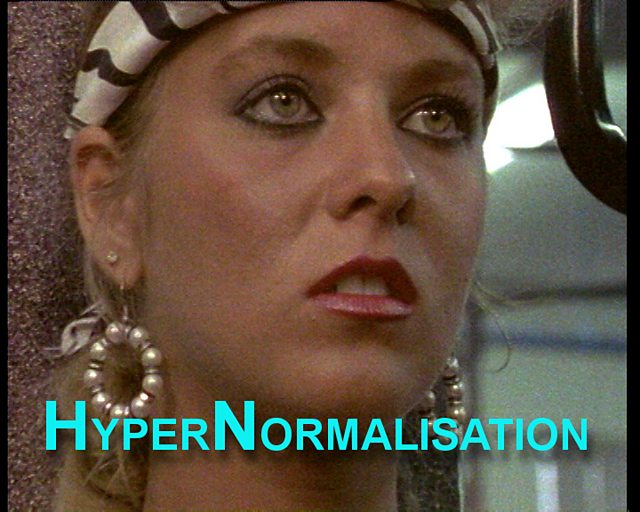
HYPERNORMALISATION

by Adam Curtis
mkalus shared this story from Adam Curtis Feed.

I have a new film going up on iPlayer this Sunday - the 16th. Here’s a background to what the film is about. And a trail.

We live in a time of great uncertainty and confusion. Events keep happening that seem inexplicable and out of control. Donald Trump, Brexit, the War in Syria, the endless migrant crisis, random bomb attacks. And those who are supposed to be in power are paralysed - they have no idea what to do.

This film is the epic story of how we got to this strange place. It explains not only why these chaotic events are happening - but also why we, and our politicians, cannot understand them.

It shows that what has happened is that all of us in the West - not just the politicians and the journalists and the experts, but we ourselves - have retreated into a simplified, and often completely fake version of the world. But because it is all around us we accept it as normal.

HyperNormalisation

The film has been made specially for iplayer - and is a giant narrative spanning forty years, with an extraordinary cast of characters. They include the Assad dynasty, Donald Trump, Henry Kissinger, Patti Smith, the early performance artists in New York, President Putin, intelligent machines, Japanese gangsters, suicide bombers - and the extraordinary untold story of the rise, fall, rise again, and finally the assassination of Colonel Gaddafi.

All these stories are woven together to show how today’s fake and hollow world was created. Part of it was done by those in power - politicians, financiers and technological utopians. Rather than face up to the real complexities of the world, they retreated. And instead constructed a simpler version of the world in order to hang onto power

But it wasn’t just those in power. This strange world was built by all of us. We all went along with it because the simplicity was reassuring. And that included the left and the radicals who thought they were attacking the system. The film shows how they too retreated into this make-believe world - which is why their opposition today has no effect, and nothing ever changes.

But there is another world outside. And the film shows dramatically how it is beginning to pierce through into our simplified bubble. Forces that politicians tried to forget and bury forty years ago - that were then left to fester and mutate - but which are now turning on us with a vengeful fury.

You must enable javascript to play content

Trailer for the 2016 Adam Curtis film - HyperNormalisation

12 Oct 00:48

Memories

by Thejesh GN

I turn 36 today. I didn’t think what I wrote last year would come into effect so fast. Life is really short. Amma isn’t here anymore. It felt like someone pressed a button somewhere and everything was over. I miss her but I am also very proud and happy when I look at the way she lead her life. This incident alone taught me things this year…


10684092_482476788585651_1052270108_n

Death is mostly unexpected. Not that I thought we will live forever. But the fact that it can happen anytime, anywhere, unexpected was a shocker. We all know friends who have lost their parents or siblings suddenly. But until it happens to you, you wouldn’t realise how shocking and confusing it is, at least I didn’t. Everything seems petty in front of it.

Can we be prepared? I don’t think one can prepare for death of loved ones but can certainly be prepared for one’s own. Death is mostly about people left behind and not about the person who is dead. Specially for someone who doesn’t believe in after life or rebirth, there is only memories and sadness after it. So build good memories, take insurance, be just and don’t forget to have fun.

Sadness is inevitable. Nothing can stop it, not even time. I learnt to cope with it. I also learnt sadness is just like happiness. It comes and goes. It can happen anywhere, anytime and for no special reason.

Enjoy the moment.

12 Oct 00:48

OmniGraffle Standard and Pro for Mac Gets a Big Update

by John Voorhees

It's hard to capture exactly what OmniGraffle 7 is. Sure, it's a vector drawing and diagraming tool, but the power of OmniGraffle lies as much in the flexibility of its tools as anything else. By giving users the ability to tweak virtually any property of a shape, line, or other graphic element on its canvas, OmniGraffle works equally well for prototyping an iPhone app as it does for laying out an addition to your house or creating a corporate organization chart. With Version 7 of OmniGraffle, The Omni Group plays to its strengths, further extending the power, adaptability, and ease of use of those tools in what adds up to an outstanding update.

OmniGraffle comes in Standard and Pro versions with the Pro version adding several advanced tools. It’s worth noting at the outset that the difference between the Standard and Pro versions of OmniGraffle is not the utility of the Standard version’s toolset. The Standard version has a robust set of tools that stand up on their own. The Pro version adds different advanced tools that you may or may not want depending on your needs. If you’re not sure which is best for you, start with the Standard edition, because you can always upgrade later.

Diagramming the flow of a website with OmniGraffle.

Diagramming the flow of a website with OmniGraffle.

Work in OmniGraffle happens on the canvas, where you place shapes, lines and other graphic elements. With version 7, OmniGraffle supports an infinitely expandable canvas. This is a welcome change available in both versions of the app. When I start a new document in any graphics app and am asked to pick a size, it’s often no more than an educated guess at what my needs might be. Projects evolve, which necessarily means space needs change. With a canvas that can expand in all directions, OmniGraffle makes it easy to get started without having to resize the canvas later and shift your work around to fit new canvas boundaries.

OmniGraffle 7 plays better with other graphics apps. The app previously added support for exporting your work as an SVG file, but now, you can also import SVG graphics, which means OmniGraffle can become part of whole new workflows. If you have art assets created in other apps like Sketch, Acorn, or any other app that can export SVGs, OmniGraffle can now join your workflow as a destination app instead of just a starting point. This is a big deal if you have other apps that have tools that you are more familiar with or prefer for asset creation, but want to bring artwork created with them into OmniGraffle to leverage features that are unique to it.

Pro users can also take advantage of artboards in OmniGraffle 7. With the Artboard tool, you can draw any shape supported by OmniGraffle around objects on your canvas the same way you would draw shapes with the shapes tool. The objects within the bounds of your artboard are part of an artboard layer and can be moved as a group by dragging the artboard instead of selecting each object on the canvas that you want to move. Artboards can also be used as a way to define the objects in a region for later export.

An artboard outlined in red using the Artboard Tool.

An artboard outlined in red using the Artboard Tool.

Customization is a big part of what makes OmniGraffle so powerful. Just take a look at all of the properties that can be tweaked in the Inspector for any object. Version 7 gives Pro users even more control by letting them convert text and strokes to shapes. Turning text into shapes gives users access to all the properties that can be modified for shapes, like adding gradients and strokes or editing the characters themselves using the Point Editor for moving any Bézier point in a shape. The same options are available when strokes are converted to shapes.

Keyboard shortcuts are an important feature for working fast in any pro-level tool. OmniGraffle 7 lets users define their own keyboard shortcuts for any menu item or set shortcut configurations that are consistent with Adobe tools or Sketch. In addition, Pro users can share their keyboard shortcut sets with others.

OmniGraffle keyboard shortcuts are highly customizable.

OmniGraffle keyboard shortcuts are highly customizable.

OmniGraffle 7 has made many other little changes to better organize tools and make working in the app easier in general. Two areas where this is most evident are the sidebar to the left of the canvas and the export panel. The sidebar combines all of your layers, groups, canvases, objects, and other screen elements and makes them available in four different views (layers, guides, outline, and selection). The export panel includes a bar along the top for picking the export format and several options that can be set, including exporting in a variety of sizes, which is great for something like iOS art assets, which often need to be created in multiple resolutions.


OmniGraffle has been around for a long time and has a feature set so robust that the manual for the last version is a 300 page iBook. Often apps with such a long history and feature list feel bloated and out of date. OmniGraffle 7 is a strong statement by The Omni Group that it doesn’t intend to let that happen. There will always be more work to be done, but with one significant update, Omni has sent a clear message that OmniGraffle is a serious, modern tool for getting real work done and can fit and work effectively side-by-side with other vector drawing tools on the market. Whether you are an existing OmniGraffle user or have never tried it, but do work that requires you to express ideas visually, OmniGraffle 7 is an update worth taking a closer look at.

Omnigraffle 7 is available on the Mac App Store as a 14-day free trial, after which the Standard version can be purchased for $99.99 as an In-App Purchase; the Pro version is also available as an In-App Purchase for an additional $99.99. Both versions are also available on The Omni Group’s website, where you can also find information about upgrade pricing.


Like MacStories? Become a Member.

Club MacStories offers exclusive access to extra MacStories content, delivered every week; it’s also a way to support us directly.

Club MacStories will help you discover the best apps for your devices and get the most out of your iPhone, iPad, and Mac. Plus, it’s made in Italy.

Join Now
11 Oct 17:56

The Real Price of a Cheap Domain Name

by Michael Keshen

There’s nothing quite like finding a great deal, and domain names are no exception. After all, the domain name will be exactly the same regardless of where you register it — so why not pay less for it? Many registrars will offer limited time sales for cheap domain name for as low as $0.99, which seems like a no-brainer…until you go through the checkout process and see what that practically free domain name really costs. In many cases, this will end up being much higher than a regularly priced domain name at another domain provider.

The Hidden Costs of a Cheap Domain Name

Here’s a list of commonly-used tactics to watched out for to make sure you’re truly paying the best price for domain names.

High Renewal Cost

Your domain may be on sale right now, but it won’t always be. Look at how much it will cost to keep your domain past your first year of registration and compare this cost with other registrars. In the long run, it may make more sense to pay more in your first year and save much more in the long run.

Long Registration Term

Even if you’re a savvy shopper and planning on transferring to a different registrar that has a sale when it comes time to renew your domain, pay attention to how long you need to register the domain for to get the sale price. Some registrars will lock you in for two or more years, and the price of your second year can skyrocket in order for the registrar to recoup the cost of your first year’s discount price.

Charging for WHOIS Privacy Services

When a domain name is registered, its owner’s contact information is published in the online WHOIS database. WHOIS Privacy keeps your information hidden, protecting you from hackers and spammers who often use the WHOIS database to target unsuspecting domain owners.

Some registrars will charge upwards of $10-20/year for WHOIS Privacy. Others may offer it free for your first year of registration, after which they will begin charging for any subsequent years. This is typically the most overlooked fee involved with domain registration, so make sure your registrar charges a reasonable price for domain privacy (or, in Hover’s case, offers free WHOIS privacy).

Many Upsells

Shopping at a domain registrar can be like shopping at a grocery store: you go in just to grab some milk and end up spending $50 on chips, ice cream, apples (to offset the previous add-ons) and other things you had no intention of buying when you walked in.

Domain names are often used as an opportunity to upsell customers on additional items like website builders and hosting. They’ll list the domain names for cheap, but you will “pay” by getting a cluttered experience with annoying upsells for additional services that you may not want or need.

“Premium” Support

Mistakes can happen, and when they do you want to make sure your website or domain email address have as little downtime as possible. Some registrars will charge additional fees to speak with their support team, so make sure that your cheap domain name includes access to your registrar’s support (or, more importantly, that they offer it at all).

Key Takeaway: Think Long-Term

If you’re planning on having your domain name for a while, it’s important to consider the many other factors involved with your domain besides its initial price. By taking the above tactics into account, you’ll be able to make an informed decision that will ensure you’ll be just as happy with your domain name in the future as you were when you first registered it.